Wait for background shader compilation affects performance
The shader compilation gets higher priority because you'll get stutter otherwise if it doesn't finish quickly, i think. So it's probably preferable to loose a bit of average fps to finish the compilation in time. You can also try to reduce the number of compiler threads with dxvk.numCompilerThreads, i guess. On windows the nvidia d3d11 driver will almost always do better than DXVK anyways, so why even bother?
Well, for starters because this is a dx9 game and microsoft gimped that hard?
Secondly, I wasn't exactly paying attention to the frametimes graph, but I don't believe I had been getting any stuttering before (even because my test case is literally just the character and the camera looking forever at a steady scene).
I'm really not taking any issue with the fact that there is background compilation, it's truly nice that shaders can be compiled ahead of time now.
But it makes no sense for a convenience feature to become a hindrance (and it seems like these aren't just my 2c, given the commit above). Even if there actually was some super-eager game needing this compromise for their dear life, it should be assessed and documented to the very least.
A test case of a character staring at a wall is probably not the best to assess what is best for the actual experience when playing. Most game will stutter badly if the shader compilation isn't done and you actually move forward in the game and not just stare at a wall, so I think in most cases it is preferable to have 60 instead of 80 fps for a few minutes instead of having 200ms+ stutter spikes later. If you'd give all background compile threads low priority it might take forever to finish up in a cpu heavy game.
Even if there actually was some super-eager game needing this compromise for their dear life
Not one, lots of games actually.
If this causes problems on your system, you can change the number of compiler threads using the DXVK config file.
https://github.com/doitsujin/dxvk/blob/master/dxvk.conf#L269-L279
It looks like Mass Effect creates an excessive amount of shaders compared to how many it actually needs.

Unfortunately there's no way for DXVK to know this and compiling all these shaders up front is preferable to stuttering. The shader cache of your graphics driver should take care of it once they are all compiled once.
I see why I might have been luckier than most experiences.
Still, even if this was really a necessary tradeoff (not sure what happens when a modern game meets the dozen threads of modern cpus) I'm kinda appalled by that numCompilerThreads option. Why would I want to forcefully limit free real estate on my cpu, as opposed to just lowering the priority of the compiler?
not sure what happens when a modern game meets the dozen threads of modern cpus
What happens is that it chews through tens of thousands of shaders in like 30 seconds and this is a non-issue.
Why would I want to forcefully limit free real estate on my cpu, as opposed to just lowering the priority of the compiler?
If you had perf drops due to the compiler then there was no free real estate in the first place. Anyways, it will do the compilation only once and afterwards it will come from the shader cache, I don't see how it's such a terrible issue to have only 60 instead of 80 fps once for 2 minutes?
not sure what happens when a modern game meets the dozen threads of modern cpus
Modern games often have more than 50,000 shaders and each of those is substantially bigger than any shader used by Mass Effect 1, so compiling all these takes a long time.
Still, even if this was really a necessary tradeoff (not sure what happens when a modern game meets the dozen threads of modern cpus) I'm kinda appalled by that numCompilerThreads option. Why would I want to forcefully limit free real estate on my cpu, as opposed to just lowering the priority of the compiler?
The compiler threads are already running at low priority, you even linked the commit that did it.
There's also high priority compiler threads but those are only used for shaders that are needed RIGHT NOW. The priority of those threads has to be high because the game literally pauses and waits for those shader to be compiled.
There isn't really anything to do here and at this point, it would be wrong to tweak DXVK specifically for an old 2C/4T CPU.
If you had perf drops due to the compiler then there was no free real estate in the first place
Except for the part where the average is usually 70-80% of cpu usage? Which is more than enough to even allow for some extra benchmarking on the side.
I don't see how it's such a terrible issue to have only 60 instead of 80 fps once for 2 minutes?
I'm not sure where I gave the impression this was the end of the world...
A 15% hit is not terrible, but it's not even great (and if not any it's totally counterintuitive to the claims in the docs).
The compiler threads are already running at low priority, you even linked the commit that did it.
This contradiction actually being the whole point of this issue?
If the new background compilation that was added was truly running with low priority, then the end results should be at least as good as what I get when I run 7-zip.
There's also high priority compiler threads but those are only used for shaders that are needed RIGHT NOW. The priority of those threads has to be high because the game literally pauses and waits for those shader to be compiled.
Yes.. then why is 1.10 just fine?
And I'm not just talking about stuttering (for as much as my limited walking around) but cpu usage too.
Even after having just updated my drivers, it was sitting there with the normal cpu headroom that it always had. This is why I'm very skeptical that the issue is with the "hot shaders" compilation.
There isn't really anything to do here and at this point, it would be wrong to tweak DXVK specifically for an old 2C/4T CPU.
Nobody mentioned any specific tuning... just to check if/when the ostensibly labelled "background threads" are actually that.
If the new background compilation that was added was truly running with low priority, then the end results should be at least as good as what I get when I run 7-zip.
Not necessarily. 7-zip is a different process. It's entirely possible that the Windows scheduler has some mechanism to prefer whatever process currently provides the focused window. DXVK already sets the thread priority of background compiler threads to "lowest". If you have any idea what we could do on top of that, then please open a pull request.
Yes.. then why is 1.10 just fine?
Because 1.10 doesn't start compiling shaders until they are used for rendering which results in a 50-200ms pause.
This is also a total non-issue because the shader compiler threads will sleep once they are done compiling and on subsequent starts of the game, they won't even get activated because all necessary shaders are already cached.
You can disable the graphics pipeline library feature in the configuration file as well if you prefer stutter over a performance hit while pre-compiling shaders.
Not sure why this is such a huge deal all of the sudden anyway, games like God of War behave the exact same way on Windows D3D11 driverrs. It's just that D3D drivers compile D3D shaders fastter than Vulkan does.
It's entirely possible that the Windows scheduler has some mechanism to prefer whatever process currently provides the focused window.
Window focus alone doesn't really help much, it's setting the low priority that makes all the difference in the world.
And yes, this odd behaviour was exactly making me doubt that your code was actually doing the "setting" to begin with.
But I just checked myself with process hacker.
And yes, I can confirm the two d3d9.dll threads with nvoglv32 in the stack that eventually disappear when compilation ends, are indeed set to "lowest" priority.
Since the game has also some "below normal" threads, and Windows has the pesky habit of randomly deciding a thread deserves a slightly higher dynamic priority than another, I didn't want to take any chance and I further forced the two novel dxvk threads to the lowest technically possible scheduling state (yes it turns out "lowest" isn't really the absolute low). That gained me perhaps 2FPS. But I was still more or less back to square one.
And then the craziest thing happened: I suspended the two threads altogether and I was still having a lower framerate.
And no, it's not even a possible matter of whatever the optimized shader loaded in the scene still having not been built. Because after compilation was complete in the Citadel level, I loaded Virmire. Then suspended again the threads as soon as possible, and loaded back the Citadel. And I was now getting 77FPS.
Which is not a bad result, by all means, yes. It's just 5 meagre frames per second short of my stupidly yearned target.
But just think to it: we are talking about "nothing being done about nothing relevant to the current scene or level" somehow causing overhead. With all due respect, something is rotten in denmark.
Because 1.10 doesn't start compiling shaders until they are used for rendering which results in a 50-200ms pause.
You can't tell me that I'm getting slowed down by "high priority compiler threads used for shaders that are needed RIGHT NOW" (which is what was always there to begin with, right?) and then pretend that 1.10 wasn't showing any issue because it was just too dumb to render anything that wasn't currently in-use for rendering.
You can enable the graphics pipeline library feature in the configuration file as well if you prefer stutter over a performance hit while pre-compiling shaders.
For the n-th time. I cannot praise enough the new feature.
I'm saying that something is wrong if *background* threads can somehow affect performance (unless of course we are talking about power/thermal throttling shenanigans, but this isn't the case here).
Feel free to submit a PR to improve it then. I don't know what else we can do besides setting the thread priority to low, which we already do and which generally works as expected (as in, the priority is set properly, it does not guarantee that there's no performance hit).
You don't have any idea on how a suspended thread could still affect the rest of your pipeline?
Because this is the voodoo that is happening here.
EDIT: cross that, in fact even after you kill the two threads... the performance hit is still there.
So, the problem is not even the compilation. It's as if just the "knowledge" (or the wait itself) that the thing is happening, was having some burdensome overhead.
So do things actually improve when you disable GPL or not? It's not clear whether this is even the problem in the first place.
Yes, with enableGPL=false there's no performance hit.
FWIW I also resolved into trying numCompilerThreads=1.. and the situation is just as equally laughable.
My cpu isn't fully loaded on any core, with a hair of gpu to spare too, yet I'm taking this dreaded 10fps hit.
(this procedure is also probably way more straightforward to reproduce and understand than my hair pulling above, but evidently I had rushed into thinking the only possibly unaccounted variable left were thread priorities - I apologize).
Could just be overhead from the pipeline lifetime tracking we do on 32-bit then, although the numbers seem excessive. This can also be disabled (via dxvk.trackPipelineLifetime = False), but the game may just crash due to address space issues when doing that.
Yup, couldn't even get to load the world that I OOMed.
But I do have another interesting oddity.
If I use enableGraphicsPipelineLibrary=true, even with an already fully built cache and all, I'm approximately getting a 10fps hit which is an amount so suspiciously similar to the one I can see during compilation.
Are you GPU-bound? The GPL pipelines are expected to be slower on the GPU, especially in D3D9 since we lose early-z and the generated code is significantly larger.

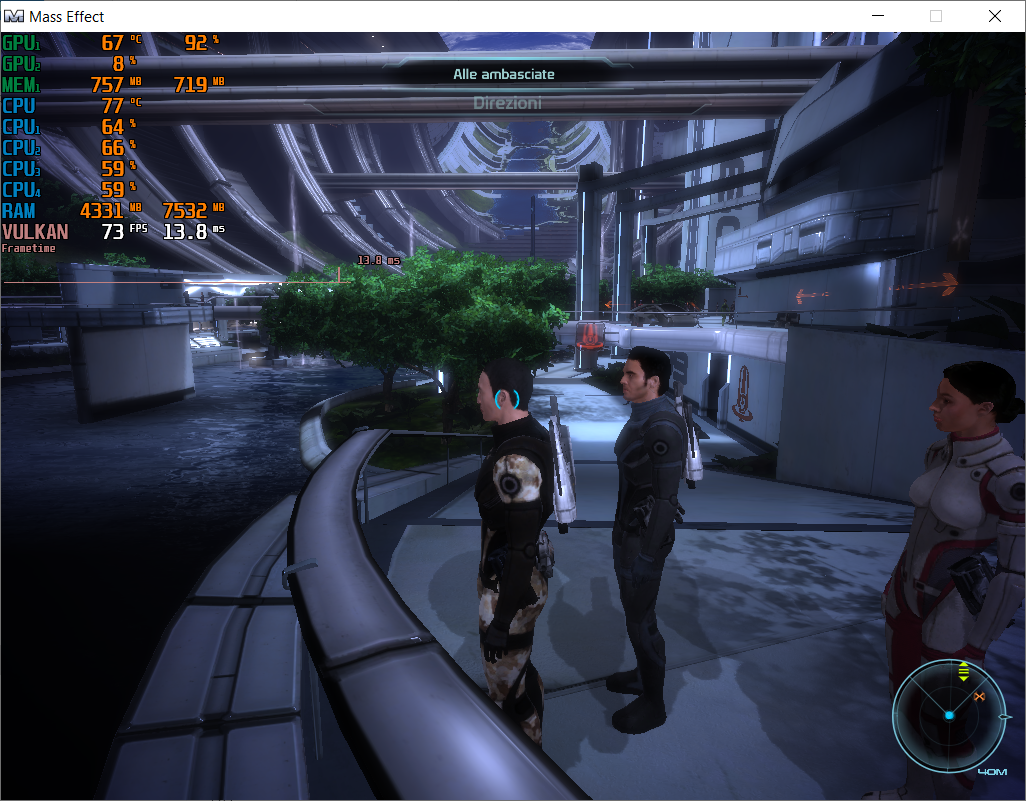
Again, a GPU performance hit when setting dxvk.enableGraphicsPipelineLibrary = True is expected.
The DXVK hud is generally more useful for us to look at than RTSS, but since GPU load is the same between the two while perf is lower it's almost certainly just due to that.
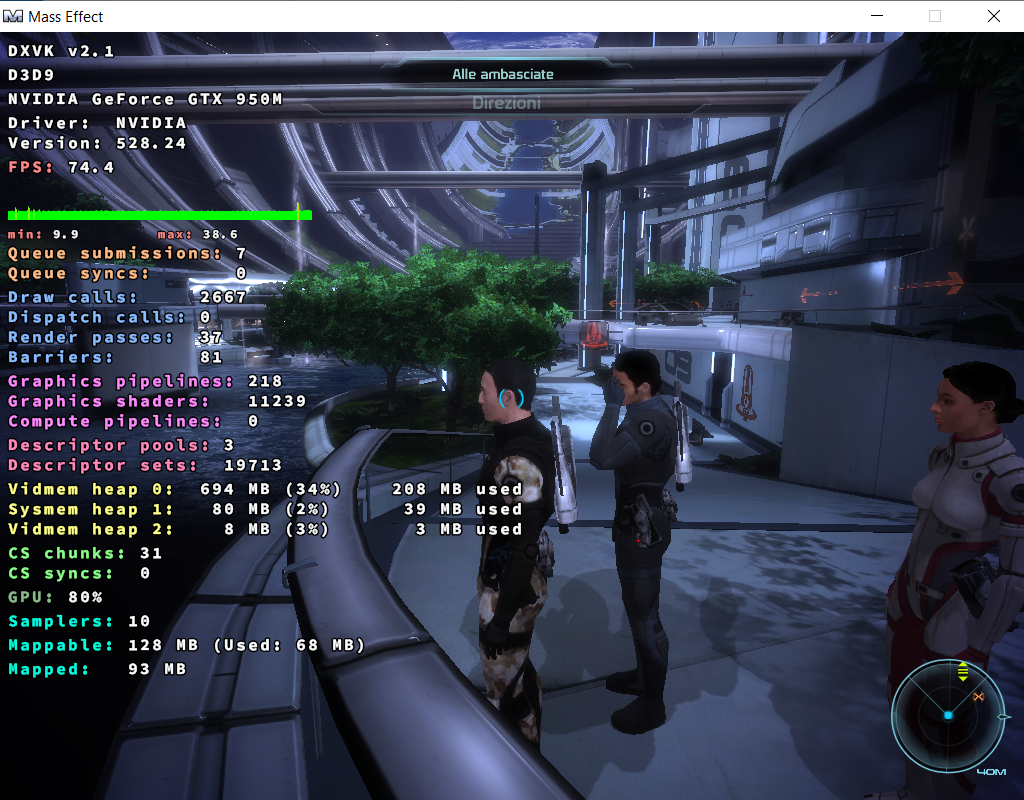
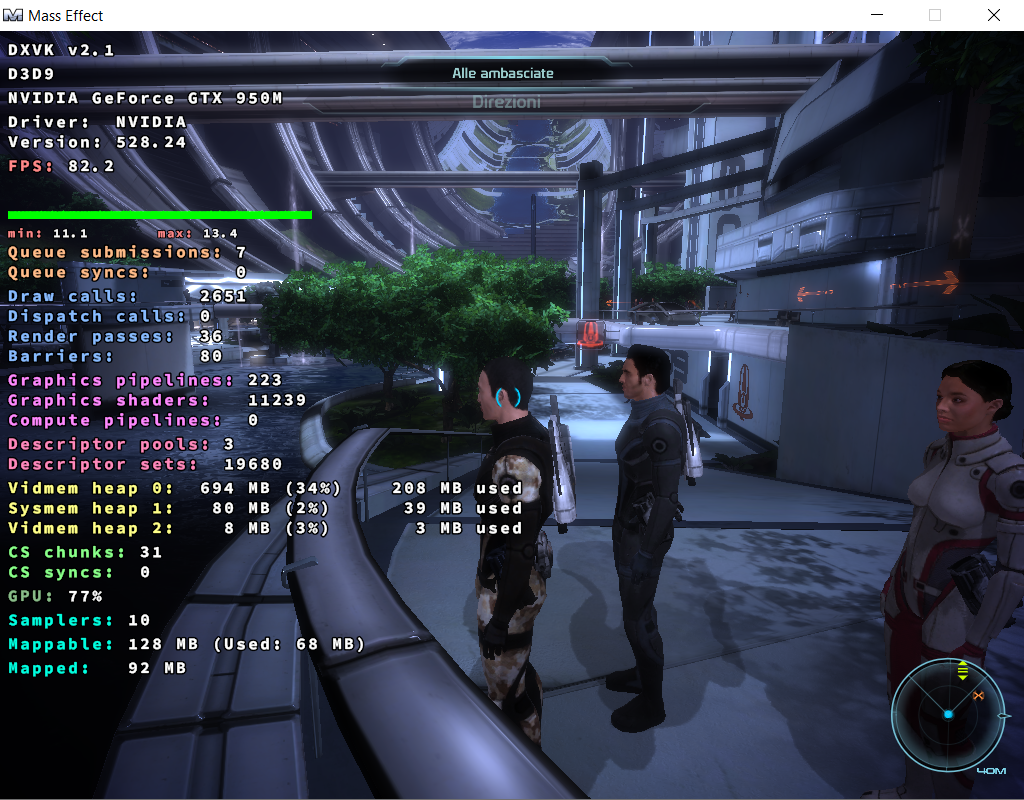

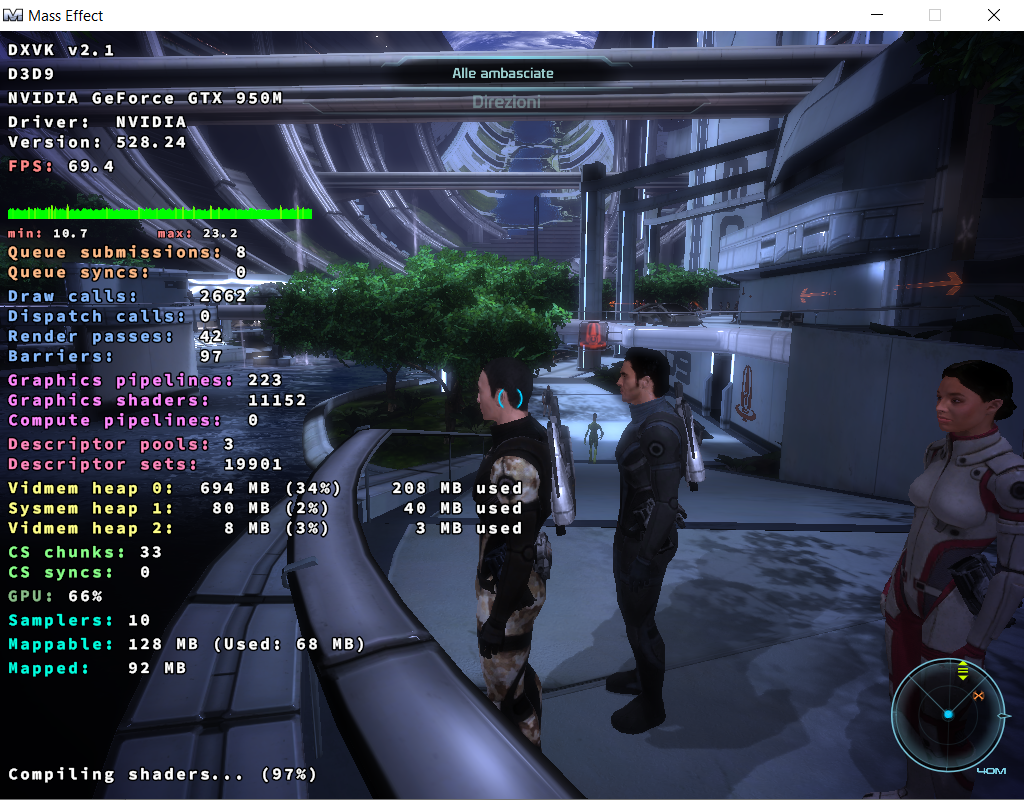
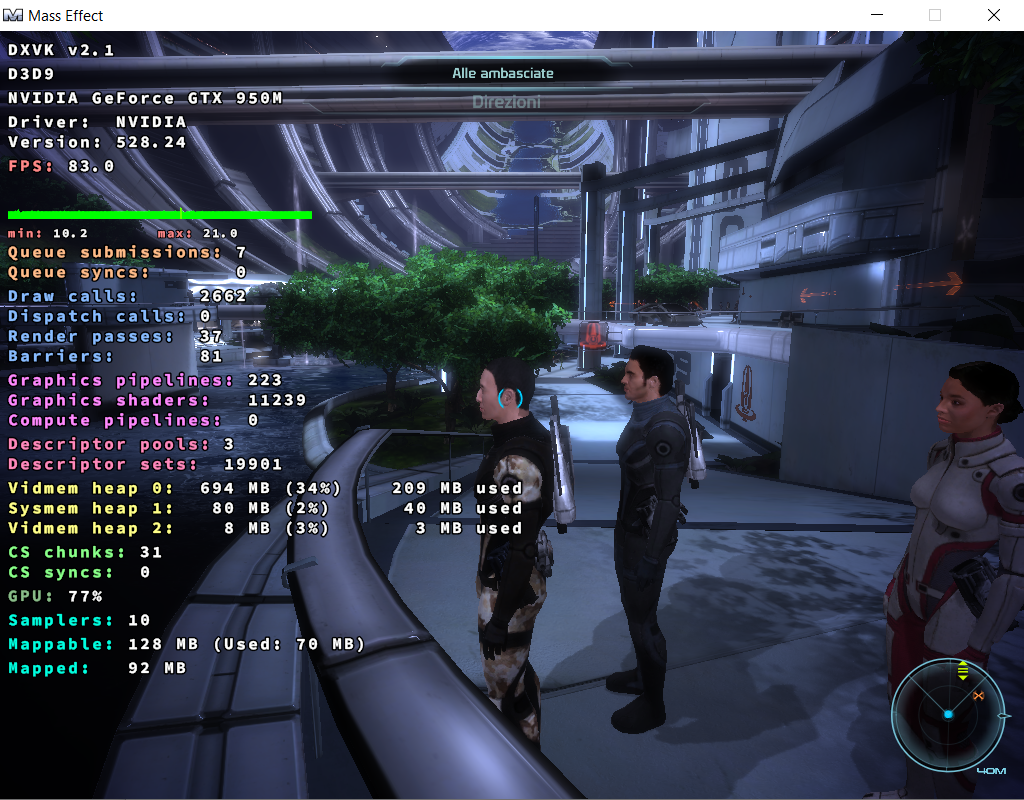
Well, whatever. Performance after it's done compiling is completely fine so :shrug:
There's no obvious bug here, I'm saying this for the 20th time now but a performance hit from background compilation and running unoptimized pipelines while all of that is happening is expected, not like this hardware is particularly high-end either.
DLLs
d3d9.dllx1 2023-02
So, initially I was scratching my head because once the map loaded my cpu was constantly running at 100%.
And then yes, I did eventually notice the readme for 2.0, and it all made sense (and after a bunch of minutes it was all good).
Right before that though, I had tested version 1.9. And whereas this older version could get me to the expected result of ~83FPS, the last one was only scoring me ~69FPS while the new added background compilation was running.
Now, no biggie you are going to tell me: it's natural that the extra load on the cpu may be "stealing" a few resources (especially when we are talking about an i7-6500U that doesn't have many to begin with). And that would definitively check out in my playbook.
But after all of this I tried to run the 7-zip benchmark alongside the game (with threads loading the entire cpu, and "low" priority forced from the task manager). And that was only getting me like a 2-3FPS handicap, not 15.
So if your internal thread scheduling can have five times the performance impact of a benchmark going its own way, it really looks like something is wrong.
Maybe af05265cb62e663e97f81e1ece1fed3f87ae3d53 wasn't enough?
Software information
Mass Effect, high settings.. just about anywhere in the game I guess?
System information