Black textures (incorrect lighting) since version 2.1
You didnt even open the map in your apitrace. Please make another one that actually shows the map.
Thanks for the generally well made issue anyway :slightly_smiling_face:
Yes, what Blisto said. :)
Apologies, I didn't think of doing that since the same issue is visible on the mini-map at the bottom-right of the screen 😄
Anyway, here's another trace, with the larger map open: https://mega.nz/file/GNRlTISR#tATB_0jfqFyyMFqK4Ew4Gr5YGoPiTfPtFWx3RGtXHYI
Thanks!
Ah missed the minimap part. The issue in the new trace is that it goes black after you press local right?
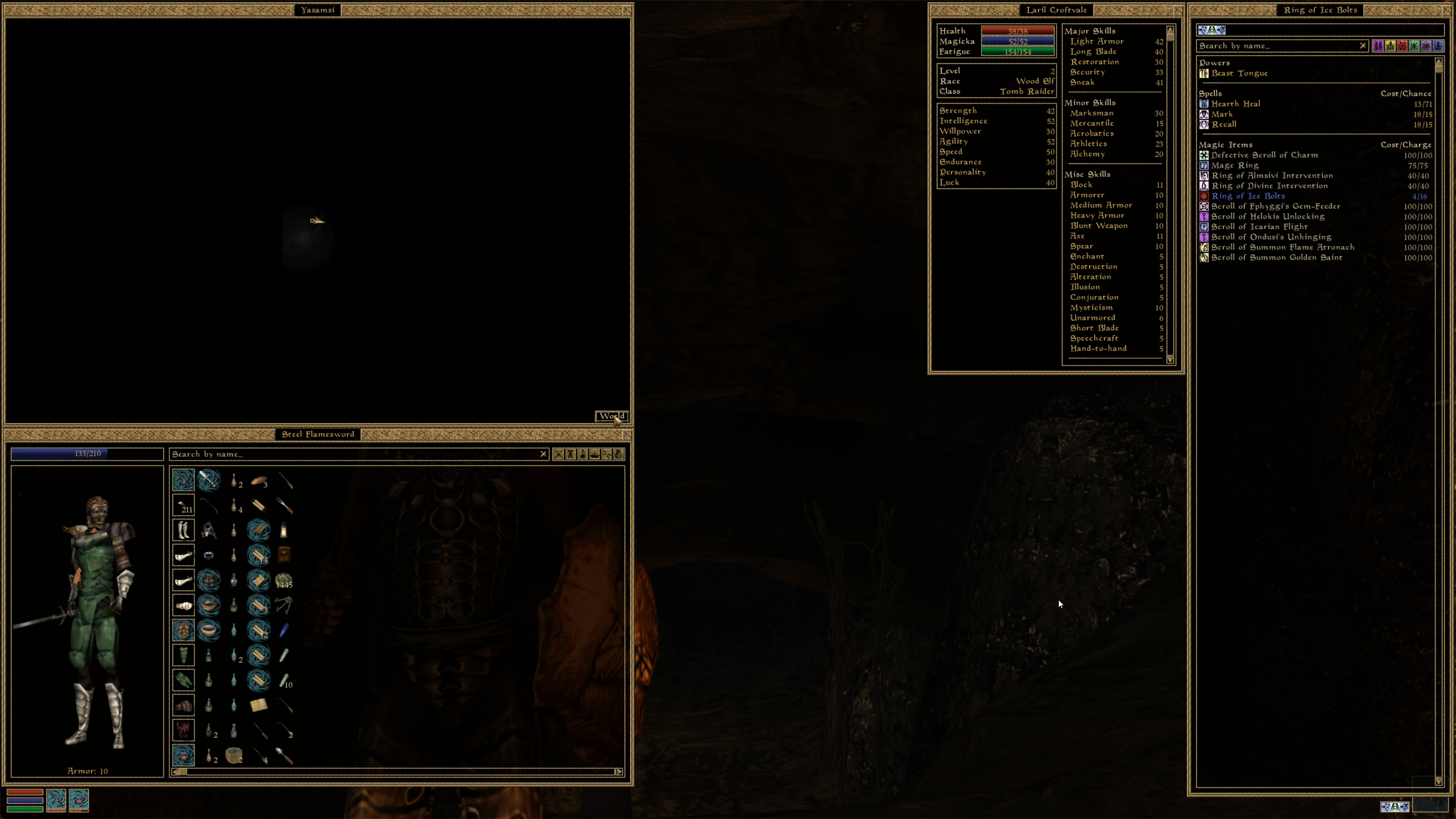
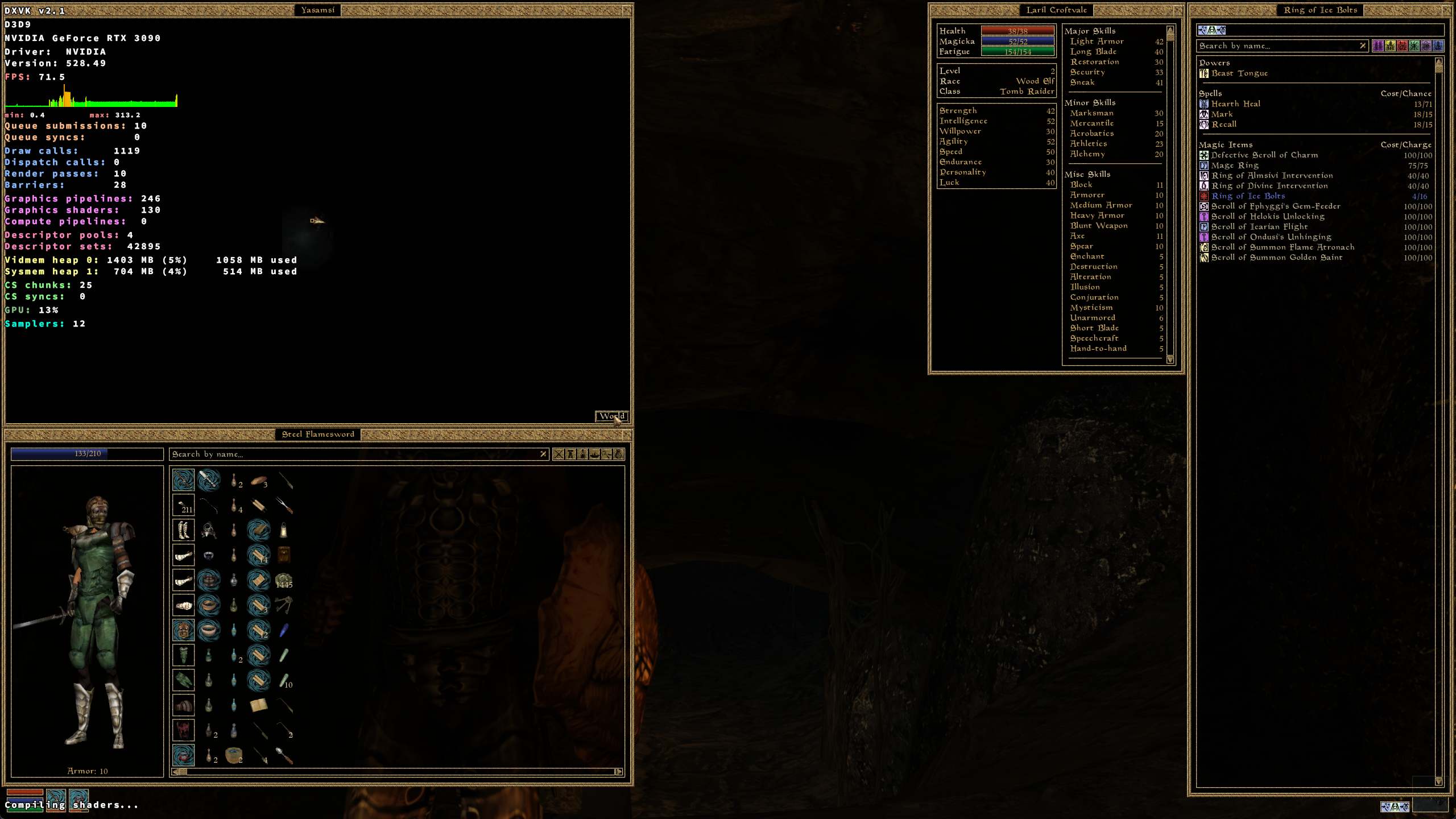
Both apitraces look identical when replaying them with DXVK and the Nvidia D3D9 driver as far as I can tell.
Nvidia D3D9:
DXVK 2.1:
I wasn't sure i was able to reproduce the map issue ingame either, but i could reproduce the character creator issue so captured a trace of that instead.
https://mega.nz/file/dxQ2kDyZ#snLY2MItzinB0f0NixGzgDyDq853FLPV7pCWG9i_cLw
And regressing commit is https://github.com/doitsujin/dxvk/commit/4796eb0b0dfe1a932a6267c08e8c85831c476dd0
Thank you for that.
So nothing to do with light index, since a different one is used for the character creation preview.
I also noticed that the character's head preview is correctly lit just for one frame when it first appears, then it immediately turns black.
As a test, I compiled MGE XE with a little hack. Basically, it re-sets the directional light whenever the viewport for either the local map or the character preview is set. It shouldn't need to, because the existing light should still be valid, as well as its last state; but with this hack, the issue disappears.
In MGE XE's d3d8device.cpp:
HRESULT _stdcall ProxyDevice::SetViewport(const D3DVIEWPORT8* a) {
    // Original code: return realDevice->SetViewport(a);
    HRESULT result = realDevice->SetViewport(a);

    if (a->Width == 256) {
        LOG::logline("*** Created viewport for local map.");
        D3DLIGHT9 light;
        light.Type = D3DLIGHT_DIRECTIONAL;
        light.Diffuse = D3DCOLORVALUE{ 0.7f, 0.7f, 0.7f, 0.0f };
        light.Specular = D3DCOLORVALUE{ 1.0f, 1.0f, 1.0f, 0.0f };
        light.Ambient = D3DCOLORVALUE{ 0.3f, 0.3f, 0.3f, 0.0f };
        light.Position = D3DVECTOR{ 0.0f, 0.0f, 0.0f };
        light.Direction = D3DVECTOR{ 0.707107f, 0.0f, -0.707106f };
        realDevice->SetLight(1, &light);
        realDevice->LightEnable(1, TRUE);
    }
    else if (a->Width == 234) {
        LOG::logline("*** Created viewport for character's head preview.");
        D3DLIGHT9 light;
        light.Type = D3DLIGHT_DIRECTIONAL;
        light.Diffuse = D3DCOLORVALUE{ 1.0f, 1.0f, 1.0f, 0.0f };
        light.Ambient = D3DCOLORVALUE{ 0.25f, 0.25f, 0.25f, 0.0f };
        light.Position = D3DVECTOR{ 0.0f, 0.0f, 0.0f };
        light.Direction = D3DVECTOR{ 0.655618f, 0.374607f, -0.655618f };
        realDevice->SetLight(88, &light);
        realDevice->LightEnable(88, TRUE);
    }
    return result;
}
Note that simply calling LightEnable again is not enough. In fact, it's the extra SetLight that makes the difference.
If you want, here's the DLL built with the above modification: https://mega.nz/file/fY43XKCI#ze0mRo2KAluURy2W_PmeAdP_cPVwQeAaXXC-V-x52Os
Also:
Ah missed the minimap part. The issue in the new trace is that it goes black after you press local right?
Yes, but only after moving to a new area. It's a bit cumbersome to reproduce: either walk for a while or enter a building after loading a game.
That PR fixes it.
Well, that was quick 😄 I gave it a go, and yes everything works fine with that.
Excellent work, thanks both.
Nothing extracted yet.
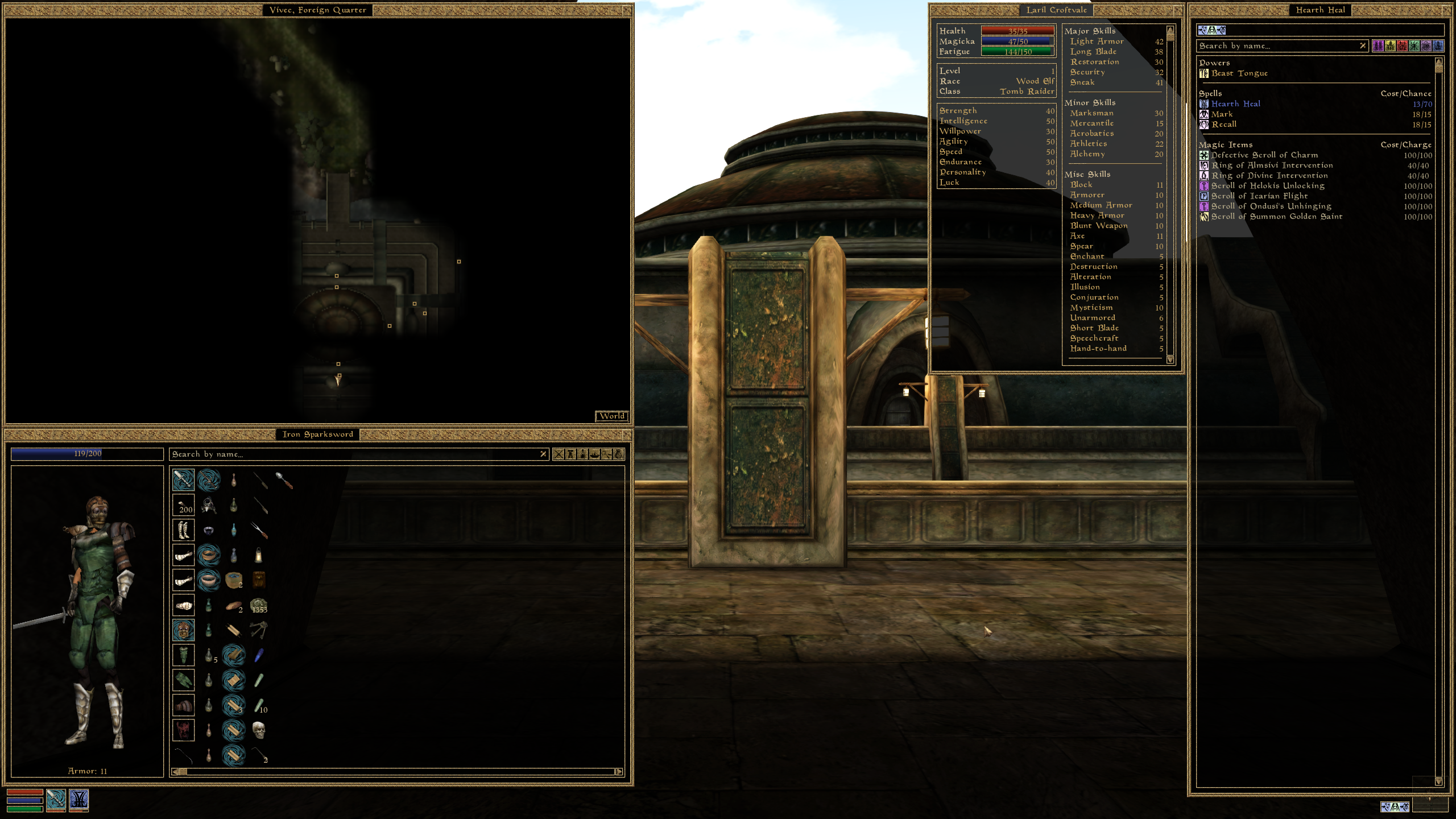
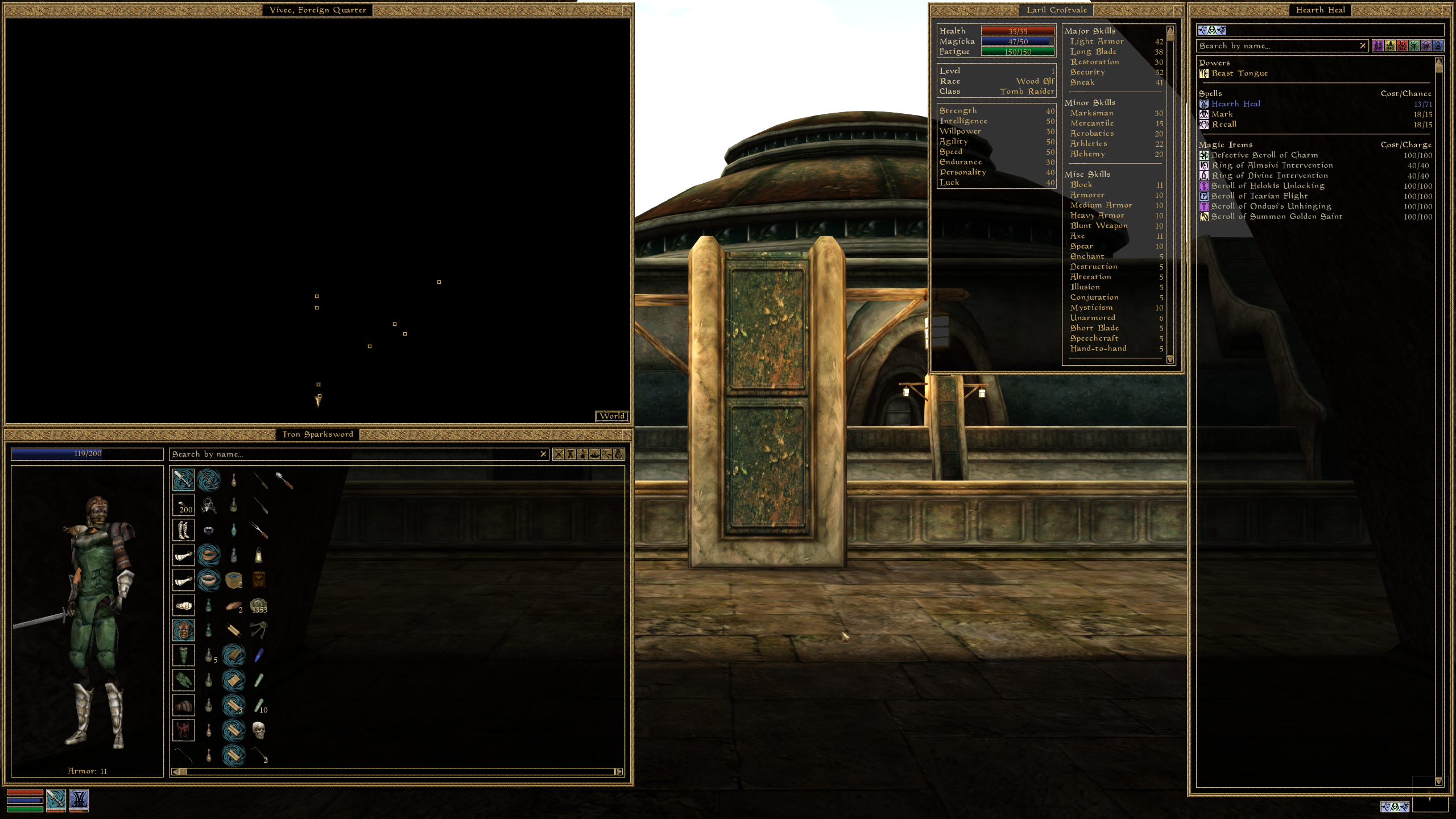
The game uses an overhead view to create a 2D map of the area around the player. The same technique is used to render a preview of the character's head on a 2D surface when starting a new game.
Since DXVK 2.1, both are completely black. The only exception is that the map is rendered correctly the first time when the game starts, but then is replaced by a black texture when loading a new area.
Working (version 2.0):
Not working (version 2.1):
Looks like DXVK might not be correctly keeping track of light changes.
In fact, the issue disappears if you remove the following loop in d3d9_stateblock.h:
Note how the map surface is created first on frame 313 of the attached trace.
First, there's a call to SetViewport (256x256 for the map), then SetLight (index is 1), then LightEnable(1, TRUE).
The same light is not set again, a reference is kept and the game just enables/disables it to render the mini-map.
See frame 417, where a new map is rendered, and the same light is enabled again.
The index of the light is always 1.Does the driver lose a reference to this light?
Maybe the first index is skipped by the loop above?EDIT: Nothing to do with light index, see comments below.
Software information
Morrowind GotY (using D3D9 thanks to MGE XE).
Same issue on two completely different systems:
System 1 information
System 2 information:
Apitrace file(s)
Log files