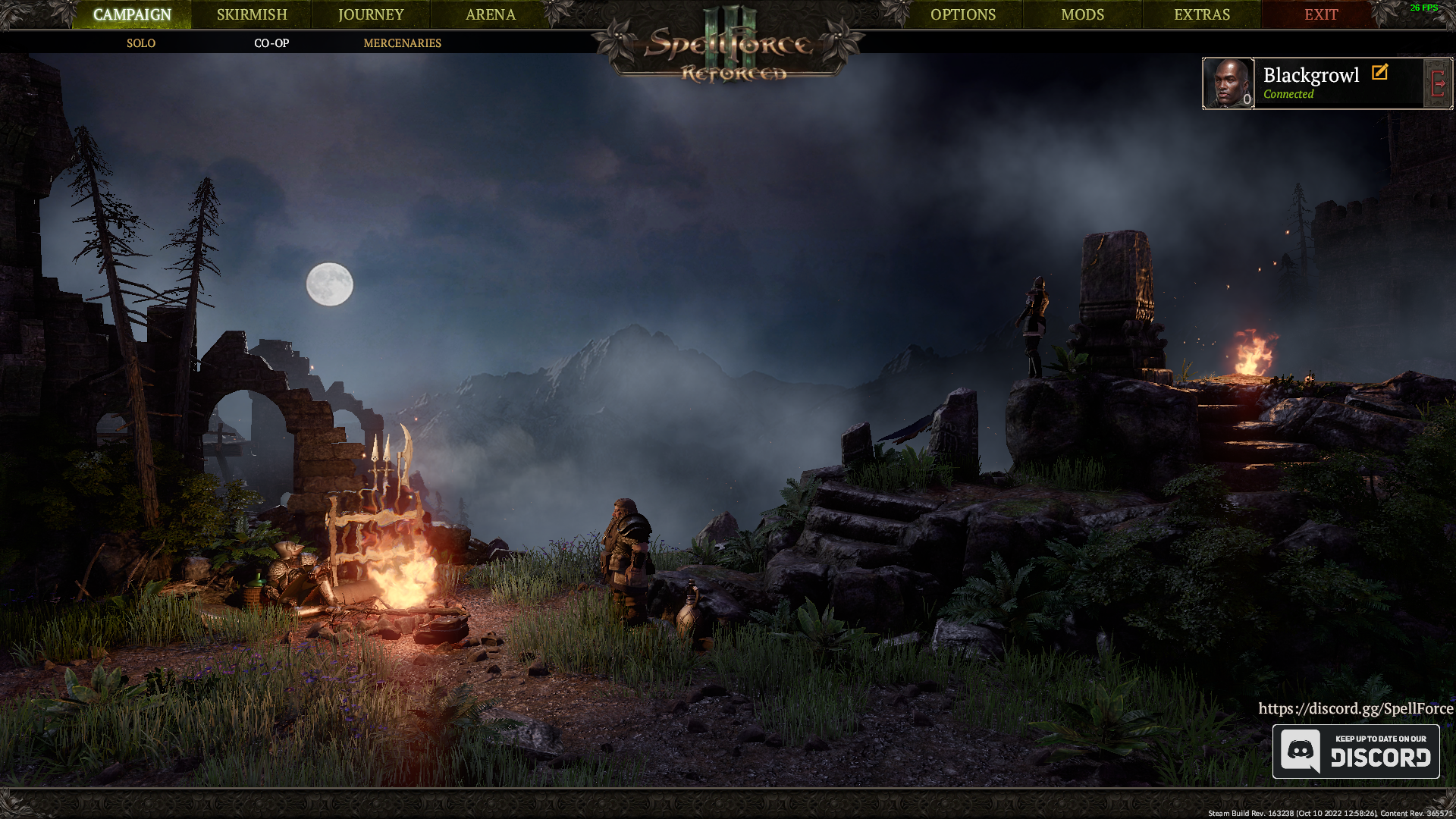
Spellforce 3 has every text missing
Alright, I have some more info.
By mistake I forgot that I should restart the game for Borderless to work properly, so I did that and I've got error messages:
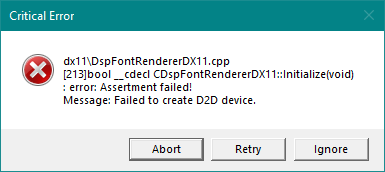
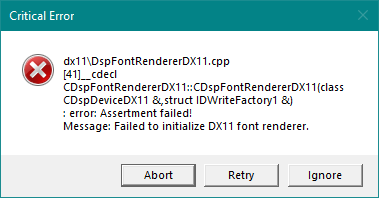
I can of course ignore these two, but also have no text at all. Hopefully these error messages can help, perhaps DXVK needs to be in another folder as well?
Hello and thank you for a well filled out issue.
I tried quickly to install and launch this game on Linux through Proton with a AMD GPU, but the text appeared fine there with dxvk 2.1. Also if i tell the game i'm using a Nvidia GPU.
There is not text when i replay your apitrace though, but i can't hold it up against wined3d as that crashes.
Do you use any specific settings ingame?
Edit: i see that is the mod screen you are one in one of the screenshots above, do you know if any of the mods affect this?
Looks like windows' D2D fails with DXVK, I'd guess text would also be missing if you replay the apitrace with native d3d11.
Ye maybe, i haven't gotten a Windows setup ready on my new PC yet and the other PC in the house is occupied, so will have to check that later if nothing else.
Just as a seperate note, this PR https://github.com/doitsujin/dxvk/pull/3286 enables a config option for the game that greatly improves CPU bound performance.
Hello and thank you for a well filled out issue.
I tried quickly to install and launch this game on Linux through Proton with a AMD GPU, but the text appeared fine there with dxvk 2.1. Also if i tell the game i'm using a Nvidia GPU. There is not text when i replay your apitrace though, but i can't hold it up against wined3d as that crashes.
Do you use any specific settings ingame?
Edit: i see that is the mod screen you are one in one of the screenshots above, do you know if any of the mods affect this?
Thank you, I'm glad to see a contributor help me out.
Well, my settings are not any special, everything is set to high since my RTX 2070 and Ryzen 7 5800x can support it all easy...Except for a few sometimes drops because of the game being terribly optimized for CPU of course. If you really need it, I'll post a screenshot of my settings.
I really doubt mods would create this problem, but I still went to give it a try, I loaded my game with 4 mods, then without any mods, the results are exactly the same, with those two errors.
Be mindful that, for some reason, the two errors only appear when I run Borderless, not Fullscreen.
Also, to be extra sure, how I installed DXVK 2.1 is by going to where my Spellforce is installed, which is "D:\Steam\steamapps\common\SpellForceThree" and add the x64 versions of dxgi and d3d11.
Just as a seperate note, this PR #3286 enables a config option for the game that greatly improves CPU bound performance.
I love it, I want to use it, Spellforce 3 is great but damn if the optimization is bad, only hanging there. Sadly, I cannot use it because I get this missing text problem.
By the way, I'm not too knowledgeable with Github, how can I download that?
EDIT: Forgot to mention, although unsure if necessary but will still post for posterity; my Windows 10 is Build 19044.2604, Version 21H2
Also, to be extra sure, how I installed DXVK 2.1 is by going to where my Spellforce is installed, which is "D:\Steam\steamapps\common\SpellForceThree" and add the x64 versions of dxgi and d3d11.
:+1:
By the way, I'm not too knowledgeable with Github, how can I download that?
You can grab a automatic build here. This is latest master including PR
https://github.com/doitsujin/dxvk/actions/runs/4392597190
Could you try also copying over d3d10core along with d3d11 and dxgi? For some reason the game loads it and if i disable it on Linux it wont start.
d3d10 is needed by d2d1 apparently?
22439.971:011c:0120:err:module:import_dll Library d3d10core.dll (which is needed by L"C:\\windows\\system32\\d3d10_1.dll") not found
22439.971:011c:0120:err:module:import_dll Library d3d10_1.dll (which is needed by L"C:\\windows\\system32\\d2d1.dll") not found
This is a known issue with Windows Direct2D on top of DXVK. I've looked into this in the past, and while I forgot the details it wasn't really something we can fix in any way.
Could you try also copying over d3d10core along with d3d11 and dxgi? For some reason the game loads it and if i disable it on Linux it wont start. d3d10 is needed by d2d1 apparently?
22439.971:011c:0120:err:module:import_dll Library d3d10core.dll (which is needed by L"C:\\windows\\system32\\d3d10_1.dll") not found
22439.971:011c:0120:err:module:import_dll Library d3d10_1.dll (which is needed by L"C:\\windows\\system32\\d2d1.dll") not found
I've tried that, the D3D10 wrapper won't even load, I know this since there's no log specifically for it.
This is a known issue with Windows Direct2D on top of DXVK. I've looked into this in the past, and while I forgot the details it wasn't really something we can fix in any way.
I suppose I have no choice but to wait and hope that some compatibility with Direct2D is found, then?
Just run it with your regular D3D11 driver.
It works with wine's Direct2D so there's no real incentive to spend more time on this.
Upstream links
- doitsujin/dxvk/pull/3286x1 2023-03
DLLs
d2d1.dllx2 2023-03d3d10_1.dllx2 2023-03d3d10core.dllx2 2023-03
Spellforce 3 Reforced has every text missing, you can see it from these screenshots:
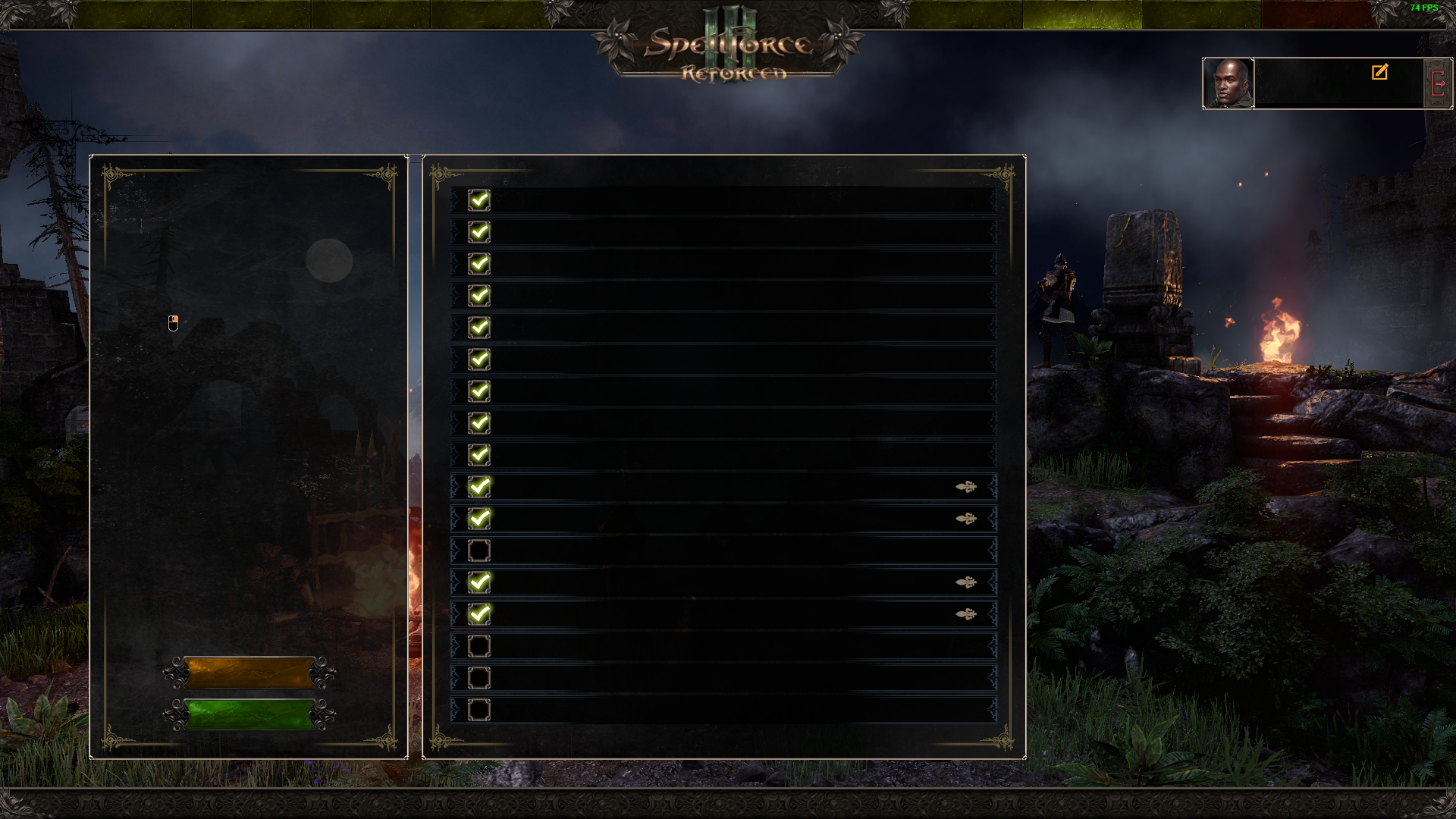
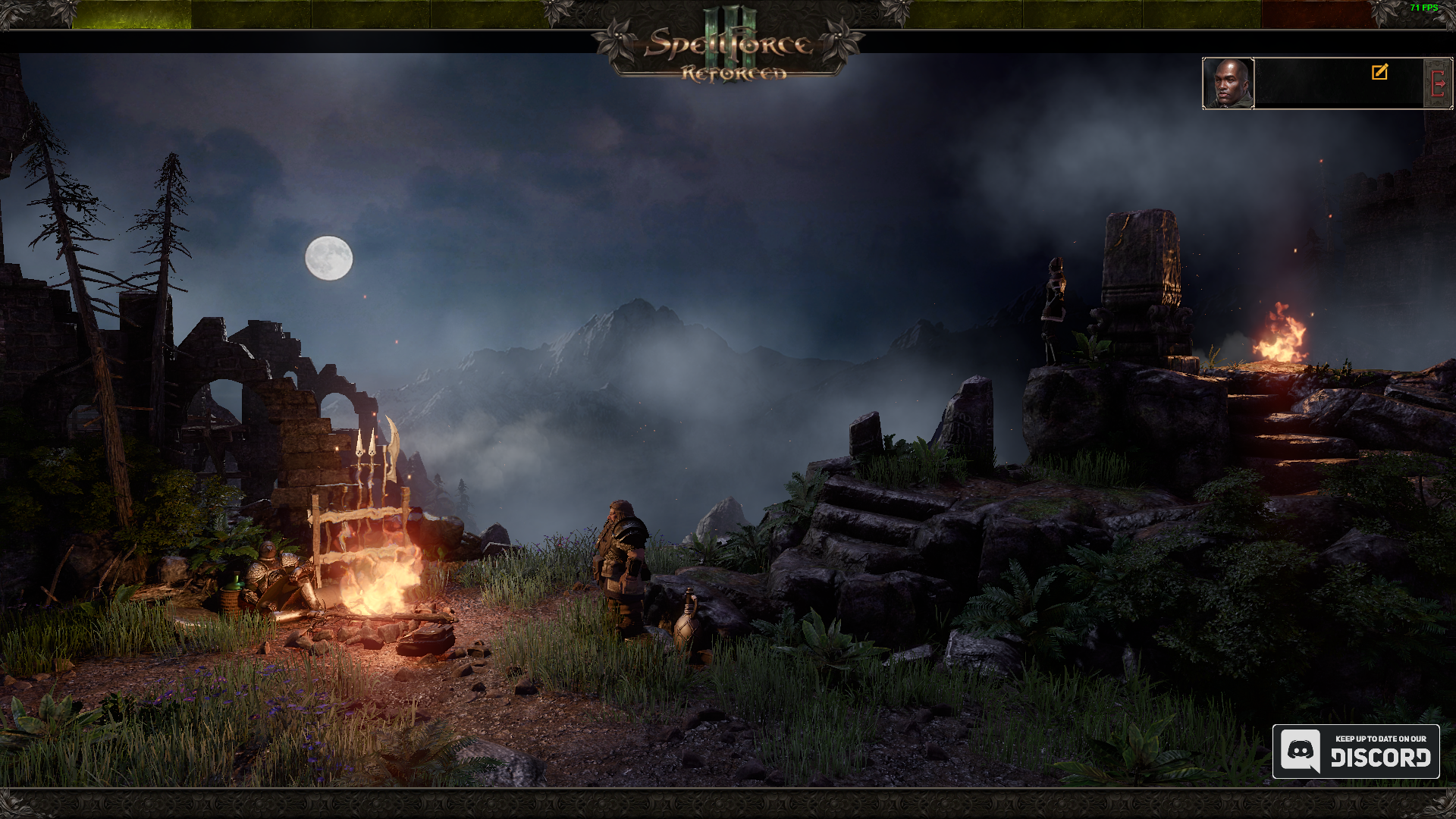
It should instead look like this:
System information
Apitrace file(s)
https://www.mediafire.com/file/60lqkzxhatrfv7i/SF3ClientFinal.zip/file
Log files
SF3ClientFinal_d3d11.log
SF3ClientFinal_dxgi.log
Extra Info
The game was DirectX9 and 32-bit, or DirectX9 and 64-bit, this version is now called "Legacy Edition", but it's not used anymore.
Now it's DirectX11 and 64-bit, I have no idea if it uses DX11 as a wrapper format though, the game only uses one core thread despite the fact it's an RTS as well.
I wanted to try DXVK to see how well one-core performance would work on this game.
I've also tried every fix in Windows, such as setting my Vulkan to use Native instead of DXGI, switching from Fullscreen to Borderless, etc