Grand Theft Auto 4-AMD Water Bug With Vulkan
and that it can be fixed by replacing the water.tex
what do you actually mean by this? is this even our bug or just some game quirk that even happens on native AMD with an unmodded game?
and that it can be fixed by replacing the water.tex
what do you actually mean by this? is this even our bug or just some game quirk that even happens on native AMD with an unmodded game?
I would say that a game error occurs on AMD, but VULKAN does not apply the correction I made to the bug, it simply cancels it and restores it to how it was before, do you have a solution?
What do you replace the water.tex with?
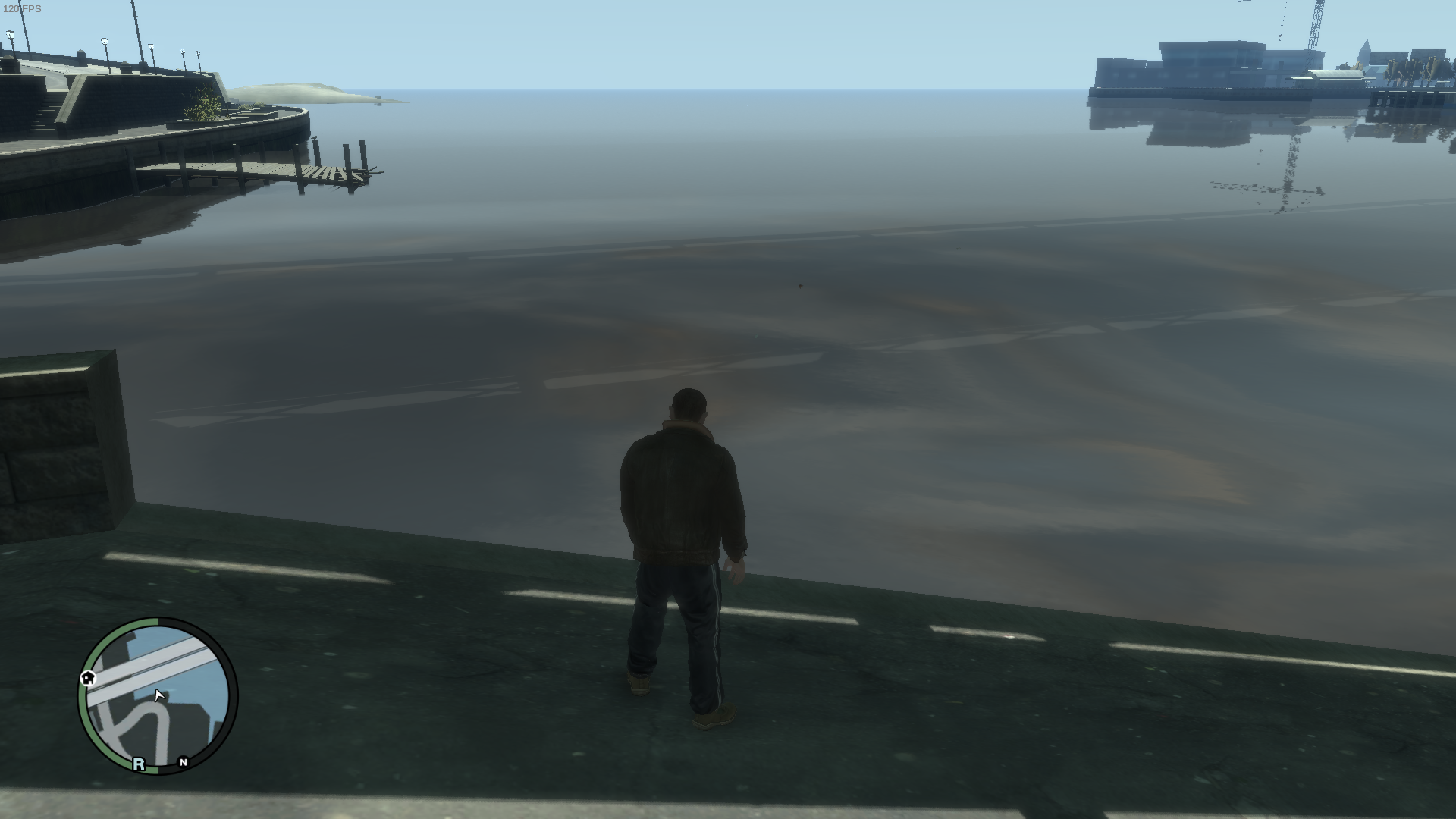
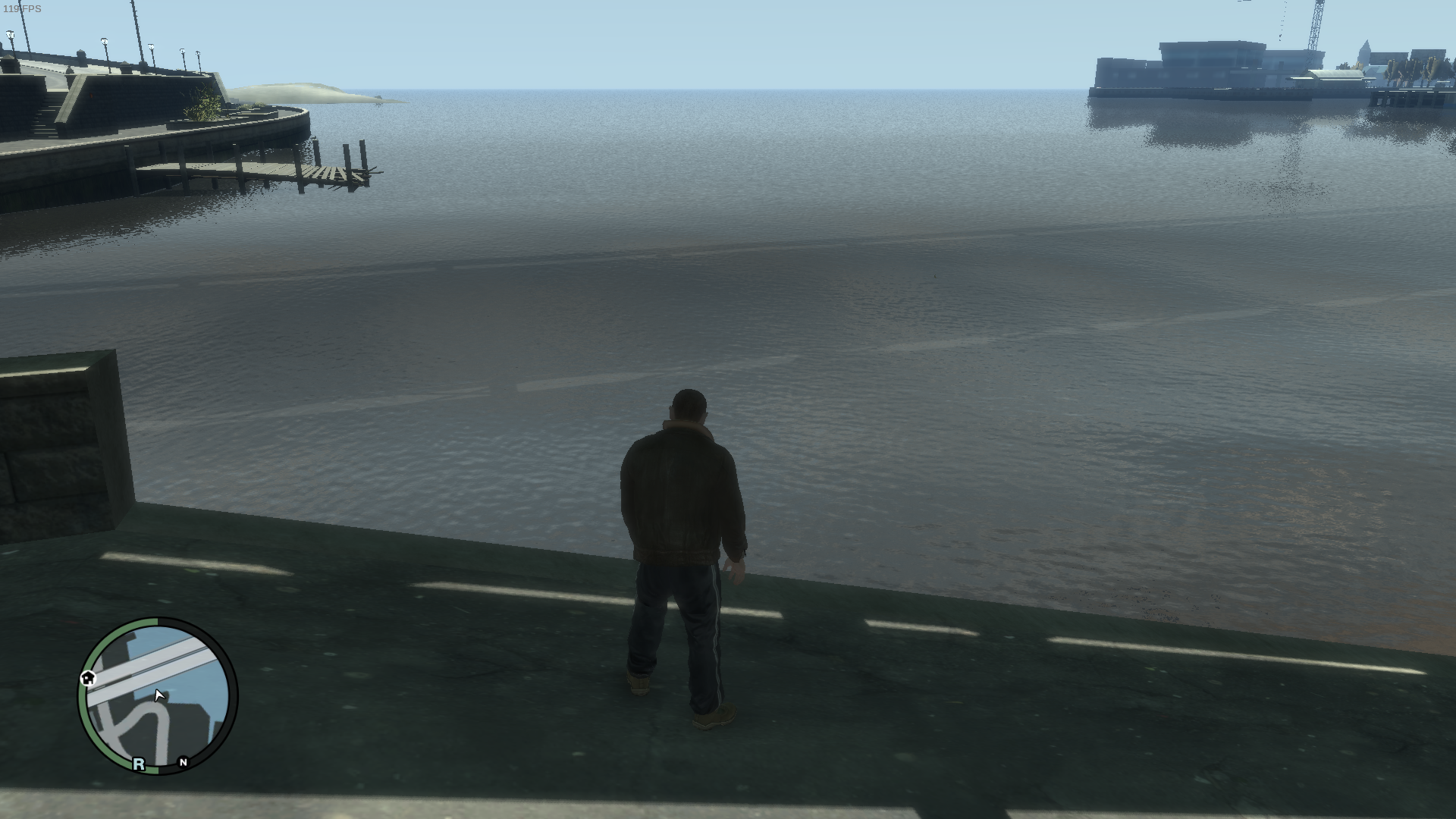
This game is as usual a bit cursed, at least with dxvk, so the water surface appears smooth and blank when i first get in to the game, but if i then alt tab out and in the smaller waves appear on the water like in your screenshot.
Screenshot
Before alt tab.
After alt tab.
GTA IV comes with a set of pre-compiled shaders that can be found in /common/shaders, AMD and ATI GPUs normally load the content found in "win32_30_atidx10" and in "win32_30_low_ati". In these 2 specific folders one of the water textures is broken and so, for more than a decade now, people with AMD GPUs always had to replace the waterTex.fxc file with a fixed one (I grabbed it from here, last comment: https://gtaforums.com/topic/447305-problem-with-water-quality/page/3/#comments).
For some reason with the latest DXVK version the water textures remain in a broken state even with the fix applied:

(Loading a save, alt-tabbing or changing the water quality will temporarily fix the issue, but after a few seconds everything goes back to this state)
On the other hand older DXVK versions don't seem to have this problem. For example the fixed waterTex.fxc is working correctly with DXVK 1.10.3:

Thanks. I will check it out and bisect here later.
Okay so. The behavior changed with commit https://github.com/doitsujin/dxvk/commit/c759fb45aa362efa175eb4304869328444d6e830 which is the one that was added to make the game render the high quality mirrors out of the box.
Before that commit the water with the modified shader applied looks like in the second screenshot above out of the box. Without modified shader it looks as the first.
After the commit it shows the flat water surface as in the first screenshot both with and without the modified shader.
If i then alt tab out and in while ingame it will appear as in the second screen again and this is both with and without the modified shader.
The issue is now fixed if you're using the latest version of FusionFix (https://github.com/ThirteenAG/GTAIV.EFLC.FusionFix) which now comes shipped with fixed shaders. These fixed shaders are loaded from "GTAIV/update/common/shaders", original files are ignored and don't need to be replaced any more.
-
DX9 mode with FusionFix:
-
DXVK 2.2 with FusionFix:
Nothing extracted yet.
hello, okay we know that gta 4 has a bug in AMD cards with water and that it can be fixed by replacing the water.tex, but when using DXVK it seems that it is canceled and returns to its initial state and the correction is not applied, does anyone have a solution?
Software information
Grand Theft Auto 4, All settings in High, 50, 50, 100
System information
Directx:
![20230322184944-1.jpg]()
Vulkan:
![20230322185500-1.jpg]()