[d3d9] Need for Speed Carbon crashing at startup in 32Bit Nvidia driver
It might be something related to the new Nvidia drivers or GPU's as well.
For NFS: Carbon v1.4, is working great here, on RX 5708gb, r7 260x both on Mesa RADV 23.1 Dev, and GTX 650 with 470.161.03, all in Wine 8.0-Staging with latest DXVK from source..
Edit: I forgot, the GTX 650 is in DXVK 1.10.1
Edit2: @dungeon007 If that is what you are pointing to, I build my 32bit Wine with -mfpmath=387 and march=prescott, if SSE is the problem.
thanks for the comments
But the main thing is that the Nvidia's spirv compiler should not crash on a FPE that a game enables.
So a workaround to not pass setting the exception enable to the linux side is okey, but in reality it should probably still be fixed on a driver level.
iirc my install is at version 1.2 or so, since its a disc install and I never bothered to patch it more.
afaik Nvidia already fixed a similar issue with some other exception that got unintentionally passed to the driver by overriding it, so this should probably also be ok to be fixed on their side.
In my case run ok with my intel uhd 630 with lastest mesa oibaf
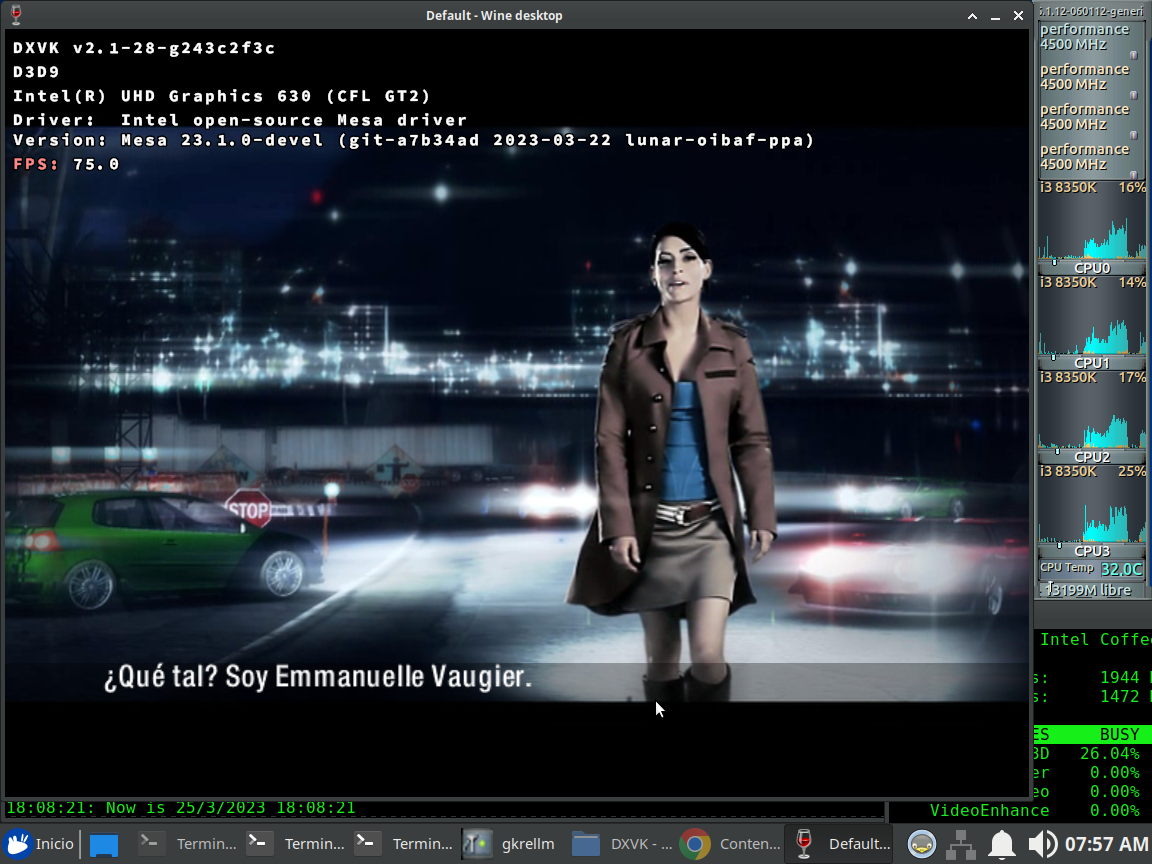

Well yeah, it can't crash in the Nvidia driver if you're using an Intel GPU to run the game...
Well yeah, it can't crash in the Nvidia driver if you're using an Intel GPU to run the game...
is only for add game runs ok on intel igpu (my case), confirm issue could be fault of nvidia driver
So I managed to find a trigger sequence with the Apitrace :frog:
Currently running the 530.41.03 driver, but its the same on older ones too.
Setup
Some steps might not be needed, but it worked for me so I kept it that way. :sweat_smile:
The paths in the files need to be changed to the ones you are using!
Have Wine installed and 32Bit Apitrace for Windows ready in it.
https://github.com/apitrace/apitrace
Get wine-reload and place it in your debugging directory:
https://gist.githubusercontent.com/rbernon/cdbdc1b0e892f91e7449fcf3dda80bb7/raw/d8cf549bf751d99ed0fe515e36f99ff5c01b7287/WineReload.py
Make a GDB config file (I called it gdb.stuff):
set confirm off
set pagination off
handle SIGUSR1 noprint nostop
handle SIGSYS noprint nostop
source /home/stefan/WineReload.py
Make a script to attach to d3dretrace when you launch it i.e. retrace.sh:
#!/bin/bash
while :
do
gdb -x /home/stefan/gdb.stuff -p $(pgrep d3dretrace)
done
Compile this dxvk branch, which triggers a SIGTRAP on d3d9 device creation:
https://github.com/Riesi/dxvk/tree/SIGTRAP
For the lazy a built artifact of that branch:
https://github.com/Riesi/dxvk/actions/runs/4563109450
Get the apitrace file:
https://drive.google.com/file/d/1Mp4mpLqY7_P4aEakisewqGL8Tkw_UlG6/view?usp=share_link
Trigger-Sequence
-
Start the attach script with
sudo ./retrace.sh -
Launch d3dretrace with the apitrace that I posted above. I normally do this by running qapitrace in wine and loading the trace before hand. Make sure to use the 32Bit Apitrace exe!
-
In the GDB session when it attached to d3dretrace:
c                               # go to dxvk SIGTRAP
wine-reload                     # get the symbols
break pthread_create            # break at thread creations
c                               # adding a number doesnt work here
c 3                             # let retrace create its threads
thread apply 1 2 3 set $mxcsr=0x1926  # enable FPEs on retrace threads
c 24                                  # high number to skip all other breakpoints
#voila we crash in the Nvidia spirv compiler
the Nvidia Vulkan Beta driver Linux 525.47.22 fixes the startup crash!
But the game then crashes on clicking continue.. will take a look.

Ok works on wine 8.0 but not on 8.6, so its a wine regression.
will bisect and play a bit to confirm it fully working on dxvk.
Soo I cant figure out the wine regression.
I also cant repro a random crash anymore.
Will close this issue since the Nvidia Vulkan Beta has the fix already and hopefully the mainline driver soon:tm:
I will open another issue, if I can find useful information about the crash I had.
Upstream links
- doitsujin/dxvk/issues/3306x1 2023-03
In response to #3301 for better tracking of the issue.
The game crashes right on startup on Nvidia with a SIGFPE due to divide by zero inside their spirv compiler. You can look at my gdb output to see the faulting instruction and that the base address of the libraries can be found in proc_map.
I took an apitrace with dxvk by setting
handle SIGFPE nostop ignore noprinton the games process via gdb.Replaying the apitrace doesn't reproduce the crash though.See my comment below on how to reproduce with the apitrace. https://github.com/doitsujin/dxvk/issues/3306#issuecomment-1490042349
It all comes down to this:
gdb_output.txt
proc_map.txt
core dump:
https://drive.google.com/file/d/1OOlknB5avRgtJ2PI3I4_Ocku0mVV1o6B/view?usp=share_link
Software information
Need for Speed - Carbon DVD version 1.2
System information
Apitrace file(s)
https://drive.google.com/file/d/1Mp4mpLqY7_P4aEakisewqGL8Tkw_UlG6/view?usp=share_link