[DXVK][D3DX9] Sega Rally (REVO)
We really need that apitrace.
We really need that apitrace.
Update with trace :
https://mega.nz/file/PMMl3AhA#cFaiiLSYDr90VHU4vGZtzZLsepOtLxcXDFC8zX1NWz4
I see the bug at about 30 seconds from the end, but maybe it happens at other times, at 0.5-1fps it's hard to see.
When having performance issues apitracing d3d9 games setting d3d9.apitraceMode = True in a dxvk.conf can sometimes help.
I don't see any trees falling on the road like in the video when playing the apitrace. But because your fps was so low it's like a bullet when replaying it, and limiting the fps of the trace makes it take forever to load past the intro screen hehe.
This tree thats laying on it's side in the woods is it supposed to be standing or?
Screenshot
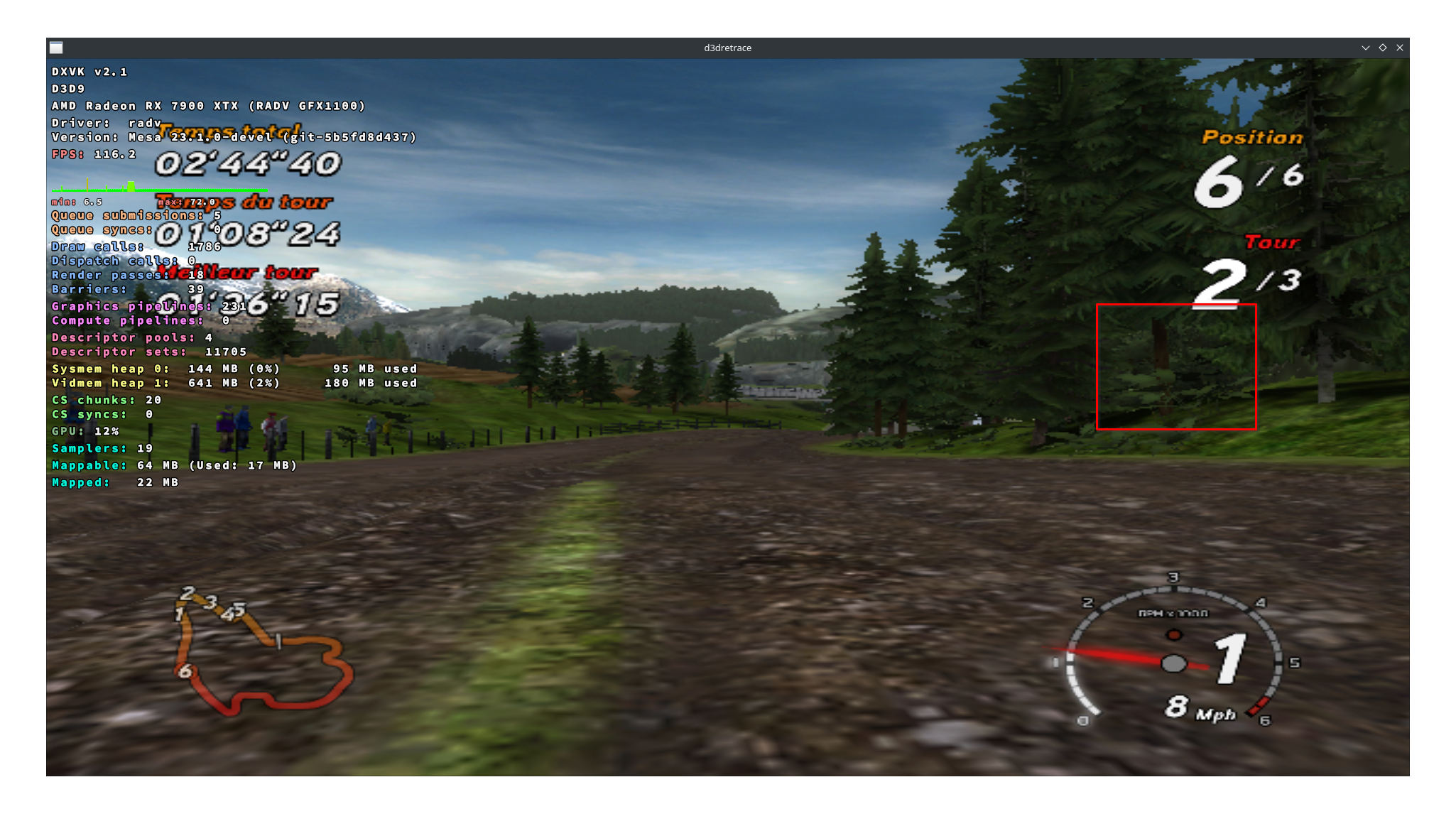
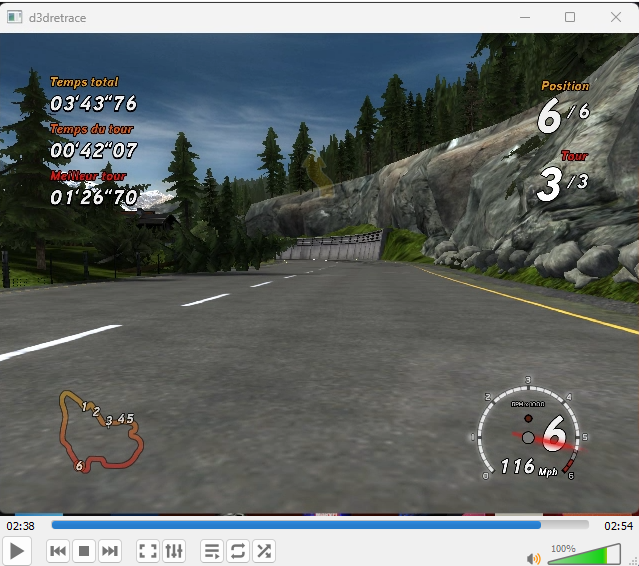
Around 02:38
When having performance issues apitracing d3d9 games setting
d3d9.apitraceMode = Truein adxvk.confcan sometimes help.
I have updated the post with a new and much better apitrace, I hope it will help you to solve the problem of this great game :-)
https://mega.nz/file/zJElRDqY#QOWKdeVzW4eg7hS7f6D0-4wXIPoMeHWknLrE_7uLmQA
Thanks again for all your work!
Thanks this trace is indeed alot better. Sadly it also seems to not be helpful in debugging the issue as even replaying it natively on Windows it shows the falling trees. So one cant really compare it to native or wined3d.
Could you upload a dxvk d3d9 log? If you enable debugging information or what it is called in the games lutris settings a log should appear in the games folder.
Also is the fps capped in the game?
I will try to send you the logs tomorrow.
The game is limited to 60FPS but I could read on the internet that there were frame rate problems.
here https://www.pcgamingwiki.com/wiki/Sega_Rally_Revo it says 62.5FPS
and here https://www.neogaf.com/threads/fighting-framerates-help-with-sega-rally-revo.1167878/ they talk about framespacing but the subject is a bit beyond me.
Surprisingly I can run the game at up to 144FPS on my windows PC and the game seems to run quite well.
If you tell me a step to do under windows game can also try to run it.
Thanks.
If you tell me a step to do under windows game can also try to run it.
Cool. That might be useful at least for narrowing down if dxvk is the issue.
But before that a quick and easy thing to try since you are using Lutris on Linux. If it isn't already then try to enable D3D Extras in the games Lutris settings. This will make Lutris use the Windows versions of some extra d3d helper dlls that dxvk itself doesn't provide. Some, but not all, games use them and wine's own versions can have bugs from time to time.
Thanks.
If you tell me a step to do under windows game can also try to run it.
Cool. That might be useful at least for narrowing down if dxvk is the issue. But before that a quick and easy thing to try since you are using Lutris on Linux. If it isn't already then try to enable D3D Extras in the games Lutris settings. This will make Lutris use the Windows versions of some extra d3d helper dlls that dxvk itself doesn't provide. Some, but not all, games use them and wine's own versions can have bugs from time to time.
Hello,
I updated with a new trace made under windows 11, the trees do not fall.
https://mega.nz/file/yY0yGTLa#Dt0pefvGOzgR5vb67iRXzKdcsc5m-Lj4GWPt_D6e58I
Tommorow I try DXVK on windows.
Hello,
After having played a few hours on Sega Rally on Windows 11 with DXVK DLLs I didn't encounter any particular problem...
Could the problem be located somewhere else ? MESA drivers ?
If the problem came from MESA, would the apitrace have displayed the bug on another system?
More likely d3dx9 or d3dcompiler related, you can try to install the native versions of that with winetricks.
2 Apr 2023, 15:26 by @.***:
Hello,
After having played a few hours on Sega Rally on Windows 11 with DXVK DLLs I didn't encounter any particular problem...Could the problem be located somewhere else ? MESA drivers ?
If the problem came from MESA, would the apitrace have displayed the bug on another system?—
Reply to this email directly, > view it on GitHub https://github.com/doitsujin/dxvk/issues/3320#issuecomment-1493331794> , or > unsubscribe https://github.com/notifications/unsubscribe-auth/A3G6J6PNYF72FGZ26HTXQPLW7F46PANCNFSM6AAAAAAWKR5FUY> .
You are receiving this because you are subscribed to this thread.> Message ID: > <doitsujin/dxvk/issues/3320/1493331794> @> github> .> com>
If you are using Lutris on Linux it should be as simple as turning on d3d Extras
If you are using Lutris on Linux it should be as simple as turning on d3d Extras
I have the same problem when activating or deactivating the D3Dextras.
Finally got around to trying this.
So far i have been unable to reproduce this issue on both Windows and Linux (need winetricks d3dcompiler_47 to not crash) with dxvk. This is on my desktop with a 7900xtx and tested through upstream wine and Proton as a non Steam game.
Hi,
From last steamdeck update (3.5.5) all works perfectly !
I don't know what is changed for this result, kernel or video driver ...
You can close the ticket.
Thank for your work !
Upstream links
- doitsujin/dxvk/issues/3320x1 2023-04
After installing Sega Rally (Revo) with Lutris I encounter a strange problem, the trees seem to fall.
See the video here : https://youtu.be/217nBXhAJDo
According to a user of the Lutris discord the problem comes from DXVK.
Software information
Sega Rally (EUR) | Sega Rally Revo (USA)
System information
SteamDeck
Apitrace file(s)
A big apitrace :
NEW apitrace better sleeping tree :
https://mega.nz/file/zJElRDqY#QOWKdeVzW4eg7hS7f6D0-4wXIPoMeHWknLrE_7uLmQA
Windows 11 apitrace (trees not fall) :
https://mega.nz/file/yY0yGTLa#Dt0pefvGOzgR5vb67iRXzKdcsc5m-Lj4GWPt_D6e58I
OLD apitrace :
https://mega.nz/file/PMMl3AhA#cFaiiLSYDr90VHU4vGZtzZLsepOtLxcXDFC8zX1NWz4
I see the bug at about 30 seconds from the end, but maybe it happens at other times, at 0.5-1fps it's hard to see.