Black screen with Reshade shader - Lightroom
So if I understand this correctly:
This Reshade shader doesn't behave as expected:
https://github.com/martymcmodding/qUINT/blob/master/Shaders/qUINT_lightroom.fx
how do I test/reproduce this?
Windows
DXVK
On Windows, I put dxvk's dx11.dll, dxgi.dll next to game excutable first.
Reshade
download reshade, locate game excutable, check game API (Vulkan), the effect want to use(qUnit/lightroom in this case), reshade will download the effect .fx files, put into the folder created same as the excutable.
If success, there'll be a reminder on top of the screen when game started.
The default key of reshade console is Home
Windows installation guide
Linux
On Linux, there's a script to install, not tested personally
Linux install script
Sorry for the inconvenience.
If reshade is hooking vulkan and not d3d11, then how can this be even DXVK's fault? Does this shader work with native vulkan games?
If reshade is hooking vulkan and not d3d11, then how can this be even DXVK's fault?
DXVK translate d3d to vulkan, if I understand correctly. You mean if reshade is hooking d3d11?
The game use d3d11, with DXVK dlls it's excute with Vulkan. Checked by enable DXVK_FRAME_RATE.
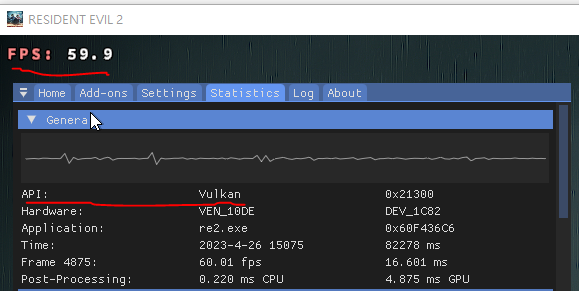
Without DXVK dll, reshade hooked in vulkan mode won't be active. It just like normal excution. For reference:

Does this shader work with native vulkan games?
I'll install DOOM & Talos principle for verification tomorrow. DOOM with reshade vulkan worked if I remembered correctly.
Seems to work fine here?
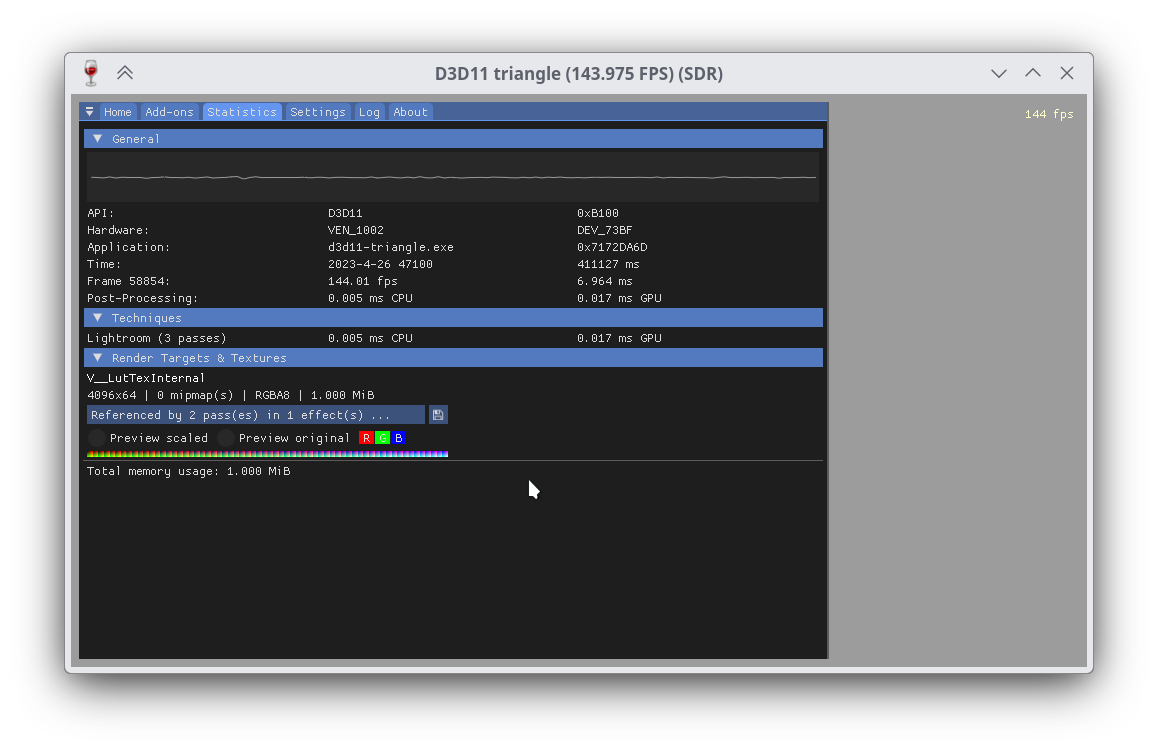
Note that you will want ReShade to hook D3D11, not Vulkan. If there are issues with the Vulkan side of things then that's outside the scope of DXVK.
I understand it works on your side, and it's outside of the scope. Thank you for your time. It's fine If you want to close this topic.
May I ask how do you use DXVK with reshade under linux?
For me, in Windows, I ran into the problem same dll name. (which is outside of the sope)
these are some related post I found, just for record:
this is what works for me:
https://www.reddit.com/r/GodofWar/comments/tejr2g/how_to_use_dxvk_vulkan_reshade/
reshade provide a global varible RESHADE_MODULE_PATH_OVERRIDE , but don't really work:
https://reshade.me/forum/addons-discussion/8476-addons-and-dxvk
so ReShade to hook D3D11 isn't work for windows unfortunatly.
This isn't a problem on Linux since DXVK replaces system32 DLLs, which you cannot do on Windows.
I see, thank you. No further question.
The issue is found on Windows 10 and involved reshade, I think it's not offically supported, so just report for acknowledgement.
It probably out of scope, but I'm grateful if it gets attention someday
Please describe your issue as accurately as possible.
Reshade effect not work as expected, games didn't crash
I'm using DXVK with Reshade Vulkan mode, qUINT shader pack.
I'm glad to find out most of the reshade effect works, like MXAO, ADOF, SSR ...
But on Lightroom, which should be able to adjust color related stuff like RGB, gamma, level..., it just went all black when enabled.
The game isn't crash, and can use other mentioned reshade effect.
reshade
qUINT
qUINT_lightroom
If you use Windows, please check the following page: https://github.com/doitsujin/dxvk/wiki/Windows
on Windows 10, with Borderless Fullscreen or windowed mode
Software information
Name of the game, settings used etc.
Reshade with following:
Resident Evil 2
Outer Wilds
DreadOut
System information
Apitrace file(s)
For instructions on how to use apitrace, see: https://github.com/doitsujin/dxvk/wiki/Using-Apitrace
Log files
Please attach Proton or Wine logs as a text file:
PROTON_LOG=1 %command%and attach the correspondingsteam-xxxxx.logfile in your home directory.wine game.exe > game.log 2>&1and attach the resultinggame.logfile.