Baldurs Gate 3 black flickers on tree leaves
The apitrace does not replay for me unfortunately.
gfxreconstruct of the issue: https://mega.nz/file/3gsG3Y5a#0ApkFTOrRqVeGUMISYE2qDsSa2yUp6PAOcQRYfIL-UU
The apitrace does not replay for me unfortunately.
Will check on Linux, was able to replay it on Windows.
Else if the GfxReconstruct isn't useful either we can just provide a save game.
Edit: Save game taken from compatdata/1086940/pfx/drive_c/users/steamuser/AppData/Local/Larian Studios/Baldur's Gate 3/PlayerProfiles/Public/Savegames/Story/
Noting that frame 644 from apitrace is a good example
I got the apitrace to work.
It renders correctly on my Nvidia GPU.
This might be RDNA 3 specific. I don't have an older AMDGPU available at the moment. Would be interesting to see if it renders correctly on an RX6000 series.
doitsujin saw it in the trace on his rdna2
It's some sort of numerical precision issue between the depth pre-pass and the main render pass, and since we have to use 32-bit depth buffers on AMD (as opposed to 24-bit on Nvidia), we're basically screwed if there are any differences at all. Not entirely sure whose bug this is yet but even marking everyting as precise in the shaders didn't help, so there just might not be a way to fix this.
Edit: Yeah, different vertex shaders that compute certain things in a different order. This really shouldn't be working even on native D3D11.
I can repro it on nv (1060), but it's less visible:
It's some sort of numerical precision issue between the depth pre-pass and the main render pass, and since we have to use 32-bit depth buffers on AMD (as opposed to 24-bit on Nvidia), we're basically screwed if there are any differences at all. Not entirely sure whose bug this is yet but even marking everyting as
precisein the shaders didn't help, so there just might not be a way to fix this.Edit: Yeah, different vertex shaders that compute certain things in a different order. This really shouldn't be working even on native D3D11.
Can we try combining the floating point depth buffer with a projection matrix that maps the far plane to 0 and the near plane to 1 so we could get 24-bit depth buffer out of a 32-bit one to show while it could introduce some misbehaviors we could tweak it based on those problems.
I'm no longer able to reproduce this issue on the release version of the game (released today). Can someone please confirm?
Tested DX11 renderer, Ultra preset, Proton Experimental (20230801), mesa 23.1.4, RX7900XTX
Can confirm that the issue seems to be gone with full release.
Proton versions
proton experimentalx2 2023-08
Originally reported on the Mesa issue tracker https://gitlab.freedesktop.org/mesa/mesa/-/issues/8975
Testing the issue i found this seems more likely be a dxvk problem as it also happens with amdvlk and with dxvk on Windows.
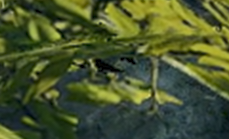
On some trees in the game you can see black flickers appear on their leaves. Tested a bunch of d3d11 config options without a change.
See mesa issue for video example
Software information
Baldurs Gate 3 d3d11 mode
Ultra preset
System information
Apitrace file(s)
https://mega.nz/file/AwZlGZDb#Nf_JKLAk8YwmK9UQ_NAXBEplBdcII_o0hMdcN5oN4Jk
Log files
bg3_dx11_d3d11.log
bg3_dx11_dxgi.log