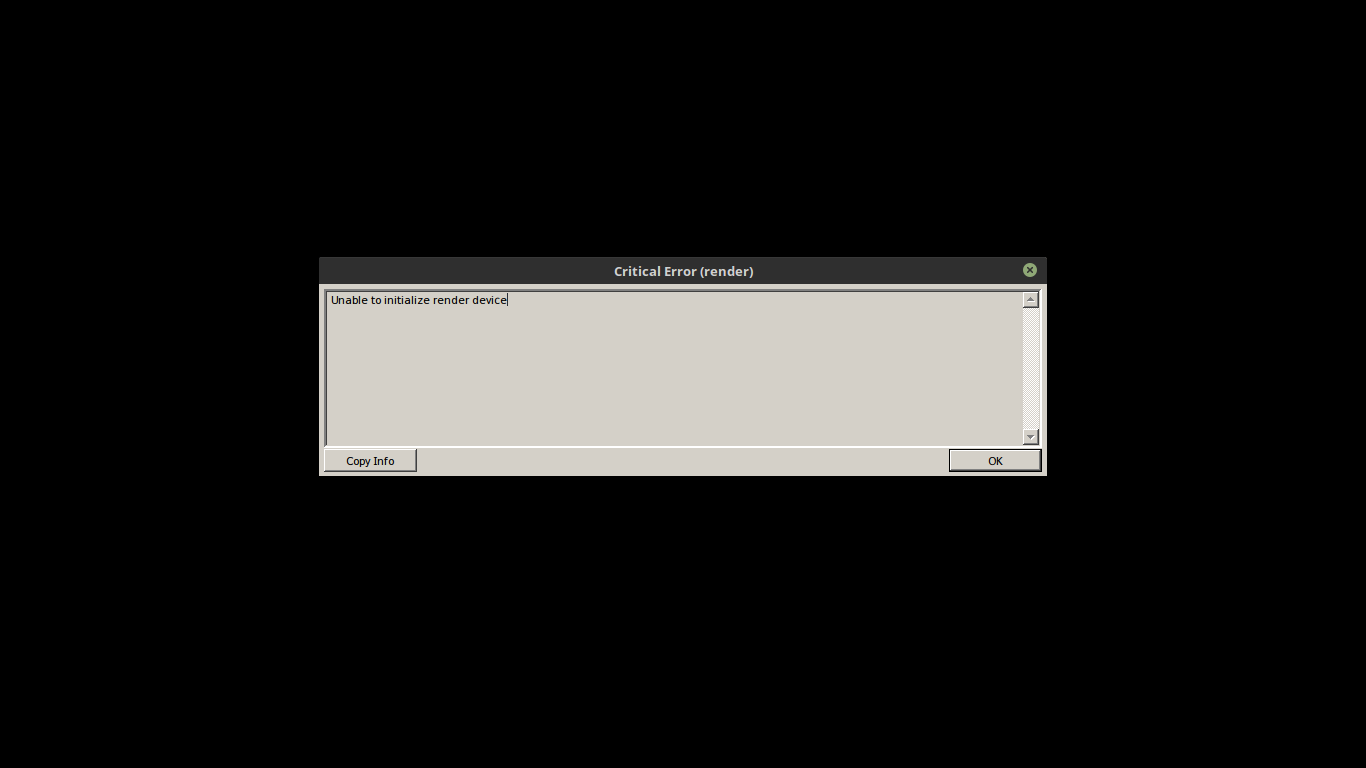
Elder Scrolls Online: Unable to initialize render device
The game works on earlier versions of dxvk with high fps 90-98 (gtx 1080 ti), however small lags/freezes (1-2 seconds duration) every 5 seconds but fps remains high
I downloaded the dxvk from May 13th already compiled in the 64 bit version to test and the game did not run "Unable to initialize render device"
It works for me (Vega 56).
Nvidia GTX 970
Driver version: 396.18.08
DXVK: c17f4e2
wine-staging 3.8
ESO runs just fine for me. Did you try haagch's builds available here? https://haagch.frickel.club/files/dxvk/
yeah, the game works on earlier versions but haagch latest 64 bit binary (13th may) not work here gtx 1080 ti
i will try c17f4e2
A few people had issues with haagch's builds for some reason.
Doitsujin released a new official dxvk version. Can you try that instead? https://github.com/doitsujin/dxvk/releases
c17f4e2 work but small lags/freezes (1-2 seconds duration) every 5 seconds and fps is 93-97
If it was a problem specific to haagch's builds, maybe this is not the right place to report it, since it could very well be a problem in the build environment and not DXVK itself
version 0.51 does not work too
Unable to initialize render device
Are you sure you set it up properly?
Have you tried in a clean wineprefix?
(tip: you can move your ESO game folder outside the wine prefix and use it with several different prefixes)
Is the problem ESO-specific? (can you run any DXD11 demo apps?)
I believe the settings are correct because it does not work when I get the 64 bit binaries from the latest haagch directory, however when I get the directory r1102.c17f4e2 it works
Yes my prefix is clean just being used by steam and my eso is inside the steam folder in the default folder steamapps/common and they are outside the prefix
My prefix is configured in windows 10 mode with the dlls d3d11 and dxgi for the steam in which I use to run eso
Again, is this ESO-specific? Other D3D11 apps do run fine?
far cry 5 run fine
You could be missing 32bit libs for the vulkan icd loader, not sure since I have no idea if the game is 32-bit.
The game is 64-bit only.
The launcher is 32-bit, but it doesn't use D3D11 AFAIK.
omg nvidia driver 396.24,2 fixed small lags/freezes :) game run great here !!!
only dxvk c17f4e2 work here, all the newer versions after that I'll get "Unable to initialize render device "
So the first bad commit would be 368eea73108159a430f27f5bcef0e3dafcb0dd63 ?
Have you tried reverting it?
fc85738 64 bit haagch
Well, everyone else seems to be able to run it, and there's nothing in the log files you initially provided that indicates that D3D11 initialization somehow fails. Don't ask me why it doesn't work but this doesn't really look like a bug.
I will try delete all my wine prefix, create new one and test again
sorry, I was setting up the dlls in the wrong way
all DXVK versions work now !!!
the only problem is that the game has a small bottleneck every 5 seconds but fps is 85-92 :(
doitsujin, Do you have any idea what that might be?
Might be shader compilation, should go away. Also make sure to set your CPU governor to performance.
@julianovs I have the same problem.
How did you solve it?

@kimamb
to correct bottlenecks every 5 seconds:
do not run the game using the eso launcher
the eso launcher that causes this problem !!
run the game directly from eso64.exe
use the eso launcher only to check game updates !!
copy dxgi.dll and d3d11.dll to your eso client folder where eso64.exe is located
on steam it is located in: steam\steamapps\common\zenimax online\the elder scrolls online\game\client
@julianovs Not that part. How did you get it to work at all? I get the same error as you did: "Unable to initialize render device"
It launches fine when it's normal. But once I add the two .dll files, it gives me that error on startup.
@kimamb
if you copy the dlls inside wine prefix \ windows \ system32 you get the error "Unable to initialize render device"
you need copy dlls inside steam\steamapps\common\zenimax online\the elder scrolls online\game\client and work at all !! :)
open winecfg set windows 10 and add to libraries d3d11 (native windows) and dxgi (native windows)
Well, then we don't have the same problem. I'm starting to think it might
be a permission problem on the two files. I'll check when I get home.
On Tue, Jun 12, 2018, 00:59 julianovs [email protected] wrote:
@kimamb https://github.com/kimamb
if you copy the dlls inside wine prefix \ windows \ system32 you get the
error "Unable to initialize render device"
you need copy dlls inside steam\steamapps\common\zenimax online\the elder
scrolls online\game\client and work at all !! :)open winecfg set windows 10 and add to libraries d3d11 (native windows)
and dxgi (native windows)—
You are receiving this because you were mentioned.
Reply to this email directly, view it on GitHub
https://github.com/doitsujin/dxvk/issues/369#issuecomment-396412973, or mute
the thread
https://github.com/notifications/unsubscribe-auth/AJpyIq_Fe-e6sX8XKpnNDzWZTIlQm0xZks5t7vY-gaJpZM4T8z_o
.
It wasn't just a permissions issue.
I wonder what the problem could be.
Apparently, if I set Wine to use d3d11 and dxgi only natively. And I remove the files completely, it gives the same error. It's like it can't read the files.
you should copy the two dlls into the folder of your eso, they should stay together with your eso64.exe
your winecfg should contain both dlls as "native windows" and "windows 10 mode"
on the wine stagging tab uncheck all options
here I did this and all versions of dxvk worked
here was giving "critical error" because I was not pasting the dlls inside the folder of my eso leaving them with the executable eso64.exe
I don't seem to have the same problem as you had.
I'm starting to believe that my Wine version doesn't have vulkan support.
use lutris
I've never used it. I'll see if that'll work.
I don't see how lutris will help.
I tried even compiling wine-vulkan from source, but that failed horribly.
Running normal wine, I get this error:
002e:err:module:import_dll Library vulkan-1.dll (which is needed by L"Z:\\mnt\\Extra_II\\Windows Games\\steamapps\\common\\Zenimax Online\\The Elder Scrolls Online\\game\\client\\d3d11.dll") not found 002e:err:module:import_dll Library vulkan-1.dll (which is needed by L"Z:\\mnt\\Extra_II\\Windows Games\\steamapps\\common\\Zenimax Online\\The Elder Scrolls Online\\game\\client\\DXGI.DLL") not found 002e:err:module:import_dll Library DXGI.DLL (which is needed by L"Z:\\mnt\\Extra_II\\Windows Games\\steamapps\\common\\Zenimax Online\\The Elder Scrolls Online\\game\\client\\d3d11.dll") not found
I use linux mint 18.3 and download Wine Staging branch here using apt-get :
https://wiki.winehq.org/Ubuntu
And download latest binary DXVK dlls here:
https://haagch.frickel.club/files/dxvk/
I find this way easier !!
Upstream links
- doitsujin/dxvk/issues/369x1 2018-06
DLLs
d3d11.dllx2 2018-06dxgi.dllx2 2018-06vulkan-1.dllx1 2018-06
System information
eso64_d3d11.log
eso64_dxgi.log