How to debug dxvk source code on Linux?
winedbg might not be great, but it's the only thing that really works. It does have an embedded GDB mode which you can enable with winedbg --gdb.
@doitsujin
Thanks for your replay, it seems that winedbg and its' gdb mode can't recognize symbols embed into compiled dlls.
I finally figured out the best way for me.
Just use way 4 I mentioned above.
Still don't know why I got glob could not process pattern '(null)' error message, this error shows up on gdbserver 8.1 even tried on Windows. Don't have too much time diging into gdb source code, so I change to an older version of 7.1, this time I can launch and debug the target program successfully.
Here're some steps in brief:
-
Configure wineconsole's
PATHenvironment variable, add the path wheregdbserver.exelocated, the registry key is[HKEY_LOCAL_MACHINE\System\CurrentControlSet\Control\Session Manager\Environment] -
After that just follow the guide I mentioned above, use command like
gdbserver localhost:3456 loader.exein wineconsole. -
Then start linux native mingw gdb, connect to the remove debuggee.
x86_64-w64-mingw32-gdbthentarget remote localhost:3456 -
Now you can set breakpoints and print variable values:
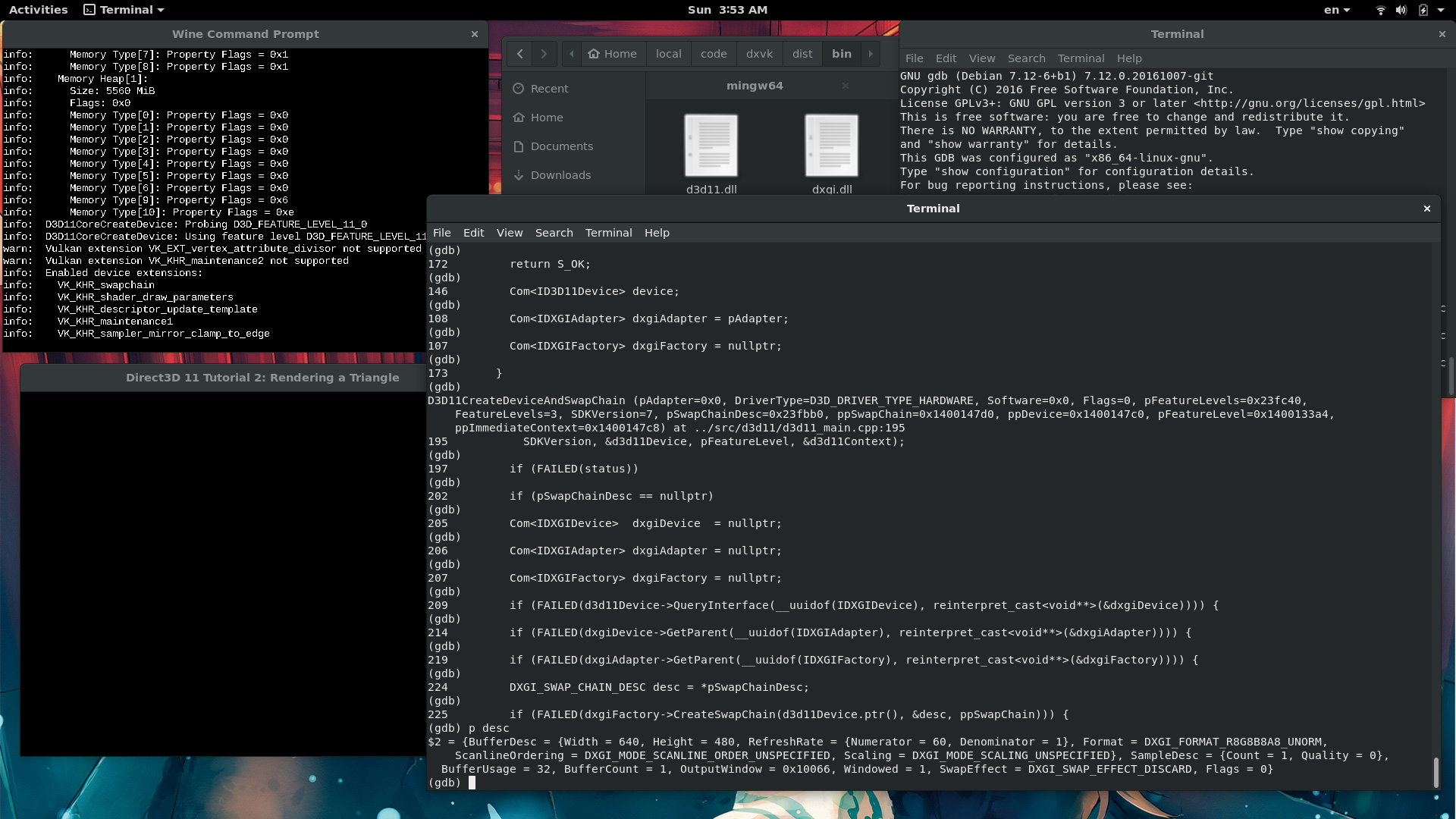
After some simple configuration, you can even take the advantage of VSCode:

Maybe there are still some bugs while running gdbserver under wine, but it's enough for me to just watch the code flow.
Thanks for the information, I'm glad to see it's possible to setup VSCode debuger for DXVK. I'm looking for quick and easy solution for a long time, but was too lazy to dig into it by myself.
Now I'm on the way to replicate your experience and have some notes:
- Looks like
winedbg --gdb --no-start --port 2345 cube.exeacts similar togdbserver002f:0030: create process 'Z:\tmp\vk\x32\cube.exe'/0x110bd0 @0x407df0 (0<0>) 002f:0030: create thread I @0x407df0 target remote localhost:2345 - I able to reproduce breakpoints and local variables from your VSCode screenshot with
winedbgby settingd3d11.dllas"program". But no symbols loaded for other*.dlls orexe, so I created two separate configurations ford3d11.dllanddxgi.dll, and still looking for solution to load all symbols (d3d11.dll,dxgi.dlland "launcher.exe").
So in general it's the same configuration as described in WINE wiki. Also checked with kdbg -r localhost:2345 d3d11.dll .
Ok, it's possible to load symbols with following GDB commands:
add-symbol-file  /path/to/dxgi.dll 0x6f201000
add-symbol-file  /path/to/d3d11.dll 0x6a341000
Where .text section address taken from objdump output:
$ x86_64-w64-mingw32-objdump --section-headers d3d11.dll
  0 .text         001c1208  000000006a341000  000000006a341000  00000600  2**4
                  CONTENTS, ALLOC, LOAD, READONLY, CODE, DATA
In "step-by-step" words:
$ winedbg --gdb --no-start --port 2345 program.exe- Configure debugger:
- set port
- add commands to load symbols
- if "program"/"executable" set to program.exe than it's symbols also will be loaded in the first place, anyway it used only for this purpose (winedbg launching executable)
- Set breakpoints and start debugger.
_NOTE: I think no matter which debugging information format used with this configuration if it supported by GDB. Since winedbg not used as symbols provider, but launcher.
Also -O[2,3]/-Og option causes some <optimized out> values in "local variable monitor", so I omitting it (e.g. tested w/ cpp_args = ['-gdwarf-4', '-g3', '-fvar-tracking-assignments' ]).
https://gcc.gnu.org/onlinedocs/gcc-8.1.0/gcc/Debugging-Options.html#Debugging-Options_
@Inori Did you use MoltenVK for vulkan support on macOS ? I do not know how "hacky" your winemav.drv hack is, but did you consider submitting it to wine ?
@ImperatorS79
Sorry I just see your post now.
Yeah, I'm using MoltenVK as the MacOS vulkan driver, but the code I've write is just "quick and dirty", I don't think wine team will accept it.
And besides, MoltenVK is still poor and missing many features, thus I can only run some very simple Windows vulkan programs successfully, and even the simplest d3d11 demo just gaves me black screen.
Sorry to bother you guys.
I'm trying to run dxvk on MacOS.
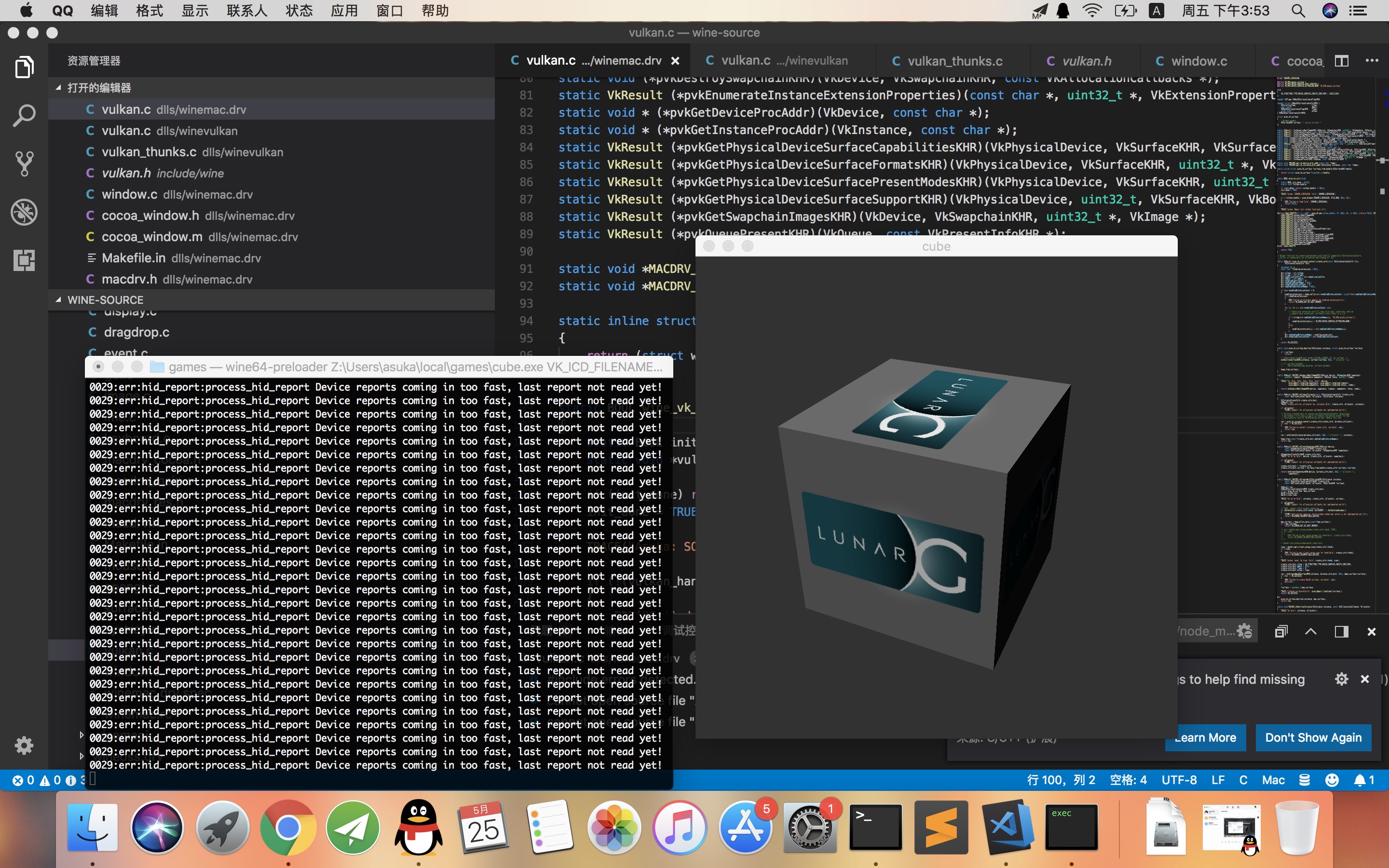
Currently I can patch the
winemac.drvmodule to enable vulkan support on Mac, and thecube.exefrom Vulkan Windows SDK runs well under Mac.Next step I want to run some D3D11 demos using dxvk.
But even the simplest demo gives me black screen.
So I want to dig into dxvk source code to figure out why and also try to understand the architecture of dxvk , and if I can debug the code in runtime, that would be great helpful.
So I want to know how do you debug the source while developing dxvk.
Things I have tried:
Using Linux native GDB:
like:
gdb wine loader.exeMaybe due to wine changes the memory layout of a process, it can't recognize symbols and can't work normally.
Using winedbg:
like:
winedbg loader.exeMaybe this is the best I have tried. But still not satisfied. winedbg is just a simplest debugger lakes of many useful features. It can't even modify memory content and register value if I'm not wrong.
Using MinGW Windows GDB:
like:
wine /path/to/gdb.exe loader.exeMaybe wine's support for debugging API is not complete, gdb will block on start, can't perform any command.
Using MingGW GdbServer:
Based on this guide
But when I run
gdbserver localhost:60000 loader.exeunder wineconsole, it just shows:glob could not process pattern '(null)', google it shows me nothing useful.So any help would be greatly appreciated. :)
System information