Mass Effect Andromeda: Weird image offset
The same issue also exists in Battlefield 1, but I don't know what causes it.
Same problem, setting POST PROCESS QUALITY to high causes this
@ximik1987 can you write apitrace?
after setting the "POST PROCESS QUALITY
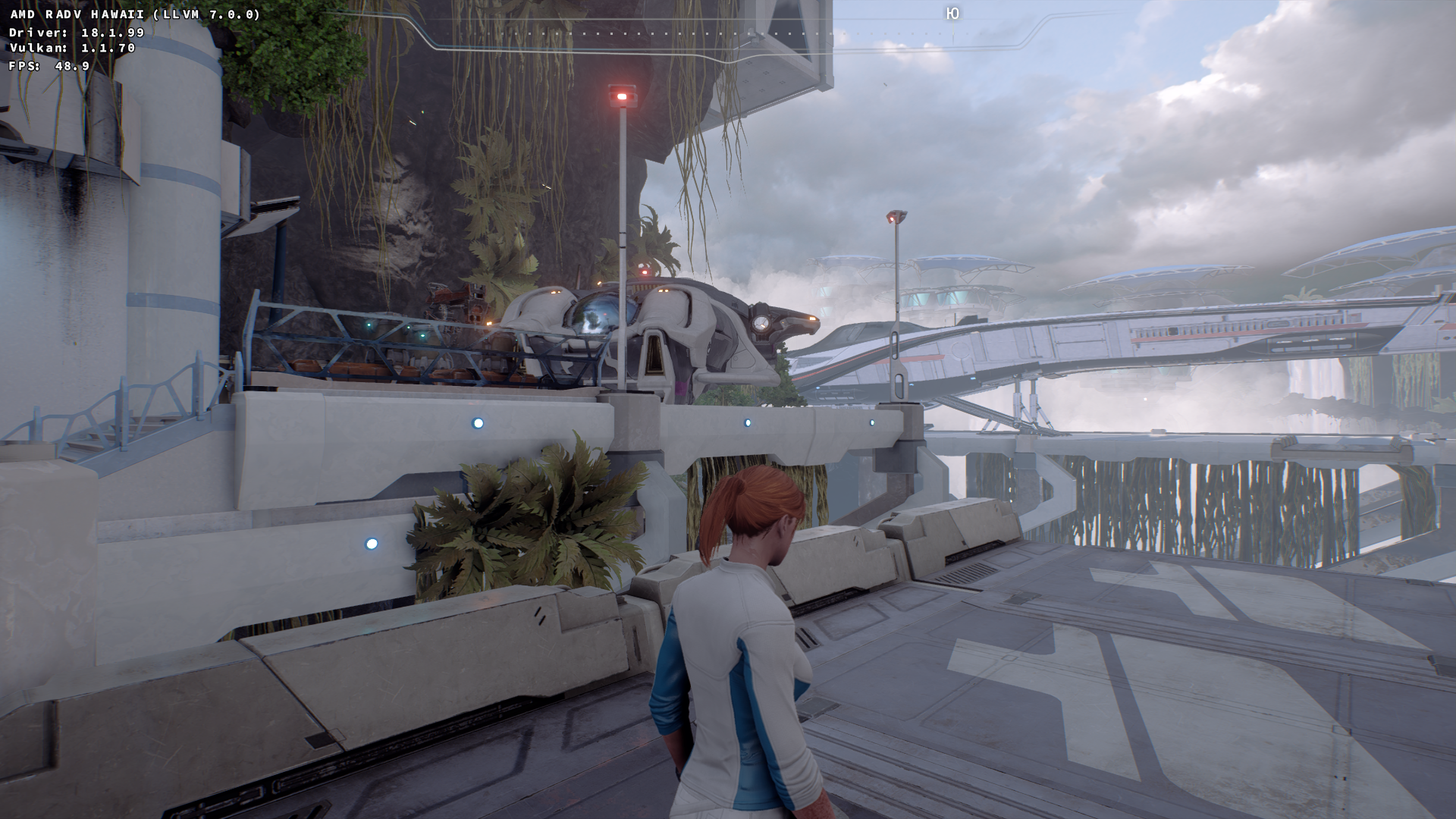
" values to low, the game started at 1080 quality without distortion. Thank you.
Thanks for the hint with the Post Process Quality. I have the game myself, sadly I cannot run it on Linux because I can't get Origin to work, but that should give me something to work with.
@ximik1987 to create a trace with an Origin game do this:
- Copy the apitrace lib folder to the game exe's parent folder
- Copy all the files/folders from the apitrace bin folder and place them in the folder containing the game exe
- Rename apitrace.exe to MassEffectAndromeda.exe and MassEffectAndromeda.exe to MassEffectAndromeda_o.exe
- Add
trace -a dxgi MassEffectAndromeda_o.exeto the game's properties.
Apitrace download: https://people.freedesktop.org/~jrfonseca/apitrace/apitrace-msvc-latest.7z
@AccountOneOff
apitrace not work
comand ->> WINEPREFIX="/home/ximik/games/andrameda" wine64 apitrace trace -v -a dxgi MassEffectAndromeda.exe
000b:fixme:winediag:start_process Wine Staging 3.9 is a testing version containing experimental patches.
000b:fixme:winediag:start_process Please mention your exact version when filing bug reports on winehq.org.
info: did not find C:\Mass Effect Andromeda..\wrappers\RelWithDebInfo\dxgitrace.dll
info: did not find C:\Mass Effect Andromeda..\lib\wrappers\dxgitrace.dll
error: failed to find dxgitrace.dll wrapper (rerun with -v option for more details)
0009:fixme:kernelbase:AppPolicyGetProcessTerminationMethod 0xfffffffffffffffa, 0x23fd00
Remove the apitrace folders/files from the game folder and try using Plagman's apitrace dlls. Just put them next to the game's exe and launch like normal. You don't need to run wine64 apitrace -v -a dxgi MassEffectAndromeda.exe just wine64 MassEffectAndromeda.exe is enough.
https://www.dropbox.com/sh/o769ius47wpu3pw/AABYFKQFFNsCsosXhl7_HReDa?dl=0
@AccountOneOff tnx.
setting the "POST PROCESS QUALITY" ultra, and video setting 1080 p.
Apitrace file: https://mega.nz/#!2mgyDByK!7k6aeIYDD7QM5VXQEg2G3p-dhmbbtNjWM4Sx2l1ijDE
Might be a driver issue. I can't reproduce it on Windows with a Nvidia gpu. (neither using the apitrace nor using the game itself)
Can you re-test this game with latest mesa-git, llvm-svn, and DXVK 0.60? I got a report recently that apparently the problem disappeared in Battlefield 1.
the game is going well. FPS fell from 45-55 to 35-45, but all graphics problems disappeared.
Okay, thanks for the feedback. Will close the issue then.
Please describe your issue as accurately as possible. If you run into a problem with a binary release, make sure to test with latest
masteras well.Important: When reporting an issue with a specific game or application, such as crashes or rendering issues, please include log files and a D3D11 Apitrace (see https://github.com/apitrace/apitrace) so that the issue can be reproduced. In order to create a trace, run
wine apitrace.exe trace -a dxgi YOURGAME.exe. DO NOT use DXVK together with apitrace!Software information
good afternoon. I ask for the translation for Google translator.
find bug in the game mass effect andromed.
at video setting in adjustments 720, all is very fine, at installation 1080 - a picture to be rendered with distortion. all can be seen in the screenshots.
System information
Apitrace file(s)
Log files