Dark Souls Remastered - Heavy Texture Flickering
Did you try with latest nvidia driver?
@Yardanico Yes, tried with 396.24.02 - same issue.
Please provide an apitrace as requested in the issue template. I didn't put that section there for fun but because I need it to do anything about it.
Would be nice to also put instructions how to do it :)
Here's the trace file (hope, I did it right) https://www.dropbox.com/s/7bhdhvvnp8nffxk/DarkSoulsRemastered.trace?dl=0
Thanks. I'm not seeing any texture flickering though, might be a driver-specific issue - can you take a screenshot of what it looks like for you?

BTW, in d3d11.log err: D3D11DeviceContext::SetPredication: Stub and the Wiki says that Predication is not supported.
Could this be what's causing the glicthes?
The trace seems to work fine on radv and amdgpu-pro.
I tested the trace and it seems to be an nvidia-only issue. Also it doesn't matter if it's the old or new shader compiler. It happens on both.
@Progman-DT 621aed5fdbaf92764944be7b3a27cbb3df63ba94 should fix this, feel free to re-open this issue if the problem persists.
Basically the game is broken and tries to render something with an incorrect vertex buffer. The new commit doesn't change that, but it should behave the same as on Windows now. AMD seems to be doing this by default, which is why I wasn't able to reproduce the issue.
@doitsujin Unfortunately, this didn't fix it for me, at least with 396.24.0 drivers. Should I try with 396.24.02 beta drivers?
You should always be using the .02 update with DXVK since it contains a bunch of fixes.
That said, other Nvidia users are unable to reproduce the bug with your trace file. If the above patch doesn't fix it for you, there's nothing I can do. Please double-check that you are actually using the updated build.
Are you sure you compiled the latest version of master?
It's fixed in the trace, so I am not sure if you are actually running 621aed5.
Also haagch already provides the latest build here: https://haagch.frickel.club/files/dxvk/latest/
Well, I downloaded the latest build from here https://haagch.frickel.club/files/dxvk/ from the folder r1176.621aed5, so it should be the needed build.
But, unfortunately, even with 396.24.02, it's still the same problem

Can you replay your own trace and see if it's broken there as well?
you can use wine apitrace.exe replay /path/to/DarkSoulsRemastered.trace but make sure that dxvk is installed in your selected wineprefix.
@varris1 Just replayed the trace, and it's still broken, textures are flickering like crazy :(
Have you removed cache - e.g rm -rf ~/.cache? Checked that dlls are indeed replaced - e.g ls -la and check file sizes with the ones in the Download folder?
I double checked everything, the sizes match. Deleting the cache doesn't do anything either.


Did you try to launch the game without Lutris? Use your system's Wine installation and set WINEPREFIX by hand. Afaik Lutris ignored the in-prefix DXVK installation a while ago and used its own version. Not sure if this is still the issue.
EDIT: Confirmed to be a Kepler issue.
As Varris said, this seems to be Kepler-specific, it seems to be fixed on all other GPU architectures. Which means that I won't be able to fix the problem unless someone with a Kepler GPU starts debugging it.
I am also experiencing the same issue with my GTX 1060 (Pascal). I'm running DXVK 0.53, Wine-Staging 3.9, and Nvidia Drivers 390.59. I do realize that those Nvidia drivers are unsupported, but unfortunately there is a crippling bug with the 396.xx series specifically with Palit / PNY 1060 cards that causes a complete system freeze. Nvidia has acknowledge the bug and there should be a fix in the next official driver release.
The main reason I'm posting is to clarify that it might be an issue with newer nvidia architectures as well.
@rstrube
Doitsujin had to revert the fix because it broke Dishonored 2: https://github.com/doitsujin/dxvk/commit/217399926d1c44d8c2532de62579bf9b23fa9adc
@rstube the original fix was not part of DXVK 0.53. 621aed5fdbaf92764944be7b3a27cbb3df63ba94 fixes it on Pascal, but as mentioned it breaks other games.
@varris1 @doitsujin thanks for the clarifications. It's too bad that the fix breaks other games. Would the only solution at this point be to compile a local version of DXVK for dark souls remastered with the fix in place? Or do you see a long term solution where both games operate correctly?
@Progman-DT
It looks like Haagch's build server is broken. The DXVK dlls have the same md5sum since 24th of May, so you may not have received the fix after all.
Can you try those DLLs and see if they work?
dxvk-darksouls.tar.gz
doitsujin reverted the fix on master because it broke Dishonored 2. It's still worthwhile to test if it's not a Kepler issue though.
@varris1 can confirm it works fine here.
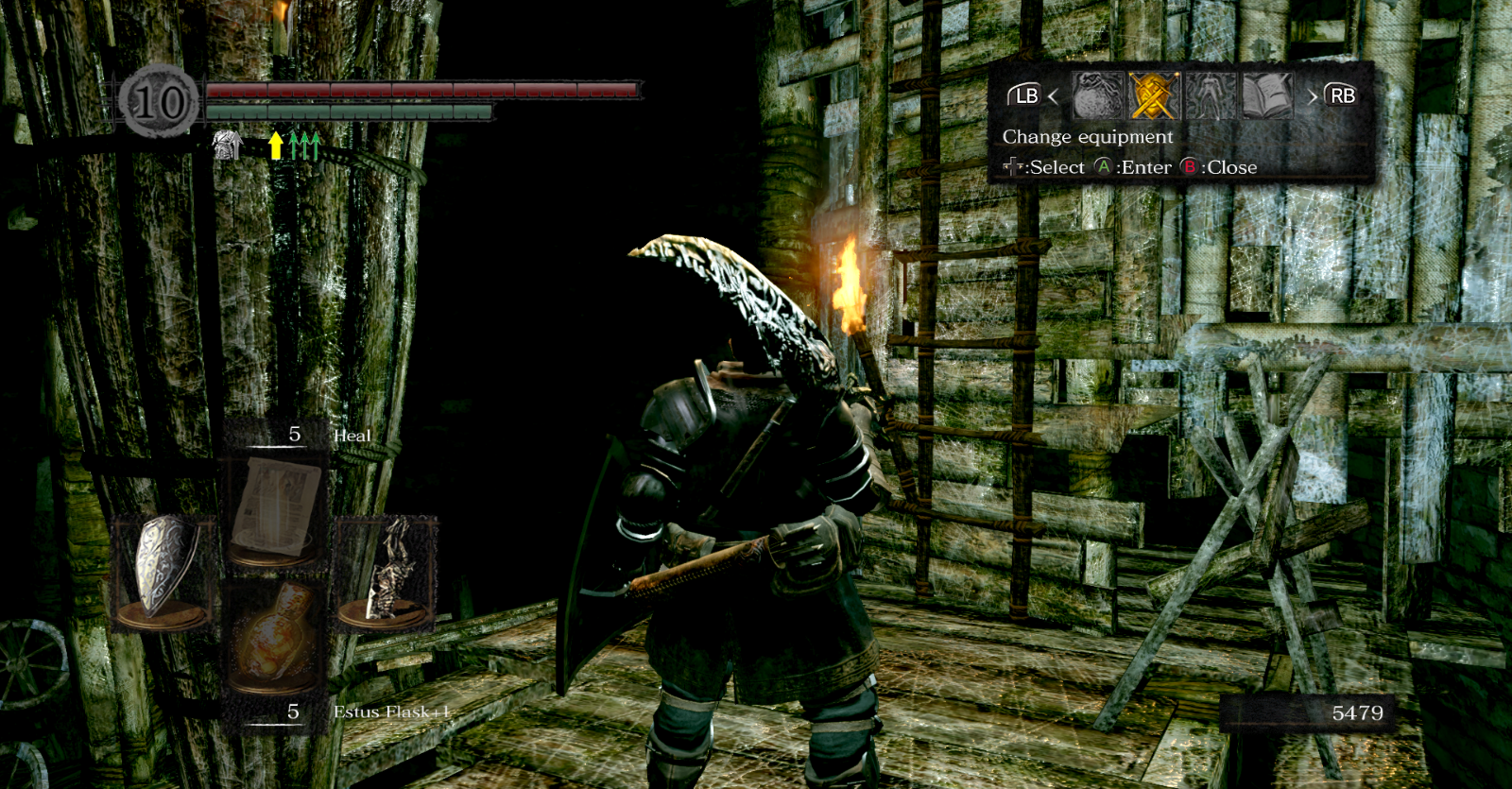
@varris1 @doitsujin Yes, it's working fine now! Thank you all! I hope this fix will make it to the main branch in some form one day.
Hello All,
Sorry for reopening the thread of a closed issue, perhaps this is not the correct procedure?
I've compiled a version of DXVK 0.54 with commit 621aed5fdbaf92764944be7b3a27cbb3df63ba94 reapplied (the a hack for Dark Souls Remastered being broken). Would it be helpful for others for me to upload it somewhere? I can do my best to try to keep a game-specific version of DXVK up to date with the latest releases of DXVK if that something others would fine useful.
@varris1 @doitsujin is there a way that external contributes could upload game-specific variants of DXVK to a more official location (like https://github.com/doitsujin/dxvk/files/xxx)?
@rstrube officially publishing multiple different "versions" of dxvk that work with some games but not with others is never going to be an option, sorry.
@doitsujin I understand, that makes sense.
Question, based on your knowledge of Direct X and Vulkan, is there any way this particular issue could ever be fixed in DXVK directly, or would the issue really need to be fixed on the Nvidia driver side and/or game code side?
My guess is that it's the latter, and that the issue will most likely remain indefinitely, but I'm curious what the process is for handling problem games like this.
It certainly could be worked around in DXVK, but I can't really think of a workaround that closely emulates native D3D11 behaviour while not reducing performance considerably for all games.
I might actually re-implement the old workaround as a game-specific option, or at least something similar which has the same effect. But I'm not exactly happy with that kind of solution, especially since other games might have similar bugs.
The main issue here is that D3D11 has defined out-of-bounds access behaviour for constant buffer reads, whereas Vulkan just assumes that you stay within the bounds. My previous workaround implemented bound-checking using the constant buffer length specified in the shader, but you can actually read past that as long as you stay within the bound buffer range. Dishonored 2 relies on that and breaks as a result with that workaround enabled.
@doitsujin I find it really fascinating that D3D11 provides such strange behavior. So if I'm reading this correctly, with vulkan you're not able to access a specific constant buffer (e.g. a shader buffer) in an out of bounds fashion. In my simplistic understanding you have a buffer with a length of 100000 (byte array) with vulkan doing something like shader_buffer[100000] would not be allowed, the last element in the buffer you could access would be 99999.
But with Direct X 11, you can access the constant buffer outside it's bounds, provided your still within some max buffer range. Furthermore, Direct X handles this specific out of bounds access on constant buffers in a specific documented way. Still seems really strange to me, it's almost as if the API provides a work around or "fallback" for developers being sloppy. Why not just instantiate the constant buffer larger to begin with?
Either way, really fascinating that you run into these types of idiosyncrasies. I'm a developer myself (web development + C# mostly), but I get the impression that these sorts of APIs are on a whole different level.
Thanks again for all the great work you're doing!
@doitsujin Is it possible now to put this fix into the main branch and turn it on and off when needed with dxvk config files?
The fix unfortunately is not trivial and not really suited for a configuration option, since the two code paths would be very different.
This issue is still there. Can you please re-open it?
This is a game bug and not fixable in a way that doesn't break other games.
This issue is still there. Can you please re-open it?
The same bug "Object flickering" also apply to Grim Dawn on my end, so I just use this dxvk "custom build" from there: https://www.youtube.com/watch?v=fJrxBgM74zk
Sadly, but I guess there is no other way to fix this bug.
I hate to be the bearer of bad news, but this bug is very much back in business in the latest CrossOver / DXVK builds on MacOS on Apple Silicon/M1. Could it have been reintroduced somehow with a patch? Bizarrely, for one of my recent playthroughs, I didn't experience it at all in my first run through those areas. But now both in that save file and in the rest of my DS1 saves, the issues appears in both Blighttown and parts of the Depths. I will soon try to build a new WINE bottle from scratch to see if that fixes it. Would greatly appreciate any help troubleshooting it, and I'll be happy to assist however I can with diagnostic info or logfiles etc. Thanks.
and p.s. I am loath to use the custom build linked in the comment above mine, as it warns that using it could get one's Steam account banned.
MoltenVK doesn't support robustBufferAccess2. DXVK relies on that to fix this issue because D3D11 guarantees that out of bounds buffer reads return 0. So this requires a hack to workaround the issue. We don't support Mac OS so this should be done in the Mac OS fork of DXVK.
Oh okay, that makes sense. I didn't see a suitable fork after a quick search on Github but I am all ears if you have any idea where I should direct my comments.
Just to make sure I understand (I also have Linux boxes) – is this issue in fact fixed on Linux in DXVK 1.0.3 and later?
Thanks for the reply!
Just to make sure I understand (I also have Linux boxes) – is this issue in fact fixed on Linux in DXVK 1.0.3 and later?
Yes. I even played DS Remastered 2 months ago on Proton and it worked perfectly.
I read some previous threads, folks were talking as its nvidia driver's issue. But its not. The flickering issue is still happening in Blightown area of the game, and my system is Macbook Air M1. So not a driver issue. @doitsujin
The Nvidia driver can be configured to return 0 for uniform buffer accesses that go out of bounds. Back in the day, this was not possible, hence why it was kind of a driver issue. On AMD that's the default behavior anyway.
What I wrote earlier still holds true:
MoltenVK doesn't support robustBufferAccess2. DXVK relies on that to fix this issue because D3D11 guarantees that out of bounds buffer reads return 0. So this requires a hack to workaround the issue. We don't support Mac OS so this should be done in the Mac OS fork of DXVK.
So in this case it's a driver issue in either Metal or MoltenVK.
Oh, thx for clarifying!
I have the same problem on a MacBook Pro with an M1 chip, running with CrossOver, how can I fix it?
I have the same problem on a MacBook Pro with an M1 chip, running with CrossOver, how can I fix it?
You'd have to ask CodeWeavers. DXVK itself doesn't support macOS.
https://www.reddit.com/r/macgaming/comments/qt4e1b/you_can_run_the_latest_dxvk_with_crossover_on_mac/
Am I thinking in the right direction?
Yeah, @Gcenx's MoltenVK fork might be a better place to ask. If you're seeing problems with stock MoltenVK, I'd also suggest filing an issue there.
@cdavis5e not really I’ve removed all MoltenVK-DXVK packages now only providing stock packages.
I’m providing modified versions of DXVK that work with stock MoltenVK.
macos_dxvk_patched.tar.xz no longer found?
macos_dxvk_patched.tar.xz no longer found?
See the comment to Chip
@cdavis5e not really I’ve removed all MoltenVK-DXVK packages now only providing stock packages.
I’m providing modified versions of DXVK that work with stock MoltenVK.
I was able to solve the problem!
https://mega.nz/file/EHhhWYYZ#cxOOM_bA9ILODaazs9swWjQRk0K6DVlUxiT9FCKjHd8 paste the files from the x64 folder into the system32 folder in the bottle
MoltenVK doesn't support
robustBufferAccess2. DXVK relies on that to fix this issue because D3D11 guarantees that out of bounds buffer reads return 0. So this requires a hack to workaround the issue. We don't support Mac OS so this should be done in the Mac OS fork of DXVK.
@K0bin do you happen to have an updated version of this hack?
No, DXVK works around it by using SSBOs which are tightly bound checked. Metal doesn't differenciate between buffer types and doesn't have bounds checking so this doesn't work there.
It works, try it, I was able to fix this bug on my MacBook Pro M1
@Kayfatlcst What did you do to fix it in that build?
https://mega.nz/file/EHhhWYYZ#cxOOM_bA9ILODaazs9swWjQRk0K6DVlUxiT9FCKjHd8 paste the files from the x64 folder into the system32 folder in the bottle
I wrote about it above
But where does that "dxvk-dsr-0.96" build come from and what kinds of changes does it have over regular DXVK 0.96?
This is a modification that I found specifically to solve this problem
The most important thing is that after these steps everything works on M1
It's a build with 621aed5fdbaf92764944be7b3a27cbb3df63ba94. That does indeed fix Dark Souls Remastered but it's not a correct fix and breaks other games. That's why the commit was reverted shortly after.
The specificity of CrossOver is such that it will not affect other games, each game has its own bottle, the system can be customized for each game and application individually and this solution is great for Mac

The specificity of CrossOver is such that it will not affect other games, each game has its own bottle, the system can be customized for each game and application individually and this solution is great for Mac
That’s not really the point that K0bin was making, that note was lightly aimed towards anyone maintaining a macOS target fork to not revert this commit as it will break other games.
In any case, I hope I helped someone, as a last resort, you can keep a backup with a different version of the files and change it when you play other games
Launch options
WINEPREFIXx1 2018-05
Upon entering into the Blight town area of the game, textures start to flicker heavily all around the screen making the game unplayable.
Software information
Arch Linux, kernel 4.16.11
Dark Souls Remastered, Steam version.
System information
Apitrace file(s)
Log files
d3d11.log:
DarkSoulsRemastered_d3d11.log
dxgi.log:
DarkSoulsRemastered_dxgi.log