Post Scriptum (UE4): Performance and Rendering issues.
As seen in this image, the roadway textures are low-res and the panzer4 is also load-res. I suspect the trees are also getting the low-res treatment.
There may also be lower LOD models being used, can't be sure.
Under DXVK I would expect around 60fps as it gets 76fps in windows10. Currently I can't seem to take screenshots in windows, might need to use fraps.
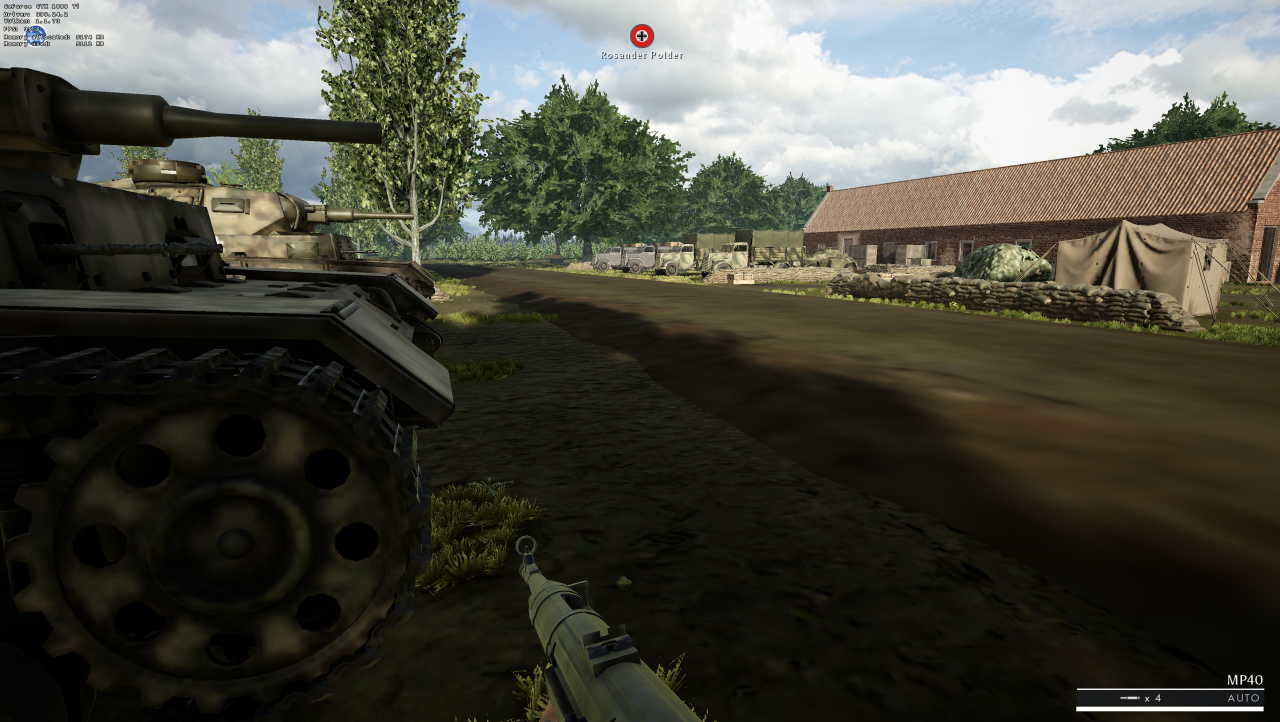
This is how it looks with normal wine dlls. (image is a bit dark but you can tell the textures load in fully)
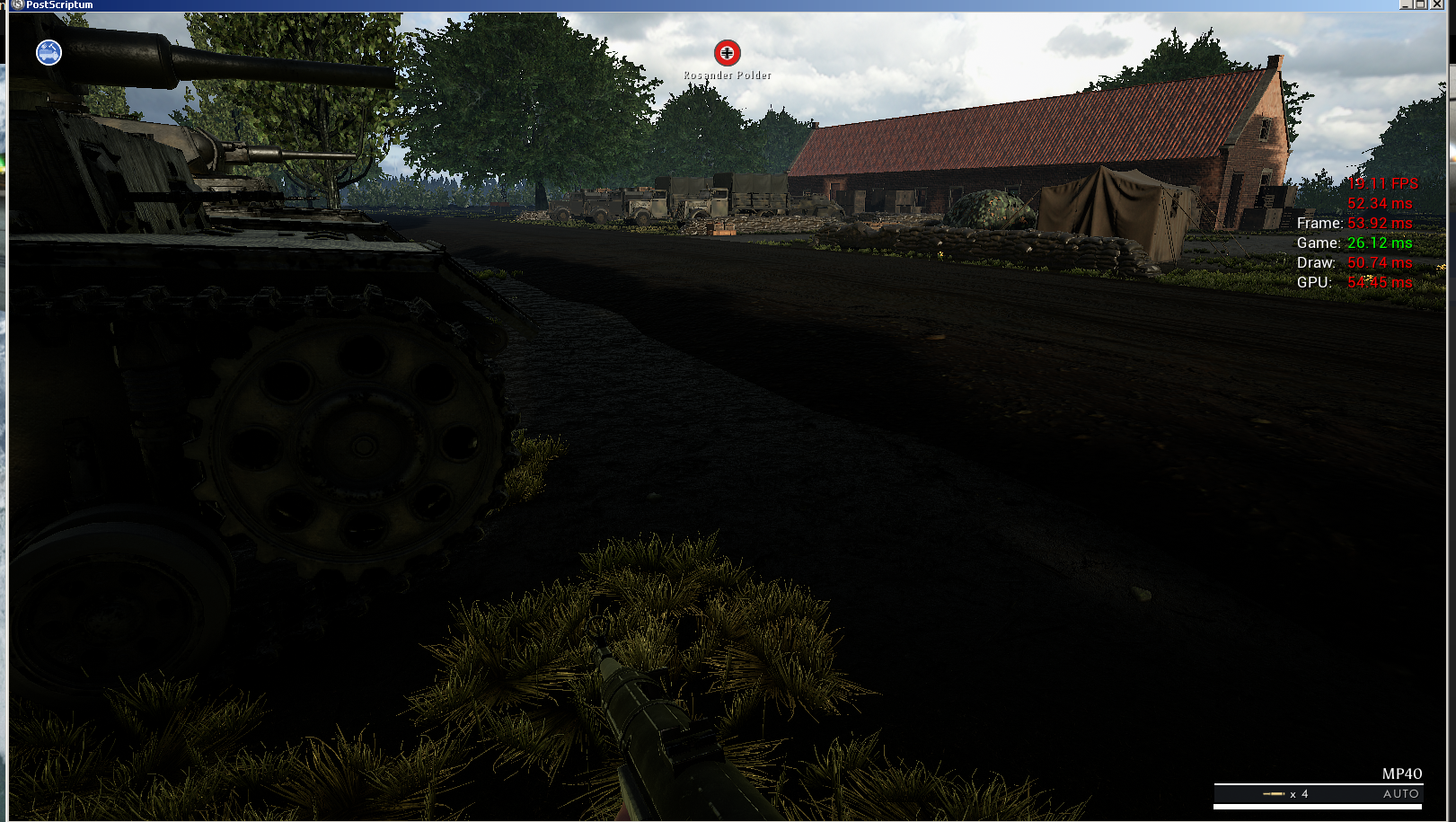
err:nvapi:NvAPI_D3D11_SetDepthBoundsTest Failed to get wined3d device handle! (loads of these)
Please set nvapi and nvapi64 to disabled in winecfg.
Anyway, I'll need an apitrace in order to debug anything.
Update log files with nvapi and nvapi64 disabled.
PostScriptum_d3d11.log
PostScriptum_dxgi.log
I will work on getting a apitrace now.
Your apitrace is an OpenGL apitrace, I need a D3D11 apitrace.
Anyway, I think those issues are rather unique to this game, none of this happens in other UE4 games I've tested so far.
There's a texture streaming issue in Unreal Engine 3 games which might also cause the texture bug in this game, but it's basically impossible to debug that problem without knowing how the texture streaming works in the game/engine (which would require source code access).
There's a known issue with some games not recognizing any VRAM which might be related as well, but there's no bug in how DXVK reports VRAM so those games must be using a different API to query the amount of available memory. Without knowing what they do and why it works on wined3d, I won't be able to fix this issue.
Poor performance is not an issue per se and it might not be possible to improve it.
You saying Post Scriptum switched to opengl mode on me? or wine d3d11 via opengl?
If the later then the ONLY way to get a apitrace would be via windows boot itself.
Can I use the windows apitrace.exe to do it under Wine?
You have to use the Windows version of apitrace (which also works on Wine). The Linux version of apitrace obviously captures wine's OpenGL output. It doesn't know that D3D11 even exists.
Attached link to the new apitrace, hopefully this one is more useful.
I also produced apitrace for Fallout4 and KCD but I can't remember now if I did it in windows10 or not. Hopefully their not useless.. KCD still hard locks on nvidia cards at the bar scene :( (EDIT: Those are both fixed now)
PS. I got a refund for this game, so can't test anymore. It will be up to others to help as I will unlikely buy it again. (I often buy stuff for testing purposes only).
Nothing extracted yet.
This game appears to work and load up quite well with no launch issues however in-game there is a problem where textures and lod's appear much lower then their windows counterparts. I also noticed the performance under DXVK was around 35fps while on windows with same settings (medium) it got 76fps.
I did use -force-d3d11 to make sure it wasn't dx12 or anything (windows) so the comparison is fair.
There is also a minor launch issue where the game will startup only 1 out of 3 times you attempt to launch it, this problem also exists in Deep Rock Galactic and could well be a general Unreal Engine 4 issue since they both use that engine.
Software information
Post Scriptum, medium settings / 4k resolution (trace done in 900p)
http://postscriptumgame.com
System information
Apitrace file(s)
I launched the game within windows10 and used apitrace.exe from there.
Used console from settings screen to AdminChangeMap and selected the last x-01 map and allowed it to load, it takes a few minutes for the grass and textures to pop-in due to fps being in the single digits, after which I closed the process.
Log files
Wine/D3D Error codes that may be of relevance:
err:nvapi:NvAPI_D3D11_SetDepthBoundsTest Failed to get wined3d device handle! (loads of these)
I will add logs and any other information as time goes on.