Strider has lighting / texture issues.
Can you point out what is wrong in your screenshot, or post a screenshot of what it should look like?
Sure, here is what it's supposed to look like on PC:
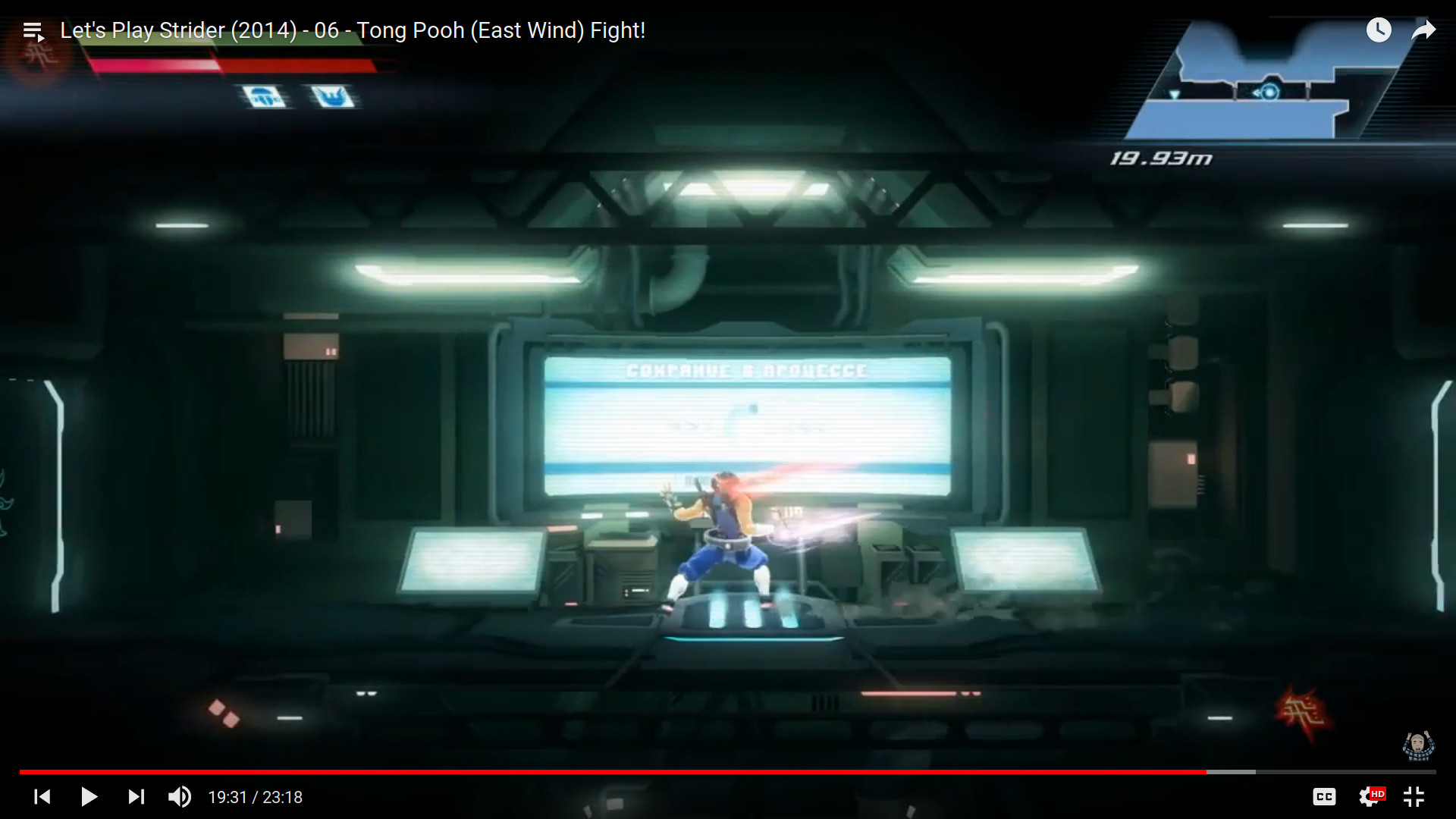
Here is the Let's Play this is from: https://www.youtube.com/watch?v=APSWtoOIG08&index=6&list=PLqUI_YQcw3DY7rfSq_-orAwH2CBNIeDIU
Here is a trace produced on Windows 10, with Direct3D: https://mega.nz/#!it4GCATC!3XnWl6Gps9vuIM80CSAGQP5sKqN9AAyhJXGWFUY-r2o
I tried replaying the trace and it looked fine, no glitches there.
Good news, I've managed to get the game to render without issues!
I've edited the game's config file in Steam/userdata/10042493/235210/local/vars_pc.cfg to change
video_multithreadedRendering to false.
Based on that, it seems that the original issue is related to a multi-threading issue, which now makes more sense.
Btw, with what is provided, if you consider that this is not caused by DXVK, you can just close the issue and I'll create a new one on WineHQ.
First at all, thanks to the devs and community for this awesome effort!
In my case not work. I change de config in file, but the game reset in each start. If put only read file, same situation. If possible Multithreaded Rendering a feature to implement in dxvk? Thanks community! :)
Multithreaded Rendering is an in-game option, not a D3D11 feature.
Multithreaded Rendering is an in-game option, not a D3D11 feature.
I see, and this bug or problem, because happens? Driver(I have nvidia gtx1060) wine or wine-staging part?
If I recall correctly the game did some kind of early z pass and reused that depth buffer for the main rendering. The problem however is, that the early z pass happens with a different view matrix than the actual color pass.
I'm not entirely sure about this though
Well, only I want to help well. I mean, if not report here... where is the best place to report this issue to help to find some solution. Is a very "silly" bug for a great game, that in all the rest work perfectly, even in the part of dxvk that give extraordinary support to run dx11 at superb performance. Thanks in advance.
Well, I try to play only in proton. Then now I though check it in native wine-staging session and the workaround work well. Change de .cfg to false and Render Ok. I think this issue is for report in proton.
For the issue of the Multithreaded Rendering I don’t known where, any ideas?
Thanks again and apologizes for the mistake to report. Greetings.
I don't really understand that last comment. What are you trying to say?
Where exactly did I report this problem? In what part of the "wine" community affects: Winehq, wine-stagging or where?
It did seem like a game bug but as I said, take what I said with a grain of salt and please don't open additional issues about this before confirming it.
It did seem like a game bug but as I said, take what I said with a grain of salt and please don't open additional issues about this before confirming it.
Okay, I did not understand that it was a bug of the game itself. Rather a feature that fails to reproduce the same.
Multithreaded Rendering is a problem in many games
This is probably a DXVK bug. For some reason a Constant Buffer update on a deferred Context doesn't work as expected or the order gets messed up somehow.
@K0bin could you test this with d3d11.dcSingleUseMode = False?
I don't own the game. @strycore can you do that?
I think I checked the apitrace if the game reuses command lists and it didn't but it's been a while so I'm not sure.
I'll test it where do I enter it ? Steam launcher or ?
The DXVK config file
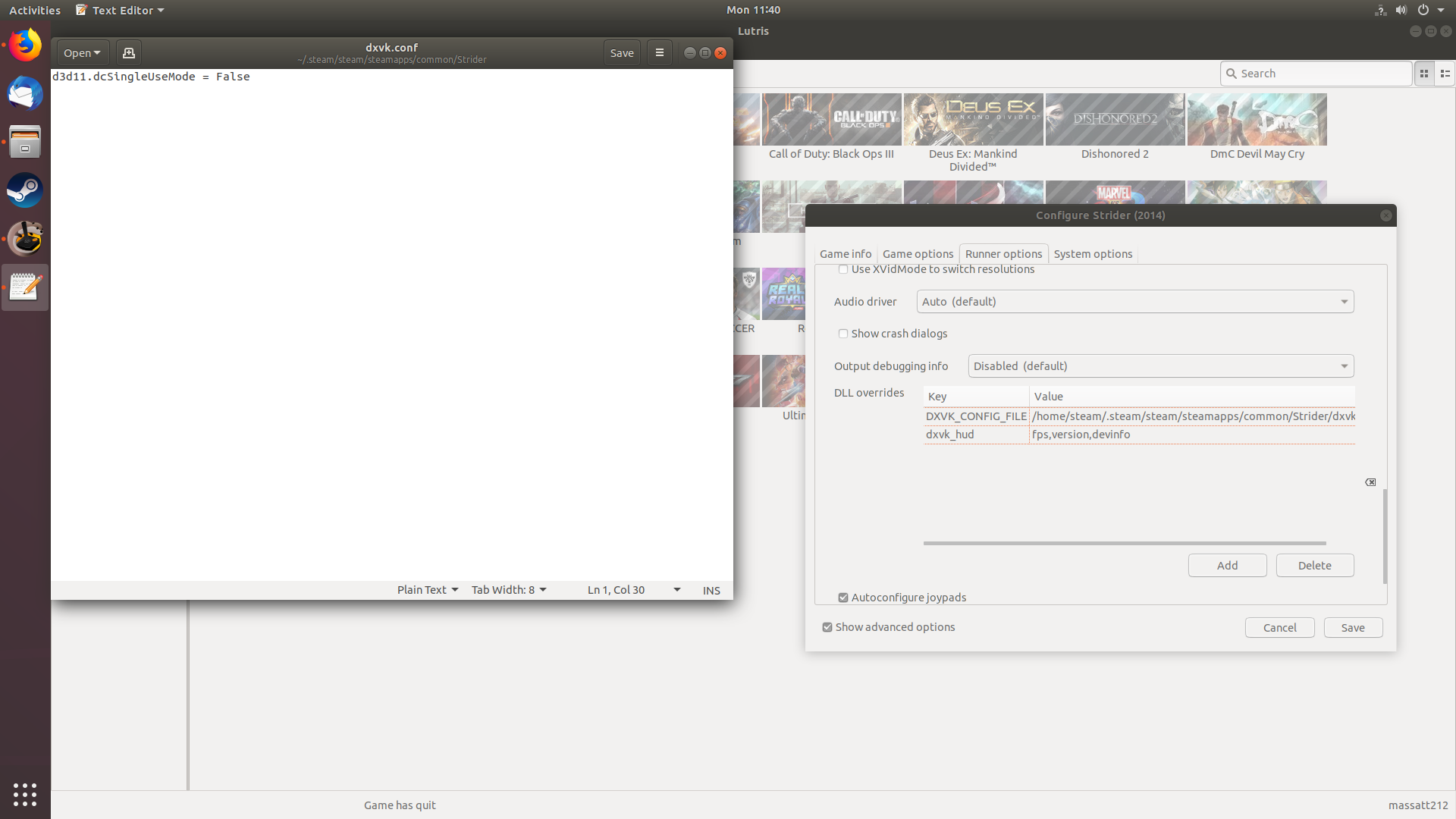
same problem
if i did it wrong tell me
Can you upload the logs? That way we could see if DXVK has applied your config file.
The logs dont mention the config file so you must have done something wrong.
StriderX64_r_d3d11.log
StriderX64_r_dxgi.log
this one detected the dxvk.conf file but it didnt work
It detected the config file but there's no mention of d3d11.dcSingleUseMode = False
StriderX64_r_d3d11.log
[StriderX64_r_dxgi.log](https://github.com/doitsujin/dxvk/files/2756299/StriderX64_r_dxgi.log
sorry prob uploaded me experiment
That last one has the config option. That didnt fix it, did it?
nope did not fix anything
even when i do the video_multithreadedRendering to false doesnt work
Strider Works Fine On Windows Via DXVK
I think its a Graphical Problem similar to Killer Instinct Missing Textures on the loading screen on Linux Also
but the strange thing is i got it working on Ubuntu earlier by mistake doing random shit so it maybe a linux driver problem or Wine
https://youtu.be/MqZ5bQa4zo8
Hm, that's interesting. I think we can rule out a driver issue since it is known to happen on both RADV and Nvidia, but that would indicate that there's a thread-safety issue elsewhere. Could you post the full output with PROTON_LOG=1?
steam-235210.log
Is this it ?
Yes, thanks. Can't find anything that would hint at a missing function in wine or anything like that, though, so not sure what's going on.
Launch options
PROTON_LOG=1`?x1 2019-01
Capcom's Strider has some rendering issues, showing some areas in black. Running the game without DXVK shows similar glitches (with OpenGL, some effects aren't rendering at all).
Software information
Strider (2014) on Steam, all graphical settings apply.
System information
Apitrace file(s)
Log files