GTA V white spot/cursor issue in cutscenes (maybe DoF related)
Can you please
- either bisect DXVK to find out which commit introduce the issue,
- or provide an apitrace as documented on the Wiki
I don't have access to the game at the moment, so I cannot debug it.
I'm able to reproduce it on RADV:
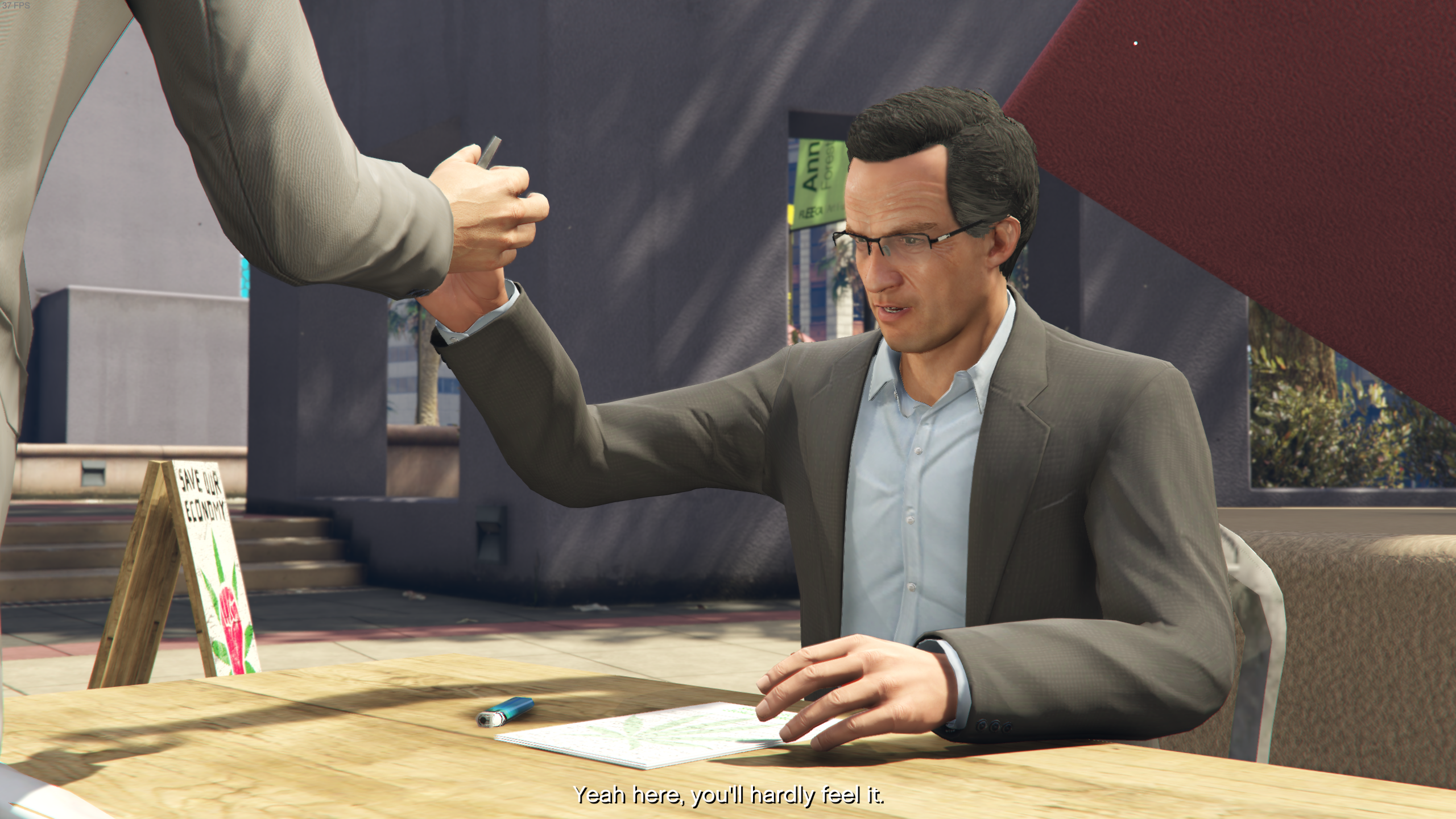
Could be a game bug, I'll look into it when I have some time.
Can you try to record a trace? This is going to be an incredibly hard to debug as it is since this is probably a very subtle numerical issue in one of the shaders and I'm not even sure if it can be fixed, but right now I'm not even allowed to start the game thanks to Rockstar being stupid.
Don't know if I can do an app trace as it requires DXVK to start up.
This issue only popped up with the whole transform feedback thing, maybe something to do with how new changes interact with the in game depth of field.
I have this problem too, I thought it maybe was related to subtitles, it looks like a dot from the text.
@fls2018 The game doesn't use transform feedback and it has been confirmed to happen on drivers that don't even support it.
If it's a DXVK regression, please bisect it to figure out which commit introduces the issue.
How to play GTA-V on Ubuntu 16.04?
Could you please show a detailed instruction?
e.g. wine version and link ,dxvk version, vulkan version and other requirements. I have updated nvidia driver to 396.54.09.
Many thanks!
It looks like the regression happened with 161fb621
Author: Philip Rebohle <[email protected]>
Date:   Thu Sep 27 16:50:34 2018 +0200

    [d3d11] Optimize UAV binding

    - UpdateBuffer is faster than ClearBuffer for small updates.
- We shouldn't dispatch *two* CS commands for each UAV, one is enough.```So reverting that commit fixes the issue? Any chance you can record an apitrace?
I'd like to understand why this is broken. Just by looking at the code I don't see any obvious bug.
Yes it looks like master + 161fb62 reverted makes the issue disappear. I'll record a trace soon.
Can you test 08b403f65507f4beac47d7d6816bad243cd811e9? Closer inspection did actually reveal a subtle bug introduced by the optimization.
That fixed the issue. :+1:
@fls2018 what was the issue you reported on the Proton side? I think you can close it.
Thanks for testing, closing the issue.
Proton versions
proton 3.16-3x1 2018-10
I reported this issue on the Proton github but chances are the issue is more related to recent dxvk changes.
Mainly in cut scenes there is a white dot/cursor that floats on screen, here's an example (by the yellow fire hydrant):
Rolling back Proton to 3.7.8 makes it go away, as well as maybe disabling in game DoF in the options (more testing needed on this).
It's only a small issue, game runs perfectly otherwise.
Software information
GTA V, Mostly max settings /w 2x MSAA (ingame DoF enabled).
System information