Dreamfall Chapters Special Edition - Invisible characters
Can't debug without an apitrace.
Can I do it in Windows instead?
Yes.
Since this game is based on Unity, my first guess would be missing Stream Output (see #695), but your logs don't show anything related - but that might be because you didn't go ingame when generating those logs.
The file is empty.
I'm noticing a pattern here in OP's reports: https://github.com/doitsujin/dxvk/issues/695#issuecomment-432659510
I think the issue is Stream Output, but maybe related to his GPU model?
@ahmed-elsayed2017
Can you confirm if your drivers have been built Stream Output support?
They haven't, I can tell that from the logs. But if the game required this feature, messages would pop up in the logs.
Unless when generating the log files, it didn't get to the point where it would compile geometry shaders with stream output.
Actually, the game didn't support DX11 at first, but it got an update and it changed from DX9 to DX11, and it was working ok at first but there is no option to switch back to DX9.
I don't know why Apitrace failed to create an appropriate file, may be it needs admin privileges.
My card doesn't work well with Steam Output support and I am waiting for the next release at the end of this month, and I am going to switch back to Mesa 18.3 again.
I deleted the old log files and started the game again to create a new log files.
At the end of the log file, it says :
Transform feedback not supoorted by device
so I think that you were right from the beginning.
Closing then, you know what to do.
A new Mesa 18.3 driver landed yesterday. Now, everything is working well in this game, but the Witcher III and Mafia III still have graphics issues.
Related threads
- Quake Championsprotonopen same upstream bug
- The Witcher 3: Known issuesdxvkclosed same upstream bug
- Transform Feedback Not Supported By Device - Log Spam...dxvkclosed same upstream bug
- D3D11 Stream output supportprotonclosed same upstream bug
Upstream links
- doitsujin/dxvk/issues/719x1 2018-10
- doitsujin/dxvk/issues/695x1 2018-10
Software information
Dreamfall Chapters Special Edition
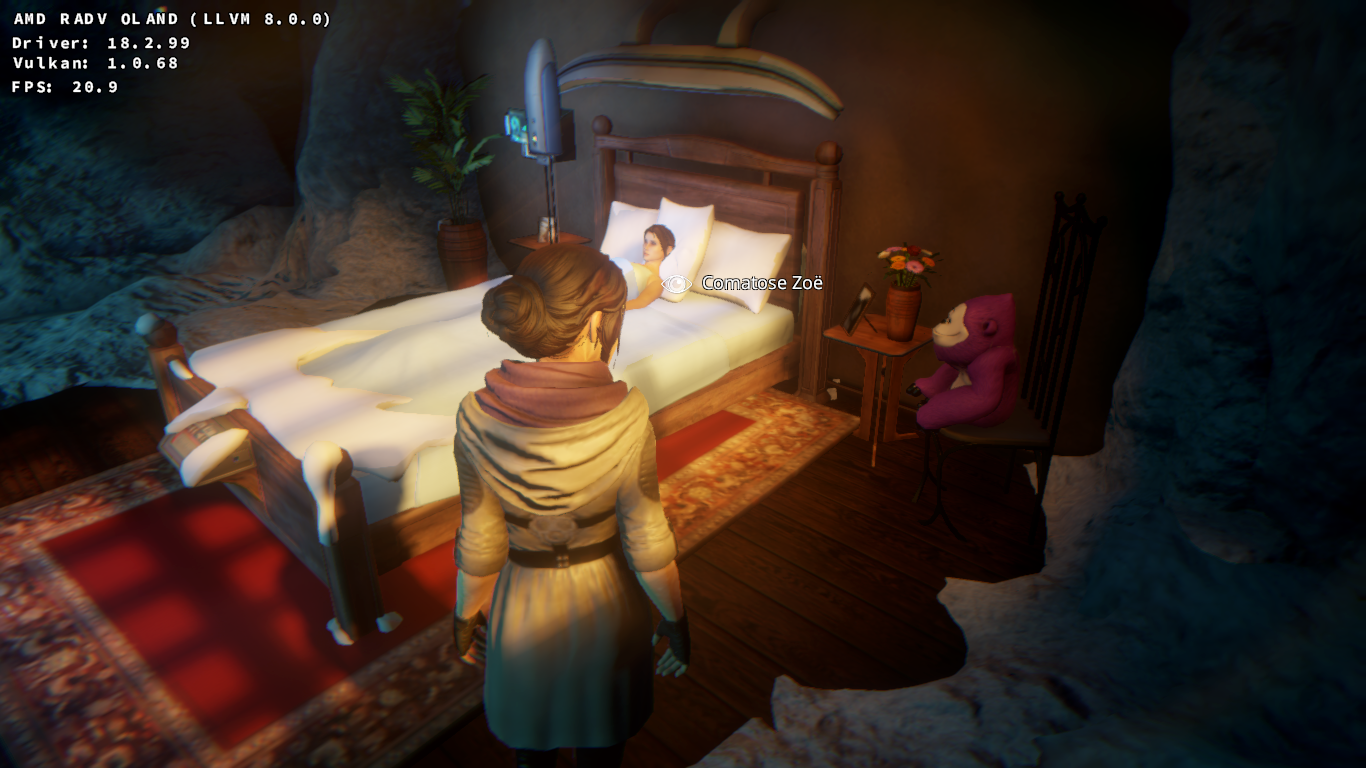
All characters are invisible. There are 2 characters in this picture, one is sleeping (you can only see her pony tail and nothing else), and the main character which is invisible as well, and in the cutscene before this scene, there were many invisible characters as well.
System information
Apitrace file(s)
Log files
Dreamfall Chapters_d3d11.log
Dreamfall Chapters_dxgi.log