Fallout 4: Dark overlay on inside locations
Can you please attach a save game from that location so that I at least have a chance to reproduce the problem locally?
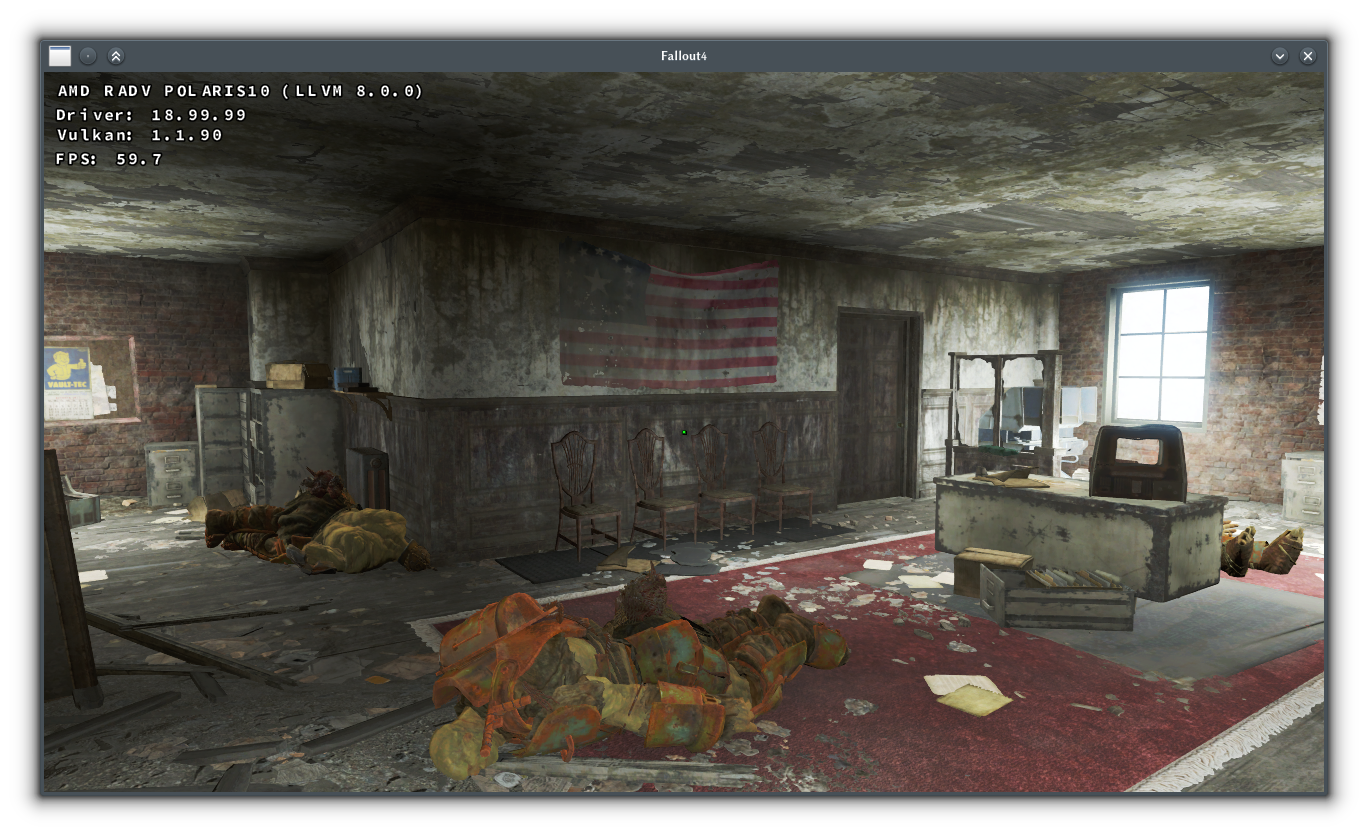
Please test latest mesa-git and LLVM 8.0. Renders fine for me:
This problem also exist on mesa-git + radv, RX560
What's your LLVM version? As shown above, it renders fine with llvm-git on my RX 480.
I reverted mesa to stock, but LLVM version was latest svn from mesa-git unofficial arch repo. I think it's 8.0.0
I'm observing the same with the binary release of 0.96, running on a GTX980 Ti (415.27). The issue appears from the start of the game, and is especially apparent throughout Vault 111. Also with that release most decals (both pre-placed and dynamic, i.e. bullet holes) flicker in and out depending on camera position and angle. Reverting to 0.94 removes both problems.
@radcapricorn can you please bisect the problem? I'm unable to reproduce it.
Also, what do you mean by "appears from the start of the game"? Is it already broken immediately after starting a new game for you?
@doitsujin Yes, just after character creation while walking around in the house. It's intermittent, i.e. only appears when you're looking in certain directions. I'll try bisecting as soon as I get a mingw toolchain set up.
I wonder, are you running with dxvk.conf customized for the game?
no.
@doitsujin Ok, bisect suggests that the issue in question starts with 17398e47bda823eeb84815603e1f470002d6149b. The "overlay" is present and there's wild intermittent decal clipping. I don't know if the two are related though. One commit before that also shows some decal clipping, but not nearly as bad. I'll try bisect to isolate that one as well. But anyway, this issue's culprit is 17398e47bda823eeb84815603e1f470002d6149b.
@doitsujin Update, that was a silly mistake to make, but I haven't actually tested master when I got mingw installed. The issue isn't there, and bisecting from 0.96 shows that it's fixed by 311661e4041e182e9bd6d8a6bd3d168901bb5c87.
Bug was accessible in 0.96 from game start, but in dxvk-git version it completely disappeared.
I can confirm that. Thank you.
Fixed on 0.96 by latest mesa-git + llvm-svn
Nothing extracted yet.
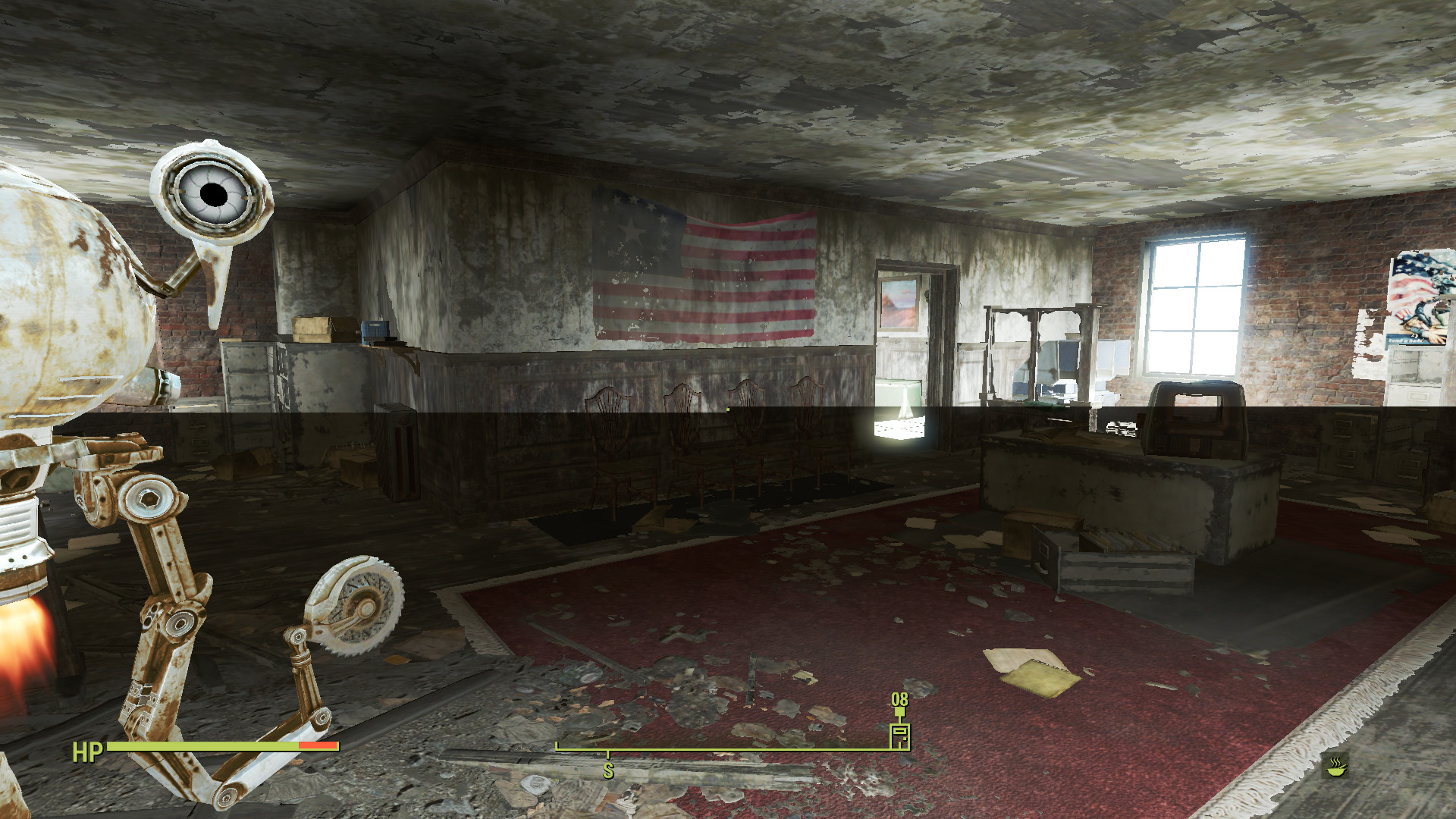
From v0.94-27-g9faf841 to latest, in certain inside locations in Fallout4, I experience some kind of shadow overlay on the bottom half of the screen, e.g. in Fort Strong:
4.20.3-arch1-1-ARCH
xf86-video-amdgpu 18.1.0 (Radeon 480)
wine-4.0-rc7
Fallout4_d3d11.log
Fallout4_dxgi.log