GTA V doesn't start with nvidia-drm.modeset=1
Make sure that Vulkan works on your end. This is not a DXVK bug, but enabling nvidia.drm.modeset=1 somehow broke your Vulkan setup.
@kakserpom I'm using 'nvidia.drm.modeset=1' and it works just fine. Please make sure that you are not running Wayland but X when using this switch ;)
@jp7677 how to make sure of that?
@kakserpom Please use something like https://unix.stackexchange.com/questions/202891/how-to-know-whether-wayland-or-x11-is-being-used to ensure what session you are running. If you are indeed using Wayland you can just select "Gnome on Xorg" (or similar, don't remember exactly what it is called) as session type when logging in to use X instead.
@jp7677 Still on X11 with DRM on.

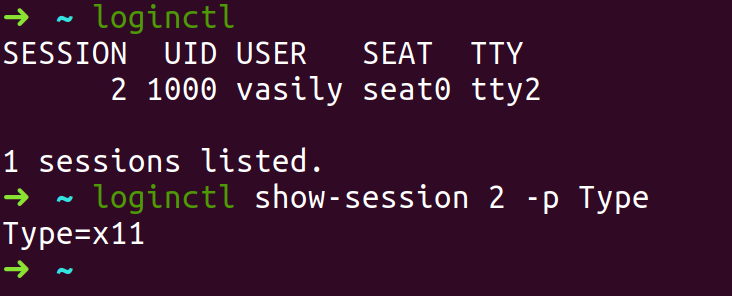
Mmh, alright. False bet from my side then. The game though works with nvidia drm enabled, just did a test a minute ago. Something else is wrong on your system. Does the nvidia control panel works on your system with nvidia drm enabled?
@jp7677 Yes, it works just fine. I tried different drivers version, I tried KDE. No luck. I could give you access to the laptop via TeamViewer :)
Do you have any other Vulkan applications you could test? Both x64 and x86? 'vulkaninfo' might be a good start..
So what do I do? :-D Downgrade to 18.04?
I'm running Fedora and a desktop machine, I'm the wrong one to answer :). Only solution I could think of is indeed disabling nvidia drm.
I'm on Mint 19.1 ( which is based on Ubuntu 18.04 ) and Prime works with drm modeset=1.
Stay on LTS
@Leopard1907 what driver are you on?
415.27
Proton versions
proton 3.16-6x1 2019-02
If I set nvidia-drm.modeset=0 then the game runs flawlessy, but at the same time I don't have vsync outside of the game. So I need to switch it on and off which is annoying.
If I set nvidia.drm.modeset=1 then I see "DirectX not found" error when I try to start GTA V.
Software information
GTA V (Steam), Ubuntu 18.10 (Gnome)
System information