Anthem not run erro Directx!
You have this set in your confg file:
dxgi.customVendorId = 10de
This is known to break Anthem.
Other than that, you might want to try setting the Windows version to Windows 7, since the game seems to request DirectX 11.2 which DXVK does not support.
@Marcio2AA Set windows to 7 in wine config I think that was the fix I can't remember exactly. Or I didn't have DXVK enabled at the time in Lutris. Double check.
Ok, I'm afraid to put win 7 because I did it previously and with Anthem I took 2 suspensions of 12 hours without being able to access the game! Thank you for your support doitsujin and mixalis1987.
@Marcio2AA I got suspended once on anthem for changing too many times when I was doing some testing but windows 7 does work I have it set now with dxvk 1.0. Strange that windows 10 didn't work for me in wine as EA says it want's it.
If you already changed it recently though before the 12 hours I would wait a bit before making any changes or login in, so you don't get suspended.
@mixalis1987 The error no longer appears when running the game, but the anthem window does not appear now, only the 2 processes remain on the Anthem system monitor in N / A. Yes I am with DXVK and the Esync checks
@Marcio2AA Try just using 4.2 staging. I had same problem the only ones that started the game was version tkg 4.0 and 4.2 staging of wine for me. Now i'm using 4.2 staging and its working.
Caution: Too many wine version changes in a day can also get you suspended.
****** My Lutris Config, if it helps ******
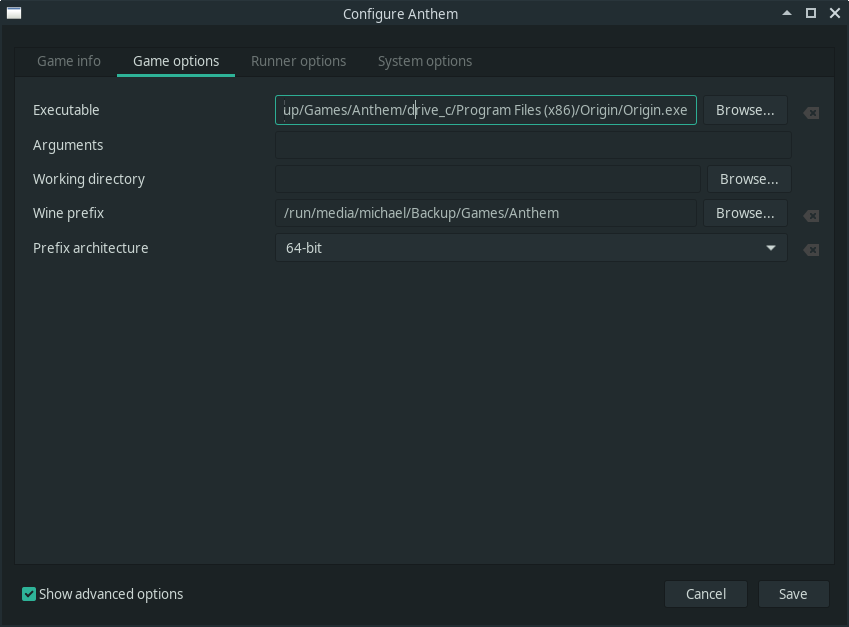
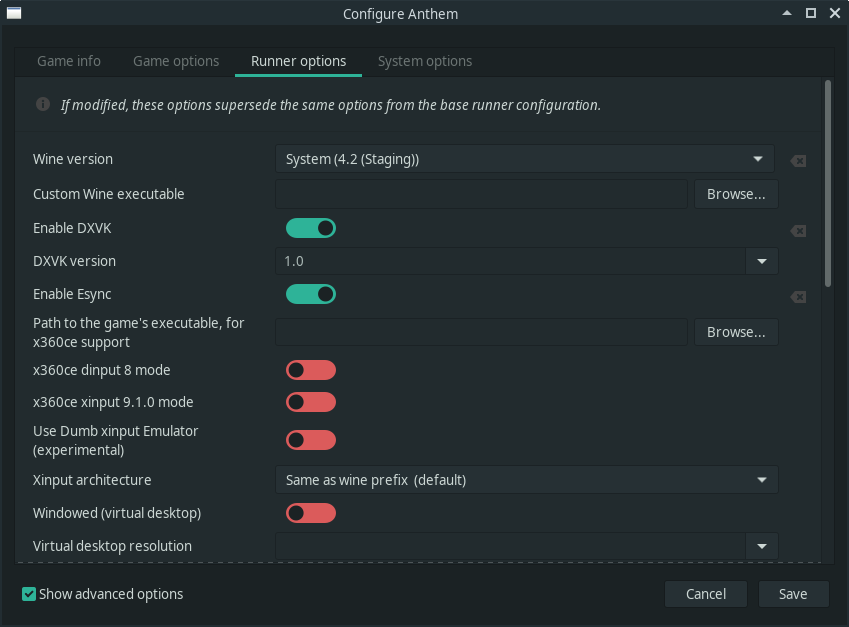
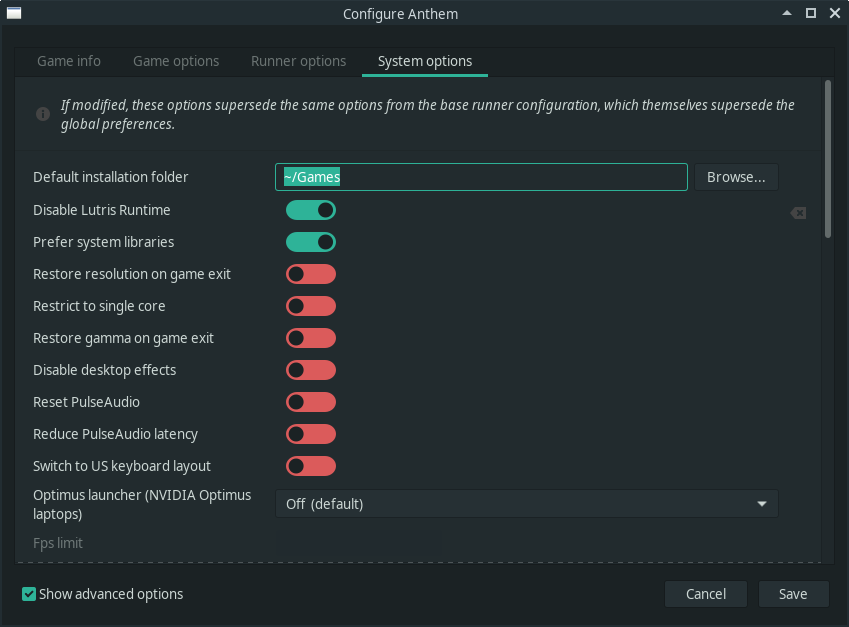
Also if your using wine staging try disabling CSMT in the staging tab in wine config. Mine is disabled.
@Marcio2AA Oh and make sure Origins in-game overlay is disabled. That often causes problems with that enabled.
@mixalis1987 I made all the configs, but I fell into a new suspension, I'll wait, release and say whether or not Anthem.
@mixalis1987 Thanks. I managed to play the game.
@Marcio2AA Your welcome.
Nothing extracted yet.
I am trying to run the game Anthem of Bioware by Lutris and happens this error of the Image, how to solve?
Software information
Lutris
System information
Apitrace file(s)
Log files
d3d11.log: Anthem_d3d11.log
dxgi.log: Anthem_dxgi.log