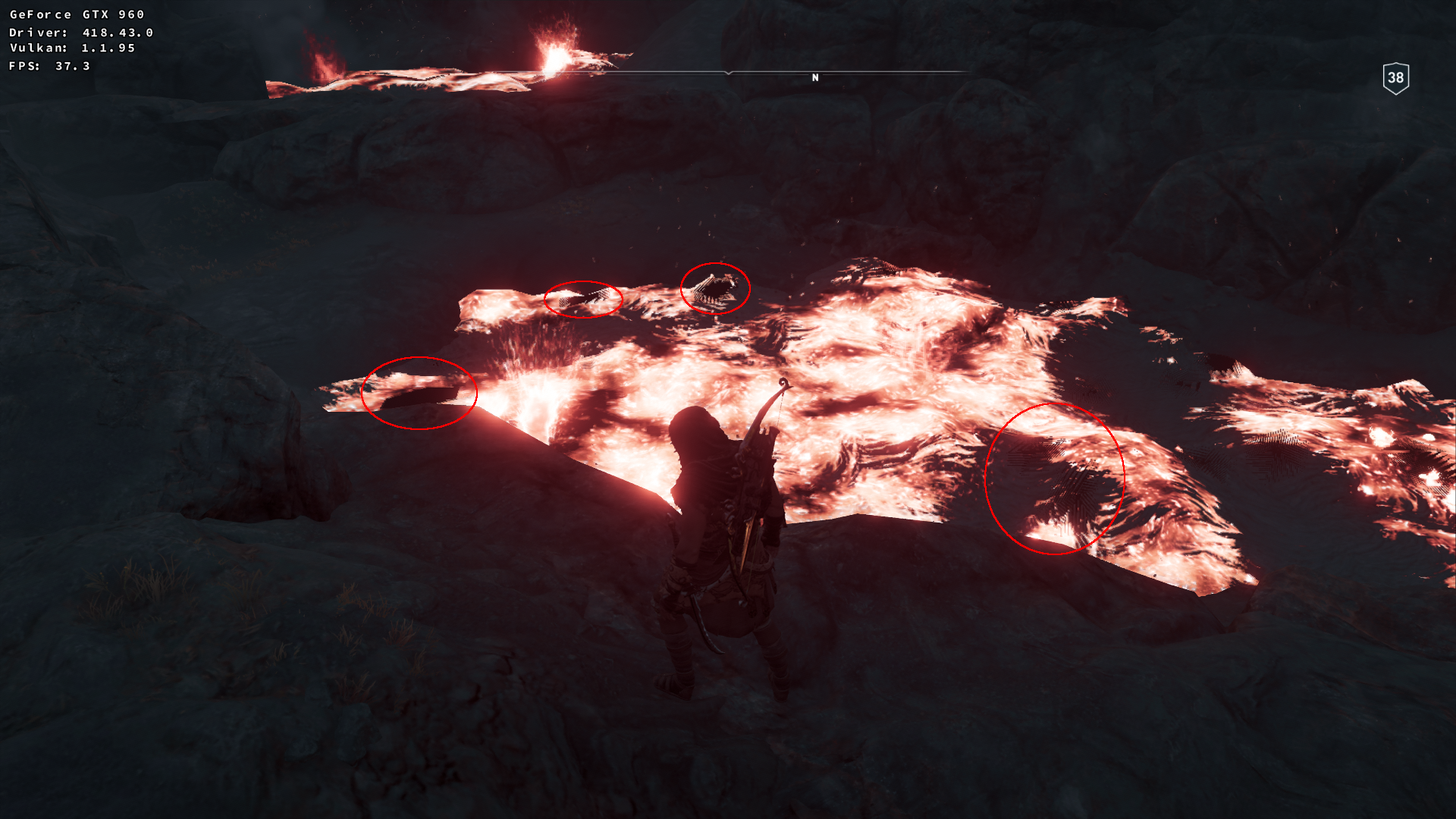
Assassin's Creed Odyssey blotches on top of lava
Looks somewhat similar to earlier AC:O bugreports, could you try again with 418.31.03?
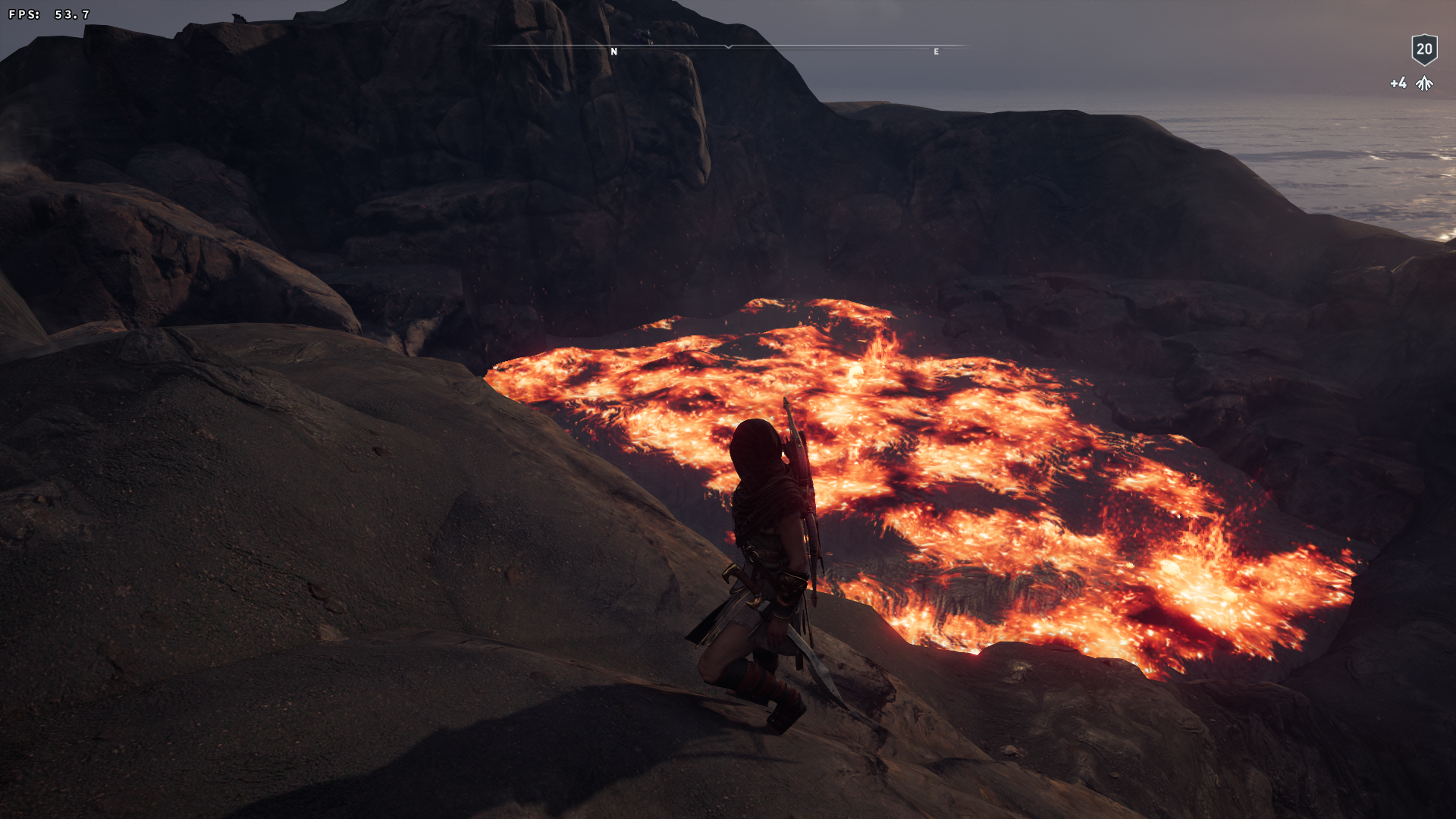
Works fine for me:
Please test the latest Nvidia beta driver as suggested above.
Closing due to lack of feedback, issue should be fixed as of Nvidia 418.43.
Yeah sorry about that been a bit busy. Same shit happens with 418.43
I've tried low settings and disabling nvapi hack but nothing same result.
Can you test the latest Vulkan beta driver?
There was a similar issue in Shadow of the Tomb Raider, might be the same thing.
Like I mentioned on discord the last time that depends on Ubuntu updating their drivers. Unfortunately it looks like they're back to only supporting stable releases. :unamused:

Can you re-test with the latest Vulkan beta driver?
Closing due to lack of feedback.
I finally found a location where I can reproduce this. Tested on 440.59 and 440.48.02.
It's the 'manual save' about the 4th one down from the load game link. The way the saves are listed in game doesn't match the files at all so I'm not sure how to send only the single one (and the timestamps don't line up). I'll try to get an apitrace later.
Edit: Because Ubisoft is insane the save files go to a folder in pfx/drive_c/Program Files (x86)/Ubisoft/Ubisoft Game Launcher/savegames/e1490f7a-f8ec-47a2-a88a-15b7b15a7591 - the UUID will vary of course.
@Vash63 does d3d11.invariantPosition = True fix the issue?
99% fixed - only a single splotch every few seconds and much less distracting.
Nothing extracted yet.
The lava has some black spots on top of it that flicker.
Screenshots of location
Software information
Medium preset
System information
Apitrace file(s)
ACO crashes or hangs (had both happen) when interacting with the main menu. I know it won't help debug the issue at hand but maybe it'll help understand why it doesn't get through the main menu.
https://drive.google.com/open?id=1vqZLUyWLia5YhYnfNeG7kYK4gUnRw3eh
Log files