Hello @pizzapappan, please add [`PROTON_LOG=1 %command%`](https://github.com/ValveSoftware/Proton#runtime-config-options) to the game's launch options and drag and drop the generated $HOME/steam-$APPID.log into the comment box.
That fixed it, thanks! Aug 29, 2023, 00:10 by ***@***.***: > > > > > Hi you can use the enviroment var > radeonsi_zerovram=true> to work around this issue. The workaround will be merged into mesa in this merger request >...
Hi you can use the enviroment var `radeonsi_zerovram=true` to work around this issue. The workaround will be merged into mesa in this merge request https://gitlab.freedesktop.org/mesa/mesa/-/merge_requests/24919/
Graphics are heavily distorted when playing the game making the game borderline unplayable. Running RX 6800XT, R7 5800X, Kernel 6.4, mesa-git on Arch Linux. The graphical artifacts also happen on Steam Deck, here's a log...
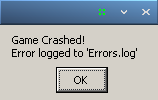 This is what the error prompt looks like.
[steam-961660.log](https://github.com/ValveSoftware/Proton/files/4014930/steam-961660.log) Thanks for responding kisak, here is the aforementioned log. I must inform you that that this log was created on another machine ...
Hello @pizzapappan, please add [`PROTON_LOG=1 %command%`](https://github.com/ValveSoftware/Proton#runtime-config-options) to the game's launch options and drag and drop the generated $HOME/steam-$APPID.log into the comme...