Hogwarts Legacy - Crashing during fast travel/loading screens
Hello.
Could you try something to see if it helps?
In /proc/sys/vm/max_map_count up the default value to something like 1000000 and then try to play the game again.
To make it permanent across reboots you'll instead have to add vm.max_map_count = 1000000 to /etc/sysctl.conf
This change should kick in after a reboot or if you run sudo sysctl -p
You can read a short description of what it does here https://sysctl-explorer.net/vm/max_map_count/
Steam Deck already ship with a much higher value than default which might be why i haven't seen any report of this on Deck
Hello. Could you try something to see if it helps? In
/proc/sys/vm/max_map_countup the default value to something like 1000000 and then try to play the game again.To make it permanent across reboots you'll instead have to add
vm.max_map_count = 1000000to/etc/sysctl.confThis change should kick in after a reboot or if you runsudo sysctl -pYou can read a short description of what it does here https://sysctl-explorer.net/vm/max_map_count/
Steam Deck already ship with a much higher value than default which might be why i haven't seen any report of this on Deck
It seems to be working so far. I'm trying to induce the crash by fast traveling frequently and it hasn't crashed yet. If it crashes I'll report it ASAP.
@ruineka I'm guessing that solved the issue?
@ruineka I'm guessing that solved the issue?
Indeed, once in a while the amdgpu driver resets and I get out of video memory errors though.
About 20 some hours in and it's almost perfect overall.
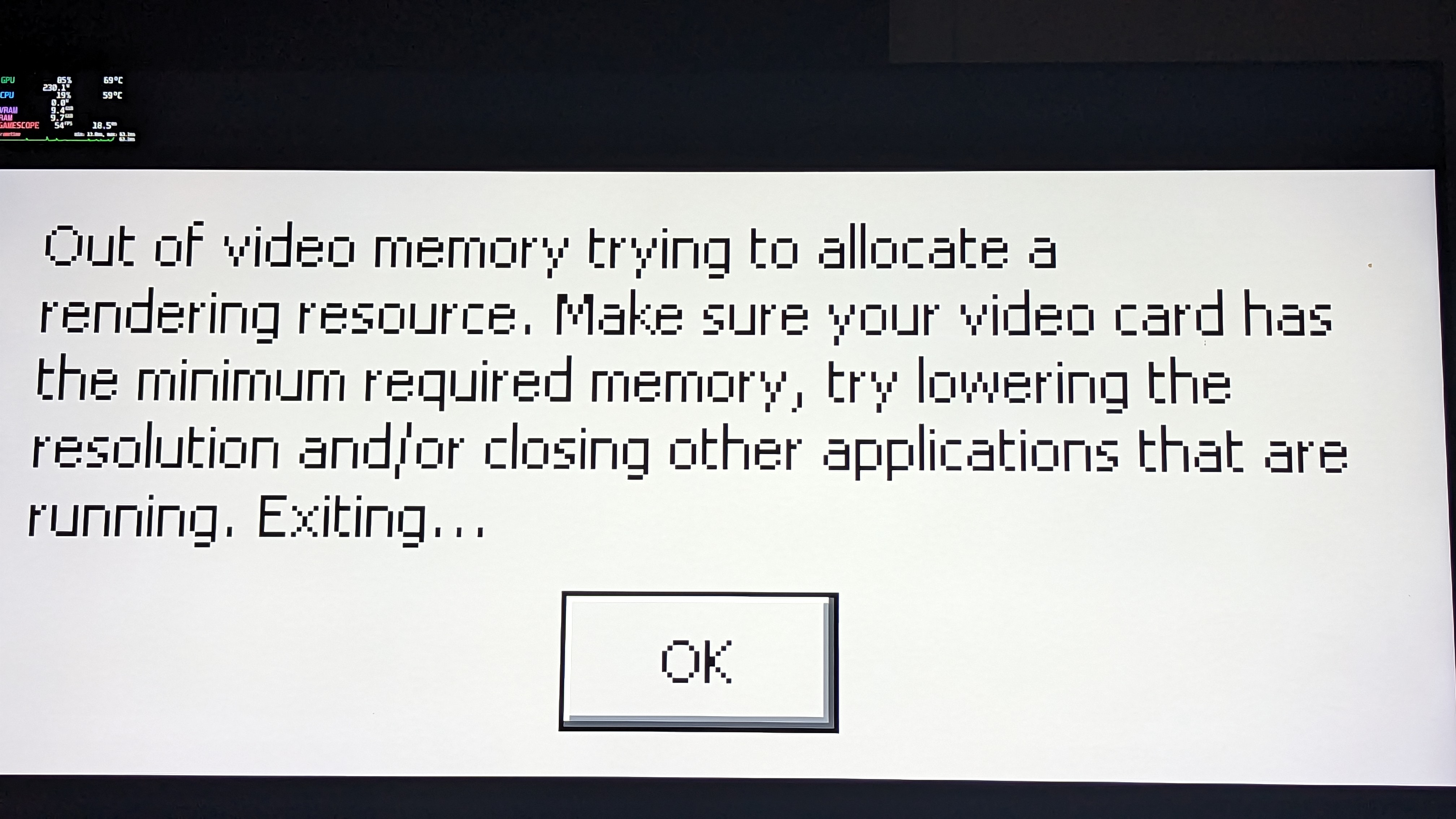
How often does the video memory issue occur? And at what settings.
How often does the video memory issue occur? And at what settings.
Medium settings with a 6900 XT was tested as well as Ultra and it happens on both. I'd say it happens at least once a day and it's inconsistent of how long you play for. It could happen a few minutes in or happen multiple hours later. I think it's an issue with the game itself since I've seen reports of it on Windows as well.
Video memory issue can also happen on Windows
Ah. Well lets wait and see how it behaves after the next game patch or so then.
vram issue might have been fixed (or improved) in the new update?
https://hogwartslegacy.bugs.wbgames.com/patch-notes
Fixed a memory leak with global lighting system HL-313.
vram issue might have been fixed (or improved) in the new update? https://hogwartslegacy.bugs.wbgames.com/patch-notes
Fixed a memory leak with global lighting system HL-313.
no change for me, crashed after 1 hour with the same message.
dont know issue related here but.
It goes very high latency in this scene , whole tutorial mission before played fine with 70+ fps fine.
1650ti dGpu , gpu utilization shows 100% but power limited to 32w , rather 50 w .
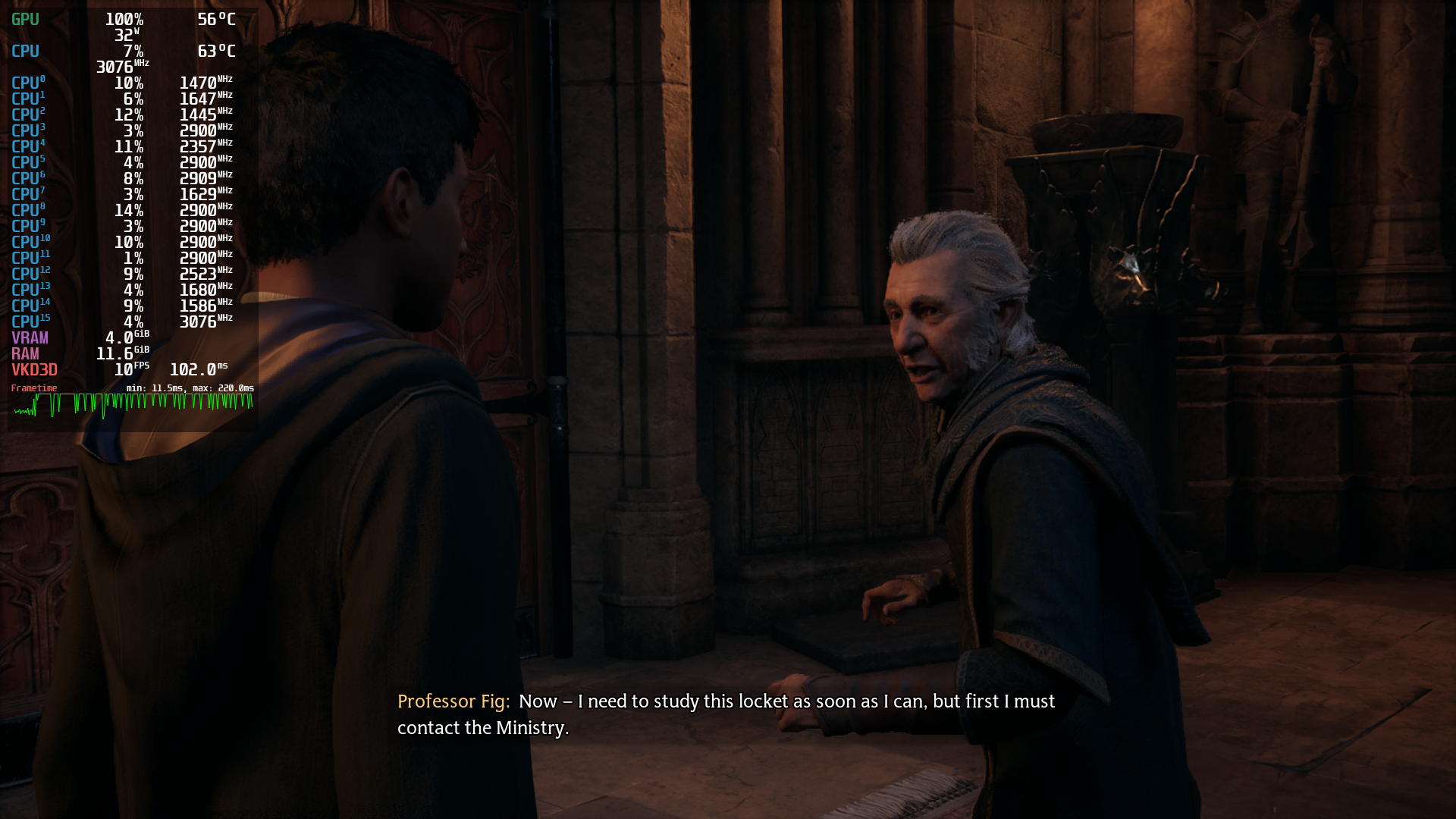
@TURING-V2 it's clearly running out of VRAM for you there. 100% GPU usage + low power usage pretty much always means that, even if I couldn't see the vram usage as well in the hud. Yes, this will work better on windows.
@mbriar vram from smi is around 3870MiB / 4096MiB , at all low settings. Same was before in mission .
That's like 95% full, and that is definitely a situation where something crucial can spill to system ram, destroying performance. And you're getting the typical out of vram symptoms.
@Blisto91
I take advantage of this thread to consult, is it possible to use vkd3d-proton on AMD cards? It has the rx 590 specific. I've seen it used on Nvidia GPU for Hogwarts Legacy and it gives good results.
But in my case it doesn't work and apparently it doesn't work on other AMD cards either, is there a way to make it work?
@acorigins do you mean on windows? If so then probably not. AMD's windows vulkan driver doesn't work well with vkd3d-proton, and even when it works, the performance is abysmal because they don't support VK_EXT_mutable_descriptor_type yet.
@mbriar oh I understand, yes, I forgot to mention that it was for use in windows.
Thanks for your reply.
@acorigins What exactly do you hope to achieve by using Windows? VKD3D-Proton won't magically improve performance.
@acorigins What exactly do you hope to achieve by using Windows? VKD3D-Proton won't magically improve performance.
I'm not sure this is entirely true. I've seen many people talk about DXVK/Vkd3d being used on Windows with games that aren't optimized correctly. It works around problems the developers haven't fixed sometimes and it does increase performance.
Intel actually started using DXVK in their Windows driver which enhanced performance by a tremendous amount.
An example of this was with a game called Elden Ring by the way.
Intel actually started using DXVK in their Windows driver which enhanced performance by a tremendous amount.
Tbh that says more about intels d3d9 driver and Microsofts 9on12 than it says about dxvk
Edit: and yes in some circumstances it might improve things.
Crashes on startup for me, during the initial epilepsy warning or processing shaders at different points. Sometimes, like 1 run of 20, it does not crash and progresses to the main menu - then it will likely be able to load the game and the game is playable, albeit with poor performance.
When it crashes, it usually displays this error:
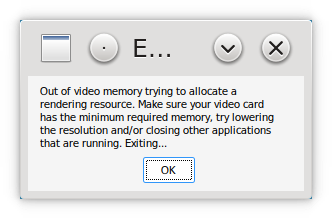
Sometimes it shows multiple such errors at a time before crashing, and occasionally it doesn't show it and simply crashes back to desktop.
I have RTX 2080Ti, nvidia drivers tried: 525.89.02, 530.30.02. I looked at nvidia-settings on the secondary screen while the game was starting and processing shaders - VRAM usage was below 6 GiB (out of 11) for the whole time, and sometimes the error shows when VRAM usage even below that (about 2 or 3 GiB). I do not think this is a genuine VRAM shortage.
The primary screen is 3840x2160, the secondary screen is 1980x1080. The game is running on the primary screen.
The rest of the system is 12700K, 32 GiB RAM. I have zRAM swap and 8 GiB of file swap configured. RAM consumption doesn't go above 14 GiB during the startup, so it doesn't look like a RAM shortage either. When launching the game I'm not running other applications, except Yakuake (which I use to start the game) and whatever is running in background.
This happens with default game settings (it was happening even on the first launch when I haven't even reached the game menu and there weren't any config files). When the game did launch, I tried lowering the FSR quality, texture, view distance and a few other graphics settings to reduce VRAM usage, but it didn't affect the problem on the next launch - the game would crash on startup the same way.
Kubuntu 22.04, KDE, X11, Proton-GE 7-49.
/proc/sys/vm/max_map_count is 1048576.
Environment:
__GL_YIELD="USLEEP"
__GL_SYNC_TO_VBLANK=1
__GL_THREADED_OPTIMIZATIONS=1
__GL_SHADER_DISK_CACHE_SIZE=4294967296
WINE_LARGE_ADDRESS_AWARE=1
VKD3D_FEATURE_LEVEL=12_1
VKD3D_CONFIG=dxr11
DXVK_ASYNC=1
DXVK_ENABLE_NVAPI=1
PROTON_ENABLE_NVAPI=1
I tried setting VKD3D_CONFIG=dxr, but it didn't help.
@Lastique What if you don't set neither dxr11 or dxr?
Also if you want to clean up your vars a bit then you can rid DXVK_ENABLE_NVAPI as PROTON_ENABLE_NVAPI already sets that behind the scenes. Proton GE also doesn't use async anymore so DXVK_ASYNC doesn't do anything.
@Blisto91 I removed VKD3D_CONFIG, DXVK_ENABLE_NVAPI and DXVK_ASYNC and it still crashes the same way.
Is there any way to produce actual logs for this crash? The game has crash and log folders in the prefix's folder but its always empty and steam does not appear to show anything by default either. As I'm still seeing it on NVIDIA card with 6.1/6.2 kernel & GE Proton 7.50
Post a Proton log. PROTON_LOG=1 %command%
Upping to vm.max_map_count = 1000000 helped that during this whole time.
Anyone still having issues here with latest patch and or vkd3d-proton?
With Proton-GE 8-3 the game just doesn't start for me. It doesn't even switch display mode or show any errors, it just silently bails out a second after running it.
Proton log please
Running with PROTON_LOG=1 doesn't produce any output.
I have tried running it under Wine-GE-8-2 in a clean prefix (with PhysX and MSVC runtimes installed). The game showed the initial white text on black screen disclaimer and hung. CPU is not being utilized, no audio. Here's the console output:
I tried running it under Proton-GE-8-3 again but in a clean prefix. The game doesn't start and gives this error:
This is despite that the Windows version is set to Windows 10 in winecfg. Setting it to Windows 11 doesn't fix it either.
Proton log:
Oh yea sorry forgot to respond back
Running with PROTON_LOG=1 doesn't produce any output.
You should be able to direct the log location to a specific directory with PROTON_LOG_DIR if it doesn't appear in your users home folder.
In your Proton GE log these look suspicious to me. Like something is wrong with your Proton, tho not sure what would cause it.
0138:err:setupapi:create_dest_file failed to create L"C:\\windows\\system32\\atl100.dll" (error=80)
0138:err:setupapi:create_dest_file failed to create L"C:\\windows\\system32\\ucrtbase.dll" (error=80)
...
0150:err:setupapi:create_dest_file failed to create L"C:\\windows\\system32\\atl100.dll" (error=80)
I managed to get my old Proton prefix working. The new Proton depends on new libvkd3d shared libraries that it doesn't copy into the prefix for some reason, which made it fail to start the game. After manually copying these libraries (and dxvk, nvapi and vkd3d-proton for good measure) the game started.
Now the behavior is mostly the same as before, when I originally reported the problem. The game often crashes when it tries to load into the main menu, only now it doesn't produce that "Out of video memory" error. At least, it didn't produce it in the few times I tried to run the game.
Here's the log from a failed run:
proton-ge-8-3-old-prefix-fail.txt
And here's the log from one time it managed to load into the game:
Related threads
- Rocksmith 2014 (Remastered) Unlaunchableprotonopen same error
- DARK SOULS™: Prepare To Die Editionprotonopen same error
- Recettear: An Item Shop's Taleprotonopen same error
- Mortal Kombat 1protonopen same error
- Steam won't open after a system crashsteamclosed same error
Proton versions
proton 7.50x1 2023-03
Launch options
PROTON_LOG=1x3 2023-05PROTON_LOG_DIRx1 2023-05DXVK_ASYNCx2 2023-03DXVK_ENABLE_NVAPIx2 2023-03VKD3D_CONFIGx1 2023-03PROTON_ENABLE_NVAPIx1 2023-03DXVK_ASYNC=1x1 2023-03DXVK_ENABLE_NVAPI=1x1 2023-03PROTON_ENABLE_NVAPI=1x1 2023-03VKD3D_CONFIG=dxrx1 2023-03VKD3D_CONFIG=dxr11x1 2023-03VKD3D_FEATURE_LEVEL=12_1x1 2023-03WINE_LARGE_ADDRESS_AWARE=1x1 2023-03__GL_SHADER_DISK_CACHE_SIZE=4294967296x1 2023-03__GL_SYNC_TO_VBLANK=1x1 2023-03
DLLs
atl100.dllx1 2023-05ucrtbase.dllx1 2023-05
I've had repeated crashes trying to play Hogwarts Legacy on multiple pieces of hardware after it runs between 30 minutes to an hour before trying to trigger any loading screen or fast travel event.
It would appear the game has a memory leak as the logs indicate that it's running out of memory.
steam-990080.zip