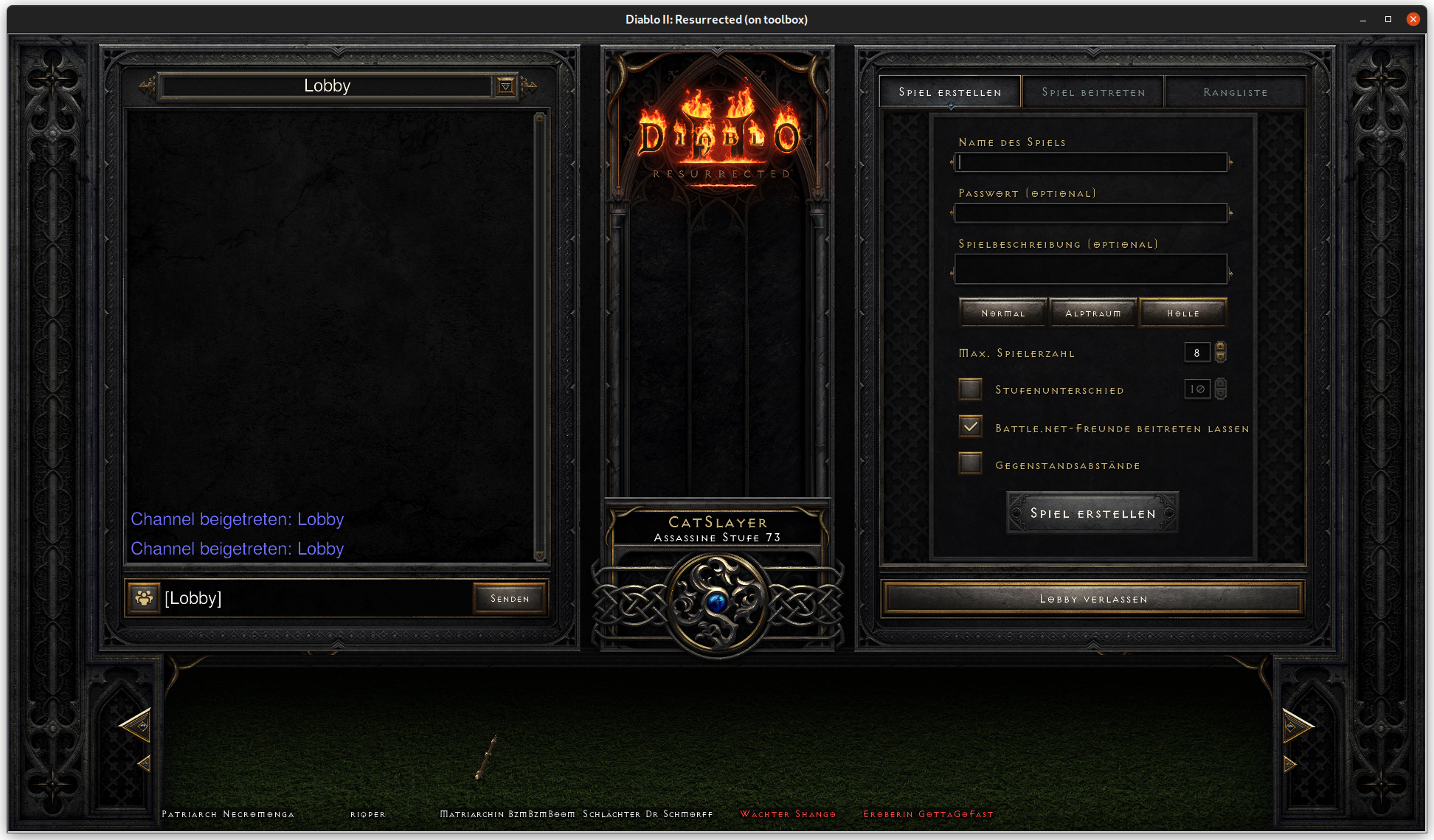
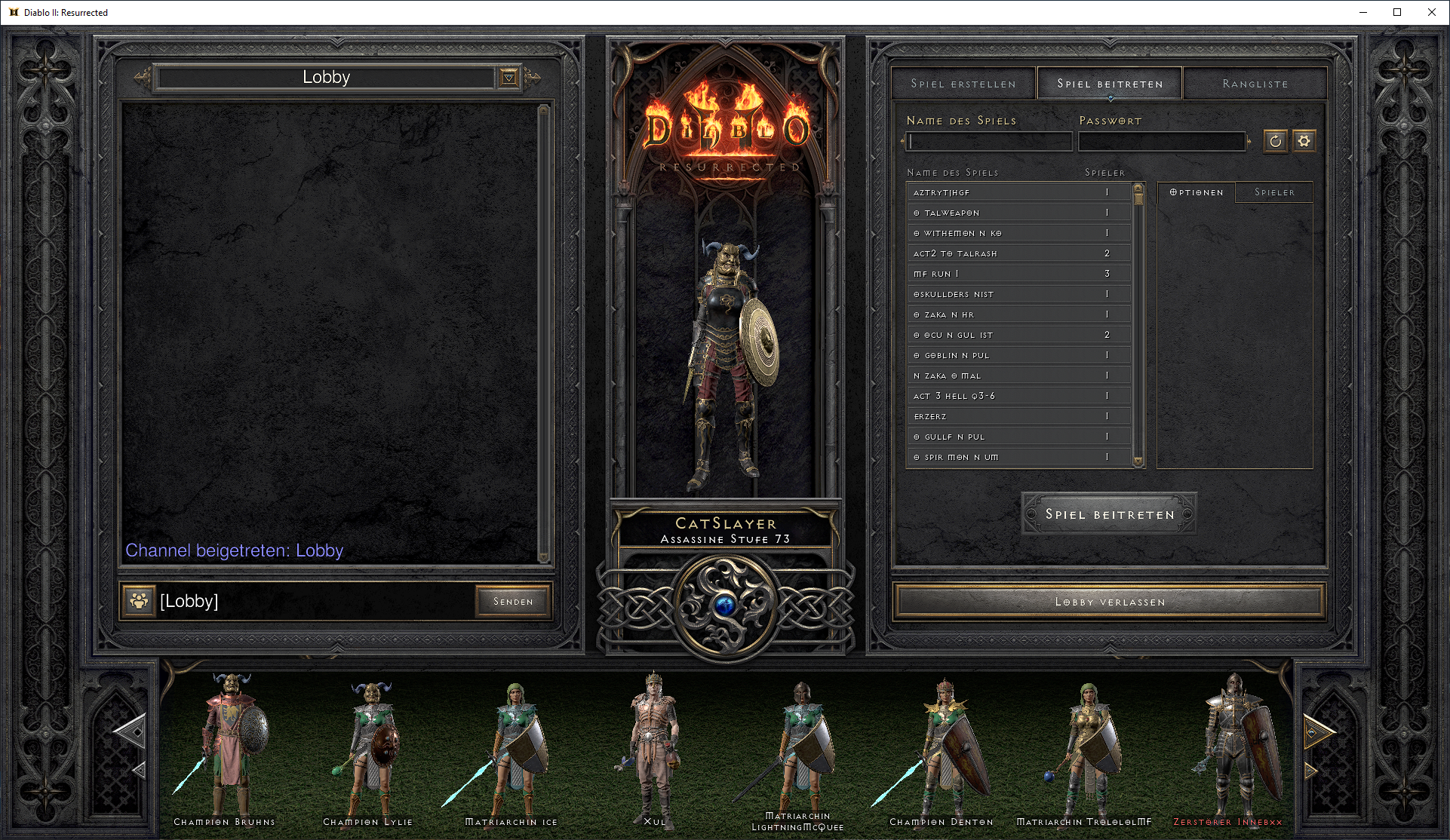
Diablo 2 Resurrected character ragdolls in the Battle.net Lobby do not render (see floating weapons / shields)
Same with RX6800 on mesa-git.
same with t1000
Please provide screenshots of what it looks like and what it should look like.
Not OP. But see the same issue on RX6800 on mesa-git. Most character slots are not rendered - a few (always the same) weapons or shields are rendered.
Lobby screen on Fedora 35 with VKD3D (@ a19619ccbf9831fd898faba1cb28f0039fa0835f)
Lobby screen on Windows (DX12)
If you have a Windows partition, please make an apitrace of that screen on Windows using this: https://github.com/Joshua-Ashton/apitrace/releases/tag/d3d12-alpha-4
To do that just copy over dxgi.dll, d3d12.dll and dxgitrace.dll in the lib/wrapper folder of that release zip file in the folder where the games .exe file is located. Then just start the game normally and proceed to the problematic screen.
After that, there should be a .trace file on your desktop. Compress that and upload it please.
If you have a Windows partition, please make an apitrace of that screen on Windows using this: https://github.com/Joshua-Ashton/apitrace/releases/tag/d3d12-alpha-4
To do that just copy over dxgi.dll, d3d12.dll and dxgitrace.dll in the lib/wrapper folder of that release zip file in the folder where the games .exe file is located. Then just start the game normally and proceed to the problematic screen.
After that, there should be a .trace file on your desktop. Compress that and upload it please.
https://mega.nz/file/LlwVFKJQ#yRd6075Po-UDO60uhiWcZN5j3nlZGb5DxORk1Y1wvk4
Trace taken on Windows 10 (DX12).
Thanks. That's really useful.
@Mershl thank you for doing the screenshots and the trace. I had best intentions, but got disheartened after the trace I created was 11GB.
I'm experiencing crashes in Act 3, and now Act 1. I believe this is probably a WINE / proton issue, but is there some way we can trace this without an 11GB trace dump?
Logs would be a start. 11GB for a trace is not at all unexpected. Compressing it can usually get it way down in size. The one Mershi posted was half the size after running it through 7zip. We do need the trace though. The vkd3d-proton developers don't own the game and even if they did, I don't think anyone would be super excited about having to play to Act 3.
Logs would be a start. 11GB for a trace is not at all unexpected. Compressing it can usually get it way down in size. The one Mershi posted was half the size after running it through 7zip. We do need the trace though. The vkd3d-proton developers don't own the game and even if they did, I don't think anyone would be super excited about having to play to Act 3.
So if I start another bug for this crash, do you need a trace done on a windows box Act 3 (works fine) or do you want a trace done on linux wine / proton Act 3 (where it crashes)? on a windows box I can do it easily, just massive file size, but tracing wine/proton would be much more of a pain.
D3D12 apitrace only works on Windows right now.
Seeing as I included the lobby window, I'll add my trace here despite the fact that it mostly corresponds to killing some monsters in Act 3 based on a crash I see.
https://mega.nz/file/OfRjBSqa#d_KGTjloD0ZcNKfR025LqFRfpcWd3PnCP3fGN2Nmzrg
8GB compressed (16GB non), Windows 10, DX12, GTX 1080
Do you need to be in "Act 3" for this error to happen in the lobby?
I've not actually played D2R online tho, but created a level 1 character and had no issues when in the lobby.. All looked fine to me.
This is with vkd3d-proton-2.5 + wine-staging-6.19 and nVidia RTX2070.
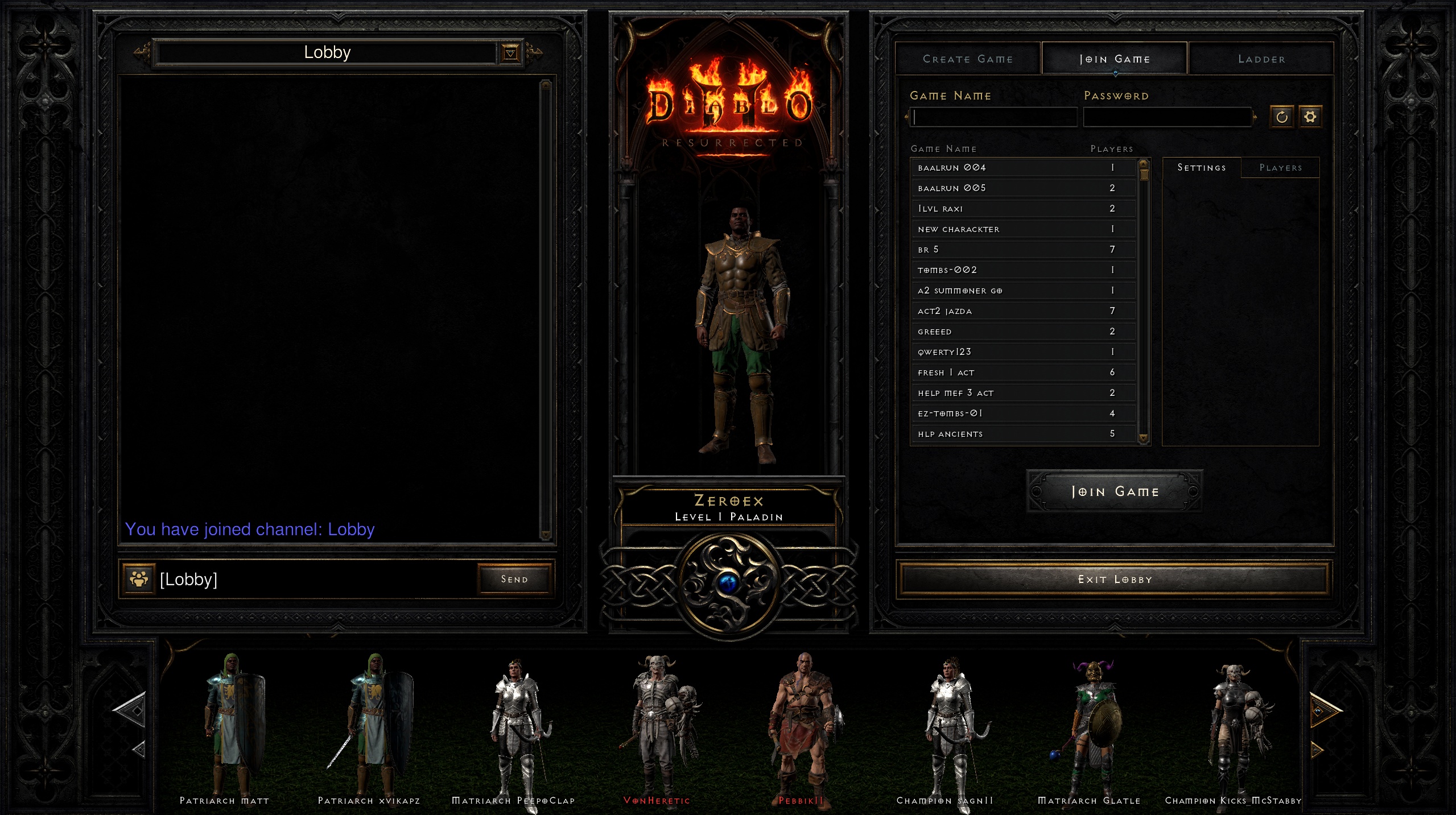
.
Do you need to be in "Act 3" for this error to happen in the lobby? I've not actually played D2R online tho, but created a level 1 character and had no issues when in the lobby.. All looked fine to me. This is with vkd3d-proton-2.5 + wine-staging-6.19 and nVidia RTX2070.
For this particular issue #823, you only need to join the lobby, as you've done. Looks like it might be fixed with vkd3d-proton-2.5 + wine-staging-6.19
For this particular issue #823, you only need to join the lobby, as you've done. Looks like it might be fixed with vkd3d-proton-2.5 + wine-staging-6.19
Have you tried this with Proton-6.19-GE-2? Can also just replace the d3d12.dll's inside the filestructure to replace with a newer vkd3d in case it is vkd3d and not a wine issue? (~/.steam/compatibilitytools.d/Proton-6.19-GE-2/files/lib64/wine/vkd3d-proton and the same for files/lib/ for 32-bit).
This issue is fixed with latest proton-experimental from 10/27/2021
Proton versions
proton experimentalx2 2021-10proton 2.5x3 2021-10proton 6.19-ge-2x1 2021-10
DLLs
d3d12.dllx3 2021-10dxgi.dllx2 2021-10dxgitrace.dllx2 2021-10
From the Main / Character selection screen, select a character and notice its ragdoll / model is rendered on the backdrop of the act they're in. Now click 'Lobby' and notice the ragdoll / model of the character that is suppose to be in the center isn't there and the other character ragdolls / models of the users in the chat / lobby with you aren't rendered either. All you see is the grass field they're suppose to be rendered on and their floating weapon / shields.
Installed D2 via the following method:
System info: