Vampyr
Since proton 4.2-6 update this an other games stopped working, mostly every 64bit game i try to run: Vampyr, Redout, Hellblade, Rage 64b (32b is working)...
All the logs are similar with the same error: failed, status c0000135.
Hello @minisori, err:plugplay:sdl_driver_init SDL installation is old! Please upgrade to >=2.0.6 to get accurate joystick information. and err:module:load_builtin_dll failed to load .so lib for builtin L"X3DAudio1_7.dll": /opt/steam/steamapps/common/Proton 4.2/dist/lib64/libFAudio.so.0: undefined symbol: SDL_fabsf in your log tells you that Proton is trying to use a build of SDL2 that is too old for it to run.
Thx. I noticed just after posting and compiled the latest version of SDL and everything is working again.
The game works pretty fine, but there is a major issue with fullscreen. It doesn't stretch over the screen but places behind the panel. This issue affects a lot of people and configurations: https://www.protondb.com/app/427290
It's possible to "fix" the fullscreen issue, by changing the resolution and set it back to monitor resolution. But the next loading screen it will again break. It's possible to set a Wine virtual desktop, which fixes this issue, but strangely enough then the gamepad won't work anymore.
- GPU: NVIDIA GeForce GTX 1080
- Driver/LLVM version: NVIDIA 450.56.06
- Kernel version: 5.7.12-zen1-1-zen
- Proton: 5.0-9
https://gist.github.com/NoXPhasma/b6674920fc1876917ca8fa4d00e391cb
steam-427290.log
Similar issue here: The top bar/panel doesn't sit on top, but I can see the desktop where the top panel would be. Fedora 32 with Gnome 3.36.5, Nvidia, X11, Proton 5.0-9.
Edit: Using ProtonGE 5.9-6-ST I've observed the following behaviour:
After maybe an hour of play, whenever I open the in-game menu and close it again, performance becomes a slide show. Then I open and close it again, and it's smooth again. Reminds me of a problem with Shadow Of War where the performance becomes terrible, too, whenever you change the (graphics) settings. There, it also gets good again when I change options again.
No, I'm not imagining things. It's 100% repeatable and becomes more obvious the longer I play.
Fullscreen works, too, if you disable it in-game and then press Alt+Enter which will make the top bar vanish and the game stretch across the whole screen. Doesn't get reset by loading screens either.
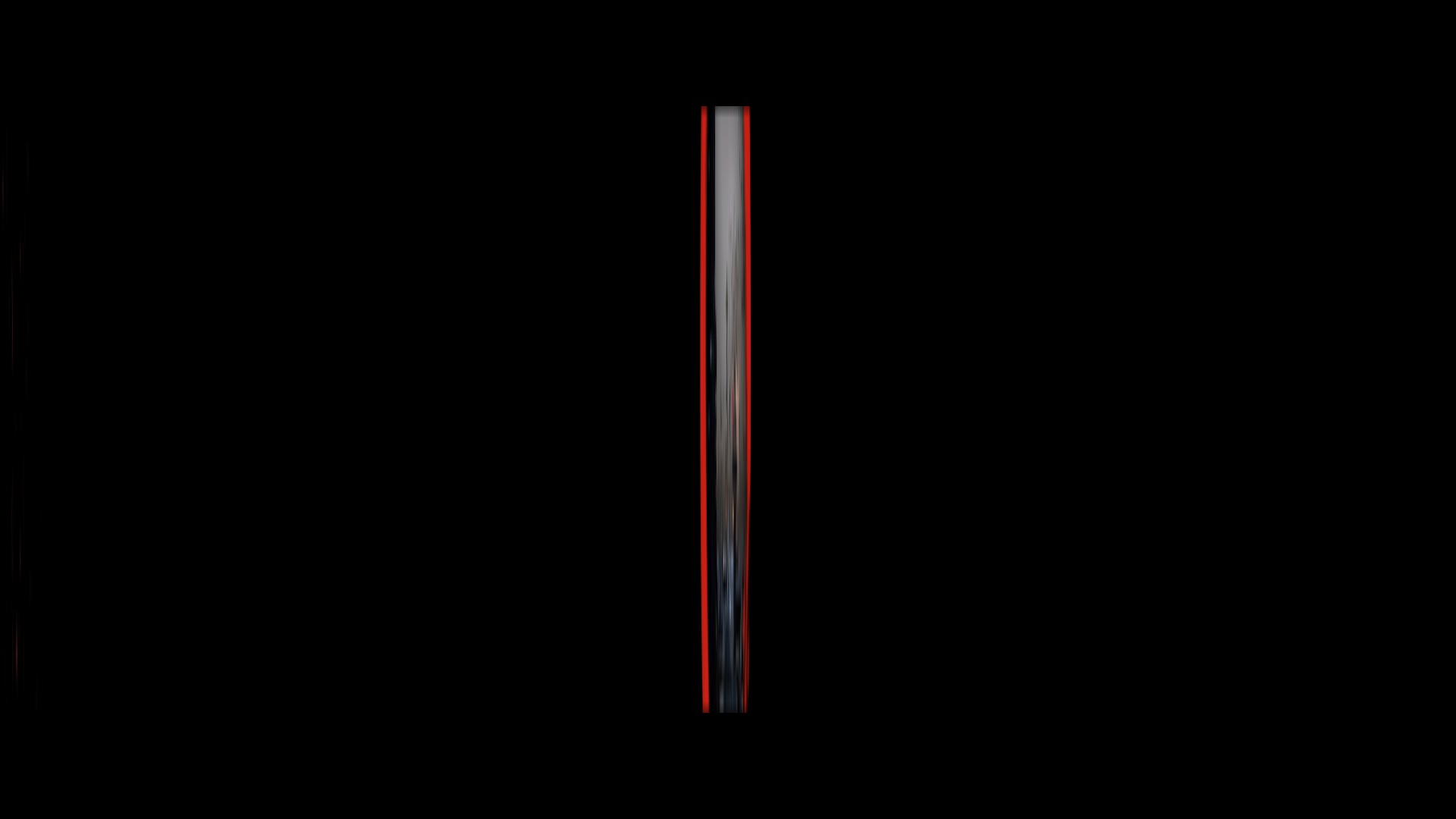
There is a strange problem in early screen (after splash logos) where display is "squished" into very narrow vertical line when in fullscreen.
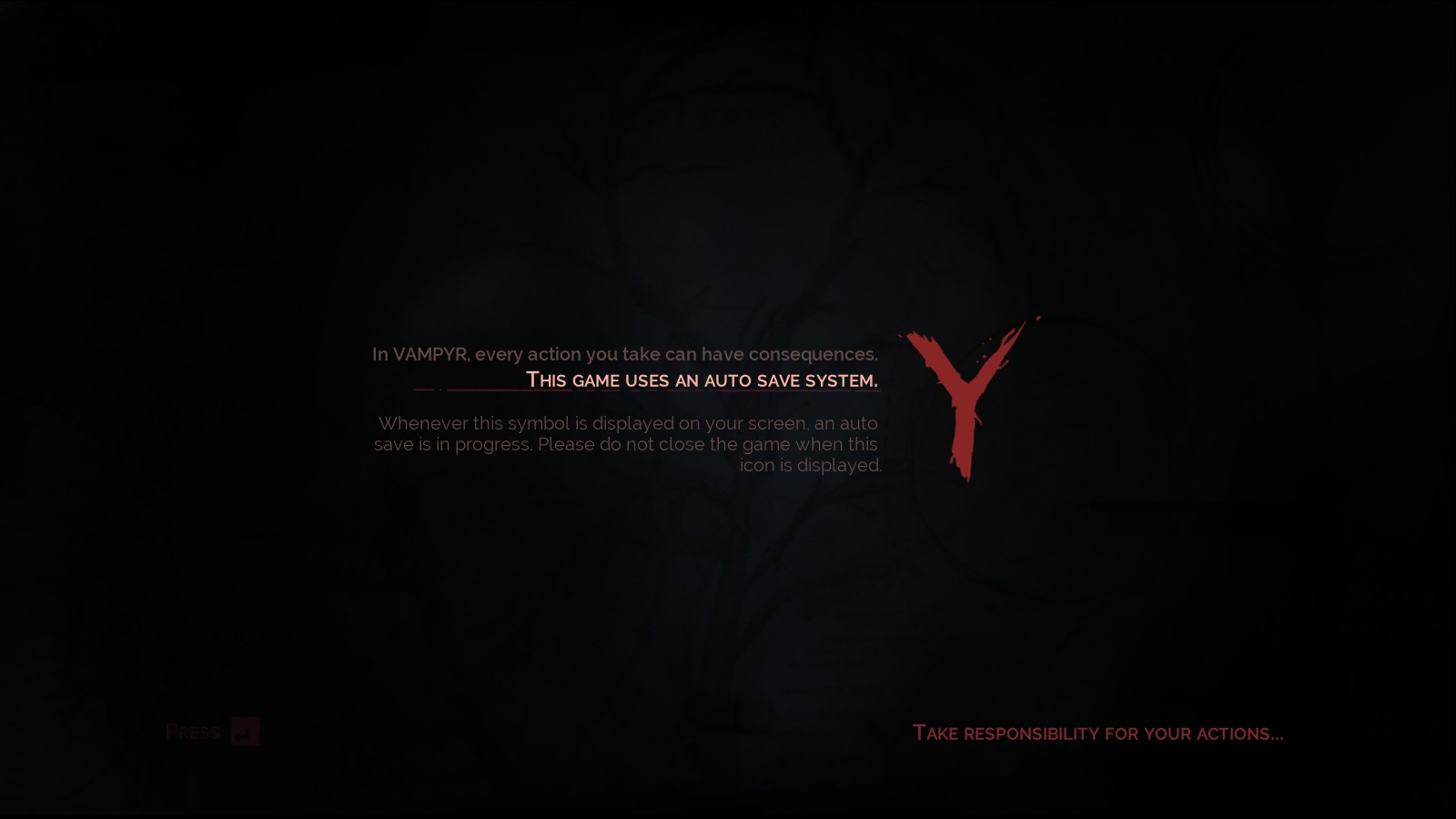
Pressing alt+enter (to switch to windowed mode) shows the screen normally. According to logs games is for some reason setting display mode to 1920x800 which is strange (1270x800 might make sense in a way but..)
In game options, game has selected 2042x26 for screen resolution which makes no sense: there should not be such an option available. After setting the resolution in options game starts correctly.
This happens with proton-7.0-1b, Mesa 21.3.7 and kernel 5.16.12.
Problematic (fullscreen):
Working (window):
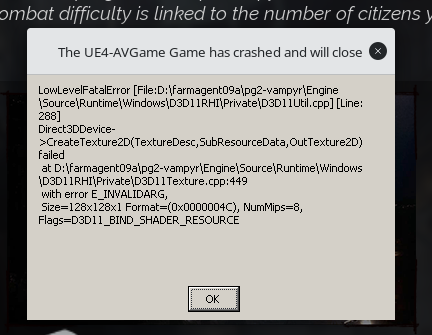
There was also a crash when selecting a new game to start (Proton experimental) but did not repeat on second try (no logging on the first try).
Similar distortion seems to affect at least Space Hulk: Deathwing Enhanced Edition so it might be there is a regression somewhere.
Edit: That is in Proton 7.0 (6.3 works) -> adding to that game.
I'm not entirely sure as to the reason, but recent versions of proton are catastrophically bad with Vampyr. I am getting ~10-15 FPS using Proton experimental, Proton GE-8-4, and Proton 8 and 7 on a 3090 Ti. Proton 6.3 seems to be working fine however.
Hello @StripedMonkey, please add PROTON_LOG=1 %command% to the game's launch options, reproduce the regression, and attach the generated $HOME/steam-$APPID.log to this issue report as a file. (Proton logs compress well if needed.) Also, please copy the contents of Steam Runtime Diagnostics from Steam (Steam -> Help -> Steam Runtime Diagnostics) and put it in a gist, then include a link to the gist in this issue report.
6.3-8-steam-427290.log - Working
GE8-4-steam-427290.log - Not working, doesn't even open the game
PROTON_USE_WINED3D11-GE8-4-steam-427290.log - Unplayable, but launches
We've seen AMDVLK break other Vulkan drivers before. Can you remove the lib32-amdvlk system package to rule that out as a factor?
Pair of logs after having removed lib32-amdvlk. No visible change between the two on my end. Using GE8-4 without PROTON_USE_WINED3D11=1 results in the game never opening, when I do use it, the performance is poor in the menus, and in game unplayable.
GE8-4steam-427290.log
8-4withWine3D11-steam-427290.log
I can't confirm this with an Nvidia 3060Ti on Fedora 38 w/ Gnome, X11. Game launches and runs smoothly with Proton 8.0-2 at max details at 1080p. I've just re-installed it from scratch. Maybe delete your compatdata folder so it re-creates the Proton prefix?
That's a negative on deleting compatdata/427290. Deleting it triggers a reinstall of some ms stuffs, but after which it fails to launch as before. I've included the log for using Proton 8.0-2 steam-427290.log but it doesn't look any different to me.
I'm currently using Arch w/ Gnome and Nvidia drivers 535.54.03-6. Two monitors, primary being a 2560x1440 and a 1920x1080 secondary.
The part that doesn't exist in my log is:
458402.250:011c:0178:trace:seh:handle_syscall_fault code=c0000005 flags=0 addr=(nil) ip=0 tid=0178
458402.250:011c:0178:trace:seh:handle_syscall_fault  info[0]=0000000000000008
458402.250:011c:0178:trace:seh:handle_syscall_fault  info[1]=0000000000000000
458402.250:011c:0178:trace:seh:handle_syscall_fault  rax=00007f7a066030b0 rbx=00007f79e40ba4c8 rcx=000000000009e0b0 rdx=0000000000000001
458402.250:011c:0178:trace:seh:handle_syscall_fault  rsi=0000000000000000 rdi=0000000003feb604 rbp=00007f79e41b7700 rsp=0000000003feb5d8
458402.250:011c:0178:trace:seh:handle_syscall_fault   r8=0000000002c6db02  r9=0000000000000000 r10=00007f7a06576a70 r11=00000000b1b6c093
458402.250:011c:0178:trace:seh:handle_syscall_fault  r12=000000007e8898b0 r13=00007f79e40ba180 r14=0000000003feb6cc r15=00007f7a085e2c58
458402.250:011c:0178:warn:seh:handle_syscall_fault backtrace: --- Exception 0xc0000005 at (nil):.
458402.250:011c:0178:warn:seh:dump_syscall_fault backtrace: returning to user mode ip=00000002c73ab294 ret=c0000005
No idea what that means though.
If anyone's still reading this. When running the game on Steam Deck, recent Proton versions appear to have a regression where the resolution will always revert to what appears to be 1024 * 768 every time you start the game, no matter which resolution you set when exiting. Even forcing resolution to 1280 * 800 in SteamOS does not fix this. So far the only fix I found was going back to an older Proton, such as 7
Hello @schoeeeeeeeeee, please add PROTON_LOG=1 %command% to the game's launch options, reproduce the regression, and attach the generated $HOME/steam-$APPID.log to this issue report as a file. (Proton logs compress well if needed.)
Thank you! Here you go:
steam-427290.log
From skimming through it, the resolution actually appears to be 800x600, so even smaller than I thought…
I'm currently in the Steam Deck Beta channel on SteamOS 3.7.9, would that make any difference?
After some further investigation, I'm pretty sure the problem is related to the internal, rotated screen of the Steam Deck. I think somehow it's reading the screen as 800*1280 and getting confused. I'm having no issues playing the game on an external monitor on the Deck even with Proton 9.0. But as soon as I switch to the internal screen again, the resolution problem appears again
Proton versions
proton 9.0x1 2025-05proton 8.0-2x2 2023-07proton experimentalx2 2023-07proton 6.3x1 2023-07proton 7.0x1 2022-03proton 7.0-1bx1 2022-03proton 5.0-9x1 2020-09proton 4.2x1 2019-06proton 4.2-6x1 2019-06
Launch options
PROTON_LOG=1x2 2025-05PROTON_USE_WINED3D11=1`x1 2023-07PROTON_USE_WINED3D11x1 2023-07
DLLs
x3daudio1_7.dllx1 2019-06
Error codes
0xc0000005x1 2023-07
Compatibility Report
System Information
I confirm:
steam-427290.log
Symptoms
I have been playing the game for about 6 hours and is running nicely but there is a small problem: whenever the game loads the fullscreen applications goes below the Gnome topbar. Changing the resolution back and forth fix it.
Reproduction
Simply start the game an continue playing, after the first loading screen the Gnome topbar will show.