Halo: The Master Chief Collection
I can also confirm that the issue is that Microsoft login prompt doesn show up.
Hello @warriormaster12, please add PROTON_LOG=1 %command% to the game's launch options and drag and drop the generated $HOME/steam-$APPID.log into the comment box.
Dug into the latest Flighting build. Notes:
- EAC binaries in the root folder
- Appears to use UE4's Chromium support?!
- Audio is FMOD-based EDIT: Still references XAudio2, fsbs are just l18n...
- Movies appear to be Bink2 this time around (previously it was WMA)
The game boots but fails to prep Xbox Live, so not much has changed.
Also tried, goes to the menu screen but get error when trying to proceed further.
+1 comments don't extend the discussion. Just use thumbs up.
I've tried adding win10 and dxvk to no avail, maybe dependant on some gfwl libs?
I do not have the beta but I heard this game is supported for Windows 7. Maybe try setting the wine config to Windows 7 to get the Xbox Live part to work?
I do not have the beta but I heard this game is supported for Windows 7. Maybe try setting the wine config to Windows 7 to get the Xbox Live part to work?
It looks like the default is Windows 7 from what I saw in winecfg. I attempted to set to Windows 10 and got the same result.
Like you said, since the game is supposed to work under Windows 7, it seems it would have the necessary pieces to login to Xbox Live in the actual game, but not sure.
Maybe there's something wrong with the loading of CEF itself to show the login window. Are there any necessary manually installed libraries for the webview to work for other games/tools?
CEF by design is pretty much 100% standalone, though lots of files get involved even in a minimal package. Where things get bad, in my experience, is the Chromium subprocesses. I have zero evidence that it’s relevant here.
Apparently I’m insanely far behind on my MCC news. The core UI engine is actually UE4 now! So it’s UE4 at the base with each game’s original engine running on top. This is likely because Scaleform’s dead, so they had to move to something...
If there exists a UE4 CEF demo app, that might be a good thing to test with upstream Wine.
It's possible they are using the ue4 web browser (https://docs.unrealengine.com/en-US/Engine/UMG/UserGuide/WidgetTypeReference/WebBrowser/index.html), unless they did their own implementation of the cef integration.
It could also be useful to try cef by itself. From what I remember these packages have example cef browsers that could be useful for determining compatibility: http://opensource.spotify.com/cefbuilds/index.html
I saw that a while back people were recommending using wine staging patches for cef to work properly in wine, not sure if that's still the case
As an experiment, I took the Windows 64-bit sample app from cefbuilds and ran it on the following:
- wine-4.13 - webview portion blank
- Proton 4.11 - webview portion blank
- Proton-GE 4.14 - webview loads, trying to go anywhere but google redirects back, may be limitation of sample app
- Proton-tgk 4.12 - webview loads, trying to go anywhere but google redirects back, may be limitation of sample app
The last two proton forks look to provide the wine staging patches, with some of them probably helping with getting CEF to work. I tried MCC with Proton-GE 4.14, and got a different result, where pressing enter caused a "Fatal Error" popup to occur. I've attached the logs below, it may be getting a bit closer: steam-1064280.log
This issue is for Halo: The Master Chief Collection - INSIDER, app id 1064280 and should probably be updated to keep pre-release issues separate from release issues.
There does appear to be a lot of OutputDebugString calls for HttpClient, with the addresses and functions lining up with this library here:
https://github.com/microsoft/libHttpClient
Kind of makes me wonder what the CEF part is all about if the Xbox Live sign-in is going through this instead.
https://www.protondb.com/app/976730
It will appear that this game uses EasyAntiCheat. I hope Anti Cheat can be worked around in the near future.
Here's another log. Same issue, Error signing into XBox Live. Sign in dialogue doesn't show. Also don't seem to hear any sound in the menus and during the logo animations.
Log from the Flight 3 build:
Audio seems fine here, as are all the videos now that they're on Bink2. The base engine appears to use standard UE4 audio through XAudio2, but Reach's audio is stored as FMOD Studio banks and the FMOD library is statically linked into the game DLL. Logging in still doesn't work, still seems to be HttpClient compatibility issues.
Steam release, running the EAC-disabled version I get stuck at the xbox live login screen.
Log below.
Tried the release version with 4.11 with an updated bcrypt+winhttp, didn't get past login. Noticing that it hits a stub for WSALookupServiceBeginW.
So I launched the game, got a dialog box: one with anti cheat and one without. When trying the without anti cheat option I have the same issue with the xbox live login.
Here is my steam log
steam-976730.log
Game launches but doesn't manage to get to the login, "Errors encountered while signing into Xbox Live"
Running the game without EAC: steam-976730.log
i have the same issue as everybody else it seems. gets to title screen, but cannot proceed because of an Xbox Live error.
steam-976730.log
i believe this is the error causing the xbox live issue.
ERROR:network_change_notifier_win.cc(156)] WSALookupServiceBegin failed with: 8

i have the same error can't sign in
steam-976730.log
Manjaro
Nvidia
Does the following line indicate an issue:
fixme:bcrypt:key_asymmetric_generate algorithm 11 not supported
?
Wine spews it each time I try to hit 'Retry'.
P. S. 11 corresponds to the ALG_ID_ECDSA_P256 enumeration value.
looks like an issue with wine's bcrypt and winhttp implementations.
is there a way to force Proton to use a newer version of wine instead of the default 4.11?
there have been a number of commits to wine that relate to bcrypt since 4.11.
@mathew2214 It doesn't work on a recent wine staging with windows steam either, I'm taking a look at fixing this.
This game is pretty broken even on Windows. As in I've been troubleshooting all day and can't get the damn thing to get past that sign in error even on an actual Windows 10 Pro installation.
It's ironic that at this rate, the Linux community might get it working in Linux before it's even functional for most people on Windows.
Update: I've refactored bcrypt's key_asymmetric_sign to use pgnutls_privkey_sign_hash2 and handle more hash/sign algorithms.
However, Halo passes in 0 for flags, meaning we have no way to tell gnutls what hashing algorithm generated the data.
This case isn't documented by the MSDN, and a quick test of it yields STATUS_INVALID_PARAMETER on Windows 10 with the RSA signing algorithm. Maybe there is a special case for the ECDSA signing algorithm.
I can confirm that Halo passing in 0 is not a bug triggered by wine, as disassembling Halo reveals it unconditionally passes in 0.
I'll look further tomorrow.
Apparently, lines related to bcrypt library are not so important.
I've just tried a quick patch with private key signature generation implemented for ECDSA algos, and the error still occurs.
P. S. Spoke too soon, it looks like I was wasting my time with it...
@Guy1524 According to this: https://github.com/microsoft/Windows-classic-samples/blob/master/Samples/Security/SignHashAndVerifySignature/cpp/SignHashAndVerifySignature.cpp#L327 it's okay to specify empty padding flags and algorithm specifier when using DSA. Maybe 11 actually means DSA and not ECDSA-256 after all...
IDK if it helps, but dumping wine staging 4.20 winhttp.dll.so into the proton directory makes no change in the error's outputted.
I got it working :)
My code is an awful hack, but I just wanted to get it working at all at the moment.
The important part is that BCryptSignHash is expected to compute the SHA1 hash and return a IEEE P1363 formatted DSA signature:
https://stackoverflow.com/questions/20992760/understanding-bcryptsignhash-output-signature
Cutting the result of pgnutls_privkey_sign_hash in half and truncating the remainder or filling it with zeroes worked often enough to log in in.
It will take a few tries though.
A proper implementation should extract r and s properly from GnuTLS's signature format.
I hope this helps.
For completeness, I attatched the diff to the current wine repo with all wine-staging patches applied:
halo_mcc_hack.txt
However, I recommend you implement it properly from scratch.

Update: try the second version.
Many comments claim to have issues with that one,
but at least for me it completely avoids the retries that are necessary with the first version and any issues the resulting failed connection attempts might bring with them (such as your IP being temporarily blocked from signing in).
@LukasRuppert Do you have an ETA for a quicker, cleaner version of this patch, or possibly a wine fork repo with this patch?
Kudos on the find, though. I hope something like this can get implemented into the master wine stream.
Hopefully @GloriousEggroll will be able to add this workaround into proton tricks in a newer proton ge build
The patch looks like it applied nicely when added to proton-ge-custom's set of wine patches. I'm running an experiment building it locally to see if it works. Something like the below should work:
- Clone
https://github.com/GloriousEggroll/proton-ge-customwith command in README - Drop
halo_mcc_hack.txtfile in game-patches-testing/wine-patches and name ithalo_mcc_hack.patch - Run
./game-patches-testing/proton-prep.sh &> patchlog.txtas shown in README - Follow the rest of the steps in README to build proton-ge-custom
@d10sfan how do you then go on to use proton-ge-custom in steam? For those of us who are new to this sort of thing
@d10sfan how do you then go on to use proton-ge-custom in steam? For those of us who are new to this sort of thing
When the build finishes, the last command will give a tar.gz archive file. This can then be extracted into the ~/.steam/root/compatibilitytools.d/ folder, and it'd show up in Steam after a restart. So it's the same procedure that can be used for GloriousEggroll's usual builds. This'd be my first time trying to build one from scratch using his repo.
Keep us posted. :)
I just kicked off a build on my machine as well. Will report back.
I tried it here and got a "Fatal Error popup" after clicking the enter key (and seeing it spin for a while).
I've attached a proton log: steam-976730.log
EAC off?
Yes, this is with EAC off. I just tried it again and getting better results this time (no build changes so I guess it's a bit flaky).
This time the popup to login showed up, but when I tried to login it would either come up with a no internet connection message or it would go back to the can't connect to xbox live message.
This shows the login prompt.


Internet connection issue error message

@d10sfan do you have a logfile from that test?
OP of the patch did mention it might take a few tries.
works with eac off, takes a few tries to login, uploading modified ge

build shortly
LOL You just saved me some CPU cycles. :)
Nice work everyone involved.
Awesome! Will try that soon as well, I'm continuing trying to login on this end as well :)
And of course my build had to finish now.
has anybody had luck with non-EAC multiplayer using @LukasRuppert 's hack?
@mathew2214 Do you own the game? If so, happy to try on Steam w/ you after the build is uploaded or mine finishes compiling.
@hilts-vaughan if my build ever finishes, then yes.
:laughing: Sounds good. I should have spun up a nice 64 core machine on a GCE instance or something. ;)
We need a Discord channel or something.
It worked for me just now with the build I made. It seems (at least from my attempts) that enabling the logging makes it worse. Not sure why that'd be, but I crashes 5 times in a row with logging on. Turned it off, and after seeing the can't connect message popup a few times, it was able to login.
[edit] After doing it again, it got the fatal error with logging off, so it seems it's just luck of the draw.
@LukasRuppert I was wondering, does the game send any data back to Microsoft when you do the login?
I am worried if this patch would send any weird or invalid responses back to Microsoft's servers. I don't want Microsoft to ban Linux users from being able to (or at least attempt to) login because of how this patch works.
@CuriousTommy you run that risk no matter what game you run in proton/steam play/wine as you are ultimately running it on software it was not intended for, on a platform it was not intended for. It is up to the discretion of the company that makes the game to decide if a ban is given whether or not it's valid, however they are not entitled to give you a free pass for running the game on an unsupported platform.
That being said, you are probably safer running the no anti-cheat version, but I can't guarantee that and neither can anyone else but Microsoft.
Having trouble using the proton build that @hilts-vaughan provided. Can't get passed the login and hitting retry a couple of times doesn't seem to amount to anything. Same outcome from building my own copy of Proton GE as well.
Distro: Manjaro 18.1.3
Kernel: 5.3.12
Proton Runner: Proton-4.21-GE-1-MCC
That build is bad. Something didn't go right. :) I'll try again.
My build is finishing up, I'll post it here once I verify it is functional.
lol I was about to ask about that, @hilts-vaughan . So I guess my build worked. I'll upload it if I can confirm it works.
For those following the above: from the README -- you need to make sure you actually applied the patch: game-patches-testing/proton-prep.sh
and remember to include the --recurse-submodules flag when cloning the repo
@hilts-vaughan unfortunately your build doesn't look like it's letting me in there even after spamming the retry button like a madman.
edit: ah. makes sense now.
I managed to get to the login pop-up using this build: (EDIT: lol nvm)
Can't get past that yet, maybe somebody else will have better luck?
I'm still stuck at the "retry" logging into Xbox Live with my build it seems.
https://github.com/GloriousEggroll/proton-ge-custom/releases/tag/4.21-GE-1-MCC
Same as all the others - login is hit or miss but eventually it works.
How many times did you have to retry?
@rjbozzol I'm able to reach the login for XBL, but once I submit my credentials it can't connect and I have to retry again. Has this happened to you?
@Gman0064 exactly the same thing. I'm trying @GloriousEggroll 's release now.
Yeah, my new build I j ust tested as well has the same problem.
I guess -- how many is "eventually"? ;)
I did a quick diff of my build versus GE's and there's a few differences here and there, so it's entirely possible I did something wrong.
Funny thing is that I was able to reset my password for my account in the game, it was only when I submit it that it messes up.
I'm assuming this is the "hit or miss" patch on bcrypt?
@CuriousTommy you run that risk no matter what game you run in proton/steam play/wine as you are ultimately running it on software it was not intended for, on a platform it was not intended for. It is up to the discretion of the company that makes the game to decide if a ban is given whether or not it's valid, however they are not entitled to give you a free pass for running the game on an unsupported platform.
That being said, you are probably safer running the no anti-cheat version, but I can't guarantee that and neither can anyone else but Microsoft.
@GloriousEggroll I don't disagree, but we shouldn't be reckless with our implementation. I don't want to have another dumb ban like the Destiny 2 fiasco.
It's one thing to ban user because of they are using wine/proton. It another thing if the ban was caused by a bad 3rd party patch.
I am having no luck with any of the builds. It pretends it's connecting and after about 10 seconds it gives a "Unreal Engine Fatal Error". I never even get to the login screen.
Tested with @GloriousEggroll's new build. After roughly 4-5 attempts at signing in I'm passed the login screen
I am having no luck with any of the builds. It pretends it's connecting and after about 10 seconds it gives a "Unreal Engine Fatal Error". I never even get to the login screen.
What graphics hardware are you running?
Updated version using gnutls_decode_rs_value:
halo_mcc_hack.txt
@vsod99 AMD RX 5700 :smile:
Unsure if it's a graphics issue, the game keeps running in the background until I close the error message.
@LukasRuppert Thanks for the update! I'll get started on a new build
@vsod99 AMD RX 5700 smile
Did you make sure to install the correct drivers for use with Proton?
See here
@vsod99 Of course. The 5700 is a modern card, only runs on AMDGPU + Mesa with full Vulkan support and all the bells and whistles. Don't confuse it with the 10 year old HD 5000 series.
I'm having an interesting issue myself with the current build - my game crashes after the "Xbox Game Studios" intro. Did not have this issue with Proton 4.11-9, other than the obvious lack of a live login box..
@dennis1248 just wanted to make sure to eliminate the obvious
Edit: no longer crashing at the intro, but I am hanging at a black screen with a cursor
@LukasRuppert sweet, I can't try it tonight but I'll check it out tomorrow morning. Did you have any issues logging in with it?
@CuriousTommy you run that risk no matter what game you run in proton/steam play/wine as you are ultimately running it on software it was not intended for, on a platform it was not intended for. It is up to the discretion of the company that makes the game to decide if a ban is given whether or not it's valid, however they are not entitled to give you a free pass for running the game on an unsupported platform.
That being said, you are probably safer running the no anti-cheat version, but I can't guarantee that and neither can anyone else but Microsoft.@GloriousEggroll I don't disagree, but we shouldn't be reckless with our implementation. I don't want to have another dumb ban like the Destiny 2 fiasco.
It's one thing to ban user because of they are using wine/proton. It another thing if the ban was caused by a bad 3rd party patch.
There was never a "reckless implementation" with Destiny 2. It was a custom patch that had a very large disclaimer on the bug report stating "don't use this" -and- removed an important callback without replacing it with proper functionality, yet people did anyway.
The same thing applies here - if you don't want to risk a ban, don't use it. It's not provided by Valve, CodeWeavers, Microsoft or any officially involved source currently.
@LukasRuppert
../../../../proton/wine/dlls/bcrypt/gnutls.c:1183:13: error: called object 'pgnutls_decode_rs_value' is not a function or function pointer
             pgnutls_decode_rs_value(&signature, &r, &s);
             ^
typo of "gnutls_decode_rs_value"?
Edit 2: This isn't a typo, just a pointer. Make sure to add
MAKE_FUNCPTR(gnutls_decode_rs_value);
and
LOAD_FUNCPTR(gnutls_decode_rs_value);
@LukasRuppert
../../../../proton/wine/dlls/bcrypt/gnutls.c:1183:13: error: called object 'pgnutls_decode_rs_value' is not a function or function pointer
             pgnutls_decode_rs_value(&signature, &r, &s);
             ^
You need to add
MAKE_FUNCPTR(gnutls_decode_rs_value);
and
LOAD_FUNCPTR(gnutls_decode_rs_value);
in gnutls.c
which is new in the updated patch.
Otherwise, I had not much time to test it so far.
But the one time I did start Halo, the login worked first time.
With the previous one I also started getting login issues (xbox live telling me I was offline).
Building with those changes now, no hunk errors in the log, we'll see how it goes!
Hey everybody,
I'm a bit of a dummy, but I've been trying to follow along...
I downloaded the tar from:
https://github.com/GloriousEggroll/proton-ge-custom/releases/tag/4.21-GE-1-MCC
and I extracted and copied it to the compatibility.d folder after creating it. I am able to launch this custom proton on my game.
I am getting same error as dennis1248 with the fail error.
This is probably because I have not copied the halo_mcc_hack.txt into the game fixes folder... Where would this folder be located? Also once I have copied it over, is that all that is left?
Sorry if I'm being dumb/ ignorant. I did try a good google
@David-Stanley You don't need the .txt. The .txt just contains the patch which is already patched in to Proton build you downloaded. When you get that error you did it right. Keep trying, eventually the game will launch like normal and you can login. When you login it will also fail most of the time, keep trying until it works.
I managed to login by just trying over and over. (Just a shame the game is unplayable for me because 5700 drivers..)
@David-Stanley You don't need the .txt. The .txt just contains the patch which is already patched in to Proton build you downloaded. When you get that error you did it right. Keep trying, eventually the game will launch like normal and you can login. When you login it will also fail most of the time, keep trying until it works.
I managed to login by just trying over and over. (Just a shame the game is unplayable for me because 5700 drivers..)
Ok, so I'm meant to get a fatal error? Cool, I'll keep trying. Annoying the game keeps crashing tho, but so excited to play!
I'm lucky I'm using a gtx 970 I guess then
Also thanks for reply!
It seems the build was successful, I'm about to test in game but I'll also upload it for all y'all. Not sure if it'll work for me because of aformentioned black screen issue.
Edit: I still get the black screen but I did with the earlier version too. I pushed up a build for anyone to try, see below
For anyone distributing builds to other users, make redist is the best target for that. You can tarball up the result and hand it off to someone else to unpack into their ~/.steam/steam/compatibilitytools.d/ directory. It'll then appear in Steam as a new Proton build after a restart.
Ok, so I'm meant to get a fatal error?
I had fatal error also, and it easy to fix
fatal error happened becuse old-prefix, I fix it by setting Proton version to Proton 4.2-9(default build in to steam) pressing launch(it will launch to menu) then select that custom 4.21-GE-1-MCC version, and it launch (to menu also)
im still stuck on login, now I have no error, it inf-spinning...update - wow I have login screen https://i.imgur.com/2NwhfV6.png , login prompt popup, still error on login(click like 10 times)
i cant get proton to compile at all with this patch.
every attempt i make fails with
make: *** [../proton/build/makefile_base.mak:17: nested_make] Error 2
how are you guys working around this to make proton build?
Ok, so I'm meant to get a fatal error?
I had fatal error also, and it easy to fix
fatal error happened becuse old-prefix, I fix it by setting Proton version to Proton 4.2-9(default build in to steam) pressing launch(it will launch to menu) then select that custom 4.21-GE-1-MCC version, and it launch (to menu also)
im still stuck on login, now I have no error, it inf-spinning...update - wow I have login screen https://i.imgur.com/2NwhfV6.png , login prompt popup, still error on login(click like 10 times)
Have you tried the newer release? https://github.com/vsod99/mcc_linux_builds/releases
i cant get proton to compile at all with this patch.
every attempt i make fails with
make: *** [../proton/build/makefile_base.mak:17: nested_make] Error 2
how are you guys working around this to make proton build?
Did you make sure to run ./game-patches-testing/proton-prep.sh &> patchlog.txt and take a look at the output before building?
@vsod99 i did run that script before attempting to compile. i remade my vagrant machine and am trying a clean build now.
UPDATE: a clean build makes no difference. i must be misinterpreting the readme file.
Have you tried the newer release?
same, inf spinner, and randomly once per 5-10 restarts I have login popup, login accept data(login/pass) but repeat login again, max I have it "try again" web-button after my profile popup(in that web window)...
i have the same problem as you danilw
steam-976730.log
spinning and crash with vsod99 build
this is with GE's build spinning and crash, if im lucky i type in my login data and get this error "Make sure that you're online, then try again. We can't connect at the moment."
steam-976730.log
Strange, it seems the updated patch may not be working as intended then.
Any thoughts @LukasRuppert
I can check with my wine build again in a couple of hours.
Currently, I don't have time to test it myself.
There may very well still be a bug in there.
It's really just a quick and dirty implementation which worked for me this morning.
sounds like the second patch is a regression.
is the game fully playable with the original patch? once past the first login screen, does the game work reliably? or is there crashing/disconnections mid-gameplay?
With first patch (GE build), game seems to be fully playable once past the random "Fatal error" crashes and the many failed login attempts.
Almost finished the entire campaign so far with not a single strangeness except for some shader compilation stutters.
It took me several dozen tries, but I was finally able to log in using @GloriousEggroll 's build! Thanks!
I tried using @LukasRuppert 's patch (plus typo fix for pgnutls), but I started running into what I think are dependency issues in the build. First it was GNUTLS, then some other package... so I tried a build completely from scratch, and it somehow made it worse.
No idea what went wrong, and now that I have the game running I'd rather play for a bit before going to work. I'll experiment with this again tonight.
It's not a typo.
If you change it you will get a linker error.
MAKE_FUNCPTR(gnutls_decode_rs_value);
creates the function pointer
pgnutls_decode_rs_value
and
LOAD_FUNCPTR(gnutls_decode_rs_value);
takes care of the linking.
@LukasRuppert oh, interesting. Okay, I'll try that again later then.
@LukasRuppert oh, interesting. Okay, I'll try that again later then.
My build has these fixes implemented but it seems to still be having issues. I'll be interested to see if yours fairs better
"Test release - MCC" build of Proton GE is crashed too on my system.
steam-976730.log

@LukasRuppert My tired eyes did not catch this error in my output log last night:
patch: **** malformed patch at line 29: #undef MAKE_FUNCPTR
@NTMan yes that comes up, you have to keep trying and eventually you get a login.
@mathew2214 did you add the patch to game-patches-testing/proton-prep.sh and add a patch line for it under #WINE CUSTOM PATCHES before running ./game-patches-testing/proton-prep.sh &> patchlog.txt?
@Skivet i did. i just nuked that entire build and am starting from scratch with another attempt.
every time i try to run proton-prep.sh, it doesnt work. it cant find the files to patch and prompts me for them.
@mathew2214 you should run the script from the root directory, not from game-patches-testing. Use ./game-patches-testing/proton-prep.sh as @Skivet suggested.
@rkfg that was my issue. the script runs now. thank you.
I had the same issue. It's a good practice to cd to the expected directory in the beginning of the script so that the user won't have to suffer. I usually add cd "$(dirname "$0")" so I know all the paths are now relative to the script file itself. Of course, it only applies to such tools that are only run from one specific directory and operate on the known files.
Can't compile Proton-GE with the second patch. I succeeded with the first. The error is:
../../../../proton/wine/dlls/bcrypt/gnutls.c:103:14: error: 'gnutls_decode_rs_value' undeclared here (not in a function)
 MAKE_FUNCPTR(gnutls_decode_rs_value);
              ^
../../../../proton/wine/dlls/bcrypt/gnutls.c:90:39: note: in definition of macro 'MAKE_FUNCPTR'
 #define MAKE_FUNCPTR(f) static typeof(f) * p##f
                                       ^
In file included from ../../../../proton/wine/dlls/bcrypt/gnutls.c:40:0:
../../../../proton/wine/dlls/bcrypt/gnutls.c: In function 'key_asymmetric_sign':
../../../../proton/wine/dlls/bcrypt/gnutls.c:1130:20: warning: format '%s' expects argument of type 'char *', but argument 5 has type 'LPCWSTR {aka const short unsigned int *}' [-Wformat=]
             FIXME( "padding: %s\n", pad->pszAlgId );
                    ^
../../../../proton/wine/include/wine/debug.h:93:49: note: in definition of macro '__WINE_DBG_LOG'
     wine_dbg_log( __dbcl, __dbch, __FUNCTION__, args); } } while(0)
                                                 ^
../../../../proton/wine/include/wine/debug.h:484:36: note: in expansion of macro '__WINE_DPRINTF'
 #define WINE_FIXME                 __WINE_DPRINTF(_FIXME,__wine_dbch___default)
                                    ^
../../../../proton/wine/include/wine/debug.h:523:36: note: in expansion of macro 'WINE_FIXME'
 #define FIXME                      WINE_FIXME
                                    ^
../../../../proton/wine/dlls/bcrypt/gnutls.c:1130:13: note: in expansion of macro 'FIXME'
             FIXME( "padding: %s\n", pad->pszAlgId );
             ^
../../../../proton/wine/dlls/bcrypt/gnutls.c:1183:13: error: called object 'pgnutls_decode_rs_value' is not a function or function pointer
             pgnutls_decode_rs_value(&signature, &r, &s);
             ^
../../../../proton/wine/dlls/bcrypt/gnutls.c:90:44: note: declared here
 #define MAKE_FUNCPTR(f) static typeof(f) * p##f
                                            ^
../../../../proton/wine/dlls/bcrypt/gnutls.c:103:1: note: in expansion of macro 'MAKE_FUNCPTR'
 MAKE_FUNCPTR(gnutls_decode_rs_value);
 ^
make[1]: *** [Makefile:206: gnutls.o] Error 1
I have no idea why this happens as gnutls_decode_rs_value definitely exists in /srv/chroot/proton_crosscc/usr/include/gnutls/crypto.h but for some reason gcc fails to find it. Any ideas?
@LiamDawe After a lot of unsuccessful attempts trying enter to Xbox Live account with build @GloriousEggroll ProtonGE. I decided to try another build from @vsod99 and with this build ProtonGE I could login to Xbox Live account from the third attempt.
I hope this information would be useful for another users.

@LiamDawe After a lot of unsuccessful attempts trying enter to Xbox Live account with build @GloriousEggroll ProtonGE. I decided to try another build from @vsod99 and with this build ProtonGE I could login to Xbox Live account from the third attempt.
correct me if im wrong, but the first patch never worked for you, but the second patch worked third try?
So I added the function definiton before the macro and it seems to compile further...
int gnutls_decode_rs_value(const gnutls_datum_t * sig_value, gnutls_datum_t *r, gnutls_datum_t *s);
#define MAKE_FUNCPTR(f) static typeof(f) * p##f
Pretty weird as only this function produced an error, all others are fine... And I see no conditional compilation in crypto.h either.
I just tested my code from the updated version again a few times.
It signs me in the first time each try.
The many failed attempts caused by the early first version might get you locked out for a while as some of us have experienced with the "offline" message.
One issue might be incompatible GnuTLS versions which do not yet export
gnutls_decode_rs_value
you can check using
nm -gD /usr/lib64/libgnutls.so | grep gnutls_decode_rs_value
(you may need to adjust the path)
If it helps, I'm using libgnutls.so.30.23.2
Another thing to keep in mind:
I only tested using wine, not proton.
(using the current wine repo with all patches from the wine-staging repo applied)
If it's not working for you, you can also check if
~/.steam/steam/steamapps/compatdata/976730/pfx/drive_c/windows/system32/bcrypt.dll
matches
<your proton version here>/dist/share/default_pfx/drive_c/windows/system32/bcrypt.dll
During development I had some crashes when that file belonged to a different wine version.
If you don't have any savegames to lose, you can also try deleting (or renaming) the entire wine environment for Halo
~/.steam/steam/steamapps/compatdata/976730
I applied the new patch to Proton-GE, see here: https://github.com/rkfg/proton-ge-custom/commit/246632ca855666937049931bbb80819dcab38303
Also, if you get weird errors like vkd3d.h not found try to do vagrant provision, it should update something and then it builds fine. A radical way would be nuking the VM but it takes too long to install/update everything. A less radical way is to delete ~/build and ~/proton in the VM, then do vagrant halt, vagrant up and vagrant provision.
Can confirm that I login from the first try using the second patch and Proton I built myself. I used GitHub login for that (lol), it's in advanced sign-in options.
Many thanks @LukasRuppert!
@rkfg can you upload your self build proton file here?
@McMarius11 sure, I pushed a release: https://github.com/rkfg/proton-ge-custom/releases/tag/halo_mcc_test
It also has a custom name Proton-MCC so you'll not mistake it for another Proton-GE build.
IT WORKS i tried all version, you guys are the best <3
thanks @rkfg and @LukasRuppert and @vsod99 all other involved
i tried to log in 5/5 times it worked flawless
@McMarius11 sure, I pushed a release: https://github.com/rkfg/proton-ge-custom/releases/tag/halo_mcc_test
It also has a custom name Proton-MCC so you'll not mistake it for another Proton-GE build.
Just beat me to it. Nice work, time to see if it actually runs on my uncooperative machine.
All of my issues from last night were resolved by appling the patch on an older commit of Proton-GE (because of the first patch, there were conflicts) >_<
Thanks everyone! It indeed works flawless on the first try.
@rkfg your build is best! I login into Xbox Live account always with first attempt even after game restart. When I use build from @vsod99 after game restart I am again have problem with login and game crashes after each login attempt it's really annoying.
Great work, thanks.
Are there any extra steps to get @rkfg 's Proton build working with this? I get no login window popup and eventually just get a "fatal error" popup and then the game closes.
Edit; (I have tried with a clean prefix)
Edit 2; After restarting a few times I'm just getting the old "error while signing into Xbox Live" issue.
the second patch works once. other times it just spins forever at the title screen.
i have to remake the prefix every time i want to play the game.
@exezin not that I'm aware of. You might be locked out for some time due to previous failed attempts, just wait and try again.
@rkfg Is a login screen meant to pop up at all? I've not seen one after 10 or so restarts of the game.
@exezin if you're not seeing anything (except for the loading icon), that most likely means something crashed.
Try creating a log, maybe we can figure it out.
Here's the log.
And there is your problem: (Line 221)
3696.755:002e:002f:err:bcrypt:gnutls_initialize failed to load gnutls_decode_rs_value
Try updating the gnutls library.
Works for me on archlinux w/ the most recent patch - Has anyone tried/asked MS about the version with anticheat? I'd be weary to try, but it officially supports win 7 so maybe wine supports the version of easyAC it uses?
here is my log from trying to use the second patch without deleting Halo's prefix first.
steam-976730.log
here is my log from trying to use the second patch without deleting Halo's prefix first.
steam-976730.log
@mathew2214 i think your using the old Proton version
please download https://github.com/rkfg/proton-ge-custom/releases/download/halo_mcc_test/Proton-MCC.tar.gz extract it and copy it into the /home/username/.steam/steam/compatibilitytools.d/ folder and restart steam and use it,
@McMarius11 that build doesnt even launch the game.
here's the log.
steam-976730.log
@exezin @LukasRuppert
Steam currently ships libgnutls 26.21.8 and 30.6.2.
STEAM_RUNTIME_PREFER_HOST_LIBRARIES=1 fixes the issue, as long as your distribution has an up-to-date version of libgnutls.
@McMarius11 that build doesnt even launch the game.
here's the log.
steam-976730.log
@mathew2214 try to launch the game with launch option "PROTON_NO_ESYNC=1 %command%" without the ""
or try to use "PROTON_NO_FSYNC=1 %command%" or "PROTON_NO_FSYNC=0 %command%"
Kind of a jerk request, but can we please start using gist instead of direct uploads? With Gists we wouldn't need to download the logs to peruse them.
@LukasRuppert I'm already on libgnutls30, the latest on my distro (lubuntu 18.04.3 LTS). What version would you suggest?
@davidebeatrici @exezin adding that to the launch options seems to have fixed it for me, on KDE Neon 5.17 (an Ubuntu 18.04 variant). I'd forgotten about the steam runtime option and was thinking I'd have to build/install gnutls 3.6.6 directly (the distro shipped with 3.5).
I was able to log in with my Microsoft account and get to the main menu. I'm using the build from @rkfg.
@McMarius11 using both those arguments, that proton build behaves exactly the same as my own. it works once after i delete the prefix, then it will always spin for a few seconds and crash.
https://gist.github.com/mathew2214/966d11905790fe9a2fcf3cf874407cb0
@davidebeatrici What do we consider an up-to-date version to be? I'm on libgnutls30 at the moment, those flags prevent crashing but I still can't get any login screen to pop up.
I found the cause of the inconsistency. I have an updated patch with tests added that I will submit upstream later today.
@Guy1524 any chance of a patch file one could apply to an existing proton build environment?
@exezin gnutls/gnutls@d5f226c8e605b5ee14a6d9ed289b32dedb903d4d
@exezin gnutls/gnutls@d5f226c
That is, gnutls 3.6.0 or newer.
For the record, I don't use STEAM_RUNTIME_PREFER_HOST_LIBRARIES=1 and my host libgnutls30 is of version 3.6.10-5 (Debian testing). Also, I run Steam Beta if it's important.
Here is the updated patch excluding the tests I'm working on. Thought I'd upload it since the tests will take more time.
Line 104 shows my workaround for some strange behavior in gnutls causing the inconsistency.
@exezin gnutls/gnutls@d5f226c
That is, gnutls 3.6.0 or newer.
Interesting, I had just built 3.6.6 from source when I saw the reminder to use host libraries; and I thought that option was what got it working. I'd expected to have to do more work to get proton to use the newly built gnutls but it might've picked it up right away. In that case, both STEAM_RUNTIME_PREFER_HOST_LIBRARIES=1 and gnutls 3.6 are necessary.
Anyone trying to install gnutls 3.6 on a 18.04 distro via dpkg may run into dependency issues, instructions on building the source are here: https://gitlab.com/gnutls/gnutls/blob/master/INSTALL.md
Unfortunately I'm out of debugging time for today, but here's a few more compat notes for where I'm at:
- I'm on KDE Neon 5.17
- I built gnutls 3.6.6 into my
/usr/local, I'm not actually certain whether proton is picking that up or not - I've been using the EAC-disabled option, haven't tried the other yet.
- If I remove the
steamapps/compatdata/976730folder, the game will start up correctly and ask for a login, which succeeds and I can get into the main menu. - If I exit and run the game a second time, the game seems to get stuck at a black screen until I remove the compatdata folder and try again
- On first launch with a new compatdata folder, I can launch a campaign mission and move around a bit, performance seems fine
- After a couple seconds of actually being in the game (or immediately on the first mission/quickstart) I get a GPU reset and screen corruption, but I think that might be a separate issue (amdgpu RX Vega 64,
VM_L2_PROTECTION_FAULTthen ring gfx timeout, dmesg snippet
Does Halo not remember the login? I need to do it on every launch and it says I'm logged in somewhere already.
@rkfg I also need to login anew each time.
@mathew2214 Your log looks fine until it loads api-ms-win-core-localization-l1-2-1.dll
Maybe some localization issue?
You could try changing the language in Steam. Maybe that improves things.
Otherwise, concerning bcrypt, the only log entry is that is being loaded, so nothing suspicious there.
Edit: forget about the localization thing. The log of the working version looks just the same there.
i built @GloriousEggroll 's Proton-GE with @Guy1524 's recent patch.
https://drive.google.com/file/d/1EpA9-lTr19Hc8909g7MgGy7ZTdxdokfd/view?usp=sharing
for me, it behaves exactly as my previous attempts to run this game. it only works if i delete the prefix before launching. else i get the title screen spinner for around a minute and the game crashes.
https://gist.github.com/mathew2214/e8c641e102d91b045e9d7453184461ea
@crespyl Probably the wrong place to discuss this but I can't find a solution anywhere else. Any advice on building gnutls on 18.04, assuming you've managed to do so? I'm running into a depend issue:
Libnettle 3.4.1 was not found.
Even though I have compiled gmp and nettle from source.
@exezin you can get nettle from here: https://www.lysator.liu.se/~nisse/nettle/
The configure/make/make-install process should set up everything gnutls needs to build, I don't think I had to do anything special.
The gnutls INSTALL.md document has some extra information about building nettle which might help.
i built @GloriousEggroll 's Proton-GE with @Guy1524 's recent patch.
https://drive.google.com/file/d/1EpA9-lTr19Hc8909g7MgGy7ZTdxdokfd/view?usp=sharingfor me, it behaves exactly as my previous attempts to run this game. it only works if i delete the prefix before launching. else i get the title screen spinner for around a minute and the game crashes.
https://gist.github.com/mathew2214/e8c641e102d91b045e9d7453184461ea
@mathew2214
If I'm not missing something, it really does seem like PROTON_LOG=1 causes me to have infinite loading screen (and crash). If you have that option then try removing it. Makes it really complicated to resolve this issue though
I can confirm with the latest GE prelease that logging in does work but it did take about 20-30 times for it to go through.
I just submitted the patch to wine-devel, I hope this can make it into the next proton release somehow.
Andrew and I discussed ways to access pgnutls_decode_rs_value from the Steam Runtime's current version of gnutls. It turns out that the function exists in the runtime's version of the library, but isn't exported.
Because of this valve should either backport the commit that adds the needed function, or we can extract its address from its Frame Descriptor Entry.
@Guy1524 is that patch identical to this one? I can build Proton with it as well then!
Oh ok so I was using the official GE MCC prerelease but as it turns out this newer one worked first time
https://github.com/rkfg/proton-ge-custom/releases/tag/halo_mcc_test
Launched and no errors at all and logged in first time.
I still get the "signed in elsewhere" on relaunch but hitting sign in signs right in without asking for any info.
@rkfg It's similar, just a little bit more accurate. Both should work fine with MCC.
You can find the one I submitted to wine-devel here: https://source.winehq.org/patches/data/175029
@Guy1524 great, thanks! Will apply it to Proton and build. I'll also apply a workaround for gnutls since the function isn't exported properly but just declaring it manually seems to work. At least for some people, until a proper fix is released.
I've tried and tried and had no luck upgrading to a later gnutls version, it simply won't compile on my system (18.04 lubuntu), constantly complains about missing nettle features that I know exist because I've successfully compiled and installed the very latest version from source, including gmp.
Any other options I can try to get this working on my end? I just get an endless sign-in error with every Proton version and I never get a login screen pop up.
Any other options I can try to get this working on my end?
Upgrade to 18.10 or newer? I'm guessing you have a good reason for staying on 18.04 though.
@leifmetcalf Well, I would have to ditch LTS for that.
@exezin you can manually download a .deb, unpack it and replace the library (make a backup first!). For example, this one.
I wonder why it works for me if I don't use host libraries. Will check what exactly gets loaded with the game.
@rkfg That sounds like a nightmare waiting to happen, but I'll give it a go :|
@exezin temporary replacing just one file (and symlinks) is easy and safe as long as it's not a very fundamental library like libc. This libgnutls might need a newer libc so it won't work but in that case you can simply replace it with the backup and wait for a better fix.
Oh wait, actually, there's a better solution (I think). Steam now prefers host libraries it seems. Here's what STEAM_RUNTIME_LIBRARY_PATH looks like for me, extracted from the running game (Steam is installed to /opt/SteamLinux):
/opt/SteamLinux/ubuntu12_32/steam-runtime/pinned_libs_32:
/opt/SteamLinux/ubuntu12_32/steam-runtime/pinned_libs_64:
/usr/lib/x86_64-linux-gnu/libfakeroot:
/lib/i386-linux-gnu:/usr/lib/i386-linux-gnu:/usr/local/lib:
/usr/local/lib/libstrangle/lib32:
/usr/local/lib/libstrangle/lib64:
/usr/local/lib/x86_64-linux-gnu:
/lib/x86_64-linux-gnu:
/usr/lib/x86_64-linux-gnu:/lib32:/usr/lib32:/libx32:
/usr/libx32:/lib:/usr/lib:/usr/lib/i386-linux-gnu/i686:
/usr/lib/i386-linux-gnu/tls:/usr/lib/i386-linux-gnu/sse2:/usr/lib/x86_64-linux-gnu/tls:
/usr/lib32/tls:/usr/lib/tls:/opt/SteamLinux/ubuntu12_32/steam-runtime/lib/i386-linux-gnu:
/opt/SteamLinux/ubuntu12_32/steam-runtime/usr/lib/i386-linux-gnu:
/opt/SteamLinux/ubuntu12_32/steam-runtime/lib/x86_64-linux-gnu:
/opt/SteamLinux/ubuntu12_32/steam-runtime/usr/lib/x86_64-linux-gnu:
/opt/SteamLinux/ubuntu12_32/steam-runtime/lib:
/opt/SteamLinux/ubuntu12_32/steam-runtime/usr/lib
Line breaks added for readability. You can put the unpacked library to %STEAMROOT%/ubuntu12_32/steam-runtime/pinned_libs_64 and the game should load it instead of the system one. Granted, there would be no issues with too old libc.
Bit late to the party here, but if I run the release from @rkfg, the one found here: https://github.com/rkfg/proton-ge-custom/releases/tag/halo_mcc_test
The game behaves exactly the same as it would under any standard Proton build; that is, it shows the "Sign in Error: Error encountered while signing into Xbox Live" message. Upon spamming the rety button, it only repeats this message. My procedure to set this up was extracting the tarball into the compatabilitytools.d folder and then starting MCC. I'm running this on Ubuntu 18.04. Is there something I'm not doing right?
Oh wait, actually, there's a better solution (I think). Steam now prefers host libraries it seems. Here's what
STEAM_RUNTIME_LIBRARY_PATHlooks like for me, extracted from the running game (Steam is installed to/opt/SteamLinux):/opt/SteamLinux/ubuntu12_32/steam-runtime/pinned_libs_32: /opt/SteamLinux/ubuntu12_32/steam-runtime/pinned_libs_64: /usr/lib/x86_64-linux-gnu/libfakeroot: /lib/i386-linux-gnu:/usr/lib/i386-linux-gnu:/usr/local/lib: /usr/local/lib/libstrangle/lib32: /usr/local/lib/libstrangle/lib64: /usr/local/lib/x86_64-linux-gnu: /lib/x86_64-linux-gnu: /usr/lib/x86_64-linux-gnu:/lib32:/usr/lib32:/libx32: /usr/libx32:/lib:/usr/lib:/usr/lib/i386-linux-gnu/i686: /usr/lib/i386-linux-gnu/tls:/usr/lib/i386-linux-gnu/sse2:/usr/lib/x86_64-linux-gnu/tls: /usr/lib32/tls:/usr/lib/tls:/opt/SteamLinux/ubuntu12_32/steam-runtime/lib/i386-linux-gnu: /opt/SteamLinux/ubuntu12_32/steam-runtime/usr/lib/i386-linux-gnu: /opt/SteamLinux/ubuntu12_32/steam-runtime/lib/x86_64-linux-gnu: /opt/SteamLinux/ubuntu12_32/steam-runtime/usr/lib/x86_64-linux-gnu: /opt/SteamLinux/ubuntu12_32/steam-runtime/lib: /opt/SteamLinux/ubuntu12_32/steam-runtime/usr/libLine breaks added for readability. You can put the unpacked library to
%STEAMROOT%/ubuntu12_32/steam-runtime/pinned_libs_64and the game should load it instead of the system one. Granted, there would be no issues with too old libc.
Please don't do this, the pinned_libs_* folders get wiped out on Steam Runtime updates. Instead, tuck your library somewhere out of the way and add a symlink to the pinned_libs_* folders for your experiments. Also, if something goes horribly wrong, you can delete the pinned_libs_* folders and Steam will regenerate them on the next run.
@rkfg Adding those to the pinned_libs directory just results in the game not even starting for me, guess I won't be playing this one for now :/
Bit late to the party here, but if I run the release from @rkfg, the one found here: https://github.com/rkfg/proton-ge-custom/releases/tag/halo_mcc_test
The game behaves exactly the same as it would under any standard Proton build; that is, it shows the "Sign in Error: Error encountered while signing into Xbox Live" message. Upon spamming the rety button, it only repeats this message. My procedure to set this up was extracting the tarball into the compatabilitytools.d folder and then starting MCC. I'm running this on Ubuntu 18.04. Is there something I'm not doing right?
This version works excellent for me on Pop!_os 19.10. Login worked first try and had no issues logging in again on relaunching. Played a few campaign missions without any real hiccups, only a few stutters from shader compilation. Attempting to start matchmaking results in a popup saying Easy Anti Cheat is not enabled. Though I didn't expected it to work, I thought I would clarify it as I haven't seen anybody mention it yet. Multiplayer matchmaking is therefore unavailable however it looks like custom games work.


@protonpunisher make sure you've selected this unpacked Proton version in the game properties (Force the use of a specific Steam Play compatibility tool).
Anyway, here's a build with the patch from @Guy1524: https://github.com/rkfg/proton-ge-custom/releases/tag/Guy1524 No visible difference for me but if it's more correct then it has to be better.
I can't get the game to launch at all with any of the various posted versions of Proton. I can get it to launch with the expected login error using the default Proton.
Success! I got it working by putting this version of libgnutls in the STEAMROOT%/ubuntu12_32/steam-runtime/pinned_libs_64, none of the other versions would work for some reason, not even an earlier 3.6.x version.
(Using the patched version by @Guy1524 here)

@exezin did you try any versions newer than 3.6.4?
@leifmetcalf I tried a few, yeah. The game didn't want to load with any of them. This is likely due to me being on 18.04 though, with older libraries in general. So later versions of gnutls probably aren't compatible with my other libraries etc.
@leifmetcalf I actually just tried version 3.6.5 of gnutils and had no problem getting the game to work.
@exezin I'm on 18.04 LTS myself and even with the pinned libs and the exact version of proton you're running, the game doesn't even start. :(
@cybik If you want to replicate my exact setup when I got it working, make sure you don't have any launch commands in Steam set and make sure you're forcing the correct version of Proton.
Also double check you've placed the files in the correct pinned libs directory, don't mistake the folder you want .steam/root/ubuntu12_32/steam-runtime/pinned_libs_64 with the folder you don't want root/ubuntu12_64/steam-runtime/pinned_libs_64.
And maybe make sure your system packages are all up to date as well.
I'm also running on a GTX 1070 with driver version 440.31.
@exezin no Launch commands/options, put the libs in the _32 pinned, system's only outdated for QT and qemu. :(
@cybik Post a log (PROTON_LOG=1) I suppose.
https://gist.github.com/cybik/f32f095f76d42b58157c4c47c7c5994b
essentially, 603916.884:0039:003a:err:esync:esync_init Failed to open esync shared memory file; make sure no stale wineserver instances are running without WINEESYNC.
wat
@cybik Try the launch command PROTON_NO_ESYNC=1, also maybe try PROTON_NO_FSYNC=1
@cybik try to use the launch option PROTON_NO_ESYNC=1 %command%, I had this before and it helped. But probably it's what it says, another wineserver without esync support is still running so you need to kill it.
Yeah I grepped through ps and there's no wine anywhere, i'm'a kill esync quick.
WINEPREFIX="path/to/SteamLibrary/steamapps/compatdata/976730/pfx" wineserver -k normally does the trick for me
First shotted mates. Disabling esync did it!
edit: And I got a fatal error mid-beginning-the-mission.
Anybody else playing on Navi and having issues like this?

Anything close up looks fine, but anything far away starts showing graphical corruption. I'm not sure if it's an ACO issue, because I get a GPU hang when trying with LLVM.
Using LLVM 9.0 with Mesa master (currently c9acf07)
EDIT: Achievements also appear to not be unlocking for me, I'm using Mathew2214's build of 4.21-GE-1 with Guy1524's patch.
@exezin @rkfg @Guy1524 the build you guys linked/released/coded worked on the first try! Amazing stuff!
After updating my kernel to 5.3, getting the latest Mesa/ACO drivers from the oibaf ppa (setting the RADV_PERFTEST=aco option) and using the @rkfg proton build everything seems to work correctly.
As an aside the 5.3 kernel seems to have fixed the issues I was getting with amdgpu not being able to reset and recover itself after a crash, I no longer need to restart Xorg after every hang.
Performance seems kinda crap on my laptop ( 860m, i7-4810MQ, ubuntu 18.04)
Using this proton and the linked libraries above
Playing at 1600x900. Anyone have performance tips? Other than performance, seems good - no trouble signing in ever, no crashes, etc
EDIT: Performance is better with borderless window, res scale turned down, vs even 320x180 fullscreen, weird.
I've used the newest release that has guy's patch, but I'm still not getting successes. I've forced the proton version appropriately, but I still see no difference from vanilla proton.

My launch options are empty, all other properties settings are unchanged from default except the "steam play compatibility tool", which I've set in the screenshot above.
If I use eggroll's first release, I can get it to sometimes open up a login window, but I've never successfully logged in, and it randomly crashes constantly with the fatal error.
What am I not doing that I'm supposed to be?
Can someone tell me the path to extract to in order to install this custom proton build? I'm on Elementary 5.1 and unsure how to proceed.
I downloaded steam, MCC, ran into the error, then downloaded this, but I cannot find the location to extract it to in order for it to show up as a compatibility tool. Someone also mentioned custom libraries, are those necessary? If so, can I get a link and a location to put them?
I have done some googling, this is really specific and new so I didn't have much luck.
@sudoWiz You can place custom compatibility tools in ~/.steam/root/compatibilitytools.d. By default, Steam should already have created the ~/.steam/root folder, but compatibilitytools.d won't exist, you can just make the folder yourself and place the (extracted) custom proton version in there. You should have one folder for each custom version of proton.
Hmmm. So I can open the game just fine now, but I'm running into regular freezes. The game just stops for a few seconds and then keeps going. I'm not sure at all what could be causing it. I suspect maybe thermal throttling, so I'm trying to verify that first... but I'm not too sure, since I can play other more resource-intense games with no problem.
EDIT: thermal throttling is probably not it. I'm playing A Hat In Time and the laptop's about the same temperature, with no freezes.
Specs: Core i7-8950HK, 32GB RAM, nVidia RTX2070 Max-Q (hence my suspicions about throttling of some sort)
Here's a gist with my Halo MCC logs, in case somebody wants to help me take a look: https://gist.github.com/rjbozzol/a0e06c287fae223c33505ef4a22f1656
@sudoWiz You can place custom compatibility tools in
~/.steam/root/compatibilitytools.d. By default, Steam should already have created the~/.steam/rootfolder, butcompatibilitytools.dwon't exist, you can just make the folder yourself and place the (extracted) custom proton version in there. You should have one folder for each custom version of proton.
Thank you! This worked. I was able to launch the game and get to the sign-in screen. I keep getting Fatal Error after a few seconds with the game open though...
i few updates from my testing over the past few hours:
i found a fix for https://github.com/ValveSoftware/Proton/issues/2907#issuecomment-561843781
disabling PROTON_LOG makes the game work fine on an already existing prefix.
as far as i can tell, the game runs almost flawlessly with this configuration. with the exceptions that performance is terrible if Vsync is enabled. sometimes there is sound, sometimes there isnt.
however, i need to sign into Xbox Live every launch.
this build: https://github.com/rkfg/proton-ge-custom/releases/tag/Guy1524 does not launch the game at all. even if ESYNC and FSYNC are both disabled.
Just chiming to say that Halo Reach (campaign) works great for me when using this version of proton: https://github.com/rkfg/proton-ge-custom/releases/tag/Guy1524 It didn't work with stock versions of proton. I didn't need to do anything special aside from downloading that custom release and making steam use it.
My specs:
8700k/1080ti
ubuntu 19.04 / 5.0.0-32
nvidia 418.56 (installed using ubuntu's built in tooling)
@bendamschke a log file would be great :)
use PROTON_LOG=1 %command% as launch options
i tested Proton-4.21-Guy1524 and it works as good as the one before :)
I was only able to try a few things so far that all did not work out. Proton-GE patch on the 5.4 kernel got me an xbox sign in, but signing in kept on restarting anew and always ended with the retry button. Then I went to the genric kernel 5.0.0 and tried to compile proton-ge myself. Here launching the game with proton-ge always gives me a fatal error and launching with the version by @rkfg has no xbox sign in but always only the retry button.
The custom wine build died in the vagrant vm during the make process with a row of fatal errors all related to the dxvk files upon compiling with mingw. Is there something to add to mingw or dxvk in the VM ? I tried to compile proton-GE.
P.S.: yet have to try this version: https://github.com/rkfg/proton-ge-custom/releases/tag/Guy1524
Anybody else playing on Navi and having issues like this?
Using LLVM 9.0 with Mesa master (currently c9acf07)
@jerbear64 I'm seeing the same artifacts with my 5700 XT on mesa 19.2.6-1 (LLVM 9.0) with linux 5.3.9-3
@jerbear64 Playing on a 5700, can confirm also have these issues. I had these issues on both MESA 20-git and 19.2.6-1 with Linux 5.4.1.
Performance seems kinda crap on my laptop ( 860m, i7-4810MQ, ubuntu 18.04)
Can I ask what driver branch you're using @gburgwardt ? I also have the 860m and the textures for terrain are rending in as just black. Night vision still outlines them properly.
On Ubuntu 18.04 with kernel 5.3.0-22-generic, python complains about an unknown URL type in a file from the patched proton version on game launch. Here's what seems to be the relevant line:
File "/home/jfoo/.local/share/Steam/compatibilitytools.d/Proton-4.21-Guy1524/protonfixes/corefonts.py", line 48, in download_file with urllib.request.urlopen(url, files) as font:
Here's the full output:
Exception in thread Thread-1: Traceback (most recent call last): File "/usr/local/lib/python3.6/threading.py", line 916, in _bootstrap_inner self.run() File "/usr/local/lib/python3.6/threading.py", line 864, in run self._target(*self._args, **self._kwargs) File "/home/jfoo/.local/share/Steam/compatibilitytools.d/Proton-4.21-Guy1524/protonfixes/corefonts.py", line 48, in download_file with urllib.request.urlopen(url, files) as font: File "/usr/local/lib/python3.6/urllib/request.py", line 223, in urlopen return opener.open(url, data, timeout) File "/usr/local/lib/python3.6/urllib/request.py", line 526, in open response = self._open(req, data) File "/usr/local/lib/python3.6/urllib/request.py", line 549, in _open 'unknown_open', req) File "/usr/local/lib/python3.6/urllib/request.py", line 504, in _call_chain result = func(*args) File "/usr/local/lib/python3.6/urllib/request.py", line 1388, in unknown_open raise URLError('unknown url type: %s' % type) urllib.error.URLError: <urlopen error unknown url type: https>
This is only one thread's output, but this exact output is repeated for threads 2 through 11. This seems to be the bug that causes the xbox live error. I'll start working on a fix for this later today.
@protonpunisher this seems to be relevant. Your Python installation might be broken: HTTPS support is only available if the socket module was compiled with SSL support.
I got it working :)
My code is an awful hack, but I just wanted to get it working at all at the moment.
The important part is that BCryptSignHash is expected to compute the SHA1 hash and return a IEEE P1363 formatted DSA signature:
https://stackoverflow.com/questions/20992760/understanding-bcryptsignhash-output-signature
Cutting the result of pgnutls_privkey_sign_hash in half and truncating the remainder or filling it with zeroes worked often enough to log in in.
It will take a few tries though.
A proper implementation should extract r and s properly from GnuTLS's signature format.I hope this helps.
For completeness, I attatched the diff to the current wine repo with all wine-staging patches applied:
halo_mcc_hack.txt
However, I recommend you implement it properly from scratch.
Update: try the second version.
Many comments claim to have issues with that one,
but at least for me it completely avoids the retries that are necessary with the first version and any issues the resulting failed connection attempts might bring with them (such as your IP being temporarily blocked from signing in).
Where do you place the diff patch at? That tidbit would have been nice to include in the fix.
Performance seems kinda crap on my laptop ( 860m, i7-4810MQ, ubuntu 18.04)
Can I ask what driver branch you're using @gburgwardt ? I also have the 860m and the textures for terrain are rending in as just black. Night vision still outlines them properly.
I can check for sure when I get home but I'm pretty sure it's just whatever Ubuntu 18.04 installed automatically
So I'm still having my weird hanging at menu with black background (and halo logo, music playing) where the entire system freezes and I have to force a reboot.
steam-976730.log
Edit: system info
Anyone have any thoughts?
Hello @vsod99, please copy your system information from Steam (Steam -> Help -> System Information) and put it in a gist, then include a link to the gist in this issue report.
Just putting this here, I orginially tried all three different protons (Proton-4.21-GE-1/Proton-4.21-Guy1524/Proton-MCC) and none of them worked. However, I looked further up in this forum at @exezin's posts and worked on upgrading that lib. To get the game running, I ended up installing dev-libs/nettle (4.3.1) and net-libs/gnutls (3.6.7) while using the Guy1524 version of proton. (Launch option:PROTON_NO_ESYNC=1) This post might help someone else.
Ok I got till here, then didnt know what to enter :dancer: xD

Seems that the kernel matters too. On 5.0.0 I always got only the retry window immediantly, disregardless of what wine compilation. On 5.4.2 it works with the version from Glorious Eggroll ! But only one time so far and the performance is 1 fps or so lol
You need a Microsoft account.
work for me, but floor/ground if black same as in jerbear64 post
thanks for great work @Guy1524
@rkfg @Guy1524
I hurried up saying that there are no problems. After four episodes I went to bed, the next day I found out that the game crashes when I log again into Xbox Live account. I tried uses in turn both builds https://github.com/rkfg/proton-ge-custom/releases/tag/halo_mcc_test and https://github.com/rkfg/proton-ge-custom/releases/tag/Guy1524
But the game crashes again and again. I decided to try to remove the Wine prefix folder and it solve the problem. But when I had quit the game and launch again the crash is reproduced again.
So I can describe this problem:
After successful login information about login is stored in the user profile in wine prefix and after restart the game, this information tries used and causes the game crash.

@rkfg @Guy1524
I hurried up saying that there are no problems. After four episodes I went to bed, the next day I found out that the game crashes when I log again into Xbox Live account. I tried uses in turn both builds https://github.com/rkfg/proton-ge-custom/releases/tag/halo_mcc_test and https://github.com/rkfg/proton-ge-custom/releases/tag/Guy1524
But the game crashes again and again. I decided to try to remove the Wine prefix folder and it solve the problem. But when I had quit the game and launch again the crash is reproduced again.So I can describe this problem:
After successful login information about login is stored in the user profile in wine prefix and after restart the game, this information tries used and causes the game crash.
does the game behave differently for you if you remove all launch options, but keep "%command%"?
Halo: MCC does not launch for me on Fedora 31. As soon as I click play, it closes. There isn't even a splash screen. My launch options in Steam are PROTON_LOG=1 PROTON_NO_ESYNC=1 %command%.
- OS: Fedora 31
- Kernel: 5.3.13-300.fc31.x86_64
- Proton: 4.21-GE-1-MCC-3-gab720e2
- GPU: GTX 1080 Ti
- Nouveau
- RPMFusion
- Negativo17 (current)
- Manual installation of Nvidia's drivers
Any ideas as to what I am doing wrong? Thanks
======================
Proton: 1575502137 4.21-GE-1-MCC-3-gab720e2
SteamGameId: 976730
Command: ['/mnt/84940C56940C4CDC/Games/SteamLibrary/steamapps/common/Halo The Master Chief Collection/MCC/Binaries/Win64/MCC-Win64-Shipping.exe']
Options: {'noesync'}
======================
ERROR: ld.so: object '/home/administrator/.local/share/Steam/ubuntu12_32/gameoverlayrenderer.so' from LD_PRELOAD cannot be preloaded (wrong ELF class: ELFCLASS32): ignored.
wine: /mnt/84940C56940C4CDC/Games/SteamLibrary/steamapps/compatdata/976730/pfx is not owned by you
ERROR: ld.so: object '/home/administrator/.local/share/Steam/ubuntu12_64/gameoverlayrenderer.so' from LD_PRELOAD cannot be preloaded (wrong ELF class: ELFCLASS64): ignored.
ERROR: ld.so: object '/home/administrator/.local/share/Steam/ubuntu12_64/gameoverlayrenderer.so' from LD_PRELOAD cannot be preloaded (wrong ELF class: ELFCLASS64): ignored.
wine: /mnt/84940C56940C4CDC/Games/SteamLibrary/steamapps/compatdata/976730/pfx is not owned by you
Edit:
Either moving the game to the drive where GNU/Linux is installed or following https://github.com/ValveSoftware/Proton/issues/1180 works on my end. There is also this guide which may help, however if you have a syntax error in /etc/fstab, you will fall back into emergency mode: https://github.com/ValveSoftware/Proton/wiki/Using-a-NTFS-disk-with-Linux-and-Windows
I've built python 3.6.9 with openssl support, and now the error messages I posted earlier are gone. However, the behavior of the game is unchanged; I still get the xbox live error message. Spamming retry does no good.
Moreover if I try to relaunch it after an initial attempt, the game will not start. As soon as I click play, it closes, no splash screen; just like @bendamschke described.
Kernel: 5.3.0-22-generic
OS: Ubuntu 18.04
@bendamschke
wine: /mnt/84940C56940C4CDC/Games/SteamLibrary/steamapps/compatdata/976730/pfx is not owned by you
try chmod -R 755 /mnt/84940C56940C4CDC/Games/SteamLibrary/steamapps/compatdata/976730/pfx
a bad practice i know, but it should work.
does the game behave differently for you if you remove all launch options, but keep "%command%"?
Yes, this is weird, but deleting the key PROTON_LOG=1 really helped solve this error.
It's possible fix this bug?
@bendamschke Did you perhaps run something via sudo/root at some point? I'd recommend deleting the prefix and try to run the game again, making sure you're running steam/etc as your user, not root. This includes manually running things like winecfg.
@bendamschke Run ls -l in the prefix and see what user/group owns the files and folders. Are you perhaps running this in a partition/drive that uses some non-unix filesystem like NTFS or something?
@bendamschke you need to chown the directory. chown -R myusername:myusername path/to/pfx, use with caution though.
@bendamschke The steam compatdata directory (the directory you mentioned in your previous comment), yes.
@bendamschke what filesystem is /mnt/84940C56940C4CDC ?
Edit; You also likely need to run chown as root, seeing as the directory is currently owned by root.
Am I able to change the directory of the Proton's prefix? I'll change it to the home directory if so.
I believe the prefix directory is in the same steam library as the game, so if you can try moving the games install location to a steam library in your ~/ directory if that's what you want.
Otherwise, I have no idea how to manually define the prefix directory for Proton to use. Hopefully someone else here can fill you in on how to do that.
Have you tried running sudo chown -R myuser:myuser path/to/prefix yet?
I suspect its a filesystem issue, then. Do other Proton games installed to the same partition work?
@NTMan
It's possible fix this bug?
anything is possible. but we'd need alot more information about this bug.
Does anyone know where MCC stores its video settings on the disk? Still trying to diagnose my freezing issue and I'd like to try to set it to launch windowed...
I just made an updated patch which allows bcrypt to fallback to an identical internal function with the same signature if the public one isn't available. While even this function isn't present in the gnutls of the Steam Runtime, it is present in the gnutls of Ubuntu 18.04.
An automatic cherry-pick can be used to get this function into the Steam Runtime, but I haven't been able to test if this works on the Steam Runtime, as for some strange reason I can't get any version of Proton (even a Valve build) to actually use the steam runtime libraries over my Arch system libraries.
If this also happens on 18.04 (using system libraries over runtime libraries), this Proton build should work there to. Testers very much appreciated:
@Guy1524 Do I need the full 7zip or can I untar the proton-dist.tar?
I think you just extract the contents of the archive I sent into a folder name of your choosing in compatibilitytools.d, but I'm not certain. Pinging @GloriousEggroll and @Tk-Glitch as they might know.
Looks like Steam doesn't recognize the build. Might try building it with proton-ge-4.21 myself
Oh! It's because you're missing a compatibilitytool.vdf.
Hmm, I wonder why that didn't generate w/ make deploy, it did generate when I used make install
I always end up with errors when I try to build proton-ge-4.21 . The nested error I can at least rule out with NO_NESTED_MAKE=1 when invoking make, dunno if thats good tho.
make[2]: *** [Source/CMakeFiles/ctest.dir/build.make:99: bin/ctest] Error 1 make[2]: Leaving directory '/home/vagrant/build/obj-cmake32' make[1]: *** [CMakeFiles/Makefile2:2418: Source/CMakeFiles/ctest.dir/all] Error 2 make[1]: Leaving directory '/home/vagrant/build/obj-cmake32' make: *** [Makefile:163: all] Error 2 make: Leaving directory '/home/vagrant/build/obj-cmake32' make[1]: *** [../proton/build/makefile_base.mak:1067: cmake32-intermediate] Error 2 make[1]: Leaving directory '/home/vagrant/build' make: *** [../proton/build/makefile_base.mak:17: nested_make] Error 2
@Guy1524 Well, ran it and my game no longer freezes at launch, but the halo logo on the right is infinitely doing a loading thing and elementary wants to kill the game for being unresponsive. Gonna try a few things
@vsod99 can you send me both a PROTON_LOG w/ WINEDEBUG=+bcrypt and the output cat /proc/(halo PID)/maps | grep gnutls when it is running?
@Guy1524, please use make redist when sharing a Proton build (from https://github.com/ValveSoftware/Proton/issues/2907#issuecomment-561641922).
On the Vega it runs perfect with proton-ge-4.21 the very first version:
I've also built gnutls 3.4.10 (the version in the steam runtime) with commit 2409d03e applied. If my recent proton build isn't working, try replacing the library in your steam runtime with this build. Make sure to back your current one first.
Path: $HOME/.local/share/Steam/ubuntu12_32/steam-runtime/usr/lib/x86_64-linux-gnu/libgnutls.so.30.6.2
@mathew2214
anything is possible. but we'd need alot more information about this bug.
Which additional information are needed?
I am ready for provide any debug logs. Please guide me, I am want to help.
Thank you Kisak, here it is.
Thanks! Hopefully this isn't coincidental but that worked first time(launched twice successfully in a row), so far none others have worked for me except GE's version which would take like 10 fatal errors and 10 attempts to get in.
This version also automatically logged me in too which was nice. Thanks for yours and everyone else's efforts :)
I'm having an issue with campaign coop, playing with a friend who is on Windows running the EAC-disabled version, after a few minutes we get booted to the menu with a popup that states "an error occurred during co-op play".
We also tried some multiplayer PVP, this seems to work fine and we where playing for a good 10 minutes or so without any issues cropping up.
Can't get a log though, as enabling PROTON_LOG=1 causes the game to give a fatal error when loading up.
Still using this version of Proton, and this (30_3.6.4) version of gnutls.
Can also confirm that this is specific to coop, singleplayer campaign runs without any issues at all.
Same issue with campaign coop and EAC disabled, it's probably triggered on checkpoints. We've had one successful checkpoint saved, though. It was the very first one at the start of the first mission, Noble Actual.
P. S. If anyone can explain how to tell game to write its log to a file, that would be great. I've tried adding LOG=MCC.log (and -log LOG=MCC.log) to the command-line arguments, but the game doesn't produce a file.
@Mattiox Glad to hear that it works. Out of curiosity, what distribution are you on?
is anybody able to get a log from the co-op campaign crash? i tried but my game crashes at title screen if i enable logging.
@Mattiox Glad to hear that it works. Out of curiosity, what distribution are you on?
Ubuntu 18.04 LTS, kernel 5.2.5
By the way someone mentioned not getting achievements earlier and that's the same for me, has anyone else got achievements? Not super important but curious to know if it's just me.
@Mattiox Glad to hear that it works. Out of curiosity, what distribution are you on?
Ubuntu 18.04 LTS, kernel 5.2.5
By the way someone mentioned not getting achievements earlier and that's the same for me, has anyone else got achievements? Not super important but curious to know if it's just me.
nope, none
@Mattiox Glad to hear that it works. Out of curiosity, what distribution are you on?
Ubuntu 18.04 LTS, kernel 5.2.5
By the way someone mentioned not getting achievements earlier and that's the same for me, has anyone else got achievements? Not super important but curious to know if it's just me.nope, none
I did. I have like 2 achievements. I think I might've gotten them on GE and not the MCC proton version with the pinned libraries.
Having the xbox live connection failure regardless of which Proton build or pinned libraries are used above.
Ubuntu 18.04, nVidia card, gets to the startup screen but fails to connect to xbox live. Any ideas on getting this working since no idea thus far from this has worked?
Having the xbox live connection failure regardless of which Proton build or pinned libraries are used above.
Ubuntu 18.04, nVidia card, gets to the startup screen but fails to connect to xbox live. Any ideas on getting this working since no idea thus far from this has worked?
So far for me on Ubuntu only proton-ge-4.21 by glorious eggroll works. I delete the winepfx upon startup and then press retry undtil the login pops up. Then I login and do that for a couple of times, until it clings and logs in.
So far tho I only succeeded two times with that.
I'm still experiencing the exact same thing as teward with the same OS, Ubuntu 18.04, and an Nvidia card.
@Mattiox are you using any launch options? Are you using an Nvidia card?
I'm on 18.04 with kernel 5.3.0-22-generic and I can't get past the login screen, even with the latest build.
@teward It appears that the libgnutls30 package isn't a default package in Ubuntu 18.04. Until the version of the library in the runtime is updated, try installing the package via sudo apt install libgnutls30.
Holy shit boys. I did it.
If anyone experiences an unresponsive frozen window on launch, here is what worked for me:
Go to $HOME/.steam/steam/steamapps/compatdata/976730/pfx/drive_c/users/steamuser/AppData/LocalLow/MCC/Saved/Config/WindowsNoEditor/ and open GameUserSettings.ini
Scroll down and look for ResolutionSizeX, you should see a bunch of flags here like this
Set the following:
ResolutionSizeX=640
ResolutionSizeY=480
LastUserConfirmedResolutionSizeX=640
LastUserConfirmedResolutionSizeY=480
WindowPosX=0
WindowPosY=0
FullscreenMode=2
LastConfirmedFullscreenMode=2
PreferredFullscreenMode=0
Make sure the resolution sizes and the last user confirmed resolutions sizes match or this won't work!
Once you get a successful launch, you can adjust graphics settings as necessary.
Alternatively, I'll upload my configuration file here in a moment.
@Guy1524 build works great so far!
System info: https://gist.github.com/vsod99/d681243b444291af1f4f4be8337dd79b
Kernel Version: 4.15.0-72-generic
Mesa-vulkan-drivers version: 19.2.1-1ubuntu1-18.04.1-ppa2
Startup Flags: PROTON_LOG=1 PROTON_NO_ESYNC=1 DXVK_HUD=1 %command%
@Mattiox are you using any launch options? Are you using an Nvidia card?
I'm on 18.04 with kernel 5.3.0-22-generic and I can't get past the login screen, even with the latest build.
No launch options and I'm on Nvidia too(1060, driver 430.50), I haven't done anything fancy other than having libgnutls30 installed like Guy1524 said above.
Hello @vsod99, %command% in a game's launch options allows you to put env variables in front of the game executable. There should only be one. EX: FOO=bar PROTON_VAR=1 %command% -gameopt
Hello @vsod99, %command% in a game's launch options allows you to put env variables in front of the game executable. There should only be one. EX:
FOO=bar PROTON_VAR=1 %command% -gameopt
Good call, just got lazy with copy pastes haha. Thanks.
Here's an updated Proton-GE release with Guy's latest patch added. I launched the game twice and was able to login with no issues both times. I also did not have to modify the steam runtime or do anything with gnutls:
https://github.com/GloriousEggroll/proton-ge-custom/releases/tag/4.21-GE-1-MCC-2
@teward It appears that the libgnutls30 package isn't a default package in Ubuntu 18.04. Until the version of the library in the runtime is updated, try installing the package via
sudo apt install libgnutls30.
Will look once I get in front of my computer again and see if that fixes it. More to come...
im getting many graphic artifacts.
Debian 10, Linux 5.3.9, Navi 10, mesa 19.2.6-1 (LLVM 9).
nothing that is close to me has any artifacting at all. its only once things are a distance away.
Screenshots:


Here's an updated Proton-GE release with Guy's latest patch added. I launched the game twice and was able to login with no issues both times. I also did not have to modify the steam runtime or do anything with gnutls:
https://github.com/GloriousEggroll/proton-ge-custom/releases/tag/4.21-GE-1-MCC-2
Awesome works on first shot and the second and the third :).
Thanks @GloriousEggroll and @LukasRuppert
@Guy1524 doesn't work here, because I have that installed. Will have to do some testing with the latest GE build that was just stated
Here's an updated Proton-GE release with Guy's latest patch added. I launched the game twice and was able to login with no issues both times. I also did not have to modify the steam runtime or do anything with gnutls:
https://github.com/GloriousEggroll/proton-ge-custom/releases/tag/4.21-GE-1-MCC-2
Sweet holy crap, this works perfectly with gnutls installed. No issues on first launch under this! Time to go and Single Player the heck out of this again!
im getting many graphic artifacts.
Debian 10, Linux 5.3.9, Navi 10, mesa 19.2.6-1 (LLVM 9).nothing that is close to me has any artifacting at all. its only once things are a distance away.
Screenshots:
I am not up to speed regarding Navi support but being on the 5.4 kernel and using mesa 20.0, you should do with AMD. So far always going for the latest has worked out well on the Vega.
I'd like to say a huge thank you to @GloriousEggroll and everyone else who worked on this! eggroll's latest patch is the first one that has let me log in and get to the main menu. I got in a firefight custom game and just started walking around. This is a huge success. Thanks again to all who worked on this. I'll do some more testing and report if anything unusual comes up.
The latest Proton-4.21-Guy1524 works for me on Debian 10 stable with 4.19.0-6 kernel, Nvidia 970 with proprietary driver 418.74, in both no-EAC and EAC modes. I did not try multiplayer. I'm not getting achievements but maybe it's on purpose? (I would be curious to know)
mathew2214: im getting many graphic artifacts.
Debian 10, Linux 5.3.9, Navi 10, mesa 19.2.6-1 (LLVM 9).nothing that is close to me has any artifacting at all. its only once things are a distance away.
Yeah, Navi seems to have issues at the moment. Your artifacts look identical to mine. I captured a Renderdoc yesterday and plan to file a RADV bug report later tonight. I got a GPU hang trying to start the game with LLVM, and got the artifacts on ACO, but running the renderdoc on LLVM shows the same results, and since it works fine for most other people, I'm willing to bet it's a general RADV issue.
Performance seems kinda crap on my laptop ( 860m, i7-4810MQ, ubuntu 18.04)
Can I ask what driver branch you're using @gburgwardt ? I also have the 860m and the textures for terrain are rending in as just black. Night vision still outlines them properly.
nvidia-smi outputs
| NVIDIA-SMI 435.21       Driver Version: 435.21       CUDA Version: 10.1     |
|-------------------------------+----------------------+----------------------+
| GPU  Name        Persistence-M| Bus-Id        Disp.A | Volatile Uncorr. ECC |
| Fan  Temp  Perf  Pwr:Usage/Cap|         Memory-Usage | GPU-Util  Compute M. |
|===============================+======================+======================|
|   0  GeForce GTX 860M    Off  | 00000000:01:00.0 Off |                  N/A |
| N/A   68C    P0    N/A /  N/A |   1911MiB /  2004MiB |     71%      Default |
+-------------------------------+----------------------+----------------------+I'd like to say a huge thank you to @GloriousEggroll and everyone else who worked on this! eggroll's latest patch is the first one that has let me log in and get to the main menu. I got in a firefight custom game and just started walking around. This is a huge success. Thanks again to all who worked on this. I'll do some more testing and report if anything unusual comes up.
It was @Guy1524 's patch that got it working, I just updated my build with it. Props to him and @LukasRuppert for the original patchwork
PROTON_LOG=1 %command% on Proton-4.21-GE-1-MCC-B2 tag showing co-op campaign disconnect/desync.
Sorry about the excessive size, had to wait 10 minutes or so for my testing partner to be available. Exited the game immediately after desync.
Also had a "MCC has crashed" error about 15 seconds into another firefight. Wasn't running with PROTON_LOG=1 at the time so no log for that.
Possible line of interest from the log: fixme:bcrypt:key_import_pair algorithm 11 does not yet support importing blob of type L"ECCPRIVATEBLOB"
I submitted a bug report for the Navi artifacting at https://gitlab.freedesktop.org/mesa/mesa/issues/2188.
Also having co-op campaign disconnecting us. Host is my girlfriend's log, and Client is my log.
steam-976730-host.log
steam-976730-client.log
Edit:
Using https://github.com/GloriousEggroll/proton-ge-custom/releases/tag/4.21-GE-1-MCC-2
In the meantime, I can confirm the Navi issues are not present on AMDVLK v2019.Q4.3.
Using GE's proton, I am in game. Running a Vega VII and kernel 5.4.1 with RADV I hit some sort of kernel halt (see attached). Seems fine so far with AMDVLK though.
Note for others if they have an issue of starting the game again: I was able to log in successfully once, but after the hard-crash when trying to pass the [press enter to continue] first part of the loading screen (which I assume connects to your account) the game would continue to just error out with "Fatal Error!". Unfourtunatly I lost the steam+proton logs of that event, sorry. But for those who have that issue of "Fatal Error before sign in", try purging the credential-manager cache to force a re-login. Protontricks is useful here protontricks 976730 regedit and delete keys under HKU\Software\Wine\CredentialManager\ (but not CM itself I assume). Screenshot also attached.

For the RADV hard-crash, I will continue poking that to see if I can capture more info on it and work with upstream... if I am not distracted by playing the game itself via AMDVLK instead. RADV kernel log snippet:
RADV-MCC-KernHalt.log
Kernel: 5.4.1-050401-generic (Ubuntu mainline tool based)
Mesa: Mesa 20.0.0-devel (git-0eb78a0 2019-11-30 bionic-oibaf-ppa)
GPU: Radeon VII (VEGA20)
Also having co-op issues didn't think to grab logs will update when I can. Anyone else have co-op working at all?
if the Navi artifacting gets fixed. PLEASE do not fix the ghosts.
Screenshots


I am experiencing co-op disconnects, which are preceded by horrible lag.
Firefight co-op, both spartan vs elite and two spartans, run perfectly. No issues to be found with firefight.
Game was super slow to load the "Player ID" menu from the main menu, but it did load.
Has anybody the anti-cheat enabled multiplayer? I've started the game with anti cheat enabled and can confirm that the game launches and lets you log in, but I haven't played on any multiplayer servers for fear of being banned.
I can also confirm that 2 player custom game slayer matches run perfectly.
Running this on Ubuntu 18.04 with an Nvidia card.
Reporting in: with the latest MCC Eggroll Special build and shoving gnutls override libs in the pinned directory, I've been able to play a sustained 60fps (maybe some framedrops) single-player session of about an hour, with no crashes.
i7-8700k, 32GB DDR4 RAM, GTX1070 Ti, nVidia Binary Drivers 435.21, Ubuntu 18.04 LTS
Has anybody the anti-cheat enabled multiplayer? I've started the game with anti cheat enabled and can confirm that the game launches and lets you log in, but I haven't played on any multiplayer servers for fear of being banned.
Even if you start the game in EAC-enabled mode, attempting to join a multiplayer match gives a "EAC not enabled" error.
Has anybody the anti-cheat enabled multiplayer? I've started the game with anti cheat enabled and can confirm that the game launches and lets you log in, but I haven't played on any multiplayer servers for fear of being banned.
Even if you start the game in EAC-enabled mode, attempting to join a multiplayer match gives a "EAC not enabled" error.
That's odd. So the EAC enabled mode doesn't function properly and matchmaking is inaccessible.
I've experienced strange sound bugs, but the sound is mostly solid. I've only had a single crash so far.
In terms of achievements unlocking, is it possible it needs to go through Xbox live first? I noticed that adding friends in MCC to Xbox live did not actually add them.
In terms of Co-op campaign, perhaps the game is looking for EasyAntiCheat (or Xbox Live) to be enabled as well, just as the Multiplayer does. However, it just doesn't have a GUI blocker? SinglePlayer Campaign seems to run just fine. (The game's website states that the Co-op game should be using a P2P connection.)
Possible line of interest from the log:
fixme:bcrypt:key_import_pair algorithm 11 does not yet support importing blob of type L"ECCPRIVATEBLOB"
@aeikum That's not the the one, I think. I have the fixme from above implemented, and the error during campaign co-op playthrough still occurs.
I wonder what those lines could mean, though:
warn:seh:OutputDebugStringA "data_mine_usability_set_mission_segment: mission_start\n"
warn:seh:OutputDebugStringA "data_mine_usability_set_mission_segment: m10_01_1stbowl\n"
The disconnect seems to be happening some time after the last message appears...
Looks like the GE build makes this game run for the most part! Will Valve add these patches/fixes into the next release of Proton so all you will have to do is download the correct Proton version within steam and set Halo MMC to that Proton version and have a working game?
Or will we have to always use the GE builds and jump through some hoops to install the GE versions.
Looks like the GE build makes this game run for the most part! Will Valve add these patches/fixes into the next release of Proton so all you will have to do is download the correct Proton version within steam and set Halo MMC to that Proton version and have a working game?
Or will we have to always use the GE builds and jump through some hoops to install the GE versions.
Have you tested matchmaking ?
Have you tested matchmaking ?
I do not own the game sadly, but by reading this page it seems the campaign works which is progress compared to before no one was able to get passed the xbox live login screen.
@trymeouteh
- Campaign works with some graphical issues
- Firefight works, though had a desync issue at one point and had to restart game client to get it working again. Might not be related to proton, could be a base game issue
- Co-op campaign desync's after a random number of checkpoints are reached. Had it desync on first checkpoint my first test, and on second checkpoint my second test
- Uses Easy AntiCheat for matchmaking, so any matchmaking/PvP won't work
@valarnin just to note, PvP does work via custom lobbies, you just can't use matchmaking. I've played for about 10 minutes or so with a friend who was on Windows and we had no desync/disconnection issues in PvP.
I get some weird graphics glitches with an nVidia 1070 gtx and the 435.19.03 drivers running on 4.21-GE-1-MCC-2. I'll update to latest 435 release and test again, but can confirm that the current setup really doesn't like the helicopter blades and some other stuff, including some potentially-epilepsy-inducing flashing in firefight.
@valarnin on the same GPU (GTX 1070) but driver version 440.31, I'm not getting any graphical glitches, the helicopter blades are also fine for me.
Firefight also works fine for me, no graphical glitches at all that I can notice.
played firefight with 2 friemds on windows clients in a custom lobby. went for about 2 hrs before i got a GPU hang out of nowhere.
Played using the Latest GE last night had 2 Crashes, Played custom matches with about 12 people for several hours, then played Firefight with 2 friends for another hour or two. Everyone else was on Windows, and everything worked as expected. Tried Co-op campaign can't get past the second checkpoint without desync. Didn't have logs running will try later when I find someone that actually wants to test things with me.
Managed to finish the entire campaign almost entirely on the first patched GE build, though upgraded to the latest one to get rid of the login failures.
Not a single graphical issue I could see throughout, with an RX580 and Mesa 19.2.1.
Haven't gotten any friends together to try firefight or custom games, though they both seem to work just fine solo. Matchmaking is of course nonfunctional, and achievements seem to not work either.
is this the error we need to chase with coop?
"[1205/214417.550:WARNING:cert_verify_proc_win.cc(111)] Unknown error -2146762482 mapped to net::ERR_FAILED\n"
it could also be this:
1612.413:002c:002d:warn:seh:OutputDebugStringA "[1205/214405.441:ERROR:network_change_notifier_win.cc(156)] WSALookupServiceBegin failed with: 8\n"
Looks like the GE build makes this game run for the most part! Will Valve add these patches/fixes into the next release of Proton so all you will have to do is download the correct Proton version within steam and set Halo MMC to that Proton version and have a working game?
Or will we have to always use the GE builds and jump through some hoops to install the GE versions.
The plan is to include @Guy1524's work in the next 4.11 release, yes.
Running the latest GE build, and things are interesting with textures. Loaded up and started a firefight just fine. Played a little of that and decided to try campaign again since it seemed fixed. Started the campaign up, and terrain textures not loading again. I've got that log file that should cover both the good firefight and the bad campaign rendering.
GPU: nvidia 860m
Drivers: 440 branch
I saw someone using the 435 drivers for the same gpu just fine, but hadn't given it a go.
Also, unfortunately the log file is roughly 80mb, so I'm having trouble finding a way to get github to upload it as a gist.
steam-976730.zip
Hello @LordLemons, in general Proton logs compress well. You can try throwing it in an archive before drag and dropping it to the comment box.
Looks like the GE build makes this game run for the most part! Will Valve add these patches/fixes into the next release of Proton so all you will have to do is download the correct Proton version within steam and set Halo MMC to that Proton version and have a working game?
Or will we have to always use the GE builds and jump through some hoops to install the GE versions.The plan is to include @Guy1524's work in the next 4.11 release, yes.
Awesome - any progress on EAC? (don't mean to be pushy, just curious)
Looks like the GE build makes this game run for the most part! Will Valve add these patches/fixes into the next release of Proton so all you will have to do is download the correct Proton version within steam and set Halo MMC to that Proton version and have a working game?
Or will we have to always use the GE builds and jump through some hoops to install the GE versions.The plan is to include @Guy1524's work in the next 4.11 release, yes.
Awesome - any progress on EAC? (don't mean to be pushy, just curious)
There's absolutely no way we're gonna be able to run the Windows Version of EAC without EAC working with us because of how EAC works, and then Microsoft would have to opt in to supporting that. Unfortunately that means we're probably SOL on that front.
Looks like the GE build makes this game run for the most part! Will Valve add these patches/fixes into the next release of Proton so all you will have to do is download the correct Proton version within steam and set Halo MMC to that Proton version and have a working game?
Or will we have to always use the GE builds and jump through some hoops to install the GE versions.The plan is to include @Guy1524's work in the next 4.11 release, yes.
Awesome - any progress on EAC? (don't mean to be pushy, just curious)
There's absolutely no way we're gonna be able to run the Windows Version of EAC without EAC working with us because of how EAC works, and then Microsoft would have to opt in to supporting that. Unfortunately that means we're probably SOL on that front.
Any way end-users could help with this? Reaching out to Microsoft perhaps? (I know it's a long shot but still)
@kisak-valve thanks, was able to upload and edit the post.
is this the error we need to chase with coop?
"[1205/214417.550:WARNING:cert_verify_proc_win.cc(111)] Unknown error -2146762482 mapped to net::ERR_FAILED\n"it could also be this:
1612.413:002c:002d:warn:seh:OutputDebugStringA "[1205/214405.441:ERROR:network_change_notifier_win.cc(156)] WSALookupServiceBegin failed with: 8\n"
Inverse Integer Error?
`"[1205/214417.550:WARNING:cert_verify_proc_win.cc(111)] Unknown error -2146762482 mapped to net::ERR_FAILED\n"``
It pops up a few times it looks like. I don't know enough about what this is doing other than to point out that that looks suspicious to me.
It's an HRESULT for certificate revocation-related failures.
Here is log for the crash when PROTON_LOG=1 is set. The loading animation spins for a few minutes and then the game exits. Tried with and without esync/fsync.
Full launch options: PROTON_LOG=1 PROTON_NO_ESYNC=1 PROTON_NO_FSYNC=1 DXVK_HUD=fps %command%
I also have random crashes after 5-30 minutes of playing but I can't get a log of those because of this issue.
@delet-this I don't see anything wrong in the steam log. Could try taking a look at 'Z:/data/SteamLibrary/steamapps/common/Halo The Master Chief Collection/crash_info.txt' to see if there is anything inside there.
@Promethus029 Basically nothing, just a build number and player session id
While doing some digging the files, I found logs for EAC's launch for Halo. In short, it's trying to download a wine64 version of EAC, but there is none. It successfully connects with a browser and returns a downloadable file of 0 bytes. Just thought that was interesting.
Loader file: actual attempt at downloading
gamelauncher: EAC's result
@Promethus029 Yes, this is well known, EAC looks for wine specific exports and checks to see if the game supports wine AC.
In the past, smite has supported this, but now no games have a wine AC blob.
It is trivial to hide these exports from EAC, but then it will try launching the windows version of the AC involving a kernel driver, and that will likely never work in wine. (I spent months working on it before giving up :stuck_out_tongue: )
@Promethus029 Yes, this is well known, EAC looks for wine specific exports and checks to see if the game supports wine AC.
In the past, smite has supported this, but now no games have a wine AC blob.
It is trivial to hide these exports from EAC, but then it will try launching the windows version of the AC involving a kernel driver, and that will likely never work in wine. (I spent months working on it before giving up stuck_out_tongue )
I was under the impression that Epic was involved in getting wine support rolling eventually, though.
e.g. https://twitter.com/TeddyEAC/status/1125678854390067200
https://twitter.com/TimSweeneyEpic/status/1150536446807334914
Though I imagine this will require initiative on the developer's part, which I'm not super confident for especially in Microsoft's case...
Though I imagine this will require initiative on the developer's part, which I'm not super confident for especially in Microsoft's case...
This is why getting vocal about it could help, especially since "Microsoft loves Linux" marketing ; it would not be a good stand point to now being "top opensource contributor" and not allowing paying customers not to get what they paid for, especially in this "DRM is evil" climate. Yes, I know I make it sounds very simple and basic on all aspects, but I wanted it to be as summarized as possible.
To keep it simple and objective: Microsoft likes Linux when it meets business objectives (i.e; Azure, GitHub); this is unrelated to those business objectives.
To keep it simple and objective: Microsoft likes Linux when it meets business objectives (i.e; Azure, GitHub); this is unrelated to those business objectives.
It's not objective: Microsoft marketing is "just" "Microsoft loves Linux". It's not targeted marketing such as "Azure loves Linux". To keep it simple, like you said: you have then every right to call Microsoft out for any of their products linked to Linux, especially when the work is almost already done for them. Remember that a lot of Microsoft customers use Wine as well. And now we are beyond general public use.
5% of 2mil is 100k people
so around 100k people in Steam use Halo MCC under linux
maybe its enough to make EAC work...idc
While doing some digging the files, I found logs for EAC's launch for Halo. In short, it's trying to download a wine64 version of EAC, but there is none. It successfully connects with a browser and returns a downloadable file of 0 bytes. Just thought that was interesting.
Loader file: actual attempt at downloading
gamelauncher: EAC's result
@Promethus029 That's very important, I would create a ticket: https://www.easy.ac/en-us/support/game/contact/tech
We all need to make some noise online and highly request this game to work on Linux within Wine and Proton.
Installing wininet with winetricks gets rid of the WSALookupServiceBegin error, but then I get errors with
wine: Call from 0x7bc8edac to unimplemented function urlmon.dll.414, aborting
wine: Call from 0x7bc8edac to unimplemented function urlmon.dll.414, aborting
wine: Call from 0x7bc8edac to unimplemented function urlmon.dll.414, aborting
wine: Unimplemented function urlmon.dll.414 called at address 000000007BC8EDAC (thread 00f6), starting debugger...
which ultimately crashes the game within a couple minutes of starting.
I'm not sure what to do with this information, but I figure it might be helpful?
Edit: I suppose I should mention I'm using Proton-4.21-GE-1 (The one labeled MCC-2 in Releases).
That's interesting, actually. Maybe it's related to something used for Achievements? (Half into the game, no achievements here)
@trymeouteh Make noise where, though? Perhaps we should all discuss this at an appropriate location and figure out who we would be best off contacting about it to get our voices heard, and formulate some sort of emailing template which we could pass around on linux gaming subreddits and such.
Can we direct the petitioning Microsoft talk to another place, I'm not against it but it's cluttering up the reporting.
@SingularityAzure do you have any way of testing the spots you crashed at to see if you get achievements for those areas, I guess i might setup a Windows install to see if the speculation I'm seeing is correct.
@HadetTheUndying I didn't manage to make it past any of the menus. Crashes happened too soon after starting.
@HadetTheUndying I am dual booting on Ubuntu 19.04 and Windows 10. Feel free to poke me if you need any testing to be done.
For anyone interested, I have a friend on windows who confirmed, booting without EAC will not give achievements. They played level 4 without EAC and played level 5 with EAC, and level 5 unlocked achievements, while level 4 achievement remained locked.
For anyone interested, I have a friend on windows who confirmed, booting without EAC will not give achievements. They played level 4 without EAC and played level 5 with EAC, and level 5 unlocked achievements, while level 4 achievement remained locked.
are you saying they get COOP working under proton?
My mate is runing Ubuntu 19.04 and after 30-40 seconds in a mission we both get a generic "error has occured" and then we get booted from the co-op session.
I also get the generic coop error message. I was playing with a friend, we both had EAC disabled, and after a few minutes we got the error. I think the coop is p2p, so there's probably something going bad under the hood causing the game to desync.
I have made a thread on the Steam Forums asking for EAC support and documenting some Linux stuff
https://steamcommunity.com/app/976730/discussions/0/1752394382345304666/
Someone who offered to do some testing, test a campaign mission with two windows boxes, both with EAC off. If you get that generic error, it's EAC. If you don't and complete the mission, it's a desync issue.
I was going to have two of my squad mates do it, but they're almost never on at the same time.
Someone who offered to do some testing, test a campaign mission with two windows boxes, both with EAC off. If you get that generic error, it's EAC. If you don't and complete the mission, it's a desync issue.
I'll try to look into this this week if I manage to find a friend online to play with.
Someone who offered to do some testing, test a campaign mission with two windows boxes, both with EAC off.
I with my friend pass campaign in co-op we are both using Linux.
Linux(EAC off) + Linux(EAC off) = Campaign Error
Linux(EAC off) + Windows(EAC off) = Campaign Error
Linux(EAC off) + Windows(EAC on) = Campaign Error
Windows(EAC on) + Windows(EAC on) = Campaign Works
Windows(EAC off) + Windows(EAC off) = ????
If the Windows boxes get a campaign error with EAC off, it can imply that EAC is attempting to work while in this 'P2P' connection. If the Windows boxes are able to complete a mission such as 'Winter Contingency' then it implies more towards a desync issue with Linux and the game. The error should occur within 3 minutes of gameplay, as that seems to be a common theme with this game, and attempting multiplayer with Insurgency:Sandstorm.
If my boys are on, I'll see if I get them to test this. Might be a while though
Linux(EAC off) + Linux(EAC off) = Campaign Error
Do not mislead people. This is not true.
Linux(EAC off) + Linux(EAC off) = Campaign Error
Do not mislead people. This is not true.
it's not misleading as this has been the experience of everyone in this thread aside from you. did you do anything special to get it working?
Yesterday we played coop campaign with NTMan with Linux(EAC on) + Linux(EAC on), everything was fine, Halo is just starting with "eac-nop-loaded" key, will check ASAP with "EAC off" option.
@macktab @NTMan If you want to inform us on how to turn on EAC for linux, that would be great. Both MCC launch options causes Halo to start with EAC disabled for majority of users here, hence why Linux always has EAC off in the chart. In addition, EAC won't download because there is no available Wine64 EAC for MCC.
EAC reference:
loader.log
If these two are playing together, then that should indicate that Windows EAC off test should result with the users being able to complete the mission. This still needs to be tested though.
As I mentioned, halo is starting with "eac-nop-loaded" key, I think, it is disabling EAC.
But I just mean, that we starting Halo from steam NOT with "disable eac" button.
Coop campaign is working, even when we run game from "Play Halo: MCC Anti-Cheat Disabled (Mods an.."! Believe my noble word... :)
Proof that co-op campaign working on Linux


Gotcha, which means the rest of the community is experiencing desync or latency issues. How's your ping between each other?
We are using same provider, but I am pretty sure, that halo not using (as all another modern games) p2p connection (dedicated server). Will check tomorrow.
[root@workstation ~]# ping NTMan-ip-address
PING NTMan-ip-address (NTMan-ip-address) 56(84) bytes of data.
64 bytes from NTMan-ip-address: icmp_seq=1 ttl=62 time=0.748 ms
64 bytes from NTMan-ip-address: icmp_seq=384 ttl=62 time=0.843 ms
^C
--- NTMan-ip-address ping statistics ---
384 packets transmitted, 384 received, 0% packet loss, time 392141ms
rtt min/avg/max/mdev = 0.568/0.711/0.923/0.056 ms
Two Windows boxes with EAC off results in campaign coop working. This means its something to do with the Linux networks or packages. Macktab and NTMan, if you guys could report your distro and any packages that you may have used to get this working together.
Also, there's a reddit post EAC for Proton MCC: https://www.reddit.com/r/halo/comments/e8g9hd/pc_steam_mcc_enable_eac_for_protonwine64/
Proton https://github.com/GloriousEggroll/proton-ge-custom/releases/tag/4.21-GE-1-MCC-2 .
mesa https://copr-be.cloud.fedoraproject.org/results/xxmitsu/mesa-and-llvm-git/ .
Other sysinfo https://gist.github.com/macktab/31d239bfb7ded7f841b38b2a587af18d .
NTMan have pretty same conf, except more modern CPU and more RAM.
But, as you understand, the main thing is proton. Which version everybody are using in this thread?
I saw early here comments from GloriousEggroll, thanks a lot for Proton builds...
just tested coop with my friend who is on Windows 10. i am using Debian 10.
at the beginning of Winter Contingency, there seems to be a loading trigger right before you see ostriches for the first time. every time one of us hits this trigger, we get the Xbox live error.
i have no log as my game does not work at all when PROTON_LOG=1 is enabled.
however, the behavior of my game is consistent with people who were able to get the logs and specific errors.
see: https://github.com/ValveSoftware/Proton/issues/2907#issuecomment-562692872
it seems for some reason, the game find it necessary to encrypt gameplay data but fails to do so on Proton.
if my friend on Windows 10 hosts, i am unable to join. i get a black screen when the match starts, the game boots my friend to the main menu. my client never progresses past this black screen, and i have to kill the game's process.
FWIW, it's strongly recommended to use, at least, Mesa 19.3 and LLVM 10 (master) with Navi. A bunch of issues have been fixed lately. Also note that if you have some GPU hangs with LLVM 9.0.1, you might want to try with LLVM 10. As for the graphic artifacts, I haven't looked into them yet.
Halo: MCC should now be playable with Proton 4.11-10 as shipped by Steam. There are some known issues (campaign dropping; missing EAC support).
@aeikum can we expect to see a fix for campaign anytime soon?
I don't think we've seen any real progress on that one yet.
@aeikum did you solve the libgnutls issue when the required function isn't available in the older version? I personally don't have this problem but LTS users reported it before and I'm curious if it's fixed.
@rkfg Yes, see https://github.com/ValveSoftware/wine/commit/36c61c095cf1b32c8177a4fc724073ab3eed4ef8 This internal function is exported on gnutls >= 3.5.4, and the runtime version of gnutls ships it now, too.
Nothing in the logs generated by PROTON_LOG=1 seemed to be relevant to the campaign disconnect/desync issue as far as I've seen. Would it help to generate it with a WINEDEBUG higher setting as well?
Just have tested with NTman online coop campaign with new valve proton 4.11-10, just have finished halo reach... No errors were found.
@macktab have you been able to successfully play coop with a partner that's using windows?
No, I have no friends with windows... :) (it is joke)
@macktab can you please provide more details about the setup you used for campaign to work? i seem to be unable to get past the part in winter contingency when you first see an ostrich. this happens with both windows and linux coop partners.
i am using:
Debain 10 (Buster)
Linux 5.3.9 (with Valve's fsync patch)
AMD Ryzen Threadripper 1950X
AMD NAVI10 (Mesa 19.2.6, LLVM 9.0.0)
Valve's Proton 4.11-10
MCC Launch options: %command%
mesa https://copr-be.cloud.fedoraproject.org/results/xxmitsu/mesa-and-llvm-git/ .
Other sysinfo https://gist.github.com/macktab/31d239bfb7ded7f841b38b2a587af18d .
[root@workstation ~]# dnf info gnutls|grep Version
Version : 3.6.11
i was using gnutls 3.6.7-4
after upgrading to 3.6.11 and then running the game with PROTON_NO_FSYNC=1 there was no change in the behavior of the game. still disconnects right around the first encounter of an ostrich in Winter Contingency.
neither Linux 5.5 or Mesa 20 are available on Debian so i am unable to test if that is what's making it work for you.
my sysinfo
https://gist.github.com/mathew2214/6a94044b865372510a1c02ed94033296
Which version of proton you are using?
Valve's 4.11-10 with no modifications
I'm using GloriousEggrolls' custom build, and I'm also getting the crash after the ostriches. I'm on ArchLinux and my friend is on Windows 10, and it boots both of us to the lobby at the same time.
switching to the build mentioned in https://github.com/ValveSoftware/Proton/issues/2907#issuecomment-565588715 produced no change in the game's behavior. still disconnect around the ostriches.
Maybe, if you will attach proton log, somebody can give some advice?
here's my proton log of this happening.
https://gist.github.com/mathew2214/313271b8ea7f645131e557be60219834
i believe these specific errors to be the problem:
7395.627:0039:003a:warn:debugstr:OutputDebugStringA "[1213/145307.792:ERROR:network_change_notifier_win.cc(156)] WSALookupServiceBegin failed with: 8\n"
[1213/145307.792:ERROR:network_change_notifier_win.cc(156)] WSALookupServiceBegin failed with: 8
7403.546:0039:00c5:warn:debugstr:OutputDebugStringA "[1213/145315.710:WARNING:cert_verify_proc_win.cc(111)] Unknown error -2146762482 mapped to net::ERR_FAILED\n"
[1213/145315.710:WARNING:cert_verify_proc_win.cc(111)] Unknown error -2146762482 mapped to net::ERR_FAILED
Hey @Guy1524 , first of all thanks for submitting a proper patch to wine.
It's great to see Halo: MCC working out of the box in Steam now.
Also a big thank you to everyone else involved in the wine and proton projects in general.
I just had a look at your patch and, if I'm not mistaken, there is a small memory leak in there.
r.data and s.data are malloced by pgnutls_decode_rs_value (see here and here), so they should be freed.
I upgraded my Kernel on Gentoo from 4.19.14 to 5.4.2 yesterday and added multiple crypt algorithms into the kernel and no change for me. Just attempted Valve's 4.11.10 proton and also no change. My attempt is towards Windows Clients as most of my mates play on Windows. (For Campaign Coop)
Now that the game is running on Proton, there are a few bugs that I have encountered:
- On fullscreen mode, it is impossible to set resolution to 1920x1080. It automatically changes to 1920x800.
- Once in a while, the game crashes with a "Fatal Error" dialogue box. I haven't managed to capture a log.
- There are strange stutters while moving which seem related to background loading.
- The game requires the XBox sign in everytime it is launched. If the game is exited and then launched quickly, it complains that the account is logged in somewhere else.
@namandixit i also had the stuttering, but only when fsync was disabled. does enabling fsync fix stuttering for you?
@mathew2214 By "enabling fsync", you mean PROTON_NO_FSYNC=0 or PROTON_NO_FSYNC=1? Also, I am using the official Proton image (4.11-10), has Fsync made it into the official versions?
@namandixit proton supports fsync by default, but have you built fsync support into your kernel in order for proton to be able to use it?
@mathew2214 I am running default Fedora kernel (v. 5.3.15-300); so, I don't think so. I'll try to install the patched version, then report back.
In the level "Long Night of Solace", the audio randomly becomes very choppy. The choppiness continues until the last checkpoint is restored in game.
System Information
- GPU: Nvidia MX 150
- Driver/LLVM version: Nvidia 440.36
- Kernel version: 5.3.15-300.fc31.x86_64
- Proton version: 4.11-10
Here are some instructions for you guys to get an apitrace for the campaign issues on linux.
- Install trace packages from package manager. (apitrace lib32-apitrace for arch)
- Open terminal
- Run this command in terminal to trace halo reach.
DEBUGGER="apitrace trace" steam steam://rungameid/1064220 -eac-nop-loaded - Look in these places for the .trace log files: (launch options will affect where they go)
- Halo Reach's folder where game is installed and EXE is located
- Halo Reach's prefix's desktop folder directory
- In your steam installation folder
Then someone should run the game in a windows VM and run a trace in it too. See the info on DXVK's help page about tracing but it will be easier to figure out on windows as you will just start apitrace.exe and you don't need to hunt down .trace logs as much.
Sort the trace files, dxvk log files, and steam log files into subfolders based on steam launch commands and which extra packages you guys installed using winetricks. Then package them up and post them. Also list which GPU/mesa version yall are using in case any of the crashes are Navi related.
I saw some of yall reporting the game would crash when PROTON_LOG=1 was enabled. When this is enabled there are extra log files generated from dxvk and other things so there is probably a code path difference somewhere. By providing all of these trace and log files grouped together per game launch it can help narrow down the problems.
Edit: Added eac disable command from freedg below.
@BillFleming Running DEBUGGER="apitrace trace" steam steam://rungameid/1064220 or DEBUGGER="apitrace trace" steam steam://rungameid/976730 launches the game with Anti-cheat turned on, which might lead to troubles (bans, etc.) down the road. Is there any way to get the popup (that Steam shows when launching the game) from command line to select the anti-cheat free version of the game? Failing that, we need to wait to find out what command-line args, etc. can be used to instruct the launcher to not use anti-cheat.
I don't have the game yet but if my research is correct here is where the launch options would be documented. https://steamdb.info/app/976730/config/ So either try using "-oldui" or rename the executables first so it launches the no EAC build by default, which we probably want to do anyway on linux.
@namandixit -eac-nop-loaded disables EAC
@BillFleming:
rename the executables first so it launches the no EAC build by default
The game has a very strange way of launching itself. Running the game launches mcclauncher.exe which then probably runs MCC-Win64-Shipping.exe and/or UnrealCEFSubProcess.exe; then, at some point, they also probably load in haloreach.dll (This is all guesswork on my part). Point is, there is no separate executable which disables EAC, the whole thing is a weird mish-mash of Unreal Engine, Blam Engine and CEF browser.
@freedg:
@namandixit
-eac-nop-loadeddisables EAC
Running any of the following:
DEBUGGER="apitrace trace" steam steam://rungameid/1064220//-eac-nop-loaded
DEBUGGER="apitrace trace" steam -applaunch 1064220 -eac-nop-loaded
DEBUGGER="apitrace trace" steam steam://rungameid/976730//-eac-nop-loaded
DEBUGGER="apitrace trace" steam -applaunch 976730 -eac-nop-loaded
still shows the EAC splash screen. (The URI details from here)
does the game use EAC if the launch options are set to
DEBUGGER="apitrace trace" %command% -eac-nop-loaded
I use Solus (No that it matters) but no matter how I start the game on Steam I always get EAC off, as I try to play "social games" the application confirms that EAC is off.
@mathew2214 If launching from Steam UI, we can just choose to start the game with EAC disabled. However, I can't find any trace file anywhere (if any were generated).
@Sethox You don't see a EAC splash screen for a second right before the MCC splash screen?
@namandixit I see a MCC logo, either than that I do not know (it's too fast). So maybe it loads but I cannot see it.
Either way, the only way I confirmed it being disabled is by the application itself (as I mentioned before).
@namandixit I do see the EAC splash but once in game it'll tell me I can't matchmake because EAC is disabled.
upon further review of my coop disconnect logs. i have found another potential point of interest.
7398.544:0039:00c1:trace:seh:RtlRestoreContext returning to 14249654b stack 4d46f3a0 7398.552:0039:00c1:fixme:winhttp:get_system_proxy_autoconfig_url no support on this platform 7398.552:0039:00c1:fixme:winhttp:WinHttpDetectAutoProxyConfigUrl discovery via DHCP not supported
it should be noted that my logs are flooded with repeats of this error.
fixme:bcrypt:BCryptCreateHash ignoring object buffer
i have tried out the MCC updated that went out today. with the new Proton-GE-Custom build that also released today.
Co-Op still doesnt work.
https://gist.github.com/mathew2214/c8a19bab38ae1b62c3c6c894d6752f29
steam-976730-firefight1.zip
I'm back, and confused as ever. Playing firefight, some levels the textures for terrain loaded properly. Others didn't. The attached firefight1 zip contains a log of a session playing a map that did and and one that didn't.
I tried reinstalling the game, and that fixed the textures to the campaign level I was on, Nightfall. However, as I got to the part where you meet the smugglers, the textures started to not wok again. When in night vision, if the flashlight was shining on the terrain, it would render properly with the nv effect, otherwise just black. This persisted into the next level, tip of the spear, where the terrain started out not loading correctly. I have the log for this, but I can only compress it into a zip file of about 36 MiB, so I can't upload it here.
Hello @LordLemons, your log has a bunch of non-trivial err: DxvkMemoryAllocator: Memory allocation failed and the game is expected to be 64 bit, so PROTON_FORCE_LARGE_ADDRESS_AWARE shouldn't help in this situation. It reads like you're hitting a 2GB VRAM ceiling and DXVK is failing to allocate textures instead of taking a performance hit. If the game let's you turn down the texture quality, that's your best bet to save some VRAM.
That VRAM ceiling makes sense since the 860m only has 2GB. The min spec card listed has 1, so I set the graphics to performance, and it worked, sort of. Firefight maps loaded with no trouble. I couldn't test it with the campaign, it crashed while loading a level. The log I was left with was about 1GB large, so I'll delete that and try just loading the campaign level in the morning for the log.
The log I was left with was about 1GB large, so I'll delete that and try just loading the campaign level in the morning for the log.
FWIW, log files tend to compress quite well (gzip is quite good at it). However, it is indeed much easier to find relevant information in a smaller log file.
IIRC, a few issues were fixed in recent Mesa/DXVK updates, but I don't recall seeing anything about yours.
The glitches should now be fixed on Navi with https://gitlab.freedesktop.org/mesa/mesa/commit/824bd0830e811a7b6347bbd5c30e0a76bc7daf60
Can you please update your mesa and re-test? Thanks!
testing with new MCC update that got pushed to steam earlier today.
no change in the game's behavior.
relevant info:
https://gist.github.com/mathew2214/b31042d6c75aa9c7230d754593ce34fd
Games works great in linux, performance its at least as good as in windows 10 (I feel it faster but that might be because in linux I dont have the anti cheat performance penalty).
At this point all whats left is to see if support for the anticheat in proton will ever happen. I want achievements and multiplayer. And hopefully we can try halo ce in some few weeks.
Games works great in linux, performance its at least as good as in windows 10 (I feel it faster but that might be because in linux I dont have the anti cheat performance penalty).
At this point all whats left is to see if support for the anticheat in proton will ever happen. I want achievements and multiplayer. And hopefully we can try halo ce in some few weeks.
What I want is if someone finds the progress (links, site, discussions between the developers from i343, M$, Proton, Wine, etc).
@hakzsam I can confirm that the game seems to work well with Mesa 19.3.2 on an AMD 5700. I have played the campaign up to Tip of the Spear and all textures appear to load normally. The only bug I see is odd radial spikes of light during explosions. They extend out all the way to the edge of the screen, lasting no more than a couple frames (the length of the explosion).
The only bug I see is odd radial spikes of light during explosions. They extend out all the way to the edge of the screen, lasting no more than a couple frames (the length of the explosion).
Hello, has anyone with an nVidia or Intel video card seen this quirk?
For me the game doesn't even launch
Edit :
OS: LinuxMint 19.3
GPU : 5700xt
Proton : 4.11
Hello @mritunjaymusale, please add PROTON_LOG=1 %command% to the game's launch options and drag and drop the generated $HOME/steam-$APPID.log into the comment box. Also, please copy your system information from Steam (Steam -> Help -> System Information) and put it in a gist, then include a link to the gist in this issue report.
It doesn't launch for me either. I've been using Proton 4.11 and running without EAC.
https://gist.github.com/qirdo/6d1bae3b052cfc1e751aa6cfb737a6ae
steam-976730.log
These look like the problem:
98161.536:0031:0032:err:module:import_dll Library d3d11.dll (which is needed by L"Z:\\home\\username\\Storage\\games\\steam\\steamapps\\common\\Halo The Master Chief Collection\\MCC\\Binaries\\Win64\\MCC-Win64-Shipping.exe") not found
98161.557:0031:0032:err:module:LdrInitializeThunk Importing dlls for L"Z:\\home\\username\\Storage\\games\\steam\\steamapps\\common\\Halo The Master Chief Collection\\MCC\\Binaries\\Win64\\MCC-Win64-Shipping.exe" failed, status c0000135
Reinstalling seems to have solved the problem. Sorry if I wasted anyone's time.
No audio, intermittent stuttering, freezes after about 3 minutes of gameplay.
https://gist.github.com/Gooberpatrol66/80d3f0d82fd89a5fa363ee0cc9850c17
Hello @Gooberpatrol66, this look like a line of interest from your log:
fixme:pulse:pulse_channel_map_to_channel_mask Unhandled channel aux0
For aux0-aux9 channels, leading to:
err:pulse:pulse_spec_from_waveformat Invalid channel mask: 8/18 and 63f(63f)
err:pulse:pulse_spec_from_waveformat Invalid format! Channel spec valid: 0, format: 5
Possibly an uncommon pulseaudio config?

Proton 4.11-12
Here is an example of the bug I mentioned a few weeks ago. It occurs very commonly in this mission, and in all other missions when an explosion occurs. These radial glowing spikes appear when some fire is rendered and when explosions happen.
The nature of the bug has changed in Proton 5.0-3:

As shown here, the spikes are no longer glowing. Furthermore, I do not see these spikes from fire as shown in the first picture. They now seem limited to explosions.
Specs (Latest Manjaro Stable):
Intel 6600k
AMD 5700
16 GB Ram
Mesa 19.3.4
Kernel 5.5
Just confirming that MCC Co-op issue is a desync issue, as the HALO:CE campaign doesn't kick the player, but ends up misplacing the player from the host. If played long enough, the player's game will freeze and be unable to move(or shoot), but will be able to look around with the mouse. (Linux and WinBox)
I cannot get the game to run. Using Proton 5.0-3 running on Elementary OS (Ubuntu derivative). I get the following error message and then it just stops

Here's my Proton log:
https://gist.github.com/sergiofenoll/b551f51acef4404768775577a2b47887
Hello @sergiofenoll, info: Required Vulkan extension VK_KHR_surface not supported looks like the line of interest in your log and hints there's an issue with Vulkan driver support on your system. Please copy your system information from Steam (Steam -> Help -> System Information) and put it in a gist, then include a link to the gist in this issue report.
@kisak-valve thank you for the response! Here's the gist you requested: https://gist.github.com/sergiofenoll/b133a4f10f6eb5970b5ee13c0f4c41af
Thanks, the s-r-t-info output confirms you don't have any Vulkan drivers installed. Please double check this with something like apt policy mesa-vulkan-drivers mesa-vulkan-drivers:i386 and install them with sudo apt install mesa-vulkan-drivers mesa-vulkan-drivers:i386.
@kisak-valve Thank you! Installing those packages resolved the issue :D
Hello. PopOS here with hybrid gpus. My game is not even launching. Tried 5.0-5 and 5.4-GE-2 but no luck. When i start steam direct it recognizes only intel uhd 630. But i have to run via Lutris to get run on my GTX 1060. Here is my gist of system information: https://gist.github.com/mcalago/78ea6d4494fed79e28692569ad9ca006
Also here's a video of mine trying to launch game: https://www.reddit.com/r/pop_os/comments/fnhul1/is_anyone_able_to_run_halomcc_i_have_tried_all/
steam-976730.log
Hello @mcalago, wine: /mnt/567CFB2F7CFB088F/Program Files/steamapps/compatdata/976730/pfx is not owned by you in your log is the line of interest to focus on. This hints that you're using an NTFS partition and interactions between Proton and NTFS are known to be finicky. Please give https://github.com/ValveSoftware/Proton/wiki/Proton-FAQ#none-of-my-games-are-launching--prefix-not-owned-by-you-error / https://github.com/ValveSoftware/Proton/wiki/Using-a-NTFS-disk-with-Linux-and-Windows a read.
@kisak-valve Thanks for relpying. [UPDATE: IT WORKED! Thank you so much!]
+1 with co-op having a desync. I've been trying to play with someone on Linux from Windows, and the game will kick us out after a specific in game event. For reach, it was an item being picked up at the start of the winter contingency mission that seemed to have caused it. Hopefully this helps with testing.
I seem to be experiencing a bug with this game and Proton that I haven't seen be mentioned specifically so far, and for the life of me can't figure out, though I suspect it is DX11 related. I'm not running into the login problems, for me the game won't even start at all.
Interesting part is that I have an Nvidia Optimus laptop... if I run the game while using my Intel GPU, it actually works flawlessly. I'm able to log in and play the game (though performance isn't great but that is to be expected). But if I switch to my Nvidia GPU and try to launch the game it crashes on start -- no config changes otherwise.
I'm using the latest stock Proton 5.0-5, my dedicated GPU is a GTX 1060, my kernel version is 5.3. Here's a screenshot of the error:

And here's my log produced by PROTON_LOG=1: https://gist.github.com/sagebind/124c9a99a384522f026d9f05de5c42a0
Anyone have any ideas? Thanks.
Hello @sagebind, how are you "switching" to the nVidia gpu? You may want to give https://download.nvidia.com/XFree86/Linux-x86_64/435.17/README/primerenderoffload.html a read.
@kisak-valve That's exactly the mechanism I am currently using is prime offloading. Here are my launch options:
__NV_PRIME_RENDER_OFFLOAD=1 __GLX_VENDOR_LIBRARY_NAME=nvidia PROTON_LOG=1 %command%
FYI, I also reconfigured my system to disable prime offloading and reboot use the nvidia GPU exclusively. Under that configuration (Nvidia card without offloading) the game fails to launch with the same error. So it has to do with the card itself (or GLX libraries...) somehow, it isn't prime offloading causing the issue.
Update: My issue is definitely related to DXVK and Nvidia somehow, because disabling DXVK for DX11 allows the game to launch. (Launch options PROTON_USE_WINED3D=1 added.) The game launches and I am able to play the game, though the OpenGL implementation of DX11 is (not surprisingly) hardly playable -- performance is poor, and when anniversary graphics are toggled there are glaring visual glitches with shadows:

Classic graphics mode doesn't have visual glitches, but still performs poorly:

Update: My issue is definitely related to DXVK and Nvidia somehow, because disabling DXVK for DX11 allows the game to launch. (Launch options
PROTON_USE_WINED3D=1added.) The game launches and I am able to play the game, though the OpenGL implementation of DX11 is (not surprisingly) hardly playable -- performance is poor, and when anniversary graphics are toggled there are glaring visual glitches with shadows:
You should read the DXVK wiki pages: https://github.com/doitsujin/dxvk/wiki/Driver-support
@Sethox Not seeing much useful on that page? My driver version is 440.64.0.
Hi @kisak-valve,
I'm getting a similar issue with Halo MCC as @sergiofenoll.
Proton: 1584918606 proton-5.0-5b
OS: Ubuntu 18.04.4 (kernel: 5.5.16-050516-generic)
Renderer : AMD Radeon R9 200 Series (HAWAII, DRM 3.36.0, 5.5.16-050516-generic, LLVM 9.0.0)
Version : 4.5 (Compatibility Profile) Mesa 19.2.8
Vulkan: mesa-vulkan-drivers is already the newest version (19.2.8-0ubuntu0~18.04.3).
Vulkan32: mesa-vulkan-drivers:i386 is already the newest version (19.2.8-0ubuntu0~18.04.3)
LOG: steam-976730.log
Whenever I try to run it from Steam desktop window, I get an option to chose normal or with Anti-Cheat disabled. Both options lead to the same screen and a pop-up window of "Fatal error".
Would really appreciate if you can help me resolve this! Thanks in advance!
Hello @StatusCode404, looking at your log, the game is hitting an access violation shortly after bringing up DXVK (search for c0000005), which leads too wine: Unhandled page fault on execute access to 0000000000000000 at address 0000000000000000 (thread 003c), starting debugger.... This is a weak indicator that you might have hit a video driver issue.
Maybe try a newer version of mesa from oibaf or kisak-mesa PPA?
Thanks @kisak-valve for the prompt reply!
Before signing off yesterday I tried proton 4.11-13 and it worked! However it stutters every now and then.
I'm currently on mesa 19.2.8 and it works with proton 4.11-13.
Not sure why it would regress with 5.0-5 with mesa 19.2.8?
I'll stick with mesa 19.2.8 ubuntu-x team stable for now with proton 4.11-13 as I also use this rig for work and I have been burned in the past by Oibaf; and can't afford to have a broken rig.
I'll wait for the official ubuntu-x team to release the newer mesa which I assume will be after their newest LTS distro comes out. Which after I assume they'll backport to ubuntu 18.04 on that link.
All that said, like I said above, it looks and smells like a bug because it worked with the previous version.
Proton 5.0-6 Test
Just an update on my previous comments...
LOG: steam-976730.log
I tried Halo MCC on the just release 5.0-6 with mesa 19.2.8 with R9-290X and same failure and effect as 5.0-5.
Looks like regression was NOT fixed.
Works OK with occasional stutter with proton 4.11-13, mesa 19.2.8 with R9-290X.
Hello all, it appears I am able to play the game. While playing multiplayer with Anti-Cheat disabled, there is a sync issue whereby after I die, I am desync from my friends. A shortwhile after respawning, I will stop moving and can only look around. The world stops moving as well. Everything is frozen in place except for the trees, whose leaves are still shuffling in the breeze...
Hi @kisak-valve,
Summary:
I finally got around to trying your advice and installing your mesa 20.0.6 ppa with my R9-290X and proton 5.0-7; and I got the same error as before "Fatal error" as before.
The game works OK with ACO on 4.11-13 (I have finished both Reach and Halo CE with this proton version)
Config:
Proton: 1588276332 proton-5.0-7
OS: Ubuntu 18.04.4 (kernel: 5.6.11-050611-generic)
Renderer : AMD Radeon R9 200 Series (HAWAII, DRM 3.36.0, 5.6.11-050611-generic, LLVM 10.0.0)
Version : 4.6 (Core Profile) Mesa 20.0.6 - kisak-mesa PPA
LOG: steam-976730.log
Results proton-5.0-7:
Whenever I try to run it from Steam desktop window, I get an option to chose normal or with Anti-Cheat disabled. Both options lead to the same screen and a pop-up window of "Fatal error".
Same error happens with or without ACO.
Results proton-4.11-13:
Works perfectly with or without ACO. No issues.
Something has definitely regressed with Proton for Hawaii generation GPU.
See log attached above
Hi @kisak-valve,
Summary:
I finally got around to trying your advice and installing your mesa 20.0.6 ppa with my R9-290X and proton 5.0-7; and I got the same error as before "Fatal error" as before.
The game works OK with ACO on 4.11-13 (I have finished both Reach and Halo CE with this proton version)Config:
Proton: 1588276332 proton-5.0-7
OS: Ubuntu 18.04.4 (kernel: 5.6.11-050611-generic)
Renderer : AMD Radeon R9 200 Series (HAWAII, DRM 3.36.0, 5.6.11-050611-generic, LLVM 10.0.0)
Version : 4.6 (Core Profile) Mesa 20.0.6 - kisak-mesa PPA
LOG: steam-976730.logResults proton-5.0-7:
Whenever I try to run it from Steam desktop window, I get an option to chose normal or with Anti-Cheat disabled. Both options lead to the same screen and a pop-up window of "Fatal error".
Same error happens with or without ACO.Results proton-4.11-13:
Works perfectly with or without ACO. No issues.Something has definitely regressed with Proton for Hawaii generation GPU.
See log attached above
My brother got a r9 290 and it works for him just fine. He is using Mesa 19.3.4 on Solus. We tried to play co op but the game desync after awhile. Though I have a hypophysis that ping not available the game just doesn't sync up again. So we tried to add ping to the wine, the bad news is that we couldn't test this because his proton got wrecked. He had to reset his installation.
Back to the point though, yeah it works for him with a 290 card.
@Sethox, as I said in my post above, works for me as well with 4.11-13 and mesa 20.0.6 ppa (from Kisak.)
It is 5.0-x that fails.
What Proton does your brother have configured with mesa 19.3.4? Is it 4.11-13?
Proton 5.0-7.
With launch options: "RADV_PERFTEST=aco PROTON_NO_ESYNC=1 PROTON_NO_FSYNC=1 gamemoderun %command%"
I tried those options, didn't work.
proton 4.11-13 works out of the box.
I tried those options, didn't work.
proton 4.11-13 works out of the box.
Same here for me on RX480+Ryzen 5 1600X. Had to revert back to 4.11 to make MCC launch successfully, I think that I've played MCC with 5.0 before so I do think that the problem started with either 5.0-6 or 5.0-7.
~Just tried Halo 2 and when I try to start a campaign I just get a never-ending black screen while the menu music plays in the background.~
Nevermind, I removed the Halo 2 DLC from the Steam properties, added it again, waited for the re-download/install and it's working perfectly!
Ubuntu 20.04, Proton 5.0-7, Nvidia GTX 1070 with driver version 440.
I tried those options, didn't work.
proton 4.11-13 works out of the box.Same here for me on RX480+Ryzen 5 1600X. Had to revert back to 4.11 to make MCC launch successfully, I think that I've played MCC with 5.0 before so I do think that the problem started with either 5.0-6 or 5.0-7.
@HenrikHolst please reply back with your log and address Kisak so he can have a look. Perhaps there's commonality between our issues.
I tried those options, didn't work.
proton 4.11-13 works out of the box.Same here for me on RX480+Ryzen 5 1600X. Had to revert back to 4.11 to make MCC launch successfully, I think that I've played MCC with 5.0 before so I do think that the problem started with either 5.0-6 or 5.0-7.
@HenrikHolst please reply back with your log and address Kisak so he can have a look. Perhaps there's commonality between our issues.
@kisak-valve
I've included a proton log using 5.0-7 when MCC breaks with "Fatal Error!"
steam-976730.zip
Hello @HenrikHolst, your log looks similar to https://github.com/ValveSoftware/Proton/issues/2907#issuecomment-61343745,. so it might be related to what @StatusCode404 is experiencing, but I don't know what's actually happening there.
Please copy your system information from Steam (Steam -> Help -> System Information) and put it in a gist, then include a link to the gist in this issue report.
Hello @HenrikHolst, your log looks similar to [#2907 (comment)](https://github.com/ValveSoftware/Proton/issues/2907#issuecomment-61343745),. so it might be related to what @StatusCode404 is experiencing, but I don't know what's actually happening there.
Please copy your system information from Steam (
Steam->Help->System Information) and put it in a gist, then include a link to the gist in this issue report.
done:
https://gist.github.com/HenrikHolst/09c3e8b565384e10bc8e59d53f33254b
Looking at your system information, you have some very old vulkan icd files in /etc/vulkan/icd.d/. Can you check where they came from and move/remove them?
Looking at your system information, you have some very old vulkan icd files in
/etc/vulkan/icd.d/. Can you check where they came from and move/remove them?
Thanks! Removing those files made MCC work in Proton 5.0-7! I cannot see where the files came from "apt-file returned no answer", but this is a system that I've been constantly upgrading since at least Ubuntu 10.04 so they where probably created by some package that is no longer left on the system.
Perhaps @StatusCode404 should check that directory out as well to see if there are any old files there.
@kisak-valve and @HenrikHolst
It worked! I'm now using 5.0-7!
Thanks guys!
Update: Co-op still doesn't work on Halo2 release, however, I've noticed in my proton log that it complains about a unhandled protocol when a player joins the lobby for campaign.
"fixme:winsock:convert_proto_w2u unhandled Windows socket protocol 132"
"fixme:winsock:WS_setsockopt Unknown IPPROTO_IPV6 optname 0x00000013"
I've enabled SCTP through my kernel and enabled the flag in openssl, but proton continues to complain that this protocol is unhandled. Thoughts?
steam-976730.log
(Log file after enabling SCTP + Kerberos (probably unneeded))
Tested with Proton 5.0-7 & Proton 5.8-GE-1-MF
In wine/dlls/ws2_32/socket.c there is a map between known windows protocol ids and the corresponding unix protocol ids: ws_proto_map.
The individual protocol ids are defined in wine/include/winsock.h
As SCTP (132) is not part of that list, convert_proto_w2u will set the protocol id to -1.
The log does not show if this is used by WSASocketW to setup a socket,
or by WS_getaddrinfo, which will just set the invalid protocol id to 0
and should then still be able to resolve the IP-address for a given hostname.
Expanding the protocol list should be rather easy to try out.
The optname looks like SO_DEBUG|SO_ACCEPTCONN|SO_DONTROUTE.
However, WS_setsockopt expects only one of these values at a time, so this seems a bit strange.
Maybe it is something else entirely.
What may also help in tracking this down, would be to enable tracing for winsock.
I.e., WINEDEBUG=+winsock. But be aware that the resulting log file will contain your hostname.
Works ootb here, also with the latest 5.8-ge proton release. Performance is worse than expected but I don't have Windows for a proper comparison. Framerate seems to tank when dynamic lighting comes into play (e.g. tunnels, turning on flashlight). Classic visuals perform better but still not perfect.
Radeon HD 7850 on amdgpu / Ubuntu 19.10. It's possible I just need a new GPU...
I fixed my problem, turns out the ROCm drivers that I was planning to use for deep learning were the ones causing the problem, so I removed them and did a clean reinstall of Linux Mint (for sanity), it now works on open source drivers with no problems, so far.
Also if anyone from dev team is reading this can you look into ROCm support that would help a lot because that would help me in playing and getting my work done.
System Info:
Manjaro
AMD 5700
Intel 6600k
Kernel 5.7.2
Mesa 20.1.1
Proton 5.0-9
Halo 2 completely crashes my system when starting up. The game runs perfectly until I try to load a level in Halo 2, then it completely crashes. It will hang on the loading screen, then freeze, then eventually my screen shows many random green dots and the system is unresponsive, requiring a hard reboot.
On Proton 4.11, I can play Halo 2, and even play through entire levels without any crashes, but performance is much worse than I would expect on my system.
Problem persists with RADV_PERFTEST=aco. Problem persists with other linux kernel versions. Problem persists with older versions of Mesa. I have noticed a similar crash once on The Witcher 3, which only happened when using Proton 5.0.
I see a few warnings in PROTON_LOG.
warn: D3D11CoreCreateDevice: Adapter is not a DXVK adapter
warn: OpenVR: Failed to initialize OpenVR
warn: DXGI: VK_FORMAT_D24_UNORM_S8_UINT -> VK_FORMAT_D32_SFLOAT_S8_UINT
warn: D3D11DXGIDevice::QueryInterface: Unknown interface query
warn:debugstr:OutputDebugStringA "Warning: DirectSound playback reset due to non-moving playback cursor (buggy sound driver) time: 36220 play: 29928 write: 31692.
These all seem to appear many times in the log.
Hello @WaterWhorl, please attach a Proton log of the crash with Proton 5.0.
Thanks, I think that err: DxvkSubmissionQueue: Command submission failed: VK_ERROR_DEVICE_LOST in your log hints that there was a video driver issue, and
info:    Device name:     : AMD Radeon RX 5700
info:    Driver version   : 2.0.147
seems fishy for mesa 20.1.1. I expected to read something like:
info:    Device name:     : AMD RADV/ACO NAVI10 (LLVM 10.0.0)
info:    Driver version   : 20.1.1
Are you using amdvlk or amdgpu-pro and can you retest with mesa/radv?
Looks like I had both vulkan-radeon and amdvlk installed. The Arch Wiki suggests this might be ok, but uninstalling amdvlk keeps the system from crashing, so I expect that was the problem. DXVK_HUD shows 20.1.1 as the driver version now.
With a short test, it looks like the game is running well, at least with gamemoderun RADV_PERFTEST=aco %command% added to launch options.
Whilst playing the game the game it doesn't seem to understand the difference between Lshift or Rshift, I had to remap the keyboard input for sprint in Reach to capslock for it work, maybe a Wine issue or game just being horribly ported for PC.
As of the latest update Halo Reach and Halo 3 have no in-game audio, but the menu does.
Seen others have the same issue but it doesn't affect everyone. Be interesting to find out what's different between people who do and don't have audio.
I have tried Proton 5.0-9 and Proton GE, same across both.
@LiamDawe Thanks for reporting. Can you grab a log showing the issue with +xaudio2,+dsound,+winmm added to the default log channels?
@aeikum i think i did it correctly: https://gist.github.com/LiamDawe/d2bf35f1c663ca5fc012a9d646deddc5
For the sake of reporting, using the 5.11-GE-3-MF Proton Pack, I was able to play a tiny bit of the first Halo 3 mission just fine. No audio glitches.
Specs:
* OS: Pop!_OS 20.04 LTS x86_64
* Kernel: 5.4.0-7634-generic
* DE: Plasma
* WM: KWin
* CPU: Intel i7-8700K (12) @ 4.700GHz
* GPU: NVIDIA GeForce GTX 1070 Ti
Audio active during session (via Pulseaudio) [info via alsamixer]:
* Card: Yeti Stereo Microphone
* Chip: USB Mixer
I've got the issue as well. Arch Linux, Kernel 5.7.7. I tried with Proton GE, and 5.0-9. 5.0-9 fails to start, and GE has the same audio issues reported by others.
Some kind of codec issue, maybe?
I can get in the game, but get no audio when the campaign runs. Sound is locked to the menu. Seems like the audio is isolating the sound to the UE4 component and not shifting over to the actual game when it's in focus. Additionally, in PulseEffects, I'm noticing that there's 3 different threads of MCC.exe running for audio, each of them running across 2 channels (headphoens or speakers for me).
- OS: Manjaro
- Kernel: 5.4.0
- DE Plasma
- WM: KWin
- CPU: Zen2 3800X (8/16) @ stock
- GPU: NVIDIA GeForce GTX 1080 Ti
- FiiO USB DAC for Audio Out
No Audio in Reach campaign as well, I would assume the same goes for Halo 3 based on other reports but I haven't tested that yet.
OS: Arch Linux
Kernel: 5.6.19-37-tkg-pds
DE: Plasma
WM: KWin
CPU: AMD Ryzen 9 3900X
GPU: NVIDIA GeForce RTX 2080 Ti (Driver: 450.56.01)
Proton builds I've tried:
Proton-5.11-GE-3-MF
Proton-5.9-GE-3-ST
I get the same issue. I have some info from trying to learn about this pooled together here that I hope may be useful.
The MCC June 2020 development update article explains a little bit of the audio changes for 3 and Reach. They worked with the company Waves to re-implement most of the original audio effects:
https://www.halowaypoint.com/en-us/news/mcc-development-update-june-2020
In the article it is mentioned that they had to switch to XAudio 2.9. The xaudio2_9redist.dll is now included with the Halo 3 PC release update:
https://steamdb.info/patchnotes/5254556/
There are dll's and xps's in 'MCC-dir/halo3/waves/' that seem to be related to those new Waves effects implementation. I mention this because there are reports of Halo 2 and CE still working fine, and the main menu and pause menu UI sounds still work, so I figure these files may want to be known.
And here's a relevant Microsoft developer doc regarding the redistributable of 2.9:
https://docs.microsoft.com/en-us/windows/win32/xaudio2/xaudio2-redistributable
If you're an Arch user and the game isn't running at all, it's likely an unrelated bug: the latest update to vulkan-icd-loader caused Proton to start crashing if Steam's shader cache is enabled.
This will be fixed in the next update, but until then you can disable shader caching as a temporary fix, although this may degrade performance.
BlueA10: I mention this because there are reports of Halo 2 and CE still working fine, and the main menu and pause menu UI sounds still work, so I figure these files may want to be known.
I can concur this is correct.
Halo CE and Halo 2 are perfectly fine. Menus and options are working fine.
However Halo 3 In-Game and cutscenes the sound doesn't exist.
Solutions tried: Without success (Basic tests)
- Reinstallation of the Game (Both From Steam and Inside the game)
- Steam verified the files
- Restarted Steam multiple times and restarted machine.
I was able to get in-game audio working in Halo: Reach by changing the prefix to Windows 7, rather than Windows 10 in winecfg. I'll be trying out Halo 3 in a bit unless someone does it before me.
Edit: Halo 3 audio working now as well.
Can confirm running Archlinux, with the following relevant system setup
faudio: 20.07-1
kernel: 5.7.8-arch1-1
pulseaudio: 13.0-3
proton: Proton-5.11-GE-3-MF
Using cyrsigil's suggestions fixes sound for both Halo Reach and Halo 3 for me
Can confirm, switching to Win7 worked.
I still don't know why.
Heading to bed, but before I do, I found this, it appears as though when loaded with a win7 prefix it loads xaudio2.7, unsure exactly whether this replaces xaudio2.9 or not though, since both seem to suggest xaudio2.9redist was loaded from halo's files
win7 prefix: grep -i xaudio ~/steam-976730.log
produces:
77000.911:00b4:00b8:trace:loaddll:build_module Loaded L"<path-to-steam-library>\\steamapps\\common\\Halo The Master Chief Collection\\XAudio2_9Redist.dll" at 0x180000000: native
77003.461:00b4:00b8:trace:loaddll:build_module Loaded L"C:\\windows\\system32\\xaudio2_8.dll" at 0x7f  7ee01e0000: builtin
77015.912:00b4:0168:trace:loaddll:build_module Loaded L"C:\\windows\\system32\\XAudio2_7.dll" at 0x7f  7ec6820000: builtin
win10 prefix: grep -i xaudio ~/steam-976730.log
produces:
77230.717:00b4:00b8:trace:loaddll:build_module Loaded L"<path-to-steam-library>\\steamapps\\common\\Halo The Master Chief Collection\\XAudio2_9Redist.dll" at 0x180000000: native
77233.180:00b4:00b8:trace:loaddll:build_module Loaded L"C:\\windows\\system32\\xaudio2_8.dll" at 0x7f  72e9300000: builtin
77248.719:00b4:0168:trace:loaddll:build_module Loaded L"C:\\windows\\system32\\XAudio2_9.dll" at 0x7f  72d0040000: builtin
PE         180000000-       1800d3000   Deferred        xaudio2_9redist
PE      7f72d0040000-    7f72d0155000   Deferred        xaudio2_9
PE      7f72e9300000-    7f72e9415000   Deferred        xaudio2_8
If no headway is made by the time I'm awake enough to sanitize more than snippets of my logs, I'd be more than willing to provide anything that might be of use.
Yeah I have an old prefix from before the Windows 10 was set as default for newly created. Worked fine last night. No sound issues.
[parker@wolfcola ~]$ grep ProductName /run/media/parker/dd64c0b4-4357-4847-8ca1-ef83f5fc2244/SteamLibrary/steamapps/compatdata/976730/pfx/system.reg
"ProductName"="Microsoft Visual C++ 2017 x64 Additional Runtime - 14.10.25008"
"ProductName"="Microsoft Visual C++ 2017 x64 Minimum Runtime - 14.10.25008"
"ProductName"="Microsoft Visual C++ 2017 x86 Minimum Runtime - 14.10.25008"
"ProductName"="Microsoft Visual C++ 2017 x86 Additional Runtime - 14.10.25008"
"ProductName"="Microsoft Windows 7"
"ProductName"="Microsoft Windows 7"
Can also confirm that switching to Win7 makes the audio work for me.
I was able to get in-game audio working in Halo: Reach by changing the prefix to Windows 7, rather than Windows 10 in winecfg. I'll be trying out Halo 3 in a bit unless someone does it before me.
Edit: Halo 3 audio working now as well.
Confirmed that this is working.
protontricks 976730 --gui
- change wine cfg
- default settings = win10 > win7
- exit
Start game.
Bump, @PraetorianSC4 's steps work to resolve this for Halo 3 and Reach
Changing the prefix to win7 has also fixed it for me, audio is now working in Halo 3. I don't have Reach installed so can't test it at this time.
I'd like to try this, what's the winecfg equivalent for Proton?
It's winecfg.
But that's not normally accessible. Protontricks lets you run winetricks on a proton prefix, and you can run winecfg using that.
Sorry, probably wrong place to ask, but is there a way to run protontricks when using the Steam flatpak?
@wallzero There is no need to use Protontricks, you can also use Winecfg for this.
If you are running the Steam client inside of a Flatpak all you have to do is open a terminal and point Winecfg at the game's WINE prefix. Like so: env WINEPREFIX="/home/$USER/.var/app/com.valvesoftware.Steam/.local/share/Steam/steamapps/compatdata/976730/pfx" winecfg
The game has to be launched once to create the prefix. Make sure the filepath is correct if you are running in to issues, it needs to be an absolute filepath.
I think (didn't try) you can also edit $SteamLibrary/steamapps/compatdata/976730/pfx/system.reg
Under [Software\\Microsoft\\Windows NT\\CurrentVersion], this is what I have for a windows 7 prefix:
"CSDVersion"="Service Pack 1"
"CurrentBuild"="7601"
"CurrentBuildNumber"="7601"
"CurrentType"="Uniprocessor Free"
"CurrentVersion"="6.1"
"InstallDate"=dword:4be5019a
"ProductId"="12345-oem-0000001-54321"
"ProductName"="Microsoft Windows 7"
"RegisteredOrganization"=""
"RegisteredOwner"=""
"SystemRoot"="C:\\windows"
I'll let someone else provide a one-liner, but protontricks is easier to use (or just winecfg if you set the wine prefix environment variable to the pfx directory :) ).
I had my protontricks set the game to Windows 7. For some reason when playing Halo 3, I can bind the Shift key in-game but can not actually use it during gameplay.
@scoronado12 Had this issue as well, but it also is generalized where LShift doesnt seem to work, as this same issue is also present in Halo Reach, for its abilities as well.
@CDAGaming It's been a while since I've played Reach, but I thought I was able to use sprint then
So in proton 5.9 (and the next branch as well) the game runs properly. But when you click on playing a new game, instead of the level loading screen, you get a black screen and after that it crashes.
I also deleted the compatdata folder of the specific game. Probably because of latest MCC update.
I'm getting a "You're signed in to this game on another account" message now whenever I login to Windows Live on each startup. It's just an extra button I have to click, and I still get to the main menu fine, but I'm wondering why this happens all of a sudden now
I've had that happen to me if the game crashes on exit or if I cause it to exit abnormally (pkill etc) in the event of a lockup.
I've had that happen to me if the game crashes on exit or if I cause it to exit abnormally (pkill etc) in the event of a lockup.
It's happening a good portion of the time even when I quit from the main menu, so I guess it's not gracefully quitting?
Seems that way.
I think I'm using Proton-GE-custom right now. So you might try that.
Update: Co-op still doesn't work on Halo2 release, however, I've noticed in my proton log that it complains about a unhandled protocol when a player joins the lobby for campaign.
"fixme:winsock:convert_proto_w2u unhandled Windows socket protocol 132"
"fixme:winsock:WS_setsockopt Unknown IPPROTO_IPV6 optname 0x00000013"
I've enabled SCTP through my kernel and enabled the flag in openssl, but proton continues to complain that this protocol is unhandled. Thoughts?steam-976730.log
(Log file after enabling SCTP + Kerberos (probably unneeded))
Tested with Proton 5.0-7 & Proton 5.8-GE-1-MF
I finally got around to taking a closer look at this.
So far, coop sadly still desyncs after about a minute or so (tested in Halo 3).
I've got a gist here of the sockets that are created when starting a coop campaign.
I've also made some modifications to wine, which you can find here.
There are 4 sockets created, two for IPv4 and two for IPv6 listening on 0.0.0.0 and :: respectively.
Two of them using UDP and two using SCTP on top of a raw socket.
To enable raw sockets at all, you need to follow this guide, otherwise they will just fail.
Also, for the raw socket, setting IPV6_V6ONLY always fails with EINVAL.
But my guess is that the UDP sockets are anyway used as a fallback for SCTP over UDP,
so the raw sockets might not even be necessary.
What's special about these sockets in particular is that they all have very short recieve timeouts of just 100ms.
Wine will set that to a minimum of 500ms, though.
According to this source it should always add 500ms instead, at least for older versions of Windows.
All other sockets either have no timeouts or at least 20 seconds
For these sockets I also get countless log entries for timed out receives, e.g. WS2_recv_base -> ERROR 10060 (WSAETIMEDOUT),
which I think persist even after coop has disconnected and I'm back to the lobby.
I'm not even sure if they ever receive anything.
I mean, they would only be reachable from within the local network. (Unless there is some automatic port forwarding going on?)
This might just be optimization for coop in a LAN, and might not even be related to the larger coop issue at all.
Concerning the Unknown IPPROTO_IPV6 optname 0x00000013, that turned out to be IPV6_PKTINFO,
for which I added support to hand over the flag (IPV6_RECVPKTINFO on linux), but not yet for handling the additional control message that should be generated when receiving data, as none appear to have been generated during testing,
most likely since no data has ever been received by these sockets.
Does anyone of you have some further ideas on this?
they would only be reachable from within the local network. (Unless there is some automatic port forwarding going on?
The original Halo games did peer-to-peer networking, and by all accounts MCC does the same. That is to say, a host is selected from the set of players in the game and that host acts as the server. The standard mechanism for making this work across NATs is a system known as hole-punching, with a fallback to slower relays if that fails.
TL;DR, those sockets are probably supposed to be receiving connections from peers (or connecting to them) via NAT traversal.
IIRC, MCC does have LAN support, which would eliminate the need for this traversal. If you think that's part of the issue, you can use Hamachi, ZeroTier, OpenVPN, Wireguard, or whatever else you want to setup a VLAN (or try coop over your actual LAN) and see if that works. But I doubt that's the issue because if it was Co-op likely wouldn't work at all.
Guessing for now to get past the sign in issue I need a custom proton runner? I'd that's so, which one and anyone have a link ok adding it to the selectable menu for the game?
Guessing for now to get past the sign in issue I need a custom proton runner? I'd that's so, which one and anyone have a link ok adding it to the selectable menu for the game?
That has been fixed for about half a year now.
Stock Proton 5.0-9 works just fine (and several older versions probably as well).
Update: Seemingly @PraetorianSC4 s advice towards changing the OS to Windows 7 also have worked for another game, Hello Neighbor Alpha 1. Since it is only an alpha, I won't be making a compatibility notice on that until probably later, though I'm leaving the tidbit here in case anyone else has this issue
TL;DR -> The same Sound Issues present in some areas of MCC are also persistent in Hello Neighbor 2's alpha, with the same fix/workaround working with it.
Guessing for now to get past the sign in issue I need a custom proton runner? I'd that's so, which one and anyone have a link ok adding it to the selectable menu for the game?
That has been fixed for about half a year now.
Stock Proton 5.0-9 works just fine (and several older versions probably as well).
I am running SteamOS :) I'll have to see what proton version I am stuck on.
Test result using latest Proton / Steam on openSUSE Tumbleweed:
- No audio ingame. Audio is working in the menus, but when the campaign starts there's nothing from the game itself.
- Can only play campaign (multiplayer keeps saying Anti-Cheat is not enabled, even though I see the logo for it when the game starts)
- The sign in to Xbox live is working, but the game refuses to let me play because of whatever funk the Anti-Cheat system is in.
- Cannot use Left shift to sprint
- In Halo Reach campaign, the character's arm or leg seems to be "stuck"* when holding the pistol (not sure if intentional??) (*see bottom left of the screen)


@avindra
- For the Audio, the fix/workaround was highlighted in previous comments, involving changing the winecfg via protontricks to report Windows 7 not Windows 10
- Left Shift also reported by myself and others too in prior comments
The rest however is new info.
I'd like to add that I've seen the anti-cheat logo on launch since just after the game released. However, EAC still fails to launch correctly.
@CDAGaming Thanks for the synopsis of the audio fix.
I would really hope that steam/proton and The MCC could soon work for users right out of the box.
It's been a shame not to be able to play such a landmark title (especially after I bought it)
Audio works via:
(get pipx for your distro, for ubuntu it's python3-pipx)
pipx install protontricks
pipx ensurepath
start a new terminal
protontricks 976730 win7
Only played Halo Reach so far, works well, black textures appear on models after a while, have not found a workaround for that.
Audio works via:
(get pipx for your distro, for ubuntu it's python3-pipx)
pipx install protontricks
pipx ensurepath
start a new terminal
protontricks 976730 win7Only played Halo Reach so far, works well, black textures appear on models after a while, have not found a workaround for that.
@zaggynl Does audio in Halo 3 work for you?
As far as I can recall, it uses a different audio engine than reach
For me so far, after the windows 7 thing, I've had no further issues with the entirety of Halo MCC, besides rare crashes and the LShift issue
@CDAGaming
Oh nice!
Does multIplayer work?
@mkrupczak3 Multiplayer does work! Kind of.
With Easy Anti-Cheat disabled, the only multiplayer modes available are (1) Custom Multiplayer and (2) the Campaign. Using Proton 5.0-9 on Ubuntu 20.04.1 to play Halo CE, I was able to play Custom Multiplayer games online with my friends. The Campaign does not work. The loading screen will appear but then both me and my friend would get the same error message:
CONNECTION INTERRUPTED
Your connection to the game session was interrupted.
That interrupted thing also occurs on Windows as well, even if my friend was with me side-by-side on the same network...
I played the campaigns with 5.9 everything seems to be fine. The only thing I noticed is that if you use a controller the monitor will eventually go to sleep. Other games use to have this issue but it has been fixed with them so hoping it can get fixed with this game as well.
Any one else have to sign in with your Xbox account every time you launch the game? I don't have to type in my username and password, I just have to click on "sign-in". My profile picture is already there. Sometimes it says I'm already signed in on another device.


I'm also getting some low frame rates in the outside areas of Halo CE.
@PopeRigby Yes, I've had that issue since day 1. I didn't realize it was unusual until you brought it up just now. A consequence is I'm unable to play the game if I don't have an extremely solid internet connection. If I can't sign in, I'm locked out of the entire game--full always-on DRM style--and those pages don't load unless your connection has basically 0% packet loss.
I've been Googling it and talking to tech support about it this whole time and gotten nowhere, because almost nobody has this issue. A nonzero amount of Windows users have it, though.
This whole time I assumed the problem was that it forces me to login when I'm offline--but from your post I'm realizing the problem might actually be that it never saves my login between instances of the game, meaning no login is saved when I launch it without internet.
From the latest development update for Halo MCC [1], this is the current status of some issues reported in this GitHub thread. There are still definitely issues with the game itself. Co-op campaign missions (for all games except Halo 2: Anniversary edition) might now work thanks to a server-side update they made.
Multiplayer:
Unable to play Halo 2: Anniversary Co-op Campaign: This issue is under investigation and we are working with the community who has submitted support tickets to understand the core issue. If you have not yet submitted a ticket on this and are experiencing it, please submit a ticket at the Halo Support site.

...

Co-op Disconnect Issues: We have released a handful of server-side updates to address issues with connectivity when playing co-op Campaign. If you are still encountering disconnects, please submit a ticket at the Halo Support site.

Players Unable to Matchmake on the Same Internet Connection: There have been some reports relating to this that we are trying to investigate and work through. If you have not yet submitted a ticket on this and are experiencing it, please submit a ticket at the Halo Support site.
Login:
Inability to Login and Play: Our team is actively investigating reports relating to this issue. If you are experiencing any issues where you can’t get past the login screen or beyond the main menu, please submit a ticket at the Halo Support site.
Hey, I'm trying to play Halo Master Chief Collection, specifically Reach, on Arch linux but when I click play the game will start and stop immediatly. I have tried every version of Proton including 4.21-GE-1, 5.11-GE-3-MF, and 5.9-GE-5-ST. I am running kernel version 5.8.4 with the lastest Nvidia drivers for the GTX 1070. If anyone could help me out that would be great.
@JacobMcDonnell have you tried the latest non-GE (native Steam) proton?
@avindra yes I have tried 4.11 to 5.0-9 and the game starts then stop immediately.
Strange, 5.0-9 works for me.
On another note, after trying to load into the first mission of Halo 2, it crashes my entire computer. The screen goes white, and then my monitor continually cycles through it's input. I then have to reboot.
On ElementaryOS with AMD (RX580, 2700X) I can run Halo 3 with 5.0-9, but I only get menu audio. Forcing Steam to use 4.11-13 fixed that and seems to be running fine. Seems like a regression.
Proton 5.9-GE-8-ST
protontricks 976730 win7
Linux-Windows Co-op Campaign works, disconnection/desync seems to be fixed.
seems to run near-flawlessly. some minor graphical artifacts on Navi10 (Mesa 20.1)
noticeable shader compilation stutter, even on ACO. much worse on LLVM.
Hello. Halo 3's audio should be fixed in Proton 5.13. IWHBYD.
@mathew2214 Same setup here but I'm still getting the desync/disconnection issue in Halo 3 and can't play with someone on Windows for more than about a minute, did you do anything aside from setting the prefix to win7?
@mathew2214 Same setup here but I'm still getting the desync/disconnection issue in Halo 3 and can't play with someone on Windows for more than about a minute, did you do anything aside from setting the prefix to win7?
what Proton version? 5.9-GE-8-ST is the only build with the co-op fix applied.
@mathew2214 Same setup here but I'm still getting the desync/disconnection issue in Halo 3 and can't play with someone on Windows for more than about a minute, did you do anything aside from setting the prefix to win7?
I'm happy to confirm that it's working fine for me. (So far, I only tested Halo 1).
I think the main change is that vcrun2019 from winetricks/protontricks is applied.
You can check ~/.steam/steam/steamapps/compatdata/397540/pfx/user.reg for the corresponding overrides:
"ucrtbase"="native,builtin", "vcruntime140"="native,builtin", ...
I'm also using 5.9-GE-8-ST and vcrun2019 does appear to be applied to 976730/pfx/, still getting the desync/disconnect. Will investigate more I suppose.
Confirmed Halo Co-op working against Linux-Windows Pair. I left the Windows Version at default.
https://github.com/GloriousEggroll/proton-ge-custom/releases/tag/5.9-GE-8-ST
So I get a UE4 fatal error when I try to launch Halo 3: ODST Campaign. I'm using 5.9-GE-8-ST. I launched it with MCC anti-cheat disabled. Any ideas on how to fix it?
I've attached the log file below.
steam-976730.log
So I get a UE4 fatal error when I try to launch Halo 3: ODST Campaign. I'm using 5.9-GE-8-ST. I launched it with MCC anti-cheat disabled. Any ideas on how to fix it?
I've attached the log file below.
steam-976730.log
TL;DR: Probably an XAudio2.9 issue. Try switching to Windows 7 mode. From your log, it seems like you're set to Windows 10.
Your log shows a write to a null pointer in line 30164.
I've had a quick look at the disassembly in IDA:
That pointer is either uninitialized or set to the return value of a function that appears to initialize XAudio2.9 (using the redistributable bundled with Halo: MCC).
Your log shows that it's loading wine's builtin xaudio2_9, whereas mine only loads xaudio2_7 and xaudio2_8.
Switching to windows 7 works. Thanks!
Syed Anas Ghazanfar
On Thu, 5 Nov 2020, 13:31 LukasRuppert, [email protected] wrote:
So I get a UE4 fatal error when I try to launch Halo 3: ODST Campaign. I'm
using 5.9-GE-8-ST. I launched it with MCC anti-cheat disabled. Any ideas on
how to fix it?
I've attached the log file below.
steam-976730.log
https://github.com/ValveSoftware/Proton/files/5473745/steam-976730.logTL;DR: Probably an XAudio2.9 issue. Try switching to Windows 7 mode. From
your log, it seems like you're set to Windows 10.Your log shows a write to a null pointer in line 30164.
I've had a quick look at the disassembly in IDA:
That pointer is either uninitialized or set to the return value of a
function that appears to initialize XAudio2.9 (using the redistributable
bundled with Halo: MCC).
Your log shows that it's loading wine's builtin xaudio2_9, whereas mine
only loads xaudio2_7 and xaudio2_8.—
You are receiving this because you commented.
Reply to this email directly, view it on GitHub
https://github.com/ValveSoftware/Proton/issues/2907#issuecomment-722593018,
or unsubscribe
https://github.com/notifications/unsubscribe-auth/ARTGUHQMWOBJ77CE6N6ZIGDSOL4PTANCNFSM4IGTWRCA
.
FWIW, Halo ODST's campaign is working fine for me out of the box with Proton 5.13.
What's the best workaround for left shift not being able to be bound to anything?
So I get a UE4 fatal error when I try to launch Halo 3: ODST Campaign. I'm using 5.9-GE-8-ST. I launched it with MCC anti-cheat disabled. Any ideas on how to fix it?
I've attached the log file below.
steam-976730.log
Same problem for me, but protontricks 976730 win7 doesn't work for me (5.9-GE-8-ST & 5.13-2), then I uninstall Reach and install Halo 4 and Halo 1, still get UE4 fatal error.
Today's update (to support Halo 4) broke MCC for me. I used to play it using Proton-5.9-GE-8-ST, which worked flawlessly. I tried deleting the prefix and switching to Proton 5.13-2 but the problem remains. After the splash screen it shows a popup window with the message 'Fatal error' and quits. Can anyone confirm this?
Today's update (to support Halo 4) broke MCC for me. I used to play it using Proton-5.9-GE-8-ST, which worked flawlessly. I tried deleting the prefix and switching to Proton 5.13-2 but the problem remains. After the splash screen it shows a popup window with the message 'Fatal error' and quits. Can anyone confirm this?
Same problem for me.
Today's update (to support Halo 4) broke MCC for me. I used to play it using Proton-5.9-GE-8-ST, which worked flawlessly. I tried deleting the prefix and switching to Proton 5.13-2 but the problem remains. After the splash screen it shows a popup window with the message 'Fatal error' and quits. Can anyone confirm this?
Also can confirm the issue. I remember having the same issue with Halo 3: ODST.
Today's update (to support Halo 4) broke MCC for me. I used to play it using Proton-5.9-GE-8-ST, which worked flawlessly. I tried deleting the prefix and switching to Proton 5.13-2 but the problem remains. After the splash screen it shows a popup window with the message 'Fatal error' and quits. Can anyone confirm this?
Same issue. switching to windows 7 mode doesn't work either.
steam-976730-win7.log
steam-976730.log
Halo The Master Chief Collection broke after Halo 5 update
Issue transferred from https://github.com/ValveSoftware/Proton/issues/4385.
@coreybruce posted on 2020-11-17T14:02:23:
Compatibility Report
- Name of the game with compatibility issues:
- Steam AppID of the game:
System Information
- GPU: GTX 1060 6GB
- Driver/LLVM version: 450.80.02
- Kernel version: 5.8.18-1-MANJARO
- Link to full system information report as Gist: https://gist.github.com/coreybruce/1ae960d564f560e5ebafba1dc2a20394
- Proton version: 5.0-10, 5.13-2, proton-GE-8-ST
I confirm:
- [ x] that I haven't found an existing compatibility report for this game.
- [ x] that I have checked whether there are updates for my system available.
<Log omitted, please see [#4385](/issue/ValveSoftware/Proton/4385)>
Symptoms
Game gives a Fatal erorr when launching than closes ever since the Halo 5 update came out
Reproduction
Happens on Game launch
Not sure if it's related, but I'm hearing from several Windows players the update broke the game for them as well, in a variety of ways. Some of them are seeing the 'fatal error' message like we do. And others report in-game crashes. The update seems to be quite rushed, and it suggest a new patch might be coming soon. This might help us also.
Can confirm. Update broke it. Switching proton versions does not help (not even proton-ge)
Yup. It's even broken on Windows for some people, and even for me.
step 1
run in gdb (use PROTON_DUMP_DEBUG_COMMANDS=1 and /tmp/proton_.../gdb_run)
step 2
enter the following
b *0x141188676
c
set $rax=1
si
si
set $rax=0
c
and a few more continues (c) whenever the screen hangs
step 3
play halo :grinning:
Edit: binary patch
mcc_patch.zip
unzip in .../steamapps/common/Halo The Master Chief Collection/MCC/Binaries/Win64/
and run sh apply_patch.sh
it replaces the jb instruction with a jbe instruction and makes the steps above unnecessary.
most likely either option will stop working with the next update.
@LukasRuppert: thanks for providing a quick solution until the game dev are able to fix this.
Game works for me again!
Before I read the rest of this, I think it's safe to say that MCC relies heavily on the Xbox Live UWP app as a depenceny and without it online features will cease to function. These features require Easy Anticheat anyway, which is known to break many games under Proton and Wine both, so you're better off playing with anticheat disabled.
Halo was always a singleplayer game first in my opinion anyway
@LukasRuppert thank you for the patch! It worked for me, but due to a brief internet outage I needed to restart Steam, and it's showing the 'Fatal Error' message again. I restored the original .exe and re-applied the patch like before but that doesn't seem to fix it. Any ideas?
Halo The Master Chief Collection broke after Halo 5 update
In case anyone is confused by this, the MCC update is the one that added Halo 4, not Halo 5 (which is not known to be coming to MCC).
@LukasRuppert Your patch also worked for me as well, just had to run "sudo apt install bsdiff" for the sh script to work (Might be worth mentioning to ensure this dependency is installed)
Edit: binary patch
mcc_patch.zip
unzip in.../steamapps/common/Halo The Master Chief Collection/MCC/Binaries/Win64/
and runsh apply_patch.sh
it replaces thejbinstruction with ajbeinstruction and makes the steps above unnecessary.most likely either option will stop working with the next update.
im trying to run your patch but im getting an error
/apply_patch.sh: line 5: bspatch: command not found
what program for arch (manjaro) provides "bspatch" as a command?
edit: nvm, found it. you need install bsdiff
step 1
run in gdb (use
PROTON_DUMP_DEBUG_COMMANDS=1and/tmp/proton_.../gdb_run)step 2
enter the following
b *0x141188676
c
set $rax=1
si
si
set $rax=0
c
and a few more continues (
c) whenever the screen hangsstep 3
play halo
Edit: binary patch
mcc_patch.zip
unzip in.../steamapps/common/Halo The Master Chief Collection/MCC/Binaries/Win64/
and runsh apply_patch.sh
it replaces thejbinstruction with ajbeinstruction and makes the steps above unnecessary.most likely either option will stop working with the next update.
Thanks so much! this got my game back up and running thanks to the patch script!
Does the patched version still work for you after you restart MCC? It doesn't here.
It still works for me. The patched version should have the md5sum 742dd2348c2b4d60592cb2d04ebf0f0f.
(the original should have 1d9aac67cd1232bc727d12372d6b0b39)
If the binary is correctly patched, there may well be more issues hiding.
All I did was to make one branch go into another direction to not call the crashing function.
I have no idea what either one does exactly but it appears to be part of the initialization of the unreal engine.
If the patch is applied and its not working for you, I would need at least a log file to get any idea what went wrong now,
but even then it may be quite difficult to figure out the root cause if its not something obvious.
Does the patched version still work for you after you restart MCC? It doesn't here.
Removing (and optionally backing up) the folder steamapps/compatdata/976730/pfx/drive_c/users/steamuser/AppData/LocalLow/MMC seems to allow it to launch again. Just preferences will be lost, save games are stored elsewhere.
Interesting. I checked the md5sum, which matches with yours. I deleted the game's prefix so Steam would recreate it, which allows me to start MCC again. However, quitting the game and restarting it again results in the 'Fatal Error' crash.
So basically I need to delete and recreate the prefix every time I want to play it.
I'm just mentioning this for reference, it might help tracking down the problem for good. For now, I can play Halo4. Great game, by the way.
Interesting. I checked the md5sum, which matches with yours. I deleted the game's prefix so Steam would recreate it, which allows me to start MCC again. However, quitting the game and restarting it again results in the 'Fatal Error' crash.
So basically I need to delete and recreate the prefix every time I want to play it.
I'm just mentioning this for reference, it might help tracking down the problem for good. For now, I can play Halo4. Great game, by the way.
Same issue.
Does the patched version still work for you after you restart MCC? It doesn't here.
Removing (and optionally backing up) the folder
steamapps/compatdata/976730/pfx/drive_c/users/steamuser/AppData/LocalLow/MMCseems to allow it to launch again. Just preferences will be lost, save games are stored elsewhere.
Thank you, that is definitely more practical than recreating the entire prefix.
Does the patched version still work for you after you restart MCC? It doesn't here.
Removing (and optionally backing up) the folder
steamapps/compatdata/976730/pfx/drive_c/users/steamuser/AppData/LocalLow/MMCseems to allow it to launch again. Just preferences will be lost, save games are stored elsewhere.Thank you, that is definitely more practical than recreating the entire prefix.
Found a workaround for fatal error after applying the patch.
Every time you change setting. edit the file steamapps/compatdata/976730/pfx/drive_c/users/steamuser/AppData/LocalLow/MCC/Saved/Config/WindowsNoEditor/GameUserSettings.ini
Change FullscreenDisplayIndex=4294967295 to FullscreenDisplayIndex=0
EDIT: After some testing. Windowed mode is working on non-patched version.Change FullscreenMode=1(Borderless Windowed) to FullscreenMode=2(Windowed) in GameUserSettings.ini
Change
FullscreenDisplayIndex=4294967295toFullscreenDisplayIndex=0
Bingo, that did the trick! Thanks a lot!
Wait so from that edit, fullscreen and borderless are at fault or just fullscreen. For me, I could tell in game the fullscreen resolution was borked as it kept resetting but wasnt sure if it was related to this
Wait so from that edit, fullscreen and borderless are at fault or just fullscreen. For me, I could tell in game the fullscreen resolution was borked as it kept resetting but wasnt sure if it was related to this
Both Borderless and Fullscreen crash on me.
One new factor I've found is that very rarely the entire game will freeze up visually with the audio and firing still proceeding as normal abeit slightly stuttered. This extends towards locking up parts of the System to where i had to alt-tab to steam and use it's stop button to stop the game
Simply changing FullscreenMode=1 to FullscreenMode=2 in SteamLibrary/steamapps/compatdata/976730/pfx/drive_c/users/steamuser/AppData/LocalLow/MCC/Saved/Config/WindowsNoEditor/GameUserSettings.ini fixed it for me, thank you @Billli11! :tada:
This game appears to have keybinding issue, can't use LShift or RShift keys while in-game, but they work when on the main menu screen when mapping keybinds for actions. Might be a Wine/Proton issue, because I've experienced this with non-Steam games run through Lutris with custom Wine builds where Shift Keys don't register inputs in-game properly but will work when on the game menus. In some cases LShift doesn't work, but RShift key does work and can be worked around using xdotool to rebind keys to another, but in the case of Halo MCC here, both Shift Keys will not work at all in-game except for game menus, and use of xdotool isn't an option to swap the Shift Keys around.
In my example I wanted to use the bind LShift key for using Suit Abilities in Halo 3 and 4 which is the defaults, but I've had to rebind it to a different key just to use it. I don't know why Shift Keys don't work, yet every other keys do.
@alkaris2 The Shift issue itself has been present since Halo Reach's time for MCC, one of the longest standing issues so far that I've seen
Some more things I would like to add.
I use Proton-5.9-GE-8-ST to play MCC, because it has a specific vcrun-related fix to allow playing the campaigns online. Without this fix, it would desync after a couple seconds of play. The Firefight modes from Reach and ODST worked fine with mainline Proton versions though.
The latest update reintroduced this problem. I did some tests with my Windows-using friend. Reach Firefight mode still worked, but neither the Halo 3, Halo 4 or Halo 4 Spartan Ops did - disconnect almost immediately. Halo 3's campaign worked fine before the update.
We both tested every time with EAC off.
@RalfVB Have you tried using Proton 5.21 GE 1, there was some vcrun related fix for the prefix, but I am unable to test because my friends are all busy lately.
Adding this because it wasn't mentioned here ~
Turns out the patch isn't necessary at all, just add '-windowed' to your launch options. So no more .ini file editing either. No more crashes.
@kodatarule I haven't been able to test campaign co-op yet because the people I play Halo with are all busy too. However feel free to let me know if you want to test it together.
Tried Halo 4 Spartan Ops coop in Proton 5.21-GE-1, it disconnected after a short while.
Just played with my friend using proton 5.21 ge 1 and no issues in coop(Halo 2 and 3 campaigns).
@kodatrule Wow. Does the anti-cheat work too for multiplayer?
No, the anti-cheat isn't working. I have absolutely no idea when it's going to work.
Tried both Halo2 and 3 campaigns with 5.21-GE 1, and both disconnected.
I'm surprised it works for you.
Have you tried to play on a clean prefix ? Also I launch the game with -windowed flag and not the batch or what was the patch to get it to run ?
Successfully reproduced one of the bugs mentioned in this thread: game does not start unless forced to run in a window. Referring to ProtonDB, it looks like this is a universal issue on all systems.
Tried both Halo2 and 3 campaigns with 5.21-GE 1, and both disconnected.
I'm surprised it works for you.
Lucky you. I didn't even get that far. I tried starting the game with the same GE version with ant-cheat disabled but got fatal error. The latest update must've broken something. @GloriousEggroll
Tried both Halo2 and 3 campaigns with 5.21-GE 1, and both disconnected.
I'm surprised it works for you.Lucky you. I didn't even get that far. I tried starting the game with the same GE version with ant-cheat disabled but got fatal error. The latest update must've broken something. @GloriousEggroll
Singleplayer is working fine for me on the latest GE build.
@codeman101 add '-windowed' to the game's launch options in steam to prevent the 'fatal error' crash.
Once you're in the game you can hit F11 to play fullscreen windowed.
@kodatarule I created a new prefix to test with. The .exe is factory issue, not patched. Haven't been able to try campaign coop since my Halo buddy has been offline for a while.
Happy to confirm that with a clean prefix coop now works again. Played spartan ops for about an hour without a single disconnect.
@RalfVB Thanks for the workaround. Worked great. Still hope it gets fixed to the point where the workaround isn't needed and hopefully now that the last halo of MCC has finally been released there won't be many more updates that could potentially break proton. (aside from bug fixes of course)
I just bought Halo: MCC on Steam and am trying to get it running. It doesn't work at all when run natively ('Fatal error'), but if I add the -windowed launch option others have mentioned then it at least pops up with the window shown below. I hear music for a second or two before it stops and then it just sits there (frozen?) as shown...
Does anyone know what I need to do to get this working? Others seem to be having more luck than I since they can get to login screens, etc...
@BWPanda I was told to do this and it worked for me.
add '-windowed' to the game's launch options in steam to prevent the 'fatal error' crash.
Once you're in the game you can hit F11 to play fullscreen windowed.
Hopefully this gets fixed soon though.
Yep, I do that, but the game window freezes just after opening, so I can't fullscreen or anything other than close it again...
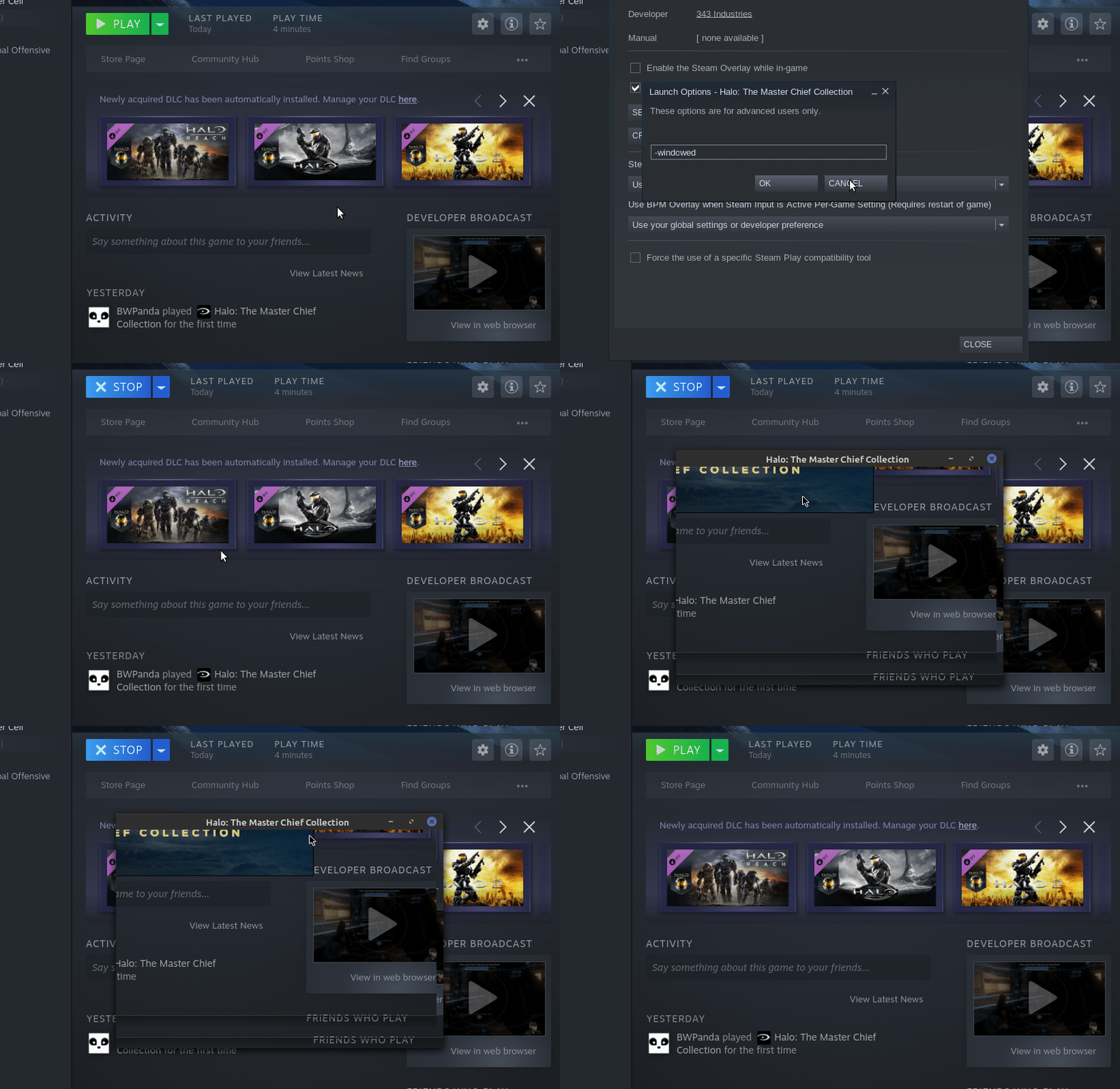
The same happens if I choose the 'anti-cheat disabled' option.
Happy to confirm that with a clean prefix coop now works again. Played spartan ops for about an hour without a single disconnect.
@RalfVB How do you setup a clean prefix? I've been getting the coop failure/error in Halo Reach's first mission with 5.0-10, 5.13-2 and 5.9-GE-8-ST
Halo: The Master Chief Collection - Fatal Error
Issue transferred from https://github.com/ValveSoftware/Proton/issues/4427.
@Richard-Payne posted on 2020-11-30T19:20:22:
Compatibility Report
- Title Halo: The Master Chief Collection
- Steam AppID of the game: 976730
System Information
- GPU: NVidia GeForce GTX 1060
- Driver/LLVM version: 455.45.01
- Kernel version: 5.8.18-1-MANJARO
- https://gist.github.com/Richard-Payne/2862f289aa31cbdcf96de650a12c3f5f
- Proton version: 5.13-2 and 5.21-GE-1
I confirm:
- [x] that I haven't found an existing compatibility report for this game.
- [x] that I have checked whether there are updates for my system available.
Symptoms
Splash screen loads, disappears and then a Fatal Error Windows dialog appears. Screenshot attached.
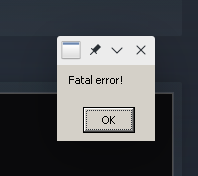
Replying to the comment just before this one.
The quick fix for that is to launch the game in window mode.
Launch options: -windowed
However easy anti cheat and thus multiplayer won't work. But as far as I've seen the single player seems to be working
The quick fix for that is to launch the game in window mode.
Launch options: -windowed
Confirmed. Thanks.
After using @Estrobeda 's fix I was able to change the settings in-game to use Full Screen. I was then able to revert my launch settings and have it launch properly.
The easy anti-cheat issue still persists though.
After using @Estrobeda 's fix I was able to change the settings in-game to use Full Screen. I was then able to revert my launch settings and have it launch properly.
That didn't work for me. The Fatal Error returned as soon as I removed the -windowed flag.
It also raise another issue. The aspect ratio detection is (a) broken and (b) locked to native. I run 5120x1440. I could get 3840x1440 or 5120x2880. Not sure if the aspect ratio thing is a Proton issue or just a fault with the original game not supporting ultrawides.
The other one is that when closing the game, the process never exits. I'm left with this:
user   482801  0.0  0.0 128688 10276 ?        Sl   08:12   0:00 /home/user/Games/Steam/steamapps/common/SteamLinuxRuntime_soldier/pressure-vessel/bin/pressure-vessel-launch --directory=/home/user/Games/Steam/steamapps/common/Halo The Master Chief Collection --socket=/tmp/SteamPVSockets.bF3dtj/SteamLinuxRuntime.8411701063de4855/socket --pass-env-matching * --terminate -- /home/user/Games/Steam/steamapps/common/SteamLinuxRuntime_soldier/pressure-vessel/bin/pressure-vessel-adverb --subreaper -- /home/user/Games/Steam/steamapps/common/Proton 5.13/proton waitforexitandrun /home/user/Games/Steam/steamapps/common/Halo The Master Chief Collection/mcclauncher.exe -windowed
user   482814  0.0  0.0  54828 27688 ?        Ss   08:12   0:00 /home/user/Games/Steam/steamapps/common/SteamLinuxRuntime_soldier/pressure-vessel/bin/pressure-vessel-adverb --subreaper -- /home/user/Games/Steam/steamapps/common/Proton 5.13/proton waitforexitandrun /home/user/Games/Steam/steamapps/common/Halo The Master Chief Collection/mcclauncher.exe -windowed
user   482815  0.1  0.0  41376 16048 ?        S    08:12   0:00 python3 /home/user/Games/Steam/steamapps/common/Proton 5.13/proton waitforexitandrun /home/user/Games/Steam/steamapps/common/Halo The Master Chief Collection/mcclauncher.exe -windowed
user   482822  0.0  0.0 1819520 25316 ?       Sl   08:12   0:00 steam /home/user/Games/Steam/steamapps/common/Halo The Master Chief Collection/mcclauncher.exe -windowed
user   482884  0.7  0.2 1836536 77984 ?       Sl   08:12   0:00 Z:\home\user\Games\Steam\steamapps\common\Halo The Master Chief Collection\mcclauncher.exe -windowed
@BWPanda
I'm having the same exact issue, any luck?
@kennedyengineering Nope :frowning_face: But glad in a way that it's not just me...
Just to set the record (and hopefully a ton of misleading and inaccurate ProtonDB contributions) straight -
You don't need EAC to play multiplayer at all, only to matchmake in-game and get achievements*. Apart from that you can host or join games just fine. All the custom multiplayer and Firefight modes work without any issues.
However co-op campaign/spartan ops gameplay requires Proton-5.21-GE-1. . Before using it, make sure to delete the folder steam/steamapps/compatdata/976730 first, so the new Proton will generate a new prefix.
*I'll just leave this in case it might help getting achievements to work
Unable to log into Xbox after launch (using -windowed)
Pressing sign-in returns error: error occurred while signing into Xbox live
debug attached
I can't play the game anymore. It freezes after I try to log into my Xbox live account.
KDE Neon 20.04
i5-4570
16 gb ddr3
gtx 1060 6gb
Just want to confirm that @RalfVB 's suggestion of Proton-5.21-GE-1 makes my Co-op work... playing with my brother who is on Windows (we both disabled EAC from pressing "Play" in library, running from tray does not grant this option). Only tested Halo 3 so far.
Also using -windowed. I was able to use Shift just fine, I've heard some rumors of needing to rebind. Game runs as if it were native.
For those that are having xbox live account login issues check your DNS server if it allows you to connect to microsoft at all, for me it was loading the site but whenever I tried to login it gave me DNS error on microsoft.com or xbox.com so I just changed my DNS server and the problem went away.
disabled EAC
You don't need to disable EAC to play, it works even if it's on, the only thing you can't do is play online on the official servers but you can still play with friends on your account.
For those that are having xbox live account login issues check your DNS server if it allows you to connect to microsoft at all, for me it was loading the site but whenever I tried to login it gave me DNS error on microsoft.com or xbox.com so I just changed my DNS server and the problem went away.
Can you tell what steps to take to make this work? Where should I even start with this?
If you have an issue where the game freezes after logging into xbox live account with 5.21 Ge or 5.13 then try versions of Proton that don't use Pressure vessel .
Well I changed it globally on my router, but I am pretty sure you can find a lot of information if you look for it. I changed to cloudflare(1.1.1.1) but google dns should work just fine too.
Yep, I do that, but the game window freezes just after opening, so I can't fullscreen or anything other than close it again...
The same happens if I choose the 'anti-cheat disabled' option.
Hi @BWPanda @kennedyengineering , I had the same problem. That's what I did to resolve it:
- Just in case verify that the game files are not broken: right click on the game -> properties -> local files -> 'Verify Integrity of the game files'
- Change the proton version to 4.xx: right click on the game -> properties -> compatibility -> tick 'Force the use of a specific Steam Play compatibility tool' and select 'Proton 4.11-13' option from the dropdown.
The same approach helped me to launch Witcher 3.
Thanks @kfeoktistoff! That ultimately worked!
My files were all fine, so I selected Proton 4.11-13 as you suggested then tried starting the game. It got further on the logo screen than it has before, but still froze after a few seconds. I quit and restarted Steam and tried again, and then it worked. I was able to sign into my Microsoft account and access the game's menu. Didn't try playing yet, but looks like it's working fine now. Thanks for the support!
Not game breaking or anything, but I thought I'd mention it anyway.
In-game text chat doesn't work at all anymore since the Halo 4 update. I get to see the text box and everything, but others aren't receiving any messages, nor am I receiving any from them. I've disabled the message filtering option (because god forbid your vocabulary includes non-Microsoft approved words) and tried setting the channel to All, Team or Squad, but it doesn't work.
Perhaps they are routing the messages through a non-Linux accessible server now so they can be surveyed? Windows players can still communicate it seems.
I am not sure if it actually works that way, because when we tried it with my friend(I have old pc with windows on it) he still couldn't see my messages... so I am not entirely sure what might be the cause for this. Then again we talk over discord so it doesn't bother us much.
Hey all. Been trying some suggestions here but still no luck. I'm running manjaro.
My issue is with the login service. The game itself seems to run fine for me. It doesn't even hang or crash on startup like it sometimes did before the halo 4 update. That's why i havent yet tried using any versions of proton besides the default and experimental.
Through the suggestions here i have fixed my general microsoft live login issue on this pc. I can now login on my web browser. All i had to do was add either 1.1.1.1 or 8.8.8.8 to the additional DNS server list.
The weird part: the first time i tested the game after this change the live login showed up for the first time since the update. I entered my email, and then my password and then the same error message, retry button and useless cancel button. So i closed the game and tried again, but this time i didnt get the live login prompt at all, just right to the error like i had been doing before.
I could use someones insight to help figure this out.
Hello. Is anyone who was affected by the "Fatal Error" dialog box still seeing that problem with the latest game update? We can't reproduce that issue, and we are wondering if it was a game bug that has been fixed on their end, or if users are still seeing the problem.
Hey all. Been trying some suggestions here but still no luck. I'm running manjaro.
My issue is with the login service. The game itself seems to run fine for me. It doesn't even hang or crash on startup like it sometimes did before the halo 4 update. That's why i havent yet tried using any versions of proton besides the default and experimental.
Through the suggestions here i have fixed my general microsoft live login issue on this pc. I can now login on my web browser. All i had to do was add either 1.1.1.1 or 8.8.8.8 to the additional DNS server list.
The weird part: the first time i tested the game after this change the live login showed up for the first time since the update. I entered my email, and then my password and then the same error message, retry button and useless cancel button. So i closed the game and tried again, but this time i didnt get the live login prompt at all, just right to the error like i had been doing before.
I could use someones insight to help figure this out.
Maybe try to delete prefix then set the DNS again and retry.
Hello. Is anyone who was affected by the "Fatal Error" dialog box still seeing that problem with the latest game update? We can't reproduce that issue, and we are wondering if it was a game bug that has been fixed on their end, or if users are still seeing the problem.
Are you 100% sure you put -windowed as launch option to the game ?
@kodatarule I'm not seeing the "Fatal Error" crash without -windowed. If -windowed fixed the error for you, could you try without -windowed and confirm you are still seeing the error?
@kodatarule that worked!(and i didn't need to re-set the DNS) Thanks! Halo reach and halo 3 are missing audio again, im pretty sure i figured out how to fix that as before, but am now waiting on the halo 4 download to finish(d'oh).
What i ultimately did was to run protontricks in gui mode and first delete the data in the prefix. Thats when i tested, logged in, tried to play 4, started the download, remebered the sound issue in reach and 3, so i opened reach to confrim that sounds were missing again. After closing halo and steam(my steam controller craps out after leaving certain games, requiring steam to restart), i again opened protontricks to open winecfg and set the compatibility to win7.
I'm leaving that here for all the people who would rather not blindly enter commands into the terminal when tutorials don't explain what/why they doing. I'm pretty sure you could achieve the same thing with one or two commands. But since i don't really know how wine works, i was hesitant to just enter a command and forget it 2 sec later. The linux community needs more intermediate level help imo.
@kodatarule I'm not seeing the "Fatal Error" crash without -windowed. If -windowed fixed the error for you, could you try without -windowed and confirm you are still seeing the error?
Oh, yes! It worked for me as well without -windowed... Odd I remember I had "Fatal Error" crash before when I didn't set -windowed as launch command.
The game's latest update fixed that.
Replying to https://github.com/ValveSoftware/Proton/issues/2907#issuecomment-751885833
Thank you, I had same issue and now I'm currently playing with proton 4.x
Why this is happening? Why all the newest proton version (also glorious eggroll) doesn't work?
The '-windowed' command line option was to circumvent a bug the game introduced when the Halo 4 update landed.
It is not needed anymore now. A later update was pushed that resolved it. If your Halo MCC is up to date, you can start it fullscreen without issues again.
Also the newest Proton version (5.13-4) currently runs the game just fine. EAC isn't supported, which means you won't be able to use in-game matchmaking. Aside from that, you can play all custom multiplayer (or Firefight) modes without issues, by using Steam or in-game invitations.
One exception is campaign (or Halo 4 Sparton Ops) co-op gameplay, which desyncs using mainline Proton. If you want to play that (and you do!), you'll need to use the latest Proton GE build - using a clean prefix. This is crucial. If you use an existing prefix and simply swap the used Proton version, it'll still desync.
I played all the Halo campaigns, multiplayer modes, Firefight and Spartan Ops with friends - everything works.
Everything except in-game matchmaking, and achievements.
@RalfVB
One exception is campaign (or Halo 4 Sparton Ops) co-op gameplay, which desyncs using mainline Proton. If you want to play that (and you do!), you'll need to use the latest Proton GE build - using a clean prefix. This is crucial. If you use an existing prefix and simply swap the used Proton version, it'll still desync.
Using a clean prefix with the latest Proton GE build, it still does not work for me FWIW. Compared to Proton 5.13, I can't connect to Xbox Live (though I can log in to my account somehow regardless), so only LAN works, and when playing Halo Reach co-op campaign, rather than giving me some error and booting me out, it will just eventually disconnect from the other player and say something along the lines of "waiting for players", until it gives up and makes it singleplayer.
Has anyone else experienced this?
I am using Arch Linux with a fully updated system as of now, though my kernel is 5.10.5.
EDIT: I just realized I hadn't installed winetricks, but after installing winetricks the disconnect became a crash... otherwise nothing changed
Was anyone able to get achievements working?
Hey, so I've got a weird issue where I cannot seem to get a connection to the Halo regional servers, or join other users in Custom play whatsoever. The former is kind of understandable due to EAC, but I cannot seem to understand why the latter does not work. This is in Proton 4-11-13.
In Proton 5.13-6 (latest official Proton), the game freezes upon logging in to Xbox Live. This happens with EAC disabled.
For those wondering, this also happens with the unofficial Proton-GE versions (5.21-GE onwards for the freeze, 5.8 down for the network issues.)
Operating system: OpenSUSE Tumbleweed.
I do not know how to access log files of Proton (using PROTON_LOG and PROTON_LOG_DIR doesn't seem to do much), and running Steam and the game via a terminal doesn't seem to give anything useful.
Hi @T10a,
For me, the game still runs fine on OpenSUSE Tumbleweed, using Proton 5.13-6.
I didn't even get to see the sign in dialogue, but instead got signed in automatically (must have been fixed a while ago, previously it would ask you to sign in again on every launch).
If you set the game's launch options to PROTON_LOG=1 %command%, it should create a file steam-976730.log in your home directory which might provide further information to track this down.
Other things to check for are setting the prefix to Windows 7 (which you can check by searching for Software\\Wow6432Node\\Microsoft\\Windows NT\\CurrentVersion in ~/.local/share/Steam/steamapps/compatdata/976730/pfx/system.reg
and the vcrun2019_ge patch that fixes the coop desync issue which should show up in ~/.local/share/Steam/steamapps/compatdata/976730/pfx/winetricks.log after using one of the recent Proton-GE versions.
Update: Trying that and seeing where the log file actually dumps now, here are the results
Proton 5.0-10b (latest that runs, but has the networking issue) with win7 and the log command returns this log (long, and it's 2.4MB:
proton5-10b-976730.log
Proton 5.13-6 (crashes upon logging in to Xbox Live, shorter) with win7 and the log command returns this:
proton-5.13-6-976730.log
@LukasRuppert see above message, I forgot to ping you above.
@T10a
I found this suspicious line in the log right after loading the Chromium Embedded Framework (the browser used for the login dialog):
6933.950:00e4:00e8:err:winediag:SECUR32_initNTLMSP ntlm_auth was not found or is outdated. Make sure that ntlm_auth >= 3.0.25 is in your path. Usually, you can find it in the winbind package of your distribution.
That line does not appear in the working version.
Try installing winbind, if it is not already installed.
@LukasRuppert
That's odd...
OpenSUSE's Package Manager mentions samba-winbind and samba-winbind32 installed. installed "sssd-winbind-idmap" in the package manager, and it doesn't fix the freezing issue. The GUI of the login is fine, but once it tries uploading the credentials it crashes.
@T10a
sorry for the late reply, I've checked my own log file and it has the same line in there, so that is probably not the issue.
I was hoping it would be something obvious, but I didn't really find anything.
Maybe its related to this log-entry which I don't have on my side, but it could really be anything.
6948.916:00e4:0180:warn:debugstr:OutputDebugStringA "Bink: "
6948.918:00e4:0180:warn:debugstr:OutputDebugStringA "Error opening file."
One more option would be to run it in a debugger and check the back trace when it crashes, but that is a lot more involved.
@LukasRuppert Update: I left Proton 5.13 to run in the background to load itself after logging into Xbox Live, and after 10 minutes it reaches the main menu. Not exactly 10 minutes, but around that time. The whole time it's loading, it appears frozen. And when it hits the menu, the server connections work enough to use custom play with friends.
@T10a good to hear that. Then, it was probably just the time needed for shader compilation. They should now be cached and it should load a lot faster next time. (At least until the next Mesa update, which, using Tumbleweed, will be quite soon.)
Custom play always worked out of the box. Coop has been the long time issue which was solved by the addition of vcrun2019 in the Proton-GE release.
@T10a good to hear that. Then, it was probably just the time needed for shader compilation. They should now be cached and it should load a lot faster next time. (At least until the next Mesa update, which, using Tumbleweed, will be quite soon.)
Custom play always worked out of the box. Coop has been the long time issue which was solved by the addition of vcrun2019 in the Proton-GE release.
Hi Lukas! I'm brand spankin' new to this thread, and I'm wondering if you had the patience at all to reference me to a list of operations for implementing your patch to get Halo MCC working past the Xbox Live Login error cycle of doom.
I'm running Wine/ Steam via CrossOver on my Mac Mini M1. Game installs/ boots up fine, but I'm stuck at the error screen.
I've read and reread the above comments, but I have no idea how to use that information. Different language to me entirely.
If it's asking too much to lay out in layman's terms what I can do to get it up and running, I'd understand, but I thought I'd ask anyway!
Thank you very much,
-Kevin
Hi @kvnleach7
my fix addressed the sign in issue as shown here
which will show up in the log as fixme:bcrypt:key_asymmetric_generate algorithm 11 not supported
That fix has been integrated into Wine and Proton over a year ago and this issue should not reappear unless you're using a seriously outdated version.
If I understood you correctly, you're running Steam through Wine and are not even using Proton.
I would recommend that you use the Mac version of Steam instead of running the Windows version through Wine, which should work out of the box (except coop).
If you want to play coop, I recommend using one of the recent Proton-GE releases.
I'm really not familiar with Mac though and how well Wine and Proton work there.
(Especially with DXVK and the additional Vulkan/Metal translation.)
In principle, Halo should also work when run via a recent version of Wine (or Wine Staging) and the Windows version of Steam, but I would not recommend it if you can avoid it.
Replying to https://github.com/ValveSoftware/Proton/issues/2907#issuecomment-812848431
Hi Lukas, Thank you for your response.
That is correct; that is the issue I am encountering, and I am running Steam Through Wine (5.0) Via CrossOver for Mac.
I'm looking up ways to use Proton instead now, to see if that solves the issue; I haven't tried that yet.
Thanks again, fingers crossed...
-K
Replying to https://github.com/ValveSoftware/Proton/issues/2907#issuecomment-812848431
Nothing reliable for a Proton build on Mac OS... seems like that'll just be Linux specific for the foreseeable future.
When you "recommend that [I] use the Mac version of Steam instead of running the Windows version through Wine", are you suggesting there's a Native option out there that I haven't come across yet? If Proton isn't for Mac OS, and Wine hasn't updated support for the Apple Silicon (M1) chip yet, is there any other option I have? Parallels 16 beta runs fine as a virtual desktop, but can't load Halo MCC in Steam (among may other games) because of an "unsupported host machine archetype (ARM 64)" Launch Error.
The closest I've gotten was at the beginning of all this with CrossOver running Wine 5.0. Steam runs fine, MCC boots up, I just could never get passed that cursed Xbox Login Error cycle of doom...
Sorry if this has tangentially led you down the wormhole I've been navigating the last three nights, but if you have suggestions or references I would be incredibly grateful.
Thanks,
-K
Okay, I was hoping Steam would also ship with Proton on Mac. In the end, its still just a customized version of Wine with quite a few nice little extras, so a recent version of Wine should work just as well.
The fix should even already be part of Wine 5.0, but I still recommend that you try a more recent version if possible.
If that doesn't solve your issue I guess you will have to do some more digging.
If possible, try to create a log file of running Halo (or just run it in a console) and check for the specific error message I have mentioned above. It should appear whenever you click the "Retry" button. If you don't see it you may have another issue.
I don't have a setup where I could reproduce your issue, so I don't think I can be of much help.
(And this isn't really the right place to discuss individual setup issues or issues with outdated versions either.)
Good luck!
Is there a fix for shift-key not working in Halo 3 and Reach?
Hey, I haven't been following this thread for a while. Is there a way I can play Halo 3 online co-op with a friend on Windows, if I turn off anti-cheat?
The last update broke campaign coop and Spartan Ops again for me. Using Proton-6.5-GE-2 with a newly created prefix.
I tried a lot of things, even going back to earlier Proton-GE versions that I used to play the coop stuff. It desyncs after a short while.
I suspect this is because vcrun2019_ge is needed, but somehow not installed? Using Protontricks I can install vcrun2019 but not vcrun2019_ge.
Other players are reporting they can play coop using the latest Proton-GE.
Can anyone help?
Ok, figured it out in the meantime.
In the protonfixes/gamefixes/verbs subfolder of your Proton folder, edit the file vcrun2019_ge.verb and modify the line
w_download https://aka.ms/vs/16/release/vc_redist.x86.exe e830c313aa99656748f9d2ed582c28101eaaf75f5377e3fb104c761bf3f808b2
to
w_download https://aka.ms/vs/16/release/vc_redist.x86.exe 14563755ac24a874241935ef2c22c5fce973acb001f99e524145113b2dc638c1
and
w_download https://aka.ms/vs/16/release/vc_redist.x64.exe 015edd4e5d36e053b23a01adb77a2b12444d3fb6eccefe23e3a8cd6388616a16
to
w_download https://aka.ms/vs/16/release/vc_redist.x64.exe 52b196bbe9016488c735e7b41805b651261ffa5d7aa86eb6a1d0095be83687b2
When I now recreate the Halo MCC prefix, no more errors occur and vcrun2019_ge is installed correctly.
I haven't been able to try coop yet but I'm almost sure it should work again.
Replying to https://github.com/ValveSoftware/Proton/issues/2907#issuecomment-836855580
Just tested this fix now and co-op is working between Linux and Windows.
Thought I would mention this here as well.
Somebody came up with a way to get achievements without EAC. See this thread for more details.
Download this archive, extract both files to the easyanticheat subdirectory of your Halo installation folder (backup or rename the originals first).
Now start Halo MCC without EAC and you'll get achievements.
It's probably best to temporarily put the originals back when Halo updates.
For completeness, I'll add this tweak here too.
Proton-6.8-GE-1 still forces windowed mode to circumvent the crashing problem Halo MCC had after the Halo 4 update, but which has been resolved in the meantime.
So, edit the file /Proton-6.8-GE-1/protonfixes/gamefixes/976730.py by commenting the line
util.append_argument('-windowed')
with a #.
This saves you from having to set the game to either fullscreen or borderless window on each startup.
Hey, I got something very weird in this game. I use Proton GE 6.8-2 and I can play the campaigns of Reach, Halo 1 and Halo 3 (didn't try 4 yet) but I can't start Halo 2, I get a black screen and the UE4 Fatal error after about 5 seconds. The crash report doesn't say anything interesting and activating PROTON_LOG shows quite some output but nothing extraordinary. Something about WSALookupService but I had that before and it never seemed to be a fatal error anyway. Somebody else experienced this? I suspect a config related issue as the other games seem to run, but I can't figure out what would be different for Halo 2.
Edit : I tried with a few other versions of proton as well, to no avail.
I also did notice these lines in the log which I missed the first time around but I'm not sure whether it's relevant here.
9261.620:0114:0118:err:kerberos:kerberos_LsaApInitializePackage no Kerberos support, expect problems 9261.622:0114:0118:trace:loaddll:build_module Loaded L"C:\\windows\\system32\\MSV1_0.dll" at 000000039C380000: builtin 9261.622:0114:0118:err:winediag:check_version ntlm_auth was not found or is outdated. Make sure that ntlm_auth >= 3.0.25 is in your path. Usually, you can find it in the winbind package of your distribution. 9261.622:0114:0118:err:ntlm:ntlm_LsaApInitializePackage no NTLM support, expect problems
Replying to https://github.com/ValveSoftware/Proton/issues/2907#issuecomment-841620169
I messaged GloriousEggroll on the Wine Discord channel to let him know that this issue has been resolved. As of Proton GE 6.9-1, the windowed mode workaround has been removed!
https://github.com/GloriousEggroll/proton-ge-custom/releases/tag/6.9-GE-1
@KasperJanssens
but I can't start Halo 2
I saw it only on 2Gb GPU VRAM when 500Mb was used by webbrowser, I have to close browser then Halo 2 works
for some reason, only Halo 2 use 2Gb VRAM, other games use much less (this is only under DXVK, on Windows every game use 2x less VRAM than on Linux), solution for you will be - play it on Windows, or get more VRAM(if you have it because lack of VRAM)
Thought I would mention this here as well.
Somebody came up with a way to get achievements without EAC. See this thread for more details.
Download this archive, extract both files to the easyanticheat subdirectory of your Halo installation folder (backup or rename the originals first).
Now start Halo MCC without EAC and you'll get achievements.
It's probably best to temporarily put the originals back when Halo updates.
ive tried that. it doesnt work.
also: co-op doesnt work on Proton-6.10-GE-1. we keep desyncing. if we dont get kicked out of the game entirely, we will just stop seeing each other's movements and eventually crash.
Thought I would mention this here as well.
Somebody came up with a way to get achievements without EAC. See this thread for more details.
Download this archive, extract both files to the easyanticheat subdirectory of your Halo installation folder (backup or rename the originals first).
Now start Halo MCC without EAC and you'll get achievements.
It's probably best to temporarily put the originals back when Halo updates.ive tried that. it doesnt work.
also: co-op doesnt work on Proton-6.10-GE-1. we keep desyncing. if we dont get kicked out of the game entirely, we will just stop seeing each other's movements and eventually crash.
That's because your prefix doesn't have vcrun2019_ge installed. Try deleting the game's prefix directory and let Proton-GE recreate it. That should resolve the desynching.
As for the achievements, I assure you it works fine. You must be doing something wrong.
after remaking my prefix with Proton-6.10-GE-1, and re-downloading MCC to undo my EAC files replacement, proton-proton co-op works flawlessly. proton-windows co-op desyncs.
after redoing the achievements without EAC thing, the game tells me i unlock achievements, but steam does not. i must be doing something wrong to cause this to only partially work.
proton-windows co-op desyncs.
Hmm, all I can tell you is that I played co-op campaigns with both Windows and other Proton players, and it worked fine.
after redoing the achievements without EAC thing, the game tells me i unlock achievements, but steam does not. i must be doing something wrong to cause this to only partially work.
It works as advertised here. Steam lists the achievements properly.
Can confirm that co-op is busted with Proton-6.10-GE-1 and with the EAC modification the game doesn't even start.
I tried Proton GE 6.8 through 6.10 and none of them fix Linux to Windows coop desync. I verified vcrun2019_ge is being installed.
For anyone trying to get achievements to work I found that the files in the archive linked to by @RalfVB are named with a different case. This means that if you simply copy the files in you will end up with two copies. After renaming and making sure there is only one copy achievements appear to be working.
I can launch the game with EAC disabled and start a single player campaign with Proton 6.12-GE-1.
When attempting to join a co-op lobby with a friend we get the error:
Connection Failed
Your connection to the game session has failed, please try again.
I'm unsure if this is a compatibility issue or a server networking issue.
So I'm trying this again on Proton-GE 6.12 and now it fails to join other parties. Tried with 3 different people, nobody can lobby with me or vice versa to even try to start a coop game.
@cheyngoodman @Korvox Use Proton-GE 6.10 for now. Note that co-op doesn't seem to work reliably. Custom games have been working flawlessly for me though.
Thanks for the tips guys, I was able to get the game working on the latest experimental proton build. I had to host the lobby for the game to start but we played the first mission without issues.
UPDATE2: The DLL fix for achievements from RalfVB's suggestion work, just make sure to launch without EAC enabled.
Thanks again for the help guys!
Halo used to work perfectly without any modifications now it doesn't work regardless if the anticheat is on or not. I'm using Arch with an RX 580
Halo used to work perfectly without any modifications now it doesn't work regardless if the anticheat is on or not. I'm using Arch with an RX 580
Have you tried deleting your existing prefix? (possibly backing up game data first).
Latest proton (not GE, experimental pressure vessel support for flatpak) seems to work well (more than 10 hours without notable issue) for me together with the achievement fix, but I launched it in a former GE prefix. I haven't tried multiplayer.
Previously, I encountered various crashes with the latest GE/flatpak build.
can confirm proton experimental works in single player, but co-op is completely unplayable
I get "Fatal Error" right after signing into Xbox. -windowed doesn't work. Proton 6.3-5.
System Information
Computer Information:
Manufacturer: Unknown
Model: Unknown
Form Factor: Desktop
No Touch Input Detected
Processor Information:
CPU Vendor: AuthenticAMD
CPU Brand: AMD Ryzen 5 3600 6-Core Processor
CPU Family: 0x17
CPU Model: 0x71
CPU Stepping: 0x0
CPU Type: 0x0
Speed: 4208 Mhz
12 logical processors
6 physical processors
HyperThreading: Supported
FCMOV: Supported
SSE2: Supported
SSE3: Supported
SSSE3: Supported
SSE4a: Supported
SSE41: Supported
SSE42: Supported
AES: Supported
AVX: Supported
AVX2: Unsupported
AVX512F: Unsupported
AVX512PF: Unsupported
AVX512ER: Unsupported
AVX512CD: Unsupported
AVX512VNNI: Unsupported
SHA: Unsupported
CMPXCHG16B: Supported
LAHF/SAHF: Supported
PrefetchW: Unsupported
Operating System Version:
"Gentoo Base System release 2.7" (64 bit)
Kernel Name: Linux
Kernel Version: 5.10.49-gentoo-r1-x86_64
X Server Vendor: The X.Org Foundation
X Server Release: 12011000
X Window Manager: KWin
Steam Runtime Version: steam-runtime_0.20210630.0
Video Card:
Driver: AMD AMD Radeon RX 5700 XT (NAVI10, DRM 3.40.0, 5.10.49-gentoo-r1-x86_64, LLVM 12.0.0)
Driver Version: 4.6 (Compatibility Profile) Mesa 21.1.4
OpenGL Version: 4.6
Desktop Color Depth: 24 bits per pixel
Monitor Refresh Rate: 60 Hz
VendorID: 0x1002
DeviceID: 0x731f
Revision Not Detected
Number of Monitors: 3
Number of Logical Video Cards: 1
Primary Display Resolution: 1920 x 1080
Desktop Resolution: 5760 x 1080
Primary Display Size: 20.75" x 11.65" (23.78" diag)
52.7cm x 29.6cm (60.4cm diag)
Primary VRAM: 8192 MB
Sound card:
Audio device: ATI R6xx HDMI
Memory:
RAM: 32011 Mb
VR Hardware:
VR Headset: None detected
Miscellaneous:
UI Language: English
LANG: none
Total Hard Disk Space Available: 444040 Mb
Largest Free Hard Disk Block: 204552 Mb
Storage:
Number of SSDs: 0
SSD sizes: %s1
Number of HDDs: 0
HDD sizes: %s1
"LD_* scout runtime" information:
{
"can-write-uinput" : false,
"steam-installation" : {
"path" : "/home/nathan/.local/share/Steam",
"data_path" : "/home/nathan/.local/share/Steam",
"bin32_path" : "/home/nathan/.local/share/Steam/ubuntu12_32",
"steamscript_path" : "/usr/bin/steam",
"steamscript_version" : "100054",
"issues" : [
]
},
"runtime" : {
"path" : "/home/nathan/.local/share/Steam/ubuntu12_32/steam-runtime",
"version" : "0.20210630.0",
"issues" : [
],
"pinned_libs_32" : {
"list" : [
"pinned_libs_32/has_pins",
"pinned_libs_32/libGLU.so.1 -> $STEAM_RUNTIME/usr/lib/i386-linux-gnu/libGLU.so.1.3.08004",
"pinned_libs_32/libcurl.so.3 -> libcurl.so.4",
"pinned_libs_32/libcurl.so.4 -> $STEAM_RUNTIME/usr/lib/i386-linux-gnu/libcurl.so.4.2.0",
"pinned_libs_32/libdbus-1.so.3 -> $STEAM_RUNTIME/lib/i386-linux-gnu/libdbus-1.so.3.5.8",
"pinned_libs_32/libgtk-x11-2.0.so.0 -> $STEAM_RUNTIME/usr/lib/i386-linux-gnu/libgtk-x11-2.0.so.0.2400.10",
"pinned_libs_32/system_libGLU.so.1",
"pinned_libs_32/system_libcurl.so.4",
"pinned_libs_32/system_libdbus-1.so.3",
"pinned_libs_32/system_libgtk-x11-2.0.so.0"
]
},
"pinned_libs_64" : {
"list" : [
"pinned_libs_64/has_pins",
"pinned_libs_64/libGLU.so.1 -> $STEAM_RUNTIME/usr/lib/x86_64-linux-gnu/libGLU.so.1.3.08004",
"pinned_libs_64/libcurl.so.3 -> libcurl.so.4",
"pinned_libs_64/libcurl.so.4 -> $STEAM_RUNTIME/usr/lib/x86_64-linux-gnu/libcurl.so.4.2.0",
"pinned_libs_64/libdbusmenu-glib.so.4 -> $STEAM_RUNTIME/usr/lib/x86_64-linux-gnu/libdbusmenu-glib.so.4.0.13",
"pinned_libs_64/libdbusmenu-gtk.so.4 -> $STEAM_RUNTIME/usr/lib/x86_64-linux-gnu/libdbusmenu-gtk.so.4.0.13",
"pinned_libs_64/system_libGLU.so.1",
"pinned_libs_64/system_libcurl.so.4",
"pinned_libs_64/system_libdbusmenu-glib.so.4",
"pinned_libs_64/system_libdbusmenu-gtk.so.4"
]
}
},
"os-release" : {
"id" : "gentoo",
"name" : "Gentoo",
"pretty_name" : "Gentoo/Linux"
},
"container" : {
"type" : "none"
},
"driver_environment" : [
"DISPLAY=:0",
"LADSPA_PATH=/usr/lib64/ladspa",
"LD_LIBRARY_PATH=/home/nathan/.local/share/Steam/ubuntu12_32:/home/nathan/.local/share/Steam/ubuntu12_32/panorama:/home/nathan/.local/share/Steam/ubuntu12_32/steam-runtime/pinned_libs_32:/home/nathan/.local/share/Steam/ubuntu12_32/steam-runtime/pinned_libs_64:/usr/lib64/debiancompat:/usr/lib32/debiancompat:/usr/lib/gcc/x86_64-pc-linux-gnu/10.3.0:/usr/lib/gcc/x86_64-pc-linux-gnu/10.3.0/32:/usr/lib64/blas/reference:/usr/lib64/lapack/reference:/usr/lib64/itcl4.1.1:/usr/lib64/itk4.1.0:/lib64:/usr/lib64:/usr/local/lib64:/lib:/usr/lib:/usr/local/lib:/usr/lib/rust/lib:/usr/lib/llvm/12/lib:/usr/lib/llvm/12/lib64:/usr/lib/llvm/9/lib:/usr/lib/llvm/9/lib64:/usr/lib64/R/lib:/usr/lib64/fltk:/usr/lib64/libgig:/usr/lib/llvm/roc/lib:/home/nathan/.local/share/Steam/ubuntu12_32/steam-runtime/lib/i386-linux-gnu:/home/nathan/.local/share/Steam/ubuntu12_32/steam-runtime/usr/lib/i386-linux-gnu:/home/nathan/.local/share/Steam/ubuntu12_32/steam-runtime/lib/x86_64-linux-gnu:/home/nathan/.local/share/Steam/ubuntu12_32/steam-runtime/usr/lib/x86_64-linux-gnu:/home/nathan/.local/share/Steam/ubuntu12_32/steam-runtime/lib:/home/nathan/.local/share/Steam/ubuntu12_32/steam-runtime/usr/lib",
"SDL_GAMECONTROLLERCONFIG=03000000de280000ff11000001000000,Steam Virtual Gamepad,a:b0,b:b1,back:b6,dpdown:h0.4,dpleft:h0.8,dpright:h0.2,dpup:h0.1,guide:b8,leftshoulder:b4,leftstick:b9,lefttrigger:a2,leftx:a0,lefty:a1,rightshoulder:b5,rightstick:b10,righttrigger:a5,rightx:a3,righty:a4,start:b7,x:b2,y:b3,\n03000000de280000fc11000001000000,Steam Controller,a:b0,b:b1,back:b6,dpdown:b14,dpleft:b15,dpright:b13,dpup:b12,guide:b8,leftshoulder:b4,leftstick:b9,lefttrigger:a2,leftx:a0,lefty:a1,rightshoulder:b5,rightstick:b10,righttrigger:a5,rightx:a3,righty:a4,start:b7,x:b2,y:b3,\n030000005e040000a102000000010000,X360 Wireless Controller,a:b0,b:b1,back:b6,dpdown:b14,dpleft:b11,dpright:b12,dpup:b13,guide:b8,leftshoulder:b4,leftstick:b9,lefttrigger:a2,leftx:a0,lefty:a1,rightshoulder:b5,rightstick:b10,righttrigger:a5,rightx:a3,righty:a4,start:b7,x:b2,y:b3,\n0000000058626f782047616d65706100,Xbox Gamepad (userspace driver),a:b0,b:b1,back:b6,dpdown:h0.4,dpleft:h0.8,dpright:h0.2,dpup:h0.1,guide:b8,leftshoulder:b4,leftstick:b9,lefttrigger:a5,leftx:a0,lefty:a1,rightshoulder:b5,rightstick:b10,righttrigger:a4,rightx:a2,righty:a3,start:b7,x:b2,y:b3,\n030000005e0400008e02000010010000,X360 Controller,a:b0,b:b1,back:b6,dpdown:h0.4,dpleft:h0.8,dpright:h0.2,dpup:h0.1,guide:b8,leftshoulder:b4,leftstick:b9,lefttrigger:a2,leftx:a0,lefty:a1,rightshoulder:b5,rightstick:b10,righttrigger:a5,rightx:a3,righty:a4,start:b7,x:b2,y:b3,\n03000000eb03000002ff000011010000,WootingTwo,a:b0,b:b1,x:b3,y:b4,back:b10,start:b11,leftshoulder:b6,rightshoulder:b7,leftx:a0,lefty:a1,rightx:a3,righty:a4,lefttrigger:b8,righttrigger:b9\n030000004c0500006802000011810000,PS3 Controller,a:b0,b:b1,back:b8,dpdown:b14,dpleft:b15,dpright:b16,dpup:b13,guide:b10,leftshoulder:b4,leftstick:b11,lefttrigger:a2,leftx:a0,lefty:a1,rightshoulder:b5,rightstick:b12,righttrigger:a5,rightx:a3,righty:a4,start:b9,x:b3,y:b2,",
"SDL_JOYSTICK_DEVICE=/dev/input/event4:/dev/input/event22:/dev/input/event27:/dev/input/js0:/dev/input/js2:/dev/input/js3",
"VDPAU_DRIVER=radeonsi",
"XDG_RUNTIME_DIR=/run/user/1000"
],
"architectures" : {
"i386-linux-gnu" : {
"can-run" : true,
"libdl-LIB" : "lib",
"libdl-PLATFORM" : "i686",
"runtime-linker" : {
"path" : "/lib/ld-linux.so.2",
"resolved" : "/lib/ld-2.33.so"
},
"library-issues-summary" : [
],
"graphics-details" : {
"x11/vulkan" : {
"renderer" : "AMD RADV NAVI10 (ACO)",
"version" : "1.2.168 (device 0x1002:0x731f) (driver 21.1.4)",
"devices" : [
{
"name" : "AMD RADV NAVI10 (ACO)",
"api-version" : "1.2.168",
"driver-version" : "21.1.4",
"vendor-id" : "0x1002",
"device-id" : "0x731f",
"type" : "discrete-gpu"
}
]
},
"x11/vdpau" : {
"renderer" : "G3DVL VDPAU Driver Shared Library version 1.0\n",
"version" : null
},
"x11/vaapi" : {
"messages" : [
"libva info: VA-API version 1.10.0",
"libva info: Trying to open /usr/lib/va/drivers/radeonsi_drv_video.so",
"libva info: Found init function __vaDriverInit_1_10",
"libva info: va_openDriver() returns 0"
],
"renderer" : "Mesa Gallium driver 21.1.4 for AMD Radeon RX 5700 XT (NAVI10, DRM 3.40.0, 5.10.49-gentoo-r1-x86_64, LLVM 12.0.0)\n",
"version" : null
},
"glx/gl" : {
"renderer" : "AMD Radeon RX 5700 XT (NAVI10, DRM 3.40.0, 5.10.49-gentoo-r1-x86_64, LLVM 12.0.0)",
"version" : "4.6 (Compatibility Profile) Mesa 21.1.4",
"library-vendor" : "glvnd"
},
"egl_x11/gl" : {
"renderer" : "AMD Radeon RX 5700 XT (NAVI10, DRM 3.40.0, 5.10.49-gentoo-r1-x86_64, LLVM 12.0.0)",
"version" : "4.6 (Compatibility Profile) Mesa 21.1.4",
"library-vendor" : "glvnd"
},
"egl_x11/glesv2" : {
"renderer" : "AMD Radeon RX 5700 XT (NAVI10, DRM 3.40.0, 5.10.49-gentoo-r1-x86_64, LLVM 12.0.0)",
"version" : "OpenGL ES 3.2 Mesa 21.1.4",
"library-vendor" : "glvnd"
}
},
"dri_drivers" : [
{
"library_path" : "/usr/lib/dri/kms_swrast_dri.so"
},
{
"library_path" : "/usr/lib/dri/radeonsi_dri.so"
},
{
"library_path" : "/usr/lib/dri/swrast_dri.so"
}
],
"va-api_drivers" : [
],
"vdpau_drivers" : [
{
"library_path" : "/usr/lib/vdpau/libvdpau_radeonsi.so",
"library_link" : "libvdpau_radeonsi.so.1.0.0"
},
{
"library_path" : "/usr/lib/vdpau/libvdpau_radeonsi.so.1",
"library_link" : "libvdpau_radeonsi.so.1.0.0"
},
{
"library_path" : "/usr/lib/vdpau/libvdpau_trace.so",
"library_link" : "libvdpau_trace.so.1"
},
{
"library_path" : "/usr/lib/vdpau/libvdpau_trace.so.1",
"library_link" : "libvdpau_trace.so.1.0.0"
}
],
"glx_drivers" : [
{
"library_soname" : "libGLX_mesa.so.0",
"library_path" : "/usr/lib/libGLX_mesa.so.0.0.0"
}
]
},
"x86_64-linux-gnu" : {
"can-run" : true,
"libdl-LIB" : "lib64",
"libdl-PLATFORM" : "x86_64",
"runtime-linker" : {
"path" : "/lib64/ld-linux-x86-64.so.2",
"resolved" : "/lib64/ld-2.33.so"
},
"library-issues-summary" : [
],
"graphics-details" : {
"x11/vulkan" : {
"renderer" : "AMD RADV NAVI10 (ACO)",
"version" : "1.2.168 (device 0x1002:0x731f) (driver 21.1.4)",
"devices" : [
{
"name" : "AMD RADV NAVI10 (ACO)",
"api-version" : "1.2.168",
"driver-version" : "21.1.4",
"vendor-id" : "0x1002",
"device-id" : "0x731f",
"type" : "discrete-gpu"
}
]
},
"x11/vdpau" : {
"renderer" : "G3DVL VDPAU Driver Shared Library version 1.0\n",
"version" : null
},
"x11/vaapi" : {
"messages" : [
"libva info: VA-API version 1.10.0",
"libva info: Trying to open /usr/lib64/va/drivers/radeonsi_drv_video.so",
"libva info: Found init function __vaDriverInit_1_10",
"libva info: va_openDriver() returns 0"
],
"renderer" : "Mesa Gallium driver 21.1.4 for AMD Radeon RX 5700 XT (NAVI10, DRM 3.40.0, 5.10.49-gentoo-r1-x86_64, LLVM 12.0.0)\n",
"version" : null
},
"glx/gl" : {
"renderer" : "AMD Radeon RX 5700 XT (NAVI10, DRM 3.40.0, 5.10.49-gentoo-r1-x86_64, LLVM 12.0.0)",
"version" : "4.6 (Compatibility Profile) Mesa 21.1.4",
"library-vendor" : "glvnd"
},
"egl_x11/gl" : {
"renderer" : "AMD Radeon RX 5700 XT (NAVI10, DRM 3.40.0, 5.10.49-gentoo-r1-x86_64, LLVM 12.0.0)",
"version" : "4.6 (Compatibility Profile) Mesa 21.1.4",
"library-vendor" : "glvnd"
},
"egl_x11/glesv2" : {
"renderer" : "AMD Radeon RX 5700 XT (NAVI10, DRM 3.40.0, 5.10.49-gentoo-r1-x86_64, LLVM 12.0.0)",
"version" : "OpenGL ES 3.2 Mesa 21.1.4",
"library-vendor" : "glvnd"
}
},
"dri_drivers" : [
{
"library_path" : "/usr/lib64/dri/kms_swrast_dri.so"
},
{
"library_path" : "/usr/lib64/dri/radeonsi_dri.so"
},
{
"library_path" : "/usr/lib64/dri/swrast_dri.so"
}
],
"va-api_drivers" : [
],
"vdpau_drivers" : [
{
"library_path" : "/usr/lib64/vdpau/libvdpau_radeonsi.so",
"library_link" : "libvdpau_radeonsi.so.1.0.0"
},
{
"library_path" : "/usr/lib64/vdpau/libvdpau_radeonsi.so.1",
"library_link" : "libvdpau_radeonsi.so.1.0.0"
},
{
"library_path" : "/usr/lib64/vdpau/libvdpau_trace.so",
"library_link" : "libvdpau_trace.so.1"
},
{
"library_path" : "/usr/lib64/vdpau/libvdpau_trace.so.1",
"library_link" : "libvdpau_trace.so.1.0.0"
}
],
"glx_drivers" : [
{
"library_soname" : "libGLX_mesa.so.0",
"library_path" : "/usr/lib64/libGLX_mesa.so.0.0.0"
}
]
}
},
"locale-issues" : [
"default-not-utf8"
],
"locales" : {
"<default>" : {
"resulting-name" : "C",
"charset" : "ANSI_X3.4-1968",
"is_utf8" : false
},
"C" : {
"resulting-name" : "C",
"charset" : "ANSI_X3.4-1968",
"is_utf8" : false
},
"C.UTF-8" : {
"resulting-name" : "C.UTF-8",
"charset" : "UTF-8",
"is_utf8" : true
},
"en_US.UTF-8" : {
"resulting-name" : "en_US.UTF-8",
"charset" : "UTF-8",
"is_utf8" : true
}
},
"egl" : {
"icds" : [
{
"json_path" : "/usr/share/glvnd/egl_vendor.d/50_mesa.json",
"library_path" : "libEGL_mesa.so.0",
"issues" : [
]
}
]
},
"vulkan" : {
"icds" : [
{
"json_path" : "/usr/share/vulkan/icd.d/radeon_icd.x86_64.json",
"library_path" : "/usr/lib64/libvulkan_radeon.so",
"api_version" : "1.2.168",
"issues" : [
]
},
{
"json_path" : "/usr/share/vulkan/icd.d/radeon_icd.i686.json",
"library_path" : "/usr/lib/libvulkan_radeon.so",
"api_version" : "1.2.168",
"issues" : [
]
}
],
"explicit_layers" : [
],
"implicit_layers" : [
{
"json_path" : "/usr/share/vulkan/implicit_layer.d/VkLayer_MESA_device_select.json",
"name" : "VK_LAYER_MESA_device_select",
"description" : "Linux device selection layer",
"type" : "GLOBAL",
"api_version" : "1.2.73",
"implementation_version" : "1",
"library_path" : "libVkLayer_MESA_device_select.so",
"issues" : [
]
},
{
"json_path" : "/home/nathan/.local/share/vulkan/implicit_layer.d/steamfossilize_i386.json",
"name" : "VK_LAYER_VALVE_steam_fossilize_32",
"description" : "Steam Pipeline Caching Layer",
"type" : "GLOBAL",
"api_version" : "1.2.136",
"implementation_version" : "1",
"library_path" : "/home/nathan/.local/share/Steam/ubuntu12_32/libVkLayer_steam_fossilize.so",
"issues" : [
]
},
{
"json_path" : "/home/nathan/.local/share/vulkan/implicit_layer.d/steamfossilize_x86_64.json",
"name" : "VK_LAYER_VALVE_steam_fossilize_64",
"description" : "Steam Pipeline Caching Layer",
"type" : "GLOBAL",
"api_version" : "1.2.136",
"implementation_version" : "1",
"library_path" : "/home/nathan/.local/share/Steam/ubuntu12_64/libVkLayer_steam_fossilize.so",
"issues" : [
]
},
{
"json_path" : "/home/nathan/.local/share/vulkan/implicit_layer.d/steamoverlay_i386.json",
"name" : "VK_LAYER_VALVE_steam_overlay_32",
"description" : "Steam Overlay Layer",
"type" : "GLOBAL",
"api_version" : "1.2.136",
"implementation_version" : "1",
"library_path" : "/home/nathan/.local/share/Steam/ubuntu12_32/steamoverlayvulkanlayer.so",
"issues" : [
]
},
{
"json_path" : "/home/nathan/.local/share/vulkan/implicit_layer.d/steamoverlay_x86_64.json",
"name" : "VK_LAYER_VALVE_steam_overlay_64",
"description" : "Steam Overlay Layer",
"type" : "GLOBAL",
"api_version" : "1.2.136",
"implementation_version" : "1",
"library_path" : "/home/nathan/.local/share/Steam/ubuntu12_64/steamoverlayvulkanlayer.so",
"issues" : [
]
}
]
},
"desktop-entries" : [
{
"id" : "steam.desktop",
"commandline" : "/usr/bin/steam %U",
"filename" : "/usr/share/applications/steam.desktop",
"default_steam_uri_handler" : true,
"steam_uri_handler" : true
}
],
"xdg-portals" : {
"details" : {
"interfaces" : {
"org.freedesktop.portal.OpenURI" : {
"available" : true,
"version" : 3
},
"org.freedesktop.portal.Email" : {
"available" : true,
"version" : 3
}
},
"backends" : {
"org.freedesktop.impl.portal.desktop.gtk" : {
"available" : false
},
"org.freedesktop.impl.portal.desktop.kde" : {
"available" : true
}
}
},
"issues" : [
]
},
"cpu-features" : {
"x86-64" : true,
"sse3" : true,
"cmpxchg16b" : true
}
}
"scout runtime container" is not installed.
"soldier runtime container" information:
{
"can-write-uinput" : false,
"steam-installation" : {
"path" : "/home/nathan/.local/share/Steam",
"data_path" : "/home/nathan/.local/share/Steam",
"bin32_path" : "/home/nathan/.local/share/Steam/ubuntu12_32",
"steamscript_path" : "/usr/bin/steam",
"steamscript_version" : "100054",
"issues" : [
"missing-steam-uri-handler",
"unexpected-steam-uri-handler"
]
},
"runtime" : {
"path" : "/",
"version" : "0.20210629.0",
"issues" : [
],
"overrides" : {
"list" : [
"overrides/lib/",
"overrides/lib/i386-linux-gnu/",
"overrides/lib/i386-linux-gnu/aliases/",
"overrides/lib/i386-linux-gnu/aliases/libOSMesa.so.6 -> /usr/lib/i386-linux-gnu/libOSMesa.so.8",
"overrides/lib/i386-linux-gnu/aliases/libXaw7.so.7 -> /usr/lib/i386-linux-gnu/libXaw.so.7",
"overrides/lib/i386-linux-gnu/aliases/libbz2.so.1 -> /usr/lib/i386-linux-gnu/libbz2.so.1.0",
"overrides/lib/i386-linux-gnu/aliases/libcurl-gnutls.so.3 -> /usr/lib/i386-linux-gnu/libcurl-gnutls.so.4",
"overrides/lib/i386-linux-gnu/dri/",
"overrides/lib/i386-linux-gnu/dri/kms_swrast_dri.so -> /run/host/usr/lib/dri/kms_swrast_dri.so",
"overrides/lib/i386-linux-gnu/dri/radeonsi_dri.so -> /run/host/usr/lib/dri/radeonsi_dri.so",
"overrides/lib/i386-linux-gnu/dri/swrast_dri.so -> /run/host/usr/lib/dri/swrast_dri.so",
"overrides/lib/i386-linux-gnu/libBrokenLocale.so.1 -> /run/host/lib/libBrokenLocale-2.33.so",
"overrides/lib/i386-linux-gnu/libEGL.so.1 -> /run/host/usr/lib/libEGL.so.1.1.0",
"overrides/lib/i386-linux-gnu/libEGL_mesa.so.0 -> /run/host/usr/lib/libEGL_mesa.so.0.0.0",
"overrides/lib/i386-linux-gnu/libGL.so.1 -> /run/host/usr/lib/libGL.so.1.7.0",
"overrides/lib/i386-linux-gnu/libGLESv1_CM.so.1 -> /run/host/usr/lib/libGLESv1_CM.so.1.2.0",
"overrides/lib/i386-linux-gnu/libGLESv2.so.2 -> /run/host/usr/lib/libGLESv2.so.2.1.0",
"overrides/lib/i386-linux-gnu/libGLX.so.0 -> /run/host/usr/lib/libGLX.so.0.0.0",
"overrides/lib/i386-linux-gnu/libGLX_mesa.so.0 -> /run/host/usr/lib/libGLX_mesa.so.0.0.0",
"overrides/lib/i386-linux-gnu/libGLdispatch.so.0 -> /run/host/usr/lib/libGLdispatch.so.0.0.0",
"overrides/lib/i386-linux-gnu/libLLVM-12.so -> /run/host/usr/lib/llvm/12/lib/libLLVM-12.so",
"overrides/lib/i386-linux-gnu/libOpenCL.so.1 -> /run/host/usr/lib/libOpenCL.so.1.0.0",
"overrides/lib/i386-linux-gnu/libOpenGL.so.0 -> /run/host/usr/lib/libOpenGL.so.0.0.0",
"overrides/lib/i386-linux-gnu/libVkLayer_MESA_device_select.so -> /run/host/usr/lib/libVkLayer_MESA_device_select.so",
"overrides/lib/i386-linux-gnu/libX11-xcb.so.1 -> /run/host/usr/lib/libX11-xcb.so.1.0.0",
"overrides/lib/i386-linux-gnu/libX11.so.6 -> /run/host/usr/lib/libX11.so.6.4.0",
"overrides/lib/i386-linux-gnu/libXau.so.6 -> /run/host/usr/lib/libXau.so.6.0.0",
"overrides/lib/i386-linux-gnu/libXdmcp.so.6 -> /run/host/usr/lib/libXdmcp.so.6.0.0",
"overrides/lib/i386-linux-gnu/libXext.so.6 -> /run/host/usr/lib/libXext.so.6.4.0",
"overrides/lib/i386-linux-gnu/libXfixes.so.3 -> /run/host/usr/lib/libXfixes.so.3.1.0",
"overrides/lib/i386-linux-gnu/libXxf86vm.so.1 -> /run/host/usr/lib/libXxf86vm.so.1.0.0",
"overrides/lib/i386-linux-gnu/libanl.so.1 -> /run/host/lib/libanl-2.33.so",
"overrides/lib/i386-linux-gnu/libc.so.6 -> /run/host/lib/libc-2.33.so",
"overrides/lib/i386-linux-gnu/libcrypt.so.1 -> /run/host/lib/libcrypt-2.33.so",
"overrides/lib/i386-linux-gnu/libdl.so.2 -> /run/host/lib/libdl-2.33.so",
"overrides/lib/i386-linux-gnu/libdrm.so.2 -> /run/host/usr/lib/libdrm.so.2.4.0",
"overrides/lib/i386-linux-gnu/libdrm_amdgpu.so.1 -> /run/host/usr/lib/libdrm_amdgpu.so.1.0.0",
"overrides/lib/i386-linux-gnu/libdrm_radeon.so.1 -> /run/host/usr/lib/libdrm_radeon.so.1.0.1",
"overrides/lib/i386-linux-gnu/libelf.so.1 -> /run/host/usr/lib/libelf-0.185.so",
"overrides/lib/i386-linux-gnu/libexpat.so.1 -> /run/host/usr/lib/libexpat.so.1.8.1",
"overrides/lib/i386-linux-gnu/libffi.so.7 -> /run/host/usr/lib/libffi.so.7.1.0",
"overrides/lib/i386-linux-gnu/libgbm.so.1 -> /run/host/usr/lib/libgbm.so.1.0.0",
"overrides/lib/i386-linux-gnu/libgcc_s.so.1 -> /run/host/usr/lib/gcc/x86_64-pc-linux-gnu/10.3.0/32/libgcc_s.so.1",
"overrides/lib/i386-linux-gnu/libglapi.so.0 -> /run/host/usr/lib/libglapi.so.0.0.0",
"overrides/lib/i386-linux-gnu/libicudata.so.69 -> /run/host/usr/lib/libicudata.so.69.1",
"overrides/lib/i386-linux-gnu/libicuuc.so.69 -> /run/host/usr/lib/libicuuc.so.69.1",
"overrides/lib/i386-linux-gnu/libidn2.so.0 -> /run/host/usr/lib/libidn2.so.0.3.7",
"overrides/lib/i386-linux-gnu/libm.so.6 -> /run/host/lib/libm-2.33.so",
"overrides/lib/i386-linux-gnu/libmemusage.so -> /run/host/lib/libmemusage.so",
"overrides/lib/i386-linux-gnu/libnsl.so.1 -> /run/host/lib/libnsl-2.33.so",
"overrides/lib/i386-linux-gnu/libnss_compat.so.2 -> /run/host/lib/libnss_compat-2.33.so",
"overrides/lib/i386-linux-gnu/libnss_db.so.2 -> /run/host/lib/libnss_db-2.33.so",
"overrides/lib/i386-linux-gnu/libnss_dns.so.2 -> /run/host/lib/libnss_dns-2.33.so",
"overrides/lib/i386-linux-gnu/libnss_files.so.2 -> /run/host/lib/libnss_files-2.33.so",
"overrides/lib/i386-linux-gnu/libpcprofile.so -> /run/host/lib/libpcprofile.so",
"overrides/lib/i386-linux-gnu/libpthread.so.0 -> /run/host/lib/libpthread-2.33.so",
"overrides/lib/i386-linux-gnu/libresolv.so.2 -> /run/host/lib/libresolv-2.33.so",
"overrides/lib/i386-linux-gnu/librt.so.1 -> /run/host/lib/librt-2.33.so",
"overrides/lib/i386-linux-gnu/libstdc++.so.6 -> /run/host/usr/lib/gcc/x86_64-pc-linux-gnu/10.3.0/32/libstdc++.so.6.0.28",
"overrides/lib/i386-linux-gnu/libthread_db.so.1 -> /run/host/lib/libthread_db-1.0.so",
"overrides/lib/i386-linux-gnu/libtinfo.so.6 -> /run/host/usr/lib/libtinfo.so.6.2",
"overrides/lib/i386-linux-gnu/libunistring.so.2 -> /run/host/usr/lib/libunistring.so.2.1.0",
"overrides/lib/i386-linux-gnu/libutil.so.1 -> /run/host/lib/libutil-2.33.so",
"overrides/lib/i386-linux-gnu/libva-drm.so.1 -> /run/host/usr/lib/libva-drm.so.1.4000.0",
"overrides/lib/i386-linux-gnu/libva-drm.so.2 -> /run/host/usr/lib/libva-drm.so.2.1000.0",
"overrides/lib/i386-linux-gnu/libva-glx.so.1 -> /run/host/usr/lib/libva-glx.so.1.4000.0",
"overrides/lib/i386-linux-gnu/libva-glx.so.2 -> /run/host/usr/lib/libva-glx.so.2.1000.0",
"overrides/lib/i386-linux-gnu/libva-x11.so.1 -> /run/host/usr/lib/libva-x11.so.1.4000.0",
"overrides/lib/i386-linux-gnu/libva-x11.so.2 -> /run/host/usr/lib/libva-x11.so.2.1000.0",
"overrides/lib/i386-linux-gnu/libva.so.1 -> /run/host/usr/lib/libva.so.1.4000.0",
"overrides/lib/i386-linux-gnu/libva.so.2 -> /run/host/usr/lib/libva.so.2.1000.0",
"overrides/lib/i386-linux-gnu/libvdpau.so.1 -> /run/host/usr/lib/libvdpau.so.1.0.0",
"overrides/lib/i386-linux-gnu/libvulkan.so.1 -> /run/host/usr/lib/libvulkan.so.1.2.170",
"overrides/lib/i386-linux-gnu/libwayland-client.so.0 -> /run/host/usr/lib/libwayland-client.so.0.3.0",
"overrides/lib/i386-linux-gnu/libwayland-server.so.0 -> /run/host/usr/lib/libwayland-server.so.0.1.0",
"overrides/lib/i386-linux-gnu/libxcb-dri2.so.0 -> /run/host/usr/lib/libxcb-dri2.so.0.0.0",
"overrides/lib/i386-linux-gnu/libxcb-dri3.so.0 -> /run/host/usr/lib/libxcb-dri3.so.0.0.0",
"overrides/lib/i386-linux-gnu/libxcb-glx.so.0 -> /run/host/usr/lib/libxcb-glx.so.0.0.0",
"overrides/lib/i386-linux-gnu/libxcb-present.so.0 -> /run/host/usr/lib/libxcb-present.so.0.0.0",
"overrides/lib/i386-linux-gnu/libxcb-randr.so.0 -> /run/host/usr/lib/libxcb-randr.so.0.1.0",
"overrides/lib/i386-linux-gnu/libxcb-shm.so.0 -> /run/host/usr/lib/libxcb-shm.so.0.0.0",
"overrides/lib/i386-linux-gnu/libxcb-sync.so.1 -> /run/host/usr/lib/libxcb-sync.so.1.0.0",
"overrides/lib/i386-linux-gnu/libxcb-xfixes.so.0 -> /run/host/usr/lib/libxcb-xfixes.so.0.0.0",
"overrides/lib/i386-linux-gnu/libxcb.so.1 -> /run/host/usr/lib/libxcb.so.1.1.0",
"overrides/lib/i386-linux-gnu/libxml2.so.2 -> /run/host/usr/lib/libxml2.so.2.9.12",
"overrides/lib/i386-linux-gnu/libxshmfence.so.1 -> /run/host/usr/lib/libxshmfence.so.1.0.0",
"overrides/lib/i386-linux-gnu/libz.so.1 -> /run/host/usr/lib/libz.so.1.2.11",
"overrides/lib/i386-linux-gnu/libzstd.so.1 -> /run/host/usr/lib/libzstd.so.1.4.9",
"overrides/lib/i386-linux-gnu/vdpau/",
"overrides/lib/i386-linux-gnu/vdpau/libvdpau_radeonsi.so -> /run/host/usr/lib/vdpau/libvdpau_radeonsi.so.1.0.0",
"overrides/lib/i386-linux-gnu/vdpau/libvdpau_radeonsi.so.1 -> /run/host/usr/lib/vdpau/libvdpau_radeonsi.so.1.0.0",
"overrides/lib/i386-linux-gnu/vdpau/libvdpau_trace.so -> /run/host/usr/lib/vdpau/libvdpau_trace.so.1.0.0",
"overrides/lib/i386-linux-gnu/vdpau/libvdpau_trace.so.1 -> /run/host/usr/lib/vdpau/libvdpau_trace.so.1.0.0",
"overrides/lib/i386-linux-gnu/vulkan/",
"overrides/lib/i386-linux-gnu/vulkan/libvulkan_radeon.so -> /run/host/usr/lib/libvulkan_radeon.so",
"overrides/lib/i386-linux-gnu/vulkan_imp_layer/",
"overrides/lib/i386-linux-gnu/vulkan_imp_layer/libVkLayer_steam_fossilize.so -> $HOME/.local/share/Steam/ubuntu12_32/libVkLayer_steam_fossilize.so",
"overrides/lib/i386-linux-gnu/vulkan_imp_layer/steamoverlayvulkanlayer.so -> $HOME/.local/share/Steam/ubuntu12_32/steamoverlayvulkanlayer.so",
"overrides/lib/platform-haswell -> x86_64-linux-gnu",
"overrides/lib/platform-i386 -> i386-linux-gnu",
"overrides/lib/platform-i486 -> i386-linux-gnu",
"overrides/lib/platform-i586 -> i386-linux-gnu",
"overrides/lib/platform-i686 -> i386-linux-gnu",
"overrides/lib/platform-x86_64 -> x86_64-linux-gnu",
"overrides/lib/platform-xeon_phi -> x86_64-linux-gnu",
"overrides/lib/x86_64-linux-gnu/",
"overrides/lib/x86_64-linux-gnu/aliases/",
"overrides/lib/x86_64-linux-gnu/aliases/libOSMesa.so.6 -> /usr/lib/x86_64-linux-gnu/libOSMesa.so.8",
"overrides/lib/x86_64-linux-gnu/aliases/libXaw7.so.7 -> /usr/lib/x86_64-linux-gnu/libXaw.so.7",
"overrides/lib/x86_64-linux-gnu/aliases/libbz2.so.1 -> /usr/lib/x86_64-linux-gnu/libbz2.so.1.0",
"overrides/lib/x86_64-linux-gnu/aliases/libcurl-gnutls.so.3 -> /usr/lib/x86_64-linux-gnu/libcurl-gnutls.so.4",
"overrides/lib/x86_64-linux-gnu/dri/",
"overrides/lib/x86_64-linux-gnu/dri/kms_swrast_dri.so -> /run/host/usr/lib64/dri/kms_swrast_dri.so",
"overrides/lib/x86_64-linux-gnu/dri/radeonsi_dri.so -> /run/host/usr/lib64/dri/radeonsi_dri.so",
"overrides/lib/x86_64-linux-gnu/dri/swrast_dri.so -> /run/host/usr/lib64/dri/swrast_dri.so",
"overrides/lib/x86_64-linux-gnu/libBrokenLocale.so.1 -> /run/host/lib64/libBrokenLocale-2.33.so",
"overrides/lib/x86_64-linux-gnu/libEGL.so.1 -> /run/host/usr/lib64/libEGL.so.1.1.0",
"overrides/lib/x86_64-linux-gnu/libEGL_mesa.so.0 -> /run/host/usr/lib64/libEGL_mesa.so.0.0.0",
"overrides/lib/x86_64-linux-gnu/libGL.so.1 -> /run/host/usr/lib64/libGL.so.1.7.0",
"overrides/lib/x86_64-linux-gnu/libGLESv1_CM.so.1 -> /run/host/usr/lib64/libGLESv1_CM.so.1.2.0",
"overrides/lib/x86_64-linux-gnu/libGLESv2.so.2 -> /run/host/usr/lib64/libGLESv2.so.2.1.0",
"overrides/lib/x86_64-linux-gnu/libGLX.so.0 -> /run/host/usr/lib64/libGLX.so.0.0.0",
"overrides/lib/x86_64-linux-gnu/libGLX_mesa.so.0 -> /run/host/usr/lib64/libGLX_mesa.so.0.0.0",
"overrides/lib/x86_64-linux-gnu/libGLdispatch.so.0 -> /run/host/usr/lib64/libGLdispatch.so.0.0.0",
"overrides/lib/x86_64-linux-gnu/libLLVM-12.so -> /run/host/usr/lib/llvm/12/lib64/libLLVM-12.so",
"overrides/lib/x86_64-linux-gnu/libOpenCL.so.1 -> /run/host/usr/lib64/libOpenCL.so.1.0.0",
"overrides/lib/x86_64-linux-gnu/libOpenGL.so.0 -> /run/host/usr/lib64/libOpenGL.so.0.0.0",
"overrides/lib/x86_64-linux-gnu/libVkLayer_MESA_device_select.so -> /run/host/usr/lib64/libVkLayer_MESA_device_select.so",
"overrides/lib/x86_64-linux-gnu/libX11-xcb.so.1 -> /run/host/usr/lib64/libX11-xcb.so.1.0.0",
"overrides/lib/x86_64-linux-gnu/libX11.so.6 -> /run/host/usr/lib64/libX11.so.6.4.0",
"overrides/lib/x86_64-linux-gnu/libXau.so.6 -> /run/host/usr/lib64/libXau.so.6.0.0",
"overrides/lib/x86_64-linux-gnu/libXdmcp.so.6 -> /run/host/usr/lib64/libXdmcp.so.6.0.0",
"overrides/lib/x86_64-linux-gnu/libXext.so.6 -> /run/host/usr/lib64/libXext.so.6.4.0",
"overrides/lib/x86_64-linux-gnu/libXfixes.so.3 -> /run/host/usr/lib64/libXfixes.so.3.1.0",
"overrides/lib/x86_64-linux-gnu/libXxf86vm.so.1 -> /run/host/usr/lib64/libXxf86vm.so.1.0.0",
"overrides/lib/x86_64-linux-gnu/libanl.so.1 -> /run/host/lib64/libanl-2.33.so",
"overrides/lib/x86_64-linux-gnu/libbsd.so.0 -> /run/host/usr/lib64/libbsd.so.0.10.0",
"overrides/lib/x86_64-linux-gnu/libc.so.6 -> /run/host/lib64/libc-2.33.so",
"overrides/lib/x86_64-linux-gnu/libcrypt.so.1 -> /run/host/lib64/libcrypt-2.33.so",
"overrides/lib/x86_64-linux-gnu/libdl.so.2 -> /run/host/lib64/libdl-2.33.so",
"overrides/lib/x86_64-linux-gnu/libdrm.so.2 -> /run/host/usr/lib64/libdrm.so.2.4.0",
"overrides/lib/x86_64-linux-gnu/libdrm_amdgpu.so.1 -> /run/host/usr/lib64/libdrm_amdgpu.so.1.0.0",
"overrides/lib/x86_64-linux-gnu/libdrm_radeon.so.1 -> /run/host/usr/lib64/libdrm_radeon.so.1.0.1",
"overrides/lib/x86_64-linux-gnu/libelf.so.1 -> /run/host/usr/lib64/libelf-0.185.so",
"overrides/lib/x86_64-linux-gnu/libexpat.so.1 -> /run/host/usr/lib64/libexpat.so.1.8.1",
"overrides/lib/x86_64-linux-gnu/libffi.so.7 -> /run/host/usr/lib64/libffi.so.7.1.0",
"overrides/lib/x86_64-linux-gnu/libgbm.so.1 -> /run/host/usr/lib64/libgbm.so.1.0.0",
"overrides/lib/x86_64-linux-gnu/libgcc_s.so.1 -> /run/host/usr/lib/gcc/x86_64-pc-linux-gnu/10.3.0/libgcc_s.so.1",
"overrides/lib/x86_64-linux-gnu/libglapi.so.0 -> /run/host/usr/lib64/libglapi.so.0.0.0",
"overrides/lib/x86_64-linux-gnu/libicudata.so.69 -> /run/host/usr/lib64/libicudata.so.69.1",
"overrides/lib/x86_64-linux-gnu/libicuuc.so.69 -> /run/host/usr/lib64/libicuuc.so.69.1",
"overrides/lib/x86_64-linux-gnu/libidn2.so.0 -> /run/host/usr/lib64/libidn2.so.0.3.7",
"overrides/lib/x86_64-linux-gnu/libm.so.6 -> /run/host/lib64/libm-2.33.so",
"overrides/lib/x86_64-linux-gnu/libmemusage.so -> /run/host/lib64/libmemusage.so",
"overrides/lib/x86_64-linux-gnu/libmvec.so.1 -> /run/host/lib64/libmvec-2.33.so",
"overrides/lib/x86_64-linux-gnu/libnsl.so.1 -> /run/host/lib64/libnsl-2.33.so",
"overrides/lib/x86_64-linux-gnu/libnss_compat.so.2 -> /run/host/lib64/libnss_compat-2.33.so",
"overrides/lib/x86_64-linux-gnu/libnss_db.so.2 -> /run/host/lib64/libnss_db-2.33.so",
"overrides/lib/x86_64-linux-gnu/libnss_dns.so.2 -> /run/host/lib64/libnss_dns-2.33.so",
"overrides/lib/x86_64-linux-gnu/libnss_files.so.2 -> /run/host/lib64/libnss_files-2.33.so",
"overrides/lib/x86_64-linux-gnu/libpcprofile.so -> /run/host/lib64/libpcprofile.so",
"overrides/lib/x86_64-linux-gnu/libpthread.so.0 -> /run/host/lib64/libpthread-2.33.so",
"overrides/lib/x86_64-linux-gnu/libresolv.so.2 -> /run/host/lib64/libresolv-2.33.so",
"overrides/lib/x86_64-linux-gnu/librt.so.1 -> /run/host/lib64/librt-2.33.so",
"overrides/lib/x86_64-linux-gnu/libstdc++.so.6 -> /run/host/usr/lib/gcc/x86_64-pc-linux-gnu/10.3.0/libstdc++.so.6.0.28",
"overrides/lib/x86_64-linux-gnu/libthread_db.so.1 -> /run/host/lib64/libthread_db-1.0.so",
"overrides/lib/x86_64-linux-gnu/libtinfo.so.6 -> /run/host/lib64/libtinfo.so.6.2",
"overrides/lib/x86_64-linux-gnu/libunistring.so.2 -> /run/host/usr/lib64/libunistring.so.2.1.0",
"overrides/lib/x86_64-linux-gnu/libutil.so.1 -> /run/host/lib64/libutil-2.33.so",
"overrides/lib/x86_64-linux-gnu/libva-drm.so.1 -> /run/host/usr/lib64/libva-drm.so.1.4000.0",
"overrides/lib/x86_64-linux-gnu/libva-drm.so.2 -> /run/host/usr/lib64/libva-drm.so.2.1000.0",
"overrides/lib/x86_64-linux-gnu/libva-glx.so.1 -> /run/host/usr/lib64/libva-glx.so.1.4000.0",
"overrides/lib/x86_64-linux-gnu/libva-glx.so.2 -> /run/host/usr/lib64/libva-glx.so.2.1000.0",
"overrides/lib/x86_64-linux-gnu/libva-x11.so.1 -> /run/host/usr/lib64/libva-x11.so.1.4000.0",
"overrides/lib/x86_64-linux-gnu/libva-x11.so.2 -> /run/host/usr/lib64/libva-x11.so.2.1000.0",
"overrides/lib/x86_64-linux-gnu/libva.so.1 -> /run/host/usr/lib64/libva.so.1.4000.0",
"overrides/lib/x86_64-linux-gnu/libva.so.2 -> /run/host/usr/lib64/libva.so.2.1000.0",
"overrides/lib/x86_64-linux-gnu/libvdpau.so.1 -> /run/host/usr/lib64/libvdpau.so.1.0.0",
"overrides/lib/x86_64-linux-gnu/libvulkan.so.1 -> /run/host/usr/lib64/libvulkan.so.1.2.170",
"overrides/lib/x86_64-linux-gnu/libwayland-client.so.0 -> /run/host/usr/lib64/libwayland-client.so.0.3.0",
"overrides/lib/x86_64-linux-gnu/libwayland-server.so.0 -> /run/host/usr/lib64/libwayland-server.so.0.1.0",
"overrides/lib/x86_64-linux-gnu/libxcb-dri2.so.0 -> /run/host/usr/lib64/libxcb-dri2.so.0.0.0",
"overrides/lib/x86_64-linux-gnu/libxcb-dri3.so.0 -> /run/host/usr/lib64/libxcb-dri3.so.0.0.0",
"overrides/lib/x86_64-linux-gnu/libxcb-glx.so.0 -> /run/host/usr/lib64/libxcb-glx.so.0.0.0",
"overrides/lib/x86_64-linux-gnu/libxcb-present.so.0 -> /run/host/usr/lib64/libxcb-present.so.0.0.0",
"overrides/lib/x86_64-linux-gnu/libxcb-randr.so.0 -> /run/host/usr/lib64/libxcb-randr.so.0.1.0",
"overrides/lib/x86_64-linux-gnu/libxcb-shm.so.0 -> /run/host/usr/lib64/libxcb-shm.so.0.0.0",
"overrides/lib/x86_64-linux-gnu/libxcb-sync.so.1 -> /run/host/usr/lib64/libxcb-sync.so.1.0.0",
"overrides/lib/x86_64-linux-gnu/libxcb-xfixes.so.0 -> /run/host/usr/lib64/libxcb-xfixes.so.0.0.0",
"overrides/lib/x86_64-linux-gnu/libxcb.so.1 -> /run/host/usr/lib64/libxcb.so.1.1.0",
"overrides/lib/x86_64-linux-gnu/libxml2.so.2 -> /run/host/usr/lib64/libxml2.so.2.9.12",
"overrides/lib/x86_64-linux-gnu/libxshmfence.so.1 -> /run/host/usr/lib64/libxshmfence.so.1.0.0",
"overrides/lib/x86_64-linux-gnu/libz.so.1 -> /run/host/lib64/libz.so.1.2.11",
"overrides/lib/x86_64-linux-gnu/libzstd.so.1 -> /run/host/usr/lib64/libzstd.so.1.4.9",
"overrides/lib/x86_64-linux-gnu/vdpau/",
"overrides/lib/x86_64-linux-gnu/vdpau/libvdpau_radeonsi.so -> /run/host/usr/lib64/vdpau/libvdpau_radeonsi.so.1.0.0",
"overrides/lib/x86_64-linux-gnu/vdpau/libvdpau_radeonsi.so.1 -> /run/host/usr/lib64/vdpau/libvdpau_radeonsi.so.1.0.0",
"overrides/lib/x86_64-linux-gnu/vdpau/libvdpau_trace.so -> /run/host/usr/lib64/vdpau/libvdpau_trace.so.1.0.0",
"overrides/lib/x86_64-linux-gnu/vdpau/libvdpau_trace.so.1 -> /run/host/usr/lib64/vdpau/libvdpau_trace.so.1.0.0",
"overrides/lib/x86_64-linux-gnu/vulkan/",
"overrides/lib/x86_64-linux-gnu/vulkan/libvulkan_radeon.so -> /run/host/usr/lib64/libvulkan_radeon.so",
"overrides/lib/x86_64-linux-gnu/vulkan_imp_layer/",
"overrides/lib/x86_64-linux-gnu/vulkan_imp_layer/libVkLayer_steam_fossilize.so -> $HOME/.local/share/Steam/ubuntu12_64/libVkLayer_steam_fossilize.so",
"overrides/lib/x86_64-linux-gnu/vulkan_imp_layer/steamoverlayvulkanlayer.so -> $HOME/.local/share/Steam/ubuntu12_64/steamoverlayvulkanlayer.so",
"overrides/share/",
"overrides/share/glvnd/",
"overrides/share/glvnd/egl_vendor.d/",
"overrides/share/glvnd/egl_vendor.d/0.json -> /run/host/usr/share/glvnd/egl_vendor.d/50_mesa.json",
"overrides/share/vulkan/",
"overrides/share/vulkan/explicit_layer.d/",
"overrides/share/vulkan/icd.d/",
"overrides/share/vulkan/icd.d/0-x86_64-linux-gnu.json",
"overrides/share/vulkan/icd.d/1-i386-linux-gnu.json",
"overrides/share/vulkan/implicit_layer.d/",
"overrides/share/vulkan/implicit_layer.d/0.json -> /run/host/usr/share/vulkan/implicit_layer.d/VkLayer_MESA_device_select.json",
"overrides/share/vulkan/implicit_layer.d/1-i386-linux-gnu.json",
"overrides/share/vulkan/implicit_layer.d/2-x86_64-linux-gnu.json",
"overrides/share/vulkan/implicit_layer.d/3-i386-linux-gnu.json",
"overrides/share/vulkan/implicit_layer.d/4-x86_64-linux-gnu.json"
]
}
},
"os-release" : {
"id" : "steamrt",
"id_like" : [
"debian"
],
"name" : "Steam Runtime",
"pretty_name" : "Steam Runtime 2 (soldier)",
"version_id" : "2",
"version_codename" : "soldier",
"build_id" : "0.20210629.0",
"variant_id" : "com.valvesoftware.steamruntime.platform-amd64_i386-soldier",
"variant" : "Platform"
},
"container" : {
"type" : "pressure-vessel",
"host" : {
"path" : "/run/host",
"os-release" : {
"id" : "gentoo",
"name" : "Gentoo",
"pretty_name" : "Gentoo/Linux"
}
}
},
"driver_environment" : [
"DISPLAY=:99.0",
"LADSPA_PATH=/usr/lib64/ladspa",
"LD_LIBRARY_PATH=/usr/lib/pressure-vessel/overrides/lib/x86_64-linux-gnu:/usr/lib/pressure-vessel/overrides/lib/x86_64-linux-gnu/aliases:/usr/lib/pressure-vessel/overrides/lib/i386-linux-gnu:/usr/lib/pressure-vessel/overrides/lib/i386-linux-gnu/aliases",
"PULSE_CLIENTCONFIG=/run/user/1000/pulse/config",
"PULSE_SERVER=unix:/run/user/1000/pulse/native",
"SDL_GAMECONTROLLERCONFIG=03000000de280000ff11000001000000,Steam Virtual Gamepad,a:b0,b:b1,back:b6,dpdown:h0.4,dpleft:h0.8,dpright:h0.2,dpup:h0.1,guide:b8,leftshoulder:b4,leftstick:b9,lefttrigger:a2,leftx:a0,lefty:a1,rightshoulder:b5,rightstick:b10,righttrigger:a5,rightx:a3,righty:a4,start:b7,x:b2,y:b3,\n03000000de280000fc11000001000000,Steam Controller,a:b0,b:b1,back:b6,dpdown:b14,dpleft:b15,dpright:b13,dpup:b12,guide:b8,leftshoulder:b4,leftstick:b9,lefttrigger:a2,leftx:a0,lefty:a1,rightshoulder:b5,rightstick:b10,righttrigger:a5,rightx:a3,righty:a4,start:b7,x:b2,y:b3,\n030000005e040000a102000000010000,X360 Wireless Controller,a:b0,b:b1,back:b6,dpdown:b14,dpleft:b11,dpright:b12,dpup:b13,guide:b8,leftshoulder:b4,leftstick:b9,lefttrigger:a2,leftx:a0,lefty:a1,rightshoulder:b5,rightstick:b10,righttrigger:a5,rightx:a3,righty:a4,start:b7,x:b2,y:b3,\n0000000058626f782047616d65706100,Xbox Gamepad (userspace driver),a:b0,b:b1,back:b6,dpdown:h0.4,dpleft:h0.8,dpright:h0.2,dpup:h0.1,guide:b8,leftshoulder:b4,leftstick:b9,lefttrigger:a5,leftx:a0,lefty:a1,rightshoulder:b5,rightstick:b10,righttrigger:a4,rightx:a2,righty:a3,start:b7,x:b2,y:b3,\n030000005e0400008e02000010010000,X360 Controller,a:b0,b:b1,back:b6,dpdown:h0.4,dpleft:h0.8,dpright:h0.2,dpup:h0.1,guide:b8,leftshoulder:b4,leftstick:b9,lefttrigger:a2,leftx:a0,lefty:a1,rightshoulder:b5,rightstick:b10,righttrigger:a5,rightx:a3,righty:a4,start:b7,x:b2,y:b3,\n03000000eb03000002ff000011010000,WootingTwo,a:b0,b:b1,x:b3,y:b4,back:b10,start:b11,leftshoulder:b6,rightshoulder:b7,leftx:a0,lefty:a1,rightx:a3,righty:a4,lefttrigger:b8,righttrigger:b9\n030000004c0500006802000011810000,PS3 Controller,a:b0,b:b1,back:b8,dpdown:b14,dpleft:b15,dpright:b16,dpup:b13,guide:b10,leftshoulder:b4,leftstick:b11,lefttrigger:a2,leftx:a0,lefty:a1,rightshoulder:b5,rightstick:b12,righttrigger:a5,rightx:a3,righty:a4,start:b9,x:b3,y:b2,",
"SDL_JOYSTICK_DEVICE=/dev/input/event4:/dev/input/event22:/dev/input/event27:/dev/input/js0:/dev/input/js2:/dev/input/js3",
"VDPAU_DRIVER=radeonsi",
"VK_ICD_FILENAMES=/usr/lib/pressure-vessel/overrides/share/vulkan/icd.d/0-x86_64-linux-gnu.json:/usr/lib/pressure-vessel/overrides/share/vulkan/icd.d/1-i386-linux-gnu.json",
"XDG_RUNTIME_DIR=/run/user/1000",
"__EGL_VENDOR_LIBRARY_FILENAMES=/usr/lib/pressure-vessel/overrides/share/glvnd/egl_vendor.d/0.json"
],
"architectures" : {
"i386-linux-gnu" : {
"can-run" : true,
"libdl-LIB" : "lib",
"libdl-PLATFORM" : "i686",
"runtime-linker" : {
"path" : "/lib/ld-linux.so.2",
"resolved" : "/run/host/lib/ld-2.33.so"
},
"library-issues-summary" : [
],
"graphics-details" : {
"x11/vulkan" : {
"renderer" : "AMD RADV NAVI10 (ACO)",
"version" : "1.2.168 (device 0x1002:0x731f) (driver 21.1.4)",
"devices" : [
{
"name" : "AMD RADV NAVI10 (ACO)",
"api-version" : "1.2.168",
"driver-version" : "21.1.4",
"vendor-id" : "0x1002",
"device-id" : "0x731f",
"type" : "discrete-gpu"
}
]
},
"x11/vdpau" : {
"renderer" : "G3DVL VDPAU Driver Shared Library version 1.0\n",
"version" : null
},
"x11/vaapi" : {
"messages" : [
"libva info: VA-API version 1.10.0",
"libva info: Trying to open /usr/lib/pressure-vessel/overrides/lib/x86_64-linux-gnu/dri/radeonsi_drv_video.so",
"libva info: Trying to open /usr/lib/pressure-vessel/overrides/lib/i386-linux-gnu/dri/radeonsi_drv_video.so",
"libva info: va_openDriver() returns -1",
"vaInitialize (va_display, &major_version, &minor_version) failed: unknown libva error (-1)"
],
"renderer" : null,
"version" : null,
"issues" : [
"cannot-draw"
],
"exit-status" : 1
},
"glx/gl" : {
"renderer" : "AMD Radeon RX 5700 XT (NAVI10, DRM 3.40.0, 5.10.49-gentoo-r1-x86_64, LLVM 12.0.0)",
"version" : "4.6 (Compatibility Profile) Mesa 21.1.4",
"library-vendor" : "glvnd"
},
"egl_x11/gl" : {
"renderer" : "AMD Radeon RX 5700 XT (NAVI10, DRM 3.40.0, 5.10.49-gentoo-r1-x86_64, LLVM 12.0.0)",
"version" : "4.6 (Compatibility Profile) Mesa 21.1.4",
"library-vendor" : "glvnd"
},
"egl_x11/glesv2" : {
"renderer" : "AMD Radeon RX 5700 XT (NAVI10, DRM 3.40.0, 5.10.49-gentoo-r1-x86_64, LLVM 12.0.0)",
"version" : "OpenGL ES 3.2 Mesa 21.1.4",
"library-vendor" : "glvnd"
}
},
"dri_drivers" : [
{
"library_path" : "/usr/lib/pressure-vessel/overrides/lib/i386-linux-gnu/dri/kms_swrast_dri.so"
},
{
"library_path" : "/usr/lib/pressure-vessel/overrides/lib/i386-linux-gnu/dri/radeonsi_dri.so"
},
{
"library_path" : "/usr/lib/pressure-vessel/overrides/lib/i386-linux-gnu/dri/swrast_dri.so"
},
{
"library_path" : "/run/host/usr/lib/dri/kms_swrast_dri.so",
"is_extra" : true
},
{
"library_path" : "/run/host/usr/lib/dri/radeonsi_dri.so",
"is_extra" : true
},
{
"library_path" : "/run/host/usr/lib/dri/swrast_dri.so",
"is_extra" : true
}
],
"va-api_drivers" : [
],
"vdpau_drivers" : [
{
"library_path" : "/run/host/usr/lib/vdpau/libvdpau_radeonsi.so",
"library_link" : "libvdpau_radeonsi.so.1.0.0",
"is_extra" : true
},
{
"library_path" : "/run/host/usr/lib/vdpau/libvdpau_radeonsi.so.1",
"library_link" : "libvdpau_radeonsi.so.1.0.0",
"is_extra" : true
},
{
"library_path" : "/run/host/usr/lib/vdpau/libvdpau_trace.so",
"library_link" : "libvdpau_trace.so.1",
"is_extra" : true
},
{
"library_path" : "/run/host/usr/lib/vdpau/libvdpau_trace.so.1",
"library_link" : "libvdpau_trace.so.1.0.0",
"is_extra" : true
}
],
"glx_drivers" : [
{
"library_soname" : "libGLX_mesa.so.0",
"library_path" : "/run/host/usr/lib/libGLX_mesa.so.0.0.0"
}
]
},
"x86_64-linux-gnu" : {
"can-run" : true,
"libdl-LIB" : "lib64",
"libdl-PLATFORM" : "x86_64",
"runtime-linker" : {
"path" : "/lib64/ld-linux-x86-64.so.2",
"resolved" : "/run/host/lib64/ld-2.33.so"
},
"library-issues-summary" : [
],
"graphics-details" : {
"x11/vulkan" : {
"renderer" : "AMD RADV NAVI10 (ACO)",
"version" : "1.2.168 (device 0x1002:0x731f) (driver 21.1.4)",
"devices" : [
{
"name" : "AMD RADV NAVI10 (ACO)",
"api-version" : "1.2.168",
"driver-version" : "21.1.4",
"vendor-id" : "0x1002",
"device-id" : "0x731f",
"type" : "discrete-gpu"
}
]
},
"x11/vdpau" : {
"renderer" : "G3DVL VDPAU Driver Shared Library version 1.0\n",
"version" : null
},
"x11/vaapi" : {
"messages" : [
"libva info: VA-API version 1.10.0",
"libva info: Trying to open /usr/lib/pressure-vessel/overrides/lib/x86_64-linux-gnu/dri/radeonsi_drv_video.so",
"libva info: Trying to open /usr/lib/pressure-vessel/overrides/lib/i386-linux-gnu/dri/radeonsi_drv_video.so",
"libva info: va_openDriver() returns -1",
"vaInitialize (va_display, &major_version, &minor_version) failed: unknown libva error (-1)"
],
"renderer" : null,
"version" : null,
"issues" : [
"cannot-draw"
],
"exit-status" : 1
},
"glx/gl" : {
"renderer" : "AMD Radeon RX 5700 XT (NAVI10, DRM 3.40.0, 5.10.49-gentoo-r1-x86_64, LLVM 12.0.0)",
"version" : "4.6 (Compatibility Profile) Mesa 21.1.4",
"library-vendor" : "glvnd"
},
"egl_x11/gl" : {
"renderer" : "AMD Radeon RX 5700 XT (NAVI10, DRM 3.40.0, 5.10.49-gentoo-r1-x86_64, LLVM 12.0.0)",
"version" : "4.6 (Compatibility Profile) Mesa 21.1.4",
"library-vendor" : "glvnd"
},
"egl_x11/glesv2" : {
"renderer" : "AMD Radeon RX 5700 XT (NAVI10, DRM 3.40.0, 5.10.49-gentoo-r1-x86_64, LLVM 12.0.0)",
"version" : "OpenGL ES 3.2 Mesa 21.1.4",
"library-vendor" : "glvnd"
}
},
"dri_drivers" : [
{
"library_path" : "/usr/lib/pressure-vessel/overrides/lib/x86_64-linux-gnu/dri/kms_swrast_dri.so"
},
{
"library_path" : "/usr/lib/pressure-vessel/overrides/lib/x86_64-linux-gnu/dri/radeonsi_dri.so"
},
{
"library_path" : "/usr/lib/pressure-vessel/overrides/lib/x86_64-linux-gnu/dri/swrast_dri.so"
},
{
"library_path" : "/run/host/usr/lib64/dri/kms_swrast_dri.so",
"is_extra" : true
},
{
"library_path" : "/run/host/usr/lib64/dri/radeonsi_dri.so",
"is_extra" : true
},
{
"library_path" : "/run/host/usr/lib64/dri/swrast_dri.so",
"is_extra" : true
}
],
"va-api_drivers" : [
],
"vdpau_drivers" : [
{
"library_path" : "/run/host/usr/lib64/vdpau/libvdpau_radeonsi.so",
"library_link" : "libvdpau_radeonsi.so.1.0.0",
"is_extra" : true
},
{
"library_path" : "/run/host/usr/lib64/vdpau/libvdpau_radeonsi.so.1",
"library_link" : "libvdpau_radeonsi.so.1.0.0",
"is_extra" : true
},
{
"library_path" : "/run/host/usr/lib64/vdpau/libvdpau_trace.so",
"library_link" : "libvdpau_trace.so.1",
"is_extra" : true
},
{
"library_path" : "/run/host/usr/lib64/vdpau/libvdpau_trace.so.1",
"library_link" : "libvdpau_trace.so.1.0.0",
"is_extra" : true
}
],
"glx_drivers" : [
{
"library_soname" : "libGLX_mesa.so.0",
"library_path" : "/run/host/usr/lib64/libGLX_mesa.so.0.0.0"
}
]
}
},
"locale-issues" : [
"default-not-utf8"
],
"locales" : {
"<default>" : {
"resulting-name" : "C",
"charset" : "ANSI_X3.4-1968",
"is_utf8" : false
},
"C" : {
"resulting-name" : "C",
"charset" : "ANSI_X3.4-1968",
"is_utf8" : false
},
"C.UTF-8" : {
"resulting-name" : "C.UTF-8",
"charset" : "UTF-8",
"is_utf8" : true
},
"en_US.UTF-8" : {
"resulting-name" : "en_US.UTF-8",
"charset" : "UTF-8",
"is_utf8" : true
}
},
"egl" : {
"icds" : [
{
"json_path" : "/usr/lib/pressure-vessel/overrides/share/glvnd/egl_vendor.d/0.json",
"library_path" : "libEGL_mesa.so.0",
"issues" : [
]
}
]
},
"vulkan" : {
"icds" : [
{
"json_path" : "/usr/lib/pressure-vessel/overrides/share/vulkan/icd.d/0-x86_64-linux-gnu.json",
"library_path" : "/usr/lib/pressure-vessel/overrides/lib/x86_64-linux-gnu/vulkan/libvulkan_radeon.so",
"api_version" : "1.2.168",
"issues" : [
]
},
{
"json_path" : "/usr/lib/pressure-vessel/overrides/share/vulkan/icd.d/1-i386-linux-gnu.json",
"library_path" : "/usr/lib/pressure-vessel/overrides/lib/i386-linux-gnu/vulkan/libvulkan_radeon.so",
"api_version" : "1.2.168",
"issues" : [
]
}
],
"explicit_layers" : [
],
"implicit_layers" : [
{
"json_path" : "/usr/lib/pressure-vessel/overrides/share/vulkan/implicit_layer.d/0.json",
"name" : "VK_LAYER_MESA_device_select",
"description" : "Linux device selection layer",
"type" : "GLOBAL",
"api_version" : "1.2.73",
"implementation_version" : "1",
"library_path" : "libVkLayer_MESA_device_select.so",
"issues" : [
]
},
{
"json_path" : "/usr/lib/pressure-vessel/overrides/share/vulkan/implicit_layer.d/1-i386-linux-gnu.json",
"name" : "VK_LAYER_VALVE_steam_fossilize_32",
"description" : "Steam Pipeline Caching Layer",
"type" : "GLOBAL",
"api_version" : "1.2.136",
"implementation_version" : "1",
"library_path" : "/usr/lib/pressure-vessel/overrides/lib/i386-linux-gnu/vulkan_imp_layer/libVkLayer_steam_fossilize.so",
"issues" : [
]
},
{
"json_path" : "/usr/lib/pressure-vessel/overrides/share/vulkan/implicit_layer.d/2-x86_64-linux-gnu.json",
"name" : "VK_LAYER_VALVE_steam_fossilize_64",
"description" : "Steam Pipeline Caching Layer",
"type" : "GLOBAL",
"api_version" : "1.2.136",
"implementation_version" : "1",
"library_path" : "/usr/lib/pressure-vessel/overrides/lib/x86_64-linux-gnu/vulkan_imp_layer/libVkLayer_steam_fossilize.so",
"issues" : [
]
},
{
"json_path" : "/usr/lib/pressure-vessel/overrides/share/vulkan/implicit_layer.d/3-i386-linux-gnu.json",
"name" : "VK_LAYER_VALVE_steam_overlay_32",
"description" : "Steam Overlay Layer",
"type" : "GLOBAL",
"api_version" : "1.2.136",
"implementation_version" : "1",
"library_path" : "/usr/lib/pressure-vessel/overrides/lib/i386-linux-gnu/vulkan_imp_layer/steamoverlayvulkanlayer.so",
"issues" : [
]
},
{
"json_path" : "/usr/lib/pressure-vessel/overrides/share/vulkan/implicit_layer.d/4-x86_64-linux-gnu.json",
"name" : "VK_LAYER_VALVE_steam_overlay_64",
"description" : "Steam Overlay Layer",
"type" : "GLOBAL",
"api_version" : "1.2.136",
"implementation_version" : "1",
"library_path" : "/usr/lib/pressure-vessel/overrides/lib/x86_64-linux-gnu/vulkan_imp_layer/steamoverlayvulkanlayer.so",
"issues" : [
]
}
]
},
"desktop-entries" : [
],
"xdg-portals" : {
"details" : {
"interfaces" : {
"org.freedesktop.portal.OpenURI" : {
"available" : true,
"version" : 3
},
"org.freedesktop.portal.Email" : {
"available" : true,
"version" : 3
}
},
"backends" : {
"org.freedesktop.impl.portal.desktop.gtk" : {
"available" : false
},
"org.freedesktop.impl.portal.desktop.kde" : {
"available" : true
}
}
},
"issues" : [
]
},
"cpu-features" : {
"x86-64" : true,
"sse3" : true,
"cmpxchg16b" : true
}
}
I get "Fatal Error" right after signing into Xbox. -windowed doesn't work. Proton 6.3-5.
System Information
@Gooberpatrol66
Before the crash, you're getting several connection errors with the WSAEHOSTUNREACH error code.
According to the ip (7) manpage, that error means
No valid routing table entry matches the destination address. This error can be caused by an ICMP message from a remote router or for the local routing table.
I went through the call stack in the back trace, but could not find out much more from the disassembly than that it has to do something with networking, maybe telemetry.
My guess is that you're running into a firewall or have some DNS filter (e.g. pi-hole) for the telemetry domains, leading to a failed connection.
Since Halo does not handle this case well, it just crashes.
Try running Halo again with WINEDEBUG=+winsock.
Then, the IP-addresses it tries to connect to should appear in the log.
Maybe that allows you to find out why the connection fails.
For me, signing in works fine with Proton 6.3-5, so I can't really investigate this much further on my machine.
steam-976730.log
Here's the winsock log. I don't really understand traceroute well enough to figure out the problem. None of the IPs in the log appear in the firewall blocked packets log, as far as I can tell.
Yes, the IPs all look good. I was hoping to see something that would be obviously invalid.
One thing I've spotted now in the log (it was in the old one as well) is that there seems to be a log file
steamapps/common/Halo The Master Chief Collection/crash_info.txt
With some luck it might contain another hint.
The connection errors are actually logged after that file is created and wine starts to collect debug information (lots of trace:seh:NtQueryInformationThread log messages), so the connection errors might also just be a side-effect of a different error.
There is nothing I can really tell for certain from these logs.
A minor difference to the log on my side is also that yours contains Bink: , followed by Error opening file..
But I don't think that these are really important. You might just be spared the short logo videos when the game starts. :)
crash_info.txt
Here's crash_info. It doesn't seem to contain much of anything.
Replying to https://github.com/ValveSoftware/Proton/issues/2907#issuecomment-887634278
@MayeulC How do you delete the prefix? This is the first I've heard of it and can't find much information on how to do that
Proton 6.3.5 has been working flawlessly for me, having played through 2 games in COOP with up to four players without issue.
proton 6.3-6, and 6.16-GE-1 both have non-functional co-op campaign. single player works fine.
as of 2021-10-17 Proton-experimental works with co-op as long as the host is not using Proton.
the game will hang when trying to select campaign options/difficulty if hosted on Proton.
here is the proton log: https://gist.github.com/mathew2214/c90b98880d74b4adc53ab009b0aedf5f
Using Proton 6.18-GE-2 fixes crash when selecting campaign options, but makes me unable to join any friends games and they cannot join me.
on Proton 6.3-7, after making a fresh prefix, co-op and UI work perfectly. the only problems with the game stem from Microsoft's refusal to implement WINE-EAC.
I've been running into strange issues where the game randomly crashes. I've only tested this with the Halo Reach game, not sure if the other games are affected as well.
For this particular crash, it occurred after I tried exiting the Halo Reach game (and got back to the main menu). I saw a "Fatal Error" message before the game crashed.
System Information
- GPU: GeForce GTX 1060 6GB
- Driver/LLVM version: NVIDIA 470.74
- Kernel version: 5.14.11-200.fc34.x86_64
- Link to full system information report: steam_system_info_desktop_workstation.txt
- Proton version: Proton Experimental
Log: steam-976730.log
Hello @CuriousTommy, err:secur32:schan_get_object Handle 13(0x4511a0) is not of type 0x1 looks like a line of interest from your log.
as of 2021-10-17 Proton-experimental works with co-op as long as the host is not using Proton. the game will hang when trying to select campaign options/difficulty if hosted on Proton. here is the proton log: https://gist.github.com/mathew2214/c90b98880d74b4adc53ab009b0aedf5f
Using Proton 6.18-GE-2 fixes crash when selecting campaign options, but makes me unable to join any friends games and they cannot join me.
A little bit inaccurate statement, you MUST 100% run the game at least once with Proton-GE first so that it installs the vcrun2019 fix for the game and then you have to run it with proton experimental to get coop working when the host is using windows.
We all need to make an effort to reach 343 or posting feedback in the Halo Waypoint forums on enabling EAC for Linux for this game
Volvo pls fix
Microsoft says they're cool now with Linux, now's the chance to prove it ;)
We all need to make an effort to reach 343 or posting feedback in the Halo Waypoint forums on enabling EAC for Linux for this game
Tbf, Amazon hasnt done this with New World, so why would 343. Unfortunate fact but true that enabling that option isnt the only step on the path here.
Tbf, Amazon hasnt done this with New World, so why would 343. Unfortunate fact but true that enabling that option isnt the only step on the path here.
Frankly--and I know how wild this sounds, but it's factually true--post-Ballmer Microsoft has a way better track record than Amazon by at least an entire order of magnitude, when it comes to Linux support for the end-user. Amazon also has no incentive to be as surprisingly platform-agnostic and non-exclusive as Microsoft has been in general with their games lately (what with their being even better at that than any other console manufacturer).
I used to despise Microsoft. I was keenly aware of how awful they used to be (and in some ways still are) long before I even knew about Linux. But I know what I'm saying. It's true. It's certainly no reason to expect anything, because they're just a big profit-motivated corporation, but it's reason to hope I think.
And Valve has way more incentive to push Microsoft and 343 on this, because unless I'm wrong (haven't researched this specific point), I think way more people care about Halo than New World?
Back on the tech track please.
Apologies if this is not the correct place to report, but I'm experiencing an issue of flashing textures on Halo 2: Anniversary Edition specifically. I've played through every other campaign in MCC completely and have not experienced this except in H2:A. "Classic mode" (original graphics) works fine, but the anniversary graphics constantly flash between the two states illustrated in the screenshots.
Happy to provide logs, but not sure which ones would be appropriate since the game, technically, is loading and running.
System Information
- GPU: Mesa Intel® Xe Graphics (TGL GT2)
- Driver version: 21.3.2
- Kernel version: 5.15.10-200.fc35.x86_64
- Proton version: Proton Experimental
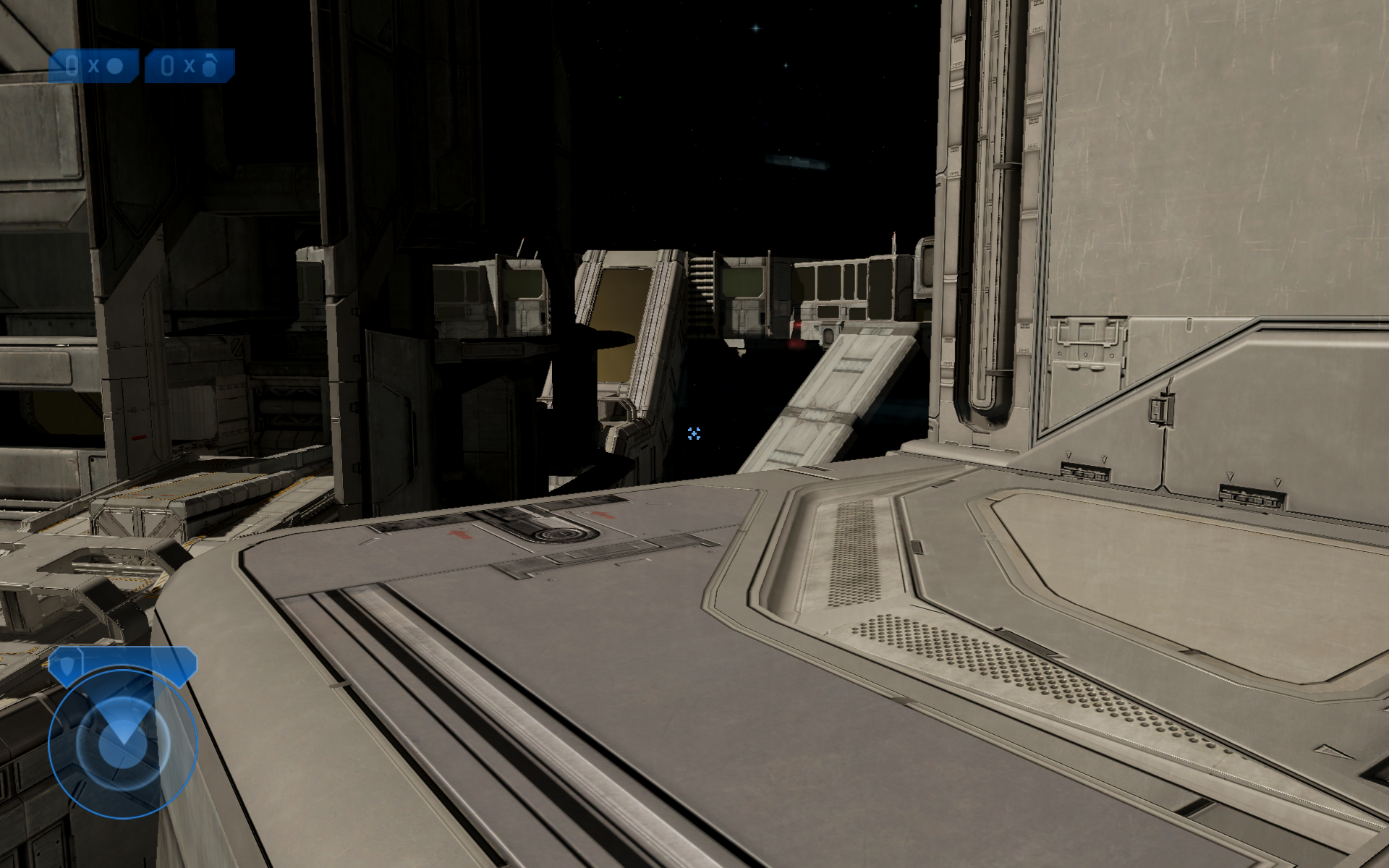
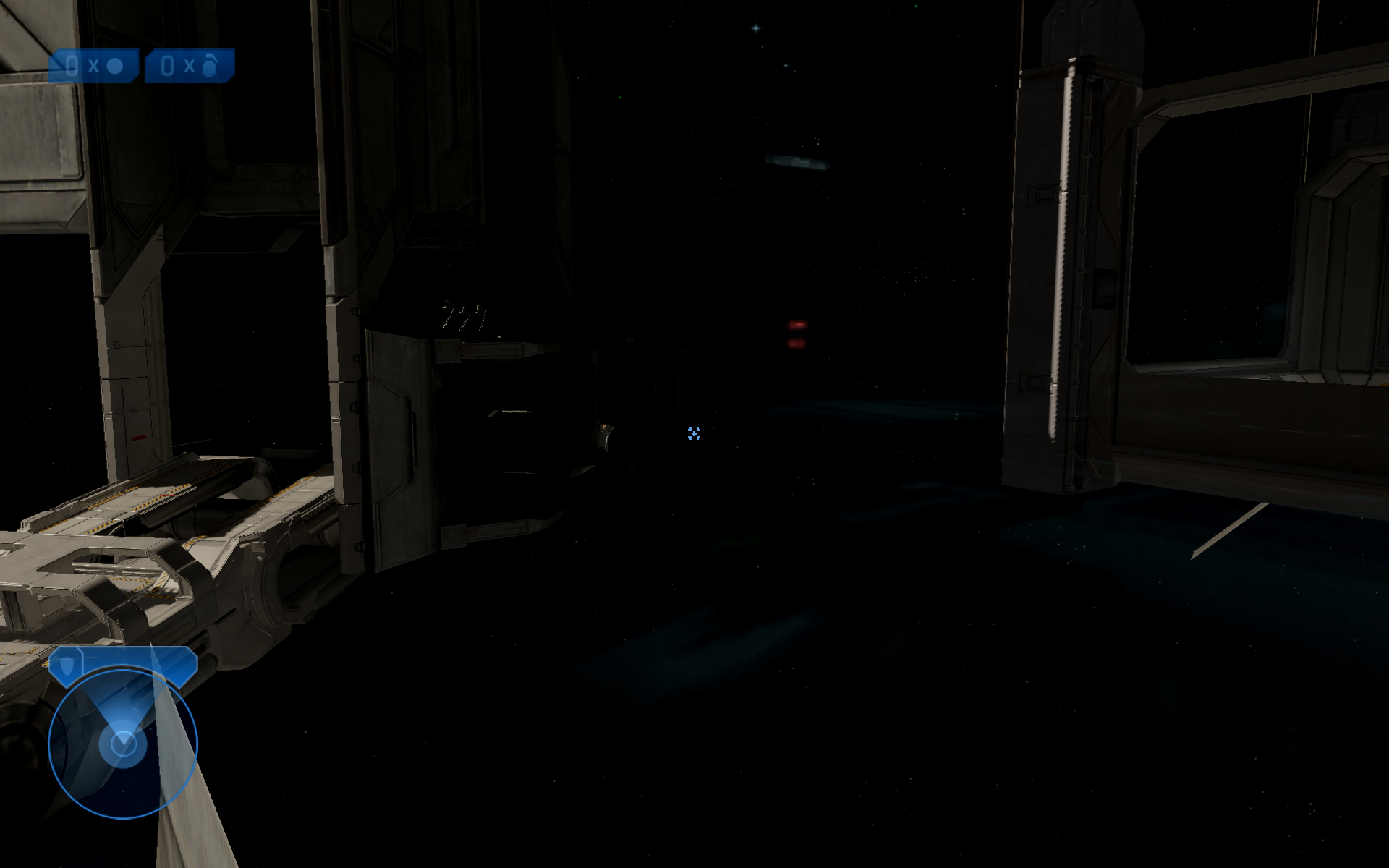
Issues signing into Microsoft for Halo
Issue transferred from https://github.com/ValveSoftware/steam-for-linux/issues/8383.
@bitshiftnetau posted on 2022-02-03T15:51:52:
Your system information
-
Steam client version (build number or date):

-
Distribution (e.g. Ubuntu): Arch Linux
-
Opted into Steam client beta?: [Yes/No] No
-
Have you checked for system updates?: [Yes/No] Yes
Please describe your issue in as much detail as possible:
Describe what you expected should happen and what did happen. Please link any large code pastes as a Github Gist
Apologies if this isn't the right place, but I have no idea where to go for this issue on Linux.
There seems to be an issue with logging into Microsoft for Halo on steam. I haven't checked this on any other distribution or system, but I do know that the Microsoft servers are running just fine and I don't have any firewall rules setup which would preclude connection. I managed to get signed in on a previous installation of the same OS. I've tried deleting the MCC folder, uninstalling and re-installing Halo. Nothing works.
Steps for reproducing this issue:
- Download Steam
- Download Halo
- Attempt to login
- Watch screen hang at password
- After it fails, try again and watch it hang at the username level
On multiple screens with non identical resolutions setups (1440p and 1080p), Halo sometimes starts showing only the top left 1/4 of the screen in the primary monitor. Pressing F11 twice should fix the issue.
Replying to https://github.com/ValveSoftware/Proton/issues/2907#issuecomment-1029132376
Still having issues with this, I've tried all versions of proton including experimental and ge. Didn't have this issue on a previous installation within weeks of each other. Facing the same issue with and without anti-cheat disabled.
EDIT: managed to get signed in using my github account with proton-ge-custom using the same email as my Microsoft account, which then tied the account together. I cannot begin to express my contempt for Microsoft gaming, I could bottle the venom. Anyone else having login issues should probs make a github account and try.
To any folks having login issues: When I was experiencing similar issues almost a year ago, I decided to just e-mail Microsoft/Halo tech support directly and open a ticket. I cooperated with their whole process, and even though I admitted to using Linux, they legitimately did fix the bug I was suffering from in a few months, and e-mailed me back to confirm whether it was now working for me. So don't be afraid to try that. You never know when login issues are on their end and better fixed by them, even if those issues are Linux-specific. I did it because i had no recourse, because the specific problem I had was very rare and nobody else seemed to have it (specifically I was unable to login and play the game without an active, fully reliably internet connection, even if my login info had been cached previously).
@bitshiftnetau Sounds like you might benefit from contacting support, too, if you still want to be able to login with your original account. That sounds like something's wonky with their own server backend, that results in older accounts having problems that newer accounts don't have. That is incredibly common with any big enough corporation that is prominently online, and has been for long enough. That sort of issue has always been a huge source of frustration for me with PayPal. If you ask support, they may actually fix it. I wouldn't bother asking PayPal or AT&T to fix that sort of old-account problem (speaking from firsthand experience), but Microsoft might bother.
A new MCC update added the EAC so, and the EAC loader runs now, but it gets stuck at the very end of the progress bar.
Also, running the non-eac option, which used to work, no longer works. It'll say the game is running, but the game never appears.
Tried launching with proton experimental (bleeding-edge) Getting stuck at the end of progress bar.
Logs (experimental-bleeding-edge) (With EAC)
steam-976730.log
Also doesn't launches without EAC
Logs (experimental-bleeding-edge) (Without EAC)
steam-976730.log
Getting following log at the end for some reason on launching without eac
3742.721:012c:0130:trace:loaddll:build_module Loaded L"Z:\\home\\shubhamarora\\.local\\share\\Steam\\steamapps\\common\\Halo The Master Chief Collection\\EasyAntiCheat\\easyanticheat_x64.dll" at 00000002F6650000: builtin
Deleting all of the eac folder allows the game to start, so its clear the anti cheat update really isnt ready yet.
Compatibility Report
- Name of the game with compatibility issues: Halo: The Master Chief Collection
- Steam AppID of the game: 976730
System Information
- Link to full system information report as Here:
- Proton version: Proton 7.0-1 Proton Experimental & Proton-GE 7-14
Game gets stuck on easy anti cheat loading and will no load even if you load the game with no anti cheat
Halo MCC no anti cheat
https://gist.github.com/coreybruce/209e9a0111e59f02ae65559c7392332f
Halo MCC anti cheat
https://gist.github.com/coreybruce/f36a0336cfed2e3f988acf9ffa4a4f63
I tested this with a new prefix. The issue is still reproducible. Able to launch without EAC on deleting ~/.steam/steam/steamapps/common/Halo The Master Chief Collection/easyanticheat directory. So it is not out of the box experience. Looks like on launching without EAC I get a window telling me EAC is being installed on the new pfx.
I tested this with a new prefix. The issue is still reproducible. Able to launch without EAC on deleting
~/.steam/steam/steamapps/common/Halo The Master Chief Collection/easyanticheatdirectory. So it is not out of the box experience. Looks like on launching without EAC I get a window telling me EAC is being installed on the new pfx.
Can confirm this makes the game playable again, a bit annoying but hopefully easy anti cheat will be fixed in proton soon
Why not just select to start it without EAC as the game asks you upon launching ?
Why not just select to start it without EAC as the game asks you upon launching ?
That's what you need to do after either renaming the easyanticheat folder or deleting it, I just renamed it to easyanticheat-off than ran the game with EAC off
Why not just select to start it without EAC as the game asks you upon launching ?
The game freezes regardless of which option you pick unless you rename that folder.
Why not just select to start it without EAC as the game asks you upon launching ?
That's what you need to do after either renaming the easyanticheat folder or deleting it, I just renamed it to easyanticheat-off than ran the game with EAC off
excuse me ?? This option has been ever since the game released...
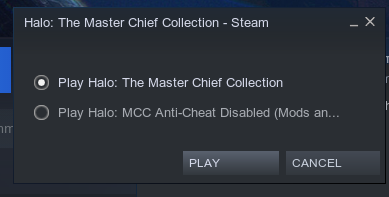
EDIT: As for freezing I am not having any issues by selecting the bottom one from what I've shown above ^
Replying to https://github.com/ValveSoftware/Proton/issues/2907#issuecomment-1098323955
The point is that even choosing that option causes a freeze, requiring the removal of the eac folder. It's interesting that it works for you without having to rename the folder, because it isn't for others.
Yeah no issues that's why I am surprised that it isn't for everyone else
Yeah no issues that's why I am surprised that it isn't for everyone else
Perhaps your copy of MCC haven't been updated yet? That it stopped working came with an recent update of the game.
Replying to https://github.com/ValveSoftware/Proton/issues/2907#issuecomment-1098323955
Yes I know it's always been a option but it's never been a issue picking either until this latest update came out so now you have to rename or remove the easyanticheat folder and pick the second option.
UPDATE: _2022-08-31 Update, EAC runtime is now downloaded by defalt and game loads with EAC enabled, EAC does not load correctly and is as it was previously before the Flood Firefight update.
UPDATE: _2022-06-29 Update, still no changes. EAC launcher behaviour is the same, and the game is still unplayable without removing easyanticheat_x64.so.
UPDATE: 2022-05-11 Update, still busted when launching with or without EAC, same download issue. Banner now appears when launching without EAC
UPDATE: 2022-04-14 Update, still busted when launching with or without EAC, same download issue.
I suspect there is an issue on 343's side in the backend for EAC.
The launcher is attempting to download a wine64 build of EAC and is failing, presumably due to a wine64 binary not being available on their CDN nor enabled in the backend.
They may have win64 and Linux enabled (while attempting to make use of the Proton EAC Runtime) but this version of the launcher detects that it is running in wine64 specifically.
Perhaps they can forego the Proton EAC Runtime and enable wine64 support directly? The first Closed Beta for The Cycle: The Frontier made use of this version of EAC and it seemed to work flawlessly on Proton (in terms of anti-cheat compatibility at least) during the duration of that Closed Beta test.
You can see the launcher attempting to download the client module in the log file located in compatdata/976730/pfx/drive_c/users/steamuser/AppData/Roaming/EasyAntiCheat/426/loader.log
Example below:
loader.log
Notice the URL (https://download.eac-cdn.com/api/v1/games/426/client/wine64/download/?uuid=60393a82-c990-aa5a-9a7a-01795a8829ea)
Attempting to CURL this gets you an empty file, this is most likely the culprit for the launcher hanging.
You can use the download tool in https://github.com/imaami/eac-tools to verify that there is no wine64 EAC client module available.
Halo MCC is EAC title 426
./download.sh --os-type=wine64 --id=426
no binary available so you get a zero kb file.
./download.sh --os-type=win64 --id=426
11mib file is downloaded due to it being available.
I think the best we can do at the moment is ask 343 to verify that they have configured their backend correctly, or ask them to look into enabling wine64 support directly. I suspect they may actually want to have the MCC running on the Steam Deck otherwise they wouldn't have gone through the trouble of attempting to enable Proton support.
Yeah no issues that's why I am surprised that it isn't for everyone else
Perhaps your copy of MCC haven't been updated yet? That it stopped working came with an recent update of the game.
I can corroborate this, on my deck with a fresh install from after the update dropped, the game runs fine with the no-anticheat launch option, no need to remove the EAC folder.
I'm running into the same issue. But for me, running without anti-cheat, I'm able to start the game, and everything. However, trying to find info online, does anyone know of an equivalent of steam://launch/976730/option1 where it picks non-anti-cheat mode? Tried all the combinations I could think of but to no avail. And this is for Lutris, since I enjoy all my games in one place. Works with steam by clicking the non-anti-cheat, but, would like an argument of some sort that actually works so I can play without. For mods and all.
Anyone have any info on something like or similar to option1 that apparently works/worked for Windows over 2 years ago. No new info recently on whether it works or not today (2022).
I seem to be able to launch it with EAC disabled, and not deleting anything.
May have been an update today or something, as this is the first time I've installed MCC on this laptop.
I did a full prefix wipe and game reinstall couple days ago. Running with the EAC disabled option works as before. Tried a few missions of Reach and Halo 2, which played through flawlessly.
Maybe there are some remnants in older prefixes that prevent the game from working altogether after the last major update?
I seem to be able to launch it with EAC disabled, and not deleting anything. May have been an update today or something, as this is the first time I've installed MCC on this laptop.
I did a full prefix wipe and game reinstall couple days ago. Running with the EAC disabled option works as before. Tried a few missions of Reach and Halo 2, which played through flawlessly. Maybe there are some remnants in older prefixes that prevent the game from working altogether after the last major update?
I just tried this with a new prefix. Still doesn't work for me. MCC-Win64-Shipping.exe doesn't start unless I make the easyanticheat_x64.so file absent (rename or delete). So you guys are either lucky or you do something different than me?
NOTE: EAC Runtime installed, using Proton Experimental.
EDIT: I noticed that Uninstalling EAC Runtime then yes, I don't have to rename/remove the easyanticheat_x64.so file at all. Made sense to me (hunch) when I just mentioned it, so I tested it without EAC runtime library. This tells me that EAC runtime is trying to use the EAC files even though I choose non-EAC.
EDIT: I noticed that Uninstalling EAC Runtime then yes, I don't have to rename/remove the easyanticheat_x64.so file at all. Made sense to me (hunch) when I just mentioned it, so I tested it without EAC runtime library. This tells me that EAC runtime is trying to use the EAC files even though I choose non-EAC.
So I'm going to hazard a guess and say you'd previously tried to launch the game prior to this update adding (broken) linux EAC support, causing it to try to use the previously downloaded runtime which for whatever reason breaks it hard.
That's my best guess as to why this is happening to some and not others - I'd wager anyone who never tried launching the game with EAC prior to the update dropping could still play the non-EAC version fine.
We can already assume that the easyanticheat_x64.so file runs regardless if the non-EAC option runs (can only talk about this particular case, Halo MCC), which shouldn't be the case. My personal assumption is that EAC runtime is forcing the execution to happen (thus why I uninstalled it and tried without it).
Edit: To clarify, I also assumed that people that got it to work because they didn't install the EAC runtime.
Edit: To clarify, I also assumed that people that got it to work because they didn't install the EAC runtime.
It did pop up as a part of the install process. Whether it was successful, I do not know.
It did pop up as a part of the install process. Whether it was successful, I do not know.
Proton EasyAntiCheat Runtime is a tool (application on Steam) you can install to use the anticheat in proton. In certain installing process an EasyAntiCheat Service is installed, it's basically just the files for the Prefix use the anticheat.
That's the difference between the two and I believe you @JoonasPitk witnessed the latter.
After talking to Halo Support (was a long shot to see if it gained any traction or not), they 'took at look at the issue' and have said that they don't support Linux as a platform; which is unsurprising.
Unfortunately that means that maaaybe we might see some change whenever the next patch for this game comes out, otherwise I wouldn't hold your breath.
@ProjectSynchro I think you have done goff, you should ask if they support the "Steam Deck" instead.
@ProjectSynchro I think you have done goff, you should ask if they support the "Steam Deck" instead.
I had mentioned the Steam Deck as well.
I doubt that seeing the words 'Steam Deck' would change their stance seeing as the Steam Deck is not an 'Xbox or Microsoft platform'.
The fact I got a response and follow up is pretty uncommon as most support teams would immediately open with 'not supported'.
It's clear they want to enable support for Steam Deck, we just need to wait for them to fix their enablement, and considering it is anti-cheat related I doubt they will be forthcoming with any details.
I contacted them as well a couple days ago.
We want to inform you that the Halo: The Master Chief Collection currently supports Windows and Xbox platforms only, we do not support "Proton" or "Steam Deck" yet.
Not surprising that support cannot confirm something that hasn't been officially announced.
Just got to keep the pressure is all, while it may seem futile, but it has some impact at some point. Always try.
steam-976730.log
I finally had it working, only to now have it complaining that it's not able to find the "Easy Anti-Cheat hash Catalogue"
i have both the game.bin and game.cer in ~/.local/share/Steam/steamapps/common/Halo\ The\ Master\ Chief\ Collection/easyanticheat/Certificates
It's so frustrating.
Edit: turns out all I had to do was remove the easyanticheat_x64.so from the easyanticheat directory
Is anyone dealing with this error? The game worked just fine last week.
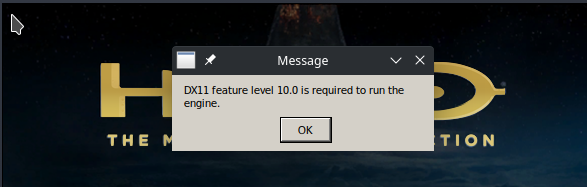
Is anyone dealing with this error? The game worked just fine last week.
Without knowing anything about your system/setup there's not much to suggest. Try verifying that you have the correct Vulkan drivers installed for whatever hardware you are using.
An update for the game just appears to have dropped (SteamDB changelist here) and unfortunately the game is still unplayable without removing the easyanticheat_x64.so file and using the 'Anti-Cheat Disabled' mode. I am starting to suspect that they added the .so file and considered that as mission accomplished, as they are adding new and unrelated content to the game.
Granted without any verification we can only really speculate how high Steam Deck support is on their list.
@ProjectSynchro
Without knowing anything about your system/setup there's not much to suggest. Try verifying that you have the correct Vulkan drivers installed for whatever hardware you are using.
I have the `vulkan-radeon` drivers installed on Arch Linux
Computer Information:
Manufacturer: ASUSTeK COMPUTER INC.
Model: TUF GAMING X570-PLUS (WI-FI)
Form Factor: Desktop
No Touch Input Detected
Processor Information:
CPU Vendor: AuthenticAMD
CPU Brand: AMD Ryzen 7 3700X 8-Core Processor
CPU Family: 0x17
CPU Model: 0x71
CPU Stepping: 0x0
CPU Type: 0x0
Speed: 4426 Mhz
16 logical processors
8 physical processors
HyperThreading: Supported
FCMOV: Supported
SSE2: Supported
SSE3: Supported
SSSE3: Supported
SSE4a: Supported
SSE41: Supported
SSE42: Supported
AES: Supported
AVX: Supported
AVX2: Supported
AVX512F: Unsupported
AVX512PF: Unsupported
AVX512ER: Unsupported
AVX512CD: Unsupported
AVX512VNNI: Unsupported
SHA: Supported
CMPXCHG16B: Supported
LAHF/SAHF: Supported
PrefetchW: Unsupported
Operating System Version:
"Arch Linux" (64 bit)
Kernel Name: Linux
Kernel Version: 5.18.7-arch1-1
X Server Vendor: The X.Org Foundation
X Server Release: 12101003
X Window Manager: KWin
Steam Runtime Version: <Runtime disabled>
Video Card:
Driver: AMD AMD Radeon RX 580 Series (polaris10, LLVM 13.0.1, DRM 3.46, 5.18.7-arch1-1)
Driver Version: 4.6 (Compatibility Profile) Mesa 22.1.2
OpenGL Version: 4.6
Desktop Color Depth: 24 bits per pixel
Monitor Refresh Rate: 60 Hz
VendorID: 0x1002
DeviceID: 0x67df
Revision Not Detected
Number of Monitors: 2
Number of Logical Video Cards: 1
Primary Display Resolution: 1920 x 1080
Desktop Resolution: 3840 x 1080
Primary Display Size: 20.51" x 11.54" (23.50" diag)
52.1cm x 29.3cm (59.7cm diag)
Primary VRAM: 8192 MB
Sound card:
Audio device: ATI R6xx HDMI
Memory:
RAM: 15906 MB
VR Hardware:
VR Headset: None detected
Miscellaneous:
UI Language: English
LANG: en_US.UTF-8
Total Hard Disk Space Available: 1875681 MB
Largest Free Hard Disk Block: 772469 MB
Storage:
Number of SSDs: 0
Number of HDDs: 0
"LD_* scout runtime" information:
{
"can-write-uinput" : true,
"steam-installation" : {
"path" : "/home/scoronado/.local/share/Steam",
"data_path" : "/home/scoronado/.local/share/Steam",
"bin32_path" : "/home/scoronado/.local/share/Steam/ubuntu12_32",
"steamscript_path" : "/usr/lib/steam/steam",
"steamscript_version" : "1.0.0.74",
"issues" : [
"unexpected-steam-uri-handler",
"unexpected-steam-desktop-id"
]
},
"runtime" : {
"path" : null,
"version" : null,
"issues" : [
"disabled"
]
},
"os-release" : {
"id" : "arch",
"name" : "Arch Linux",
"pretty_name" : "Arch Linux",
"build_id" : "rolling"
},
"container" : {
"type" : "none"
},
"driver_environment" : [
"DISPLAY=:0",
"LD_LIBRARY_PATH=/home/scoronado/.local/share/Steam/ubuntu12_32:/home/scoronado/.local/share/Steam/ubuntu12_32/panorama:/usr/lib/steam:/usr/lib32/steam",
"SDL_GAMECONTROLLERCONFIG=03000000de280000ff11000001000000,Steam Virtual Gamepad,a:b0,b:b1,back:b6,dpdown:h0.4,dpleft:h0.8,dpright:h0.2,dpup:h0.1,guide:b8,leftshoulder:b4,leftstick:b9,lefttrigger:a2,leftx:a0,lefty:a1,rightshoulder:b5,rightstick:b10,righttrigger:a5,rightx:a3,righty:a4,start:b7,x:b2,y:b3,platform:Linux\n03000000de280000fc11000001000000,Steam Controller,a:b0,b:b1,back:b6,dpdown:b14,dpleft:b15,dpright:b13,dpup:b12,guide:b8,leftshoulder:b4,leftstick:b9,lefttrigger:a2,leftx:a0,lefty:a1,rightshoulder:b5,rightstick:b10,righttrigger:a5,rightx:a3,righty:a4,start:b7,x:b2,y:b3,platform:Linux\n030000006f0e00001302000000010000,Afterglow,a:b0,b:b1,back:b6,dpdown:h0.4,dpleft:h0.8,dpright:h0.2,dpup:h0.1,guide:b8,leftshoulder:b4,leftstick:b9,lefttrigger:a2,leftx:a0,lefty:a1,rightshoulder:b5,rightstick:b10,righttrigger:a5,rightx:a3,righty:a4,start:b7,x:b2,y:b3,platform:Linux",
"XDG_RUNTIME_DIR=/run/user/1000"
],
"architectures" : {
"i386-linux-gnu" : {
"can-run" : true,
"libdl-LIB" : "lib32",
"libdl-PLATFORM" : "i686",
"runtime-linker" : {
"path" : "/lib/ld-linux.so.2",
"resolved" : "/usr/lib32/ld-linux.so.2"
},
"library-issues-summary" : [
"cannot-load",
"missing-symbols",
"misversioned-symbols"
],
"library-details" : {
"libCg.so" : {
"messages" : [
"Unable to find the library: libCg.so: cannot open shared object file: No such file or directory"
],
"soname" : null,
"path" : null,
"issues" : [
"cannot-load"
],
"exit-status" : 1
},
"libCgGL.so" : {
"messages" : [
"Unable to find the library: libCgGL.so: cannot open shared object file: No such file or directory"
],
"soname" : null,
"path" : null,
"issues" : [
"cannot-load"
],
"exit-status" : 1
},
"libGLEW.so.1.6" : {
"messages" : [
"Unable to find the library: libGLEW.so.1.6: cannot open shared object file: No such file or directory"
],
"soname" : null,
"path" : null,
"issues" : [
"cannot-load"
],
"exit-status" : 1
},
"libSDL2_net-2.0.so.0" : {
"messages" : [
"Unable to find the library: libSDL2_net-2.0.so.0: cannot open shared object file: No such file or directory"
],
"soname" : null,
"path" : null,
"issues" : [
"cannot-load"
],
"exit-status" : 1
},
"libXaw.so.7" : {
"messages" : [
"Unable to find the library: libXaw.so.7: cannot open shared object file: No such file or directory"
],
"soname" : null,
"path" : null,
"issues" : [
"cannot-load"
],
"exit-status" : 1
},
"libXpm.so.4" : {
"messages" : [
"Unable to find the library: libXpm.so.4: cannot open shared object file: No such file or directory"
],
"soname" : null,
"path" : null,
"issues" : [
"cannot-load"
],
"exit-status" : 1
},
"libasn1.so.8" : {
"messages" : [
"Unable to find the library: libasn1.so.8: cannot open shared object file: No such file or directory"
],
"soname" : null,
"path" : null,
"issues" : [
"cannot-load"
],
"exit-status" : 1
},
"libavahi-client.so.3" : {
"messages" : [
"Unable to find the library: libavahi-client.so.3: cannot open shared object file: No such file or directory"
],
"soname" : null,
"path" : null,
"issues" : [
"cannot-load"
],
"exit-status" : 1
},
"libavahi-common.so.3" : {
"messages" : [
"Unable to find the library: libavahi-common.so.3: cannot open shared object file: No such file or directory"
],
"soname" : null,
"path" : null,
"issues" : [
"cannot-load"
],
"exit-status" : 1
},
"libavcodec.so.53" : {
"messages" : [
"Unable to find the library: libavcodec.so.53: cannot open shared object file: No such file or directory"
],
"soname" : null,
"path" : null,
"issues" : [
"cannot-load"
],
"exit-status" : 1
},
"libavfilter.so.2" : {
"messages" : [
"Unable to find the library: libavfilter.so.2: cannot open shared object file: No such file or directory"
],
"soname" : null,
"path" : null,
"issues" : [
"cannot-load"
],
"exit-status" : 1
},
"libavformat.so.53" : {
"messages" : [
"Unable to find the library: libavformat.so.53: cannot open shared object file: No such file or directory"
],
"soname" : null,
"path" : null,
"issues" : [
"cannot-load"
],
"exit-status" : 1
},
"libavutil.so.51" : {
"messages" : [
"Unable to find the library: libavutil.so.51: cannot open shared object file: No such file or directory"
],
"soname" : null,
"path" : null,
"issues" : [
"cannot-load"
],
"exit-status" : 1
},
"libcrypt.so.1" : {
"messages" : [
"Unable to find the library: libcrypt.so.1: cannot open shared object file: No such file or directory"
],
"soname" : null,
"path" : null,
"issues" : [
"cannot-load"
],
"exit-status" : 1
},
"libcurl-gnutls.so.4" : {
"soname" : "libcurl.so.4",
"path" : "/usr/lib32/libcurl-gnutls.so.4",
"issues" : [
"missing-symbols",
"misversioned-symbols"
],
"missing-symbols" : [
"curl_jmpenv@CURL_GNUTLS_3"
],
"misversioned-symbols" : [
"curl_easy_cleanup@CURL_GNUTLS_3",
"curl_easy_duphandle@CURL_GNUTLS_3",
"curl_easy_escape@CURL_GNUTLS_3",
"curl_easy_getinfo@CURL_GNUTLS_3",
"curl_easy_init@CURL_GNUTLS_3",
"curl_easy_pause@CURL_GNUTLS_3",
"curl_easy_perform@CURL_GNUTLS_3",
"curl_easy_recv@CURL_GNUTLS_3",
"curl_easy_reset@CURL_GNUTLS_3",
"curl_easy_send@CURL_GNUTLS_3",
"curl_easy_setopt@CURL_GNUTLS_3",
"curl_easy_strerror@CURL_GNUTLS_3",
"curl_easy_unescape@CURL_GNUTLS_3",
"curl_escape@CURL_GNUTLS_3",
"curl_formadd@CURL_GNUTLS_3",
"curl_formfree@CURL_GNUTLS_3",
"curl_formget@CURL_GNUTLS_3",
"curl_free@CURL_GNUTLS_3",
"curl_getdate@CURL_GNUTLS_3",
"curl_getenv@CURL_GNUTLS_3",
"curl_global_cleanup@CURL_GNUTLS_3",
"curl_global_init@CURL_GNUTLS_3",
"curl_global_init_mem@CURL_GNUTLS_3",
"curl_maprintf@CURL_GNUTLS_3",
"curl_mfprintf@CURL_GNUTLS_3",
"curl_mprintf@CURL_GNUTLS_3",
"curl_msnprintf@CURL_GNUTLS_3",
"curl_msprintf@CURL_GNUTLS_3",
"curl_multi_add_handle@CURL_GNUTLS_3",
"curl_multi_assign@CURL_GNUTLS_3",
"curl_multi_cleanup@CURL_GNUTLS_3",
"curl_multi_fdset@CURL_GNUTLS_3",
"curl_multi_info_read@CURL_GNUTLS_3",
"curl_multi_init@CURL_GNUTLS_3",
"curl_multi_perform@CURL_GNUTLS_3",
"curl_multi_remove_handle@CURL_GNUTLS_3",
"curl_multi_setopt@CURL_GNUTLS_3",
"curl_multi_socket@CURL_GNUTLS_3",
"curl_multi_socket_action@CURL_GNUTLS_3",
"curl_multi_socket_all@CURL_GNUTLS_3",
"curl_multi_strerror@CURL_GNUTLS_3",
"curl_multi_timeout@CURL_GNUTLS_3",
"curl_mvaprintf@CURL_GNUTLS_3",
"curl_mvfprintf@CURL_GNUTLS_3",
"curl_mvprintf@CURL_GNUTLS_3",
"curl_mvsnprintf@CURL_GNUTLS_3",
"curl_mvsprintf@CURL_GNUTLS_3",
"curl_share_cleanup@CURL_GNUTLS_3",
"curl_share_init@CURL_GNUTLS_3",
"curl_share_setopt@CURL_GNUTLS_3",
"curl_share_strerror@CURL_GNUTLS_3",
"curl_slist_append@CURL_GNUTLS_3",
"curl_slist_free_all@CURL_GNUTLS_3",
"curl_strequal@CURL_GNUTLS_3",
"curl_strnequal@CURL_GNUTLS_3",
"curl_unescape@CURL_GNUTLS_3",
"curl_version@CURL_GNUTLS_3",
"curl_version_info@CURL_GNUTLS_3"
]
},
"libcurl.so.4" : {
"soname" : "libcurl.so.4",
"path" : "/usr/lib32/steam/libcurl.so.4",
"issues" : [
"missing-symbols",
"misversioned-symbols"
],
"missing-symbols" : [
"curl_jmpenv@CURL_OPENSSL_3"
],
"misversioned-symbols" : [
"curl_easy_cleanup@CURL_OPENSSL_3",
"curl_easy_duphandle@CURL_OPENSSL_3",
"curl_easy_escape@CURL_OPENSSL_3",
"curl_easy_getinfo@CURL_OPENSSL_3",
"curl_easy_init@CURL_OPENSSL_3",
"curl_easy_pause@CURL_OPENSSL_3",
"curl_easy_perform@CURL_OPENSSL_3",
"curl_easy_recv@CURL_OPENSSL_3",
"curl_easy_reset@CURL_OPENSSL_3",
"curl_easy_send@CURL_OPENSSL_3",
"curl_easy_setopt@CURL_OPENSSL_3",
"curl_easy_strerror@CURL_OPENSSL_3",
"curl_easy_unescape@CURL_OPENSSL_3",
"curl_escape@CURL_OPENSSL_3",
"curl_formadd@CURL_OPENSSL_3",
"curl_formfree@CURL_OPENSSL_3",
"curl_formget@CURL_OPENSSL_3",
"curl_free@CURL_OPENSSL_3",
"curl_getdate@CURL_OPENSSL_3",
"curl_getenv@CURL_OPENSSL_3",
"curl_global_cleanup@CURL_OPENSSL_3",
"curl_global_init@CURL_OPENSSL_3",
"curl_global_init_mem@CURL_OPENSSL_3",
"curl_maprintf@CURL_OPENSSL_3",
"curl_mfprintf@CURL_OPENSSL_3",
"curl_mprintf@CURL_OPENSSL_3",
"curl_msnprintf@CURL_OPENSSL_3",
"curl_msprintf@CURL_OPENSSL_3",
"curl_multi_add_handle@CURL_OPENSSL_3",
"curl_multi_assign@CURL_OPENSSL_3",
"curl_multi_cleanup@CURL_OPENSSL_3",
"curl_multi_fdset@CURL_OPENSSL_3",
"curl_multi_info_read@CURL_OPENSSL_3",
"curl_multi_init@CURL_OPENSSL_3",
"curl_multi_perform@CURL_OPENSSL_3",
"curl_multi_remove_handle@CURL_OPENSSL_3",
"curl_multi_setopt@CURL_OPENSSL_3",
"curl_multi_socket@CURL_OPENSSL_3",
"curl_multi_socket_action@CURL_OPENSSL_3",
"curl_multi_socket_all@CURL_OPENSSL_3",
"curl_multi_strerror@CURL_OPENSSL_3",
"curl_multi_timeout@CURL_OPENSSL_3",
"curl_mvaprintf@CURL_OPENSSL_3",
"curl_mvfprintf@CURL_OPENSSL_3",
"curl_mvprintf@CURL_OPENSSL_3",
"curl_mvsnprintf@CURL_OPENSSL_3",
"curl_mvsprintf@CURL_OPENSSL_3",
"curl_share_cleanup@CURL_OPENSSL_3",
"curl_share_init@CURL_OPENSSL_3",
"curl_share_setopt@CURL_OPENSSL_3",
"curl_share_strerror@CURL_OPENSSL_3",
"curl_slist_append@CURL_OPENSSL_3",
"curl_slist_free_all@CURL_OPENSSL_3",
"curl_strequal@CURL_OPENSSL_3",
"curl_strnequal@CURL_OPENSSL_3",
"curl_unescape@CURL_OPENSSL_3",
"curl_version@CURL_OPENSSL_3",
"curl_version_info@CURL_OPENSSL_3"
]
},
"libexif.so.12" : {
"messages" : [
"Unable to find the library: libexif.so.12: cannot open shared object file: No such file or directory"
],
"soname" : null,
"path" : null,
"issues" : [
"cannot-load"
],
"exit-status" : 1
},
"libexpatw.so.1" : {
"messages" : [
"Unable to find the library: libexpatw.so.1: cannot open shared object file: No such file or directory"
],
"soname" : null,
"path" : null,
"issues" : [
"cannot-load"
],
"exit-status" : 1
},
"libffi.so.6" : {
"messages" : [
"Unable to find the library: libffi.so.6: cannot open shared object file: No such file or directory"
],
"soname" : null,
"path" : null,
"issues" : [
"cannot-load"
],
"exit-status" : 1
},
"libfltk.so.1.1" : {
"messages" : [
"Unable to find the library: libfltk.so.1.1: cannot open shared object file: No such file or directory"
],
"soname" : null,
"path" : null,
"issues" : [
"cannot-load"
],
"exit-status" : 1
},
"libfltk_forms.so.1.1" : {
"messages" : [
"Unable to find the library: libfltk_forms.so.1.1: cannot open shared object file: No such file or directory"
],
"soname" : null,
"path" : null,
"issues" : [
"cannot-load"
],
"exit-status" : 1
},
"libfltk_gl.so.1.1" : {
"messages" : [
"Unable to find the library: libfltk_gl.so.1.1: cannot open shared object file: No such file or directory"
],
"soname" : null,
"path" : null,
"issues" : [
"cannot-load"
],
"exit-status" : 1
},
"libfltk_images.so.1.1" : {
"messages" : [
"Unable to find the library: libfltk_images.so.1.1: cannot open shared object file: No such file or directory"
],
"soname" : null,
"path" : null,
"issues" : [
"cannot-load"
],
"exit-status" : 1
},
"libform.so.5" : {
"messages" : [
"Unable to find the library: libform.so.5: cannot open shared object file: No such file or directory"
],
"soname" : null,
"path" : null,
"issues" : [
"cannot-load"
],
"exit-status" : 1
},
"libformw.so.5" : {
"messages" : [
"Unable to find the library: libformw.so.5: cannot open shared object file: No such file or directory"
],
"soname" : null,
"path" : null,
"issues" : [
"cannot-load"
],
"exit-status" : 1
},
"libgconf-2.so.4" : {
"messages" : [
"Unable to find the library: libgconf-2.so.4: cannot open shared object file: No such file or directory"
],
"soname" : null,
"path" : null,
"issues" : [
"cannot-load"
],
"exit-status" : 1
},
"libgdk_pixbuf_xlib-2.0.so.0" : {
"messages" : [
"Unable to find the library: libgdk_pixbuf_xlib-2.0.so.0: cannot open shared object file: No such file or directory"
],
"soname" : null,
"path" : null,
"issues" : [
"cannot-load"
],
"exit-status" : 1
},
"libgnutls-extra.so.26" : {
"messages" : [
"Unable to find the library: libgnutls-extra.so.26: cannot open shared object file: No such file or directory"
],
"soname" : null,
"path" : null,
"issues" : [
"cannot-load"
],
"exit-status" : 1
},
"libgnutls.so.26" : {
"messages" : [
"Unable to find the library: libgnutls.so.26: cannot open shared object file: No such file or directory"
],
"soname" : null,
"path" : null,
"issues" : [
"cannot-load"
],
"exit-status" : 1
},
"libgssapi.so.3" : {
"messages" : [
"Unable to find the library: libgssapi.so.3: cannot open shared object file: No such file or directory"
],
"soname" : null,
"path" : null,
"issues" : [
"cannot-load"
],
"exit-status" : 1
},
"libgstapp-0.10.so.0" : {
"messages" : [
"Unable to find the library: libgstapp-0.10.so.0: cannot open shared object file: No such file or directory"
],
"soname" : null,
"path" : null,
"issues" : [
"cannot-load"
],
"exit-status" : 1
},
"libgstaudio-0.10.so.0" : {
"messages" : [
"Unable to find the library: libgstaudio-0.10.so.0: cannot open shared object file: No such file or directory"
],
"soname" : null,
"path" : null,
"issues" : [
"cannot-load"
],
"exit-status" : 1
},
"libgstbase-0.10.so.0" : {
"messages" : [
"Unable to find the library: libgstbase-0.10.so.0: cannot open shared object file: No such file or directory"
],
"soname" : null,
"path" : null,
"issues" : [
"cannot-load"
],
"exit-status" : 1
},
"libgstcdda-0.10.so.0" : {
"messages" : [
"Unable to find the library: libgstcdda-0.10.so.0: cannot open shared object file: No such file or directory"
],
"soname" : null,
"path" : null,
"issues" : [
"cannot-load"
],
"exit-status" : 1
},
"libgstcheck-0.10.so.0" : {
"messages" : [
"Unable to find the library: libgstcheck-0.10.so.0: cannot open shared object file: No such file or directory"
],
"soname" : null,
"path" : null,
"issues" : [
"cannot-load"
],
"exit-status" : 1
},
"libgstcontroller-0.10.so.0" : {
"messages" : [
"Unable to find the library: libgstcontroller-0.10.so.0: cannot open shared object file: No such file or directory"
],
"soname" : null,
"path" : null,
"issues" : [
"cannot-load"
],
"exit-status" : 1
},
"libgstdataprotocol-0.10.so.0" : {
"messages" : [
"Unable to find the library: libgstdataprotocol-0.10.so.0: cannot open shared object file: No such file or directory"
],
"soname" : null,
"path" : null,
"issues" : [
"cannot-load"
],
"exit-status" : 1
},
"libgstfft-0.10.so.0" : {
"messages" : [
"Unable to find the library: libgstfft-0.10.so.0: cannot open shared object file: No such file or directory"
],
"soname" : null,
"path" : null,
"issues" : [
"cannot-load"
],
"exit-status" : 1
},
"libgstinterfaces-0.10.so.0" : {
"messages" : [
"Unable to find the library: libgstinterfaces-0.10.so.0: cannot open shared object file: No such file or directory"
],
"soname" : null,
"path" : null,
"issues" : [
"cannot-load"
],
"exit-status" : 1
},
"libgstnet-0.10.so.0" : {
"messages" : [
"Unable to find the library: libgstnet-0.10.so.0: cannot open shared object file: No such file or directory"
],
"soname" : null,
"path" : null,
"issues" : [
"cannot-load"
],
"exit-status" : 1
},
"libgstnetbuffer-0.10.so.0" : {
"messages" : [
"Unable to find the library: libgstnetbuffer-0.10.so.0: cannot open shared object file: No such file or directory"
],
"soname" : null,
"path" : null,
"issues" : [
"cannot-load"
],
"exit-status" : 1
},
"libgstpbutils-0.10.so.0" : {
"messages" : [
"Unable to find the library: libgstpbutils-0.10.so.0: cannot open shared object file: No such file or directory"
],
"soname" : null,
"path" : null,
"issues" : [
"cannot-load"
],
"exit-status" : 1
},
"libgstreamer-0.10.so.0" : {
"messages" : [
"Unable to find the library: libgstreamer-0.10.so.0: cannot open shared object file: No such file or directory"
],
"soname" : null,
"path" : null,
"issues" : [
"cannot-load"
],
"exit-status" : 1
},
"libgstriff-0.10.so.0" : {
"messages" : [
"Unable to find the library: libgstriff-0.10.so.0: cannot open shared object file: No such file or directory"
],
"soname" : null,
"path" : null,
"issues" : [
"cannot-load"
],
"exit-status" : 1
},
"libgstrtp-0.10.so.0" : {
"messages" : [
"Unable to find the library: libgstrtp-0.10.so.0: cannot open shared object file: No such file or directory"
],
"soname" : null,
"path" : null,
"issues" : [
"cannot-load"
],
"exit-status" : 1
},
"libgstrtsp-0.10.so.0" : {
"messages" : [
"Unable to find the library: libgstrtsp-0.10.so.0: cannot open shared object file: No such file or directory"
],
"soname" : null,
"path" : null,
"issues" : [
"cannot-load"
],
"exit-status" : 1
},
"libgstsdp-0.10.so.0" : {
"messages" : [
"Unable to find the library: libgstsdp-0.10.so.0: cannot open shared object file: No such file or directory"
],
"soname" : null,
"path" : null,
"issues" : [
"cannot-load"
],
"exit-status" : 1
},
"libgsttag-0.10.so.0" : {
"messages" : [
"Unable to find the library: libgsttag-0.10.so.0: cannot open shared object file: No such file or directory"
],
"soname" : null,
"path" : null,
"issues" : [
"cannot-load"
],
"exit-status" : 1
},
"libgstvideo-0.10.so.0" : {
"messages" : [
"Unable to find the library: libgstvideo-0.10.so.0: cannot open shared object file: No such file or directory"
],
"soname" : null,
"path" : null,
"issues" : [
"cannot-load"
],
"exit-status" : 1
},
"libhcrypto.so.4" : {
"messages" : [
"Unable to find the library: libhcrypto.so.4: cannot open shared object file: No such file or directory"
],
"soname" : null,
"path" : null,
"issues" : [
"cannot-load"
],
"exit-status" : 1
},
"libheimbase.so.1" : {
"messages" : [
"Unable to find the library: libheimbase.so.1: cannot open shared object file: No such file or directory"
],
"soname" : null,
"path" : null,
"issues" : [
"cannot-load"
],
"exit-status" : 1
},
"libheimntlm.so.0" : {
"messages" : [
"Unable to find the library: libheimntlm.so.0: cannot open shared object file: No such file or directory"
],
"soname" : null,
"path" : null,
"issues" : [
"cannot-load"
],
"exit-status" : 1
},
"libhogweed.so.4" : {
"messages" : [
"Unable to find the library: libhogweed.so.4: cannot open shared object file: No such file or directory"
],
"soname" : null,
"path" : null,
"issues" : [
"cannot-load"
],
"exit-status" : 1
},
"libhx509.so.5" : {
"messages" : [
"Unable to find the library: libhx509.so.5: cannot open shared object file: No such file or directory"
],
"soname" : null,
"path" : null,
"issues" : [
"cannot-load"
],
"exit-status" : 1
},
"libitm.so.1" : {
"messages" : [
"Unable to find the library: /usr/lib32/libitm.so.1: undefined symbol: __gxx_personality_v0"
],
"soname" : null,
"path" : null,
"issues" : [
"cannot-load"
],
"exit-status" : 1
},
"libjson.so.0" : {
"messages" : [
"Unable to find the library: libjson.so.0: cannot open shared object file: No such file or directory"
],
"soname" : null,
"path" : null,
"issues" : [
"cannot-load"
],
"exit-status" : 1
},
"libkrb5.so.26" : {
"messages" : [
"Unable to find the library: libkrb5.so.26: cannot open shared object file: No such file or directory"
],
"soname" : null,
"path" : null,
"issues" : [
"cannot-load"
],
"exit-status" : 1
},
"liblber-2.4.so.2" : {
"messages" : [
"Unable to find the library: liblber-2.4.so.2: cannot open shared object file: No such file or directory"
],
"soname" : null,
"path" : null,
"issues" : [
"cannot-load"
],
"exit-status" : 1
},
"libldap_r-2.4.so.2" : {
"messages" : [
"Unable to find the library: libldap_r-2.4.so.2: cannot open shared object file: No such file or directory"
],
"soname" : null,
"path" : null,
"issues" : [
"cannot-load"
],
"exit-status" : 1
},
"libmenu.so.5" : {
"messages" : [
"Unable to find the library: libmenu.so.5: cannot open shared object file: No such file or directory"
],
"soname" : null,
"path" : null,
"issues" : [
"cannot-load"
],
"exit-status" : 1
},
"libmenuw.so.5" : {
"messages" : [
"Unable to find the library: libmenuw.so.5: cannot open shared object file: No such file or directory"
],
"soname" : null,
"path" : null,
"issues" : [
"cannot-load"
],
"exit-status" : 1
},
"libmikmod.so.2" : {
"messages" : [
"Unable to find the library: libmikmod.so.2: cannot open shared object file: No such file or directory"
],
"soname" : null,
"path" : null,
"issues" : [
"cannot-load"
],
"exit-status" : 1
},
"libncurses.so.5" : {
"messages" : [
"Unable to find the library: libncurses.so.5: cannot open shared object file: No such file or directory"
],
"soname" : null,
"path" : null,
"issues" : [
"cannot-load"
],
"exit-status" : 1
},
"libncursesw.so.5" : {
"messages" : [
"Unable to find the library: libncursesw.so.5: cannot open shared object file: No such file or directory"
],
"soname" : null,
"path" : null,
"issues" : [
"cannot-load"
],
"exit-status" : 1
},
"libnettle.so.6" : {
"messages" : [
"Unable to find the library: libnettle.so.6: cannot open shared object file: No such file or directory"
],
"soname" : null,
"path" : null,
"issues" : [
"cannot-load"
],
"exit-status" : 1
},
"libnotify.so.4" : {
"messages" : [
"Unable to find the library: libnotify.so.4: cannot open shared object file: No such file or directory"
],
"soname" : null,
"path" : null,
"issues" : [
"cannot-load"
],
"exit-status" : 1
},
"libopusfile.so.0" : {
"messages" : [
"Unable to find the library: libopusfile.so.0: cannot open shared object file: No such file or directory"
],
"soname" : null,
"path" : null,
"issues" : [
"cannot-load"
],
"exit-status" : 1
},
"libopusurl.so.0" : {
"messages" : [
"Unable to find the library: libopusurl.so.0: cannot open shared object file: No such file or directory"
],
"soname" : null,
"path" : null,
"issues" : [
"cannot-load"
],
"exit-status" : 1
},
"libpanel.so.5" : {
"messages" : [
"Unable to find the library: libpanel.so.5: cannot open shared object file: No such file or directory"
],
"soname" : null,
"path" : null,
"issues" : [
"cannot-load"
],
"exit-status" : 1
},
"libpanelw.so.5" : {
"messages" : [
"Unable to find the library: libpanelw.so.5: cannot open shared object file: No such file or directory"
],
"soname" : null,
"path" : null,
"issues" : [
"cannot-load"
],
"exit-status" : 1
},
"libpangox-1.0.so.0" : {
"messages" : [
"Unable to find the library: libpangox-1.0.so.0: cannot open shared object file: No such file or directory"
],
"soname" : null,
"path" : null,
"issues" : [
"cannot-load"
],
"exit-status" : 1
},
"libpci.so.3" : {
"messages" : [
"Unable to find the library: libpci.so.3: cannot open shared object file: No such file or directory"
],
"soname" : null,
"path" : null,
"issues" : [
"cannot-load"
],
"exit-status" : 1
},
"libpcre.so.3" : {
"messages" : [
"Unable to find the library: libpcre.so.3: cannot open shared object file: No such file or directory"
],
"soname" : null,
"path" : null,
"issues" : [
"cannot-load"
],
"exit-status" : 1
},
"libpcreposix.so.3" : {
"messages" : [
"Unable to find the library: libpcreposix.so.3: cannot open shared object file: No such file or directory"
],
"soname" : null,
"path" : null,
"issues" : [
"cannot-load"
],
"exit-status" : 1
},
"libroken.so.18" : {
"messages" : [
"Unable to find the library: libroken.so.18: cannot open shared object file: No such file or directory"
],
"soname" : null,
"path" : null,
"issues" : [
"cannot-load"
],
"exit-status" : 1
},
"libsasl2.so.2" : {
"messages" : [
"Unable to find the library: libsasl2.so.2: cannot open shared object file: No such file or directory"
],
"soname" : null,
"path" : null,
"issues" : [
"cannot-load"
],
"exit-status" : 1
},
"libselinux.so.1" : {
"messages" : [
"Unable to find the library: libselinux.so.1: cannot open shared object file: No such file or directory"
],
"soname" : null,
"path" : null,
"issues" : [
"cannot-load"
],
"exit-status" : 1
},
"libsteam-runtime-tools-0.so.0" : {
"messages" : [
"Unable to find the library: libsteam-runtime-tools-0.so.0: cannot open shared object file: No such file or directory"
],
"soname" : null,
"path" : null,
"issues" : [
"cannot-load"
],
"exit-status" : 1
},
"libswscale.so.2" : {
"messages" : [
"Unable to find the library: libswscale.so.2: cannot open shared object file: No such file or directory"
],
"soname" : null,
"path" : null,
"issues" : [
"cannot-load"
],
"exit-status" : 1
},
"libtasn1.so.3" : {
"messages" : [
"Unable to find the library: libtasn1.so.3: cannot open shared object file: No such file or directory"
],
"soname" : null,
"path" : null,
"issues" : [
"cannot-load"
],
"exit-status" : 1
},
"libtbb.so.2" : {
"messages" : [
"Unable to find the library: libtbb.so.2: cannot open shared object file: No such file or directory"
],
"soname" : null,
"path" : null,
"issues" : [
"cannot-load"
],
"exit-status" : 1
},
"libtbbmalloc.so.2" : {
"messages" : [
"Unable to find the library: libtbbmalloc.so.2: cannot open shared object file: No such file or directory"
],
"soname" : null,
"path" : null,
"issues" : [
"cannot-load"
],
"exit-status" : 1
},
"libtbbmalloc_proxy.so.2" : {
"messages" : [
"Unable to find the library: libtbbmalloc_proxy.so.2: cannot open shared object file: No such file or directory"
],
"soname" : null,
"path" : null,
"issues" : [
"cannot-load"
],
"exit-status" : 1
},
"libtic.so.5" : {
"messages" : [
"Unable to find the library: libtic.so.5: cannot open shared object file: No such file or directory"
],
"soname" : null,
"path" : null,
"issues" : [
"cannot-load"
],
"exit-status" : 1
},
"libtinfo.so.5" : {
"messages" : [
"Unable to find the library: libtinfo.so.5: cannot open shared object file: No such file or directory"
],
"soname" : null,
"path" : null,
"issues" : [
"cannot-load"
],
"exit-status" : 1
},
"libva-drm.so.1" : {
"messages" : [
"Unable to find the library: libva-drm.so.1: cannot open shared object file: No such file or directory"
],
"soname" : null,
"path" : null,
"issues" : [
"cannot-load"
],
"exit-status" : 1
},
"libva-glx.so.1" : {
"messages" : [
"Unable to find the library: libva-glx.so.1: cannot open shared object file: No such file or directory"
],
"soname" : null,
"path" : null,
"issues" : [
"cannot-load"
],
"exit-status" : 1
},
"libva-x11.so.1" : {
"messages" : [
"Unable to find the library: libva-x11.so.1: cannot open shared object file: No such file or directory"
],
"soname" : null,
"path" : null,
"issues" : [
"cannot-load"
],
"exit-status" : 1
},
"libva.so.1" : {
"messages" : [
"Unable to find the library: libva.so.1: cannot open shared object file: No such file or directory"
],
"soname" : null,
"path" : null,
"issues" : [
"cannot-load"
],
"exit-status" : 1
},
"libwaffle-1.so.0" : {
"messages" : [
"Unable to find the library: libwaffle-1.so.0: cannot open shared object file: No such file or directory"
],
"soname" : null,
"path" : null,
"issues" : [
"cannot-load"
],
"exit-status" : 1
},
"libwebp.so.6" : {
"messages" : [
"Unable to find the library: libwebp.so.6: cannot open shared object file: No such file or directory"
],
"soname" : null,
"path" : null,
"issues" : [
"cannot-load"
],
"exit-status" : 1
},
"libwind.so.0" : {
"messages" : [
"Unable to find the library: libwind.so.0: cannot open shared object file: No such file or directory"
],
"soname" : null,
"path" : null,
"issues" : [
"cannot-load"
],
"exit-status" : 1
},
"libxcb-xevie.so.0" : {
"messages" : [
"Unable to find the library: libxcb-xevie.so.0: cannot open shared object file: No such file or directory"
],
"soname" : null,
"path" : null,
"issues" : [
"cannot-load"
],
"exit-status" : 1
},
"libxcb-xprint.so.0" : {
"messages" : [
"Unable to find the library: libxcb-xprint.so.0: cannot open shared object file: No such file or directory"
],
"soname" : null,
"path" : null,
"issues" : [
"cannot-load"
],
"exit-status" : 1
}
},
"graphics-details" : {
"x11/vulkan" : {
"messages" : [
"vkEnumeratePhysicalDevices (instance, physical_device_count, *physical_devices) failed: INCOMPLETE (5)"
],
"renderer" : null,
"version" : null,
"issues" : [
"cannot-load",
"cannot-draw"
],
"exit-status" : 1,
"devices" : [
]
},
"x11/vdpau" : {
"renderer" : "G3DVL VDPAU Driver Shared Library version 1.0\n",
"version" : null
},
"x11/vaapi" : {
"messages" : [
"libva info: VA-API version 1.14.0",
"libva info: Trying to open /usr/lib32/dri/radeonsi_drv_video.so",
"libva info: Found init function __vaDriverInit_1_14",
"libva info: va_openDriver() returns 0",
"Testing H264Main decoding"
],
"renderer" : "Mesa Gallium driver 22.1.2 for AMD Radeon RX 580 Series (polaris10, LLVM 13.0.1, DRM 3.46, 5.18.7-arch1-1)\n",
"version" : null
},
"glx/gl" : {
"messages" : [
"/home/scoronado/.local/share/Steam/ubuntu12_32/steam-runtime/amd64/usr/libexec/steam-runtime-tools-0/i386-linux-gnu-wflinfo: error while loading shared libraries: libwaffle-1.so.0: cannot open shared object file: No such file or directory"
],
"renderer" : null,
"version" : null,
"library-vendor" : "glvnd",
"issues" : [
"cannot-load"
],
"exit-status" : 127
},
"egl_x11/gl" : {
"messages" : [
"/home/scoronado/.local/share/Steam/ubuntu12_32/steam-runtime/amd64/usr/libexec/steam-runtime-tools-0/i386-linux-gnu-wflinfo: error while loading shared libraries: libwaffle-1.so.0: cannot open shared object file: No such file or directory"
],
"renderer" : null,
"version" : null,
"library-vendor" : "glvnd",
"issues" : [
"cannot-load"
],
"exit-status" : 127
},
"egl_x11/glesv2" : {
"messages" : [
"/home/scoronado/.local/share/Steam/ubuntu12_32/steam-runtime/amd64/usr/libexec/steam-runtime-tools-0/i386-linux-gnu-wflinfo: error while loading shared libraries: libwaffle-1.so.0: cannot open shared object file: No such file or directory"
],
"renderer" : null,
"version" : null,
"library-vendor" : "glvnd",
"issues" : [
"cannot-load"
],
"exit-status" : 127
}
},
"dri_drivers" : [
{
"library_path" : "/usr/lib32/dri/crocus_dri.so"
},
{
"library_path" : "/usr/lib32/dri/iris_dri.so"
},
{
"library_path" : "/usr/lib32/dri/kms_swrast_dri.so"
},
{
"library_path" : "/usr/lib32/dri/nouveau_dri.so"
},
{
"library_path" : "/usr/lib32/dri/r300_dri.so"
},
{
"library_path" : "/usr/lib32/dri/r600_dri.so"
},
{
"library_path" : "/usr/lib32/dri/radeonsi_dri.so"
},
{
"library_path" : "/usr/lib32/dri/swrast_dri.so"
},
{
"library_path" : "/usr/lib32/dri/virtio_gpu_dri.so"
},
{
"library_path" : "/usr/lib32/dri/vmwgfx_dri.so"
},
{
"library_path" : "/usr/lib32/dri/zink_dri.so"
}
],
"va-api_drivers" : [
{
"library_path" : "/usr/lib32/dri/nouveau_drv_video.so"
},
{
"library_path" : "/usr/lib32/dri/r600_drv_video.so"
},
{
"library_path" : "/usr/lib32/dri/radeonsi_drv_video.so"
}
],
"vdpau_drivers" : [
{
"library_path" : "/usr/lib32/vdpau/libvdpau_nouveau.so",
"library_link" : "libvdpau_nouveau.so.1.0.0"
},
{
"library_path" : "/usr/lib32/vdpau/libvdpau_nouveau.so.1",
"library_link" : "libvdpau_nouveau.so.1.0.0"
},
{
"library_path" : "/usr/lib32/vdpau/libvdpau_r300.so",
"library_link" : "libvdpau_r300.so.1.0.0"
},
{
"library_path" : "/usr/lib32/vdpau/libvdpau_r300.so.1",
"library_link" : "libvdpau_r300.so.1.0.0"
},
{
"library_path" : "/usr/lib32/vdpau/libvdpau_r600.so",
"library_link" : "libvdpau_r600.so.1.0.0"
},
{
"library_path" : "/usr/lib32/vdpau/libvdpau_r600.so.1",
"library_link" : "libvdpau_r600.so.1.0.0"
},
{
"library_path" : "/usr/lib32/vdpau/libvdpau_radeonsi.so",
"library_link" : "libvdpau_radeonsi.so.1.0.0"
},
{
"library_path" : "/usr/lib32/vdpau/libvdpau_radeonsi.so.1",
"library_link" : "libvdpau_radeonsi.so.1.0.0"
},
{
"library_path" : "/usr/lib32/vdpau/libvdpau_trace.so",
"library_link" : "libvdpau_trace.so.1"
},
{
"library_path" : "/usr/lib32/vdpau/libvdpau_trace.so.1",
"library_link" : "libvdpau_trace.so.1.0.0"
}
],
"glx_drivers" : [
{
"library_soname" : "libGLX_mesa.so.0",
"library_path" : "/usr/lib32/libGLX_mesa.so.0"
}
]
},
"x86_64-linux-gnu" : {
"can-run" : true,
"libdl-LIB" : "lib",
"libdl-PLATFORM" : "x86_64",
"runtime-linker" : {
"path" : "/lib64/ld-linux-x86-64.so.2",
"resolved" : "/usr/lib/ld-linux-x86-64.so.2"
},
"library-issues-summary" : [
"cannot-load",
"missing-symbols",
"misversioned-symbols"
],
"library-details" : {
"libCg.so" : {
"messages" : [
"Unable to find the library: libCg.so: cannot open shared object file: No such file or directory"
],
"soname" : null,
"path" : null,
"issues" : [
"cannot-load"
],
"exit-status" : 1
},
"libCgGL.so" : {
"messages" : [
"Unable to find the library: libCgGL.so: cannot open shared object file: No such file or directory"
],
"soname" : null,
"path" : null,
"issues" : [
"cannot-load"
],
"exit-status" : 1
},
"libGLEW.so.1.6" : {
"messages" : [
"Unable to find the library: libGLEW.so.1.6: cannot open shared object file: No such file or directory"
],
"soname" : null,
"path" : null,
"issues" : [
"cannot-load"
],
"exit-status" : 1
},
"libSDL2_net-2.0.so.0" : {
"messages" : [
"Unable to find the library: libSDL2_net-2.0.so.0: cannot open shared object file: No such file or directory"
],
"soname" : null,
"path" : null,
"issues" : [
"cannot-load"
],
"exit-status" : 1
},
"libappindicator.so.1" : {
"messages" : [
"Unable to find the library: libappindicator.so.1: cannot open shared object file: No such file or directory"
],
"soname" : null,
"path" : null,
"issues" : [
"cannot-load"
],
"exit-status" : 1
},
"libasn1.so.8" : {
"messages" : [
"Unable to find the library: libasn1.so.8: cannot open shared object file: No such file or directory"
],
"soname" : null,
"path" : null,
"issues" : [
"cannot-load"
],
"exit-status" : 1
},
"libavcodec.so.53" : {
"messages" : [
"Unable to find the library: libavcodec.so.53: cannot open shared object file: No such file or directory"
],
"soname" : null,
"path" : null,
"issues" : [
"cannot-load"
],
"exit-status" : 1
},
"libavfilter.so.2" : {
"messages" : [
"Unable to find the library: libavfilter.so.2: cannot open shared object file: No such file or directory"
],
"soname" : null,
"path" : null,
"issues" : [
"cannot-load"
],
"exit-status" : 1
},
"libavformat.so.53" : {
"messages" : [
"Unable to find the library: libavformat.so.53: cannot open shared object file: No such file or directory"
],
"soname" : null,
"path" : null,
"issues" : [
"cannot-load"
],
"exit-status" : 1
},
"libavutil.so.51" : {
"messages" : [
"Unable to find the library: libavutil.so.51: cannot open shared object file: No such file or directory"
],
"soname" : null,
"path" : null,
"issues" : [
"cannot-load"
],
"exit-status" : 1
},
"libcrypt.so.1" : {
"messages" : [
"Unable to find the library: libcrypt.so.1: cannot open shared object file: No such file or directory"
],
"soname" : null,
"path" : null,
"issues" : [
"cannot-load"
],
"exit-status" : 1
},
"libcurl-gnutls.so.4" : {
"soname" : "libcurl.so.4",
"path" : "/usr/lib/libcurl-gnutls.so.4",
"issues" : [
"missing-symbols",
"misversioned-symbols"
],
"missing-symbols" : [
"curl_jmpenv@CURL_GNUTLS_3"
],
"misversioned-symbols" : [
"curl_easy_cleanup@CURL_GNUTLS_3",
"curl_easy_duphandle@CURL_GNUTLS_3",
"curl_easy_escape@CURL_GNUTLS_3",
"curl_easy_getinfo@CURL_GNUTLS_3",
"curl_easy_init@CURL_GNUTLS_3",
"curl_easy_pause@CURL_GNUTLS_3",
"curl_easy_perform@CURL_GNUTLS_3",
"curl_easy_recv@CURL_GNUTLS_3",
"curl_easy_reset@CURL_GNUTLS_3",
"curl_easy_send@CURL_GNUTLS_3",
"curl_easy_setopt@CURL_GNUTLS_3",
"curl_easy_strerror@CURL_GNUTLS_3",
"curl_easy_unescape@CURL_GNUTLS_3",
"curl_escape@CURL_GNUTLS_3",
"curl_formadd@CURL_GNUTLS_3",
"curl_formfree@CURL_GNUTLS_3",
"curl_formget@CURL_GNUTLS_3",
"curl_free@CURL_GNUTLS_3",
"curl_getdate@CURL_GNUTLS_3",
"curl_getenv@CURL_GNUTLS_3",
"curl_global_cleanup@CURL_GNUTLS_3",
"curl_global_init@CURL_GNUTLS_3",
"curl_global_init_mem@CURL_GNUTLS_3",
"curl_maprintf@CURL_GNUTLS_3",
"curl_mfprintf@CURL_GNUTLS_3",
"curl_mprintf@CURL_GNUTLS_3",
"curl_msnprintf@CURL_GNUTLS_3",
"curl_msprintf@CURL_GNUTLS_3",
"curl_multi_add_handle@CURL_GNUTLS_3",
"curl_multi_assign@CURL_GNUTLS_3",
"curl_multi_cleanup@CURL_GNUTLS_3",
"curl_multi_fdset@CURL_GNUTLS_3",
"curl_multi_info_read@CURL_GNUTLS_3",
"curl_multi_init@CURL_GNUTLS_3",
"curl_multi_perform@CURL_GNUTLS_3",
"curl_multi_remove_handle@CURL_GNUTLS_3",
"curl_multi_setopt@CURL_GNUTLS_3",
"curl_multi_socket@CURL_GNUTLS_3",
"curl_multi_socket_action@CURL_GNUTLS_3",
"curl_multi_socket_all@CURL_GNUTLS_3",
"curl_multi_strerror@CURL_GNUTLS_3",
"curl_multi_timeout@CURL_GNUTLS_3",
"curl_mvaprintf@CURL_GNUTLS_3",
"curl_mvfprintf@CURL_GNUTLS_3",
"curl_mvprintf@CURL_GNUTLS_3",
"curl_mvsnprintf@CURL_GNUTLS_3",
"curl_mvsprintf@CURL_GNUTLS_3",
"curl_share_cleanup@CURL_GNUTLS_3",
"curl_share_init@CURL_GNUTLS_3",
"curl_share_setopt@CURL_GNUTLS_3",
"curl_share_strerror@CURL_GNUTLS_3",
"curl_slist_append@CURL_GNUTLS_3",
"curl_slist_free_all@CURL_GNUTLS_3",
"curl_strequal@CURL_GNUTLS_3",
"curl_strnequal@CURL_GNUTLS_3",
"curl_unescape@CURL_GNUTLS_3",
"curl_version@CURL_GNUTLS_3",
"curl_version_info@CURL_GNUTLS_3"
]
},
"libcurl.so.4" : {
"soname" : "libcurl.so.4",
"path" : "/usr/lib/steam/libcurl.so.4",
"issues" : [
"missing-symbols",
"misversioned-symbols"
],
"missing-symbols" : [
"curl_jmpenv@CURL_OPENSSL_3"
],
"misversioned-symbols" : [
"curl_easy_cleanup@CURL_OPENSSL_3",
"curl_easy_duphandle@CURL_OPENSSL_3",
"curl_easy_escape@CURL_OPENSSL_3",
"curl_easy_getinfo@CURL_OPENSSL_3",
"curl_easy_init@CURL_OPENSSL_3",
"curl_easy_pause@CURL_OPENSSL_3",
"curl_easy_perform@CURL_OPENSSL_3",
"curl_easy_recv@CURL_OPENSSL_3",
"curl_easy_reset@CURL_OPENSSL_3",
"curl_easy_send@CURL_OPENSSL_3",
"curl_easy_setopt@CURL_OPENSSL_3",
"curl_easy_strerror@CURL_OPENSSL_3",
"curl_easy_unescape@CURL_OPENSSL_3",
"curl_escape@CURL_OPENSSL_3",
"curl_formadd@CURL_OPENSSL_3",
"curl_formfree@CURL_OPENSSL_3",
"curl_formget@CURL_OPENSSL_3",
"curl_free@CURL_OPENSSL_3",
"curl_getdate@CURL_OPENSSL_3",
"curl_getenv@CURL_OPENSSL_3",
"curl_global_cleanup@CURL_OPENSSL_3",
"curl_global_init@CURL_OPENSSL_3",
"curl_global_init_mem@CURL_OPENSSL_3",
"curl_maprintf@CURL_OPENSSL_3",
"curl_mfprintf@CURL_OPENSSL_3",
"curl_mprintf@CURL_OPENSSL_3",
"curl_msnprintf@CURL_OPENSSL_3",
"curl_msprintf@CURL_OPENSSL_3",
"curl_multi_add_handle@CURL_OPENSSL_3",
"curl_multi_assign@CURL_OPENSSL_3",
"curl_multi_cleanup@CURL_OPENSSL_3",
"curl_multi_fdset@CURL_OPENSSL_3",
"curl_multi_info_read@CURL_OPENSSL_3",
"curl_multi_init@CURL_OPENSSL_3",
"curl_multi_perform@CURL_OPENSSL_3",
"curl_multi_remove_handle@CURL_OPENSSL_3",
"curl_multi_setopt@CURL_OPENSSL_3",
"curl_multi_socket@CURL_OPENSSL_3",
"curl_multi_socket_action@CURL_OPENSSL_3",
"curl_multi_socket_all@CURL_OPENSSL_3",
"curl_multi_strerror@CURL_OPENSSL_3",
"curl_multi_timeout@CURL_OPENSSL_3",
"curl_mvaprintf@CURL_OPENSSL_3",
"curl_mvfprintf@CURL_OPENSSL_3",
"curl_mvprintf@CURL_OPENSSL_3",
"curl_mvsnprintf@CURL_OPENSSL_3",
"curl_mvsprintf@CURL_OPENSSL_3",
"curl_share_cleanup@CURL_OPENSSL_3",
"curl_share_init@CURL_OPENSSL_3",
"curl_share_setopt@CURL_OPENSSL_3",
"curl_share_strerror@CURL_OPENSSL_3",
"curl_slist_append@CURL_OPENSSL_3",
"curl_slist_free_all@CURL_OPENSSL_3",
"curl_strequal@CURL_OPENSSL_3",
"curl_strnequal@CURL_OPENSSL_3",
"curl_unescape@CURL_OPENSSL_3",
"curl_version@CURL_OPENSSL_3",
"curl_version_info@CURL_OPENSSL_3"
]
},
"libexpatw.so.1" : {
"messages" : [
"Unable to find the library: libexpatw.so.1: cannot open shared object file: No such file or directory"
],
"soname" : null,
"path" : null,
"issues" : [
"cannot-load"
],
"exit-status" : 1
},
"libffi.so.6" : {
"messages" : [
"Unable to find the library: libffi.so.6: cannot open shared object file: No such file or directory"
],
"soname" : null,
"path" : null,
"issues" : [
"cannot-load"
],
"exit-status" : 1
},
"libfltk.so.1.1" : {
"messages" : [
"Unable to find the library: libfltk.so.1.1: cannot open shared object file: No such file or directory"
],
"soname" : null,
"path" : null,
"issues" : [
"cannot-load"
],
"exit-status" : 1
},
"libfltk_forms.so.1.1" : {
"messages" : [
"Unable to find the library: libfltk_forms.so.1.1: cannot open shared object file: No such file or directory"
],
"soname" : null,
"path" : null,
"issues" : [
"cannot-load"
],
"exit-status" : 1
},
"libfltk_gl.so.1.1" : {
"messages" : [
"Unable to find the library: libfltk_gl.so.1.1: cannot open shared object file: No such file or directory"
],
"soname" : null,
"path" : null,
"issues" : [
"cannot-load"
],
"exit-status" : 1
},
"libfltk_images.so.1.1" : {
"messages" : [
"Unable to find the library: libfltk_images.so.1.1: cannot open shared object file: No such file or directory"
],
"soname" : null,
"path" : null,
"issues" : [
"cannot-load"
],
"exit-status" : 1
},
"libform.so.5" : {
"messages" : [
"Unable to find the library: libform.so.5: cannot open shared object file: No such file or directory"
],
"soname" : null,
"path" : null,
"issues" : [
"cannot-load"
],
"exit-status" : 1
},
"libformw.so.5" : {
"messages" : [
"Unable to find the library: libformw.so.5: cannot open shared object file: No such file or directory"
],
"soname" : null,
"path" : null,
"issues" : [
"cannot-load"
],
"exit-status" : 1
},
"libgdk_pixbuf_xlib-2.0.so.0" : {
"messages" : [
"Unable to find the library: libgdk_pixbuf_xlib-2.0.so.0: cannot open shared object file: No such file or directory"
],
"soname" : null,
"path" : null,
"issues" : [
"cannot-load"
],
"exit-status" : 1
},
"libgnutls-extra.so.26" : {
"messages" : [
"Unable to find the library: libgnutls-extra.so.26: cannot open shared object file: No such file or directory"
],
"soname" : null,
"path" : null,
"issues" : [
"cannot-load"
],
"exit-status" : 1
},
"libgnutls.so.26" : {
"messages" : [
"Unable to find the library: libgnutls.so.26: cannot open shared object file: No such file or directory"
],
"soname" : null,
"path" : null,
"issues" : [
"cannot-load"
],
"exit-status" : 1
},
"libgssapi.so.3" : {
"messages" : [
"Unable to find the library: libgssapi.so.3: cannot open shared object file: No such file or directory"
],
"soname" : null,
"path" : null,
"issues" : [
"cannot-load"
],
"exit-status" : 1
},
"libgstapp-0.10.so.0" : {
"messages" : [
"Unable to find the library: libgstapp-0.10.so.0: cannot open shared object file: No such file or directory"
],
"soname" : null,
"path" : null,
"issues" : [
"cannot-load"
],
"exit-status" : 1
},
"libgstaudio-0.10.so.0" : {
"messages" : [
"Unable to find the library: libgstaudio-0.10.so.0: cannot open shared object file: No such file or directory"
],
"soname" : null,
"path" : null,
"issues" : [
"cannot-load"
],
"exit-status" : 1
},
"libgstbase-0.10.so.0" : {
"messages" : [
"Unable to find the library: libgstbase-0.10.so.0: cannot open shared object file: No such file or directory"
],
"soname" : null,
"path" : null,
"issues" : [
"cannot-load"
],
"exit-status" : 1
},
"libgstcdda-0.10.so.0" : {
"messages" : [
"Unable to find the library: libgstcdda-0.10.so.0: cannot open shared object file: No such file or directory"
],
"soname" : null,
"path" : null,
"issues" : [
"cannot-load"
],
"exit-status" : 1
},
"libgstcheck-0.10.so.0" : {
"messages" : [
"Unable to find the library: libgstcheck-0.10.so.0: cannot open shared object file: No such file or directory"
],
"soname" : null,
"path" : null,
"issues" : [
"cannot-load"
],
"exit-status" : 1
},
"libgstcontroller-0.10.so.0" : {
"messages" : [
"Unable to find the library: libgstcontroller-0.10.so.0: cannot open shared object file: No such file or directory"
],
"soname" : null,
"path" : null,
"issues" : [
"cannot-load"
],
"exit-status" : 1
},
"libgstdataprotocol-0.10.so.0" : {
"messages" : [
"Unable to find the library: libgstdataprotocol-0.10.so.0: cannot open shared object file: No such file or directory"
],
"soname" : null,
"path" : null,
"issues" : [
"cannot-load"
],
"exit-status" : 1
},
"libgstfft-0.10.so.0" : {
"messages" : [
"Unable to find the library: libgstfft-0.10.so.0: cannot open shared object file: No such file or directory"
],
"soname" : null,
"path" : null,
"issues" : [
"cannot-load"
],
"exit-status" : 1
},
"libgstinterfaces-0.10.so.0" : {
"messages" : [
"Unable to find the library: libgstinterfaces-0.10.so.0: cannot open shared object file: No such file or directory"
],
"soname" : null,
"path" : null,
"issues" : [
"cannot-load"
],
"exit-status" : 1
},
"libgstnet-0.10.so.0" : {
"messages" : [
"Unable to find the library: libgstnet-0.10.so.0: cannot open shared object file: No such file or directory"
],
"soname" : null,
"path" : null,
"issues" : [
"cannot-load"
],
"exit-status" : 1
},
"libgstnetbuffer-0.10.so.0" : {
"messages" : [
"Unable to find the library: libgstnetbuffer-0.10.so.0: cannot open shared object file: No such file or directory"
],
"soname" : null,
"path" : null,
"issues" : [
"cannot-load"
],
"exit-status" : 1
},
"libgstpbutils-0.10.so.0" : {
"messages" : [
"Unable to find the library: libgstpbutils-0.10.so.0: cannot open shared object file: No such file or directory"
],
"soname" : null,
"path" : null,
"issues" : [
"cannot-load"
],
"exit-status" : 1
},
"libgstreamer-0.10.so.0" : {
"messages" : [
"Unable to find the library: libgstreamer-0.10.so.0: cannot open shared object file: No such file or directory"
],
"soname" : null,
"path" : null,
"issues" : [
"cannot-load"
],
"exit-status" : 1
},
"libgstriff-0.10.so.0" : {
"messages" : [
"Unable to find the library: libgstriff-0.10.so.0: cannot open shared object file: No such file or directory"
],
"soname" : null,
"path" : null,
"issues" : [
"cannot-load"
],
"exit-status" : 1
},
"libgstrtp-0.10.so.0" : {
"messages" : [
"Unable to find the library: libgstrtp-0.10.so.0: cannot open shared object file: No such file or directory"
],
"soname" : null,
"path" : null,
"issues" : [
"cannot-load"
],
"exit-status" : 1
},
"libgstrtsp-0.10.so.0" : {
"messages" : [
"Unable to find the library: libgstrtsp-0.10.so.0: cannot open shared object file: No such file or directory"
],
"soname" : null,
"path" : null,
"issues" : [
"cannot-load"
],
"exit-status" : 1
},
"libgstsdp-0.10.so.0" : {
"messages" : [
"Unable to find the library: libgstsdp-0.10.so.0: cannot open shared object file: No such file or directory"
],
"soname" : null,
"path" : null,
"issues" : [
"cannot-load"
],
"exit-status" : 1
},
"libgsttag-0.10.so.0" : {
"messages" : [
"Unable to find the library: libgsttag-0.10.so.0: cannot open shared object file: No such file or directory"
],
"soname" : null,
"path" : null,
"issues" : [
"cannot-load"
],
"exit-status" : 1
},
"libgstvideo-0.10.so.0" : {
"messages" : [
"Unable to find the library: libgstvideo-0.10.so.0: cannot open shared object file: No such file or directory"
],
"soname" : null,
"path" : null,
"issues" : [
"cannot-load"
],
"exit-status" : 1
},
"libhcrypto.so.4" : {
"messages" : [
"Unable to find the library: libhcrypto.so.4: cannot open shared object file: No such file or directory"
],
"soname" : null,
"path" : null,
"issues" : [
"cannot-load"
],
"exit-status" : 1
},
"libheimbase.so.1" : {
"messages" : [
"Unable to find the library: libheimbase.so.1: cannot open shared object file: No such file or directory"
],
"soname" : null,
"path" : null,
"issues" : [
"cannot-load"
],
"exit-status" : 1
},
"libheimntlm.so.0" : {
"messages" : [
"Unable to find the library: libheimntlm.so.0: cannot open shared object file: No such file or directory"
],
"soname" : null,
"path" : null,
"issues" : [
"cannot-load"
],
"exit-status" : 1
},
"libhogweed.so.4" : {
"messages" : [
"Unable to find the library: libhogweed.so.4: cannot open shared object file: No such file or directory"
],
"soname" : null,
"path" : null,
"issues" : [
"cannot-load"
],
"exit-status" : 1
},
"libhx509.so.5" : {
"messages" : [
"Unable to find the library: libhx509.so.5: cannot open shared object file: No such file or directory"
],
"soname" : null,
"path" : null,
"issues" : [
"cannot-load"
],
"exit-status" : 1
},
"libitm.so.1" : {
"messages" : [
"Unable to find the library: /usr/lib/libitm.so.1: undefined symbol: __gxx_personality_v0"
],
"soname" : null,
"path" : null,
"issues" : [
"cannot-load"
],
"exit-status" : 1
},
"libjson.so.0" : {
"messages" : [
"Unable to find the library: libjson.so.0: cannot open shared object file: No such file or directory"
],
"soname" : null,
"path" : null,
"issues" : [
"cannot-load"
],
"exit-status" : 1
},
"libkrb5.so.26" : {
"messages" : [
"Unable to find the library: libkrb5.so.26: cannot open shared object file: No such file or directory"
],
"soname" : null,
"path" : null,
"issues" : [
"cannot-load"
],
"exit-status" : 1
},
"liblber-2.4.so.2" : {
"messages" : [
"Unable to find the library: liblber-2.4.so.2: cannot open shared object file: No such file or directory"
],
"soname" : null,
"path" : null,
"issues" : [
"cannot-load"
],
"exit-status" : 1
},
"libldap_r-2.4.so.2" : {
"messages" : [
"Unable to find the library: libldap_r-2.4.so.2: cannot open shared object file: No such file or directory"
],
"soname" : null,
"path" : null,
"issues" : [
"cannot-load"
],
"exit-status" : 1
},
"libmenu.so.5" : {
"messages" : [
"Unable to find the library: libmenu.so.5: cannot open shared object file: No such file or directory"
],
"soname" : null,
"path" : null,
"issues" : [
"cannot-load"
],
"exit-status" : 1
},
"libmenuw.so.5" : {
"messages" : [
"Unable to find the library: libmenuw.so.5: cannot open shared object file: No such file or directory"
],
"soname" : null,
"path" : null,
"issues" : [
"cannot-load"
],
"exit-status" : 1
},
"libmikmod.so.2" : {
"messages" : [
"Unable to find the library: libmikmod.so.2: cannot open shared object file: No such file or directory"
],
"soname" : null,
"path" : null,
"issues" : [
"cannot-load"
],
"exit-status" : 1
},
"libncurses.so.5" : {
"messages" : [
"Unable to find the library: libncurses.so.5: cannot open shared object file: No such file or directory"
],
"soname" : null,
"path" : null,
"issues" : [
"cannot-load"
],
"exit-status" : 1
},
"libncursesw.so.5" : {
"messages" : [
"Unable to find the library: libncursesw.so.5: cannot open shared object file: No such file or directory"
],
"soname" : null,
"path" : null,
"issues" : [
"cannot-load"
],
"exit-status" : 1
},
"libnettle.so.6" : {
"messages" : [
"Unable to find the library: libnettle.so.6: cannot open shared object file: No such file or directory"
],
"soname" : null,
"path" : null,
"issues" : [
"cannot-load"
],
"exit-status" : 1
},
"libpanel.so.5" : {
"messages" : [
"Unable to find the library: libpanel.so.5: cannot open shared object file: No such file or directory"
],
"soname" : null,
"path" : null,
"issues" : [
"cannot-load"
],
"exit-status" : 1
},
"libpanelw.so.5" : {
"messages" : [
"Unable to find the library: libpanelw.so.5: cannot open shared object file: No such file or directory"
],
"soname" : null,
"path" : null,
"issues" : [
"cannot-load"
],
"exit-status" : 1
},
"libpangox-1.0.so.0" : {
"messages" : [
"Unable to find the library: libpangox-1.0.so.0: cannot open shared object file: No such file or directory"
],
"soname" : null,
"path" : null,
"issues" : [
"cannot-load"
],
"exit-status" : 1
},
"libpcre.so.3" : {
"messages" : [
"Unable to find the library: libpcre.so.3: cannot open shared object file: No such file or directory"
],
"soname" : null,
"path" : null,
"issues" : [
"cannot-load"
],
"exit-status" : 1
},
"libpcreposix.so.3" : {
"messages" : [
"Unable to find the library: libpcreposix.so.3: cannot open shared object file: No such file or directory"
],
"soname" : null,
"path" : null,
"issues" : [
"cannot-load"
],
"exit-status" : 1
},
"libroken.so.18" : {
"messages" : [
"Unable to find the library: libroken.so.18: cannot open shared object file: No such file or directory"
],
"soname" : null,
"path" : null,
"issues" : [
"cannot-load"
],
"exit-status" : 1
},
"libsasl2.so.2" : {
"messages" : [
"Unable to find the library: libsasl2.so.2: cannot open shared object file: No such file or directory"
],
"soname" : null,
"path" : null,
"issues" : [
"cannot-load"
],
"exit-status" : 1
},
"libselinux.so.1" : {
"messages" : [
"Unable to find the library: libselinux.so.1: cannot open shared object file: No such file or directory"
],
"soname" : null,
"path" : null,
"issues" : [
"cannot-load"
],
"exit-status" : 1
},
"libsteam-runtime-tools-0.so.0" : {
"messages" : [
"Unable to find the library: libsteam-runtime-tools-0.so.0: cannot open shared object file: No such file or directory"
],
"soname" : null,
"path" : null,
"issues" : [
"cannot-load"
],
"exit-status" : 1
},
"libswscale.so.2" : {
"messages" : [
"Unable to find the library: libswscale.so.2: cannot open shared object file: No such file or directory"
],
"soname" : null,
"path" : null,
"issues" : [
"cannot-load"
],
"exit-status" : 1
},
"libtasn1.so.3" : {
"messages" : [
"Unable to find the library: libtasn1.so.3: cannot open shared object file: No such file or directory"
],
"soname" : null,
"path" : null,
"issues" : [
"cannot-load"
],
"exit-status" : 1
},
"libtbb.so.2" : {
"messages" : [
"Unable to find the library: libtbb.so.2: cannot open shared object file: No such file or directory"
],
"soname" : null,
"path" : null,
"issues" : [
"cannot-load"
],
"exit-status" : 1
},
"libtbbmalloc.so.2" : {
"messages" : [
"Unable to find the library: libtbbmalloc.so.2: cannot open shared object file: No such file or directory"
],
"soname" : null,
"path" : null,
"issues" : [
"cannot-load"
],
"exit-status" : 1
},
"libtbbmalloc_proxy.so.2" : {
"messages" : [
"Unable to find the library: libtbbmalloc_proxy.so.2: cannot open shared object file: No such file or directory"
],
"soname" : null,
"path" : null,
"issues" : [
"cannot-load"
],
"exit-status" : 1
},
"libtic.so.5" : {
"messages" : [
"Unable to find the library: libtic.so.5: cannot open shared object file: No such file or directory"
],
"soname" : null,
"path" : null,
"issues" : [
"cannot-load"
],
"exit-status" : 1
},
"libtinfo.so.5" : {
"messages" : [
"Unable to find the library: libtinfo.so.5: cannot open shared object file: No such file or directory"
],
"soname" : null,
"path" : null,
"issues" : [
"cannot-load"
],
"exit-status" : 1
},
"libva-drm.so.1" : {
"messages" : [
"Unable to find the library: libva-drm.so.1: cannot open shared object file: No such file or directory"
],
"soname" : null,
"path" : null,
"issues" : [
"cannot-load"
],
"exit-status" : 1
},
"libva-glx.so.1" : {
"messages" : [
"Unable to find the library: libva-glx.so.1: cannot open shared object file: No such file or directory"
],
"soname" : null,
"path" : null,
"issues" : [
"cannot-load"
],
"exit-status" : 1
},
"libva-x11.so.1" : {
"messages" : [
"Unable to find the library: libva-x11.so.1: cannot open shared object file: No such file or directory"
],
"soname" : null,
"path" : null,
"issues" : [
"cannot-load"
],
"exit-status" : 1
},
"libva.so.1" : {
"messages" : [
"Unable to find the library: libva.so.1: cannot open shared object file: No such file or directory"
],
"soname" : null,
"path" : null,
"issues" : [
"cannot-load"
],
"exit-status" : 1
},
"libwaffle-1.so.0" : {
"messages" : [
"Unable to find the library: libwaffle-1.so.0: cannot open shared object file: No such file or directory"
],
"soname" : null,
"path" : null,
"issues" : [
"cannot-load"
],
"exit-status" : 1
},
"libwebp.so.6" : {
"messages" : [
"Unable to find the library: libwebp.so.6: cannot open shared object file: No such file or directory"
],
"soname" : null,
"path" : null,
"issues" : [
"cannot-load"
],
"exit-status" : 1
},
"libwind.so.0" : {
"messages" : [
"Unable to find the library: libwind.so.0: cannot open shared object file: No such file or directory"
],
"soname" : null,
"path" : null,
"issues" : [
"cannot-load"
],
"exit-status" : 1
},
"libxcb-xevie.so.0" : {
"messages" : [
"Unable to find the library: libxcb-xevie.so.0: cannot open shared object file: No such file or directory"
],
"soname" : null,
"path" : null,
"issues" : [
"cannot-load"
],
"exit-status" : 1
},
"libxcb-xprint.so.0" : {
"messages" : [
"Unable to find the library: libxcb-xprint.so.0: cannot open shared object file: No such file or directory"
],
"soname" : null,
"path" : null,
"issues" : [
"cannot-load"
],
"exit-status" : 1
}
},
"graphics-details" : {
"x11/vulkan" : {
"messages" : [
"vkEnumeratePhysicalDevices (instance, physical_device_count, *physical_devices) failed: INCOMPLETE (5)"
],
"renderer" : null,
"version" : null,
"issues" : [
"cannot-load",
"cannot-draw"
],
"exit-status" : 1,
"devices" : [
]
},
"x11/vdpau" : {
"renderer" : "G3DVL VDPAU Driver Shared Library version 1.0\n",
"version" : null
},
"x11/vaapi" : {
"messages" : [
"Testing H264Main decoding"
],
"renderer" : "Mesa Gallium driver 22.1.2 for AMD Radeon RX 580 Series (polaris10, LLVM 13.0.1, DRM 3.46, 5.18.7-arch1-1)\n",
"version" : null
},
"glx/gl" : {
"messages" : [
"/home/scoronado/.local/share/Steam/ubuntu12_32/steam-runtime/amd64/usr/libexec/steam-runtime-tools-0/x86_64-linux-gnu-wflinfo: error while loading shared libraries: libwaffle-1.so.0: cannot open shared object file: No such file or directory"
],
"renderer" : null,
"version" : null,
"library-vendor" : "glvnd",
"issues" : [
"cannot-load"
],
"exit-status" : 127
},
"egl_x11/gl" : {
"messages" : [
"/home/scoronado/.local/share/Steam/ubuntu12_32/steam-runtime/amd64/usr/libexec/steam-runtime-tools-0/x86_64-linux-gnu-wflinfo: error while loading shared libraries: libwaffle-1.so.0: cannot open shared object file: No such file or directory"
],
"renderer" : null,
"version" : null,
"library-vendor" : "glvnd",
"issues" : [
"cannot-load"
],
"exit-status" : 127
},
"egl_x11/glesv2" : {
"messages" : [
"/home/scoronado/.local/share/Steam/ubuntu12_32/steam-runtime/amd64/usr/libexec/steam-runtime-tools-0/x86_64-linux-gnu-wflinfo: error while loading shared libraries: libwaffle-1.so.0: cannot open shared object file: No such file or directory"
],
"renderer" : null,
"version" : null,
"library-vendor" : "glvnd",
"issues" : [
"cannot-load"
],
"exit-status" : 127
}
},
"dri_drivers" : [
{
"library_path" : "/usr/lib/dri/crocus_dri.so"
},
{
"library_path" : "/usr/lib/dri/d3d12_dri.so"
},
{
"library_path" : "/usr/lib/dri/iris_dri.so"
},
{
"library_path" : "/usr/lib/dri/kms_swrast_dri.so"
},
{
"library_path" : "/usr/lib/dri/nouveau_dri.so"
},
{
"library_path" : "/usr/lib/dri/r300_dri.so"
},
{
"library_path" : "/usr/lib/dri/r600_dri.so"
},
{
"library_path" : "/usr/lib/dri/radeonsi_dri.so"
},
{
"library_path" : "/usr/lib/dri/swrast_dri.so"
},
{
"library_path" : "/usr/lib/dri/virtio_gpu_dri.so"
},
{
"library_path" : "/usr/lib/dri/vmwgfx_dri.so"
},
{
"library_path" : "/usr/lib/dri/zink_dri.so"
}
],
"va-api_drivers" : [
{
"library_path" : "/usr/lib/dri/nouveau_drv_video.so"
},
{
"library_path" : "/usr/lib/dri/nvidia_drv_video.so"
},
{
"library_path" : "/usr/lib/dri/r600_drv_video.so"
},
{
"library_path" : "/usr/lib/dri/radeonsi_drv_video.so"
},
{
"library_path" : "/usr/lib/dri/s3g_drv_video.so"
},
{
"library_path" : "/usr/lib/dri/vdpau_drv_video.so"
}
],
"vdpau_drivers" : [
{
"library_path" : "/usr/lib/vdpau/libvdpau_nouveau.so",
"library_link" : "libvdpau_nouveau.so.1.0.0"
},
{
"library_path" : "/usr/lib/vdpau/libvdpau_nouveau.so.1",
"library_link" : "libvdpau_nouveau.so.1.0.0"
},
{
"library_path" : "/usr/lib/vdpau/libvdpau_r300.so",
"library_link" : "libvdpau_r300.so.1.0.0"
},
{
"library_path" : "/usr/lib/vdpau/libvdpau_r300.so.1",
"library_link" : "libvdpau_r300.so.1.0.0"
},
{
"library_path" : "/usr/lib/vdpau/libvdpau_r600.so",
"library_link" : "libvdpau_r600.so.1.0.0"
},
{
"library_path" : "/usr/lib/vdpau/libvdpau_r600.so.1",
"library_link" : "libvdpau_r600.so.1.0.0"
},
{
"library_path" : "/usr/lib/vdpau/libvdpau_radeonsi.so",
"library_link" : "libvdpau_radeonsi.so.1.0.0"
},
{
"library_path" : "/usr/lib/vdpau/libvdpau_radeonsi.so.1",
"library_link" : "libvdpau_radeonsi.so.1.0.0"
},
{
"library_path" : "/usr/lib/vdpau/libvdpau_trace.so",
"library_link" : "libvdpau_trace.so.1"
},
{
"library_path" : "/usr/lib/vdpau/libvdpau_trace.so.1",
"library_link" : "libvdpau_trace.so.1.0.0"
}
],
"glx_drivers" : [
{
"library_soname" : "libGLX_indirect.so.0",
"library_path" : "/usr/lib/libGLX_mesa.so.0.0.0"
},
{
"library_soname" : "libGLX_mesa.so.0",
"library_path" : "/usr/lib/libGLX_mesa.so.0"
}
]
}
},
"locale-issues" : [
"i18n-supported-missing"
],
"locales" : {
"<default>" : {
"resulting-name" : "LC_CTYPE=en_US.UTF-8;LC_NUMERIC=C;LC_TIME=C;LC_COLLATE=en_US.UTF-8;LC_MONETARY=en_US.UTF-8;LC_MESSAGES=en_US.UTF-8;LC_PAPER=en_US.UTF-8;LC_NAME=en_US.UTF-8;LC_ADDRESS=en_US.UTF-8;LC_TELEPHONE=en_US.UTF-8;LC_MEASUREMENT=en_US.UTF-8;LC_IDENTIFICATION=en_US.UTF-8",
"charset" : "UTF-8",
"is_utf8" : true
},
"C" : {
"resulting-name" : "C",
"charset" : "ANSI_X3.4-1968",
"is_utf8" : false
},
"C.UTF-8" : {
"resulting-name" : "C.UTF-8",
"charset" : "UTF-8",
"is_utf8" : true
},
"en_US.UTF-8" : {
"resulting-name" : "en_US.UTF-8",
"charset" : "UTF-8",
"is_utf8" : true
}
},
"egl" : {
"icds" : [
{
"json_path" : "/usr/share/glvnd/egl_vendor.d/50_mesa.json",
"library_path" : "libEGL_mesa.so.0",
"issues" : [
]
}
],
"external_platforms" : [
]
},
"vulkan" : {
"icds" : [
{
"json_path" : "/usr/share/vulkan/icd.d/radeon_icd.x86_64.json",
"library_path" : "/usr/lib/libvulkan_radeon.so",
"api_version" : "1.3.211",
"issues" : [
]
},
{
"json_path" : "/usr/share/vulkan/icd.d/amd_icd32.json",
"library_path" : "/usr/lib32/amdvlk32.so",
"api_version" : "1.3.216",
"issues" : [
]
},
{
"json_path" : "/usr/share/vulkan/icd.d/amd_icd64.json",
"library_path" : "/usr/lib/amdvlk64.so",
"api_version" : "1.3.216",
"issues" : [
]
},
{
"json_path" : "/usr/share/vulkan/icd.d/radeon_icd.i686.json",
"library_path" : "/usr/lib32/libvulkan_radeon.so",
"api_version" : "1.3.211",
"issues" : [
]
}
],
"explicit_layers" : [
],
"implicit_layers" : [
{
"json_path" : "/home/scoronado/.local/share/vulkan/implicit_layer.d/steamfossilize_i386.json",
"name" : "VK_LAYER_VALVE_steam_fossilize_32",
"description" : "Steam Pipeline Caching Layer",
"type" : "GLOBAL",
"api_version" : "1.2.136",
"implementation_version" : "1",
"library_path" : "/home/scoronado/.local/share/Steam/ubuntu12_32/libVkLayer_steam_fossilize.so",
"issues" : [
]
},
{
"json_path" : "/home/scoronado/.local/share/vulkan/implicit_layer.d/steamfossilize_x86_64.json",
"name" : "VK_LAYER_VALVE_steam_fossilize_64",
"description" : "Steam Pipeline Caching Layer",
"type" : "GLOBAL",
"api_version" : "1.2.136",
"implementation_version" : "1",
"library_path" : "/home/scoronado/.local/share/Steam/ubuntu12_64/libVkLayer_steam_fossilize.so",
"issues" : [
]
},
{
"json_path" : "/home/scoronado/.local/share/vulkan/implicit_layer.d/steamoverlay_i386.json",
"name" : "VK_LAYER_VALVE_steam_overlay_32",
"description" : "Steam Overlay Layer",
"type" : "GLOBAL",
"api_version" : "1.2.136",
"implementation_version" : "1",
"library_path" : "/home/scoronado/.local/share/Steam/ubuntu12_32/steamoverlayvulkanlayer.so",
"issues" : [
]
},
{
"json_path" : "/home/scoronado/.local/share/vulkan/implicit_layer.d/steamoverlay_x86_64.json",
"name" : "VK_LAYER_VALVE_steam_overlay_64",
"description" : "Steam Overlay Layer",
"type" : "GLOBAL",
"api_version" : "1.2.136",
"implementation_version" : "1",
"library_path" : "/home/scoronado/.local/share/Steam/ubuntu12_64/steamoverlayvulkanlayer.so",
"issues" : [
]
},
{
"json_path" : "/usr/share/vulkan/implicit_layer.d/MangoHud.json",
"name" : "VK_LAYER_MANGOHUD_overlay",
"description" : "Vulkan Hud Overlay",
"type" : "GLOBAL",
"api_version" : "1.2.135",
"implementation_version" : "1",
"library_path" : "/usr/$LIB/libMangoHud.so",
"issues" : [
]
},
{
"json_path" : "/usr/share/vulkan/implicit_layer.d/amd_icd32.json",
"name" : "VK_LAYER_AMD_switchable_graphics_32",
"description" : "AMD switchable graphics layer",
"type" : "GLOBAL",
"api_version" : "1.3.216",
"implementation_version" : "1",
"library_path" : "/usr/lib32/amdvlk32.so",
"issues" : [
]
},
{
"json_path" : "/usr/share/vulkan/implicit_layer.d/amd_icd64.json",
"name" : "VK_LAYER_AMD_switchable_graphics_64",
"description" : "AMD switchable graphics layer",
"type" : "GLOBAL",
"api_version" : "1.3.216",
"implementation_version" : "1",
"library_path" : "/usr/lib/amdvlk64.so",
"issues" : [
]
},
{
"json_path" : "/usr/share/vulkan/implicit_layer.d/libstrangle_vk.json",
"name" : "VK_LAYER_TORKEL104_libstrangle",
"description" : "Libstrangle framerate limiter",
"type" : "GLOBAL",
"api_version" : "1.1.125",
"implementation_version" : "1",
"library_path" : "libstrangle_vk.so",
"issues" : [
]
}
]
},
"desktop-entries" : [
{
"id" : "steam-native.desktop",
"commandline" : "/usr/bin/steam-native %U",
"filename" : "/usr/share/applications/steam-native.desktop",
"default_steam_uri_handler" : true,
"steam_uri_handler" : true
},
{
"id" : "steam.desktop",
"commandline" : "/usr/bin/steam-runtime %U",
"filename" : "/usr/share/applications/steam.desktop",
"default_steam_uri_handler" : false,
"steam_uri_handler" : true
}
],
"xdg-portals" : {
"details" : {
"interfaces" : {
"org.freedesktop.portal.OpenURI" : {
"available" : true,
"version" : 3
},
"org.freedesktop.portal.Email" : {
"available" : true,
"version" : 3
}
},
"backends" : {
"org.freedesktop.impl.portal.desktop.gtk" : {
"available" : false
},
"org.freedesktop.impl.portal.desktop.kde" : {
"available" : true
}
}
},
"issues" : [
]
},
"cpu-features" : {
"x86-64" : true,
"sse3" : true,
"cmpxchg16b" : true
}
}
"scout runtime container" is not installed.
"soldier runtime container" information:
{
"can-write-uinput" : true,
"steam-installation" : {
"path" : "/home/scoronado/.local/share/Steam",
"data_path" : "/home/scoronado/.local/share/Steam",
"bin32_path" : "/home/scoronado/.local/share/Steam/ubuntu12_32",
"steamscript_path" : "/usr/lib/steam/steam",
"steamscript_version" : "1.0.0.74",
"issues" : [
"missing-steam-uri-handler",
"unexpected-steam-uri-handler"
]
},
"runtime" : {
"path" : "/",
"version" : "0.20220601.0",
"issues" : [
],
"overrides" : {
"list" : [
"overrides/lib/",
"overrides/lib/i386-linux-gnu/",
"overrides/lib/i386-linux-gnu/aliases/",
"overrides/lib/i386-linux-gnu/aliases/libOSMesa.so.6 -> /usr/lib/i386-linux-gnu/libOSMesa.so.8",
"overrides/lib/i386-linux-gnu/aliases/libXaw7.so.7 -> /usr/lib/i386-linux-gnu/libXaw.so.7",
"overrides/lib/i386-linux-gnu/aliases/libbz2.so.1 -> /usr/lib/i386-linux-gnu/libbz2.so.1.0",
"overrides/lib/i386-linux-gnu/aliases/libcurl-gnutls.so.3 -> /usr/lib/i386-linux-gnu/libcurl-gnutls.so.4",
"overrides/lib/i386-linux-gnu/dri/",
"overrides/lib/i386-linux-gnu/dri/crocus_dri.so -> /run/host/usr/lib32/dri/crocus_dri.so",
"overrides/lib/i386-linux-gnu/dri/iris_dri.so -> /run/host/usr/lib32/dri/crocus_dri.so",
"overrides/lib/i386-linux-gnu/dri/kms_swrast_dri.so -> /run/host/usr/lib32/dri/crocus_dri.so",
"overrides/lib/i386-linux-gnu/dri/nouveau_dri.so -> /run/host/usr/lib32/dri/crocus_dri.so",
"overrides/lib/i386-linux-gnu/dri/nouveau_drv_video.so -> /run/host/usr/lib32/dri/nouveau_drv_video.so",
"overrides/lib/i386-linux-gnu/dri/r300_dri.so -> /run/host/usr/lib32/dri/crocus_dri.so",
"overrides/lib/i386-linux-gnu/dri/r600_dri.so -> /run/host/usr/lib32/dri/crocus_dri.so",
"overrides/lib/i386-linux-gnu/dri/r600_drv_video.so -> /run/host/usr/lib32/dri/nouveau_drv_video.so",
"overrides/lib/i386-linux-gnu/dri/radeonsi_dri.so -> /run/host/usr/lib32/dri/crocus_dri.so",
"overrides/lib/i386-linux-gnu/dri/radeonsi_drv_video.so -> /run/host/usr/lib32/dri/nouveau_drv_video.so",
"overrides/lib/i386-linux-gnu/dri/swrast_dri.so -> /run/host/usr/lib32/dri/crocus_dri.so",
"overrides/lib/i386-linux-gnu/dri/virtio_gpu_dri.so -> /run/host/usr/lib32/dri/crocus_dri.so",
"overrides/lib/i386-linux-gnu/dri/vmwgfx_dri.so -> /run/host/usr/lib32/dri/crocus_dri.so",
"overrides/lib/i386-linux-gnu/dri/zink_dri.so -> /run/host/usr/lib32/dri/crocus_dri.so",
"overrides/lib/i386-linux-gnu/libBrokenLocale.so.1 -> /run/host/usr/lib32/libBrokenLocale.so.1",
"overrides/lib/i386-linux-gnu/libEGL.so.1 -> /run/host/usr/lib32/libEGL.so.1.1.0",
"overrides/lib/i386-linux-gnu/libEGL_mesa.so.0 -> /run/host/usr/lib32/libEGL_mesa.so.0.0.0",
"overrides/lib/i386-linux-gnu/libGL.so.1 -> /run/host/usr/lib32/libGL.so.1.7.0",
"overrides/lib/i386-linux-gnu/libGLESv2.so.2 -> /run/host/usr/lib32/libGLESv2.so.2.1.0",
"overrides/lib/i386-linux-gnu/libGLX.so.0 -> /run/host/usr/lib32/libGLX.so.0.0.0",
"overrides/lib/i386-linux-gnu/libGLX_mesa.so.0 -> /run/host/usr/lib32/libGLX_mesa.so.0.0.0",
"overrides/lib/i386-linux-gnu/libGLdispatch.so.0 -> /run/host/usr/lib32/libGLdispatch.so.0.0.0",
"overrides/lib/i386-linux-gnu/libLLVM-13.so -> /run/host/usr/lib32/libLLVM-13.so",
"overrides/lib/i386-linux-gnu/libOpenGL.so.0 -> /run/host/usr/lib32/libOpenGL.so.0.0.0",
"overrides/lib/i386-linux-gnu/libX11-xcb.so.1 -> /run/host/usr/lib32/libX11-xcb.so.1.0.0",
"overrides/lib/i386-linux-gnu/libX11.so.6 -> /run/host/usr/lib32/libX11.so.6.4.0",
"overrides/lib/i386-linux-gnu/libXau.so.6 -> /run/host/usr/lib32/libXau.so.6.0.0",
"overrides/lib/i386-linux-gnu/libXdmcp.so.6 -> /run/host/usr/lib32/libXdmcp.so.6.0.0",
"overrides/lib/i386-linux-gnu/libXext.so.6 -> /run/host/usr/lib32/libXext.so.6.4.0",
"overrides/lib/i386-linux-gnu/libXfixes.so.3 -> /run/host/usr/lib32/libXfixes.so.3.1.0",
"overrides/lib/i386-linux-gnu/libXxf86vm.so.1 -> /run/host/usr/lib32/libXxf86vm.so.1.0.0",
"overrides/lib/i386-linux-gnu/libanl.so.1 -> /run/host/usr/lib32/libanl.so.1",
"overrides/lib/i386-linux-gnu/libc.so.6 -> /run/host/usr/lib32/libc.so.6",
"overrides/lib/i386-linux-gnu/libdl.so.2 -> /run/host/usr/lib32/libdl.so.2",
"overrides/lib/i386-linux-gnu/libdrm.so.2 -> /run/host/usr/lib32/libdrm.so.2.4.0",
"overrides/lib/i386-linux-gnu/libdrm_amdgpu.so.1 -> /run/host/usr/lib32/libdrm_amdgpu.so.1.0.0",
"overrides/lib/i386-linux-gnu/libdrm_nouveau.so.2 -> /run/host/usr/lib32/libdrm_nouveau.so.2.0.0",
"overrides/lib/i386-linux-gnu/libdrm_radeon.so.1 -> /run/host/usr/lib32/libdrm_radeon.so.1.0.1",
"overrides/lib/i386-linux-gnu/libelf.so.1 -> /run/host/usr/lib32/libelf-0.187.so",
"overrides/lib/i386-linux-gnu/libexpat.so.1 -> /run/host/usr/lib32/libexpat.so.1.8.8",
"overrides/lib/i386-linux-gnu/libffi.so.8 -> /run/host/usr/lib32/libffi.so.8.1.0",
"overrides/lib/i386-linux-gnu/libgbm.so.1 -> /run/host/usr/lib32/libgbm.so.1.0.0",
"overrides/lib/i386-linux-gnu/libgcc_s.so.1 -> /run/host/usr/lib32/libgcc_s.so.1",
"overrides/lib/i386-linux-gnu/libglapi.so.0 -> /run/host/usr/lib32/libglapi.so.0.0.0",
"overrides/lib/i386-linux-gnu/libicudata.so.71 -> /run/host/usr/lib32/libicudata.so.71.1",
"overrides/lib/i386-linux-gnu/libicuuc.so.71 -> /run/host/usr/lib32/libicuuc.so.71.1",
"overrides/lib/i386-linux-gnu/libidn2.so.0 -> /run/host/usr/lib32/libidn2.so.0.3.7",
"overrides/lib/i386-linux-gnu/liblzma.so.5 -> /run/host/usr/lib32/liblzma.so.5.2.5",
"overrides/lib/i386-linux-gnu/libm.so.6 -> /run/host/usr/lib32/libm.so.6",
"overrides/lib/i386-linux-gnu/libmemusage.so -> /run/host/usr/lib32/libmemusage.so",
"overrides/lib/i386-linux-gnu/libncursesw.so.6 -> /run/host/usr/lib32/libncursesw.so.6.3",
"overrides/lib/i386-linux-gnu/libnsl.so.1 -> /run/host/usr/lib32/libnsl.so.1",
"overrides/lib/i386-linux-gnu/libnss_compat.so.2 -> /run/host/usr/lib32/libnss_compat.so.2",
"overrides/lib/i386-linux-gnu/libnss_db.so.2 -> /run/host/usr/lib32/libnss_db.so.2",
"overrides/lib/i386-linux-gnu/libnss_dns.so.2 -> /run/host/usr/lib32/libnss_dns.so.2",
"overrides/lib/i386-linux-gnu/libnss_files.so.2 -> /run/host/usr/lib32/libnss_files.so.2",
"overrides/lib/i386-linux-gnu/libpcprofile.so -> /run/host/usr/lib32/libpcprofile.so",
"overrides/lib/i386-linux-gnu/libpthread.so.0 -> /run/host/usr/lib32/libpthread.so.0",
"overrides/lib/i386-linux-gnu/libresolv.so.2 -> /run/host/usr/lib32/libresolv.so.2",
"overrides/lib/i386-linux-gnu/librt.so.1 -> /run/host/usr/lib32/librt.so.1",
"overrides/lib/i386-linux-gnu/libsensors.so.5 -> /run/host/usr/lib32/libsensors.so.5.0.0",
"overrides/lib/i386-linux-gnu/libstdc++.so.6 -> /run/host/usr/lib32/libstdc++.so.6.0.30",
"overrides/lib/i386-linux-gnu/libstrangle_vk.so -> /run/host/usr/lib/libstrangle/lib32/libstrangle_vk.so",
"overrides/lib/i386-linux-gnu/libthread_db.so.1 -> /run/host/usr/lib32/libthread_db.so.1",
"overrides/lib/i386-linux-gnu/libudev.so.1 -> /run/host/usr/lib32/libudev.so.1.7.4",
"overrides/lib/i386-linux-gnu/libunistring.so.2 -> /run/host/usr/lib32/libunistring.so.2.2.0",
"overrides/lib/i386-linux-gnu/libutil.so.1 -> /run/host/usr/lib32/libutil.so.1",
"overrides/lib/i386-linux-gnu/libva-drm.so.2 -> /run/host/usr/lib32/libva-drm.so.2.1400.0",
"overrides/lib/i386-linux-gnu/libva-glx.so.2 -> /run/host/usr/lib32/libva-glx.so.2.1400.0",
"overrides/lib/i386-linux-gnu/libva-x11.so.2 -> /run/host/usr/lib32/libva-x11.so.2.1400.0",
"overrides/lib/i386-linux-gnu/libva.so.2 -> /run/host/usr/lib32/libva.so.2.1400.0",
"overrides/lib/i386-linux-gnu/libvdpau.so.1 -> /run/host/usr/lib32/libvdpau.so.1.0.0",
"overrides/lib/i386-linux-gnu/libvulkan.so.1 -> /run/host/usr/lib32/libvulkan.so.1.3.217",
"overrides/lib/i386-linux-gnu/libwayland-client.so.0 -> /run/host/usr/lib32/libwayland-client.so.0.20.0",
"overrides/lib/i386-linux-gnu/libwayland-server.so.0 -> /run/host/usr/lib32/libwayland-server.so.0.20.0",
"overrides/lib/i386-linux-gnu/libxcb-dri2.so.0 -> /run/host/usr/lib32/libxcb-dri2.so.0.0.0",
"overrides/lib/i386-linux-gnu/libxcb-dri3.so.0 -> /run/host/usr/lib32/libxcb-dri3.so.0.1.0",
"overrides/lib/i386-linux-gnu/libxcb-glx.so.0 -> /run/host/usr/lib32/libxcb-glx.so.0.0.0",
"overrides/lib/i386-linux-gnu/libxcb-present.so.0 -> /run/host/usr/lib32/libxcb-present.so.0.0.0",
"overrides/lib/i386-linux-gnu/libxcb-randr.so.0 -> /run/host/usr/lib32/libxcb-randr.so.0.1.0",
"overrides/lib/i386-linux-gnu/libxcb-shm.so.0 -> /run/host/usr/lib32/libxcb-shm.so.0.0.0",
"overrides/lib/i386-linux-gnu/libxcb-sync.so.1 -> /run/host/usr/lib32/libxcb-sync.so.1.0.0",
"overrides/lib/i386-linux-gnu/libxcb-xfixes.so.0 -> /run/host/usr/lib32/libxcb-xfixes.so.0.0.0",
"overrides/lib/i386-linux-gnu/libxcb.so.1 -> /run/host/usr/lib32/libxcb.so.1.1.0",
"overrides/lib/i386-linux-gnu/libxml2.so.2 -> /run/host/usr/lib32/libxml2.so.2.9.14",
"overrides/lib/i386-linux-gnu/libxshmfence.so.1 -> /run/host/usr/lib32/libxshmfence.so.1.0.0",
"overrides/lib/i386-linux-gnu/libz.so.1 -> /run/host/usr/lib32/libz.so.1.2.12",
"overrides/lib/i386-linux-gnu/libzstd.so.1 -> /run/host/usr/lib32/libzstd.so.1.5.2",
"overrides/lib/i386-linux-gnu/vdpau/",
"overrides/lib/i386-linux-gnu/vdpau/libvdpau_nouveau.so -> /run/host/usr/lib32/vdpau/libvdpau_nouveau.so.1.0.0",
"overrides/lib/i386-linux-gnu/vdpau/libvdpau_nouveau.so.1 -> /run/host/usr/lib32/vdpau/libvdpau_nouveau.so.1.0.0",
"overrides/lib/i386-linux-gnu/vdpau/libvdpau_r300.so -> /run/host/usr/lib32/vdpau/libvdpau_nouveau.so.1.0.0",
"overrides/lib/i386-linux-gnu/vdpau/libvdpau_r300.so.1 -> /run/host/usr/lib32/vdpau/libvdpau_nouveau.so.1.0.0",
"overrides/lib/i386-linux-gnu/vdpau/libvdpau_r600.so -> /run/host/usr/lib32/vdpau/libvdpau_nouveau.so.1.0.0",
"overrides/lib/i386-linux-gnu/vdpau/libvdpau_r600.so.1 -> /run/host/usr/lib32/vdpau/libvdpau_nouveau.so.1.0.0",
"overrides/lib/i386-linux-gnu/vdpau/libvdpau_radeonsi.so -> /run/host/usr/lib32/vdpau/libvdpau_nouveau.so.1.0.0",
"overrides/lib/i386-linux-gnu/vdpau/libvdpau_radeonsi.so.1 -> /run/host/usr/lib32/vdpau/libvdpau_nouveau.so.1.0.0",
"overrides/lib/i386-linux-gnu/vdpau/libvdpau_trace.so -> /run/host/usr/lib32/vdpau/libvdpau_trace.so.1.0.0",
"overrides/lib/i386-linux-gnu/vdpau/libvdpau_trace.so.1 -> /run/host/usr/lib32/vdpau/libvdpau_trace.so.1.0.0",
"overrides/lib/i386-linux-gnu/vulkan/",
"overrides/lib/i386-linux-gnu/vulkan/1/",
"overrides/lib/i386-linux-gnu/vulkan/1/amdvlk32.so -> /run/host/usr/lib32/amdvlk32.so",
"overrides/lib/i386-linux-gnu/vulkan/3/",
"overrides/lib/i386-linux-gnu/vulkan/3/libvulkan_radeon.so -> /run/host/usr/lib32/libvulkan_radeon.so",
"overrides/lib/i386-linux-gnu/vulkan_imp_layer/",
"overrides/lib/i386-linux-gnu/vulkan_imp_layer/0/",
"overrides/lib/i386-linux-gnu/vulkan_imp_layer/0/libVkLayer_steam_fossilize.so -> $HOME/.local/share/Steam/ubuntu12_32/libVkLayer_steam_fossilize.so",
"overrides/lib/i386-linux-gnu/vulkan_imp_layer/2/",
"overrides/lib/i386-linux-gnu/vulkan_imp_layer/2/steamoverlayvulkanlayer.so -> $HOME/.local/share/Steam/ubuntu12_32/steamoverlayvulkanlayer.so",
"overrides/lib/i386-linux-gnu/vulkan_imp_layer/4/",
"overrides/lib/i386-linux-gnu/vulkan_imp_layer/4/libMangoHud.so -> /run/host/usr/lib32/libMangoHud.so",
"overrides/lib/i386-linux-gnu/vulkan_imp_layer/5/",
"overrides/lib/i386-linux-gnu/vulkan_imp_layer/5/amdvlk32.so -> /run/host/usr/lib32/amdvlk32.so",
"overrides/lib/platform-haswell -> x86_64-linux-gnu",
"overrides/lib/platform-i386 -> i386-linux-gnu",
"overrides/lib/platform-i486 -> i386-linux-gnu",
"overrides/lib/platform-i586 -> i386-linux-gnu",
"overrides/lib/platform-i686 -> i386-linux-gnu",
"overrides/lib/platform-x86_64 -> x86_64-linux-gnu",
"overrides/lib/platform-xeon_phi -> x86_64-linux-gnu",
"overrides/lib/x86_64-linux-gnu/",
"overrides/lib/x86_64-linux-gnu/aliases/",
"overrides/lib/x86_64-linux-gnu/aliases/libOSMesa.so.6 -> /usr/lib/x86_64-linux-gnu/libOSMesa.so.8",
"overrides/lib/x86_64-linux-gnu/aliases/libXaw7.so.7 -> /usr/lib/x86_64-linux-gnu/libXaw.so.7",
"overrides/lib/x86_64-linux-gnu/aliases/libbz2.so.1 -> /usr/lib/x86_64-linux-gnu/libbz2.so.1.0",
"overrides/lib/x86_64-linux-gnu/aliases/libcurl-gnutls.so.3 -> /usr/lib/x86_64-linux-gnu/libcurl-gnutls.so.4",
"overrides/lib/x86_64-linux-gnu/dri/",
"overrides/lib/x86_64-linux-gnu/dri/crocus_dri.so -> /run/host/usr/lib/dri/crocus_dri.so",
"overrides/lib/x86_64-linux-gnu/dri/d3d12_dri.so -> /run/host/usr/lib/dri/crocus_dri.so",
"overrides/lib/x86_64-linux-gnu/dri/iris_dri.so -> /run/host/usr/lib/dri/crocus_dri.so",
"overrides/lib/x86_64-linux-gnu/dri/kms_swrast_dri.so -> /run/host/usr/lib/dri/crocus_dri.so",
"overrides/lib/x86_64-linux-gnu/dri/nouveau_dri.so -> /run/host/usr/lib/dri/crocus_dri.so",
"overrides/lib/x86_64-linux-gnu/dri/nouveau_drv_video.so -> /run/host/usr/lib/dri/nouveau_drv_video.so",
"overrides/lib/x86_64-linux-gnu/dri/nvidia_drv_video.so -> /run/host/usr/lib/dri/vdpau_drv_video.so",
"overrides/lib/x86_64-linux-gnu/dri/r300_dri.so -> /run/host/usr/lib/dri/crocus_dri.so",
"overrides/lib/x86_64-linux-gnu/dri/r600_dri.so -> /run/host/usr/lib/dri/crocus_dri.so",
"overrides/lib/x86_64-linux-gnu/dri/r600_drv_video.so -> /run/host/usr/lib/dri/nouveau_drv_video.so",
"overrides/lib/x86_64-linux-gnu/dri/radeonsi_dri.so -> /run/host/usr/lib/dri/crocus_dri.so",
"overrides/lib/x86_64-linux-gnu/dri/radeonsi_drv_video.so -> /run/host/usr/lib/dri/nouveau_drv_video.so",
"overrides/lib/x86_64-linux-gnu/dri/s3g_drv_video.so -> /run/host/usr/lib/dri/vdpau_drv_video.so",
"overrides/lib/x86_64-linux-gnu/dri/swrast_dri.so -> /run/host/usr/lib/dri/crocus_dri.so",
"overrides/lib/x86_64-linux-gnu/dri/vdpau_drv_video.so -> /run/host/usr/lib/dri/vdpau_drv_video.so",
"overrides/lib/x86_64-linux-gnu/dri/virtio_gpu_dri.so -> /run/host/usr/lib/dri/crocus_dri.so",
"overrides/lib/x86_64-linux-gnu/dri/vmwgfx_dri.so -> /run/host/usr/lib/dri/crocus_dri.so",
"overrides/lib/x86_64-linux-gnu/dri/zink_dri.so -> /run/host/usr/lib/dri/crocus_dri.so",
"overrides/lib/x86_64-linux-gnu/libBrokenLocale.so.1 -> /run/host/usr/lib/libBrokenLocale.so.1",
"overrides/lib/x86_64-linux-gnu/libEGL.so.1 -> /run/host/usr/lib/libEGL.so.1.1.0",
"overrides/lib/x86_64-linux-gnu/libEGL_mesa.so.0 -> /run/host/usr/lib/libEGL_mesa.so.0.0.0",
"overrides/lib/x86_64-linux-gnu/libGL.so.1 -> /run/host/usr/lib/libGL.so.1.7.0",
"overrides/lib/x86_64-linux-gnu/libGLESv2.so.2 -> /run/host/usr/lib/libGLESv2.so.2.1.0",
"overrides/lib/x86_64-linux-gnu/libGLX.so.0 -> /run/host/usr/lib/libGLX.so.0.0.0",
"overrides/lib/x86_64-linux-gnu/libGLX_indirect.so.0 -> /run/host/usr/lib/libGLX_mesa.so.0.0.0",
"overrides/lib/x86_64-linux-gnu/libGLX_mesa.so.0 -> /run/host/usr/lib/libGLX_mesa.so.0.0.0",
"overrides/lib/x86_64-linux-gnu/libGLdispatch.so.0 -> /run/host/usr/lib/libGLdispatch.so.0.0.0",
"overrides/lib/x86_64-linux-gnu/libLLVM-13.so -> /run/host/usr/lib/libLLVM-13.so",
"overrides/lib/x86_64-linux-gnu/libOpenCL.so.1 -> /run/host/usr/lib/libOpenCL.so.1.0.0",
"overrides/lib/x86_64-linux-gnu/libOpenGL.so.0 -> /run/host/usr/lib/libOpenGL.so.0.0.0",
"overrides/lib/x86_64-linux-gnu/libX11-xcb.so.1 -> /run/host/usr/lib/libX11-xcb.so.1.0.0",
"overrides/lib/x86_64-linux-gnu/libX11.so.6 -> /run/host/usr/lib/libX11.so.6.4.0",
"overrides/lib/x86_64-linux-gnu/libXNVCtrl.so.0 -> /run/host/usr/lib/libXNVCtrl.so.0.0.0",
"overrides/lib/x86_64-linux-gnu/libXau.so.6 -> /run/host/usr/lib/libXau.so.6.0.0",
"overrides/lib/x86_64-linux-gnu/libXdmcp.so.6 -> /run/host/usr/lib/libXdmcp.so.6.0.0",
"overrides/lib/x86_64-linux-gnu/libXext.so.6 -> /run/host/usr/lib/libXext.so.6.4.0",
"overrides/lib/x86_64-linux-gnu/libXfixes.so.3 -> /run/host/usr/lib/libXfixes.so.3.1.0",
"overrides/lib/x86_64-linux-gnu/libXxf86vm.so.1 -> /run/host/usr/lib/libXxf86vm.so.1.0.0",
"overrides/lib/x86_64-linux-gnu/libanl.so.1 -> /run/host/usr/lib/libanl.so.1",
"overrides/lib/x86_64-linux-gnu/libc.so.6 -> /run/host/usr/lib/libc.so.6",
"overrides/lib/x86_64-linux-gnu/libdl.so.2 -> /run/host/usr/lib/libdl.so.2",
"overrides/lib/x86_64-linux-gnu/libdrm.so.2 -> /run/host/usr/lib/libdrm.so.2.4.0",
"overrides/lib/x86_64-linux-gnu/libdrm_amdgpu.so.1 -> /run/host/usr/lib/libdrm_amdgpu.so.1.0.0",
"overrides/lib/x86_64-linux-gnu/libdrm_nouveau.so.2 -> /run/host/usr/lib/libdrm_nouveau.so.2.0.0",
"overrides/lib/x86_64-linux-gnu/libdrm_radeon.so.1 -> /run/host/usr/lib/libdrm_radeon.so.1.0.1",
"overrides/lib/x86_64-linux-gnu/libedit.so.0 -> /run/host/usr/lib/libedit.so.0.0.68",
"overrides/lib/x86_64-linux-gnu/libelf.so.1 -> /run/host/usr/lib/libelf-0.187.so",
"overrides/lib/x86_64-linux-gnu/libexpat.so.1 -> /run/host/usr/lib/libexpat.so.1.8.8",
"overrides/lib/x86_64-linux-gnu/libffi.so.8 -> /run/host/usr/lib/libffi.so.8.1.0",
"overrides/lib/x86_64-linux-gnu/libfmt.so.8 -> /run/host/usr/lib/libfmt.so.8.1.1",
"overrides/lib/x86_64-linux-gnu/libgbm.so.1 -> /run/host/usr/lib/libgbm.so.1.0.0",
"overrides/lib/x86_64-linux-gnu/libgcc_s.so.1 -> /run/host/usr/lib/libgcc_s.so.1",
"overrides/lib/x86_64-linux-gnu/libglapi.so.0 -> /run/host/usr/lib/libglapi.so.0.0.0",
"overrides/lib/x86_64-linux-gnu/libicudata.so.71 -> /run/host/usr/lib/libicudata.so.71.1",
"overrides/lib/x86_64-linux-gnu/libicuuc.so.71 -> /run/host/usr/lib/libicuuc.so.71.1",
"overrides/lib/x86_64-linux-gnu/libidn2.so.0 -> /run/host/usr/lib/libidn2.so.0.3.7",
"overrides/lib/x86_64-linux-gnu/liblzma.so.5 -> /run/host/usr/lib/liblzma.so.5.2.5",
"overrides/lib/x86_64-linux-gnu/libm.so.6 -> /run/host/usr/lib/libm.so.6",
"overrides/lib/x86_64-linux-gnu/libmemusage.so -> /run/host/usr/lib/libmemusage.so",
"overrides/lib/x86_64-linux-gnu/libmvec.so.1 -> /run/host/usr/lib/libmvec.so.1",
"overrides/lib/x86_64-linux-gnu/libncursesw.so.6 -> /run/host/usr/lib/libncursesw.so.6.3",
"overrides/lib/x86_64-linux-gnu/libnsl.so.1 -> /run/host/usr/lib/libnsl.so.1",
"overrides/lib/x86_64-linux-gnu/libnss_compat.so.2 -> /run/host/usr/lib/libnss_compat.so.2",
"overrides/lib/x86_64-linux-gnu/libnss_db.so.2 -> /run/host/usr/lib/libnss_db.so.2",
"overrides/lib/x86_64-linux-gnu/libnss_dns.so.2 -> /run/host/usr/lib/libnss_dns.so.2",
"overrides/lib/x86_64-linux-gnu/libnss_files.so.2 -> /run/host/usr/lib/libnss_files.so.2",
"overrides/lib/x86_64-linux-gnu/libpcprofile.so -> /run/host/usr/lib/libpcprofile.so",
"overrides/lib/x86_64-linux-gnu/libpthread.so.0 -> /run/host/usr/lib/libpthread.so.0",
"overrides/lib/x86_64-linux-gnu/libresolv.so.2 -> /run/host/usr/lib/libresolv.so.2",
"overrides/lib/x86_64-linux-gnu/librt.so.1 -> /run/host/usr/lib/librt.so.1",
"overrides/lib/x86_64-linux-gnu/libsensors.so.5 -> /run/host/usr/lib/libsensors.so.5.0.0",
"overrides/lib/x86_64-linux-gnu/libspdlog.so.1 -> /run/host/usr/lib/libspdlog.so.1.10.0",
"overrides/lib/x86_64-linux-gnu/libstdc++.so.6 -> /run/host/usr/lib/libstdc++.so.6.0.30",
"overrides/lib/x86_64-linux-gnu/libstrangle_vk.so -> /run/host/usr/lib/libstrangle/lib64/libstrangle_vk.so",
"overrides/lib/x86_64-linux-gnu/libthread_db.so.1 -> /run/host/usr/lib/libthread_db.so.1",
"overrides/lib/x86_64-linux-gnu/libudev.so.1 -> /run/host/usr/lib/libudev.so.1.7.4",
"overrides/lib/x86_64-linux-gnu/libunistring.so.2 -> /run/host/usr/lib/libunistring.so.2.2.0",
"overrides/lib/x86_64-linux-gnu/libutil.so.1 -> /run/host/usr/lib/libutil.so.1",
"overrides/lib/x86_64-linux-gnu/libva-drm.so.2 -> /run/host/usr/lib/libva-drm.so.2.1500.0",
"overrides/lib/x86_64-linux-gnu/libva-glx.so.2 -> /run/host/usr/lib/libva-glx.so.2.1500.0",
"overrides/lib/x86_64-linux-gnu/libva-x11.so.2 -> /run/host/usr/lib/libva-x11.so.2.1500.0",
"overrides/lib/x86_64-linux-gnu/libva.so.2 -> /run/host/usr/lib/libva.so.2.1500.0",
"overrides/lib/x86_64-linux-gnu/libvdpau.so.1 -> /run/host/usr/lib/libvdpau.so.1.0.0",
"overrides/lib/x86_64-linux-gnu/libvulkan.so.1 -> /run/host/usr/lib/libvulkan.so.1.3.217",
"overrides/lib/x86_64-linux-gnu/libwayland-client.so.0 -> /run/host/usr/lib/libwayland-client.so.0.20.0",
"overrides/lib/x86_64-linux-gnu/libwayland-server.so.0 -> /run/host/usr/lib/libwayland-server.so.0.20.0",
"overrides/lib/x86_64-linux-gnu/libxcb-dri2.so.0 -> /run/host/usr/lib/libxcb-dri2.so.0.0.0",
"overrides/lib/x86_64-linux-gnu/libxcb-dri3.so.0 -> /run/host/usr/lib/libxcb-dri3.so.0.1.0",
"overrides/lib/x86_64-linux-gnu/libxcb-glx.so.0 -> /run/host/usr/lib/libxcb-glx.so.0.0.0",
"overrides/lib/x86_64-linux-gnu/libxcb-present.so.0 -> /run/host/usr/lib/libxcb-present.so.0.0.0",
"overrides/lib/x86_64-linux-gnu/libxcb-randr.so.0 -> /run/host/usr/lib/libxcb-randr.so.0.1.0",
"overrides/lib/x86_64-linux-gnu/libxcb-shm.so.0 -> /run/host/usr/lib/libxcb-shm.so.0.0.0",
"overrides/lib/x86_64-linux-gnu/libxcb-sync.so.1 -> /run/host/usr/lib/libxcb-sync.so.1.0.0",
"overrides/lib/x86_64-linux-gnu/libxcb-xfixes.so.0 -> /run/host/usr/lib/libxcb-xfixes.so.0.0.0",
"overrides/lib/x86_64-linux-gnu/libxcb.so.1 -> /run/host/usr/lib/libxcb.so.1.1.0",
"overrides/lib/x86_64-linux-gnu/libxml2.so.2 -> /run/host/usr/lib/libxml2.so.2.9.14",
"overrides/lib/x86_64-linux-gnu/libxshmfence.so.1 -> /run/host/usr/lib/libxshmfence.so.1.0.0",
"overrides/lib/x86_64-linux-gnu/libz.so.1 -> /run/host/usr/lib/libz.so.1.2.12",
"overrides/lib/x86_64-linux-gnu/libzstd.so.1 -> /run/host/usr/lib/libzstd.so.1.5.2",
"overrides/lib/x86_64-linux-gnu/vdpau/",
"overrides/lib/x86_64-linux-gnu/vdpau/libvdpau_nouveau.so -> /run/host/usr/lib/vdpau/libvdpau_nouveau.so.1.0.0",
"overrides/lib/x86_64-linux-gnu/vdpau/libvdpau_nouveau.so.1 -> /run/host/usr/lib/vdpau/libvdpau_nouveau.so.1.0.0",
"overrides/lib/x86_64-linux-gnu/vdpau/libvdpau_r300.so -> /run/host/usr/lib/vdpau/libvdpau_nouveau.so.1.0.0",
"overrides/lib/x86_64-linux-gnu/vdpau/libvdpau_r300.so.1 -> /run/host/usr/lib/vdpau/libvdpau_nouveau.so.1.0.0",
"overrides/lib/x86_64-linux-gnu/vdpau/libvdpau_r600.so -> /run/host/usr/lib/vdpau/libvdpau_nouveau.so.1.0.0",
"overrides/lib/x86_64-linux-gnu/vdpau/libvdpau_r600.so.1 -> /run/host/usr/lib/vdpau/libvdpau_nouveau.so.1.0.0",
"overrides/lib/x86_64-linux-gnu/vdpau/libvdpau_radeonsi.so -> /run/host/usr/lib/vdpau/libvdpau_nouveau.so.1.0.0",
"overrides/lib/x86_64-linux-gnu/vdpau/libvdpau_radeonsi.so.1 -> /run/host/usr/lib/vdpau/libvdpau_nouveau.so.1.0.0",
"overrides/lib/x86_64-linux-gnu/vdpau/libvdpau_trace.so -> /run/host/usr/lib/vdpau/libvdpau_trace.so.1.0.0",
"overrides/lib/x86_64-linux-gnu/vdpau/libvdpau_trace.so.1 -> /run/host/usr/lib/vdpau/libvdpau_trace.so.1.0.0",
"overrides/lib/x86_64-linux-gnu/vulkan/",
"overrides/lib/x86_64-linux-gnu/vulkan/0/",
"overrides/lib/x86_64-linux-gnu/vulkan/0/libvulkan_radeon.so -> /run/host/usr/lib/libvulkan_radeon.so",
"overrides/lib/x86_64-linux-gnu/vulkan/2/",
"overrides/lib/x86_64-linux-gnu/vulkan/2/amdvlk64.so -> /run/host/usr/lib/amdvlk64.so",
"overrides/lib/x86_64-linux-gnu/vulkan_imp_layer/",
"overrides/lib/x86_64-linux-gnu/vulkan_imp_layer/1/",
"overrides/lib/x86_64-linux-gnu/vulkan_imp_layer/1/libVkLayer_steam_fossilize.so -> $HOME/.local/share/Steam/ubuntu12_64/libVkLayer_steam_fossilize.so",
"overrides/lib/x86_64-linux-gnu/vulkan_imp_layer/3/",
"overrides/lib/x86_64-linux-gnu/vulkan_imp_layer/3/steamoverlayvulkanlayer.so -> $HOME/.local/share/Steam/ubuntu12_64/steamoverlayvulkanlayer.so",
"overrides/lib/x86_64-linux-gnu/vulkan_imp_layer/4/",
"overrides/lib/x86_64-linux-gnu/vulkan_imp_layer/4/libMangoHud.so -> /run/host/usr/lib/libMangoHud.so",
"overrides/lib/x86_64-linux-gnu/vulkan_imp_layer/6/",
"overrides/lib/x86_64-linux-gnu/vulkan_imp_layer/6/amdvlk64.so -> /run/host/usr/lib/amdvlk64.so",
"overrides/share/",
"overrides/share/egl/",
"overrides/share/egl/egl_external_platform.d/",
"overrides/share/glvnd/",
"overrides/share/glvnd/egl_vendor.d/",
"overrides/share/glvnd/egl_vendor.d/0.json -> /run/host/usr/share/glvnd/egl_vendor.d/50_mesa.json",
"overrides/share/vulkan/",
"overrides/share/vulkan/explicit_layer.d/",
"overrides/share/vulkan/icd.d/",
"overrides/share/vulkan/icd.d/0-x86_64-linux-gnu.json",
"overrides/share/vulkan/icd.d/1-i386-linux-gnu.json",
"overrides/share/vulkan/icd.d/2-x86_64-linux-gnu.json",
"overrides/share/vulkan/icd.d/3-i386-linux-gnu.json",
"overrides/share/vulkan/implicit_layer.d/",
"overrides/share/vulkan/implicit_layer.d/0-i386-linux-gnu.json",
"overrides/share/vulkan/implicit_layer.d/1-x86_64-linux-gnu.json",
"overrides/share/vulkan/implicit_layer.d/2-i386-linux-gnu.json",
"overrides/share/vulkan/implicit_layer.d/3-x86_64-linux-gnu.json",
"overrides/share/vulkan/implicit_layer.d/4-i386-linux-gnu.json",
"overrides/share/vulkan/implicit_layer.d/4-x86_64-linux-gnu.json",
"overrides/share/vulkan/implicit_layer.d/5-i386-linux-gnu.json",
"overrides/share/vulkan/implicit_layer.d/6-x86_64-linux-gnu.json",
"overrides/share/vulkan/implicit_layer.d/7.json -> /run/host/usr/share/vulkan/implicit_layer.d/libstrangle_vk.json"
]
}
},
"os-release" : {
"id" : "steamrt",
"id_like" : [
"debian"
],
"name" : "Steam Runtime",
"pretty_name" : "Steam Runtime 2 (soldier)",
"version_id" : "2",
"version_codename" : "soldier",
"build_id" : "0.20220601.0",
"variant_id" : "com.valvesoftware.steamruntime.platform-amd64_i386-soldier",
"variant" : "Platform"
},
"virtualization" : {
"type" : "none"
},
"container" : {
"type" : "pressure-vessel",
"host" : {
"path" : "/run/host",
"os-release" : {
"id" : "arch",
"name" : "Arch Linux",
"pretty_name" : "Arch Linux",
"build_id" : "rolling"
}
}
},
"driver_environment" : [
"DISPLAY=:99.0",
"LD_LIBRARY_PATH=/usr/lib/pressure-vessel/overrides/lib/x86_64-linux-gnu/aliases:/usr/lib/pressure-vessel/overrides/lib/i386-linux-gnu/aliases",
"PULSE_CLIENTCONFIG=/run/pressure-vessel/pulse/config",
"PULSE_SERVER=unix:/run/pressure-vessel/pulse/native",
"SDL_GAMECONTROLLERCONFIG=03000000de280000ff11000001000000,Steam Virtual Gamepad,a:b0,b:b1,back:b6,dpdown:h0.4,dpleft:h0.8,dpright:h0.2,dpup:h0.1,guide:b8,leftshoulder:b4,leftstick:b9,lefttrigger:a2,leftx:a0,lefty:a1,rightshoulder:b5,rightstick:b10,righttrigger:a5,rightx:a3,righty:a4,start:b7,x:b2,y:b3,platform:Linux\n03000000de280000fc11000001000000,Steam Controller,a:b0,b:b1,back:b6,dpdown:b14,dpleft:b15,dpright:b13,dpup:b12,guide:b8,leftshoulder:b4,leftstick:b9,lefttrigger:a2,leftx:a0,lefty:a1,rightshoulder:b5,rightstick:b10,righttrigger:a5,rightx:a3,righty:a4,start:b7,x:b2,y:b3,platform:Linux\n030000006f0e00001302000000010000,Afterglow,a:b0,b:b1,back:b6,dpdown:h0.4,dpleft:h0.8,dpright:h0.2,dpup:h0.1,guide:b8,leftshoulder:b4,leftstick:b9,lefttrigger:a2,leftx:a0,lefty:a1,rightshoulder:b5,rightstick:b10,righttrigger:a5,rightx:a3,righty:a4,start:b7,x:b2,y:b3,platform:Linux",
"VK_DRIVER_FILES=/usr/lib/pressure-vessel/overrides/share/vulkan/icd.d/0-x86_64-linux-gnu.json:/usr/lib/pressure-vessel/overrides/share/vulkan/icd.d/1-i386-linux-gnu.json:/usr/lib/pressure-vessel/overrides/share/vulkan/icd.d/2-x86_64-linux-gnu.json:/usr/lib/pressure-vessel/overrides/share/vulkan/icd.d/3-i386-linux-gnu.json",
"VK_ICD_FILENAMES=/usr/lib/pressure-vessel/overrides/share/vulkan/icd.d/0-x86_64-linux-gnu.json:/usr/lib/pressure-vessel/overrides/share/vulkan/icd.d/1-i386-linux-gnu.json:/usr/lib/pressure-vessel/overrides/share/vulkan/icd.d/2-x86_64-linux-gnu.json:/usr/lib/pressure-vessel/overrides/share/vulkan/icd.d/3-i386-linux-gnu.json",
"XDG_RUNTIME_DIR=/run/user/1000",
"__EGL_VENDOR_LIBRARY_FILENAMES=/usr/lib/pressure-vessel/overrides/share/glvnd/egl_vendor.d/0.json"
],
"architectures" : {
"i386-linux-gnu" : {
"can-run" : true,
"libdl-LIB" : "lib32",
"libdl-PLATFORM" : "i686",
"runtime-linker" : {
"path" : "/lib/ld-linux.so.2",
"resolved" : "/run/host/usr/lib32/ld-linux.so.2"
},
"library-issues-summary" : [
],
"graphics-details" : {
"x11/vulkan" : {
"messages" : [
"vkEnumeratePhysicalDevices (instance, physical_device_count, *physical_devices) failed: INCOMPLETE (5)"
],
"renderer" : null,
"version" : null,
"issues" : [
"cannot-load",
"cannot-draw"
],
"exit-status" : 1,
"devices" : [
]
},
"x11/vdpau" : {
"renderer" : "G3DVL VDPAU Driver Shared Library version 1.0\n",
"version" : null
},
"x11/vaapi" : {
"messages" : [
"libva info: VA-API version 1.14.0",
"libva info: Trying to open /usr/lib/pressure-vessel/overrides/lib/x86_64-linux-gnu/dri/radeonsi_drv_video.so",
"libva error: dlopen of /usr/lib/pressure-vessel/overrides/lib/x86_64-linux-gnu/dri/radeonsi_drv_video.so failed: /usr/lib/pressure-vessel/overrides/lib/x86_64-linux-gnu/dri/radeonsi_drv_video.so: wrong ELF class: ELFCLASS64",
"libva info: Trying to open /usr/lib/pressure-vessel/overrides/lib/i386-linux-gnu/dri/radeonsi_drv_video.so",
"libva info: Found init function __vaDriverInit_1_14",
"libva info: va_openDriver() returns 0",
"Testing H264Main decoding"
],
"renderer" : "Mesa Gallium driver 22.1.2 for AMD Radeon RX 580 Series (polaris10, LLVM 13.0.1, DRM 3.46, 5.18.7-arch1-1)\n",
"version" : null
},
"glx/gl" : {
"renderer" : "AMD Radeon RX 580 Series (polaris10, LLVM 13.0.1, DRM 3.46, 5.18.7-arch1-1)",
"version" : "4.6 (Compatibility Profile) Mesa 22.1.2",
"library-vendor" : "glvnd"
},
"egl_x11/gl" : {
"renderer" : "AMD Radeon RX 580 Series (polaris10, LLVM 13.0.1, DRM 3.46, 5.18.7-arch1-1)",
"version" : "4.6 (Compatibility Profile) Mesa 22.1.2",
"library-vendor" : "glvnd"
},
"egl_x11/glesv2" : {
"renderer" : "AMD Radeon RX 580 Series (polaris10, LLVM 13.0.1, DRM 3.46, 5.18.7-arch1-1)",
"version" : "OpenGL ES 3.2 Mesa 22.1.2",
"library-vendor" : "glvnd"
}
},
"dri_drivers" : [
{
"library_path" : "/usr/lib/pressure-vessel/overrides/lib/i386-linux-gnu/dri/crocus_dri.so"
},
{
"library_path" : "/usr/lib/pressure-vessel/overrides/lib/i386-linux-gnu/dri/iris_dri.so"
},
{
"library_path" : "/usr/lib/pressure-vessel/overrides/lib/i386-linux-gnu/dri/kms_swrast_dri.so"
},
{
"library_path" : "/usr/lib/pressure-vessel/overrides/lib/i386-linux-gnu/dri/nouveau_dri.so"
},
{
"library_path" : "/usr/lib/pressure-vessel/overrides/lib/i386-linux-gnu/dri/r300_dri.so"
},
{
"library_path" : "/usr/lib/pressure-vessel/overrides/lib/i386-linux-gnu/dri/r600_dri.so"
},
{
"library_path" : "/usr/lib/pressure-vessel/overrides/lib/i386-linux-gnu/dri/radeonsi_dri.so"
},
{
"library_path" : "/usr/lib/pressure-vessel/overrides/lib/i386-linux-gnu/dri/swrast_dri.so"
},
{
"library_path" : "/usr/lib/pressure-vessel/overrides/lib/i386-linux-gnu/dri/virtio_gpu_dri.so"
},
{
"library_path" : "/usr/lib/pressure-vessel/overrides/lib/i386-linux-gnu/dri/vmwgfx_dri.so"
},
{
"library_path" : "/usr/lib/pressure-vessel/overrides/lib/i386-linux-gnu/dri/zink_dri.so"
},
{
"library_path" : "/run/host/usr/lib32/dri/crocus_dri.so",
"is_extra" : true
},
{
"library_path" : "/run/host/usr/lib32/dri/iris_dri.so",
"is_extra" : true
},
{
"library_path" : "/run/host/usr/lib32/dri/kms_swrast_dri.so",
"is_extra" : true
},
{
"library_path" : "/run/host/usr/lib32/dri/nouveau_dri.so",
"is_extra" : true
},
{
"library_path" : "/run/host/usr/lib32/dri/r300_dri.so",
"is_extra" : true
},
{
"library_path" : "/run/host/usr/lib32/dri/r600_dri.so",
"is_extra" : true
},
{
"library_path" : "/run/host/usr/lib32/dri/radeonsi_dri.so",
"is_extra" : true
},
{
"library_path" : "/run/host/usr/lib32/dri/swrast_dri.so",
"is_extra" : true
},
{
"library_path" : "/run/host/usr/lib32/dri/virtio_gpu_dri.so",
"is_extra" : true
},
{
"library_path" : "/run/host/usr/lib32/dri/vmwgfx_dri.so",
"is_extra" : true
},
{
"library_path" : "/run/host/usr/lib32/dri/zink_dri.so",
"is_extra" : true
}
],
"va-api_drivers" : [
{
"library_path" : "/usr/lib/pressure-vessel/overrides/lib/i386-linux-gnu/dri/nouveau_drv_video.so"
},
{
"library_path" : "/usr/lib/pressure-vessel/overrides/lib/i386-linux-gnu/dri/r600_drv_video.so"
},
{
"library_path" : "/usr/lib/pressure-vessel/overrides/lib/i386-linux-gnu/dri/radeonsi_drv_video.so"
},
{
"library_path" : "/run/host/usr/lib32/dri/nouveau_drv_video.so",
"is_extra" : true
},
{
"library_path" : "/run/host/usr/lib32/dri/r600_drv_video.so",
"is_extra" : true
},
{
"library_path" : "/run/host/usr/lib32/dri/radeonsi_drv_video.so",
"is_extra" : true
}
],
"vdpau_drivers" : [
{
"library_path" : "/run/host/usr/lib32/vdpau/libvdpau_nouveau.so",
"library_link" : "libvdpau_nouveau.so.1.0.0",
"is_extra" : true
},
{
"library_path" : "/run/host/usr/lib32/vdpau/libvdpau_nouveau.so.1",
"library_link" : "libvdpau_nouveau.so.1.0.0",
"is_extra" : true
},
{
"library_path" : "/run/host/usr/lib32/vdpau/libvdpau_r300.so",
"library_link" : "libvdpau_r300.so.1.0.0",
"is_extra" : true
},
{
"library_path" : "/run/host/usr/lib32/vdpau/libvdpau_r300.so.1",
"library_link" : "libvdpau_r300.so.1.0.0",
"is_extra" : true
},
{
"library_path" : "/run/host/usr/lib32/vdpau/libvdpau_r600.so",
"library_link" : "libvdpau_r600.so.1.0.0",
"is_extra" : true
},
{
"library_path" : "/run/host/usr/lib32/vdpau/libvdpau_r600.so.1",
"library_link" : "libvdpau_r600.so.1.0.0",
"is_extra" : true
},
{
"library_path" : "/run/host/usr/lib32/vdpau/libvdpau_radeonsi.so",
"library_link" : "libvdpau_radeonsi.so.1.0.0",
"is_extra" : true
},
{
"library_path" : "/run/host/usr/lib32/vdpau/libvdpau_radeonsi.so.1",
"library_link" : "libvdpau_radeonsi.so.1.0.0",
"is_extra" : true
},
{
"library_path" : "/run/host/usr/lib32/vdpau/libvdpau_trace.so",
"library_link" : "libvdpau_trace.so.1",
"is_extra" : true
},
{
"library_path" : "/run/host/usr/lib32/vdpau/libvdpau_trace.so.1",
"library_link" : "libvdpau_trace.so.1.0.0",
"is_extra" : true
}
],
"glx_drivers" : [
{
"library_soname" : "libGLX_mesa.so.0",
"library_path" : "/usr/lib/pressure-vessel/overrides/lib/i386-linux-gnu/libGLX_mesa.so.0"
},
{
"library_soname" : "libGLX_mesa.so.0",
"library_path" : "/run/host/usr/lib32/libGLX_mesa.so.0.0.0"
}
]
},
"x86_64-linux-gnu" : {
"can-run" : true,
"libdl-LIB" : "lib",
"libdl-PLATFORM" : "x86_64",
"runtime-linker" : {
"path" : "/lib64/ld-linux-x86-64.so.2",
"resolved" : "/run/host/usr/lib/ld-linux-x86-64.so.2"
},
"library-issues-summary" : [
],
"graphics-details" : {
"x11/vulkan" : {
"messages" : [
"vkEnumeratePhysicalDevices (instance, physical_device_count, *physical_devices) failed: INCOMPLETE (5)"
],
"renderer" : null,
"version" : null,
"issues" : [
"cannot-load",
"cannot-draw"
],
"exit-status" : 1,
"devices" : [
]
},
"x11/vdpau" : {
"renderer" : "G3DVL VDPAU Driver Shared Library version 1.0\n",
"version" : null
},
"x11/vaapi" : {
"messages" : [
"libva info: VA-API version 1.15.0",
"libva info: Trying to open /usr/lib/pressure-vessel/overrides/lib/x86_64-linux-gnu/dri/radeonsi_drv_video.so",
"libva info: Found init function __vaDriverInit_1_14",
"libva info: va_openDriver() returns 0",
"Testing H264Main decoding"
],
"renderer" : "Mesa Gallium driver 22.1.2 for AMD Radeon RX 580 Series (polaris10, LLVM 13.0.1, DRM 3.46, 5.18.7-arch1-1)\n",
"version" : null
},
"glx/gl" : {
"renderer" : "AMD Radeon RX 580 Series (polaris10, LLVM 13.0.1, DRM 3.46, 5.18.7-arch1-1)",
"version" : "4.6 (Compatibility Profile) Mesa 22.1.2",
"library-vendor" : "glvnd"
},
"egl_x11/gl" : {
"renderer" : "AMD Radeon RX 580 Series (polaris10, LLVM 13.0.1, DRM 3.46, 5.18.7-arch1-1)",
"version" : "4.6 (Compatibility Profile) Mesa 22.1.2",
"library-vendor" : "glvnd"
},
"egl_x11/glesv2" : {
"renderer" : "AMD Radeon RX 580 Series (polaris10, LLVM 13.0.1, DRM 3.46, 5.18.7-arch1-1)",
"version" : "OpenGL ES 3.2 Mesa 22.1.2",
"library-vendor" : "glvnd"
}
},
"dri_drivers" : [
{
"library_path" : "/usr/lib/pressure-vessel/overrides/lib/x86_64-linux-gnu/dri/crocus_dri.so"
},
{
"library_path" : "/usr/lib/pressure-vessel/overrides/lib/x86_64-linux-gnu/dri/d3d12_dri.so"
},
{
"library_path" : "/usr/lib/pressure-vessel/overrides/lib/x86_64-linux-gnu/dri/iris_dri.so"
},
{
"library_path" : "/usr/lib/pressure-vessel/overrides/lib/x86_64-linux-gnu/dri/kms_swrast_dri.so"
},
{
"library_path" : "/usr/lib/pressure-vessel/overrides/lib/x86_64-linux-gnu/dri/nouveau_dri.so"
},
{
"library_path" : "/usr/lib/pressure-vessel/overrides/lib/x86_64-linux-gnu/dri/r300_dri.so"
},
{
"library_path" : "/usr/lib/pressure-vessel/overrides/lib/x86_64-linux-gnu/dri/r600_dri.so"
},
{
"library_path" : "/usr/lib/pressure-vessel/overrides/lib/x86_64-linux-gnu/dri/radeonsi_dri.so"
},
{
"library_path" : "/usr/lib/pressure-vessel/overrides/lib/x86_64-linux-gnu/dri/swrast_dri.so"
},
{
"library_path" : "/usr/lib/pressure-vessel/overrides/lib/x86_64-linux-gnu/dri/virtio_gpu_dri.so"
},
{
"library_path" : "/usr/lib/pressure-vessel/overrides/lib/x86_64-linux-gnu/dri/vmwgfx_dri.so"
},
{
"library_path" : "/usr/lib/pressure-vessel/overrides/lib/x86_64-linux-gnu/dri/zink_dri.so"
},
{
"library_path" : "/run/host/usr/lib/dri/crocus_dri.so",
"is_extra" : true
},
{
"library_path" : "/run/host/usr/lib/dri/d3d12_dri.so",
"is_extra" : true
},
{
"library_path" : "/run/host/usr/lib/dri/iris_dri.so",
"is_extra" : true
},
{
"library_path" : "/run/host/usr/lib/dri/kms_swrast_dri.so",
"is_extra" : true
},
{
"library_path" : "/run/host/usr/lib/dri/nouveau_dri.so",
"is_extra" : true
},
{
"library_path" : "/run/host/usr/lib/dri/r300_dri.so",
"is_extra" : true
},
{
"library_path" : "/run/host/usr/lib/dri/r600_dri.so",
"is_extra" : true
},
{
"library_path" : "/run/host/usr/lib/dri/radeonsi_dri.so",
"is_extra" : true
},
{
"library_path" : "/run/host/usr/lib/dri/swrast_dri.so",
"is_extra" : true
},
{
"library_path" : "/run/host/usr/lib/dri/virtio_gpu_dri.so",
"is_extra" : true
},
{
"library_path" : "/run/host/usr/lib/dri/vmwgfx_dri.so",
"is_extra" : true
},
{
"library_path" : "/run/host/usr/lib/dri/zink_dri.so",
"is_extra" : true
}
],
"va-api_drivers" : [
{
"library_path" : "/usr/lib/pressure-vessel/overrides/lib/x86_64-linux-gnu/dri/nouveau_drv_video.so"
},
{
"library_path" : "/usr/lib/pressure-vessel/overrides/lib/x86_64-linux-gnu/dri/nvidia_drv_video.so"
},
{
"library_path" : "/usr/lib/pressure-vessel/overrides/lib/x86_64-linux-gnu/dri/r600_drv_video.so"
},
{
"library_path" : "/usr/lib/pressure-vessel/overrides/lib/x86_64-linux-gnu/dri/radeonsi_drv_video.so"
},
{
"library_path" : "/usr/lib/pressure-vessel/overrides/lib/x86_64-linux-gnu/dri/s3g_drv_video.so"
},
{
"library_path" : "/usr/lib/pressure-vessel/overrides/lib/x86_64-linux-gnu/dri/vdpau_drv_video.so"
},
{
"library_path" : "/run/host/usr/lib/dri/nouveau_drv_video.so",
"is_extra" : true
},
{
"library_path" : "/run/host/usr/lib/dri/nvidia_drv_video.so",
"is_extra" : true
},
{
"library_path" : "/run/host/usr/lib/dri/r600_drv_video.so",
"is_extra" : true
},
{
"library_path" : "/run/host/usr/lib/dri/radeonsi_drv_video.so",
"is_extra" : true
},
{
"library_path" : "/run/host/usr/lib/dri/s3g_drv_video.so",
"is_extra" : true
},
{
"library_path" : "/run/host/usr/lib/dri/vdpau_drv_video.so",
"is_extra" : true
}
],
"vdpau_drivers" : [
{
"library_path" : "/run/host/usr/lib/vdpau/libvdpau_nouveau.so",
"library_link" : "libvdpau_nouveau.so.1.0.0",
"is_extra" : true
},
{
"library_path" : "/run/host/usr/lib/vdpau/libvdpau_nouveau.so.1",
"library_link" : "libvdpau_nouveau.so.1.0.0",
"is_extra" : true
},
{
"library_path" : "/run/host/usr/lib/vdpau/libvdpau_r300.so",
"library_link" : "libvdpau_r300.so.1.0.0",
"is_extra" : true
},
{
"library_path" : "/run/host/usr/lib/vdpau/libvdpau_r300.so.1",
"library_link" : "libvdpau_r300.so.1.0.0",
"is_extra" : true
},
{
"library_path" : "/run/host/usr/lib/vdpau/libvdpau_r600.so",
"library_link" : "libvdpau_r600.so.1.0.0",
"is_extra" : true
},
{
"library_path" : "/run/host/usr/lib/vdpau/libvdpau_r600.so.1",
"library_link" : "libvdpau_r600.so.1.0.0",
"is_extra" : true
},
{
"library_path" : "/run/host/usr/lib/vdpau/libvdpau_radeonsi.so",
"library_link" : "libvdpau_radeonsi.so.1.0.0",
"is_extra" : true
},
{
"library_path" : "/run/host/usr/lib/vdpau/libvdpau_radeonsi.so.1",
"library_link" : "libvdpau_radeonsi.so.1.0.0",
"is_extra" : true
},
{
"library_path" : "/run/host/usr/lib/vdpau/libvdpau_trace.so",
"library_link" : "libvdpau_trace.so.1",
"is_extra" : true
},
{
"library_path" : "/run/host/usr/lib/vdpau/libvdpau_trace.so.1",
"library_link" : "libvdpau_trace.so.1.0.0",
"is_extra" : true
}
],
"glx_drivers" : [
{
"library_soname" : "libGLX_mesa.so.0",
"library_path" : "/usr/lib/pressure-vessel/overrides/lib/x86_64-linux-gnu/libGLX_mesa.so.0"
},
{
"library_soname" : "libGLX_indirect.so.0",
"library_path" : "/run/host/usr/lib/libGLX_mesa.so.0.0.0"
},
{
"library_soname" : "libGLX_mesa.so.0",
"library_path" : "/run/host/usr/lib/libGLX_mesa.so.0.0.0"
}
]
}
},
"locale-issues" : [
"i18n-supported-missing"
],
"locales" : {
"<default>" : {
"resulting-name" : "LC_CTYPE=en_US.UTF-8;LC_NUMERIC=C;LC_TIME=C;LC_COLLATE=en_US.UTF-8;LC_MONETARY=en_US.UTF-8;LC_MESSAGES=en_US.UTF-8;LC_PAPER=en_US.UTF-8;LC_NAME=en_US.UTF-8;LC_ADDRESS=en_US.UTF-8;LC_TELEPHONE=en_US.UTF-8;LC_MEASUREMENT=en_US.UTF-8;LC_IDENTIFICATION=en_US.UTF-8",
"charset" : "UTF-8",
"is_utf8" : true
},
"C" : {
"resulting-name" : "C",
"charset" : "ANSI_X3.4-1968",
"is_utf8" : false
},
"C.UTF-8" : {
"resulting-name" : "C.UTF-8",
"charset" : "UTF-8",
"is_utf8" : true
},
"en_US.UTF-8" : {
"resulting-name" : "en_US.UTF-8",
"charset" : "UTF-8",
"is_utf8" : true
}
},
"egl" : {
"icds" : [
{
"json_path" : "/usr/lib/pressure-vessel/overrides/share/glvnd/egl_vendor.d/0.json",
"library_path" : "libEGL_mesa.so.0",
"issues" : [
]
}
],
"external_platforms" : [
]
},
"vulkan" : {
"icds" : [
{
"json_path" : "/usr/lib/pressure-vessel/overrides/share/vulkan/icd.d/0-x86_64-linux-gnu.json",
"library_path" : "/usr/lib/pressure-vessel/overrides/lib/x86_64-linux-gnu/vulkan/0/libvulkan_radeon.so",
"api_version" : "1.3.211",
"issues" : [
]
},
{
"json_path" : "/usr/lib/pressure-vessel/overrides/share/vulkan/icd.d/1-i386-linux-gnu.json",
"library_path" : "/usr/lib/pressure-vessel/overrides/lib/i386-linux-gnu/vulkan/1/amdvlk32.so",
"api_version" : "1.3.216",
"issues" : [
]
},
{
"json_path" : "/usr/lib/pressure-vessel/overrides/share/vulkan/icd.d/2-x86_64-linux-gnu.json",
"library_path" : "/usr/lib/pressure-vessel/overrides/lib/x86_64-linux-gnu/vulkan/2/amdvlk64.so",
"api_version" : "1.3.216",
"issues" : [
]
},
{
"json_path" : "/usr/lib/pressure-vessel/overrides/share/vulkan/icd.d/3-i386-linux-gnu.json",
"library_path" : "/usr/lib/pressure-vessel/overrides/lib/i386-linux-gnu/vulkan/3/libvulkan_radeon.so",
"api_version" : "1.3.211",
"issues" : [
]
}
],
"explicit_layers" : [
],
"implicit_layers" : [
{
"json_path" : "/usr/lib/pressure-vessel/overrides/share/vulkan/implicit_layer.d/0-i386-linux-gnu.json",
"name" : "VK_LAYER_VALVE_steam_fossilize_32",
"description" : "Steam Pipeline Caching Layer",
"type" : "GLOBAL",
"api_version" : "1.2.136",
"implementation_version" : "1",
"library_path" : "/usr/lib/pressure-vessel/overrides/lib/i386-linux-gnu/vulkan_imp_layer/0/libVkLayer_steam_fossilize.so",
"issues" : [
]
},
{
"json_path" : "/usr/lib/pressure-vessel/overrides/share/vulkan/implicit_layer.d/1-x86_64-linux-gnu.json",
"name" : "VK_LAYER_VALVE_steam_fossilize_64",
"description" : "Steam Pipeline Caching Layer",
"type" : "GLOBAL",
"api_version" : "1.2.136",
"implementation_version" : "1",
"library_path" : "/usr/lib/pressure-vessel/overrides/lib/x86_64-linux-gnu/vulkan_imp_layer/1/libVkLayer_steam_fossilize.so",
"issues" : [
]
},
{
"json_path" : "/usr/lib/pressure-vessel/overrides/share/vulkan/implicit_layer.d/2-i386-linux-gnu.json",
"name" : "VK_LAYER_VALVE_steam_overlay_32",
"description" : "Steam Overlay Layer",
"type" : "GLOBAL",
"api_version" : "1.2.136",
"implementation_version" : "1",
"library_path" : "/usr/lib/pressure-vessel/overrides/lib/i386-linux-gnu/vulkan_imp_layer/2/steamoverlayvulkanlayer.so",
"issues" : [
]
},
{
"json_path" : "/usr/lib/pressure-vessel/overrides/share/vulkan/implicit_layer.d/3-x86_64-linux-gnu.json",
"name" : "VK_LAYER_VALVE_steam_overlay_64",
"description" : "Steam Overlay Layer",
"type" : "GLOBAL",
"api_version" : "1.2.136",
"implementation_version" : "1",
"library_path" : "/usr/lib/pressure-vessel/overrides/lib/x86_64-linux-gnu/vulkan_imp_layer/3/steamoverlayvulkanlayer.so",
"issues" : [
]
},
{
"json_path" : "/usr/lib/pressure-vessel/overrides/share/vulkan/implicit_layer.d/4-i386-linux-gnu.json",
"name" : "VK_LAYER_MANGOHUD_overlay",
"description" : "Vulkan Hud Overlay",
"type" : "GLOBAL",
"api_version" : "1.2.135",
"implementation_version" : "1",
"library_path" : "/usr/lib/pressure-vessel/overrides/lib/i386-linux-gnu/vulkan_imp_layer/4/libMangoHud.so",
"issues" : [
]
},
{
"json_path" : "/usr/lib/pressure-vessel/overrides/share/vulkan/implicit_layer.d/4-x86_64-linux-gnu.json",
"name" : "VK_LAYER_MANGOHUD_overlay",
"description" : "Vulkan Hud Overlay",
"type" : "GLOBAL",
"api_version" : "1.2.135",
"implementation_version" : "1",
"library_path" : "/usr/lib/pressure-vessel/overrides/lib/x86_64-linux-gnu/vulkan_imp_layer/4/libMangoHud.so",
"issues" : [
]
},
{
"json_path" : "/usr/lib/pressure-vessel/overrides/share/vulkan/implicit_layer.d/5-i386-linux-gnu.json",
"name" : "VK_LAYER_AMD_switchable_graphics_32",
"description" : "AMD switchable graphics layer",
"type" : "GLOBAL",
"api_version" : "1.3.216",
"implementation_version" : "1",
"library_path" : "/usr/lib/pressure-vessel/overrides/lib/i386-linux-gnu/vulkan_imp_layer/5/amdvlk32.so",
"issues" : [
]
},
{
"json_path" : "/usr/lib/pressure-vessel/overrides/share/vulkan/implicit_layer.d/6-x86_64-linux-gnu.json",
"name" : "VK_LAYER_AMD_switchable_graphics_64",
"description" : "AMD switchable graphics layer",
"type" : "GLOBAL",
"api_version" : "1.3.216",
"implementation_version" : "1",
"library_path" : "/usr/lib/pressure-vessel/overrides/lib/x86_64-linux-gnu/vulkan_imp_layer/6/amdvlk64.so",
"issues" : [
]
},
{
"json_path" : "/usr/lib/pressure-vessel/overrides/share/vulkan/implicit_layer.d/7.json",
"name" : "VK_LAYER_TORKEL104_libstrangle",
"description" : "Libstrangle framerate limiter",
"type" : "GLOBAL",
"api_version" : "1.1.125",
"implementation_version" : "1",
"library_path" : "libstrangle_vk.so",
"issues" : [
]
}
]
},
"desktop-entries" : [
],
"xdg-portals" : {
"details" : {
"interfaces" : {
"org.freedesktop.portal.OpenURI" : {
"available" : true,
"version" : 3
},
"org.freedesktop.portal.Email" : {
"available" : true,
"version" : 3
}
},
"backends" : {
"org.freedesktop.impl.portal.desktop.gtk" : {
"available" : false
},
"org.freedesktop.impl.portal.desktop.kde" : {
"available" : true
}
}
},
"issues" : [
]
},
"cpu-features" : {
"x86-64" : true,
"sse3" : true,
"cmpxchg16b" : true
}
}
Hello @scoronado12, in the future, please use a gist or other pastebin service instead of copy/pasting walls of text inline with your comment.
That said, Vulkan is broken in general on your system due to https://github.com/GPUOpen-Drivers/AMDVLK/issues/278.
@ProjectSynchro
Without knowing anything about your system/setup there's not much to suggest. Try verifying that you have the correct Vulkan drivers installed for whatever hardware you are using.
I have the
vulkan-radeondrivers installed on Arch Linux
I bet you also have the steam-native-runtime package installed, I'd say remove it, or try launching steam with steam-runtime to work around it. It's probably causing steam to fail to find your graphics driver's correctly.
https://wiki.archlinux.org/title/Steam/Troubleshooting#Steam_runtime
@XirXes Tried removing steam-native-runtime, did not make any difference. I have removed and reinstalled amdvlk and lib32-amdvlk.
Removing amdvlk and lib32-amdvlk causes the error to go away but the game becomes stuck on the title window.
Reinstalling the two packages causes it to come back.
edit: Removed amdvlk again and forgot to rename the easyanticheat_x64.so ever since it updated. The game launches again. It looks like the game does not like amdvlk
@scoronado12 The issue you are experiencing is unrelated to Halo Infinite, and is a bug in AMD's switchable graphics layer (this is a piece of software that sits atop the drivers and 1) enforces AMDVLK as the system default driver, and 2) allows you to switch to RADV by setting AMD_VULKAN_ICD=RADV). It broke recently on my machine and this will affect every game and application using Vulkan until it is fixed.
The solution is to disable the layer by setting the environment variable DISABLE_LAYER_AMD_SWITCHABLE_GRAPHICS_1=1 in your .profile (I think GNOME still sources .profile...). You can then select your driver by using the standard VK_ICD_FILENAMES mechanism.
Damn it, after Halo got fixed with the anti cheat issue I am not running into the fatal error issue again.. Anyone else having this issue?
For clarification: you ARE or ARE NOT running into the issue again?
s/not/now?
I am now again, it got fixed but now the fatal error issue is back
I am now again, it got fixed but now the fatal error issue is back
So to clarify, are you saying that you are able to get past the EAC launcher with the easyanticheat.so file present?
No you still need to pick the other to get into the game otherwise it just gets stuck on the EAC screen
The problem I'm having is when I pick the second option for no anti cheat the game will launch but after the Xbox into that dialog menu will pop up saying fatal error and than the game will crash.
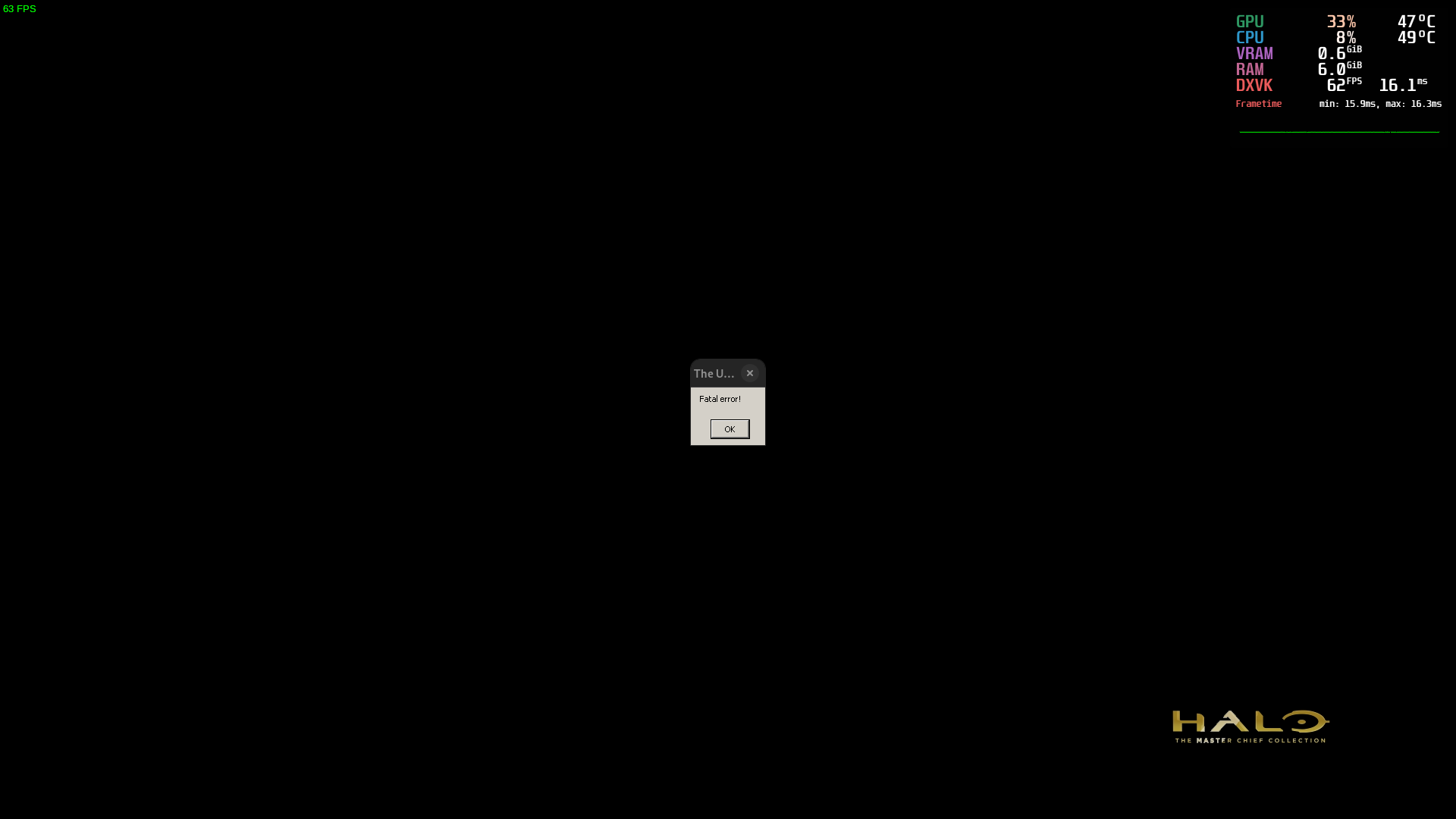
Specs:
Intel® Core™ i7-10750H × 12
16GB ram
GTX 1660TI
Proton version: Proton Experimental
Log:
https://gist.github.com/coreybruce/a384c58523eccd8b0e72602b2ee13375
Tried Proton 7.0 and it still does it
@coreybruce you could try to remove your compatdata directory at $steam/steamapps/compatdata/976730. I've seen similar issues when games can't find the DirectX adapter (sometimes with misconfigured DXVK or host drivers). Just an idea.
976730
Hey sadly that didn't fix it :disappointed:
Anyone able to play the game or ran into any issues?
Ok it seems like my drive/Steam folder for some reason didn't have the correct permissions and this seems to cause weird unexplained issues for games using proton, it now works after correcting it and after a fresh download just to make double sure it now works.
Valve should defiantly add a check that makes sure the Steam folder has the correct permissions to avoid this as it does not even tell you this is a issue.
Seems like the game starts with and without EAC without any workarounds. Starting with EAC results in a message about "Easy Anti-Cheat Hash Catalogue not found". I can't play online but it's a step in the right direction :)
the game now launches in EAC mode on proton experimental, but trying to go into multiplayer gives the warning EAC is not enabled. The game also hangs on exit
For historical reference, things have changed today because there was a big Halo: MCC August 2022 update:
- https://www.halowaypoint.com/news/halo-mcc-august-update
- https://support.halowaypoint.com/hc/en-us/articles/8955559396372-Halo-The-Master-Chief-Collection-MCC-Update-August-2022
No mention of Steam Deck or Linux support in the release notes.
For historical reference, things have changed today because there was a big Halo: MCC August 2022 update:
No mention of Steam Deck or Linux support in the release notes.
I use this project to see if server side has enabled the anti cheat (for proton to be verified).
And yes I have tested, and no still not activated/enabled so no Multiplayer still for Proton users.
It now appears that Halo pulls in the EAC runtime as well when first installing. See additional_dependencies section on SteamDB.
Another interesting thing to note is that there is a linux64 client file available on EAC's CDN:
[synchro@MacroSynchro eac-tools]$ ./download.sh --id=426 --os-type=linux64
 game id         dl size        last modified (UTC)     download saved as
 -------         -------        -------------------     -----------------
     426         4430632        2022-05-04 03:54:37     eac-game-426-linux64.bin
As mentioned in https://github.com/ValveSoftware/Proton/issues/2907#issuecomment-1098662302 the launcher appeared to be getting hung up when attempting to download a missing wine64 client file. This file still doesn't exist, however the launcher appears to work anyways now, meaning we are no closer to guessing what really was going on.
I suspect there is probably some work going on now to get the game working correctly, as I'm sure there's probably a mismash of various configuration settings that need to be applied. There may even be some work needed to get the EAC implementation to load correctly when using Valve's EAC runtime... a-la Vermintide 2.
Patience is probably the best course of action now. Lets hope they figure out what's wrong before they move from bug-fixing to support for the latest content update. The MCC on the Steam Deck is a win-win for both 343 and Valve as far as I'm concerned.
so, the strange thing is now if i try to launch it with either proton-experimental or proton-GE, it throws a "fatal error" message when launching, but i'm able to launch it just fine if i use proton-7.0-4. it's probably worth noting that i'm getting similar issues with other games (for example, Geometry Wars, although that comes up with a "could not find any compatible direct32 devices" message)
note: I'm still running it (without anticheat) after removing/moving the easyanticheat.so file
EDIT (9/1/2022 11:30 am EST): proton-ge-7-30 works, but 7-31 throws the fatal error
@ANeilan: recent proton experimental versions require newer drivers, presumably this is the case for GE as well?
Proton Experimental only: DirectX 9/10/11/12 games now require Mesa 22 / Nvidia drivers 510.47 or newer.
Edit: hadn't seen the logfile, my bad. I'll hide this, feel free to delete.
The log indicates mesa 22.1.7 is in use, making that detail irrelevant to the previous comment.
okay, so if i launch a game with PROTON_USE_WINED3D=1 %command% on proton experimental, it runs. might be something w/ dxvk
My game is working even with the anti cheat option now after latest experimental update
noticed in the log file, a line that goes
wine: Unhandled page fault on read access to 0000000C7F4DC1DC at address 00007EFDA4C9038B (thread 013c), starting debugger...
not sure if that indicates anything specific
My game is working even with the anti cheat option now after latest experimental update
@coreybruce Are you able to play the online multiplayer matchmaking?
My game is working even with the anti cheat option now after latest experimental update
@coreybruce Are you able to play the online multiplayer matchmaking?
Sadly no but at least we can run the game with the anti cheat option and doesn't stop the game for launching like it use to when that game update broke it.
Proton experimental works again, no more launching to a fatal error. Not sure what changed in a week in experimental
A little birdie told me that EAC successfully loads but the game crashes for other reasons. Is this true? Is it a Proton bug?
It launches with the EAC option but EAC still doesn't work on the online servers also the game should be running fine without issues.
A little birdie told me that EAC successfully loads but the game crashes for other reasons. Is this true? Is it a Proton bug?
Finally some confirmation
https://old.reddit.com/r/halo/comments/xe2vd9/its_been_5_months_since_this_file_was_added_to/iokcyee/
Might be worth uninstalling through steam, totally wiping the game folder
to clear any remnants and then reinstalling, unless you've already tried
that?
On Sun, 17 Apr 2022, 15:53 Sethox, @.***> wrote:
I seem to be able to launch it with EAC disabled, and not deleting
anything. May have been an update today or something, as this is the first
time I've installed MCC on this laptop.I did a full prefix wipe and game reinstall couple days ago. Running with
the EAC disabled option works as before. Tried a few missions of Reach and
Halo 2, which played through flawlessly. Maybe there are some remnants in
older prefixes that prevent the game from working altogether after the last
major update?I just tried this with a new prefix. Still doesn't work for me.
MCC-Win64-Shipping.exe doesn't start unless I make the
easyanticheat_x64.so file absent (rename or delete). So you guys are
either lucky or you do something different than me?—
Reply to this email directly, view it on GitHub
https://github.com/ValveSoftware/Proton/issues/2907#issuecomment-1100894738,
or unsubscribe
https://github.com/notifications/unsubscribe-auth/AFROOTKS4GWYGMNWIGRLOHDVFQQWBANCNFSM4IGTWRCA
.
You are receiving this because you commented.Message ID:
@.***>
Completely unable to join other linux users in any gamemode.
It says "You cannot join this player because you are not following" or something. Cant make sense of it.
Playing campaign with someone else results in a timeout after a few seconds or a minute.
Anyone have any idea what is causing this? it has been an issue for the last year or so
EDIT: Resolved my issue. YouTuber recommended Verify Integrity to rerun the Install Scripts. It downloaded 183 files during the process. Restarting showed it worked immediately.
https://www.youtube.com/attribution_link?a=jMCznpKP2x1GqSF1&u=/watch%3Fv%3DxdE2saKSIHQ%26lc%3DUgx_TxGeb2HwxrEa5_d4AaABAg%26feature%3Dem-comments
~~Crashes at launch: EXCEPTION_ACCESS_VIOLATION exception (code=c0000005) after loaded XAudio2_9Redist.dll and bink2w64.dll. Explored combinations of deleting easyanticheat / different Proton versions.
Full PROTON_LOG file attached. Snippet where crashes (plus header):~~
~~
Proton: 1660576899 proton-7.0-4
SteamGameId: 976730
Command: ['/home/deck/.local/share/Steam/steamapps/common/Halo The Master Chief Collection/mcc/binaries/win64/MCC-Win64-Shipping.exe']
Options: {'forcelgadd', 'noopwr'}
depot: 0.20221018.74
pressure-vessel: 0.20221014.0
scripts: v0.20220823.0-0-gcc4e44f
soldier: 0.20221017.1 soldier 0.20221017.1
Kernel: Linux 5.13.0-valve21.3-1-neptune #1 SMP PREEMPT Mon, 03 Oct 2022 23:17:36 +0000 x86_64
======================
wine: using kernel write watches (experimental).
fsync: up and running.
wine: RLIMIT_NICE is <= 20, unable to use setpriority safely
...
4572.258:0130:0134:trace:loaddll:build_module Loaded L"C:\\windows\\system32\\hid.dll" at 00000001F51E0000: builtin
4572.258:0130:0134:trace:loaddll:build_module Loaded L"C:\\windows\\system32\\XINPUT1_3.dll" at 0000000253CC0000: builtin
4572.260:0130:0134:trace:loaddll:build_module Loaded L"C:\\windows\\system32\\AVRT.dll" at 00000002F2930000: builtin
4572.260:0130:0134:trace:loaddll:build_module Loaded L"Z:\\home\\deck\\.local\\share\\Steam\\steamapps\\common\\Halo The Master Chief Collection\\mcc\\binaries\\win64\\XAudio2_9Redist.dll" at 0000000180000000: native
4572.261:0130:0134:trace:loaddll:build_module Loaded L"Z:\\home\\deck\\.local\\share\\Steam\\steamapps\\common\\Halo The Master Chief Collection\\mcc\\binaries\\win64\\bink2w64.dll" at 0000000000A60000: native
4572.263:0130:0134:trace:seh:dispatch_exception code=c0000005 flags=0 addr=0000000170037E7B ip=0000000170037E7B tid=0134
4572.263:0130:0134:trace:unwind:dispatch_exception  info[0]=0000000000000001
4572.263:0130:0134:trace:unwind:dispatch_exception  info[1]=00000001804d0838
4572.263:0130:0134:warn:seh:dispatch_exception EXCEPTION_ACCESS_VIOLATION exception (code=c0000005) raised
4572.263:0130:0134:trace:seh:dispatch_exception  rax=00000001804d0838 rbx=000000017006a650 rcx=0000000000000000 rdx=0000000000000001
4572.263:0130:0134:trace:seh:dispatch_exception  rsi=00000000004ef500 rdi=000000017006a650 rbp=0000000000ed48e0 rsp=00000000004ef260
...
```~~EAC support has unfortunately still not been completely enabled in the new update. Still getting the EAC Hash Catalogue error popup on startup which prevents joining multiplayer games.
On top of the EAC issue, the game doesn't seem to be working for me now, though it's like a game of whack-a-mole. I'll try out in a Fedora environment (am in Arch currently) to see if I can get any other results.
Maybe it's just the game loading everything into RAM taking a while.
On top of the EAC issue, the game doesn't seem to be working for me now, though it's like a game of whack-a-mole. I'll try out in a Fedora environment (am in Arch currently) to see if I can get any other results.
Maybe it's just the game loading everything into RAM taking a while.
Have you verified your game? Mines running great on Manjaro which is a Arch based system
@coreybruce Multiple times, but I'll try it again and see if it's potentially a Proton thing. Will report back in ~10 hours (a lil mimir)
@coreybruce Multiple times, but I'll try it again and see if it's potentially a Proton thing. Will report back in ~10 hours (a lil mimir)
You might want to try deleting your prefix as well, especially if it has been carried over between multiple proton versions. I've seen a few scattered reports of it not working for some people, and trying various things to sort it out, like this person for whom mods didn't work.
@coreybruce Multiple times, but I'll try it again and see if it's potentially a Proton thing. Will report back in ~10 hours (a lil mimir)
Alright
@coreybruce Multiple times, but I'll try it again and see if it's potentially a Proton thing. Will report back in ~10 hours (a lil mimir)
You might want to try deleting your prefix as well, especially if it has been carried over between multiple proton versions. I've seen a few scattered reports of it not working for some people, and trying various things to sort it out, like this person for whom mods didn't work.
Okay, even tho my game is working I might do that :slightly_smiling_face:
After the most recent large update, the game no longer launches for me under any circumstance on Debian Unstable. Deleting the EAC library and the like doesn't even fix it. The game immediately dies on launch with no hints on why.
Damn it, I shouldn't of deleted the comdat folder for Halo, now my games is stuck on the splash screen even if you pick the no EAC mod mode :cry:
EDIT:
Renamed easyanticheat to easyanticheat-old to solve the issue, sucks we have to keep having to go back to this over and over on updates..
Gonna note that, on the latest update, renaming the easyanticheat folder (like before) is the simplest fix to get into the game.
Deleting the compatdata folder did work before, though.
Halo Master Chief collections locks up at the splash screen after clicking play unless you use VKD3D_DISABLE_EXTENSIONS=VK_KHR_present_id,VK_KHR_present_wait on a Intel A750 Arc GPU.
-Running with Mesa 22.3.1 - kisak-mesa and kernel 6.0.6-76060006-generic on Pop OS.
-Proton Experimental - Bleeding Edge
steam-976730.zip
The game has been crashing for me randomly for a while now, I find it tends to be after a while of playing a game.
A small window will show up with a UE-related error. Has anybody gotten this? I'm going to be toying around with it for a while to try to get some logs.
The game has been crashing for me randomly for a while now, I find it tends to be after a while of playing a game.
A small window will show up with a UE-related error. Has anybody gotten this? I'm going to be toying around with it for a while to try to get some logs.
Might be a WINE/mesa bug rather than halo.
Try an older version of proton and then maybe an older version of mesa?
Note for those people with crash issues together with a potential system lockup. The latest game update have introduced a memory leak (At least for HALO: CE) unrelated to proton.
Another issue i found while testing the above is that there might be a issue when you enable precache while using dxvk where it will get stuck on pop up splah screen. Disabling Shader Pre-Caching solved it for me.
Halo MCE Memory Hole
Issue transferred from https://github.com/ValveSoftware/Proton/issues/6445.
@scottpk posted on 2023-01-10T07:23:28:
I was playing "The Truth and Reconciliation" campaign for the "Sniper School" playlist. (This is the part early in the game where you rescue Captain Keyes.) I noticed frequent stuttering and hanging, and so I opened up the System Monitor... the game was taking several gigabytes of RAM. I kept playing through, and it kept taking more and more RAM, and would freeze up every so often... I was not able to make it through, because I hit Escape during one of these slow-downs to try and fiddle with the settings and although my cursor moved around the menu it wouldn't let me resume the game.
I tried Proton-GE as well and had very similar results though I was able to finish that campaign (possibly because I learned my lesson and did not try to fiddle with settings). By the end of the campaign, it had taken over 30 GB of RAM. I doubt this is how it should be - I have 64 GB of RAM but most people don't. I had the settings on the highest level, but still, that's a lot of RAM.
APU: AMD Ryzen 7 5700G with Radeon graphics
Graphics: AMD Renoir
Memory: 64 GB DDR4 3200
OS: Ubuntu 22.04.1 LTS
I can confirm memory leak in Halo CE, maybe other Halo act the same.
I think memory leak not related to AMD GPU or Nvidia GPU drivers - I tested on both Nvidia and AMD GPU leak the same.
Starting any map from campaign - ~750Mb memory leak per minute, I have only 16Gb RAM so when I launch game I have about 10 Gb free and in about 15 mins I have 0 Gb free RAM.
Also fix for achievements from https://github.com/ValveSoftware/Proton/issues/2907#issuecomment-839934840 does not work anymore.
So overall - Achievements not working, Multiplayer not working, EAC not working. 3 years since release already...
Yeah, Halo CE is the worst offender, but as others said, it may not be a Linux-specific issue.
Also fix for achievements from [#2907 (comment)](https://github.com/ValveSoftware/Proton/issues/2907#issuecomment-839934840) does not work anymore.
That's not true; I just checked, and it works (I accidentally unlocked one while double-checking this). Usually, if you have access to the exchange or can make any progress on challenges, that means it's working. You may have to replace the dll again if you checked your game files.
Running on GE-Proton7-48.
The memory leak and stutters seem to be in check for me in CE, if I stick to original graphics.
So wait a sec, just to clarify...this memory leak isn't a Proton issue, it's part of Halo: MCC?
...how is that even possible?
This is a bit off-topic since it does not seem to be a proton-specific issue, but this is what I found regarding this "memory leak" through some cursory search.
I agree it seemed to happen mostly in Halo:CE with remastered graphics. At some point I had trouble even starting a game (and I have 48GB of memory plus 40 GB of swap (zram plus SSD)), so I mostly gave up on Halo CE; it seems to more or less work in classic graphics, though I haven't made any recent attempt. Here are some reports of it happening on windows:
- https://steamcommunity.com/app/976730/discussions/0/3765607014602277471/
- https://steamcommunity.com/app/976730/discussions/0/3765607014588601250/
- https://steamcommunity.com/app/976730/discussions/0/3765607014586833475/
- https://steamcommunity.com/app/976730/discussions/0/3765607014585798236/
- https://steamcommunity.com/app/976730/discussions/0/3041607080058944825/ (possibly unrelated, earlier leak)
- https://www.reddit.com/r/halo/comments/zfyd6u/the_new_mcc_update_has_an_issue_with_memory/
This is by no means an exhaustive list. The steam forum seem to contain more complaints, it could be a steam-specific issue (or the build published there), or just a more active community.
Answer from 343 in one of these:
Interestingly, I found no mention of this on Halo waypoint forums.
I agree it seemed to happen mostly in Halo:CE with remastered graphics.
from this discussion https://github.com/doitsujin/dxvk/issues/3149
WINEDLLOVERRIDES="d3d11,dxgi=n,b" may help to fix leak in HaloCE, I have not tested
That's not true; I just checked, and it works (I accidentally unlocked one while double-checking this). Usually, if you have access to the exchange or can make any progress on challenges, that means it's working. You may have to replace the dll again if you checked your game files.
I think this "achievement fix" may be "bugged". Maybe not all achievement "count".
I played every Halo game from MCC with this "fix" last year - I got most achievements I wanted, but some was impossible to get, I remember Halo Reach finishing one level was not counted for achievement, dont remember which one, also opening some terminals not count.
Now - last week I tested I dont have:
Skulltaker Halo: CE: Iron - Halo CE: Find and claim the Iron skull in remastered mode.
Arrival - Halo CE: Activate Terminal 1 on The Pillar of Autumn
Overshields are for Sissies - Halo CE: Complete the level The Pillar of Autumn on Legendary without picking up an overshield.
Walk It Off - Halo CE: Complete The Pillar of Autumn on Legendary without picking up a health kit.
2 of this Achievements, Iron and Arrival, in first minute of playing The Pillar of Autumn level so it easy to test.
And I tested 2 other by running full level twice - not count.
WINEDLLOVERRIDES="d3d11,dxgi=n,b" may help to fix leak in HaloCE, I have not tested
Those are already default set to native when using dxvk in Proton.
The above discussion was just for using apitrace without dxvk enabled.
oh I see thanks, nwm then
Running on GE-Proton7-48. The memory leak and stutters seem to be in check for me in CE, if I stick to original graphics.
The game suddenly started crashing on startup for me until I switched to GE-Proton7-48 like you.
Then to get past a sign-in error I had to clear this folder: steamapps/compatdata/976730/pfx/drive_c/users/steamuser/AppData/LocalLow/MCC/Saved/webcache/
Now I'm getting a new bug after sign-in:
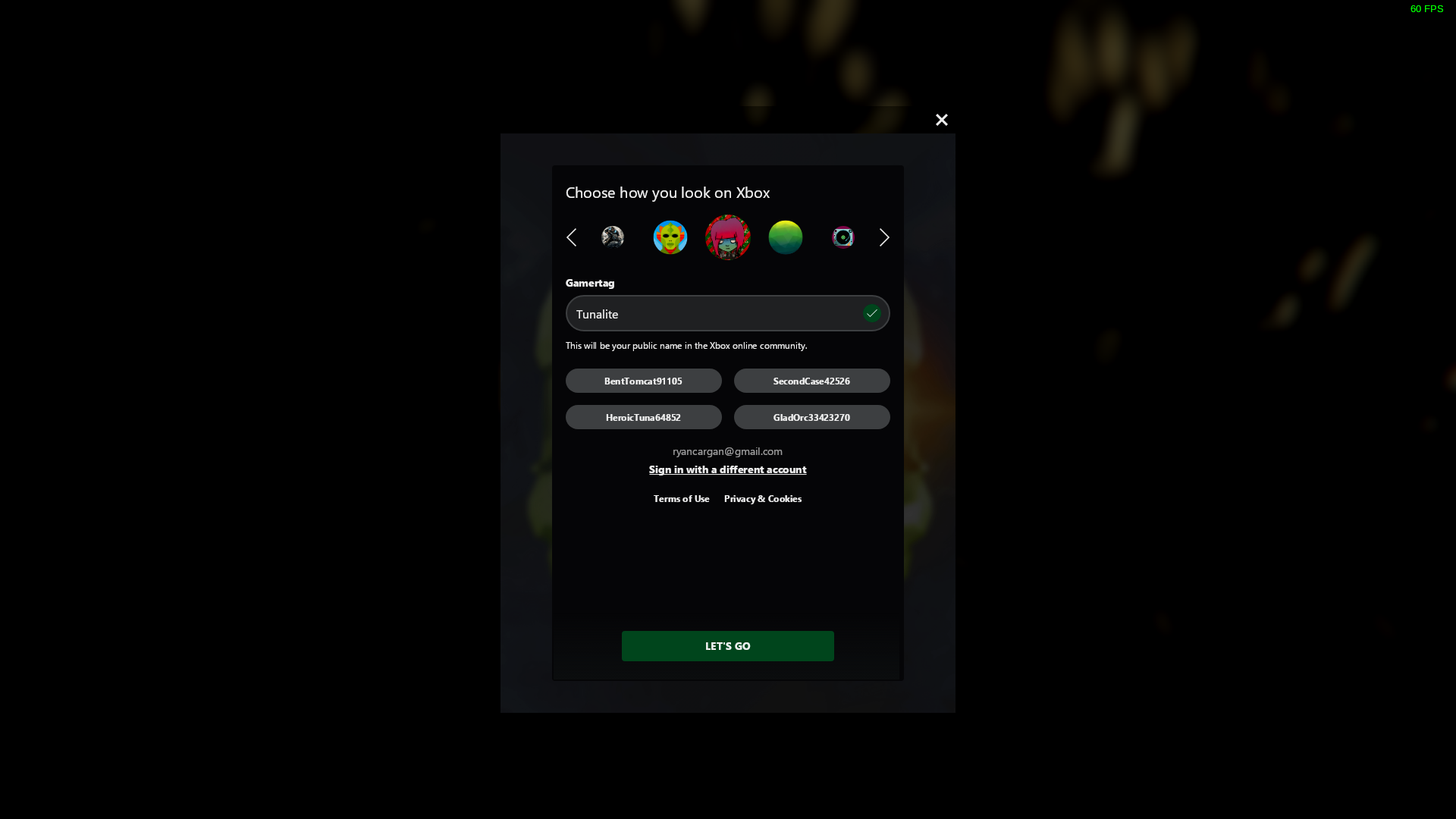
Clicking "LET'S GO" results in the button graying out and then resetting as if it was never clicked.
No progress.
Did anyone notice anything similar recently?
The game suddenly started crashing on startup for me until I switched to GE-Proton7-48 like you.
I followed Blisto's advice of disabling pre-shader caching to get the game to boot consistently.
I have never experienced these login problems you're having.
I can confirm that on Proton 6.3-8, the fix mentioned below still works correctly (after ensuring the fixed files are lowercase). Achievements work (at least superficially)! Start up times are way less, since it's not running EAC.
(quote from @RalfVB ) this thread
Separately, vcrun2019 is needed, at the time of writing GE 7-48 was NOT installing ucrtbase.dll automatically from it. This is needed for coop to work cross platform for more than a few minutes - otherwise you and they desync and see different things!
Otherwise it does run, and EAC doesn't crash everything anymore...but it doesn't function. Still less than useless.
Oh, and Halo CE in original graphics was fine on 8GB of ram for the whole coop campaign cross platform, but remastered graphics memory leaked to death in <15 mins every time. It's a MCC bug, not proton AFAIK.
@Fractal147 does any of this achievements work for you on Linux?
I tested I dont have:
Skulltaker Halo: CE: Iron - Halo CE: Find and claim the Iron skull in remastered mode.
Arrival - Halo CE: Activate Terminal 1 on The Pillar of Autumn
Overshields are for Sissies - Halo CE: Complete the level The Pillar of Autumn on Legendary without picking up an overshield.
Walk It Off - Halo CE: Complete The Pillar of Autumn on Legendary without picking up a health kit.
2 of this Achievements, Iron and Arrival, in first minute of playing The Pillar of Autumn level so it easy to test.
for me it was not working
@danilw I've just tested it with "Skulltaker Halo: CE: Iron", and I could collect it in remastered graphics, and now have it on Steam and MS account. By that point however I was out of RAM and swap was filling up at about 50 MB/s, so the memory leak in CE remastered is very real.
Note that this is very much using the "SayNOtoEAC.zip" files, I don't think EAC (and thus achievements) work in any situation on linux without that replacement.
@Fractal147 I also used this fix.... my point was - with EAC fix not all achievements works https://github.com/ValveSoftware/Proton/issues/2907#issuecomment-1410573922
on Windows you do not need to run to end of level to get Arrival or Iron achievements - you get them imideatelly, and as I said - I run level more than twice and those achievements not worked for me with no-eac fix
@danilw Interesting - I get them immediately also on Proton 6.3-8 w/fix. Do the other EAC features work (e.g. access to the exchange, and all the options in the option menu? Mine did not until I ensured the filenames were correctly lowercase.
@Fractal147 il check again latter, dont have it installed and no time now, maybe I did something not correct. Thanks for info that is works.
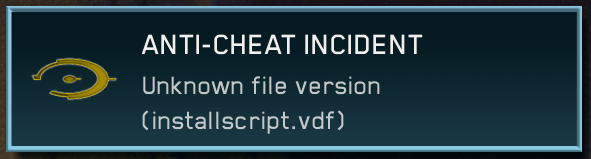
No longer getting the EAC Catalogue error when trying to launch with EAC.
I am unable to start the game anymore...
steam-976730.log
@kodatarule Only on experimental or also 7.0-6?
On both, here's a log with 7.0-6
steam-976730.log
EDIT: I re-installed my linux, as I wanted to clean a few things, not sure what was causing the bug, but now the game boots as intended.
yeah this is pretty rough. wish they would at least tell us why it's so hard to get eac enabled (they being 343)
yeah this is pretty rough. wish they would at least tell us why it's so hard to get eac enabled (they being 343)
I mean, if they supposedly enabled it right and its broken its a matter of then having to chase down Valve/Epic to try and fix it, and according to the vermientide 2 devs this is not an easy thing to do.
Side note, but I have read that the reason one times out when playing CooP with fellow linux PCs and even windows PCs is due to Ucrtbase.dll not being installed correctly or something. Does anyone with a big brain understand this and know how I can go about fixing this? :S
Because I want to run through the halos with my wife but the constant disconnects makes it impossible
Side note, but I have read that the reason one times out when playing CooP with fellow linux PCs and even windows PCs is due to Ucrtbase.dll not being installed correctly or something. Does anyone with a big brain understand this and know how I can go about fixing this? :S
Because I want to run through the halos with my wife but the constant disconnects makes it impossible
Side note, but I have read that the reason one times out when playing CooP with fellow linux PCs and even windows PCs is due to Ucrtbase.dll not being installed correctly or something. Does anyone with a big brain understand this and know how I can go about fixing this? :S
Because I want to run through the halos with my wife but the constant disconnects makes it impossible
cheers man, will try that soon... but I also found this and just tested it, and it works 0-0
https://www.reddit.com/r/SteamDeck/comments/11d1ytk/comment/ja6ao4y/
Like... 100% full on I just played a custom game in the MCC on steam linux!

achievements as well. wow.
https://www.reddit.com/r/SteamDeck/comments/11d1ytk/comment/ja6ao4y/
I can not believe... but it works... just tested
renaming/deleting installscript.vdf - make everything work
Interesting... I've tried both GE and Experimental Proton builds, but neither work to allow multiplayer.
Edit: So this is specific to Steam Deck? Doesn't seem to apply to desktop Linux?
I can rename the .vdf file to get rid of the error regarding it. However EAC remains disabled, whether explicitly set as enabled or disabled.
Interesting... I've tried both GE and Experimental Proton builds, but neither work to allow multiplayer.
Edit: So this is specific to Steam Deck? Doesn't seem to apply to desktop Linux? I can rename the .vdf file to get rid of the error regarding it. However EAC remains disabled, whether explicitly set as enabled or disabled.
I am a desktop, not steam deck
However EAC remains disabled, whether explicitly set as enabled or disabled.
@JoonasPitk you following instruction on reddit link?
Make sure that the game is launching in "Anti-Cheat disabled" mode in the game's properties
im on PC also, renaming/deleting installscript.vdf - makes Achievements work and "Multiplayer" work:
This is Multiplayer - list of games/overview idk how it called in english.
This menu never worked for me before today.
Also I pressed "search" in Multiplayer games - also work and I was waiting for game - it also never worked for me before.
Should be noted this could get you banned since no official announcement has been made. (And genuine players of Apex which also uses EAC were recently banned. Thankfully it was reversed) So use at your own risk.
If I had to guess, they probably finally got it fixed on the backend, and the file is supposed to verify if the game build matches what EAC expects, and deleting it skips this check for whatever reason.
I assumed ban was possible, I dont intend to play online much with this at all
@JoonasPitk you following instruction on reddit link?
Make sure that the game is launching in "Anti-Cheat disabled" mode in the game's properties
Yes, I even tried both for good measure. In both scenarios, the game says EAC is disabled when trying to access multiplayer.
I've tried making fresh prefixes as well, check file integrity (before you ask, I did rename the .vdf file after), and so on.
@JoonasPitk I used Proton Experimental, maybe you had other Proton selected.
@JoonasPitk I used Proton Experimental, maybe you had other Proton selected.
Like I said earlier:
Interesting... I've tried both GE and Experimental Proton builds, but neither work to allow multiplayer.
Edit: So this is specific to Steam Deck? Doesn't seem to apply to desktop Linux? I can rename the .vdf file to get rid of the error regarding it. However EAC remains disabled, whether explicitly set as enabled or disabled.
Even tried the stable to be sure.
I tried yesterday/today to actually play Halo with this "fix".
Proton Experimental - Proton 7:
- without deleting renaming
installscript.vdf- Halo MCC just freeze when shows popup "anticheat installscript.vdf ...something" - so Halo MCC just does not work at all. - when
installscript.vdfdeleted/renamed - Halo MCC start and I can play... but Halo MCC keep scanning entire disk and "freeze" at some random time - freeze sometime few mins latter or 5-10 mins latter, 10 min was max, and it scanning disk all this time. So it is also unplayable solution - I did try to clean shader cache system and steam, I clean/deleted HaloMCC proton prefix multiple times, and I did "Verify integrity of files" - same freeze.
Proton 5.13.6:
Halo MCC works - with and without installscript.vdf file, deleting it does not change anything.
And same "EAC disabled" error on pressing multiplayer, when in Proton 7 with deleting this file - it worked.
So it seems that HaloMCC/Valve did some "EAC integration" in Proton 7, but it seems "very unstable" or not working properly because my game freeze.
And maybe achievements solution from https://github.com/ValveSoftware/Proton/issues/2907#issuecomment-839934840 does not work for Proton 7 this why it was not working for me before.
I just tested - achievement solution from link above - works in Proton 5.13.6
I tested in HaloCE, I did not switch to "new graphic" so idk about if memory leak still exist, on "old graphic" no memory leak was able to play entire level no leak.
IN regards to the recent EAC buzz, I seem to be getting EAC Hash Catalogue not found, perhaps I'm missing something ?
Attached a log + screenshot of the error.
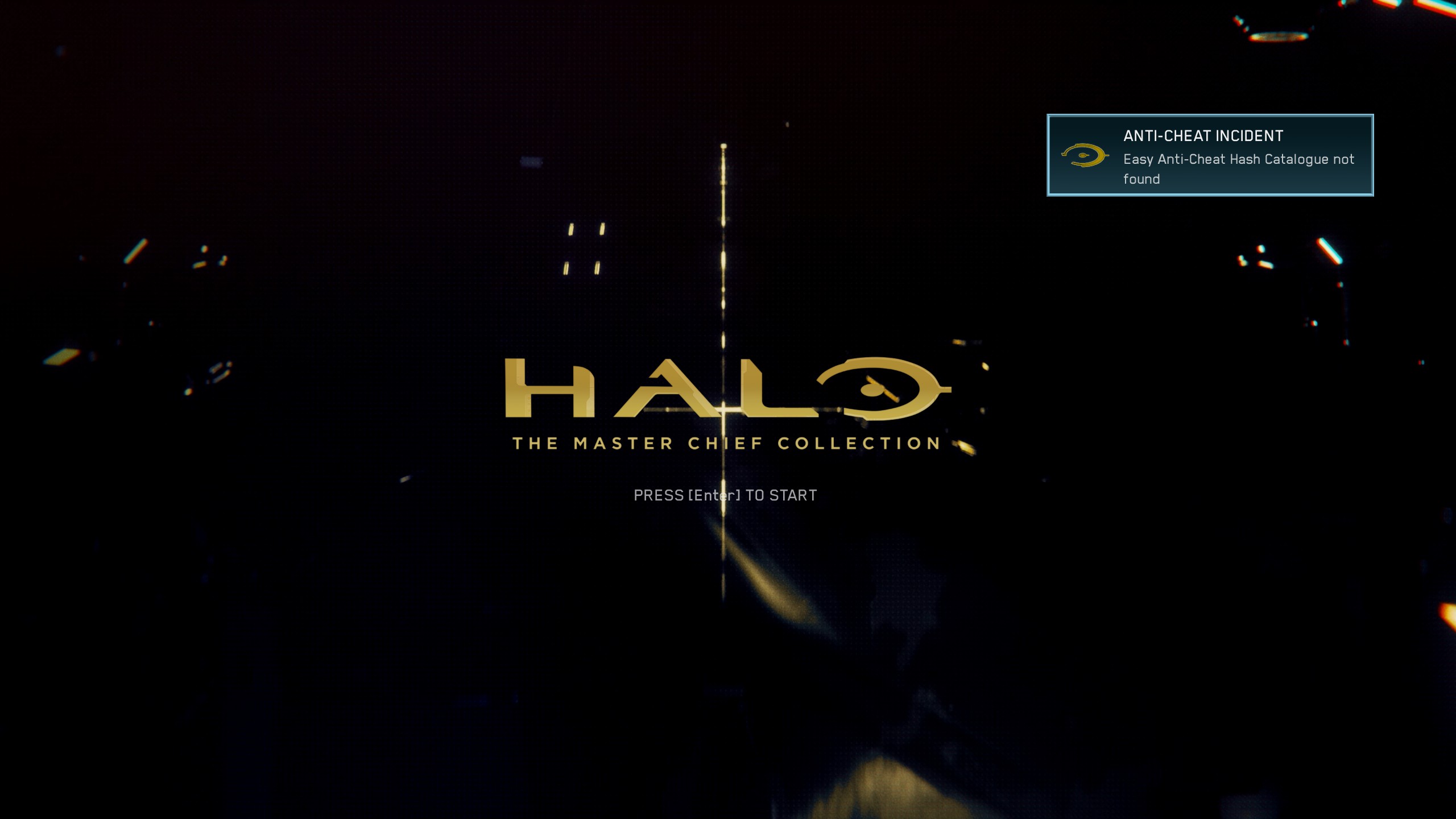
steam-976730.log
Replying to https://github.com/ValveSoftware/Proton/issues/2907#issuecomment-1454852648
I have also gotten into 'searching for games' but I never actually join any. So I wouldn't say multiplayer is working yet. Has anyone been able to join an actual game from matchmaking?
I /was/ able to join a Halo CE custom multiplayer game.
Replying to [#2907 (comment)](https://github.com/ValveSoftware/Proton/issues/2907#issuecomment-1454852648)
I have also gotten into 'searching for games' but I never actually join any. So I wouldn't say multiplayer is working yet. Has anyone been able to join an actual game from matchmaking?
I /was/ able to join a Halo CE custom multiplayer game.
I can confirm that I have had at least a dozen matchmade games and several custom games. I can only vouch for reach and halo 3, as those are the only games MP I have installed. But yes, It does work. I am no expert but from my perspective the MCC functions at 100% currently.
Testing a little bit further, now I can't start the game at all unless I rename .so files in the EAC folder, removing/renaming installscript.vdf changes absolutely nothing for me.
Operating System: EndeavourOS
KDE Plasma Version: 5.27.2
KDE Frameworks Version: 5.103.0
Qt Version: 5.15.8
Kernel Version: 6.2.2-x64v3-xanmod1 (64-bit)
Graphics Platform: X11
Processors: 16 × AMD Ryzen 7 5800X3D 8-Core Processor
Memory: 31,3 GiB of RAM
Graphics Processor: NVIDIA GeForce RTX 3090/PCIe/SSE2
@kodatarule it was similar for me. I mention above - try using old Proton, in Proton 5.13.6 it works, no multiplayer there ofc.
I think we can just wait for new proton and hope it change/fix eac somehow
I've had luck running the game on Proton 7.0 using this method, but I have to delete the EAC .so and installscript entirely, renaming them didn't seem to work. The game still constantly goes up in memory usage on both classic and remastered graphics, however, so the memory leak still seems to be an issue.
Still receiving EAC hash catalogue not found even after the steam deck update which ENABLES the EAC for this game.
https://support.halowaypoint.com/hc/en-us/articles/14589112499348
Clear your Proton prefix and verify your game files.
deleting installscript.vdf worked for me, and i've been playing Halo MP and earning campaign achievements for the past 2 months or so. running on Steam Deck/ SteamOS with Proton 7.0-6
Clear your Proton prefix and verify your game files.
Still didn't work... trying to re-download the game now... out of options. Nuked prefix 5 times, 4 different proton versions - GE 7.54, experimental, 7.0-6, 6.3-8 tried clearing the eac folder and verifying still the same EAC hash catalogue not found
EDIT: Complete reinstall of the game, wiped prefix tried with proton experimental and proton experimental bleeding edge even, same results.
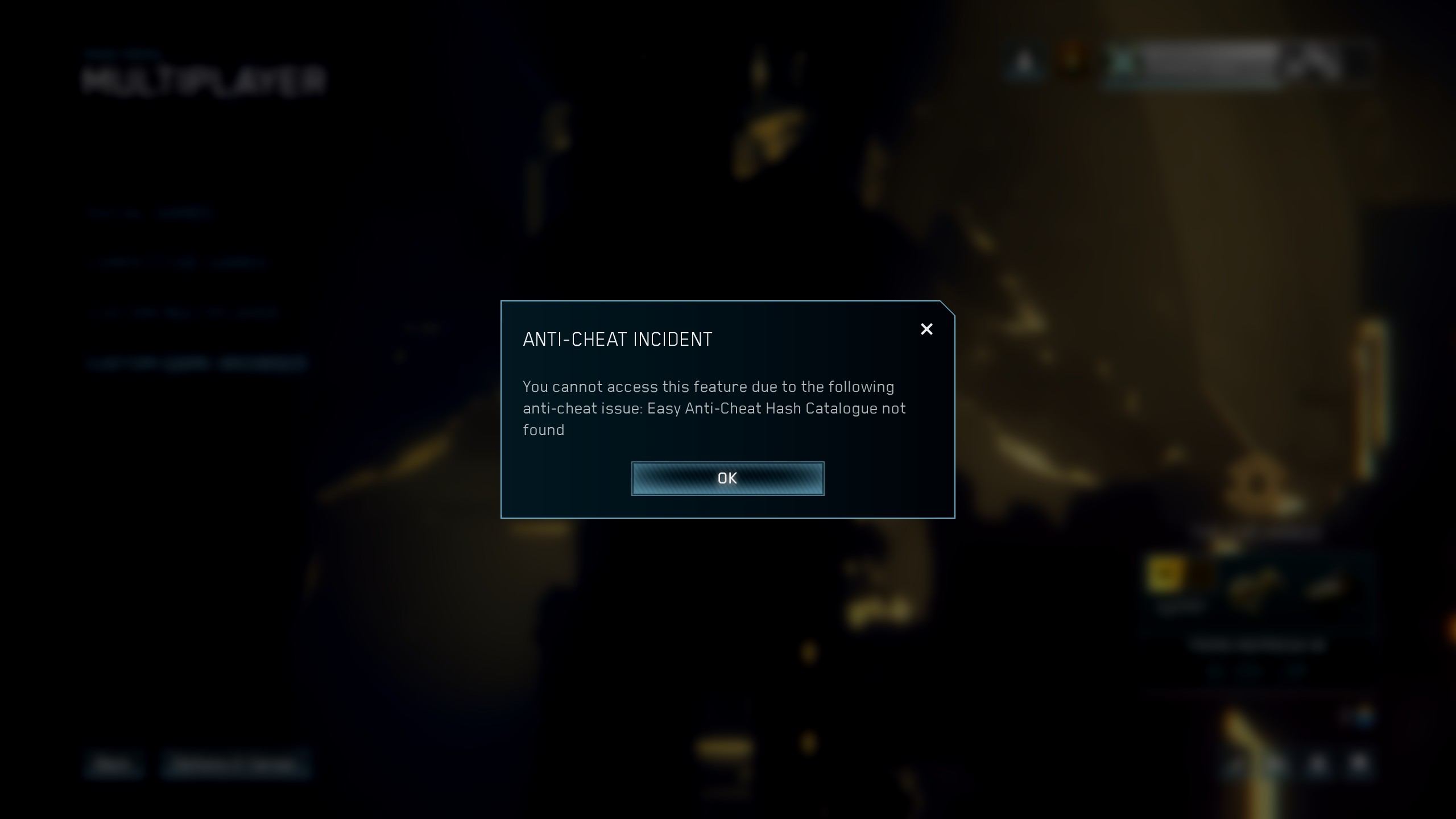
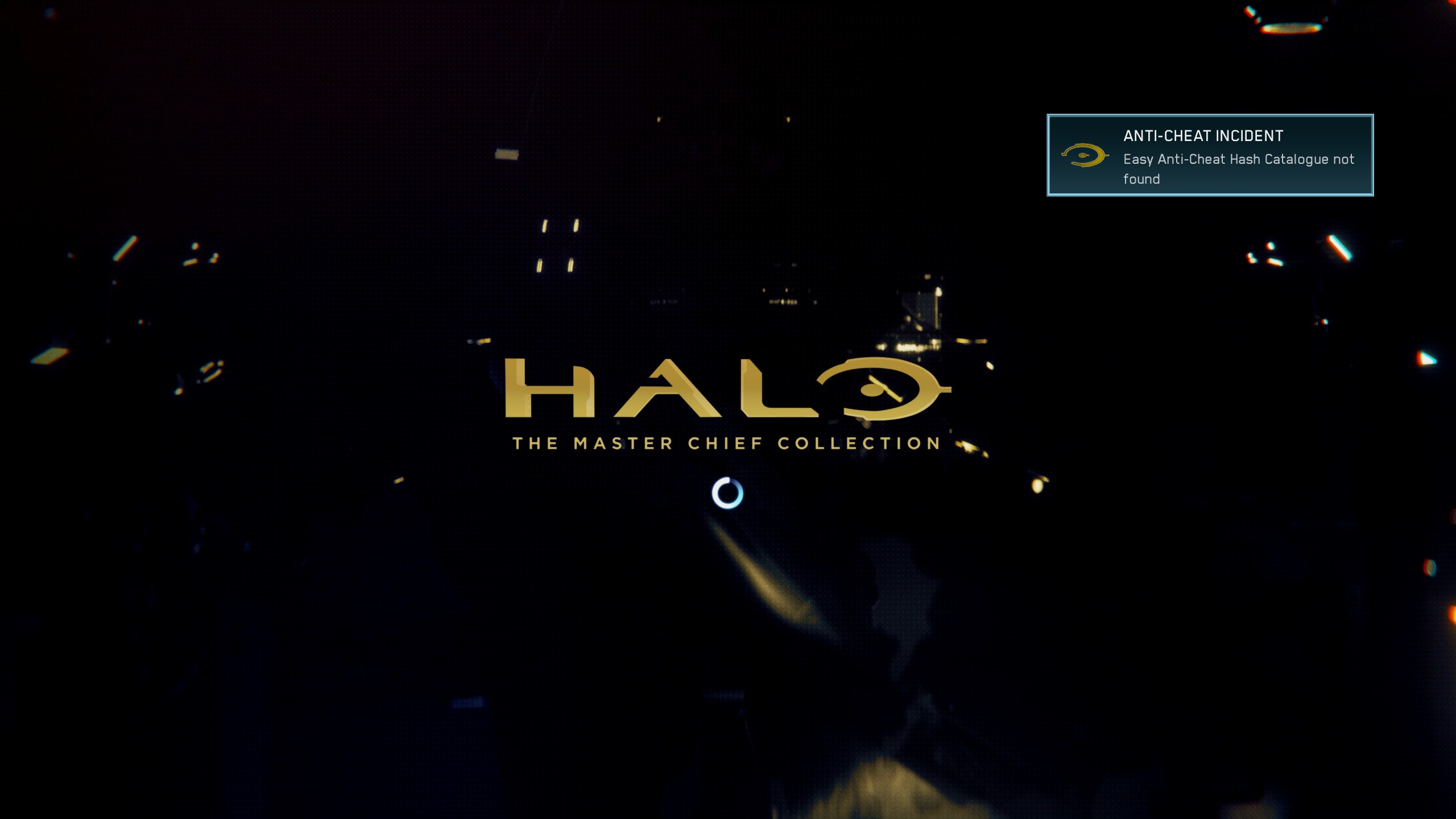
I tried getting the achievement for beating the first ODST level and didn't get it, but I was able to launch with EAC enabled. For people that can launch are you able to get achievements?
EDIT: I just tried to get the "Easy to Overlook" achievement for Reach and that didn't work either
For some reason networking doesn't work right inside of distrobox, I just installed steam-runtime-native and used that. Fixed it, though I wouldn't recommend it normally since that can cause game breakage.
Now multiplayer works. I have yet to try achievements though.
https://gitlab.steamos.cloud/steamrt/steam-runtime-tools/-/issues/105
Still receiving EAC hash catalogue not found even after the steam deck update which ENABLES the EAC for this game.
https://support.halowaypoint.com/hc/en-us/articles/14589112499348
Interesting, that update note points out that "EAC Enabled" and "EAC disabled" items are swapped. That's a simple question, but did you try both? Also, it's probably best to make sure that you don't have a specific proton version pinned in the game properties.
If you are playing on desktop Linux, IIRC the "proton Hotfix" branch is not selected automatically, unlike on steam deck. That may be worth a try as well! (proton hotfix may require to be installed from the "tools" section of Steam).
Tried both and I tried several proton versions, I have updated it in the next comment ...
EDIT: when I try with linux xanmod kernel the game would not start at all.
EDIT2: Log attached.
steam-976730.log
Hello @MayeulC, If you are playing on desktop Linux, IIRC the "proton Hotfix" branch is not selected automatically, unlike on steam deck. That may be worth a try as well! (proton hotfix may require to be installed from the "tools" section of Steam). It should be noted that this game is not configured to use the Proton hotfix build by default anywhere. Steam Deck validation currently recommends Proton 7.0-6.
I was having issues with not being able to get the game to run with EAC enabled, despite following the instructions to launch with "EAC Disabled" and almost every proton version (Hotfix, Experimental, 7.0) with cleared prefixes eventually I wiped the prefix, deleted "easyanticheat" folder in the game folder, and the root files (where "mcclauncher.exe" is) leaving just the other folders and content of them. Validated my game and the EAC runtime, and it started working.
For me the multiplayer works fine but my game freezes at random time, sometimes mid match and sometimes in menu.
Operating System: Fedora Linux 37
KDE Plasma Version: 5.27.3
KDE Frameworks Version: 5.104.0
Qt Version: 5.15.8
Kernel Version: 6.2.9-200.fc37.x86_64 (64-bit)
Graphics Platform: Wayland
Processors: 12 × AMD Ryzen 5 3600 6-Core Processor
Memory: 15,5 GiB of RAM
Graphics Processor: AMD Radeon RX 6600
For me the multiplayer works fine but my game freezes at random time, sometimes mid match and sometimes in menu.
it sound very similar to what I had https://github.com/ValveSoftware/Proton/issues/2907#issuecomment-1455947274
Halo MCC just freeze when shows popup "anticheat installscript.vdf ...something" - so Halo MCC just does not work at all.
popup at random time after scanning entire disk
as I said there - for me only old Proton 5 and old achievement fix works, but no multiplayer there obviously
I was having issues with not being able to get the game to run with EAC enabled, despite following the instructions to launch with "EAC Disabled" and almost every proton version (Hotfix, Experimental, 7.0) with cleared prefixes eventually I wiped the prefix, deleted "easyanticheat" folder in the game folder, and the root files (where "mcclauncher.exe" is) leaving just the other folders and content of them. Validated my game and the EAC runtime, and it started working.
Thanks for the suggestion, it still gave the usual EAC Hash Catalogue not found ... I do have the Proton EAC Runtime installed and no other EAC linux game has such issue, what is good to note here is some people with identical setup do not have this error message, at this point I am wondering if there could be another package just like glibc which could affect it.
Same thing happening here with freezing. Tried ge's latest proton, proton experimental, proton hotfix. All have the same issue where it just freezes randomly.
Ryzen 3700x
RX 6700 10GB
Nobara 37 KDE
About freezing, try using official proton 7.0-6 and disabling anti-aliasing. Didnt freeze on me last night with that.
Maybe a fluke, will game more today and see if it happens again.
Did got Matchmaking banned for 1 day, so indeed, keep that EAC fix, only for Achievements and Co-Op.
About freezing, try using official proton 7.0-6 and disabling anti-aliasing. Didnt freeze on me last night with that.
Maybe a fluke, will game more today and see if it happens again.
ok will try sometime today or tomorrow. reply back if it crashes again :P
About freezing, try using official proton 7.0-6 and disabling anti-aliasing. Didnt freeze on me last night with that.
Maybe a fluke, will game more today and see if it happens again.ok will try sometime today or tomorrow. reply back if it crashes again :P
Unfortunately it now froze in menu :( not in middle of match though. I'll keep testing.
Replying to https://github.com/ValveSoftware/Proton/issues/2907#issuecomment-1500189129
No lol, that ban came from you quitting too many matches early.
I have been playing matchmaking with the EAC fix since January, no ban. Stop spreading misinformation
*Ignorance.
My game crashed with a Fatal error on loading my first game, so indeed i didn't knew that it was due to that crash.
-------- Message d'origine --------
Le 7 avr. 2023, 15:53, raichiori a écrit :
Did got Matchmaking banned for 1 day, so indeed, keep that EAC fix, only for Achievements and Co-Op.
No lol, that ban came from you quitting too many matches early.
I have been playing matchmaking with the EAC fix since January, no ban. Stop spreading misinformation
—
Reply to this email directly, view it on GitHub, or unsubscribe.
You are receiving this because you commented.Message ID: @.***>
Also freezing for me on Proton Experimental bleeding-edge, Proton Experimental, and Proton 7.0-6. Tested on my EndeavourOS system (Ryzen 5 5600x / RX 5700 XT) and Steam Deck.
To reproduce: Join any matchmade or custom game, disconnect, and wait at the menu for 30 seconds to 2 minutes.
You may also reproduce by waiting at the main menu for 3-5 minutes without joining a game.
Log here:
steam-976730.log
Edit: May be worth noting that I've been playing with RADV_PERFTEST=gpl. I don't think this is related, though.
Tested and the problem persists without GPL.
Replying to https://github.com/ValveSoftware/Proton/issues/2907#issuecomment-1498192732
So far I've tried to debug what seems to be the issue, note on my Steam Deck Halo MCC works with EAC 100% of the time without issues after the latest update. I was able to track a few reports(can be numbered on one hand 3 regular linux and 1 steam deck users) which are affected by the same Hash Catalogue.
Firstly, both logs - Steam Deck and the one from the PC are exactly the same, which makes the debug even harder as to what may be the issue. Initially I thought the firewall I use is affecting it, but even disabled there was no difference.
So far there are no indications on what is causing the EAC Hash Catalogue not found error.
Will update in case I find a solution to it.
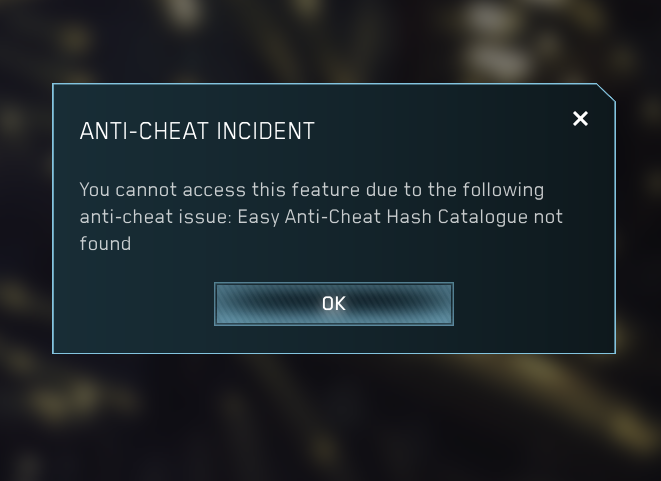
I've tried reinstalling, updating my system, using Proton Experimental to Hotfix and GE using the vanilla linux kernel instead of linux-zen on Arch and I keep getting this Hash Catalogue not found error
On my Steam Deck it says something to the effect that EAC is not enabled.
I've tried reinstalling, updating my system, using
Proton ExperimentaltoHotfixand GE using the vanilla linux kernel instead oflinux-zenon Arch and I keep getting this Hash Catalogue not found errorOn my Steam Deck it says something to the effect that EAC is not enabled.
Did you try running the game with this launch option?

There's a bug in the launcher that you have to start the game with this setting so it actually starts up EAC. Confusing, I know.
Replying to https://github.com/ValveSoftware/Proton/issues/2907#issuecomment-1500920145
Yes, even when using that launch option, I get EAC errors on my system
Yeah there's definitely something still going on, I still see a ton of people including me still having troubles while the other half are having a great time.
Me personally I'm on up to date Arch linux. I'm using the default of Proton 7.0-6, I deleted /gamedir/easyanticheat/ and /steamapps/compatdata/976730/pfx/ then ran validate files to make sure everything was stock standard, I then launched with EAC Disabled because of the mixup the devs did, and so the setup goes through its stuff, runs the install scripts, the game launches but then I see EAC Hash Catalogue not found on the top right.
I tried a full reinstall, I tried these deletions+revalidations with different proton versions like experimental, hotfix, even GE. I tried steam runtime instead of steam native. I tried renaming the .vdf script after the validation but before the first game run. I tried running wine installers/easyanticheat_setup.exe install 426 -console myself. I tried renaming installers/easyanticheat_setup.exe to be title case like the vdf script has it...
Nothing, still get the Hash Catlogue error every time.
Luckily for me i dont get the eac complaint. Did you sign in to your xbox account before this update, or after?
I had the game installed before the update and had logged in to xbox account in it as well. Maybe that could be it?
Also the game doesnt freeze for me in middle of match with antialiasing disabled (or ive just been lucky) but in menus it tends to freeze.
Did you sign in to your xbox account before this update, or after?
Yeah I've had MCC installed for a while now in the past on windows and now on linux. Last played it about a month before this new update.
But every time i clear my prefix in compatdata and revalidate, it forces me to log in again. Which is expected but yeah I don't presume that's a related issue
The EAC Problem seems to be some mystery package which affects it, what it does(after a lot of debugging from the logs) is the game starts identical to steam deck and then once it reaches the main menu of the game = it unloads the EAC dll causing the hash catalogue error. This mystery package which affects it I couldn't find, as I reinstalled my linux(had a few quirks which I didn't like and wanted to start fresh) and the issue with EAC is no longer present.
If anyone does find out the mystery package, it would be nice to be let known so that it can be resolved.
Just FYI: The freezing and crashing also occurs on windows too, last session I was playing with my buddies who game on windows and each one of us had at least 1 freeze/crash in menu/in game.
Has anyone tried running the game through steam flatpak? Maybe that could make a difference.
Has anyone tried running the game through steam flatpak? Maybe that could make a difference.
I have the hash catalogue issue on my desktop and did try running the game in Steam from Flathub. This did not change the behavior.
After disabling anti-aliasing, the game has only froze on me in the menus.
Edit: I can get it pretty consistently to freeze when i go to customization menu to modify armor and weapons
After disabling anti-aliasing, the game has only froze on me in the menus.
Edit: I can get it pretty consistently to freeze when i go to customization menu to modify armor and weapons
I seem to be experiencing the same issue. When I go in to customize my game tag it freezes.
Few missions are unplayable due to really low framerate (Outskirts and Metropolia). Need more time to test all missions, but it seems that mainly Halo 2:A missions have this problem. Tested Cairo and Arbiter missions and they do not have this issue. I haven't look deeply, but i've seen that missions with low framerate took almost all of my VRAM (4 GB).
Proton Experimental
OS: Fedora 37
CPU: Intel i7 8750h
GPU: Nvidia GTX 1650 Mobile 4 GB VRAM
RAM: 16 GB DDR4
After some testing it seems like most of the missions from Halo 2 campaign suffer from either low FPS (around 10) or huge FPS drops when something happens on the screen. You can mitigate it by switching to classic graphics, but it does fixes some missions. Also the VRAM issue appears only when launching Halo 2 mission and start with loading screen to the mission.
@TheEpicNoobZilla I think something wrong with your PC or game does not use your GPU
Nvidia GTX 1650 Mobile 4 GB VRAM
is should be more than enough for 1080p max setting on classic and remastered graphic, and game use about 1Gb of VRAM
This Halo MCC work even on 10yo GPUs with max settings on classic and remastered graphic. so if you have problems with your GTX 1650 - it very weird.
Has anyone tried running the game through steam flatpak? Maybe that could make a difference.
I have the hash catalogue issue on my desktop and did try running the game in Steam from Flathub. This did not change the behavior.
I'm also having this issue, but I've read that a few people have a similar issue with Apex Legends. Perhaps it may be a good idea to check to see if that game also has this issue. I haven't tried yet, since I need to download Apex.
@TheEpicNoobZilla I think something wrong with your PC or game does not use your GPU
Nvidia GTX 1650 Mobile 4 GB VRAM
is should be more than enough for 1080p max setting on classic and remastered graphic, and game use about 1Gb of VRAM This Halo MCC work even on 10yo GPUs with max settings on classic and remastered graphic. so if you have problems with your GTX 1650 - it very weird.
After further inspecting this issue it looks like Halo 2 is unoptimzed mess since even folks with RTX under windows complain about high VRAM usage which makes this part of the collection unplayable excluding small maps like the Arbiter mission. I remember that when i was on Windows i got little stutters on Halo 2 missions, also checked the resource usage with MangoHud and increase in VRAM usage is present only when playing Halo 2 missions (haven't tried Multiplayer yet)
Halo: MCC does not launch with Proton-Experimental
Issue transferred from https://github.com/ValveSoftware/Proton/issues/6688.
@sunami88 posted on 2023-04-15T23:18:16:
Compatibility Report
- Name of the game with compatibility issues: Halo: The Master Chief Collection
- Steam AppID of the game: 976730
System Information
- GPU: GTX 1650 Super
- Driver/LLVM version: nvidia 525.105.17
- Kernel version: 6.2.11-x64v3-xanmod1
- Link to full system information report: Here
- Proton version: Experimental and GE-7-55
I confirm:
- [ ✅] that I haven't found an existing compatibility report for this game.
- [✅ ] that I have checked whether there are updates for my system available.
Experimental-976730.log
GE-7-55-steam-976730.log
Symptoms
Launch the game, I can see the EAC splashscreen, then the game stops and drops back to Steam.
(the same thing happens when launching with EAC disabled, just without the splashscreen obv)
Reproduction
-
With Experimental
Delete compdata folder
Delete Proton directories
Verify Integrity of everything
Try to start game, crashes -
With GE
Delete compdata folder
Delete GE directory
Extract GE .tar.gz
Verify Integrity of Halo: MCC
Try to start game, Steam performs first time installations, crashes -
Running Experimental after first time installations occurs with GE leads to the EAC splashscreen, then dropping back to Steam (game crashed). The .log after this is nearly 12,000 lines and I don't think it has anything new to add.
Other
I've done so much messing around with this I feel like it has to be something simple. I've had this issue before but have usually just fallen back to an older version of Proton (i.e. 6.3 will indeed launch the game successfully), but now would LOVE to play multiplayer...
I have also:
Verified runtime/soldier/eac runtime many times
Messed around with protontricks and winetricks
Made sure my system wine is up to date (winehq-stable)
Running with system libs
Running with Steam integrated libs
Tried running the game from an NTFS partition and the steam-runtime (etc) from / instead of from game partition
Hello @sunami88, looking at your Proton log wine: failed to open "c:\\windows\\system32\\steam.exe": c0000135 hints that your Proton install or maybe the wineprefix for the game is damaged or incomplete.
It would seem that I was missing write permissions on some files in Proton - Experimental. They had r+x, but no w. I'm kinda tired of messing around so I just chmod -R 777 the whole thing (including runtime/soldier/eac rt), and this is the log I'm getting now with a fresh pfx.
It seems like Experimental is still not finishing the initial setup... It completes awfully quickly, and I do not see the EAC splash. It also tries to run initial setup every run. It successfully creates a compdata folder, but even after 777'ing that it still does not do initial setup properly...
Is anyone still getting EAC Hash Catalogue errors when running the game? I'm trying under Proton 8.0 - reinstalling the OS is not in the cards for me at the moment.
Still doesn't launch in Proton 8.0. Initial setup completes, I get the EAC logo, then crash back to Steam.
Here's the log with a fresh pfx
MCC launches fine. crashes in the menus frequently. still no EAC support. Proton 8.0-1. fresh pfx.
system info: https://gist.github.com/mathew2214/936375cf857a5b53ec72b0173c22a5b5
crashes anytime i try to change controls settings.
also: plugging in a controller seems to produce an aimbot-like effect.
What is very interesting to note in the last reports that state the game doesn't launch.
Firstly, I noticed that you tried with the same exact xanmod kernel I also reported previously the game doesn't work(this behavior is not seen on tkg, zen, regular arch linux kernel) with xanmod kernel. After a lot of debugging from steam deck and my PC, with log generated by PROTON_LOG=+module,+file %command%
With that one you can also see that there are 2 specific lines where it differs:
One is exactly when the game reaches main menu - it shows that the EAC dll is unloaded, 2nd one is that on steam deck it gives another line at the beginning wine: using kernel write watches (experimental). which wasn't present on the one from the main PC.
Now another thing to note is that on my fresh endeavourOS install even with xanmod game works with EAC just fine.
This leads me to believe that either it is something related to a package conflicting or perhaps a config of the setup itself.
I am also attaching both of the debug logs I generated a while back from the previous endeavourOS install.
UPDATE: reverting to Proton 7.0-6 seems to make the game playable. still crashes every now and then.
Halo CEA is unplayable. game keeps crashing.
@kodatarule That's real odd because I'm also inferring that you're reporting success also seems to be indicated by that wine: using kernel write watches (experimental). line at the beginning of your file. I can't reproduce that log on my system, no matter which proton variant I am using.
To my knowledge, I'm somewhat aware that EAC tries to reach into the standard Windows Kernel to start up and for whatever reason something on our systems are causing wine/proton to not be able to do so.
Here is my log
halo_mcc.tar.gz
edit: an update seemed to have been pushed that changed the name of the executable
One is exactly when the game reaches main menu - it shows that the EAC dll is unloaded, 2nd one is that on steam deck it gives another line at the beginning wine: using kernel write watches (experimental). which wasn't present on the one from the main PC.
@kodatarule That's real odd because I'm also inferring that you're reporting success also seems to be indicated by that
wine: using kernel write watches (experimental).line at the beginning of your file. I can't reproduce that log on my system, no matter which proton variant I am using.
So I did a lot of grepping through source trees to figure out where the hell this line is coming from and why it's not showing up. It looks like in order to enable kernel write watches, wine is opening /proc/self/pagemap_reset (here). On my system (archlinux, default kernel, latest), /proc/self/pagemap_reset doesn't seem to exist. I grepped the kernel sources and checked torvalds/linux to be sure: nothing. In fact, the only reference I could find to it through google is this kernel patchset from last year from cachyos, an arch derivative. I can't even find an explanation of where this specific patch came from or what it's supposed to be doing, or even what pagemap_reset is even supposed to be.
The fact that people are able to run this on a fresh system install indicates that this probably isn't the problem, unless anticheat doesn't work at all for anyone running the default kernel on Arch Linux, and every distro it does work on is using some version of the patches that add this.
For what it's worth, that patchset for /proc/self/pagemap_reset is also merged into the Neptune kernel from SteamOS 3.
https://github.com/search?q=repo%3ALukeShortCloud%2Fsteamos-linux-neptune+pagemap_reset&type=code
Apparently it's coming in from collabora. Anyways, it's fairly clear this is a red herring in terms of making the game work.
@jjbarr - Thanks for looking around for me, I'm not well versed in these source trees. I had the same issue happen on the vanilla arch linux kernel, maybe that piece needs to get upstreamed for it to work universally on all systems
@jjbarr - Thanks for looking around for me, I'm not well versed in these source trees. I had the same issue happen on the vanilla arch linux kernel, maybe that piece needs to get upstreamed for it to work universally on all systems
As people have reported the anticheat to function on normal Archlinux, it seems like that's not the issue.
Could it be that there's some kind of kernel module whitelist? I do have some unusual kernel modules loaded in (I'm running ZFS...), and that seems like the sort of thing anticheat might get upset about.
Could the problem be with SELinux? I have it disabled on fedora and the game has worked fine
Could the problem be with SELinux? I have it disabled on fedora and the game has worked fine
not possible. SELinux violations would be in our dmesg. also all of my issues are on a system that doesnt have SELinux anyways.
@jjbarr - Thanks for looking around for me, I'm not well versed in these source trees. I had the same issue happen on the vanilla arch linux kernel, maybe that piece needs to get upstreamed for it to work universally on all systems
As people have reported the anticheat to function on normal Archlinux, it seems like that's not the issue.
Could it be that there's some kind of kernel module whitelist? I do have some unusual kernel modules loaded in (I'm running ZFS...), and that seems like the sort of thing anticheat might get upset about.
We could compare what I have enabled versus what a clean system that is getting through anticheat may have and go from there? Though it may be a shot in the dark
https://gist.github.com/scoronado12/2d572556ca9fd90a6d69a575cbae59a1
I don't have any EAC problems when MCC is installed normally on a Btrfs drive, but when I install it on Sshfs that breaks it. Idk if this is useful information, but it could have something to do with the filesystem in use. Also it didn't work if I kept the prefix on my Btrfs drive and just symlinked the game to the folder on Sshfs. Whether Proton or native, most of my games work fine on the same Sshfs.
These are my Sshfs mount options:
fuse.sshfs noauto,x-systemd.automount,_netdev,user,idmap=user,identityfile=/home/roni/.ssh/nas,allow_other,default_permissions,uid=1000,gid=1000,exec,delay_connect,ServerAliveInterval=5,reconnect
proc/self/pagemap_reset is missing when I boot into the stock arch linux kernel.
I know I had MCC's EAC give the okay around the time it was initially enabled for Linux, but trying it for the past two or so weeks now and I'm getting different EAC errors (currently on Could not locate game executable entry in catalogue). And this is after reinstalling the game and the EAC runtime and refreshing the prefix.
Also on an Arch system, but not using any unusual modules - just the TKG kernel w/ Nvidia and a v4l2 loopback device.
I've been pretty upset with this game's Coop working/not working, the following is a working solution to get cross-play campaign coop to work:
- Clear your proton files, e.g. delete your ~/.steam/root/steamapps/compatdata/976730 folder
- Set proton to 5.0-10
- Run initial setup -> Launch game -> Sign-in -> Close Game
- Run winetricks vcrun2019 (The simplest way to do this is with protontricks, e.g. protontricks --gui -> select halo -> select vcrun2019 -> babysit all prompts and accept and install everything it says
- Launch game, Invite friend, Profit
I believe this also works with proton 7, The main issue seems to be the ucrtbase dll that by default causes a de-sync in halo coop. This wasn't always the case, but happened some time early last year. Also posting here because it took me lots of times trying different things, giving up, trying again later, rinse and repeat, and now maybe i can finally finish the game in coop.
Replying to https://github.com/ValveSoftware/Proton/issues/2907#issuecomment-1558465659
proton does not install the ucrtbase.dll correctly and it is a simple fix of getting your hands on the right versions for the games to work. I have tested this on multiple halo titles and it has worked perfectly. even in offline LAN with a windows - linux game. linux - linux as well.
Have not played for a few months so perhaps this no longer works but I hope it helps you
I would offer to share the ones I use online but I do not know if that is a good idea or if it will help you at all.
I copied the ucrt files from a windows PC my wife uses so that is how I gained access to them. I do not know how you can get your hands on them but I am telling you that it worked perfectly a few months back
Currently seeing freezing when dialogs open up in Settings such as the below image:
The freezing specifically happens when you hover over the options (the option gets highlighted).
Only seems to affect Proton 8+, Proton 7 seems fine. Tested Proton GE 7-55; works fine. Proton Stable, Proton Experimental, Proton GE 8-1, Proton GE 8-2, Proton GE 8-3 are all broken. So it looks like Wine/Proton 8 introduced a regression that broke these pop up dialogs.
Hello @ABotelho23, please add PROTON_LOG=1 %command% to the game's launch options, reproduce the regression, and attach the generated $HOME/steam-$APPID.log to this issue report as a file. (Proton logs compress well if needed.) Also, please copy your system information from Steam (Steam -> Help -> System Information) and put it in a gist, then include a link to the gist in this issue report. If you're using the Steam client beta, then the relevant details are in Steam Runtime Diagnostics instead.
steam-976730-.tar.gz
Attached proton 8 and experimental logs running on arch linux.
I saw crashing too with proton 8.0-2, when saving settings it freezes every time. At least 7.0-6 and ge7-53 work fine.
I also got that issue where i cant play coop, after i switched proton versions, i saw it replaces ucrtbase.dll with different version when switching proton, i think that caused this issue. Creating new proton prefix fixed it, at least with ge7-53, after that i could play fine in coop.
FWIW my anti-cheat error seems to have been resolved after uninstalling the game, deleting the folder for good measure, and then reinstalling in full.
FWIW my anti-cheat error seems to have been resolved after uninstalling the game, deleting the folder for good measure, and then reinstalling in full.
Same here, I was getting hash catalogue errors and just deleted and reinstalled
FWIW my anti-cheat error seems to have been resolved after uninstalling the game, deleting the folder for good measure, and then reinstalling in full.
This was what I was missing in my troubleshooting, thanks. Before I kept deleing the compatdata and reinstalling and the issue would persist. MCC's game folder persists on uninstall with some crusty files and folders in it, and yeah this must be deleted.
I think this is due to some of us having our copy of MCC around since 2019, that was my case. I remember renaming the EAC folder and .so files in there years ago for a "fix"
For me I've mentioned that it's sending packet through my proxy . So I unset my http_proxy and https_proxy , reboot, then it works well.
I can confirm - now Halo MCC with EAC/anticheat work out-of-box in PC Linux, OpenSuSe for me.
I installed and launched "HaloMCC with EAC enabled" from Steam - saw EAC loading, not crashing, and Multiplayer and everything in game working. I played multiplayer game, from start to end - everything works.
I get a "fatal error" when running halo 4 on openSUSE Leap 15.4 regardless of MCC enabled or not. - see the logs
Hello @rhabacker, can you check how the game behaves without PROTON_USE_WINED3D=1. This runtime option is not considered supported.
Without this option it reports:
That hints that you do not have a usable Vulkan driver for DXVK to use. Please copy the contents of Steam Runtime Diagnostics from Steam (Steam -> Help -> Steam Runtime Diagnostics) and put it in a gist, then include a link to the gist in this issue report.
Thanks for your feedback - see Steam Diagnostics
@rhabacker your NVIDIA GPU doesn't have any support for Vulkan 1.3, which Proton 8 and newer requires. You can go back to Proton 7, which should still work for those with <= VK 1.2 capabilities, but eventually you'll need a new GPU, or a new system.
        "renderer" : "NVIDIA GeForce GTX 660",
          "version" : "470.199.02",
          "devices" : [
            {
              "name" : "NVIDIA GeForce GTX 660",
              "api-version" : "1.2.175",
              "vulkan-driver-id" : 4,
              "driver-name" : "NVIDIA",
              "driver-version" : "470.199.02",
              "vendor-id" : "0x10de",
              "device-id" : "0x11c0",
              "type" : "discrete-gpu"
            }
          ]
your NVIDIA GPU doesn't have any support for Vulkan 1.3, which Proton 8 and newer requires
Thanks for your support - would it be possible for Proton to make this lack of support more visible to the user? That would save a lot of effort to find out the cause.
you can go back to Proton 7
I will try this.
I will try this.
proton 7 works.
would it be possible for Proton to make this lack of support more visible to the user? That would save a lot of effort to find out the cause.
You just saw it :)
Steam could, and probably should tbh, check for GPU capabilities and issue a little warning that things might not work if that's the case. There's probably an issue tracking that somewhere.
Apparently the latest update broke anti cheat support on Linux.
For any affected users; have they tried uninstalling the game, fully removing any residual MCC folders, and reinstalling? That's how I fixed it the past two times (it's the exact same error too...).
Regardless, this seems to have been a residual problem that I have no clue what's causing it, but may be MCC itself.
MCC, works fine to me proton-8.0-3
Throws a catalogue error for me, Proton Experimental and Proton 8.0.3 on Solus Linux. 343 Why?!
https://twitter.com/halosupport/status/1704979565318418783?s=46&t=JYmA-3Ed5oIPTOE9SY6b1g
Devs seem to be aware or the anti cheat issues goin on.
The issue seems to have been resolved now, I can join multiplayer matches again.
Yeah anti-cheat was addressed here (Just not in the notes)
Is the co-op desyncing without ucrtbase.dll something that can be addressed in Proton? It's kind of a big deal.
Perhaps it would require pre-installing a real vcrun2022 package as part of the prefix setup (which I thought Proton already did for many of its prefixes by default?). Just my own conjecture though.
In absence of this, Proton-GE fork can be used, which does have exactly this as a protonfix.
I just tried with Proton GE, and it still had the issue. It only works if I follow these instructions from GlenMerlin ProtonDB:
mkdir /tmp/ucrtbase
cd /tmp/ucrtbase
wget https://download.microsoft.com/download/9/3/F/93FCF1E7-E6A4-478B-96E7-D4B285925B00/vc_redist.x64.exe
cabextract vc_redist.x64.exe
cabextract a10
chmod u+w "[/path/to/steamapps]/compatdata/976730/pfx/drive_c/windows/system32/ucrtbase.dll"
yes | cp ucrtbase.dll "[/path/to/steamapps]/compatdata/976730/pfx/drive_c/windows/system32"
Replying to https://github.com/ValveSoftware/Proton/issues/2907#issuecomment-1851096232
Protonfixes only come into play with a clean prefix, btw. So you won't see any change if you made your prefix with upstream then change to GE.
Don't know how it wouldn't work otherwise, given it literally is installing visual C redists like what that text guide is basically describing in a longer-winded fashion.
(Or, not even that--just one command: protontricks 976730 vcrun2022)
@SeongGino I deleted my prefix, switched to Proton GE 8.16. It still didn't work.
Every single time I've tried to play Multiplayer in the past year, I've always gotten:
Contacting Server
Connecting to transport service. Please wait.
I've waited for several hours and nothing ever happens. I have never gotten this game's Multiplayer online to work on Linux.
Fresh install of Halo: MCC. Proton Experimental. It installed Proton Easy AntiCheat Runtime during the installation process.
It works now! For some reason!
For the record, glibc version is 2.38-8 because I haven't updated for a while. I'm going to update my Arch install after I play a round and report back if it's broken as Arch is now shipping the new DT_HASH change that broke EAC in the first place with 2.39-1.
...hopefully it doesn't break again.
Halo: MCC still works on Arch Linux with glibc 2.39-1.
as of march 2024, coop campaign doesnt work. just constantly disconnects.
steam deck
This workaround is still necessary for coop to work properly (if the other person is using Windows at least, not sure if Linux + Linux combination works out of the box).
i cant seem to play halo 2 on mcc at all. trying to load into a level crashes lightdm. nothing in X11 or lightdm logs points to the specific point of failure. unsure how i can actually get a log of this crash.
in case it helps, this is my dmesg when trying to play halo mcc. https://gist.github.com/mathew2214/eddc50c99e9b64a63ba71197f55e0956
and here is my system info as generated by steam
https://gist.github.com/mathew2214/07125f49609e9d167d1c2dbef78af597
threadripper 1950x
AMD Navi10
Linux 6.4.5
lightdm 1.26.0-8
radv/mesa 23.1.4
Proton-GE 8.20 (as it seems to have fixed my reach and CE co-op for me).
@mathew2214
in case it helps, this is my dmesg when trying to play halo mcc. https://gist.github.com/mathew2214/eddc50c99e9b64a63ba71197f55e0956
ring gfx_0.0.0 timeout
You got famous amdgpu ring gfx timeout - search it and youl see how many there are.
This is not proton or steam or dxvk problem - this is amd hardware or software-drivers problem.
There no clean fix to it - try to update kernel to latest 6.8+ and turn off power-management for gpu, if it integrated-gpu look in bios.
if it still happen for you - bugreport to https://gitlab.freedesktop.org/mesa/mesa/-/issues/
Halo 3's audio volume is 72.4486241727% that of windows. The other games and the menus are fine, thus making Halo 3 too quiet.
I using Nobara Linux.
Halo MCC (Halo 3) Assertion Failed (during power drain throw in multiplayer?)
Issue transferred from https://github.com/ValveSoftware/Proton/issues/7970.
@slagernate posted on 2024-08-07T06:43:45:
Compatibility Report
- Name of the game with compatibility issues: Halo Master Chief Collection (MCC) (Halo 3)
- Steam AppID of the game:
System Information
- GPU:
- Video driver version:
- Kernel version:
- Link to full system information report as Gist:
- Proton version:
I confirm:
- [ ] that I haven't found an existing compatibility report for this game.
- [ ] that I have checked whether there are updates for my system available.
Symptoms
Reproduction
Confirming that coop play with a Windows user leads to a disconnect ~1min into gameplay, unless vcrun2019 is installed, as of Proton Experimental as available a week ago.
Login screen on steam deck broken
After the Steam Deck OS 3.6 Update I could no longer see the contents (e.g. User/Pass fields) of the login screen (Xbox live Login).
See the record of my Steam Deck screen on YouTube: https://youtu.be/3XAnQdO8cuU?si=douPufMKeQUWzxTT
Before the 3.6 update I could see the login screen contents, but I could not type anything in and therefore not login.
Workaround
I found a workaround for the login problem. When you choose proton 7 in the launch settings of Steam Deck you can login. That is the proton version that was available when MCC announced they are compatible to Steam Deck (April 2023).
This way I could login an play Halo Reach for a couple of hours.
I still have to try to change back to proton 9 after the login.
Can this be fixed in Proton?
There appears to be an issue with Proton Experimental when running Halo 2. Some textures shadows appear pixelated, and when looking directly at these textures, the FPS drops significantly, causing severe performance issues.
Proton Experimental:
Proton 8:
Hello @DekosAnjo, please add PROTON_LOG=1 %command% to the game's launch options, reproduce the regression, and attach the generated $HOME/steam-$APPID.log to this issue report as a file. (Proton logs compress well if needed.) Also, please copy the contents of Steam Runtime Diagnostics from Steam (Steam -> Help -> Steam Runtime Diagnostics) and put it in a gist, then include a link to the gist in this issue report.
As an extra data point, it would be good to also note how Proton 9.0 behaves.
@AhmetBilgin, we have been able to reproduce this issue and are looking into it.
@DekosAnjo, I have been unable to reproduce this issue. Is there any particular mission or map where this is most prevalent?
If it helps, @DekosAnjo 's screenshot is from the beginning of the Delta Halo mission, after getting to the top of the hill and onto the second floor of the structure from the ramp outside.
God, I played way too much of this game 20 years ago...
Oh yeah, I remember this part. It's subtle but you can find the broken
texture if you know where to look. Played via Experimental (RTX2070S) a few
months ago and saw the broken texture - don't recall if I also saw an FPS
drop though. It's near the start of the level, if I remember correctly.
On Tue, Jan 7, 2025, 6:31 PM kekkoudesu @.***> wrote:
If it helps, @DekosAnjo https://github.com/DekosAnjo 's screenshot is
from the beginning of the Delta Halo mission, after getting to the top of
the hill and onto the second floor of the structure from the ramp outside.God, I played way too much of this game 20 years ago...
—
Reply to this email directly, view it on GitHub
https://github.com/ValveSoftware/Proton/issues/2907#issuecomment-2576421244,
or unsubscribe
https://github.com/notifications/unsubscribe-auth/AARUYE3FR7JZIXQGZFP5T4T2JRPVJAVCNFSM4IGTWRCKU5DIOJSWCZC7NNSXTN2JONZXKZKDN5WW2ZLOOQ5TENJXGY2DEMJSGQ2A
.
You are receiving this because you commented.Message ID:
@.***>
If it helps, @DekosAnjo 's screenshot is from the beginning of the Delta Halo mission, after getting to the top of the hill and onto the second floor of the structure from the ramp outside.
God, I played way too much of this game 20 years ago...
Yes, exactly that, Delta Halo. I'm waiting to finish the game to create a log file because if I start this level again, I will lose all my progress.
@codeweaverwill
@AhmetBilgin, this issue should now be fixed in BE for Halo MCC and select other titles
@DekosAnjo @evilwombat @kekkoudesu, thank you for your help. I've found that this is likely a Nvidia-specific DXVK regression last working in 9.0-1. Attached below is a little map to the mentioned repro location on Delta Halo for future reference.
@codeweaverwill thx alot, I think this will help alot of casual gamers☺️
Edit: I just saw this post🙈: https://github.com/ValveSoftware/Proton/issues/2907#issuecomment-2570007895
Ist this the best way to create support requests?
Whats the best way to create a support request? Lets say I found it's working with Proton 7, but not with newer Versions.
Would it make sense to create a support request with the working configuration and another with the broken configuration, so that analysing the problem could get easier?
I love Proton and would like to provide better bug reports the next time.
Also could you share the fix commit? I would Love to See what the problem actually was and how it was fixed :)
Thank you for your effort!
@AhmetBilgin Thank you for the inquiries! In general, the best way to report such an issue is using this tracker. If there is already an issue for a game, you can post a comment there as we try to keep only one issue open per game.
If you find a regression, the ideal is to report the most recent working version and the first broken version in your comment, along with detailed steps to reproduce the failure, a log of the failure, and the contents of Steam Runtime Diagnostics from Steam (Steam -> Help -> Steam Runtime Diagnostics) (ideally put it in a gist and linked to the comment).
In this case, the xbox login failure was actually an upstream regression and the fix was submitted here: https://gitlab.winehq.org/wine/wine/-/merge_requests/7112 as well as getting shipped with Proton.
@codeweaverwill it has been widely documented within the community that this game requires manually installing vcrun2019 in order for co-op play to work with non-Proton users. Can you please comment on why these reports have been ignored by the core dev team for such a long time? Are there legal issues with auto-installing the official vcrun2019 as part of the game installation, or with using the non-builtin version of ucrtbase.dll ?
Are there legal issues with auto-installing the official vcrun2019 as part of the game installation, or with using the non-builtin version of ucrtbase.dll ?
@evilwombat yes, I believe so. That's a Microsoft product.
I do have a repro for the co-op issue (seems to only trigger the disconnect on checkpoints afaict), and best guess is it's related to a very hard math problem. Investigation ongoing.
Thank you. Yeah, it is a coop disconnect early during gameplay; wouldn't
surprise me if it were happening on a checkpoint. A few unusual
observations:
- The MCC install script in steam already claims to install the "Microsoft
Visual C++ Redistributable" though I am unsure if this is vcrun2019
specifically - Manually running the vcrun2019 installer EXE (by basically temporarily
renaming it to the game's exe and clicking 'Play') successfully runs the
installer, but ucrtbase.dll in the game's pfx in system32 or syswow64 are
seemingly not overwritten (they remain as symlinks to the canned Proton
versions, which are wine builtins). Unsure if the vcrun2019 installer is
ignoring these DLLs because it thinks the DLL is already present (even
though it's technically just a symlink to a built-in), or if something else
is going on...
On Mon, Jan 13, 2025, 10:16 AM codeweaverwill @.***>
wrote:
Are there legal issues with auto-installing the official vcrun2019 as part
of the game installation, or with using the non-builtin version of
ucrtbase.dll ?@evilwombat https://github.com/evilwombat yes, I believe so. That's a
Microsoft product.
I do have a repro for the co-op issue (seems to only trigger the
disconnect on checkpoints afaict), and best guess is it's related to a very
hard math problem. Will investigate further after rebase.—
Reply to this email directly, view it on GitHub
https://github.com/ValveSoftware/Proton/issues/2907#issuecomment-2587391023,
or unsubscribe
https://github.com/notifications/unsubscribe-auth/AARUYE2BNWLE3YL2SRUGVQT2KPKGHAVCNFSM4IGTWRCKU5DIOJSWCZC7NNSXTN2JONZXKZKDN5WW2ZLOOQ5TENJYG4ZTSMJQGIZQ
.
You are receiving this because you were mentioned.Message ID:
@.***>
@DekosAnjo The DXVK regression should now be fixed in BE. Thanks to all who helped.
@evilwombat Thanks for the added observations. Will look into it.
Thanks. Now I'm wondering if there are other builtin DLLs (other than ucrtbase.dll) that "would have" been overwritten by the vcrun2019 installer but weren't, because the builtins were already present. That is, assuming that's the reason vcrun2019 didn't install its own version...
A few days ago I tested the game in Bazzite 41 with an RTX 2060 and I& 9750H, the game install and launches a bit but then it crashes, I tried with various proton versions and no luck in running it
A few days ago I tested the game in Bazzite 41 with an RTX 2060 and I& 9750H, the game install and launches a bit but then it crashes, I tried with various proton versions and no luck in running it
I am also experiencing this.
It started working without issues now, rare
proton ge 9-26
debian trixie
game is unlaunchable
system info: https://gist.github.com/mathew2214/7d43f387c5df9074f8a4b062e7fc95d8
proton log: https://gist.github.com/mathew2214/ced44acaf339a7ed5b3ffba1d433c568
please fix
A few days ago I tested the game in Bazzite 41 with an RTX 2060 and I& 9750H, the game install and launches a bit but then it crashes, I tried with various proton versions and no luck in running it
Someone else had this issue in their discord and the fix was "verifying file integrity" on steam. Try that.
It started working without issues now, rare
It just worked out of the box without issues from a few days ago
I played the game fine a a few months ago, but now when I play Halo 1, the game hard freezes after a few minutes, and in all of the games pressing esc. to open the pause menu fails to load 95% of the menu and doesn't allow me to close it, have to force quit the game.
Fresh install on F41, Steam RPM repo. Launching the game gives me an anti-cheat error despite EAC Proton already being installed...
As of the game's February 2025 update, there's a high chance the anti-cheat could be tripped when attempting to play Combat Evolved Anniversary's campaign on Steam Deck.
similar issue to @mathew2214, solved
proton-ge 9-27
arch linux
when launching with anti-cheat, it loads the anticheat and closes
when launching without anti-cheat, nothing shows and it closes right after
steam log: https://gist.github.com/joaovnunes-github/012ba8728d78ea0525192a72253a3d7e
tried to install/reinstall vcrun2017, no use.
can assert the dlls exist on the prefix
~ ❯ find ~/.steam/steam/steamapps/compatdata/976730/pfx/drive_c/windows/ -iname "msvcp140.dll"
/home/joao/.steam/steam/steamapps/compatdata/976730/pfx/drive_c/windows/syswow64/msvcp140.dll
/home/joao/.steam/steam/steamapps/compatdata/976730/pfx/drive_c/windows/system32/msvcp140.dll
solution was:
- make sure all the required dlls are executable
- copy the dll from syswow64 to
-
- /home/joao/.local/share/Steam/steamapps/common/Halo The Master Chief Collection/MCC/Binaries/Win64/
-
- /home/joao/.local/share/Steam/steamapps/common/Halo The Master Chief Collection/Engine/Binaries/Win64/
Coop campaign doesn't work. It disconnects after a few minutes of playing. Tested on Halo 2. Halo reach.
Both players need to install vcrun2019 (specifically, the native versions
of ucrtbase.dll) in order for campaign co-op to work without disconnecting
after a few minutes. This is a well-known issue and has been reported here
previously.
On Thu, May 8, 2025 at 8:14 AM Alastair @.***> wrote:
0Alastair1 left a comment (ValveSoftware/Proton#2907)
https://github.com/ValveSoftware/Proton/issues/2907#issuecomment-2862845625Coop campaign doesn't work. It disconnects after a few minutes of playing.
Tested on Halo 2. Halo reach.—
Reply to this email directly, view it on GitHub
https://github.com/ValveSoftware/Proton/issues/2907#issuecomment-2862845625,
or unsubscribe
https://github.com/notifications/unsubscribe-auth/AARUYE7WAIM4TGA2TDFBO5D25NDCDAVCNFSM4IGTWRCKU5DIOJSWCZC7NNSXTN2JONZXKZKDN5WW2ZLOOQ5TEOBWGI4DINJWGI2Q
.
You are receiving this because you were mentioned.Message ID:
@.***>
@evilwombat To give an update on the co-op issue, it's absolutely confirmed to be an ongoing ucrtbase.dll issue that affects many Microsoft games.
Here is a relevant blog post about the problem: https://www.codeweavers.com/blog/rbernon/2022/9/12/ucrtcringedll-reverse-engineering-ucrtbasedll-for-pain-and-non-profit
Thanks. Wow, that looks positively obnoxious to have to reverse-engineer :)
Perhaps less interesting but still important, the steam install for a
number of these games actually try to install vcrun2019 (halo included) but
the vcrun2019 installer is for some reason refusing to overwrite proton's
built-in ucerbase.dll (or the symlink to it). Hence, we end up being stuck
on the Wine version despite trying to install the MS version. Manually
removing the symlink prior to running the vcrun2019 installer works around
this.
On Thu, May 8, 2025, 11:52 AM codeweaverwill @.***>
wrote:
codeweaverwill left a comment (ValveSoftware/Proton#2907)
https://github.com/ValveSoftware/Proton/issues/2907#issuecomment-2863542495@evilwombat https://github.com/evilwombat To give an update on the
co-op issue, it's absolutely confirmed to be an ongoing ucrtbase.dll issue
that affects many Microsoft games.Here is a relevant blog post about the problem:
https://www.codeweavers.com/blog/rbernon/2022/9/12/ucrtcringedll-reverse-engineering-ucrtbasedll-for-pain-and-non-profit—
Reply to this email directly, view it on GitHub
https://github.com/ValveSoftware/Proton/issues/2907#issuecomment-2863542495,
or unsubscribe
https://github.com/notifications/unsubscribe-auth/AARUYE46Y6DIMC3Y54VHOGD25N4T7AVCNFSM4IGTWRCKU5DIOJSWCZC7NNSXTN2JONZXKZKDN5WW2ZLOOQ5TEOBWGM2TIMRUHE2Q
.
You are receiving this because you were mentioned.Message ID:
@.***>
i have the same issue, can't launch game because of EAC error
@kisak-valve Can we have a note at the top for users to remove their compatdata folder, recreate it with Proton 7, and then upgrade proton every time the game is updated? I've seen post like this and in protondb all come in batches whenever Halo gets updated. It will at least give those users easy to implement solutions while a definitive fix is implemented in Proton.
Honestly I don't understand why steam doesn't have a step to explicitly
remove the built-in ucrtbase prior to running the vcrun2019 installer. This
bug has dragged on for a very long time and is affecting multiple games. Is
something else at play here?
On Thu, Jun 5, 2025, 4:58 AM Braiam Peguero @.***>
wrote:
braiam left a comment (ValveSoftware/Proton#2907)
https://github.com/ValveSoftware/Proton/issues/2907#issuecomment-2943899462@kisak-valve https://github.com/kisak-valve Can we have a note at the
top for users to remove their compatdata folder, recreate it with Proton 7,
and then upgrade proton every time the game is updated? I've seen post
like this
https://www.reddit.com/r/linux_gaming/comments/1l3ggjr/for_those_recently_having_trouble_with_halo_the/
and in protondb all come in batches whenever Halo gets updated. It will at
least give those users easy to implement solutions while a definitive fix
is implemented in Proton.—
Reply to this email directly, view it on GitHub
https://github.com/ValveSoftware/Proton/issues/2907#issuecomment-2943899462,
or unsubscribe
https://github.com/notifications/unsubscribe-auth/AARUYE4SJYM7MMK7UZ3T4LD3CAWGDAVCNFSM4IGTWRCKU5DIOJSWCZC7NNSXTN2JONZXKZKDN5WW2ZLOOQ5TEOJUGM4DSOJUGYZA
.
You are receiving this because you were mentioned.Message ID:
@.***>
@evilwombat I looked into this and I think you are mistaken - vcrun2019 does not ship with ucrtbase.dll and does not try to install native ucrtbase.dll. For games that rely on ucrtbase.dll and do not ship it themselves, the only fix is to manually add it. In cases where native ucrtbase.dll needs to be added manually, it is not because of some override from Proton, it is because the game does not ship with it and the redists selected by the game devs do not ship with it either. I'm not currently aware of any redist that ships with ucrtbase.dll. I did specifically check vcruntime 2019 and ucrtbase.dll is not present.
Edited - I think I was wrong. Reinvestigating :)
It used to include ucrtbase.dll. Newer revisions of vcrun2019 removed it since Windows 10 ships it by default. winetricks grabs the DLL from a vcrun2019 package dating back from 2021-04-13.
https://github.com/Winetricks/winetricks/blob/89e18c2a8c09b97b79e1025fbf5e5b03f1182337/src/winetricks#L13105
https://github.com/Winetricks/winetricks/blob/89e18c2a8c09b97b79e1025fbf5e5b03f1182337/src/winetricks#L13032
@LukeShortCloud Good to know! @evilwombat I might have been looking at the wrong version of vcruntime2019, whoops! We are investigating further -- thank you for the investigation :)
@LukeShortCloud @evilwombat Thank you for the persistence in reporting this. experimental-10 is shipping a hack so that we use the native ucrtbase.dll for games that need it and don't ship with the dll but do ship with VC Redist. In order to test this, you would need to delete your prefix as I believe that the redist is only installed with a fresh prefix. We've tested this a lot at this point - I really just wanted to give you a heads up that the investigation was not in vain :)
Can not launch at all with EAC enabled. It hangs after the 343 intro.
Game works great with EAC disabled.
The game works fine but I don't get achievements (both xbox and steam)
I couldn't care less about xbox achievements but having to use SamRewritten to unlock steam cheevos feels like cheating.
I have multiple times repaired EAC and it's obviously enabled. Multiplayer stuff isn't installer since I only care about the campaigns
Proton EAC Runtime and the game are both in the same drive
@hamburgerghini1 At least for halo reach and with proton 9, I could unlock steam achievements. Can you give more details about what you've tried to use? and do you get any warnings at any point regarding achievements being disabled or something?
Compatability Issues with Halo: The Master Chief Collection
Issue transferred from https://github.com/ValveSoftware/Proton/issues/9056.
@lflo5727 posted on 2025-09-19T21:50:02:
Compatibility Report
- Name of the game with compatibility issues: Halo: The Master Chief Collection
- Steam AppID of the game: 976730
System Information
- GPU: RX 470
- Video driver version: mesa 25.1.5-arch1.1
- Kernel version: 6.15.5-arch1-1
- Proton version: 9.0-4
- This issue also occurs on Steam Deck for more uniform hardware
I confirm:
- [X] that I haven't found an existing compatibility report for this game.
- [X] that I have checked whether there are updates for my system available.
Symptoms
Game regularly crashes, often when loading or leaving a game from the menu. Will often freeze and hang for a moment.
I have also tried clearing shadercache files for the game to no luck.
Happens roughly half the time, the game will freeze and crash, exiting.
Viewing the MCC log folder under AppData in the proton prefix for the game shows no relevant crash logs.
I opened steam via terminal in desktop mode to gather logs but the crash itself does not trigger any errors/output logs different from a successful launch, play and close of the game.
This issue appears to happen on both desktop Linux and on the Steam Deck.
Found a couple Steam Discussions where it looks like other people are seeing this issue:
https://steamcommunity.com/app/976730/discussions/0/600786717156372211/
https://steamcommunity.com/app/976730/discussions/0/746030524012959368/
Reproduction
Don't have a super strong pattern identified yet.
Open the game, run a singleplayer (Campaign or Firefight) or a multiplayer (Social games or custom game browser) and observe.
If it does not crash, exit game and launch a new one until it does. It usually doesn't take long with how often it crashes.
@lflo5727 Tried to repro by continuously launching and exiting halo reach on my desktop, but even after 20 attempts, there was no issue. Then I tried running spartan ops on deck as it was mentioned by another user, but I got no crash there either.
If you find a more consistent way to crash, please let me know.
I've also had crashes with the game since the last game update. I've been able to somewhat reproduce on both my desktop PC and my Steam Deck.
Repro Steps
- Launch MCC (anti-cheat enabled)
- Select Multiplayer -> Custom Multiplayer -> Halo Reach
- Set up game options
- Map: Forge World, Paradiso
- Game Type: I’ve been using the default Infection game type.
- Options: Default
- Start game
- Jump off map 1 to 3 times, game will eventually stop responding
System Information
Desktop PC
GPU: AMD Radeon RX 7900 XTX
Kernel version: 6.16.10-arch1-1
Video driver version: Mesa 25.2.4-arch1.1
Proton experimental-10.0-20250919
Steam Deck
Latest SteamOS stable with Proton experimental
--
Update: On desktop I tested with Proton 9.0-4f and still encountered a crash.
I can confirm that the latest update introduced some random crashing. Most consistent way to replicate it is to fire up halo go into multiplayer search for a game, after it loads most of the time directly closes out of the game, then start the game again and you can't rejoin the match.
A way to workaround this would be to start a singleplayer game and play for a minute or two if no crashes occur then you are good to go.
I can confirm that the latest update introduced some random crashing. Most consistent way to replicate it is to fire up halo go into multiplayer search for a game, after it loads most of the time directly closes out of the game, then start the game again and you can't rejoin the match. A way to workaround this would be to start a singleplayer game and play for a minute or two if no crashes occur then you are good to go.
Can confirm. Enter online multiplayer, enter matchmaking, wait for game to begin. Game will crash a few seconds into the match. Relaunch the game, re-enter multiplayer, attempt to rejoin match in progress, and rejoining will fail every time. Automatic 3-minute matchmaking ban. A very reliable workaround is to launch the game, select Multiplayer (but don't enter matchmaking yet), wait 3 minutes, then press Start to enter matchmaking.
I saw someone say they had luck with GE Proton 10-23, however I tried it and while it was promising for the first 5 launches & tests of the game, it crashed again on 6 and more test cases continued to crash as behavior has been.
I switched proton version back to latest stable (9.0-4) right now, and launched a few times and gathered some Proton logs. 2 for passing (001 is exiting from within the game's menu and 002 is exiting by way of Steam UI) and 1 crash log on my Steam Deck.
Looking at reported errors, the failed run does not appear to really stand out with any errors that don't also crop up on the pass logs, but I am also admittedly not super familiar with Proton logs as of yet. Attaching them here if helpful at all.
Also getting a lot of crashes lately in Halo MCC with Fedora 42/43. Brand new setup too. It crashes when invoking the pause menu, and will randomly crash while playing.
Halo Master Chief Collection constant freezes/crashes/unresponsive to inputs
Issue transferred from https://github.com/ValveSoftware/Proton/issues/9315.
@DarthZiplock posted on 2025-12-16T07:30:43:
Compatibility Report
- Name of the game with compatibility issues: Halo - The Master Chief Collection
- Steam AppID of the game: 976730
System Information
- GPU: Intel Arc 140v
- Video driver version: Mesa 25.2.7
- Kernel version: 6.17.11
- Link to full system information report as Gist: https://gist.github.com/DarthZiplock/73e3ee31ee5b335a9e91d5bd1c6e6be1
- Proton version: 10.0-3
I confirm:
- [ X] that I haven't found an existing compatibility report for this game.
- [ X] that I have checked whether there are updates for my system available.
Log file is 5GB, cannot attach. Can't even open it.
Symptoms
Game freezes and crashes a lot. On first launch, it'll often crash when just starting a game (any type).
Subsequent launches it will usually get into a game and play, but then freeze/crash later on, usually when invoking the pause menu, but also sometimes randomly.
Sometimes when invoking the pause menu, the game will continue to run, but stop responding to any input.
In all freeze/unresponsive cases, a force-quite is required through system manager. Sometimes the process of force-quitting the game takes multiple attempts and several minutes as it doesn't respond to those commands.
Sometimes it even crashes the entire Steam client when it closes. It's a mess.
This is a recent development, as the game used to play 100% stable.
Reproduction
Play the game, use the menus, do what you'd normally do. It'll crash/freeze/stop responding to inputs eventually
It crashes A LOT more when on spotty internet, so maybe it's related to that in some way?
Even in singleplayer it would crash for me when I was on a train and entered a tunnel or very rural area. Problem went completely away when I disconnected WiFi on my Steam Deck.
When it crashes on my desktop (running CachyOS with Hyprland), Steam also locks up and I have to terminate it with the killall -9 command. No such problem on the Deck.
Not sure if it's just my setup, but I cannot launch the game with Easy Anti-Cheat enabled, I always get 'Unexpected Error. (#1)', with EAC disabled the game plays perfectly fine.
Halo MCC Linux Crashing; File Descriptor Leak
Hello,
I don't know when this problem started, within the last month or two I reckon (hadn't been playing too often recently), but the game always crashes for me after around 20-40 minutes of usage. Checking the steam logs, shortly before a crash I would see the same line repeated many times:
pipe: Too many open files
I have tried various Proton versions and GE version, I switched from LTS kernel to standard kernel, I verified the files of the game, re-installed it (ran proton 7 on first launch), disabled Anti-Cheat, regenerated Steam directory in
~/.local/share/
Nothing had an effect.
When running the game, I would monitor the files opened via:
$ watch -n 1 'ls /proc/$(pgrep -f "MCC-Win64" | head -1)/fd | wc -l'
The value would go up and up and up; the game would freeze and crash exactly the moment that it exceeded the amount permitted by PAM (pluggable authentication modules) of:
524288
Monitoring the wineserver via:
watch -n 1 'ls /proc/$(pgrep -f "wineserver" | head -1)/fd | wc -l'
Yielded the same result, the file descriptor count would go up and up, but MCC-Win64 would always be higher than wineserver.
I did notice that the open file descriptor leak doesn't start as soon as the game is launched, it starts the moment that the player presses Enter when prompted to do so at the main menu, that's the precise moment that the leaking begins.
Monitoring other games, they don't even surpass 1000. MCC understandably might open more since it's 6 games in 1, but to grow infinitely is certainly not intended behaviour.
Out of curiousity, I rose the File descriptor limit, and sure it increased the limit, but then the limit of threads, referred to as
TaskMax
by Systemd, would be reached, freezing the entire operating system, even abruptly cutting off logs in journalctl.
This can be increased too, but let's be realistic, gaming whilst having this cancer-like behaviour of files infinitely opening, threads infinitely forking, memory consumption constantly growing, is extremely unstable and clearly indicative of something seriously wrong here. I can't find anyone else experiencing this problem as I am, and it's only with Halo MCC, every other game works as it should.
In my btop, I can see the threads per process are all in the single or double digits, my web browser is in the low 100's, yet after a few minutes, MCC-Win64 grows to over 40000, and continues growing. This is just from a few minutes of idling in the MCC main menu after pressing Enter (again, whilst the main menu prompt to press Enter is there, the leak does not occur yet.)
OS: Arch Linux x86_64
Kernel: Linux 6.19.9-arch1-1
CPU: 11th Gen Intel(R) Core(TM) i9-11950H (16) @ 5.00 GHz
GPU: NVIDIA RTX A5000 Mobile 590.48.01-17 nvidia-open
I'm inclined to believe this to be a bug specifically with the MCC-Win64 process opening file descriptors in communication with the wineserver, but I can't find any reference to other people going through the same thing.
I opened a ticket in Halowaypoint support with effectively this same post, but since it's Linux, I was basically told to screw off.
@Sergio-Acevedo try looking at ulimits and limits.conf, is responsible of file limit to open in system. With 524287 I havent this issue on my side on Debian 13.
There should be no need to raise ulimits when the root cause is an FD leak
in the game.
On Mon, Mar 23, 2026 at 10:25 PM ogmkp @.***> wrote:
ogmkp left a comment (ValveSoftware/Proton#2907)
https://github.com/ValveSoftware/Proton/issues/2907#issuecomment-4114941277@Sergio-Acevedo https://github.com/Sergio-Acevedo try looking at
ulimits and limits.conf, is responsible of file limit to open in system.—
Reply to this email directly, view it on GitHub
https://github.com/ValveSoftware/Proton/issues/2907?email_source=notifications&email_token=AARUYEZR4SBD6XBVEFELJJ34SHWZPA5CNFSNUABFM5UWIORPF5TWS5BNNB2WEL2JONZXKZKDN5WW2ZLOOQXTIMJRGQ4TIMJSG432M4TFMFZW63VHNVSW45DJN5XKKZLWMVXHJLDGN5XXIZLSL5RWY2LDNM#issuecomment-4114941277,
or unsubscribe
https://github.com/notifications/unsubscribe-auth/AARUYEZ4JPAHZFTAJ6RF22L4SHWZPAVCNFSM4IGTWRCKU5DIOJSWCZC7NNSXTN2JONZXKZKDN5WW2ZLOOQ5TIMJRGQ4TIMJSG43Q
.
You are receiving this because you were mentioned.Message ID:
@.***>
Precisely what @evilwombat says, I can raise it, but that's really just kicking a can down the road. Technically it does sort of work, but all the while, the thread count, file count, and memory consumption will still continue to grow. Like taking a pill for a headache when the root cause is dehydration.
Had forgotten to attach the steam log. Steam Native gives the same result, so I reckon that it's not a problem with package dependencies (I downgraded a few packages that Steam uses via the Arch Linux Archives to before I had this problem just to be sure, still nothing, then I updated again).
Tried other things but at this point I don't remember them all. I see threads being opened but not closed in the log file, but when looking at btop, threads were created at a rate of about 62threads per second. Again, my web browser with 10's of tabs open only has around 105 threads.
Looks like I'm really going to have to get a Windows SSD again and go back to duel booting.
62 threads per second is suspiciously close to a typical frame rate (which,
frankly, raises further questions - why would someone create a new thread
once per frame???). But, consider playing with your sync settings if you
hadn't already.
On Thu, Mar 26, 2026, 11:13 PM Sergio-Acevedo @.***>
wrote:
Sergio-Acevedo left a comment (ValveSoftware/Proton#2907)
https://github.com/ValveSoftware/Proton/issues/2907#issuecomment-4139846792steam-976730.log
https://github.com/user-attachments/files/26293563/steam-976730.logHad forgotten to attach the steam log. Steam Native gives the same result,
so I reckon that it's not a problem with package dependencies. Tried other
things but at this point I don't remember them all. I see threads being
opened but not closed in the log file, but when looking at btop, threads
were created at a rate of about 62threads per second. Again, my web
browser with 10's of tabs open only has around 105 threads.—
Reply to this email directly, view it on GitHub
https://github.com/ValveSoftware/Proton/issues/2907?email_source=notifications&email_token=AARUYE63SKUVQOH5HLBZSAT4SXWXHA5CNFSNUABFM5UWIORPF5TWS5BNNB2WEL2JONZXKZKDN5WW2ZLOOQXTIMJTHE4DINRXHEZKM4TFMFZW63VHNVSW45DJN5XKKZLWMVXHJLDGN5XXIZLSL5RWY2LDNM#issuecomment-4139846792,
or unsubscribe
https://github.com/notifications/unsubscribe-auth/AARUYEYL4SFSHC6WOWLWJ6L4SXWXHAVCNFSM4IGTWRCKU5DIOJSWCZC7NNSXTN2JONZXKZKDN5WW2ZLOOQ5TIMJTHE4DINRXHEZA
.
You are receiving this because you were mentioned.Message ID:
@.***>
Good catch! I tried in Launch Options:
DXVK_FRAME_RATE=15 %command%
And indeed now I get 15 threads per second, it is tied to the framerate. That would explain the large discrepency in 20-40 minutes to get a crash, either I was in 60fps in the main menu, or in 120fps in a game proper. I tried changing various graphical settings in-game and through steam launch options. Nothing worked. But I suppose if this ever gets looked at from a non-user perspective, this is definitely something in the right direction.
The result is also the same for both X11 and Wayland. Also tried using an older MCC binary, again same behaviour.
However I also highlight that just how this problem is tied to the framerate, it is also tied to whatever happens when the player presses Enter in the Main menu to be prompted to play Campaign, Multiplayer, et cetera. As soon as the Menu opens up after pressing Enter, is when the threads begin to grow with respect to the framerate.
Got a new bug. Pausing the game soft-locks at the pause menu. Basically, begin playing Halo2 campaign, then pause the game. The screen fades and you'll see the pause UI. Pause/unpause a few times and things behave normally. Un-pause the game and let it sit idle for a few minutes, then pause again. The nameplate will appear but none of the other UI will be visible (resume, quit, last checkpoint, etc). At this point, the game does not respond to any additional input.
Attempted Proton-Hotfix, Proton-GE (latest as of this writing). Reinstalling the game did not help. Ubuntu 24.04, nvidia 580.126.09, x86_64. Any takers? Even on Linux, ~Internet Explorer~ Microsoft Edge finds a way to be a pain in the neck.
Replying to https://github.com/ValveSoftware/Proton/issues/2907#issuecomment-4145805656
Forgot to update this. I pulled the source code and have the bug fixed on a local branch. It's a problem related to Wine mis-communication with Proton on improper processor affinity. I have 8 physical cores, but 16 logical cores. This results in threads being created by the loader component when initialising the first thread of a new process, but they never get acknowledged
I've been just playing MCC normally now, running my own build of Proton with my branch's changes, but I'll get around to writing out a detailed PR for the problem. Even if it doesn't get merged, I'm happy to have this problem resolved.
Cool! Curious if that'll help with my silly pause softlock (and other
instability that started recently). I sort of doubt it but I can try out
your change if you've got a PR somewhere.
EDIT: Will try offlining half the CPUs, so there's only one logical core left per physical core ID, to see if that helps.
On Mon, Apr 6, 2026, 2:19 AM Sergio-Acevedo @.***>
wrote:
Sergio-Acevedo left a comment (ValveSoftware/Proton#2907)
https://github.com/ValveSoftware/Proton/issues/2907#issuecomment-4190657642Good catch! I tried in Launch Options: DXVK_FRAME_RATE=15 %command% And
indeed now I get 15 threads per second, it is tied to the framerate. That
would explain the large discrepency in 20-40 minutes to get a crash, either
I was in 60fps in the main menu, or in 120fps in a game proper. I tried
changing various graphical settings in-game and through steam launch
options. Nothing worked. But I suppose if this ever gets looked at from a
non-user perspective, this is definitely something in the right direction.
The result is also the same for both X11 and Wayland. Also tried using an
older MCC binary, again same behaviour.However I also highlight that just how this problem is tied to the
framerate, it is also tied to whatever happens when the player presses
Enter in the Main menu to be prompted to play Campaign, Multiplayer, et
cetera. As soon as the Menu opens up after pressing Enter, is when the
threads begin to grow with respect to the framerate.Forgot to update this. I pulled the source code and have the bug fixed on
a local branch. It's a problem related to Wine mis-communication with
Proton on improper processor affinity. I have 8 physical cores, but 16
logical cores. This results in threads being created by the loader
component when initialising the first thread of a new process, but they
never get acknowledgedI've been just playing MCC normally now, running my own build of Proton
with my branch's changes, but I'll get around to writing out a detailed PR
for the problem. Even if it doesn't get merged, I'm happy to have fixed
this problem resolved.—
Reply to this email directly, view it on GitHub
https://github.com/ValveSoftware/Proton/issues/2907#issuecomment-4190657642,
or unsubscribe
https://github.com/notifications/unsubscribe-auth/AARUYE5KGLLEEKMRZA7CTRL4UNEATAVCNFSM4IGTWRCKU5DIOJSWCZC7NNSXTN2JONZXKZKDN5WW2ZLOOQ5TIMJZGA3DKNZWGQZA
.
You are receiving this because you were mentioned.Message ID:
@.***>
Offlining the four logical CPUs did not help; still seeing a softlock at the pause screen after playing for a few minutes. This is definitely a regression - game used to run fine on this exact hardware and Ubuntu / Proton version. Tried Hotfix as well - no luck. Is it possible to downgrade to an earlier version of the game, or get Steam support?
Got a new bug. Pausing the game soft-locks at the pause menu. Basically, begin playing Halo2 campaign, then pause the game. The screen fades and you'll see the pause UI. Pause/unpause a few times and things behave normally. Un-pause the game and let it sit idle for a few minutes, then pause again. The nameplate will appear but none of the other UI will be visible (resume, quit, last checkpoint, etc). At this point, the game does not respond to any additional input.
Attempted Proton-Hotfix, Proton-GE (latest as of this writing). Reinstalling the game did not help. Ubuntu 24.04, nvidia 580.126.09, x86_64. Any takers? Even on Linux, ~Internet Explorer~ Microsoft Edge finds a way to be a pain in the neck.
I had a similar issue across all of MCC until I got rid of gamemode (which also cause problems in a bunch of other games too)
Hmm, interesting. For me, downgrading to nvidia-570 seems to have "helped"? But, I also noticed that shader compilation is about 100x faster now, so unsure if this is a bug with the GPU driver directly, or an interaction between the game and the GPU driver, or some transitive effect that somehow involves the shader compiler. Who even knows? It's not like the game produces any meaningful logging...
isn't this problem solved? if it's resolved, let's close it please.
This is a general issue thread for anything happening with the game. There's nothing to close out considering updates are a moving target. You can unsubscribe from the right panel.
Honestly, each game should probably have its own issue tracker of some
sort. Having a single thread for all issues seems impractical? Never
thought I'd miss Jira
On Tue, Apr 7, 2026, 11:12 PM Parker Reed @.***> wrote:
parkerlreed left a comment (ValveSoftware/Proton#2907)
https://github.com/ValveSoftware/Proton/issues/2907#issuecomment-4203536301This is a general issue thread for anything happening with the game.
There's nothing to close out considering updates are a moving target.—
Reply to this email directly, view it on GitHub
https://github.com/ValveSoftware/Proton/issues/2907#issuecomment-4203536301,
or unsubscribe
https://github.com/notifications/unsubscribe-auth/AARUYE7H6TPOVBJPFLGTGBD4UW7QJAVCNFSM4IGTWRCKU5DIOJSWCZC7NNSXTN2JONZXKZKDN5WW2ZLOOQ5TIMRQGM2TGNRTGAYQ
.
You are receiving this because you were mentioned.Message ID:
@.***>
MCC now crashes on the latest experimental version of proton.
Reverting back to 10.0.4 fixes this issue
@PotatoAndSickle Hi there.
Please attach a Proton log from a time it crashed.
You can get one by launching with PROTON_LOG=1 %command% in the game's launch options and a file called steam-976730.log should appear in your users home folder. It should compress well if needed.
@Blisto91 Sorry i forgot to attach it oops
Log: steam-976730.log
Edit - @PotatoAndSickle I have even more questions since we were unable to reproduce locally.
- Do you have any DLC for Halo:MCC? If so, which ones do you have installed/downloaded?
- When does the failure happen? Immediately after launching the main game? Or after launching one of the sub-games (if so, which one)?
- Could you include a new log of the failure as well as the output of
dmesgimmediately after triggering the failure? To capture this, you can:
a) Rundmesg -cbefore the attempt to clear the history
b) Run the game and trigger the failure
c) run dmesg > dmesg-output.txt to save the output to a text file which you can upload here. - Please also copy your system information from Steam (Steam -> Help -> System Information and Steam -> Help -> Steam Runtime Diagnostics) and put each in a gist, then include a link to the gists in this issue report.
@alasky17 I'm not the original reporter but a friend of mine and I are having the exact same issue, solved by downgrading to Proton 10. Here's the information you requested (only from my system, not my friends):
- I do have all DLC for the MCC installed, namely:
- 1064221
- 1080080
- 1064270
- 1097223
- 1064271
- 1097222
- 1064272
- 1097220
- 1108760
- 1108761
- 1108762
- 1109620
- 1108763
- 1109621
- 1064273
Sorry for only listing the AppIDs but I can't be bothered to type out all of the DLC's names. I do want to point out that at least for me, the issue is occurring in Halo: Combat Evolved Anniversary (1064221).
-
For me, the issue appears when launching into HALO: CE ANNIVERSARY, mission "The Silent Cartographer" on Heroic Difficulty. The "cutscene" plays, around the time of touchdown (or shortly after) the game crashes.
-
For me, there are no errors showing up in
dmesg, when clearing the logs before starting the game, there is no output ofdmesgafter the crash. I am able to provide my proton log: steam-976730.log -
Here is my system information and my runtime information
If you need any additional information, feel free to ping me.
I also want to use this as an opportunity to make you aware of https://github.com/ValveSoftware/Proton/issues/9780, which is another regression I'm experiencing with Proton 11.
@alasky17 Sorry for the late reply but here is the info you requested.
- I have all the DLC installed which include all the content for halo's 1-reach.
- The crash seems to happen on any halo game and at any time even in menus (crash usually happens under 10 minutes).
- Like @bblacher my crash doesnt show up in dmesg.
- Steam Runtime And [System report](https://gist.github.com/PotatoAndSickle/a365e7e82da845e25d0acb78de727711
Are you on nvidia-driver-585? I've seen random instability in this game,
which resolved with a downgrade to 575
On Fri, May 22, 2026, 3:34 AM PotatoAndSickle @.***>
wrote:
PotatoAndSickle left a comment (ValveSoftware/Proton#2907)
https://github.com/ValveSoftware/Proton/issues/2907#issuecomment-4516448713@alasky17 https://github.com/alasky17 Sorry for the late reply but
- i have all the dlcs installed
- the failure seems to happen on any halo game and at any time even
in menus (crash usually happens under 10 minutes)- like @bblacher https://github.com/bblacher my crashes dont show
up in dmesg- [System infomation]()
—
Reply to this email directly, view it on GitHub
https://github.com/ValveSoftware/Proton/issues/2907#issuecomment-4516448713,
or unsubscribe
https://github.com/notifications/unsubscribe-auth/AARUYE65ULOETX23KXR4WZ34377KBAVCNFSM4IGTWRCKU5DIOJSWCZC7NNSXTN2JONZXKZKDN5WW2ZLOOQ5TINJRGY2DIOBXGEZQ
.
Triage notifications on the go with GitHub Mobile for iOS
https://apps.apple.com/app/apple-store/id1477376905?ct=notification-email&mt=8&pt=524675
or Android
https://play.google.com/store/apps/details?id=com.github.android&referrer=utm_campaign%3Dnotification-email%26utm_medium%3Demail%26utm_source%3Dgithub.You are receiving this because you were mentioned.Message ID:
@.***>
Couldn't log in with error "Error encountered while signing into XBOX Live"
Solution for me:
- Downgrade to Proton 6, launch and login normally
- Go back to default proton (I believe is 9).
Multiplayer doesn't work, get randomly disconnected with "Error has occurred". It disconnects all players also.
Crashing issue is still present with Proton experimental.
I checked with Halo CEA to confirm its not isolated to a specific halo game engine. It crashed on Truth and Reconciliation at about 2 minutes in
Proton log: steam-976730.log
Crash report from the crash process viewer (KDE)
           PID: 16934 (MAIN_THREAD)
           UID: 1000 (potatopc)
           GID: 1000 (potatopc)
        Signal: 11 (SEGV)
     Timestamp: Mon 2026-06-15 22:01:17 AEST (15s ago)
  Command Line: $'Z:\\mnt\\Disk2\\SteamLibrary\\steamapps\\common\\Halo The Master Chief Collection\\MCC\\Binaries\\Win64\\MCC-Win64-Shipping.exe'
    Executable: /mnt/Disk2/SteamLibrary/steamapps/common/Proton 10.0/files/bin/wine64-preloader
 Control Group: /user.slice/user-1000.slice/[email protected]/app.slice/[email protected]
          Unit: [email protected]
     User Unit: [email protected]
         Slice: user-1000.slice
     Owner UID: 1000 (potatopc)
       Boot ID: 37a0931d31f344c5802a4bf192547943
    Machine ID: df1bfe4474b441308aad69c43e17a869
      Hostname: fedora
       Storage: /var/lib/systemd/coredump/core.MAIN_THREAD.1000.37a0931d31f344c5802a4bf192547943.16934.1781524877000000.zst (present)
  Size on Disk: 251.1M
       Message: Process 16934 (MAIN_THREAD) of user 1000 dumped core.

                Module /run/host/usr/lib64/libvulkan_radeon.so from rpm mesa-26.0.8-1.fc44.x86_64
                Module /run/host/usr/lib64/libvulkan_lvp.so from rpm mesa-26.0.8-1.fc44.x86_64
                Module /run/host/usr/lib64/libvulkan_dzn.so from rpm mesa-26.0.8-1.fc44.x86_64
                Module /run/host/usr/lib64/libxml2.so.2.12.10 from rpm libxml2-2.12.10-6.fc44.x86_64
                Module /run/host/usr/lib64/libSPIRV-Tools.so from rpm spirv-tools-2026.1-1.fc44.x86_64
                Module /run/host/usr/lib64/libsystemd.so.0.42.0 from rpm systemd-259.6-1.fc44.x86_64
                Module /mnt/Disk2/SteamLibrary/steamapps/common/Proton 10.0/files/lib/wine/x86_64-unix/dwrite.so without build-id.
                Module /mnt/Disk2/SteamLibrary/steamapps/common/Proton 10.0/files/lib/wine/x86_64-unix/netapi32.so without build-id.
                Module /mnt/Disk2/SteamLibrary/steamapps/common/Proton 10.0/files/lib/wine/x86_64-unix/winspool.so without build-id.
                Module /run/host/usr/lib64/libVkLayer_MESA_device_select.so from rpm mesa-26.0.8-1.fc44.x86_64
                Module /run/host/usr/lib64/libelf-0.195.so from rpm elfutils-0.195-1.fc44.x86_64
                Module /run/host/usr/lib64/libdrm_amdgpu.so.1.134.0 from rpm libdrm-2.4.134-1.fc44.x86_64
                Module /run/host/usr/lib64/liblzma.so.5.8.2 from rpm xz-5.8.2-2.fc44.x86_64
                Module /run/host/usr/lib64/libedit.so.0.0.78 from rpm libedit-3.1-59.20260512cvs.fc44.x86_64
                Module /run/host/usr/lib64/libudev.so.1.7.12 from rpm systemd-259.6-1.fc44.x86_64
                Module /run/host/usr/lib64/libdisplay-info.so.0.3.0 from rpm libdisplay-info-0.3.0-1.fc44.x86_64
                Module /run/host/usr/lib64/libffi.so.8.2.0 from rpm libffi-3.5.2-2.fc44.x86_64
                Module /run/host/usr/lib64/libwayland-client.so.0.24.0 from rpm wayland-1.24.0-3.fc44.x86_64
                Module /run/host/usr/lib64/libxcb-randr.so.0.1.0 from rpm libxcb-1.17.0-7.fc44.x86_64
                Module /run/host/usr/lib64/libzstd.so.1.5.7 from rpm zstd-1.5.7-5.fc44.x86_64
                Module /run/host/usr/lib64/libvulkan.so.1.4.341 from rpm vulkan-loader-1.4.341.0-1.fc44.x86_64
                Module /mnt/Disk2/SteamLibrary/steamapps/common/Proton 10.0/files/lib/x86_64-linux-gnu/libopenxr_loader.so.1.1.36 without build-id.
                Module /mnt/Disk2/SteamLibrary/steamapps/common/Proton 10.0/files/lib/wine/x86_64-unix/winevulkan.so without build-id.
                Module /run/host/usr/lib64/libxshmfence.so.1.0.0 from rpm libxshmfence-1.3.2-8.fc44.x86_64
                Module /mnt/Disk2/SteamLibrary/steamapps/common/Proton 10.0/files/lib/wine/x86_64-unix/lsteamclient.so without build-id.
                Module /run/host/usr/lib64/libxcb-shm.so.0.0.0 from rpm libxcb-1.17.0-7.fc44.x86_64
                Module /run/host/usr/lib64/libxcb-sync.so.1.0.0 from rpm libxcb-1.17.0-7.fc44.x86_64
                Module /run/host/usr/lib64/libxcb-xfixes.so.0.0.0 from rpm libxcb-1.17.0-7.fc44.x86_64
                Module /run/host/usr/lib64/libxcb-present.so.0.0.0 from rpm libxcb-1.17.0-7.fc44.x86_64
                Module /run/host/usr/lib64/libxcb-dri3.so.0.1.0 from rpm libxcb-1.17.0-7.fc44.x86_64
                Module /run/host/usr/lib64/libX11-xcb.so.1.0.0 from rpm libX11-1.8.13-1.fc44.x86_64
                Module /run/host/usr/lib64/libdrm.so.2.134.0 from rpm libdrm-2.4.134-1.fc44.x86_64
                Module /mnt/Disk2/SteamLibrary/steamapps/common/Proton 10.0/files/lib/wine/x86_64-unix/wineopenxr.so without build-id.
                Module /mnt/Disk2/SteamLibrary/steamapps/common/Proton 10.0/files/lib/wine/x86_64-unix/winepulse.so without build-id.
                Module /mnt/Disk2/SteamLibrary/steamapps/common/Proton 10.0/files/lib/wine/x86_64-unix/winex11.so without build-id.
                Module /run/host/usr/lib64/libxcb.so.1.1.0 from rpm libxcb-1.17.0-7.fc44.x86_64
                Module /run/host/usr/lib64/libXfixes.so.3.1.0 from rpm libXfixes-6.0.1-7.fc44.x86_64
                Module /run/host/usr/lib64/libXxf86vm.so.1.0.0 from rpm libXxf86vm-1.1.6-4.fc44.x86_64
                Module /run/host/usr/lib64/libGLdispatch.so.0.0.0 from rpm libglvnd-1.7.0-9.fc44.x86_64
                Module /run/host/usr/lib64/libX11.so.6.4.0 from rpm libX11-1.8.13-1.fc44.x86_64
                Module /run/host/usr/lib64/libGLX.so.0.0.0 from rpm libglvnd-1.7.0-9.fc44.x86_64
                Module /run/host/usr/lib64/libGL.so.1.7.0 from rpm libglvnd-1.7.0-9.fc44.x86_64
                Module /run/host/usr/lib64/libunistring.so.5.0.0 from rpm libunistring-1.1-11.fc44.x86_64
                Module /run/host/usr/lib64/libXau.so.6.0.0 from rpm libXau-1.0.12-4.fc44.x86_64
                Module /run/host/usr/lib64/libXext.so.6.4.0 from rpm libXext-1.3.6-5.fc44.x86_64
                Module /run/host/usr/lib64/libidn2.so.0.4.0 from rpm libidn2-2.3.8-3.fc44.x86_64
                Module /run/host/usr/lib64/libexpat.so.1.12.1 from rpm expat-2.8.1-1.fc44.x86_64
                Module /mnt/Disk2/SteamLibrary/steamapps/common/Proton 10.0/files/lib/wine/x86_64-unix/opengl32.so without build-id.
                Module /mnt/Disk2/SteamLibrary/steamapps/common/Proton 10.0/files/lib/wine/x86_64-unix/win32u.so without build-id.
                Module /run/host/usr/lib64/libz.so.1.3.1.zlib-ng from rpm zlib-ng-2.3.3-3.fc44.x86_64
                Module /mnt/Disk2/SteamLibrary/steamapps/common/Proton 10.0/files/lib/wine/x86_64-unix/secur32.so without build-id.
                Module /mnt/Disk2/SteamLibrary/steamapps/common/Proton 10.0/files/lib/wine/x86_64-unix/bcrypt.so without build-id.
                Module /mnt/Disk2/SteamLibrary/steamapps/common/Proton 10.0/files/lib/wine/x86_64-unix/crypt32.so without build-id.
                Module /mnt/Disk2/SteamLibrary/steamapps/common/Proton 10.0/files/lib/wine/x86_64-unix/dnsapi.so without build-id.
                Module /mnt/Disk2/SteamLibrary/steamapps/common/Proton 10.0/files/lib/wine/x86_64-unix/ws2_32.so without build-id.
                Module /mnt/Disk2/SteamLibrary/steamapps/common/Proton 10.0/files/lib/wine/x86_64-unix/ntdll.so without build-id.
                Module /mnt/Disk2/SteamLibrary/steamapps/common/Proton 10.0/files/bin/wine64 without build-id.
                Module /mnt/Disk2/SteamLibrary/steamapps/common/Proton 10.0/files/bin/wine64-preloader without build-id.
                Stack trace of thread 16939:
                #0  0x00007f06bddf247a save_context (/mnt/Disk2/SteamLibrary/steamapps/common/Proton 10.0/files/lib/wine/x86_64-unix/ntdll.so + 0x4a47a)
                #1  0x00007f06bddf41f1 segv_handler (/mnt/Disk2/SteamLibrary/steamapps/common/Proton 10.0/files/lib/wine/x86_64-unix/ntdll.so + 0x4c1f1)
                #2  0x00007f06bdec50b0 __restore_rt (/run/host/usr/lib64/libc.so.6 + 0x1a0b0)
                #3  0x00007f06bdff530d __memcpy_avx_unaligned_erms (/run/host/usr/lib64/libc.so.6 + 0x14a30d)
                #4  0x00007f06af41dea7 n/a (/memfd:e70a3284-ce05-a6e3-c310-69ab7a (deleted) + 0x1dea7)
                ELF object binary architecture: AMD x86-64
It looks like achievements have broken for this title (again). I've tried all the solutions listed earlier in this thread, but it seems that Microsoft have replaced the old Easy Anti Cheat DLLs with a new "Epic Online Services exe", so those solutions are no longer possible. I've tried all modern proton versions, and a selection of Glorious Eggroll ones, but none have worked. Finally neither launch option (EAC enabled and EAC disabled) worked. I've attached the proton log, but I'm not sure that there is anything useful for this particular problem in it
Microsoft is going to go down in a flaming fiery inferno. I'm so glad that GitHub has not devolved too much, but I figure it will.
Stay strong Linux gamers.
GitHub is collapsing under the onslaught of the slop cannons. They've lost
all their nines. MCC will be the last decent halo game that wasn't written
by a company that makes office software.
On Sun, Jun 21, 2026, 6:07 AM John Lambrechts @.***>
wrote:
thechitowncubs left a comment (ValveSoftware/Proton#2907)
https://github.com/ValveSoftware/Proton/issues/2907#issuecomment-4762073542Microsoft is going to go down in a flaming fiery inferno. I'm so glad that
GitHub has not devolved too much, but I figure it will.Stay strong Linux gamers.
—
Reply to this email directly, view it on GitHub
https://github.com/ValveSoftware/Proton/issues/2907?email_source=notifications&email_token=AARUYE6GROX35NEGH4U6USD5A7M2HA5CNFSNUABFM5UWIORPF5TWS5BNNB2WEL2JONZXKZKDN5WW2ZLOOQXTINZWGIYDOMZVGQZKM4TFMFZW63VHNVSW45DJN5XKKZLWMVXHJLDGN5XXIZLSL5RWY2LDNM#issuecomment-4762073542,
or unsubscribe
https://github.com/notifications/unsubscribe-auth/AARUYE4MY3J6IIM4IICCFGL5A7M2HAVCNFSNUABEKJSXA33TNF2G64TZHMYTENJQHE4DQOBQHNEXG43VMU5TINZSGQ4DMNJUGWQXMAQ
.
Triage notifications, keep track of coding agent tasks and review pull
requests on the go with GitHub Mobile for iOS
https://github.com/notifications/mobile/ios/AARUYE5MNQXDXFMJZUSVVXD5A7M2HA5CNFSNUABFM5UWIORPF5TWS5BNNB2WEL2JONZXKZKDN5WW2ZLOOQXTINZWGIYDOMZVGQZKM4TFMFZW63VHNVSW45DJN5XKKZLWMVXHJKTGN5XXIZLSL5UW64Y
and Android
https://github.com/notifications/mobile/android/AARUYEYP2WOQCRRLU24KC6T5A7M2HA5CNFSNUABFM5UWIORPF5TWS5BNNB2WEL2JONZXKZKDN5WW2ZLOOQXTINZWGIYDOMZVGQZKM4TFMFZW63VHNVSW45DJN5XKKZLWMVXHJLTGN5XXIZLSL5QW4ZDSN5UWI.
Download it today!
You are receiving this because you were mentioned.Message ID:
@.***>
Seems that my earlier crashing issue was a result of a corrupted install somehow (even after verifying my game files)
I reinstalled my game to a different drive from ext4 -> BTRFS so either doing the full re-download from steam fixed it or something is different between btrfs and ext4
I will add that seemingly regardless of proton versions, I have continued to encounter non-always but frequent crashes around ~3 min in if I go straight into a game after launching the title.
The workaround has been to simply launch the title and wait at the menu for ~3 min before playing anything. If this is done, it seems to never crash.
I attached logs in a previous post but did not see any clear error in the failure log: https://github.com/ValveSoftware/Proton/issues/2907#issuecomment-3498445463
This happens for me on both Steam Deck and desktop (EndeavourOS (Arch based like SteamOS FWIW)), regardless of the usual verifying files, shader cache clear, etc.
This is for sure with EAC mode on, I do not have sufficient testing with EAC mode off but can try when I have the chance.
@lflo5727 I tried to repro, and so far, nothing. First launch I dealt with the microsoft login, after which I closed the game just in case the time I spent there might prevent the game from crashing later. Second launch I went straight to the halo reach campaign, played for half an hour, then closed the game, relaunched the game and played another 40 minutes, no crash with either launch. At least for just halo reach it seems finding a match would take longer than the 3 minutes you need to wait out before playing games so I'm curious if your crashes included campaign runs and in which games have you seen the issue
@simifor Yes, it affects Campaign and Multiplayer of any game in the collection (has been tested aside from Halo 4, do not have testing data on that because I don't touch it/have it installed).
This has been an issue since I believe an update to the game last summer.
Completely fresh install/clearing shader cache/prefix/verifying files has no impact and I see it on completely different devices.
FWIW my desktop is all AMD hardware (mesa) so with that and the Deck as my only data points, its possible that GPU make/driver is the culprit in cause here.What are you running?
I have a 7800x3d/ rx 9070. I also have a deck but have not checked there
yet and it'd be good to match as many settings as possible. Are you on
steamos and steam client stable? Any settings you've changed for halo
reach? (I'm using the default original graphics preset on my desktop, for
example)
Edit:
Would also be good toestablish how often it crashes when you do not wait the 3 minutes, half the time? 9 out of 10 times? as well as how logn it usually takes to crash: 10 minutes, an hour, etc
On Sun, Jul 19, 2026, 3:24 PM Floyd @.***> wrote:
lflo5727 left a comment (ValveSoftware/Proton#2907)
https://github.com/ValveSoftware/Proton/issues/2907#issuecomment-5017062545@simifor https://github.com/simifor Yes, it affects Campaign and
Multiplayer of any game in the collection (has been tested aside from Halo
4, do not have testing data on that because I don't touch it/have it
installed).
This has been an issue since I believe an update to the game last summer.
Completely fresh install/clearing shader cache/prefix/verifying files has
no impact and I see it on completely different devices.FWIW my desktop is all AMD hardware (mesa) so with that and the Deck as my
only data points, its possible that GPU make/driver is the culprit in cause
here.What are you running?—
Reply to this email directly, view it on GitHub
https://github.com/ValveSoftware/Proton/issues/2907?email_source=notifications&email_token=AQZQ4ECHZE2HQO2KV7BSLXD5FUN7HA5CNFSNUABFM5UWIORPF5TWS5BNNB2WEL2JONZXKZKDN5WW2ZLOOQXTKMBRG4YDMMRVGQ22M4TFMFZW63VHNVSW45DJN5XKKZLWMVXHJLDGN5XXIZLSL5RWY2LDNM#issuecomment-5017062545,
or unsubscribe
https://github.com/notifications/unsubscribe-auth/AQZQ4ECANGCXTA6ASCJ4SML5FUN7HAVCNFSNUABEKJSXA33TNF2G64TZHMYTENJQHE4DQOBQHNEXG43VMU5TINZSGQ4DMNJUGWQXMAQ
.
Triage notifications, keep track of coding agent tasks and review pull
requests on the go with GitHub Mobile for iOS
https://github.com/notifications/mobile/ios/AQZQ4EEZDTIBXEHFIGD2KSD5FUN7HA5CNFSNUABFM5UWIORPF5TWS5BNNB2WEL2JONZXKZKDN5WW2ZLOOQXTKMBRG4YDMMRVGQ22M4TFMFZW63VHNVSW45DJN5XKKZLWMVXHJKTGN5XXIZLSL5UW64Y
and Android
https://github.com/notifications/mobile/android/AQZQ4EGSTMWCX65QPCELAQL5FUN7HA5CNFSNUABFM5UWIORPF5TWS5BNNB2WEL2JONZXKZKDN5WW2ZLOOQXTKMBRG4YDMMRVGQ22M4TFMFZW63VHNVSW45DJN5XKKZLWMVXHJLTGN5XXIZLSL5QW4ZDSN5UWI.
Download it today!
You are receiving this because you were mentioned.Message ID:
@.***>
@simifor agreed on timing and narrowing in general. I need to get actual numbers, but I'd roughly estimate 85% of the time it crashes without waiting 3 minutes.
However, I did try feeding my logs into a LLM to see if it could find any patterns.
Looks like this starts firing ~30 seconds before the crash in failure logs:
5232.522 err:sync:RtlLeaveCriticalSection section ... is not acquired
5233.181 err:sync:RtlLeaveCriticalSection section ... is not acquired
5234.410 err:sync:RtlLeaveCriticalSection section ... is not acquired
Off of some suggestions I tested both disabling fsync and esync separately. Disabling fsync still caused a crash, but I was unable to produce a crash with esync disabled (PROTON_NO_ESYNC=1) over the course of 6 launches and immediate plays on my Steam Deck.
Have not tested on desktop and needs more testing in general, but wanted to cite that for now. I'll see how a few days in the wild goes with that and no waiting.
For what it's worth, I'm seeing a consistent crash when starting a
multiplayer game, unless I wait three minutes in the multiplayer menu.
Tried multiple Proton versions, including GE 10.34 and 11.01. Waiting three
minutes has been the most reliable workaround I've found.
On Sun, Jul 19, 2026, 3:14 PM Floyd @.***> wrote:
lflo5727 left a comment (ValveSoftware/Proton#2907)
https://github.com/ValveSoftware/Proton/issues/2907#issuecomment-5017569947@simifor https://github.com/simifor agreed on timing and narrowing in
general. I need to get actual numbers, but I'd roughly estimate 70% of the
time it crashes without waiting 3 minutes.
However, I did try feeding my logs into a LLM to see if it could find any
patterns.
Looks like this starts firing ~30 seconds before the crash in failure logs:5232.522 err:sync:RtlLeaveCriticalSection section ... is not acquired
5233.181 err:sync:RtlLeaveCriticalSection section ... is not acquired
5234.410 err:sync:RtlLeaveCriticalSection section ... is not acquiredOff of some suggestions I tested both disabling fsync and esync
separately. Disabling fsync still caused a crash, but I was unable to
produce a crash with esync disabled (PROTON_NO_ESYNC=1) over the course
of 6 launches and immediate plays on my Steam Deck.
Have not tested on desktop and needs more testing in general, but wanted
to cite that for now. I'll see how a few days in the wild goes with that
and no waiting.—
Reply to this email directly, view it on GitHub
https://github.com/ValveSoftware/Proton/issues/2907?email_source=notifications&email_token=AARUYEZTNYR3VSFFRDVQFJL5FVB4DA5CNFSNUABFM5UWIORPF5TWS5BNNB2WEL2JONZXKZKDN5WW2ZLOOQXTKMBRG42TMOJZGQ32M4TFMFZW63VHNVSW45DJN5XKKZLWMVXHJLDGN5XXIZLSL5RWY2LDNM#issuecomment-5017569947,
or unsubscribe
https://github.com/notifications/unsubscribe-auth/AARUYE2MPSQIGYGKIGKU6LL5FVB4DAVCNFSNUABEKJSXA33TNF2G64TZHMYTENJQHE4DQOBQHNEXG43VMU5TINZSGQ4DMNJUGWQXMAQ
.
Triage notifications, keep track of coding agent tasks and review pull
requests on the go with GitHub Mobile for iOS
https://github.com/notifications/mobile/ios/AARUYE23RWSW4YJLJMLWYW35FVB4DA5CNFSNUABFM5UWIORPF5TWS5BNNB2WEL2JONZXKZKDN5WW2ZLOOQXTKMBRG42TMOJZGQ32M4TFMFZW63VHNVSW45DJN5XKKZLWMVXHJKTGN5XXIZLSL5UW64Y
and Android
https://github.com/notifications/mobile/android/AARUYE6CEPZOT6KK76GLI3D5FVB4DA5CNFSNUABFM5UWIORPF5TWS5BNNB2WEL2JONZXKZKDN5WW2ZLOOQXTKMBRG42TMOJZGQ32M4TFMFZW63VHNVSW45DJN5XKKZLWMVXHJLTGN5XXIZLSL5QW4ZDSN5UWI.
Download it today!
You are receiving this because you were mentioned.Message ID:
@.***>
@evilwombat if you get a chance could you try using the PROTON_NO_ESYNC=1 env var in the launch options for the game, don't wait in the menu, and see if that changes the crash behavior?
Haha, well, I tried disabling esync on my desktop and it crashed first try, so probably just got lucky on the Deck.
@lflo5727 the game defaults to experimental on deck, proton 11 and newer actually default to ntsync as long as your distro loads its module (and steamos does) and those proton versions also removed esync, so there's only ntsync and fsync. On older proton versions you have fsync and esync, but fsync is the default and PROTON_NO_ESYNC=1 won't do anything as long as fsync itself is running.
Audio in Halo 3 is much too quiet on Proton.
Probably because the game outputs to 5.1 by default, and there is no way to change speaker layout in the game. It uses auto detection.
I'm guessing Proton gets detected as 5.1 audio instead of stereo.
This is a Proton issue since Windows users generally don't have this problem.
On Steam machine: Graphical brightness/ gamma settings appear non-adjustable for all instances of games. Menu is adjustable for gamma, but the game itself doesn't adjust.
Idk what happened to this game, but it runs like complete shit now. A plethora of issues. Used to run pretty damn smooth on Linux, now my game drops to like 10fps after 20-30 minutes of playing. I'm on the latest GE too. Crazy how this still hasn't been fixed.
37K threads is absolutely NOT normal.
So talking to @Abro61209 privately, apparently my private Proton build that fixes this problem actually worked correctly on his system as well, fixing the problem for him.
I'll get around to making a fork or a PR with a report included on what happens for anyone else that might benefit from this. Just kept forgetting.
Thanks! What change did you make? Sounds like some kind of resource leak?
On Sun, Aug 23, 2026, 9:25 PM Sergio-Acevedo @.***>
wrote:
Sergio-Acevedo left a comment (ValveSoftware/Proton#2907)
https://github.com/ValveSoftware/Proton/issues/2907#issuecomment-5390714370So talking to him privately, apparently my private Proton build that fixes
this problem actually worked correctly on his system as well, fixing the
problem for him.I'll get around to making a fork or a PR with a report included on what
happens for anyone else that might benefit from this. Just kept forgetting.—
Reply to this email directly, view it on GitHub
https://github.com/ValveSoftware/Proton/issues/2907?email_source=notifications&email_token=AARUYEZ7ESPZ5NUQG6V3ZQL5LO7UTA5CNFSNUABFM5UWIORPF5TWS5BNNB2WEL2JONZXKZKDN5WW2ZLOOQXTKMZZGA3TCNBTG4YKM4TFMFZW63VHNVSW45DJN5XKKZLWMVXHJLDGN5XXIZLSL5RWY2LDNM#issuecomment-5390714370,
or unsubscribe
https://github.com/notifications/unsubscribe-auth/AARUYE77YUINQPK4KKM7PNT5LO7UTAVCNFSNUABEKJSXA33TNF2G64TZHMYTENJQHE4DQOBQHNEXG43VMU5TINZSGQ4DMNJUGWQXMAQ
.
Triage notifications, keep track of coding agent tasks and review pull
requests on the go with GitHub Mobile for iOS
https://github.com/notifications/mobile/ios/AARUYEYIBLBDLQXJM4MLHTT5LO7UTA5CNFSNUABFM5UWIORPF5TWS5BNNB2WEL2JONZXKZKDN5WW2ZLOOQXTKMZZGA3TCNBTG4YKM4TFMFZW63VHNVSW45DJN5XKKZLWMVXHJKTGN5XXIZLSL5UW64Y
and Android
https://github.com/notifications/mobile/android/AARUYE4MIBIUFINQJLX3WKD5LO7UTA5CNFSNUABFM5UWIORPF5TWS5BNNB2WEL2JONZXKZKDN5WW2ZLOOQXTKMZZGA3TCNBTG4YKM4TFMFZW63VHNVSW45DJN5XKKZLWMVXHJLTGN5XXIZLSL5QW4ZDSN5UWI.
Download it today!
You are receiving this because you were mentioned.Message ID:
@.***>
Thanks! What change did you make? Sounds like some kind of resource leak?
…
I'll let Sergio explain in detail what changes he made, but we're thinking it's a possible Intel issue. We both have Dell Precision laptops that had this problem, so our hardware is very similar. He got the problem months ago though, my MCC was fine up until now.
I don't ever recall seeing this abnormal thread count with MCC on my custom full AMD desktop also running Arch, so that's why we're leaning more towards the issue lying with Intel.
Oh right! This is the SMP physical/logical core count thing, isn't it?
On Sun, Aug 23, 2026, 9:47 PM Abro61209 @.***> wrote:
Abro61209 left a comment (ValveSoftware/Proton#2907)
https://github.com/ValveSoftware/Proton/issues/2907#issuecomment-5390856809Thanks! What change did you make? Sounds like some kind of resource leak?
… <#m_8943983615840377739_>I'll let Sergio explain in detail what changes he made, but we're thinking
it's a possible Intel issue. We both have Dell Precision laptops that had
this problem, so our hardware is very similar. He got the problem months
ago though, my MCC was fine up until now.I don't ever recall seeing this abnormal thread count with MCC on my
custom full AMD desktop also running Arch, so that's why we're leaning more
towards the issue lying with Intel.—
Reply to this email directly, view it on GitHub
https://github.com/ValveSoftware/Proton/issues/2907?email_source=notifications&email_token=AARUYE5NUSGNMY75V3VN62D5LPCEXA5CNFSNUABFM5UWIORPF5TWS5BNNB2WEL2JONZXKZKDN5WW2ZLOOQXTKMZZGA4DKNRYGA42M4TFMFZW63VHNVSW45DJN5XKKZLWMVXHJLDGN5XXIZLSL5RWY2LDNM#issuecomment-5390856809,
or unsubscribe
https://github.com/notifications/unsubscribe-auth/AARUYEZ4WRQPMF3MYB7A7HT5LPCEXAVCNFSNUABEKJSXA33TNF2G64TZHMYTENJQHE4DQOBQHNEXG43VMU5TINZSGQ4DMNJUGWQXMAQ
.
Triage notifications, keep track of coding agent tasks and review pull
requests on the go with GitHub Mobile for iOS
https://github.com/notifications/mobile/ios/AARUYE52LRQRFX4P3XHH47L5LPCEXA5CNFSNUABFM5UWIORPF5TWS5BNNB2WEL2JONZXKZKDN5WW2ZLOOQXTKMZZGA4DKNRYGA42M4TFMFZW63VHNVSW45DJN5XKKZLWMVXHJKTGN5XXIZLSL5UW64Y
and Android
https://github.com/notifications/mobile/android/AARUYEYVCCABMBAQAQPH7ND5LPCEXA5CNFSNUABFM5UWIORPF5TWS5BNNB2WEL2JONZXKZKDN5WW2ZLOOQXTKMZZGA4DKNRYGA42M4TFMFZW63VHNVSW45DJN5XKKZLWMVXHJLTGN5XXIZLSL5QW4ZDSN5UWI.
Download it today!
You are receiving this because you were mentioned.Message ID:
@.***>
Oh right! This is the SMP physical/logical core count thing, isn't it?
…
Hmmm I'm not totally sure if that's it. When Sergio created this fix, it seemed like it could've pointed more towards linux's file descriptor hitting its cap, thus causing this insane instability as soon as "enter" was hit on the main menu. Eventually, the game won't even let you bring up the pause menu, and in most cases, steam crashes for me.
Sorry, just have to find the time to re-read through the changes (it's not that much actually, but requires a bunch of tracing through different parts) to write out what's going on. I'll hopefully get to that this week or next at the latest.
Proton versions
proton 10.0x1 2026-06proton experimentalx32 2026-06proton hotfixx5 2026-04proton 9.0-4fx1 2025-10proton 9.0x1 2025-01proton 8.0x3 2023-09proton 8.0-3x1 2023-09proton 8.0-2x1 2023-06proton 7.0-6x8 2023-04proton 8.0-1x1 2023-04proton 7.0x2 2023-03proton 5.13x7 2023-03proton 6.3-8x2 2023-02ge-proton7-48x3 2023-02proton 7.0-4x2 2022-12
Launch options
PROTON_NO_ESYNC=1`x1 2026-07PROTON_NO_ESYNC=1x7 2026-07PROTON_NO_ESYNC=1)x2 2026-07PROTON_NO_ESYNC=1`)x1 2026-07PROTON_LOG=1x16 2026-05DXVK_FRAME_RATE=15x2 2026-04PROTON_USE_WINED3D=1`.x1 2023-08PROTON_LOG=+module,+filex1 2023-04RADV_PERFTEST=gpl.x1 2023-04WINEDLLOVERRIDES="d3d11,dxgi=n,b"x2 2023-01VKD3D_DISABLE_EXTENSIONS=VK_KHR_present_id,VK_KHR_present_wait`x1 2022-12PROTON_LOGx6 2022-12PROTON_USE_WINED3D=1x1 2022-09SDL_GAMECONTROLLERCONFIG=03000000de280000ff11000001000000,Steamx2 2022-06WINEDEBUG=+winsock`.x2 2021-07
Launch lines
DXVK_FRAME_RATE=15 %command%x2 2026-04PROTON_USE_WINED3D=1 %command%x1 2022-09gamemoderun RADV_PERFTEST=aco %command%x1 2020-06RADV_PERFTEST=aco PROTON_NO_ESYNC=1 PROTON_NO_FSYNC=1 gamemoderun %command%x1 2020-05__NV_PRIME_RENDER_OFFLOAD=1 __GLX_VENDOR_LIBRARY_NAME=nvidia PROTON_LOG=1 %command%x1 2020-04DEBUGGER="apitrace trace" %command% -eac-nop-loadedx1 2019-12PROTON_LOG=1 PROTON_NO_ESYNC=1 PROTON_NO_FSYNC=1 DXVK_HUD=fps %command%x1 2019-12FOO=bar PROTON_VAR=1 %command% -gameoptx2 2019-12PROTON_LOG=1 PROTON_NO_ESYNC=1 DXVK_HUD=1 %command%x1 2019-12PROTON_LOG=1 PROTON_NO_ESYNC=1 %command%x1 2019-12PROTON_NO_ESYNC=1 %command%x2 2019-12PROTON_NO_FSYNC=0 %command%x1 2019-12PROTON_NO_FSYNC=1 %command%x1 2019-12
Upstream links
- ValveSoftware/Proton/issues/9780x1 2026-05
- ValveSoftware/Proton/issues/9315x1 2025-12
- ValveSoftware/Proton/issues/9056x1 2025-09
- ValveSoftware/Proton/issues/7970x1 2024-08
- ValveSoftware/Proton/issues/6688x1 2023-04
- doitsujin/dxvk/issues/3149x1 2023-01
- ValveSoftware/Proton/issues/6445x1 2023-01
- ValveSoftware/steam-for-linux/issues/8383x1 2022-02
- ValveSoftware/Proton/issues/4427x1 2020-11
- ValveSoftware/Proton/issues/4385x1 2020-11
- ValveSoftware/Proton/issues/1180x1 2019-12
DLLs
ucrtbase.dllx18 2025-08ucerbase.dllx1 2025-05msvcp140.dllx1 2025-05xaudio2_9redist.dllx3 2022-12avrt.dllx1 2022-12bink2w64.dllx1 2022-12hid.dllx1 2022-12xinput1_3.dllx1 2022-12easyanticheat_x64.dllx1 2022-04msv1_0.dllx1 2021-05xaudio2_7.dllx1 2020-07xaudio2_8.dllx1 2020-07xaudio2_9.dllx1 2020-07d3d11.dllx1 2020-01haloreach.dllx1 2019-12
Error codes
0x800b010ex1 2019-12
Compatibility Report
System Information
I confirm:
Symptoms
Game will not launch
Reproduction
2.Will not show Microsoft Login Prompt
Notes
I do not have this game but I got the details of this issue from this reddit post.
https://www.reddit.com/r/linux_gaming/comments/c6xh55/halo_reach_through_proton/