Wolfenstein: Youngblood
The game doesn't even launch on my system, it says "Running" for a few seconds and that's it.
Gist
steam-1056960.log.zip
The game starts here:
https://youtu.be/FCexCLrxCHQ
Wolfenstein: Youngblood
Issue transferred from https://github.com/ValveSoftware/Proton/issues/2913.
@ImebZ posted on 2019-07-27T03:44:27:
Compatibility Report
-Name of the game with compatibility issues: Wolfenstein: Youngblood
-Steam AppID of the game: 1056960
System Information
- GPU: Nvidia GTX 1080
- Driver/LLVM version: nvidia 430.26
- Kernel version: 5.3.0-1-MANJARO
- Link to full system information report as Gist:
- Proton version:4.2-9/3.7-8/3.16-9
I confirm:
- [X] that I haven't found an existing compatibility report for this game.
- [X] that I have checked whether there are updates for my system available.
steam-1056960.zip
(log is from base steam-runtime install with no extra flags enabled)
Symptoms:
- Game does not launch, title in steam shows running for a few seconds and then stops
Reproduction:
Open steam, click Wolfenstein: Youngblood, click play.
What I have tried:
-Forcing native libraries, using steam runtime and beta runtime
-Disabling esync, d3d11, and forcing d3d11, along with all applicable combinations of those flags
-Forcing vulkan(I think) with the +r_renderAPI 1 flag
-Reinstalling proton, steam, and of course the game itself along with the first launch dependencies
-Moving install folder to another drive
-Switching the native manjaro video drivers to the nvidia-430.36 beta drivers and updating vulkan
-Switching video drivers to Manjaro Open-source Linux drivers
-Updating my Asus Prime x570-Pro's bios
-Installing on fresh install of Manjaro 18.1.0rc-5-stable
-Restarting many, many times
Almost all of the information I could find on this title referenced the game running flawlessly without any additional configuration. ProtonDB has not refreshed the listing yet, and aside from one other user I have found, my system seems to be the odd one out experiencing issues launching the game.
Most games I own run with steamplay out of the box or with basic troubleshooting, but this one refuses to. My friend was very excited to play the multiplayer, but I just can't get the game to launch :(
Works with https://copr-be.cloud.fedoraproject.org/results/tkov/amdvlk/fedora-30-x86_64/00972234-amdvlk-vulkan-driver/amdvlk-vulkan-driver-2.98-0.20190715.gite835c3b.fc30.x86_64.rpm version (just installed on fedora rawhide) build from this repo https://github.com/GPUOpen-Drivers/AMDVLK .
Can confirm, the game runs with an unplayable framerate on RADV, but is working just fine with AMDVLK (Radeon VII)
It doesn't launch on my Ryzen 3700X/RTX 2080 desktop (gist in my previous comment), but on my HTPC it runs flawlessly, at least in single player (i3 6100/GTX 1050ti).
Gist
Looking at ProtonDB, Ryzen 3000 results for this game are all borked.
Still doesn't run with Proton 4.11.1 + kernel 5.0.0-20-mfutex
The game runs after applying the workaround described here
Trying to use the buddy pass sometimes causes the game to crash to desktop with a "Could not write crash dump" window. It seems to work in Borderless Windowed mode but I'm not sure that's what's fixing it.
steam-1056960.log
Hello @NTMan, @alex9k1, please retest with mesa 19.2.0-rc1 or a build that includes https://cgit.freedesktop.org/mesa/mesa/commit/?id=7368000868c21e72778d66b0cfd7661abfacfd00.
@ImebZ, Proton should be affected by #2927 on your system, please give it a read.
Best is probably to test with https://cgit.freedesktop.org/mesa/mesa/commit/?id=a6ad9e8ccf970a0da68508eb2ce26b316045b9f0 (just pushed few hours ago).
Let us know if it works better now, thanks!
@kisak-valve @hakzsam I've tested it again with a mesa build from here: https://pkgbuild.com/~lcarlier/mesa-git/x86_64/ . It was built on 20-Aug-2019 08:44
Performance is much better now and seems to be stable. However, I still noticed 2 issues:
- It often doesn't feel smooth. According to the mesa-overlay, frametime intervals are between 12ms and 45ms during these moments, while FPS stay at 60 (I've capped it at that).
- On some objects there are some flickering artifacts. Idk if they have been there before. Screenshots:
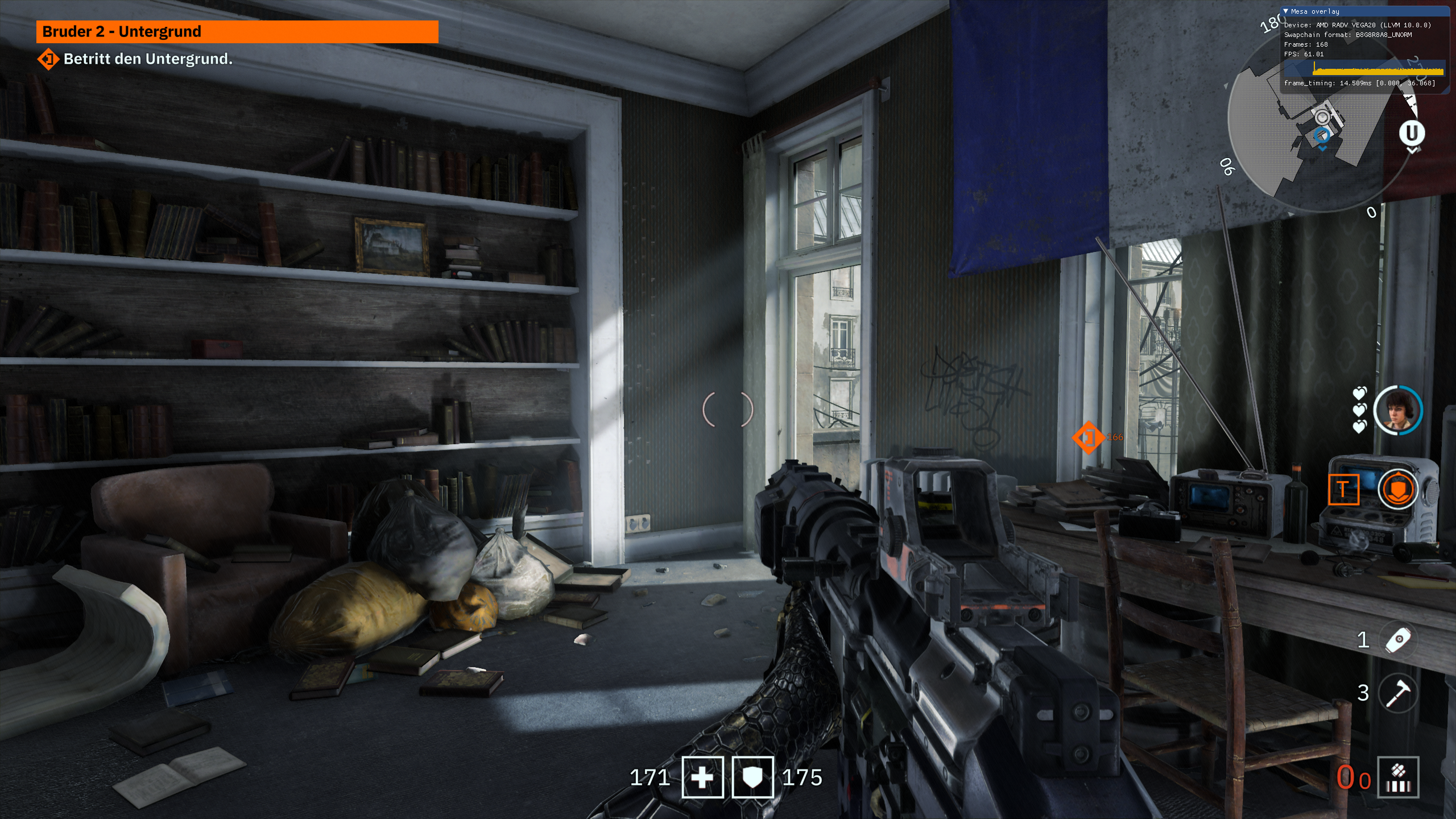
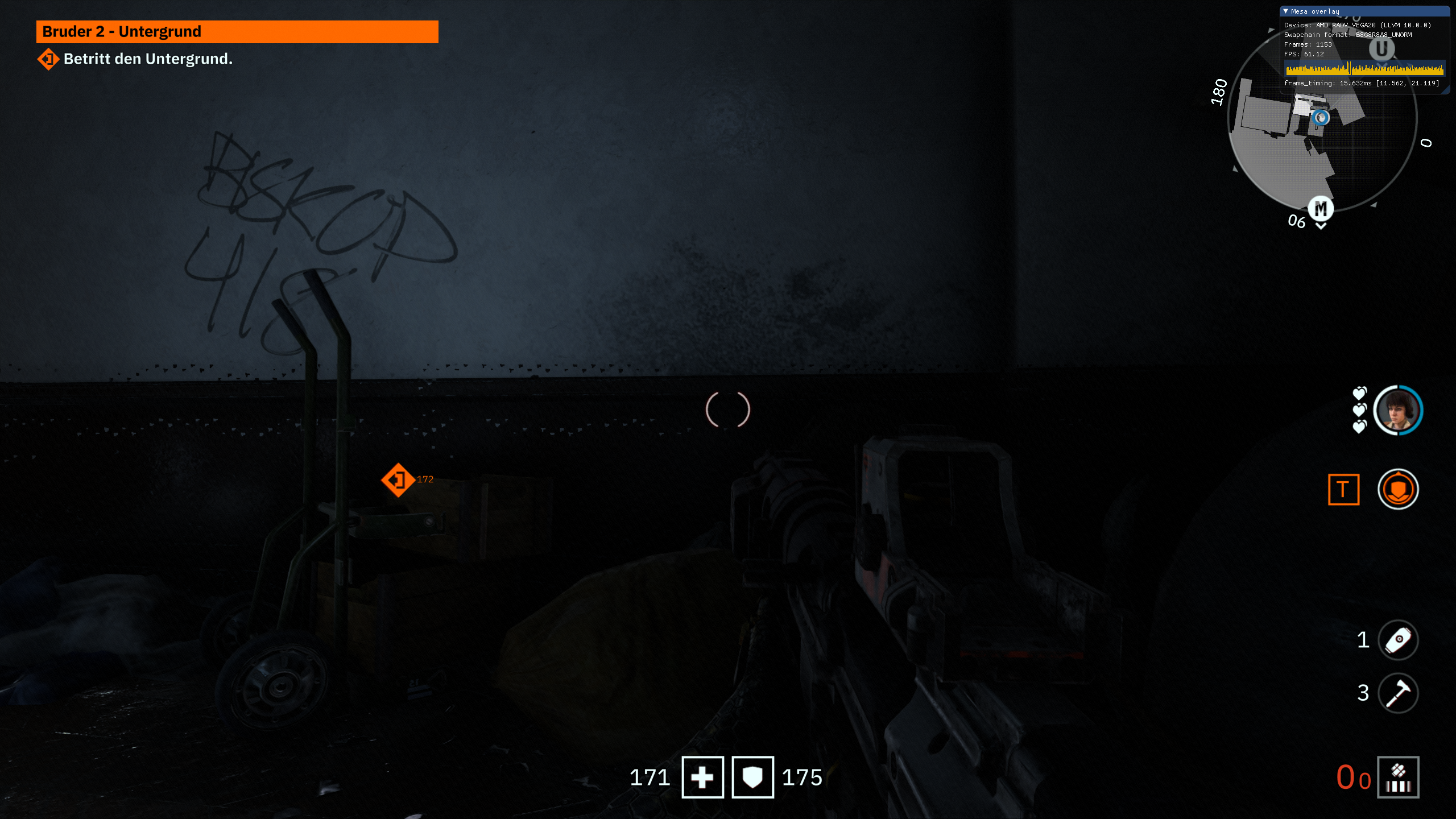
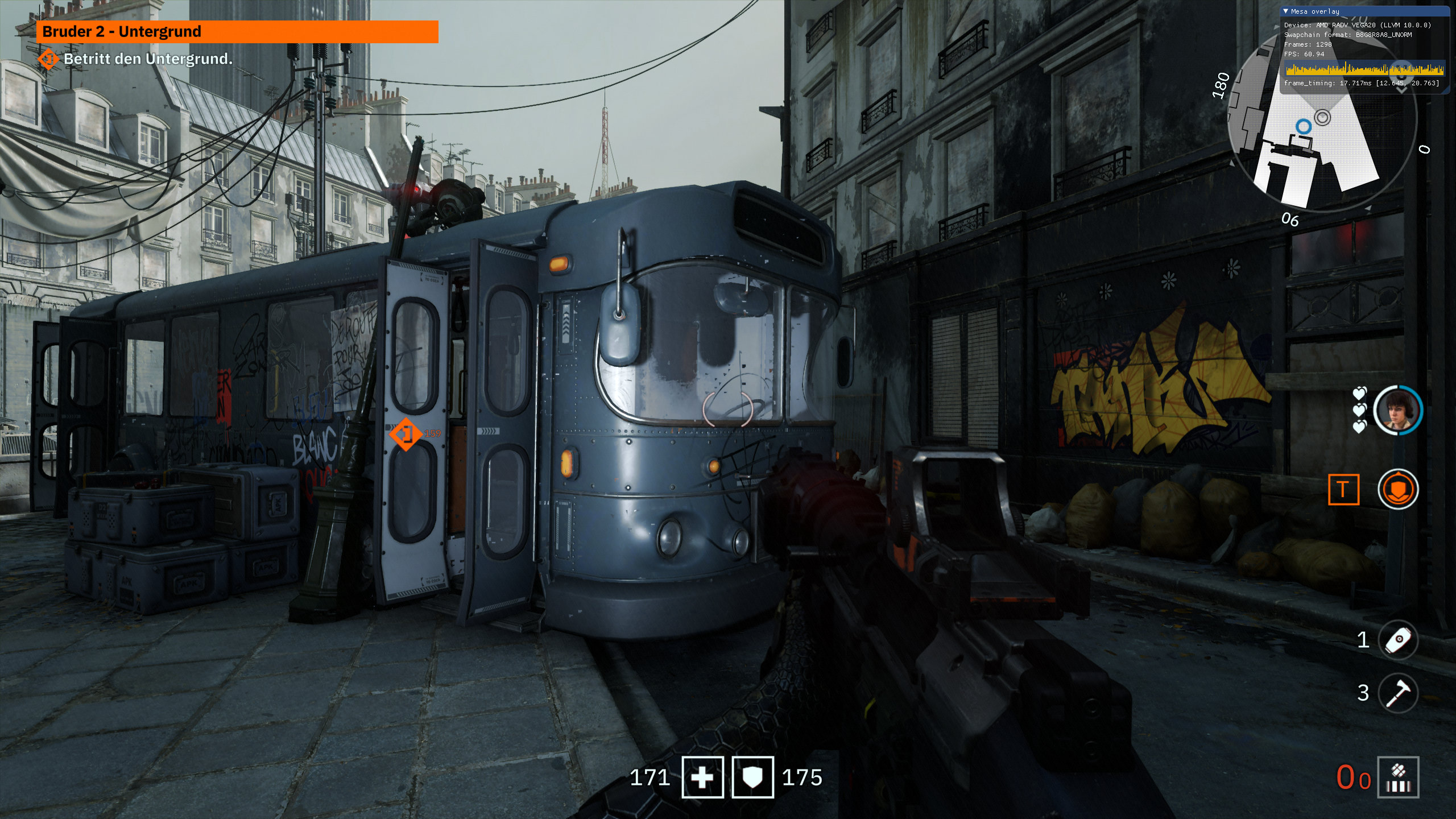
Didn't experience those issues with AMDVLK
EDIT: I suppose that commit is a bit more recent than the mesa build I've got. You wrote
As a bonus point, it gets rid of some minor artifacts that only
happens when ballot is disabled for some reasons.
Are those the artifacts visible on the screenshots?
@alex9k1 Yes, those artifacts should be fixed now.
@daniel-schuermann Can you rebase mesa-aco with there patches?
@NTMan ACO uses shader_ballot by default, so this patch isn't necessary and the game runs very fine with ACO. Please also compare performance, I'm sure it's at least on par with AMDVLK if not better.
Edit: In general, the games using idTech engine seem to run best with ACO.
@hakzsam After reading @daniel-schuermann 's comment, I tried it again with ACO and indeed the artifacts were gone.
Still feels sluggish quite often, although I noticed that this is gone, too, when I disable compositing (KDE). Didn't have to do that with AMDVLK though.
So, the game uses Vulkan for ray tracing. Ray tracing works perfectly fine on Linux with Vulkan and NVIDIA, as I have tested it myself with Quake 2 RTX. The question is why doesn't youngblood show the "ray tracing reflections" menu?
It's 2021, and the game still won't work using Lutris in Manjaro. Tried with various versions of Proton (tkg, GE), as well as versions of Dxvk and Wine.
Using Nvidia GTX 1650.
UPDATE: I think it's may be DRM-related.
I've been trying to get the new DLSS support to work for the last day and I've had no success. The NVDIA announcement made it sound like it should work out of the box as long as you have driver 470. I've tried Proton Experimental and GE and TKG and nothing is working, with or without PROTON_ENABLE_NVAPI. What's going on?
I've confirmed one person who has been able to successfully use DLSS on this game on Linux. From their self-reporting, they're using a desktop 2060 FE card, and I'm trying to use a mobile Optimus 2070 Super. Should that make a difference? Is there anything I can do to help troubleshoot this?
Game runs fine on my system: Ryzen 3700X / RX 5700 / 32 GB RAM / 970 Evo M.2 SSD with Proton 8.0-3
But the AMD driver warning mentioned in the first post here still shows up when I start the game.
Does anyone know if there's a way to get rid of it?
Related threads
- Doom Eternal - Initial month of feedbackprotonclosed same upstream bug
- Monster Hunter Worldprotonopen same upstream bug
- Doom Eternalprotonopen same upstream bug
- Microsoft Flight Simulator (2020)protonopen same upstream bug
- Hogwarts Legacyprotonopen same upstream bug
- Borderlands 3protonopen same upstream bug
- STAR WARS Jedi: Fallen Orderprotonopen same upstream bug
- Assassin's Creed Odysseyprotonopen same upstream bug
- Persona 4 Goldenprotonopen same upstream bug
- SOULCALIBUR VIprotonopen same upstream bug
Proton versions
proton 8.0-3x1 2023-09proton experimentalx1 2021-06proton 4.11x1 2019-07
Launch options
PROTON_ENABLE_NVAPIx1 2021-06
Upstream links
- ValveSoftware/Proton/issues/2927x1 2019-08
- ValveSoftware/Proton/issues/2913x1 2019-07
Compatibility Report
System Information
I confirm:
steam-1056960.zip
Symptoms
Upd: I suppose the game uses Vulkan API.
Demonstration: https://youtu.be/k8T_0Ql4fWY
Reproduction
Just start playing in the game.