Age of Empires II: Definitive Edition
Possibly due to missing SpVoice object. From your log:
2901.866:0039:003a:err:ole:CoGetClassObject no class object {96749377-3391-11d2-9ee3-00c04f797396} could be created for context 0x17
2909.925:0039:003a:trace:seh:NtRaiseException code=80000003 flags=0 addr=0x7bcaf638 ip=7bcaf639 tid=003a
How can I solve this?
If you want to get into Wine development, implement the SpVoice class and whatever interfaces the app requests (probably ISpeechVoice, possibly more) in dlls/sapi, and see if that is enough to get the game running or if it needs more work past that.
I have tried installing several versions of VC Runtime, both using Winetricks and with normal prefix installation and none of them worked. I also tried using DotNet but I haven't got past that same error you're telling us @ThaChillera
I tried installing SpVoice dll with winetricks today but still nothing. @aeikum I tried sweeping all the error's on Chillera's log and on mine but still nothing.
In case it helps in any way:
https://gist.github.com/Marroja/2c9b6a118c7d6b19359839b92a3fd7c3
At the moment I understand the main problem is regarding an unwinding problem. I'm not sure how to deal with it.
Seeing this issue on a new install of the officially released game.
I think that the problem is related also to https://github.com/ValveSoftware/Proton/issues/2995 so probably in this other ticket there are info to fix this one.
AFAIK this is actually a problem related to sapi.dll not existing?
As a workaround, how hard would it be to kill the speech recognition functionality? I don't think sapi would be needed for anything other than speech recognition, right?
Has anyone tried this yet?
https://www.reddit.com/r/aoe2/comments/dwuplr/how_to_run_age_of_empires_2_definitive_edition_on/
I am trying this but with the last proton (waiting to download the game).
Anyway this tutorial suggest to use DXVK 1.4.4 or newer and Proton 4.11-8 (https://github.com/ValveSoftware/Proton/releases/tag/proton-4.11-8) already include them.
So the big difference with proton is wine staging that they are at wine 4.20 (https://dl.winehq.org/wine/source/4.x/) and to execute the 2 commands of the tutorial to set win10 and reinstall vcrun2017.
So my doubt are more about proton that is using an old version of wine compared to this tutorial.
Following the instructions from reddit:
https://i.imgur.com/zdleeea.png
Using Wine-Staging 4.20.

I installed the game in steam with proton 4.11-8 and get the already known error.
Using the reddit thread (after that installation in steam with all the dependence) I am trying with executing protontricks 813780 win10 vcrun2017.
This didn't worked :-(
After protontricks 813780 speechsdk vcrun2017 win10 I am getting the same error but now the library sapi.dll is avalaible, I am trying to understand if it isn't registered.
"/home/myuser/.steam/steam/steamapps/common/Proton 4.11/dist/bin/wine" regsvr32 sapi.dll
Says that is registered rightly.
Last insights about sapi.dll I don't think that is the problem because is a common issue in wine and everything worked (I searched on mailing lists and so on). So I think that is a fake positive, looking at my debug:
10919.688:002f:0030:err:ole:CoGetClassObject class {96749377-3391-11d2-9ee3-00c04f797396} not registered
10919.689:002f:0030:err:ole:CoGetClassObject class {96749377-3391-11d2-9ee3-00c04f797396} not registered
10919.689:002f:0030:err:ole:create_server class {96749377-3391-11d2-9ee3-00c04f797396} not registered
10919.690:002f:0030:fixme:ole:CoGetClassObject CLSCTX_REMOTE_SERVER not supported
10919.690:002f:0030:err:ole:CoGetClassObject no class object {96749377-3391-11d2-9ee3-00c04f797396} could be created for context 0x17
10956.011:002f:0030:trace:seh:MSVCRT_raise (22)
Setting breakpad minidump AppID = 813780
Steam_SetMinidumpSteamID:  Caching Steam ID:  76561198055726040 [API loaded no]
10957.051:0016:001a:trace:loaddll:free_modref Unloaded module L"C:\\windows\\system32\\drivers\\winebus.sys" : builtin
10957.051:0016:001a:trace:loaddll:free_modref Unloaded module L"C:\\windows\\system32\\setupapi.dll" : builtin
pid 64012 != 64011, skipping destruction (fork without exec?)
The real error is at MSVCRT_raise but doesn't include any hints about the error. I am not an expert of wine/proton but I finished all my ideas.
Uhm I said to quickly, enabling D9VK (PROTON_USE_D9VK=1) I got an error finally:
11342.603:002f:0030:trace:seh:MSVCRT_raise (22)
Unable to read VR Path Registry from C:\users\steamuser\Local Settings\Application Data\openvr\openvrpaths.vrpath
Setting breakpad minidump AppID = 813780
Steam_SetMinidumpSteamID:  Caching Steam ID:  76561198055726040 [API loaded no]
11343.640:0016:001a:trace:loaddll:free_modref Unloaded module L"C:\\windows\\system32\\drivers\\winebus.sys" : builtin
11343.640:0016:001a:trace:loaddll:free_modref Unloaded module L"C:\\windows\\system32\\setupapi.dll" : builtin
pid 64461 != 64460, skipping destruction (fork without exec?)
Hello there, I am the creator of the tutorial and looking at your and mine output I discovered something which might be helpful for you.
I also get this part:
010d:fixme:ntdll:EtwEventRegister ({4372afee-73b0-42ce-9821-7e134361b519}, 0x13f006fd0, 0x13f0595c0, 0x13f0595b8) stub. 010d:fixme:nls:get_dummy_preferred_ui_language (0x8 0x22e1cc 0x22e630 0x22e1c8) returning a dummy value (current locale) 010d:err:ole:CoGetClassObject class {96749377-3391-11d2-9ee3-00c04f797396} not registered 010d:err:ole:CoGetClassObject class {96749377-3391-11d2-9ee3-00c04f797396} not registered 010d:err:ole:create_server class {96749377-3391-11d2-9ee3-00c04f797396} not registered 010d:fixme:ole:CoGetClassObject CLSCTX_REMOTE_SERVER not supported 010d:err:ole:CoGetClassObject no class object {96749377-3391-11d2-9ee3-00c04f797396} could be created for context 0x17
The error Message where you can click on ignore appears right now, when clicked on ignore it goes on like this:
0142:fixme:shell:CustomDestinationList_QueryInterface not implemented for {00000003-0000-0000-c000-000000000046} (unknown) 0142:fixme:shell:CustomDestinationList_QueryInterface not implemented for {00000003-0000-0000-c000-000000000046} (unknown) 0142:fixme:shell:CustomDestinationList_QueryInterface not implemented for {00000019-0000-0000-c000-000000000046} (unknown) 0142:fixme:shell:CustomDestinationList_BeginList 0x5c3a678 (0x993fbcc {92ca9dcd-5622-4bba-a805-5e9f541bd8c9} 0x993fbd8): stub ...
So with wine-staging 4.19 I don't get the MSVCRT_raise error. In mozo78s output (wine-staging 4.20) this error is also missing there just isn't an ignore option for him (for some reason).
DXVK is needed to display buildings and units otherwise they are invisible it shouldn't have to do with this bug.
Here's the log with Wine-Staging 4.19:
https://pastebin.com/DWdmJtZh
Hello there, I am the creator of the tutorial and looking at your and mine output I discovered something which might be helpful for you.
I also get this part:
010d:fixme:ntdll:EtwEventRegister ({4372afee-73b0-42ce-9821-7e134361b519}, 0x13f006fd0, 0x13f0595c0, 0x13f0595b8) stub. 010d:fixme:nls:get_dummy_preferred_ui_language (0x8 0x22e1cc 0x22e630 0x22e1c8) returning a dummy value (current locale) 010d:err:ole:CoGetClassObject class {96749377-3391-11d2-9ee3-00c04f797396} not registered 010d:err:ole:CoGetClassObject class {96749377-3391-11d2-9ee3-00c04f797396} not registered 010d:err:ole:create_server class {96749377-3391-11d2-9ee3-00c04f797396} not registered 010d:fixme:ole:CoGetClassObject CLSCTX_REMOTE_SERVER not supported 010d:err:ole:CoGetClassObject no class object {96749377-3391-11d2-9ee3-00c04f797396} could be created for context 0x17The error Message where you can click on ignore appears right now, when clicked on ignore it goes on like this:
0142:fixme:shell:CustomDestinationList_QueryInterface not implemented for {00000003-0000-0000-c000-000000000046} (unknown) 0142:fixme:shell:CustomDestinationList_QueryInterface not implemented for {00000003-0000-0000-c000-000000000046} (unknown) 0142:fixme:shell:CustomDestinationList_QueryInterface not implemented for {00000019-0000-0000-c000-000000000046} (unknown) 0142:fixme:shell:CustomDestinationList_BeginList 0x5c3a678 (0x993fbcc {92ca9dcd-5622-4bba-a805-5e9f541bd8c9} 0x993fbd8): stub ...So with wine-staging 4.19 I don't get the MSVCRT_raise error. In mozo78s output (wine-staging 4.20) this error is also missing there just isn't an ignore option for him (for some reason).
DXVK is needed to display buildings and units otherwise they are invisible it shouldn't have to do with this bug.
Have you tried to run
winetricks -q vcrun2015
When using wine 4.19 staging?
Yes I did. It doesn't change nothing :(
Here's the log with vcrun2015 and Wine-Staging 4.19:
https://pastebin.com/Xk04auTH
I was actually asking Georg, but nevermind,
I GOT IT WORKING on pure wine 4.19 staging installation, I even though I got the "message where you can click ignore" (the same one as you reported you got on 4.20 https://i.imgur.com/zdleeea.png.. but as georg said on 4.19 staging you can click on ignore for some reason)..
Great that it also worked on pure (wanted to test this in the next few days, but other people aren't as lazy as me ;))
The missing buildings are fixed with DXVK.
Interesting that the ignore button is missing in 4.20
:) So where did you manage to run it before? or how did you know that DXVK is needed for buildings and units?
:) So where did you manage to run it before? or how did you know that DXVK is needed for buildings and units?
I saw the game needed DirectX11 (looked at Systemrequirements) and I knew that it isn't yet fully implemented in wine, so I tried DXVK, which just worked.
I reinstalled vcrun, because I thought that a reinstalled vcrun would help. I hadn't the idea to click on ignore before I did that so I was unsure if it really runs on pure.
Have you also changed the Windowsversion or does it also run with "Windows 7" ?
:) So where did you manage to run it before? or how did you know that DXVK is needed for buildings and units?
I saw the game needed DirectX11 (looked at Systemrequirements) and I knew that it isn't yet fully implemented in wine, so I tried DXVK, which just worked.
I reinstalled vcrun, because I thought that a reinstalled vcrun would help. I hadn't the idea to click on ignore before I did that so I was unsure if it really runs on pure.
Have you also changed the Windowsversion or does it also run with "Windows 7" ?
I am not sure we mean the same thing by "pure" .. I still ment the staging version, just not proton.. And yes, it runs with Windows 7 as well.. But now I have installed the DXVK and it doesn't run anymore.. The game just doesn't pop up, only cursor changes and then nothing is rendered and mouse is not moving (looks like the screen is controllerd by the app but nothing is rendered) and I can get out of it only after I press alt+tab .. I am probably still missing some DX dependencies ?
EDIT: OK, now it runs, and buildings and units are rendered properly.. I just wasn't patient enough :)
Has anybody tried online functionality?
I was actually asking Georg, but nevermind,
I GOT IT WORKING on pure wine 4.19 staging installation, I even though I got the "message where you can click ignore" (the same one as you reported you got on 4.20 https://i.imgur.com/zdleeea.png.. but as georg said on 4.19 staging you can click on ignore for some reason)..
What do you mean by pure? Without vcrun2017? It doesn't run both with or without vcrun 2017 installed and I have no "Ignore" button with Wine-Staging 4.19...
Has anybody tried online functionality?
Spectating works flawlessly.
Haven't tried out a real match yet, but I am expecting it to work.
We mean by pure that no changes were made to the prefix.
Maybe the missing button is distribution related, I use ubuntu 19.10, which one do you use?
The reason people aren't getting the "Ignore" button on the assertion error is that when vcrun2017 is being installed, for some reason ucrtbase.dll isn't being installed properly.
Copying over a 64-bit ucrtbase.dll to c:\windows\system32 is sufficient to get the "Ignore" button to work, after which the game works fine in Proton.
Ideally, of course, either wine would support the SpApi speech API stuff properly, or the game would handle it not loading better, but this works for now.
Maybe the missing button is distribution related, I use ubuntu 19.10, which one do you use?
Not the guy you replied to, but I am using Manjaro 18.1.3 KDE and I also am not getting an "ignore" button on the error.
Edit: doing the above fix makes the ignore button appear for me, but the game is hanging after that when using Proton
Edit 2: can get in game now
Edit 2: can get in game now
Did you just have to wait or did you do something specific? Proton hangs for me too
Copying over a 64-bit ucrtbase.dll to c:\windows\system32 is sufficient to get the "Ignore" button to work, after which the game works fine in Proton.
Any idea why this is missing for some people ?
When I create a new wine prefix the ucrtbase.dll is automatically in system32 without doing anything else, so it should be unrelated to vcrun.
I'm not sure why this is happening, but I've not looked in detail.
The reason there's a ucrtbase.dll already in system32 is that wine provides one: the wine version will get you the Assertion error without the "Ignore" box though, so you want Microsoft's version, so you'll want to replace (or override) the wine ucrtbase.dll with the Microsoft one. I think the Microsoft one should be being installed by vcrun2017, but I could be wrong on that (I never got it to work, and had to copy the file from windows manually).
Edit 2: can get in game now
Did you just have to wait or did you do something specific? Proton hangs for me too
I decided to abandon proton and instead use the suggestions here and on the reddit thread. Here's exactly what I did:
- set wine version to "lutris-nofshack-4.19-x86_64" in lutris. (wine staging version 4.19 also works, but I wanted to use Esync)
- install/enable DXVK 1.44 and D9VK
- uninstall existing vcrun2017, then install again using winetricks
- set windows version to windows 10 using wine config
- install speechsdk via winetricks
- copy over 64-bit ucrtbase.dll to c:\windows\system32 to enable "ignore" button (I was using lutris, so I put it in
/home/yourusernamehere/.local/share/lutris/runners/winesteam/prefix64/drive_c/windows/system32/) - run game
- get this error on launch, press ignore
- get "crash without flag file" error, press OK
- wait a while, game launches, and play


Edit: bonus tips:
- enable Esync if you are using Lutris, it increases performance by a lot
- if zooming doesn't work, try alt tabbing out and back in to the game, that seems to fix it
I finally could get in game! thank you all guys.
I also noticed that the game is having the same Infinite scroll issue as in Age of Empires: HD Edition when you hit alt+tab (sometimes just randomly).
The root of the problem may be the same than in HD, which, according to Sulix's reply was that
"The game is using the GetKeyboardState() function to read the arrow keys (and other keys), and is not checking the result correctly. The MSDN documentation for the function only defines the low bit (0x01, meaning that the key is "toggled" à la Caps Lock) and the high bit (0x80, meaning that the key is pressed). Age of Empires (both 1 and 2) check if the key is pressed by checking if the result is > 1. This works most of the time, as it does not depend on the low bit. However, the undefined "middle" bits are occasionally used by windows/wine internals, and are not guaranteed to be zero. The game should check only the high bit (by ANDing it with 0x80).
"
It's very likely that this is the very same issue happening in this version as well.
Has anybody tried online functionality?
Spectating works flawlessly.
Haven't tried out a real match yet, but I am expecting it to work.
We mean by pure that no changes were made to the prefix.
Maybe the missing button is distribution related, I use ubuntu 19.10, which one do you use?
I use Arch :)
Thank you guys! Copying ucrtbase.dll did the trick!!!
It's not clear for me about how to get that working with Proton.
I tried protontricks 813780 speechsdk vcrun2017 win10 and later downloaded ucrtbase.dll using https://github.com/ValveSoftware/Proton/issues/1538#issuecomment-529124095
cd $(mktemp -d)
wget "https://aka.ms/vs/16/release/vc_redist.x64.exe"
cabextract vc_redist.x64.exe
cabextract a10
ls ucrtbase.dll
And put on /home/my-user/.steam/steam/steamapps/compatdata/813780/pfx/drive_c/windows/system32/.
Everyone talks about to uninstall vcrun2017 but is not clear for me that step but I think that reinstall should be enough.
I get now the window with the ignore button but on pressing the game crash.
AoE2DE_s_d3d11.log inside the game folder contain this:
warn:  D3D11CoreCreateDevice: Adapter is not a DXVK adapter
info:  Game: AoE2DE_s.exe
info:  DXVK: v1.4.4-8-gb489f789
warn:  OpenVR: Failed to initialize OpenVR
info:  Enabled instance extensions:
info:    VK_KHR_get_physical_device_properties2
info:    VK_KHR_surface
info:    VK_KHR_win32_surface
PS: I get the ignore window also without speechsdk installed and without reinstall vcrun2017, it's just enough to replace the ucrtbase.dll file
I was actually asking Georg, but nevermind,
I GOT IT WORKING on pure wine 4.19 staging installation, I even though I got the "message where you can click ignore" (the same one as you reported you got on 4.20 https://i.imgur.com/zdleeea.png.. but as georg said on 4.19 staging you can click on ignore for some reason)..
Having done that... can you install the UHD DLC? My wine steam library is shown black... Setting wine config to WinXP won't work as it is not supported anymore.
I got it working with Proton! Well not the official one anyway.
Using a Proton fork that include the latest wine and stuff <Link removed by moderator>, installing as reported in the readme.
Next closed and restart steam, change as say the readme of this fork and pick that Proton version. I removed the folder /home/myuser/.steam/steam/steamapps/compatdata/813780/ and executed in Steam the game with this new proton (so reinstall everything).
Got the usual error az etc, executed protontricks 813780 vcrun2017, after replace the ucrtbase.dll in /home/myuser/.steam/steam/steamapps/compatdata/813780/pfx/drive_c/windows/system32/.
In launch option of AGE2DE I put PROTON_NO_ESYNC=1 PROTON_USE_WINED3D=1 %command% and now is working! The big problem is that the units and buildings are invisible so I am trying to understand why. If I not use wined3d I get CreateDXGIFactory() failed error.
Hello @Mte90, unfortunately, that build of Proton contains a legally problematic workaround which was integrated into it and can not be recommended here.
uh okay but shows that the big issues here is that proton is based on an old wine version to support this game.
I am trying to follow the above steps, but I keep getting a black screen when trying to access the steam library or store through wine. Has anyone else experienced this?
Hello @EnriqueWood, @tkamat, in general, Steam for Windows when run in Wine should be discussed on wine's forums/bug tracker.
That set aside, there's a good chance you've encountered the same issue that was reported at https://bugs.winehq.org/show_bug.cgi?id=39403 and you may have some luck launching steam.exe with -no-cef-sandbox.
Anyway on my laptop when I switch to use DXVK I get an alert about VRAM is not enough to play. In my case is because my laptop has 2 video cards intel/nvidia.
So I am trying now with primus and primusvk to see if I can switch to the nvidia one that is more powerful.
As a quick status update, I've been playing this quite a bit under Proton 4.11, and while it's not exactly stable (or particularly performant), it's definitely playable.
So, my current steps for getting this to work with Proton 4.11 are to:
- Replace ucrtbase.dll
- Delete/rename the $GAMEPATH/resources/_common/movies directory (this seems to work around a randomly black screen/hang at the start)
- Click "ignore" on startup
I've not needed to:
- Use a newer version of wine
- Install the windows version of Steam under wine.
- Install/uninstall vcrun2017 manually
- Install sapi (it doesn't work anyway, you have to click "Ignore" on the assertion whether it's installed or not)
- Install mf (Media Foundation) — the videos don't work either way, and attempting to play them sometimes causes the game to hang. Delete the video files, and avoid the "Art of War" bit that needs them.
- Use wined3d — there are some major graphical issues with the wined3d included in Proton 4.11 and AoE2DE, but I haven't seen any with dxvk.
I've noticed:
- There appear to be some performance problems, particularly with the higher graphics settings (resolution in particular). Don't know if that's the case on Windows as well, but it runs much worse than I expected, and much worse than Age of Empires 1 DE. (It's still very playable at low resolutions, though).
- It sometimes — after playing for a long time — seems to cause my system to start swapping like crazy or otherwise become unresponsive. (It seems to use a lot of RAM and a lot of VRAM, and despite having more than the minimum requirements there, it seems to thrash a bit). Maybe upgrading to the newer nVidia driver which falls back to system memory more often will help, maybe not.
- Multiplayer works successfully. (At least, I don't think I can blame my losses on wine/Proton instead of my general lack of skill at the game.)
- The mods menu seems to crash when clicking on a mod.
- The Intro video doesn't work, nor do the videos in-game (which cause a hang).
- Clicking on the XBox sign-in button does nothing.
- The infinite scrolling bug is still present ([wine bug #30814](https://bugs.winehq.org/show_bug.cgi?id=30814))
Otherwise, it's working pretty well.
There appear to be some performance problems, particularly with the higher graphics settings (resolution in particular). Don't know if that's the case on Windows as well, but it runs much worse than I expected, and much worse than Age of Empires 1 DE. (It's still very playable at low resolutions, though).
I've read a test on Windows where they tested the 4k DLC on a PC with an i7 4770k, 16gb RAM and a gtx 1660ti. They got sometimes less then 30FPS and they were still running the game on 1080p.
I will test this out in the next few days on a 1440p monitor and see what performance I can get there. But having read this test it looks like we don't ve such a bad performance on this game compared to Windows ;)
I can also confirm that the game is able to freeze the system, on an AMD GPU so this is nvidia unrelated.
OT (hope this is okay):
Anyway on my laptop when I switch to use DXVK I get an alert about VRAM is not enough to play. In my case is because my laptop has 2 video cards intel/nvidia.
So I am trying now with primus and primusvk to see if I can switch to the nvidia one that is more powerful.
Why don't you switch permanently with prime-select nvidia
or use nvidia on deman and then use the GPU with: __NV_PRIME_RENDER_OFFLOAD=1 Application
If you select the nvidia via prime you might need to initialize vulkan with sudo vulkaninfo
@sulix I can confirm that your Proton solution works perfectly, I am even getting relatively good performance.
Here's how it performs:
https://youtu.be/NNFcSKum7CQ
After ~15 min. it slows down.
The solution suggested by @sulix didn't work for me. However, going one stop further by enabling PROTON_USE_WINED3D enabled the game to work and start, but as others said, the units/buildings are not visible, so it's not playable.
AMD Ryzen 5 2500u with Vega 8, 8GB of RAM on Ubuntu 19.10.
On wine-staging 4.20:
-- Winetricks vcrun2017
-- Replace ucrtbase.dll
-- Enable DXVK
-- Click "ignore".
And then it was playable for me (with very poor performance). It would not give the "ignore" option until after adding both vcrun2017 and replacing ucrtbase.dll.
I'm on Ubuntu 19.10 with I7-6700k, 16GB RAM, GTX 1060 6GB.
I can confirm @busyboredom, however, performance good. Did exactly the same in and worked no problem at 110FPS on lowest settings. Perfectly playable.
Mods installed in Windows work fine, it's the mod installation window the one that fails. Not sure if there's another workaround.
I was able to run also with @sulix 's guide above. That did it for me.
I noticed the game ran much smoother in Proton-4.11 than on Wine 4.20 using DXVK. In both cases the game crashed during some loadscreens and Mod download screen but other than that it was perfectly playable.
On Pop_OS 19.10, Ryzen 2600, 8GB RAM and GTX 970.
I also followed @sulix 's guide, and it worked like a charm. No performance issues, except a bit of a stutter in the loading screen when launching a game.
I'm Using Proton-4.11 on Arch Linux, on a low-medium range laptop (Lenovo Legion y520).
Thanks to the @sulix 's guide steps I could run it using Proton-4.11-8.
Although it works pretty fine, with graphics maxed out and the Enhanced Graphics DLC on it just closes (in windows 10 it worked ok).
My PC specs are:
Kubuntu 19.04 (64 bits)
Intel i5 [email protected]
16GB RAM@3200MHZ
Nvidia GTX1080ti
Game installed on SSD
I can also confirm @sulix 'x guide. I tried it using Proton-4.11. No performance issues, although my test run was pretty short.
On Ubuntu 18.04 LTS using i3wm, with intel i7, 32 GB Ram, GTX 970M
By using the @sulix guide I manage to run the game but I don't see the units and buildings on the map. I am using "PROTON_NO_ESYNC=1 PROTON_USE_WINED3D=1 %command%" as launch option. I guess using the wined3d makes the issue with buildings? But if I don't use it my game crashes even before getting the assertion error... Any advice? Maybe some other flag I could use? Seems that if I resolve this issue I will be able to play without issues so any help on the topic is appreciated 😄
My system is on fully up-to-date Arch, Proton 4.11-8, and i7 with integrated AMD Vega M graphics - latest Mesa drivers.
Hello @hogar1977, please verify you have the vulkan-radeon and lib32-vulkan-radeon packages installed.
@kisak-valve May all the internet gods grant you a 2020 year of good google search fortune and prosperity!!! It works!!!! With no performance issues that I can see. Will test multiplayer later this evening and report back :D
Can confirm game is launching with the infos provided here by @sulix
Copying over the ucrtbase.dll info ~/.steam/steam/steamapps/compatdata/813780/pfx/drive_c/windows/system32/ lets the game run after clicking the ignore button on the "Assertion failed!" popup.
However, after running the benchmark test and changing some hotkeys in the options menu, on clicking the apply button the main menu froze completely. Mouse stuttered and music was still playing, but besides the background image, no buttons where visible and nothing was clickable. Tabbing out of the game wasn't possible anymore so the hard reset was the only option for me.
The benchmark worked and revealed a result of 1172 points for me.
System is a DELL XPS 15 with i9-8950HK, 64Gig of RAM and an NVIDIA GTX 1050TI on Ubuntu 19.10 using proprietary nvidia driver 435.21 for anyone interested.
EDIT: Still testing and the main menu freeze is probably linked to my multi-monitor setup. After disabling 2 of the 3 monitors, the crashing seems to have disappeared. Changing the language in the options menu worked and I could start a campaign after applying the changes. Also steam achievements work.
EDIT2: Streaming the game via Steam Connect is possible, but the cursor randomly vanishes into oblivion and playing without mouse cursor is kinda impossible. Resetting the cursor via the options menu is possible by changing its bigness, but it will vanish shortly after again.
EDIT3: Seems that the menu freezes aren't related to the multimontor setup. It froze again using just 1 monitor after returning from the william wallace campaign window. Also some ingame sounds seem to be missing for me. I can not hear the units dying for some reason.
@the-coding-owl
I have experienced the freezing that you are talking about also in Windows, so I think it might be simply a game bug that they need to iron out...
Other than that for me game works, but when number of units on map get higher (>200 per player in 3 v 3 match) it starts to lag a bit. That might be due to game itself or due to my computer not being top notch...
Did somebody find a workaround to the Mods section crashing when clicking on some item? I thought subscribing to them in windows would do the trick (as it was in the HD version), but it did not, my mods just weren't there. I'd really like to have some mods active (e.g I'd really appreciate to have the tech tree mod enabled, so I can have a quick look at civ units without having to go to the tech tree full screen).
Any ideas on how to workaround this problem?
I have tried running AoE2:DE on the LTSC version (no Xbox network here) and I've been able to download the mods no problem, so at least I can confirm it's not a problem coming from not having Xbox Network thing at Linux.
Update on my situation: I also had the problem of missing HUD and and units, but it happened just once, and I don't know how to reproduce it. If you are having this problem, don't give up and try to restart the gamea few times, it might just work.
The infinite scrolling bug is still present ([wine bug #30814](https://bugs.winehq.org/show_bug.cgi?id=30814))
Hmmm I don't get that Bug anymore with proton, can anyone confirm that?
Also ESYNC doesn't give me any performance increase, is that also the case for other people ?
EDIT: We also had a lot of discussions here about how to run the game but the issue is that ucrtbase.dll isn't installed by vcrun, so maybe we should investigate why this is the case to fix this bug
Using Esync did seem to improve performance for me, however the game still suffers from major performance issues, and not just on Linux. I've seen (admittedly inconsistent) reports of Windows users with high-end rigs that still have crashing and low FPS on reddit. There is a more official forum thread about it here, so the devs are at least aware of the problems.
I haven't tested with proton yet, but I am not getting the ~120fps some people are reporting, with or without the HD pack enabled.
I tested the Enhanced Graphics DLC and I can get into games with it, however loading Screens are longer and the Benchmark crashes. My guess would be that AOE2 consumes too much memory, I've logged the usage with a script and it goes close to using all my swap and 16 gb RAM. I will try it again with a bigger swap tomorrow
I tested the Enhanced Graphics DLC and I can get into games with it, however loading Screens are longer and the Benchmark crashes. My guess would be that AOE2 consumes too much memory, I've logged the usage with a script and it goes close to using all my swap and 16 gb RAM. I will try it again with a bigger swap tomorrow
Please let us know if you are successful with that. I have 16gb ram too and have the same issue. I tried with a 11gb swap partition and the game still crashes due to heavy swapping.
So for now the it looks like the only way to run it with the enhanced graphics pack dlc is either to get a bigger amount of ram or wait for optimizations to the game. It would be really nice if we could find some workaround though
Using @sulix method to get proton to work. The game itself works fine despite the high ram use.
However I am unable to play any challenges (art of war), it shows the scene of Sun Tzu but freezes when these are done. Anyone else got this?
Note: I already deleted the videos as recommended by Sulix.
Did somebody find a workaround to the Mods section crashing when clicking on some item? I thought subscribing to them in windows would do the trick (as it was in the HD version), but it did not, my mods just weren't there. I'd really like to have some mods active (e.g I'd really appreciate to have the tech tree mod enabled, so I can have a quick look at civ units without having to go to the tech tree full screen).
Any ideas on how to workaround this problem?
@EnriqueWood
I first installed the game on Windows and I was able to subscribe to the small trees mod. After that I installed the game on Linux and the mod was preselected already, I did not have to do it again... However, when I try to select any mod the game crashes instantly. Did not test again if that is the case in Windows too. Maybe it started happening after some of their updates?
I tested the Enhanced Graphics DLC and I can get into games with it, however loading Screens are longer and the Benchmark crashes. My guess would be that AOE2 consumes too much memory, I've logged the usage with a script and it goes close to using all my swap and 16 gb RAM. I will try it again with a bigger swap tomorrow
@GeorgScheumann
My computer is fairly decent and able to run AoE2HD in 4k without issues. But with this game, when I play on 4k it really struggles. When I reduce the resolution to 1080p and disable the Enhanced Graphics pack and put all settings on low, it runs smoothly but looks like crap :D will try with 2k resolution today I think and see how it goes :/ For the record, I am able to run War Thunder (a fully 3D game) on low to medium settings smoothly on my machine.
I have really no idea on what kind of computers they were 'testing' this game because they were hyping it for a long time and upon release it is really crappy in many ways. A shame really. I hope they will fix the issues fast or people will not really be motivated to switch :/
Okay, I was able to run a Benchmark, with the enhanced Graphics DLC enabled. Resolutions was set to 2560x1440. I increased the size of the swap file to 14gb, but only 5gb of swap were ever used + ~15gb ram by system and game. My Score was 1069, with everything set to ultra, VSYNC disabled and average about 20FPS. My hardware is 16gb RAM, Ryzen 7 3700X and a Vega 56.
Using @sulix method to get proton to work. The game itself works fine despite the high ram use.
However I am unable to play any challenges (art of war), it shows the scene of Sun Tzu but freezes when these are done. Anyone else got this?
Note: I already deleted the videos as recommended by Sulix.
I can start the Scenearios, there are also Videos in
$gamepath/resources/en/campaign/movies, try to delete these too.
Windows Users also do get performance issues, some tests reported that GTA V has more FPS in Ultra Settings than this game on the same hardware.
Also I was able to install a Mod "(ANDI) China Diplomacy", because that one is selected by default and I can click on subscribe, and it installs. When I select another one the game crashes, I ve tried to select another one with the search function, sorting by category's, with the keyboard and clicking on it.
Tested this with another System of mine.
On a Thinkpad E470 with 16Gig of RAM and an NVIDIA the game is unplayable in fullscreen mode, because it stutters like hell. However in windowed mode it runs just fine. Played roughly 15 Mins of campaign until a full crash ended the experience.
@EnriqueWood
- I can confirm that installing mods in Windows works
- I can confirm that trying to install a mod in Linux instantly crashes the game for me
- Mods installed in Windows are available in Linux - but I think you have to allow sufficient time for the Steam account to upload your subscriptions in Windows to Steam servers first - dont log out for a while after you have selected them.
@hogar1977 I tried again leaving the game open like 15 minutes after subscribing to some mods, rebooted the pc on Linux and the mods were there. So that confirms your theory, thanks for that :)
copy ucrtbase.dll did the work, I can launch the game but having texture issues, and the initial UI is invisible, aside that it is playable
You have to use DXVK, the game runs pretty well without any graphical glitches:
https://youtu.be/NNFcSKum7CQ
Anyone experienced the missing Unit dying sounds? Beside that, I get all the sounds. Even Buildings collapsing. Can not figure out where to look for that.
I am trying with my optimus laptop and vulkan, so I changed the command to PROTON_NO_ESYNC=1 pvkrun %command% but I had issues like @individuo7.
I started the game like 3 times and crashed in three different ways, menu unloaded, menu loaded and starting the tutorial black screen and no sound but cpu very high and the last one menu unloaded but with buttons possible to click it.

@mte90 doesn't primus_vk use bumblebee? I always thought that it had lots of performance issues.
Nvidia prime also has the abilliity to offload games on the discrete nvidia GPU, with: __NV_PRIME_RENDER_OFFLOAD=1 %command%.
Or you could use nvidia-xrun which is mentioned in the link above.
Right now on Debian nvidia-prime is not avalaible and also nvidia-xrun.
So I can use only bumblebee...
Can I ask you where did you get ucrtbase.dll to replace the original with?
Edit: nvm, extracted from vc redist.
I managed getting past the "assertion failed" issue by following the instructions in this thread. I get a dialog saying that the minimum specification for AoE2DE of at least 2GB of dedicated VRAM has not been met. That is not correct and does not happen in the Windows installation.
Is anyone else having this issue?
@jblumtritt
You can increase your VRAM with winetricks,
winetricks videomemorysize=NumberInMb
The reason that ucrtbase.dll isn't extracted is because, the vcrun installer doesn't touch the wine ucrtbase.dll, but if you remove/rename the default one and then run protontricks 813780 vcrun2017 , the real ucrtbase.dll gets installed and AOE2:DE starts with it.
I got this information from here and tested it.
Anyone experienced the missing Unit dying sounds? Beside that, I get all the sounds. Even Buildings collapsing. Can not figure out where to look for that.
The missing dying sounds was a problem with Windows too. I think one of the recent game updates solved that issue.
I have played several mulitplayer games on 2880p resolution and I have an issue that health bars over units and the unit selection rectangle that gets drawn while selecting units are all shown with an offset - to the upper left of units. Its not unplayable but it makes it harder and weird. Anyone else experiencing this?
I will try playing on 4k and 1080p and see if I get the same issue. Maybe its not related to linux but its a game bug...
@GeorgScheumann
You can increase your VRAM with winetricks,
winetricks videomemorysize=NumberInMb
Thanks!
I used protontricks to increase VRAM. The error message "minimum specification for AoE2DE of at least 2GB of dedicated VRAM has not been met" doesn't show anymore.
But unfortunately now i get another one:
"Could not initialize graphics system. Make sure that your graphics card meets the minimum system requirements.: CreateSwapChain() failed! HRESULT=0x80070057.
: e:_phoneix\2\s\phoenix\aoc\engine\osservices.h(114)"
I am still confused because there is no such error message when I start the game on a parallel Windows on the same system.
Have you guys found a way to make V-Sync (or even betterframe time capping) at driver level using Nvidia gpus? I see that the in-game's V-Sync is completely broken for this game (even in the native windows version, however in windows you have Riva to cap frametime)
You can try libstrangle :)
@mozo78 I just tried with libstrangle using the following LAUNCH OPTIONS for the game in Steam :
strangle 144 %command%
VSYNC=2 strangle %command%
VSYNC=1 strangle 144 %command%
None of them worked for me.
Do you see anything that could be wrong in there? I'd really like to get this to work
You can try with strangle 144 /path/to/game or
export FPS=60
LD_PRELOAD="libstrangle.so:${LD_PRELOAD}" /path/to/game
@mozo78 I don't really know how to do that since I'm running the game through steam client
I tried running those two commands replacing /path/to/game with /home/ewood/.steam/ubuntu12_32/steam steam://rungameid/813780 and it did not work
You just have to find the game's directory :)
@mozo78 I tried running the game using this
STEAM_COMPAT_DATA_PATH=$HOME/.steam/steam/steamapps/compatdata/813780 strangle 144 ./.steam/steam/steamapps/common/Proton\ 4.11/proton run .steam/steam/steamapps/common/AoE2DE/AoE2DE_s.exe and can't even get in game. I get this screen

It's normal, you have to install Windows Steam client if you want to use the game like this.
I got libstrangle to work using linux steam and proton setting PROTON_USE_WINED3D in LAUNCH_OPTION
The comman used was:
PROTON_USE_WINED3D=1 strangle 15 %command%
It runs at pretty low fps though (that's why I did the tests limiting to 15FPS instead of 144), and it does not show unit/building textures though, I'll try to make them work
The missing textures and low perf are from not using DXVK.
I finally got frame limiting working on linux' steam client for this game, proton and vulkan!
After many tests It worked using VkGHL (alternative to libstrangle)
The process is the following:
Follow the instructions in VkGHL project's repo readme, then add the compiled layer into Vulkan's Application side layers (using vkconfig) and finally choose the options in the game in Steam (using SET LAUNCH OPTIONS...).
For me they were FPS=144.0 VSYNC=1 %command%
That's great news :)
How difficult would it be to make a pull request to Proton so these issues are fixed for everyone?
@AlexLeung please click on the fork button, dig into the code, debug and fix it. :)
How difficult would it be to make a pull request to Proton so these issues are fixed for everyone?
Well the problem here is that the ucrtbase.dll isn't installed because there is already one there.
There is a bug report in wine Bugzilla here, which also contains a patch, however it is marked as not a bug, since it is intended behavior that ucrtbase.dll isn't extracted when it is there.
A nother work around would be for proton to check if vcrun is listed as dependency and then remove ucrtbase.dll, so the real one can be installed.
One major misconception I'm seeing in this thread is that the problem is somehow related to ucrtbase.dll. That is not the case. the ucrtbase.dll that is preinstalled into the wine/proton prefix is the one supplied by wine/proton and contains a more or less complete implementation of the relevant functions, with one major exception: You can't ignore errors. I believe this is intended behavior, since when applications misbehave in wine/proton, you want to know the source of the problem. Ignoring problems would be bad all around, since it can lead to other, stranger behaviour further down the line, hence using the "real" ucrtbase.dll isn't an optimal solution that should really be recommended.
If you want to file a bug report, it should be targetting the missing SpVoice implementation in dlls/sapi as suggested by @aeikum near the start of this thread.
I imagine a proper fix for this, short of fully implementing SpVoice in wine/proton, would involve stubbing out the necessary functions up to the point where the game will accept the object we give it, even if it's completely nonfunctional beyond that.
One major misconception I'm seeing in this thread is that the problem is somehow related to
ucrtbase.dll. That is not the case. theucrtbase.dllthat is preinstalled into the wine/proton prefix is the one supplied by wine/proton and contains a more or less complete implementation of the relevant functions, with one major exception: You can't ignore errors. I believe this is intended behavior, since when applications misbehave in wine/proton, you want to know the source of the problem. Ignoring problems would be bad all around, since it can lead to other, stranger behaviour further down the line, hence using the "real"ucrtbase.dllisn't an optimal solution that should really be recommended.If you want to file a bug report, it should be targetting the missing SpVoice implementation in
dlls/sapias suggested by @aeikum near the start of this thread.
I imagine a proper fix for this, short of fully implementing SpVoice in wine/proton, would involve stubbing out the necessary functions up to the point where the game will accept the object we give it, even if it's completely nonfunctional beyond that.
What you are saying makes total sense and I couldn't agree more on that.
Even though I can understand the reasons for that to be the intended behavior, it would be a really interesting (and useful) feature that you could provide a flag to allow error ignoring -being completely aware that it could bring some other malfunctions and weird behavior deeper in the execution flow- just to be able to make work some stuff that could still run with some missing implementations (which could take an undetermined amount of time -just not to say it could get never ever done- to be developed) , as the case we are seeing here.
I can confirm that with nvidia-xrun, without bumblebee installed and nvidia-vulkan-common packaged installed I can start the game using openbox on debian (https://wiki.debian.org/NvidiaGraphicsDrivers/NvidiaXrun).
The problem is that with some campaigns the game crashes but I hope that the new update of tomorrow that include a lot of bugfixes this problem wil gone.
It seems like they removed the sapi with the december update.
At least I don't have to patch ucrtbase.dll anymore.
Searching for mods to install or selecting a mod from the list crashes to desktop every time for me. Trying to play The Art of War scenarios freezes. I've also had freezes right after a match begins sometimes, though not since the December update.
Are these problems for everyone, or unique to my system? I'm using Fedora 31.
Hi @kaktuspalme, How did you get it to work after the update? I had it working before the update however after the update it does not work anymore.
@cptrodolfox Maybe you have to remove the movies folder again? On my system that's the only thing I had to do to get it working in Proton.
@Nebulon-BFrigateFTW
Crashes after selecting any mod is happening to everyone on Linux. In Windows it works tho, so if u have the game installed somewhere on a Windows box, u can select the mods that u want, let them get installed, allow sufficient time for the same to be synced to Steam server and after u go back to your Linux installation it will also be synced and the mods will be shown as installed and will work. I haven't searched for any logs or whatever to find out the reason behind the crash while selecting them :/
The scenarios and Art of War freeze I think because they require movies to play out and since u have to remove the movies folder to be able to play the game at all its a catch 22 I guess...
Another thing which doesn't work at the moment is hosting a Local LAN Multiplayer with proton or wine.
AoE starts BattleServer.exe in the background but unfortunately it crashes directly. Without it running there's no LAN option in the create lobby section in multiplayer.
@hogar1977
I see. Well, a workaround is to subscribe to the mods on the official website. The installed mods tab doesn't crash, even when you select a mod.
Sounds like we really need to figure out how to get movies to work, or at least skip playing them instead of freezing. The Art of War is pretty important for newer players like me.
I should also note that after alt-tabbing, the bottom panel on my desktop gets shown overtop the game, which is less than ideal; is there a configuration that fixes that? I was also getting infinite scrolling, but there's a workaround for that in disabling the scrolling hotkeys.
@hogar1977
I see. Well, a workaround is to subscribe to the mods on the official website. The installed mods tab doesn't crash, even when you select a mod.
Sounds like we really need to figure out how to get movies to work, or at least skip playing them instead of freezing. The Art of War is pretty important for newer players like me.I should also note that after alt-tabbing, the bottom panel on my desktop gets shown overtop the game, which is less than ideal; is there a configuration that fixes that? I was also getting infinite scrolling, but there's a workaround for that in disabling the scrolling hotkeys.
Correct if you login with steam to Age of empires site and subscribe to mods it will work fine with Proton.
https://www.ageofempires.com/mods
To get the art of war to work, delete the movies in:
/home/user/.steam/steam/steamapps/common/AoE2DE/resources/en/campaign/movies
Only problem I have atm (with the current patch) is that any mp game desyncs after 5/10 seconds, this was not the case before the December patch. Anyone else has this problem?
I can confirm that the new update removed the issue with sapi, as I can see is more slow then before on starting.
Anyway I can play but some campaigns doesn't start at all, mainly the european.
After an hour of playing the game crash and the computer is unresponsive.
For the mods yes, using the web version also if doesn't have feedback if already subscribed (on pressing the subscribe button) will add a new mod for you.
I don't know if it's the latest hotfix or the new proton, but the game runs smoothly now on my system. There's no lag anymore when selecting units.
So at least for me, the only thing which doesn't work is hosting a local lan game because of battleserver.exe not working.
Sorry to step in, but I am trying to launch AoE2:DE without success so far (stuck on splash screen for 1 sec), and I wondered if I could get help here. Feel free to delete if my message is out of topic.
My configuration:
OS: Debian 10 buster
Kernel: x86_64 Linux 4.19.0-6-amd64
CPU: Intel Core i5-4200H @ 4x 3.4GHz
GPU: Mesa DRI Intel(R) Haswell Mobile AND GeForce GTX 850M/PCIe/SSE2 (Nvidia Optimus)
RAM: 7861MiB
Proton: 4.11-11
Launch option of the game in steam: primusrun %command%
Note that primusrun glxgears is working (but steam won't start up with primusrun steam though, I have also the log file if needed https://pastebin.com/vKLUGMTw ).
Log file error.log of steam, when launching AoE2:DE:
GameAction [AppID 813780, ActionID 5] : LaunchApp changed task to ProcessingInstallScript with ""
Proton: Missing or invalid openvrpaths.vrpath file! [Errno 2] No such file or directory: '/home/felix/.config/openvr/openvrpaths.vrpath'
esync: up and running.
Proton: Missing or invalid openvrpaths.vrpath file! [Errno 2] No such file or directory: '/home/felix/.config/openvr/openvrpaths.vrpath'
GameAction [AppID 813780, ActionID 5] : LaunchApp changed task to SynchronizingCloud with ""
GameAction [AppID 813780, ActionID 5] : LaunchApp changed task to SiteLicenseSeatCheckout with ""
GameAction [AppID 813780, ActionID 5] : LaunchApp changed task to CreatingProcess with ""
GameAction [AppID 813780, ActionID 5] : LaunchApp waiting for user response to CreatingProcess ""
GameAction [AppID 813780, ActionID 5] : LaunchApp continues with user response "CreatingProcess"
Opted-in Controller Mask for AppId 813780: 0
Game update: AppID 813780 "", ProcID 5774, IP 0.0.0.0:0
ERROR: ld.so: object '/home/felix/.steam/debian-installation/ubuntu12_32/gameoverlayrenderer.so' from LD_PRELOAD cannot be preloaded (wrong ELF class: ELFCLASS32): ignored.
ERROR: ld.so: object '/home/felix/.steam/debian-installation/ubuntu12_32/gameoverlayrenderer.so' from LD_PRELOAD cannot be preloaded (wrong ELF class: ELFCLASS32): ignored.
ERROR: ld.so: object '/home/felix/.steam/debian-installation/ubuntu12_32/gameoverlayrenderer.so' from LD_PRELOAD cannot be preloaded (wrong ELF class: ELFCLASS32): ignored.
pid 5778 != 5776, skipping destruction (fork without exec?)
ERROR: ld.so: object '/home/felix/.steam/debian-installation/ubuntu12_32/gameoverlayrenderer.so' from LD_PRELOAD cannot be preloaded (wrong ELF class: ELFCLASS32): ignored.
Starting app 813780
>>> Adding process 5774 for game ID 813780
GameAction [AppID 813780, ActionID 5] : LaunchApp changed task to WaitingGameWindow with ""
>>> Adding process 5775 for game ID 813780
>>> Adding process 5776 for game ID 813780
/usr/bin/primusrun: line 41: warning: command substitution: ignored null byte in input
pid 5777 != 5776, skipping destruction (fork without exec?)
ERROR: ld.so: object '/home/felix/.steam/debian-installation/ubuntu12_32/gameoverlayrenderer.so' from LD_PRELOAD cannot be preloaded (wrong ELF class: ELFCLASS32): ignored.
GameAction [AppID 813780, ActionID 5] : LaunchApp changed task to Completed with ""
>>> Adding process 5779 for game ID 813780
>>> Adding process 5780 for game ID 813780
ERROR: ld.so: object '/home/felix/.steam/debian-installation/ubuntu12_32/gameoverlayrenderer.so' from LD_PRELOAD cannot be preloaded (wrong ELF class: ELFCLASS32): ignored.
ERROR: ld.so: object '/home/felix/.steam/debian-installation/ubuntu12_32/gameoverlayrenderer.so' from LD_PRELOAD cannot be preloaded (wrong ELF class: ELFCLASS32): ignored.
Proton: Missing or invalid openvrpaths.vrpath file! [Errno 2] No such file or directory: '/home/felix/.config/openvr/openvrpaths.vrpath'
ERROR: ld.so: object '/home/felix/.steam/debian-installation/ubuntu12_64/gameoverlayrenderer.so' from LD_PRELOAD cannot be preloaded (wrong ELF class: ELFCLASS64): ignored.
ERROR: ld.so: object '/home/felix/.steam/debian-installation/ubuntu12_64/gameoverlayrenderer.so' from LD_PRELOAD cannot be preloaded (wrong ELF class: ELFCLASS64): ignored.
>>> Adding process 5803 for game ID 813780
ERROR: ld.so: object '/home/felix/.steam/debian-installation/ubuntu12_32/gameoverlayrenderer.so' from LD_PRELOAD cannot be preloaded (wrong ELF class: ELFCLASS32): ignored.
esync: up and running.
>>> Adding process 5804 for game ID 813780
ERROR: ld.so: object '/home/felix/.steam/debian-installation/ubuntu12_32/gameoverlayrenderer.so' from LD_PRELOAD cannot be preloaded (wrong ELF class: ELFCLASS32): ignored.
>>> Adding process 5806 for game ID 813780
>>> Adding process 5809 for game ID 813780
ERROR: ld.so: object '/home/felix/.steam/debian-installation/ubuntu12_32/gameoverlayrenderer.so' from LD_PRELOAD cannot be preloaded (wrong ELF class: ELFCLASS32): ignored.
>>> Adding process 5811 for game ID 813780
ERROR: ld.so: object '/home/felix/.steam/debian-installation/ubuntu12_32/gameoverlayrenderer.so' from LD_PRELOAD cannot be preloaded (wrong ELF class: ELFCLASS32): ignored.
>>> Adding process 5814 for game ID 813780
ERROR: ld.so: object '/home/felix/.steam/debian-installation/ubuntu12_32/gameoverlayrenderer.so' from LD_PRELOAD cannot be preloaded (wrong ELF class: ELFCLASS32): ignored.
>>> Adding process 5821 for game ID 813780
ERROR: ld.so: object '/home/felix/.steam/debian-installation/ubuntu12_32/gameoverlayrenderer.so' from LD_PRELOAD cannot be preloaded (wrong ELF class: ELFCLASS32): ignored.
>>> Adding process 5829 for game ID 813780
Game update: AppID 813780 "", ProcID 5804, IP 0.0.0.0:0
RecordSteamInterfaceCreation (PID 5804): SteamUtils009 / Utils
Setting breakpad minidump AppID = 813780
RecordSteamInterfaceCreation (PID 5804): SteamUser019 / User
Steam_SetMinidumpSteamID:  Caching Steam ID:  76561197992322029 [API loaded no]
RecordSteamInterfaceCreation (PID 5804): SteamUser019 / User
RecordSteamInterfaceCreation (PID 5804): SteamFriends015 / Friends
RecordSteamInterfaceCreation (PID 5804): SteamUtils009 / Utils
RecordSteamInterfaceCreation (PID 5804): SteamMatchMaking009 / Matchmaking
RecordSteamInterfaceCreation (PID 5804): SteamMatchMakingServers002 / MatchmakingServers
RecordSteamInterfaceCreation (PID 5804): STEAMUSERSTATS_INTERFACE_VERSION011 / UserStats
RecordSteamInterfaceCreation (PID 5804): STEAMAPPS_INTERFACE_VERSION008 / Apps
RecordSteamInterfaceCreation (PID 5804): SteamNetworking005 / Networking
RecordSteamInterfaceCreation (PID 5804): STEAMREMOTESTORAGE_INTERFACE_VERSION014 / RemoteStorage
RecordSteamInterfaceCreation (PID 5804): STEAMSCREENSHOTS_INTERFACE_VERSION003 / Screenshots
RecordSteamInterfaceCreation (PID 5804): STEAMHTTP_INTERFACE_VERSION002 / HTTP
RecordSteamInterfaceCreation (PID 5804): SteamController006 / Controller
RecordSteamInterfaceCreation (PID 5804): STEAMUGC_INTERFACE_VERSION010 / UGC
RecordSteamInterfaceCreation (PID 5804): STEAMAPPLIST_INTERFACE_VERSION001 / AppList
RecordSteamInterfaceCreation (PID 5804): STEAMMUSIC_INTERFACE_VERSION001 / Music
RecordSteamInterfaceCreation (PID 5804): STEAMMUSICREMOTE_INTERFACE_VERSION001 / MusicRemote
RecordSteamInterfaceCreation (PID 5804): STEAMHTMLSURFACE_INTERFACE_VERSION_004 / HTMLSurface
RecordSteamInterfaceCreation (PID 5804): STEAMINVENTORY_INTERFACE_V002 / Inventory
RecordSteamInterfaceCreation (PID 5804): STEAMVIDEO_INTERFACE_V002 / Video
RecordSteamInterfaceCreation (PID 5804): STEAMPARENTALSETTINGS_INTERFACE_VERSION001 / ParentalSettings
ERROR: ld.so: object '/home/felix/.steam/debian-installation/ubuntu12_32/gameoverlayrenderer.so' from LD_PRELOAD cannot be preloaded (wrong ELF class: ELFCLASS32): ignored.
>>> Adding process 5846 for game ID 813780
Game update: AppID 813780 "", ProcID 5846, IP 0.0.0.0:0
RecordSteamInterfaceCreation (PID 5846): SteamUtils009 / Utils
RecordSteamInterfaceCreation (PID 5846): SteamUser020 / User
RecordSteamInterfaceCreation (PID 5846): SteamUser020 /
RecordSteamInterfaceCreation (PID 5846): STEAMAPPS_INTERFACE_VERSION008 /
pid 5807 != 5806, skipping destruction (fork without exec?)
Game removed: AppID 813780 "", ProcID 5846
Game 813780 created interface STEAMAPPS_INTERFACE_VERSION008 /
Game 813780 created interface SteamUser020 /
Game 813780 created interface SteamUser020 / User
Game 813780 created interface SteamUtils009 / Utils
Game 813780 method call count for IClientUser::GetSteamID : 2
Game 813780 method call count for IClientUtils::GetAppID : 5
Game 813780 method call count for IClientUtils::RecordSteamInterfaceCreation : 4
Game 813780 method call count for IClientAppManager::GetAppBuildID : 1
Game 813780 method call count for IClientAppManager::GetCurrentLanguage : 1
Uploaded AppInterfaceStats to Steam
Exiting app 813780
No cached sticky mapping in ActivateActionSet.
From what I understand, nothing is wrong here to the point of not having the game launching. Have you any idea of what I am doing wrong here?
I have not modified the game after install in steam, according to the reddit post. Tried also to delete/rename "Movies" folder with the exact same result.
Thanks!
@fxmarty I had similar issues with bumblebee on Debian sid and nvidia on optimus laptop.
You need to use nvidia xrun to get a TTY with pure nvidia video card and the game will start.
I written an article about it https://daniele.tech/2019/12/how-to-get-nvidia-xrun-on-debian/
The problem I face now is that after a while the game crash, I have a savegame of a match but after 1 minute from start the game crash again. I have the idea that after an hour of gaming the game crashes, savegames include all the stuff of that match.
They released new updates that fixes crashes but there are still a lot of them also on windows looking on the steam comments of the game.
Also I see that I need to start the game multiple times before to get the graphic rendered rightly.
Not working for me, running Debian with integrated Intel graphics, i915 followed instructions here, exactly https://www.protondb.com/users/793747973
Got this,
RecordSteamInterfaceCreation (PID 17668): STEAMPARENTALSETTINGS_INTERFACE_VERSION001 / ParentalSettings
ERROR: ld.so: object '/home/ecarroll/.local/share/Steam/ubuntu12_32/gameoverlayrenderer.so' from LD_PRELOAD cannot be preloaded (wrong ELF class: ELFCLASS32): ignored.
>>> Adding process 17712 for game ID 813780
Installing breakpad exception handler for appid(steam)/version(1576550254)
Game update: AppID 813780 "", ProcID 17712, IP 0.0.0.0:0
RecordSteamInterfaceCreation (PID 17712): SteamUtils009 / Utils
RecordSteamInterfaceCreation (PID 17712): SteamUser020 / User
RecordSteamInterfaceCreation (PID 17712): SteamUser020 /
RecordSteamInterfaceCreation (PID 17712): STEAMAPPS_INTERFACE_VERSION008 /
pid 17671 != 17670, skipping destruction (fork without exec?)
Game removed: AppID 813780 "", ProcID 17712
Game 813780 created interface STEAMAPPS_INTERFACE_VERSION008 /
Game 813780 created interface SteamUser020 /
Game 813780 created interface SteamUser020 / User
Game 813780 created interface SteamUtils009 / Utils
Game 813780 method call count for IClientUser::GetSteamID : 2
Game 813780 method call count for IClientUtils::GetAppID : 5
Game 813780 method call count for IClientUtils::RecordSteamInterfaceCreation : 4
Game 813780 method call count for IClientAppManager::GetAppBuildID : 1
Game 813780 method call count for IClientAppManager::GetCurrentLanguage : 1
Uploaded AppInterfaceStats to Steam
Exiting app 813780
@EvanCarroll most of those instructions aren't needed anymore. All you need to do is remove or rename the movies folders and optionally setup virtual desktop if you prefer. ucrtbase doesn't need to be replaced anymore and steam auto installs any required redistributables on first startup.
even if so, why is it failing? what are you advocating as a fix? it wasn't working before i performed these steps. now it's still not working.
Hello @EvanCarroll, please add PROTON_LOG=1 %command% to the game's launch options and drag and drop the generated $HOME/steam-$APPID.log into the comment box. Also, please copy your system information from Steam (Steam -> Help -> System Information) and put it in a gist, then include a link to the gist in this issue report.
I do not have a fix for you because i didn't need to do anything special besides renaming movies folders. I'm just recommending you avoid outdated instructions since they can distract from the real problem. Preferred setup for troubleshooting should be the minimal manual configuration necessary to reproduce the exact problem.
btw, i'm not against resetting the environment after i copied that dll into the directory. if you want me to test on the stock options, just tell me what i have to do to reset it. both files you requested here, https://gist.github.com/EvanCarroll/bd91d39b36f3042257099a6f9e3b60e1
Hello @EvanCarroll, you have an Ivybridge generation Intel chipset. The video drivers that are available can provide an incomplete Vulkan implementation, but it may be buggy or fail in unexpected ways. Additionally, mesa 18.3.6 from Debian 10 is older than the DXVK's minimum requirements, so there may be additional quirks which have already been resolved in the video driver.
Please check that they are installed with something like apt policy mesa-vulkan-drivers mesa-vulkan-drivers:i386 and install them if needed with sudo apt install mesa-vulkan-drivers mesa-vulkan-drivers:i386. Alternatively, you could give wine's DirectX 11 to OpenGL translation layer a try by adding PROTON_USE_WINED3D=1 %command% to the game's launch options, but this is not considered supported and comes with a severe performance penalty.
You're right in suggesting they weren't installed. Installing them at least generated a warning that Ivy Bridge wasn't supported. I'm running on 18.3.6. Be nice if Mesa drivers were in backports. Haven't decided if I want to try building them myself, or if I want to wait for Buster+1. I guess this will take a lot more work than I originally assumed.
Going out of sync few seconds after starting online games. Anyone else?
Running december update
Pop os 19.10
5.3.0-7625-generic #27~1576337002~19.10~bc3488b-Ubuntu SMP Sat Dec 14 18:31:03 UTC x86_64 x86_64 x86_64 GNU/Linux
nvidia 440.44
ryzen 5 3600, rtx 2070 super, Asus PRIME X570-P
@sergioilg I haven't tested myself yet (will soon, once I can reliably beat moderate AI), but you're definitely not alone. Allegedly it happens on Windows too.
Hello @EvanCarroll, you have an Ivybridge generation Intel chipset. The video drivers that are available can provide an incomplete Vulkan implementation, but it may be buggy or fail in unexpected ways. Additionally, mesa 18.3.6 from Debian 10 is older than the DXVK's minimum requirements, so there may be additional quirks which have already been resolved in the video driver.
Please check that they are installed with something like
apt policy mesa-vulkan-drivers mesa-vulkan-drivers:i386and install them if needed withsudo apt install mesa-vulkan-drivers mesa-vulkan-drivers:i386. Alternatively, you could give wine's DirectX 11 to OpenGL translation layer a try by addingPROTON_USE_WINED3D=1 %command%to the game's launch options, but this is not considered supported and comes with a severe performance penalty.
I have a similar problem: https://pastebin.com/4yuQE2px
The latest NVIDIA driver for my GPU is 390, and it's below the minimum requirements.
Your idea of using PROTON_USE_WINED3D=1 allows the game to start, but the textures are completely broken (villagers and building are blue boxes).
So I've noticed that sometimes, seemingly only the first time I start the game, I get invisible unit portraits and certain other things (like the Art of War mission graphics that you click on to start). To my understanding, PROTON_USE_DXVK=1 in launch options is supposed to always prevent this, but perhaps there's some kind of initialization problem with it?
I see several people advising not to dig into old solutions because they might not be necessary anymore. I'm trying to get AoE2:DE working on a pretty fresh Manjaro installation.
For now i just renamed the movies folder and the game crashes at the home splashscreen.
What instructions should i try to follow to make it work?
edit: after a reboot sometimes i can move around in the main menu. I tried to launch the performance test for multiplayer and the game crashed (freeze at loading screen)
 ██████████████████  ████████
 ██████████████████  ████████     OS: Manjaro 18.1.4 Juhraya
 ██████████████████  ████████     Kernel: x86_64 Linux 4.19.88-1-MANJARO
 ██████████████████  ████████     Uptime: 36m
 ████████            ████████     Packages: 1338
 ████████  ████████  ████████     Shell: bash 5.0.11
 ████████  ████████  ████████     Resolution: 1366x768
 ████████  ████████  ████████     DE: Xfce4
 ████████  ████████  ████████     WM: Xfwm4
 ████████  ████████  ████████     WM Theme: Adapta-Maia
 ████████  ████████  ████████     GTK Theme: Adapta-Eta-Maia [GTK2]
 ████████  ████████  ████████     Icon Theme: Papirus-Maia
 ████████  ████████  ████████     Font: Noto Sans 10
 ████████  ████████  ████████     Disk: 149G / 453G (35%)
                                  CPU: Intel Core i7-5500U @ 4x 3GHz [46.0°C]
                                  GPU: Mesa DRI Intel(R) HD Graphics 5500 (Broadwell GT2)
                                  RAM: 4149MiB / 7875MiB
Just some screens of the issues on Linux excluding crashes after an hour of playing.
The menu I have is always https://steamcommunity.com/sharedfiles/filedetails/?id=1951648619
Often starts in this way: https://steamcommunity.com/sharedfiles/filedetails/?id=1951650729 on selecting change on this https://steamcommunity.com/sharedfiles/filedetails/?id=1951650426
Sometimes those rendering doesn't include HUD, other times the game is playable with buildings etc rendered but not the HUD or other times everything is rendered rightly.
This with nvidia-xrun with nvidia 750ti on optimus laptop, I see only that with their latest release the crashes are less common but they still around.
removing the movies worked for me, but the game disconnected in the middle of a online battle, not sure proton or the game itself, probably the game itself but i just wanted to report it just in case.
As many others here, game works fine against the computer but I cant play nor spectate online. I get the out of sync after a couple of seconds. Such a pity because it works flawlessly in solo mode. We are so close to get it working on linux...
I too am facing the 'desync error'. Aside from that and the movie folder issue things appear to work flawless.
It would be interesting to know if anyone is currently able to play matchmaking games on Linux and if you are, please post your environment
Although slightly unrelated (AoE 1 DE), i feel like it might be related.
https://news.ycombinator.com/item?id=16382419
I remember one game that has crossplay between Linux and Windows brought down by a scheme like this, because it turns out that Linux and Windows default floating point libraries had slightly different rounding behavior, and eventually the pathfinding algorithm would zig on the Windows hosts and zag on the Linux hosts and desync the clients.
I too am facing the 'desync error'. Aside from that and the movie folder issue things appear to work flawless.
It would be interesting to know if anyone is currently able to play matchmaking games on Linux and if you are, please post your environmentAlthough slightly unrelated (AoE 1 DE), i feel like it might be related.
https://news.ycombinator.com/item?id=16382419I remember one game that has crossplay between Linux and Windows brought down by a scheme like this, because it turns out that Linux and Windows default floating point libraries had slightly different rounding behavior, and eventually the pathfinding algorithm would zig on the Windows hosts and zag on the Linux hosts and desync the clients.
Hello,
I have the same Problem. After 1-5 Seconds in a multiplayer game the frame rate drops (Less than 1FPS) and after a few seconds it crashes out of sync.
I would like to add. This OoS issue started after the december patch. Before that I played online, no problem.
Ok, I can now multiplayer without OoS!!
Still have to replace ucrtbase.dll like in previous versions.
...../steamapps/compatdata/813780/pfx/drive_c/windows/system32
@sergioilg
Thanks for the hint, after replacing the ucrtbase.dll it seems to be working for me as well now.
Is the game SUPER hard on the resources for anyone else? Everything except the game is laggy when it is running (browser, mouse cursor etc.)
For some reason I've found that PROTON_USE_D9VK=1 %command% is able to get units & buildings displaying while PROTON_USE_DXVK=1 %command% leaves the units and buildings invisible w/ blue borders.
Hello @AlexLeung, PROTON_USE_DXVK=1 isn't a Proton env variable, there's a list of env variables at https://github.com/ValveSoftware/Proton#runtime-config-options. By default Proton 4.11 uses wined3d to translate DirectX 9 to OpenGL, while PROTON_USE_D9VK=1 tells Proton to use DXVK's DirectX 9 to Vulkan (D9VK recently merged into DXVK) render path.
I can confirm replacing the ucrtbase.dll file fixes the online issues.
Using Proton-5.0-ge
@kisak-valve then why do people keep mentioning PROTON_USE_DXVK=1? If it isn't a Proton env variable then how is this added to launch options?
Remove movies folder + Proton 4.11 + ucrtbase.dll makes the game run smoothly and perfectly online. Many thanks!
It's weird if the movies are deleted ...
It's me or with the latest updates of the game and using also the new proton 5.0 (or the previous one) the game crash on starting a new campaign?
It's me or with the latest updates of the game and using also the new proton 5.0 (or the previous one) the game crash on starting a new campaign?
Can't reproduce that, which campaign are you starting ?
It happens with different campaigns I tried a lot of times with the last one of Saladino and the first in the Bari campaign.
Anybody had success installing Mods while on Linux yet?
Yes, I have had no issues so far. Small trees + interactive build orders I
have tested so far.
On Sat, Feb 22, 2020 at 4:23 AM Alex Leung [email protected] wrote:
Anybody had success installing Mods while on Linux yet?
—
You are receiving this because you commented.
Reply to this email directly, view it on GitHub
https://github.com/ValveSoftware/Proton/issues/3189?email_source=notifications&email_token=AA372HZZEX3NGUARGTQO76DRECLBXA5CNFSM4JIV36TKYY3PNVWWK3TUL52HS4DFVREXG43VMVBW63LNMVXHJKTDN5WW2ZLOORPWSZGOEMUVTSQ#issuecomment-589912522,
or unsubscribe
https://github.com/notifications/unsubscribe-auth/AA372H2Y5VXG42JQGXYVYT3RECLBXANCNFSM4JIV36TA
.
For some reason I could install the small trees mod fine, but whenever I try to search for a mod and install (ex. Advanced Idle indicator), the game crashed. Also When I try multiplayer game gets stuck on loading screen forever.
It is not working after 27 Feb Patch... It is just only me? Game does not start, it keeps for a while in the loading micro-screen and then shuts
EDIT: movies folder was created again. change the name made the trick.
Didn't start for me the first time after update, killed it and launched it
again. Works now.
On Fri, Feb 28, 2020, 5:52 AM Jesús Redondo García [email protected]
wrote:
It is not working after 27 Feb Patch... It is just only me? Game does not
start, it keeps for a while in the loading micro-screen and then shuts—
You are receiving this because you were mentioned.
Reply to this email directly, view it on GitHub
https://github.com/ValveSoftware/Proton/issues/3189?email_source=notifications&email_token=AARLKY63ZX57LYXY2YZ4CBLRFD3IXA5CNFSM4JIV36TKYY3PNVWWK3TUL52HS4DFVREXG43VMVBW63LNMVXHJKTDN5WW2ZLOORPWSZGOENIIVHQ#issuecomment-592480926,
or unsubscribe
https://github.com/notifications/unsubscribe-auth/AARLKY5US2H27JRROKDNBKLRFD3IXANCNFSM4JIV36TA
.
The game never worked for me, even though i followed the various tricks with renaming the movies directory and swapping out some DLL. Not sure how much of that was really needed.
Now i finally found what was keeping it from running; it needed PROTON_FORCE_LARGE_ADDRESS_AWARE=1 in the launch options. Maybe it is because my 5700 has 8GB of RAM?
I see tat with the latest updates of AoE or proton 5 now the game everytime loads the full HUD and the performance are very improved but I have some problems on starting some campaigns like the last one of the saladin campaign that crash AoE.
Ended up switching to dual boot Windows and Ubuntu. The game runs many times smoother when on Windows directly. No crashes in Windows.
I can confirm I still needed to replace ucrtbase.dll to be able to play online. Beside BattleServer which doesn't work the game is working perfectly fine on my system.
Yes game is working fine with replacing ucrtbase.dll described in this link https://www.reddit.com/r/linux_gaming/comments/dysfwv/age_of_empires_ii_definitive_edition_now_working/.
Also cinematics are working with Proton 5.0-5.
Hello all,
with the changes others mentioned it does work with 4.11-13, but the performance is not really ideal (plus in my case it renders Discord unusable).
I tried with 5.0-6, it reaches the main menu background, but when it's about to show the actual menu it crashes and shuts down. I did run it with PROTON_LOG=1 and uploaded the log to Google Drive (it's about 140mb):
https://drive.google.com/open?id=19PkEQaZD0epIXNYOc2JZZuJcbhBGDu19
Does anyone have pointers to what should I be looking for to try debug it?
Cheers!
For some reason I could install the small trees mod fine, but whenever I try to search for a mod and install (ex. Advanced Idle indicator), the game crashed. Also When I try multiplayer game gets stuck on loading screen forever.
You can also subscribe to mods by going to https://www.ageofempires.com/mods
There you can log in with your steam account. The next time you start the game it should have them loaded.
Has someone gotten the Xbox live login to work? When you press the button ingame it seemingly attempts to open winlive-webclient.exe. When I installed .NET v4.6.1 through winetricks/protontricks I was able to get a window to open up. Unfortunately it is empty with only a background image and no input fields. Maybe someone knows how to proceed from here.
I tried with 5.0-6, it reaches the main menu background, but when it's about to show the actual menu it crashes and shuts down. I did run it with PROTON_LOG=1 but the file is around 140mb and can't so I made a gist with the last 3k lines of the log...
@Minkiu, I'd say uploading your log to Dropbox or a git repo would be your best bet.
AOE 2 DE stuck on black screen
Issue transferred from https://github.com/ValveSoftware/Proton/issues/3779.
@cmkmanwani posted on 2020-04-19T08:08:40:
Compatibility Report
- Name of the game with compatibility issues: Age of Empires 2 Definitive Edition
- Steam AppID of the game: 813780
System Information
-
GPU: Nvidia GF117M (820M)
-
Driver/LLVM version: 390.132
-
Kernel version: 5.3.0-46
-
Link to full system information report as Gist:
https://gist.github.com/cmkmanwani/f1e3fb38c631c26fda7da3aeec28719e -
Proton version: 4.11-13 (also tried 5)
I confirm:
- [Y] that I haven't found an existing compatibility report for this game.
- [Y] that I have checked whether there are updates for my system available.
The file is 44MB could not attach it here, So adding google drive link.
https://drive.google.com/open?id=1G4BVQlXo9I2F83DwaWerDMb0tVb1LHzu
Symptoms
The game opens with the logo, and then a black screen comes up. The AOE cursor is visible on the screen and I can move it. Clicking or pressing the keys on the keyboard does not do anything. The game just gets stuck at the black screen.
Tried things mentioned in this link-
https://www.reddit.com/r/aoe2/comments/dwuplr/how_to_run_age_of_empires_2_definitive_edition_on/
Reproduction
Install game using steam and run it.
@Evernow commented on 2020-04-19T09:19:09:
This is ridiculous. You are on an ancient branch of the Nvidia driver, and basically everything else about your system is also out of date.
The game works flawlessly on an updated system, please update.
Also there is already an open compatibility report about this, only one report per game.
https://github.com/ValveSoftware/Proton/issues/3189
Just update.
@cmkmanwani commented on 2020-04-19T09:31:14:
I tried installing Nvidia driver 440, but I think it is not compatible with it, as it shows that it was not able to detect any hardware.
Apart from that even if the system is out of date, Is it possible to run it on the current configuration?
Since buying a new system is a bit of a luxury for me that I cannot afford.
I referred to the other compatibility report, but it's about some other issue. I could post there too if you want.
@Evernow commented on 2020-04-19T09:57:17:
I tried installing Nvidia driver 440, but I think it is not compatible with it, as it shows that it was not able to detect any hardware.
Apart from that even if the system is out of date, Is it possible to run it on the current configuration?
Since buying a new system is a bit of a luxury for me that I cannot afford.
I referred to the other compatibility report, but it's about some other issue. I could post there too if you want.
The Nvidia driver for you is 430.40.
There are guides on how to set it up on a modern distro like Manjaro (which I recommend, not Ubuntu): https://forum.manjaro.org/t/guide-install-and-configure-optimus-manager-for-hybrid-gpu-setups-intel-nvidia/92196
If you want to stay on Ubuntu for some reason, may need to consult their documentation on this.
@cmkmanwani commented on 2020-04-19T09:58:39:
Thank you. I will try this and get back to you.
Edit: I tried it and the same error as 440 pops up-
NVIDIA-SMI has failed because it couldn't communicate with the NVIDIA driver. Make sure that the latest NVIDIA driver is installed and running.
Hello @cmkmanwani, you're correct that the 390.xx nvidia driver series is the last driver series to support your Fermi generation video card. Unfortunately, this is older than the minimum requirements for Proton and your hardware does not support Vulkan, which is used by DXVK inside of Proton. This makes your nVidia hardware unsupported.
That set aside, the log tells us Proton is trying to use the Intel Broadwell chipset, which does support Vulkan. Maybe try a newer mesa version from a PPA like oibaf or kisak-mesa? There might be an odd interaction going on from Intel's Vulkan driver feeding into the older nVidia driver. Are you able to run your system with X running on the Intel GPU for testing purposes?
Alternatively, you could try PROTON_USE_WINED3D=1 %command% in the game's launch options to tell Proton to use wine's DirectX to OpenGL render patch, which is expected to come with a significant performance penalty and is considered unsupported.
Hi @kisak-valve
Maybe try a newer mesa version from a PPA like oibaf or kisak-mesa?
Thank you for this suggestion. This worked for me. The game is laggy, but that is to be expected with Intel graphics.
Thank you again!
With Proton 5.0-6 and Mesa 20.1, I only needed to remove the video folder to be able to play the game in one player mode.
Hello again,
I just tried with 5.0-7 and the menu loads (although the moment I hover any of them they all disappear :joy: ) and the performance in-game has improved a lot but there are some UI problems which render the game unplayable, see screen shots:


~And here the proton log:
https://drive.google.com/open?id=1rHiRmijQI8L1jQCkWsUaMSJMMzWtUC0s~
Don't know if this might be useful, but I'm using an nvidia GTX 760M with the 440.82 proprietary drivers.
UPDATE:
So turns out I wasn't using the actual GPU, but the Integrated Intel graphics, adding this to the launch options on steam did the trick:
__NV_PRIME_RENDER_OFFLOAD=1 __VK_LAYER_NV_optimus=NVIDIA_only %command%
For more info in the Optimus on Fedora, check this page:
https://rpmfusion.org/Howto/Optimus
Hope this helps,
Cheers.
Age of empires II: Definitive edition sync error while playing online
Issue transferred from https://github.com/ValveSoftware/Proton/issues/3858.
@pablovivo98 posted on 2020-05-12T20:09:22:
Compatibility Report
- Name of the game with compatibility issues: Age of empires 2: Definitive Edition
- Steam AppID of the game: 813780
System Information
- GPU: NVIDIA Corporation GeForce 940M/PCIe/SSE2
- Driver/LLVM version: 4.6.0 NVIDIA 440.82
- Kernel version: 4.15.0-88-generic
- Link to full system information report: https://gist.github.com/pablovivo98/b747c622eba2cc3bb0406284e99f6cbc
- Proton version: 4.11-13
I confirm:
- [x] that I haven't found an existing compatibility report for this game.
- [x] that I have checked whether there are updates for my system available.
Symptoms
Hi, I bought Age Of Empires 2: Definitive Edition via steam, and everithing it's okay but I CAN'T play multiplayer games. It crashes 15 seconds after starting multiplayer game, with an "sync error" report (attached pic)
 . I have already applied the multiplayer fix, changed my 5.0-7 version to older and restarted both steam and my computer. I'm truly new here and I don't now what to do. Thanks a lot for your help.
Reproduction
Hello again,
I just tried with 5.0-7 and the menu loads (although the moment I hover any of them they all disappear joy ) and the performance in-game has improved a lot but there are some UI problems which render the game unplayable, see screen shots:
And here the proton log:
https://drive.google.com/open?id=1rHiRmijQI8L1jQCkWsUaMSJMMzWtUC0sDon't know if this might be useful, but I'm using an nvidia GTX 760M with the 440.82 proprietary drivers.
Hope this helps,
Cheers.
I'm pretty sure it's caused by a mod you installed.
I would recommend removing tech tree ui mod first.
Hello again,
I just tried with 5.0-7 and the menu loads (although the moment I hover any of them they all disappear joy ) and the performance in-game has improved a lot but there are some UI problems which render the game unplayable, see screen shots:
And here the proton log:
https://drive.google.com/open?id=1rHiRmijQI8L1jQCkWsUaMSJMMzWtUC0s
Don't know if this might be useful, but I'm using an nvidia GTX 760M with the 440.82 proprietary drivers.
Hope this helps,
Cheers.I'm pretty sure it's caused by a mod you installed.
I would recommend removing tech tree ui mod first.
Hey, thanks for the hint, tried yesterday, unfortunately it did not help, it is still the same.
Cheers!
Age of empires II: Definitive edition sync error while playing online
Issue transferred from #3858.
@pablovivo98 posted on 2020-05-12T20:09:22:Compatibility Report
- Name of the game with compatibility issues: Age of empires 2: Definitive Edition
- Steam AppID of the game: 813780
System Information
- GPU: NVIDIA Corporation GeForce 940M/PCIe/SSE2
- Driver/LLVM version: 4.6.0 NVIDIA 440.82
- Kernel version: 4.15.0-88-generic
- Link to full system information report: https://gist.github.com/pablovivo98/b747c622eba2cc3bb0406284e99f6cbc
- Proton version: 4.11-13
I confirm:
- [x] that I haven't found an existing compatibility report for this game.
- [x] that I have checked whether there are updates for my system available.
Symptoms
Hi, I bought Age Of Empires 2: Definitive Edition via steam, and everithing it's okay but I CAN'T play multiplayer games. It crashes 15 seconds after starting multiplayer game, with an "sync error" report (attached pic)
Reproduction
¿Can anybody help?
@pablovivo98 Write these commands and it should work perfectly.
cd /home/$USER/.steam/steam/steamapps/compatdata/813780/pfx/drive_c/windows/system32/

wget "https://aka.ms/vs/16/release/vc_redist.x64.exe"

cabextract vc_redist.x64.exe

cabextract a10
After Alt+tabbing, the camera gets weird and goes forward-left without any way to block it. Alt+tabbing once more doesn't fix this issue.
EDIT: This issue was fixed by enabling virtual desktop.
WINEPREFIX=~/.local/share/Steam/steamapps/compatdata/813780/pfx/ winecfg
Execute this on your terminal emulator, press the "Graphics" tab, tick "Emulate a virtual desktop" and set your resolution. Lower resolutions will not allow the game to launch.
(This will not work for the Flatpak version of Steam)
Hi, the game works great with 5.0 and 4.11 but...
Multi GPU, or rather dual GPU settings, don't work, after 5 minutes of good gameplay the fps drops to 10, unplayable, and stays like that even if I restart the game. I have dual Vega 56 and I have noticed it always chooses the second GPU, I have used 'DRI_PRIME=0 steam' or 'DRI_PRIME=0 %command%' in launch options, without success, but if I boot the computer with only one GPU connected then it works fine.
I suspect the reason the performance drops so much is that somehow the second GPU is triggered to display, after the frames drop my computer gets choppy and laggy and I have to reboot.
Ok after tinkering more, you can change the vulkan device with this https://github.com/aejsmith/vkdevicechooser, and setting ENABLE_DEVICE_CHOOSER_LAYER=1 VULKAN_DEVICE_INDEX=1 %command% in the launch options, with index 0, it uses the second GPU, with index 1 it uses the first GPU and no longer happens the frame drop
Ever since the last patch the game got really laggy for me. The FPS count doesn't drop, but the game stutters and when it does the FPS counter actually shows large numbers (above 300) even though it is fixed at 60 otherwise.
EDIT: Simply enabling vsync solved this for me as well, as noted by @setine below, no need for anything else. I'll keep the rest of the comment here just for informational purposes.
Using Proton 5.9-GE-1-MF and setting PROTON_USE_WINED3D=1 solves this issue, although I am positive that up until a few days ago, when everything was running smoothly, I was using DXVK with stock 5.0.7.
Using Wine3D in 5.0.7 makes the game exit after the splash screen, though :(
Enabling vsync in the game options seems to solve the same issue @tarcisioe mentioned. Runs smoothly with stock 5.0.7.
I got it working mostly smoothly running. I had the 5-minute disconnect problem earlier, but that might've also been the game or my own connection. Haven't looked into it yet.
Setup
Manjaro with kernel 5.6
Sway v 1.4 running on wayland
Radeon RX 5700XT with amdgpu
Proton 5.0-7
Problems encountered
- I couldn't click anything in the game menu. The cursor would change to the game cursor, but no menu item was clickable
I ran @tpurde commands:
cd $STEAM_LIBRARY_LOCATION/steamapps/compatdata/813780/pfx/drive_c/windows/system32/
wget "https://aka.ms/vs/16/release/vc_redist.x64.exe"
cabextract vc_redist.x64.exe
cabextract a10

# Press the "Graphics" tab, tick "Emulate a virtual desktop" and set the resolution to that of your screen.
WINEPREFIX=$STEAM_LIBRARY_LOCATION/steamapps/compatdata/813780/pfx/ winecfg
After that I went into the game, and still couldn't click on anything in the main menu. I figured that had something to do with sway. However, keyboard navigation worked, so I went to the options, and set the game to "windowed" mode. This made me able to click, but the hitboxes were not correct. After making the game fullscreen with Sway (Mod+F on my setup), the hitboxes were correct and everything worked.
Make sure the resulotion you set in winecfg matches the resolution of your screen. I'm not sure if the new vc-redist files helped, but I'm pretty sure i3 or sway users need to emulate a virtual desktop, set the game to windowed, and then fullscreen with the help of their WM, not with from the game itself.
I got it working mostly smoothly running. I had the 5-minute disconnect problem earlier, but that might've also been the game or my own connection. Haven't looked into it yet.
Setup
Manjaro with kernel 5.6
Sway v 1.4 running on wayland
Radeon RX 5700XT with amdgpu
Proton 5.0-7Problems encountered
* I couldn't click anything in the game menu. The cursor would change to the game cursor, but no menu item was clickableI ran @tpurde commands:
cd $STEAM_LIBRARY_LOCATION/steamapps/compatdata/813780/pfx/drive_c/windows/system32/
wget "https://aka.ms/vs/16/release/vc_redist.x64.exe"
cabextract vc_redist.x64.exe
cabextract a10

# Press the "Graphics" tab, tick "Emulate a virtual desktop" and set the resolution to that of your screen.
WINEPREFIX=$STEAM_LIBRARY_LOCATION/steamapps/compatdata/813780/pfx/ winecfg
After that I went into the game, and still couldn't click on anything in the main menu. I figured that had something to do with sway. However, keyboard navigation worked, so I went to the options, and set the game to "windowed" mode. This made me able to click, but the hitboxes were not correct. After making the game fullscreen with Sway (Mod+F on my setup), the hitboxes were correct and everything worked.
Make sure the resulotion you set in
winecfgmatches the resolution of your screen. I'm not sure if the new vc-redist files helped, but I'm pretty surei3orswayusers need to emulate a virtual desktop, set the game to windowed, and then fullscreen with the help of their WM, not with from the game itself.
What I said has nothing to do with the menu being unresponsive.
What I said has nothing to do with the menu being unresponsive.
Sorry my post was a bit unclear. I had three problems in total;
- Desync
- The screen scrolling to top when entering a game (not just after alt+tabbing)
- The menu being unresponsive.
I applied both your fixes for the first two issues, and then my own for the latter.
What I said has nothing to do with the menu being unresponsive.
Sorry my post was a bit unclear. I had three problems in total;
* Desync

* The screen scrolling to top when entering a game (not just after alt+tabbing)

* The menu being unresponsive.
I applied both your fixes for the first two issues, and then my own for the latter.
Alright, running the game on a virtual desktop isn't the full solution, it still happens. But it allows you to get out of the "screen scrolling" bug by pressing the arrow keys.
You can get rid of the screen scrolling bug by disabling camera movement keyboard hotkeys in game options, if you don't use it ofc.
@bemug That probably wouldn't be optimal.
You can get rid of the screen scrolling bug by disabling camera movement keyboard hotkeys in game options, if you don't use it ofc.
Another Solution is to use a dedicated xserver for this game. There is an outdated article on the German ubuntuusers wiki: https://wiki.ubuntuusers.de/Archiv/Eigener_XServer_für_Spiele/.
I somehow couldn't find any English guides, but you should get the idea how it is done, if you translate the site via the common internet translators.
Age of Empires II: Definitive Edition out of sync
Issue transferred from https://github.com/ValveSoftware/Proton/issues/4038.
@coreybruce posted on 2020-07-02T01:13:51:
Hey, wanted to report a multiplayer issue with Age of Empires II: Definitive Edition.
Every time you go to play multiplayer with someone it will bring up a message saying out of sync and say that the host disconnected. I tested the game in Windows and it works but I have also seen a bunch of reports about this issue but can confirm the multiplayer is not working correctly at the moment using the latest proton 5
@coreybruce As stated in this issue and on protonDB, you require some manual additions:
cd $STEAM_LIBRARY_LOCATION/steamapps/compatdata/813780/pfx/drive_c/windows/system32/
wget "https://aka.ms/vs/16/release/vc_redist.x64.exe"
cabextract vc_redist.x64.exe
cabextract a10
Thanks for that, I will give a update real soon on how that goes and if that works I will post it myself on protondb as I never saw a comment stating it (at the time) :P
Hello again,
I just tried with 5.0-7 and the menu loads (although the moment I hover any of them they all disappear joy ) and the performance in-game has improved a lot but there are some UI problems which render the game unplayable, see screen shots:And here the proton log:
https://drive.google.com/open?id=1rHiRmijQI8L1jQCkWsUaMSJMMzWtUC0sDon't know if this might be useful, but I'm using an nvidia GTX 760M with the 440.82 proprietary drivers.
Hope this helps,
Cheers.
Did you ever find a solution? I'm experiencing the exact same missing textures here.
Hello again,
I just tried with 5.0-7 and the menu loads (although the moment I hover any of them they all disappear joy ) and the performance in-game has improved a lot but there are some UI problems which render the game unplayable, see screen shots:
And here the proton log:
https://drive.google.com/open?id=1rHiRmijQI8L1jQCkWsUaMSJMMzWtUC0s
Don't know if this might be useful, but I'm using an nvidia GTX 760M with the 440.82 proprietary drivers.
Hope this helps,
Cheers.Did you ever find a solution? I'm experiencing the exact same missing textures here.
Hey there,
yes I "solved" it, turns out I was using the Intel GPU instead of the Nvidia one, and I believe it wasn't really using Vulkan.
I thought (at least I had it like this in Fedora 31) I was running on the Nvidia all the time, but wasn't the case; in Fedora 32, you need to specifically tell an app to offload the to the nvidia one through environment variables, in my case adding this to the launch options made it work:
__NV_PRIME_RENDER_OFFLOAD=1 __VK_LAYER_NV_optimus=NVIDIA_only %command%
For more info in the Optimus on Fedora, check this page:
https://rpmfusion.org/Howto/Optimus
My guess is something similar must be happening if you are in another distro.
I've had this today after the update for the first time, any ideas?
Could not initialize graphics system. Make sure that your graphics card meets the minimum system requirements: CreateSwapChain() failed! HRESULT=0x80070056
RX5700xt with amgpu on wayland
Hey there,
yes I "solved" it, turns out I was using the Intel GPU instead of the Nvidia one, and I believe it wasn't really using Vulkan.
@Minkiu My GPU is HD Intel 4000. I've checked ProtonDB and there are only rare cases where people were able to run the game on Intel GPU. Personally, I'm considering this a "wont fix". Maybe I'll try an older version of the game instead, one with "platinum" rating on WineHQ. Thank you for the insight.
Hello @viniciusrtf, Intel Ivybridge support in mesa/ANV provides an incomplete Vulkan implementation. It's very likely any graphics issues you are seeing is related to this fact. It's not that all Intel chips are a problem, but we know there are driver issues with Intel chips before Broadwell due to hardware limitations.
You might have some luck adding PROTON_USE_WINED3D=1 %command% to the game's launch options, which tells Proton to use Wine's DirectX to OpenGL render path, but it's expected to come with a significant performance penalty and is not considered supported.
I couldn't click anything in the game menu. The cursor would change to the game cursor, but no menu item was clickable
I've had the same problem on wayland (sway) and it seems to have something to do with the monitors layout.
Originally, my screens were vertically stacked and this was causing the above issue. As soon as I changed them to a horizontal layout (e.g.: the screens were placed side-by-side) the problem went away and the menu items were clickable without having to do any other changes.
Just to make it clear, this screen layout was having the menu items unclickable bug (four screens, two rows):
      -------
      |     |
-------------------
|     | aoe |     |
-------------------
While this screen layout works fine (three screens, one row):
-------------------
|     | aoe |     |
-------------------
I've been trying to run AoE 1 DE and AoE 2 DE since December on Arch Linux, Intel CPU (4790K, then 10900K), Radeon 7, Proton (different versions, today 5.0-9) to no avail. All I get is a splash screen.
I tried both Steam's built-in environment (a collection of *.so files) and the native environment (*.so coming from Arch Linux). I tried PROTON_USE_WINED3D=1. I tried WINEDEBUG="+timestamp,+pid,+tid,+seh,+debugstr,+module" %command% but nothing out of ordinary comes up in ~/steam-813780.log. Nothing seems to get me past the splash screen.
Maybe proton and a combination of mesa is having issues with the game :(
It works on Nvidia cards but it really sucks to hear it's not working for you
Maybe proton and a combination of mesa is having issues with the game :(
Not so sure about it, as I was checking the game regularly every two months, so I don't think there's a specific Mesa version to blame (Arch Linux constantly updates Mesa when a new version releases upstream). Plus someone with Arch Linux and AMD card got it running, according to this report: https://www.protondb.com/users/712548835
EDIT: Ah, this dude used https://github.com/GloriousEggroll/proton-ge-custom/releases. Will check it out.
Yeah defiantly use glorious eggrolls proton and see if it works :)
Maybe proton and a combination of mesa is having issues with the game :(
Not so sure about it, as I was checking the game regularly every two months, so I don't think there's a specific Mesa version to blame (Arch Linux constantly updates Mesa when a new version releases upstream). Plus someone with Arch Linux and AMD card got it running, according to this report: https://www.protondb.com/users/712548835
EDIT: Ah, this dude used https://github.com/GloriousEggroll/proton-ge-custom/releases. Will check it out.
Jus to add, I think this game really needs DXVK instead of WINE3D, so PROTON_USE_WINED3D=1 will if anything, make it worse, so make sure you have the vulkan packages as well
And just to be sure, have you done what the other reports suggest?
- Remove/rename the movies folder
- Install the "vc_redist.x64.exe" (this is mostly for online gaming)
Cheers!
Maybe proton and a combination of mesa is having issues with the game :(
Not so sure about it, as I was checking the game regularly every two months, so I don't think there's a specific Mesa version to blame (Arch Linux constantly updates Mesa when a new version releases upstream). Plus someone with Arch Linux and AMD card got it running, according to this report: https://www.protondb.com/users/712548835
EDIT: Ah, this dude used https://github.com/GloriousEggroll/proton-ge-custom/releases. Will check it out.
Running into the same issue, I tried the GlorousEggroll release and still cannot get past the splash screen either, did you get it working somehow?
FWIW I'm also running Arch with latest mesa on an AMD GPU (RX 5700XT) and it seems to work fine with the latest Proton version that comes with Steam (5.0-9 currently). I'm running it in Wayland (sway) but I don't think that should make any difference.
If I can provide more information that might help you figure out the problem (e.g.: driver version/installed libraries/etc) I'd be glad to help.
@vially I ended up reinstalling graphics drivers, rebooting computer and now it works, also 5.0-9, Arch, Sway and monitors stacked vertically.
"reinstalling graphics drivers" doesn't mean anything. Doing pacman -S mesa (and others) is a no-op since what's already in the OS is the same as in the package. pacman -Qkk would show any externally modified files - but it's extremely uncommon to have stuff inside /usr/lib externally modified.
@Nowaker I removed every package I had that was vulkan or mesa related and then reinstalled the bare minimum requirements as defined in https://wiki.archlinux.org/index.php/AMDGPU
mesa lib32-mesa xf86-video-admgpu vulkan-radeon lib32-vulkan-radeon libva-mesa-driver
Did anyone look into the performance issues you get when you switch between control groups of units? Example: put vilagers into control group 1 and scout into control group 2 and then rapidly press 1 and 2 in an alternating fashion. The game will noticeably lag. This issue is reported in various reddit threads.
What I figured out so far:
- When doing the above sequence in a replay, you don't get the performance problem
- When doing it in a custom game, you get the performance problem. Additionally, you get the following fixme entries in proton's log (game launched with
PROTON_LOG=1 %command%):
[...]
65873.803:00d4:00d8:fixme:key:X11DRV_ToUnicodeEx keyboard layout (nil) is not supported
65873.819:00d4:00d8:fixme:key:X11DRV_ToUnicodeEx keyboard layout (nil) is not supported
65873.819:00d4:00d8:fixme:key:X11DRV_ToUnicodeEx keyboard layout (nil) is not supported
65873.819:00d4:00d8:fixme:key:X11DRV_ToUnicodeEx keyboard layout (nil) is not supported
65873.819:00d4:00d8:fixme:key:X11DRV_ToUnicodeEx keyboard layout (nil) is not supported
[...]
This leads me to believe, that this function is at least in the "path" that causes the performance drop. I looked into the implementation of the mentioned function, but didn't get much further.
Hello anyone else's experiencing stuttering in MP, even with v-synch enabled? I remember it did not use to stutter in the past.
Update: maybe it was due to some faulty config for picom (im using i3wm on arch linux). I tried to add the options
backend = "glx"; vsync = "opengl-swc";
and it seems to be running better. (although there is still some stuttering)
It took a lot of poking and prodding but finally found the cause of some of the issues I was having.
Symptoms/Issues:
- Unresponsive menus, several seconds delay when clicking on some elements (i.e. select a map on the SP lobby)
- Game would slow down to single digit FPS during multiplayer matches / spectating / viewing replays of games with 8 players
- Low fps in said matches would go back to 60fps (if using vsync) when clicking the menu scroll or pressing F10
The problem is caused by the workaround for the multiplayer desync issue: $STEAMFOLDER/steamapps/compatdata/813780/pfx/drive_c/windows/system32/ucrtbase.dll
Starting with a clean prefix, using Proton 5.0-9 I don't have any of the issues mentioned above, but I'll be kicked off any multiplayer game after a few seconds due to a desync error.
Adding ucrtbase.dll as explained here, I can play multiplayer but have the symptoms described above.
EDIT: Here's a single-take video of the whole proccess, and the difference between the default behaviour with vanilla prefix and then the workaround using the method described in this thread, and it's result. (this is only showing the menu unresponsiveness issue, along with a strange usage of cpu cores, maxing out a single core in the menus both vanilla and workaround have this issue)
Timestamps:
- 3:33 vanilla proton game launch
- 4:05 applying ucrtbase.dll workaround
- 4:44 tweaked proton game launch
- 5:06 clicked on "standard game"
- 5:27 standard game UI shows up
- 5:32 clicked on the map selection button
- 6:53 map selection UI shows up
Nice findings, maybe there is another version of this dll which is better? I am looking around to see
Edit: this is actually very well addressed above https://github.com/ValveSoftware/Proton/issues/3189#issuecomment-562997516
I don't know what changed since december last year, but I don't see any errors without the workaround, I just get desynced of all multiplayer games, the rest of the game (single player) plays way better
True, and the funny thing is that you can still chat with the opponent after desynching
ok so I've tried most combinations of vcrun winetricks and proton verisons, and there's a bit of variation but for the most part, the most performing is a vanilla install of 5.0.9, which sadly will get you kicked of any match after 15-30 seconds.
I still suspect it's something with ucrtbase.dll (despite what's been said on the comment quoted by @Carusu). There have been several game updates after that comment was posted, and after that the workaround had to be used once again to get an online match going.
Another cuirosity, While playing or spectating, collapsing the bottom central panel (scoreboard as spectator, unit list/queue as player) will significantly improve FPS for whatever reason.
@Willdrick Can you try this out with your setup to check if you also get this performance problem?
Did anyone look into the performance issues you get when you switch between control groups of units? Example: put vilagers into control group 1 and scout into control group 2 and then rapidly press 1 and 2 in an alternating fashion. The game will noticeably lag. This issue is reported in various reddit threads.
@bluewww Yes, I can confirm that issue, running vanilla 5.0.9 I see that toggling between control groups makes the game stutter and lower the average FPS by quite a bit
Here's a video capture of how it looks like: https://streamable.com/3fkvyw
@bluewww in single player, I dont see this lag or impact on the performance if I do as you suggested.
Currently I am using 5.8.12 tkg-pds kernel and proton-ge-custom (5.11)
Without using the ucrtbase.dll file workaround, the game is fine in single player, the problem arises in larger multiplayer matches, and it's not instant, it takes a while but after ~30 min of gameplay on a standard 4v4 arabia map you end up with ~10fps to the point that it's unplayable for everyone in the match. Also this is not measurable on "real" fps, the game might be running at 60fps locked by vsync but you see the units moving at a lower pace (like if the game was running at 10fps)
@Willdrick Thanks for testing.
If I don't replace ucrtbase.dll as suggest in this thread, I nearly instantly desnyc in multiplayer games
@Carusu Thanks for testing. What kind of proton version is this? Is the this the latest gloriousegroll release?
@bluewww this one, https://github.com/GloriousEggroll/proton-ge-custom
maybe you can find it in the repos of your distro
If anybody has some spare time for a few long matches, here's something curious:
using PROTON_DUMP_DEBUG_COMMANDS=1 %command% and launching from /tmp/proton_$STEAMUSER/run I was able to play 3 long 4v4 multiplayer matches without any issues, no desync at all. I don't know why this works, I don't know if I had some extreme luck and all my matches were perfectly synced.
Terminal output during the game
(doesn't seem like anything to me)
Test conditons:
- Brand new prefix (Proton 5.0-9)
- Applied ucrtbase.dll workaround
- Removed arrow keys keybindings to avoid "stuck" scroll towards top left
- No winetricks or winecfg tweaks used
- All game graphical settings maxed out (Ultra preset + vsync)
Issues "solved":
- matches no longer devolve into a powerpoint-like performance
- was able to finish several matches, no desync related kicks
Issues still persisting:
- replay playback still getting laggy when scoreboard (bottom middle panel) open
- switching between control groups quickly can cause some stutters
System overview:
- Pop_OS! 20.04 + kisak-mesa fresh ppa
- Kernel: 5.8.12-xanmod1
- goverlay+mangohud for gauging performance and for limiting the fps to 60 (ingame vsync doesn't work properly)
Hardware info:
- CPU: R5 2400G
- GPU: Rx 570 (4gb)
- RAM: 16gb DDR4 3200
Misc media:

notice the score ticker on the bottom right, I have a blue clock, meaning I wasn't lagging behind (which was the usual for me)

4v4 match, almost an hour of realtime gameplay, normally it'd go down to ~20fps after 15 minutes or so
EDIT: Just to be clear, I have no idea why this is working, I've been poking at this game for the last week, switched distros, switched setup, proton versions, dxvk versions, etc... figured I could try running it from a terminal to see if anything useful was on the output.
I believe this game needs vcrun2019, not vcrun2017. The errors @Willdrick is hitting are likely due to just using ucrtbase from 2019 while the rest of the dlls are from 2017. Winetricks github has an entry for vcrun2019 with the same url for the visual c++ redistributable that the 'ucrtbase fix' in this tracker mentions:
Older distros probably don't have vcrun2019 in their winetricks, so I added a verb for it in my ge build. Can someone test this build on a new/clean prefix without any changes or launch options? seems to work fine here, tested on Fedora 32 and Pop! OS, but did not test multiplayer:
Build with vcrun2019 fix, should work for AoE II: DE and MK11:
https://drive.google.com/file/d/1Bj5qKFeWYYKBkkGywCnyshaaGbq-icy5/view?usp=sharing
@GloriousEggroll
My setup is
- Proton-311-GE-3-MF *error, see the edit
- linux 5.8.13-tkg-pds
- I moved the prefix so to let steam/proton create a new one
- winetricks version: winetricks-git 20200412.r173.g8b61d82-1
I then installed vcrun2019/vc_redist.x64.exe (I had to do so manually as winetricks could not verify the check-sum on the installer for some reason). To confirm it, I checked-sum the ucrtbase.dll (please confirm that this is what I should have)
md5sum ucrtbase.dll
34449e216ac558f881978faf0abde2f8  ucrtbase.dll
SP is fine, but I get de-synched as soon a I start a MP game. Am I doing something wrong?
EDIT: I was actually using Proton-5.11-GE-3-MF
@Carusu please use the version of proton I linked, not an older one:
Build with vcrun2019 fix, should work for AoE II: DE and MK11:
https://drive.google.com/file/d/1Bj5qKFeWYYKBkkGywCnyshaaGbq-icy5/view?usp=sharing
@GloriousEggroll
I tried to use the version you suggested (btw there was an error in my previous post as I was actually using Proton-5.11-GE-3-MF) by putting it in $HOME/.steam/root/compatibilitytools.d/
I installed the game and forced the Steam Play compatibility tool as Proton-5.9-7-ST. It is 100% a clean installation as I am testing it even on another PC. Unfortunately I am yet again de-synched in MP. Also I am confused by the checksum of ucrtbase.dll, as I get
$ md5sum ucrtbase.dll
3c4052eac6ba088b3a34560a71d5cb3b  ucrtbase.dll
which is different from what I've gotten in the previous test. Could you please tell me what would be the correct checksum for this file or if I am doing anything wrong.
Thanks for looking into this.
EDIT:
Now I am confused: I tried to manually (as winetrick could not validate the installer and proceed to) install vcrun2019 with wine with
WINEPREFIX=/my/Steam/folder/path/steamapps/compatdata/813780/pfx/ wine $HOME/.cache/winetricks/vcrun2019/vc_redist.x86.exe
and I got yet again another checksum for the same library
$ md5sum ucrtbase.dll
8c535c1b02259ecb8c448ae5755e460b  ucrtbase.dll
I tried to rerun the game (with the very same Proton-5.9-7-ST) and a popup windows appeared mentioning some ProtonFixes going on. I waited for them to finish and in the meantime I checked the file again, getting
$ md5sum ucrtbase.dll
7cd3ea9477efcefbd1b7f58a71ef74c3  ucrtbase.dll
I run a MP game again and this time it did not de-synch ! (I stayed on only for 5-6 minutes then abandoned the game as I have no time for now to play, sorry opponent! Later I can try with an entire game)
However I still fear that some minor adjustment are needed as, for instance, opening the map menu still takes longer than a vanilla installation and I wonder if a 4v4 TG game would work well with this settings. I never play TG, maybe @Willdrick could help with this?
I've been playing on a new F33 install, brand new "everything", downloaded the provided proton GE, and the behaviour is still the same (i.e. slow loading menus, lag on spectator with scoreboard panel open, but mp works for smaller matches) yet running the game without changing anythng from the PROTON_DUMP_DEBUG_COMMANDS method I mentioned before for whatever reason, I get a perfectly consistent performance during even ridiculous matches (500 population, biggest map possible, 8 players).
Also as an aside, the issue I mentioned before of getting one core pegged at 100% even on the menus was caused by mangohud/goverlay.
EDIT: Here's the "run" script generated by PROTON_DUMP_DEBUG_COMMANDS as a gist
https://gist.github.com/Willdrick/31cf361850b423a8cc0a2bd9ad75baf9
EDIT2: Also I should probably clarify, menus are still loading slowly (compared to vanilla proton 5.0-9) but it's just a few seconds (10-15 sec) compared to the ridiculous 1 minute 30 seconds load time to select a map type.
@Willdrick maybe you know it already, but AOE2 is able to use only one core, no multicore capabilities (which sucks but that is why you would see only one core heavily used).
Besides, what you describe is really a mystery
@Carusu I don't really think that's the case. Maybe the menu system/ GUI is single threaded, but even if that's the case it shouldn't get stuck at 100% for such a simple GUI
Here is a series of images showing the CPU graph (per thread) during different sections of the game running, and curiously when running the benchmark, there's no thread at 100%, but when coming back to menu all other threads slow down and one single thread shoots up back to 100%
Also I suspected this was a mangohud issue because I saw the same behaviour when running the test via goverlay, 1 single thread being hit to 100% (glxgears+vkcube) but it's not, since I uninstalled both programs and only AoE2DE still presents this behaviour.
I would like to add that now also the mod browser seems to be working, which is great
Proton 5.13 finally made my AoE 2 DE start! Same for AoE 1 DE! All previous version would quit on splash screen.
The game "works" on Proton 5.13-1 but performance is terrible. Gamemode seems not to work and prime variables for nvidia seem not to work. On contrast playing with Proton-GE 5.9-8-ST is working great with prime variables and gamemode. I could even play online with ranked benchmark. Of course videos don't work (don't know why) and cant login into Xbox Live account.
If someone could conduct me to instructions on how to produce and post logs I can test different setups. Keep up this work as it's great for Linux gamers to be able to play recent games out of the box
Operating System Version:
    "Arch Linux" (64 bit)
    Kernel Name:  Linux
    Kernel Version:  5.9.1-zen2-1-zen
    Steam Runtime Version:  steam-runtime_0.20201005.0

Video Card:
    Driver:  Intel Mesa Intel(R) HD Graphics 520 (SKL GT2)
    Driver: Nvidia GeForce 940M/PCIe/SSE2 v455.28
Edit: Additional steps needed to play online (ranked and unranked):
$ rm ~/.steam/steam/steamapps/compatdata/813780/pfx/drive_c/windows/system32/ucrtbase.dll
$ cd ~/.steam/steam/steamapps/compatdata/813780/pfx/drive_c/windows/system32/
$ wget "https://aka.ms/vs/16/release/vc_redist.x64.exe"
$ cabextract vc_redist.x64.exe
$ cabextract a10
Did anyone look into the performance issues you get when you switch between control groups of units? Example: put vilagers into control group 1 and scout into control group 2 and then rapidly press 1 and 2 in an alternating fashion. The game will noticeably lag. This issue is reported in various reddit threads.
I realized that the performance issue comes from different versions of the ucrtbase.dll.
When I use the ucrtbase.dll from Proton-5.9-GE-6-ST, then I don't get the performance issues (its buttery smooth) but desync in multiplayer games at the beginning
When I use the ucrtbase.dll from Proton-5.9-GE-8-ST, then I do get the performance issues, but no desyncs.
The testing is done by starting the game and then making a single player match against a computer.
Note that when you switch between proton versions in the steam gui, you first have to delete ~/.steam/steam/steamapps/compatdata/813780/pfx/drive_c/windows/system32/ucrtbase.dll manually, so that steam regenerates it. Otherwise, it will remain as is.
Game simply crashes at the Game Menu after flashing what I think is the XboxLive login window. I tried using both Proton-GE 5.9-8-ST and Proton 5.13-1. The latter worked for a total of 2 launches and stop working altogether.
Also a bug when running DE with GNU/Linux: you can't create a LAN multiplayer game. The server list doesn't contain the option. See this topic for more info. Apparently it's linked to battleSever.exe.
@Fatmice I'm not even able to get past the splash screen, wonder if it's something to do with the November game update. Same story on 5.13.2 and 5.21-GE-1. Winedbg seems to indicate a null pointer write, but I'm not sure if that's the old assertion being hit or something else entirely. Also, setting PROTON_USE_WINED3D=1 allows the game to run, so this problem seems to be isolated to the DXVK path specifically.
I'm not even able to get past the splash screen, wonder if it's something to do with the November game update.
That is true. It doesn't even launch on my machine anymore with the November update that brought a new game menu and a slew of new challenges
For what it's worth: I seem to have the opposite problem: it works fine out-of-the box with DXVK, but fails with WineD3D. This is on (K)Ubuntu 20.10, with a GeFore GTX 1060 3GB running driver 450.80.02, and with the game running at 1440×900 with all options on high.
In fact, there's different problems with all of the different Proton version / DirectX implementation versions:
| 5.13-2 | 5.23-GE-1 | |
|---|---|---|
| DXVK | Works, but seems to have some performance issues. | Works perfectly. |
| WineD3D | Crashes on startup. | Runs, but fails anti-tampering check. |
I haven't dug into the failures in any detail — the performance issues on 5.13-2 don't make it unplayable (and the Steam / nVidia overlays still report 60fps). The most interesting one is the anti-tampering check failure, which brings up a message box warning that something seems to be tampering with the game, then shows the main menu with all options except quit disabled.
I wonder if it depends on the driver. Many recent reporters on ProtonDB have also reported success on the default (presumably) DXVK configuration, but almost all of them are using the proprietary NVIDIA driver. On the other hand, I'm using RADV and experienced a regression rather than a "fix" with the new update.
I'm also a Radeon user. In the past, around proton 3.0, I was able to run and play the game. But it stopped working around proton 4.0
Also, where do you get 5.23-GE-1 ? The latest is 5.22 or 5.21 and they do not load the game. It just hangs forever at launch.
Just tested with clean prefixes (removing the entire pfx folder before switching Protons).
Default 5.13-2 gets de-synced on multiplayer but the game runs fine on single player. Had to apply this workarounds on 5.13-2.
When using 5.9-GE-8-ST the game can be played multiplayer with no desyncs but with a huge lag (but maybe is just the servers, who knows.
If I use 5.21-GE-1 I get anti-tamper feature triggered randomly.
Hmm… to add to the graphics driver discussion, I tried 5.13-2 on my laptop, which has Intel graphics, and that worked fine with DXVK, and crashes with WineD3D à la the nVidia machine. (I mean, it ran slowly — though surprisingly playabley — because it's integrated graphics, but there were no other issues with DXVK.)
That's under Mesa 20.2.2 (under openSUSE Tumbleweed), with an "Intel(R) Iris(R) Plus Graphics 640 (Kaby Lake GT3e) (KBL GT3)", and running under KDE with Wayland.
I'm a little suspicious that Intel's ANV driver would be working but RADV isn't — particularly since the nVidia setup is behaving similarly to Intel here, and Intel and Radeon are both Mesa based — maybe Mesa versions are an issue?
I should clarify, I've only been testing single player thus far, and admittedly haven't cleaned the prefixes up beforehand (though I think switching proton versions does do some small amount of prefix resetting?).
Look, all these user reporting of it working is highly ambiguous. I hardly know why it works for some people while it doesn't work for others. But as far as testing goes, fresh pfx is always a must. I don't have any integrated gfx, only dedicated gfx.
I played several rounds online on Saturday using Proton 5.13-2. My system has Mesa 20.1.9. I have a RX 5700 XT and Ryzen 3600, didn't notice any performance problems on that System. The only thing I did was replacing ucrtbase.dll
No changes for me since Proton 5.13 as reported in https://github.com/ValveSoftware/Proton/issues/3189#issuecomment-709830875. The game started working for me then, and the newest patch didn't change it - still working fine. Before Proton 5.13, the game would crash on splash screen.
Arch Linux 20201122 on Intel 10900K, Mesa 20.2.2-2 on AMD Radeon 7.
With clean prefixes and stock Proton 5.13-2 the game works on my system (now the Soldier gamemoderun issue is fixed). Still need the ucrtbase.dll workaround or the game will desync in multiplayer.
$ rm ~/.steam/steam/steamapps/compatdata/813780/pfx/drive_c/windows/system32/ucrtbase.dll
$ cd ~/.steam/steam/steamapps/compatdata/813780/pfx/drive_c/windows/system32/
$ wget "https://aka.ms/vs/16/release/vc_redist.x64.exe"
$ cabextract vc_redist.x64.exe
$ cabextract a10
Edit: Ive noticed the performance is somewhat erratic and non-consistent. Sometimes I can get a 1037 score on the in-game benchmark and sometimes it can be as low as 760 without touching anything, just the same benchmark button.
Tested on Proton 5.13-4 and still getting desyncs on a clean prefix. Need to apply this again. Also it seems to have some memory leaks and that's making the performance degrade over time. The first game I get ~25% of my RAM dedicated to the game as viewed on top, few games later i get 55% and then it starts to lag painfully (I assume my PC starts to swap). Than I restart the game and works at 24% RAM again.
Compared to running it natively on Windows 10, I've found running this game on Linux introduces lag / stuttering, which occurs when you move through the map and when selecting units.
I've enabled V-Sync as people have previously suggested, but the issue persists.
And as mentioned previously, the menu can take approximately ten seconds to open, in particular in the random map, when selecting a map type.
I have only played random map and campaigns, so cannot speak for multiplayer.
Tested with Proton 5.13-4 and latest version of Proton-GE
Kubuntu 20.10, AMD Ryzen 5 3600, nVidia GTX 1080, 16GB DDR4, 1TB SSD.
OK, so deleting the ucrtbase.dll from 813780/pfx/drive_c/windows/system32 appears to remove any lag that can occur selecting units or moving across the map.
I replicated this on both Proton-GE 5.21-GE-1 and 5.13-4, although I now suspect multiplayer will now not work but still least single player is smooth as Windows 10 now.
Update: I managed to get the DXVK path working by switching to the latest AMDVLK. @Fatmice what GPU do you have? I suspect there's something fishy going on in RADV with older hardware—my 280X is a GCN 1.0 card and thus just on the edge of what's supported by the amdgpu kernel driver.
Hello @ToucheSir, if mesa/RADV isn't working as expected, I'm sure the driver devs would like to hear about it.
With the system configured to use RADV, please copy your system information from Steam (Steam -> Help -> System Information) and put it in a gist, then include a link to the gist in this issue report. The easiest way to temporarily disable AMDVLK might be to do something like sudo mv /usr/share/vulkan/icd.d/amd_icd32.json /usr/share/vulkan/icd.d/amd_icd32.json.disabled.
Done. See also wine logs with PROTON_LOG=1 and d3d9/11 log files from DXVK. I unfortunately got burned out testing too many variables (unified cgroups v2 vs v1/v2, kernel versions, mesa versions, trying to get a meaningful backtrace from winedbg/gdb, etc.) and didn't record anything then.
Launch command tweaking should be pretty straightforward, but for posterity I used PROTON_LOG=1 DXVK_FILTER_DEVICE_NAME="RADV" %command% (with PROTON_DUMP_DEBUG_COMMANDS while testing).
Edit: it's possible to get a backtrace when in wine-gdb, but said trace doesn't say much outside of the obvious (SIGSEGV in the main game executable):
Wine-gdb> c
Continuing.
00c4:00c8: loads DLL C:\windows\system32\api-ms-win-core-sysinfo-l1-2-1.dll @0x65680000 (0<0>)
000000c4:000000e0: create thread D @0x7bc65b80
000000c4:000000e4: create thread D @0x7bc65b80
000000c4:000000e8: create thread D @0x7bc65b80
000000c4:000000ec: create thread D @0x7bc65b80
[New Thread 236]
[New Thread 232]
[New Thread 228]
[New Thread 224]

Thread 1 "00c8" received signal SIGSEGV, Segmentation fault.
0x00000001405c509d in ?? () from /home/brianc/.steam/steamapps/compatdata/813780/pfx/dosdevices/z:/home/brianc/.local/share/Steam/SteamApps/common/AoE2DE/AoE2DE_s.exe
Wine-gdb> bt
#0  0x0000000141b6ef5c in ?? () from /home/brianc/.steam/steamapps/compatdata/813780/pfx/dosdevices/z:/home/brianc/.local/share/Steam/SteamApps/common/AoE2DE/AoE2DE_s.exe
#1  0x0000000000000001 in ?? ()
#2  0x0000000140000000 in ?? ()
#3  0x0000000000000000 in ?? ()
I'll also note that (prior to ACO becoming the default shader compiler in 20.3) this was not affected by changing said shader compiler.
Thanks, looking at your system information, you have some very old vulkan .json files in /etc/vulkan/icd.d/ which might interfere with DXVK. Please double check that that no package owns them and move/remove them. All six of them are bad and should go away.
That did it! For future reference, this was an instance of https://github.com/ValveSoftware/Proton/issues/3573. I guess early mesa/RADV didn't properly clean up ICDs during the move from /etc to /usr/share. I just assumed they were required and didn't even bother to check the timestamps (too much time messing with the Clover ICD).
@ToucheSir My GPU is Radeon VII. I do not have files in /etc/vulkan. The folder and subfolders exist but there are nothing in them.
As a heads up, the issue of degrading performance on larger multiplayer matches is still present. Removing ucrtbase.dll is not a workaround since it'll render the multiplayer part of the game unusable (instant desync and drop off the match).
Just finished a match of 1:40:00 ingame (58 minutes in real time) and the final 10 minutes was basically a powerpoint at sub 10 fps.
From glancing at a system resource monitor it doesn't look like a memory leak (it was using about 5gb all the time) and the cpu (nor the GPU) were taxed, at around 60% on 4-5 cores on the CPU and 80-90% usage on the GPU side.
EDIT: Using
- Proton Experimental
- gnome-shell (xorg)
- Fedora 33
- AMD GPU (Mesa/ACO)
@Willdrick Please note playing like this means the game is choppy for other players as well. Please be a nice guy and only play test games with individuals who consent to playing a broken game. ;-)
@Willdrick this is most likely the game fault it self: since the November "patch" and subsequent "hotfix" the game performances degraded for many people even on windows (take a look at Jordan stream when he's playing TG). Base line is that this is not necessarily proton-related
What I figured so far is that the problem is most likely related to ucrtbase.dll
@nowaker
"Please be a nice guy and only play test games with individuals who consent to playing a broken game. ;-)"
Don't worry, I play in team games and one of my teammates is on a busted laptop so no matter if it's fixed or not, I'll still be playing on ~20fps matches
"performances degraded for many people even on windows (take a look at Jordan stream when he's playing TG). Base line is that this is not necessarily proton-related"
@Carusu I've played several matches back to back switching from my main linux rig to a windows laptop with far inferior hardware and still beats my main rig by a lot. The game might have a mountain of spagetti code, but still this falls squarely on wine/proton performance.
With the soldier runtime enabled the game displays the splash screen and an empty windows and then crashes. Works with the runtime disabled (like this https://github.com/flightlessmango/MangoHud/issues/369#issuecomment-709902078). Tested with both proton 5.13 and proton-experimental. The attached log was made with experimental
steam-813780.log
With the soldier runtime enabled the game displays the splash screen and an empty windows and then crashes. Works with the runtime disabled (like this flightlessmango/MangoHud#369 (comment)). Tested with both proton 5.13 and proton-experimental. The attached log was made with experimental
steam-813780.log
This is exactly what my game does. It launches a splash screen then an emtpy window then crashes. The Proton 5.13 and Proton-Experimental work great for other titles on my machine, like GTA V, Witcher 3, etc. Thus I never felt the need to disabled the soldier runtime. The MangoHud is also working with them.
I'm trying to run this game on a modern laptop with only 8GB of RAM, which is the recommended minimum.
It appears that RAM usage often exceeds the recommended minimum, and the game completely freezes the system in an unrecoverable state (no SWAP is configured). For some reason, the kernel OOM reaper does not kill the game when this happens; it just hangs and sometimes kernel panics.
Any idea on how to optimise RAM usage?
Try to reduce the resolution. As I've written in a guide when the game came out, resolution requires most of it. When you get the hi-res DLC, you need a minium of 24GB (including SWAP), else it freezes.
I'm trying to run this game on a modern laptop with only 8GB of RAM, which is the recommended minimum.
It appears that RAM usage often exceeds the recommended minimum, and the game completely freezes the system in an unrecoverable state (no SWAP is configured). For some reason, the kernel OOM reaper does not kill the game when this happens; it just hangs and sometimes kernel panics.Any idea on how to optimise RAM usage?
Try to reduce the resolution. As I've written in a guide when the game came out, resolution requires most of it. When you get the hi-res DLC, you need a minium of 24GB (including SWAP), else it freezes.
I'm trying to run this game on a modern laptop with only 8GB of RAM, which is the recommended minimum.
It appears that RAM usage often exceeds the recommended minimum, and the game completely freezes the system in an unrecoverable state (no SWAP is configured). For some reason, the kernel OOM reaper does not kill the game when this happens; it just hangs and sometimes kernel panics.
Any idea on how to optimise RAM usage?
Thanks for your help!
Sorry, I should have said that I did not try the High-res DLC, specifically for this reason.
Still, I did lower the resolution already (to below 1080p) but it did not help, apparently. However, I activated a 4GB swap file and it did help indeed, despite the swap only being used for 200MB tops. I'm planning to test using systemd-swap next.
Age of Empires II: Definitive Edition - freezing, FPS below 1 Hz
Issue transferred from https://github.com/ValveSoftware/Proton/issues/4654.
@lgmventura posted on 2021-02-26T17:42:41:
Compatibility Report
- Name of the game with compatibility issues: Age of Empires II: Definitive Edition
- Steam AppID of the game: 813780
System Information
- GPU: GTX 760M
- Driver/LLVM version: nvidia-driver-450
- Kernel version: 5.4.0-52-generic
- Link to full system information report as Gist: https://gist.github.com/lgmventura/999f15f0975983d7a2e1c0ad48a9e82f
- Proton version: 5.13-4 and Experimental
I confirm:
- [x] that I haven't found an existing compatibility report for this game.
- [x] that I have checked whether there are updates for my system available.
PROTON_LOG=1 %command% generated this.
Running Steam with STEAM_LINUX_RUNTIME_LOG=1 steam generated this
Symptoms
Until May of 2020, the game was working fine for Single Player games. In June there was an update that made the game start to freeze all the time, also in the menus, except for the main menu. The FPS goes below 1 Hz. Actually it mostly goes fluid for a fraction of a second and freezes for several seconds, including mouse pointer, even when I do an Alt+Tab to switch to another window and start moving the mouse over something else. But the main menu of the game is still fluid, even if it looks exactly like the other menus. None of the updates from June 2020 onwards changed this. At the current state, the game is completely unplayable in Linux.
Reproduction
- Install Age of Empires II: Definitive Edition
- Set up Steam Play to use Proton 5.13 or Proton Experimental.
- Click play.
Compatibility Report
- Name of the game with compatibility issues: Age of Empires II: Definitive Edition
- Steam AppID of the game: 813780
System Information
- GPU: GTX 760M
- Driver/LLVM version: nvidia-driver-450
- Kernel version: 5.4.0-52-generic
- Link to full system information report as Gist: https://gist.github.com/lgmventura/999f15f0975983d7a2e1c0ad48a9e82f
- Proton version: 5.13-4 and Experimental
I confirm:
- [x] that I haven't found an existing compatibility report for this game.
- [x] that I have checked whether there are updates for my system available.
PROTON_LOG=1 %command% and running the game until it starts freezing generated this. (this file is 21.7 MiB big!).
Running Steam with STEAM_LINUX_RUNTIME_LOG=1 steam and running the game until it starts freezing generated this.
Symptoms
Until May of 2020, the game was working fine for Single Player games. In June there was an update that made the game start to freeze all the time, also in the menus, except for the main menu. The FPS goes below 1 Hz. Actually it mostly goes fluid for a fraction of a second and freezes for several seconds, including mouse pointer, even when I do an Alt+Tab to switch to another window and start moving the mouse over something else. If there is a video or music playing by another software on the PC, it stops playing too. But the main menu of the game is still fluid, even if it looks exactly like the other menus. None of the updates from June 2020 onwards changed this. At the current state, the game is completely unplayable in Linux.
Reproduction
- Install Age of Empires II: Definitive Edition
- Set up Steam Play to use Proton 5.13 or Proton Experimental.
- Click play.
I was playing AoE II DE perfectly fine on Linux Mint 20 with forced Proton 5.0-10 for months and suddenly yesterday evening the game stopped launching (maybe an update?). When I launch it, I have a black rectangle (the image with the 3 faces isn't appearing) and then nothing happens.
Am I the only one impacted? Can this be because of a Mesa 21.1 git update maybe? But I thought I didn't reboot my computer and I was playing fine during lunch...
Logs:
======================
Proton: 1603141982 proton-5.0-10b
SteamGameId: 813780
Command: ['/media/fla/speed-data/SteamLibrary/steamapps/common/AoE2DE/AoE2DE_s.exe']
Options: {'forcelgadd'}
======================
ERROR: ld.so: object '/home/fla/.steam/ubuntu12_32/gameoverlayrenderer.so' from LD_PRELOAD cannot be preloaded (wrong ELF class: ELFCLASS32): ignored.
ERROR: ld.so: object '/home/fla/.steam/ubuntu12_64/gameoverlayrenderer.so' from LD_PRELOAD cannot be preloaded (wrong ELF class: ELFCLASS64): ignored.
ERROR: ld.so: object '/home/fla/.steam/ubuntu12_64/gameoverlayrenderer.so' from LD_PRELOAD cannot be preloaded (wrong ELF class: ELFCLASS64): ignored.
ERROR: ld.so: object '/home/fla/.steam/ubuntu12_32/gameoverlayrenderer.so' from LD_PRELOAD cannot be preloaded (wrong ELF class: ELFCLASS32): ignored.
esync: up and running.
ERROR: ld.so: object '/home/fla/.steam/ubuntu12_32/gameoverlayrenderer.so' from LD_PRELOAD cannot be preloaded (wrong ELF class: ELFCLASS32): ignored.
33745.703:0028:002c:trace:loaddll:load_native_dll Loaded L"C:\\windows\\system32\\kernelbase.dll" at 0x7b000000: PE builtin
33745.703:0028:002c:trace:loaddll:load_so_dll Loaded L"C:\\windows\\system32\\kernel32.dll" at 0x7b410000: builtin
33745.712:0028:002c:trace:loaddll:load_native_dll Loaded L"C:\\windows\\system32\\wineboot.exe" at 0x400000: PE builtin
33745.714:0028:002c:trace:loaddll:load_so_dll Loaded L"C:\\windows\\system32\\sechost.dll" at 0x7f49c9280000: builtin
33745.714:0028:002c:trace:loaddll:load_so_dll Loaded L"C:\\windows\\system32\\advapi32.dll" at 0x7f49c93d0000: builtin
33745.715:0028:002c:trace:loaddll:load_so_dll Loaded L"C:\\windows\\system32\\msvcrt.dll" at 0x7f49c91b0000: builtin
ERROR: ld.so: object '/home/fla/.steam/ubuntu12_32/gameoverlayrenderer.so' from LD_PRELOAD cannot be preloaded (wrong ELF class: ELFCLASS32): ignored.
33745.867:0030:0034:trace:loaddll:load_native_dll Loaded L"C:\\windows\\system32\\kernelbase.dll" at 0x7b000000: PE builtin
33745.867:0030:0034:trace:loaddll:load_so_dll Loaded L"C:\\windows\\system32\\kernel32.dll" at 0x7b410000: builtin
33745.878:0030:0034:trace:loaddll:load_native_dll Loaded L"C:\\windows\\system32\\services.exe" at 0x400000: PE builtin
33745.880:0030:0034:trace:loaddll:load_so_dll Loaded L"C:\\windows\\system32\\sechost.dll" at 0x7f9012540000: builtin
33745.880:0030:0034:trace:loaddll:load_so_dll Loaded L"C:\\windows\\system32\\advapi32.dll" at 0x7f9012690000: builtin
33745.881:0030:0034:trace:loaddll:load_so_dll Loaded L"C:\\windows\\system32\\msvcrt.dll" at 0x7f9012470000: builtin
33745.882:0030:0034:trace:loaddll:load_native_dll Loaded L"C:\\windows\\system32\\rpcrt4.dll" at 0x6fbc0000: PE builtin
33745.882:0030:0034:trace:loaddll:load_native_dll Loaded L"C:\\windows\\system32\\version.dll" at 0x65780000: PE builtin
33745.882:0030:0034:trace:loaddll:load_native_dll Loaded L"C:\\windows\\system32\\setupapi.dll" at 0x6a700000: PE builtin
33745.883:0030:0034:trace:loaddll:load_native_dll Loaded L"C:\\windows\\system32\\userenv.dll" at 0x67d00000: PE builtin
ERROR: ld.so: object '/home/fla/.steam/ubuntu12_32/gameoverlayrenderer.so' from LD_PRELOAD cannot be preloaded (wrong ELF class: ELFCLASS32): ignored.
33745.972:003c:0040:trace:loaddll:load_native_dll Loaded L"C:\\windows\\system32\\kernelbase.dll" at 0x7b000000: PE builtin
33745.973:003c:0040:trace:loaddll:load_so_dll Loaded L"C:\\windows\\system32\\kernel32.dll" at 0x7b410000: builtin
33745.981:003c:0040:trace:loaddll:load_native_dll Loaded L"C:\\windows\\system32\\plugplay.exe" at 0x400000: PE builtin
33745.983:003c:0040:trace:loaddll:load_so_dll Loaded L"C:\\windows\\system32\\sechost.dll" at 0x7fed846a0000: builtin
33745.983:003c:0040:trace:loaddll:load_so_dll Loaded L"C:\\windows\\system32\\advapi32.dll" at 0x7fed847f0000: builtin
33745.984:003c:0040:trace:loaddll:load_so_dll Loaded L"C:\\windows\\system32\\msvcrt.dll" at 0x7fed845d0000: builtin
33745.992:003c:0040:trace:loaddll:load_native_dll Loaded L"C:\\windows\\system32\\rpcrt4.dll" at 0x6fbc0000: PE builtin
ERROR: ld.so: object '/home/fla/.steam/ubuntu12_32/gameoverlayrenderer.so' from LD_PRELOAD cannot be preloaded (wrong ELF class: ELFCLASS32): ignored.
33746.216:0058:005c:trace:loaddll:load_native_dll Loaded L"C:\\windows\\system32\\kernelbase.dll" at 0x7b000000: PE builtin
33746.216:0058:005c:trace:loaddll:load_so_dll Loaded L"C:\\windows\\system32\\kernel32.dll" at 0x7b410000: builtin
33746.228:0058:005c:trace:loaddll:load_native_dll Loaded L"C:\\windows\\system32\\winedevice.exe" at 0x400000: PE builtin
33746.231:0058:005c:trace:loaddll:load_so_dll Loaded L"C:\\windows\\system32\\sechost.dll" at 0x7f0b56780000: builtin
33746.231:0058:005c:trace:loaddll:load_so_dll Loaded L"C:\\windows\\system32\\advapi32.dll" at 0x7f0b568d0000: builtin
33746.232:0058:005c:trace:loaddll:load_so_dll Loaded L"C:\\windows\\system32\\msvcrt.dll" at 0x7f0b566a0000: builtin
33746.232:0058:005c:trace:loaddll:load_native_dll Loaded L"C:\\windows\\system32\\ntoskrnl.exe" at 0x67a00000: PE builtin
33746.242:0058:005c:trace:loaddll:load_native_dll Loaded L"C:\\windows\\system32\\rpcrt4.dll" at 0x6fbc0000: PE builtin
33746.438:0058:0064:trace:loaddll:load_so_dll Loaded L"C:\\windows\\system32\\drivers\\winebus.sys" at 0x7f0b56660000: builtin
33746.439:0058:0064:trace:loaddll:load_native_dll Loaded L"C:\\windows\\system32\\version.dll" at 0x65780000: PE builtin
33746.439:0058:0064:trace:loaddll:load_native_dll Loaded L"C:\\windows\\system32\\setupapi.dll" at 0x6a700000: PE builtin
33746.521:0058:0064:trace:loaddll:load_native_dll Loaded L"C:\\windows\\system32\\hidclass.sys" at 0x62c40000: PE builtin
33746.521:0058:0064:trace:loaddll:load_native_dll Loaded L"C:\\windows\\system32\\drivers\\winehid.sys" at 0x6b3c0000: PE builtin
33746.569:0058:0064:trace:loaddll:load_native_dll Loaded L"C:\\windows\\system32\\hid.dll" at 0x64b80000: PE builtin
33746.626:0058:0064:trace:loaddll:load_so_dll Loaded L"C:\\windows\\system32\\gdi32.dll" at 0x7f0b56030000: builtin
33746.626:0058:0064:trace:loaddll:load_so_dll Loaded L"C:\\windows\\system32\\user32.dll" at 0x7f0b561e0000: builtin
33747.308:0058:0064:trace:loaddll:load_native_dll Loaded L"C:\\windows\\system32\\ole32.dll" at 0x65000000: PE builtin
33747.308:0058:0064:trace:loaddll:load_native_dll Loaded L"C:\\windows\\system32\\imm32.dll" at 0x6bec0000: PE builtin
ERROR: ld.so: object '/home/fla/.steam/ubuntu12_32/gameoverlayrenderer.so' from LD_PRELOAD cannot be preloaded (wrong ELF class: ELFCLASS32): ignored.
33747.486:0078:007c:trace:loaddll:load_native_dll Loaded L"C:\\windows\\system32\\kernelbase.dll" at 0x7b000000: PE builtin
33747.486:0078:007c:trace:loaddll:load_so_dll Loaded L"C:\\windows\\system32\\kernel32.dll" at 0x7b410000: builtin
33747.494:0078:007c:trace:loaddll:load_native_dll Loaded L"C:\\windows\\system32\\winedevice.exe" at 0x400000: PE builtin
33747.496:0078:007c:trace:loaddll:load_so_dll Loaded L"C:\\windows\\system32\\sechost.dll" at 0x7f42ff0e0000: builtin
33747.496:0078:007c:trace:loaddll:load_so_dll Loaded L"C:\\windows\\system32\\advapi32.dll" at 0x7f42ff230000: builtin
33747.497:0078:007c:trace:loaddll:load_so_dll Loaded L"C:\\windows\\system32\\msvcrt.dll" at 0x7f42ff010000: builtin
33747.497:0078:007c:trace:loaddll:load_native_dll Loaded L"C:\\windows\\system32\\ntoskrnl.exe" at 0x67a00000: PE builtin
33747.505:0078:007c:trace:loaddll:load_native_dll Loaded L"C:\\windows\\system32\\rpcrt4.dll" at 0x6fbc0000: PE builtin
33747.699:0078:0084:trace:loaddll:load_so_dll Loaded L"C:\\windows\\system32\\drivers\\mountmgr.sys" at 0x7f42fefc0000: builtin
33747.704:0078:0084:trace:loaddll:load_native_dll Loaded L"C:\\windows\\system32\\version.dll" at 0x65780000: PE builtin
33747.705:0078:0084:trace:loaddll:load_native_dll Loaded L"C:\\windows\\system32\\setupapi.dll" at 0x6a700000: PE builtin
33747.730:0078:008c:trace:loaddll:load_so_dll Loaded L"C:\\windows\\system32\\gdi32.dll" at 0x7f42fda60000: builtin
33747.730:0078:008c:trace:loaddll:load_so_dll Loaded L"C:\\windows\\system32\\user32.dll" at 0x7f42fdc20000: builtin
33747.990:0078:008c:trace:loaddll:load_native_dll Loaded L"C:\\windows\\system32\\ole32.dll" at 0x65000000: PE builtin
33747.990:0078:008c:trace:loaddll:load_native_dll Loaded L"C:\\windows\\system32\\imm32.dll" at 0x6bec0000: PE builtin
33748.078:0028:002c:trace:loaddll:load_so_dll Loaded L"C:\\windows\\system32\\gdi32.dll" at 0x7f49c85a0000: builtin
33748.079:0028:002c:trace:loaddll:load_native_dll Loaded L"C:\\windows\\system32\\version.dll" at 0x65780000: PE builtin
33748.079:0028:002c:trace:loaddll:load_so_dll Loaded L"C:\\windows\\system32\\user32.dll" at 0x7f49c8330000: builtin
33748.079:0028:002c:trace:loaddll:load_native_dll Loaded L"C:\\windows\\system32\\shlwapi.dll" at 0x68a40000: PE builtin
33748.080:0028:002c:trace:loaddll:load_native_dll Loaded L"C:\\windows\\system32\\rpcrt4.dll" at 0x6fbc0000: PE builtin
33748.080:0028:002c:trace:loaddll:load_native_dll Loaded L"C:\\windows\\system32\\ole32.dll" at 0x65000000: PE builtin
33748.080:0028:002c:trace:loaddll:load_native_dll Loaded L"C:\\windows\\system32\\shcore.dll" at 0x64940000: PE builtin
33748.341:0028:002c:trace:loaddll:load_native_dll Loaded L"C:\\windows\\system32\\imm32.dll" at 0x6bec0000: PE builtin
33748.397:0028:002c:trace:loaddll:load_so_dll Loaded L"C:\\windows\\system32\\shell32.dll" at 0x7f49c8760000: builtin
33748.423:0020:0024:trace:loaddll:load_native_dll Loaded L"C:\\windows\\system32\\kernelbase.dll" at 0x7b000000: PE builtin
33748.424:0020:0024:trace:loaddll:load_so_dll Loaded L"C:\\windows\\system32\\kernel32.dll" at 0x7b420000: builtin
33748.431:0020:0024:trace:loaddll:load_so_dll Loaded L"C:\\windows\\system32\\steam.exe" at 0x7eb00000: builtin
33748.434:0020:0024:trace:loaddll:load_so_dll Loaded L"C:\\windows\\system32\\sechost.dll" at 0x7ea00000: builtin
33748.434:0020:0024:trace:loaddll:load_so_dll Loaded L"C:\\windows\\system32\\advapi32.dll" at 0x7ea50000: builtin
33748.435:0020:0024:trace:loaddll:load_so_dll Loaded L"C:\\windows\\system32\\gdi32.dll" at 0x7e8c0000: builtin
33748.436:0020:0024:trace:loaddll:load_so_dll Loaded L"C:\\windows\\system32\\msvcrt.dll" at 0x7e7f0000: builtin
33748.436:0020:0024:trace:loaddll:load_native_dll Loaded L"C:\\windows\\system32\\rpcrt4.dll" at 0x6fdc0000: PE builtin
33748.438:0020:0024:trace:loaddll:load_native_dll Loaded L"C:\\windows\\system32\\version.dll" at 0x65980000: PE builtin
33748.438:0020:0024:trace:loaddll:load_so_dll Loaded L"C:\\windows\\system32\\user32.dll" at 0x7e5c0000: builtin
33748.438:0020:0024:trace:loaddll:load_native_dll Loaded L"C:\\windows\\system32\\ole32.dll" at 0x65200000: PE builtin
33748.443:0020:0024:trace:loaddll:load_native_dll Loaded L"C:\\windows\\system32\\shlwapi.dll" at 0x68c40000: PE builtin
33748.443:0020:0024:trace:loaddll:load_native_dll Loaded L"C:\\windows\\system32\\shcore.dll" at 0x64b40000: PE builtin
33748.443:0020:0024:trace:loaddll:load_so_dll Loaded L"C:\\windows\\system32\\shell32.dll" at 0x7dbc0000: builtin
33748.712:0020:0024:trace:loaddll:load_native_dll Loaded L"C:\\windows\\system32\\imm32.dll" at 0x6c0c0000: PE builtin
33748.771:0094:0098:trace:loaddll:load_native_dll Loaded L"C:\\windows\\system32\\kernelbase.dll" at 0x7b000000: PE builtin
33748.771:0094:0098:trace:loaddll:load_so_dll Loaded L"C:\\windows\\system32\\kernel32.dll" at 0x7b410000: builtin
33748.779:0094:0098:trace:loaddll:load_native_dll Loaded L"C:\\windows\\system32\\explorer.exe" at 0x400000: PE builtin
33748.781:0094:0098:trace:loaddll:load_so_dll Loaded L"C:\\windows\\system32\\sechost.dll" at 0x7f6bb2b60000: builtin
33748.781:0094:0098:trace:loaddll:load_so_dll Loaded L"C:\\windows\\system32\\advapi32.dll" at 0x7f6bb2cb0000: builtin
33748.782:0094:0098:trace:loaddll:load_so_dll Loaded L"C:\\windows\\system32\\gdi32.dll" at 0x7f6bb29c0000: builtin
33748.782:0094:0098:trace:loaddll:load_so_dll Loaded L"C:\\windows\\system32\\msvcrt.dll" at 0x7f6bb28e0000: builtin
33748.783:0094:0098:trace:loaddll:load_native_dll Loaded L"C:\\windows\\system32\\rpcrt4.dll" at 0x6fbc0000: PE builtin
33748.784:0094:0098:trace:loaddll:load_native_dll Loaded L"C:\\windows\\system32\\version.dll" at 0x65780000: PE builtin
33748.784:0094:0098:trace:loaddll:load_so_dll Loaded L"C:\\windows\\system32\\user32.dll" at 0x7f6bb2660000: builtin
Setting breakpad minidump AppID = 813780
Steam_SetMinidumpSteamID:  Caching Steam ID:  76561198084083487 [API loaded no]
33749.055:0094:0098:trace:loaddll:load_native_dll Loaded L"C:\\windows\\system32\\ole32.dll" at 0x65000000: PE builtin
33749.055:0094:0098:trace:loaddll:load_native_dll Loaded L"C:\\windows\\system32\\imm32.dll" at 0x6bec0000: PE builtin
33749.143:0094:0098:trace:loaddll:load_native_dll Loaded L"C:\\windows\\system32\\setupapi.dll" at 0x6a700000: PE builtin
33749.143:0094:0098:trace:loaddll:load_so_dll Loaded L"C:\\windows\\system32\\winex11.drv" at 0x7f6bb1fb0000: builtin
33749.611:0020:0090:trace:loaddll:load_native_dll Loaded L"C:\\windows\\system32\\setupapi.dll" at 0x6a900000: PE builtin
33749.611:0020:0090:trace:loaddll:load_so_dll Loaded L"C:\\windows\\system32\\winex11.drv" at 0xf6030000: builtin
33749.614:00a0:00a4:trace:loaddll:load_native_dll Loaded L"C:\\windows\\system32\\kernelbase.dll" at 0x7b000000: PE builtin
33749.614:00a0:00a4:trace:loaddll:load_so_dll Loaded L"C:\\windows\\system32\\kernel32.dll" at 0x7b410000: builtin
33749.623:00a0:00a4:trace:loaddll:load_native_dll Loaded L"C:\\windows\\system32\\explorer.exe" at 0x400000: PE builtin
33749.624:0094:0098:trace:loaddll:load_native_dll Loaded L"C:\\windows\\system32\\shlwapi.dll" at 0x68a40000: PE builtin
33749.625:0094:0098:trace:loaddll:load_native_dll Loaded L"C:\\windows\\system32\\shcore.dll" at 0x64940000: PE builtin
33749.626:00a0:00a4:trace:loaddll:load_so_dll Loaded L"C:\\windows\\system32\\sechost.dll" at 0x7fbc4d110000: builtin
33749.626:00a0:00a4:trace:loaddll:load_so_dll Loaded L"C:\\windows\\system32\\advapi32.dll" at 0x7fbc4d260000: builtin
33749.627:00a0:00a4:trace:loaddll:load_so_dll Loaded L"C:\\windows\\system32\\gdi32.dll" at 0x7fbc4cf70000: builtin
33749.627:00a0:00a4:trace:loaddll:load_so_dll Loaded L"C:\\windows\\system32\\msvcrt.dll" at 0x7fbc4ce90000: builtin
33749.628:00a0:00a4:trace:loaddll:load_native_dll Loaded L"C:\\windows\\system32\\rpcrt4.dll" at 0x6fbc0000: PE builtin
33749.629:00a0:00a4:trace:loaddll:load_native_dll Loaded L"C:\\windows\\system32\\version.dll" at 0x65780000: PE builtin
33749.630:00a0:00a4:trace:loaddll:load_so_dll Loaded L"C:\\windows\\system32\\user32.dll" at 0x7fbc4cc00000: builtin
33749.633:0094:0098:trace:loaddll:load_so_dll Loaded L"C:\\windows\\system32\\shell32.dll" at 0x7f6bb1130000: builtin
33749.712:0094:0098:trace:loaddll:load_native_dll Loaded L"C:\\windows\\system32\\oleaut32.dll" at 0x6a100000: PE builtin
33749.712:0094:0098:trace:loaddll:load_native_dll Loaded L"C:\\windows\\system32\\actxprxy.dll" at 0xc90000: PE builtin
33749.916:00a0:00a4:trace:loaddll:load_native_dll Loaded L"C:\\windows\\system32\\ole32.dll" at 0x65000000: PE builtin
33749.916:00a0:00a4:trace:loaddll:load_native_dll Loaded L"C:\\windows\\system32\\imm32.dll" at 0x6bec0000: PE builtin
33750.009:00a0:00a4:trace:loaddll:load_native_dll Loaded L"C:\\windows\\system32\\setupapi.dll" at 0x6a700000: PE builtin
33750.009:00a0:00a4:trace:loaddll:load_so_dll Loaded L"C:\\windows\\system32\\winex11.drv" at 0x7fbc4c550000: builtin
33750.468:00a0:00a4:trace:loaddll:load_native_dll Loaded L"C:\\windows\\system32\\shlwapi.dll" at 0x68a40000: PE builtin
33750.468:00a0:00a4:trace:loaddll:load_native_dll Loaded L"C:\\windows\\system32\\shcore.dll" at 0x64940000: PE builtin
33750.477:00a0:00a4:trace:loaddll:load_so_dll Loaded L"C:\\windows\\system32\\shell32.dll" at 0x7fbc4b720000: builtin
33750.544:00a0:00a4:trace:loaddll:load_native_dll Loaded L"C:\\windows\\system32\\oleaut32.dll" at 0x6a100000: PE builtin
33750.544:00a0:00a4:trace:loaddll:load_native_dll Loaded L"C:\\windows\\system32\\actxprxy.dll" at 0xa80000: PE builtin
ERROR: ld.so: object '/home/fla/.steam/ubuntu12_32/gameoverlayrenderer.so' from LD_PRELOAD cannot be preloaded (wrong ELF class: ELFCLASS32): ignored.
33750.581:00b8:00bc:trace:loaddll:load_native_dll Loaded L"C:\\windows\\system32\\kernelbase.dll" at 0x7b000000: PE builtin
33750.581:00b8:00bc:trace:loaddll:load_so_dll Loaded L"C:\\windows\\system32\\kernel32.dll" at 0x7b410000: builtin
33750.610:00b8:00bc:trace:loaddll:load_native_dll Loaded L"Z:\\media\\fla\\speed-data\\SteamLibrary\\steamapps\\common\\AoE2DE\\AoE2DE_s.exe" at 0x140000000: native
33750.613:00b8:00bc:trace:loaddll:load_so_dll Loaded L"C:\\windows\\system32\\sechost.dll" at 0x7f859b310000: builtin
33750.613:00b8:00bc:trace:loaddll:load_so_dll Loaded L"C:\\windows\\system32\\advapi32.dll" at 0x7f859b460000: builtin
33750.614:00b8:00bc:trace:loaddll:load_so_dll Loaded L"C:\\windows\\system32\\msvcrt.dll" at 0x7f859b230000: builtin
33750.615:00b8:00bc:trace:loaddll:load_so_dll Loaded L"C:\\windows\\system32\\gdi32.dll" at 0x7f859b080000: builtin
33750.615:00b8:00bc:trace:loaddll:load_native_dll Loaded L"C:\\windows\\system32\\rpcrt4.dll" at 0x6fbc0000: PE builtin
33750.617:00b8:00bc:trace:loaddll:load_native_dll Loaded L"C:\\windows\\system32\\version.dll" at 0x65780000: PE builtin
33750.617:00b8:00bc:trace:loaddll:load_so_dll Loaded L"C:\\windows\\system32\\user32.dll" at 0x7f859ae00000: builtin
33750.617:00b8:00bc:trace:loaddll:load_native_dll Loaded L"C:\\windows\\system32\\ole32.dll" at 0x65000000: PE builtin
33750.617:00b8:00bc:trace:loaddll:load_native_dll Loaded L"C:\\windows\\system32\\IMM32.dll" at 0x6bec0000: PE builtin
33750.618:00b8:00bc:trace:loaddll:load_native_dll Loaded L"C:\\windows\\system32\\msacm32.dll" at 0x66440000: PE builtin
33750.618:00b8:00bc:trace:loaddll:load_native_dll Loaded L"C:\\windows\\system32\\WINMM.dll" at 0x637c0000: PE builtin
33750.619:00b8:00bc:trace:loaddll:load_native_dll Loaded L"C:\\windows\\system32\\SHLWAPI.dll" at 0x68a40000: PE builtin
33750.622:00b8:00bc:trace:loaddll:load_so_dll Loaded L"C:\\windows\\system32\\WS2_32.dll" at 0x7f859adb0000: builtin
33750.625:00b8:00bc:trace:loaddll:load_so_dll Loaded L"C:\\windows\\system32\\iphlpapi.dll" at 0x7f859ad70000: builtin
33750.625:00b8:00bc:trace:loaddll:load_native_dll Loaded L"C:\\windows\\system32\\WSOCK32.dll" at 0x6c0c0000: PE builtin
33750.630:00b8:00bc:trace:loaddll:load_so_dll Loaded L"C:\\windows\\system32\\bcrypt.dll" at 0x7f859ac40000: builtin
33750.630:00b8:00bc:trace:loaddll:load_so_dll Loaded L"C:\\windows\\system32\\CRYPT32.dll" at 0x7f859ac70000: builtin
33750.635:00b8:00bc:trace:loaddll:load_native_dll Loaded L"C:\\windows\\system32\\shcore.dll" at 0x64940000: PE builtin
33750.635:00b8:00bc:trace:loaddll:load_so_dll Loaded L"C:\\windows\\system32\\SHELL32.dll" at 0x7f859a210000: builtin
33750.636:00b8:00bc:trace:loaddll:load_native_dll Loaded L"C:\\windows\\system32\\OLEAUT32.dll" at 0x6a100000: PE builtin
33750.640:00b8:00bc:trace:loaddll:load_native_dll Loaded L"C:\\windows\\system32\\usp10.dll" at 0x62600000: PE builtin
33750.640:00b8:00bc:trace:loaddll:load_native_dll Loaded L"C:\\windows\\system32\\comctl32.dll" at 0x6e6c0000: PE builtin
33750.642:00b8:00bc:trace:loaddll:load_so_dll Loaded L"C:\\windows\\system32\\winspool.drv" at 0x7f859a1a0000: builtin
33750.642:00b8:00bc:trace:loaddll:load_native_dll Loaded L"C:\\windows\\system32\\COMDLG32.dll" at 0x6b6c0000: PE builtin
33750.644:00b8:00bc:trace:loaddll:load_native_dll Loaded L"Z:\\media\\fla\\speed-data\\SteamLibrary\\steamapps\\common\\AoE2DE\\steam_api64.dll" at 0x13b400000: native
33750.646:00b8:00bc:trace:loaddll:load_native_dll Loaded L"C:\\windows\\system32\\jsproxy.dll" at 0x71240000: PE builtin
33750.647:00b8:00bc:trace:loaddll:load_native_dll Loaded L"C:\\windows\\system32\\WINHTTP.dll" at 0x64340000: PE builtin
33750.656:00b8:00bc:trace:loaddll:load_so_dll Loaded L"C:\\windows\\system32\\opengl32.dll" at 0x7a850000: builtin
33750.656:00b8:00bc:trace:loaddll:load_so_dll Loaded L"C:\\windows\\system32\\wined3d.dll" at 0x7f8599fd0000: builtin
33750.656:00b8:00bc:trace:loaddll:load_so_dll Loaded L"C:\\windows\\system32\\dxgi.dll" at 0x7f859a150000: builtin
33750.657:00b8:00bc:trace:loaddll:load_native_dll Loaded L"C:\\windows\\system32\\vulkan-1.dll" at 0x64d40000: PE builtin
33750.659:00b8:00bc:trace:loaddll:load_so_dll Loaded L"C:\\windows\\system32\\winevulkan.dll" at 0x7f8599f60000: builtin
33750.659:00b8:00bc:trace:loaddll:load_native_dll Loaded L"C:\\windows\\system32\\d3d11.dll" at 0x6a340000: native
33750.660:00b8:00bc:trace:loaddll:load_native_dll Loaded L"C:\\windows\\system32\\D3DCOMPILER_47.dll" at 0x69900000: PE builtin
33750.662:00b8:00bc:trace:loaddll:load_native_dll Loaded L"C:\\windows\\system32\\api-ms-win-crt-runtime-l1-1-0.dll" at 0x63140000: PE builtin
33750.663:00b8:00bc:trace:loaddll:load_so_dll Loaded L"C:\\windows\\system32\\ucrtbase.dll" at 0x7f8599e40000: builtin
33750.663:00b8:00bc:trace:loaddll:load_native_dll Loaded L"C:\\windows\\system32\\api-ms-win-crt-string-l1-1-0.dll" at 0x6dd80000: PE builtin
33750.664:00b8:00bc:trace:loaddll:load_native_dll Loaded L"C:\\windows\\system32\\api-ms-win-crt-heap-l1-1-0.dll" at 0x240000: PE builtin
33750.664:00b8:00bc:trace:loaddll:load_native_dll Loaded L"C:\\windows\\system32\\api-ms-win-crt-stdio-l1-1-0.dll" at 0x69380000: PE builtin
33750.665:00b8:00bc:trace:loaddll:load_native_dll Loaded L"C:\\windows\\system32\\api-ms-win-crt-convert-l1-1-0.dll" at 0x6d580000: PE builtin
33750.665:00b8:00bc:trace:loaddll:load_native_dll Loaded L"C:\\windows\\system32\\VCRUNTIME140.dll" at 0x220000: native
33750.665:00b8:00bc:trace:loaddll:load_native_dll Loaded L"C:\\windows\\system32\\api-ms-win-crt-locale-l1-1-0.dll" at 0x61540000: PE builtin
33750.666:00b8:00bc:trace:loaddll:load_native_dll Loaded L"C:\\windows\\system32\\api-ms-win-crt-math-l1-1-0.dll" at 0x70580000: PE builtin
33750.666:00b8:00bc:trace:loaddll:load_native_dll Loaded L"C:\\windows\\system32\\api-ms-win-crt-multibyte-l1-1-0.dll" at 0x62c40000: PE builtin
33750.667:00b8:00bc:trace:loaddll:load_native_dll Loaded L"C:\\windows\\system32\\api-ms-win-crt-time-l1-1-0.dll" at 0x68ac0000: PE builtin
33750.668:00b8:00bc:trace:loaddll:load_native_dll Loaded L"C:\\windows\\system32\\api-ms-win-crt-filesystem-l1-1-0.dll" at 0x620c0000: PE builtin
33750.668:00b8:00bc:trace:loaddll:load_native_dll Loaded L"C:\\windows\\system32\\api-ms-win-crt-environment-l1-1-0.dll" at 0x69b80000: PE builtin
33750.669:00b8:00bc:trace:loaddll:load_native_dll Loaded L"C:\\windows\\system32\\api-ms-win-crt-utility-l1-1-0.dll" at 0x250000: PE builtin
33750.669:00b8:00bc:trace:loaddll:load_native_dll Loaded L"C:\\windows\\system32\\MSVCP140.dll" at 0x180000000: native
33750.670:00b8:00bc:trace:loaddll:load_native_dll Loaded L"C:\\windows\\system32\\CONCRT140.dll" at 0x260000: native
33750.671:00b8:00bc:trace:loaddll:load_native_dll Loaded L"C:\\windows\\system32\\SETUPAPI.dll" at 0x6a700000: PE builtin
33751.048:00b8:00bc:trace:loaddll:load_so_dll Loaded L"C:\\windows\\system32\\winex11.drv" at 0x7f85991c0000: builtin
33751.502:00b8:00bc:trace:loaddll:load_native_dll Loaded L"C:\\windows\\system32\\uxtheme.dll" at 0x62140000: PE builtin
33751.599:00b8:00bc:trace:loaddll:load_native_dll Loaded L"C:\\windows\\system32\\api-ms-win-core-synch-l1-2-0.dll" at 0x6e340000: PE builtin
33751.608:00b8:00bc:trace:loaddll:load_native_dll Loaded L"C:\\windows\\system32\\api-ms-win-core-fibers-l1-1-1.dll" at 0x6b880000: PE builtin
33751.656:00b8:00bc:trace:loaddll:load_native_dll Loaded L"C:\\windows\\system32\\api-ms-win-core-localization-l1-2-1.dll" at 0x830000: PE builtin
33756.734:00b8:00bc:fixme:wer:WerRegisterFile (L"C:\\users\\steamuser\\Games\\Age of Empires 2 DE\\logs\\2021.03.03-18.54.14.txt", 2, 2) stub!
33756.734:00b8:00bc:fixme:ntdll:NtQuerySystemInformation info_class SYSTEM_PERFORMANCE_INFORMATION
33757.000:00b8:00bc:trace:loaddll:load_native_dll Loaded L"C:\\windows\\system32\\dxvk_config.dll" at 0x69040000: native
33757.132:00b8:00bc:trace:loaddll:load_native_dll Loaded L"C:\\windows\\system32\\rsaenh.dll" at 0x66500000: PE builtin
33757.519:00b8:00e0:trace:loaddll:load_native_dll Loaded L"C:\\windows\\system32\\d3d9.dll" at 0x62240000: native
33757.521:00b8:00e0:trace:loaddll:load_native_dll Loaded L"C:\\windows\\system32\\ddraw.dll" at 0x66ac0000: PE builtin
33757.521:00b8:00e0:trace:loaddll:load_native_dll Loaded L"C:\\windows\\system32\\dxdiagn.dll" at 0x66680000: PE builtin
33757.586:00b8:00e0:trace:loaddll:load_native_dll Loaded L"C:\\windows\\system32\\wbem\\wbemprox.dll" at 0x67740000: PE builtin
33757.618:00b8:00e0:fixme:wbemprox:wbem_services_CreateInstanceEnum unsupported flags 0x00000030
33757.707:00b8:00e0:fixme:wbemprox:enum_class_object_Next timeout not supported
info:  Game: AoE2DE_s.exe
info:  DXVK: v1.7-8-g51531e4a7
info:  Built-in extension providers:
info:    Win32 WSI
info:    OpenVR
33757.727:00b8:00e0:trace:loaddll:load_native_dll Loaded L"C:\\windows\\system32\\openvr_api_dxvk.dll" at 0x1630000: native
warn:  OpenVR: Failed to initialize OpenVR
info:  Enabled instance extensions:
info:    VK_KHR_get_surface_capabilities2
info:    VK_KHR_surface
info:    VK_KHR_win32_surface
33758.171:00b8:00e0:trace:seh:raise_exception code=c0000005 flags=0 addr=(nil) ip=0 tid=00e0
33758.171:00b8:00e0:trace:seh:raise_exception  info[0]=0000000000000008
33758.171:00b8:00e0:trace:seh:raise_exception  info[1]=0000000000000000
33758.171:00b8:00e0:trace:seh:raise_exception  rax=0000000000000000 rbx=00007f855c0b30f0 rcx=0000000000000000 rdx=00007f855c0b2b90
33758.171:00b8:00e0:trace:seh:raise_exception  rsi=000000000161dbe0 rdi=00007f855c08dec8 rbp=00007f855c087380 rsp=000000000161dbb8
33758.171:00b8:00e0:trace:seh:raise_exception   r8=00007f855c0b2b90  r9=00007f855c000820 r10=00007f855c0008d0 r11=00007f855c000080
33758.171:00b8:00e0:trace:seh:raise_exception  r12=00007f855c0b2bf8 r13=0000000000000000 r14=00007f855c0b3110 r15=00007f855c0b2c10
33758.171:00b8:00e0:trace:seh:call_vectored_handlers calling handler at 0x6231e300 code=c0000005 flags=0
33758.171:00b8:00e0:trace:seh:call_vectored_handlers handler at 0x6231e300 returned 0
33758.171:00b8:00e0:trace:seh:call_vectored_handlers calling handler at 0x69060a20 code=c0000005 flags=0
33758.171:00b8:00e0:trace:seh:call_vectored_handlers handler at 0x69060a20 returned 0
33758.171:00b8:00e0:trace:seh:call_vectored_handlers calling handler at 0x6a438010 code=c0000005 flags=0
33758.171:00b8:00e0:trace:seh:call_vectored_handlers handler at 0x6a438010 returned 0
33758.172:00b8:00e0:trace:seh:dwarf_virtual_unwind function 7f858816a78b base 0x7f858816a720 cie 0x7f85881a5630 len 14 id 0 version 1 aug 'zR' code_align 1 data_align -8 retaddr %rip
33758.172:00b8:00e0:trace:seh:execute_cfa_instructions 7f858816a720: DW_CFA_def_cfa %rsp, 8
33758.172:00b8:00e0:trace:seh:execute_cfa_instructions 7f858816a720: DW_CFA_offset %rip, -8
33758.172:00b8:00e0:trace:seh:dwarf_virtual_unwind fde 0x7f85881a56a0 len 28 personality (nil) lsda (nil) code 7f858816a720-7f858816a80b
33758.172:00b8:00e0:trace:seh:execute_cfa_instructions 7f858816a720: DW_CFA_advance_loc 1
33758.172:00b8:00e0:trace:seh:execute_cfa_instructions 7f858816a721: DW_CFA_def_cfa_offset 16
33758.172:00b8:00e0:trace:seh:execute_cfa_instructions 7f858816a721: DW_CFA_offset %rbp, -16
33758.172:00b8:00e0:trace:seh:execute_cfa_instructions 7f858816a721: DW_CFA_advance_loc 13
33758.172:00b8:00e0:trace:seh:execute_cfa_instructions 7f858816a72e: DW_CFA_def_cfa_offset 24
33758.172:00b8:00e0:trace:seh:execute_cfa_instructions 7f858816a72e: DW_CFA_offset %rbx, -24
33758.172:00b8:00e0:trace:seh:execute_cfa_instructions 7f858816a72e: DW_CFA_advance_loc 13
33758.172:00b8:00e0:trace:seh:execute_cfa_instructions 7f858816a73b: DW_CFA_def_cfa_offset 912
33758.172:00b8:00e0:trace:seh:execute_cfa_instructions 7f858816a73b: DW_CFA_advance_loc1 164
33758.172:00b8:00e0:trace:seh:dwarf_virtual_unwind next function rip=00007f858816b09f
33758.172:00b8:00e0:trace:seh:dwarf_virtual_unwind   rax=0000000000000000 rbx=00007f855c087380 rcx=0000000000000000 rdx=00007f855c0b2b90
33758.172:00b8:00e0:trace:seh:dwarf_virtual_unwind   rsi=000000000161dbe0 rdi=00007f855c08dec8 rbp=00007f855c0b3100 rsp=000000000161df50
33758.172:00b8:00e0:trace:seh:dwarf_virtual_unwind    r8=00007f855c0b2b90  r9=00007f855c000820 r10=00007f855c0008d0 r11=00007f855c000080
33758.172:00b8:00e0:trace:seh:dwarf_virtual_unwind   r12=00007f855c0b2bf8 r13=0000000000000000 r14=00007f855c0b3110 r15=00007f855c0b2c10
33758.172:00b8:00e0:trace:seh:dwarf_virtual_unwind function 7f858816b09f base 0x7f858816ae20 cie 0x7f85881a5630 len 14 id 0 version 1 aug 'zR' code_align 1 data_align -8 retaddr %rip
33758.172:00b8:00e0:trace:seh:execute_cfa_instructions 7f858816ae20: DW_CFA_def_cfa %rsp, 8
33758.172:00b8:00e0:trace:seh:execute_cfa_instructions 7f858816ae20: DW_CFA_offset %rip, -8
33758.172:00b8:00e0:trace:seh:dwarf_virtual_unwind fde 0x7f85881a5818 len 5c personality (nil) lsda (nil) code 7f858816ae20-7f858816b605
33758.172:00b8:00e0:trace:seh:execute_cfa_instructions 7f858816ae20: DW_CFA_advance_loc 6
33758.172:00b8:00e0:trace:seh:execute_cfa_instructions 7f858816ae26: DW_CFA_def_cfa_offset 16
33758.172:00b8:00e0:trace:seh:execute_cfa_instructions 7f858816ae26: DW_CFA_offset %r15, -16
33758.172:00b8:00e0:trace:seh:execute_cfa_instructions 7f858816ae26: DW_CFA_advance_loc 5
33758.172:00b8:00e0:trace:seh:execute_cfa_instructions 7f858816ae2b: DW_CFA_def_cfa_offset 24
33758.172:00b8:00e0:trace:seh:execute_cfa_instructions 7f858816ae2b: DW_CFA_offset %r14, -24
33758.172:00b8:00e0:trace:seh:execute_cfa_instructions 7f858816ae2b: DW_CFA_advance_loc 5
33758.172:00b8:00e0:trace:seh:execute_cfa_instructions 7f858816ae30: DW_CFA_def_cfa_offset 32
33758.172:00b8:00e0:trace:seh:execute_cfa_instructions 7f858816ae30: DW_CFA_offset %r13, -32
33758.172:00b8:00e0:trace:seh:execute_cfa_instructions 7f858816ae30: DW_CFA_advance_loc 2
33758.172:00b8:00e0:trace:seh:execute_cfa_instructions 7f858816ae32: DW_CFA_def_cfa_offset 40
33758.172:00b8:00e0:trace:seh:execute_cfa_instructions 7f858816ae32: DW_CFA_offset %r12, -40
33758.172:00b8:00e0:trace:seh:execute_cfa_instructions 7f858816ae32: DW_CFA_advance_loc 4
33758.172:00b8:00e0:trace:seh:execute_cfa_instructions 7f858816ae36: DW_CFA_def_cfa_offset 48
33758.172:00b8:00e0:trace:seh:execute_cfa_instructions 7f858816ae36: DW_CFA_offset %rbp, -48
33758.172:00b8:00e0:trace:seh:execute_cfa_instructions 7f858816ae36: DW_CFA_advance_loc 1
33758.172:00b8:00e0:trace:seh:execute_cfa_instructions 7f858816ae37: DW_CFA_def_cfa_offset 56
33758.172:00b8:00e0:trace:seh:execute_cfa_instructions 7f858816ae37: DW_CFA_offset %rbx, -56
33758.172:00b8:00e0:trace:seh:execute_cfa_instructions 7f858816ae37: DW_CFA_advance_loc 7
33758.172:00b8:00e0:trace:seh:execute_cfa_instructions 7f858816ae3e: DW_CFA_def_cfa_offset 208
33758.172:00b8:00e0:trace:seh:execute_cfa_instructions 7f858816ae3e: DW_CFA_advance_loc1 155
33758.172:00b8:00e0:trace:seh:execute_cfa_instructions 7f858816aed9: DW_CFA_remember_state
33758.172:00b8:00e0:trace:seh:execute_cfa_instructions 7f858816aed9: DW_CFA_def_cfa_offset 56
33758.172:00b8:00e0:trace:seh:execute_cfa_instructions 7f858816aed9: DW_CFA_advance_loc 1
33758.172:00b8:00e0:trace:seh:execute_cfa_instructions 7f858816aeda: DW_CFA_def_cfa_offset 48
33758.172:00b8:00e0:trace:seh:execute_cfa_instructions 7f858816aeda: DW_CFA_advance_loc 1
33758.172:00b8:00e0:trace:seh:execute_cfa_instructions 7f858816aedb: DW_CFA_def_cfa_offset 40
33758.172:00b8:00e0:trace:seh:execute_cfa_instructions 7f858816aedb: DW_CFA_advance_loc 2
33758.172:00b8:00e0:trace:seh:execute_cfa_instructions 7f858816aedd: DW_CFA_def_cfa_offset 32
33758.172:00b8:00e0:trace:seh:execute_cfa_instructions 7f858816aedd: DW_CFA_advance_loc 2
33758.172:00b8:00e0:trace:seh:execute_cfa_instructions 7f858816aedf: DW_CFA_def_cfa_offset 24
33758.172:00b8:00e0:trace:seh:execute_cfa_instructions 7f858816aedf: DW_CFA_advance_loc 2
33758.172:00b8:00e0:trace:seh:execute_cfa_instructions 7f858816aee1: DW_CFA_def_cfa_offset 16
33758.172:00b8:00e0:trace:seh:execute_cfa_instructions 7f858816aee1: DW_CFA_advance_loc 2
33758.172:00b8:00e0:trace:seh:execute_cfa_instructions 7f858816aee3: DW_CFA_def_cfa_offset 8
33758.172:00b8:00e0:trace:seh:execute_cfa_instructions 7f858816aee3: DW_CFA_advance_loc 5
33758.172:00b8:00e0:trace:seh:execute_cfa_instructions 7f858816aee8: DW_CFA_restore_state
33758.172:00b8:00e0:trace:seh:execute_cfa_instructions 7f858816aee8: DW_CFA_advance_loc2 1569
33758.172:00b8:00e0:trace:seh:dwarf_virtual_unwind next function rip=00007f859883ef19
33758.172:00b8:00e0:trace:seh:dwarf_virtual_unwind   rax=0000000000000000 rbx=00007f855c020b10 rcx=0000000000000000 rdx=00007f855c0b2b90
33758.172:00b8:00e0:trace:seh:dwarf_virtual_unwind   rsi=000000000161dbe0 rdi=00007f855c08dec8 rbp=000000000161e070 rsp=000000000161e020
33758.172:00b8:00e0:trace:seh:dwarf_virtual_unwind    r8=00007f855c0b2b90  r9=00007f855c000820 r10=00007f855c0008d0 r11=00007f855c000080
33758.172:00b8:00e0:trace:seh:dwarf_virtual_unwind   r12=000000000161e11c r13=00007f855c020b10 r14=00007f855c020b10 r15=0000000000000003
33758.172:00b8:00e0:trace:seh:dwarf_virtual_unwind function 7f859883ef19 base 0x7f859883eeb0 cie 0x7f85988632a8 len 14 id 0 version 1 aug 'zR' code_align 1 data_align -8 retaddr %rip
33758.172:00b8:00e0:trace:seh:execute_cfa_instructions 7f859883eeb0: DW_CFA_def_cfa %rsp, 8
33758.172:00b8:00e0:trace:seh:execute_cfa_instructions 7f859883eeb0: DW_CFA_offset %rip, -8
33758.172:00b8:00e0:trace:seh:dwarf_virtual_unwind fde 0x7f8598866038 len 2c personality (nil) lsda (nil) code 7f859883eeb0-7f859883f302
33758.172:00b8:00e0:trace:seh:execute_cfa_instructions 7f859883eeb0: DW_CFA_advance_loc 1
33758.172:00b8:00e0:trace:seh:execute_cfa_instructions 7f859883eeb1: DW_CFA_def_cfa_offset 16
33758.172:00b8:00e0:trace:seh:execute_cfa_instructions 7f859883eeb1: DW_CFA_offset %rbp, -16
33758.172:00b8:00e0:trace:seh:execute_cfa_instructions 7f859883eeb1: DW_CFA_advance_loc 3
33758.172:00b8:00e0:trace:seh:execute_cfa_instructions 7f859883eeb4: DW_CFA_def_cfa_register %rbp
33758.172:00b8:00e0:trace:seh:execute_cfa_instructions 7f859883eeb4: DW_CFA_advance_loc 9
33758.172:00b8:00e0:trace:seh:execute_cfa_instructions 7f859883eebd: DW_CFA_offset %r13, -40
33758.172:00b8:00e0:trace:seh:execute_cfa_instructions 7f859883eebd: DW_CFA_offset %r14, -32
33758.172:00b8:00e0:trace:seh:execute_cfa_instructions 7f859883eebd: DW_CFA_offset %r15, -24
33758.172:00b8:00e0:trace:seh:execute_cfa_instructions 7f859883eebd: DW_CFA_advance_loc 14
33758.172:00b8:00e0:trace:seh:execute_cfa_instructions 7f859883eecb: DW_CFA_offset %rbx, -56
33758.172:00b8:00e0:trace:seh:execute_cfa_instructions 7f859883eecb: DW_CFA_offset %r12, -48
33758.172:00b8:00e0:trace:seh:execute_cfa_instructions 7f859883eecb: DW_CFA_advance_loc1 145
33758.172:00b8:00e0:trace:seh:dwarf_virtual_unwind next function rip=00007f85988442da
33758.172:00b8:00e0:trace:seh:dwarf_virtual_unwind   rax=0000000000000000 rbx=00007f855c020b10 rcx=0000000000000000 rdx=00007f855c0b2b90
33758.172:00b8:00e0:trace:seh:dwarf_virtual_unwind   rsi=000000000161dbe0 rdi=00007f855c08dec8 rbp=0000000000000000 rsp=000000000161e080
33758.172:00b8:00e0:trace:seh:dwarf_virtual_unwind    r8=00007f855c0b2b90  r9=00007f855c000820 r10=00007f855c0008d0 r11=00007f855c000080
33758.172:00b8:00e0:trace:seh:dwarf_virtual_unwind   r12=000000000161e11c r13=00007f8598a6c2e0 r14=00007f855c020b10 r15=0000000000000003
33758.172:00b8:00e0:trace:seh:dwarf_virtual_unwind function 7f85988442da base 0x7f8598844280 cie 0x7f85988632a8 len 14 id 0 version 1 aug 'zR' code_align 1 data_align -8 retaddr %rip
33758.172:00b8:00e0:trace:seh:execute_cfa_instructions 7f8598844280: DW_CFA_def_cfa %rsp, 8
33758.172:00b8:00e0:trace:seh:execute_cfa_instructions 7f8598844280: DW_CFA_offset %rip, -8
33758.172:00b8:00e0:trace:seh:dwarf_virtual_unwind fde 0x7f85988673b8 len 24 personality (nil) lsda (nil) code 7f8598844280-7f85988443bd
33758.172:00b8:00e0:trace:seh:execute_cfa_instructions 7f8598844280: DW_CFA_advance_loc 13
33758.172:00b8:00e0:trace:seh:execute_cfa_instructions 7f859884428d: DW_CFA_offset %rbp, -40
33758.172:00b8:00e0:trace:seh:execute_cfa_instructions 7f859884428d: DW_CFA_offset %rbx, -48
33758.172:00b8:00e0:trace:seh:execute_cfa_instructions 7f859884428d: DW_CFA_advance_loc 13
33758.172:00b8:00e0:trace:seh:execute_cfa_instructions 7f859884429a: DW_CFA_offset %r13, -24
33758.172:00b8:00e0:trace:seh:execute_cfa_instructions 7f859884429a: DW_CFA_offset %r12, -32
33758.172:00b8:00e0:trace:seh:execute_cfa_instructions 7f859884429a: DW_CFA_advance_loc 9
33758.172:00b8:00e0:trace:seh:execute_cfa_instructions 7f85988442a3: DW_CFA_def_cfa_offset 48
33758.172:00b8:00e0:trace:seh:execute_cfa_instructions 7f85988442a3: DW_CFA_offset %r14, -16
33758.172:00b8:00e0:trace:seh:execute_cfa_instructions 7f85988442a3: DW_CFA_advance_loc1 174
33758.172:00b8:00e0:trace:seh:dwarf_virtual_unwind next function rip=00007f8599f6e8ed
33758.172:00b8:00e0:trace:seh:dwarf_virtual_unwind   rax=0000000000000000 rbx=000000000069b420 rcx=0000000000000000 rdx=00007f855c0b2b90
33758.172:00b8:00e0:trace:seh:dwarf_virtual_unwind   rsi=000000000161dbe0 rdi=00007f855c08dec8 rbp=000000000161e370 rsp=000000000161e0b0
33758.172:00b8:00e0:trace:seh:dwarf_virtual_unwind    r8=00007f855c0b2b90  r9=00007f855c000820 r10=00007f855c0008d0 r11=00007f855c000080
33758.172:00b8:00e0:trace:seh:dwarf_virtual_unwind   r12=0000000000000000 r13=000000000161e11c r14=000000000161e4f0 r15=0000000000000003
33758.173:00b8:00e0:trace:seh:dwarf_virtual_unwind function 7f8599f6e8ed base 0x7f8599f6e0a0 cie 0x7f8599f96f28 len 14 id 0 version 1 aug 'zR' code_align 1 data_align -8 retaddr %rip
33758.173:00b8:00e0:trace:seh:execute_cfa_instructions 7f8599f6e0a0: DW_CFA_def_cfa %rsp, 8
33758.173:00b8:00e0:trace:seh:execute_cfa_instructions 7f8599f6e0a0: DW_CFA_offset %rip, -8
33758.173:00b8:00e0:trace:seh:dwarf_virtual_unwind fde 0x7f8599f98800 len 94 personality (nil) lsda (nil) code 7f8599f6e0a0-7f8599f6f5f4
33758.173:00b8:00e0:trace:seh:execute_cfa_instructions 7f8599f6e0a0: DW_CFA_advance_loc 1
33758.173:00b8:00e0:trace:seh:execute_cfa_instructions 7f8599f6e0a1: DW_CFA_def_cfa_offset 16
33758.173:00b8:00e0:trace:seh:execute_cfa_instructions 7f8599f6e0a1: DW_CFA_offset %rbp, -16
33758.173:00b8:00e0:trace:seh:execute_cfa_instructions 7f8599f6e0a1: DW_CFA_advance_loc 3
33758.173:00b8:00e0:trace:seh:execute_cfa_instructions 7f8599f6e0a4: DW_CFA_def_cfa_register %rbp
33758.173:00b8:00e0:trace:seh:execute_cfa_instructions 7f8599f6e0a4: DW_CFA_advance_loc 4
33758.173:00b8:00e0:trace:seh:execute_cfa_instructions 7f8599f6e0a8: DW_CFA_offset %r15, -24
33758.173:00b8:00e0:trace:seh:execute_cfa_instructions 7f8599f6e0a8: DW_CFA_offset %r14, -32
33758.173:00b8:00e0:trace:seh:execute_cfa_instructions 7f8599f6e0a8: DW_CFA_advance_loc 10
33758.173:00b8:00e0:trace:seh:execute_cfa_instructions 7f8599f6e0b2: DW_CFA_offset %r13, -40
33758.173:00b8:00e0:trace:seh:execute_cfa_instructions 7f8599f6e0b2: DW_CFA_offset %r12, -48
33758.173:00b8:00e0:trace:seh:execute_cfa_instructions 7f8599f6e0b2: DW_CFA_offset %rdi, -56
33758.173:00b8:00e0:trace:seh:execute_cfa_instructions 7f8599f6e0b2: DW_CFA_offset %rsi, -64
33758.173:00b8:00e0:trace:seh:execute_cfa_instructions 7f8599f6e0b2: DW_CFA_offset %rbx, -72
33758.173:00b8:00e0:trace:seh:execute_cfa_instructions 7f8599f6e0b2: DW_CFA_advance_loc 28
33758.173:00b8:00e0:trace:seh:execute_cfa_instructions 7f8599f6e0ce: DW_CFA_expression %xmm6 7f8599f9882c-7f8599f9882f
33758.173:00b8:00e0:trace:seh:execute_cfa_instructions 7f8599f6e0ce: DW_CFA_advance_loc 7
33758.173:00b8:00e0:trace:seh:execute_cfa_instructions 7f8599f6e0d5: DW_CFA_expression %xmm7 7f8599f98833-7f8599f98836
33758.173:00b8:00e0:trace:seh:execute_cfa_instructions 7f8599f6e0d5: DW_CFA_advance_loc 8
33758.173:00b8:00e0:trace:seh:execute_cfa_instructions 7f8599f6e0dd: DW_CFA_expression %xmm8 7f8599f9883a-7f8599f9883d
33758.173:00b8:00e0:trace:seh:execute_cfa_instructions 7f8599f6e0dd: DW_CFA_advance_loc 8
33758.173:00b8:00e0:trace:seh:execute_cfa_instructions 7f8599f6e0e5: DW_CFA_expression %xmm9 7f8599f98841-7f8599f98844
33758.173:00b8:00e0:trace:seh:execute_cfa_instructions 7f8599f6e0e5: DW_CFA_advance_loc 8
33758.173:00b8:00e0:trace:seh:execute_cfa_instructions 7f8599f6e0ed: DW_CFA_expression %xmm10 7f8599f98848-7f8599f9884b
33758.173:00b8:00e0:trace:seh:execute_cfa_instructions 7f8599f6e0ed: DW_CFA_advance_loc 8
33758.173:00b8:00e0:trace:seh:execute_cfa_instructions 7f8599f6e0f5: DW_CFA_expression %xmm11 7f8599f9884f-7f8599f98852
33758.173:00b8:00e0:trace:seh:execute_cfa_instructions 7f8599f6e0f5: DW_CFA_advance_loc 5
33758.173:00b8:00e0:trace:seh:execute_cfa_instructions 7f8599f6e0fa: DW_CFA_expression %xmm12 7f8599f98856-7f8599f98859
33758.173:00b8:00e0:trace:seh:execute_cfa_instructions 7f8599f6e0fa: DW_CFA_advance_loc 5
33758.173:00b8:00e0:trace:seh:execute_cfa_instructions 7f8599f6e0ff: DW_CFA_expression %xmm13 7f8599f9885d-7f8599f98860
33758.173:00b8:00e0:trace:seh:execute_cfa_instructions 7f8599f6e0ff: DW_CFA_advance_loc 5
33758.173:00b8:00e0:trace:seh:execute_cfa_instructions 7f8599f6e104: DW_CFA_expression %xmm14 7f8599f98864-7f8599f98867
33758.173:00b8:00e0:trace:seh:execute_cfa_instructions 7f8599f6e104: DW_CFA_advance_loc 5
33758.173:00b8:00e0:trace:seh:execute_cfa_instructions 7f8599f6e109: DW_CFA_expression %xmm15 7f8599f9886b-7f8599f9886e
33758.173:00b8:00e0:trace:seh:execute_cfa_instructions 7f8599f6e109: DW_CFA_advance_loc2 724
33758.173:00b8:00e0:trace:seh:execute_cfa_instructions 7f8599f6e3dd: DW_CFA_remember_state
33758.173:00b8:00e0:trace:seh:execute_cfa_instructions 7f8599f6e3dd: DW_CFA_restore %xmm15
33758.173:00b8:00e0:trace:seh:execute_cfa_instructions 7f8599f6e3dd: DW_CFA_restore %xmm14
33758.173:00b8:00e0:trace:seh:execute_cfa_instructions 7f8599f6e3dd: DW_CFA_restore %xmm13
33758.173:00b8:00e0:trace:seh:execute_cfa_instructions 7f8599f6e3dd: DW_CFA_restore %xmm12
33758.173:00b8:00e0:trace:seh:execute_cfa_instructions 7f8599f6e3dd: DW_CFA_restore %xmm11
33758.173:00b8:00e0:trace:seh:execute_cfa_instructions 7f8599f6e3dd: DW_CFA_restore %xmm10
33758.173:00b8:00e0:trace:seh:execute_cfa_instructions 7f8599f6e3dd: DW_CFA_restore %xmm9
33758.173:00b8:00e0:trace:seh:execute_cfa_instructions 7f8599f6e3dd: DW_CFA_restore %xmm8
33758.173:00b8:00e0:trace:seh:execute_cfa_instructions 7f8599f6e3dd: DW_CFA_restore %xmm7
33758.173:00b8:00e0:trace:seh:execute_cfa_instructions 7f8599f6e3dd: DW_CFA_restore %xmm6
33758.173:00b8:00e0:trace:seh:execute_cfa_instructions 7f8599f6e3dd: DW_CFA_advance_loc 1
33758.173:00b8:00e0:trace:seh:execute_cfa_instructions 7f8599f6e3de: DW_CFA_restore %rbx
33758.173:00b8:00e0:trace:seh:execute_cfa_instructions 7f8599f6e3de: DW_CFA_advance_loc 1
33758.173:00b8:00e0:trace:seh:execute_cfa_instructions 7f8599f6e3df: DW_CFA_restore %rsi
33758.173:00b8:00e0:trace:seh:execute_cfa_instructions 7f8599f6e3df: DW_CFA_advance_loc 1
33758.173:00b8:00e0:trace:seh:execute_cfa_instructions 7f8599f6e3e0: DW_CFA_restore %rdi
33758.173:00b8:00e0:trace:seh:execute_cfa_instructions 7f8599f6e3e0: DW_CFA_advance_loc 2
33758.173:00b8:00e0:trace:seh:execute_cfa_instructions 7f8599f6e3e2: DW_CFA_restore %r12
33758.173:00b8:00e0:trace:seh:execute_cfa_instructions 7f8599f6e3e2: DW_CFA_advance_loc 2
33758.173:00b8:00e0:trace:seh:execute_cfa_instructions 7f8599f6e3e4: DW_CFA_restore %r13
33758.173:00b8:00e0:trace:seh:execute_cfa_instructions 7f8599f6e3e4: DW_CFA_advance_loc 2
33758.173:00b8:00e0:trace:seh:execute_cfa_instructions 7f8599f6e3e6: DW_CFA_restore %r14
33758.173:00b8:00e0:trace:seh:execute_cfa_instructions 7f8599f6e3e6: DW_CFA_advance_loc 2
33758.173:00b8:00e0:trace:seh:execute_cfa_instructions 7f8599f6e3e8: DW_CFA_restore %r15
33758.173:00b8:00e0:trace:seh:execute_cfa_instructions 7f8599f6e3e8: DW_CFA_advance_loc 1
33758.173:00b8:00e0:trace:seh:execute_cfa_instructions 7f8599f6e3e9: DW_CFA_restore %rbp
33758.173:00b8:00e0:trace:seh:execute_cfa_instructions 7f8599f6e3e9: DW_CFA_def_cfa %rsp, 8
33758.173:00b8:00e0:trace:seh:execute_cfa_instructions 7f8599f6e3e9: DW_CFA_advance_loc 7
33758.173:00b8:00e0:trace:seh:execute_cfa_instructions 7f8599f6e3f0: DW_CFA_restore_state
33758.173:00b8:00e0:trace:seh:dwarf_virtual_unwind next function rip=00000000622c06e3
33758.173:00b8:00e0:trace:seh:dwarf_virtual_unwind   rax=0000000000000000 rbx=000000000161e500 rcx=0000000000000000 rdx=00007f855c0b2b90
33758.173:00b8:00e0:trace:seh:dwarf_virtual_unwind   rsi=000000000161e4c0 rdi=00000000002f7170 rbp=000000000161e680 rsp=000000000161e380
33758.173:00b8:00e0:trace:seh:dwarf_virtual_unwind    r8=00007f855c0b2b90  r9=00007f855c000820 r10=00007f855c0008d0 r11=00007f855c000080
33758.173:00b8:00e0:trace:seh:dwarf_virtual_unwind   r12=000000000161e4f0 r13=000000000161e460 r14=000000000161e490 r15=000000000161e3c0
33758.173:00b8:00e0:trace:seh:RtlVirtualUnwind type 1 rip 622c06e3 rsp 161e380
33758.173:00b8:00e0:trace:seh:dump_unwind_info **** func 80450-80769
33758.173:00b8:00e0:trace:seh:dump_unwind_info unwind info at 0x624a0184 flags 3 prolog 0x12 bytes function 0x622c0450-0x622c0769
33758.173:00b8:00e0:trace:seh:dump_unwind_info     0x12: subq $0x1b0,%rsp
33758.173:00b8:00e0:trace:seh:dump_unwind_info     0xb: pushq %rbx
33758.173:00b8:00e0:trace:seh:dump_unwind_info     0xa: pushq %rsi
33758.173:00b8:00e0:trace:seh:dump_unwind_info     0x9: pushq %rdi
33758.173:00b8:00e0:trace:seh:dump_unwind_info     0x8: pushq %r12
33758.173:00b8:00e0:trace:seh:dump_unwind_info     0x6: pushq %r13
33758.173:00b8:00e0:trace:seh:dump_unwind_info     0x4: pushq %r14
33758.173:00b8:00e0:trace:seh:dump_unwind_info     0x2: pushq %r15
33758.173:00b8:00e0:trace:seh:dump_unwind_info     handler 0x623ffb40 data at 0x624a01a0
33758.173:00b8:00e0:trace:seh:call_handler calling handler 0x623ffb40 (rec=0x161da70, frame=0x161e380 context=0x161d050, dispatch=0x161cf20)
33758.173:00b8:00e0:trace:seh:call_handler handler at 0x623ffb40 returned 1
33758.173:00b8:00e0:trace:seh:RtlVirtualUnwind type 1 rip 622c1d0c rsp 161e570
33758.173:00b8:00e0:trace:seh:dump_unwind_info **** func 81030-82190
33758.173:00b8:00e0:trace:seh:dump_unwind_info unwind info at 0x624a0258 flags 3 prolog 0x2c bytes function 0x622c1030-0x622c2190
33758.173:00b8:00e0:trace:seh:dump_unwind_info     0x2c: movaps %xmm8,0x2b0(%rsp)
33758.173:00b8:00e0:trace:seh:dump_unwind_info     0x23: movaps %xmm7,0x2a0(%rsp)
33758.173:00b8:00e0:trace:seh:dump_unwind_info     0x1b: movaps %xmm6,0x290(%rsp)
33758.173:00b8:00e0:trace:seh:dump_unwind_info     0x13: subq $0x2c8,%rsp
33758.173:00b8:00e0:trace:seh:dump_unwind_info     0xc: pushq %rbx
33758.173:00b8:00e0:trace:seh:dump_unwind_info     0xb: pushq %rsi
33758.173:00b8:00e0:trace:seh:dump_unwind_info     0xa: pushq %rdi
33758.173:00b8:00e0:trace:seh:dump_unwind_info     0x9: pushq %rbp
33758.173:00b8:00e0:trace:seh:dump_unwind_info     0x8: pushq %r12
33758.173:00b8:00e0:trace:seh:dump_unwind_info     0x6: pushq %r13
33758.173:00b8:00e0:trace:seh:dump_unwind_info     0x4: pushq %r14
33758.173:00b8:00e0:trace:seh:dump_unwind_info     0x2: pushq %r15
33758.173:00b8:00e0:trace:seh:dump_unwind_info     handler 0x623ffb40 data at 0x624a0280
33758.173:00b8:00e0:trace:seh:call_handler calling handler 0x623ffb40 (rec=0x161da70, frame=0x161e570 context=0x161d050, dispatch=0x161cf20)
33758.173:00b8:00e0:trace:seh:call_handler handler at 0x623ffb40 returned 1
33758.173:00b8:00e0:trace:seh:RtlVirtualUnwind type 1 rip 6224264f rsp 161e880
33758.173:00b8:00e0:trace:seh:dump_unwind_info **** func 2610-2b18
33758.173:00b8:00e0:trace:seh:dump_unwind_info unwind info at 0x62492334 flags 3 prolog 0x13 bytes function 0x62242610-0x62242b18
33758.173:00b8:00e0:trace:seh:dump_unwind_info     0x13: subq $0x218,%rsp
33758.173:00b8:00e0:trace:seh:dump_unwind_info     0xc: pushq %rbx
33758.173:00b8:00e0:trace:seh:dump_unwind_info     0xb: pushq %rsi
33758.173:00b8:00e0:trace:seh:dump_unwind_info     0xa: pushq %rdi
33758.173:00b8:00e0:trace:seh:dump_unwind_info     0x9: pushq %rbp
33758.173:00b8:00e0:trace:seh:dump_unwind_info     0x8: pushq %r12
33758.173:00b8:00e0:trace:seh:dump_unwind_info     0x6: pushq %r13
33758.173:00b8:00e0:trace:seh:dump_unwind_info     0x4: pushq %r14
33758.173:00b8:00e0:trace:seh:dump_unwind_info     0x2: pushq %r15
33758.173:00b8:00e0:trace:seh:dump_unwind_info     handler 0x623ffb40 data at 0x62492350
33758.173:00b8:00e0:trace:seh:call_handler calling handler 0x623ffb40 (rec=0x161da70, frame=0x161e880 context=0x161d050, dispatch=0x161cf20)
33758.173:00b8:00e0:trace:seh:call_handler handler at 0x623ffb40 returned 1
33758.174:00b8:00e0:trace:seh:RtlVirtualUnwind type 1 rip 6224156f rsp 161eae0
33758.174:00b8:00e0:trace:seh:dump_unwind_info **** func 1550-15ab
33758.174:00b8:00e0:trace:seh:dump_unwind_info unwind info at 0x62492094 flags 3 prolog 0x8 bytes function 0x62241550-0x622415ab
33758.174:00b8:00e0:trace:seh:dump_unwind_info     0x8: subq $0x28,%rsp
33758.174:00b8:00e0:trace:seh:dump_unwind_info     0x4: pushq %r12
33758.174:00b8:00e0:trace:seh:dump_unwind_info     0x2: pushq %r13
33758.174:00b8:00e0:trace:seh:dump_unwind_info     handler 0x623ffb40 data at 0x624920a4
33758.174:00b8:00e0:trace:seh:call_handler calling handler 0x623ffb40 (rec=0x161da70, frame=0x161eae0 context=0x161d050, dispatch=0x161cf20)
33758.174:00b8:00e0:trace:seh:call_handler handler at 0x623ffb40 returned 1
33758.174:00b8:00e0:trace:seh:RtlVirtualUnwind type 1 rip 66684210 rsp 161eb20
33758.174:00b8:00e0:trace:seh:dump_unwind_info **** func 41f0-5558
33758.174:00b8:00e0:trace:seh:dump_unwind_info unwind info at 0x66698220 flags 0 prolog 0x13 bytes function 0x666841f0-0x66685558
33758.174:00b8:00e0:trace:seh:dump_unwind_info     0x13: subq $0xf08,%rsp
33758.174:00b8:00e0:trace:seh:dump_unwind_info     0xc: pushq %rbx
33758.174:00b8:00e0:trace:seh:dump_unwind_info     0xb: pushq %rsi
33758.174:00b8:00e0:trace:seh:dump_unwind_info     0xa: pushq %rdi
33758.174:00b8:00e0:trace:seh:dump_unwind_info     0x9: pushq %rbp
33758.174:00b8:00e0:trace:seh:dump_unwind_info     0x8: pushq %r12
33758.174:00b8:00e0:trace:seh:dump_unwind_info     0x6: pushq %r13
33758.174:00b8:00e0:trace:seh:dump_unwind_info     0x4: pushq %r14
33758.174:00b8:00e0:trace:seh:dump_unwind_info     0x2: pushq %r15
33758.174:00b8:00e0:trace:seh:RtlVirtualUnwind type 1 rip 66685a0e rsp 161fa70
33758.174:00b8:00e0:trace:seh:dump_unwind_info **** func 5a00-5a2e
33758.174:00b8:00e0:trace:seh:dump_unwind_info unwind info at 0x6669824c flags 0 prolog 0x6 bytes function 0x66685a00-0x66685a2e
33758.174:00b8:00e0:trace:seh:dump_unwind_info     0x6: subq $0x20,%rsp
33758.174:00b8:00e0:trace:seh:dump_unwind_info     0x2: pushq %r12
33758.174:00b8:00e0:trace:seh:RtlVirtualUnwind type 1 rip 66683137 rsp 161faa0
33758.174:00b8:00e0:trace:seh:dump_unwind_info **** func 3050-31c6
33758.174:00b8:00e0:trace:seh:dump_unwind_info unwind info at 0x666981dc flags 0 prolog 0xe bytes function 0x66683050-0x666831c6
33758.174:00b8:00e0:trace:seh:dump_unwind_info     0xe: subq $0x40,%rsp
33758.174:00b8:00e0:trace:seh:dump_unwind_info     0xa: pushq %rbx
33758.174:00b8:00e0:trace:seh:dump_unwind_info     0x9: pushq %rsi
33758.174:00b8:00e0:trace:seh:dump_unwind_info     0x8: pushq %rdi
33758.174:00b8:00e0:trace:seh:dump_unwind_info     0x7: pushq %rbp
33758.174:00b8:00e0:trace:seh:dump_unwind_info     0x6: pushq %r12
33758.174:00b8:00e0:trace:seh:dump_unwind_info     0x4: pushq %r13
33758.174:00b8:00e0:trace:seh:dump_unwind_info     0x2: pushq %r14
33758.174:00b8:00e0:trace:seh:RtlVirtualUnwind type 1 rip 1405cb3e5 rsp 161fb20
33758.174:00b8:00e0:trace:seh:dump_unwind_info **** func 5cb2f0-5cbed6
33758.174:00b8:00e0:trace:seh:dump_unwind_info unwind info at 0x1429613b8 flags 3 prolog 0x35 bytes function 0x1405cb2f0-0x1405cbed6
33758.174:00b8:00e0:trace:seh:dump_unwind_info     0x23: movq %rdi,0x220(%rsp)
33758.174:00b8:00e0:trace:seh:dump_unwind_info     0x1f: movq %rsi,0x218(%rsp)
33758.174:00b8:00e0:trace:seh:dump_unwind_info     0x1b: movq %rbx,0x210(%rsp)
33758.174:00b8:00e0:trace:seh:dump_unwind_info     0xc: subq $0x200,%rsp
33758.174:00b8:00e0:trace:seh:dump_unwind_info     0x5: pushq %r14
33758.174:00b8:00e0:trace:seh:dump_unwind_info     handler 0x141bae068 data at 0x1429613d4
33758.174:00b8:00e0:trace:seh:call_handler calling handler 0x141bae068 (rec=0x161da70, frame=0x161fb20 context=0x161d050, dispatch=0x161cf20)
33758.174:00b8:00e0:trace:seh:RtlUnwindEx code=80000029 flags=3 end_frame=0x161fb20 target_ip=0x1405cb3e5 rip=000000007bcdb792
33758.174:00b8:00e0:trace:seh:RtlUnwindEx  info[0]=0000000000222900
33758.174:00b8:00e0:trace:seh:RtlUnwindEx  info[1]=000000000161cc88
33758.174:00b8:00e0:trace:seh:RtlUnwindEx  info[2]=0000000141e59b40
33758.174:00b8:00e0:trace:seh:RtlUnwindEx  info[3]=0000000000000000
33758.174:00b8:00e0:trace:seh:RtlUnwindEx  info[4]=000000000161d5a0
33758.174:00b8:00e0:trace:seh:RtlUnwindEx  info[5]=000000014224a250
33758.174:00b8:00e0:trace:seh:RtlUnwindEx  info[6]=000000000161da70
33758.174:00b8:00e0:trace:seh:RtlUnwindEx  info[7]=0000000000000000
33758.174:00b8:00e0:trace:seh:RtlUnwindEx  info[8]=0000000019930520
33758.174:00b8:00e0:trace:seh:RtlUnwindEx  info[9]=0000000000000000
33758.174:00b8:00e0:trace:seh:RtlUnwindEx  info[10]=0000000000000000
33758.174:00b8:00e0:trace:seh:RtlUnwindEx  info[11]=0000000000000000
33758.174:00b8:00e0:trace:seh:RtlUnwindEx  info[12]=0000000000000000
33758.174:00b8:00e0:trace:seh:RtlUnwindEx  info[13]=0000000000000000
33758.174:00b8:00e0:trace:seh:RtlUnwindEx  info[14]=0000000000000000
33758.174:00b8:00e0:trace:seh:RtlUnwindEx  rax=00007fffffd0c000 rbx=000000000161cf10 rcx=000000000161c710 rdx=00000001405cb3e5
33758.174:00b8:00e0:trace:seh:RtlUnwindEx  rsi=00000001429614a8 rdi=000000000161c080 rbp=000000000161c630 rsp=000000000161bf00
33758.174:00b8:00e0:trace:seh:RtlUnwindEx   r8=000000000161c670  r9=0000000000000000 r10=000000000161cf20 r11=000000000161cea8
33758.174:00b8:00e0:trace:seh:RtlUnwindEx  r12=000000000161c670 r13=0000000142961494 r14=000000000161cea8 r15=000000000161c080
33758.174:00b8:00e0:trace:seh:dwarf_virtual_unwind function 7bcdb792 base 0x7bcdb700 cie 0x7bea6ce0 len 14 id 0 version 1 aug 'zR' code_align 1 data_align -8 retaddr %rip
33758.174:00b8:00e0:trace:seh:execute_cfa_instructions 7bcdb700: DW_CFA_def_cfa %rsp, 8
33758.174:00b8:00e0:trace:seh:execute_cfa_instructions 7bcdb700: DW_CFA_offset %rip, -8
33758.174:00b8:00e0:trace:seh:dwarf_virtual_unwind fde 0x7bec8a88 len 94 personality (nil) lsda (nil) code 7bcdb700-7bcdc0d3
33758.174:00b8:00e0:trace:seh:execute_cfa_instructions 7bcdb700: DW_CFA_advance_loc 1
33758.174:00b8:00e0:trace:seh:execute_cfa_instructions 7bcdb701: DW_CFA_def_cfa_offset 16
33758.174:00b8:00e0:trace:seh:execute_cfa_instructions 7bcdb701: DW_CFA_offset %rbp, -16
33758.174:00b8:00e0:trace:seh:execute_cfa_instructions 7bcdb701: DW_CFA_advance_loc 3
33758.174:00b8:00e0:trace:seh:execute_cfa_instructions 7bcdb704: DW_CFA_def_cfa_register %rbp
33758.174:00b8:00e0:trace:seh:execute_cfa_instructions 7bcdb704: DW_CFA_advance_loc 8
33758.174:00b8:00e0:trace:seh:execute_cfa_instructions 7bcdb70c: DW_CFA_offset %r15, -24
33758.175:00b8:00e0:trace:seh:execute_cfa_instructions 7bcdb70c: DW_CFA_offset %r14, -32
33758.175:00b8:00e0:trace:seh:execute_cfa_instructions 7bcdb70c: DW_CFA_offset %r13, -40
33758.175:00b8:00e0:trace:seh:execute_cfa_instructions 7bcdb70c: DW_CFA_offset %r12, -48
33758.175:00b8:00e0:trace:seh:execute_cfa_instructions 7bcdb70c: DW_CFA_advance_loc 39
33758.175:00b8:00e0:trace:seh:execute_cfa_instructions 7bcdb733: DW_CFA_expression %xmm6 7bec8aad-7bec8ab0
33758.175:00b8:00e0:trace:seh:execute_cfa_instructions 7bcdb733: DW_CFA_offset %rdi, -56
33758.175:00b8:00e0:trace:seh:execute_cfa_instructions 7bcdb733: DW_CFA_offset %rsi, -64
33758.175:00b8:00e0:trace:seh:execute_cfa_instructions 7bcdb733: DW_CFA_offset %rbx, -72
33758.175:00b8:00e0:trace:seh:execute_cfa_instructions 7bcdb733: DW_CFA_advance_loc 15
33758.175:00b8:00e0:trace:seh:execute_cfa_instructions 7bcdb742: DW_CFA_expression %xmm7 7bec8aba-7bec8abd
33758.175:00b8:00e0:trace:seh:execute_cfa_instructions 7bcdb742: DW_CFA_advance_loc 11
33758.175:00b8:00e0:trace:seh:execute_cfa_instructions 7bcdb74d: DW_CFA_expression %xmm8 7bec8ac1-7bec8ac4
33758.175:00b8:00e0:trace:seh:execute_cfa_instructions 7bcdb74d: DW_CFA_advance_loc 8
33758.175:00b8:00e0:trace:seh:execute_cfa_instructions 7bcdb755: DW_CFA_expression %xmm9 7bec8ac8-7bec8acb
33758.175:00b8:00e0:trace:seh:execute_cfa_instructions 7bcdb755: DW_CFA_advance_loc 8
33758.175:00b8:00e0:trace:seh:execute_cfa_instructions 7bcdb75d: DW_CFA_expression %xmm10 7bec8acf-7bec8ad2
33758.175:00b8:00e0:trace:seh:execute_cfa_instructions 7bcdb75d: DW_CFA_advance_loc 8
33758.175:00b8:00e0:trace:seh:execute_cfa_instructions 7bcdb765: DW_CFA_expression %xmm11 7bec8ad6-7bec8ad9
33758.175:00b8:00e0:trace:seh:execute_cfa_instructions 7bcdb765: DW_CFA_advance_loc 5
33758.175:00b8:00e0:trace:seh:execute_cfa_instructions 7bcdb76a: DW_CFA_expression %xmm12 7bec8add-7bec8ae0
33758.175:00b8:00e0:trace:seh:execute_cfa_instructions 7bcdb76a: DW_CFA_advance_loc 5
33758.175:00b8:00e0:trace:seh:execute_cfa_instructions 7bcdb76f: DW_CFA_expression %xmm13 7bec8ae4-7bec8ae7
33758.175:00b8:00e0:trace:seh:execute_cfa_instructions 7bcdb76f: DW_CFA_advance_loc 5
33758.175:00b8:00e0:trace:seh:execute_cfa_instructions 7bcdb774: DW_CFA_expression %xmm14 7bec8aeb-7bec8aee
33758.175:00b8:00e0:trace:seh:execute_cfa_instructions 7bcdb774: DW_CFA_advance_loc 5
33758.175:00b8:00e0:trace:seh:execute_cfa_instructions 7bcdb779: DW_CFA_expression %xmm15 7bec8af2-7bec8af5
33758.175:00b8:00e0:trace:seh:execute_cfa_instructions 7bcdb779: DW_CFA_advance_loc2 1424
33758.175:00b8:00e0:trace:seh:dwarf_virtual_unwind next function rip=000000000022bdd9
33758.175:00b8:00e0:trace:seh:dwarf_virtual_unwind   rax=00007fffffd0c000 rbx=000000000161da70 rcx=000000000161c710 rdx=00000001405cb3e5
33758.175:00b8:00e0:trace:seh:dwarf_virtual_unwind   rsi=00000001429614a8 rdi=000000000161cc88 rbp=000000000161c740 rsp=000000000161c640
33758.175:00b8:00e0:trace:seh:dwarf_virtual_unwind    r8=000000000161c670  r9=0000000000000000 r10=000000000161cf20 r11=000000000161cea8
33758.175:00b8:00e0:trace:seh:dwarf_virtual_unwind   r12=000000000161d5a0 r13=0000000142961494 r14=000000000161cea8 r15=000000014224a250
33758.175:00b8:00e0:trace:seh:RtlVirtualUnwind type 2 rip 22bdd9 rsp 161c640
33758.175:00b8:00e0:trace:seh:dump_unwind_info **** func bcd0-bdf1
33758.175:00b8:00e0:trace:seh:dump_unwind_info unwind info at 0x230500 flags 3 prolog 0x22 bytes function 0x22bcd0-0x22bdf1
33758.175:00b8:00e0:trace:seh:dump_unwind_info     0x11: subq $0x5b0,%rsp
33758.175:00b8:00e0:trace:seh:dump_unwind_info     0x2: pushq %rbp
33758.175:00b8:00e0:trace:seh:dump_unwind_info     handler 0x22cf2c data at 0x230510
33758.175:00b8:00e0:trace:seh:call_unwind_handler calling handler 0x22cf2c (rec=0x161c670, frame=0x161c640 context=0x161c710, dispatch=0x161bf90)
33758.175:00b8:00e0:trace:seh:call_unwind_handler handler 0x22cf2c returned 1
33758.175:00b8:00e0:trace:seh:RtlVirtualUnwind type 2 rip 2228d9 rsp 161cc00
33758.175:00b8:00e0:trace:seh:dump_unwind_info **** func 2824-28f2
33758.175:00b8:00e0:trace:seh:dump_unwind_info unwind info at 0x22ff30 flags 0 prolog 0x17 bytes function 0x222824-0x2228f2
33758.175:00b8:00e0:trace:seh:dump_unwind_info     0x17: movq %rbp,0x90(%rsp)
33758.175:00b8:00e0:trace:seh:dump_unwind_info     0x17: movq %rbx,0x80(%rsp)
33758.175:00b8:00e0:trace:seh:dump_unwind_info     0x17: subq $0x50,%rsp
33758.175:00b8:00e0:trace:seh:dump_unwind_info     0x13: pushq %r15
33758.175:00b8:00e0:trace:seh:dump_unwind_info     0x11: pushq %r14
33758.175:00b8:00e0:trace:seh:dump_unwind_info     0xf: pushq %r12
33758.175:00b8:00e0:trace:seh:dump_unwind_info     0xd: pushq %rdi
33758.175:00b8:00e0:trace:seh:dump_unwind_info     0xc: pushq %rsi
33758.175:00b8:00e0:trace:seh:RtlVirtualUnwind type 2 rip 2223d3 rsp 161cc80
33758.175:00b8:00e0:trace:seh:dump_unwind_info **** func 214c-243d
33758.175:00b8:00e0:trace:seh:dump_unwind_info unwind info at 0x22feb4 flags 0 prolog 0x1e bytes function 0x22214c-0x22243d
33758.175:00b8:00e0:trace:seh:dump_unwind_info     0x1e: movq %rbx,0xb8(%rsp)
33758.175:00b8:00e0:trace:seh:dump_unwind_info     0x1e: subq $0x60,%rsp
33758.175:00b8:00e0:trace:seh:dump_unwind_info     0x1a: pushq %r15
33758.175:00b8:00e0:trace:seh:dump_unwind_info     0x18: pushq %r14
33758.175:00b8:00e0:trace:seh:dump_unwind_info     0x16: pushq %r13
33758.175:00b8:00e0:trace:seh:dump_unwind_info     0x14: pushq %r12
33758.175:00b8:00e0:trace:seh:dump_unwind_info     0x12: pushq %rdi
33758.175:00b8:00e0:trace:seh:dump_unwind_info     0x11: pushq %rsi
33758.175:00b8:00e0:trace:seh:dump_unwind_info     0x10: pushq %rbp
33758.175:00b8:00e0:trace:seh:RtlVirtualUnwind type 2 rip 2220d3 rsp 161cd20
33758.175:00b8:00e0:trace:seh:dump_unwind_info **** func 1b88-210c
33758.175:00b8:00e0:trace:seh:dump_unwind_info unwind info at 0x22fe98 flags 0 prolog 0x29 bytes function 0x221b88-0x22210c
33758.175:00b8:00e0:trace:seh:dump_unwind_info     0x29: movq %rbx,0xd0(%rsp)
33758.175:00b8:00e0:trace:seh:dump_unwind_info     0x29: subq $0x90,%rsp
33758.175:00b8:00e0:trace:seh:dump_unwind_info     0x1e: pushq %r15
33758.175:00b8:00e0:trace:seh:dump_unwind_info     0x1c: pushq %r14
33758.175:00b8:00e0:trace:seh:dump_unwind_info     0x1a: pushq %r13
33758.175:00b8:00e0:trace:seh:dump_unwind_info     0x18: pushq %r12
33758.175:00b8:00e0:trace:seh:dump_unwind_info     0x16: pushq %rdi
33758.175:00b8:00e0:trace:seh:dump_unwind_info     0x15: pushq %rsi
33758.175:00b8:00e0:trace:seh:dump_unwind_info     0x14: pushq %rbp
33758.175:00b8:00e0:trace:seh:RtlVirtualUnwind type 2 rip 221b66 rsp 161cdf0
33758.175:00b8:00e0:trace:seh:dump_unwind_info **** func 18c8-1b87
33758.175:00b8:00e0:trace:seh:dump_unwind_info unwind info at 0x22fe7c flags 0 prolog 0x1d bytes function 0x2218c8-0x221b87
33758.175:00b8:00e0:trace:seh:dump_unwind_info     0x1d: movq %rdi,0x78(%rsp)
33758.175:00b8:00e0:trace:seh:dump_unwind_info     0x1d: movq %rsi,0x70(%rsp)
33758.175:00b8:00e0:trace:seh:dump_unwind_info     0x1d: movq %rbp,0x68(%rsp)
33758.175:00b8:00e0:trace:seh:dump_unwind_info     0x1d: movq %rbx,0x60(%rsp)
33758.175:00b8:00e0:trace:seh:dump_unwind_info     0x1d: subq $0x40,%rsp
33758.175:00b8:00e0:trace:seh:dump_unwind_info     0x19: pushq %r15
33758.175:00b8:00e0:trace:seh:dump_unwind_info     0x17: pushq %r14
33758.175:00b8:00e0:trace:seh:dump_unwind_info     0x15: pushq %r12
33758.176:00b8:00e0:trace:seh:RtlVirtualUnwind type 2 rip 22ba10 rsp 161ce50
33758.176:00b8:00e0:trace:seh:dump_unwind_info **** func b980-ba20
33758.176:00b8:00e0:trace:seh:dump_unwind_info unwind info at 0x2304a8 flags 0 prolog 0xf bytes function 0x22b980-0x22ba20
33758.176:00b8:00e0:trace:seh:dump_unwind_info     0xf: movq %rsi,0x60(%rsp)
33758.176:00b8:00e0:trace:seh:dump_unwind_info     0xf: movq %rbx,0x50(%rsp)
33758.176:00b8:00e0:trace:seh:dump_unwind_info     0xf: subq $0x40,%rsp
33758.176:00b8:00e0:trace:seh:dump_unwind_info     0xb: pushq %rdi
33758.176:00b8:00e0:trace:seh:RtlVirtualUnwind type 2 rip 141bae0cc rsp 161cea0
33758.176:00b8:00e0:trace:seh:dump_unwind_info **** func 1bae068-1bae0e7
33758.176:00b8:00e0:trace:seh:dump_unwind_info unwind info at 0x142e7e7f4 flags 0 prolog 0x19 bytes function 0x141bae068-0x141bae0e7
33758.176:00b8:00e0:trace:seh:dump_unwind_info     0x19: movq %rdi,0x48(%rsp)
33758.176:00b8:00e0:trace:seh:dump_unwind_info     0x19: movq %rsi,0x40(%rsp)
33758.176:00b8:00e0:trace:seh:dump_unwind_info     0x19: movq %rbp,0x38(%rsp)
33758.176:00b8:00e0:trace:seh:dump_unwind_info     0x19: movq %rbx,0x30(%rsp)
33758.176:00b8:00e0:trace:seh:dump_unwind_info     0x19: subq $0x20,%rsp
33758.176:00b8:00e0:trace:seh:dump_unwind_info     0x15: pushq %r14
33758.176:00b8:00e0:trace:seh:dwarf_virtual_unwind function 7bcdab2c base 0x7bcdaa30 cie 0x7bea6ce0 len 14 id 0 version 1 aug 'zR' code_align 1 data_align -8 retaddr %rip
33758.176:00b8:00e0:trace:seh:execute_cfa_instructions 7bcdaa30: DW_CFA_def_cfa %rsp, 8
33758.176:00b8:00e0:trace:seh:execute_cfa_instructions 7bcdaa30: DW_CFA_offset %rip, -8
33758.176:00b8:00e0:trace:seh:dwarf_virtual_unwind fde 0x7bec87e8 len d4 personality (nil) lsda (nil) code 7bcdaa30-7bcdaeae
33758.176:00b8:00e0:trace:seh:execute_cfa_instructions 7bcdaa30: DW_CFA_advance_loc 2
33758.176:00b8:00e0:trace:seh:execute_cfa_instructions 7bcdaa32: DW_CFA_def_cfa_offset 16
33758.176:00b8:00e0:trace:seh:execute_cfa_instructions 7bcdaa32: DW_CFA_offset %r15, -16
33758.176:00b8:00e0:trace:seh:execute_cfa_instructions 7bcdaa32: DW_CFA_advance_loc 10
33758.176:00b8:00e0:trace:seh:execute_cfa_instructions 7bcdaa3c: DW_CFA_def_cfa_offset 24
33758.176:00b8:00e0:trace:seh:execute_cfa_instructions 7bcdaa3c: DW_CFA_offset %r14, -24
33758.176:00b8:00e0:trace:seh:execute_cfa_instructions 7bcdaa3c: DW_CFA_advance_loc 2
33758.176:00b8:00e0:trace:seh:execute_cfa_instructions 7bcdaa3e: DW_CFA_def_cfa_offset 32
33758.176:00b8:00e0:trace:seh:execute_cfa_instructions 7bcdaa3e: DW_CFA_offset %r13, -32
33758.176:00b8:00e0:trace:seh:execute_cfa_instructions 7bcdaa3e: DW_CFA_advance_loc 2
33758.176:00b8:00e0:trace:seh:execute_cfa_instructions 7bcdaa40: DW_CFA_def_cfa_offset 40
33758.176:00b8:00e0:trace:seh:execute_cfa_instructions 7bcdaa40: DW_CFA_offset %r12, -40
33758.176:00b8:00e0:trace:seh:execute_cfa_instructions 7bcdaa40: DW_CFA_advance_loc 1
33758.176:00b8:00e0:trace:seh:execute_cfa_instructions 7bcdaa41: DW_CFA_def_cfa_offset 48
33758.176:00b8:00e0:trace:seh:execute_cfa_instructions 7bcdaa41: DW_CFA_offset %rbp, -48
33758.176:00b8:00e0:trace:seh:execute_cfa_instructions 7bcdaa41: DW_CFA_advance_loc 4
33758.176:00b8:00e0:trace:seh:execute_cfa_instructions 7bcdaa45: DW_CFA_def_cfa_offset 56
33758.176:00b8:00e0:trace:seh:execute_cfa_instructions 7bcdaa45: DW_CFA_offset %rbx, -56
33758.176:00b8:00e0:trace:seh:execute_cfa_instructions 7bcdaa45: DW_CFA_advance_loc 7
33758.176:00b8:00e0:trace:seh:execute_cfa_instructions 7bcdaa4c: DW_CFA_def_cfa_offset 1648
33758.176:00b8:00e0:trace:seh:execute_cfa_instructions 7bcdaa4c: DW_CFA_advance_loc1 203
33758.176:00b8:00e0:trace:seh:execute_cfa_instructions 7bcdab17: DW_CFA_def_cfa_offset 1680
33758.176:00b8:00e0:trace:seh:execute_cfa_instructions 7bcdab17: DW_CFA_advance_loc 25
33758.176:00b8:00e0:trace:seh:dwarf_virtual_unwind next function rip=000000007bcdaf82
33758.176:00b8:00e0:trace:seh:dwarf_virtual_unwind   rax=00007fffffd0c000 rbx=0000000000000000 rcx=000000000161c710 rdx=00000001405cb3e5
33758.176:00b8:00e0:trace:seh:dwarf_virtual_unwind   rsi=000000007bd1d319 rdi=000000000161ca63 rbp=000000000161da70 rsp=000000000161d560
33758.176:00b8:00e0:trace:seh:dwarf_virtual_unwind    r8=000000000161c670  r9=0000000000000000 r10=000000000161cf20 r11=000000000161cea8
33758.176:00b8:00e0:trace:seh:dwarf_virtual_unwind   r12=00007f855c0b2b90 r13=000000000161d5a0 r14=00007f855c0b3110 r15=00007f855c0b2c10
33758.176:00b8:00e0:trace:seh:RtlUnwindEx found builtin frame 0x161cf10 handler 0x7bcd5090
33758.176:00b8:00e0:trace:seh:call_teb_unwind_handler calling TEB handler 0x7bcd5090 (rec=0x161c670, frame=0x161cf10 context=0x161c710, dispatch=0x161bf90)
33758.176:00b8:00e0:trace:seh:call_teb_unwind_handler handler at 0x7bcd5090 returned 1
33758.176:00b8:00e0:trace:seh:dwarf_virtual_unwind function 7bcdaf82 base 0x7bcdaeb0 cie 0x7bea6ce0 len 14 id 0 version 1 aug 'zR' code_align 1 data_align -8 retaddr %rip
33758.176:00b8:00e0:trace:seh:execute_cfa_instructions 7bcdaeb0: DW_CFA_def_cfa %rsp, 8
33758.176:00b8:00e0:trace:seh:execute_cfa_instructions 7bcdaeb0: DW_CFA_offset %rip, -8
33758.176:00b8:00e0:trace:seh:dwarf_virtual_unwind fde 0x7bec88c0 len 94 personality (nil) lsda (nil) code 7bcdaeb0-7bcdb26f
33758.176:00b8:00e0:trace:seh:execute_cfa_instructions 7bcdaeb0: DW_CFA_advance_loc 2
33758.176:00b8:00e0:trace:seh:execute_cfa_instructions 7bcdaeb2: DW_CFA_def_cfa_offset 16
33758.176:00b8:00e0:trace:seh:execute_cfa_instructions 7bcdaeb2: DW_CFA_offset %r13, -16
33758.176:00b8:00e0:trace:seh:execute_cfa_instructions 7bcdaeb2: DW_CFA_advance_loc 5
33758.176:00b8:00e0:trace:seh:execute_cfa_instructions 7bcdaeb7: DW_CFA_def_cfa_offset 24
33758.176:00b8:00e0:trace:seh:execute_cfa_instructions 7bcdaeb7: DW_CFA_offset %r12, -24
33758.176:00b8:00e0:trace:seh:execute_cfa_instructions 7bcdaeb7: DW_CFA_advance_loc 1
33758.176:00b8:00e0:trace:seh:execute_cfa_instructions 7bcdaeb8: DW_CFA_def_cfa_offset 32
33758.176:00b8:00e0:trace:seh:execute_cfa_instructions 7bcdaeb8: DW_CFA_offset %rbp, -32
33758.176:00b8:00e0:trace:seh:execute_cfa_instructions 7bcdaeb8: DW_CFA_advance_loc 4
33758.176:00b8:00e0:trace:seh:execute_cfa_instructions 7bcdaebc: DW_CFA_def_cfa_offset 40
33758.176:00b8:00e0:trace:seh:execute_cfa_instructions 7bcdaebc: DW_CFA_offset %rbx, -40
33758.176:00b8:00e0:trace:seh:execute_cfa_instructions 7bcdaebc: DW_CFA_advance_loc 4
33758.176:00b8:00e0:trace:seh:execute_cfa_instructions 7bcdaec0: DW_CFA_def_cfa_offset 48
33758.176:00b8:00e0:trace:seh:execute_cfa_instructions 7bcdaec0: DW_CFA_advance_loc1 202
33758.176:00b8:00e0:trace:seh:dwarf_virtual_unwind next function rip=000000007bcdb36e
33758.176:00b8:00e0:trace:seh:dwarf_virtual_unwind   rax=00007fffffd0c000 rbx=000000000161da70 rcx=000000000161c710 rdx=00000001405cb3e5
33758.176:00b8:00e0:trace:seh:dwarf_virtual_unwind   rsi=000000007bd1d319 rdi=000000000161ca63 rbp=000000000161db18 rsp=000000000161d590
33758.176:00b8:00e0:trace:seh:dwarf_virtual_unwind    r8=000000000161c670  r9=0000000000000000 r10=000000000161cf20 r11=000000000161cea8
33758.176:00b8:00e0:trace:seh:dwarf_virtual_unwind   r12=00007f855c0b2bf8 r13=0000000000000000 r14=00007f855c0b3110 r15=00007f855c0b2c10
33758.176:00b8:00e0:trace:seh:dwarf_virtual_unwind function 7bcdb36e base 0x7bcdb360 cie 0x7bea6ce0 len 14 id 0 version 1 aug 'zR' code_align 1 data_align -8 retaddr %rip
33758.176:00b8:00e0:trace:seh:execute_cfa_instructions 7bcdb360: DW_CFA_def_cfa %rsp, 8
33758.176:00b8:00e0:trace:seh:execute_cfa_instructions 7bcdb360: DW_CFA_offset %rip, -8
33758.176:00b8:00e0:trace:seh:dwarf_virtual_unwind fde 0x7bec89e0 len 14 personality (nil) lsda (nil) code 7bcdb360-7bcdb378
33758.176:00b8:00e0:trace:seh:execute_cfa_instructions 7bcdb360: DW_CFA_advance_loc 1
33758.176:00b8:00e0:trace:seh:execute_cfa_instructions 7bcdb361: DW_CFA_def_cfa_offset 16
33758.176:00b8:00e0:trace:seh:execute_cfa_instructions 7bcdb361: DW_CFA_offset %rbx, -16
33758.176:00b8:00e0:trace:seh:dwarf_virtual_unwind next function rip=000000007bcd458a
33758.176:00b8:00e0:trace:seh:dwarf_virtual_unwind   rax=00007fffffd0c000 rbx=00007f855c0b30f0 rcx=000000000161c710 rdx=00000001405cb3e5
33758.176:00b8:00e0:trace:seh:dwarf_virtual_unwind   rsi=000000007bd1d319 rdi=000000000161ca63 rbp=000000000161db18 rsp=000000000161d5a0
33758.176:00b8:00e0:trace:seh:dwarf_virtual_unwind    r8=000000000161c670  r9=0000000000000000 r10=000000000161cf20 r11=000000000161cea8
33758.176:00b8:00e0:trace:seh:dwarf_virtual_unwind   r12=00007f855c0b2bf8 r13=0000000000000000 r14=00007f855c0b3110 r15=00007f855c0b2c10
33758.176:00b8:00e0:trace:seh:dwarf_virtual_unwind function 7bcd458a base 0x7bcd4588 cie 0x7bec7b70 len 24 id 0 version 1 aug 'zRS' code_align 1 data_align -8 retaddr %rip
33758.176:00b8:00e0:trace:seh:execute_cfa_instructions 7bcd4588: DW_CFA_def_cfa %rsp, 8
33758.176:00b8:00e0:trace:seh:execute_cfa_instructions 7bcd4588: DW_CFA_offset %rip, -8
33758.176:00b8:00e0:trace:seh:execute_cfa_instructions 7bcd4588: DW_CFA_def_cfa %rbp, 160
33758.177:00b8:00e0:trace:seh:execute_cfa_instructions 7bcd4588: DW_CFA_offset %rip, -136
33758.177:00b8:00e0:trace:seh:execute_cfa_instructions 7bcd4588: DW_CFA_offset %rbp, -144
33758.177:00b8:00e0:trace:seh:execute_cfa_instructions 7bcd4588: DW_CFA_offset %rdi, -152
33758.177:00b8:00e0:trace:seh:execute_cfa_instructions 7bcd4588: DW_CFA_offset %rsi, -160
33758.177:00b8:00e0:trace:seh:dwarf_virtual_unwind fde 0x7bec7b98 len 14 personality (nil) lsda (nil) code 7bcd4588-7bcd458b
33758.177:00b8:00e0:trace:seh:dwarf_virtual_unwind next function rip=0000000000000000
33758.177:00b8:00e0:trace:seh:dwarf_virtual_unwind   rax=00007fffffd0c000 rbx=00007f855c0b30f0 rcx=000000000161c710 rdx=00000001405cb3e5
33758.177:00b8:00e0:trace:seh:dwarf_virtual_unwind   rsi=000000000161dbe0 rdi=00007f855c08dec8 rbp=00007f855c087380 rsp=000000000161dbb8
33758.177:00b8:00e0:trace:seh:dwarf_virtual_unwind    r8=000000000161c670  r9=0000000000000000 r10=000000000161cf20 r11=000000000161cea8
33758.177:00b8:00e0:trace:seh:dwarf_virtual_unwind   r12=00007f855c0b2bf8 r13=0000000000000000 r14=00007f855c0b3110 r15=00007f855c0b2c10
33758.177:00b8:00e0:trace:seh:dwarf_virtual_unwind function 7f858816a78b base 0x7f858816a720 cie 0x7f85881a5630 len 14 id 0 version 1 aug 'zR' code_align 1 data_align -8 retaddr %rip
33758.177:00b8:00e0:trace:seh:execute_cfa_instructions 7f858816a720: DW_CFA_def_cfa %rsp, 8
33758.177:00b8:00e0:trace:seh:execute_cfa_instructions 7f858816a720: DW_CFA_offset %rip, -8
33758.177:00b8:00e0:trace:seh:dwarf_virtual_unwind fde 0x7f85881a56a0 len 28 personality (nil) lsda (nil) code 7f858816a720-7f858816a80b
33758.177:00b8:00e0:trace:seh:execute_cfa_instructions 7f858816a720: DW_CFA_advance_loc 1
33758.177:00b8:00e0:trace:seh:execute_cfa_instructions 7f858816a721: DW_CFA_def_cfa_offset 16
33758.177:00b8:00e0:trace:seh:execute_cfa_instructions 7f858816a721: DW_CFA_offset %rbp, -16
33758.177:00b8:00e0:trace:seh:execute_cfa_instructions 7f858816a721: DW_CFA_advance_loc 13
33758.177:00b8:00e0:trace:seh:execute_cfa_instructions 7f858816a72e: DW_CFA_def_cfa_offset 24
33758.177:00b8:00e0:trace:seh:execute_cfa_instructions 7f858816a72e: DW_CFA_offset %rbx, -24
33758.177:00b8:00e0:trace:seh:execute_cfa_instructions 7f858816a72e: DW_CFA_advance_loc 13
33758.177:00b8:00e0:trace:seh:execute_cfa_instructions 7f858816a73b: DW_CFA_def_cfa_offset 912
33758.177:00b8:00e0:trace:seh:execute_cfa_instructions 7f858816a73b: DW_CFA_advance_loc1 164
33758.177:00b8:00e0:trace:seh:dwarf_virtual_unwind next function rip=00007f858816b09f
33758.177:00b8:00e0:trace:seh:dwarf_virtual_unwind   rax=00007fffffd0c000 rbx=00007f855c087380 rcx=000000000161c710 rdx=00000001405cb3e5
33758.177:00b8:00e0:trace:seh:dwarf_virtual_unwind   rsi=000000000161dbe0 rdi=00007f855c08dec8 rbp=00007f855c0b3100 rsp=000000000161df50
33758.177:00b8:00e0:trace:seh:dwarf_virtual_unwind    r8=000000000161c670  r9=0000000000000000 r10=000000000161cf20 r11=000000000161cea8
33758.177:00b8:00e0:trace:seh:dwarf_virtual_unwind   r12=00007f855c0b2bf8 r13=0000000000000000 r14=00007f855c0b3110 r15=00007f855c0b2c10
33758.177:00b8:00e0:trace:seh:dwarf_virtual_unwind function 7f858816b09f base 0x7f858816ae20 cie 0x7f85881a5630 len 14 id 0 version 1 aug 'zR' code_align 1 data_align -8 retaddr %rip
33758.177:00b8:00e0:trace:seh:execute_cfa_instructions 7f858816ae20: DW_CFA_def_cfa %rsp, 8
33758.177:00b8:00e0:trace:seh:execute_cfa_instructions 7f858816ae20: DW_CFA_offset %rip, -8
33758.177:00b8:00e0:trace:seh:dwarf_virtual_unwind fde 0x7f85881a5818 len 5c personality (nil) lsda (nil) code 7f858816ae20-7f858816b605
33758.177:00b8:00e0:trace:seh:execute_cfa_instructions 7f858816ae20: DW_CFA_advance_loc 6
33758.177:00b8:00e0:trace:seh:execute_cfa_instructions 7f858816ae26: DW_CFA_def_cfa_offset 16
33758.177:00b8:00e0:trace:seh:execute_cfa_instructions 7f858816ae26: DW_CFA_offset %r15, -16
33758.177:00b8:00e0:trace:seh:execute_cfa_instructions 7f858816ae26: DW_CFA_advance_loc 5
33758.177:00b8:00e0:trace:seh:execute_cfa_instructions 7f858816ae2b: DW_CFA_def_cfa_offset 24
33758.177:00b8:00e0:trace:seh:execute_cfa_instructions 7f858816ae2b: DW_CFA_offset %r14, -24
33758.177:00b8:00e0:trace:seh:execute_cfa_instructions 7f858816ae2b: DW_CFA_advance_loc 5
33758.177:00b8:00e0:trace:seh:execute_cfa_instructions 7f858816ae30: DW_CFA_def_cfa_offset 32
33758.177:00b8:00e0:trace:seh:execute_cfa_instructions 7f858816ae30: DW_CFA_offset %r13, -32
33758.177:00b8:00e0:trace:seh:execute_cfa_instructions 7f858816ae30: DW_CFA_advance_loc 2
33758.177:00b8:00e0:trace:seh:execute_cfa_instructions 7f858816ae32: DW_CFA_def_cfa_offset 40
33758.177:00b8:00e0:trace:seh:execute_cfa_instructions 7f858816ae32: DW_CFA_offset %r12, -40
33758.177:00b8:00e0:trace:seh:execute_cfa_instructions 7f858816ae32: DW_CFA_advance_loc 4
33758.177:00b8:00e0:trace:seh:execute_cfa_instructions 7f858816ae36: DW_CFA_def_cfa_offset 48
33758.177:00b8:00e0:trace:seh:execute_cfa_instructions 7f858816ae36: DW_CFA_offset %rbp, -48
33758.177:00b8:00e0:trace:seh:execute_cfa_instructions 7f858816ae36: DW_CFA_advance_loc 1
33758.177:00b8:00e0:trace:seh:execute_cfa_instructions 7f858816ae37: DW_CFA_def_cfa_offset 56
33758.177:00b8:00e0:trace:seh:execute_cfa_instructions 7f858816ae37: DW_CFA_offset %rbx, -56
33758.177:00b8:00e0:trace:seh:execute_cfa_instructions 7f858816ae37: DW_CFA_advance_loc 7
33758.177:00b8:00e0:trace:seh:execute_cfa_instructions 7f858816ae3e: DW_CFA_def_cfa_offset 208
33758.177:00b8:00e0:trace:seh:execute_cfa_instructions 7f858816ae3e: DW_CFA_advance_loc1 155
33758.177:00b8:00e0:trace:seh:execute_cfa_instructions 7f858816aed9: DW_CFA_remember_state
33758.177:00b8:00e0:trace:seh:execute_cfa_instructions 7f858816aed9: DW_CFA_def_cfa_offset 56
33758.177:00b8:00e0:trace:seh:execute_cfa_instructions 7f858816aed9: DW_CFA_advance_loc 1
33758.177:00b8:00e0:trace:seh:execute_cfa_instructions 7f858816aeda: DW_CFA_def_cfa_offset 48
33758.177:00b8:00e0:trace:seh:execute_cfa_instructions 7f858816aeda: DW_CFA_advance_loc 1
33758.177:00b8:00e0:trace:seh:execute_cfa_instructions 7f858816aedb: DW_CFA_def_cfa_offset 40
33758.177:00b8:00e0:trace:seh:execute_cfa_instructions 7f858816aedb: DW_CFA_advance_loc 2
33758.177:00b8:00e0:trace:seh:execute_cfa_instructions 7f858816aedd: DW_CFA_def_cfa_offset 32
33758.177:00b8:00e0:trace:seh:execute_cfa_instructions 7f858816aedd: DW_CFA_advance_loc 2
33758.177:00b8:00e0:trace:seh:execute_cfa_instructions 7f858816aedf: DW_CFA_def_cfa_offset 24
33758.177:00b8:00e0:trace:seh:execute_cfa_instructions 7f858816aedf: DW_CFA_advance_loc 2
33758.177:00b8:00e0:trace:seh:execute_cfa_instructions 7f858816aee1: DW_CFA_def_cfa_offset 16
33758.177:00b8:00e0:trace:seh:execute_cfa_instructions 7f858816aee1: DW_CFA_advance_loc 2
33758.177:00b8:00e0:trace:seh:execute_cfa_instructions 7f858816aee3: DW_CFA_def_cfa_offset 8
33758.177:00b8:00e0:trace:seh:execute_cfa_instructions 7f858816aee3: DW_CFA_advance_loc 5
33758.177:00b8:00e0:trace:seh:execute_cfa_instructions 7f858816aee8: DW_CFA_restore_state
33758.177:00b8:00e0:trace:seh:execute_cfa_instructions 7f858816aee8: DW_CFA_advance_loc2 1569
33758.177:00b8:00e0:trace:seh:dwarf_virtual_unwind next function rip=00007f859883ef19
33758.177:00b8:00e0:trace:seh:dwarf_virtual_unwind   rax=00007fffffd0c000 rbx=00007f855c020b10 rcx=000000000161c710 rdx=00000001405cb3e5
33758.177:00b8:00e0:trace:seh:dwarf_virtual_unwind   rsi=000000000161dbe0 rdi=00007f855c08dec8 rbp=000000000161e070 rsp=000000000161e020
33758.177:00b8:00e0:trace:seh:dwarf_virtual_unwind    r8=000000000161c670  r9=0000000000000000 r10=000000000161cf20 r11=000000000161cea8
33758.177:00b8:00e0:trace:seh:dwarf_virtual_unwind   r12=000000000161e11c r13=00007f855c020b10 r14=00007f855c020b10 r15=0000000000000003
33758.177:00b8:00e0:trace:seh:dwarf_virtual_unwind function 7f859883ef19 base 0x7f859883eeb0 cie 0x7f85988632a8 len 14 id 0 version 1 aug 'zR' code_align 1 data_align -8 retaddr %rip
33758.177:00b8:00e0:trace:seh:execute_cfa_instructions 7f859883eeb0: DW_CFA_def_cfa %rsp, 8
33758.177:00b8:00e0:trace:seh:execute_cfa_instructions 7f859883eeb0: DW_CFA_offset %rip, -8
33758.177:00b8:00e0:trace:seh:dwarf_virtual_unwind fde 0x7f8598866038 len 2c personality (nil) lsda (nil) code 7f859883eeb0-7f859883f302
33758.177:00b8:00e0:trace:seh:execute_cfa_instructions 7f859883eeb0: DW_CFA_advance_loc 1
33758.177:00b8:00e0:trace:seh:execute_cfa_instructions 7f859883eeb1: DW_CFA_def_cfa_offset 16
33758.177:00b8:00e0:trace:seh:execute_cfa_instructions 7f859883eeb1: DW_CFA_offset %rbp, -16
33758.177:00b8:00e0:trace:seh:execute_cfa_instructions 7f859883eeb1: DW_CFA_advance_loc 3
33758.177:00b8:00e0:trace:seh:execute_cfa_instructions 7f859883eeb4: DW_CFA_def_cfa_register %rbp
33758.177:00b8:00e0:trace:seh:execute_cfa_instructions 7f859883eeb4: DW_CFA_advance_loc 9
33758.177:00b8:00e0:trace:seh:execute_cfa_instructions 7f859883eebd: DW_CFA_offset %r13, -40
33758.177:00b8:00e0:trace:seh:execute_cfa_instructions 7f859883eebd: DW_CFA_offset %r14, -32
33758.177:00b8:00e0:trace:seh:execute_cfa_instructions 7f859883eebd: DW_CFA_offset %r15, -24
33758.177:00b8:00e0:trace:seh:execute_cfa_instructions 7f859883eebd: DW_CFA_advance_loc 14
33758.177:00b8:00e0:trace:seh:execute_cfa_instructions 7f859883eecb: DW_CFA_offset %rbx, -56
33758.177:00b8:00e0:trace:seh:execute_cfa_instructions 7f859883eecb: DW_CFA_offset %r12, -48
33758.177:00b8:00e0:trace:seh:execute_cfa_instructions 7f859883eecb: DW_CFA_advance_loc1 145
33758.177:00b8:00e0:trace:seh:dwarf_virtual_unwind next function rip=00007f85988442da
33758.177:00b8:00e0:trace:seh:dwarf_virtual_unwind   rax=00007fffffd0c000 rbx=00007f855c020b10 rcx=000000000161c710 rdx=00000001405cb3e5
33758.177:00b8:00e0:trace:seh:dwarf_virtual_unwind   rsi=000000000161dbe0 rdi=00007f855c08dec8 rbp=0000000000000000 rsp=000000000161e080
33758.177:00b8:00e0:trace:seh:dwarf_virtual_unwind    r8=000000000161c670  r9=0000000000000000 r10=000000000161cf20 r11=000000000161cea8
33758.177:00b8:00e0:trace:seh:dwarf_virtual_unwind   r12=000000000161e11c r13=00007f8598a6c2e0 r14=00007f855c020b10 r15=0000000000000003
33758.177:00b8:00e0:trace:seh:dwarf_virtual_unwind function 7f85988442da base 0x7f8598844280 cie 0x7f85988632a8 len 14 id 0 version 1 aug 'zR' code_align 1 data_align -8 retaddr %rip
33758.177:00b8:00e0:trace:seh:execute_cfa_instructions 7f8598844280: DW_CFA_def_cfa %rsp, 8
33758.177:00b8:00e0:trace:seh:execute_cfa_instructions 7f8598844280: DW_CFA_offset %rip, -8
33758.177:00b8:00e0:trace:seh:dwarf_virtual_unwind fde 0x7f85988673b8 len 24 personality (nil) lsda (nil) code 7f8598844280-7f85988443bd
33758.177:00b8:00e0:trace:seh:execute_cfa_instructions 7f8598844280: DW_CFA_advance_loc 13
33758.177:00b8:00e0:trace:seh:execute_cfa_instructions 7f859884428d: DW_CFA_offset %rbp, -40
33758.177:00b8:00e0:trace:seh:execute_cfa_instructions 7f859884428d: DW_CFA_offset %rbx, -48
33758.177:00b8:00e0:trace:seh:execute_cfa_instructions 7f859884428d: DW_CFA_advance_loc 13
33758.177:00b8:00e0:trace:seh:execute_cfa_instructions 7f859884429a: DW_CFA_offset %r13, -24
33758.177:00b8:00e0:trace:seh:execute_cfa_instructions 7f859884429a: DW_CFA_offset %r12, -32
33758.177:00b8:00e0:trace:seh:execute_cfa_instructions 7f859884429a: DW_CFA_advance_loc 9
33758.177:00b8:00e0:trace:seh:execute_cfa_instructions 7f85988442a3: DW_CFA_def_cfa_offset 48
33758.177:00b8:00e0:trace:seh:execute_cfa_instructions 7f85988442a3: DW_CFA_offset %r14, -16
33758.177:00b8:00e0:trace:seh:execute_cfa_instructions 7f85988442a3: DW_CFA_advance_loc1 174
33758.177:00b8:00e0:trace:seh:dwarf_virtual_unwind next function rip=00007f8599f6e8ed
33758.177:00b8:00e0:trace:seh:dwarf_virtual_unwind   rax=00007fffffd0c000 rbx=000000000069b420 rcx=000000000161c710 rdx=00000001405cb3e5
33758.177:00b8:00e0:trace:seh:dwarf_virtual_unwind   rsi=000000000161dbe0 rdi=00007f855c08dec8 rbp=000000000161e370 rsp=000000000161e0b0
33758.177:00b8:00e0:trace:seh:dwarf_virtual_unwind    r8=000000000161c670  r9=0000000000000000 r10=000000000161cf20 r11=000000000161cea8
33758.177:00b8:00e0:trace:seh:dwarf_virtual_unwind   r12=0000000000000000 r13=000000000161e11c r14=000000000161e4f0 r15=0000000000000003
33758.178:00b8:00e0:trace:seh:dwarf_virtual_unwind function 7f8599f6e8ed base 0x7f8599f6e0a0 cie 0x7f8599f96f28 len 14 id 0 version 1 aug 'zR' code_align 1 data_align -8 retaddr %rip
33758.178:00b8:00e0:trace:seh:execute_cfa_instructions 7f8599f6e0a0: DW_CFA_def_cfa %rsp, 8
33758.178:00b8:00e0:trace:seh:execute_cfa_instructions 7f8599f6e0a0: DW_CFA_offset %rip, -8
33758.178:00b8:00e0:trace:seh:dwarf_virtual_unwind fde 0x7f8599f98800 len 94 personality (nil) lsda (nil) code 7f8599f6e0a0-7f8599f6f5f4
33758.178:00b8:00e0:trace:seh:execute_cfa_instructions 7f8599f6e0a0: DW_CFA_advance_loc 1
33758.178:00b8:00e0:trace:seh:execute_cfa_instructions 7f8599f6e0a1: DW_CFA_def_cfa_offset 16
33758.178:00b8:00e0:trace:seh:execute_cfa_instructions 7f8599f6e0a1: DW_CFA_offset %rbp, -16
33758.178:00b8:00e0:trace:seh:execute_cfa_instructions 7f8599f6e0a1: DW_CFA_advance_loc 3
33758.178:00b8:00e0:trace:seh:execute_cfa_instructions 7f8599f6e0a4: DW_CFA_def_cfa_register %rbp
33758.178:00b8:00e0:trace:seh:execute_cfa_instructions 7f8599f6e0a4: DW_CFA_advance_loc 4
33758.178:00b8:00e0:trace:seh:execute_cfa_instructions 7f8599f6e0a8: DW_CFA_offset %r15, -24
33758.178:00b8:00e0:trace:seh:execute_cfa_instructions 7f8599f6e0a8: DW_CFA_offset %r14, -32
33758.178:00b8:00e0:trace:seh:execute_cfa_instructions 7f8599f6e0a8: DW_CFA_advance_loc 10
33758.178:00b8:00e0:trace:seh:execute_cfa_instructions 7f8599f6e0b2: DW_CFA_offset %r13, -40
33758.178:00b8:00e0:trace:seh:execute_cfa_instructions 7f8599f6e0b2: DW_CFA_offset %r12, -48
33758.178:00b8:00e0:trace:seh:execute_cfa_instructions 7f8599f6e0b2: DW_CFA_offset %rdi, -56
33758.178:00b8:00e0:trace:seh:execute_cfa_instructions 7f8599f6e0b2: DW_CFA_offset %rsi, -64
33758.178:00b8:00e0:trace:seh:execute_cfa_instructions 7f8599f6e0b2: DW_CFA_offset %rbx, -72
33758.178:00b8:00e0:trace:seh:execute_cfa_instructions 7f8599f6e0b2: DW_CFA_advance_loc 28
33758.178:00b8:00e0:trace:seh:execute_cfa_instructions 7f8599f6e0ce: DW_CFA_expression %xmm6 7f8599f9882c-7f8599f9882f
33758.178:00b8:00e0:trace:seh:execute_cfa_instructions 7f8599f6e0ce: DW_CFA_advance_loc 7
33758.178:00b8:00e0:trace:seh:execute_cfa_instructions 7f8599f6e0d5: DW_CFA_expression %xmm7 7f8599f98833-7f8599f98836
33758.178:00b8:00e0:trace:seh:execute_cfa_instructions 7f8599f6e0d5: DW_CFA_advance_loc 8
33758.178:00b8:00e0:trace:seh:execute_cfa_instructions 7f8599f6e0dd: DW_CFA_expression %xmm8 7f8599f9883a-7f8599f9883d
33758.178:00b8:00e0:trace:seh:execute_cfa_instructions 7f8599f6e0dd: DW_CFA_advance_loc 8
33758.178:00b8:00e0:trace:seh:execute_cfa_instructions 7f8599f6e0e5: DW_CFA_expression %xmm9 7f8599f98841-7f8599f98844
33758.178:00b8:00e0:trace:seh:execute_cfa_instructions 7f8599f6e0e5: DW_CFA_advance_loc 8
33758.178:00b8:00e0:trace:seh:execute_cfa_instructions 7f8599f6e0ed: DW_CFA_expression %xmm10 7f8599f98848-7f8599f9884b
33758.178:00b8:00e0:trace:seh:execute_cfa_instructions 7f8599f6e0ed: DW_CFA_advance_loc 8
33758.178:00b8:00e0:trace:seh:execute_cfa_instructions 7f8599f6e0f5: DW_CFA_expression %xmm11 7f8599f9884f-7f8599f98852
33758.178:00b8:00e0:trace:seh:execute_cfa_instructions 7f8599f6e0f5: DW_CFA_advance_loc 5
33758.178:00b8:00e0:trace:seh:execute_cfa_instructions 7f8599f6e0fa: DW_CFA_expression %xmm12 7f8599f98856-7f8599f98859
33758.178:00b8:00e0:trace:seh:execute_cfa_instructions 7f8599f6e0fa: DW_CFA_advance_loc 5
33758.178:00b8:00e0:trace:seh:execute_cfa_instructions 7f8599f6e0ff: DW_CFA_expression %xmm13 7f8599f9885d-7f8599f98860
33758.178:00b8:00e0:trace:seh:execute_cfa_instructions 7f8599f6e0ff: DW_CFA_advance_loc 5
33758.178:00b8:00e0:trace:seh:execute_cfa_instructions 7f8599f6e104: DW_CFA_expression %xmm14 7f8599f98864-7f8599f98867
33758.178:00b8:00e0:trace:seh:execute_cfa_instructions 7f8599f6e104: DW_CFA_advance_loc 5
33758.178:00b8:00e0:trace:seh:execute_cfa_instructions 7f8599f6e109: DW_CFA_expression %xmm15 7f8599f9886b-7f8599f9886e
33758.178:00b8:00e0:trace:seh:execute_cfa_instructions 7f8599f6e109: DW_CFA_advance_loc2 724
33758.178:00b8:00e0:trace:seh:execute_cfa_instructions 7f8599f6e3dd: DW_CFA_remember_state
33758.178:00b8:00e0:trace:seh:execute_cfa_instructions 7f8599f6e3dd: DW_CFA_restore %xmm15
33758.178:00b8:00e0:trace:seh:execute_cfa_instructions 7f8599f6e3dd: DW_CFA_restore %xmm14
33758.178:00b8:00e0:trace:seh:execute_cfa_instructions 7f8599f6e3dd: DW_CFA_restore %xmm13
33758.178:00b8:00e0:trace:seh:execute_cfa_instructions 7f8599f6e3dd: DW_CFA_restore %xmm12
33758.178:00b8:00e0:trace:seh:execute_cfa_instructions 7f8599f6e3dd: DW_CFA_restore %xmm11
33758.178:00b8:00e0:trace:seh:execute_cfa_instructions 7f8599f6e3dd: DW_CFA_restore %xmm10
33758.178:00b8:00e0:trace:seh:execute_cfa_instructions 7f8599f6e3dd: DW_CFA_restore %xmm9
33758.178:00b8:00e0:trace:seh:execute_cfa_instructions 7f8599f6e3dd: DW_CFA_restore %xmm8
33758.178:00b8:00e0:trace:seh:execute_cfa_instructions 7f8599f6e3dd: DW_CFA_restore %xmm7
33758.178:00b8:00e0:trace:seh:execute_cfa_instructions 7f8599f6e3dd: DW_CFA_restore %xmm6
33758.178:00b8:00e0:trace:seh:execute_cfa_instructions 7f8599f6e3dd: DW_CFA_advance_loc 1
33758.178:00b8:00e0:trace:seh:execute_cfa_instructions 7f8599f6e3de: DW_CFA_restore %rbx
33758.178:00b8:00e0:trace:seh:execute_cfa_instructions 7f8599f6e3de: DW_CFA_advance_loc 1
33758.178:00b8:00e0:trace:seh:execute_cfa_instructions 7f8599f6e3df: DW_CFA_restore %rsi
33758.178:00b8:00e0:trace:seh:execute_cfa_instructions 7f8599f6e3df: DW_CFA_advance_loc 1
33758.178:00b8:00e0:trace:seh:execute_cfa_instructions 7f8599f6e3e0: DW_CFA_restore %rdi
33758.178:00b8:00e0:trace:seh:execute_cfa_instructions 7f8599f6e3e0: DW_CFA_advance_loc 2
33758.178:00b8:00e0:trace:seh:execute_cfa_instructions 7f8599f6e3e2: DW_CFA_restore %r12
33758.178:00b8:00e0:trace:seh:execute_cfa_instructions 7f8599f6e3e2: DW_CFA_advance_loc 2
33758.178:00b8:00e0:trace:seh:execute_cfa_instructions 7f8599f6e3e4: DW_CFA_restore %r13
33758.178:00b8:00e0:trace:seh:execute_cfa_instructions 7f8599f6e3e4: DW_CFA_advance_loc 2
33758.178:00b8:00e0:trace:seh:execute_cfa_instructions 7f8599f6e3e6: DW_CFA_restore %r14
33758.178:00b8:00e0:trace:seh:execute_cfa_instructions 7f8599f6e3e6: DW_CFA_advance_loc 2
33758.178:00b8:00e0:trace:seh:execute_cfa_instructions 7f8599f6e3e8: DW_CFA_restore %r15
33758.178:00b8:00e0:trace:seh:execute_cfa_instructions 7f8599f6e3e8: DW_CFA_advance_loc 1
33758.178:00b8:00e0:trace:seh:execute_cfa_instructions 7f8599f6e3e9: DW_CFA_restore %rbp
33758.178:00b8:00e0:trace:seh:execute_cfa_instructions 7f8599f6e3e9: DW_CFA_def_cfa %rsp, 8
33758.178:00b8:00e0:trace:seh:execute_cfa_instructions 7f8599f6e3e9: DW_CFA_advance_loc 7
33758.178:00b8:00e0:trace:seh:execute_cfa_instructions 7f8599f6e3f0: DW_CFA_restore_state
33758.178:00b8:00e0:trace:seh:dwarf_virtual_unwind next function rip=00000000622c06e3
33758.178:00b8:00e0:trace:seh:dwarf_virtual_unwind   rax=00007fffffd0c000 rbx=000000000161e500 rcx=000000000161c710 rdx=00000001405cb3e5
33758.178:00b8:00e0:trace:seh:dwarf_virtual_unwind   rsi=000000000161e4c0 rdi=00000000002f7170 rbp=000000000161e680 rsp=000000000161e380
33758.178:00b8:00e0:trace:seh:dwarf_virtual_unwind    r8=000000000161c670  r9=0000000000000000 r10=000000000161cf20 r11=000000000161cea8
33758.178:00b8:00e0:trace:seh:dwarf_virtual_unwind   r12=000000000161e4f0 r13=000000000161e460 r14=000000000161e490 r15=000000000161e3c0
33758.178:00b8:00e0:trace:seh:RtlVirtualUnwind type 2 rip 622c06e3 rsp 161e380
33758.178:00b8:00e0:trace:seh:dump_unwind_info **** func 80450-80769
33758.178:00b8:00e0:trace:seh:dump_unwind_info unwind info at 0x624a0184 flags 3 prolog 0x12 bytes function 0x622c0450-0x622c0769
33758.178:00b8:00e0:trace:seh:dump_unwind_info     0x12: subq $0x1b0,%rsp
33758.178:00b8:00e0:trace:seh:dump_unwind_info     0xb: pushq %rbx
33758.178:00b8:00e0:trace:seh:dump_unwind_info     0xa: pushq %rsi
33758.178:00b8:00e0:trace:seh:dump_unwind_info     0x9: pushq %rdi
33758.178:00b8:00e0:trace:seh:dump_unwind_info     0x8: pushq %r12
33758.178:00b8:00e0:trace:seh:dump_unwind_info     0x6: pushq %r13
33758.178:00b8:00e0:trace:seh:dump_unwind_info     0x4: pushq %r14
33758.178:00b8:00e0:trace:seh:dump_unwind_info     0x2: pushq %r15
33758.178:00b8:00e0:trace:seh:dump_unwind_info     handler 0x623ffb40 data at 0x624a01a0
33758.178:00b8:00e0:trace:seh:call_unwind_handler calling handler 0x623ffb40 (rec=0x161c670, frame=0x161e380 context=0x161c710, dispatch=0x161bf90)
33758.178:00b8:00e0:trace:seh:call_unwind_handler handler 0x623ffb40 returned 1
33758.178:00b8:00e0:trace:seh:RtlVirtualUnwind type 2 rip 622c1d0c rsp 161e570
33758.178:00b8:00e0:trace:seh:dump_unwind_info **** func 81030-82190
33758.178:00b8:00e0:trace:seh:dump_unwind_info unwind info at 0x624a0258 flags 3 prolog 0x2c bytes function 0x622c1030-0x622c2190
33758.178:00b8:00e0:trace:seh:dump_unwind_info     0x2c: movaps %xmm8,0x2b0(%rsp)
33758.178:00b8:00e0:trace:seh:dump_unwind_info     0x23: movaps %xmm7,0x2a0(%rsp)
33758.178:00b8:00e0:trace:seh:dump_unwind_info     0x1b: movaps %xmm6,0x290(%rsp)
33758.178:00b8:00e0:trace:seh:dump_unwind_info     0x13: subq $0x2c8,%rsp
33758.178:00b8:00e0:trace:seh:dump_unwind_info     0xc: pushq %rbx
33758.178:00b8:00e0:trace:seh:dump_unwind_info     0xb: pushq %rsi
33758.178:00b8:00e0:trace:seh:dump_unwind_info     0xa: pushq %rdi
33758.178:00b8:00e0:trace:seh:dump_unwind_info     0x9: pushq %rbp
33758.178:00b8:00e0:trace:seh:dump_unwind_info     0x8: pushq %r12
33758.178:00b8:00e0:trace:seh:dump_unwind_info     0x6: pushq %r13
33758.178:00b8:00e0:trace:seh:dump_unwind_info     0x4: pushq %r14
33758.178:00b8:00e0:trace:seh:dump_unwind_info     0x2: pushq %r15
33758.178:00b8:00e0:trace:seh:dump_unwind_info     handler 0x623ffb40 data at 0x624a0280
33758.178:00b8:00e0:trace:seh:call_unwind_handler calling handler 0x623ffb40 (rec=0x161c670, frame=0x161e570 context=0x161c710, dispatch=0x161bf90)
33758.178:00b8:00e0:trace:seh:call_unwind_handler handler 0x623ffb40 returned 1
33758.178:00b8:00e0:trace:seh:RtlVirtualUnwind type 2 rip 6224264f rsp 161e880
33758.178:00b8:00e0:trace:seh:dump_unwind_info **** func 2610-2b18
33758.178:00b8:00e0:trace:seh:dump_unwind_info unwind info at 0x62492334 flags 3 prolog 0x13 bytes function 0x62242610-0x62242b18
33758.178:00b8:00e0:trace:seh:dump_unwind_info     0x13: subq $0x218,%rsp
33758.178:00b8:00e0:trace:seh:dump_unwind_info     0xc: pushq %rbx
33758.178:00b8:00e0:trace:seh:dump_unwind_info     0xb: pushq %rsi
33758.178:00b8:00e0:trace:seh:dump_unwind_info     0xa: pushq %rdi
33758.178:00b8:00e0:trace:seh:dump_unwind_info     0x9: pushq %rbp
33758.178:00b8:00e0:trace:seh:dump_unwind_info     0x8: pushq %r12
33758.178:00b8:00e0:trace:seh:dump_unwind_info     0x6: pushq %r13
33758.178:00b8:00e0:trace:seh:dump_unwind_info     0x4: pushq %r14
33758.178:00b8:00e0:trace:seh:dump_unwind_info     0x2: pushq %r15
33758.178:00b8:00e0:trace:seh:dump_unwind_info     handler 0x623ffb40 data at 0x62492350
33758.178:00b8:00e0:trace:seh:call_unwind_handler calling handler 0x623ffb40 (rec=0x161c670, frame=0x161e880 context=0x161c710, dispatch=0x161bf90)
33758.178:00b8:00e0:trace:seh:call_unwind_handler handler 0x623ffb40 returned 1
33758.179:00b8:00e0:trace:seh:RtlVirtualUnwind type 2 rip 6224156f rsp 161eae0
33758.179:00b8:00e0:trace:seh:dump_unwind_info **** func 1550-15ab
33758.179:00b8:00e0:trace:seh:dump_unwind_info unwind info at 0x62492094 flags 3 prolog 0x8 bytes function 0x62241550-0x622415ab
33758.179:00b8:00e0:trace:seh:dump_unwind_info     0x8: subq $0x28,%rsp
33758.179:00b8:00e0:trace:seh:dump_unwind_info     0x4: pushq %r12
33758.179:00b8:00e0:trace:seh:dump_unwind_info     0x2: pushq %r13
33758.179:00b8:00e0:trace:seh:dump_unwind_info     handler 0x623ffb40 data at 0x624920a4
33758.179:00b8:00e0:trace:seh:call_unwind_handler calling handler 0x623ffb40 (rec=0x161c670, frame=0x161eae0 context=0x161c710, dispatch=0x161bf90)
33758.179:00b8:00e0:trace:seh:call_unwind_handler handler 0x623ffb40 returned 1
33758.179:00b8:00e0:trace:seh:RtlVirtualUnwind type 2 rip 66684210 rsp 161eb20
33758.179:00b8:00e0:trace:seh:dump_unwind_info **** func 41f0-5558
33758.179:00b8:00e0:trace:seh:dump_unwind_info unwind info at 0x66698220 flags 0 prolog 0x13 bytes function 0x666841f0-0x66685558
33758.179:00b8:00e0:trace:seh:dump_unwind_info     0x13: subq $0xf08,%rsp
33758.179:00b8:00e0:trace:seh:dump_unwind_info     0xc: pushq %rbx
33758.179:00b8:00e0:trace:seh:dump_unwind_info     0xb: pushq %rsi
33758.179:00b8:00e0:trace:seh:dump_unwind_info     0xa: pushq %rdi
33758.179:00b8:00e0:trace:seh:dump_unwind_info     0x9: pushq %rbp
33758.179:00b8:00e0:trace:seh:dump_unwind_info     0x8: pushq %r12
33758.179:00b8:00e0:trace:seh:dump_unwind_info     0x6: pushq %r13
33758.179:00b8:00e0:trace:seh:dump_unwind_info     0x4: pushq %r14
33758.179:00b8:00e0:trace:seh:dump_unwind_info     0x2: pushq %r15
33758.179:00b8:00e0:trace:seh:RtlVirtualUnwind type 2 rip 66685a0e rsp 161fa70
33758.179:00b8:00e0:trace:seh:dump_unwind_info **** func 5a00-5a2e
33758.179:00b8:00e0:trace:seh:dump_unwind_info unwind info at 0x6669824c flags 0 prolog 0x6 bytes function 0x66685a00-0x66685a2e
33758.179:00b8:00e0:trace:seh:dump_unwind_info     0x6: subq $0x20,%rsp
33758.179:00b8:00e0:trace:seh:dump_unwind_info     0x2: pushq %r12
33758.179:00b8:00e0:trace:seh:RtlVirtualUnwind type 2 rip 66683137 rsp 161faa0
33758.179:00b8:00e0:trace:seh:dump_unwind_info **** func 3050-31c6
33758.179:00b8:00e0:trace:seh:dump_unwind_info unwind info at 0x666981dc flags 0 prolog 0xe bytes function 0x66683050-0x666831c6
33758.179:00b8:00e0:trace:seh:dump_unwind_info     0xe: subq $0x40,%rsp
33758.179:00b8:00e0:trace:seh:dump_unwind_info     0xa: pushq %rbx
33758.179:00b8:00e0:trace:seh:dump_unwind_info     0x9: pushq %rsi
33758.179:00b8:00e0:trace:seh:dump_unwind_info     0x8: pushq %rdi
33758.179:00b8:00e0:trace:seh:dump_unwind_info     0x7: pushq %rbp
33758.179:00b8:00e0:trace:seh:dump_unwind_info     0x6: pushq %r12
33758.179:00b8:00e0:trace:seh:dump_unwind_info     0x4: pushq %r13
33758.179:00b8:00e0:trace:seh:dump_unwind_info     0x2: pushq %r14
33758.179:00b8:00e0:trace:seh:RtlVirtualUnwind type 2 rip 1405cb3e5 rsp 161fb20
33758.179:00b8:00e0:trace:seh:dump_unwind_info **** func 5cb2f0-5cbed6
33758.179:00b8:00e0:trace:seh:dump_unwind_info unwind info at 0x1429613b8 flags 3 prolog 0x35 bytes function 0x1405cb2f0-0x1405cbed6
33758.179:00b8:00e0:trace:seh:dump_unwind_info     0x23: movq %rdi,0x220(%rsp)
33758.179:00b8:00e0:trace:seh:dump_unwind_info     0x1f: movq %rsi,0x218(%rsp)
33758.179:00b8:00e0:trace:seh:dump_unwind_info     0x1b: movq %rbx,0x210(%rsp)
33758.179:00b8:00e0:trace:seh:dump_unwind_info     0xc: subq $0x200,%rsp
33758.179:00b8:00e0:trace:seh:dump_unwind_info     0x5: pushq %r14
33758.179:00b8:00e0:trace:seh:dump_unwind_info     handler 0x141bae068 data at 0x1429613d4
33758.179:00b8:00e0:trace:seh:call_unwind_handler calling handler 0x141bae068 (rec=0x161c670, frame=0x161fb20 context=0x161c710, dispatch=0x161bf90)
33758.179:00b8:00e0:trace:seh:call_unwind_handler handler 0x141bae068 returned 1
33758.179:00b8:00e0:trace:seh:RtlRestoreContext calling consolidate callback 0x222900 (rec=0x161c670)
33758.179:00b8:00e0:trace:seh:RtlRestoreContext returning to 1405cbeac stack 161fb20
33758.187:00b8:00e0:trace:loaddll:free_modref Unloaded module L"C:\\windows\\system32\\dxdiagn.dll" : builtin
33758.187:00b8:00e0:trace:loaddll:free_modref Unloaded module L"C:\\windows\\system32\\d3d9.dll" : native
33758.190:00b8:00bc:trace:loaddll:load_native_dll Loaded L"C:\\windows\\system32\\netprofm.dll" at 0x69cc0000: PE builtin
33758.223:00b8:00bc:fixme:netprofm:list_manager_GetNetworks flags 00000003 not supported
33758.231:00b8:00bc:fixme:dxgi:dxgi_adapter_QueryVideoMemoryInfo Returning fake video memory info.
33758.256:00b8:00bc:trace:loaddll:load_native_dll Loaded L"C:\\windows\\system32\\steamclient64.dll" at 0x64c80000: PE builtin
33758.269:00b8:00bc:trace:loaddll:load_so_dll Loaded L"C:\\windows\\system32\\lsteamclient.dll" at 0x7f8550350000: builtin
33758.413:00b8:00bc:fixme:nls:get_dummy_preferred_ui_language (0x8 0x21ddcc 0x21e230 0x21ddc8) returning a dummy value (current locale)
33758.425:00b8:00bc:trace:loaddll:load_native_dll Loaded L"C:\\windows\\system32\\Speech\\Common\\sapi.dll" at 0x6bd00000: PE builtin
33758.425:00b8:00bc:fixme:sapi:token_category_EnumTokens (0000000000682AE0)->(L"vendor=microsoft;language=411;" L";VendorPreferred" 000000000021E390): semi-stub
33758.425:00b8:00bc:fixme:sapi:token_enum_Next semi-stub: Returning an empty enumerator
33758.425:00b8:00bc:fixme:sapi:spvoice_SetVoice (0000000000682AA8, 0000000000000000): stub.
33758.425:00b8:00bc:fixme:sapi:token_category_EnumTokens (0000000000681640)->(L"Language=40C" L";VendorPreferred" 000000000021E3E0): semi-stub
33758.425:00b8:00bc:fixme:sapi:token_enum_Next semi-stub: Returning an empty enumerator
warn:  D3D11CoreCreateDevice: Adapter is not a DXVK adapter
info:  Game: AoE2DE_s.exe
info:  DXVK: v1.7-8-g51531e4a7
info:  Built-in extension providers:
info:    Win32 WSI
info:    OpenVR
warn:  OpenVR: Failed to initialize OpenVR
info:  Enabled instance extensions:
info:    VK_KHR_get_surface_capabilities2
info:    VK_KHR_surface
info:    VK_KHR_win32_surface
33855.136:0058:005c:trace:seh:raise_exception code=c000013a flags=0 addr=0x7f0b590c1aff ip=7f0b590c1aff tid=005c
33855.137:0058:005c:trace:seh:raise_exception  rax=fffffffffffffffc rbx=0000000000000000 rcx=00007f0b590c1aff rdx=00000000ffffffff
33855.137:0058:005c:trace:seh:raise_exception  rsi=0000000000000004 rdi=000000000031ef10 rbp=d6bf94d5e57a42bd rsp=000000000031ec10
33855.137:0058:005c:trace:seh:raise_exception   r8=0000000000000000  r9=0000000000000000 r10=00007f0b56686580 r11=0000000000000293
33855.137:0058:005c:trace:seh:raise_exception  r12=000000000031ec40 r13=0000000000000004 r14=000000000031ef10 r15=0000000000000004
33855.137:0058:005c:trace:seh:call_vectored_handlers calling handler at 0x67a0bc60 code=c000013a flags=0
33855.137:0058:005c:trace:seh:call_vectored_handlers handler at 0x67a0bc60 returned 0
pid 39831 != 39830, skipping destruction (fork without exec?)
@Flaburgan since you reported you are using mesa 21.1-git, maybe you are affected by this bug.
Try the fix there if you can or the proposed workarounds.
Hm, no I don't think I face this bug, I am able to launch other Windows game with proton (I just played Plants VS Zombies) and the workaround skipping Runtime Solider doesn't work...
Also I have to mention that I am using Steam beta but I just tried with the stable version and it didn't change anything.
I bumped the kernel from 5.11.0 to 5.11.3 and updated to today's Mesa but still that black tile instead of the 3 faces. I'm surprised I'm the only one hitting that bug. I also tried going back on 5.10.x, that's not solving it too.
OK, I booted on the old 5.0 kernel, on a smaller monitor (1920x1080) on Intel HD graphics instead of my RX580, with proton 5.0-10 and Steam stable, and I still have the black rectangle instead of the 3 faces. So I feel like we can definitely say that the problem doesn't come from Mesa but from the game itself after an update. Is there a way to skip the splash screen, just to try?
@Flaburgan I play with and RX580 myself but I use Proton-6.1-GE. Give it a try
Does anyone have trouble running this game in Proton 6.3?. I'm not able to get past the splash screen in 6.0 but runs perfectly fine with 5.13.
Does anyone have trouble running this game in Proton 6.0?. I'm not able to get past the splash screen in 6.0 but runs perfectly fine with 5.13.
Please try 6.3 instead
Does anyone have trouble running this game in Proton 6.0?. I'm not able to get past the splash screen in 6.0 but runs perfectly fine with 5.13.
Please try 6.3 instead
My bad, I meant 6.3. Its not working in 6.3
How did you get to work in any version of Proton? It freezes my PC and I can't do anything. On the feedback page from Steam website there are many people complaining about this too. This happens since the "update" they from May of 2020. I'm still waiting for a response on that…
How did you get to work in any version of Proton? It freezes my PC and I can't do anything. On the feedback page from Steam website there are many people complaining about this too. This happens since the "update" they from May of 2020. I'm still waiting for a response on that…
I have been using AOE2:DE through proton since 5.0.x and never had any major problems. Even play ranked matches online till date (of course this requires the fix that you can find online... )
Hello I have a problem with Aoe2 DE.
I get the message online the game is out of sync.
Proton: 5.1.3-6
With Proton 6.3-1 the game stops when starting.
Same here, proton 6.3-2 and proton experimental not working black screen.
Not working with 5.1 or 5.2
But it does with 5.0, at leas till create a match, aftert that again black screen, so its not working with any version.
Sometimes i'm able to launch a multiplayer match with 6.0 but i got an out of sync ...
I have the same problem. Works perfectly with proton 5.13-6.
Hello, can someone please add PROTON_LOG=1 %command% to the game's launch options, reproduce the regression, and attach the generated $HOME/steam-$APPID.log to this issue report as a file. (Proton logs compress well if needed.) Also, please copy your system information from Steam (Steam -> Help -> System Information) and put it in a gist, then include a link to the gist in this issue report.
I used proton 6.3-2 to run the game. It launched and freezed a couple seconds later while loading. This is the log file I got:
steam-813780.log.gz
And this is my system information:
https://gist.github.com/Alonso-JAMM/aebfc4ac168a4d9453099f96d9483a7e
Proton 6.3-2
freezing on begin
Game is starting, but multiplayer is not sync.
Proton 5.13-6
steam-813780.log
system information
https://gist.github.com/style2k6/b5310dd6534919d5c7ef821ac49aef85
Same situation there, freeze on begin with Proton 6.3-2. Switching back to 5.13 fixes the issue.
Proton experimental
Crash
steam-813780.log
Proton 6.3-2
freezing on begin
steam-813780.zip
system information
https://gist.github.com/aronwolf90/9bd6093702ce353f4a7c9a935e15761d
Works on Proton 5.13-6
same with 6.3-2, downgrading fixes
Works on Proton 5.13-6 for me too:
- open game in library
- click on the properties option in the settings menu (gear icon)
- click on second option of compatibility
- select manually Proton 5.13-6
update: getting a sync error in multiplayer :(
Replying to https://github.com/ValveSoftware/Proton/issues/3189#issuecomment-817313565
I just fixed the sync error (months ago) doing the following indicated on protondb (I do not know exactly why it works, but it works):
cd /home/$USER/.steam/steam/steamapps/compatdata/813780/pfx/drive_c/windows/system32/
wget "https://aka.ms/vs/16/release/vc_redist.x64.exe"
cabextract vc_redist.x64.exe
cabextract a10
I found out that my process AoE2DE.exe only uses 1.5 GB RAM and when it gets there, it becomes extremely slow, almost irresponsive, making the whole Linux UI also slow. I have 24 GB RAM installed, more than 60% is free and my Wine Prefix is 64 bit (I can tell because there are both folders System and System32 inside C:/Windows and there are both Program Files and Program Files x86 as well.) So what could be the reason? How to fix this?
Hi everyone, AOE2:DE should be playable now on Proton Experimental, which is based on Proton 6.3. Soon we'll move the fix over to Proton 6.3 so it will be playable on either branch.
The desync issue is not expected to be fixed (we're working on it, but no ETA).
Hi everyone, AOE2:DE should be playable now on Proton Experimental, which is based on Proton 6.3. Soon we'll move the fix over to Proton 6.3 so it will be playable on either branch.
The desync issue is not expected to be fixed (we're working on it, but no ETA).
Testing and not working, maybe i have to reinstall everything? I made a file check integrity but same result, by now with proto0n experimental not launching.... maybe i have to delete the videos in the game folder?
Hi everyone, AOE2:DE should be playable now on Proton Experimental, which is based on Proton 6.3. Soon we'll move the fix over to Proton 6.3 so it will be playable on either branch.
The desync issue is not expected to be fixed (we're working on it, but no ETA).Testing and not working, maybe i have to reinstall everything? I made a file check integrity but same result, by now with proto0n experimental not launching.... maybe i have to delete the videos in the game folder?
For me, it works. I just change to experimental and wait that the proton is updated. Maybe you have deactivated automatically updates?
It didn't work for me.
I downloaded a new version of Proton Experimental, deleted the old 813780 folders from the compatdata, and when it was time to open the error game.
(compatibility tool configuration failed)
I can add to the list of people for whom this is working under Proton Experimental. I tried it both with my old wineprefix, and with a clean one, and both worked perfectly.
This is under (K)Ubuntu 21.04, with an nVidia GTX 1060 running driver 460.67. AoE2DE was build 6421374, and Proton Experimenal build 6590387.
I can add to the list of people for whom this is working under Proton Experimental. I tried it both with my old wineprefix, and with a clean one, and both worked perfectly.
This is under (K)Ubuntu 21.04, with an nVidia GTX 1060 running driver 460.67. AoE2DE was build 6421374, and Proton Experimenal build 6590387.
Hi, do you have unsync Problem when playing online?
Alas, yes: I imagine I could fix it with the replacement ucrtbase.dll, but since most of my friends are still playing the 2013 version, I've not bothered to try.
(I'm guessing the cause of this is some maths function in the C runtime giving slightly different results under wine's implementation compared to Microsoft's — maybe a different rounding/approximation error in a trigonometric function, or something. IIRC, Age of Empires relies quite heavily on floating point calculations, and uses a lockstep synchronisation model which requires there to be perfectly deterministic calculations between different games. There seem to have been a few fixes to these functions recently in wine, so hopefully this will get fixed sometime soon.)
@sulix That is exactly correct, yup.
The game opened here, but for me it remains unplayable.
Extremely slow mod screen, I couldn't wait to enable any mod.
Screens for choosing maps and civs remain slow.
Game freezing when changing age.
My config: Arch Linux, kernel 5.11 and nvidia 465.24 (gtx970).
It's also working for me again with Proton Experimental (Debian 10 stable, GeForce GTX 1060 with driver 460.67).
Does anyone tried Microsoft Login within the game? Does it work?
Not working for me, do i have to delete the video wmv? or do the sync trinc? reinstalling to test if ti works out of the box
Does anyone tried Microsoft Login within the game? Does it work?
I've tried without success, but I admit I haven't looked into it deeply. It seems like a window (presumably the login window) will sometimes open very briefly after clicking the "xbox live signin" button, but it closes (presumably some sort of helper process crashing) immediately.
When I read about working on the experimental proton, I thought they would fix the old problems, I didn't know it had stopped working, and it was just coming back.
Is there any hope nearby, to work without the slowness and crashes in menus, or is it a game with little popularity, and they will hardly fix it now?
(if it seems strange, it's because I'm using google translator)
I only get an initial splash screen and then a black fullscreen and then it closes itself after a few seconds (6800 XT/R9 3900X, less than a week old mesa-dev drivers, sway DE/wayland), with Proton Experimental.
EDIT: same behavior on KDE X11
I'm running Manjaro Linux with kernel 5.12.0.
Mesa: 21.0.3.
Xorg server: 1.20.11.
CPU: i7-4700HQ.
This is a laptop with Intel HD Graphics 4600 and NVIDIA GeForce GTX 760M.
NVIDIA drivers version 390.143. Currently, I'm running the system on NVIDIA GPU.
Steam system information: gist.
I removed
/home/$USER/.steam/steam/steamapps/common/AoE2DE/resources/_common/movies
/home/$USER/.steam/steam/steamapps/common/AoE2DE/resources/en/campaign/movies
per this Reddit thread
I've tried Proton 6.3-2 and Proton Experimental. In each case, the result is basically the same:
[0429/203217.248416:INFO:crash_reporting.cc(270)] Crash reporting enabled for process: renderer
Installing breakpad exception handler for appid(steam)/version(1618256785)
Failed to init SteamVR because it isn't installed
ExecCommandLine: "'/home/john/.local/share/Steam/ubuntu12_32/steam'"
System startup time: 4.08 seconds
[0429/203217.599133:INFO:crash_reporting.cc(270)] Crash reporting enabled for process: renderer
[0429/203217.603497:INFO:crash_reporting.cc(270)] Crash reporting enabled for process: renderer
BuildCompleteAppOverviewChange: 152
RegisterForAppOverview 1: 6ms
RegisterForAppOverview 2: 6ms
[813780]Non-Steam Controller Configs Enabled: 1
Installing breakpad exception handler for appid(steam)/version(1618256785)
GameAction [AppID 813780, ActionID 1] : LaunchApp changed task to ProcessingInstallScript with ""
fsync: up and running.
wine: RLIMIT_NICE is <= 20, unable to use setpriority safely
*** stack smashing detected ***: terminated
Installing breakpad exception handler for appid(steam)/version(1618256785)
Alternatively, running on Proton 5.13-10 produces:
GameAction [AppID 813780, ActionID 1] : LaunchApp changed task to ProcessingInstallScript with ""
src/clientdll/installscript_posix.cpp (357) : Assertion Failed: strCommonRedistForeignInstallPath != ""
src/clientdll/installscript_posix.cpp (357) : Assertion Failed: strCommonRedistForeignInstallPath != ""
Installing breakpad exception handler for appid(steam)/version(1618256785)
assert_20210429204658_26.dmp[17323]: Uploading dump (out-of-process)
/tmp/dumps/assert_20210429204658_26.dmp
src/clientdll/installscript_posix.cpp (357) : Assertion Failed: strCommonRedistForeignInstallPath != ""
src/clientdll/installscript_posix.cpp (357) : Assertion Failed: strCommonRedistForeignInstallPath != ""
GameAction [AppID 813780, ActionID 1] : LaunchApp changed task to SynchronizingCloud with ""
GameAction [AppID 813780, ActionID 1] : LaunchApp changed task to SiteLicenseSeatCheckout with ""
GameAction [AppID 813780, ActionID 1] : LaunchApp changed task to CreatingProcess with ""
GameAction [AppID 813780, ActionID 1] : LaunchApp waiting for user response to CreatingProcess ""
GameAction [AppID 813780, ActionID 1] : LaunchApp continues with user response "CreatingProcess"
Opted-in Controller Mask for AppId 813780: 0
Game update: AppID 813780 "", ProcID 17365, IP 0.0.0.0:0
ERROR: ld.so: object '/home/john/.local/share/Steam/ubuntu12_32/gameoverlayrenderer.so' from LD_PRELOAD cannot be preloaded (wrong ELF class: ELFCLASS32): ignored.
Starting app 813780
>>> Adding process 17365 for game ID 813780
GameAction [AppID 813780, ActionID 1] : LaunchApp changed task to WaitingGameWindow with ""
ERROR: ld.so: object '/home/john/.local/share/Steam/ubuntu12_32/gameoverlayrenderer.so' from LD_PRELOAD cannot be preloaded (wrong ELF class: ELFCLASS32): ignored.
GameAction [AppID 813780, ActionID 1] : LaunchApp changed task to Completed with ""
ERROR: ld.so: object '/home/john/.local/share/Steam/ubuntu12_32/gameoverlayrenderer.so' from LD_PRELOAD cannot be preloaded (wrong ELF class: ELFCLASS32): ignored.
ERROR: ld.so: object '/home/john/.local/share/Steam/ubuntu12_32/gameoverlayrenderer.so' from LD_PRELOAD cannot be preloaded (wrong ELF class: ELFCLASS32): ignored.
ERROR: ld.so: object '/home/john/.local/share/Steam/ubuntu12_32/gameoverlayrenderer.so' from LD_PRELOAD cannot be preloaded (wrong ELF class: ELFCLASS32): ignored.
ERROR: ld.so: object '/home/john/.local/share/Steam/ubuntu12_32/gameoverlayrenderer.so' from LD_PRELOAD cannot be preloaded (wrong ELF class: ELFCLASS32): ignored.
ERROR: ld.so: object '/home/john/.local/share/Steam/ubuntu12_32/gameoverlayrenderer.so' from LD_PRELOAD cannot be preloaded (wrong ELF class: ELFCLASS32): ignored.
>>> Adding process 17366 for game ID 813780
ERROR: ld.so: object '/home/john/.local/share/Steam/ubuntu12_32/gameoverlayrenderer.so' from LD_PRELOAD cannot be preloaded (wrong ELF class: ELFCLASS32): ignored.
>>> Adding process 17367 for game ID 813780
>>> Adding process 17368 for game ID 813780
>>> Adding process 17369 for game ID 813780
>>> Adding process 17370 for game ID 813780
>>> Adding process 17371 for game ID 813780
>>> Adding process 17375 for game ID 813780
>>> Adding process 17377 for game ID 813780
>>> Adding process 17378 for game ID 813780
>>> Adding process 17381 for game ID 813780
>>> Adding process 17382 for game ID 813780
assert_20210429204658_26.dmp[17323]: Finished uploading minidump (out-of-process): success = yes
assert_20210429204658_26.dmp[17323]: response: CrashID=bp-17e46bf0-d6a4-4ddf-87d0-788ef2210429
assert_20210429204658_26.dmp[17323]: file ''/tmp/dumps/assert_20210429204658_26.dmp'', upload yes: ''CrashID=bp-17e46bf0-d6a4-4ddf-87d0-788ef2210429''
Installing breakpad exception handler for appid(steam)/version(1618256785)
>>> Adding process 17770 for game ID 813780
>>> Adding process 17771 for game ID 813780
>>> Adding process 17772 for game ID 813780
>>> Adding process 17773 for game ID 813780
>>> Adding process 17775 for game ID 813780
>>> Adding process 17779 for game ID 813780
>>> Adding process 17781 for game ID 813780
>>> Adding process 17784 for game ID 813780
>>> Adding process 17787 for game ID 813780
>>> Adding process 17789 for game ID 813780
>>> Adding process 17791 for game ID 813780
>>> Adding process 17793 for game ID 813780
>>> Adding process 17795 for game ID 813780
>>> Adding process 17798 for game ID 813780
>>> Adding process 17800 for game ID 813780
>>> Adding process 17801 for game ID 813780
>>> Adding process 17803 for game ID 813780
Installing breakpad exception handler for appid(steam)/version(1618256785)
Using Proton 5.0-10 gives:
GameAction [AppID 813780, ActionID 1] : LaunchApp changed task to ProcessingInstallScript with ""
Proton: Upgrading prefix from None to 5.0-1 (/home/john/.local/share/Steam/steamapps/compatdata/813780/)
fsync: up and running.
Installing breakpad exception handler for appid(steam)/version(1618256785)
GameAction [AppID 813780, ActionID 1] : LaunchApp changed task to RunningInstallScript with ""
GameAction [AppID 813780, ActionID 1] : LaunchApp changed task to SynchronizingCloud with ""
GameAction [AppID 813780, ActionID 1] : LaunchApp changed task to SiteLicenseSeatCheckout with ""
GameAction [AppID 813780, ActionID 1] : LaunchApp changed task to CreatingProcess with ""
GameAction [AppID 813780, ActionID 1] : LaunchApp waiting for user response to CreatingProcess ""
GameAction [AppID 813780, ActionID 1] : LaunchApp continues with user response "CreatingProcess"
Opted-in Controller Mask for AppId 813780: 0
Game update: AppID 813780 "", ProcID 19025, IP 0.0.0.0:0
ERROR: ld.so: object '/home/john/.local/share/Steam/ubuntu12_32/gameoverlayrenderer.so' from LD_PRELOAD cannot be preloaded (wrong ELF class: ELFCLASS32): ignored.
Starting app 813780
>>> Adding process 19025 for game ID 813780
GameAction [AppID 813780, ActionID 1] : LaunchApp changed task to WaitingGameWindow with ""
ERROR: ld.so: object '/home/john/.local/share/Steam/ubuntu12_32/gameoverlayrenderer.so' from LD_PRELOAD cannot be preloaded (wrong ELF class: ELFCLASS32): ignored.
ERROR: ld.so: object '/home/john/.local/share/Steam/ubuntu12_32/gameoverlayrenderer.so' from LD_PRELOAD cannot be preloaded (wrong ELF class: ELFCLASS32): ignored.
GameAction [AppID 813780, ActionID 1] : LaunchApp changed task to Completed with ""
>>> Adding process 19026 for game ID 813780
>>> Adding process 19028 for game ID 813780
>>> Adding process 19035 for game ID 813780
>>> Adding process 19037 for game ID 813780
>>> Adding process 19040 for game ID 813780
>>> Adding process 19042 for game ID 813780
>>> Adding process 19045 for game ID 813780
>>> Adding process 19055 for game ID 813780
>>> Adding process 19063 for game ID 813780
Game update: AppID 813780 "", ProcID 19035, IP 0.0.0.0:0
RecordSteamInterfaceCreation (PID 19035): SteamUtils009 / Utils
RecordSteamInterfaceCreation (PID 19035): SteamUser019 / User
RecordSteamInterfaceCreation (PID 19035): SteamUser019 / User
RecordSteamInterfaceCreation (PID 19035): SteamFriends015 / Friends
RecordSteamInterfaceCreation (PID 19035): SteamUtils009 / Utils
RecordSteamInterfaceCreation (PID 19035): SteamMatchMaking009 / Matchmaking
RecordSteamInterfaceCreation (PID 19035): SteamMatchMakingServers002 / MatchmakingServers
RecordSteamInterfaceCreation (PID 19035): STEAMUSERSTATS_INTERFACE_VERSION011 / UserStats
RecordSteamInterfaceCreation (PID 19035): STEAMAPPS_INTERFACE_VERSION008 / Apps
RecordSteamInterfaceCreation (PID 19035): SteamNetworking005 / Networking
RecordSteamInterfaceCreation (PID 19035): STEAMREMOTESTORAGE_INTERFACE_VERSION014 / RemoteStorage
RecordSteamInterfaceCreation (PID 19035): STEAMSCREENSHOTS_INTERFACE_VERSION003 / Screenshots
RecordSteamInterfaceCreation (PID 19035): STEAMHTTP_INTERFACE_VERSION002 / HTTP
RecordSteamInterfaceCreation (PID 19035): SteamController006 / Controller
RecordSteamInterfaceCreation (PID 19035): STEAMUGC_INTERFACE_VERSION010 / UGC
RecordSteamInterfaceCreation (PID 19035): STEAMAPPLIST_INTERFACE_VERSION001 / AppList
RecordSteamInterfaceCreation (PID 19035): STEAMMUSIC_INTERFACE_VERSION001 / Music
RecordSteamInterfaceCreation (PID 19035): STEAMMUSICREMOTE_INTERFACE_VERSION001 / MusicRemote
RecordSteamInterfaceCreation (PID 19035): STEAMHTMLSURFACE_INTERFACE_VERSION_004 / HTMLSurface
RecordSteamInterfaceCreation (PID 19035): STEAMINVENTORY_INTERFACE_V002 / Inventory
RecordSteamInterfaceCreation (PID 19035): STEAMVIDEO_INTERFACE_V002 / Video
RecordSteamInterfaceCreation (PID 19035): STEAMPARENTALSETTINGS_INTERFACE_VERSION001 / ParentalSettings
>>> Adding process 19081 for game ID 813780
Game update: AppID 813780 "", ProcID 19081, IP 0.0.0.0:0
RecordSteamInterfaceCreation (PID 19081): SteamUtils009 / Utils
RecordSteamInterfaceCreation (PID 19081): SteamUser020 / User
RecordSteamInterfaceCreation (PID 19081): SteamUser020 /
RecordSteamInterfaceCreation (PID 19081): STEAMAPPS_INTERFACE_VERSION008 /
RecordSteamInterfaceCreation (PID 19081): SteamUtils009 /
RecordSteamInterfaceCreation (PID 19081): STEAMUSERSTATS_INTERFACE_VERSION011 /
RecordSteamInterfaceCreation (PID 19081): SteamUtils009 / Utils
RecordSteamInterfaceCreation (PID 19081): SteamController007 / Controller
RecordSteamInterfaceCreation (PID 19081): SteamInput001 / Controller
>>> Adding process 19173 for game ID 813780
RecordSteamInterfaceCreation (PID 19081): SteamFriends017 /
>>> Adding process 19193 for game ID 813780
RecordSteamInterfaceCreation (PID 19081): STEAMREMOTESTORAGE_INTERFACE_VERSION014 /
Then, with Proton 5.0-10, the game starts to a broken screen, shows the game mouse cursor, but even the music does not start. I have to tab out to stop it.
Hello @bkosowski, the nVidia 390 driver series is older than the support cutoff for Proton. Please update to a newer video driver version. Additionally, with Proton 5.13 and newer, you may encounter https://github.com/ValveSoftware/steam-runtime/issues/312, but that might improve after https://gitlab.freedesktop.org/mesa/mesa/-/commit/6b61fbca8bcade59576fd9c5291533d1390907b3 reaches mesa 21.0.4.
@kisak-valve Thanks for the info. Version 390 is the last one available in Manjaro that supports GeForce GTX 700M series. The latest available stable drivers 460 no longer support them.
Maybe I'll try to install a new version manually later, and report back.
Status report: I've installed 460.73.01 and I managed to run the game using Proton 5.13-6 (using prime-run %command%), even though the driver didn't listed my card as supported.
@kisak-valve what about the problem with the RAM limited to 1.5 GB to AoE II DE?
Still not working... at all.
System Information
Información del equipo:
    Fabricante: Unknown
    Modelo: Unknown
    Factor de forma: Portátil
    Entrada táctil no detectada

Información sobre el procesador:
    Fabricante de la CPU: GenuineIntel
    Marca de la CPU: Intel(R) Core(TM) i7-7700HQ CPU @ 2.80GHz
    Familia de la CPU: 0x6
    Modelo de la CPU: 0x9e
    Stepping de la CPU: 0x9
    Tipo de CPU: 0x0
    Velocidad: 3800 MHz
    Procesadores lógicos: 8
    Procesadores físicos: 4
    HyperThreading:  Compatible
    FCMOV:  Compatible
    SSE2:  Compatible
    SSE3:  Compatible
    SSSE3:  Compatible
    SSE4a:  No compatible
    SSE41:  Compatible
    SSE42:  Compatible
    AES: Compatible
    AVX: Compatible
    AVX2: No compatible
    AVX512F: No compatible
    AVX512PF: No compatible
    AVX512ER: No compatible
    AVX512CD: No compatible
    AVX512VNNI: No compatible
    SHA: No compatible
    CMPXCHG16B: Compatible
    LAHF/SAHF: Compatible
    PrefetchW: No compatible

Versión del sistema operativo:
    Ubuntu 20.10 (64 bits)
    Nombre de kernel: Linux
    Versión de kernel: 5.8.0-50-generic
    Editor de X Server: The X.Org Foundation
    Versión de X Server: 12009000
    Gestor X Window: Metacity
    Versión del runtime de Steam: steam-runtime_0.20210422.0

Tarjeta de vídeo:
    Controlador:  NVIDIA Corporation GeForce GTX 1050/PCIe/SSE2
    Versión del controlador: 4.6.0 NVIDIA 460.73.01
    Versión de OpenGL: 4.6
    Profundidad de color del escritorio: 24 bits por píxel
    Frecuencia de actualización del monitor: 60 Hz
    Identificador del fabricante: 0x10de
    Identificador del dispositivo: 0x1c8d
    Revisión no detectada
    Número de monitores: 1
    Número de tarjetas de vídeo lógicas: 1
    Resolución de pantalla principal: 1920 x 1080
    Resolución de escritorio: 1920 x 1080
    Tamaño de la pantalla principal: 73.70" x 41.46" (84.53" diag)
 187.2cm x 105.3cm (214.7cm diag)
    Bus principal: PCI Express 16x
    Memoria VRAM principal: 4096 MB
    Modos MSAA compatibles: 2x 4x 8x 16x

Tarjeta de sonido:
    Dispositivo de sonido: Realtek ALC233

Memoria:
    RAM: 15893 MB

Hardware de RV:
    Visor de RV: Ninguno detectado

Varios:
    Idioma de la IU:  Español de España
    IDIOMA: es_ES.UTF-8
    Espacio total en disco disponible: 452317 MB
    Bloque libre más grande en el disco: 163377 MB

Storage:
    Number of SSDs: 0
    SSD sizes: %s1
    Number of HDDs: 0
    HDD sizes: %s1

The runtime information tool is preparing a report, please wait...
For some reason the game need read access to /sys/devices/system/cpu or it will stuck without showing any windows.
Suddenly the game is working fine again with no freezing issues (tested single player only) after the last updates. Wine got also automatic updates in the meantime, so not sure which one solved the problem. Still using Proton 5.13-6. Now, the executable .exe is using around 2.2 GB RAM. The fps is oscillating between 30 and 60 for a standard match.
IMHO, wine and proton work independently. Correct me if I'm wrong.
This is a very problematic game. Until a month ago it was very difficult to finish a 4x4 game online, even on windows, someone always crashed.
On windows, this game has some small problems that get worse on Linux, they are: MOD menu, maps and civs menu, changing age for any player. It seems that to run well on linux you need to run well on Windows first. I don't know everyone agrees, but it seems to me a very heavy game due to the graphics it has.
Game not launching. Linux mint.
Issue transferred from https://github.com/ValveSoftware/Proton/issues/4857.
@Rasputinbkz posted on 2021-05-25T19:05:42:
Compatibility Report
- Name of the game with compatibility issues:Age of empires 2
System Information
- GPU: AMD Radeon 5430/5450/5470
- Kernel version: 4.4.0-210 Linux mint
- Proton version:
I confirm:
- [X] that I haven't found an existing compatibility report for this game.
- [X] that I have checked whether there are updates for my system available.
Symptoms
Game is not launching
Reproduction
I can see the error code:
<Backtrace omitted, please see [#4857](/issue/ValveSoftware/Proton/4857)>
Couldn't find any fix yet.
Replying to https://github.com/ValveSoftware/Proton/issues/3189#issuecomment-848197711
Just adding the dump, in casy anyone can help!
Unhandled exception: page fault on read access to 0x00000000 in 64-bit code (0x00000001405e01a5).
Register dump:
rip:00000001405e01a5 rsp:000000000a08fab0 rbp:000000000a08fc00 eflags:00010202 ( R- -- I - - - )
rax:0000000000000000 rbx:000000000a08fbb0 rcx:0000000000000000 rdx:000000000a08fbb0
rsi:0000000000000000 rdi:00000001430a04b0 r8:0000000000de82b0 r9:0000000000230000 r10:000000014225fba8
r11:000000000a08fad0 r12:0000000000000000 r13:0000000000000000 r14:0000000000000000 r15:0000000000000000
Stack dump:
0x000000000a08fab0: 0000000000000001 fffffffffffffffe
0x000000000a08fac0: 000000000a08fbb0 00000001405d5dc9
0x000000000a08fad0: 0000000000000000 0000000000000000
0x000000000a08fae0: 0000000000000000 0000000000000000
0x000000000a08faf0: 00000001430a04b0 00000001405db994
0x000000000a08fb00: 0000000000000000 0000000000000000
0x000000000a08fb10: 0000000000000000 0000000000000000
0x000000000a08fb20: 0000000000000000 0000000000000000
0x000000000a08fb30: 0000000000000000 0000000000000000
0x000000000a08fb40: 0000020000001ab0 0000000000000000
0x000000000a08fb50: 0000000000000001 0000000000000000
0x000000000a08fb60: 0000000000000000 0000000000000000
Backtrace:
=>0 0x00000001405e01a5 in aoe2de_s (+0x5e01a5) (0x000000000a08fc00)
0x00000001405e01a5: movq (%rax),%r8
Modules:
Module Address Debug info Name (229 modules)
PE 230000- 246000 Deferred vcruntime140
PE 250000- 2a1000 Deferred concrt140
PE c50000- ce7000 Deferred openvr_api_dxvk
PE 6a340000- 6a543000 Deferred d3d11
PE 6f200000- 6f39a000 Deferred dxgi
ELF 7a800000- 7aa04000 Deferred opengl32
-PE 7a850000- 7aa04000 \ opengl32
ELF 7b400000- 7b811000 Deferred kernel32
-PE 7b420000- 7b811000 \ kernel32
ELF 7bc00000- 7bd32000 Deferred ntdll
-PE 7bc20000- 7bd32000 \ ntdll
ELF 7c000000- 7c003000 Deferred
PE 13b400000- 13b44a000 Deferred steam_api64
PE 140000000- 143b24800 Export aoe2de_s
PE 180000000- 18009c000 Deferred msvcp140
ELF 7f3a85b22000- 7f3a85e22000 Deferred libasound.so.2
ELF 7f3a85e22000- 7f3a8604d000 Deferred libvorbis.so.0
ELF 7f3a8604d000- 7f3a86256000 Deferred libogg.so.0
ELF 7f3a86256000- 7f3a864ff000 Deferred libvorbisenc.so.2
ELF 7f3a864ff000- 7f3a86774000 Deferred libflac.so.8
ELF 7f3a86774000- 7f3a86984000 Deferred libapparmor.so.1
ELF 7f3a86984000- 7f3a86b8a000 Deferred libasyncns.so.0
ELF 7f3a86b8a000- 7f3a86df4000 Deferred libsndfile.so.1
ELF 7f3a86df4000- 7f3a86ffe000 Deferred libwrap.so.0
ELF 7f3a8c0f1000- 7f3a8c36e000 Deferred libpulsecommon-8.0.so
ELF 7f3a8c36e000- 7f3a8c5be000 Deferred libpulse.so.0
ELF 7f3a8c5be000- 7f3a90000000 Deferred libllvm-6.0.so.1
ELF 7f3a94143000- 7f3a94159000 Deferred midimap
-PE 7f3a94150000- 7f3a94159000 \ midimap
ELF 7f3a94159000- 7f3a94172000 Deferred msacm32
-PE 7f3a94160000- 7f3a94172000 \ msacm32
ELF 7f3a94172000- 7f3a941a9000 Deferred winealsa
-PE 7f3a94180000- 7f3a941a9000 \ winealsa
ELF 7f3a941a9000- 7f3a941d6000 Deferred winepulse
-PE 7f3a941b0000- 7f3a941d6000 \ winepulse
ELF 7f3a941d6000- 7f3a941fd000 Deferred mmdevapi
-PE 7f3a941e0000- 7f3a941fd000 \ mmdevapi
ELF 7f3a941fd000- 7f3a9422b000 Deferred msvfw32
-PE 7f3a94200000- 7f3a9422b000 \ msvfw32
ELF 7f3a9435c000- 7f3a943b1000 Deferred dsound
-PE 7f3a94360000- 7f3a943b1000 \ dsound
ELF 7f3a943b1000- 7f3a943c6000 Deferred avicap32
-PE 7f3a943c0000- 7f3a943c6000 \ avicap32
ELF 7f3a943c6000- 7f3a943f0000 Deferred devenum
-PE 7f3a943d0000- 7f3a943f0000 \ devenum
ELF 7f3a94671000- 7f3a94886000 Deferred libbsd.so.0
ELF 7f3a94886000- 7f3a94aaf000 Deferred libtinfo.so.5
ELF 7f3a94aaf000- 7f3a94ce7000 Deferred libedit.so.2
ELF 7f3a94ce7000- 7f3a94eff000 Deferred libelf.so.1
ELF 7f3a94eff000- 7f3a95109000 Deferred libdrm_amdgpu.so.1
ELF 7f3a95109000- 7f3a95315000 Deferred libdrm_radeon.so.1
ELF 7f3a95315000- 7f3a9551d000 Deferred libdrm_nouveau.so.2
ELF 7f3a9551d000- 7f3a9572c000 Deferred libsensors.so.4
ELF 7f3a9572c000- 7f3a96644000 Deferred r600_dri.so
ELF 7f3a96644000- 7f3a96686000 Deferred wbemprox
-PE 7f3a96650000- 7f3a96686000 \ wbemprox
ELF 7f3a96686000- 7f3a96721000 Deferred ddraw
-PE 7f3a96690000- 7f3a96721000 \ ddraw
ELF 7f3a96721000- 7f3a96891000 Deferred wined3d
-PE 7f3a96740000- 7f3a96891000 \ wined3d
ELF 7f3a968eb000- 7f3a9690d000 Deferred netprofm
-PE 7f3a968f0000- 7f3a9690d000 \ netprofm
ELF 7f3a9690d000- 7f3a9694e000 Deferred rsaenh
-PE 7f3a96910000- 7f3a9694e000 \ rsaenh
ELF 7f3a96994000- 7f3a96bf3000 Deferred libvulkan.so.1
ELF 7f3a96bf3000- 7f3a96c08000 Deferred api-ms-win-core-localization-l1-2-1
-PE 7f3a96c00000- 7f3a96c08000 \ api-ms-win-core-localization-l1-2-1
ELF 7f3a96c08000- 7f3a96c1c000 Deferred api-ms-win-core-fibers-l1-1-1
-PE 7f3a96c10000- 7f3a96c1c000 \ api-ms-win-core-fibers-l1-1-1
ELF 7f3a96c1c000- 7f3a96c31000 Deferred api-ms-win-core-synch-l1-2-0
-PE 7f3a96c20000- 7f3a96c31000 \ api-ms-win-core-synch-l1-2-0
ELF 7f3a96c31000- 7f3a96ea1000 Deferred libpcre.so.3
ELF 7f3a96ea1000- 7f3a97182000 Deferred libgcrypt.so.20
ELF 7f3a97182000- 7f3a973a4000 Deferred liblzma.so.5
ELF 7f3a973a4000- 7f3a975c6000 Deferred libselinux.so.1
ELF 7f3a975c6000- 7f3a9764b000 Deferred libsystemd.so.0
ELF 7f3a9764b000- 7f3a97866000 Deferred libresolv.so.2
ELF 7f3a97866000- 7f3a97a6a000 Deferred libkeyutils.so.1
ELF 7f3a97a6a000- 7f3a97cb6000 Deferred libdbus-1.so.3
ELF 7f3a97cb6000- 7f3a97f36000 Deferred libgmp.so.10
ELF 7f3a97f36000- 7f3a98169000 Deferred libhogweed.so.4
ELF 7f3a98169000- 7f3a9839f000 Deferred libnettle.so.6
ELF 7f3a9839f000- 7f3a985d2000 Deferred libidn.so.11
ELF 7f3a985d2000- 7f3a987dd000 Deferred libkrb5support.so.0
ELF 7f3a987dd000- 7f3a989e1000 Deferred libcom_err.so.2
ELF 7f3a989e1000- 7f3a98c10000 Deferred libk5crypto.so.3
ELF 7f3a98c10000- 7f3a98ee2000 Deferred libkrb5.so.3
ELF 7f3a98ee2000- 7f3a990f3000 Deferred libavahi-client.so.3
ELF 7f3a990f3000- 7f3a992ff000 Deferred libavahi-common.so.3
ELF 7f3a992ff000- 7f3a9962f000 Deferred libgnutls.so.30
ELF 7f3a9962f000- 7f3a99879000 Deferred libgssapi_krb5.so.2
ELF 7f3a99879000- 7f3a99af9000 Deferred libcups.so.2
ELF 7f3a99af9000- 7f3a99b37000 Deferred uxtheme
-PE 7f3a99b00000- 7f3a99b37000 \ uxtheme
ELF 7f3a99b39000- 7f3a99d43000 Deferred libxcursor.so.1
ELF 7f3a99d43000- 7f3a99f4d000 Deferred libxrender.so.1
ELF 7f3a99f4d000- 7f3a9a15d000 Deferred libxi.so.6
ELF 7f3a9a15d000- 7f3a9a360000 Deferred libxcomposite.so.1
ELF 7f3a9a360000- 7f3a9a563000 Deferred libxinerama.so.1
ELF 7f3a9a563000- 7f3a9a60c000 Deferred winex11
-PE 7f3a9a570000- 7f3a9a60c000 \ winex11
ELF 7f3a9a60c000- 7f3a9a821000 Deferred gnome-keyring-pkcs11.so
ELF 7f3a9a821000- 7f3a9aa34000 Deferred libtasn1.so.6
ELF 7f3a9aa34000- 7f3a9ac70000 Deferred p11-kit-trust.so
ELF 7f3a9ac70000- 7f3a9ae78000 Deferred libffi.so.6
ELF 7f3a9ae78000- 7f3a9b08c000 Deferred libgpg-error.so.0
ELF 7f3a9b08c000- 7f3a9b2f0000 Deferred libp11-kit.so.0
ELF 7f3a9b2f0000- 7f3a9b56f000 Deferred libgcrypt.so.11
ELF 7f3a9b56f000- 7f3a9b780000 Deferred libtasn1.so.3
ELF 7f3a9b780000- 7f3a9ba40000 Deferred libgnutls.so.26
ELF 7f3a9bb36000- 7f3a9bd79000 Deferred libfontconfig.so.1
ELF 7f3a9bd79000- 7f3a9bf9e000 Deferred libpng12.so.0
ELF 7f3a9bf9e000- 7f3a9c248000 Deferred libfreetype.so.6
ELF 7f3a9c248000- 7f3a9c2c5000 Deferred setupapi
-PE 7f3a9c260000- 7f3a9c2c5000 \ setupapi
ELF 7f3a9c2c5000- 7f3a9c2d9000 Deferred api-ms-win-crt-utility-l1-1-0
-PE 7f3a9c2d0000- 7f3a9c2d9000 \ api-ms-win-crt-utility-l1-1-0
ELF 7f3a9c2d9000- 7f3a9c2ed000 Deferred api-ms-win-crt-environment-l1-1-0
-PE 7f3a9c2e0000- 7f3a9c2ed000 \ api-ms-win-crt-environment-l1-1-0
ELF 7f3a9c2ed000- 7f3a9c302000 Deferred api-ms-win-crt-filesystem-l1-1-0
-PE 7f3a9c2f0000- 7f3a9c302000 \ api-ms-win-crt-filesystem-l1-1-0
ELF 7f3a9c302000- 7f3a9c317000 Deferred api-ms-win-crt-time-l1-1-0
-PE 7f3a9c310000- 7f3a9c317000 \ api-ms-win-crt-time-l1-1-0
ELF 7f3a9c317000- 7f3a9c32f000 Deferred api-ms-win-crt-multibyte-l1-1-0
-PE 7f3a9c320000- 7f3a9c32f000 \ api-ms-win-crt-multibyte-l1-1-0
ELF 7f3a9c32f000- 7f3a9c349000 Deferred api-ms-win-crt-math-l1-1-0
-PE 7f3a9c340000- 7f3a9c349000 \ api-ms-win-crt-math-l1-1-0
ELF 7f3a9c349000- 7f3a9c35d000 Deferred api-ms-win-crt-locale-l1-1-0
-PE 7f3a9c350000- 7f3a9c35d000 \ api-ms-win-crt-locale-l1-1-0
ELF 7f3a9c35d000- 7f3a9c373000 Deferred api-ms-win-crt-convert-l1-1-0
-PE 7f3a9c360000- 7f3a9c373000 \ api-ms-win-crt-convert-l1-1-0
ELF 7f3a9c373000- 7f3a9c389000 Deferred api-ms-win-crt-stdio-l1-1-0
-PE 7f3a9c380000- 7f3a9c389000 \ api-ms-win-crt-stdio-l1-1-0
ELF 7f3a9c389000- 7f3a9c39d000 Deferred api-ms-win-crt-heap-l1-1-0
-PE 7f3a9c390000- 7f3a9c39d000 \ api-ms-win-crt-heap-l1-1-0
ELF 7f3a9c39d000- 7f3a9c3b4000 Deferred api-ms-win-crt-string-l1-1-0
-PE 7f3a9c3a0000- 7f3a9c3b4000 \ api-ms-win-crt-string-l1-1-0
ELF 7f3a9c3b4000- 7f3a9c4d3000 Deferred ucrtbase
-PE 7f3a9c3e0000- 7f3a9c4d3000 \ ucrtbase
ELF 7f3a9c4d3000- 7f3a9c4e9000 Deferred api-ms-win-crt-runtime-l1-1-0
-PE 7f3a9c4e0000- 7f3a9c4e9000 \ api-ms-win-crt-runtime-l1-1-0
ELF 7f3a9c4e9000- 7f3a9c56d000 Deferred d3dcompiler_47
-PE 7f3a9c500000- 7f3a9c56d000 \ d3dcompiler_47
ELF 7f3a9c56d000- 7f3a9c642000 Deferred msvcrt
-PE 7f3a9c590000- 7f3a9c642000 \ msvcrt
ELF 7f3a9c642000- 7f3a9c68b000 Deferred winevulkan
-PE 7f3a9c650000- 7f3a9c68b000 \ winevulkan
ELF 7f3a9c68b000- 7f3a9c6a4000 Deferred vulkan-1
-PE 7f3a9c690000- 7f3a9c6a4000 \ vulkan-1
ELF 7f3a9c6a4000- 7f3a9c6c2000 Deferred jsproxy
-PE 7f3a9c6b0000- 7f3a9c6c2000 \ jsproxy
ELF 7f3a9c6c2000- 7f3a9c706000 Deferred winhttp
-PE 7f3a9c6d0000- 7f3a9c706000 \ winhttp
ELF 7f3a9c706000- 7f3a9c74f000 Deferred winspool
-PE 7f3a9c710000- 7f3a9c74f000 \ winspool
ELF 7f3a9c74f000- 7f3a9c79d000 Deferred usp10
-PE 7f3a9c760000- 7f3a9c79d000 \ usp10
ELF 7f3a9c79d000- 7f3a9c8ef000 Deferred comctl32
-PE 7f3a9c7b0000- 7f3a9c8ef000 \ comctl32
ELF 7f3a9c8ef000- 7f3a9c9f0000 Deferred comdlg32
-PE 7f3a9c900000- 7f3a9c9f0000 \ comdlg32
ELF 7f3a9c9f0000- 7f3a9cb69000 Deferred oleaut32
-PE 7f3a9ca10000- 7f3a9cb69000 \ oleaut32
ELF 7f3a9cb69000- 7f3a9ce57000 Deferred shell32
-PE 7f3a9cb80000- 7f3a9ce57000 \ shell32
ELF 7f3a9ce57000- 7f3a9ce7a000 Deferred bcrypt
-PE 7f3a9ce60000- 7f3a9ce7a000 \ bcrypt
ELF 7f3a9ce7a000- 7f3a9cf63000 Deferred crypt32
-PE 7f3a9ce90000- 7f3a9cf63000 \ crypt32
ELF 7f3a9cf63000- 7f3a9cf93000 Deferred iphlpapi
-PE 7f3a9cf70000- 7f3a9cf93000 \ iphlpapi
ELF 7f3a9cf93000- 7f3a9cfb0000 Deferred wsock32
-PE 7f3a9cfa0000- 7f3a9cfb0000 \ wsock32
ELF 7f3a9cfb0000- 7f3a9cff2000 Deferred ws2_32
-PE 7f3a9cfc0000- 7f3a9cff2000 \ ws2_32
ELF 7f3a9cff2000- 7f3a9d082000 Deferred shlwapi
-PE 7f3a9d000000- 7f3a9d082000 \ shlwapi
ELF 7f3a9d082000- 7f3a9d0b0000 Deferred msacm32
-PE 7f3a9d090000- 7f3a9d0b0000 \ msacm32
ELF 7f3a9d0b0000- 7f3a9d149000 Deferred rpcrt4
-PE 7f3a9d0c0000- 7f3a9d149000 \ rpcrt4
ELF 7f3a9d149000- 7f3a9d2ec000 Deferred ole32
-PE 7f3a9d170000- 7f3a9d2ec000 \ ole32
ELF 7f3a9d2ec000- 7f3a9d3b2000 Deferred winmm
-PE 7f3a9d300000- 7f3a9d3b2000 \ winmm
ELF 7f3a9d3b2000- 7f3a9d3cd000 Deferred version
-PE 7f3a9d3c0000- 7f3a9d3cd000 \ version
ELF 7f3a9d3cd000- 7f3a9d45f000 Deferred advapi32
-PE 7f3a9d3e0000- 7f3a9d45f000 \ advapi32
ELF 7f3a9d45f000- 7f3a9d5dd000 Deferred gdi32
-PE 7f3a9d470000- 7f3a9d5dd000 \ gdi32
ELF 7f3a9d5dd000- 7f3a9d83d000 Deferred user32
-PE 7f3a9d600000- 7f3a9d83d000 \ user32
ELF 7f3a9d93d000- 7f3a9d966000 Deferred imm32
-PE 7f3a9d940000- 7f3a9d966000 \ imm32
ELF 7f3a9da67000- 7f3a9dc79000 Deferred libnss_files.so.2
ELF 7f3a9dc79000- 7f3a9de85000 Deferred libnss_nis.so.2
ELF 7f3a9de85000- 7f3a9e09e000 Deferred libnsl.so.1
ELF 7f3a9e09e000- 7f3a9e2a7000 Deferred libnss_compat.so.2
ELF 7f3a9f987000- 7f3a9fb8d000 Deferred libxdmcp.so.6
ELF 7f3a9fb8d000- 7f3a9fd91000 Deferred libxau.so.6
ELF 7f3a9fd92000- 7f3a9ffa4000 Deferred libdrm.so.2
ELF 7f3a9ffa4000- 7f3aa01aa000 Deferred libxxf86vm.so.1
ELF 7f3aa01aa000- 7f3aa03cc000 Deferred libxcb.so.1
ELF 7f3aa03cd000- 7f3aa05d2000 Deferred libxcb-dri2.so.0
ELF 7f3aa05d2000- 7f3aa07eb000 Deferred libxcb-glx.so.0
ELF 7f3aa07eb000- 7f3aa0b25000 Deferred libx11.so.6
ELF 7f3aa0b26000- 7f3aa0d28000 Deferred libx11-xcb.so.1
ELF 7f3aa0d28000- 7f3aa0f2e000 Deferred libxfixes.so.3
ELF 7f3aa0f2e000- 7f3aa1131000 Deferred libxdamage.so.1
ELF 7f3aa1132000- 7f3aa1344000 Deferred libxext.so.6
ELF 7f3aa1344000- 7f3aa1575000 Deferred libglapi.so.0
ELF 7f3aa1575000- 7f3aa1778000 Deferred libxshmfence.so.1
ELF 7f3aa1779000- 7f3aa1980000 Deferred libxcb-sync.so.1
ELF 7f3aa1980000- 7f3aa1b83000 Deferred libxcb-present.so.0
ELF 7f3aa1b83000- 7f3aa1d86000 Deferred libxcb-dri3.so.0
ELF 7f3aa1d87000- 7f3aa1fb0000 Deferred libexpat.so.1
ELF 7f3aa1fb0000- 7f3aa21ca000 Deferred libz.so.1
ELF 7f3aa21ca000- 7f3aa23e0000 Deferred libgcc_s.so.1
ELF 7f3aa23e1000- 7f3aa26ea000 Deferred libm.so.6
ELF 7f3aa26ea000- 7f3aa295e000 Deferred libgl.so.1
ELF 7f3aa295e000- 7f3aa2b66000 Deferred librt.so.1
ELF 7f3aa2ee9000- 7f3aa30ed000 Deferred libdl.so.2
ELF 7f3aa30ed000- 7f3aa34b7000 Deferred libc.so.6
ELF 7f3aa34b8000- 7f3aa36d5000 Deferred libpthread.so.0
ELF 7f3aa36d5000- 7f3aa3a7b000 Export libwine.so.1
ELF 7f3aa3a7b000- 7f3aa3abb000 Deferred gameoverlayrenderer.so
ELF 7f3aa3abd000- 7f3aa3ce5000 Deferred ld-linux-x86-64.so.2
ELF 7ffed47ba000- 7ffed47bb000 Deferred [vdso].so
I had a huge performance improvement after migrating to latest version of
Proton 6 (compared to Proton 5).
Now I die much faster to the AI 😂
Vinícius R. T. Ferraz
Em ter., 25 de mai. de 2021 às 18:12, Rasputinbkz @.***>
escreveu:
Game not launching. Linux mint.
Issue transferred from #4857
https://github.com/ValveSoftware/Proton/issues/4857.
@Rasputinbkz https://github.com/Rasputinbkz posted on
2021-05-25T19:05:42:
Compatibility Report
- Name of the game with compatibility issues:Age of empires 2
System Information
- GPU: AMD Radeon 5430/5450/5470
- Kernel version: 4.4.0-210 Linux mint
- Proton version:
I confirm:
- that I haven't found an existing compatibility report for this game.
- that I have checked whether there are updates for my system
available.OK
SymptomsGame is not launching
ReproductionI can see the error code:
<Backtrace omitted, please see #4857>Couldn't find any fix yet.
Just adding the dump, in casy anyone can help!
Unhandled exception: page fault on read access to 0x00000000 in 64-bit
code (0x00000001405e01a5).
Register dump:
rip:00000001405e01a5 rsp:000000000a08fab0 rbp:000000000a08fc00
eflags:00010202 ( R- -- I - - - )
rax:0000000000000000 rbx:000000000a08fbb0 rcx:0000000000000000
rdx:000000000a08fbb0
rsi:0000000000000000 rdi:00000001430a04b0 r8:0000000000de82b0
r9:0000000000230000 r10:000000014225fba8
r11:000000000a08fad0 r12:0000000000000000 r13:0000000000000000
r14:0000000000000000 r15:0000000000000000
Stack dump:
0x000000000a08fab0: 0000000000000001 fffffffffffffffe
0x000000000a08fac0: 000000000a08fbb0 00000001405d5dc9
0x000000000a08fad0: 0000000000000000 0000000000000000
0x000000000a08fae0: 0000000000000000 0000000000000000
0x000000000a08faf0: 00000001430a04b0 00000001405db994
0x000000000a08fb00: 0000000000000000 0000000000000000
0x000000000a08fb10: 0000000000000000 0000000000000000
0x000000000a08fb20: 0000000000000000 0000000000000000
0x000000000a08fb30: 0000000000000000 0000000000000000
0x000000000a08fb40: 0000020000001ab0 0000000000000000
0x000000000a08fb50: 0000000000000001 0000000000000000
0x000000000a08fb60: 0000000000000000 0000000000000000
Backtrace:
=>0 0x00000001405e01a5 in aoe2de_s (+0x5e01a5) (0x000000000a08fc00)
0x00000001405e01a5: movq (%rax),%r8
Modules:
Module Address Debug info Name (229 modules)
PE 230000- 246000 Deferred vcruntime140
PE 250000- 2a1000 Deferred concrt140
PE c50000- ce7000 Deferred openvr_api_dxvk
PE 6a340000- 6a543000 Deferred d3d11
PE 6f200000- 6f39a000 Deferred dxgi
ELF 7a800000- 7aa04000 Deferred opengl32
-PE 7a850000- 7aa04000 \ opengl32
ELF 7b400000- 7b811000 Deferred kernel32
-PE 7b420000- 7b811000 \ kernel32
ELF 7bc00000- 7bd32000 Deferred ntdll
-PE 7bc20000- 7bd32000 \ ntdll
ELF 7c000000- 7c003000 Deferred
PE 13b400000- 13b44a000 Deferred steam_api64
PE 140000000- 143b24800 Export aoe2de_s
PE 180000000- 18009c000 Deferred msvcp140
ELF 7f3a85b22000- 7f3a85e22000 Deferred libasound.so.2
ELF 7f3a85e22000- 7f3a8604d000 Deferred libvorbis.so.0
ELF 7f3a8604d000- 7f3a86256000 Deferred libogg.so.0
ELF 7f3a86256000- 7f3a864ff000 Deferred libvorbisenc.so.2
ELF 7f3a864ff000- 7f3a86774000 Deferred libflac.so.8
ELF 7f3a86774000- 7f3a86984000 Deferred libapparmor.so.1
ELF 7f3a86984000- 7f3a86b8a000 Deferred libasyncns.so.0
ELF 7f3a86b8a000- 7f3a86df4000 Deferred libsndfile.so.1
ELF 7f3a86df4000- 7f3a86ffe000 Deferred libwrap.so.0
ELF 7f3a8c0f1000- 7f3a8c36e000 Deferred libpulsecommon-8.0.so
ELF 7f3a8c36e000- 7f3a8c5be000 Deferred libpulse.so.0
ELF 7f3a8c5be000- 7f3a90000000 Deferred libllvm-6.0.so.1
ELF 7f3a94143000- 7f3a94159000 Deferred midimap
-PE 7f3a94150000- 7f3a94159000 \ midimap
ELF 7f3a94159000- 7f3a94172000 Deferred msacm32
-PE 7f3a94160000- 7f3a94172000 \ msacm32
ELF 7f3a94172000- 7f3a941a9000 Deferred winealsa
-PE 7f3a94180000- 7f3a941a9000 \ winealsa
ELF 7f3a941a9000- 7f3a941d6000 Deferred winepulse
-PE 7f3a941b0000- 7f3a941d6000 \ winepulse
ELF 7f3a941d6000- 7f3a941fd000 Deferred mmdevapi
-PE 7f3a941e0000- 7f3a941fd000 \ mmdevapi
ELF 7f3a941fd000- 7f3a9422b000 Deferred msvfw32
-PE 7f3a94200000- 7f3a9422b000 \ msvfw32
ELF 7f3a9435c000- 7f3a943b1000 Deferred dsound
-PE 7f3a94360000- 7f3a943b1000 \ dsound
ELF 7f3a943b1000- 7f3a943c6000 Deferred avicap32
-PE 7f3a943c0000- 7f3a943c6000 \ avicap32
ELF 7f3a943c6000- 7f3a943f0000 Deferred devenum
-PE 7f3a943d0000- 7f3a943f0000 \ devenum
ELF 7f3a94671000- 7f3a94886000 Deferred libbsd.so.0
ELF 7f3a94886000- 7f3a94aaf000 Deferred libtinfo.so.5
ELF 7f3a94aaf000- 7f3a94ce7000 Deferred libedit.so.2
ELF 7f3a94ce7000- 7f3a94eff000 Deferred libelf.so.1
ELF 7f3a94eff000- 7f3a95109000 Deferred libdrm_amdgpu.so.1
ELF 7f3a95109000- 7f3a95315000 Deferred libdrm_radeon.so.1
ELF 7f3a95315000- 7f3a9551d000 Deferred libdrm_nouveau.so.2
ELF 7f3a9551d000- 7f3a9572c000 Deferred libsensors.so.4
ELF 7f3a9572c000- 7f3a96644000 Deferred r600_dri.so
ELF 7f3a96644000- 7f3a96686000 Deferred wbemprox
-PE 7f3a96650000- 7f3a96686000 \ wbemprox
ELF 7f3a96686000- 7f3a96721000 Deferred ddraw
-PE 7f3a96690000- 7f3a96721000 \ ddraw
ELF 7f3a96721000- 7f3a96891000 Deferred wined3d
-PE 7f3a96740000- 7f3a96891000 \ wined3d
ELF 7f3a968eb000- 7f3a9690d000 Deferred netprofm
-PE 7f3a968f0000- 7f3a9690d000 \ netprofm
ELF 7f3a9690d000- 7f3a9694e000 Deferred rsaenh
-PE 7f3a96910000- 7f3a9694e000 \ rsaenh
ELF 7f3a96994000- 7f3a96bf3000 Deferred libvulkan.so.1
ELF 7f3a96bf3000- 7f3a96c08000 Deferred api-ms-win-core-localization-l1-2-1
-PE 7f3a96c00000- 7f3a96c08000 \ api-ms-win-core-localization-l1-2-1
ELF 7f3a96c08000- 7f3a96c1c000 Deferred api-ms-win-core-fibers-l1-1-1
-PE 7f3a96c10000- 7f3a96c1c000 \ api-ms-win-core-fibers-l1-1-1
ELF 7f3a96c1c000- 7f3a96c31000 Deferred api-ms-win-core-synch-l1-2-0
-PE 7f3a96c20000- 7f3a96c31000 \ api-ms-win-core-synch-l1-2-0
ELF 7f3a96c31000- 7f3a96ea1000 Deferred libpcre.so.3
ELF 7f3a96ea1000- 7f3a97182000 Deferred libgcrypt.so.20
ELF 7f3a97182000- 7f3a973a4000 Deferred liblzma.so.5
ELF 7f3a973a4000- 7f3a975c6000 Deferred libselinux.so.1
ELF 7f3a975c6000- 7f3a9764b000 Deferred libsystemd.so.0
ELF 7f3a9764b000- 7f3a97866000 Deferred libresolv.so.2
ELF 7f3a97866000- 7f3a97a6a000 Deferred libkeyutils.so.1
ELF 7f3a97a6a000- 7f3a97cb6000 Deferred libdbus-1.so.3
ELF 7f3a97cb6000- 7f3a97f36000 Deferred libgmp.so.10
ELF 7f3a97f36000- 7f3a98169000 Deferred libhogweed.so.4
ELF 7f3a98169000- 7f3a9839f000 Deferred libnettle.so.6
ELF 7f3a9839f000- 7f3a985d2000 Deferred libidn.so.11
ELF 7f3a985d2000- 7f3a987dd000 Deferred libkrb5support.so.0
ELF 7f3a987dd000- 7f3a989e1000 Deferred libcom_err.so.2
ELF 7f3a989e1000- 7f3a98c10000 Deferred libk5crypto.so.3
ELF 7f3a98c10000- 7f3a98ee2000 Deferred libkrb5.so.3
ELF 7f3a98ee2000- 7f3a990f3000 Deferred libavahi-client.so.3
ELF 7f3a990f3000- 7f3a992ff000 Deferred libavahi-common.so.3
ELF 7f3a992ff000- 7f3a9962f000 Deferred libgnutls.so.30
ELF 7f3a9962f000- 7f3a99879000 Deferred libgssapi_krb5.so.2
ELF 7f3a99879000- 7f3a99af9000 Deferred libcups.so.2
ELF 7f3a99af9000- 7f3a99b37000 Deferred uxtheme
-PE 7f3a99b00000- 7f3a99b37000 \ uxtheme
ELF 7f3a99b39000- 7f3a99d43000 Deferred libxcursor.so.1
ELF 7f3a99d43000- 7f3a99f4d000 Deferred libxrender.so.1
ELF 7f3a99f4d000- 7f3a9a15d000 Deferred libxi.so.6
ELF 7f3a9a15d000- 7f3a9a360000 Deferred libxcomposite.so.1
ELF 7f3a9a360000- 7f3a9a563000 Deferred libxinerama.so.1
ELF 7f3a9a563000- 7f3a9a60c000 Deferred winex11
-PE 7f3a9a570000- 7f3a9a60c000 \ winex11
ELF 7f3a9a60c000- 7f3a9a821000 Deferred gnome-keyring-pkcs11.so
ELF 7f3a9a821000- 7f3a9aa34000 Deferred libtasn1.so.6
ELF 7f3a9aa34000- 7f3a9ac70000 Deferred p11-kit-trust.so
ELF 7f3a9ac70000- 7f3a9ae78000 Deferred libffi.so.6
ELF 7f3a9ae78000- 7f3a9b08c000 Deferred libgpg-error.so.0
ELF 7f3a9b08c000- 7f3a9b2f0000 Deferred libp11-kit.so.0
ELF 7f3a9b2f0000- 7f3a9b56f000 Deferred libgcrypt.so.11
ELF 7f3a9b56f000- 7f3a9b780000 Deferred libtasn1.so.3
ELF 7f3a9b780000- 7f3a9ba40000 Deferred libgnutls.so.26
ELF 7f3a9bb36000- 7f3a9bd79000 Deferred libfontconfig.so.1
ELF 7f3a9bd79000- 7f3a9bf9e000 Deferred libpng12.so.0
ELF 7f3a9bf9e000- 7f3a9c248000 Deferred libfreetype.so.6
ELF 7f3a9c248000- 7f3a9c2c5000 Deferred setupapi
-PE 7f3a9c260000- 7f3a9c2c5000 \ setupapi
ELF 7f3a9c2c5000- 7f3a9c2d9000 Deferred api-ms-win-crt-utility-l1-1-0
-PE 7f3a9c2d0000- 7f3a9c2d9000 \ api-ms-win-crt-utility-l1-1-0
ELF 7f3a9c2d9000- 7f3a9c2ed000 Deferred api-ms-win-crt-environment-l1-1-0
-PE 7f3a9c2e0000- 7f3a9c2ed000 \ api-ms-win-crt-environment-l1-1-0
ELF 7f3a9c2ed000- 7f3a9c302000 Deferred api-ms-win-crt-filesystem-l1-1-0
-PE 7f3a9c2f0000- 7f3a9c302000 \ api-ms-win-crt-filesystem-l1-1-0
ELF 7f3a9c302000- 7f3a9c317000 Deferred api-ms-win-crt-time-l1-1-0
-PE 7f3a9c310000- 7f3a9c317000 \ api-ms-win-crt-time-l1-1-0
ELF 7f3a9c317000- 7f3a9c32f000 Deferred api-ms-win-crt-multibyte-l1-1-0
-PE 7f3a9c320000- 7f3a9c32f000 \ api-ms-win-crt-multibyte-l1-1-0
ELF 7f3a9c32f000- 7f3a9c349000 Deferred api-ms-win-crt-math-l1-1-0
-PE 7f3a9c340000- 7f3a9c349000 \ api-ms-win-crt-math-l1-1-0
ELF 7f3a9c349000- 7f3a9c35d000 Deferred api-ms-win-crt-locale-l1-1-0
-PE 7f3a9c350000- 7f3a9c35d000 \ api-ms-win-crt-locale-l1-1-0
ELF 7f3a9c35d000- 7f3a9c373000 Deferred api-ms-win-crt-convert-l1-1-0
-PE 7f3a9c360000- 7f3a9c373000 \ api-ms-win-crt-convert-l1-1-0
ELF 7f3a9c373000- 7f3a9c389000 Deferred api-ms-win-crt-stdio-l1-1-0
-PE 7f3a9c380000- 7f3a9c389000 \ api-ms-win-crt-stdio-l1-1-0
ELF 7f3a9c389000- 7f3a9c39d000 Deferred api-ms-win-crt-heap-l1-1-0
-PE 7f3a9c390000- 7f3a9c39d000 \ api-ms-win-crt-heap-l1-1-0
ELF 7f3a9c39d000- 7f3a9c3b4000 Deferred api-ms-win-crt-string-l1-1-0
-PE 7f3a9c3a0000- 7f3a9c3b4000 \ api-ms-win-crt-string-l1-1-0
ELF 7f3a9c3b4000- 7f3a9c4d3000 Deferred ucrtbase
-PE 7f3a9c3e0000- 7f3a9c4d3000 \ ucrtbase
ELF 7f3a9c4d3000- 7f3a9c4e9000 Deferred api-ms-win-crt-runtime-l1-1-0
-PE 7f3a9c4e0000- 7f3a9c4e9000 \ api-ms-win-crt-runtime-l1-1-0
ELF 7f3a9c4e9000- 7f3a9c56d000 Deferred d3dcompiler_47
-PE 7f3a9c500000- 7f3a9c56d000 \ d3dcompiler_47
ELF 7f3a9c56d000- 7f3a9c642000 Deferred msvcrt
-PE 7f3a9c590000- 7f3a9c642000 \ msvcrt
ELF 7f3a9c642000- 7f3a9c68b000 Deferred winevulkan
-PE 7f3a9c650000- 7f3a9c68b000 \ winevulkan
ELF 7f3a9c68b000- 7f3a9c6a4000 Deferred vulkan-1
-PE 7f3a9c690000- 7f3a9c6a4000 \ vulkan-1
ELF 7f3a9c6a4000- 7f3a9c6c2000 Deferred jsproxy
-PE 7f3a9c6b0000- 7f3a9c6c2000 \ jsproxy
ELF 7f3a9c6c2000- 7f3a9c706000 Deferred winhttp
-PE 7f3a9c6d0000- 7f3a9c706000 \ winhttp
ELF 7f3a9c706000- 7f3a9c74f000 Deferred winspool
-PE 7f3a9c710000- 7f3a9c74f000 \ winspool
ELF 7f3a9c74f000- 7f3a9c79d000 Deferred usp10
-PE 7f3a9c760000- 7f3a9c79d000 \ usp10
ELF 7f3a9c79d000- 7f3a9c8ef000 Deferred comctl32
-PE 7f3a9c7b0000- 7f3a9c8ef000 \ comctl32
ELF 7f3a9c8ef000- 7f3a9c9f0000 Deferred comdlg32
-PE 7f3a9c900000- 7f3a9c9f0000 \ comdlg32
ELF 7f3a9c9f0000- 7f3a9cb69000 Deferred oleaut32
-PE 7f3a9ca10000- 7f3a9cb69000 \ oleaut32
ELF 7f3a9cb69000- 7f3a9ce57000 Deferred shell32
-PE 7f3a9cb80000- 7f3a9ce57000 \ shell32
ELF 7f3a9ce57000- 7f3a9ce7a000 Deferred bcrypt
-PE 7f3a9ce60000- 7f3a9ce7a000 \ bcrypt
ELF 7f3a9ce7a000- 7f3a9cf63000 Deferred crypt32
-PE 7f3a9ce90000- 7f3a9cf63000 \ crypt32
ELF 7f3a9cf63000- 7f3a9cf93000 Deferred iphlpapi
-PE 7f3a9cf70000- 7f3a9cf93000 \ iphlpapi
ELF 7f3a9cf93000- 7f3a9cfb0000 Deferred wsock32
-PE 7f3a9cfa0000- 7f3a9cfb0000 \ wsock32
ELF 7f3a9cfb0000- 7f3a9cff2000 Deferred ws2_32
-PE 7f3a9cfc0000- 7f3a9cff2000 \ ws2_32
ELF 7f3a9cff2000- 7f3a9d082000 Deferred shlwapi
-PE 7f3a9d000000- 7f3a9d082000 \ shlwapi
ELF 7f3a9d082000- 7f3a9d0b0000 Deferred msacm32
-PE 7f3a9d090000- 7f3a9d0b0000 \ msacm32
ELF 7f3a9d0b0000- 7f3a9d149000 Deferred rpcrt4
-PE 7f3a9d0c0000- 7f3a9d149000 \ rpcrt4
ELF 7f3a9d149000- 7f3a9d2ec000 Deferred ole32
-PE 7f3a9d170000- 7f3a9d2ec000 \ ole32
ELF 7f3a9d2ec000- 7f3a9d3b2000 Deferred winmm
-PE 7f3a9d300000- 7f3a9d3b2000 \ winmm
ELF 7f3a9d3b2000- 7f3a9d3cd000 Deferred version
-PE 7f3a9d3c0000- 7f3a9d3cd000 \ version
ELF 7f3a9d3cd000- 7f3a9d45f000 Deferred advapi32
-PE 7f3a9d3e0000- 7f3a9d45f000 \ advapi32
ELF 7f3a9d45f000- 7f3a9d5dd000 Deferred gdi32
-PE 7f3a9d470000- 7f3a9d5dd000 \ gdi32
ELF 7f3a9d5dd000- 7f3a9d83d000 Deferred user32
-PE 7f3a9d600000- 7f3a9d83d000 \ user32
ELF 7f3a9d93d000- 7f3a9d966000 Deferred imm32
-PE 7f3a9d940000- 7f3a9d966000 \ imm32
ELF 7f3a9da67000- 7f3a9dc79000 Deferred libnss_files.so.2
ELF 7f3a9dc79000- 7f3a9de85000 Deferred libnss_nis.so.2
ELF 7f3a9de85000- 7f3a9e09e000 Deferred libnsl.so.1
ELF 7f3a9e09e000- 7f3a9e2a7000 Deferred libnss_compat.so.2
ELF 7f3a9f987000- 7f3a9fb8d000 Deferred libxdmcp.so.6
ELF 7f3a9fb8d000- 7f3a9fd91000 Deferred libxau.so.6
ELF 7f3a9fd92000- 7f3a9ffa4000 Deferred libdrm.so.2
ELF 7f3a9ffa4000- 7f3aa01aa000 Deferred libxxf86vm.so.1
ELF 7f3aa01aa000- 7f3aa03cc000 Deferred libxcb.so.1
ELF 7f3aa03cd000- 7f3aa05d2000 Deferred libxcb-dri2.so.0
ELF 7f3aa05d2000- 7f3aa07eb000 Deferred libxcb-glx.so.0
ELF 7f3aa07eb000- 7f3aa0b25000 Deferred libx11.so.6
ELF 7f3aa0b26000- 7f3aa0d28000 Deferred libx11-xcb.so.1
ELF 7f3aa0d28000- 7f3aa0f2e000 Deferred libxfixes.so.3
ELF 7f3aa0f2e000- 7f3aa1131000 Deferred libxdamage.so.1
ELF 7f3aa1132000- 7f3aa1344000 Deferred libxext.so.6
ELF 7f3aa1344000- 7f3aa1575000 Deferred libglapi.so.0
ELF 7f3aa1575000- 7f3aa1778000 Deferred libxshmfence.so.1
ELF 7f3aa1779000- 7f3aa1980000 Deferred libxcb-sync.so.1
ELF 7f3aa1980000- 7f3aa1b83000 Deferred libxcb-present.so.0
ELF 7f3aa1b83000- 7f3aa1d86000 Deferred libxcb-dri3.so.0
ELF 7f3aa1d87000- 7f3aa1fb0000 Deferred libexpat.so.1
ELF 7f3aa1fb0000- 7f3aa21ca000 Deferred libz.so.1
ELF 7f3aa21ca000- 7f3aa23e0000 Deferred libgcc_s.so.1
ELF 7f3aa23e1000- 7f3aa26ea000 Deferred libm.so.6
ELF 7f3aa26ea000- 7f3aa295e000 Deferred libgl.so.1
ELF 7f3aa295e000- 7f3aa2b66000 Deferred librt.so.1
ELF 7f3aa2ee9000- 7f3aa30ed000 Deferred libdl.so.2
ELF 7f3aa30ed000- 7f3aa34b7000 Deferred libc.so.6
ELF 7f3aa34b8000- 7f3aa36d5000 Deferred libpthread.so.0
ELF 7f3aa36d5000- 7f3aa3a7b000 Export libwine.so.1
ELF 7f3aa3a7b000- 7f3aa3abb000 Deferred gameoverlayrenderer.so
ELF 7f3aa3abd000- 7f3aa3ce5000 Deferred ld-linux-x86-64.so.2
ELF 7ffed47ba000- 7ffed47bb000 Deferred [vdso].so—
You are receiving this because you were mentioned.
Reply to this email directly, view it on GitHub
https://github.com/ValveSoftware/Proton/issues/3189#issuecomment-848267479,
or unsubscribe
https://github.com/notifications/unsubscribe-auth/AAS5UKHVOYOQBJBRAEECRMTTPQHEFANCNFSM4JIV36TA
.
I was able to play again with lastes proton experimentaldoing this:
- first disable intro video In Properties > General > Launcg parameter > SKIPINTRO
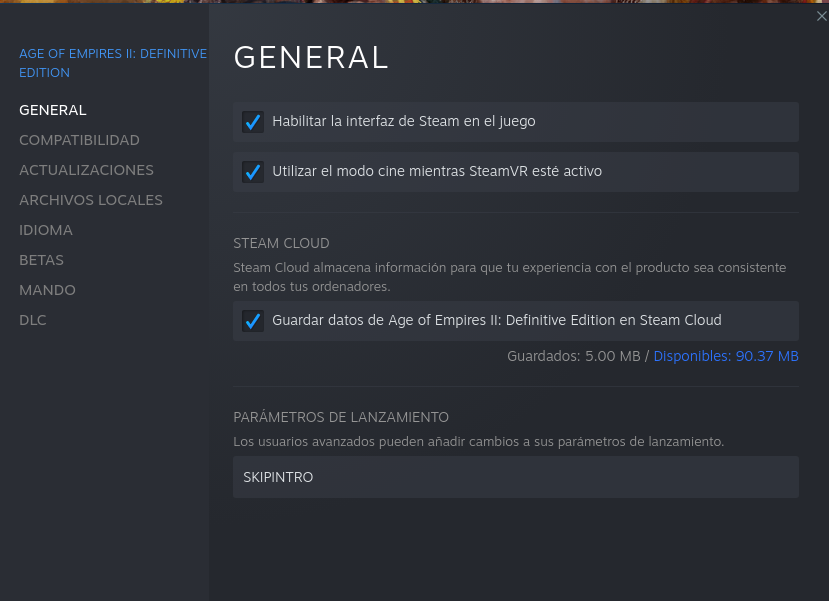
2. to be able to play multiplayer I had to install this.
cd /home/$USER/.steam/steam/steamapps/compatdata/813780/pfx/drive_c/windows/system32/
wget "https://download.microsoft.com/download/9/3/F/93FCF1E7-E6A4-478B-96E7-D4B285925B00/vc_redist.x64.exe"
cabextract vc_redist.x64.exe
cabextract a10
ucrtbase.dll: Permission denied
A file gave an error when descompressing because there was already a file, it was a symlink to a default lib, I deleted it ucrtbase.dll and I did again:
cabextract a10
Interestingly, the XBox Live signin screen now does show up if you try to log into it, though clicking on the Sign In button doesn't do anything.
It looks like an HTML page, so maybe it's an incompatibility with wine-gecko or something. I haven't tested it extensively, though.
System Information
* GPU: AMD Radeon 5430/5450/5470

* Kernel version: 4.4.0-210 Linux mint

* Proton version:
Looking at your kernel, your system looks very old, which version of Mesa do you have? You should probably upgrade your Linux Mint, I can run the game without any problem with Linux Mint 19 & 20.
Replying to https://github.com/ValveSoftware/Proton/issues/3189#issuecomment-864503515
Yep. This is what I see in my logs when trying to sign in
852.109:02b8:02bc:fixme:mshtml:nsChannel_GetContentLength (00000000219D95C0)->(000000000052D768) 852.110:02b8:02bc:fixme:mshtml:nsChannel_GetContentLength (00000000219F6F40)->(000000000052DD58) 852.185:02b8:02bc:fixme:mshtml:nsCacheInfoChannel_GetCacheTokenExpirationTime (00000000219FDA90)->(000000000052DA98) 852.185:02b8:02bc:fixme:mshtml:nsChannel_IsNoCacheResponse (00000000219FDA90)->(000000000052DA77) 852.185:02b8:02bc:err:mshtml:read_stream_data OnDataAvailable failed: 804b0002 852.185:02b8:02bc:err:mshtml:read_stream_data buffer is full 852.185:02b8:02bc:err:mshtml:on_stop_nsrequest RemoveRequest failed: 80004005
Hello @Rasputinbkz, it's a bit late, but the AMD Radeon 5450 is a Terascale 2 generation video card. All Terascale video cards do not support Vulkan. Proton uses DXVK to translate DirectX 9/10/11 to Vulkan and the lack of hardware support makes your video card unsupported by Proton in general.
You might get lucky by setting the game's launch options to PROTON_USE_WINED3D=1 %command%, but this comes with a significant performance penalty and the runtime option is not considered supported.
Hello @Rasputinbkz, it's a bit late, but the AMD Radeon 5450 is a Terascale 2 generation video card. All Terascale video cards do not support Vulkan. Proton uses DXVK to translate DirectX 9/10/11 to Vulkan and the lack of hardware support makes your video card unsupported by Proton in general.
You might get lucky by setting the game's launch options to
PROTON_USE_WINED3D=1 %command%, but this comes with a significant performance penalty and the runtime option is not considered supported.
Thanks! I will see if this works (I do know it is a bit old HW)...
Replying to https://github.com/ValveSoftware/Proton/issues/3189#issuecomment-864503515
Same symptom for me but I have some clues after investigations: "wine internet explorer" (is it the same thing as wine-gecko ?) seems to use a very very outdated javascript engine (for some years, maybe a decade or more) with no support of APIs like URL used in the xbox splash page. Additionally, the Microsoft javascript code contains errors only reachable by old javascript engines (in the URL polyfill). That's why the "Sign In" button does nothing...
Hello @Rasputinbkz, it's a bit late, but the AMD Radeon 5450 is a Terascale 2 generation video card. All Terascale video cards do not support Vulkan. Proton uses DXVK to translate DirectX 9/10/11 to Vulkan and the lack of hardware support makes your video card unsupported by Proton in general.
You might get lucky by setting the game's launch options to
PROTON_USE_WINED3D=1 %command%, but this comes with a significant performance penalty and the runtime option is not considered supported.
This helped for me. After the new AoE2:HD update, the game no longer started on Proton 4.11, which was previously the only working version. Setting the wined3d flag along with Proton 5.9-GE fixed the issue. But now I cannot connect to MP lobby at all. Also, this is the only version of proton in which AoE2HD is working for me.
Linux version 5.4.0-77-generic (buildd@lgw01-amd64-028) (gcc version 9.3.0 (Ubuntu 9.3.0-17ubuntu1~20.04)) [#86](/issue/ValveSoftware/Proton/86)-Ubuntu SMP Thu Jun 17 02:35:03 UTC 2021

  *-display
       description: VGA compatible controller
       product: Tonga PRO [Radeon R9 285/380]
       vendor: Advanced Micro Devices, Inc. [AMD/ATI]
       physical id: 0
       bus info: pci@0000:01:00.0
       version: 00
       width: 64 bits
       clock: 33MHz
       capabilities: pm pciexpress msi vga_controller bus_master cap_list rom
       configuration: driver=amdgpu latency=0
       resources: irq:40 memory:e0000000-efffffff memory:f0000000-f01fffff ioport:e000(size=256) memory:f0200000-f023ffff memory:c0000-dffff
My GPU should be new enough to have Vulcan support. Any help to help solve the issues would be great.
Hello @J-Moravec, Tonga PRO is a Volcanic Islands generation AMD video card, which shouldn't need special handling. I'd double check the extended diagnostics information in Steam's system information, focusing on the 32 bit and 64 bit Vulkan sections. Also, you should be able to check that you have Vulkan drivers installed for your video card with something like apt policy mesa-vulkan-drivers mesa-vulkan-drivers:i386.
If you want someone else to ponder your system information, then please copy your system information from Steam (Steam -> Help -> System Information) and put it in a gist, then include a link to the gist in this issue report.
Thanks @kisak-valve, here is my apt policy: https://gist.github.com/J-Moravec/3e7376947832c75c7e86c8c347307e07
and here my Steam System Information: https://gist.github.com/J-Moravec/84a530620efb4075deb9e870a5290c99
My system should be fully upgraded with apt update && apt upgrade && apt dist-upgrade
Looking at your system information, it looks like Vulkan is working in general, but you have some old Vulkan icd files in /etc/vulkan/icd.d/ that should be removed. Maybe DXVK is having a hard time with that?
Thanks @kisak-valve, by deleting files in /etc/vulkan/icd.d./, it works on all (two) Proton versions I tried and I can now connect to MP games.
Thanks! Consider my issues solved (and I will send this wisdom to anyone who is struggling to run AoE2:DE as well).
Was anyone able to make CapturAge work? I was able to install it but I can't really figure out how to make it work
App starts post install, but then can't start it manually. Not sure why... When CA is running and try to connect/watch replay it throws some sorta unhandled exception. BTW this is on vanilla wine. With DXVK it doesn't work at all.
Finally the game is performing identically to the W10 (970gtx), the benchmark score is oscillating about 30 points above or below the W10. The only problem that still exists is a small choke when opening the choice of maps and civs.
Replying to https://github.com/ValveSoftware/Proton/issues/3189#issuecomment-864503515
Yes that is the only minor issue, xbox sign in works in other games like sea of thieves. This game uses a very old js API.. incompatible with the internet explorer implementation - wine gecko.
AoE2DE: DxvkMemoryAllocator: Memory allocation failed
Issue transferred from https://github.com/ValveSoftware/Proton/issues/5181.
@mushunrek posted on 2021-09-24T23:02:45:
Hi,
I have just installed Steam on Linux to play AoE2DE and I have encountered different problems. With the different solved issues on the internet, I have been able to get past every one except for this Memory allocation failure. I have tried everything I have been seeing on the internet, but nothing worked.
My system specifications are:
OS: Linux Mint 19.1
CPU: Intel Core i5-4300U
RAM: 7.5 GiB
Graphics Card: Intel Haswell-ULT
I tested this with the following Proton versions:
5.13, 6.3 and Experimental
Symptoms:
The game starts, but directly after the screen getting black and the AoE mouse icon appears, the program freezes and exits after some time. Here is the relevant part of the log from PROTON_LOG=1:
err:   DxvkMemoryAllocator: Memory allocation failed
err:     Size:      25427968
err:     Alignment: 4096
err:     Mem flags: 0x1
err:     Mem types: 0x1
err:   Heap 0: 1216 MB allocated, 931 MB used, 1266 MB allocated (driver), 1536 MB budget (driver), 1536 MB total
err:   DxvkMemoryAllocator: Memory allocation failed
err:   DxvkMemoryAllocator: Memory allocation failed
err:     Size:      25427968
err:     Alignment: 4096
err:     Mem flags: 0x1
err:     Mem types: 0x1
err:   Heap 0: 1216 MB allocated, 931 MB used, 1266 MB allocated (driver), 1536 MB budget (driver), 1536 MB total
err:   DxvkMemoryAllocator: Memory allocation failed
info:  Presenter: Actual swap chain properties:
info:    Format:       VK_FORMAT_B8G8R8A8_UNORM
info:    Present mode: VK_PRESENT_MODE_IMMEDIATE_KHR
info:    Buffer size:  1600x900
info:    Image count:  4
info:    Exclusive FS: 1
err:   DxvkMemoryAllocator: Memory allocation failed
err:     Size:      33554432
err:     Alignment: 16
err:     Mem flags: 0x6
err:     Mem types: 0x1
err:   Heap 0: 1216 MB allocated, 937 MB used, 1334 MB allocated (driver), 1536 MB budget (driver), 1536 MB total
err:   DxvkMemoryAllocator: Memory allocation failed
Before that, everything seems normal in the log.
What I tried so far:
- I renamed the movie directory
- I tried to install ucrtbase.dll, but there is an error, when I execute cabextract u10 (see https://github.com/ValveSoftware/Proton/issues/1538#issuecomment-529896867)
- I added SKIPINTRO as a command
- I added PROTON_FORCE_LARGE_ADDRESS_AWARE=1
- I added PROTON_USE_WINED3D=1 in which case the game would'nt start at all
I would be very happy for any direction I could continue to search.
Musxhu
Hey All, I have been having crashes in AOE2DE during ranked online games.
Proton log attached. What other info do you need?
steam-813780.log
@Chocrates I am not sure what exactly fixed it but I think the mesa update 21.2.3 fixed it which landed in Arch a day or 2 ago. As I was also having crashes after some play time which also crashed my steam sometimes (I am on steam beta).
Replying to https://github.com/ValveSoftware/Proton/issues/3189#issuecomment-926962879
Other solutions that didn't work
I have been reproducing the same error over and over the last days. I also checked the VRAM, which is at 2048 MB and thus enough for the game. Finally, I set
dxgi.maxDeviceMemory = 2048
d3d9.evictManagedOnUnlock=True
in a dxvk.conf file and added the command DXVK_CONF_FILE=/path/to/file without any changes in the bahviour.
@mushunrek can you please indicate which linux kernel and which mesa version you are using. If not recent can you please try to upgrade? (Using obiaf ppa for example)
@Flaburgan
My Linux kernel is Linux 4.15.0-159-generic x86_64.
I added kisak ppa and installed and upgraded mesa after installing steam, because the program wouldn't launch at all without. The version of mesa-vulkan-drivers is 21.2.2~kisak1~b. The version of mesa-utils is 8.4.0-1. I now also installed mesa-common-dev at version 21.2.2~kisak1~b, but it didn't change the situation.
Is there any difference between the kisak and obiaf repositories? I think I tried to use the obiaf repository, but got dependency errors. That is why I used the kisak... If there is an important difference, could you give me the right ppa?
Thanks
@mushunrek that's an almost 4 years old kernel, I would start by upgrading that. Any reason why you're in mint 19.1 instead of the last 20.2 release?
@Chocrates I am not sure what exactly fixed it but I think the mesa update 21.2.3 fixed it which landed in Arch a day or 2 ago. As I was also having crashes after some play time which also crashed my steam sometimes (I am on steam beta).
Thanks @jatin-cbs! I apparently had a PPA already installed so an apt upgrade got me the newest mesa version.
I haven't done many ranked games since then (really only 1) but it didn't crash so far.
@Flaburgan
No reason at all. I do not know what happened there, I thought I had the newest release. Big oopsie there apparently. Thank you for noticing it... I updated the complete system, added the oibaf ppa, upgrade mesa. The new specifications are:
- kernel: Linux 5.4.0-88-generic x86_64
- mesa-vulkan-drivers: 21.3~git2110040600.445996~oibaf~f
However, the error is exactly the same as before. The game starts, the logo appears, the screen turns black, the mouse symbol changes to the AoE mouse symbol. Then nothing happens for about 10-20s and the program exits with the Allocation Error. If I use SKIPINTRO, then the program skips directly to the error.
Replying to https://github.com/ValveSoftware/Proton/issues/3189#issuecomment-933647522
@Flaburgan
I consider the issue closed now. I installed the Glorious Eggroll Proton and used it with the command PROTON_USE_WINED3D=1 so that I do not use DXVK. I do not know how ProtonGE is different from Proton, but this did finally work.
Played some campaigns last night and this morning this issue started occurring.

Linux pcname 5.12.19-1-MANJARO #1 SMP PREEMPT Tue Jul 20 20:57:37 UTC 2021 x86_64 GNU/Linux
Using Proton-GE-6.16-1-GE which is the same as yesterday.
steam.log
Ran steam in terminal to get logs - clicked run at around line 103.
Replying to https://github.com/ValveSoftware/Proton/issues/3189#issuecomment-939538200
I think it's better to update the proton-ge to the latest version.
I used to run normally on 6.16.1-ge, but the game had an update these days right, I don't know if it changed anything, it's complicated to support a new version of the game, with old proton.
Delete folder 813780 inside compatdata and start a new prefix with the last proton-ge.
@procobain Is there anything working better with this Game in Proton GE than in the official Steam Proton? I played several rounds online yesterday with Proton 6.3-7 without any problems. I only had to replace ucrtbase. Only Xbox Live login doesn't work yet.
Changed to 6.19-2-GE and wiped compatdata folder for aoe2de - that seemed to work just fine. Will report more information if it happens again.
@kaktuspalme I believe it has the same performance, from what I've read, the only difference is that in the GE version you don't need to install ucrtbase.dll (cabextract vc_redist.x64.exe).
The bugs are the same, it takes time to open the map and civs windows, the performance is huge when I watch an RG (record game), even at the beginning of the rg, with few characters, the fps drops drastically.
I have the impression that when a player has lag, the performance is very strange, there are some chokes that don't happen when I'm on windows.
In 4x4 matches, high population for all players, screen movement is also slowing down a little, although the benchmark score is the same as in windows.
Hi, I need to install dotnet48 in the same game prefix, I need to run the SenseiDE software (https://github.com/gregstein/SenseiDE) to remove some effects from the game and make the game lighter.
Let's say I start from scratch:
Creating the prefix using steam (proton-ge or proton-steam), the game runs normally, but I can't install dotnet48 using protontricks, winetricks or q4wine
Creating the game manually (in the correct folder inside compatdata) using winetricks, protontricks, q4wine, I can install dotnet48, but the game doesn't run and doesn't generate logs.
Does anyone have any idea what I can do?
Hi guys,
My game is running relatively well on Proton GE with the multiplayer fix, but it feels a bit sluggish compared to Windows performance... I use 4k graphics and all settings on high and compared to windows I lost about 100 points of benchmark score. the sluggishness is enough to make it not really pleasant for ranked multiplayer games. How does the game run for u guys compared to windows and did u have to do any tweaks to make it run smoother? I feel like my every mouse click is delayed a bit and sometimes even missed... but other than that the game works stable for me and no desynchs during online multiplayer
After this last update my game is having trouble opening, I will also report an old problem...
In the penultimate patch version, 54480, my game didn't open anymore, it only opened the first time, after deleting the prefix in compatdata. After a while I found out that the problem was with the MOD "Interactive Build Order Guide" (obs, this mod works normally on windows, only on Linux that had this problem).
Now with the new 56005 update, my game only opens once, after deleting the prefix inside the compatdata. I deleted all mods, but this time there must be another problem.
Is anyone having issues with the 56005 patch?
EDIT:
Now I had some time to try again, I installed Proton-ge 20.1 and the game started working normally again...
Conclusion, the problem was not with patch 56005, but with proton-ge 6.21-1 and 6.21-2.
Age of Empires II Definitive Edition (813780) + Enhanced Graphics Pack DLC
Issue transferred from https://github.com/ValveSoftware/Proton/issues/5349.
@lukurde posted on 2021-11-27T00:19:47:
Compatibility Report
- Name of the game with compatibility issues: Age of Empires II Definitive Edition + Enhanced Graphics Pack (version 101.101.56005.0 7694700). This bug doesn't occur in vanilla game, only with the Enhanced Graphics Pack DLC enabled
- Steam AppID of the game: 813780
System Information
- GPU: Device: Radeon RX550/550 Series (POLARIS12, DRM 3.42.0, 5.14.18-300.fc35.x86_64, LLVM 13.0.0) (0x699f)
- Driver/LLVM version: Mesa 21.2.5
- Kernel version:5.14.18-300.fc35.x86_64
- Link to full system information report as Gist:
- Proton version: 6.3-8 and Experimental
I confirm:
- [x] that I haven't found an existing compatibility report for this game. Well... I've found #3189 but that's for the vanilla version.
- [x] that I have checked whether there are updates for my system available.
Symptoms
Game and Steam crashes completely while Advancing to Castle Age.
26547.400:010c:0110:trace:seh:dispatch_exception code=80000003 flags=0 addr=0000000140A0350C ip=0000000140A0350B tid=0110
26547.409:010c:0110:trace:seh:dispatch_exception  info[0]=000000000063e9b0
26547.409:010c:0110:warn:seh:dispatch_exception EXCEPTION_BREAKPOINT exception (code=80000003) raised
26547.409:010c:0110:trace:seh:dispatch_exception  rax=000000000063e9b0 rbx=000000005f0c2790 rcx=000000007bc692c0 rdx=000000000013f020
26547.409:010c:0110:trace:seh:dispatch_exception  rsi=0000000007ba0050 rdi=0000000007ba0050 rbp=000000000063e990 rsp=000000000063e958
26547.409:010c:0110:trace:seh:dispatch_exception   r8=0000000000000020  r9=000000000063e898 r10=0000000064d98080 r11=000000000063ee20
26547.409:010c:0110:trace:seh:dispatch_exception  r12=0000000000030070 r13=0000000040000000 r14=000000000063ee68 r15=0000000043b10b10
26547.409:010c:0110:trace:seh:call_vectored_handlers calling handler at 00000001447D7E01 code=80000003 flags=0
26547.409:010c:0110:trace:seh:call_vectored_handlers handler at 00000001447D7E01 returned ffffffff
26547.980:010c:0110:trace:seh:dispatch_exception code=c000001d flags=0 addr=0000000144835BC7 ip=0000000144835BC7 tid=0110
26547.980:010c:0110:warn:seh:dispatch_exception EXCEPTION_ILLEGAL_INSTRUCTION exception (code=c000001d) raised
26547.980:010c:0110:trace:seh:dispatch_exception  rax=000000000063e9f8 rbx=000000005f0c2790 rcx=000000007bc692c0 rdx=000000000013f020
26547.980:010c:0110:trace:seh:dispatch_exception  rsi=0000000007ba0050 rdi=0000000007ba0050 rbp=000000000063e990 rsp=000000000063e958
26547.980:010c:0110:trace:seh:dispatch_exception   r8=0000000000000020  r9=000000000063e898 r10=0000000064d98080 r11=000000000063ee20
26547.980:010c:0110:trace:seh:dispatch_exception  r12=0000000000030070 r13=0000000040000000 r14=000000000063ee68 r15=0000000043b10b10
26547.980:010c:0110:trace:seh:call_vectored_handlers calling handler at 00000001448A54F6 code=c000001d flags=0
26547.980:010c:0110:trace:seh:call_vectored_handlers handler at 00000001448A54F6 returned ffffffff
26549.036:010c:012c:fixme:winsock:server_ioctl_sock Unsupported ioctl 4004747b (device=4004 access=1 func=d1e method=3)
26549.037:010c:012c:fixme:winsock:WSAIoctl unsupported WS_IOCTL cmd (SIO_IDEAL_SEND_BACKLOG_QUERY)
26549.603:010c:0110:trace:seh:dispatch_exception code=80000003 flags=0 addr=0000000140A0350C ip=0000000140A0350B tid=0110
26549.607:010c:0110:trace:seh:dispatch_exception  info[0]=000000000063e9b0
26549.607:010c:0110:warn:seh:dispatch_exception EXCEPTION_BREAKPOINT exception (code=80000003) raised
26549.607:010c:0110:trace:seh:dispatch_exception  rax=000000000063e9b0 rbx=000000005f0c2790 rcx=000000007bc692c0 rdx=000000000013f020
26549.607:010c:0110:trace:seh:dispatch_exception  rsi=0000000007ba0050 rdi=0000000007ba0050 rbp=000000000063e990 rsp=000000000063e958
26549.607:010c:0110:trace:seh:dispatch_exception   r8=0000000000000020  r9=000000000063e898 r10=0000000064d98080 r11=000000000063ee20
26549.607:010c:0110:trace:seh:dispatch_exception  r12=0000000000030070 r13=0000000040000000 r14=000000000063ee68 r15=0000000043b10b10
26549.607:010c:0110:trace:seh:call_vectored_handlers calling handler at 00000001447D7E01 code=80000003 flags=0
26549.607:010c:0110:trace:seh:call_vectored_handlers handler at 00000001447D7E01 returned ffffffff
source: steam-813780_AoE.log
Reproduction
Learn to Play -> William Wallace -> 6. Forge an Alliance -> Skip -> Gather at least 800 of food to be able to Advance to Castle Age (or just wait)-> left click on the Town Center (central building) -> left bottom corner last icon "III - Advance to Castle Age" -> game and Steam crashes
This is reproducible. I tested it multiple times, I can play for hours, have lots of army, building etc and it's fine. The moment I want to advance to the Castle Age (in that particular scenario) it crashes. Every single time.
Hello,
It also happened in ubuntu 20.10 on an amd 3500U but not on an intel 1135g7, both with the same configuration, kernel, mesa version, etc.
The game doesn't open for me anymore, even using the version I was playing the longest, 6.21g, for some reason the game stopped opening for me.
In version 6.22g the game had not opened once.
And now in the 7.0rc2-GE version it's not opening either, I'm not playing age on linux, I have to go to Windows to be able to play...
Can you post your stats @procobain? As of last night Age worked fine on proton on Ubuntu for me.
Edit: Also getting the proton error log would help debug as well.
Since the beginning I'm playing with proton 5.0-10 and never had problems except the screen to select map being slow and the multiplayer hack. Still playing it right now.
@Chocrates
As things are, I tried several times and it didn't open once, now when I deleted my log, to generate a new, more organized log, the game opened, but the screen is buggy.
I already checked the integrity of the files and it's ok.
My PC
Arch Linux
Kernel 5.15.10
Nvidia 970gtx (Driver 495-46)
https://gist.github.com/procobain/dab8e2093a63cc5e309d38cbc75feb4d#file-steam-813780-log
@Flaburgan
I have a habit of always trying to use the last one, if I really don't find a solution, then I go back to an older version. Also because the idea is to support the new versions, and not stay stuck in an old one just because today we are able to run the game, maybe tomorrow there will be an update of the game that only works in the new versions...
I managed to make the game run again, there was some problem with the files in the pasda ta .steam, I created a new folder, and the game started working again with any version of Wine below 6.21. Version 7.0rc2 still has this problem in the game menu.
tldr - Tried for a few days to find a solution to micro freezes caused by ucrtbase.dll fix. Is this the same for everyone? Need a log from someone without this stutter after copying ucrtbase.dll to the compat folder.
Aoe2 Definitive
Pop OS 21.10
Linux Kernel 5.15.15
GTX 1660Ti
Driver Version 470.86
Ryzen 2600x
The game performs very well with Proton Experimental and GE 7.0 RC6. However multiplayer desyncs after a minute or so.
Copying the suggested ucrtbase.dll to the compat folder fixes the desync issue but introduces large stutters whenever selecting any units or buildings. I've tried this fix in combination with the last 6 or 7 proton versions available in Steam, as well as GE.
So first of all does everyone using the ucrtbase.dll fix suffer from this stutter? I've only seen a few mentions of this issue dating back 2 years. If someone here does not have this problem after applying the ucrtbase.dll fix, can you share a proton debug log?
My proton log can be found here : https://drive.google.com/file/d/1YA6X0uFRtWY7j6XgBpWuQBKy2VTqtdo8/view?usp=sharing
I can't see any obvious issues so it would be nice to have a log from a known working install to try and narrow down the error.
err:seh:dispatch_exception Fatal EXCEPTION_WINE_CXX_EXCEPTION exception (code=e06d7363) raised
Appears numerous times but may not be related.
Hi, I use the multiplayer fix and don't have any suttering issue. Running proton 5.0-10 or Proton Experimental.
Hi, I use the multiplayer fix and don't have any suttering issue. Running proton 5.0-10 or Proton Experimental.
Any chance of uploading a log with PROTON_LOG=1 %command% as a launch option?
All I would need would be to launch the game. Load a skirmish vs ai. Drag select some units and buildings a couple of times. And then quit out. Then the log will be in your home directory with filename steam-813780.log
New Observation : I believe the stutter duration is directly tied to the number of actions the group of selected units has access to. For example selecting some sheep causes almost no stutter (they only have the stop command). Selecting villagers causes more noticeable stutter with around 5 icons/actions. And the scout causes the worst stutter which has the full 10 or so icons/actions. Might be a clue so thought i'd mention it.
Edit 2 : Almost certain this is the cause of the issue. When selecting stationary sheep there is no stutter at all because they have no valid actions so no action icons are displayed on the ui. Repeating the same while they are moving causes a very small but visible stutter presumably because its displaying the halt icon this time.
Really want to try and get this resolved it seems I'm not alone and others have also identified this as an issue relating to ucrtbase.dll
Here are the first 30k lines. The full file is 54MB. steam-aoe2de.log
Here are the first 30k lines. The full file is 54MB. steam-aoe2de.log
Thanks! I'll have a proper look soon. Already spotted some of the same errors that I was hoping would be the issue but perhaps not. Looks like i'll need to did deeper. Which ucrtbase.dll did you use? And which gpu and driver?
I replaced the one to be able to multiplay
ERROR: ld.so: object '/home/ash/.steam/debian-installation/ubuntu12_32/gameoverlayrenderer.so' from LD_PRELOAD cannot be preloaded (wrong ELF class: ELFCLASS32): ignored.
ERROR: ld.so: object '/home/ash/.steam/debian-installation/ubuntu12_64/gameoverlayrenderer.so' from LD_PRELOAD cannot be preloaded (wrong ELF class: ELFCLASS64): ignored.
The obvious difference is that this error occurs a handfull of times throughout startup for me and doesn't appear for Flaburgan. I've tested without applying the ucrtbase.dll fix as well (so that I no longer get the stuttering) but the errors still appear. This is also using Proton 5.0-10 so I should repeat on experimental to get a better comparison.
Flaburgan only has the one mention of gameoverlayrenderer here :
29210.491:0124:0128:trace:loaddll:build_module Loaded L"C:\\Program Files (x86)\\Steam\\gameoverlayrenderer64.dll" at 0000000008AA0000: native
Could just be due to a more up to date proton. I'll do a quick check and report back.
UPDATE : Yea it's a change in a later proton. My previous log I posted didn't have this error so that's not the issue.
I have thousands of these errors.
err:seh:dispatch_exception Fatal EXCEPTION_WINE_CXX_EXCEPTION exception (code=e06d7363) raised
In the log I posted there is one early and then the rest all occur after line 40k. I notice you have the same error @Flaburgan . Does it also occur many times later on in your log?
There is a pattern where I can tell if the game will stutter while still in the main menu. Loading the skirmish menu takes maybe 4 seconds on Proton 5.0-10 without touching ucrtbase. After ucrtbase fix it takes about 10 seconds. The map selection is even worse taking around a minute to load. When UI navigation is this slow then I know there will be stutters selecting units and buildings in game.
UPDATE : Clean install of Proton Experimental after clearing the compatdata folder. This clean install does not place any ucrtbase.dll inside the system32 folder so uses the builtin dll apparently trace:loaddll:build_module Loaded L"C:\\windows\\system32\\ucrtbase.dll" at 00000003AF670000: builtin. And this is fast to navigate menus and doesn't cause any stutters in game.
When applying the MP fix and placing ucrtbase.dll in the compatdata folder for aoe2, the native version is then used trace:loaddll:build_module Loaded L"C:\\windows\\system32\\ucrtbase.dll" at 0000000180000000: native Which then appears to pull in a number of other modules.,
With the first example with builtin ucrtbase.dll i get one err:seh:dispatch_exception Fatal EXCEPTION_WINE_CXX_EXCEPTION exception (code=e06d7363) raised at the start and then it never occurs again in the log.
With the native ucrtbase.dll (the mp fix applied) i get the same error 1000 times throughout the log.
code=e06d7363 is actually referred to here : https://wiki.winehq.org/Debugging_Reason_3 . I'm not able to interpret the function calls relating to this yet though.
Both logs are here in case it helps. There's a good chance this isn't the issue but I've spent a while looking at this so thought i'd share just in case.
https://drive.google.com/file/d/1PjubqbCS3HcmRayisriurgVwbKQkXm23/view?usp=sharing
https://drive.google.com/file/d/1EVuhpT9X9NIhRzuWdp1NiENiRtKJ8vdm/view?usp=sharing
EDIT : If you @Flaburgan or someone else could share the full log with Proton Experimental and the ucrtbase.dll fix that would probably help. I can only compare two different implementations on my end so it doesn't really work as a proper comparison.
The map selection and the civilizations are really slow yes. Here are more logs, from today session with 6.3
steam-aoe2de.log
@Flaburgan thanks again. Looks like you get the same error popping up so that is an artefact of using the ucrtbase fix. Doesn't tell us much more than that though. I'm getting the impression the only way I'll make progress is to dig into code. Unfortunately that would mean familiarising myself with wine. Would take a long time but would be rewarding if I could start helping out.
It stopped working today with latest age of empires update. I dont find any proton version that works, spals slogo pappears and then an empty screen appears...
Works just fine for me on proton 6.3-8
Same as @felisucoibi after update 58259: crashing after splash screen. Was working perfect before that (with vc_redist workarounds and deleting movies).
steam-813780.log
Hello @Aposhian, in the future, please attach Proton logs as a file or use a gist instead of copy/pasting a wall of text.
Yes. Sorry about that. :joy: I assumed it would auto-hide. Am working on fixing now.
Not sure if it was a red herring, but I applied this workaround to force the game to use my nvidia gpu: https://github.com/ValveSoftware/steam-runtime/issues/312#issuecomment-739441559 and now the game works.
I applied this workaround to force the game to use my nvidia gpu: ValveSoftware/steam-runtime#312 (comment) and now the game works.
I had the same issue today after installing update 58259 and this fix also works for me (Nvidia Optimus with Intel iGPU + Nvidia dGPU). Thanks @Aposhian!
I forgot to mention also I'm using a nvidia optimus laptop, so seems the problem is a regression to this bug of 2020.... @Aposhian said. https://github.com/ValveSoftware/steam-runtime/issues/312#issuecomment-739441559
please fix asap.
ps: some people also have performance issues but probably is because they are using intel integrated chip not nvidia one.
Also mention i'm usign nvdia performance mode so in theory i should be using only nvidia for everything, so should choose the right card but it does not.
I have also an issue with my dGPU. I specifically set the launch options for the game:
DRI_PRIME=1 __NV_PRIME_RENDER_OFFLOAD=1 __GLX_VENDOR_LIBRARY_NAME=nvidia %command%
The game does launch, but a game windows never appears.
Hello @CountOmega, your system information and Proton log indicate that your efforts to use primus_vk have resulted in only lavapipe (Mesa's llvmpipe-based software implementation of Vulkan) being available to the game and NVIDIA's Vulkan icd is missing for NVIDIA's PRIME render offload to work. This system config has little to no chance of working as intended.
It may be worthwhile to give https://download.nvidia.com/XFree86/Linux-x86_64/470.103.01/README/primerenderoffload.html a read.
I forgot I use the nouveau driver. When I change
__GLX_VENDOR_LIBRARY_NAME=nvidia
to nouveau the game windows appears, then crashes after a few seconds. Log:
steam-813780.log
Same problem with proton 7.0.1 probably the problem is with the hdmi dual card nvidia gtx 1060 laptop, so there is a regression with prime stuff.
Any update on this? AoE 2 DE does not start after popping up the splash screen.
Any update on this? AoE 2 DE does not start after popping up the splash screen.
Have you tried this workaround while we wait for a proper fix?
It solves the issue for me, though I have to do this again everytime I actually need the Intel ICD, or when it's updated.
I found a working solution for myself: I downgraded to Proton 5.0 and it was working again.
Is everyone who is affected by this using some kind of dual-GPU situation? It's working well for me on my single-GPU AMD desktop PC.
Hello @CountOmega, @Arkanosis, @lgmventura, @felisucoibi, possibly refining @aeikum question, can you all check if you have an Optimus laptop and have it configured to run X on the NVIDIA GPU?
I suspect that your systems are affected by something similar to https://github.com/ValveSoftware/steam-for-linux/issues/8179 which might lead to the game to try to run with Intel chipset and mesa/ANV. The Intel Vulkan driver needs DRI3 to be able to render to the display, but that's not available when X is running on the NVIDIA proprietary driver. If that's the case, then you can test this by completely closing Steam, then running steam from a terminal to avoid the PrefersNonDefaultGPU desktop environment logic, then trying to run the game. If that helps, then you can adjust Steam's desktop shortcut to exclude or disable that logic.
Another workaround to try is setting the game's launch options to __NV_PRIME_RENDER_OFFLOAD=1 __VK_LAYER_NV_optimus=NVIDIA_only %command% which should enable the NVIDIA Optimus layer and tell it to force only the NVIDIA Vulkan driver to be available to the game.
The workaround at https://github.com/ValveSoftware/steam-runtime/issues/312#issuecomment-739441559 is good for temporary testing, because it's completely reliable for that specific test case, but is less than ideal over the long term with mesa updates re-enabling mesa/ANV (as it should).
Hello @kisak-valve
you have an Optimus laptop
Yes, Optimus with Intel UHD 630 + Nvidia GeForce GTX 1060 Mobile.
have it configured to run X on the NVIDIA GPU
Yes, here's my X.org config:
Section "Module"
	Load "modesetting"
EndSection

Section "Device"
	Identifier "nvidia"
	Driver "nvidia"
	BusID "1:0:0"
	Option "AllowEmptyInitialConfiguration"
	Option "RegistryDwords" "EnableBrightnessControl=1"
	Option "Backlight" "intel_backlight"
EndSection
BusID targets the Nvidia dGPU:
$ lspci | grep -i 'uhd\|gtx'
00:02.0 VGA compatible controller: Intel Corporation CoffeeLake-H GT2 [UHD Graphics 630]
01:00.0 VGA compatible controller: NVIDIA Corporation GP106M [GeForce GTX 1060 Mobile] (rev a1)
Driver is nvidia 510.54, kernel is 5.16.11, X.org is 21.1.3.
closing Steam, then running
steamfrom a terminal to avoid thePrefersNonDefaultGPUdesktop environment logic, then trying to run the game
That doesn't change anything, but that was to be expected as I don't use a desktop environment anyway. Steam is started directly from my ~/.xinitrc, even before my window manager.
Looking at the output of nvidia-smi, it seems that steam (or at least part of it) is running on the Nvidia GPU as expected. I do get the following warning message however, even before I attempt to start the game (not sure what it means, but it mentions the Intel driver):
MESA-INTEL: warning: Performance support disabled, consider sysctl dev.i915.perf_stream_paranoid=0
Looking again at the output of nvidia-smi while trying to launch the game, nothing shows up for AoE2DE_s.exe, even for the few seconds when the splash screen is visible, before it disappears. When I don't have the issue, the game shows up in the output of nvidia-smi immediately, right when the splash screen becomes visible.
Note that if I workaround the problem by removing intel_icd.x86_64.json while steam is already running, the games starts correctly. I therefore (naively) assume whatever Steam itself is using has little impact on the game.
setting the game's launch options to
__NV_PRIME_RENDER_OFFLOAD=1 __VK_LAYER_NV_optimus=NVIDIA_only %command%
I'm sorry to report that it doesn't help. I get the following log message, but that's all:
Game process added : AppID 813780 "__NV_PRIME_RENDER_OFFLOAD=1 __VK_LAYER_NV_optimus=NVIDIA_only /home/nonfreegaming/.local/share/Steam/ubuntu12_32/reaper SteamLaunch AppId=813780 -- '/home/nonfreegaming/.games/steamapps/common/SteamLinuxRuntime_soldier'/_v2-entry-point --verb=waitforexitandrun -- '/home/nonfreegaming/.local/share/Steam/steamapps/common/Proton 6.3'/proton waitforexitandrun '/home/nonfreegaming/.local/share/Steam/steamapps/common/AoE2DE/AoE2DE_s.exe'", ProcID 50249, IP 0.0.0.0:0
Any way to ensure these launch options are properly taken into account? BTW, as you can see, I'm using Proton 6.3-8, if that means anything.
The workaround at ValveSoftware/steam-runtime#312 (comment) is good for temporary testing, because it's completely reliable for that specific test case, but is less than ideal over the long term with mesa updates re-enabling mesa/ANV (as it should).
I couldn't agree more :)
Thanks for your support!
Guys, when installing a new prefix it is highly recommended to delete the 813780 folder inside the compatdata folder.
I have an Optimus Laptop with a GTX 1060 and a i7. For me, setting Proton to 5.0 and installing the proprietary drivers fixed the issue. It also allowed me to finally run AeE2:DE. With the nouveau drivers it wouldn't run.
My only remaining issue is that my Laptop has a 4k Screen. Under windows you could set some compatibility settings to scale the game properly. How do I do this under Proton? So far, the UI is way too small to read it properly.
Age of Empires 2: Definitive Edition (Alt+Tab hangs Window Manager)
Issue transferred from https://github.com/ValveSoftware/Proton/issues/5636.
@ziprasidone146939277 posted on 2022-03-03T01:54:34:
Compatibility Report
- Name of the game with compatibility issues: Age of Empires 2: Definitive Edition
- Steam AppID of the game: 813780
System Information
- GPU: Intel Mesa Intel(R) HD Graphics 520 (SKL GT2)
- Driver/LLVM version: Mesa 21.3.6
- Kernel version: 5.16.11-200.fc35.x86_64
- Link to full system information report as Gist: https://gist.github.com/ziprasidone146939277/6878eed41130fff4a0afdff46efb4b20
- Proton version: 7.0-1, 6.3-8, Experimental; Proton-GE 7.1-GE-2
I confirm:
- [x] that I haven't found an existing compatibility report for this game.
- [x] that I have checked whether there are updates for my system available.
steam-813780.log (Proton-GE 7.1-GE-2)
Symptoms
- Crash or (Proton 6, 7)
- Does not start (Proton-GE 7)
Proton 7.1-GE-2: the game does not start anymore.
Proton 7.0-1, 6.3-8: the game starts. If I do alt+tab the whole window manager hangs. Have to move to another TTY and restart gdm.service.
Reproduction
- Proton 7.1-GE-2:
- Set the compatibility tool above
- Start the game (the game never starts like before (Mid Feb.)
- Proton 7.0-1, 6.3-8:
- Set the compatibility tool above
- Start the game
- Press Alt+Tab
Note:
I found that this crash only happens under Gnome Xorg session; if You use Wayland the problem cannot reproduce. The game works fine (only under Wayland session)
Hope this report helps anyone.
Thank You
Age of Empires 2: Definitive Edition (Alt+Tab hangs Window Manager)
Issue transferred from #5636. @ziprasidone146939277 posted on 2022-03-03T01:54:34:
Compatibility Report
- Name of the game with compatibility issues: Age of Empires 2: Definitive Edition
- Steam AppID of the game: 813780
System Information
- GPU: Intel Mesa Intel(R) HD Graphics 520 (SKL GT2)
- Driver/LLVM version: Mesa 21.3.6
- Kernel version: 5.16.11-200.fc35.x86_64
- Link to full system information report as Gist: https://gist.github.com/ziprasidone146939277/6878eed41130fff4a0afdff46efb4b20
- Proton version: 7.0-1, 6.3-8, Experimental; Proton-GE 7.1-GE-2
I confirm:
- [x] that I haven't found an existing compatibility report for this game.
- [x] that I have checked whether there are updates for my system available.
steam-813780.log (Proton-GE 7.1-GE-2)Symptoms
- Crash or (Proton 6, 7)
- Does not start (Proton-GE 7)
Proton 7.1-GE-2: the game does not start anymore. Proton 7.0-1, 6.3-8: the game starts. If I do alt+tab the whole window manager hangs. Have to move to another TTY and restart gdm.service.
Reproduction
- Proton 7.1-GE-2:
- Set the compatibility tool above
- Start the game (the game never starts like before (Mid Feb.)
- Proton 7.0-1, 6.3-8:
- Set the compatibility tool above
- Start the game
- Press Alt+Tab
Note: I found that this crash only happens under Gnome Xorg session; if You use Wayland the problem cannot reproduce. The game works fine (only under Wayland session)
Hope this report helps anyone.
Thank You
@kisak-valve seems that problem fixed. (no major O.S. updates, etc)
I really don't know what has changed; but enabling V-Sync in game video preferences, alt tabbing does not crash anymore under GNOME X.Org session. I've tried many times to reproduce the crash without success.
Note that by default the game does not enables V-Sync.
Tested via Steam Client, Proton Experimental.
Let me know if you need a new full system report or if/in case, that it contributes on something.
Is there any solution for being able to sign-in with Xbox Live for AoE2:DE?
Multiplayer still desyncs pretty much instantly.
Hi @spacekitteh
Multiplayer still desyncs pretty much instantly.
You still need to patch ucrtbase.dll to play online multiplayer.
Yep.
But, that shouldn't be required, and it makes me take like 10-15 launches of the game for it to actually open and not crash at the intro movie (with a Radeon GPU).
Every time there's a small update that I don't notice, it undoes the fix, and so when I join a match and get desynced, it puts me on a cooldown timer from joining a new match, with ever increasing cooling-off periods. Currently at 2 hours until it will let me play online again.
Every time there's a small update that I don't notice, it undoes the fix, and so when I join a match and get desynced, it puts me on a cooldown timer from joining a new match, with ever increasing cooling-off periods. Currently at 2 hours until it will let me play online again.
This is weird! I've been getting updates for the last few months, some were probably bigger than other, but I never had to redo the fixes. Once I applied the patches, etc. my game is working fine. No desyncs. Hmmm...
Every time there's a small update […] it undoes the fix
This is weird! I've been getting updates for the last few months […] but I never had to redo the fixes
Same here, game updates don't undo the workaround these days, but I remember this has been an issue for me as well in the past. I unfortunately can't tell why / when it stopped being one.
The actual ucrtbase.dll file is located in the Proton directory, not directly in a specific game directory, and it's symlinked from the game. @spacekitteh could one of these things explain the issue you're facing:
- the Proton version you use itself receives updates (eg. experimental or something like that);
- you manually change the Proton version;
- when you apply the workaround, the actual file in the Proton directory is not overwritten, but instead the symlink in the game directory is?
Anyway, I think we can all agree that while the workaround is not that complicated, it's still frustrating to have to apply one. That's only one of the two issues remaining for me, but this one has been documented for two or three years now (and it also affects other games).
Unfortunately, this sort of out-of-sync error is really really difficult to fix: it basically involves making every single possible calculation (including those with sines and cosines and square roots) have exactly the same rounding errors, without being able to look at the working. (The original versions of Age of Empires included all of the code for these trig functions in the game, rather than relying on a separate DLL, which meant this wasn't a problem.)
One trick which has worked for me to avoid having to re-install the ucrtbase.dll file is to copy it into the game directory instead of putting it in the system32 directory. This is technically incorrect, but does seem to work in practice.
the Proton version you use itself receives updates (eg. experimental or something like that);
I don't think that's it.
you manually change the Proton version;
Nah.
when you apply the workaround, the actual file in the Proton directory is not overwritten, but instead the symlink in the game directory is?
I don't think so. This is the script I run:
#!/usr/bin/bash

gameVcRedistPath="/steamgames/steamapps/common/AoE2DE/vc_redist.x64.exe"
wineVcRedistDir="/steamgames/steamapps/compatdata/813780/pfx/drive_c/windows/system32"
wineVcRedistPath="$wineVcRedistDir/vc_redist.x64.exe"
wineCaba10Path="$wineVcRedistDir/a10"

if test -f $gameVcRedistDir; then
    echo "Valid wine installation, moving along..."
else
    echo "Uh-oh, cannot find wine in steam folder."
    echo "Are you running the script as the correct user?"
fi

echo "Deleting old vc_redist.x64.exe..."
rm $wineVcRedistPath
if test -f "$wineVcRedistPath"; then
        echo "File was NOT deleted."
        exit 1
else
        echo "File was deleted."
fi

echo "Deleting old a10..."
rm $wineCaba10Path
if test -f "$wineCaba10Path"; then
        echo "File was NOT deleted."
        exit 1
else
        echo "File was deleted."
fi


echo "Copying vc_redist.x64.exe..."
cp $gameVcRedistPath $wineVcRedistPath
if test -f "$wineVcRedistPath"; then
        echo "File was copied."
else
        echo "File was NOT copied."
        exit 1
fi

echo "Extracting vc_redist.x64.exe..."
cabextract -d $wineVcRedistDir $wineVcRedistPath > /dev/null
if test -f "$wineCaba10Path"; then
        echo "File was extracted."
else
        echo "File was NOT extracted."
        exit 1
fi

echo "Extracting a10..."
cabextract -d $wineVcRedistDir $wineCaba10Path > /dev/null
echo "Done."
resulting in this output:
❯ sudo bash fixaoe2.sh
[sudo] password for spacekitteh:
Valid wine installation, moving along...
Deleting old vc_redist.x64.exe...
File was deleted.
Deleting old a10...
File was deleted.
Copying vc_redist.x64.exe...
File was copied.
Extracting vc_redist.x64.exe...
File was extracted.
Extracting a10...
/steamgames/steamapps/compatdata/813780/pfx/drive_c/windows/system32/a10: WARNING; possible 16112 extra bytes at end of file.
Done.
The only things I can think of are:
- I use a non-standard steam library folder.
- I use NixOS
Unfortunately, this sort of out-of-sync error is really really difficult to fix: it basically involves making every single possible calculation (including those with sines and cosines and square roots) have exactly the same rounding errors, without being able to look at the working. (The original versions of Age of Empires included all of the code for these trig functions in the game, rather than relying on a separate DLL, which meant this wasn't a problem.)
Changing rounding modes should be a trivial fix, right? Especially if everything's using IEEE754.
For the last couple of days now, it seems that this fix only works occasionally. I just got timed out from online games for four hours for desyncing even though I ran that script like 15 seconds before I launched AOE.
I still have the issue that the game isn't scaling properly on a 4k screen. The UI and the text is to small to read. Also, the the stats on the side are cut off. Under windows you could go to compatibility and override high DPI scaling for the game. Is the a proton env varible I can set? Link to the fix for windows. Attached screenshot to illustrate the dilemma.

.
I still have the issue that the game isn't scaling properly on a 4k screen
[…]
Attached screenshot to illustrate the dilemma.
This is a screenshot of the HD edition, not the Definitive edition. I see you already commented on #72, which is the appropriate issue for the HD edition. Is the scaling problem applicable to both editions?
Oh, sorry about that. Wrong issue.
latest update breaks multiplayer room, windows client cant connect linux host
I still can play with the last update & using proton experimental (didn't try other proton), however the game feels slower than usual, really hard to play nicely :(
The game works normally for several months (with the bugs already known) . It has been explained several times here, changed versions, just delete the compatdata/813780 folder.
Actually, it looks like the issue is not related to AoE but to Steam itself. It is just pushing my CPU, no idea why:
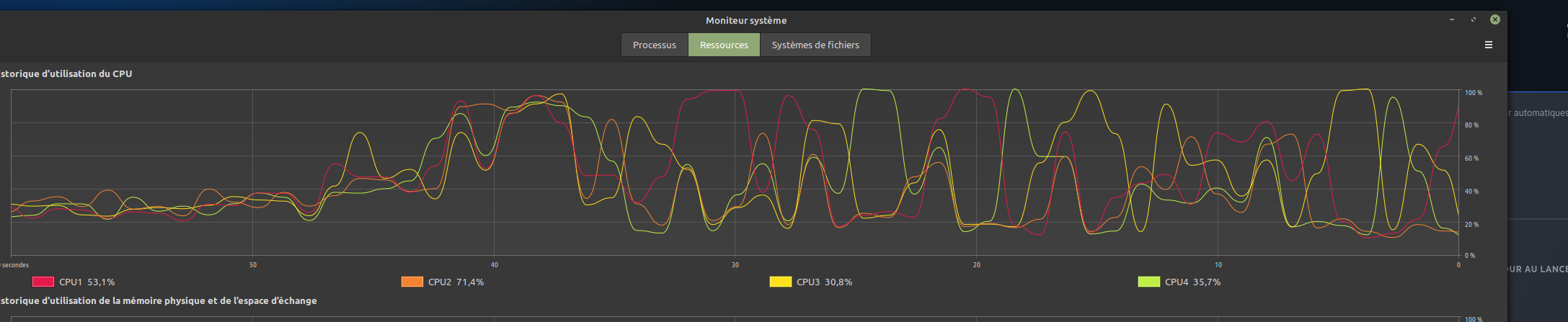
I guess you can easily guess when Steam has been launched here :stuck_out_tongue:
Edit: This stopped happening on Linux, but I also saw it happen once on a fresh native Windows install. I believe it's one of the font options from Options.
Anyone know what this font corruption might be about? I have a RX 6600 XT and use Proton Experimental at the moment (this happened on GE too)
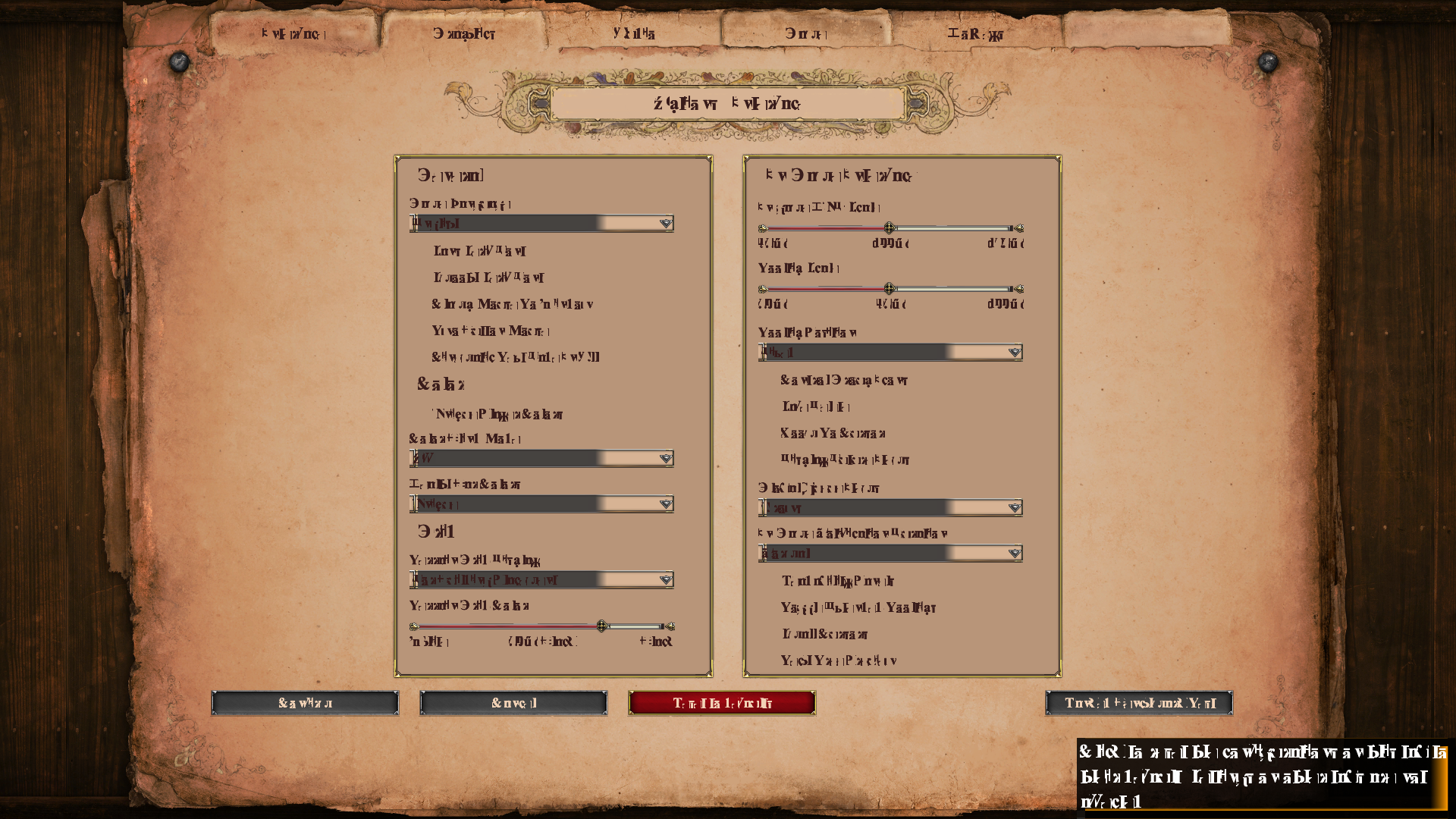
latest update breaks multiplayer room, windows client cant connect linux host
Are you talking about lobbies specifically? Or LAN lobbies in particular? Because I've been creating new ranked games rooms lately, myself on Linux and my teammates on Windows, and I've not faced any issue.
Compatibility Report
- Name of the game with compatibility issues: Age of Empires 2: Definitive Edition
- Steam AppID of the game: 813780
System Information
- an Optimus laptop (Intel GPU + Nvidia GPU), using
prime-runto start games and tools - GPU: GeForce GTX 760M
- Driver/LLVM version: mesa 22.1.2-1 / nvidia 470.129.06-10
- Kernel version: 5.18.7
- Link to full system information report as Gist:
- without
prime-run: https://gist.github.com/bkosowski/4cfe561d35a31d49c9b04ca519ec7b22 - with
prime-run: https://gist.github.com/bkosowski/124aca8f6db6658914047c8425609ea5
- without
- Proton version: 7.0-3
- command: __GL_THREADED_OPTIMIZATION=1 LOG_PROTON=1 prime-run %command%
I confirm:
- [x] that I haven't found an existing compatibility report for this game.
- [x] that I have checked whether there are updates for my system available.
Symptoms
After clicking "Play", the button changes for a while (10-15 seconds), then goes to "Play" again. The game doesn't even show up.
Reproduction
I wouldn't know how to reproduce on other systems. If happens to me every time.
Hello @bkosowski, please copy your system information from Steam (Steam -> Help -> System Information) and put it in a gist, then include a link to the gist in this issue report.
[SOLVED]
(My solution, of course, applies only to my problem, not to the entire thread.)
I removed these two files:
/etc/X11/xorg.conf.d/20-intel.conf
/etc/X11/10-nvidia.conf
The contents of which were:
/etc/X11/xorg.conf.d/20-intel.conf:
Section "Device"
  Identifier "Intel Graphics"
  Driver "intel"
  Option "TearFree" "true"
EndSection
/etc/X11/10-nvidia.conf:
Section "Files"
    ModulePath "/usr/lib/xorg/modules"
    ModulePath "/usr/lib/nvidia/xorg"
EndSection

Section "ServerLayout"
    Identifier "layout"
    Screen 0 "iGPU"
    Option "AllowNVIDIAGPUScreens"
EndSection

Section "Device"
  Identifier "iGPU"
  Driver "modesetting"
  BusID "PCI:0:2:0"
EndSection

Section "Device"
  Identifier "dGPU"
  Driver "nvidia"
  BusID "PCI:1:0:0"
EndSection

Section "Screen"
  Identifier "iGPU"
  Device "iGPU"
EndSection
Additional information
I backed up and removed these two files (but I did this before and this did not fix the issue):
/usr/share/vulkan/icd.d/intel_icd.x86_64.json
/usr/share/vulkan/icd.d/intel_icd.i686.json
Before the fix, I could run:
Enter the Gungeon (OpenGL, Linux native)
Mark of the Ninja: Remastered (OpenGL, Linux native)
Never Alone (Kisima Ingitchuna) (OpenGL, Linux native)
Before the fix, I could not run:
Brothers — A Tale of Two Sons (DirectX 9)
Age of Empires 2: Definitive Edition (DirectX 11)
Spelunky (DirectX 9)
Now, I can run all games with either of these command run options:
__GL_THREADED_OPTIMIZATION=1 __NV_PRIME_RENDER_OFFLOAD=1 __GLX_VENDOR_LIBRARY_NAME=nvidia __VK_LAYER_NV_optimus=NVIDIA_only PROTON_USE_DXVK=1 %command%
or
__GL_THREADED_OPTIMIZATION=1 prime-run %command%
With the latter allowing Age of Empires 2: DE to run without crashing.
Now, tree /etc/X11 is:
├── mhwd.d
│   ├── intel.conf
│   └── nvidia.conf
├── xinit
│   ├── xinitrc
│   ├── xinitrc.d
│   │   ├── 40-libcanberra-gtk-module.sh
│   │   ├── 50-systemd-user.sh
│   │   ├── 80xapp-gtk3-module.sh
│   │   └── 90xbrlapi
│   └── xserverrc
└── xorg.conf.d
    └── 00-keyboard.conf
The latest Proton Experimental update broke the game for me.
It shows a popup window saying that the game requires a DirectX 11 supporting video card.
It worked OK just yesterday without online multiplayer.
The online multiplayer was enabled with the ucrtbase.dll workaround described above.
Reversing to Proton 7.0-3 solves the issue for me.
I am using Debian Sid with NVIDIA GTX 1060.
Hello @hardpenguin, please add PROTON_LOG=1 %command% to the game's launch options and attach the generated $HOME/steam-$APPID.log to this issue report as a file. (Proton logs compress well if needed.) Also, please copy your system information from Steam (Steam -> Help -> System Information) and put it in a gist, then include a link to the gist in this issue report.
This is most likely the video driver minimum requirement bump to NVIDIA 510.47 or newer with the DXVK build in Proton Experimental.
Sure thing @kisak-valve !
System information: https://gist.github.com/hardpenguin/e8b6a59f93072d2e5e50c95f6c881088
Proton log: steam-813780.log
Btw this seems to affect (all?) other games as well. And in their cases, using Proton 7.0-3 instead of Proton Experimental works as a workaround.
This is most likely the video driver minimum requirement bump to NVIDIA 510.47 or newer with the DXVK build in Proton Experimental.
That's a surprise. I was using 470 driver line. I will upgrade and report back the results.
That was the correct guess. Upgrading the driver to the latest from 510 line solved the issue for me.
Anyone had success opening aoe2de links to spectate games directly under proton?
The url is like aoe2de://1/186430257 where the last number is the match id.
Tried creating a custom url handler using
xdg-settings set default-url-scheme-handler aoe2de aoe2de.desktop
but steam does not pass the match id argumment to the game when it launches.
Anyone had success opening aoe2de links to spectate games directly under proton? The url is like
aoe2de://1/186430257where the last number is the match id. Tried creating a custom url handler usingxdg-settings set default-url-scheme-handler aoe2de aoe2de.desktopbut steam does not pass the match id argumment to the game when it launches.
I've not even tried, but FYI, it seems the handler should not be the game itself, but rather AOEURLHelper.exe (which on my machine is in ..steam/steam/steamapps/common/AoE2DE/Tools_Builds)
Edit: it seems the “normal” location is different. I guess the command line should look like the following, but that's not enough to get it to work for me:
STEAM_COMPAT_CLIENT_INSTALL_PATH="$HOME/.steam/steam" \
    STEAM_COMPAT_DATA_PATH="$HOME/.steam/steam/steamapps/compatdata/813780" \
    "$HOME/.steam/steam/steamapps/common/Proton 7.0/proton" run \
    "$HOME/.steam/steam/steamapps/compatdata/813780/pfx/drive_c/Program Files (x86)/AOE URL Helper/AOEURLHelper.exe" \
    'aoe2de://1/186430257'
Replying to https://github.com/ValveSoftware/Proton/issues/3189#issuecomment-1287763344
Thanks to your suggestion, I found some progress.
Created a script aoe2de-helper.sh like:
STEAM_COMPAT_CLIENT_INSTALL_PATH="$HOME/.steam/steam" \
    STEAM_COMPAT_DATA_PATH="$HOME/.steam/steam/steamapps/compatdata/813780" \
    "$HOME/.steam/steam/steamapps/common/Proton 7.0/proton" run \
    "$HOME/.steam/steam/steamapps/common/AoE2DE/AoE2DE_s.exe" \
    "$1"
I invoke the script like:
aoe2de-helper.sh aoe2de://1/186781612
While the loading screen shows up, some steam messages pops up. The first says the game has been started outside of steam and I must click ok, otherwise the game does not start. The second asks if I want to pass aoe2de://1/186781612 as an argument to the game. If I click ok, the game starts spectating the link I provided.
Takes more clicks and the game must be closed beforehand, but it works.
At this point, it is faster to just copy the match id and paste inside the game searchbox, in the spectate games tab.
You can find active aoe2de links on the following page: https://aoe2recs.com/dashboard (click the eye icon)
Created a script
aoe2de-helper.shlike:[…] "$HOME/.steam/steam/steamapps/common/AoE2DE/AoE2DE_s.exe" \ "$1"I invoke the script like:
aoe2de-helper.sh aoe2de://1/186781612[…] the game starts spectating the link I provided
Interesting! So that means AOEURLHelper.exe is actually not needed.
The good news is that you can easily start a game through Steam, and arguments are forwarded to it, so I tried that instead:
steam -applaunch 813780 'aoe2de://1/186787143'
Well, guess what? It works.
So, here's the summary: to open aoe2de links to spectate games directly under proton, one needs to do two things:
- create
~/.local/share/applications/aoe2de.desktopwith the following content:
[Desktop Entry]
Type=Application
Name=Age of Empires II : Definitive Edition
Exec=steam -applaunch 813780 %u
MimeType=x-scheme-handler/aoe2de;
- run the following command:
xdg-settings set default-url-scheme-handler aoe2de aoe2de.desktop
Also, this only works if the tool used to open such links relies on xdg-open and not something else. That's probably what most people want anyway, but I'm sure many have their own internal list of URL handlers.
Edit 1: I've added a section for that in my guide.
Edit 2: actually, the game must still be closed beforehand, otherwise nothing happens :'(
Edit 3: changed from %f to %u above, as suggested by @onlybugreports below
Replying to https://github.com/ValveSoftware/Proton/issues/3189#issuecomment-1288222982
Did not know about steam -applaunch $gameid, really cool!
Just one note: at least for me, using arch linux and kde, passing %f (file name including path) does not work. I only get it to work using %u (A single URL) as argument.
This is my final aoe2de.desktop file:
[Desktop Entry]
Type=Application
Name=Age of Empires II : Definitive Edition
Exec=steam -applaunch 813780 %u
Icon=steam_icon_813780
Name=aoe2de
Terminal=false
MimeType=x-scheme-handler/aoe2de;
The only thing missing now is getting captureage to work.
using arch linux and kde, passing
%f(file name including path) does not work. I only get it to work using%u(A single URL) as argument.
Works for me too! For some reason I thought using %u was the cause behind another failed attempt of mine, but obviously, it wasn't.
So I don't know why %f works for me and not for you, but %u is better anyway. Thanks!
The only thing missing now is getting captureage to work.
Yeah, this is something I'm looking for too. AFAIK, the furthest one has managed to go is to start CA, navigate the saved games and start replaying a game from there (in the game itself, not in CA). Check where I'm stuck, maybe you'll find something…
These type of subtle differences in using parameters seem like there should
be a bug filed and this bug fixed How do our complaints here translate to
issues created and dealt with?
On Wed, Oct 26, 2022 at 4:27 PM Jérémie Roquet @.***>
wrote:
Replying to #3189 (comment)
https://github.com/ValveSoftware/Proton/issues/3189#issuecomment-1288222982
using arch linux and kde, passing %f (file name including path) does not
work. I only get it to work using %u (A single URL) as argument.Works for me too! For some reason I thought using %u was the cause behind
another failed attempt of mine, but obviously, it wasn't.So I don't know why %f works for me and not for you, but %u is better
anyway. Thanks!The only thing missing now is getting captureage to work.
Yeah, this is something I'm looking for too. AFAIK, the furthest one has
managed to go is to start CA, navigate the saved games and start replaying
a game from there (in the game itself, not in CA). Check where I'm stuck
https://aoe2.arkanosis.net/linux/#how_do_i_use_capture_age_on_linux,
maybe you'll find something…—
Reply to this email directly, view it on GitHub
https://github.com/ValveSoftware/Proton/issues/3189#issuecomment-1292770338,
or unsubscribe
https://github.com/notifications/unsubscribe-auth/AWOIRPWTM5VI6ZSL63JCURLWFG44ZANCNFSM4JIV36TA
.
You are receiving this because you are subscribed to this thread.Message
ID: @.***>
These type of subtle differences in using parameters seem like there should
be a bug filed and this bug fixed
Do you mean, the difference between %f and %u? I shouldn't have used %f to begin with: the freedesktop Desktop Entry specification describes behaviors for %f (eg. do a local copy before use) that cannot work for something like aoe2de://foobar.
In any case, that's pure freedesktop / XDG / …, Proton is not involved until the proper command line has been built.
So I don't know why %f works for me and not for you, but %u is better anyway. Thanks!
I just found out that when using %f, kio (kde library that provides file manipulation and copying, remote file access, etc) tries to resolve aoe2de://foobar as aoe2de:/0.0.0.0/foobar, making the link useless for aoe2de.
Yeah, this is something I'm looking for too. AFAIK, the furthest one has managed to go is to start CA, navigate the saved games and start replaying a game from there (in the game itself, not in CA). Check where I'm stuck, maybe you'll find something…
@Arkanosis Really appreciate your work documenting these fixes and workarounds for aoe2de on linux. When I get some spare time, will investigate further and share my findings. Thanks for the jump start.
@kisak-valve should we open a new issue wrt CaptureAge? It is a 3rd party tool that provides an overlay with detailed information when spectating games or watching recorded games. There is a button to launch this tool from inside the game. I also should mention that this tool probably needs to be installed in the same wineprefix as the base game.
Hello @onlybugreports, my understanding is that supporting third party utilities for a game is not really a priority for Proton devs compared to getting the games themselves working as intended.
That said, this compatibility report is the right place for all feedback related to running Age of Empires II: Definitive Edition with Proton, including related mods and utilities.
I just found out that when using
%f, kio (kde library that provides file manipulation and copying, remote file access, etc) tries to resolveaoe2de://foobarasaoe2de:/0.0.0.0/foobar, making the link useless for aoe2de.
That makes sense. And I don't use kio, so that's probably why the URI remained unchanged for me.
my understanding is that supporting third party utilities for a game is not really a priority for Proton devs compared to getting the games themselves working as intended
The line is a bit blurry with CaptureAge, as while it remains a separate application you need to install on top of the game, it's getting more integrated with now buttons in the game itself to start CaptureAge, that prompt you to install if it's not already there. It's also completely built in aoe4, so that line may completely disappear in aoe2 as well at some point (at least I hope so).
Has anyone managed to resolve the crash bug? (map selection, civs and era change)
Changed from a 970GTX to a 6700xt and still the same problems.
I don't think this has already been reported here, so for people ending there from their favorite search engine, looking for a crash at startup (just after the splash screen), with an error message about graphics display resolution, minimum requirements and CreateSwapChain() failed!: this may be the same issue as the previously discussed crash with no error message: because you have a system with two GPUs (eg. Nvidia Optimus) or because you changed your GPU from a vendor to another vendor (eg. from Nvidia to AMD) but didn't remove the drivers for the old GPU, the game can start with the wrong ICD and crash.
I'm still unaware of any proper fix for that, but the old workaround still works:
sudo mv /usr/share/vulkan/icd.d/intel_icd.x86_64.json /usr/share/vulkan/icd.d/intel_icd.x86_64.json.disabled
(ie. rename any ICD you have on your system that is not relevant to the GPU you intend to use to play the game — Intel there is just an example, do not rename this one if you intend to use your Intel GPU to play!).
I've added the keywords to the troubleshooting section I wrote previously too, in the hope people can find the workaround. Someone already reported the problem on ProtonDB and didn't got any solution, it seems.
Has anyone managed to resolve the crash bug? (map selection, civs and era change)
Hi @procobain ! Is it a bug that has already been discussed there previously? I don't remember it…
Hi @Arkanosis
so many already complained but I didn't see any solution.
I imagine people here play more casually, and don't mind the stutter when someone goes up in age. And they also have no problem waiting 5-20 seconds to choose a civ.
The problem with playing online with these bugs, is that in 4x4, there will be 24 freezes per era change. And when it comes to choosing a civ, people keep switching civs, and I often only have 1-2 seconds to change civs.
The delay in opening the civs or map selection window, even on Windows seems to be problematic, on windows itself it seems to freeze very quickly. No wonder this game's nickname is "Age of Bugs"
The age benchmark running on linux is beautiful, I have more points than on windows, the problem is the bugs.
On a system with Intel integrated graphics, and a discrete Nvidia GPU, still the only way I've found to force it to use the nvidia GPU is the rename workaround. Environment variables alone didn't work.
age of empire 2 costum games map selection bug
Issue transferred from https://github.com/ValveSoftware/steam-for-linux/issues/9056.
@fakestory posted on 2022-12-31T20:27:03:
Your system information
- Steam client version (build number or date): 15 dec 2022
- Distribution (e.g. Ubuntu): Garuda (arch)
- Opted into Steam client beta?: [Yes/No] No
- Have you checked for system updates?: [Yes/No] Yes
Please describe your issue in as much detail as possible:
In age of empire 2 DE when you enter the menu for the personalized game the game freezes for several minutes when you click on ''location'' to change the map (sorry my game is in french) only the pointer of the mouse can be moved in this state none of the buttons react

this bug apply with all different version of proton so far , proton 7 , 6.3-8, proton ge 7.41 ,
i did not had this bug before the steam update.
Describe what you expected should happen and what did happen. Please link any large code pastes as a Github Gist
Steps for reproducing this issue:
- lunch steam ( both native or runtime)
- lunch age of empire 2 definitive edition
- click on single player then skirmish
- wait the abnormal and long black screen durant loading ( this might be a relatyed issue)
- clique on the red button on the right to select a map like on the picture.
workaround
1.lunch bottle ( caffe runner)
2. install steam via bottle script
3. select steam games location
4. lunch aoe2 DE and there no bug when the game is lunched this way
@fakestory
Thanks for that tip, I followed your procedure and it seems that it solved this which was the only bug I had.
But the game's performance dropped drastically, I have a 7700xt, and the game is running at 35fps.
What is your bootles configuration? dxvk, vkd3d, sync type and etc ?
Hugs and a happy new year...
you just need fsync , i just put every lastest version of everything
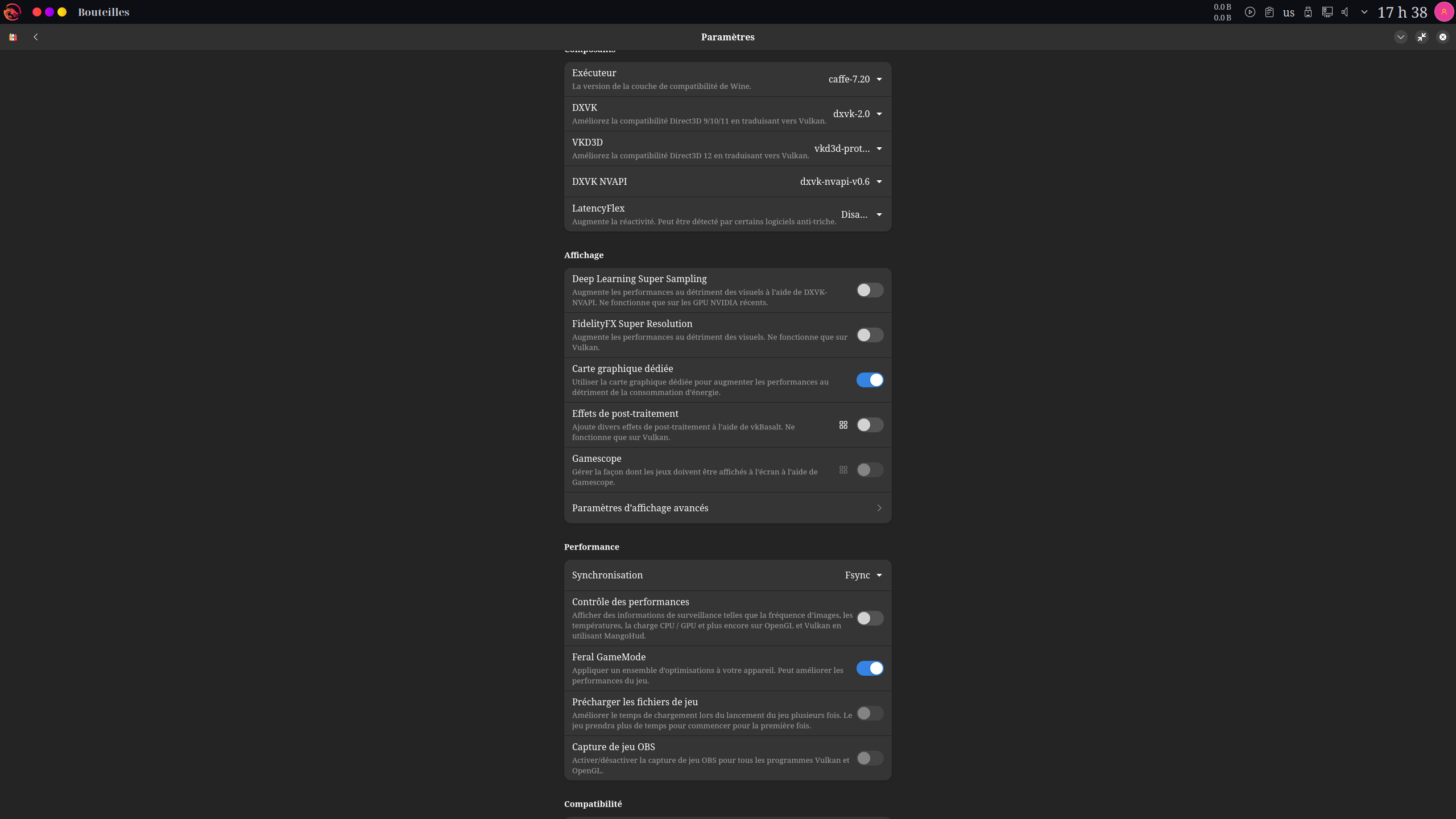
i activate the 2 compatibility toggle incase of issue online but im pretty sure they are not necessary
System Information
- OS: Linux Mint 21.1
- KERNEL: 5.15.0-56-generic
- CPU: Intel Core i5-8250U @ 1.60GHz
- GPU: Intel Mesa Intel UHD 620 (KBL GT2)
- GPU DRIVER: 4.6 Mesa 22.0.5
- RAM: 8 GB
- Proton version: 7.0-5
What I tried so far
-
Upgrading from Linux Mint 20.3 to 21.1
-
Various launch options:
PROTON_LOG=1 PROTON_NO_ESYNC=1 PROTON_USE_WINED3D=1 SKIPINTRO %command% -
Also tried with
PROTON_USE_WINED3D=0, without effect
Symptoms
- Game never starts!
Hello @hardpenguin, please add
PROTON_LOG=1 %command%to the game's launch options and attach the generated $HOME/steam-$APPID.log to this issue report as a file.
- Log file is not created, I cannot find it in my
$HOME
@winkmal it seems stupid but from my experience, the actual game parameter should be placed after %command%, not before. In your case it should be PROTON_LOG=1 PROTON_NO_ESYNC=1 PROTON_USE_WINED3D=1 %command% SKIPINTRO, or just simply PROTON_LOG=1 %command% SKIPINTRO in my case.
@winkmal it seems stupid but from my experience, the actual game parameter should be placed after
%command%, not before. In your case it should bePROTON_LOG=1 PROTON_NO_ESYNC=1 PROTON_USE_WINED3D=1 %command% SKIPINTRO, or just simplyPROTON_LOG=1 %command% SKIPINTROin my case.
That didn't solve the problem, I tried. I didn't even have the SKIPINTRO before.
But I finally got a log! See here. Maybe someone can tell from the 1000+ lines where the problem is?
But I finally got a log! […] Maybe someone can tell from the 1000+ lines where the problem is?
Tip: look for :err: in the log file:
0128:err:module:import_dll Library mfc140u.dll (which is needed by L"Z:\home\winkmal\.steam\steam\steamapps\common\Age2HD\Launcher.exe") not found
441.510:0124:0128:err:module:LdrInitializeThunk Importing dlls for L"Z:\home\winkmal\.steam\steam\steamapps\common\Age2HD\Launcher.exe" failed, status c0000135
⇒ it seems you're missing mfc140u.dll, which is part of vcrun2015.
That's surprising to me, because I've installed the game several times and have never had to install vcrun2015 manually (I assume it's done automatically by Steam Play), but I guess you could do it using protontricks. Have you tried to backup your proton prefix, delete it and reinstall the game, though?
FYI: The Co-op campaign selection screen runs really slowly on my machine (like, 3fps), even though the rest of the game runs okay.
The DXVK overlay shows that one screen having about 1000 barriers / frame, so this can be pretty heavily improved by setting d3d11.relaxedBarriers. (It still slows down when mouse-overing things a bit, but it's running at ~80fps versus ~3 otherwise…).
I've sent out a PR to enable this by default here: https://github.com/doitsujin/dxvk/pull/3225
Still, there's definitely something up with that menu…
I just had a crash after launching an online game, but not the usual desync, everything crashed, not only AoE, even Steam...
info:  Presenter: Actual swap chain properties:
info:    Format:       VK_FORMAT_B8G8R8A8_UNORM
info:    Color space:  VK_COLOR_SPACE_SRGB_NONLINEAR_KHR
info:    Present mode: VK_PRESENT_MODE_IMMEDIATE_KHR
info:    Buffer size:  2560x1440
info:    Image count:  4
info:    Exclusive FS: 1
3048.938:0110:0114:fixme:key:X11DRV_ToUnicodeEx keyboard layout (nil) is not supported
3048.939:0110:0114:fixme:key:X11DRV_ToUnicodeEx keyboard layout (nil) is not supported
3048.939:0110:0114:fixme:key:X11DRV_ToUnicodeEx keyboard layout (nil) is not supported
3048.939:0110:0114:fixme:key:X11DRV_ToUnicodeEx keyboard layout (nil) is not supported
3048.939:0110:0114:fixme:key:X11DRV_ToUnicodeEx keyboard layout (nil) is not supported
3048.942:0110:0114:fixme:key:X11DRV_ToUnicodeEx keyboard layout (nil) is not supported
3048.942:0110:0114:fixme:key:X11DRV_ToUnicodeEx keyboard layout (nil) is not supported
3048.944:0110:0114:fixme:key:X11DRV_ToUnicodeEx keyboard layout (nil) is not supported
src/common/pipes.cpp (883) : fatal stalled cross-thread pipe (pipe is disconnected).
src/common/pipes.cpp (883) : fatal stalled cross-thread pipe (pipe is disconnected).
src/common/pipes.cpp (883) : Fatal assert; application exiting
src/common/pipes.cpp (883) : Fatal assert; application exiting
assert_20230206212613_3.dmp[14942]: Uploading dump (out-of-process)
/tmp/dumps/assert_20230206212613_3.dmp
_ExitOnFatalAssert
3050.309:0030:0034:trace:loaddll:build_module Loaded L"C:\\windows\\system32\\api-ms-win-appmodel-runtime-l1-1-1.dll" at 000000024DC40000: builtin
3050.311:0030:0034:fixme:ver:GetCurrentPackageId (000000000021FEB0 0000000000000000): stub
pid 12637 != 12635, skipping destruction (fork without exec?)
assert_20230206212613_3.dmp[14942]: Finished uploading minidump (out-of-process): success = yes
assert_20230206212613_3.dmp[14942]: response: Discarded=1
assert_20230206212613_3.dmp[14942]: file ''/tmp/dumps/assert_20230206212613_3.dmp'', upload yes: ''Discarded=1''
pid 14942 != 14941, skipping destruction (fork without exec?)
And I had it a second time after 30 min of multiplayer game.
I launched steam from the CLI and here is the output:
crash_20230206221502_32.dmp[9848]: Uploading dump (out-of-process)
/tmp/dumps/crash_20230206221502_32.dmp
crash_20230206221502_32.dmp[9848]: Finished uploading minidump (out-of-process): success = yes
crash_20230206221502_32.dmp[9848]: response: CrashID=bp-7a704a33-29e8-4436-a99a-8c6282230206
crash_20230206221502_32.dmp[9848]: file ''/tmp/dumps/crash_20230206221502_32.dmp'', upload yes: ''CrashID=bp-7a704a33-29e8-4436-a99a-8c6282230206''
src/common/pipes.cpp (883) : fatal stalled cross-thread pipe (pipe is disconnected).
src/common/pipes.cpp (883) : Fatal assert; application exiting
/home/fla/.steam/steam.sh : ligne 798 :  2967 Erreur de segmentation  (core dumped) "$STEAMROOT/$STEAMEXEPATH" "$@"
fla@enigma:~$ assert_20230206221517_8.dmp[9874]: Uploading dump (out-of-process)
/tmp/dumps/assert_20230206221517_8.dmp
assert_20230206221517_8.dmp[9874]: Finished uploading minidump (out-of-process): success = yes
assert_20230206221517_8.dmp[9874]: response: Discarded=1
assert_20230206221517_8.dmp[9874]: file ''/tmp/dumps/assert_20230206221517_8.dmp'', upload yes: ''Discarded=1''
Full steam crash.
After an update today, I can no longer launch it.
steam-813780.log
Attached is the proton log; here is the end of the steam log from the terminal:
GameAction [AppID 813780, ActionID 1] : LaunchApp changed task to ProcessingInstallScript with ""
pressure-vessel-wrap[30690]: W: Found more than one possible libdrm data directory from provider
/nix/store/z4g7hin59rsav6i986ha2cnm8w1bw6wy-glib-networking-2.74.0/lib/gio/modules/libgioenvironmentproxy.so: undefined symbol: g_simple_proxy_resolver_new
Failed to load module: /nix/store/z4g7hin59rsav6i986ha2cnm8w1bw6wy-glib-networking-2.74.0/lib/gio/modules/libgioenvironmentproxy.so
/nix/store/z4g7hin59rsav6i986ha2cnm8w1bw6wy-glib-networking-2.74.0/lib/gio/modules/libgiognomeproxy.so: undefined symbol: g_task_get_source_tag
Failed to load module: /nix/store/z4g7hin59rsav6i986ha2cnm8w1bw6wy-glib-networking-2.74.0/lib/gio/modules/libgiognomeproxy.so
/nix/store/z4g7hin59rsav6i986ha2cnm8w1bw6wy-glib-networking-2.74.0/lib/gio/modules/libgiognutls.so: undefined symbol: g_byte_array_steal
Failed to load module: /nix/store/z4g7hin59rsav6i986ha2cnm8w1bw6wy-glib-networking-2.74.0/lib/gio/modules/libgiognutls.so
/nix/store/z4g7hin59rsav6i986ha2cnm8w1bw6wy-glib-networking-2.74.0/lib/gio/modules/libgiolibproxy.so: undefined symbol: g_task_get_source_tag
Failed to load module: /nix/store/z4g7hin59rsav6i986ha2cnm8w1bw6wy-glib-networking-2.74.0/lib/gio/modules/libgiolibproxy.so
/nix/store/ssrnzp4n5fg338nz422psww11xi3snwj-dconf-0.40.0-lib/lib/gio/modules/libdconfsettings.so: undefined symbol: g_hash_table_get_keys_as_array
Failed to load module: /nix/store/ssrnzp4n5fg338nz422psww11xi3snwj-dconf-0.40.0-lib/lib/gio/modules/libdconfsettings.so
/nix/store/aqwc06svf0s0az3dq564aa1d0k0rv7xa-gvfs-1.50.2/lib/gvfs/libgvfscommon.so: undefined symbol: g_task_set_source_tag
Failed to load module: /nix/store/aqwc06svf0s0az3dq564aa1d0k0rv7xa-gvfs-1.50.2/lib/gio/modules/libgioremote-volume-monitor.so
/nix/store/aqwc06svf0s0az3dq564aa1d0k0rv7xa-gvfs-1.50.2/lib/gvfs/libgvfscommon.so: undefined symbol: g_task_set_source_tag
Failed to load module: /nix/store/aqwc06svf0s0az3dq564aa1d0k0rv7xa-gvfs-1.50.2/lib/gio/modules/libgvfsdbus.so
wine: RLIMIT_NICE is <= 20, unable to use setpriority safely
GameAction [AppID 813780, ActionID 1] : LaunchApp changed task to SynchronizingCloud with ""
GameAction [AppID 813780, ActionID 1] : LaunchApp changed task to SynchronizingControllerConfig with ""
GameAction [AppID 813780, ActionID 1] : LaunchApp changed task to SiteLicenseSeatCheckout with ""
GameAction [AppID 813780, ActionID 1] : LaunchApp changed task to CreatingProcess with ""
GameAction [AppID 813780, ActionID 1] : LaunchApp waiting for user response to CreatingProcess ""
GameAction [AppID 813780, ActionID 1] : LaunchApp continues with user response "CreatingProcess"
/bin/sh\0-c\0SKIPINTRO=1 PROTON_LOG=1 /home/spacekitteh/.local/share/Steam/ubuntu12_32/reaper SteamLaunch AppId=813780 -- /home/spacekitteh/.local/share/Steam/ubuntu12_32/steam-launch-wrapper -- '/home/spacekitteh/.local/share/Steam/steamapps/common/SteamLinuxRuntime_soldier'/_v2-entry-point --verb=waitforexitandrun -- '/home/spacekitteh/.local/share/Steam/steamapps/common/Proton - Experimental'/proton waitforexitandrun  '/steamgames/steamapps/common/AoE2DE/AoE2DE_s.exe'\0
Game process added : AppID 813780 "SKIPINTRO=1 PROTON_LOG=1 /home/spacekitteh/.local/share/Steam/ubuntu12_32/reaper SteamLaunch AppId=813780 -- /home/spacekitteh/.local/share/Steam/ubuntu12_32/steam-launch-wrapper -- '/home/spacekitteh/.local/share/Steam/steamapps/common/SteamLinuxRuntime_soldier'/_v2-entry-point --verb=waitforexitandrun -- '/home/spacekitteh/.local/share/Steam/steamapps/common/Proton - Experimental'/proton waitforexitandrun  '/steamgames/steamapps/common/AoE2DE/AoE2DE_s.exe'", ProcID 31039, IP 0.0.0.0:0
chdir /steamgames/steamapps/common/AoE2DE
ERROR: ld.so: object '/home/spacekitteh/.local/share/Steam/ubuntu12_32/gameoverlayrenderer.so' from LD_PRELOAD cannot be preloaded (wrong ELF class: ELFCLASS32): ignored.
GameAction [AppID 813780, ActionID 1] : LaunchApp changed task to WaitingGameWindow with ""
ERROR: ld.so: object '/home/spacekitteh/.local/share/Steam/ubuntu12_64/gameoverlayrenderer.so' from LD_PRELOAD cannot be preloaded (wrong ELF class: ELFCLASS64): ignored.
ERROR: ld.so: object '/home/spacekitteh/.local/share/Steam/ubuntu12_32/gameoverlayrenderer.so' from LD_PRELOAD cannot be preloaded (wrong ELF class: ELFCLASS32): ignored.
ERROR: ld.so: object '/home/spacekitteh/.local/share/Steam/ubuntu12_32/gameoverlayrenderer.so' from LD_PRELOAD cannot be preloaded (wrong ELF class: ELFCLASS32): ignored.
ERROR: ld.so: object '/home/spacekitteh/.local/share/Steam/ubuntu12_32/gameoverlayrenderer.so' from LD_PRELOAD cannot be preloaded (wrong ELF class: ELFCLASS32): ignored.
GameAction [AppID 813780, ActionID 1] : LaunchApp changed task to Completed with ""
pressure-vessel-wrap[31040]: W: Found more than one possible libdrm data directory from provider
/nix/store/z4g7hin59rsav6i986ha2cnm8w1bw6wy-glib-networking-2.74.0/lib/gio/modules/libgioenvironmentproxy.so: undefined symbol: g_simple_proxy_resolver_new
Failed to load module: /nix/store/z4g7hin59rsav6i986ha2cnm8w1bw6wy-glib-networking-2.74.0/lib/gio/modules/libgioenvironmentproxy.so
/nix/store/z4g7hin59rsav6i986ha2cnm8w1bw6wy-glib-networking-2.74.0/lib/gio/modules/libgiognomeproxy.so: undefined symbol: g_task_get_source_tag
Failed to load module: /nix/store/z4g7hin59rsav6i986ha2cnm8w1bw6wy-glib-networking-2.74.0/lib/gio/modules/libgiognomeproxy.so
/nix/store/z4g7hin59rsav6i986ha2cnm8w1bw6wy-glib-networking-2.74.0/lib/gio/modules/libgiognutls.so: undefined symbol: g_byte_array_steal
Failed to load module: /nix/store/z4g7hin59rsav6i986ha2cnm8w1bw6wy-glib-networking-2.74.0/lib/gio/modules/libgiognutls.so
/nix/store/z4g7hin59rsav6i986ha2cnm8w1bw6wy-glib-networking-2.74.0/lib/gio/modules/libgiolibproxy.so: undefined symbol: g_task_get_source_tag
Failed to load module: /nix/store/z4g7hin59rsav6i986ha2cnm8w1bw6wy-glib-networking-2.74.0/lib/gio/modules/libgiolibproxy.so
/nix/store/ssrnzp4n5fg338nz422psww11xi3snwj-dconf-0.40.0-lib/lib/gio/modules/libdconfsettings.so: undefined symbol: g_hash_table_get_keys_as_array
Failed to load module: /nix/store/ssrnzp4n5fg338nz422psww11xi3snwj-dconf-0.40.0-lib/lib/gio/modules/libdconfsettings.so
/nix/store/aqwc06svf0s0az3dq564aa1d0k0rv7xa-gvfs-1.50.2/lib/gvfs/libgvfscommon.so: undefined symbol: g_task_set_source_tag
Failed to load module: /nix/store/aqwc06svf0s0az3dq564aa1d0k0rv7xa-gvfs-1.50.2/lib/gio/modules/libgioremote-volume-monitor.so
/nix/store/aqwc06svf0s0az3dq564aa1d0k0rv7xa-gvfs-1.50.2/lib/gvfs/libgvfscommon.so: undefined symbol: g_task_set_source_tag
Failed to load module: /nix/store/aqwc06svf0s0az3dq564aa1d0k0rv7xa-gvfs-1.50.2/lib/gio/modules/libgvfsdbus.so
ThreadGetProcessExitCode: no such process 31171
ThreadGetProcessExitCode: no such process 31167
ThreadGetProcessExitCode: no such process 31165
ThreadGetProcessExitCode: no such process 31164
ThreadGetProcessExitCode: no such process 31041
ThreadGetProcessExitCode: no such process 31174
Game process updated : AppID 813780 "SKIPINTRO=1 PROTON_LOG=1 /home/spacekitteh/.local/share/Steam/ubuntu12_32/reaper SteamLaunch AppId=813780 -- /home/spacekitteh/.local/share/Steam/ubuntu12_32/steam-launch-wrapper -- '/home/spacekitteh/.local/share/Steam/steamapps/common/SteamLinuxRuntime_soldier'/_v2-entry-point --verb=waitforexitandrun -- '/home/spacekitteh/.local/share/Steam/steamapps/common/Proton - Experimental'/proton waitforexitandrun  '/steamgames/steamapps/common/AoE2DE/AoE2DE_s.exe'", ProcID 31170, IP 0.0.0.0:0
After an update today, I can no longer launch it.
I was able to launch AoE2DE through Proton Experimental fine about a minute ago.
Hello @spacekitteh, from your Proton log:
libGL error: MESA-LOADER: failed to open radeonsi: /usr/lib/pressure-vessel/overrides/lib/i386-linux-gnu/dri/radeonsi_dri.so: cannot open shared object file: No such file or directory (search paths /usr/lib/pressure-vessel/overrides/lib/x86_64-linux-gnu/dri:/usr/lib/pressure-vessel/overrides/lib/i386-linux-gnu/dri, suffix _dri)
libGL error: failed to load driver: radeonsi
libGL error: MESA-LOADER: failed to open radeonsi: /usr/lib/pressure-vessel/overrides/lib/i386-linux-gnu/dri/radeonsi_dri.so: cannot open shared object file: No such file or directory (search paths /usr/lib/pressure-vessel/overrides/lib/x86_64-linux-gnu/dri:/usr/lib/pressure-vessel/overrides/lib/i386-linux-gnu/dri, suffix _dri)
libGL error: failed to load driver: radeonsi
libGL error: MESA-LOADER: failed to open swrast: /usr/lib/pressure-vessel/overrides/lib/i386-linux-gnu/dri/swrast_dri.so: cannot open shared object file: No such file or directory (search paths /usr/lib/pressure-vessel/overrides/lib/x86_64-linux-gnu/dri:/usr/lib/pressure-vessel/overrides/lib/i386-linux-gnu/dri, suffix _dri)
libGL error: failed to load driver: swrast
780.198:0110:013c:err:wgl:X11DRV_WineGL_InitOpenglInfo  couldn't initialize OpenGL, expect problems
Your video driver is broken in the Steam Linux Runtime - Soldier container environment.
Possibly related to https://github.com/ValveSoftware/steam-runtime/issues/562.
@kisak-valve I don't think it's related to the issue you linked but it is an issue on our side.
@spacekitteh please open an issue in Nixpkgs.
The reason why the game doesn't work is because there are unmet dependancies on the pfx drive.
Most notably, the dll's from the a10 cabinet in vc_redistx64 needed for the game are missing, because the redist is outright not installed.
The known way to fix it is to bring vcredist_x64.exe to system32 and running cabextract on it, and then, run cabextract on the a10 cabinet. This extracts the necessary dll's needed for online play.
Hope this helps. And Valve, please make the install script include vcredist_x64 on all AoE: DE titles.
Replying to https://github.com/ValveSoftware/Proton/issues/3189#issuecomment-1453438133
By the way, the "a10" file comes from vcredist_x64 once you extract the redistributable.
To describe the issue mentioned above in more detail and make it more searchable:
With a plain aoe2 de linux install, single player works but multiplayer does not. For example, try spectating any lobby and after a couple of seconds you get "out of sync detected" (top left) and the spectate is aborted.
I don't know who came up with the fix of extracting the vcredist file. One of the earliest reference is https://old.reddit.com/r/aoe2/comments/dwuplr/how_to_run_age_of_empires_2_definitive_edition_on/ which says ucrtbase.dll must be replaced. A more recent reference is https://aoe2.arkanosis.net/linux/ .
A simple script that I use to fix "desync" after some game update.
#!/bin/bash

# run with sudo

# Ref.:
# https://www.reddit.com/r/CompanyOfHeroes/comments/lfn0j0/guide_managed_to_play_full_multiplayer_game_on/

cd /home/<$USER_DIR>/.steam/steam/steamapps/compatdata/813780/pfx/drive_c/windows/system32/

rm vc_redist.x64.exe

wget https://download.microsoft.com/download/9/3/F/93FCF1E7-E6A4-478B-96E7-D4B285925B00/vc_redist.x64.exe

cabextract vc_redist.x64.exe
cabextract a10
run with sudo
You probably don't want to use sudo, though.
I mean, it would work without it, and using sudo means there's a risk for privilege escalation, should some vulnerability exist in any of the commands used, or in the script itself.
run with sudo
You probably don't want to use
sudo, though.I mean, it would work without it, and using
sudomeans there's a risk for privilege escalation, should some vulnerability exist in any of the commands used, or in the script itself.
Yes but, otherwise cabextracts fails. I didn't research a lot about permission on that dir to avoid the use of sudo.
Honestly, Valve could easily fix this by including vc_redist.x64.exe as a needed dependancy for the game to run. It'll fix everything.
I don't understand how you guys are discussing ucrtbase.dll (vc_redist.x64.exe) for so long.
Even after getting the game running, the performance is pretty bad, the maps and civs menus are absurdly slow.
We could focus on performance, and no longer on something we know how to solve, right?
I don't understand how you guys are discussing ucrtbase.dll (vc_redist.x64.exe) for so long.
Even after getting the game running, the performance is pretty bad, the maps and civs menus are absurdly slow.
We could focus on performance, and no longer on something we know how to solve, right?
As long as I've been running AoE 2 DE through Proton, performance was never an issue and always on-par or better than Windows. I've only done singleplayer skirmishes and campaign though.
Map and civ choice menus are very slow. In all videos posted on youtube show the same. This for those who play online is a horror, you need to change the CIV with 3 seconds left to end the waiting time, and there is no way to do it...
For me the performance is very low compared to Windows, playing 4x4 with 300 dolls on the screen, it starts to get very slow, something that works beautifully on Windows.
Map and civ choice menus are very slow. In all videos posted on youtube show the same. This for those who play online is a horror, you need to change the CIV with 3 seconds left to end the waiting time, and there is no way to do it... For me the performance is very low compared to Windows, playing 4x4 with 300 dolls on the screen, it starts to get very slow, something that works beautifully on Windows.
Not in my case.. I have 500 hours of ranked play on linux without any issue after applying the desync fix..
Also the map menu loading is slow only the very first time you load it.. after that it should be quick.. Try with proton GE or experimental..
I don't understand how you guys are discussing ucrtbase.dll (vc_redist.x64.exe) for so long.
Even after getting the game running, the performance is pretty bad, the maps and civs menus are absurdly slow.
We could focus on performance, and no longer on something we know how to solve, right?
Both problemas have to be resolved.
We could focus on performance, and no longer on something we know how to solve, right?
That you know how to solve does not means a user of steam should know, is a important problem should be fixed out of the box.
That you know how to solve does not means a user of steam should know, is a important problem should be fixed out of the box.
I agree, but it has already been posted how to solve it, there is no need for all players to write about it. It just needs to be sent to the right person, for this to be fixed, in protondb it's the same thing, there are 100 comments explaining how to solve it, when I only need one...
Both problemas have to be resolved.
We are waiting, do you have any kind of information about the priority list?
With "caffe" from bootles, the problem with the map and civ menus doesn't happen, but the game's performance is worse than proton.
Hug..
Replying to https://github.com/ValveSoftware/Proton/issues/3189#issuecomment-1497852279
I pretty much have no issues with the latest proton GE.. have you tried em ?
I pretty much have no issues with the latest proton GE.. have you tried em ?
Yes, I use the Proton Ge the most, but I also use the others for testing.
Seeing some comments around saying that proton 8.0-1 regressed Age of Empires 2, though I don't have the game to check atm.
Seeing some comments around saying that proton 8.0-1 regressed Age of Empires 2
I've played a few minutes against AI and watched an online multiplayer replay after seeing your message. No issue so far but I'll keep 8.0 tomorrow for a full online multiplayer evening.
I do have a fairly recent GPU with full Vulkan 1.3 support (RX6600), though. Could it be that people reporting issues have GPUs that don't support Vulkan 1.3 as well?
it works... but then fails on Proton 8.
Every single feature is working perfectly just like before. But multiplayer games are always desync in 1 min. I've tried everything.
Most likely it has something to do with UCRTBASE.DLL.
Can it be fixed? I don't wanna do it manually
I can confirm that the game does not start in Proton 8.0. In Proton Experimental the game was running great before, but now after playing for a few minutes I found the same error window (crash report bugsplat) that appears when I try to run it in 8.0 which leads me to think that the culprit of this situation is the Sniper Runtime update and not the Proton version.
As it has been previously commented something strange happens with the UCRTBASE.DLL file.
Btw I discovered a problem with nvidia drivers and this game. If I use Nvidia 510.108.03 drivers in my laptop the game works, but if i use 525.105.17 drivers, all these in ubuntu 22.04.2 the game wont start.
I'm using some laptops with dual graphic card.
the game does not start in Proton 8.0
Could you please share which GPU and GPU driver you're using?
something strange happens with the UCRTBASE.DLL file
Is it the synchronization issue that has been there forever, or something new with Proton 8?
if i use 525.105.17 drivers […] in ubuntu 22.04.2 the game wont start.
I'm using some laptops with dual graphic card.
Could you please check if you have multiple ICDs in /usr/share/vulkan/icd.d/? See this section for more info about a known issue with multiple GPUs.
the game does not start in Proton 8.0
Could you please share which GPU and GPU driver you're using?
something strange happens with the UCRTBASE.DLL file
Is it the synchronization issue that has been there forever, or something new with Proton 8?
RDNA2 Card - Mesa 23.1 rc1.
I don´t know, the game worked fine for me since i bought it.
if i use 525.105.17 drivers […] in ubuntu 22.04.2 the game wont start.
I'm using some laptops with dual graphic card.Could you please check if you have multiple ICDs in
/usr/share/vulkan/icd.d/? See this section for more info about a known issue with multiple GPUs.
-rw-r--r-- 1 root root 161 dic 15 15:35 intel_icd.i686.json
-rw-r--r-- 1 root root 163 dic 15 15:35 intel_icd.x86_64.json
-rw-r--r-- 1 root root 159 dic 15 15:35 lvp_icd.i686.json
-rw-r--r-- 1 root root 161 dic 15 15:35 lvp_icd.x86_64.json
-rw-r--r-- 1 root root 140 mar 27 13:39 nvidia_icd.json
-rw-r--r-- 1 root root 162 dic 15 15:35 radeon_icd.i686.json
-rw-r--r-- 1 root root 164 dic 15 15:35 radeon_icd.x86_64.json
Yes i have multiple GPUs but it works with the drivers i said, and this seems a problem after splash screen, my problem is i clcik play and it does not and stop, so no splash screen.
RDNA2 Card - Mesa 23.1 rc1.
Ok, so that's a Vulkan 1.3-capable GPU. Could you please also check if you have a Vulkan ICD for it (and only for it) in /usr/share/vulkan/icd.d/?
something strange happens with the UCRTBASE.DLL file
the game worked fine for me since i bought it.
AFAIK, replacing ucrtbase.dll has always been needed to play online multiplayer; maybe you did that with previous versions of Proton? Or you've been using a -GE variant of it which has the workaround builtin?
Anyway, when you're able to start the game, check if this workaround solves the issues you have with ucrtbase.dll. I don't think you can save yourself this step unless you use Proton-GE or only play against AI.
Yes i have multiple GPUs but it works with the drivers i said, and this seems a problem after splash screen, my problem is i clcik play and it does not and stop, so no splash screen.
My experience with the multiple ICDs issue is that it can take different forms (not starting at all, only showing the splash screen, showing a the splash screen and then a popup with an error message about “CreateSwapChain() failed!”).
Which form the issue takes seems to depend on a combination of the GPUs, the Vulkan drivers, the Proton version… And indeed, with some combinations there is no issue (case in point: right now, I have 4 ICDs in that directory and no problem, but only a few weeks ago I couldn't start the game with more than one).
Anyway, I've been able to workaround all of this forms by having only the relevant ICD in /usr/share/vulkan/icd.d. IMHO, it's worth trying.
Ok, so that's a Vulkan 1.3-capable GPU. Could you please also check if you have a Vulkan ICD for it (and only for it) in
/usr/share/vulkan/icd.d/?
Of course i have it. Proton was working fine with all my Steam games and still working great now except with AOE2 DE after latest Proton and Runtime upgrade.
AFAIK, replacing
ucrtbase.dllhas always been needed to play online multiplayer; maybe you did that with previous versions of Proton? Or you've been using a -GE variant of it which has the workaround builtin?Anyway, when you're able to start the game, check if this workaround solves the issues you have with
ucrtbase.dll. I don't think you can save yourself this step unless you use Proton-GE or only play against AI.
I never played online, just offline. Anyways i tried your method, replaced that .dll and still the same behaviour is observed: I can´t start the game using Proton 8.0 and crashes after a few minutes of gameplay using experimental.
Btw I discovered a problem with nvidia drivers and this game. If I use Nvidia 510.108.03 drivers in my laptop the game works, but if i use 525.105.17 drivers, all these in ubuntu 22.04.2 the game wont start. I'm using some laptops with dual graphic card.
check this
https://github.com/linuxmint/mintdrivers/issues/51#issuecomment-1471348939
I can confirm a regression here with Proton 8.0.
If Wine's builtin ucrtbase.dll is used, the game hangs early in boot on the splash screen (before setting the custom mouse cursor), with a RtlpWaitForCriticalSection wait timed out message after some exception handling in ucrtbase.dll. Full log here.
If a native MS ucrtbase.dll is used, the game proceeds a little further, but crashes before it finishes loading, triggering a "BugSplat" error reporting dialog. The crash is in the main game binary Unhandled exception: page fault on write access to 0x00000000004c0000 in 64-bit code (0x00000141c836fc == aoe2de_s (+0x1c836fc) ). Full log here.
Proton 7 experimental still works. Building Proton 8 from source still fails, even if I revert the update to "sniper" first (though I'm not sure that was successful).
Basic system info (it's nVidia 525.105.17 drivers, with Wayland + KDE, so that's certainly a possible cause):
KDE Plasma Version: 5.27.4
KDE Frameworks Version: 5.105.0
Qt Version: 5.15.8
Kernel Version: 6.2.10-1-default (64-bit)
Graphics Platform: Wayland
Processors: 8 × Intel® Core™ i7-4770K CPU @ 3.50GHz
Memory: 31.3 GiB of RAM
Graphics Processor: NVIDIA GeForce GTX 1060 3GB/PCIe/SSE2
Manufacturer: Gigabyte Technology Co., Ltd.
Product Name: Z87X-UD5H
Steam system info is here, though its from X11, not wayland, as Copy+Paste from the System Info dialog isn't working.
Edit: confirming the same issue happens with wined3d, and on both X11 and Wayland.
Lol, why do I like linux my god? Why am I not playing on windows?
The solution to the disconnection problem has been mentioned for years, just change the UCRTBASE.DLL, every day a new user who doesn't read the topic is talking about it.
Please focus on other issues.
Btw I discovered a problem with nvidia drivers and this game. If I use Nvidia 510.108.03 drivers in my laptop the game works, but if i use 525.105.17 drivers, all these in ubuntu 22.04.2 the game wont start.
I'm using some laptops with dual graphic card.
Every time you make any kind of change or exchange of protons, I recommend deleting the folders:
...../steamapps/compatdata/813780
...../steamapps/shadercache/813780
This way you guarantee that the proton folder was generated by the same version that is trying to run the game. And that the cache was generated by the same driver.
Hi folks - thank you all for reporting the regression with 8.0-1. I was able to reproduce locally which makes it much easier to investigate and we will be looking into it :)
Here's another data point for investigations on the Proton 8.0 regression: the regression is not impacting my desktop (spent ~4 additional hours playing ranked online multiplayer without any issue).
My desktop, OK with Proton 7.0, OK with Proton 8.0: (removed)
The only workaround I have is the usual urctbase.dll replacement; no other change has been needed.
(edit) on the other hand, the regression is impacting my laptop (same crash as described above, with the “BugSplat” dialog).
My laptop, OK with Proton 7.0, KO with Proton 8.0: (removed)
Edit 2: hardware was not the only difference, see two comments below.
I can confirm that the game does not start in Proton 8.0. In Proton Experimental the game was running great before, but now after playing for a few minutes I found the same error window (crash report bugsplat) that appears when I try to run it in 8.0 which leads me to think that the culprit of this situation is the Sniper Runtime update and not the Proton version.
As it has been previously commented something strange happens with the UCRTBASE.DLL file.
New Proton Experimental has been pulled and I can´t start the game.
It's working using Proton 7.0
Hello everyone,
Forget what I wrote about the game working or not with Proton 8.0 depending on the hardware I was using, there was another difference between the two setups: the use of SKIPINTRO, and it's actually what explains the difference.
With SKIPINTRO (and ucrtbase.dll replaced) I can play on both the RX 6600 and the GTX 1660), without SKIPINTRO I can play on neither (I get the “BugSplat” dialog just after the splash screen).
So, if you are not able to play with Proton 8.0, try this:
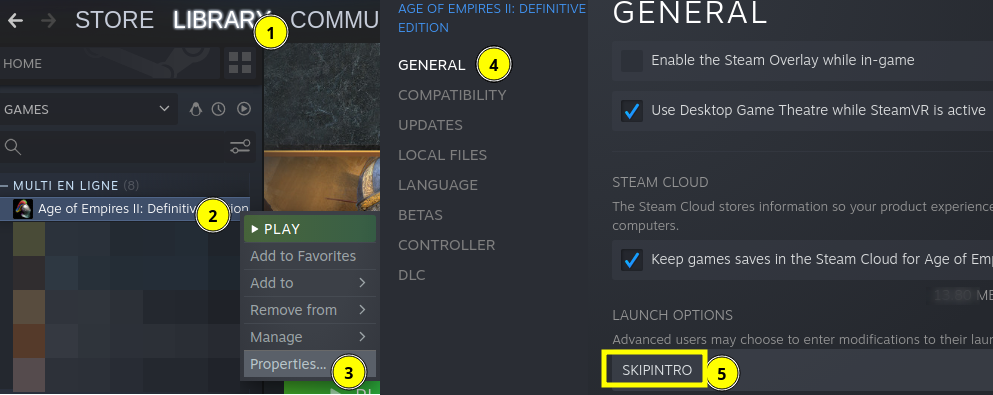
Forget what I wrote about the game working or not with Proton 8.0 depending on the hardware I was using, there was another difference between the two setups: the use of
SKIPINTRO, and it's actually what explains the difference.
Nice catch! I'd tried that, but didn't realise SKIPINTRO needed to be capitalised. Oops!
FWIW, I can confirm this fixes it on all three of my test machines (nVidia desktop, Intel laptop, Steam Deck), seemingly both with native and builtin ucrtbase.
With a builtin ucrtbase, there's a somewhat more sensible stacktrace, too (note that this is from a custom build, so the offsets won't match exactly):
=>0 0x000002c7485606 in ucrtbase (+0x15606) (0x00000034cbf9a0)
  1 0x000002c74c7a4d in ucrtbase (+0x57a4d) (0x00000034cbf9a0)
  2 0x000003bb453231 in mfplat (+0x3231) (0x00000034cbfa00)
  3 0x00000379e3860e in evr (+0x860e) (0x00000034cbfb00)
  4 0x00000379e32185 in evr (+0x2185) (0x00000034cbfbb0)
  5 0x00000379e35ad6 in evr (+0x5ad6) (0x00000034cbfd20)
  6 0x00000217a6bacc in qasf (+0xbacc) (0x00000034cbfdc0)
  7 0x000002c2607130 in wmvcore (+0x7130) (0x00000034cbfeb0)
  8 0x000002c260a18d in wmvcore (+0xa18d) (0x00000034cbff30)
  9 0x0000007b61467d in kernel32 (+0x1467d) (0x00000034cbffa0)
  10 0x0000017000f1a7 in ntdll (+0xf1a7) (0000000000000000)
(With native ucrtbase, it looks like the same crash, but something stops wine from unwinding the stack properly, so we just get ucrtbase's (presumably) memcpy by itself)
The crash is in the memcpy() in MFCopyImage().
Alas, WINE_DO_NOT_CREATE_DXGI_DEVICE_MANAGER=1 did not work.
@Arkanosis Thanks, the SKIPINTRO option works for me.
Age of Empires 3 Definitive Edition crash on Proton 8.0-1
Issue transferred from https://github.com/ValveSoftware/Proton/issues/6727.
@orklann posted on 2023-04-29T10:46:36:
Compatibility Report
- Age of Empires 2 Definitive Edition
- Steam AppID of the game: 813780
System Information
- GPU: AMD RX 580
- Driver/LLVM version: Mesa Version: 22.2.5
- Kernel version: 5.19.0-41-generic (Ubuntu 22.04)
- Proton version: 8.0-1
I confirm:
- [ ] Starting the game will crash after a few seconds
Symptoms
Starting the game will crash after a few seconds. See crash screenshot at the Screenshot section below
Reproduction
- Install the game on steam on Ubuntu
- Set the compatibility to Proton 8.0-1
- Run the game
- Crash
Screenshot
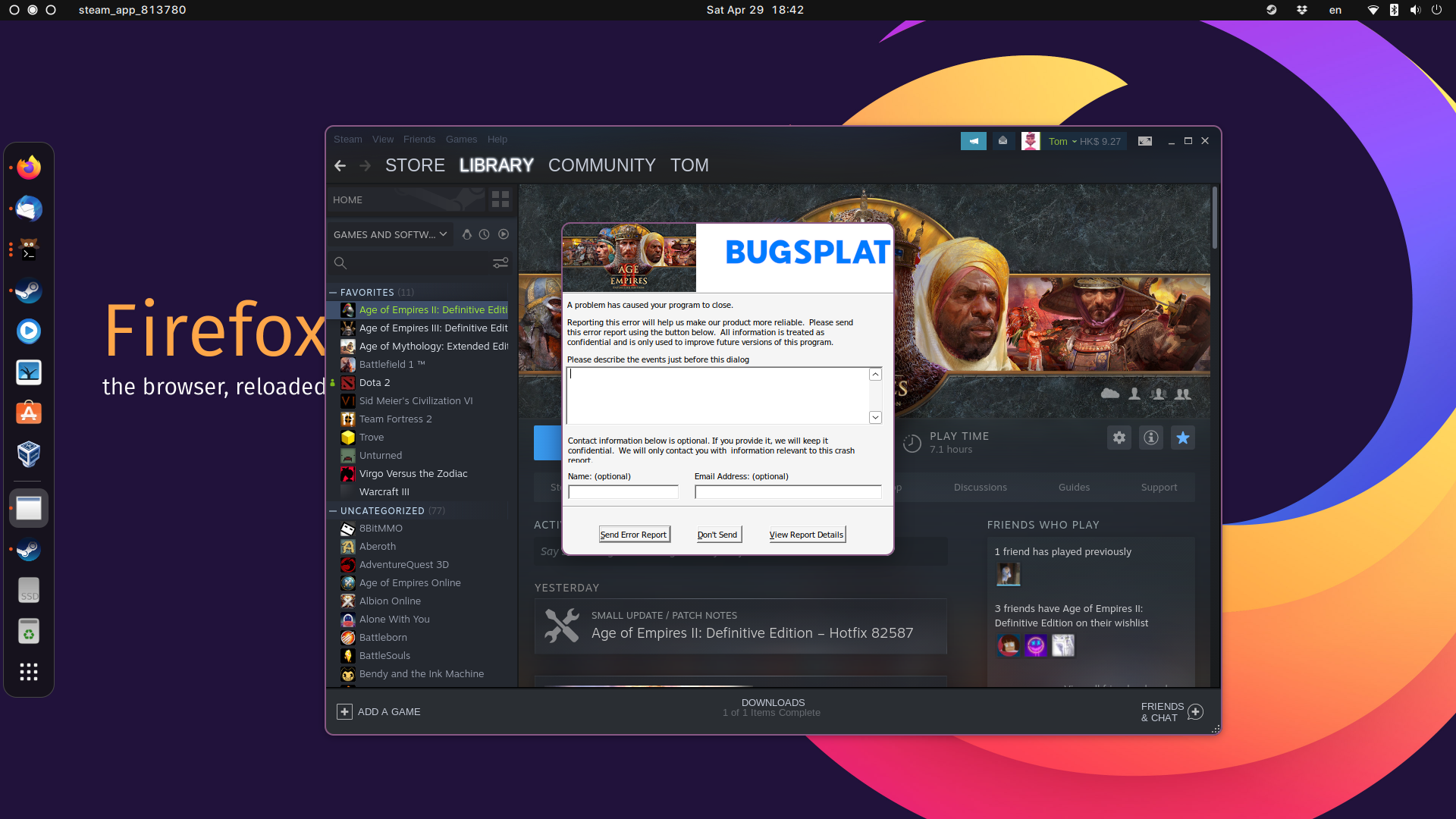
FYI, Proton 8.0-2 was released earlier today. Nothing changes WRT Age of Empires II : Definitive Edition AFAICT. In particular, the regression introduced in 8.0-1 is still present: the games crashes on startup unless you provide the SKIPINTRO launch option.
Even on Windows 10 in the last two updates the game crashes every time I exit multiplayer, I have to force it to close.
The game is buggy even on Windows, that's why so many problems on Linux, it's a double challenge.
Hi folks - the failure with playing the intro video that required SKIPINTRO should be fixed with current experimental (8.0-20230505). I'd seen some reports earlier on stating that multiplayer was desyncing after 1 min on 8.0. My understanding is that native ucrtbase.dll was required on 7.0 to avoid desync, and this has not changed with 8.0. Please tag me in your response if you are still seeing desync with native ucrtbase.dll on experimental-8.0-20230505.
the failure with playing the intro video that required SKIPINTRO should be fixed with current experimental
Fixed for me, indeed. Thanks!
You need to also install vcredist manually
@Arkanosis Thanks, the SKIPINTRO option works for me.
It worked to start the game when using proton 8.0 or experimental, but game crashes and shows that bugsplat windows after 15 / 20 minutes playing an offline match.
Game never crashes using Proton 7.0
@X6B Could you please add PROTON_LOG=1 %command% to the game's launch options and attach the generated $HOME/steam-$APPID.log to this issue report as a file? (Proton logs compress well if needed.) Also, please copy your system information from Steam (Steam -> Help -> System Information) and put it in a gist, then include a link to the gist in this issue report.
Well, since latest game update it doesn't crash anymore using experimental.
@X6B Could you please add PROTON_LOG=1 %command% to the game's launch options and attach the generated $HOME/steam-$APPID.log to this issue report as a file? (Proton logs compress well if needed.) Also, please copy your system information from Steam (Steam -> Help -> System Information) and put it in a gist, then include a link to the gist in this issue report.
Well, since latest game update it doesn't crash anymore.
Did anybody have any news about CapturAge support, now that it's officially part of the game? I tried a year ago (see my findings in https://captureage.nolt.io/50) but without success.
I'm having an issue where everything besides the main menu and the in-game world do not register clicks, including the settings menu, lobbies and in-game HUD. Running on Proton Experimental or Proton 8.0-2. I can't find any mention of this issue anywhere, so it seems fairly unique...
@Babbie Could you try an older version of Proton like 7.0-6 to make sure this is not a regression?
@alasky17 Proton 7.0-6 seems to work just fine!
@Babbie Interesting, so it sounds like it is a regression? Could you please copy your system information from Steam (Steam -> Help -> System Information) and put it in a gist, then include a link to the gist in this issue report. If you're using the Steam client beta, then please also include the output from Steam Runtime Diagnostics. Could you also get a log of the issue on Proton Experimental by adding "PROTON_LOG=+x11drv,+x11settings,+event,+cursor,+win,+message %command%" to the launch options for the game? The log will be created in ~/steam-[appid].log and you might need to compress it to make it a more manageable size.
I hit the same mouse issue.
System information | Proton Log (7MB!)
The only interesting thing I noticed looking through the log is that the WM_LBUTTONDOWN messages seem to have a wParam of 0. Shouldn't that be MK_LBUTTON?
438313.597:0128:012c:trace:message:spy_enter_message (0x10094) L"Age of Empires " [0201] WM_LBUTTONDOWN dispatched  wp=00000000 lp=016401bb
438313.597:0128:012c:trace:win:NtUserGetKeyState key (0x12) -> 0
438313.597:0128:012c:trace:win:NtUserGetKeyState key (0x12) -> 0
438313.597:0128:012c:trace:message:spy_enter_message     (0x10094)  DefWindowProc:[0201] WM_LBUTTONDOWN  wp=00000000 lp=016401bb
438313.597:0128:012c:trace:message:spy_exit_message      (0x10094)  DefWindowProc: [0201] WM_LBUTTONDOWN returned 00000000
438313.597:0128:012c:trace:message:spy_exit_message  (0x10094) L"Age of Empires " [0201] WM_LBUTTONDOWN returned 00000000
438313.597:0128:012c:trace:message:spy_enter_message (0x10094) L"Age of Empires " [0084] WM_NCHITTEST sent from self wp=00000000 lp=016301bc
438313.597:0128:012c:trace:message:spy_enter_message     (0x10094)  DefWindowProc:[0084] WM_NCHITTEST  wp=00000000 lp=016301bc
438313.597:0128:012c:trace:win:handle_nc_hit_test hwnd 0x10094 pt 444,355
438313.597:0128:012c:trace:message:spy_exit_message      (0x10094)  DefWindowProc: [0084] WM_NCHITTEST returned 00000001
438313.597:0128:012c:trace:message:spy_exit_message  (0x10094) L"Age of Empires " [0084] WM_NCHITTEST returned 00000001
This seems to affect all of the WM_?BUTTON* events, though maybe the game only checks wParam for some screens? Or checks something oddly. (It wouldn't be the first time getting button state caused problems in Age of Empires.)
Holding Alt (VK_MENU) because of those NtUserGetKeyState calls didn't change anything.
Of course, it could be something entirely different…
EDIT: So this is weird: if I build proton from the experimental_8.0 branch myself, the mouse clicks work. (And, sure enough, WM_LBUTTONDOWN has a wParam of 1 in those builds.) Locally build version is proton-8.0-1d-43-g17751878, versus broken experimental-bleeding-edge-8.0-47012-20230615-pe794f1-w67ff8a-dbd575a-v21a920.
The game does not start for me anymore since update 87863 released a few hours ago. Tested with Proton 7.0-6, 8.0-2 and Experimental, the SKIPINTRO option , on a Radeon RX 6600 with Linux 6.0.11 and AMDGPU.
I'm not the only one concerned it seems: there are some reports on Reddit as well.
The game does not start for me anymore since update 87863 released a few hours ago. Tested with Proton 7.0-6, 8.0-2 and Experimental, the
SKIPINTROoption , on a Radeon RX 6600 with Linux 6.0.11 and AMDGPU.I'm not the only one concerned it seems: there are some reports on Reddit as well.
Same here. Trying to solve it for like an hour now
This looks suspicious:
324569.320:012c:0130:fixme:cryptasn:CryptDecodeObjectEx Unsupported decoder for lpszStructType 1.3.6.1.4.1.311.2.1.4
324569.321:012c:0130:warn:seh:OutputDebugStringA "Fatal Error: one or more game files is invalid\nError code: "
The game does not start for me anymore since update 87863 released a few hours ago. Tested with Proton 7.0-6, 8.0-2 and Experimental, the
SKIPINTROoption , on a Radeon RX 6600 with Linux 6.0.11 and AMDGPU.
I'm not the only one concerned it seems: there are some reports on Reddit as well.Same here. Trying to solve it for like an hour now
Confirmed on Debian12 with release 87863 and Proton 7.x+, it does not work right now. Investigating...
This looks suspicious:
324569.320:012c:0130:fixme:cryptasn:CryptDecodeObjectEx Unsupported decoder for lpszStructType 1.3.6.1.4.1.311.2.1.4
324569.321:012c:0130:warn:seh:OutputDebugStringA "Fatal Error: one or more game files is invalid\nError code: "
Yeah, that's pretty much all I can see :-/ The error code (15) is a few lines below but that doesn't help much.
That's in wine/dlls/crypt32/decode.c:7023 and lpszStructType == 1.3.6.1.4.1.311.2.1.4 == SPC_INDIRECT_DATA_OBJID:
decodeFunc = CRYPT_GetBuiltinDecoder(dwCertEncodingType, lpszStructType);
if (!decodeFunc)
{
    TRACE_(crypt)("OID %s not found or unimplemented, looking for DLL\n",
     debugstr_a(lpszStructType));
    decodeFunc = CRYPT_LoadDecoderExFunc(dwCertEncodingType, lpszStructType,
     &hFunc);
    if (!decodeFunc)
    {
        if (IS_INTOID(lpszStructType))
            FIXME("Unimplemented decoder for lpszStructType OID %d\n", LOWORD(lpszStructType));
        else
            FIXME("Unsupported decoder for lpszStructType %s\n", lpszStructType);
    }
}
Edit: I understand that SPC_INDIRECT_DATA_OBJID is supposed to be handled by a function loaded from wintrust.dll since Wine 7.18, as explained in wine#53800. The specific commit that allows that is present in Wine 8 as well, so I assume it should at least be in Proton 8 and higher.
Same problem here. I have two machines where I could play and none is working after update. This is the first time in long time playing in Linux, that an update breaks the game for me. That is very unfortunate.
Looks like the game is now verifying the various dlls loaded (and possibly some other files). Probably some sort of anti-tampering or similar.
Here's a (gzipped) log with PROTON_LOG=+crypt,+cryptasn, which shows what's going on in more detail.
See, for instance:
332004.898:0130:0134:trace:crypt:CryptSIPRetrieveSubjectGuid (L"Z:\\home\\david\\.local\\share\\Steam\\steamapps\\common\\AoE2DE\\avutil-ttv-51.dll" 00000000000000EC 0000000001FEA5F4)
332004.999:0130:0134:trace:crypt:CryptSIPRetrieveSubjectGuid (L"Z:\\home\\david\\.local\\share\\Steam\\steamapps\\common\\AoE2DE\\BugSplat64.dll" 00000000000000EC 0000000001FEA5F4)
332005.062:0130:0134:trace:crypt:CryptSIPRetrieveSubjectGuid (L"Z:\\home\\david\\.local\\share\\Steam\\steamapps\\common\\AoE2DE\\BugSplatRc64.dll" 00000000000000EC 0000000001FEA5F4)
332005.121:0130:0134:trace:crypt:CryptSIPRetrieveSubjectGuid (L"Z:\\home\\david\\.local\\share\\Steam\\steamapps\\common\\AoE2DE\\BugSplatWrapper.dll" 00000000000000EC 0000000001FEA5F4)
332005.179:0130:0134:trace:crypt:CryptSIPRetrieveSubjectGuid (L"Z:\\home\\david\\.local\\share\\Steam\\steamapps\\common\\AoE2DE\\cell_v140_Release_x64_wide_4_0.dll" 00000000000000EC 0000000001FEA5F4)
332005.246:0130:0134:trace:crypt:CryptSIPRetrieveSubjectGuid (L"Z:\\home\\david\\.local\\share\\Steam\\steamapps\\common\\AoE2DE\\cpprest140_2_9.dll" 00000000000000EC 0000000001FEA5F4)
332005.337:0130:0134:trace:crypt:CryptSIPRetrieveSubjectGuid (L"Z:\\home\\david\\.local\\share\\Steam\\steamapps\\common\\AoE2DE\\libcurl-ttv.dll" 00000000000000EC 0000000001FEA5F4)
332005.395:0130:0134:trace:crypt:CryptSIPRetrieveSubjectGuid (L"Z:\\home\\david\\.local\\share\\Steam\\steamapps\\common\\AoE2DE\\libeay32-ttv.dll" 00000000000000EC 0000000001FEA5F4)
332005.459:0130:0134:trace:crypt:CryptSIPRetrieveSubjectGuid (L"Z:\\home\\david\\.local\\share\\Steam\\steamapps\\common\\AoE2DE\\libmfxsw32.dll" 00000000000000EC 0000000001FEA5F4)
332005.603:0130:0134:trace:crypt:CryptSIPRetrieveSubjectGuid (L"Z:\\home\\david\\.local\\share\\Steam\\steamapps\\common\\AoE2DE\\libmp3lame-ttv.dll" 00000000000000EC 0000000001FEA5F4)
332005.662:0130:0134:trace:crypt:CryptSIPRetrieveSubjectGuid (L"Z:\\home\\david\\.local\\share\\Steam\\steamapps\\common\\AoE2DE\\ssleay32-ttv.dll" 00000000000000EC 0000000001FEA5F4)
332005.728:0130:0134:trace:crypt:CryptSIPRetrieveSubjectGuid (L"Z:\\home\\david\\.local\\share\\Steam\\steamapps\\common\\AoE2DE\\swresample-ttv-0.dll" 00000000000000EC 0000000001FEA5F4)
332005.785:0130:0134:trace:crypt:CryptSIPRetrieveSubjectGuid (L"Z:\\home\\david\\.local\\share\\Steam\\steamapps\\common\\AoE2DE\\XCurl.dll" 00000000000000EC 0000000001FEA5F4)
332005.842:0130:0134:trace:crypt:CryptSIPRetrieveSubjectGuid (L"Z:\\home\\david\\.local\\share\\Steam\\steamapps\\common\\AoE2DE\\AoE2DE_s.exe" 00000000000000EC 0000000001FEA5F4)
332006.256:0130:0134:trace:crypt:CryptSIPRetrieveSubjectGuid (L"Z:\\home\\david\\.local\\share\\Steam\\steamapps\\common\\AoE2DE\\BsSndRpt64.exe" 00000000000000EC 0000000001FEA5F4)
332006.316:0130:0134:trace:crypt:CryptSIPRetrieveSubjectGuid (L"Z:\\home\\david\\.local\\share\\Steam\\steamapps\\common\\AoE2DE\\steam_api.dll" 00000000000000EC 0000000001FEA5F4)
332006.374:0130:0134:trace:crypt:CryptSIPRetrieveSubjectGuid (L"Z:\\home\\david\\.local\\share\\Steam\\steamapps\\common\\AoE2DE\\steam_api64.dll" 00000000000000EC 0000000001FEA5F4)
It's using the RSA implementation in rsaenh.dll, so maybe trying with a native version of that could be a temporary workaround, but I doubt it'd help.
Worst-case, it's complaining that something loaded isn't signed by microsoft, and if that's a wine/proton DLL, then we're in real trouble. If it's just the bundled .exe/.dlls above, and there's just a bug in the crypt32/wintrust/rsaenh implementation, then it should at least be fixable.
Edit: Looks like this might be affecting some windows users (particularly with mods or overlays) as well.
FWIW, macOS users playing through CrossOver are largely affected as well.
Okay, this seems to be a wintrust / Authenticode Signing issue.
All of the .dlls and .exes in the game directory are signed (even non-game-specific ones like steam_api64, and even 32-bit ones which are not used by the 64-bit game process) by one of the game's developers:
Signer's certificate:
        Signer #0:
                Subject: /C=AU/ST=Victoria/L=Mitcham/O=Wicked Witch Software Pty Ltd/serialNumber=75 095 885 500/CN=Wicked Witch Software Pty Ltd/businessCategory=Private Organization/jurisdictionC=AU
                Issuer : /C=US/ST=Texas/L=Houston/O=SSL Corp/CN=SSL.com EV Code Signing Intermediate CA RSA R3
                Serial : 02C6C56A3DF22AD566691545B0E4F184
                Certificate expiration date:
                        notBefore : Jan 24 07:39:21 2023 GMT
                        notAfter : Dec  8 14:59:46 2023 GMT
When WinVerifyTrust() is called on those DLLs, it returns TRUST_E_CERT_SIGNATURE (0x80096004) once. The game seems to call it again, and it succeeds the second time, but the game nevertheless treats this as a failure, and refuses to continue.
Patching wintrust to assume all modules are validly signed is enough to get the game to run (though I'd be very careful playing multiplayer with it: it could very well result in a ban, or similar).
diff --git a/dlls/wintrust/wintrust_main.c b/dlls/wintrust/wintrust_main.c
index 925ae7ca85a..0b6adc1bcba 100644
--- a/dlls/wintrust/wintrust_main.c
+++ b/dlls/wintrust/wintrust_main.c
@@ -698,7 +698,9 @@ LONG WINAPI WinVerifyTrust( HWND hwnd, GUID *ActionID, LPVOID ActionData )
     dump_wintrust_data(ActionData);

     /* Support for known old-style callers: */
-    if (IsEqualGUID(ActionID, &published_software))
+    if (1)
+        err = 0;
+    else if (IsEqualGUID(ActionID, &published_software))
         err = WINTRUST_PublishedSoftware(hwnd, ActionID, ActionData);
     else if (IsEqualGUID(ActionID, &cert_action_verify))
         err = WINTRUST_CertActionVerify(hwnd, ActionID, ActionData);
Hopefully the actual issue is something simple (the certificate not being trusted due to a bug, or a root cert not being updated).
Update: Played a few games with the above patch, and everything seems to work perfectly. It's obviously a hack, not a correct fix, though. I wonder if there's a root cert which isn't trusted or something like that. Using native wintrust.dll doesn't work, due to unimplemented CRYPT32.dll.I_CertDiagControl.
Age of Empires 2 DE is broken since 87863
Issue transferred from https://github.com/ValveSoftware/Proton/issues/6885.
@mistressAlisi posted on 2023-06-28T02:14:19:
Compatibility Report
- Name of the game with compatibility issues: Age of Empires 2 Definitive Edition
- Steam AppID of the game: 813780
System Information
- GPU: Radeon RX6750
- Driver/LLVM version: AMD Radeon RX 6750 XT (navi22, LLVM 15.0.6, DRM 3.52, 6.3.3)
- Kernel version: 6.3.3
- Link to full system information report as Gist: https://gist.github.com/mistressAlisi/010e7112cdb7a9fde8a06baffea56ca3
- Proton version: 8.0
I confirm:
- [x ] that I haven't found an existing compatibility report for this game.
- [x ] that I have checked whether there are updates for my system available.
Symptoms
Game crashes during startup complaining about missing Compression/decompression routines:
5756.755:0120:0124:fixme:cryptasn:CryptDecodeObjectEx Unsupported decoder for lpszStructType 1.3.6.1.4.1.311.2.1.4
5756.756:0120:0124:fixme:cryptasn:CryptDecodeObjectEx Unsupported decoder for lpszStructType 1.3.6.1.4.1.311.2.1.4
5756.757:0120:0124:fixme:cryptasn:CryptDecodeObjectEx Unsupported decoder for lpszStructType 1.3.6.1.4.1.311.2.1.4
5756.757:0120:0124:fixme:cryptasn:CryptDecodeObjectEx Unsupported decoder for lpszStructType 1.3.6.1.4.1.311.2.1.4
5756.760:0120:0124:fixme:cryptasn:CryptDecodeObjectEx Unsupported decoder for lpszStructType 1.3.6.1.4.1.311.2.1.4
5756.760:0120:0124:fixme:cryptasn:CryptDecodeObjectEx Unsupported decoder for lpszStructType 1.3.6.1.4.1.311.2.1.4
5756.761:0120:0124:fixme:cryptasn:CryptDecodeObjectEx Unsupported decoder for lpszStructType 1.3.6.1.4.1.311.2.1.4
5756.761:0120:0124:fixme:cryptasn:CryptDecodeObjectEx Unsupported decoder for lpszStructType 1.3.6.1.4.1.311.2.1.4
5756.761:0120:0124:fixme:cryptasn:CryptDecodeObjectEx Unsupported decoder for lpszStructType 1.3.6.1.4.1.311.2.1.4
5756.761:0120:0124:fixme:cryptasn:CryptDecodeObjectEx Unsupported decoder for lpszStructType 1.3.6.1.4.1.311.2.1.4
5756.765:0120:0124:fixme:cryptasn:CryptDecodeObjectEx Unsupported decoder for lpszStructType 1.3.6.1.4.1.311.2.1.4
5756.765:0120:0124:fixme:cryptasn:CryptDecodeObjectEx Unsupported decoder for lpszStructType 1.3.6.1.4.1.311.2.1.4
5756.785:0120:0124:fixme:cryptasn:CryptDecodeObjectEx Unsupported decoder for lpszStructType 1.3.6.1.4.1.311.2.1.4
5756.785:0120:0124:fixme:cryptasn:CryptDecodeObjectEx Unsupported decoder for lpszStructType 1.3.6.1.4.1.311.2.1.4
5756.787:0120:0124:fixme:cryptasn:CryptDecodeObjectEx Unsupported decoder for lpszStructType 1.3.6.1.4.1.311.2.1.4
5756.787:0120:0124:fixme:cryptasn:CryptDecodeObjectEx Unsupported decoder for lpszStructType 1.3.6.1.4.1.311.2.1.4
5756.792:0120:0124:fixme:cryptasn:CryptDecodeObjectEx Unsupported decoder for lpszStructType 1.3.6.1.4.1.311.2.1.4
5756.792:0120:0124:fixme:cryptasn:CryptDecodeObjectEx Unsupported decoder for lpszStructType 1.3.6.1.4.1.311.2.1.4
5756.835:0120:0124:fixme:cryptasn:CryptDecodeObjectEx Unsupported decoder for lpszStructType 1.3.6.1.4.1.311.2.1.4
5756.835:0120:0124:fixme:cryptasn:CryptDecodeObjectEx Unsupported decoder for lpszStructType 1.3.6.1.4.1.311.2.1.4
5756.837:0120:0124:fixme:cryptasn:CryptDecodeObjectEx Unsupported decoder for lpszStructType 1.3.6.1.4.1.311.2.1.4
5756.837:0120:0124:fixme:cryptasn:CryptDecodeObjectEx Unsupported decoder for lpszStructType 1.3.6.1.4.1.311.2.1.4
5756.839:0120:0124:fixme:cryptasn:CryptDecodeObjectEx Unsupported decoder for lpszStructType 1.3.6.1.4.1.311.2.1.4
5756.839:0120:0124:fixme:cryptasn:CryptDecodeObjectEx Unsupported decoder for lpszStructType 1.3.6.1.4.1.311.2.1.4
5756.839:0120:0124:fixme:cryptasn:CryptDecodeObjectEx Unsupported decoder for lpszStructType 1.3.6.1.4.1.311.2.1.4
5756.839:0120:0124:fixme:cryptasn:CryptDecodeObjectEx Unsupported decoder for lpszStructType 1.3.6.1.4.1.311.2.1.4
5756.840:0120:0124:fixme:cryptasn:CryptDecodeObjectEx Unsupported decoder for lpszStructType 1.3.6.1.4.1.311.2.1.4
5756.840:0120:0124:fixme:cryptasn:CryptDecodeObjectEx Unsupported decoder for lpszStructType 1.3.6.1.4.1.311.2.1.4
5757.084:0120:0124:fixme:cryptasn:CryptDecodeObjectEx Unsupported decoder for lpszStructType 1.3.6.1.4.1.311.2.1.4
5757.084:0120:0124:fixme:cryptasn:CryptDecodeObjectEx Unsupported decoder for lpszStructType 1.3.6.1.4.1.311.2.1.4
5757.086:0120:0124:fixme:cryptasn:CryptDecodeObjectEx Unsupported decoder for lpszStructType 1.3.6.1.4.1.311.2.1.4
5757.086:0120:0124:fixme:cryptasn:CryptDecodeObjectEx Unsupported decoder for lpszStructType 1.3.6.1.4.1.311.2.1.4
5757.087:0120:0124:fixme:cryptasn:CryptDecodeObjectEx Unsupported decoder for lpszStructType 1.3.6.1.4.1.311.2.1.4
5757.087:0120:0124:fixme:cryptasn:CryptDecodeObjectEx Unsupported decoder for lpszStructType 1.3.6.1.4.1.311.2.1.4
5757.088:0120:0124:warn:seh:OutputDebugStringA "Fatal Error: one or more game files is invalid
Error code: "
5757.088:0120:0124:trace:seh:dispatch_exception code=40010006 flags=0 addr=000000007B04153C ip=7b04153c
5757.088:0120:0124:trace:seh:dispatch_exception info[0]=000000000000003c
Reproduction
Simply install today's update, 87863 and the game will not run anymore.
@sssemil commented on 2023-06-28T04:27:11:
Somewhat related - https://github.com/wine-mirror/wine/commit/42bd5ea4c4c4c42af872b5a6a12e6109fc3e2ddf
Update: Played a few games with the above patch, and everything seems to work perfectly. It's obviously a hack, not a correct fix, though. I wonder if there's a root cert which isn't trusted or something like that. Using native wintrust.dll doesn't work, due to unimplemented
CRYPT32.dll.I_CertDiagControl.
@sulix How did you patch the dll? My layman's interpretation of what you said is that because Using native wintrust.dll doesn't work, you have instead patched wine's wine-master/dlls/wintrust/wintrust_main.c file?
I'm recompiling wine with your code patch to wintrust_main.c so that I can get the patched wintrust.dll at the end of it, but I don't know if that's unneeded or a noob thing to do. I just wanna play aoe2 again lol.
Update: Played a few games with the above patch, and everything seems to work perfectly. It's obviously a hack, not a correct fix, though. I wonder if there's a root cert which isn't trusted or something like that. Using native wintrust.dll doesn't work, due to unimplemented
CRYPT32.dll.I_CertDiagControl.
By everything you also mean multiplayer, even ranked? (in case of tampering check)
Hello
Message to confirm that the game doesn't launch any more for me and my wife since last patch/update.
Thanks
++
Same issue, tried proton ge and proton exp, after the latest update ofc.
Would be great if the .dll could be share so I can replace it in the folder :pray:
@sulix said:
Patching wintrust to assume all modules are validly signed is enough to get the game to run
You're the MVP @sulix :) Works for me too!
@AndyHoang said:
Would be great if the .dll could be share so I can replace it in the folder 🙏
Simply replacing wintrust.dll in Proton 8.0-2 didn't make it for me, I had to install a complete local Proton build. I'd be willing to share a pre-built version, but I don't feel like it's a good idea to provide that to a large audience until we know using it won't result in a ban (in case this check was added to prevent cheating or something like that).
Simply replacing wintrust.dll in Proton 8.0-2 didn't make it for me, I had to install a complete local Proton build.
@Arkanosis
please could you write out your steps, for people who aren't experienced with this kind of thing? my previous attempt at compiling wine to get a patched wintrust.dll didnt work.
I'm assuming something like this?
- download latest 8.02 proton repo
- find wintrust_main.c somewhere in the directory
- edit it to include @sulix 's code patch
- compile using
makecommand - install custom patched proton version in ./steam/compatibilitytools.d like you would with GE proton
@Arkanosis please could you write out your steps, for people who aren't experienced with this kind of thing?
Sure. Assuming you already have podman installed and configured for rootless use (otherwise, see that section):
git clone --recurse-submodules https://github.com/ValveSoftware/Proton.git proton
cd proton
sed -i 's@if (IsEqualGUID(ActionID, &published_software))@if (1)err = 0; else &@' wine/dlls/wintrust/wintrust_main.c
make redist
mkdir -p ~/.steam/root/compatibilitytools.d
cp -r build/proton-8.0-2c-*/ ~/.steam/root/compatibilitytools.d
… then change the Proton version in Steam to proton_8.0-local and start the game.
But keep in mind that we don't know at this point whether doing that could result in a ban or not (but please let everybody know if you took the risk). Three weeks later, nobody has been banned for using this.
Edit: thanks for the nice emojis, but credit goes to @sulix :)
Edit 2: here's a pre-built Proton 8 with the workaround. Please read the warnings twice if you want to use it.
Edit 3: if you have an older GPU and want to build Proton 7 rather than Proton 8 to avoid the Vulkan 1.3 requirement, add git checkout --recurse-submodules proton_7.0 after cd proton. Here's a pre-built Proton 7 with the workaround.
But keep in mind that we don't know at this point whether doing that could result in a ban or not (but please let everybody know if you took the risk).
if you play exclusively singleplayer, does it matter?
You folks are the best!! Thank you for the fast investigation and workaround candidates!!!
Has anyone been brave enough to try this in mp? Even if it's just quick unranked??
On Wed, Jun 28, 2023, at 15:22, TJ wrote:
But keep in mind that we don't know at this point whether doing that could result in a ban or not (but please let everybody know if you took the risk).
if you play exclusively singleplayer, does it matter?
—
Reply to this email directly, view it on GitHub https://github.com/ValveSoftware/Proton/issues/3189#issuecomment-1611966817, or unsubscribe https://github.com/notifications/unsubscribe-auth/AWEB3YAGXIADRPTMAQG7VQ3XNR77VANCNFSM4JIV36TA.
You are receiving this because you were mentioned.Message ID: @.***>
also, any idea on how to get this to work with crossover2 on Mac OS ?
also, any idea on how to get this to work with crossover2 on Mac OS ?
Bump on this. The issue is also occurring with Mac machines running Crossover. I have no idea how to apply the above mentioned temporary fix/hack from Proton on a Mac context. Some help would be greatly appreciated.
@Thal-J said:
if you play exclusively singleplayer, does it matter?
Dunno, but I've played a few minutes against AI, and nothing bad has happened.
@mistressAlisi said:
Has anyone been brave enough to try this in mp? Even if it's just quick unranked??
I've played a few hours of RoR custom multiplayer lobbies tonight, and it seems I'm not banned (yet) :)
I didn't feel brave enough to play ranked, though.
also, any idea on how to get this to work with crossover2 on Mac OS ?
I guess you'd have to get the source code from CodeWeavers and build from there.
Or even better: if you are a paying customer, reach out to CodeWeavers directly for a fix in upstream Wine. We Proton users would benefit too :)
I'm willing to risk a ban if someone can help me get this working with Porting Kit (Mac software, which creates a bunch of Wine stuff as far as I can tell). If I get banned, I'll appeal it. For the greater good!
Dear all linux chads, I have played a ranked game after getting the game to work again on Ubuntu with Arkanosis's guide. Happy gaming.
I confirm that this https://github.com/ValveSoftware/Proton/issues/3189#issuecomment-1611770909 works and get the game back to life.
Thank you!
https://github.com/ValveSoftware/Proton/issues/3189#issuecomment-1611770909 worked for me too. Thanks Arkanosis!
It was fun to make Proton locally and get the 7950x to 95°C for the first time.
Thank you so much guys @sulix @Arkanosis . It is working for me now! First time I compile something so heavy, but it worked perfectly. I asume the risks. I just tested regular multiplayer for the moment, probably tomorrow I will test ranked.
Game appears to be running with the steps discovered/laid out by @sulix and @Arkanosis - HOLY CRAP was that an impressive build. It made my 5950X get real hot and loaded. It was fun!!
see you all in game :)
For the record:
alisi@DWBZen59:~/src/proton$ uname -ar
Linux DWBZen59 6.3.3 #4 SMP PREEMPT_DYNAMIC Sun May 21 21:02:46 EDT 2023 x86_64 GNU/Linux
Radeon 6750XT on Wayland + KDE
Followed the proposed solution but couldn't make it work. Not sure what happened. Maybe I was not able to set up the podman. For this I did:
sudo apt install podman slirp4netns fuse-overlayfs
Then, ran suggested commands. Can someone with Ubuntu post more detailed commands? I'm in Ubuntu 22.04. Thanks!
Followed the proposed solution but couldn't make it work. Not sure what happened. Maybe I was not able to set up the
podman. For this I did:sudo apt install podman slirp4netns fuse-overlayfsThen, ran suggested commands. Can someone with Ubuntu post more detailed commands? I'm in Ubuntu 22.04. Thanks!
I ran this on Debian. You gotta set up the enviroment for rootless build. These instructions should help you too...
https://medium.com/devops-dudes/how-to-setup-root-less-podman-containers-efd109fa4e0d
Proton builds beautifully once Podman is set up.
I ran this on Debian. You gotta set up the enviroment for rootless build. These instructions should help you too... https://medium.com/devops-dudes/how-to-setup-root-less-podman-containers-efd109fa4e0d
Ok, so I did not enable cgroups v2. Is this a permanent change? Need to reverse it? I'm not a linux expert, bear in mind.
I ran this on Debian. You gotta set up the enviroment for rootless build. These instructions should help you too... https://medium.com/devops-dudes/how-to-setup-root-less-podman-containers-efd109fa4e0d
Ok, so I did not enable cgroups v2. Is this a permanent change? Need to reverse it? I'm not a linux expert, bear in mind.
Okay so yeah it can be permanent or not. I made it permanent by modifying my /etc/default/grub because I really don't mind:
so my default/grub file now has this setting:
GRUB_CMDLINE_LINUX="hugepagesz=1GB default_hugepagesz=1GB hugepages=6 mitigations=off systemd.unified_cgroup_hierarchy=1"
After that, update grub with sudo update-grub and then reboot. If you then want to remove this you can always go back to:
GRUB_CMDLINE_LINUX="hugepagesz=1GB default_hugepagesz=1GB hugepages=6 mitigations=off"
and update grub again.
(bear in mind this is MY cmdline, and yours will look different; but this is just for you to use as an example :) )
Okay, a bit of technical info that hopefully will help find a more permanent fix.
The WinVerifyTrust() function doesn't like the signatures on any of the Age 2 exe or dll files: they all return 80096004 (TRUST_E_CERT_SIGNATURE: The signature of the certificate cannot be verified.). The osslsigncode tool, however, verifies them correctly.
Other, non-AoE2 signed binaries verify correctly, and unsigned binaries correctly return 800B0100 (No Signature found in file. ).
I don't think the cryptasn:CryptDecodeObjectEx Unsupported decoder for lpszStructType 1.3.6.1.4.1.311.2.1.4 warning is actually a part of the issue: it appears even on executables which verify correctly.
I've filed a more detailed bug report, including a (signed) program which runs WinVerifyTrust() independently, on the Wine bugtracker here:
https://bugs.winehq.org/show_bug.cgi?id=55165
Edit: The root cause has now been found on the WineHQ bug: this is caused by wine/Proton not having support for importing Elliptic Curve public keys. This is fixable, but is not trivial, so I wouldn't expect a fix very soon.
Thanks again @sulix !
So, if I understand it correctly, it's highly unlikely that the issue stems from an intentional attempt at limiting the loaded libraries in a way that would effectively conflict with how Wine / Proton work. More likely, the files weren't signed before, or were signed using a different algorithm supported by Wine (like RSA).
Which I guess means it's not less safe to play ranked using the workaround than it was to play using Proton before. Yey!
@kisak-valve : is it OK to link to custom builds of Proton on this bug tracker for people who don't want to build it themselves? Thanks!
Hello @Arkanosis, I'm generally indifferent when it comes to people linking third party builds of Proton as long as they're posted in good faith and do not have legal concerns. We generally can not allow the redistribution of copyrighted libraries or binaries (read as proprietary counterparts of the open source variants).
Thanks for the quick reply @kisak-valve !
So I've added a link to a custom build in this previous comment that ended up being linked to more than I expected.
This should work in the just updated Proton Experimental [bleeding-edge] beta branch. I also sent MR upstream: https://gitlab.winehq.org/wine/wine/-/merge_requests/3201
The game is only checking its own files (and not the system dlls) which have correct signature, and the change adds support for correctly verifying ECC signatures in PE files (more generally, crypt messages) and doesn't fake anything. So I don't see any trigger for bans here (although I have no insight about general game policies and can't comment of whether the developers might be banning Proton for something else; hopefully not).
Doesn't work. Tried both Proton Experimental and custom rebuild+replaced libraries in Proton 8.0-2. Game doesn't start at all in the first case and only produces the (built into the game) crash report window in the second case.
How are you building?
Also I found I needed to remove the compat directory then reinstall the game with proton local then the crash window goes away.
On Thu, Jun 29, 2023, at 15:56, 0Xellos wrote:
Doesn't work. Tried both Proton Experimental and custom rebuild+replaced libraries in Proton 8.0-2. Game doesn't start at all in the first case and only produces the (built into the game) crash report window in the second case.
Proton Experimental log https://github.com/ValveSoftware/Proton/files/11909908/steam-813780.log
Proton 8.0-2 with replaced library log https://github.com/ValveSoftware/Proton/files/11909968/steam-813780.log
—
Reply to this email directly, view it on GitHub https://github.com/ValveSoftware/Proton/issues/3189#issuecomment-1613731603, or unsubscribe https://github.com/notifications/unsubscribe-auth/AWEB3YC3YEIS2HBARGFEX3LXNXMX7ANCNFSM4JIV36TA.
You are receiving this because you were mentioned.Message ID: @.***>
@0Xellos you need to open Proton Experimental tool options, choose BETAS tab and select [bleeding-edge] branch (better restart Steam after to make sure it picks the recently updated version). Note that [bleeding-edge] is experimental development branch which is untested and in theory may be breaking things.
@mistressAlisi Literally just make install on 8.0 branch after applying the patch from https://github.com/ValveSoftware/Proton/issues/3189#issuecomment-1610974028.
@gofman Thx, missed that part. After a few times verifying game files and restarting, it at least runs.
Doesn't work. Tried both Proton Experimental and custom rebuild+replaced libraries in Proton 8.0-2. Game doesn't start at all in the first case and only produces the (built into the game) crash report window in the second case.
@0Xellos @mistressAlisi I had the same problem with the 8.0-2 version, compiled by me or arkanosis. Then I added SKIPINTRO to the advanced launch menu, as suggested by Arkanosis's guide to Linux and now it works! Very weird, as the game used to work without that setting. I hope it helps you.
@gofman Thx, missed that part. After a few times verifying game files and restarting, it at least runs.
Using beta-experimental proton in Steam it works
Just guys don't enable Beta versions of the game itself, like I did. You'll look really dummy (as I do))
I added SKIPINTRO to the advanced launch menu, as suggested by Arkanosis's guide to Linux and now it works! Very weird, as the game used to work without that setting.
Maybe you were using Proton Experimental and not Proton 8.0-2?
Proton 8.0-2 needs SKIPINTRO, Proton Experimental does not since 8.0-20230505.
I've never ever had that setting on my Steam. I've played the game since 2020.
From: Jérémie Roquet @.>
Sent: 29 June 2023 17:35
To: ValveSoftware/Proton @.>
Cc: Luis Ignacio Valenzuela Rivera @.>; Comment @.>
Subject: Re: [ValveSoftware/Proton] Age of Empires II: Definitive Edition (813780) (#3189)
I added SKIPINTRO to the advanced launch menu, as suggested by Arkanosis's guide to Linux and now it works! Very weird, as the game used to work without that setting.
Maybe you were using Proton Experimental and not Proton 8.0-2?
Proton 8.0-2 needs SKIPINTRO, Proton Experimental does not since 8.0-20230505https://github.com/ValveSoftware/Proton/issues/3189#issuecomment-1548109882.
—
Reply to this email directly, view it on GitHubhttps://github.com/ValveSoftware/Proton/issues/3189#issuecomment-1613837551, or unsubscribehttps://github.com/notifications/unsubscribe-auth/ADMLWAD3ZDOJJI6CVU5TADDXNXYK3ANCNFSM4JIV36TA.
You are receiving this because you commented.Message ID: @.***>
I was also playing for ages (heh) without skipintro on Proton 8. Anyways, it doesn't matter, if it needs it now, it needs it now.
I've never ever had that setting on my Steam. I've played the game since 2020.
Maybe Proton 7 or earlier then? Actually, only two versions of Proton need it for some people: 8.0-1 and 8.0-2.
But true, it doesn't really matter anyway; that requirement should disappear with the next release.
Thanks, @gofman — that was fast!
Proton Experimental (bleeding-edge) boots fine here now (even without SKIPINTRO, for me), and I applied your patch to my local wine build and all of my test programs behave properly.
This is a much better fix than the previous hack!
JIC someone finds the same problem:
I tried the fix from https://github.com/ValveSoftware/Proton/issues/3189#issuecomment-1611770909 and it doesn't seem to work in Ubuntu 20.04 (maybe I'm not aware of tier supports from proton). But upgrading to 22.04 did the trick!
@gofman @sulix wow, you guys are legends. @gofman do you think this will get added to Porting Kit or is there more to do?
Sorry, no idea about Porting Kit.
Replying to https://github.com/ValveSoftware/Proton/issues/3189#issuecomment-1613788478
Yup. I did have to use SKIPINTRO. But I am using the experimental patched build from Arknosis. :)
Thank you!
Does the previous workaround with the redistributable still have to be applied as well?
Edit: Yes, yes it does.
@gofman @sulix wow, you guys are legends. @gofman do you think this will get added to Porting Kit or is there more to do?
As soon there is a proper fix it will be implemented in Porting Kit as well of course. I will check out what can be done.
Thanks for the quick fix. I was able to launch the game using Proton Experimental bleeding-edge. Unfortunately, the multiplayer functionality now appears to be broken. I was trying to play with a friend and our matches were consistently interrupted by network desync errors. Is anyone else experiencing this issue?
our matches were consistently interrupted by network desync errors
Every time you switch to another Proton version, you have to apply this workaround for online multiplayer.
This has been the case since the release of DE, and is actually needed for some other games as well (I know of Mortal Kombat 11 at least).
Network desync error is a pre-existing problem, I think no way it worked before without some tinkering like installing native ucrtbase.dll (which should still work).
Network desync error is a pre-existing problem, I think no way it worked before without some tinkering like installing native ucrtbase.dll (which should still work).
Correct. Alternatively, some people use Proton GE which has the workaround builtin, but I don't think your fix has landed in Proton GE yet.
Network desync error is a pre-existing problem, I think no way it worked before without some tinkering like installing native ucrtbase.dll (which should still work).
Correct. Alternatively, some people use Proton GE which has the workaround builtin, but I don't think your fix has landed in Proton GE yet.
Thanks. I was indeed using Proton GE previously which is why I was unaware of the desync issue and wrongly attributed it to Proton Experimental. I will try installing the native ucrtbase.dll.
Replying to https://github.com/ValveSoftware/Proton/issues/3189#issuecomment-1611770909
Hi, I have used your prebuilt proton file and configured in the same way you have documented but still the game is not launching.
the latest bleeding edge fixed the issue. You guys are legends !
Replying to https://github.com/ValveSoftware/Proton/issues/3189#issuecomment-1615506148
Have you tried adding SKIPINTRO to the launch options in steam game settings? It worked for me.
I selected the bleeding edge branch from the betas and added SKIPINTRO. This gets me into the game, which did not happen before, but the screen remains black. I can click buttons and get the correct sound feedback etc, but black screen.
the latest bleeding edge fixed the issue. You guys are legends !
can you give us the steps you have followed to try ourself?
the latest bleeding edge fixed the issue. You guys are legends !
can you give us the steps you have followed to try ourself?
Some like these steps:
- Open Steam
- Search in the game list (which also contains the tools), Proton Experimental. It is listed the same like a game.
- Go to properties
- Go to “Betas”
- Select the option: Bleeding-edge. Of course, download it.
- Restart steam. Proton Experimental will appear now like: “Proton Experimental [bleeding-edge]”
- Use that Proton Version for the game. That’s it.
If multiplayer does not work for you, you need to replace the ucrtbase.dll file. Those steps are can be found easily on ProtonDB comments of the game.
Replying to https://github.com/ValveSoftware/Proton/issues/3189#issuecomment-1611770909
Hi, im getting the below error when running the the make redist command. the build is running after long time im getting the below error.
FAILED: src/d3d11/d3d11.dll.p/d3d11_rasterizer.cpp.obj
x86_64-w64-mingw32-g++ -Isrc/d3d11/d3d11.dll.p -Isrc/d3d11 -I../src-dxvk/src/d3d11 -I../src-dxvk/include -I../src-dxvk/include/vulkan/include -I../src-dxvk/include/spirv/include -I/home/soundhar/proton/build/build-proton_8.0-local/dst-glslang64/include -fdiagnostics-color=always -D_FILE_OFFSET_BITS=64 -Wall -Winvalid-pch -Wnon-virtual-dtor -Wextra -std=c++17 -O0 -msse -msse2 -msse3 -mfpmath=sse -Wimplicit-fallthrough -Wno-missing-field-initializers -Wno-unused-parameter -Wno-cast-function-type -Wno-unused-const-variable -Wno-missing-braces -DNOMINMAX -D_WIN32_WINNT=0xa00 -DDXVK_WSI_WIN32 -ggdb -ffunction-sections -fdata-sections -fno-omit-frame-pointer -O2 -march=nocona -mtune=core-avx2 -mfpmath=sse -fwrapv -fno-strict-aliasing -ffile-prefix-map=/home/soundhar/proton/build/build-proton_8.0-local/src-dxvk=. -mcmodel=small -std=c++17 -MD -MQ src/d3d11/d3d11.dll.p/d3d11_rasterizer.cpp.obj -MF src/d3d11/d3d11.dll.p/d3d11_rasterizer.cpp.obj.d -o src/d3d11/d3d11.dll.p/d3d11_rasterizer.cpp.obj -c ../src-dxvk/src/d3d11/d3d11_rasterizer.cpp
[195/288] i686-w64-mingw32-g++ -Isrc/d3d11/d3d11.dll.p -Isrc/d3d11 -I../src-dxvk/src/d3d11 -I../src-dxvk/include -I../src-dxvk/include/vulkan/include -I../src-dxvk/include/spirv/include -I/home/soundhar/proton/build/build-proton_8.0-local/dst-glslang32/include -fdiagnostics-color=always -D_FILE_OFFSET_BITS=64 -Wall -Winvalid-pch -Wnon-virtual-dtor -Wextra -std=c++17 -O0 -msse -msse2 -msse3 -mfpmath=sse -Wimplicit-fallthrough -Wno-missing-field-initializers -Wno-unused-parameter -Wno-cast-function-type -Wno-unused-const-variable -Wno-missing-braces -DNOMINMAX -D_WIN32_WINNT=0xa00 -DDXVK_WSI_WIN32 -ggdb -ffunction-sections -fdata-sections -fno-omit-frame-pointer -O2 -march=nocona -mtune=core-avx2 -mfpmath=sse -fwrapv -fno-strict-aliasing -ffile-prefix-map=/home/soundhar/proton/build/build-proton_8.0-local/src-dxvk=. -mstackrealign -std=c++17 -MD -MQ src/d3d11/d3d11.dll.p/d3d11_main.cpp.obj -MF src/d3d11/d3d11.dll.p/d3d11_main.cpp.obj.d -o src/d3d11/d3d11.dll.p/d3d11_main.cpp.obj -c ../src-dxvk/src/d3d11/d3d11_main.cpp
[196/288] i686-w64-mingw32-g++ -Isrc/d3d11/d3d11.dll.p -Isrc/d3d11 -I../src-dxvk/src/d3d11 -I../src-dxvk/include -I../src-dxvk/include/vulkan/include -I../src-dxvk/include/spirv/include -I/home/soundhar/proton/build/build-proton_8.0-local/dst-glslang32/include -fdiagnostics-color=always -D_FILE_OFFSET_BITS=64 -Wall -Winvalid-pch -Wnon-virtual-dtor -Wextra -std=c++17 -O0 -msse -msse2 -msse3 -mfpmath=sse -Wimplicit-fallthrough -Wno-missing-field-initializers -Wno-unused-parameter -Wno-cast-function-type -Wno-unused-const-variable -Wno-missing-braces -DNOMINMAX -D_WIN32_WINNT=0xa00 -DDXVK_WSI_WIN32 -ggdb -ffunction-sections -fdata-sections -fno-omit-frame-pointer -O2 -march=nocona -mtune=core-avx2 -mfpmath=sse -fwrapv -fno-strict-aliasing -ffile-prefix-map=/home/soundhar/proton/build/build-proton_8.0-local/src-dxvk=. -mstackrealign -std=c++17 -MD -MQ src/d3d11/d3d11.dll.p/d3d11_options.cpp.obj -MF src/d3d11/d3d11.dll.p/d3d11_options.cpp.obj.d -o src/d3d11/d3d11.dll.p/d3d11_options.cpp.obj -c ../src-dxvk/src/d3d11/d3d11_options.cpp
[200/288] x86_64-w64-mingw32-g++ -Isrc/d3d11/d3d11.dll.p -Isrc/d3d11 -I../src-dxvk/src/d3d11 -I../src-dxvk/include -I../src-dxvk/include/vulkan/include -I../src-dxvk/include/spirv/include -I/home/soundhar/proton/build/build-proton_8.0-local/dst-glslang64/include -fdiagnostics-color=always -D_FILE_OFFSET_BITS=64 -Wall -Winvalid-pch -Wnon-virtual-dtor -Wextra -std=c++17 -O0 -msse -msse2 -msse3 -mfpmath=sse -Wimplicit-fallthrough -Wno-missing-field-initializers -Wno-unused-parameter -Wno-cast-function-type -Wno-unused-const-variable -Wno-missing-braces -DNOMINMAX -D_WIN32_WINNT=0xa00 -DDXVK_WSI_WIN32 -ggdb -ffunction-sections -fdata-sections -fno-omit-frame-pointer -O2 -march=nocona -mtune=core-avx2 -mfpmath=sse -fwrapv -fno-strict-aliasing -ffile-prefix-map=/home/soundhar/proton/build/build-proton_8.0-local/src-dxvk=. -mcmodel=small -std=c++17 -MD -MQ src/d3d11/d3d11.dll.p/d3d11_context.cpp.obj -MF src/d3d11/d3d11.dll.p/d3d11_context.cpp.obj.d -o src/d3d11/d3d11.dll.p/d3d11_context.cpp.obj -c ../src-dxvk/src/d3d11/d3d11_context.cpp
[201/288] x86_64-w64-mingw32-g++ -Isrc/d3d11/d3d11.dll.p -Isrc/d3d11 -I../src-dxvk/src/d3d11 -I../src-dxvk/include -I../src-dxvk/include/vulkan/include -I../src-dxvk/include/spirv/include -I/home/soundhar/proton/build/build-proton_8.0-local/dst-glslang64/include -fdiagnostics-color=always -D_FILE_OFFSET_BITS=64 -Wall -Winvalid-pch -Wnon-virtual-dtor -Wextra -std=c++17 -O0 -msse -msse2 -msse3 -mfpmath=sse -Wimplicit-fallthrough -Wno-missing-field-initializers -Wno-unused-parameter -Wno-cast-function-type -Wno-unused-const-variable -Wno-missing-braces -DNOMINMAX -D_WIN32_WINNT=0xa00 -DDXVK_WSI_WIN32 -ggdb -ffunction-sections -fdata-sections -fno-omit-frame-pointer -O2 -march=nocona -mtune=core-avx2 -mfpmath=sse -fwrapv -fno-strict-aliasing -ffile-prefix-map=/home/soundhar/proton/build/build-proton_8.0-local/src-dxvk=. -mcmodel=small -std=c++17 -MD -MQ src/d3d11/d3d11.dll.p/d3d11_shader.cpp.obj -MF src/d3d11/d3d11.dll.p/d3d11_shader.cpp.obj.d -o src/d3d11/d3d11.dll.p/d3d11_shader.cpp.obj -c ../src-dxvk/src/d3d11/d3d11_shader.cpp
make[1]: Leaving directory '/home/soundhar/proton/build/build-proton_8.0-local/obj-wine32'
make: *** [../../Makefile.in:414: /home/soundhar/proton/build/build-proton_8.0-local/.wine-build32] Error 2
[202/288] x86_64-w64-mingw32-g++ -Isrc/d3d11/d3d11.dll.p -Isrc/d3d11 -I../src-dxvk/src/d3d11 -I../src-dxvk/include -I../src-dxvk/include/vulkan/include -I../src-dxvk/include/spirv/include -I/home/soundhar/proton/build/build-proton_8.0-local/dst-glslang64/include -fdiagnostics-color=always -D_FILE_OFFSET_BITS=64 -Wall -Winvalid-pch -Wnon-virtual-dtor -Wextra -std=c++17 -O0 -msse -msse2 -msse3 -mfpmath=sse -Wimplicit-fallthrough -Wno-missing-field-initializers -Wno-unused-parameter -Wno-cast-function-type -Wno-unused-const-variable -Wno-missing-braces -DNOMINMAX -D_WIN32_WINNT=0xa00 -DDXVK_WSI_WIN32 -ggdb -ffunction-sections -fdata-sections -fno-omit-frame-pointer -O2 -march=nocona -mtune=core-avx2 -mfpmath=sse -fwrapv -fno-strict-aliasing -ffile-prefix-map=/home/soundhar/proton/build/build-proton_8.0-local/src-dxvk=. -mcmodel=small -std=c++17 -MD -MQ src/d3d11/d3d11.dll.p/d3d11_sampler.cpp.obj -MF src/d3d11/d3d11.dll.p/d3d11_sampler.cpp.obj.d -o src/d3d11/d3d11.dll.p/d3d11_sampler.cpp.obj -c ../src-dxvk/src/d3d11/d3d11_sampler.cpp
[197/288] i686-w64-mingw32-g++ -Isrc/d3d11/d3d11.dll.p -Isrc/d3d11 -I../src-dxvk/src/d3d11 -I../src-dxvk/include -I../src-dxvk/include/vulkan/include -I../src-dxvk/include/spirv/include -I/home/soundhar/proton/build/build-proton_8.0-local/dst-glslang32/include -fdiagnostics-color=always -D_FILE_OFFSET_BITS=64 -Wall -Winvalid-pch -Wnon-virtual-dtor -Wextra -std=c++17 -O0 -msse -msse2 -msse3 -mfpmath=sse -Wimplicit-fallthrough -Wno-missing-field-initializers -Wno-unused-parameter -Wno-cast-function-type -Wno-unused-const-variable -Wno-missing-braces -DNOMINMAX -D_WIN32_WINNT=0xa00 -DDXVK_WSI_WIN32 -ggdb -ffunction-sections -fdata-sections -fno-omit-frame-pointer -O2 -march=nocona -mtune=core-avx2 -mfpmath=sse -fwrapv -fno-strict-aliasing -ffile-prefix-map=/home/soundhar/proton/build/build-proton_8.0-local/src-dxvk=. -mstackrealign -std=c++17 -MD -MQ src/d3d11/d3d11.dll.p/d3d11_query.cpp.obj -MF src/d3d11/d3d11.dll.p/d3d11_query.cpp.obj.d -o src/d3d11/d3d11.dll.p/d3d11_query.cpp.obj -c ../src-dxvk/src/d3d11/d3d11_query.cpp
[203/288] x86_64-w64-mingw32-g++ -Isrc/d3d11/d3d11.dll.p -Isrc/d3d11 -I../src-dxvk/src/d3d11 -I../src-dxvk/include -I../src-dxvk/include/vulkan/include -I../src-dxvk/include/spirv/include -I/home/soundhar/proton/build/build-proton_8.0-local/dst-glslang64/include -fdiagnostics-color=always -D_FILE_OFFSET_BITS=64 -Wall -Winvalid-pch -Wnon-virtual-dtor -Wextra -std=c++17 -O0 -msse -msse2 -msse3 -mfpmath=sse -Wimplicit-fallthrough -Wno-missing-field-initializers -Wno-unused-parameter -Wno-cast-function-type -Wno-unused-const-variable -Wno-missing-braces -DNOMINMAX -D_WIN32_WINNT=0xa00 -DDXVK_WSI_WIN32 -ggdb -ffunction-sections -fdata-sections -fno-omit-frame-pointer -O2 -march=nocona -mtune=core-avx2 -mfpmath=sse -fwrapv -fno-strict-aliasing -ffile-prefix-map=/home/soundhar/proton/build/build-proton_8.0-local/src-dxvk=. -mcmodel=small -std=c++17 -MD -MQ src/d3d11/d3d11.dll.p/d3d11_state.cpp.obj -MF src/d3d11/d3d11.dll.p/d3d11_state.cpp.obj.d -o src/d3d11/d3d11.dll.p/d3d11_state.cpp.obj -c ../src-dxvk/src/d3d11/d3d11_state.cpp
WARNING: Dropping glyph names, they do not fit in 'post' table.
[204/288] x86_64-w64-mingw32-g++ -Isrc/d3d11/d3d11.dll.p -Isrc/d3d11 -I../src-dxvk/src/d3d11 -I../src-dxvk/include -I../src-dxvk/include/vulkan/include -I../src-dxvk/include/spirv/include -I/home/soundhar/proton/build/build-proton_8.0-local/dst-glslang64/include -fdiagnostics-color=always -D_FILE_OFFSET_BITS=64 -Wall -Winvalid-pch -Wnon-virtual-dtor -Wextra -std=c++17 -O0 -msse -msse2 -msse3 -mfpmath=sse -Wimplicit-fallthrough -Wno-missing-field-initializers -Wno-unused-parameter -Wno-cast-function-type -Wno-unused-const-variable -Wno-missing-braces -DNOMINMAX -D_WIN32_WINNT=0xa00 -DDXVK_WSI_WIN32 -ggdb -ffunction-sections -fdata-sections -fno-omit-frame-pointer -O2 -march=nocona -mtune=core-avx2 -mfpmath=sse -fwrapv -fno-strict-aliasing -ffile-prefix-map=/home/soundhar/proton/build/build-proton_8.0-local/src-dxvk=. -mcmodel=small -std=c++17 -MD -MQ src/d3d11/d3d11.dll.p/d3d11_swapchain.cpp.obj -MF src/d3d11/d3d11.dll.p/d3d11_swapchain.cpp.obj.d -o src/d3d11/d3d11.dll.p/d3d11_swapchain.cpp.obj -c ../src-dxvk/src/d3d11/d3d11_swapchain.cpp
[205/288] x86_64-w64-mingw32-g++ -Isrc/d3d11/d3d11.dll.p -Isrc/d3d11 -I../src-dxvk/src/d3d11 -I../src-dxvk/include -I../src-dxvk/include/vulkan/include -I../src-dxvk/include/spirv/include -I/home/soundhar/proton/build/build-proton_8.0-local/dst-glslang64/include -fdiagnostics-color=always -D_FILE_OFFSET_BITS=64 -Wall -Winvalid-pch -Wnon-virtual-dtor -Wextra -std=c++17 -O0 -msse -msse2 -msse3 -mfpmath=sse -Wimplicit-fallthrough -Wno-missing-field-initializers -Wno-unused-parameter -Wno-cast-function-type -Wno-unused-const-variable -Wno-missing-braces -DNOMINMAX -D_WIN32_WINNT=0xa00 -DDXVK_WSI_WIN32 -ggdb -ffunction-sections -fdata-sections -fno-omit-frame-pointer -O2 -march=nocona -mtune=core-avx2 -mfpmath=sse -fwrapv -fno-strict-aliasing -ffile-prefix-map=/home/soundhar/proton/build/build-proton_8.0-local/src-dxvk=. -mcmodel=small -std=c++17 -MD -MQ src/d3d11/d3d11.dll.p/d3d11_state_object.cpp.obj -MF src/d3d11/d3d11.dll.p/d3d11_state_object.cpp.obj.d -o src/d3d11/d3d11.dll.p/d3d11_state_object.cpp.obj -c ../src-dxvk/src/d3d11/d3d11_state_object.cpp
[206/288] x86_64-w64-mingw32-g++ -Isrc/d3d11/d3d11.dll.p -Isrc/d3d11 -I../src-dxvk/src/d3d11 -I../src-dxvk/include -I../src-dxvk/include/vulkan/include -I../src-dxvk/include/spirv/include -I/home/soundhar/proton/build/build-proton_8.0-local/dst-glslang64/include -fdiagnostics-color=always -D_FILE_OFFSET_BITS=64 -Wall -Winvalid-pch -Wnon-virtual-dtor -Wextra -std=c++17 -O0 -msse -msse2 -msse3 -mfpmath=sse -Wimplicit-fallthrough -Wno-missing-field-initializers -Wno-unused-parameter -Wno-cast-function-type -Wno-unused-const-variable -Wno-missing-braces -DNOMINMAX -D_WIN32_WINNT=0xa00 -DDXVK_WSI_WIN32 -ggdb -ffunction-sections -fdata-sections -fno-omit-frame-pointer -O2 -march=nocona -mtune=core-avx2 -mfpmath=sse -fwrapv -fno-strict-aliasing -ffile-prefix-map=/home/soundhar/proton/build/build-proton_8.0-local/src-dxvk=. -mcmodel=small -std=c++17 -MD -MQ src/d3d11/d3d11.dll.p/d3d11_texture.cpp.obj -MF src/d3d11/d3d11.dll.p/d3d11_texture.cpp.obj.d -o src/d3d11/d3d11.dll.p/d3d11_texture.cpp.obj -c ../src-dxvk/src/d3d11/d3d11_texture.cpp
ninja: build stopped: subcommand failed.
make: *** [../../Makefile.in:472: /home/soundhar/proton/build/build-proton_8.0-local/.dxvk-build64] Error 1
[198/288] i686-w64-mingw32-g++ -Isrc/d3d11/d3d11.dll.p -Isrc/d3d11 -I../src-dxvk/src/d3d11 -I../src-dxvk/include -I../src-dxvk/include/vulkan/include -I../src-dxvk/include/spirv/include -I/home/soundhar/proton/build/build-proton_8.0-local/dst-glslang32/include -fdiagnostics-color=always -D_FILE_OFFSET_BITS=64 -Wall -Winvalid-pch -Wnon-virtual-dtor -Wextra -std=c++17 -O0 -msse -msse2 -msse3 -mfpmath=sse -Wimplicit-fallthrough -Wno-missing-field-initializers -Wno-unused-parameter -Wno-cast-function-type -Wno-unused-const-variable -Wno-missing-braces -DNOMINMAX -D_WIN32_WINNT=0xa00 -DDXVK_WSI_WIN32 -ggdb -ffunction-sections -fdata-sections -fno-omit-frame-pointer -O2 -march=nocona -mtune=core-avx2 -mfpmath=sse -fwrapv -fno-strict-aliasing -ffile-prefix-map=/home/soundhar/proton/build/build-proton_8.0-local/src-dxvk=. -mstackrealign -std=c++17 -MD -MQ src/d3d11/d3d11.dll.p/d3d11_context.cpp.obj -MF src/d3d11/d3d11.dll.p/d3d11_context.cpp.obj.d -o src/d3d11/d3d11.dll.p/d3d11_context.cpp.obj -c ../src-dxvk/src/d3d11/d3d11_context.cpp
ninja: build stopped: subcommand failed.
make: *** [../../Makefile.in:471: /home/soundhar/proton/build/build-proton_8.0-local/.dxvk-build32] Error 1
rm obj-fonts/source-han/simsun.ttc.tmp
rm obj-fonts/LiberationMono-Bold.sfd obj-fonts/LiberationMono-Regular.sfd obj-fonts/LiberationSerif-Regular.sfd obj-fonts/LiberationSans-Bold.sfd obj-fonts/LiberationSans-Regular.sfd
make: Leaving directory '/home/soundhar/proton/build/build-proton_8.0-local'
make[1]: *** [../../Makefile.in:1129: redist] Error 2
make[1]: Leaving directory '/home/soundhar/proton/build/build-proton_8.0-local'
make: *** [Makefile:137: redist] Error 2
@gssbsmrt - If this helps you at all, i struggled with Podman's rootless containers, I had to add settings to grub and modify a few files to change Cgroups - it's all listed in this webpage:
https://medium.com/devops-dudes/how-to-setup-root-less-podman-containers-efd109fa4e0d
Mostly it revolves around:
- Update grub to include Cgroups, such as: GRUB_CMDLINE_LINUX="systemd.unified_cgroup_hierarchy=1" then update grub and reboot
- Update subuid and subgid to match your user and assign enough UIDs and GIDs for the process to work as the medium page describes.
- Once you've done these two; it should work just fine while building proton with @Arkanosis 's steps listed above.
Latest ProtonGE (8.6) fixes this apparently, you still need SKIPINTRO.
With Proton experimental-8.0-bleeding-edge, SKIPINTRO should hypothetically no longer be necessary. If anyone is still seeing a failure that is fixed specifically by SKIPINTRO, please upload a log with PROTON_LOG="+quartz,+strmbase,+strmbase_qc,+gstreamer,+amstream,+qcap,+qcap_v4l,+qedit,+mciqtz,+mci,+mfplat,+gstreamer,+evr,+dxva2,+wvmcore" %command%
guys this is awesome thanks for the work.
One question, when I go to steam, it won't let me download/install the proton bleeding edge. Why?
@palikari1 Specify "won't let me", is the branch missing in proton experimental betas?
Could you please tell me what was the change and solution of this last problem?
Latest ProtonGE (8.6) fixes this apparently, you still need
SKIPINTRO.
So it resolves also the multiplayer desync issue like the previous release? That's good news :')
With Proton experimental-8.0-bleeding-edge,
SKIPINTROshould hypothetically no longer be necessary. If anyone is still seeing a failure that is fixed specifically bySKIPINTRO, please upload a log with PROTON_LOG="+quartz,+strmbase,+strmbase_qc,+gstreamer,+amstream,+qcap,+qcap_v4l,+qedit,+mciqtz,+mci,+mfplat,+gstreamer,+evr,+dxva2,+wvmcore" %command%
Hi thanks for all your work. For me (never try before this AOE2 release), I always have a crash window with or without SKIPINTRO and withexperimental-8.0-bleeding-edge or protonGE-8-6 :
steam-813780.log-experimental-8.0-bleeding-edge-without-skipintro.log
steam-813780.log-experimental-8.0-bleeding-edge-with-skipintro.log
After compiled proton I'm now seeing the following error, any idea how to fix this ?
I'm using opensuse 15.4,
14519 750.450:0124:0154:trace:seh:handle_syscall_fault code=c0000005 flags=0 addr=(nil) ip=0 tid=0154
14520 750.450:0124:0154:trace:seh:handle_syscall_fault  info[0]=0000000000000008
14521 750.450:0124:0154:trace:seh:handle_syscall_fault  info[1]=0000000000000000
14522 750.450:0124:0154:trace:seh:handle_syscall_fault  rax=ffffffffffffea50 rbx=0000000000000000 rcx=ffffffffffffea50 rdx=ffffffffffffe5d0
14523 750.450:0124:0154:trace:seh:handle_syscall_fault  rsi=000000000000000a rdi=00007ff159e91269 rbp=0000000004540000 rsp=000000000453e5e8
14524 750.450:0124:0154:trace:seh:handle_syscall_fault   r8=000000000453e910  r9=000000000453eb10 r10=0000000000000000 r11=00007ff15782d260
14525 750.450:0124:0128:trace:module:LdrShutdownProcess ()
14526 750.450:0124:0154:trace:seh:handle_syscall_fault  r12=000000000453e5d0 r13=00007ff159e8c164 r14=000000000453eb10 r15=0000000000000000
14527 750.450:0124:0128:trace:module:MODULE_InitDLL (00000002A6F60000 L"sapi.dll",PROCESS_DETACH,0000000000000001) - CALL
14528 750.450:0124:0154:warn:seh:handle_syscall_fault backtrace: --- Exception 0xc0000005 at (nil):.
14529 750.450:0124:0128:trace:module:MODULE_InitDLL (00000002A6F60000,PROCESS_DETACH,0000000000000001) - RETURN 1
14530 750.450:0124:0154:trace:seh:handle_syscall_fault returning to user mode ip=0000000000000000 ret=c0000005
14531 750.450:0124:0128:trace:module:MODULE_InitDLL (00007FF150BE0000 L"lsteamclient.dll",PROCESS_DETACH,0000000000000001) - CALL
14532 750.456:0104:0118:fixme:uiautomation:uia_element_GetCurrentPropertyValueEx Default property values currently unimplemented
14533 750.456:0104:0118:fixme:uiautomation:uia_element_GetCurrentPropertyValueEx Default property values currently unimplemented
14534 750.456:0104:0118:fixme:uiautomation:base_hwnd_provider_GetPatternProvider 00000000003A3A50, 10002, 00000000025FECB0: stub
14535 750.456:0104:01ac:trace:module:LdrUnloadDll (000000029DB00000)
14536 750.456:0104:01ac:trace:module:LdrUnloadDll (L"uiautomationcore.dll") - START
14537 750.456:0104:01ac:trace:module:MODULE_DecRefCount (L"uiautomationcore.dll") ldr.LoadCount: 2
14538 750.456:0104:01ac:trace:module:LdrUnloadDll END
14539 750.456:0104:01ac:trace:module:LdrShutdownThread ()
14540 750.456:0104:01ac:trace:module:MODULE_InitDLL (000000020B860000 L"ole32.dll",THREAD_DETACH,0000000000000000) - CALL
14541 750.456:0104:01ac:trace:module:MODULE_InitDLL (000000020B860000,THREAD_DETACH,0000000000000000) - RETURN 1
14542 750.456:0104:01ac:trace:module:MODULE_InitDLL (000000031C5D0000 L"combase.dll",THREAD_DETACH,0000000000000000) - CALL```Replying to https://github.com/ValveSoftware/Proton/issues/3189#issuecomment-1619635587
Had a time ago a simmilar problem with a other game. Turned out i had forgotten to install Dxvk on this build.
Maybe it is the same for your problem
I'm playing happily with arkanosis' build and SKIPlNTRO. I doubt there is a need to use latest proton.
That’s awesome but this is just for people using Linux right? What about if you are on macOS?
Installed and selected proton GE. Still using Skipintro.
It works for me with DXVK_FILTER_DEVICE_NAME="NVIDIA" in command launcher
At first time launch I'd got crash screen like @chtenb but second and followings launchs where fine
Full command :
DXVK_FILTER_DEVICE_NAME="NVIDIA" %command% NOSTARTUP SKIPINTRO
Tested with :
- @Arkanosis folowing step to rebuild proton version
- proton experimental[bleeding-edge]
- GE-proton8-6
All worked !
Replying to https://github.com/ValveSoftware/Proton/issues/3189#issuecomment-1620708618
Doesn't work for me. I am using an AMD GPU.
DXVK_FILTER_DEVICE_NAME="NVIDIA" %command% NOSTARTUP SKIPINTRO
Thank you. That full command fixed it for me for GE Proton 8.6
That’s awesome but this is just for people using Linux right? What about if you are on macOS?
This is definitely getting off-topic (my apologies @kisak-valve, feel free to mark this message as such :) but if you are using CrossOver, you can file a support ticket and they can help you out :)
Replying to https://github.com/ValveSoftware/Proton/issues/3189#issuecomment-1620708618
It doesn't work for me.
I made the settings according to the instructions.
I click "play", and it's like something is loading. No intro appear, but the amount of RAM used increases.
In the Steam, the game is displayed as running. But I don't see her. And there is no CPU load.
If I press "stop", then the game seems to close.
What am I doing wrong?
I would share the Proton log, but I do not know how to do it.
If you would be so kind as to tell me where to find the Proton log, I will upload the log here.
Replying to https://github.com/ValveSoftware/Proton/issues/3189#issuecomment-1622325279
Exactly the same for me.
People with problems, have you tried downloading Arkanosis's proton file and using that with SKIPINTRO? It worked for me. Ubuntu 22.04
Replying to [#3189 (comment)](https://github.com/ValveSoftware/Proton/issues/3189#issuecomment-1622325279)
... maybe my problem is in the Proton-Vulkan bundle?
Which version of Vulkan is needed for Proton Experimental or Arkanosis's proton ?
Vulkan 1.3 ?
I currently have proton experimental[bleeding-edge] and Vulkan 1.2.131
Maybe that's why it doesn't work?
Replying to [#3189 (comment)](https://github.com/ValveSoftware/Proton/issues/3189#issuecomment-1622325279)
Which version of Vulkan is needed for Proton Experimental or Arkanosis's proton ? Vulkan 1.3 ?
Yes, starting with Proton 8.0, a GPU that supports Vulkan 1.3 is required, and both Experimental and my custom build are based on Proton 8.0.
Proton 7 and below didn't require Vulkan 1.3, but they don't include the fix or the workaround to support update 87863.
I'm afraid that means that from now on, a GPU that supports Vulkan 1.3 is required to play AoE2:DE, unless someone steps in to backport the upstream Wine fix or workaround to Proton 7 (which is most likely feasible).
Edit: my answer is based on Proton 8.0's release notes, I don't have a GPU that doesn't support Vulkan 1.3 to check.
Edit 2: @RobLabRat : have you tried using PROTON_USE_WINED3D=1 %command% as steam game launch option? That should force the OpenGL backend instead of the default Vulkan backend.
Edit 3: I've backported the workaround to Proton 7, here's another custom build for people who've been unlucky with the Proton 8 build.
Replying to [#3189 (comment)](https://github.com/ValveSoftware/Proton/issues/3189#issuecomment-1623204487)
... a GPU that supports Vulkan 1.3 is required to play AoE2:DE, unless someone steps in to backport the upstream Wine fix or workaround to Proton 7 (which is most likely feasible).
Thank you for the prompt detailed response.
Now it became clear which way to dig.
If anyone was looking for a workaround on the Steam Deck, here's a video using Proton Experimental bleeding-edge in both handheld and desktop mode.
To switch from handheld mode to desktop mode, keep the power on button pressed until the menu opens.
Replying to [#3189 (comment)](https://github.com/ValveSoftware/Proton/issues/3189#issuecomment-1623204487)
@Arkanosis , I 've tried using these launch options:
DXVK_FILTER_DEVICE_NAME="NVIDIA" %command% NOSTARTUP SKIPINTROPROTON_USE_WINED3D=1 %command% NOSTARTUP SKIPINTRO
and these Proton variants:
- Proton 7.0 [release-candidate]
- Proton Experimental [bleeding-edge]
- Proton Experimental [bleeding-edge-7.0]
I went through all the combinations.
Before each attempt, I restarted Steam.
The game never started.
Sometimes the game seemed to run invisible nowhere (as i described there), and the game had to be closed with the "stop" button. In other attempts, the game was interrupted on its own.
Does it make sense to try without the startup options NOSTARTUP and SKIPINTRO ?
Edit: I tried it without startup options NOSTARTUP and SKIPINTRO, it didn 't give any positive results.
Edit 2:
I forgot to say that I tried these Proton variants too:
- proton-8.0-2c-10-aoe2-wa1 (Arkanosis's proton)
- GE-Proton8-6
It didn't work for me.
In the case of Arkanosis's proton, two options are obtained:
- loading the game ends with an error with a suggestion to send a report;
- the game loads with a broken picture (background music is heard). Moreover, the buttons seem to work there: I clicked on the place on the screen where the exit button is in the game and the game closed.
picture (screenshot)
...
have you tried using
PROTON_USE_WINED3D=1 %command%as steam game launch option?
That should force the OpenGL backend instead of the default Vulkan backend.
Summing up my experiments, I can say that I have made the longest progress using the startup option
PROTON_USE_WINED3D=1 %command% SKIPINTRO
in conjunction with proton-8.0-2c-10-aoe2-wa1 (Arkanosis's proton)
But what happened can't be called a normally running game: the video/picture is broken (see the screenshot in the post above). With all the other combinations, I couldn't even achieve that.
Looking at the comments here and on Reddit, it seems some people are still unable to play with any of the approaches described above (Proton Experimental bleeding-edge, Proton GE 8.6, proton-8.0-2c-10-aoe2-wa1). A few of them have tried and got some success by switching from the DXVK (Vulkan) backend to the WineD3D (OpenGL) backend, using the PROTON_USE_WINED3D=1 %command% SKIPINTRO startup option. The reported results however are not great: performance is poor and / or there are some visual glitches that make the game unplayable.
I've made another custom build: proton-7.0-6e-aoe2-wa1 with the workaround sulix found, but this time based on Proton 7.0-6 (unlike proton-8.0-2c-10-aoe2-wa1 which is based on the more recent Proton 8.0-2). I've also updated the build instructions above.
This is in the hope that the issue faced by most is due to the Vulkan 1.3 requirement introduced with Proton 8. As I don't myself have a GPU that doesn't support Vulkan 1.3, I can't validate that it solves anything, but I'd be happy to hear if it works for some people.
Edit: it seems that with this new build, the game crashes on startup the first time, but it doesn't crash when you restart it.
Replying to [#3189 (comment)](https://github.com/ValveSoftware/Proton/issues/3189#issuecomment-1627368442)
Oh my God!
I used this Proton build:
proton-7.0-6e-aoe2-wa1
coupled with these launch options
NOSTARTUP SKIPINTRO
The first attempt to launch the game failed, I got an error message asking me to send a report.
After that, I restarted Steam (and the computer, just in case).
The next attempt was successful.
The game has started! It works!
Thank you! Low bow to you, good man! Let the stars creep under your feet on your way!
PS if I start to enable mods, then my hotkeys stop working... But this is already a mere trifle compared to what it was. Mods don't matter. The main thing is that the game starts!
Scrn1
...
Scrn2
...
Replying to [#3189 (comment)](https://github.com/ValveSoftware/Proton/issues/3189#issuecomment-1627368442)
The first attempt to launch the game failed […] The next attempt was successful.
Actually the same happened to me and I disregarded it, thinking it was just a random crash like we often have with this game. Since that makes already a few people experiencing a crash on first launch, I've added a note about that.
The game has started! It works!
Great to hear! Thanks for the feedback.
PS if I start to enable mods, then my hotkeys stop working...
This could be unrelated to Proton as the two latest updates of the game have messed hotkeys pretty badly, including on Windows. After setting them up from scratch, it works fine for me, at least — and I'm still using all my mods.
Replying to https://github.com/ValveSoftware/Proton/issues/3189#issuecomment-1627385859
Worked like a charm on my AMD Ryzen 5700G running a Linux Mint 20.3 Edge with Vulkan 1.2.
Great work!
I have a Mac m1 but I don't get how to fix. I can't find the path, I don't have any option in steam properties. Please help.
Hello @jandeel94, you've come across the issue tracker for a project called Proton. Proton is a compatibility layer to run Windows games on Linux. There currently is no support for Proton on MacOS.
It's likely you're using something similar to Proton, but that is out of scope for this issue tracker.
I've made another custom build: proton-7.0-6e-aoe2-wa1 with the workaround sulix found, but this time based on Proton 7.0-6 (unlike proton-8.0-2c-10-aoe2-wa1 which is based on the more recent Proton 8.0-2). I've also updated the build instructions above.
This worked perfectly; it crashed the first time and runs subsequent times. Ubuntu 20.04, NVIDIA GeForce MX250, Vulkan 1.2.131. Thank you!
Replying to https://github.com/ValveSoftware/Proton/issues/3189#issuecomment-1627368442
I had permission errors.
Running sudo chown -R <user>:<user> ~/.local/share/Steam/compatibilitytools.d/proton-7.0-6e-aoe2-wa1/ solved issues.
Replying to https://github.com/ValveSoftware/Proton/issues/3189#issuecomment-1629897133
Thank you very much !!! Worked for me as well.
I'm on Debian 12 , 16Gb , AMD 2400G and dedicated AMD RX580 8GB video card.
THANKS !!! :+1:
PSA: Proton 8.0-3c was released yesterday, but sadly, it doesn't pull @gofman 's Wine commits that fixed the issue AoE2:DE has since update 87863 :sob:
Therefore, the situation stays the same, your options to play AoE2:DE on Linux are:
- use the “bleeding-edge” beta branch of Proton Experimental;
- use this custom build of Proton 8.0-2 + the
SKIPINTROlaunch option; - use Proton GE 8.6 or higher.
If you have an older GPU which doesn't support Vulkan 1.3, your options are
- use this custom build of the older Proton 7.0-6 (this may crash at first launch — just launch the game again);
- switch to the WineD3D OpenGL backend instead of the default DXVK Vulkan backend using the
PROTON_USE_WINED3D=1 %command%launch option.
I tried the custom pre-build and I could start the game and also join multiplayer. But i got a desync-error after some play-time (probably after 1-2 minutes) which doesn't make the game playable for me. Anyone else with the same issue? Any tips?
I could start the game and also join multiplayer. But i got a desync-error after some play-time (probably after 1-2 minutes)
This is a known issue; please read this section.
It seems that Update 93001 has broken again all the previous solutions to make the game work (Ubuntu 22.04 LTS here, with AMD RX580).
Anyone managed to run it after the update?
Anyone managed to run it after the update?
No issue whatsoever for me with Arch + RX6600.
I've heard people on Windows complain because their GPU was not powerful enough anymore, though — but the RX580 is way better than the Intel UHD they used.
Note that the current stable release of Proton is still not able to run any version of the game equal to or higher than 87863; are you using a Proton version that includes a fix / workaround?
Anyone managed to run it after the update?
No issues here. I have been playing single and multiplayer. I am using Proton GE (8.11), the link that @Arkanosis shared has a more detailed answer.
I also tested a single player game quickly. It's still working here even on the laptop with the Ryzen APU.
I'm Using Pop!_Os 22.04. Mesa 23.1.3, AMD Renoir.
As @Arkanosis mentioned, Experimental is needed.
No changes with new update since last fix. Ubuntu 22.04.
Ah yes thank you all. Indeed it turns out silly me had the script from here added as a launch option to the game. Once I removed it the game started normally and everything is ok.
Apologies for the confusion. 😄
Age of Empires II: Definitive Edition (813780) is unusably slow on good hardware via Proton.
Issue transferred from https://github.com/ValveSoftware/Proton/issues/7136.
@RokeJulianLockhart posted on 2023-09-27T14:58:34:
-
Compatibility Report
Question Answer Name of the game with compatibility issues Age of Empires II: Definitive Edition Steam AppID of the game 813780 -
System Information
Question Answer GPU AMD Radeon RX 5700 Video driver version Kernel version 6.5.4-1-default Link to full system information report as Gist https://gist.github.com/RokeJulianLockhart/2ef2f704056fbd0381083523e5aff2c7#file-gistfile1-txt Proton version Probably Experimental, listed after 8.0 - Also, please copy the contents of
Help>Steam Runtime Informationto the gist.
No such entry exists:
- Also, please copy the contents of
-
Confirmation
I confirm
- [x] that I haven't found an existing compatibility report for this game.
- [x] that I have checked whether there are updates for my system available.
Please add
PROTON_LOG=1 %command%to the game's launch options and
attach the generated $HOME/steam-$APPID.log to this issue report as a file.
(Proton logs compress well if needed.)bash -c 'PROTON_LOG=1 steam'
outputs to the console
RokeJulianLockhart@s1e8h4:~> bash -c 'PROTON_LOG=1 steam'
steam.sh[30453]: Running Steam on opensuse-tumbleweed 20230922 64-bit
steam.sh[30453]: STEAM_RUNTIME is enabled automatically
setup.sh[30525]: Steam runtime environment up-to-date!
steam.sh[30453]: Steam client's requirements are satisfied
[2023-09-27 16:04:24] Startup - updater built Sep 25 2023 20:22:36
[2023-09-27 16:04:24] Startup - Steam Client launched with: '/home/RokeJulianLockhart/.local/share/Steam/ubuntu12_32/steam'
[2023-09-27 16:04:24] Opted in to client beta 'publicbeta' via beta file
You are in the 'publicbeta' client beta.
09/27 16:04:24 Init: Installing breakpad exception handler for appid(steam)/version(1695679261)/tid(30566)
[2023-09-27 16:04:24] Loading cached metrics from disk (/home/RokeJulianLockhart/.local/share/Steam/package/steam_client_metrics.bin)
[2023-09-27 16:04:24] Using the following download hosts for Public, Realm steamglobal
[2023-09-27 16:04:24] 1. https://client-update.akamai.steamstatic.com, /, Realm 'steamglobal', weight was 1000, source = 'update_hosts_cached.vdf'
[2023-09-27 16:04:24] 2. https://cdn.cloudflare.steamstatic.com, /client/, Realm 'steamglobal', weight was 1, source = 'update_hosts_cached.vdf'
[2023-09-27 16:04:24] 3. https://cdn.steamstatic.com, /client/, Realm 'steamglobal', weight was 1, source = 'baked in'
[2023-09-27 16:04:24] Verifying installation...
[2023-09-27 16:04:24] Verification complete

Steam logging initialized: directory: /home/RokeJulianLockhart/.local/share/Steam/logs

/usr/share/themes/Breeze/gtk-2.0/widgets/entry:70: error: unexpected identifier 'direction', expected character '}'
/usr/share/themes/Breeze/gtk-2.0/widgets/styles:36: error: invalid string constant "combobox_entry", expected valid string constant
XRRGetOutputInfo Workaround: initialized with override: 0 real: 0xeb905f50
XRRGetCrtcInfo Workaround: initialized with override: 0 real: 0xeb9045f0
steamwebhelper.sh[30590]: Runtime for steamwebhelper: defaulting to /home/RokeJulianLockhart/.local/share/Steam/ubuntu12_64/steam-runtime-heavy
steamwebhelper.sh[30590]: glibc >= 2.34, partially disabling sandbox until CEF supports clone3()
CAppInfoCacheReadFromDiskThread took 33 milliseconds to initialize
Steam Runtime Launch Service: starting steam-runtime-launcher-service
Steam Runtime Launch Service: steam-runtime-launcher-service is running pid 30762
bus_name=com.steampowered.PressureVessel.LaunchAlongsideSteam
BRefreshApplicationsInLibrary 1: 0ms
BuildCompleteAppOverviewChange: 270 apps
RegisterForAppOverview 1: 6ms
RegisterForAppOverview 2: 6ms
fsync: up and running.
wine: RLIMIT_NICE is <= 20, unable to use setpriority safely
Fossilize INFO: Autogroup scheduling is not enabled on this kernel. Will rely entirely on nice().
Fossilize INFO: Autogroup scheduling is not enabled on this kernel. Will rely entirely on nice().
/bin/sh\0-c\\0/home/RokeJulianLockhart/.local/share/Steam/ubuntu12_32/reaper SteamLaunch AppId=813780 -- /home/RokeJulianLockhart/.local/share/Steam/ubuntu12_32/steam-launch-wrapper -- '/home/RokeJulianLockhart/.local/share/Steam/steamapps/common/SteamLinuxRuntime_sniper'/_v2-entry-point --verb=waitforexitandrun -- '/home/RokeJulianLockhart/.local/share/Steam/steamapps/common/Proton - Experimental'/proton waitforexitandrun  '/home/RokeJulianLockhart/.local/share/Steam/steamapps/common/AoE2DE/AoE2DE_s.exe'\\0
chdir "/home/RokeJulianLockhart/.local/share/Steam/steamapps/common/AoE2DE"
ERROR: ld.so: object '/home/RokeJulianLockhart/.local/share/Steam/ubuntu12_32/gameoverlayrenderer.so' from LD_PRELOAD cannot be preloaded (wrong ELF class: ELFCLASS32): ignored.
ERROR: ld.so: object '/home/RokeJulianLockhart/.local/share/Steam/ubuntu12_64/gameoverlayrenderer.so' from LD_PRELOAD cannot be preloaded (wrong ELF class: ELFCLASS64): ignored.
ERROR: ld.so: object '/home/RokeJulianLockhart/.local/share/Steam/ubuntu12_32/gameoverlayrenderer.so' from LD_PRELOAD cannot be preloaded (wrong ELF class: ELFCLASS32): ignored.
ERROR: ld.so: object '/home/RokeJulianLockhart/.local/share/Steam/ubuntu12_32/gameoverlayrenderer.so' from LD_PRELOAD cannot be preloaded (wrong ELF class: ELFCLASS32): ignored.
ERROR: ld.so: object '/home/RokeJulianLockhart/.local/share/Steam/ubuntu12_32/gameoverlayrenderer.so' from LD_PRELOAD cannot be preloaded (wrong ELF class: ELFCLASS32): ignored.
09/27 16:04:55 Init: Installing breakpad exception handler for appid(gameoverlayui)/version(20230925202248)/tid(31747)
09/27 16:04:55 Init: Installing breakpad exception handler for appid(gameoverlayui)/version(1.0)/tid(31747)
[2023-09-27 16:06:24] Background update loop checking for update. . .
[2023-09-27 16:06:24] Checking for available updates...
[2023-09-27 16:06:24] Downloading manifest: https://client-update.akamai.steamstatic.com/steam_client_publicbeta_ubuntu12?t=3787482433
[2023-09-27 16:06:24] Manifest download: send request
[2023-09-27 16:06:25] Manifest download: waiting for download to finish
[2023-09-27 16:06:26] Manifest download: finished
[2023-09-27 16:06:26] Download skipped: /steam_client_publicbeta_ubuntu12?t=3787482433 version 1695679261, installed version 1695679261, existing pending version 0
[2023-09-27 16:06:26] Nothing to do
Game 813780 created interface STEAMAPPS_INTERFACE_VERSION008 /
Game 813780 created interface STEAMREMOTESTORAGE_INTERFACE_VERSION014 /
Game 813780 created interface STEAMUSERSTATS_INTERFACE_VERSION012 /
Game 813780 created interface SteamController007 / Controller
Game 813780 created interface SteamFriends017 /
Game 813780 created interface SteamInput001 / Controller
Game 813780 created interface SteamUser020 / User
Game 813780 created interface SteamUser021 /
Game 813780 created interface SteamUtils009 /
Game 813780 created interface SteamUtils009 / Utils
Game 813780 method call count for IClientRemoteStorage::IsCloudEnabledForApp : 21
Game 813780 method call count for IClientRemoteStorage::IsCloudEnabledForAccount : 21
Game 813780 method call count for IClientRemoteStorage::GetQuota : 8
Game 813780 method call count for IClientRemoteStorage::GetFileNameAndSize : 102
Game 813780 method call count for IClientRemoteStorage::GetFileCount : 25
Game 813780 method call count for IClientRemoteStorage::FileExists : 7
Game 813780 method call count for IClientRemoteStorage::GetFileTimestamp : 104
Game 813780 method call count for IClientRemoteStorage::GetFileSize : 117
Game 813780 method call count for IClientRemoteStorage::FileRead : 6
Game 813780 method call count for IClientRemoteStorage::FileWrite : 7
Game 813780 method call count for IClientUserStats::GetUserStat : 292
Game 813780 method call count for IClientUserStats::GetUserStat : 513
Game 813780 method call count for IClientUserStats::GetAchievementDisplayAttribute : 478
Game 813780 method call count for IClientUserStats::GetAchievement : 5019
Game 813780 method call count for IClientUserStats::StoreStats : 2
Game 813780 method call count for IClientUserStats::SetStat : 14
Game 813780 method call count for IClientUserStats::GetStat : 819
Game 813780 method call count for IClientUserStats::GetStat : 819
Game 813780 method call count for IClientUserStats::RequestCurrentStats : 1
Game 813780 method call count for IClientUserStats::GetAchievementName : 5019
Game 813780 method call count for IClientUserStats::GetNumAchievements : 5040
Game 813780 method call count for IClientAppManager::GetCurrentLanguage : 3
Game 813780 method call count for IClientAppManager::GetAppStateInfo : 2
Game 813780 method call count for IClientAppManager::BIsDlcEnabled : 10
Game 813780 method call count for IClientAppManager::IsAppDlcInstalled : 14
Game 813780 method call count for IClientAppManager::GetAppContentInfo : 1
Game 813780 method call count for IClientAppManager::GetAppInstallState : 6
Game 813780 method call count for IClientApps::BGetDLCDataByIndex : 6
Game 813780 method call count for IClientApps::GetDLCCount : 1
Game 813780 method call count for IClientUtils::RecordSteamInterfaceCreation : 11
Game 813780 method call count for IClientUtils::GetAPICallResult : 1
Game 813780 method call count for IClientUtils::GetAppID : 16
Game 813780 method call count for IClientUtils::GetIPCountry : 1
Game 813780 method call count for IClientFriends::SetRichPresence : 6
Game 813780 method call count for IClientFriends::GetFriendByIndex : 4
Game 813780 method call count for IClientFriends::GetFriendCount : 1
Game 813780 method call count for IClientFriends::GetPersonaName : 2
Game 813780 method call count for IClientUser::BIsSubscribedApp : 14
Game 813780 method call count for IClientUser::GetEncryptedAppTicket : 1
Game 813780 method call count for IClientUser::RequestEncryptedAppTicket : 1
Game 813780 method call count for IClientUser::GetSteamID : 525
Game 813780 method call count for IClientUser::BLoggedOn : 520
Uploaded AppInterfaceStats to Steam

(process:31747): GLib-GObject-CRITICAL **: 16:06:34.363: g_object_unref: assertion 'G_IS_OBJECT (object)' failed
[2023-09-27 16:06:47] Shutdown
and to the aforementioned file $HOME/steam-$APPID.log, https://gist.github.com/RokeJulianLockhart/da8dfc0cc6f63a52d2544313339720fb/raw/8d38e9b59f1bb64895f0f4d6da4ab48b9822ba62/steam-813780.log, additionally available at https://github.com/ValveSoftware/Proton/files/12740267/steam-813780.log
-
Symptoms
When I play the game, it's unusably slow. This is incredibly strange, considering that this hardware runs most AAA games without issue on almost maximum graphics, and was purchased new last week.
-
Reproduction
- Install cpe:/o:opensuse:tumbleweed:20230922 using https://download.opensuse.org/tumbleweed/iso/openSUSE-Tumbleweed-NET-x86_64-Current.iso
- Install https://download.opensuse.org/repositories/openSUSE:/Factory:/NonFree/standard/x86_64/steam-1.0.0.78-2.1.x86_64.rpm using
sh -c 'sudo zypper install -y steam' - Install the application using
(I used the Steam GUI)sh -c 'steam steam://install/813780'
https://github.com/ValveSoftware/Proton/issues/7136#issue-1915780665
Compatibility Report
Question Answer Name of the game with compatibility issues Age of Empires II: Definitive Edition Steam AppID of the game 813780 System Information
Question Answer GPU AMD Radeon RX 5700 Video driver version Kernel version 6.5.4-1-default Link to full system information report as Gist https://gist.github.com/RokeJulianLockhart/2ef2f704056fbd0381083523e5aff2c7#file-gistfile1-txt Proton version Probably Experimental, listed after 8.0
- Also, please copy the contents of
Help>Steam Runtime Informationto the gist.No such entry exists:
Confirmation
I confirm
- [x] that I haven't found an existing compatibility report for this game.
- [x] that I have checked whether there are updates for my system available.
Please add
PROTON_LOG=1 %command%to the game's launch options and
attach the generated $HOME/steam-$APPID.log to this issue report as a file.
(Proton logs compress well if needed.)bash -c 'PROTON_LOG=1 steam'outputs to the console
RokeJulianLockhart@s1e8h4:~> bash -c 'PROTON_LOG=1 steam'
steam.sh[30453]: Running Steam on opensuse-tumbleweed 20230922 64-bit
steam.sh[30453]: STEAM_RUNTIME is enabled automatically
setup.sh[30525]: Steam runtime environment up-to-date!
steam.sh[30453]: Steam client's requirements are satisfied
[2023-09-27 16:04:24] Startup - updater built Sep 25 2023 20:22:36
[2023-09-27 16:04:24] Startup - Steam Client launched with: '/home/RokeJulianLockhart/.local/share/Steam/ubuntu12_32/steam'
[2023-09-27 16:04:24] Opted in to client beta 'publicbeta' via beta file
You are in the 'publicbeta' client beta.
09/27 16:04:24 Init: Installing breakpad exception handler for appid(steam)/version(1695679261)/tid(30566)
[2023-09-27 16:04:24] Loading cached metrics from disk (/home/RokeJulianLockhart/.local/share/Steam/package/steam_client_metrics.bin)
[2023-09-27 16:04:24] Using the following download hosts for Public, Realm steamglobal
[2023-09-27 16:04:24] 1. https://client-update.akamai.steamstatic.com, /, Realm 'steamglobal', weight was 1000, source = 'update_hosts_cached.vdf'
[2023-09-27 16:04:24] 2. https://cdn.cloudflare.steamstatic.com, /client/, Realm 'steamglobal', weight was 1, source = 'update_hosts_cached.vdf'
[2023-09-27 16:04:24] 3. https://cdn.steamstatic.com, /client/, Realm 'steamglobal', weight was 1, source = 'baked in'
[2023-09-27 16:04:24] Verifying installation...
[2023-09-27 16:04:24] Verification complete

Steam logging initialized: directory: /home/RokeJulianLockhart/.local/share/Steam/logs

/usr/share/themes/Breeze/gtk-2.0/widgets/entry:70: error: unexpected identifier 'direction', expected character '}'
/usr/share/themes/Breeze/gtk-2.0/widgets/styles:36: error: invalid string constant "combobox_entry", expected valid string constant
XRRGetOutputInfo Workaround: initialized with override: 0 real: 0xeb905f50
XRRGetCrtcInfo Workaround: initialized with override: 0 real: 0xeb9045f0
steamwebhelper.sh[30590]: Runtime for steamwebhelper: defaulting to /home/RokeJulianLockhart/.local/share/Steam/ubuntu12_64/steam-runtime-heavy
steamwebhelper.sh[30590]: glibc >= 2.34, partially disabling sandbox until CEF supports clone3()
CAppInfoCacheReadFromDiskThread took 33 milliseconds to initialize
Steam Runtime Launch Service: starting steam-runtime-launcher-service
Steam Runtime Launch Service: steam-runtime-launcher-service is running pid 30762
bus_name=com.steampowered.PressureVessel.LaunchAlongsideSteam
BRefreshApplicationsInLibrary 1: 0ms
BuildCompleteAppOverviewChange: 270 apps
RegisterForAppOverview 1: 6ms
RegisterForAppOverview 2: 6ms
fsync: up and running.
wine: RLIMIT_NICE is <= 20, unable to use setpriority safely
Fossilize INFO: Autogroup scheduling is not enabled on this kernel. Will rely entirely on nice().
Fossilize INFO: Autogroup scheduling is not enabled on this kernel. Will rely entirely on nice().
/bin/sh\0-c\0/home/RokeJulianLockhart/.local/share/Steam/ubuntu12_32/reaper SteamLaunch AppId=813780 -- /home/RokeJulianLockhart/.local/share/Steam/ubuntu12_32/steam-launch-wrapper -- '/home/RokeJulianLockhart/.local/share/Steam/steamapps/common/SteamLinuxRuntime_sniper'/_v2-entry-point --verb=waitforexitandrun -- '/home/RokeJulianLockhart/.local/share/Steam/steamapps/common/Proton - Experimental'/proton waitforexitandrun  '/home/RokeJulianLockhart/.local/share/Steam/steamapps/common/AoE2DE/AoE2DE_s.exe'\0
chdir "/home/RokeJulianLockhart/.local/share/Steam/steamapps/common/AoE2DE"
ERROR: ld.so: object '/home/RokeJulianLockhart/.local/share/Steam/ubuntu12_32/gameoverlayrenderer.so' from LD_PRELOAD cannot be preloaded (wrong ELF class: ELFCLASS32): ignored.
ERROR: ld.so: object '/home/RokeJulianLockhart/.local/share/Steam/ubuntu12_64/gameoverlayrenderer.so' from LD_PRELOAD cannot be preloaded (wrong ELF class: ELFCLASS64): ignored.
ERROR: ld.so: object '/home/RokeJulianLockhart/.local/share/Steam/ubuntu12_32/gameoverlayrenderer.so' from LD_PRELOAD cannot be preloaded (wrong ELF class: ELFCLASS32): ignored.
ERROR: ld.so: object '/home/RokeJulianLockhart/.local/share/Steam/ubuntu12_32/gameoverlayrenderer.so' from LD_PRELOAD cannot be preloaded (wrong ELF class: ELFCLASS32): ignored.
ERROR: ld.so: object '/home/RokeJulianLockhart/.local/share/Steam/ubuntu12_32/gameoverlayrenderer.so' from LD_PRELOAD cannot be preloaded (wrong ELF class: ELFCLASS32): ignored.
09/27 16:04:55 Init: Installing breakpad exception handler for appid(gameoverlayui)/version(20230925202248)/tid(31747)
09/27 16:04:55 Init: Installing breakpad exception handler for appid(gameoverlayui)/version(1.0)/tid(31747)
[2023-09-27 16:06:24] Background update loop checking for update. . .
[2023-09-27 16:06:24] Checking for available updates...
[2023-09-27 16:06:24] Downloading manifest: https://client-update.akamai.steamstatic.com/steam_client_publicbeta_ubuntu12?t=3787482433
[2023-09-27 16:06:24] Manifest download: send request
[2023-09-27 16:06:25] Manifest download: waiting for download to finish
[2023-09-27 16:06:26] Manifest download: finished
[2023-09-27 16:06:26] Download skipped: /steam_client_publicbeta_ubuntu12?t=3787482433 version 1695679261, installed version 1695679261, existing pending version 0
[2023-09-27 16:06:26] Nothing to do
Game 813780 created interface STEAMAPPS_INTERFACE_VERSION008 /
Game 813780 created interface STEAMREMOTESTORAGE_INTERFACE_VERSION014 /
Game 813780 created interface STEAMUSERSTATS_INTERFACE_VERSION012 /
Game 813780 created interface SteamController007 / Controller
Game 813780 created interface SteamFriends017 /
Game 813780 created interface SteamInput001 / Controller
Game 813780 created interface SteamUser020 / User
Game 813780 created interface SteamUser021 /
Game 813780 created interface SteamUtils009 /
Game 813780 created interface SteamUtils009 / Utils
Game 813780 method call count for IClientRemoteStorage::IsCloudEnabledForApp : 21
Game 813780 method call count for IClientRemoteStorage::IsCloudEnabledForAccount : 21
Game 813780 method call count for IClientRemoteStorage::GetQuota : 8
Game 813780 method call count for IClientRemoteStorage::GetFileNameAndSize : 102
Game 813780 method call count for IClientRemoteStorage::GetFileCount : 25
Game 813780 method call count for IClientRemoteStorage::FileExists : 7
Game 813780 method call count for IClientRemoteStorage::GetFileTimestamp : 104
Game 813780 method call count for IClientRemoteStorage::GetFileSize : 117
Game 813780 method call count for IClientRemoteStorage::FileRead : 6
Game 813780 method call count for IClientRemoteStorage::FileWrite : 7
Game 813780 method call count for IClientUserStats::GetUserStat : 292
Game 813780 method call count for IClientUserStats::GetUserStat : 513
Game 813780 method call count for IClientUserStats::GetAchievementDisplayAttribute : 478
Game 813780 method call count for IClientUserStats::GetAchievement : 5019
Game 813780 method call count for IClientUserStats::StoreStats : 2
Game 813780 method call count for IClientUserStats::SetStat : 14
Game 813780 method call count for IClientUserStats::GetStat : 819
Game 813780 method call count for IClientUserStats::GetStat : 819
Game 813780 method call count for IClientUserStats::RequestCurrentStats : 1
Game 813780 method call count for IClientUserStats::GetAchievementName : 5019
Game 813780 method call count for IClientUserStats::GetNumAchievements : 5040
Game 813780 method call count for IClientAppManager::GetCurrentLanguage : 3
Game 813780 method call count for IClientAppManager::GetAppStateInfo : 2
Game 813780 method call count for IClientAppManager::BIsDlcEnabled : 10
Game 813780 method call count for IClientAppManager::IsAppDlcInstalled : 14
Game 813780 method call count for IClientAppManager::GetAppContentInfo : 1
Game 813780 method call count for IClientAppManager::GetAppInstallState : 6
Game 813780 method call count for IClientApps::BGetDLCDataByIndex : 6
Game 813780 method call count for IClientApps::GetDLCCount : 1
Game 813780 method call count for IClientUtils::RecordSteamInterfaceCreation : 11
Game 813780 method call count for IClientUtils::GetAPICallResult : 1
Game 813780 method call count for IClientUtils::GetAppID : 16
Game 813780 method call count for IClientUtils::GetIPCountry : 1
Game 813780 method call count for IClientFriends::SetRichPresence : 6
Game 813780 method call count for IClientFriends::GetFriendByIndex : 4
Game 813780 method call count for IClientFriends::GetFriendCount : 1
Game 813780 method call count for IClientFriends::GetPersonaName : 2
Game 813780 method call count for IClientUser::BIsSubscribedApp : 14
Game 813780 method call count for IClientUser::GetEncryptedAppTicket : 1
Game 813780 method call count for IClientUser::RequestEncryptedAppTicket : 1
Game 813780 method call count for IClientUser::GetSteamID : 525
Game 813780 method call count for IClientUser::BLoggedOn : 520
Uploaded AppInterfaceStats to Steam

(process:31747): GLib-GObject-CRITICAL **: 16:06:34.363: g_object_unref: assertion 'G_IS_OBJECT (object)' failed
[2023-09-27 16:06:47] Shutdown
and to the aforementioned file
$HOME/steam-$APPID.log, https://gist.github.com/RokeJulianLockhart/da8dfc0cc6f63a52d2544313339720fb/raw/8d38e9b59f1bb64895f0f4d6da4ab48b9822ba62/steam-813780.log, additionally available at https://github.com/ValveSoftware/Proton/files/12740267/steam-813780.log.Symptoms
When I play the game, it's unusably slow. This is incredibly strange, considering that this hardware runs most AAA games without issue on almost maximum graphics, and was purchased new last week.
Reproduction
- Install cpe:/o:opensuse:tumbleweed:20230922 using https://download.opensuse.org/tumbleweed/iso/openSUSE-Tumbleweed-NET-x86_64-Current.iso
- Install https://download.opensuse.org/repositories/openSUSE:/Factory:/NonFree/standard/x86_64/steam-1.0.0.78-2.1.x86_64.rpm using
sh -c 'sudo zypper install -y steam'- Install the application using
(I used the Steam GUI)sh -c 'steam steam://install/813780'
FYI: Proton 8.0-4 was released a few hours ago, and allegedly fixes the issue that prevented AoE2:DE from starting since update 87863, meaning one should now be able to play with the stable release of Proton.
I'll test and report the results here. Edit: it works!
If you have a GPU which doesn't support Vulkan 1.3, I'm afraid the situation remains the same (and will never change in the future, so I'm not going to mention it anymore). You most likely still have to:
- use this custom build of the older Proton 7.0-6 (this may crash at first launch — just launch the game again), or
- switch to the WineD3D OpenGL backend instead of the default DXVK Vulkan backend using the
PROTON_USE_WINED3D=1 %command%launch option.
Proton 8.0-4 was released a few hours ago, and allegedly fixes the issue AoE2:DE has since update 87863
Which issue, @Arkanosis?
Which issue, @Arkanosis?
Sorry, the issue that prevented the game from starting, unless you used Proton Experimental, Proton GE or a custom build of Proton. I've edited my message above.
I'm happy to report that Proton 8.0-4 can indeed run the current update of AoE2:DE (94056 as I'm writing) just fine out-of-the-box. The ucrtbase.dll replacement remains needed for online multiplayer, as it has been since the release of DE.
Edit: I've updated this page accordingly.
@Arkanosis
I'm happy to report that Proton 8.0-4 can indeed run the current update of AoE2:DE (94056 as I'm writing) just fine out-of-the-box. The
ucrtbase.dllreplacement remains needed for online multiplayer, as it has been since the release of DE.Edit: I've updated this page accordingly.
Hey, I have a request since you seem to be somewhat of an expert on this particular issue with online multiplayer. In AoE3:DE my friends all seem to be having "lag spikes" when playing with me (they're on Windows, I'm on Linux). This reminds me of the desync problem that you made that website about for AoE2:DE. I can't seem to find anything specifically for AoE3:DE, only references to something similar for AoE4. Would you be able to look into that on AoE3:DE? I would appreciate it VERY much.
Hi @SeanRamey
In AoE3:DE my friends all seem to be having "lag spikes" when playing with me (they're on Windows, I'm on Linux)
Desync issues in AoE2:DE cause the game to end almost immediately (“almost” because when you replay a saved game, it does not always end exactly at the same time — but it always end); it does not cause “lag spikes” as you experience in AoE3:DE.
In other words, you're describing different symptoms in a different game, so I'm not sure the same workaround can help… but it's definitely worth trying as desync issues in other games can be fixed with the same workaround (I at least know of MK11): just follow the instructions for AoE2:DE, but replace 813780 with whatever the steam id of your game is (that would be 1211010 for AoE3:DE).
I suggest you report the results on #3712 where other people could be interested as well. I don't play AoE3:DE myself, so I don't follow that other issue, but you can @ me there too if you want. That would be great if everybody could have the same great experience on Linux we have with AoE2:DE.
@Arkanosis Thanks a lot! I did what you said, and I think that might have actually fixed it. My friends don't seem to be complaining of lag spikes anymore. I will definitely mention this in the AoEIII:DE issue page.
after all these time still i can't play aoe de on my two screen laptop witn prime...
Not working with proton experimental, but with proton 8.0-4 seems is working, also i had to do the install fo the library for multiplayer and i disabled overlay...
I may have found a possible fix for the LAN multiplayer issues, thanks to the 'Why BattleServer.exe doesn't work' section on @Arkanosis' page.
It looks like the issue is that the UDP socket being used (which, at least on my version, isn't a dup() of the TCP one) is failing to connect() to a broadcast address because SO_BROADCAST isn't set on the socket. BattleServer.exe does seem to set this, but only after the connect() call, which fails, causing a crash. This seems to be the correct behaviour, according to MSDN (see the comment on WSAEACCES), but doesn't match reality.
In any case, a hack to make all UDP sockets SO_BROADCAST by default makes the LAN option show up in both this and AOE1DE.
From 40c02c4fc48836b00d207e4467f541758c1e12f2 Mon Sep 17 00:00:00 2001
From: David Gow <[email protected]>
Date: Thu, 23 Nov 2023 15:00:24 +0800
Subject: [PATCH] server: UDP sockets should be SO_BROADCAST by default

Windows seems to allow UDP sockets to connect() to a broadcast address
without SO_BROADCAST having been set beforehand. Whether this is because
SO_BROADCAST is the default, or just a difference in semantics with
connect(), I'm not sure.

MSDN calls out this behaviour as invalid, and says that connect() ought
to WSAEACCES in exactly this situation, which matches wine's current
behaviour:
https://learn.microsoft.com/en-us/windows/win32/api/winsock2/nf-winsock2-connect

However, the 'Relic BattleServer' used for LAN multiplayer in the
'Definitive Edition' Age of Empires games crashes on start, due to
receiving this error. The game does set SO_BROADCAST, but only _after_
connect() has been called, which is too late.

It's possible this is because BattleServer.exe makes this a non-blocking
socket, and the error hasn't been generated until after the socket
option is changed, but that's just a random guess.
---
 server/sock.c | 7 +++++++
 1 file changed, 7 insertions(+)

diff --git a/server/sock.c b/server/sock.c
index 16769fc2b4b..aefac6c8916 100644
--- a/server/sock.c
+++ b/server/sock.c
@@ -1910,6 +1910,13 @@ static int init_socket( struct sock *sock, int family, int type, int protocol )
     }
 #endif

+    if (unix_type == SOCK_DGRAM)
+    {
+        /* Windows enables SO_BROADCAST by default for datagram sockets? */
+        static const int enable = 1;
+        setsockopt( sockfd, SOL_SOCKET, SO_BROADCAST, &enable, sizeof(enable) );
+    }
+
     len = sizeof(value);
     if (!getsockopt( sockfd, SOL_SOCKET, SO_RCVBUF, &value, &len ))
         sock->rcvbuf = value;
--
2.42.1
a hack to make all UDP sockets
SO_BROADCASTby default makes the LAN option show up in both this and AOE1DE.
Wow, that's great! Thanks @sulix !
I've tested it on my side and I indeed get the “Use Local Lan Server” option which was missing before. Looking at the network traffic using wireshark shows that BattleServer.exe starts broadcasting to port 9999 as soon as the game is started, regardless of whether one tries to create a lobby or not. As written before, AoE2DE_s.exe has *:9999 open, so the hypothesis that port 9999 is used to let the game know about the server is probably correct.
Now, if I click the “Create Lobby” button after choosing “Use Local Lan Server” however, I get the “Creating Lan Server” waiting dialog and it keeps spinning indefinitely. A quick look at the logs didn't reveal anything obvious, but I certainly haven't spent enough time on that. The output of strace -f -econnect on AoE2DE_s.exe on the other hand shows that it creates additional UDP sockets on 127.0.0.1 and ::1, that it closes immediately without having used them.
I'd have expected AoE2DE_s.exe to try to connect to BattleServer.exe on TCP port 8888, but BattleServer.exe isn't even listening on that port (wineserver.exe is, though). Maybe that's not at all what is supposed to happen; that'd be interesting to see how things behave on Windows… but I don't have Windows to look at it myself, unfortunately.
Note: the loopback network interface does not receive broadcast packets, so one should probably allow incoming connections on UDP port 9999 for signaling to work over the LAN. I've completely stopped firewalld for testing but according to the documentation, only four ports need to be reachable.
I can get a little further than that: the game lobby starts, though I get a "You have been disconnected from the game server" message after a few seconds. I haven't tested much further yet, though.
I did get the same "spinning indefinitely" issue at first, and the issue was that my hostname was resolving to a different IP — once I fixed it to make sure the IPv4 address on my local machine matched what its hostname resolved to, the game lobby was created successfully. It looks like the game is calling gethostname(), then getaddrinfo() on the hostname.
Also, FYI, the MS version of ucrtbase.dll seems to cause WINEDEBUG=+winsock to crash, which may make debugging actual games difficult. Also, the version of BattleServer.exe in Age of Empires 1 DE prints a lot of extra debugging info.
Good catch! I had getent hosts $HOST returning 127.0.0.1, edited /etc/hosts to make it return my LAN IP instead and now I have the lobby starting too. Thanks!
After that, it disconnects after a few seconds as you said, and an exception is visible in the logs, but the reason is not clear. I'm not using the MS version of ucrtbase.dll.
Interestingly, AoE2DE_s.exe is now trying to connect to TCP port 8888, but BattleServer.exe still isn't listening on it. I wonder if that's not why the game disconnects.
So, I get a connection on TCP port 8888 (TCP listen()s seem to happen in wineserver, and the socket is passed through to BattleServer.exe on accept().
In AOE1DE, this then seems to work — there's data passed in both directions over that socket, and the lobby doesn't disconnect. (I haven't been able to try actually starting a game, but the lobby seems to work fine.)
For AOE2, it seems more complicated. The socket seems to connect on 8888, but data only passes from AoE2DE_S.exe → BattleServer.exe, not in the other direction. Additionally, the game connects to BattleServer.exe on TCP port 9888 (which seems totally undocumented), and tries to do a TLS handshake, which fails. A second or two later, the game disconnects.
I've had no luck debugging the TLS handshake failure (or even confirming that it's the cause of the disconnection). It looks like BattleServer.exe has its own statically-linked OpenSSL, rather than using the Windows TLS APIs.
Packet logs
Frame 84100: 262 bytes on wire (2096 bits), 262 bytes captured (2096 bits) on interface any, id 0
Linux cooked capture v1
Internet Protocol Version 4, Src: 192.168.1.207, Dst: 192.168.1.207
Transmission Control Protocol, Src Port: 48660, Dst Port: 9888, Seq: 1, Ack: 1, Len: 194
    Source Port: 48660
    Destination Port: 9888
    [Stream index: 56]
    [Conversation completeness: Complete, WITH_DATA (47)]
    [TCP Segment Len: 194]
    Sequence Number: 1    (relative sequence number)
    Sequence Number (raw): 481360258
    [Next Sequence Number: 195    (relative sequence number)]
    Acknowledgment Number: 1    (relative ack number)
    Acknowledgment number (raw): 1908735795
    1000 .... = Header Length: 32 bytes (8)
    Flags: 0x018 (PSH, ACK)
        000. .... .... = Reserved: Not set
        ...0 .... .... = Accurate ECN: Not set
        .... 0... .... = Congestion Window Reduced: Not set
        .... .0.. .... = ECN-Echo: Not set
        .... ..0. .... = Urgent: Not set
        .... ...1 .... = Acknowledgment: Set
        .... .... 1... = Push: Set
        .... .... .0.. = Reset: Not set
        .... .... ..0. = Syn: Not set
        .... .... ...0 = Fin: Not set
        [TCP Flags: ·······AP···]
    Window: 260
    [Calculated window size: 33280]
    [Window size scaling factor: 128]
    Checksum: 0x85d7 [unverified]
    [Checksum Status: Unverified]
    Urgent Pointer: 0
    Options: (12 bytes), No-Operation (NOP), No-Operation (NOP), Timestamps
    [Timestamps]
    [SEQ/ACK analysis]
    TCP payload (194 bytes)
Transport Layer Security
    TLSv1.2 Record Layer: Handshake Protocol: Client Hello
        Content Type: Handshake (22)
        Version: TLS 1.0 (0x0301)
        Length: 189
        Handshake Protocol: Client Hello
            Handshake Type: Client Hello (1)
            Length: 185
            Version: TLS 1.2 (0x0303)
            Random: b3c44e60d6c39fda799e88289b1fe84f5e5bd9de47905b7f57414a0bac18a07e
            Session ID Length: 0
            Cipher Suites Length: 56
            Cipher Suites (28 suites)
                Cipher Suite: TLS_ECDHE_ECDSA_WITH_AES_256_GCM_SHA384 (0xc02c)
                Cipher Suite: TLS_ECDHE_RSA_WITH_AES_256_GCM_SHA384 (0xc030)
                Cipher Suite: TLS_DHE_RSA_WITH_AES_256_GCM_SHA384 (0x009f)
                Cipher Suite: TLS_ECDHE_ECDSA_WITH_CHACHA20_POLY1305_SHA256 (0xcca9)
                Cipher Suite: TLS_ECDHE_RSA_WITH_CHACHA20_POLY1305_SHA256 (0xcca8)
                Cipher Suite: TLS_DHE_RSA_WITH_CHACHA20_POLY1305_SHA256 (0xccaa)
                Cipher Suite: TLS_ECDHE_ECDSA_WITH_AES_128_GCM_SHA256 (0xc02b)
                Cipher Suite: TLS_ECDHE_RSA_WITH_AES_128_GCM_SHA256 (0xc02f)
                Cipher Suite: TLS_DHE_RSA_WITH_AES_128_GCM_SHA256 (0x009e)
                Cipher Suite: TLS_ECDHE_ECDSA_WITH_AES_256_CBC_SHA384 (0xc024)
                Cipher Suite: TLS_ECDHE_RSA_WITH_AES_256_CBC_SHA384 (0xc028)
                Cipher Suite: TLS_DHE_RSA_WITH_AES_256_CBC_SHA256 (0x006b)
                Cipher Suite: TLS_ECDHE_ECDSA_WITH_AES_128_CBC_SHA256 (0xc023)
                Cipher Suite: TLS_ECDHE_RSA_WITH_AES_128_CBC_SHA256 (0xc027)
                Cipher Suite: TLS_DHE_RSA_WITH_AES_128_CBC_SHA256 (0x0067)
                Cipher Suite: TLS_ECDHE_ECDSA_WITH_AES_256_CBC_SHA (0xc00a)
                Cipher Suite: TLS_ECDHE_RSA_WITH_AES_256_CBC_SHA (0xc014)
                Cipher Suite: TLS_DHE_RSA_WITH_AES_256_CBC_SHA (0x0039)
                Cipher Suite: TLS_ECDHE_ECDSA_WITH_AES_128_CBC_SHA (0xc009)
                Cipher Suite: TLS_ECDHE_RSA_WITH_AES_128_CBC_SHA (0xc013)
                Cipher Suite: TLS_DHE_RSA_WITH_AES_128_CBC_SHA (0x0033)
                Cipher Suite: TLS_RSA_WITH_AES_256_GCM_SHA384 (0x009d)
                Cipher Suite: TLS_RSA_WITH_AES_128_GCM_SHA256 (0x009c)
                Cipher Suite: TLS_RSA_WITH_AES_256_CBC_SHA256 (0x003d)
                Cipher Suite: TLS_RSA_WITH_AES_128_CBC_SHA256 (0x003c)
                Cipher Suite: TLS_RSA_WITH_AES_256_CBC_SHA (0x0035)
                Cipher Suite: TLS_RSA_WITH_AES_128_CBC_SHA (0x002f)
                Cipher Suite: TLS_EMPTY_RENEGOTIATION_INFO_SCSV (0x00ff)
            Compression Methods Length: 1
            Compression Methods (1 method)
            Extensions Length: 88
            Extension: ec_point_formats (len=4)
            Extension: supported_groups (len=12)
            Extension: session_ticket (len=0)
            Extension: encrypt_then_mac (len=0)
            Extension: extended_master_secret (len=0)
            Extension: signature_algorithms (len=48)
            [JA3 Fullstring: 771,49196-49200-159-52393-52392-52394-49195-49199-158-49188-49192-107-49187-49191-103-49162-49172-57-49161-49171-51-157-156-61-60-53-47-255,11-10-35-22-23-13,29-23-30-25-24,0-1-2]
            [JA3: fbe7e189e37a07ee33706f86bc746344]
Frame 84102: 75 bytes on wire (600 bits), 75 bytes captured (600 bits) on interface any, id 0
Linux cooked capture v1
Internet Protocol Version 4, Src: 192.168.1.207, Dst: 192.168.1.207
Transmission Control Protocol, Src Port: 9888, Dst Port: 48660, Seq: 1, Ack: 195, Len: 7
    Source Port: 9888
    Destination Port: 48660
    [Stream index: 56]
    [Conversation completeness: Complete, WITH_DATA (47)]
    [TCP Segment Len: 7]
    Sequence Number: 1    (relative sequence number)
    Sequence Number (raw): 1908735795
    [Next Sequence Number: 8    (relative sequence number)]
    Acknowledgment Number: 195    (relative ack number)
    Acknowledgment number (raw): 481360452
    1000 .... = Header Length: 32 bytes (8)
    Flags: 0x018 (PSH, ACK)
        000. .... .... = Reserved: Not set
        ...0 .... .... = Accurate ECN: Not set
        .... 0... .... = Congestion Window Reduced: Not set
        .... .0.. .... = ECN-Echo: Not set
        .... ..0. .... = Urgent: Not set
        .... ...1 .... = Acknowledgment: Set
        .... .... 1... = Push: Set
        .... .... .0.. = Reset: Not set
        .... .... ..0. = Syn: Not set
        .... .... ...0 = Fin: Not set
        [TCP Flags: ·······AP···]
    Window: 260
    [Calculated window size: 33280]
    [Window size scaling factor: 128]
    Checksum: 0x851c [unverified]
    [Checksum Status: Unverified]
    Urgent Pointer: 0
    Options: (12 bytes), No-Operation (NOP), No-Operation (NOP), Timestamps
    [Timestamps]
    [SEQ/ACK analysis]
    TCP payload (7 bytes)
Transport Layer Security
    TLSv1.2 Record Layer: Alert (Level: Fatal, Description: Handshake Failure)
        Content Type: Alert (21)
        Version: TLS 1.2 (0x0303)
        Length: 2
        Alert Message
            Level: Fatal (2)
            Description: Handshake Failure (40)
I have an annoying problem on Arch with XFCE.
There is a bug happening where when I alt-tab, when I return to the game, the ALT key no longer works. I almost always use it to click, and it stops working after an alt-tab.
Any ideas on how to resolve it?
@procobain I don't have this problem, but once in a rare while, alt-tab causes my game to switch resolution to maximum and/or keep the bottom desktop panel permanently visible and blocking the bottom of the game even on fullscreen. On previous laptops (arch+xfce and ubuntu+gnome/cinnamon, now I'm on arch+cinnamon) I also had the ancient bug where game gets stuck always scrolling to a corner after alt-tab. My solution? Rebind alt+tab to ctrl+alt+tab so that I wouldn't mash it by accident so easily :rofl:
I just installed the game and had an out of sync issue playing multiplayer. It was fixed by using protontricks and installing ucrtbase2019:
protontricks 813780 ucrtbase2019 -q
I'm having some freezes after finishing a game and returning to the ranked screen, when I click on "Find Match", the colors become slightly darker and the game freezes, I have to force it to close. Somebody else?
I use Arch Linux with xfce and Proton GE always on the latest version, currently 8.30.
I've found a regression for Proton 9.0 (Beta 11). The intro videos are not displayed (there is only sound):
Specs
- OS: Arch
- Kernel: 6.6.18
- GPU: RX 6700 XT (Mesa 24.0.1)
- CPU: Ryzen 7 5700G
I can also reproduce the missing intro videos on Proton 9.0, on different hardware.
There are a few suspicious messages in the logs:
winegstreamer error: decodebin0: Your GStreamer installation is missing a plug-in.
winegstreamer error: decodebin0: ../src-gst_base/gst/playback/gstdecodebin2.c(4704): gst_decode_bin_expose (): /GstBin:bin0/GstDecodeBin:decodebin0:
no suitable plugins found:
Missing decoder: Advanced Streaming Format (ASF) (video/x-ms-asf)


(wine:5935): GStreamer-Video-CRITICAL **: 21:19:25.013: gst_video_info_from_caps: assertion 'gst_caps_is_fixed (caps)' failed

(wine:5935): GStreamer-Audio-CRITICAL **: 21:19:25.024: gst_audio_info_from_caps: assertion 'gst_caps_is_fixed (caps)' failed
…
620139.391:0120:0124:fixme:dxva2:device_manager_processor_service_GetVideoProcessorDeviceGuids 00000000611B5EC8, 000000000011D3F0, 000000000011D39C, 000000000011D3B0 semi-stub.
620139.391:0120:0124:fixme:dxva2:device_manager_processor_service_GetVideoProcessorDeviceGuids 00000000611B5EC8, 000000000011D3E0, 000000000011D38C, 000000000011D3A0 semi-stub.
620139.391:0120:0124:fixme:dxva2:device_manager_processor_service_GetVideoProcessorDeviceGuids 00000000611B5EC8, 000000000011D470, 000000000011D41C, 000000000011D430 semi-stub.
620139.391:0120:02b8:warn:threadname:NtSetInformationThread Thread renamed to L"audio_client_timer"
620139.393:0120:02bc:warn:threadname:NtSetInformationThread Thread renamed to L"wine_dsound_mixer"
620139.404:0120:0124:fixme:dxva2:device_manager_processor_service_CreateVideoProcessor 00000000611B5EC8, {5a54a0c9-c7ec-4bd9-8ede-f3c75dc4393b}, 000000000011D330, 22, 15, 0000000061098978.
620139.405:0120:0124:fixme:dxva2:device_manager_processor_service_CreateVideoProcessor 00000000611B5EC8, {5a54a0c9-c7ec-4bd9-8ede-f3c75dc4393b}, 000000000011DC20, 22, 15, 0000000061098978.
620139.406:0120:0124:fixme:evr:filter_media_event_sink_Notify iface 000000003D233F18, event 32, param1 0, param2 0.
620139.407:0120:0124:fixme:wmvcore:WMReaderAdvanced2_SetOutputSetting reader 000000005168C0F0, output_num 0, name L"DedicatedDeliveryThread", type 3, value 000000000011DC3C, length 4 semi-stub!
620139.407:0120:0124:fixme:wmvcore:WMReaderAdvanced2_SetOutputSetting reader 000000005168C0F0, output_num 1, name L"DedicatedDeliveryThread", type 3, value 000000000011DC3C, length 4 semi-stub!
But most particularly, a lot of spam of:
fixme:evr:evr_render Unhandled input type {3231564e-0000-0010-8000-00aa00389b71}.
That looks to be the result of wine's EVR implementation not supporting the NV12 format. Wine recently added support for YUY2, which is similar, though that's not been backported into Proton. If the rest of the stack supports it, something similar for NV12 should be possible.
Is there a way to get cabextract installed on the Steam Deck? The guide that Arkanosis provided mentions the following steps:
Open a terminal.
Execute the following commands:
sudo steamos-readonly disable
sudo pacman-key --init
sudo pacman-key --populate archlinux
sudo pacman -S wget cabextract
sudo steamos-readonly enable
But my process is failing when I actually try to install cab extract (see below screenshot). Any help would be appreciated - Thanks!
https://aoe2.arkanosis.net/linux/#aoe2_de_online_multiplayer
Is there a way to get cabextract installed on the Steam Deck? […]
my process is failing when I actually try to install cab extract (see below screenshot)
You're almost there! It seems the key used to sign the wget package is not from ArchLinux, but from SteamOS, so it's not known to your pacman keystore after sudo pacman-key --populate archlinux.
Try adding sudo pacman-key --populate holo before the next sudo pacman -S wget cabextract attempt; hopefully that'll add the missing keys.
Note: I've not tested it yet; it used to work without that before, but that was several months ago. If you could share the results, that would be awesome! Otherwise I'll try on my side when I find the time. Thanks!
Edit: added sudo where missing.
Thanks for the help! I tried adding pacman-key --populate holo and the below error popped up. Not sure if this is user error somehow or if there's something else I'm still missing:
Oh, my bad, you need to use sudo like for the other commands, I'm updating my previous comment to reflect that.
Great! That seems to have worked. I then completed step 3 of the Online MP guide and no errors were received for the cab extract part. I will test out online MP a little later this afternoon and let you know my findings. Thank you so much!
That seems to have worked. I then completed step 3 of the Online MP guide and no errors were received for the cab extract part. I will test out online MP a little later this afternoon and let you know my findings.
Awesome, thanks for sharing the results; I'll update the guide accordingly. GL HF :)
Edit: guide updated. Turns out, the archlinux keyring is not needed anymore, all one needs is the holo keyring.
This patch seems to fix the missing intro video in Proton 9.0 for me:
Date: Sun, 25 Feb 2024 23:47:53 +0800
Subject: [PATCH] evr/dshow: List NV12 as supported, improve warnings

Add support for NV12 to evr_render(), as otherwise no video is rendered
at all in games like Age of Empires II DE.

Interestingly, this doesn't result in NV12 data being passed to
evr_copy_sample_buffer() as I suspected, so the RGB32 copying code seems
to work fine. Nevertheless, add a warning if we get an unknown format in
evr_copy_sample_buffer(), as that could potentially lead to nasty memory
issues.

Signed-off-by: David Gow <[email protected]>
---
 dlls/evr/evr.c | 10 ++++++++--
 1 file changed, 8 insertions(+), 2 deletions(-)

diff --git a/dlls/evr/evr.c b/dlls/evr/evr.c
index 516427c5fff..3871b710d45 100644
--- a/dlls/evr/evr.c
+++ b/dlls/evr/evr.c
@@ -368,9 +368,14 @@ static HRESULT evr_copy_sample_buffer(struct evr *filter, const GUID *subtype, I
     {
         width = (3 * width + 3) & ~3;
     }
+    else if (IsEqualGUID(subtype, &MFVideoFormat_ARGB32)
+                || IsEqualGUID(subtype, &MFVideoFormat_RGB32))
+    {
+        width *= 4;
+    }
     else
     {
-        width *= 4;
+        FIXME("unsupported video format %s\n", debugstr_guid(subtype));
     }

     if (FAILED(hr = IMediaSample_GetPointer(input_sample, &src)))
@@ -427,7 +432,8 @@ static HRESULT evr_render(struct strmbase_renderer *iface, IMediaSample *input_s

     if (IsEqualGUID(&subtype, &MFVideoFormat_ARGB32)
             || IsEqualGUID(&subtype, &MFVideoFormat_RGB32)
-            || IsEqualGUID(&subtype, &MFVideoFormat_YUY2))
+            || IsEqualGUID(&subtype, &MFVideoFormat_YUY2)
+            || IsEqualGUID(&subtype, &MFVideoFormat_NV12))
     {
         if (SUCCEEDED(hr = evr_copy_sample_buffer(filter, &subtype, input_sample, &sample)))
         {
--
2.43.2
It's based on top of the YUY2 patch upstream, though, to be honest, I suspect it'd work with just the one || IsEqualGUID(&subtype, &MFVideoFormat_NV12) line on top of Proton 9.0.
I'm still not 100% sure why this works — I spent quite a while trying to work out where the conversion from NV12 → RGB32 was happening, and calculating the right sizes and strides, but it all seems to work behind the scenes somewhere.
Hello @sulix, this looks like something to be sent upstream first. Can you make a pull request upstream?
Hey @Arkanosis , unfortunately, when I tried to play AOE2:DE multiplayer this afternoon, the game abruptly ended after 30 seconds due to the out of sync issue. There wasn't an error message so I'm not sure what my next troubleshooting steps should be. I've attached some screenshots of my cab extract from this morning. Is there anything obvious that I'm missing here? It appears that everything installed correctly. Thank you for your help!
AOE2 DE MP Problems.zip
the game abruptly ended after 30 seconds due to the out of sync issue
This is exactly what happens when the ucrtbase.dll workaround is not applied. Haven't you forgotten the steps between cabextract and starting the game?
(BTW, great idea to take the screenshots! That helps a lot.)
Dude, this worked flawlessly. Just played a multiplayer match with zero lag, you are AWESOME - THANK YOU!
@RokeJulianLockhart I just ran into the same issue that you had and might have found one potential root cause. Do you also have any internal GPU enabled?
I had the issue that it runs flawlessly with all Proton versions on my Thinkpad with AMD Ryzen and AMD GPU but starting with Proton 6 the performance on my Desktop system with Ryzen 7950X3D and AMD Radeon 7900 XT was near a frozen screen. I couldn't find any diff between the two systems, same kernel, driver version etc. So the slower GPU had no issues but the big 7900 XT had, but only on AoE2 (Other games run perfect with Proton Experimental) and Proton after 6, since Proton 5.13 was also fine.
Maybe you can try this as well (I know it has been some time), so we could report this to the developers, that this could be a potential issue.
https://github.com/ValveSoftware/Proton/issues/3189#issuecomment-1987039712
@norg, I'm also using solely AMD hardware — a 12-thread Ryzen 5 7600X 6-Core CPU and Radeon RX 5700, but on a self-built desktop system, rather than a laptop. I'm not sure that my ASRock X670E Taichi MB even allows its iGPU to operate simultaneously, but I'll try to verify that it's disabled.
Do you have Resizable BAR enabled? Considering we're both using AMD stuff, could you verify whether your Thinkpad has that enabled? It might be worth checking, since NVIDIA & Intel systems won't be able to use that.
I also recall Ao2DE working on an older Proton version, so thanks for verifying that I'm not going insane — that it is v6.
Many thanks. I'll corroborate any report you file.
Game does not launch. I click to Play, then it turns into Launching, and then it turns into Stop and that's all. Then it is again in the beginning, Play.
I am using Ubuntu 20.04, I have Nvidia RTX 2080. I am using nvidia driver-535 proprietary, tested. I installed Wine, WineTricks, PlayonLinux.
I tried all Proton's 7.0, 8.0, 9.0, Experimental. I tried all betas from Experimental. The result is the same.
However, I should mention something weird. A few months ago I figured out to play the game in such a strange way.
When I was trying to launch the game, nothings were happening. Then I was installing Wine by using Ubuntu Software, then it started to work. The next day or when I restart the computer, it did not start again, and then I just uninstall the Wine which was installed before. And surprisingly the game worked again.
I was able to play the game for a long time with this trick. But then something did happen or I mess with somethings. Now this does not work anymore.
Can you guys please help me? I am desperately looking forward to play this game
I installed Wine, WineTricks, PlayonLinux.
I tried all Proton's 7.0, 8.0, 9.0, Experimental. I tried all betas from Experimental.
You shouldn't have to try all of this to get the game to work on Ubuntu 20.04 + RTX 2080: Steam + latest stable version of Proton should be enough. Proton 7.0 does not work with AoE2:DE version 87863 (June 2023) or higher.
With all the attempts you've described, you might now have a version of Proton which is different from what is shipped with Steam. I'd suggest you uninstall both Proton 9 and AoE2:DE, then reinstall AoE2:DE (Proton 9 should be reinstalled automatically — just make sure you've not forced the usage of an older version of Proton).
If you have (or have had) multiple GPUs, check this troubleshooting section to make sure the game is not using the wrong GPU or driver (a better approach has been suggested, if you want to try it as well).
Tip 1:
Solving a problem in XFCE4 that causes the ALT+Mouse1 shortcut to stop working:
After switching between windows with Alt+Tab in the middle of the game, the Alt+Mouse1 shortcut stops working, because XFWM4 thinks you are still changing the window, and this is also its shortcut.
Just go to xfce4-settings-editor, xfwm4, and clear the easy_click value.
Tip 2:
Better functioning of the AOE2DE window:
(keep the game in fullscreen and borderless, but you can do other things too)
Install the "gamescope" composer, and use it in the startup options:
gamescope -W 1920 -H 1080 -f -b -- %command%
(enter the value of your resolution)
Gamescope is a very good tool for games on Linux, learn about it and you'll like it, hugs.
@Arkanosis @sulix
I have investigated further the issue of the Battle Server and these are my conclusions:
- SO_BROADCAST: This option is not set to true by default and the newer info I could get online is that it was required in Win10 to be set when using a broadcast IP... however, this is no longer the case with Win11 as the option has no effect and seems to work regardless of what you set in that option which indicates windows is just using the IP to know if it's a broadcast address (similar to other OSes).
- connect being called before setting SO_BROADCAST to true: While this is not the usual way, this is totally correct in windows as, let me quote, "For a connectionless socket (for example, type SOCK_DGRAM), the operation performed by connect is merely to establish a default destination address that can be used on subsequent send/ WSASend and recv/ WSARecv calls" (Source: https://learn.microsoft.com/en-us/windows/win32/api/winsock2/nf-winsock2-connect). Meaning it is not actually doing any connection at all, until the eventual send method is called, thus setting options before that is totally allowed too. This is confirmed by the fact that, if you were to use sendto method instead, no connect call is needed at all.
- There are no address reusing at all regarding the UDP port to broadcast to 9999
As you can see wine needs some fixes for this two interrelated issues (I've tested with latest wine development branch 9.15 and stills happens).
BTW this is the code I used in Visual Studio 2022 mimicking the reverse engineered Battle server calls in order to test:
#include <iostream>
#include <winsock2.h>
#include <ws2tcpip.h>

#pragma comment(lib, "ws2_32.lib")

int main() {
    WSADATA wsa;
    SOCKET s;
    struct sockaddr_in server {};

    if (WSAStartup(MAKEWORD(2, 2), &wsa) != 0) {
        std::cerr << "WSAStartup error. Error Code: " << WSAGetLastError() << std::endl;
        return 1;
    }

    if ((s = socket(AF_INET, SOCK_DGRAM, IPPROTO_UDP)) == INVALID_SOCKET) {
        std::cerr << "Socket error. Error Code: " << WSAGetLastError() << std::endl;
        WSACleanup();
        return 1;
    }

    memset((char*)&server, 0, sizeof(server));
    server.sin_family = AF_INET;
    if (inet_pton(AF_INET, "255.255.255.255", &server.sin_addr) <= 0) {
        std::cerr << "inet_pton error. Error Code: " << WSAGetLastError() << std::endl;
        closesocket(s);
        WSACleanup();
        return 1;
    }
    server.sin_port = htons(9999);

    if (connect(s, (struct sockaddr*)&server, sizeof(server)) < 0) {
        std::cerr << "Connect error. Error Code: " << WSAGetLastError() << std::endl;
        closesocket(s);
        WSACleanup();
        return 1;
    }

    BOOL broadcast = TRUE;
    if (setsockopt(s, SOL_SOCKET, SO_BROADCAST, (char*)&broadcast, sizeof(broadcast)) < 0) {
        std::cerr << "Cannot configure socket for broadcast. Error Code: " << WSAGetLastError() << std::endl;
        closesocket(s);
        WSACleanup();
        return 1;
    }

    const char* message = "\x21\x24\x00\x35\x34\x36\x66\x35\x30\x66\x61\x2d\x33\x63\x63\x31"
        "\x2d\x34\x32\x64\x33\x2d\x38\x37\x64\x35\x2d\x36\x39\x64\x66\x36"
        "\x65\x35\x61\x61\x33\x65\x65\x09\x00\x4d\x79\x20\x53\x65\x72\x76"
        "\x65\x72\x84\x69\x00\x00\x4c\x6a";
    int messageLen = 56;

    int bytesSent = send(s, message, messageLen, 0);
    if (bytesSent == SOCKET_ERROR) {
        std::cerr << "Send error. Error Code: " << WSAGetLastError() << std::endl;
        closesocket(s);
        WSACleanup();
        return 1;
    }

    closesocket(s);
    WSACleanup();

    return 0;
}
If you simply moved the connect after setting the broadcast option, then it works perfectly in wine.
the issue of the Battle Server
@luskaner Thanks for substantial analysis and the test case!
I didn't check anything with the game (in fact don't know how to repro the issue, some instructions on that would be helpful for testing), but I confirmed that the difference between Windows and Wine behaviour illustrated by the test exists and did a bit of more unit testing around that.
The just updated Proton Experimental ([bleeding-edge] branch, available to select in Proton Experimenal tool properties, Beta tab), experimental-bleeding-edge-9.0-113941-20240822-p95282c-w94c64a-dd89e32-vc97ec3, has the tentative fix for that (I also sent it Wine upstream: https://gitlab.winehq.org/wine/wine/-/merge_requests/6335/). That should be fixing the test case, wonder if it also fixes the issue with the game?
@gofman
No problem :) so how it works is the game itself (AoE2DE_s.exe) spawns the BattleServer\BattleServer.exe executable, but you can execute it yourself as it is standalone in a sense and check if it works or not. The current issue was that it was crashing once connect was being called (as it returned an error), to verify this part works the best is to use Wireshark and listen for UDP broadcasts (255.255.255.255) packets to 9999 port (should happen once every 10 seconds) - as maybe after this is solved other issues arises and crashes nonetheless. I will try to to check your wine code tomorrow, you were fast :D
Replying to https://github.com/ValveSoftware/Proton/issues/3189#issuecomment-2303657296
thanks for the info, but I was asking not about technical but user visible
part, how exactly to reproduce the issue from user perspective (given it is
apparently not something you can reproduce just starting the game?) The
technical part, how to debug network communication issues in games, is
something more apparent to me :)
@gofman Ah got it, start the game, go to multiplayer and try to make a new lobby, in the server dropdown the server "Use Local Lan Server" must appear (before it did not appear) as the game now should be able to 'discover' the BattleServer =)
Replying to https://github.com/ValveSoftware/Proton/issues/3189#issuecomment-2303716665
thanks a lot
@luskaner @gofman
Thanks! I've applied the patch and done some quick tests, and this explanation and patch do seem to fix the BattleServer connection here, for both Age of Empires 1 and 2 DE.
It also doesn't seem to have the disconnection issue we had with the earlier patch, though that may be due to a separate wine/game update which fixes the encryption issues.
I haven't managed to actually play a game over the LAN yet, but that's just due to only having one copy of the game: I ran a "LAN game" with only one player (which is possible in AoE2 DE, but not the first game), and it ran fine for quite a while, with encouraging network activity in wireshark.
I commented on the upstream patch as well.
@sulix If you don't have multiple PC's and licenses the easiest way is probably testing with someone (ask me if you want =) over the internet using a VPN and testing it works the 3 combinations:
- 2 on linux.
- 1 on linux + Windows on Steam.
- 1 on linux + Windows on Microsoft Store.
I got a slight impression that Proton GE version 9.20 improved the game's performance. Even if it doesn't result in more points in the benchmark, it seems to be more fluid. I was using 9.11 (07/28/2024) since the release (07/28/2024), I only switched to 9.20 yesterday.
Age Of Empires II: Definitive Edition (Invisible Units, Unplayable)
Issue transferred from https://github.com/ValveSoftware/Proton/issues/8406.
@MaMo7x posted on 2025-01-22T22:30:41:
Compatibility Report
- Name of the game with compatibility issues: Age Of Empires II: Definitive Edition
- Steam AppID of the game: 813780
System Information
- GPU: RTX 3060 Mobile
- Video driver version: nvidia 565.77
- Kernel version: 6.12.10-arch1-1
- Proton version: 9.0-4, Experimental, Hotfix; all of these
- System Specifications from steam.
I confirm:
- [X] that I haven't found an existing compatibility report (that relate to same problem) for this game.
- [x] that I have checked whether there are updates for my system available.
- [X] I cleared all the cache and compat files related to the Game beforehand.
Also, since the game is in an NTFS drive I had to mount it with the following command in order to first make the game work:
$ sudo mount -o uid=my_user_id,gid=my_user_id,ignore_case -t lowntfs-3g /dev/nvme0n1p5 /media/G
PS: I've redacted my linux username by place holding it with my_user_id
PROTON_LOGS:
steam-813780.log
Symptoms
All Units can neither be seen nor selected (through mouse drag) but only get visible when they are animating. Which leaves the game unplayable!
Here's a screenshot of Game benchmark to demonstrate what my problem is:
During benchmark screen is supposed to be full of units.
Reproduction
Install the game with ALL DLCs and try to host single/multiplayer/map editor/benchmark whatever you like and it won't show units and make them un-selectable through mouse drag (but can be selected through shortcut keys and do actions).
Post thoughts
I'm not sure if game works without DLCs but I don't want to delete 18.5GB of DLC. Since I also use it on my Window Machine.
Also, I've tried disabling Enhanced UHD pack (even further disabling every option I can), these are the settings with which I ran the benchmark demo:
@MaMo7x commented on 2025-01-22T22:41:45:
nvidia-smi, response while the game is running.
+-----------------------------------------------------------------------------------------+
| NVIDIA-SMI 565.77                 Driver Version: 565.77         CUDA Version: 12.7     |
|-----------------------------------------+------------------------+----------------------+
| GPU  Name                 Persistence-M | Bus-Id          Disp.A | Volatile Uncorr. ECC |
| Fan  Temp   Perf          Pwr:Usage/Cap |           Memory-Usage | GPU-Util  Compute M. |
|                                         |                        |               MIG M. |
|=========================================+========================+======================|
|   0  NVIDIA GeForce RTX 3060 ...    Off |   00000000:01:00.0 Off |                  N/A |
| N/A   60C    P3             28W /   80W |    3042MiB /   6144MiB |     39%      Default |
|                                         |                        |                  N/A |
+-----------------------------------------+------------------------+----------------------+

+-----------------------------------------------------------------------------------------+
| Processes:                                                                              |
|  GPU   GI   CI        PID   Type   Process name                              GPU Memory |
|        ID   ID                                                               Usage      |
|=========================================================================================|
|    0   N/A  N/A       679      G   /usr/lib/Xorg                                  18MiB |
|    0   N/A  N/A      2553      G   ...local/share/Steam/ubuntu12_32/steam          2MiB |
|    0   N/A  N/A      2667      G   ./steamwebhelper                               52MiB |
|    0   N/A  N/A      2733      G   ....local/share/Steam/logs/cef_log.txt        561MiB |
|    0   N/A  N/A      4145      G   ...teamapps\\common\\AoE2DE\\AoE2DE_s.exe       2334MiB |
+-----------------------------------------------------------------------------------------+
@MaMo7x commented on 2025-01-22T23:32:00:
Ok, I made a copy of my game to disable all DLCs and I met with same issue. Please help.
Replying to https://github.com/ValveSoftware/Proton/issues/3189#issuecomment-2248879086
Bro I had the same issue you need to clear/delete old steamapps/compatdata/<APPID> folder from your steam. One more thing, are you running your game on ext4 or different drive such as ntfs? Cause ntfs drive requires further more stuff to do in-order to make the game working which I have done and ran the game successfully, but met with the new issue of invisible units. If you still need help just ask me, I believe I can help.
I'm getting disconnected a lot after the loading screen, this started after this week's server maintenance.
I think I get disconnected once every 5 games.
Arch Linux, XFCE (xorg), Proton GE 9.20
Anyone else?
Hi, I'm having trouble trying to host local LAN server, but it seems to get stuck at "Creating Lan Server" with infinitely spinning loader. Did someone else encounter this? Is it just broken or is there a way to debug?
I tried running with PROTON_LOG=1 but there don't seem to be any errors.
@tomaskallup as said here https://github.com/ValveSoftware/Proton/issues/3189#issuecomment-1826807894 (and the next comment) I have tested and modifying /etc/hosts to map your PC name to your primary network interface typically 192.168.X.X instead of the default loopback address (127.X.X.X) works
Sorry, seems like I've missed that comment when searching this issue, but that seems to do the trick! Thanks!
Just to clarify for anyone who might not be sure what PC name means, simply run hostname in terminal and you will get the name.
Adding that in format IP hostname to /etc/hosts does the trick. For me getting the right IP was a bit messy, I'm connected via ethernet & via wifi at the same time and only the ethernet ip worked. This command ip route get 1 | awk '{print $7;exit}' seems to give the right IP to put in there and the lobby creation was instant.
The purpose the game calls getaddrinfo on the PC hostname is to get all adapter IPs. On Windows it does not matter what IP you map the hostname to in the Hosts file, maybe due to being hardcoded (or maybe due to Netbios?). On wine, however, when the host is mapped in /etc/hosts (regardless of what) then it will no longer return all IPs but the one you defined. In ubuntu we have the default entry to 127.0.1.1 that we can simply remove to achieve the same windows behaviour.
I think this is a Wine bug, plus I tested other combinations regarding pNodeName in getaddrinfo and there are more issues:
- Windows: you get all local IPs if you request "", your "<hostname>" or "..localmachine" as the documentation states
If the pNodeName parameter contains an empty string, all registered addresses on the local computer are returned.
If the pNodeName parameter points to a computer name, all permanent addresses for the computer that can be used as a source address are returned. On Windows Vista and later, these addresses would include all unicast IP addresses returned by the GetUnicastIpAddressTable or GetUnicastIpAddressEntry functions in which the SkipAsSource member is set to false in the MIB_UNICASTIPADDRESS_ROW structure.
On Windows Server 2003 and later if the pNodeName parameter points to a string equal to "..localmachine", all registered addresses on the local computer are returned.
- Wine: "..localmachine" returns an error no matter what. Calling the function with "" or "<hostname>" only work properly if you did not map your hostname in
/etc/hosts(regardless of the IP mapped to).
Edit: you can test it yourself with this gist
Calling the function with "" or "" only work properly if you did not map your hostname in /etc/hosts (regardless of the IP mapped to).
I don't think there is a Wine bug here. /etc/hosts exists specifically as the highest priority source of hostname to IP mapping. I think that for a generic case forcing machine hostname address to 127.0.0.1 in /etc/hosts is a broken setting. 127.0.0.1 is loopback address, it is normally set for 'localhost' name. Hostname should resolve to the address of the host on the local network. Of course many games won't care but some will. It is probably possible to find Linux native services which will also be broken with such a setting for hostname.
Wine doesn't implement own rules here for getaddrinfo, it relies on Linux getaddrinfo which in turn follows the defined configuration rules. So far it doesn't look like there is something wrong in this aspect, and not something obvious to change in Wine. FWIW a machine can have multiple names, with different network addresses etc. On which basis are we going to bypass system-configured resolution and return some random network addresses for some names?
Well Wine's job is to be as close to Windows and that's what Windows does (whether we like it or not), Windows ignores the host file returning the local addresses in those cases. I'm not judging if it makes sense or not but that's what Windows applications expect
And wine does indeed have this rule in gethostbyname just look at https://github.com/wine-mirror/wine/blob/371929471ddcac9358d6de238296ba115170a3fa/dlls/ws2_32/protocol.c#L941 so your argument is not true.
Edit: getaddrinfo superseeded gethostbyname so if one function can have such a thing I suppose the other too.
Well Wine's job is to be as close to Windows
That's right, and that's what we do in the great number of cases. But there are some reasonable limits when and how that can be done. There will be always the ways how you (or, well, sometimes distros) can break specific things (or anything) running under Proton with host config, it is impossible to workaround them all.
and that's what Windows does (whether we like it or not), Windows ignores the host file returning the local addresses in those cases.
It doesn't, at least on my up to date Windows 11. Adding this line to C:/Windows/System32/drivers/etc/hosts:
127.0.0.1 myhostname # source server
(where myhostname is what 'hostname' prints here) and then rebooting Windows or otherwise making network stack reload makes 'ping myhostname' show loopback address and not the local network address like sane configuration should. I don't think that matters too much though because Windows users obviously don't have any deal to that hosts file and are much less likely go and break things there (as well as Windows won't do it itself). Yet of course this is the way of breaking things in a similar way on Windows too.
And wine does indeed have this rule in gethostbyname just look at https://github.com/wine-mirror/wine/blob/371929471ddcac9358d6de238296ba115170a3fa/dlls/ws2_32/protocol.c#L941
So everything just works then even if that setting in /etc/hosts, what's the problem ;)? The fact that it apparently doesn't indicates that for a generic case it is not as simple as that.
As a bottom line, I guess maybe it would make sense to diagnose such an issue in proton script and have a warning in the beginning of the log file for easier diagnostics (like, e. g., we now print a warning for too low /proc/sys/vm/max_map_count which is still the default case on some distros), but I am not yet convinced that we should or can sanely workaround this class of problems.
Edit: It is getting confusing (too late here), the issue is not that you cannot map your hostname to an IP in the windows hosts, is that this specific function all just blatantly ignores it in such cases. But in other cases, like pinging, it still works fine.
If that's the case, then you are right, normally windows hosts are applied instantly (without any command or restart) for me and could not see any changes. Plus, the official documentation did not indicate that this behaviour could be overriden in any way :)
That's what I reproduced just now to be sure, yeah. But honestly, I am not using that as an argument against working around broken /etc/hosts, I don't think in this specific case whether Windows allows to do the same with hosts file or not matters, given default Windows install without (not that typical on Windows) manual tinkering in this area works fine (or rather we would maybe need instead to mind windows/system32/drivers/etc/hosts which we do have in the prefix).
There are more things to consider than just one another neighbour function in ws2_32, and there is a potential of breaking things here. And this is only one specific case (granted, not so exceptional) how one can break some aspects of network operation, there are others exactly around name resolution or not exactly, like, just e. g., disabling ipv6 on system level (which is not disabled by default on Windows without manual tinkering) which will break some other games. We just possibly can't workaround every configuration specifics.
See my edit, sorry ;)
I honestly don't see the way this could break things, it would simply be about ignoring the /etc/hosts in these cases, valid IP's would still be returned, it could be surprising for the advanced users who would tinker with /etc/hosts but apart from that I don't see a problem.
I leave it for people like you with more knowledge of Wine, but honestly for me, I do not see other sensible solution, what about "..localmachine"? we accept it will never function because it is hardcoded and is a hacky nonsensical behaviour in Windows? at the very least it should function as "" and "<localmachine>" does now and not return an error.
what about "..localmachine"?
If there is a real world game broken due to that I think possible solution would be to treat that as a special case in Wine code, yeah. But we are not adding such out of theoretical concern.
Unable to start LAN Server on Age Of Empire DE
Issue transferred from https://github.com/ValveSoftware/Proton/issues/8813.
@Patapignouf posted on 2025-06-13T23:57:40:
Compatibility Report
- Name of the game with compatibility issues: Age Of Empire 2 Definitive Edition
- Steam AppID of the game: 813780
System Information
- GPU: RX 9070 XT
- Video driver version: MESA 25.1.3
- Kernel version: 6.15.2-2
- Link to full system information report as Gist:
- Proton version: 10.1
I confirm:
- [x] that I haven't found an existing compatibility report for this game.
- [x] that I have checked whether there are updates for my system available.
Symptoms
I cannot create a local LAN server on Age Of Empire 2 on my PC but all works fine on my SteamDeck.
It's stuck on the loading screen with "Creating LAN Server". I've try to reinstall the game, move it to another place, delete the prefixe, changing proton version (9.0, 10.0, experimental).
Also i have already tried with the firewall disabled. I really don't know what is going wrong.
Reproduction
Just start the game and click on multiplayer, host a game and then select "Use local lan server" in the server dropdownlist.
Age of Empires II Definitive Edition
Issue transferred from https://github.com/ValveSoftware/Proton/issues/8860.
@fullmetalarmour posted on 2025-06-28T00:17:30:
Compatibility Report
- Name of the game with compatibility issues:
- Steam AppID of the game:
System Information
- GPU: AMD Radeon RX 5700
- Video driver version: Mesa 1:25.1.4-1
- Kernel version: Linux 6.15.3-arch1-1
- Link to full system information report as Gist:
- Proton version:10.0-1 Beta
I confirm:
- [✓ ] that I haven't found an existing compatibility report for this game.
- [✓ ] that I have checked whether there are updates for my system available.
Symptoms
After playing for some time the game start to stutter only way to solve is to reboot the game.
Reproduction
This is not isolated to Age of Empires II DE but same issue happens on Age of Empires DE, Age of Empires II HD, Age of Mythology Extended, Age of Mythology Retold. I ran btop it showed 10 GB of memory usage perhaps a memory leak this issue has been here for couple of months it worked before without a problem.
System Information
- GPU: AMD Radeon RX 6800
- Video driver version: Mesa 25.1.5
- Kernel version: 6.15.5-arch1-1
- Proton version: 10.0-1
Symptoms
Two, probably related, regressions are happening to me on this game since moving from Proton 9.0-4 to Proton 10.0 (or Experimental, or Hotfix).
One is the mouse cursor not being clamped to the game window anymore. (The game has an option for this and I've double-checked that it is enabled.)
The other one is, when changing focus to another desktop window (e.g. Alt+Tab), the window does not receive my clicks. Sometimes the game (under the window) wrongly receives the clicks. Also, the game cursor style remains on top of the other desktop windows instead of returning to the standard desktop cursor.
This only seems to happen on native Wayland windows. XWayland windows seem to receive the clicks correctly, and the cursor shape changes to the standard desktop one, as would be expected.
None of these issues happen on Proton 9.0-4.
Reproduction
- Open the game on Proton 10.0, Experimental, or Hotfix.
- Alt+Tab to a Wayland window that is on top of the game.
- Try to click on anything on said window.
- Observe the clicks being ignored on the window.
Also, move the cursor to outside the game window and observe it not being clamped.
There's a problem that's been happening recently that's been bothering me. Whenever I exit the game by pressing the exit button or alt+F4, the game image closes, the mouse icon remains the AOE one. My desktop appears, but I can't click on anything while the AOE mouse icon is there. I have to wait about 4 seconds. I can fix this by alt-tabbing, but it's annoying. Any solutions?
Arch Linux + XFCE (without compositor) + ProtonGE Lastest
Ryzen 7 5700g + Radeon 7600xt (driver open = vulkan-radeon (RADV))
(similar problems to nfp0)
game Age of Empires II: Definitive Edition does not launch on Steam
Issue transferred from https://github.com/ValveSoftware/Proton/issues/8975.
@neverded posted on 2025-08-14T11:53:54:
Compatibility Report
- Name of the game with compatibility issues:
Age of Empires II: Definitive Edition - Steam AppID of the game:
813780
System Information
- GPU: NVIDIA GeForce GTX 1060
- Video driver version: nvidia 535.247.01
- Kernel version:6.8.0-71-generic
- Link to full system information report as Gist:
https://gist.github.com/neverded/4966b81cac3a7e70bcac4478593f2021 - Proton version:
proton: GE,experimental,hotfix,9.0-4,8.0-5,7.0-6
I confirm:
- [+] that I haven't found an existing compatibility report for this game.
- [+] that I have checked whether there are updates for my system available.
Symptoms
The game doesn't start, nothing happens without black screens, it's visible in Steam that I start playing but the game doesn't appear, and that I've already tried (access rights, Vulkan drivers, reinstallation, different versions of Proton)
Reproduction
Steps to play:
Install Age of Empires II: Definitive Edition on Steam.
Make sure you have the 32-bit Vulkan and NVIDIA drivers installed (e.g. libnvidia-gl-535:i386).
In the game properties, under the Compatibility tab, select Proton Experimental or Proton 8.0-5.
Click the Play button.
Expected result:
The game launches successfully.
Actual result:
The game does not launch, the game window does not appear.
No error message is displayed in the Steam console.
Hello @neverded, please add PROTON_LOG=1 %command% to the game's launch options and attach the generated $HOME/steam-$APPID.log to this issue report as a file. (Proton logs compress well if needed.)
Hello @neverded, please add
PROTON_LOG=1 %command%to the game's launch options and attach the generated $HOME/steam-$APPID.log to this issue report as a file. (Proton logs compress well if needed.)
is that what you need?
because english is not my first language and i hope i understood everything correctly
wine: '/mnt/SteamLibrary/SteamLibrary/steamapps/compatdata/813780/pfx' is not owned by you points towards #4820. Your current system user does not have ownership over that folder.
wine: '/mnt/SteamLibrary/SteamLibrary/steamapps/compatdata/813780/pfx' is not owned by youpoints towards [#4820](https://github.com/ValveSoftware/Proton/issues/4820). Your current system user does not have ownership over that folder.
Thanks for help.
I fixed everything.
Replying to https://github.com/ValveSoftware/Proton/issues/3189#issuecomment-3184057012
Hello, I confirm I reproduce this running Linux Mint with Cinnamon. It's also annoying me a bit. Although, I think I don't reproduce if I exit with Alt+F4, only when I click on the Quit button. I will check this again tomorrow.
I can't seem to interact with the Xbox login screen in game mode nor the desktop mode on the Legion Go S.
- OS: Ubuntu 25.04
- GPU: AMD Radeon
- Drivers: official
- Proton version: Experimental
Everything is working fine except videos in games:
- Makes impossible to play if you have a dualscreen
- Requires the option SKIPINTRO to be set to avoid trouble
System Information
GPU: AMD Radeon RX 5600
Video driver version: Mesa 25.1.5-1pop0
Kernel version: 6.16.3
Distribution: Pop!_OS 22.04 LTS
Proton version: 8.0-5, 9.0-4, 10.0-2 (beta), Experimental, Hotfix
Symptoms
Starting the game shows the splash screen but fails to launch the game.
The splash screen will stay visible indefinitely, unless stopped by Steam.
Nothing else on the PC works after that, even after closing the game. DE still works, but it does not open any applications and already open applications stop working properly (e.g. Firefox will not load a new page). The PC also doesn't turn off either by clicking "Power Off" or running shutdown now in the terminal. It has to be forced off with the power button.
The game worked perfectly in the past.
I tried it on several Proton versions and all resulted in the same behaviour.
Reproduction
Start the game in Steam
@Codeatron5000 can you try with official drivers and SKIPINTRO option (as specifiied in my previous post)?
@Nek- Thanks for the suggestion.
Due to an unrelated reason I had to reinstall the OS, once I did that the game worked just fine.
I have no idea what caused it to break, but I will try this if it happens again.
Using steamdb.info/sub/248721/history/?changeid=31376543, I am unable to authenticate via XBOX SSO:
However, luckily, despite identical hardware, https://github.com/ValveSoftware/Proton/issues/7136#issuecomment-1737612350 appears to be resolved.
Age of Empires 2 DE freezes with latest Nvidia driver (580)
Issue transferred from https://github.com/ValveSoftware/Proton/issues/9118.
@luisvalenzuelar posted on 2025-10-20T21:49:21:
Compatibility Report
- Name of the game with compatibility issues: Age of Empires 2 DE
- Steam AppID of the game: 813780
System Information
- GPU: GeForce RTX 3060
- Video driver version: nvidia 580
- Kernel version: 6.8.0-85
- Link to full system information report as Gist:
- Proton version: 9.0-4
I confirm:
- [ X] that I haven't found an existing compatibility report for this game.
- [ X] that I have checked whether there are updates for my system available.
Symptoms
After latest nvidia update (580), game freezes randomly, except the mouse and sound. Usually happens after a few minutes. Tried experimental and hotfix proton version without avail.
Reproduction
Update drivers and start the game. After a few minutes it will freeze. Window needs to be closed manually.
Attachment
Sorry but I already reverted to 570 driver so cannot rerun and produce logs.
Trouble shooting dark magic?!? Age of empires II definitive edition!
Issue transferred from https://github.com/ValveSoftware/Proton/issues/9422.
@Chargeb1ender posted on 2026-01-22T13:39:08:
Hi, You will get a little frustrated with me, as I am such an ignoramus when it comes to technology.
I have age of empires II definitive version and the loading videos freeze on my screen and then it crashes. I did the whole "
click the gear icon
click properties
installed files
verify integrity....yadda yadda yadda
it found 19000 odd files missing so down loaded them.
I restarted my laptop and started up the game.
it still crashes whats going on?
Proton version I could find said "experimental"
I have no idea what I am doing on this stupid laptop!!
I just want to kill time playing a very VERY old game!!!
Below is my initial issue, and the hopelessly unhelpful reply lead me to ask who ever this thing is!!!
Much love. Kindest regards, please take pity on a moron!
Message from you on Jan 22 @ 11:46am | 1 hour and 32 minutes ago
Game launched via compatibility tool: Steam Play
Hi, my screen freezes on the loading image (blue archer, knight cavalry in the background) but when I go to select desktop on ubuntu, it shows the main game menu? I cannot get to the main mene because when I select the desktop with the main game menu the blue army image remains up
Message from Steam Support on Jan 22 @ 12:31pm | 48 minutes ago
Hello,
Thank you for contacting us with this issue.
I am sorry to hear that you are experiencing an issue running Age of Empires II: Definitive Edition using our Steam Play Proton feature for Linux.
Unfortunately the game is not whitelisted for play through Steam Play. This means that you might face issues with its launch and general performance as you are describing.
Please submit all such issues or bugs occurring when using this feature, to the Valve - Proton Github bug database using a GitHub account. This database is regularly reviewed by the Valve development team.
In the meantime, the best source for further troubleshooting steps and suggestions can be found in the Steam Play community discussion as well as consulting our Proton - Quick-start Guide.
Steam Support
Age of Empires II DE unter Linux Bazzite
Issue transferred from https://github.com/ValveSoftware/Proton/issues/9513.
@tobiasthoeren029-cpu posted on 2026-02-20T07:18:20:
Hallo,
Seit meinem Wecksel zu Linux Bazzite habe ich mit dem Spiel Probleme, diese äusern sich durch "Einfrieren" des Spieles nach einer gewissen Zeit , dies ist so Massiv das es von "Stottern" bis zum aufhängen meines Rechners führt und nichts mehr Funktioniert, es wird zwar alles angezeigt aber ich kann nichts machen, so das ich einen Kaltstart machen muss. Ich habe schon einiges Ausprobiert zur Fehler beseitigung (siehe untere Auflistung) doch nichts hat geholfen. Ein anderes Problem das sich auch Äusert ist das die Schriftbalken oder Icon Anzeigen durch bunte Balken ersetzt werden so das nichts zu lesen ist.
Eigene Versuche der Fehlerbehebung.
- Grafik Eigenschaften des Spiels Reduziert.
- Auflösung geändert.
- Hintergrund Prozesse beendet.
- Betriebssystem Aktualiesiert.
- Spiel Integrierten Stresstest ausgeführt.
- Verschiedene Proton Einstellungen getestet.
- Spiel über Lurtis Instaliert und ausgeführt.
- Neu Instalationen.
- Im Internet Recherschirt (ProtonDB).
PS. Diese Probleme hatte ich unter Windows 10 nicht.
Anbei eine Kopie meiner Systemdaten.
Vielen Dank
Google Translate:
Hello,
Since switching to Linux Bazzite, I've been having problems with the game. These manifest as the game freezing after a certain amount of time. This is so severe that it ranges from stuttering to my computer completely crashing, and nothing works anymore. Everything is displayed, but I can't do anything, so I have to perform a hard reset. I've already tried several things to fix the problem (see list below), but nothing has helped. Another issue is that the text bars and icon displays are replaced by colored bars, making them unreadable.
My own troubleshooting attempts:
- Reduced the game's graphics settings.
- Changed the resolution.
- Closed background processes.
- Updated the operating system.
- Run the game's built-in stress test.
- Tested various Proton settings.
- Installed and ran the game via Lurtis.
- Reinstalled the game.
- Researched ProtonDB online.
PS. I didn't have these problems under Windows 10.
Attached is a copy of my system information.
Thank you.
I'm having a memory leak issue with this game; usually after 20 minutes of playing RAM runs out and the kernel starts swapping and flushing caches. In-game lag spikes and sometimes the entire system hangs. Otherwise, the game runs flawless.
Currently using GE-Proton10-34 (march 23rd 2026).
Validating files, disabling Steam overlay, switching proton versions, and SKIPINTRO don't solve the issue. I believe it is the same issue as the German poster above me.
OS: Nobara Linux 43 (KDE Plasma Desktop Edition) x86_64
Kernel: Linux 7.0.5-200.nobara.fc43.x86_64
Display (SAM78D7): 3840x2160 @ 1.35x in 27", 240 Hz [External]
DE: KDE Plasma 6.6.4
WM: KWin (Wayland)
WM Theme: Breeze
Theme: Nobara (Nobara) [Qt], Breeze-Dark [GTK2], Breeze [GTK3], Nobara [GTK4]
CPU: AMD Ryzen 5 3600X (12) @ 4.41 GHz
GPU: AMD Radeon RX 9070 XT [Discrete]
Memory: 5.74 GiB / 15.53 GiB (37%) (not currently in-game)
Swap: 1.38 GiB / 25.09 GiB (6%)
Disk (/): 40.70 GiB / 218.80 GiB (19%) - btrfs
Disk (/mnt/NobaraGames): 459.32 GiB / 820.34 GiB (56%) - btrfs
Update 1st of june: ran a log to confirm memory leak.
·• while true; do date "+%H:%M:%S" ps -p $(pgrep AoE2DE_s) -o pid,rss,vsz --no-headers 2>/dev/null sleep 30
aoe2_rss.txt
This was after a fresh reboot, immediately starting up Aoe2 and playing an 8 player black forest map with Extreme AI.
Game stopped working after last AoE2 update from today. Reproduced on multiple proton version, reported on forums from multiple people.
New AOE2 update make it not able to launch
Issue transferred from https://github.com/ValveSoftware/Proton/issues/9847.
@MrMobbi posted on 2026-06-02T18:44:37:
Compatibility Report
- Name of the game with compatibility issues: Age of Empires II: Definitive Edition
- Steam AppID of the game: 813780
System Information
- GPU: NVIDIA GeForce GTX 1070
- Video driver version: NVIDIA 580.159.03
- Kernel version: 7.0.0-22-generic
- Link to full system information report as Gist: (attach Steam System Information and Steam Runtime Diagnostics)
- Proton version: Reproduced with Proton Experimental, Proton Hotfix, and Proton 9.0
I confirm:
- [x] that I haven't found an existing compatibility report for this game.
- [x] that I have checked whether there are updates for my system available.
Symptoms
The game worked normally until the June 2, 2026 update.
Steam updated AoE2 DE to BuildID 23530824. After the update the game no longer launches.
The game starts through Steam and Proton, creates multiple processes, then exits after approximately 10-15 seconds without reaching the main menu.
Other Proton games continue to function correctly.
The issue has been reproduced on two separate Linux systems:
- Ubuntu 26.04
- Arch Linux
The crash occurs regardless of Proton version tested.
Relevant Proton log entries:
EXCEPTION_ILLEGAL_INSTRUCTION exception (code=c000001d)
code=c000001d (EXCEPTION_ILLEGAL_INSTRUCTION)
addr=0000000142BE7700
code=c000001d (EXCEPTION_ILLEGAL_INSTRUCTION)
addr=0000000142BE7703
wine: Unhandled page fault on read access to 0000000000000000
The crashing executable is AoE2DE_s.exe.
Reproduction
- Install Age of Empires II: Definitive Edition.
- Update to BuildID 23530824.
- Launch the game through Steam.
- Proton starts normally.
- Game exits after several seconds without showing the main menu.
@TheOrganist24 commented on 2026-06-02T18:57:09:
I can reproduce this on: 6.12.90+deb13.1-amd64 #1 SMP PREEMPT_DYNAMIC Debian 6.12.90-2 (2026-05-27) x86_64 GNU/Linux
Reproduced crash on startup with Proton 11, log:
steam-813780.log
OS: Arch Linux
GPU: Nvidia RTX 3060Ti
GPU Driver: 610.43.02
Kernel: 7.0.10-arch1-1
System Information: https://gist.github.com/ImperatorStorm/8925d74b4e83c36f382f8d753cd23b35
Reddit suggested workaround via Install vcrun2022 in AOE2 prefix. It fixed game for me.
Not sure if there was a proton hotfix, or if it was the game update, but they seem to be running the vcredist installer now and it's back to functioning.
It still does not launch for me. Did you do anything @jsimmons ? I did not launch it before today, so I had only one update.
Edit: I installed protontricks 813780 vcrun2022 but it did not fix anything.
Btw, not related, but it would be great if we could have CaptureAge working, it's part of the game now.
Not sure if there was a proton hotfix, or if it was the game update, but they seem to be running the vcredist installer now and it's back to functioning.
AoE2:DE's devs forgot to add VC 2022 Redist as a dependency with the patch and added it later: https://steamdb.info/changelist/36285919/
I installed
protontricks 813780 vcrun2022but it did not fix anything.
it would be great if we could have CaptureAge working
It works fine with Proton 11 in my experience, have you tried switching to it @Flaburgan ?
It still does not launch with Wine 11: steam-813780.log
Linux Mint 22.3, Linux 6.17.
I tried on my laptop running PopOS and it launched. I uninstalled the game on my desktop, closed steam, re-opened steam, re-install the game, and still not working. Could anyone have a look at the logs please?
Edit: I had to fix the DLLs manually. Despite re-installing the game, I still had the old ones, from 2021. Here is what I run:
# (Backup)
mkdir -p "/media/fla/speed-data/SteamLibrary/steamapps/common/AoE2DE/dll_backup_2021"
cp /media/fla/speed-data/SteamLibrary/steamapps/common/AoE2DE/{msvcp140*.dll,vcruntime140*.dll,concrt140.dll} \
   "/media/fla/speed-data/SteamLibrary/steamapps/common/AoE2DE/dll_backup_2021/"

# (Copy)
PREFIX="/media/fla/speed-data/SteamLibrary/steamapps/compatdata/813780/pfx/drive_c/windows/system32"
GAME="/media/fla/speed-data/SteamLibrary/steamapps/common/AoE2DE"

cp "$PREFIX/msvcp140.dll"                "$GAME/"
cp "$PREFIX/msvcp140_1.dll"              "$GAME/"
cp "$PREFIX/msvcp140_2.dll"              "$GAME/"
cp "$PREFIX/msvcp140_atomic_wait.dll"    "$GAME/"
cp "$PREFIX/msvcp140_codecvt_ids.dll"    "$GAME/"
cp "$PREFIX/vcruntime140.dll"            "$GAME/"
cp "$PREFIX/vcruntime140_1.dll"          "$GAME/"
cp "$PREFIX/concrt140.dll"              "$GAME/"
It seems to be working fine on Proton 9.0-4 on my Arch Linux system.
I get a stutter after every 5 mins of playing the game, also if I use proton ge the game crashes at startup
I get a stutter after every 5 mins of playing the game, also if I use proton ge the game crashes at startup
If the stutter happens only in single player games then it's the autosave feature causing it. Sadly there's no way to disable it. It's an issue with the game.
See: https://forums.ageofempires.com/t/bug-and-solution-autosave-freeze-the-game/274003
I get a stutter after every 5 mins of playing the game, also if I use proton ge the game crashes at startup
If the stutter happens only in single player games then it's the autosave feature causing it. Sadly there's no way to disable it. It's an issue with the game. See: https://forums.ageofempires.com/t/bug-and-solution-autosave-freeze-the-game/274003
got it, thanks!
Proton versions
proton 9.0-4x2 2026-06proton hotfixx3 2026-06proton experimentalx59 2026-06proton 9.0x4 2026-06ge-proton10-34x1 2026-05proton 8.0-5x1 2025-08proton 10.0x1 2025-07proton 7.0x9 2024-07proton 5.13x8 2024-03proton 8.0-4x5 2023-10proton 7.0-6x8 2023-10proton 7.0-6ex8 2023-10proton 8.0-2x12 2023-07proton 8.0-2cx6 2023-07ge-proton8-6x3 2023-07
Launch options
PROTON_LOG=1x20 2025-08PROTON_LOG=1`x2 2025-05PROTON_LOGSx1 2025-01WINEDEBUG=+winsock``x1 2023-11PROTON_USE_WINED3D=1x22 2023-10DXVK_FILTER_DEVICE_NAME="NVIDIA"x3 2023-07PROTON_LOG="+quartz,+strmbase,+strmbase_qc,+gstreamer,+amstream,+qcap,+qcap_v4l,+qedit,+mciqtz,+mci,+mfplat,+gstreamer,+evr,+dxva2,+wvmcore"x2 2023-07PROTON_LOG=+crypt,+cryptasn](https://davidgow.net/stuff/steam-813780-crypt.log.gz),x1 2023-06PROTON_LOG=+x11drv,+x11settings,+event,+cursor,+win,+messagex1 2023-06WINE_DO_NOT_CREATE_DXGI_DEVICE_MANAGER=1``x1 2023-04PROTON_NO_ESYNC=1x6 2023-01PROTON_USE_WINED3D=0`,x1 2023-01STEAM_COMPAT_CLIENT_INSTALL_PATH="$HOME/.steam/steam"x2 2022-10STEAM_COMPAT_DATA_PATH="$HOME/.steam/steam/steamapps/compatdata/813780"x2 2022-10PROTON_USE_DXVK=1x2 2022-07
Launch lines
gamescope -W 1920 -H 1080 -f -b -- %command%x1 2024-08PROTON_USE_WINED3D=1 %command%x13 2023-10DXVK_FILTER_DEVICE_NAME="NVIDIA" %command%x3 2023-07PROTON_LOG=1 PROTON_NO_ESYNC=1 PROTON_USE_WINED3D=1 %command%x2 2023-01__GL_THREADED_OPTIMIZATION=1 __NV_PRIME_RENDER_OFFLOAD=1 __GLX_VENDOR_LIBRARY_NAME=nvidia __VK_LAYER_NV_optimus=NVIDIA_only PROTON_USE_DXVK=1 %command%x1 2022-07__GL_THREADED_OPTIMIZATION=1 prime-run %command%x1 2022-07__GL_THREADED_OPTIMIZATION=1 LOG_PROTON=1 prime-run %command%x1 2022-07__NV_PRIME_RENDER_OFFLOAD=1 __VK_LAYER_NV_optimus=NVIDIA_only %command%x4 2022-02DRI_PRIME=1 __NV_PRIME_RENDER_OFFLOAD=1 __GLX_VENDOR_LIBRARY_NAME=nvidia %command%x1 2022-02prime-run %command%x1 2021-04PROTON_LOG=1 DXVK_FILTER_DEVICE_NAME="RADV" %command%x1 2021-01ENABLE_DEVICE_CHOOSER_LAYER=1 VULKAN_DEVICE_INDEX=1 %command%x1 2020-05DRI_PRIME=0 %command%x1 2020-05PROTON_USE_D9VK=1 %command%x1 2020-01PROTON_USE_DXVK=1 %command%x1 2020-01
Upstream links
- ValveSoftware/Proton/issues/9847x1 2026-06
- ValveSoftware/Proton/issues/9513x1 2026-02
- ValveSoftware/Proton/issues/9422x1 2026-01
- ValveSoftware/Proton/issues/9118x1 2025-10
- ValveSoftware/Proton/issues/7136x3 2025-10
- ValveSoftware/Proton/issues/4820x1 2025-08
- ValveSoftware/Proton/issues/8975x1 2025-08
- ValveSoftware/Proton/issues/8860x1 2025-06
- ValveSoftware/Proton/issues/8813x1 2025-06
- ValveSoftware/Proton/issues/8406x1 2025-01
- ValveSoftware/Proton/issues/2995x2 2024-08
- show_bug.cgi?id=55165x1 2023-06
- ValveSoftware/Proton/issues/6885x1 2023-06
- show_bug.cgi?id=53800x1 2023-06
- ValveSoftware/Proton/issues/6727x1 2023-04
DLLs
concrt140.dllx2 2026-06msvcp140.dllx2 2026-06vcruntime140.dllx2 2026-06msvcp140_1.dllx1 2026-06msvcp140_2.dllx1 2026-06msvcp140_atomic_wait.dllx1 2026-06msvcp140_codecvt_ids.dllx1 2026-06vcruntime140_1.dllx1 2026-06ucrtbase.dllx76 2024-02sapi.dllx5 2023-07lsteamclient.dllx2 2023-07ole32.dllx2 2023-07combase.dllx1 2023-07uiautomationcore.dllx1 2023-07d3d11.dllx2 2023-07
Error codes
0xc0000005x1 2023-070x80096004x1 2023-060x80070056x1 2020-070x80070057x1 2019-11
Compatibility Report
System Information
I confirm:
Proton Log
Symptoms
When it starts, I get a splash screen and a popup: Title: "Wine C++ Runtime Library". Text: "A Program: Z F Press OK to exit program, or Cancel to start the Wine debugger."
Reproduction
Just boot the game normally