Terraria
What makes you think .NET 4.5 has different behavior? Do you have a unit test?
The only thing I have that definitely shows a regression in the standard is Physics2DDotNet, which is used by Blueberry Garden, an old XNA 3.1 game I updated to FNA a really long time ago. If you boot up Blueberry on Linux it should work just fine, but if you use a Mono runtime newer than the one I bundled (i.e. post-CoreFX-adoption) you will hit the exact same Exception as the OP. Blueberry's Physics2DDotNet is entirely unmodified, so the traces should still be valid with the source bundle found in the above URL.
No, I'm asking about .NET on Windows. If its behavior changed, you'd be able to observe the behavior there.
If it's possible to run a different CLR with a managed exe on Windows, running 4.5's clr.exe against Terraria.exe should be a sufficient test (it's 100% reproducible). I wouldn't try it with Blueberry's exe, as the Windows version is still XNA3.
If I understand correctly, running on a Windows machine with 4.5 installed should be sufficient, as 4.5 replaces 4.0. Ref: https://weblog.west-wind.com/posts/2012/Mar/13/NET-45-is-an-inplace-replacement-for-NET-40 https://devblogs.microsoft.com/dotnet/compatibility-of-net-framework-4-5/
If a .exe.config file specifying a 4.5 requirement changes the behavior, that would be evidence that checking the requested version at runtime is the correct solution.
Setting this in Terraria.exe.config trips what appears to be a check for a .NET 4 installation, at that point you can only either close the program or load a browser window (and then close the program).
Turns out a Windows user accidentally did the work for us!
https://forums.terraria.org/index.php?threads/crash-from-heck.51302/
If installing .NET 4.5 just breaks Terraria on Windows, I'm surprised we didn't hear about it. Unless a later .NET version fixes it.
It'd be nice to have a simple test case so we can be sure.
I may have to refer to @rfht for the details, they did all the real research.
I don't have a unit test. The function in question is called ThrowOrIgnoreBadComparer, hinting already at that there used to be an option to ignore the bad comparer. I don't have a link or time to search for it right now, but I'm fairly sure I recall the pre-CoreFX version of this function was more complex than just throw new ....
Looks like the version in reference source has some sort of version check: https://github.com/mono/mono/blob/master/mcs/class/referencesource/mscorlib/system/collections/generic/arraysorthelper.cs#L79
This looks pretty complicated: https://github.com/mono/mono/blob/master/mcs/class/referencesource/mscorlib/system/appdomain.cs#L616
At least writing a test case shouldn't be too difficult.
Running Terraria with Proton + D9VK/DXVK made a huge difference in FPS for me, probably thanks to Vulkan... I haven't played much yet to comment on the overall stability, though.
So, if anyone reading this wants to give the Proton build a try, first you have to install the .NET Framework 4.5.2 in your Proton/Terraria prefix.
The easiest way, would be using protontricks to install it for us:
$ protontricks 105600 dotnet452
Now, to enable D9VK/DXVK, change Terraria's launch options on Steam:
PROTON_USE_D9VK=1 %command%
And you're good to go. I took a couple of screenshots to compare the fps difference between the native Linux version and the Windows version + Proton.
My PC specs:
- GPU: NVIDIA GTX 660
- CPU: Intel i5 3750K (stock)
- RAM : 8 GB
- Driver: NVIDIA 440.59
- Kernel: 5.5.1-zen1-1-zen
Terraria's video settings:


Native Linux version (FPS is shown at the bottom-left corner):
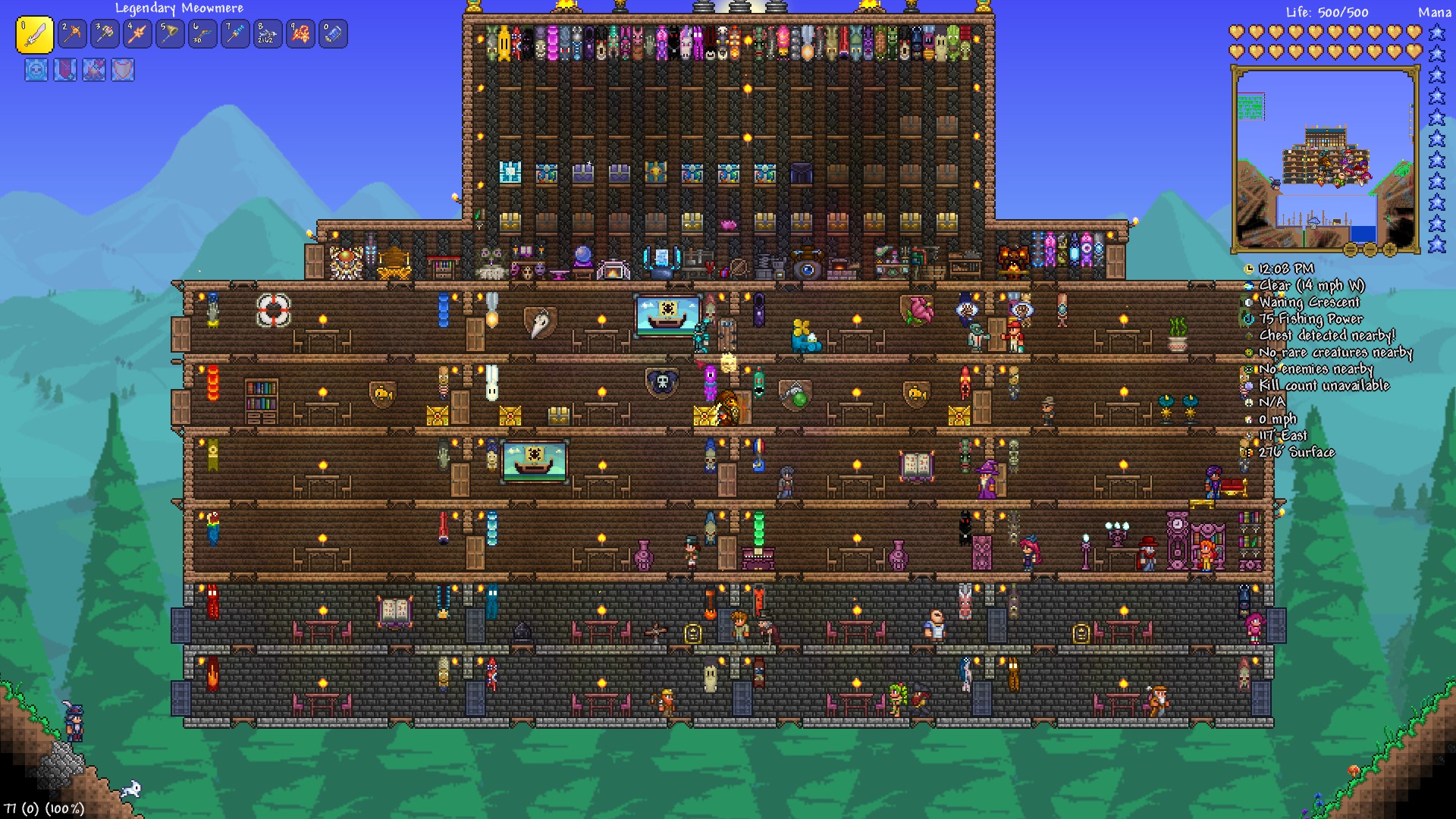
Native Linux version w/ updated FNA libraries:

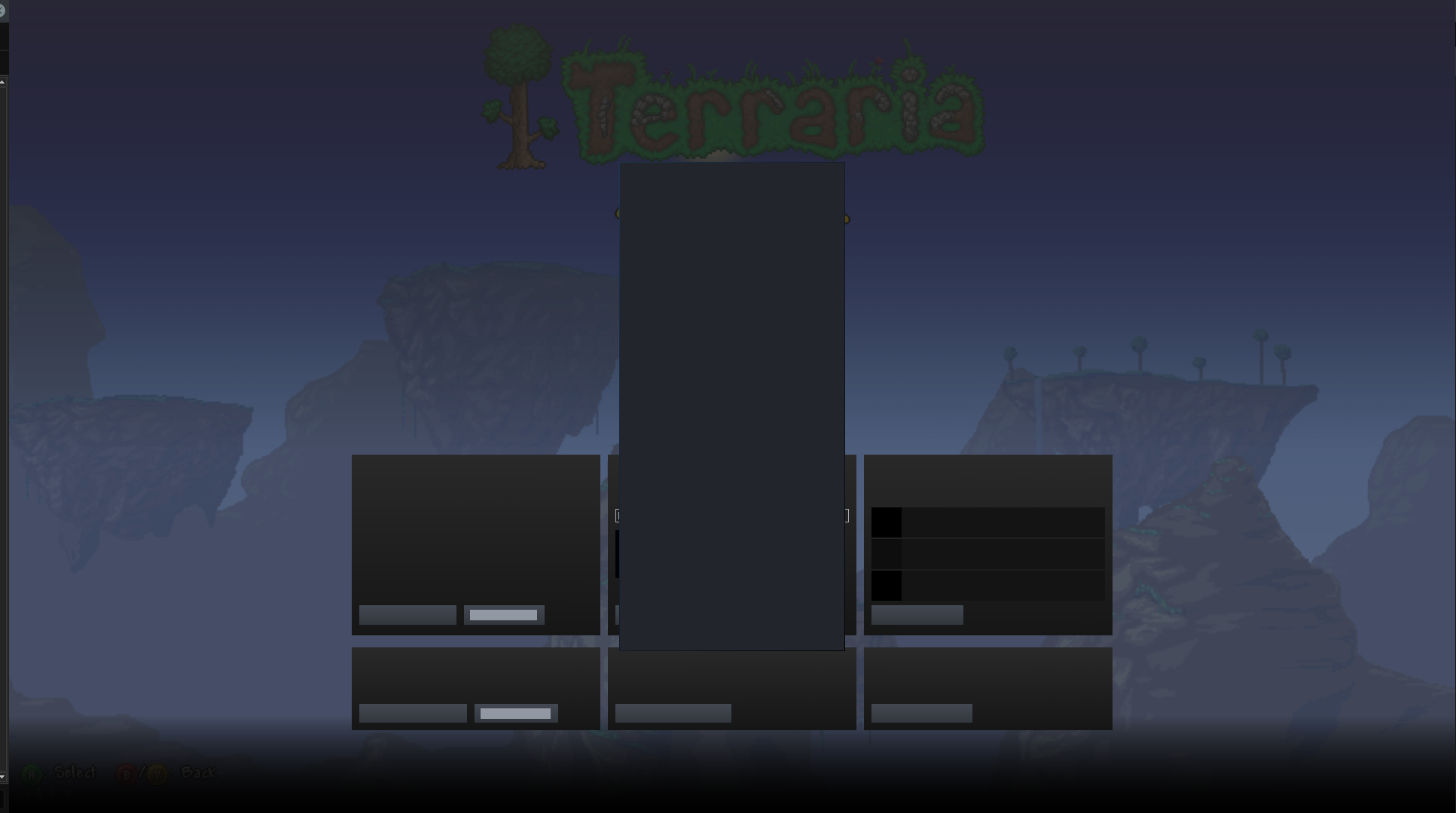
Windows version w/ Proton 4.11-12 + DXVK:

If I set the Lighting option (in video settings) to anything other than Trippy or Retro, I get a stable 120 fps on the native Linux version as well.
But I prefer Trippy, as it looks cooler and it helps a little with blocks visibility in darker areas, IMO. :)
My Steam overlay is corrupted in Terraria and one other game (Bleed). All the UI elements are blank and flash different colors. Proton version seems to not matter.
@Gooberpatrol66 https://github.com/ValveSoftware/steam-for-linux/issues/7889
Also the main menu seems to be unusable with a mouse if a gamepad is plugged in because the selected entry keeps resetting to the first one.
Just wanted to document my findings for the newly-released Terraria 1.4.4, running via Proton.
TL;DR version
You can probably get much more fps by running Terraria through Proton:
Native Linux version (very low)

Proton 6.3-20220119 + DXVK (very low)
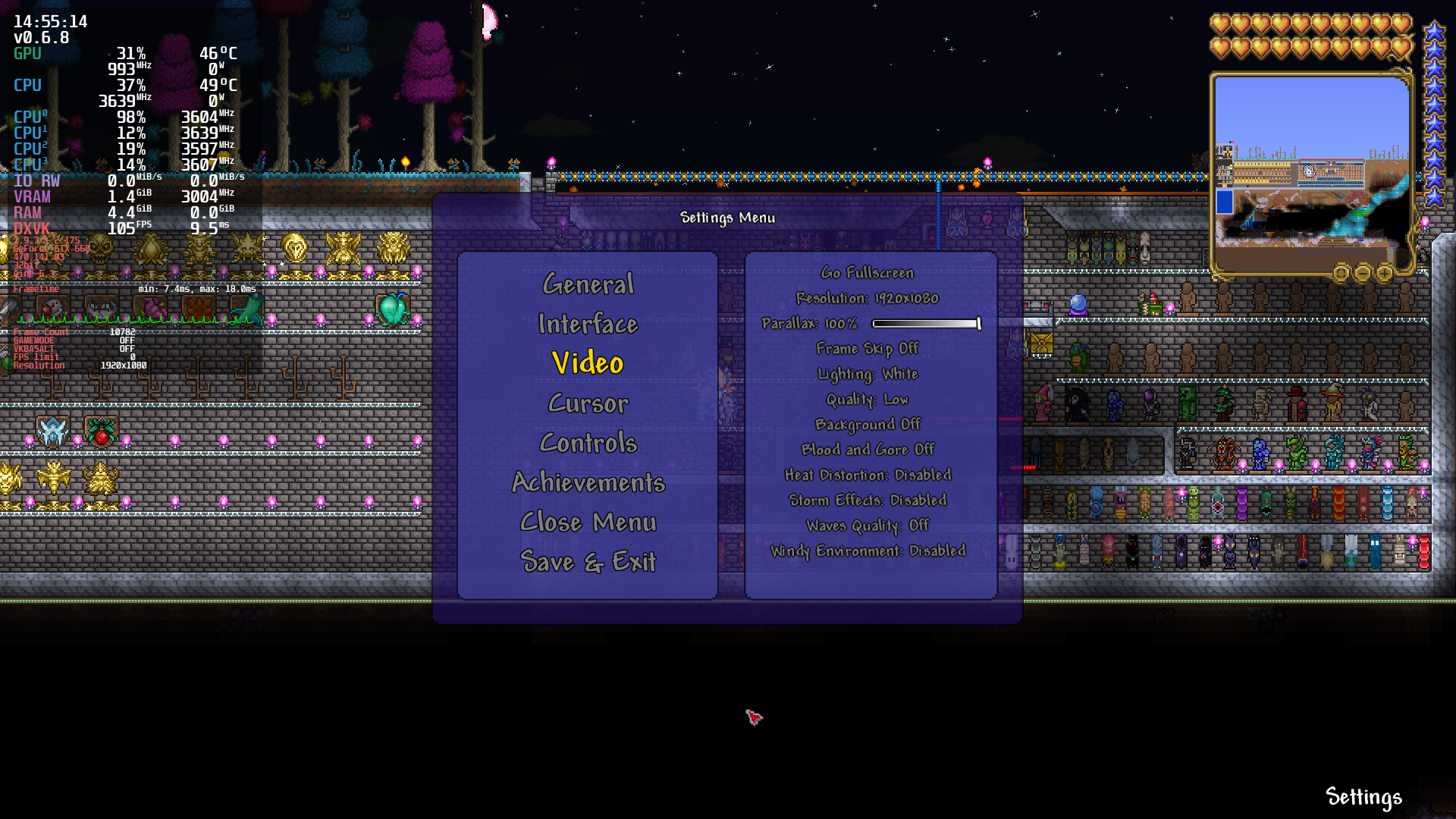
Native Linux version (maxed out)
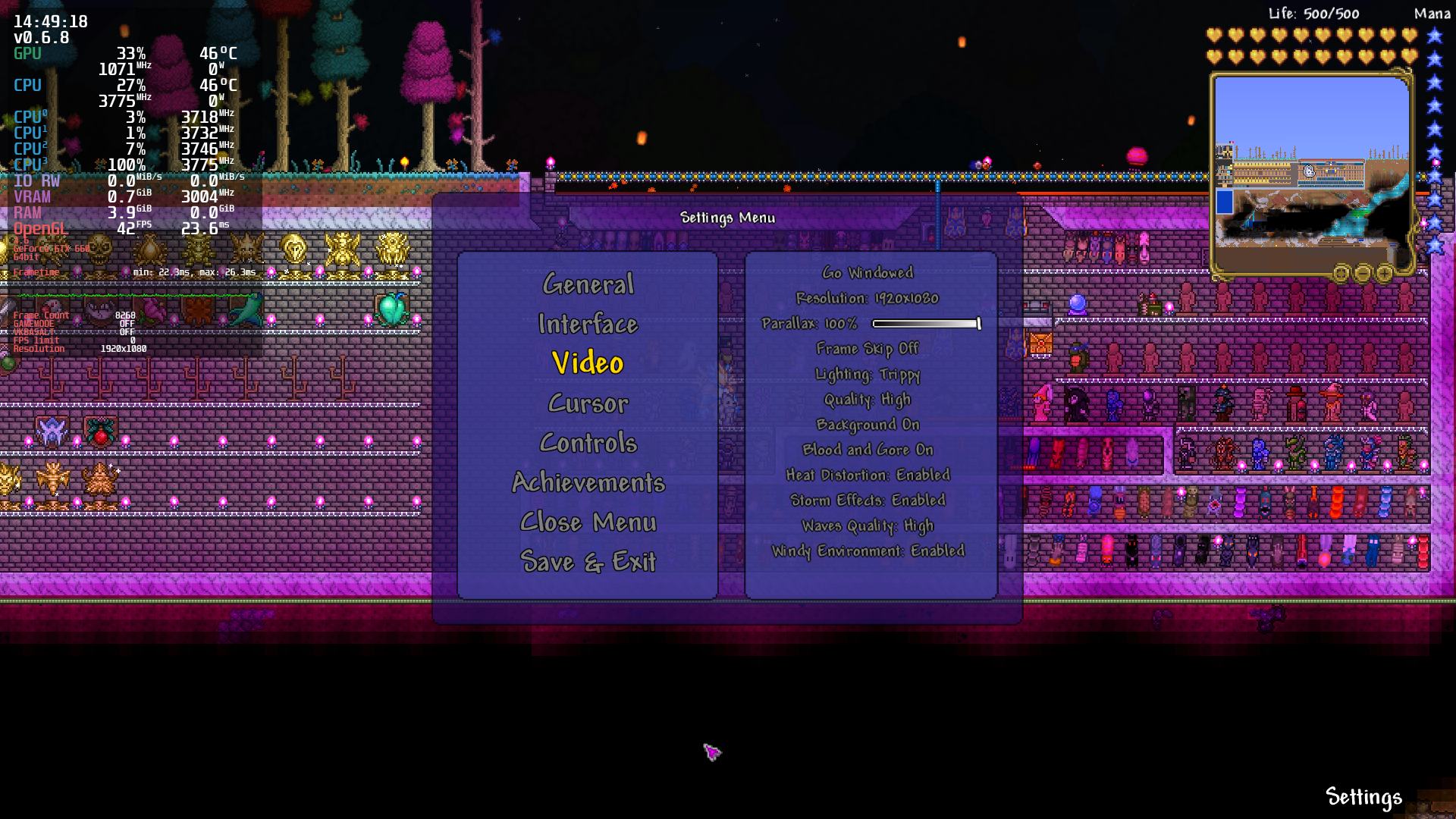
Proton 6.3-20220119 + DXVK (maxed out)

However, there's a big issue right now: Terraria only runs with Proton 6.3 and newer, but as of today, the dotnet40 component (required for the XNA framework) is only installable with Proton 5.13-6 and older. There is somewhat of a "solution", though, at the end of this post.
The problem (longer version)
I documented 2 years ago that, (unfortunately),Terraria would run much better via Proton + DXVK than the native Linux version, at least on my old hardware:
- GPU: NVIDIA GTX 660 (drivers: 470.141.03)
- CPU: Intel i5 3570K
- RAM: 8 GB
But there's a big issue: While the dotnet40 component installs just fine on Proton 5.13-6 (and older) using protontricks, it will not install on newer Proton versions (from 6.3-8 through 7.0-4), due to this error:
$ protontricks 105600 --force -q xna40
[...]
0124:err:msi:extract_cabinet FDICopy failed
0124:err:msi:ACTION_InstallFiles Failed to extract cabinet: L"netfx_core.mzz"
0124:err:msi:execute_script Execution of script 0 halted; action L"InstallFiles" returned 1603
0124:err:msi:ITERATE_Actions Execution halted, action L"InstallFinalize" returned 1603
0124:fixme:msi:ACTION_CustomAction msidbCustomActionTypeTSAware not handled
0124:fixme:msi:ACTION_CustomAction msidbCustomActionTypeTSAware not handled
0124:err:msi:execute_script Execution of script 2 halted; action L"[SchedServiceConfig<=>S-1-5-21-0-0-0-1000<=>{F5B09CFD-F0B2-36AF-8DF4-1DF6B63FC7B4}]RollbackServiceConfig" returned 1603
011c:fixme:advapi:LsaOpenPolicy ((null),00A2F368,0x00000001,00A2F35C) stub
011c:fixme:security:GetWindowsAccountDomainSid (00A2F1D4 0081005C 00A2F1D0): semi-stub
011c:fixme:secur32:GetComputerObjectNameW NameFormat 7 not implemented
011c:fixme:advapi:LsaClose (0000CAFE) stub
011c:fixme:ntdll:EtwUnregisterTraceGuids deadbeef: stub
------------------------------------------------------
warning: Note: command /home/gui/.var/app/com.github.Matoking.protontricks/cache/protontricks/proton/Proton 6.3/bin/wine dotNetFx40_Full_x86_x64.exe /q /c:install.exe /q returned status 67. Aborting.
------------------------------------------------------
You'd think the solution is to just use an older version of Proton then, right? Wrong, unfortunately.
That's because Terraria stopped working on Proton versions equal or older than 5.13-6:
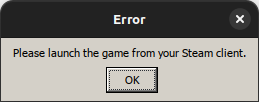
"Please launch the game from your Steam client."
Running with PROTON_LOG=1 tells me following:
79286.962:00cc:00d0:err:steamclient:create_win_interface Don't recognize interface name: STEAMREMOTESTORAGE_INTERFACE_VERSION016
That probably means Terraria is using a specific API from the Steam DLL that is only present on recent Proton builds (6.3-8 and newer).
That's really unlucky, but there's a somewhat easy solution if you're using the Flatpak version of Steam.
The solution (Flatpak Steam only)
The solution is to use a very specific build of Proton 6 Experimental, in which dotnet40 is installable and Terraria works, simultaneously. Unfortunately, this Proton build is not easily available for download, and I couldn't find any Proton-GE build that this would work.
Flatpak to the rescue, then!
Assuming you already have the Flatpak version of Steam installed, you need to install a community build of Proton Experimental, also through Flatpak:
flatpak install flathub com.valvesoftware.Steam.CompatibilityTool.Proton-Exp
However, that will install the very last version of Proton Experimental, and we don't want that because dotnet40 cannot be installed there (as of today, anyway).
So, now we have to downgrade it to a very specific version, aka build 6.3-20220119:
sudo flatpak update --commit=3050609e8c61805561ca897de20754d68c96005ce86c4b5fc0a9200cd9d742be com.valvesoftware.Steam.CompatibilityTool.Proton-Exp
Now, we force Flatpak to prevent updating it with:
flatpak mask com.valvesoftware.Steam.CompatibilityTool.Proton-Exp
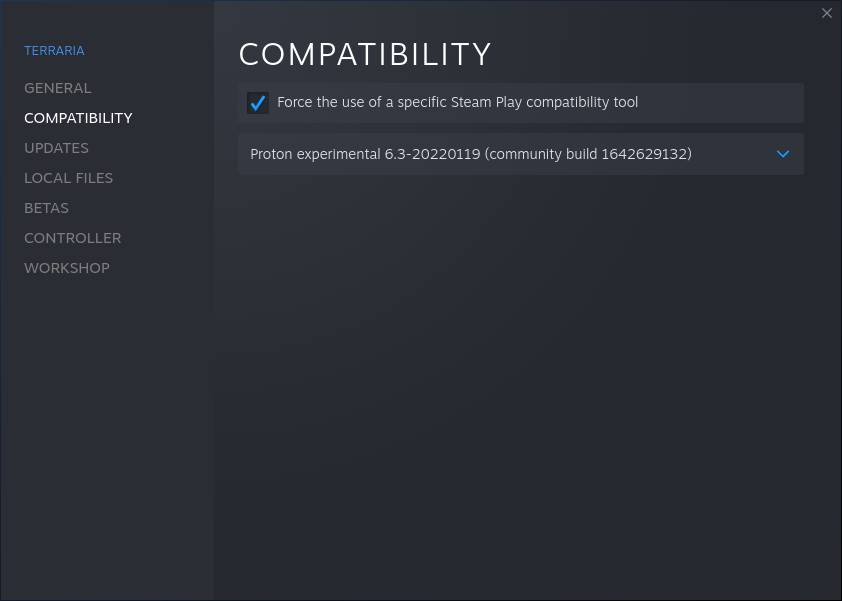
Now, restart Steam. Then, find Terraria in your Steam library, right-click on it, select "Properties" > "Compatibility", enable "Force the use of a specific Steam Play compatibility tool" and then finally choose Proton experimental 6.3-20220119 (community build 1642629132):
Now, we install protontricks, also via Flatpak:
flatpak install flathub com.github.Matoking.protontricks
And finally, using protontricks, we install the xna40 component to our Terraria Proton prefix, which will also install dotnet40:
flatpak run com.github.Matoking.protontricks 105600 --force -q xna40
If everything goes well, the command above should finish with no major errors, and hopefully you'll get more fps on Terraria as well.
Native XNA4 can be used with current Wine Mono, but I don't think it will help because the issues with Terraria in Wine Mono are probably not XNA/FNA-related. (But, I never managed to track down the cause of the bug I was working on, so I could be wrong.)
This can be enabled by setting WINE_MONO_OVERRIDES=Microsoft.Xna.Framework.*,Gac=y in launch options.
You could also experiment with different backends for FNA in the native Linux version of the game, assuming it ships a sufficiently recent version of FNA. You can set FNA3D_FORCE_DRIVER=OpenGL or FNA3D_FORCE_DRIVER=Vulkan. I think OpenGL is the default on Linux.
Very interesting, thanks for the suggestions! I didn't know that one could install XNA4 using just native Wine Mono, that's very cool. And I wasn't aware of WINE_MONO_OVERRIDES, at all!
So, I created a clean Proton 7.0-4 prefix, and the only thing I did was to manually install XNA4 by executing the xnafx40_redist.msi binary found in Terraria's main folder (I basically ran protontricks 105600 explorer, browsed through the directories and double-clicked it to install).
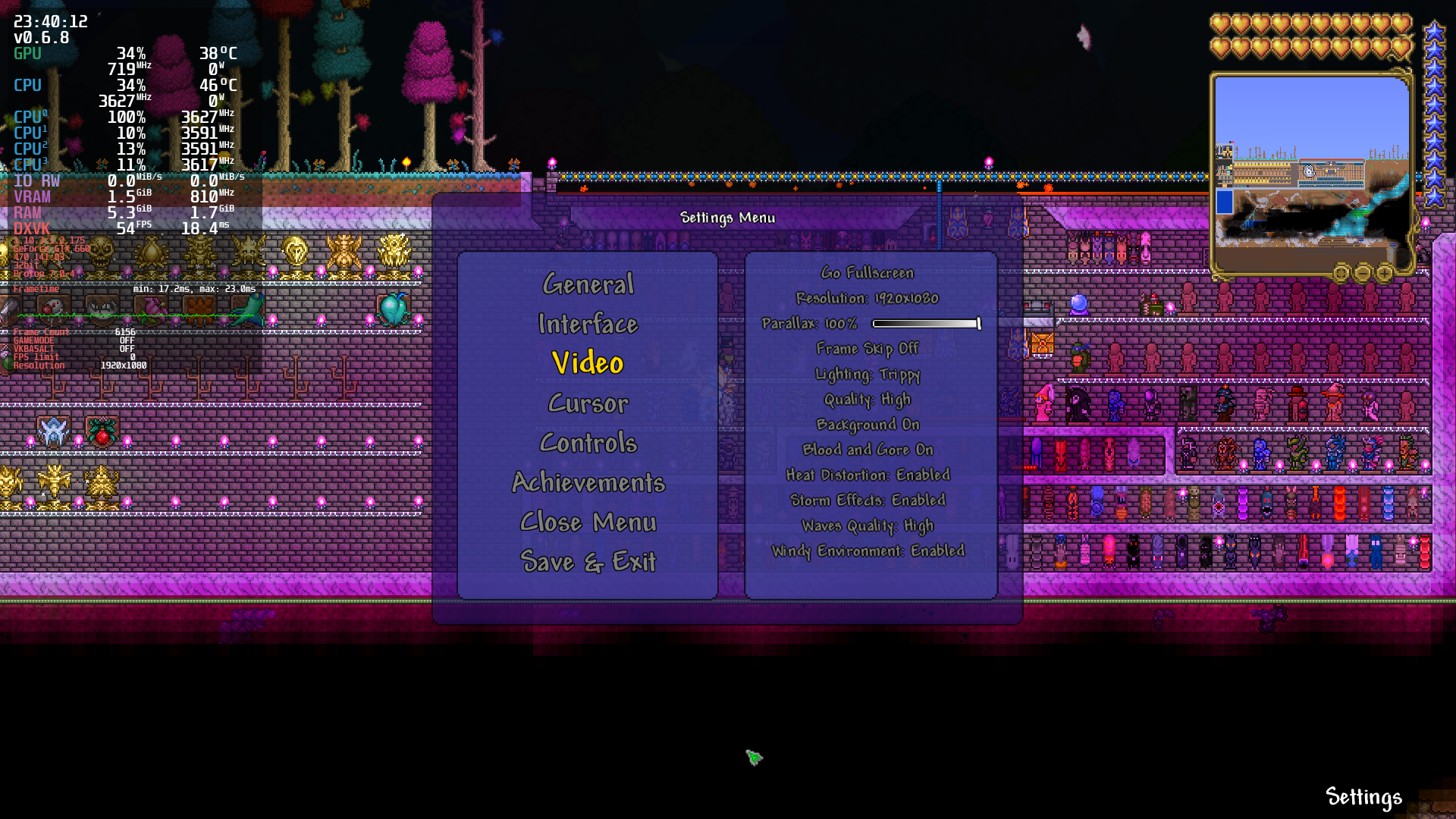
Then, I set the WINE_MONO_OVERRIDES variable to what you suggested, and although the game did launch perfectly and the results were still better than running it natively with FNA, it still didn't beat the dotnet40 + xna40 combo... :(
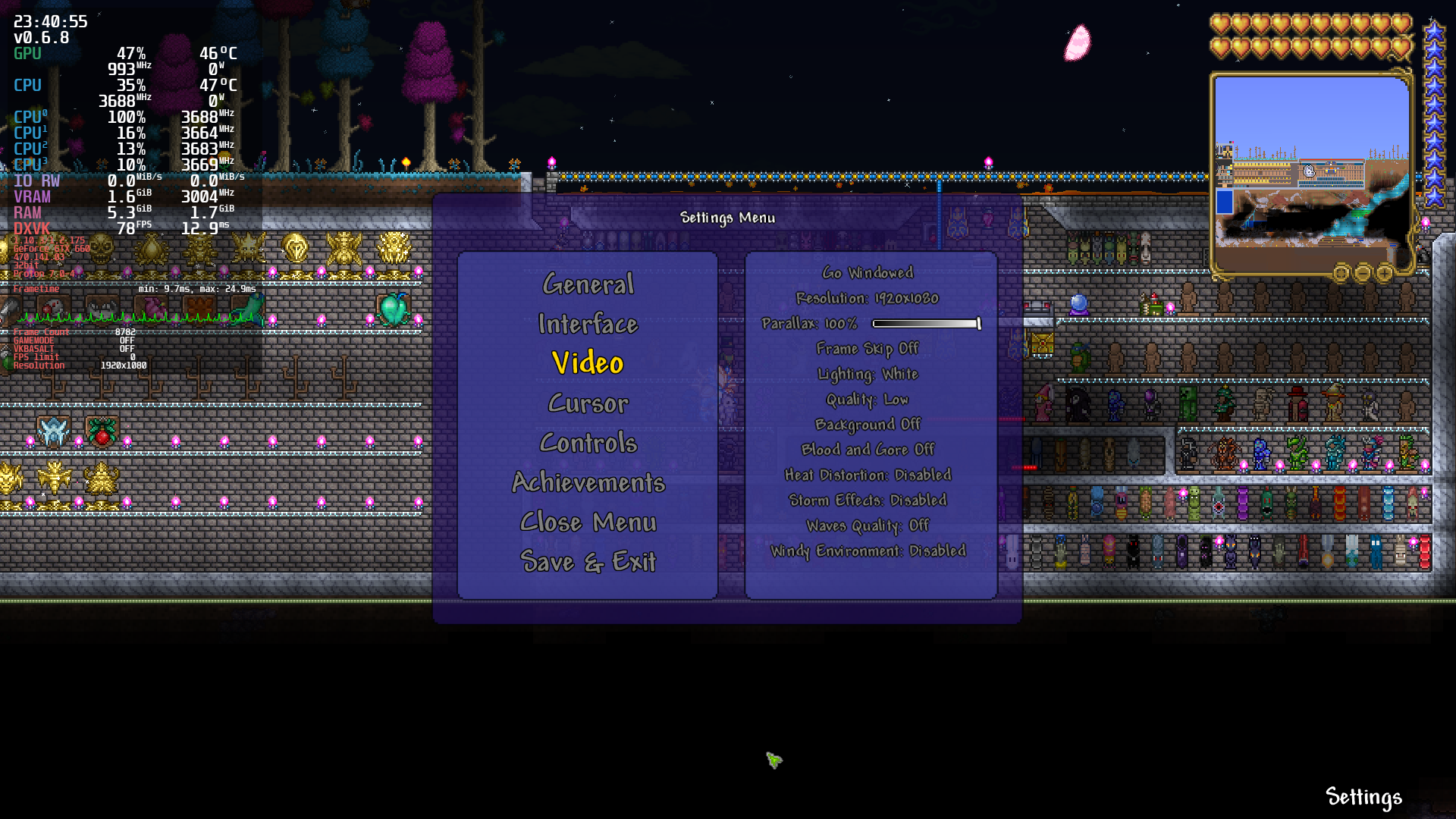
I took some screenshots:
Proton 7.0-4 + Wine Mono + XNA + DXVK (very low)
Proton 7.0-4 + Wine Mono + XNA + DXVK (maxed out)
I also forgot to mention that I did try the Vulkan renderer of FNA previously, and although the results were better than using the default OpenGL renderer, I abandoned the idea very quickly after the game randomly crashed... 😅
FNA3D_FORCE_DRIVER=Vulkan doesn't work for me, by the way. I had to append /gldevice:Vulkan to the game's launch options, which I guess is the same thing. Anyway, here are some screenshots I just took for comparison:
Native Linux version (Vulkan, very low)
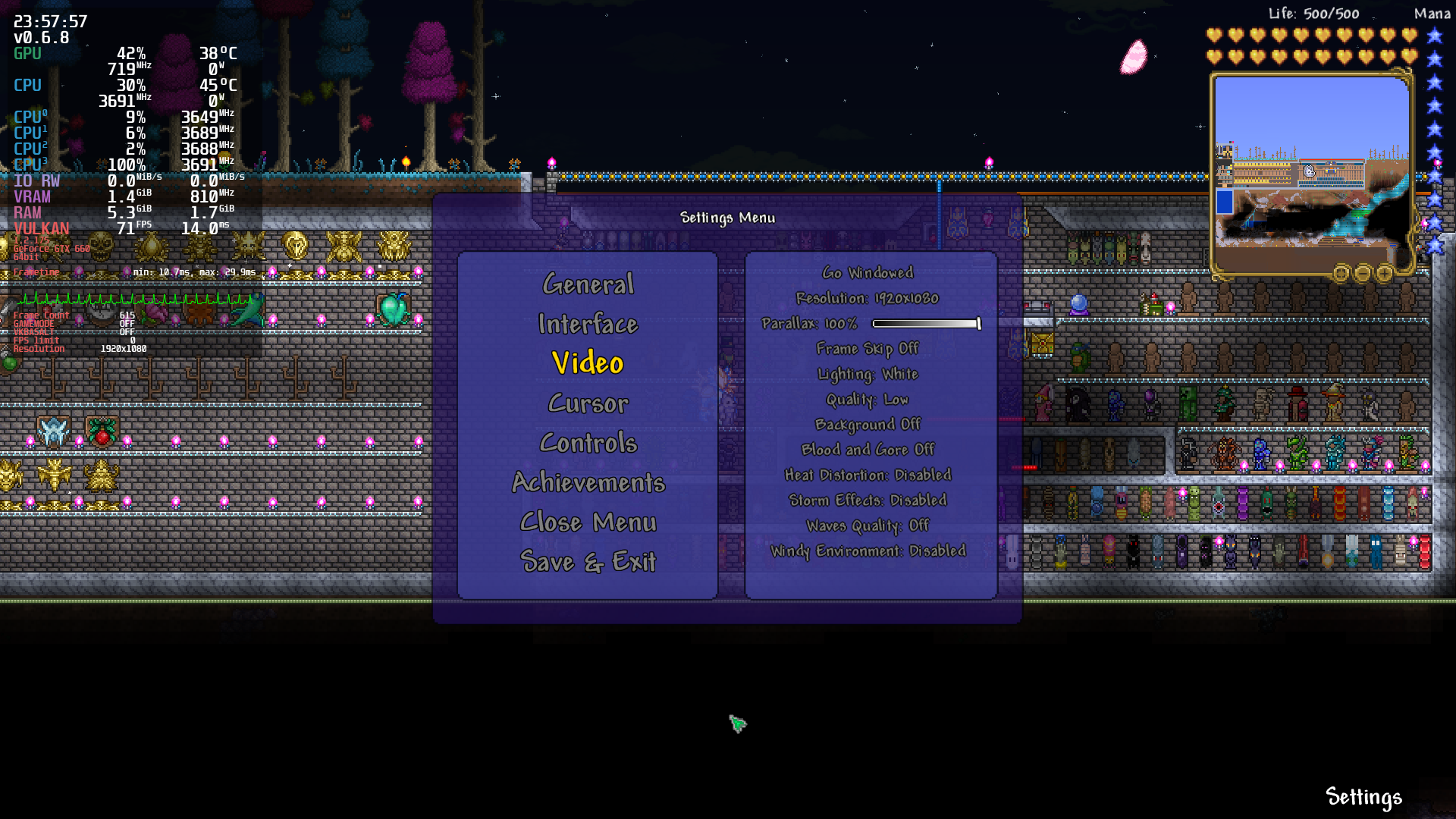
Native Linux version (Vulkan, maxed out)

FNA 23.05 adds initial support for dxvk-native and vkd3d-shader - with the native version, this update should allow launching with /gldevice:D3D11 as an argument:
cd ~/.local/share/Steam/steamapps/common/Terraria # Or wherever your install is
curl -O https://fna.flibitijibibo.com/archive/fnalibs.tar.bz2
curl -O https://fna.flibitijibibo.com/archive/linux_d3d11.tar.bz2
tar xvfj fnalibs.tar.bz2 lib64/libFNA3D.so.0
tar xvfj linux_d3d11.tar.bz2
This is still pretty early in development (see notes here), but I could use some more data points and testing, so those of you with super beefy save files should give this a try!
That's awesome! Unfortunately, I won't be able to test it myself because my GPU (a GTX 660) is a little too old for newer versions of DXVK, which require support for Vulkan 1.3... :/
I believe the older version might work, haven't tried it but I believe this was before the requirement got bumped: https://github.com/Joshua-Ashton/dxvk-native/releases/tag/native-1.9.2a
@flibitijibibo That version did work, yay! :)
Performance-wise, it's really impressive: With maxed out video settings, the fps is very close to the previous Proton+DXVK combo I normally use.
Stability-wise, I think only time will tell, but I did play for about half an hour, just flying around the map killing monsters, and I didn't notice any strange glitches (and it didn't crash, of course).
By the way, my hardware specs have remained the same since my last post (:sob:):
- CPU: Intel i5 3570k (3.4 GHz)
- GPU: NVIDIA GTX 660
- RAM: 8 GB
- OS: Arch Linux (kernel: 6.1.27-1-lts)
I took a quick a screenshot of the game running using version 1.9.2a of DXVK native, with video settings maxed out:
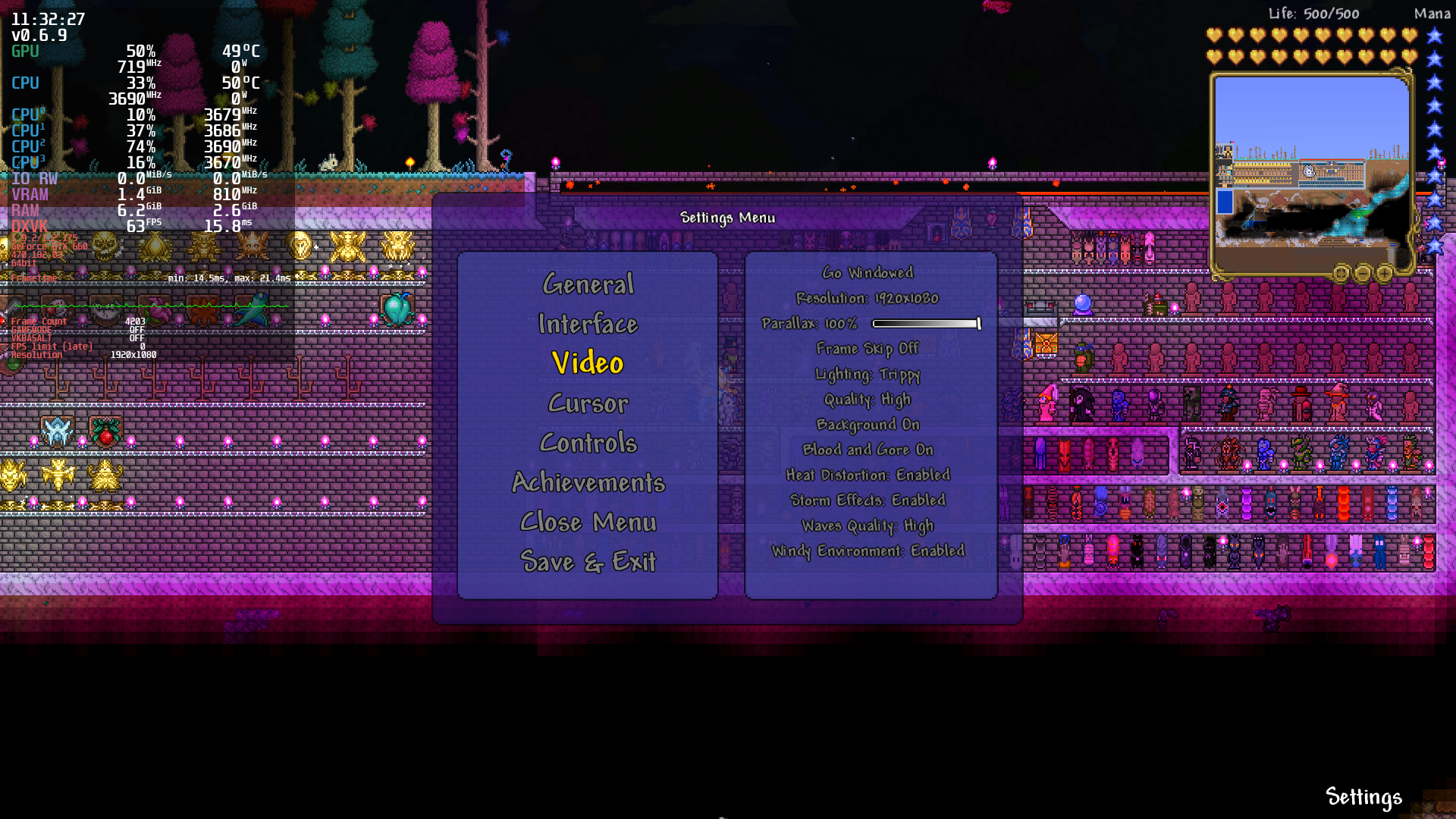
(Last year's screenshot of Proton+DXVK for comparison)
And just for fun, I also tested the original "native Linux renderers" (i.e., OpenGL and Vulkan). Comparing the results I just got with the ones I posted here last year, it appears they have received some neat performance improvements too, which is nice!
OpenGL (~8 fps gain compared to last year's screenshot):

Vulkan (~3 fps gain compared to last year's screenshot):
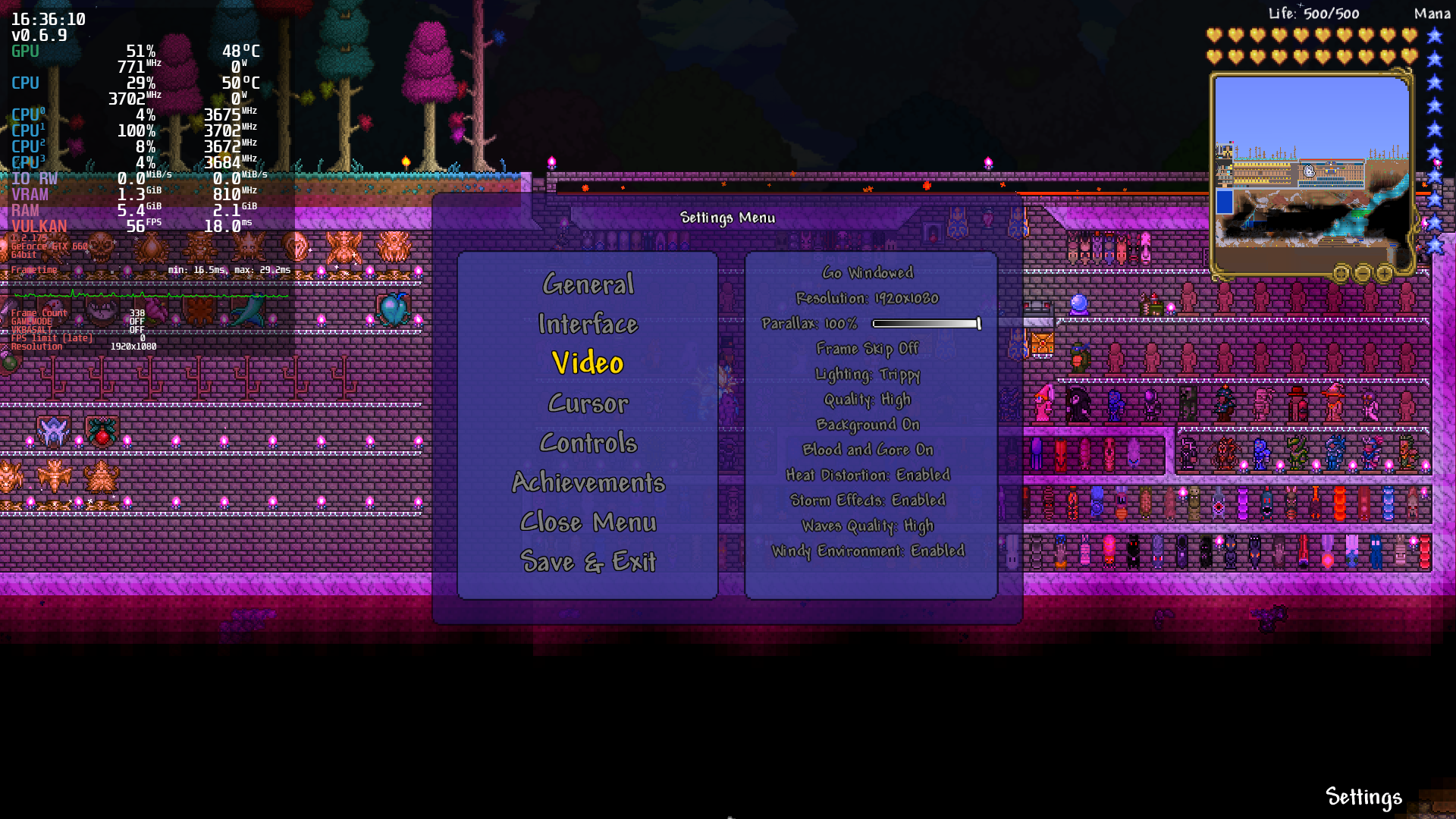
Unfortunately, despite the good performance, the Vulkan renderer remains a bit glitchy:
https://user-images.githubusercontent.com/626206/236699664-1d77a4dc-a0fb-4008-b211-6cbb468c121d.mp4
So there seems to be a new issue now with keyboard inputs in this game under Proton. When typing (e.g. character names), keystrokes are all doubled: for example, eexxaammppllee. This happens even if keystroke repetition is turned off in Xorg, and I was unable to find reports of similar behaviour under Windows, however I was however able to locate 2 reports of identical behaviour on multiple systems across social media. This paints Proton as the likely candidate.
cd ~/.local/share/Steam/steamapps/common/Terraria # Or wherever your install is
curl -O https://fna.flibitijibibo.com/archive/fnalibs.tar.bz2
curl -O https://fna.flibitijibibo.com/archive/linux_d3d11.tar.bz2
tar xvfj fnalibs.tar.bz2 lib64/libFNA3D.so.0
tar xvfj linux_d3d11.tar.bz2
I tried doing this on a friend's machine today, and it doesn't work anymore. :(
Logs:
ERROR: ld.so: object '/home/rammiro/.var/app/com.valvesoftware.Steam/.local/share/Steam/ubuntu12_64/gameoverlayrenderer.so' from LD_PRELOAD cannot be preloaded (wrong ELF class: ELFCLASS64): ignored.
ERROR: ld.so: object '/home/rammiro/.var/app/com.valvesoftware.Steam/.local/share/Steam/ubuntu12_32/gameoverlayrenderer.so' from LD_PRELOAD cannot be preloaded (wrong ELF class: ELFCLASS32): ignored.
ERROR: ld.so: object '/home/rammiro/.var/app/com.valvesoftware.Steam/.local/share/Steam/ubuntu12_32/gameoverlayrenderer.so' from LD_PRELOAD cannot be preloaded (wrong ELF class: ELFCLASS32): ignored.
ERROR: ld.so: object '/home/rammiro/.var/app/com.valvesoftware.Steam/.local/share/Steam/ubuntu12_32/gameoverlayrenderer.so' from LD_PRELOAD cannot be preloaded (wrong ELF class: ELFCLASS32): ignored.
ERROR: ld.so: object '/home/rammiro/.var/app/com.valvesoftware.Steam/.local/share/Steam/ubuntu12_32/gameoverlayrenderer.so' from LD_PRELOAD cannot be preloaded (wrong ELF class: ELFCLASS32): ignored.
ERROR: ld.so: object '/home/rammiro/.var/app/com.valvesoftware.Steam/.local/share/Steam/ubuntu12_32/gameoverlayrenderer.so' from LD_PRELOAD cannot be preloaded (wrong ELF class: ELFCLASS32): ignored.
ERROR: ld.so: object '/home/rammiro/.var/app/com.valvesoftware.Steam/.local/share/Steam/ubuntu12_32/gameoverlayrenderer.so' from LD_PRELOAD cannot be preloaded (wrong ELF class: ELFCLASS32): ignored.
ERROR: ld.so: object '/home/rammiro/.var/app/com.valvesoftware.Steam/.local/share/Steam/ubuntu12_32/gameoverlayrenderer.so' from LD_PRELOAD cannot be preloaded (wrong ELF class: ELFCLASS32): ignored.
Error Logging Enabled.
info:  Game: Terraria.bin.x86_64
info:  DXVK: v2.3-15-g2ed1778d
info:  Vulkan: Found vkGetInstanceProcAddr in libvulkan.so.1 @ 0x7f03f873bbf0
info:  Built-in extension providers:
info:    SDL2 WSI
info:  Enabled instance extensions:
info:    VK_EXT_surface_maintenance1
info:    VK_KHR_get_surface_capabilities2
info:    VK_KHR_surface
info:    VK_KHR_xlib_surface
warn:  Skipping CPU adapter: llvmpipe (LLVM 16.0.6, 256 bits)
info:  NVIDIA GeForce GT 1030:
info:    Driver : NVIDIA 545.29.2
info:    Memory Heap[0]:
info:      Size: 2048 MiB
info:      Flags: 0x1
info:      Memory Type[7]: Property Flags = 0x1
info:    Memory Heap[1]:
info:      Size: 11977 MiB
info:      Flags: 0x0
info:      Memory Type[0]: Property Flags = 0x0
info:      Memory Type[1]: Property Flags = 0x0
info:      Memory Type[2]: Property Flags = 0x0
info:      Memory Type[3]: Property Flags = 0x0
info:      Memory Type[4]: Property Flags = 0x0
info:      Memory Type[5]: Property Flags = 0x0
info:      Memory Type[6]: Property Flags = 0x0
info:      Memory Type[8]: Property Flags = 0x6
info:      Memory Type[9]: Property Flags = 0xe
info:    Memory Heap[2]:
info:      Size: 246 MiB
info:      Flags: 0x1
info:      Memory Type[10]: Property Flags = 0x7
info:  NVIDIA GeForce GT 1030:
info:    Driver : NVIDIA 545.29.2
info:    Memory Heap[0]:
info:      Size: 2048 MiB
info:      Flags: 0x1
info:      Memory Type[7]: Property Flags = 0x1
info:    Memory Heap[1]:
info:      Size: 11977 MiB
info:      Flags: 0x0
info:      Memory Type[0]: Property Flags = 0x0
info:      Memory Type[1]: Property Flags = 0x0
info:      Memory Type[2]: Property Flags = 0x0
info:      Memory Type[3]: Property Flags = 0x0
info:      Memory Type[4]: Property Flags = 0x0
info:      Memory Type[5]: Property Flags = 0x0
info:      Memory Type[6]: Property Flags = 0x0
info:      Memory Type[8]: Property Flags = 0x6
info:      Memory Type[9]: Property Flags = 0xe
info:    Memory Heap[2]:
info:      Size: 246 MiB
info:      Flags: 0x1
info:      Memory Type[10]: Property Flags = 0x7
warn:  DXGI: Found monitors not associated with any adapter, using fallback
warn:  D3D11DeviceFeatures: External memory features not supported
info:  D3D11InternalCreateDevice: Maximum supported feature level: D3D_FEATURE_LEVEL_12_1
info:  D3D11InternalCreateDevice: Using feature level D3D_FEATURE_LEVEL_11_1
info:  Device properties:
info:    Device : NVIDIA GeForce GT 1030
info:    Driver : NVIDIA 545.29.2
info:  Enabled device extensions:
info:    VK_EXT_attachment_feedback_loop_layout
info:    VK_EXT_conservative_rasterization
info:    VK_EXT_custom_border_color
info:    VK_EXT_depth_bias_control
info:    VK_EXT_depth_clip_enable
info:    VK_EXT_extended_dynamic_state3
info:    VK_EXT_fragment_shader_interlock
info:    VK_EXT_graphics_pipeline_library
info:    VK_EXT_non_seamless_cube_map
info:    VK_EXT_robustness2
info:    VK_EXT_shader_module_identifier
info:    VK_EXT_swapchain_maintenance1
info:    VK_EXT_transform_feedback
info:    VK_EXT_vertex_attribute_divisor
info:    VK_KHR_maintenance5
info:    VK_KHR_pipeline_library
info:    VK_KHR_present_id
info:    VK_KHR_present_wait
info:    VK_KHR_swapchain
info:  Device features:
info:    robustBufferAccess                     : 1
info:    fullDrawIndexUint32                    : 1
info:    imageCubeArray                         : 1
info:    independentBlend                       : 1
info:    geometryShader                         : 1
info:    tessellationShader                     : 1
info:    sampleRateShading                      : 1
info:    dualSrcBlend                           : 1
info:    logicOp                                : 1
info:    multiDrawIndirect                      : 1
info:    drawIndirectFirstInstance              : 1
info:    depthClamp                             : 1
info:    depthBiasClamp                         : 1
info:    fillModeNonSolid                       : 1
info:    depthBounds                            : 1
info:    wideLines                              : 1
info:    multiViewport                          : 1
info:    samplerAnisotropy                      : 1
info:    textureCompressionBC                   : 1
info:    occlusionQueryPrecise                  : 1
info:    pipelineStatisticsQuery                : 1
info:    vertexPipelineStoresAndAtomics         : 1
info:    fragmentStoresAndAtomics               : 1
info:    shaderImageGatherExtended              : 1
info:    shaderClipDistance                     : 1
info:    shaderCullDistance                     : 1
info:    shaderFloat64                          : 1
info:    shaderInt64                            : 1
info:    variableMultisampleRate                : 1
info:    shaderResourceResidency                : 1
info:    shaderResourceMinLod                   : 1
info:    sparseBinding                          : 1
info:    sparseResidencyBuffer                  : 1
info:    sparseResidencyImage2D                 : 1
info:    sparseResidencyImage3D                 : 1
info:    sparseResidency2Samples                : 1
info:    sparseResidency4Samples                : 1
info:    sparseResidency8Samples                : 1
info:    sparseResidency16Samples               : 1
info:    sparseResidencyAliased                 : 1
info:  Vulkan 1.1
info:    shaderDrawParameters                   : 1
info:  Vulkan 1.2
info:    samplerMirrorClampToEdge               : 1
info:    drawIndirectCount                      : 1
info:    samplerFilterMinmax                    : 1
info:    hostQueryReset                         : 1
info:    timelineSemaphore                      : 1
info:    bufferDeviceAddress                    : 0
info:    shaderOutputViewportIndex              : 1
info:    shaderOutputLayer                      : 1
info:    vulkanMemoryModel                      : 1
info:  Vulkan 1.3
info:    robustImageAccess                      : 0
info:    pipelineCreationCacheControl           : 1
info:    shaderDemoteToHelperInvocation         : 1
info:    shaderZeroInitializeWorkgroupMemory    : 0
info:    synchronization2                       : 1
info:    dynamicRendering                       : 1
info:  VK_AMD_shader_fragment_mask
info:    extension supported                    : 0
info:  VK_EXT_attachment_feedback_loop_layout
info:    attachmentFeedbackLoopLayout           : 0
info:  VK_EXT_conservative_rasterization
info:    extension supported                    : 1
info:  VK_EXT_custom_border_color
info:    customBorderColors                     : 1
info:    customBorderColorWithoutFormat         : 1
info:  VK_EXT_depth_clip_enable
info:    depthClipEnable                        : 1
info:  VK_EXT_depth_bias_control
info:    depthBiasControl                       : 1
info:    leastRepresentableValueForceUnormRepresentation : 1
info:    floatRepresentation                    : 0
info:    depthBiasExact                         : 1
info:  VK_EXT_extended_dynamic_state3
info:    extDynamicState3AlphaToCoverageEnable  : 1
info:    extDynamicState3DepthClipEnable        : 1
info:    extDynamicState3RasterizationSamples   : 1
info:    extDynamicState3SampleMask             : 1
info:    extDynamicState3LineRasterizationMode  : 1
info:  VK_EXT_fragment_shader_interlock
info:    fragmentShaderSampleInterlock          : 1
info:    fragmentShaderPixelInterlock           : 1
info:  VK_EXT_full_screen_exclusive
info:    extension supported                    : 0
info:  VK_EXT_graphics_pipeline_library
info:    graphicsPipelineLibrary                : 1
info:  VK_EXT_line_rasterization
info:    rectangularLines                       : 1
info:    smoothLines                            : 1
info:  VK_EXT_memory_budget
info:    extension supported                    : 1
info:  VK_EXT_memory_priority
info:    memoryPriority                         : 0
info:  VK_EXT_non_seamless_cube_map
info:    nonSeamlessCubeMap                     : 0
info:  VK_EXT_robustness2
info:    robustBufferAccess2                    : 1
info:    robustImageAccess2                     : 1
info:    nullDescriptor                         : 1
info:  VK_EXT_shader_module_identifier
info:    shaderModuleIdentifier                 : 1
info:  VK_EXT_shader_stencil_export
info:    extension supported                    : 0
info:  VK_EXT_swapchain_colorspace
info:    extension supported                    : 0
info:  VK_EXT_swapchain_maintenance1
info:    swapchainMaintenance1                  : 1
info:  VK_EXT_hdr_metadata
info:    extension supported                    : 0
info:  VK_EXT_transform_feedback
info:    transformFeedback                      : 1
info:    geometryStreams                        : 1
info:  VK_EXT_vertex_attribute_divisor
info:    vertexAttributeInstanceRateDivisor     : 1
info:    vertexAttributeInstanceRateZeroDivisor : 1
info:  VK_KHR_external_memory_win32
info:    extension supported                    : 0
info:  VK_KHR_external_semaphore_win32
info:    extension supported                    : 0
info:  VK_KHR_maintenance5
info:    maintenance5                           : 1
info:  VK_KHR_present_id
info:    presentId                              : 1
info:  VK_KHR_present_wait
info:    presentWait                            : 1
info:  VK_NVX_binary_import
info:    extension supported                    : 0
info:  VK_NVX_image_view_handle
info:    extension supported                    : 0
info:  VK_KHR_win32_keyed_mutex
info:    extension supported                    : 0
info:  Queue families:
info:    Graphics : 0
info:    Transfer : 1
info:    Sparse   : 0
Fossilize INFO: Overriding serialization path: "/home/rammiro/.var/app/com.valvesoftware.Steam/.local/share/Steam/steamapps/shadercache/105600/fozpipelinesv6/steamapprun_pipeline_cache".
info:  Memory type mask for sparse resources: 0x80
warn:  DXVK: No state cache file found
info:  DXVK: Graphics pipeline libraries supported
[S_API] SteamAPI_Init(): Loaded '/home/rammiro/.var/app/com.valvesoftware.Steam/.local/share/Steam/linux64/steamclient.so' OK.
Setting breakpad minidump AppID = 105600
SteamInternal_SetMinidumpSteamID:  Caching Steam ID:  76561198025177045 [API loaded no]
./Terraria.bin.x86_64: symbol lookup error: /home/rammiro/.var/app/com.valvesoftware.Steam/.local/share/Steam/steamapps/common/Terraria/lib64/libFNA3D.so.0: undefined symbol: SDL_GetWindowSizeInPixels
You'll also want SDL from fnalibs:
tar xvfj fnalibs.tar.bz2 lib64/libSDL2-2.0.so.0
[Terraria] Proton writes a key twice when typing.
Issue transferred from https://github.com/ValveSoftware/Proton/issues/7379.
@RobotoSkunk posted on 2024-01-02T09:29:54:
Compatibility Report
- Name of the game with compatibility issues: Terraria
- Steam AppID of the game: 105600
System Information
- GPU: NVIDIA GeForce GTX 1650
- Video driver version: NVIDIA 545.29.02
- Kernel version: 6.5.0-5-amd64
- Link to full system information report as Gist: https://gist.github.com/8565afc915c9915c66e88c0b7f01628c
- Proton version: experimental, 8.0 and 7.0
I confirm:
- [x] that I haven't found an existing compatibility report for this game.
- [x] that I have checked whether there are updates for my system available.
Symptoms
When you type anything with the keyboard, it appears in the game as if you had pressed the same key twice.
This bug happens with every single key, except with the backspace. Only happens with Proton, launching the game as a Native app works correctly (but it's bugged because Microsoft.Xna.Framework.Game is missing after the first launch, so I have to launch it with Proton).
Reproduction
- Launch Terraria with some of the mentioned Proton versions above.
- Go to any place to write text (the character creation name menu by example).
- Type anything on it.
Terraria Beta 1.2.4.1 launches, but no music plays
Issue transferred from https://github.com/ValveSoftware/Proton/issues/8909.
@Mangna1 posted on 2025-07-16T04:15:48:
Compatibility [Report]
- Name of the game with compatibility issues: Terraria Beta 1.2.4.1
- Steam AppID of the game: 105600
System Information
- GPU: GTX 760 4GB
- Video driver version: nvidia 470.256.02
- Kernel version: 5.15.0-143-generic
- Link to full system information report as Gist: https://gist.github.com/Mangna1/12b44eb059a900fe4e77d3c2ef0d262f
- Proton version: Proton 10.0-1 beta
I confirm:
- [x] that I haven't found an existing compatibility report for this game.
- [x] that I have checked whether there are updates for my system available.
Symptoms:
Hello, I was trying launch the Terraria Beta 1.2.4.1 on my PC and I found that Game has sound, but there is no music in the game. I have tried reinstalling the game, restarting my PC, and trying different versions of proton to no avail
Reproduction:
Will consistently produce issue when the game launches
Dunno what this means but it might be relevant?
0:00:00.262791224 13964 0xdb5edb80 ERROR   protonmediaconverter audioconv.c:301:dump_fozdb_discard_transcoded: Failed to create read fozdb, ret -4.
0:00:00.262872283 13964 0xdb5edb80 ERROR   protonmediaconverter audioconv.c:681:audio_conv_state_create: Failed to create fozdb from /home/epicgameingcoputor/.local/share/Steam/steamapps/shadercache/105600/transcoded_audio.foz, ret -4.
0:00:00.262897859 13964 0xdb5edb80 ERROR   protonmediaconverter audioconv.c:868:audio_conv_change_state: Failed to create audio conv state, ret -4.
Terraria (105600)
Issue transferred from https://github.com/ValveSoftware/Proton/issues/9440.
@TheLeftExit posted on 2026-01-27T19:11:52:
Compatibility Report
- Name of the game with compatibility issues: Terraria, specifically 1.4.5
- Steam AppID of the game: 105600
System Information
- GPU: AMD Radeon RX 7900 XTX
- Video driver version: 4.6 (Compatibility Profile) Mesa 25.3.4-arch1.1
- Kernel version: 6.18.6-arch1-1 (64-bit)
- Link to full system information report as Gist: https://gist.github.com/TheLeftExit/b306a5f9193d632ca48870d7dfc76929
- Proton version: tested with Experimental, Hotfix
I confirm:
- [x] that I haven't found an existing compatibility report for this game.
- [x] that I have checked whether there are updates for my system available.
Symptoms
Opening a new Terraria world always crashes the game with InvalidOperationException from XNA:
Other reports: https://www.reddit.com/r/Terraria/comments/1qoh80r/linux_users_any_luck_with_145/
Reproduction
Simply enter any world.
In detail - open the game, select Singleplayer, create a character and select them, create a world and select it, wait until it loads, get an exception dialog, game crashes.
Terraria Beta 1.2.4.1 launches, but no music plays
Issue transferred from [#8909](https://github.com/ValveSoftware/Proton/issues/8909). @Mangna1 posted on 2025-07-16T04:15:48:
I had the same issue on Terraria v1.0.6.1, likely to apply to v1.1.2 in the middle as well. All sounds working but no music ever played. Two audio output streams were created but nothing ever played on the music stream. Was able to get it working with "protontricks 105600 dotnet48" on GE-Proton11-3 with no launch options.
Proton versions
ge-proton11-3x1 2026-08proton 10.0-1x1 2025-07proton 7.0-4x1 2022-10proton 5.13-6x1 2022-09proton 6.3x1 2022-09proton 6.3-20220119x1 2022-09proton experimentalx1 2022-09proton 4.11-12x1 2020-02
Launch options
SDL_Gx1 2023-11WINE_MONO_OVERRIDESx1 2022-10WINE_MONO_OVERRIDES=Microsoft.Xna.Framework.*,Gac=y`x1 2022-09PROTON_LOG=1`x1 2022-09PROTON_USE_D9VK=1x1 2020-02
Launch lines
PROTON_USE_D9VK=1 %command%x1 2020-02
Upstream links
- ValveSoftware/Proton/issues/8909x2 2026-08
- ValveSoftware/Proton/issues/9440x1 2026-01
- ValveSoftware/Proton/issues/7379x1 2024-01
- ValveSoftware/steam-for-linux/issues/7889x1 2021-08
Compatibility Report
System Information
I confirm:
Symptoms
The issue can be summed up in one Exception:
The latest Mono BCL breaks compatibility with older .NET versions, in the form of a more aggressive IComparer behavior. thfr found this when doing *BSD ports of various FNA games:
https://github.com/rfht/fnaify/issues/16
There's a patch in place for OpenBSD, and it's simple enough...
https://github.com/openbsd/ports/commit/7670058636c4985f47fa8da6dceaa9e7fec4f933
... but for accuracy this should only apply to games running against .NET 4.0 and older. Finding a way to determine this at runtime would be a more appropriate fix, and Mono upstream would be more likely to accept it.
Reproduction