Grand Theft Auto IV
Seems similar to this, which in turn might be due GFWL.
A workaround for the moment is XLiveLess.
The game refuses to launch for me giving me a black screen. XLiveLess is installed
The installation goes fine, then it asks me about a Xbox account, I just hit play and then i get this error

@Houtworm, please read the comment above about XLiveLess. GFWL doesn't work on wine and probably never will.
Source?
AFAIK the current blockers are only LiveID service not initializing (which could have benefited a lot of the last work on msi installers) and WPF (which should have some very dirty workaround, at least).
I did get GTA IV to work using playonlinux. xliveless should be used as always.
It was rather straight forward until I started to apply patches needing to get any controller to work. Then it stopped working :-(.
Anyway: GTA IV should work more or less out of the box by installing the xlive.dll using the steam recipe on PoL (not the GTA IV recipe, as that is outdated).
I hope Proton will have an xliveless option in the future.
Anyway my problem is almost the same as I started with EFLC. EFLC should display a menu to select which of the two stories you want to play before starting the game itself. That menu is black.
What's your GPU / OS? @ardje
@vanyasem : GTA IV EFLC is working for me now (tm) on a GPD WIN 2 using padoka PPA. It only starts from the desktop client though, starting it from big picture gives me black screen. And I need big picture to translate the controller to something sane :-(. I need some more testing though.
This is using the 3.7.4-beta proton if I recall correctly... I will play with it some more tonight.
Note that being able to run it on the WIN 2 is an achievement as a lot of (linux) games ignore the rotated status of the screen and assume the 720x1280 rotated means 720 horizontal and 1280 vertical.
I also will test GTA IV EFLC on my steam machine by starting another wm in the .xsession and use the desktop client.
@mirh Source: winehq. Note on the bottom of the page.
Games for Windows - LIVE does not work under Wine. GFWL components will crash any game that use the service. The only thing to do about it is to cut XLive out using XLiveLess Patch.
I probably won't find a comment by one of Wine maintainers about GFWL support, but considering it has been a lot of time since that note was initially created, you probably get the idea.
Oh, wait, I am not using padoka, but oibaf, and that's a guy/repo who packages upstream mesa for stable ubuntu releases on a daily basis.
GTA EFLC seems to just take ages to get to the selection screen I've now seen. I should time it, it looks like 5...10 minutes in big picture mode.
The GPD WIN 2 is based on an intel SoC with a 720x1280 portrait display rotated landscape. It has no rotated scanout features, so all rotation is done in software. The specs: intel M3, intel HD 615, 8GB memory, xbox like gamepad.
On my steammachine with steamos beta, I just reboot it, because it never finishes installing. I think I should install it using desktop mode and see what happens. The steam machine is an i5 with a GTX960M with 3GB VRAM.
On the WIN2 I have major problems using the controller pad, but that might be due to not compiling the kernel correctly. It's not related to GTA at least.
About GFWL, I never knew anything other than to install xlive.dll to get rid of it.
I think installing social club from the GTA site should fix most of these.
But I don't know how proton integrates. Personally I would just use some base image and use a unionfs like fs layer on that. Or each game should have it's separate fixed up environment (like playonlinux).
About GFLW: a lot of howtos for windows is about how to disable GFLW. It's not just a problem for people using wine, it's a generic problem.
About the very long wait: I found this: https://www.reddit.com/r/GTA/comments/8ff35v/gta_iv_game_stays_on_a_black_screen_for_about_a/
It seems that it looks really like GTA IV EFLC is working properly.
Game keeps crashing during the benchmark (Options→Graphics→Benchmark).
gtaiv-benchmark-crash.log
I tried waiting for 11 minutes with no success. I am using the -windowed option. Could you please upload a screenshot?
Also there is a new folder in GTA IV directory called steam_shader_cache, which seems related to the fact that I have pre-compiled shaders on in Steam settings. Do you have that enabled?
I probably won't find a comment by one of Wine maintainers about GFWL support, but considering it has been a lot of time since that note was initially created, you probably get the idea.
Means [less than! random guy ≠ wine] nothing.
It's just microsoft gaming dep had a sort of reverse-NIMBY crisis and decided to implement everything they could via this or that windows service (which just about nobody would or does use).
And people seem so much like not even caring that in 3 years nobody noticed bugs getting fixed either.
I just cannot understand for the love of me, what people think wine objective would even be.
About GFLW: a lot of howtos for windows is about how to disable GFLW. It's not just a problem for people using wine, it's a generic problem.
That's because games come bundled with outdated runtimes, which cannot even get to the stage of updating without misbehaving on newer windows. But in my experience this can solve *all* problems.
p.s. I'm impressed that M3-7Y30 (corresponding broadly to a QX9300 plus HD4670) can bring "gta 4 working faster than a slideshow" territory on that tdp
@vanyasem
Before launching the game (in -windowed mode), I did 2 things:
# process doesn't seem to be useful? game ~works anyway
while :; do pkill -9 'gta4Browser.exe' ; sleep 2; done

# speeds up game startup (almost instant), drops all the outgoing connections
iptables -A OUTPUT -o eth0 ! -d 127.1 -j DROP
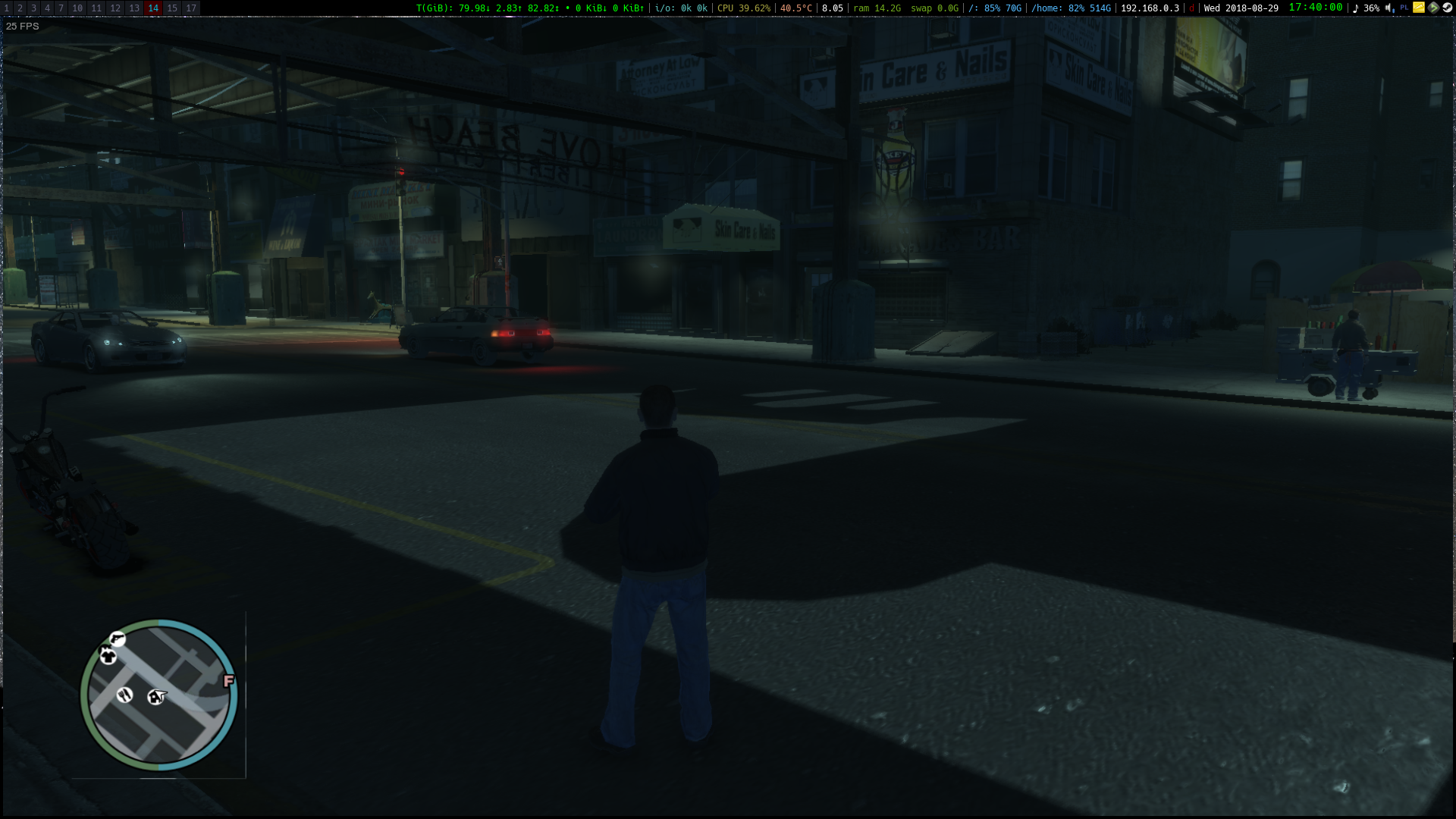
Framerate is horrible though, and there's a graphical glitch next to minimap:
Do you all have AMD GPUs or has someone succeeded in launching the game on an nvidia GPU? I feel like nvapi issue might be related here. Though it doesn't work for me even on latest wine staging, so unlikely, still worth noting.
The game is constantly eating one core of my CPU, staying at the black screen. I disabled intro videos just in case, but that didn't help.
I have the same problem as @vanyasem - xliveless is installed (used this before, so I know how to do it), but no matter what I do (killing gta4browser.exe, setting specific options), the screen just stays black (and one of my CPU cores goes to 100% usage).
This is on Arch Linux with NVIDIA 396.54
Me too. Have the same problem as @vanyasem and @DissCent
NVIDIA 396.54 drivers on GTX 1050m XUbuntu 18.04
@zetok's workaround does not work for me.
I had to install intel-microcode to get past the securom 8016 error on my
steam machine. The steam machine (with steamos and with steam in normal
client mode and window manager) has an nvidia card and it just hangs on
EFLC or plain IV.
My gpd win2 with intel hd and oibaf ppa starts EFLC fine. The install
requires xlive.dll . I have not been able to start IV on any of my systems
though.
okay i'm new to this steam proton thing, where do i have to put those wine fixes to block the gta4browser.exe? I tried to put it inside the user_settings.py but that just breaks all games.
I managed to get the game working fine by copying xliveless (from lutris repo) to the game folder, and then blocking tv.rockstargames.com (because that subdomain has misconfigured ip address at the moment, and game is stuck at disclaimer screen trying to connect to it) by applying following command:
sudo sh -c "echo '127.0.0.1 tv.rockstargames.com' >> /etc/hosts"
Nasty workaround (because of Rockstar's negligence towards GTAIV PC port), but it works.
What you suggest, @lazanet , seems to be for a separate issue. The first workaround is obvious and is for skipping GFWL. The second is for skipping activation and getting stuck at the disclaimer screen. The problem is that some of us are not even getting to the disclaimer screen. Can you please share your specs so that we can rule out some stuff? Tnx :-*
@Mattia98 I've managed to get EFLC running on nvidia by copying nvapi files from my system installation of wine (wine 3.14) to the corresponding directories in the Proton (Proton Beta 3.7-5) installation.
cp /usr/lib64/wine/nvapi64.dll.so ~/.local/share/Steam/steamapps/common/Proton\ 3.7\ Beta/dist/lib64/wine/nvapi64.dll.so
cp /usr/lib64/wine/fakedlls/nvapi64.dll ~/.local/share/Steam/steamapps/common/Proton\ 3.7\ Beta/dist/lib64/wine/fakedlls/nvapi64.dll
cp /usr/lib/wine/nvapi.dll.so  ~/.local/share/Steam/steamapps/common/Proton\ 3.7\ Beta/dist/lib/wine/nvapi.dll.so
cp /usr/lib/wine/fakedlls/nvapi.dll ~/.local/share/Steam/steamapps/common/Proton\ 3.7\ Beta/dist/lib/wine/fakedlls/nvapi.dll
For Arch the paths to wine libs differ:
cp -v /usr/lib64/wine/nvapi64.dll.so ~/.local/share/Steam/steamapps/common/Proton\ 3.7\ Beta/dist/lib64/wine/nvapi64.dll.so
cp -v /usr/lib64/wine/fakedlls/nvapi64.dll ~/.local/share/Steam/steamapps/common/Proton\ 3.7\ Beta/dist/lib64/wine/fakedlls/nvapi64.dll
cp -v /usr/lib32/wine/nvapi.dll.so  ~/.local/share/Steam/steamapps/common/Proton\ 3.7\ Beta/dist/lib/wine/nvapi.dll.so
cp -v /usr/lib32/wine/fakedlls/nvapi.dll ~/.local/share/Steam/steamapps/common/Proton\ 3.7\ Beta/dist/lib/wine/fakedlls/nvapi.dll
Can confirm, that fixes both GTA IV, and GTA EFLC for me
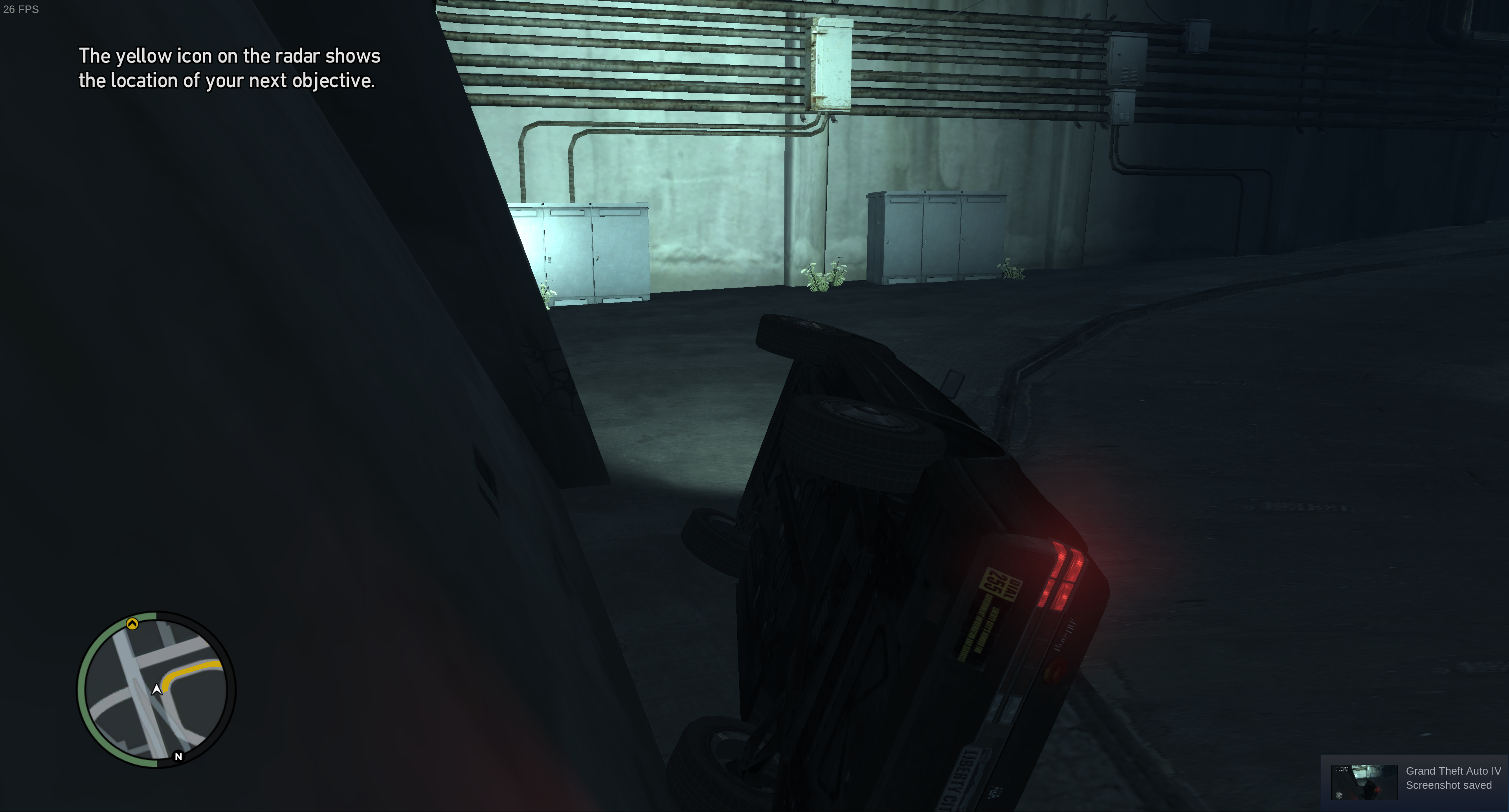
The game performs very poorly though, I get around ~19 FPS in 4k maxed out. Specs: https://gist.github.com/vanyasem/f787469ec8c50cdd3728340ef4c73269
I only saw some occasional graphics glitches, and shuttering during cutscenes (vsync off). The game runs pretty well by itself.

When dowloading Wine 3.14 from playonlinux I don't get those files. And when searching through the Ubuntu package (https://packages.ubuntu.com/bionic/amd64/libwine-development/download) I can't find them there either. Where can I get those files?
BTW still not working out-of-the-box on Proton 3.7-6
@Mattia98
Those are part of wine-staging.
Anyway, https://github.com/doitsujin/dxvk/wiki/Common-issues#nvapi
@pchome OK, as far as I can tell there is no winecfg in Proton so that's out. How would I spoof an AMD card in Proton like suggested in the dxvk wiki?
--- Back to the files:
Where can I find a precompiled wine-staging? According to the wine wiki it's discontinued and there is no such package in the Ubuntu repos.
@Mattia98 first of all, GTA IV is NOT a dx11 game (it uses dx9), and thus doesn't use DXVK. You cannot spoof an AMD card using that method.
There is in fact winecfg in Proton. Use WINEPREFIX="/path/to/steam/steamapps/compatdata/GAMEID/pfx/" "/path/to/steam/steamapps/common/Proton 3.7 Beta/dist/bin/wine64" winecfg to access it.
Now, for wine-staging. Ubuntu's PPAs concept is in fact confusing, which is why I use Arch with it's AUR. But anyways, read https://www.maketecheasier.com/install-wine-staging-ubuntu/, which describes the process of installing wine staging in detail.
Aha, I thought it was a dx11 game.. So that dxvk wiki link is useless..
Thanks for pointing out that you can in fact run winecfg. I did say "as far as I can tell" if whoever gave a thumbs down to my comment thought it was arrogant or something.
I checked out wine-stagings ppa (I really thought it was dead) and managed to get the files and now it works.
Mini guide:
Download https://dl.winehq.org/wine-builds/ubuntu/pool/main/wine-staging-i386_3.13.0-2~bionic_i386.deb and https://dl.winehq.org/wine-builds/ubuntu/pool/main/wine-staging-amd64_3.14.0~bionic_amd64.deb for 32bin and 64bit libs respectively.
No need to install them. Just open them with your archive manager of choice and extract the nvapi files to their respective folder:
(archive)/opt/wine-staging/lib64/wine/nvapi64.dll.so -> /Proton 3.7 Beta/dist/lib64/wine/
(archive)/opt/wine-staging/lib64/wine/fakedlls/nvapi64.dll -> /Proton 3.7 Beta/dist/lib64/wine/fakedlls/
(archive)/opt/wine-staging/lib/wine/nvapi.dll.so -> /Proton 3.7 Beta/dist/lib/wine/
(archive)/opt/wine-staging/lib/wine/fakedlls/nvapi.dll -> /Proton 3.7 Beta/dist/lib/wine/fakedlls/
Game boots up just fine. Performance is questionable.
Compatibility Report
- Name of the game with compatibility issues: Grand Theft Auto V
- Steam AppID of the game: 12210
System Information
- GPU: GeForce GT 540M
- Driver/LLVM version: NVidia driver 384.130
- Kernel version: 4.13.0-46-generic
- Link to full system information: https://gist.github.com/grabmateusz/b38a08528372b6856d5805e169884c64
- Proton version: 3.7-6 Beta
I confirm:
- [ ] that I haven't found an existing compatibility report for this game. (N/A)
- [ ] that I have checked whether there are updates for my system available. (I will check the game with newest Ubuntu release and newest NVidia Driver, this report IS NOT generated based on newest OS and GPU driver version)
Game log
https://gist.github.com/grabmateusz/d0b8b916c27695488aed537e806551a5
Symptoms
First try:
Window that allows to click "Play game" pops up. After clicking game didn't start, same issue as one reported by @Houtworm. I've applied XLiveLess fix, by putting xlive.dll to the directory with the game.
Second try:
After having xlive fix applied, clicking play results in new window, that does not render anything. I went through this thread and applied fixes suggested by @instabilis and I manually copied nvapi files.
Third try:
Xlive fix applied, nvapi fix applied. Game launches, I can see first animation, I can hear music. I can see GTA splash screen:
Afterwords nothing happens, black screen, game does not respond.
Reproduction
Follow steps described in Symptoms section.
@Mattia98 Thanks mate!
To recap:
apt install intel-microcode to get past securom error 8016 on skylake CPU's
xlive.dll to get past GFWL (generic fix for GFWL, not just for linux/wine)
oibaf PPA/ubuntu (so recent mesa) to get it to run on intel or radeon graphics.
nvapi.dll(.so)? fix to get it to run on Nvidia (black screen hang).
AND:
echo 127.0.0.1 tv.rockstargames.com >> /etc/hosts to get past the second black screen hang on GTA IV.
I have GTA IV EFLC working on both steamos (still using icewm as WM instead of bare steamos session) big picture on a real steam machine with an nvidia gtx960M (zotac sn970) and brewmaster_beta, and ubuntu 18.04 with oibaf ppa on a GPD WIN 2.
I have GTA IV working after the tv.rockstargames.com hack on the steam machine, I still need to confirm this hack on the gpd WIN 2.
The steam controller works fine on the steam machine!
So what's remaining for me:
- Test if GTA IV and EFLC work in raw steamos session (so no icewm) (to be clear: GTA V doesn't work in a steamos session).
- Test if GTA IV works on the gpd win 2 using the hosts hack.
- Figure out why the steam controller and the xpad controller on the gpd win 2 do not work. (Definetly User error, meaning: me).
Edit: running it on nvidia sometimes does have artifacts like blocks you can sometimes see in bad mp4's.
The mesa @ intel looks great though.
@grabmateusz
try:
echo 127.0.0.1 tv.rockstargames.com >> /etc/hosts
as I couldn't find any other thing in your log.
You will notice if you do an ss -nt |grep SYN_SENT
and the one directed to that address sticks out.
I have no idea what happens if you have a https server on localhost though :-)
Nice tl;dr but
xlive.dll to get past GFWL (generic fix for GFWL, not just for linux/wine)
On windows you just update it to the latest version and it works as I said above
@mirh I am sorry to burst your bubble, but none of the GTA's (SA, IV) would start on my fresh windows 10 install on my GPD WIN 2 without additional hacking.
Maybe on older windows systems.
Point is: on windows you need to do additional hacking too. On windows you can install xliveless (it was intended for windows, but helps out on wine too), or you can download and install something from microsoft. So whatever you do, it is always necessary to do that, to get it to even run on windows.
Next to that it requires skylake cpu's to have a certain firmware update running.
Fortunately we can get by by just using the firmware loader, and we do not have to update our bios (some boards will never get a firmware update that fixes the securom issue with skylake cpus).
- Edit: maybe SA did start, but it certainly did not work with any controller.
- Edit2: @mirh I do wonder what will happen when you actually install the new versions before installing GTA IV.
I also do think it would do nothing. As someone already said: tv.rockstargames.com is blocking the startup of GTA IV, as that address is unreachable. This has been going on for a long time. Rockstar could have pointed it to a server that just sends connection reset, making the startup a breeze.
The only TLC GTA IV got was the expiry of the music licenses, and hence removal of a lot of songs. A shame, because this game is still awesome.
@ardje thanks, I confirm, that now it works for me as well. The game itself is playable after applying all 3 mentioned workarounds:
- Putting xlive.dll to game dir
- Copying 4 nvapi files to Proton dir
- Adding tv.rockstargames.com to /etc/hosts
Game runs well. Thanks guys, hope first 2 steps can be solved by Valve, 3rd step by Rockstar (or maybe hack by Valve in Proton itself?) and GTA IV will be whitelisted, as it's decent game.
(Meanwhile my setup sightly changed, as I installed Ubuntu 18.04.1 + newest drivers available for my card). Here is my current System information.
Thanks everyone for help!
I am sorry to burst your bubble, but none of the GTA's (SA, IV) would start on my fresh windows 10 install on my GPD WIN 2 without additional hacking.
SA has nothing to do with this, and yes it's butchered steaming heap of bugs.
Not working with many controllers (without mods) is not one though, since of course XInput didn't exist in 2005
As someone already said: tv.rockstargames.com is blocking the startup of GTA IV, as that address is unreachable
I don't know the mysteries of whatever c**p they may have added or broke in the game with the last totally unexpected patch but a) people on steam community report successes here and there still b) I was just talking about gfwl
@grabmateusz Define playable. I don't think mine is.
I confirm the game runs really well, except minor little graphic glitches it seems to run perfectly to me. I played for an hour and did the first missions with no trouble.
I played in windowed mode, 1920x1080 (60Hz) and every graphic settings set to High/Very High.
The 3 tips mentioned by @grabmateusz did the trick.
I can confirm that with the short list of fixes made by @grabmateusz it works fine. FPS are smooth with everything in High (not Very High, which I haven't tried) in a computer with a 4th Gen i7, a Nvidia GTX 750 Ti and playing fullscreen at 1366x768. Only some graphical artifacts in text and the less important graphics layers (i.e. the lamp example).
Implementing the fixes takes at most 15' if you are not familiar with any of them.
I'm using Proton 3.7 Beta.
BTW: I've noticed the lights artifacts are gone when I'm forcing LOD Bias using libstrangle
Way to reproduce:
- install
libstrangle - install https://github.com/simons-public/protonfixes
- create localfix and add e.g.
  util.set_environment('LD_PRELOAD', 'libstrangle.so')
  util.set_environment('PICMIP', '-1')
Example: GTA: EFLC localfix I'm currently testing:
~/.config/protonfixes/localfixes/12220.py
from protonfixes import util

def main():
    """ GTA IV: EFLC game
    """
    util.append_argument('-nomemrestrict')
    util.append_argument('-norestrictions')
    util.append_argument('-fullspecaudio')
    util.append_argument('-notimefix')

    # libstrangle
    util.set_environment('LD_PRELOAD', 'libstrangle.so')
    util.set_environment('VSYNC', '-1')
    #util.set_environment('FPS', '59.9')
    util.set_environment('PICMIP', '-1')
Proton 3.16-4 that is meant fix the nvapi issue does not fix the nvapi issue with GTA IV
guys how to fix a graphical glitch next to minimap? And is better use proton 3.16? now I using 3.7-8
Anybody managed to get user music / independence fm working?
The game reads all of my MP3s in the User Music folder as can be deduced by how userfile.dat is being populated with paths to the music files, but I can't seem to get them playing ever.
I expect it's only normal that MP3s playback won't be available by default though, but I don't really know what else to do.
I looked up some issues in here that had mp3 mentioned, and I found some where they suggested to install libmpg123-0:i386 from apt, but I already had that installed even before having the game (including libmpg123-0 / its 64 bit version, I assume).
I'm using Proton 3.7 and with the xlive fix, copying the nvapi files and changing the hosts file works fine. I have experienced some random freezes after switching back and forth to the GTA and noticed that using PROTON_NO_ESYNC=1 helps with that. I also get the lights glitching, but it's nothing that can prevent the game from being played.
I should mention that I'm using nvidia with optirun/primusrun and bumblebee. Since this is not a DX11 (Vulkan) game, it runs just fine with that.
I've been trying to make GTA IV + D9VK work, but got nothing so far.
First I downloaded d9vk-0.13f, set my wineprefix to /home//.steam/steam/steamapps/compatdata/12210/pfx, run the "setup_dxvk.sh install" (extracted from d9vk-0.13f) and tried to run the game. It won't launch. But I had PROTON_LOG=1 so I got the log from the launcher, which is attached to this post. Could someone shed some light into this?
steam-12210.log
This is about getting the game to seamlessly start at all, and the current issue is whatever magic going on between securom/gfwl/rclub.
Don't add useless complexity to it, if you have problems specific to D9VK, nag them.
Game is crashing for me before I can even see the launcher, no error or anything.
Kernel: 5.3-rc7
CPU: Ryzen 3700X
GPU: 5700XT
I've tried the xliveless and /etc/hosts workarounds to no avail. I believe this may be related to SecuROM on the new processor, or perhaps the new kernel. Also happens with previous versions of Proton (tested 3.7 as well)
Hello @DougTy, you may be encountering #2927, please give it a read.
Removing xlive, being good for making the game launching, is a bad solution IMO as it removes some important functionality like achievements tracking, multiplayer, etc., and, I believe, it violates ToS. I remember it actually making it work on regular wine installation to some extent, so why not trying to find workarounds.
I can confirm that game refuses to launch on system with Ryzen 5 3600 specifically. I've upgraded my rig recently, and apart from the platform and the RAM nothing really changed. I've also checked the #2927 but even though the patch should be in 5.4 already, I don't see any changes for the better in my case.
As explained by the patch creator, GTA4 is also using SLDT in addition to just SGDT, SIDT, and SMSW.
He's currently working on the right approach to fix it.
GTA IV on Steam was updated today to remove GFWL, replaced by the Rockstar Launcher. It worked for me on Proton 5.0-4 with no hacks, although the game still isn't able to read the amount of VRAM correctly (I think a command-line argument is needed for that)
Sound crackling. Any known soultions?
The new launcher isn´t working for me in the latest Proton 5.0-4 version.
Tried (All with Steam Native runtime) :
- Proton-5.4-GE-1
- Proton-5.4-GE-1 with
gamemoderun %command% -width 3440 -height 1440 -nomemrestrict -norestrictions -percentvidmem 100 -availablevidmem 8192 -noprecache -novblank - Proton 5.0-4 with
gamemoderun %command% -width 3440 -height 1440 -nomemrestrict -norestrictions -percentvidmem 100 -availablevidmem 8192 -noprecache -novblank - Proton-5.4-GE-1 with the dinput8.dll setup, put it in the executable folder, and added
WINEDLLOVERRIDES="dinput8=n,b" %command%(sogamemoderun WINEDLLOVERRIDES="dinput8=n,b" %command% -width 3440 -height 1440 -nomemrestrict -norestrictions -percentvidmem 100 -availablevidmem 8192 -noprecache -novblank)
I will try with Proton-5.4-GE-2 and all the previous methods with Steam Fixed Runtime instead.
                   -`                    pm@VIX
                  .o+`                   ------
                 `ooo/                   OS: Arch Linux x86_64
                `+oooo:                  Kernel: 5.5.10-arch1-1
               `+oooooo:                 Uptime: 3 hours, 44 mins
               -+oooooo+:                Packages: 1472 (pacman), 5 (flatpak)
             `/:-:++oooo+:               Shell: bash 5.0.16
            `/++++/+++++++:              Resolution: 3440x1440
           `/++++++++++++++:             DE: Deepin
          `/+++ooooooooooooo/`           WM: Mutter(DeepinGala)
         ./ooosssso++osssssso+`          Icons: Papirus-Dark [GTK2/3]
        .oossssso-````/ossssss+`         Terminal: deepin-terminal
       -osssssso.      :ssssssso.        Terminal Font: SF Mono Powerline 11
      :osssssss/        osssso+++.       CPU: AMD Ryzen 5 3600X (12) @ 3.800GHz
     /ossssssss/        +ssssooo/-       GPU: NVIDIA GeForce GTX 1060 6GB
   `/ossssso+/:-        -:/+osssso+-     Memory: 4708MiB / 32044MiB
  `+sso+:-`                 `.-/+oso:
 `++:.                           `-/+/
 .`                                 `/
Grand Theft Auto 4 - first run on SteamOS
Issue transferred from https://github.com/ValveSoftware/Proton/issues/3667.
@vladislavyuzbekov posted on 2020-03-21T07:20:29:
Compatibility Report
- Name of the game with compatibility issues:
- Steam AppID of the game:
System Information
- GPU: GTX 1060
- Driver/LLVM version: nvidia 415.27
- Kernel version:
- Link to full system information report as Gist:
- Proton version: 5.0-5
I confirm:
- [*] that I haven't found an existing compatibility report for this game.
- [*] that I have checked whether there are updates for my system available.
The log is not recorded at this stage.
Symptoms
Game start stops when you install Rockstar games launcher.
Reproduction
Independence FM doesn't work at all. If I put an individual file in the User Music folder, the userfile.dat looks like this

If I replace that \\ with \ the radio channel goes completely quiet and doesn't play the ads that would be there if you had your no self supplied music. So I'm guessing it's picking up the music but can not play it.
Additionally, if I add several mp3's, the file looks like this

Line ending mixup I assume.
Just in case, this is the hex view of the same file

The game freezes easily if you take the cab and don't skip over the ride.
Log of the game after kill -9 on all the processes.
After launching, the Rockstar Games launcher loads the game but only a window with a black screen appears.
After launching, the Rockstar Games launcher loads the game but only a window with a black screen appears.
Yeah, it seems the latest patch (that apparently fixed the 512 mb VRAM bug) broke Proton compatibility completely. A lot of Windows users have also reported that the game is now crashing on start up. There maybe a new patch on the way by Rockstar...
After launching, the Rockstar Games launcher loads the game but only a window with a black screen appears.
I see this too. Using wined3d instead of DXVK (PROTON_USE_WINED3D in user_settings.py) does allow the game to launch, but I haven't tried gameplay yet. Next week I'll try and figure out what's going on.
Can confirm. Passing PROTON_USE_WINED3D=1 %command% as a launch option allows the game to run.
The game still works fine for me here on a 5700XT. Are all the ones affected using a Nvidia GPU?
Nvidia here.
Sound crackling. Any known soultions?
Bump. Am i the only one having such issue?
The game still works fine for me here on a 5700XT. Are all the ones affected using a Nvidia GPU?
Most likely, yes. I have 1070GTX and also have a black screen after the game launches. Spoofing an AMD card fixes the issue for me. (From the logs, I am pretty sure the game hangs on loading nvapi.dll)
Audio issue is fixed by installing dsound.dll replacement by https://www.indirectsound.com/
I did some testing with dxvk with https://github.com/doitsujin/dxvk/pull/1536 applied, the game doesn't freeze on launch any more. Video often stutters though, especially when driving. Not sure what's causing this.
Also some control problems with a 360 pad: pop-ups show keyboard controls until you push the 360 pad, then it shows the 360 buttons. Also, exiting the menu can't be done through controller, have to use escape on the keyboard.
Sound was perfect though. @xDShot, when are you getting crackling sound? All the time?
@mrpippy
Video often stutters though, especially when driving.
Confirming. The only thing that reduces the stutter for me is disabling in-game vsync.
Also some control problems with a 360 pad: pop-ups show keyboard controls until you push the 360 pad, then it shows the 360 buttons.
Also confirming. It also prevents gamepad rumble from working. I looked into the bug some time ago and found out the game sends simulated key presses (F5, I think) twice. But never releases the key. I didn't go far with a fix though except for ignoring the simulated key event.
Also, exiting the menu can't be done through controller, have to use escape on the keyboard.
It can be done if you move a stick to one side a little bit and then press B.
I didn't go far with a fix though except for ignoring the simulated key event.
Lost the patch. But made a similar one: https://github.com/AlexeyProkhin/wine/commit/99e882a125b60d9a2972e96cfb75a10256da8458.
Lost the patch. But made a similar one: AlexeyProkhin/wine@99e882a.
Thanks, I looked at disassembly and the game calls SendInput() with a VK_F8 keydown after some amount of time. I have no idea why, maybe to disrupt or detect cheats (which I think often used F8 as a trigger)? There is code where the game installs its own low-level keyboard hook, my thought is that the game injects a keydown for VK_F8 and then catches it in the hook, if it doesn't arrive that means a cheat is being used. But for me, the game's hook never gets installed. Very weird--a hack like this for Proton might be the best fix.
i cant change the language from english to italian. Have you got any solutions?
But for me, the game's hook never gets installed.
For me too. I didn't find any SetWindowsHookEx(WH_KEYBOARD_LL) calls in the logs except the one from dinput. Assuming it's a part of the game's anticheat engine, maybe the game can't initialise it on wine for some reason, so it never installs the hook.
a hack like this for Proton might be the best fix.
I opened a merge request: https://github.com/ValveSoftware/wine/pull/88
After more disassembly and testing, the problem is that on Windows, keyboard events sent with SendInput() using a virtual-key code will not be received by DirectInput's GetDeviceData() method. If the event is sent using a hardware scan-code (KEYEVENTF_SCANCODE), it shows up as expected.
To complicate matters more, regardless of whether a VK or hardware scan code is used in SendInput(), the event's state is correctly shown in the DirectInput GetDeviceState() method. Very weird.
I'll work on a proper fix for this.
"Unable to launch game, please verify your game data."
Getting this message after fresh install of the game. It's my first time installing this game on Linux. I'm running elementaryOS.
The game runs now with the RC but for some reason the terrain loads extremely slowly


Alright the loading issue was fixed with -availablevidmem 6144. The game still sees only 512MB as its hard limit. Would it be reasonable to add a hack to proton akin to this https://github.com/colistro123/GTAIV_ExtendVidMem to make the game see your true VRAM value?
Are frequent crashes and random hang-ups a Windows issue as well?
I think I have fixes for both the controller issue and VRAM detection. If all goes well they should be in Proton 5.0-7.
Here's the patch for the controller issue, hopefully it'll be upstream soon: https://source.winehq.org/patches/data/183269
For VRAM detection, the game first tries to use nvapi or atiadlxx.dll, depending on the GPU vendor. When that fails it then falls back to the Intel codepath and uses DXGI (IDXGIAdapter::GetDesc()), but requires DedicatedVideoMemory to be very small and takes SharedSystemMemory to be the VRAM size. I've attached a patch that should fix this, I'd appreciate some testing if anyone wants to try it out.
0001-HACK-dxgi-Swap-around-memory-sizes-for-GTA-IV.patch.txt
@Managor have you figured it out with custom music not playing?
I gave up after making those comments. Haven't seen anyone post the userfile.dat from a windows install so I have no point of reference either.
Custom music also doesn't work in GTA V, I believe because of unimplemented parts of Media Foundation. There's been a lot of work in that area lately, I'll look into what more is needed.
Game was working until recently with the launch options:
PROTON_NO_ESYNC=1 PROTON_USE_D9VK=1 %command% -width 3840 -height 1600 -nomemrestrict -norestrictions -percentvidmem 100 -availablevidmem 8192 -noprecache -novblank
However since Proton 5.0.6 the game loads to a black window and doesn't enter fullscreen although the mouse is captured.
Glorious Eggroll's Proton-5.6-GE-2 build is working great, without requiring d9vk. Still needs to specify the amount of video memory tho.
Hello @howels, please add PROTON_LOG=1 to your set of env variables in the game's launch options and drag and drop the generated $HOME/steam-$APPID.log into the comment box. Also, please copy your system information from Steam (Steam -> Help -> System Information) and put it in a gist, then include a link to the gist in this issue report.
As a side note, PROTON_USE_D9VK doesn't do anything with Proton 5.0 going forward. The equivalent has been enabled by default.
@kisak-valve here is the log
steam-12210.log
and here is my system info: https://gist.github.com/howels/5d64e4a2a9964a3ea234359c2d1c67d8
I have played a lot recently on prior 5.0.x releases but the 5.0.6 release seems to give me a blank window and display. The forked release Proton-5.6-GE-2 works fine.
@howels Proton 5.0-6 does not include the updated DXVK version needed to run the game on NVIDIA systems, but 5.6-GE-2 probably does.
With stock Proton, PROTON_USE_WINED3D=1 should allow it to launch.
With stock Proton,
PROTON_USE_WINED3D=1should allow it to launch.
Can confirm that this currently eliminates a blackscreen issue (affecting performance though), 5.0.6 and NVidia Optimus here.
The game freezes when trying to play Episodes from Liberty City / The Lost and the Damned. A short cutscene plays where the audio doesn't match what's on screen and then hangs on a black screen. If you skip the cutscene the game is infinitely loading "Clean and Serene".
The Ballad of Gay Tony plays but the audio doesn't match what's happening.
With 5.0-7, the game runs but has performance problems when you drive a car. I feel a lot of stuttering.
On the steam forums for GTA IV, I've seen reports of stuttering even for windows. Might not be a proton problem.
With 5.0-7, the game runs but has performance problems when you drive a car. I feel a lot of stuttering.
Try '-nocache' in "Properties" -> "Set Launch Options" for the game, it eliminated an 'unplayable' stutter for me.
Thanks a lot for this tip. It works great now
Cheers!
I did what @thaewrapt wrote and the game works now like a charm under Proton 5.0.7.
Good news is that a HUD fix was merged into DXVK a few hours ago https://github.com/doitsujin/dxvk/issues/1608
@aeikum I uninstalled the game and installed it again and now I'm getting the error:

Log file: steam-12210.log
@aeikum I uninstalled the game and installed it again and now I'm getting the error:
Log file: steam-12210.log
https://github.com/GloriousEggroll/proton-ge-custom/releases/tag/5.8-GE-2-MF resolves this issue.
@kisak-valve according to information displayed during installation today It turned out that all the saves I made a few days ago weren't uploaded to Social Club and it's empty although I checked the option to keep saves on Rockstar Games server but fortunately they were uploaded to Steam Cloud so I haven't to start the game from the beginning.
@aeikum I uninstalled the game and installed it again and now I'm getting the error:
Log file: steam-12210.loghttps://github.com/GloriousEggroll/proton-ge-custom/releases/tag/5.8-GE-2-MF resolves this issue.
@kisak-valve according to information displayed during installation today It turned out that all the saves I made a few days ago weren't uploaded to Social Club and it's empty although I checked the option to keep saves on Rockstar Games server but fortunately they were uploaded to Steam Cloud so I haven't to start the game from the beginning.
I switched back to Proton 5.0.7 and the issue doesn't occur anymore.
GTA IV offline mode inaccessible
Issue transferred from https://github.com/ValveSoftware/Proton/issues/4063.
@sipsu posted on 2020-07-13T01:06:44:
Compatibility Report
- Name of the game with compatibility issues: Grand Theft Auto IV: The Complete Edition (Rockstar launcher)
- Steam AppID of the game: 12210
System Information
- GPU: GeForce GTX 650
- Driver/LLVM version: nvidia 390.138
- Kernel version: 4.15.0-109-generic
- Proton version: 5.0-9
I confirm:
- [ ] that I haven't found an existing compatibility report for this game.
- [x] that I have checked whether there are updates for my system available.
Symptoms
The game will not allow offline mode. Game does not allow saves and SocialClub says "Offline Mode Not Available".
steam-12210.log
Rockstar launcher (opened independently via proton) runs successfully, but does not recognized GTA IV as being owned or installed (as it does under Windows).
To open RockStar launcher:
PRELOAD=:/home/user/.steam/ubuntu12_32/gameoverlayrenderer.so:/home/user/.steam/ubuntu12_64/gameoverlayrenderer.so STEAM_COMPAT_DATA_PATH="/home/user/.steam/steam/steamapps/compatdata/12210/" /home/user/.steam/steam/steamapps/common/Proton\ 4.11/proton waitforexitandrun /home/user/.steam/steam/steamapps/compatdata/12210/pfx/drive_c/Program\ Files/Rockstar\ Games/Launcher/LauncherPatcher.exe
Compatibility Report
- Name of the game with compatibility issues: Grand Theft Auto IV: The Complete Edition (Rockstar launcher)
- Steam AppID of the game: 12210
System Information
- GPU: Radeon RX 570 4G
- Driver/LLVM version: mesa 20.1.7-1
- Kernel version: 5.8.7-arch1-1
- Link to full system information report as Gist: Link to report
- Proton version: 5.0-9
I confirm:
- [*] that I haven't found an existing compatibility report for this game.
- [*] that I have checked whether there are updates for my system available.
Symptoms
The Rockstar launcher cannot go into online mode. I have verified my game cache and everything, but it does not work. Because of this issue, I am not allowed to start the game or sign into my Rockstar account.
Updated steam-12210.log

Reproduction
- Download the game
- Launch the game, which will require you to install the Rockstar launcher.
- Finish the launcher installation and then run the game
- The Rockstar launcher is unable to go online and it becomes impossible to play the game.
Side note
- This issue does not occur in Proton 4.11-13. It's probably a regression in 5.0-9.
@howels Proton 5.0-6 does not include the updated DXVK version needed to run the game on NVIDIA systems, but 5.6-GE-2 probably does.
With stock Proton,PROTON_USE_WINED3D=1should allow it to launch.
Hmm. What about 5.0-9? As it is, can't seem to get past the black start screen here if I don't use PROTON_USE_WINED3D=1. I suppose this comes with performance impacts, right (DXVK/D9VK is faster AIUI)? Is the DXVK patch merged into mainline Proton yet? Do we have any idea which Proton version will be the first to include it (assuming it's not already in)?
FWIW, I tried with 5.13-1 (which doesn't work at all), and with 5.9-GE-8-ST which doesn't work at all in WINED3D mode (freezes when pressing "Play" at DLC selection menu) and has the same "black screen" issue as stock proton in DXVK mode.
EDIT: My next candidate was 4.12, with which I was even more unsuccessful (basically same as GE's fork - freezes in WINED3D mode at the DLC selection menu). So I'm not sure it's a regression, @kisak-valve :-/
EDIT2: On the other hand, I suspect this new "Soldier" runtime that 5.13-1 uses makes the whole Proton thing kind of different? Is there a guide on "what to expect" (and "how to fix common/expected issues") with 5.13-1? Some sort of "migration guide" for SteamPlay users? :-)
Retried GTAIV (main story) with Proton 5.13. Works pretty much ok, and -nocache workaround isn't needed no more (not sure what exactly caused this enhancement, though).
I just tried and it didn't seem to work, I'll try again tonight. Did you
need env vars, and what's your GPU?
EDIT: I read Nvidia Optimus above, I see. What about WINED3D, do you still need it for the black screen thing?
Since 5.0.7 I'm playing the DXVK version only, no WINED3D in other words (and, actually, since there is no more cache issue, "Launch Options" are totally empty).
PS The GPU model is MX130.
@thaewrapt I found why 5.13 doesn't work here, I'm hitting #4266 unfortunately :-/
Well, I have excellent and terrible news.
The excellent news is, somehow after reinstalling 5.0-9 (and opting out of "next" beta, which might have helped?), the game works properly and I don't get stuck on a black screen when starting it without WINED3D any longer. It performs way better and I can max out the graphical settings without issue (you'd expect so, running a 12 year old game on a RTX2060...).
The terrible news is, Rockstar lied to us and doesn't actually backup our saves to the cloud. I've had to delete the prefix a few times during these tests... there goes 50 hours of gameplay or so. Meh. I'll speedrun the game back to where I was, I guess...
EDIT: More precisions. It's not about reinstalling 5.0-9. It's about not suspending the laptop after a fresh boot. Friggin' Nvidia drivers again. >__<
Retried GTAIV (main story) with Proton 5.13. Works pretty much ok, and
-nocacheworkaround isn't needed no more (not sure what exactly caused this enhancement, though).
@thaewrapt it has been solved here https://github.com/doitsujin/dxvk/pull/1714
Problems with displaying the Rockstar launcher windows in SteamOS.
steam-12210.log
Compatibility Report
- Name of the game with compatibility issues: Grand Theft Auto IV: The Complete Edition
- Steam AppID of the game: https://steamdb.info/app/12210/
System Information
- GPU: Radeon RX 5500 XT
- Driver/LLVM version: Mesa 21.2.0-devel (git-d677120cae) / LLVM 13 git master
- Kernel version: 5.13.0-pf2+
- https://github.com/shoober420/linux-scripts/blob/main/home/shoober420/sysinfoamd
- Proton version: 6.12-GE-1 / Experimental
- Log GE: steam-12210.log
- Log Experimental: steamex-12210.log
Symptoms
Proton GE:
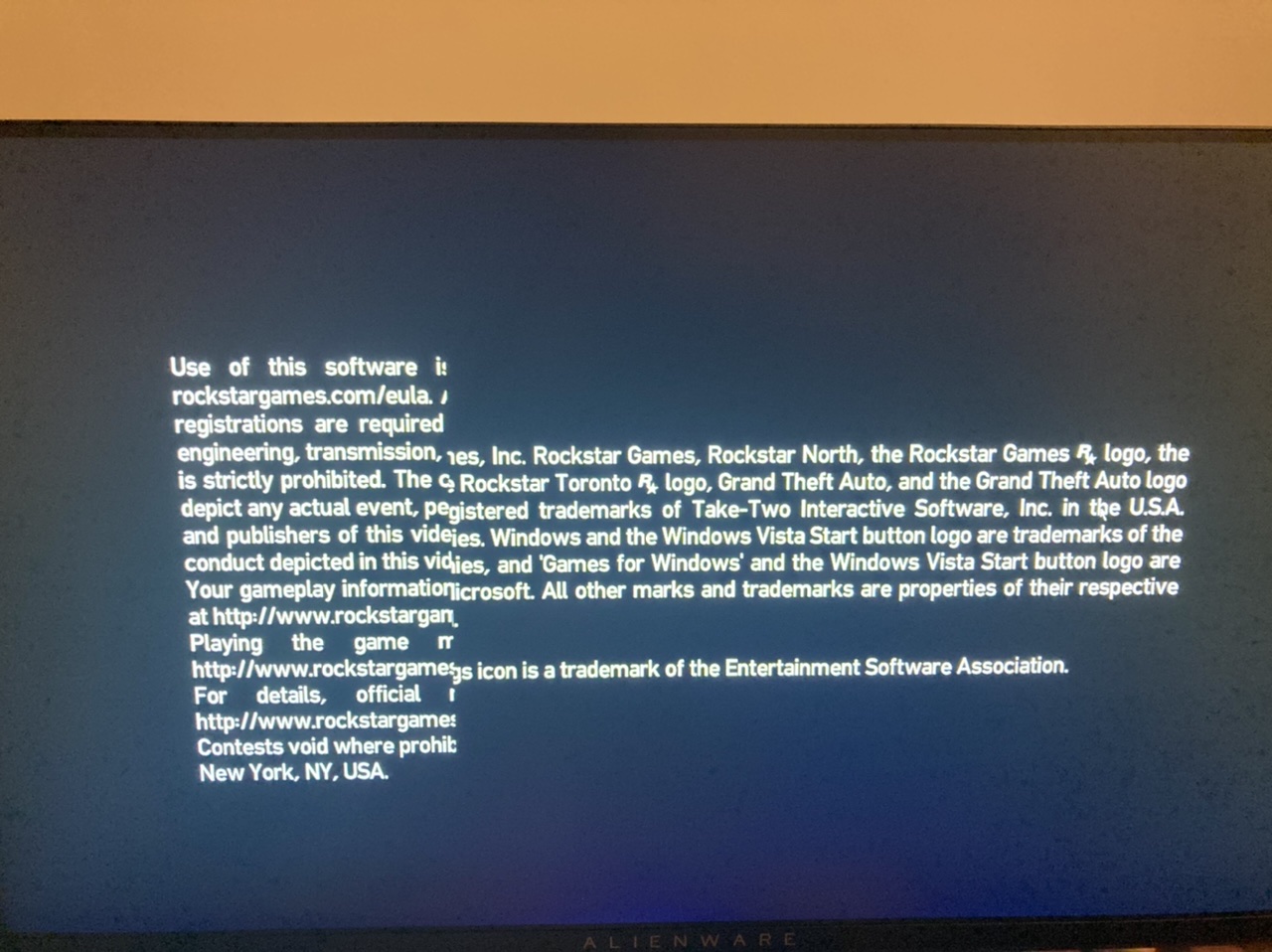
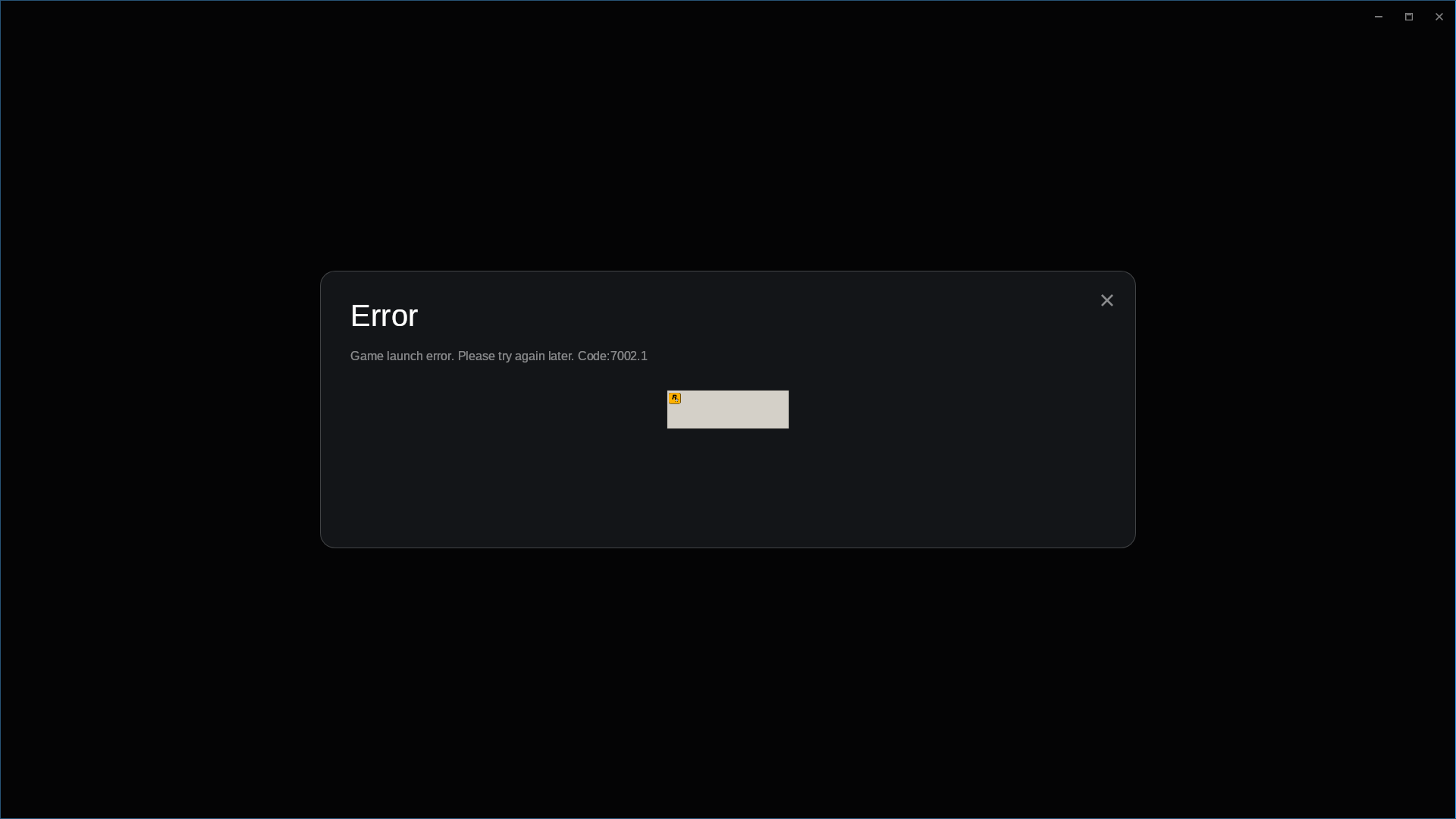
Game launches but gets stuck at this screen.
Proton Experimental:
Game crashes at the rockstar software thing with an error code, then after closing that window, a grey rockstar loading logo will forever load.
Reproduction
Launch the game
Compatibility Report
- Name of the game with compatibility issues: Grand Theft Auto IV: The Complete Edition
- Steam AppID of the game: https://steamdb.info/app/12210/
System Information
- GPU: Radeon RX 5500 XT
- Driver/LLVM version: Mesa 21.3.0-devel (git-fee4f7ef43) / LLVM 14 git master
- Kernel version: 5.13.0-pf6+
- https://github.com/shoober420/rootscripts/blob/main/home/shoober420/sysinfoamd
- Proton version: experimental-6.3-20210730
- Log: steam-12210firstlaunch.log / steam-12210secondlaunch.log
Symptoms
I get this error when trying to launch the game.
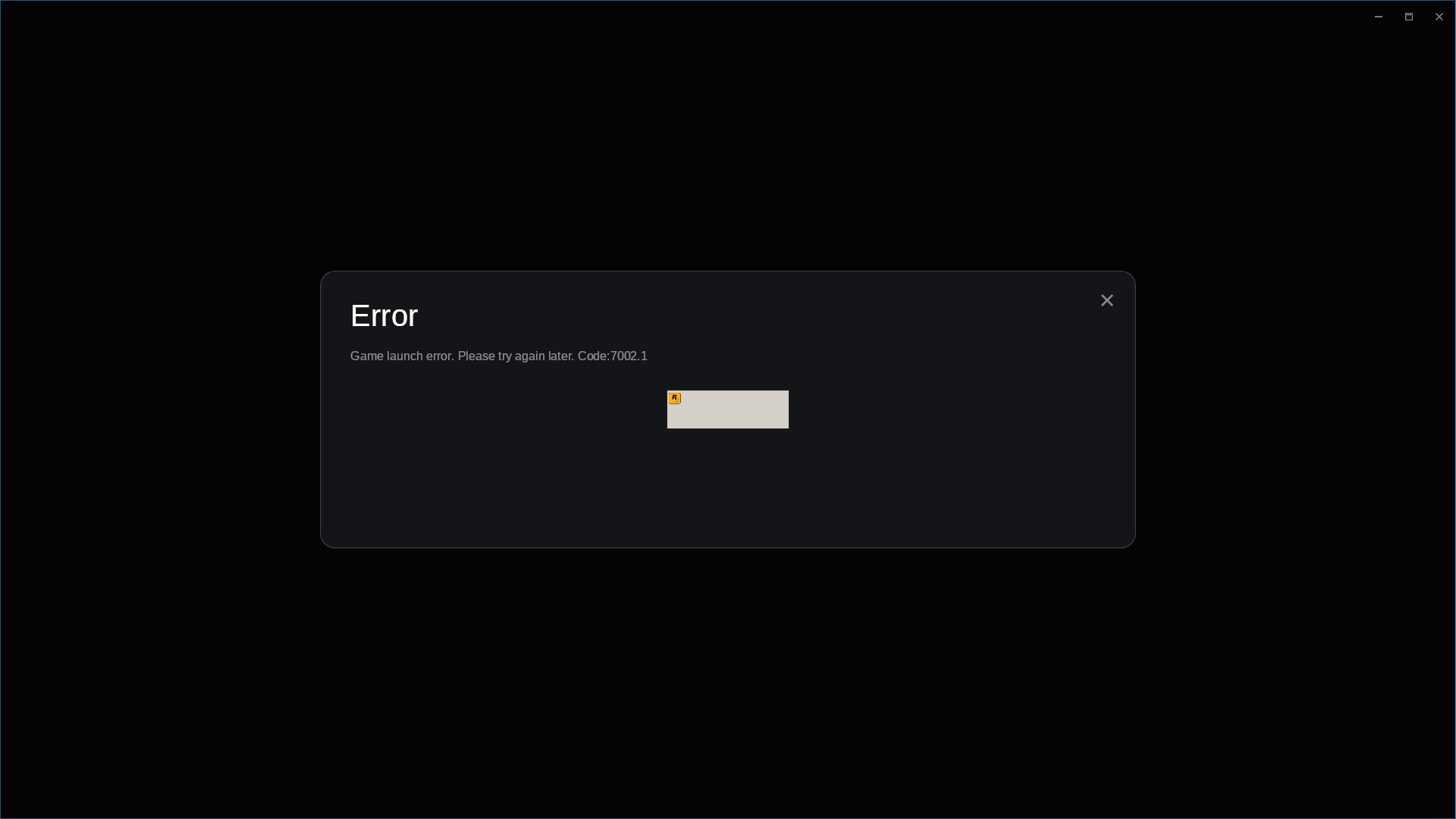
Grand Theft Auto IV Complete crashes at launch. The rockstar launcher manages to boot and "load"
Compatibility Report
- Name of the game with compatibility issues: Grand Theft Auto IV Complete
- Steam AppID of the game: 12210
System Information
- GPU: Nvidia RTX 2080 Super
- Driver/LLVM version: nvidia 470.74
- Kernel version: 5.14.8-arch1-1 x86_64
- Link to full system information report as Gist: https://gist.github.com/Alberto-vgdd/37d55855110fe31fbeb91a13c0369d02
- Proton version: 1632501009 experimental-6.3-20210924
ec:trace:seh:dispatch_exception code=c000001d flags=0 addr=00000001424F280F ip=00000001424F280F tid=01ec
ec:warn:seh:dispatch_exception EXCEPTION_ILLEGAL_INSTRUCTION exception (code=c000001d) raised
There's something really odd in those logs...
GTA IV Hangs Unrecoverable
Issue transferred from https://github.com/ValveSoftware/Proton/issues/5224.
@CraezyDud posted on 2021-10-16T17:58:12:
Compatibility Report
- Name of the game with compatibility issues: Grand Theft Auto IV: The Complete Edition
- Steam AppID of the game: 12210
System Information
- GPU: Radeon RX Vega 64
- Driver/LLVM version:
- Kernel version:
- Link to full system information report as Gist:
- Proton version: 6.3-7 or Experimental or Custom proton (proton-ge-custom)
I confirm:
- [x] that I haven't found an existing compatibility report for this game.
- [x] that I have checked whether there are updates for my system available.
Symptoms
None
Reproduction
Hangs directly when loading
-----------------------------------------------------------------------------------------------------------------------------------
--== or: i dont rememeber what i did but i was able to get in the game, past the loading screen ==--
-----------------------------------------------------------------------------------------------------------------------------------
playing a little, it's been reported multiple times, and its usuall very random, sometimes it hangs short sometimes long.
It usually corrupts everything, computer becomes almost unusable, it seems to corrupt video memory
reported multiple times, and its usuall very random, sometimes it hangs short sometimes long. It usually corrupts everything,
with short and long hangs I mean, they still crash the game completely but, sometimes they crash quicklier than at other times
-----------------------------------------------------------------------------------------------------------------------------------
--== or: i dont rememeber what i did but i was able to get in the game, past the loading screen ==--
-----------------------------------------------------------------------------------------------------------------------------------
i had lib32-amdvlk installed, it seemed to have used that instead of lib32-vulkan-radeon
which tells me, its a lib32-amdvlk issue, because with just lib32-vulkan-radeon installed, it worked nicely
ill say if there are any more problems/crashes with that
still ran nicely
Game works great for me but if i minimize the game or some notification like the gamepad battery show up on the screen some of the audio will break like on the menus and only comes back by restarting.
Only fix i found for this was using gamescope but it causes a lot of input lag so not a great solution.
steam-12210.log
Anybody managed to run GTAIV with cloud sync enabled? RSC keep saying failed to enable... In game, the login to RSC is ok.
Everything works just fine for me on Proton Experimental, but I've noticed 2 graphical glitches not mentioned anywhere else, so I thought I'd report them here. They don't really affect the gameplay.
First is small chunks of garbage popping on the screen, seems related to textures being loaded, since they halt when sitting still.
I've recorded a small clip, even with such lower quality, the colorful pop-ins are visible.
The other is the loading animation on the mission text is broken, but I remember it also being broken many years ago on wine.
System Information
Computer Information:
    Manufacturer:  ASRock
    Model:  AB350 Gaming-ITX/ac
    Form Factor: Desktop
    No Touch Input Detected

Processor Information:
    CPU Vendor:  AuthenticAMD
    CPU Brand:  AMD Ryzen 7 2700 Eight-Core Processor
    CPU Family:  0x17
    CPU Model:  0x8
    CPU Stepping:  0x2
    CPU Type:  0x0
    Speed:  3900 Mhz
    16 logical processors
    8 physical processors
    HyperThreading:  Supported
    FCMOV:  Supported
    SSE2:  Supported
    SSE3:  Supported
    SSSE3:  Supported
    SSE4a:  Supported
    SSE41:  Supported
    SSE42:  Supported
    AES:  Supported
    AVX:  Supported
    AVX2:  Supported
    AVX512F:  Unsupported
    AVX512PF:  Unsupported
    AVX512ER:  Unsupported
    AVX512CD:  Unsupported
    AVX512VNNI:  Unsupported
    SHA:  Supported
    CMPXCHG16B:  Supported
    LAHF/SAHF:  Supported
    PrefetchW:  Unsupported

Operating System Version:
    "Arch Linux" (64 bit)
    Kernel Name:  Linux
    Kernel Version:  5.15.11-230-tkg-cacule
    X Server Vendor:  The X.Org Foundation
    X Server Release:  12101003
    X Window Manager:  KWin
    Steam Runtime Version:  steam-runtime_0.20211207.0

Video Card:
    Driver:  AMD AMD Radeon RX 5600 XT (NAVI10, DRM 3.42.0, 5.15.11-230-tkg-cacule, LLVM 13.0.0)
    Driver Version:  4.6 (Compatibility Profile) Mesa 21.3.3
    OpenGL Version: 4.6
    Desktop Color Depth: 24 bits per pixel
    Monitor Refresh Rate: 144 Hz
    VendorID:  0x1002
    DeviceID:  0x731f
    Revision Not Detected
    Number of Monitors:  1
    Number of Logical Video Cards:  1
    Primary Display Resolution:  1920 x 1080
    Desktop Resolution: 1920 x 1080
    Primary Display Size: 20.91" x 11.77" (23.98" diag)
                                            53.1cm x 29.9cm (60.9cm diag)
    Primary VRAM: 6144 MB

Sound card:
    Audio device: ATI R6xx HDMI

Memory:
    RAM:  15994 MB

Miscellaneous:
    UI Language:  English
    LANG:  C
    Total Hard Disk Space Available:  183508 MB
    Largest Free Hard Disk Block:  20763 MB
@mscatto Same issue here (also when standing still) with Proton Experimental and on an AMD 6900 XT:
https://user-images.githubusercontent.com/975131/148936814-2f5a04f1-1d15-4e7c-adb4-52cfcdc472e5.mp4
Sparkles everywhere on the screen:

Hello @mscatto, @DomiStyle, can one of you confirm that you're using mesa/RADV, then test if setting the game's launch options to RADV_DEBUG=nodcc %command% has an effect on the render artifacts?
Hello @mscatto, @DomiStyle, can one of you confirm that you're using mesa/RADV, then test if setting the game's launch options to
RADV_DEBUG=nodcc %command%has an effect on the render artifacts?
Yes, on Mesa 21.3.3, and also yes, launching the game with nodcc appears to fix it, can't see any more artifacts.
Same here, using RADV and setting the launch option fixes the artifacts. Game seems to run perfectly now.
Game runs well, except the small glitches already reported above.
But I noticed that when the game focus is lost and you get back to the game next loading is stuck indefinitely. Till the loading the game runs fine.
Here is how to reproduce it:
- Start the game
- Get to the main menu
- Switch to other window, either ALT+TAB or mouse focus
- Get to next loading screen
This even works before you get to menu, if you switch the focus outside the game during intros, you will get stuck on loading screen to main menu.
Here is my spec.info
Hello @mscatto, @DomiStyle, can one of you confirm that you're using mesa/RADV, then test if setting the game's launch options to
RADV_DEBUG=nodcc %command%has an effect on the render artifacts?Yes, on Mesa 21.3.3, and also yes, launching the game with nodcc appears to fix it, can't see any more artifacts.
for some reason this isn't the case for me, i'm using mesa drivers (intel integrated gpu) and i still see the artifacts (opengl does not show them)
Tracking note: Dropping the RADV label because the mentioned rendering artifact should be triaged by https://gitlab.freedesktop.org/mesa/mesa/-/commit/4380916b761d2ebbe5b1d36b9162810b66a727fc (mesa 21.3.8, 22.0.2, or newer).
Steam runtime on Arch Linux. Game never loads past initial black screen. Tried 7.0-2 and Experimental.
https://gist.github.com/parkerlreed/6473710ef2b58f697c8a7bf7c2e4b3f6
GTA 4 refuses to work
Issue transferred from https://github.com/ValveSoftware/Proton/issues/6098.
@sprmcell posted on 2022-08-17T09:39:01:
Compatibility Report
- Name:
Grand Theft Auto IV - Steam AppID of the game:
12210
System Information
CPU: Ryzen 3 3100
GPU: NVIDIA GT610 2048MB
RAM: 16GB
Kernel: Zen Kernel 5.17.5
Proton: All version tried
I confirm:
- [*] that I haven't found an existing compatibility report for this game.
- [*] that I have checked whether there are updates for my system available.
Log
Symptoms
Game used to launch to a black screen with no audio
as shown here
Now its refuses to launch
as shown here

Troubleshooting steps
- Yes i did reinstall
- Yes i did change proton versions
- Yes my drivers are up to date
- Yes i changed launch options
Hello @sprmcell, looking at your hardware, the NVIDIA GT 610 is part of the Fermi generation of NVIDIA video cards. The video drivers for this card generation never exposed support for Vulkan, and the NVIDIA 390 series driver is older than the support cutoff for Proton. Sorry, but both of those details makes your system is unsupported by Proton in general for all games.
GTA IV: Colour flickering on Proton Experimental
Issue transferred from https://github.com/ValveSoftware/Proton/issues/6265.
@lukelmy posted on 2022-10-24T08:29:30:
Compatibility Report
- Name of the game with compatibility issues: Grand Theft Auto IV: The Complete Edition
- Steam AppID of the game: 12210
System Information
- GPU: AMD 6900 XT
- Driver/LLVM version: AMDGPU stack 22.20
- Kernel version: 5.15.0
- Proton version: Proton Experimental
I confirm:
- [x] that I haven't found an existing compatibility report for this game.
- [x] that I have checked whether there are updates for my system available.
Symptoms
When starting game with Proton Experimental, colour flickering can be observed. However, images are normal when using Proton 7.0-4. The problematic shader module is found with Renderdoc. If NAN judgement is added before extended instruction NMin(or NClamp) instead of only NMin(or NClamp) in the spirv-dis of problematic shader module, the image is normal. Guessing it's a SPIR-V generated issue.

The original spirv-dis and the modified spirv-dis of the problematic shader module on Proton Experimental are listed as follows:
spv_pass.txt
spv_fail.txt
Reproduction
- Start a new game
@mbriar commented on 2022-10-24T12:47:10:
This is expected if you use the proprietary vulkan driver, which does not support VK_EXT_attachment_feedback_loop_layout (yet?). It shouldn't happen with RADV, which is also the recommended driver for proton in general.
I tried to build 32bits RADV(22.3.0-devel), and I found that colour flickering still existed on Proton 7.0 and images were normal on Proton Experimental. Is this normal?
Yes. The vulkan extension that helps with the issue isn't enabled in the dxvk 1.10.x branch, which is what proton 7.0 is using. But it is on master, which is what experimental is using.
I have the same rendering problem, showing a colored diagonal line, what should I do to fix it?
i use proton-ge and i'm on intel
I'm thinking it will be resolved on Intel ANV once this MR has been merged and is available https://gitlab.freedesktop.org/mesa/mesa/-/merge_requests/17892
I have the same rendering problem, showing a colored diagonal line, what should I do to fix it? i use proton-ge and i'm on intel
I fixed this last year by using these env vars in the steam launch options
INTEL_DEBUG=norbc,nohiz %command%
Replying to https://github.com/ValveSoftware/Proton/issues/350#issuecomment-1496214748
gets stuck on black screen, Do you think I can fix it somehow?
If the environment variables give a black screen don't use them.
I do not have a Intel GPU atm to test this personally sadly.
With the env var:

Without the env var:

@paperlyly I'm not sure what could cause the black screen, but i'd probably check the proton logs for the game ( PROTON_LOG=1 %command%) to see if there isn't some error in there. The log should be in your home folder.
(PS: One thing i noticed is that you no longer get those artifact at the expense of some FPS boost, i had 60fps without the fix and now get 45fps with the fix.)
If you want and there isn't already a issue it would be nice to make one at the mesa repo.
@Midou36O I already got it to work, I was not using it as an env var, it works although with worse performance, and quite a bit of instability, sometimes the game does not run and it stays loading forever, sometimes it does but it closes
I'm using wined3d, because with vulkan I can't get it to work without those lines in a stable way
Does anyone know if updating the table to 23 resolves it?
I'm on debian 12, where table 22 is still used, but I don't know if it's worth looking for some way to update, what's more, I don't even know how to use table 23 in debian
I'm on NixOS 23.11 kernel 6.4.8, 5900x, RTX 3070 535.86.05. I've tried Proton Experimental and 8.0-3.
The game gets to various stages of launching, but never runs. It sometimes gets stuck on
Running install script (Microsoft DirectX)
or
Running install script ()
And ps will show this:
Z:\home\i\.local\share\Steam\steamapps\common\Steamworks Shared\_CommonRedist\DirectX\Jun2010\DXSETUP.exe /silent
Killing this process results in Social Club opening immediately, which itself gets stuck on
Installing prerequisite: Rockstar Games Social Club...
The status bar moves to the right and then never progresses. Around this time it also launches RockstarErrorHandler.exe, though nothing appears on screen:
C:\Program Files\Rockstar Games\Launcher\ThirdParty//Crashpad//RockstarErrorHandler.exe --no-rate-limit --attachment=attachment_launcher.log=C:\users\steamuser\AppData\Local\Rockstar Games\Launcher\CrashLogs\launcher.log --database=C:\users\steamuser\AppData\Local\Rockstar Games\Launcher\CrashLogs\ --metrics-dir=C:\users\steamuser\AppData\Local\Rockstar Games\Launcher\CrashLogs\ --url=https://submit.backtrace.io/bob/[redacted]/minidump --annotation=format=minidump --annotation=token=[redacted] --initial-client-data=[redacted]
Attached is the logs of attempting to run the game with Proton Experimental. The logs are trimmed, it originally contained many thousands more lines of 124251.070:013c:0140:fixme:d2d:d2d_geometry_sink_AddArc iface 000000000D756918, arc 000000000012E870 stub! interspersed with the uiautomation logs seen at the bottom.
There's some degree of regression between Proton 7 and Proton 8 here. Running Proton 7.0-6 gets through the RGSC installer fine, then fails here:
Edit: If you leave RGSC to try and install prerequisites in Proton 8+, it will eventually timeout and offer to continue without installing anything. Doing so brings me to the login page, where entering my credentials results in further infinite loading.
The game is working perfectly for me now on Proton 8. It appears the big pain point is RGSC.
There is a bug in the independent radio (the radio for playing your own mp3 files) where it will not play anything. If you add audio files into C:/users/steamuser/Documents/Rockstar Games/GTA IV/User Music and then click in Settings->Audio->Complete Scan it will do a scan and detect the files but the independent radio will play a radio announcer, also if you click on Complete Scan many times and fast gstreamer will create a lot of threads and get to a resources no available error and the game will just freeze.
I didn't dig too much into it, but I found that wmvcore might be related.
The game opens and it's "playable" but theres a jitter / stutter that happens about every second and it doesn't show in the graph, only way i found to almost fix was disabling core 3 or 4 in powertools, setting the min cpu frequency to the mas 3500mhz also seemed to help.
Using the steam deck stable / preview and proton 8 /experimental ( 7 wont even pass the rockstar launcher)
The game runs without issues for me and performs rather well, but opening the RGL overlay by pressing Home reveals that it thinks that it's on an end-of-life operating system and may stop running on Jan 30th, 2024. The OS is Arch-based ChimeraOS, Proton version is 8.0-4.
steam-12210.log
Hello @ClaudeLib, https://github.com/ValveSoftware/Proton/issues/37#issuecomment-1843695212 notes that message shows unconditionally regardless of OS.
Whoops, my bad. Thank you.
For me, there seems to be a problem with DLLs not loading.
When launching through Steam, the Rockstargames-launcher opens two loading windows of Rockstargames-Launcher. After the second one closes nothing happens really; the game doesn't launch. In steam the "Play"-button is available after a few seconds.
The logs of R*G-Launcher show, that it exited with Code 0xc0000135 (3221225781).
[2024-01-30 22:47:08.837] [DISPLAY] [ 1276] [gamelaunch] Game exited with code 0xc0000135 (3221225781)
[2024-01-30 22:47:08.838] [DISPLAY] [ 1276] [crashdetection] Game left no exit file.
[2024-01-30 22:47:08.838] [ ERROR ] [ 1276] [crashdetection] Exit code 0xc0000135 indicates a fatal game exit (reason: STATUS_DLL_NOT_FOUND)
Looking for related entries in the Proton-logs it indicates to file WMASF.DLL not being loaded:
1557.281:04fc:0500:err:module:import_dll Library WMASF.DLL (which is needed by L"C:\windows\system32\WMVCore.DLL") not found
(...)
1557.282:04fc:0500:err:module:import_dll Library WMVCore.DLL (which is needed by L"Z:\home\myuser\.local\share\Steam\steamapps\common\Grand Theft Auto IV\GTAIV\GTAIV.exe") not found
(...)
1557.288:04fc:0500:err:module:LdrInitializeThunk Importing dlls for L"Z:\home\myuser\.local\share\Steam\steamapps\common\Grand Theft Auto IV\GTAIV\GTAIV.exe" failed, status c0000135
There are several dlls with that name in the compatdata-folder for that game - upper- and lowercase are different between them but none was all uppercase.
/home/myuser/.local/share/Steam/steamapps/compatdata/12210/pfx/drive_c/windows/syswow64/WMASF.dll
/home/myuser/.local/share/Steam/steamapps/compatdata/12210/pfx/drive_c/windows/syswow64/wmasf.dll
After renaming one of them to the correct case from the logs (WMASF.DLL), the game launched normal as expected.
This occurred on several versions of proton (Proton 8.0-5, experimental, GE-Proton8-27).
Hope this helps / makes it easier to find a proper solution.
Reinstalled the game for another playthrough, but I can no longer even get to the episode selection screen.
The Rockstar launcher has been updated and now to get to launching the game, I need to go through this login screen, which makes my right trackpad non-responsive; Also, I cannot summon the keyboard with STEAM+X.
In other words, as long as one doesn't have a physical keyboard to use with their Steam Deck, which is my case, I cannot fill out those text boxes, thus I can't launch the game. Way to go Rockstar.
anyone else having this issue?
proton 8 btw
anyone else having this issue? proton 8 btw
Have Steam check the game files. That happened to me as well, and it turned out to be Rockstar's stupid launcher, which needed an update. After that has been taken care of, you'll need a physical keyboard (or a virtual one that isn't from Valve) to be able to input text, and fill out your email address and password -- yes, they'll ask for it again. I find it amazing, not to say infuriating that Valve still lets publishers get away with their bloated launcher and all the crap they can throw our way just because we paid for a copy of their game and want to play it. I should have cracked the f---ing launcher and spare myself the trouble, Rockstar is that full of sh-t.
Its failing to launch for me. Here's my steam-12210.log. I launch the launcher and after that it just never shows a window.
To add I've ran a version of gta4 that didn't require launching the r* launcher. That copy of gta4 works for me when ran with UMU-Proton-9.0-2.
Replying to [#350 (Comment)](https://github.com/ValveSoftware/Proton/issues/350#issuecomment-1918013744)
wmvcore has something to do with Independence FM skipping songs after around 30s. When the song gets loaded into memory and/or parsed for metadata/info, this fixme is printed:
36873.873:05b8:06dc:fixme:wmvcore:header_info_GetAttributeIndices iface 03226948, stream_number 0, name L"Duration", lang_index 00000000, indices 00000000, count 377EFD7C, stub!
36873.873:05b8:06dc:fixme:wmvcore:header_info_GetAttributeIndices iface 03226948, stream_number 0, name L"Duration", lang_index 00000000, indices 11EE6630, count 377EFD7C, stub!
36873.873:05b8:06dc:fixme:wmvcore:header_info_GetAttributeByIndexEx iface 03226948, stream_number 0, index 52685, name 00000000, name_len 377EFD7C, type 377EFD6C, lang_index 00000000, value 377EFD70, size 377EFD68, stub!
Using GE-Proton fixes this somewhat, however a new issue is introduced where the song can get sped up (or sometimes jump further ahead than it should) if you switch between stations.
On a side note, it is impossible to "render" (or rather export) a gameplay clip from the in-game editor. This appears in the logs as soon as the export freezes, leading to a quiet exit back to the clip timeline:
39353.484:0a9c:0aa0:trace:loaddll:free_modref Unloaded module L"C:\\windows\\system32\\mlang.dll" : builtin
39353.484:0a9c:0aa0:trace:loaddll:free_modref Unloaded module L"C:\\windows\\syswow64\\WMVSENCD.dll" : native
39353.484:0a9c:0aa0:trace:loaddll:free_modref Unloaded module L"C:\\windows\\syswow64\\WMVXENCD.dll" : native
39353.484:0a9c:0aa0:trace:loaddll:free_modref Unloaded module L"C:\\windows\\syswow64\\WMVENCOD.dll" : native
39353.484:0a9c:0aa0:trace:loaddll:free_modref Unloaded module L"C:\\windows\\syswow64\\wmspdmoe.dll" : native
39353.485:0a9c:0aa0:trace:loaddll:free_modref Unloaded module L"C:\\windows\\syswow64\\wmadmoe.dll" : native
Is the water supposed to be like this? after i get back into the game the water goes back to normal until i return back to it, looks extremely oily
Mesa 25.0.0, kernel 6.13.5, Proton experimental, RX 6700 10GB
https://github.com/user-attachments/assets/a1464b61-0ddf-4ac9-b2c1-331730728afd
https://github.com/user-attachments/assets/2770ce6f-1c3c-4d02-b856-2fa0b4ae991d
There is a bug in the independent radio (the radio for playing your own mp3 files) where it will not play anything. If you add audio files into
C:/users/steamuser/Documents/Rockstar Games/GTA IV/User Musicand then click inSettings->Audio->Complete Scanit will do a scan and detect the files but the independent radio will play a radio announcer, also if you click onComplete Scanmany times and fast gstreamer will create a lot of threads and get to a resources no available error and the game will just freeze.I didn't dig too much into it, but I found that wmvcore might be related.
With the current Proton Experimental / 9.0-4, Independence Radio now kinda works. It cuts songs off after ~30s or so. Proton Hotfix plays the whole song, but seems to have a bunch of silence/broken glass sounds on the end for some reason, at least with the songs in mp3 format. Still, you at least get 1 complete song at a time, instead of cutting off after ~20-30s.
Further experimentation:
- mp3 works as encoded by ffmpeg
- Bitrate doesn't make a difference in behavior (128kbit / 320kbit)
- Metadata doesn't make a difference (id3 / album art)
- wmav2 does not work as encoded by ffmpeg (silence)
For Proton Hotfix: The audio specifically seems to glitch out when you somehow cause the game to pause the song, such as getting out of one vehicle and getting in to another. When it attempts to resume playback mid-song, the audio either goes silent or explodes into awful noises; likely decoding is somehow going horribly wrong. As long as you keep the station playing, it works properly.
To reproduce:
- Put an MP3 file in C:/users/steamuser/Documents/Rockstar Games/GTA IV/User Music
- I've tried various encodings, but the simplest test case will probably be
ffmpeg -i <file> -ab 128k -map a -map_metadata -1 -acodec libmp3lame mysong.mp3which will leave you with a 128k MP3 with no metadata or album art.
- I've tried various encodings, but the simplest test case will probably be
- Open the Audio menu
- Complete Scan, wait for it to complete
- Get in vehicle
- Switch to Independence FM
- Wait for a song to begin
- Switch to another channel, wait a few seconds
- Switch back to Independence FM
- Observe garbled / silent audio
Proton versions
proton hotfixx2 2025-03proton experimentalx8 2025-03proton 9.0-2x1 2024-07ge-proton8-27x1 2024-01proton 8.0-5x1 2024-01proton 7.0-6x1 2023-08proton 7.0x2 2022-11proton 7.0-4x1 2022-10proton 5.13x2 2020-11proton 5.0-6x2 2020-10proton 4.11-13x1 2020-09proton 5.0x4 2020-05proton 5.6-ge-2x2 2020-04proton 5.0-7x1 2020-04proton 5.0-4x2 2020-03
Launch options
PROTON_LOG=1x2 2023-04RADV_DEBUG=nodccx3 2022-04PROTON_USE_WINED3D=1`x3 2020-10PROTON_USE_WINED3D=1`.x1 2020-10STEAM_COMPAT_DATA_PATH="/home/user/.steam/steam/steamapps/compatdata/12210/"x1 2020-07PROTON_LOG=1`](https://github.com/ValveSoftware/Proton#runtime-config-options)x1 2020-04PROTON_USE_D9VKx1 2020-04PROTON_NO_ESYNC=1x2 2020-04PROTON_USE_D9VK=1x1 2020-04PROTON_USE_WINED3D=1x1 2020-03PROTON_USE_WINED3Dx1 2020-03WINEDLLOVERRIDES="dinput8=n,b"x1 2020-03WINEPREFIX="/path/to/steam/steamapps/compatdata/GAMEID/pfx/"x1 2018-09
Launch lines
INTEL_DEBUG=norbc,nohiz %command%x1 2023-04RADV_DEBUG=nodcc %command%x3 2022-04PROTON_NO_ESYNC=1 PROTON_USE_D9VK=1 %command% -widthx1 2020-04PROTON_USE_WINED3D=1 %command%x1 2020-03WINEDLLOVERRIDES="dinput8=n,b" %command%x1 2020-03gamemoderun %command% -widthx1 2020-03gamemoderun WINEDLLOVERRIDES="dinput8=n,b" %command% -widthx1 2020-03
Upstream links
- ValveSoftware/Proton/issues/37x1 2023-12
- ValveSoftware/Proton/issues/6265x1 2022-10
- ValveSoftware/Proton/issues/6098x1 2022-08
- doitsujin/dxvk/issues/2119x1 2021-10
- ValveSoftware/Proton/issues/5224x1 2021-10
- doitsujin/dxvk/pull/1714x1 2020-11
- ValveSoftware/Proton/issues/4063x1 2020-07
- doitsujin/dxvk/issues/1608x1 2020-05
- ValveSoftware/wine/pull/88x1 2020-04
- doitsujin/dxvk/pull/1536x1 2020-03
- ValveSoftware/Proton/issues/3667x1 2020-03
- show_bug.cgi?id=47571x1 2020-02
- show_bug.cgi?id=31744x1 2018-08
DLLs
mlang.dllx1 2024-12wmadmoe.dllx1 2024-12wmspdmoe.dllx1 2024-12wmvencod.dllx1 2024-12wmvsencd.dllx1 2024-12wmvxencd.dllx1 2024-12wmasf.dllx1 2024-01wmvcore.dllx1 2024-01atiadlxx.dllx1 2020-04dsound.dllx1 2020-03nvapi.dllx5 2020-03dinput8.dllx1 2020-03xlive.dllx8 2018-09nvapi64.dllx3 2018-09
Error codes
0xc0000135x1 2024-01
gtaiv-crash.log
steam-system-info.txt
Distro: Gentoo Linux