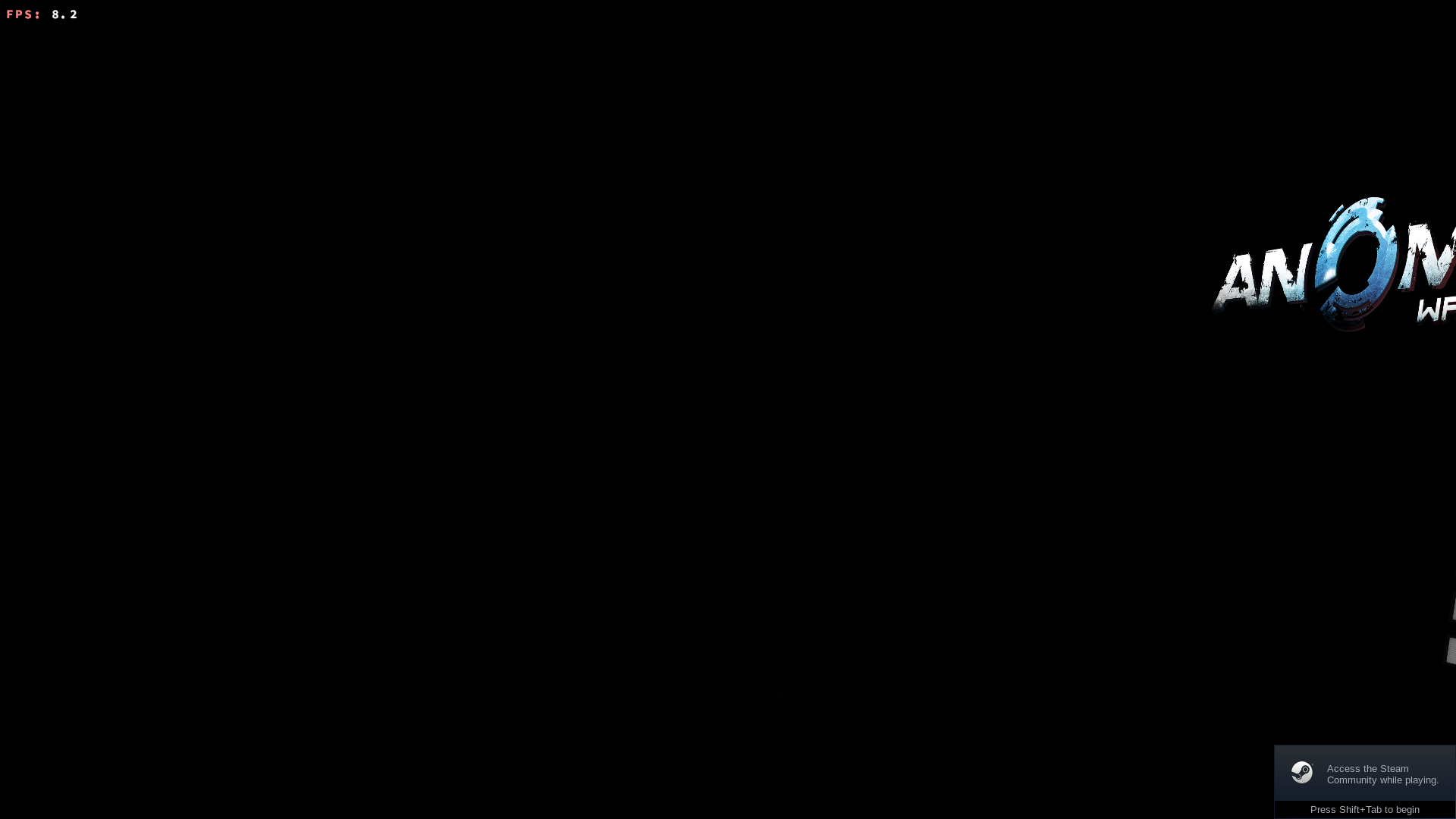
The picture is displayed far offset to the right when using DXVK and the game appears to lock up needing to be killed in a terminal.
Forcing the use of WineD3D with: PROTON_USE_WINED3D=1 %command%
Allows the game to function normally
DXVK:
WINED3D:
Reproduction
Force install the Windows version of the game using the latest version of Proton.
Run the game without any launch options.
Other Info
Recent giveaway of all the five games via newsletter subscription
The native Linux version appears to be completely botched :'(
It hangs indefinitely after the introduction video hence why I'm running the Windows version.
The mentioned workaround didn't do it for me.
Compatibility Report
System Information
I confirm:
Proton Log
steam-91200.log
Symptoms
The picture is displayed far offset to the right when using DXVK and the game appears to lock up needing to be killed in a terminal.
Forcing the use of WineD3D with:
PROTON_USE_WINED3D=1 %command%Allows the game to function normally
DXVK:
WINED3D:

Reproduction
Force install the Windows version of the game using the latest version of Proton.
Run the game without any launch options.
Other Info
Recent giveaway of all the five games via newsletter subscription
The native Linux version appears to be completely botched :'(
It hangs indefinitely after the introduction video hence why I'm running the Windows version.
The mentioned workaround didn't do it for me.