Persona 4 Golden
Hello @alosarjos, this looks like a line of interest from the log:
no suitable plugins found:
Missing decoder: Advanced Streaming Format (ASF) (video/x-ms-asf)
Hello @alosarjos, this looks like a line of interest from the log:
no suitable plugins found:
Missing decoder: Advanced Streaming Format (ASF) (video/x-ms-asf)
I already tried the mfplat thingies around there and nothing. Is there something else I should try?
I already tried the mfplat thingies around there and nothing. Is there something else I should try?
Please post the proton log from the latest proton-ge build
I already tried the mfplat thingies around there and nothing. Is there something else I should try?
Please post the proton log from the latest proton-ge build
Proton-5.9-GE-2-MF
It's a quartz game, affected by Wine bug [#9127](https://bugs.winehq.org/show_bug.cgi?id=9127) as far as I can tell
It's a quartz game, affected by Wine bug [#9127](https://bugs.winehq.org/show_bug.cgi?id=9127) as far as I can tell
Oh... Is there any custom Proton build I can use or test?
Can confirm that, on Proton 5.0.9 the game works by using ProtonTricks:
protontricks 1113000 wmp9 quartz devenum
Credits to: https://www.reddit.com/r/linux_gaming/comments/h8d0mv/has_anyone_tried_persona_4_golden_yet/fuq94dk/
Had to update winetricks, otherwise protontricks complains about 64-bit prefix when doing that.
Movies work now but game freezes quite often and audio crackles occasionally
Using protontricks 1113000 wmp9 quartz devenum seems to work mostly fine, though the audio spoken over dialogue crackles a lot.
I attempted to add P4G to Protonfixes in GloriousEggroll Proton, but it doesn't seem to want to let me install wmp9 in the 64-bit prefix and using a 32-bit prefix causes the game to not launch.
@Pobega update your winetricks, it helped me
@
Using
protontricks 1113000 wmp9 quartz devenumseems to work mostly fine, though the audio spoken over dialogue crackles a lot.I attempted to add P4G to Protonfixes in GloriousEggroll Proton, but it doesn't seem to want to let me install wmp9 in the 64-bit prefix and using a 32-bit prefix causes the game to not launch.
do you have to specify which version of Proton you're using in protontricks, or does it just follow the setting in properties for the game in steam? I'm getting the same error installing wmp9 in a 64-bit prefix. The game is set to run using proton 5-0-9 but I do keep the GE releases installed as well (winetricks version 20200412). (Kinda outside the scope of the current issue, but I'm trying to isolate compatibility issues with the game vs issues with protontricks/winetricks).
Protonfixes is housed inside of your Proton version (for example, compatibilitytools.d/Proton-5.8-GE-2/protonfixes/gamefixes/1113000.py) so you don't have to specify that. My Steam is Flatpak'd and I'm currently investigating exactly how to see what version of winetricks it's using (or not using?) so that I can open a PR against GE's builds.
For manually installing with winetricks/protontricks just make sure you're using a recent release and you should be good, wmp9 can be installed in 64-bit prefixes.
Keep in mind GE's builds uses a fork of Protonfixes (https://simons-public.github.io/protonfixes/) as opposed to using Protontricks directly, so this is probably a bit off-topic for this thread.
Can confirm that, on Proton 5.0.9 the game works by using ProtonTricks:
protontricks 1113000 wmp9 quartz devenumCredits to: reddit.com/r/linux_gaming/comments/h8d0mv/has_anyone_tried_persona_4_golden_yet/fuq94dk
This works for me, assuming I'm using the latest version of winetricks. However, there is a lot of audio crackling which some have mentioned on reddit already by adding:
default-fragments = 3

default-fragment-size-msec = 5
to the pulseaudio config.
Fullscreen is borked for me though. I can't get it to work even at borderless fullscreen. Windowed mode is missing the window decoration. And it won't let me increase the resolution.

I am using an RX 5700XT with open source drivers on Fedora 32.
I forgot to mention real quick. I think the wmp9 failed to install on protontricks. I don't know if this was the result in audio crackling, and I couldn't work out how to get it installed without failing yet. If it does fix the crackling, disregard my comment about the pulseaudio config change.
If you don't want to modify your Pulseaudio config you can use the launch option PULSE_LATENCY_MSEC=60 %command%
I don't have sound issues with Pulseaudio on top of Jack, for the record (probably not worth setting that up just for this game, of course).
I'll add that the game runs at 144fps on Linux, although other reports have suggested that it's limited to 120fps on Windows. Unlike Windows, you'll want to enable VSync, otherwise it will run at 132fps or so. I had some crashes from switching workspaces with fullscreen mode (could be Wayland specific), which so far don't look to occur with borderless mode.
Hopefully there are no issues late in the game, but it's in quite an impressive state so far. Apparently DXVK is to the game's benefit on Windows too, since the game uses a lot of draw calls.
If you don't want to modify your Pulseaudio config you can use the launch option
PULSE_LATENCY_MSEC=60 %command%
Thanks. This is a lot better than changing pulseaudio configs.
does anybody else experience random freezes? Game just freezes at some point, most often at the very first frames when showing the loading icon, during opening movie or during first dialogue choice.
I feel it's either audio or alt-tab related
Mine just crashes in game, without alt tabbing or anything, it runs well for a while and then it just crashes.
Mine just crashes in game, without alt tabbing or anything, it runs well for a while and then it just crashes.
The same thing is happening to me, @bustatu. Seems to be almost a regular occurence roughly every 30 minutes while playing the game, usually while in the middle of a cutscene, rarely while in gameplay w/ full control of the character.
Played for a few hours on an Arch system with no pulseaudio, just alsa. Proton 5.0-9 with protontricks 1113000 wmp9 quartz devenum. No problems with audio and no freezes. Very smooth with 5700xt.
Based on when the stuttering/freezing occurs, I have a hunch it might be related to however the game is rendering UI... but I have no idea how to confirm this theory...
There's some theories that it happens on Windows as well and it's caused by Denuvo.
I ve installed back Windows and I can play the game with no problems, no crashes no anything, so it must be something Linux related.
@bustatu Are both installations of the game run from a SSD? It's suspected that the issue is I/O related. If you're using NTFS it could also be that the problems occur on Linux because NTFS support is usually slower on Linux.
For the record, I've had one crash from leaving the game idling and Alt-tabbing, but nothing during regular gameplay over 10 hours. Just a slight pause before an All-Out Attack. I'm running on a M.2 SSD with BTRFS.
I had the same issue with crashes every 10-30 minutes while running on Pop OS. I just tried it with Manjaro (Gnome) and the game runs flawlessly. I was able to do a 1 hour session yesterday and 4 hours today without any crashes. My guess is the game runs better on a more up to date kernel. Anyone else care to test this out?
I had the same issue with crashes every 10-30 minutes while running on Pop OS. I just tried it with Manjaro (Gnome) and the game runs flawlessly. I was able to do a 1 hour session yesterday and 4 hours today without any crashes. My guess is the game runs better on a more up to date kernel. Anyone else care to test this out?
Are you using Winetricks? Latest kernel on Plasma Mobile (X11) w/o using Winetricks still gives the original symptom for me of "Game Launches, shows a loading screen and the companies logo, and then goes black screen."
Specs:
Operating System: Arch Linux
KDE Plasma Version: 5.19.2
KDE Frameworks Version: 5.71.0
Qt Version: 5.15.0
Kernel Version: 5.7.4-arch1-1
OS Type: 64-bit
@sanecito You have to use Winetricks/Protontricks to get the game running as others have pointed out above.
@bustatu Are both installations of the game run from a SSD? It's suspected that the issue is I/O related. If you're using NTFS it could also be that the problems occur on Linux because NTFS support is usually slower on Linux.
For the record, I've had one crash from leaving the game idling and Alt-tabbing, but nothing during regular gameplay over 10 hours. Just a slight pause before an All-Out Attack. I'm running on a M.2 SSD with BTRFS.
I do use an SSD but only for the OS, the actual game was on my hard disk. Both of the installations. I don't like the fact that I have to switch to WIndows just for stuff like this, but untill devs decide to support Linux more, that's the only way,,,
If the game is set to Fullscreen, when the window loses focus the game will freeze and display a black screen. To mitigate this, switch to Borderless and try not to lose focus from the game window.
I tried running this game with GE after the patches were merged in, but I've never been able to get it to work. I'm on Manjaro and running RADV with my 5700XT. It would crash upon opening with a message that said I didn't meet the minimum system requirements.
I finally dug around a bit and found warnings related to Vulkan on Haswell. So I used the filter option with DXVK to force it to use my AMD card. This allowed the game to open and get past the company logos, but it crashes after that. I don't have time to play around with it right now, but if anyone else is curious and can contribute, I've attached my logs.
P4G crashes when selecting 'back to 1 week ago'.
Issue transferred from https://github.com/ValveSoftware/Proton/issues/4147.
@tousei-seiso posted on 2020-08-25T12:49:04:
Compatibility Report
- Name of the game with compatibility issues:Persona 4 Golden
- Steam AppID of the game:1113000
System Information
- GPU: GTX 970
- Driver/LLVM version: 4.6.0 NVIDIA 440.100/LLVM???no information.
- Kernel version: 5.4.0-42-generic
- Link to full system information report as Gist:
- Proton version:5.0-9
I confirm:
- [ ] that I haven't found an existing compatibility report for this game.
I did found an existing compatibility report for this game, but it is not a report about what I want to describe. - [ ] that I have checked whether there are updates for my system available.
I did found 3 hotfix updates of P4G, but after installing them, P4G starts with black screen and not respond. So currently I'm still using the released version of P4G. The tweak that 'proton tricks 1113000 wmp9 quartz devenum' have effect on released version but have no effect on hotfixes.
I added PROTON_LOG=1 %command% to the game's launch options but after the application crashed , no logs are generated at all to /home/user/.steam/debian-installation/steamapps/common/Persona 4 Golden/Logs and no other places.
Symptoms
When selecting 'back to 1 week ago', an errror message dialog appears and the application crashes. But no logs are generated at all.(P4G_d3d9.log, P4G_d3d11.log are created but no error logs are created.)
I did not converted a PSVita save data. I have been playing this game on steam right from the beggining.
-
When selecting 'back to 1 week ago', an error message dialog showed(below).
(translated: title:warning!, message:Old version of save data. Please save again.)

-
Crash message dialog(translated: title:application crash, message:The application crashed.) showed and the P4G crashes.

Reproduction
- Select 'back to 1 week ago'.
- An error log showed and the application crashes.(100%)
I've tried using protontricks as described in here, with winetricks from Github (or you don't even get through the install). I end up hitting one of these two issues:
- Quartz doesn't set up properly (
regsvr32 quartz.dll returned status 5); or wmp9doesn't set up properly (says so in the installer).
In either case, I get a crash on launch, with possibly an error message.
I had this working after letting proton GE run protonfixes, then the game worked fine with Proton 5.0-9 (but oddly not GE). Today the game downloaded a 4GB update and I'm back to the original issue with locking up at the intro cut-scene.
System Info: sysinfo.txt
Almost the entire PROTON_LOG output was the following repeated many times:
95987.350:00f0:00f4:fixme:ntdll:EtwEventEnabled (deadbeef, 0x76021b48): stub
95987.353:00f0:01bc:err:gstreamer:unknown_type Could not find a filter for caps: "video/x-ms-asf"
95987.353:00f0:00f4:err:gstreamer:gstdecoder_init_gst Failed to play stream.
95987.353:00f0:01b8:err:gstreamer:watch_bus decodebin4939: Your GStreamer installation is missing a plug-in.
95987.353:00f0:01b8:err:gstreamer:watch_bus ../../proton/gst-plugins-base/gst/playback/gstdecodebin2.c(4679): gst_decode_bin_expose (): /GstBin:bin4939/GstDecodeBin:decodebin4939:
no suitable plugins found:
Missing decoder: Advanced Streaming Format (ASF) (video/x-ms-asf)
I'm unsure of where to go from here. Is there a package that adds the necessary plugin, or did the game change to a format that doesn't have such a plugin? I tried redoing the prefix from scratch, but that didn't change anything. I've seen mentions of gstreamer1.0-plugins-ugly but that is already installed on my system.
EDIT: I have also tried protontricks for wmp9, quartz, devenum. No change from the latter 2 as they were already installed by protonfixes, but wmp9 caused the game to not start at all, looking for a wmvcore.dll as native only and not finding it. Setting that dll to native-builtin puts me back to missing decoder errors.
@rednaxela600 I'm seeing the exact same issue.
I'm also seeing Missing decoder: Advanced Streaming Format (ASF) (video/x-ms-asf) repeatedly in the logs after the game freezes on startup.
It worked fine before the 1.1 update.
Weird stuff happened if you used system ASF WMA and WMV support by installing gstreamer ugly and gstreamer ffmpeg/libav and symlinking the Proton gstreamer folder to system gstreamer folder:

The opening video plays in another window and the sound stutters and sound like chipmunk. Other than that the game works perfectly
Broken with latest update. Hangs at black screen after intro splash screens.
Me too, hangs at black screen, devs changed the videos, them said that in release notes ...
It looks like hotfix_01a still works, so at least we have that as long as atlus/sega don't remove it. You can find it here: https://steamcommunity.com/app/1113000/discussions/0/2567564692457285298/
Persona 4 golden does not work after the recent 1.1 update
Issue transferred from https://github.com/ValveSoftware/Proton/issues/4171.
@Chico3589 posted on 2020-09-05T00:02:49:
Persona 4 golden has been working with valve's proton since lauch, but required you to run protontricks 1113000 wmp9 quartz devenum in order to get the game working, however since the last 1.1 update the game does not work even with the right protontricks command
Proton Log for 5.0.9 for Persona 4 Golden in 1.1 Update:
978.865:00e4:00e8:fixme:ntdll:EtwEventEnabled (deadbeef, 0x76021b48): stub
978.870:00e4:01c8:err:gstreamer:unknown_type Could not find a filter for caps: "video/x-ms-asf"
978.870:00e4:00e8:err:gstreamer:gstdecoder_init_gst Failed to play stream.
978.870:00e4:01c4:err:gstreamer:watch_bus decodebin2352: Your GStreamer installation is missing a plug-in.
978.870:00e4:01c4:err:gstreamer:watch_bus ../../proton/gst-plugins-base/gst/playback/gstdecodebin2.c(4679): gst_decode_bin_expose (): /GstBin:bin2352/GstDecodeBin:decodebin2352:
no suitable plugins found:
Missing decoder: Advanced Streaming Format (ASF) (video/x-ms-asf)

978.870:00e4:00e8:fixme:ntdll:EtwEventEnabled (deadbeef, 0x76021b48): stub
978.874:0030:0034:trace:seh:raise_exception code=c000013a flags=0 addr=0x7fbdfa39646f ip=7fbdfa39646f tid=0034
978.874:0030:0034:trace:seh:raise_exception  rax=fffffffffffffffc rbx=0000000000000000 rcx=00007fbdfa39646f rdx=00000000ffffffff
978.875:0030:0034:trace:seh:raise_exception  rsi=0000000000000001 rdi=000000000031f250 rbp=d6bf94d5e57a42bd rsp=000000000031ef50
978.875:0030:0034:trace:seh:raise_exception   r8=0000000000000000  r9=0000000000000000 r10=00007ffc337b7080 r11=0000000000000293
978.875:0030:0034:trace:seh:raise_exception  r12=000000000031ef80 r13=0000000000000001 r14=000000000031f250 r15=0000000000000001
978.875:00e4:01c4:err:gstreamer:unknown_type Could not find a filter for caps: "video/x-ms-asf"
978.875:00e4:01c8:err:gstreamer:watch_bus decodebin2353: Your GStreamer installation is missing a plug-in.
978.875:00e4:01c8:err:gstreamer:watch_bus ../../proton/gst-plugins-base/gst/playback/gstdecodebin2.c(4679): gst_decode_bin_expose (): /GstBin:bin2353/GstDecodeBin:decodebin2353:
no suitable plugins found:
Missing decoder: Advanced Streaming Format (ASF) (video/x-ms-asf)
Repeated multiple Times. gst-plugins-ugly package is installed.
Workaround - v. 1.1 works after installing basic k-lite codec pack in it's proton prefix. Game window gets minimized to taskbar every time a video playback starts (also when intro starts), but you only need one click to restore it.
@GitArUs Do you know if this problem would happen on a tiling WM like i3?
Edit: Just tested this. I get audio, but no video, and if I attempt to skip, I get stuck in a weird noise loop, or sometimes get nothing at all. Log is here.
Had the same issue on Arch Linux. In the console I was seeing wrong ELF class: ELFCLASS64 for all the gstreamer .so libraries after the game black screened.
I managed to get it playable by installing sudo pacman -S $(pacman -Ssq lib32-gst-) and then deleted and reinstalled its prefix data and reran protontricks 1113000 wmp9 quartz devenum. Now the audio for the intro cutscene plays but the video is still a black screen. You can't skip the cutscene, but if you wait for it to finish you get to the main menu and can play the game.
Workaround for my previous workaround above: turn on virtual desktop emulation and set desktop size to screen resolution. For example protontricks 1113000 vd=1920x1080
Installing K-Lite was working at least partly... Downloaded K-Lite Basic, but the installer took 3 tries to install something. Persona is working now with video causing it to minimise from full screen.
But protontricks 1113000 vd=3440x1440 didn't do something for me beside a lot of Error messages.
Tried to install lib32-gst plugins before in a clean prefix, didn't really come up with anything though. So I guess not really a practical solution currently though.
@GitArUs
Different workaround: During the installation of K-Lite, select "Advanced" and later uncheck "Show LAV Splitter icon" and "Show LAV decoder icons". Then the tray icons that minimize the game window don't appear anymore.
@GitArUs
Different workaround: During the installation of K-Lite, select "Advanced" and later uncheck "Show LAV Splitter icon" and "Show LAV decoder icons". Then the tray icons that minimize the game window don't appear anymore.
That works amazingly!!!! - I'm sooooooo happy to be able to play P4G again :+1:
Thx a lot m8 !! <3
that indeed worked nice
You might want to consider installing LAVFilters instead. It doesn't enable the tray icons by default, is fully open source, and a smaller package than K-Lite.
You might want to consider installing LAVFilters instead. It doesn't enable the tray icons by default, is fully open source, and a smaller package than K-Lite.
Ohh It worked very nice!!! thank you!!
I feel stupid asking this but ... how do you install this ? Tried protontricks 1113000 K-Lite and I get an error saying Unknown arg K-Lite
check protondb's persona 4 golden page
On Sat, 19 Sep 2020, 23:23 cAstraea, [email protected] wrote:
I feel stupid asking this but ... how do you install this ? Tried
protontricks 1113000 K-Lite and I get an error saying Unknown arg K-Lite—
You are receiving this because you were mentioned.
Reply to this email directly, view it on GitHub
https://github.com/ValveSoftware/Proton/issues/3982#issuecomment-695520946,
or unsubscribe
https://github.com/notifications/unsubscribe-auth/AQOPGV6WUJCQGXC25QWTFA3SGVRR5ANCNFSM4N5DBZ3Q
.
The game has started to just freeze at random points - And that is after all of the fixes, like it works, but suddenly it just locks up and then I have to restart it - It happens every 10 min so it's completely unplayable... changing hotfix doesn't solve it either
I feel stupid asking this but ... how do you install this ? Tried protontricks 1113000 K-Lite and I get an error saying Unknown arg K-Lite
you should use LAVFilters, they are much better
every time i try to install either LAVFilters or K-Lite i get an error saying Unable to register the DLL/OC: RegSvr32 failed with exit code 0x5
nvm (restarting the pc when it asks to abort worked) brain
@Chico3589 : my experience has been that installing devenum (which you probably did) causes problems with at least some other dlls being registered. So, try removing the override for devenum, install lavfilters, and then add back the override.
@Chico3589 : my experience has been that installing devenum (which you probably did) causes problems with at least some other dlls being registered. So, try removing the override for devenum, install lavfilters, and then add back the override.
How do you do that? protontricks --help doesn't list an option for removing or disabling verbs.
@Chico3589 : you have to use winecfg
Unable to get game to go past developer logos still after doing the winecfg work around for lav filters and devenum I even made sure the launch command was present. Here is proton log: https://ghostbin.co/paste/czvr
Any help is appreciated!
I can't get past the second video (after the part when you enter your name) but the intro and the first video work as expected. I tried reinstalling all the stuff with protontricks + LAVFilters but it didn't work.
steam-1113000.log
Proton 5.13-2 totally breaks Persona 4 Golden as protontricks does not work with Soldier runtime
byakuya@seireitei ~> protontricks 1113000 wmp9 quartz devenum
Executing mkdir -p /media/byakuya/ef664fe6-e539-4303-92a7-555f9d17d9d6/SteamLibrary/steamapps/compatdata/1113000
------------------------------------------------------
You are using a 64-bit WINEPREFIX. Note that many verbs only install 32-bit versions of packages. If you encounter problems, please retest in a clean 32-bit WINEPREFIX before reporting a bug.
------------------------------------------------------
Using winetricks 20200412 - sha256sum: 7651c93e39fcb080483c38836513bf912273a87ea97d137f6b958ed3d9628c3d with wine-5.13-634-gd6646652a2f and WINEARCH=win64
Executing w_do_call wmp9
Executing mkdir -p /media/byakuya/ef664fe6-e539-4303-92a7-555f9d17d9d6/SteamLibrary/steamapps/compatdata/1113000
------------------------------------------------------
You are using a 64-bit WINEPREFIX. Note that many verbs only install 32-bit versions of packages. If you encounter problems, please retest in a clean 32-bit WINEPREFIX before reporting a bug.
------------------------------------------------------
Executing load_wmp9
Executing w_do_call wsh57
Executing mkdir -p /media/byakuya/ef664fe6-e539-4303-92a7-555f9d17d9d6/SteamLibrary/steamapps/compatdata/1113000
------------------------------------------------------
You are using a 64-bit WINEPREFIX. Note that many verbs only install 32-bit versions of packages. If you encounter problems, please retest in a clean 32-bit WINEPREFIX before reporting a bug.
------------------------------------------------------
Executing load_wsh57
Executing cabextract -q -d /media/byakuya/ef664fe6-e539-4303-92a7-555f9d17d9d6/SteamLibrary/steamapps/compatdata/1113000/pfx/dosdevices/c:/windows/syswow64 /home/byakuya/.cache/winetricks/wsh57/scripten.exe
/media/byakuya/ef664fe6-e539-4303-92a7-555f9d17d9d6/SteamLibrary/steamapps/compatdata/1113000/pfx/dosdevices/c:/windows/syswow64/dispex.dll: Permission denied
/media/byakuya/ef664fe6-e539-4303-92a7-555f9d17d9d6/SteamLibrary/steamapps/compatdata/1113000/pfx/dosdevices/c:/windows/syswow64/jscript.dll: Permission denied
/media/byakuya/ef664fe6-e539-4303-92a7-555f9d17d9d6/SteamLibrary/steamapps/compatdata/1113000/pfx/dosdevices/c:/windows/syswow64/scrobj.dll: Permission denied
/media/byakuya/ef664fe6-e539-4303-92a7-555f9d17d9d6/SteamLibrary/steamapps/compatdata/1113000/pfx/dosdevices/c:/windows/syswow64/scrrun.dll: Permission denied
/media/byakuya/ef664fe6-e539-4303-92a7-555f9d17d9d6/SteamLibrary/steamapps/compatdata/1113000/pfx/dosdevices/c:/windows/syswow64/vbscript.dll: Permission denied
/media/byakuya/ef664fe6-e539-4303-92a7-555f9d17d9d6/SteamLibrary/steamapps/compatdata/1113000/pfx/dosdevices/c:/windows/syswow64/cscript.exe: Permission denied
/media/byakuya/ef664fe6-e539-4303-92a7-555f9d17d9d6/SteamLibrary/steamapps/compatdata/1113000/pfx/dosdevices/c:/windows/syswow64/wscript.exe: Permission denied
/media/byakuya/ef664fe6-e539-4303-92a7-555f9d17d9d6/SteamLibrary/steamapps/compatdata/1113000/pfx/dosdevices/c:/windows/syswow64/wshom.ocx: Permission denied
------------------------------------------------------
Note: command cabextract -q -d /media/byakuya/ef664fe6-e539-4303-92a7-555f9d17d9d6/SteamLibrary/steamapps/compatdata/1113000/pfx/dosdevices/c:/windows/syswow64 /home/byakuya/.cache/winetricks/wsh57/scripten.exe returned status 1. Aborting.
Finally made it work!
Don't use Proton 5.13-2, rever to 5.0 as noted by @minecraft2048
I had to install qasd & qdvd, then K-Lite_Codec (it will fix your wmp codec install) and then install LavFilters
You should create the wine prefix using the 5.0.x proton version, install all the codecs and libs, and then it will work with 5.13, why?? if you create the wine prefix with 5.13, some dlls are created in place so the installation of the fixes dont work.
every time i try to install either LAVFilters or K-Lite i get an error saying
Unable to register the DLL/OC: RegSvr32 failed with exit code 0x5
nvm (restarting the pc when it asks to abort worked) brain
I've been having the same issue, except I can't for the life of me get these DLLs to register. I've even tried external programs to handle it instead to no avail. Seems to be the last step to get the opening cutscene to work in-game, but I'm stuck here.
Some things I've learned after 100 hours of playing this game on Linux:
- In compatibility options, force the use of proton 5.0-10, at least during the installation of the DLLs.
- When you install LAVFilters you have to remove devenum in the winecfg GUI then add it back once it is installed. This is very important, if you can't get past this step, delete the prefix and start from the beginning.
- Installing K-Lite codec might be useful because at the end of the installation it tries to fix problems that occurred while installing wmp9 with protontricks.
- Even when codecs installed, the opening cutscene is likely to crash or just lag terribly. I skip it every time.
- The game randomly crashes. It's not very common, but you should still save often or you'll lose hours of progress.
- Once, the game failed to start because the DRM check failed. At first there was a popup with something like "failed to check Steam ID". After a couple retries with the same outcome, the game just showed a generic SEGA customer support popup. This had nothing to do with my DLLs, the DRM just locked me out. I had to comeback after a few days.
Anyone tried this game with https://www.pcgamingwiki.com/wiki/Persona_4_Golden#Special_K?
I've been playing this for 182+ hours with Proton-GE, only issues I've had the intro sometimes needs you to alt+tab out and back in to let you pass. But that's really about it. I've been able to put my computer in suspend and resumed and the game has been absolutely rock solid.
tl;dr Proton-GE 6.1, been playing for 182+ hours and am now on NG+
Compatibility Report
- Name of the game with compatibility issues: Persona 4
- Steam AppID of the game: 1113000
System Information
- GPU: Intel Mesa Intel(R) HD Graphics 5500
- Driver/LLVM version: Mesa mesa-20.2.3-1
- Kernel version: x86_64 Linux 5.10.60-1-MANJARO
- Link to full system information report as System Info: info
- Proton version: 6.16-GE-1
I confirm:
- [ ] that I haven't found an existing compatibility report for this game.
- [x] that I have checked whether there are updates for my system available.
The game starts and it gets stuck randomly like on the first screen or after the new game screen.
I also tried with 5.10 with protontricks fix but the same result.
Proton Logs
Symptoms
Music will keep running but no response to the keyboard input.
Reproduction
The game starts and it gets stuck randomly like on the first screen or after the new game screen.
For everyone who still struggles to get after the intro movie, here's what I did from the start to successfully be able to play.
So, with help from @GAumala (thanks!) post above (https://github.com/ValveSoftware/Proton/issues/3982#issuecomment-756887898) I did exactly everything from below and it worked, so maybe it will also work for you ;)
- Uninstall the game (ye, just uninstall it completely for now - I didn't bother to check if any files left in
~/.steam/steam/steamapps/compatdata/1113000so you should not either, just in your Steam Library use right mouse button on Persona 4 Golden, go toManageandUninstall - Now, after uninstalling the game, again use the right mouse button on it, go to
Properties...,Compatibility, checkForce the use of specific Steam Play compatibility toolcheckbox, and from the list below selectProton 5.0-10and close the window - Now just double-click with your mouse on a game to install it.
- Now, start the game, to install additional first-run software.
- Of course the game will most likely be stuck on that black screen after companies logos, so just close it (I for example had to use
windows+tkeys to open up terminal and use htop to sigkill p4g process) - After that, use
protontricks 1113000 wmp9 quartz devenumin terminal to install additional codecs and software
(after this step I tried to open up the game, but it didn't really changed anything for me, but maybe it will just work for you ;) ) - Now use
WINEPREFIX="~/.steam/steam/steamapps/compatdata/1113000/pfx" winecfgto open up Winecfg, go toLibraries, and on the list of existing overrides, finddevenumand remove it (usingRemovebutton). Then clickApplybutton and close Winecfg. - Now download LAV Filters (I used this one: https://github.com/Nevcairiel/LAVFilters/releases - just download
LAVFilters-0.75.1-Installer.exe) - Open up protontrick gui using
protontricks 1113000 --gui, (don't be discouraged by this warning about 64/32 bits prefixes, just click OK), then selectSelect the default wineprefixand click OK, and thenRun explorer - In explorer window you should be able to get to your
LAVFilters-0.75.1-Installer.exefile and double-click it - The installation window should appear and to be honest, I didn't change anything, so just keep clicking
Next, and on last step (Nextbutton will change toClose) just make sure all checkboxes are unchecked and clickClose. (close windows explorer window and Winetrics) - Now run
protontricks 1113000 devenum, it will say that devenum is already installed, but better be sure than sorry ;) - Now again run
WINEPREFIX="~/.steam/steam/steamapps/compatdata/1113000/pfx" winecfg, and again go toLibrariestab, on drop-down list find and selectdevenum, and then clickAdd, then againApplyand close Winecfg.
The ending
And after all steps above, I started the game again without even the slightest hope, and then bam! it was actually working, without any audio or video issue. so I just vibed to it ;)
Were there some steps you could skip?
Yea, I'm pretty sure - but that's what I did specifically, and that worked for me ;)
My hardware and software info
Computer Information:
    Manufacturer:  Unknown
    Model:  Unknown
    Form Factor: Desktop
    No Touch Input Detected

Processor Information:
    CPU Vendor:  AuthenticAMD
    CPU Brand:  AMD Ryzen 7 3800XT 8-Core Processor
    CPU Family:  0x17
    CPU Model:  0x71
    CPU Stepping:  0x0
    CPU Type:  0x0
    Speed:  4722 Mhz
    16 logical processors
    8 physical processors
    HyperThreading:  Supported
    FCMOV:  Supported
    SSE2:  Supported
    SSE3:  Supported
    SSSE3:  Supported
    SSE4a:  Supported
    SSE41:  Supported
    SSE42:  Supported
    AES:  Supported
    AVX:  Supported
    AVX2:  Supported
    AVX512F:  Unsupported
    AVX512PF:  Unsupported
    AVX512ER:  Unsupported
    AVX512CD:  Unsupported
    AVX512VNNI:  Unsupported
    SHA:  Supported
    CMPXCHG16B:  Supported
    LAHF/SAHF:  Supported
    PrefetchW:  Unsupported

Operating System Version:
    Pop!_OS 21.04 (64 bit)
    Kernel Name:  Linux
    Kernel Version:  5.14.0-12.1-liquorix-amd64
    X Server Vendor:  The X.Org Foundation
    X Server Release:  12011000
    X Window Manager:  GNOME Shell
    Steam Runtime Version:  steam-runtime_0.20210906.1

Video Card:
    Driver:  NVIDIA Corporation NVIDIA GeForce RTX 3080/PCIe/SSE2
    Driver Version:  4.6.0 NVIDIA 470.63.01
    OpenGL Version: 4.6
    Desktop Color Depth: 24 bits per pixel
    Monitor Refresh Rate: 164 Hz
    VendorID:  0x10de
    DeviceID:  0x2206
    Revision Not Detected
    Number of Monitors:  2
    Number of Logical Video Cards:  1
    Primary Display Resolution:  3440 x 1440
    Desktop Resolution: 6000 x 1440
    Primary Display Size: 0.04" x 0.04" (0.04" diag)
                                            0.1cm x 0.1cm (0.1cm diag)
    Primary Bus: PCI Express 16x
    Primary VRAM: 10240 MB
    Supported MSAA Modes:  2x 4x 8x 16x

Sound card:
    Audio device: Nvidia GPU 9a HDMI/DP

Memory:
    RAM:  32038 Mb

VR Hardware:
    VR Headset: None detected

Miscellaneous:
    UI Language:  English
    LANG:  en_US.UTF-8
    Total Hard Disk Space Available:  704032 Mb
    Largest Free Hard Disk Block:  531795 Mb

Storage:
    Number of SSDs: 0
    SSD sizes: %s1
    Number of HDDs: 0
    HDD sizes: %s1
"LD_* scout runtime" information:
{
"can-write-uinput" : true,
"steam-installation" : {
"path" : "/home/ezop/.local/share/Steam",
"data_path" : "/home/ezop/.local/share/Steam",
"bin32_path" : "/home/ezop/.local/share/Steam/ubuntu12_32",
"steamscript_path" : "/usr/bin/steam",
"steamscript_version" : "1.0.0.71",
"issues" : [
]
},
"runtime" : {
"path" : "/home/ezop/.local/share/Steam/ubuntu12_32/steam-runtime",
"version" : "0.20210906.1",
"issues" : [
],
"pinned_libs_32" : {
"list" : [
"pinned_libs_32/has_pins",
"pinned_libs_32/libdbus-1.so.3 -> $STEAM_RUNTIME/lib/i386-linux-gnu/libdbus-1.so.3.5.8",
"pinned_libs_32/libvulkan.so.1 -> $STEAM_RUNTIME/usr/lib/i386-linux-gnu/libvulkan.so.1.2.170",
"pinned_libs_32/system_libdbus-1.so.3",
"pinned_libs_32/system_libvulkan.so.1"
]
},
"pinned_libs_64" : {
"list" : [
"pinned_libs_64/has_pins",
"pinned_libs_64/libGLU.so.1 -> $STEAM_RUNTIME/usr/lib/x86_64-linux-gnu/libGLU.so.1.3.08004",
"pinned_libs_64/libcurl.so.3 -> libcurl.so.4",
"pinned_libs_64/libcurl.so.4 -> $STEAM_RUNTIME/usr/lib/x86_64-linux-gnu/libcurl.so.4.2.0",
"pinned_libs_64/libdbusmenu-glib.so.4 -> $STEAM_RUNTIME/usr/lib/x86_64-linux-gnu/libdbusmenu-glib.so.4.0.13",
"pinned_libs_64/libpipewire-0.3.so.0 -> $STEAM_RUNTIME/usr/lib/x86_64-linux-gnu/libpipewire-0.3.so.0.327.0",
"pinned_libs_64/libvulkan.so.1 -> $STEAM_RUNTIME/usr/lib/x86_64-linux-gnu/libvulkan.so.1.2.170",
"pinned_libs_64/system_libGLU.so.1",
"pinned_libs_64/system_libcurl.so.4",
"pinned_libs_64/system_libdbusmenu-glib.so.4",
"pinned_libs_64/system_libpipewire-0.3.so.0",
"pinned_libs_64/system_libvulkan.so.1"
]
}
},
"os-release" : {
"id" : "pop",
"id_like" : [
"ubuntu",
"debian"
],
"name" : "Pop!_OS",
"pretty_name" : "Pop!_OS 21.04",
"version_id" : "21.04",
"version_codename" : "hirsute"
},
"container" : {
"type" : "none"
},
"driver_environment" : [
"DISPLAY=:1",
"LD_LIBRARY_PATH=/home/ezop/.local/share/Steam/ubuntu12_32:/home/ezop/.local/share/Steam/ubuntu12_32/panorama:/home/ezop/.local/share/Steam/ubuntu12_32/steam-runtime/pinned_libs_32:/home/ezop/.local/share/Steam/ubuntu12_32/steam-runtime/pinned_libs_64:/usr/lib/x86_64-linux-gnu/libfakeroot:/lib/i386-linux-gnu:/usr/local/lib:/lib/x86_64-linux-gnu:/lib:/lib/i386-linux-gnu/i686:/lib/i386-linux-gnu/sse2:/lib/i386-linux-gnu/i686/sse2:/home/ezop/.local/share/Steam/ubuntu12_32/steam-runtime/lib/i386-linux-gnu:/home/ezop/.local/share/Steam/ubuntu12_32/steam-runtime/usr/lib/i386-linux-gnu:/home/ezop/.local/share/Steam/ubuntu12_32/steam-runtime/lib/x86_64-linux-gnu:/home/ezop/.local/share/Steam/ubuntu12_32/steam-runtime/usr/lib/x86_64-linux-gnu:/home/ezop/.local/share/Steam/ubuntu12_32/steam-runtime/lib:/home/ezop/.local/share/Steam/ubuntu12_32/steam-runtime/usr/lib",
"SDL_GAMECONTROLLERCONFIG=03000000de280000ff11000001000000,Steam Virtual Gamepad,a:b0,b:b1,back:b6,dpdown:h0.4,dpleft:h0.8,dpright:h0.2,dpup:h0.1,guide:b8,leftshoulder:b4,leftstick:b9,lefttrigger:a2,leftx:a0,lefty:a1,rightshoulder:b5,rightstick:b10,righttrigger:a5,rightx:a3,righty:a4,start:b7,x:b2,y:b3,\n03000000de280000fc11000001000000,Steam Controller,a:b0,b:b1,back:b6,dpdown:b14,dpleft:b15,dpright:b13,dpup:b12,guide:b8,leftshoulder:b4,leftstick:b9,lefttrigger:a2,leftx:a0,lefty:a1,rightshoulder:b5,rightstick:b10,righttrigger:a5,rightx:a3,righty:a4,start:b7,x:b2,y:b3,",
"XDG_RUNTIME_DIR=/run/user/1000"
],
"architectures" : {
"i386-linux-gnu" : {
"can-run" : true,
"libdl-LIB" : "lib/i386-linux-gnu",
"libdl-PLATFORM" : "i686",
"runtime-linker" : {
"path" : "/lib/ld-linux.so.2",
"resolved" : "/usr/lib/i386-linux-gnu/ld-2.33.so"
},
"library-issues-summary" : [
"misversioned-symbols"
],
"library-details" : {
"libcurl.so.4" : {
"soname" : "libcurl.so.4",
"path" : "/lib/i386-linux-gnu/libcurl.so.4",
"issues" : [
"misversioned-symbols"
],
"misversioned-symbols" : [
"curl_easy_cleanup@CURL_OPENSSL_3",
"curl_easy_duphandle@CURL_OPENSSL_3",
"curl_easy_escape@CURL_OPENSSL_3",
"curl_easy_getinfo@CURL_OPENSSL_3",
"curl_easy_init@CURL_OPENSSL_3",
"curl_easy_pause@CURL_OPENSSL_3",
"curl_easy_perform@CURL_OPENSSL_3",
"curl_easy_recv@CURL_OPENSSL_3",
"curl_easy_reset@CURL_OPENSSL_3",
"curl_easy_send@CURL_OPENSSL_3",
"curl_easy_setopt@CURL_OPENSSL_3",
"curl_easy_strerror@CURL_OPENSSL_3",
"curl_easy_unescape@CURL_OPENSSL_3",
"curl_escape@CURL_OPENSSL_3",
"curl_formadd@CURL_OPENSSL_3",
"curl_formfree@CURL_OPENSSL_3",
"curl_formget@CURL_OPENSSL_3",
"curl_free@CURL_OPENSSL_3",
"curl_getdate@CURL_OPENSSL_3",
"curl_getenv@CURL_OPENSSL_3",
"curl_global_cleanup@CURL_OPENSSL_3",
"curl_global_init@CURL_OPENSSL_3",
"curl_global_init_mem@CURL_OPENSSL_3",
"curl_jmpenv@CURL_OPENSSL_3",
"curl_maprintf@CURL_OPENSSL_3",
"curl_mfprintf@CURL_OPENSSL_3",
"curl_mprintf@CURL_OPENSSL_3",
"curl_msnprintf@CURL_OPENSSL_3",
"curl_msprintf@CURL_OPENSSL_3",
"curl_multi_add_handle@CURL_OPENSSL_3",
"curl_multi_assign@CURL_OPENSSL_3",
"curl_multi_cleanup@CURL_OPENSSL_3",
"curl_multi_fdset@CURL_OPENSSL_3",
"curl_multi_info_read@CURL_OPENSSL_3",
"curl_multi_init@CURL_OPENSSL_3",
"curl_multi_perform@CURL_OPENSSL_3",
"curl_multi_remove_handle@CURL_OPENSSL_3",
"curl_multi_setopt@CURL_OPENSSL_3",
"curl_multi_socket@CURL_OPENSSL_3",
"curl_multi_socket_action@CURL_OPENSSL_3",
"curl_multi_socket_all@CURL_OPENSSL_3",
"curl_multi_strerror@CURL_OPENSSL_3",
"curl_multi_timeout@CURL_OPENSSL_3",
"curl_mvaprintf@CURL_OPENSSL_3",
"curl_mvfprintf@CURL_OPENSSL_3",
"curl_mvprintf@CURL_OPENSSL_3",
"curl_mvsnprintf@CURL_OPENSSL_3",
"curl_mvsprintf@CURL_OPENSSL_3",
"curl_share_cleanup@CURL_OPENSSL_3",
"curl_share_init@CURL_OPENSSL_3",
"curl_share_setopt@CURL_OPENSSL_3",
"curl_share_strerror@CURL_OPENSSL_3",
"curl_slist_append@CURL_OPENSSL_3",
"curl_slist_free_all@CURL_OPENSSL_3",
"curl_strequal@CURL_OPENSSL_3",
"curl_strnequal@CURL_OPENSSL_3",
"curl_unescape@CURL_OPENSSL_3",
"curl_version@CURL_OPENSSL_3",
"curl_version_info@CURL_OPENSSL_3"
]
}
},
"graphics-details" : {
"x11/vulkan" : {
"messages" : [
"WARNING: lavapipe is not a conformant vulkan implementation, testing use only."
],
"renderer" : "NVIDIA GeForce RTX 3080",
"version" : "1.2.175 (device 0x10de:0x2206) (driver 470.252.64)",
"devices" : [
{
"name" : "NVIDIA GeForce RTX 3080",
"api-version" : "1.2.175",
"driver-version" : "470.252.64",
"vendor-id" : "0x10de",
"device-id" : "0x2206",
"type" : "discrete-gpu"
},
{
"name" : "llvmpipe (LLVM 12.0.0, 256 bits)",
"api-version" : "1.1.182",
"driver-version" : "0.0.1",
"vendor-id" : "0x10005",
"device-id" : "0",
"type" : "cpu",
"issues" : [
"software-rendering"
]
}
]
},
"x11/vdpau" : {
"renderer" : "NVIDIA VDPAU Driver Shared Library 470.63.01 Tue Aug 3 20:22:41 UTC 2021\n",
"version" : null
},
"x11/vaapi" : {
"messages" : [
"libva info: VA-API version 1.10.0",
"libva info: Trying to open /usr/lib/i386-linux-gnu/dri/nvidia_drv_video.so",
"libva info: va_openDriver() returns -1",
"vaInitialize (va_display, &major_version, &minor_version) failed: unknown libva error (-1)"
],
"renderer" : null,
"version" : null,
"issues" : [
"cannot-draw"
],
"exit-status" : 1
},
"glx/gl" : {
"renderer" : "NVIDIA GeForce RTX 3080/PCIe/SSE2",
"version" : "4.6.0 NVIDIA 470.63.01",
"library-vendor" : "glvnd"
},
"egl_x11/gl" : {
"messages" : [
"Waffle error: 0x1 WAFFLE_ERROR_FATAL: dlopen(\"libEGL.so.1\") failed: libEGL.so.1: wrong ELF class: ELFCLASS64"
],
"renderer" : null,
"version" : null,
"library-vendor" : "unknown",
"issues" : [
"cannot-load"
],
"exit-status" : 1
},
"egl_x11/glesv2" : {
"messages" : [
"Waffle error: 0x1 WAFFLE_ERROR_FATAL: dlopen(\"libEGL.so.1\") failed: libEGL.so.1: wrong ELF class: ELFCLASS64"
],
"renderer" : null,
"version" : null,
"library-vendor" : "unknown",
"issues" : [
"cannot-load"
],
"exit-status" : 1
}
},
"dri_drivers" : [
{
"library_path" : "/usr/lib/i386-linux-gnu/dri/i830_dri.so"
},
{
"library_path" : "/usr/lib/i386-linux-gnu/dri/i915_dri.so"
},
{
"library_path" : "/usr/lib/i386-linux-gnu/dri/i965_dri.so"
},
{
"library_path" : "/usr/lib/i386-linux-gnu/dri/iris_dri.so"
},
{
"library_path" : "/usr/lib/i386-linux-gnu/dri/kms_swrast_dri.so"
},
{
"library_path" : "/usr/lib/i386-linux-gnu/dri/nouveau_dri.so"
},
{
"library_path" : "/usr/lib/i386-linux-gnu/dri/nouveau_vieux_dri.so"
},
{
"library_path" : "/usr/lib/i386-linux-gnu/dri/r200_dri.so"
},
{
"library_path" : "/usr/lib/i386-linux-gnu/dri/r300_dri.so"
},
{
"library_path" : "/usr/lib/i386-linux-gnu/dri/r600_dri.so"
},
{
"library_path" : "/usr/lib/i386-linux-gnu/dri/radeon_dri.so"
},
{
"library_path" : "/usr/lib/i386-linux-gnu/dri/radeonsi_dri.so"
},
{
"library_path" : "/usr/lib/i386-linux-gnu/dri/swrast_dri.so"
},
{
"library_path" : "/usr/lib/i386-linux-gnu/dri/virtio_gpu_dri.so"
},
{
"library_path" : "/usr/lib/i386-linux-gnu/dri/vmwgfx_dri.so"
},
{
"library_path" : "/usr/lib/i386-linux-gnu/dri/zink_dri.so"
}
],
"va-api_drivers" : [
{
"library_path" : "/home/ezop/.local/share/Steam/ubuntu12_32/steam-runtime/usr/lib/i386-linux-gnu/dri/dummy_drv_video.so"
}
],
"vdpau_drivers" : [
{
"library_path" : "/usr/lib/i386-linux-gnu/vdpau/libvdpau_nvidia.so",
"library_link" : "libvdpau_nvidia.so.470.63.01"
},
{
"library_path" : "/usr/lib/i386-linux-gnu/vdpau/libvdpau_nvidia.so.1",
"library_link" : "libvdpau_nvidia.so.470.63.01"
},
{
"library_path" : "/usr/lib/i386-linux-gnu/vdpau/libvdpau_trace.so.1",
"library_link" : "libvdpau_trace.so.1.0.0"
}
],
"glx_drivers" : [
{
"library_soname" : "libGLX_indirect.so.0",
"library_path" : "/usr/lib/i386-linux-gnu/libGLX_mesa.so.0.0.0"
},
{
"library_soname" : "libGLX_mesa.so.0",
"library_path" : "/usr/lib/i386-linux-gnu/libGLX_mesa.so.0.0.0"
},
{
"library_soname" : "libGLX_nvidia.so.0",
"library_path" : "/usr/lib/i386-linux-gnu/libGLX_nvidia.so.470.63.01"
}
]
},
"x86_64-linux-gnu" : {
"can-run" : true,
"libdl-LIB" : "lib/x86_64-linux-gnu",
"libdl-PLATFORM" : "x86_64",
"runtime-linker" : {
"path" : "/lib64/ld-linux-x86-64.so.2",
"resolved" : "/usr/lib/x86_64-linux-gnu/ld-2.33.so"
},
"library-issues-summary" : [
"missing-symbols"
],
"library-details" : {
"libSDL2-2.0.so.0" : {
"soname" : "libSDL2-2.0.so.0",
"path" : "/lib/x86_64-linux-gnu/libSDL2-2.0.so.0",
"issues" : [
"missing-symbols"
],
"missing-symbols" : [
"SDL_FlashWindow",
"SDL_GameControllerGetSensorDataRate",
"SDL_GameControllerSendEffect",
"SDL_GetAudioDeviceSpec",
"SDL_GetWindowKeyboardGrab",
"SDL_GetWindowMouseGrab",
"SDL_JoystickSendEffect",
"SDL_SetWindowAlwaysOnTop",
"SDL_SetWindowKeyboardGrab",
"SDL_SetWindowMouseGrab",
"SDL_SoftStretchLinear",
"SDL_TLSCleanup",
"SDL_UpdateNVTexture",
"SDL_isalnum",
"SDL_isalpha",
"SDL_isblank",
"SDL_iscntrl",
"SDL_isgraph",
"SDL_isprint",
"SDL_ispunct",
"SDL_isxdigit",
"SDL_lround",
"SDL_lroundf",
"SDL_round",
"SDL_roundf"
]
}
},
"graphics-details" : {
"x11/vulkan" : {
"messages" : [
"WARNING: lavapipe is not a conformant vulkan implementation, testing use only."
],
"renderer" : "NVIDIA GeForce RTX 3080",
"version" : "1.2.175 (device 0x10de:0x2206) (driver 470.252.64)",
"devices" : [
{
"name" : "NVIDIA GeForce RTX 3080",
"api-version" : "1.2.175",
"driver-version" : "470.252.64",
"vendor-id" : "0x10de",
"device-id" : "0x2206",
"type" : "discrete-gpu"
},
{
"name" : "llvmpipe (LLVM 12.0.0, 256 bits)",
"api-version" : "1.1.182",
"driver-version" : "0.0.1",
"vendor-id" : "0x10005",
"device-id" : "0",
"type" : "cpu",
"issues" : [
"software-rendering"
]
}
]
},
"x11/vdpau" : {
"renderer" : "NVIDIA VDPAU Driver Shared Library 470.63.01 Tue Aug 3 20:29:27 UTC 2021\n",
"version" : null
},
"x11/vaapi" : {
"messages" : [
"libva info: VA-API version 1.10.0",
"libva info: Trying to open /usr/lib/x86_64-linux-gnu/dri/nvidia_drv_video.so",
"libva info: va_openDriver() returns -1",
"vaInitialize (va_display, &major_version, &minor_version) failed: unknown libva error (-1)"
],
"renderer" : null,
"version" : null,
"issues" : [
"cannot-draw"
],
"exit-status" : 1
},
"glx/gl" : {
"renderer" : "NVIDIA GeForce RTX 3080/PCIe/SSE2",
"version" : "4.6.0 NVIDIA 470.63.01",
"library-vendor" : "glvnd"
},
"egl_x11/gl" : {
"renderer" : "NVIDIA GeForce RTX 3080/PCIe/SSE2",
"version" : "4.6.0 NVIDIA 470.63.01",
"library-vendor" : "glvnd"
},
"egl_x11/glesv2" : {
"renderer" : "NVIDIA GeForce RTX 3080/PCIe/SSE2",
"version" : "OpenGL ES 3.2 NVIDIA 470.63.01",
"library-vendor" : "glvnd"
}
},
"dri_drivers" : [
{
"library_path" : "/usr/lib/x86_64-linux-gnu/dri/i830_dri.so"
},
{
"library_path" : "/usr/lib/x86_64-linux-gnu/dri/i915_dri.so"
},
{
"library_path" : "/usr/lib/x86_64-linux-gnu/dri/i965_dri.so"
},
{
"library_path" : "/usr/lib/x86_64-linux-gnu/dri/iris_dri.so"
},
{
"library_path" : "/usr/lib/x86_64-linux-gnu/dri/kms_swrast_dri.so"
},
{
"library_path" : "/usr/lib/x86_64-linux-gnu/dri/nouveau_dri.so"
},
{
"library_path" : "/usr/lib/x86_64-linux-gnu/dri/nouveau_vieux_dri.so"
},
{
"library_path" : "/usr/lib/x86_64-linux-gnu/dri/r200_dri.so"
},
{
"library_path" : "/usr/lib/x86_64-linux-gnu/dri/r300_dri.so"
},
{
"library_path" : "/usr/lib/x86_64-linux-gnu/dri/r600_dri.so"
},
{
"library_path" : "/usr/lib/x86_64-linux-gnu/dri/radeon_dri.so"
},
{
"library_path" : "/usr/lib/x86_64-linux-gnu/dri/radeonsi_dri.so"
},
{
"library_path" : "/usr/lib/x86_64-linux-gnu/dri/swrast_dri.so"
},
{
"library_path" : "/usr/lib/x86_64-linux-gnu/dri/virtio_gpu_dri.so"
},
{
"library_path" : "/usr/lib/x86_64-linux-gnu/dri/vmwgfx_dri.so"
},
{
"library_path" : "/usr/lib/x86_64-linux-gnu/dri/zink_dri.so"
}
],
"va-api_drivers" : [
{
"library_path" : "/usr/lib/x86_64-linux-gnu/dri/i965_drv_video.so"
},
{
"library_path" : "/usr/lib/x86_64-linux-gnu/dri/iHD_drv_video.so"
},
{
"library_path" : "/usr/lib/x86_64-linux-gnu/dri/nouveau_drv_video.so"
},
{
"library_path" : "/usr/lib/x86_64-linux-gnu/dri/r600_drv_video.so"
},
{
"library_path" : "/usr/lib/x86_64-linux-gnu/dri/radeonsi_drv_video.so"
},
{
"library_path" : "/home/ezop/.local/share/Steam/ubuntu12_32/steam-runtime/usr/lib/x86_64-linux-gnu/dri/dummy_drv_video.so"
}
],
"vdpau_drivers" : [
{
"library_path" : "/usr/lib/x86_64-linux-gnu/vdpau/libvdpau_nouveau.so",
"library_link" : "libvdpau_nouveau.so.1.0.0"
},
{
"library_path" : "/usr/lib/x86_64-linux-gnu/vdpau/libvdpau_nouveau.so.1",
"library_link" : "libvdpau_nouveau.so.1.0.0"
},
{
"library_path" : "/usr/lib/x86_64-linux-gnu/vdpau/libvdpau_nvidia.so",
"library_link" : "libvdpau_nvidia.so.470.63.01"
},
{
"library_path" : "/usr/lib/x86_64-linux-gnu/vdpau/libvdpau_nvidia.so.1",
"library_link" : "libvdpau_nvidia.so.470.63.01"
},
{
"library_path" : "/usr/lib/x86_64-linux-gnu/vdpau/libvdpau_r300.so",
"library_link" : "libvdpau_r300.so.1.0.0"
},
{
"library_path" : "/usr/lib/x86_64-linux-gnu/vdpau/libvdpau_r300.so.1",
"library_link" : "libvdpau_r300.so.1.0.0"
},
{
"library_path" : "/usr/lib/x86_64-linux-gnu/vdpau/libvdpau_r600.so",
"library_link" : "libvdpau_r600.so.1.0.0"
},
{
"library_path" : "/usr/lib/x86_64-linux-gnu/vdpau/libvdpau_r600.so.1",
"library_link" : "libvdpau_r600.so.1.0.0"
},
{
"library_path" : "/usr/lib/x86_64-linux-gnu/vdpau/libvdpau_radeonsi.so",
"library_link" : "libvdpau_radeonsi.so.1.0.0"
},
{
"library_path" : "/usr/lib/x86_64-linux-gnu/vdpau/libvdpau_radeonsi.so.1",
"library_link" : "libvdpau_radeonsi.so.1.0.0"
},
{
"library_path" : "/usr/lib/x86_64-linux-gnu/vdpau/libvdpau_trace.so.1",
"library_link" : "libvdpau_trace.so.1.0.0"
},
{
"library_path" : "/usr/lib/x86_64-linux-gnu/vdpau/libvdpau_va_gl.so",
"library_link" : "libvdpau_va_gl.so.1"
},
{
"library_path" : "/usr/lib/x86_64-linux-gnu/vdpau/libvdpau_va_gl.so.1"
}
],
"glx_drivers" : [
{
"library_soname" : "libGLX_indirect.so.0",
"library_path" : "/usr/lib/x86_64-linux-gnu/libGLX_mesa.so.0.0.0"
},
{
"library_soname" : "libGLX_mesa.so.0",
"library_path" : "/usr/lib/x86_64-linux-gnu/libGLX_mesa.so.0.0.0"
},
{
"library_soname" : "libGLX_nvidia.so.0",
"library_path" : "/usr/lib/x86_64-linux-gnu/libGLX_nvidia.so.470.63.01"
}
]
}
},
"locale-issues" : [
],
"locales" : {
"<default>" : {
"resulting-name" : "en_US.UTF-8",
"charset" : "UTF-8",
"is_utf8" : true
},
"C" : {
"resulting-name" : "C",
"charset" : "ANSI_X3.4-1968",
"is_utf8" : false
},
"C.UTF-8" : {
"resulting-name" : "C.UTF-8",
"charset" : "UTF-8",
"is_utf8" : true
},
"en_US.UTF-8" : {
"resulting-name" : "en_US.UTF-8",
"charset" : "UTF-8",
"is_utf8" : true
}
},
"egl" : {
"icds" : [
{
"json_path" : "/usr/share/glvnd/egl_vendor.d/10_nvidia.json",
"library_path" : "libEGL_nvidia.so.0",
"issues" : [
]
},
{
"json_path" : "/usr/share/glvnd/egl_vendor.d/50_mesa.json",
"library_path" : "libEGL_mesa.so.0",
"issues" : [
]
}
]
},
"vulkan" : {
"icds" : [
{
"json_path" : "/usr/share/vulkan/icd.d/intel_icd.x86_64.json",
"library_path" : "/usr/lib/x86_64-linux-gnu/libvulkan_intel.so",
"api_version" : "1.2.182",
"issues" : [
]
},
{
"json_path" : "/usr/share/vulkan/icd.d/radeon_icd.x86_64.json",
"library_path" : "/usr/lib/x86_64-linux-gnu/libvulkan_radeon.so",
"api_version" : "1.2.182",
"issues" : [
]
},
{
"json_path" : "/usr/share/vulkan/icd.d/intel_icd.i686.json",
"library_path" : "/usr/lib/i386-linux-gnu/libvulkan_intel.so",
"api_version" : "1.2.182",
"issues" : [
]
},
{
"json_path" : "/usr/share/vulkan/icd.d/nvidia_icd.json",
"library_path" : "libGLX_nvidia.so.0",
"api_version" : "1.2.175",
"issues" : [
]
},
{
"json_path" : "/usr/share/vulkan/icd.d/lvp_icd.x86_64.json",
"library_path" : "/usr/lib/x86_64-linux-gnu/libvulkan_lvp.so",
"api_version" : "1.1.182",
"issues" : [
]
},
{
"json_path" : "/usr/share/vulkan/icd.d/lvp_icd.i686.json",
"library_path" : "/usr/lib/i386-linux-gnu/libvulkan_lvp.so",
"api_version" : "1.1.182",
"issues" : [
]
},
{
"json_path" : "/usr/share/vulkan/icd.d/radeon_icd.i686.json",
"library_path" : "/usr/lib/i386-linux-gnu/libvulkan_radeon.so",
"api_version" : "1.2.182",
"issues" : [
]
}
],
"explicit_layers" : [
{
"json_path" : "/usr/share/vulkan/explicit_layer.d/VkLayer_MESA_overlay.json",
"name" : "VK_LAYER_MESA_overlay",
"description" : "Mesa Overlay layer",
"type" : "GLOBAL",
"api_version" : "1.1.73",
"implementation_version" : "1",
"library_path" : "libVkLayer_MESA_overlay.so",
"issues" : [
]
}
],
"implicit_layers" : [
{
"json_path" : "/usr/share/vulkan/implicit_layer.d/VkLayer_MESA_device_select.json",
"name" : "VK_LAYER_MESA_device_select",
"description" : "Linux device selection layer",
"type" : "GLOBAL",
"api_version" : "1.2.73",
"implementation_version" : "1",
"library_path" : "libVkLayer_MESA_device_select.so",
"issues" : [
]
},
{
"json_path" : "/usr/share/vulkan/implicit_layer.d/nvidia_layers.json",
"name" : "VK_LAYER_NV_optimus",
"description" : "NVIDIA Optimus layer",
"type" : "INSTANCE",
"api_version" : "1.2.175",
"implementation_version" : "1",
"library_path" : "libGLX_nvidia.so.0",
"issues" : [
]
},
{
"json_path" : "/home/ezop/.local/share/vulkan/implicit_layer.d/steamfossilize_i386.json",
"name" : "VK_LAYER_VALVE_steam_fossilize_32",
"description" : "Steam Pipeline Caching Layer",
"type" : "GLOBAL",
"api_version" : "1.2.136",
"implementation_version" : "1",
"library_path" : "/home/ezop/.local/share/Steam/ubuntu12_32/libVkLayer_steam_fossilize.so",
"issues" : [
]
},
{
"json_path" : "/home/ezop/.local/share/vulkan/implicit_layer.d/steamfossilize_x86_64.json",
"name" : "VK_LAYER_VALVE_steam_fossilize_64",
"description" : "Steam Pipeline Caching Layer",
"type" : "GLOBAL",
"api_version" : "1.2.136",
"implementation_version" : "1",
"library_path" : "/home/ezop/.local/share/Steam/ubuntu12_64/libVkLayer_steam_fossilize.so",
"issues" : [
]
},
{
"json_path" : "/home/ezop/.local/share/vulkan/implicit_layer.d/steamoverlay_i386.json",
"name" : "VK_LAYER_VALVE_steam_overlay_32",
"description" : "Steam Overlay Layer",
"type" : "GLOBAL",
"api_version" : "1.2.136",
"implementation_version" : "1",
"library_path" : "/home/ezop/.local/share/Steam/ubuntu12_32/steamoverlayvulkanlayer.so",
"issues" : [
]
},
{
"json_path" : "/home/ezop/.local/share/vulkan/implicit_layer.d/steamoverlay_x86_64.json",
"name" : "VK_LAYER_VALVE_steam_overlay_64",
"description" : "Steam Overlay Layer",
"type" : "GLOBAL",
"api_version" : "1.2.136",
"implementation_version" : "1",
"library_path" : "/home/ezop/.local/share/Steam/ubuntu12_64/steamoverlayvulkanlayer.so",
"issues" : [
]
}
]
},
"desktop-entries" : [
{
"id" : "steam.desktop",
"commandline" : "/usr/bin/steam %U",
"filename" : "/usr/share/applications/steam.desktop",
"default_steam_uri_handler" : true,
"steam_uri_handler" : true
}
],
"xdg-portals" : {
"details" : {
"interfaces" : {
"org.freedesktop.portal.OpenURI" : {
"available" : true,
"version" : 3
},
"org.freedesktop.portal.Email" : {
"available" : true,
"version" : 3
}
},
"backends" : {
"org.freedesktop.impl.portal.desktop.gtk" : {
"available" : true
},
"org.freedesktop.impl.portal.desktop.kde" : {
"available" : false
}
}
},
"issues" : [
]
},
"cpu-features" : {
"x86-64" : true,
"sse3" : true,
"cmpxchg16b" : true
}
}
"scout runtime container" is not installed.
"soldier runtime container" information:
{
"can-write-uinput" : true,
"steam-installation" : {
"path" : "/home/ezop/.local/share/Steam",
"data_path" : "/home/ezop/.local/share/Steam",
"bin32_path" : "/home/ezop/.local/share/Steam/ubuntu12_32",
"steamscript_path" : "/usr/bin/steam",
"steamscript_version" : "1.0.0.71",
"issues" : [
"missing-steam-uri-handler",
"unexpected-steam-uri-handler"
]
},
"runtime" : {
"path" : "/",
"version" : "0.20210920.0",
"issues" : [
],
"overrides" : {
"list" : [
"overrides/lib/",
"overrides/lib/i386-linux-gnu/",
"overrides/lib/i386-linux-gnu/aliases/",
"overrides/lib/i386-linux-gnu/aliases/libOSMesa.so.6 -> /usr/lib/i386-linux-gnu/libOSMesa.so.8",
"overrides/lib/i386-linux-gnu/aliases/libXaw7.so.7 -> /usr/lib/i386-linux-gnu/libXaw.so.7",
"overrides/lib/i386-linux-gnu/aliases/libbz2.so.1 -> /usr/lib/i386-linux-gnu/libbz2.so.1.0",
"overrides/lib/i386-linux-gnu/aliases/libcurl-gnutls.so.3 -> /usr/lib/i386-linux-gnu/libcurl-gnutls.so.4",
"overrides/lib/i386-linux-gnu/dri/",
"overrides/lib/i386-linux-gnu/dri/i830_dri.so -> /run/host/usr/lib/i386-linux-gnu/dri/i830_dri.so",
"overrides/lib/i386-linux-gnu/dri/i915_dri.so -> /run/host/usr/lib/i386-linux-gnu/dri/i915_dri.so",
"overrides/lib/i386-linux-gnu/dri/i965_dri.so -> /run/host/usr/lib/i386-linux-gnu/dri/i965_dri.so",
"overrides/lib/i386-linux-gnu/dri/iris_dri.so -> /run/host/usr/lib/i386-linux-gnu/dri/iris_dri.so",
"overrides/lib/i386-linux-gnu/dri/kms_swrast_dri.so -> /run/host/usr/lib/i386-linux-gnu/dri/kms_swrast_dri.so",
"overrides/lib/i386-linux-gnu/dri/nouveau_dri.so -> /run/host/usr/lib/i386-linux-gnu/dri/nouveau_dri.so",
"overrides/lib/i386-linux-gnu/dri/nouveau_vieux_dri.so -> /run/host/usr/lib/i386-linux-gnu/dri/nouveau_vieux_dri.so",
"overrides/lib/i386-linux-gnu/dri/r200_dri.so -> /run/host/usr/lib/i386-linux-gnu/dri/r200_dri.so",
"overrides/lib/i386-linux-gnu/dri/r300_dri.so -> /run/host/usr/lib/i386-linux-gnu/dri/r300_dri.so",
"overrides/lib/i386-linux-gnu/dri/r600_dri.so -> /run/host/usr/lib/i386-linux-gnu/dri/r600_dri.so",
"overrides/lib/i386-linux-gnu/dri/radeon_dri.so -> /run/host/usr/lib/i386-linux-gnu/dri/radeon_dri.so",
"overrides/lib/i386-linux-gnu/dri/radeonsi_dri.so -> /run/host/usr/lib/i386-linux-gnu/dri/radeonsi_dri.so",
"overrides/lib/i386-linux-gnu/dri/swrast_dri.so -> /run/host/usr/lib/i386-linux-gnu/dri/swrast_dri.so",
"overrides/lib/i386-linux-gnu/dri/virtio_gpu_dri.so -> /run/host/usr/lib/i386-linux-gnu/dri/virtio_gpu_dri.so",
"overrides/lib/i386-linux-gnu/dri/vmwgfx_dri.so -> /run/host/usr/lib/i386-linux-gnu/dri/vmwgfx_dri.so",
"overrides/lib/i386-linux-gnu/dri/zink_dri.so -> /run/host/usr/lib/i386-linux-gnu/dri/zink_dri.so",
"overrides/lib/i386-linux-gnu/libBrokenLocale.so.1 -> /run/host/usr/lib/i386-linux-gnu/libBrokenLocale-2.33.so",
"overrides/lib/i386-linux-gnu/libEGL_nvidia.so.0 -> /run/host/usr/lib/i386-linux-gnu/libEGL_nvidia.so.470.63.01",
"overrides/lib/i386-linux-gnu/libGL.so.1 -> /run/host/usr/lib/i386-linux-gnu/libGL.so.1.7.0",
"overrides/lib/i386-linux-gnu/libGLESv1_CM_nvidia.so.1 -> /run/host/usr/lib/i386-linux-gnu/libGLESv1_CM_nvidia.so.470.63.01",
"overrides/lib/i386-linux-gnu/libGLESv2_nvidia.so.2 -> /run/host/usr/lib/i386-linux-gnu/libGLESv2_nvidia.so.470.63.01",
"overrides/lib/i386-linux-gnu/libGLX.so.0 -> /run/host/usr/lib/i386-linux-gnu/libGLX.so.0.0.0",
"overrides/lib/i386-linux-gnu/libGLX_indirect.so.0 -> /run/host/usr/lib/i386-linux-gnu/libGLX_mesa.so.0.0.0",
"overrides/lib/i386-linux-gnu/libGLX_mesa.so.0 -> /run/host/usr/lib/i386-linux-gnu/libGLX_mesa.so.0.0.0",
"overrides/lib/i386-linux-gnu/libGLX_nvidia.so.0 -> /run/host/usr/lib/i386-linux-gnu/libGLX_nvidia.so.470.63.01",
"overrides/lib/i386-linux-gnu/libGLdispatch.so.0 -> /run/host/usr/lib/i386-linux-gnu/libGLdispatch.so.0.0.0",
"overrides/lib/i386-linux-gnu/libLLVM-12.so.1 -> /run/host/usr/lib/i386-linux-gnu/libLLVM-12.so.1",
"overrides/lib/i386-linux-gnu/libOpenCL.so.1 -> /run/host/usr/lib/i386-linux-gnu/libOpenCL.so.1.0.0",
"overrides/lib/i386-linux-gnu/libOpenGL.so.0 -> /run/host/usr/lib/i386-linux-gnu/libOpenGL.so.0.0.0",
"overrides/lib/i386-linux-gnu/libVkLayer_MESA_device_select.so -> /run/host/usr/lib/i386-linux-gnu/libVkLayer_MESA_device_select.so",
"overrides/lib/i386-linux-gnu/libVkLayer_MESA_overlay.so -> /run/host/usr/lib/i386-linux-gnu/libVkLayer_MESA_overlay.so",
"overrides/lib/i386-linux-gnu/libX11-xcb.so.1 -> /run/host/usr/lib/i386-linux-gnu/libX11-xcb.so.1.0.0",
"overrides/lib/i386-linux-gnu/libX11.so.6 -> /run/host/usr/lib/i386-linux-gnu/libX11.so.6.4.0",
"overrides/lib/i386-linux-gnu/libXau.so.6 -> /run/host/usr/lib/i386-linux-gnu/libXau.so.6.0.0",
"overrides/lib/i386-linux-gnu/libXdmcp.so.6 -> /run/host/usr/lib/i386-linux-gnu/libXdmcp.so.6.0.0",
"overrides/lib/i386-linux-gnu/libXext.so.6 -> /run/host/usr/lib/i386-linux-gnu/libXext.so.6.4.0",
"overrides/lib/i386-linux-gnu/libXfixes.so.3 -> /run/host/usr/lib/i386-linux-gnu/libXfixes.so.3.1.0",
"overrides/lib/i386-linux-gnu/libXxf86vm.so.1 -> /run/host/usr/lib/i386-linux-gnu/libXxf86vm.so.1.0.0",
"overrides/lib/i386-linux-gnu/libanl.so.1 -> /run/host/usr/lib/i386-linux-gnu/libanl-2.33.so",
"overrides/lib/i386-linux-gnu/libatomic.so.1 -> /run/host/usr/lib/i386-linux-gnu/libatomic.so.1.2.0",
"overrides/lib/i386-linux-gnu/libbsd.so.0 -> /run/host/usr/lib/i386-linux-gnu/libbsd.so.0.11.3",
"overrides/lib/i386-linux-gnu/libc.so.6 -> /run/host/usr/lib/i386-linux-gnu/libc-2.33.so",
"overrides/lib/i386-linux-gnu/libcrypt.so.1 -> /run/host/usr/lib/i386-linux-gnu/libcrypt.so.1.1.0",
"overrides/lib/i386-linux-gnu/libcuda.so.1 -> /run/host/usr/lib/i386-linux-gnu/libcuda.so.470.63.01",
"overrides/lib/i386-linux-gnu/libdl.so.2 -> /run/host/usr/lib/i386-linux-gnu/libdl-2.33.so",
"overrides/lib/i386-linux-gnu/libdrm.so.2 -> /run/host/usr/lib/i386-linux-gnu/libdrm.so.2.4.0",
"overrides/lib/i386-linux-gnu/libdrm_amdgpu.so.1 -> /run/host/usr/lib/i386-linux-gnu/libdrm_amdgpu.so.1.0.0",
"overrides/lib/i386-linux-gnu/libdrm_intel.so.1 -> /run/host/usr/lib/i386-linux-gnu/libdrm_intel.so.1.0.0",
"overrides/lib/i386-linux-gnu/libdrm_nouveau.so.2 -> /run/host/usr/lib/i386-linux-gnu/libdrm_nouveau.so.2.0.0",
"overrides/lib/i386-linux-gnu/libdrm_radeon.so.1 -> /run/host/usr/lib/i386-linux-gnu/libdrm_radeon.so.1.0.1",
"overrides/lib/i386-linux-gnu/libedit.so.2 -> /run/host/usr/lib/i386-linux-gnu/libedit.so.2.0.63",
"overrides/lib/i386-linux-gnu/libelf.so.1 -> /run/host/usr/lib/i386-linux-gnu/libelf-0.183.so",
"overrides/lib/i386-linux-gnu/libexpat.so.1 -> /run/host/usr/lib/i386-linux-gnu/libexpat.so.1.6.12",
"overrides/lib/i386-linux-gnu/libffi.so.8 -> /run/host/usr/lib/i386-linux-gnu/libffi.so.8.1.0",
"overrides/lib/i386-linux-gnu/libgbm.so.1 -> /run/host/usr/lib/i386-linux-gnu/libgbm.so.1.0.0",
"overrides/lib/i386-linux-gnu/libgcc_s.so.1 -> /run/host/usr/lib/i386-linux-gnu/libgcc_s.so.1",
"overrides/lib/i386-linux-gnu/libglapi.so.0 -> /run/host/usr/lib/i386-linux-gnu/libglapi.so.0.0.0",
"overrides/lib/i386-linux-gnu/libidn2.so.0 -> /run/host/usr/lib/i386-linux-gnu/libidn2.so.0.3.7",
"overrides/lib/i386-linux-gnu/libm.so.6 -> /run/host/usr/lib/i386-linux-gnu/libm-2.33.so",
"overrides/lib/i386-linux-gnu/libmd.so.0 -> /run/host/usr/lib/i386-linux-gnu/libmd.so.0.0.4",
"overrides/lib/i386-linux-gnu/libmemusage.so -> /run/host/usr/lib/i386-linux-gnu/libmemusage.so",
"overrides/lib/i386-linux-gnu/libnsl.so.1 -> /run/host/usr/lib/i386-linux-gnu/libnsl-2.33.so",
"overrides/lib/i386-linux-gnu/libnss_compat.so.2 -> /run/host/usr/lib/i386-linux-gnu/libnss_compat-2.33.so",
"overrides/lib/i386-linux-gnu/libnss_dns.so.2 -> /run/host/usr/lib/i386-linux-gnu/libnss_dns-2.33.so",
"overrides/lib/i386-linux-gnu/libnss_files.so.2 -> /run/host/usr/lib/i386-linux-gnu/libnss_files-2.33.so",
"overrides/lib/i386-linux-gnu/libnvcuvid.so.1 -> /run/host/usr/lib/i386-linux-gnu/libnvcuvid.so.470.63.01",
"overrides/lib/i386-linux-gnu/libnvidia-compiler.so.470.63.01 -> /run/host/usr/lib/i386-linux-gnu/libnvidia-compiler.so.470.63.01",
"overrides/lib/i386-linux-gnu/libnvidia-eglcore.so.470.63.01 -> /run/host/usr/lib/i386-linux-gnu/libnvidia-eglcore.so.470.63.01",
"overrides/lib/i386-linux-gnu/libnvidia-encode.so.1 -> /run/host/usr/lib/i386-linux-gnu/libnvidia-encode.so.470.63.01",
"overrides/lib/i386-linux-gnu/libnvidia-fbc.so.1 -> /run/host/usr/lib/i386-linux-gnu/libnvidia-fbc.so.470.63.01",
"overrides/lib/i386-linux-gnu/libnvidia-glcore.so.470.63.01 -> /run/host/usr/lib/i386-linux-gnu/libnvidia-glcore.so.470.63.01",
"overrides/lib/i386-linux-gnu/libnvidia-glsi.so.470.63.01 -> /run/host/usr/lib/i386-linux-gnu/libnvidia-glsi.so.470.63.01",
"overrides/lib/i386-linux-gnu/libnvidia-glvkspirv.so.470.63.01 -> /run/host/usr/lib/i386-linux-gnu/libnvidia-glvkspirv.so.470.63.01",
"overrides/lib/i386-linux-gnu/libnvidia-ifr.so.1 -> /run/host/usr/lib/i386-linux-gnu/libnvidia-ifr.so.470.63.01",
"overrides/lib/i386-linux-gnu/libnvidia-ml.so.1 -> /run/host/usr/lib/i386-linux-gnu/libnvidia-ml.so.470.63.01",
"overrides/lib/i386-linux-gnu/libnvidia-opencl.so.1 -> /run/host/usr/lib/i386-linux-gnu/libnvidia-opencl.so.470.63.01",
"overrides/lib/i386-linux-gnu/libnvidia-opticalflow.so.1 -> /run/host/usr/lib/i386-linux-gnu/libnvidia-opticalflow.so.470.63.01",
"overrides/lib/i386-linux-gnu/libnvidia-ptxjitcompiler.so.1 -> /run/host/usr/lib/i386-linux-gnu/libnvidia-ptxjitcompiler.so.470.63.01",
"overrides/lib/i386-linux-gnu/libnvidia-tls.so.470.63.01 -> /run/host/usr/lib/i386-linux-gnu/libnvidia-tls.so.470.63.01",
"overrides/lib/i386-linux-gnu/libpciaccess.so.0 -> /run/host/usr/lib/i386-linux-gnu/libpciaccess.so.0.11.1",
"overrides/lib/i386-linux-gnu/libpcprofile.so -> /run/host/usr/lib/i386-linux-gnu/libpcprofile.so",
"overrides/lib/i386-linux-gnu/libpthread.so.0 -> /run/host/usr/lib/i386-linux-gnu/libpthread-2.33.so",
"overrides/lib/i386-linux-gnu/libresolv.so.2 -> /run/host/usr/lib/i386-linux-gnu/libresolv-2.33.so",
"overrides/lib/i386-linux-gnu/librt.so.1 -> /run/host/usr/lib/i386-linux-gnu/librt-2.33.so",
"overrides/lib/i386-linux-gnu/libsensors.so.5 -> /run/host/usr/lib/i386-linux-gnu/libsensors.so.5.0.0",
"overrides/lib/i386-linux-gnu/libstdc++.so.6 -> /run/host/usr/lib/i386-linux-gnu/libstdc++.so.6.0.29",
"overrides/lib/i386-linux-gnu/libthread_db.so.1 -> /run/host/usr/lib/i386-linux-gnu/libthread_db-1.0.so",
"overrides/lib/i386-linux-gnu/libtinfo.so.6 -> /run/host/usr/lib/i386-linux-gnu/libtinfo.so.6.2",
"overrides/lib/i386-linux-gnu/libunistring.so.2 -> /run/host/usr/lib/i386-linux-gnu/libunistring.so.2.1.0",
"overrides/lib/i386-linux-gnu/libutil.so.1 -> /run/host/usr/lib/i386-linux-gnu/libutil-2.33.so",
"overrides/lib/i386-linux-gnu/libva-drm.so.2 -> /run/host/usr/lib/i386-linux-gnu/libva-drm.so.2.1000.0",
"overrides/lib/i386-linux-gnu/libva-x11.so.2 -> /run/host/usr/lib/i386-linux-gnu/libva-x11.so.2.1000.0",
"overrides/lib/i386-linux-gnu/libva.so.2 -> /run/host/usr/lib/i386-linux-gnu/libva.so.2.1000.0",
"overrides/lib/i386-linux-gnu/libvdpau.so.1 -> /run/host/usr/lib/i386-linux-gnu/libvdpau.so.1.0.0",
"overrides/lib/i386-linux-gnu/libwayland-client.so.0 -> /run/host/usr/lib/i386-linux-gnu/libwayland-client.so.0.3.0",
"overrides/lib/i386-linux-gnu/libwayland-server.so.0 -> /run/host/usr/lib/i386-linux-gnu/libwayland-server.so.0.1.0",
"overrides/lib/i386-linux-gnu/libxcb-dri2.so.0 -> /run/host/usr/lib/i386-linux-gnu/libxcb-dri2.so.0.0.0",
"overrides/lib/i386-linux-gnu/libxcb-dri3.so.0 -> /run/host/usr/lib/i386-linux-gnu/libxcb-dri3.so.0.0.0",
"overrides/lib/i386-linux-gnu/libxcb-glx.so.0 -> /run/host/usr/lib/i386-linux-gnu/libxcb-glx.so.0.0.0",
"overrides/lib/i386-linux-gnu/libxcb-present.so.0 -> /run/host/usr/lib/i386-linux-gnu/libxcb-present.so.0.0.0",
"overrides/lib/i386-linux-gnu/libxcb-randr.so.0 -> /run/host/usr/lib/i386-linux-gnu/libxcb-randr.so.0.1.0",
"overrides/lib/i386-linux-gnu/libxcb-shm.so.0 -> /run/host/usr/lib/i386-linux-gnu/libxcb-shm.so.0.0.0",
"overrides/lib/i386-linux-gnu/libxcb-sync.so.1 -> /run/host/usr/lib/i386-linux-gnu/libxcb-sync.so.1.0.0",
"overrides/lib/i386-linux-gnu/libxcb-xfixes.so.0 -> /run/host/usr/lib/i386-linux-gnu/libxcb-xfixes.so.0.0.0",
"overrides/lib/i386-linux-gnu/libxcb.so.1 -> /run/host/usr/lib/i386-linux-gnu/libxcb.so.1.1.0",
"overrides/lib/i386-linux-gnu/libxshmfence.so.1 -> /run/host/usr/lib/i386-linux-gnu/libxshmfence.so.1.0.0",
"overrides/lib/i386-linux-gnu/libz.so.1 -> /run/host/usr/lib/i386-linux-gnu/libz.so.1.2.11",
"overrides/lib/i386-linux-gnu/libzstd.so.1 -> /run/host/usr/lib/i386-linux-gnu/libzstd.so.1.4.8",
"overrides/lib/i386-linux-gnu/vdpau/",
"overrides/lib/i386-linux-gnu/vdpau/libvdpau_nvidia.so -> /run/host/usr/lib/i386-linux-gnu/vdpau/libvdpau_nvidia.so.470.63.01",
"overrides/lib/i386-linux-gnu/vdpau/libvdpau_nvidia.so.1 -> /run/host/usr/lib/i386-linux-gnu/vdpau/libvdpau_nvidia.so.470.63.01",
"overrides/lib/i386-linux-gnu/vdpau/libvdpau_trace.so.1 -> /run/host/usr/lib/i386-linux-gnu/vdpau/libvdpau_trace.so.1.0.0",
"overrides/lib/i386-linux-gnu/vulkan/",
"overrides/lib/i386-linux-gnu/vulkan/libvulkan_intel.so -> /run/host/usr/lib/i386-linux-gnu/libvulkan_intel.so",
"overrides/lib/i386-linux-gnu/vulkan/libvulkan_lvp.so -> /run/host/usr/lib/i386-linux-gnu/libvulkan_lvp.so",
"overrides/lib/i386-linux-gnu/vulkan/libvulkan_radeon.so -> /run/host/usr/lib/i386-linux-gnu/libvulkan_radeon.so",
"overrides/lib/i386-linux-gnu/vulkan_imp_layer/",
"overrides/lib/i386-linux-gnu/vulkan_imp_layer/libVkLayer_steam_fossilize.so -> $HOME/.local/share/Steam/ubuntu12_32/libVkLayer_steam_fossilize.so",
"overrides/lib/i386-linux-gnu/vulkan_imp_layer/steamoverlayvulkanlayer.so -> $HOME/.local/share/Steam/ubuntu12_32/steamoverlayvulkanlayer.so",
"overrides/lib/platform-haswell -> x86_64-linux-gnu",
"overrides/lib/platform-i386 -> i386-linux-gnu",
"overrides/lib/platform-i486 -> i386-linux-gnu",
"overrides/lib/platform-i586 -> i386-linux-gnu",
"overrides/lib/platform-i686 -> i386-linux-gnu",
"overrides/lib/platform-x86_64 -> x86_64-linux-gnu",
"overrides/lib/platform-xeon_phi -> x86_64-linux-gnu",
"overrides/lib/x86_64-linux-gnu/",
"overrides/lib/x86_64-linux-gnu/aliases/",
"overrides/lib/x86_64-linux-gnu/aliases/libOSMesa.so.6 -> /usr/lib/x86_64-linux-gnu/libOSMesa.so.8",
"overrides/lib/x86_64-linux-gnu/aliases/libXaw7.so.7 -> /usr/lib/x86_64-linux-gnu/libXaw.so.7",
"overrides/lib/x86_64-linux-gnu/aliases/libbz2.so.1 -> /usr/lib/x86_64-linux-gnu/libbz2.so.1.0",
"overrides/lib/x86_64-linux-gnu/aliases/libcurl-gnutls.so.3 -> /usr/lib/x86_64-linux-gnu/libcurl-gnutls.so.4",
"overrides/lib/x86_64-linux-gnu/dri/",
"overrides/lib/x86_64-linux-gnu/dri/i830_dri.so -> /run/host/usr/lib/x86_64-linux-gnu/dri/i830_dri.so",
"overrides/lib/x86_64-linux-gnu/dri/i915_dri.so -> /run/host/usr/lib/x86_64-linux-gnu/dri/i915_dri.so",
"overrides/lib/x86_64-linux-gnu/dri/i965_dri.so -> /run/host/usr/lib/x86_64-linux-gnu/dri/i965_dri.so",
"overrides/lib/x86_64-linux-gnu/dri/i965_drv_video.so -> /run/host/usr/lib/x86_64-linux-gnu/dri/i965_drv_video.so",
"overrides/lib/x86_64-linux-gnu/dri/iHD_drv_video.so -> /run/host/usr/lib/x86_64-linux-gnu/dri/iHD_drv_video.so",
"overrides/lib/x86_64-linux-gnu/dri/iris_dri.so -> /run/host/usr/lib/x86_64-linux-gnu/dri/iris_dri.so",
"overrides/lib/x86_64-linux-gnu/dri/kms_swrast_dri.so -> /run/host/usr/lib/x86_64-linux-gnu/dri/kms_swrast_dri.so",
"overrides/lib/x86_64-linux-gnu/dri/nouveau_dri.so -> /run/host/usr/lib/x86_64-linux-gnu/dri/nouveau_dri.so",
"overrides/lib/x86_64-linux-gnu/dri/nouveau_drv_video.so -> /run/host/usr/lib/x86_64-linux-gnu/dri/nouveau_drv_video.so",
"overrides/lib/x86_64-linux-gnu/dri/nouveau_vieux_dri.so -> /run/host/usr/lib/x86_64-linux-gnu/dri/nouveau_vieux_dri.so",
"overrides/lib/x86_64-linux-gnu/dri/r200_dri.so -> /run/host/usr/lib/x86_64-linux-gnu/dri/r200_dri.so",
"overrides/lib/x86_64-linux-gnu/dri/r300_dri.so -> /run/host/usr/lib/x86_64-linux-gnu/dri/r300_dri.so",
"overrides/lib/x86_64-linux-gnu/dri/r600_dri.so -> /run/host/usr/lib/x86_64-linux-gnu/dri/r600_dri.so",
"overrides/lib/x86_64-linux-gnu/dri/r600_drv_video.so -> /run/host/usr/lib/x86_64-linux-gnu/dri/r600_drv_video.so",
"overrides/lib/x86_64-linux-gnu/dri/radeon_dri.so -> /run/host/usr/lib/x86_64-linux-gnu/dri/radeon_dri.so",
"overrides/lib/x86_64-linux-gnu/dri/radeonsi_dri.so -> /run/host/usr/lib/x86_64-linux-gnu/dri/radeonsi_dri.so",
"overrides/lib/x86_64-linux-gnu/dri/radeonsi_drv_video.so -> /run/host/usr/lib/x86_64-linux-gnu/dri/radeonsi_drv_video.so",
"overrides/lib/x86_64-linux-gnu/dri/swrast_dri.so -> /run/host/usr/lib/x86_64-linux-gnu/dri/swrast_dri.so",
"overrides/lib/x86_64-linux-gnu/dri/virtio_gpu_dri.so -> /run/host/usr/lib/x86_64-linux-gnu/dri/virtio_gpu_dri.so",
"overrides/lib/x86_64-linux-gnu/dri/vmwgfx_dri.so -> /run/host/usr/lib/x86_64-linux-gnu/dri/vmwgfx_dri.so",
"overrides/lib/x86_64-linux-gnu/dri/zink_dri.so -> /run/host/usr/lib/x86_64-linux-gnu/dri/zink_dri.so",
"overrides/lib/x86_64-linux-gnu/libBrokenLocale.so.1 -> /run/host/usr/lib/x86_64-linux-gnu/libBrokenLocale-2.33.so",
"overrides/lib/x86_64-linux-gnu/libEGL.so.1 -> /run/host/usr/lib/x86_64-linux-gnu/libEGL.so.1.1.0",
"overrides/lib/x86_64-linux-gnu/libEGL_mesa.so.0 -> /run/host/usr/lib/x86_64-linux-gnu/libEGL_mesa.so.0.0.0",
"overrides/lib/x86_64-linux-gnu/libEGL_nvidia.so.0 -> /run/host/usr/lib/x86_64-linux-gnu/libEGL_nvidia.so.470.63.01",
"overrides/lib/x86_64-linux-gnu/libGL.so.1 -> /run/host/usr/lib/x86_64-linux-gnu/libGL.so.1.7.0",
"overrides/lib/x86_64-linux-gnu/libGLESv1_CM.so.1 -> /run/host/usr/lib/x86_64-linux-gnu/libGLESv1_CM.so.1.2.0",
"overrides/lib/x86_64-linux-gnu/libGLESv1_CM_nvidia.so.1 -> /run/host/usr/lib/x86_64-linux-gnu/libGLESv1_CM_nvidia.so.470.63.01",
"overrides/lib/x86_64-linux-gnu/libGLESv2.so.2 -> /run/host/usr/lib/x86_64-linux-gnu/libGLESv2.so.2.1.0",
"overrides/lib/x86_64-linux-gnu/libGLESv2_nvidia.so.2 -> /run/host/usr/lib/x86_64-linux-gnu/libGLESv2_nvidia.so.470.63.01",
"overrides/lib/x86_64-linux-gnu/libGLX.so.0 -> /run/host/usr/lib/x86_64-linux-gnu/libGLX.so.0.0.0",
"overrides/lib/x86_64-linux-gnu/libGLX_indirect.so.0 -> /run/host/usr/lib/x86_64-linux-gnu/libGLX_mesa.so.0.0.0",
"overrides/lib/x86_64-linux-gnu/libGLX_mesa.so.0 -> /run/host/usr/lib/x86_64-linux-gnu/libGLX_mesa.so.0.0.0",
"overrides/lib/x86_64-linux-gnu/libGLX_nvidia.so.0 -> /run/host/usr/lib/x86_64-linux-gnu/libGLX_nvidia.so.470.63.01",
"overrides/lib/x86_64-linux-gnu/libGLdispatch.so.0 -> /run/host/usr/lib/x86_64-linux-gnu/libGLdispatch.so.0.0.0",
"overrides/lib/x86_64-linux-gnu/libLLVM-12.so.1 -> /run/host/usr/lib/x86_64-linux-gnu/libLLVM-12.so.1",
"overrides/lib/x86_64-linux-gnu/libOpenCL.so.1 -> /run/host/usr/lib/x86_64-linux-gnu/libOpenCL.so.1.0.0",
"overrides/lib/x86_64-linux-gnu/libOpenGL.so.0 -> /run/host/usr/lib/x86_64-linux-gnu/libOpenGL.so.0.0.0",
"overrides/lib/x86_64-linux-gnu/libVkLayer_MESA_device_select.so -> /run/host/usr/lib/x86_64-linux-gnu/libVkLayer_MESA_device_select.so",
"overrides/lib/x86_64-linux-gnu/libVkLayer_MESA_overlay.so -> /run/host/usr/lib/x86_64-linux-gnu/libVkLayer_MESA_overlay.so",
"overrides/lib/x86_64-linux-gnu/libX11-xcb.so.1 -> /run/host/usr/lib/x86_64-linux-gnu/libX11-xcb.so.1.0.0",
"overrides/lib/x86_64-linux-gnu/libX11.so.6 -> /run/host/usr/lib/x86_64-linux-gnu/libX11.so.6.4.0",
"overrides/lib/x86_64-linux-gnu/libXau.so.6 -> /run/host/usr/lib/x86_64-linux-gnu/libXau.so.6.0.0",
"overrides/lib/x86_64-linux-gnu/libXdmcp.so.6 -> /run/host/usr/lib/x86_64-linux-gnu/libXdmcp.so.6.0.0",
"overrides/lib/x86_64-linux-gnu/libXext.so.6 -> /run/host/usr/lib/x86_64-linux-gnu/libXext.so.6.4.0",
"overrides/lib/x86_64-linux-gnu/libXfixes.so.3 -> /run/host/usr/lib/x86_64-linux-gnu/libXfixes.so.3.1.0",
"overrides/lib/x86_64-linux-gnu/libXxf86vm.so.1 -> /run/host/usr/lib/x86_64-linux-gnu/libXxf86vm.so.1.0.0",
"overrides/lib/x86_64-linux-gnu/libanl.so.1 -> /run/host/usr/lib/x86_64-linux-gnu/libanl-2.33.so",
"overrides/lib/x86_64-linux-gnu/libbsd.so.0 -> /run/host/usr/lib/x86_64-linux-gnu/libbsd.so.0.11.3",
"overrides/lib/x86_64-linux-gnu/libc.so.6 -> /run/host/usr/lib/x86_64-linux-gnu/libc-2.33.so",
"overrides/lib/x86_64-linux-gnu/libcrypt.so.1 -> /run/host/usr/lib/x86_64-linux-gnu/libcrypt.so.1.1.0",
"overrides/lib/x86_64-linux-gnu/libcuda.so.1 -> /run/host/usr/lib/x86_64-linux-gnu/libcuda.so.470.63.01",
"overrides/lib/x86_64-linux-gnu/libdl.so.2 -> /run/host/usr/lib/x86_64-linux-gnu/libdl-2.33.so",
"overrides/lib/x86_64-linux-gnu/libdrm.so.2 -> /run/host/usr/lib/x86_64-linux-gnu/libdrm.so.2.4.0",
"overrides/lib/x86_64-linux-gnu/libdrm_amdgpu.so.1 -> /run/host/usr/lib/x86_64-linux-gnu/libdrm_amdgpu.so.1.0.0",
"overrides/lib/x86_64-linux-gnu/libdrm_intel.so.1 -> /run/host/usr/lib/x86_64-linux-gnu/libdrm_intel.so.1.0.0",
"overrides/lib/x86_64-linux-gnu/libdrm_nouveau.so.2 -> /run/host/usr/lib/x86_64-linux-gnu/libdrm_nouveau.so.2.0.0",
"overrides/lib/x86_64-linux-gnu/libdrm_radeon.so.1 -> /run/host/usr/lib/x86_64-linux-gnu/libdrm_radeon.so.1.0.1",
"overrides/lib/x86_64-linux-gnu/libedit.so.2 -> /run/host/usr/lib/x86_64-linux-gnu/libedit.so.2.0.63",
"overrides/lib/x86_64-linux-gnu/libelf.so.1 -> /run/host/usr/lib/x86_64-linux-gnu/libelf-0.183.so",
"overrides/lib/x86_64-linux-gnu/libexpat.so.1 -> /run/host/usr/lib/x86_64-linux-gnu/libexpat.so.1.6.12",
"overrides/lib/x86_64-linux-gnu/libffi.so.8 -> /run/host/usr/lib/x86_64-linux-gnu/libffi.so.8.1.0",
"overrides/lib/x86_64-linux-gnu/libgbm.so.1 -> /run/host/usr/lib/x86_64-linux-gnu/libgbm.so.1.0.0",
"overrides/lib/x86_64-linux-gnu/libgcc_s.so.1 -> /run/host/usr/lib/x86_64-linux-gnu/libgcc_s.so.1",
"overrides/lib/x86_64-linux-gnu/libglapi.so.0 -> /run/host/usr/lib/x86_64-linux-gnu/libglapi.so.0.0.0",
"overrides/lib/x86_64-linux-gnu/libidn2.so.0 -> /run/host/usr/lib/x86_64-linux-gnu/libidn2.so.0.3.7",
"overrides/lib/x86_64-linux-gnu/libigdgmm.so.11 -> /run/host/usr/lib/x86_64-linux-gnu/libigdgmm.so.11.2.0",
"overrides/lib/x86_64-linux-gnu/libm.so.6 -> /run/host/usr/lib/x86_64-linux-gnu/libm-2.33.so",
"overrides/lib/x86_64-linux-gnu/libmd.so.0 -> /run/host/usr/lib/x86_64-linux-gnu/libmd.so.0.0.4",
"overrides/lib/x86_64-linux-gnu/libmemusage.so -> /run/host/usr/lib/x86_64-linux-gnu/libmemusage.so",
"overrides/lib/x86_64-linux-gnu/libmvec.so.1 -> /run/host/usr/lib/x86_64-linux-gnu/libmvec-2.33.so",
"overrides/lib/x86_64-linux-gnu/libnsl.so.1 -> /run/host/usr/lib/x86_64-linux-gnu/libnsl-2.33.so",
"overrides/lib/x86_64-linux-gnu/libnss_compat.so.2 -> /run/host/usr/lib/x86_64-linux-gnu/libnss_compat-2.33.so",
"overrides/lib/x86_64-linux-gnu/libnss_dns.so.2 -> /run/host/usr/lib/x86_64-linux-gnu/libnss_dns-2.33.so",
"overrides/lib/x86_64-linux-gnu/libnss_files.so.2 -> /run/host/usr/lib/x86_64-linux-gnu/libnss_files-2.33.so",
"overrides/lib/x86_64-linux-gnu/libnvcuvid.so.1 -> /run/host/usr/lib/x86_64-linux-gnu/libnvcuvid.so.470.63.01",
"overrides/lib/x86_64-linux-gnu/libnvidia-cbl.so.470.63.01 -> /run/host/usr/lib/x86_64-linux-gnu/libnvidia-cbl.so.470.63.01",
"overrides/lib/x86_64-linux-gnu/libnvidia-cfg.so.1 -> /run/host/usr/lib/x86_64-linux-gnu/libnvidia-cfg.so.470.63.01",
"overrides/lib/x86_64-linux-gnu/libnvidia-compiler.so.470.63.01 -> /run/host/usr/lib/x86_64-linux-gnu/libnvidia-compiler.so.470.63.01",
"overrides/lib/x86_64-linux-gnu/libnvidia-eglcore.so.470.63.01 -> /run/host/usr/lib/x86_64-linux-gnu/libnvidia-eglcore.so.470.63.01",
"overrides/lib/x86_64-linux-gnu/libnvidia-encode.so.1 -> /run/host/usr/lib/x86_64-linux-gnu/libnvidia-encode.so.470.63.01",
"overrides/lib/x86_64-linux-gnu/libnvidia-fbc.so.1 -> /run/host/usr/lib/x86_64-linux-gnu/libnvidia-fbc.so.470.63.01",
"overrides/lib/x86_64-linux-gnu/libnvidia-glcore.so.470.63.01 -> /run/host/usr/lib/x86_64-linux-gnu/libnvidia-glcore.so.470.63.01",
"overrides/lib/x86_64-linux-gnu/libnvidia-glsi.so.470.63.01 -> /run/host/usr/lib/x86_64-linux-gnu/libnvidia-glsi.so.470.63.01",
"overrides/lib/x86_64-linux-gnu/libnvidia-glvkspirv.so.470.63.01 -> /run/host/usr/lib/x86_64-linux-gnu/libnvidia-glvkspirv.so.470.63.01",
"overrides/lib/x86_64-linux-gnu/libnvidia-ifr.so.1 -> /run/host/usr/lib/x86_64-linux-gnu/libnvidia-ifr.so.470.63.01",
"overrides/lib/x86_64-linux-gnu/libnvidia-ml.so.1 -> /run/host/usr/lib/x86_64-linux-gnu/libnvidia-ml.so.470.63.01",
"overrides/lib/x86_64-linux-gnu/libnvidia-opencl.so.1 -> /run/host/usr/lib/x86_64-linux-gnu/libnvidia-opencl.so.470.63.01",
"overrides/lib/x86_64-linux-gnu/libnvidia-opticalflow.so.1 -> /run/host/usr/lib/x86_64-linux-gnu/libnvidia-opticalflow.so.470.63.01",
"overrides/lib/x86_64-linux-gnu/libnvidia-ptxjitcompiler.so.1 -> /run/host/usr/lib/x86_64-linux-gnu/libnvidia-ptxjitcompiler.so.470.63.01",
"overrides/lib/x86_64-linux-gnu/libnvidia-rtcore.so.470.63.01 -> /run/host/usr/lib/x86_64-linux-gnu/libnvidia-rtcore.so.470.63.01",
"overrides/lib/x86_64-linux-gnu/libnvidia-tls.so.470.63.01 -> /run/host/usr/lib/x86_64-linux-gnu/libnvidia-tls.so.470.63.01",
"overrides/lib/x86_64-linux-gnu/libpciaccess.so.0 -> /run/host/usr/lib/x86_64-linux-gnu/libpciaccess.so.0.11.1",
"overrides/lib/x86_64-linux-gnu/libpcprofile.so -> /run/host/usr/lib/x86_64-linux-gnu/libpcprofile.so",
"overrides/lib/x86_64-linux-gnu/libpthread.so.0 -> /run/host/usr/lib/x86_64-linux-gnu/libpthread-2.33.so",
"overrides/lib/x86_64-linux-gnu/libresolv.so.2 -> /run/host/usr/lib/x86_64-linux-gnu/libresolv-2.33.so",
"overrides/lib/x86_64-linux-gnu/librt.so.1 -> /run/host/usr/lib/x86_64-linux-gnu/librt-2.33.so",
"overrides/lib/x86_64-linux-gnu/libsensors.so.5 -> /run/host/usr/lib/x86_64-linux-gnu/libsensors.so.5.0.0",
"overrides/lib/x86_64-linux-gnu/libstdc++.so.6 -> /run/host/usr/lib/x86_64-linux-gnu/libstdc++.so.6.0.29",
"overrides/lib/x86_64-linux-gnu/libthread_db.so.1 -> /run/host/usr/lib/x86_64-linux-gnu/libthread_db-1.0.so",
"overrides/lib/x86_64-linux-gnu/libtinfo.so.6 -> /run/host/usr/lib/x86_64-linux-gnu/libtinfo.so.6.2",
"overrides/lib/x86_64-linux-gnu/libunistring.so.2 -> /run/host/usr/lib/x86_64-linux-gnu/libunistring.so.2.1.0",
"overrides/lib/x86_64-linux-gnu/libutil.so.1 -> /run/host/usr/lib/x86_64-linux-gnu/libutil-2.33.so",
"overrides/lib/x86_64-linux-gnu/libva-drm.so.2 -> /run/host/usr/lib/x86_64-linux-gnu/libva-drm.so.2.1000.0",
"overrides/lib/x86_64-linux-gnu/libva-x11.so.2 -> /run/host/usr/lib/x86_64-linux-gnu/libva-x11.so.2.1000.0",
"overrides/lib/x86_64-linux-gnu/libva.so.2 -> /run/host/usr/lib/x86_64-linux-gnu/libva.so.2.1000.0",
"overrides/lib/x86_64-linux-gnu/libvdpau.so.1 -> /run/host/usr/lib/x86_64-linux-gnu/libvdpau.so.1.0.0",
"overrides/lib/x86_64-linux-gnu/libwayland-client.so.0 -> /run/host/usr/lib/x86_64-linux-gnu/libwayland-client.so.0.3.0",
"overrides/lib/x86_64-linux-gnu/libwayland-server.so.0 -> /run/host/usr/lib/x86_64-linux-gnu/libwayland-server.so.0.1.0",
"overrides/lib/x86_64-linux-gnu/libxcb-dri2.so.0 -> /run/host/usr/lib/x86_64-linux-gnu/libxcb-dri2.so.0.0.0",
"overrides/lib/x86_64-linux-gnu/libxcb-dri3.so.0 -> /run/host/usr/lib/x86_64-linux-gnu/libxcb-dri3.so.0.0.0",
"overrides/lib/x86_64-linux-gnu/libxcb-glx.so.0 -> /run/host/usr/lib/x86_64-linux-gnu/libxcb-glx.so.0.0.0",
"overrides/lib/x86_64-linux-gnu/libxcb-present.so.0 -> /run/host/usr/lib/x86_64-linux-gnu/libxcb-present.so.0.0.0",
"overrides/lib/x86_64-linux-gnu/libxcb-randr.so.0 -> /run/host/usr/lib/x86_64-linux-gnu/libxcb-randr.so.0.1.0",
"overrides/lib/x86_64-linux-gnu/libxcb-shm.so.0 -> /run/host/usr/lib/x86_64-linux-gnu/libxcb-shm.so.0.0.0",
"overrides/lib/x86_64-linux-gnu/libxcb-sync.so.1 -> /run/host/usr/lib/x86_64-linux-gnu/libxcb-sync.so.1.0.0",
"overrides/lib/x86_64-linux-gnu/libxcb-xfixes.so.0 -> /run/host/usr/lib/x86_64-linux-gnu/libxcb-xfixes.so.0.0.0",
"overrides/lib/x86_64-linux-gnu/libxcb.so.1 -> /run/host/usr/lib/x86_64-linux-gnu/libxcb.so.1.1.0",
"overrides/lib/x86_64-linux-gnu/libxshmfence.so.1 -> /run/host/usr/lib/x86_64-linux-gnu/libxshmfence.so.1.0.0",
"overrides/lib/x86_64-linux-gnu/libz.so.1 -> /run/host/usr/lib/x86_64-linux-gnu/libz.so.1.2.11",
"overrides/lib/x86_64-linux-gnu/libzstd.so.1 -> /run/host/usr/lib/x86_64-linux-gnu/libzstd.so.1.4.8",
"overrides/lib/x86_64-linux-gnu/vdpau/",
"overrides/lib/x86_64-linux-gnu/vdpau/libvdpau_nouveau.so -> /run/host/usr/lib/x86_64-linux-gnu/vdpau/libvdpau_nouveau.so.1.0.0",
"overrides/lib/x86_64-linux-gnu/vdpau/libvdpau_nouveau.so.1 -> /run/host/usr/lib/x86_64-linux-gnu/vdpau/libvdpau_nouveau.so.1.0.0",
"overrides/lib/x86_64-linux-gnu/vdpau/libvdpau_nvidia.so -> /run/host/usr/lib/x86_64-linux-gnu/vdpau/libvdpau_nvidia.so.470.63.01",
"overrides/lib/x86_64-linux-gnu/vdpau/libvdpau_nvidia.so.1 -> /run/host/usr/lib/x86_64-linux-gnu/vdpau/libvdpau_nvidia.so.470.63.01",
"overrides/lib/x86_64-linux-gnu/vdpau/libvdpau_r300.so -> /run/host/usr/lib/x86_64-linux-gnu/vdpau/libvdpau_r300.so.1.0.0",
"overrides/lib/x86_64-linux-gnu/vdpau/libvdpau_r300.so.1 -> /run/host/usr/lib/x86_64-linux-gnu/vdpau/libvdpau_r300.so.1.0.0",
"overrides/lib/x86_64-linux-gnu/vdpau/libvdpau_r600.so -> /run/host/usr/lib/x86_64-linux-gnu/vdpau/libvdpau_r600.so.1.0.0",
"overrides/lib/x86_64-linux-gnu/vdpau/libvdpau_r600.so.1 -> /run/host/usr/lib/x86_64-linux-gnu/vdpau/libvdpau_r600.so.1.0.0",
"overrides/lib/x86_64-linux-gnu/vdpau/libvdpau_radeonsi.so -> /run/host/usr/lib/x86_64-linux-gnu/vdpau/libvdpau_radeonsi.so.1.0.0",
"overrides/lib/x86_64-linux-gnu/vdpau/libvdpau_radeonsi.so.1 -> /run/host/usr/lib/x86_64-linux-gnu/vdpau/libvdpau_radeonsi.so.1.0.0",
"overrides/lib/x86_64-linux-gnu/vdpau/libvdpau_trace.so.1 -> /run/host/usr/lib/x86_64-linux-gnu/vdpau/libvdpau_trace.so.1.0.0",
"overrides/lib/x86_64-linux-gnu/vdpau/libvdpau_va_gl.so -> /run/host/usr/lib/x86_64-linux-gnu/vdpau/libvdpau_va_gl.so.1",
"overrides/lib/x86_64-linux-gnu/vdpau/libvdpau_va_gl.so.1 -> /run/host/usr/lib/x86_64-linux-gnu/vdpau/libvdpau_va_gl.so.1",
"overrides/lib/x86_64-linux-gnu/vulkan/",
"overrides/lib/x86_64-linux-gnu/vulkan/4/",
"overrides/lib/x86_64-linux-gnu/vulkan/4/libvulkan_lvp.so -> /run/host/usr/lib/x86_64-linux-gnu/libvulkan_lvp.so",
"overrides/lib/x86_64-linux-gnu/vulkan/libvulkan_intel.so -> /run/host/usr/lib/x86_64-linux-gnu/libvulkan_intel.so",
"overrides/lib/x86_64-linux-gnu/vulkan/libvulkan_radeon.so -> /run/host/usr/lib/x86_64-linux-gnu/libvulkan_radeon.so",
"overrides/lib/x86_64-linux-gnu/vulkan_imp_layer/",
"overrides/lib/x86_64-linux-gnu/vulkan_imp_layer/libVkLayer_steam_fossilize.so -> $HOME/.local/share/Steam/ubuntu12_64/libVkLayer_steam_fossilize.so",
"overrides/lib/x86_64-linux-gnu/vulkan_imp_layer/steamoverlayvulkanlayer.so -> $HOME/.local/share/Steam/ubuntu12_64/steamoverlayvulkanlayer.so",
"overrides/share/",
"overrides/share/glvnd/",
"overrides/share/glvnd/egl_vendor.d/",
"overrides/share/glvnd/egl_vendor.d/0.json -> /run/host/usr/share/glvnd/egl_vendor.d/10_nvidia.json",
"overrides/share/glvnd/egl_vendor.d/1.json -> /run/host/usr/share/glvnd/egl_vendor.d/50_mesa.json",
"overrides/share/vulkan/",
"overrides/share/vulkan/explicit_layer.d/",
"overrides/share/vulkan/explicit_layer.d/0.json -> /run/host/usr/share/vulkan/explicit_layer.d/VkLayer_MESA_overlay.json",
"overrides/share/vulkan/icd.d/",
"overrides/share/vulkan/icd.d/0-x86_64-linux-gnu.json",
"overrides/share/vulkan/icd.d/1-x86_64-linux-gnu.json",
"overrides/share/vulkan/icd.d/2-i386-linux-gnu.json",
"overrides/share/vulkan/icd.d/3.json -> /run/host/usr/share/vulkan/icd.d/nvidia_icd.json",
"overrides/share/vulkan/icd.d/4-x86_64-linux-gnu.json",
"overrides/share/vulkan/icd.d/5-i386-linux-gnu.json",
"overrides/share/vulkan/icd.d/6-i386-linux-gnu.json",
"overrides/share/vulkan/implicit_layer.d/",
"overrides/share/vulkan/implicit_layer.d/0.json -> /run/host/usr/share/vulkan/implicit_layer.d/VkLayer_MESA_device_select.json",
"overrides/share/vulkan/implicit_layer.d/1.json -> /run/host/usr/share/vulkan/implicit_layer.d/nvidia_layers.json",
"overrides/share/vulkan/implicit_layer.d/2-i386-linux-gnu.json",
"overrides/share/vulkan/implicit_layer.d/3-x86_64-linux-gnu.json",
"overrides/share/vulkan/implicit_layer.d/4-i386-linux-gnu.json",
"overrides/share/vulkan/implicit_layer.d/5-x86_64-linux-gnu.json"
]
}
},
"os-release" : {
"id" : "steamrt",
"id_like" : [
"debian"
],
"name" : "Steam Runtime",
"pretty_name" : "Steam Runtime 2 (soldier)",
"version_id" : "2",
"version_codename" : "soldier",
"build_id" : "0.20210920.0",
"variant_id" : "com.valvesoftware.steamruntime.platform-amd64_i386-soldier",
"variant" : "Platform"
},
"container" : {
"type" : "pressure-vessel",
"host" : {
"path" : "/run/host",
"os-release" : {
"id" : "pop",
"id_like" : [
"ubuntu",
"debian"
],
"name" : "Pop!_OS",
"pretty_name" : "Pop!_OS 21.04",
"version_id" : "21.04",
"version_codename" : "hirsute"
}
}
},
"driver_environment" : [
"DISPLAY=:99.0",
"LD_LIBRARY_PATH=/usr/lib/pressure-vessel/overrides/lib/x86_64-linux-gnu/aliases:/usr/lib/pressure-vessel/overrides/lib/i386-linux-gnu/aliases",
"PULSE_CLIENTCONFIG=/run/user/1000/pulse/config",
"PULSE_SERVER=unix:/run/user/1000/pulse/native",
"SDL_GAMECONTROLLERCONFIG=03000000de280000ff11000001000000,Steam Virtual Gamepad,a:b0,b:b1,back:b6,dpdown:h0.4,dpleft:h0.8,dpright:h0.2,dpup:h0.1,guide:b8,leftshoulder:b4,leftstick:b9,lefttrigger:a2,leftx:a0,lefty:a1,rightshoulder:b5,rightstick:b10,righttrigger:a5,rightx:a3,righty:a4,start:b7,x:b2,y:b3,\n03000000de280000fc11000001000000,Steam Controller,a:b0,b:b1,back:b6,dpdown:b14,dpleft:b15,dpright:b13,dpup:b12,guide:b8,leftshoulder:b4,leftstick:b9,lefttrigger:a2,leftx:a0,lefty:a1,rightshoulder:b5,rightstick:b10,righttrigger:a5,rightx:a3,righty:a4,start:b7,x:b2,y:b3,",
"VK_ICD_FILENAMES=/usr/lib/pressure-vessel/overrides/share/vulkan/icd.d/0-x86_64-linux-gnu.json:/usr/lib/pressure-vessel/overrides/share/vulkan/icd.d/1-x86_64-linux-gnu.json:/usr/lib/pressure-vessel/overrides/share/vulkan/icd.d/2-i386-linux-gnu.json:/usr/lib/pressure-vessel/overrides/share/vulkan/icd.d/3.json:/usr/lib/pressure-vessel/overrides/share/vulkan/icd.d/4-x86_64-linux-gnu.json:/usr/lib/pressure-vessel/overrides/share/vulkan/icd.d/5-i386-linux-gnu.json:/usr/lib/pressure-vessel/overrides/share/vulkan/icd.d/6-i386-linux-gnu.json",
"XDG_RUNTIME_DIR=/run/user/1000",
"__EGL_VENDOR_LIBRARY_FILENAMES=/usr/lib/pressure-vessel/overrides/share/glvnd/egl_vendor.d/0.json:/usr/lib/pressure-vessel/overrides/share/glvnd/egl_vendor.d/1.json"
],
"architectures" : {
"i386-linux-gnu" : {
"can-run" : true,
"libdl-LIB" : "lib/i386-linux-gnu",
"libdl-PLATFORM" : "i686",
"runtime-linker" : {
"path" : "/lib/ld-linux.so.2",
"resolved" : "/run/host/usr/lib/i386-linux-gnu/ld-2.33.so"
},
"library-issues-summary" : [
],
"graphics-details" : {
"x11/vulkan" : {
"messages" : [
"WARNING: lavapipe is not a conformant vulkan implementation, testing use only."
],
"renderer" : "NVIDIA GeForce RTX 3080",
"version" : "1.2.175 (device 0x10de:0x2206) (driver 470.252.64)",
"devices" : [
{
"name" : "NVIDIA GeForce RTX 3080",
"api-version" : "1.2.175",
"driver-version" : "470.252.64",
"vendor-id" : "0x10de",
"device-id" : "0x2206",
"type" : "discrete-gpu"
},
{
"name" : "llvmpipe (LLVM 12.0.0, 256 bits)",
"api-version" : "1.1.182",
"driver-version" : "0.0.1",
"vendor-id" : "0x10005",
"device-id" : "0",
"type" : "cpu",
"issues" : [
"software-rendering"
]
}
]
},
"x11/vdpau" : {
"renderer" : "NVIDIA VDPAU Driver Shared Library 470.63.01 Tue Aug 3 20:22:41 UTC 2021\n",
"version" : null
},
"x11/vaapi" : {
"messages" : [
"libva info: VA-API version 1.10.0",
"libva info: Trying to open /usr/lib/pressure-vessel/overrides/lib/x86_64-linux-gnu/dri/nvidia_drv_video.so",
"libva info: Trying to open /usr/lib/pressure-vessel/overrides/lib/i386-linux-gnu/dri/nvidia_drv_video.so",
"libva info: va_openDriver() returns -1",
"vaInitialize (va_display, &major_version, &minor_version) failed: unknown libva error (-1)"
],
"renderer" : null,
"version" : null,
"issues" : [
"cannot-draw"
],
"exit-status" : 1
},
"glx/gl" : {
"renderer" : "NVIDIA GeForce RTX 3080/PCIe/SSE2",
"version" : "4.6.0 NVIDIA 470.63.01",
"library-vendor" : "glvnd"
},
"egl_x11/gl" : {
"messages" : [
"Waffle error: 0x1 WAFFLE_ERROR_FATAL: dlopen(\"libEGL.so.1\") failed: libEGL.so.1: cannot open shared object file: No such file or directory"
],
"renderer" : null,
"version" : null,
"library-vendor" : "unknown",
"issues" : [
"cannot-load"
],
"exit-status" : 1
},
"egl_x11/glesv2" : {
"messages" : [
"Waffle error: 0x1 WAFFLE_ERROR_FATAL: dlopen(\"libEGL.so.1\") failed: libEGL.so.1: cannot open shared object file: No such file or directory"
],
"renderer" : null,
"version" : null,
"library-vendor" : "unknown",
"issues" : [
"cannot-load"
],
"exit-status" : 1
}
},
"dri_drivers" : [
{
"library_path" : "/usr/lib/pressure-vessel/overrides/lib/i386-linux-gnu/dri/i830_dri.so"
},
{
"library_path" : "/usr/lib/pressure-vessel/overrides/lib/i386-linux-gnu/dri/i915_dri.so"
},
{
"library_path" : "/usr/lib/pressure-vessel/overrides/lib/i386-linux-gnu/dri/i965_dri.so"
},
{
"library_path" : "/usr/lib/pressure-vessel/overrides/lib/i386-linux-gnu/dri/iris_dri.so"
},
{
"library_path" : "/usr/lib/pressure-vessel/overrides/lib/i386-linux-gnu/dri/kms_swrast_dri.so"
},
{
"library_path" : "/usr/lib/pressure-vessel/overrides/lib/i386-linux-gnu/dri/nouveau_dri.so"
},
{
"library_path" : "/usr/lib/pressure-vessel/overrides/lib/i386-linux-gnu/dri/nouveau_vieux_dri.so"
},
{
"library_path" : "/usr/lib/pressure-vessel/overrides/lib/i386-linux-gnu/dri/r200_dri.so"
},
{
"library_path" : "/usr/lib/pressure-vessel/overrides/lib/i386-linux-gnu/dri/r300_dri.so"
},
{
"library_path" : "/usr/lib/pressure-vessel/overrides/lib/i386-linux-gnu/dri/r600_dri.so"
},
{
"library_path" : "/usr/lib/pressure-vessel/overrides/lib/i386-linux-gnu/dri/radeon_dri.so"
},
{
"library_path" : "/usr/lib/pressure-vessel/overrides/lib/i386-linux-gnu/dri/radeonsi_dri.so"
},
{
"library_path" : "/usr/lib/pressure-vessel/overrides/lib/i386-linux-gnu/dri/swrast_dri.so"
},
{
"library_path" : "/usr/lib/pressure-vessel/overrides/lib/i386-linux-gnu/dri/virtio_gpu_dri.so"
},
{
"library_path" : "/usr/lib/pressure-vessel/overrides/lib/i386-linux-gnu/dri/vmwgfx_dri.so"
},
{
"library_path" : "/usr/lib/pressure-vessel/overrides/lib/i386-linux-gnu/dri/zink_dri.so"
},
{
"library_path" : "/run/host/usr/lib/i386-linux-gnu/dri/i830_dri.so",
"is_extra" : true
},
{
"library_path" : "/run/host/usr/lib/i386-linux-gnu/dri/i915_dri.so",
"is_extra" : true
},
{
"library_path" : "/run/host/usr/lib/i386-linux-gnu/dri/i965_dri.so",
"is_extra" : true
},
{
"library_path" : "/run/host/usr/lib/i386-linux-gnu/dri/iris_dri.so",
"is_extra" : true
},
{
"library_path" : "/run/host/usr/lib/i386-linux-gnu/dri/kms_swrast_dri.so",
"is_extra" : true
},
{
"library_path" : "/run/host/usr/lib/i386-linux-gnu/dri/nouveau_dri.so",
"is_extra" : true
},
{
"library_path" : "/run/host/usr/lib/i386-linux-gnu/dri/nouveau_vieux_dri.so",
"is_extra" : true
},
{
"library_path" : "/run/host/usr/lib/i386-linux-gnu/dri/r200_dri.so",
"is_extra" : true
},
{
"library_path" : "/run/host/usr/lib/i386-linux-gnu/dri/r300_dri.so",
"is_extra" : true
},
{
"library_path" : "/run/host/usr/lib/i386-linux-gnu/dri/r600_dri.so",
"is_extra" : true
},
{
"library_path" : "/run/host/usr/lib/i386-linux-gnu/dri/radeon_dri.so",
"is_extra" : true
},
{
"library_path" : "/run/host/usr/lib/i386-linux-gnu/dri/radeonsi_dri.so",
"is_extra" : true
},
{
"library_path" : "/run/host/usr/lib/i386-linux-gnu/dri/swrast_dri.so",
"is_extra" : true
},
{
"library_path" : "/run/host/usr/lib/i386-linux-gnu/dri/virtio_gpu_dri.so",
"is_extra" : true
},
{
"library_path" : "/run/host/usr/lib/i386-linux-gnu/dri/vmwgfx_dri.so",
"is_extra" : true
},
{
"library_path" : "/run/host/usr/lib/i386-linux-gnu/dri/zink_dri.so",
"is_extra" : true
}
],
"va-api_drivers" : [
],
"vdpau_drivers" : [
{
"library_path" : "/run/host/usr/lib/i386-linux-gnu/vdpau/libvdpau_nvidia.so",
"library_link" : "libvdpau_nvidia.so.470.63.01",
"is_extra" : true
},
{
"library_path" : "/run/host/usr/lib/i386-linux-gnu/vdpau/libvdpau_nvidia.so.1",
"library_link" : "libvdpau_nvidia.so.470.63.01",
"is_extra" : true
},
{
"library_path" : "/run/host/usr/lib/i386-linux-gnu/vdpau/libvdpau_trace.so.1",
"library_link" : "libvdpau_trace.so.1.0.0",
"is_extra" : true
}
],
"glx_drivers" : [
{
"library_soname" : "libGLX_mesa.so.0",
"library_path" : "/usr/lib/pressure-vessel/overrides/lib/i386-linux-gnu/libGLX_mesa.so.0"
},
{
"library_soname" : "libGLX_nvidia.so.0",
"library_path" : "/usr/lib/pressure-vessel/overrides/lib/i386-linux-gnu/libGLX_nvidia.so.0"
},
{
"library_soname" : "libGLX_indirect.so.0",
"library_path" : "/run/host/usr/lib/i386-linux-gnu/libGLX_mesa.so.0.0.0"
},
{
"library_soname" : "libGLX_mesa.so.0",
"library_path" : "/run/host/usr/lib/i386-linux-gnu/libGLX_mesa.so.0.0.0"
},
{
"library_soname" : "libGLX_nvidia.so.0",
"library_path" : "/run/host/usr/lib/i386-linux-gnu/libGLX_nvidia.so.470.63.01"
}
]
},
"x86_64-linux-gnu" : {
"can-run" : true,
"libdl-LIB" : "lib/x86_64-linux-gnu",
"libdl-PLATFORM" : "x86_64",
"runtime-linker" : {
"path" : "/lib64/ld-linux-x86-64.so.2",
"resolved" : "/run/host/usr/lib/x86_64-linux-gnu/ld-2.33.so"
},
"library-issues-summary" : [
],
"graphics-details" : {
"x11/vulkan" : {
"messages" : [
"WARNING: lavapipe is not a conformant vulkan implementation, testing use only."
],
"renderer" : "NVIDIA GeForce RTX 3080",
"version" : "1.2.175 (device 0x10de:0x2206) (driver 470.252.64)",
"devices" : [
{
"name" : "NVIDIA GeForce RTX 3080",
"api-version" : "1.2.175",
"driver-version" : "470.252.64",
"vendor-id" : "0x10de",
"device-id" : "0x2206",
"type" : "discrete-gpu"
},
{
"name" : "llvmpipe (LLVM 12.0.0, 256 bits)",
"api-version" : "1.1.182",
"driver-version" : "0.0.1",
"vendor-id" : "0x10005",
"device-id" : "0",
"type" : "cpu",
"issues" : [
"software-rendering"
]
}
]
},
"x11/vdpau" : {
"renderer" : "NVIDIA VDPAU Driver Shared Library 470.63.01 Tue Aug 3 20:29:27 UTC 2021\n",
"version" : null
},
"x11/vaapi" : {
"messages" : [
"libva info: VA-API version 1.10.0",
"libva info: Trying to open /usr/lib/pressure-vessel/overrides/lib/x86_64-linux-gnu/dri/nvidia_drv_video.so",
"libva info: Trying to open /usr/lib/pressure-vessel/overrides/lib/i386-linux-gnu/dri/nvidia_drv_video.so",
"libva info: va_openDriver() returns -1",
"vaInitialize (va_display, &major_version, &minor_version) failed: unknown libva error (-1)"
],
"renderer" : null,
"version" : null,
"issues" : [
"cannot-draw"
],
"exit-status" : 1
},
"glx/gl" : {
"renderer" : "NVIDIA GeForce RTX 3080/PCIe/SSE2",
"version" : "4.6.0 NVIDIA 470.63.01",
"library-vendor" : "glvnd"
},
"egl_x11/gl" : {
"renderer" : "NVIDIA GeForce RTX 3080/PCIe/SSE2",
"version" : "4.6.0 NVIDIA 470.63.01",
"library-vendor" : "glvnd"
},
"egl_x11/glesv2" : {
"renderer" : "NVIDIA GeForce RTX 3080/PCIe/SSE2",
"version" : "OpenGL ES 3.2 NVIDIA 470.63.01",
"library-vendor" : "glvnd"
}
},
"dri_drivers" : [
{
"library_path" : "/usr/lib/pressure-vessel/overrides/lib/x86_64-linux-gnu/dri/i830_dri.so"
},
{
"library_path" : "/usr/lib/pressure-vessel/overrides/lib/x86_64-linux-gnu/dri/i915_dri.so"
},
{
"library_path" : "/usr/lib/pressure-vessel/overrides/lib/x86_64-linux-gnu/dri/i965_dri.so"
},
{
"library_path" : "/usr/lib/pressure-vessel/overrides/lib/x86_64-linux-gnu/dri/iris_dri.so"
},
{
"library_path" : "/usr/lib/pressure-vessel/overrides/lib/x86_64-linux-gnu/dri/kms_swrast_dri.so"
},
{
"library_path" : "/usr/lib/pressure-vessel/overrides/lib/x86_64-linux-gnu/dri/nouveau_dri.so"
},
{
"library_path" : "/usr/lib/pressure-vessel/overrides/lib/x86_64-linux-gnu/dri/nouveau_vieux_dri.so"
},
{
"library_path" : "/usr/lib/pressure-vessel/overrides/lib/x86_64-linux-gnu/dri/r200_dri.so"
},
{
"library_path" : "/usr/lib/pressure-vessel/overrides/lib/x86_64-linux-gnu/dri/r300_dri.so"
},
{
"library_path" : "/usr/lib/pressure-vessel/overrides/lib/x86_64-linux-gnu/dri/r600_dri.so"
},
{
"library_path" : "/usr/lib/pressure-vessel/overrides/lib/x86_64-linux-gnu/dri/radeon_dri.so"
},
{
"library_path" : "/usr/lib/pressure-vessel/overrides/lib/x86_64-linux-gnu/dri/radeonsi_dri.so"
},
{
"library_path" : "/usr/lib/pressure-vessel/overrides/lib/x86_64-linux-gnu/dri/swrast_dri.so"
},
{
"library_path" : "/usr/lib/pressure-vessel/overrides/lib/x86_64-linux-gnu/dri/virtio_gpu_dri.so"
},
{
"library_path" : "/usr/lib/pressure-vessel/overrides/lib/x86_64-linux-gnu/dri/vmwgfx_dri.so"
},
{
"library_path" : "/usr/lib/pressure-vessel/overrides/lib/x86_64-linux-gnu/dri/zink_dri.so"
},
{
"library_path" : "/run/host/usr/lib/x86_64-linux-gnu/dri/i830_dri.so",
"is_extra" : true
},
{
"library_path" : "/run/host/usr/lib/x86_64-linux-gnu/dri/i915_dri.so",
"is_extra" : true
},
{
"library_path" : "/run/host/usr/lib/x86_64-linux-gnu/dri/i965_dri.so",
"is_extra" : true
},
{
"library_path" : "/run/host/usr/lib/x86_64-linux-gnu/dri/iris_dri.so",
"is_extra" : true
},
{
"library_path" : "/run/host/usr/lib/x86_64-linux-gnu/dri/kms_swrast_dri.so",
"is_extra" : true
},
{
"library_path" : "/run/host/usr/lib/x86_64-linux-gnu/dri/nouveau_dri.so",
"is_extra" : true
},
{
"library_path" : "/run/host/usr/lib/x86_64-linux-gnu/dri/nouveau_vieux_dri.so",
"is_extra" : true
},
{
"library_path" : "/run/host/usr/lib/x86_64-linux-gnu/dri/r200_dri.so",
"is_extra" : true
},
{
"library_path" : "/run/host/usr/lib/x86_64-linux-gnu/dri/r300_dri.so",
"is_extra" : true
},
{
"library_path" : "/run/host/usr/lib/x86_64-linux-gnu/dri/r600_dri.so",
"is_extra" : true
},
{
"library_path" : "/run/host/usr/lib/x86_64-linux-gnu/dri/radeon_dri.so",
"is_extra" : true
},
{
"library_path" : "/run/host/usr/lib/x86_64-linux-gnu/dri/radeonsi_dri.so",
"is_extra" : true
},
{
"library_path" : "/run/host/usr/lib/x86_64-linux-gnu/dri/swrast_dri.so",
"is_extra" : true
},
{
"library_path" : "/run/host/usr/lib/x86_64-linux-gnu/dri/virtio_gpu_dri.so",
"is_extra" : true
},
{
"library_path" : "/run/host/usr/lib/x86_64-linux-gnu/dri/vmwgfx_dri.so",
"is_extra" : true
},
{
"library_path" : "/run/host/usr/lib/x86_64-linux-gnu/dri/zink_dri.so",
"is_extra" : true
}
],
"va-api_drivers" : [
{
"library_path" : "/usr/lib/pressure-vessel/overrides/lib/x86_64-linux-gnu/dri/i965_drv_video.so"
},
{
"library_path" : "/usr/lib/pressure-vessel/overrides/lib/x86_64-linux-gnu/dri/iHD_drv_video.so"
},
{
"library_path" : "/usr/lib/pressure-vessel/overrides/lib/x86_64-linux-gnu/dri/nouveau_drv_video.so"
},
{
"library_path" : "/usr/lib/pressure-vessel/overrides/lib/x86_64-linux-gnu/dri/r600_drv_video.so"
},
{
"library_path" : "/usr/lib/pressure-vessel/overrides/lib/x86_64-linux-gnu/dri/radeonsi_drv_video.so"
},
{
"library_path" : "/run/host/usr/lib/x86_64-linux-gnu/dri/i965_drv_video.so",
"is_extra" : true
},
{
"library_path" : "/run/host/usr/lib/x86_64-linux-gnu/dri/iHD_drv_video.so",
"is_extra" : true
},
{
"library_path" : "/run/host/usr/lib/x86_64-linux-gnu/dri/nouveau_drv_video.so",
"is_extra" : true
},
{
"library_path" : "/run/host/usr/lib/x86_64-linux-gnu/dri/r600_drv_video.so",
"is_extra" : true
},
{
"library_path" : "/run/host/usr/lib/x86_64-linux-gnu/dri/radeonsi_drv_video.so",
"is_extra" : true
}
],
"vdpau_drivers" : [
{
"library_path" : "/run/host/usr/lib/x86_64-linux-gnu/vdpau/libvdpau_nouveau.so",
"library_link" : "libvdpau_nouveau.so.1.0.0",
"is_extra" : true
},
{
"library_path" : "/run/host/usr/lib/x86_64-linux-gnu/vdpau/libvdpau_nouveau.so.1",
"library_link" : "libvdpau_nouveau.so.1.0.0",
"is_extra" : true
},
{
"library_path" : "/run/host/usr/lib/x86_64-linux-gnu/vdpau/libvdpau_nvidia.so",
"library_link" : "libvdpau_nvidia.so.470.63.01",
"is_extra" : true
},
{
"library_path" : "/run/host/usr/lib/x86_64-linux-gnu/vdpau/libvdpau_nvidia.so.1",
"library_link" : "libvdpau_nvidia.so.470.63.01",
"is_extra" : true
},
{
"library_path" : "/run/host/usr/lib/x86_64-linux-gnu/vdpau/libvdpau_r300.so",
"library_link" : "libvdpau_r300.so.1.0.0",
"is_extra" : true
},
{
"library_path" : "/run/host/usr/lib/x86_64-linux-gnu/vdpau/libvdpau_r300.so.1",
"library_link" : "libvdpau_r300.so.1.0.0",
"is_extra" : true
},
{
"library_path" : "/run/host/usr/lib/x86_64-linux-gnu/vdpau/libvdpau_r600.so",
"library_link" : "libvdpau_r600.so.1.0.0",
"is_extra" : true
},
{
"library_path" : "/run/host/usr/lib/x86_64-linux-gnu/vdpau/libvdpau_r600.so.1",
"library_link" : "libvdpau_r600.so.1.0.0",
"is_extra" : true
},
{
"library_path" : "/run/host/usr/lib/x86_64-linux-gnu/vdpau/libvdpau_radeonsi.so",
"library_link" : "libvdpau_radeonsi.so.1.0.0",
"is_extra" : true
},
{
"library_path" : "/run/host/usr/lib/x86_64-linux-gnu/vdpau/libvdpau_radeonsi.so.1",
"library_link" : "libvdpau_radeonsi.so.1.0.0",
"is_extra" : true
},
{
"library_path" : "/run/host/usr/lib/x86_64-linux-gnu/vdpau/libvdpau_trace.so.1",
"library_link" : "libvdpau_trace.so.1.0.0",
"is_extra" : true
},
{
"library_path" : "/run/host/usr/lib/x86_64-linux-gnu/vdpau/libvdpau_va_gl.so",
"library_link" : "libvdpau_va_gl.so.1",
"is_extra" : true
},
{
"library_path" : "/run/host/usr/lib/x86_64-linux-gnu/vdpau/libvdpau_va_gl.so.1",
"is_extra" : true
}
],
"glx_drivers" : [
{
"library_soname" : "libGLX_mesa.so.0",
"library_path" : "/usr/lib/pressure-vessel/overrides/lib/x86_64-linux-gnu/libGLX_mesa.so.0"
},
{
"library_soname" : "libGLX_nvidia.so.0",
"library_path" : "/usr/lib/pressure-vessel/overrides/lib/x86_64-linux-gnu/libGLX_nvidia.so.0"
},
{
"library_soname" : "libGLX_indirect.so.0",
"library_path" : "/run/host/usr/lib/x86_64-linux-gnu/libGLX_mesa.so.0.0.0"
},
{
"library_soname" : "libGLX_mesa.so.0",
"library_path" : "/run/host/usr/lib/x86_64-linux-gnu/libGLX_mesa.so.0.0.0"
},
{
"library_soname" : "libGLX_nvidia.so.0",
"library_path" : "/run/host/usr/lib/x86_64-linux-gnu/libGLX_nvidia.so.470.63.01"
}
]
}
},
"locale-issues" : [
],
"locales" : {
"<default>" : {
"resulting-name" : "en_US.UTF-8",
"charset" : "UTF-8",
"is_utf8" : true
},
"C" : {
"resulting-name" : "C",
"charset" : "ANSI_X3.4-1968",
"is_utf8" : false
},
"C.UTF-8" : {
"resulting-name" : "C.UTF-8",
"charset" : "UTF-8",
"is_utf8" : true
},
"en_US.UTF-8" : {
"resulting-name" : "en_US.UTF-8",
"charset" : "UTF-8",
"is_utf8" : true
}
},
"egl" : {
"icds" : [
{
"json_path" : "/usr/lib/pressure-vessel/overrides/share/glvnd/egl_vendor.d/0.json",
"library_path" : "libEGL_nvidia.so.0",
"issues" : [
]
},
{
"json_path" : "/usr/lib/pressure-vessel/overrides/share/glvnd/egl_vendor.d/1.json",
"library_path" : "libEGL_mesa.so.0",
"issues" : [
]
}
]
},
"vulkan" : {
"icds" : [
{
"json_path" : "/usr/lib/pressure-vessel/overrides/share/vulkan/icd.d/0-x86_64-linux-gnu.json",
"library_path" : "/usr/lib/pressure-vessel/overrides/lib/x86_64-linux-gnu/vulkan/libvulkan_intel.so",
"api_version" : "1.2.182",
"issues" : [
]
},
{
"json_path" : "/usr/lib/pressure-vessel/overrides/share/vulkan/icd.d/1-x86_64-linux-gnu.json",
"library_path" : "/usr/lib/pressure-vessel/overrides/lib/x86_64-linux-gnu/vulkan/libvulkan_radeon.so",
"api_version" : "1.2.182",
"issues" : [
]
},
{
"json_path" : "/usr/lib/pressure-vessel/overrides/share/vulkan/icd.d/2-i386-linux-gnu.json",
"library_path" : "/usr/lib/pressure-vessel/overrides/lib/i386-linux-gnu/vulkan/libvulkan_intel.so",
"api_version" : "1.2.182",
"issues" : [
]
},
{
"json_path" : "/usr/lib/pressure-vessel/overrides/share/vulkan/icd.d/3.json",
"library_path" : "libGLX_nvidia.so.0",
"api_version" : "1.2.175",
"issues" : [
]
},
{
"json_path" : "/usr/lib/pressure-vessel/overrides/share/vulkan/icd.d/4-x86_64-linux-gnu.json",
"library_path" : "/usr/lib/pressure-vessel/overrides/lib/x86_64-linux-gnu/vulkan/4/libvulkan_lvp.so",
"api_version" : "1.1.182",
"issues" : [
]
},
{
"json_path" : "/usr/lib/pressure-vessel/overrides/share/vulkan/icd.d/5-i386-linux-gnu.json",
"library_path" : "/usr/lib/pressure-vessel/overrides/lib/i386-linux-gnu/vulkan/libvulkan_lvp.so",
"api_version" : "1.1.182",
"issues" : [
]
},
{
"json_path" : "/usr/lib/pressure-vessel/overrides/share/vulkan/icd.d/6-i386-linux-gnu.json",
"library_path" : "/usr/lib/pressure-vessel/overrides/lib/i386-linux-gnu/vulkan/libvulkan_radeon.so",
"api_version" : "1.2.182",
"issues" : [
]
}
],
"explicit_layers" : [
{
"json_path" : "/usr/lib/pressure-vessel/overrides/share/vulkan/explicit_layer.d/0.json",
"name" : "VK_LAYER_MESA_overlay",
"description" : "Mesa Overlay layer",
"type" : "GLOBAL",
"api_version" : "1.1.73",
"implementation_version" : "1",
"library_path" : "libVkLayer_MESA_overlay.so",
"issues" : [
]
}
],
"implicit_layers" : [
{
"json_path" : "/usr/lib/pressure-vessel/overrides/share/vulkan/implicit_layer.d/0.json",
"name" : "VK_LAYER_MESA_device_select",
"description" : "Linux device selection layer",
"type" : "GLOBAL",
"api_version" : "1.2.73",
"implementation_version" : "1",
"library_path" : "libVkLayer_MESA_device_select.so",
"issues" : [
]
},
{
"json_path" : "/usr/lib/pressure-vessel/overrides/share/vulkan/implicit_layer.d/1.json",
"name" : "VK_LAYER_NV_optimus",
"description" : "NVIDIA Optimus layer",
"type" : "INSTANCE",
"api_version" : "1.2.175",
"implementation_version" : "1",
"library_path" : "libGLX_nvidia.so.0",
"issues" : [
]
},
{
"json_path" : "/usr/lib/pressure-vessel/overrides/share/vulkan/implicit_layer.d/2-i386-linux-gnu.json",
"name" : "VK_LAYER_VALVE_steam_fossilize_32",
"description" : "Steam Pipeline Caching Layer",
"type" : "GLOBAL",
"api_version" : "1.2.136",
"implementation_version" : "1",
"library_path" : "/usr/lib/pressure-vessel/overrides/lib/i386-linux-gnu/vulkan_imp_layer/libVkLayer_steam_fossilize.so",
"issues" : [
]
},
{
"json_path" : "/usr/lib/pressure-vessel/overrides/share/vulkan/implicit_layer.d/3-x86_64-linux-gnu.json",
"name" : "VK_LAYER_VALVE_steam_fossilize_64",
"description" : "Steam Pipeline Caching Layer",
"type" : "GLOBAL",
"api_version" : "1.2.136",
"implementation_version" : "1",
"library_path" : "/usr/lib/pressure-vessel/overrides/lib/x86_64-linux-gnu/vulkan_imp_layer/libVkLayer_steam_fossilize.so",
"issues" : [
]
},
{
"json_path" : "/usr/lib/pressure-vessel/overrides/share/vulkan/implicit_layer.d/4-i386-linux-gnu.json",
"name" : "VK_LAYER_VALVE_steam_overlay_32",
"description" : "Steam Overlay Layer",
"type" : "GLOBAL",
"api_version" : "1.2.136",
"implementation_version" : "1",
"library_path" : "/usr/lib/pressure-vessel/overrides/lib/i386-linux-gnu/vulkan_imp_layer/steamoverlayvulkanlayer.so",
"issues" : [
]
},
{
"json_path" : "/usr/lib/pressure-vessel/overrides/share/vulkan/implicit_layer.d/5-x86_64-linux-gnu.json",
"name" : "VK_LAYER_VALVE_steam_overlay_64",
"description" : "Steam Overlay Layer",
"type" : "GLOBAL",
"api_version" : "1.2.136",
"implementation_version" : "1",
"library_path" : "/usr/lib/pressure-vessel/overrides/lib/x86_64-linux-gnu/vulkan_imp_layer/steamoverlayvulkanlayer.so",
"issues" : [
]
}
]
},
"desktop-entries" : [
],
"xdg-portals" : {
"details" : {
"interfaces" : {
"org.freedesktop.portal.OpenURI" : {
"available" : true,
"version" : 3
},
"org.freedesktop.portal.Email" : {
"available" : true,
"version" : 3
}
},
"backends" : {
"org.freedesktop.impl.portal.desktop.gtk" : {
"available" : true
},
"org.freedesktop.impl.portal.desktop.kde" : {
"available" : false
}
}
},
"issues" : [
]
},
"cpu-features" : {
"x86-64" : true,
"sse3" : true,
"cmpxchg16b" : true
}
}
My game was closing immediately after the intros with Proton-GE 6.19-2. On PC Gaming Wiki there is an issue about the gaming closing with RTSS (RivaTunerStatisticsServer) on Windows and suggest to close it before launching the game.
Doing the same with mangohud (MANGOHUD=0 on the launch options) solved my problem and I didn't have to install anything.
Persona 4 Golden (1113000)
Issue transferred from https://github.com/ValveSoftware/Proton/issues/5439.
@G10B posted on 2021-12-23T19:09:15:
Compatibility Report
- Name of the game with compatibility issues: Persona 4 Golden
- Steam AppID of the game: 1113000
System Information
- GPU: GTX 960M
- Driver/LLVM version: video-hybrid-intel-nvidia-470xx-prime
- Kernel version: 5.15.7-1
- Link to full system information report as Gist: https://gist.github.com/G10B/531ad185f678f72fea3af1ff70a19f23
- Proton version: 6.3-8
I confirm:
- [x] that I haven't found an existing compatibility report for this game. (I have found one other report but it's a different issue)
- [x] that I have checked whether there are updates for my system available.
Symptoms
The game randomly freezes and stops working.
Reproduction
It can happen anytime e. g. during the game loading screen, during the gameplay.
Replying to https://github.com/ValveSoftware/Proton/issues/3982#issuecomment-943763745
This method stops working for me, at step 11; LAVfilters throws error messages
EDIT: scratch that, you can choose to click "ignore" in the error window pop-ups (though I admittedly don't feel comfortable doing this), and the game will work afterwards 9though, I can't say if doing this has consequences)
In addition, updating the prefix to a newer Proton version after this process breaks this solution
I find this works nearly flawlessly with Proton-GE 7.1-2. I am hopeful that valve can integrate some of the fixes into their proton build. https://github.com/GloriousEggroll/proton-ge-custom/releases/tag/7.1-GE-2
I tried the new Proton 7 and videos play fine but with no sound at all, this affects intro videos and the Personamations cutscene viewer. Ingame cutscenes play perfectly, with good audio and video quality.
This is a on a clean prefix. I wonder if it's a problem on my setup.
I know Proton GE works perfect, just testing the new one from Valve. Sorry for the ESL
Tried it out with 7.0.1,
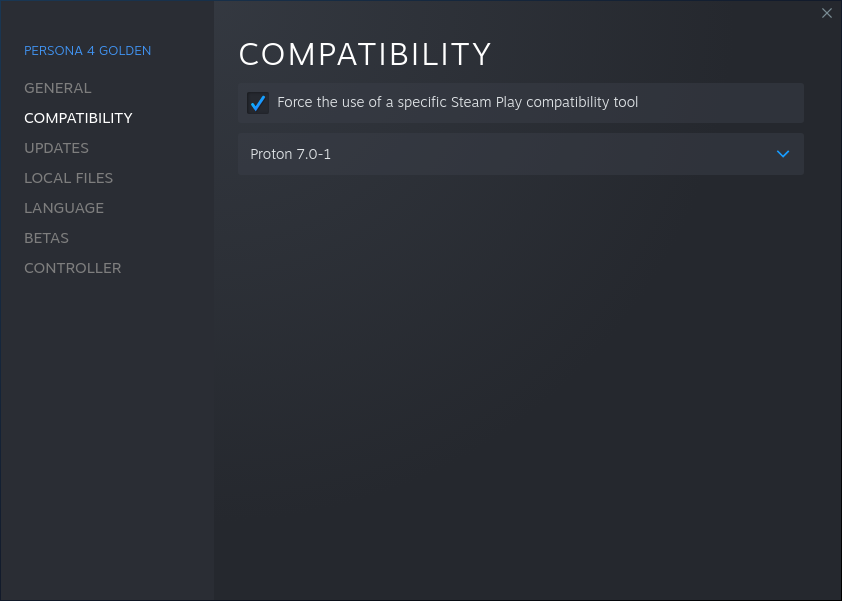
Which videos are not playing with sound? The opening definitely works. I'm on Arch Linux with the latest updates, and I'm using pipewire.
I tried the new Proton 7 and videos play fine but with no sound at all, this affects intro videos [...] I wonder if it's a problem on my setup.
It's not a problem with your setup; can replicate this on Fedora 35 as well w/ Proton 7.0-1 and now experimental now that experimental has been rebased to 7.x. Intro video after logos runs fine, but no audio is output. Menu sound works fine.
Edit: Various folk running Pop_OS!, Manjaro, and Arch also report issues with audio not outputting for animated scenes so the issue seems to lie with Proton/Wine: https://www.protondb.com/app/1113000
So how is this supposed to work? Do we need to install additional gstreamer stuff on the host system for Proton 7.0-1 (or current experimental) for this to work? With a clean prefix after the Atlus and P-Studio banners when the intro should kick in I just get an error:
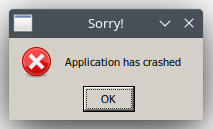
much similar like seen on Proton-GE when the k-lite codec pack installation went wrong (current Proton-GE works fine though apart from the menu sounds stopped working) so it must have to do something with media playback.
Proton log: steam-1113000.log
Note: I already tried installing various gstreamer packages and plugins for which the *.so files are mentioned in the log on the host system, but it didn't change anything. While I'm running current Proton Experimental with Steam and Steam runtime betas opted in on Exherbo Linux I can also reproduce the very same issue on another computer running an up to date Fedora 35 (KDE Plasma) with a clean prefix running stable versions of steam, runetime and Proton 7.0-1.
Whitelist request: Persona 4 Golden
Issue transferred from https://github.com/ValveSoftware/Proton/issues/5640.
@dylanmtaylor posted on 2022-03-03T22:08:40:
Whitelist Request
- Name of the game to be whitelisted: Persona 4. Golden
- Steam AppID of the game:1113000
System Information
Valve steam deck running steam OS 3
- Proton version: 7
I confirm:
- [x] that pressing the
Playbutton in the Steam client is sufficient. - [x] that runtime config options are necessary to run the game.
- [x] that no workarounds other than PROTON_* env variables are necessary.
Issues
- [x] I haven't experienced any issues.
- [ ] There are no issues left open for this game.
- [ ] Although I consider the gaming experience equal to Windows there are remaining issues:
This game is currently listed as incompatible with the Steam Deck but I just got mine today and decided to try it out. With proton version 7, the latest version, it works out of the box and is definitely playable. I didn't have to perform any sort of custom proton installation or anything. There is already an issue for this game but this is the first time that it is being requested to be whitelisted.
Persona 4 Golden no longer has the sound issues on my system when running Experimental as reported by the update at several places: https://www.gamingonlinux.com/2022/02/proton-experimental-fixes-elden-ring-plus-persona-4-golden-for-linux-and-steam-deck/
Forcing my Fedora system to use Proton7.0-1 reverts the sound fixes. So until Valve pulls in the fixes to 7.0 or releases a 7.x, to get the full audio experience use Experimental.
Still can't get the game working. Arch Linux and i've tried everything. Says Application has Crashed when launching the game.
If You play with Japanese Audio, the Animated Cut-scenes will still be in english.
Possible the MF workaround doesn't take different languages into account?
If You play with Japanese Audio, the Animated Cut-scenes will still be in english.
Possible the MF workaround doesn't take different languages into account?
Proton log, please.
I'll set up logging now, and as soon as I run across another video I'll post the log.
Distro: Arch Linux
Running the game under Proton 7.0-1b produces this log:
steam-1113000.log
The game crashes on launch with the following error message:
Screenshot:
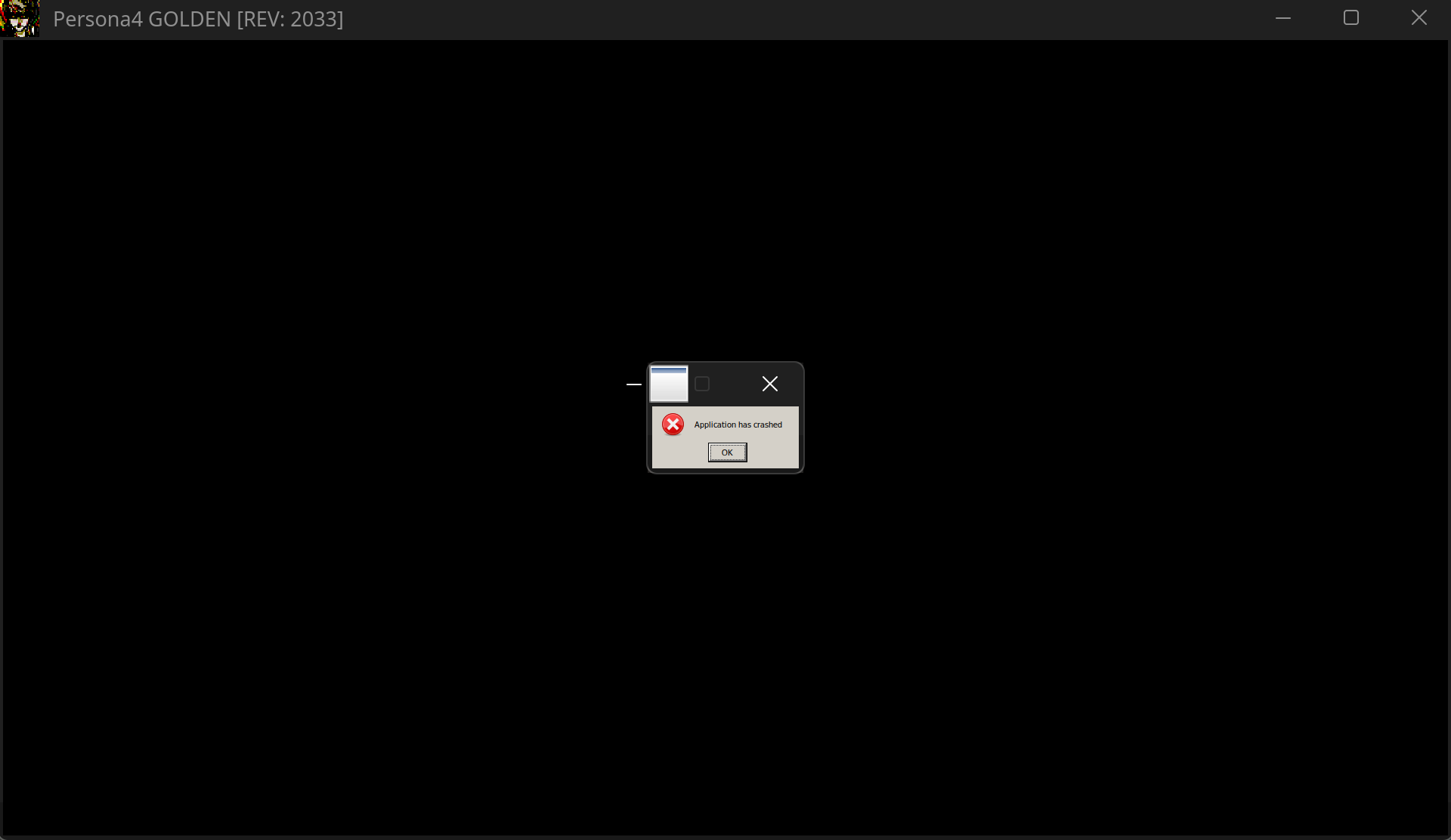
Old known workarounds to get the game working don't work with Proton 7 and using Experimental doesn't work for me either.
Hello @ThisNekoGuy, wine: Call from 7B011197 to unimplemented function d3dx11_43.dll.D3DX11CreateThreadPump, aborting looks like a line of interest from your log.
I'm aware that, until now, protontricks -q wm9 d3dx11_43 quartz lavfilters was required to get the game to run but this, again, don't work with Proton 7 for a few different reasons.
Just reporting this so that protontricks / winetricks shouldn't be needed anymore if someone can solve the core issues with Proton (and maybe add to the initial set-up script, if necessary, at Valve)
EDIT:
Just rebuilt the prefix again this morning and it arbitrarily decided not to crash without me touching anything at all; I'll never understand why Proton does this nonsense to me. Regardless, video scenes (including the opening video) still have no audio:
steam-1113000.log
If You play with Japanese Audio, the Animated Cut-scenes will still be in english.
Possible the MF workaround doesn't take different languages into account?Proton log, please.
Log after starting new game with English text and japanese audio -> Cutscene audio still english (Steamdeck)
Besides the issues with the Japanese cut-scene audio not working I now also have the issue that some cut-scenes won't play at all. The two cut-scenes that should play on the 07/10 in-game will just show a "TV test image" and then auto skip. Happens both in-game and in the TV Listings Gallery Mode with both Japanese and English audio settings.
steam-1113000.log
Persona 4 Golden video issues
Issue transferred from https://github.com/ValveSoftware/Proton/issues/5880.
@Solljak posted on 2022-06-03T07:15:48:
Compatibility Report
- Name of the game with compatibility issues: Persona 4 Golden
- Steam AppID of the game: 1113000
System Information
- GPU: Steam Deck
- Driver/LLVM version: steam deck?
- Kernel version:
- Link to full system information report as Gist:
- Proton version: Experimental Proton
I confirm:
- [ x] that I haven't found an existing compatibility report for this game.
- [x ] that I have checked whether there are updates for my system available.
Symptoms
I can't add the Proton log because I'm doing this on a phone, but the issue will be easily replicated as its a scene from the game. Its just far into the game so I don't think it's been tested. Games Deck Veriefied but this is the second in game event FMV that hasn't loaded when it was supposed to. I am concerned videos past a certain date haven't been tested to get that Deck Verified tick the game seems to have but clearly doesn't deserve.
When a cutscene plays and a 2d animated video takes the form of the next scene, you get a black screen with a static tv bar at the top and the scene doesn't play out. It's happened on 2 scenes so far. One where the characters ride to the beach and the newest one when they perform their song at Junes.
Reproduction
You can reproduce this issue any time by visiting the games in game movie viewer under the 'TV listing' section of the main menu before loading up a save file or new game. If you do it from there, the game can even crash.
This game shouldn't be classed as Deck Verified as this seems to be happening more often.
I've been playing fine using Proton Experimental but when i tried tried using gamescope to apply AMD FSR and custom v-sync, it led to the 'application crashed' error after the Atlus and P-Studio logos. After that, even removing the "gamescope %command%" launch parameter led to the crash. I had to completely uninstall the game and delete the prefix to get it working back again.
Also, the game window doesn't prevent the screensaver to kick in if no input is being registered.
Currently using plasma-wayland-session 5.25.3.1-1 and mesa 22.1.3-1. System: 5.18.12-arch1-1.
Videos are still broken when playing the game in a language other than English
Videos function on a constant basis, However, Audio breaks after a couple of seconds.
Compatibility Report
- Name of the game with compatibility issues: Persona 4 Golden
- Steam AppID of the game: 1113000
System Information
- GPU: GTX 1660
- Driver/LLVM version: nvidia 515.57
- Kernel version: 5.18.15-zen1-2-zen
- Link to full system information report as Gist: Full system report
- Proton version: 7.0-3
I confirm:
- [x] that I haven't found an existing compatibility report for this game.
- [x] that I have checked whether there are updates for my system available.
Symptoms
The game used to work when I first tried it, only with Proton 7, other versions of proton like GE didn't work. Messed with the game a bit until I got "timed out" by it, it'd link me to a page saying that "they couldn't verify my purchase of the game" or something along those lines... Every time I tried to launch it after that It'd just go through the Atlus and P-Studio logo and crash with a textbox saying "Application has crashed". I've already checked the log files and tried installing quartz and the other dlls people recommended but It didn't work. For the sake of the report the log is just from the default proton install.
Reproduction
Just playing the game
Went to shower and when I come back got the time out again, here is the screenshot of the page I get redirected to. I know this probably has nothing to do with Proton and is just DRM but it's weird to me because the game used to work just until I got to this error for the first time...
Replying to https://github.com/ValveSoftware/Proton/issues/3982#issuecomment-1204252450
Persona 4 Golden still has Denuvo DRM, which has a 5 machine daily (24 hours) activation limit. Every time you switch Proton versions and launch the game, it gets counted as an activation. That is why you see that validation error message.
For the crashing issue, swapping from GE-Proton (Glorious Eggroll version) to official Steam Proton (7.0 or Experimental) seems to cause the crash when the intro video is about to play. You may need to delete the Wine prefix folder in [..]/steamapps/compatdata/1113000 when switching away from GE-Proton to Steam Proton. Be mindful of the daily Denuvo activation limit.
If you just want to play the game with all videos working, try an older version of GE-Proton like GE-Proton 7.20. Newer versions of GE-Proton may have other bugs.
If You play with Japanese Audio, the Animated Cut-scenes will still be in english.
Possible the MF workaround doesn't take different languages into account?
I have also encountered this issue. In-game voices are Japanese but cutscenes are in English.
Just updating the issue that crash occurs with current Proton versions 7.0-4 and experimental. Log has a lot of lines like this:
188767.226:0114:0118:err:quartz:MediaFilter_GetState Filter 28DA1A1C reported incorrect state 1 (expected 0).
So this would point to bug(s) in the quartz component (from wine to Proton).
Otherwise it looks like relevant things have been said before here.
One more thing, kernel log shows following:
[188848.539048] umip: P4G.exe[506801] ip:271e0115 sp:28bbfd40: SGDT instruction cannot be used by applications.
[188848.539053] umip: P4G.exe[506801] ip:271e0115 sp:28bbfd40: For now, expensive software emulation returns the result.
So the game code is trying to CPU instructions which are now prohibited (due to potentially exposing kernel structures to user space)?
Hello @ipr, that lines up with https://github.com/ValveSoftware/Proton/issues/2927#issuecomment-754227363 and is nonfatal. It's a red herring.
Atlus updated this game last month and it no longer uses quartz. I mention this because Steam/Proton still downloads a 4,8 GB "transcoded_video.foz", which is no longer necessary since the cutscenes work fine now without it (Proton 7).
Also, the aforementioned issue of the cutscenes being in English while playing with the Japanese audio doesn't happen anymore.
Input #0, ivf, from 'P4CTOP1_40534656.m2v':
  Duration: 00:01:24.08, start: 0.000000, bitrate: 2344 kb/s
  Stream #0:0: Video: vp9 (Profile 0) (VP90 / 0x30395056), yuv420p(tv, smpte170m/unknown/unknown), 1920x1088, 29.97 tbr, 29.97 tbn, 29.97 tbc
pinging @tgurr the game appears to work perfectly fine here now with no protonfixes needed, but you're the usual reporter if there's problems, can you test on a clean prefix with no protonfix to verify its no longer needed?
@GloriousEggroll Tested with clean prefixes and additionally complete reinstallations of the game and while it now indeed works fine on Fedora tested with stable proton/runtime/steam client on one machine: fedora_steam-1113000.log
it still fails to run for me on my machine with proton experimental/beta runtime/beta steam client on Exherbo Linux with the well known
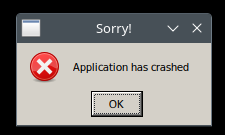
exherbo_steam-1113000.log
From the logs wine: Call from 000000007B01260E to unimplemented function d3dx11_43.dll.D3DX11CreateThreadPump, aborting has already been mentioned above from someone else, running another distribution, Arch: https://github.com/ValveSoftware/Proton/issues/3982#issuecomment-1100870570 so for me that still appears to be the problem as well.
If I just switch my machine to GE-Proton7-49, clean prefix again, it works fine like usual (apart from the game not starting in fullscreen for quite some GE-Proton versions now, but that's for sure something else).
Update - scratch that, at least for GE-Proton it also indeed works just fine now on my machine after removing 1113000.py from the gamefixes, prepared https://github.com/GloriousEggroll/protonfixes/pull/113 for that. Contrary to my statement above this also indeed fixes the game not starting fullscreen for me.
So this only appears to be a problem with upstream Proton, at least Proton Experimental (have yet to try Proton stable on my machine) I might dig through the code of Proton Experimental, Stable and GE-Proton to maybe find some references in regards to the unimplemented function.
Okay.. finally. The cause is d3dx11_43.dll, if I just copy the file from the prefix created by GE-Proton7-49 over to the prefix created by current Proton Experimental the game launches without running into that error, the dll file GE-Proton7-49 ships is also noticable bigger.
sha265sum of GE-Proton7-49 pfx/drive_c/windows/system32/d3dx11_43.dll (270,3 KiB - 276.832):
981e42629df751217406e7150477cddc853b79abd6a8568a1566298ed8f7bd59
sha265sum of Proton Experimental pfx/drive_c/windows/system32/d3dx11_43.dll (79,5 KiB - 81.434):
4e6554a682ad77137bb035b04a830db5902d2c074a9800b1037fac1f0b1def8b
That file comes from some Microsoft redistributable right?
In that case we would need to keep the protonfix but just remove everything except this bit:
util.protontricks('d3dx11_43')
In that case we would need to keep the protonfix but just remove everything except this bit:
util.protontricks('d3dx11_43')
Apparently that file gets copied in by default as seen in regular Proton so that isn't required at all. But somehow GE-Proton and Proton Experimental have differences in where they pull that file from, else I'd have no explanation why they would be different at all.
Replying to https://github.com/ValveSoftware/Proton/issues/3982#issuecomment-1435071521
To add to that list I just redownloaded and retried it on my Fedora machine running stable Proton 7.0-6 with a clean prefix and there I get
sha265sum of Proton 7.0-6 pfx/drive_c/windows/system32/d3dx11_43.dll (270,3 KiB - 276.832):
981e42629df751217406e7150477cddc853b79abd6a8568a1566298ed8f7bd59
so the same file like with GE-Proton7-49 which means that's a regression in Proton Experimental for this game. Hope Valve will fix that. As far as I know we're supposed to post in the specific game reports like this one as there's no real Proton Experimental regression tracker.
@tgurr looks like there may be something broken with your Steam installation. Wine's d3dx11_43.dll indeed has only a @ stub D3DX11CreateThreadPump but the game has enabled the redists and a native dll should get installed upon prefix creation. Check steamapps/common/Steamworks Shared/.
This works correctly for me and our QA staff.
@tgurr looks like there may be something broken with your Steam installation. Wine's d3dx11_43.dll indeed has only a
@ stub D3DX11CreateThreadPumpbut the game has enabled the redists and a native dll should get installed upon prefix creation. Checksteamapps/common/Steamworks Shared/.This works correctly for me and our QA staff.
@ivyl Thanks for the hints, I've verified that the redistributables are there, I've deleted them and verified the integrity afterwards to redownload them but the problem persists. However to add some additional information I've now also installed Proton 7.0 (1675326504 proton-7.0-6e) additionally to Proton Experimental (1676917723 experimental-7.0-20230220b). When starting the game with a clean prefix with Proton 7.0 the game works on my machine as well. When then switching to Proton Experimental the game keeps working as the dll file is kept. However once starting with a clean prefix (by deleting compatdata/1113000 and verifying game file integrity afterwards) and running it with Proton Experimental you can still observe the game crashing.
Additional obvervation: When deleting the prefix and verifying the integrity of the game files I can observe that the d3dx11_43.dll - 79,5 KiB (81.434) is being copied in during that process and before starting the game the first time (probably from the mentioned redists), but during the startup of the game when watching the system32 folder I can see d3dx11_43.dll (among others) being replaced by the bigger one d3dx11_43.dll - 270,3 KiB (276.832), this action however appears to only happen with Proton 7.0 but not with Proton Experimental. To reproduce be sure to clean the prefix as like stated above when switching between Proton 7.0 and Experimental the dll file Proton 7.0 put in when starting the game appears to be kept in place so when Proton 7.0 already copied in the bigger one Proton Experimental will work as well. When starting with a clean prefix and just Proton Experimental you should hopefully be able to reproduce the problem.
Edit: For completeness attaching the logs from both runs with a clean prefix - however I couldn't spot anything obvious there (like an addtional copy process for the file in question).
steam-1113000_7.0.log
steam-1113000_experimental.log
Oh. It's very weird that it only happens with one official Proton version. There were some changes to how Proton handles file copying. Sadly I cannot reproduce the issue with current Experimental or Bleeding Edge. Native files are copied for me just fine. Also Proton is not responsible for copying the redist files. It's up the the game developer / Steam.
There are few questions that would need answers. Would be kind enough to help us here, since we cannot get a local repro?
- Have you done any customizations to your setup? Setting runtimes for Proton, etc? What version of Proton have you selected in Setting -> Steam Play? What file system are you on?
- Does Steam copy the redist files in the first place? If not that's probably a Steam issue.
- Does Proton override the copied redist for some reason?
To test the point number 2 you can delete prefix and start the game. Quickly quit while it's synchronizing Steam Cloud or compiling the shaders. This way you should be between prefix creation + redist installation and the actual game launch. There should be no proton log file and you should see the bigger, native d3dx11_43.dll in the prefix. Please attach config_info that resides besides pfx/.
You may want to start Steam in a terminal and check if there's something suspicious there.
As of number 3, if Steam indeed copies the correct file, there are two places that come to my mind that could possibly override the DLL. First is the DLL handling done by setupapi (PROTON_LOG=+setupapi to check). The other one is try_copy() in Proton script. You may want to add a log() statement there - those will output to terminal you start Steam in.
It would be good to know if Steam is showing a first-time setup window with Steam configured to use Proton 7.0-6 with the game, but not when configured to use Proton Experimental (with no pre-existing wineprefixes in both cases).
@ivyl huge thanks for helping to identify the issue! I'm trying to provide any information you've requested.
Oh. It's very weird that it only happens with one official Proton version. There were some changes to how Proton handles file copying. Sadly I cannot reproduce the issue with current Experimental or Bleeding Edge. Native files are copied for me just fine. Also Proton is not responsible for copying the redist files. It's up the the game developer / Steam.
There are few questions that would need answers. Would be kind enough to help us here, since we cannot get a local repro?
- Have you done any customizations to your setup? Setting runtimes for Proton, etc?
None that I'm aware of, I've just opted in to the betas of soldier and scout runtimes in combination with the beta steam client, but I just tried to reproduce that on my Fedora machine opting in there as well and also can't reproduce the issue there.
What version of Proton have you selected in Setting -> Steam Play?
I've selected Proton Experimental which is usually the only version I've around (besides GE-Proton) as I've also both checkboxes ticked to use steam play for supported and also every other titles.
What file system are you on?
/home on ext4 where the not movable redists are ~/.steam/steam/steamapps/common/Steamworks Shared/_CommonRedist/ and everything which you're able to move I've moved to a second drive/partition mounted as /mnt/games also on ext4. Pretty much identical to my Fedora machine.
/dev/nvme0n1p5 on /home type ext4 (rw,noatime,discard)
/dev/sda1 on /mnt/games type ext4 (rw,noatime,discard)
/home/<user>/.steam/steam/steamapps/common/Steamworks Shared/_CommonRedist/
/mnt/games/Steam/steamapps/common/SteamLinuxRuntime
/mnt/games/Steam/steamapps/common/SteamLinuxRuntime_soldier
/mnt/games/Steam/steamapps/common/Proton 7.0
/mnt/games/Steam/steamapps/common/Proton - Experimental
/mnt/games/Steam/steamapps/common/Persona 4 Golden
- Does Steam copy the redist files in the first place? If not that's probably a Steam issue.
To test the point number 2 you can delete prefix and start the game. Quickly quit while it's synchronizing Steam Cloud or compiling the shaders. This way you should be between prefix creation + redist installation and the actual game launch. There should be no proton log file and you should see the bigger, native
d3dx11_43.dllin the prefix. Please attachconfig_infothat resides besidespfx/.
I've tried to catch the right moment, however I'm not sure if I hit it:
7.0-6_config_info.txt
experimental_config_info.txt
(Hopefully the videos I'm attaching to the end of this answer will be of any use to spot that information as well)
You may want to start Steam in a terminal and check if there's something suspicious there.
Couldn't spot anything obvious or some relevant stuff:
7.0-6_terminal_output.txt
experimental_terminal_output.txt
- Does Proton override the copied redist for some reason?
As of number 3, if Steam indeed copies the correct file, there are two places that come to my mind that could possibly override the DLL. First is the DLL handling done by setupapi (PROTON_LOG=+setupapito check). The other one istry_copy()in Proton script. You may want to add alog()statement there - those will output to terminal you start Steam in.
I wasn't quite sure which part of try_copy() I'd have to add the log() to as I found multiple occurances, will gladly try if you could provide me some short diff/patch so I won't get things wrong as I'm not really confident in python. Attaching the requested logs.
7.0_6_setupapi_steam-1113000.log
experimental_setupapi_steam-1113000.log
One difference I noticed which was already present in the logs posted above between the 7.0_6 and Experimental runs is that 7.0_6 lists d3dx11_43.dl as native and Experimental as builtin for me.
7.0_6_setupapi_steam_1113000.log
31867.809:0130:0134:trace:loaddll:build_module Loaded L"C:\\windows\\system32\\d3dx11_43.dll" at 0000000180000000: native
experimental_setupapi_steam_1113000.log
31753.337:0110:0114:trace:loaddll:build_module Loaded L"C:\\windows\\system32\\d3dx11_43.dll" at 0000000391400000: builtin
This is also a difference between my tests on my machine and on Fedora after switching it to Proton Experimental and beta runtimes/steam client:
fedora_experimental_steam-1113000.log
exherbo_experimental_steam-1113000.log
Fedora:
812.869:0110:0114:trace:loaddll:build_module Loaded L"C:\\windows\\system32\\d3dx11_43.dll" at 0000000180000000: native
812.874:0110:0114:trace:loaddll:build_module Loaded L"C:\\windows\\system32\\VCRUNTIME140.dll" at 00000000007E0000: native
812.875:0110:0114:trace:loaddll:build_module Loaded L"C:\\windows\\system32\\msvcp140.dll" at 0000000000740000: native
812.881:0110:0114:trace:loaddll:build_module Loaded L"C:\\windows\\system32\\vcomp140.dll" at 0000000000800000: native

Exherbo:
3361.332:0114:0118:trace:loaddll:build_module Loaded L"C:\\windows\\system32\\d3dx11_43.dll" at 0000000391400000: builtin
3361.334:0114:0118:trace:loaddll:build_module Loaded L"C:\\windows\\system32\\vcruntime140.dll" at 000000026ED50000: builtin
3361.334:0114:0118:trace:loaddll:build_module Loaded L"C:\\windows\\system32\\msvcp140.dll" at 0000000360E10000: builtin
3361.336:0114:0118:trace:loaddll:build_module Loaded L"C:\\windows\\system32\\vcomp140.dll" at 00000003204A0000: builtin
Also adding two videos to illustrate the problem/difference between 7.0_6 and experimental where you can see when the dll is overwritten when using 7.0-6 with the bigger version and the lack of with Experimental, and to hopefully answer @kisak-valve. Both are starting with a clean prefix:
7.0-6_startup_full.mkv
experimental_startup_full.mkv
huge thanks for helping to identify the issue! I'm trying to provide any information you've requested.
Thanks! :-)
- Does Steam copy the redist files in the first place? If not that's probably a Steam issue.
To test the point number 2 you can delete prefix and start the game. Quickly quit while it's synchronizing Steam Cloud or compiling the shaders. This way you should be between prefix creation + redist installation and the actual game launch. There should be no proton log file and you should see the bigger, native
d3dx11_43.dllin the prefix. Please attachconfig_infothat resides besidespfx/.I've tried to catch the right moment, however I'm not sure if I hit it: 7.0-6_config_info.txt experimental_config_info.txt (Hopefully the videos I'm attaching to the end of this answer will be of any use to spot that information as well)
From the Steam output logs it looks like the prefixes are initialized using the correct version of Proton each time. The startup processing in you experimental video is surprisingly short.
Can you apply this patch to the proton script:
diff --git a/proton b/proton
index 67dbb6b6..c98464be 100755
--- a/proton
+++ b/proton
@@ -1320,7 +1320,7 @@ class Session:
                 append_to_env_str(self.env, "WINEDEBUG", self.env["PROTON_LOG"], ",")

         #for performance, logging is disabled by default; override with user_settings.py
-        self.env.setdefault("WINEDEBUG", "-all")
+        self.env.setdefault("WINEDEBUG", "+timestamp,+pid,+tid,+seh,+unwind,+debugstr,+loaddll,+mscoree")
         self.env.setdefault("DXVK_LOG_LEVEL", "none")
         self.env.setdefault("VKD3D_DEBUG", "none")
         self.env.setdefault("VKD3D_SHADER_DEBUG", "none")
@@ -1402,15 +1402,23 @@ class Session:
             self.env["WINE_CRASH_REPORT_DIR"] = self.env["PROTON_CRASH_REPORT_DIR"]

         if self.env["WINEDEBUG"] != "-all":
-            if self.setup_logging(append_forever=False):
+            if self.setup_logging(append_forever=True):
                 self.log_file.write("======================\n")
                 with open(g_proton.version_file, "r") as f:
                     self.log_file.write("Proton: " + f.readline().strip() + "\n")
                 if "SteamGameId" in self.env:
                     self.log_file.write("SteamGameId: " + self.env["SteamGameId"] + "\n")
                 self.log_file.write("Command: " + str(sys.argv[2:] + self.cmdlineappend) + "\n")
+                self.log_file.write("CWD: " + os.getcwd() + "\n")
                 self.log_file.write("Options: " + str(self.compat_config) + "\n")

+                path = sys.argv[-1]
+                if path.endswith(".vdf"):
+                    path = path.replace("\\", "/")
+                    with open(path, 'r') as f:
+                        lines = f.readlines()
+                        self.log_file.write("".join(lines))
+
                 self.try_log_slr_versions()

                 try:
and then remove the prefix and start the game again?
This way you'll have steam-proton.log instead of the usual steam-$APPID.log but it will also contain everything that happens during the initial prefix creation.
For me it starts with Command: ['/home/ivyl/.local/share/Steam/legacycompat/iscriptevaluator.exe', 'legacycompat\\evaluatorscript_1113000.vdf']
The script has "process 1" "%INSTALLDIR%\\_CommonRedist\\DirectX\\Jun2010\\DXSETUP.exe"
which then is started by the script evaluator:
74442.849:01cc:01d0:trace:loaddll:build_module Loaded L"Z:\\home\\ivyl\\.local\\share\\Steam\\steamapps\\common\\Steamworks Shared\\_CommonRedist\\DirectX\\Jun2010\\DXSETUP.exe" at 01000000: native
Having that log could shed some light on what's going wrong.
You can also apply additionally
diff --git a/proton b/proton
index c98464be..936a88a9 100755
--- a/proton
+++ b/proton
@@ -1413,6 +1413,10 @@ class Session:
                 self.log_file.write("Options: " + str(self.compat_config) + "\n")

                 path = sys.argv[-1]
+
+                if path.endswith("P4G.exe"):
+                    sys.exit(1)
+
                 if path.endswith(".vdf"):
                     path = path.replace("\\", "/")
                     with open(path, 'r') as f:
Which will stop the game from executing. This way you will have a freshly created prefix that should have the redists installed. You can then investigate whether you see the native or builtin DLLs without having to stop the execution of game in time.
This is also a difference between my tests on my machine and on Fedora after switching it to Proton Experimental and beta runtimes/steam client:
fedora_experimental_steam-1113000.log exherbo_experimental_steam-1113000.log
Fedora:
812.869:0110:0114:trace:loaddll:build_module Loaded L"C:\\windows\\system32\\d3dx11_43.dll" at 0000000180000000: native
812.874:0110:0114:trace:loaddll:build_module Loaded L"C:\\windows\\system32\\VCRUNTIME140.dll" at 00000000007E0000: native
812.875:0110:0114:trace:loaddll:build_module Loaded L"C:\\windows\\system32\\msvcp140.dll" at 0000000000740000: native
812.881:0110:0114:trace:loaddll:build_module Loaded L"C:\\windows\\system32\\vcomp140.dll" at 0000000000800000: native

Exherbo:
3361.332:0114:0118:trace:loaddll:build_module Loaded L"C:\\windows\\system32\\d3dx11_43.dll" at 0000000391400000: builtin
3361.334:0114:0118:trace:loaddll:build_module Loaded L"C:\\windows\\system32\\vcruntime140.dll" at 000000026ED50000: builtin
3361.334:0114:0118:trace:loaddll:build_module Loaded L"C:\\windows\\system32\\msvcp140.dll" at 0000000360E10000: builtin
3361.336:0114:0118:trace:loaddll:build_module Loaded L"C:\\windows\\system32\\vcomp140.dll" at 00000003204A0000: builtin
The game is also supposed to install VC redist. This looks like none of the redists were installed or all of them were overwritten for some reason. That's consistent with what you are reporting.
@ivyl Attaching the logs with the provided patches applied both on Experimental and 7.0-6 always starting with a clean prefix:
experimental_steam-proton_patch1.log
experimental_steam-proton_patch2.log
7.0-6_steam-proton_patch1.log
7.0-6_steam-proton_patch2.log
Awesome! I think we're getting closer to the root cause, the redists all seem to fail to install on Experimental for me. You're probably way more savvy to interpret those but what jumps into my eyes are the errors on experimental:
341.633:0134:0138:err:module:import_dll Library comctl32.dll (which is needed by L"C:\\windows\\system32\\msi.dll") not found
341.636:0134:0138:err:module:import_dll Library msi.dll (which is needed by L"Z:\\home\\tgurr\\.local\\share\\Steam\\steamapps\\common\\Steamworks Shared\\_CommonRedist\\vcredist\\2015\\vc_redist.x86.exe") not found
341.636:0134:0138:err:module:LdrInitializeThunk Importing dlls for L"Z:\\home\\tgurr\\.local\\share\\Steam\\steamapps\\common\\Steamworks Shared\\_CommonRedist\\vcredist\\2015\\vc_redist.x86.exe" failed, status c0000135
341.812:014c:0150:err:module:import_dll Library comctl32.dll (which is needed by L"C:\\windows\\system32\\msi.dll") not found
341.816:014c:0150:err:module:import_dll Library msi.dll (which is needed by L"Z:\\home\\tgurr\\.local\\share\\Steam\\steamapps\\common\\Steamworks Shared\\_CommonRedist\\vcredist\\2015\\vc_redist.x64.exe") not found
341.816:014c:0150:err:module:LdrInitializeThunk Importing dlls for L"Z:\\home\\tgurr\\.local\\share\\Steam\\steamapps\\common\\Steamworks Shared\\_CommonRedist\\vcredist\\2015\\vc_redist.x64.exe" failed, status c0000135
341.833:0154:0158:err:module:import_dll Library COMCTL32.dll (which is needed by L"Z:\\home\\tgurr\\.local\\share\\Steam\\steamapps\\common\\Steamworks Shared\\_CommonRedist\\DirectX\\Jun2010\\DXSETUP.exe") not found
341.833:0154:0158:err:module:LdrInitializeThunk Importing dlls for L"Z:\\home\\tgurr\\.local\\share\\Steam\\steamapps\\common\\Steamworks Shared\\_CommonRedist\\DirectX\\Jun2010\\DXSETUP.exe" failed, status c0000135
Starting with the first error comctl32.dll the difference between Experimental
340.091:0020:0024:trace:loaddll:build_module Loaded L"C:\\windows\\system32\\comctl32.dll" at 00000002BB750000: builtin
whereas on 7.0-6
599.658:0134:0138:trace:loaddll:build_module Loaded L"C:\\windows\\winsxs\\x86_microsoft.windows.common-controls_6595b64144ccf1df_6.0.2600.2982_none_deadbeef\\comctl32.dll" at 6CC40000: builtin
341.812:014c:0150:err:module:import_dll Library comctl32.dll (which is needed by L"C:\\windows\\system32\\msi.dll") not found
This seems to be the issue. Looks like your experimental installation is missing this file or not copying it to the prefix.
Can you check? This is what I get:
ivyl@failcraft Proton - Experimental $ fd msi.dll
files/lib/wine/i386-windows/amsi.dll
files/lib/wine/i386-windows/msi.dll
files/lib64/wine/x86_64-windows/amsi.dll
files/lib64/wine/x86_64-windows/msi.dll
files/share/default_pfx/drive_c/windows/system32/amsi.dll
files/share/default_pfx/drive_c/windows/system32/msi.dll
files/share/default_pfx/drive_c/windows/syswow64/amsi.dll
files/share/default_pfx/drive_c/windows/syswow64/msi.dll
If the files are missing can you try uninstalling and reinstalling Experimental? SteamPipe has a known bug where it has hard time verifying installation with so many files / symlinks so a simple verify won't do.
If Steam doesn't allow you to uninstall Proton Experimental you can check Steam's terminal output - it should list all the things that depend on it. You can then disable the explicit version selection.
Experimental ships with all the files extracted (see the changelog: "Update file distribution method to save disk space.").
FWIW we are shipping Proton Stable with the old distribution method, where it comes with a tarball that gets extracted on the first start and this will continue till the bug will get fixed.
341.812:014c:0150:err:module:import_dll Library comctl32.dll (which is needed by L"C:\\windows\\system32\\msi.dll") not found
But doesn't it rather complain about not being able to find comctl32.dll (which is needed to msi.dll)?
This seems to be the issue. Looks like your experimental installation is missing this file or not copying it to the prefix.
Can you check? This is what I get:
ivyl@failcraft Proton - Experimental $ fd msi.dll
files/lib/wine/i386-windows/amsi.dll
files/lib/wine/i386-windows/msi.dll
files/lib64/wine/x86_64-windows/amsi.dll
files/lib64/wine/x86_64-windows/msi.dll
files/share/default_pfx/drive_c/windows/system32/amsi.dll
files/share/default_pfx/drive_c/windows/system32/msi.dll
files/share/default_pfx/drive_c/windows/syswow64/amsi.dll
files/share/default_pfx/drive_c/windows/syswow64/msi.dll
Output here appears identical for msi.dll
tgurr@exherbo /mnt/games/Steam/steamapps/common/Proton - Experimental $ fd msi.dll
files/lib/wine/i386-windows/amsi.dll
files/lib/wine/i386-windows/msi.dll
files/lib64/wine/x86_64-windows/amsi.dll
files/lib64/wine/x86_64-windows/msi.dll
files/share/default_pfx/drive_c/windows/system32/amsi.dll
files/share/default_pfx/drive_c/windows/system32/msi.dll
files/share/default_pfx/drive_c/windows/syswow64/amsi.dll
files/share/default_pfx/drive_c/windows/syswow64/msi.dll
and comctl32.dll for completeness
tgurr@exherbo /mnt/games/Steam/steamapps/common/Proton - Experimental $ fd comctl32.dll
files/lib/wine/i386-windows/comctl32.dll
files/lib64/wine/x86_64-windows/comctl32.dll
files/share/default_pfx/drive_c/windows/system32/comctl32.dll
files/share/default_pfx/drive_c/windows/syswow64/comctl32.dll
However since you mentioned it I've now followed your guide not relying on file verification and completely removed Proton Experimental and reinstalled it and well what can I say.. it indeed solved the problem! So sorry for all the hassle and noise and wasting your precious time, however I wish that could somehow be detected and printing a big warning and even better, file verification being able to fix that or rather do a reinstallation to get it back to a working state. Or the known bug of SteamPipe you mentioned getting fixed to spare you from reports like this. I'm using Proton Experimental since quite some time so my installation went through quite some updates over the time. I really can't remember doing anything manually to it in any way causing the issue in the first place. So right now I can only thank you a million times for all your help @ivyl - you're awesome!
But doesn't it rather complain about not being able to find comctl32.dll (which is needed to msi.dll)?
Ah. Yes, you are correct.
This is what you should have seen:
ivyl@failcraft Proton - Experimental % fd comctl32.dll
files/lib/wine/i386-windows/comctl32.dll
files/lib64/wine/x86_64-windows/comctl32.dll
files/share/default_pfx/drive_c/windows/system32/comctl32.dll
files/share/default_pfx/drive_c/windows/syswow64/comctl32.dll
files/share/default_pfx/drive_c/windows/winsxs/amd64_microsoft.windows.common-controls_6595b64144ccf1df_6.0.2600.2982_none_deadbeef/comctl32.dll
files/share/default_pfx/drive_c/windows/winsxs/x86_microsoft.windows.common-controls_6595b64144ccf1df_6.0.2600.2982_none_deadbeef/comctl32.dll
So sorry for all the hassle and noise and wasting your precious time, however I wish that could somehow be detected and printing a big warning and even better, file verification being able to fix that or rather do a reinstallation to get it back to a working state. Or the known bug of SteamPipe you mentioned getting fixed to spare you from reports like this.
I totally agree. I'm not sure how we could detect this in a quick and reliable way though. Integrity of files is something that Steam is responsible for so I'm just hoping that this bug will eventually get fixed.
Usually it's quite obvious from the logs what's going on because if the installation gets corrupted the game won't start and you'll get some errors about the DLL like in the example above, but in the main log. Here we had a case of the corruption not affecting the game but only the redist install which is a bit hidden.
Anyway, I'm happy that it works for you. Now I also know that Proton Experimental installation corruption is the first thing we should check in case redists fail to install :-)
With Proton prior to version 9, the game simply won't launch. With version 9 or later, the game launches, but there's a strange frame drop in combat, especially when performing a normal attack. There's also occasional audio crackling during combat.
With Proton prior to version 9, the game simply won't launch. With version 9 or later, the game launches, but there's a strange frame drop in combat, especially when performing a normal attack. There's also occasional audio crackling during combat.
In some games the audio issue appears when you have framerate limit applied (on Steam Deck). What kind of system are you running?
Raising default buffer sizes in pipewire config can help as well.
With Proton prior to version 9, the game simply won't launch. With version 9 or later, the game launches, but there's a strange frame drop in combat, especially when performing a normal attack. There's also occasional audio crackling during combat.
In some games the audio issue appears when you have framerate limit applied (on Steam Deck). What kind of system are you running?
Raising default buffer sizes in pipewire config can help as well.
My brother was running the same game on Steam but on Windows 11, and I saw that he had the exact same problem.
Therefore, I assume it's a problem with the game.
One thing to do: on Steam Deck, enable developer menu, then go to developer, find an item called "enable gamescope vr browser composer" and turn that off.
Turning that off seems to improve latencies as a whole as well so something is bugged there since that changes things even when not using VR features..
@ipr I'm not noticing any difference on my end, and that toggle is generally not expected to affect anything when VR hardware isn't connected. If you notice a difference, then it might be due to the restart required to toggle the option.
It'd be interesting to know how are you running the game that you are having issues. Steamos version, proton version, or if you've tweaked your system with some sort of addon, all possible factors.
@ipr I'm not noticing any difference on my end, and that toggle is generally not expected to affect anything when VR hardware isn't connected. If you notice a difference, then it might be due to the restart required to toggle the option.
Not supposed to, but for some reason it does affect multiple games. And not even anything specifically demanding games but several visual novels have had audio issues on the Deck. I haven't thoroughly tested many games, only a few where that does change things for some reason.
So it seems like a bug in Gamescope that VR affects games adversely while not used. That is on SteamOS 3.8 beta though, so it might be a new regression/bug that was not in older versions, although similar problems have been around before.
Again, "supposed to" is not same as observed issues, so something is buggy (where the bug is is a different matter).
@ipr Not noticing anything. I spent over an hour (mostly on yukiko's dungeon) with steamos beta 3.8.4. As you didn't specify proton version or using any addons I'm assuming you are using proton 10 (the default for this game), and that the game is unmodded and you aren't using things like decky loader.
I only have a deck oled, and it usually shouldn't make a difference, but worth noting whether you have lcd or oled.
Also if you're using deck docked or not, and whether you're playing audio through an external device, 3.5mm headphones, ,bluetooth, or something else.
@ipr Not noticing anything. I spent over an hour (mostly on yukiko's dungeon) with steamos beta 3.8.4. As you didn't specify proton version or using any addons I'm assuming you are using proton 10 (the default for this game), and that the game is unmodded and you aren't using things like decky loader.
Looks like you need to be using Proton 11.0 (beta). Bravely Default had improvement with Proton 10.0 though.
@ipr you left several questions unanswered. That said proton 11 made no difference in my experience, and I've yet to notice any audio issues with persona 4.
I've yet to notice any audio issues with persona 4.
Presumably OLED Deck has performance advantage and does not show same issues as older LCD model does.
@ipr there shouldn't usually be a performance difference, and that difference shouldn't usually cause audio issues with a game like persona 4 which doesn't really seem to stress deck. Which is not to say there can't be unexpected issues affecting a specific variant (which is why I had asked you to confirm which model you had)
there shouldn't usually be a performance difference, and that difference shouldn't usually cause audio issues with a game like persona 4 which doesn't really seem to stress deck. Which is not to say there can't be unexpected issues affecting a specific variant (which is why I had asked you to confirm which model you had)
Yes, we've established multiple times that "should not" - but reality is different. Understand? If there is a bug it is not behaving as it "should" - that is what a bug means.
And as I've mentioned earlier, it seems to have something to do with that "VR browser" thing (whatever it does) so chances are it is not enabled in every Deck at all. But when it is - it is causing performance issues in non-VR games.
And to repeat, there are two things to consider:
- why it was enabled in the first place, and
- why does it cause performance issues
Also considering that issues are apparent in games with no VR relation at all, it has affected native Linux games as well as games under Proton. Games that are not performance intensive at all have had audio crackling issues (visual novels) as well.
@ipr You seem to be misreading my comments, and no point did I say the problem is not happening, I'm just listing what factors are unlikely to cause the issue you're seeing, and, so far, there has been no reproduction of your issue on either lcd or oled models, so there must be other things unaccounted for affecting things.
The VR option is enabled by default for everyone because it's supposed to not do anything when VR devices aren't connected, but I don't think anyone else has reported issues with the option (at least that I'm aware), so other things must be involved alongside it.
- Let's start with reproduction in this game. If you start a new game, how long does it roughly take for the issue to manifest? How often does it happen? How does the issue manifest? As in, is it crackling, popping, gaps in playback or time stretching?
- What are your launch parameters for the game or specify if you had it empty. Additionally, changing your launch parameter to
PROTON_NO_NTSYNC=1 %command%might make a difference so it'd be interesting to know if it changes anything on your end (this option will only change things for proton 11 and newer). - What do you have toggled in your quick settings (the right sidebar that gets invoked by the
...button)? Check everything in the performance tab. - I asked before but got no confirmation either way, so I'm asking again. Are you using decky loader or anything else like it that mods the system? There have been issues with plugins occasionally, so it'd be best to know whether it's a factor
Proton versions
proton 10.0x1 2026-05proton 11.0x1 2026-05proton experimentalx14 2023-02proton 7.0x2 2023-02proton 7.0-6x2 2023-02proton 7.0-6ex1 2023-02ge-proton7-49x3 2023-02proton 7.20x1 2022-08proton 7.0-1bx1 2022-04proton7.0-1x1 2022-03proton 7.0-1x2 2022-02proton 5.0-10x1 2021-10proton 5.13-2x2 2020-12proton 5.0-9x2 2020-09proton 5.0x2 2020-06
Launch options
PROTON_NO_NTSYNC=1x1 2026-05PROTON_LOGx2 2023-02DXVK_LOG_LEVELx1 2023-02PROTON_CRASH_REPORT_DIRx1 2023-02VKD3D_DEBUGx1 2023-02VKD3D_SHADER_DEBUGx1 2023-02WINEDEBUGx1 2023-02WINE_CRASH_REPORT_DIRx1 2023-02PROTON_LOG=+setupapi`x2 2023-02MANGOHUD=0x1 2021-10SDL_Fx1 2021-10SDL_Gx1 2021-10SDL_GAMECONTROLLERCONFIG=03000000de280000ff11000001000000,Steamx1 2021-10SDL_Jx1 2021-10SDL_Sx1 2021-10
Launch lines
PROTON_NO_NTSYNC=1 %command%x1 2026-05gamescope %command%x1 2022-07PULSE_LATENCY_MSEC=60 %command%x2 2020-06
Upstream links
- ValveSoftware/Proton/issues/2927x1 2022-09
- ValveSoftware/Proton/issues/5880x1 2022-06
- ValveSoftware/Proton/issues/5640x1 2022-03
- ValveSoftware/Proton/issues/5439x1 2021-12
- ValveSoftware/Proton/issues/4171x1 2020-09
- ValveSoftware/Proton/issues/4147x1 2020-08
- show_bug.cgi?id=9127x2 2020-06
DLLs
comctl32.dllx4 2023-02msi.dllx4 2023-02amsi.dllx2 2023-02d3dx11_43.dllx9 2023-02msvcp140.dllx2 2023-02vcomp140.dllx2 2023-02vcruntime140.dllx2 2023-02dispex.dllx1 2020-11jscript.dllx1 2020-11scrobj.dllx1 2020-11scrrun.dllx1 2020-11vbscript.dllx1 2020-11wmvcore.dllx1 2020-09quartz.dllx1 2020-08
Compatibility Report
System Information
I confirm:
steam-1113000.log
Symptoms
Game Launches, shows a loading screen and the companies logo, and then goes black screen.
Tried with LLVM and FSync enabled and disbled on Arch Linux. Tried with latest GE version, with GE version app crashes and shows an error popup
Reproduction
Just play the game