Titanfall 2
@serebit the game has run flawlessly through Wine with Lutris for a year at this point. But still, I'm also ecstatic, though... I can't get the game to run. I already have the Origin version, and it has run flawlessly from the moment I got it. I play it every day, I have about 1000 hours so far (all on Linux).
But I just installed the Steam version, and once I get to the Origin sign in, I enter my user ID and password, and then the Origin window pops up but it's completely blank, and nothing happens. I had to kill -9 ... every process to even get it to stop. I have no idea what the problem is.
Arch Linux
5.7.4-8-tkg-pds
Proton 5.0-9
It's not letting me connect to Origin, that's the issue. The "Connecting to Origin" window just stays up indefinitely. When running standalone Origin through Wine, that window is present for like, 2.5 seconds and then it connects and Origin pops up. But on Steam, it's just indefinite.
So, I deleted the prefix, and tried again. And it worked. But I'd also changed desktop environments.
For some reason, this implementation WILL NOT work in i3wm. I've confirmed this at this point. I deleted the prefix, logged out and logged back into two other DEs (Deepin first, then GNOME) on the same installation. When I tried to relaunch the game (and since I deleted the prefix, redo the installation/Origin setup), it worked perfectly fine. After that, I logged back out, went to i3, tried again, and same problem as before. And again, All my actual Origin games (including Titanfall 2) work perfectly in i3. It's just the Steam+Origin games that won't. I tried GNOME, it worked there too.
That said, there is a terrible Mesa bug with Titanfall 2 that will cause ring gfx_0.0.0 timeouts and crash the GPU with (at least) Navi GPUs. You can't finish a full match. I've confirmed it with the Origin version as well. It used to not do that, either. But I've been using vulkan-amdgpu-pro and AMDVLK back and forth for Titanfall 2 the last few months, because they perform better than RADV. But RADV will cause GPU crashes on Titanfall 2 with both Steam and Origin versions. It wasn't present on 20.0 (or 19.3). With AMDVLK or vulkan-amdgpu-pro, the game runs perfectly fine, no crashes or anything. But that's a mesa bug, I suppose, so I'll take that up with them. But if anyone sees this and you have a Navi (or potentially other AMD) GPU then just use AMDVLK and you won't get crashes.
Hello @gardotd426, please copy your system information from Steam (Steam -> Help -> System Information) and put it in a gist, then include a link to the gist in this issue report. Also, please clarify if you were using RADV/LLVM or RADV/ACO with the game.
Can you reproduce with RADV_PERFTEST=aco?
Hey @hakzsam how's it going, Yes, ACO crashes. Menus are fine, but in 6
different tries, 3 on the Steam version and 3 on the long-installed Origin
version, I couldn't complete a full match (matches are about 12-15
minutes). I reliably would get a ring gfx_0.0.0 timeout and driver crash.
This is not the infamous ring gfx Navi issue, as I actually have that issue
with my other Navi card (5600 XT), that issue is generally not reliably
reproducible, happens on the regular desktop, etc. This ONLY happens on
Titanfall 2, ONLY with RADV, didn't used to happen with RADV, and is
reliably reproduced.
As I said, I've had Titanfall 2 installed in Origin for almost a year now,
and play literally every day. But about 2 months ago I started using AMDVLK
and vulkan-amdgpu-pro because I got a bit better performance at the time,
but before that I'd used RADV for months.
At first I thought the Steam version was just borked, since I'd been
playing for hours on the Origin version literally right before my first
attempt with the Steam version. But when I went back and tried the Origin
version, making sure to change over to RADV, the same thing happened. Three
times in a row. I went back to the AMD vulkan driver, and played another 4
hours.
I suppose I can try forcing LLVM (I always usually force ACO whenever I use
RADV, and did in this case as well), but I don't know how hopeful I am. I
mean at least I can play with AMDVLK/vulkan-amdgpu-pro, but most people
don't know that's even an option, let alone how to switch back and forth,
so hopefully we can get this sorted so no one else has this issue.
Obviously a renderdoc capture isn't a possibility here, so I'm unsure what
I can try to gather for you all, aside from journald logs and proton logs.
Oh wait, what about umr?
On Fri, Jun 19, 2020 at 8:53 AM Samuel Pitoiset [email protected]
wrote:
Can you reproduce with RADV_PERFTEST=aco?
—
You are receiving this because you were mentioned.
Reply to this email directly, view it on GitHub
https://github.com/ValveSoftware/Proton/issues/4001#issuecomment-646619325,
or unsubscribe
https://github.com/notifications/unsubscribe-auth/AM5Y335XYB6CMCUYEINH5ADRXNNUVANCNFSM4OCFH2AA
.
@hakzsam I just realized you may have been asking about it not working in i3, but since you're a mesa dev I assume you're asking about the driver crashes, lol.
Try to record an apitrace maybe?
I didn't know I could do that when the whole system crashes.
On Fri, Jun 19, 2020 at 9:28 AM Samuel Pitoiset [email protected]
wrote:
Try to record an apitrace maybe?
—
You are receiving this because you were mentioned.
Reply to this email directly, view it on GitHub
https://github.com/ValveSoftware/Proton/issues/4001#issuecomment-646635655,
or unsubscribe
https://github.com/notifications/unsubscribe-auth/AM5Y33YGAYYLYJXBTDDVFJDRXNRXJANCNFSM4OCFH2AA
.
EDIT: For those like me, where Mesa RADV es making the game crash. Install AMDVLK drivers and add this as launch options:
VK_ICD_FILENAMES="/usr/share/vulkan/icd.d/amd_icd64.json:/usr/share/vulkan/icd.d/radeon_icd.i686.json" %command%
By some reason this only works on Xorg session and not Wayland
I'm playing the game on a GTX1050ti with 440.64 drivers on Kubuntu 20.04.
I had some issues with installing Origin initially, but I deleted the prefix and started over.
The game now appears to run fine, but performance starts to drop over time, as well as audio channels , until barely any sounds are played at all. Also the game is likely to freeze when loading in that state. Entering a Titan appears to accelerate the problem? Need to investigate a bit more.
EDIT: Since he's now deleted his original, this was what I was replying to:
How do you do this? If I try using the amdvlk drivers with VK_ICD_FILENAMES="/usr/share/vulkan/icd.d/amd_icd64.json" %command%, even origin won't boot...
@alosarjos yeah, and that's not going to work. Because Origin is 32-bit. You're only giving it a 64-bit driver to use.
VK_ICD_FILENAMES=/usr/share/vulkan/icd.d/amd_icd32.json:/usr/share/vulkan/icd.d/amd_icd64.json.
@RalfVB how much VRAM do you have? You might need to go into the settings and lower the VRAM allocation. I've never seen this happen in 7-8 hour long play sessions on AMD cards either, so it could be an Nvidia driver problem.
@alosarjos for future reference, please don't delete your original post when you edit it. Leave the original, and add the edit at the end.
Anyway, using 32-bit RADV with 64-bit AMDVLK has caused numerous problems for me in the past. Just use 32-bit and 64-bit AMDVLK. VK_ICD_FILENAMES=/usr/share/vulkan/icd.d/amd_icd32.json:/usr/share/vulkan/icd.d/amd_icd64.json.
Amendment to my original post (and I'll edit it after posting this): the game has a problem getting into fullscreen. I don't know why, it's a bizarre behavior, but every time I click on the icon after alt-tabbing there's about a 10% chance it'll actually go into fullscreen. Most of the time it'll almost get there and then re-minimize.
Yeah, this is only present on the Steam version, the Origin version can
alt-tab fine. But I've noticed the same behavior on the Steam version. It
might be because you're supposed to add -noborder to the launch options and
use borderless windowed mode, I'm not sure.
On Fri, Jun 19, 2020 at 10:46 PM Campbell Jones [email protected]
wrote:
Amendment to my original post (and I'll edit it after posting this): the
game has a problem getting into fullscreen. I don't know why, it's a
bizarre behavior, but every time I click on the icon after alt-tabbing
there's about a 10% chance it'll actually go into fullscreen. Most of the
time it'll almost get there and then re-minimize.—
You are receiving this because you were mentioned.
Reply to this email directly, view it on GitHub
https://github.com/ValveSoftware/Proton/issues/4001#issuecomment-646925518,
or unsubscribe
https://github.com/notifications/unsubscribe-auth/AM5Y33ZX23UVKCFU6JTT5ODRXQPILANCNFSM4OCFH2AA
.
@gardotd426 This'll be interesting to check out. Borderless windowed mode did not work correctly on Windows for me; it introduced a ton of framedrops. We'll see if Linux handles this any better.
I ran borderless windowed mode on the Origin version for months and it ran
at the full 144 fps at all times. You might have to disable vsync if you
have it enabled.
On Fri, Jun 19, 2020 at 10:56 PM Campbell Jones [email protected]
wrote:
@gardotd426 https://github.com/gardotd426 This'll be interesting to
check out. Borderless windowed mode did not work correctly on Windows
for me; it introduced a ton of framedrops. We'll see if Linux handles this
any better. It seems like alt-tab works correctly, at least.—
You are receiving this because you were mentioned.
Reply to this email directly, view it on GitHub
https://github.com/ValveSoftware/Proton/issues/4001#issuecomment-646926713,
or unsubscribe
https://github.com/notifications/unsubscribe-auth/AM5Y33Z72W5XBCN5536DQILRXQQPNANCNFSM4OCFH2AA
.
Yep, borderless windowed works. I had to start the Origin client via the command line to change the game's launch options, but once I did? Flawless.
Ayyeee, I did a halp
On Fri, Jun 19, 2020 at 11:15 PM Campbell Jones [email protected]
wrote:
Yep, borderless windowed works. I had to start the Origin client via the
command line to change the game's launch options, but once I did? Flawless.—
You are receiving this because you were mentioned.
Reply to this email directly, view it on GitHub
https://github.com/ValveSoftware/Proton/issues/4001#issuecomment-646929579,
or unsubscribe
https://github.com/notifications/unsubscribe-auth/AM5Y33YZPWIOUHCNYQ6EYVLRXQSWXANCNFSM4OCFH2AA
.
There is actually one issue that I've found with borderless though-- occasionally the game will forget to render a certain area on the screen in the bottom right corner for about a second. Less annoying than being unable to alt-tab, though.
Are you sure that's not the Steam overlay trying to give you a notification
and bugging out? I've never experienced this on Origin.
On Fri, Jun 19, 2020 at 11:24 PM Campbell Jones [email protected]
wrote:
There is actually one issue that I've found with borderless though--
occasionally the game will forget to render a certain area on the screen in
the bottom right corner for about a second. Less annoying than being unable
to alt-tab, though.—
You are receiving this because you were mentioned.
Reply to this email directly, view it on GitHub
https://github.com/ValveSoftware/Proton/issues/4001#issuecomment-646930748,
or unsubscribe
https://github.com/notifications/unsubscribe-auth/AM5Y33Z2YNQWBDZJHLIVVYTRXQTXTANCNFSM4OCFH2AA
.
You'd think, but:
- It's not shaped like the Steam overlay indicator, it's above the bottom of the screen and about three times as wide as the indicator would be
- The Steam overlay doesn't work! :p
It doesn't work for you? I got steam overlay notifications in the short
time I tried to play it on Steam (before the crashing started). I just went
back to Origin because it's what I always play on, and I have all my launch
options and stuff already set up with Origin. I mainly wanted to buy it on
Steam just in case Origin ever borks itself on Linux, and to help
contribute to Valve and also help incentivize the whole EA always releasing
their games on Steam from now on thing.
On Fri, Jun 19, 2020 at 11:28 PM Campbell Jones [email protected]
wrote:
You'd think, but:
- It's not shaped like the Steam overlay indicator, it's above the
bottom of the screen and about three times as wide as the indicator would be- The Steam overlay doesn't work! :p
—
You are receiving this because you were mentioned.
Reply to this email directly, view it on GitHub
https://github.com/ValveSoftware/Proton/issues/4001#issuecomment-646931215,
or unsubscribe
https://github.com/notifications/unsubscribe-auth/AM5Y334QLGCKJZGIAYRKIC3RXQUGNANCNFSM4OCFH2AA
.
Yeah, but this just happens with some games. I don't think it's specific to this game, it might just be my distribution.
@alosarjos for future reference, please don't delete your original post when you edit it. Leave the original, and add the edit at the end.
Anyway, using 32-bit RADV with 64-bit AMDVLK has caused numerous problems for me in the past. Just use 32-bit and 64-bit AMDVLK.
VK_ICD_FILENAMES=/usr/share/vulkan/icd.d/amd_icd32.json:/usr/share/vulkan/icd.d/amd_icd64.json.
Oh, sorry. Anyways, with amdvlk origin just crashes.
Can confirm I also have the stuttering problem as mentioned in the OP. Basically a sort of stop-go stop-go stop-go stop-go, thing, where the "go" bits are really smooth, but it briefly pauses every second. This happens in the menus as well as in the game. Leaving it in the menus for 30 minutes to see if it was shader related did not improve it.
Manjaro, kernel 5.4.44
NVidia RTX 2060, driver 440.82
GNOME desktop (not sure if relevant)
@alosarjos It works perfectly fine for me. Been using it for months. Copy and paste your launch options here. Actually copy and paste, too.
@screwylightbulb try it with a different DE. GNOME has severe trouble with Titanfall 2 in my experience. I had to legitimately quit using GNOME because Titanfall 2 is my most-played game and it was unplayable with GNOME (and only GNOME).
If switching to another DE (make sure to list which DE it is) doesn't help, make sure Vsync is disabled.
I stay pegged at the 144 at 1440p with a 5700 XT. No stuttering whatsoever.
@alosarjos It works perfectly fine for me. Been using it for months. Copy and paste your launch options here. Actually copy and paste, too.
@screwylightbulb try it with a different DE. GNOME has severe trouble with Titanfall 2 in my experience. I had to legitimately quit using GNOME because Titanfall 2 is my most-played game and it was unplayable with GNOME (and only GNOME).
If switching to another DE (make sure to list which DE it is) doesn't help, make sure Vsync is disabled.
I stay pegged at the 144 at 1440p with a 5700 XT. No stuttering whatsoever.
I've tried the different 32 and 64 bit version of Mesa RADV and AMDVLK. Now, I'm on Gnome... So maybe there is something there... Thing is. Going full mesa, game will just crash, I'm unable to finish a single match without crashing (AMD 5700). Using AMDVLK for the game and mesa for Origin will boot, but only on Xorg session, on Wayland the game tries to launch, showing a window in black, and then crashes and everything closes. Tried AMDVLK for both game and origin, origin will become a black window and crash.
Right now the only way to play this on my PC is going into Xorg session, using Mesa RADV 32bits for Origin and AMDVLK 64 bits for the game.
All this on an updated Arch, BTW
@gardotd426 I tried a plasma session as well as a bare bones openbox session, and I even tried to swap out the login manager from lightdm to sddm. Same behaviour in all cases.
I can run other heavy-ish games like Batman: Arkham Knight without any issue.
@alosarjos Yeah, Wayland isn't remotely ready for prime-time, especially when it comes to gaming. Using Xorg is going to just be taken as a given, for most things. Maybe you haven't encountered this yet, but yeah Wayland isn't ready.
I've never even tried to run this game in Wayland, Origin version or Steam version, because Wayland won't even run some games at all (including this one, apparently). That's a wayland bug, not anything to do with this game, or proton, or amdvlk, or mesa.
The RADV crash, however, is a mesa bug. And needs to be reported.
@hakzsam there's your reproduction fyi. Another Navi user, can't get through a single match without crashing on RADV. But can with AMDVLK. Confirmed Mesa bug?
@screwylightbulb Like I said, make sure Vsync is disabled. Otherwise I don't know, I don't use Nvidia and I never see a single stutter (except sometimes on GNOME, and that's it).
Oh yeah, forgot to mention, yes - vsync disabled.
Yeah that's unfortunate, are you using Wayland? I guess you're using Xorg for the Plasma and Openbox sessions though so that wouldn't matter.
Like I said, I've only ever used AMD GPUs, though I have used three separate ones with Titanfall 2 at this point. An RX 580 at 1080p, a 5600 XT at 1080p and later 1440, and now a 5700 XT at 1440p. With the 5700 XT as I said I stay pegged at 144fps (I've got benchmarks up at flightlessmango for the origin version). I know of numerous people that play the Origin version on Linux with Nvidia cards.
It honestly might just be the shader thing. The Origin version came with a state cache for DXVK. And with ACO, that really eliminates any stutters for AMD users. But using both Nvidia and no state cache (which there wasn't one for the Steam version because the game was so new on Steam), that just might be it. I would try playing a match and see if it stops over time. Like I said, that's about all I can give you unless I randomly think of something else.
Like I said in the OP, when I run the game off my SSD the spikes are only noticeable in the DXVK frametime graph and barely affect the displayed framerate. It's only when running from a hard drive that the spikes become unbearable. And I don't think this is an Nvidia issue either—I'm using an RX 480. The DXVK HUD doesn't show shaders compiling for any of the stutters, and their duration doesn't change whether I'm using ACO or not. I don't think this is shader-related.
@serebit yeah I wasn't talking to you.
There are like 5 known issues that I'm aware of with this game that can cause stuttering. Yours was already solved, I was speaking to @screwylightbulb.
They didn't say anything about running off an SSD, or HDD. They'd already seen your OP, so either they can't run off an SSD, or they already are, is my assumption.
Also, I ran this game for months off an HDD (a 5400 RPM one at that) with an RX 580 and always stayed around 90-100 fps at 1080p high with zero stuttering. Just goes to show how varied the possible reasons for stuttering are.
EDIT: That's zero stuttering outside of the other issues I've mentioned which I solved at the time by turning off Vsync.
I wouldn't have commented on the issue screwy was having if not for the nature of the stutters—stop, go, stop, go, with the stops being every second almost on a timer. That's identical to what I was seeing.
Here's a benchmark with a 5600 XT I did months ago showing RADV+ACO vs AMDVLK:
https://flightlessmango.com/games/23514/logs/112
@hakzsam that also goes to show that the RADV crashing issue wasn't present before. I forgot I had done these comparative benchmarks which is documented proof that the issue wasn't present on previous mesa versions. I guess either myself or @alosarjos should file an official bug report over at Mesa, a RADV bug (at least with Navi) is essentially confirmed at this point.
@serebit well yeah, if they're using an HDD, that's probably the issue. But they'd said they'd tried everything, which I would've assumed included one of the first mentioned solutions. But yeah, @screwylightbulb if you're running off an HDD move it to an SSD if possible.
As I mentioned over to someone on Reddit about this subject, Origin games are actually known to have this issue (at least on Linux). The Lutris installer for Battlefield 1 actually even specifically says to run it off an SSD to reduce/eliminate stutters.
That said, it's odd to me that @serebit would experience stutters on an (essentially) identical GPU to one that I never experienced a single stutter with, both running off an HDD. I didn't move Titanfall 2 to an SSD until quite recently, actually when I went full NVME/SSD for all my storage except backups. Which is the only reason I moved it, like I said I never experienced this issue, and the RX 480 and RX 580 are essentially identical GPUs.
But if it solves the problem, who cares. And @screwylightbulb, if you're on an HDD, go ahead and move it, if you can.
Yeah, come to think of it I only started having this problem when playing the Steam version. Before, I had Origin running through Steam, and running Titanfall 2 through there didn't have any stutters even though it was on my hard drive.
Can confirm on both a HDD and SSD that micro-stutter is there. You can visibly see it in the main menu, as the background video jitters when it happens and the MangoHud frame timings go up each time like clockwork.
Have checked and it happens exactly the same with WineD3D, so it's not specific to DXVK either. This is with NVIDIA.
Will try to report the bug to Mesa
Liam, are you using AMD or Nvidia? If you're using AMD, try AMDVLK. You
have to use both 32-bit and 64-bit because Origin is 32-bit.
Have you tried/are you able to try the Origin version?
On Sat, Jun 20, 2020 at 11:07 AM Liam Dawe [email protected] wrote:
Can confirm on both a HDD and SSD that micro-stutter is there. You can
visibly see it in the main menu, as the background video jitters when it
happens and the MangoHud frame timings go up each time like clockwork.Have checked and it happens exactly the same with WineD3D, so it's not
specific to DXVK either.—
You are receiving this because you were mentioned.
Reply to this email directly, view it on GitHub
https://github.com/ValveSoftware/Proton/issues/4001#issuecomment-647007357,
or unsubscribe
https://github.com/notifications/unsubscribe-auth/AM5Y33235EXGGQV6VGCYPWLRXTGC5ANCNFSM4OCFH2AA
.
NVIDIA and don't own it on origin directly.
@LiamDawe after you link your Origin account, if you open up Origin on Lutris then it shows up in your library with a download button, I already have the Origin version so I haven't tried to install it or anything, but I did notice it there.
Seems there might be an issue with the Steam version and/or Proton with Nvidia cards.
Liam if you're willing to download the Origin version (the Lutris install script for Titanfall 2 itself is best, it includes TF2-specific workarounds and at least used to include a cache), let me know. I can buy you a copy and send you a message on Reddit or something. Mainly because I think it would be important to discover whether this is limited to the Steam version or not, as other issues do seem to be only on the Steam version. I only have a 5600 XT and 5700 XT so I can't test it.
I've struggled for the last 15 minutes to even get it to open, now it's refusing so I'm just going to refund and leave it up to someone else. Too much time for me wasted on something like this sorry.
@gardotd426 I created a bug report on the Mesa GitLa. Since you know more than me about the game and it's problems it would be amazing if you could keep an eye on it in case the developers need some info you may have.
Yeah I'm happy to help, I've filed plenty of bug reports with those guys
and the AMD guys in the past, I just don't really have it in me right now
to actually file the report itself. I'm happy to help track and debug it.
On Sat, Jun 20, 2020 at 11:24 AM José Miguel Sarasola <
[email protected]> wrote:
@gardotd426 https://github.com/gardotd426 I created a bug report on the
Mesa GitLa. Since you know more than me about the game and it's problems it
would be amazing if you could keep an eye on it in case the developers need
some info you may have.https://gitlab.freedesktop.org/mesa/mesa/-/issues/3151
—
You are receiving this because you were mentioned.
Reply to this email directly, view it on GitHub
https://github.com/ValveSoftware/Proton/issues/4001#issuecomment-647009302,
or unsubscribe
https://github.com/notifications/unsubscribe-auth/AM5Y334VPMIGSACNEVIWDJTRXTIDBANCNFSM4OCFH2AA
.
So, someone asked me to share a slice of information regarding one of Origin's behaviors leading to a regular stuttering. It's not directly linked to TF2, but can/will affect gameplay.
Origin is continuously writing files (local_xxxxxxx.xml.xxxx format) in pfx/drive_c/users/steamuser/Application Data/Origin and this leads to stuttering.
Preventing writes to that directory (for example with tighter permissions) fixes the issue with so far no known ill side effect. I won't take responsibility if you try it and something breaks, but at least you got some data 🐸
^That's a legend, right there, ladies and gentleman. @LiamDawe maybe try
that at least before refunding.
On Sat, Jun 20, 2020 at 12:07 PM Etienne Juvigny [email protected]
wrote:
So, someone asked me to share a slice of information regarding one of
Origin's behaviors leading to a regular stuttering. It's not directly
linked to TF2, but can/will affect gameplay.
Origin is continuously writing files (local_xxxxxxx.xml.xxxx format) in pfx/drive_c/users/steamuser/Application
Data/Origin and this leads to stuttering.
Preventing writes to that directory (for example with tighter permissions)
fixes the issue with so far no known ill side effect. I won't take
responsibility if you try it and something breaks, but at least you got
some data 🐸—
You are receiving this because you were mentioned.
Reply to this email directly, view it on GitHub
https://github.com/ValveSoftware/Proton/issues/4001#issuecomment-647014231,
or unsubscribe
https://github.com/notifications/unsubscribe-auth/AM5Y337SYZ4OR4JSW4KWIGLRXTNCNANCNFSM4OCFH2AA
.
@Tk-Glitch just for future reference, would chmod 555 /path/to/directory take care of that? I've very little experience with any chmodding outside of chmod 777, and I'm not experiencing this issue with TF2 but I've had other Origin games stutter more than they should.
Just tested on my own computer, I set the owner of pfx/drive_c/users/steamuser/Application Data/Origin to root and changed the permissions to 755. I don't think I needed to set the owner for this to work, but regardless, it fixed the issue. I do still get the occasional tiny framespike--but these aren't clockwork, are much less frequent and shorter in duration, and seem to be unrelated.
@serebit yeah honestly Titanfall 2 is harder to run than some people realize (even Game-Debate says that the 480 isn't even enough to run the game), and with my 580 I got 90-ish fps but I'd get a random stutter here and there, like very rarely. But I'm glad your issue is fixed.
I mean I get pretty solid FPS on my 480 + 3700X, around 90 average usually with some dips to 60 depending on how much is on screen, and that's at max settings. I only even see most of the stutters if I'm using the DXVK frametime graph, most of them are imperceptible even when using Freesync.
Well blow me down with a mech, that was it. I did a chmod -R 555 on the whole folder and now it's smooooth.
@LiamDawe there you go. Fixed.
My god that's it exactly. Just set permissions on the Origin folder, pop, instant fix. Had the game open while I did it and wow. Fantastic. Thanks @Tk-Glitch
Just tried the exact same thing with Mirror's Edge: Catalyst, and boom, buttersmooth. I have not checked yet in either game whether my game progress saved though.
Same for fallen order, had this problem but with this fix it's buttery smooth! Thank you so much!
I'm getting some random crashes (not the GPU crashes like with RADV, just game crashes) here and there. There are a million unhandled exceptions in the log, it's too big for me to even copy and paste into a gist, I might have to just upload it to a repo or something. But if anyone else experiences these let me know.
Using the vulkan-amdgpu-pro driver (RADV is unusable and has a system-breaking bug with this game right now).
Just picked up the game today. After a few hours of fiddling, I got it running perfectly on my Arch+i3wm install, i5-4670K @4.4GHz, Vega 64, Proton 5.0-9, 120fps to match my 120hz refresh rate, only very slight drops when there's a lot going on. Incredible game, lots of fun!
It crashes with RADV (I'm using mesa-git 20.2.0), so I can't test ACO, (EDIT: it's now running with mesa RADV/ACO 20.1.1 and 20.2.0; possible PEBKAC) and it runs with AMDVLK. No borderless fullscreen option ingame, and both windowed and fullscreen are problematic for multihead, but it's possible to fix this in the Origin client. When launched from Steam, it autocloses the client, here's how to open it properly:
STAGING_SHARED_MEMORY=0 WINEPREFIX=/home/krompus/.steam/steam/steamapps/compatdata/1237970/pfx /home/krompus/.steam/steam/steamapps/common/Proton\ 5.0/dist/bin/wine /home/krompus/.steam/steam/steamapps/compatdata/1237970/pfx/drive_c/Program\ Files\ \(x86\)/Origin/Origin.exe
(your username and path may vary)
That should open the Origin client and allow you to modify the settings. It's a whopper of a command, so make an alias or script for it if you like.
Disable Origin In-Game, and any other things you don't need. In the Titanfall 2 advanced launch options within Origin, optionally add -noborder -window to launch the game in borderless fullscreen mode (especially if you have multiple displays). You can also assign keybinds to toggle Depth of Field and other things. I created /home/krompus/.steam/steam/steamapps/common/Titanfall2/r2/cfg/autoexec.cfg containing:
bind "F3" "dof_enable 0"
bind "F4" "dof_enable 1"
bind "F8" "exit"
Add +exec autoexec.cfg to Titanfall 2 launch options within Origin -- my full advanced launch options line is -noborder -window +exec autoexec.cfg
(the exit bind is dangerous if you're clumsy, or you have pets or small children, but it's very nice to have an eject button!)
The folder /home/krompus/.steam/steam/steamapps/compatdata/pfx/drive_c/users/steamuser/Application Data/Origin was already set to 755 on my install, presumably avoiding the stuttering issue described above.
I've also disabled Vsync, most settings at maximum.

Feral GameMode and MangoHub both function. I've specified both 32-bit AMDVLK (for the client) and 64-bit AMDVLK (for the game) in Steam launch options: gamemoderun mangohud VK_ICD_FILENAMES=/usr/share/vulkan/icd.d/amd_icd32.json:/usr/share/vulkan/icd.d/amd_icd64.json %command% EDIT: if using RADV, specify both 32-bit and 64-bit Vulkan as I've done for AMDVLK, and optionally add ACO: gamemoderun mangohud RADV_PERFTEST=aco VK_ICD_FILENAMES=/usr/share/vulkan/icd.d/radeon_icd.i686.json:/usr/share/vulkan/icd.d/radeon_icd.x86_64.json %command%
Origin creates a bunch of smaller windows when the game launches, which messes with i3wm as it tiles them by default (perhaps not depending on your config). Add for_window [instance="origin.exe"] floating enable to your i3 config to make the windows floating and proceed to launch the game
I hope this comment helps someone. :)
Please add your report to the bug tracker for the RADV issue over at Mesa's
gitlab. There are only two of us who have reported so far, we need more
than that.
On Sun, Jun 21, 2020 at 4:26 AM krompus [email protected] wrote:
Just picked up the game today. After a few hours of fiddling, I got it
running perfectly on my Arch+i3wm install, i5-4670K @4.4GHz, Vega 64,
Proton 5.0-9, 120fps to match my 120hz refresh rate, only very slight drops
when there's a lot going on. Incredible game, lots of fun!It crashes with RADV (I'm using mesa-git 20.2.0), so I can't test ACO, but
it runs just fine with AMDVLK. No borderless fullscreen option ingame, and
both windowed and fullscreen are problematic, but it's possible to fix this
in the Origin client. When launched from Steam, it autocloses the client,
here's how to open it properly:STAGING_SHARED_MEMORY=0
WINEPREFIX=/home/krompus/.steam/steam/steamapps/compatdata/1237970/pfx
/home/krompus/.steam/steam/steamapps/common/Proton\ 5.0/dist/bin/wine
/home/krompus/.steam/steam/steamapps/compatdata/1237970/pfx/drive_c/Program
Files\ (x86)/Origin/Origin.exe(your username and path may vary)
That should open the Origin client and allow you to modify the settings.
It's a whopper of a command, so make an alias or script for it if you like.Disable Origin In-Game, and any other things you don't need. In the
Titanfall 2 advanced launch options within Origin, optionally add -noborder
-window to launch the game in borderless fullscreen mode (especially if
you have multiple displays). You can also assign keybinds to toggle Depth
of Field and other things. I created /home/krompus/games/Titanfall
2/Titanfall2/r2/cfg/autoexec.cfg containing:bind "F3" "dof_enable 0"
bind "F4" "dof_enable 1"
bind "F8" "exit"Add +exec autoexec.cfg to Titanfall 2 launch options within Origin -- my
full advanced launch options line is -noborder -window +exec autoexec.cfg(the exit bind is dangerous if you're clumsy, or you have pets or small
children, but it's very nice to have an eject button!)The folder /home/krompus/.steam/steam/steamapps/compatdata/pfx/drive_c/users/steamuser/Application
Data/Origin was already set to 755 on my install, presumably avoiding the
stuttering issue described above.I've also disabled Vsync, most settings at maximum.
https://i.imgur.com/MYJXGjy.jpgFeral GameMode and MangoHub both function. I've specified both 32-bit
AMDVLK (for the client) and 64-bit AMDVLK (for the game) in Steam launch
options: gamemoderun mangohud
VK_ICD_FILENAMES=/usr/share/vulkan/icd.d/amd_icd32.json:/usr/share/vulkan/icd.d/amd_icd64.json
%command%Origin creates a bunch of smaller windows when the game launches, which
messes with i3wm as it tiles them by default (perhaps not depending on your
config). Add for_window [instance="origin.exe"] floating enable to your
i3 config to make the windows floating and proceed to launch the gameI hope this comment helps someone. :)
—
You are receiving this because you were mentioned.
Reply to this email directly, view it on GitHub
https://github.com/ValveSoftware/Proton/issues/4001#issuecomment-647096816,
or unsubscribe
https://github.com/notifications/unsubscribe-auth/AM5Y33YCHCYH7NXEZVJBKITRXW73DANCNFSM4OCFH2AA
.
@krompus https://gitlab.freedesktop.org/mesa/mesa/-/issues/3151
That's where you report it. If you read through the comments on this page here, you'll see that we've already established there's a bug in RADV for this game.
It's new, as you can see I've posted benchmarks from a couple months ago I made myself running Titanfall 2 with RADV with zero issue. But now it crashes no matter what, definite bug. But yeah please go add your stuff to the mesa bug report at the link.
@gardotd426 Thank you, I'll file a bug report for the RADV crash soon. I've already spent hours on this game today, and I'm going to stick with AMDVLK for now as I've had no issues with it.
Obviously. No one is telling you to use RADV, it's unusable. But we still
need to file bug reports so they can fix it.
On Sun, Jun 21, 2020 at 4:37 AM krompus [email protected] wrote:
@gardotd426 https://github.com/gardotd426 Thank you, I'll file a bug
report for the RADV crash soon. I've already spent hours on this game
today, and I'm going to stick with AMDVLK for now as I've had no issues
with it.—
You are receiving this because you were mentioned.
Reply to this email directly, view it on GitHub
https://github.com/ValveSoftware/Proton/issues/4001#issuecomment-647098024,
or unsubscribe
https://github.com/notifications/unsubscribe-auth/AM5Y337IQRUMDXN2XKTCX5TRXXBF5ANCNFSM4OCFH2AA
.
@krompus Is there any trick to open Origin with your command? When I try I get a message telling me that the login service is unavailable (It's not in english so it's not the exact same message). Feels like the the client can't connect to the Internet...
@alosarjos I was the one that first posted that method of launching Origin standalone (to disable overlay) over at the other bug tracker for Origin overlay, and I have no issues launching it with that method either.
Copy and paste the exact command you're using.
Copy and paste the exact command you're using.
STAGING_SHARED_MEMORY=0 WINEPREFIX=/mnt/Datos/Steam/steamapps/compatdata/1237970/pfx "/mnt/Datos/Steam/steamapps/common/Proton 5.0/dist/bin/wine" /mnt/Datos/Steam/steamapps/compatdata/1237970/pfx/drive_c/Program\ Files\ \(x86\)/Origin/Origin.exe
EDIT: Maybe something related to this?
0024:fixme:netprofm:list_manager_GetConnectivity 0F07DD18, 0031BF64 0068:fixme:netprofm:list_manager_GetConnectivity 00C91DA8, 017ADB44 0024:fixme:netprofm:list_manager_GetConnectivity 0F07DD18, 0031BF64 0068:fixme:netprofm:list_manager_GetConnectivity 00C91DA8, 017ADB44 0024:fixme:netprofm:list_manager_GetConnectivity 00A534E0, 0031BF64 0068:fixme:netprofm:list_manager_GetConnectivity 00C91DA8, 017ADB44
Same as you with the directories changed. It's in spanish:

@alosarjos perhaps take out the quotation marks around the wine path? It doesn't launch at all when I do the same. Not sure why it's launching for you though; likely a different issue.
I would remove the quotation marks. Just use Proton\ 5.0/
On Sun, Jun 21, 2020 at 4:53 AM José Miguel Sarasola <
[email protected]> wrote:
Copy and paste the exact command you're using.
STAGING_SHARED_MEMORY=0
WINEPREFIX=/mnt/Datos/Steam/steamapps/compatdata/1237970/pfx
"/mnt/Datos/Steam/steamapps/common/Proton 5.0/dist/bin/wine"
/mnt/Datos/Steam/steamapps/compatdata/1237970/pfx/drive_c/Program\ Files
(x86)/Origin/Origin.exeSame as you with the directories changed. It's in spanish:
[image: Captura de pantalla de 2020-06-21 10-52-27]
https://user-images.githubusercontent.com/29999427/85220614-51b8c880-b3ad-11ea-8887-a5a7373c29f4.png—
You are receiving this because you were mentioned.
Reply to this email directly, view it on GitHub
https://github.com/ValveSoftware/Proton/issues/4001#issuecomment-647099745,
or unsubscribe
https://github.com/notifications/unsubscribe-auth/AM5Y33ZMGUHOR42HCJMMWZ3RXXC65ANCNFSM4OCFH2AA
.
Still the same
Because yeah, everything works for me:

Have you actually tried logging in? I've gotten that message before and it still let me log in, on the regular Origin standalone version.
Beyond that, you very well might not have all your necessary wine libs installed, who knows. You're not actually running Proton, but the wine build within it. That's all I can think of.
Have you actually tried logging in? I've gotten that message before and it still let me log in, on the regular Origin standalone version.
Beyond that, you very well might not have all your necessary wine libs installed, who knows. You're not actually running Proton, but the wine build within it. That's all I can think of.
Yeah, it gives an error. I don't think is that, since I can launch Titanfall 2, Alt+Tab it and access the client and I'm logged in. Though, since the game is running it doesn't allow me to set parameters...
That's what I'm saying. When you launch Titanfall 2, you're using the Steam
Linux runtime. The Steam Linux runtime INCLUDES those libraries.
But when you run it like this, you don't get those. You need to have all
your libraries installed.
On Sun, Jun 21, 2020 at 5:34 AM José Miguel Sarasola <
[email protected]> wrote:
Have you actually tried logging in? I've gotten that message before and it
still let me log in, on the regular Origin standalone version.Beyond that, you very well might not have all your necessary wine libs
installed, who knows. You're not actually running Proton, but the wine
build within it. That's all I can think of.Yeah, it gives an error. I don't think is that, since I can launch
Titanfall 2, Alt+Tab it and access the client and I'm logged in. Though,
since the game is running it doesn't allow me to set parameters...—
You are receiving this because you were mentioned.
Reply to this email directly, view it on GitHub
https://github.com/ValveSoftware/Proton/issues/4001#issuecomment-647104073,
or unsubscribe
https://github.com/notifications/unsubscribe-auth/AM5Y33YG572ACLQAE7ZSGVLRXXHZ3ANCNFSM4OCFH2AA
.
What distribution are you on?
When you use Steam, Steam provides all the necessary libraries as part of its runtime. When you launch anything outside of Steam, REGARDLESS of whether you use the Proton build of wine (because that's all you're doing), you don't have any of those libraries that Steam provides, so you have to have them installed on your system. If you don't have those, then it won't work.
If you tell me your distribution, than we can either fix it, or eliminate that as the cause. But the fact that you can launch Titanfall 2 through Steam means literally nothing.
I'm on Arch
@alosarjos Oh, did you make sure that Origin isn't already running in the background from launching it in Steam etc? Maybe do a superstitious reboot and fire off the command again.
sudo pacman -S --needed lib32-gnutls lib32-libldap lib32-libgpg-error lib32-libxml2 lib32-alsa-plugins lib32-sdl2 lib32-freetype2 lib32-dbus lib32-libgcrypt libgcrypt wine-staging giflib lib32-giflib libpng lib32-libpng libldap gnutls mpg123 lib32-mpg123 openal lib32-openal v4l-utils lib32-v4l-utils libpulse lib32-libpulse libgpg-error lib32-libgpg-error alsa-plugins lib32-alsa-plugins alsa-lib lib32-alsa-lib libjpeg-turbo lib32-libjpeg-turbo sqlite lib32-sqlite libxcomposite lib32-libxcomposite libxinerama lib32-libxinerama ncurses lib32-ncurses opencl-icd-loader lib32-opencl-icd-loader libxslt lib32-libxslt libva lib32-libva gtk3 lib32-gtk3 gst-plugins-base-libs lib32-gst-plugins-base-libs vulkan-icd-loader lib32-vulkan-icd-loader
That's from Lutris's documentation on Origin and Wine dependencies. You need all of that. It will only install what you don't already have, if you use that command above.
Which is why I suspect (if it wasn't already running and that was your issue all along) you're missing something, because Origin specifically requires extra stuff to be installed for it to run. Again, the reason it can run through Steam when you launch it is because Steam is providing it. But not in this case, because you're running it manually.
sudo pacman -S --needed lib32-gnutls lib32-libldap lib32-libgpg-error lib32-libxml2 lib32-alsa-plugins lib32-sdl2 lib32-freetype2 lib32-dbus lib32-libgcrypt libgcrypt wine-staging giflib lib32-giflib libpng lib32-libpng libldap gnutls mpg123 lib32-mpg123 openal lib32-openal v4l-utils lib32-v4l-utils libpulse lib32-libpulse libgpg-error lib32-libgpg-error alsa-plugins lib32-alsa-plugins alsa-lib lib32-alsa-lib libjpeg-turbo lib32-libjpeg-turbo sqlite lib32-sqlite libxcomposite lib32-libxcomposite libxinerama lib32-libxinerama ncurses lib32-ncurses opencl-icd-loader lib32-opencl-icd-loader libxslt lib32-libxslt libva lib32-libva gtk3 lib32-gtk3 gst-plugins-base-libs lib32-gst-plugins-base-libs vulkan-icd-loader lib32-vulkan-icd-loaderThat's from Lutris's documentation on Origin and Wine dependencies. You need all of that. It will only install what you don't already have, if you use that command above.
Well, that was it. Thanks a lot, guys!
You're welcome. Yeah man, don't just assume that "it works in Steam" means it'll work without it. Steam provides a LOT of it's own stuff, so when you try to do stuff manually, you HAVE to install it yourself.
That's why on Arch I always install both steam and steam-native-runtime, because steam-native-runtime will pull in everything you'll need as dependencies. But yeah, glad I could help.
You're welcome. Yeah man, don't just assume that "it works in Steam" means it'll work without it. Steam provides a LOT of it's own stuff, so when you try to do stuff manually, you HAVE to install it yourself.
That's why on Arch I always install both steam and steam-native-runtime, because steam-native-runtime will pull in everything you'll need as dependencies. But yeah, glad I could help.
Though the Steam Wine inside Proton would have all the stuff
The wine inside Proton is just Wine, that's it.
There are programs, and there are libraries. executable programs (like
wine) DEPEND on libraries to run.
The wine inside Steam's Proton is just an executable program.
Beyond that, it's also executing ORIGIN, a Windows executable. More
libraries required.
The wine inside Proton is just wine, it's got patches, but at the end of
the day it's just a wine executable. You have to actually have the
libraries it requires for things to run. Again, Steam provides those
itself, but only for games you're running IN Steam.
On Sun, Jun 21, 2020 at 5:50 AM José Miguel Sarasola <
[email protected]> wrote:
You're welcome. Yeah man, don't just assume that "it works in Steam" means
it'll work without it. Steam provides a LOT of it's own stuff, so when you
try to do stuff manually, you HAVE to install it yourself.That's why on Arch I always install both steam and steam-native-runtime,
because steam-native-runtime will pull in everything you'll need as
dependencies. But yeah, glad I could help.Though the Steam Wine inside Proton would have all the stuff
—
You are receiving this because you were mentioned.
Reply to this email directly, view it on GitHub
https://github.com/ValveSoftware/Proton/issues/4001#issuecomment-647105739,
or unsubscribe
https://github.com/notifications/unsubscribe-auth/AM5Y336EBQ5EPHSFZNMXK6DRXXJVRANCNFSM4OCFH2AA
.
I've seen some improvements to running the game through proton pass by in
this issue.
I don't think if some of the fixes could also improve the performance of
the Lutris launch script version.
If so: I'd be awesome if someone applied those fixes there as well to make
it even more performant. (as I already owned the game trough origin)
On Sun, 21 Jun 2020 at 11:53, gardotd426 [email protected] wrote:
The wine inside Proton is just Wine, that's it.
There are programs, and there are libraries. executable programs (like
wine) DEPEND on libraries to run.The wine inside Steam's Proton is just an executable program.
Beyond that, it's also executing ORIGIN, a Windows executable. More
libraries required.The wine inside Proton is just wine, it's got patches, but at the end of
the day it's just a wine executable. You have to actually have the
libraries it requires for things to run. Again, Steam provides those
itself, but only for games you're running IN Steam.On Sun, Jun 21, 2020 at 5:50 AM José Miguel Sarasola <
[email protected]> wrote:You're welcome. Yeah man, don't just assume that "it works in Steam"
means
it'll work without it. Steam provides a LOT of it's own stuff, so when
you
try to do stuff manually, you HAVE to install it yourself.That's why on Arch I always install both steam and steam-native-runtime,
because steam-native-runtime will pull in everything you'll need as
dependencies. But yeah, glad I could help.Though the Steam Wine inside Proton would have all the stuff
—
You are receiving this because you were mentioned.
Reply to this email directly, view it on GitHub
<
https://github.com/ValveSoftware/Proton/issues/4001#issuecomment-647105739
,
or unsubscribe
<
https://github.com/notifications/unsubscribe-auth/AM5Y336EBQ5EPHSFZNMXK6DRXXJVRANCNFSM4OCFH2AA.
—
You are receiving this because you are subscribed to this thread.
Reply to this email directly, view it on GitHub
https://github.com/ValveSoftware/Proton/issues/4001#issuecomment-647106015,
or unsubscribe
https://github.com/notifications/unsubscribe-auth/AAHWUMXUV5XQ7NQXN4ZHN7LRXXKADANCNFSM4OCFH2AA
.
@thibaultmol most of these issues don't apply to the Origin version anyway.
I've ran the Origin version for almost a year, it runs better than the Steam one and I've done no extra tweaking outside of enabling Fsync and stuff like that. No "fixes."
The only real issue that persists is for AMD GPUs and it's only recent, RADV is broken for both versions, so you have to use AMDVLK. But that's not something the Origin script can set up, because it can't force AMDVLK to be installed, so that's not in the scope or a Lutris install script.
But yeah, the Origin version just works.
@gardotd426 ah nice
The only problem that I'm having with the origin version is that I can't login because my keyboard layout breaks.
https://github.com/ValveSoftware/Proton/issues/329
I can't type the letter h or i because it gets turned into é and è for some reason.
Haven't found a way to fix it and can't CTRL V my password and email into the origin client as a workaround either
That unfortunately doesn't seem like anything a Lutris install script could
fix, either. Nor is it related to anything mentioned here.
The only thing I can think of is to change your password to something that
doesn't require those characters.
On Sun, Jun 21, 2020 at 9:47 AM Thibault Molleman [email protected]
wrote:
@gardotd426 https://github.com/gardotd426 ah nice
The only problem that I'm having with the origin version is that I can't
login because my keyboard layout breaks.
#329 https://github.com/ValveSoftware/Proton/issues/329
I can't type the letter h or i because it gets turned into é and è for
some reason.
Haven't found a way to fix it and can't CTRL V my password and email into
the origin client as a workaround either—
You are receiving this because you were mentioned.
Reply to this email directly, view it on GitHub
https://github.com/ValveSoftware/Proton/issues/4001#issuecomment-647130712,
or unsubscribe
https://github.com/notifications/unsubscribe-auth/AM5Y33YRJLMLEUKWUZWFTB3RXYFPRANCNFSM4OCFH2AA
.
Apologies if I've missed something, but I can't get past Origin's install as it fails with error code 16:-1. I've installed the libs listed earlier in this thread however it seems to fail even if I delete the folder for the game in compatdata. I have the game on an ext4 partition if that's of any use, and I'm running arch linux.
I've fixed this issue by deleting the entire proton install, and reinstalling it to the same drive the game is located on. However now after Origin's install, launching from steam just exits after a few seconds.
Fwiw, RADV works fine on my RX 480. No issues.
However, because others have issues with RADV on Navi, I've added the problem to the OP.
I'm able to get the game running with little artifacting with no prior enabling of amdvlk- I have a 5700xt.
@serebit, The RX 480 is gfx 8 (or even 7, but I think 8), Navi is gfx10, they're not actually the same driver components.
@int-72h how many multiplayer matches were you able to play? What version of mesa are you on?
@gardotd426
The only real issue that persists is for AMD GPUs and it's only recent, RADV is broken for both versions
RADV isn't broken for both versions for at least some people on Navi, seemingly, nor is it broken for most pre-gfx10 AMD graphics cards. That was what I was trying to get across. Saying RADV is broken doesn't tell the whole story.
That depends on the version of Mesa he's using.
Also, I just tested forcing llvm instead of ACO and I haven't had a GPU crash after about 4 matches (both I and @alosarjos were able to reliably reproduce crashes without even getting through a whole match on ACO).
So it seems like it's an ACO bug in RADV.
Also, both versions are the same game, the Steam version is no different. Especially where the GPU driver is concerned. That said, that's why I was asking @int-72h which version of Mesa he was on, because I know for a fact it wasn't present as recent as 20.0. This is a new development, a regression apparently.
If @int-72h was using llvm, they should try ACO to see if it crashes.
Also, they didn't say whether they were playing the campaign or multiplayer. So far it seems the crashes only affect multiplayer.
ACO also works fine for me, incidentally, on 20.0.8. Put 8 hours in so far without touching LLVM. I'll update the post with a mention of ACO, though.
You're not on Navi. We've already established that this is only a Navi bug, no one ever said it was all AMD GPUs.
But also it's possible it's on other GPUs but we just haven't had anyone try it with 20.1.1. But for now, it's only affecting Navi. Again, because gfx10 is different from gfx8 (or 7 or whatever Polaris10 is)
I am having stutters as well... but on Xorg KDE.
However, I think I found an issue.
I am using a sandbox solution that I developed. Most of the time there are no issues with running games, however, I keep the non-sudoers account to test if there are any issues caused by it.
This time I decided to test if the stutters could have been caused by sandboxing and it turns out they were.
I believe there is some kind of interface (probably one of the d-bus interfaces) that GNOME does not implement and my sandbox cuts off that causes some part of proton to misbehave. I also noticed my HDD LED would light up at the same time as stutter occurs.
I will investigate tommorow.
Disregard that. Can't replicate. Today it stutters no matter what.
PS. I have no issues on Navi 5700 XT with mesa-git and ACO. (at least in the tutorial course)
Just spoke to someone on a 5700 XT with mesa 20.0.0 and ACO enabled, no issues after playing through a multiplayer match. It may very well be a problem with Mesa 20.1, but I'd need to find someone who's willing to test that on Navi.
I can downgrade to 20.0 and see what happens, I'll go ahead and do that
@igo95862 we've only been able to reproduce it in multiplayer matches. Three people, so far. But all with Mesa 20.1.1.
The reason your HDD LED is lighting up is because of what @TK-Glitch mentioned earlier in the thread. Change the write permissions on that directory unless your sandbox prevents writing to it anyway, but I would still give it a shot.
@gardotd426 Making file read only is just a work around. I am looking in to what causes the bug in first place.
I don't believe it's a bug, at least not a Linux bug. Origin writes constantly to that directory. Maybe it's not supposed to, but that would be a bug in Origin. Apparently it's been known about for a while.
So the ACO Navi bug is limited to 20.1.X, I don't know yet if it's just 20.1.1, or if 20.1.0 is also affected
I downgraded to 20.0.7 (the last 20.0.X release, at least for Arch), and just played about 4 matches without any trouble.
Me and three other people have reliably reproduced crashes within ten minutes of multiplayer on 20.1.1.
So, at least we know that. I'm gonna post on the bug report over at the Mesa GitLab as well.
So I just upgraded to 20.1.1 to see if I could reproduce the ACO bug on gfx8, and I got through a full Attrition match with no problems (won and topscored too!). It seems that the problem may indeed be Navi-specific--might be worth noting on the bug report.
It's already been noted there, I didn't file it so I can't change anything
in the bug report itself. But yeah it's already there.
On Mon, Jun 22, 2020 at 1:13 PM Campbell Jones [email protected]
wrote:
So I just upgraded to 20.1.1 to see if I could reproduce the ACO bug on
gfx8, and I got through a full Attrition match with no problems (won and
topscored too!). It seems that the problem may indeed be
Navi-specific--might be worth noting on the bug report.—
You are receiving this because you were mentioned.
Reply to this email directly, view it on GitHub
https://github.com/ValveSoftware/Proton/issues/4001#issuecomment-647656043,
or unsubscribe
https://github.com/notifications/unsubscribe-auth/AM5Y337HLAVOWTL6UK2CPDLRX6GMTANCNFSM4OCFH2AA
.
If anybody is using Pop!_OS and is using Steam via the Pop! Shop, you can run the following:
chmod -R -w ~/.steam/debian-installation/steamapps/compatdata/1237970/pfx/drive_c/users/steamuser/Application Data/Origin
Disregard what I said about sandbox. I can't make game run without stutters today without sandbox.
I generated a few strace logs. From what I see there are actually whole bunch of files that are getting opened consistently. For example steamclient.dll is opened a few tens of thousands times as well as Noto Sans fonts. The whole slowdown is caused by fsync call that forces the write to disk drive rathter than caching in RAM before writes. (dont confuse it with fsync pathes for mutex) I am wondering if I could use secomp to filter out fsync calls.
Does no one else encounter this error?

PS: Even after deleting the pfx and reinstalling Origin it doesnt want a new login (like on the first run). Are there any config files outside of the pfx that need to be deleted too?
is there a way to get origin overlay working ? nothing happens when I send Shift+F1
@sigzegv no, Origin overlay doesn't work on Linux.
@daugustin I've never seen that before. Try deleting the prefix and trying again.
@daugustin I'm experiencing that issue as well.
@sigzegv The Origin overlay is disabled when running the game from Steam, on both Windows and Linux. The Steam overlay should be available instead, but it isn't due to an issue that hasn't yet been nailed down. If you want to invite a player to your game, you have to do it via the Origin window instead.
@daugustin
Sadly i cant get the game to launch.
Debian 5.4.5 - Proton 5.0-9 - NVIDIA 440.66.15
Installed the game via Steam. Origin told me to restart the game so i can LINK my Steam account.
-> checked Online, its linked.
Second attempt, Origin opens and closes a lot, wants my Location where to install new games.
-> inside the prefix folder next to Origin itself -> "Origin Games".
Before it starts to launch the game it gives me the same error:
https://imgur.com/J2aSZLM
Seeing everywhere that its running but Origin is not even allowing me to start the game.
@serebit didn't know you can use the origin window itself.
My workaround has been to make a'network' for my friends and then when starting matchmaking just choose 'invite network' to invite them. All from the in game menu's
@sigzegv The Origin overlay is disabled when running the game from Steam, on both Windows and Linux. The Steam overlay should be available instead, but it isn't due to an issue that hasn't yet been nailed down. If you want to invite a player to your game, you have to do it via the Origin window instead.
@serebit That's wrong, the origin overlay works perfectly on windows either if the game is started from steam (and the steam overlay doesn't need to be disabled, both works). So it's maybe not supported yet on linux as said, but there is something that could be done to fix that.
@sigzegv
there is something that could be done to fix that.
Not really, until Wine/DXVK somehow add support for it. It doesn't work on Linux at all, even in regular Origin (non-Steam) games
@DGR-dev
You're not supposed to even do that with the Origin window (select where games get installed). It's never supposed to even let you get to that point. Delete the prefix and try again.
What's supposed to happen, is after you start it the second time to link your accounts, the Origin window pops up, and then immediately minimizes and the game starts. You're not supposed to do anything with the Origin window itself.
Not really, until Wine/DXVK somehow add support for it
@gardotd426 of course that's what I was presuming here.. that's why we post on the proton's github.
I was more saying that they might not even be able to add support, so
assuming it definitely can be fixed is a bit of a jump. But yeah I get
what you mean.
I've randomly had it work in BFV like once or twice, but usually it refuses
to work, games won't even launch with it enabled. And then if you enable
it, if the games DO launch they just still disable the overlay.
On Wed, Jun 24, 2020 at 8:25 AM Carlos Alvarez [email protected]
wrote:
Not really, until Wine/DXVK somehow add support for it
@gardotd426 https://github.com/gardotd426 of course that's what I was
presuming here.. that's why we post on the proton's github.—
You are receiving this because you were mentioned.
Reply to this email directly, view it on GitHub
https://github.com/ValveSoftware/Proton/issues/4001#issuecomment-648788121,
or unsubscribe
https://github.com/notifications/unsubscribe-auth/AM5Y332RSGTGCEJWRS3YLXDRYHWDPANCNFSM4OCFH2AA
.
game doesnt work. It installs properly, but I think is origin mini the one that crashes so tf2 doesnt event attempt to even start, doesnt have the chance.
Make sure you have 32 bits Mesa/vulkan libs installed
@edoantonioco The game 100 percent definitely works.
Instead of just posting "Welp. Game doesn't work, it's broken" with absolutely no relevant information, try actually providing us with information we need, like:
- Distribution and Distro Version
- GPU and driver version (Mesa for AMD, Nvidia proprietary drivers for Nvidia)
- Whether you have 32-bit libraries installed. Titanfall 2 is a 64-bit game, but Origin is a 32-bit application
- Desktop environment (The Steam version won't work on i3, for example, unless you specifically edit your i3 config).
I experience the @edoantonioco 's issue. For me the problem was that the game was installed on an NTFS drive. Moving the install to a Ext4 drive allowed origin to launch.
I'll add that issue to the OP @Fraetor
@krompus, we could really use your help over at that bug report for mesa.
It's not enough to be like "well AMDVLK works fine so I'll just use that and not help report the bug for RADV."
It doesn't take that long, we'd really appreciate it.
@gardotd426 I didn't say "well AMDVLK works fine so I'll just use that and not help report the bug for RADV". I said
It crashes with RADV (I'm using mesa-git 20.2.0), so I can't test ACO, but it runs just fine with AMDVLK.
and then I said
Thank you, I'll file a bug report for the RADV crash soon. I've already spent hours on this game today, and I'm going to stick with AMDVLK for now as I've had no issues with it.
I've been very busy these last few days, I apologise if my followup is not timely enough.
Last night, on the same Arch Linux machine, I had an update for amdvlk, lib32-amdvlk, mesa-git, lib32-mesa-git, another lib32-mesa-git this morning, as well as a kernel update for Zen and vanilla Arch kernel. I've just tried running the game with VK_ICD_FILENAMES=/usr/share/vulkan/icd.d/radeon_icd.i686.json:/usr/share/vulkan/icd.d/radeon_icd.x86_64.json %command% in Steam launch options, and it ran just fine. It also ran fine with the launch flags removed, and with RADV_PERFTEST=aco prepended to the above.
Performance seems equal for AMDVLK and RADV for me with my Vega 64, zero issues as far as I can see. I've completed multiple multiplayer matches for good measure, not a hitch.
Here are the logs, launched with MESA_DEBUG=1 RADV_PERFTEST=aco VK_ICD_FILENAMES=/usr/share/vulkan/icd.d/radeon_icd.i686.json:/usr/share/vulkan/icd.d/radeon_icd.x86_64.json %command% : Gist
@krompus Would you mind downgrading to Mesa 20.1.1 and seeing if ACO causes crashes for you? It seems to crash on GFX10, but not GFX8, so it'd be interesting to see if it would crash on GFX9. My bet's on no crashing.
@serebit downgraded to 20.1.1 mesa, lib32-mesa and vulkan-radeon, no issues with ACO. Not sure what the issue was before, but it's gone now.
I think when you said it crashed using RADV @alosarjos and I thought you meant driver crashes and not just the game crashing.
It's not the same issue, so don't worry about trying to reproduce anything.
The driver crash seems limited to Navi.
Sent from Mailspring (https://link.getmailspring.com/link/[email protected]/0?redirect=https%3A%2F%2Fgetmailspring.com%2F&recipient=cmVwbHkrQU01WTMzNldHV0tGUjVNWEpCV0FUS1Y1QUFLN1hFVkJOSEhDTVBMTExRQHJlcGx5LmdpdGh1Yi5jb20%3D), the best free email app for work
On Jun 25 2020, at 1:24 am, krompus [email protected] wrote:
@serebit (https://link.getmailspring.com/link/[email protected]/1?redirect=https%3A%2F%2Fgithub.com%2Fserebit&recipient=cmVwbHkrQU01WTMzNldHV0tGUjVNWEpCV0FUS1Y1QUFLN1hFVkJOSEhDTVBMTExRQHJlcGx5LmdpdGh1Yi5jb20%3D) downgraded to 20.1.1 mesa, lib32-mesa and vulkan_radeon, no issues with ACO. Not sure what the issue was before, but it's gone now.
—
You are receiving this because you were mentioned.
Reply to this email directly, view it on GitHub (https://link.getmailspring.com/link/[email protected]/2?redirect=https%3A%2F%2Fgithub.com%2FValveSoftware%2FProton%2Fissues%2F4001%23issuecomment-649226438&recipient=cmVwbHkrQU01WTMzNldHV0tGUjVNWEpCV0FUS1Y1QUFLN1hFVkJOSEhDTVBMTExRQHJlcGx5LmdpdGh1Yi5jb20%3D), or unsubscribe (https://link.getmailspring.com/link/[email protected]/3?redirect=https%3A%2F%2Fgithub.com%2Fnotifications%2Funsubscribe-auth%2FAM5Y33YH227EPYM2TADY7ADRYLNPXANCNFSM4OCFH2AA&recipient=cmVwbHkrQU01WTMzNldHV0tGUjVNWEpCV0FUS1Y1QUFLN1hFVkJOSEhDTVBMTExRQHJlcGx5LmdpdGh1Yi5jb20%3D).
Yep, if your V64 isn't having issues then it's almost definitely Navi-only. Excellent.
It makes sense, I just wish there was a way to reliably reproduce it instead of "it always happens within ~15-20 minutes of multiplayer."
So, someone asked me to share a slice of information regarding one of Origin's behaviors leading to a regular stuttering. It's not directly linked to TF2, but can/will affect gameplay.
Origin is continuously writing files (local_xxxxxxx.xml.xxxxformat) inpfx/drive_c/users/steamuser/Application Data/Originand this leads to stuttering.
Preventing writes to that directory (for example with tighter permissions) fixes the issue with so far no known ill side effect. I won't take responsibility if you try it and something breaks, but at least you got some data frog
doing this does nothing for me. i have the steam library on NTFS drive. no other game has any problem, but titanfall 2 stutters every 1-2 sec, and sometimes framedrops also occur. I have that drive mounted in a folder inside my home folder named Steam, so I did this chmod -R -w ~/Steam/SteamLibrary/steamapps/compatdata/1237970/pfx/drive_c/users/steamuser/Application\ Data/Origin/ doing this does seems to change the permissions. in the fstab I have set it to UUID=6A6C3B676C3B2D67 /home/apoorv/Steam ntfs-3g rw,user,exec,uid=1000,gid=1000 0 0. I will provide any more information, if required
@apoorv569 NTFS is known to cause stuttering in several Proton games. Move the game off of the NTFS drive onto a drive formatted with something like EXT4 and see if that helps.
@apoorv569 NTFS is known to cause stuttering in several Proton games. Move the game off of the NTFS drive onto a drive formatted with something like EXT4 and see if that helps.
aah, its a 1TB drive, i need to remove and download everything again :(
@apoorv569 You can just copy and paste the steamapps folder into the new location, and steam will discover the existing files when you redownload. If it is only Titanfall that you want to move it can be dome from the local files tab of the properties screen; there is a "move install" option.
@apoorv569 You can just copy and paste the steamapps folder into the new location, and steam will discover the existing files when you redownload. If it is only Titanfall that you want to move it can be dome from the local files tab of the properties screen; there is a "move install" option.
i know, but I don't have other drive that has space left. I'm gonna format it, and re download everything as, I wanted this drive to be ext4 anyway, I will get back to you tomorrow maybe. Hopefully :stuck_out_tongue_winking_eye:
@gardotd426 What's the i3 config? It seems to work for me, I assume the config helps with the ton of origin windows that pop up?
Here is my path, in case it helps someone.
- When I install Titanfall 2 using Proton 5.0.9, I get past the Origin installation and then hang on the following:

- Hitting "Skip" just makes that button disappear and has no other effect. I click "X Cancel" in Steam then I restart.
- I go through a series of slowly loading Origin signups.
- Titanfall starts to a black bordered screen.
- I X out of the bordered screen.
- I click Play again, wait patiently, and Titanfall starts in fullscreen.
- At this point you must not alt-tab or the screen will become black again.
- I go into settings, disable V-sync, and set Display Mode to Windowed.
- I can now alt-tab, and play Titanfall 2.
Good luck.
I do get random crashes which freeze the entire system, requiring reboot. Would appreciate any pointers to appropriate logs.
@matthew-piziak I'm assuming you have a Navi GPU?
If so, do the following:
- Turn off ACO (If you set it manually. If not, maybe try forcing it with
RADV_PERFTEST=llvm %command%in the launch options). OR; - Use AMDVLK (or vulkan-amdgpu-pro) instead of RADV. Performance is identical between all three (I posted some flightlessmango benchmarks I did awhile back demonstrating this. They're literally equal) and neither of them cause driver crashes whatsoever.
- Go here and add your system information to help with the bug report: https://gitlab.freedesktop.org/mesa/mesa/-/issues/3151
@gryffyn yeah that's how you keep Origin from making i3 flip out. It seems to not cause any real issues with the regular Origin client, but it does with the Steam one. But yeah, it just keeps Origin windows from being force-tiled and has them floating instead.
@apoorv569 You can just copy and paste the steamapps folder into the new location, and steam will discover the existing files when you redownload. If it is only Titanfall that you want to move it can be dome from the local files tab of the properties screen; there is a "move install" option.
i delete the compatdata folder, and tried re-running titanfall 2, so it recreates the pfx, this time without any tweaking, i have much better performance than before, but still minor, hiccups are there. but they are not as irritating as before
Titanfall 2 through Proton can't even launch, everytime Origin says "We are unable to connect to EA servers to activate DisplayName field missing from registry. on this computer using your account. Please try again later."
Issue transferred from https://github.com/ValveSoftware/Proton/issues/4025.
@R0NAM1 posted on 2020-06-26T20:06:15:
Compatibility Report
- Name of the game with compatibility issues: Titanfall 2
- Steam AppID of the game: 1237970
System Information
- GPU: RX 470
- Driver/LLVM version: amdgpu
- Kernel version: 4.19.0-9-amd64
- Link to full system information report as Gist: https://gist.github.com/R0NAM1/a8154858492f71993ef0e08592a44055
- Proton version: 5.0-9
I confirm:
-
[O] that I haven't found an existing compatibility report for this game.
-
[O] that I have checked whether there are updates for my system available.
Symptoms
When I launch TitanFall 2, it installs Origin, but when it is installed and running, it always gives the error of ""We are unable to connect to EA servers to activate DisplayName field missing from registry. on this computer using your account. Please try again later." Clicking the "Exit" button on the window causes the game to exit.
Reproduction
It happens every time Origin starts.
@R0NAM1
Uninstall Titanfall 2 through Steam, restart your computer, reinstall Titanfall 2, and try again. Updating your kernel wouldn't hurt either.
Stuttering because of Origin writting local_*.xml file can also be mitigated by using seccomp to filter fsync calls. (the call that forces the file to be flushed to disk) I tested it with my sandbox.
Hi, I can confirm that I have the same issue, it is the same issue as @DGR-dev and @daugustin mentioned earlier. The origin client installs itself at first launch and at second launch orgin clients runs but shortly after that main origin client window (directory select thingy) closes quickly (other window remain such as clock and etc) and then following window shows up. 
I deleted proton prefix but it did nothing, I am using gentoo with awesome wm (enabled floating windows for origin). I reinstalled the game but same results. I also tried with aco disabled/enabled.
SysInfo:
- GPU: RX580
- Drivers: AMDGPU, Mesa 20.1.1, LLVM 9.0.1
- SysInfo gist
- steam-1237970.log
- Kernel: 5.7.6
- Proton: 5.0-9
Did recommended action, upodated Kernel to 5.6.0-0.bpo.2-amd64, and reinstalled, but same outcome.
Glorious Eggroll is releasing a hotfix version of his Proton build later today (5.11-GE-2-MF) that has Origin fixes, maybe try that. Make sure to delete the prefix first.
If you're using an AMD GPU, try AMDVLK.
What are your current launch options for the game? Just copy and paste them here verbatim.
Thanks for the assistance @gardotd426.
My GPU is not Navi. I am running a Titan 1080 Ti.
I no longer have problems with crashes. Here's what I changed:
- I run Titanfall 2 from the Steam GUI instead of running
steam steam://rungameid/1237970 - When the game chugs, I spam alt-tab, which feels like it kicks the game out of its panic spiral
I do get random crashes which freeze the entire system, requiring reboot. Would appreciate any pointers to appropriate logs.
This almost never happens on Nvidia that I've heard of, so that's why I assumed that.
I run Titanfall 2 from the Steam GUI
Well yeah, why weren't you doing that before? Always do that.
When the game chugs, I spam alt-tab, which feels like it kicks the game out of its panic spiral
When/how often does it "chug?" Anywhere predictable/specific? Is it often, rare?
I also have the "Unable to connect to EA servers" issue on my Debian Testing setup.
I removed the prefix and tried to run the game on Ubuntu 20.04, and it runs.
So, the difference between my Debian Testing and Ubuntu 20.04 setup is:
- Debian does not have
wineinstalled, Ubuntu has (maybe somewinedependency provides a library needed to connect) - Debian has DNS-over-TLS via stubby, Ubuntu has plain
1.1.1.1in/etc/resolv.conf
Glorious Eggroll is releasing a hotfix version of his Proton build later today (5.11-GE-2-MF) that has Origin fixes, maybe try that. Make sure to delete the prefix first.
If you're using an AMD GPU, try AMDVLK.
What are your current launch options for the game? Just copy and paste them here verbatim.
I tried the new 5.11-GE-2-MF, performance is better than before, but still stutters, and also the game is crashing with error dialog saying
CreateTexture2D Failed to create texture
fullScreen with HRESULT 0x80070057
width: 0 height: 0 mips: 1 copies: 1 imgFormat:
0xa flags: 0x110a0002
I have 3 WM installed (Qtile, DWM, Xmonad) this crash only happened in Xmonad, it happens when trying switch window focus(like ALT+TAB). In DWM performance was slightly better than Xmonad. And in Qtile the performance was the best, no stutter no lag, smooth 60fps gameplay. I'm guessing this has to do something with the WM.? maybe.
@omicron-b this is actually a really good possibility. The dependencies, not the DNS. I've used other DNSes with no issue, but either way I'm pretty much certain this is a dependency issue.
I play a lot of Origin non-Steam games (including Titanfall 2 before it came to Steam), and Lutris's github has a specific guide JUST for Origin because it has some extra dependencies. This is absolutely what's happening here.
Anyone running into that weird "DisplayName" issue where you can't connect:
If you're on Arch/Manjaro: sudo pacman -S --needed lib32-gnutls lib32-libldap lib32-libgpg-error lib32-libxml2 lib32-alsa-plugins lib32-sdl2 lib32-freetype2 lib32-dbus lib32-libgcrypt libgcrypt
If you're on an Ubuntu derivative (or Debian, I assume): sudo apt install libgnutls30:i386 libldap-2.4-2:i386 libgpg-error0:i386 libxml2:i386 libasound2-plugins:i386 libsdl2-2.0-0:i386 libfreetype6:i386 libdbus-1-3:i386.
@apoorv569 you can go into the game settings and select borderless windowed mode instead of fullscreen and you should be able to alt-tab.
Did you do the write permissions fix for Origin games described earlier in this thread? It pretty much universally solves the stuttering problem (assuming your hardware is actually capable of running the game).
@apoorv569 you can go into the game settings and select borderless windowed mode instead of fullscreen and you should be able to alt-tab.
Did you do the write permissions fix for Origin games described earlier in this thread? It pretty much universally solves the stuttering problem (assuming your hardware is actually capable of running the game).
Yes I did the write permission fix. In Qtile game runs smooth no stutter no lag and I am also able to alt-tab. but in Xmonad it crashes when trying to alt-tab, otherwise game run fine but with stutter. and in DWM the performance is better than Xmonad and I am able to alt-tab also.
Then yeah that's probably an Xmonad bug.
Xmonad is older than both of us, probably, and was never even remotely meant for gaming, and still absolutely isn't intended for gaming. So this is to be expected.
That said, too many people have told me their hardware at this point, so I don't remember if you did or not, but what GPU are you using?
Anyone running into that weird "DisplayName" issue where you can't connect:
If you're on an Ubuntu derivative (or Debian, I assume):
sudo apt install libgnutls30:i386 libldap-2.4-2:i386 libgpg-error0:i386 libxml2:i386 libasound2-plugins:i386 libsdl2-2.0-0:i386 libfreetype6:i386 libdbus-1-3:i386.
I'm on Debian Testing , checked and all packages are installed, but Problem persists (on two different systems).
Have you ever been able to log in to Origin?
On Mon, Jun 29, 2020 at 7:39 AM Gronkdalonka [email protected]
wrote:
Anyone running into that weird "DisplayName" issue where you can't connect:
If you're on an Ubuntu derivative (or Debian, I assume): sudo apt install
libgnutls30:i386 libldap-2.4-2:i386 libgpg-error0:i386 libxml2:i386
libasound2-plugins:i386 libsdl2-2.0-0:i386 libfreetype6:i386
libdbus-1-3:i386.I'm on Debian Testing , checked and all packages are installed, but
Problem persists (on two different systems).—
You are receiving this because you were mentioned.
Reply to this email directly, view it on GitHub
https://github.com/ValveSoftware/Proton/issues/4001#issuecomment-651058945,
or unsubscribe
https://github.com/notifications/unsubscribe-auth/AM5Y33YMTD34EGYWCXKXO5DRZB4PNANCNFSM4OCFH2AA
.
Yes during the first install. I wiped the install and the prefix in between a few times but i am still logged in to origin, i can even access it in the background if i don't click "Exit". But i am unable to log out.
Then yeah that's probably an Xmonad bug.
Xmonad is older than both of us, probably, and was never even remotely meant for gaming, and still absolutely isn't intended for gaming. So this is to be expected.
That said, too many people have told me their hardware at this point, so I don't remember if you did or not, but what GPU are you using?
- CPU: Intel i5 6500
- GPU: Asus Phoenix GTX 1060 3GB
Yes during the first install. I wiped the install and the prefix in between a few times but i am still logged in to origin, i can even access it in the background if i don't click "Exit". But i am unable to log out.
Yes I am also logged in after deleting the prefix. Are there config files outside of the pfx (via symlinks etc)?
Store page says: "Requires 3rd-Party account: EA Account (Supports Linking to Steam Account)"
I suppose linking is done on servers when the game is first run, and it's permanent.
Ah you mean Origin does auto-login via my steam session? Sounds scary. :D
Why? It seems fine to me.
Do you have a credit card linked to Origin but not to Steam? :)
Ah you mean Origin does auto-login via my steam session? Sounds scary. :D
probably stored on Valve's servers, not EA's.
So I was trying to experiment around with installing Origin from the official installer (like you would have on a "normal" windows installation) and not using the "branded" installer from Steam. I got to the point where Steam launches the new Origin and an activation window pops up and then asks me for an Origin login. When i do so, I get the same error (unable to activate like in the screenshots).
@gardotd426 yes I do have all those libs installed on my system also tried new GE proton build, same problem. I also think this is not related to DNS since we are able to login into origin. @DGR-dev @Fraetor what distro are you on? debian?
Yeah, debian sid. I already had all of the listed packages installed. I have yet to try the GE build of proton.
Sounds like it might be Debian-specific, unless @exeqtion are you not on Debian?
Have any of you been able to play any non-Steam origin games?
@daugustin that's not really the best way to test that.
Just use Lutris, and use the Origin install script (if you're just testing Origin. Or you can use the Titanfall 2 install script).
Just open Lutris, go to the search, click "Search Lutris.net," and type "Origin" (or "Titanfall 2") Click on it and install. Then try to log in.
I have been able to get CnC Red Alert 2 working through lutris, though it is the only other game I have tried. Origin runs fine through lutris with titalfall2 showing up with a steam logo in the icon. Unlike other games I can't seem to download it through origin, indicating (not explicitly) that I have to use steam to download it instead
I'm using Gentoo. Havent had any problems with any other proton game yet. Just Origin is behaving strange. Origin (directly in Wine) is also working fine. Note it doesnt seem to be game specific, as those reports are in other games too (#3937).
Then yeah that's probably an Xmonad bug.
Xmonad is older than both of us, probably, and was never even remotely meant for gaming, and still absolutely isn't intended for gaming. So this is to be expected.
That said, too many people have told me their hardware at this point, so I don't remember if you did or not, but what GPU are you using?
I installed KDE Plasma, and tried running the game again, gameplay is smooth and better than Xmonad, but stutters are still there. The best performance I have got so far is by running the game in Qtile. And most other games work fine in either of the 4 WM I tried.
I also noticed when in Xmonad, when running titanfall 2 it shows borders on the top and left side of the screen, some other games including native and non native games also show border even in full screen only in Xmonad, sometimes on top and left and sometimes on all 4 sides. When running titanfall 2 the border keeps flickering as if the window keeps getting out of focus and in focus.
I can't have different WM and DE installed just to play specific games :disappointed_relieved:
@gardotd426 I am also on gentoo. Unfortunately I do not own any other origin games to try in proton, non-origin games work without any issue. Also, lutris has its own problem like mentioned above. Here is a gif showing it.

@exeqtion that's because you can't download the Steam version to Origin (at least in Linux).
My Lutris shows two copies, the Origin one and the Steam one:

Don't go to your Library and try to download it, search for it in the search thing and see what that does.
Basically, it seems like the Steam-labeled one is JUST for the Steam version of TF2, but you should be able to install it by searching.
@apoorv569
I can't have different WM and DE installed just to play specific games disappointed_relieved
Well that's you're choice, but some WMs are legitimately NOT for gaming. Just because "some games work" doesn't mean that it's meant for gaming. And Xmonad is definitely not meant for gaming. It's a completely minimal WM and it's SUPPOSED to be minimal. Modern games require modern features. If you want to game, then you need to change WMs. That's just how it is. That's actually a benefit of Linux, if one DE/WM/distro isn't cutting it, you can absolutely use a different one.
@Fraetor look at my other comment. Don't use your library, in Origin, go to the "Search games" and search for Titanfall 2, and see what that gets you. My library shows both versions, because I had the regular Origin version in my library already.
@daugustin those issues were supposedly fixed with Proton 5.0-9 (which is why it says Retest Needed). And back then (the issue you're referring to) it was just flat-out crashing, not showing whatever weird issue that's cropping up now. And everyone on there (except one or two people in the last few days) have been referring to that issue and said it was fixed in 5.0-9. I also experienced that issue with 5.0-8 but it was indeed fixed for me in 5.0-9. This is a separate issue.
I would say file a separate issue (because this isn't a game compatibility report we're talking about), but who knows if that'll help, it seems like the community is the one providing all the support here.
But from after that issue was solved, someone did post this on that thread:
I just brought Crysis 3 to run on my two computers, where one runs Ubuntu 20.04 and another Debian 10. The funny thing is the fact that all Crysis games fails to run on Debian due to an activation error (including on Origin, which said that failed to connect to EA servers.) On Ubuntu, all games was activated, and runs fine. Related to Uplay, both machines activates fine.
So it seems like this issue IS something to do with Debian, it's just not LIMITED to Debian. Seems like it's both Debian and Gentoo. But no one seems to be having this issue on Arch/Manjaro/Ubuntu/Pop/whatever.
Looks like OpenSSL is acting up again, Debian ran into it first but it seems to affect other distros and packages now.
Possibly related? [Steam no longer starts on Debian #7223](https://github.com/ValveSoftware/steam-for-linux/issues/7223)
@dpanter yep, that looks very suspicious indeed.
Can anyone on Gentoo/Debian try downgrading OpenSSL?
I don't think this is the same issue, I did not update my Debian Testing for 11 days and I have the issue
apt policy libmount1
libmount1:
  Installed: 2.35.2-2
  Candidate: 2.35.2-4
@apoorv569
I can't have different WM and DE installed just to play specific games disappointed_relieved
Well that's you're choice, but some WMs are legitimately NOT for gaming. Just because "some games work" doesn't mean that it's meant for gaming. And Xmonad is definitely not meant for gaming. It's a completely minimal WM and it's SUPPOSED to be minimal. Modern games require modern features. If you want to game, then you need to change WMs. That's just how it is. That's actually a benefit of Linux, if one DE/WM/distro isn't cutting it, you can absolutely use a different one.
Can you tell what features are needed. I'm sure a minimal WM can be extended to act like modern WM, as every package regardless of WM/DE can be installed, for example i can install KDE Connect in any other WM/DE, I don't think any package/feature requires a full DE that it belongs to needs to be installed. and KDE Plasma as a full DE, was not also able to run the game in full performance, what DE should i go with. So far i was only able to get best performance smooth no stutter no lag gameplay in Qtile and Openbox only.
Can you tell what features are needed. I'm sure a minimal WM can be extended to act like modern WM, as every package regardless of WM/DE can be installed, for example i can install KDE Connect in any other WM/DE, I don't think any package/feature requires a full DE that it belongs to needs to be installed.
It's not a matter of stuff like KDE Connect. Those have nothing to do with anything. That's not part of a DE, not in this context.
It's not even a matter of additional packages. It's not missing packages that make Xmonad not suited for gaming.
Window managers literally do what it says on the tin. They manage the windows. And really old, really minimal window managers are often absolute shit at knowing how to draw the windows for stuff like games that are fullscreen, 3d applications, but also not supposed to be tiled.
There's no package that can be added that will change the source code of Xmonad. You'd have to literally fork it and develop it yourself and add in all the functionality/fix all the issues in Xmonad itself.
I don't think any package/feature requires a full DE that it belongs to needs to be installed.
Again, you're misunderstanding what I'm talking about. I'm not talking about "features" or functionality like a damn calendar or calculator app.
DEs also include window managers as a part of them. And those window managers (like KWin and Mutter) are much, MUCH more suited to 3d fullscreen applications like modern games than ancient minimal window managers like Xmonad.
KDE Plasma as a full DE, was not also able to run the game in full performance
That's probably because of compositing, you can easily have games disable compositing on KDE.
what DE should i go with
You've already answered that question:
i was only able to get best performance smooth no stutter no lag gameplay in Qtile and Openbox only.
One of those two.
I swear, Unixporn is one of the best and one of the worst things to happen to Linux over the past couple years. It's made WMs like Xmonad super popular with people that have no business using them. NOT because they're not competent enough to use them, nothing like that, but because their use case doesn't match up with Xmonad/dwm/whatever's purpose. Those WMs are for sysadmins running 8 terminals across 3 different monitors that are JUST for drawing the windows, and nothing else. No fancy unixporn screenshots, definitely no gaming. But ever since the rise of r/unixporn we get everyone and their mom switching to tiling WMs and just assuming they're adequate for whatever they want to use them for, when that's not at all the case. There's a VERY real reason why every single dev team of every single tiling WM are absolute ZEALOTS when it comes to not changing anything about the WM that conflicts with their "philosophy." I've seen this with Xmonad, bspwm, i3, and dwm is by far the biggest example. There's a reason they're like that. Because these tiling WMs were created for a very, very specific purpose, and now there are thousands of people using them because they saw some pretty screenshots but those people don't realize they're not supposed to be using these WMs for gaming and stuff.
Don't get me wrong, I'm typing this from i3. But I also have Deepin and GNOME installed for games that don't work well with a tiling WM. I have multiple uses for my computer, and I use i3 for when I'm doing stuff suited for a tiling WM. When I play games, I use GNOME or Deepin (or sometimes Plasma).
But this isn't a discussion thread, this is for troubleshooting/compatibility reporting/support, so I'll go ahead and stop here.
@gardotd426 Does not work, when I searched in origin client. It shows already purchased, view in game library which returns me to my game library with steam version of the game only.
@exeqtion that's super weird, because I even installed another version of the Origin version alongside the one I already had, and it also showed both versions in my library.
Do you OWN the game on Origin or have Origin Access?
I do not, I mentioned it earlier.
Can you tell what features are needed. I'm sure a minimal WM can be extended to act like modern WM, as every package regardless of WM/DE can be installed, for example i can install KDE Connect in any other WM/DE, I don't think any package/feature requires a full DE that it belongs to needs to be installed.
It's not a matter of stuff like KDE Connect. Those have nothing to do with anything. That's not part of a DE, not in this context.
It's not even a matter of additional packages. It's not missing packages that make Xmonad not suited for gaming.
Window managers literally do what it says on the tin. They manage the windows. And really old, really minimal window managers are often absolute shit at knowing how to draw the windows for stuff like games that are fullscreen, 3d applications, but also not supposed to be tiled.
There's no package that can be added that will change the source code of Xmonad. You'd have to literally fork it and develop it yourself and add in all the functionality/fix all the issues in Xmonad itself.
I don't think any package/feature requires a full DE that it belongs to needs to be installed.
Again, you're misunderstanding what I'm talking about. I'm not talking about "features" or functionality like a damn calendar or calculator app.
DEs also include window managers as a part of them. And those window managers (like KWin and Mutter) are much, MUCH more suited to 3d fullscreen applications like modern games than ancient minimal window managers like Xmonad.
KDE Plasma as a full DE, was not also able to run the game in full performance
That's probably because of compositing, you can easily have games disable compositing on KDE.
what DE should i go with
You've already answered that question:
i was only able to get best performance smooth no stutter no lag gameplay in Qtile and Openbox only.
One of those two.
I managed to fix the issue for Xmonad, I just moved the game window to different workspace, and voila smooth no stutter no lag gameplay. Thank you for all your help.
Keep the off-topic to a minimum, guys. We want this thread to be helpful to those with issues.
@exeqtion this thread is super long, and comments are hidden (not as in off-topic, as in "click to load 300585968698 more comments"), sorry.
Yeah I think that's the problem, you need to own the game on Origin or have Origin Access (which includes Titanfall 2) to be able to use that workaround. That's why you can't download the game on regular Origin too, probably. I don't think it would let you do it on Windows even.
The only thing I can think of, is to install wine steam in that prefix. Because if I had to guess, when you click that "Download" button, and nothing happens, it's trying to open Windows Steam for you to continue. You can go to Lutris and click on TItanfall 2 (Origin version) and click "winetricks" and then "install an application," and you can install wine steam in that prefix, and see what that does.
On Gentoo are you able to downgrade openssl?
Also, you might be missing Origin dependencies, unfortunately the Lutris documentation only provides instructions for like Arch and Ubuntu-based distros. And I've forgotten to install all of them before on new installs, and like, Origin would launch but not actually function.
This is just so bizarre, people always talk about "oh, you gotta worry about all these different distros" but honestly this kind of stuff almost never happens, but it's so hard to figure out, especially when it just works perfectly fine on everything but Debian and Gentoo, seemingly.
Can anyone on Gentoo/Debian try downgrading OpenSSL?
(Debian)
Downgraded openssl from 1.1.1g-1 to 1.1.1d-0+deb10u3 but still the same error on a fresh install/prefix
Hello guys, I recently bought Titanfall 2 and have been playing the campaign flawlessly up until The Ark mission, in which the game crashes completely whenever I answer both of the options given to me, and also if I completely skip responding, at the part at which they blow some charges to enter the command room of the ship. I am running Arch, with an NVIDIA GTX 960m with propietary drivers.
Below are some screenshots.


In case it is useful for anyone, I solved it by completely restarting the mission, and I do not know if it may have helped (perhaps? but I do not think so) that my gpu was thermal throttling and I upgraded the thermal paste.
@gardotd426 Tried with lutris same error on lutris. I don't know which libs I am missing, I installed all libs mentioned on that lutris origin doc. Is there anyway one can check which libraries are being used when you launch the game via steam until you load into games main menu? Maybe with this command for i in $(pgrep steam); do sed '/\.local/!d;s/.* //g' /proc/$i/maps; done | sort | uniq I am not sure about this command just found on arch wiki probably needs some changes.
@exeqtion I just tried with the Origin version (using Origin.exe and then OriginWebHelper) and I got:
/home/matt/.local/share/fonts/Microsoft/TrueType/Tahoma/Tahoma_Regular.ttf
/home/matt/.local/share/lutris/runtime/dxvk/1.6.1L/x32/d3d11.dll
/home/matt/.local/share/lutris/runtime/dxvk/1.6.1L/x32/d3d9.dll
/home/matt/.local/share/lutris/runtime/dxvk/1.6.1L/x32/dxgi.dll
And that's it.
I can try with the steam version later.
Well wait, I didn't try launching the game yet.
Aaaand it's just the same. I even ran the command with Titanfall2.exe.
@exeqtion same thing on Steam, basically.
Your exact command (with steam being pgrepped) returns just the same Tahoma font file and the mime.cache file. Running it on the also-running Origin processes and Titanfall 2 itself return only the Tahoma font.
I've been looking at the most recent ProtonDB reports, and I saw someone say that it runs flawlessly with GE's Proton-5.11-GE-2-MF, with the Steam Overlay and everything, there are also numerous comments on GOL saying this. So maybe try that anyone that's still having issues. I mean this is a gold-rated protondb game, and I've played it for like a year at this point, on Arch, Manjaro, Pop OS, Ubuntu, ArcoLinux, and more, so I'm at a complete loss. Unless we find out what the problem is, people on Debian and Gentoo are gonna have trouble.
My best suggestion: Find someone, anyone that is running this game on Debian. Get them to provide an apt list --installed, and compare it to yours.
Origin got an update today, and its getting error while trying to update
Whoops - the installer encountered an error
The operating system is preventing us from modifying a necessary file. Please reboot your machine and try again. Temporarily disabling virus or malware scanners may help as well.

Help can be found here:
help.ea.com/origin

Error codes
9:0
@gardotd426 Ahh actually my bad. "./local" will show libraries of steam runtime that comes with steam for your case it is using libs which bundled with lutris-runtime. Since we are missing system libs we have to see which system libs being used by steam. So iirc in arch it should /usr/lib32, we will check 32libs cuz problem is with origin and it is 32 bits. So correct command should be for i in $(pgrep steam); do sed '/\/usr\/lib32/!d;s/.* //g' /proc/$i/maps; done | sort | uniq, you probably have to run sudo -i before running this command. Again sorry for giving you wrong command to run and wasting your time.
Origin got an update today, and its getting error while trying to update
Whoops - the installer encountered an error
The operating system is preventing us from modifying a necessary file. Please reboot your machine and try again. Temporarily disabling virus or malware scanners may help as well.

Help can be found here:
help.ea.com/origin

Error codes
9:0
Common issue mentioned in lutris docs, just close and restart the client.
Origin got an update today, and its getting error while trying to update
Whoops - the installer encountered an error
The operating system is preventing us from modifying a necessary file. Please reboot your machine and try again. Temporarily disabling virus or malware scanners may help as well.

Help can be found here:
help.ea.com/origin

Error codes
9:0
This is most likely because you did a chmod -R 555 on the Origin directory. You'd have to change it back to 755, run the updates, then go back to 555.
Origin got an update today, and its getting error while trying to update
Whoops - the installer encountered an error
The operating system is preventing us from modifying a necessary file. Please reboot your machine and try again. Temporarily disabling virus or malware scanners may help as well.

Help can be found here:
help.ea.com/origin

Error codes
9:0
This is most likely because you did a chmod -R 555 on the Origin directory. You'd have to change it back to 755, run the updates, then go back to 555.
I did no chmods and got this message, just clicked play again and it worked fine.
@gardotd426 Ahh actually my bad. "./local" will show libraries of steam runtime that comes with steam for your case it is using libs which bundled with lutris-runtime. Since we are missing system libs we have to see which system libs being used by steam. So iirc in arch it should /usr/lib32, we will check 32libs cuz problem is with origin and it is 32 bits. So correct command should be
for i in $(pgrep steam); do sed '/\/usr\/lib32/!d;s/.* //g' /proc/$i/maps; done | sort | uniq, you probably have to runsudo -ibefore running this command. Again sorry for giving you wrong command to run and wasting your time.Origin got an update today, and its getting error while trying to update
Whoops - the installer encountered an error
The operating system is preventing us from modifying a necessary file. Please reboot your machine and try again. Temporarily disabling virus or malware scanners may help as well.

Help can be found here:
help.ea.com/origin

Error codes
9:0
Common issue mentioned in lutris docs, just close and restart the client.
I have already tried closing and running again the launcher like 5 times. And I didn't do chmod -R 555 either, with the new GE-proton it works regardless. But I'm unable to update origin now.
And before when I was using the normal proton version the steam provided, I did ran chmod command and I don't think chmod -R 555 or chmod -R 755 or chmod -R -w changes any permissions, I have tried running ls -l before and after running the command and I saw no difference in permissions.
@exeqtion unfortunately, that's not gonna work, I don't believe.
There's literally no difference in the files loaded just when steam is running without the game being launched and when actually launching the game (and I ran the command 6 times while it was launching).
The problem I think is that you're checking the steam process, but steam isn't the one loading the libs, it would be Origin.exe, would it not?
Yeah, I was right. I ran it with Origin.exe and I got a whole bunch of results during launch.
I'll run it again and use the other Origin processes like OriginWebHelper and whatnot.
Here's the libs being used by Origin.exe:
/usr/lib32/dri/radeonsi_dri.so
/usr/lib32/gconv/CP1250.so
/usr/lib32/gconv/CP1251.so
/usr/lib32/gconv/CP1252.so
/usr/lib32/gconv/CP1253.so
/usr/lib32/gconv/CP1254.so
/usr/lib32/gconv/CP1255.so
/usr/lib32/gconv/CP1256.so
/usr/lib32/gconv/CP1257.so
/usr/lib32/gconv/CP1258.so
/usr/lib32/ld-2.31.so
/usr/lib32/libasound.so.2.0.0
/usr/lib32/libasyncns.so.0.3.1
/usr/lib32/libbz2.so.1.0.8
/usr/lib32/libc-2.31.so
/usr/lib32/libcom_err.so.2.1
/usr/lib32/libcrypt-2.31.so
/usr/lib32/libcrypto.so.1.1
/usr/lib32/libcups.so.2
/usr/lib32/libdl-2.31.so
/usr/lib32/libdrm_amdgpu.so.1.0.0
/usr/lib32/libdrm_nouveau.so.2.0.0
/usr/lib32/libdrm_radeon.so.1.0.1
/usr/lib32/libdrm.so.2.4.0
/usr/lib32/libelf-0.180.so
/usr/lib32/libexpat.so.1.6.11
/usr/lib32/libffi.so.7.1.0
/usr/lib32/libFLAC.so.8.3.0
/usr/lib32/libfontconfig.so.1.12.0
/usr/lib32/libfreetype.so.6.17.2
/usr/lib32/libgamemodeauto.so.0.0.0
/usr/lib32/libgamemode.so.0.0.0
/usr/lib32/libgcc_s.so.1
/usr/lib32/libgcrypt.so.20.2.5
/usr/lib32/libglapi.so.0.0.0
/usr/lib32/libGLdispatch.so.0.0.0
/usr/lib32/libGL.so.1.7.0
/usr/lib32/libGLX_mesa.so.0.0.0
/usr/lib32/libGLX.so.0.0.0
/usr/lib32/libgmp.so.10.4.0
/usr/lib32/libgnutls.so.30.28.0
/usr/lib32/libgpg-error.so.0.29.0
/usr/lib32/libgssapi_krb5.so.2.2
/usr/lib32/libharfbuzz.so.0.20608.0
/usr/lib32/libhogweed.so.6.0
/usr/lib32/libicudata.so.67.1
/usr/lib32/libicuuc.so.67.1
/usr/lib32/libidn2.so.0.3.7
/usr/lib32/libk5crypto.so.3.1
/usr/lib32/libkeyutils.so.1.9
/usr/lib32/libkrb5.so.3.3
/usr/lib32/libkrb5support.so.0.1
/usr/lib32/libLLVM-10.so
/usr/lib32/liblzma.so.5.2.5
/usr/lib32/libm-2.31.so
/usr/lib32/libncursesw.so.6.2
/usr/lib32/libnettle.so.8.0
/usr/lib32/libnss_dns-2.31.so
/usr/lib32/libnss_files-2.31.so
/usr/lib32/libnss_myhostname.so.2
/usr/lib32/libnss_mymachines.so.2
/usr/lib32/libnss_resolve.so.2
/usr/lib32/libogg.so.0.8.4
/usr/lib32/libp11-kit.so.0.3.0
/usr/lib32/libpng12.so.0.59.0
/usr/lib32/libpng16.so.16.37.0
/usr/lib32/libpthread-2.31.so
/usr/lib32/libpulse.so.0.21.1
/usr/lib32/libresolv-2.31.so
/usr/lib32/librt-2.31.so
/usr/lib32/libsensors.so.5.0.0
/usr/lib32/libsndfile.so.1.0.28
/usr/lib32/libssl.so.1.1
/usr/lib32/libstdc++.so.6.0.28
/usr/lib32/libsystemd.so.0.28.0
/usr/lib32/libtasn1.so.6.6.0
/usr/lib32/libunistring.so.2.1.0
/usr/lib32/libvorbisenc.so.2.0.11
/usr/lib32/libvorbis.so.0.4.8
/usr/lib32/libvulkan_radeon.so
/usr/lib32/libvulkan.so.1.2.141
/usr/lib32/libwayland-client.so.0.3.0
/usr/lib32/libX11.so.6.3.0
/usr/lib32/libX11-xcb.so.1.0.0
/usr/lib32/libXau.so.6.0.0
/usr/lib32/libxcb-dri2.so.0.0.0
/usr/lib32/libxcb-dri3.so.0.0.0
/usr/lib32/libxcb-glx.so.0.0.0
/usr/lib32/libxcb-present.so.0.0.0
/usr/lib32/libxcb-randr.so.0.1.0
/usr/lib32/libxcb.so.1.1.0
/usr/lib32/libxcb-sync.so.1.0.0
/usr/lib32/libXcomposite.so.1.0.0
/usr/lib32/libXcursor.so.1.0.2
/usr/lib32/libXdamage.so.1.1.0
/usr/lib32/libXdmcp.so.6.0.0
/usr/lib32/libXext.so.6.4.0
/usr/lib32/libXfixes.so.3.1.0
/usr/lib32/libXinerama.so.1.0.0
/usr/lib32/libXi.so.6.1.0
/usr/lib32/libxml2.so.2.9.10
/usr/lib32/libXrandr.so.2.2.0
/usr/lib32/libXrender.so.1.3.0
/usr/lib32/libxshmfence.so.1.0.0
/usr/lib32/libxslt.so.1.1.34
/usr/lib32/libXxf86vm.so.1.0.0
/usr/lib32/libz.so.1.2.11
/usr/lib32/libzstd.so.1.4.4
/usr/lib32/pulseaudio/libpulsecommon-13.0.so
OriginWebHelper (which I think might be the critical one):
/usr/lib32/ld-2.31.so
/usr/lib32/libbz2.so.1.0.8
/usr/lib32/libc-2.31.so
/usr/lib32/libdl-2.31.so
/usr/lib32/libexpat.so.1.6.11
/usr/lib32/libffi.so.7.1.0
/usr/lib32/libfontconfig.so.1.12.0
/usr/lib32/libfreetype.so.6.17.2
/usr/lib32/libgamemodeauto.so.0.0.0
/usr/lib32/libgamemode.so.0.0.0
/usr/lib32/libgcc_s.so.1
/usr/lib32/libGLdispatch.so.0.0.0
/usr/lib32/libGL.so.1.7.0
/usr/lib32/libGLX.so.0.0.0
/usr/lib32/libgmp.so.10.4.0
/usr/lib32/libgnutls.so.30.28.0
/usr/lib32/libharfbuzz.so.0.20608.0
/usr/lib32/libhogweed.so.6.0
/usr/lib32/libidn2.so.0.3.7
/usr/lib32/libm-2.31.so
/usr/lib32/libnettle.so.8.0
/usr/lib32/libnss_dns-2.31.so
/usr/lib32/libnss_files-2.31.so
/usr/lib32/libnss_myhostname.so.2
/usr/lib32/libnss_mymachines.so.2
/usr/lib32/libnss_resolve.so.2
/usr/lib32/libp11-kit.so.0.3.0
/usr/lib32/libpng16.so.16.37.0
/usr/lib32/libpthread-2.31.so
/usr/lib32/libresolv-2.31.so
/usr/lib32/librt-2.31.so
/usr/lib32/libstdc++.so.6.0.28
/usr/lib32/libtasn1.so.6.6.0
/usr/lib32/libunistring.so.2.1.0
/usr/lib32/libX11.so.6.3.0
/usr/lib32/libXau.so.6.0.0
/usr/lib32/libxcb.so.1.1.0
/usr/lib32/libXdmcp.so.6.0.0
/usr/lib32/libz.so.1.2.11
@apoorv569 You really do have to keep trying. Just keep closing it and launching it, it'll work. I had to do it like 3 times. And I didn't chmod anything either, I've never had stuttering in Titanfall 2 on either version.
Keep trying it, if it doesn't work then just delete the prefix since it'll then just install Origin from scratch again, so you won't have to update because it'll install the current version you're trying to update to.
@apoorv569 You really do have to keep trying. Just keep closing it and launching it, it'll work. I had to do it like 3 times. And I didn't chmod anything either, I've never had stuttering in Titanfall 2 on either version.
Keep trying it, if it doesn't work then just delete the prefix since it'll then just install Origin from scratch again, so you won't have to update because it'll install the current version you're trying to update to.
It worked thanks. :D
@kisak-valve sorry I don't know how to create a collapsible list, I'll look at the edits you made and do that from now on.
Okay here are my system libs, I will later buy mirrors edge to check if it is related to origin or titanfall2. I think it is related to origin, but we will see. Also, I think I need libs of ActivationUI.exe since it is giving me the error but I don't know if it just a UI frontend or what. I will compare the libs for now.
ActivationUI-ex.txt
EASteamProxy-ex.txt
Origin-exe.txt
QtWebEngineProc.txt
Titanfall2-exe.txt
OriginWebHelper.txt
steam.txt
@exeqtion So far, for OriginWebHelper, you need:
lib32-glibc
lib32-harfbuzz
lib32-libffi
and there might be more, but I've just started looking, and lib32-glibc is A LOT of the missing libs on your end. Now these are ARCH package names, I don't know what they're called on Gentoo or Debian, but you need 32-bit glibc. As well as 32-bit harfbuzz and 32-bit libffi
And yeah I didn't even see Activation-UI in my processes, I would just start by installing the glibc, harfbuzz and libffi packages I mentioned
I have libc.so in my /usr/lib/ and glibc installed, same goes for libcrypt, libcrypto, libgcrypt, libgpg-error, liblzma, libm, libssl and so on... You can see libffi is present in Origin-exe.txt; also for activation-ui I am not sure maybe it starts before the game to check validation and closes so you cannot see it in processes maybe keep eye on htop or just run that command in loop in background so it will and add break
@exeqtion then there are packaging differences. I've seen this personally with Arch vs. Ubuntu, one package on Arch is equivalent to like 4 on Ubuntu. Like, for example, on Arch, the gnome-shell package is the same as gnome-shell, gnome-shelll-dev, and like 3 other packages on Ubuntu.
Because I'm not seeing these files, which are provided by glibc on Arch:
/usr/lib32/libnss_dns-2.31.so
/usr/lib32/libnss_files-2.31.so
There are others, too, but I'll have to look later. But I know all of those are provided by glibc on Arch, and all of them are being loaded during the launch.
Is there a way on Gentoo to see which package owns a file? Like on Arch you can run pacman -Qo /usr/lib32/libnss_dns-2.31.so and it tells you that file is owned by lib32-glibc, and you can also run sudo pacman -F /usr/lib32/libnss_dns-2.31.so if you don't have it installed and it will search the repos and tell you which package provides that file, kind of like apt-file on Ubuntu and dnf provides on Fedora.
Because none of the files you uploaded include those lib32-glibc files, and if you don't have any of them, then you're missing packages.
Here's all the files provided by lib32-glibc:
https://gist.github.com/gardotd426/d9a5292422fa57b4509544448b1322b0
We might legit end up having to do that for every package in the Origin dependencies list and see what all you're missing.
What's you're network configuration? Like, are you using NetworkManager or something weird? VPN? Apparently you can't login to Origin the first time at least with a VPN turned on. Anything exotic?
Is there a way on Gentoo to see which package owns a file? Like on Arch you can run pacman -Qo /usr/lib32/libnss_dns-2.31.so and it tells you that file is owned by lib32-glibc, and you can also run sudo pacman -F /usr/lib32/libnss_dns-2.31.so if you don't have it installed and it will search the repos and tell you which package provides that file, kind of like apt-file on Ubuntu and dnf provides on Fedora.
As for network config it is a normal setup. I can log in into origin without any issues, no VPN and such.
Yes, you can. I went through list and found out libnss_mymachines.so.2 libnss_resolve.so.2 are two libs which I was missing. I cannot install them on my system since they are part of system-d, but I don't know if these are the files which is causing the error. Can you rename/mv those file into *.bak and run the game via steam and see if it that causes the error or not?
@exeqtion ohhhhhhhhhh that makes sense, because I noticed that almost every other file (including the rest of the ones with nss in the name) that you were missing compared to me were from lib32-systemd.
It's like, 10-20 files, I'm not comfortable with renaming 10-20 systemd files which are an absolute requirement to not break my system, and no one else should, either.
However, I have another install, one of Manjaro that I guess I wouldn't mind breaking I could try it on.
No do not rename 10-20 systemd files, I am talking about only these two libs libnss_mymachines.so.2 libnss_resolve.so.2, since these are the only libs I am missing in my system. I am not sure why rest of the libs does not load while running the Origin.exe
The game runs great on Void Linux (non systemD)!
TIPS & TRICKS time
-
To any tiling WM user: make the Origin windows float by default to circumvent the horrendous tiling bug.
-
To any DWM user, use this in config.h tags:
static const Rule rules[] = {
    { "steam_app", NULL,          "Origin",         1 << _UR_DESKTOP_INDEX-1_,       1,           -1 }
}
- To kill .exe windows, bind this command (i use sxhkd):
ls -l /proc/*/exe 2>/dev/null | grep -E 'wine(64)?-preloader|wineserver' | perl -pe 's;^.*/proc/(\d+) exe.*$;$1;g;' | xargs -n 1 kill -9
- run TF2 in Windowed if you want to alt+tab
Alright bois found the problem it was p11-kit library, update it to 0.23.20.
What I did today was installed flatkpak version of steam and found out "Invalid SSL Server" error. Found this, updated the lib and game started working. @gardotd426 thanks for staying together with me much appreciated!
The game runs great on Void Linux (non systemD)!
TIPS & TRICKS time
* To any tiling WM user: make the Origin windows float by default to circumvent the horrendous tiling bug.

* To any DWM user, use this in config.h tags:
static const Rule rules[] = { { "steam_app", NULL, "Origin", 1 << _UR_DESKTOP_INDEX-1_, 1, -1 } }* To kill .exe windows, bind this command (i use sxhkd):ls -l /proc/*/exe 2>/dev/null | grep -E 'wine(64)?-preloader|wineserver' | perl -pe 's;^.*/proc/(\d+) exe.*$;$1;g;' | xargs -n 1 kill -9* run TF2 in Windowed if you want to alt+tab
Is this good for Xmonad
, title =? "Origin" --> doFloat
or should I add this as well
, className =? "steam_app" --> doFloat
and by switching to windowed mode, I'm for some reason, just getting 1 fps.
@apoorv569 this isn't really an Xmonad forum, but I can tell you that in i3 (which uses X window names as well) it's for_window [class="origin.exe"] floating enable, so you probably need , title =? "origin.exe" --> doFloat or whatever.
@exeqtion I knew it! On Arch just like a month or two ago there was one of the rare "manual user intervention required" updates and it was specifically the fact that p11-kit and lib32-p11-kit were new dependencies for systemd, but they had a file conflict with the nss and lib32-nss packages, so we had to do an --overwrite during the update. GAH. I'm so glad you got it figured out.
For the Origin Displayname Issue, it seems running the same EXE through Lutris, even reinstalling Origin through Lutris in the Steam pfx folder, allows Origin to run without issue, but no matter what, when going through Proton, (Either official Valve or Glorious Eggrolls latest) it always gives the DisplayName Issue. Will test on older versions of Proton next.
Ok, i had the same problem like you @exeqtion (but on Debian) pk11-kit was already on 0.23.20, but i saw you tried the flatpak version of steam and i gave it a go. Lo and behold it works.
I have that drive mounted in a folder inside my home folder named Steam, so I did this chmod -R -w ~/Steam/SteamLibrary/steamapps/compatdata/1237970/pfx/drive_c/users/steamuser/Application\ Data/Origin/ doing this does seems to change the permissions.
Are you sure this works? My installation of TF2 is also on an ntfs-3g formatted drive and executing chmod doesn't change the folder permissions at all.
-> ls -al
drwxrwxrwx 1 user user 4096 Jul  4 10:41 Origin

-> chmod -R a-w Origin

-> ls -al
drwxrwxrwx 1 user user 4096 Jul  4 10:41 Origin
From what I can find online I don't think it is possible to change NTFS permissions for files/directories using chmod. It must either be done for the whole drive, through fstab, or not at all.
Update & Clarification
The above is a bit of a lie. You can actually get linux style permissions on NTFS drives by modifying the mount options and using the acl option. I don't know what effect this would have if windows tried to read the files so you should do this at your own peril. Secondly despite being able to change permissions I have now run into a second set of errors with Origin refusing to startup. I've semi given up on trying to get it to work like this and will just purchase a HDD and format it appropriately. But if you're interested my /etc/fstab looks like this:
WARNING: I don't know how windows will deal with this drive if you do this
UUID=<uuid> /mnt/<mount-point> ntfs-3g acl 0 2
References:
https://www.tuxera.com/community/ntfs-3g-advanced/ownership-and-permissions/#usermapping
https://jlk.fjfi.cvut.cz/arch/manpages/man/ntfs-3g.8#OPTIONS
Well I mean Proton doesn't work with NTFS partitions anyway, at least it's not supposed to.
Ok, i had the same problem like you @exeqtion (but on Debian) pk11-kit was already on 0.23.20, but i saw you tried the flatpak version of steam and i gave it a go. Lo and behold it works.
Mine was also on 0.23.20, I just updated my system today (Debian Testing), and the issue is gone
Non-flatpak steam
I have that drive mounted in a folder inside my home folder named Steam, so I did this chmod -R -w ~/Steam/SteamLibrary/steamapps/compatdata/1237970/pfx/drive_c/users/steamuser/Application\ Data/Origin/ doing this does seems to change the permissions.
Are you sure this works? My installation of TF2 is also on an ntfs-3g formatted drive and executing chmod doesn't change the folder permissions at all.
-> ls -al
drwxrwxrwx 1 user user 4096 Jul  4 10:41 Origin

-> chmod -R a-w Origin

-> ls -al
drwxrwxrwx 1 user user 4096 Jul  4 10:41 Origin
From what I can find online I don't think it is possible to change NTFS permissions for files/directories using chmod. It must either be done for the whole drive, through fstab, or not at all.
doing this does not*. I missed a word. But further ahead in another post I have already said, what you are talking about in the post, here - https://github.com/ValveSoftware/Proton/issues/4001#issuecomment-652384065
I will eventually format this drive to ext4 for sure, as I have fully switched to Linux now, no dual booting windows. If I can't play a game for some reason, I'll just accept it.
I will eventually format this drive to ext4 for sure, as I have fully switched to Linux now, no dual booting windows. If I can't play a game for some reason, I'll just accept it.
I've had to do that a lot less than I thought. I actually have a full second machine with really solid hardware that I built to connect to my main Linux rig over ethernet to use Steam Remote Play to play any Windows titles I can't play in Linux, and the second machine has a 3600X and 5600 XT, so it's no slouch. And I've used it once, for like an hour and a half. I just can't even be bothered, I've got too much to do in Linux already. I might use it more if hardware encode/decode worked on Navi GPUs for Steam Remote Play (on neither Linux nor Windows), but it doesn't, but even then I never had any input lag and the picture was really good even without the hardware encode/decode.
I will eventually format this drive to ext4 for sure, as I have fully switched to Linux now, no dual booting windows. If I can't play a game for some reason, I'll just accept it.
I've had to do that a lot less than I thought. I actually have a full second machine with really solid hardware that I built to connect to my main Linux rig over ethernet to use Steam Remote Play to play any Windows titles I can't play in Linux, and the second machine has a 3600X and 5600 XT, so it's no slouch. And I've used it once, for like an hour and a half. I just can't even be bothered, I've got too much to do in Linux already. I might use it more if hardware encode/decode worked on Navi GPUs for Steam Remote Play (on neither Linux nor Windows), but it doesn't, but even then I never had any input lag and the picture was really good even without the hardware encode/decode.
I have tried Steam Remote Play, using my desktop to play on my laptop which just had Intel HD graphics. I've liked it so far, the only problem is you need at least 5Ghz WiFi or Ethernet connection. And I have a separate machine but it is very old hardware Core 2 something. It is capable of handling remote play though only problem is it needs a GPU, because by default it doesn't support 1080p or even 720p I guess. I'm planning to buy a raspberry pi though for this setup, that I can hook up to my TV, and have like maybe Kodi or something installed and steam link software.
doing this does not*. I missed a word. But further ahead in another post I have already said, what you are talking about in the post, here - [#4001 (comment)](https://github.com/ValveSoftware/Proton/issues/4001#issuecomment-652384065)
I will eventually format this drive to ext4 for sure, as I have fully switched to Linux now, no dual booting windows. If I can't play a game for some reason, I'll just accept it.
Ah yep I had completely missed your second comment. I've actually managed to change mount options for the drive and can now change permissions of specific files but have now ran into a whole other set of issues (see my original post). I'm just going to do the same and reformat with ext4. My drives are getting up there in age anyway and need replacing.
Any updates on the Displayname issue with Proton?
Already been solved for both Debian and Gentoo, it's literally the most recent discussion on the thread. Look at @exeqtion, @omicron-b, and @Gronkdalonka's most recent couple posts.
@apoorv569 NTFS is known to cause stuttering in several Proton games. Move the game off of the NTFS drive onto a drive formatted with something like EXT4 and see if that helps.
aah, its a 1TB drive, i need to remove and download everything again :(
I finally formatted my NTFS partition and changed to EXT4, I'm seeing actual performance improvement in many games, less fps drops, less stuttering and all that. And also a performance increase in general. As for Titanfall 2, the performance is same as before when I was using NTFS, no noticeable difference. So it fixed issues I was having with other games, but not titanfall 2, which is why I made this effort for. :unamused: :confounded:
For titanfall 2, I have not done any chmod and using GE-proton-5.11. It works good for few minutes, then start dropping fps, to half, 30 fps is not good for a "Shooter" game.
@gardot426 Thank you for pointing that out, the entire thread sorta meshes together so it wasn't obvious, looked like it was the solution due to the window manager stuff. So for future reference, always use the Flatpak version of steam, both seems more stable, always keeps the login, and fixed this weird Origin 'Displayname' compatability issue.
Alright bois found the problem it was
p11-kitlibrary, update it to0.23.20.
What I did today was installed flatkpak version of steam and found out "Invalid SSL Server" error. Found this, updated the lib and game started working. @gardotd426 thanks for staying together with me much appreciated!
I'm getting the exact same activation error, just like a bunch of people here (I'm on Debian 10.4 stable). Origin installs, has connection to the store and such, I can sign in and download/install games... but Titanfall 2 just won't "activate" through EA servers after it opens. I've reinstalled multiple times through Lutris (both the Titanfall 2 script, and the Origin install script just to test) and manually (via WINE in the terminal). I know the game works on my hardware, because Linux Mint 19.3 and 20 ran Titanfall 2 through the standard Lutris install script just fine.
How did you guys update the p11-kit library? My currently installed version of it is the "old" one (0.23.15). I tried updating it from source (built a Debian Buster backport) but after installing it (successfully, I'm pretty sure), WINE was removed and ultimately I was forced to downgrade it back to stable to get WINE installed again.
On Debian seems the only way people were able to fix it was to use flatpak
steam, but you're trying to use the Origin version, so I don't know. Can
you not get it from Debian Sid? I don't use Debian at all, I'm sorry.
On Fri, Jul 10, 2020 at 6:40 PM WaywardPooch [email protected]
wrote:
Alright bois found the problem it was p11-kit library, update it to
0.23.20.
What I did today was installed flatkpak version of steam and found out
"Invalid SSL Server" error. Found this
https://github.com/flathub/com.valvesoftware.Steam/issues/526, updated
the lib and game started working. @gardotd426
https://github.com/gardotd426 thanks for staying together with me much
appreciated!I'm getting the exact same activation error, just like a bunch of people
here (I'm on Debian 10.4 stable). Origin installs, has connection to the
store and such, I can sign in and download/install games... but Titanfall 2
just won't "activate" through EA servers after it opens. I've reinstalled
multiple times through Lutris (both the Titanfall 2 script, and the Origin
install script just to test) and manually (via WINE in the terminal). I
know the game works on my hardware, because Linux Mint 19.3 and 20 ran
Titanfall just fine.How did you update the p11-kit library? Mine is on the "old" one
(0.23.15). I tried updating it from source (built a Debian Buster backport)
but after installing it (successfully, I'm pretty sure), WINE was removed
and ultimately I was forced to downgrade everything it back to stable to
get WINE back.I wish there was a backport for p11-kit on the buster-backports repo.
—
You are receiving this because you were mentioned.
Reply to this email directly, view it on GitHub
https://github.com/ValveSoftware/Proton/issues/4001#issuecomment-656925129,
or unsubscribe
https://github.com/notifications/unsubscribe-auth/AM5Y332J7QYHS7ZVL37IGK3R26KFVANCNFSM4OCFH2AA
.
On Debian seems the only way people were able to fix it was to use flatpak steam, but you're trying to use the Origin version, so I don't know. Can you not get it from Debian Sid? I don't use Debian at all, I'm sorry.
That's all good, man. I've no clue why Debian doesn't play nice with Origin, but I'll keep trying. I might try building the p11-kit library again just to see. Otherwise, I guess I've gotta install Flatpak Steam and somehow run Origin through that, then run Titanfall through Origin (not sure how to do this with Flatpak Steam, because it's sandboxed and Titanfall is on my hard drive; oh well).
Having it sandboxed shouldn't matter, it should still be able to see your
user directories, right? That would be pretty stupid if not
On Fri, Jul 10, 2020 at 7:12 PM WaywardPooch [email protected]
wrote:
On Debian seems the only way people were able to fix it was to use flatpak
steam, but you're trying to use the Origin version, so I don't know. Can
you not get it from Debian Sid? I don't use Debian at all, I'm sorry.
… <#m_-6177256696513781622_>
On Fri, Jul 10, 2020 at 6:40 PM WaywardPooch @.***> wrote: Alright
bois found the problem it was p11-kit library, update it to 0.23.20.
What I did today was installed flatkpak version of steam and found out
"Invalid SSL Server" error. Found this <
flathub/com.valvesoftware.Steam#526
https://github.com/flathub/com.valvesoftware.Steam/issues/526>, updated
the lib and game started working. @gardotd426
https://github.com/gardotd426 https://github.com/gardotd426 thanks for
staying together with me much appreciated! I'm getting the exact same
activation error, just like a bunch of people here (I'm on Debian 10.4
stable). Origin installs, has connection to the store and such, I can sign
in and download/install games... but Titanfall 2 just won't "activate"
through EA servers after it opens. I've reinstalled multiple times through
Lutris (both the Titanfall 2 script, and the Origin install script just to
test) and manually (via WINE in the terminal). I know the game works on my
hardware, because Linux Mint 19.3 and 20 ran Titanfall just fine. How did
you update the p11-kit library? Mine is on the "old" one (0.23.15). I
tried updating it from source (built a Debian Buster backport) but after
installing it (successfully, I'm pretty sure), WINE was removed and
ultimately I was forced to downgrade everything it back to stable to get
WINE back. I wish there was a backport for p11-kit on the buster-backports
repo. — You are receiving this because you were mentioned. Reply to this
email directly, view it on GitHub <#4001 (comment)
https://github.com/ValveSoftware/Proton/issues/4001#issuecomment-656925129>,
or unsubscribe
https://github.com/notifications/unsubscribe-auth/AM5Y332J7QYHS7ZVL37IGK3R26KFVANCNFSM4OCFH2AA
.That's all good, man. I've no clue why Debian doesn't play nice with
Origin, but I'll keep trying. I might try building the p11-kit library
again just to see. Otherwise, I guess I've gotta install Flatpak Steam and
somehow run Origin through that, then run Titanfall through Origin (not
sure how to do this with Flatpak Steam, because it's sandboxed and
Titanfall is on my hard drive; oh well).—
You are receiving this because you were mentioned.
Reply to this email directly, view it on GitHub
https://github.com/ValveSoftware/Proton/issues/4001#issuecomment-656933221,
or unsubscribe
https://github.com/notifications/unsubscribe-auth/AM5Y336LKSXV3DV7BX6WRRLR26N5DANCNFSM4OCFH2AA
.
Having it sandboxed shouldn't matter, it should still be able to see your user directories, right? That would be pretty stupid if not
Using --override, I was able to change permissions and add my /mnt/hdd folder to Flatpak Steam. I also upgraded fully to Debian Bullseye for the newer repos (which included the newer p11-kit). Unfortunely, the game runs into the same activation problem when launched through Lutris, and it seems adding Origin as a non-Steam Proton game prevented VC redist from installing, so the verification process fails every time I copy the game over. The issue must lie elsewhere. Because I don't own a Steam copy, I'm going to stop posting here; seems like Flatpak Steam is a good work-around for people on Debian using Steam Play as intended, so I'd say a solution was found.
Just Installed Arch Linux (never used it before, but I like it so far), and the problem I had concerning activation is gone. So at least I can play now. Definitely would recommend people use an Arch or Ubuntu based distro to avoid running into this headache, as I can personally verify that (at least on my hardware) the game works basically flawlessly when using Arch, Pop_OS! 19.10, and Linux Mint 19.3/20.
Hi, sorry for late reply. I think problem is not with the distro but origin (maybe titanfall2?) requires certain updated version of libs, for my case it was p11-kit it maybe different for others.
Hello guys, I recently had to wipe my drive and reinstall my system, so I reinstalled all my games, for now I have just Titanfall 2 and No Mans Sky, and while the latter is working fine, the former does not, I can't get origin to start, and when I check my prefix there is no Origin folder, altough steam said that it was running OriginThinInstall.exe. On my previous system, which had the exact same configuration with bspwm, save for the nvidia driver which was 440.100 and now is 450.57, it ran without any problem. Have any of you had any similar problem?
Hello guys, I recently had to wipe my drive and reinstall my system, so I reinstalled all my games, for now I have just Titanfall 2 and No Mans Sky, and while the latter is working fine, the former does not, I can't get origin to start, and when I check my prefix there is no Origin folder, altough steam said that it was running OriginThinInstall.exe. On my previous system, which had the exact same configuration with bspwm, save for the nvidia driver which was 440.100 and now is 450.57, it ran without any problem. Have any of you had any similar problem?
I can give you some tips
-
Try deleting the prefix and installing again, it sometimes fails, keep trying it will be installed eventually.
-
Use EXT4 drive
-
If using a Tiling Window Manager make sure you set Origin to float, and have some sort of Fullscreen functionality.
-
Install all the packages from here and here for your distribution. Full guide here.
-
Update your system
-
Try custom proton from Glorious Eggroll (5.11 GE worked for me the best)
I'm on Arch Linux with Openbox, I also have Tiling Window Managers Installed as they don't have much dependencies and don't take up much space, I have Xmonad, Qtile, DWM and Awesome. I yesterday wiped my hard drive and installed Arch Linux again as I wanted to switch from KDE Plasma and use a minimal desktop and I have a separate drive for Steam Library. I have an i5 6500, with 8GB ram and NVIDIA GTX 1060 3GB, I have all the latest packages including the NVIDIA driver, which is as now is 450.57-4, and this game runs butter smooth 60fps in all of the above mentioned WM.
Good luck.
For anyone still struggling with performance I've found that installing the drivers suggested by lutris to be really helpful. Even after restricting permissions to Origin folder I was still getting occasional framerate stuttering.
In particular I was missing the nvidia-dkms package under Arch.
Now the game runs pretty smooth on
i3-6100
GTX 1050 TI
16GB ram
See: https://github.com/lutris/docs/blob/master/InstallingDrivers.md
Thank you very much @apoorv569 I will try your advice and keep you posted ;)
Found a solution for "DisplayName" error on https://www.gamingonlinux.com/forum/topic/4467/page=3. These helped me:
- download "ca-certificates_20190110_all.deb" from https://snapshot.debian.org/package/ca-certificates/20190110/#ca-certificates_20190110
- extract "ca-certificates_20190110_all.deb"
- extract "data.tar.xz"
- make directory /usr/local/share/ca-certificate/extra
- copy certificates below from extracted archive to /usr/local/share/ca-certificate/extra
/usr/share/ca-certificates/mozilla/VeriSign_Class_3_Public_Primary_Certification_Authority_-G4.crt
/usr/share/ca-certificates/mozilla/VeriSign_Class_3_Public_Primary_Certification_Authority-_G5.crt
/usr/share/ca-certificates/mozilla/VeriSign_Universal_Root_Certification_Authority.crt - run "sudo update-ca-certificates"
Then I removed game prefix and game launched.
After first lunch and game activation I removed folder /usr/local/share/ca-certificate/extra and ran "sudo update-ca-certificates" again. It won't block game start.
This is a really awkward problem for me right now - I have 37 hours on linux and everything was working fine.
Couple days ago, Origin kept wanting to install something, would fail, and would be annoying to sign in. I figured it was trying to update, so I let it.
Now, I haven't been able to launch the game at all via steam proton. Tried GE, multiple proton versions and all sorts. I'm on Arch linux with BSPWM as my tile manager. This thing WAS working, and so I have no idea what's happened. I've updated my computer so I don't know how to even diagnose the problem.
Any ideas?
Delete the pfx
On Mon, Aug 24, 2020 at 12:48 PM Ashley Smith [email protected]
wrote:
This is a really awkward problem for me right now - I have 37 hours on
linux and everything was working fine.Couple days ago, Origin kept wanting to install something, would fail, and
would be annoying to sign in. I figured it was trying to update, so I let
it.Now, I haven't been able to launch the game at all via steam proton. Tried
GE, multiple proton versions and all sorts. I'm on Arch linux with BSPWM as
my tile manager. This thing WAS working, and so I have no idea what's
happened. I've updated my computer so I don't know how to even diagnose the
problem.Any ideas?
—
You are receiving this because you were mentioned.
Reply to this email directly, view it on GitHub
https://github.com/ValveSoftware/Proton/issues/4001#issuecomment-679242647,
or unsubscribe
https://github.com/notifications/unsubscribe-auth/AM5Y332ASDF6YT6XO65OWKTSCKKVJANCNFSM4OCFH2AA
.
Proton 5-13-1
Titan Fall 2 fails to run.
steam-1237970.log

https://gist.github.com/nutta-git/f6bbc7095a4fd3a1380d268b5c4d8674
Hello @nutta-git, please confirm that Origin could connect with a previous Proton version on your system.
I am able to run the game perfectly fine with 5.13-1.
Origin had to update, which I had to try twice after the first time gave an
error, but then it worked as intended.
On Thu, Oct 15, 2020 at 8:10 PM kisak-valve [email protected]
wrote:
Hello @nutta-git https://github.com/nutta-git, please confirm that
Origin could connect with a previous Proton version.—
You are receiving this because you were mentioned.
Reply to this email directly, view it on GitHub
https://github.com/ValveSoftware/Proton/issues/4001#issuecomment-709653328,
or unsubscribe
https://github.com/notifications/unsubscribe-auth/AM5Y3337TO4MMGITYZWPMX3SK6FQ5ANCNFSM4OCFH2AA
.
@kisak-valve
Titanfall 2 does works with Proton 5.0-10-rc4; however, fails to login to Origin with Proton 5.13-1
Proton 5.0-10-rc4 log
steam-1237970.log
Proton 5.13-1 Log
steam-1237970.log

I'm able to log in to Origin fine on 5.13-1.
On Thu, Oct 15, 2020 at 8:50 PM nutta-git [email protected] wrote:
@kisak-valve https://github.com/kisak-valve
Titanfall 2 does works with Proton 5.0-10-rc4; however, fails to login to
Origin with Proton 5.13-1Proton 5.0-10-rc4 log
steam-1237970.log
https://github.com/ValveSoftware/Proton/files/5388563/steam-1237970.logProton 5.13-1 Log
steam-1237970.log
https://github.com/ValveSoftware/Proton/files/5388573/steam-1237970.log[image: titianfall2origin]
https://user-images.githubusercontent.com/59726608/96200434-e67c9e80-0f27-11eb-87ce-c251de0d3e3a.png—
You are receiving this because you were mentioned.
Reply to this email directly, view it on GitHub
https://github.com/ValveSoftware/Proton/issues/4001#issuecomment-709665083,
or unsubscribe
https://github.com/notifications/unsubscribe-auth/AM5Y3365TYXVQAGA2PK6ZOLSK6KE7ANCNFSM4OCFH2AA
.
@gardotd426 quick question, what is your networkmanager? I am using system-d with iwd.
Just NetworkManager when I log into i3, plus whatever built-in network manager Budgie uses when I'm logged into Budgie.
@gardotd426 thanks!
Updated the issue text, as many of the reported issues have been resolved by Proton and Mesa updates.
@nutta-git If you haven't already, could you try deleting or renaming/moving your old prefix and trying to launch the game fresh on 5.13-1? Standard prefix location: ~/.steam/steam/steamapps/compatdata/1237970. Please also double-check that Steam does not say "no connection" or "offline" at the bottom center of the window before launching.
Hey @alasky17,
The issue has changed. Now its a steam runtime issue.
related: https://github.com/ValveSoftware/Proton/issues/4278
Tracking note: Dropping the mesa / radv labels because https://gitlab.freedesktop.org/mesa/mesa/-/issues/3151 has been closed as resolved in the driver. If anyone is seeing an issue with the game on RADV, please update to the latest point release.
No longer having intimidate crashes, but network issues where the game fails to connect to Origin Servers.
I'm on Fedora 32 with up to date prop nvidia drivers (latest proton build, gnome), I play this game competitively for context. With V-SYNC (double buf) on fullscreen, I'm getting input lag (I have 144hz gsync monitor). I usually play on windows with v-sync on in driver settings with gsync, and there's no input lag or tearing. I can get no input lag w/o v-sync, but it's tears, and also game physics break since it's rendering above 144hz. The last time I tried this was on Lutris and I got it working near perfect (no tearing, input lag) however, everyone else in comp lobbies said I was lagging when ping was fine on my end. Also, raw mouse input per game settings also does not apply (it worked with lutris).
The game seems to think I have no video memory, but I have 3 GB. (edit: this was an isolated incident, it appears to be working fine now)
Doom Eternal suffers a similar bug where the launcher (not the game itself) thinks I'm using driver 360 instead of 450
my specs:
- Geforce driver 450
- EVGA Geforce GTX 1060 3GB ACX 2.0
Screenshot from Titanfall 2 on KDE Plasma - does not recognize available VRAM:
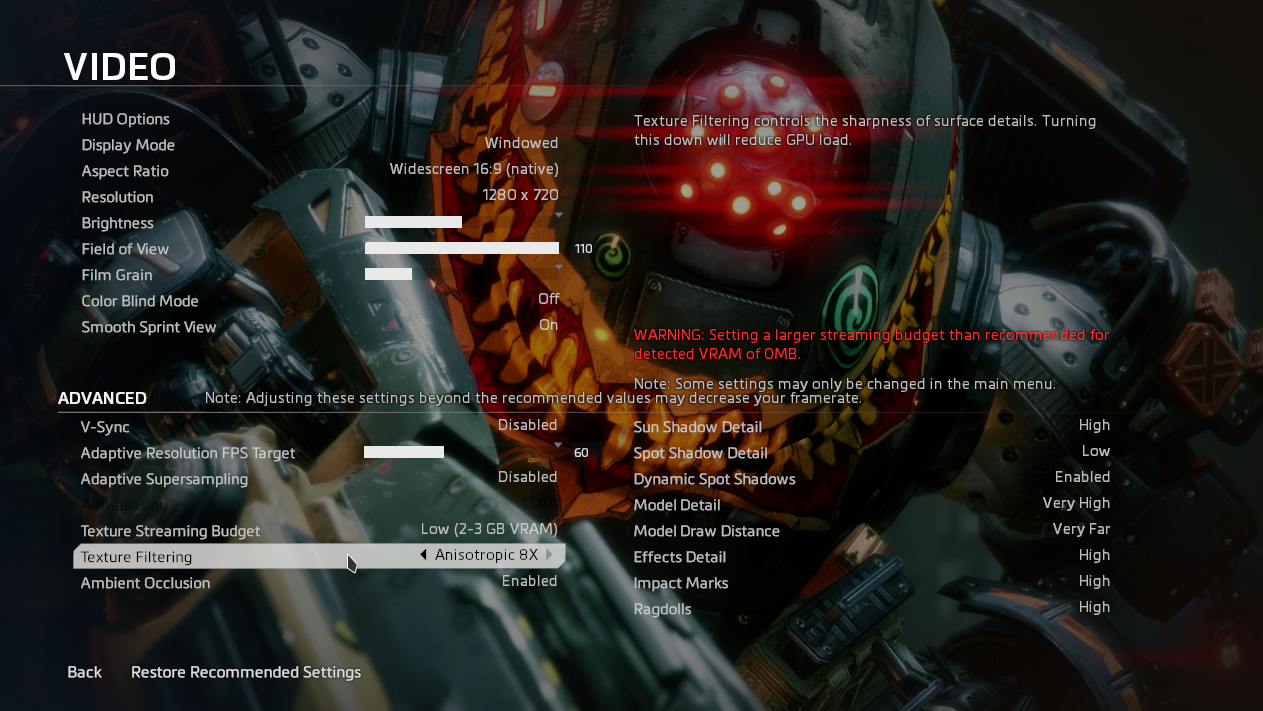
Performance
Enabling VSync doesn't cause any performance issues for me, besides heavy mouse latency. Disabled it to avoid problems anyway.
Playing the game without an fsync patched kernel causes the game to have inconsistent framerates (regardless of graphics options or current hardware), which vary between game sessions and get worse with every Alt + Tab, others have told me this is a memory issue. The performance is much better under Liquorix than on Linux, however restarting the game every couple of hours may be necessary as framerates will get worse overtime as you play.
No longer having intimidate crashes, but network issues where the game fails to connect to Origin Servers.
issue has been resolved!
my xbox controller doesnt work with 5.0-10 and neither with 5.13-2.
my xbox controller doesnt work with 5.0-10 and neither with 5.13-2.
Does this only happen in Titanfall 2 or all Proton games?
Only Titanfall 2, every other games i tried so far this is no issue.
Only Titanfall 2, every other games i tried so far this is no issue.
Im pretty sure Respawn uses a modified version of the Quake/GoldSrc engine in all their games. You could try seeing if Jedi: Fallen Order or Titanfall 1 work, if not, then we know it's an engine issue.
SWJFO uses Unreal, not Source.
Titanfall 1 uses the Source engine. Titanfall 2 uses a modified version of the Source engine, with a new renderer + scripting engine and a modified physics engine. Jedi: Fallen Order uses Unreal.
Maybe try using your distro's native Steam runtime to see if that resolves anything. It's worked for me in the past when I've run up against controller weirdness in Proton games.
Yeah, Respawn usually uses their modified version of the Source engine except with JFO which uses Unreal. Titanfall 1, 2, and Apex Legends use Source.
Maybe try using your distro's native Steam runtime to see if that resolves anything. It's worked for me in the past when I've run up against controller weirdness in Proton games.
That's not a thing, assuming you're talking about the steam-native/steam-native-runtime packages on Arch and Manjaro, respectively. Other distros don't provide that as an option, it's pretty much only Arch and it's derivatives. If they're on an Arch derivative, that would be an option, but saying "use your distro's native steam runtime" isn't a thing.
Solus has one too, so it's not just Arch.
Yeah I know, but Solus is a niche distro used by very few people, and
either way, the vast majority of distros out there, including those that
the vast majority of Linux users are using, do not. So the point isn't
changed whatsoever.
On Fri, Nov 27, 2020 at 9:36 PM Campbell Jones [email protected]
wrote:
Solus has one too, so it's not just Arch.
—
You are receiving this because you were mentioned.
Reply to this email directly, view it on GitHub
https://github.com/ValveSoftware/Proton/issues/4001#issuecomment-735030218,
or unsubscribe
https://github.com/notifications/unsubscribe-auth/AM5Y33ZGWDL6FMZ26QNJV7LSSBOZHANCNFSM4OCFH2AA
.
Compatibility Report
- Name of the game with compatibility issues: Titanfall 2
- Steam AppID of the game: 1237970
System Information
- GPU: RTX 2080
- Driver/LLVM version: Nvidia 455.45.01-2 / mesa 20.2.3-1
- Kernel version: 5.9.10
- Link to full system information report as Gist:
- Proton version: 5.13-2
I confirm:
- [x] that I haven't found an existing compatibility report for this game.
- [x] that I have checked whether there are updates for my system available.
PROTON_LOG=1
Symptoms
While trying to play the campaing of the game, the main cutscene play and afterwards, the game goes back to the main menu with the Error Invalid Server Address. If I try to select Campaing again, the game gets forever stuck at the loading screen after the cutscene.
Multiplayer works completely fine
Reproduction
- Install Titanfall 2
- Complete Origin Setup
- Start Game
- Select Campaign in Main Menu
- Wait for the Cutscene to finish
- Game prompts to press A (controller) / spcaebar (keyboard) to continue
- Error Message -- Invalid Server Address. Automatically redirected to Main Menu
- Try selecting Campaign again
- Cutscene
- Game prompts to press A (controller) / spcaebar (keyboard) to continue
- Loading screen is forever stuck
I can't reproduce this, I've completed the campaign 3 times, and I've
literally only ever played this game on Linux.
On Sat, Nov 28, 2020 at 1:55 AM Yash Bhardwaj [email protected]
wrote:
Compatibility Report
- Name of the game with compatibility issues: Titanfall 2
- Steam AppID of the game: 1237970
System Information
- GPU: RTX 2080
- Driver/LLVM version: Nvidia 455.45.01-2 / mesa 20.2.3-1
- Kernel version: 5.9.10
- Link to full system information report as Gist
https://gist.github.com/yash1610/42883126d8c97b1d48d50a138294cc01:- Proton version: 5.13-2
I confirm:
- that I haven't found an existing compatibility report for this game.
- that I have checked whether there are updates for my system
available.PROTON_LOG=1
steam-1237970.log
https://github.com/ValveSoftware/Proton/files/5610144/steam-1237970.log
SymptomsWhile trying to play the campaing of the game, the main cutscene play and
afterwards, the game goes back to the main menu with the Error Invalid
Server Address. If I try to select Campaing again, the game gets forever
stuck at the loading screen after the cutscene.Multiplayer works completely fine
Reproduction
- Install Titanfall 2
- Complete Origin Setup
- Start Game
- Select Campaign in Main Menu
- Wait for the Cutscene to finish
- Game prompts to press A (controller) / spcaebar (keyboard) to
continue- Error Message -- Invalid Server Address. Automatically redirected to
Main Menu- Try selecting Campaign again
- Cutscene
- Game prompts to press A (controller) / spcaebar (keyboard) to
continue- Loading screen is forever stuck
—
You are receiving this because you were mentioned.
Reply to this email directly, view it on GitHub
https://github.com/ValveSoftware/Proton/issues/4001#issuecomment-735048292,
or unsubscribe
https://github.com/notifications/unsubscribe-auth/AM5Y3362U6THUVWLRNHSUMDSSCNGLANCNFSM4OCFH2AA
.
i tried a few things now and i still can't get the controller to work. But i have seen this thread #4186 and it seems i have to try the proton-ge release, which i didn't have the time yet.
i also have the same issue with star wars battlefront 2 (recently bought at discount), where i could get the right stick to move the cursor with proton-tkg 6.0rc1.r0.gd7b71f0b, but the buttons didn't work.
i'll try proton-ge next.
update: i did a quick try with proton-tkg 6.0rc1.r0.gd7b71f0b with titanfall 2 and there the controller at least works in the menu now.
I'm having some issues - my settings aren't being saved and each time I open the game I have to set up keybindings and my graphics and audio settings. I'm not sure how to fix these. I'm using Proton 5.0-10, is there a better version to use?
Bonus question, how would I go about setting launch options for this game? They don't seem to work when I set them on steam, and Origin doesn't let you set launch options while the game is open, but origin closes as soon as the game does so I don't have enough time to enter the launch options I'd like. I have a big monitor, and I want to constrain the resolution to 2560 - 1440, however I can't do it in-game since the resolution option are so limited (it seems to be a few xxxx1080 options and then finally my 51601440 native resolution). I am trying to use the commands -novid -nomenuvid -windowed -width 2560 -height 1400 -noborder but can't enter them through origin. How do I open origin through proton's prefix? Using wine Origin.exe WINEPREFIX=../../../ doesn't seem to work so maybe there's more to it.
@Ashe For the former, try using 5.13-4 and see if that lets you save your settings.
For the latter, you'll have to run it with Proton, not Wine. I'd recommend finding the path to Proton's executable, and then running this:
WINEPREFIX=/path/to/pfx /absolute/path/to/proton run /path/to/Origin.exe
This should open Origin in a normal state, allowing you to set launch options.
I'm trying to achieve the same (setting game launch options by running Origin alone), but running the following command in the game compatdata/gameid directory makes Origin crash immediately saying an error occured. Am I doing something wrong?
STEAM_COMPAT_DATA_PATH=$(pwd) /mypathto/Proton\ 5.13/proton run pfx/drive_c/Program\ Files\ \(x86\)/Origin/Origin.exe
@Ashe For the former, try using 5.13-4 and see if that lets you save your settings.
For the latter, you'll have to run it with Proton, not Wine. I'd recommend finding the path to Proton's executable, and then running this:
WINEPREFIX=/path/to/pfx /absolute/path/to/proton run /path/to/Origin.exeThis should open Origin in a normal state, allowing you to set launch options.
Thank you, my mistake was not using an absolute path. And yes, 5.13 seems to work nicely for me! Your help is very much appreciated
Game's been crashing after stretches of maybe 45 minutes to an hour while playing multiplayer. Will attach logs when I have them.
I am seeing the same thing as @serebit, I am not sure if there is a specific log y'all want to see. However, running steam in the foreground of my terminal did give me this unmatched PID error when the game crashes.
^ In another test, I was counting the number of file descriptors open for Steam, Origin, and Titanfall 2 separately. I found that Origin and Steam file descriptor count stayed steady with Titanfall 2 running and even through the Titanfall 2's game crash and clean up.
However, Titanfall 2's file descriptor count sky rocketed from mid 400s (stable state) to 20,000+ file descriptors just before it fails.
Yeah I can confirm this has been an issue since like, Wine 5.4 or 5.5. Which really sucks for the people that own it on Steam.
See, if you own it on Origin (like I do), you can just run it with wine 5.4, which is what I do. And it never crashes. But, the problem is that the Origin Thin Client that is used with the Steam version of the game didn't work properly until Proton 5.13 (obviously based on Wine 5.13).
What that means is that you (very likely) can't use Proton 5.0. And of course you can't run the Origin version, unless you also own it on Origin separately from Steam (without that, you'll see it in your Origin library, but it will have a Steam icon over it, which if you try to download it, it will just launch Steam and install/launch the game that way. Yeah I know).
I quit playing the Steam version like a week after launch because of this problem, and I just went back to my Origin version, which runs flawlessly.
I don't know if the Valve guys are just super busy or only really care about big titles that tons of people play, but yeah it seems like there's not much interest in figuring out what's going on here.
All that said, you can get the Origin version of the game for like 2 bucks, and you can just play it with Lutris using the Titanfall 2 Origin install script and by selecting a Wine before 5.5 or so to play (I use a wine-tkg build I made of 5.2).
This game works fine with Proton 5.0, @gardotd426, at least in my experience.
People were unable to get Origin games installed for a few months until
Proton 5.13 came out, it was a whole thing, they may have backported a fix
to 5.0, if that's the case and it works, then that's what people need to
use.
On Wed, Dec 30, 2020 at 1:02 AM Campbell Jones [email protected]
wrote:
This game works fine with Proton 5.0, @gardotd426
https://github.com/gardotd426, at least in my experience.—
You are receiving this because you were mentioned.
Reply to this email directly, view it on GitHub
https://github.com/ValveSoftware/Proton/issues/4001#issuecomment-752339106,
or unsubscribe
https://github.com/notifications/unsubscribe-auth/AM5Y334WELERATI2H6QHECTSXK66HANCNFSM4OCFH2AA
.
People were unable to get Origin games installed for a few months until Proton 5.13 came out
I just checked the issue you linked and it says
Closing as fixed in Proton 5.0-9.
So I'm not sure what you're getting at. It should work just fine with that version and without crashes from recently introduced 5.13?
Game's been crashing after stretches of maybe 45 minutes to an hour while playing multiplayer. Will attach logs when I have them.
Same issue here, here's the full log file with PROTON_LOG=1 from game start to game crash:
Hello @DomiStyle, these look like some lines of interest: fixme:server:add_fd_to_cache too many allocated handles, not caching 0x4a4558 fixme:esync:add_to_list too many allocated handles, not caching 0x4a4558 followed by an access violation (c0000005). It might be interesting to test with an fsync-enabled kernel or alternatively try PROTON_NO_ESYNC=1 %command% in the game's launch options.
@kisak-valve Thanks, will try both the next time I play.
@kisak-valve Tried with the liquorix kernel and fsync enabled, still crashes after ~45min.
Here's the full log again:
Trying with PROTON_NO_ESYNC=1 PROTON_NO_FSYNC=1 %command% now.
PROTON_NO_ESYNC=1 PROTON_NO_FSYNC=1 %command% worked without crashes for almost 2 hours.
I still see the same message spammed so it might crash at a later point though: fixme:server:add_fd_to_cache too many allocated handles, not caching 0x9bbe9c.
A recent entry on ProtonDB also mentions that the game works fine with Proton 5.0-10 and earlier so I might give that a try too.
No crashes here yet on 5.13-4 with esync disabled. @DomiStyle The game works fine with Proton 5.0-10, and without the esync crash at least in my experience.
Borderless windowed has stopped working for me entirely. Setting noborder as a command line parameter in Origin does nothing, changing the config files does nothing (Titanfall just resets the property value). Origin has also stopped closing when the game is quit, so I have to exit it manually.
Experimental keeps "Running" (1st time it stopped but 2nd launch kept running)
5.13-6 Does nothing just keeps "Running" message
4.11-13 Attempts to install Origin but fails (error 3:0) at first but later stopped installing Origin at all
4.2-9 Does not even start to install Origin
3.16-9 Attempts the install Origin but fails (error 16:8)
3.7-8 Stuck at "Preparing to launch Titanfall 2..."
I did see Internet Explorer and Windows Media Player appearing and disappearing in (after 4.11-13, the Origin install was still running but not displayed in Steam)
Tried 5.13-6 on NTFS and then moved it to EXT4.
Did not remove the compatdata directory every time but when I did, it got always stuck at "Preparing to launch Titanfall 2..."
PS: Requesting refund right now
So A different issue I havent been able to get around. I cant invite friends to join a party since my origin overlay is disabled. Origin will show it as a toggle option, but because this is the origin thin client steam is hooking into its actually restricted. If I've got that wrong I'd love some help explaining how to get the overlay working.
The only way My friends and I can play together is if one of us is on windows and invites the proton players. but if its two proton players you neither can invite the other to a party, so you sit there waving at each other with silent tears.
I am attempting to get the lutris version working to see if I can invite a proton player and party up that way.
The Origin Overlay does not work on Linux. There will be no difference when
using the regular Origin client either
On Thu, Feb 25, 2021 at 11:41 PM Alan Cugler [email protected]
wrote:
I am attempting to get the lutris version working to see if I can invite a
proton player and party up that way.—
You are receiving this because you were mentioned.
Reply to this email directly, view it on GitHub
https://github.com/ValveSoftware/Proton/issues/4001#issuecomment-786406450,
or unsubscribe
https://github.com/notifications/unsubscribe-auth/AM5Y333TA7D4ECZZHY3NCKTTA4Q6DANCNFSM4OCFH2AA
.
@alan-cugler You can use the in-game network system to invite friends. It's not ideal, but it does work.
@serebit thank you for making this functionality clear. just to confirm to anyone who might read later on. Yes, you can proton to proton titanfall party up by in-game network invites. its a public invitation to your active network. it was enjoyable to finally play with a friend!
It would seem that the latest Origin update has broken this game on my system. Whenever I start it up, Origin appears briefly as intended, then as soon as the game window appears Origin shuts off. The game makes it a few seconds into the intro video before erroring out because Origin isn't running, and then exits. This happens with both 5.0-10 and 5.13-6.
@serebit definitely seems like a problem on your end. I hadn't launched in weeks and just went to launch with vanilla Proton 5.13-6, Origin updated, and the game launched. First attempt, didn't even have to try relaunching after the update, I clicked play literally one time, Origin updated, and the game launched.

Sometimes with Origin games I've had to just delete the prefix which forces Origin to install from scratch instead of updating, but right now Titanfall 2 works perfectly fine after the update.
I just tested as well and played a round. No issues on my end
Over the past week I've been trying to get this game working on my system. It worked out of the box but performance was very sporadic. The game would stutter when aiming down the sights and for the first few shots thereafter which is totally unplayable.
On a whim I booted into the Liquorix Kernel and enabled fsync. The game is now completely smooth. I have zero complaints about Titanfall's performance while using the Liquorix kernel now having put 12 hours into multiplayer matches. Is this solely the fsync patches, or? Technically I'm using the Origin version but I'm still using proton with it.
Original system as tested:
- Fedora 34 Beta
- Mesa 21.0
- Kernel 5.12rc4 (Fedora rawhide no debug kernel)
- AMD Ryzen 9 5950X
- AMD Radeon RX 6900XT
System configuration change that works:
- Kernel 5.11.10-lqx1.0.fc34 (Fedora liquorix copr repo)
Edit: I've found that I can "join" friends on windows by right clicking on their username in my origin friends list and clicking "join." They apparently have to have their friends list open at the time for join to show as an option for you. Origin invites crash origin for some reason.
Fixed the issue with launching - apparently it was because of RAM instability. Also, game works fine on 6.3-1 so far.
@serebit, you can actually get borderless fullscreen without a border. You can go into the game's directory then into __Installer and edit the installerdata.xml file. At around line 42 under the runtime tag you can add:
<parameters>-window -noborder</parameters>
Tested under Fedora 33 with AwesomeWM.
An observation: You will likely be able to achieve this by just adding -noborder to the launch options in Origin along with -window, but, I personally prefer this way since Origin can be... A bit bothersome to work with.
Hi, I have a minor issue in terms of gamepad - and not even sure if it's an issue or a known behaviour.
In order to use my PS4 pad, I have to:
- disable the PS Steam pad support (which instead I have to keep enabled for titles such as Control)
- connect the pad through USB cable
The above also happen with Jedi: Fallen Order so I'm wondering if it's expected behaviour or not - and considering both titles are EA I'm wondering if they're sharing same engine/middleware...
I'm using Ubuntu 20.04 with HWE and in this case Proton 6.3-2.
The origin overlay should be fixed in the next release of proton-ge/other rebuilds of proton. (Debuts stable in Proton 6.3-3)
Very excited to see Origin fixes :)
How functional will the Origin Overlay be? The browser, in-app purchases, could you describe to what extent it's working?
Hi, I have a minor issue in terms of gamepad - and not even sure if it's an issue or a known behaviour.
In order to use my PS4 pad, I have to:
* disable the PS Steam pad support (which instead I have to keep enabled for titles such as _Control_)

* connect the pad through USB cable
The above also happen with Jedi: Fallen Order so I'm wondering if it's expected behaviour or not - and considering both titles are EA I'm wondering if they're sharing same engine/middleware...
I'm using Ubuntu 20.04 with HWE and in this case Proton 6.3-2.
I have almost the same setup (Ubuntu 20.04, Titanfall 2 and Dualshock 4 controller) but using Proton 6.3-4 and this workaround for the controller is not working for me. I've tried multiple ways with no luck. I'm also having this issue in A Way Out which is also from Origin. Other games like Control works fine with DS4 controller out of the box.
I also remember that using Proton 6.3-1 or 6.3-2 my controller would for work properly with A way out, but I don't know how to test it because 6.3-2 is not pickable anymore in Steam.
@Emanem is this workaround still working for you in Proton 6.3-4?
Please tell me if you need for info to tackle this issue. Also, anyway I can try 6.3-2 without building it myself?
Thanks!
Using Proton-6.10-GE and launching through Origin, I noticed that wineserver is using excessive amounts of CPU (96%) a lot more than other games, and if I alt-tab a lot the entire game gets really really slow, like visually 4-5fps.
Just a follow up from my previous comment: I found out that the issue is related with Steam Overlay. Half of the time Steam Overlay starts properly on Origin games, and half of time it doesn't. Just restarting the game and trying a few times until the overlay works. When it does start, controllers work perfectly. This only happens in Origin games, tried with many and it happens in all of them, and not in non-origin games, so it's clearly related with Origin support.
Hello @lucianolev, it looks like Steam overlay having a hard time with Origin titles is being tracked at #4009.
I'm unable to play campaign with proton 6.3-5 at all, it kicks me out with Error: invalid server address, and next time i try it forever stuck loading
I tried to dump prefix and make it again, without any modifications from my side, that didn't help
I also tried running both steam, origin and my pc without internet access - same thing, didn't work either
This issue perfectly describes what i have now
Multiplayer works perfectly fine
I'm unable to play campaign with proton 6.3-5 at all, it kicks me out with
Error: invalid server address, and next time i try it forever stuck loading
I tried to dump prefix and make it again, without any modifications from my side, that didn't help
I also tried running both steam, origin and my pc without internet access - same thing, didn't work either
This issue perfectly describes what i have now
Multiplayer works perfectly fine
Found the issue.
Because i didn't think that Titanfall 2 is actually playing local server instance (i knew it could, but i didn't think it was relevant), i didn't think that this message literally said i can't connect to this server because it couldn't resolve address
So, issue was with not having localhost mapped to 127.0.0.1 in hosts file.
And because wine uses linux networking, it also uses the same hosts file.
After placing these mappings to hosts file, i could launch campaign just fine.
Game can also fail citing corrupt files. However changing language pack back and forth will allow the game to run after shutting it down the process has to be repeated
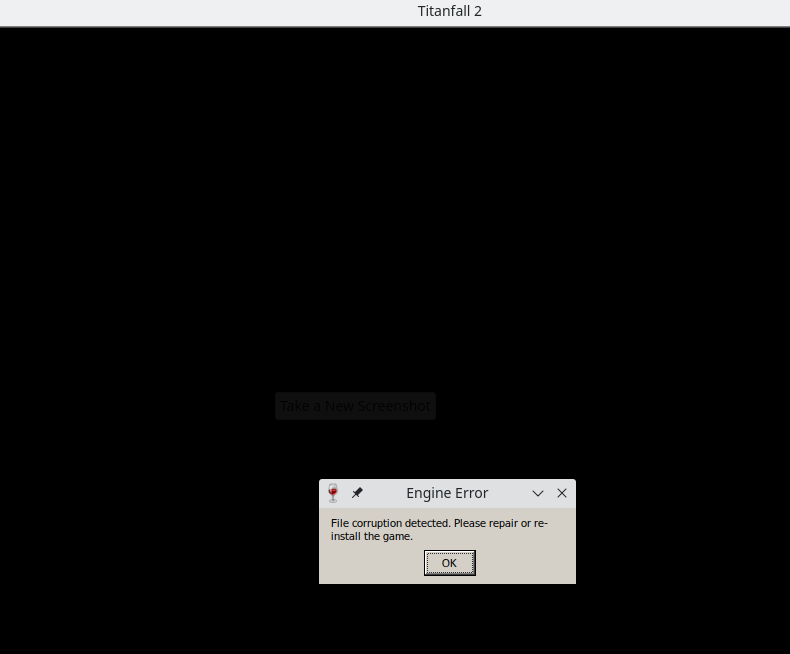
.
@Maokei I've been seeing that issue for months. Good to know it's not exclusive to Solus, I guess.
@serebit I feel better now knowing some one else has the same problem :)
Replying to https://github.com/ValveSoftware/Proton/issues/4001#issuecomment-802914467
I have the same issue as Serebit
@serebit probably a problem in the setup in certain situations. I had the exact same issue on a windows machine as on linux complaining about corrupt files, and the third windows machine of mine did not experience this issue.
I can run Titanfall 2 IF I install Origin as a non-Steam application, then I launch Origin through Steam. Then launch Titanfall 2 through Origin. Granted, I'm using Proton-GE though. Allows me to play most of my Origin games, just the Origin Thin Client and the Steam install doesn't seem to want to work for me.
I'm having screen recording issue. When OBS is running(even when not recording!) mouse move gets stuttering so heavily that I can't even look around.
What I tried:
- using ffmpeg(x11grab)
- using Gstreamer-backed capture software(vokoscreenNG)
- lowering VRAM usage setting
- turning "Force Composition Pipeline/Force Full Composition Pileline" on
- using nvenc/cpu encode for recording
- disabling preview in OBS
- disabling mouse capture for XSHM in OBS
- using different versions of Proton(6.3 and 6.16-GE-1)
- chmodding pfx/drive_c/
All these causes/not fixes this problem.
This doesn't happen in other games like Dirt Rally 2.0, Gunfire Reborn, or KSP.
Hardware and software:
Ryzen5 3600/64GB mem/RTX 2060
game is located on PCIe SSD
Arch Linux/linux-zen/KDE Plasma/X11
PROTON_NO_ESYNC=1
144Hz WQHD monitor/G-Sync Compatible
I found this problem posted on Reddit but not solved.
Have anyone expeirenced horrible shutters when running game and when framerate drops from 60 to even 58 (and lower)?
Basically, when frametime is unstable, even for a bit - game feels VERY choppy and laggy, barely playable.
I also found that this issue is fixed with PROTON_NO_ESYNC=1
This issue was presented on multiple distros (arch, void now), on steam runtime/native/flatpak versions, and on multiple versions of proton (i currently use 6.3-7). I was running game with clean prefix, no additional installations through protontricks.
PC Configuration:
Kernel: 5.13.19_1
CPU: Ryzen 1600
GPU: XFX RX 480 4 GB, mesa-21.2.3_1
RAM: 16x2 GB 3200MHz
Are you changing the resolution the game's displayed at through the settings menu? I've found that my GPU usage shoots up dramatically and for no reason when I go from native 1080p to 720p. This results in a completely unplayable game, with framerates around 20 FPS instead of ~90 and with GPU usage pegged to 100 % at all times, instead of ~75-80 % at 90 FPS and 720p, low graphics settings. It doesn't sound like your issue too much but it's similar.
I've seen this happens with Proton 5.0-10, 6.3-7, 6.3-8, both with native and Flatpaked Steam, as well as on X11 with dwm as the window manager, and Wayland through Sway. All of this is on Void Linux too.
Replying to https://github.com/ValveSoftware/Proton/issues/4001#issuecomment-981602011
I didn't change in-game resolution, but I do change window size quite frequently because minimizing it causes it to be very small window and I have to open it like 3-4 times because its minimising.
I'm using awesome window manager
Replying to https://github.com/ValveSoftware/Proton/issues/4001#issuecomment-922857524
Yeah I've been having the exact same issue when running both Titanfall 2 as well as the Northstar client for the game. Managed to reproduce it across Fedora, Manjaro, Ubuntu, Arch and CentOS, all with fresh reinstalls of the OS, Steam, Origin, Proton and the game itself. I don't know what the fix is, but it's definitely not a distro-specific issue.
Yeah couldn't use Northstar because of that. Tried reflink'ing inside pfx and launch using windows' path ("c:~~~") but no luck.
It seems to work with both wayland and x, after running through the setup in origin.
But Origin (overlay) is broken with wayland, shows black windows

Yeah couldn't use Northstar because of that. Tried reflink'ing inside pfx and launch using windows' path ("c:~~~") but no luck.
I've managed to get it to work once by renaming Northstar.exe to Titanfall2.exe after changing languages over-and-over again until it works. I'm not sure if it's something to do with BTRFS when it comes to the Corruption Detected issues. I've heard that these errors come up when there's a disk read error of any kind, and switching from BTRFS to EXT4 is the only thing I haven't tried.
Replying to https://github.com/ValveSoftware/Proton/issues/4001#issuecomment-1001806365
This is, I think, the case for all Origin games running on Wayland. I remember having the exact same thing happen to me when running Battlefield 4.
It has nothing to do with BTRFS. I've had the corruption issue happen on both EXT4 and XFS.
I'm having this issue with Northstar. Could anyone help me with this…?
I tried to run Northstar by replacing steam's launch command to explorer, and executing NorthstarLauncher.exe.
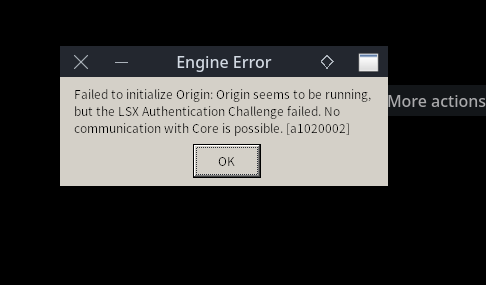
Edit: Managed to launch. I had to launch Origin before launching NorthstarLauncher.exe. There'll be popup which says Northstar crashed, but after pushing ok the game will launch with Northstar.
Updating Northstar to 1.4.0 and renaming NorthstarLauncher.exe to Titanfall.exe seems to get around all the issues with File Corruption Errors. Managed to consistently launch the game without issues since updating.
That's awesome and wold save a lot of time having to restart the game to get it to actually run!
Game minimises and refuses to show a window or go fullscreen. Fresh game install. Ubuntu 22.04. Tried Proton Experimental and Proton-GE as well as the default.
Card: RTX 2080ti
Driver: Nvidia 510
Kernel 5.15
Proton: current, experimental.
Game starts but minimises and cannot be focussed, keeps minimising itself. Removed compatdata and tried clean install, cannot get game to launch.
Yep, borderless windowed works. I had to start the Origin client via the command line to change the game's launch options, but once I did? Flawless.
@serebit
How did you start Origin through terminal? I've been trying to figure this out but have had no luck.
Waiting seems to be the critical step to make sure that Titanfall 2 is correctly setup. @kisak-valve is there any facility that can be leveraged on the steam client to inform the user about the status of the Origin client installation and make sure is complete before the user gets impatient and stop the process before it completes?
Suddenly started working recently. Not sure what changed?
Titanfall 2 is a unreliable game even on windows it behaves oddly starting up.
It is completely borked for me. Game launches but freezes after respawn logo and gets stuck on a black screen. Tried Ubuntu and Arch and different proton versions with no luck. The funny thing is It was totally fine with ProtonGE one week ago.
It is completely borked for me. Game launches but freezes after respawn logo and gets stuck on a black screen. Tried Ubuntu and Arch and different proton versions with no luck. The funny thing is It was totally fine with ProtonGE one week ago.
Had same thing here, game is not reliable.
Alt+tab is impossible with Titanfall 2. Tested a lot of "fixes" none works.
The flags -noborder -windowed seems to not take effect with the Steam version and the Origin client doesn't allow add parameters to the command from the GUI.
No matter if using X11 or Wayland.
Using gnome 42, Ubuntu 22.04, Nvidia 515 drivers and Proton experimental.
Hi, since the recently the game won't launch at all on my platform, here is the log:
I've tried Proton 7.0-4, experimental, 7.0-5.
Specs:
- KDE Plasma 5.26.4 (Wayland)
- GPU: AMD RX 5700 XT
- CPU: AMD Ryzen 3900 X
How to install EA app:
- Download the EA app from https://www.ea.com/ea-app
- On Steam, got to the Games > Add a non steam game to my library...
- Select Browse... and search for the installation file (make sure to select "File type: All files")
- Click add selected programs
- Play/Run
- Complete the installation
- Search for a random big number in your compatdata. It should have in the pfx/drive_c/ProgramData/ a directory called EA Desktop. Copy all the contents of this directory (dosdevices, drive_c, all *.reg files)
- Create or delete the contents of compatdata/1237970 directory
- Paste all the contents here
This allows you to overcome the failed installation of the EA app. @kisak-valve can you verify that the EAintallation file is current? The md5sum of the file I used is 8edc304267837dea9410ea0220c29210.
TitanFall2 --> EA App: crashing every launch (background services crashed/the app crashed unexpectedly)
Issue transferred from https://github.com/ValveSoftware/Proton/issues/7328.
@tjbbjt posted on 2023-12-10T07:21:44:
Compatibility
TitanFall 2
AppID: 1237970
System Information
- Radeon VII
- Mesa 23.2.1
- 6.6.4
- Proton Experimental (and many others)
- Currently running steam in Bazzite-Arch container on Fedora Workstation but experienced the same crashes on RPM fusion steam
I confirm:
- [X] that I haven't found an existing compatibility report for this game.
- [X] that I have checked whether there are updates for my system available.
- steam-1237970.log
Symptoms
Upon launching TitanFall 2 EA app installs fine, clicking through "Lets go" brings me to the "Background services crashed" screen restarting the app results in "The app crashed unexpectedly" screen. Launching game again goes to "Preparing game..." screen then is followed up by "The app crashed unexpectedly" and restarting the EA App to fix as it suggests results in "Background services crashed" screen again. The "Preparing game" screen tells me my steam account being linked to EA is being seen but the background services crash before the game launches.
Reproduction
Same thing happens every time game is launched. Also not getting any minimized EA taskbar item.
Removing compat folder starts the EA app reinstall cycle all over again.
Tried Northstar/GE Protons/Bottles/Lutris. Lutris can actually connect to EA account and my games are shown in Lutris after connecting the account but the moment I run the EA launcher it crashes in the same way as steam.
There are no SELinux warnings inhibiting wine. IPv6 is disabled in kernel, enabling IPv6 hasn't resolved this issue.
Every Steam game works great with different Proton's unless this new EA app gets in the mix, the moment that happens nothing works.
Here is a log of just the EAappInstaller.exe added to steam via non-steam games and running with proton experimental (if that helps). Thanks!
Works now 🤷🏽♂️
still getting gpu crashes on amd navi10 proton 8.0-4
I cannot start this game. The farthest I get is the EA App Launcher, which can't seem to connect (although it did seem to react to me making and linking an EA account on their website instead, which did get me a bit further)
Using Proton Experimental, when I launch the game, I get the EA App's Preparing Game dialog, and the EA App starts up, but the game never does. The EA App does show the game in its installed games list, but clicking the play button there does nothing. (I've noticed Steam states that Titanfall 2 is launching, but then the EA App focuses and nothing else happens)
I am on Kubuntu 22.04.3, and I've tried numerous launch options, and none work.
Here's the results of a PROTON_LOG=1:
steam-1237970.log
(I have also tried installing the EA App Launcher using Add Non-Steam Game, but it did not seem to have any difference)
With newer Proton, the EA app can actually connect and load a UI now
it still crashes and freezes very often, however.
EA app now seems to load into its UI, I can navigate around it with minor issues, but Titanfall 2 still won't start if I try to start it through EA app
(though this state only happens after I start Titanfall 2 through Steam, then EA App crashes, then I allow it to restart itself)
Having an issue where quitting the game causes GNOME 46 to crash to GDM. Happens with Proton Experimental but didn't happen using previous Proton. Using Arch zen kernel Ryzen 5 5600x RX6700xt. Can anyone else replicate this? Happens every time for me on Experimental when I quit the game.
steam-1237970.log
This log might be from a successful run of the game with Proton 8 but I'm not sure.
I also need to delete the prefix every time Steam starts, unlike the other EA app games on Steam, but I'm more concerned about the DE crash.
Game fully works for me now, possibly due to driver updates
Titanfall 2 not launching due to EA Launcher game activation issues
Issue transferred from https://github.com/ValveSoftware/Proton/issues/7654.
@kernaltrap8 posted on 2024-04-19T19:25:18:
Compatibility Report
- Name of the game with compatibility issues: Titanfall 2
- Steam AppID of the game: 1237970
System Information
- GPU: AMD RADEON RX570
- Video driver version: Mesa 2.0.279
- Kernel version: 6.8.5-gentoo-dist
- Link to full system information report as Gist: system info
- Proton version: Proton Experimental
I confirm:
- [x] that I haven't found an existing compatibility report for this game.
- [x] that I have checked whether there are updates for my system available.
Symptoms
Upon launching Titanfall 2, once the EA App has been installed in the Proton prefix under ~/.local/share/Steam/steamapps/compatdata/1237970/, a new window opens asking to enter my EA account details to activate the product. Once I do, it says "Invalid username or password". If i click on "Create new account", it says i dont have an internet connection (when i do). The Sims 4 works just fine, not sure why just Titanfall 2 doesnt. I did try reinstalling Titanfall 2 and the EA App multiple times to no avail. And yes, i did purchase Titanfall 2 via Steam.
Reproduction
Launch Titanfall 2 with a fresh Proton prefix
Hello @kerneltrap8, in your Proton log:
info:  Game: ActivationUI.exe
[...]
info:  Required Vulkan extension VK_KHR_surface not supported
[...]
err:   DxvkInstance: Required instance extensions not supported
and https://gist.github.com/kernaltrap8/ec9a9fd4f2bf41aaf294009603194b4f#file-systeminfo-txt-L146 / https://gist.github.com/kernaltrap8/ec9a9fd4f2bf41aaf294009603194b4f#file-systeminfo-txt-L160-L174 are the key details here. Your system is configured to only make 64 bit Vulkan provided by AMDGPU-Pro available, and ActivationUI.exe is falling over from the lack of 32 bit Vulkan video driver support.
Reconfigure your system to provide both 32 bit and 64 bit Vulkan drivers for your video card and retest.
Replying to https://github.com/ValveSoftware/Proton/issues/4001#issuecomment-2067190776
i have reinstalled the required libs for Steam itself with 32bit support, however idk what package is for vulkan as that is auto pulled in by the VIDEO_CARDS variable in my /etc/portage/make.conf
these are all the libs i have added 32bit for:
x11-libs/libX11 x11-libs/libXau x11-libs/libxcb x11-libs/libXdmcp virtual/opengl media-libs/mesa dev-libs/expat media-libs/libglvnd sys-libs/zlib x11-libs/libdrm x11-libs/libxshmfence x11-libs/libXext x11-libs/libXxf86vm x11-libs/libXfixes app-arch/zstd sys-devel/llvm x11-libs/libXrandr x11-libs/libXrender dev-libs/libffi sys-libs/ncurses dev-libs/libxml2 dev-libs/icu sys-libs/gpm virtual/libelf dev-libs/elfutils app-arch/bzip2 dev-libs/nspr dev-libs/nss net-libs/libndp x11-libs/extest dev-libs/libevdev dev-libs/wayland virtual/rust dev-lang/rust-bin x11-libs/libpciaccess sys-devel/clang media-libs/fontconfig sys-libs/libudev-compat media-libs/libpulse media-libs/libsndfile net-libs/libasyncns sys-apps/dbus dev-libs/glib dev-libs/libpcre2 sys-apps/util-linux media-libs/flac media-libs/libogg media-libs/libvorbis media-libs/opus media-sound/lame media-sound/mpg123-base media-libs/freetype media-libs/libpng virtual/libintl virtual/libudev sys-apps/systemd-utils sys-libs/libcap sys-libs/pam virtual/libiconv x11-libs/xcb-util-keysyms
Replying to https://github.com/ValveSoftware/Proton/issues/4001#issuecomment-2073395544
other DXVK games work, Team Fortress 2 works, Half Life 2 works, i dunno why some games just refuse to work properly
EA app complains that it can't install into a network path
Issue transferred from https://github.com/ValveSoftware/Proton/issues/7954.
@braiam posted on 2024-08-01T19:37:06:
Compatibility Report
- Name of the game with compatibility issues: Titanfall2
- Steam AppID of the game: 1237970
System Information
- Proton version: Experimental (as of 2024-08-01)
I confirm:
- [x] that I haven't found an existing compatibility report for this game.
- [X] that I have checked whether there are updates for my system available.
EA complains that the installation directory is a network share/path. I'm unsure if I can fake it, but I think it expects itself to be installed in the C drive (I've seen complains about this even on Windows).
Install any game with the EA application.
game is unlaunchable on any version of proton. Debian 13.
system info: https://gist.github.com/mathew2214/0672b1a0f4e9673b25487f5a6773bfd1
Game not working on any version of Proton. Shows Respawn logo, loads and then goes to a black screen.
Ubuntu 24.10
i5 7600
GTX 1660 Super on latest drivers.
All other games on my Steam library work fine.
Bro this game doesn't even start. It is a fucking piece of work. Take a look:
Traceback (most recent call last):
  File "/home/max/.local/share/Steam/steamapps/common/Proton - Experimental/proton", line 1749, in <module>
    g_session.init_session(sys.argv[1] != "runinprefix")
  File "/home/max/.local/share/Steam/steamapps/common/Proton - Experimental/proton", line 1656, in init_session
    g_compatdata.setup_prefix()
  File "/home/max/.local/share/Steam/steamapps/common/Proton - Experimental/proton", line 852, in setup_prefix
    self.migrate_user_paths()
  File "/home/max/.local/share/Steam/steamapps/common/Proton - Experimental/proton", line 826, in migrate_user_paths
    os.symlink(src=link, dst=old)
PermissionError: [Errno 1] Operation not permitted: '../AppData/Local' -> '/run/media/max/File Sack/SteamLibrary/steamapps/compatdata/1237970/pfx/drive_c/users/steamuser/Local Settings/Application Data' // red herring, running on exfat with a workaround so uhh
chdir "/run/media/max/File Sack/SteamLibrary/steamapps/common/Titanfall2"
ERROR: ld.so: object '/home/max/.local/share/Steam/ubuntu12_32/gameoverlayrenderer.so' from LD_PRELOAD cannot be preloaded (wrong ELF class: ELFCLASS32): ignored. // REAL SUS
ERROR: ld.so: object '/home/max/.local/share/Steam/ubuntu12_32/gameoverlayrenderer.so' from LD_PRELOAD cannot be preloaded (wrong ELF class: ELFCLASS32): ignored.
ERROR: ld.so: object '/home/max/.local/share/Steam/ubuntu12_32/gameoverlayrenderer.so' from LD_PRELOAD cannot be preloaded (wrong ELF class: ELFCLASS32): ignored.
ERROR: ld.so: object '/home/max/.local/share/Steam/ubuntu12_64/gameoverlayrenderer.so' from LD_PRELOAD cannot be preloaded (wrong ELF class: ELFCLASS64): ignored.
ERROR: ld.so: object '/home/max/.local/share/Steam/ubuntu12_32/gameoverlayrenderer.so' from LD_PRELOAD cannot be preloaded (wrong ELF class: ELFCLASS32): ignored.
ERROR: ld.so: object '/home/max/.local/share/Steam/ubuntu12_32/gameoverlayrenderer.so' from LD_PRELOAD cannot be preloaded (wrong ELF class: ELFCLASS32): ignored.
Game Recording - would start recording game 1237970, but recording for this game is disabled
Adding process 135943 for gameID 1237970
Adding process 135944 for gameID 1237970
Adding process 135945 for gameID 1237970
Adding process 135946 for gameID 1237970
Adding process 136067 for gameID 1237970
wine: using kernel write watches, use_kernel_writewatch 1.
fsync: up and running.
wine: using kernel write watches, use_kernel_writewatch 1.
Adding process 136068 for gameID 1237970
Adding process 136069 for gameID 1237970
wine: using kernel write watches, use_kernel_writewatch 1.
wine: using kernel write watches, use_kernel_writewatch 1.
Adding process 136070 for gameID 1237970
Adding process 136073 for gameID 1237970
Adding process 136075 for gameID 1237970
Adding process 136078 for gameID 1237970
wine: using kernel write watches, use_kernel_writewatch 1.
Adding process 136088 for gameID 1237970
wine: using kernel write watches, use_kernel_writewatch 1.
wine: using kernel write watches, use_kernel_writewatch 1.
Adding process 136101 for gameID 1237970
Adding process 136107 for gameID 1237970
wine: using kernel write watches, use_kernel_writewatch 1.
wine: using kernel write watches, use_kernel_writewatch 1.
Adding process 136127 for gameID 1237970
wine: using kernel write watches, use_kernel_writewatch 1.
Setting breakpad minidump AppID = 1237970
Steam_SetMinidumpSteamID:  Caching Steam ID:  76561199182784913 [API loaded no]
pid 136071 != 136070, skipping destruction (fork without exec?) // ok what the fuck can somebody explain pls
Game Recording - game stopped [gameid=1237970]
Removing process 136127 for gameID 1237970
Removing process 136107 for gameID 1237970
Removing process 136101 for gameID 1237970
Removing process 136088 for gameID 1237970
Removing process 136078 for gameID 1237970
Removing process 136075 for gameID 1237970
Removing process 136073 for gameID 1237970
Removing process 136070 for gameID 1237970
Removing process 136069 for gameID 1237970
Removing process 136068 for gameID 1237970
Removing process 136067 for gameID 1237970
Removing process 135946 for gameID 1237970
Removing process 135945 for gameID 1237970
Removing process 135944 for gameID 1237970
Removing process 135943 for gameID 1237970
SELinux F41 with RTX 4070 Ti and AMD Ryzen 9 (more than certified to play some dogshit EA game)
Replying to https://github.com/ValveSoftware/Proton/issues/4001#issuecomment-2561480157
pid 136071 != 136070, skipping destruction (fork without exec?) generally means steam tried to execute the game, but failed to. what version of Proton are you using?
pid 136071 != 136070, skipping destruction (fork without exec?)generally means steam tried to execute the game, but failed to. what version of Proton are you using?
Idk what happened but it works now. Maybe it was an install script issue. They just ran again.
Game not working on any version of Proton. Shows Respawn logo, loads and then goes to a black screen.
Ubuntu 24.10 i5 7600 GTX 1660 Super on latest drivers.
All other games on my Steam library work fine.
I thought it was just me. I tried several Proton versions and nothing happens. I thought it was Northstar, so I removed it and the issue still remains.
Ryzen 7 5700G with RTX 3060 on KDE Plasma on Endeavour OS.
Titanfall 2 (1237970) does not launch
Issue transferred from https://github.com/ValveSoftware/Proton/issues/8540.
@iseal56 posted on 2025-03-19T13:46:20:
Compatibility Report
- Name of the game with compatibility issues:
- Steam AppID of the game:
System Information
- GPU: NVIDIA Quadro M5000
- Video driver version: 570.124.04
- Kernel version: 6.13.7-arch1-1
- Link to full system information report as Gist:
- Proton version: 7.0-6, GE (downloaded from the AUR), 9.0-4
I confirm:
- [ ] that I haven't found an existing compatibility report for this game.
- [x] that I have checked whether there are updates for my system available.
Symptoms
EA app crashes a split second after loading. Got past the installer tho!
Really don't know what to do anymore, tested with every fix I could find
Reproduction
- Install the game
- Launch for the first time
- Complete the setup
- Launch it again
5, See the issue.
Overlay broken. Happens both on lastest ubuntu and void linux for 2 different people. Common symptoms:
using a vpn (may be related, tho its broken for me regardless of the vpn being enabled)
2 screens
laptop with a dual gpu setup, one of them being nvidia and the other one being a intel integrated one
for me the whole thing's broken, gets to the Ubisoft Launcher and borks when you run it from there
EDIT: wrong thread oops
lovely
this weird activation window has the Origin icon
(the EA App is running just fine in the background)
I can't sign in as my EA App account was created from my Steam one
closing the window prompts this:
this was with GE Proton 9-27, and I did try a full reinstall (at the cost of Northstar)
switching to an older GE Proton 9 and official Proton 9 does not solve this issue
Replying to https://github.com/ValveSoftware/Proton/issues/4001#issuecomment-2859506889
for anyone that runs into this issue too, unplug the external monitor and relaunch the game, that should fix it
titanfall 2 gets stuck on a black screen after logos, then after a little bit it will sometimes get in the menu but its all kinds of fucked up
launch args: VK_DRIVER_FILES="/usr/share/vulkan/icd.d/nvidia_icd.json" OPENSSL_ia32cap=~0x20000000 mangohud %command% -dx11 -d3d11 -novid -nomenuvid -noborder -windowed +cl_showfps 1
im on proton 9 ge ive tried proton 6 proton 7 proton 9 and northstar
ive tried deleting openxr and vrclient folders incase if dxvk hangs on a hidden prompt window from those being generated but nope
ive remade my wineprefix multiple times to no avail
also i was just having the same issue on https://github.com/ValveSoftware/Proton/issues/4001#issuecomment-2869001737 but it stopped
im on hyprland wayland
i have a gtx 1050 ti
i5-6600
ok so i tried this again with northstar and i left it for 2 FUCKING HOURS and it just now showed something
it is still frozen
Compatibility Report
- Name of the game with compatibility issues: Titanfall 2
- Steam AppID of the game: 1237970
System Information
- GPU: GTX 1050 Ti
- Video driver version: nvidia 570.144
- Kernel version: 6.14.6-artix1-1
- Link to full system information report as Gist:
- Proton version: GE-Proton10.3
I confirm:
- [ ] that I haven't found an existing compatibility report for this game.
- [X] that I have checked whether there are updates for my system available.
Old Log: steam-1237970.log
Latest Log: steam-1237970.log
Symptoms
Freeze after loading screen, even if you auto-start a level the loading screen will show up and then it'll freeze once its done, no audio comes out, nothing happens. Sometimes in menu you'll have the frame update every like 10 seconds for like 1 time or leave it for an hour and it'll do something but I cant reproduce that.
Using -novid or -nomenuvid does not fix this issue, nor does disabling V-SYNC to see if its an issue catching a frame (forgot the term).
Also any Proton version that isnt 10, 7, 6 or below(?) fails to install EA app with error code INST-14-1627. I looked this up and couldn't find a single mention of it.
Reproduction
First scenario.
Download the game, use GE-Proton10-3 or Proton 10.0-1 (beta), Run the game. Let it install EA App, everything should work and the game should launch with the symptoms described above and lock up.
Second scenario.
Download the game, use GE-Proton9-22, GE-Proton9-27 or Proton 9.0-4, Run the game. Let it install EA App, see it fail with error code INST-14-1627. Stop the game, Use Proton 7.0-6 or Proton 6.3-8, Run the game. Let it install EA App again and it should work, Stop.
Use any of the versions highlighted before and run the game, should run the game, and usually it would freeze after the loading screen.
GE -Proton 10-4. game remains unlaunchable.
ea app installs, but i get "no qt platform plugin could be initialized" from Link2EA.exe and the game refuses to launch.
same with Valve's Proton experimental.
i still cannot get tf2 to work
Titanfall2 require login Origin
Issue transferred from https://github.com/ValveSoftware/Proton/issues/8905.
@ProgrammerMao posted on 2025-07-14T15:10:31:
Compatibility Report
- Name of the game with compatibility issues:
- Steam AppID of the game:
System Information
- GPU: GTX960M
- Video driver version: nvidia-575.64.03
- Kernel version: 6.15.6-arch1-1
- Link to full system information report as Archlinux:
- Proton version:8.0-5+
I confirm:
- [x] that I haven't found an existing compatibility report for this game.
- [x] that I have checked whether there are updates for my system available.
Symptoms
When I start Titanfall2,the EAAPP show I had logined,but the game require login Origin,it not happend in Windows ,and the Origin has been offline,so I also can't login Origin.
Reproduction
1.Bind EA with Steam
2..Starting Tiatanfall2
3.Wating EA Start Preparing game
4.Pop up the Origin Activite window
5.Open background program with eaapp,show i had login
Replying to https://github.com/ValveSoftware/Proton/issues/4001#issuecomment-2896125338
I want login to NorthStart Server,but the wiki use NorthstarLauncher.exe,what should I do
i still cannot get tf2 to work
oh and heres another odd behavior
every log it generates is close to like 1 gig
ill have to reinstall to get a log so imma do that
Oct 2022 tf2 worked
on holidays nice cool rainy day perfect for playing games all day on pc and ea does a forced update and broke game
uninstalled reinstalled still getting no where
someone said to install EAapp with proton 7 but that also broke for me
thinking about maybe using old version of eaapp if i can find a copy and trying my luck
[00000214:] EXCEPTION handling: System.ArgumentOutOfRangeException: The concurrencyLevel argument must be positive. Parameter name: concurrencyLevel [00000214:] EXCEPTION handling: System.TypeInitializationException: The type initializer for 'System.Runtime.Serialization.FormatterServices' threw an exception.
Replying to https://github.com/ValveSoftware/Proton/issues/4001#issuecomment-3694367730
Same issue. My Titanfall 2 setup in gamehub is basically blocked by this. Need to find a binary that bypasses EA App to play offline
Keyboard input causes game stutters or even lockup
Issue transferred from https://github.com/ValveSoftware/Proton/issues/9520.
@DADA30000 posted on 2026-02-23T17:20:00:
Compatibility Report
- Name of the game with compatibility issues: Titanfall 2
- Steam AppID of the game: 1237970
System Information
- GPU: Any, tested on RX 580 and iGPU of Ryzen 5 3500u
- Video driver version: 26.0.0
- Kernel version: Linux 6.18.9-zen1
- Link to full system information report as Gist:
- Proton version: 10
I confirm:
- [x] that I haven't found an existing compatibility report for this game.
- [x] that I have checked whether there are updates for my system available.
Symptoms
Pressing and/or holding keyboard keys results in stutters, even can cause complete controlled freeze, only happening in Proton 10 and higher, no such problem in Proton 9, also happens in GE, and I couldn't reproduce it on regular wine
Also you can see in mangohud that when you like start holding 1 key the frametime graph becomes more "fuzzy", and that in heavy scenes there are a lot of micro-stutters, you can also see spikes when you click the keyboard keys
Reproduction
Start Titanfall 2
For clarity, start any campaign mission, or enter any match
Start constantly clicking ~8 keys on keyboard simultaneously
Hello @DADA30000, please add PROTON_LOG=1 %command% to the game's launch options, reproduce the regression, and attach the generated $HOME/steam-$APPID.log to this issue report as a file. (Proton logs compress well if needed.)
Hello @DADA30000, please add
PROTON_LOG=1 %command%to the game's launch options, reproduce the regression, and attach the generated $HOME/steam-$APPID.log to this issue report as a file. (Proton logs compress well if needed.)
i still cannot get tf2 to work
oh and heres another odd behavior every log it generates is close to like 1 gig ill have to reinstall to get a log so imma do that
ok so i think this might be the culprit
59446.419:0598:078c:fixme:win:GetAltTabInfoW (0000000000000000, 0xffffffff, 00000000255EFA10, 0000000000000000, 0x00000000)
59446.428:0598:078c:fixme:win:GetAltTabInfoW (0000000000000000, 0xffffffff, 00000000255EEB90, 0000000000000000, 0x00000000)
59446.430:0598:078c:fixme:win:GetAltTabInfoW (0000000000000000, 0xffffffff, 00000000255EFA10, 0000000000000000, 0x00000000)
59446.430:0598:078c:fixme:win:GetAltTabInfoW (0000000000000000, 0xffffffff, 00000000255EFA10, 0000000000000000, 0x00000000)
59446.430:0598:078c:fixme:win:GetAltTabInfoW (0000000000000000, 0xffffffff, 00000000255EEB90, 0000000000000000, 0x00000000)
59446.435:0598:078c:fixme:win:GetAltTabInfoW (0000000000000000, 0xffffffff, 00000000255EFA10, 0000000000000000, 0x00000000)
59446.435:0598:078c:fixme:win:GetAltTabInfoW (0000000000000000, 0xffffffff, 00000000255EFA10, 0000000000000000, 0x00000000)
every single time i do an input event like eg moving my mouse or pressing a key this spams in the logs
is the game like stuck in some kind of false alt tab mode?
the frames update like every 30 seconds
@DADA30000 We are looking into this problem, I was able to reproduce it I believe. I wasn't getting any actual stuttering with gameplay, but that may be due to having a much stronger machine when testing. I am seeing the stutter in mangohud thankfully. I see it a little bit when using Proton 9.0-4f, however using Proton 10.0-4 it is significantly worse for the graph.
@DADA30000 We are looking into this problem, I was able to reproduce it I believe. I wasn't getting any actual stuttering with gameplay, but that may be due to having a much stronger machine when testing. I am seeing the stutter in mangohud thankfully. I see it a little bit when using Proton 9.0-4f, however using Proton 10.0-4 it is significantly worse for the graph.
also try also mashing 8-10 keyboard keys at once, it causes a complete lock-up for me when I do it, and when I stop, it unfreezes after a couple of seconds
@DADA30000 I tried mashing as many keys as I could do and it didn't seem to cause a lock-up. I was even mashing my hand completely on the keyboard. I wonder, what keyboard do you have? We have found some keyboards to have unique interactions with games and how they are detected for inputs.
Once we have a fix available, I'll let you know so you can check as my behavior is a little bit different. I am hopeful it's close enough in similarity.
@DADA30000 I tried mashing as many keys as I could do and it didn't seem to cause a lock-up. I was even mashing my hand completely on the keyboard. I wonder, what keyboard do you have? We have found some keyboards to have unique interactions with games and how they are detected for inputs.
Once we have a fix available, I'll let you know so you can check as my behavior is a little bit different. I am hopeful it's close enough in similarity.
I have dark project kd87a, and also tested on a keyboard of a laptop of my friend, but I don't know the exact model of his laptop, I'll ask him
and yep, okay, waiting for the fix then, ping me if any other tests are needed :)
Titanfall 2 CJK text ingame rendering as question mark boxes
Issue transferred from https://github.com/ValveSoftware/Proton/issues/9782.
@kidofcubes posted on 2026-05-14T08:01:44:
Compatibility Report
- Name of the game with compatibility issues: Titanfall 2
- Steam AppID of the game: 1237970
System Information
- GPU: RTX 3060TI
- Video driver version: nvidia-open 595.71.05
- Kernel version: 7.0.2.arch1-1
- Link to full system information report as Gist: https://gist.github.com/kidofcubes/8e5d1e1588fc18d6689680ee79ff9dd5
- Proton version: Proton 11.0 (Beta)
I confirm:
- [x] that I haven't found an existing compatibility report for this game.
- [x] that I have checked whether there are updates for my system available.
Symptoms
Some areas of the game aren't able to display CJK (I'm assuming it applies to all CJK text, though I haven't seen any korean/japanese text ingame to check) text.
Example of the text not rendering correctly in the chat
Example of a place where the text does render correctly
Reproduction
Open the game, get into a match/network with chat on, and try typing/pasting chinese text into the chat, it shows up as boxes.
[Titanfall 2] (1237970) Main Menu Audio Deadlock on Wayland/PipeWire (Fixed by bypassing winepulse.drv)
Issue transferred from https://github.com/ValveSoftware/Proton/issues/9892.
@Rezeppa posted on 2026-06-21T12:24:26:
• Name of the game with compatibility issues: Titanfall 2
• Steam AppID of the game: 1237970
System Information
• GPU: AMD Radeon RX 9070 XT
• Video driver version: Mesa 26.1.3 (RADV)
• Kernel version: 7.0.12-arch1-1
• Link to full system information report as Gist https://gist.github.com/: https://gist.github.com/Rezeppa/8bc21b9a66bc702082c3967ae6ab4577
• Proton version: Proton Experimental / Proton GE Latest
I confirm:
[] that I haven't found an existing compatibility report for this game.
[✓] that I have checked whether there are updates for my system available.
Symptoms
Titanfall 2 permanently deadlocks/freezes the exact moment it reaches the main menu.
• Using -nosound completely bypasses the freeze and allows the game to load perfectly.
• Bypassing EasyEffects, modifying PipeWire buffer latency, forcing stereo audio, disabling Fsync, and preventing Bluetooth microphone autoswitching do NOT fix the freeze.
• Injecting native Microsoft XAudio2 .dll files via protontricks does NOT fix the freeze.
The deadlock is specifically occurring inside Proton's PulseAudio translation driver ( winepulse.drv ). When the game's Miles Sound System ( mileswin64.dll ) attempts to
establish a connection with PipeWire through winepulse.drv , the audio thread infinitely deadlocks and freezes the engine.
Reproduction
- Launch Titanfall 2 on an Arch Linux / Wayland system running PipeWire.
- Wait for the EA/Respawn intro videos to finish.
- The game will permanently freeze on the loading screen right as the main menu tries to render.
The Fix / Workaround:
By putting the following in the Steam Launch Options:
WINEDLLOVERRIDES="winepulse.drv=d;xaudio2_7=d;xaudio2_8=d;xaudio2_9=d" %command% -window -noborder
This forces Proton to completely bypass the broken winepulse.drv layer and use the bare-metal Linux ALSA driver, while simultaneously forcing the game to fall back to
the highly stable dsound engine. With these specific overrides applied, the game instantly loads to the main menu with flawless audio.
To anyone searching for workarounds, I found a different one. Hopefully it will be useful to others.
(None of the currently published workarounds worked for me)
Put the following into launch options:
-wasapi
This is confirmed working on Steam with full audio for me.
Proton versions
proton experimentalx9 2026-06proton 11.0x1 2026-05proton 10.0-4x2 2026-02proton 9.0-4fx2 2026-02ge-proton10-3x1 2025-05ge-proton9-22x1 2025-05ge-proton9-27x1 2025-05proton 10.0-1x1 2025-05proton 6.3-8x1 2025-05proton 7.0-6x1 2025-05proton 9.0-4x1 2025-05proton10.3x1 2025-05proton 8.0-4x1 2024-01proton 7.0-4x1 2022-12proton 5.0-10x6 2021-11
Launch options
WINEDLLOVERRIDES="winepulse.drv=d;xaudio2_7=d;xaudio2_8=d;xaudio2_9=d"x1 2026-06PROTON_LOG=1x5 2026-02PROTON_LOG=1:x1 2024-02PROTON_NO_ESYNC=1x5 2021-10PROTON_NO_FSYNC=1x2 2021-01WINEPREFIX=/path/to/pfxx2 2020-12STEAM_COMPAT_DATA_PATH=$(pwd)x1 2020-12WINEPREFIX=../../../`x1 2020-12RADV_PERFTEST=llvmx1 2020-06RADV_PERFTEST=acox2 2020-06MESA_DEBUG=1x1 2020-06RADV_PERFTEST=aco`x1 2020-06WINEPREFIX=/mnt/Datos/Steam/steamapps/compatdata/1237970/pfxx2 2020-06WINEPREFIX=/home/krompus/.steam/steam/steamapps/compatdata/1237970/pfxx2 2020-06RADV_PERFTEST=aco?x2 2020-06
Launch lines
WINEDLLOVERRIDES="winepulse.drv=d;xaudio2_7=d;xaudio2_8=d;xaudio2_9=d" %command% -window -noborderx1 2026-06VK_DRIVER_FILES="/usr/share/vulkan/icd.d/nvidia_icd.json" OPENSSL_ia32cap=~0x20000000 mangohud %command% -dx11 -d3d11 -novid -nomenuvid -noborder -windowed +cl_showfpsx1 2025-05PROTON_NO_ESYNC=1 PROTON_NO_FSYNC=1 %command%x2 2021-01PROTON_NO_ESYNC=1 %command%x1 2021-01RADV_PERFTEST=llvm %command%x1 2020-06MESA_DEBUG=1 RADV_PERFTEST=aco VK_ICD_FILENAMES=/usr/share/vulkan/icd.d/radeon_icd.i686.json:/usr/share/vulkan/icd.d/radeon_icd.x86_64.json %command%x1 2020-06VK_ICD_FILENAMES=/usr/share/vulkan/icd.d/radeon_icd.i686.json:/usr/share/vulkan/icd.d/radeon_icd.x86_64.json %command%x1 2020-06gamemoderun mangohud RADV_PERFTEST=aco VK_ICD_FILENAMES=/usr/share/vulkan/icd.d/radeon_icd.i686.json:/usr/share/vulkan/icd.d/radeon_icd.x86_64.json %command%x1 2020-06gamemoderun mangohud VK_ICD_FILENAMES=/usr/share/vulkan/icd.d/amd_icd32.json:/usr/share/vulkan/icd.d/amd_icd64.json %command%x1 2020-06VK_ICD_FILENAMES="/usr/share/vulkan/icd.d/amd_icd64.json" %command%x1 2020-06VK_ICD_FILENAMES="/usr/share/vulkan/icd.d/amd_icd64.json:/usr/share/vulkan/icd.d/radeon_icd.i686.json" %command%x1 2020-06
Upstream links
- ValveSoftware/Proton/issues/9892x1 2026-06
- ValveSoftware/Proton/issues/9782x1 2026-05
- ValveSoftware/Proton/issues/9520x1 2026-02
- ValveSoftware/Proton/issues/8905x1 2025-07
- ValveSoftware/Proton/issues/8540x1 2025-03
- ValveSoftware/Proton/issues/7954x1 2024-08
- ValveSoftware/Proton/issues/7654x1 2024-04
- ValveSoftware/Proton/issues/7328x1 2023-12
- ValveSoftware/Proton/issues/4421x2 2021-07
- ValveSoftware/Proton/issues/3937x1 2020-12
- ValveSoftware/Proton/issues/4278x1 2020-10
- ValveSoftware/steam-for-linux/issues/7223x1 2020-06
- ValveSoftware/Proton/issues/4025x1 2020-06
- ValveSoftware/Proton/issues/329x2 2020-06
DLLs
mileswin64.dllx1 2026-06d3d11.dllx1 2020-06d3d9.dllx1 2020-06dxgi.dllx1 2020-06steamclient.dllx1 2020-06
Error codes
0x80070057x1 2020-06
Compatibility Report
System Information
I confirm:
Symptoms
PROTON_USE_ESYNC=1env var.Additional Comments
I am so happy that I can even make this issue. Titanfall 2 is one of my favorite games of all time, and to see it on Steam and running near flawlessly through Proton is a dream come true.