Horizon Zero Dawn™ Complete Edition
Same issue here. Identical error box, and nothing else.
System Information
- GPU: GeForce GTX 1080 Ti
- Driver/LLVM version: NVIDIA 440.95.01
- Kernel version: 5.4.0-7634-generic
- Link to full system information report as Gist:
- Proton version: 5.0-9
A comment further down noticed that the logs are different if you click "yes" or "no" to sending a report.
Here are logs for both cases:
Log when clicking "no" to sending crash report:
steam-1151640-no_crash_report.log
Log when clicking "yes" to sending crash report:
steam-1151640-yes_crash_report.log
Edit: Out of curiosity I tried with the newest GloriousEggroll/proton-ge-custom release, with seemingly same result.
Log here, in case it helps anyone: proton_5.9-GE-5-ST_steam-1151640.log
Same issue here. Identical error box, and nothing else.
steam-1151640.log
Steam Sys-info
Looking at the logs from everyone, looks like this is common point where error occurs.
warn:debugstr:OutputDebugStringA "An unknown unhandled exception (C06D007Eh) has occurred in thread 'Main' (0) at instruction location 000000007B00FC3Eh\n\nCall stack:\nBase address: 0x000140000000\n 0. 0x00007BCDAC6C RtlVirtualUnwind\n 1. 0x00007BCDAF82 RtlVirtualUnwind\n 2. 0x00007BCDB2FE NtRaiseException\n 3"
I"m having same issue, the same line was also in my proton log, along with the error cpu_context_win.cc:144] non-x64 context
Same issue as mentioned by other users. However, I am still updating my results, incase it helps further to find the root cause.
System Info
steam-1151640_GE_5.9-5_ST.log
steam-1151640_Proton509.log
steam-1151640_Proton509_next.log
same here
System Info
Same issue here.
same here
I think, "error cpu_context_win.cc:144] non-x64 context" is the crash-reporter crashing and not hzd.
When you click on no when being asked to send the error report, you get a much different proton log.
Then warn:debugstr:OutputDebugStringA "Initializing DLMalloc Heap\n" maybe looks like the evil witch, that caused all of this.
steam-1151640.log
It's also dx12 only. That might not help a lot either.
I'm getting the same pop-up.. I tried multiple versions of proton including proton-ge and proton-tkg..
I'm having the same issue
Then warn:debugstr:OutputDebugStringA "Initializing DLMalloc Heap\n" maybe looks like the evil witch, that caused all of this.
steam-1151640.log
It isn't. These logs have a lot of info and possibly not enough.
Point in fact you can look at
fixme:msvcrt:MSVCRT__stdio_common_vsnwprintf_s options 24 not handled
warn:debugstr:OutputDebugStringA "Initializing DLMalloc Heap\n"
and think that could cause a failure. But, it is highly likely a red herring.
Also, stuff like "execute_cfa_instructions", "raise_exception", "dump_unwind_info" can all be present in a working game. Logs can also present other challenges with log entries appearing at different places.
There's also fixme and warnings appearing for dx12 but that may or may not mean anything important as well.
fixme:d3d12_device_caps_init_feature_options1: TotalLaneCount = 3840, may be inaccurate.
fixme:dxgi:dxgi_adapter_QueryVideoMemoryInfo Returning fake video memory info.
fixme:dxgi:dxgi_adapter_SetVideoMemoryReservation iface 0xd97f40, node_index 0, segment_group 0, reservation 0x180000000 stub!
warn:d3d12_device_CheckFeatureSupport: Shader cache features not supported.fixme:d3d12_device_CheckFeatureSupport: Unhandled format 0x55.
fixme:d3d12_device_CheckFeatureSupport: Unhandled format 0x56.
fixme:d3d12_device_CheckFeatureSupport: Unhandled format 0x73.
Its possible this one may take months or more to solve. Just depends on the problems and how many.
Same issue here. Identical error box.
steam-1151640.log
steam-sysinfo.txt
I added some additional debug channels for this log that will hopefully be helpful.
I added some additional debug channels for this log that will hopefully be helpful.
That does help a bit. The logs previously I don't think any other logs here show the dialog - the issuer's doesn't and I checked one other making two before this large one you provided.
You get that crash dialog box within [edit: 3k] lines [probably ~2.7 or 2.8k] of the dx12 info I posted above notably
"warn:d3d12_device_CheckFeatureSupport: Shader cache features not supported"
fixme:d3d12_device_CheckFeatureSupport: Unhandled format 0x56
Since its mostly garbage in between, its probable that its happening at the dx12 stuff or before (I haven't looked into it yet any further).
The error dialog.
0150:Ret  PE DLL (proc=0x11007bb8,module=0x11000000 L"amd_ags_x64.dll",reason=THREAD_ATTACH,res=(nil)) retval=1
0150:Starting thread proc 0x140375730 (arg=0x4fc5500)
0150:Call user32.MessageBoxW(00000000,141b588b0 L"Unfortunately the game has crashed.\nDo you want to help us fix the issue by sending a crash report?",141b59dc0 L"Error",00040014) ret=1403757c8
So it looks like much of the log is the end result of it crashing. I included the amd dll line in there just because its next to it and it may not mean anything.
I tried the game on Windows 10 too and it also won't run, displaying exactly the same dialog box.
However, before the "Unfortunately the game has crashed..." error, it displays different dialog box that says the game will only run with driver version 27. This is NVidia DirectX driver version and that version supports DirectX12 Ultimate, which I couldn't install on the computer I have running Windows 10 because... reasons...
So, I assume that the reason for this crash on Proton is essentially because there is no DirectX 12 Ultimate support either in Proton, or DX dlls being used in Proton prefix for this game, or because NVidia driver I have on Linux (440.100) does not provide features needed to implement/emulate DX12 Ultimate, or some other place (I'm not really familiar with all the Wine/Proton stack to be able to pinpoint this more precisely).
Just my 2 cents, thought it may help in some way.
So, I assume that the reason for this crash on Proton is essentially because there is no DirectX 12 Ultimate support either in Proton, or DX dlls being used in Proton prefix for this game, or because NVidia driver I have on Linux (440.100) does not provide features needed to implement/emulate DX12 Ultimate, or some other place (I'm not really familiar with all the Wine/Proton stack to be able to pinpoint this more precisely).
Its certainly possible. Though Death Stranding is I believe the only other game that is using this version of the Decima engine and dx12, and it has been working with the Proton next version, although that seems to be iffy and not without problems.
VKD3D is still a work-in-progress but they also note that 440.100 is one that works with dx12 and also a higher version driver may be needed. I'm not sure anyone has tested here with the Nvidia Vulkan developer beta driver as well.
But, it definitely looks possible that everyone may need to wait for VKD3D to improve and to have a driver that will work with it. Should find out in time.
it is most probably a dx12 issue, I get "fixme:d3d12_device_CheckFeatureSupport: Unhandled feature 0x13." before it crashes, in logs.
Looks like we have to wait for vkd3d to progress more.
it is most probably a dx12 issue, I get "fixme:d3d12_device_CheckFeatureSupport: Unhandled feature 0x13." before it crashes, in logs.
Looks like we have to wait for vkd3d to progress more.
You can get rid of these error in a dirty way by adding some lines to vkd3d. It doesn't make a difference. Copying dxcompiler.dll from the tools directory to the executable's directory does make it show the loading screen, but it still crashes with the same message, so it's not really useful.
I noticed doing some debugging that the error message is from a generic exception handler. It doesn't indicate what's happening behind the scenes except that the game crashed.
As @Danacus says, the initial error is likely due to dxcompiler.dll being missing (from @korodarn's log - thank you!):
00bc:Call KERNEL32.LoadLibraryExA(141e94fc0 "dxcompiler.dll",00000000,00000000) ret=1416abd49
...
00bc:Ret  KERNEL32.LoadLibraryExA() retval=00000000 ret=1416abd49
00bc:Call KERNEL32.GetLastError() ret=1416abd57
00bc:Ret  KERNEL32.GetLastError() retval=0000007e ret=1416abd57
00bc:Call KERNEL32.RaiseException(c06d007e,00000000,00000001,0021e290) ret=1416abd9d
If someone who has copied dxcompiler.dll from the tools directory to the executable's directory (and got to the loading screen, as Danacus stated) could provide a WINEDEBUG=+relay,module,seh,timestamp log, it might help find a way around it :) (remember to compress it, otherwise it'll be pretty huge haha)
I don't think it got to loading screen, but log does look a bit different so maybe it will be useful, maybe not.
steam-1151640_2.zip
@korodarn No idea if this will help or not, but try installing the native d3dcompiler_47 (protontricks 1151640 d3dcompiler_47):
73612.804:00bc:Call d3dcompiler_47.D3DCreateBlob(0000022c,0021e360) ret=1401f327e
73612.804:00bc:Ret  d3dcompiler_47.D3DCreateBlob() retval=00000000 ret=1401f327e
...
73612.804:00bc:trace:seh:raise_exception code=c0000005 flags=0 addr=0x1400f0787 ip=1400f0787 tid=00bc
steam-1151640_1.zip
I copied the d3dcompiler_47 into the executable folder as well the run prior to the one I uploaded. I zipped it right before so it is here
*I know this might not do exactly the same thing as the install, since I didn't change the setting so I'm verifying if it used this file and will try re-running after.
I'm guessing this might be related to cause of the crash then:
warn:d3d12_swapchain_set_display_mode: Failed to find closest matching mode, hr 0x887a0001.
...
err:d3d12_swapchain_resize_target: Failed to set display mode, hr 0x887a0001.
...
73337.021:00bc:trace:seh:raise_exception code=c0000005 flags=0 addr=0x1400f0787 ip=1400f0787 tid=00bc
There are also a few warning messages above it, not sure if they're relevant:
d3d12 fixmes in log
fixme:d3d12_rtv_desc_create_rtv: NULL resource RTV not implemented.
fixme:d3d12_pipeline_library_LoadGraphicsPipeline: iface 000000000086E0F0, name "a7c87623f47cdb58f8e2d75445db3985", desc 000000000021E3E0, iid {765a30f3-f624-4c6f-a828-ace948622445}, pipeline_state 000000000021E3A0 stub!
fixme:d3d12_pipeline_library_StorePipeline: iface 000000000086E0F0, name "a7c87623f47cdb58f8e2d75445db3985", pipeline 00000000008EC1F0 stub!
fixme:d3d12_pipeline_library_LoadGraphicsPipeline: iface 000000000086E0F0, name "2537307d2151a4df271e4f83d59bb13a", desc 000000000021E7A0, iid {765a30f3-f624-4c6f-a828-ace948622445}, pipeline_state 000000000021E760 stub!
fixme:d3d12_pipeline_library_StorePipeline: iface 000000000086E0F0, name "2537307d2151a4df271e4f83d59bb13a", pipeline 00000000008ECC80 stub!
fixme:d3d12_pipeline_library_LoadGraphicsPipeline: iface 000000000086E0F0, name "21027ab47f814a59b74aac09a0de8a03", desc 000000000021E7A0, iid {765a30f3-f624-4c6f-a828-ace948622445}, pipeline_state 000000000021E760 stub!
fixme:d3d12_pipeline_library_StorePipeline: iface 000000000086E0F0, name "21027ab47f814a59b74aac09a0de8a03", pipeline 00000000008ED710 stub!
fixme:d3d12_pipeline_library_LoadGraphicsPipeline: iface 000000000086E0F0, name "27b94cf050813cc52a0b50f27d19c573", desc 000000000021E740, iid {765a30f3-f624-4c6f-a828-ace948622445}, pipeline_state 000000000021E700 stub!
fixme:d3d12_pipeline_library_StorePipeline: iface 000000000086E0F0, name "27b94cf050813cc52a0b50f27d19c573", pipeline 00000000008EE1A0 stub!
Patch 1.01 is out, i didn't get to test it yet.
https://www.reddit.com/r/horizon/comments/i9jaa0/horizon_zero_dawn_complete_edition_for_pc_patch/
Still crashes for me.
Suppose its worth nothing and giving intersectRaven a break for the low quality post as the patch includes "Some players are experiencing startup crashes. Patch 1.01 fixes a few, but not all, of these crashes."
That patch should only benefit you when you can run it.
But, it still may need Proton/Wine/VKD3D/etc fixes before this game even runs.
By cherry-picking the some commits from upstream vkd3d into the valve tree you can fix the "unhandled feature" errors, and you can fix the "unhandled format" errors by simply adding the missing formats (not hard, these are supported formats in vulkan you just need to add the correct mapping).
After this the game complains about missing DXIL support. Unfortunately even if you enable dxil-spirv in vkd3d you still can't get further than the loading screen because it fails with an "[ERROR] UNKNOWN unimplemented" which is coming from dxil-spirv. I tried going deeper but this stuff (vulkan/spirv/llvm) is way over my head and I'm not even sure what I did so far is correct. Anyway I think this game needs DXIL and dxil-spirv is not enough yet.
Well, there are bad news and good news. There was a recent update to dxil-spirv and now the graphics initialization seems to be done and now the input that's broken. The game tries to load "Windows.Gaming.Input" and fails to do so. It seems like it's some kind of WinRT/UWP API but I can't find many references to this in wine, not sure what's the next step here.
Edit: found some interesting stuff in wine and made some stubs hoping it would crash later but it's the same, I think this game is now blocked by fundamental missing features from wine.
@nyz93 can you publish your changes you made so far for HZD, maybe i find some time this weekend and add all that missing WinRT/UWP stuff.
@lyra00 you have to install dxil-spirv and build this vkd3d using --with-dxil-spirv. As to how do you get this into proton I'm not 100% sure I'm using an EGS copy, regular wine 5.14-staging and an empty prefix with just vcrun2015 from winetricks.
@nyz93: OK, I think I got your changes implemented in Proton locally(with buildsystem integration). Im currently building and testing it and when its works I create a public FORK on my github account tomorrow. Then i get this WinRT/UWP stuff running. Hopefully that is the last thing missing there.
Have you tried with the vkd3d-proton fork? It has a ton of commits ahead of official vkd3d repository at winehq ever since it was forked.
Interesting vkd3d-proton fork have already dxil-spirv integrated so maybe its better to use it instead of adding it to proton directly.
Hi,
this should be integrated in TKG proton builds already.
https://github.com/Frogging-Family/wine-tkg-git/releases
Comes with the latest devel version of HansKristian & Doitsujin's vkd3d-proton standalone - https://github.com/HansKristian-Work/vkd3d
Ok, I'm working on a Proton HZD Fork, where I'm adding all those changes figured out by @nyz93(a biiiig thanks to him).
I get his vkd3d changes running, but i have troubles building dxil-spirv with the default steam runtime.
@fsyy sadly i couldn't compile TKG Proton(so many merge conflicts O_o), but the only difference to the standard Proton is that "--with-dxil-spirv" is ON as default, so it was not worth for me to following that path any longer.
I'll stick with Proton-5.0-next and cherry picking changes from Wine-5.x when I need to.
Here is a Fork i created, when you have a HZD specific solution you can add a PR.
https://github.com/lyra00/Proton
When we have HZD running we can contribute the changes to the Original Proton.
Things i did, planning to do:
- [x] Fork https://github.com/HansKristian-Work/vkd3d-proton and applying @nyz93 changes.
- [x] Fork Proton, change submodule to the Forked vkd3d-proton
- [x] Add submodule dxil-spirv
- [ ] Integrate dxil-spirv into Proton buildsystem
- [ ] Figure out how to get WinRT/UWP running on wine/linux
or- [ ] Write an "Windows.Gaming.Input" to "DirectInput" Wrapper
- [ ] ...
I hope i can get into the WinRT/UWP stuff next Weekend.
One thing to note with this game is it has a lot of bugs. Even in Windows I had a lot of trouble with it crashing every 10 minutes or so. I finally found out how to get it to stop doing that in Windows thanks to a reddit post, and I'm not sure which part of that really fixed it but I haven't had a crash since I followed this series of things, and thought it might be helpful to note it here
Disable Control Flow guard in Windows Defender only for HZD
Enable Large Pages
If you're on the latest windows build (v2004 or 19041.xxx), ensure you enable HAGS.
There is a program called "Intelligent Standby List Cleaner", which cleans standby memory over time based on certain parameters, get it and ensure it runs in the background.
Of these, HAGS seems to be noted to fix the crashes for others so I'm thinking that might be the most important part. Of course hopefully a patch comes out again in the mean time that makes settings like this in windows unnecessary for more of us.
Thanks to Paul's patches and continuous efforts from Hans-Kristian we're getting somewhere.
https://www.winehq.org/pipermail/wine-devel/2020-August/172365.html
https://www.winehq.org/pipermail/wine-devel/2020-August/172366.html
RADV/ACO:

AMDGPU-PRO:

This is unstable and slow on AMDGPU-PRO, and while it seems stable and perf is pretty good on RADV/ACO it's visually more glitchy (though both are). But hey, it's something.
In case someone's wondering, that was done with current head of proton-tkg, staging 5.15.2r7 (aaea13a1) based.
Edit: There are blocking issues on Nvidia currently.
Congrats lads! So this is using an on-the-fly DX12 to Vulkan (SPIR-V) converter?
Replying to https://github.com/ValveSoftware/Proton/issues/4125#issuecomment-680129597
Now I'm curious to see how it'll look on nvidia GPU. Nvidia drivers are less glitchy than AMDs.
@Galcian79 It's rendering similarly to AMDGPU-PRO. Floating rocks, plants, missing objects etc. but no lines all over. Not sure about the stability though.
doesn't work here, nvidia user, same error as before.
log with a fresh prefix:
https://gist.github.com/fsyy/587f85abfea2a3ca2b993afe531c561e
system specs:
https://gist.github.com/fsyy/b6b4a73f60114d0cd1c40ecef95c83c2
It didn't work for me at first, but compiling vkd3d-proton to a dll and setting a dll override to native did work. I don't know why the native vkd3d-proton from @Tk-Glitch 's PKGBUILD didn't work.
@Danacus The shared library has limited functionalities compared to the standalone dll build. Using the standalone version is needed for various d3d12 games to work at all as it allows to bypass some wine limitations.
@Tk-Glitch Oh okay, good to know. Thanks!
which limitations?
On Wed, Aug 26, 2020 at 4:40 PM Daan Vanoverloop
[email protected] wrote:
@Tk-Glitch Oh okay, good to know. Thanks!
—
You are receiving this because you are subscribed to this thread.
Reply to this email directly, view it on GitHub, or unsubscribe.
@Tk-Glitch I've used your vkd3d-git PKGBUILD to install vkd3d-proton.
Then I compiled proton-tkg with _use_vkd3dlib="false" and tried HZD again but it still crashes.
I've also tried (as mentioned in https://github.com/ValveSoftware/Proton/issues/4125#issuecomment-680883714) compiling vkd3d-proton and copying the dll's inside system32 and syswow64 inside the wineprefix and adding an override in winecfg for d3d12.dll to native. That didn't change anything either.
Do I need to change something in the wineprefix of HZD? Is it possible that it has something to do with me using mesa-aco-git or amdvlk instead of vulkan-radeon?
Sidenote for the adventurous:
The game requires native d3dcompiler_47.dll (you can run cp ./Tools/ShaderCompiler/PC/10.0.18362.0/x64/d3dcompiler_47.dll . from the game's dir to "enforce" making use of it, as the game doesn't by default).
@D3SOX Apparently current head of mesa-git prevents the game from running. mesa-aco-git should be deprecated by now also. AMDVLK doesn't work with the game afaik (-pro does though, possibly only on Navi as I haven't tested Vega nor Polaris).
Native d3d12.dll should be used by default when building proton-tkg without you doing anything. You also do not require a vkd3d package installed to use the standalone d3d12.dll.
@slapin The need for a wine's side D3D12CreateVersionedRootSignatureDeserializer implementation for example, or being able to use a different dxgi such as DXVK's. Hans-Kristian and Doitsujin know better :stuck_out_tongue:
@Tk-Glitch I switched back to default mesa and replaced amdvlk with vulkan-radeon (and the lib32 packages) and copied the d3dcompiler_47.dll with your provided command. Now the game runs (I see a window from it) but it still crashes

Terminal output: https://gist.github.com/D3SOX/8e2c25b21309f3b8584ef510baca43bd
Try copying dxcompiler.dll as well.
Try copying
dxcompiler.dllas well.
I did cp Tools/ShaderCompiler/PC/1.0.2595/x64/dxcompiler.dll . inside /steamapps/common/Horizon Zero Dawn but the same error persists
The dxcompiler.dll worked for me. Thank you so much! :+1:
Hi, would it be possible to sum up the necessary steps in a single newbie-friendly post ? I've been following this thread but I'm a bit out of my depth and the documentation on @lyra00 fork indicate how to build Proton from the ground up, which seems a bit overkill when Steam and Proton are already installed. I imagine I'm not the only one and that it'd be useful to a lot of people. Thanks a lot for the great work !
Hi, would it be possible to sum up the necessary steps in a single newbie-friendly post ? I've been following this thread but I'm a bit out of my depth and the documentation on @lyra00 fork indicate how to build Proton from the ground up, which seems a bit overkill when Steam and Proton are already installed. I imagine I'm not the only one and that it'd be useful to a lot of people. Thanks a lot for the great work !
You don't need to build Proton. For me, it works with TKG's latest Proton build and after copying d3dcompiler_47.dll to the Horizon Dawn executable's directory from the Tools directory inside. Besides there's still a random crashing and artifacting issues which will be addressed by the proton and vkd3d devs.
You don't need to build Proton. For me, it works with TKG's latest Proton build and after copying d3dcompiler_47.dll to the Horizon Dawn executable's directory from the Tools directory inside. Besides there's still a random crashing and artifacting issues which will be addressed by the proton and vkd3d devs.
I can't get it to run this way. Still having this issue mentioned above
I tried uninstalling amdvlk lib32-amdvlk with no success.
I verified the game files with steam and copied the 2 dll's

Launch options: PROTON_USE_WINED3D=1 RADV_PERFTEST=aco %command% (also tried without them)
Proton version: proton_tkg_5.16.r2.gf6495b29.release
Steam System Info: https://gist.github.com/D3SOX/5f08de587b6106c02a2436ba1b81bd99 (IDK if these errors under architectures.i386-linux-gnu.graphics-details.x11/vulkan.messages and architectures.x86_64-linux-gnu.graphics-details.x11/vulkan.messages are a problem)
I get this warning when starting the game:

Clicking on yes gives me
steam Terminal output: https://gist.github.com/D3SOX/6abf189507fa917a3f9834f8bf7104f4
@D3SOX Have you tried building vkd3d-proton and copying the resulting d3d12.dll to the game's folder? Using PROTON_USE_WINED3D is also not required. You might also want to build mesa-git or mesa-tkg (or add a user repository like chaotic-aur and install from there). Note that the game is currently not very playable.
@Danacus Thanks. I removed PROTON_USE_WINED3D, compiled mesa-git and replaced mesa with it. It removed a bunch of other packages I previously installed

I also copied the d3d12.dll from vkd3d-proton/build.64/libs/d3d12/ to the executable's directory.
Same problem.
New Steam System Info https://gist.github.com/D3SOX/639d889140f4c3393b215b495b5dcc89
New steam terminal output: https://gist.github.com/D3SOX/9cebd1c65746d39166345514dee3729d
Thanks @intersectRaven , not working at the moment, with the message
wine: failed to load /home/USER/.local/share/lutris/runtime/steam/compatibilitytools.d/proton_tkg_5.16.r2.gf6495b29.release/dist/bin/../lib/wine/ntdll.dll.so: /lib/i386-linux-gnu/libc.so.6: version GLIBC_2.32 not found (required by /home/USER/.local/share/lutris/runtime/steam/compatibilitytools.d/proton_tkg_5.16.r2.gf6495b29.release/dist/bin/../lib/wine/ntdll.dll.so)
Looks like the latest version libc for Ubuntu is 2.31, does that mean I'm stuck until there's a libc6 2.32 available or can I just go and change the version number wherever its referenced ? (no idea how I would go about doing that though).
Also, it seems all the instructions in this thread are geared towards Archlinux, I don't suppose there's an Ubuntu equivalent for everything that's being used here ? (like building mesa-git for exemple)
If you can some how find version of glibc 2.32 on Ubuntu it should start then.
On Manjaro switching to the unstable branch will then show it in the package manager.
Thanks @mixalis1987 , I downloaded the package for glibc 2.32 and tried to install manually but that didn't go very well. After reinstalling Ubuntu twice I figure it's best if I wait for the official release or a Proton update, whichever comes first.
This is how it looks like on Nvidia,
running on 450.56.06

Plants and Rocks are floating, you cannot progress to that point, you have to hide yourself in high grass that doesnt exist/is not rendered at all

Some of the disappearing rock & grass issues are fixed in this PR: https://github.com/HansKristian-Work/vkd3d-proton/pull/263
Tested on Nvidia RTX 2070

Unfortunately, some things still float and \ or appear in the wrong places.


But it's not even nearly as bad as it was.
The game isn't playable yet.
No issue with Mesa-git + Proton-5.9-GE-6

@Odelpasso where you get Proton-5.9-GE-6 ?
Here https://github.com/GloriousEggroll/proton-ge-custom/releases only Proton-5.9-GE-5-ST are available.
It was a google link available on the VKx discord.
wine-tkg works as well if you follow the steps mentioned in this thread. A very recent commit to Mesa must have fixed the graphical issues.
Edit: In case anyone wants to know, these two lines seem to have fixed all these graphical glitches with Mesa RADV.
@Odelpasso Where?
@Danacus I can't get wine-tkg to build on arch, what steps?
@Odelpasso Where?
@Danacus I can't get wine-tkg to build on arch, what steps?
Proton (posted by GloriousEggroll on the discord): https://drive.google.com/file/d/1OLp74WlIKSnOI6PphiiXwIySLpwOFj5j/view

Wine-tkg:
git clone https://github.com/Frogging-Family/wine-tkg-git.git
cd wine-tkg/wine-tkg-git
makepkg -si
@D3SOX
Proton (posted by GloriousEggroll on the discord)
Oh I see it now, discord search was being.. really odd.
File is in owners trash? Oof. Managed to download it though.
Wine-tkg:
Yeah, thats what I did, wine-tkg does not build. An error in build() and it stops, or using the script it just silently quits.
@DianaNites
Wine-tkg:
Yeah, thats what I did, wine-tkg does not build. An error in
build()and it stops, or using the script it just silently quits.
You can add chaotic-aur for prebuilt packages if you like, it's easier than building. I had some issue building wine-tkg myself too.
@D3SOX Hmmm, the Google Drive link seems to be down. It tells me the file got trashed. Can anyone ask GloriousEggroll to post it officially? Though, I imagine he has his reasons not to do that just yet.
Also, I've been playing the game rather extensively, and it seems to randomly freeze, even though I too managed to get it to run without any noticeable graphical issues after joggling around with native vs DXVK dxgi.dll and forcing shaders to recompile.
Sometimes if I have to kill the process because of such freeze, the floating objects thing reappears. Forcing the game to recompile it's shader cache either partly (by messing around with dxgi.dll versions) or entirely (by deleting PSOCache.bin or by overwriting it with a backup) fixes the floating object issue... Well, until the game freezes again at random and corrupts it's cache in the process. Let's hope this too gets fixed. I've been having similar freezing issues in other games that run with VKD3D.
@RoyShapiro You can download with https://gdbypass.host/
But he said
because i made another build earlier today which i was testing this morning
i did not intend for that build to be public, i posted it here for a few people to test with radv yesterday
I'm still trying to get it to launch at all

It starts! It works! So far.. Wait and see!
@DianaNites I dont get it. Do we just need Proton.5.9-GE-6-ST to start the game? No extra DLL stuff or anything?
@mixalis1987
I did the dll stuff mentioned elsewhere in the thread, but didn't test without it, and haven't gotten in game yet due to the insane RAM requirements and other open programs. Once I close the other programs and free some RAM up I'll see how it really works.
@DianaNites Ah thanks. i'll be having a look at that soon.
@DianaNites I dont get it. Do we just need Proton.5.9-GE-6-ST to start the game? No extra DLL stuff or anything?
Without run cp ./Tools/ShaderCompiler/PC/10.0.18362.0/x64/d3dcompiler_47.dll . from the game's dir the game is not working even with Proton-5.9-GE-6
It unfortunately always crashes for me after a short time in the intro or menu (radv & amdvlk-pro, proton-tkg). :(
I got it working! Built Proton-tkg, used the dlls from the tools folder, mesa-git and thats it! Using AMD hardware though, apparently does better than NVIDIA.
Some minor, infrequent visual glitches, a few crashes(but those could be from the game itself?), but by and large IT WORKS! Be prepared to relaunch the game fairly often, though that may simply be the games bugs. A lot of progress has been made to get this working and, IT DOES!
Screenshots
I did not realize I had to hide the UI myself though, so bad screenshots :(


edit:
it keeps crashing at one specific part, soon after the above screenshots, the room with all the dead people in beds. Something from proton, or something from the game?
Amazingly, I managed to fix the crash, using this tip from PCGamingWiki
The game seems to be working amazingly well and I got through the child Aloy part, managed to save at the fire, then the game promptly crashed again. Still, that was a good hour, hour and a half? It'll probably work fine after I restart again, the hex editing seems to have, somehow, fixed that persistent crash.
I should note that the loading screen for after child aloy took an incredibly long time, but did finish. I thought it was hung.
Be warned, however, that after some digging the instructions hex-edited out are possibly intentional to trigger a crash. See here, for example.
edit:
Worked fine after restarting, got another hour or two in before it crashed again. Still hard to tell if the crash is from proton or the game, though.
This was on the new patch 1.04, proton-tkg git master, mesa-git master, both of which did have new commits since yesterday.
edit: also remember to still use the dlls from the tools folder. Copy them over anew, idk if they did change in the patch but they could have
Patch 1.04 is out since 15 min, it aims to fix even more crashes:
https://store.steampowered.com/newshub/app/1151640/view/2905340212273715393
Crash Fixes:
Fixed a crash that could occur when users would create a new game and their save game slots were full
Fixed a startup crash related to temp folder
Fixed an AI crash that could occur during combat
Fixed an AI crash in the EventMessageHandler
Fixed a crash related to WorldData sampling (the callstack would end in WorldMapData::SampleAtPixel)
Fixed a crash when users would instantly back out when changing sliders in the Settings menu
Fixed a crash that would occur when having the “Greetings” option open in photo mode and then exiting
Potential fix for memory corruption in AI routines which could lead to crashes
Potential fix for a GPU hang caused by a threading issue
Fixed a mismatch that would occur on Shader Model 6.0 and 6.1 hardware which could lead to a crash
The game crashes at launch for since the last patch ... Worked correctly with GE-6 + patch 1.03..
Still works for me with proton-tkg! Try switching to that @Odelpasso ?
Patch hasn't helped me, still crashes in menu/intro vid with proton-tkg or -ge. In wine-tkg (with native d3d12.dll vkd3d) it crashes at the very start. Hitman 2 D3D12 works in both cases.
Today's commits to https://github.com/HansKristian-Work/vkd3d-proton/commits/master are causing the game to crash for me (without displaying anything, but, apparently, right prior to that (the game takes some time before crashing). Reverting d3d12.dll to yesterday's version "fixes" the problem. Beware.
If someone else has the same problem, please file an issue with vkd3d (I want to make sure it's not just me first).
Tested again using Proton-GE 5 and 6 with recent updates in VKD3D-Proton and latest VKD3D-Proton crashes so maybe that's your problem @aufkrawall and @RoyShapiro. After bisecting, I found that commits after 3002d52ed404cdd65d2c57193fe9bdbdf683161c are causing the crashes so just perform a git reset to that commit then recompile and copy it to your HZD directory. So far floaty things haven't appeared after shader recompilation on NVidia. Still janky though even on Favor Performance.
Screenshots


@intersectRaven
After bisecting, I found that commits after 3002d52ed404cdd65d2c57193fe9bdbdf683161c are causing the crashes
So NOT just my problem. Thanks for the hint, though, because it means that it's not ALL of today's commits, just after that one.
Still, I think we should let Hans-Kristian know.
They seem to be adding a new feature so it might be buggy for awhile. Don't know if they should be made aware or if they already are since it might be that what they're adding is still in development. Forgot to mention that on GE-5 it still crashes after reaching 100% of the startup optimization. GE-6 is fine. FYI @aufkrawall since you might be using GE-5.
@intersectRaven I see. Still, I've tested the same dll with Control and Resident Evil 2, GE-6, no crash. Appears to affect HZD more specifically than others. I hope they'll notice.
Update: Already noticed, just as you've predicted. https://github.com/HansKristian-Work/vkd3d-proton/commit/cea17b2440de66a9c1c1978ff297e59abddaa4d1 fixed the crashing for me.
@DianaNites It does, I've just tested.
No avail for me, tried all the suggested and other things (esync/fsync off etc.). :(
Can you guys switch to fullscreen mode without crashing? Crashes instantly for me.
Steam verbosity also doesn't look very revealing to me:
>>> Adding process 2454 for game ID 1151640
Allocator AssetMemory: Creating new region at [0x00000001c0000000:0x0000000200000000]
Installing breakpad exception handler for appid(gameoverlayui)/version(20200903211816)
Installing breakpad exception handler for appid(gameoverlayui)/version(1.0)
Installing breakpad exception handler for appid(gameoverlayui)/version(1.0)
[0908/184711.659545:INFO:crash_reporting.cc(270)] Crash reporting enabled for process: renderer
Installing breakpad exception handler for appid(gameoverlayui)/version(1.0)
[ERROR]: There is no candidate for ladder merging.
[ERROR]: There is no candidate for ladder merging.
RecordSteamInterfaceCreation (PID 2391): SteamUtils009 / Utils
RecordSteamInterfaceCreation (PID 2391): SteamController007 / Controller
RecordSteamInterfaceCreation (PID 2391): SteamInput001 / Controller
movies:mono/MQ1_Intro_at_the_Hovel.bk2 took 106.51017754 ms to start
movies:mono/mq1_intro_at_the_hovel.bk2 took 910.31704427 ms to open
 took 0.00372095 ms to release
pid 2325 != 2324, skipping destruction (fork without exec?)
Game removed: AppID 1151640 "", ProcID 2391
Game 1151640 created interface STEAMUSERSTATS_INTERFACE_VERSION011 /
Game 1151640 created interface SteamController007 / Controller
Game 1151640 created interface SteamFriends017 /
Game 1151640 created interface SteamInput001 /
Game 1151640 created interface SteamInput001 / Controller
Game 1151640 created interface SteamUser020 /
Game 1151640 created interface SteamUser020 / User
Game 1151640 created interface SteamUtils009 /
Game 1151640 created interface SteamUtils009 / Utils
Game 1151640 method call count for IClientUser::BLoggedOn : 1
Game 1151640 method call count for IClientUser::GetSteamID : 2
Game 1151640 method call count for IClientFriends::GetPersonaName : 1
Game 1151640 method call count for IClientUtils::GetAppID : 14
Game 1151640 method call count for IClientUtils::RecordSteamInterfaceCreation : 10
Game 1151640 method call count for IClientUtils::GetSteamUILanguage : 1
Game 1151640 method call count for IClientUserStats::RequestCurrentStats : 1
Game 1151640 method call count for IClientUserStats::GetAchievement : 79
Game 1151640 method call count for IClientUserStats::GetAchievementDisplayAttribute : 158
Uploaded AppInterfaceStats to Steam
Exiting app 1151640
No cached sticky mapping in ActivateActionSet.
Can you guys switch to fullscreen mode without crashing? Crashes instantly for me.
@aufkrawall Yeah changing fullscreen modes an instant crash for me too, but it starts in borderless fullscreen mode anyway so I don't worry too much.
You'll also want to use PROTON_LOG=1 %command% in launch options to get a decent log, it'll be in put your home directory.
Other than that the game works great for me now, and I'm progressing nicely. A crash, maybe every hour or so? Annoying, and with the inability to save everywhere anxiety inducing, but hard to tell if its from the game or from proton.
I did notice an extremely bizarre issue when running the benchmark, though. Even though I had plenty of free RAM, it was allocating to swap like crazy, making benchmark performance even lower than it already is.
Screenshots


It seemed to stop doing that after a reboot, though, going back to the "normal" 12 FPS reported by the benchmark. Actual ingame performance is better than that, though.
Screenshot

Can you guys share your Wine build?
Hint: Turn off V-Sync in-game, it causes low-performance issues on CPU and
GPU even on native Windows.
Try to enable it via. Application Profile in your Graphic Driver.
Cannot tell you how, i'm using Nvidia, you are using AMD.
Am Di., 8. Sept. 2020 um 21:07 Uhr schrieb Diana [email protected]:
Can you guys switch to fullscreen mode without crashing? Crashes instantly
for me.@aufkrawall https://github.com/aufkrawall Yeah changing fullscreen
modes an instant crash for me too, but it starts in borderless fullscreen
mode anyway so I don't worry too much.You'll also want to use PROTON_LOG=1 %command% in launch options to get a
decent log, it'll be in put your home directory.Other than that the game works great for me now, and I'm progressing
nicely. A crash, maybe every hour or so? Annoying, and with the inability
to save everywhere anxiety inducing, but hard to tell if its from the game
or from proton.I did notice an extremely bizarre issue when running the benchmark,
though. Even though I had plenty of free RAM, it was allocating to swap
like crazy, making benchmark performance even lower than it already is.
Screenshots[image: Screenshot_20200908_132008]
https://user-images.githubusercontent.com/5275194/92517372-8d14a780-f1e4-11ea-908f-85e3bfcc94c4.png
[image: Screenshot_20200908_132338]
https://user-images.githubusercontent.com/5275194/92517377-8e45d480-f1e4-11ea-96c8-d6f9129ca031.png
[image: Screenshot_20200908_131942]
https://user-images.githubusercontent.com/5275194/92517380-8f770180-f1e4-11ea-8618-f30855c8fc62.pngIt seemed to stop doing that after a reboot, though, going back to the
"normal" 12 FPS reported by the benchmark. Actual ingame performance is
better than that, though.
Screenshot[image: Screenshot_20200908_134459]
https://user-images.githubusercontent.com/5275194/92517492-bfbea000-f1e4-11ea-94c1-bf6f08df6cbf.png—
You are receiving this because you are subscribed to this thread.
Reply to this email directly, view it on GitHub
https://github.com/ValveSoftware/Proton/issues/4125#issuecomment-689077992,
or unsubscribe
https://github.com/notifications/unsubscribe-auth/AJWSJOPVTOKHFPVXYJLERRDSEZ6HPANCNFSM4PXXJIQA
.
There are several ways to enable V-Sync:
TearFreeoption in Xorg configurationmangohudcan force V-Sync on games- If you don't mind some latency, a compositor can add V-Sync too
I don’t understand what’s wrong for me ...
I’m the only one with this issue.
@Odelpasso try outputting proton logs like what @DianaNites did so that someone could examine it and maybe point you in the right direction.
steam-1151640.zip
Attached is my proton log for crashing while loading or starting a new game under the unofficial GE-6-ST. The game does load to menu and the logos are displayed, but nothing past that works.
I tried latest release of TKG which was 5.16+ if I recall, and had same result there with game crashing about 2/3-3/4 through loading. I tried compiling tkg myself using script but I get an error during the hotfix patching, mentions 16 out of 76 hunks FAILED -- saving rejects to file patches/patchinstall.sh.rej
Unfortunately I'm not adept enough to navigate getting past that point without a guide and I didn't have time to find if there was one somewhere.
Steps taken so far to reach my log
- Moved dxcompiler and d3dcompiler_47 into folder with the application exe
- Used protontricks to set d3d12.dll to native (I didn't do this until after trying without and I got same result both times so I don't know if this made any difference in either direction)
@Odelpasso try outputting proton logs like what @DianaNites did so that someone could examine it and maybe point you in the right direction.
This is my log for the game ....
steam-1151640.log
On Pascal (GTX 1070) using the same proton-tkg-5.16.r12 upgrading Nvidia drivers from 450.56.06 to 450.56.11 has fixed the floating rocks and long grass not rendering thus making it possible to finish the tutorial. Played for an hour without crashing and only stopped due to being unable to get a controller to work.
I managed to run like it should. No artifacts. The solution is the same I applied here for Battlefield V.
My system:
GPU: AMD RX580 8GB
CPU: Intel i7 4770 (Haswell)
OS: Arch Linux
Kernel: 5.8.7-13-tkg-pds
Wine: Frogging-Family/wine-tkg-git
Compile the latest vkd3d-proton d3d12.dll.

@rizzini I did WINEPREFIX=/run/media/nico/DATA_SSD/SteamWindowsLib/steamapps/compatdata/1151640/pfx /usr/share/steam/compatibilitytools.d/proton_tkg_makepkg/dist/bin/winecfg and added d3d12 as Native (Windows)
as in the issue you mentioned.
I'm using
GPU: AMD RX480 8GB
CPU: AMD Ryzen 9 3900X (Zen2)
OS: Arch Linux
Kernel 5.8.8-14-tkg-upds (with fsync)
I also compiled proton-tkg-git (version is 5.16.r19.g88e6b6c6-1) and using it in Steam for the game
As launch arguments I use PROTON_LOG=1 VK_ICD_FILENAMES=/usr/share/vulkan/icd.d/radeon_icd.x86_64.json:usr/share/vulkan/icd.d/radeon_icd.i686.json %command%
(to force it to use RADV since I also have AMDVLK installed)
I'm one step further than ever before because I now see the loading indicator in the bottom left and the custom mouse cursor after I renamed drive_c/users/steamuser/My Documents/Horizon Zero Dawn but now I get this error:

After renaming it back to Horizon Zero Dawn and restarting it, it did some weird stuff in the Saved Game folder and also removed the files inside the save games.

It previously looked like this:

Steam log from home folder:
steam-1151640.log
@D3SOX, you did right, but looking at your log, seems like Proton is still using the d3d12.dll from Horizon Zero Down executable folder. Try to delete it and keep only the one at your 1151640/pfx/drive_c/windows/system32/ folder.
Line 2312 of your log:
2111.427:00bc:00c0:trace:loaddll:load_native_dll Loaded L"Z:\\run\\media\\nico\\DATA_SSD\\SteamWindowsLib\\steamapps\\common\\Horizon Zero Dawn\\d3d12.dll" at 0x6f7c0000: native
Here is mine d3d12.dll. Just in case.
Edit: I never saw those save game errors. Try to backup and delete, just for troubleshooting.
@rizzini I cloned vkd3d-proton and built it “The simple way” so I think my DLLs should be fine
I copied the x64 build into the executable's folder and also replaced it inside SysWOW64.
In System32 I replaced d3d12.dll with my x86 build. So I don't think it's a problem that it loads it from there since it's the same DLL file? Or do I have to copy the x64 build into System32?
For the save games: The problem is that I tried to delete them but then I get the save game error. Without deleting them it only crashes. (I think it might have something to with these files, since I've played the game a bit under Windows)
Nevertheless, I deleted it from the executables dir and it still crashes. Log:
steam-1151640.log
I use mesa-tkg-git version 20.3.0_devel.128249.5e9e4573835-1. Might also be a problem. Which mesa version do you use?
@D3SOX
On a 64-bit computer, 64-bit programs store their files in C:\Program Files, and the system-wide C:\Windows\System32 folder contains 64-bit libraries. 32-bit programs store their files in C:\Program Files (x86), and the system-wide folder is C:\Windows\SysWOW64.
Source
Thus, you have to rather counter-intuitively put x64 version to System32, and x86 version to SysWOW64. Also, I don't think Horizon needs x86 version at all (but it's probably good to have it). That said, usually, when the wrong version is used, the game shouldn't work at all (with a different error), not argue about saved games. So I think there might be another problem besides that.
@RoyShapiro Oh, thanks for that clarification. I have simply assumed system32 = 32 bit libraries.
I've swapped them. Still crashing. Log: steam-1151640.log
@D3SOX
Warning: This may help you not. Please, make a backup of the wine (proton) prefix first!
If by crashing you mean actual crashing, and not the save game issue, then I know, it's a long shot, and I'm not sure at all if that will help you any, but...
From the log, I can see that you're using a built in dxgi.dll. Now, that should be totally fine, but I have found that sometimes it works better with the one from DXVK. Disregard the old warning that they don't work together, it has been fixed some time ago. So, probably, you can try installing DXVK (with dxgi) into the same prefix (obviously make a backup of the prefix first, so you don't have to redo anything should it not help), and then set dxgi.dll to native to (if DXVK doesn't set it automatically). It's best to use the latest DXVK version for best compatibility.
And if it doesn't work, just restore your prefix from backup. Again, it should not be necessary and you're doing it on your own risk.
Also, check if the game is updated to the latest version, I've heard the old versions had a save game issue when it couldn't find the saved games path due to weird characters in it. Supposedly non-latin, but who knows what syscalls the game might have used.
@RoyShapiro I compiled DXVK from master and did WINEPREFIX=/run/media/nico/DATA_SSD/SteamWindowsLib/steamapps/compatdata/1151640/pfx ./setup_dxvk.sh install
Opened winecfg in the prefix again and added dxgi.dll as Native (Windows)
Log: proton-dxvk-steam-1151640.log
But after I started the game it noticed it replacing the DLLs with symlinks to the DLLs in /usr/share/steam/compatibilitytools.d/proton_tkg_makepkg/dist/lib64/wine/dxvk/, so I replaced the DDLs inside there with my x64 build and started it again.
Still crashing. Log: steam-1151640.log
How can I check if the game is up to date? I think Steam keeps it automatically up to date and there is no update under Downloads.
@D3SOX It should be automatically up to date if Steam doesn't have any new updates available, unless you've disabled the updates on purpose, i.e. to save bandwidth. Some people do that, and there was a saved games bug in the previous versions, so when going by the scraps like that, it's best to rule such things out.
Yep, the log now shows a native dxgi.dll used.
This is strange. Disregard the previous version of this post, I had some things confused. RADV and AMDVLK, which one is currently used? The Arch Wiki suggests you can switch between the two. Source. Maybe you can try the other one.
@RoyShapiro
I think I'm up to date:

I added the VK_ICD_FILENAMES env variable because @Tk-Glitch said it won't work with AMDVLK. But I don't think it's necessary since when I remove it the log also states AMD RADV POLARIS10 (ACO) and nothing about amdvlk
Current Steam System Info: https://gist.github.com/D3SOX/130e718b1f2df4a17273ff31f1816de9
I don't understand why so many folks got it running and it doesn't even start for me.
@D3SOX This is strange indeed. Have you tried using unofficial GloriousEggroll's Proton version 6 suggested earlier in this thread instead of TKG's? I've heard it works for some people. Yes, it requires the aforementioned GD trick to download, but last I checked it still worked.
We're still in the uncharted territory with all these fixes. Even if you do get the game to work, it tends to freeze-up every now and then, for me it's about every 10-30 minutes, some other folks have reported being able to play up to an hour. But it's still a "campfire-to-campfire fingers crossed" experience.
@D3SOX @RoyShapiro
i had the game running, by just using tkg's proton, and copying d3dcompiler_47.dll to the games root dir, then i decided to start over with the pfx, deleted it and tried to start it again.
Effects: i had the same save game error, fixed by manually creating that directory "Horizon Zero Dawn/Saved Game", but since then it keeps crashing seeing the black loading screen.
@D3SOX
did you try ge-6-st proton already?
you should try it, my game is working since i use it.
@fsyy Did you have to copy any DLL files or just use GE-6-ST as is?
i just use ge-6-st and did copy d3dcompiler_47.dll from ~/.steam/steam/steamapps/common/Horizon Zero Dawn/Tools/ShaderCompiler/PC/10.0.18362.0/x64/ to ~/.steam/steam/steamapps/common/Horizon Zero Dawn.
I didn't copy d3d12.dll to the game dir and also didn't set it as a native library in winecfg.
I'm using an nvidia card (latest beta driver 450.56.11) and still have floating rocks and trees, also the game crashes a lot here (10 - 30 mins), but it starts and is playable, sort of.
@fsyy Ah, thanks for clearing that up. All this stuff with the d3d12 dll is kinda confusing.
@fsyy Yes I tried GE-6-ST and I didn't even start. Probably should test again with a clean wineprefix
if it doesn't run with a fresh prefix, maybe post another proton log here.
@fsyy
you wrote about DXVK in your post above, that doesn't matter, as Horizon Zero Dawn is DX12 only, so you need vkd3d-proton. But that should be already set up in those proton builds.
I've just tried it because @RoyShapiro suggested it
if it doesn't run with a fresh prefix, maybe post another proton log here.
Yes, I'll do it later sometime
@fsyy @D3SOX Just to clarify: I've suggested trying running in a prefix with DXVK installed because while it is true that the game itself doesn't use anything below DX12, the VKD3D-Proton itself does make use of functions implemented in a library called dxgi.dll, which is also used & provided by DXVK. In some use cases the version provided by DXVK may offer more compatibility then the one bundled with Wine \ Proton. For instance, the replacement of this exact library with DXVK's version is exactly what solved the floating rocks problem for me. So, while we do not know what exactly is causing @D3SOX 's problem with the game, there was a decent chance that that could've had a positive effect.
@RoyShapiro
what version of proton (wine) do you use?
@fsyy Currently, Proton-5.9-GE-6-ST. That said, I build d3d12.dll from source, so I don't use the one that comes with Proton-GE, and, as mentioned above, I also have DXVK 1.7.1 manually installed.
@RoyShapiro how we do all That? I already have GE 6 but the custom d3d12 how we get?
@mixalis1987 It's compiled from vkd3d-proton sources.
@intersectRaven Oh right thanks. And that we put in systemc32 and set to native in winecfg..right?
What performance seems to be expected. I can "Play" with GE 6 and d3d12.dll linked previously in the thread and it has been stable however in medium gfx im getting 25fps with Ryz 5 1600 & GTX-1080 and 450.66 drivers (pop_os)
I'd also like to ask if the animations you all experience seem to be on "slow motion" or not? It's playable on my machine as well but that's the only gripe I have but it may be expected since I experienced this before as well with Fallen Jedi before it was fixed.
@intersectRaven Not sure, kind-of. Only some things, grass hair etc. however, i think it is an AA thing as i got the same in ghost-recon wild lands with some AA modes
@botrosco Thanks. I enabled FPS in Steam overlay now and I get 20 - 30fps on my machine as well. I'm playing on a 9750H & RTX2070 so it may be an optimization thing that needs to be addressed with Proton/VKD3D.
@intersectRaven Ah, ok. Good to know its not just me.
Got it to work! Game freeze at cutscene when she becomes an adult and walks out of the hut. Can't get past that.
Screenshots


[System]
OS: Manjaro Linux 20.1 Mikah
Arch: x86_64
Kernel: 5.8.6-1-MANJARO
Desktop: XFCE
Display Server: x11
[CPU]
Vendor: AuthenticAMD
Model: AMD Ryzen 9 3900X 12-Core Processor
Physical cores: 12
Logical cores: 24
[Memory]
RAM: 31.4 GB
Swap: 0.0 GB
[Graphics]
Vendor: NVIDIA Corporation
OpenGL Renderer: GeForce GTX 1080 Ti/PCIe/SSE2
OpenGL Version: 4.6.0 NVIDIA 440.100
OpenGL Core: 4.6.0 NVIDIA 440.100
OpenGL ES: OpenGL ES 3.2 NVIDIA 440.100
Vulkan: Supported
Needed to update nvidia driver to get past the hut when she is an adult. Now I can get past that. Don't know what is with the white borders.

I didn't get that far in the game yet with the slowness and such, but I am using NVIDIA and I too can confirm the same type of non-fullscreen borderless problem as well @mixalis1987 I thought I was the only one with this particular issue. It's borderless, but it's slightly offset exactly like your picture you attached above. Also, as mentioned above, it crashes when I switch to fullscreen. I too am running Manjaro 20 xfce. I haven't had time to mess with it as of late though. Just wanted to say thanks to all the folks smarter than me who are working on this. You all rock!
Got to say, once the random crashes are fixed, I could actually see myself playing all the way till the end. Even with the white border.
@77boaz what are your graphic settings? The game was automatically set to ultimate when I first started and was playing in "slow motion" changing settings to "original" sorted it out for me.
So I dual boot Windows, just mainly for comparison Linux/Windows in Steam. In Linux I can run the game on Original with not too shabby of performance / frame dropping, although I currently broke the game again as of typing this because I was messing with proton-tkg builds, proton-ge builds and stuff... On Windows 10 I can run it at maximum with 1080p... I don't have a 4K monitor as of yet :) The Windows version is way better for the time being but the progress made on Linux in such a short time is epic! Again, shouts out to the folks working it! I will wait to play it in all of it's grandeur on Linux later all the way through :) Patience is a virtue :)
@mixalis1987 I'm already on Original but it's still going on "slow motion" for me. I'm also looking forward to when the random crashes are fixed. After looking into it, it seems to be the same issue with "RE2: VkBufferView creation can overflow available memory #266" in VKD3D's issues. Hopefully it can be addressed soon.
I've managed to revert the hashmap commits and it seems to be freeing the memory correctly now. If anyone wants to try on their own compiled VKD3D-Proton sources, the commits to revert are:
daf9f5c69fb69ab87672e61ee6c71ec2fb16d218
5a9d132b20de854f751d4c606c9546e6c34f5c4c
73d578e5abe5658bd8f9cca330a2f7a8f48e0465
684c658e22930f3f77488f77afb590d6889920a4
Revert them in that specific order so that it'll revert cleanly. So far, this is the longest play I had which hasn't hung on me before I grew tired. This is not by any means a fix. At most it's a method to address issue #266 without rewriting the hash map implementation if you want to play without crashing although even that is not assured.
@intersectRaven I don't understand what we are ment to do with the commits. Just build vkd3d again?
@mixalis1987 Just revert those using git revert <commit guid> and then the usual build vkd3d, copy, etc.
@intersectRaven So
git revert -n (commit number you posted) ?
@mixalis1987 Yup.
But just not revert the bad commit 51d2a3bad2dacc40653fd8b9d43dea7ba0109e65 ?
@intersectRaven Finally got to testing your suggestion of reverting commits on HZD specifically. Can confirm that it "works". Been playing for a solid three hours and fifteen minutes straight, caught a freeze in the end. Also caught one after and around forty minutes in and alt-tabbing. Seems without the hashmap the resources the game creates get lost after a long while. And with it they just overflow creating a memory leak. Same situation with RE2, except there it seemingly also causes the framerate to decay over time. So as you said, this is by no means a fix, the hashmap was there for a reason. Yet, it's a pretty good temporary band-aid for making HZD playable until a better solution comes forth, after all playing a game for more or less three hours straight instead of just 10 minutes is usually more than people are willing to put into one playing session anyway. Yet, I hope the VKD3D-Proton team comes up with a proper hashmap implementation refactor soon.
@Odelpasso I just reverted what @intersectRaven posted. 4 commits.
Hello @RoyShapiro,
Can you post your dll? Thanks :)
@intersectRaven Finally got to testing your suggestion of reverting commits on HZD specifically. Can confirm that it "works". Been playing for a solid three hours and fifteen minutes straight, caught a freeze in the end. Also caught one after and around forty minutes in and alt-tabbing. Seems without the hashmap the resources the game creates get lost after a long while. And with it they just overflow creating a memory leak. Same situation with RE2, except there it seemingly also causes the framerate to decay over time. So as you said, this is by no means a fix, the hashmap was there for a reason. Yet, it's a pretty good temporary band-aid for making HZD playable until a better solution comes forth, after all playing a game for more or less three hours straight instead of just 10 minutes is usually more than people are willing to put into one playing session anyway. Yet, I hope the VKD3D-Proton team comes up with a proper hashmap implementation refactor soon.
Yeah. It's just tricky since the hashmap was implemented so as to better utilize memory for reuse. Problem is HZD seems to not like to reuse things. LOL. There's no easy fix to this so this "band-aid" is just that...a band-aid for playing HZD for a few hours without crashing and only for this game. I'm thinking that the solution to this would be more on Guerrila's end rather than VKD3D since it might be an optimization problem with their engine instantiating so many non-reusable objects. Of course, if the VKD3D devs can find another solution then that would also be great since more non-optimized games will benefit.
@intersectRaven I'm afraid Guerilla's hands are already tied up as it is fixing a "bad" port, and while this may in some way be related to some of the crashes they've got on Windows, I doubt they will look into it any time soon. Also, several people here, me included, seem to have the same problem with other games such as RE2, which almost certainly won't get patched, as it is already mature, and the problem seems niche. VKD3D however, or rather VKD3D-Proton specifically was created with the goal of, quoting them, "Performance and compatibility are important targets". So it seems like something they will have to tackle sooner or later. But that's academic. Unfortunately I'm not well versed in the area of Graphics API's or I would gladly lend a hand.
@intersectRaven I'm afraid Guerilla's hands are already tied up as it is fixing a "bad" port, and while this may in some way be related to some of the crashes they've got on Windows, I doubt they will look into it any time soon. Also, several people here, me included, seem to have the same problem with other games such as RE2, which almost certainly won't get patched, as it is already mature, and the problem seems niche. VKD3D however, or rather VKD3D-Proton specifically was created with the goal of, quoting them, "Performance and compatibility are important targets". So it seems like something they will have to tackle sooner or later. But that's academic. Unfortunately I'm not well versed in the area of Graphics API's or I would gladly lend a hand.
Same here. I could only do a cursory investigation of the problem based on the issue that was on VKD3D's issue page. Seems like before the hashmap, the memory would get released immediately after it's used? The hashmap avoids the penalty of instantiation of a new object by having memory already preallocated or something. That's why I had the "vkd3d: Do not ref-count views in descriptor updates." reverted since it seems that one got rid of the view destruction code since hashmaps wouldn't need it. Anyways, I don't know enough to tackle how to replace that so this is just my dirty approach to at least being able to play longer. I'm sure they're working on this behind the scenes since they've already identified it in the issue in the first place which indicates that they are aware of the problem.
@intersectRaven I've taken a look at the code that introduced the hashmap, and it seems like the previous code just instantiated "loose" objects, that is, creating a pointer and then "forgetting" it as the function terminates. As far as I remember this action doesn't exactly free up the memory, since the object still exists, but "hangs loose". Eventually the system's garbage collection routines pick the scent of it, and if nothing references it, mark the memory as unused. (The d3d12_desc_destroy that's edited out in many places in "Do not ref-count views" is a function called on a struct, it seems, not an object destructor, so it needs to be deliberaterly called by the api.) I may be wrong, it's been a while since I wrote anything in C. Using a hashmap allows VKD3D to keep track of all the objects it created, so none of them are loose, hence none are deleted (unless marked for deletion in some way). Thus, memory is never freed, since games like HZD or RE2 do not seem to bother issuing such instructions (apparently the real D3D12 has it's own garbage collection routines, and that's why RE2 doesn't hang up on Windows). And eventually it clogs up. So, if my loose interpretation is somehow right, the "band-aid" works because the loose non-resuseable objects aren't "tied" to anything like with hashmap, and hashmap just needs to be aware of what can be safely thrown away and do so to work correctly. Again, I may be fundamentally wrong.
@mozo78
Hello @RoyShapiro,
Can you post your dll? Thanks :)
Sorry, but I am not sure it is technically legal to post WIP binaries of someone else's projects.
@RoyShapiro,
VKD3D is open source so I think it's legal :)
I think i'm doing something wrong. I'm still getting the crashes often 20-30 minutes
I revert the commits with git revert. Then did
./package-release.sh master /your/target/directory --no-package
To get the dll. Is that right?
@mixalis1987 Did the revert actually work for you? Or did it say something about "error cannot revert commit" in the terminal? You may need to run "git stash" command before any reverting. If this is the case, be ready that on successful revert VIM (a text editor) will pop up on each of the four revert actions, asking you to state a revert reason. If you are not yet familiar with VIM, when it pops up (if you don't know what it looks like, it's a terminal program that looks like some colored code on your screen, so do not expect an actual window) just press esc, write ":x" and then press enter to make it go away, it should appear four times (once for each commit).
Edit: If you default text editor is NANO, and not VIM, you just press Ctrl+X and answer No if it prompts you to save a file.
@RoyShapiro
Ok. this happened.
git revert 5a9d132b20de854f751d4c606c9546e6c34f5c4c
Auto-merging libs/vkd3d/vkd3d_private.h
Auto-merging libs/vkd3d/resource.c
[master e88011a] Revert "vkd3d: Get rid of descriptor spinlocks."
2 files changed, 15 insertions(+)
And the same for the rest of the commits just different files where changed obviously :) NANO showed up and i pressed ctrl+x and exited, but didnt ask me to save anything. Hope thats right.
Do I just run "./package-release.sh master /your/target/directory --no-package" now?
@mixalis1987 If it worked all four times, then yes. Just don't forget that target folder shouldn't yet exist, or it may complain that it's already built, and you want it to build it anew.
@RoyShapiro Yea i always delete the old folder. Thanks.
@mixalis1987 Did the revert actually work for you? Or did it say something about "error cannot revert commit" in the terminal? You may need to run "git stash" command before any reverting. If this is the case, be ready that on successful revert VIM (a text editor) will pop up on each of the four revert actions, asking you to state a revert reason. If you are not yet familiar with VIM, when it pops up (if you don't know what it looks like, it's a terminal program that looks like some colored code on your screen, so do not expect an actual window) just press esc, write ":x" and then press enter to make it go away, it should appear four times (once for each commit).
Edit: If you default text editor is NANO, and not VIM, you just press Ctrl+X and answer No if it prompts you to save a file.
MIght be that you're experiencing a different error that is resulting in a crash. This "fix" was for the:
"vkd3d_create_vk_buffer_view: Failed to create Vulkan buffer view, vr -2."
error message in the proton logs just before the crash which is a crash that results in a frozen screen output. If your HZD crashes directly with an error message, it might be one of the more intrinsic HZD bugs and so will not be influenced by this "fix". Better if you post a log of your run.
Crashes even faster for me with 1.05 during intro/menu.
Crashes even faster for me with 1.05 during intro/menu.
You could try the latest Proton-GE. Since you crash during the intro/menu, it has nothing to do with the band-aid I did with VKD3D and in my experience, GE is a lot more stable with more games. This release also raised my FPS to 40 - 50.
Crashes instantly with 5.9-GE-6-ST and clean prefix here. Everything else has always worked for me in wine-/proton-tkg, 0 crashes of any games that manage to start successfully (which basically comprises every game I tried, at least after a bit of fiddling). It's just this jinxed crap port...
Crashes instantly with 5.9-GE-6-ST and clean prefix here. Everything else has always worked for me in wine-/proton-tkg, 0 crashes of any games that manage to start successfully (which basically comprises every game I tried, at least after a bit of fiddling). It's just this jinxed crap port...
I can name plenty of games that will crash on it lol. Not every game works with Wine you know. There's a lot of issues here on Proton git if you look. No need to rip the game. The devs are patching it. The rest of the problems are with Proton/Wine and all relative to that. Most games aren't even dx12 only. This is new for Wine and it will have plenty of problems that the game isn't responsible for. Its a side effect of using Wine.
Just don't be too surprised if this simply turns out to be one of the many crash issues that always populate the game's patch notes.
Just don't be too surprised if this simply turns out to be one of the many crash issues that always populate the game's patch notes.
Definitely possible for specific issues.
The stuff discussed above in this issue kind of explain there are problems on the Wine/Linux side though so.
The fact that one person seems to get it running well means there could be issues on either side but I would lean on Wine/Linux being at fault if the exact problem doesn't happen on officially supported OS(s).
Gameplay and tests on Ubuntu 20.04.1 with driver Nvidia 450.66 on Proton 5.9-GE-6-ST - GTX 1650 4GB
https://youtu.be/8KVrk5GTl1Q
Maybe someone will need it:
- USE Proton 5.9-GE-6-ST
- do not use borderless mode causes graphics errors, flying trees and rocks.
- I use Nvidia (beta) driver 450.66 from website
- If the game looks like a slideshow, change the graphics quality to Orginal. you will get a stable 30 FPS on 1920x1080
- If the game doesn't start, just click Play again.
@ArturWroblewski I'm currently on Linux Mint 20, and I've tried everything you listed, as well as upgrading the kernel to 5.8 from 5.4, but the game still won't even launch, with the same error like the one at the start of this issue.
If it's the same as the start of issue, it has something to do with running on a 32-bit context. 64-bit is required for this game according to its system requirements.
@intersectRaven Ah, interesting - I'm on a 64-bit machine, so is it the case that the wine prefix is configured wrong? How would I go about changing the context to 64-bit?
Also, just in case this is a tangent that doesn't need to be gone down when I meant error I meant the error box comes up saying "unfortunately the game has crashed", I haven't seen any error logs, nor do I know how to access them.
@intersectRaven Ah, interesting - I'm on a 64-bit machine, so is it the case that the wine prefix is configured wrong? How would I go about changing the context to 64-bit?
Also, just in case this is a tangent that doesn't need to be gone down when I meant error I meant the error box comes up saying "unfortunately the game has crashed", I haven't seen any error logs, nor do I know how to access them.
It's better if you post your logs since it's hard to see what the actual problem is with just the generic crash message. If you're using Steam, in the Properties of the game click on Set Launch Options and enter:
PROTON_LOG=1 %command%
The log will be at your home directory. If you're not using Steam, I'm unfamiliar with how to output logs.
Thank you! Here's my log, same thing happened again:
steam-1151640.log
Thank you! Here's my log, same thing happened again:
steam-1151640.log
Can you try installing winbind? I'm seeing an error I've seen before related to it but I'm not sure if it's the cause of your crash.
err:winediag:SECUR32_initNTLMSP ntlm_auth was not found or is outdated. Make sure that ntlm_auth >= 3.0.25 is in your path. Usually, you can find it in the winbind package of your distribution.
Nope, that didn't fix it, although that error isn't in the log anymore. Here's the new log just in case:
steam-1151640.log
@drwhut
I have a similar error when I change my screen display from Borderless to Full Screen. (he's in the video near the end) Do you know how to change window mode to full screen by changing an entry in the config file?
Sorry for not being able to help too moncosely.
I just read on protondb that the game is not working and I wanted to check if it was true and it just started :)
Sorry for the long video, if someone wants to see the optimal settings, please see:
https://www.youtube.com/watch?v=8KVrk5GTl1Q&t=2423s Gameplay with Full Screen, Orginal Preset , 1920x1080, Game Works Fine !!!
And if you want to see flying stones and trees, please click here:
https://youtu.be/8KVrk5GTl1Q?t=1779
Almost everything I tested is in video.
=========================
Additional information not directly related to the game:
While installing the Nvidia drivers, my system broke. And I had to reinstall ubunu so I have a test done on a clean install.
Sequence of actions:
- Installing a new Ubuntu 20.04.1 installation
- Installing new drivers from Nvidia 450.66 website
I installed Lutris (https://lutris.net/)
Execution of standard commands to run nintendo Swich emulators and Steam:
sudo add-apt-repository multiverse
sudo apt update
sudo apt install steam
sudo apt-get update -y
sudo apt-get install -y libudev-dev
sudo apt-get install -y libinput-tools
sudo apt-get install -y libinput-dev
sudo apt-get install libglu1-mesa-dev freeglut3-dev mesa-common-dev
sudo apt-get install libqt5webenginewidgets5
sudo apt-get install -y libzip-dev
Copy from Proton 5.9-GE-6-ST https://github.com/GloriousEggroll/proton-ge-custom/releases
Installing the game and launching it
And the rest is on Video
Nope, that didn't fix it, although that error isn't in the log anymore. Here's the new log just in case:
steam-1151640.log
Do you have 450.66 NVidia drivers? I'm seeing version feature unsupported as well in your logs so it may be that you're using outdated GPU drivers.
Yeah, I have those drivers installed:

@drwhut
I have a non-game question. More with my problems. How do you install Nvidia drivers from the site?
Something goes wrong quite often. Here's what it does to install a new driver:
Download NVIDIA-Linux-x86_64-450.66.run
Mark as executable
sudo systemctl isolate multi-user.target
ls
cd Downloads
ls
sudo ./NVIDIA-Linux-x86_64-450.66.run
reboot now
sudo reboot now
nvidia-smi
And if I manage to install it, I can't log in more than once. The computer is standing at the login screen.
Nope, that didn't fix it, although that error isn't in the log anymore. Here's the new log just in case:
steam-1151640.logDo you have 450.66 NVidia drivers? I'm seeing version feature unsupported as well in your logs so it may be that you're using outdated GPU drivers.
I noticed that it's using the built-in D3DCOMPILER_47 dll as well. Can you try copying the one in the Tools directory to the HZD executable directory?
Just to add, using Linux Mint 20, Nvidia 450.66 from the graphics-driver ppa, Proton 5.9-GE-6-ST and the game crashes on start.
@ArturWroblewski I installed them from the PPA:
sudo add-apt-repository ppa:graphics-drivers/ppa
sudo apt update
sudo apt install nvidia-driver-450
Nope, that didn't fix it, although that error isn't in the log anymore. Here's the new log just in case:
steam-1151640.logDo you have 450.66 NVidia drivers? I'm seeing version feature unsupported as well in your logs so it may be that you're using outdated GPU drivers.
I noticed that it's using the built-in D3DCOMPILER_47 dll as well. Can you try copying the one in the Tools directory to the HZD executable directory?
OH MY GOD that worked!!! Thank you so much! It's gotten to compiling the shaders, I'll reply with what happens afterwards!
Just to add, using Linux Mint 20, Nvidia 450.66 from the graphics-driver ppa, Proton 5.9-GE-6-ST and the game crashes on start.
Your error MIGHT have something to do with this line:
err:vkd3d_bindless_state_init: Insufficient descriptor indexing support.
Unfortunately, I have no idea on what to fix with that one. Also, have you copied the d3dcompiler thing I mentioned above?
@drwhut Lucky guy. I has the same GPU (1650) but laptop one, unable to launch the game. If I leave the launch option empty, there is only the error message window shown. If I use prime-run to launch it, the error message show with the black game window.
@drwhut Lucky guy. I has the same GPU (1650) but laptop one, unable to launch the game. If I leave the launch option empty, there is only the error message window shown. If I use
prime-runto launch it, the error message show with the black game window.
Not sure if this makes a difference or not, but I don't have a 1650, I have a 2070 Super.
@drwhut Sorry, I mistook you for @ArturWroblewski
@intersectRaven
I have only one problem with this game. I can't turn my full screen back on. You can see at the end of my video.
https://youtu.be/8KVrk5GTl1Q?t=3178
Would you be able to help me? Interestingly, I managed to do it once, but now I don't know how :(
I'm just going to leave this here for anyone who might wonder upon it to try and get the game working:
- Use Proton 5.9-GE-S-ST, instructions on how to install it are here.
- If you use the NVIDIA drivers, update them to version
450.66. If you are on Ubuntu, you can use thegraphics-driversPPA to get them:
sudo add-apt-repository ppa:graphics-drivers/ppa
sudo apt update
sudo apt install nvidia-driver-450
- Copy
Horizon Zero Dawn/Tools/ShaderCompiler/PC/10.0.18362.0/x64/d3dcompiler_47.dlltoHorizon Zero Dawn/d3dcompiler_47.dll, next to the executable. - Optional: I'm not sure if this actually affects anything, but I have also upgraded my kernel from
5.4to5.8.
However, as of right now for me:
- The performance at 1080p for me on Ultra is literally a slideshow.
- The game starts off in borderless mode, but trying to switch to fullscreen mode just results in crashing for me at the minute.
- Others have also said that borderless is quite glitchy at the minute (e.g. flying rocks and trees), so the current workaround is to switch to windowed mode.
@intersectRaven
I have only one problem with this game. I can't turn my full screen back on. You can see at the end of my video.
https://youtu.be/8KVrk5GTl1Q?t=3178Would you be able to help me? Interestingly, I managed to do it once, but now I don't know how :(
Can't help you there. As far as I know, the settings file is a binary file in the game's save directory so you can't manually modify it. As for me, I just ran on borderless which required about 1 or 2 runs before all the floaty things disappear until I reboot my PC again. Your idea about the floating things being related to borderless makes me want to reboot my computer after setting it to windowed so I can test if the floaty things disappear entirely. It should eliminate the need to run it 1 - 2 times if your idea holds.
@ngoquang2708 It seems to me that I have the same problem @drwhut and he found a solution
Problem:
@ArturWroblewski I'm currently on Linux Mint 20, and I've tried everything you listed, as well as upgrading the kernel to 5.8 from 5.4, but the game still won't even launch, with the same error like the one at the start of this issue.
Post @drwhut
I'm just going to leave this here for anyone who might wonder upon it to try and get the game working: ...................................
@drwhut
I would add that if in the borderless mode have you" flying stones and trees", please change mode to Window (swipe left in option from borderless to window)
@intersectRaven
I would never have thought that running several times would reduce floating objects.
What if I copied the configuration file from the windows version with Full Screen set. Because I know that my full screen was working. I have it on record. https://youtu.be/8KVrk5GTl1Q?t=2102
And there are no flying stones and trees :)
Can you share your file please? I don't have Windows and I can't switch to fullscreen.
@mozo78 I don't know if this will work. But if it works, of course, I will share the file it uses and describe the location.
Give it to me and I'll try :)
It looks like with latest radv mesa (possibly not released yet) or latest nvidia driver from yesterday that one or more possible issues could or really should be fixed.
https://gitlab.freedesktop.org/mesa/mesa/-/issues/3460 "Horizon Zero Dawn graphics corruption with with radv", "spirv: fix emitting switch cases that directly jump to the merge block "
https://www.nvidia.com/download/driverResults.aspx/163518/en-us "Fixed a bug in a SPIR-V optimization that may cause conditional blocks to not execute."
455.23.04 doesn't fix the flying oblects for sure.
@ArturWroblewski
Still waiting for your profile.dat, please.
@mozo78
Sorry for the delay but I have a problem with running the game on windows. The game works. in the thumbnail on the bar, I see that it works because the mini screen changes. But the picture from the game cannot be full screen. He's not even in the window. As if he was on the second monitor. but I don't have a second monitor. I cannot activate this game window.
Weird. testing on Windows 10 Ryzen 1700 + GTX 1650
@ngoquang2708
drwhut Lucky guy. I has the same GPU (1650) but laptop one, unable to launch the game. If I leave the launch option empty, there is only the error message window shown. If I use
prime-runto launch it, the error message show with the black game window.
Maybe you should try Prime Render instead of bumblebee. Bumblebee is for opengl, wine uses vulkan for dx12 (vkd3d). With prime render, you don't even need to add anything to the game's startup options, because with vulkan the system automatically selects the video card (nvidia instead of intel). Tested with other games via proton, HZD not yet.
@mozo78
Sorry for the delay but I have a problem with running the game on windows. The game works. in the thumbnail on the bar, I see that it works because the mini screen changes. But the picture from the game cannot be full screen. He's not even in the window. As if he was on the second monitor. but I don't have a second monitor. I cannot activate this game window.Weird. testing on Windows 10 Ryzen 1700 + GTX 1650
Hmm, it's funny - on Linux it works, on Windows doesn't :)
@mozo76
Here are the resolution files. But it doesn't do anything.
Make a copy of your file or you may not start the game.
Out of curiosity, I recommend that you copy the file from the "First Run Orginal" directory. The game starts in the left side bar and you need to make a full window.
I managed to get the game bordlerless on full screen again and then it works ok (but I don't know how I did it and it depends), no flying objects. Just like you run in windowed mode and then change to borderless during the game, I also don't have flying stones. How are you with flying stones?
Thank you very much! Unfortunately, the files doesn't help as you say :(
Yes, I have flying plants and stones. I think it's a NVIDIA problem.
I have flying plants and stones but they are fixed when I restart the game. I have Nvidia.
Previously, when encoutering flying objects after loading a saved game i tried the following:
- Deleting PSOCache.bin in LocalCacheDX12 and letting the game redo the "optimization".
- Loading a previous enough save via "load game" menu right after the game is launched doing so until the flying objects are gone and then reloading the newest save.
- Running the game with different versions of dxgi.dll (say from DXVK 1.7, then from DXVK 1.7.1 and vice versa).
However, after reading posts by @intersectRaven, as stated here:
I just ran on borderless which required about 1 or 2 runs before all the floaty things disappear until I reboot my PC again.
and @mixalis1987 as stated here:
I have flying plants and stones but they are fixed when I restart the game. I have Nvidia.
it turned out, that just restarting the game several times, e.g. loading save, seeing flying objects, quitting the program and starting again several times until the flying objects are gone seems to help every time.
It would seem, that the flying objects most often appear if the game wasn't terminated properly, which may happen either because it froze and you killed the process, or at random, when it appears that the game did quit cleanly, but in reality it just silently crashed while exiting.
If anyone else encountered flying objects, and solved the issue in a different fashion, please, share your experiences with us!
Yes, I just reloaded the game and now everything is fine!
Screenshots


@mozo78 @RoyShapiro Please confirm that it is the same for you.
Flying objects are only in Borderless mode.
I never saw flying objects in Windowed mode.
Even after restarting my computer and starting the game in Windowed mode, I don't have any flying objects.
The video shows the first run after restarting the PC.
https://youtu.be/OPPQXeRI_rg
I loaded save 3 times to make sure that nothing appears.
My last screens are with Borderless mode, hmm...
@mozo76 I admit that when I start the game on Windowed mode and then change to Borderless Mode, I don't have these flying objects either.
I'm afraid to switch to Windowed mode for the game sometimes is stuck with a frame around it and doesn't want to cover the full screen. It was hard to run it stretched.
@mozo78
I admit that I also sometimes have a problem with switching between modes. as in the picture below. Therefore, when switching, I set the parameters as in the video above.
After restarting the game, does the game start in full screen? Because I always run in the windowed mode and then switch to borderless mode. To avoid the screenshot effect not full screen.

Yes it's the same effect. I can't run in full screen on Mint Cinnamon 20.0. The game runs fine in most cases on Arch with KDE. Running first with Windowed mode and then switching to Borderless doesn't help on my end. It's a hit and miss on Arch and never works on Mint Cinnamon.
For me, the transition from Windowed mode to Borderless works only with this configuration. I do not know why. But if I change any of the parameters to something other than in the photo, I have a frame with the previous image.


I'll try this tomorrow :)
It looks like with latest radv mesa (possibly not released yet) or latest nvidia driver from yesterday that one or more possible issues could or really should be fixed.
https://gitlab.freedesktop.org/mesa/mesa/-/issues/3460 "Horizon Zero Dawn graphics corruption with with radv", "spirv: fix emitting switch cases that directly jump to the merge block "
https://www.nvidia.com/download/driverResults.aspx/163518/en-us "Fixed a bug in a SPIR-V optimization that may cause conditional blocks to not execute."
Nice catch. I didn't see that when I did a quick read through of the NVidia BETA changelog. I'll try this driver on my machine.
@ArturWroblewski Haven't seen any floating objects after switching to fullscreen yet, but can not yet confirm. Could have easily been a fluke. I do not get them every single time, only after the game crashes, and even then, not every time. It did crash once in fullscreen mode, so it doesn't affect that, but no floating objects so far.
It looks like with latest radv mesa (possibly not released yet) or latest nvidia driver from yesterday that one or more possible issues could or really should be fixed.
https://gitlab.freedesktop.org/mesa/mesa/-/issues/3460 "Horizon Zero Dawn graphics corruption with with radv", "spirv: fix emitting switch cases that directly jump to the merge block "
https://www.nvidia.com/download/driverResults.aspx/163518/en-us "Fixed a bug in a SPIR-V optimization that may cause conditional blocks to not execute."
I just fired up HZD on 455.23.04 and floaty things appeared after all the shader recompilation. Also, this was on windowed mode so didn't fix it. Seems to have a bit more vibrant color though. Seems to not be quite optimized though since I've experienced some stuttering during some quick movements but that can be attributed to it being BETA still.
Yeah I'm with 455.23.04 and there are flying objects too.
@leao666 I already known that this game only use DX12 which in turns only use Vulkan in Linux. I use prime-run just to be sure. It doesn't relate to Bumblebee. It is just a command to "force" PRIME Offload rendering for both OpenGL and Vulkan. Some OpenGL-only game need that command to use PRIME offload rendering, otherwise it will use the iGPU for OpenGL.
That's interesting if it makes it worse lol. At least it shows the driver is heavily affecting it.
Profiles with all modes. Useful when someone changes to Fullscreen and cannot start the game. Just copy the selected profile with the resolution and settings of displaying the image from zip file to path, e.g .:
/home/user_name/.steam/debian-installation/steamapps/compatdata/1151640/pfx/drive_c/users/steamuser/My Documents / Horizon Zero Dawn / Saved Game / profile
Just want to repost, if you're experiencing crashes after a few minutes of play and there is an error in your proton logs mentioning:
"vkd3d_create_vk_buffer_view: Failed to create Vulkan buffer view, vr -2."
Just compile the vkd3d code I pushed to my Github marked as the personal branch. It has the reverts there already if you don't know how to revert yourself.
Also, use:
git clone --recursive
to clone so that the subprojects are fetched as well.
It doesn't build:
meson.build:41:0: ERROR: Include dir ./subprojects/Vulkan-Headers/include does not exist.
It doesn't build:
meson.build:41:0: ERROR: Include dir ./subprojects/Vulkan-Headers/include does not exist.
Issue a:
git pull --recurse-submodules
This occurs when you only clone the main project.
Yes it works, thank you :)
Hi,
I've been trying to follow instructions but it looks like things are now more broken than when I started (used to launch the game with Proton 5.9 GE 6 ST and crash after compiling the shader and now won't launch at all).
From what I understand I have 2 (related ?) problems :
-
Wine (using wine-5.17 staging) won't let me add d3d12.dll as native to my prefix (I DL'd and build vkd3d-proton, had some troube because Vulkan Headers were too old but I updated them manually and that seems to have worked ). From what I understand wine should detect that it's installed on its own but doesn't. (Installed through package manager, should I clone the repo and build it from the ground to add vkd3d support ?)
-
According to Proton log (can't post the log, not sure why), I'm missing dxgi.dll as well as d3d12.dll, I assume the d3d12.dll problem would be fixed once I get Wine to add it, not sure about dxgi.dll
12980.305:00bc:00c0:err:module:import_dll Library dxgi.dll (which is needed by L"M:\\xavier\\.steam\\debian-installation\\steamapps\\common\\Horizon Zero Dawn\\d3d12.dll") not found 12980.305:00bc:00c0:trace:loaddll:load_so_dll Loaded L"C:\\windows\\system32\\msvcrt.dll" at 0x7f0525370000: builtin 12980.305:00bc:00c0:err:module:import_dll Library d3d12.dll (which is needed by L"M:\\xavier\\.steam\\debian-installation\\steamapps\\common\\Horizon Zero Dawn\\HorizonZeroDawn.exe") not found 12980.305:00bc:00c0:err:module:import_dll Library dxgi.dll (which is needed by L"M:\\xavier\\.steam\\debian-installation\\steamapps\\common\\Horizon Zero Dawn\\HorizonZeroDawn.exe") not found
Using Pop!_OS 20.04 focal, Ryzen 5 3600X, AMD Radeon RX 5700 XT, Mesa 20.3.0-devel.
Thanks !
Hi,
I've been trying to follow instructions but it looks like things are now more broken than when I started (used to launch the game with Proton 5.9 GE 6 ST and crash after compiling the shader and now won't launch at all).From what I understand I have 2 (related ?) problems :
- Wine (using wine-5.17 staging) won't let me add d3d12.dll as native to my prefix (I DL'd and build vkd3d-proton, had some troube because Vulkan Headers were too old but I updated them manually and that seems to have worked ). From what I understand wine should detect that it's installed on its own but doesn't. (Installed through package manager, should I clone the repo and build it from the ground to add vkd3d support ?)
- According to Proton log (can't post the log, not sure why), I'm missing dxgi.dll as well as d3d12.dll, I assume the d3d12.dll problem would be fixed once I get Wine to add it, not sure about dxgi.dll
12980.305:00bc:00c0:err:module:import_dll Library dxgi.dll (which is needed by L"M:\\xavier\\.steam\\debian-installation\\steamapps\\common\\Horizon Zero Dawn\\d3d12.dll") not found 12980.305:00bc:00c0:trace:loaddll:load_so_dll Loaded L"C:\\windows\\system32\\msvcrt.dll" at 0x7f0525370000: builtin 12980.305:00bc:00c0:err:module:import_dll Library d3d12.dll (which is needed by L"M:\\xavier\\.steam\\debian-installation\\steamapps\\common\\Horizon Zero Dawn\\HorizonZeroDawn.exe") not found 12980.305:00bc:00c0:err:module:import_dll Library dxgi.dll (which is needed by L"M:\\xavier\\.steam\\debian-installation\\steamapps\\common\\Horizon Zero Dawn\\HorizonZeroDawn.exe") not foundUsing Pop!_OS 20.04 focal, Ryzen 5 3600X, AMD Radeon RX 5700 XT, Mesa 20.3.0-devel.
Thanks !
Very odd since the Proton distro's (GE, TKG, Steam) usually have those. Maybe you need to have the prefix used by Proton reset. Someone above posted where it usually is so you can try deleting that and have Proton recreate it for you.
Thanks for the tip @intersectRaven , it's running now, it took several tries to go through the initial cutscene without a crash but I reached the first checkpoint.
Big thanks to @ArturWroblewski for sharing its profile data, game wouldn't start with the default settings.
Apparently switching to fullscreen crashes the game though. I'm running Borderless but still have a titlebar (??) and it my xbox controller isn't recognized even though I activated xinput with protontricks. So it's playable but far from optimal.
(Finally found out that NoScript was preventing me from uploading my log file before)
@Chipsse, I am very happy that I could help.
I also had this problem. The window bar did not disappear in borderless mode.
You can see this video. https://youtu.be/8KVrk5GTl1Q
The correct switch from windowed to borderless can be seen in this video (at the end).
https://youtu.be/OPPQXeRI_rg
I run the game in windowed mode (with settings from video ) and then switch to Borderless mode . Then I have the full screen correct. For me it's the only way so far to have a full screen good.
If someone figured out how to fix it or what it depends on, I am asking for information.
And as for the Controllers, I haven't checked yet. I just didn't think to check. :)
This link looks really shady to me! Any mods here to check this out and delete the post? @kisak-valve
I still have several random crashes. Anyone figured out a way to deal with those?
Thanks @ArturWroblewski , unfortunately it didn't work for me, I'm still getting the titlebar at the top. :(
I tried to force the controller use in the Steam setttings but that doesn't seem to have changed anything. My log mentions a failure to start wineusb service, but since the game receives input from my mouse and keyboard I assume the problem lies elsewhere.
220.187:005c:0068:err:ntoskrnl:ZwLoadDriver failed to create driver L"\\Registry\\Machine\\System\\CurrentControlSet\\Services\\wineusb": c0000142 220.203:0030:0034:fixme:service:scmdatabase_autostart_services Auto-start service L"wineusb" failed to start: 1114
Turns out the titlebar was a Gnome issue, I fixed it with an extension ( https://github.com/poehlerj/no-title-bar , in case someone else needs this).
Still no idea how to get the controller to work but I made it through the prologue in one go and 0 crash, no floating rocks or grass that I noticed. The benchmark absolutely murders my FPS but actual in-game perf is pretty good (55/60 FPS at 1440p). Strangely, I get better results benchmarking with the "high quality" preset than the "original".
Thanks again for the help ! And if someone finds out what's causing the controller issue, I'd be happy to know the fix.
Would hazard a guess that focusing on wineusb entries there would not be it.
Just to add, using Linux Mint 20, Nvidia 450.66 from the graphics-driver ppa, Proton 5.9-GE-6-ST and the game crashes on start.
steam-1151640.logYour error MIGHT have something to do with this line:
err:vkd3d_bindless_state_init: Insufficient descriptor indexing support.Unfortunately, I have no idea on what to fix with that one. Also, have you copied the d3dcompiler thing I mentioned above?
yep, copied the dll, still no change.
the vkd3d_bindless_state_init error persists
I'll give up on it, apply for a refund and wait till this one is running without so many issues ;-)
For me it's running on Mint 20 and 450.66. Very strange...
After some toying around, it looks like I still get a titlebar in Borderless mode, UNLESS :
- Game resolution matches monitor resolution before launch
- Game is launched through Steam, not Lutris
- No other app is fullscreened
- Graphic preset needs to be at "Original" at launch, but can be changed once game is running.
Still no luck with controller, which is really weird. Steam sees the controller, pressing the central "guide" button displays a message in terminal that it's loading a control file, and (in Nioh at least) I can even use the controller in the launcher before the actual game and rumbling when I get hit. But nothing when I press the controller buttons.
I don't understand what I'm missing or doing wrong. Previously I got it to work building proton-tkg and copying the dlls, but now using Proton-5.9-GE-6-ST I can no longer get the game to even launch. (e.g. I'm back to the original crash screen) I'm running manjaro and I previously installed mesa-git for the mentioned above which got rid of the floating rocks problem... :(
@77boaz I had this problem when I changed the resolution / settings to the wrong one and the game could not start anymore. Solution:
Try copy the selected profile with the resolution and settings of displaying the image from zip file to path, e.g .:
/home/user_name/.steam/debian-installation/steamapps/compatdata/1151640/pfx/drive_c/users/steamuser/My Documents / Horizon Zero Dawn / Saved Game / profile
Profile to download:
https://github.com/ValveSoftware/Proton/files/5250675/Horizon.Zero.Dawn.Complete.Edition.profile.dat.zip
I recommend checking the profile:
1920x1080 Windowed 50hz Orginal
Thanks that did it! Funny, I actually nuked the whole pfx folder to try to start clean... I am also dual booting Windows to compare etc.. I guess the steam cloud saves the settings from Windows? Steam cloud is great! except when you are going between the two?? :)
@77boaz In fact, the cloud synchronizes the save directory, and that there is resolution information, it synchronizes. hehe :).
But it's a bit dangerous because if you have several pc at home, what if you run on 4k in one and in the other you can't run on 4k or it's a bit messy.
But only for synchronization of configurations between computers.
Ahh.. Duh You're correct. I know some games sync all and some only sync the saves. Anyways it's running now thanks! I can't wait until there's a fix for the fullscreen issue. I will still go between them both.. I just like seeing the progress made etc.. Again thanks to all for working it! :)
Happy to report that the game can be played from start to finish, and is rather enjoyable at that I might add, including the DLC.
I would like to thank everyone, who contributed for making this possible!
The good, the bad and the ugly of it...

Aside from getting the game to run in the first place (Proton GE 6 is the best), my only major complaints are:
- Floating rocks (Restarting the game >= 3 times fixes these.)
- Random Freezes (@intersectRaven 's reverts of VKD3D extended most play sessions to hours long.)
- Degraded performance (Fully expected. On RTX 2070 I've run all lows except meshes on Medium on 1440p for ~ 40-50 constant fps.)
All of that is known to this thread already and I'm happy to tell, that I have not encountered anything else major.
Backed up wine prefix & blocked updates as soon as I got it to be enjoyable, so that it won't start misbehaving.
I wish everyone having issues not to give up. The game has improved from nothing to beatable in just over a month. Future updates will surely make it even better.
I am using Proton-5.9-GE-6-ST. Without copying d3dcompiler_47.dll into the game folder, I still able to launch the game for the first time (I was never able to launch it before) using the profile.dat file uploaded by @ArturWroblewski. Thanks!
I use First Run Original profile.dat file, the game started in Windowed mode. Whenever I try to switch the settings to Fullscreen the game crash. I guess there is something to do with the Fullscreen mode.
My GPU is GTX 1650, driver version 450.66.
Hi all,
I've noticed that the game re-compiles the shaders when my graphic drivers get an update. Is that expected behavior ? Or is it something that can (should ?) be fixed ?
Hello @Chipsse, that's universally true for all software that uses a video card.
Thanks @kisak-valve , sorry about the off-topic.
I solved my controller issue so I figured I'd share in case someone else runs across the same issue, Steam Overlay was the culprit. I keep it disabled it globally in the Steam options since it tends to cause problems and I never use it anyway, but the controller apparently doesn't work without it in this case. Not sure if that's a HZD or Proton issue.
@mozo78 do you have libraries compiled from intersectRaven ?
If you have them, could you share them?
I use this library and the game is working:
https://u.pcloud.link/publink/show?code=XZLm95XZTtQmPGRIeP8odYUhu8SbdBswa1AV
@mozo78
- The game works great with DualShock 4 V2. Immediately after turning on the controller, it is detected by the game. No problems.
- My game still crashes every 15 to 20 minutes. Where did you replace this file? in the game / prefix directory or in the proton directory 5.9. For version 64 or regular? Please write the path where I should copy it because I do not see any difference.
if you copy to the prefix proton will overwrite it again.
afaik it has a script to copy those dll's over to the prefix. if this helps, then you should put it into proton, so it gets copied over.
I placed this library in the root directory (where's the game's exe).
@fsyy
I agree with you. If I copied the folder to the prefix. after running the file was restored to the original one.
So I replaced the file in the proton 5.9-ST-6 folder ... But my game keeps crashing :(
@mozo78
I will try. I hope it will help me. Does your game crash anymore?
I think RoyShapiro wrote so .
Thank you for the hints.
Besides, the game freezes. It works very smoothly for me. And it's fun to play.
@ArturWroblewski
Hi!
You seem to report that the game both "crashes" and "freezes" for you. These are two different things, and may induce confusion.
I should probably clarify that by "freezes" I mean that the same picture keeps hanging on the screen indefinitely (so it doesn't "unfreeze" on it's own), while the sound goes on, and no error message appears, thus the game's process must be killed manually. It is this kind of freezing that the "reverted" file helps delay (but NOT eliminate, unfortunately).
If, instead, you see an actual error message, this is a completely different problem, that is, as far as we currently know, beyond the scope of anything changed by the reverts, and likely not VKD3D related. Oftentimes, it may indicate a problem with the game itself, it's still really buggy. The reverts do not help with these.
Alas, you may very well have both. If you have a dual boot setup, check to see if it crashes for you in Windows too. If so, the game may have a problem with your hardware, and you'll need to wait for an update to the game. If not, it may have to do with the Proton. Meanwhile, you can try updating the game, the drivers, all the usual stuff.
@RoyShapiro You are right with what I wrote, I could have misled you. The game freezes. And audio continues.
Sorry for the confusion.
I run the game in windowed mode without any problems. and the game freezes after 20 minutes. While the game works, it works very well, I can't really complain about anything.
I am currently playing with PS4 gamepad on Ubuntu 20.04.1
Just to report - the game runs stable with Proton GE 5.9-6, on a 2080 Ti with driver 450.66.
The only issue I have is when switching to fullscreen, the game crashes. Any workaround and/or way to run it as such?
Also, I managed to run the benchmark fullscreen, hence I imagine is just something minor causing this crash when switching to fullscreen.

I don't think there's any difference between fullscreen and borderless inside Wine, apart from alt + tab behavior. Compositor is told to turn off/unredirect in both cases and page flipping for proper vsync is triggered. So you shouldn't be bothered by it, unless that weird smeared upscaling bug of the game happens more frequently with borderless for some reason.
I don't think there's any difference between fullscreen and borderless inside Wine, apart from alt + tab behavior. Compositor is told to turn off/unredirect in both cases and page flipping for proper vsync is triggered. So you shouldn't be bothered by it, unless that weird smeared upscaling bug of the game happens more frequently with borderless for some reason.
Technically G-Sync/Free-Sync only work with fullscreen/fully borderless, I'm afraid H:ZD is not fully borderless, hence there is a difference.
@ArturWroblewski
It should be noted, that the game freezes anyway, the questions are really "when" and "how often". With the correctly "reverted" file, depending on your luck, the game will run anywhere from 10 minutes to 8+ hours before freezing. So try again and again, and you may get 20 minutes, then an hour or so, then 5-7 hours, then 20 minutes again, but mostly hours+. Without the "reverted" file, it almost always freezes within 10-15 minutes. Some folks have reported being able to play up to an hour without the reverts, but I haven't been able to reproduce that. We have not determined exactly why this is so, but since the bug is generally related to resource allocation, things like the general amount of free RAM and VRAM your system has available at any given moment may or may not be a factor.
AFAIK, you did NOT revert & compile d3d12.dll yourself. If it freezes within 20 minutes every time almost without variation, you've very probably got the wrong file. Whoever gave you the file might have uploaded the wrong one. While you can ask the person to make sure they gave you the freshly compiled one, the only way to be certain at the moment is to compile it yourself. Using @intersectRaven 's fork \ repo is the easiest way (no need to revert anything).
Edit: The Path question!
The file needs to be written to "System32" folder, then needs to be set to "native" in Wine (Proton) configuration. Otherwise Proton won't "see" it. If it overwrites the file, place it in a location, where it will overwrite the "System32" version (For GE 6 the default is /dist/lib64/wine/vkd3d-proton). The binary itself should be x64 -- this IS confusing.
If this doesn't work, try placing it in the game's directory as @mozo78 suggested, but some people have reported, that this causes the game to hard-crash for them, so be advised. It may work, but it's not the correct solution. The correct is to place it in "System32".
Reporting more issues - got rocks and other props flying, the game is unplayable (because you can't hide :) ) - and this happens randomly. Furthermore the borderless window doesn't fill the whole screen, hence it doesn't use G/Free-Sync.
I'm afraid it's too unstable, this is a refund for me - waiting for better support possibly.
Running on 2080 Ti, 450.66 - Ubuntu 18.04.3 - 3440x1440.
Here's a repackage of the Proton-5.9-GE-6-ST binary release with intersectRaven's vkd3d fixes built and included. You should be able to just use this Proton with HZD and be good to go.
Fedora 32 users w/ AMD cards may also appreciate this Mesa git rebuild using the official Fedora spec files, with the source from master yesterday, that fixes a lot of graphical glitches and performance problems.
I made some instructions if you could use them. With both of these applied, HZD is running really great for me. Still crashes, usually with the graphical freeze others describe above. Restarting GDM resolves it without a reboot most of the time, sometimes it's a much harder crash than that. Playable for pretty long periods of time in between, though, with graphical settings tuned up from Original a little on my 5700XT at 1440 ultra-wide.
Obviously be careful trusting random downloads from strangers on the internet. I guess if you're into it, though.
Edited to add: using X11, starting game with fullscreen windowed/borderless I am able to change workspaces away and back again to get the game to properly go borderless.
Edit 2: I just realized I didn't update the .vdf for Steam to recognize a different name before uploading. I was just manually monkeypatching GE-6-ST. :) The link above is fixed.
Edit 3: I am apparently very bad at releasing proton builds? I'll keep my day job, I suppose. Anyways I think I really fixed it this time, here's some screenshots showing it working:


When posting binaries, could you please also post link to the patches?
Apologies but a bit hesitant running binaries w/o seing diffs (or that I could rebuild myself).
I didn't successfully get a full rebuild of Proton-GE to work due to drift in Wine since his last update of his patch set, and bisecting takes so long that I didn't bother. That's just intersectRaven's personal branch rebuilt and the d3d12.dll's swapped in for GloriousEggroll's own Proton-5.9-GE-6-ST binary release.
The Mesa rebuilds are exactly Mesa git master w/ the F32 .spec patches on the repo those releases are from.
I updated the above post to be more clear, hopefully.
@solacelost
-
Thank you for Proton 5.9 Solance Edition.
I admit that the game is not frozen for me yet on Proton 5.9 Solance Edition. But I have flying objects all the time. I restarted the game 30 times and still have flying objects. If not immediately after starting the game, then after 5 minutes they appear. -
When using Proton-5.9-GE-6-ST Flying objects disappear after 2 reboots maximum. And they I have no flying objects, all the time of the game (until the game freezes after about 20 minutes)
3.I tried to switch between Proton-5.9-GE-6-ST and Proton 5.9 Solance Edition.
Many times. And when I turn on the Proton 5.9 GE-6-ST , the optimization takes a short time and I have no flying objects (Perfect) . After switching to Proton 5.9 Solance Edition, Optimization takes about 10 minutes and I have lots of flying objects.
@solacelost
- Thank you for Proton 5.9 Solance Edition.
I admit that the game is not frozen for me yet on Proton 5.9 Solance Edition. But I have flying objects all the time. I restarted the game 30 times and still have flying objects. If not immediately after starting the game, then after 5 minutes they appear.- When using Proton-5.9-GE-6-ST Flying objects disappear after 2 reboots maximum. And they I have no flying objects, all the time of the game (until the game freezes after about 20 minutes)
3.I tried to switch between Proton-5.9-GE-6-ST and Proton 5.9 Solance Edition.
Many times. And when I turn on the Proton 5.9 GE-6-ST , the optimization takes a short time and I have no flying objects (Perfect) . After switching to Proton 5.9 Solance Edition, Optimization takes about 10 minutes and I have lots of flying objects.
As far as I can tell from the posts above, this is related to Nvidia hardware and has been present since people have gotten it running. I don't know how to help you there, as Nvidia drivers are proprietary binary blobs and nobody in the community can do anything about it.
@solacelost I was interested in your version of Proton, to test @ArturWroblewski complaint of flying objects not going away on an NVidia card, but the download link is not working for me (connection timeout) for some strange reason. Can you reupload it somewhere else?
@solacelost I was interested in your version of Proton, to test @ArturWroblewski complaint of flying objects not going away on an NVidia card, but the download link is not working for me (connection timeout) for some strange reason. Can you reupload it somewhere else?
@RoyShapiro
https://random-crap-29179.s3.us-east-2.amazonaws.com/Proton-5.9-solace-edition.tgz
Guys, did somebody filed an issue on NVIDIA bug tracker?
@solacelost
Below is a recording of the tests. You can find by chapters where the test is in the Video. Interactive chapters (links) included in the Yotube movie description.
=================== Proton 5.9-GE-6-ST ================
00:00 Start - Optymizing the game - approx. 1 min 30 sec with Proton 5.9-GE-6-ST
02:37 The game is running on the Proton 5.9-GE-6-ST works fine but freezes after 13 min
14:20 Starting the game.
15:44 The game is running on the Proton 5.9-GE-6-ST works fine but freezes after 12 min
=================== Proton 5.9 Solance Edition ================
27:44 Check that the version has been set correctly to Proton 5.9 Solance Edition
29:18 Optymizing the game - approx. 8 min 30 sec with Proton 5.9 Solance Edition
38:58 The game is running on the Proton 5.9 Solance Edition works fine but you can see flying objects.
40:38 Restart!!! The game is running on the Proton 5.9 Solance Edition works fine but you can see flying objects after 10 minutes from the beginning
49:54 From that moment, flying objects begin to appear.
52:48 Restart!!! The game is running on the Proton 5.9 Solance Edition works fine but you can see flying objects.
53:27 Load a saved game!!! The game is running on the Proton 5.9 Solance Edition works fine but you can see flying objects.
54:14 Load a saved game!!! The game is running on the Proton 5.9 Solance Edition works fine but you can see flying objects.
54:27 Load a saved game!!! The game is running on the Proton 5.9 Solance Edition works fine but you can see flying objects.
55:59 Restart!!! The game is running on the Proton 5.9 Solance Edition works fine but you can see flying objects after 5 minutes from the beginning
59:49 From that moment, flying objects begin to appear.
=================== Proton 5.9-GE-6-ST ================
1:03:48 Cange proton to Proton 5.9-GE-6-ST
1:04:35 Start - Optymizing the game - approx. 1 min 30 sec with Proton 5.9-GE-6-ST
1:06:37 The game is running on the Proton 5.9-GE-6-ST works fine
Seems like Proton 5.9-GE-6-ST causes the game to freeze.
Solance does not but causes flying objects.
@solacelost
I'm seeing the same. Proton-GE-6-ST causes freezes after a short play time.
Solance version has no freezes but the stones and other stuff start to float after a while.
At the moment, the best solution is to copy d3d12.dll from Proton 5.9 Solance Edition and replace the one in Proton 5.9 GE-6-ST with it.
Replace
\Proton-5.9-GE-6-ST\dist\lib64\wine\vkd3d-proton\d3d12.dll
With
\Proton-5.9-solace-edition\dist\lib64\wine\vkd3d-proton\d3d12.dll
Then load up HZD with Proton-5.9-GE-6-ST packing the replaced d3d12.dll.
This fixes the freezes and in most cases, has no issues with floating rocks etc, assuming on 1st load, you have no such issue.
Kudos to Artur_W in Reddit for the workaround suggestion.
@Cxpher
I confirm. So far the game has been running continuously for 4 hours without freezing and without flying objects (stones and trees). Thanks to mixing Proton 5.9-GE-6-ST with d3d12.dll from Proton 5.9 Solance Edition
Download Proton 5.9-GE-6-ST with d3d12.dll at link:
https://drive.google.com/file/d/1MjaifwahNgnw6tQ1jv6OqaWv94eRKoR6/view?usp=sharing
\Proton-5.9-GE-6-ST\dist\lib64\wine\vkd3d-proton\d3d12.dll
\Proton-5.9-GE-6-ST\dist\lib\wine\vkd3d-proton\d3d12.dll
Can we link the DLL only?
I am having a weird issue where the menu works fine after turning VSync off, but once I load into the game I get about 5FPS on every graphical setting. This happens with or without VSync on (with it on the menu is at about 10FPS). This is in Wayland on GNOME 3.36.
In GNOME Xorg, the game loads up with about a 20 pixel border around it showing my desktop, and when I load into my save, X is frozen, forcing me to grab another TTY to kill it.
R7 3800X and an RX 5600 XT, mesa-git and amdgpu. Only using the pulse 60 msec launch option from Steam. 5.9-GE-6-ST (about to add the .dll and see if that helps anything).
d3d12.dll from Proton 5.9 Solance Edition
\Proton-5.9-GE-6-ST\dist\lib64\wine\vkd3d-proton\d3d12.dll
\Proton-5.9-GE-6-ST\dist\lib\wine\vkd3d-proton\d3d12.dll
https://drive.google.com/file/d/12a5mlHJfrr_MynPDmJe6wwEn7gAb0Jfb/view?usp=sharing
Tested on Nvidia graphics card. I have not checked how it works on AMD.
The DLL swap did not fix my issue, although I wasnt sure that it would in the first place. I notice my CPU nor GPU scale up very far when trying to render the game, as if something is blocking it or not "connecting" in a way and thats why im experiencing these low FPS numbers. Not sure what to check to see why its happening however, proton log?
Update to my specific issue (and maybe this is mentioned here somewhere). Setting a frame limit makes the frames go nuts. I set them to unlimited and was able to play fine. However, even after replacing that DLL I still get random black screens that lock up my entire session forcing a hard reboot (cannot alt tab, etc). Same thing happens on X or Wayland (happens faster on X, as in when the game finally loads it completely locks up, but I can TTY to kill the gnome session and relaunch it on X where I cannot do that on Wayland).
The game has been running continuously for 4 hours without freezing and without flying objects (stones and trees).
Thanks to mixing Proton 5.9-GE-6-ST with d3d12.dll from Proton 5.9 Solance Edition
Gameplay as proof at the link: https://youtu.be/xjokkb0WypE
Download Proton 5.9-GE-6-ST with d3d12.dll at link:
https://drive.google.com/file/d/1MjaifwahNgnw6tQ1jv6OqaWv94eRKoR6/view?usp=sharing
\Proton-5.9-GE-6-ST\dist\lib64\wine\vkd3d-proton\d3d12.dll
\Proton-5.9-GE-6-ST\dist\lib\wine\vkd3d-proton\d3d12.dll
If you don't want to download the entire 250MB Proton, you can only download d3d12.dll from Proton 5.9 Solance Edition
https://drive.google.com/file/d/12a5mlHJfrr_MynPDmJe6wwEn7gAb0Jfb/view?usp=sharing
Tested on Nvidia graphics card. I have not checked how it works on AMD.
I've tried the above Proton with the d3d12 dll and I can run the game for first time since bought, but with glitches and low fps.
System Information
GPU: AMD Navi 10 Radeon RX 5700 XT
Driver/LLVM version: RADV 20.1.7
Kernel version: 5.8.6-1
Full steam system info:
https://gist.github.com/QUASARFREAK/45d9f21fed44212ef156797f1627d221
Screenshots:
https://imgur.com/a/cYFWP0Z
@QUASARFREAK do you still get crashes after so many minutes of playing, or just glitches and low FPS? I have VSync off, no frame limit, and settings on about medium (motion blur off) and frames are consistently 65-80, but I get a hard crash anywhere between 10-20 minutes even with the d3d12.dll replacement and using 5.9-GE-6-ST.
Hi there, I have tried some things now, still its crashing after a few seconds: https://www.youtube.com/watch?v=o9ToF7PzXh
Built proton-ge myself and used the prebuilt 6 and 7 version. Built vkd3d and put them into proton-ge/dist/lib and lib64 folders. Put them into system32 (64-bit) and SysWOW64 (32-bit) in the prefix as well, tho dont know if that was necessary. Started the game with Mangohud on and pulseaudio set to 60 msec, otherwise I have an echo in the sound. Tried aswell the profile.dat archive for testing out different resolutions.
Everytime its running and crashing after a bit then.
Did I miss something or went wrong somehere?
System is a Ryzen 9 3900X / Vega 64 - mesa-stable Manjaro Budgie
Just to add, my fork is mainly for NVidia GPUs. For AMD GPUs, the fix for the graphics corruption is in latest mesa-git so you need that as well in order to not have the graphics corruption.
I'm with NVIDIA and the floathing objects are here very often. I tried stable and beta Vulkan driver. I'm glad to hear it's finaly fixed for AMD.
@mozo78 Odd. It should stabilize after one or two restarts of the game. Anyways, we'll have to wait for VKD3D devs to fix it permanently then.
I'm curious whether it's a driver or VKD3D problem.
Solved my issue, its working flawless now: had to update to mesa-git !
Hence the problem is in NVIDIA's driver.
Btw, here's my compiled d3d12.dll you can copy to the HZD directory. Please inform of floaties since I'm trying to work around things during SPIRV translation in VKD3D.
For now it's ok. It may be by accident but I'll watch it :)
So far, I haven't been able to start HZD, it crashes on start.
I am using mesa-git, Proton-5.9-GE-6-ST, built vkd3d-proton-master and overwrote the x64- and x86-d3d12.dll in Proton-5.9-GE-6-ST/dist/lib(64)/wine/vkd3d-proton
Please inform of floaties since I'm trying to work around things during SPIRV translation in VKD3D.
@intersectRaven I'm not sure why do you even bother, Hans-Kristian confirmed it's a bug in Nvidia's driver around monday and the last Vulkan dev beta driver explicitly mentions this bug to be fixed in its changelog:
Fixed a bug in a barrier optimization that allowed some back-to-back copies to run unordered
So, anyone who's trying to play HZD on Nvidia should either upgrade to 455.22.04 or wait until this fix reaches stable branch.
So far, I haven't been able to start HZD, it crashes on start.
@TheHooly Do you have d3dcompiler_47.dll (and possibly also dxcompiler.dll) symlinked/copied next to the game's executable? Also consider posting the log created with PROTON_LOG=1, otherwise guessing what's wrong will take a long time.
I had the built d3d12.dll (x64) in the game folder, forgot to remove it from there after mistakenly copying it there, removed it now.
I've copied the d3dcompiler_47.dll from Proton's lib64 folder and dxcompiler.dll from the game itself Horizon Zero Dawn/Tools/ShaderCompiler/PC/1.0.2595/x64 unfortunately no difference yet.
http://ix.io/2zCB
Please inform of floaties since I'm trying to work around things during SPIRV translation in VKD3D.
@intersectRaven I'm not sure why do you even bother, Hans-Kristian confirmed it's a bug in Nvidia's driver around monday and the last Vulkan dev beta driver explicitly mentions this bug to be fixed in its changelog:
Fixed a bug in a barrier optimization that allowed some back-to-back copies to run unordered
So, anyone who's trying to play HZD on Nvidia should either upgrade to 455.22.04 or wait until this fix reaches stable branch.
So far, I haven't been able to start HZD, it crashes on start.
@TheHooly Do you have
d3dcompiler_47.dll(and possibly alsodxcompiler.dll) symlinked/copied next to the game's executable? Also consider posting the log created withPROTON_LOG=1, otherwise guessing what's wrong will take a long time.
Good to know. Where did he post it by the way? In the future I'll just suggest to everyone to update to 455.22.04 or wait for official drivers. My personal branch will still exist though but only for resolving the memory crashes due to the hashmap thing exhausting the memory. :smiley:
Also, to those using AMD, the fix has been backported to Mesa 20.1 and is included in the Mesa 20.1.9 release so once your distros update to that you shouldn't need to compile mesa-git. :smiley:
Can confirm the game is playable with Mesa 20.2.0 on Gentoo with fsync. d3dcompiler_47.dll including native override and Proton-5.9-GE-6-ST are needed.
I'm getting approx. 30-60fps depending on the situation in 1440p ultra on RX Vega 64 with a hefty overclock and a 3900X. My xbox one controller refuses to work with this game, so does mangohud for some reason.
@TheHooly d3dcompiler_47.dll from Proton almost certainly won't work, copy the one shipped with the game itself (it's somewhere in Tools just like dxcompiler.dll). However, the log doesn't mention it being loaded at all anyway, so the game probably dies before even attempting to use it.
Assuming you are on AMD, there is a known issue with ACO, but it causes fully-blown GPU hangs and not just simple crashes on startup. I'll try to take a better look at your log tomorrow, but I'm on Nvidia myself and I probably won't be able to help you, sorry.
Where did he post it by the way?
@intersectRaven On the VKx Discord server.
Game opens a black window and spins the loading symbol in the bottom left for me, but then crashes:
Ubuntu 20.04.1
Proton-5.9-solace-edition
dxcompiler.dll and d3dcompiler_47.dll copied from the HZD tools directories
1920x1080 windows 50hz profile in use
raevol@jabberwock:~$ glxinfo | grep version
server glx version string: 1.4
client glx version string: 1.4
GLX version: 1.4
    Max core profile version: 4.6
    Max compat profile version: 4.6
    Max GLES1 profile version: 1.1
    Max GLES[23] profile version: 3.2
OpenGL core profile version string: 4.6 (Core Profile) Mesa 20.0.8
OpenGL core profile shading language version string: 4.60
OpenGL version string: 4.6 (Compatibility Profile) Mesa 20.0.8
OpenGL shading language version string: 4.60
OpenGL ES profile version string: OpenGL ES 3.2 Mesa 20.0.8
OpenGL ES profile shading language version string: OpenGL ES GLSL ES 3.20
    GL_EXT_shader_implicit_conversions, GL_EXT_shader_integer_mix,
raevol@jabberwock:~$ lshw -c video
WARNING: you should run this program as super-user.
  *-display
       description: VGA compatible controller
       product: Ellesmere [Radeon RX 470/480/570/570X/580/580X/590]
       vendor: Advanced Micro Devices, Inc. [AMD/ATI]
       physical id: 0
       bus info: pci@0000:01:00.0
       version: c7
       width: 64 bits
       clock: 33MHz
       capabilities: vga_controller bus_master cap_list rom
       configuration: driver=amdgpu latency=0
       resources: irq:135 memory:c0000000-cfffffff memory:d0000000-d01fffff ioport:e000(size=256) memory:dfd00000-dfd3ffff memory:c0000-dffff
WARNING: output may be incomplete or inaccurate, you should run this program as super-user.
log: https://gist.github.com/mickeylyle/375dbefe65a2c67b28ac0f6e37842803
Hello @mickeylyle, as mentioned in the couple comments just before yours, please use mesa 20.1.9 or newer with this game. You can use a PPA like oibaf or kisak-mesa to get an updated mesa build for your system.
VKx
Thanks. I was looking for their discord so I can see how their development was going. :smile:
Thanks @kisak-valve sorry for missing that!
I installed your PPA, and tried the game on both Proton-5.9-solace-edition and Proton-5.9-GE-6-ST. Both get me through the SIE and Guerrilla logos, and the latter even lets me see a few frames of what I assume is the menu background, but both crash immediately after.
https://gist.github.com/mickeylyle/699fcbe5f136178edccabab2d6c08ca3
Since my last comment, the game received a 2GB update (Shader-Pre-Caching), now I can see the loading screen briefly before it crashes.
New log, I saw an entry that it now loads d3dcompiler_47.dll from the game's root folder:
http://ix.io/2zFK
@TheHooly This looks quite suspicious (the first and the last message):
264:warn:d3d12_swapchain_acquire_next_vulkan_image: Failed to acquire next Vulkan image, vr -1000001004.
264:warn:select_vk_format: Failed to find Vulkan swapchain format for DXGI_FORMAT_R10G10B10A2_UNORM.
264:warn:d3d12_swapchain_create_vulkan_swapchain: Buffer count 2 is not supported (3-16).
264:warn:d3d12_swapchain_create_vulkan_swapchain: Swapchain dimensions 1920x1080 are not supported (3828-3828 x 2129-2129).
Maybe try with DXVK's dxgi.dll?
I wouldn't be surprised if some window geometry or buffer shenanigans by the game would be responsible for the "unexplainable" crashes (if it's not the unreasonable resource management), as the game e.g. still has the weird blurry upscaling bug on Windows at times. I basically tried everything imaginable and every other game like WoW D3D12 or Hitman 2 D3D12 work without crashes, afaict. But this thing just always crashes after a few seconds in the menu.
It doesn't crash, it runs perfectly well. You have to follow the instructions carefully.
There basically are no instructions to follow with a clean prefix and recent Proton-GE, thanks to protontricks. Anyhow, I read every comment in this thread and tried every suggestion. It has even gotten worse with game patches. It can crash even earlier when using the "wrong" config with respect to resolution/window mode, but thanks to ArturWroblewski's efforts this does not seem to be the reason why it ultimately fails here.
Proton log:
steam-1151640.log
Here are instructions to follow:
https://software.kaminata.net/linux-wine-games/horizon-zero-dawn-linux-wine/
Thanks, but nothing there what I would have missed.
Btw. no difference between mesa-git and amdvlk-pro, games crashes entirely the same before reaching the menu (or in the menu).
If you deleted your prefix and you have a cloud save, sometimes you need to create the Horizon Zero Dawn directory in the prefix user's My Documents folder or else the game will crash. I don't see that part commonly cited but I've experienced it personally. :smile:
Yes, thanks. I stumbled over this a few times, thus I disabled cloud sync for HZD and deleted the prefix afterwards.
Have you tried creating the folder anyways?
Well, the game could successfully create it with the current clean prefix and there I've tested all configs provided by ArturWroblewski. :(
I saw someone mention a weird blurry upscaling bug on Windows. I also encountered it, and it was solved by "Disable display scaling on high DPI settings" or similar (e.g. "Override high DPI scaling behavior" set to "Application") setting in the compatibility tab of executable's properties.
The game really does use a strange approach to window management, such as invoking an "SetProcessDpiAwarenessContext" system routine to set it's DPI awareness, when according to good practices it should instead use an app manifest for that.
That said, has anyone having issues with Fullscreen \ Borderless Window tried to enable "Emulate Virtual Desktop" in Wine \ Proton settings?
I just wanted to comment on the success of running this game on my system. I'm currently running mesa 20.3.0_devel.128992.447cef4a71d-1 with Proton-5.9-GE-6-ST. The only thing I had to do was copy "Horizon Zero Dawn/Tools/ShaderCompiler/PC/10.0.18362.0/x64/d3dcompiler_47.dll" to the root "Horizon Zero Dawn" folder.
I should mention that I'm running all amd hardware. The Ryzen 9 3900XT and Radeon RX 5700 XT. I haven't noticed any floating textures, crashes, or anything like that.
Based on @Develon5543's report, removing dxcompiler.dll that I had copied from Tools and the profile.dat that I had installed from previous instructions in this thread got me a few more frames into the menu! But then crashed again.
https://gist.github.com/mickeylyle/db6e2476d901c8ccc8b6310fe58356d6
@Develon5543 you shouldn't even have to copy d3dcompiler_47, there is a protonfix built into my build that does it for you (its the same thing as running winetricks d3dcompiler_47), but you need wine and winetricks installed on your system for protonfixes to work in my builds.
Unrelated:
Tested on Nvidia 1660 Super with 455.23.04 driver and can confirm no more floaties.
@GloriousEggroll sorry to butt in, I'm following along trying to get mine working. I didn't know winetricks was needed, so I just installed that. I also was running wine-stable so I just upgraded to wine-devel. Now instead of just crashing, my game does lots of fun unpredictable things, like hanging on a black window indefinitely, or fully crashing steam.
Is there a recommended Wine version to run? I'm on Ubuntu 20.04.1 to save you a scroll.
Also is there a way to "start fresh"? I know I can uninstall the game, but does that remove the prefix? Can I get a fresh start without re-downloading 60 GB of game data?
@GloriousEggroll sorry to butt in, I'm following along trying to get mine working. I didn't know winetricks was needed, so I just installed that. I also was running wine-stable so I just upgraded to wine-devel. Now instead of just crashing, my game does lots of fun unpredictable things, like hanging on a black window indefinitely, or fully crashing steam.
Is there a recommended Wine version to run? I'm on Ubuntu 20.04.1 to save you a scroll.
Also is there a way to "start fresh"? I know I can uninstall the game, but does that remove the prefix? Can I get a fresh start without re-downloading 60 GB of game data?
No, uninstalling the game usually doesn't remove the prefix. Install "protontricks" however you want (basically protonised winetricks), then use "protontricks --gui" in a terminal. Choose the game you want, in this case, Horizon. Then choose the "default wineprefix", then "remove prefix", in the menu after that.
I've rebased my fork on latest VKD3D-Proton for the hashmap revert. Played for more than 20 minutes running around the map and killing Grazers so I should've done the revert properly. :pray: You can download here:
@GloriousEggroll I tested with rtx 2080 and 455.23.04. With Proton-5.9-GE-7-ST the game crashes immediately. With the configuration from here https://reddit.com/r/linux_gaming/comments/j1xeup/horizon_zero_dawn_complete_edition_works_on/ I have floaties everywhere and the game is unplayable. What else did you configure besides the d3dcompiler_47.dll file?
@Saancreed the vulkan beta driver didn't fix anything.
Update - the save actually saves the floating objects too. I restarted the save with the 'solance edition' and the floaties disappeared.
Update2 - floating rocks are still there but most things are on the ground now.
@trialism Can you try the 455.22.04 Nvidia drivers? I'm not sure about whether the fix is 455.23.04 since that driver was released for 3000 series support so maybe the fix hasn't been properly applied there yet. Or if you can't update (or downdate or whatever since the versions are weird with those beta releases :smile:), try the d3d12.dll I posted before yesterday's that wasn't based on latest VKD3D-Proton.
@trialism I used a clean prefix with those drivers on a 1660 super and it ran ootb without any issues. I did not use any custom configurations. To further note, I continued from a save and had no floating rocks.
-edit- I just tried again with my release build that was made -after- the d3d12 change to intersecraven's git from yesterday and am also facing a crash. looking into it now.
-edit2- just tried on my amd rig with a clean prefix and fresh download and it fired up right away. absolutely no issue. going to double check the nvidia drivers on my nv rig
-edit3- it's related to some patch update in my latest release that nvidia drivers dont like. I tested both driver versions and no luck. Reverted to GE-6 and it fired up. Looking into the cause now.
-edit4- found the bad patch. it's one of the pending upstream wine patches. Ill let the auther know and update my release
Hello. I have successfully failed to run HZD using the instructions provided by mozo78 (for which I am grateful). I have attached the log. Specifically I am getting the crash after the black loading screen once the text SONY ENTERTAINMENT begins to fade.
I would also like to add that I used kisak-mesa. glxinfo is giving me a mesa version of 20.1.5. If this is insufficient than I request assistance updating it further.
Thank you.
Updated my GE build, Tested and working on both nv and amd:
https://github.com/GloriousEggroll/proton-ge-custom/releases/tag/5.9-GE-7-ST
AMD users need mesa 20.1.9 or higher, Nvidia users 455.22.04 beta or higher
@GloriousEggroll 455.23.04
You can edit the NVIDIA driver version. It have to be Vulkan beta 455.22.04 not 455.23.04.
Thanks for the new amazing release!
Updated my GE build, Tested and working on both nv and amd:
https://github.com/GloriousEggroll/proton-ge-custom/releases/tag/5.9-GE-7-STAMD users need mesa 20.1.9 or higher, Nvidia users 455.22.04 beta or higher
Dang! I forgot to push the merge I did this morning where HansKristian fixes the fullscreen option! Anyways, I pushed it to my fork just now so anyone who wants to compile it can do so. Again, use the PERSONAL branch. :smile:
@GloriousEggroll 455.23.04
You can edit the NVIDIA driver version. It have to be Vulkan beta 455.22.04 not 455.23.04.
Thanks for the new amazing release!
Either version works, tested both.
I tested 455.23.04 and actually there are floating objects. The bug is fixed in Vulkan beta 455.22.04.
Maybe 455.23.04 just had a "partial" fix which greatly reduces the chances of the floaties happening? I remember I experienced it once but never again after that so I'm inclined to believe that the fix is already in 455.23.04 ever since I read from the VKx discord that the corruption can be saved on the save file. Dunno for sure though. What I'm sure of is with 455.22.04 it NEVER happened with whatever scenario I could simulate it before. :smile:
I tried the 455.22.04 driver with the latest 5.9-GE-7-ST and it worked, thanks! It also works with fullscreen and freesync, altabbing is ok and there were no visual artifacts. I only experienced one issue: after 20 minutes my VRAM leaked away and the game stopped working.
I tried the 455.22.04 driver with the latest 5.9-GE-7-ST and it worked, thanks! It also works with fullscreen and freesync, altabbing is ok and there were no visual artifacts. I only experienced one issue: after 20 minutes my VRAM leaked away and the game stopped working.
Hmmm... I left out a part in the destroy since the supporting code was ripped out and I wasn't keen on reimplementing it so maybe that's needed for some devices which I ASSUME has low VRAM. How much VRAM do you have just to verify? insert the usual programmer excuse of "it worked on my machine" here :laughing:
I tried the 455.22.04 driver with the latest 5.9-GE-7-ST and it worked, thanks! It also works with fullscreen and freesync, altabbing is ok and there were no visual artifacts. I only experienced one issue: after 20 minutes my VRAM leaked away and the game stopped working.
@trialism can you try this if it improves your situation? Just copy the relevant dll to your HZD directory so that you don't overwrite the one bundled with GE.
https://cloud.intersectraven.tech/s/wG9eyH8eScxJeQ5
@intersectRaven I have 8GB. I will try to run HZD with that DLL for a bit.
@intersectRaven no crashes after an hour of gameplay at 1440p and 100% resolution scale! The VRAM did creep up from 6.9GB to 7.7GB but it was still working.
There are two things I observed(not related to crashes): the game will lose vsync temporarily if I alttab while it's running but it doesn't happen if I pause it before switching windows. After losing vsync(blit vs flip mode) I can regain it if I pause the game and alttab twice.
The other thing is the cpu bottlenecking - most of my dips to 50-60Fps is from heavy single core utilization. The game is not using most cores but it pushes my ryzen 3600 which is usually reaching 4.4ghz.
@intersectRaven no crashes after an hour of gameplay at 1440p and 100% resolution scale! The VRAM did creep up from 6.9GB to 7.7GB but it was still working.
There are two things I observed(not related to crashes): the game will lose vsync temporarily if I alttab while it's running but it doesn't happen if I pause it before switching windows. After losing vsync(blit vs flip mode) I can regain it if I pause the game and alttab twice.
The other thing is the cpu bottlenecking - most of my dips to 50-60Fps is from heavy single core utilization. The game is not using most cores but it pushes my ryzen 3600 which is usually reaching 4.4ghz.
Nice to hear. I think the vsync concern you have will be addressed in the next PR in VKD3D-Proton by HansKristian. After it's merged I'll also merge it in my fork.
No, uninstalling the game usually doesn't remove the prefix. Install "protontricks" however you want (basically protonised winetricks), then use "protontricks --gui" in a terminal. Choose the game you want, in this case, Horizon. Then choose the "default wineprefix", then "remove prefix", in the menu after that.
Any non-protontricks way to do that? Not interested in screwing with some pipx hackwork.
No, uninstalling the game usually doesn't remove the prefix. Install "protontricks" however you want (basically protonised winetricks), then use "protontricks --gui" in a terminal. Choose the game you want, in this case, Horizon. Then choose the "default wineprefix", then "remove prefix", in the menu after that.
Any non-protontricks way to do that? Not interested in screwing with some pipx hackwork.
You can always manually delete the prefix's folder.
You can always manually delete the prefix's folder.
Thanks, I appreciate it! Trying the new GE build now. "Optimizing the game" step is running way faster.
Still no luck here. Crashes after the logos.
Hi all
I have arch linux latest kernel and wine staging 5.18 on a lower end system using a ryzen 5 2400g and a rx480 4gb gpu
I also use the latest mesa-git drivers and have tried all the options above
GE build 5.9-7
GE build 5.9-6
Tkg-proton 5.18.r3
i have tried getting this game to run and no matter what proton build i use it displays the sony logo then the guerilla logo starts to play the intro movie then crash with the error box. sometimes it twill crash back to desktop or even freeze then throw me out to login screen.
steam-1151640.log
i have attached my steam log and hopefully this may help.
Hi all,
Using Pop!_OS 20.04, Mesa 20.2.99, and AMD, I created a new pfx file using Proton 5.9-GE-7-ST and @intersectRaven 's d3d12.dll
The game is working for the most part, no floating rocks or anything and FPS is pretty stable, but I still get freezes that puzzle me. It seems to happen randomly but almost always only when I'm in the inventory or the map. What's strange is it doesn't look like the kind of freeze I'm used to, the sound doesn't endlessly loop but keeps playing normally, I have a visible mouse cursor that I can control but Mangohud informs me that my FPS is somewhere between 0 and 2 and my latency is off the charts. So it looks like rather than freezing suddenly, my system grinds to a stop, at least graphically.
I can't post my Proton log because it's over 100MB (!!??) but I have about 30 000 lines of
264:fixme:d3d12_swapchain_present: Unimplemented flags 0x200.
Followed by a section repeating some more thousands of lines of
252:fixme:d3d12_swapchain_present: Unimplemented flags 0x200. 216:warn:d3d12_resource_init: Ignoring optimized clear value. 216:warn:d3d12_resource_init: Ignoring optimized clear value. 216:warn:d3d12_resource_init: Ignoring optimized clear value. 216:warn:d3d12_resource_init: Ignoring optimized clear value. 216:fixme:d3d12_swapchain_present: Unimplemented flags 0x200. 216:fixme:d3d12_swapchain_present: Unimplemented flags 0x200. 368:warn:d3d12_pipeline_state_init_graphics: Unused input element 1. 368:warn:d3d12_pipeline_state_init_graphics: Unused input element 2. 368:warn:d3d12_pipeline_state_init_graphics: Unused input element 3. 372:warn:d3d12_pipeline_state_init_graphics: Unused input element 1. 372:warn:d3d12_pipeline_state_init_graphics: Unused input element 2. 372:warn:d3d12_pipeline_state_init_graphics: Unused input element 3. 216:warn:d3d12_pipeline_state_init_graphics: Unused input element 1. 216:warn:d3d12_pipeline_state_init_graphics: Unused input element 2. 216:warn:d3d12_pipeline_state_init_graphics: Unused input element 3. 216:warn:d3d12_pipeline_state_init_graphics: Unused input element 1. 216:warn:d3d12_pipeline_state_init_graphics: Unused input element 2.
and then lines 37 000 to about 1,2 million are repeats of
252:warn:d3d12_command_list_OMSetRenderTargets: RTV descriptor 2 is not initialized. 264:fixme:d3d12_pipeline_state_get_or_create_pipeline: Extended dynamic state is supported, but compiling a fallback pipeline late! 256:fixme:d3d12_swapchain_present: Unimplemented flags 0x200. 268:warn:d3d12_command_list_OMSetRenderTargets: RTV descriptor 0 is not initialized. 268:warn:d3d12_command_list_OMSetRenderTargets: RTV descriptor 1 is not initialized. 268:warn:d3d12_command_list_OMSetRenderTargets: RTV descriptor 2 is not initialized.
Not sure what's going wrong there, any advice would be greatly appreciated !
@Milas227 and @mickeylyle :
Have you tried placing @ArturWroblewski profile.dat in your wine prefix HZD directory ? (instructions higher in the thread), for me and I think many others the game crashes on fullscreen, which is I believe the default setting. Replacing the profile data allow starting in windowed or borderless mode and avoiding this specific crash. I'm not 100% sure that it's what's causing yours, but it's worth a shot if you haven't tried that yet.
What @Chipsse is having is the same issue I am having, but im on Arch and GNOME 3.38 Wayland (happened the same on 3.36).
Was just about to post the proton log myself and saw your post. Same errors in mine.
@Chipsse my game is already running in windowed mode, so I don't think that's an issue. I tried the profile.dat before and it didn't make a difference.
I tried adding @intersectRaven 's d3d12.dll to @GloriousEggroll 's Proton-5.9-GE-7-ST and I'm still crashing in the same place. It did re-run the "optimizing the game" step though.
Hi all.
I have been having great difficulty getting the game to launch after trying to update mesa. Currently the game does not open. When I click play the audio clicks but the screen does not change. I am stuck staring at the steam library until the game closes on its own. I do not get a crash report. I have tried a fresh re-install of the game, wine, kisak-mesa. Prior to this I was able to reach the games loading screen prior to the game crashing with a crash report. Could anyone assist me in getting back to where I started?
steam-1151640.log
To all, if ever you are thinking to upgrade your driver to 455 stable, don't as floaties have appeared again. Stick to 455.22.04 Vulkan beta. Restarted HZD 3 times before the floaties disappeared. I was suspecting this since the issue:
Fixed a bug in a barrier optimization that allowed some back-to-back copies to run unordered
Was not specified in the release notes.
Yes this is exactly my observation. I checked the change log carefuly and I didn't found barrier optimization fix, so it's a good idea sticking to 455.22.04 for now.
@intersectRaven I upgraded to 455.28 and I have no floaties. I played the game twice for 3 hours. Just an idea: I didn't play from the start but maybe you did and that's where the floaties start to appear?
@trialism I usually continue from my last playthrough and after the 3rd restart of the game was the only point I had no floaties which is an indicator of the barrier issue.
@intersectRaven I upgraded to 455.28 and I have no floaties. I played the game twice for 3 hours. Just an idea: I didn't play from the start but maybe you did and that's where the floaties start to appear?
I actually don't play the game. I always load the same save after the cave :)
@Chipsse thank you for the suggestion i have tied proton-ge 5.9-7 in a clean prefix and unfortunately using @ArturWroblewski profiles did not help.
however when it froze it threw me out to login screen and when i checked my xsession log i had this error
amdgpu: Not enough memory for command submission
i think the games eating all the vram and casing the game to crash the amdgpu driver , checking on horizons twitter feed they have said that patch 1.06 is being worked on.
Yes this is exactly my observation. I checked the change log carefuly and I didn't found barrier optimization fix, so it's a good idea sticking to 455.22.04 for now.
I can confirm that the occurrence of floating items has increased with the update to driver 455.28. It doesn't happen every time, but sometimes is more frequent than other times. I'll revert back again to driver 455.22.04.
Is there a fix for this?

Those glitches follow the camera, even in photo mode. Happens on all proton versions, Proton-5.9-GE-7-ST and proton-tkg.
[System]
OS:              openSUSE Tumbleweed
Arch:            x86_64
Kernel:          5.8.14-1-default
Desktop:         KDE
Display Server:  x11

[CPU]
Vendor:          AuthenticAMD
Model:           AMD Ryzen 9 3900X 12-Core Processor
Physical cores:  12
Logical cores:   24

[Memory]
RAM:             31.3 GB
Swap:            3.7 GB

[Graphics]
Vendor:          X.Org
OpenGL Renderer: AMD Radeon RX 5700 XT (NAVI10, DRM 3.38.0, 5.8.14-1-default, LLVM 10.0.1)
OpenGL Version:  4.6 (Compatibility Profile) Mesa 20.1.8
OpenGL Core:     4.6 (Core Profile) Mesa 20.1.8
OpenGL ES:       OpenGL ES 3.2 Mesa 20.1.8
Vulkan:          Supported
It's probably Mesa, so I wait for an update and report back.
@HolySoap
Mesa 20.1.8
As mentioned multiple times in this thread:
AMD users need mesa 20.1.9 or higher, Nvidia users 455.22.04 beta
@GloriousEggroll
Ups sorry about that, but anyway, thank you!
For some reasons, the game will perform a free space check on the root of the drive on which it is installed (Z: per default in the case of Proton), which correspond to / or the root partition on Linux through a standard Proton/Wine environment.
If you have less than 2 GB space on that partition (most probably root partition), even though it is unlikely the game uses it (as opposed to it checking space for the directories it may truly use), the game will refuses to launch displaying a message similar as this:

storage fatal 2gb
@GloriousEggroll I can confirm Proton-5.9-GE-8-ST fixes the fullscreen crash, but I'm still getting the crash after the logos.
I'm on an AMD CPU (and GPU) so I tried your clearcpuid kernel boot paramenter, but that didn't have any effect. The attached log is without it. I did notice my memory usage went from 50% to 100% right before it crashed.
@GloriousEggroll I too have tried proton-5.9-ge-8 and also getting the crash after the logos.
i too also tried clearcpuid kernel boot option but also did not have any affect.
however when i checked my system logs i did notice a kernel run out of memory error just before the crash. not sure if it helps but all info is good info.
my system is ryzen 5 2400g , rx480 4gb vram , 16gb ddr4.
@Milas227 can you post PROTON_LOG? It's more possible for someone to actually pinpoint the problem with logs rather that without as there are too many variables to account.
@intersectRaven my bad !! sorry
attached log as requested
steam-1151640.log
So who got the chance to test it with newest Proton release?
https://github.com/ValveSoftware/Proton/releases/tag/proton-5.13-1b
Haven't tested my "sure-fire out-of-memory error method" since I've continued on my quest inside a metal world. I am using it right now while I finish this Deathbringer so it's playable. I'll test the crash if it still occurs later.
Can confirm it still crashes for me in the same place with 5.13.
edit: I only have 4gigs of video ram and 8 gigs of system ram. Could this be the issue?
Does anyone exprience gameplay as slowmotion with Proton GE 5.9 ST 8? Cannot play the game at all with that.
It works for me with proton 5.13, but I've got around 15 fps. i've got a GTX 960, so it's a bit outdated, but still better than the min spec (GTX 780). The results are the same in low or medium settings. So it's quite unplayable for the moment.
@Skiski A GTX 960 is on par with (if not slightly slower than) a GTX 680/770. A GTX 780 is faster in most cases. On top of that, the game runs pretty poorly overall, and atm the situation is worse on nvidia compared to native. Your results seem to be pretty much as expected.
Just installed it and trying to run with Proton 5.13-1, but I get the error:
err:module:import_dll Library mfc140.dll (which is needed by L"Z:\\disk3\\SteamLibrary\\steamapps\\common\\Horizon Zero Dawn\\HorizonZeroDawn.exe") not found
Should I try to reinstall proton 5.13? Isn't Proton supposed to download required VC runtimes when missing?
Update I
Copied such files (mfc140.dll - both 32 and 64 bit version) and then the game runs.
I'm playing 3440x1440, details Ultra, on 2080 Ti, 455.23.04, 64 GiB of RAM and I7-8700k - on Ubuntu 20.04.
These are the issues:
- The audio crackles, and the voice of characters gets easily out of sync during animated scenes
- After usually 15 minutes the game hard crash (
looks like allocates more than 8 GiB of VRam and then it stops) steam-1151640.log. This also happens when running the benchmark and using less VRAM, hence not VRAM related. - Using the PS4 pad is ok, but the haptic device is instead detected as a mouse hence the game thinks I'm using my keyboard - workaround, use the key 'M' on the keyboard to get to the map.
Unfortunately due to the hard crash, the game is unplayable (you can't progress unless you save every 15 minutes)
Below performance on Ultra on my pc:

@Emanem Try using @intersectRaven's d3d12.dll, see above, there was a download link in one of his recent posts, copy it to System32 (make a backup of yours first), and set to native in Proton's wine settings. This should randomly extend your playtime before the crash to generally playable amounts (it depends on your hardware and other random things, but in good cases it usually is upwards of hours most of the time). If it doesn't work for you, just restore your backup and put the setting back where it belonged.
P.S. Some users have reported Proton overwriting their custom files. Please, refer to their posts above on how to solve this matter.
@RoyShapiro Thanks for the hint, not sure I would want to download a dll from the internet and blindly replacing a file on my pc.
@intersectRaven Would you be able to share a diff/patch of your changes? Happy to recompile it myself.
In general I'm also ok to wait for official fix from Valve (or Nvidia if it's a drivers' issue), given most gamers use Nvidia and this game is now part of "the list".
@Emanem Sorry to get ahead of @intersectRaven , but check out his page, you can compile his fork vkd3d-proton repository. I didn't immediately mention it, because a lot of people seem to just want to be able to play the game and may not know how to build stuff themselves.
@Milas227 can you post PROTON_LOG? It's more possible for someone to actually pinpoint the problem with logs rather that without as there are too many variables to account.
Hi @intersectRaven,
I experienced exactly the same occurrence of game crashes, but for me they are random (time to crash goes from a minimum of 15 mins to a max of 2 hours). Here attached my latest steam-1151640.log. Not sure if my report can be helpful.
Here below my specs:
Proton: Proton GE 5.9 ST 8 (no tweaks applied post-install)
OS: Debian GNU/Linux bullseye/sid
KERNEL: 5.8.7
CPU: AMD Ryzen Threadripper 2990WX 32-Core
GPU: NVIDIA GeForce GTX 1080 Ti
GPU DRIVER: NVIDIA 455.22.04
RAM: 64 GB
@LordDaveTheKind your crash seems exactly the issue I experience. Have you already downloaded my dll or compiled from my repo's personal branch? It should at least extend your minimum to more than 15 minutes.
@intersectRaven - First of all, thanks for looking into this. I take we should compile the branch named personal? Which build should we execute? native or cross for d3d12.dll?
Also, may i kindly ask to summarize the changes you've made? Again, I'm just an amateur in terms of Vulkan and graphics, would like to understand more this fix.
@Emanem yes. Just use the simple way. Basically, I traced the error to implementation of hashmap caching for the view object creation so I reverted that. The devs are having difficulty fixing it since they can't replicate it. That's basically the only blocker here. If HansKristian can replicate it, this error will be gone in a night or so.
@Emanem yes. Just use the simple way. Basically, I traced the error to implementation of hashmap caching for the view object creation so I reverted that. The devs are having difficulty fixing it since they can't replicate it. That's basically the only blocker here. If HansKristian can replicate it, this error will be gone in a night or so.
@intersectRaven Do we need to build a dll or so? I guess we should compile as dll/PE, right?
Thanks for the explanation - knowing how easy it is to make it crash, not sure why "The devs are having difficulty fixing it since they can't replicate it.".
Do we have modified sources with additional logging which could help the devs?
update
Managed to setup a virtual machine to build the dlls, took me 1 hour... Will try to test the DLL, but looks like proton scripts decide to overwrite my custom libraries... as per above will need to figure it out... and yes, got floaties :)
update 2
Created a new Proton profile to use your libraries and testing. Can confirm that with Proton 5.13-1b libraries the game crashes consistently every 15 mins. Will report later on with your libs...
update 3
Confirmed with your patch the game doesn't crash as frequently as with vanilla Proton 5.13-1b.
I have created a simple custom Proton 5.13-1b with custom d3d12 if people are interested to using it.
Do we need to build a dll or so? I guess we should compile as dll/PE, right?
You have to compile as dll/PE, because HZD requires OpenExistingHeapFromAddress (or at least it used to in 1.01) which cannot be implemented for .so builds.
Managed to setup a virtual machine to build the dlls, took me 1 hour...
You can cross–compile them using mingw-w64 toolchain, check if your distro provides it (Arch has most packages in official repos except mingw-w64-tools; this one is required because it provides widl, but it's available in AUR). Lesser headache than a VM for sure.
looks like proton scripts decide to overwrite my custom libraries...
The easiest solution to that is to copy d3d12.dll next to HorizonZeroDawn.exe and set WINEDLLOVERRIDES to d3d12=n. This way it will be loaded before whatever Proton copies into your prefix' System32 directory. No need to create separate copy of Proton just to replace one library :stuck_out_tongue:
and yes, got floaties :)
Yeah, Vulkan Dev driver is still required to fix that.
But you probably knew most of that already. Also you could try using DXVK's dxgi.dll (WINEDLLOVERRIDES='dxgi=n', separate multiple overrides with ;), it might help improve the stability.
Myself, I'm trying to play on AMD Ryzen 7 3750H and GTX 1660 TI Mobile, it's fairly stable now and while 6 GB of VRAM is… not much for this game, on "Favor Performance" preset usage is around ~4-5 GB but HZD's built–in benchmark tool still claims that CPU is the bottleneck here. Except the game seems to limit itself somehow because CPU utilization is only around 50%. Any ideas why is that happening? Or is this fully intended and for you guys the game also uses only half the CPU's processing power? Fwiw I'm using Proton 5.13 but outside Soldier Runtime.
Some screenshots showing the issue

(Actually this was on "Original" preset but with disabled Motion Blur so VRAM usage is a little higher.)

Also the game seems to believe it's running at 1920×1080 resolution but that's my desktop resolution, the game itself is in a 1600×900 window…
@LordDaveTheKind your crash seems exactly the issue I experience. Have you already downloaded my dll or compiled from my repo's personal branch? It should at least extend your minimum to more than 15 minutes.
hi @intersectRaven,
I compiled and deployed your version of vkd3d-proton, and it actually seems to work fine. I haven't had the chance for extensively testing it though so far. I'll keep you posted of course.
Cheers,
Dave
@intersectRaven Does the crash happen on both Nvidia and/or AMD and/or Intel?
If yes, then perhaps is the cache itself - or the drivers may not like re-using of cached elements (amongst multiple threads?).
Had a quick look at the cache code (latest from github) and unless there is an issue with the key elements to do the lookup (i.e. not using all the inputs to Vk functions as key elements), this may be a drivers' issue?
@doitsujin @HansKristian-Work (tagged folks whom have committed the hash lookup code) @intersectRaven
First let me write I have huge appreciation for Valve/Codeweavers developers - I'm just an amateur and I hope the below can help.
It is incredibly easy to reproduce the crash with H:ZD; if you run on Nvidia 455.23.04 (my case 2080 Ti on a 3440x1440 resolution) and Ubuntu 20.04 (18.04 too), just run the game-integrated benchmark with Ultimate Quality settings and the second time it will most likely crash/get stuck.
The good news (if we can call it as such) is that this doesn't seem to be a threading issue, but simply a resource (?driver?) related issue - in fact adding below logs in such critical piece of code, slightly slows it down but the issue happens no matter what.
I have added a cache log to the master version of vkd3d (see vk_cache_log.patch.txt - just replace the hardcoded log file with a path of your choosing). This prints out accessing the cache and the hashes plus underlying key data to try understanding what is going on. Furthermore it also prints out behaviour in case of misses (i.e. need creation of resources) or cache hits.
- The cache seems to be effective (at least with H:ZD). When running the benchmark, we get 86% hits, which is not bad at all
- The crash appears to happen related to the creation of a buffer view inside vkCreateBufferView, when we pass a very large offset (41514912)
- Slightly before the crash, there is a set of similar failures in creating a buffer view on the same vkBuffer with similar parameters - looks like another thread tries to create multiple views on the same buffer but it fails, nonetheless it tries ~10 times
- It's worth noting that the call that crash/blocks asks to create a view but with a different format than the ones which fail before (the latter do return false but the code carries on, this one just blocks this rendering thread)
- The same thread that fails (208 in the log), manages to acquire a cached vkBufferView right before the last call
- There is a small bug in one exit condition in the function
vkd3d_view_map_create_view, when wereturn NULL;but we don't release the lock before - again this is not the issue, but a minor defect
Question: although the cache has a very high hit ratio, is it worth performance wise? Is the cost of locking and managing the hash map worth it?
I've attached both the full compressed log (700 MiB uncompressed vkd3d.log.tar.xz.zip - it's an xz file, not zip) and the last 10000 lines (vkd3d-tail.log)
I hope this can help and if you believe this is rubbish, apologies for the time wasted.
UPDATE I
Extended the log to print out right before the call to vkCreateBufferView and this is the result:
ThID: 248	Got it: 0000000055E69648
ThID: 248	map:000000000084CDD8	hash: 3513745393	key: VKD3D_VIEW_TYPE_BUFFER 140231365012824 000000006F980F98 10306000 262144
ThID: 248	Got it: 00000000562F8AE8
ThID: 248	map:000000000084CDD8	hash: 3513745393	key: VKD3D_VIEW_TYPE_BUFFER 140231365012824 000000006F980F98 10306000 262144
ThID: 248	Got it: 00000000562F8AE8
ThID: 248	map:000000000084CDD8	hash: 3513745393	key: VKD3D_VIEW_TYPE_BUFFER 140231365012824 000000006F980F98 10306000 262144
ThID: 248	Got it: 00000000562F8AE8
ThID: 200	map:000000000084CDD8	hash: 236646252	key: VKD3D_VIEW_TYPE_BUFFER 140231365012824 000000006F981890 0 1703936
ThID: 200	Got it: 000000005683EA18
ThID: 200	map:000000000084CDD8	hash: 3744403955	key: VKD3D_VIEW_TYPE_BUFFER 140231365012824 000000006F981890 24863000 96256
ThID: 200	Proceeding to create
ThID: 200	vkCreateBufferView(284069520, {140231365012824, 140230682214498, 24863000, 96256})
and can confirm it's a drivers lock-up (the function call vkCreateBufferView does not return).
My guess is that we would be running out of memory/resources to keep track of all the buffer views. At that time we have 483951 cached buffer views and 166261 specifically for that buffer (32771 for that buffer and particular format) - I wouldn't be surprised if we're hitting a hard limit in the driver - and right before this happens we can see in the log the calls to vkCreateBufferView start returning != VK_SUCCESS (see attached log vkd3d-detailed.log - 11 of those fail and then the lock-up).
I think we should control the cache and limit it, perhaps?
Have anybody experienced crash on H:ZD startup when vulkan shaders are
generated?
For me it consumes all RAM and dies together with steam.
On Wed, Oct 21, 2020 at 3:23 PM Emanem [email protected] wrote:
@doitsujin https://github.com/doitsujin @HansKristian-Work
https://github.com/HansKristian-Work (tagged folks whom have committed
the hash lookup code)First let me write I have huge appreciation for Valve/Codeweavers
developers - I'm just an amateur and I hope the below can help.It is incredibly easy to reproduce the crash with HZ:D; if you run on
Nvidia 455.23.04 (my case 2080 Ti on a 3440x1440 resolution) and Ubuntu
20.04 (18.04 too), just run the game-integrated benchmark with Ultimate
Quality settings and the second time it will most likely crash.
The good news (if we can call it as such) is that this doesn't seem to
be a threading issue, but simply a resource (?driver?) related issue - in
fact adding below logs in such critical piece of code, slightly slows it
down but the issue happens no matter what.I have added a cache log to the master version of vkd3d (see
vk_cache_log.patch.txt
https://github.com/ValveSoftware/Proton/files/5415675/vk_cache_log.patch.txt
just replace the hardcoded log file with a path of your choosing). This
prints out accessing the cache and the hashes plus underlying key data to
try understanding what is going on. Furthermore it also prints out
behaviour in case of misses (i.e. need creation of resources) or cache hits.
- The cache seems to be effective (at least with HZ:D). When running
the benchmark, we get 86% hits, which is not bad at all- The crash appears to happen related to the creation of a buffer view
inside vkCreateBufferView, when we pass a very large offset
(41514912)- Slightly before the crash, there is a set of similar failures in
creating a buffer view on the same vkBuffer with similar parameters - looks
like another thread tries to create multiple views on the same buffer but
it fails, nonetheless it tries ~10 times- It's worth noting that the call that crash/blocks asks to create a
view but with a different format than the ones which fail before (the
latter do return false but the code carries on, this one just blocks
this rendering thread)- The same thread that fails (208 in the log), manages to acquire a
cached vkBufferView right before the last call- There is a small bug in one exit condition in the function
vkd3d_view_map_create_view, when we return NULL; but we don't release
the lock before - again this is not the issue, but a minor defectQuestion: although the cache has a very high hit ratio, is it worth
performance wise? Is the cost of locking and managing the hash map worth it?I've attached both the full compressed log (700 MiB uncompressed
vkd3d.log.tar.xz.zip
https://github.com/ValveSoftware/Proton/files/5415679/vkd3d.log.tar.xz.zip
) and the last 10000 lines (vkd3d-tail.log
https://github.com/ValveSoftware/Proton/files/5415676/vkd3d-tail.log)I hope this can help and if you believe this is rubbish, apologies for the
time wasted.—
You are receiving this because you were mentioned.
Reply to this email directly, view it on GitHub
https://github.com/ValveSoftware/Proton/issues/4125#issuecomment-713530577,
or unsubscribe
https://github.com/notifications/unsubscribe-auth/AAABPU6GAI7HBC4OGKYLFVTSL3HFLANCNFSM4PXXJIQA
.
Have anybody experienced crash on H:ZD startup when vulkan shaders are generated? For me it consumes all RAM and dies together with steam.
…
Same happening to me. Just disabled the Vulkan Shaders and it worked perfectly.
@LordDaveTheKind your crash seems exactly the issue I experience. Have you already downloaded my dll or compiled from my repo's personal branch? It should at least extend your minimum to more than 15 minutes.
I can confirm it is more stable. Working without any crash or interruptions for hours.
Performance is 40~50fps at 1440p with 70% of Resolution Scaling in the game Graphic Settings.
Anyone working on the post-logos crash? Please feel free to reach out to me, I'd be happy to assist with any debugging or testing.
@intersectRaven Hi! There was a recent pull request to vkd3d-proton (https://github.com/HansKristian-Work/vkd3d-proton/pull/318) that is said to have fixed the hashmap issue, and it's now marked as closed. However, while I'm seeing improvements in Resident Evil 2, HZD still freeze-crashes for me (RTX 2070, 456.71 driver), just the same way it did before this update (after 10-30 minutes of playtime). Can you please retest and confirm?
Yeah. I've already mentioned this on their Discord so the devs are aware. Did it improve playtime though? For me, although it still crashed, it did improve as I was able to play longer on my "sure crash ride route". HZD is really a pain to debug for them.
@intersectRaven I can imagine... Alas, even if it improved at all, it is within the margin of error. I've done three tests, different settings, all crashed within 15 minutes.
The PR should indeed have eliminated the need to create and maintain VkBufferView objects for raw buffer types. I guess it's still possible that the game is spamming unique typed buffer views (need to verify), which must still use VkBufferView. If this is truly the case, there isn't much we can do. The older descriptor implementation (and only viable "fix") was extremely slow on CPU to the point that we were getting 30% GPU utilization.
@HansKristian-Work Hello, thanks for looking into this issue. Unfortunately, if one AAA game, even if it is an admittedly low-quality port, does that so may the others, and considering there will only be more DX12 exclusive titles, this is a serious problem, IMHO, worth solving. While it may not be considered viable by project standards, many console Emulators include "Hacks" options for stubborn games, that have fringe cases like this one. May I in good faith suggest, that if no graceful solution can be found, there can be an option to implement "fringe case fixes", or "hacks" or something similar as a sort of add-ons to vkd3d, that make specific games work at the expense of optimization relative to the specific game? I specifically not suggesting forked builds of vkd3d, as in this case, they will have to be rebased each time the core codebase gets updated, which will prevent them from using other newer features of updated builds that do not relate to said "hacks".
P.S. Do I understand correctly, that if the above case is true, then the game spams buffer views that do not follow the following statement:
((desc->Format == DXGI_FORMAT_UNKNOWN && desc->Buffer.StructureByteStride) || !!(desc->Buffer.Flags & D3D12_BUFFER_SRV_FLAG_RAW))
yet, in theory, should be?
Yes, if that condition fails, it is a typed buffer view, and we are forced to create a new VkBufferView (and keep it alive until the end of time unless we can prove it is not possible to access anymore, which is a hard problem without introducing ~30k+ locks per frame) if the offset/size/formats have not been seen before. I'll need to verify if this is what triggers the issue, and hopefully we can find a workaround where we somehow asynchronously garbage collect unused VkBufferViews. Not sure how this is going to work though ...
@HansKristian-Work Thanks for the confirmation. I was thinking of a garbage collection solution. My initial thoughts were to keep some non-obtrusive statistics of how many buffers of what kind had been created such as an array and using DXGI_FORMAT enumeration as index (provided it doesn't go beyond documented values). Also see how many buffers of what kind are created per frame / second. Then have a threshold value, kind of like those used in anti-DDoS prevention mechanisms. If too many buffers of a certain kind are created, they can be further investigated. So no need to lock anything, until we have a value we deem suspicious (buffers of certain kind keep being rapidly created but are not getting deleted within some timeframe) as "proof" that certain kind of buffer may need checking. Sorry if that solution sounds naive, this topic is new to me.
Actually, there is the offset buffer system that could be used here as well. Guess it's not so bleak after all.
Actually, there is the offset buffer system that could be used here as well. Guess it's not so bleak after all.
The game does indeed create 10s of thousands of VkBufferView very quickly; the cache gets full and there is a driver lock-up, the only way is indeed with offset buffer system. I hope you guys managed to get that one out, H:ZD is one hell of a game! :)
Ps. current @intersectRaven patch does work, but the game needs resetting every 1 hour or when moving around too much, otherwise it becomes sluggish.
https://github.com/HansKristian-Work/vkd3d-proton/pull/349 is a PR in flight which should fix the OOM issue. I hate every thing about this, but guess we have no choice. I get no view spam anymore, and appears to renders correctly.
This also plagued Death Stranding (go figure), and that game sees no spam either.
@HansKristian-Work Complied this PR, RTX 2070, 456.71 driver, 50+ minutes in + Alt-tabbing included (used to make the issue happen faster), no problems so far! Great job! Thank you!
Edit: This PR also seems to greatly reduce micro-stuttering, that was very prevalent just after game recompiles it's cache.
Will this be merged with the main code or compiling the newest git code is enough? I don't know how to compile just this PR...
The intention is to merge this, yes. Pending review and more testing.
Thank you :)
Will be happy somebody to share his lib :)
@mozo78 vkd3d-proton-standalone-r2836.9f01ff72-1-x86_64.pkg.tar.gz
Extract the package and take d3d12.dll from usr/share/vkd3d-proton/x64. Also, if you're on Arch, you can simply install this package with pacman -U for use in normal Wine prefixes, just like one would with DXVK.
Thank you very much!
HansKristian-Work/vkd3d-proton#349 is a PR in flight which should fix the OOM issue.
This moved my crash from after the Guerilla logo to during the Sony logo. But the game doesn't take up all my memory before crashing anymore! :)
@mickeylyle
In your log there's this entry:
2171.498:00bc:00c0:trace:loaddll:build_module Loaded L"C:\\windows\\system32\\D3DCOMPILER_47.dll" at 0000000014C60000: native
Did you copy d3dcompiler_47.dll from HZD's Tools\ShaderCompiler\PC\10.0.18362.0\x64\d3dcompiler_47.dll to game's root?
I.e. to where HorizonZeroDawn.exe is located? It would seem that proton is trying to load it's default d3dcompiler_47, rather than HZD's own, a known issue. If not, try doing so.
If that doesn't help, then intuition tells me, you might have a problem with media playback (i.e. prerendered bink movies), that the game uses for logos and menu background.
Compiled the branch and the game has been running without crashes for a good 3 hours back to back (2080 Ti with 455.23.04).
I got some frame drops in some locations, but I'm playing 21:9@1440p everything maxed out... it's almost 60% of 4K in terms of rendered pixels.
Is HZD really problematic with Nvidia 455.28?
I can't find a proper way to install any other versions starts with 455.
AFAIK, Ubuntu based distros will not install drivers downloaded from Nvidia website.
Here I run the Epic Games version of HZD and still stuck at the crash dialog as posted by OP.
You can install NVIDIA Vulkan beta drivers on Ubuntu too.
Is HZD really problematic with Nvidia 455.28?
I can't find a proper way to install any other versions starts with 455.
AFAIK, Ubuntu based distros will not install drivers downloaded from Nvidia website.Here I run the Epic Games version of HZD and still stuck at the crash dialog as posted by OP.
Yes. There's still a chance of artifacting on it (ie floaties). Just wait for the newer 455.38 to be released for your distro. That has the full barrier fix.
Did you copy d3dcompiler_47.dll from HZD's Tools\ShaderCompiler\PC\10.0.18362.0\x64\d3dcompiler_47.dll to game's root?
I.e. to where HorizonZeroDawn.exe is located? It would seem that proton is trying to load it's default d3dcompiler_47, rather than HZD's own, a known issue. If not, try doing so.
Didn't fix it, see attached log.
If that doesn't help, then intuition tells me, you might have a problem with media playback (i.e. prerendered bink movies), that the game uses for logos and menu background.
Previously I have gotten past the logos to see the first few frames of the menu background. Any way I can test/debug this?
(Disclaimer - Linux noob at work)
Did all steps I've seen in here.
Copied the DLL's tot he game root folder.
got the mesa stuff in place. (found a guide in here somewhere)
Proton versions I've tryed out:
5.0-9 (this version crashes HZD on startup)
5.13-1 (This version runs HZD for 20 secs ish)
The 5.9-GE-6-ST, 5.9-GE-7-ST, 5.9-GE-8-ST also downloaded, however I can't find them in the droppdown menu in steam settings -> Steam-Play or in the game properties -> Force the use of a specific ***
I've copied these Proton folders into the .steam/steam/compabilitytools.d aswell as into the /steamapps/common folder (I found a Proton 5.0 folder there so I thought why not) However I cannot find it when i'm in steam, and yes I did restart steam aswell as the whole pc several times.
Also got the windowed mode preset file.
The game started up and configured the first time, let me play about 40 minutes - then crashed with that crash popup window.
After this I've been able to start the game and continue playing for 20 secs. (every 3-4 times I've started it up as it tends to crash on loading screen)
System:
Pop!_OS
Ryzen 5 1600x
8GB ddr4
Radeon RX 580 8GB
MSI gaming plus max B450
@nodrugz
Did you extract the packages you downloaded ? If you just dropped the tar.gz in the folder, it will not work.
If yes, do you have Lutris installed ? Depending on how you installed Steam, you might have two installs, most likely under /home/USER/.steam/debian-installation and under /home/USER/.local/share/lutris/runtime/steam . Lutris will use the one in its runtime directory and this one won't see the files in the other installation directory if you put them there.
Also, if you're running Winesteam via Lutris, it is considered a different install still.
@Chipsse
Packages are extracted and put into
/home/USER/.steam/debian-installation/compabilitytools.d/
and
/home/USER/.steam/steam/steamapps/common/
I do not have lutris installed.
Should I ?
Also: kernel 5.8 if that makes any difference.
@nodrugz
It's not necessary but it's really helpful to organize games and easily tweak settings, especially if Steam is not your only source for games, there are also instructions on Glorious Eggroll Proton fork page to use it with Lutris ( https://github.com/GloriousEggroll/proton-ge-custom )
Some more things you can try :
Did you follow all the instructions of Glorious Eggroll, and do you have all the necessary dependancies ?
Did you install the Linux native version of Steam or the Wine version ?
If you follow the link /home/USER/.steam/root, where does that take you ?
@nodrugz don't forget to move the contents of the dist folder into one level below your custom Proton folder, so you'll have paths like:
- compabilitytools.d/Proton-5.9-GE-8-ST/bin
- compabilitytools.d/Proton-5.9-GE-8-ST/lib
- etc.
@nodrugz
Sorry about the long response time, what's in the compatibilitytools.d that's in the directory the .steam/root/ links takes you ? Is that the same folder where you already placed the ProtonGE files ? If not, try placing them here. You can also try reinstalling Steam through the Pop!_Shop and see if that helps.
@Chipsse
No worries, since last update I've wiped my hd and installed majaro, then steam, then proton-5.6-GE
Got steam to recognize it and got HZD "running".
The starter movie stuttered along and smoothed out.
Starting game play there was tons of graphics anomalies.
now I need to find the guide for installing mesa drivers and VKD3D from HansKristian-Work, tho I find the gudes a little incomplete for a beginner.
Question tho:
Proton-5.9-GE doesn't it contain the same as Proton-5-6-GE and more updates?
Installing GPU Driver with DXVK support
nVidia GPU
sudo pacman -S nvidia nvidia-utils lib32-nvidia-utils nvidia-settings vulkan-icd-loader lib32-vulkan-icd-loader
AMD GPU
sudo pacman -S lib32-mesa vulkan-radeon lib32-vulkan-radeon vulkan-icd-loader lib32-vulkan-icd-loader
Intel GPU
sudo pacman -S lib32-mesa vulkan-intel lib32-vulkan-intel vulkan-icd-loader lib32-vulkan-icd-loader
Installing Wine
sudo pacman -Syu
sudo pacman -S wine-staging giflib lib32-giflib libpng lib32-libpng libldap lib32-libldap gnutls lib32-gnutls mpg123 lib32-mpg123 openal lib32-openal v4l-utils lib32-v4l-utils libpulse lib32-libpulse libgpg-error lib32-libgpg-error alsa-plugins lib32-alsa-plugins alsa-lib lib32-alsa-lib libjpeg-turbo lib32-libjpeg-turbo sqlite lib32-sqlite libxcomposite lib32-libxcomposite libxinerama lib32-libgcrypt libgcrypt lib32-libxinerama ncurses lib32-ncurses opencl-icd-loader lib32-opencl-icd-loader libxslt lib32-libxslt libva lib32-libva gtk3 lib32-gtk3 gst-plugins-base-libs lib32-gst-plugins-base-libs vulkan-icd-loader lib32-vulkan-icd-loader
Install Lutris
sudo pacman -S lutris
Install Steam
sudo pacman -S steam
found this in https://www.youtube.com/watch?v=ibge7-4sitQ
mabye this can help others.
anyone see anything helpful in there?
or rather, what should I look for?
I am getting a crash at the startup logos, the popup for sending a crash report is showing. I am running Arch Linux with the LTS kernal and mesa-git drivers. My hardware is an Intel i9 CPU and an AMD RX 580 GPU. I have copied d3dcompiler_47 to the same folder as the executable. My proton version is Proton-5.9-GE-8-ST.
Thank you to all involved in making the game playable now (last time I checked we just about got the game to boot)! As far as I can tell, the remaining issues are performance issues (like the spamming of buffers and the FPS being low in general), am I correct in saying that? How is progress going on resolving the remaining issues?
@Zephranoid Have you tried the latest Proton, as in 5.13-1? There's been a bunch of fixes merged in as far as I can tell.
@drwhut Proton 5.13-1 crashes without displaying any window at all and doesn't display any error message. Here is the log from that:
steam-1151640.log
Thank you to all involved in making the game playable now (last time I checked we just about got the game to boot)! As far as I can tell, the remaining issues are performance issues (like the spamming of buffers and the FPS being low in general), am I correct in saying that? How is progress going on resolving the remaining issues?
Game still crashes after the logos for me.
Thank you to all involved in making the game playable now (last time I checked we just about got the game to boot)! As far as I can tell, the remaining issues are performance issues (like the spamming of buffers and the FPS being low in general), am I correct in saying that? How is progress going on resolving the remaining issues?
Game still crashes in <2mins here on AMD (5700XT), most runs, due to the OOM issue - but this is known.
NVidia fares better: I get around 30mins on my 2060 until the FPS dives from ~45 to ~16.
Game still crashes in <2mins here on AMD (5700XT), most runs, due to the OOM issue - but this is known.
Not for me, HZD is just one example that causes my whole PC to crash after some time, but this is due to buggy Mesa Vulkan drivers and its going to be fixed with 20.3.
Now its run for in original environment. No github hack at all.
Linux Mint 20.0 Mate
Kernel: 5.4.0-53
GTX 1070 with nvidia-driver: 455.38
Valve-Protonversion: 5.13-1
Steam Beta Client with better support of Linux games. I don't know the version.
...but i play only a short moment (the little girl go into the cave). Because i don't have good hardware (20-25 fps) i have to decrease the hardware option in the game.
I really didn't think it was possible to run the game on Linux. I'm so happy.
Works perfect with 5.13-2; great job guys!
Nvidia 2080 Ti (455.38), Ubuntu 20.04.
I just bought the game after the report just above and it works for me too. Was able to play for 2 hours, zero crash or problems.
Nvidia 1650, Arch Linux latest stable kernel and drivers (everything up-to-date), Proton 5.13-2. No customization.
Unfortunatly the game still crashes for me. The crash was right after the logos before, now I'm able to reach the menu for a few seconds. RX570 (4GB), latest stable kernel and Mesa 20.2.2, Proton 5.13-2.
using proton 5.13-2 and mesa 20.2-2 i can now get past the logos and a little into the movie cut screen before it crashes however i do now have an error "vkd3d cannot allocate memory defaulting to system memory" so i guess thats why all my system memory gets eaten and the game crashes ?
rx480 (4gb)
16gb ddr4 3200
using proton 5.13-2 and mesa 20.2-2 i can now get past the logos and a little into the movie cut screen before it crashes however i do now have an error "vkd3d cannot allocate memory defaulting to system memory" so i guess thats why all my system memory gets eaten and the game crashes ?
rx480 (4gb)
16gb ddr4 3200
I don't think you have enough VRAM? Anyhow, this game seems to be consuming crazy amounts of memory resources.
This is quite interesting for me also. I have a 2080 Ti and 64 GiB of RAM.
Funny enough, after long sessions of play, fast travelling in different places of the world would make the game run at 4 ~ 5 FPS (usually is 40 ~ 50+).
I don't pay particular attention and usually just restart the game straight away and magically performs as expected, but last time I noted that I was using 1.6 MiB of Swap filesystem.
I'll pay more attention and try to understand a bit more if it's related to memory consumption when this does happen again.
I've upgraded to 32GB of RAM and set textures to low for my RX 480 8GB, still crashes in the menu (with default config) or during loading screens (in windowed mode or with my game config from Windows).
I've upgraded to 32GB of RAM and set textures to low for my RX 480 8GB, still crashes in the menu (with default config) or during loading screens (in windowed mode or with my game config from Windows).
I think logs and/or some more info may be needed? Would you be able to post?
I posted a Proton log some weeks or months ago which unfortuantely wasn't picked up by anyone, if I didn't miss it (well, perhaps nothing helpful was logged, who knows).
I posted a Proton log some weeks or months ago which unfortuantely wasn't picked up by anyone, if I didn't miss it (well, perhaps nothing helpful was logged, who knows).
This thread is very long, could you post the link again? Which WINE log level did you run with?
@DjebbZ
I just bought the game after the report just above and it works for me too. Was able to play for 2 hours, zero crash or problems.
Nvidia 1650, Arch Linux latest stable kernel and drivers (everything up-to-date), Proton 5.13-2. No customization.
Do you experience desync audio and gfx where gfx run slower than audio?
I also have the same problem as @ngoquang2708
I'm running the game with Proton 5.13.2.
OS: Ubuntu 20.04
CPU: Intel Core i7-9700F @ 3.00GHz
GPU: NVIDIA GeForce GTX 1070
GPU DRIVER: NVIDIA 455.38
RAM : 16 GB
I can give more info about my PC if someone needs it. If you need logs or other stuff like that, if you tell me how to get what you need, I can help too.
By the way, thank you to everyone involved in making it playable on Linux! You guys rock!
Nvidias Vulkan Dev Driver will Help.
It contains Fixes for SPIRV shader Compiler and includes the new fragment
Shading Extension. But be aware the Shadercache will go up to 4,8GB so it
will take some time for the Initial shaderwarmup. Im happy about that they
removed the Shader Optimization at Startup. :D
alexturgeon [email protected] schrieb am Di., 17. Nov. 2020, 16:36:
I also have the same problem as @ngoquang2708
https://github.com/ngoquang2708I'm running the game with Proton 5.13.2.
OS: Ubuntu 20.04
CPU: Intel Core i7-9700F @ 3.00GHz
GPU: NVIDIA GeForce GTX 1070
GPU DRIVER: NVIDIA 455.38
RAM : 16 GBI can give more info about my PC if someone needs it. If you need logs or
other stuff like that, if you tell me how to get what you need, I can help
too.By the way, thank you to everyone involved in making it playable on Linux!
You guys rock!—
You are receiving this because you are subscribed to this thread.
Reply to this email directly, view it on GitHub
https://github.com/ValveSoftware/Proton/issues/4125#issuecomment-729010289,
or unsubscribe
https://github.com/notifications/unsubscribe-auth/AJWSJOJMS6FEQ7ORQHMUB2DSQKKAFANCNFSM4PXXJIQA
.
Sorry for the noob question, but i'm not too used to manually install drivers (and besides some people may not know where to find it)
So ... Nvidia Vulkan Dev Drivers can be found here, right?
If so, I'll try it later today and get back to you!
Do you experience desync audio and gfx where gfx run slower than audio?
I experienced at the very beginning of the game during the first cut scenes, but the problem disappeared after. My suspicion is that it may be due to the shader compilation thingy that happens during the game and not upfront anymore, according to the notes of the latest patch (1.07) if I remember correctly.
At least to me it never occured in game.
My setup in case it's useful (neofetch) :
OS: Arch Linux x86_64
Kernel: 5.9.8-arch1-1
CPU: AMD Ryzen 9 3950X (32) @ 4.200GHz
GPU: NVIDIA GeForce GTX 1650 4GB
NVIDIA Driver 455.38
Memory: 32085MiB
Kind of right, do never Install the driver from their Website.
You need 455.46.x
Try this PPA:
ppa:graphics-drivers/dev
alexturgeon [email protected] schrieb am Di., 17. Nov. 2020, 17:50:
Nvidia Vulkan Dev Drivers can be found here
https://developer.nvidia.com/vulkan-driver, right?If so, I'll try it later today and get back to you!
—
You are receiving this because you are subscribed to this thread.
Reply to this email directly, view it on GitHub
https://github.com/ValveSoftware/Proton/issues/4125#issuecomment-729056911,
or unsubscribe
https://github.com/notifications/unsubscribe-auth/AJWSJOMT7HLEUHGKUTLI5KTSQKSTXANCNFSM4PXXJIQA
.
Still crashing with Proton-5.21-GE-1.
Common denominator that I am seeing with others is the AMD GPU.
I tried NVIDIA Vulkan driver version 455.46, wait for the shader compilation to complete but the desync (slow) issue still remain.
It now works for me with Proton-5.21-GE-1 and latest vkd3d-proton and mesa main-git builds. :tada:
I recently switched from an RX 480 to a 5700 XT, but it didn't work on the latter either at the first attempt. Perhaps it's the OOM fixes for HZD or that fact that the fullscreen hack got disabled that makes it work for me now.
It would be nice if owners of Ampere and RDNA 2 graphics cards could testify if it works for them (I know almost no one has one yet).
For me game is running if I can say so. But it is like slow motion and video is playing half speed of the audio. I have tried 5.13 and custom protons it is always the same - slow motion all the time.
OS: Manjaro
Kernel: 5.9.10
CPU: i7 10875h
GPU: RTX 5000 16GB
NVIDIA Driver 455.45
Memory: 32GB
@phush0 maybe a quadro card isn't optimal, i get 50-70 fps on a rtx2080 with ultra settings, i'm also using vulkan beta driver from nvidia https://developer.nvidia.com/vulkan-driver
Problem is that I can play on 1440p but animation is half speed and I can not fix it at all even if I put on 720p I have over 200 fps but animations are still half speed and audio is normal.
Edit: just tested under windows game runs flawless.
Problem is that I can play on 1440p but animation is half speed and I can not fix it at all even if I put on 720p I have over 200 fps but animations are still half speed and audio is normal.
Edit: just tested under windows game runs flawless.
So it's not an FPS issue, but a 'time-warp' issue within the game?
It's an interesting feedback, because I have a 2080 Ti and somehow when there are big fights the time slows down... isn't it perhaps a game peculiarity?
During cutscenes the speed is 50% for video for me also, whilst audio is 100% speed.
I'm on 455.38.
Same here but with 455.45 and always 50% video and 100% audio
CPU: i7-10750H
GPU: RTX 2060 mobile refresh
i can get the game running well, camera movement is smooth, sound is good, but character movement is slow motion for me as well unfortunately.
It would be nice if owners of Ampere and RDNA 2 graphics cards could testify if it works for them (I know almost no one has one yet).
@DjebbZ, Can confirm that it works on RTX 3090 (Debian 10, NVIDIA-Linux-x86_64-455.45.01 official driver from Nvidia site, Proton 5.9 GE 8). I experience some kind of very subtle environmental flickering, as if a candle very rapidly burnt nearby and cast a huge shadow in some places, but it doesn't hurt either the gameplay or the overall visual experience in any significant way, it's just weird.
Patch 1.08 for Horizon Zero Dawn was released today with the following major improvement: "Improved VRAM budgeting which should help prevent VRAM-related instability and improve general performance and reduce micro-stutters" + "Improved swap-chain buffering to allow for smoother frame-pacing."
Tested in on an RX570 (4GB). The game now reaches the main menu, but crashes at 50% loading screen with the same error message as before. On Windows it's perfectly playable at 1080p.
No change with latest version, something I found is that GPU never go over 75 % utilization
I have an interesting find.
If you use the in-game fps limit, the acctual fps counted by mangoud (or steam overlay) always like:
if set 30 -> actual 18
if set 40 -> actual 23
if set 50 -> actual 29
if set 60 -> actual 35 and so on while CPU and GPU is not fully utilized.
Can anyone confirm this?
I can confirm same on my system
Still crashing on 1.8.6, in fact it crashes before the logos, but after the language select.
Proton-5.13-2 works but with significant performance issues although I've heard rumors that HZD is incredibly badly optimized for pc so perhaps it's just damn taxing on the system... I'd have to install windows to compare performance but as far as I can tell it really suffers from bad performance on proton at least.
Otherwise it seems to be working fine although I could only play through the introduction before the lag became unbearable.
@Estrobeda do you have the slow motion issue? thats really the only problem i'm having, otherwise the game runs well enough with g-sync.
I have an interesting find.
If you use the in-game fps limit, the acctual fps counted by mangoud (or steam overlay) always like:
if set 30 -> actual 18
if set 40 -> actual 23
if set 50 -> actual 29
if set 60 -> actual 35 and so on while CPU and GPU is not fully utilized.
Can anyone confirm this?
I've seen this exact same behaviour with Death Stranding (same engine afaik)
I don't have issue with Death Stranding - perfectly playable at 1440p@60fps. On my machine HZD on windows 1080p ~ 80fps max quality, Linux - barely 40 and benchmark report wrong numbers, OSD shows ~30 fps benchmark says over 60.
@Estrobeda do you have the slow motion issue? thats really the only problem i'm having, otherwise the game runs well enough with g-sync.
I'm not familiar with that issue, I am having very low frame rate though but it could be my hardware too.
It's the first game in years I've played that literally lagged lol.
I will have to install it on windows to really know weither it's just the game or proton that causes the bad performance.
@screwylightbulb It is weird that I have no problem playing DE.
My experience with this game has been surprisingly decent. But even on Mesa 20.3.0-rc3 I am not free from crashes on my RX 5700 XT. When the crash happens the game shows its bug report dialog and I could see in the output of journalctl -b | grep -i steam what I think it is the content of its report. I have put it in this file:
There are many lines starting with movie: and at the end the message:
Fatal error occurred: Movie: BinkStartAsyncThread failed
This crash is totally random. Sometimes it takes at least 2 maybe 3 hours of gameplay for it to happen. Sometimes it happens in less than 30 minutes. As I was trying to get the best performance possible I did not have Proton log enabled. Unfortunately.
I think I'm getting the same crashes as you, as they are occurring during the movie sequences, other than that I'm also having a pretty good experience now that I upgraded from a GTX 1080 to a 3080. I'm sure a lot of that is improvements in the software as well, but other than the movie crashes I'm able to play on high settings and get about 55-70 fps (3440x1440). There is still a significant performance penalty compared to windows but this is all great considering where things started.
as they are occurring during the movie sequences
Although the game crash report writes movie everywhere I had that crash while trying to view my skills. On another occasion I was just walking. No problems with cutscenes so far. The characters lips movement is a little odd but no crash.
I am playing on a 2560 x 1080 ultrawide monitor almost on ultra. I have reduced model detail and reflections one level from ultra to gain a few fps. On most places I have 60 fps but on Meridian it is around 45 fps most of the time. There is definitely room for performance improvements but it is tolerable.
I have also noticed something I don't think has happened on the other games I have played through Proton. When Horizon is loading data from the disk threads named like Horizon:disk$0, Horizon:disk$1, Horizon:disk$2, Horizon:disk$3 use a lot of CPU power. htop shows them close to 100% on a Ryzen 7 3700 X. Sometimes they hit the cpu so hard that the game stutters a lot. An easy way to see that is running the benchmark for the first time after loading the game. On the second run of the benchmark things go way better because the disk data is cached and these threads do not use so much cpu.
And since I reported the crash here It did not happen again. It may depend on where we are in the game.
Still the same crash on startup on 1.09
The game launches on Proton 5.13-4 but the performance is terrible on Linux.
I measured 20fps at 1080p on any graphic settings on Linux, and for some reason, the clouds have not rendered in game.
This is in contrast to 1080p 60fps on ultimate graphic settings running the game natively on Windows 10.
Kubuntu 20.10, AMD Ryzen 5 3600, nVidia GTX 1080, 16GB DDR4, 1TB SSD.
All installed with the latest updates and drivers.
This game's extremely broken with RADV+ACO on Radeon Vega cards (and possibly other AMD cards). @mickeylyle have you tried setting RADV_DEBUG=llvm %command% launch options? I had serious issues even starting the game until I set those, but since then the game's been running surprisingly well.
System:
Ubuntu 21.04, Mesa 21.0-devel (oibaf PPA), running X.org
AMD Ryzen 3800XT
Radeon RX Vega 56
48GB RAM
loading off of a HDD
This game's extremely broken with RADV+ACO on Radeon Vega cards (and possibly other AMD cards).
I still have random computer freezes on my rx 5700 xt. But the situation has improved considerably. These freezes are really rare now.
Performance could be better. I did all the missions including the DLC and depending on where you are in the game fps goes from 60 to almost 30.
Specs:
CPU - AMD Ryzen 7 2700x
RAM - 16Gb
GPU - AMD Radeon RX 580
Kernel - 5.8.0-7630-generic
OS - Pop OS 20.04 ( Mesa 21.0-devel, ppa: oibaf )
I've managed to run the game on Proton-5.9-GE-8-ST with RADV_DEBUG=llvm %command% steam launch option.
My problem is that I am running the game for the first time and I cannot get over starting loading screen.
The game is loading for the first time, but the bar is not filling up. I've left the game for half an hour and nothing changed.
Anyone has solution for that ?
As you can see, there is no % shown as to how much has been downloaded. The bar stays the same even after half an hour.
EDIT
Made it work.
Now the crash is happening at the part in cave quest at the beginning of the game.
This game's extremely broken with RADV+ACO on Radeon Vega cards (and possibly other AMD cards). @mickeylyle have you tried setting RADV_DEBUG=llvm %command% launch options?
@sio-k This didn't fix it for me, still crashing in the same place but thank you so much! I do appreciate it!
Hey Mickey,
Try running Steam via terminal and watch what error is showing when the game crashes.
Dec 27, 2020 01:36:03 Mickey Lyle [email protected]:
This game's extremely broken with RADV+ACO on Radeon Vega cards (and possibly other AMD cards). @mickeylyle[https://github.com/mickeylyle] have you tried setting RADV_DEBUG=llvm %command% launch options?
This didn't fix it for me, still crashing in the same place but thank you so much! I do appreciate it!
—
You are receiving this because you commented.
Reply to this email directly, view it on GitHub[https://github.com/ValveSoftware/Proton/issues/4125#issuecomment-751411265], or unsubscribe[https://github.com/notifications/unsubscribe-auth/ASIUGOK2HLY6MY57VOIQJDDSWZ6PFANCNFSM4PXXJIQA].
[data:image/png;base64,iVBORw0KGgoAAAANSUhEUgAAAEgAAABICAYAAABV7bNHAAAAAXNSR0IArs4c6QAAAARzQklUCAgICHwIZIgAAAArSURBVHic7cEBDQAAAMKg909tDjegAAAAAAAAAAAAAAAAAAAAAAAAAAA+DFFIAAEctgHwAAAAAElFTkSuQmCC###24x24:true###][Tracking image][https://github.com/notifications/beacon/ASIUGOK2JL6PJBAS3WF3CDLSWZ6PFA5CNFSM4PXXJIQKYY3PNVWWK3TUL52HS4DFVREXG43VMVBW63LNMVXHJKTDN5WW2ZLOORPWSZGOFTE2AQI.gif]

Running Steam inside a Terminal is useless. It Shows only Steam App related
information what happens.
He needs to Go into Launch Options and Set "PROTON_LOG=1 %command%"
Log is saved under $home
Tkoma212 [email protected] schrieb am So., 27. Dez. 2020, 07:34:
Hey Mickey,
Try running Steam via terminal and watch what error is showing when the
game crashes.Dec 27, 2020 01:36:03 Mickey Lyle [email protected]:
This game's extremely broken with RADV+ACO on Radeon Vega cards (and
possibly other AMD cards). @mickeylyle[https://github.com/mickeylyle]
have you tried setting RADV_DEBUG=llvm %command% launch options?This didn't fix it for me, still crashing in the same place but thank
you so much! I do appreciate it!—
You are receiving this because you commented.
Reply to this email directly, view it on GitHub[
https://github.com/ValveSoftware/Proton/issues/4125#issuecomment-751411265],
or unsubscribe[
https://github.com/notifications/unsubscribe-auth/ASIUGOK2HLY6MY57VOIQJDDSWZ6PFANCNFSM4PXXJIQA
].[data:image/png;base64,iVBORw0KGgoAAAANSUhEUgAAAEgAAABICAYAAABV7bNHAAAAAXNSR0IArs4c6QAAAARzQklUCAgICHwIZIgAAAArSURBVHic7cEBDQAAAMKg909tDjegAAAAAAAAAAAAAAAAAAAAAAAAAAA+DFFIAAEctgHwAAAAAElFTkSuQmCC###24x24:true###][Tracking
image][
https://github.com/notifications/beacon/ASIUGOK2JL6PJBAS3WF3CDLSWZ6PFA5CNFSM4PXXJIQKYY3PNVWWK3TUL52HS4DFVREXG43VMVBW63LNMVXHJKTDN5WW2ZLOORPWSZGOFTE2AQI.gif
]—
You are receiving this because you are subscribed to this thread.
Reply to this email directly, view it on GitHub
https://github.com/ValveSoftware/Proton/issues/4125#issuecomment-751432504,
or unsubscribe
https://github.com/notifications/unsubscribe-auth/AJWSJOPFZWTMOBAQMSCNPETSW3IQ5ANCNFSM4PXXJIQA
.
He needs to Go into Launch Options and Set "PROTON_LOG=1 %command%" Log is saved under $home
I've been posting logs consistently, see my above posts. Here's one with the RADV llvm switch added.
Hello @mickeylyle, please copy your system information from Steam (Steam -> Help -> System Information) and put it in a gist, then include a link to the gist in this issue report.
@kisak-valve here we go! https://gist.github.com/mickeylyle/ae824b84862cc6f3e213245dfec9aca4
Thanks, the system information looks more or less healthy besides it being slightly odd that there's no pinned_libs_* folders, but that shouldn't have any effect on these newer builds of Proton which run inside Steam Linux Runtime - Soldier. It looks like there are access violations (c0000005) in your logs which become fatal when you see a line like wine: Unhandled page fault on read access to FFFFFFFFFFFFFFC8 at address 00007F9B0E564DB0 (thread 009c), starting debugger... in the log. I have a weak guess that you're seeing a vkd3d-proton <-> Vulkan driver issue, but it could just be coincidental timing in the logs.
Three things to try:
- Switch to Proton Experimental experimental-5.13-20201218c because it has a mildly newer vkd3d-proton build.
- Temporarily disable mesa/ANV with something like
sudo mv /usr/share/vulkan/icd.d/intel_icd.x86_64.json /usr/share/vulkan/icd.d/intel_icd.x86_64.json.disabledto make sure that Proton isn't accidentally trying to use the Intel GPU. - Temporarily add a 8GB swap file.
How much ram are people seeing this game use when it is working fine?
@kisak-valve
Hey,
Can you please check my proton file.
I've managed to start the game and play it, but after the first cut scene when I am escaping the tunnel the game crashes.
Here is the proton file below that captures it all.
I've seen 3 things always showing up in my logs:
192:warn:d3d12_resource_init: Ignoring optimized clear value.
360:warn:d3d12_pipeline_state_init_graphics: Unused input element [1-9].
warn:d3d12_command_list_OMSetRenderTargets: RTV descriptor [0-2] is not initialized
Here is the place where it always crashes no matter what proton version I use.

@kisak-valve thank you for looking at it! The game crashes before the logos now. I switched to Proton Experimental and did:
raevol@jabberwock:/usr/share/vulkan/icd.d$ ls -la
total 24
drwxr-xr-x 2 root root 4096 Dec 27 13:27 .
drwxr-xr-x 5 root root 4096 Oct 3 20:39 ..
-rw-r--r-- 1 root root 161 Dec 16 13:30 intel_icd.i686.json.disabled
-rw-r--r-- 1 root root 163 Dec 16 13:30 intel_icd.x86_64.json.disabled
-rw-r--r-- 1 root root 162 Dec 16 13:30 radeon_icd.i686.json
-rw-r--r-- 1 root root 164 Dec 16 13:30 radeon_icd.x86_64.json
raevol@jabberwock:/usr/share/vulkan/icd.d$
I didn't addd swap yet, I'll post again when I can try that.
Here's this, in case it's relevant:
raevol@jabberwock:/mnt/storage/games/steam/steamapps/common/Horizon Zero Dawn$ ls -la
total 53612
drwxrwxr-x 9 raevol raevol 4096 Dec 26 16:34 .
drwxrwxr-x 13 raevol raevol 4096 Dec 27 13:28 ..
-rwxrwxr-x 1 raevol raevol 166400 Nov 17 20:31 amd_ags_x64.dll
drwxrwxr-x 4 raevol raevol 4096 Oct 3 17:56 coredumps
-rwxr-xr-x 1 raevol raevol 2243598 Oct 30 11:28 d3d12.dll
-rwxrwxr-x 1 raevol raevol 4481984 Oct 3 17:54 d3dcompiler_47.dll
drwxrwxr-x 2 raevol raevol 4096 Nov 17 22:47 'Digital Art Book'
-rw-rw-r-- 1 raevol raevol 0 Dec 27 04:19 HorizonZeroDawn_d3d11.log
-rw-rw-r-- 1 raevol raevol 0 Dec 27 13:29 HorizonZeroDawn_dxvk_config.log
-rwxrwxr-x 1 raevol raevol 46743552 Dec 9 14:39 HorizonZeroDawn.exe
drwxrwxr-x 2 raevol raevol 4096 Dec 9 14:39 LocalCacheDX12
drwxrwxr-x 2 raevol raevol 4096 Oct 3 17:56 LocalDownloadDataPC
drwxrwxr-x 4 raevol raevol 4096 Nov 17 22:47 Movies
-rwxrwxr-x 1 raevol raevol 879104 Nov 17 20:48 oo2core_3_win64.dll
drwxrwxr-x 2 raevol raevol 4096 Dec 9 14:39 Packed_DX12
-rwxrwxr-x 1 raevol raevol 289568 Nov 17 22:17 steam_api64.dll
drwxrwxr-x 4 raevol raevol 4096 Nov 17 22:47 Tools
-rwxrwxr-x 1 raevol raevol 44320 Nov 17 22:17 vcruntime140_1.dll
raevol@jabberwock:/mnt/storage/games/steam/steamapps/common/Horizon Zero Dawn$
And the Proton log:
I can confirm the crashes on my Vega10, I'm investigating.
@hakzsam Let me know if I can test anything for you here. I haven't been able to dig into any code for this (I'm a developer but wildly under-qualified for this level of stuff) but I can follow instructions really well!
Still haven't gotten to try adding swap though, still will report back when I do.
I can also confirm compatibility issues with this, which are beginning to truly frustrate me at the moment. I have tried essentially every fix here and on the protondb page, with not much real luck.
I was able to come up with a hack to get to the main menu by installing the game on a windows machine, playing for a bit, then taking the save folder from that machine and using it for the linux one, bypassing the intro cinematic. I got there and went through the optimization process without issue, but the game crashed when I tried to start playing. I have included my system info and the proton log below if that is any help. Any tips that could help me get this going would be appreciated, and I would be happy to contribute however I can, this is one of two games Proton hasn't solved for me out of the box or close to it, and I would like to see that corrected.
I did have Horizon Zero Dawn running on 2020/12/23 but then had an issue with Steam which seems to have broken it. Steam would not launch any Proton games. After a reboot Warframe works again but Horizon Zero Dawn does not.
Looking at the log it seems that the issue is due to VCRUNTIME140_1.dll not being the right arch?
1030.983:00f8:00fc:err:module:import_dll Loading library VCRUNTIME140_1.dll (which is needed by L"Z:\\home\\user\\.local\\share\\Steam\\steamapps\\common\\Horizon Zero Dawn\\HorizonZeroDawn.exe") failed (error 4000000e).
Update:
It works! Trying to install protontricks 1151640 vcrun2019 caused the error below and I found the fix here, installing libmpg123-0:i386.
01cc:err:module:open_builtin_file failed to load .so lib "/home/user/.local/share/Steam/compatibilitytools.d/Proton-5.21-GE-1/dist/lib/wine/msxml3.dll.so"
Two other things happened though the Steam Proton runtime updated and I reinstalled Proton-5.21-GE-1 so not sure which fixed the issue.
Log: steam-1151640.log
Used to run also semi OK last year. Not anymore. Got it to start via updating mesa to git version, but crashes quite fast just in the startup menu. Then was stupid enough to delete compatdata for Horizon Zero Dawn (in hindsight should have just renamed the folder) and now it can't even start up anymore -- hangs at "Installing: Microsoft VS Redist Package (step 1 of 2)" and doesn't go anywhere from there.
Tried both Proton 5.13-4 and Proton-5.21-GE-1.
In protondb people say ACO seems to cause crashes, but I have no idea how to force it to not use aco and llvm or something instead. Any suggestions?
EDIT: got it to work. Have to use latest mesa-git and RADV_DEBUG=llvm launch option in Steam
wine-tkg could be the answer. I'm currently using Garuda Linux and this Wine/Proton is the best version I can find.
I tried everything, from the official Wine version (5.22) to GloriousEggroll's Proton version (5.21), all crashed, whether at launching the app or at starting a New Game from menu :disappointed:
And I see that manually installing vkd3d-proton really helps. There's an install script (setup_vkd3d_proton.sh) inside the archive.
I found an install guide with dxvk: https://software.kaminata.net/linux-wine-games/how-to-install-dxvk/
Set the wine prefix and run the install script, so it's a similar step with vkd3d-proton.
In short, I managed to run the game with wine-tkg 6.0rc4 + vkd3d-proton 2.1. Amazing! :star_struck:
PS: I use AMD Radeon RX 6800 with Linux kernel 5.10.4 + Mesa 20.3.2 (ACO enabled).
Thanks, the system information looks more or less healthy besides it being slightly odd that there's no pinned_libs_* folders, but that shouldn't have any effect on these newer builds of Proton which run inside Steam Linux Runtime - Soldier. It looks like there are access violations (c0000005) in your logs which become fatal when you see a line like
wine: Unhandled page fault on read access to FFFFFFFFFFFFFFC8 at address 00007F9B0E564DB0 (thread 009c), starting debugger...in the log. I have a weak guess that you're seeing a vkd3d-proton <-> Vulkan driver issue, but it could just be coincidental timing in the logs.Three things to try:
1. Switch to Proton Experimental experimental-5.13-20201218c because it has a mildly newer vkd3d-proton build.

**2. Temporarily disable mesa/ANV with something like `sudo mv /usr/share/vulkan/icd.d/intel_icd.x86_64.json /usr/share/vulkan/icd.d/intel_icd.x86_64.json.disabled` to make sure that Proton isn't accidentally trying to use the Intel GPU.**

3. Temporarily add a 8GB swap file.
How much ram are people seeing this game use when it is working fine?
I use linux mint 20 (ulyssa), and the latest nvidia official driver (455), I finally managed run the game with disabling the intel GPU with "sudo mv /usr/share/vulkan/icd.d/intel_icd.x86_64.json /usr/share/vulkan/icd.d/intel_icd.x86_64.json.disabled"
I think the game use the intel GPU by default....thx
I use linux mint 20 (ulyssa), and the latest nvidia official driver (455), I finally managed run the game with disabling the intel GPU with "sudo mv /usr/share/vulkan/icd.d/intel_icd.x86_64.json /usr/share/vulkan/icd.d/intel_icd.x86_64.json.disabled"
I think the game use the intel GPU by default....thx
You can also try using environment variables to force using NVIDIA.
See this: https://github.com/ValveSoftware/Proton/issues/4069#issuecomment-744716547
Tested running HZD on Pop!_OS 20.04. Hardware: ASUS TUF Gaming FX505DU laptop (AMD iGPU + NVIDIA dGPU).
@Tkoma212
Specs:
CPU - AMD Ryzen 7 2700x
RAM - 16Gb
GPU - AMD Radeon RX 580
Kernel - 5.8.0-7630-generic
OS - Pop OS 20.04 ( Mesa 21.0-devel, ppa: oibaf )I've managed to run the game on Proton-5.9-GE-8-ST with
RADV_DEBUG=llvm %command%steam launch option.
My problem is that I am running the game for the first time and I cannot get over starting loading screen.
The game is loading for the first time, but the bar is not filling up. I've left the game for half an hour and nothing changed.
Anyone has solution for that ?
As you can see, there is no
%shown as to how much has been downloaded. The bar stays the same even after half an hour.EDIT
Made it work.
Now the crash is happening at the part in cave quest at the beginning of the game.
Please, tell me how did you solve the loading issue? i also have an RX 580 and i think it has something to do with this problem.. the only one i saw mention this is you. The first time i launched the game this issue happened and on second startup it immediately started after i pressed the new game button. Then it crashed in the cave and since then no matter what i tried i cannot get past the loading screen. It does not display any errors just loads indefinitely
Maybe you need to remove some shader/cache stuff in the games dir or something similar.
Did you also try removing the game prefix and letting proton create it again?
Another thing to try is verify the game files or remove the game and download and install again in a fresh prefix. Then we will also know everything is fresh.
Patch 1.10 is now available:
https://steamcommunity.com/games/1151640/announcements/detail/4240669657940548069
Performance Improvements
- Fixed issue on AMD GPUs which cost upwards of 250MB of VRAM
which I hope to get better average fps on Radeon RX 6800 (currently 30-35 average fps).
So let's see...
UPDATE: Nope. Still getting the same performance, 30-35 average fps.
Patch 1.10 and Proton-GE-6.0-1, still crashing after the logos. I gave up on Proton Experimental, since it crashed on window creation, wouldn't even let me do language select.
On Vega64, If i revert this commit it stops "crashing". Also this causes floating shrubbery.
@bence1971387
For start,
Try deleting all files in game directory except Packed_DX12 as it has over 63Gb and as you don't want to download that again every time you wanna clean files.
After deleting files go to Steam library -> right click game -> properties -> Local files -> Verify integrity of the game files
This part will install new files you deleted in last step.
Before running the game again, copy from Tools -> ShaderCompiler -> dxcompiler.dll or d3dcompiler_47.dll into game directory. You can try one and then another to see if there's any difference but there is no benefit in using both at the same time.
Try this beginning and see if it helps.
@bmbeverst
Can you tell me how did you implement Dx12 into game ?
I see that you don't have any d3d12 errors in proton-log file as I am having.
@Tkoma212
@mixalis1987
Thank you very much for your answers!
In the days i reinstalled my system to EndeavourOS i3, i installed Proton-6.0-GE-1 and https://aur.archlinux.org/cgit/aur.git/tree/PKGBUILD?h=wine-staging-git all of these dependencies, before this i was on Manjaro XFCE, and the installed dependencies were from this guide https://christitus.com/ultimate-linux-gaming-guide/ these:
sudo pacman -S lib32-mesa vulkan-radeon lib32-vulkan-radeon vulkan-icd-loader lib32-vulkan-icd-loader -y

sudo pacman -S wine-staging giflib lib32-giflib libpng lib32-libpng libldap lib32-libldap gnutls lib32-gnutls mpg123 lib32-mpg123 openal lib32-openal v4l-utils lib32-v4l-utils libpulse lib32-libpulse libgpg-error lib32-libgpg-error alsa-plugins lib32-alsa-plugins alsa-lib lib32-alsa-lib libjpeg-turbo lib32-libjpeg-turbo sqlite lib32-sqlite libxcomposite lib32-libxcomposite libxinerama lib32-libgcrypt libgcrypt lib32-libxinerama ncurses lib32-ncurses opencl-icd-loader lib32-opencl-icd-loader libxslt lib32-libxslt libva lib32-libva gtk3 lib32-gtk3 gst-plugins-base-libs lib32-gst-plugins-base-libs vulkan-icd-loader lib32-vulkan-icd-loader lutris -y
i'm on kernel 5.10.9-arch1-1
i tried to delete the prefix, i tried to redownload the files, deleted everything except Packed_DX12, i tried proton 5.13-5 and Proton 6 GE-1, and both dxcompiler.dll and d3dcompiler_47.dll in the main directory one at a time.
Edit: I have to watch the 7 minute cutscene every time i start the game and that is also in the log i think.. is there any way to skip this scene?
Edit 2: Nevermind, i found a way. Hit a close shortcut and when asks you to quit, click no. Reuploaded the logs a little shorter.
https://drive.google.com/file/d/1gUT28pHlYV-ajHDDTfV5PpAuRE3jEhiM/view?usp=sharing
this is the steam log i had to upload it to drive because of it's size.
the game loaded like 30 minutes then i stopped it, it does not load at all. sorry for the large log, but i think it's beginning is the important part.
Proton Experimental 5.13 as of 2021-01-27:
Horizon Zero Dawn doesn't detect my Xbox controllers (none of them). Only keyboard/mouse works.
There's also a minor graphical glitch where I see colorful spots (purple and turquoise) at the bottom of the screen popping in and out while moving the camera, and parts of clothing sometimes flicker.
Somehow i have a weird issue that the game itself is in slow motion, but the camera speed seems normal. Also the first opening video sequence was in normal speed. Did someone had a similar problem?
My System:
Razer Blade Stealth Late 2020
CPU: i7-1165G7
GPU: Nvidia GTX 1650ti
RAM: 16GB
OS: POP!_OS
Proton: 5.13.6
Somehow i have a weird issue that the game itself is in slow motion, but the camera speed seems normal. Also the first opening video sequence was in normal speed. Did someone had a similar problem?
My System:
Razer Blade Stealth Late 2020
CPU: i7-1165G7
GPU: Nvidia GTX 1650ti
RAM: 16GB
OS: POP!_OS
Proton: 5.13.6
I have it same again with Nvidia card
GTX 1650?
nope RTX 5000 but again it is Razer Blade Studio, so maybe it is somehow laptop connected. Also reported framerates are in half, like there is vsync but it is 30 fps
It works with AMD, I have old VegaM laptop (Polaris 22) Intel - AMD hybrid CPU game start and works, though very low fps ~25.
@phush0 I have the same issue with a desktop. 2080 Super. This didn't exist before the Feb update.
I have it from day one
@phush0 Do you run the game using PRIME offload (prime-run)?
Yes this is the only way, have tried on Nvidia alone, but effect is same, There will be no difference since internal display is always connected to intel gpu, at least on my model. I have not tried on external display, since I don't have such.
@phush0 OK, I have tested with external display (removed PRIME, no graphics in internal display), still the same issue.
@phush0 OK, I have tested with external display (removed PRIME, no graphics in internal display), still the same issue.
So next logical thing is bug in Nvidia drivers
@ngoquang2708 @phush0
If we're talking "game in slow mo", I have the same issue with an Intel CPU + AMD GPU. Tested on two machines with the same Linux installation on a stick. Same game, same OS, same drivers, e.t.c. Both machines have AMD GPUs, but the problematic one has an Intel mobile CPU, the other one, that works fine, has a Ryzen.
So I have a question to both of you: Do your machines (the problematic ones) have an Intel notebook CPU?
If so, it would seem, that some new Intel mobile CPUs (seems like we're talking 9th gen and up, according to a post by @Banjalucan above) have some feature or some such, that causes the game's internal timers to go (cr)(l)azy.
I've been trying to understand what that feature / bug is using an unlocked BIOS, but haven't figured it out yet. Doesn't seem like it's something obvious. I'll try locking the CPU to a set frequency (disable turbo boost) and see if it'll do.
@Tkoma212
@mixalis1987Thank you very much for your answers!
In the days i reinstalled my system to EndeavourOS i3, i installed Proton-6.0-GE-1 and https://aur.archlinux.org/cgit/aur.git/tree/PKGBUILD?h=wine-staging-git all of these dependencies, before this i was on Manjaro XFCE, and the installed dependencies were from this guide https://christitus.com/ultimate-linux-gaming-guide/ these:
sudo pacman -S lib32-mesa vulkan-radeon lib32-vulkan-radeon vulkan-icd-loader lib32-vulkan-icd-loader -y

sudo pacman -S wine-staging giflib lib32-giflib libpng lib32-libpng libldap lib32-libldap gnutls lib32-gnutls mpg123 lib32-mpg123 openal lib32-openal v4l-utils lib32-v4l-utils libpulse lib32-libpulse libgpg-error lib32-libgpg-error alsa-plugins lib32-alsa-plugins alsa-lib lib32-alsa-lib libjpeg-turbo lib32-libjpeg-turbo sqlite lib32-sqlite libxcomposite lib32-libxcomposite libxinerama lib32-libgcrypt libgcrypt lib32-libxinerama ncurses lib32-ncurses opencl-icd-loader lib32-opencl-icd-loader libxslt lib32-libxslt libva lib32-libva gtk3 lib32-gtk3 gst-plugins-base-libs lib32-gst-plugins-base-libs vulkan-icd-loader lib32-vulkan-icd-loader lutris -y
i'm on kernel 5.10.9-arch1-1
i tried to delete the prefix, i tried to redownload the files, deleted everything except Packed_DX12, i tried proton 5.13-5 and Proton 6 GE-1, and both dxcompiler.dll and d3dcompiler_47.dll in the main directory one at a time.
Edit: I have to watch the 7 minute cutscene every time i start the game and that is also in the log i think.. is there any way to skip this scene?
Edit 2: Nevermind, i found a way. Hit a close shortcut and when asks you to quit, click no. Reuploaded the logs a little shorter.https://drive.google.com/file/d/1gUT28pHlYV-ajHDDTfV5PpAuRE3jEhiM/view?usp=sharing
this is the steam log i had to upload it to drive because of it's size.
the game loaded like 30 minutes then i stopped it, it does not load at all. sorry for the large log, but i think it's beginning is the important part.
my issues also solved with vkd3d-proton 2.2 and following launch command in steam:
PROTON_NO_ESYNC=1 RADV_DEBUG=llvm gamemoderun mangohud %command%
but i also have low fps. playable at least.
@RoyShapiro yes mine is with mobile 10th gen CPU - 10875H, but other my machine is with 8706G - mobile again with AMD VegaM and it is working as expected. So may be 9th gen + have some problem, may be some mitigation that is interfering.
@RoyShapiro @phush0 Mine is 9300H, 9th gen.
@ngoquang2708 can you try game with mitigatuons=off parameter in grub ? I am at work now so I can not test
It is always there
$ cat /proc/cmdline
BOOT_IMAGE=/boot/vmlinuz-5.11-x86_64 root=UUID=a2e77cca-d1ec-4aca-a8fb-73789d25f5f3 rw quiet apparmor=1 security=apparmor udev.log_priority=3 mitigations=off resume=UUID=cd7d0696-fa20-4485-a245-c476ccf3fcf6
It is always there
$ cat /proc/cmdline
BOOT_IMAGE=/boot/vmlinuz-5.11-x86_64 root=UUID=a2e77cca-d1ec-4aca-a8fb-73789d25f5f3 rw quiet apparmor=1 security=apparmor udev.log_priority=3 mitigations=off resume=UUID=cd7d0696-fa20-4485-a245-c476ccf3fcf6
my hope died really fast :D
I disabled the turbo boost in the bios and the game worked fine in normal speed :partying_face:
After re-enabling the turbo boost, the problem occurred again.
@RoyShapiro Thank you for the hint!
@Banjalucan
Strange, didn't work for me. Hmm. I'll try again.
It DID work! Thank you!
My mistake was, that I also dialed in a locked frequency above base.
Apparently ANY increase in core frequency above base - be it Turbo Boost OR manual settings causes the slowmo glitch.
@phush0 @ngoquang2708
Disabling Hyper Threading and Turbo (but I must confess, I also locked the frequency higher than base - so I'll retest with just the turbo disabled) - no dice.
Messing with C-states - no dice.
Messing with Intel Energy Saving features - no dice.
Messing with mitigations=off - no dice.
Messing with Feral gamemode - no dice.
Since @Banjalucan post above I'm tempted to retest with just the turbo boost off.
UPD: It worked. Turbo must be disabled and no other core frequency increase must be applied. Increasing frequency above base causes the glitch.
Now, I wonder, can we programmatically do so only for only while HZD runs within the system somehow? I did manage to disable SMT for Unity games on Ryzen this way. scratching my head.
@Banjalucan
~Strange, didn't work for me. Hmm. I'll try again.~
It DID work! Thank you!
My mistake was, that I also dialed in a locked frequency above base.
Apparently ANY increase in core frequency above base - be it Turbo Boost OR manual settings causes the slowmo glitch.@phush0 @ngoquang2708
~Disabling Hyper Threading and Turbo (but I must confess, I also locked the frequency higher than base - so I'll retest with just the turbo disabled) - no dice. Messing with C-states - no dice. Messing with Intel Energy Saving features - no dice. Messing with mitigations=off - no dice. Messing with Feral gamemode - no dice.~
Since @Banjalucan post above I'm tempted to retest with just the turbo boost off.UPD: It worked. Turbo must be disabled and no other core frequency increase must be applied. Increasing frequency above base causes the glitch.
Now, I wonder, can we programmatically do so only for only while HZD runs within the system somehow? I did manage to disable SMT for Unity games on Ryzen this way. scratching my head.
try sudo x86_energy_perf_policy --turbo-enable 0
Game still not work for me. I gave up for now.
@ngoquang2708 Very strange. Try to make sure, that no additional overclocks are in place. That being said, your cpu is not a "K" index, so it's stange that it doesn't work.
@phush0 I'll try it. But it's a package I'll need to install, they also suggest trying msr-tools for the same thing. I was kinda hoping that "sudo tee'ing" something to /sys/devices/cpu/*** will do the trick, but the only suggestion I've found refers to intel_pstate driver, and for me it's not there.
x86_energy_perf_policy is using msr to do the job just it is hidden in the code, problem is may be that booting regular way will set internal clock and counters to other value, may be disabling speed shift and turbo in bios is best way, that will insure constant clock, but is some kind of a bug somewhere, because same CPU have no problem in windows, so may be Wine bug with high res timers, who knows and after so many comments with this problem, no one official came to say something ....
@phush0 Thanks for the in-depth! Yes, it does very much seem like a software bug. I've tried disabling just the speed-shift, and it didn't work while the frequency was set to above base. However, leaving frequency base and without TB, but with speed-shift still enabled did work. So I'm not sure the speed-shift is connected.
So wine have some problem just on 9th gen up mobile CPUs and problem is not here on 8th gen, because for me it works on 8th gen
For me slow mo glitch is happening since I upgrade to kernel 5.10 and use nvidia 460, I simply move back to kernel 5.4 lts and it's not happening again.
Well I have it with 5.8, ,5.9 and 5.10 so it is not from 5.10 alone, also with 455 driver and 460, but if disable turbo in bios it is working correct, if I disable turbo in software it is not working.
Edit: so to summarize:
- game is in slow motion after 5.4;
- it is affecting primarily Intel mobile CPUs from 9th gen up (8th gen is working tested);
- video card is not matter - Nvidia or AMD same problem;
- mitigations=off - do nothing;
- disable turbo in software is not working;
- going back to 5.4 fix problem;
- disable turbo in BIOS with newer kernel fix problem;
If only we knew what to look for, maybe it would've been feasible to
compile a new kernel without the offending feature selected. It may be as
easy as unticking a box in a GUI, or as hard as actually having to rewrite
code, at which point it becomes useless, since most people won't even
bother to compile the kernel in the first place. It's strange, that Xanmod,
for example, also suffers from the same bug. It must be a very particular
thing, not affecting much beyond HZD if it's not yet fixed. Since we're on
Proton github, maybe writing a separate bug report, now that we know what
generally causes this (and thus how to reproduce it) is not a bad idea.
On Wed, Mar 10, 2021 at 5:24 PM phush0 [email protected] wrote:
Well I have it with 5.8, ,5.9 and 5.10 so it is not from 5.10 alone
—
You are receiving this because you were mentioned.
Reply to this email directly, view it on GitHub
https://github.com/ValveSoftware/Proton/issues/4125#issuecomment-795485431,
or unsubscribe
https://github.com/notifications/unsubscribe-auth/AQX4ZGRLHK77OM3DRJPG5CDTC56KLANCNFSM4PXXJIQA
.
Additional data point from @phush0 list, my CPU is AMD 3000 series, so yeah it's affecting both AMD and Intel.
This issues might not only specific to HZD and there are still some known issues with the latest 5.11 or 5.10-lts that not yet resolved. Unless you really need something from the latest kernel you can use 5.4-lts and make patch from it.
I'm not seeing slow downs with Intel (an old turboboost-overclocked 3rd gen K chip) , GTX 1660, Proton Experimental, and kernel 5.10 with my Steam patches: https://github.com/kakra/linux/pull/10
These patches enable futex2 (you need to set WINEFSYNC_FUTEX2=1 in the launcher options, too), so it may be a futex thing? Maybe esync? Currently, I have futex2 turned off because it created issues launching many games.
I'm using a small launch wrapper for my games to make proper use of the CK kernel patches I'm using. This sets some default settings I'm always using plus it puts wineserver into SCHED_ISO mode (supported by CK and probably also PF kernels):
#!/bin/bash

export WINEFSYNC_FUTEX2="${WINEFSYNC_FUTEX2:-0}"

#export PULSE_LATENCY_MSEC=60

export PROTON_FORCE_LARGE_ADDRESS_AWARE=1
export SDL_AUDIO_FREQUENCY=48000
export SDL_AUDIO_CHANNELS=6
#export WINEDLLOVERRIDES="overlay=d;winedbg.exe=d${WINEDLLOVERRIDES:+;$WINEDLLOVERRIDES}"
export DXVK_CONFIG_FILE="${HOME}/.config/dxvk.conf"

export __GL_SHADER_DISK_CACHE_SKIP_CLEANUP=1

[ "${PROTON_USE_JOYSTICK}" -eq "1" ] || export SDL_GAMECONTROLLER_IGNORE_DEVICES=0x044F/0xB10A,0x044F/0xB687

#export PROTON_DUMP_DEBUG_COMMANDS=1

echo "# $*" >>/tmp/gamemode.log
export >>/tmp/gamemode.log
case "$1" in
        */proton)
                STEAM_PPID=${PPID}
                (
                        for second in $(seq 1 30); do
                                echo "Waiting for wineserver child of ${STEAM_PPID}... (${second}s)" >>/tmp/gamemode.log
                                sleep 1
                                wspid=$(pgrep -P${STEAM_PPID} wineserver)
                                [ "${wspid}" -gt 0 ] && { schedtool -n -15 -I ${wspid}; exit; }
                        done
                ) &
                GAMEMODEAUTO="/usr/\$LIB/libgamemodeauto.so"
                export LD_PRELOAD="${GAMEMODEAUTO}${LD_PRELOAD:+":${LD_PRELOAD}"}"

                # Prevent fsync / sync for non-blocking writes
                EATMYDATA="/usr/\$LIB/libeatmydata.so"
                export LD_PRELOAD="${EATMYDATA}${LD_PRELOAD:+:$LD_PRELOAD}"
                ;;
        */_v2-entry-point)
                echo "Guessing we are running in bwrap mode" >>/tmp/gamemode.log
                (
                        for second in $(seq 1 30); do
                                echo "Waiting for wineserver... (${second}s)" >>/tmp/gamemode.log
                                sleep 1
                                wspid=$(pgrep wineserver)
                                [ "${wspid}" -gt 0 ] && { schedtool -n -15 -I ${wspid}; exit; }
                        done
                ) &

esac

exec systemd-run --user --same-dir --slice game.slice --scope "$@"
Replying to https://github.com/ValveSoftware/Proton/issues/4125#issuecomment-795835087
I am using futex2 with TKG kernel and yet I have problem, so it is timer related affecting newer CPUs
I am using futex2 with TKG kernel and yet I have problem, so it is timer related affecting newer CPUs
What I read here reminds me of an issue I had with early DXVK and The Witcher 3: Everything rendered would play in slow-motion aka half the speed although fps seems normal. The same happened in Nier Automata with a much more mature version of DXVK. In the end, I'd say the problem actually sits in wine itself and not in the graphics pipeline because it persisted for multiple kernel versions but was eventually fixed by a later Proton update.
BTW: Maybe not fully quote the previous comment ;-)
May bad sorry
Also experiencing this slomo stuff. FPS is as good as it was before the slomo thing started.
Another datapoint to add then: Vega64; 5950x; x570; bar/sam enabled; Manjaro kernels 5.10 and 5.11.2 (fsync enabled) + xanmod-manjaro from aur 5.11.2 also; Proton 5.13-6; (tried Proton 6.1-GE2, didn't start at all). No futex2 here.
Can't use kernel 5.4, because it's just incompatible with networking.
No such issue on an Intel 8086k CPU + AMD GPU here.
@Tk-Glitch Can you, by chance, please, borrow a 9th Gen Intel notebook or Zen 2+ or up machine from somebody close by to test what this slowmo nonsense might be? I'm afraid if anyone currently watching this thread can figure it out code-wise, it'd be you. We have reasons to suspect it might be a wine bug.
@D33M0N Did you try disabling PBO/Turbo boost on your AMD system? Does it help?
@RoyShapiro initially I never turned anything such on. Only OC I ever did was turn on memory XMP.
That said, I went into BIOS to doublecheck the settings and didn't even find anything named Turbo Boost; something called Game Boost was already OFF (did not try to turn on); and Precision Boost Overdrive was "AUTO". Disabled it, but still slowmode.
@D33M0N Well, bummer. Apparently it doesn't help on AMD.
FYI, PBO \ Turbo boost are all usually enabled by default, because it's considered standard functionality. Very rarely does one need to turn them off. If you disabled Precision Boost and it didn't help, it's best to set it back to "AUTO".
Happens on my Ryzen CPU too. Overclocked but turbo boost is disabled.
To everyone reporting Ryzen CPUs: Please, state your exact CPU models.
So far it appears that in happens on Zen2 and Zen3, but not on Zen and Zen+
(that is it's on the newer Ryzen 3000 and 5000 series, but not on 1000 and
2000 series). For example, I personally tested Ryzen 1500X - no bug.
Replying to https://github.com/ValveSoftware/Proton/issues/4125#issuecomment-798473897
Hi. I confirm that it is happening on ryzen 9 3950x and ryzen 9 5900x. I also confirm it also affecting Valhalla.
The issue is not gpu dependent, because I have rtx 3080 and rx 6800xt and I am having this strange slow motion thing. The game fps is not an issue, it is the slow motion.
I can confirm it's happening on a 3900X Turbo Boost, 6800XT, 32 GBs of RAM 3600 MHz system as well. For Valhalla too.
Okay, software things that helped me on Intel mobile CPU (9th gen):
- Install linux-cpupower package (I'm on Debian, your Distro may\will vary):
sudo apt install linux-cpupower - Disable the intel_pstate driver: add
intel_pstate=disableto your kernel boot line in GRUB. - Boot, then load the userspace module:
sudo modprobe cpufreq_userspace - Set the governor:
sudo cpupower frequency-set --governor userspace - Set the frequency:
sudo cpupower --cpu all frequency-set --freq 3400Mhz(the number must be okay and not OC for your specific CPU, so exercise CAUTION). - Launch the game.
Obviously, the steps for AMD should be different, probably no need to do things in GRUB, AMD may support userspace governor from the get go, but I haven't tested it out yet. Maybe someone more knowledgeable than me can say it.
I must also state, that before launching the game I mistyped the command, and got sudo cpupower --cpu all frequency-set --freq 3400 without the Mhz, which led to my CPU being locked to 800Mhz! Woopsie! I then alt-tabbed from the game being launched to the terminal and typed the correct sudo cpupower --cpu all frequency-set --freq 3400Mhz and, if mangohud is to be believed, it worked, but the game stayed playable, that is, without slowmo.
These instructions I found here, https://unix.stackexchange.com/questions/153693/cant-use-userspace-cpufreq-governor-and-set-cpu-frequency when I was searching for a way to disable turbo without having to set it in BIOS.
P.S.: echo 1 | sudo tee /sys/devices/system/cpu/intel_pstate/no_turbo doesn't work, as mentioned above by @phush0, as in, it does disable turbo, but the slowmo bug stays, but this cpupower method worked for me. YMMV.
EDIT: Update, it would appear, that just setting intel_pstate=disable to your kernel boot line in GRUB is enough, after a retest. Hopefully the AMD solution proves to be equally simple.
I can confirm. Slow-mo issue has been resolved with the intel_pstate. It's like a whole different game now. Seems I was playing in super easy mode before. LOL!
Limiting our cpus freqency is not a solution. It was working fine before.
I can finally make the game run normally by disable intel_pstate driver at boot, so my system load acpi-cpufreq instead, no messing around with setting frequencies or disable turbo boost.
Currently run at full boost speed with no slow mo.
It is interesting to track if breaking starts with intel_pstate beginning to transition to passive state, and again this is fix for Intel platform. AMD is not using same driver, so problem is same and not same, nice! Maybe booting with constant clocks is the answer and fixes just coexist.
@intersectRaven
Thanks for confirming. :)
@ngoquang2708
Glad it works!
@moaalseiari
Limiting our cpus freqency is not a solution. It was working fine before.
As I mentioned in an update to my original post, it turned out, that limiting frequency is unnecessary. Just setting intel_pstate=disable for Intel is okay and fixes the issue. It doesn't disable turbo or limit the frequency, but instead, changes the driver that governs the system automation of cpu power state handling.
@phush0
AMD is not using same driver, so problem is same and not same, nice!
Well, yes, in that I'm certain that it's also related to P-state handling change for newer CPUs likely introduced in recent kernels along with some kind of a new related feature. The real fix for both would be to identify that feature and request a proper kernel or wine bug-fix. But to get there we have to go through a process-of-elimination diagnostic on both sides. Need to test on Zen2 and see what I'll discover. I just hope people like @Tk-Glitch can also join in on the process.
Replying to https://github.com/ValveSoftware/Proton/issues/4125#issuecomment-798904860
Fixing CPU freqency did not work for ryzen 9 5900x.
How did you try to fix it? Disabling C-State control in BIOS didn't do it either. I have no idea how yet how to disable any kernel cpu governor or power stuff... but just looking around I started seeing weird numbers. for example lscpu does show me:
Model name:                      AMD Ryzen 9 5950X 16-Core Processor
Stepping:                        0
Frequency boost:                 enabled
CPU MHz:                         6461.328
CPU max MHz:                     7228.3198
CPU min MHz:                     2200.0000
BogoMIPS:                        6803.84
What? 7.2GHz???! I wish :-D Similar insane numbers are shown by hwinfo --cpu
dmesg shows sane numbers though: [ 0.000000] tsc: Detected 3400.245 MHz processor
Replying to https://github.com/ValveSoftware/Proton/issues/4125#issuecomment-798932717
I adjusted freqency in bios, 4.7ghz in both ccx at 1.256 volt with LLC 3. However, that did not work. But thinking about this, I might disable one ccx and test.
For the 7.2ghz, i think you need to update the kernel cause that was a commom issue last month.
@moaalseiari
Fixing CPU freqency did not work for ryzen 9 5900x.
Okay, I kinda expected that. On Intel fixing the frequency at some arbitrary value while intel_pstate driver was enabled didn't work either. What did work, was leaving the CPU at it's base frequency specifically - that is, at it's minimum stock value. For mine, it was 2100 Mhz, fixing it at that value worked, by when I tried fixing it at 3500 Mhz it didn't.
You say you fixed frequency at 4.7ghz, while, AFAIK, 5900x base frequency is 3.7GHz. No guarantee it will work, of course, but you can try to temporarily test that. Please, disregard that, see my new post below instead.
@D33M0N C-states and P-states are two different things. More here if you're interested: Microsoft Docs: P-states and C-states, But on my Intel machine, in BIOS, I also have a lot of C-state related options, and no obvious P-state options besides OC controls (which do affect them of course).
The governor is changed using sudo cpupower frequency-set --governor governor_name command, with governor_name replaced with one of the ones available, more here: Arch Wiki: CPU frequency scaling
I would not be surprised if Please, disregard that, see my new post below instead.powersave governor would work (although it will undermine the game's performance somewhat), but I didn't yet have the chance to test it myself.
Found it.
On AMD systems, the "offending feature" is called "PSS Support". There's unconfirmed info that it was previously known as "Cool 'n' Quiet". This feature generates _PSS, _PCT and _PPC objects for ACPI tables, granting the OS control over various frequency \ power consumption aspects of the CPU.
On AsRock motherboards, it can be set in "Advanced > CPU configuration > PSS Support".
From there one can proceed to disable it. Alas, I have not yet found a kernel parameter or terminal command to enact it's disabling via software means: I've tried setting acpi, acpi_osi and others, including governors and so forth to no avail.
If it is disabled, the bug goes away. Tested with 3900x.
Be aware, the CPU temperatures may rise, so be mindful of your cooling. On mine the rise wasn't significant, but YMMV.
Given the fact that intel_pstate driver basically governs similar features, I think, we can more or less definitively say that new kernels have some issue regarding ACPI control of new CPUs when communicating with certain applications in wine.
I wonder how it behaves if people tried a kernel with completely different CPU schedulers (not governors), i.e. CK (MuQSS) patches, or PF, Zen or Liquorix kernels, or one of the different (and I think always changing) schedulers in the Xanmod kernels. Some of these change how threads stick to a CPU core. The default kernel tries to minimize power usage by moving threads possibly to as few core as needed, while e.g. MuQSS tries to evenly distribute threads over all cores to minimize latency (depending on the runqueue sharing tweak). If this is a frequency bumping issue, one algorithm may have benefits over the others.
@kakra it is not working, I have tried all including BFQ, MuQSS, PDS and CacULE, same effect.
Found it.
On AMD systems, the "offending feature" is called "PSS Support". There's unconfirmed info that it was previously known as "Cool 'n' Quiet". This feature generates _PSS, _PCT and _PPC objects for ACPI tables, granting the OS control over various frequency \ power consumption aspects of the CPU.
OnAsRockmotherboards, it can be set in "Advanced > CPU configuration > PSS Support".
From there one can proceed to disable it. Alas, I have not yet found a kernel parameter or terminal command to enact it's disabling via software means: I've tried settingacpi,acpi_osiand others, including governors and so forth to no avail.
If it is disabled, the bug goes away. Tested with 3900x.
Be aware, the CPU temperatures may rise, so be mindful of your cooling. On mine the rise wasn't significant, but YMMV.Given the fact that intel_pstate driver basically governs similar features, I think, we can more or less definitively say that new kernels have some issue regarding ACPI control of new CPUs when communicating with certain applications in wine.
Nice. Anyone tried this solution ? I will try it tonight and report.
Found it.
On AMD systems, the "offending feature" is called "PSS Support".
Nice find! And it works. On MSI motherboard it's under OC Settings > Advanced CPU config or something > PSS Support.
Turned if from Auto (default) to Disabled.
Weidrly enough it "fixed" also the CPU frequenzies in lscpu and hwinfo --cpu.
In fact lscpu output changed from:
Model name:                      AMD Ryzen 9 5950X 16-Core Processor
Stepping:                        0
Frequency boost:                 enabled
CPU MHz:                         6461.328
CPU max MHz:                     7228.3198
CPU min MHz:                     2200.0000
BogoMIPS:                        6803.84
to:
Model name:                      AMD Ryzen 9 5950X 16-Core Processor
Stepping:                        0
CPU MHz:                         3400.375
BogoMIPS:                        6803.11
actually removing a lot of lines there -- frequency boost (maybe that's something to search for how to disable?) and max and min MHz.
HAH! Thanks to this new information I found a "software solution" also that works on my X570 amd platform:
add kernel parameter: cpufreq.off=1 to your /etc/default/grub GRUB_CMDLINE_LINUX_DEFAULT value string and update-grub and reboot, to turn off the entire cpu frequency manipulation kernel module.
HAH! Thanks to this new information I found a "software solution" also that works on my X570 amd platform:
add kernel parameter:cpufreq.off=1to your /etc/default/grub GRUB_CMDLINE_LINUX_DEFAULT value string and update-grub and reboot, to turn off the entire cpu frequency manipulation kernel module.
Did this actually lower the cpu boost freqency ?
@D33M0N Great! I will try it later today.
PSA: While playing a game for about 30 minutes with PSS disabled in bios, I've came across a weird bug where in the game starts to gradually stutter as time goes by. It starts perfect and stays playable for about 20-25 minutes, then more and more stutters appear, until it becomes unbearable. The fps however stays the same, apparently mangohud also stutters and can not detect the issue. Restarting the game has no effect, restarting the system, however, fixes it. This doesn't seem to affect games launched in non VKD3D-mode, I tried Shadow Of The Tomb Raider in DXVK and it ran fine. At this time I'm not sure whether this has to do with this PSS feature, or is it just my system, but decided to warn everyone regardless.
If it is, it may have to do with apictimer, but at this point it's just my guess. I also think, in that case, @D33M0N 's "software solution" should not have that problem, but I haven't tested it yet.
I've came across a weird bug where in the game starts to gradually stutter as time goes by. It starts perfect and stays playable for about 20-25 minutes
Could be a vsync bug between game, driver, and compositor (window manager). I think I've seen similar issues where vsync seems to drift out of sync over time, ultimately introducing lag or skipping frames. Restarting just your desktop session MAY fix it already, and then it's probably a bug in the compositor.
Did this actually lower the cpu boost freqency ?
I don't see why it should. I assume, it let then the BIOS and CPU itself do the frequency managing without OS interfering. However if you previously did your overclocking in software in OS then probably yes, as it will stick to BIOS settings and max limits.
I couldn't really make it go to my cpu specwise max 4.9GHz for long enough to notice, but I managed via some 7z compression to rise from 3.4GHz idle to almost all core 4.6GHz...
@kakra
Could be a vsync bug
Makes sense, I will see if v-sync is enabled \ try restarting the desktop. Thanks!
R5 3600, disabling CnQ or cpufreq.off helps at least so much that in-game fps limiter set to 50 actually limits to 50 and not 40 (or 48 fps if set to 60).
Confirming cpufreq.off=1 works for AMD (tested again on 3900x) without any BIOS settings (I did turn PSS Support back on).
The boost clocks seem fine.
Caveat: If you use the same system on many machines, like on a USB stick, make sure that on Intel only intel_pstate=disable is enabled, not cpufreq.off=1, Intel doesn't like that kind of mix-matching and gives the bug back until AMD option is removed; AMD is not so picky.
Hey all, my game is still crashing after the logos, but I had kind of an interesting experience:
I updated to 6.1-GE-2 and the game was crashing before the cutscenes, like it was with Proton Experimental. So I removed the d3d12.dll and d3dcompiler_47.dll from my game directory, and the game actually started playing the intro cinematic. It played smoothly and well, I saw Rost walking out of his house, and then when it switched views, it crashed again.
When I ran the game again, it crashed after the logos again.
I switched back to Proton Experimental, with the dlls still removed, and the game did the same thing: first run I got to see Rost happily looking at the snow, and then crashed. And second run, it crashes after the logos, only a few frames into the cutscene.
This is different in that before, with Experimental, I wasn't even able to get to the logos, it was an immediate crash. Again, this is with those extra dlls removed now.
I see the game only using half my memory, so it's not an out of memory issue (at least not system memory, I don't know about gpu).
I've attached the log from a run with Experimental and no dlls. Let me know if I can provide anything else.
steam-1151640.log
@mickeylyle if you have AMD gpu, seemed to be mesa issue for me. Update mesa to 21.0.
@mickeylyle if you have AMD gpu, seemed to be mesa issue for me. Update mesa to 21.0.
Hmm, I am running kisak-mesa so I seem to have 21.0. I am running Ubuntu 20.04.2 though, should I upgrade?
@mickeylyle Lots of shader compiler errors in log. I think I also installed e: Nope, got same-ish errors.d3dcompiler_47 with protontricks.
Updated to Proton-6.3-1 and the game is no longer crashing, it's just hanging. This was my first run, note the CPU and memory usage:
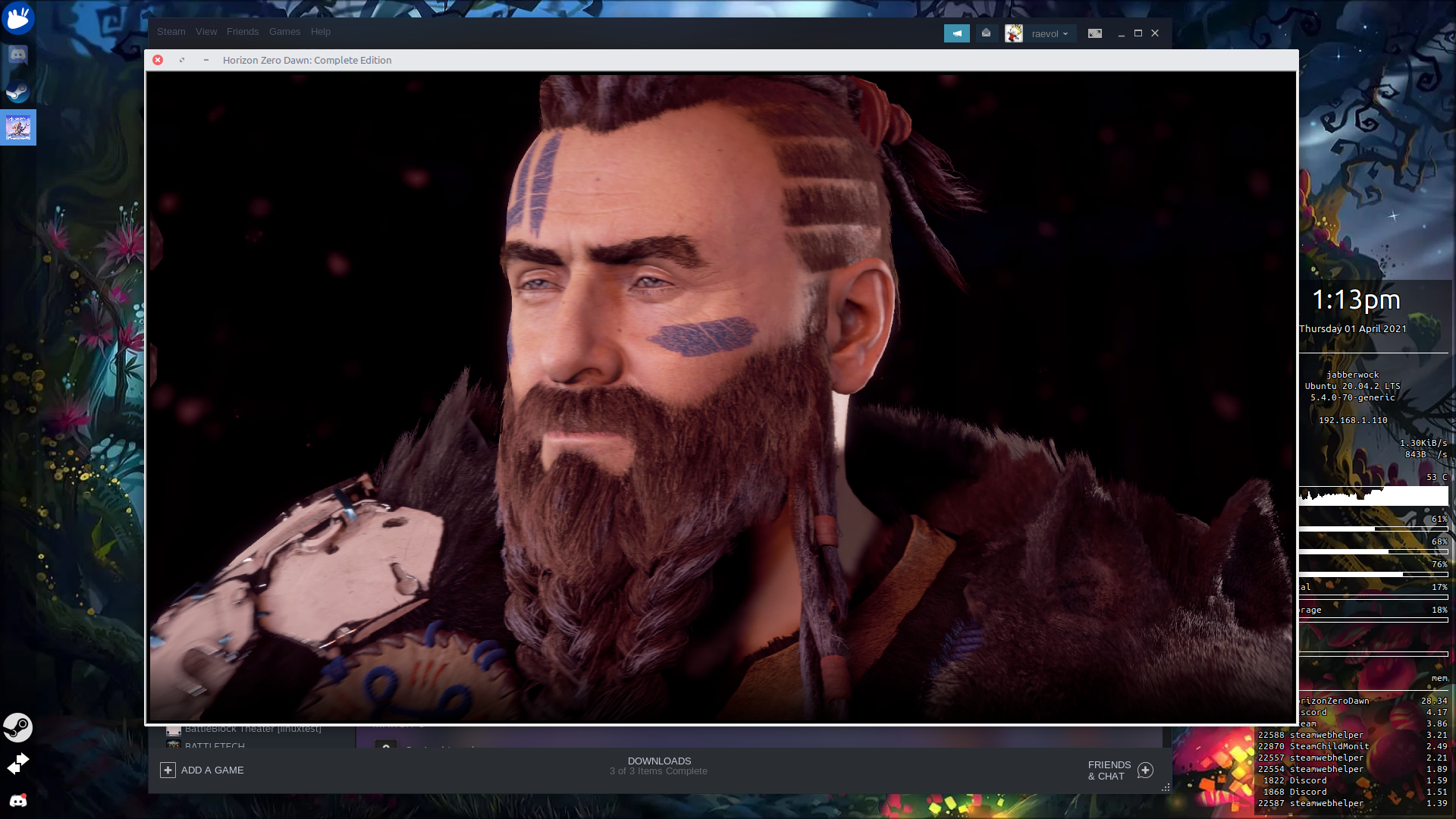
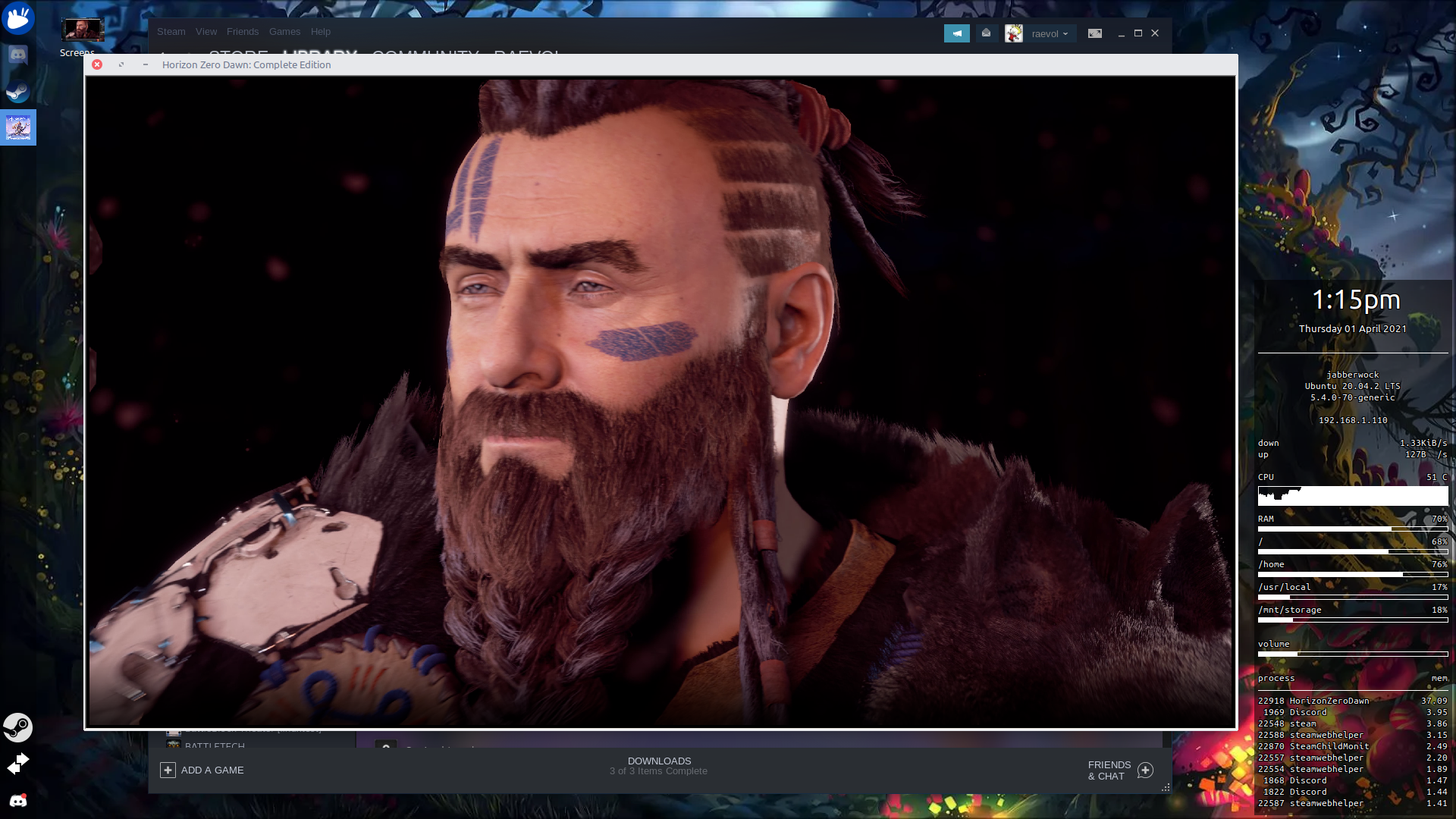
So I deleted all my local files (including my steam shadercache) and reinstalled. Second run, with strace -p:
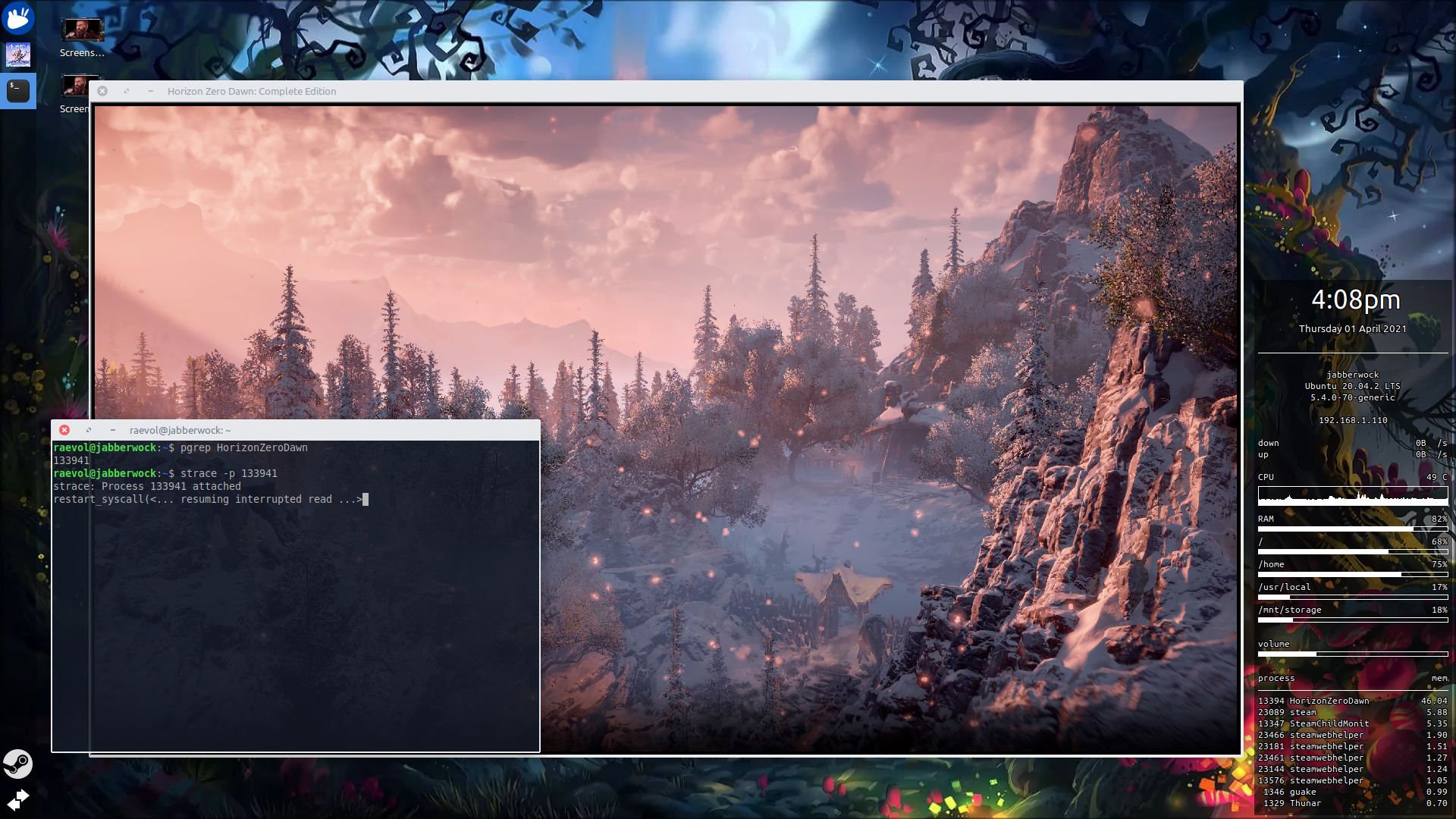
Third run, with d3dcompiler_47.dll copied from Tools/... and strace -p running again:
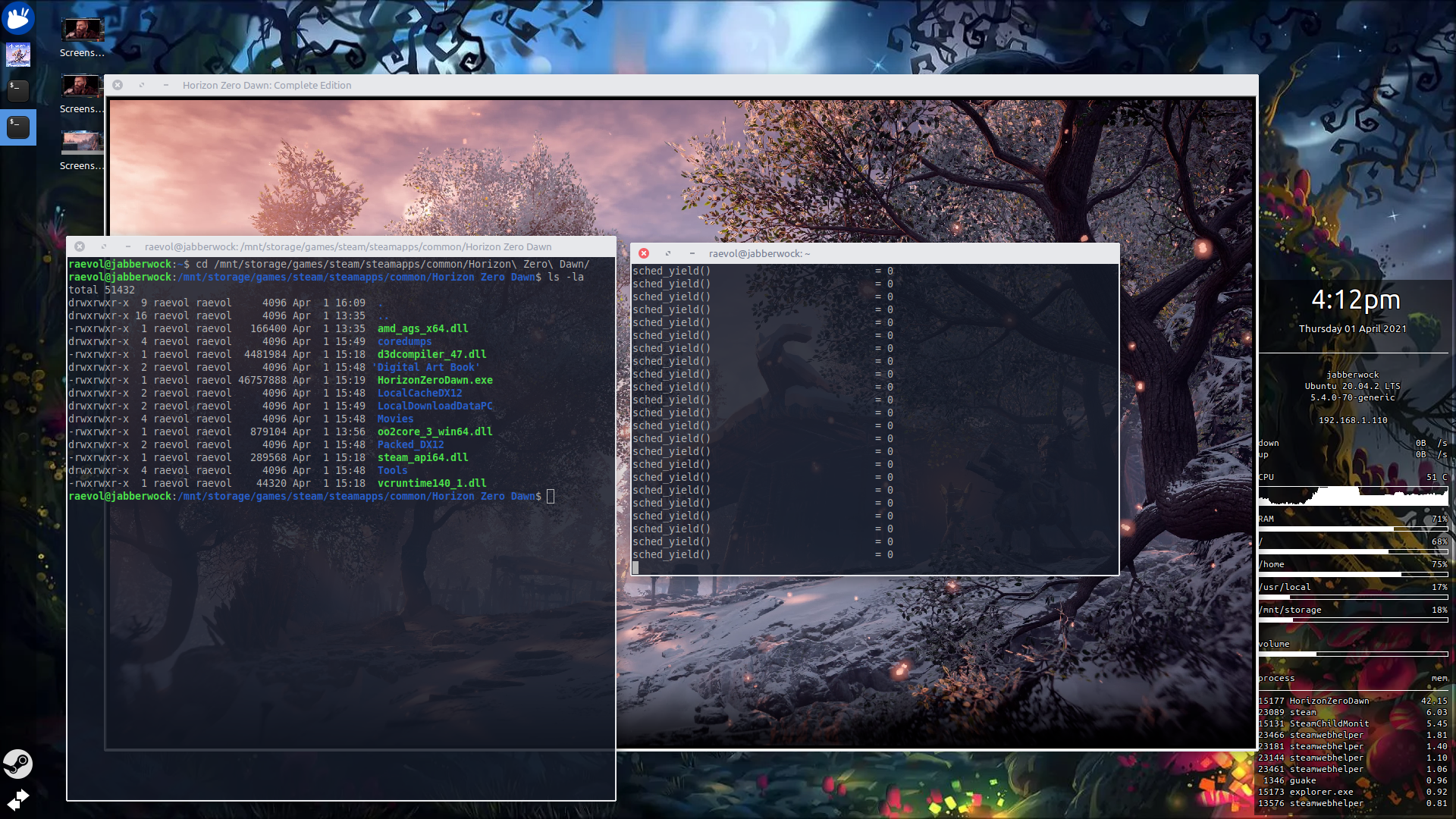
Just a report:
OS: Arch Linux
KERNEL: 5.11.11-zen1-1-zen
DE: GNOME 40 Wayland
CPU: AMD Ryzen 7 3800XT 8-Core resizable BAR support enabled in bios and on
GPU: AMD Radeon RX Vega (VEGA10, DRM 3.40.0, 5.11.11-zen1-1-zen, LLVM 11.1.0)
GPU DRIVER: 4.6 Mesa 21.0.1
RAM: 32 GB
Tried with Proton 6.3.1 and TkGlitch 6.5.r1
The game, now, as for others suffer from the animation/cutscenes slowdown.
The game have performance issues, like poor gpu utilization, probably not optimal thread utilization too.
In the benchmark on Linux the FPS is starting around 20 and sometimes goes up to 55-60, but mostly hower around 40, on windows its starts at 200 fps, then drops to a 75-95 range. The CPU utilization on Linux goes as most thread around 10-40 percent load, and theres always a thread whats loaded to max 100 percent, average 35-40% CPU utilization, on windows the game utilizes 11/12 cpu thread out of 16 with half of the threads around 25-35 percent, and the others around 70-80 percent with about 30-35% CPU utilization.
Played about 5 hour, did not experienced any audio issue, graphic issue, maybe something miniature, but nothing major or minor, and did not experienced game slow down either (other then the cutscene issue, what to be honest, i wont give much about, as id rather have my cpu handle its power states and not restart my system every time id wanna play HZD). PS: forgot, the game did not exited/ or parts of it still seamed to be active till this morning i shut it off in steam.
proton log: https://drive.google.com/file/d/1UBmXsBxPIVD3vewElyQjlRtsadCWXpgB/view?usp=sharing
Commands used at launch of the game
ENABLE_DEVICE_CHOOSER_LAYER=1 VULKAN_DEVICE_INDEX=1 PROTON_LOG=1 mangohud %command%
I have two identical GPU in my system, and vulkan always renders on the secondary (bug/feature?), what i have to override to avoid unnneccessary latency and for that im using @aejsmith vkdevicechooser, its working reliably.
Adding some more
OS: Gentoo
KERNEL: 5.11.7
DE: KDE 5.21.3 Wayland
CPU: AMD Ryzen 7 3800X 8-Core resizable BAR support enabled in bios and on (X570 chipset)
GPU: AMD Radeon RX 5700 XT (NAVI10, DRM 3.40.0, 5.11.7-gentoo-x86_64, LLVM 11.1.0) (0x731f)
GPU DRIVER: Mesa 21.1.0-devel (git-f447c69653)
RAM: 32 GB
Tried with Proton 6.3-1 and 5.13
Game works fine (well not crashing) but getting animation/cutscenes slowdown. Running now feels like in a dream, trying really hard but getting nowhere fast.
Using kernel 5.9.16 keeping everything else the same works fine. With 5.11, I need to set cpufreq.off=1 like suggested above. This occurs with both Proton 5.13 & 6.3 so it's not a new proton regression. I don't have hard data but others games seem affected to some degree as well. They feel a bit more sluggish even if camera movement/frame rate is high. Animation seems delayed a bit and slower.
@sebastiencaty are you getting high frame rates? I'm stuck at about 15-20 fps on my 5700xt
@ErikReider Running at 1920x1200 + Ultra settings (- motion blur), no trouble keeping 60 fps except in meridian where it drops to 40-50 fps.
Running with mesa git but have been in this range for quite a while, mesa 21+ should be fine.
SAM had no effect.
OS: Manjaro
KERNEL: 5.11.11-144-tkg-upds
WM: Sway 1.6-rc2-62fbf33c
CPU: AMD Ryzen 7 5800X 8-Core with resizeable bar enabled
GPU: AMD Radeon RX 5700 XT (NAVI10, DRM 3.40.0, 5.11.11-144-tkg-upds, LLVM 11.1.0)
Resolution: 1920x1080
GPU DRIVER: Mesa 21.1.0-devel (git-cc2a4ff880)
RAM: 16 GB
Launch options: PULSE_LATENCY_MSEC=60 MANGOHUD=1 gamemoderun %command%
@sebastiencaty are you using any other tweaks? Our builds seem to be similar. Setting the CPU governor to Power save from performance doesn't seem to affect the FPS in-game which is strange.
In mothers heart, I get 15 fps (with all of the crowds) but outside Rosts shack, I get around 30fps
Nothing fancy really, I don't use gamemode but mostly because I use performance by default. Custom kernel compile (vanilla version) but again it's more to only compile what I need and set things for perf by default.
No change to what proton did for pfx.
This being gentoo everything is compiled but I don't use wierd compiler settings : -O2 -march=znver2 -pipe
Running with firmware from 20.45
My 5700XT does clock pretty high by itself, 2100MHz and can keep at it.
Did you increase FOV? That will slow things down.
Decreasing the fov increased my fps by around 5 frames but still stuck at below 30...
The TKG kernel lets you compile with Zen optimizations (in my case I choose MNATIVE_AMD). I'll try updating my bios (Apparently it includes some L3 optimizations 😃)
@ErikReider Yeah, even with FOV maxed I'm in the 40fps range.
Asus mobo here with latest stable firmware. Running with DOCP 3600MHz, PBO enabled + PBO Fmax (asus tweak for PBO). Above 4G decoding + Re-Bar enabled. No other voltage/clock tweak. Loaded cores are in the 4.3-4.4 range while those more idle sits at 3.9 range while playing HZD.
In mothers heart (late game), I see:
99% GPU usage
26% CPU usage, most are in the 10-30%, none above 50%
Lowest is 42fps according to mangohud. Perhaps a clean pfx? I didn't do any modification, using steam beta.
About same fps between 5.9.16 - 5.11.7 kernel, I'll try 5.11.11.
@sebastiencaty I got a few extra frames by setting the GPU performance mode to high (fixed at 2065MHz)
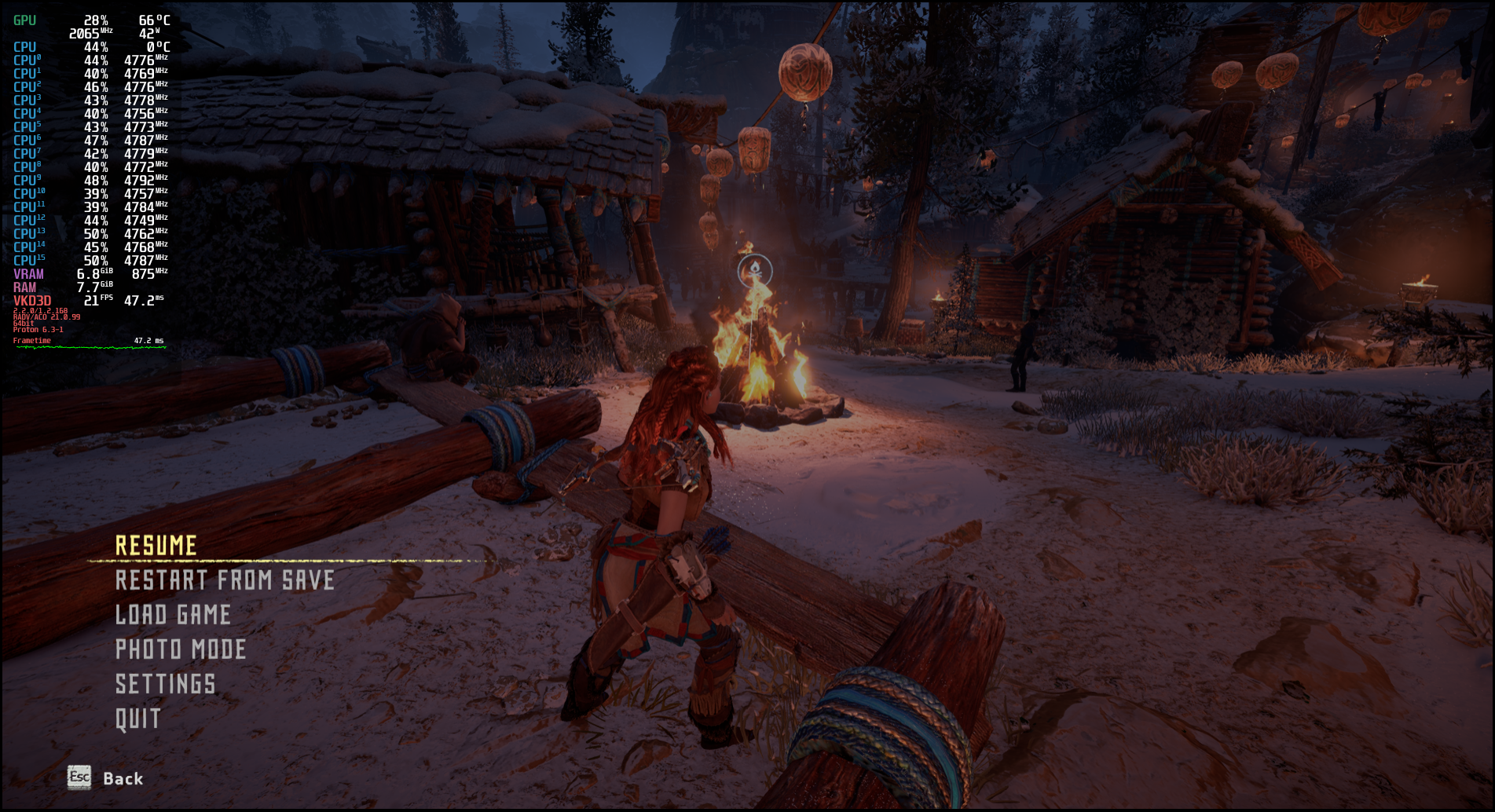
This is with a clean prefix, Kernel 5.9.16-1 with the GPU clocks fixed to max
@ErikReider Can't compare with the same scene since I only have a save at endgame and just started NG+
You have higher CPU usage and clocks than I do yet low GPU usage, seems strange. Can you try with less CPU overclocking? Might seems odd but sometimes too high a clock still works but results in lower performance due to recoverable errors.
Tried kernel 5.11.11, no change.
Proton: proton_tkg_6.5.r1.g2e42e7d9.release
GPU: R9 380 GPU (amdgpu)
Mesa: mesa-git-21.1.0_devel.133588.766538f83cb
+ DLL files within the Tools directory copied to the top-level.
It seems as though, in my case, this is causing the crash:
252:err:d3d12_resource_create_placed: Failed to bind image memory, vr 1.
252:fixme:hresult_from_vk_result: Unhandled VkResult 1.
"Failed to bind image memory, vr 1" seems to be the kicker - am I just running out of memory?
EDIT: There are additional errors in here, don't know if they're important:
304:err:vkd3d_dxil_log_callback: dxil-spirv: There is no candidate for ladder merging.
304:err:vkd3d_dxil_log_callback: dxil-spirv: There is no candidate for ladder merging.
I don't see a single other case of the "failed to bind image memory" error online which is a little concerning...
There's also a warning about not being able to find a swapchain format, which I thought was supposed to be patched in proton-tkg?
252:warn:select_vk_format: Failed to find Vulkan swapchain format for DXGI_FORMAT_R10G10B10A2_UNORM.
This seems to be a bug in Wine 6.5. Reverting to proton_tkg_6.3 once again works fine. I don't know exactly where this issue is occurring.
@sebastiencaty i tried changing the CPU governor to powersave which limited the clocks to 2400MHz with no difference in performance 🤔
@benjaminmordaunt have you tried using the Mesa driver?
@ErikReider I'm using mesa-git-21.1.0_devel.133588.766538f83cb
Is there an alternative mesa I need to use?
EDIT: Also, do I need to let Steam finish processing Vulkan shaders? It progressed 1 bar in 15 minutes...
@benjaminmordaunt nope. Just got a little confused by "amdgpu" in the original post 😅. You shouldn't need to gather the shaders but I'm not 100% sure. Have you tried using the latest proton?
The game works very well with Proton 6.3-2 on my computer (Intel Core i5-9600KF, Nvidia Geforce RTX2070, Nvidia v460.67 driver @ Ultra settings) but I got sound crackling so I added PULSE_LATENCY_MSEC=60 to the command start line. But the voices in cutscenes are asynchronous. Is there maybe any known fix or is it cause by the pulse latency parameter? All outer sound outside of cutscenes are normal. Strange...
@Johnnii360 Try protontricks / winetricks sound=alsa on your HZD prefix (see YOUR_STEAM_FOLDER/steamapps/compatdata/1151640/pfx/ folder for Steam version). It fixes the sound for me in 99% games, HZD is no exception.
@Johnnii360 Try protontricks /
winetricks sound=alsaon your HZD prefix (see YOUR_STEAM_FOLDER/steamapps/compatdata/1151640/pfx/ folder for Steam version). It fixes the sound for me in 99% games, HZD is no exception.
Thank you! I've tested it but the voices are still asynchronously in cutscenes or dialogues with NPCs.
@Johnnii360 Try protontricks /
winetricks sound=alsaon your HZD prefix (see YOUR_STEAM_FOLDER/steamapps/compatdata/1151640/pfx/ folder for Steam version). It fixes the sound for me in 99% games, HZD is no exception.Thank you! I've tested it but the voices are still asynchronously in cutscenes or dialogues with NPCs.
I also had issues with asynchronous voices in cutscenes / dialogs but by using the cpufreq.off=1 kernel option (to fix animations playing at half speed) they got fixed too...
If this can help, I suppose that such sounds in dialogs / cutscenes are played detached from animations so when they both start, the audio gets to finish first since animations take twice as much.
Do you have animations playing at half speed maybe?
Replying to https://github.com/ValveSoftware/Proton/issues/4125#issuecomment-816916806
It's exactly that issue! It feels like the animations are slower.
So what I have to do now? And does this change any other issues on my system?
Ah btw. I use Ubuntu 20.04 LTS (kernel 5.4.0-70-generic). :)
Edit: I searched the web a bit about cpufreq.off=1 and trip up about this here. I'm using a Intel CPU and the user that also affected with this issue use AMD. So I don't know if this is healthy for me because I want to use low energy consumption on idle times.
Edit 2: Some other tip: I used now Proton 6.5-GE2 and the issue isn't gone but I got a bit better performance due of upgraded DXVK and VKD3D! Maybe there is another solution instead of engaging kernel mechanisms? Maybe @GloriousEggroll can help in this case? Otherwise I just have to deal with it only in this game. ;) It's not that tragical but a bit awkward. All other is working fine.
@Johnnii360
You can try seeing this comment for Intel CPUs: https://github.com/ValveSoftware/Proton/issues/4125#issuecomment-798826896
But I suspect that your problem has a simpler origin, I too had async problems with audio and video but using PULSE_LATENCY_MSEC=60 solved it for me. Try experimenting with different values there if that does you any good.
@Johnnii360
But I suspect that your problem has a simpler origin, I too had async problems with audio and video but usingPULSE_LATENCY_MSEC=60solved it for me. Try experimenting with different values there if that does you any good.
That's what I also thought to play with the value a bit but I switched now to ALSA sound so maybe this parameter isn't affect any more. But the odd part is that Aloy is sometimes in sync but other NPCs only at beginning of dialogues. It reminds me a bit to dubbed documentations on TV. ;) The German dub is spoken first and a bit of the original comes after.
same here, animations are slowed down
[System]
OS:              Manjaro Linux 21.0.1 Ornara
Arch:            x86_64
Kernel:          5.10.26-1-MANJARO
Desktop:         Not found
Display Server:  x11

[CPU]
Vendor:          AuthenticAMD
Model:           AMD Ryzen 9 3900X 12-Core Processor
Physical cores:  12
Logical cores:   24

[Memory]
RAM:             31.3 GB
Swap:            17.2 GB

[Graphics]
Vendor:          NVIDIA Corporation
OpenGL Renderer: GeForce GTX 1080/PCIe/SSE2
OpenGL Version:  4.6.0 NVIDIA 460.67
OpenGL Core:     4.6.0 NVIDIA 460.67
OpenGL ES:       OpenGL ES 3.2 NVIDIA 460.67
Vulkan:          Supported
As I mentioned I switched from Proton 6.3-2 to 6.5-GE2 and set the sound to ALSA with Protontricks. It's not perfect now but it made the voices more synchronous. It's an up and down. Sometime it is sync sometimes not. But it's manageable. It reminds me a bit to the good old games like Gothic or Risen. :) I think we're to spoiled now.
Does anyone have any experience they can share on running this on a 4GB AMD card?
I'm running under Proton-6.5-GE-2 on an R9 380 and performance is abysmal compared to Windows.
I think I'm configured to squeeze every last drop of performance out, using flags such as VKD3D_CONFIG=multi_queue which is supposed to help HZD, but I can't even run this at 1080p comfortably.
@benjaminmordaunt
I am running the game on a AMD RX 570 4GB and performance is disappointing. I read it that people are able to run the game in 1440p and Ultra Settings using my card on Windows, which is not quite possible for me on Linux.
But the game is very much playable. Here is some general observations I made about performance these last days:
External options
- I benchmarked Proton 6.3 vs Proton 6.5-GE and didn't notice any difference, I ran the built-in benchmark tool twice in each version and 6.3 even turned out slightly faster but very close (not statistically significant).
- Using Feral Game Mode (or something of similar effect) helps slightly. In my tests it increased FPS in 5%.
- Using
cpufreq.off=1kernel parameter had a significant drop in performance in my case (20%), again I benchmarked the game twice in each parameter to test this. I don't have slow animations problem so I turned it off. I was surprised by this result and interested in seeing others doing the same test.
In-Game options
- Reflections and Clouds are the most expensive settings in terms of performance, and not that relevant for graphical quality (I have them both at minimum).
- Model Quality is expensive in terms of performance but also quite important for quality (I have it at medium).
- Texture is as important as Model Quality but far less expensive (I have it on high).
- Anisotropic Filter and Ambient Occlusion had no significant impact in performance in my tests so I am running them on ultra.
- I didn't test Shadows (have it on medium) or Motion Blur (have it Off).
- I am using anti aliasing: TAA + FidelityFX at 80%. I did see a slightly performance loss and I am not thoroughly convinced it improved quality, but I think it will help when I get to Meridian...
- On Display I have field of view at 70 and Render Scale at 90%, I didn't tested these parameters but my impression is they have a very marginal impact to performance.
- Finally resolution. On the open world I have no problem running the game using my native resolution (2560x1080) even if the VRAM meter is complaining that I am above the 4GB limit. However, when I was in Mother's Heart FPS dropped bellow 20 and I had to downgrade the resolution to 1900x800 which helped. That said, my experience benchmarking resolution is that it barely has any impact on performance, I benchmarked the game using very low resolution and very low render scale and still didn't get much more than 40 fps average (My average on native resolution is 38). I think it is only relevant in places that are heavy on VRAM. I want to see what happens when I get to Meridian, lets see If I will have to drop resolution again or use Adaptive Performance FPS.
@Figuera
That's great - thanks for that. I'll take intel_pstate=disable out of my boot parameters, which I put in as a precaution, but it might actually be making things worse.
Out of interest, do you need to use RADV_DEBUG=llvm? If I try to run HZD without this (i.e. letting it default to ACO), the game crashes soon after you hit "Continue Game", just before the reddish loading splash screen appears. This might be something I eventually file as a Mesa bug. Perhaps there is a less intrusive flag such as RADV_DEBUG=no* that I can use instead, but I haven't found another one which prevents a crash.
Also, do you let Steam do Vulkan shader precompilation? I've heard that for others this process can take ~45 minutes, but for me the progress bar doesn't advance... at all. The furthest the bar has progressed in my case is one "block", but I haven't been able to reproduce even that since, and I've waited ~1 hour.
What's up guys!
Today I got a benchmark score more than double my first score!
December 2020:
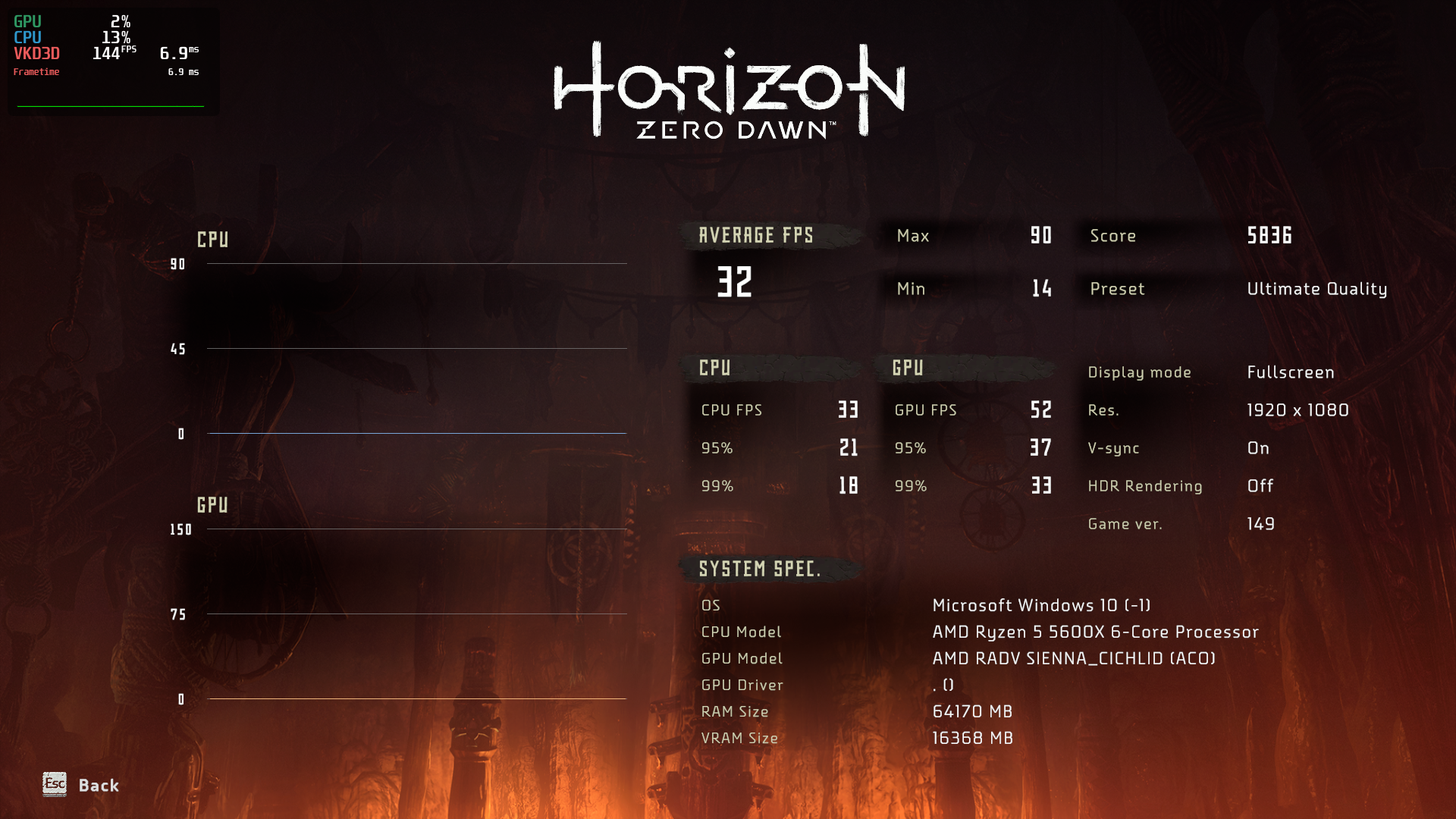
April 2021:
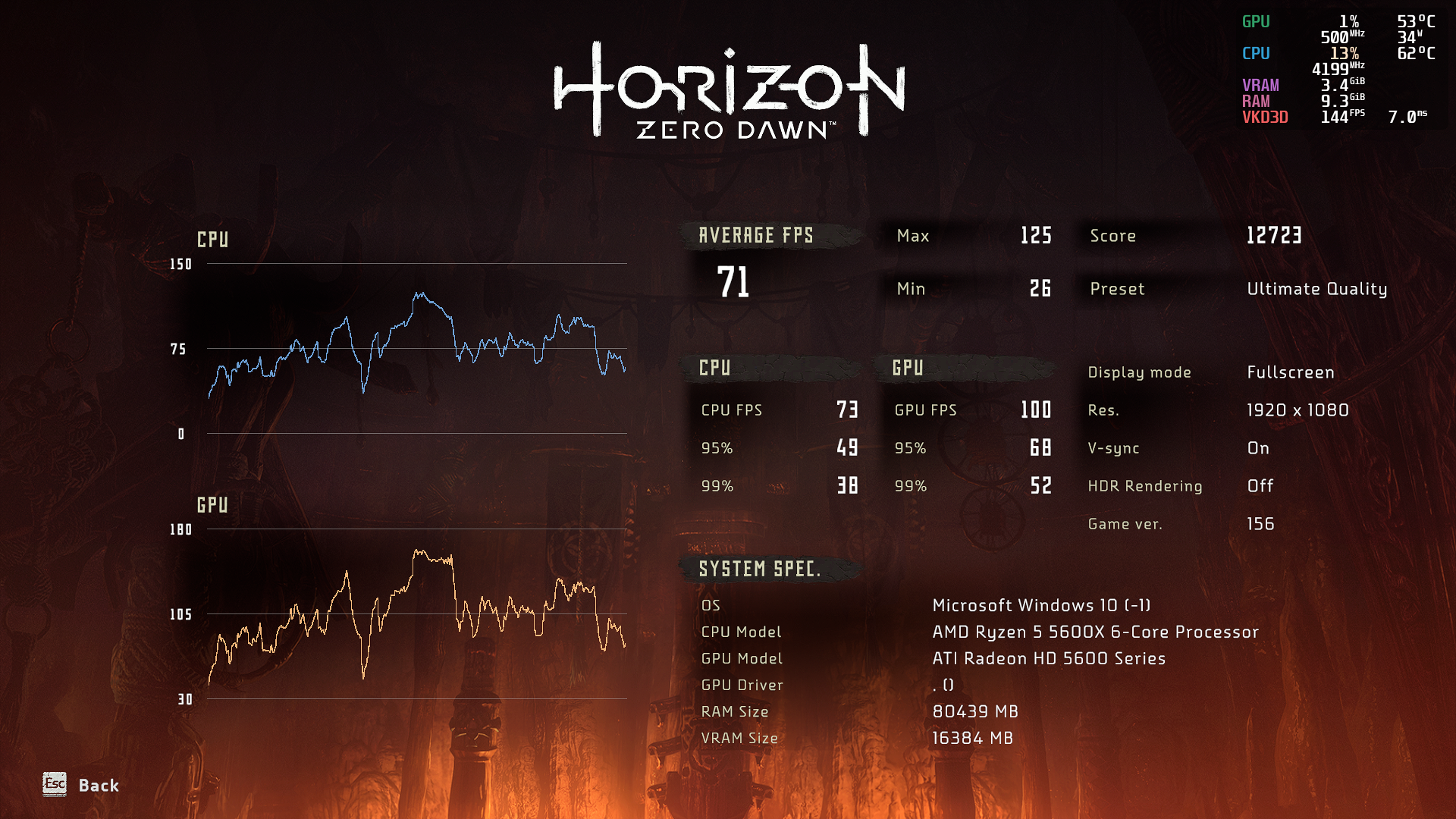
Basically, using the same hardware, but running updated software.
Software (current):
Gaming Platform: Epic Games - Wine
Game Launcher: Heroic
Wine: wine-tkg-6.5
Direct3D: vkd3d-proton
Distro: Garuda Linux
Kernel: x86_64 Linux 5.11-amd-znver2
Desktop Environment: KDE Plasma
GPU Driver: Open Source (Mesa 21.0 + ACO)
Hardware:
CPU: AMD Ryzen 5 5600X 4.6GHz (Zen 3)
RAM: Corsair Vengeance LPX 32GB (2 x 16GB) DDR4 DRAM 3600MHz C18
GPU: XFX Speedster MERC 319 AMD Radeon RX 6800 16GB GDDR6 (RDNA 2)
SAM On:
> AMD_DEBUG=info glxinfo | grep vram
    vram_size = 16384 MB
    vram_vis_size = 16368 MB
    vram_type = 9
    vram_bit_width = 256
    has_dedicated_vram = 1
    all_vram_visible = 1
@benjaminmordaunt
External options
- Using
cpufreq.off=1kernel parameter had a significant drop in performance in my case (20%), again I benchmarked the game twice in each parameter to test this. I don't have slow animations problem so I turned it off. I was surprised by this result and interested in seeing others doing the same test.
Might not be a drop in performance and more like benchmark is not comparable due to slower animation (and thus easier to compute so runs at a higher framerate).
Kernel 5.9 (without cpufreq) vs 5.11 with cpufreq.off=1 : I get about the same score
Kernel 5.11 (without cpufreq) : Much higher score
Kernel 5.9 (without cpufreq) vs 5.11 with
cpufreq.off=1: I get about the same score
Kernel 5.11 (without cpufreq) : Much higher score
What are you trying to say?
cpufreq.off=1 == without cpufreq. cpufreq.off=1 disables kernel cpufreq manipulation (turns it OFF), thus it is "without cpufreq".
This translates your first argument into:
"Kernel 5.9 (without cpufreq) vs 5.11 (without cpufreq) : I get about the same score."
And then your second argument into ... complete confusion. Much higher than what? kernel 5.9? which you just said gives you about the same score :D
Why we use/used cpufreq.off=1 was because there was some weird bug (in proton? or HZD itself ... or kernel?) where HZD was playing in slow motion (performance/fps was normal; just everything was moving around at 50% speed). When it doesn't for you and is working correctly without it now (so the bug is fixed? can someone confirm it?), you obviously can re-enable kernel cpufreq manipulation (removing the disablement from kernel parameters).
lol, yeah that was confusing
What I meant to say is without passing cpufreq parameter to kernel boot options. So
5.9 no option (animation normal speed) and 5.11 + cpufreq.off = 1 (animation normal speed)
-> I get the same HZD in-game benchmark framerate
5.11 no option (slow animation)
-> I get about 20% higher framerate
CPU : 3800X
GPU : 5700XT
5.11 give me the slow animation bug. I also think that the benchmark is not comparable due to slow animation.
Hi there!
Just here to kindly advise everyone, just like @D33M0N mentioned, that intel_pstate=disable and cpufreq.off=1 kernel options are not expected to improve performance and are a very band-aid temporary fix we found for a very specific bug when the entire game, not just the cutscenes, is in slow motion, while the fps is okay. Please kindly exercise caution when trying.
@benjaminmordaunt
Does anyone have any experience they can share on running this on a 4GB AMD card?
Ran the game on RX 470 4GB, very low settings across the board, the fps is about 30 fps. Not very pleasant, but playable. Very many stutters when playing from an HDD. I would recommend to install the game on an SSD, it helps a lot. I did not try to switch to llvm. Generally llvm results in lower fps, but can help with certain graphical artifacts, so I didn't think of trying.
Lowering the rendering resolution below 100% (1080p in my case) had no significant effect.
@D33M0N
and is working correctly without it now (so the bug is fixed? can someone confirm it?)
Can you please advise me on where (wine \ proton version, kernel) it's reported to be fixed? I'll gladly test it when I can.
Can you please advise me on where (wine \ proton version, kernel) it's reported to be fixed? I'll gladly test it when I can.
I was asking the same thing, so don't ask me.
There is no real fix that I'm aware off. Only a workaround that somehow involves CPU clock scaling. Odd because no applications use cpu clock for timing since quite a long time.
Still happens with 5.12-rc6
We know it happens on both Intel & AMD CPU. It happens with AMD GPU, not sure about NVIDIA. Can anyone confirm this?
@D33M0N @RoyShapiro
As a disclaimer, I did understand that cpufreq.off=1 was not to improve performance but I wanted to see if it would change anything on the game since so many people were reporting to use it. My surprise was due to how significant the negative impact was.
I have to say that I didn't notice any difference with the parameter on or off. I never noticed anything in slow motion (What did it look like? Where should I expect to see it?). I double checked and my "PSS Support" parameter is set to auto. So unless I am overlooking it I don't have the bug even without the fix.I am using Proton 6.3, Mesa 21.0 and kernel 5.11.
@Figuera What is your CPU? If it's not AMD Zen 2 or newer or Intel 8th Gen
or newer, you should not run into this bug, it seems to only happen with
those newer CPUs when kernel 5.10 or newer is also used.
@D33M0N Sorry, I got confused by the flow of previous posts and mistook a
conjecture for a statement of fact. My bad.
@sebastiencaty The bug is related to CPU frequency \ timing problems,
likely either in kernel or in how wine talks to it. It's not GPU dependent.
There were reports of it happening on Nvidia cards above, GitHub simply hid
them under that rather inconvenient "Hidden items \ Load more..." thingy
above.
I have an AMD Ryzen 5 3600X.
@yaliv How did you manage to run it with wine? It won't launch for me.
@Figuera Hmm. Interesting! This CPU should be affected. Can you, please,
share other info about your system, like kernel version \ distro?
@RoyShapiro
Sorry, I should have been more comprehensive:
OS: Arch Linux
KERNEL: 5.11.11-arch1-1
CPU: AMD Ryzen 5 3600X 6-Core
GPU: AMD Radeon RX 570 (POLARIS10, DRM 3.40.0, 5.11.11-arch1-1, LLVM 11.1.0)
GPU DRIVER: 4.6 Mesa 21.0.1
RAM: 16 GB
Display Sever: Wayland
Running under both Proton 6.3 and 6.5-GE, 5.13 don't work.
@Figuera Thank you! I had my suspicions that the bug might've been fixed in
kernel 5.11+, so I've also just upgraded my kernel to 5.11.13, as I was
using 5.10.23 previously, but the slow-mo issue persists on Intel 9900K
without intel_pstate=disable. Need to check on AMD.
Hmm... I think that "slow-mo" bug also exists on Intel+Nvidia hardware with kernel 5.4.0-70-generic (Ubuntu 20.04 LTS) - as I already mentioned. I watched yesterday a video with HZD fails (bugs) and the animations in this YT video were faster than mine. So I think it's a common Proton issue.
Here's my entire system info: https://gist.github.com/Johnnii360/5341a52ce8f29dbc7688995063d77c82
@yaliv How did you manage to run it with wine? It won't launch for me.
As I mentioned above, I use wine-tkg-6.5.
And yes, there's an explation there:
Proton wine builds (-tkg, -GE, official or others) are not suited for use outside of Steam, even if the option is provided by some third party tools. Doing so can break the whole way they are designed to work and thus is NOT recommended.
I follow that suggestion, because I run the Epic Games version of HZD.
How can I run it?
- Install vkd3d-proton (it's similar to installing dxvk, run
setup_vkd3d_proton.sh). - Install vcredist2015_2017_2019_x86 and vcredist2015_2017_2019_x64 (I don't use winetricks, just got the installers somewhere and run them in my Wine prefix).
- Copy
HorizonZeroDawn/Tools/ShaderCompiler/PC/1.0.2595/x64/dxcompiler.dlltoHorizonZeroDawnfolder. - Copy
HorizonZeroDawn/Tools/ShaderCompiler/PC/10.0.18362.0/x64/d3dcompiler_47.dlltoHorizonZeroDawnfolder.
Odd because no applications use cpu clock for timing since quite a long time.
Well, there may be places in the code where very short sleeps may be replaced internally with a busy loop instead so the code does not yield to another thread. This is often more efficient. But still, that usually doesn't use a clock-calibrated counter but waits for a clock tick instead using HR timers - except maybe where HR ticks are not supported.
Still I wouldn't expect that to be an issue here because those short busy waits should be rare enough to make no impact on the games timing.
fsync uses a similar approach where waiting on a lock busy-loops for a few cycles before yielding to another thread. This is controlled with the WINEFSYNC_SPINCOUNT setting, maybe worth experimenting with it or turning fsync off?
Fatal error occurred: Failed to load library for lump, Can't load DLL: z:\home\niedzwiedz\.local\share\steam\steamapp
s\common\horizon zero dawn\localcachedx12\fullgame.dll error: Module not found.
I'm getting this error now ... No idea what I could've messed up
How did you try to fix it? Disabling C-State control in BIOS didn't do it either. I have no idea how yet how to disable any kernel cpu governor or power stuff... but just looking around I started seeing weird numbers. for example lscpu does show me:
Model name:                      AMD Ryzen 9 5950X 16-Core Processor
Stepping:                        0
Frequency boost:                 enabled
CPU MHz:                         6461.328
CPU max MHz:                     7228.3198
CPU min MHz:                     2200.0000
BogoMIPS:                        6803.84
What? 7.2GHz???! I wish :-D Similar insane numbers are shown by
hwinfo --cpudmesg shows sane numbers though: [ 0.000000] tsc: Detected 3400.245 MHz processor
Hi,
Could you (or someone else) please give a check whether below patch can fix the AMD frequency issue, it's a buggy of acpi-freq driver:
Thanks,
Ray
@huangrui
Hi Ray,
Patch applied successfully on 5.11.11
5.11.11 Before patch:
Model name:                      AMD Ryzen 7 3800X 8-Core Processor
Stepping:                        0
Frequency boost:                 enabled
CPU MHz:                         3900.000
CPU max MHz:                     5381.5420
CPU min MHz:                     2200.0000
BogoMIPS:                        7785.31
5.11.11 - After patch
Model name:                      AMD Ryzen 7 3800X 8-Core Processor
Stepping:                        0
Frequency boost:                 enabled
CPU MHz:                         3900.000
CPU max MHz:                     7000.1948
CPU min MHz:                     2200.0000
BogoMIPS:                        7784.95
5.9.16 - No patch, for reference
Model name:                      AMD Ryzen 7 3800X 8-Core Processor
Stepping:                        0
Frequency boost:                 enabled
CPU MHz:                         3588.588
CPU max MHz:                     3900.0000
CPU min MHz:                     2200.0000
BogoMIPS:                        7785.50
Doesn't look much better? No change for HZD slow anim speed.
Same behavior with 5.12-rc6 vs 5.11.11
Replying to https://github.com/ValveSoftware/Proton/issues/4125#issuecomment-817436851
Thanks for the testing. Can you let me know what's the model/steping number of your aisc like below:
Vendor ID: AuthenticAMD
CPU family: 25
Model: 80
Model name: AMD Ryzen 9 PRO 5950H with Radeon Graphics
Stepping: 0
CPU MHz: 3293.726
BogoMIPS: 6587.45
And what's your SMU firmware version from your SBIOS?
Thanks,
Ray
Vendor ID:                       AuthenticAMD
CPU family:                      23
Model:                           113
Model name:                      AMD Ryzen 7 3800X 8-Core Processor
Stepping:                        0
CPU MHz:                         3866.183
CPU max MHz:                     3900.0000
CPU min MHz:                     2200.0000
BogoMIPS:                        7784.90
How do I find BIOS SMU version?
Only thing I found with smu is related to amdgpu
amdgpu 0000:0b:00.0: amdgpu: smu driver if version = 0x00000036, smu fw if version = 0x00000037, smu fw version = 0x002a3e00 (42.62.0)
Motherboard:
ASUS x570 TUF GAMING
BIOS : 3405
AGESA : Combo V2 1.2.0.0
Replying to https://github.com/ValveSoftware/Proton/issues/4125#issuecomment-817457986
amdgpu 0000:0b:00.0: amdgpu: smu driver if version = 0x00000036, smu fw if version = 0x00000037, smu fw version = 0x002a3e00 (42.62.0)
It's OK, let me give a check.
Thanks,
Ray
Hi @sebastiencaty,
Could you please give a try below patch:
Thanks,
Ray
Replying to https://github.com/ValveSoftware/Proton/issues/4125#issuecomment-817892624
Here's how it looks with latest patch
Vendor ID:                       AuthenticAMD
CPU family:                      23
Model:                           113
Model name:                      AMD Ryzen 7 3800X 8-Core Processor
Stepping:                        0
Frequency boost:                 enabled
CPU MHz:                         3900.000
CPU max MHz:                     4558.8862
CPU min MHz:                     2200.0000
BogoMIPS:                        7785.63
Max MHz looks reasonable from what I get with PBO.
As for HZD, it's definitively not running as slow...but still enough to cause out-of-sync cutscenes and animation to be slower. Not as bad as before. Seems either wine and/or vkd3d that uses that info to calibrate something...or passes that to the game and gets a wrong timing.
Kernel 5.9 always report max mhz to be 3900mhz (3800X base clock) and things run ok.
Thanks @sebastiencaty .
That's weird. My patch only correct the maximum perf value for AMD CPPC. There might be something incorrect else in acpi-cpufreq driver. May I know whether below patch is the first break point of the regression:
Thanks,
Ray
I haven't used the patch, but since I have been claiming that I don't have the slow animations bug I feel like I need to do a report.
This is the output of lscpu for me:
Vendor ID:                       AuthenticAMD
CPU family:                      23
Model:                           113
Model name:                      AMD Ryzen 5 3600X 6-Core Processor
Stepping:                        0
Frequency boost:                 enabled
CPU MHz:                         2200.000
CPU max MHz:                     4939.2568
CPU min MHz:                     2200.0000
BogoMIPS:                        7602.60
If I run the command using gamemoderun lscpu the value of CPU MHz rises to 3800.
After reading this thread I have been paying more attention to deviation between audio and video, before I have claimed that using PULSE_LATENCY_MSEC=60 had fixed the issue for me, but now I see the audio is still deviating from video slightly over time. It is much less noticeable than before but on longer cutscenes deviations accumulates and it starts to be more noticeable at the end.
So I guess my claim that the problem wasn't happening to me isn't true, it is only that the effects are small and harder to notice.
➜  ~ lscpu
Architecture:                    x86_64
CPU op-mode(s):                  32-bit, 64-bit
Byte Order:                      Little Endian
Address sizes:                   43 bits physical, 48 bits virtual
CPU(s):                          24
On-line CPU(s) list:             0-23
Thread(s) per core:              2
Core(s) per socket:              12
Socket(s):                       1
NUMA node(s):                    1
Vendor ID:                       AuthenticAMD
CPU family:                      23
Model:                           113
Model name:                      AMD Ryzen 9 3900X 12-Core Processor
Stepping:                        0
Frequency boost:                 enabled
CPU MHz:                         4000.000
CPU max MHz:                     6398,4370
CPU min MHz:                     2200,0000
BogoMIPS:                        8003.70
Virtualization:                  AMD-V
L1d cache:                       384 KiB
L1i cache:                       384 KiB
L2 cache:                        6 MiB
L3 cache:                        64 MiB
NUMA node0 CPU(s):               0-23
ummm can that cause the slow animation problem?
Hi @huangrui
Yes it seems to be the first point of regression. I compared to the commit just before which is at 5.11-rc7 tag release. HZD works well with 5.11-rc7. Slow animation speed happens with commit 3c55e94c0adea4a5389c4b80f6ae9927dd6a4501.
Kernel 5.11-rc7 + commit 3c55e94c0adea4a5389c4b80f6ae9927dd6a4501
Vendor ID:                       AuthenticAMD
CPU family:                      23
Model:                           113
Model name:                      AMD Ryzen 7 3800X 8-Core Processor
Stepping:                        0
Frequency boost:                 enabled
CPU MHz:                         5381.542
CPU max MHz:                     5381.5420
CPU min MHz:                     2200.0000
BogoMIPS:                        7785.50
Kernel 5.11-rc7
Vendor ID:                       AuthenticAMD
CPU family:                      23
Model:                           113
Model name:                      AMD Ryzen 7 3800X 8-Core Processor
Stepping:                        0
Frequency boost:                 enabled
CPU MHz:                         3900.000
CPU max MHz:                     3900.0000
CPU min MHz:                     2200.0000
BogoMIPS:                        7785.26
It seems the higher reported max clock, the worse it is. I don't use any tweak for pulse latency, I don't have any audio issue. Also I'm always on the performance governor.
Today I got an error message on start up complaining about Pulseaudio and the game crashed before the Main Menu.
Switched to sound=ALSA via Protontricks and it works again.
@Figuera
After reading this thread I have been paying more attention to deviation between audio and video,
May I reiterate again, that the slow-motion thing that's tied to acpi-cpufreq \ intel_pstate usually affects the entire game, so, for example, when you're swining your spear it feels super-smooth, but also super-sluggish, as if Aloy tries to swing it through butter, or runs through water, rather than air, (maybe an odd way to describe it, but that's my best effort ;) ) not just cutscenes. Are you certain, that the desync issue you describe (and also other people who have also reported similar behaviour) is not a separate, unrelated (at least not directly) bug?
One way to tell it apart would be to look at the rotating white circle in the bottom-left corner of the screen that appears as the game launches before the main menu. If it starts spinning smoothly, and keeps spinning smoothly, than you don't have "that" bug. But if it starts spinning smoothly, and then suddenly starts to spin erratically, or stutters, or if doesn't spin smoothly to begin with, it's definitely "that" bug.
@sebastiencaty
It seems the higher reported max clock, the worse it is. I don't use any tweak for pulse latency, I don't have any audio issue. Also I'm always on the performance governor.
Exactly what I'm talking about. Thank you for finding what seems to be the axis of our woes. Hope it'll be easier to debug now.
@huangrui
Hello! Thanks for trying to get to the bottom of this. This slow-mo thing also affects Intel cpu's starting with around 8th gen, according to previous reports. These CPUs run a different driver, intel_pstate, and fallback to acpi-cpufreq when the former is disabled. For Intel falling back to acpi-cpufreq solves the issue. Not for AMD, which is already on cpufreq, however, for AMD disabling cpufreq itself also solves it. So it's one thing on top of the other, and as @sebastiencaty correctly describes, it seems tied to the reported max clock.
Also, in this post above I have described to @Figuera how to tell that bug apart in this particular game. This start of loading spinner's erratic behaviour described almost always coincides with the CPU going Turbo-boost \ PBO under load as the game starts loading as monitored with mandgohud. When it launches, the frequencies are base. Spinner appears and starts rotating smoothly. Then, some process in the app starts something that causes an increase in clock speed, and then the game goes slow-mo and the spinner starts stuttering. Even if the frequencies go back to base at any point after this happens while the game is still running, the bug still persists. So, basically, if it goes bad once per app launch, it stays bad in it.
@RoyShapiro
The loading spinner is fairly smooth, I can see some stutters but not often. I can definitely say that the animations are NOT running at half speed, I even watched some gameplay videos for reference, but it is much harder to say if the animations are running 5 or 10% slower than they should or not.
I cannot confirm that the slow animation and the audio async bugs have the same source, but the fact that the difference over audio and video grows over time make me suspect that it is so. If your animation is running at half speed you may be able to test the hypothesis since the difference will grow very significantly over time, otherwise if you have the slow animation bug but not the audio async problem then you disprove it.
@Figuera I have a long standing bug, that sounds similar, also on AMD Zen 2 CPU, unrelated to the slow-mo, which persists after cpu.freq=off, even though the slow-mo goes away. And it sums up to the game starting to stutter more and more as time goes by. Starting buttery smooth and progressively getting worse to unplayable within about 40 minutes. @kakra suggested to me (see "load more" hidden comments above), that this might be related to the Desktop Environment's V-sync going buggy for some reason. While no v-sync settings in either DE or the game itself helped, restarting the DE even without restarting the game did help immediately. Now, even after such a restart, the game will eventually go out of sync again, and another restart will be required.
I specifically encountered this bug on Cinnamon desktop running Debian 11 (Testing). And the cool thing about Cinnamon, even though it may also be the cause of the bug itself, is that you can restart it without closing any windows including 3d-accelerated games or losing any data by hitting Alt-F2 and typing "r" (no quotes) in the window that pops up and hitting Enter. Other DE's obviously have other restart methods with different effects. The bug you have may or may not be related, but it might be worth checking out.
@RoyShapiro
Hmm, Interesting. But I don't think the bugs are related. The game itself don´t get worse overtime, only the synchronization of audio and video, and when this happens the audio always comes first as if the video is running at a slower pace than the audio. Even the audio/video sync problem seems to auto correct periodically, it certainly auto corrects between cutscenes but even within a cutscene there are points in which audio/video sync is restored, only to start growing apart again.
@RoyShapiro
With about 100h gameplay I haven't noticed any degradation over time. Loading spinner is always smooth on my side, might be IO/Storage related?
Don't know how useful this is but the actual core clock doesn't really matter. I've set the userspace governor to the lowest clock @ 2.2GHz and verified it was staying at that clock. Animation are as slow vs performance 3.9GHz boosting to 4.5GHz.
It's something inside acpi-cpufreq/pstate having a wierd effect.
@sebastiencaty It's probable that spinner stutter is related to the Intel
side of the slow-mo bug. This symptom is prevalent when testing on Intel
9900K, might not be present on AMD. Also, there is no degradation on Intel,
v-sync issue is likely completely separate and DE-related. Storage is the
same between systems, a SATA M.2 drive connected over USB, so unlikely,
unless it's chipset related.
On Wed, Apr 14, 2021 at 6:09 AM sebastiencaty @.***>
wrote:
@RoyShapiro https://github.com/RoyShapiro
With about 100h gameplay I haven't noticed any degradation over time.
Loading spinner is always smooth on my side, might be IO/Storage related?Don't know how useful this is but the actual core clock doesn't really
matter. I've set the userspace governor to the lowest clock @ 2.2GHz and
verified it was staying at that clock. Animation are as slow vs performance
3.9GHz boosting to 4.5GHz.It's something inside acpi-cpufreq/pstate having a wierd effect.
—
You are receiving this because you were mentioned.
Reply to this email directly, view it on GitHub
https://github.com/ValveSoftware/Proton/issues/4125#issuecomment-819196239,
or unsubscribe
https://github.com/notifications/unsubscribe-auth/AQX4ZGTMI2ZEH6CYVSQHO63TIUBODANCNFSM4PXXJIQA
.
Replying to https://github.com/ValveSoftware/Proton/issues/4125#issuecomment-818928204
Thanks for the information, I found another incorrect perf configuration in x86 kernel smp, and fix with below patch:
Could you please check these two patches again at top of below branch:
https://git.kernel.org/pub/scm/linux/kernel/git/rui/linux.git/log/?h=for-amd-freq-fix
Thanks,
Ray
I did a test, using the kernel parameter cpufreq.off=1. First this is the result of gamemoderun lscpu:
Vendor ID:                       AuthenticAMD
CPU family:                      23
Model:                           113
Model name:                      AMD Ryzen 5 3600X 6-Core Processor
Stepping:                        0
CPU MHz:                         3799.945
BogoMIPS:                        7602.55
min and max MHz vanishes (Is this expected?). Then I tested the synchronization problem and find out that it doesn't happens anymore, audio kept in sync toward the whole cutscene I tested, which I think further suggests that "the slow animation bug" and the synchronization problem has the same source.
PS: I must say that although I want to help to understand the problem, the synchronization issue is just a minor issue in my gameplay (the difference between audio and video never amount for more than 1 second). In the end I rather that than the performance loss of cpufreq.off=1.
@huangrui
Hello! Thanks for trying to get to the bottom of this. This slow-mo thing also affects Intel cpu's starting with around 8th gen, according to previous reports. These CPUs run a different driver,intel_pstate, and fallback toacpi-cpufreqwhen the former is disabled. For Intel falling back toacpi-cpufreqsolves the issue. Not for AMD, which is already on cpufreq, however, for AMD disabling cpufreq itself also solves it. So it's one thing on top of the other, and as @sebastiencaty correctly describes, it seems tied to the reported max clock.
Also, in this post above I have described to @Figuera how to tell that bug apart in this particular game. This start of loading spinner's erratic behaviour described almost always coincides with the CPU going Turbo-boost \ PBO under load as the game starts loading as monitored withmandgohud. When it launches, the frequencies are base. Spinner appears and starts rotating smoothly. Then, some process in the app starts something that causes an increase in clock speed, and then the game goes slow-mo and the spinner starts stuttering. Even if the frequencies go back to base at any point after this happens while the game is still running, the bug still persists. So, basically, if it goes bad once per app launch, it stays bad in it.
It's my pleasure. :-) And yes, the cppc maximum perf value is different on different AMD generations. And caculation method is different with Intel's as well. So we have to fine tune it on AMD processors. If you disabled cpufreq, the firmware in the SBIOS will take the dynamic frequency control, and won't be controlled by kernel.
Looks we should develop an amd dedicated cpufreq driver to support new amd processors like intel_pstate driver :-)
Anyway, thank you and @sebastiencaty to support me test again and again.
Thanks,
Ray
Replying to https://github.com/ValveSoftware/Proton/issues/4125#issuecomment-818922701
Can you give a check if below patch can fix the wrong frequency value in your processor?
Thanks,
Ray
Replying to [#4125 (comment)](https://github.com/ValveSoftware/Proton/issues/4125#issuecomment-819524238)
Applied both on 5.12-rc7, not quite there yet.
First patch seems to help the most. Second one didn't change much if at all. Didn't break either :)
Send more patch, happy to test :+1:
Upgraded to Ubuntu 21.04 because YOLO I guess and the game runs great now, even on my memory-starved system. Thank you for the amazing work Proton Devs and everyone!
Upgraded to Ubuntu 21.04 because YOLO I guess and the game runs great now, even on my memory-starved system. Thank you for the amazing work Proton Devs and everyone!
What kernel does Ubuntu 21.04 have? (uname -r)
@ Anybody:
Is it maybe possible to switch off the Intel P-States and/or Boost via Proton or Steam command?
Hi,
I tried to compile the 2 patchs from @huangrui 's git branch on top of the official 5.11.15 Arch build.
First, some infos :
CPU : AMD 5600X
GPU : Asus TUF RX 6800 OC
System : Archlinux (up to date)
Like other peoples, I am affected by the « slow motion » bug in HZD.
Using cpufreq.off=1 is fixing the issue for me.
Without cpufreq.off=1 and official Arch kernel 5.11.15-arch1-2 :
Vendor ID:                       AuthenticAMD
CPU family:                      25
Model:                           33
Model name:                      AMD Ryzen 5 5600X 6-Core Processor
Stepping:                        0
Frequency boost:                 enabled
CPU MHz:                         3700.000
CPU max MHz:                     5210.3511
CPU min MHz:                     2200.0000
And with same kernel plus the 2 patchs from @huangrui 's branch :
Vendor ID:                       AuthenticAMD
CPU family:                      25
Model:                           33
Model name:                      AMD Ryzen 5 5600X 6-Core Processor
Stepping:                        0
Frequency boost:                 enabled
CPU MHz:                         3700.000
CPU max MHz:                     4650.2920
CPU min MHz:                     2200.0000
Seems that the max frequency is close to the official specs.
But, the slow-motion bug in HZD is still present in my case… :/
I will try to build a 5.12 kernel just to see if it's better.
[edit] Same with 5.12.0-rc7 + patches as 5.11.15 patches (same lscpu and HZD slow-motion bug)
And with gamemoderun, HZD is not better.
What kernel does Ubuntu 21.04 have? (
uname -r)
@Johnnii360 5.11.0-14-generic
@huangrui Those two patches seem to fix it for me in Horizon Zero Dawn.
@huangrui Those two patches seem to fix it for me in Horizon Zero Dawn.
I tried both and they did not fix the issue. I used 5.12rc8 kernel. What cpu did you use? The issue is mainly with zen 2 and zen 3
Ryzen 3900x
Also did you test with both commits? I picked the two top commits from the for-amd-req-fix tree onto 5.12rc8
Also did you test with both commits? I picked the two top commits from the
for-amd-req-fixtree onto 5.12rc8
Tested on 5.12-rc8, not fully fixed here. Might be something more at play.
Also did you test with both commits? I picked the two top commits from the
for-amd-req-fixtree onto 5.12rc8
I used commits message
- x86, sched: Fix the AMD CPPC maximum perf on some specific generationsfor-amd-freq-fix
- cpufreq: fix the max boost ratio for amd ryzen platforms
got performance hit actually with ryzen 9 5900x.
Replying to [#4125 (comment)](https://github.com/ValveSoftware/Proton/issues/4125#issuecomment-819524238)
Applied both on 5.12-rc7, not quite there yet.
First patch seems to help the most. Second one didn't change much if at all. Didn't break either :)
Send more patch, happy to test 👍
Thanks! How about 5.12-rc5 in my branch, I heart this branch should be ok.
If not, would you mind to share the detailed reproduce steps to me? I would like to duplicate this issue in my side. (Not sure it's related by some specific generations).
Thanks,
Ray
@huangrui Those two patches seem to fix it for me in Horizon Zero Dawn.
Thanks for testing. Can you share your processor information here (lscpu)?
Some one told me fixed, and some one told me not. I am not sure whether it's caused by different generations.
Thanks,
Ray
Replying to https://github.com/ValveSoftware/Proton/issues/4125#issuecomment-822546072
My patches are to fix the incorrect perf setting for AMD processors. That's one of the coding errors at least, can you try 5.12-rc5 with my branch? If you can share the detailed reproduce steps to me, that will be great for me to continue debugging. :-)
Thanks,
Ray
@huangrui
I am under the impression this is not a binary question (fixed/not fixed), @sebastiencaty said the patch helped to improve animation speed even thought it is not completely fixed.
And my experience is that the "slow animation bug" is not easily noticeable for everyone. In my case, even without your patch the decrease in animation speed is small and at first I thought there was no problem at all. However, I have been playing with cpufreq.off=1 for some time now and not only the audio is not drifting out of sync anymore but I am also noticing that Aloy's movements are faster and more dynamic.
I wonder if @Joshua-Ashton and @mickeylyle can still notice small drifts in animation speed? If my theory is correct that would cause audio to grows slightly out of sync overtime in cut scenes (I think that is the easiest way of noticing).
@huangrui I just tested with official 5.12-rc5 + your 2 patches.
lscpu reports good frequencies (like 5.11.15 + patch, that I pasted yesterday)
But HZD is always affected by the slow-motion bug.
Reproducing is as easy as starting the game, and just moving a bit around. FPS is good, but all movement are slow. The speed when running is the same that walking in normal case (with cpufreq.off=1).
As @Figuera said, it may be not noticeable for every people. Maybe the slow factor depends of the difference between boost frequency and normal frequency ? (or something like that)
But with a Ryzen 5 5600x, it's easy to see that all the world is slow in game.
@huangrui
Steps to reproduce:
Preparation:
- Start a game on a known unaffected system. NOT Zen 3 and NOT Intel 8th+ Gen.
- If step 1 is impossible, watch any gameplay video of the game on YouTube taken on a Windows machine or PS4.
- Take note of the proper animation speed - the rate of how swiftly and fluidly the main character moves.
Actual reproduction:
- Start a game on a known affected system. Either a Zen 3 CPU (such as 3900X (can personally confirm)), or Intel 9th Gen mobile CPU (can personally confirm Intel 9900K mobile), and on a known affected kernel (that is without any of your patches). Even if, in AMD's case at least, the bug is not directly tied to CPU generations, it is still not present on Zen 1 (tested on at least two machines) and is present on Zen 3 (tested on at least one machine personally, and there are multiple reports by other users above).
- Take note of how much slower (as in "through butter") the main character moves compared to step "3" in "Preparation".
- Also take note, that the framerate and frametime are not the factor using monitoring software (e.g.
mangohud).
Considering the notion that it may not be noticeable for some people, especially those used to the bug, I have the exact very big obvious slow-motion between both very different systems mentioned (Intel and AMD), however, I don't get the bug on a Zen 1 machine (Ryzen 1500), so I can easily compare side-by-side and the difference is outright tremendous. Thus, for a person who doesn't know how the game should run, and the bug is indeed not as noticeable as for some of us and depends on the system in question, I think that the best way is to follow step 2 in "Preparation" at the same time as the affected system is being tested and compare footage of that system and known good one (or a YouTube video) side-by-side.
On Ryzen 3800X (PBO enabled, performance governor, but none of this matter, even disabled and clock forced to min it's the same behavior)
here's what it looks like:
On kernel 5.9 or 5.11+, 5.12-rc* with cpufreq.off=1, all animation are fast, running feels like running, jumping, all movement in-game and cutscenes are fine. Let's call this 1x speed.
On 5.11 since commit 3c55e94c0adea4a5389c4b80f6ae9927dd6a4501, running is in slow motion. You can see Aloy running but it's slower than walking. Everything is slowed, there's no more action. For cutscene, audio is played normally. But since animation are slower, it can't keep up with audio. On longer cutscene, it can get to the point that camera angle/view changes well after another character talks. I'm not talking about bad lip sync couple ms offset. This is 0.5x speed.
The two patch (mostly the first), brings this back to 0.75x speed. It's better, but not quite right.
It seems to vary to a different degree depending on CPU.
Just got a 20fps improvement from the new 2.3 release of vkd3d 😄
Just got a 20fps improvement from the new 2.3 release of vkd3d smile
Can confirm, I ran the benchmark twice with vkd3d-2.3: 29% increase in fps and 26% of increase in overall benchmark results.
EDIT: Also, Mangohud finally detects GPU at 100% the whole time during the benchmark. This is much welcomed.
Hello @RoyShapiro
Build kernel based on 5.11 with and without the patch 3c55e94c0adea4a5389c4b80f6ae9927dd6a4501.
Run the benchmark of Shadow of the tomb raider, can't reproduce this issue.
Do I miss something to reproduce the issue?
. Then benchmark score are all most the same.
Just got a 20fps improvement from the new 2.3 release of vkd3d smile
How did you swap the vkd3d? Doesn't it come with the Proton version included?
For me swapping previously used Proton 5.13 to 6.3 instead introduced regression and more stuttering in my subjective observation.
Just got a 20fps improvement from the new 2.3 release of vkd3d smile
How did you swap the vkd3d? Doesn't it come with the Proton version included?
For me swapping previously used Proton 5.13 to 6.3 instead introduced regression and more stuttering in my subjective observation.
The quick & dirty way is to just copy the 64 bit d3d12.dll to where your game executable is.
Hi all,
@JinzhouSu is my budies, we cannot reproduce the issue in our side. Please take a look and let us know if any steps we missed.
I revise the patch as below to move the update into cppc global API, hope it helpful:
https://git.kernel.org/pub/scm/linux/kernel/git/rui/linux.git/commit/?h=for-amd-freq-fix-v3&id=e32386e570a88a8d4bef14049cdd80f5225d173d
Thanks,
Ray
Thought I'd share my experience on AMD now that VKD3D 2.3 is released.
System info:
Kernel: 5.11.14
Mesa: mesa-git 21.1.0_devel.133588
VKD3D-proton: 2.3
CPU: Intel i5-6500
GPU: AMD R9 380 Sapphire 4GB
Proton: 6.5-GE-2
I've checked that 2.3.0 is actually loading in the proton log.
Performance seems practically unchanged and stability actually seems to have been reduced.
For example, changing display settings before launching into the game produces the crash dialog. Dragging this to the side and ignoring it allows the UI to continue to run, but attempting to launch into the game gets stuck on a black screen (main thread dying?)
Using graphical settings which are too high for my specs outright crashes the game.
Fullscreen mode appears to be borked again. This seemed to behave well on 2.2, but now produces the crash dialog, crashing the game for real this time.
It's a shame I didn't see any performance uplift here. I imagine this generation of AMD cards just isn't receiving the love it needs, with a focus on the RX {5,6}xxx series?
Hello @benjaminmordaunt, it may be worthwhile to run that change in behavior past the VKD3D-Proton devs at https://github.com/HansKristian-Work/vkd3d-proton/issues and see if you can figure out of it's an issue in the translation layer or the video driver.
@huangrui, @JinzhouSu
Hi!
You are trying Shadow of the Tomb Raider, but here we are discussing Horizon Zero Dawn, specifically.
I understand that you are trying to solve the bug in general, not for a single particular game. This is great. However it's important to note, that it only seems to affect a very small subset of games, Horizon Zero Dawn, and, apparently Assassin's Creed: Valhalla (please, refer to this game's issues page for details on it's instance of the bug, there may be details that differ from those of HZD) are among those reported to be affected.
Speaking of Shadow of the Tomb Raider, in my personal experience it never even had said bug. I happened to test this particular game on all of the systems on which I also tested Horizon Zero Dawn, including those where HZD has the bug. Shadow of the Tomb Raider is not affected on any of them.
Thank you!
@huangrui & @JinzhouSu Are you two really play Shadow of the Tomb Raider over Proton? oO You can play it natively over Vulkan - at least in Steam.
OMG - I just placed the newer d3d12.dll inside HZD main directory to test quick'n'dirty and I just measured roughly FPS of spinning the camera in Frozen Wilds map.
The FPS went from 35~39 to 50 constant. This is awesome. My setup is Ubuntu 20.04+HWE kernel, 2080 Ti (460.67), 5950x, 64 GiB Ram, NVMe SSD etc etc, 3440x1440 everything maxed out.
Speechless... great job!
The benchmark goes from 37 to 51 FPS; posted below.
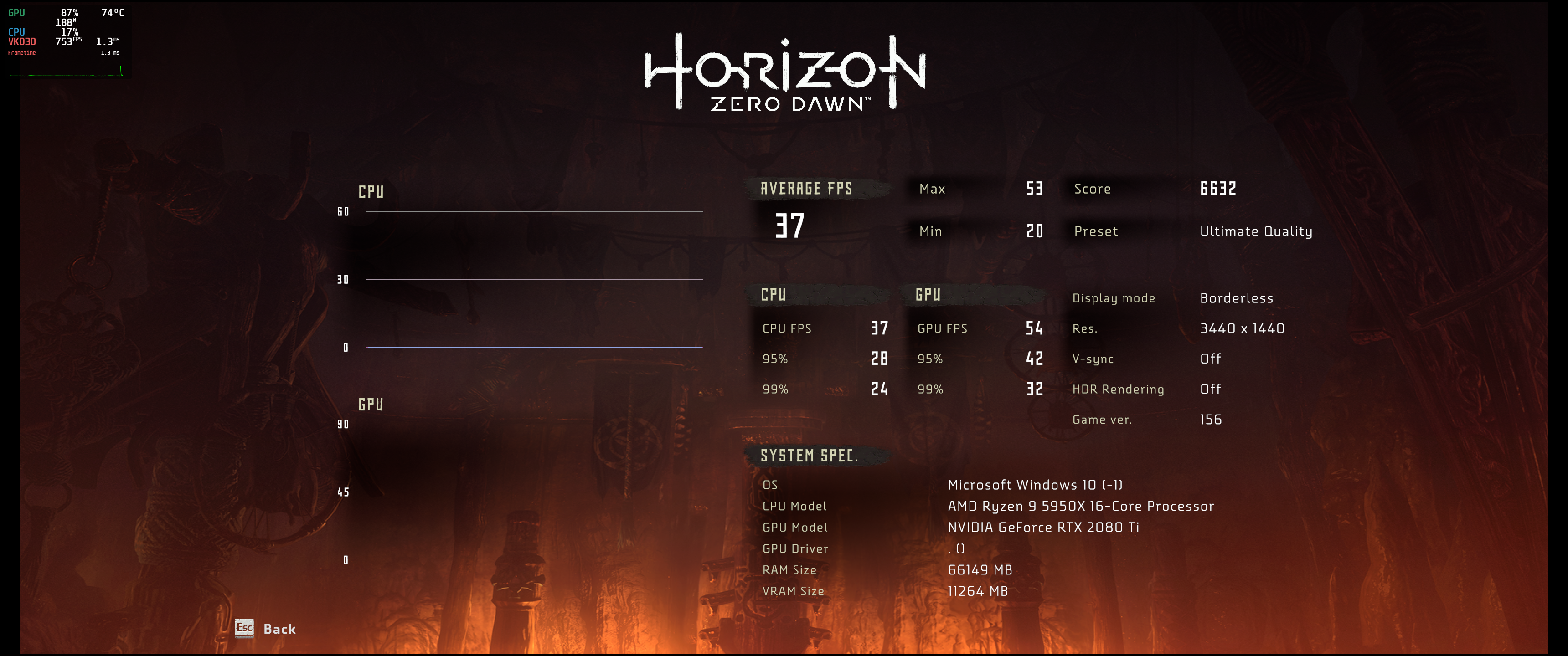
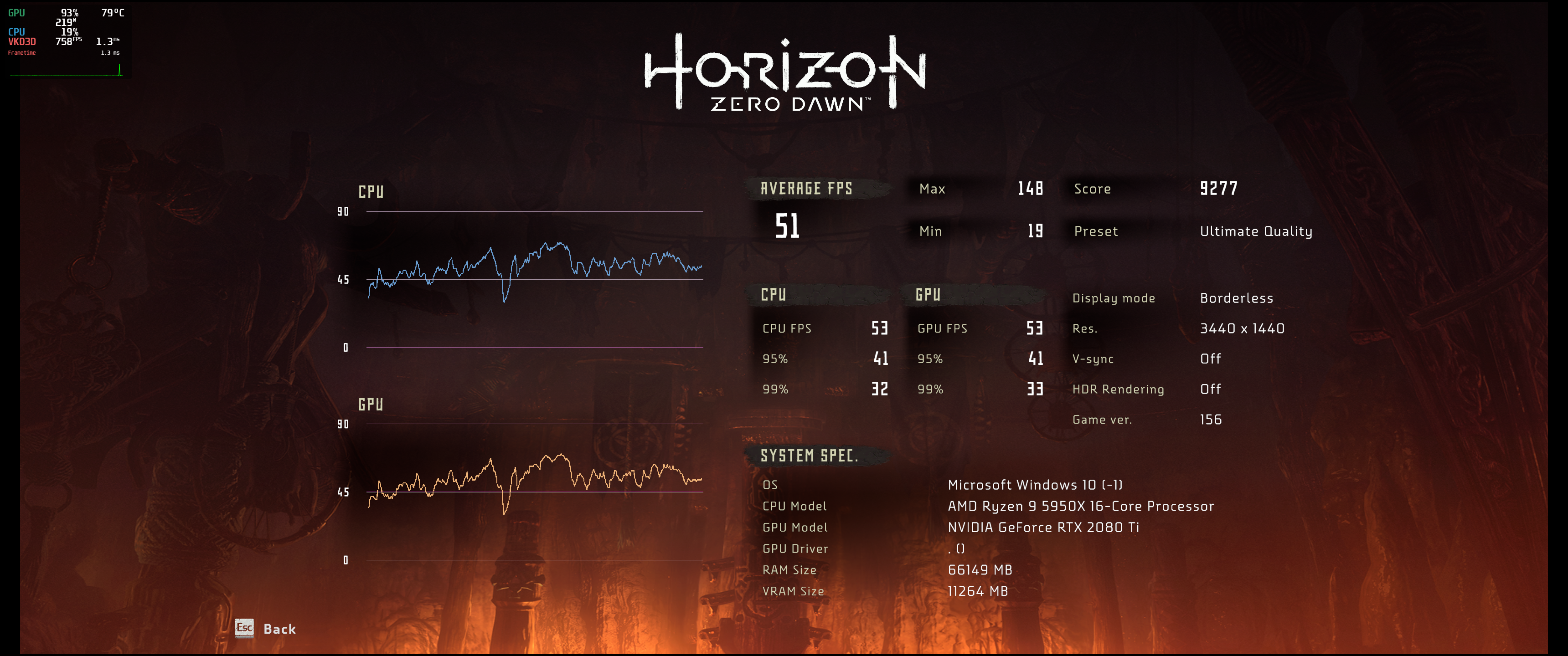
Hello @RoyShapiro
Build kernel based on 5.11 with and without the patch 3c55e94c0adea4a5389c4b80f6ae9927dd6a4501.Run the benchmark of Shadow of the tomb raider, can't reproduce this issue.
Do I miss something to reproduce the issue?
patch_revert_in_the_left.mp4
. Then benchmark score are all most the same.
The issue is with Horizon Zero Dawn and AC:Valhalla
Shadow of the tomb never had it.
I will upload a video about the issue for more understanding.
The quick & dirty way is to just copy the 64 bit d3d12.dll to where your game executable is.
OMG - I just placed the newer d3d12.dll inside HZD main directory to test quick'n'dirty and I just measured roughly FPS of spinning the camera in Frozen Wilds map.
Where do you get this d3d12.dll in the first place?
Where do you get this d3d12.dll in the first place?
https://github.com/HansKristian-Work/vkd3d-proton/releases/download/v2.3/vkd3d-proton-2.3.tar.zst
About testing the animation problem here is a video of my experience:
https://user-images.githubusercontent.com/703016/115918200-3becb780-a445-11eb-8bae-294c662559aa.mp4
I had to diminish the quality of the recording to get the video under 10Mb for Github.
The video starts with Aloy running, as I said before the problem is not super pronounced in my computer so I think most people won't notice that her movements are not as dynamic as normal.
A cut scene starts at 18s mark, audio start playing at the 33s mark and you already can see a lack of synchronization. At 49s mark Olin says: "It's a nightmare" and you can notice his lips moving almost two seconds after the audio is over. At the 1:32, when Aloy speaks the audio and video seems to be back in sync but at 1:41 there is a yell of pain well before the event that is supposed to trigger it.
The problem is not present on the intro movie, and it is not obvious on the benchmark scene. So I can't figure a easy way of replicating it without playing the game.
Just get it from the official github build
Wow. Can confirm :D copying the d3d12.dll into the HZD root raised the fps from 40 to 55.
(installing vkd3d-proton-bin from AUR however did nothing. then copying the .dll made the magick happen)
Vega64; 5950X; 2560x1440p; mesa 21.1.0-devel; 5.11.14 kernel
I made 2 video to show the very obvious slower animation speed. Both capture are taken at the same place. The only change is kernel version (5.9 vs 5.11). Running with Proton Experimental - VKD3D 2.3, game is running with the same max graphics settings, vsync to 60hz. You can see from mangohud in both case it's playing at 60 fps no problem.
HZD - Kernel 5.9(vanilla kernel) - Normal speed - 60 FPS
https://user-images.githubusercontent.com/34164985/115944881-90645700-a486-11eb-97f7-6808b0b90531.mp4
HZD - Kernel 5.11(vanilla kernel) - Slow speed - 60 FPS
https://user-images.githubusercontent.com/34164985/115944888-a7a34480-a486-11eb-980f-bd54f774ba23.mp4
The intro movie is...well a video playback, not in-game rendering that's why it's playing normally.
Can you make a video to compare with the kernel patches provided above also?
Here you go,
like I said, it's far better. But not quite as fast, it's also less obvious in-game. Cutscene are the most obvious as shown in @Figuera video.
HZD - Kernel 5.12-rc8 + both patches applied - 60 FPS
https://user-images.githubusercontent.com/34164985/115947456-be9d6300-a495-11eb-868e-5eed43562365.mp4
This patches will fix AMD systems with ZEN 2 and above, what about Intel ? I have it slow motion from day one, no matter what kernel. Only way to play normal speed is to disable turbo speed in BIOS
This patches will fix AMD systems with ZEN 2 and above, what about Intel ? I have it slow motion from day one, no matter what kernel. Only way to play normal speed is to disable turbo speed in BIOS
I can confirm. Tested it a moment ago. At Intel side it's not P-States that causes this issue but the Intel Turbo Boost feature.
But btw. It's very weird when you play now in normal speed when you have played the game 35.2 hours in half slow-mo until now. :D I find that the half slow-mo is more near reality. But I think I will keep Intel Turbo Boost off till I finished Horizon or the issue is patched.
@phush0 @Johnnii360
Did you try this temporary solution for Intel we discovered above? No BIOS settings needed, no disabling Turbo Boost required:
Disable the intel_pstate driver: add
intel_pstate=disableto your kernel boot line in GRUB.
@Johnnii360
FYI: Don't let the name "intel_pstate" confuse you, it's a kernel driver that controls more than just p-states, setting p-states in bios really doesn't help, and doesn't seem to be the cause of the problem.
@RoyShapiro Hi Roy! Not really tried it yet. But how about power consumption if I disable the P-States? I don't want to run my CPU at full power/speed in idle times.
@RoyShapiro, Do you run Horizon Zero Dawn on ubuntu with wine? I find that on ubuntu, Horizon Zero Dawn on steam shows windows only.
Wow. Can confirm :D copying the d3d12.dll into the HZD root raised the fps from 40 to 55.
(installing vkd3d-proton-bin from AUR however did nothing. then copying the .dll made the magick happen)
Vega64; 5950X; 2560x1440p; mesa 21.1.0-devel; 5.11.14 kernel
The proper way to do it is to download vkd3d or install from the AUR. Then you run:
WINEPREFIX=/where/your/game/compatdata/is/pfx setup_vkd3d_proton.sh
And the other way is to actually update d3d12.dll in your Proton install itself.
The downside to the quick & dirty method is that if you forget you copied the file there, when Proton updates, you will end up with an outdated dll.
Proton Experimental now comes with vkd3d 2.3.
@JinzhouSu
Did you try to install it anyways? Steam should give you the option to install & play via Proton.
Otherwise, the game version, be it Steam \ Epic \ Gog, the way you run it be it wine \ Proton, or your Linux distro do not seem to matter, as long as the kernel version & your hardware is sufficiently new (see above) - the bug @huangrui is trying to fix appears regardless. So if you have problems with Steam, you may indeed try to run it via wine. It should be easier with Steam, though.
Hello,
I run the benchmark of "Horizon zero dawn" on the 5.11 with and without patch 3c55e94c0adea4a5389c4b80f6ae9927dd6a4501, do not reproduce the issue on my local.
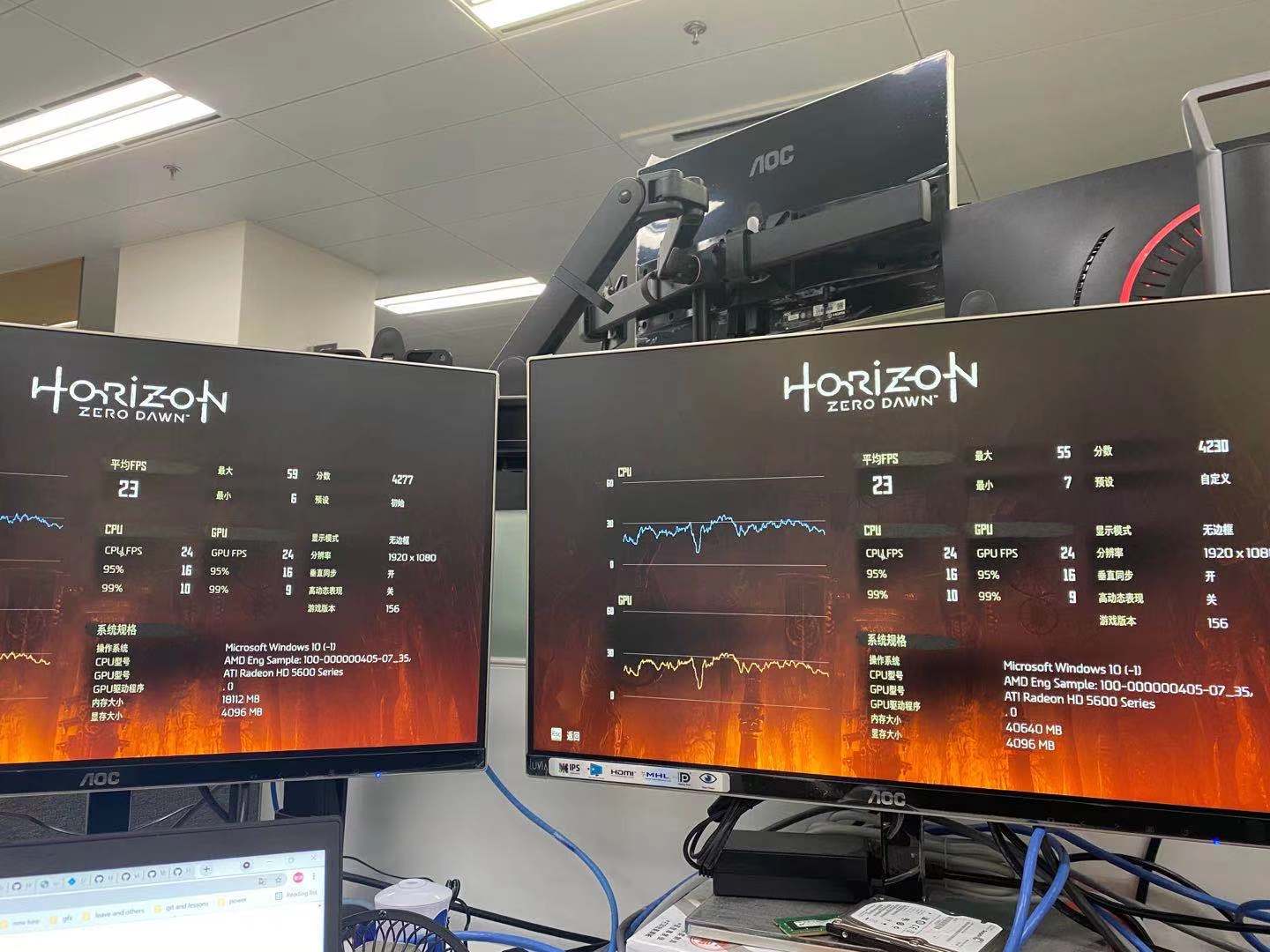
@JinzhouSu
The problem has no impact on FPS. As I tried to say before it will be hard to detect it running the benchmark. The problem is on animations, i.e. how the 3D models move, not on frames.
As far as I understand there are two main ways to detect it:
- Check if Aloy (the main character) is moving slowly (as if she is running through butter as RoyShapiro likes to say).
- Check if Audio gets out of sync over time during cut scenes.
@JinzhouSu see post by @Figuera, control the main character, don't run benchmark. Compare speed of animation (not fps) both in gameplay and in cutscene with a YouTube gameplay video taken in the same location (best to run side by side). If you don't see the bug, test on different hardware.
@JinzhouSu
You can use this save and reproduce what I did in this comment: https://github.com/ValveSoftware/Proton/issues/4125#issuecomment-825867016
HZD Save: manualsave5.tar.gz
Unpack the folder to : /home/$USER/.steam/steam/steamapps/compatdata/1151640/pfx/drive_c/users/steamuser/My Documents/Horizon Zero Dawn/Saved Game. Disclaimer: I never tried transferring save files in HZD but it should work.
You can ran to the quest objective, there will be a yellow mark, start the cut scene and check if the audio is running out of sync. This is not the perfect testing point in the game since there will be a 10s run to start the cut scene but it is what I have and it will at least give you an idea of what the problem look like.
I tested to see if there was any distinguishable differences in the benchmark but couldn't find any. Humans models movements are too inconsistent between runs to use it as a metric. I also checked to see if very early in game cut scenes are helpful but struggle to detect any out of sync audio when Aloy's is a kid, maybe they all video playbacks or simple not long enough to amount to a significant lack of synchronization. So I guess using a save file is the best way to go.
Replying https://github.com/ValveSoftware/Proton/issues/4125#issuecomment-826309261
Thanks for working on this!
I do have an observation though from your screenshot.
ATI Radeon HD 5600? Not Radeon RX 5600?
If that's the case it's incredible that it can even run HZD....but can VKD3D even run on this? Evergreen is kinda old...no vulkan support. No DX12 either. You guys have some funky hardware :)
@sebastiencaty, that's a cosmetic issue we've seen before with cards upstream wine hasn't been taught about. Wine doesn't know what the marketing name is for the ATi/AMD card it sees so it gives a fallback name for a DX11-capable card. https://source.winehq.org/git/wine.git/blob/HEAD:/dlls/wined3d/directx.c#l894
You can use DXVK's DXGI to workaround this with WINEDLLOVERRIDES=dxgi=n which I imagine will become the default at some point in the future.
@Figuera thanks for sharing. With your save point, still can't reproduce.
Is this on stock Ubuntu or with a custom kernel or..?
@JinzhouSu
My eyes are not the best for this but the right monitor does seem to be running faster than the left.
Some CPUs like mine (and probably yours) have a small decrease in animation speed.
If you do the next quest objective (walk to a near by place) it will trigger a cutscene, there you can perceive a lack of audio synchronization due to show animation. I think this is easier to perceive.
@JinzhouSu
Hard to tell for sure but both look normal. If you don't mind I have another savegame to try. It's right at the beginning after the kid Aloy part. It will start with a cutscene where Aloy call out Rost. From the third time you can see it's quite off-sync. At the end, Aloy talks but you don't actually see her face. When you do, audio is already over but you see her animation speak.
savegame : autosavengp0.tar.gz
Untar just like Figuera savefile, should work.
Recorded on kernel 5.11.16
GPU Driver : RADV/ACO : Mesa 21.2.0-devel (git-48d48fbf3c)
GPU : RX 5700XT
CPU : Ryzen 7 3800X
MB : ASUS X570 TUF, BIOS 3405, AGESA 1.2.0.0
@JinzhouSu
My eyes are not the best for this but the right monitor does seem to be running faster than the left.
For some CPUs like mine (and probably yours) have a small decrease in animation speed.
If you do the next quest objective (walk to a near by place) it will trigger a cutscene, there you can perceive a lack of audio synchronization due to show animation. I think this is easier to perceive.
Me too.
It ia obvious the one on the left has slow motion.
We have installed "Mangohud" to monitor the work status of cpu/gpu when running "HZD", but we are using the default config, so we can not see other listed items, like cpu freq and cpu load.
Could your provide the global config file of "Mangohud", which inclues more listed items?
and could you give more guide about how to apply the global config file in System environment variable?
The documentation for how to do that is here https://github.com/flightlessmango/MangoHud
We have installed "Mangohud" to monitor the work status of cpu/gpu when running "HZD", but we are using the default config, so we can not see other listed items, like cpu freq and cpu load.
Could your provide the global config file of "Mangohud", which inclues more listed items?
and could you give more guide about how to apply the global config file in System environment variable?
Not sure how this will help you identify the issue since the issue is not about FPS. The issue is the slow motion which is only occuring in vkd3d-proton games only. Native vulkan works fine, dxvk works fine, and some vkd3d-proton such as Cyberpunk 2077 works fine too.
Answering your question. There is a tool called goverlay.
https://github.com/benjamimgois/goverlay
It will enable all the settings you need to monitor.
@JinzhouSu
Use MANGOHUD_CONFIG=full mangohud command where command is the command used to launch the game.
@JinzhouSu
My understanding of the issue (which I experienced in the past with my i7-8700k) is that perhaps the HZD engine will dynamically decide which animation frame to display next (or to interpolate between), using functionality most likely related to your patches and/or to CPU frequency to determine the elapsed time.
This wouldn't have impact on FPS, but on speed of animations.
It is speculation, but hopefully helpful.
@Emanem @RoyShapiro @moaalseiari @Joshua-Ashton
Thanks a lot!
HZD - Kernel 5.12-rc8 + both patches applied - 60 FPS
https://user-images.githubusercontent.com/34164985/115947456-be9d6300-a495-11eb-868e-5eed43562365.mp4
Could someone like the second patch? I have for-amd-freq-fix-v4 but I can't seem to find the other patch, which seems to be lost in the "hidden items" part of this thread.
Replying https://github.com/ValveSoftware/Proton/issues/4125#issuecomment-828139470
It looks to be included in this patchset and will go in the kernel, so you have everything already.
Ah okay, so it's just that single commit? Got it.
I'm not able to test the commit right now. Does this fix the slow motion bug seen in HZD? I have high fps on my setup but the game runs in slow motion.
@Mershl
There a workaround for this. See RoyShapiro's comments:
For intel: https://github.com/ValveSoftware/Proton/issues/4125#issuecomment-798826896
For amd: https://github.com/ValveSoftware/Proton/issues/4125#issuecomment-799024764
Maybe this should be pinned at the top of this thread.
Found a way for a more precise measure of this slow down effect. It also impact all audio/hologram datapoints playback time (not audio itself, but the playback timestamp isn't going forward as fast. These can be found in the notebook section under datapoints.
For example in my case after 60s in real time, only 43s in-game had passed. It should be 1:1
@Mershl
There a workaround for this. See RoyShapiro's comments:
For intel: [#4125 (comment)](https://github.com/ValveSoftware/Proton/issues/4125#issuecomment-798826896)
For amd: [#4125 (comment)](https://github.com/ValveSoftware/Proton/issues/4125#issuecomment-799024764)Maybe this should be pinned at the top of this thread.
There's a much much easier way to play without slow-mo for Intel users. Just disable the Intel Turbo Boost option in UEFI/BIOS. You got then a performance loss but worked for me. My Intel Core i5-9600KF boost up from 3.7 GHz to 4.6 GHz with Intel Turbo Boost but it's good playable in ultra settings without Turbo Boost at ~30 FPS in some situations.
With Intel Turbo Boost and slow-mo:
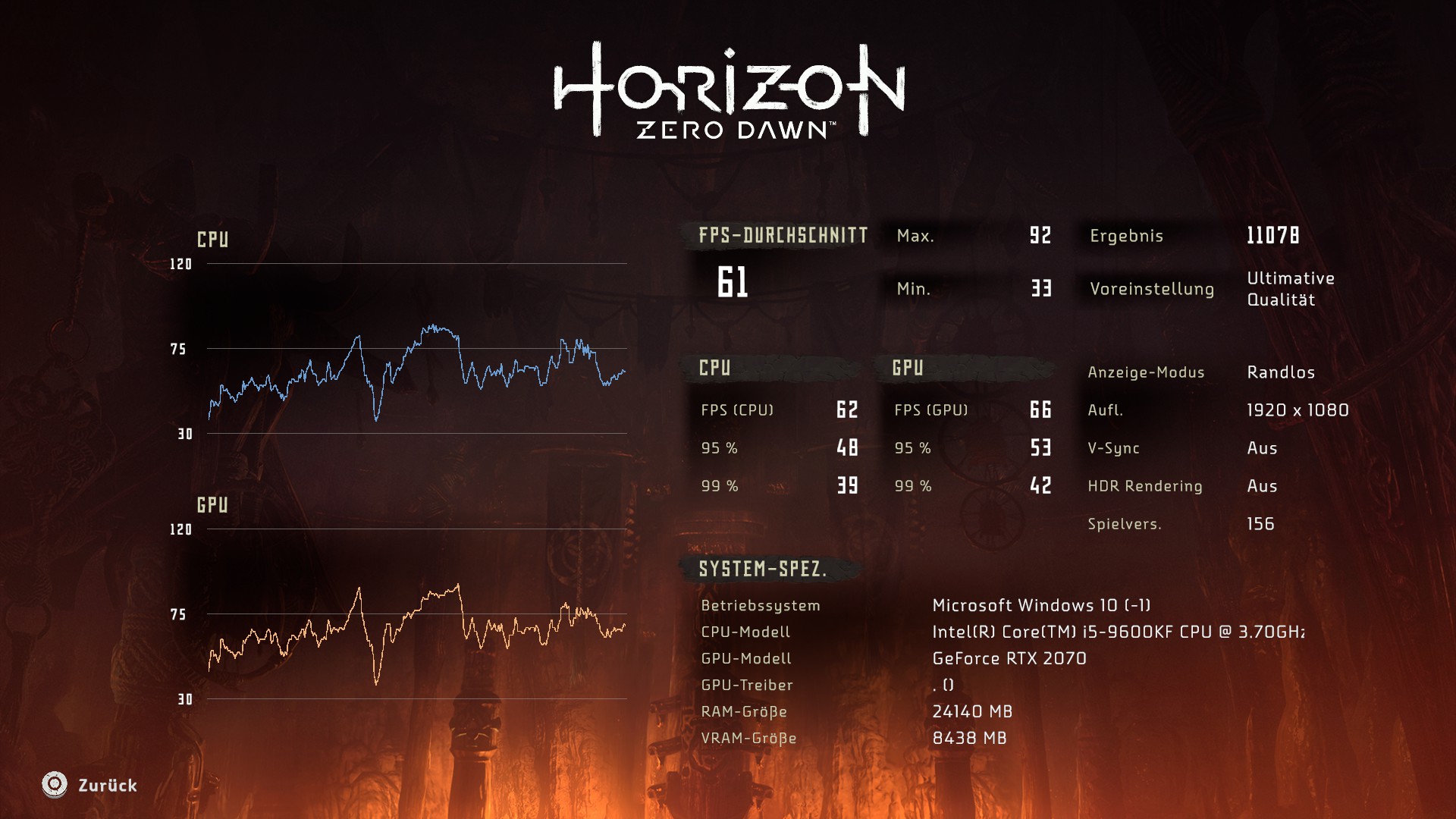
Without and no slow-mo:
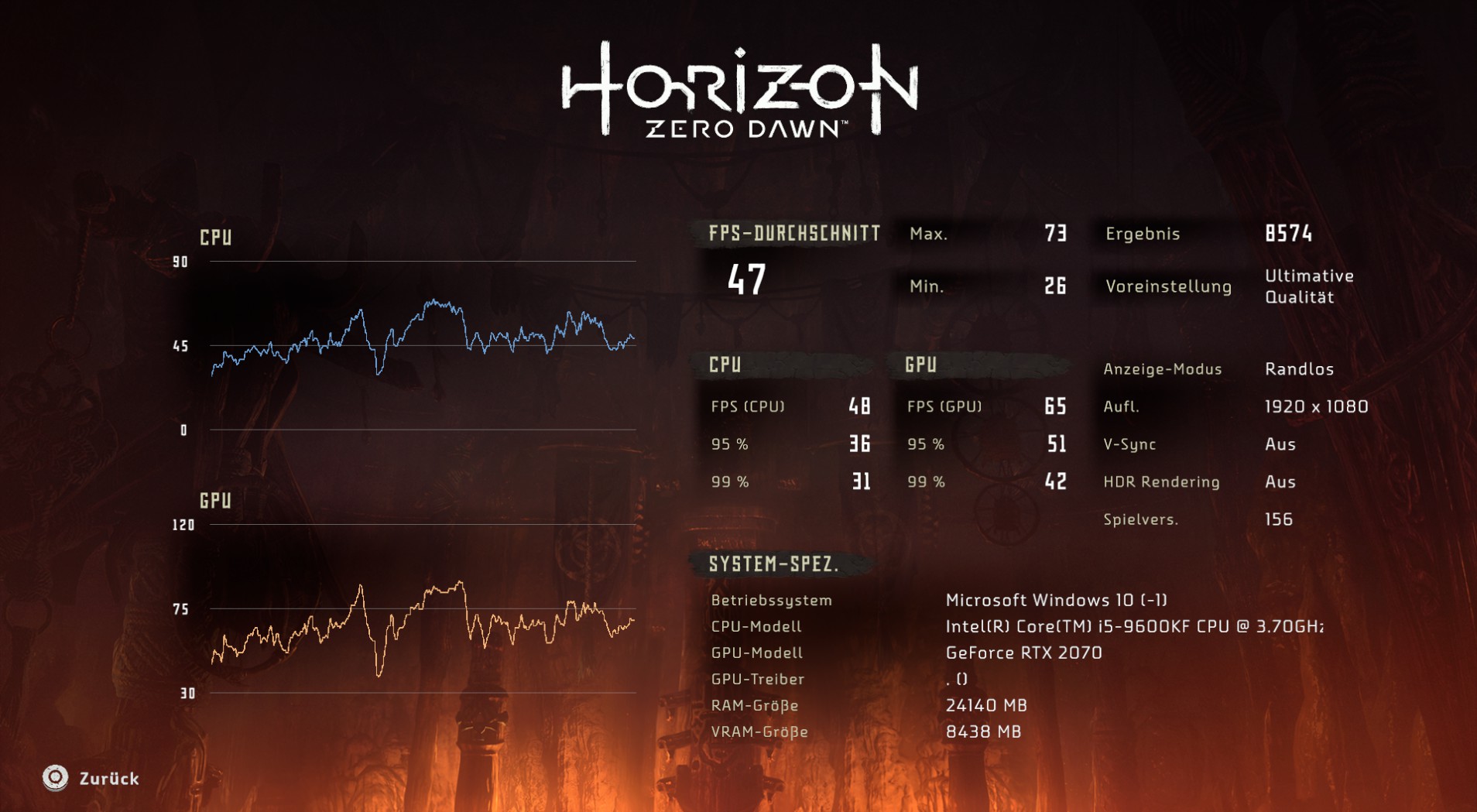
I think that's not a real solution to fix this. It has to be fixed by a Proton update or by @GloriousEggroll .
@Johnnii360
I pointed out the FPS reducing side effect early too. There was a argument then that the reduction is just an artificial side effect of animations moving out of scene before being able to complete. That is the effect will happen as a consequence of any fix of the problem. I was initially wary of the argument because more FPS is more FPS but I played a lot of the game in both 'modes' and I had a better experience playing with the fix.
Also the evidence suggests that this is a Kernel problem, not a Proton issue. The game runs without the problem with kernel 5.9.
I pointed out the FPS reducing side effect early too. There was a argument then that the reduction is just an artificial side effect of animations moving out of scene before being able to complete. That is the effect will happen as a consequence of any fix of the problem. I was initially wary of the argument because more FPS is more FPS but I played a lot of the game in both 'modes' and I had a better experience playing with the fix.
Also the evidence suggests that this is a Kernel problem, not a Proton issue. The game runs without the problem with kernel 5.9.
I placed a report at Ubuntu Bug Reports and get the reply that the issue is by the WINE Project and can't be done anything in the kernel section. So I will also place a bug report at WINE.
System Information
- GPU: Radeon R9 280
- CPU: AMD Ryzen 5 2600
- Driver/LLVM : amdgpu
- Kernel version: 5.4.0-59-generic
- Link to full system information report as Gist
- Proton version: 6.3-3
Log :
steam-1151640-no_crash_report.log
What I've tried:
-
Proton-6.5-GE-2
-
Proton-Experimental
-
installing vk3d-proton-2.3.1 in the HZD wineprefix
-
using kisak-mesa (
apt listshow mesa-vulkan-driver version 21.0.3 but steam system information still shows mesa 20.0.5 and llvm 10 so I'm not sure if I did it right ..?)
The game launches for me, I get to the first black screen with the loading circle at the bottom left, it loads for a few seconds (2-3 full circles), then crashes and asks if I want to send a crash report.
I know my GPU isn't that powerful, but I'm still able to play red dead redemption 2 on low settings, and I've seen benchmark with similar config work on windows (on low), but I'm not sure if there's any chance running HZD on linux with that config ..?
I'm also not sure what makes the game crash in the log ... ?
(Sorry if this is not the place, can remove - happy to help)
Hello @jukaradayi, looking at your system information, mesa 20.0.5 is most likely in /opt/amdgpu/lib from a previous AMDGPU-PRO install, but that's telling you what's being used for OpenGL, not what vulkan driver is being used with the game.
These look like some lines of interest from the log:
340:warn:d3d12_swapchain_acquire_next_vulkan_image: Failed to acquire next Vulkan image, vr -1000001004.
340:warn:select_vk_format: Failed to find Vulkan swapchain format for DXGI_FORMAT_R10G10B10A2_UNORM.
340:warn:d3d12_swapchain_create_vulkan_swapchain: Swapchain dimensions 1440x881 are not supported (1428-1428 x 869-869).
Maybe try to figure out if the game is trying to run with mesa/RADV or AMDVLK? I'm going to guess that the (implied older) AMDVLK driver install is missing features needed by VKD3D and this game.
Thanks for the answer !
These look like some lines of interest from the log:
340:warn:d3d12_swapchain_acquire_next_vulkan_image: Failed to acquire next Vulkan image, vr -1000001004.
340:warn:select_vk_format: Failed to find Vulkan swapchain format for DXGI_FORMAT_R10G10B10A2_UNORM.
340:warn:d3d12_swapchain_create_vulkan_swapchain: Swapchain dimensions 1440x881 are not supported (1428-1428 x 869-869).
Maybe try to figure out if the game is trying to run with mesa/RADV or AMDVLK?
I tried launching with launch options
VK_ICD_FILENAMES=/usr/share/vulkan/icd.d/radeon_icd.x86_64.json:/usr/share/vulkan/icd.d/radeon_icd.i686.json
which links to /usr/lib/*/libvulkan_radeon.so
and
VK_ICD_FILENAMES=/usr/share/vulkan/icd.d/amd_icd64.json:/usr/share/vulkan/icd.d/amd_icd32.json
which links to /usr/lib/*/amdvlk64.so.
With RADV, I get the loading screen then a crash (log linked in previous message), but with AMDVLK (what I use for RDR2) it crashes before reaching the loading screen. Log with AMDVLK
I placed a report at Ubuntu Bug Reports and get the reply that the issue is by the WINE Project and can't be done anything in the kernel section. So I will also place a bug report at WINE.
The issue appears to be with the upstream cpufreq module which is reporting the incorrect frequency ranges. See below for my results which report the max frequency for the 5900x at 6.4GHz. This isn't an Ubuntu specific issue and therefore probably shouldn't be opened with the Ubuntu bug reporter but rather with the upstream bug reporter here if it isn't already.
System Information:
- OS: Arch Linux
- Kernel: 5.12.0-zen1
- CPU: AMD Ryzen 5900x
- GPU: AMD Radeon RX 6800 XT
- Proton: Every version since 6.1-GE-2
lscpu
Architecture:                    x86_64
CPU op-mode(s):                  32-bit, 64-bit
Byte Order:                      Little Endian
Address sizes:                   48 bits physical, 48 bits virtual
CPU(s):                          24
On-line CPU(s) list:             0-23
Thread(s) per core:              2
Core(s) per socket:              12
Socket(s):                       1
NUMA node(s):                    1
Vendor ID:                       AuthenticAMD
CPU family:                      25
Model:                           33
Model name:                      AMD Ryzen 9 5900X 12-Core Processor
Stepping:                        0
Frequency boost:                 enabled
CPU MHz:                         3700.000
CPU max MHz:                     6442.4800
CPU min MHz:                     2200.0000
BogoMIPS:                        7399.28
Virtualization:                  AMD-V
L1d cache:                       384 KiB
L1i cache:                       384 KiB
L2 cache:                        6 MiB
L3 cache:                        64 MiB
NUMA node0 CPU(s):               0-23
Vulnerability Itlb multihit:     Not affected
Vulnerability L1tf:              Not affected
Vulnerability Mds:               Not affected
Vulnerability Meltdown:          Not affected
Vulnerability Spec store bypass: Mitigation; Speculative Store Bypass disabled via prctl and seccomp
Vulnerability Spectre v1:        Mitigation; usercopy/swapgs barriers and __user pointer sanitization
Vulnerability Spectre v2:        Vulnerable, IBPB: disabled, STIBP: disabled
Vulnerability Srbds:             Not affected
Vulnerability Tsx async abort:   Not affected
Flags:                           fpu vme de pse tsc msr pae mce cx8 apic sep mtrr pge mca cmov pat pse36 clflush mmx fxsr sse sse2 ht syscall nx mmxext fxsr_opt pdpe1gb rdtscp lm constant_tsc rep_good nopl nonstop_tsc cpuid extd_apicid ap
                                 erfmperf pni pclmulqdq monitor ssse3 fma cx16 sse4_1 sse4_2 movbe popcnt aes xsave avx f16c rdrand lahf_lm cmp_legacy svm extapic cr8_legacy abm sse4a misalignsse 3dnowprefetch osvw ibs skinit wdt tce topo
                                 ext perfctr_core perfctr_nb bpext perfctr_llc mwaitx cpb cat_l3 cdp_l3 hw_pstate ssbd mba ibrs ibpb stibp vmmcall fsgsbase bmi1 avx2 smep bmi2 erms invpcid cqm rdt_a rdseed adx smap clflushopt clwb sha_ni
                                 xsaveopt xsavec xgetbv1 xsaves cqm_llc cqm_occup_llc cqm_mbm_total cqm_mbm_local clzero irperf xsaveerptr rdpru wbnoinvd arat npt lbrv svm_lock nrip_save tsc_scale vmcb_clean flushbyasid decodeassists paus
                                 efilter pfthreshold avic v_vmsave_vmload vgif umip pku ospke vaes vpclmulqdq rdpid overflow_recov succor smca fsrm
@aiudirog Does Kernel.org report this to every distribution team or send them the fixes? It's very confusing how to report now. Ubuntu says it's not their problem and have to be reported to WINE, you say it has to be reported to Kernel.org Bugzilla. To be honest: Much easier to report a bug to Microsoft than Linux. It reminds me a lot to our German madness of bureaucracy because everybody means it's the problem of another. And the journey begins. :)
Now it's very important how to report this bug so EVERYONE can benefit of the fix without big circumstances. (When you understand what I mean? :) ) I think it's not a proper solution to manipulate "working" generic mechanisms like the Kernel or play Kernel Roulette. But sure, if you're brave and you know what you are doing you can do this - especially when you have a own distribution. But for my opinion it has to be fixed by the right site/team so the fix can be rolled out by the distribution updaters.
So is Kernel.org Bugzilla now the correct site I have to report this issue for ALL?
You don't need to open a bug report about this anywhere. This is the right place and the right people know.
@aiudirog Does Kernel.org report this to every distribution team or send them the fixes? It's very confusing how to report now. Ubuntu says it's not their problem and have to be reported to WINE, you say it has to be reported to Kernel.org Bugzilla. To be honest: Much easier to report a bug to Microsoft than Linux. It reminds me a lot to our German madness of bureaucracy because everybody means it's the problem of another. And the journey begins. :)
Now it's very important how to report this bug so EVERYONE can benefit of the fix without big circumstances. (When you understand what I mean? :) ) I think it's not a proper solution to manipulate "working" generic mechanisms like the Kernel or play Kernel Roulette. But sure, if you're brave and you know what you are doing you can do this - especially when you have a own distribution. But for my opinion it has to be fixed by the right site/team so the fix can be rolled out by the distribution updaters.
So is Kernel.org Bugzilla now the correct site I have to report this issue for ALL?
@Joshua-Ashton is correct that the right people already know, but to answer you question in general: you need to report bugs to where the change would actually occur. If the bug is in Wines code, you submit the bug to the Wine maintainers. If the bug is in the some patch that the Ubuntu team applies to the kernel or in how they package/compile it, then you report it to the Ubuntu developers. If the flaw is in the kernel itself, you report it to the kernel developers. When a new release of any open source software comes out, the people downstream are notified through various means depending on the type of project and where it is hosted.
In this specific example, the change needs to be applied to the main kernel repository which is hosted here. Every distribution pulls its code regularly from this repository (typically on new release tags) and applies any changes they wish before shipping it off to their users. In this way, everyone benefits from the changes, not just Ubuntu users.
Ubuntu says it's not their problem and have to be reported to WINE, you say it has to be reported to Kernel.org Bugzilla.
@Johnnii360 I'd say there's some valid change in the kernel that shows a flaw in the Wine timing code (or maybe in the game itself but since it doesn't occur in Windows, wine has to deal with it somehow). So it's probably not really a bug or regression on either side. But since wine is the one that trips over this, it is the best place to fix it. The kernel only has a bug if this introduces a real measurable performance regression - but as far as I understand, this doesn't happen here: Just animation is slow, FPS (and thus performance) is not affected, thus not a kernel bug.
What @Joshua-Ashton means is probably: If the Proton devs find that there's a regression in the kernel, they'll pull the right triggers and inform the right people, with concise benchmarks to prove the point. There's no need for you to add any more noise to it by involving people that you cannot provide with proper tests and benchmarks. OTOH, if you could craft a simple benchmark on the command line that anyone could run and confirm, then it may be worth posting this to the kernel.org devs.
BTW: I'm from Germany, too, so I know what you mean. Besides, I work in the IT sector, and cannot confirm that reporting bugs to MS is easier, it's usually an expensive (aka time-consuming) odyssey.
Hello,
Reporting here with the two patches. Unfortunately at least on my end, I confirm the slowdown persists:
System
- Operating System: Arch Linux
- Kernel Version: 5.11.16-1-hzd-patch
- OS Type: 64-bit
- Graphics Platform: X11
- Processors: 16 × AMD Ryzen 7 3700X 8-Core Processor
- Memory: 31.3 Gio of RAM
- Graphics Processor: AMD Radeon RX 6900 XT
- Mesa 21.2.0-devel (git-a2140e29c5)
It's not as pronounced as in before the patch, but it's still there. Particularly obvious in third part with the cutscene.
https://user-images.githubusercontent.com/3923810/117063241-d346ea00-ad24-11eb-9a2d-0cd8d12f5d91.mp4
@ivyl Sadly, the FC:Primal controller fixes don't fix the problem here: My controller still won't be detected, neither with nor without Steam input. The main difference here is that the game developers explicitly enable Steam input - overriding my default settings of running without Steam input. But I can manually "override the override" within the game properties. Still it doesn't help. Maybe the game depends on Steam input? FC:Primal also doesn't work with Steam input for me, yet. But I think you are already working on it, I just wanted to give some more clues. I tried with the xpadneo driver (including the hidraw work-around so the controller won't be detected twice).
Found a way for a more precise measure of this slow down effect. It also impact all audio/hologram datapoints playback time (not audio itself, but the playback timestamp isn't going forward as fast. These can be found in the notebook section under datapoints.
For example in my case after 60s in real time, only 43s in-game had passed. It should be 1:1
Today I upgraded my kernel to 5.12 (Was the proposed patches merged to the kernel already?) and decided to test this method. It super easy to reproduce and provides a very clear measure.
Audio Datapoint Number 8 (For Director Evans) has only 6 seconds so it is a great candidate to check if the bug is acting on your machine. In my case for example the audio ends at the 5 seconds mark, the progress bar stops at 0:05/0:06 so it is very easy to observe.
Using longer datapoints I am able to make a more refined measure. My computer, for example, is presenting animations that are 18% slower than it should be.
Here is a save file with all the Audio Datapoints for testing:
Hi everyone,
I run Horizon on my configuration with no slowdowns (maybe it'll help) :
System
Operating System: PopOS 20.10
Kernel Version: 5.11.0-7614-generic #15 ~1618626693 ~20.10 ~ecb25cd-Ubuntu
OS Type: 64-bit
Graphics Platform: X11
Processors: 12 × AMD Ryzen 5 2600 6-Core Processor
Memory: 16 Gio of RAM
Graphics Processor: AMD Radeon RX 5500 XT
Mesa : 21.0.0-1pop0 ~1616205663 ~20.10 ~73b50a1
I run Horizon on my configuration with no slowdowns (maybe it'll help) :
Processors: 12 × AMD Ryzen 5 2600 6-Core Processor
I believe previous comments have stated that Zen+ is unaffected by this. It's only Zen2 and Zen3 (Rzyen 3000 & 5000) for AMD.
Just out of curiosity: Death Stranding also use the Decima Engine like HZD. Is this bug also affected in this game - didn't found anything about it - or only in HZD?
@Johnnii360 Death Stranding is not affected AFAIK.
Any News regarding the Slowmo issue?
Any News regarding the Slowmo issue?
It still exists. Although my CPU speed reporting seems to be corrected..
Model name: AMD Ryzen 9 3950X 16-Core Processor
Stepping: 0
Frequency boost: enabled
CPU MHz: 4100.000
CPU max MHz: 5577.4409
CPU min MHz: 2200.0000
5.12.7-arch1-1 #1 SMP PREEMPT Wed, 26 May 2021 22:03:57 +0000 x86_64 GNU/Linux
@Cxpher I think there is something more that is being done about this, but nothing public yet.
Tracking note: Dropping the mesa and RADV labels due to improvements in VKD3D-Proton 2.3.
If anyone is seeing an issue they suspect to be from RADV and Proton 6.3-3 or newer, we'll need to re-evaluate.
referencing https://github.com/ValveSoftware/Proton/issues/4125#issuecomment-832449605
@ivyl Confirming the gamepad now working in wired mode, I didn't test wireless yet but I'm confident it will work, too.
The issue with slow-mo is that wine is incorrectly reporting the time stamp counter frequency in
Computer\HKEY_LOCAL_MACHINE\HARDWARE\DESCRIPTION\System\CentralProcessor\0\~MHz
For my 5950x the TSC frequency is 3399 Mhz, however the value in the registry seems to be the boost clock frequency, 5083MHz
I'm not sure where exactly the value goes wrong, or how wine is calculating the frequency. I can look into it more later today after work. If anybody knows how to bodge the regedit key (I don't, it keeps resetting after I close regedit and re-launch) you should be able to change that key to 3399 (for my 5950x anyway) and have the game run normally.
To calculate the TSC frequency, you can ask the kernel with bpftrace.
sudo bpftrace -e 'BEGIN { printf("%u\n", *kaddr("tsc_khz")); exit(); }'
Edit:
Ah yeah it looks like wine fills the registry key here.
And the value is coming from here.
Which reads the file
/sys/devices/system/cpu/cpu<x>/cpufreq/cpuinfo_max_freq
But HZD expects this registry key to hold the time stamp counter frequency. (Which there's no super simple way to access from userspace on Linux without root or a few seconds time)
Well that fits with all the recent kernel ACPI CPPC changes and follow up patches here that fixed too high reported boost clocks on ryzen.
I see that when cpufreq isn't available wine fallbacks to using data from /proc/cpuinfo, which without cpufreq, cpu MHz would show cpu base clock. And then HZD runs fine.
Would it be better on recent kernel to try something like this first :
/sys/devices/system/cpu/cpu<x>/acpi_cppc/nominal_freq
The base clock as reported by /proc/cpuinfo is also wrong - at least on kernel 5.12 it thinks the frequency is 2200MHz. nominal_freq here, is 3401, which I think would solve the issue, yes. Or even just calculating the frequency at wine startup by comparing rdtsc with clock_gettime(CLOCK_MONOTONIC_RAW) (but this would require a bit of time to stabilize).
Yeah so this change fixes the slow motion for me, good enough for government work.
diff --git a/dlls/ntdll/unix/system.c b/dlls/ntdll/unix/system.c
index 356a9d7c7cc..f0d118c9c42 100644
--- a/dlls/ntdll/unix/system.c
+++ b/dlls/ntdll/unix/system.c
@@ -3210,23 +3210,30 @@ NTSTATUS WINAPI NtPowerInformation( POWER_INFORMATION_LEVEL level, void *input,
             FILE* f;

             for(i = 0; i < out_cpus; i++) {
-                sprintf(filename, "/sys/devices/system/cpu/cpu%d/cpufreq/cpuinfo_max_freq", i);
+                sprintf(filename, "/sys/devices/system/cpu/cpu%d/acpi_cppc/nominal_freq", i);
                 f = fopen(filename, "r");
                 if (f && (fscanf(f, "%d", &cpu_power[i].MaxMhz) == 1)) {
-                    cpu_power[i].MaxMhz /= 1000;
                     fclose(f);
                     cpu_power[i].CurrentMhz = cpu_power[i].MaxMhz;
-                }
-                else {
-                    if(i == 0) {
-                        cpu_power[0].CurrentMhz = mhz_from_cpuinfo();
-                        if(cpu_power[0].CurrentMhz == 0)
-                            cpu_power[0].CurrentMhz = cannedMHz;
+                } else {
+                    sprintf(filename, "/sys/devices/system/cpu/cpu%d/cpufreq/cpuinfo_max_freq", i);
+                    f = fopen(filename, "r");
+                    if (f && (fscanf(f, "%d", &cpu_power[i].MaxMhz) == 1)) {
+                        cpu_power[i].MaxMhz /= 1000;
+                        fclose(f);
+                        cpu_power[i].CurrentMhz = cpu_power[i].MaxMhz;
+                    }
+                    else {
+                        if(i == 0) {
+                            cpu_power[0].CurrentMhz = mhz_from_cpuinfo();
+                            if(cpu_power[0].CurrentMhz == 0)
+                                cpu_power[0].CurrentMhz = cannedMHz;
+                        }
+                        else
+                            cpu_power[i].CurrentMhz = cpu_power[0].CurrentMhz;
+                        cpu_power[i].MaxMhz = cpu_power[i].CurrentMhz;
+                        if(f) fclose(f);
                     }
-                    else
-                        cpu_power[i].CurrentMhz = cpu_power[0].CurrentMhz;
-                    cpu_power[i].MaxMhz = cpu_power[i].CurrentMhz;
-                    if(f) fclose(f);
                 }

                 sprintf(filename, "/sys/devices/system/cpu/cpu%d/cpufreq/scaling_max_freq", i);
The above patch seems to fix the slow issues for me in HZD. Tested on Ryzen 3900X.
I wonder how it affects Intel or older kernels. Seems weird to set MaxMhz to the nominal freq.
Here's a build of latest experimental with that if it interests anyone...
https://drive.google.com/file/d/1dAsGNqbAGh1OnrwCmg0JmPrQCLTXuO7N/view?usp=sharing
I couldn't find any windows documentation as to what the registry key is supposed to be, but I expect if apps are relying on it being the TSC frequency then that's what it'll always be. In which case it's mostly a matter of calculating it properly, the bestest way imo would be for Linux to accept one of the few patches on LKML that export the tsc_khz variable on sysfs directly, then that could be put straight into the ~MHz registry key. But failing that, a few seconds at boot is long enough to calculate the correct frequency from rdtsc and clock_gettime. I don't know if wine's boot is slow enough to accept that kind of thing without causing problems however.
It's unclear also, what value MaxMHZ is supposed to have, whether it's really reporting the boost clock, or if it's really reporting something else. It could just be that the registry key shouldn't be using that variable in the first place. In which case the patch should really be applied to the wineboot.c code.
Also also, I noticed at the same time that the QueryPerformanceCounter implementation is avoiding the whole problem of finding the TSC frequency by forwarding the wall clock adjusted time directly and using a fixed frequency. This doesn't really help us here, but is an interesting digression from how QueryPerformanceFrequency and QueryPerformanceCounter work on windows.
Out of curiosity, I made a patch to report Max as cpuinfo_max_freq and Current as nominal_freq and that didn't fix the issue.
Also re: QueryPerformanceFrequency, as of Windows 2004, Windows also returns a fixed value for this.
Ah, that makes sense I guess, In wineboot.c, ~Mhz is set to MaxMhz
The above patch seems to fix the slow issues for me in HZD. Tested on Ryzen 3900X.
I wonder how it affects Intel or older kernels. Seems weird to set MaxMhz to the nominal freq.
Here's a build of latest experimental with that if it interests anyone...
https://drive.google.com/file/d/1dAsGNqbAGh1OnrwCmg0JmPrQCLTXuO7N/view?usp=sharing
I tested in my machine (AMD 3600X, Kernel 5-12-arch) using multiple audio datapoints and it does solves the slow motion problem but it seems that we are overshooting a little here.
Before the video would go 18% slower than the audio. That is, in a 100s audio the video time tracker would stop at the 82s mark. Now the audio keeps going even after the video time tracker is full. It is not much (3s on the longest audio datapoints) but it is still observable.
Not much of a real problem in gaming tough.
@Figuera Can you provide the output of
cat /sys/devices/system/cpu/cpu0/acpi_cppc/nominal_freq
and
sudo bpftrace -e 'BEGIN { printf("%u\n", *kaddr("tsc_khz")); exit(); }'
I tested on Windows, and ~Mhz seems to be the TSC frequency always, (3793) which matches it from Linux which differs slightly from my nominal frequency on Linux (3800) and massively from my Max frequency of 4672
3800 and 4200000
I can only guess that the second number is actually 4200Mhz.
Yeah the kernel reports in KHz and windows wants MHz in this case. At any rate, whatever is in tsc_khz / 1000 is what we want to be reporting in ~MHz. If it's not doing that then it's wrong. :)
@jsimmons Do we have a nice way of exposing tsc_khz to userspace already? If not we can try to get something there I imagine.
https://lkml.org/lkml/2020/12/31/72 :) otherwise no.
In theory this should be fixed by https://github.com/ValveSoftware/wine/pull/112
Going to prepare a build for people to test with.
@Joshua-Ashton @jsimmons this is getting proposed every few years and always gets declined/ignored, some context: https://lwn.net/Articles/388188/
There's also a code in wineboot.c that measures tsc frequency and is ok-accurate.
Another way to get tsc freq would be to use perf_event_open(). You can mmap the metadata page -and use time_mult and time_shift to calculate the freq.
Yeah, I used that function already in my PR above.
Kinda annoying that they refuse to expose this because it "encourages people to use rtdsc". People are using it on Windows and the kernel is already finding out this information we need to expose... sigh
Might be worth getting something for this in custom (TKG, whatever) kernels and querying for it anyway.
The TSC also used to be a lot worse in practice, due to stuff like not being clock invariant, but nowadays it Just Works (with the caveat that it's a PITA to get the frequency).
Yeah, clock drift is pretty minimal these days. Obviously not usable over extended periods of time (due to drift), but definitely good enough for games.
Might be worth getting something for this in custom (TKG, whatever) kernels and querying for it anyway.
Maybe make it in a module everyone could easily compile for any kernel?
But yeah, calculating it manually is also fine. It would work better if the tsc could be recorded asap, and then sampled as late as possible. Rather than just sleeping for a second. I think we wait 6 seconds before calling it stable, but that's probably a bit conservative. :)
@Joshua-Ashton @jsimmons to be honest there's a lot of broken hardware out there. I had plenty of bad experiences with it through out the years. Even my recent AMD 4750U laptop has both constant and nonstop bits set, and yet TSC is broken because each core starts counting at a different time which causes a huge delta between the values.
kernel: tsc: Detected 1696.831 MHz processor
kernel: clocksource: tsc-early: mask: 0xffffffffffffffff max_cycles: 0x1875758ba6c, max_idle_ns: 440795203931 ns
kernel: TSC synchronization [CPU#0 -> CPU#1]:
kernel: Measured 381381672 cycles TSC warp between CPUs, turning off TSC clock.
kernel: tsc: Marking TSC unstable due to check_tsc_sync_source failed

[read_tsc_frequency got scheduled on a single core:]
002c:trace:wineboot:read_tsc_frequency TSC frequency calibration complete, found 1697065410 Hz
[read_tsc_frequency got rescheduled to a different core:]
002c:trace:wineboot:read_tsc_frequency TSC frequency calibration complete, found 216424340937 Hz
The QPC/TSC patches from Experimental caused a lot of crashes for me on that machine. I am working on a patch that will disable the QpcBypass if the kernel doesn't use tsc for the clocksource (/sys/bus/clocksource/devices/clocksource0/current_clocksource), but that's a separate problem.
But yes, generally I agree. Nothing will stop userspace from using rdtsc and we should still be able to report the correct values.
Since exposing tsc_khz is not welcome in upstream I don't think custom kernel modules are worth the effort.
IMO measuring it should be good enough. If it ever proves problematic, using perf_event_open() to infer the tsc freq from multiplier and shift should do.
@ivyl If the TSC is unreliable, how will you even be able to handle HZD given it uses rdtsc internally for everything?
@Joshua-Ashton @jsimmons The build posted here https://github.com/ValveSoftware/Proton/issues/4125#issuecomment-854083582 causes a crash on Intel (9980H) after selecting the language options and before the logos can be displayed (on a clean profile and prefix) with a lot of try_map_free_area errors, resulting in the game producing it's crash reporting dialog and quitting, if intel_pstate=disable (i.e. the normal system, without tricks) is NOT used (sorry, I made a typo). If intel_pstate=disable kernel parameter is left present, the game runs fine. Thus, apparently something in the fix, at least as used in the build posted in said post, doesn't work for Intel.
Going to test the "two mintues ago" build now.
@Joshua-Ashton I probably won't ever play it on that laptop. I am not even sure if the APU could handle it, but I wouldn't be surprised if it was also broken there on Windows because of the TSC issues :-)
Game using it directly will be broken on the broken hardware, and we cannot do anything about that. We can do something about using TSC to back QPC though, which as I have stated, is a separate issue.
I have just included my example here to play the devil's advocate for the TSC-sceptical kernel devs, even though I don't agree with their decision.
@Joshua-Ashton @jsimmons Nope, the new most recent build from here https://github.com/ValveSoftware/Proton/issues/4125#issuecomment-854160224 still causes the try_map_free_area errors on Intel ending with Fatal error occured: Heap out of memory when requesting <large number here> bytes. At this point the game produces it's normal crash reporting dialog and quits. Again, disabling Intel P-state drivers with the above-mentioned kernel parameter fixes said crash. I suspect that the correct way (or 'path' to be precise) of getting the frequency data on Intel with it's P-state driver may be different.
But yeah, calculating it manually is also fine. It would work better if the tsc could be recorded asap, and then sampled as late as possible. Rather than just sleeping for a second. I think we wait 6 seconds before calling it stable, but that's probably a bit conservative. :)
You mean that Sleep(1)? Sleep() works with milliseconds.
Right yeah ignore me, I was imagining code that wasn't there. :)
@RoyShapiro That pstate crash sounds unrelated to the slow motion bug wrt rtdsc timing the game uses that patch is meant to solve.
@Joshua-Ashton Build https://github.com/ValveSoftware/Proton/issues/4125#issuecomment-854160224 works well here on 3800X, kernel 5.12
@Joshua-Ashton As was discovered in this very topic with the tremendous help of other contributors, intel_pstate=disable kernel parameter is exactly what fixes the slowmo issue in HZD on Intel CPUs by disabling the P-state driver, the other available option is to disable turbo boost from bios, but that's too brutal on system performance.
The crash only happens in these test builds of Proton and only when this parameter is not used, hence when the Intel P-state driver is ON (which is by default). Providing said kernel parameter forces the system to use cpu_freq driver instead (which on Intel results in the fix for the slowmo).
If a non-clear prefix is used, containing previous save data for the game, the game doesn't crash, but gets into a never-ending blackscreen with widely fluctuating framerate graph (as reported with mangohud). Again, this goes away if cpu_freq is used instead of intel_pstate.
Since intel_pstate is responsible for governing operations which cause the slowmo on Intel and disabling it also reliably fixes the crash / blackscreen odd framerate loop, I have all reasons to believe it's related to the problem.
@Joshua-Ashton @jsimmons
Okay, some proof-of-failure here, now, if on Intel 9980H I boot the system as normal (vanilla, no additional kernel parameters, and thus no intel_pstate=disable Intel P-state disabling),
then running the regedit using these test builds of Proton (with the fix), the following registry key:
Computer\HKEY_LOCAL_MACHINE\HARDWARE\DESCRIPTION\System\CentralProcessor\0\~MHz
Has a value of 0x00000000 (0) (zero), which is definitely not okay.
If I instead run a regedit in any random Wine TKG build, the same registry entry has a value of:
0x00001130 (4400)
Which is correct for this CPU, however, this is it's BOOST frequency, not nominal one, which is to be expected however, since said TKG build has no fix yet.
If I now run the system with intel_pstate=disable, and use one of the two Proton test builds provided above (with the fix) the same registry key gets:
0x00000835 (2101)
Which is... correct! 2100 Mhz is exactly the base frequency for my CPU.
Which proves that the path the fix is using to read nominal cpu frequency is, for some reason, reporting a zero value for an Intel CPU.
I will try to investigate further and see what I can find.
We don't want nominal CPU frequency, we want the TSC frequency.
If we are calculating TSC as 0 in that latest build, the game won't work anyway as the game uses TSC directly for timing.
If we are calculating TSC as 0 in that latest build, the game won't work anyway as the game uses TSC directly for timing.
And that's exactly what it does! :)
The code provided by @jsimmons above reads the following system path (unless it has already been changed after he posted it):
sprintf(filename, "/sys/devices/system/cpu/cpu%d/acpi_cppc/nominal_freq", i);
however, as I found out, on Intel:
roy@shapirodeb11tst:/sys/devices/system/cpu/cpu0/acpi_cppc$ cat ./nominal_freq 0
So, woopsie, on intel it reports zero for unknown reason, unless Intel's driver is out of the picture.
However we have,
roy@shapirodeb11tst:/sys/devices/system/cpu/cpu0/cpufreq$ cat ./base_frequency 2100000 instead, which seems to report the necessary value.
So, unless the code has changed from what @jsimmons posted already,
if cpu_power[i].MaxMhz == 0 after fscanf(f, "%d", &cpu_power[i].MaxMhz) , we need to try and read it from
sprintf(filename, "/sys/devices/system/cpu/cpu%d/cpufreq/base_frequency", i);
or other more reliable source if such exists.
I maybe wrong here, but it seems that the first "if" condition gets satisfied with the 0 answer for now, since
if (f && (fscanf(f, "%d", &cpu_power[i].MaxMhz) == 1)) is true, but cpu_power[i].MaxMhz is 0, and
no further calculations take place.
So what I mean in respect to the code above is something like:
                sprintf(filename, "/sys/devices/system/cpu/cpu%d/acpi_cppc/nominal_freq", i);
                 f = fopen(filename, "r");
                 if (f && (fscanf(f, "%d", &cpu_power[i].MaxMhz) == 1)) {
                     fclose(f);
                     if(cpu_power[i].MaxMhz == 0){ //If we suddenly got a woopsie... (The nominal_freq file opens and reads, but reports zero.)
                         sprintf(filename, "/sys/devices/system/cpu/cpu%d/cpufreq/base_frequency", i); //Try reading from here instead.
                         f = fopen(filename, "r");
                         if (f && (fscanf(f, "%d", &cpu_power[i].MaxMhz) == 1)) { //Close on successful read.
                             //cpu_power[i].MaxMhz /= 1000; //Uncomment this line, because it may be necessary, it seems to report in kHz.
                             fclose(f);
                         }
                     }
                     cpu_power[i].CurrentMhz = cpu_power[i].MaxMhz;
                } else { //The file or the field failed to read, so we calculate it somehow else...
                    sprintf(filename, "/sys/devices/system/cpu/cpu%d/cpufreq/cpuinfo_max_freq", i);
                ...
Padron me for my bad C, haven't had practice in a big while.
My patches don't read the nominal frequency or any frequency, they calculate the TSC frequency from rdtsc itself. If that doesn't work the game won't work. It's as simple as that.
Are you sure you actually tested my latest build I linked? If that one doesn't work, then the game just won't work because rdtsc is broken.
Oh my god I'm an idiot, I linked the wrong fucking build
https://drive.google.com/file/d/1-wEQlsvgVr8uXbTrCJrjJUOEeujksCKq/view?usp=sharing
Here, sorry for the noise. This should work.
Here, sorry for the noise. This should work.
No worries, it happens to all of us! :)
I'll retest with the new link and report back.
https://drive.google.com/file/d/1-wEQlsvgVr8uXbTrCJrjJUOEeujksCKq/view?usp=sharing
Here, sorry for the noise. This should work.
Works like charm, just tried it on a laptop with an i7-10870H and 3080 Max-Q.
@Joshua-Ashton
Yes, it works!
The frequency if now reported as "~MHz"=dword:0000083f which is 2111 Mhz, which is correct!
Tested the game itself, everything loads, and there is no more slowmo even without kernel parameters override.
:raised_hands:
I want to thank Joshua and all the team that worked on this. Great work. HZD is very close to Platinium now.
https://drive.google.com/file/d/1-wEQlsvgVr8uXbTrCJrjJUOEeujksCKq/view?usp=sharing
Here, sorry for the noise. This should work.
Works great for HzD & Assassins Creed Valhalla! Thank you so much!
Thank you Joshua. Has this been pushed upstream?
To upstream Wine? No. I don't have any plans of upstreaming it myself right now.
To upstream Wine? No. I don't have any plans of upstreaming it myself right now.
I have a consistent crash whenever i zoom out with the world map using this build.
Update : It was an issue on my end. Fixed.
Has anyone gotten controllers to work? Nothing (DS4/XBox 360) seems to be recognized with and without Steam Input enabled.
so this change fixes the slow motion for me, good enough for government work.
diff --git a/dlls/ntdll/unix/system.c b/dlls/ntdll/unix/system.c
index 356a9d7c7cc..f0d118c9c42 100644
--- a/dlls/ntdll/unix/system.c
+++ b/dlls/ntdll/unix/system.c
@@ -3210,23 +3210,30 @@ NTSTATUS WINAPI NtPowerInformation( POWER_INFORMATION_LEVEL level, void *input,
             FILE* f;

             for(i = 0; i < out_cpus; i++) {
-                sprintf(filename, "/sys/devices/system/cpu/cpu%d/cpufreq/cpuinfo_max_freq", i);
+                sprintf(filename, "/sys/devices/system/cpu/cpu%d/acpi_cppc/nominal_freq", i);
                 f = fopen(filename, "r");
                 if (f && (fscanf(f, "%d", &cpu_power[i].MaxMhz) == 1)) {
-                    cpu_power[i].MaxMhz /= 1000;
                     fclose(f);
                     cpu_power[i].CurrentMhz = cpu_power[i].MaxMhz;
-                }
-                else {
-                    if(i == 0) {
-                        cpu_power[0].CurrentMhz = mhz_from_cpuinfo();
-                        if(cpu_power[0].CurrentMhz == 0)
-                            cpu_power[0].CurrentMhz = cannedMHz;
+                } else {
+                    sprintf(filename, "/sys/devices/system/cpu/cpu%d/cpufreq/cpuinfo_max_freq", i);
+                    f = fopen(filename, "r");
+                    if (f && (fscanf(f, "%d", &cpu_power[i].MaxMhz) == 1)) {
+                        cpu_power[i].MaxMhz /= 1000;
+                        fclose(f);
+                        cpu_power[i].CurrentMhz = cpu_power[i].MaxMhz;
+                    }
+                    else {
+                        if(i == 0) {
+                            cpu_power[0].CurrentMhz = mhz_from_cpuinfo();
+                            if(cpu_power[0].CurrentMhz == 0)
+                                cpu_power[0].CurrentMhz = cannedMHz;
+                        }
+                        else
+                            cpu_power[i].CurrentMhz = cpu_power[0].CurrentMhz;
+                        cpu_power[i].MaxMhz = cpu_power[i].CurrentMhz;
+                        if(f) fclose(f);
                     }
-                    else
-                        cpu_power[i].CurrentMhz = cpu_power[0].CurrentMhz;
-                    cpu_power[i].MaxMhz = cpu_power[i].CurrentMhz;
-                    if(f) fclose(f);
                 }

                 sprintf(filename, "/sys/devices/system/cpu/cpu%d/cpufreq/scaling_max_freq", i);
Hi @jsimmons ,
Firstly, thanks for your patch! Actually, we (AMD) already found if we report the cpuinfo_max_freq as the nominal frequency (it's P0 freq, not the boost freq) in cpufreq kernel driver to user space, then the slowmo issue will be gone. However, if the user mode would like to get the max freq here, the nominal frequency is actually not the maximum one (at least on AMD processor). So we didn't update the value from kernel side yet. We are working an implementation on non-boost mode, the nominal frequency can be the max value.
Thanks,
Ray
Hi @jsimmons ,
Firstly, thanks for your patch! Actually, we (AMD) already found if we report the cpuinfo_max_freq as the nominal frequency (it's P0 freq, not the boost freq) in cpufreq kernel driver to user space, then the slowmo issue will be gone. However, if the user mode would like to get the max freq here, the nominal frequency is actually not the maximum one (at least on AMD processor). So we didn't update the value from kernel side yet. We are working an implementation on non-boost mode, the nominal frequency can be the max value.
Thanks,
Ray
Yeah absolutely, it makes a lot of sense to me that max_freq would report the actual max frequency. Although that obviously is a bit of a complex concept itself, in the modern day :') I think the real bug is just on Wine's side, and the other Joshua's patch handles that pretty sufficiently I think, by manually calculating the TSC frequency at startup.
Has anyone gotten controllers to work? Nothing (DS4/XBox 360) seems to be recognized with and without Steam Input enabled.
Yes, both my DS4 and XBox One controllers work out of the box.
BTW the TSC patch is in current Proton Experimental
Hi @Joshua-Ashton, great work on the patch. The patch is not yet listed on the Proton Experimental Changelog. Is it already live on Steam?
Hello @Mershl, regardless of the changelog, they are listed as the current 3 most recent commits at https://github.com/ValveSoftware/wine/commits/experimental_6.3 (this link won't age well).
@kisak-valve Thanks for the confirmation. Just finished downloading to give it a test run. Proton-Experimental updated by Steam to 6.3-20210604.
AMD 3700x (kernel 5.12.8) + RX6800 (mesa 21.1.1). I can confirm the slowmo fix included in latest experimental is working. Animations play as expected and audiolog progress finish without notable deviation.
During the first 60 seconds after loading the game is very stuttery - afterwards buttery smooth, but this may be a different issue.
Alt+Tab will lead to a black window without response, changing to it back with Alt+Tab shows no response, trying to close the window will pop it back up in fullscreen and then continue as expected. May be a xwayland/GNOME issue.
May be a xwayland/GNOME issue.
Could be a Gnome issue, I'm experiencing it myself but on X11 not Wayland.
Yes, both my DS4 and XBox One controllers work out of the box.
Interesting, I'll do some more testing then as it's the only game they don't work out of the box for me.
Edit: Well I feel like an idiot. A while ago I had found that using gamemoderun with some games broke them so I was loading it manually with LD_PRELOAD. Turns out Steam Input is also loaded this way and I was just overwriting it...
I thought I'm gonna try the game after a long time.
Using the proprietary AMDGPU Pro driver (version 21.10_1247438) (started Steam via progl on Arch Linux)
Maybe I'm dumb but it
Still crashes for me with Proton Experimental
Launch arguments: PROTON_LOG=1 VK_ICD_FILENAMES=/usr/share/vulkan/icd.d/amd_pro_icd64.json %command%
Log: https://gist.github.com/D3SOX/1177ec5c9c9a8f1a06bb69a695cb15f0
Same issue with proton-tsc-hzd-fix
Log: https://gist.github.com/D3SOX/a147181caaa27d12a6e4704e896bd258
Same issue with copying the dxcompiler.dll and d3dcompiler_47.dll to the game directory
Log: https://gist.github.com/D3SOX/a3e78d8bc09b727175de12759b0e4950
Same issue with the open source AMDGPU driver (mesa 21.1.2) and proton-tsc-hzd-fix
Launch arguments: PROTON_LOG=1 %command%
Log: https://gist.github.com/D3SOX/61e59957e76549445227496b02aca948
And with copying the DLLs
Log: https://gist.github.com/D3SOX/d64a64a4a5ffb143a50001e518ca6040
Edit: I also had gamemoderun in it for the tests but I just tested it without and the same issue occurs.
I tried removing the save game under steamapps/compatdata/1151640/pfx/drive_c/users/steamuser/My Documents/Horizon Zero Dawn but it always restores the files when I try to start game.
If someone is willing to help me, I hope this is useful information.
@D3SOX I imagine this is why:
268:err:d3d12_resource_create_placed: Failed to bind image memory, vr 1.
268:fixme:hresult_from_vk_result: Unhandled VkResult 1.
Can you give more information about your setup?
Hello @D3SOX, in your fourth log, the attempt to use mesa/radv, the log contains info: Driver: 2.0.188 and info: Driver: 2.0.176 which is odd, both that the versions don't match, and if you intended the game to be using mesa/RADV, that is not a mesa version. Most likely coming from an AMDVLK install or the AMDGPU-PRO install.
CPU: AMD Ryzen 9 3900X 3.8 GHz 12-Core Processor
GPU: ASUS ROG STRIX Radeon Rx 480 8GB
Kernel: 5.12.9-164-tkg-pds
Maybe it's because I updated mesa without a reboot. I'll try to reboot and report back
General question: Does the game run better with AMDGPU or AMDGPU Pro and with AMDVLK (Pro) or RADV?
Edit: The reboot hasn't changed anything.
How can I force it to use RADV? I can't find it in /usr/share/vulkan/icd.d
amd_icd32.json amd_icd64.json amd_pro_icd32.json amd_pro_icd64.json
btw this is the Steam system information with progl: https://gist.github.com/D3SOX/83fc82f689413713038a4b16a8d69d99
And without: https://gist.github.com/D3SOX/b507eaeab2c7ff64b25e21bc41edac92
@D3SOX It looks like you don't have the RADV Mesa driver installed at all. On Arch based distros, the package is called vulkan-radeon. It looks like you have amdvlk and vulkan-amdgpu-pro installed (both 64bit and 32bit).
Once it's installed you can force it to use RADV with the follow environment variable:
VK_ICD_FILENAMES=/usr/share/vulkan/icd.d/radeon_icd.i686.json:/usr/share/vulkan/icd.d/radeon_icd.x86_64.json
@aiudirog Thanks for telling me. I actually knew this but I thought I had it installed.
BTW the TSC patch is in current Proton Experimental
@Joshua-Ashton It looks much better now on my aging Intel i7-3770K but the timing is still slightly off. May this be still a calibration issue or does this processor handle things just differently?
I repeated the test I did on the first version of this patch, in that version the video output was slightly faster than audio but now the two are pretty much in sync. There is no perceivable difference. I have an Ryzen 3600X.
@kakra, can you measure the deviation using a in-game Audio Datapoint?
@Figuera Not sure if this influences it: The CPU is overclocked with an FSB of 103 Mhz (3%) and turbo boost multiplier is set to 40 instead of the default 37, which makes 4.1 Ghz turbo frequency. It becomes unbootable at 42x and is unstable at 41x (cache parity MCEs logged). With the current settings, temps usually hover around 75°C with no MCEs logged, so I consider it stable. But maybe it throws the TSC off?
With Audio Datapoint you mean the collectable audio snippets? I didn't play too much yet, so I'm not sure how to measure it. Is there a timer running which would match with the end of the audio? Usually I'm seeing it in dialogs where face animation lacks behind around 0.5-2 seconds at the end the spoken text. Before the patch, I had unstable frame pacing and animations lacked behind 2-5s. Frame pacing is stable now.
That is correct, you can listen to audio datapoint you collected along the
game. If you listen to it in the game menu you will be able to compare the
timer with the actual audio. Longer audios are usually better for this.
The TSC problem causes the audio to grow out of sync overtime it shouldn't
have constant delay.
On Thu, Jun 10, 2021 at 12:43 PM Kai Krakow @.***>
wrote:
@Figuera https://github.com/Figuera Not sure if this influences it: The
CPU is overclocked with an FSB of 103 Mhz (3%) and turbo boost multiplier
is set to 40 instead of the default 37, which makes 4.1 Ghz turbo
frequency. It becomes unbootable at 42x and is unstable at 41x (cache
parity MCEs logged). With the current settings, temps usually hover around
75°C with no MCEs logged, so I consider it stable. But maybe it throws the
TSC off?With Audio Datapoint you mean the collectable audio snippets? I didn't
play too much yet, so I'm not sure how to measure it. Is there a timer
running which would match with the end of the audio? Usually I'm seeing it
in dialogs where face animation lacks behind around 0.5-2 seconds at the
end the spoken text. Before the patch, I had unstable frame pacing and
animations lacked behind 2-5s. Frame pacing is stable now.—
You are receiving this because you were mentioned.
Reply to this email directly, view it on GitHub
https://github.com/ValveSoftware/Proton/issues/4125#issuecomment-858777145,
or unsubscribe
https://github.com/notifications/unsubscribe-auth/AAFLUKFIZ5ZZIO4SCLZOJR3TSDTTJANCNFSM4PXXJIQA
.
@kakra you can check the output of journalctl -b --grep tsc to see if it passes Linux's internal tests and to check what's the calibrated value there. We can compare it to the value that Wine calibrates (see WINEDEBUG=+wineboot) to see how far off those are.
Decided to see how close the patch gets it on my 5900x:
Wine Output:
➜ WINEDEBUG=+wineboot "Proton-6.10-GE-1/files/bin/wine64" run 'C:\fake' 2>&1 | grep TSC
002c:trace:wineboot:read_tsc_frequency TSC frequency calibration complete, found 3699912347 Hz
Log Output:
➜ journalctl -b --grep tsc
-- Journal begins at Mon 2021-05-31 22:55:41 EDT, ends at Thu 2021-06-10 14:42:57 EDT. --
Jun 10 08:28:12 aiudirog kernel: tsc: Fast TSC calibration using PIT
Jun 10 08:28:12 aiudirog kernel: tsc: Detected 3699.853 MHz processor
Jun 10 08:28:12 aiudirog kernel: clocksource: tsc-early: mask: 0xffffffffffffffff max_cycles: 0x6aa998c9dba, max_idle_ns: 881591120594 ns
Jun 10 08:28:12 aiudirog kernel: clocksource: Switched to clocksource tsc-early
Jun 10 08:28:12 aiudirog kernel: tsc: Refined TSC clocksource calibration: 3699.997 MHz
Jun 10 08:28:12 aiudirog kernel: clocksource: tsc: mask: 0xffffffffffffffff max_cycles: 0x6aaaa638e3b, max_idle_ns: 881590585313 ns
Jun 10 08:28:12 aiudirog kernel: clocksource: Switched to clocksource tsc
Jun 10 08:28:12 aiudirog kernel: vboxdrv: TSC mode is Invariant, tentative frequency 3699997340 Hz
3699.912 MHz is pretty damn close to 3699.997 MHz, great job @Joshua-Ashton!
One thing I noticed at the end is that vboxdrv is also using the TSC frequency, so maybe a kernel module for Wine to extract this information isn't such a bad idea.
I get:
WINEDEBUG=+wineboot "/home/$USER/.steam/steam/steamapps/common/Proton - Experimental/files/bin/wine64" run 'C:\fake' 2>&1 | grep TSC
002c:trace:wineboot:read_tsc_frequency TSC frequency calibration complete, found 4199641536 Hz
The frequency of my CPU is manually set to 4200 Mhz, journalctl reports 4199.997Mhz. I ran the wine command many times and the result seem to vary but is always very close to target.
Here we go, looks pretty close:
# grep -i tsc steam-1151640.log
002c:trace:wineboot:read_tsc_frequency TSC frequency calibration complete, found 3603197062 Hz

# journalctl -b --grep tsc
-- Journal begins at Sat 2021-04-24 02:50:26 CEST, ends at Fri 2021-06-11 08:50:06 CEST. --
Jun 09 23:13:32 jupiter kernel: tsc: Fast TSC calibration using PIT
Jun 09 23:13:32 jupiter kernel: tsc: Detected 3602.927 MHz processor
Jun 09 23:13:32 jupiter kernel: TSC deadline timer available
Jun 09 23:13:32 jupiter kernel: clocksource: tsc-early: mask: 0xffffffffffffffff max_cycles: 0x33ef20577af, max_idle_ns: 440795340108 ns
Jun 09 23:13:32 jupiter kernel: clocksource: Switched to clocksource tsc-early
Jun 09 23:13:33 jupiter kernel: tsc: Refined TSC clocksource calibration: 3603.242 MHz
Jun 09 23:13:33 jupiter kernel: clocksource: tsc: mask: 0xffffffffffffffff max_cycles: 0x33f04a009d7, max_idle_ns: 440795384201 ns
Jun 09 23:13:33 jupiter kernel: clocksource: Switched to clocksource tsc
Across different boots, looks pretty stable:
# journalctl --grep "refined tsc" | grep -v '^--'
Apr 24 15:14:19 jupiter kernel: tsc: Refined TSC clocksource calibration: 3603.239 MHz
Apr 24 16:38:04 jupiter kernel: tsc: Refined TSC clocksource calibration: 3603.242 MHz
Apr 28 19:59:04 jupiter kernel: tsc: Refined TSC clocksource calibration: 3603.242 MHz
Apr 28 20:00:03 jupiter kernel: tsc: Refined TSC clocksource calibration: 3603.239 MHz
Apr 28 20:05:47 jupiter kernel: tsc: Refined TSC clocksource calibration: 3603.239 MHz
Apr 28 20:13:18 jupiter kernel: tsc: Refined TSC clocksource calibration: 3603.242 MHz
Apr 29 19:46:57 jupiter kernel: tsc: Refined TSC clocksource calibration: 3603.237 MHz
Apr 29 19:47:31 jupiter kernel: tsc: Refined TSC clocksource calibration: 3603.242 MHz
Mai 06 23:26:32 jupiter kernel: tsc: Refined TSC clocksource calibration: 3603.245 MHz
Mai 06 23:27:35 jupiter kernel: tsc: Refined TSC clocksource calibration: 3603.242 MHz
Mai 13 17:43:13 jupiter kernel: tsc: Refined TSC clocksource calibration: 3603.238 MHz
Mai 13 17:44:33 jupiter kernel: tsc: Refined TSC clocksource calibration: 3603.242 MHz
Mai 15 13:59:22 jupiter kernel: tsc: Refined TSC clocksource calibration: 3603.238 MHz
Mai 15 14:00:40 jupiter kernel: tsc: Refined TSC clocksource calibration: 3603.236 MHz
Mai 15 14:07:57 jupiter kernel: tsc: Refined TSC clocksource calibration: 3603.238 MHz
Mai 22 11:52:25 jupiter kernel: tsc: Refined TSC clocksource calibration: 3603.239 MHz
Mai 22 11:53:37 jupiter kernel: tsc: Refined TSC clocksource calibration: 3603.239 MHz
Mai 22 12:45:09 jupiter kernel: tsc: Refined TSC clocksource calibration: 3603.238 MHz
Mai 22 12:46:00 jupiter kernel: tsc: Refined TSC clocksource calibration: 3603.245 MHz
Mai 24 16:40:21 jupiter kernel: tsc: Refined TSC clocksource calibration: 3603.242 MHz
Mai 24 16:41:25 jupiter kernel: tsc: Refined TSC clocksource calibration: 3603.240 MHz
Mai 24 18:27:04 jupiter kernel: tsc: Refined TSC clocksource calibration: 3603.242 MHz
Mai 24 18:28:05 jupiter kernel: tsc: Refined TSC clocksource calibration: 3603.241 MHz
Mai 28 23:14:59 jupiter kernel: tsc: Refined TSC clocksource calibration: 3603.245 MHz
Mai 28 23:16:19 jupiter kernel: tsc: Refined TSC clocksource calibration: 3603.241 MHz
Mai 29 15:08:36 jupiter kernel: tsc: Refined TSC clocksource calibration: 3603.240 MHz
Mai 29 15:09:39 jupiter kernel: tsc: Refined TSC clocksource calibration: 3603.240 MHz
Mai 29 15:16:10 jupiter kernel: tsc: Refined TSC clocksource calibration: 3603.242 MHz
Also, it looks pretty damn close to the base frequency 35 * 103 MHz of my CPU, so it's not accidentally measuring the turbo boost.
@Figuera I tested the audio logs, even on longer playbacks, the timing seems perfect: It ends with the timestamp counter.
But it seems there's another problem which influences it. It probably is somewhere in the kernel because even with all processes stopped or restarted, the problem persists: Over time, the system builds up some latencies every once in a while. This can be observed when moving the mouse pointer in circles: On a freshly booted kernel, this works just as expected. But the longer the kernel is running, the more apparent the issue becomes. The mouse pointer chokes for milliseconds, disturbing the circles of my movement. If I keep the system running, the problem becomes more apparent, later I can even see the latency spikes while typing on the keyboard where key presses would be delayed half a second or more. This results in unstable frame pacing in games, and it seems to affect HZD animation speed a lot.
I'm not sure how to debug it. I first disabled the CK patchset of my kernel. This seems to improve things: The issue now takes much longer to appear, and if it starts, it is more subtle. But it will build up nevertheless. So I can probably rule out CK's MuQSS scheduler at this point.
I then installed latencytop to get some clues but there seems to be nothing outstanding.
Any ideas how to debug this? Or where this may come from? I can simply fix this by rebooting. And I cannot find anything that explicitly triggers it. Usually, I'll see that over longer periods of heavy CPU and IO workloads, but usually that just means that the system was running long enough, so I can probably rule out IO workloads, too. I can observe this behavior for some longer time now and cannot pinpoint it back in time to one specific kernel update or other updates.
I have an HP Laptop with Ryzen APU utilizing Radeon Vega 5. Horizon Zero Dawn runs fine (albeit at the lowest settings, lol) on Windows on this machine. However, when I tried running in on Linux, it kept crashing itself along with entire DE, Cinnamon in my case, with error amdgpu: not enough memory for command submission (or something such) indicating I don't have a big enough UMA Buffer size (and the locked-up BIOS on this machine didn't allow me to increase it past 512 Mb). I know it because I had exactly the same issue on a Desktop APU (Also Renoir) and increasing UMA Buffer Size helped there. VKD3D is already version 2.4, so that's not the problem.
Dissatisfied and frustrated with my inability to set UMA Buffer Size in BIOS to an arbitrary value (or rather as high as my RAM allows, since APUs with integrated graphics take their memory from system RAM) I set out to research what kernel parameters were available to me (seeing how cpufreq.off=1 has already helped with TSC counters previously).
And, sure enough, there is such a parameter. It's called amdgpu.gttsize, and according to https://dri.freedesktop.org/docs/drm/gpu/amdgpu.html should be set to 3/4 of your total RAM by default. On a 16 Gb RAM system that's about 12 Gb (minus UMA size, e.t.c.), however, the system consistently crashed as soon as memory usage approached about 6.2 Gb. The game takes up about 7.7 Gb of "additional ram" according to Windows Task Manager GPU monitoring, so something doesn't add up or I didn't get it.
That said, setting amdgpu.gttsize=8192 at boot (so > 7.7 Gb previously mentioned) solved the issue and allowed the game to load. Obviously to be able to set this value so high, the system must have enough RAM available (> 8Gb).
I hope this helps fellow Ryzen laptop owners. Cheers.
@RoyShapiro I submitted a patch to stop using stupidly small sizes for GTT size in the past because of this but it went nowhere.
It annoys me too.
Anyone got crash recently because of leaking memory? The game ate all my 16GiB RAM + 24GiB (dynamic) swap, WTH!!!
I'm using Proton-6.12-GE-1 for this and I have to say it's absolutely amazing seeing the performance in this game now vs when it first launched. I'm getting an almost perfectly consistent 60 FPS @ 3440x1440 on a 3080 with Ultra settings now and other than it failing to launch the first time I haven't noticed any issues playing for 30 minutes.
@ngoquang2708
Anyone got crash recently because of leaking memory? The game ate all my 16GiB RAM + 24GiB (dynamic) swap, WTH!!!
Seems the same as this post in: https://github.com/HansKristian-Work/vkd3d-proton/issues/748#issuecomment-884528715
It is speculated that that's an Nvidia driver bug encountered since version 470.42.01, and older driver versions do not have it. We might need to temporarily roll back the drivers and wait for a fix.
@RoyShapiro, I have the same theory, in Arch it worked before the last driver update, and I have tried it in Manjaro (NVIDIA 465) and there it works great. In my case, it crash in the continue screen loading.
I do not own this game, but the memory consumption issue on the 470 driver branch affects me as well on most DX12 / vkd3d-proton titles, the games mostly just crash when they are out of memory after a bit of playing. Is there an issue where this driver bug can be tracked?
Edit: This also happens on the 460 driver branch for some reason, so it might be a vkd3d-proton problem? I'm confused.
Thank you @enveeed! Incremented the swap and it works, maybe it is not ideal but it is a workaround, and I am not sure if there is such a issue to track it. I don't know, my problem came up when I updated the drivers.
@luisalcarasr
I don't see anything about a swap. Did I miss it?
Hi @mixalis1987, @enveeed mentioned that it was a memory consumption problem, and he was right, the game with the new drivers requires around 30 GB of RAM, and a solution I saw was to increase the swap area, in this way compensate for the excess RAM required.
To know how to increase the swap area in Arch: https://wiki.archlinux.org/title/Swap#Swap_file
NOTE: The performance of RAM and swap area is quite different.
@luisalcarasr
Ah.. I get it. I think.
I got the game on the ps5 months ago because of the games bad port, so I'm not that worried. But it's good to have the info posted. Thanks
I hope it is a vkd3d issue. I have more trust in the vkd3d team than in nvidia.
Not sure if this is useful for anyone, but I have found out that using VKD3D_CONFIG=upload_hvv worsens the problem significantly, I've tried this in Control and without it it starts with about 8 gigs and rises slowly until its out of memory at some point but with this option it starts right at 15 gigs and runs out of memory when doing basically anything, the weird part being that this option is for a feature that is supposedly not even supported on my hardware (resizable BAR or something)
So If any of you (30 series users) have this enabled, disabling it might make a difference.
Horizon Zero Dawn (1151640)
Issue transferred from https://github.com/ValveSoftware/Proton/issues/5280.
@wgbcamp posted on 2021-11-03T20:19:25:
Compatibility Report
- Name of the game with compatibility issues: Horizon Zero Dawn: Complete Edition
- Steam AppID of the game: 1151640
System Information
- GPU: NVIDIA RTX 3060 Ti
- Driver/LLVM version: Nvidia 470.74
- Kernel version: 5.13.0-20-generic
- Link to full system information report as Gist: https://gist.github.com/wgbcamp/feb809ce51b3e9df32df2d5197d616b5
- Proton version: Proton Experimental
I confirm:
- [x] that I haven't found an existing compatibility report for this game.
- [x] that I have checked whether there are updates for my system available.
Symptoms
The game will randomly crash when I alt-tab out of the game and back in.
Reproduction
- Launch game.
- Alt-tab to any other program.
- Alt-tab back into game.
Hello @wgbcamp, from your log,
0110:err:d3d12_swapchain_present: Failed to present after recreating swapchain, vr -1000001004.
0110:err:d3d12_swapchain_present: Failed to queue present, vr -1000001004.
0110:fixme:hresult_from_vk_result: Unhandled VkResult -1000001004.
[...]
Assertion failed: swapchain->vk_acquire_semaphores_signaled[swapchain->frame_id], file ../src-vkd3d-proton/libs/vkd3d/swapchain.c, line 1830
looks like a VKD3D-Proton issue of some kind.
HI everyone,
I got this problem and i found a solution but i can't get back to the github speaking about that ...
Steam launch the integrated graphic card first, you have to change a parameter in a steam config file and point your NVIDIA or ATI graphic card
Unfortunately, i don't retrieve it ...
@ivyl Latest Steam Proton (2021-12-05, but I didn't play it in a while) prevents this game from using controllers properly. In fact, it shows very strange behavior as if it simply cannot properly read the input. I've found the following:
- Steam Input is force-enabled (and I left it that way)
- Going to the settings, I can see that it always properly detects each input device and switches layouts:
- moving the mouse or touching the keyboard switches to keyboard/mouse layout, and input events are executed
- touching my Steam Controller switches to SC layout, and input events are usually executed
- touching my Xbox Controller switches to Xbox layout, and input events are rarely executed
- sometimes, inputs on the Xbox controllers are executed for milliseconds (like it turns the camera a few millimeters)
- the Steam Controller seems to work just fine except sometimes it will do just nothing
- mouse/keyboard seem to work just fine except sometimes there's no mouse input
- the Xbox controller mostly does not work, except sometimes when I widely press all buttons all of a sudden it starts working until I touch one of the other controls
This seems to be a regression, it worked fine previously for 30+ hours of play time.
What makes me wonder is that it properly switches layouts while at the input settings screen where you can view the layout:
- press a key on the keyboard, the screen switches to the keyboard mapping table
- press a button on the Steam Controller, the screen switches to show a Steam Controller with mappings
- press a button on the Xbox Controller, the screen switches to show an Xbox Controller with mappings
- then try to use the Xbox Controller to navigate the menus: None of the inputs works, sometimes LB works for some strange reason, and usually it magically "unblocks" the behavior, but then again out of the blue it stops working again
Xbox controller connected via USB cable, thus using the xpad in-kernel driver.
I tried using SDL_GAMECONTROLLER_IGNORE_DEVICES=0x28DE/0x1142 to block the Steam Controller from the game, hoping that it may just confuse inputs and accept just the first controller it finds - but that didn't help. Turning off Steam Input completely removes controller support from the game (but then again, mouse/keyboard at least work reliably), so maybe the problem is in Steam Input itself?
Since the latest game update their are heavy graphical artifacts. (somehow the textures are layering above each other)
System Information
Driver: AMD AMD Radeon RX Vega (VEGA10, DRM 3.42.0, 5.15.2-2-MANJARO, LLVM 13.0.0)
Kernel: 5.15.2-2-MANJARO
Link to full system information report as Gist: https://gist.githubusercontent.com/dgalli1/bee4f7461bdfaf22a3f02845340275a5/raw/e64b7a28e34bc6f195b16e177f5bef504fa56355/SystemInformation
Proton version: Proton Experimental and Proton GE
Heavy Artificats as soon as the game as loaded. Even without any interaction
Screenshot to how it looks:
https://i.imgur.com/QHp6lbQ.jpg

Seconding the prior comment, same graphical artifacts, not present at all on Windows, so seems to be a Proton issue. May be related to the new shader processing system introduced in the recent patch?
System Information
Distro:Manjaro Linux
Kernel:5.14.18-1-MANJARO
RAM:16 GB
GPU Driver:NVIDIA 495.44
GPU:NVIDIA NVIDIA GeForce RTX 3080
CPU:Intel Core i7-7700K @ 4.80GHz
Thirding the graphical artifacting. It is especially bad in grass, but trees, at least in the frozen area, are flickering and It has a smearing effect going on with snow falling as well. Changing to, from any upscaler(dlss doesn't show) and off doesn't effect this.
System Information
Arch Linux
Linux 5.15.6
NVidia 495.44
GeForce RTX 2060
AMD 3800x
I also get this graphical artifacting, but only when FSR is enabled in-game.
Broken foliage for me too since Patch 1.11 today. No upscaling was applied by default, playing at 1080p, but since the new patch tried it just to see what happens and it makes it even more broken.
Ubuntu 20.04.3
RX 580 (8 GB)
Ryzen 3600X
Steam Tinker Launcher (but default Proton I think)
I also have crashes before and after 1.11 update. The simplest steps to reproduce:
- run game
- open settings
- go back to menu
- crash (reproducibility 100%)
Manjaro Linux
Kernel: 5.15.6-2-MANJARO
GPU: Nvidia GTX1080Ti, 470.86 or 495.44 (this has better performance)
CPU: i7-8700k
FS: ntfs3
Edit: After many days I found SDL_AUDIODRIVER=pipewire was causing crashes...
Tried also on laptop with RTX 2060 Max-Q, I don't have this weird crashes there (the same system, driver version)...
I got stutters in patch 1.11 when using official Proton.
For now it's better to use Proton-GE.
@ivyl Latest Steam Proton (2021-12-05, but I didn't play it in a while) prevents this game from using controllers properly. In fact, it shows very strange behavior as if it simply cannot properly read the input.
This seems to be an issue only with some controllers: My Xbox Controllers in Bluetooth mode work just fine (the difference being those are HID devices). Stable Proton 6.3 also shows the problem.
Definitely got graphical artifacting, at least on foliage. It almost looks like the foliage is some transparent, with a texture layer behind it, like you might have in GIMP or Photoshop. When I move the camera, it's like looking through a window into the underlying layer, which isn't moving at all. It reminds me of the anime Gankutsuou: The Count of Monte Cristo, where a similar thing is done as a stylistic choice. It looks normal when I hit escape. Video here: https://user-images.githubusercontent.com/3501477/145696479-6e358c49-30d2-4444-91fb-0b229339cf23.mp4
Another bug, when I try to use the new FSR upscaling option from within the game, all the 3D graphics turn black. I can see the HUD and the menus, but I can't see the world.
Game version 1.11
EndeavourOS
Kernel 5.15.7-arch-1
7700K
GTX1080ti
Nvidia 495.44
Proton 6.21 GE 2
Graphical Smearing and artifacting for me present in Version 1.11, most prevalent in areas with heavier foliage. Very distracting overall. No problems present in previous version (1.10?)
Linux Mint 20.2
i7-5775c
GTX 1070 (PNY XLR8 Gaming OC)
Nvidia 495.44
Proton 6.3-8 / Experimental (no difference)
For me the issues with incorrectly rendered foliage remains with the new 1.11.1 patch that was released today. Also had no problems in 1.10.
Arch Linux
Kernel 5.15.8-arch1-1
AMD Ryzen 5 5600X 6-Core Processor
RTX 3080
Nvidia 495.46
Proton Experimental (2021-12-15)
The issue can apparently be solved on AMD GPUs on ProtonGE 6.21-GE2 by adding RADV_DEBUG=llvm to the Steam command. I don't know if something similar is possible for Nvidia.
https://github.com/HansKristian-Work/vkd3d-proton/issues/941#issuecomment-995858237
@ivyl Latest Steam Proton (2021-12-05, but I didn't play it in a while) prevents this game from using controllers properly. In fact, it shows very strange behavior as if it simply cannot properly read the input.
This seems to be an issue only with some controllers: My Xbox Controllers in Bluetooth mode work just fine (the difference being those are HID devices). Stable Proton 6.3 also shows the problem.
See also: https://github.com/ValveSoftware/Proton/issues/5420
It seems to me that only the files down below were changed (looking at steamdb.info). At this point, I'm willing to open an upload folder on my server for anyone who can upload the 1.10 version of these files. File list might also be useful in finding the source of this issue.
HorizonZeroDawn.exe
LocalCacheDX12/HashDB.bin
LocalCacheDX12/ShaderLocationDB.bin
Packed_DX12/Patch.bin
Hi, I can only confirm that the bug. The game crash on startup, only lets me select audio and text langage, show "Sony presents" and boom.
Fedora 35, AMD rx 580, recently updated
Best regards,
Horizon Zero Dawn Complete Edition with new update 1.11 - Grass and foliage is artifacting
Issue transferred from https://github.com/ValveSoftware/Proton/issues/5429.
@AgostinoA posted on 2021-12-21T10:46:50:
Compatibility Report
- Name of the game with compatibility issues: Horizon Zero Dawn Complete Edition
- Steam AppID of the game: 1151640
System Information
- GPU: RTX Nvidia 2070 Mobile Max-Q
- Driver/LLVM version: 495.44
- Kernel version: 5.14.15
- Proton version: experimental-6.3-20211220
##LOG
steam-1151640.log
I confirm:
-
[x] that I have checked whether there are updates for my system available.
-
[x] that I haven't found an existing compatibility report for this game.
Symptoms
Horizon Zero Dawn Complete Edition with new update 1.11
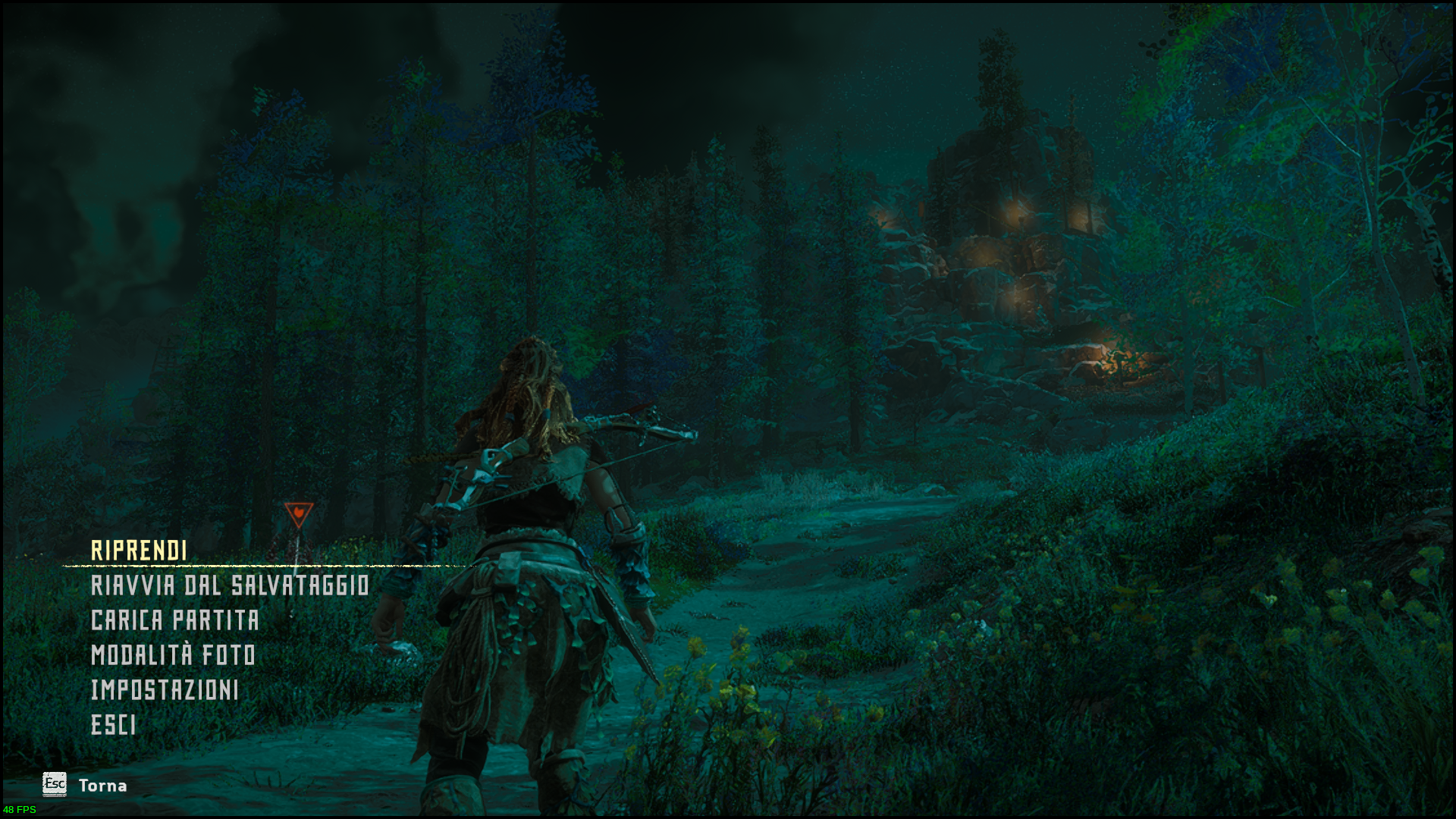
When added upscaling (DLSS and FidelityFX SuperResolution). These bugs were born.
Broken foliage for me too since Patch 1.11 for me too. ProtonGE 6.21-GE2 AMD RX580 and RADV_DEBUG=llvm doesn't solve the problem for me. This fix probably only works for amd cards.
System Information
GPU: GTX Nvidia GT1660
Nividia driver: 495.44
Kernel version: 5.14.15
Proton version: ProtonGE 6.21-GE2
Hello @nielskool, your comment has been removed because third party redistribution of game content is legally problematic.
@nielskool
Too bad that even sharing a few game files is legally problematic. They've got to do what they've got to do, I guess. I've been able to finally figure it out myself with DepotDownloader just the other day though. My biggest problem was that I downloaded the 1.10 game files but ended up running the updated version anyway. It's a little tricky to get Steam to run a downgraded game.
For others struggling with downgrading the game, I'd like to refer to this helpful comment: https://github.com/HansKristian-Work/vkd3d-proton/issues/941#issuecomment-999116981 The two files he says you need to create are text files, which themselves contain a list of files that need to be downloaded. You'll need to have the dotnet command installed and have downloaded DepotDownloader from the its git repo (which has the same name as the program). Like I mentioned, Steam does like to update games, but once it's been updated, Steam shouldn't notice you downgrading your game again. Just copy the downloaded files to the game folder. I found it a little tricky because I kept running the updated version of the game at first. But it's working well for me now.
Now we've just got to hope that we can get 1.11 fixed. At least it seems the wonderful folks at Valve are aware of the issue. Guess we've successfully kicked this issue up the food chain. And until it's fixed, we can at least still play the downgraded version. I'm pretty happy for now.
Replying to https://github.com/ValveSoftware/Proton/issues/4125#issuecomment-999714984
Indeed.
Here indeed with the old files it is working again without a problem, for me there was no problem with steam not taking the downgraded files. I ended up doing exactly what is mentioned in HansKristian-Work/vkd3d-proton#941 (comment)
The download is roughly ~130MB.
I was also afraid they wouldn't notice the proton issues. Happy indeed with the thought that they are aware of the issue now.
Hey guys!
I'm running into some trouble running this game on my machine.
I have an AMD Ryzen 7 5700G, 32GB RAM, Fedora 35 (kernel 5.15.12-200.fc35.x86_64 and Mesa 22.0.0-devel), and when I try to boot up the game appears a message saying that my machine doesn't meet the minimum requirements (3GB of VRAM). If I click to continue, the game simply crashes - and crashes my whole pc, forcing me to hard reset.
I've changed in BIOS the amount of RAM allocated for the iGPU from Auto to 8GB and the game worked!
Can somebody help me in this case? Because getting rid of 8GB of RAM for a working machine isn't doable, neither is having to restart -> go to BIOS -> change settings every time I want to play this specific game.
Here are some logs:
steam-1151640.log
system-info.txt
I'm running mesa 22.0 here and, about the grass and foliage problem, can confirm that it happened too, and that adding RADV_DEBUG=llvm %command% solved the problem. Didn't try to downgrade the game yet.
I'm having a lot of issues with this game, unfortunately.
Here are my specs: https://gist.github.com/ipkpjersi/546672eb12d06026a3ac091a67c155da
The main issue I was having was with audio stuttering but PULSE_LATENCY_MSEC=60 %command% fixed that.
The first issue I'm still having is of course the grass texture glitch that lots of other people are having.
My second issue is my performance is literally like half of what it should be, I get like 40% higher performance on my 980m laptop running Windows than my 1070 desktop running Linux.
Laptop with Windows 10: https://i.imgur.com/sXnUvwX.png

Desktop with Ubuntu 20.04: https://i.imgur.com/kZYXtbJ.png

The third issue is FSR literally creates a black screen for me: https://i.imgur.com/qH93ZlK.png except for certain angles where I can see like the sun or something: https://i.imgur.com/sxZPqFx.png It's a cool glitch but not something I want to see when running a technology. I've tried with and without FSR launch options, and no good it's still a black screen.


Edit: Downgrading to 1.10 of course fixes the grass, and then I was able to set my scaling at 1080p to the equivalent of "balanced" simple scaling for around 50 FPS in game. This has basically solved all of my problems for now, at least until Proton gets updated to fix the grass in v1.11/v1.11.1 in the future.
You need to downgrade the game to version 1.10. Follow this
https://www.reddit.com/r/horizon/comments/rjkjut/downgrading_to_110_on_steam/?utm_medium=android_app&utm_source=share
You will not lose any save games with the downgrade.
On Jan 11, 2022, 10:36 PM, at 10:36 PM, ipkpjersi @.***> wrote:
I'm having a lot of issues with this game, unfortunately.
Here are my specs:
https://gist.github.com/ipkpjersi/546672eb12d06026a3ac091a67c155daThe main issue I was having was with audio stuttering but
PULSE_LATENCY_MSEC=60 %command%fixed that.The first issue I'm still having is of course the grass texture glitch
that lots of other people are having.My second issue is my performance is literally like half of what it
should be, I get like 40% higher performance on my 980m laptop running
Windows than my 1070 desktop running Linux.Laptop with Windows 10: https://i.imgur.com/sXnUvwX.png
Desktop with Ubuntu 20.04: https://i.imgur.com/kZYXtbJ.png
The third issue is FSR literally creates a black screen for me:
https://i.imgur.com/qH93ZlK.png except for certain angles where I can
see like the sun or something: https://i.imgur.com/sxZPqFx.png It's a
cool glitch but not something I want to see when running a technology.
I've tried with and without FSR launch options, and no good it's still
a black screen.--
Reply to this email directly or view it on GitHub:
https://github.com/ValveSoftware/Proton/issues/4125#issuecomment-1010421561
You are receiving this because you commented.Message ID: @.***>
I can confirm that the latest vkd3d-proton has fixed not only the grass texture smearing but also the FSR black screen bug I was experiencing. I'm getting better graphics and better performance now thanks to the fix.
Can confirm here as well. I no longer see the grass issue with Proton Experimental and Nvidia 510.39 drivers.
The issue has been resolved in the latest version of vkd3d, which is also included in Glorious Eggroll's Proton fork version 7.0rc6. Everything looks good now. Other than the in-game FSR making everything look a bit grainy, but that's probably just the game's implementation.
System Information
- GPU: RTX 2070
- Driver/LLVM version: 495.46
- Kernel version: 5.15.14
- Link to full system information report as Gist: https://gist.github.com/ProjectSynchro/f0d4e4f102ca29c71a683ea49dd4df7e
- Proton version: Proton Experimental (experimental-bleeding-edge-6.3-7164-20220116-pe4912a-w2a13d8-dcafeea-v0f46a8)
After seeing the grass/foliage issue was resolved I re-installed Horizon Zero Dawn to try the latest changes. It now looks like mfc140.dll is missing and the game will not launch without it. (See log below)
steam-1151640-no-mfc140.log
With mfc140 installed via protontricks 1151640 mfc140 the game now launches, however the option to enable DLSS is nowhere to be seen with PROTON_ENABLE_NVAPI set to 1. (See log below)
steam-1151640-mfc140.log
I also tried setting dxgi.nvapiHack = False in dxvk.conf in addition to PROTON_ENABLE_NVAPI=1 (with mfc140 installed via protontricks 1151640 mfc140), but this results in a crash (See log below)
steam-1151640-nvapiHack.log
Barring issues with DLSS; the foliage issue is indeed fixed, and performance seems to be better than I remember previously. I'm not sure if my slightly older driver version (495.46 instead of 510.39) is to blame for issues with DLSS not appearing, or the game crashing with dxgi.nvapiHack = False set.
EDIT: Steam was apparently broken and was not installing prerequisites correctly, disregard my comments about mfc140 missing.
Compatibility Report
Horizon Zero Dawn
Steam AppID of the game: 1151640
System Information
Distribution: Ubuntu 21.10
Hardware: Dell Inc. Inspiron 5515
GPU: Integrated Graphics AMD® Ryzen 7 5700u with radeon graphics × 16 AMD® Renoir
Driver/LLVM version:client glx vendor string: Mesa Project and SGI
OpenGL core profile version string: 4.6 (Core Profile) Mesa 21.2.2
OpenGL version string: 4.6 (Compatibility Profile) Mesa 21.2.2
OpenGL ES profile version string: OpenGL ES 3.2 Mesa 21.2.2
Kernel version: 5.13.0-27-generic x86_64
Proton version: 6.3-8
I confirm:
that I haven't found an existing compatibility report for this game.
that I have checked whether there are updates for my system available.
Symptoms
Game freezes on the loading page. If you hit continue your game it gets to the loading screen and then freezes as the bar gets halfway across the screen.
In the system, logs have these as errors
[drm:amdgpu_cs_ioctl [amdgpu]] ERROR Not enough memory for command submission!
[TTM] Failed to find memory space for buffer 0x0000000098b3d65d eviction
[drm:amdgpu_cs_ioctl [amdgpu]] ERROR Not enough memory for command submission!
[TTM] Failed to find memory space for buffer 0x00000000fdf12129 eviction
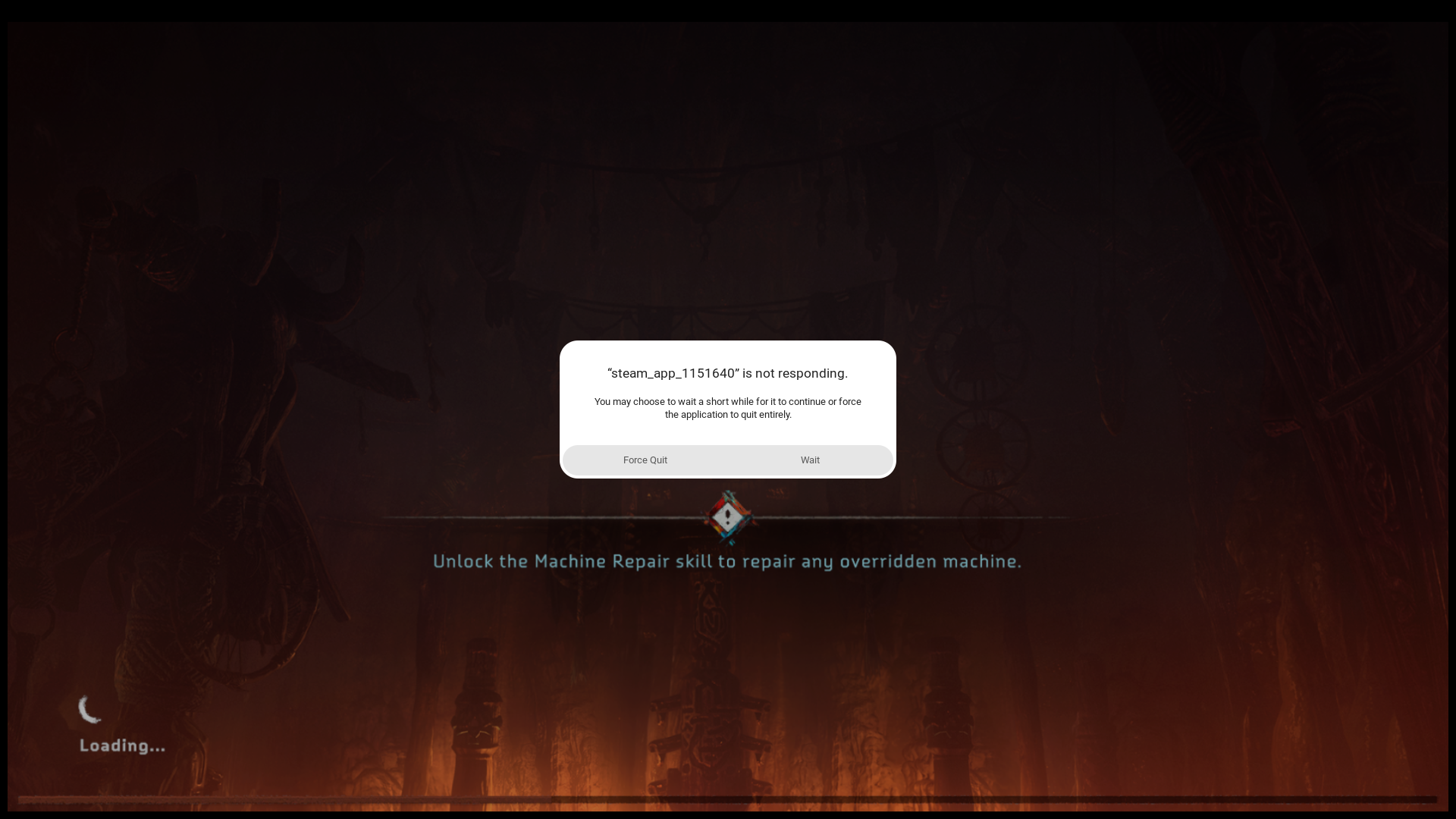
Reproduction
Just start the game through Steam and hit continue game
@kf7mxe "Not enough memory" - go to BIOS/UEFI setup and increase memory for integrated GPU. Look at vulkaninfo output.
@kf7mxe
@kf7mxe "Not enough memory" - go to BIOS/UEFI setup and increase memory for integrated GPU. Look at
vulkaninfooutput.
I second this. And if there is no option in BIOS/UEFI due to the locked down BIOS, you can also try amdgpu.gttsize=8192 kernel parameter, where 8192 is the number of megabytes of RAM you want you iGPU to use at max. It doesn't reserve memory, only providing it as needed, so half your RAM is okay to use. Obviously, provide a valid number.
Replying to https://github.com/ValveSoftware/Proton/issues/4125#issuecomment-1018206411
Could this help in my case (https://github.com/ValveSoftware/Proton/issues/4125#issuecomment-1005024437)? Is there any way of setting this inside linux instead of going to BIOS to set this up?
I took a look at the /etc/default/grub file and there's nothing regarding this amdgpu.gttsize config, and according to this documentation it should have a default of 3/4 RAM size, which would be more than enough in my machine (32GB). What am I missing here?
@zaps166 and @RoyShapiro Increasing memory for the iGPU worked. I had to use the amdgpu.qttsize since I have a locked bios but changing it worked. Thanks, a ton. I am still new to Linux and still trying to figure it out. I really appreciate the help.
@OliRafa I just learned that you can test out the kernel parameters without making them permanent by going into grub and into advanced settings and hitting e on the kernel you have then on the Linux line you can add the amdgpu.gttsize. Going into the config file doesn't have any references there but I tried it in the test mode and it worked. I followed the tutorial on this site https://itectec.com/ubuntu/ubuntu-how-to-add-a-kernel-boot-parameter/ . I don't know if this is the best or if this will work for you but it worked for me.
Replying to https://github.com/ValveSoftware/Proton/issues/4125#issuecomment-1013905948
System Information
- GPU: RTX 2070
- Driver/LLVM version: 510.47.03
- Kernel version: 5.16.8
- Link to full system information report as Gist: https://gist.github.com/ProjectSynchro/f0d4e4f102ca29c71a683ea49dd4df7e
- Proton version: Proton 7.0 (proton-7.0-1)
Game now works OOTB with DLSS working with PROTON_ENABLE_NVAPI=1 set (this is due to DXVK-NVAPI 0.5.2 being included with Proton 7.0)
Compatibility Report
- Name of the game with compatibility issues: Horizon Zero Daw Complete Edition
- Steam AppID of the game: 1151640
System Information
- GPU: AMD Radeon RX 570 Series
- Driver/LLVM version: Mesa 21.0.3
- Kernel version: 5.16.3-xanmod1
- Link to full system information report as Gist:https://gist.github.com/AbramsX/6f557180830cec59f330d4dbba778e5a
- Proton version: 7.0-1
I confirm:
- [X] that I have checked whether there are updates for my system available.
- [X] that I haven't found an existing compatibility report for this game.
Symptoms
Alt-tabbing or Shift-tabbing out of the game consistently causes not just the game to freeze /crash, but entirety of steam. It just freezes up and thwart all attempts to close it or restart short of restarting my entire system.
I feel it prudent to point out I personally also had issues with previous version of Proton 6.3-8. The issue of the game inevitably crashing would always happen, but at the least it would not take Steam completely with it. That issue also came with having to constantly re-validate my files, numerous times. I point this out mostly to demonstrate I've been experiencing consistent issues with the game since installing it.
Reproduction
This has happened pretty consistently since updating to Proton 7.0-1. Game will certainly crash/freeze on any attempt to move to another window. Steam would consistently freeze with it, requiring restarting my PC.
Compatibility Report
- Name of the game with compatibility issues: Horizon Zero Dawn Complete Edition
- Steam AppID of the game: 1151640
System Information
- GPU: RX480
- Driver/LLVM version: Mesa 21.3.6
- Kernel version: 5.16.9-zen1
- Link to full system information report as Gist
- Proton version: 7.0-1, 6.3-8, 7.2-GE-2
I confirm:
- [X] that I haven't found an existing compatibility report for this game.
- [X] that I have checked whether there are updates for my system available.
Symptoms
Game freezes during the first loading screen, before Sony logo.
Reproduction
Just start the game through Steam.
Horizon Zero Dawn (1151640) performance regression proton experimental
Issue transferred from https://github.com/ValveSoftware/Proton/issues/5598.
@vulturm posted on 2022-02-21T22:21:11:
First of all, the game looks and works great on my system, and thank you for that!
I just wanted to raise awareness that there is a performance regression in proton experimental.
Compatibility Report
- Name of the game with compatibility issues: Horizon Zero Dawn
- Steam AppID of the game: 1151640
System Information
- GPU: AMD Radeon RX 6700 XT (navy_flounder)
- Driver/LLVM version: mesa-git-22.1.20220221, LLVM 13.0.0, DRM 3.44
- Kernel version: 5.16.9-200.fc35.x86_64
- Link to full system information report as Gist: https://gist.github.com/vulturm/de076431e192af78de3fe4cb761efced
- Proton version: 7.0-1 vs Experimental
I confirm:
- [x] that I haven't found an existing compatibility report for this game.
- [x] that I have checked whether there are updates for my system available.
Symptoms
Proton experimental has regressed the performance for HZD Proton 6.3 vs 7.0-1.
Performnace with 7.0-1:
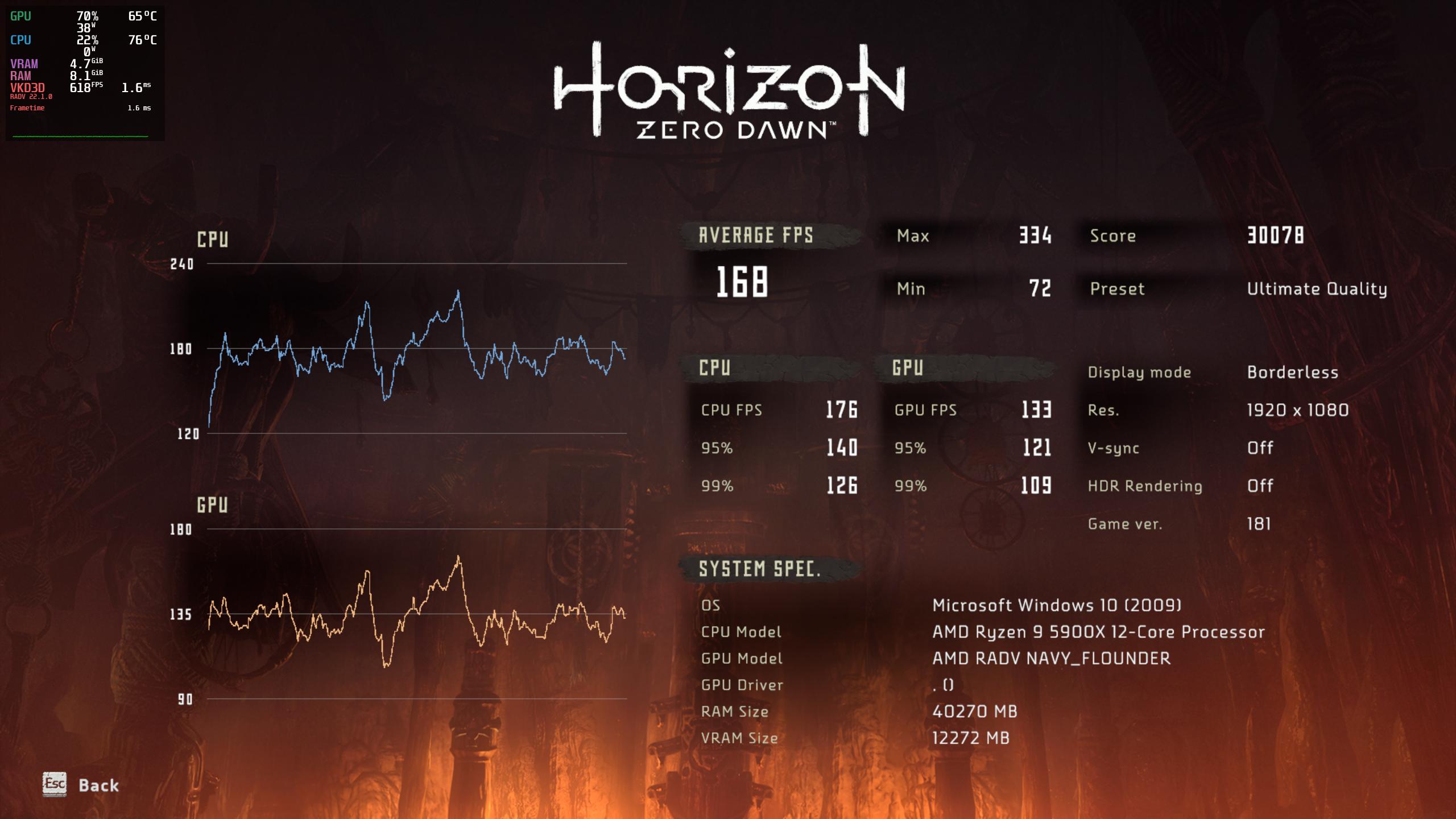
Perfomance with proton experimental
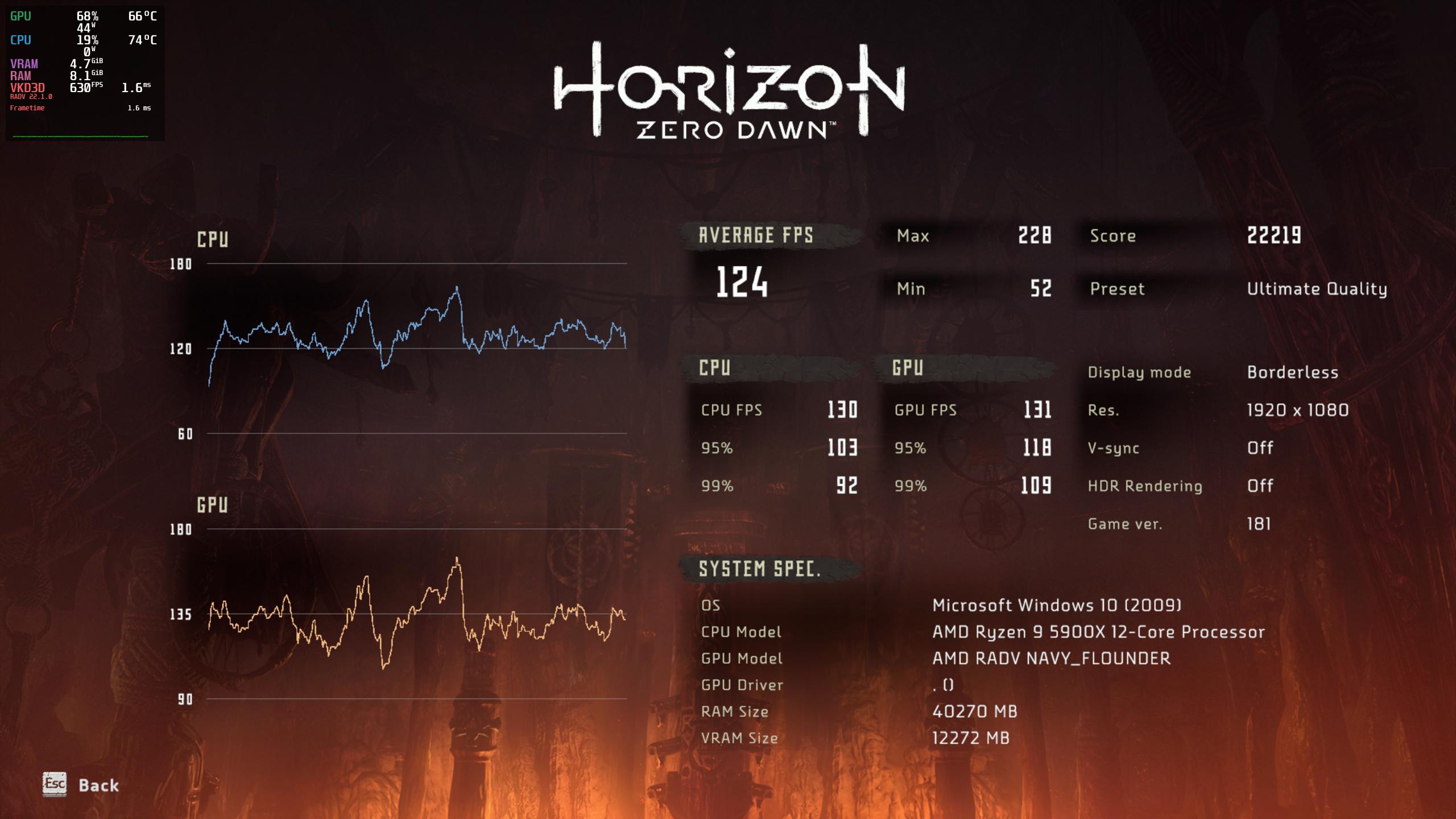
Reproduction
I'm using Fedora 35 with mesa-git copr, latest fedora provided kernel as of today: 5.16.9-200
Start the game with Ultimate quality preset and the following Display settings:
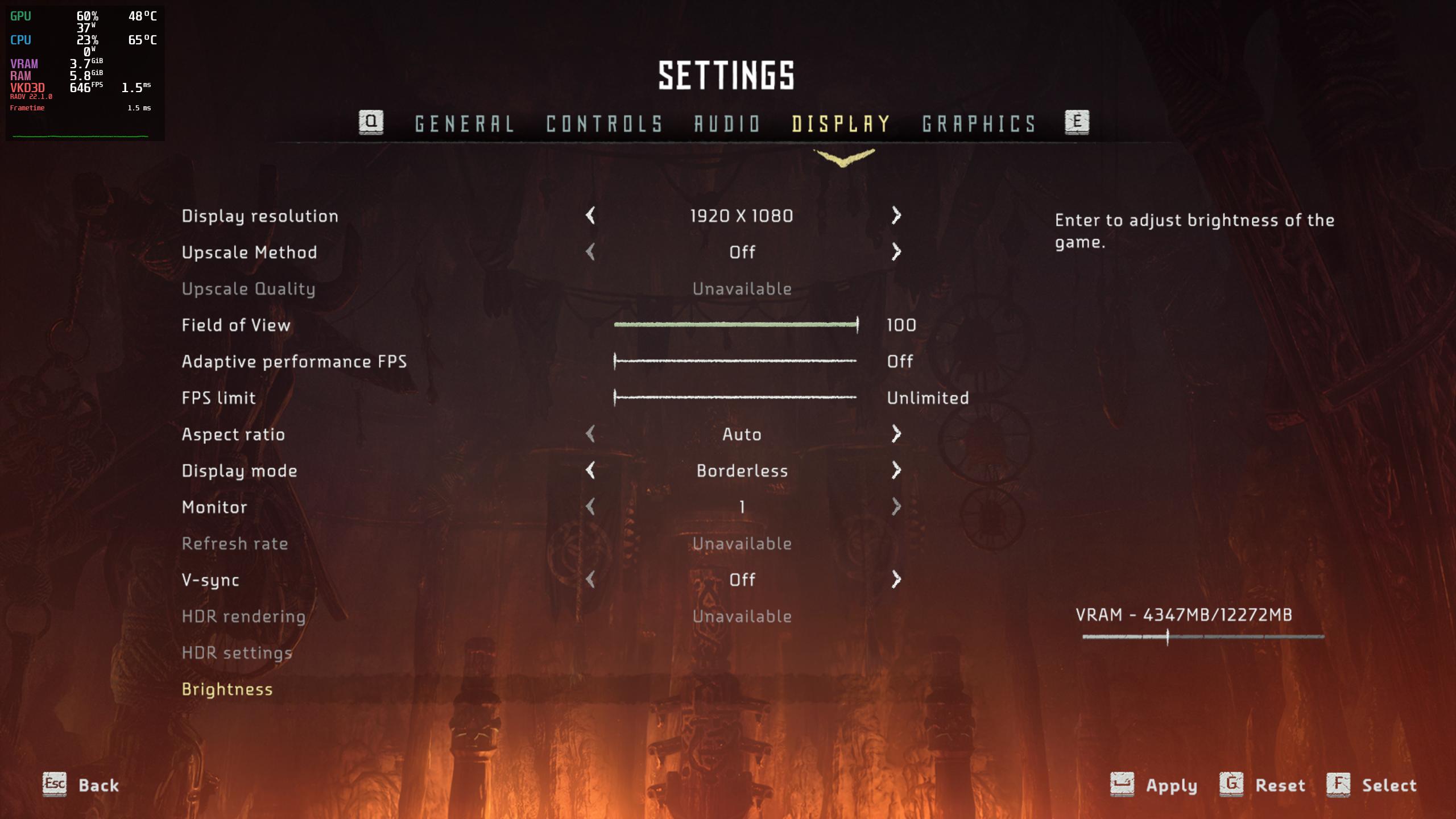
Proton logs, if required:
proton-7.0-1.tar.gz
proton-exp.tar.gz
Hi @AbramsX. I've tried to reproduce the behavior you've described and I was unable to do so on KDE.
What desktop environment are you using? Have you changed any of the game's graphics options, especially around the game being full-screen?
@ivyl btw, since Proton 7 (and the experimental branched forked from it), the game no longer detects my gamepad, neither Bluetooth HID nor USB-attached (tried all models: XB1S, XBE2, XBXS), Steam Input defaults to on for this game, I also tried with Steam Input force-disabled.
@ivyl Hello! I use Cinnamon (Linux Mint 20.2). I do run the game in windowed mode. graphical options are all standard/mid
Gamepad (Controller) "Microsoft XBOX Wireless" not working with Horizon Zero Dawn
Issue transferred from https://github.com/ValveSoftware/steam-for-linux/issues/8437.
@roenck posted on 2022-02-24T20:49:14:
Your system information
- Proton Experimental
- Ubuntu 20.04.3 LTS, Kernel 5.13.0 + hid_xpadneo
- XBox Wireless controller (M) with bluetooth and/or just USB-link
Please describe your issue in as much detail as possible:
MS XBox Wireless controller not working within Horzion Zero Dawn.
Check against ""WINEPREFIX=~/.steam/steam/steamapps/compatdata/1151640/pfx ~/.steam/steam/steamapps/common/Proton\ -\ Experimental/files/bin/wine control" indicate that the controller itself is working in wine environment.
Important: The controller is workig within other games running into Proton.
Steps for reproducing this issue:
- Make the gamepad working (/dev/input/js0 available)
- Install Horizon Zero Dawn within Ubuntu 20 and latest Steam client
- Check controller is working wihtin Wine-Environment created for HZD --> is working
- Start HZD and check if controller is available --> never works
@AbramsX:
@ivyl Hello! I use Cinnamon (Linux Mint 20.2). I do run the game in windowed mode. graphical options are all standard/mid
I installed Cinnamon on Arch Linux and switched my GPU to RX580. I was unable to reproduce what you are describing here. I've tried to switch to other windows both during gameplay and while being in the menu. I've tried it in windowed, fullscreen and borderless states. All of that works for me. I wonder if anyone else is experiencing something similar?
@kakra:
@ivyl btw, since Proton 7 (and the experimental branched forked from it), the game no longer detects my gamepad, neither Bluetooth HID nor USB-attached (tried all models: XB1S, XBE2, XBXS), Steam Input defaults to on for this game, I also tried with Steam Input force-disabled.
I was unable to make the gampad work with any version of Proton. The game uses Windows.Gaming.Input which is currently just stubs but we are working on implementing it. I don't really understand why it has worked for you. If you have a working setup with HZD not ignoring your controllers can you provide a log with WINEDEBUG=+hid,+plugplay,+dinput,+xinput,+setupapi ?
I was unable to make the gampad work with any version of Proton.
@ivyl This is a very strange problem, maybe there is some race condition: This time, I was able to make the game detect the gamepad with any version of Proton I tried. But I had some background IO activity running, plus of course logging was enabled as you requested. I'm attaching the logs.
The logs are made from both Proton 6.3 (game runs only in slow motion) and Proton Experimental (as of 2022-03-05), I tried both the xpad driver (USB connection, no HID, model XB1S) and the xpadneo driver (Bluetooth, HID, model XBXS).
The archive contains four logs named accordingly.
BTW: I needed to add SDL_GAMECONTROLLER_IGNORE_DEVICES=0x26CE/0x01A2 otherwise some games (including this) detect my on-board RGB controller as an input device and act strangely (or not work at all because they support input from only the first detected "gamepad").
I was unable to make the gampad work with any version of Proton. The game uses Windows.Gaming.Input which is currently just stubs but we are working on implementing it. I don't really understand why it has worked for you. If you have a working setup with HZD not ignoring your controllers can you provide a log with
WINEDEBUG=+hid,+plugplay,+dinput,+xinput,+setupapi?
speaking for myself, i have only ever played hzd with gamepad under proton, and it always worked fine. while i'm not currently in a position to provide current logs (and in particular to provide one with those specific flags), i do seem to have a single log from the last time i played (back in september, apparently running on Proton: 1622751761 experimental-6.3-20210602b). would that still be of any use at all even without the additional logging flags?
HZD no longer launches under Proton Experimental Bleeding edge or Proton GE 7-10. You get a game has crashed error as soon as it launches.
Still launches without issue on Proton 7.0-1 and Proton GE 7-9
HZD no longer launches under Proton Experimental Bleeding edge or Proton GE 7-10. You get a game has crashed error as soon as it launches. Still launches without issue on Proton 7.0-1 and Proton GE 7-9
Mainline vkd3d-proton is reworked so it uses VK_KHR_dynamic_rendering. This requires Mesa 22. My guess is that you are still on Mesa 21.
Also bleeding-edge should not be used for general gaming. All the changes there are integrated automatically and untested and may require other bleeding edge software to work. Also prefix updates and preservation is not tested, so you may lose your saves.
That makes sense. I am still on Mesa 21 as both the kisak-mesa PPA which should provide the latest mesa is still on 21 as well as what is provided by Pop_OS. It did not occur to me that bleeding edge may require other bleeding edge software. I'll dial back to normal experimental to reduce my regression testing workload.
I have mentioned in the GE discord that maybe they are a little too close to the bleeding edge.
HZD no longer launches under Proton Experimental Bleeding edge or Proton GE 7-10. You get a game has crashed error as soon as it launches. Still launches without issue on Proton 7.0-1 and Proton GE 7-9
I am mostly able to replicate these results. Proton Experimental (standard) has the slow motion bug (I'm not sure if this is a recent bug or not, I don't recall this bug happening before, even though I don't think there has been an update since 1.11.2. I get a crash dialogue on Proton GE 7-10 but it works perfectly on Proton GE 7-9 including no slow motion bug.
I am using an i7 5960x and RTX 3070 ti.
has the slow motion bug
I remember the slow motion bug happened to me on one AMD Ryzen platform because of clock source (Linux kernel used HPET by default). I set tsc=reliable in GRUB boot arguments and the problem has been solved. It was about 2-3 months ago on Proton Experimental.
has the slow motion bug
I remember the slow motion bug happened to me on one AMD Ryzen platform because of clock source (Linux kernel used HPET by default). I set
tsc=reliablein GRUB boot arguments and the problem has been solved. It was about 2-3 months ago on Proton Experimental.
I don't think clock source is the issue in my case, I seem to have tsc as my clock source:
Hello, I have the same bug as what is mentioned in the title.
I have nvidia rtx 2080 with i9 intel. Do you found any way to fix this issue ?
My laptop run with Gentoo Linux
You might want to be more specific, this game has had lots of issues over the past months.
My general suggestion would be trying a custom version of Proton like ProtonGE. ProtonGE 7-9 works well for me.
It's difficult to be more specific, the game close purely and simply without any information. What can I provide to help you ?
What is Proton "GE" ?
I believe you could enable Proton logs with PROTON_LOG=1 %command% in the launch options for the game in Steam, I believe it'd create a log file in your home directory which you could upload here.
ProtonGE is a custom build of Proton you could try out: https://github.com/GloriousEggroll/proton-ge-custom/releases
Oh thanks you !
This is the log outputed:
steam-1151640.log
Hello @Fulgurance, these look like some lines of interest from your log:
013c:fixme:d3d12_swapchain_init: Ignoring swap effect 0x4.
013c:fixme:d3d12_swapchain_init: Ignoring buffer usage 0x60.
013c:fixme:d3d12_swapchain_init: Ignoring swapchain flags 0x802.
013c:fixme:d3d12_swapchain_init: Queue family does not support presentation, vr 0.
Followed by an access violation (c0000005) and the game falls over.
It might be interesting to test setting the game's launch options to __NV_PRIME_RENDER_OFFLOAD=1 __VK_LAYER_NV_optimus=NVIDIA_only %command% and see if that has any effect.
I don't know if this can help you, but I specify I use nvidia proprietary drivers, and I use only my nvidia graphics card when I start my system, with:
xrandr --setprovideroutputsource modesetting NVIDIA-0
xrandr --auto
Now, with this options: PROTON_LOG=1 __NV_PRIME_RENDER_OFFLOAD=1 __VK_LAYER_NV_optimus=NVIDIA_only %command%
The result:
steam-1151640.log
With Proton GE, it didn't work as well:
steam-1151640.log
Same box with the same message (with: PROTON_LOG=1 %command%)
Horizon Zero Dawn freezes every 15 minutes!
Issue transferred from https://github.com/ValveSoftware/Proton/issues/5771.
@tooyipjee posted on 2022-04-17T17:27:52:
Compatibility Report
- Name of the game with compatibility issues: Horizon Zero Dawn Complete Edition
- Steam AppID of the game: 1151640
System Information
- Steam Deck 64GB with Sandisk Extreme 128GB
- Proton version: Tried with versions 6, 7, and Experimental (problem persisted)
I confirm:
- It was indicated as fully "Verified" for the Steam Deck in the store.
-I have checked whether there are updates for my system available.
Symptoms
The game freezes every 10-15 minutes. The sound in the background still plays but the screen is frozen and the controls do not work.
I have not had any issues with any other games just Horizon Zero Dawn. The graphics settings have been turned down to the lowest as well as resolution reduced. Problem persisted. Please advice.
Reproduction
Tracking note: Dropping the Mesa / RADV / NVIDIA labels as the issue mentioned back in December looks to have been triaged by https://github.com/HansKristian-Work/dxil-spirv/commit/0b0939cbaa4dd24ff3cf5eb3588940414e069305.
The game used to work great with Proton Experimental (in December 2021), but now it won't even launch without displaying the crash dialog. I have tried Proton Experimental, Proton 7.0-2, Proton 7.9-GE. Here are logs from Proton 7.9-GE
This is with proprietary Nvidia drivers at 510.60.02.
steam-1151640.log
For what it's worth on Navy Flounder the game crashes without RADV_DEBUG=nodma. It's a driver issue on the latest Mesa Git drivers.
I cannot make the game detect any controller no matter what. Under windows it accepts either xbox controller or dualsense. Under proton, nothing .. Any suggestions ?
@adolfotregosa This game seems to be very picky about controllers. For me, it usually works with the controller wired. Also, Steam Input in the game properties should be turned on (it can be turned on per game even when turned off globally), this game actually needs it. Also, it handles only one controller. If you have other game input devices, you may need to set SDL_GAMECONTROLLER_IGNORE_DEVICES. Sometimes, SDL detects RGB hardware as input device. E.g., I need:
SDL_GAMECONTROLLER_IGNORE_DEVICES=0x26CE/0x01A2,0x044F/0xB10A,0x044F/0xB687
which is my mainboard RGB controller (which I actually don't use anyways) and my HOTAS set. The values come from lsusb.
Also, you may have more luck with Proton Experimental, I'm not sure if all HID and SDL patches have been merged into the stable Proton version yet.
Replying to https://github.com/ValveSoftware/Proton/issues/4125#issuecomment-1151082434
The only way I can make the game react to A controller is if I setup steam controller -> desktop configuration and this is not an option.
Any of the other option I think I've tried them all. I don't have any other controller or RGB hardware.
I'm out of ideias
if I setup steam controller -> desktop configuration
Yeah, this basically emulates mouse/keyboard probably, that's completely unusable. Maybe check if it uses the developer recommended mapping profile in Steam Input...
Same problem with me, gamepad does not work. Without that it's not playable - unfortunately. I tried it with the latest GE-Proton7-20 and latest Radeon drivers. Someone claimed that this is working with NVIDIA .. but it does not with my setup.
So ... you have to be kidding me..
For kicks, I installed ubuntu 22.04 and steam. Dualsense was connected via usb. For my surprise this appeared on the corner and the dualsense changed color to cyan.

I even tried with bluetooth and it worked. I booted up Arch and nothing no controller until I re enabled steam overlay... say what ??
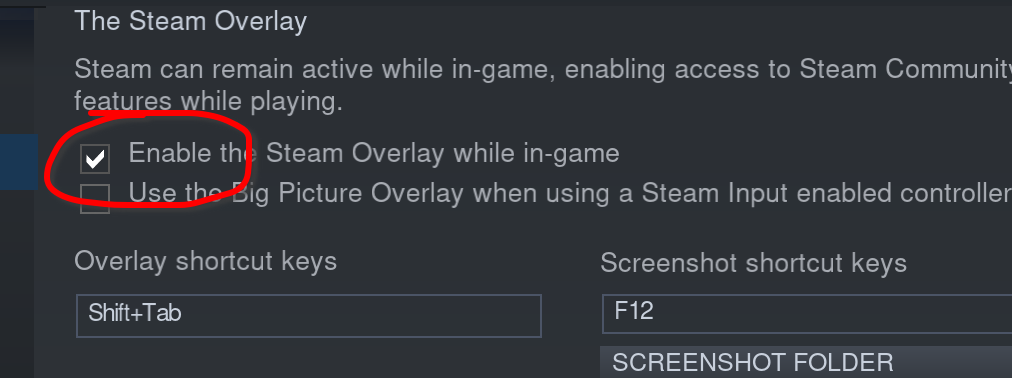
It works. WHY!! What does steam in-game overlay have to do with this ?
Hopefully this will help someone.. you just need to enable?? steam in-game overlay?..!! ?? wft..
WTF! @adolfotregosa - You are right! Gamepad is working with overlay.
WTF! @adolfotregosa - You are right! Gamepad is working with overlay.
Right ? I cannot understand the connection :1st_place_medal: Valve, please fix this :dancers:
Edit: forcing steam input with overlay ON also made death stranding and borderlands 3 work perfectly... face palm
Obviously you didn't know but the steam overlay has always been pretty necessary for ensuring proper controller functionality.
I can't get mine recognised in this game at all on a fairly fresh install of EndeavourOS with KDE. Overlay is on, tried Proton 7.0.2/Experimental/GE-20. No dice for either my Steam Controller or my DS4, both wired.
Should note that this was the first game I noticed this behaviour in which brought me here but other games seem to do it as well (Pac Man:Championship Edition 2 and Monolith so far). I'm going to assume that all these games use SDL but (these were fixed by forcing Proton 7, doesn't help on Horizon still)
The SDL_IGNORE... suggestion above doesn't seem to have helped either. Will try some other proton versions when I get some time.
I think the overlay requirement actually applies to games that ONLY support controllers through Steam Input. They are rare but they exist, this seems to be an example for it.
Is there any fix for the foliage/vegetation glitch yet?
Hello @llamas111, what Proton version and video drivers are you using? Looks like there was an issue like you've described back at the start of the year, and it was resolved around the same time by various VKD3D-Proton and/or video driver updates.
Hi @kisak-valve! I'm using rtx 2080 with 510.60.02 and I've tried it with proton experimental and the very latest proton GE.
I've installed the 515 driver and tried the game with the steam flatpak but I still see the glitches.
I tried this on 515 drivers with a RTX 3070 and it rendered fine here. Do you have a screenshot of the glitch so we can see if it's the same issue as had earlier in the year? Another thing to check, do you have a stale d3d12.dll file next to the HZD exe?
@HansKristian-Work I tried it with a clean reinstall and now it works!
@llamas111 was that a clean install of the game, or of steam and proton?
After opening up the in game menu (inventory, skills, etc), the right hand side of the screen seems to have artifact issues if DLSS is turned on. Has anyone else had this issue?
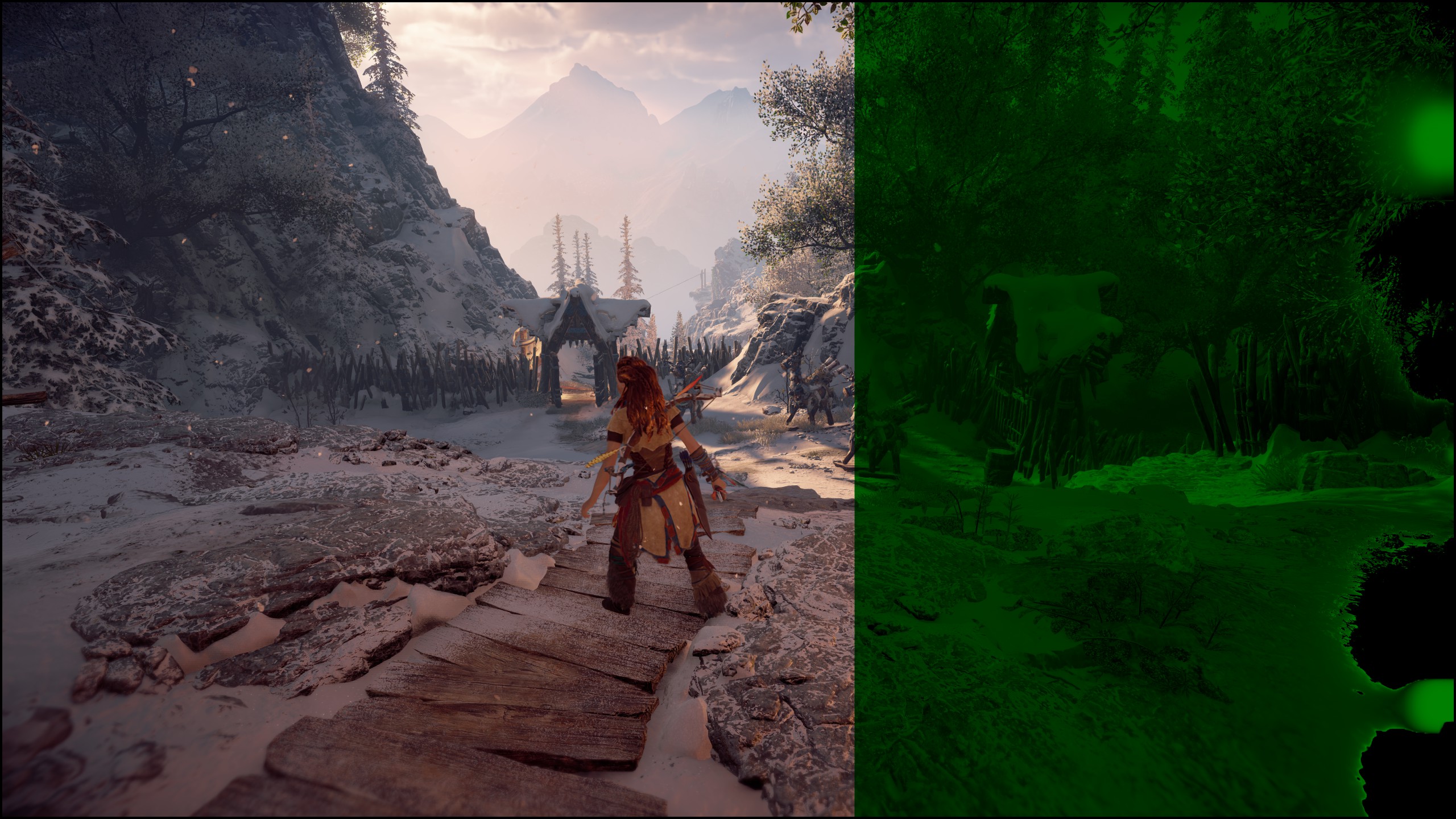
Edit: The issue only seems to appear if DLSS is on the Balanced or Quality modes. I don't think it happens on Performance mode.
Hello, sorry to disturb, but just wanted to add that on my computer i have now a new behavior :
I have some big freeze now. And i can't anymore quit the game sometimes with alt F4 or ctrl alt sup... Need to just reset the computer. I didn't experienced that by the past. I was using latest stable (so 7.x proton or experimental). DLSS is enabled btw.
My system is latest ubuntu mate and nvidia drivers is 520. According to the bug i'm not sure the trouble is coming from steam proton or ubuntu. if you experienced such behavior and have solution please tell me ^^ thanks :)
After opening up the in game menu (inventory, skills, etc), the right hand side of the screen seems to have artifact issues if DLSS is turned on. Has anyone else had this issue?
Edit: The issue only seems to appear if DLSS is on the Balanced or Quality modes. I don't think it happens on Performance mode.
I can confirm this but didn't observe it happening on only specific DLSS modes. It may happen even during game play and suddenly appears but usually it's triggered by going to the menu.
I have some big freeze now. And i can't anymore quit the game sometimes with alt F4 or ctrl alt sup... [...] DLSS is enabled btw.
I can confirm this freeze. It usually happens always in the same spots on the same actions. But the system doesn't freeze here, I can Alt+Tab out of the game and then force-close it from Steam. But tabbing out of the game can take up to 30s because it looks like the graphics stack crashes:
[422620.253525] NVRM: GPU at PCI:0000:01:00: GPU-70ccecf4-ba6e-bded-84bd-b26b37d0f752
[422620.253528] NVRM: Xid (PCI:0000:01:00): 13, pid='<unknown>', name=<unknown>, Graphics Exception on GPC 1: SAVE_RESTORE_ADDR_OOB
[422620.253538] NVRM: Xid (PCI:0000:01:00): 13, pid='<unknown>', name=<unknown>, Graphics Exception: ESR 0x508900=0x80000001
[422620.253548] NVRM: Xid (PCI:0000:01:00): 13, pid='<unknown>', name=<unknown>, Graphics Exception on GPC 2: SAVE_RESTORE_ADDR_OOB
[422620.253558] NVRM: Xid (PCI:0000:01:00): 13, pid='<unknown>', name=<unknown>, Graphics Exception: ESR 0x510900=0x80000001
[422620.253707] NVRM: Xid (PCI:0000:01:00): 13, pid=1500600, name=HorizonZeroDawn, Graphics Exception: ChID 00df, Class 0000c797, Offset 00000000, Data 00000000
[422848.913375] NVRM: Xid (PCI:0000:01:00): 31, pid=1502472, name=HorizonZeroDawn, Ch 000000de, intr 00000000. MMU Fault: ENGINE GRAPHICS GPCCLIENT_GCC faulted @ 0x0_00000000. Fault is of type FAULT_PDE ACCESS_TYPE_VIRT_READ
[423017.819845] NVRM: Xid (PCI:0000:01:00): 31, pid=1503831, name=HorizonZeroDawn, Ch 000000df, intr 00000000. MMU Fault: ENGINE GRAPHICS GPCCLIENT_GCC faulted @ 0x0_00000000. Fault is of type FAULT_PDE ACCESS_TYPE_VIRT_READ
Playing a video on my second monitor while the game freezes also freezes the video playback for a few seconds, then it continues. Audio continues to play.
Replying to https://github.com/ValveSoftware/Proton/issues/4125#issuecomment-1320913026
Hello, thanks for your feedback, i'm not really aware about how to log issues, iknow i searched into usual log but maybe you have an another one ? Indeed you right I forget to specify that sound continue to work, and the bug appears always at the same moment in the game. Based on your feedback i decided to downgrade my driver version to 515 and see the behavior. Do you have an idea of how can i report this behavior properly to the right people ?
Thanks again for reactivity.
Hello again, after downgraded to 515, i do not experienced any bug on the game. Then the conclusion is that the driver is NOK for the game when using 520 version :/
It's driver 525.53 here, and you can get the logs via dmesg. If you cannot switch to desktop, try using ssh to log into your machine and run dmesg there. But, yeah, probably something is different with the driver.
Horizon Zero Dawn (1151640)
Issue transferred from https://github.com/ValveSoftware/Proton/issues/6378.
@HughPH posted on 2022-12-10T17:53:59:
Compatibility Report
- Name of the game with compatibility issues: Horizon Zero Dawn
- Steam AppID of the game: 1151640
System Information
- GPU: RTX 3080ti
- Driver/LLVM version: 525.60.13
- Kernel version: 5.19.0
- Link to full system information report as Gist: https://gist.github.com/HughPH/8ccf1582918f2af5beaf88e843e4ed52
- Proton version: Default
I confirm:
- [X] that I haven't found an existing compatibility report for this game.
- [X] that I have checked whether there are updates for my system available.
Symptoms
Horizon Zero Dawn hangs in some open air conditions with driver 525. This was first noticed when meeting Rost at the North Gate. I switched to driver 520 and played through as far as Cauldron Sigma, then reinstalled driver 525 to try Portal RTX again with Canonical's latest official kernel 5.19 (see #6377 ). I completed Cauldron Sigma with driver 525, but the game hung once outside again.
Reproduction
Install NVidia driver 525 and see how far you get
Completely unable to play the game with nvidia 525 and kernel 6.0. Game crashes during play and whenever loading a save. See attached Proton log.
steam-1151640.log
https://github.com/ValveSoftware/Proton/issues/6154#issuecomment-1341496323 suggests that the NVIDIA driver may be faulty (or its interaction with vkd3d, both are DirectX 12 titles), and downgrading or limiting to 30 fps can work around the issue. OTOH, other DX12 titles seem to be unaffected (e.g., Cyberpunk 2077 and Control work just fine). There's also no indication of a driver fault in dmesg for me when the freeze occurs.
Personally, I'm seeing the freezes in open air environments since some time now, probably before driver 525 (still kernel 5.15 LTS) but I have no record of this.
[#6154 (comment)](https://github.com/ValveSoftware/Proton/issues/6154#issuecomment-1341496323) suggests that the NVIDIA driver may be faulty (or its interaction with vkd3d, both are DirectX 12 titles), and downgrading or limiting to 30 fps can work around the issue. OTOH, other DX12 titles seem to be unaffected (e.g., Cyberpunk 2077 and Control work just fine). There's also no indication of a driver fault in
dmesgfor me when the freeze occurs.Personally, I'm seeing the freezes in open air environments since some time now, probably before driver 525 (still kernel 5.15 LTS) but I have no record of this.
I tried limiting to 30fps and have the same issue. Downgrading the driver is difficult as it's tied to the linux kernel version as well.
I have started getting freezes with NVIDIA 525 and kernel 5.15-0-56 (LTS) on Ubuntu 22.04 LTS with Proton 7.0-5. NVIDIA 515 was fine for me as far as I can remember.
Same issue here--game freezes every 5 minutes on NVIDIA 525, especially during cutscenes.
Same over here. it just freezes
Not sure if Proton itself is the cause, but figured I should mention this here:
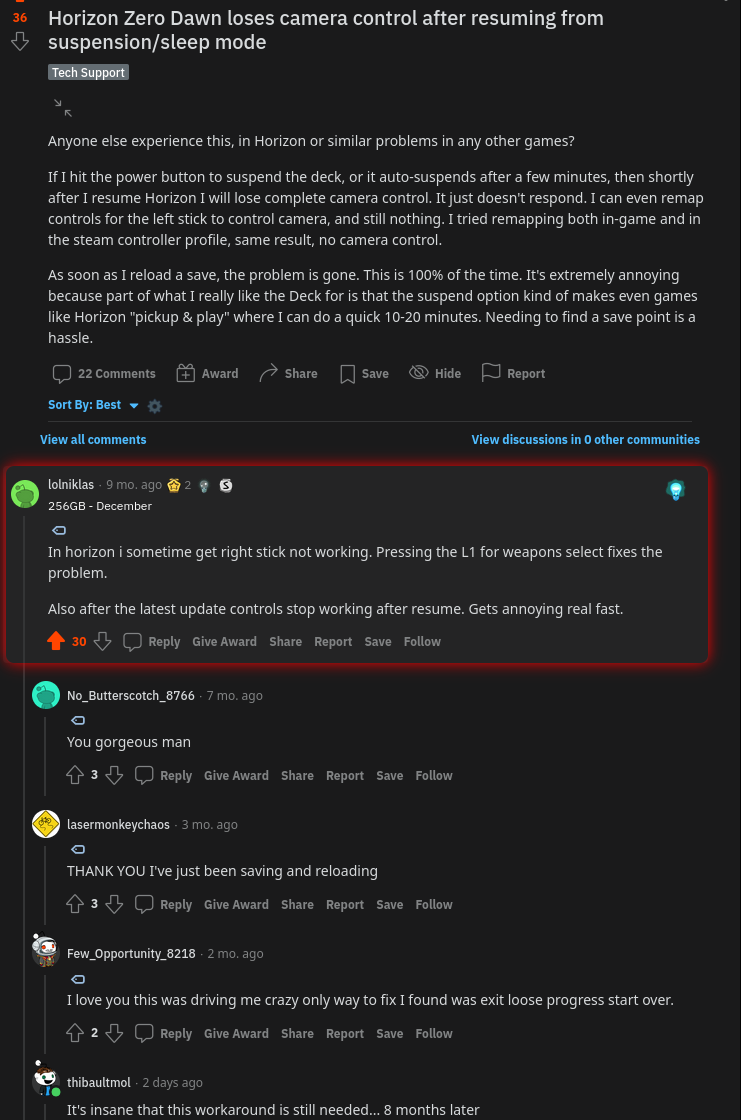
Randomly sometimes the right joystick on the steam deck won't work in the game (if I open menu's outside of the game, I can tell the joystsick still functions perfectly. it's purely in game that it doesn't respond anymore).
I even experienced this as I was still in the tutorial section (maybe 15 minutes in)
Hey im also having crashing issues with NVIDIA on this game see
https://gist.github.com/breningham/52c6348a15dbb3c953791829de9c578c
for both my system info, and the proton log
the crashing seems to be completely random, i otherwise get good performance with DLSS enabled. its otherwise a stuttery mess.
Not sure if Proton itself is the cause, but figured I should mention this here: Randomly sometimes the right joystick on the steam deck won't work in the game (if I open menu's outside of the game, I can tell the joystsick still functions perfectly. it's purely in game that it doesn't respond anymore).
I even experienced this as I was still in the tutorial section (maybe 15 minutes in)
This isn't just a Steam Deck/controller issue either. I'm on an Arch desktop, RX 6600 GPU, R5 5600x CPU, and without fail, if I put my PC to sleep, mouse input (camera control) doesn't work in game after resume. I'd just taken to saving and closing before sleeping.
Any news on this game actually getting fixed so it's playable?
It's unsupported (or not officially supported), so no.
The only thing I can't do with Nvidia 525 is start Portal RTX, but that doesn't work at all, so I'm just waiting to see if H:ZD is ok with the next driver. Otherwise I'll just complete it on 520 and then upgrade. It's not a great answer, but it might be forever broken from this day forth. I personally don't like the idea of switching Nvidia drivers make a game run, but it looks like that's the sum of it for now.
I highly doubt it will be broken "forever". I'm sure it will get fixed, whether it be in 3 months, or 6 months, or 12 months or longer. Even if Proton have to come up with a workaround to work around an NVIDIA driver bug I'm sure it's "possible" and this issue will get solved eventually.
This is simply far too popular of a game to allow it to not be playable for NVIDIA GPU users.
NVIDIA drivers work around Windows game bugs with NVIDIA drivers on Windows all the time, Linux is just less important to them yet... Even the Linux driver has game work-arounds in the driver application profiles - but those only apply to native Linux games - I doubt they properly detect games running in wine. Thus, the only possible work-arounds can be applied in DXVK or vkd3d. On the plus side, this means, NVIDIA doesn't have to care too much for fixes in the driver (with the risk of breaking other things currently working), and NVIDIA devs already added patches, improvements, and work-arounds to DXVK and vkd3d, so we hopefully see improvements there sooner than later.
Replying to https://github.com/ValveSoftware/Proton/issues/4125#issuecomment-1209971198
@cachandlerdev @kakra I'm getting a similar issue to you, except instead of a green overlay, it's completely blacked out, almost like part of my screen just stopped working. Toggling DLSS off and back on again temporarily fixes the issue until I dive back into the menus or map. Issue does not occur with any other upscaling technique or with upscaling off.
@ipkpjersi the problem we have is that only 1.38% of Steam users use Linux at all, and only about 12,000 people are actively playing it at this point in time. So if we expect the proportion of Linux users playing the game to align with the number of Linux Steam users, that's only 166 people. In the whole world.
It's even smaller when you consider the amount of people who have a specific combination of graphics drivers,kernel and settings. At some point people have to be realistic about the narrow range of their issue. It's ultimately partly going to be up to them to be willing to downgrade kernels or drivers however they need to do that to address it when the game does work for other people. But the fix doesn't have to come in direct response to this issue. Chances are it impacts something else, and may come from a fix for a more recent game that is played by more people.
So if you don't want to fix, leave it on your backlog awhile longer and it may work eventually. If you are willing to fix, then you will consider your options, up to and including hardware changes, provided it's that important.
When I was playing the game in windows I was having crashes every 10 minutes up to about a couple months after release. That did get better with tweaks I learned to do and patches, but problems aren't exclusive to a platform, and I'm sure there were other windows users not experiencing them when I was.
I found this tool for those interested in downgrading their drivers https://github.com/Frogging-Family/nvidia-all
I've updated to nvidia drivers 525.78.01-1 and it seems to have solved the crashing issue. I've played for 30min without any problem.
I've updated to nvidia drivers 525.78.01-1 and it seems to have solved the crashing issue. I've played for 30min without any problem.
Awesome news! Were you outdoors for part of that? That's where it's been crashing for most of us.
Many thanks for the update!
Yesterday, I only played the cave part of the tutorial. I started a new game, but last time I tried, the game hanged twice during the first cutscene (the one with the child gathering berries for his mother). Today, I played the second part of the tutorial where Aloy is still a child. I had one hang during one cutscene and I had to restart. But I was able to go to the beginning of the chapter with grown-up Aloy.
So it's not perfect but the hangs seem less frequent. I'll try to keep playing later to see if it's still ok.
I was just wondering, when I first tried the game 1 year or so, I had a cutscene where Aloy is a baby. When I restarted the game when I had the 525.60 drivers, the game only started with the scene where the child is gathering the berries. Is it something that is intended or not? I restarted the game yesterday and it was the same.
Yesterday, I only played the cave part of the tutorial. I started a new game, but last time I tried, the game hanged twice during the first cutscene (the one with the child gathering berries for his mother). Today, I played the second part of the tutorial where Aloy is still a child. I had one hang during one cutscene and I had to restart. But I was able to go to the beginning of the chapter with grown-up Aloy.
So it's not perfect but the hangs seem less frequent. I'll try to keep playing later to see if it's still ok.
I was just wondering, when I first tried the game 1 year or so, I had a cutscene where Aloy is a baby. When I restarted the game when I had the 525.60 drivers, the game only started with the scene where the child is gathering the berries. Is it something that is intended or not? I restarted the game yesterday and it was the same.
If I'm not mistaken, the scene with Aloy as a baby is a separate scene that plays once when the game is first opened, and then can only be seen again from one of the options in the main menu.
I've updated to nvidia drivers 525.78.01 and while not as frequent I still run into game freezes.
Prior to this update the game would lock up within 5 minutes. Now it took around 45 minutes of game play.
Driver 525.78.01 refused to work at all with my 3080.
Freezing within 1 minute w/ driver version 525.60.11 on RTX 3070. Immediately upon freezing, /var/log/syslog reports:
Jan 25 23:16:27 dlh-amd kernel: [516823.979617] NVRM: Xid (PCI:0000:0b:00): 31, pid=918251, name=HorizonZeroDawn, Ch 000000b6, intr 00000000. MMU Fault: ENGINE GRAPHICS GPCCLIENT_GCC faul
ted @ 0x0_00000000. Fault is of type FAULT_PDE ACCESS_TYPE_VIRT_READ
Jan 25 23:16:27 dlh-amd kernel: [516823.983944] NVRM: Xid (PCI:0000:0b:00): 31, pid=918251, name=HorizonZeroDawn, Ch 000000b6, intr 00000000. MMU Fault: ENGINE GRAPHICS GPCCLIENT_GCC faulted @ 0x0_00000000. Fault is of type FAULT_PDE ACCESS_TYPE_VIRT_READ
Nvidia driver upgraded to inconsistent versions per apt:
2023-01-26 21:10:41 upgrade libnvidia-common-525:all 525.60.11-0ubuntu0.22.10.1 525.78.01-0ubuntu0.22.10.1
2023-01-26 21:10:41 status half-configured libnvidia-common-525:all 525.60.11-0ubuntu0.22.10.1
2023-01-26 21:10:41 status unpacked libnvidia-common-525:all 525.60.11-0ubuntu0.22.10.1
2023-01-26 21:10:41 status half-installed libnvidia-common-525:all 525.60.11-0ubuntu0.22.10.1
2023-01-26 21:10:41 status unpacked libnvidia-common-525:all 525.78.01-0ubuntu0.22.10.1
2023-01-26 21:10:58 configure libnvidia-common-525:all 525.78.01-0ubuntu0.22.10.1 <none>
2023-01-26 21:10:58 status unpacked libnvidia-common-525:all 525.78.01-0ubuntu0.22.10.1
2023-01-26 21:10:58 status half-configured libnvidia-common-525:all 525.78.01-0ubuntu0.22.10.1
2023-01-26 21:10:58 status installed libnvidia-common-525:all 525.78.01-0ubuntu0.22.10.1
After reboot, steam did it's regular update.
Proton Experimental is configured for Horizon Zero Dawn.
Game worked flawlessly last night for just over 2 hours. Was able to exit game normally. I'm hopeful this sticks.
It still freezes with current Experimental and current NVIDIA driver 525.85.05 but time until freeze is now much longer and seems to trigger more randomly while previously I could trigger it by going to the same location:
[647259.940148] NVRM: GPU at PCI:0000:01:00: GPU-70ccecf4-ba6e-bded-84bd-b26b37d0f752
[647259.940156] NVRM: Xid (PCI:0000:01:00): 31, pid=3349848, name=HorizonZeroDawn, Ch 000000c7, intr 00000000. MMU Fault: ENGINE GRAPHICS GPCCLIENT_GCC faulted @ 0x0_00000000. Fault is of type FAULT_PDE ACCESS_TYPE_VIRT_READ
The difference to the previous freezes is just a newer Proton version, the driver is the same. My other freezes didn't log a message in dmesg, so I think we were seeing two different freezes: One cause was probably fixed in Proton lately, the other is a crash in the NVIDIA driver which has been there for a long time (I was seeing that previously one many different driver versions since a long time).
Game worked flawlessly last night for just over 2 hours. Was able to exit game normally. I'm hopeful this sticks.
The very next day, after work the problem came back (I had my space heater on in the office that day). Late the following night, I was again able to play for multiple hours without issue (I did not use the heater that night, and it was cold). Could possibly be heat related (I'm probably grasping).
Then limiting the frame rate or lowering the resolution may improve things. Did you watch the GPU temperature on a second monitor while gaming? (use watch nvidia-smi and look for temperature, power level and power usage)
Played again tonight for hours, no issue until later. Had nvidia-smi --loop-ms=500 --format=csv --query-gpu timestamp,power.draw,temperature.gpu running in the background, and tail /var/log/syslog... Finally it froze up randomly. Here is the output before and after the freeze:
2023/01/31 00:00:47.864, 207.55 W, 64
2023/01/31 00:00:48.364, 206.35 W, 64
2023/01/31 00:00:48.864, 205.48 W, 64
2023/01/31 00:00:49.364, 205.24 W, 64
2023/01/31 00:00:49.865, 204.83 W, 64
2023/01/31 00:00:50.365, 192.01 W, 59
2023/01/31 00:00:50.865, 125.50 W, 57
2023/01/31 00:00:51.365, 58.95 W, 56
2023/01/31 00:00:51.865, 57.55 W, 56
2023/01/31 00:00:52.366, 52.12 W, 54
2023/01/31 00:00:52.866, 40.87 W, 53
2023/01/31 00:00:53.366, 29.02 W, 53
2023/01/31 00:00:53.867, 23.51 W, 53
2023/01/31 00:00:54.367, 22.80 W, 52
2023/01/31 00:00:54.868, 22.11 W, 52
2023/01/31 00:00:55.368, 21.90 W, 52
2023/01/31 00:00:55.869, 21.79 W, 51
Along with the output of the error (with matching timestamp).
Jan 31 00:00:50 dlh-amd kernel: [286098.990543] NVRM: Xid (PCI:0000:0b:00): 31, pid=301865, name=HorizonZeroDawn, Ch 00000076, intr 00000000. MMU Fault: ENGINE GRAPHICS GPCCLIENT_GCC faulted @ 0x0_00000000. Fault is of type FAULT_PDE ACCESS_TYPE_VIRT_READ
The temp prior to the freeze was consistently 64-65C for 2 hours. Pretty conclusively not related to temp, IMHO.
So the GPU seems to go idle because temperature drops. Due to the GPU exception, the game just dead-locks. You should be able to kill the game and return to desktop (it may take 20-30s until the game is killed after a kill signal). If it's not a driver bug (and the driver just reports the read fault perfectly legit), then probably a work-around in vkd3d is needed. I wonder if trying an older vkd3d version may fix this, no matter the NVIDIA driver version, like in "the older driver didn't support a feature of vkd3d, but maybe an older version of vkd3d doesn't support this feature either". Which would support my observation that I was only updating Proton when the problem happened.
I may have spoken to fast. I'm at the first mission in the open world and I can't play more than 5min without a crash. Today I've had an update to drivers 525.85.05-1 and it's exactly the same...
Just tried yesterday. Still crashing on intel cpu nvidia rtx 3070 gpu with latest drivers and many different versions of proton including ge and even lutris forks of wine.
I think it has something to do with this
https://github.com/HansKristian-Work/vkd3d-proton/commit/d2c876211f1e4bd7d4177cc8f0102aabd2b7402d
Can you, please, elaborate more on why you think this commit is related?
This commit was made on Jan 6. However, the crashes have been occurring to
various people in this thread since at least November, if memory serves.
That being said, Kai has already suggested that this can indeed be
vkd3d-proton related and should probably be tested with a much earlier
version (2.4 or 2.5) at least thereof.
I mention these versions specifically, because, to my limited knowledge
these were the final ones until the rendering pipeline was significantly
refactored to use new Vulkan extensions, which might indeed have some
bearing on the issue.
On Thu, Feb 9, 2023 at 2:29 PM Louie Maria Mangampo <
@.***> wrote:
I think it has something to do with this
@.***
https://github.com/HansKristian-Work/vkd3d-proton/commit/d2c876211f1e4bd7d4177cc8f0102aabd2b7402d—
Reply to this email directly, view it on GitHub
https://github.com/ValveSoftware/Proton/issues/4125#issuecomment-1424038912,
or unsubscribe
https://github.com/notifications/unsubscribe-auth/AQX4ZGW66QDURRNYJNFXQZ3WWTIH3ANCNFSM4PXXJIQA
.
You are receiving this because you were mentioned.Message ID:
@.***>
That being said, Kai has already suggested that this can indeed be vkd3d-proton related and should probably be tested with a much earlier version (2.4 or 2.5) at least thereof.
Well, I think that commit was mentioned, because it explicitly uses a work-around for driver 525 which the previous drivers probably didn't support maybe? But a previous vkd3d-version probably didn't use that extension in the first place. Whatever it is, it may be related to this extension which may be working correctly by now but may also confuse the game engine. The latter suggests that for this game, a work-around may be needed.
I think it has something to do with this
To test this, that commit should be reverted in a local Proton build. If this does fix it, reverting as is may still be the wrong solution because it affects (to current knowledge) only this game. If it doesn't fix it, try downgrading to vkd3d 2.5 or 2.4 or even earlier. If that doesn't fix it, add logs to vkd3d to see which Vulkan extensions it uses, then downgrade the driver to see the difference in used extensions. If nothing fixes it, it may be a long standing bug in the driver.
We need to ensure to differentiate a crash from an engine freeze. They look the same but in one instance, a driver exception is logged to dmesg, in the other, there isn't. I have been seeing rare crashes and freezes since at least a year. The latest Vulkan extension changes to vkd3d may just make this bug much more prominent, and it is really in the game engine (or some locking order which vkd3d does different to Windows).
Haven't had time to play until yesterday, but wanted to give additional feedback. I am no longer experiencing this issue (at least not in the last few days). 2 days ago, I played for several hours (there was weird texture loading issues, but it played without crash). Last night I played for several hours without issue.
I'm using Proton 7.0-6. Here is a dump of my nvidia packages w/ version:
$ dpkg -l | grep nvidia
ii  libnvidia-cfg1-525:amd64                         525.78.01-0ubuntu0.22.10.1               amd64        NVIDIA binary OpenGL/GLX configuration library
ii  libnvidia-common-525                             525.78.01-0ubuntu0.22.10.1               all          Shared files used by the NVIDIA libraries
ii  libnvidia-compute-525:amd64                      525.78.01-0ubuntu0.22.10.1               amd64        NVIDIA libcompute package
ii  libnvidia-compute-525:i386                       525.78.01-0ubuntu0.22.10.1               i386         NVIDIA libcompute package
ii  libnvidia-decode-525:amd64                       525.78.01-0ubuntu0.22.10.1               amd64        NVIDIA Video Decoding runtime libraries
ii  libnvidia-decode-525:i386                        525.78.01-0ubuntu0.22.10.1               i386         NVIDIA Video Decoding runtime libraries
ii  libnvidia-egl-wayland1:amd64                     1:1.1.10-1                               amd64        Wayland EGL External Platform library -- shared library
ii  libnvidia-encode-525:amd64                       525.78.01-0ubuntu0.22.10.1               amd64        NVENC Video Encoding runtime library
ii  libnvidia-encode-525:i386                        525.78.01-0ubuntu0.22.10.1               i386         NVENC Video Encoding runtime library
ii  libnvidia-extra-525:amd64                        525.78.01-0ubuntu0.22.10.1               amd64        Extra libraries for the NVIDIA driver
ii  libnvidia-fbc1-525:amd64                         525.78.01-0ubuntu0.22.10.1               amd64        NVIDIA OpenGL-based Framebuffer Capture runtime library
ii  libnvidia-fbc1-525:i386                          525.78.01-0ubuntu0.22.10.1               i386         NVIDIA OpenGL-based Framebuffer Capture runtime library
ii  libnvidia-gl-525:amd64                           525.78.01-0ubuntu0.22.10.1               amd64        NVIDIA OpenGL/GLX/EGL/GLES GLVND libraries and Vulkan ICD
ii  libnvidia-gl-525:i386                            525.78.01-0ubuntu0.22.10.1               i386         NVIDIA OpenGL/GLX/EGL/GLES GLVND libraries and Vulkan ICD
rc  linux-modules-nvidia-525-5.19.0-26-generic       5.19.0-26.27+1                           amd64        Linux kernel nvidia modules for version 5.19.0-26
rc  linux-modules-nvidia-525-5.19.0-28-generic       5.19.0-28.29                             amd64        Linux kernel nvidia modules for version 5.19.0-28
ii  linux-modules-nvidia-525-5.19.0-29-generic       5.19.0-29.30+1                           amd64        Linux kernel nvidia modules for version 5.19.0-29
ii  linux-modules-nvidia-525-5.19.0-31-generic       5.19.0-31.32                             amd64        Linux kernel nvidia modules for version 5.19.0-31
ii  linux-modules-nvidia-525-generic-hwe-22.04       5.19.0-31.32                             amd64        Extra drivers for nvidia-525 for the generic-hwe-22.04 flavour
rc  linux-objects-nvidia-525-5.19.0-26-generic       5.19.0-26.27+1                           amd64        Linux kernel nvidia modules for version 5.19.0-26 (objects)
rc  linux-objects-nvidia-525-5.19.0-28-generic       5.19.0-28.29                             amd64        Linux kernel nvidia modules for version 5.19.0-28 (objects)
ii  linux-objects-nvidia-525-5.19.0-29-generic       5.19.0-29.30+1                           amd64        Linux kernel nvidia modules for version 5.19.0-29 (objects)
ii  linux-objects-nvidia-525-5.19.0-31-generic       5.19.0-31.32                             amd64        Linux kernel nvidia modules for version 5.19.0-31 (objects)
ii  linux-signatures-nvidia-5.19.0-29-generic        5.19.0-29.30+1                           amd64        Linux kernel signatures for nvidia modules for version 5.19.0-29-generic
ii  linux-signatures-nvidia-5.19.0-31-generic        5.19.0-31.32                             amd64        Linux kernel signatures for nvidia modules for version 5.19.0-31-generic
ii  nvidia-compute-utils-525                         525.78.01-0ubuntu0.22.10.1               amd64        NVIDIA compute utilities
ii  nvidia-driver-525                                525.78.01-0ubuntu0.22.10.1               amd64        NVIDIA driver metapackage
ii  nvidia-kernel-common-525                         525.78.01-0ubuntu0.22.10.1               amd64        Shared files used with the kernel module
ii  nvidia-kernel-source-525                         525.78.01-0ubuntu0.22.10.1               amd64        NVIDIA kernel source package
ii  nvidia-prime                                     0.8.17.1                                 all          Tools to enable NVIDIA's Prime
ii  nvidia-settings                                  510.47.03-0ubuntu1                       amd64        Tool for configuring the NVIDIA graphics driver
ii  nvidia-utils-525                                 525.78.01-0ubuntu0.22.10.1               amd64        NVIDIA driver support binaries
ii  screen-resolution-extra                          0.18.2                                   all          Extension for the nvidia-settings control panel
ii  xserver-xorg-video-nvidia-525                    525.78.01-0ubuntu0.22.10.1               amd64        NVIDIA binary Xorg driver
$ uname -a
Linux dlh-amd 5.19.0-31-generic [#32](/issue/ValveSoftware/Proton/32)-Ubuntu SMP PREEMPT_DYNAMIC Fri Jan 20 15:20:08 UTC 2023 x86_64 x86_64 x86_64 GNU/Linux
$ dpkg -l | grep -i vulkan
ii  libnvidia-gl-525:amd64                           525.78.01-0ubuntu0.22.10.1               amd64        NVIDIA OpenGL/GLX/EGL/GLES GLVND libraries and Vulkan ICD
ii  libnvidia-gl-525:i386                            525.78.01-0ubuntu0.22.10.1               i386         NVIDIA OpenGL/GLX/EGL/GLES GLVND libraries and Vulkan ICD
ii  libvulkan1:amd64                                 1.3.224.0-1                              amd64        Vulkan loader library
ii  libvulkan1:i386                                  1.3.224.0-1                              i386         Vulkan loader library
ii  mesa-vulkan-drivers:amd64                        22.2.5-0ubuntu0.1                        amd64        Mesa Vulkan graphics drivers
ii  mesa-vulkan-drivers:i386                         22.2.5-0ubuntu0.1                        i386         Mesa Vulkan graphics drivers
If there is any other information I can provide to help, please let me know.
I think it has something to do with this
I compiled proton with reverting this commit, but it doesn't seem to have had any significant effect.
We need to ensure to differentiate a crash from an engine freeze. They look the same but in one instance, a driver exception is logged to dmesg, in the other, there isn't. I have been seeing rare crashes and freezes since at least a year. The latest Vulkan extension changes to vkd3d may just make this bug much more prominent, and it is really in the game engine (or some locking order which vkd3d does different to Windows).
A relevant piece of information from dmesg seems to be this line:
NVRM: Xid (PCI:0000:01:00): 31, pid=298437, name=HorizonZeroDawn, Ch 00000096, intr 00000000. MMU Fault: ENGINE GRAPHICS GPCCLIENT_GCC faulted @ 0x0_00000000. Fault is of type FAULT_PDE ACCESS_TYPE_VIRT_READ
So, it's probably NVIDIA messing up drivers (again). Might try downgrading drivers later.
Downgrading to the nvidia-dkms 515.76-1 package, has the issue with crashing/freezing.
The game is still suffering from stuttering, witch seems to originate from some sort of clock issue, breaking the controls and physics.
Horizon Zero Dawn black screen on Fedora
Issue transferred from https://github.com/ValveSoftware/Proton/issues/6540.
@Drago245 posted on 2023-02-16T03:32:21:
Attempting to play Horizon Zero dawn on Fedora 37 through steam using the default "Proton Experimental" option.
The game launches, and the main menu music can be heard. The cursor can be seen, and audio feedback is present when hovering over where the buttons would be, but the screen stays black.
I've tried verifying the game files, using Proton GE, using protontricks to install VCrun2019 as suggested by another user, no change.
System:
Fedora 37
Ryzen 7 5800X
RX6800XT
Mesa 22.3.4
Wayland
Kernel: Linux 6.1.8-200.fc37.x86_64 x86_64
Steps to reproduce:
- Install Horizon Zero Dawn on Fedora 37 through steam
- Launch Horizon Zero Dawn with default settings
Have a similar setup as davidheibert. Nvidia v525.85.05, kernel 5.19, Proton 7.0-6. Played for about 90mins without issue.
Something else I've noticed is that when it happens early in gameplay, it is usually during turning (high motion blur).
Hmmm. I hate motion blur and turn it off in most games. Maybe that's why I haven't been having problems? Plan on playing some more tonight after work so we'll see what happens.
The game runs in slow motion for me.
I've tried adding cpufreq.off=1 kernel parameter and it runs on normal speed
but still it crashes.
EndeavourOS:
Intel 10700f
Nvidia GeForce RTX 3070
nvidia-dkms 525.89.02-4
wine-tkg-staging-fsync-git 8.2.r2.gbf7a234e-327
vkd3d latest git: (https://github.com/HansKristian-Work/vkd3d-proton)
linux kernel 6.1.12.arch1-1.1
with wine-tkg-valve-exp-bleeding 7.0.36113.20230223-327 I dont have slow motion, but it crashes in 10secs of gameplay
Something else I've noticed is that when it happens early in gameplay, it is usually during turning (high motion blur).
Motion blur is the first thing I disable when I get a new game and I still have the crashes.
I've had an update with new nvidia drivers (525.89.02-1.fc36.x86_64). I've tried and still had a crash in less then 5 min.
Still crashes with latest wine-ge
wine-ge-custom 1:GE.Proton7.38-1
nvidia 525.89.02-4
Not a single issue on the following setup. Game runs flawlessly maxed out even with motion blur. 125fps average in the benchmark.
5950X
6900XT (Overclocked)
32GB RAM
NVMe SSD PCI-E Gen4
3440x1440
Pop!_OS 22.04
6.2.0-76060200-generic
Mesa 23.1.0-devel (git-0d8a54f 2023-03-06 jammy-oibaf-ppa)
Proton Experimental Bleeding Edge
NVRM: Xid (PCI:0000:01:00): 31, pid=132593, name=HorizonZeroDawn, Ch 00000036, intr 00000000. MMU Fault: ENGINE GRAPHICS GPCCLIENT_GCC faulted @ 0x0_00000000. Fault is of type FAULT_PDE ACCESS_TYPE_VIRT_READ
Type freeze searching, I stumbled in https://forums.developer.nvidia.com/t/multiple-cuda-rtx-vulkan-application-crashing-with-xid-13-109-errors/235459/33
Not techie, but feels more like driver problem than Proton.
Edit: Please ignore my comment, my memory had unstable timing set.
Using ChimeraOS with OneXPlayer Mini (Intel). Subtitles render. Everything else is black. At least the game doesn't crash..
Well, after about 50hrs of flawless play, suddenly this game is crashing again on 525.89.02, several different proton versions, on Linux Mint 21.1 Cinnamon. I have a 3060Ti. Last time I rolled back to a 515 nvidia driver version and that made it work, and it continued to work after updating back to 525. Will try rolling back again. Gives the same Fault is of type FAULT_PDE ACCESS_TYPE_VIRT_READ error in dmesg as others have noted.
An observation I've made is that this crash has something to do with the player character moving. The game will continue to work indefinitely when Aloy is still. I let the game sit idle like that for about 20min. Then about 30 seconds after I started moving, it crashed.
Rolled back to the 515.86.01 driver and thing seem to be working fine with this game again.
I'm seeing the same behaviour, rolling back to the 515 drivers seems to do the trick for Horizon (played for a couple hours with no crashes)
Edit: Please ignore my comment, my memory had unstable timing set.
Ugh. Fedora 37 just went from kernel 6.1.14 to 6.2.7, and the 515 drivers no longer build for that. (So I'll have to pin my kernel back as well, until nvidia manage to produce a new working driver.)
Well, 530 should work for that kernel, not sure for the game. Alternatively, 6.2 should work with 515 if you rebuild the kernel without IBT support (which you usually don't need anyways for a desktop or gaming system, removing IBT should gain a few more fps).
Horizon Zero Dawn CPU 0 FPS in InGame Benchmark
Issue transferred from https://github.com/ValveSoftware/Proton/issues/6680.
@the-coding-owl posted on 2023-04-13T19:36:02:
Compatibility Report
- Name of the game with compatibility issues: Horizon Zero Dawn
- Steam AppID of the game: 1151640
System Information
- GPU: Radeon 6600M
- Driver/LLVM version: AMD AMD Radeon Graphics (renoir, LLVM 15.0.7, DRM 3.49, 6.2.10-arch1-1)
- Kernel version: 6.2.10-arch1-1
- Link to full system information report as Gist: https://gist.github.com/the-coding-owl/80767b55b374c0d1ff2e5597d9039e1f
- Proton version: GE_Proton7_54-1
I confirm:
- [ x ] that I haven't found an existing compatibility report for this game.
- [ x ] that I have checked whether there are updates for my system available.
Symptoms
I am on a Lenovo Legion 5 full AMD system from 2021 (5800H + 6600M) and experienced a lot of stuttering. While investigating this issue, I discovered something very strange with the benchmarks I can't make sense of.
The results show that the GPU is working good, producing lots of FPS, but the CPU is producing exactly 0 FPS.
I wonder if the stutter issue is caused by this non-FPS issue from the CPU, or if this is just a measurement glitch.
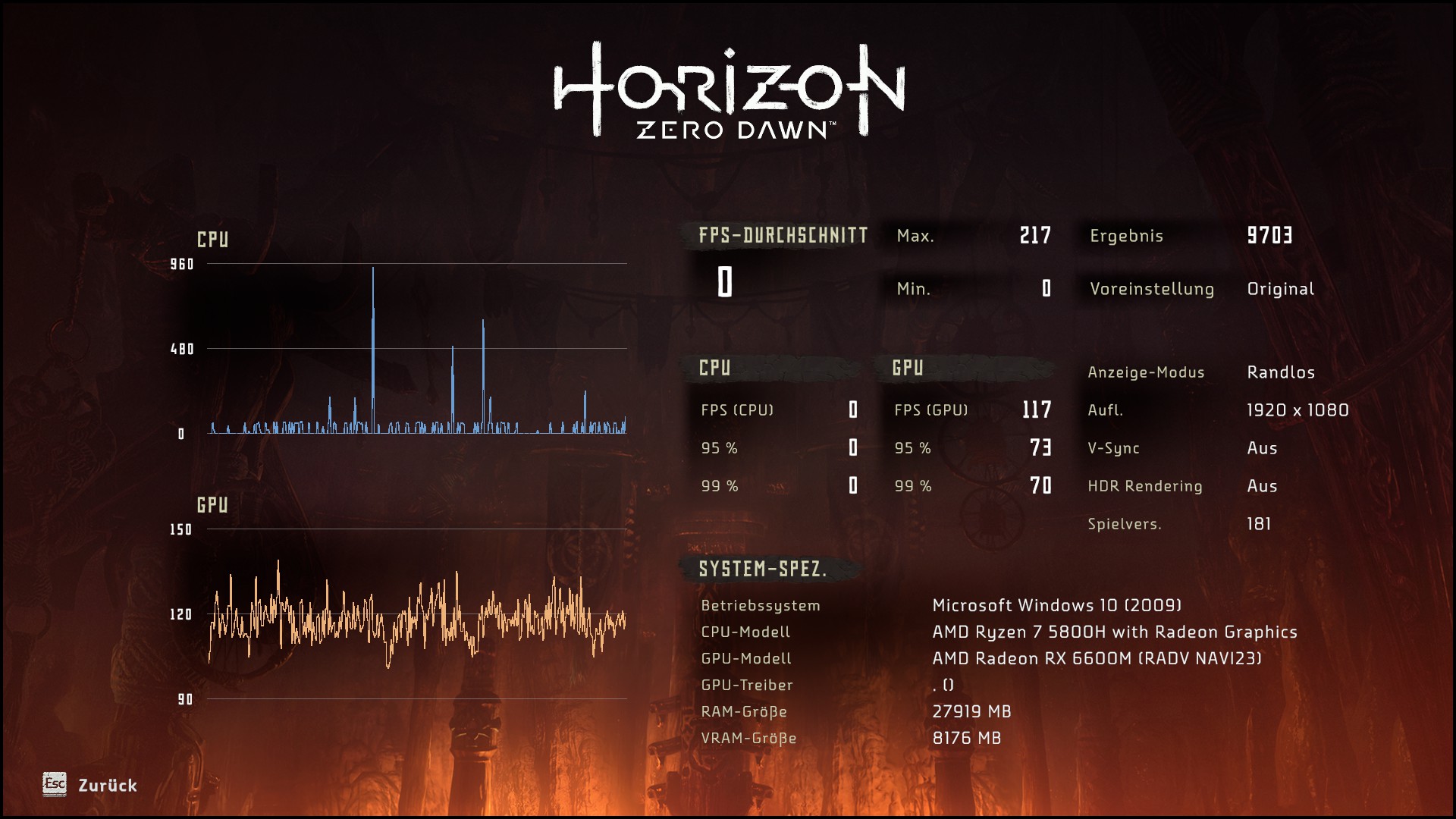
Reproduction
I just started the game and ran a benchmark.
The graphic settings doesn't seem to matter, I tried with a bunch of different presets and individual settings, the CPU never produces any FPS.
I also tried with some tips from the protondb website, which state that there is something weird going on with CPU clock timing, namely setting the kernel parameters "clocksource=tsc tsc=reliable" since someone mentioned he fixed stuttering on his machine this way.
Ah thanks @kisak-valve, I was unsure if to just comment here, because the people talk about nvidia and different issues.
Replying to https://github.com/ValveSoftware/Proton/issues/4125#issuecomment-1507518284
I'm having the same issue on my Legion 5 pro.
GPU: NVIDIA GeForce RTX 3070 Mobile
CPU: AMD Ryzen 7 5800H with Radeon Graphics (16) @ 3.200GHz
Kernel: 6.2.11-arch1-1
To me it looks like some sort of clock issue causing buggy physics alongside a broken confirmation countdown timer.
So, I unthinkingly switched distros to arch, which upgraded me to kernel 6.2 and nvidia 530.41.03.... aaand the crashes are back. Oh well. Hurry up and wait.
Made an great discovery today! Installed Proton-8 and tried it with the H:ZD. That didn't fix it, but in the few seconds that the game was running, I happened to notice that GSYNC wasn't working (The nv driver has an option to display the gsync status in the upper right corner). So I looked again at the game's display settings and realized I was in Borderless window mode and set to a lower refresh rate than my monitor's max. I set the game to run in Fullscreen, set the frames to Unlimited and the refresh to match my monitor's. IT WORKS NOW! Did all the things that would usually trigger a crash. Played for a solid 30min with no issues. Hope it's not a fluke, but I quit and started the game a couple times and it kept on working. My specs are:
AMD 3700X, 32GB RAM, Arch Linux, Kernel 6.2, NVidia driver 530.41.03, GTX 3660Ti.
EDIT: Downgrading from nvidia driver 530 to 515 resolved the issue for me.
Horizon Zero Dawn (1151640)
Compatibility Report
- Name of the game with compatibility issues: Horizon Zero Dawn
- Steam AppID of the game: 1151640
System Information
- Distro: Fedora 38
- GPU: RTX 3060ti
- Driver/LLVM version: 530.41.03
- Kernel version: 6.2.14-300
- Proton version: 8.0-2 and Experimental (pretty much any version I tried)
debug log: debug_hzd.txt
debug log2: steam-1151640.log
I confirm:
- [x] that I have checked whether there are updates for my system available.
##Symptoms
Crashes after X minutes (1-15m), seems not to be linked to any specific action, but happens at random.
Launch Options
I've tried resolving some of the issues with launch options, but to no avail:
gamemoderun LD_PRELOAD="$LD_PRELOAD:/usr/lib64/libgamemode.so.0 /usr/lib64/libgamemode.so" PROTON_LOG=1 PROTON_DUMP_DEBUG_COMMANDS=1 PROTON_HEAP_DELAY_FREE=1 WINEDEBUG="+timestamp,+pid,+seh,+unwind,+debugstr,+loaddll,+mscoree" DXVK_LOG_LEVEL=info VKD3D_DEBUG=warn VKD3D_SHADER_DEBUG=fixme VKD3D_CONFIG=no_upload_hvv PROTON_NO_ESYNC=1 PROTON_HIDE_NVIDIA_GPU=0 PROTON_ENABLE_NVAPI=1 %command%
Unrelated:
Made an great discovery today! Installed Proton-8 and tried it with the H:ZD. That didn't fix it, but in the few seconds that the game was running, I happened to notice that GSYNC wasn't working (The nv driver has an option to display the gsync status in the upper right corner). So I looked again at the game's display settings and realized I was in Borderless window mode and set to a lower refresh rate than my monitor's max. I set the game to run in Fullscreen, set the frames to Unlimited and the refresh to match my monitor's. IT WORKS NOW! Did all the things that would usually trigger a crash. Played for a solid 30min with no issues. Hope it's not a fluke, but I quit and started the game a couple times and it kept on working. My specs are:
AMD 3700X, 32GB RAM, Arch Linux, Kernel 6.2, NVidia driver 530.41.03, GTX 3660Ti.
@mmatis are you still experiencing no crashes after this change?
I will check tonight after work!
Played for a solid 90 minutes with no issues under the same conditions I described last week.
Hi, I installed the game a few days ago and I started immediately to experience the random hang (that forces me to close the game through steam and restart it losing the last progresses I've made). I partially resolved this problem using the following launch command "VKD3D_CONFIG=no_upload_hvv PROTON_HIDE_NVIDIA_GPU=0 PROTON_NO_ESYNC=1 PROTON_ENABLE_NVAPI=1 MANGOHUD=1 %command%" but now it hangs every 30 minutes instead of 1-15m. (better then nothing!).
I am on Pop! OS 22.04, kernel 6.2.6-76060206-generic and nvidia driver version 525.105.17 (rtx 3060 ti).
EDIT: dmesg give me the following lines of log:
[ 6775.153493] NVRM: GPU at PCI:0000:01:00: GPU-c42390bc-205e-8f6a-d98d-69e47e734e73
[ 6775.153499] NVRM: Xid (PCI:0000:01:00): 31, pid=123956, name=HorizonZeroDawn, Ch 0000002e, intr 00000000. MMU Fault: ENGINE GRAPHICS GPCCLIENT_GCC faulted @ 0x0_00000000. Fault is of type FAULT_PDE ACCESS_TYPE_VIRT_READ
[ 8633.954435] NVRM: Xid (PCI:0000:01:00): 31, pid=140092, name=HorizonZeroDawn, Ch 0000002e, intr 00000000. MMU Fault: ENGINE GRAPHICS GPCCLIENT_GCC faulted @ 0x0_00000000. Fault is of type FAULT_PDE ACCESS_TYPE_VIRT_READ
[ 9433.821175] NVRM: Xid (PCI:0000:01:00): 31, pid=174869, name=HorizonZeroDawn, Ch 0000002f, intr 00000000. MMU Fault: ENGINE GRAPHICS GPCCLIENT_GCC faulted @ 0x0_00000000. Fault is of type FAULT_PDE ACCESS_TYPE_VIRT_READ
I was using MANGOHUD=1 PULSE_LATENCY_MSEC=60 %command% which I had freezing within a minute of going ingame with RTX 4070 and NVIDIA driver 530.41.03, now I am using VKD3D_CONFIG=no_upload_hvv PROTON_HIDE_NVIDIA_GPU=0 PROTON_NO_ESYNC=1 PROTON_ENABLE_NVAPI=1 MANGOHUD=1 PULSE_LATENCY_MSEC=60 %command% but it still freezes within 5 minutes.
Even if this is an NVIDIA driver issue, is it possible that a future version of Proton may be able to workaround this issue?
I was using
MANGOHUD=1 PULSE_LATENCY_MSEC=60 %command%which I had freezing within a minute of going ingame with RTX 4070 and NVIDIA driver 530.41.03, now I am usingVKD3D_CONFIG=no_upload_hvv PROTON_HIDE_NVIDIA_GPU=0 PROTON_NO_ESYNC=1 PROTON_ENABLE_NVAPI=1 MANGOHUD=1 PULSE_LATENCY_MSEC=60 %command%but it still freezes within 5 minutes.Even if this is an NVIDIA driver issue, is it possible that a future version of Proton may be able to workaround this issue?
Not qualified to answer this, but from my own experience with these issues, I would simply downgrade your drivers to fix the issue.
I had similar crashes with latest proton and latest Nvidia drivers on my 3080, resolved by using an old Proton version I had laying around, Proton-6.21-GE-2.
I can't downgrade my NVIDIA driver unfortunately since the driver I am on is the first one the 4070 is supported. I suppose I have to wait until a new NVIDIA driver fixes this or until a Proton workaround is discovered, if possible.
Edit: I will try the older Proton version later today.
I can't downgrade my NVIDIA driver unfortunately since the driver I am on is the first one the 4070 is supported. I suppose I have to wait until a new NVIDIA driver fixes this or until a Proton workaround is discovered, if possible.
Edit: I will try the older Proton version later today.
525 is the first driver to support the 4070
I can't downgrade my NVIDIA driver unfortunately since the driver I am on is the first one the 4070 is supported. I suppose I have to wait until a new NVIDIA driver fixes this or until a Proton workaround is discovered, if possible.
Edit: I will try the older Proton version later today.525 is the first driver to support the 4070
I tried 525 and already posted a bug report a bit ago on the NVIDIA forums, it said basic graphics adapter, I had to upgrade to 530.41.03 for my 4070 to work.
Though I thought 525 was still broken with this game, don't you need to downgrade all the way back to 515?
I'm running the NVIDIA 535 branch, and I tried CP77 some hours, ...
Ooops, wrong game. Sorry for the noise.
Unfortunately, I randomly get framedrops from 60 (vsync on) to ~40, regardless of graphics settings and resolution.
I start the game, I start moving, 60fps extremely stable. I attack a dummy, instant drop to ~40 fps and it never recovers.
I am using Proton Experimental with parameters RADV_DEBUG=nodma PULSE_LATENCY_MSEC=60 AMD_VULKAN_ICD=RADV mangohud gamemoderun %command%
EDIT: I tried with no parameters, the same happens, always. I have an RX 7900 XTX, so this has to be a bug related to the game or Proton itself. Here is a log from PROTON_LOG=1: https://gist.github.com/RomeuG/219e1e5f693950f0b190f41ee00db2d1
I'm also having random freezes, sometimes I can play 10 minutes and sometimes 10 seconds. I'm on:
Fedora 38
RTX 3070 (535.54.03)
X11
Proton Experimental (also tried Proton 6.3-8
I tried fullscreen, windowed, borderless window, with DLSS, without, unlimited FPS, vsync off and on. It does not matter, it freezes.
Tried with these: VKD3D_CONFIG=no_upload_hvv PROTON_HIDE_NVIDIA_GPU=0 PROTON_NO_ESYNC=1 PROTON_ENABLE_NVAPI=1 MANGOHUD=1 PULSE_LATENCY_MSEC=60 %command%
It freezes everytime. Guess the damn drivers are to blame. Will see if I can downgrade.
I have to say I fixed my issue above by updating Mesa from version 23.1.2 to version 23.1.3.
I'm on Mesa 23.1.3, Kernel 6.4.2-arch1, CPU AMD 5980HX and GPU AMD RX 6800M, and all animations are extremely slow, most obvious in dialogue, where audio plays normally but the characters movement is entirely out of sync, but also noticeable with Aloy's, as well as the machines, movement which feels kind of underwater-ey
Is there some established workaround or specific proton version it works reliably on? I've tried the latest of Proton 7, Proton 8, and experimental
edit: meant to include that im running with PULSE_LATENCY_MSEC=60 DRI_PRIME=1 gamemoderun %command%, pulse latency at the suggestion of protondb reviews though it didnt help and im on pipewire anyway, and DRI_PRIME so it uses the dedicated GPU
None of the old solutions for this problem in this issue seem to work for me, I tried cpufreq.off=1 to no effect. Everything remains in slow motion
edit: cpufreq.off=1 in combination with Proton GE 8-6 instead of experimental seems to have significantly and noticeably improved, but not solved, the issue. It is still a noticeably off in dialogue, but general animations are now worlds smoother and more responsive.
Previously this proton version did not help.
@DianaNites
The cpufreq.off=1 solution was needed until the TSC timers got fixed in Proton, so it's strange to see this bug return.
Try initcall_blacklist=amd-pstate amd_pstate.enable=0 instead.
Clarification: AMD were in development of a new CPU P-state driver, partly specifically due to this bug, so it seems as though they must've done something wrong with it, also it is possible that Proton is not patched for
TSC timers with this new driver yet.
P.S.: Honestly it's annoying to see that all the bugs we helped fix seem to return to the game with all those regressions as it gets older, and less and less attention is being paid to keep it operational - the game appears to still be quite popular. Understandable and expected, but sad and annoying regardless.
P.P.S.: And a word about Nvidia: If you can somehow rollback the game itself to a pre-DLSS version (say, you miraculously kept your GOG installer from two years ago), that version surprisingly has no problem with 525+ Nvidia drivers that seem to give a lot of people much grief in HZD. Which seems to indicate, that although the drivers are definitely related, the
bug triggering the crash is in fact in the game itself and it wasn't introduced until the DLSS update.
@RoyShapiro Yeah thats what I thought, was real surprised to hit it harder than I ever used to now :(
Also will those parameters help? Its acpi_cpufreq thats in use by default on Arch Linux, and I haven't enabled the new one.
If anything, if it was made in part because of this issue, maybe trying it out will fix the problem?
I tried both enabling it and what you gave, neither did much of anything about the issue. cpufreq.off=1 causes it the least so far.
@DianaNites
Strange, if cpufreq.off=1 works at least in part, the bug must still be somehow related. Alas, I don't have any AMD 5000 series CPU either laptop or desktop to test hypotheses.
Speaking of Arch, can you try a different kernel? Was it like this with 6.3, for example?
Other things to try would be to list available clocksources in the system like that (add sudo as necessary):
cat /sys/devices/system/clocksource/clocksource0/available_clocksource
For me it's tsc hpet acpi_pm, then see which one is currently in use (likely tsc):
cat /sys/devices/system/clocksource/clocksource0/current_clocksource
You can temporarily change it, until next reboot, to others that are available like so:
echo 'hpet' | sudo tee /sys/devices/system/clocksource/clocksource0/current_clocksource
And see if the game works better with one of the options, preferably hpet (acpi_pm is very slow), but without cpufreq.off=1.
It would be interesting to see if it improves with clocksource other than tsc.
@RoyShapiro Unfortunately, tsc is already not in use by default in my system because its gets marked as unstable early during boot, so its already using hpet, which is the only one available besides acpi_pm. I can try acpi_pm though.
Journalctl snippet
Jul 10 14:28:30 Hostname kernel: tsc: Refined TSC clocksource calibration: 3299.385 MHz
Jul 10 14:28:30 Hostname kernel: clocksource: tsc: mask: 0xffffffffffffffff max_cycles: 0x2f8f07d7f65, max_idle_ns: 440795328483 ns
Jul 10 14:28:30 Hostname kernel: clocksource: Switched to clocksource tsc
Jul 10 14:28:30 Hostname kernel: asus 0003:0B05:1866.0001: Fixing up Asus N-KEY keyb report descriptor
Jul 10 14:28:30 Hostname kernel: asus 0003:0B05:1866.0001: Asus initialise N-KEY Device
Jul 10 14:28:30 Hostname kernel: input: ASUSTek Computer Inc. N-KEY Device as /devices/pci0000:00/0000:00:08.1/0000:08:00.3/usb1/1-3/1-3:1.0/0003:0B05:1866.0001/input/>
Jul 10 14:28:30 Hostname kernel: asus 0003:0B05:1866.0001: input,hiddev96,hidraw0: USB HID v1.10 Keyboard [ASUSTek Computer Inc. N-KEY Device] on usb-0000:08:00.3-3/in>
Jul 10 14:28:30 Hostname kernel: clocksource: timekeeping watchdog on CPU3: Marking clocksource 'tsc' as unstable because the skew is too large:
Jul 10 14:28:30 Hostname kernel: clocksource:                       'hpet' wd_nsec: 507535524 wd_now: 1bae9d1 wd_last: 14c0728 mask: ffffffff
Jul 10 14:28:30 Hostname kernel: clocksource:                       'tsc' cs_nsec: 506677966 cs_now: 7a81187b4 cs_last: 7446d049d mask: ffffffffffffffff
Jul 10 14:28:30 Hostname kernel: clocksource:                       Clocksource 'tsc' skewed -857558 ns (18446744073708 ms) over watchdog 'hpet' interval of 507535524 >
Jul 10 14:28:30 Hostname kernel: clocksource:                       'tsc' is current clocksource.
Jul 10 14:28:30 Hostname kernel: tsc: Marking TSC unstable due to clocksource watchdog
Jul 10 14:28:30 Hostname kernel: TSC found unstable after boot, most likely due to broken BIOS. Use 'tsc=unstable'.
Jul 10 14:28:30 Hostname kernel: sched_clock: Marking unstable (2196765197, 262470)<-(2199732770, -2705112)
Jul 10 14:28:30 Hostname kernel: clocksource: Checking clocksource tsc synchronization from CPU 8 to CPUs 0-1,3,5,13,15.
Jul 10 14:28:30 Hostname kernel: clocksource: Switched to clocksource hpet
I am on the latest available bios from ASUS ftr.
Will also try an Arch LTS kernel, linux-lts-6.1.38 and see if it works there, and if not see about how to get 6.3 maybe?
I haven't played this game in quite a while so I havent tried in 6.3.
Well now thats interesting. Guess whose tsc doesnt get marked unstable on Kernel 6.1.38, which has it as an available and default clocksource
and wow it does in fact appear to work, aloy's animations are immediately apparent to be smoother, dialogue seems to be working properly
Seems like this is a kernel regression then?
@DianaNites
Either that, or it's an issue with the system firmware that the new kernel has problems handling. Would be nice to test on more machines (and kernels). I don't recall having that issue on 7900 non-X, for example, but I'm not sure what kernel version I was using at the time. That being said, tsc being found unstable is nothing new, and is not exclusive to 5000 series chips.
You can (very carefully) try tsc=nowatchdog or even tsc=reliable boot options with kernel 6.4.2-arch1 and see if this helps. This should only be done if you are sure your tsc is actually reliable, but that's what the situation with the LTS kernel suggests.
@RoyShapiro what would the effects be if it isnt reliable, anything I should watch out for? What does very carefully mean, how? Which of nowatchdog or reliable is the "better" workaround?
@DianaNites
Here's a very good read on the subject:
https://www.suse.com/c/cpu-isolation-nohz_full-troubleshooting-tsc-clocksource-by-suse-labs-part-6/ (See "Overcome an unreliable TSC" section)
The main takeaways are:
- On a 5.1+ kernel (which is our situation), the best option is tsc=nowatchdog, as it doesn't deactivate tsc_sync_check_time, thus the system still checks every 10 minutes or so, that the system management code behaves in a sane manner and doesn't try to rewrite the timer. Basically, it's safer.
- A tsc that has gone too wild in its skew from a sane value can lead to a kernel malfunction, thus a potential data loss, especially if a production application has been opened at the time with files in it.
As such, by being "vewy-vewy careful" I mean:
- Avoid using the system in this state for doing any kind of important work if possible.
- Do not run any software that can seriously skew the data, such as disk tools.
- If your game saves aren't being synced by Steam, make a backup copy of them or the entire prefix, just to be safe.
As such it's useful to set this at boot time and not save it into grub default cmdline.
Now, these precautions may be unnecessary and exhaustive, but it's better to err on the side of caution on an often used machine with important stuff on it.
The LTS kernel actually seems to have been a red herring, and the ASUS bios actually is utterly broken
but only when you reboot. When the machine is shutdown and then booted, tsc seems to be reliable. But when I click "restart" in the KDE menu and it reboots, tsc is unreliable from then on.
what in the world?
@DianaNites Interesting. So, basically, rebooting in this manner (as in full shutdown, then full boot) the machine with the current kernel and no (additional) boot options makes the game playable?
I also assume from the hardware info, that we're discussing ASUS ROG Strix G15 (G513) laptop (if anyone else encounters the same issue on theirs and doesn't want to mess with boot options).
@RoyShapiro Yes, I have a Asus G513QY laptop, currently on the latest bios, 331, and the vbios is SWBRT86018.001
Using kernel 6.1.38, the current arch lts, and making sure to do a full shutdown and boot seems to be the most stable currently, the tsc is reliably reliable when I boot this way, and the game works correctly only when the tsc is reliable.
I should also mention for anyone else on this machine that I'm hitting other amdgpu crashes on this setup, playing hzd, or any game but some are more prone than others, long enough usually eventually results in the GPU trying and failing to reset and then remaining unusable until a reboot due to various errors. This is why I'm using an lts, which does seem a bit more stable but still not entirely.
Replying to https://github.com/ValveSoftware/Proton/issues/4125#issuecomment-1631258471
Wait, what? If I use that kernel, shutdown my PC, I don't have a notebook, and then boot, game is playable?
@juampiursic It is for me on this hardware, so long as the tsc is the clocksource then the game isnt slow motion and wont become so over a several hour long session(cpufreq.off seems to, slightly), and the tsc only appears to be reliable on cold starts, not reboots, for this hardware.
Also getting the same issue.
On Fedora 38, RTX 3060 (3:535.54.03), X11, Proton Experimental
Tried various settings, including various permutations of this: VKD3D_CONFIG=no_upload_hvv PROTON_NO_ESYNC=1 PROTON_NO_FSYNC=1 PROTON_ENABLE_NVAPI=1 PROTON_HIDE_NVIDIA_GPU=0 but still constantly getting freezes, where audio will continue while the game becomes unresponsive.
dmesg concurs:
[ 2269.399996] NVRM: Xid (PCI:0000:01:00): 31, pid=28168, name=HorizonZeroDawn, Ch 00000066, intr 00000000. MMU Fault: ENGINE GRAPHICS GPCCLIENT_GCC faulted @ 0x0_00000000. Fault is of type FAULT_PDE ACCESS_TYPE_VIRT_READ
[ 2697.881656] NVRM: Xid (PCI:0000:01:00): 31, pid=30111, name=HorizonZeroDawn, Ch 00000066, intr 00000000. MMU Fault: ENGINE GRAPHICS GPCCLIENT_GCC faulted @ 0x0_00000000. Fault is of type FAULT_PDE ACCESS_TYPE_VIRT_READ
[ 2892.043661] NVRM: Xid (PCI:0000:01:00): 31, pid=31810, name=HorizonZeroDawn, Ch 00000071, intr 00000000. MMU Fault: ENGINE GRAPHICS GPCCLIENT_GCC faulted @ 0x0_00000000. Fault is of type FAULT_PDE ACCESS_TYPE_VIRT_READ
[ 3270.612486] NVRM: Xid (PCI:0000:01:00): 31, pid=35311, name=HorizonZeroDawn, Ch 00000066, intr 00000000. MMU Fault: ENGINE GRAPHICS GPCCLIENT_GCC faulted @ 0x0_00000000. Fault is of type FAULT_PDE ACCESS_TYPE_VIRT_READ
[ 3378.025250] perf: interrupt took too long (3154 > 3133), lowering kernel.perf_event_max_sample_rate to 63000
[ 3692.204566] NVRM: Xid (PCI:0000:01:00): 31, pid=36438, name=HorizonZeroDawn, Ch 00000066, intr 00000000. MMU Fault: ENGINE GRAPHICS GPCCLIENT_GCC faulted @ 0x0_00000000. Fault is of type FAULT_PDE ACCESS_TYPE_VIRT_READ
[ 3692.208032] NVRM: Xid (PCI:0000:01:00): 31, pid=36438, name=HorizonZeroDawn, Ch 00000066, intr 00000000. MMU Fault: ENGINE GRAPHICS GPCCLIENT_GCC faulted @ 0x0_00000000. Fault is of type FAULT_PDE ACCESS_TYPE_VIRT_READ
[ 4635.061363] NVRM: Xid (PCI:0000:01:00): 31, pid=38761, name=HorizonZeroDawn, Ch 00000067, intr 00000000. MMU Fault: ENGINE GRAPHICS GPCCLIENT_GCC faulted @ 0x0_00000000. Fault is of type FAULT_PDE ACCESS_TYPE_VIRT_READ
I would like to note that I can make the issue much more common with the following settings:
4k resolution, setting graphical quality to ultra.
I have the exact same problem on Fedora 36 with a RTX 3070 Ti with nvidia drivers 530.41.03-1. Here are my launch options:
__GL_b5f2b3=0xFFFFFFFF ENABLE_VKBASALT=0 PROTON_HIDE_NVIDIA_GPU=0 PROTON_ENABLE_NVAPI=1 gamemoderun %command%
The first one was suggested a few days ago in this thread but it did not change anything.
I think it was working great with drivers 525 or 520 but the update broke the game and it has not been working since. Each time it freezes after a few minutes of game.
Another datapoint, crashing within a min consistently on kernel 6.4.3, nvidia drivers 535.54.03, nvidia 4080, proton experimental
dmesg:
[ 94.409640] NVRM: Xid (PCI:0000:01:00): 31, pid=4712, name=HorizonZeroDawn, Ch 0000001e, intr 00000000. MMU Fault: ENGINE GRAPHICS GPCCLIENT_GCC faulted @ 0x0_00000000. Fault is of type FAULT_PDE ACCESS_TYPE_VIRT_READ
edit: looks like my issue is this bug: https://forums.developer.nvidia.com/t/multiple-cuda-rtx-vulkan-application-crashing-with-xid-13-109-errors/235459?page=7 tracked upstream, no resolution yet (may not be present on 520.X drivers, but with a 4080 the earliest version I can use is 525.X
I've upgraded to Fedora 38 with 535 drivers, but the game still freezes at the same point. It's not really a question of ingame time since I've left it idle for a few minutes (not in pause, just not touching the gamepad) and it crashed quickly after I started playing.
I'm using EndeavourOS and I own an RTX 3060. Latest drivers since 525 broke the compatibility with the game. Tried the 520 version, but it gave me some glitches like blue tone and black rendering. I had to downgrade to 515 version and using an LTS kernel to make it work and now it works flawlessly. It's sad to do that depending on what implies in the future using older drivers.
Just a question: The same issue happens when using the Flatpak version of Steam?
I'm using EndeavourOS and I own an RTX 3060. Latest drivers since 525 broke the compatibility with the game. Tried the 520 version, but it gave me some glitches like blue tone and black rendering. I had to downgrade to 515 version and using an LTS kernel to make it work and now it works flawlessly. It's sad to do that depending on what implies in the future using older drivers.
Just a question: The same issue happens when using the Flatpak version of Steam?
I highly doubt they will change.
Best advice is to trade/sell the card for AMD card. Seems almost every proton issue is an Nvidia driver issue anymore. Or it is a proton issue and gets fixed in a week or two😆.
I have the exact same problem on Fedora 36 with a RTX 3070 Ti with nvidia drivers 530.41.03-1. Here are my launch options:
__GL_b5f2b3=0xFFFFFFFF ENABLE_VKBASALT=0 PROTON_HIDE_NVIDIA_GPU=0 PROTON_ENABLE_NVAPI=1 gamemoderun %command%The first one was suggested a few days ago in this thread but it did not change anything. I think it was working great with drivers 525 or 520 but the update broke the game and it has not been working since. Each time it freezes after a few minutes of game.
520, because the freezing issue starts with driver 525. I tested by myself several times from this version onwards.
btw, have you tried Nobara?
Replying to https://github.com/ValveSoftware/Proton/issues/4125#issuecomment-1685089699
Testing since yesterday with Nobara 38, the same happen, playing for a few time the game freezes, after a few years playing on linux I start think to come back to windows, linux gaming sometimes is a headacke.
Replying to [#4125 (comment)](https://github.com/ValveSoftware/Proton/issues/4125#issuecomment-1685089699)
Testing since yesterday with Nobara 38, the same happen, playing for a few time the game freezes, after a few years playing on linux I start think to come back to windows, linux gaming sometimes is a headacke.
It's not Linux's fault, but the fault is that they do things ... badly,
between the launcher which seems to be starting a neural network training, each launch magically recompiles the Vulkan, 1000 times and Proton 8 which crashes like never before. Things done without standards without a certain criterion of order, without trial tests... Proton 8 is an absurd regression, I hope they fix it otherwise.
I recommend you do a test, not for NVDIA, AMD or other drivers.
Given the black magic of DVXK and Proton, try Steam with Heroic Launcher and launch the game with Wine 8.16 and the latest DVXK and NVAPI updates. Let me know how it goes because if it works better, I'll share a solution for everyone.
People have to download and play, not manage 1000 facts for example for a Steam Deck to try 10 versions of Proton to hope that the game starts. Steam Deck and PC must have the same solutions, one game works on one side, another doesn't and vice versa
Just another Issue: are you aware of that since Kernel 6.5.x that slow motion "bug" is back?
Temporary workaround: Booting 6.4.x works
Using Debian 12 Testing (bookworm)
Neither latest Proton 8.0-3 nor GE-Proton8-16 are addressing this issue
Last time this issue occurred and was fixed was back in version https://github.com/ValveSoftware/Proton/releases/tag/proton-7.0-2
Fix Horizon Zero Dawn running in slowmotion.
Another datapoint, crashing within a min consistently on kernel 6.4.3, nvidia drivers 535.54.03, nvidia 4080, proton experimental
dmesg:
[ 94.409640] NVRM: Xid (PCI:0000:01:00): 31, pid=4712, name=HorizonZeroDawn, Ch 0000001e, intr 00000000. MMU Fault: ENGINE GRAPHICS GPCCLIENT_GCC faulted @ 0x0_00000000. Fault is of type FAULT_PDE ACCESS_TYPE_VIRT_READedit: looks like my issue is this bug: https://forums.developer.nvidia.com/t/multiple-cuda-rtx-vulkan-application-crashing-with-xid-13-109-errors/235459?page=7 tracked upstream, no resolution yet (may not be present on 520.X drivers, but with a 4080 the earliest version I can use is 525.X
Same issue that CP2077 has had for a while now.
Update from NVIDIA employee, so it seems they are working on it again.
amrits Moderator
https://forums.developer.nvidia.com/t/cyberpunk-2077-1-62-1-63-crashes/260799/29
We are seeing similar crash issue with another game Horizon Zero Dawn.
Team is actively working to root cause the issue.
Anyone knows the last passing driver where Horizon Zero Dawn did not freeze?
I already gave him some references from the discussion here (https://github.com/ValveSoftware/Proton/issues/4125#issuecomment-1683370862 and https://github.com/ValveSoftware/Proton/issues/4125#issuecomment-1685089699, to be precise), but since I do not own the game it would be great if somebody could double-check this.
Breaking news: Tried with recent versions of drivers, the latest 535 and the latest Vulkan beta. The issue still remains.
Anyone knows the last passing driver where Horizon Zero Dawn did not freeze?
I know that it works with NVIDIA-Linux-x86_64-515.86.01.run but freezes with NVIDIA-Linux-x86_64-525.60.11.run (and both absolutely reliably so), both I believe from what is currently called the Production Branch (though I'm not so certain about that for 515...) Given their obtuse and non-public versioning convention along with a lack of a consistent changelog for any particular stream and an almost completely useless "historical version download" facility, I'm not sure how anyone could do better than to say what they just happen to have downloaded at the time and whether that works or not.
I don't know why, but reading this messages, I've decided to test it again here, I was playing on windows, not finished the game yet, then copy my save to my Nobara 38, and for the miracle I'm playing since 6:30pm, now its 9:36pm and game its working, maybe could be a bug of the beginning of the map?
honestly I don't know how but its working, on Nvidia 535.104.05 with kernel 6.5.5-202.fsync.fc38.x86_64, its comming on nobara kde base, if anyone want to test, I can upload my save, I've cross the map and now playing deep secrets of the earth mission.
Actually, given the source thread, I'll point this out here (I don't have an account on the nv forums): I've been playing CP2077 for about three weeks absolutely flawlessly, under NVIDIA-Linux-x86_64-535.113.01.run and an up to date kernel that can compile it. I got the 2.01 update about a week ago - I definitely noticed when the command tips started giving actual keyboard control tips and not xbox controller tips so I didn't have to pause and google the keyboard bindings every time I wanted to do something - and that also worked just fine. We're talking up to 10 hours playtime in a single session with no crashes.
Then on Sunday steam downloaded both some new CP2077 update (claims it was a shader update or something but steam is crap at changelogs too - I did notice the motorbike OSD visuals changed...) and a new Proton, and I started getting Xid 31 errors within seconds to about an hour of starting it. (Screen freezes, sound continues in a loop until the game is killed.) Eventually I found that switching to Proton 7.0-6 restored it to stability.
(So I'm not sure that the CP and HZD issues are quite the same: absolutely nothing I've tried gets HZD to be stable except for backing off to the earlier nv drivers. Not different proton versions, not different commandline options, not different nvidia-settings settings, not in-game settings. But CP was absolutely stable under newer drivers that stiff HZD, and only started doing that thing when, apparently, proton got updated without a change of nv driver, and now is stable again under an earlier proton version.)
(Oh, also on the HZD front: I found that a brand new game absolutely reliably freezes during the intro FMV, where Aloy ventures into the field and gets shunned by the bigoted mother. Literally within the same 60 second span during that scene. But if you switch to a working driver version and start playing for a bit, then switch back to the buggy driver, you can usually play for quite some time - long enough to think you've solved it - but then anywhere from minutes to hours later it will freeze again.)
FYI in my testing Horizon Zero dawn in stable if you disable Nvidia DLSS in the game options menu. I have played for several hours without issue. If I turn DLSS back on it will run between a 1-5 minutes before crashing.
Proton: 8.0-4
NVIDIA Driver: 535.113.01
GPU: RTX 3090
CPU: Ryzen 5800X3D
Distro: Debian 12
Kernel: 6.1.0-13
FYI in my testing Horizon Zero dawn in stable if you disable Nvidia DLSS in the game options menu. I have played for several hours without issue. If I turn DLSS back on it will run between a 1-5 minutes before crashing.
Proton: 8.0-4 NVIDIA Driver: 535.113.01 GPU: RTX 3090 CPU: Ryzen 5800X3D Distro: Debian 12 Kernel: 6.1.0-13
tomorow after a few hours playing game freezes again, today changing to the same proton stable as you working nice, I can play for almost 2 hours without freezing.
FYI in my testing Horizon Zero dawn in stable if you disable Nvidia DLSS in the game options menu. I have played for several hours without issue. If I turn DLSS back on it will run between a 1-5 minutes before crashing.
Proton: 8.0-4 NVIDIA Driver: 535.113.01 GPU: RTX 3090 CPU: Ryzen 5800X3D Distro: Debian 12 Kernel: 6.1.0-13tomorow after a few hours playing game freezes again, today changing to the same proton stable as you working nice, I can play for almost 2 hours without freezing.
Glad to hear it worked for you as well. It took me several hours of trying different versions of proton / different game settings to isolate it down to the DLSS setting on my machine. If it's the problem for all of us Nvidia users then I hope that can save the proton devs time as they will know where to start looking for the problem in the code.
(Oh, also on the HZD front: I found that a brand new game absolutely reliably freezes during the intro FMV, where Aloy ventures into the field and gets shunned by the bigoted mother. Literally within the same 60 second span during that scene. But if you switch to a working driver version and start playing for a bit, then switch back to the buggy driver, you can usually play for quite some time - long enough to think you've solved it - but then anywhere from minutes to hours later it will freeze again.)
@jsgh Can you test with DLSS option turned off in the game settings and proton 8.0-4. It's the configuration that has worked for me. I believe that the DLSS option is what is causing the freezing but would like to double check with others that they experience the same results.
I had/have freezing without DLSS so it's not that.
I had/have freezing without DLSS so it's not that.
I would say we have multiple issues then not that mine is invalid.
Thanks for the information.
Breaking news:
I just updated the drivers to the 545 version, then I tried the benchmarking test inside the game and it didn't crash or freeze. It seems that the issue is fixed, at least for me, but when I play this game I'll get you more of my appreciations.
The result is the same as the 515 driver, but it freezes when using drivers between 525 and 535. So I think this is good news.
Benchmarking test is awesome btw.
EDIT: I played the game about an hour and it worked flawlessly. Zero freezes or crashes. Even with DLSS and high settings.
Also tried with kernels 6.1 LTS and 6.5.
For reference, in HZD the DLSS setting is one of the options on the Settings>Display>Upscale Method option.
Running with:
Intel(R) Core(TM) i5-9600K CPU @ 3.70GHz
RTX 3060
kernel-6.4.15-100.fc37.x86_64
NVIDIA-Linux-x86_64-535.113.01.run
Proton 8.0-4
With Upscale Method set to Off, and selecting New Game, I get as far into the intro as the kid handing his berries to Mom before it freezes with:
[Wed Oct 18 02:03:41 2023] NVRM: Xid (PCI:0000:01:00): 31, pid=2993126, name=HorizonZeroDawn, Ch 00000086, intr 00000000. MMU Fault: ENGINE GRAPHICS GPCCLIENT_GCC faulted @ 0x0_00000000. Fault is of type FAULT_PDE ACCESS_TYPE_VIRT_READ
[Wed Oct 18 02:17:57 2023] NVRM: Xid (PCI:0000:01:00): 31, pid=2994229, name=HorizonZeroDawn, Ch 00000123, intr 00000000. MMU Fault: ENGINE GRAPHICS GPCCLIENT_GCC faulted @ 0x71b0_00000000. Fault is of type FAULT_PDE ACCESS_TYPE_VIRT_READ
(Two runs there, both froze within 10 seconds of the same point.)
So, apparently not DLSS related...
Replying to https://github.com/ValveSoftware/Proton/issues/4125#issuecomment-1767453760
Thanks for checking for me. It's a bummer it didn't work for you. I'm now 20 hours in without crashing 🤷♂️
I get random system freezes and game crashes with all the logs ending in
warn:threadname:NtSetInformationThread Thread renamed to L"wine_threadpool_worker"
Any what this could be?
There's still some issues with this game on Steam Deck:
- The game sometimes shows an assertion dialog when exiting, and it appears to have started with the 3.5 Steam Deck update:
Assertion failed!
Program: Z:\home\deck\.local\share\Steam
\steamapps\common\Horizon Zero Dawn
\HorizonZeroDawn.exe
File: ../src-wine/dlls/winevulkan/loader_thunks.c
Line: 5554Expression: "
!status && "vkQueueSubmit2""Press OK to exit the program, or Cancel to start
the Wine debugger.
- Audio sometimes glitches out after putting the unit to sleep, meaning it sounds badly distorted, and other people have mentioned this issue on ProtonDB.
- Looking at ProtonDB, other people are also having issues with controller input not working after sleep, particularly the right stick, but I haven't seen this issue personally.
- The game's benchmark incorrectly reports zero FPS.
- I've ran into an issue a few times where the game behaves as if it's starting up way faster than normal, with the most noticable symptom being the text on the loading screen when loading a save being switched several times a second, and it ultimately seems to get stuck on that screen. I suspect this may be related to the old slowmo bug, but in reverse: it's going too fast.
- The game seems to treat Steam Deck inputs as a Steam Controller rather than Xbox, which is apparent with button icons shown in-game and the controller shown in the game's controls settings.
- I've ran into a missing texture bug with switching armor.
As far as I can tell, nobody else has mentioned any of these problems on this thread except # 4.
Log with the audio glitch; I don't have logs for any of the other issues at this time.
Not sure if anyone still having issues with this game. But, I got it working even with DLSS enabled using the latest Wine GE and Nvidia-DKMS driver on Arch linux. Played for 8 hours to test if it will still crash. No crashes but frequent frame drops even going to 20fps do happen. Not sure what's causing it though as it didn't happen when I played it on the same device before.
System Specs:
OS: Arch Linux
Processor: Intel i5 10th gen mobile
GPU: Nvidia RTX 3070 Mobile Max-Q
RAM: 32GB 3200 MHz
Device: Acer Predator Helios 300
The issue persists with 550.67 driver, and just about every version of proton and proton ge i've attempted it with. If the game doesn't freeze, it will freeze the whole os along with scratchy audio sound (sometimes persistent, sometimes short) which i have to force shutdown with the power button.
OS: Arch Linux
CPU: Intel i7-6700
RAM: 16GB DDR4 2133 MHz
GPU: Nvidia RTX 3060
These Nvidia crashes/freezes should be discussed on the GeForce forums. It isn't a proton issue it is an Nvidia driver issue. You are not going to get any help here and I am pretty sure Nvidia does not read this thread.
I play this game all the time on both my 6900xt systems pop OS and chimera os. Not a single issue. Game runs flawlessly. Even HDR works.
Here's a non-nvidia thing, currently on a game streaming cloud server with an AMD GPU, I'm hitting the exact same problem as reported on reddit: Horizon Zero Dawn freezes when exiting settings, never finishes loading when loading a save (and this discussion seems to be about a very similar issue on Windows).
When pressing Esc to quit the in-game settings, strace shows the process hanging on futex_waitv (or readv if FSYNC and ESYNC are disabled).
…now that I read the Steam thread a bit, this is interesting:
General thought: I am surprised an Athlon 3000G caused such problems, because I was able to get HZD to run on a simulated 2C/4T computer (I did this by taking an i3 10100 and artificially reducing the core count), but it would not work properly on a simulated 2C/2T computer.
The Linux Reddit thread also mentions an Athlon 200GE. And uhhhh the cloud instance I was testing on was also 2C/4T, so it must be that. Such a weird failure mode though, I wonder if anyone with more Windows/Wine skills would be interested in doing a bit deeper debugging.
I'm not sure if this is worth posting but just thought I'd mention this game no longer crashes for me, even with NVIDIA driver 535. I was able to play for over an hour without crashing just now.
I'm using Ubuntu 22.04 with NVIDIA driver 535.216.01 and Proton 7.0-6 and Xfce 4.16, my R9 5900x and RTX 4070 play this game just fine on high or even ultra mode, windowed borderless or fullscreen both work perfectly no crashing at all.
I'm also not having any issues with Horizon Forbidden West or Horizon Zero Dawn Remastered either FWIW. Pretty nice that all 3 of the Horizon games available on PC seem to work perfectly fine for me.
Horizon Zero Dawn Complete Edition gamepads not working
Issue transferred from https://github.com/ValveSoftware/Proton/issues/8987.
@TriVoxel posted on 2025-08-20T23:28:09:
Compatibility Report
- Name of the game with compatibility issues: Horizon Zero
- Steam AppID of the game: 1151640
System Information
- GPU: Radeon 7900 XTX
- Video driver version: AMD RADV 25.2.0
- Kernel version: 6.15.9-106.bazzite.fc42.x86_64
- Link to full system information report as Gist:
- Proton version: Proton 7, Proton 8, Proton 9, Proton 10, Proton Experimental (all versions)
I confirm:
- [x] that I haven't found an existing compatibility report for this game.
- [x] that I have checked whether there are updates for my system available.
Symptoms
None of my controllers work! All the other games in my Steam library work just fine with controller. Horizon Zero Dawn does not detect any controller input from any of my controllers!
I’ve tried every version of Proton, even GE. I’ve tried deleting all game files, shadercache, compatdata, and controller config files from .local/share/Steam folder. I’ve tried reinstalling clean, tried with and without Steam Input and overlay, tried using the “SteamDeck=0” and “SteamDeck=1” flags. I’ve even tried a wireless 8BitDo Pro controller, wireless Xbox One controller, wired Xbox One controller, and even wired Xbox 360 controller from Afterglow. None of my controllers work in this game specifically, even under the most optimal conditions. I even deleted my save files! Ah!
Game runs just fine. I can play it with a mouse and keyboard, the benchmark runs great. Not how I wanna play it. I’ve heard even Windows users have issues with gamepads in this game. I used to be able to play it just fine. Somewhere along the way, they released a patch that completely broke controller input in this game and I’m not happy.
Reproduction
100% reproducible. Just connect any gamepad, it will not work. I’m on Bazzite in gamescope, but it also doesn’t work on the desktop.
Hi,
Why does Horizon Zero Dawn (AppID 1151640) immediately crash on launch in Proton 5.0-9 and 5.0.10-RC4, showing only the generic “Unfortunately the game crashed” dialog without any detailed error message, even when the system meets all hardware requirements?
What could be causing the crash to consistently appear at the same early initialization stage in the logs (e.g., OutputDebugStringA, D3D12 initialization, or Vulkan setup), while other users report identical behavior across different NVIDIA driver versions and kernel versions?
Why do some users report that switching Proton versions (including Proton-GE builds) or changing minor graphics settings does not resolve the issue, while others are able to run the same game normally on similar or even identical GPU setups like GTX 1080 Ti?
Is this failure more likely related to Proton/Wine compatibility regressions, DX12 translation issues, or specific driver-level behavior in NVIDIA 440.x series, given that some logs show memory initialization and Vulkan/DX12 warnings but no clear fatal error before the crash occurs?
Best, Joaquin
Proton versions
proton 5.0-9x1 2026-04proton experimentalx40 2025-08proton 7.0-6x4 2024-11proton 8.0-4x2 2023-10proton 7.0-2x2 2023-10ge-proton8-16x1 2023-10proton 8.0-3x1 2023-10proton 6.3-8x3 2023-07proton 6.21-ge-2x1 2023-06proton7.38-1x1 2023-03proton 7.0-5x1 2022-12proton 7.0x2 2022-06ge-proton7-20x1 2022-06proton 7.9x1 2022-04proton 7.0-1x6 2022-04
Launch options
PROTON_ENABLE_NVAPI=1x8 2023-08PROTON_HIDE_NVIDIA_GPU=0x7 2023-08ENABLE_VKBASALT=0x2 2023-08PROTON_NO_ESYNC=1x7 2023-07VKD3D_CONFIG=no_upload_hvvx6 2023-07PROTON_HIDE_NVIDIA_GPU=0`x1 2023-07PROTON_NO_FSYNC=1x1 2023-07MANGOHUD=1x5 2023-07PROTON_LOG=1`:x1 2023-07RADV_DEBUG=nodmax1 2023-07PROTON_LOG=1x12 2023-05PROTON_DUMP_DEBUG_COMMANDS=1x2 2023-05DXVK_LOG_LEVEL=infox1 2023-05PROTON_HEAP_DELAY_FREE=1x1 2023-05VKD3D_DEBUG=warnx1 2023-05
Launch lines
__GL_b5f2b3=0xFFFFFFFF ENABLE_VKBASALT=0 PROTON_HIDE_NVIDIA_GPU=0 PROTON_ENABLE_NVAPI=1 gamemoderun %command%x2 2023-08PULSE_LATENCY_MSEC=60 DRI_PRIME=1 gamemoderun %command%x1 2023-07VKD3D_CONFIG=no_upload_hvv PROTON_HIDE_NVIDIA_GPU=0 PROTON_NO_ESYNC=1 PROTON_ENABLE_NVAPI=1 MANGOHUD=1 PULSE_LATENCY_MSEC=60 %command%x3 2023-07RADV_DEBUG=nodma PULSE_LATENCY_MSEC=60 AMD_VULKAN_ICD=RADV mangohud gamemoderun %command%x1 2023-07MANGOHUD=1 PULSE_LATENCY_MSEC=60 %command%x2 2023-06VKD3D_CONFIG=no_upload_hvv PROTON_HIDE_NVIDIA_GPU=0 PROTON_NO_ESYNC=1 PROTON_ENABLE_NVAPI=1 MANGOHUD=1 %command%x1 2023-06gamemoderun LD_PRELOAD="$LD_PRELOAD:/usr/lib64/libgamemode.so.0 /usr/lib64/libgamemode.so" PROTON_LOG=1 PROTON_DUMP_DEBUG_COMMANDS=1 PROTON_HEAP_DELAY_FREE=1 WINEDEBUG="+timestamp,+pid,+seh,+unwind,+dx1 2023-05PROTON_LOG=1 __NV_PRIME_RENDER_OFFLOAD=1 __VK_LAYER_NV_optimus=NVIDIA_only %command%x1 2022-04__NV_PRIME_RENDER_OFFLOAD=1 __VK_LAYER_NV_optimus=NVIDIA_only %command%x1 2022-04PULSE_LATENCY_MSEC=60 %command%x2 2022-01RADV_DEBUG=llvm %command%x7 2022-01PROTON_LOG=1 VK_ICD_FILENAMES=/usr/share/vulkan/icd.d/amd_pro_icd64.json %command%x1 2021-06PULSE_LATENCY_MSEC=60 MANGOHUD=1 gamemoderun %command%x1 2021-04ENABLE_DEVICE_CHOOSER_LAYER=1 VULKAN_DEVICE_INDEX=1 PROTON_LOG=1 mangohud %command%x1 2021-04PROTON_NO_ESYNC=1 RADV_DEBUG=llvm gamemoderun mangohud %command%x1 2021-03
Upstream links
- ValveSoftware/Proton/issues/8987x1 2025-08
- ValveSoftware/Proton/issues/6680x1 2023-04
- ValveSoftware/Proton/issues/6540x1 2023-02
- ValveSoftware/Proton/issues/6154x2 2022-12
- ValveSoftware/Proton/issues/6378x1 2022-12
- ValveSoftware/Proton/issues/5771x1 2022-04
- ValveSoftware/steam-for-linux/issues/8437x1 2022-02
- ValveSoftware/Proton/issues/5598x1 2022-02
- HansKristian-Work/vkd3d-proton/issues/941x3 2021-12
- ValveSoftware/Proton/issues/5429x1 2021-12
- ValveSoftware/Proton/issues/5420x1 2021-12
- ValveSoftware/Proton/issues/5280x1 2021-11
- HansKristian-Work/vkd3d-proton/issues/748x1 2021-07
- ValveSoftware/wine/pull/112x1 2021-06
- ValveSoftware/Proton/issues/4069x1 2021-01
DLLs
d3d12.dllx38 2022-06mfc140.dllx2 2022-01d3dcompiler_47.dllx28 2021-06dxcompiler.dllx16 2021-06fullgame.dllx1 2021-04vcruntime140_1.dllx2 2021-01msxml3.dllx1 2021-01amd_ags_x64.dllx2 2020-12oo2core_3_win64.dllx1 2020-12steam_api64.dllx1 2020-12dxgi.dllx10 2020-10x86-d3d12.dllx1 2020-10msvcrt.dllx2 2020-09ntdll.dllx1 2020-09
Error codes
0x80000001x1 2022-110x887a0001x1 2020-08
Compatibility Report
System Information
I confirm:
Note: current NVIDIA driver is the latest version available in RPMFusion for Fedora 32Symptoms
Game doesn't start - a dialog pops up saying "Unfortunately the game crashed" without providing any error details.
Reproduction
Just start the game through Steam.
steam-1151640.log