Magical Battle Festa
The first issue looks like a DXVK issue, enabling PROTON_USE_WINED3D is helpful.
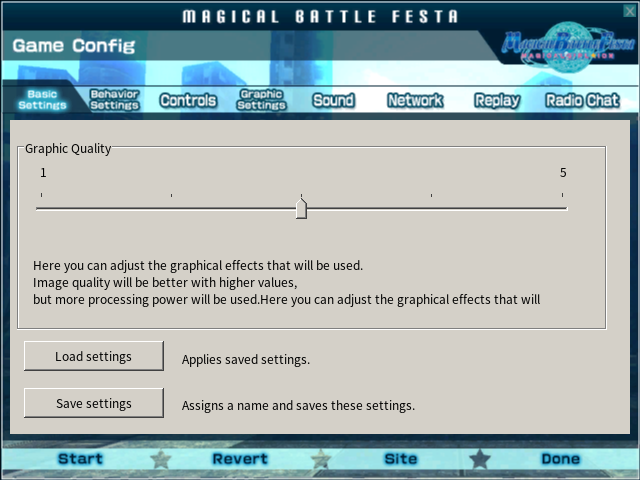
Thank you for that! With WineD3D, I was able to narrow down the cause of the main crash. Disabling movies in the Graphics Settings tab allows it to go to the main menu just fine. Looking at the game files, it kinda makes sense. wmv movies are really hard to support thanks to Microsoft's nonsense. It appears that it's only the opening movie, too, so there shouldn't be any missing content after that.
The rest of the game does appear to work fine as far as I can see. I was able to start up story mode just fine, and the battles are functional without issue.
All of this round of testing is being done with GloriousEggroll's Proton environment, so I'm not sure if it'll be any different under Steam's Proton.
Proton-GE 6.15-2 works without WineD3D override, but it crashes before cutscenes.
Proton versions
proton 5.0-9x1 2020-08proton 5.9x1 2020-08proton5.0-9x1 2020-08
Launch options
PROTON_USE_WINED3Dx1 2020-08
Compatibility Report
System Information
I confirm:
(The logs are from the Liquorix kernel, but the behavior is the same on Ubuntu's official kernel.)
steam-292480-Proton5.0-9.log
steam-292480-GE.log
Symptoms
Two problems:
Reproduction
For the first issue, start up the game and in the first window, click the "Config" button to bring up the appropriate window.
For the second issue, start up the game and use the "Start" button (either on the main menu or the Config window). Press any key after the loading completes as instructed and it'll display the logo and then crash as described.
Edit: Updated to add info on Ubuntu's official kernel to help ensure all the bases are covered. I forgot I was using a different one. ^_^;