Mortal Online 2
DX12 related bug (optimal performance for this game): DX11 is fine but runs trashy.
I often have this odd issue with this game where the anti aliased outline of characters gets distorted with shiny surface. If I set effects or AA down to low then medium it usually goes away, but at high or above it frequently appears.
I'm still on the fence on whether this is a proton issue or a mesa/me issue.
Tested with FSR, vKBasalt, MangoHud off, does not make a different. Also tested in window mode.
This generally only appears up close and only on player or npc character models. And when EFFECTS is turned above medium.
If anyone has this issue then please share; I'm using 6800xt fyi.
Screenshots
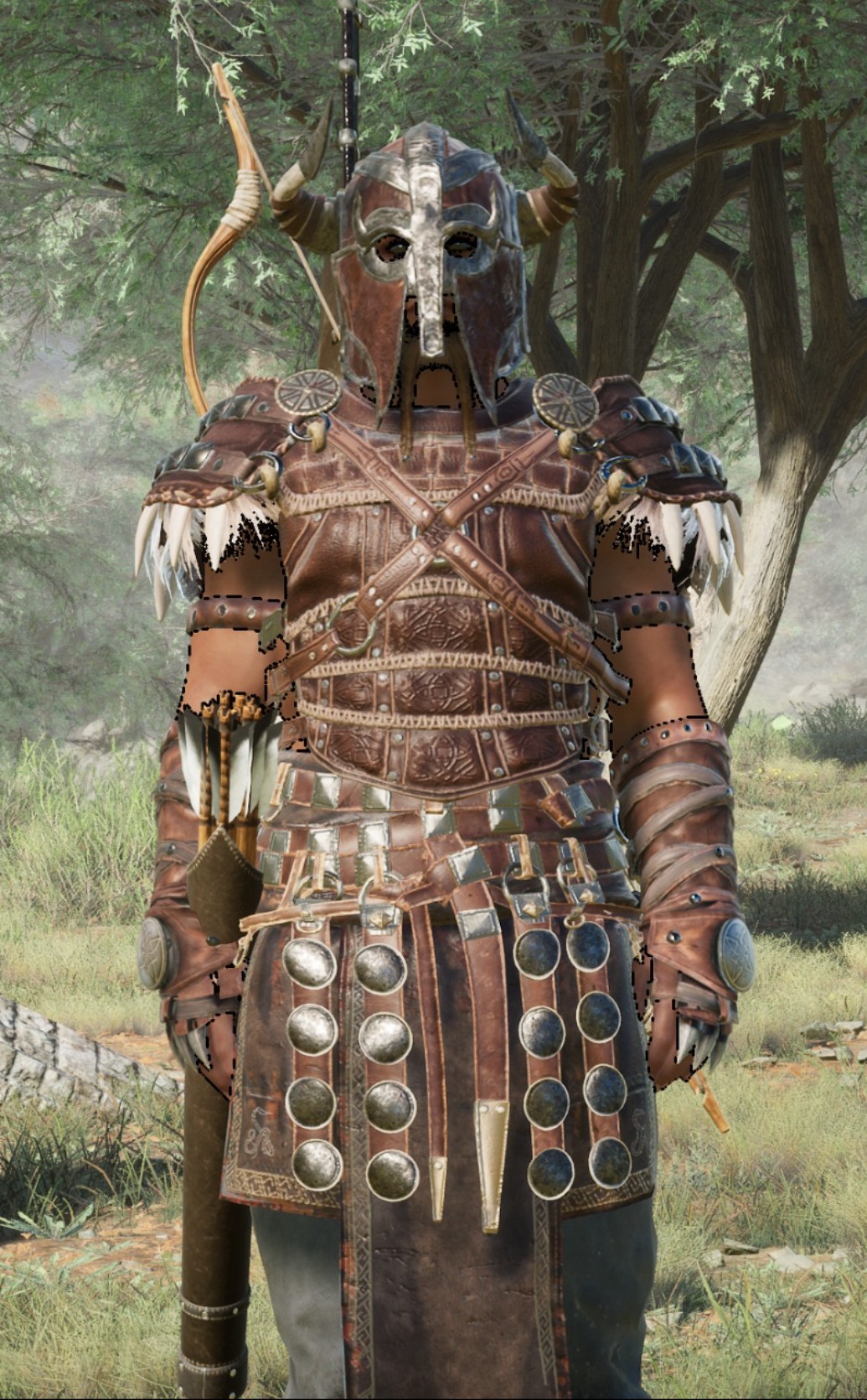


EDIT: Updated system information section in OP
@jarrard Are you still able to reproduce? It seems "The Ascent" was affected by a similar issue but few users reported that it's fixed now.
I often have this odd issue with this game where the anti aliased outline of characters gets distorted
Still a issue, even with latest mesa. Game comes out in a week.
@jarrard Are you still able to reproduce? It seems "The Ascent" was affected by a similar issue but few users reported that it's fixed now.
Yeah I tested with DX12 and latest Mesa-git and the issue happens. You can resolve most of it by setting effects to LOW but sometimes it can still happen a little bit. (also it appears setting to cinematic fixes it somewhat also!)
So only Medium and High settings give immediate issues, at least when looking at paper doll. When you walk around in a town however the issue can still appear even with low or cinematic selected.
Another issue with this game; is its running really bad on my 6800xt, it use to run allot better. Maybe devs updated graphics allot? I think even under windows it was not performing well. Shame.
Having some major issue after leaving Haven starter area where FPS would stutter whenever moving the mouse around but if I walk around via keyboard it runs fine.
Been trying several fixes for a few hours now (inc protonge/exp/stock) without much luck. Not sure what could be causing this; just thought I mention it in case someone else discovers this problem also but it could be unique to my OS install.
On the plus side I think they resolved the broken effects shader; or mesa team did. (running latest Mesa)
Manage to resolve the issue with the input frametime lag; not sure if it was something I did or a game update but I did reinstall arch and switched to GNOME instead of plasma for time being; however I very much doubt that matters because when I first tested the game under gnome the issue was still present, but after fiddling around with updates etc the issue disappeared.
Unfortunately under GNOME this game does not minimize correctly via alt-tab. Not sure why.
Mortal online 2 crashing on startup
Issue transferred from https://github.com/ValveSoftware/Proton/issues/5529.
@Cantdoo posted on 2022-01-30T15:48:37:
Compatibility Report
- Name of the game with compatibility issues: Mortal Online 2
- Steam AppID of the game: 1170950
System Information
- GPU: NVIDIA GeForce GTX 1
- Driver/LLVM version: Mesa 21.3.5-1
- Kernel version: 5.16.3-arch1-1
- Link to full system information report as Gist: https://gist.github.com/Cantdoo/fc18888c86b36d405ae00e40da13209b
- Proton version: Experiemental
I confirm:
- [x ] that I haven't found an existing compatibility report for this game.
- [x ] that I have checked whether there are updates for my system available.
Symptoms
I had read on protonDB that people have been able to play this game despite it having VAC, aside from 1 person having a crash on startup. I wanted to give it a shot, and i have the same issue: It crashes immediately after selecting graphics driver on startup menu.
I have tried to force start it with OpenGL but it won't work. And i have also installed DXVK to turn the DirectX signals to Vulcan, but i hear that that's something that's already implemented in Proton? im not sure.. Didn't work either way
Reproduction
Start the game and pick a graphic driver
I tested this with normal and experimental proton recently (since release) and had no issue launching the game. ATM I use Proton-GE however.
I downloaded proton GE and it started working!! Thank you so much sir <3
Good luck getting past the Queue Boss! :)
System
CPU: Ryzen 5800X
GPU: Nvidia RTX2080
Driver Version: 510.47.03
Distributions & DE: Fedora (Gnome), OpenSuse Tumbleweed (KDE), Arch (Gnome)
Kernels: 5.16.x
Graphic server: X, Wayland
Proton versions: Experimental, GE 7.1/7.2
Directx versions: 11 & 12
Issue
Sometime after opening the character stats window with the paperdoll, performances drop significantly (in the order of ~90 to ~35). I found out I can restore performances by opening the settings, select another DLSS setting, reselect my desired DLSS setting, closing the settings window, opening the character stat window.
If the issue doesn't happen at all with DLSS disabled then you have your answer. Also make sure your running lastest NVIDIA drivers (check their website) because DLSS support for Wine/Proton is new.
Yup I tried a bit without DLSS and it didn't happen. Also it seems to me that the performances when the problem happens is on par with thoses I get without DLSS.
Found this : https://linuxgamecast.com/2021/11/dlss-in-dx11-12-with-proton-experimental/
DLSS is disabled by default. Which probably explains your results.
This game has DLSS options for ALL cards even those without DLSS.
Reason is the developer has not made in-game hardware detection for the feature level, so it just assumes everyone has a NVIDIA 20-30 series card and lets you select it.
I am aware of this as it is not the first game with DLSS I play, I already have created that config file and am 100% positive that DLSS is activated.
In case it can help, here's a log from OpenSuse Tumbleweed with PROTON_LOG=1 PROTON_ENABLE_NVAPI=1 %command% and Proton Experimental, where I run around a bit, pressing tab to open the character window every now and then, and when the bug happens I do the workaround I explained before to get the FPS back, and then shut down the client.
Video memory overflow in Mortal Online 2.
Issue transferred from https://github.com/ValveSoftware/Proton/issues/5573.
@toktarov84 posted on 2022-02-15T09:02:24:
Compatibility Report
- Name of the game with compatibility issues: Mortal Online 2
- Steam AppID of the game: 1170950
System Information
- GPU: Nvidia RTX 2060
- Driver Version: nvidia 510.47.03
- Kernel version: 5.16
- Proton version: 6.3-8, Experimental, 7.2-GE
- DirectX version: 11&12
I confirm:
- [x] that I haven't found an existing compatibility report for this game.
- [x] that I have checked whether there are updates for my system available.
Symptoms
When setting textures above low ones or turning on dlss, the video memory is completely filled and the video card is loaded at 100 percent and the fps drops dramatically.
Reproduction
In Haven, the problem is not observed, but as soon as you go to Mirland, the problem reproduces very quickly with active movement through locations.
@jarrard Are you still able to reproduce your original issue?
@jarrard Are you still able to reproduce your original issue?
I believe its ok now but also I run PICOM in experiential back-end mode with fullscreen Unredirect which is kind of doing what gamescope does but with VRR support. (gamescope has yet to have vrr)
If anyone else has odd stuttering in-game then they can try my picom config file also. (Note: Picom at present doesn't fully support curved window edges, that is a community build feature)
Mostly its a issue with Plasma desktop kwin compositor since Gnome's Mutter does this unredir mode already. XFCEWM4 may not however if your a XFCE user.
Gamescope has a issue with specific steam overlay setup which can cause stutter after a little while also fyi.
PS. Just be aware this is not a issue for all games; just specific ones (often windows proton ran ones) that do not like compositors, even if kwin disables compositing in fs apps, its NOT enough to solve the problem!
Thanks for confirming.
Hello @jarrard, can you also recheck the render artifacts you've mentioned at https://github.com/ValveSoftware/Proton/issues/4721#issuecomment-953414045 againt a current point release of mesa or mesa git main?
Hello @jarrard, can you also recheck the render artifacts you've mentioned at [#4721 (comment)](https://github.com/ValveSoftware/Proton/issues/4721#issuecomment-953414045) againt a current point release of mesa or mesa git main?
I'm using latest Mesa Git now and haven't noticed any graphical sparkle artifacting which seemed to be triggered by the Effects setting on certain levels. I'll have to keep a eye on it as time goes on.
Proton versions
proton experimentalx2 2022-02
Launch options
PROTON_ENABLE_NVAPI=1x1 2022-02PROTON_LOG=1x1 2022-02
Launch lines
Upstream links
- ValveSoftware/Proton/issues/5573x1 2022-02
- ValveSoftware/Proton/issues/5529x1 2022-01
Compatibility Report
System Information
I confirm:
LOG: TBA
Symptoms
Game goes into stutter after 30-60mins which skips every 10th frame.
Reproduction
So far all (3) sessions done this after recent proton updates. Previous experimental version DID NOT have this issue.