Pathfinder: Wrath Of The Righteous
Here is the proton log (forcefully closed the game a few seconds after it freezes at 88% loading):
I have encountered what I suspect is the same issue on a similar system but with an RTX 2080 and is intermittent (though can be repeatable when loading specific maps from specific game states). In my case, it acts a bit like it's crashing the video driver (both monitors freeze, unable to close the window or switch to another linux virtual console, but audio continues seemingly normally and the PC power switch shuts down the machine pretty much normally) but of course I'm by no means sure that's really what's happening.
"Audio continues normally" is something I also found to be true.
I suspect Unity has an extra thread for audio and whatever is the problem here, audio continues to play fine (and so does input, at least for me).
So I would find it at least less likely that something related to audio is the culprit here.
Probably worth retrying this with dxvk master, this commit https://github.com/doitsujin/dxvk/commit/de7fb51e6496a22a31907c9892e597426279f5ac might fix the freezes/hangs.
Im pretty certain this is fixed with the current dxvk master (cause using it i do not have the issue anymore).
You can get a build here: https://github.com/doitsujin/dxvk/actions/workflows/artifacts.yml?query=branch%3Amaster
You might have to replace the dlls under [steam]/steamapps/common/[your proton version]/lib(or lib64)/wine/dxvk/ or [steam]/compatibilitytools.d/[your proton version]/files/lib(or lib64)/wine/dxvk/ instead of installing it into the prefix cause proton replaces files.
Interesting. Definitely gonna give that a go when I run into that bug next time.
I can confirm that https://github.com/doitsujin/dxvk/commit/de7fb51e6496a22a31907c9892e597426279f5ac fixes the loading issue.
Seems to have done the trick for me as well.
Replacing the dxvk dlls solved the issue for me too. On AMD Vega 64.
I'm fairly new to Linux gaming, how do I apply the changes, Im seeing no new dll files in the fix. Did I download the wrong thing? I replaced protons experimental DLLS with the ones from the most stable release and still get the infinite 88% loading screen.
@momokol https://github.com/doitsujin/dxvk/actions/runs/1226694632
Download the artifact from link above ( scroll down a little) then unzip it.
Then follow this comment.
https://github.com/ValveSoftware/Proton/issues/5150#issuecomment-917625085
Release build of DXVK doesn't have this commit so it is normal that didn't solve your issue.
For me, the path was slightly different, what I did was:
- Downloaded the artifact from the above link.
- I found the following paths:
[base]/steamapps/common/Proton 6.3/dist/lib/wine/dxvk
[base]/steamapps/common/Proton 6.3/dist/lib64/wine/dxvk - Unpacked the artifact and copied the content of x32 into .../lib/wine dxvk and x64 into .../lib64/wine/dxvk
hth
After the 1.0.3c patch today the game doesn't start for me at all. Can anyone confirm or deny?
Works fine for me with 1.0.3c.
I didn't get any of the freezes last night after the latest proton experimental was pushed to steam, including from a save state where it would always happen previous to that. I just loaded it for a second to see how it was on the 1.0.3c patch and it seems fine.
OS: Debian Sid
Kernel: 5.10.0-8-amd64
GPU: RX580
Mesa: 21.2.1-2
Proton: Experimental
Issues are mostly resolved. Certain maps/areas will have terrible frame rates. Zoning between areas sometimes clears it. The only way I know to resolve it 100% is to save in a good area, close/exit, and then relaunch and zone into the bad area. Probably not related to Proton?
I will generate some logs and edit this if theyre helpful
Same experience as @ExpandingMan. I tried proton experimental today and was able to pass the level 3 Grey Garrison load screen from a save that had failed before. This was with patch 1.0.3c. The game did freeze later when I closed out of the level up screen for Seelah, but that could be a non-proton related bug.
I think, the crash issue has been addressed, no issues since the fix. BUT there are still a few problems left, albeit more minor. I am giving a short description here, since I am not sure how this is handled here. Would it be better to open new issues?
-
Alt-Tabbing out and back to game again sometimes leads to a black screen. Not always, just sometimes. Then I have to tab out again and kill the game since I can do nothing in it anymore.
-
The game does not quit correctly. No idea why, but when you click "Return to desktop", the game continues to run. I experience two behaviors in that case:
a) It drops to the desktop but the process is still running.
b) The click is registered, the engine seems to shut down, but I stay on the game screen and can do nothing. I have to alt-tab out.
Afterwards I have to click the "Stop" in Steam or kill it -
After stopping it, the Steam often validates 150/210 MB. No idea why it does that and what it does there. Maybe this behavior is normal. It just feels weird.
Hello @crabel, on the Proton issue tracker, we're using one issue per unofficially supported game title. You're in the right place for feedback related to running Pathfinder: Wrath of the Righteous on Proton.
@crabel 3rd issue is likely related to this. Currently Steam client downloads same shader caches over and over again, restarting client and booting then closing a game is sufficient to repro. It will download same amount of shader cache it downloaded previously.
https://github.com/ValveSoftware/steam-for-linux/issues/8076
@Leopard1907 Yes, that's probably it. I also see a lot of Processing lines in the shader_log.txt file. So, I guess this part of the issue is either no issue at all (maybe it could be optimized) or unrelated to Wrath. Thanks for the info.
I can confirm that doitsujin/dxvk@de7fb51 fixes the loading issue.
For me this allowed me to enter Drezen before chapter 3 and play through the area but now as I try to enter chapter 3 the game crashes on 79% on loading screen. At least now X11 doesn't glitch out.
As such, I report that this dxvk update does not, at least for me, fix the issue.
I am currently having two issues:
- With
PROTON_USE_WINED3D=1 %command%the game is too dark(screenshot: https://steamcommunity.com/sharedfiles/filedetails/?id=2614496999). This is visible mainly in the main menu and on the world map, which is almost unusable. In game, the scene is darker too, but it is playable. The game runs at 30fps+ at low settings. - With
PROTON_USE_WINED3D=0 %command%: the game no longer has the problem 1) however the fps drop to <10 at low settings.
Using experimental steam proton without any tweaks/modifications.
- mesa-21.2.2-1
- Sapphire Radeon PULSE RX 560, 2GB
- archlinux 5.10.63-1-lts
The issue with the dark scene happened also on my another machine with GTX 1060, 6GB (also arch with experimental proton, not sure about versions).
edit: world map screen shot: https://steamcommunity.com/sharedfiles/filedetails/?id=2614519451
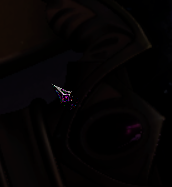
Pathfinder: Wrath of the Righteous - mouse cursor not rendered correctly
Issue transferred from https://github.com/ValveSoftware/Proton/issues/5355.
@errestan posted on 2021-11-28T10:15:30:
When running Pathfinder Wrath of the Righteous via Steam Proton, the mouse pointer is not rendered correctly. At least it looks different than it does under Windows.
Tested with both NVIDIA Proprietary drivers and AMD Open Source derivers. Using Ubuntu 20.04, 21.10. Tested with the latest stable version of proton and the current experimental version.
Windows:
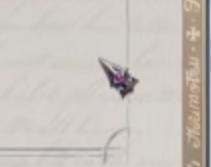
Linux:
The only problem I encountered so far is that when I click outside the game window or alt-tab, the game vanishes completely; even though it's in fullscreen borderless, that doesn't happen under windowed mode. To go back to the game I need to alt-tab back in, which is a minor annoyance.
Edit: for the above to go away, you need to add -popupwindow to steam's launch parameters, and set the game display mode to windowed.
I've encountered a strange problem. Probably it's not related to Proton but Steam itself. It seems to me that proton updates (experimental) and game patches corrupt files of the game. After starting the game I get memory related errors (double free or corruption, free(): invalid size, munmap_chunk(): invalid pointer).
Story
A few weeks ago the game stopped running. I started Steam from terminal to see its log and the log contained "double free or corruption" message (sometimes there were a different one like free(): invalid size). Removing pfx directory helped. After that it happend a few times but I knew what to do. And recently the derictory removal method stopped working. I then tried to reinstall the game and after that everything was OK. But It was not for too long and I had to reinstall it again. After struggling I've got an idea that all of it happened after Steam has downloaded something related to the game.
System Info
OS: Arch Linux
KERNEL: 5.15.10-arch1-1
CPU: AMD Ryzen 5 1600 Six-Core
GPU: AMD Radeon RX 5700 (NAVI10, DRM 3.42.0, 5.15.10-arch1-1, LLVM 13.0.0)
GPU DRIVER: 4.6 Mesa 21.3.1
RAM: 32 GB
Today I've conducted an experiment and I've found out that my problem may be caused by compiled shaders.
I started the game, a window of shader compilation progress popped up and I clicked 'skip'. The game started successfully. After that I exited the game, restarted it and waited until the progress finished and then I got an error 'double free or corruption (out)' in terminal output.
Edit:
Disabling Steam Pre-Caching fixes the issue.
When using UnityModManager, which creates an in-game overlay used to manage mods for this game, many mods display incorrect rendering for their options inside the overlay where the user cannot tell if the option is enabled or not. Proton seems to be having issues rendering the unicode glyphs for checkmarks and crosses.
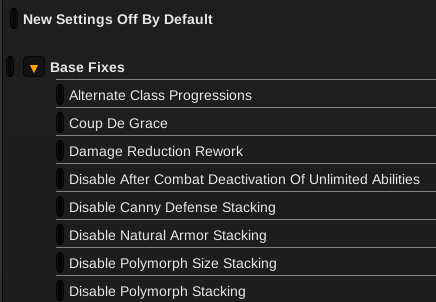
Using a script to substitute these for standard plus and minus characters produces usable results, which suggests it's something specific to these characters that is causing the issue.
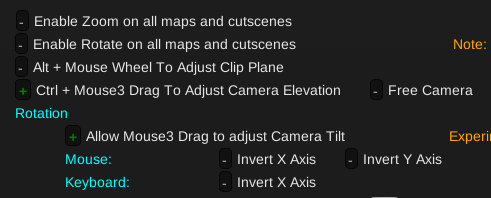
The correct rendering however would display the actual glyphs like below, taken from a video of a user playing on Windows with ToyBox.
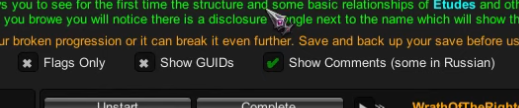
As mentioned in the linked issue, I tried the nuclear option of applying protontricks 1184370 allfonts and that did not resolve the issue. I've also tested several different versions of Proton, both official and unofficial, to no avail.
I'm getting system wide freezes randomly when trying to play. Mostly ingame at the introduction (the cinematic where the dragon is killed), but it also froze at the menu once. I tried disabling shaders as @isushik94 pointed out but i didn't change anything for me. Using kernel 5.17 (tried 16 and 15 as well), system info below.
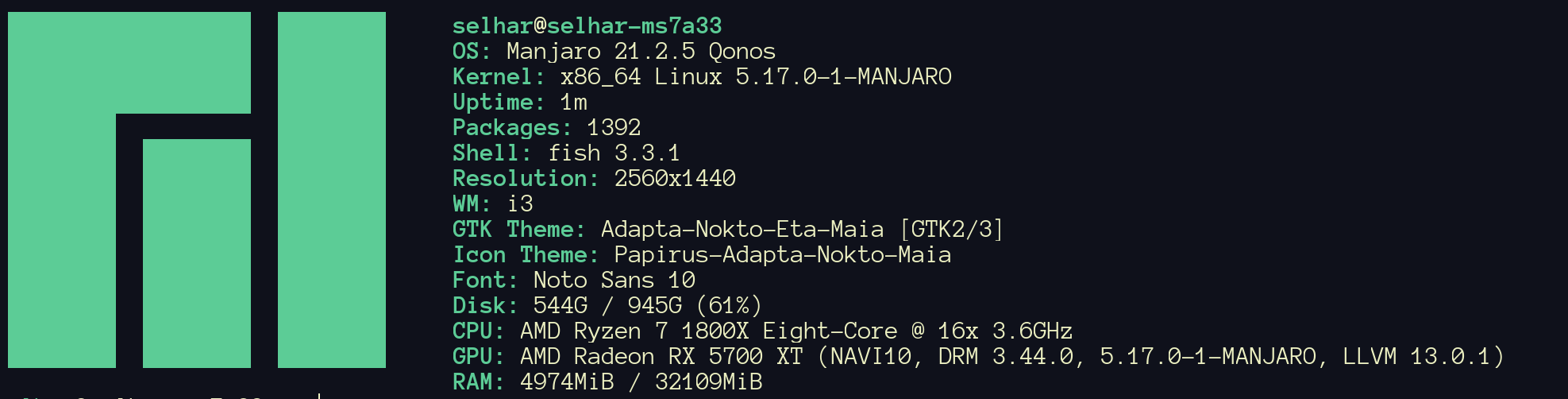
I can't even enter TTY mode, the keyboard and everything else just freezes completely. I tried reading journalctl but either there was nothing there or i didn't know what to look for. If anyone has any tips on how to debug this sort of issue, it'd be really welcome.
UI issues in Pathfinder WOTR
Issue transferred from https://github.com/ValveSoftware/Proton/issues/5866.
@mercifulboss posted on 2022-05-26T15:47:10:
Compatibility Report
- Name of the game with compatibility issues: Pathfinder Wrath of the Righteous (WOTR)
- Steam AppID of the game: 1184370
System Information
- GPU: RTX2060 mobile
- Driver/LLVM version: NVIDIA 510.68.2 (same issue persists on the 515 driver)
- Kernel version: 5.17.9
- Link to full system information report as [Gist](https://gist.github.com/mercifulboss/e9583b7d1ecde7359028fd74d92b04f2:
- Proton version: Experimental
I confirm:
- [x] that I haven't found an existing compatibility report for this game.
- [x] that I have checked whether there are updates for my system available.
Symptoms
Whenever I open the menus i get two bars above and below the screen, on inventory menu those bars also become gray.
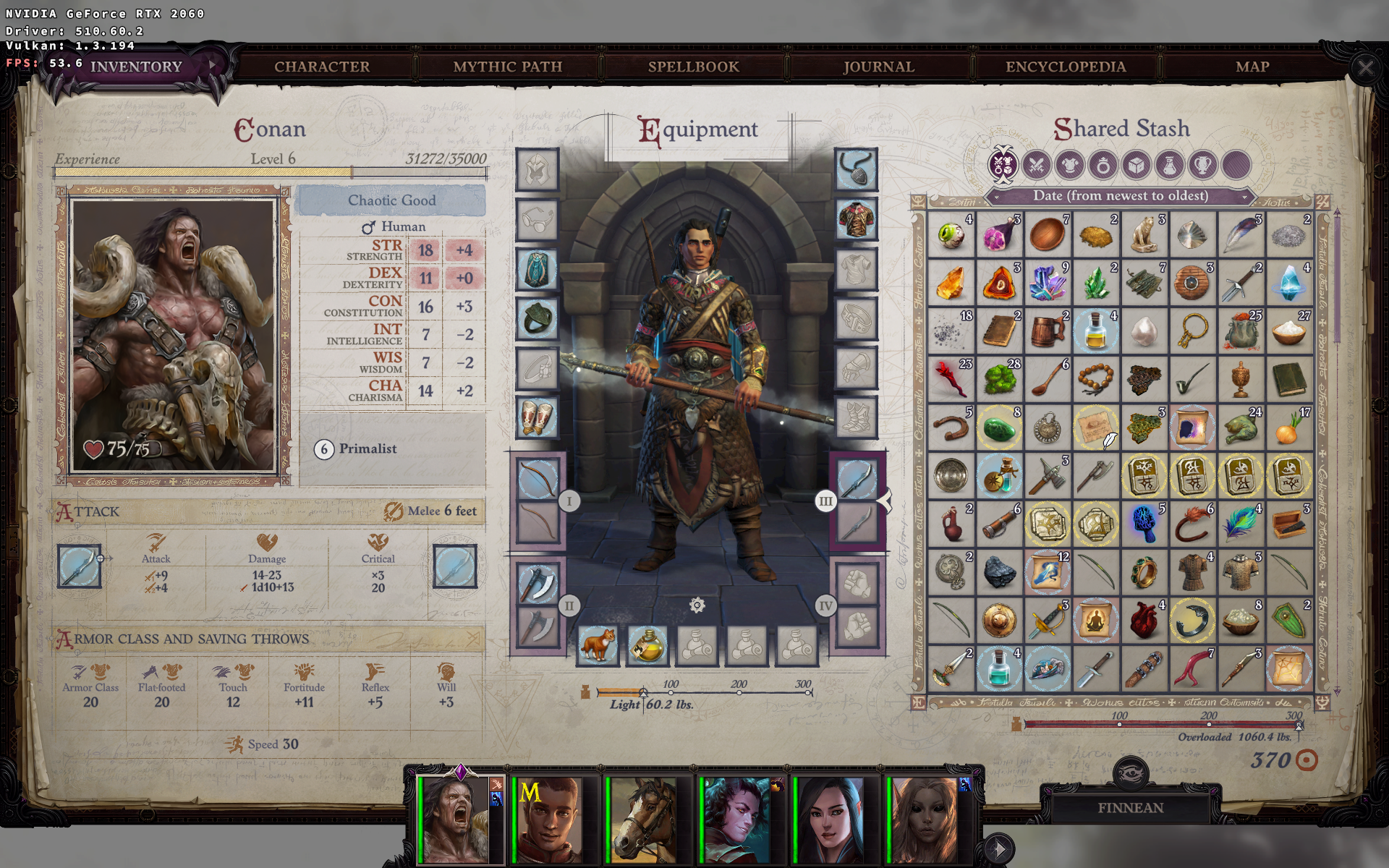
It seems to be a scaling issue that is not present in windows.
Also, the cursor doesn't render correctly
Reproduction
Hi folks,
I'm having a problem with Through the Ashes DLC, which the game get stuck in the battle animation after taking the resting option with the sister Albre:
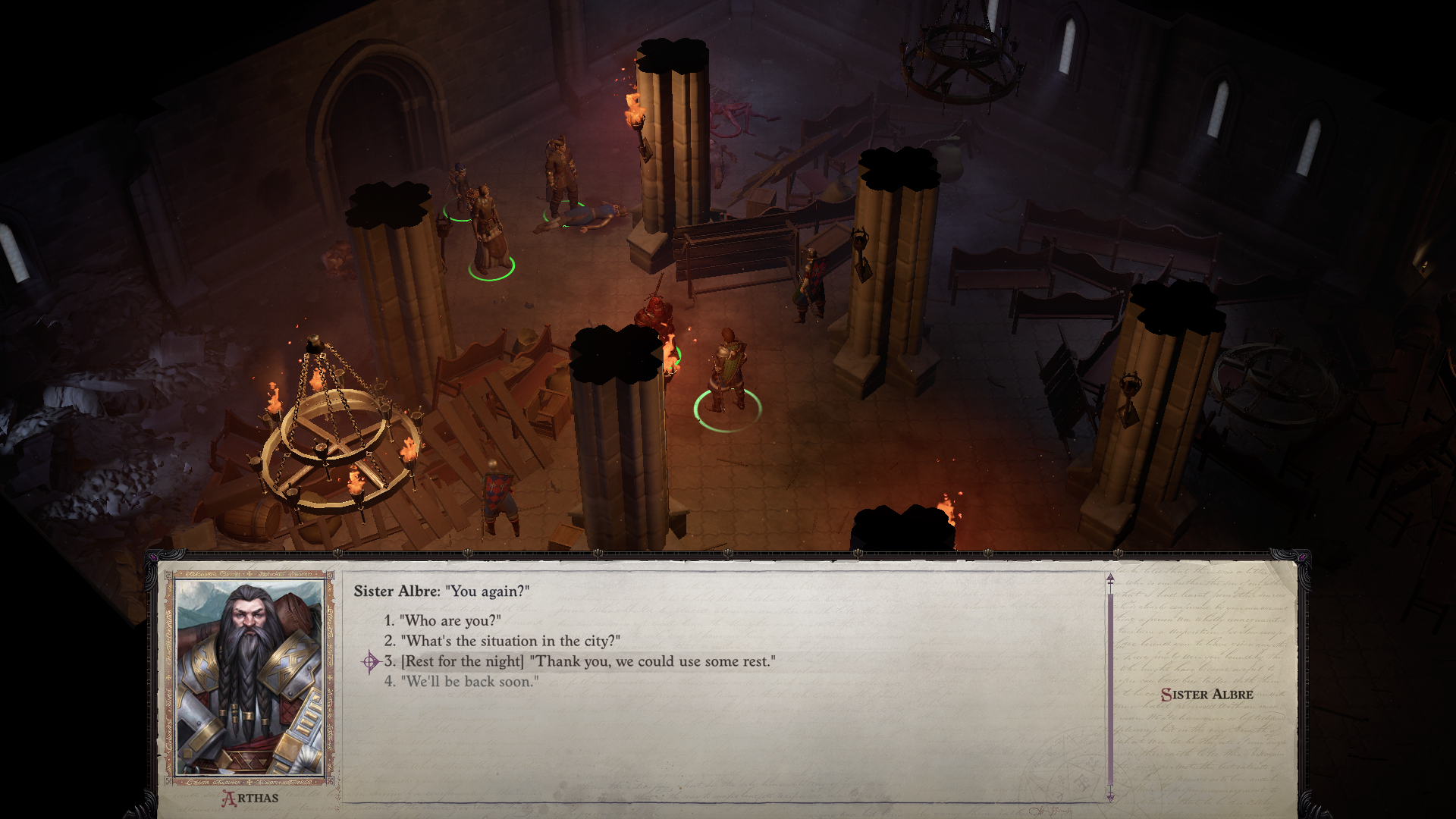
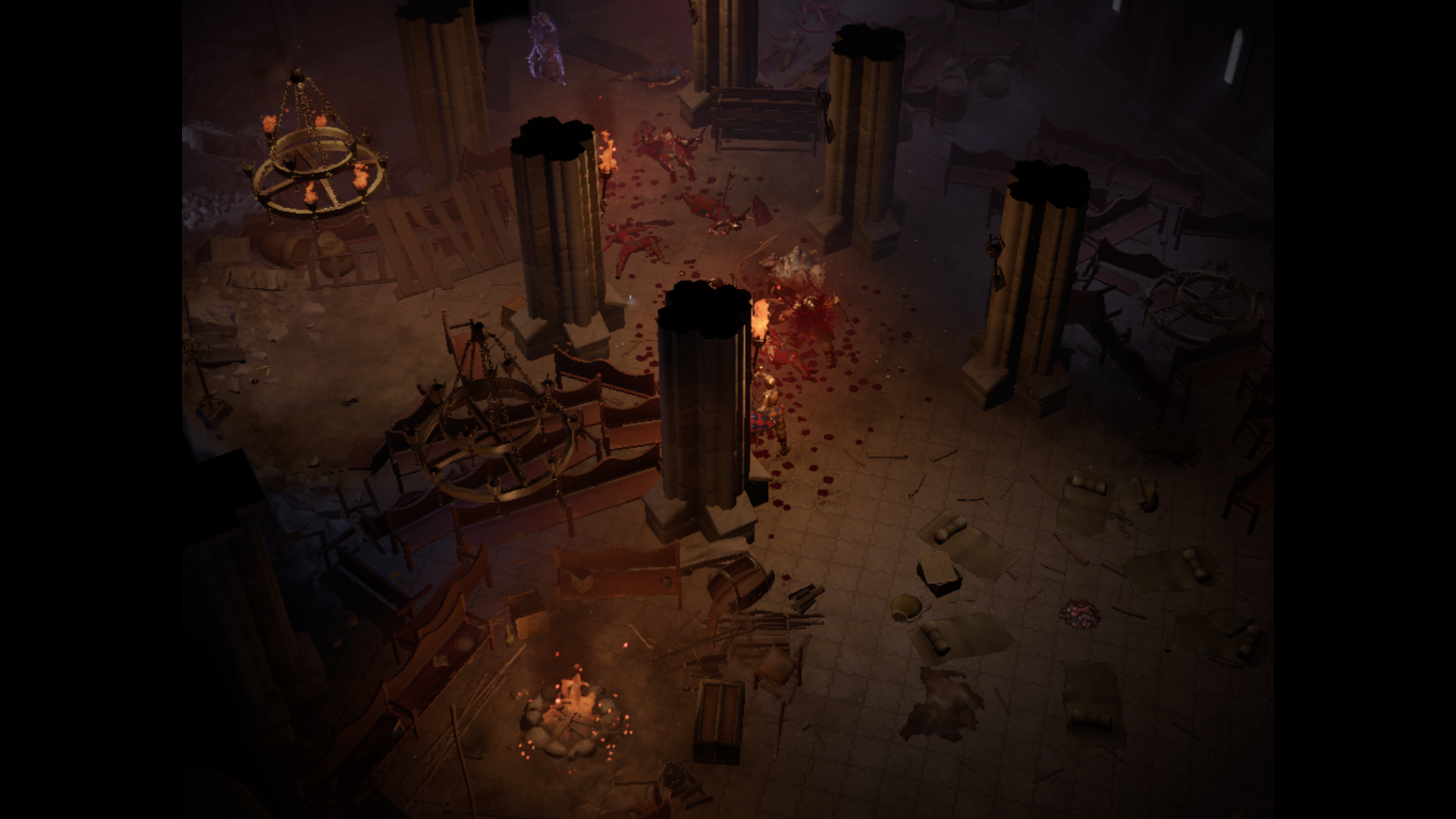
If I just wait and hit the screen goes black.
If I just start to smash some buttons, the bug report interface appears:
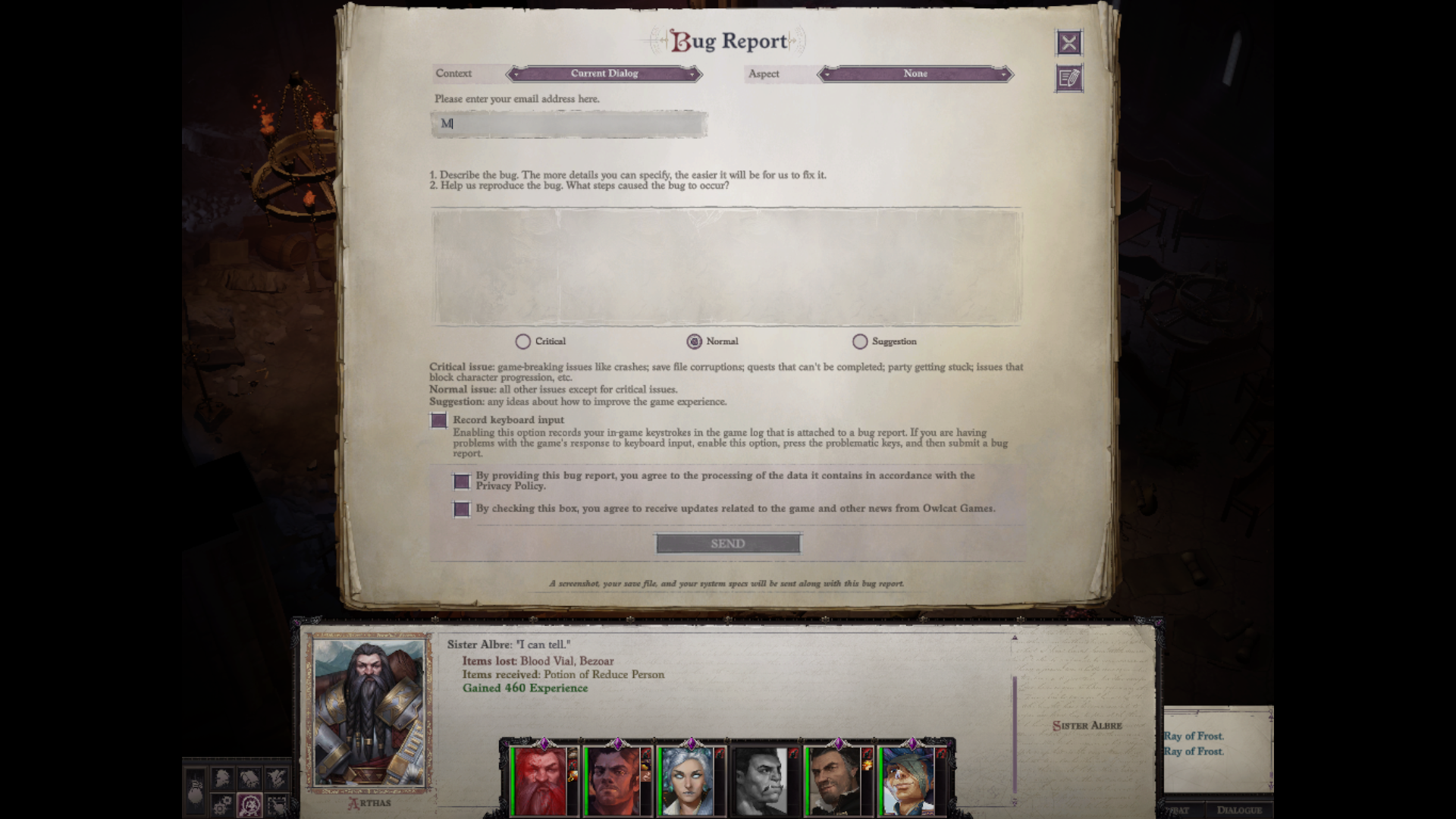
But then, the screens goes black as well.
Did someone had this problem?
I tested with Experimental Proton and Proton 7.0.2.
Hello @gcavalcante8808, please add PROTON_LOG=1 %command% to the game's launch options, reproduce the crash, and attach the generated $HOME/steam-$APPID.log to this issue report as a file. (Proton logs compress well if needed.) Also, please copy your system information from Steam (Steam -> Help -> System Information) and put it in a gist, then include a link to the gist in this issue report.
Hi @kisak-valve,
Here is the information:
https://gist.github.com/gcavalcante8808/5b06860ccfdb691f89e0c2286cebbf99
Logs:
steam-1184370.zip
Just in time: Do you have some tutorial on how to use DBG with proton to debug or other tool that can help me understand what (if was) DDL has failed on which memory addr, etc?
Regards,
Related threads
- Apex Legendsprotonopen same upstream bug
- Shader Cache is Being Downloaded and Compiled After Every Single Rebootsteamopen same upstream bug
- Steam client re-download gigabytes of game updates almost every day but in reality it is no game update.steamopen same upstream bug
- Steam always reprocesses shader precache at game launchsteamclosed same upstream bug
- Steam client does not recognize shader cache on external partitions.steamopen same upstream bug
- Finals in steam always downloads anupdate and even after its installation a similarly sized update will be downloaded next the time steam is opened protonclosed same upstream bug
- Steam loads Vulkan shaders every time I open a game.steamclosed same upstream bug
- Steam Shader Pre-Caching: repeated multi-GB Shader Swarm updates with low or zero SteamPipe reuse despite persistent committed manifests (AMD RADV)steamclosed same upstream bug
Proton versions
proton 7.0x1 2022-06proton experimentalx2 2021-09proton 6.3x1 2021-09
Launch options
PROTON_LOG=1x1 2022-06PROTON_USE_WINED3D=0x2 2021-09PROTON_USE_WINED3D=1x2 2021-09
Launch lines
PROTON_USE_WINED3D=0 %command%x2 2021-09PROTON_USE_WINED3D=1 %command%x2 2021-09
Upstream links
- ValveSoftware/Proton/issues/5866x1 2022-05
- ValveSoftware/Proton/issues/5355x1 2021-11
- ValveSoftware/steam-for-linux/issues/8076x1 2021-09
Compatibility Report
System Information
Don't think that that any of these matter, though, as the bug(s) seem to affect everyone using Proton.
Have yet to meet anyone using Proton who can proceed past the Drezen battle.
I confirm:
Symptoms
There are basically two problems:
1. Using Proton normally (no WINED3D options, etc.), the game runs fine for the most part. However, sometimes when loading the next map (and for some maps, this is guaranteed to happen, e.g. Drezen battle map happens at 88%) the loading just freezes. The game will now continue to fully occupy one CPU/thread until manually closed.
This behavior can be worked around by doing the following:
However, using the WINED3D mode, besides seriously impacting graphics and performance, leads to another bug:
2. (only when using WINED3D mode) In very large maps with lots of entities (again, e.g. Drezen), the game becomes fully unplayable (not even 1 fps, it will simply refuse to render anything anymore) and something causes the game to basically occupy all CPU cores at 100% making it very difficult to even shut it down manually.
If you happen to hit both bugs at once (guaranteed freeze for normal Proton usage + guaranteed unplayable with WINED3D), it will become impossible to proceed.
This seems to be the case for the Drezen battle.
Obviously, the first problem is the one that should actually be tackled as solving that makes the workaround leading to problem two not required any more.
Since it happens during loading, and since it ALWAYS happens at the same percentage, I can only suspect that it might be some kind of file that it tries to load on some maps, or that it tries to play some certain audio or video files, etc. which causes this.
Then again, the loading works just fine using PROTON_USE_WINED3D=1, which certainly doesn't change what files the game wants to load or play... who knows.
I'll try creating a proton log file from when this loading bug occurs and add that at a later point.