eFootball 2024
Thats weird,I was able open the game just fine with Proton 6.3.7-rc,can you try deleting the prefix and recreate with Proton 6.3.7-rc? The prefix is 1665460
Laucher is partially broken on Proton ExperimentaI. I was unable to select full HD resolution because of some Win Forms error.
I didn't experience any problem related to the settings.exe, I do have desync problem with online play, similar to PES 2021 and PES 2022, I bet we can install vcrun2019_ge to fix this.
I had pop tiling running which would just crash the game. Proton 6.3-7 rc does work I will close the issue
Don't close this issue, this will be where we report any problem related to eFootball 2022, also desync issue isn't fixed yet.
I can confirm that installing vcrun2019_ge fix the issue, but that is a workaround not a proper solution.
does anyone know how to open the settings again so I can change the resolution
@rezzafr33 how do I install vcrun2019_ge I have tried this, protontricks 1665460 /mnt/gamedisk/Linux/Text-Files/vcrun2019_ge.verb
But it dosen't install here is the log:
log.txt
I didn't experience any problem related to the settings.exe, I do have desync problem with online play, similar to PES 2021 and PES 2022, I bet we can install vcrun2019_ge to fix this.
did pes 21 got online with vcrun2019? pes 20 i have tested
@rezzafr33 how do I install vcrun2019_ge I have tried this, protontricks 1665460 /mnt/gamedisk/Linux/Text-Files/vcrun2019_ge.verb But it dosen't install here is the log: log.txt
There are 2 problems:
- first, wine's
start.exepackaged in proton doesn't accept/execargument, so you need to either remove or change that argument, for example/wait. - second, the installation will fail because it can't replace symbolic links to read only files, to fix this you can utilize
PROTON_DLL_COPYenv arguments on Launch Options, here is mine :
PROTON_DLL_COPY="atl1*.dll,concrt1*.dll,msvcp1*.dll,msvcr1*.dll,vcamp1*.dll,vcomp1*.dll,vccorlib1*.dll,vcruntime1*.dll,api-ms-win-crt-conio-l1-1-0.dll,api-ms-win-crt-heap-l1-1-0.dll,api-ms-win-crt-locale-l1-1-0.dll,api-ms-win-crt-math-l1-1-0.dll,api-ms-win-crt-runtime-l1-1-0.dll,api-ms-win-crt-stdio-l1-1-0.dll,ucrtbase.dll" %command%
Then at least run the game once before execute protontricks!!, I took the value from proton GE here.
did pes 21 got online with vcrun2019? pes 20 i have tested
Yes it does, for now both pes2021 and efootball2022 require vcrun2019 for online match, not sure which native dll(s) are required , but I think ucrtbase.dll is a must.
@rezzafr33 I figured out a different way to do it, I added the prefix to lutris I then used lutris's wine to run this command winetricks /mnt/gamedisk/Linux/Text-Files/vcrun2019_ge.verb . After this only the VC_redist.x86 installed so I opened VC_redist.x64 in the prefix and installed it. Now online is working
Hi. I have an issue with DS4 controller. With Proton 6.3-7 LED light keeps blinking blue repeatedly
@rezzafr33 I figured out a different way to do it, I added the prefix to lutris I then used lutris's wine to run this command winetricks /mnt/gamedisk/Linux/Text-Files/vcrun2019_ge.verb . After this only the VC_redist.x86 installed so I opened VC_redist.x64 in the prefix and installed it. Now online is working
There is a simpler one, put ucrtbase.dll in the same folder as eFootball.exe.
wget "https://download.microsoft.com/download/9/3/F/93FCF1E7-E6A4-478B-96E7-D4B285925B00/vc_redist.x64.exe"
cabextract vc_redist.x64.exe
cabextract a10
cp ucrtbase.dll  [SteamLibrary]/steamapps/common/eFootball/eFootball/Binaries/Win64/
also I don't know if this necessary, but just in case, use this launch options:
WINEDLLOVERRIDES="ucrtbase.dll=n,b" %command%
Hello.
The game now crashes with Proton 6.3-8 and proton experimental: when I launch it, it opens a black window and then it closes after few seconds..
It works flawlessly with Proton 6.3-7 instead.
Here's the logs
proton-experimental.log
proton_6.3-8.log
I'm able to launch the game and play online on Ubuntu 20.04.3 using Proton 5.13-6 and this method:
https://github.com/ValveSoftware/Proton/issues/5187#issuecomment-980507627
To avoid being redirected to a page from Codefusion with the following message: "Currently your game purchase cannot be re-validated successfully" set properly the %command% in the launch options.
After finishing or quitting the pre-train match I get stuck in this loading screen:

Replying to https://github.com/ValveSoftware/Proton/issues/5187#issuecomment-1072621469
same here.
Replying to https://github.com/ValveSoftware/Proton/issues/5187#issuecomment-1072621469
Same here. :(
Replying to https://github.com/ValveSoftware/Proton/issues/5187#issuecomment-1072621469
I have the same issue on steam deck.
just fix it by changing to proton 6.3-8 in properties compatibily
Installing vcrun2019 with protontricks doesn't do anything for online play, unfortunately.
vcrun2019 doesn't install ucrtbase.dll, see my last post https://github.com/ValveSoftware/Proton/issues/5187#issuecomment-980507627.
vcrun2019 doesn't install ucrtbase.dll, see my last post [#5187 (comment)](https://github.com/ValveSoftware/Proton/issues/5187#issuecomment-980507627).
yeah, i was able to play a few online matches. Thank you
Efootball had a major update yesterday and now it gets stuck on a loading screen after the initial tutorial. It seems it's trying to connect to the internet. Here is the log with proton experimental
steam-1665460.log
Update:
The game works by following this method [#5187 (comment)](https://github.com/ValveSoftware/Proton/issues/5187#issuecomment-980507627) and using Proton 6.3-8
Problem persists with Proton experimental and proton 7.0-1
It's working fine for me
I think I've followed all the steps in this thread, but still not able to play any online matches. I can load up the Dream Team and play matches vs AI, but not against other players. This is what I've done so far:
- Install eFootball
- Change Compatibility to force Proton 6.3-8
- Run the game once, which will allow protontricks to setup prefixes
- Download a copy of rezzafr33's vcrun2019_ge.verb
- Run protontricks cli (might have to remove the
/wait):
protontricks 1665460 vcrun2019_ge.verb
- Use this Launch Option to fix permissions:
PROTON_DLL_COPY="atl1*.dll,concrt1*.dll,msvcp1*.dll,msvcr1*.dll,vcamp1*.dll,vcomp1*.dll,vccorlib1*.dll,vcruntime1*.dll,api-ms-win-crt-conio-l1-1-0.dll,api-ms-win-crt-heap-l1-1-0.dll,api-ms-win-crt-locale-l1-1-0.dll,api-ms-win-crt-math-l1-1-0.dll,api-ms-win-crt-runtime-l1-1-0.dll,api-ms-win-crt-stdio-l1-1-0.dll,ucrtbase.dll" %command%
- Use this to get ucrtbase.dll in same folder as eFootball.exe:
wget "https://download.microsoft.com/download/9/3/F/93FCF1E7-E6A4-478B-96E7-D4B285925B00/vc_redist.x64.exe"
cabextract vc_redist.x64.exe
abextract a10
cp ucrtbase.dll  [SteamLibrary]/steamapps/common/eFootball/eFootball/Binaries/Win64/
- Use this Launch Option to start the game:
WINEDLLOVERRIDES="ucrtbase.dll=n,b" %command%
Still no online play. Am I missing a step?
EDIT:
Disregard. The above steps work correctly. It was a network issue on my end involving not being able to connect with a VPN.
Have anyone had crashes when trying to start a match, offline or online, against ai or players, when the screen with the button to open the tactics screen is suppose to appear?
I'm having this since yesterday.
EDIT: Ignore this. I just needed to reboot
Hello, when i try to put it at the same bin of efootball.exe, i have some errrors:
(deck@steamdeck ~)$ wget "https://download.microsoft.com/download/9/3/F/93FCF1E7-E6A4-478B-96E7-D4B285925B00/vc_redist.x64.exe"
cabextract vc_redist.x64.exe
cabextract a10
cp ucrtbase.dll [SteamLibrary]/steamapps/common/eFootball/eFootball/Binaries/Win64/
--2022-06-22 15:33:50-- https://download.microsoft.com/download/9/3/F/93FCF1E7-E6A4-478B-96E7-D4B285925B00/vc_redist.x64.exe
SSL_INIT
Loaded CA certificate '/etc/ssl/certs/ca-certificates.crt'
Resolving download.microsoft.com (download.microsoft.com)... 184.24.68.113, 2a02:26f0:9f00:68d::e59, 2a02:26f0:9f00:691::e59
Connecting to download.microsoft.com (download.microsoft.com)|184.24.68.113|:443... connected.
HTTP request sent, awaiting response... 200 OK
Length: 14572000 (14M) [application/octet-stream]
Saving to: ‘vc_redist.x64.exe.1’
vc_redist.x64.exe.1 100%[=========================================>] 13.90M 26.8MB/s in 0.5s
2022-06-22 15:33:51 (26.8 MB/s) - ‘vc_redist.x64.exe.1’ saved [14572000/14572000]
bash: cabextract: command not found
bash: cabextract: command not found
cp: cannot stat 'ucrtbase.dll': No such file or directory
looks like cabextract isn't exist on steamdeck, maybe you can extract ucrtbase.dll with another pc.
I’ve putted dll in folder Win64 manually and i can play with COM but in online matches have “error connecting eFootball server”
stopped working for me:
wine/proton error-message: A D3D11-compatible GPU (Feature Level 11.0, Shader Model 5.0) is required to run the engine
if i use PROTON_USE_WINED3D=1 that menu is working, but ingame and videos are black.
arch-linux.
amd graphics.
Hello @daxcore, please copy your system information from Steam (Steam -> Help -> System Information) and put it in a gist, then include a link to the gist in this issue report.
@kisak-valve ofc:
https://gist.github.com/daxcore/aabbda6f6d7b050ec68563bbf8ff1f02
Thanks, Vulkan is broken in general on your system (https://gist.github.com/daxcore/aabbda6f6d7b050ec68563bbf8ff1f02#file-gistfile1-txt-L367-L380 and https://gist.github.com/daxcore/aabbda6f6d7b050ec68563bbf8ff1f02#file-gistfile1-txt-L751-L764) from https://github.com/GPUOpen-Drivers/AMDVLK/issues/278.
@kisak-valve ohh yeah! that's it! thank you very much! :+1:
"fixed" it by using: VK_ICD_FILENAMES=/usr/share/vulkan/icd.d/radeon_icd.x86_64.json or uninstalling amdvlk.
I’ve putted dll in folder Win64 manually and i can play with COM but in online matches have “error connecting eFootball server”
Same issue here. I have the dll from my PC placed in the correct spot too. I have the launch command inserted. The game still won't connect to server not even on Proton 6.X.
Any help? It used to work before.
I’ve putted dll in folder Win64 manually and i can play with COM but in online matches have “error connecting eFootball server”
Same issue here. I have the dll from my PC placed in the correct spot too. I have the launch command inserted. The game still won't connect to server not even on Proton 6.X.
Any help? It used to work before.
Do you have installed at internal memory or SD? I can solved putting the game at internal memory.
Replying to https://github.com/ValveSoftware/Proton/issues/5187#issuecomment-1166329880
Woah. That fixed it. Very weird.
Replying to [#5187 (comment)](https://github.com/ValveSoftware/Proton/issues/5187#issuecomment-1072621469)
I have the same issue on steam deck. just fix it by changing to proton 6.3-8 in properties compatibily
thanks it worked indeed with 6.3-8
Today after updating to eFootball 2023 (25/8/2022) The game no longer start with Proton 6.3.8. It started with Proton 7 and Proton Experimental, but the stuck on loading issue happens.
Same issue loading…
Same
proton 5.13-6 is working for me.
proton 5.13-6 is working for me.
nope, same as 6.3.8, launching, and then just nothing... and the button is back to PLAY again.
Same
Same here 😭, was working fine on proton 6.3.8 but now it just doesn't launch. Tried deleting the proton files but no luck. Works with proton 7 and experimental but doesn't go past the connection logo. I hope this can be resolved 😭
Does anyone can produce an usable logs? I tried using PROTON_LOG=1 but it stuck at "Launching" (usually it stopped after a few seconds) and after a while I killed it and ended up with 3.5GB of log file.
Same issue. I managed to get it run and get to the menu with Proton 5.13-6, but it crashed as soon as I hit any button.
All other Proton (Exp, GE, 7) start the game but fail to go past the first connection screen.
Proton 6.3-8 doesn't even launch the game.
EDIT: it must be a connectivity issue, because I've deleted the game, reinstalled it, and I was able to play through the tutorial smoothly with no compatibility setting.
Once it tries to connect, it hangs, or crashes.
EDIT: it must be a connectivity issue, because I've deleted the game, reinstalled it, and I was able to play through the tutorial smoothly with no compatibility setting.
Once it tries to connect, it hangs, or crashes.
Which proton did you use for this?
Standard Proton that is used when no "Force compatibility" is selected.
Hello @dariokan82, there's no such thing as "Standard Proton" in this context. At some point you chose what Proton version gets used in Steam's global Steam Play options.
If you go to the game in your Steam library, click on the ⓘ button on the right, then you should be able to see a line with something like Runs on this computer via Steam Play. Proton # selected by you for this title.
You are correct, thanks. It’s Proton 7.0-4
Same with me. I've deleted game and after reinstall it allow me training. After training same issue with connectivity as previously
Hey Guys,
Deleting and reinstalling the game has nothing to do with why the training option is there. That only becomes available if it detects it's your first time playing the game which is what the game detects once you reinstall. This is available even without the protons.
The issue is in the past with 6.3-8; after you train and quit training/or skip with the start button, it gets past the loading screen and then you don't have to train anymore. Now, however, just like without protons, it would load the training then you are stuck so the game assumes it's your first time every time you reload the game.
A new proton would therefore be required to fix the game the same way 6.3-8 did in the past. I just hope the proton community is aware and give us a fix asap as there are rewards to miss if one can't play on PC.
Hopefully they’ll fix it soon. But in general this game in particular got issues. Even before update to 2023 version i was dealing with time to time crashes while in menu on 6.3 version of proton. So even when this game was marked by steam deck as verified it wasn’t. Minor crashes here and where and not more than 30 fps during the game with the critical reduction of fps in cut scenes
Hey Guys,
Deleting and reinstalling the game has nothing to do with why the training option is there. That only becomes available if it detects it's your first time playing the game which is what the game detects once you reinstall. This is available even without the protons.
Yup, however it is important to note it as it means the game engine runs, and there must be something lost in the connection part.
I've posted the issue on ProtonDB.
GPU: RTX 3050
Driver: Nvidia 515.65.1
Kernel: 5.15.59
Proton: 7.0-4
Launch cmd: PROTON_LOG=1 MANGOHUD=1 PROTON_NO_ESYNC=1 PROTON_NO_FSYNC=1 RADV_PERFTEST=aco WINEDLLOVERRIDES="ucrtbase.dll=n,b" %command% -fullscreen -low -preload
Same with me. I've deleted game and after reinstall it allow me training. After training same issue with connectivity as previously commented, I attached log file below ..
Hi guys,
I managed to run the game by using lutris and launching steam installed on wine.
Hi guys, I managed to run the game by using lutris and launching steam installed on wine.
Can you be more spesific, which version of wine you use? which version of dxvk?. Did you experience crash on menu?
Hi guys, I managed to run the game by using lutris and launching steam installed on wine.
Can you be more spesific, which version of wine you use? which version of dxvk?. Did you experience crash on menu?
I used wine 7.15 and dxvk 1.10.3
I observed some crashing sometimes but most of the time it worked fine.
There is a lot of flickering with the steam UI though but the game run well
Tutorial please🙏🏻
Tutorial please🙏🏻
There's a tutorial on using lutris on the official Website of lutris, you can see there also how to install steam with wine, then you download wine-7.15-tkg-staging on the github of kronek-build and install it on lutris and then you use steam on lutris and that's it
Tutorial please🙏🏻
There's a tutorial on using lutris on the official Website of lutris, you can see there also how to install steam with wine, then you download wine-7.15-tkg-staging on the github of kronek-build and install it on lutris and then you use steam on lutris and that's it
I did it and i still with the same “loading” issue…
Not working for me either via Lutris. Playing now via one of the streaming service called boosteroid until it fixed on steam deck and on linux in general
Did you used wine-7.15-staging-tkg ?
Le mer. 31 août 2022, 11:20, chiki10 @.***> a écrit :
Tutorial please🙏🏻
There's a tutorial on using lutris on the official Website of lutris, you
can see there also how to install steam with wine, then you download
wine-7.15-tkg-staging on the github of kronek-build and install it on
lutris and then you use steam on lutris and that's itI did it and i still with the same “loading” issue…
—
Reply to this email directly, view it on GitHub
https://github.com/ValveSoftware/Proton/issues/5187#issuecomment-1232619743,
or unsubscribe
https://github.com/notifications/unsubscribe-auth/AI5PXGNKBNKHXGY72JLRAEDV34IU3ANCNFSM5FBG67IQ
.
You are receiving this because you commented.Message ID:
@.***>
Hi guys, I managed to run the game by using lutris and launching steam installed on wine.
can you play online matches? is there a way to play online?
I did one online so far, it became hard to find online oppenent i don't know why. Most of my testing was with I.A and I received efootball GP after matches.
Le mer. 31 août 2022, 13:12, alif2113 @.***> a écrit :
Hi guys, I managed to run the game by using lutris and launching steam
installed on wine.can you play online matches? is there a way to play online?
—
Reply to this email directly, view it on GitHub
https://github.com/ValveSoftware/Proton/issues/5187#issuecomment-1232742869,
or unsubscribe
https://github.com/notifications/unsubscribe-auth/AI5PXGPPQGIEVDYQJ5WAL73V34VYDANCNFSM5FBG67IQ
.
You are receiving this because you commented.Message ID:
@.***>
Yes, I can. Le mer. 31 août 2022, 13:12, alif2113 @.> a écrit :
…
Hi guys, I managed to run the game by using lutris and launching steam installed on wine. can you play online matches? is there a way to play online? — Reply to this email directly, view it on GitHub <[#5187 (comment)](https://github.com/ValveSoftware/Proton/issues/5187#issuecomment-1232742869)>, or unsubscribe https://github.com/notifications/unsubscribe-auth/AI5PXGPPQGIEVDYQJ5WAL73V34VYDANCNFSM5FBG67IQ . You are receiving this because you commented.Message ID: @.>
Is there an additional step, I couldn't find an opponent in the online match. I have tried many times.
Yes, I can. Le mer. 31 août 2022, 13:12, alif2113 @.> a écrit :
…
Hi guys, I managed to run the game by using lutris and launching steam installed on wine. can you play online matches? is there a way to play online? — Reply to this email directly, view it on GitHub <[#5187 (comment)](https://github.com/ValveSoftware/Proton/issues/5187#issuecomment-1232742869)>, or unsubscribe https://github.com/notifications/unsubscribe-auth/AI5PXGPPQGIEVDYQJ5WAL73V34VYDANCNFSM5FBG67IQ . You are receiving this because you commented.Message ID: _@**.**_>Is there an additional step, I couldn't find an opponent in the online match. I have tried many times.
I did one match online so far. I couldn't find any other online oppenent also so far
Yes, I can. Le mer. 31 août 2022, 13:12, alif2113 @.> a écrit :
…
Hi guys, I managed to run the game by using lutris and launching steam installed on wine. can you play online matches? is there a way to play online? — Reply to this email directly, view it on GitHub <[#5187 (comment)](https://github.com/ValveSoftware/Proton/issues/5187#issuecomment-1232742869)>, or unsubscribe https://github.com/notifications/unsubscribe-auth/AI5PXGPPQGIEVDYQJ5WAL73V34VYDANCNFSM5FBG67IQ . You are receiving this because you commented.Message ID: _@**.**_>Is there an additional step, I couldn't find an opponent in the online match. I have tried many times.
I did not try to not change urctbase.dll yet. Maybe this will work
Tutorial please🙏🏻
There's a tutorial on using lutris on the official Website of lutris, you can see there also how to install steam with wine, then you download wine-7.15-tkg-staging on the github of kronek-build and install it on lutris and then you use steam on lutris and that's it
Yes, it's working now, I finally passed the loading screen and can play matches. Steps are simple:
1 - Download wine-7.15-tkg-staging from kronek
https://github.com/Kron4ek/Wine-Builds/releases/download/7.15/wine-7.15-staging-tkg-amd64.tar.xz
2 - Extract it to ~/.local/share/lutris/runners/wine/
3 - In lutris add locally installed game, select wine as runner and make sure to select wine-7.15-staging-tkg-amd64
4 - Install steam and the game, the reset is straight forward
credits goes to rakhenmanoa
Yes, I can. Le mer. 31 août 2022, 13:12, alif2113 @.> a écrit :
…
Hi guys, I managed to run the game by using lutris and launching steam installed on wine. can you play online matches? is there a way to play online? — Reply to this email directly, view it on GitHub <[#5187 (comment)](https://github.com/ValveSoftware/Proton/issues/5187#issuecomment-1232742869)>, or unsubscribe https://github.com/notifications/unsubscribe-auth/AI5PXGPPQGIEVDYQJ5WAL73V34VYDANCNFSM5FBG67IQ . You are receiving this because you commented.Message ID: _@**.**_>Is there an additional step, I couldn't find an opponent in the online match. I have tried many times.
I did one match online so far. I couldn't find any other online oppenent also so far
same with me, but still can play against AI
If this is working with Wine, I suppose it's a matter of time until it works with Proton? I'd rather not go into re-installing Steam+eFootball with Lutris... :)
I don't think loading problem is wine issue, at least not primarily. I have tried with self build wine-tkg 7.15 with exact patches as kronek, but still can't pass the loading screen. However with kronek build, even with older wine-7.1-staging-tkg, I don't get loading issue.
Is the new Proton build system that using docker instead of vagrant/vm somehow related? we know that Proton 5.13 and 6.3-8 that using old build system doesn't have loading issue.
just an update, I tried some GE-Proton versions between 5 and 7. like the original proton version 5 and 6, I can start the game, play against AI, but no online games (not an async issue, there is an ingame error message, directly if want to search a for a game.) all versions until 7 stuck while loading the game.
the official proton 6.3-8 won't start the game at all, the logfile will have ~4gb. but i can't see anything interessting.
If I use pre built Proton-TKG from github (compiled with archlinux) the game stuck at loading, but If I use Proton-TKG compiled with ubuntu 20.04 docker image, I can get pass loading screen. Imho some changes on proton sdk docker container somehow affecting official Proton's wine library.
Also to avoid crash, don't move your cursor down when the menu shows banner below, once the banner change move down to access match menu without crash.
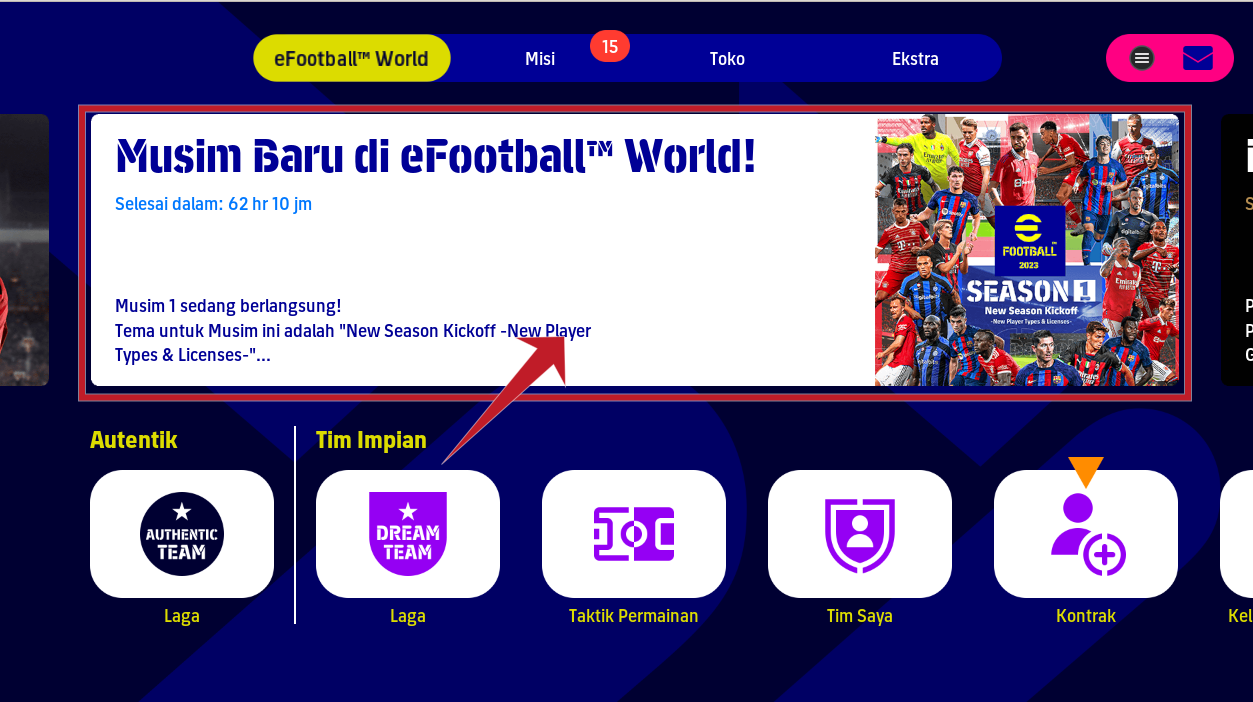
note: this banner normally will load and play a video, but it crashes.
so are u able to connect an online game too?
I don't know, couldn't find opponent at this hour, but I can play against AI in efootball league.
hm. but if search starts, it's more than on my side. I get an error before search starts. is it possible to share your own built proton version?
update: i got it too, but i dont think, that it is really the case, that we will not find other players. there is something wrong! with efootball 2022 it was not hard to find players.
Sorry it was midnight and I was so sleepy, if you still interested I'll share it later after work, in about 5 hours.
Here is the custom proton. Also you were right, I can't find online match, the log spamming this line when trying to find one:
9015.800:014c:0350:fixme:winhttp:request_query_option unimplemented option 91
9017.436:014c:0150:fixme:thread:NtSetInformationThread Can't set other thread's platform description
9017.437:014c:0150:fixme:thread:NtSetInformationThread Can't set other thread's platform description
9017.439:014c:04c8:fixme:winsock:addrinfo_err_from_unix unhandled error -9
9017.439:014c:04c8:fixme:iphlpapi:CreateSortedAddressPairs (src_list 0000000000000000 src_count 0 dst_list 00000000BF38F170 dst_count 1 options 0 pair_list 00000000BF38F168 pair_count 00000000BF38F160): stub
9017.439:014c:04c8:fixme:iphlpapi:CreateSortedAddressPairs only mapped IPv4 addresses are supported
9017.441:014c:04c8:fixme:winsock:addrinfo_err_from_unix unhandled error -9
9017.461:014c:04c8:fixme:winsock:addrinfo_err_from_unix unhandled error -9
9017.473:014c:04c8:fixme:winsock:addrinfo_err_from_unix unhandled error -9
9018.961:014c:04c8:fixme:winsock:addrinfo_err_from_unix unhandled error -9
9019.553:014c:04c8:fixme:winsock:addrinfo_err_from_unix unhandled error -9
9020.716:014c:0350:fixme:winhttp:request_query_option unimplemented option 91
9021.653:014c:0390:fixme:thread:NtSetInformationThread Can't set other thread's platform description
Replying to https://github.com/ValveSoftware/Proton/issues/5187#issuecomment-1241593346
Can I download and use it? Thank you.
you can, welcome to open-source .. thanks rezzafr33 for sharing
this is all related to the winhttp.dll file somehow. i tried to fix the missing implementation. if i build it (just this file) with archlinux, than I have the loading stuck again.
Replying to https://github.com/ValveSoftware/Proton/issues/5187#issuecomment-1241593346
Same for me, i can play with AI but I can’t play online matches with this custom proton
Replying to https://github.com/ValveSoftware/Proton/issues/5187#issuecomment-1240959268
Always crash when I try to tap the down arrow button when the banner is changing, anyway to work around it, please tell me. thank you
To not crash, you have to wait the shifting of milan advice, and you can go down. offline vs IA works, not online with Proton-TKG
rezzafr33 can you please share your Dockerfile or docker image you used to compile proton-tkg? as I used official Ubuntu 20.04 image and for gcc I used mostlyportable-gcc but the result build is same as the pre-build and it stuck as the loading screen of efootball.
I use ubuntu:focal as the base, this what I've done, as far I remember:
- add new user:
useradd -G sudo -m -U myusername - i386 support:
dpkg --add-architecture i386 - Install git, build-essential, etc
- install rust with
rustup(curl https://sh.rustup.rs -sSf | sh) and add i686 target (rustup target add i686-unknown-linux-gnu) otherwise you'll get error when compiling media converter. - use
posixvariant of mingw compiler:
update-alternatives --config x86_64-w64-mingw32-gcc
update-alternatives --config x86_64-w64-mingw32-g++
update-alternatives --config i686-w64-mingw32-gcc
update-alternatives --config i686-w64-mingw32-g++
- edit
proton-tkg.cfg:
_nomakepkg_dep_resolution_distro="debuntu"`
_use_dxvk="release" # get error related to outdated gcc when compiling, using dxvk from github's action instead
Thanks rezzafr33, that did it and I reached same result as you. I did't use mostlyportable-gcc this time and used the posix variant as you recommended, I can use this build to play with AI same as yours.
I believe that the problem is related to some not implemented network function as daxcore suggested, as while matching with a user I can find an opponent, then the game checks for network status then fails. In some rare cases I was able to establish a connection with opponent but the game fails before the match starts. Another try, I ran another wine prefix with different steam account and presses start matching as the same time, I was able to start and play part of the match but it fails eventually maybe after half-time.
This what is appears in log while "checking network status":
40316.704:014c:03b8:fixme:winhttp:request_query_option unimplemented option 91
40317.224:014c:03f8:fixme:thread:NtSetInformationThread Can't set other thread's platform description
just an empty implementation doesn't helps:
8981.241:013c:0470:fixme:winhttp:request_query_option WINHTTP_OPTION_MAX_RESPONSE_HEADER_SIZE
the same behavior still exists. docu says, that this flag is already deprecated since Windows XP :-/
WINHTTP_OPTION_MAX_RESPONSE_HEADER_SIZE
A bound set on the maximum size of the header portion of the server response, specified in bytes. This bound protects the client from an unauthorized server attempting to stall the client by sending a response with an infinite amount of header data. The default value is 64KB.
Windows XP with SP1 and Windows 2000 with SP3: This flag is obsolete.
https://learn.microsoft.com/en-us/windows/win32/winhttp/option-flags#winhttp_option_max_response_header_size
just a bit more logging data:
8802.478:013c:058c:fixme:winsock:addrinfo_err_from_unix unhandled error -9
8803.175:013c:058c:fixme:winsock:addrinfo_err_from_unix unhandled error -9
8804.059:013c:0470:fixme:winhttp:request_query_option WINHTTP_OPTION_MAX_RESPONSE_HEADER_SIZE
8804.875:013c:0140:fixme:thread:NtSetInformationThread Can't set other thread's platform description
8804.875:013c:0140:fixme:thread:NtSetInformationThread Can't set other thread's platform description
8804.878:013c:059c:fixme:winsock:addrinfo_err_from_unix unhandled error -9
8804.879:013c:059c:fixme:iphlpapi:CreateSortedAddressPairs (src_list 0000000000000000 src_count 0 dst_list 00000000C66EF170 dst_count 1 options 0 pair_list 00000000C66EF168 pair_count 00000000C66EF160): stub
8804.879:013c:059c:fixme:iphlpapi:CreateSortedAddressPairs only mapped IPv4 addresses are supported
8804.888:013c:059c:fixme:winsock:addrinfo_err_from_unix unhandled error -9
8804.911:013c:059c:fixme:winsock:addrinfo_err_from_unix unhandled error -9
8804.942:013c:059c:fixme:winsock:addrinfo_err_from_unix unhandled error -9
8805.188:013c:0140:trace:seh:sigsys_handler SIGSYS, rax 0x8d, rip 0x156042dd5.
8805.188:013c:0140:trace:seh:sigsys_handler SIGSYS, rax 0x8d, rip 0x14c1f1467.
8805.333:013c:059c:fixme:winsock:addrinfo_err_from_unix unhandled error -9
8805.625:013c:059c:fixme:winsock:addrinfo_err_from_unix unhandled error -9
8805.686:013c:0470:fixme:winhttp:request_query_option WINHTTP_OPTION_MAX_RESPONSE_HEADER_SIZE
8817.134:013c:0470:fixme:winhttp:request_query_option WINHTTP_OPTION_MAX_RESPONSE_HEADER_SIZE
8818.661:013c:0140:fixme:thread:NtSetInformationThread Can't set other thread's platform description
8818.661:013c:0140:fixme:thread:NtSetInformationThread Can't set other thread's platform description
8818.664:013c:05c4:fixme:winsock:addrinfo_err_from_unix unhandled error -9
8818.665:013c:05c4:fixme:iphlpapi:CreateSortedAddressPairs (src_list 0000000000000000 src_count 0 dst_list 00000000C82AF170 dst_count 1 options 0 pair_list 00000000C82AF168 pair_count 00000000C82AF160): stub
8818.665:013c:05c4:fixme:iphlpapi:CreateSortedAddressPairs only mapped IPv4 addresses are supported
8818.676:013c:05c4:fixme:winsock:addrinfo_err_from_unix unhandled error -9
8818.692:013c:05c4:fixme:winsock:addrinfo_err_from_unix unhandled error -9
8818.717:013c:05c4:fixme:winsock:addrinfo_err_from_unix unhandled error -9
8820.211:013c:05c4:fixme:winsock:addrinfo_err_from_unix unhandled error -9
8821.695:013c:05c4:fixme:winsock:addrinfo_err_from_unix unhandled error -9
8822.844:013c:0470:fixme:winhttp:request_query_option WINHTTP_OPTION_MAX_RESPONSE_HEADER_SIZE
8824.445:013c:0470:fixme:winhttp:request_query_option WINHTTP_OPTION_MAX_RESPONSE_HEADER_SIZE
8830.394:013c:04b0:fixme:thread:NtSetInformationThread Can't set other thread's platform description
8830.396:013c:05d0:fixme:thread:NtSetInformationThread Can't set other thread's platform description
btw: back to version 6.3, that worked pretty well with eFootball 2022.
Anybody an idea how to find out the problem there? maybe that is the easier way to get this up here?
Any news? I still can't make it run
I think the issue is not related to proton but rather to konami who bans
all Linux users.
I think the issue is not related to proton but rather to konami who bans all Linux users.
Highly doubt that, KONAMI F2P business model require the game to be accessible by as many people as possible.
Any news? I still can't make it run
You can try using the above, custom, WINE or wait until the changes hit Proton.
Any news? I still can't make it run
You can try using the above, custom, WINE or wait until the changes hit Proton.
Any chance of Proton-GE or some other fork of Proton that is in AUR getting the relevant patches?
Sadly no change with GE-Proton7-37
Any changes with the new update?
Any changes with the new update?
Still infinite loading after the tutorial.
Here is the custom proton.
now, also this version isn't working for me anymore. will stuck in loadscreen too. strange.
yes, this happened after update, you can try using Proton 5.13 it's working with AI
this is so strange, why proton stopped working after an update of the game...
btw: if i use 5.13 my controller keys are wrongly mapped... uff.
efootball 2023 isn't in a good situation for Linux users. :-/
Believe me guys, this is a direct ban from KONAMI
Le lun. 10 oct. 2022, 18:48, daxcore @.***> a écrit :
this is so strange, why proton stopped working after an update of the
game...btw: if i use 5.13 my controller keys are wrongly mapped... uff.
efootball 2023 isn't in a good situation for Linux users. :-/
—
Reply to this email directly, view it on GitHub
https://github.com/ValveSoftware/Proton/issues/5187#issuecomment-1273512466,
or unsubscribe
https://github.com/notifications/unsubscribe-auth/AI5PXGMRWNBYJOZV5RHIC3LWCQ3FJANCNFSM5FBG67IQ
.
You are receiving this because you commented.Message ID:
@.***>
hm. this game is available for so many platforms. android, IOS and PlayStation.
The PlayStation 4 system software is the updatable firmware and operating system of the PlayStation 4. The operating system is Orbis OS, based on FreeBSD 9.
https://en.m.wikipedia.org/wiki/PlayStation_4_system_software
But not possible to make it available in linux.. xD
Found it works for single play on deck if you turn off wifi after lauching the game but before going past the live update screen. It will complain about the lack of network but choosing cancel will let it continue to the menu.
Found it works for single play on deck if you turn off wifi after lauching the game but before going past the live update screen. It will complain about the lack of network but choosing cancel will let it continue to the menu.
This is the easiest way to make the game work on Steam Deck at this point, however it looks like the squads are outdated. Not sure by how long (Lewy still in Bayern).
also the lutris stuff stopped working, isn't it?
Yes, It stopped working
Le dim. 16 oct. 2022, 18:59, daxcore @.***> a écrit :
also the lutris stuff stopped working, isn't it?
—
Reply to this email directly, view it on GitHub
https://github.com/ValveSoftware/Proton/issues/5187#issuecomment-1279997683,
or unsubscribe
https://github.com/notifications/unsubscribe-auth/AI5PXGKK4KFWWXH7HCYYVPDWDQQ77ANCNFSM5FBG67IQ
.
You are receiving this because you commented.Message ID:
@.***>
Guys game is bad really nobody is playing it online. Gameplay though is pretty good though. So if you want that bad to play it on steam deck just install windows 10 on your micro sd and have a fun
Guys game is bad really nobody is playing it online. Gameplay though is pretty good though. So if you want that bad to play it on steam deck just install windows 10 on your micro sd and have a fun
I don't want to spam people with notifications, but do you realize the context of this thread and how useless your comment is?
It's not useless in term if you want to play a game and there is no other way to play it via steam os
Is there any conversation with Konami to fix this server-side problem? When I try without internet, the game opens and I can play locally.
Is there any conversation with Konami to fix this server-side problem? When I try without internet, the game opens and I can play locally.
There is nothing to fix on the server-side as the game works fine on WIndows. It is up to Wine to implement the missing parts of the compatibility layer.
Finally after the new update you can play multiplayer with real opponent not AI. But sadly the match ends shortly after kickoff, on the bright sight there is some progress here :)
i'm able to play online games again. proton 5.13 and well-known async ucrtbase DLL fix.
I'm able to play online games again. proton 6.3.8 and
Launch option "WINEDLLOVERRIDES="ucrtbase.dll=n,b" %command%"
eFootball League Division doesn't launch
other online game worked against player
It's all 100% working for me with Proton 5.13.
Proton 5.13-6?
yes, the official steam proton 5.13.
Guys, I'm not being able to finish the online league matches. Everytime I'm being handed a loss.
Yesterday everything was ok
you can report such issue to konami support, let's just leave this for proton/wine problems. After the new update I able to play against players not AI (using Proton 5.13 and ucrtbase), and no need for dual booting windows anymore, I would like to thank everyone contributed to this fix.
With Steam Proton 5.13-6, Settings.exe doesn't open when installing. When using 6.3-8, I can install but I cannot play eFootball League online but the online events are possible.
I'm using Steam Flatpak with the instruction of https://github.com/ValveSoftware/Proton/issues/5187#issuecomment-980507627.

Replying to https://github.com/ValveSoftware/Proton/issues/5187#issuecomment-1321006083
The same for me
Same issue for me 5.13-6 works only one time, I don't know why. I try all proton before, 5.13-6 doesn't want to launch.
The exe setting disapears now.
When using 6.3-8, League block the game.
We can play against player in other mod not the League.
Just "pkill -9 Settings.exe" in a terminal to play with 5.13.
That kills the Settings and let's the launch process to continue. You probably can do it in the steam deck too.
How do you do this?
Just "pkill -9 Settings.exe" in a terminal to play with 5.13.
That kills the Settings and let's the launch process to continue. You probably can do it in the steam deck too.
Now I can install using 5.13 but it freezes when launch:

It’s working with 5.13 but freezing and low FPS.
I play on Steam Deck with SteamOS 3.4.2 (latest update as per this post).
The latest update of eFootball 2023 version 2.3.0 breaks the game with the recommended fix.
The game now loads indefinitely (black screen) upon opening.
Any fix or suggestion is greatly appreciated.
I play on Steam Deck with SteamOS 3.4.2 (latest update as per this post). The latest update of eFootball 2023 version 2.3.0 breaks the game with the recommended fix. The game now loads indefinitely (black screen) upon opening. Any fix or suggestion is greatly appreciated.
What works for me is:
Just "pkill -9 Settings.exe" in a terminal to play with 5.13.
That kills the Settings and let's the launch process to continue. You probably can do it in the steam deck too.
I play on Steam Deck with SteamOS 3.4.2 (latest update as per this post). The latest update of eFootball 2023 version 2.3.0 breaks the game with the recommended fix. The game now loads indefinitely (black screen) upon opening. Any fix or suggestion is greatly appreciated.
What works for me is:
Just "pkill -9 Settings.exe" in a terminal to play with 5.13.
That kills the Settings and let's the launch process to continue. You probably can do it in the steam deck too.
But this requires launching the game on desktop mode via terminal every single time? How do you kill the settings.exe via launch command on steam os game mode?
Anyway it's ridiculous that it's so hard to run this game.
But this requires launching the game on desktop mode via terminal every single time? How do you kill the settings.exe via launch command on steam os game mode?
Anyway it's ridiculous that it's so hard to run this game.
Luckily, it doesn't. Settings.exe will run only once.
After the eFootball 2.3 update, I can launch eFootball with proton 5.13
launching option : WINEDLLOVERRIDES="ucrtbase.dll=n,b" %command%
Offline, Online, League work.
after today's update it stopped working with proton 6.3-8 with a black screen on the start :disappointed:
But this requires launching the game on desktop mode via terminal every single time? How do you kill the settings.exe via launch command on steam os game mode?
Anyway it's ridiculous that it's so hard to run this game.Luckily, it doesn't. Settings.exe will run only once.
Thanks. I still don't understand how to do that. If I run pkill -9 Settings.exe in the folder with the efootball game exe I only get an error "command not found". I'm not sure how to run this..
After the eFootball 2.3 update, I can launch eFootball with proton 5.13
launching option : WINEDLLOVERRIDES="ucrtbase.dll=n,b" %command%
Offline, Online, League work.
Please, could you do a quick instruction how to do this?
After the eFootball 2.3 update, I can launch eFootball with proton 5.13
launching option : WINEDLLOVERRIDES="ucrtbase.dll=n,b" %command%
Offline, Online, League work.Please, could you do a quick instruction how to do this?
I was just about to type the same thing. 5.13-6 to be exact.
After the eFootball 2.3 update, I can launch eFootball with proton 5.13
launching option : WINEDLLOVERRIDES="ucrtbase.dll=n,b" %command%
Offline, Online, League work.
Can confirm this one to be working for now.
Simple steps:
- Restart Steam Deck, enter "Gaming Mode"
- Select "eFootball 2023" from "Library"
- Select the Gear button on the right, select "Properties"
- Select "General" on the left menu
- Click the empty box under "Launch Options" and enter:
WINEDLLOVERRIDES="ucrtbase.dll=n,b" %command% - Select "Compatibility" on the left menu
- Check / tick the "Force the use of a specific Steam Play compatibiliy tool"
- Select "Proton 5.13-6" from the options below it
- Back to "Library" and try to launch the game
When running the game, if you get "minimum requirement" error, just tap "OK" / "Continue" on screen and it should proceed to the game. Note that I had some crashes during Main Menu screen, but can just re-launch the game.
is anyone else dealing with the game refusing to launch after more than a few semi-successful launches?
i get redirected to a codefusion / denuvo page claiming that i cannot activate the game anymore, and to try again in 24 hours.
this happens everyday after starting the game more than a few times that day, which inevitably needs to be done since the game freezes at the main menu / drops from some matches.
something about my proton environment makes it seem as though that every time the game is launched, konami sees it as me trying to activate the game as though i'm installing it for the first time.
my launch options with proton 5.13-6:
PROTON_LOG=1 WINEDLLOVERRIDES="ucrtbase.dll=n,b" %command%
log attached.
steam-1665460.log
Replying to https://github.com/ValveSoftware/Proton/issues/5187#issuecomment-1364501873
Go to local files and verify the game files. That should fix the codefusion error. Also, to avoid main menu crash, try not to stay long enough for it to go from the festive screen to the epic captains screen as that has always crashed the game. Cheers.
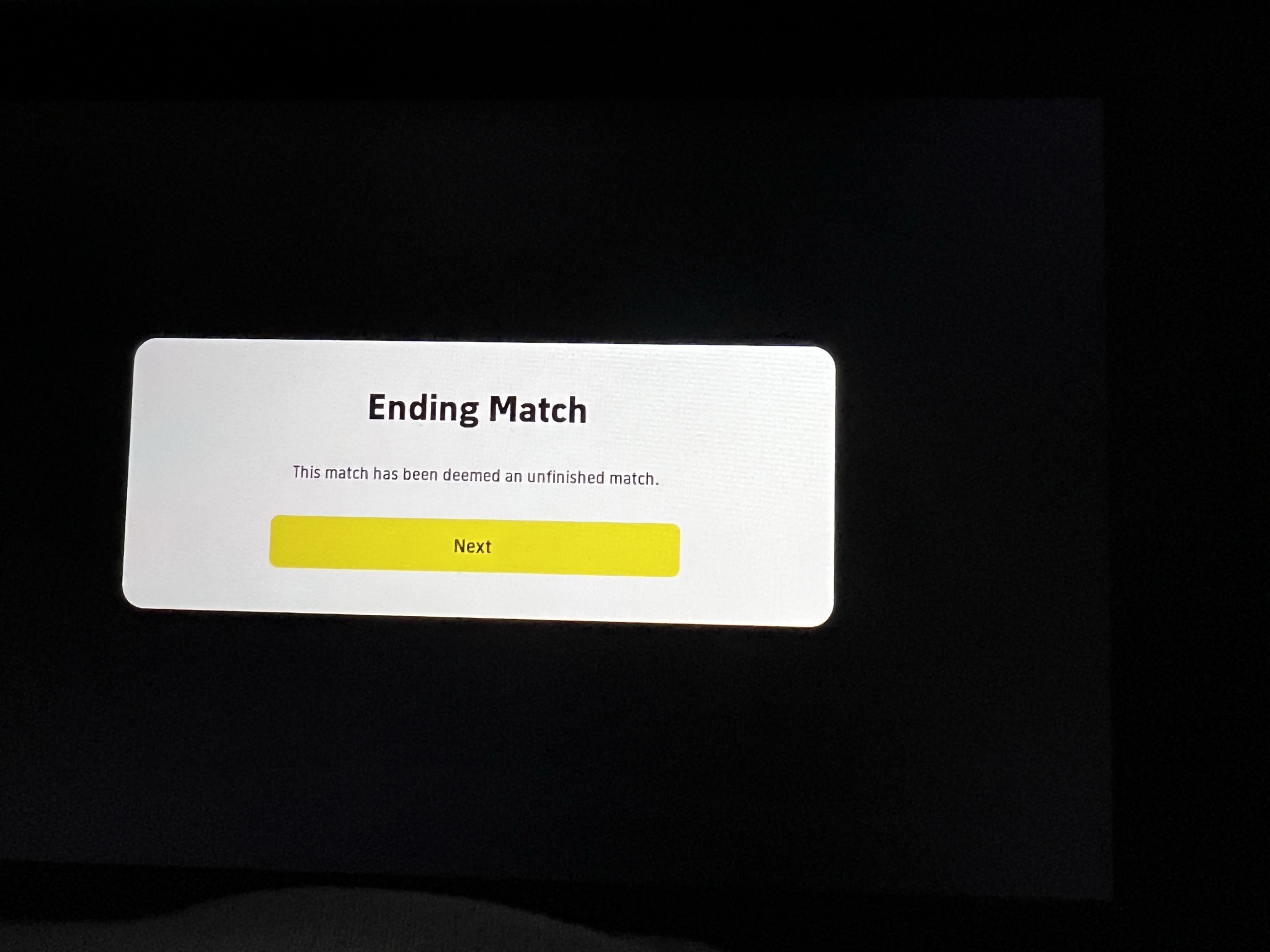
After finish a challenge game, this happen and appeared I lost 3 x 0.
@angelooliveira888
as far as i can tell, that just happens. i'm not sure how much steam's wine / proton influences the matter. the other day i had several good matches until that happened. in which case i'll just re-launch the game.
i try to keep a wired internet connection when playing to avoid latency issues with wifi. it does look pretty funny hooking up an ethernet cable to a steam deck, but such is life when trying to get the best ping.
Replying to [#5187 (comment)](https://github.com/ValveSoftware/Proton/issues/5187#issuecomment-1364501873)
i've tried verifying the game cache countless times (which resets the installation script). i have been unsuccessful at creating a wine / proton prefix for this game, because eventually i am forbidden from launching the game due to the codefusion denuvo error.
certain matches will lock up after they end as well (despite win/loss, the game will claim the match was abandoned). in other words, it's not only crashes at the main menu that are cause for having to re-launch the game.
what is the proper procedure to set the game up when running with proton version 5.13-6? i don't remember having the codefusion denovo issue when running with 6.3-8, though the pvp league did not work then either. but with proton 6.3-8 Settings.exe will work (unlike in 5.13-6).
maybe this has something to do with Settings.exe not running correctly and having to run pkill -9 Settings.exe under proton 5.13-6?
it would still seem every time the game is launched, it counts as though i've "activated" a copy, and konami / denuvo appear to limit this to 5 activations per day.
basically, the game will refuse to launch for approximately 24 hours after more than a few prior launches.
I've tried 5.13-6 with the method mentioned here regarding ucrtbase.dll and I always get the error "An unexpected problem has occurred while communicating with the efootball 2023 server.
I also tried 6.3-8 (I get a black screen) and 7.0-5 which launches the game but still can't connect to the servers.
I tried on Arch and a brand new Fedora 37 installation.
Any suggestion?
This is the error.
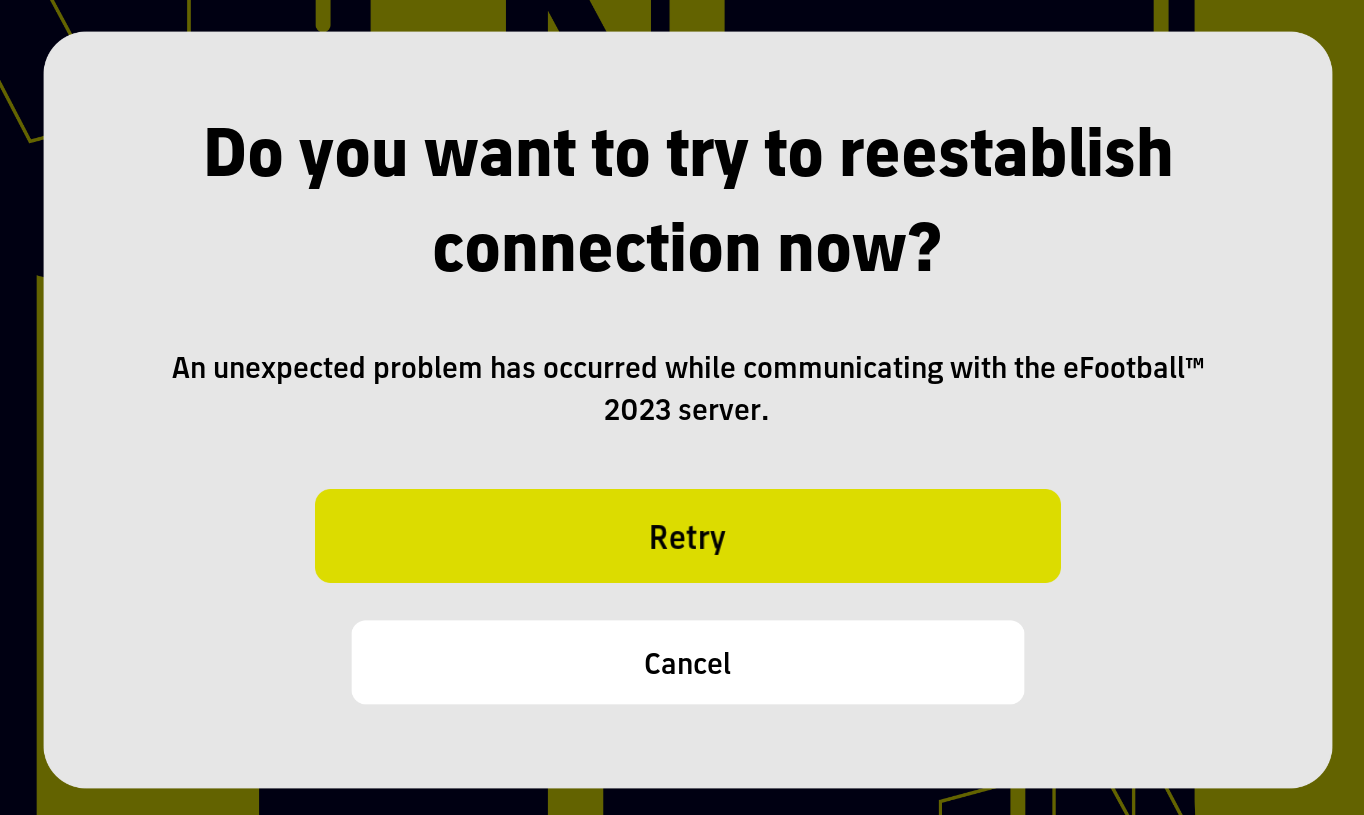
Nevermind, it was a stupid setting in my router with DD-WRT firmware.
@angelooliveira888
as far as i can tell, that just happens. i'm not sure how much steam's wine / proton influences the matter. the other day i had several good matches until that happened. in which case i'll just re-launch the game.
i try to keep a wired internet connection when playing to avoid latency issues with wifi. it does look pretty funny hooking up an ethernet cable to a steam deck, but such is life when trying to get the best ping.
I updated my internet to 400Mb and I'm close to the router now, still shutting down unexpectedly, just in the menu the eFootball 23 closes and come back to steam menu. :(
I don't understand why Konami doesn't fix this. How we can pressure them to do it??
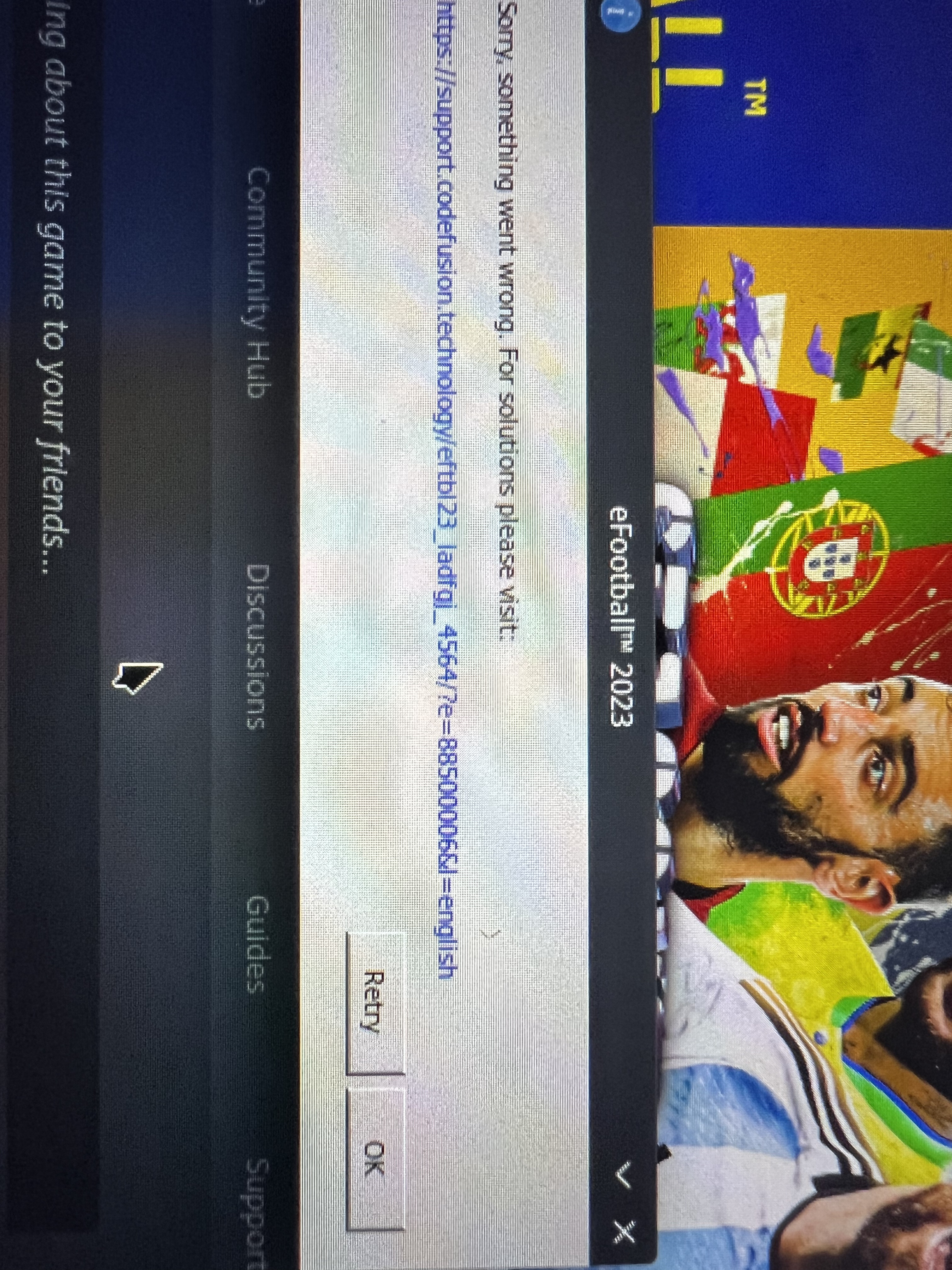
@angelooliveira888
that looks like the same codefusion / denovo error i describe here.
does anyone know how / where we can access an archive of proton versions?
i have a hunch that 6.3-7 would work better than 5.13-6 or 6.3-8.
If I install windows, PES will work fine?
Os hard to have windows on steam Deck?
@angelooliveira888 that looks like the same codefusion / denovo error i describe here.
does anyone know how / where we can access an archive of proton versions?
i have a hunch that 6.3-7 would work better than 5.13-6 or 6.3-8.
6.3-7 can be built from source.
But anyway, what makes you think it will work? With 6.3-8 I get a black window and then it freezes. Game does not even start.
I am wondering why the game boots fine with 7.05 but won't connect to Konami servers. It gets stuck after the intro. Any way to log that?
@dkeruza-neo it's because an unimplemented function belonging to ucrtbase.dll AFAIK. We should have updates from codeweavers guys about it.
@dkeruza-neo it's because an unimplemented function belonging to ucrtbase.dll AFAIK. We should have updates from codeweavers guys about it.
Its weird that it works with 5.13-6 and the native ucrtbase.dll file but it doesn't with newer versions even using the native one. It must be e different DLL causing the issue. But.....what do I know.
so does the new update of 12th Jan still work with proton 5.13-6? it's a 20GB update so ..
so does the new update of 12th Jan still work with proton 5.13-6? it's a 20GB update so ..
Of course it does (verified it myself), ProtonDB would be full of "broken again" reports if it did not.
It's not running here yet, it just doesn't open. My setup:
- Steam Flatpak;
- Proton-5.13-6;
- Launch
DRI_PRIME=1 WINEDLLOVERRIDES="ucrtbase.dll=n,b" %command%; - Fedora 37;
- Wayland;
- AMD GPU.
I had killed Settings.exe to be able to install the game.
Today impossible to play because the banner of the epics of Barcelona appears first and the game closes
Today impossible to play because the banner of the epics of Barcelona appears first and the game closes
Yeah, same here. Crashes upon selecting the banner. The only option is to turn wi-fi off after launching the game, but that's offline only.
We might have to wait until a new version of proton is based on wine 8.
We might have to wait until a new version of proton is based on wine 8.
Why would that help when Proton 6+ doesn't even run the game?
anyone works in 2023?
Version 2.4.0 hangs on startup for me before even displaying Konami logo with 5.13-6. It runs successfully with Proton-GE (and probably other newer versions of Proton, haven't tested), but then it can't connect and endlessly spins the throbber. If my findings are replicated by others, we can consider this game as broken on Linux.
Version 2.4.0 hangs on startup for me before even displaying Konami logo with 5.13-6. It runs successfully with Proton-GE (and probably other newer versions of Proton, haven't tested), but then it can't connect and endlessly spins the throbber. If my findings are replicated by others, we can consider this game as broken on Linux.
I also confirm this
5.13.6 Loads into full-screen and hangs before the Konami logo appears
6.3.8 initializes the game window and crashes to desktop immediately
Could not test on GE 7.30 as it gives me a dependency error- but this has always been the case
BTW for anyone that did not figure out the banner crash when it did work - I worked around it like this:
missions>find a tournament mission>click see tournament>exit this menu and you now have full access to the leagues, store etc.
I can confirm game is broken after 2.4.0 update.
We will have to wait until someone figure out what the issues is.
I mean, Konami should look into it and make their game run in linux as well, but.....its Konami.
Any news with version 2.4.0? Has anyone managed to play online?
Any news with version 2.4.0? Has anyone managed to play online?
AFAIK, our only chance is to wait for the support from Proton Experimental or Proton GE, assuming it comes at some point. Alternatively, new Konami patch in 3-6 months, say version 2.5.0, can accidentally fix compatibility. There are no guarantees that either of these will happen.
Version 2.4.2 is coming this week. It's highly unlikely that it will fix compatibility, but it might by accident.
The new update is working fine now with 5.13, except same menu bug
5.13-6 loads the Konami Screen and then fails to eternal black-screen for me.
My launch options: WINEDLLOVERRIDES="ucrtbase.dll=n,b" %command%
I have also deleted Compat-Data
The issues reported from launching from terminal appear to be: :
System.InvalidProgramException: Invalid IL code in <Module>:pes.main.spec.cpu_infomation.check (pes.main.spec.cpu_infomation* modopt(System.Runtime.CompilerServices.IsConst) modopt(System.Runtime.CompilerServices.IsConst)): IL_0223: ldloc.s 12
And linked to that..
[ERROR] FATAL UNHANDLED EXCEPTION: System.InvalidProgramException: Invalid IL code in <Module>:pes.main.spec.cpu_infomation.check (pes.main.spec.cpu_infomation* modopt(System.Runtime.CompilerServices.IsConst) modopt(System.Runtime.CompilerServices.IsConst)): IL_0223: ldloc.s 12
And finally a Critical Audio Complaint..
`
`##CRIERR, 1719663487, 216, ..\..\CriAudioDecOut\xboxone\AudioDecode_xboxone.cpp(123): error: Failure with HRESULT of 80040154[2023-03-24 06:20:08] Background update loop checking for update. . .'
`
`
@KingdomMadrid are you sure you got the update? That's how 2.4.0 behaved for me. 2.4.2 seems to work fine.
@vedranmiletic Yeah it's updated - I couldn't find the version number from the exe in /binaries, but this screenshot shows I updated it on March 23rd which is when the new update dropped.
Since both yourself and Ali report that it works, I will try a fresh reinstall and see if that resolves the issues.
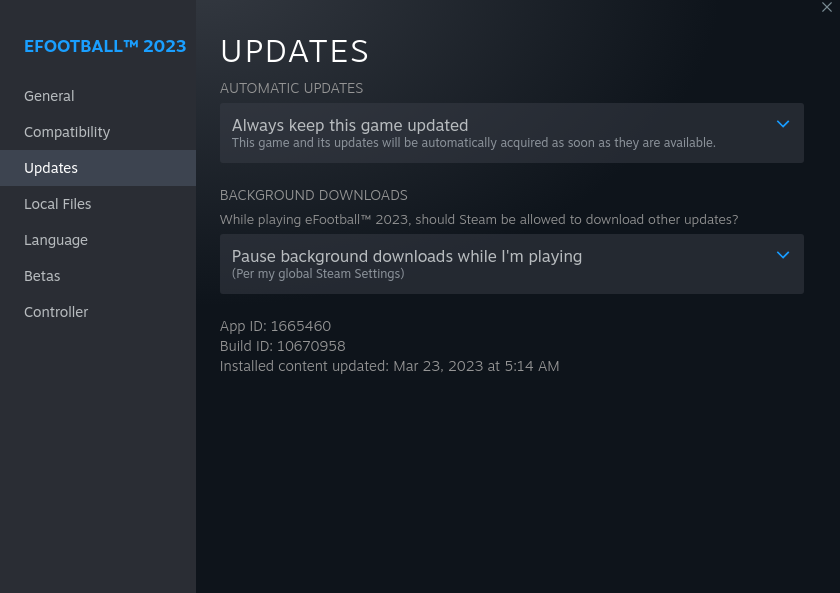
So after reinstalling the game and it still behaves the same way for me - if 5.13 works for you guys then it has to be something my side - as to what, I'm not sure yet, but at least it means it should be fixable :)
@KingdomMadrid Actually, I can confirm it on my side as well. It worked only the first time I ran it.
Hello guys. I am new to Linux distros, I have installed GamePack Ubuntu so I can play eFootball23. But the game won't launch i tried to change proton versions and it won't launch. I have an nvidia GM206 Geforce GTX960 and all the new driver updates are not working the only one that worked with me is nvidia-driver-390. Is there is way to run the game ? thanks in advance.
since yesterday i'm able to start and play online games again... (5.13-6)
i guess that depends on the recently released update?!
Hello @Brexblime, the NVIDIA 390 series video driver is older than the support cutoff for Proton in general. You're going to need a newer video driver.
@kisak-valve yeah NVIDIA 390 series will not work. i tried to use the recommended driver NVIDIA 525. but when i reboot it says failed to start nvidia persistence daemon.
@kisak-valve and then work with 800x600 resolution
since yesterday i'm able to start and play online games again... (5.13-6) i guess that depends on the recently released update?!
Did you have to do the dll fix, or just by changing version you could run it?
Ofc with DLL fix.
So my issue was self-stupidity I think, I redid the steps for the ucrtbase.dll and everything works now - so apologies for misleading anyone.
Version 2.5.0 is coming tomorrow. Let's hope the game unbreaks a little more like it did with update 2.4.2 compared to 2.4.0.
with the new update 2.5.0 and with proton 7.50, all ok.
Edit: Even the restart error in the banner of the initial menu has been solved
I can confirm @chiki10's findings. FWIW, I'm using whatever is default Steam Play version of Proton and everything works as expected. It seems that even the ucrtbase.dll override is no longer required.
This is a big improvement overall and it is very little chance all of these fixes happened by accident. I would guess somebody at Konami must have known about the issues, had enough influence, and cared enough to direct the developers towards fixing them.
The game loads into a black screen and crashes for me today - is this happening to anyone else?
Proton: 7.50, 7.3-1GE, 5.13-6
Works on experimental for me
On Sat, 29 Apr 2023, 09:43 KingdomMadrid, @.***> wrote:
The game loads into a black screen and crashes for me today - is this
happening to anyone else?Proton: 7.50, 7.3-1GE, 5.13-6
—
Reply to this email directly, view it on GitHub
https://github.com/ValveSoftware/Proton/issues/5187#issuecomment-1528705335,
or unsubscribe
https://github.com/notifications/unsubscribe-auth/AAJ4XATEVFUT6BUSV2WFM5LXDTBCZANCNFSM5FBG67IQ
.
You are receiving this because you commented.Message ID:
@.***>
Works on experimental for me
Ah OK, thanks for the reply - for me experimental and later versions beyond 7.5 of proton have never worked as I get a GPU error:
'A D3D11-compatible GPU (Feature Level 11.0, Sharer Model 5.0) is required to run the engine'
Anyway, probably something my side again.
With today's update, the main menu crash seems to be unavoidable now as it happens instantly when I try to move down my selection via the banner to the Dream Team button row. Anyone else experiencing this?
EDIT: Latest GE works!
@krateng glad to hear. For those who can't afford to use GE, there is this workaround from @KingdomMadrid:
BTW for anyone that did not figure out the banner crash when it did work - I worked around it like this: missions>find a tournament mission>click see tournament>exit this menu and you now have full access to the leagues, store etc.
For me I've been playing the game for a month now on Steam Deck an all works fine with default proton experimental.
At the beginning there were some random crashes in the menu that required me to restart the game but the second time I started all worked fine. Since about mid may I guess some updates got released for both steam deck and the game itself and not a single crash - playing it on Steam Deck daily!
EDIT - todays update exposed me to the menu bug....
Have the same menu spinning issue 😕. Why does Konami keeping breaking things on their updates, I find it does work but it's super slow load times. Hope they resolve this soon or a new proton fixes this issue ( proton experimental)
Fixed today, all works fine now after content update
It isn't working with Proton Experimental now. Tried with GE-Proton 8-3 and 8-4, unsuccessfully.
It has been working for the past month with standard Proton, however since yesterday I have a new issue - every online game remains stuck on “Searching for an opponent”.
I can press A to cycle the tips, but if I try to press B, nothing happens. And it doesn’t time out or anything, so it’s not a network issue, but some strange glitch in the game.
Anyone with the same issue?
It has been working for the past month with standard Proton, however since yesterday I have a new issue - every online game remains stuck on “Searching for an opponent”.
I can press A to cycle the tips, but if I try to press B, nothing happens. And it doesn’t time out or anything, so it’s not a network issue, but some strange glitch in the game.
Anyone with the same issue?
I didn't have any problems with online games as of last night. I'm running on proton experimental
Interesting. And I assume everything else is as per usual (ucrtbase.DLL in the folder + the command line to force it)?
Just tried again and it works fine. Yes with everything per usual. Ucrtbase.DLL in the folder
Thanks, I’ll try with experimental then. Just out of curiosity, which region are you in?
In my case, with ucrtbase.dll, the game works, but occasionally, I need to close and re-open to show the Konami video.
Ok I’ve done some testing. The issue I’m facing is not Proton / Steam Deck related it seems.
the game works fine with both standard proton and Experimental; the issue is when I try to play online, it doesn’t move past “searching for an opponent” and pressing B to go back doesn’t work.
I’ve tried on a windows machine and I got the same issue; but nothing changed on my network config so I don’t know at this stage.
Ok I’ve done some testing. The issue I’m facing is not Proton / Steam Deck related it seems.
the game works fine with both standard proton and Experimental; the issue is when I try to play online, it doesn’t move past “searching for an opponent” and pressing B to go back doesn’t work.
I’ve tried on a windows machine and I got the same issue; but nothing changed on my network config so I don’t know at this stage.
Did you get this fixed?
https://www.reddit.com/r/eFootball/comments/14gcddo/comment/jt05yw5/
Might be of interest.
Hi,
Yes, the issue was dependant on a combination of network settings.
Most importantly, the UPnP implementation of efootball seems to be ignored by some
Routers (I’ve seen the same on some Synology NAS).
Turning upnp off on the router solved it. I am able to play matches without any issue.
The only open issue is still with some videos that crash the game but it’s minor.
On 1 Aug 2023 at 21:37 +0100, KingdomMadrid @.***>, wrote:
Ok I’ve done some testing. The issue I’m facing is not Proton / Steam Deck related it seems.
the game works fine with both standard proton and Experimental; the issue is when I try to play online, it doesn’t move past “searching for an opponent” and pressing B to go back doesn’t work.
I’ve tried on a windows machine and I got the same issue; but nothing changed on my network config so I don’t know at this stage.
Did you get this fixed?
https://www.reddit.com/r/eFootball/comments/14gcddo/comment/jt05yw5/
Might be of interest.
—
Reply to this email directly, view it on GitHub, or unsubscribe.
You are receiving this because you commented.Message ID: @.***>
RIP linux players?
Meh. Denuvo works under proton right? It's the EAC that doesn't work at all.
We're deffo in for some more tinkering and maybe the game won't launch after the update and until the new proton is out.
I am not so worried tbh.
https://github.com/ValveSoftware/Proton/issues/3773#issuecomment-631750507
Denuvo anti-cheat works with proton out of the box, so theoretically you shouldn't have any problems after the update.
Using GE-Proton8-14 and after some restarts, eFootball 2024 v3.0.0 ran.
For me it doesn't work in GE-Proton 8-14 as I get a 'A D3D11-compatible GPU (...) is required to run the engine' - but that's not to do with the game, it's an issue my side.
Under 8-14 from terminal I get..
ERROR: ld.so: object '.../debian-installation/ubuntu12_32/gameoverlayrenderer.so' from LD_PRELOAD cannot be preloaded (wrong ELF class: ELFCLASS32): ignored.
WARNING: discarding _NET_WM_PID 2898 as invalid for X11 window - use specialized XCB_X11_TO_PID function!
For anyone that comes across the same problem I tried PROTON_USE_WINED3D=1 %command% which will get you into the game but every sub-menu you click on will break the game as you'll end up stuck with a black screen as the menus and colours fail to display and you can't go back - but you can collect your tokens from the mail :)
Unfortunately 7.30 GE which I used before no longer works as it just crashes on startup and from terminal the issue isn't very descriptive (to me at least) just a seemingly generic
using proton 8.03 game runs nice with v4.0, looks like its just offline but works great!
evoweb provide a new patch with this version of game, enjoy all....
hey guys, I can get some matchs online with proton experimental, if someone can check, theres a video, its in ptbr, but I just run through steamtinkerlaunch to access setings.exe, and run with proton experimental, running direct my game closes after a few minutes, If not allowed to paste links really sorry for that
https://youtu.be/Vd0XsLnK5KM
After updating to eFootball 2024 it worked for the first day with both Proton-experimental and Proton 8. Then a small update occurred, like ~10 MB, and now it loads but with just a black screen, with any Proton version (haven't tried GE though). Maybe once in the last three days I did manage to run it (if it opens, everything works). Any ideas?
After updating to eFootball 2024 it worked for the first day with both Proton-experimental and Proton 8. Then a small update occurred, like ~10 MB, and now it loads but with just a black screen, with any Proton version (haven't tried GE though). Maybe once in the last three days I did manage to run it (if it opens, everything works). Any ideas?
Does it close immediately afterwards? When the game ran for me - I found success by clicking/activating key presses as it loads and then I would get the Konami screen, not the black screen of sadness.

You can test this easier by loading the settings and switching to windowed mode.
Well it actually seems to work, thanks! Wonder what the science behind this bug is...
Well it actually seems to work, thanks! Wonder what the science behind this bug is...
IDK - when I ran it from terminal a few times it said that the window wasn't identified - which led me to think that the game is probably waiting for user input and times out if you don't give it what it wants during load up. Some games have window issues where you have to tab into them - so it made sense.
But tbh this side of tech I have 0 idea about - but so long as it works :)
Efootball 2024 is also crashing and closing, but within the game, in the field's weather settings.
Proton rc 8.0-4
Kubuntu lts
Steam .deb
👍😄
[Ubuntu 22.04 LTS, Nvidia RTX 2060 GPU, GE-Proton 8-15, Steam from Flatpak]
eFootball 2024 works sometimes, but it's like a hit and miss. Why? It always starts, but only once in like 10 tries it works (always black screen in the start, then sometimes it changes to the splash screen, but most of the time it stays black).
Some observations I made (this applies to me, it might not apply to everyone):
- The
WINEDLLOVERRIDES="ucrtbase.dll=n,b" %command%is necessary for the game to start - If I have a second monitor connected, the game NEVER works (I play fullscreen, the first windows opens in like 1200x700 or something, then never goes fullscreen and never starts if I have the second monitor on)
- I think the game has problems with connecting to the servers or to the internet because if I have anything under 4MB/s (or 32MBPS), it never starts
- Changing between versions of Proton makes it start faster (my routine became try starting on GE, stop, change to Experimental, start, stop, change to GE, and then the game usually starts between 1-3 tries)
- Verifying the integrity of the game files makes it so you can open the settings again (without the use of Wine or terminal, that is the easiest way to reopen the settings again)
Also, ProtonDB recently changed the game from Silver to Gold, and I think even Silver is an overstatement for the game's state right now on Linux.
Replying to https://github.com/ValveSoftware/Proton/issues/5187#issuecomment-1726361695
Hello, some of the things that you reported have happened here.
Like the window size,
Black screen sometimes after using health check
I only use the Proton that Steam provides
I tested the latest stable, experimental and now rc
Replying to [#5187 (comment)](https://github.com/ValveSoftware/Proton/issues/5187#issuecomment-1726361695)
Hello, some of the things that you reported have happened here. Like the window size, Black screen sometimes after using health check
I only use the Proton that Steam provides I tested the latest stable, experimental and now rc
Hello! For me, the black screen happens almost all the time, with or without health check, I was just saying that the check itself happens to reopen the settings so you don't need to use wine to open the game settings.
Thanks for your reply and I'd be happy to help solving this issue.
[Ubuntu 22.04 LTS, Nvidia RTX 2060 GPU, GE-Proton 8-15, Steam from Flatpak] eFootball 2024 works sometimes, but it's like a hit and miss. Why? It always starts, but only once in like 10 tries it works (always black screen in the start, then sometimes it changes to the splash screen, but most of the time it stays black).
Most of the time the start to black screen issue gets resolved via the same suggestion to ffrancesco94 made a few replies earlier - did you try this?
Does it close immediately afterwards? When the game ran for me - I found success by clicking/activating key presses as it loads and then I would get the Konami screen, not the black screen of sadness.
You can test this easier by loading the settings and switching to windowed mode.
Replying to https://github.com/ValveSoftware/Proton/issues/5187#issuecomment-1727157988
Tried it, never worked for me! My game never crashes, it only opens a black screen that does nothing, doesn't load, doesn't work. I tried pressing keys while loading, never worked for me, and I actually found that not doing that makes it better for starting (for me). Also, sometimes running the game from Lutris (still Steam, just Lutris as a 3rd party that gives Steam the signal to open the game) makes it actually start most of the times.
Replying to [#5187 (comment)](https://github.com/ValveSoftware/Proton/issues/5187#issuecomment-1727157988)
Tried it, never worked for me! My game never crashes, it only opens a black screen that does nothing, doesn't load, doesn't work. I tried pressing keys while loading, never worked for me, and I actually found that not doing that makes it better for starting (for me). Also, sometimes running the game from Lutris (still Steam, just Lutris as a 3rd party that gives Steam the signal to open the game) makes it actually start most of the times.
Yeah Lutris is an odd one for me, when I load via Lutris it appears that the wine assets duplicate and one set escapes the container which causes the game will hang permanently until I go into my resource manager and delete them (internetexplorer.exe.... etc) but then the game works no problem without any tweaks or clicking needed.
I think I solved the issue for me, at least.
Connecting a controller (like the xbox controller), with an usb to my pc makes the game run everytime. Disconnecting the controller makes it start only like once in 10 tries (as I said earlier in this thread). But having the controller connected makes it start everytime, at least from what I've seen.
I think I solved the issue for me, at least.
Connecting a controller (like the xbox controller), with an usb to my pc makes the game run everytime. Disconnecting the controller makes it start only like once in 10 tries (as I said earlier in this thread). But having the controller connected makes it start everytime, at least from what I've seen.
Very nice 😄👍
The game work with ge-proton 8.14, WINEDLLOVERRIDES="ucrtbase.dll=n,b" %command%, in Big Picture Mode
game does not work, how in the world it can be gold in protondb
WINEDLLOVERRIDES="ucrtbase.dll=n,b" %command% does not work (big picture or not)
MANGOHUD does not work (big picture or not)
disable steam overlay does not help
fullscreen or windowed does not help
everytime pc crashes after choosing trikots
it is fucking frustrating
@hara63 the way it works for me (Ryzen + Radeon) is: no overrides, no Proton-GE, nothing special needed. Avoid complicating all that stuff.
I use Proton Experimental because it was on the top of the list in Steam, but 8.0 would probably work too.
The way to play is:
- delete
compadatadirectory - start the game
- configure the game via
Setup.exe - select language, download player new game data etc.
- play for a while
- quit the game
- repeat the same story next time you want to play the game, but avoid doing that too many times in 24 hours because Denuvo will not like it
That is the only way I found that works reliably. Starting the game without deleting compatdata directory first will display black screen on startup.
It is what it is and, yes, it does takes some effort, but freedom is not free.
game does not work, how in the world it can be gold in protondb WINEDLLOVERRIDES="ucrtbase.dll=n,b" %command% does not work (big picture or not) MANGOHUD does not work (big picture or not) disable steam overlay does not help fullscreen or windowed does not help
everytime pc crashes after choosing trikots
it is fucking frustrating
Removing this launcher option the game runs here with proton experimental, using mangohud and gamemode on a launcher.
Thanks for the Inputs. Game still does not work. Probably my fault, idk. I am back to Windows :(
Hello, here the game is closing by itself, whenever you configure the field, after choosing the teams. It also randomly closes a few seconds after reaching the main menu, if you don't do anything on the game's menu screen.
Sometimes it failed at initial opening, on the first screens, when trying to start the game after installing it.
In the system's clipboard, this error was generated after closing the game:
LowLevelFatalError [File:Unknown] [Line: 907]
Rendering thread exception:
LowLevelFatalError [File:Unknown] [Line: 339]
Direct3DDevice->CreateTexture2D(TextureDesc,SubResourceData,OutTexture2D) failed
at G:\Enlighten\Engine\Source\Runtime\Windows\D3D11RHI\Private\D3D11Texture.cpp:541
with error E_INVALIDARG,
Size=2048x512x1 PF=2 Format=DXGI_FORMAT_B8G8R8A8_TYPELESS(0x0000005A), NumMips=11, Flags=D3D11_BIND_RENDER_TARGET D3D11_BIND_SHADER_RESOURCE D3D11_BIND_UNORDERED_ACCESS , Usage:0x0, CPUFlags:0 x0, MiscFlags:0x1, SampleCount:0x1, SampleQuality:0x0, SubresPtr:0x0000000000000000, SubresPitch: 0 , SubresSlicePitch:0
Kubuntu, kde plasma, 23.10, wayland
proton 8.0-4
Intel i3 1115G4
4GB RAM, 32GB swap
btrfs
ptbr utf8 abnt2
generic usb joystick
Thank you very much in advance
BUMP This game worked ONCE for me... And rest of the time the black screen.
Ubuntu 22.04 LTS
Ryzen 7 5800X3D
AMD RX 6600XT 8GB
Edit: Tried Expiremental, GE, 9.0 and some others which I can't recall.
@NLBen If you haven't already, make sure you are starting the game from steam 'big-picture mode' if you don't do this it doesn't load.
You can also check here for more recent attempts and trials: https://www.protondb.com/app/1665460
For me it always works with Big Picture mode but some people also have success with: gamemoderun %command%
Select Proton Hotfix for a plug and play experience. The game works fine for me even after several KONAMI updates.
im sorry but system is bad not opening
Works with current proton-experimental, doesn't crashes when accessing banner and video. Video doesn't fully work, can only hear the sound and a still image. Online play for both PvP and vs AI also works.
BUMP This game worked ONCE for me... And rest of the time the black screen.
Ubuntu 22.04 LTS Ryzen 7 5800X3D AMD RX 6600XT 8GB
Edit: Tried Expiremental, GE, 9.0 and some others which I can't recall.
same on rx580
I also get black screen on a wayland session but it works on x11
This game works well for me. All I do is disable steam overlay, it works on wayland and x11.
Also I am using the current proton-experimental
I have a black screen and system freezing when the game is about to load. Any ideas?
steam-1665460.log
Proton versions
proton experimentalx16 2024-09proton hotfixx1 2024-04proton 8.0-4x1 2023-12proton 8.14x1 2023-09proton 8.03x1 2023-09ge-proton8-14x1 2023-09proton 7.50x1 2023-04proton 5.13-6x12 2023-01proton 6.3-8x9 2022-12proton 5.13x10 2022-12proton 6.3x4 2022-11ge-proton7-37x1 2022-10proton 7.0-4x1 2022-08proton 7.0-1x1 2022-04proton 6.3-7x4 2021-11
Launch options
WINEDLLOVERRIDES="ucrtbase.dll=n,b"x15 2023-10MANGOHUDx2 2023-10PROTON_USE_WINED3D=1x1 2023-09PROTON_LOG=1x2 2022-12MANGOHUD=1x1 2022-08PROTON_NO_ESYNC=1x1 2022-08PROTON_NO_FSYNC=1x1 2022-08RADV_PERFTEST=acox1 2022-08PROTON_LOG=1`x1 2022-08PROTON_USE_WINED3D=1`x1 2022-06PROTON_DLL_COPY="atl1*.dll,concrt1*.dll,msvcp1*.dll,msvcr1*.dll,vcamp1*.dll,vcomp1*.dll,vccorlib1*.dll,vcruntime1*.dll,api-ms-win-crt-conio-l1-1-0.dll,api-ms-win-crt-heap-l1-1-0.dll,api-ms-win-crt-locx2 2022-04PROTON_DLL_COPYx1 2021-09
Launch lines
gamemoderun %command%x1 2024-04WINEDLLOVERRIDES="ucrtbase.dll=n,b" %command%x12 2023-10PROTON_USE_WINED3D=1 %command%x1 2023-09DRI_PRIME=1 WINEDLLOVERRIDES="ucrtbase.dll=n,b" %command%x1 2023-01PROTON_LOG=1 WINEDLLOVERRIDES="ucrtbase.dll=n,b" %command%x1 2022-12PROTON_LOG=1 MANGOHUD=1 PROTON_NO_ESYNC=1 PROTON_NO_FSYNC=1 RADV_PERFTEST=aco WINEDLLOVERRIDES="ucrtbase.dll=n,b" %command% -fullscreen -low -preloadx1 2022-08PROTON_DLL_COPY="atl1*.dll,concrt1*.dll,msvcp1*.dll,msvcr1*.dll,vcamp1*.dll,vcomp1*.dll,vccorlib1*.dll,vcruntime1*.dll,api-ms-win-crt-conio-l1-1-0.dll,api-ms-win-crt-heap-l1-1-0.dll,api-ms-win-crt-locx2 2022-04
Upstream links
- ValveSoftware/Proton/issues/3773x1 2023-08
- ValveSoftware/Proton/issues/3227x1 2021-09
DLLs
ucrtbase.dllx28 2023-10winhttp.dllx1 2022-09urctbase.dllx1 2022-08api-ms-win-crt-conio-l1-1-0.dllx2 2022-04api-ms-win-crt-heap-l1-1-0.dllx2 2022-04api-ms-win-crt-locale-l1-1-0.dllx2 2022-04api-ms-win-crt-math-l1-1-0.dllx2 2022-04api-ms-win-crt-runtime-l1-1-0.dllx2 2022-04api-ms-win-crt-stdio-l1-1-0.dllx2 2022-04
Compatibility Report
System Information
I confirm:
Symptoms
Game does not show anything then crashes. With Proton 6.3-7 rc game is working however there is a desync problem with online play. The game will kick you out of the match.
steam-1665460 proton experimental.log
steam-1665460 proton 6.3-6.log
steam-1665460 proton 6.3-7 rc.log
Reproduction
Open the game