For those on an NV card using PROTON_HIDE_NVIDIA_GPU=0 %command% solves the outdated driver notif.
If you open Ubisoft Connect overlay while in-game you can close this pop-up. Well, this isn't solving the problem but it is something anyway. Also this isn't happening only on Proton or Steam.
i had just tried the game, here are my findings:
i tried often but the benchmark only ran once, and i could not get it to run again, also it seemingly allows you to move around and access game elements, you can just not see anything because of the black screen
Video showcasing the dx11 issues: https://www.youtube.com/watch?v=E6y3GouvZPQ
using Proton Experimental (1674471749 experimental-7.0-20230123)
Do the benchmarking issues only happen in DX11 as well? For me on 12 it hasn't failed once.
Do the benchmarking issues only happen in DX11 as well? For me on 12 it hasn't failed once.
both in DX11 and DX12, and the one time i got it to work was in DX11
i dont know why it is happening, but from what i can tell the game works correctly it just does not trigger the camera sequence the benchmark does and stays at the placeholder character
Unsure why that is, never had the benchmark fail for me on DX12, even when using things like raytracing.
The game occasionally freezes with:
[245817.537224] NVRM: Xid (PCI:0000:01:00): 13, pid='<unknown>', name=<unknown>, Graphics Exception on GPC 1: SAVE_RESTORE_ADDR_OOB
[245817.537234] NVRM: Xid (PCI:0000:01:00): 13, pid='<unknown>', name=<unknown>, Graphics Exception: ESR 0x508900=0x80000001
[245817.537244] NVRM: Xid (PCI:0000:01:00): 13, pid='<unknown>', name=<unknown>, Graphics Exception on GPC 2: SAVE_RESTORE_ADDR_OOB
[245817.537253] NVRM: Xid (PCI:0000:01:00): 13, pid='<unknown>', name=<unknown>, Graphics Exception: ESR 0x510900=0x80000001
[245817.537403] NVRM: Xid (PCI:0000:01:00): 13, pid=2739987, name=WatchDogsLegion, Graphics Exception: ChID 00a6, Class 0000c797, Offset 00000000, Data 00000000
Proton Experimental 2023-02-05
NVIDIA 3060 12GB version 525.85.05
DX12 mode
DX11 mode does not work for me, the game freezes during load on a black screen.
DXR is not enabled, so I cannot use raytracing.
I should mention DXR works just fine if you add the ENV variable.
I can confirm that DXR is working fine by using VKD3D_CONFIG=dxr.
proton experimentalx2 2023-02VKD3D_CONFIG=dxrx1 2023-02PROTON_HIDE_NVIDIA_GPU=0x1 2023-01PROTON_HIDE_NVIDIA_GPU=0 %command%x1 2023-010x80000001x1 2023-02
Compatibility Report
System Information
I confirm:
steam-2239550.zip
Symptoms
All works good except message about outdated driver.
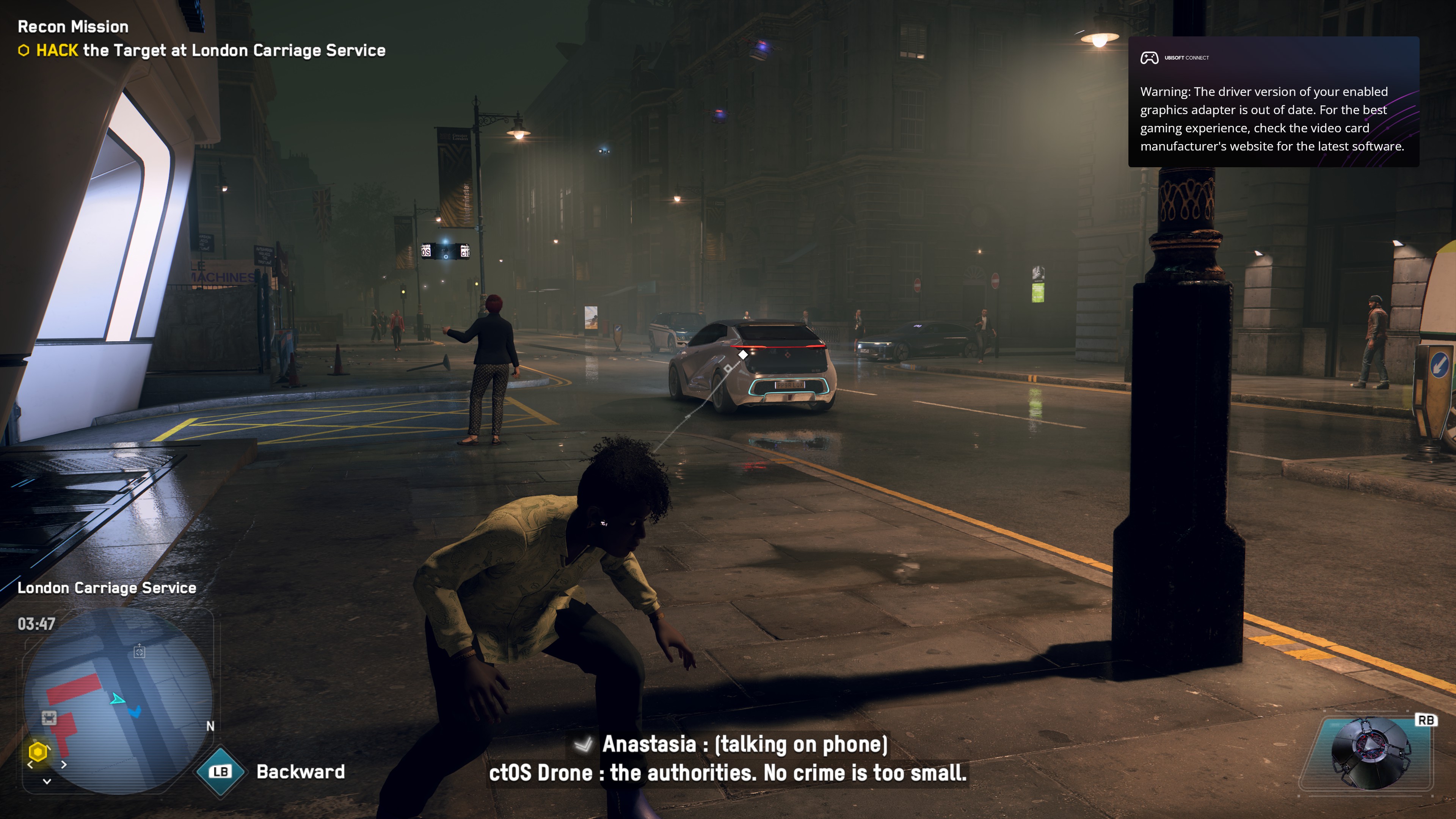
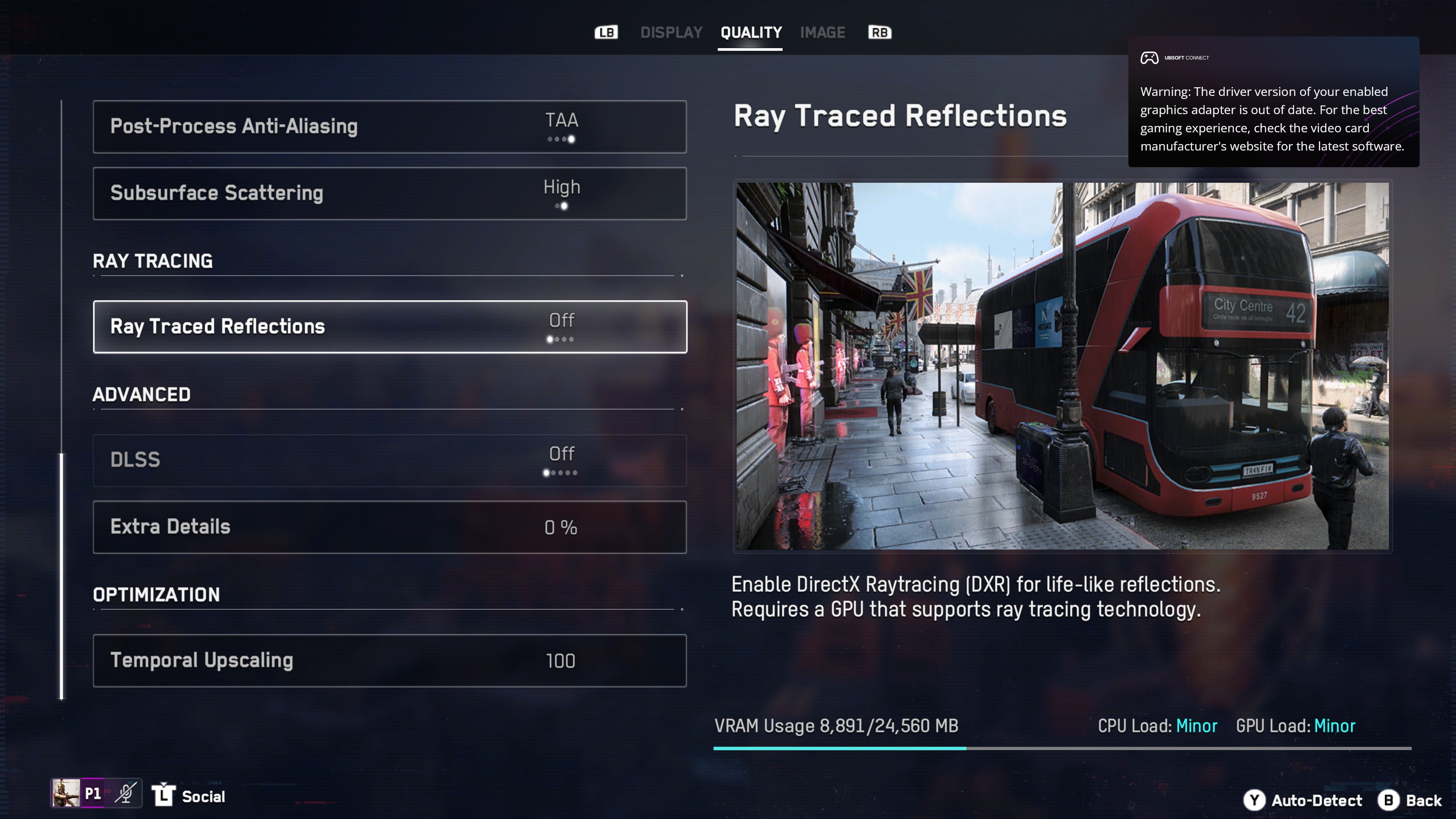
And unavailability DXR
Reproduction
Always