Starfield
Also if i add PROTON_USE_WINED3D=1 to launch options the game wont boot and gives an error about video card not meeting minimum spec.
I'm having a different problem. When I start the game, it'll reach the building shaders screen and make it partway through. At a decent way in, the game will crash to desktop and refuse to start until I delete the shader cache. Attached is the log.
steam-1716740.log
I'm having a different problem. When I start the game, it'll reach the building shaders screen and make it partway through. At a decent way in, the game will crash to desktop and refuse to start until I delete the shader cache. Attached is the log.
I got past this by removing all my launch options and changing my proton version (which I assume clears the shader cache)
I'm also hitting this, logs appear to indicate an issue with a semaphore in vkd3d.
In particular I see this first
70498.977:0128:01dc:err:vkd3d-proton:vkd3d_view_map_create_view: Intense view map pressure! Got 1024 views in hash map 000000018dcd8dc8.
70498.977:0128:01dc:err:vkd3d-proton:vkd3d_view_map_create_view: Intense view map pressure! Got 1024 views in hash map 000000018dcd9048.
but then, e.g.
70503.294:0128:0224:err:vkd3d-proton:d3d12_command_queue_execute: Failed to submit queue(s), vr -4.
70503.294:0128:0224:err:vkd3d-proton:d3d12_command_queue_execute: Failed to submit queue(s), vr -4.
70503.294:0128:0224:err:vkd3d-proton:d3d12_command_queue_execute: Failed to submit queue(s), vr -4.
70503.294:0128:0224:err:vkd3d-proton:d3d12_command_queue_execute: Failed to submit queue(s), vr -4.
70503.294:0128:0224:err:vkd3d-proton:d3d12_command_queue_signal: Failed to submit signal operation, vr -4.
(RTX 4090)
Replying to https://github.com/ValveSoftware/Proton/issues/7064#issuecomment-1701988449
Same hardware and same issue for me
I'm also hitting this, logs appear to indicate an issue with a semaphore in vkd3d.
How do you figure?
Just curious. I haven't looked under the vkd3d hood yet.
also running into the same issue
manjaro
5.15.128-1
ryzen 9 3900x
3080ti (535.104.05)
Just adding that I too am facing
4320.209:0124:01e4:warn:vkd3d-proton:d3d12_device_QueryInterface: {0742a90b-c387-483f-b946-30a7e4e61458} not implemented, returning E_NOINTERFACE.
4324.573:0124:0208:err:vkd3d-proton:d3d12_command_queue_signal: Failed to submit signal operation, vr -4.
Arch Linux
6.1.50-1-lts
Ryzen 9 5950x 32 @4.1
RTX3080 12GB (535.104.05)
128GB RAM
Only Proton Experimental, Proton 8.0-3, and GE-Proton8-13 launch the game to main menu before crashing upon launching new game.
The vr -4's here appear to mean VK_ERROR_DEVICE_LOST is being returned from calls to vkQueueSubmit2 and vkWaitForFences, among others. I know nothing about Vulkan and D3D, but is the "view map pressure" causing the device to be lost somehow? As ExpandingMan mentioned, that's the last thing in the log before things start failing, although there's a delay of several seconds between the last "view map pressure" message and the first "vr -4".
@descawed https://github.com/HansKristian-Work/vkd3d-proton/blob/master/libs/vkd3d/resource.c#L1211
You're probably not far off, going by this comment
Someone on steam stated they got it to work with Proton Hotfix. Upon launching under Hotfix it yielded the same result with an error I'd not seen before. Unsure if it's relevant.
5366.455:0128:020c:err:vkd3d-proton:dxgi_vk_swap_chain_submit_blit: Failed to wait for fence, vr -4 5366.455:0128:020c:err:vkd3d-proton:dxgi_vk_swap_chain_present_signal_blit_semaphore: Failed to submit present discard, vr = -4. 5366.455:0128:020c:err:vkd3d-proton:d3d12_command_queue_signal: Failed to submit signal operation, vr -4.
I'm having a different problem. When I start the game, it'll reach the building shaders screen and make it partway through. At a decent way in, the game will crash to desktop and refuse to start until I delete the shader cache. Attached is the log.
steam-1716740.logI got past this by removing all my launch options and changing my proton version (which I assume clears the shader cache)
Thanks. That worked. Now I just get stuck on a black screen when starting a new game. I can generate and attach logs if someone else hasn't already.
I'm also hitting this, logs appear to indicate an issue with a semaphore in vkd3d.
How do you figure? Just curious. I haven't looked under the vkd3d hood yet.
I eventually hit this log line
211167.632:0134:0218:err:vkd3d-proton:dxgi_vk_swap_chain_present_signal_blit_semaphore: Failed to submit present discard, vr = -4.
Is anyone on an AMD card and have it not working?
Is anyone on an AMD card and have it not working?
im on a radeon 6600 and game doesnt crash on launch or when starting a new game but at some point before i enter the tunnel. i also have shader pre caching off if that affects it since its related to shaders. am on experiemental
Is anyone on an AMD card and have it not working?
Yep, 5950X + 6950XT, hanging shortly after E for New Game. Same report as OP, tried on both 8.0.3 and experimental.
Getting basically the same as everyone else but I also tried loading up a cloud save generated on windows, that also crashes during the load screen. Looks like similar d3d12 errors but possibly some different trace dumps before the crash
proton-experimental-x11-cloud-save.log
proton-experimental-x11-new-game.log
managed to make it a bit farther than was able to before with experimental on the bleeding edge branch. on the loading screen when you first start the game i also saw a progress bar about something to do with shaders that i didnt see before so maybe they changed something to fix it, but am not far enough to say for certain that i just havent gotten lucky to make it this far yet so will continue playing to see
Looks like we segfault on the game side:
* thread [#45](/issue/ValveSoftware/Proton/45), name = 'CreationRendere', stop reason = signal SIGSEGV: invalid address (fault address: 0x10)
  * frame #0: 0x00000001caf0c506
    frame #1: 0x0000000000090200
Have Ubuntu 22.04 and RTX 2060. Game freezes after clicking start new game and needs to be killed.
My investigations so far from reading proton logs and trying other DX12 games...
https://pastebin.com/rRJJF4bn - proton log starting the game with no command vars
When it initializes both main and chipset GPUs it finds both but for some reason decides to "DXGI: Hiding actual GPU" and after this it begins to spam dx12 function errors endlessly , ie
warn:vkd3d-proton:d3d12_device_QueryInterface: {0742a90b-c387-483f-b946-30a7e4e61458} not implemented, returning E_NOINTERFACE
So it seems to me, the nvidia GPU is considered invalid and hidden for some reason. Other DX12 games tested work fine (deep rock galactic) All drivers updated and latest. (proprietry nvidia 535.86) tried proton experimental, proton-ge 8.13
managed to make it a bit farther than was able to before with experimental on the bleeding edge branch. on the loading screen when you first start the game i also saw a progress bar about something to do with shaders that i didnt see before so maybe they changed something to fix it, but am not far enough to say for certain that i just havent gotten lucky to make it this far yet so will continue playing to see
@kimgconnor
This didn't work for me. It still crashed just after starting a new game.
managed to make it a bit farther than was able to before with experimental on the bleeding edge branch. on the loading screen when you first start the game i also saw a progress bar about something to do with shaders that i didnt see before so maybe they changed something to fix it, but am not far enough to say for certain that i just havent gotten lucky to make it this far yet so will continue playing to see
@kimgconnor This didn't work for me. It still crashed just after starting a new game.
@benbot
do you have shader precaching on? and did you see the progress bar related to shaders ingame while it was loading before the main menu?
@benbot do you have shader precaching on? and did you see the progress bar related to shaders ingame while it was loading before the main menu?
I"ve tried this with both shader pre-caching on and off but result is the same either way. Someone said they got it to work with Proton Hotfix but this has yielded the same results in my case.
@kimgconnor
Yes I do
And yes I saw and completed the shader progress bar.
@benbot do you have shader precaching on? and did you see the progress bar related to shaders ingame while it was loading before the main menu?
I"ve tried this with both shader pre-caching on and off but result is the same either way. Someone said they got it to work with Proton Hotfix but this has yielded the same results in my case.
@Alpha-Obeisance
i unfortunately dont have the knowledge to help much more, but i can still be here incase a working version helps any. also do you have nvidia or amd gpu incase it happens to be seperate issues for them, cause if both me and the guy who had it working with hotfix are amd (which if you know if they are can you lmk) and if you are nvidia since benbot is also on nvidia it could be a sign of seperate issues (or i could just be wrong about all of this due to my lack of knowledge)?
Game is rock solid stable for me thus far. Fedora 38 + rawhide kernel (6.5) + mesa-git (23.3.0-devel) + Proton Experimental
Max settings at 1440P has yielded 70-130 FPS (no FSR) in my 1.5 hours of playtime.
5800X3D
7900XTX
Game is rock solid stable for me thus far. Fedora 38 + rawhide kernel (6.5) + mesa-git (23.3.0-devel) + Proton Experimental
Max settings at 1440P has yielded 70-130 FPS (no FSR) in my 1.5 hours of playtime.
5800X3D
7900XTX
So it seems it's something to do with nvidia and vkd3d?
Edit: guess not? Guess you have to be running the latest of everything to get it running properly
So it seems it's something to do with nvidia and vkd3d?
Edit: guess not? Guess you have to be running the latest of everything to get it running properly
that meaning you got it to work on nvidia? if so what things did you have to update?
@pollux56 ☝️
Edit: guess not? Guess you have to be running the latest of everything to get it running properly
My system is completely updated and it's still not launching. Switched from mesa to mesa-git but no such luck at resolution. Still crashing shortly after launching new game.
Arch Linux
6.1.50-1-lts
Ryzen 9 5950x 32 @4.1
RTX3080 12GB (535.104.05)
128GB RAM
I've used multiple Proton versions, and GE and still haven't had any luck.
@drlamb did you run the game with any launch options?
And are you on any betas of proton experimental?
Edit: guess not? Guess you have to be running the latest of everything to get it running properly
My system is completely updated and it's still not launching. Switched from mesa to mesa-git but no such luck at resolution. Still crashing shortly after launching new game.
Arch Linux 6.1.50-1-lts Ryzen 9 5950x 32 @4.1 RTX3080 12GB (535.104.05) 128GB RAM
@Alpha-Obeisance
did you try with experimental bleeding edge or proton next?
Edit: nvm thought the message was from the other guy
@drlamb did you run the game with any launch options?
And are you on any betas of proton experimental?
No launch options + bleeding edge of proton experimental
@drlamb did you run the game with any launch options?
And are you on any betas of proton experimental?No launch options + bleeding edge of proton experimental
thats the same as me (except i do have mangohud enabled by default for all game but that prob isnt affecting anything)
Edit: guess not? Guess you have to be running the latest of everything to get it running properly
My system is completely updated and it's still not launching. Switched from mesa to mesa-git but no such luck at resolution. Still crashing shortly after launching new game.
Arch Linux
6.1.50-1-lts
Ryzen 9 5950x 32 @4.1
RTX3080 12GB (535.104.05)
128GB RAMI've used multiple Proton versions, and GE and still haven't had any luck.
I meant in terms of amd hardware, on nvidia it's a different story because of its driver
NVIDIA 2060 with Ubuntu
GOT IT WORKING!!!
Downgrade driver from proprietry 535 to 525, purge all nvidia, install 525, restart. Use proton experimental.
Downside is - It runs slow. Significantly.
Attached Logs for people.
Not working - Using 535 - https://pastebin.com/rRJJF4bn
Working - Using 525 - https://pastebin.com/qssKgzKR
I assumed it was broken because it was reporting the main GPU was hidden and spamming dx12 not implemented, returning E_NOINTERFACE , but these errors are present in the working 525 log, so idk.
At least on the nvidia side, looks like the driver is crashing (on dmesg):
NVRM: Xid (PCI:0000:41:00): 109, pid=2645789, name=Starfield.exe, Ch 0000004e, errorString CTX SWITCH TIMEOUT, Info 0x2c03f
I'm on Arch with the latest driver (535.104.05), anyone who got it running with an nvidia card can post their driver version?
someone on protondb apparently got it working on 535.104.05 using a GeForce GTX 1650 and they are using the flatpak version of steam
Nobara 38, Proton Experimental (bleeding-edge AFAIK), 7900XT, game runs fine, no problems.
seems mostly an nvidia problem.
The latest nvidia driver off their site is 535.104, and someone has reported that working.
Mine was Ubuntu 22.04's latest supported and was 535.86 which does not work.
I've switched to 525.125 which works. Comes with significant performance issues though.
I will attempt to install 535 again but force it to 535.104 instead of 535.86 and report back if that works.
I've switched to 525.125 which works. Comes with significant performance issues though.
I've had no luck on 535.104.05
Anyone tried nvidia 530 drivers? It is apparently the cutting edge new feature branch
EDIT. installed nvidia-drivers-530 which installed 535.104 instead of 535.86, so guess thats what that version does.
Can confirm it doesn't work. Only 525 works then, and its real laggy, so I'm holding off on playing that.
have any of you tried on the flatpak as there was that one report where someone was using 535.104.05 which some of you were on and didnt work for you, but it was working for them so if its flatpak that works, that could be a solution until drivers get updated on all distros
someone on protondb apparently got it working on 535.104.05 using a GeForce GTX 1650 and they are using the flatpak version of steam
I see 0 entries listing 535.104.05 marked as working, did you see that somewhere else or misread it?
Confirmed working on 4090 with the 525 drivers.
It is slow as hell tho. 11fps on medium.
someone on protondb apparently got it working on 535.104.05 using a GeForce GTX 1650 and they are using the flatpak version of steam
I see 0 entries listing 535.104.05 marked as working, did you see that somewhere else or misread it?
hmm when i went to find it to link to it i cant find it anymore, might have looked at the specs of one that had flatpak and for whatever reason thought that it was next to one that did work or something like that, my bad
someone on protondb apparently got it working on 535.104.05 using a GeForce GTX 1650 and they are using the flatpak version of steam
I see 0 entries listing 535.104.05 marked as working, did you see that somewhere else or misread it?
hmm when i went to find it to link to it i cant find it anymore, might have looked at the specs of one that had flatpak and for whatever reason thought that it was next to one that did work or something like that, my bad
Ok, then 535.* is bad, unless someone manages to bisect a working version. I'm back on 525, which works and is terrible. Unless we figure out which trick Valve pulled on the Steam Deck to get it working, we'll probably depend on nvidia releasing a less-broken 535.
Anyone tried nvidia 530 drivers? It is apparently the cutting edge new feature branch
@stubkan trying with the 530 drivers now. Still seems really really slow though
I'll live with 30 FPS on Low on a 2080 Ti for now...
What does ''cat /proc/driver/nvidia/version'' output for you @benbot ? Cos when I installed 530 it installed 535.104 for me, and that didn't work for me.
Is anyone on an AMD card and have it not working?
Yep, 5950X + 6950XT, hanging shortly after E for New Game. Same report as OP, tried on both 8.0.3 and experimental.
Same here, I can confirm on 7700X and 6700 XT on Linux Mint 21.2 with both the "stock" 5.15.0-82 kernel and the 6.2.0-31 kernel and Mesa 23.0.4 using Proton-Experimental. The game crashes about 10-20 seconds after "Start New Game" and kills my login session, leaving an amdgpu page fault in my kernel log.
@stubkan im on a different distri than yours, so that command didn't work, but the 530 drivers are the only ones installed.
@benbot It would help if you confirm the exact version number of 530, ie the latest is 530.41.03
https://www.cyberciti.biz/faq/check-print-find-nvidia-driver-version-on-linux-command/
@stubkan it was 530.41.03
I'm trying 535.54.03 now
Yeah 535.54.03 has the same issue as older drivers.
No crash, but painfully slow.
Downgraded the following packages linux-lts linux-lts-headers nvidia-dkms nvidia-utils lib32-nvidia-utils
Arch Linux
Kernel 6.1.49-1-lts
NVIDIA packages to 530.41.03
Resolved issue, only getting 30fps, but it sure beats no launch.
Have the same issue, tried custom GE (8-13), hotfix as of now, 8. With all 3 atfer "new game" it freezes and refuses to close (or even show my mouse when I Alt-tab). Tried leaving it open for ~10 minutes (as if may be it was loading really long and messed up threading so it appears stuck), but to no avail.
Arch-Linux
Latest stable NVIDIA driver (535.104.05-2) and kernel, RTX 4080.
Have the same issue, tried custom GE (8-13), hotfix as of now, 8. With all 3 atfer "new game" it freezes and refuses to close (or even show my mouse when I Alt-tab). Tried leaving it open for ~10 minutes (as if may be it was loading really long and messed up threading so it appears stuck), but to no avail. Arch-Linux Latest stable NVIDIA driver (535.104.05-2) and kernel, RTX 4080.
Same here, only on an RTX 2070... latest zen kernel and NVIDIA driver. I noticed that turning off the compositor made starting the game a bit smoother, but it still crashes after choosing new game.
Can confirm, 530.41.03 w/ linux-lts 6.1.49 works at ~30ish FPS (regardless of settings) and occasional minor graphical glitches. Lightly tested Proton Experimental, Experimental [bleeding-edge], and GE Proton 8-13, no observed differences. Going to wait for a fix -- 30 FPS is tolerable for a bit, but painful esp during combat.
On the latest 535, I did notice dropping the settings to low across the board got me past the loading indicator and to the first title intro for a new game, but the game froze shortly thereafter anyway with the same error. So the problem is at least partially affected by gfx settings, in my experience, but I have yet to find any magic setting that bypasses the issue.
NVIDIA RTX 3070, Linux 6.1.49 and nvidia-535xx didn't work for me either.
Downgrading to nvidia-525.116.04 fixed it and I could start playing with about 22-30 FPS - didn't test 530xx yet, though I guess performance will be about the same at around ~30 FPS.
That is super new for M$.
That is super new for M$.
Yup, well, sadly we are in the middle of a "who the hell cares" nexus here... M$ doesn't care about Linux, NVIDIA doesn't care about Linux and BSG doesn't really care about NVIDIA.
CP2077 has been broken under Linux for most NVIDIA cards for a couple of months now...
With an 6950XT on Arch using experimental I'm stuck with the "Graphics card does not meet minimal specification requirements." pop-up. Any idea how to circumvent that? OP mentioned he got the same message when using "PROTON_USE_WINED3D=1", I get it without any launch options.
Is anyone on an AMD card and have it not working?
Yep, 5950X + 6950XT, hanging shortly after E for New Game. Same report as OP, tried on both 8.0.3 and experimental.
Same here, I can confirm on 7700X and 6700 XT on Linux Mint 21.2 with both the "stock" 5.15.0-82 kernel and the 6.2.0-31 kernel and Mesa 23.0.4 using Proton-Experimental. The game crashes about 10-20 seconds after "Start New Game" and kills my login session, leaving an amdgpu page fault in my kernel log.
The same for me. I'm on Mint 21.2 with AMD Ryzen 9 7900 and RX 6700
I have an RTX 3070 MaxQ. With 535 drivers, the game doesn't launch. With 530 or 525, the game launches, and I can start a new game, but it has atrocious performance and half the assets don't load - humans are missing limbs, walls are missing, etc.
Manjaro/Nvidia 3080ti with 535 drivers, game launches and I can click new game, but game crashes seconds after.
Arch Linux, latest Kernel, 3090 with 535, game launches, click new game, crash during loading... :'(
If I have VKD3D_CONFIG=dxr11 enabled in my environment variables, Starfield will crash during shader compilation. Removing it will allow Starfield to get to the main menu, but attempting to launch a new game will cause an Xid error:
Sep 01 02:42:58 arch-desktop kernel: NVRM: Xid (PCI:0000:0c:00): 109, pid=5974, name=Starfield.exe, Ch 000000ce, errorString CTX SWITCH TIMEOUT, Info 0x1c066
Seems like this long-standing bug that Nvidia hasn't fixed yet: https://forums.developer.nvidia.com/t/multiple-cuda-rtx-vulkan-application-crashing-with-xid-13-109-errors/235459/1
If I have VKD3D_CONFIG=dxr11 enabled in my environment variables, Starfield will crash during shader compilation. Removing it will allow Starfield to get to the main menu, but attempting to launch a new game will cause an Xid error:
Sep 01 02:42:58 arch-desktop kernel: NVRM: Xid (PCI:0000:0c:00): 109, pid=5974, name=Starfield.exe, Ch 000000ce, errorString CTX SWITCH TIMEOUT, Info 0x1c066Seems like this long-standing bug that Nvidia hasn't fixed yet: https://forums.developer.nvidia.com/t/multiple-cuda-rtx-vulkan-application-crashing-with-xid-13-109-errors/235459/1
Great... I guess it's time to set up dualboot then.
If I have VKD3D_CONFIG=dxr11 enabled in my environment variables, Starfield will crash during shader compilation. Removing it will allow Starfield to get to the main menu, but attempting to launch a new game will cause an Xid error:
Sep 01 02:42:58 arch-desktop kernel: NVRM: Xid (PCI:0000:0c:00): 109, pid=5974, name=Starfield.exe, Ch 000000ce, errorString CTX SWITCH TIMEOUT, Info 0x1c066Seems like this long-standing bug that Nvidia hasn't fixed yet: https://forums.developer.nvidia.com/t/multiple-cuda-rtx-vulkan-application-crashing-with-xid-13-109-errors/235459/1
Tho from this thread the error seems to persist since 525 and Starfield does launch on 525 and 530, tho it does not run good then what again could be related to the error
As I said: Dualboot... NVIDIA will do sh*t about this, as usual.
@WarBaby2 Your last 3 posts are just complaining and are not very productive. It means people who come here looking for solutions or the developers who need these threads to help them find solutions have to scroll through more to find useful information.
if you are crashing after selecting new or continue at main menu try this command
Steam
Launch options:
VKD3D_CONFIG=force_compute_root_parameters_push_ubo %command%
Lutris
Configure -> System Options -> Command Prefix
VKD3D_CONFIG=force_compute_root_parameters_push_ubo
@WarBaby2 Your last 3 posts are just complaining and are not very productive. It means people who come here looking for solutions or the developers who need these threads to help them find solutions have to scroll through more to find useful information.
Why? It's a valid solution. ;) Ok, sorry, your are right... had a long night.
Tried in the meantime to start via Flatpack Steam - no dice - and disconnected periphery devices - no change either.
Ubuntu with rtx 2060 and 535.104
Tried with VKD3D_CONFIG=force_compute_root_parameters_push_ubo %command% but still has the freeze issue after clicking start at menu, unfortunately
Ubuntu with rtx 2060 and 535.104
Tried with VKD3D_CONFIG=force_compute_root_parameters_push_ubo %command% but still has the freeze issue after clicking start at menu, unfortunately
Same here, attempted but display seized/crashed as previous.
if you are crashing after selecting new or continue at main menu try this command
Steam Launch options: VKD3D_CONFIG=force_compute_root_parameters_push_ubo %command%
Lutris Configure -> System Options -> Command Prefix VKD3D_CONFIG=force_compute_root_parameters_push_ubo
This did not fix things for me on steam flatpak with nvidia-open drivers.
Ubuntu with rtx 2060 and 535.104
Tried with VKD3D_CONFIG=force_compute_root_parameters_push_ubo %command% but still has the freeze issue after clicking start at menu, unfortunatelySame here, attempted but display seized/crashed as previous.
Same.
Arch, RTX 2070 super, same driver.
What Proton version?
i tested on steam deck with lutris-GE-proton8-14.
i noticed
"VKD3D_CONFIG_FLAG_FORCE_COMPUTE_ROOT_PARAMETERS_PUSH_UBO is not enabled"
in my logs so i found solution here
https://github.com/HansKristian-Work/vkd3d-proton/issues/1617
after, game rebuilds shaders and launched into game. sorry if it doesnt work for you guys :(
@urbenlegend
NVRM: Xid
Are you sure? Why do you think it's that line causing it? My error logs show no mention of NVRM: Xid.
Also my logs don't have FORCE_COMPUTE_ROOT mentioned in them.
They all (working and not working) do have this - info:vkd3d-proton:vkd3d_bindless_state_get_bindless_flags: Forcing push UBO path for compute root parameters. so it seems like its already enabled for both working/not working?
I do get the vkd3d-proton:d3d12_command_queue_execute: Failed to submit queue(s), vr -4. line, as referenced on https://github.com/HansKristian-Work/vkd3d-proton/issues/1678#issuecomment-1702489043
After examining my older logs from when I ran it with 525 and successfully running the game and on older 535 drivers that error does not come up at all.
Perhaps it would be useful to compare logs and find what errors are in all of them
Running with 535.86 - does not work - https://pastebin.com/raw/rRJJF4bn
Running with 525 - does work - https://pastebin.com/raw/qssKgzKR
Running with 535.104 - does not work - https://pastebin.com/bQZjzefN
I did crop some of the first two logs out, since pastebin didnt like the size of them, so other peoples logs would be good to have
I can confirm that the 525 driver branch does work, though with a mid-20 FPS
Arch Linux
525.116.04 from the nvidia-525xx aur package
i tested on steam deck with lutris-GE-proton8-14.
i noticed
"VKD3D_CONFIG_FLAG_FORCE_COMPUTE_ROOT_PARAMETERS_PUSH_UBO is not enabled"
in my logs so i found solution here HansKristian-Work/vkd3d-proton#1617
after, game rebuilds shaders and launched into game. sorry if it doesnt work for you guys :(
Thank you! I was using the same version of lutris-GE-proton and it was crashing on my PC after selecting new game and this fixed that.
Sadly installing 525 from AUR wont work on manjaro out of the box. Installing the package results in some dependency issues with nvidia-525xx-dkms .
@falsechicken what hardware are you on?
Sadly installing 525 from AUR wont work on manjaro out of the box. Installing the package results in some dependency issues with nvidia-525xx-dkms .
You have to downgrade the kernel and the kernel headers too... the driver alone won't work.
Sadly installing 525 from AUR wont work on manjaro out of the box. Installing the package results in some dependency issues with nvidia-525xx-dkms .
You have to downgrade the kernel and the kernel headers too... the driver alone won't work.
Im running a 6.1 kernel, which is marked as lts and recommended by manjaro. Also the nvidia package explicitely asks me which kernel i am running. After selecting the 6.1 kernel, it ends up with the dependency problem. As i can explicitely select 6.1 i was assuming it should work.
OS: Arch Linux
KERNEL: 6.4.12-arch1-1
CPU: Intel Core i9-10900K @ 3.70GHz
GPU: NVIDIA GeForce RTX 3080
GPU DRIVER: NVIDIA 535.104.05
RAM: 32 GB
Note: Removed most of the repeating 1864.880:0130:01e8:warn:vkd3d-proton:d3d12_device_QueryInterface: {0742a90b-c387-483f-b946-30a7e4e61458} not implemented, returning E_NOINTERFACE. lines because it made the log too big for pastebin.
Running with 535.104 (both 8.0.3/Experimental) - crashes after selecting 'New game' - https://pastebin.com/CZk8Cb52
Sadly installing 525 from AUR wont work on manjaro out of the box. Installing the package results in some dependency issues with nvidia-525xx-dkms .
You have to downgrade the kernel and the kernel headers too... the driver alone won't work.
Im running a 6.1 kernel, which is marked as lts and recommended by manjaro. Also the nvidia package explicitely asks me which kernel i am running. After selecting the 6.1 kernel, it ends up with the dependency problem. As i can explicitely select 6.1 i was assuming it should work.
Ok, I'm not that familiar with Manjaro... afaik it uses some specially curated packages in places that might not work with AUR stuff?
Personally, I stay away from downgrading on mainline Arch, since it can break a whole host of other things if the kernel gets too "old"...
EDIT: But,. if you are using the lts kernel, did you also try using the NVIDIA-LTS drivers, not the dkms packages?
@falsechicken what hardware are you on?
RX 570, Ryzen 5 2600, Garuda Linux. There is still graphical issues. Some characters only have eyeballs rendered lol. But it starts now.
Sadly installing 525 from AUR wont work on manjaro out of the box. Installing the package results in some dependency issues with nvidia-525xx-dkms .
You have to downgrade the kernel and the kernel headers too... the driver alone won't work.
Im running a 6.1 kernel, which is marked as lts and recommended by manjaro. Also the nvidia package explicitely asks me which kernel i am running. After selecting the 6.1 kernel, it ends up with the dependency problem. As i can explicitely select 6.1 i was assuming it should work.
Manjaro has the tool mhwd to manage nvidia drivers, you should look that up and use that.
I can't get past the copyright/Bethesda logo. Crashing to desktop here - Ubuntu 23.04, Ryzen 5800x3d, 7900XTX.
2091.573:012c:0274:err:seh:call_stack_handlers invalid frame 000000013F86E440 (000000013F672000-000000013F770000)
2091.573:012c:0274:err:seh:NtRaiseException Exception frame is not in stack limits => unable to dispatch exception.
wine client error:274: Assertion failed: !succ->pred_back_edge || succ->pred_back_edge == &entry, file ../src-vkd3d-proton/subprojects/dxil-spirv/cfg_structurizer.cpp, line 2058

Assertion failed: !succ->pred_back_edge || succ->pred_back_edge == &entry, file ../src-vkd3d-proton/subprojects/dxil-spirv/cfg_structurizer.cpp, line 2058

write: Bad file descriptor
2091.620:00e0:02bc:warn:threadname:NtSetInformationThread Thread renamed to L"wine_threadpool_worker"
2091.639:0030:02c0:warn:threadname:NtSetInformationThread Thread renamed to L"wine_threadpool_worker"
2091.639:0030:02c4:warn:threadname:NtSetInformationThread Thread renamed to L"wine_threadpool_worker"
2091.639:0030:02c8:warn:threadname:NtSetInformationThread Thread renamed to L"wine_threadpool_worker"
2091.640:0030:02cc:warn:threadname:NtSetInformationThread Thread renamed to L"wine_threadpool_worker"
2091.640:0030:02d0:warn:threadname:NtSetInformationThread Thread renamed to L"wine_threadpool_worker"
pid 19401 != 19400, skipping destruction (fork without exec?)
Personally, I stay away from downgrading on mainline Arch, since it can break a whole host of other things if the kernel gets too "old"...
Personally, I'm not too worried at the moment. 525 isn't old enough for me to require an older kernel than the one currently on Arch, and this is a temporary measure. I'll just have to be careful about updates until then.
2087.373:012c:0130:info:vkd3d-proton:vkd3d_config_flags_init_once: VKD3D_CONFIG='dxr11,dxr'.
It's probably the DXR shaders causing issue here. I haven't seen those without it. A bit confusing though, does the game even have ray tracing?
A bit confusing though, does the game even have ray tracing?
The game does not feature ray tracing, no.
@Katherine1 what kind of fps are you getting. I get <20 on 525 even with a 4090
I'm on a mobile 3080ti and I'm getting between 20-30fps on ultra settings with fsr2 enabled.
It's not great, but it's playable.
EDIT: From what I understand, the poor performance is due to a compute bug with nvidia drivers, so it's CPU-bound. What's your CPU? Mine's an Intel i9-12900H
For visibility,
@HansKristian-Work posted at https://github.com/HansKristian-Work/vkd3d-proton/issues/1678#issuecomment-1702489043:
NV 535 stable is clearly bugged here. 525.47.35 at least seems to work though ...
Performance on NV currently is known to be extremely poor due to being completely CPU bound. This is caused by lack of us enabling NV_device_generated_compute on NV due to a driver bug. #1639 for details. When the beta driver updates, it should start running much better.
On Mesa desktop, please ensure that:
* You're running kernels 5.15.121+, 6.1.40+ or 6.4.5+ to fix a kernel regression that affected Starfield. Without it, GPU will hang randomly.
* You're running mesa from git to get VK_NV_device_generated_commands_compute for optimal performance.
* Proton Experimental
I tried to look around a bit at the Ubuntu stock kernels, and it appears that none of that distro's stock kernels include https://lists.freedesktop.org/archives/amd-gfx/2023-June/094648.html which was noted in https://gitlab.freedesktop.org/mesa/mesa/-/merge_requests/24774 and should be the mentioned kernel regression. That would be something for an Ubuntu kernel package maintainer to either rebase their kernel on a newer patch release or backport the kernel fix.
Ok, I downgraded to 525.89 (6.1.50.1 lts kernel) and it's playable... though choppy (20-30 fps) on high settings, with random 5 second hangs now and then, but those could be due to background stuff like the steam client itself. Also: Using 8-13 proton GE and gamemode, but I doubt that has actually any impact.
Ah, processor: i7 6700k
On Mesa desktop, please ensure that: * You're running kernels 5.15.121+, 6.1.40+ or 6.4.5+ to fix a kernel regression that affected Starfield. Without it, GPU will hang randomly. * You're running mesa from git to get VK_NV_device_generated_commands_compute for optimal performance. * Proton Experimental
I tried to look around a bit at the Ubuntu stock kernels, and it appears that none of that distro's stock kernels include https://lists.freedesktop.org/archives/amd-gfx/2023-June/094648.html which was noted in https://gitlab.freedesktop.org/mesa/mesa/-/merge_requests/24774 and should be the mentioned kernel regression. That would be something for an Ubuntu kernel package maintainer to either rebase their kernel on a newer patch release or backport the kernel fix.
@kisak-valve - Unsure if this is even relevant, but I just upgraded to 6.2.16 from https://kernel.ubuntu.com/~kernel-ppa/mainline/ and it doesn't seem to have made a difference. The reverted code could still be in there, I'm not sure.
This has likely already been stated by now, but this is most definitely an issue with Nvidia's Linux driver. I am running the latest version of nvidia-open 535.104.05-3, mesa-git 23.3.0_devel.177121.ade44ad82e4.d41d8cd-1 with the lib32 version also installed, I am running Arch Linux with zen kernel 6.5.0-zen1-1-zen. I have tried with and without the steam client beta and with and without the bleeding edge branch of proton experimental. I have enabled the testing pacman repos and fully updated my system so everything is at its very latest version and I am getting these notable errors and warnings in my log when the game freezes at the loading screen:
vkd3d-proton:d3d12_device_QueryInterface: {0742a90b-c387-483f-b946-30a7e4e61458} not implemented, returning E_NOINTERFACE.
vkd3d-proton:vkd3d_view_map_create_view: Intense view map pressure! Got 1024 views in hash map 000000017c94a398.
vkd3d-proton:d3d12_command_queue_execute: Failed to submit queue(s), vr -4.
dxgi_vk_swap_chain_present_signal_blit_semaphore: Failed to submit present discard, vr = -4.
vkd3d-proton:d3d12_command_queue_signal: Failed to submit signal operation, vr -4.
warn:threadname:NtSetInformationThread Thread renamed to L"wine_threadpool_worker"
I have also attached a full log incase I missed anything or if it is helpful. From my limited graphical programming knowledge it looks like there are issues with the viewmap, threaded operations, and device queries, but I could be way off
Edit: I tried to use the nvidia 525 kernel module, but doing so broke arch for me so I chrooted into my system and reinstalled 535
steam-1716740.log
@Alex-MacLean Yes. It is the driver. The 525.xx drivers work with Starfield. Something broke in 535.xx. Even in 525, though, there is a compute issue that leaves the game CPU-bound and running poorly as a result. (I get 20-30fps, so technically playable!)
@Katherine1 I did try 525 but that broke my install of arch by making it not load the graphical interface so I had to reinstall 535. Hopefully either Nvidia gets their drivers fixed or a workaround can be found
Edit: This makes me want to go AMD for my next video card lol :)
Replying to https://github.com/ValveSoftware/Proton/issues/7064#issuecomment-1702921814
The Linux 6.2.16 kernel was released on 2023-05-17, this is older than the linked kernel fix. You'd need to rebuild that kernel with the fix added if you want to use it with this game and AMD graphics.
If everything worked as expected on the older drivers perhaps this would seem likely, but that doesn't sound like it's the case. It could be a vkd3d issue and there are precious few people who are deeply familiar with its internals, and it doesn't really sound like any of us here in this thread are them.
At this point it seems like we don't have much choice other than to wait for the experts, either on the driver side or the vkd3d side, to do the hard work of analyzing and resolving the issue.
Seems like that might be part of my issue with my poor RX 570. I can get the game to start but there are rendering issues. Missing floors, eyes on characters, etc. Other than not rendering stuff its running fine and changing versions of dxvk/vkd3d around seems to cause different stuff to render/not.
Seems like that might be part of my issue with my poor RX 570. I can get the game to start but there are rendering issues. Missing floors, eyes on characters, etc. Other than not rendering stuff its running fine and changing versions of dxvk/vkd3d around seems to cause different stuff to render/not.
Please ignore my previous comment, I said it before realizing that the vkd3d maintainer said on the other thread in no uncertain terms that there is a driver bug. So, I guess we'll have to wait for a driver update, hopefully it can still get fixed on the 535 branch.
Hello @falsechicken, please add PROTON_LOG=1 %command% to the game's launch options and attach the generated $HOME/steam-$APPID.log to this issue report as a file. (Proton logs compress well if needed.) Also, please share a screenshot of the misrendering and copy the contents of Steam Runtime Diagnostics from Steam (Steam -> Help -> Steam Runtime Diagnostics) and put it in a gist, then include a link to the gist in this issue report.
Hello @kisak-valve
I have the same problem. Starfield crashes when I press New Game.
The game was launched using Proton 8.0-3.
My machine info
OS: Manjaro Linux x86_64
Host: Z370 HD3
Kernel: 5.15.128-1-MANJARO
Resolution: 3840x2160
DE: GNOME 44.4
WM: Mutter
CPU: Intel i7-9700K (8) @ 4.900GHz
GPU: NVIDIA GeForce RTX 3070 Lite Hash Rate
Memory: 5209MiB / 64255MiB
Logs & Steam Runtime Diagnostics
https://gist.github.com/sheb-gregor/6e9295fffa81a18f59439c3e04ffb9fa
I have the same issue as @falsechicken on an RTX 3070 MaxQ in addition to the usual Nvidia issues, @kisak-valve
Steam Runtime Diagnostics gist: https://gist.github.com/Mashaaaaaaaaaaa/59ff42dfd10dbd063e1e481803e65f7b
Proton log (for some reason, github fails when I try to attach it to this post): https://drive.google.com/file/d/12iGAlY0Q3pkqITF5Ay24pXYyHqNyDAx5/view?usp=sharing
Replying to https://github.com/ValveSoftware/Proton/issues/7064#issuecomment-1703031217
Yeah that looks exactly like my issue.
Replying to https://github.com/ValveSoftware/Proton/issues/7064#issuecomment-1703037138
You're running 535.104.05 as well, as I understand?
@Mashaaaaaaaaaaa @falsechicken What distro are you using, and what kernel version?
Replying to https://github.com/ValveSoftware/Proton/issues/7064#issuecomment-1703043942
No I am on AMD. RX 570 running Garuda Linux. So it seems to affect both Nvidia and AMD it looks like?
@Mashaaaaaaaaaaa @falsechicken What distro are you using, and what kernel version?
Garuda Linux (Sway), 6.4.12-zen1-1-zen, RX 570
EDIT: Runtime info https://gist.github.com/falsechicken/80a62504feb41c8c1cb2197dd5dadeb7
Hello @Mashaaaaaaaaaaa, looking at your system information, it looks like your system is configured to only have mesa/RADV available for 64 bit Vulkan and only AMDVLK for 32 bit Vulkan. For whatever reason, the game doesn't have access to your NVIDIA 530.41.03 driver install, and the screenshot you shared should be with the game rendering with mesa 23.1.6 on your Renoir chipset.
On Steam Deck the Start / Select buttons work backwards with Proton Experimental. In case it wasn't already mentioned.
You can swap them in Steam Input so it matches up again, but annoying nonetheless.
Performance on NV currently is known to be extremely poor due to being completely CPU bound. This is caused by lack of us enabling NV_device_generated_compute on NV due to a driver bug. #1639 for details. When the beta driver updates, it should start running much better.
On Mesa desktop, please ensure that: * You're running kernels 5.15.121+, 6.1.40+ or 6.4.5+ to fix a kernel regression that affected Starfield. Without it, GPU will hang randomly. * You're running mesa from git to get VK_NV_device_generated_commands_compute for optimal performance. * Proton Experimental
I tried to look around a bit at the Ubuntu stock kernels, and it appears that none of that distro's stock kernels include https://lists.freedesktop.org/archives/amd-gfx/2023-June/094648.html which was noted in https://gitlab.freedesktop.org/mesa/mesa/-/merge_requests/24774 and should be the mentioned kernel regression. That would be something for an Ubuntu kernel package maintainer to either rebase their kernel on a newer patch release or backport the kernel fix.
I have a few questions, as am trying to make sense of that information.
That suggests that the beta carries the device generated compute fix which was merged into vkd3d a week ago. Proton experimental vkd3d was updated 2 days ago so should carry this fix already, yet we are presumably not seeing that?
Does this mean we also require our kernel to be updated, even though the next paragraph says on mesa desktops (which those running the recommended proprietry nvidia drivers dont use) - we still need to have the correct kernel ?
I am unsure how to interpret the kernel requirement, does 5.15.121+ mean all kernel versions above 5.15.121 (including 5.16, 5.17, 6.0.0 etc or only up to 5.15.9999999?) Or does it mean 5.15.121.?? exactly?
Also the kernel regression was an AMD specific patch, but this seems to be a Nvidia issue - why is that linked patch the one containing the regression?
@Katherine1 Arch, 6.4.12-arch1-1
@kisak-valve that configuration might be misleading as I run Steam on my iGPU and then prime-run games.
Hello @stubkan, there's independent feedback in that comment for both NVIDIA users and AMD users.
NVIDIA users:
- The NVIDIA 535 series driver has a show stopping driver bug.
- NVIDIA all driver series currently has NV_device_generated_compute turned off due to a separate driver bug which leads to CPU bottlenecking.
AMD users:
There was an AMDGPU kernel module bug which was fixed around June, and this fix has reached various LTS kernels maintained by kernel devs. The point releases where the backport happened were noted there. Non-LTS kernels get their support discontinued much sooner, and would not have gotten the fix after maintenance stopped. (I added an extra link to mesa to cite my source.)
Hello @Mashaaaaaaaaaaa, your proton log is fairly clear that at least DXVK is using the Renoir chipset.
@kisak-valve that sounds really weird, since installing nvidia-535 makes the game not launch, while nvidia-530 and nvidia-525 have the same performance issues that others described. How could this possibly be the case?
Thanks, so...
I am attempting to ensure my system follows the criteria of having correct kernel / fixed drivers - could you clarify a question for me...
I have kernel 5.17.0-1035-oem - which is higher than stated required 5.15.121+ so should contain the fix already, yes?
To avoid the driver bugs, I could use nouveau/mesa drivers instead of nvidia all which have fixes in them? I'll ty that after I confirm the kernel is correct - I am unsure how to interpret the version requirement since I dont understand kernel versions
sighs
I'd rather not long form explain this, but here goes.
Google search for 5.17.0-1035-oem took me to https://launchpad.net/ubuntu/+source/linux-oem-5.17/5.17.0-1035.36, where I found the actual package is called linux-image-unsigned-5.17.0-1035-oem. From there, a package search https://packages.ubuntu.com/search?keywords=linux-image-unsigned-5.17.0-1035-oem took me to the usable changelog https://changelogs.ubuntu.com/changelogs/pool/main/l/linux-oem-5.17/linux-oem-5.17_5.17.0-1035.36/changelog.
In that we search for the patch we want to know about and what upstream point release the distro modifications are based on...
No match to drm/amdgpu: fix clearing mappings for BOs that are always valid in VM in the changelog and the newest rebase looks like:
* Jammy update: v5.17.15 upstream stable release (LP: #1980389)
The release date for 5.17.15 is 2022-06-14, a full year too old to have picked up a backport from the upstream kernel devs. So, no, this kernel release does not have the kernel fix.
Doing a proper kernel check on a distro-modified kernel release is a pain in the rear.
This is compared to the 5.15.121 kernel which was released in 2023-07-23.
Regarding mesa/nouveau. The brand new open source NVIDIA driver, mesa/NVK, just landed in upstream mesa git main, is not yet capable of running DXVK or VKD3D-Proton, and requires linux 6.6 or newer.
The AMDGPU kernel fix is not relevant to NVIDIA users at all.
Another example of missing textures on AMD (16GB Radeon VII). Otherwise, the game runs and does not crash. Ubuntu LTS with a 6.2 "hardware enablement" HWE kernel.
- Steam runtime system information: https://gist.github.com/aak0/1a94f1b46c6a482f9331ce1bb1b31ce9
- Proton log: steam-1716740.log
- All screenshots are from a single session, the same one as the log file.
Screenshot from 2023-09-01 20-30-00
Screenshot from 2023-09-01 20-30-10
Screenshot from 2023-09-01 20-30-28
Screenshot from 2023-09-01 20-35-41
Screenshot from 2023-09-01 20-35-18
Screenshot from 2023-09-01 20-34-12
Screenshot from 2023-09-01 20-33-47
Screenshot from 2023-09-01 20-33-25
Stress relief:
Replying to https://github.com/ValveSoftware/Proton/issues/7064#issuecomment-1703134767
Thanks for the info. I have been trying different versions of proton/dxvk/vkd3d to see if I can spot a change but I get either a crash when starting a new game or render problems just like this.
Is anyone on an AMD card and have it not working?
3700X and 6900XT, once I switched from proton 8.x to experimental I've had 1 crash in 5 hours of gameplay. Thats a record for a bethesda game even on windows in my book lol. I'd be hard pressed to tell that I'm not running a native app.
Two people on protondb with nvidia gpu reported no problems and smooth gameplay with driver 525 - both were using kernel 5.15.0-79-generic and
5.15.0-82-generic
Going to try switching kernel with https://linux.how2shout.com/how-to-change-default-kernel-in-ubuntu-22-04-20-04-lts/ script to 5.15.0
@kisak-valve I tried running other games just now and it seems like downgrading to 530 and 525 broke my prime-run configuration, so now everything runs at low FPS. I guess this explains part of the problem to me, so I'll upgrade back to 535 and just sort out the prime issues until an update to 535 fixes the Starfield problems.
Do we know if Nvidia are aware of these driver issues? If not then hopefully someone will make a bug report.
NVIDIA are aware, they don't care... https://forums.developer.nvidia.com/t/multiple-cuda-rtx-vulkan-application-crashing-with-xid-13-109-errors/235459/162
Nvidia 525, Laptop GPU runs at 80 W, tho it could boost to 150 W.
About 20% fps loss due to the recording in the cpu bound scenario (detail setting is high at 2k res).
First hour of the game on youtube:
following this as I'm seeing the same thing on Nvidia driver 535.104.05 and proton experimental
Proton GE 8-14 just dropped - no explicit fixes mentioned, but worth a shot, I guess.
NVIDIA are aware, they don't care... https://forums.developer.nvidia.com/t/multiple-cuda-rtx-vulkan-application-crashing-with-xid-13-109-errors/235459/162
Pretty sure that's a different issue, or is just a very generic error message.
This thread goes back to the 525 driver version, which runs the game.
Proton GE 8-14 just dropped - no explicit fixes mentioned, but worth a shot, I guess.
GE 8-14 + the following launch options work with 535
PROTON_HIDE_NVIDIA_GPU=0 PROTON_ENABLE_NAVPI=1 %command% --skip-launcher
I was getting some crashes now and then when using Proton Experimental on Radeon 7900 XTX but after disabling dynamic resolution in settings it seems stable.
@tugytur does not work for me - the game still freezes during the loading screen that happens when I press new game.
anyone with this same problem?
@tugytur does not work for me - the game still freezes during the loading screen that happens when I press new game.
Confirmed, I cannot get GE-Proton-14 working either on RTX 4090, 535, linux 6.5.
Proton GE 8-14 just dropped - no explicit fixes mentioned, but worth a shot, I guess.
GE 8-14 + the following launch options work with 535
PROTON_HIDE_NVIDIA_GPU=0 PROTON_ENABLE_NAVPI=1 %command% --skip-launcher
Does not work for me either, the game still freezes
OS: Manjaro Linux
KERNEL: 6.5.0-1-MANJARO
CPU: Intel Core i9-10900F @ 2.80GHz
GPU: NVIDIA GeForce RTX 3080 Ti
GPU DRIVER: NVIDIA 535.104.05
RAM: 32 GB
Replying to https://github.com/ValveSoftware/Proton/issues/7064#issuecomment-1703263274
I have this same issue with my 1080 ti.
Replying to https://github.com/ValveSoftware/Proton/issues/7064#issuecomment-1703270854
Same here with 1080 Ti:
Endeavour OS
Kernel: Linux 6.4.12-arch1-1
Nvidia driver: 535.104.5
GPU: 1080 Ti
CPU: Intel Core i5-9600K
Ok, with 530 and GE 8-14, the fps get better the lower the graphics are set... the CPU load is also down compared to GE 8-13 and experimental.
Trying 525 again next...
@tugytur if this work for you on 535, did you also changed some graphics settings in Starfield?
For anyone using Archlinux (or any Arch-based distro) and a GPU AMD, and is having some issues with the game:
If I understand correctly, sadly it seems that the aforementioned fix (https://github.com/archlinux/linux/commit/ea2c3c08554601b051d91403a241266e1cf490a5 ) is available only on Linux 6.5 that still hasn't released out on Archlinux.
So it seems that at this point one could do:
- Install
linux-mainlinefrom AUR, but beware that it may be a long process, as it involves downloading the kernel's source code and building it. - Or wait that Linux 6.5 comes out on Archlinux.
@Mastergatto I'm on 6.5 (linux-zen) via testing repos and the game still keeps crashing here. RX6600XT.
good ol' {}CRASH (ACCESS VIOLATION (inaccessible read at 0x0000000000000001):)Monitored process exited.
For anyone using Archlinux (or any Arch-based distro) and a GPU AMD, and is having some issues with the game:
If I understand correctly, sadly it seems that the aforementioned fix (https://github.com/archlinux/linux/commit/ea2c3c08554601b051d91403a241266e1cf490a5 ) is available only on Linux 6.5 that still hasn't released out on Archlinux.So it seems that at this point one could do:
- Install
linux-mainlinefrom AUR, but beware that it may be a long process, as it involves downloading the kernel's source code and building it.- Or wait that Linux 6.5 comes out on Archlinux.
Surely it comes out today or tomorrow, since it's been in testing for 3 days now
For anyone using Archlinux (or any Arch-based distro) and a GPU AMD, and is having some issues with the game: If I understand correctly, sadly it seems that the aforementioned fix (archlinux/linux@ea2c3c0 ) is available only on Linux 6.5 that still hasn't released out on Archlinux.
So it seems that at this point one could do:
- Install
linux-mainlinefrom AUR, but beware that it may be a long process, as it involves downloading the kernel's source code and building it.- Or wait that Linux 6.5 comes out on Archlinux.
Does this fix involve solving crashes or the rendering issues?
@Mashaaaaaaaaaaa , @ExpandingMan @Aberrance
Got exited a bit to fast. After a reboot with the new GE version I at least get the intro video going for a shor tiem before it eventually crashes again..
@tugytur I see, well i guess we need to wait for an official fix, sad I didn't expected to have issues to be honest, refunded the normal version to get the premium today...well it is what it is.
Ok, with 530 and GE 8-14, the fps get better the lower the graphics are set... the CPU load is also down compared to GE 8-13 and experimental.
Trying 525 again next...
Ok, it's quite ok now, using the 525.89 driver and proton GE 8-14 on high settings (RTX 2070 Super)... still not perfect mind you, FPS is still tanking in certain locations, but it's playable @an average 30 FPS for the most part.
Has anyone tried the nvidia vulkan dev drivers 535.43.08?
https://developer.nvidia.com/vulkan-driver
Vulkan Beta Driver Release Updates
August 17th, 2023 - Windows 537.16, Linux 535.43.08
New:
    [VK_KHR_shared_presentable_image](https://www.khronos.org/registry/vulkan/specs/1.3-extensions/man/html/VK_KHR_shared_presentable_image.html) [Linux]
Fixes:
    Fixed regression with some 64-bit integer math
    Fixed mesh shader compilation crash when the used shared memory
July 28th, 2023 - Windows 532.34, Linux 525.47.35
New:
    [VK_KHR_maintenance5](https://www.khronos.org/registry/vulkan/specs/1.3-extensions/man/html/VK_KHR_maintenance5.html)
July 24th, 2023 - Windows 532.32, Linux 525.47.34
New:
    [VK_EXT_host_image_copy](https://www.khronos.org/registry/vulkan/specs/1.3-extensions/man/html/VK_EXT_host_image_copy.html)
    [VK_NV_device_generated_commands_compute](https://www.khronos.org/registry/vulkan/specs/1.3-extensions/man/html/VK_NV_device_generated_commands_compute.html)
Fixes:
    Improve performance of vkCmdBeginRendering/vkCmdEndRendering
Does this fix involve solving crashes or the rendering issues?
Sadly, no. I have just tried the kernel 6.5 from testing now, along with Proton Experimental and mesa from current git, and I still encounter same issues (missing body parts and other assets, and game crashing)...
Replying to https://github.com/ValveSoftware/Proton/issues/7064#issuecomment-1703326613
I did. The same behavior as on 535.104.05 (6.5.0-1-MANJARO, RTX 3070 Ti): game freezes in a few seconds after pressing "New game" button.
The only thing I see that differs from most reports here (regardless of the driver version) is that when the game hangs, it doesn't really crash WM or X session -- so I can just switch to another terminal and kill it off there.
Replying to https://github.com/ValveSoftware/Proton/issues/7064#issuecomment-1703333436
Mine has never crashed my X session. I'm on 6.4.12 and NVIDIA 535.104.05. It just hangs on the loading screen and I have to kill it.
Maybe it'll be worth giving it a run with PROTON_LOG on.
Combining the evidence on this thread and the thread on vkd3d, it's becoming pretty clear that there isn't going to be an entirely satisfactory fix until the driver is patched. I believe nvidia has patched issues that originated from dxvk before, so I'm cautiously optimistic that this will happen eventually, but unfortunately I expect to be waiting a while.
For anyone using Archlinux (or any Arch-based distro) and a GPU AMD, and is having some issues with the game: If I understand correctly, sadly it seems that the aforementioned fix (archlinux/linux@ea2c3c0 ) is available only on Linux 6.5 that still hasn't released out on Archlinux.
So it seems that at this point one could do:
* Install `linux-mainline` from AUR, but beware that it may be a long process, as it involves downloading the kernel's source code and building it.

* Or wait that Linux 6.5 comes out on Archlinux.
I've tested with linux-6.5.arch1-1 from core-testing, with proton 8.14 & 8.13, it does not appear to be resolving the issue.
(my issue is intermittent crashes with the "view map pressure" message on AMD GPU)
I'm able to boot just fine on the current Proton Experimental(8.0-20230831) and start a new game, but a myriad of assets/geometry/body parts/textures are missing.
Here's my proton log:
steam-1716740.log
Like others have reported here, I'm getting a lot of "3157.228:0128:0198:warn:vkd3d-proton:d3d12_device_QueryInterface: {0742a90b-c387-483f-b946-30a7e4e61458} not implemented, returning E_NOINTERFACE." errors.
And here's my Steam Runtime Diagnostics:
https://gist.github.com/Metallumere/2f1bfe5e57ac414e2c6f34ed33e39aa9
Switching to Proton 8 just results in crashing on trying to start a new game.
Pop!_OS 22.04
GPU: AMD RX 570
Driver V: 23.1.4
CPU: Ryzen-5 3600
NVIDIA IMPROVEMENTS
I switched to the latest kernel 5.15 which was 5.15.129 since two people on protondb (in fact the only people with nvidia gpu reporting out of the box success) said they had that and had no problems. If you decide to switch kernel, find a version that is updated as recently as possible. You'd need to make sure you have no other kernel above 5.15 (or whichever version you go for) on your system or when you reinstall nvidia it will build it for the wrong kernel.
Higher kernel number does not mean better - you can see here https://kernel.ubuntu.com/~kernel-ppa/mainline/
The latest 5.15 kernel was updated 2023-8-30 when 5.16 latest version is from 2022-04-13 so higher version is not newer.
Now it runs with much improved framerates. on Ubuntu with RTX 2060 and nvidia 525. Will try with 535 drivers now.
EDIT: 535 still broke as
While fps is improved, it's still low - due to the cpu bottleneck in the driver code
Replying to https://github.com/ValveSoftware/Proton/issues/7064#issuecomment-1703326613
I've had it crash with all the 535
@stubkan which 535 version did you try?
And what kind of fps were u getting?
Okay it is working with that kernel and driver combo @stubkan mentioned!!!
Still only like 50 fps on low on my 4090, but it's also 43 fps in ultra, so that perfectly playable!
Replying to [#7064 (comment)](https://github.com/ValveSoftware/Proton/issues/7064#issuecomment-1703561785)
Does the kernel need to be downgraded, wouldn't nvidia-dkms 5.15 work?
NVIDIA IMPROVEMENTS
Does the kernel need to be downgraded, wouldn't nvidia-dkms 5.15 work?
5.15 is a version of the Linux kernel, not the nvidia driver.
Plus nvidia-dkms gets compiled per kernel version and only works on the kernel version it was compiled for. So if it was compiled for 5.15, then it'll only work on 5.15
5.15 is a version of the Linux kernel, not the nvidia driver.
Plus nvidia-dkms gets compiled per kernel version and only works on the kernel version it was compiled for. So if it was compiled for 5.15, then it'll only work on 5.15
Yes I know that's the kernel version, but I did read his message wrong :eyes: , oops. But for dkms, I thought it was the other way around, nvidia per kernel version and dkms isn't. Maybe I have that backwards.
5.15 is a version of the Linux kernel, not the nvidia driver.
Plus nvidia-dkms gets compiled per kernel version and only works on the kernel version it was compiled for. So if it was compiled for 5.15, then it'll only work on 5.15
Yes I know that's the kernel version, but I did read his message wrong :eyes: , oops. But for dkms, I thought it was the other way around,
nvidiaper kernel version anddkmsisn't. Maybe I have that backwards.
Nvidia is pre-built for a specific kernel version.
Nvidia-dkms gets built locally for each kernel when you install it (at least on arch)
Nvidia is pre-built for a specific kernel version.
Nvidia-dkms gets built locally for each kernel when you install it (at least on arch)
Okay cool that's what I was thinking, thanks
Also seeing warn:vkd3d-proton:d3d12_device_QueryInterface: {0742a90b-c387-483f-b946-30a7e4e61458} not implemented, returning E_NOINTERFACE. On all lowest settings, getting extremely poor performance - around 30fps. 7900XTX + 5950X, kernel 6.5, tried on proton experimental, hotfix, and GE.
@kralicky if you're using freesync/VRR and a 6.4 or 6.5 kernel, you may be running into https://gitlab.freedesktop.org/drm/amd/-/issues/2657. While playing the game, sudo cat /sys/kernel/debug/dri/0/amdgpu_pm_info and check the MCLK line; it should be ~1000 Mhz.
Let's add another one to the access violation list 9306.512:00c8:01b4:err:vkd3d-proton:vkd3d_view_map_create_view: Intense view map pressure! Got 1024 views in hash map 000000016c25f2b8. 9306.512:00c8:01b4:err:vkd3d-proton:vkd3d_view_map_create_view: Intense view map pressure! Got 1024 views in hash map 000000016c25f518. {}CRASH (ACCESS VIOLATION (inaccessible read at 0x0000000000000001) this is what happens shortly after loading into the game, although in slightly random intervals (sometimes after a minute, other times it takes 5)
Specs:
u2d arch running kernel 6.4.12 and mesa 23.1.6
Proton Experimental
3700x, 32G mem, 5700xt
Adding to this.
Crashes at first loading screen like every other Nvidia user.
Kernel: 6.4.10-202.fsync.fc38.x86_64
OS: Nobara Linux 38 (KDE Plasma) x86_64
GPU: NVIDIA GeForce RTX 3070 Lite Hash Rate
Driver: 535.104.05
CPU: AMD Ryzen 7 5800 (16) @ 3.400GHz
RAM: 32 GB DDR4
Tried several Proton versions like everyone else with Nvidia.
@CreeVal install nvidia 525 driver
Let's add another one to the access violation list
9306.512:00c8:01b4:err:vkd3d-proton:vkd3d_view_map_create_view: Intense view map pressure! Got 1024 views in hash map 000000016c25f2b8. 9306.512:00c8:01b4:err:vkd3d-proton:vkd3d_view_map_create_view: Intense view map pressure! Got 1024 views in hash map 000000016c25f518. {}CRASH (ACCESS VIOLATION (inaccessible read at 0x0000000000000001)this is what happens shortly after loading into the game, although in slightly random intervals (sometimes after a minute, other times it takes 5)Specs: u2d arch running kernel 6.4.12 and mesa 23.1.6 Proton Experimental 3700x, 32G mem, 5700xt
I've had markedly better results with linux-6.5 from core-testing, mesa-git from the AUR & Proton Experimental. I still get intermittent crashes, but can sometimes get 10 to 15 minutes of gameplay at a time :sweat_smile:
I do have a new error message mentioning futex :
{}CRASH (ACCESS VIOLATION (inaccessible read at 0x0000000000000000):)The futex facility returned an unexpected error code.
wine client error:328: write: Bad file descriptor
Just reporting in;
I'm having the New Game freeze on my Nvidia system too.
Guess we're just waiting for a driver update. (Or a new GPU)
Arch Linux
6.4.12-zen1-1-zen kernel
NVIDIA 535.104.05
5600X
RTX 3060
I'm new to Linux gaming but wanted to confirm I've been able to boot to the menu using the 5.15 kernel and 525 driver. I'm on nixos 23.05, Intel i7 and a 2080 super. Proton Experimental.
Missing textures during gameplay.
System repo installed Steam + Proton Experimental: https://pastebin.com/Sr1mZMvi
Proton Log:
steam-1716740.log
Flatpak Steam with Mesa-git + Proton Experimental: https://pastebin.com/xLtMzUf9
Proton Log:
steam-1716740.log
System + Hardware info:
openSUSE Tumbleweed, new install, steam from system repos installed via zypper
Kernel: 6.4.11-1-default
CPU: Ryzen 7 2700
GPU: RX 580 4GB
Memory: 32GB RAM
Example of issue:
This comment let me start a new game, but I with missing textures/particles/shaders. However, installing mesa-git for Flatpak fixed that issue.
Launched with:
FLATPAK_GL_DRIVERS=mesa-git VKD3D_CONFIG=force_compute_root_parameters_push_ubo %command%
Only wandered a bit in the start area, but ~60-75fps on my AMD 5700XT @ 1440p (with scaling enabled in the Video options). Occasionally dips to 30. Not great, but at least it works?
Replying to https://github.com/ValveSoftware/Proton/issues/7064#issuecomment-1703811082
@mossy93 If you haven't seen. Switching to the 5.15 Linux-lts kernel and the latest 525 nvidia driver gets the game to run. Tho the fps maxes out at 40fps on my 4090 regardless of the graphics settings bc of a different bottleneck.
Sorry if this is only tangentially related, but I can't seem to get the 525 drivers to build with dkms on 5.15 (compile errors). They do build on 6.2, but that nets me the same "Your graphics card is below the minimum requirement" message on start. Is there a specific sub-version of either the kernel or the drivers that work together?
For context:
EndeavourOS
RTX 2060
R5 3600
How to downgrade archlinux 525 driver?
How to downgrade archlinux 525 driver?
You have to get the downgrade tool from the AUR.
https://aur.archlinux.org/packages/downgrade
Then simply use it to downgrade the packages you need... for example:
sudo downgrade nvidia-dkms nvidia-utils nvidia-settings
You also might need to use a different kernel for the older driver, most likely the linux-lts and linux-lts-headers.
regardless if i run in low or ultra i get 30fps max on my 3070 with driver 525 :/
@kralicky if you're using freesync/VRR and a 6.4 or 6.5 kernel, you may be running into gitlab.freedesktop.org/drm/amd/-/issues/2657. While playing the game,
sudo cat /sys/kernel/debug/dri/0/amdgpu_pm_infoand check theMCLKline; it should be ~1000 Mhz.
Aha! MCLK is stuck at 96MHz. Thanks for linking that thread :+1:
How to downgrade archlinux 525 driver?
You have to get the downgrade tool from the AUR. https://aur.archlinux.org/packages/downgrade
Then simply use it to downgrade the packages you need... for example: sudo downgrade nvidia-dkms nvidia-utils nvidia-settings
You also might need to use a different kernel for the older driver, most likely the linux-lts and linux-lts-headers.
is that safe to do under Manjaro too?
regardless if i run in low or ultra i get 30fps max on my 3070 with driver 525 :/
Yep. Thats because of a different nvidia driver issue :/ we have to wait on them for a fix afaik
nvidia just released beta driver 535.43.09 which accoding to the changelog has Bug fixes for VK_NV_device_generated_commands_compute. Has anyone tried that driver yet?
Full changelog
New:
[VK_NV_descriptor_pool_overallocation](https://www.khronos.org/registry/vulkan/specs/1.3-extensions/man/html/VK_NV_descriptor_pool_overallocation.html)
Fixes:
Bug fixes for [VK_NV_device_generated_commands_compute](https://www.khronos.org/registry/vulkan/specs/1.3-extensions/man/html/VK_NV_device_generated_commands_compute.html)
Correctly clear fragment shading rate attachments with LOAD_OP_CLEAR
Fix potential device lost with vkCmdBlitImage when fragment shading rate is used
Correctly restore pipeline static state if previously overwritten by dynamic state set calls and pipeline is rebound
Fix dual-source blending when output is written to an array variable
Fix VK_KHR_cooperative_matrix bug with variable pointer shared memory CTS tests
How to downgrade archlinux 525 driver?
You have to get the downgrade tool from the AUR. https://aur.archlinux.org/packages/downgrade
Then simply use it to downgrade the packages you need... for example: sudo downgrade nvidia-dkms nvidia-utils nvidia-settings
You also might need to use a different kernel for the older driver, most likely the linux-lts and linux-lts-headers.is that safe to do under Manjaro too?
Ehhh... I don't have much experience with Manjaro, only mainline Arch... but I think, as long the kernel is compatible, you should have no issues. Asfaik, Manjaro uses a seprate tool for kernel versions and drivers... maybe check the Manjaro forums for that, there seem to be multiple guids on how to do it.
regardless if i run in low or ultra i get 30fps max on my 3070 with driver 525 :/
Yep. Thats because of a different nvidia driver issue :/ we have to wait on them for a fix afaik
Yup... although, I did see performance changes once I hit New Atlantis, as in: I had to turn everything to low to even be able to continue to play in any capacity.
Replying to https://github.com/ValveSoftware/Proton/issues/7064#issuecomment-1703872016
I just saw that too. They just released an update on their mainline driver, but that doesn't fix anything. I've been trying to install it on my arch system but the aur doesn't have well maintained beta drivers. I have the driver compiled from source but I can't figure out what I need to install with dkms. I would test it out to see if it gets me in the game
nvidia just released beta driver 535.43.09
No such version here: https://www.nvidia.com/en-gb/drivers/unix/
Where did you see this?
Nvm. I just had to download the run file from Nvidia's beta driver site, not the open kernel modules GitHub. I'll come back later to report on if it works
No such version here: https://www.nvidia.com/en-gb/drivers/unix/ Where did you see this?
It's the developer Vulkan beta driver
https://developer.nvidia.com/vulkan-driver
Still crashes apparently.
The new vulkan beta driver added fix for VK_NV_device_generated_commands_compute, absence of which is the reason for poor performance on 525. If someone decides to try launching the game using the beta driver make sure to add VKD3D_CONFIG=skip_driver_workarounds to launch options.
No such version here: https://www.nvidia.com/en-gb/drivers/unix/ Where did you see this?
It's the developer Vulkan beta driver https://developer.nvidia.com/vulkan-driver
Still crashes apparently.
can confirm still crash
Nvm. I just had to download the run file from Nvidia's beta driver site, not the open kernel modules GitHub. I'll come back later to report on if it works
also on Arch, did you just run the run file, or anything else?
Nvm. I just had to download the run file from Nvidia's beta driver site, not the open kernel modules GitHub. I'll come back later to report on if it works
also on Arch, did you just run the run file, or anything else?
I uninstalled the release nvidia drivers and ram the run file with sh. It’s just an install script. It builds the driver for your kernel using dkms if I understand correctly. I’m still trying to get xorg to configure properly but I can see it installed correctly with dkms status
nvidia just released beta driver 535.43.09
No such version here: https://www.nvidia.com/en-gb/drivers/unix/
Where did you see this?
That was their most recent beta, but the current most recent version in general is like 535.104 something.
There's no new nvidia driver for this game yet
Has anyone tried 535.104.05-4 from extra-testing repo?
Has anyone tried 535.104.05-4 from extra-testing repo?
Already tried. The one in testing does not work. I just got the beta driver installed from nvidia's beta website. I'm about to try that
With the beta driver and launch option VKD3D_CONFIG=skip_driver_workarounds the game still hard locks after starting a new game.
Still no luck on the nvidia front? :/
With the beta drivers 535.43.09 and kernel 6.5.1-zen1-1-zen on arch using launch options "VKD3D_CONFIG=skip_driver_workarounds PROTON_ENABLE_NVAPI=1 PROTON_HIDE_NVIDIA_GPU=0 %command%" and ge proton 8.14 I am able to get in game, but everything is very blurry and the game runs very poorly, but it is farther than I've got before
With the beta drivers 535.43.09 and kernel 6.5.1-zen1-1-zen on arch using launch options "VKD3D_CONFIG=skip_driver_workarounds PROTON_ENABLE_NVAPI=1 PROTON_HIDE_NVIDIA_GPU=0 %command%"
With those launch options and Proton Experimental I was able to get in too, but same issue. Everything blurry and 18fps (4090).
In Proton log:
vkd3d-proton:vkd3d_pipeline_library_disk_cache_initial_setup: Cannot load existing on-disk cache due to driver version mismatch.
fixme:vkd3d-proton:d3d12_device_caps_init_feature_options1: TotalLaneCount = 12288, may be inaccurate.
warn:vkd3d-proton:d3d12_device_create: Feature level 0xc200 is not supported.
And then it spams thousands of lines with:
warn:vkd3d-proton:d3d12_pipeline_state_init_graphics_create_info: Ignoring stencilTestEnable due to lack of stencil aspect.
warn:vkd3d-proton:d3d12_device_QueryInterface: {0742a90b-c387-483f-b946-30a7e4e61458} not implemented, returning E_NOINTERFACE.
Adding VKD3D_CONFIG=force_compute_root_parameters_push_ubo to the launch options does not seem to do anything. I'll see if there are more launch options or a different version of proton that I can use. I did notice that there were no vulkan icd loader files present after doing the driver update. Maybe a package is missing?
I've found with the beta drivers the nvidia icd loader is loacated in /etc/vulkan/icd.d/nvidia_icd.json. I copied nvidia_icd.json to /usr/share/vulkan/icd.d, copied /etc/vulkan/icd.d/implicit_layer.d/nvidia_layers.json to /usr/share/vulkan/icd.d/implicit_layer.d and added the launch option VK_ICD_FILENAMES="/usr/share/vulkan/icd.d/nvidia_icd.json" and am still getting that issue. Nvidia drivers are likely still broken
Adding VKD3D_CONFIG=force_compute_root_parameters_push_ubo to the launch options does not seem to do anything.
force_compute_root_parameters_push_ubo is not a config anymore on current vkd3d-proton master (Proton Experimental includes the change). The new config requires_compute_indirect_templates is also set for the game by vkd3d-proton internally.
I've found with the beta drivers the nvidia icd loader is loacated in /etc/vulkan/icd.d/nvidia_icd.json. I copied nvidia_icd.json to /usr/share/vulkan/icd.d, copied /etc/vulkan/icd.d/implicit_layer.d/nvidia_layers.json to /usr/share/vulkan/icd.d/implicit_layer.d and added the launch option VK_ICD_FILENAMES="/usr/share/vulkan/icd.d/nvidia_icd.json" and am still getting that issue. Nvidia drivers are likely still broken
Yea, the ball is firmely in NVIDIA's court at this time... all we can really do is mitigate the problems slightly using older drivers.
Waiting for nvidia to:
Any advice for AMD users yet with missing textures?
System repo installed Steam + Proton Experimental: https://pastebin.com/Sr1mZMvi
Proton Log:
steam-1716740.log
Flatpak Steam with Mesa-git + Proton Experimental: https://pastebin.com/xLtMzUf9
Proton Log:
steam-1716740.log
System + Hardware info:
openSUSE Tumbleweed, new install, steam from system repos installed via zypper
Kernel: 6.4.11-1-default
CPU: Ryzen 7 2700
GPU: RX 580 4GB
Memory: 32GB RAM
Everything works with for the most part for me with experimental (though there are some rare invisibility bugs). I am running 7700X and 6900XT.
But I also notice that I cannot save images in photo mode.
@CreeVal install nvidia 525 driver
Didn't work, also tried all the launch options... But Ready or Not is running better now so I guess I'll go with that for now.
Thanks anyways :)
NIVIDIA Just released a new driver today. Linux 535.43.09
Fixes:
Bug fixes for VK_NV_device_generated_commands_compute <-- Is this the one we need fixed?
Full info at https://developer.nvidia.com/vulkan-driver
Anyone tried it yet?
Driver download here
https://developer.nvidia.com/downloads/vulkan-beta-5354309-linux
open-gpu-kernel-modules (not sure what this is)
https://github.com/NVIDIA/open-gpu-kernel-modules/releases/tag/535.43.09
I tried it. I can get past the main menu using the beta driver bug everything is blurry and has very poor performance as stated earlier. The beta drivers are still broken and unplayable
Thats good, it can actually get ingame now. Can you run it without all those proton arguments except PROTON_LOG=1 and post the log? Posting logs is always good for developers to see your system to help them see whats going on
Replying to https://github.com/ValveSoftware/Proton/issues/7064#issuecomment-1703904861
The log is already in this comment. The proton launch arguments "VKD3D_CONFIG=skip_driver_workarounds PROTON_ENABLE_NVAPI=1 PROTON_HIDE_NVIDIA_GPU=0 %command%" are required to get the game as far as we were able to get it
I was suggesting running without all those arguments so the system is an unmodified state and the error logs that proton outputs will be the errors that the developers would need to know - unclouded by your attempts to workaround which may hide those errors.
Also, afaik the only thread on the official nvidia forums that are talking about this is the thread about cyberpunk which is old.. perhaps starfield players needs a thread here for visibility?
https://forums.developer.nvidia.com/c/gpu-graphics/linux/148
It gives the same errors as it did before the beta driver when the launch options aren't there. All the launch options are is settings for vkd3d and proton to be more compatible with certain game while not breaking compatibility with other games. I would open a thread on Nvidia's forums but that for some reason unknown to me requires a developer account which I don't have the ability to get since I don't work for a software developer. It seems like they already know about the issue as they made some progress in their beta driver, but Linux is a very low priority for them and they generally don't care that much about their Linux driver. All we can do now is wait and hope it gets fixed or downgrade to the 525 driver which works, but has another bug that makes the game cpu bound and performance really poor
Don't assume things. They released a new linux driver today despite the windows driver also needing fixes.
Don't assume things. They released a new linux driver today despite the windows driver also needing fixes.
If by "them" you mean "NVIDIA", then it is false. Their forum, web-site and other resources are not listing any new version of the driver as of the moment of posting this message.
The newest driver package available from NVIDIA at this point is dated Aug 22nd 2023.
Are you sure about that?
NIVIDIA Just released a new driver today. Linux 535.43.09
Fixes: Bug fixes for VK_NV_device_generated_commands_compute <-- Is this the one we need fixed?
Full info at https://developer.nvidia.com/vulkan-driver
Anyone tried it yet?
Driver download here https://developer.nvidia.com/downloads/vulkan-beta-5354309-linux open-gpu-kernel-modules (not sure what this is) https://github.com/NVIDIA/open-gpu-kernel-modules/releases/tag/535.43.09
It looks like that's the Vulkan Driver? What is the difference? https://developer.nvidia.com/vulkan-driver
It looks like there is indeed a new nvidia version in the Extra-Testing repository though.
Could you provide a link please?
Could you provide a link please?
Yes.
https://archlinux.org/packages/extra-testing/x86_64/nvidia/
Please note this is nvidia and not nvidia-dkms
Replying to https://github.com/ValveSoftware/Proton/issues/7064#issuecomment-1703953885
The codebase for this Vulkan beta release is actually behind the production driver.
In any event, this release does not behave any differently than 535.104.05.
Seeing as Alex-McLean was able to get past the loading screen and ingame, which no one else has on 535, I would say that it does indeed behave differently than 535.104.05.
On what basis are you claiming the codebase is behind, seeing as the codebase is proprietry closed source and not visible to anyone outside NVIDIA?
How about less nay saying and more doing? When someone says 'no thats not possible' and people listen to that, then it indeed is not possible.
Replying to https://github.com/ValveSoftware/Proton/issues/7064#issuecomment-1703956287
I've rebuilt the driver install just now on Arch with 6.5.0-1 kernel. Behaves no different on RTX 3070 Ti.
And do drop your condescending tone please. It is of no use in this thread.
Could you provide a link please?
Yes. https://archlinux.org/packages/extra-testing/x86_64/nvidia/
Please note this is
nvidiaand notnvidia-dkms
Thanks for that. Seems ubuntu repo is not updated yet although, can't find a bleeding edge repository.
https://launchpad.net/~graphics-drivers/+archive/ubuntu/ppa
https://tracker.debian.org/pkg/nvidia-graphics-drivers
Installing the beta driver directly off nvidia seems to not work well with prime integration with onboard chipsets for me so am still working on getting that working before I can properly test it...
Replying to https://github.com/ValveSoftware/Proton/issues/7064#issuecomment-1703958483
That the Ubuntu package maintainer publishing a, now older, nvidia driver to Ubuntu's package repo.
That isn't a new driver from nvidia.
Same with ur kernel. The latest Linux kernels are in the 6.5 range.
Replying to https://github.com/ValveSoftware/Proton/issues/7064#issuecomment-1703263274
Same error with GTX 1080 Ti.
Replying to https://github.com/ValveSoftware/Proton/issues/7064#issuecomment-1703961599
We're probably not going to get a lot of attention until the other issues are addressed, unfortunately. People with this issue are a minority at the moment, while the majority of the nvidia linux playerbase are having other show-stopping issues that we'd probably also have if we could even get in game anyways.
Replying to https://github.com/ValveSoftware/Proton/issues/7064#issuecomment-1703962054
I managed to get that issue when i downgraded to 470 driver for testing.
That the Ubuntu package maintainer publishing a, now older, nvidia driver to Ubuntu's package repo.
That isn't a new driver from nvidia.
Same with ur kernel. The latest Linux kernels are in the 6.5 range.
Higher number =/= Newer version. My kernel is kept up to date with fixes and its latest update was 2023-08-30 which was three days ago.
This new beta driver is a newer driver, despite the number being smaller - it is following beta driver number, not release numbers.
It would be better to ignore version numbers and go by release date. The latest 530 beta driver is rolled into 535 driver for ubuntu.
@kleinermob I have the same problem. The install script doesnt recognise integrated witth nvidia prime/integrated chipsets so the system does not configure it properly. Did the install script warn you that it was not suitable for nvidia integrated systems?
What does nvidia-xconfig say on the command line? Does it find the GPU?
Does xrandr --prop say PRIME Synchronization is 1 (enabled) ?
Does your Nvidia control panel find the GPU?
For Ubuntu
https://launchpad.net/~graphics-drivers/+archive/ubuntu/ppa
For Debian
https://tracker.debian.org/pkg/nvidia-graphics-drivers
For Arch
https://archlinux.org/packages/?sort=&q=nvidia&maintainer=&flagged=
It might be better to wait for these to update if the ubuntu direct driver install script is failing. Arch already has put the new driver in the testing branch
Replying to https://github.com/ValveSoftware/Proton/issues/7064#issuecomment-1703962054
I also get this error if I try to start trought wine without VKD3D enabled. With VKD3D enabled my game crashes seconds after clicking on "New".
I managed to get that issue when i downgraded to 470 driver for testing.
I can't speak for everyone having this issue, but I am running with the latest vulkan beta driver and have tested with the latest production driver. Neither worked for me. I assume the 470 driver is failing because its vulkan support is more than two years out of date.
Yeah, I wouldn't use the 470 driver. 525 would be better and is proven to work already.
I think the new beta driver has some issues still, but am glad that nvidia is actively working on it. With glxgears driver 525 gives me 42,000 fps but the new 530 beta that released today only gave me 5,000. I think it was running that off the integrated GPU not the main GPU however.
Separate from this game, Proton 8.0 and newer requires the video driver to provide Vulkan 1.3. The NVIDIA 470 series video driver provides Vulkan 1.2, and is to old for continued support with newer Proton releases.
@stubkan the 1080 Ti is my only GPU, everything else works fine expect Starfield, the same error occurs on windows too when using vkd3d.
@kleinermob Most CPUS have their own GPU, so your system is most likely an integrated one.
Can you provide more information - What distro? What version? What CPU? Out put of the commands I suggested? Logs?
@kleinermob Most CPUS have their own GPU, so your system is most likely an integrated one.
Can you provide more information - What distro? What version? What CPU? Out put of the commands I suggested? Logs?
I do not have an integrated GPU and I am also having that error.
OS: Arch Linux x86_64
Kernel: 6.1.50-1-lts
CPU: AMD Ryzen 9 5950X
GPU: NVIDIA GeForce GTX 1080 Ti
Driver Version: 535.104.05
Just had my first moment of immersion in Cydonia on Mars, this game is awesome !!
Actually its pretty playable on the 525 tho its hammering my AMD CPU at 4,6 Ghz multicore on the laptop, works on a steady 20 - 40 fps with water cooling
@zixaphir
Driver Version: 535.104.05
Driver 535.104.05 has a bug that prevents the game from starting. The new incoming beta driver may fix this bug.
Driver 525 is known to work, but you will have fps throttled by your CPU due to a different bug thats already fixed in newer drivers.
Im running 535.98, cpu is ryzen 7 5800x, void linux
Just had my first moment of immersion in Cydonia on Mars, this game is awesome !!
Actually its pretty playable on the 525 tho its hammering my AMD CPU at 4,6 Ghz multicore on the laptop, works on a steady 20 - 40 fps with water cooling
Good to hear. Hopefully AMD is up and running. Hope to join you with my Nvidia soon.
Just had my first moment of immersion in Cydonia on Mars, this game is awesome !!
Actually its pretty playable on the 525 tho its hammering my AMD CPU at 4,6 Ghz multicore on the laptop, works on a steady 20 - 40 fps with water coolingGood to hear. Hopefully AMD is up and running. Hope to join you with my Nvidia soon.
I am on nvidia too, its only the cpu that is AMD: https://www.youtube.com/watch?v=CLsOrFA7VNY
Just had my first moment of immersion in Cydonia on Mars, this game is awesome !!
Actually its pretty playable on the 525 tho its hammering my AMD CPU at 4,6 Ghz multicore on the laptop, works on a steady 20 - 40 fps with water coolingGood to hear. Hopefully AMD is up and running. Hope to join you with my Nvidia soon.
AMD checking in, not running here on RX 580, missing textures everywhere, framerate is fine though.
System repo installed Steam + Proton Experimental: https://pastebin.com/Sr1mZMvi
Proton Log:
steam-1716740.log
Flatpak Steam with Mesa-git + Proton Experimental: https://pastebin.com/xLtMzUf9
Proton Log:
steam-1716740.log
System + Hardware info:
openSUSE Tumbleweed, new install, steam from system repos installed via zypper and flathub via flatpak.
Kernel: 6.4.11-1-default
CPU: Ryzen 7 2700
GPU: RX 580 4GB
Memory: 32GB RAM
@zixaphir
Driver Version: 535.104.05
Driver 535.104.05 has a bug that prevents the game from starting. The new incoming beta driver may fix this bug.
Driver 525 is known to work, but you will have fps throttled by your CPU due to a different bug thats already fixed in newer drivers.
Sorry, I probably shouldn't have included my driver version. I've tried running it on 525, 535 (production), and the vulkan beta linked above. I get the "Graphics card does not meet the minimal specification requirements" regardless of what driver version I use.
Replying to https://github.com/ValveSoftware/Proton/issues/7064#issuecomment-1703977895
I got 525.125.06 on debian that is working, can you check with the command nvidia-smi in console what version you are running for the 525
On Arch, if you are on nvidia-dkms, I'ld use the tool downgrade to match the pretty exact version of 525
I've been trying to dig into my logs and figure out the source of the "Graphics card does not meet the minimal specification requirements", and in my proton logs, I've found the line 2059.523:0128:012c:warn:vkd3d-proton:d3d12_device_create: Feature level 0xc200 is not supported.
While I know under Windows the Pascal series, at least 1070 ti and above, should be able to at least run the game, is it possible that support is not extended to running those GPUs under Linux?
I am disheartened that the error is fairly indecipherable for the end user. I do not have any idea what a feature level 0xc200 even is.
I can confirm that 525.125.06 drivers do work. It's not the greatest performance but perfectly playable at least for me. There are some visual bugs and glitches but I don't know if that's because of the old driver or just bethesda being bethesda. I've played for 5-6 hours and had only 1 crash which is not bad for, again, a recently released bethesda game.
My specs for reference:
AMD Ryzen 5600x
Nvidia RTX 3060 12gb VRAM
32gb RAM
SSD drive
Linux Mint 21.2 Kernel 6.2.0-31
Replying to https://github.com/ValveSoftware/Proton/issues/7064#issuecomment-1703985507
Could be that, the "feature levels" like your card does not run Vulkan 1.2 or DX12 is the way to force customers to always buy new stuff. Could be tho only be an error message completly out of place. Is possible you can circumvent it by spoofing another graphics card than you actually own or it is just an error for your model, like it is an error for the new models on 525 having low fps.
Pretty hard to tell. One last idea try to launch the game with:
__NV_PRIME_RENDER_OFFLOAD=1 __GLX_VENDOR_LIBRARY_NAME=nvidia PROTON_ENABLE_NVAPI=1 PROTON_HIDE_NVIDIA_GPU=1 %command%
in steam launch options
Replying to https://github.com/ValveSoftware/Proton/issues/7064#issuecomment-1703988110
Those environment variables are good for tricking the game binary into thinking you're running a card different than you are. This error comes from vkd3d. Although I do wonder why it's a warning and not an error.
Replying to https://github.com/ValveSoftware/Proton/issues/7064#issuecomment-1703988767
Ah ok.
Yeah I doubt vkd3d is like a customer ready code, its more like an ongoing tinker, with cross-referencing errors. I remember back then when dxvk was the thing, vkd3d was in baby shoes, the state it is in now is astonishing for a lazy coder that I am :D
Just tried nvidia new vulkan dev driver version 535.43.09 (released today) which states a fix for VK_NV_device_generated_commands_compute. It seems game can now launch and pass shader compilation but when loading new save it will hard lock.
Some of the log message, hopefully this is helpful enough
531.970:012c:01c0:warn:vkd3d-proton:d3d12_device_QueryInterface: {0742a90b-c387-483f-b946-30a7e4e61458} not implemented, returning E_NOINTERFACE.
532.518:012c:01c0:warn:vkd3d-proton:d3d12_device_QueryInterface: {0742a90b-c387-483f-b946-30a7e4e61458} not implemented, returning E_NOINTERFACE.
536.753:012c:01e8:err:vkd3d-proton:d3d12_command_queue_execute: Failed to submit queue(s), vr -4.
536.753:012c:01e8:err:vkd3d-proton:d3d12_command_queue_execute: Failed to submit queue(s), vr -4.
536.753:012c:01e8:err:vkd3d-proton:d3d12_command_queue_execute: Failed to submit queue(s), vr -4.
536.753:012c:01e8:err:vkd3d-proton:d3d12_command_queue_execute: Failed to submit queue(s), vr -4.
536.753:012c:01e8:err:vkd3d-proton:d3d12_command_queue_execute: Failed to submit queue(s), vr -4.
536.753:012c:01e8:err:vkd3d-proton:d3d12_command_queue_execute: Failed to submit queue(s), vr -4.
536.753:012c:01e8:err:vkd3d-proton:d3d12_command_queue_execute: Failed to submit queue(s), vr -4.
536.753:012c:01e8:err:vkd3d-proton:d3d12_command_queue_execute: Failed to submit queue(s), vr -4.
536.753:012c:01e8:err:vkd3d-proton:d3d12_command_queue_execute: Failed to submit queue(s), vr -4.
536.753:012c:01f8:err:vkd3d-proton:d3d12_command_queue_execute: Failed to submit queue(s), vr -4.
536.753:012c:01e8:err:vkd3d-proton:d3d12_command_queue_execute: Failed to submit queue(s), vr -4.
536.753:012c:01e8:err:vkd3d-proton:d3d12_command_queue_execute: Failed to submit queue(s), vr -4.
536.753:012c:01e8:err:vkd3d-proton:d3d12_command_queue_execute: Failed to submit queue(s), vr -4.
536.753:012c:01e8:err:vkd3d-proton:d3d12_command_queue_execute: Failed to submit queue(s), vr -4.
536.753:012c:01e8:err:vkd3d-proton:d3d12_command_queue_execute: Failed to submit queue(s), vr -4.
536.753:012c:01e8:err:vkd3d-proton:d3d12_command_queue_execute: Failed to submit queue(s), vr -4.
536.753:012c:01e8:err:vkd3d-proton:d3d12_command_queue_execute: Failed to submit queue(s), vr -4.
536.753:012c:01e8:err:vkd3d-proton:d3d12_command_queue_execute: Failed to submit queue(s), vr -4.
536.753:012c:01e8:err:vkd3d-proton:d3d12_command_queue_execute: Failed to submit queue(s), vr -4.
536.753:012c:01e8:err:vkd3d-proton:d3d12_command_queue_execute: Failed to submit queue(s), vr -4.
536.753:012c:01e8:err:vkd3d-proton:d3d12_command_queue_execute: Failed to submit queue(s), vr -4.
536.753:012c:01e8:err:vkd3d-proton:d3d12_command_queue_execute: Failed to submit queue(s), vr -4.
536.753:012c:01e8:err:vkd3d-proton:d3d12_command_queue_execute: Failed to submit queue(s), vr -4.
536.753:012c:01e8:err:vkd3d-proton:d3d12_command_queue_execute: Failed to submit queue(s), vr -4.
536.753:012c:01e8:err:vkd3d-proton:d3d12_command_queue_execute: Failed to submit queue(s), vr -4.
536.753:012c:01e8:err:vkd3d-proton:d3d12_command_queue_execute: Failed to submit queue(s), vr -4.
536.753:012c:01e8:err:vkd3d-proton:d3d12_command_queue_signal: Failed to submit signal operation, vr -4.
536.753:012c:01e8:err:vkd3d-proton:d3d12_command_queue_execute: Failed to submit queue(s), vr -4.
536.753:012c:01e8:err:vkd3d-proton:d3d12_command_queue_execute: Failed to submit queue(s), vr -4.
536.753:012c:01e8:err:vkd3d-proton:d3d12_command_queue_signal: Failed to submit signal operation, vr -4.
536.753:012c:01e8:err:vkd3d-proton:d3d12_command_queue_execute: Failed to submit queue(s), vr -4.
536.753:012c:01e8:err:vkd3d-proton:d3d12_command_queue_signal: Failed to submit signal operation, vr -4.
536.753:012c:01e8:err:vkd3d-proton:d3d12_command_queue_signal: Failed to submit signal operation, vr -4.
536.753:012c:01e8:err:vkd3d-proton:d3d12_command_queue_signal: Failed to submit signal operation, vr -4.
536.753:012c:01e8:err:vkd3d-proton:dxgi_vk_swap_chain_submit_blit: Failed to wait for fence, vr -4
536.753:012c:01e8:err:vkd3d-proton:dxgi_vk_swap_chain_present_signal_blit_semaphore: Failed to submit present discard, vr = -4.
536.753:012c:01e8:err:vkd3d-proton:d3d12_command_queue_signal: Failed to submit signal operation, vr -4.
536.753:012c:01e8:err:vkd3d-proton:d3d12_command_queue_signal: Failed to submit signal operation, vr -4.
536.753:012c:01e8:err:vkd3d-proton:d3d12_command_queue_execute: Failed to submit queue(s), vr -4.
536.753:012c:01e8:err:vkd3d-proton:d3d12_command_queue_execute: Failed to submit queue(s), vr -4.
536.753:012c:01e8:err:vkd3d-proton:d3d12_command_queue_execute: Failed to submit queue(s), vr -4.
536.753:012c:01e8:err:vkd3d-proton:d3d12_command_queue_execute: Failed to submit queue(s), vr -4.
536.753:012c:01e8:err:vkd3d-proton:d3d12_command_queue_signal: Failed to submit signal operation, vr -4.
536.753:012c:01e8:err:vkd3d-proton:d3d12_command_queue_execute: Failed to submit queue(s), vr -4.
536.753:012c:01e8:err:vkd3d-proton:d3d12_command_queue_execute: Failed to submit queue(s), vr -4.
536.753:012c:01e8:err:vkd3d-proton:d3d12_command_queue_execute: Failed to submit queue(s), vr -4.
536.753:012c:01e8:err:vkd3d-proton:d3d12_command_queue_execute: Failed to submit queue(s), vr -4.
536.753:012c:01e8:err:vkd3d-proton:d3d12_command_queue_execute: Failed to submit queue(s), vr -4.
536.753:012c:01e8:err:vkd3d-proton:d3d12_command_queue_execute: Failed to submit queue(s), vr -4.
536.753:012c:01e8:err:vkd3d-proton:d3d12_command_queue_execute: Failed to submit queue(s), vr -4.
536.753:012c:01e8:err:vkd3d-proton:d3d12_command_queue_execute: Failed to submit queue(s), vr -4.
536.753:012c:01e8:err:vkd3d-proton:d3d12_command_queue_execute: Failed to submit queue(s), vr -4.
536.753:012c:01e8:err:vkd3d-proton:d3d12_command_queue_execute: Failed to submit queue(s), vr -4.
536.753:012c:01e8:err:vkd3d-proton:d3d12_command_queue_execute: Failed to submit queue(s), vr -4.
536.753:012c:01e8:err:vkd3d-proton:d3d12_command_queue_execute: Failed to submit queue(s), vr -4.
536.753:012c:01e8:err:vkd3d-proton:d3d12_command_queue_execute: Failed to submit queue(s), vr -4.
536.753:012c:01e8:err:vkd3d-proton:d3d12_command_queue_execute: Failed to submit queue(s), vr -4.
536.753:012c:01e8:err:vkd3d-proton:d3d12_command_queue_execute: Failed to submit queue(s), vr -4.
536.753:012c:01e8:err:vkd3d-proton:d3d12_command_queue_execute: Failed to submit queue(s), vr -4.
536.753:012c:01e8:err:vkd3d-proton:d3d12_command_queue_execute: Failed to submit queue(s), vr -4.
536.753:012c:01e8:err:vkd3d-proton:d3d12_command_queue_execute: Failed to submit queue(s), vr -4.
536.753:012c:01e8:err:vkd3d-proton:d3d12_command_queue_execute: Failed to submit queue(s), vr -4.
536.753:012c:01e8:err:vkd3d-proton:d3d12_command_queue_execute: Failed to submit queue(s), vr -4.
536.753:012c:01e8:err:vkd3d-proton:d3d12_command_queue_signal: Failed to submit signal operation, vr -4.
536.753:012c:01e8:err:vkd3d-proton:d3d12_command_queue_execute: Failed to submit queue(s), vr -4.
536.753:012c:01e8:err:vkd3d-proton:d3d12_command_queue_execute: Failed to submit queue(s), vr -4.
536.753:012c:01e8:err:vkd3d-proton:d3d12_command_queue_signal: Failed to submit signal operation, vr -4.
536.753:012c:01e8:err:vkd3d-proton:d3d12_command_queue_execute: Failed to submit queue(s), vr -4.
536.753:012c:01e8:err:vkd3d-proton:d3d12_command_queue_signal: Failed to submit signal operation, vr -4.
536.753:012c:01e8:err:vkd3d-proton:d3d12_command_queue_signal: Failed to submit signal operation, vr -4.
536.753:012c:01e8:err:vkd3d-proton:d3d12_command_queue_signal: Failed to submit signal operation, vr -4.
536.753:012c:01e8:err:vkd3d-proton:dxgi_vk_swap_chain_submit_blit: Failed to wait for fence, vr -4
536.753:012c:01e8:err:vkd3d-proton:dxgi_vk_swap_chain_present_signal_blit_semaphore: Failed to submit present discard, vr = -4.
536.753:012c:01e8:err:vkd3d-proton:d3d12_command_queue_signal: Failed to submit signal operation, vr -4.
Replying to https://github.com/ValveSoftware/Proton/issues/7064#issuecomment-1703974797
I feel you man. I have a 570 and have the same issues. I resorted to installing Windows on an old SSD I had to play. Feels bad man. It works in Windows so I know the cards are capable.
Has anyone else run into an issue that you lose mouse and keyboard input when a controller is connected?
I have a Wooting Two HE connected and I'm not using any analog input for this game, however as long as the 'controller' is connected to my system the game refuses to take any mouse or keyboard input and exclusively tries to use the controller. (you can use the mouse if you hold down right click, but that isn't usable.)
I can disable the virtual controller for the keyboard as a workaround, but this seems like a Starfield specific issue.
I am running Proton Experimental (experimental-bleeding-edge-8.0-54521-20230901-p92be0c-w57d2b85-dce2f9f-v6c05c1)
System info is here: https://gist.github.com/ProjectSynchro/f0d4e4f102ca29c71a683ea49dd4df7e
Let me know if logs are helpful in this case, I wasn't able to see anything in particular that was helpful.
I've been trying to update my mesa driver to 23.1.6, however the Steam Runtime System Information continues to report my driver version as 23.1.4 while glxinfo does report 23.1.6.
Is there some proper way I'm missing to tell Steam to use a specific driver version?
I've also tried running steam through
FLATPAK_GL_DRIVERS=mesa-git flatpak run com.valvesoftware.Steam
As https://github.com/ValveSoftware/Proton/issues/7064#issuecomment-1703837112 tried, but now Steam's system information reports using driver version 23.3.0-devel, and attempting to launch just silently crashes without ever opening the game.
I did initially try using 23.3 drivers, but now that I've downgraded to 23.1.6 I'm not sure how to tell Steam to stop magically using 23.3 to see if it still crashes.
Edit: Well, just gave up on the confusing mess that is a flatpak install, now using Steam as the debian install and it's now using my proper drive version. 23.1.6 still has missing assets like https://github.com/ValveSoftware/Proton/issues/7064#issuecomment-1703524568, and 23.3 still crashes before even opening.
Here's a log and gist from mesa 23.3:
steam-1716740.log
https://gist.github.com/Metallumere/622a27925a1823d5dcc9a816ab163ed7
@ProjectSynchro I had that issue on Proton Experimental, but it works fine on GE. I am using a ps5 controller.
Update: was working fine for a while, but the issue did come back even on GE. Here's a workaround:
- With your controller unplugged, press esc then go to settings -> controls
- Make sure controller hotswap is on, then plug your controller in and press a button to make it switch to controller mode. Make sure the window doesn't lose focus during this.
- Press a key on the keyboard to make it switch back.
- Exit the settings menu and go back to the game. You should now be able to switch between keyboard and controller without issues.
As stated earlier using the latest Nvidia beta drivers 535.43.09 with launch options "VKD3D_CONFIG=skip_driver_workarounds PROTON_ENABLE_NVAPI=1 PROTON_HIDE_NVIDIA_GPU=0 %command%" the game can progress past the loading screen, but it is unplayable. Most things don't render properly, everything is blurry, and the framerate is very poor. UI elements and particles seem to render fine from what I saw. I am using the latest mesa-git 23.3.0_devel.177121.ade44ad82e4.d41d8cd-1, and kernel 6.5.1-zen1-1-zen on arch. I generated a log using proton experimental and I get these warnings and errors:
3772.339:0060:006c:warn:seh:dispatch_exception unknown exception (code=6ba) raised
3775.917:011c:0120:err:kerberos:kerberos_LsaApInitializePackage no Kerberos support, expect problems
3775.919:011c:0120:err:ntlm:ntlm_LsaApInitializePackage no NTLM support, expect problems
warn:  OpenXR: Unable to get required Vulkan instance extensions size
warn:  OpenXR: Unable to get required Vulkan Device extensions size
warn:  CreateDXGIFactory2: Ignoring flags
3776.818:011c:0120:warn:vkd3d-proton:d3d12_device_create: Feature level 0xc200 is not supported.
3778.089:011c:0120:warn:vkd3d-proton:d3d12_device_QueryInterface: {9727a022-cf1d-4dda-9eba-effa653fc506} not implemented, returning E_NOINTERFACE.
3778.089:011c:0120:warn:vkd3d-proton:d3d12_device_CheckFeatureSupport: Assuming device does not support tile based rendering.
3791.807:011c:0218:warn:vkd3d-proton:d3d12_pipeline_state_init_graphics_create_info: Ignoring stencilTestEnable due to lack of stencil aspect.
To me it looks like an issues with stencil aspect, assuming tile based rendering is not supported, kerberos, NTLM, and issues with vulkan extensions, I may be off due to the cryptic error messages, but those are my best educated guesses. I have the full log and a screenshot attached
Added launch options and updated the drivers to the beta released yesterday and it still crashes. Running Arch with Nvidia GPU
ProtonDB now specifies Starfield as "Gold" despite it being broken on all nvidia GPUs, is that normal?
ProtonDB now specifies Starfield as "Gold" despite it being broken on all nvidia GPUs, is that normal?
The score is calculated from user reports, and there are quite a few "thumbs up" from AMD users, so yea, it's normal... That being said, it might go back down to Silver, it did so on day 1 and yesterday for a time.
I finally found a solution for being stuck with the minimum spec pop-up on AMD GPU. Seems like to be an issue with amdvlk, using vulkan-radeon (Arch package names) instead worked for me. So if you have an adequate AMD GPU and the game does not even start, check if you're using amdvlk and if so, install vulkan-radeon in parallel and start the game with the launch options
AMD_VULKAN_ICD=RADV %command%
so use the vulkan-radeon Vulkan driver. Not sure if this is something Proton can fix.
@bioxz amdvlk installs a layer that forces itself as the default driver when installed, it is also missing features for vkd3d-proton to expose shader model 6.6, hence Starfield refuses to launch. This can't be fixed on the proton-side. In general it's better to completely uninstall amdvlk because it's generally problematic with most d3d games on proton (notably it also doesn't support GPL and has a slow shader compiler, resulting in a lot of stutter with DXVK), and the environment variable to override the layer selection is fragile.
I finally got it working at least partially (with occasional crashes) on AMD GPU.
Using the newest Proton GE (8-14) and linux-mainline kernel
Indeed, the amdvlk&amdgpu-pro stack as downloaded from the amd site shall
be completely avoided unless there's that one enterprise productivity
application ya absolutely need that requires it (in which case it'd be
smarter to have separate prod&user os installs), otherwise mesa+the parts
needed to get rocm working if required are all ya need
On Sun, 3 Sept 2023, 12:53 mbriar, @.***> wrote:
@bioxz https://github.com/bioxz amdvlk installs a layer that forces
itself as the default driver when install, it is also missing features for
vkd3d-proton to expose shader model 6.6, hence Starfield refuses to launch.
This can't be fixed on the proton-side. In general it's better to
completely uninstall amdvlk because it's generally problematic with most
d3d games on proton (notably it also doesn't support GPL and has a slow
shader compiler, resulting in a lot of stutter with DXVK), and the
environment variable to override the layer selection is fragile.—
Reply to this email directly, view it on GitHub
https://github.com/ValveSoftware/Proton/issues/7064#issuecomment-1704169033,
or unsubscribe
https://github.com/notifications/unsubscribe-auth/ACVSGOH562BOJYJPWFUHI5TXYROR5ANCNFSM6AAAAAA4G3GLVI
.
You are receiving this because you commented.Message ID:
@.***>
While it no longer crashes for me I see what seems to be AO artifacts while playing at Ultrawide resolutions. Shadows are misplaced by quite a bit beside objects. The issue is immediatly fixed when switching to a 16:9 (1920x1080 tested) resolution, and comes back when switching to 3440x1440.
Recording of the issue: https://youtu.be/SAB3pQS3MVI
Is anybody else seeing this?
What worked for me to play the game (with poor performance) is:
6.3.arch1-2 kernel, nvidia 530.41.03-8, nvidia-utils 530.41.03-1, lib32-nvidia-utils 530.41.03-1
Double-check that the kernel and nvidia versions are from the same date on the arch linux archive and it should work, I think.
@Channeira Yes it is known. Though not the exact cause yet.
It seems to reproduce when Dynamic Resolution is turned on and the Render Resolution Scale is at certain intervals. At least for me (1080p monitor) it occurs when the scale is 54% - 66%. So far I've only seen this issue reported on rdna3 cards.
Note the game might crash when Dynamic Resolution is turned off and you then turn it on while ingame, so i advise only doing that in the main menu. But changing the Resolution Scale itself should work fine.
I noticed that the Photo Mode is not saving pictures. They are not in the in-game gallery nor in the Documents/My Games/Starfield/Data/Textures/ user folder. Is anyone else experiencing this?
I have disabled "Dynamic Resolution", set "Render Resolution Scale" to 100%, disabled "Motion Blur", disabled "Upscaling", disabled "Enable VRS" and set "Film Grain Intensity" to 0. Everything else set to "Medium" preset. Performance is not good but it is completely playable. Especially indoor areas are great.
- 2080Ti
- nvidia-525.116.04
- linux-5.15.130
Same issue.
Xeon W-2125
AMD W5700
128GB RAM
Ubuntu 22.04.3 / KDE X11
Even disabling almost every special, setting everything to Low and all the "dynamic" scaling off and such has no effect.
The game crash after clicking on "new game".
On steam deck, Wine-GE-Proton8-14, Steam Deck OS 3.4.10
The game crash after clicking on "new game". On steam deck, Wine-GE-Proton8-14, Steam Deck OS 3.4.10
Try adding VKD3D_CONFIG=force_compute_root_parameters_push_ubo to the game's launch options.
What worked for me to play the game (with poor performance) is: 6.3.arch1-2 kernel, nvidia 530.41.03-8, nvidia-utils 530.41.03-1, lib32-nvidia-utils 530.41.03-1 Double-check that the kernel and nvidia versions are from the same date on the arch linux archive and it should work, I think.
Yes it works in Arch!!
sudo downgrade linux linux-headers
sudo downgrade nvidia-dkms nvidia-utils lib32-nvidia-utils nvidia-settings
6.3.arch1-2 kernel, nvidia 530.41.03-8
The game crash after clicking on "new game". On steam deck, Wine-GE-Proton8-14, Steam Deck OS 3.4.10
Try adding
VKD3D_CONFIG=force_compute_root_parameters_push_uboto the game's launch options.
Unfortunately it's not working but thank you :/
The game still crash after clicking on "start a new game". i don't know why, the game it's working on some youtube videos
I'm also experiencing the problem with missing textures and models on my RX 590 and arch linux. At this moment I tried every possible combination of mesa, kernel, (including mesa-git and linux-mainline from AUR), proton (including GE versions) and vkd3d-proton. So far I see a pattern that nearly all people experiencing this problem are using RX 5xx series graphics.
Try to make a mesa issue if you can :slightly_smiling_face:.
I'm experiencing the problem with missing textures but my gpu is Vega56. And not mesa-git or proton-ge 8.14 or 8.13, nothing works.
The game is running fine here, but it seems to crash randomly with some kind of access violation error. Oddly, right before the crash happens, weird graphical stuffs also happen, like invisible objects or blindingly strong bloom. I'm on a RX6700XT.
Same graphic card, same result.
ACCESS VIOLATION (inaccessible read at 0x0000000000000001
Maybe it's some strange game bug
What worked for me to play the game (with poor performance) is: 6.3.arch1-2 kernel, nvidia 530.41.03-8, nvidia-utils 530.41.03-1, lib32-nvidia-utils 530.41.03-1 Double-check that the kernel and nvidia versions are from the same date on the arch linux archive and it should work, I think.
Yes it works in Arch!!
sudo downgrade linux linux-headers sudo downgrade nvidia-dkms nvidia-utils lib32-nvidia-utils nvidia-settings
6.3.arch1-2 kernel, nvidia 530.41.03-8
This did not work for me on EndeavourOS with the only difference being 530.41.03-8 not being available, instead using 530.41.03-1 :(
Replying to https://github.com/ValveSoftware/Proton/issues/7064#issuecomment-1704377878
Try picking versions of kernel and nvidia driver that have the same date in their timestamp in your distro's archive.
On the GTX 1080 Ti and other Pascal GPUs Starfield works now, if you set VKD3D_SHADER_MODEL=6_6, 535.104.05-2 doesnt work as already explained, but 530.41.03-1 works fine.
Replying to [#7064 (comment)](https://github.com/ValveSoftware/Proton/issues/7064#issuecomment-1704377878)
Try picking versions of kernel and nvidia driver that have the same date in their timestamp in your distro's archive.
The closest I could get was nvidia-dkms 530.41.03-1 (2023-03-23) + kernel 6.2.8.arch1-1 (2023-03-22, the night before), but I still can't get past "Your graphics card is below the minimum requirements" on my RTX 2060. I might just go and buy me a 7800XT on wednesday at this rate :sob:
@ivakam have you tried VKD3D_SHADER_MODEL=6_6?
@ivakam have you tried VKD3D_SHADER_MODEL=6_6?
I have, but seemingly it made no difference.
On the GTX 1080 Ti and other Pascal GPUs Starfield works now, if you set VKD3D_SHADER_MODEL=6_6, 535.104.05-2 doesnt work as already explained, but 530.41.03-1 works fine.
I will try that on my 3060. I'm just getting the freezing issue.
Any other launch options?
@Mossy93 no, thats the only stuff ive done
@ivakam Post a Proton log
@Mossy93 no, thats the only stuff ive done
Okay thanks.
I'll try it as soon as I get inside
I rebooted my PC and did some "general cleaning" and now it launches! Everything seems to work, no crashes/artifacts so far. Performance leaves a lot to be desired, but that's expected. I'm sorry I can't tell you more than that. Final configuration is:
EndeavourOS linux 6.2.8.arch1-1
nvidia drivers 530.41.03-1 (nvidia-dkms, nvidia-settings, nvidia-utils, lib32-nvidia-utils)
Proton Experimental
Again, for reference, this is on an RTX 2060 and a Ryzen 5 3600
VKD3D_SHADER_MODEL=6_6 shouldn't be needed on your GPU. But glad you got it running.
For anyone who installed the beta drivers (.run file) and is on Arch. How did you uninstall them and go back to a version from pacman?
I got Starfield running on arch with Nvidia drivers 530.41.03 and kernel 6.3.9-zen1-1-zen using ge proton 8.14. 530.41.03 seems to be the latest driver that doesn't crash and 6.3.9 seems to be the newest kernel the driver successfully installs on. Downgraded using the downgrade tool on the aur. Performance is pretty bad, but that's due to the bugs in the 530 driver. I am running an RTX 3080, Ryzen 7 3700x overclocked to 4.35 GHz, and 32gb RAM so my pc is more than enough to play the game. Hopefully Nvidia released a fix soon, but for now I'll mess with the settings and launch options to see if I can improve my performance
For anyone who installed the beta drivers (.run file) as in on Arch. How did you uninstall them and go back to a version from pacman?
Run the .run file again with --uninstall added to the end
ex: sudo sh ./NVIDIA-Linux-x86_64-535.43.09.run --uninstall
For anyone who installed the beta drivers (.run file) as in on Arch. How did you uninstall them and go back to a version from pacman?
Run the .run file again with --uninstall added to the end ex:
sudo sh ./NVIDIA-Linux-x86_64-535.43.09.run --uninstall
I did that, rebooted, installed dkms with pacman -S nvidia-dkms but I kept getting errors in the post hook install with dkms. Rebooted anyway and got NVRML driver mismatch.
I had to delese xorg.conf in /etc/X11 to get the graphical interface to load. Also install nvidia-utils, lib32-nvidia-utils, and nvidia-settings. You also need to run sudo mkinitcpio -P
I had to delese xorg.conf in /etc/X11 to get the graphical interface to load. Also install nvidia-utils, lib32-nvidia-utils, and nvidia-settings. You also need to run
sudo mkinitcpio -P
Were you able to uninstall nvidia-utils, lib32-nvidia-utils and nvidia-settings? Unable to uninstall them - required by vulkan-driver and steam.
Replying to https://github.com/ValveSoftware/Proton/issues/7064#issuecomment-1704401149
Thank you. This gets my 1080 ti in game!
Can confirm, it does crash on nvidia 535.104.05 and linux-zen 6.4.12 kernel using the VKD3D_SHADER_MODEL=6_6 launch option
Is this problem really related to the drive?, I noticed that many people in windows are having the same problem for not using the most updated windows 10
I already tried to install the drive 525 and 530, 535 without success I'm using archlinux 6.1.50-1-lts
@DiegoSof2 What is your GPU
The VKD3D_SHADER_MODEL=6_6 variable people are trying above is because pascal (Nvidia 1000 series) GPU's are missing an extension for vkd3d-proton to advertise shader model 6.6, which the game seems to need or it will complain. Tho they seem to be able to start the game by forcing it's advertisement even without the extension, so the game might not use it. But can't promise no issues.
1334.926:00e0:01ec:info:vkd3d-proton:dxgi_vk_swap_chain_init_sync_objects: Enabling frame latency handles.
1334.981:00e0:021c:info:vkd3d-proton:dxgi_vk_swap_chain_recreate_swapchain_in_present_task: Got 3 swapchain images.
1335.030:00e0:021c:info:vkd3d-proton:dxgi_vk_swap_chain_recreate_swapchain_in_present_task: Got 3 swapchain images.
{}CRASH (ACCESS VIOLATION (inaccessible read at 0x0000000000000010):)Monitored process exited.
Initial process has exited (return code: 1280)
Exit with return code 1280
The game boots up but crashes when clicking new game on the newest nvidia Vk dev drivers and stock mesa drivers with a 5700XT
Unable to run on latest NVIDIA drivers (535)
Was able to run (normal fps, not tested on long term but smooth til now)
Running Arch Linux kernel 6.4.12-arch1-1 (24 Aug 00:38:14 -[If needed])
Downgraded Nvidia with: https://github.com/Frogging-Family/nvidia-all to 530.41.03 dkms
Final info:
Arch Linux
NVIDIA -> 530.41.03 dkms
Linux Kernel 6.4.12-arch1-1
NVIDIA Corporation GA104M [GeForce RTX 3070 Mobile / Max-Q]
Intel Corporation 11th Gen Core Processor i7-11800H
2x Samsung Electronics Co Ltd NVMe SSD Controller PM9A1/PM9A3/980PRO (Raid 0)
KDE on X11 (using Plasma 5)
Memory: 2x CT32G4SFD832A.C16FE
Physical System information: HP Omen 17-ckXXXX
@DiegoSof2 What is your GPU
The
VKD3D_SHADER_MODEL=6_6variable people are trying above is because pascal (Nvidia 1000 series) GPU's are missing an extension for vkd3d-proton to advertise shader model 6.6, which the game seems to need or it will complain. Tho they seem to be able to start the game by forcing it's advertisement even without the extension, so the game might not use it. But can't promise no issues.
gtx 1070
same using variavel VKD3D_SHADER_MODEL=6_6 or error remains
Played through the intro, made the character, did the first firefight and went into space in the ship.
Missing textures
RX 580
Ryzen 7 2700
Flatpak Steam with Mesa-git
steam-1716740.log
openSUSE Tumbleweed
@DiegoSof2 Post a Proton log and attach in a file or GitHub gist your Steam Runtime Diagnostics (Steam -> Help -> Steam Runtime Diagnostics).
The standard ubuntu package of the nvidia-driver-525 received an update yesterday. That changed the game for me a bit, could see it from a savegame. Before the update, it lagged for me back to Argos, the starting planet, and run there at 10 fps. After the update I got 25 fps and its overall more smooth, yet I now have occasional flicker and artifacting that is new.
@ntropy83 can you confirm your 525 driver version? The current 525 driver for me is 525.125.06 which is a couple of months old. I can't see any newer 525 driver. If they were going to update it, it would be the 530/535 version that got updated.
https://launchpad.net/~graphics-drivers/+archive/ubuntu/ppa
https://packages.ubuntu.com/source/focal-updates/nvidia-graphics-drivers-525
EDIT: I investigated tuxedo repository and they do have a tuxedo-specific driver but for 535 only. It also appears their 535 driver was released before Starfield (8-28) so would likely not have the new beta fixes. Their other driver is for 470 and is older.
https://deb.tuxedocomputers.com/ubuntu/pool/main/n/nvidia-graphics-drivers-535/
@ntropy83 can you confirm your 525 driver version? The current 525 driver for me is 525.125.06 which is a couple of months old. I can't see any newer 525 driver. If they were going to update it, it would be the 530/535 version that got updated.
https://launchpad.net/~graphics-drivers/+archive/ubuntu/ppa https://packages.ubuntu.com/source/focal-updates/nvidia-graphics-drivers-525
Will verify when I am at home this evening. I am on a maintained distro by tuxedocomputers.com with an own source and driver management tool. I used the tool to block the 535 driver and installed the 525. Maybe it wasnt the latest version of 525 all along and the tool just updated to latest yesterday. I remember seeing a long list of nvidia libs and stuff in the package updater.
Replying to https://github.com/ValveSoftware/Proton/issues/7064#issuecomment-1704459392
Confirming that this worked for me as well. Downgraded the driver to 530.41.03 DKMS with nvidia-all and it ran. Though the FPS varied from 20 outdoors to 40 indoors. I played up until reaching New Atlantis.
CPU: Intel i7-8700K (12) @ 4.800GHz
GPU: NVIDIA GeForce RTX 3090 Ti
Sounds like there's hope. Hopefully Nvidia gets the update out soon
I fix my issue (crash after starting a new game) by updating the vkd3d version on lutris here :
this fix is working, i can start a new game on lutris :
https://www.reddit.com/r/Starfield/comments/169pg6t/fix_continued_how_to_fix_crash_after_selecting/
vkd3d 2.9 have a problem. you can update it manually here :
https://github.com/HansKristian-Work/vkd3d-proton/actions/workflows/artifacts.yml
click on the last workflow and update your vkd3d manually. To download it, you need to connect to your github account
@DiegoSof2 Post a Proton log and attach in a file or GitHub gist your Steam Runtime Diagnostics (Steam -> Help -> Steam Runtime Diagnostics).
is here or log
https://gist.github.com/DiegoSof2/896d44a7f5771fed19be879eff350b9d/revisions#diff-6eb5aa2af122281945d8d42cc285a04af319c927fec0b2e03ce47987c39985a2
@Blamudia
Downgraded Nvidia with: https://github.com/Frogging-Family/nvidia-all to 530.41.03 dkms
Thank you!! This also worked for me. However performance is quite terrible on my machine.
It appears to be maxing out my CPU but my GPU usage is barely affected.
I have a 5600X and 3070 Ti.
Replying to https://github.com/ValveSoftware/Proton/issues/7064#issuecomment-1705007761
yes, you were right I am on: 525.125.06-0ubuntu0.22.04.1 , I have blocked the tuxedo driver completly. nvidia-dkms-525 says 525.125.06-1
:/
Maybe the additional lag I experienced before resulted from my bluetooth mouse. Had that before in other games, when it suddenly started to degrade and lag.
EDIT: one last idea: Steam is starting to send now precompiled shaders, maybe this led to the performance improvement
Replying to [#7064 (comment)](https://github.com/ValveSoftware/Proton/issues/7064#issuecomment-1704459392)
Confirming that this worked for me as well. Downgraded the driver to 530.41.03 DKMS with nvidia-all and it ran. Though the FPS varied from 20 outdoors to 40 indoors. I played up until reaching New Atlantis.
CPU: Intel i7-8700K (12) @ 4.800GHz GPU: NVIDIA GeForce RTX 3090 Ti
Huh, that worked... performance is much better/more stable now. Still not perfect, but a big improvement over using the 525 driver with LTS kernel. I can use the current arch zen kernel 6.4.12-1-1 and the annoying 5-10 second "micro" freezes are gone. Not much difference between using proton GE 8-14 or beeding edge experimental, though.
nvidia-all worked for me. Installed 530.41.03 on zen kernel 6.5.1 in the Extra-Testing repository. I haven't tested performance yet, but its almost guaranteed better framerate and stability since newer 6.4 kernels and 6.5 has fixes for issues that are in older kernel versions
530.41.03 driver via nvidia-all doesn't work for me with GE Proton 8-14 on kernel 6.1.49-1-MANJARO
nvidia-all worked for me. Installed 530.41.03 on zen kernel 6.5.1 in the Extra-Testing repository. I haven't tested performance yet, but its almost guaranteed better framerate and stability since newer 6.4 kernels and 6.5 has fixes for issues that are in older kernel versions
Yes, I did get a small performance increase after changing my kernel from 5.17 to 5.15 which was the LTS one.
Can use this to check which kernels are the most updated to check if your kernel is up to date. Going straight to 6.5 from 5.15 won't help anything, since the fixes are already in 5.15 line. And if the rest of your system was built around 5.15 it can potentially introduce problems in the system to go to a very different kernel.
https://kernel.ubuntu.com/~kernel-ppa/mainline/?C=M;O=D
The relevant fix was merged two weeks ago - https://github.com/HansKristian-Work/vkd3d-proton/pull/1639 - so any kernel updated in the last 2 weeks should carry that fix and solve these errors with "vkd3d-proton:vkd3d_view_map_create_view: Intense view map pressure! Got 1024 views in hash map" as shown in this ;
https://github.com/HansKristian-Work/vkd3d-proton/issues/1678
535.86.05 driver with GE Proton 8-14 on kernel 6.4.4-zen -- not working :(
@elogicuk current 535 driver is confirmed to not work, use 525.
Some people are reporting success using nvidia-all - This seems to be because by default the week old 6.5 kernel is incapable of making its own dkms modules for nvidia 525/530 leading to people with 6.5 being unable to use those drivers properly. (since newer is not always better or more stable, as 6.5 is brand new and still has bugs to iron out/limited support) Nvidia-all implements a custom fix for 6.5 kernels so they can use the older 525/530 drivers.
https://github.com/Frogging-Family/nvidia-all/pull/186
If your kernel is older line (5.15, 6.4, etc - you shouldnt update to 6.5, as it may break nvidia 525/530 drivers) As long as your kernel is up to date (a LTS kernel) then you should stay on it.
Driver 525.125.06 patched for kernel 6.5.1 is the most stable combination I've tested so far, allowing the game to played for extended periods with terrible performance but no crashing. Patching driver 530.41.03 for kernel 6.4.14 allows for greatly improved performance at the cost of random crashing on loading screens. Clearing out the proton shader cache and the games Pipeline.cache had no effect on the crashing. This was tested on HansKristian-Work/vkd3d-proton@2044ea1
System : Archlinux
Kernel: 6.5.1-273-tkg-cfs, 6.4.14-273-tkg-cfs, linux-zen 6.4.14, linux 6.4.14
DE: Plasma 5.27.7 on Wayland
CPU: AMD Ryzen 9 3950X
GPU: AMD ATI Radeon RX 7900 XTX
Driver Version : Mesa 23.3.0_devel.177307.ca162bc82d5.d41d8cd (mesa-git), Mesa 23.1.6-4, Mesa-tkg 23.3.0_devel.177307.ca162bc82d5
Proton Used : Proton experimental, GE-8.14/8.13, Proton-Tkg, 8.0-3
Hi, I have tested multiple config but I always have the same crash. (see above all the tested config)
I can play the game sometimes for 1min then game freeze 5/10 seconds then screen go black sometimes need to hard reset with the button cause Ctrl+Maj+Number doesn't switch to TTY and the whole PC Freeze.
This is the error I always trigger :
2692.903:012c:020c:err:vkd3d-proton:vkd3d_wait_for_gpu_timeline_semaphore: Failed to wait for Vulkan timeline semaphore, vr -4.
2692.903:012c:0210:err:vkd3d-proton:d3d12_command_queue_execute: Failed to submit queue(s), vr -4.
this is the full proton-log (huge)
I have tried to manually downgrade without success the vkd3d to this one : https://github.com/HansKristian-Work/vkd3d-proton/actions/runs/6047973008
I have tried many of all the environment variable that in this issue thread but no one work still have the same error.
Have someone the same problem as me with AMD card ?
I'm starting to get bored. I've been testing things since the launch, but I'm feeling like I'm going to have to switch to Windows.
Driver 525.125.06 patched for kernel 6.5.1 is the most stable combination I've tested so far, allowing the game to played for extended periods with terrible performance but no crashing. Patching driver 530.41.03 for kernel 6.4.14 allows for greatly improved performance at the cost of random crashing on loading screens. Clearing out the proton shader cache and the games Pipeline.cache had no effect on the crashing. This was tested on HansKristian-Work/vkd3d-proton@2044ea1
To add to that: When you notice framerate dropping/performance degrading, I found that quicksaving, going to main menue and reloading that save usually clears those problems and brings performance back to what it was... could also prefent crashes in long play sessions, not sure 'bout that, though.
I've done the 'quit to menu' 'continue game' cycle when the game fps was getting low and it does improve it afterwards. Terrible leak somewhere.
NVIDIA PERFORMANCE
Something people may want to try here - https://www.nexusmods.com/starfield/mods/196?tab=description
Since Bethesda partnered with AMD they made the upscaler use FSR which is an AMD technology and NVIDIA doesn't work with it that well. They also declined to add NVIDIA upscaling technology, perhaps influenced by that partnership. Although it is true that FSR works on all graphics cards, while DLSS only works with RTX nvidia.
This mod forces FSR upscaling to use DLSS instead which RTX cards support natively. It can increase your performance - for me it seems to increase about 10% - 20%. There are other FSR to DLSS mods, but some are pay-to-use and this one I linked is free.
I get it finally working on my config with this config 1h gameplay without crash
Mesa 23.3.0_devel.177311.0ed4c86873b.d41d8cd
Kernel: 6.5.1-273-tkg-cfs
Args : VK_ICD_FILENAMES=/usr/share/vulkan/icd.d/radeon_icd.x86_64.json AMD_VULKAN_ICD=RADV RADV_PERFTEST=gpl gamemoderun %command% --skip-launcher
Proton version : proton_tkg_experimental.bleeding.edge.8.0.54759.20230904 + vkd3d
I get it finally working on my config with this config 1h gameplay without crash
Mesa 23.3.0_devel.177311.0ed4c86873b.d41d8cd
Kernel: 6.5.1-273-tkg-cfs
Args :VK_ICD_FILENAMES=/usr/share/vulkan/icd.d/radeon_icd.x86_64.json AMD_VULKAN_ICD=RADV RADV_PERFTEST=gpl gamemoderun %command% --skip-launcherProton version : proton_tkg_experimental.bleeding.edge.8.0.54759.20230904 + vkd3d
What's your OS and GPU?
I get it finally working on my config with this config 1h gameplay without crash
Mesa 23.3.0_devel.177311.0ed4c86873b.d41d8cd
Kernel: 6.5.1-273-tkg-cfs
Args :VK_ICD_FILENAMES=/usr/share/vulkan/icd.d/radeon_icd.x86_64.json AMD_VULKAN_ICD=RADV RADV_PERFTEST=gpl gamemoderun %command% --skip-launcherProton version : proton_tkg_experimental.bleeding.edge.8.0.54759.20230904 + vkd3d
What's your OS and GPU?
Kernel: 6.5.1-273-tkg-cfs, 6.4.14-273-tkg-cfs, linux-zen 6.4.14, linux 6.4.14
DE: Plasma 5.27.7 on Wayland
CPU: AMD Ryzen 9 3950X
GPU: AMD ATI Radeon RX 7900 XTX
Driver Version : Mesa 23.3.0_devel.177307.ca162bc82d5.d41d8cd (mesa-git), Mesa 23.1.6-4, Mesa-tkg 23.3.0_devel.177307.ca162bc82d5
Proton Used : Proton experimental, GE-8.14/8.13, Proton-Tkg, 8.0-3
My previous post
Replying to https://github.com/ValveSoftware/Proton/issues/7064#issuecomment-1706389274
Had that idea too before but wasnt sure if the solution would work that easy with wine. Good you tested it, I will use it as well
Replying to https://github.com/ValveSoftware/Proton/issues/7064#issuecomment-1706389274
I tested that mod too as soon as it was released... not sure if it really works, though, at least not on RTX 20 cards.
Running great with 1080Ti, 525.125.06 and 6.5.1-273-tkg-cfs. Yes, the video is weak but the game is running butter smooth:
The Nexus mod doesn't give any difference at all.
To get dozer or play open on gtx 1070, I only need to use the most recent kernel, I was using the LTS kernel of arch linux that was showing a message saying that I don't have the minimum requirements.
More now or date to click on new game😭 😭 😭 😭 😭
how to pass this phase?
@DiegoSof2 Try with VKD3D_SHADER_MODEL=6_6 %command% in the launch options for the game in Steam. Pascal (1000 series) is lacking a extension for vkd3d-proton to be able to advertise shader model 6.6, but seems like the game might not care if forced on anyhow.
Edit: oh i guess you mean you crash on new game. Misread.
There is a driver crash issue with certain Nvidia drivers. Some seem to have success with the 525 series drivers
I'm going to try now or downgrade
I'm on Ubuntu 23.04 running kernel 6.2.0-32-generic, tried both the 525 and 535 drivers available with my RTX3060.
The 535 drivers freeze on loading/new game, I can get the 525 drivers to run but performance is abysmal and unplayable.
No further updates are available through apt.
As of now (I'm on AMD), my only problem is the lighting, sometimes in lit areas the bloom gets insanely bright, while in unlit areas (adjacent to the lit areas), things become very dark.
Replying to https://github.com/ValveSoftware/Proton/issues/7064#issuecomment-1707259075
I was already using the same Nvidia driver. Just installed the kernel and it made no difference in terms of performance. still getting 12-30 FPS depending on the environment. Can you share your display settings also?
Replying to [#7064 (comment)](https://github.com/ValveSoftware/Proton/issues/7064#issuecomment-1707259075)
I was already using the same Nvidia driver. Just installed the kernel and it made no difference in terms of performance. still getting 12-30 FPS depending on the environment. Can you share your display settings also?
I'm on medium settings and resolution of 1280x800. I don't use FSR for it have no impact for me and I don't know why. I often get 35-45 FPS which is enough for me. I know - my video is weak and old but I'm waiting for 4080Ti ^-^
Replying to https://github.com/ValveSoftware/Proton/issues/7064#issuecomment-1707259075
Any chance you could try with the beta nvidia vulkan drivers that came out a few days ago?
Edit: Also are you using VKD3D_CONFIG=skip_driver_workarounds?
Compatibility Report
Name of the game with compatibility issues: Starfield
Steam AppID of the game: 1716740
System Information
GPU: rtx 3070
Video driver version: 535.104.05
Kernel version: 6.5.1-1-MANJARO
Proton version: Experimental bleeding edge
- Proton log: https://gist.github.com/AceroRomano/50bcdc9245bd46dcb7d2b671ae915c41
- Steam runtime log: https://gist.github.com/AceroRomano/32710d54b21a2ce4c5f8d0bf69cd3448
- Link to full system information report: https://gist.github.com/AceroRomano/cc800c81171ca9de410fc21da539ad16
I confirm:
[] that I haven't found an existing compatibility report for this game.
[ x] that I have checked whether there are updates for my system available.
Symptoms
The game starts and seems okay but when starting a new game the game freezes during first load.
I am able to launch starfield on the latest Nvidia driver on a 2060 mobile
Picture attached
@mercifulboss So can everyone else, the problem usually starts after you click that 'NEW' button. Starting the main menu and playing the game are very different things.
@AceroRomano 535 known to be broken. Use 525.
@DrClaw-ctf Your 6.2 kernel is several months out of date - I recommend using a LTS kernel that is updated regularly with bugfixes. There was a fix released 2 weeks ago that should improve performance. Recommend you install the 6.4 series kernel. That may improve things.
@mercifulboss So can everyone else, the problem usually starts after you click that 'NEW' button. Starting the main menu and playing the game are very different things.
@AceroRomano 535 known to be broken. Use 525.
@DrClaw-ctf Your 6.2 kernel is several months out of date - I recommend using a LTS kernel that is updated regularly with bugfixes. There was a fix released 2 weeks ago that should improve performance. Recommend you install the 6.4 series kernel. That may improve things.
I tried vulkan drivers NVIDIA 535.43.09 and... : https://gist.github.com/AceroRomano/fa4824631727cccb0a3a9c6aff4cbea6
Ok i try now 525.xx.xx
Update: With the nvidia 525.125.06 (kernel 6.1 on manjaro) the game does work but at 25-30 fps in ultra 1440p without fsr2
@DrClaw-ctf Your 6.2 kernel is several months out of date - I recommend using a LTS kernel that is updated regularly with bugfixes. There was a fix released 2 weeks ago that should improve performance. Recommend you install the 6.4 series kernel. That may improve things.
I've tried switching to the latest 6.4.14 and run into libc 2.38 issues, only 2.37 is available at this time for 23.04. It looks like 6.4.10 should install with 2.37 but will it contain the necessary fixes? It looks too old still.
@DrClaw-ctf Yes, the libc is a problem with the newer 6.4 and 6.5 kernels. You can go with 6.4.10 slightly older and see if that works... Me, I stick to the good old 5.15 which works. 6.1 kernel is also a LTS kernel, perhaps try that one?
List of kernels and updates here
@AceroRomano It works now for you :) The lower fps is normal, it is something we all are getting because we are using 525 drivers which have a bug that caps framerate through CPU power. It's better than 535 which has a different bug that makes it not play at all.
@DrClaw-ctf Yes, the libc is a problem with the newer 6.4 and 6.5 kernels. You can go with 6.4.10 slightly older and see if that works... Me, I stick to the good old 5.15 which works. 6.1 kernel is also a LTS kernel, perhaps try that one?
List of kernels and updates here
@AceroRomano It works now for you :) The lower fps is normal, it is something we all are getting because we are using 525 drivers which have a bug that caps framerate through CPU power. It's better than 535 which has a different bug that makes it not play at all.
Does nvidia take time to release new drives for linux?
@DiegoSof2, depending on the issue it might take from a few days to a few months. The ususal cadence between large releases is around six months, with maintenance releases being published every 4 to 6 weeks.
In my opinion, they won't rush fixing this particular issue -- I'm betting that it'll be left unattended until the next big new feature release.
@DrClaw-ctf Yes, the libc is a problem with the newer 6.4 and 6.5 kernels. You can go with 6.4.10 slightly older and see if that works... Me, I stick to the good old 5.15 which works. 6.1 kernel is also a LTS kernel, perhaps try that one?
List of kernels and updates here
Just tried kernel 6.1.50 with the 525 drivers and some improvement with playability, frequent dips of frame rate below 1 though. I guess my old CPU isn't enough to make up the difference
@DiegoSof2, depending on the issue it might take from a few days to a few months. The ususal cadence between large releases is around six months, with maintenance releases being published every 4 to 6 weeks.
In my opinion, they won't rush fixing this particular issue -- I'm betting that it'll be left unattended until the next big new feature release.
True. The 535 driver had multiple issues from the get go, and hardly any of them have been adressed since release... good thing is, the next feature realease shouldn't be too far off now.
Replying to [#7064 (comment)](https://github.com/ValveSoftware/Proton/issues/7064#issuecomment-1707259075)
Any chance you could try with the beta nvidia vulkan drivers that came out a few days ago? Edit: Also are you using VKD3D_CONFIG=skip_driver_workarounds?
No, with VKD3D_CONFIG=skip_driver_workarounds the game freeze at start. Same with 535.43.09 - freeze at start.
I'm playing with 530 and I'm having an issue nobody else here mentioned, I think. When I open one of the notes that look like an audiolog but has no audio (I think the game calls those dataslates?), there's a big chance the game completely hangs, to the point that I need to go into the terminal and kill -9 the related processes to regain control of my system. This specific circumstance seems to be the only times I'm getting those crashes and it seems random - the same dataslate can either crash the game or work fine with no clear pattern.
I'm playing with 530 and I'm having an issue nobody else here mentioned, I think. When I open one of the notes that look like an audiolog but has no audio (I think the game calls those dataslates?), there's a big chance the game completely hangs, to the point that I need to go into the terminal and kill -9 the related processes to regain control of my system. This specific circumstance seems to be the only times I'm getting those crashes and it seems random - the same dataslate can either crash the game or work fine with no clear pattern.
I tested a bit more and the issue also happens with actual audiologs. So my guess is that the problem is with loading the fancy looking background of this type of notes.
I also had the game hang and needed to be force killed when opening data logs. It happened once with an audio one and once with a non-audio log, so I doubt it is audio related.
Replying to https://github.com/ValveSoftware/Proton/issues/7064#issuecomment-1707494600
I have the same exact card, same driver, with this kernel: 6.4.6-76060406-generic (it's Pop!_OS 22.04 LTS) and it doesn't matter if I'm on proton experimental or GE-Proton8-14 or any other version, it does the same exact behavior. I can play it on my steamdeck because it has an AMD card.
@Gvaz Try the 525 driver line. It's working for people.
@Gvaz Try the 525 driver line. It's working for people.
I don't know how to downgrade my driver on Pop!OS. This distro really automates most of the stuff for me through the GUI, which is why I main it. There's a button to install 470 tho :D
Downgrading the driver is an enormous pain in the neck on most distros. Also I'm quite confused about what the 530 branch (which sounds like it's working best) even is, on nvidia's site it says "new feature branch", but it has a lower version number, and there isn't even an AUR package for it. This is why I'm holding out hope that this'll get fixed on whatever's latest in the next month or so. I'm cautiously optimistic, fixes land for stuff all the time.
Going to chime in with an AMD issue that i'm not seeing - I'm playing on Wayland (hyprland specifically) and I keep getting random crashes - the game will just freeze and green and purple artifacts will appear on my screen, then i'm kicked back to my login. I've tried mesa-git, i'm using the latest vulkan drivers, proton experimental; nothing seems to fix it. I don't think it's a hardware issue because I don't get crashing in any other game I play.
Here is information on my system:
CPU: AMD Ryzen 7 5700X 8-Core Processor
GPU: amd rx 5700 xt
RAM: 32gb
OS: Source Mage Linux
kernel: 6.5.0 zen kernel
Proton: Proton experimental (also tried the latest Proton GE to no avail)
I cannot provide the whole proton log as it's massive (the game usually takes an hour or so to crash, sometimes less) so I will upload the end with the error messages:
proton.log
(Note the main error being the err:vkd3d-proton:vkd3d_wait_for_gpu_timeline_semaphore: Failed to wait for Vulkan ti meline semaphore, vr -4)
For the heck of it, i'll also post my hyprland crash log as well to see if that displays any useful information (The problem is not hyprland though, as I crash in labwc as well):
hyprlandCrashReport13990.txt
If there is anything else I should try here, please let me know
I used drives 535,530 and 525 the game now opens but when I click on new game it closes
Not launching a new game with whatever settings I tried.
- 11th Gen Intel® Core™ i7-11800H @ 2.30GHz × 16
- NVIDIA Corporation GA106M [GeForce RTX 3060 Mobile / Max-Q] / Mesa Intel® UHD Graphics (- TGL GT1)-
- nvidia-driver-535
- Pop!_OS 22.04 LTS
tried various launch options (for example %gamemoderun%) to no avail.
tried various proton versions (including GE) to no avail.
game launches. I can set graphics settings (for some reason default settings where all set to low) but staring a new game - leads to it crashing...freezing. The "circle" spins 3x and then stops.
I can force quit the game then.
I'm not going to bother downgrading nvidia drivers.
The Photo mode does not store images when a photo has been taken. The folder 1716740/pfx/drive_c/users/steamuser/My Documents/My Games/Starfield/Data/Textures/Photos will be created, but it keeps being empty.
This affects other users as well: https://steamcommunity.com/app/1716740/discussions/0/3824173464661946890/
These two lines appear in the log, whenever I press Space in the Photo Editor:
44822.568:012c:01b8:err:ole:com_get_class_object apartment not initialised
44822.568:012c:01b8:err:ole:com_get_class_object apartment not initialised
Any advice for the crazy flickering indoors some have mentioned?
kernel: 6.4.6-3
mesa-git
Proton Experimental
AMD RX 6700 XT
Any advice for the crazy flickering indoors some have mentioned?
kernel: 6.4.6-3 mesa-git Proton Experimental AMD RX 6700 XT
We're stuck waiting on a Proton update that fixes the issues with AMD, RX5XX series cards have missing textures, we're just stuck unable to play for now.
We're stuck waiting on a Proton update that fixes the issues with AMD, RX5XX series cards have missing textures, we're just stuck unable to play for now.
That is likely a driver problem. It would be best if someone affected could make a mesa issue :slightly_smiling_face:
We're stuck waiting on a Proton update that fixes the issues with AMD, RX5XX series cards have missing textures, we're just stuck unable to play for now.
That is likely a driver problem. It would be best if someone affected could make a mesa issue 🙂
I've attached multiple Proton logs in this thread, seems to be the fault of four repeating errors, no idea if this is on Mesa or Proton
87869.609:0128:01c8:warn:vkd3d-proton:d3d12_device_QueryInterface: {0742a90b-c387-483f-b946-30a7e4e61458} not implemented, returning E_NOINTERFACE.

87872.039:0128:01b4:warn:vkd3d-proton:d3d12_pipeline_state_init_graphics_create_info: Ignoring stencilTestEnable due to lack of stencil aspect.

87872.093:0128:01bc:warn:vkd3d-proton:d3d12_device_QueryInterface: {0742a90b-c387-483f-b946-30a7e4e61458} not implemented, returning E_NOINTERFACE.

89033.134:0128:01b8:warn:vkd3d-proton:vkd3d_get_image_allocation_info: Padding allocation requirements. Requested alignment 65536 < 131072 (dim 3, 1920 x 1080 x 1, 1 levels, 1 samples, fmt #1a, flags #5).
@Gvaz Try the 525 driver line. It's working for people.
I have attempted to downgrade to 525 as well, but if i do that steam will not launch for me and freezes at "loading user data".
System specs:
GPU: NVIDIA RTX 4070
CPU: AMD Ryzen 5 7600X
OS: Zorin OS 16.3 (20.04)
Kernel: 5.15.0-83-generic
Driver Version: 535.54.0.3
Tried to upgrade the kernel as well, but i may have done it incorrectly as it would not boot to the operating system with secure boot disabled.
At this point I think the ball is squarely in NVIDIA's court. Unfortunately this is the latest in a long saga of neglect for their perpetually buggy and outdated Linux driver; we need to demand better. There is a forum discussion here that may benefit from more community input.
At this point I think the ball is squarely in NVIDIA's court. Unfortunately this is the latest in a long saga of neglect for their perpetually buggy and outdated Linux driver; we need to demand better. There is a forum discussion here that may benefit from more community input.
This is entirely true. Demanding better, though, is why so many people are talking in here about getting an AMD card. That's where the better is.
People love to crap on big corp nvidia, but nvidia released a beta patch 2 days after Starfield released to early, addressing one of the bugs we needed fixing. Also hardly anyone here is trying to help NVIDIA as it took a week for a starfield 535 driver bug thread to show up on the NVIDIA forums.
We are now waiting for various linux distros to get off their butt and add the new nvidia beta to their repositories. So the ball is not entirely in nvidia's court here.
I don't want to derail this thread but NVIDIA's issues go well beyond Starfield. The criticism is warranted. There is a famous Linus Torvalds quote on NVIDIA that I won't post but I feel is quite applicable. And it is absurd to try and shift blame to distros.
People love to crap on big corp nvidia, but nvidia released a beta patch 2 days after Starfield released to early, addressing one of the bugs we needed fixing. Also hardly anyone here is trying to help NVIDIA as it took a week for a starfield 535 driver bug thread to show up on the NVIDIA forums.
We are now waiting for various linux distros to get off their butt and add the new nvidia beta to their repositories. So the ball is not entirely in nvidia's court here.
The game still doesn't work with that beta driver, so the benefit of rushing it into distros is questionable.
People love to crap on big corp nvidia, but nvidia released a beta patch 2 days after Starfield released to early, addressing one of the bugs we needed fixing. Also hardly anyone here is trying to help NVIDIA as it took a week for a starfield 535 driver bug thread to show up on the NVIDIA forums.
We are now waiting for various linux distros to get off their butt and add the new nvidia beta to their repositories. So the ball is not entirely in nvidia's court here.
"New" NVIDIA beta driver doesn't solve jack on Pascal cards, and in my particular case, on 3070 Ti. Mainly because it's actually behind in terms of codebase when compared to the production one.
As for reporting the issue to NVIDIA, Hans sent the report to their devs a week ago: see https://github.com/HansKristian-Work/vkd3d-proton/issues/1678#issuecomment-1702517957
The "new" NVIDIA beta driver is an up to date driver, the number being lower is because the beta line numbering has a smaller number, it contains up to date code. Why would they release a driver with old code?? The answer is, they didnt.
The reason most people cant use the new beta driver is most likely because its not installing properly, and nvidia prime doesnt get set up right - thats why everyone gets those popup errors saying 'Your graphics card doesnt meet the minimum specifications" - thats the driver not installing properly. It is up to distro distributors to package them for distros - thats why we have distro specific repositories and don't just install straight from nvidia.
Indeed the nvidia installer itself tells you exactly this - essentially "you should install from your distro's repository, rather than use this installer" and you have to click accept - It's a developer beta driver, not casual user driver.
The "new" NVIDIA beta driver is an up to date driver, the number being lower is because the beta line numbering has a smaller number, it contains up to date code. Why would they release a driver with old code?? The answer is, they didnt.
The reason most people cant use the new beta driver is most likely because its not installing properly, and nvidia prime doesnt get set up right - thats why everyone gets those popup errors saying 'Your graphics card doesnt meet the minimum specifications" - thats the driver not installing properly. It is up to distro distributors to package them for distros - thats why we have distro specific repositories and don't just install straight from nvidia.
It installs just fine and without any problems at all. The game just don't work with it.
The "new" NVIDIA beta driver is an up to date driver, the number being lower is because the beta line numbering has a smaller number, it contains up to date code. Why would they release a driver with old code?? The answer is, they didnt.
The reason most people cant use the new beta driver is most likely because its not installing properly, and nvidia prime doesnt get set up right - thats why everyone gets those popup errors saying 'Your graphics card doesnt meet the minimum specifications" - thats the driver not installing properly. It is up to distro distributors to package them for distros - thats why we have distro specific repositories and don't just install straight from nvidia.
I don't use distro driver shipments at all, because thank gods for Frogging Family PKGBUILDs, and I don't have Prime to begin with.
Please don't try and absolve NVIDIA here. Their *nix drivers are a mess for more than 10 years and counting -- from game-breaking bugs to general sloppiness with feature implementation, performance and stability.
I think there needs to be less poo throwing and more solution oriented posting here.
At this point, NVIDIA are the ones whom should fix up their mess in order to "solve" this.
I got here from Reddit. I'm not surprised, because this isn't the first time NVIDIA has shown that it doesn't care about *nix. When something doesn't work on a Linux distribution, it's 99% NVIDIA related now. I've heard that the 4xxx drivers are one big mess, from experience using them I can't deny that.
And guys, just imagine what would have happened if this crash had occurred on Windows on launch day.
I got here from Reddit. I'm not surprised, because this isn't the first time NVIDIA has shown that it doesn't care about *nix. When something doesn't work on a Linux distribution, it's 99% NVIDIA related now. I've heard that the 4xxx drivers are one big mess, from experience using them I can't deny that.
And guys, just imagine what would have happened if this crash had occurred on Windows on launch day.
I know what my next videocard will be!
Any advice for the crazy flickering indoors some have mentioned?
kernel: 6.4.6-3 mesa-git Proton Experimental AMD RX 6700 XT
Also still having really bad crashes on Manjaro that require a hard reboot. Tried a bunch of kernel versions as per the suggestions, even tried with 6.4.15 built from source using the tkg script.
When generate a log, what do I need to check for to know if the crash is due to the kernel bug?
Nvidia has always been apathetic to supporting Linux since the beginning,
but it's been clear since some time they are even less enthousiastic about
doing the bare minimum.
It's also clear they are strategically moving away from the consumer
market. I would reccomend to everyone to look into AMD (or even Intel) for
their next gpu purchase. It's not just about boycotting, there is just
barely any reason to stay with Nvidia for the forseeable future.
Op do 7 sep. 2023 10:47 schreef absolute-quantum @.***>:
I got here from Reddit. I'm not surprised, because this isn't the first
time NVIDIA has shown that it doesn't care about *nix. When something
doesn't work on a Linux distribution, it's 99% NVIDIA related now. I've
heard that the 4xxx drivers are one big mess, from experience using them I
can't deny that.And guys, just imagine what would have happened if this crash had occurred
on Windows on launch day.I know what my next videocard will be!
—
Reply to this email directly, view it on GitHub
https://github.com/ValveSoftware/Proton/issues/7064#issuecomment-1709736150,
or unsubscribe
https://github.com/notifications/unsubscribe-auth/A76CPBSRKSWX4QWS3QEI4YDXZGC3VANCNFSM6AAAAAA4G3GLVI
.
You are receiving this because you are subscribed to this thread.Message
ID: @.***>
Any advice for the crazy flickering indoors some have mentioned?
kernel: 6.4.6-3 mesa-git Proton Experimental AMD RX 6700 XTAlso still having really bad crashes on Manjaro that require a hard reboot. Tried a bunch of kernel versions as per the suggestions, even tried with 6.4.15 built from source using the tkg script.
When generate a log, what do I need to check for to know if the crash is due to the kernel bug?
I've had some hard crashes with mesa-git but not with mesa, especially with 6.4 kernel.
Currently the setup that seems to work for AMD users is Linux 6.5 + normal mesa + Proton experimental + updated vkd3d.
@screwylightbulb The kernel bug isn't a show stopper - you should still be able to start the game with it. Also, the kernels you can use are 5.15.121+ (I use 5.15.130) or 6.1.40+ or 6.4.5+ (5.15, 6.1 are Long term support kernels so they have all the fixes in)
If you use 6.5.xxx it will not build dkms modules for nvidia 525 / 530 drivers properly unless you patch that, might as well stay with 6.4.
@Dam-Buty Proton has vkd3d etc baked into it, which it uses instead of what your system has. You can try Glorious-Eggroll proton for a more up to date vkd3d and other potential improvements, idk if it'd help.
First, thanks for your work on the mesa vulkan drivers.
AMD Radeon RX 6700 XT here. Starfield worked flawlessly with the 23.1.6 version of mesa-vulkan-drivers, but the update to 23.1.7 now causes constant page-faults. Attached is the steam log and the relevant part of kern.log.
Suggestion: it would be very useful if the PPA repo (http://ppa.launchpad.net/kisak/kisak-mesa/ubuntu) could hold previous versions, so that people could downgrade when there is a problem like this (as opposed to force me to keep a "timeshift" snapshot of the entire OS... which I didn't).
Thanks again.
steam-1716740-saved-kisak.log
kern.log
steam-1716740.log
Edit: apologies, I believe "steam-1716740.log" corresponds to the same crash as in "kern.log", whereas "steam-1716740-saved-kisak.log" is a previous crash. Adding both if it helps. Both (and many others) happened after upgrading the drivers to 23.1.7.
I can not even start the game, it always comes the error message "Graphics card does not meet the minimal specifications requirements" on Proton 8 and Experimental although my GTX 1070 meets the minimum requirements. Also the attempt with startup options to hide the GPU does not work [PROTON_HIDE_NVIDIA_GPU=1].
@o7YDv Please tell us what distro you use, what version kernel, what version nvidia drivers you are using, etc.. That kind of info is important to include and lets people know what to advise you to do.
It might be that your nvidia drivers did not get set up right? What does the output of nvidia-smi and nvidia-settings in your terminal say? what does vulkaninfo say, does it find all the extensions installed? Does dkms status show your 525 driver installed properly for your kernel?
Artifacts in engine exhaust: pic
Arch KDE Wayland
Mesa-git compiled against llvm-minimal-git
kernel 6.5.1
Proton Experimental Bleeding
amd rx6800 / 4x8 3800cl16 / r5 5600x

@Juan-de-Salgado Please include what distro of linux you are using, that information is important.
It seems you are on kernel version 5.4.0-162, I recommend updating to the latest kernel which is 5.4.256 which is quite a few updates later. Perhaps updating your system will fix it, so you dont need to downgrade the mesa drivers.
Also, you can downgrade packages - then once you have done that you can place a hold to 'lock' the package so future updates do not touch it. Google will be able to help you with that. So you dont need to use timeshift
@o7YDv Try with VKD3D_SHADER_MODEL=6_6 %command%. The 1000 series does not support a vulkan extension and feature for vkd3d-proton to be able to advertise shader model 6.6.
See https://github.com/HansKristian-Work/vkd3d-proton/issues/1680#issuecomment-1704392752 for more info.
Edit: Do note I can't say whether or not it will give issues as this will just force 6.6 to be advertised without the extension. But there's a chance the game might not use it for anything.
@stubkan sorry, i should have thought of that earlier to include the information, at least the ones i know.
Debian GNU/Linux 12 (bookworm) Linux Kernel 6.1.0-11-amd64
NVIDIA-SMI 525.125.06 Driver Version: 525.125.06 CUDA Version: 12.0
More System informations and the steam runtime information
https://gist.github.com/o7YDv/7a3d3c9a9a8651ab526c053c380a26c0
The drivers are set up correctly as far as I know and I followed the Debian instructions. Other games under Proton work without problems and also the games that run natively on GNU/Linux.
@stubkan
Linux Mint 20.3 Una (that is Ubuntu focal) - this is the latest kernel on this Mint version.
As for downgrading the driver, sudo apt install mesa-vulkan-drivers='23.1.6~kisak1~f' responds with "E: Version '23.1.6~kisak1~f' for 'mesa-vulkan-drivers' was not found"; I donwloaded http://ppa.launchpad.net/kisak/kisak-mesa/ubuntu/dists/focal/main/binary-amd64/Packages.gz and there is only the 23.1.7 version there. Maybe I'm not using the appropriate PPA.
Need to go to work :) will read any replies later. Thanks again.
@o7YDv Try with
VKD3D_SHADER_MODEL=6_6 %command%. The 1000 series does not support a vulkan extension and feature for vkd3d-proton to be able to advertise shader model 6.6. See HansKristian-Work/vkd3d-proton#1680 (comment) for more info.
Yes that was it, it starts now and runs without problems many many thanks @Blisto91 you have saved my day !
Hello @Juan-de-Salgado, https://github.com/ValveSoftware/Proton/issues/7064#issuecomment-1702821008 is relevant to your system. The stock Ubuntu kernels do not currently have the relevant kernel fix and that needs to be handled by Ubuntu's kernel maintainer(s).
My understanding is that mesa 23.1.6 had a stopgap workaround to hide the kernel issue, but that workaround harmed other games (https://gitlab.freedesktop.org/mesa/mesa/-/issues/9443) and was removed in 23.1.7. As a PPA maintainer, I need to follow the upstream driver with this change.
Adding my confirmation to the issue:
OS: Fedora 38 on Wayland
CPU: AMD Ryzen 7 5800X
GPU: NVIDIA 1080Ti
NVIDIA Drivers: 535.104.05
Kernel: 6.4.14
"playable" at 24 fps:
OS: Endeavor
CPU: AMD 7950x
GPU: NVIDIA 4090
NVIDIA Drivers: 530.41.03
Kernel: 6.1.51-1-lts
Distro: Linux Mint 21.2
Kernel: 6.2.0-32-generic
RAM: 32 GB
GPU Driver: 4.6 Mesa 23.0.4-0ubuntu1~22.04.1
GPU: AMD Radeon RX 590 (polaris10, LLVM 15.0.7, DRM 3.49, 6.2.0-32-generic)
CPU: AMD Ryzen 7 3800X 8-Core
The game runs but as other people have said there are a bunch of missing textures. I think it's something to do with this specific family of GPUs because everyone with them seems to be getting the same thing.
Distro: openSUSE Tumbleweed 20230904
Kernal: 6.4.12.1-default
RAM: 16GB
GPU: AMD Radeon RX 580
Drivers: Mesa 23.1.6
CPU: Intel i5-7600K
Issue
Either parts of models are not rendering, or their textures are fully transparent.
It appears to be random what is and isn't rendered. In the character customise screen I can flick back and forth between two premade configurations and each time different parts are rendering or hidden.
Settings have no beneficial effect on the issue.
As the comment above me mentions: There's definitely something weird about whatever the common ground between the RX 4xx and 5xx series are, since most of reports of this texture/model issue seem to be from these models.
Distro: Linux Mint 21.2
Kernel: 6.2.0-32-generic
RAM: 32 GB
GPU Driver: 4.6 Mesa 23.0.4-0ubuntu1~22.04.1
GPU: AMD Radeon RX 590 (polaris10, LLVM 15.0.7, DRM 3.49, 6.2.0-32-generic)
CPU: AMD Ryzen 7 3800X 8-Core
The game runs but as other people have said there are a bunch of missing textures. I think it's something to do with this specific family of GPUs because everyone with them seems to be getting the same thing.
I'm now on
Mesa 23.1.7 - kisak-mesa PPA
but it hasn't fixed the issue.
Distro: Gentoo Linux
Kernel: 6.5.2-gentoo
CPU: AMD Ryzen 7 2700X Eight-Core
GPU: AMD Radeon RX Vega (vega10, LLVM 16.0.6, DRM 3.54, 6.5.2-gentoo)
GPU DRIVER: 4.6 Mesa 23.3.0-devel (git-51ad269198)
RAM: 64 GB
I have the same issue as the RX 5xx and RX 4xx series cards with my Vega 64, some textures not loading in, different every time the game is reloaded.
I have tried different mesa versions, upgrading kernel, different proton versions... No noticeable changes.
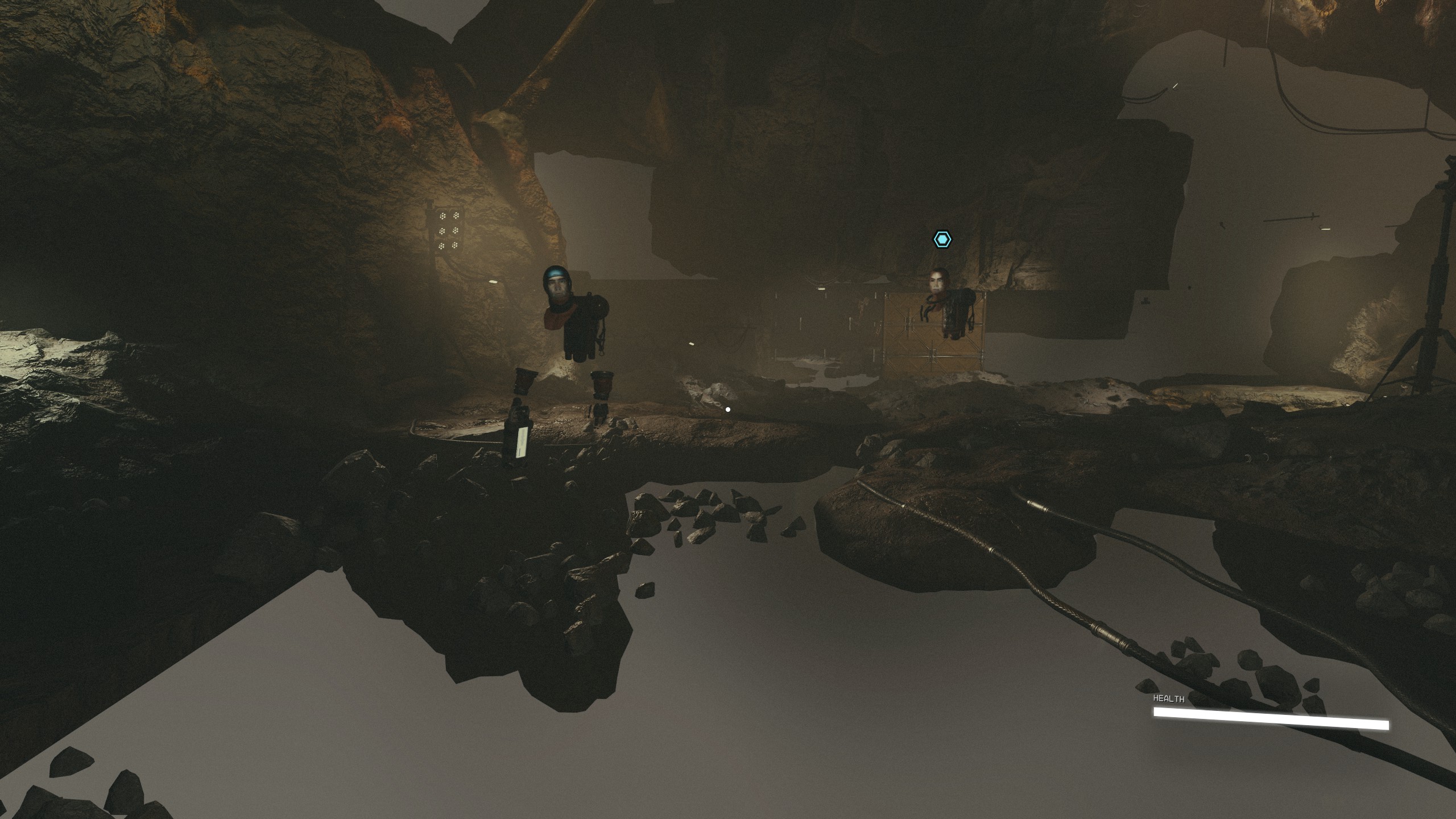

Replying to https://github.com/ValveSoftware/Proton/issues/7064#issuecomment-1710712311
nuke shared cache, nuke in compatdata / documents / saved game/ starfield the cache file. Update to proton experimental bleeding. Those were the steps to stop getting eyes and teeth for heads on my 6800.
Replying to https://github.com/ValveSoftware/Proton/issues/7064#issuecomment-1710712311
I have a similar issue on my system.
System Information
- GPU: AMD RX Vega 56
- Video driver version: Mesa 23.1.6
- Kernel version: 6.4.12-zen1-1-zen
- Link to full system information report as Gist:
- Proton version: Proton Experimental (similar behavior on other proton versions)
nuke shared cache, nuke in compatdata / documents / saved game/ starfield the cache file. Update to proton experimental bleeding. Those were the steps to stop getting eyes and teeth for heads on my 6800.
Already using proton experimental bleeding, tried a full re-install, clearing everything, still most (and random) textures not loading in. No change. :( It seems this exact issue isn't effecting RDNA cards like the 6800, but it was worth a shot.
nuke shared cache, nuke in compatdata / documents / saved game/ starfield the cache file. Update to proton experimental bleeding. Those were the steps to stop getting eyes and teeth for heads on my 6800.
Already using proton experimental bleeding, tried a full re-install, clearing everything, still most (and random) textures not loading in. No change. :( It seems this exact issue isn't effecting RDNA cards like the 6800, but it was worth a shot.
second screenshot is something I had on my 6800 with older 2.9 vkd3d versions
Replying to [#7064 (comment)](https://github.com/ValveSoftware/Proton/issues/7064#issuecomment-1710712311)
Tried it, no change.
I tried to start game but stuck on black screen
GPU: AMD ATI Radeon RX 7900 XTX
tests:
- Video driver version: Mesa 23.1.6 / Mesa 23.1.7 / Mesa 23.2.0 RC3
- Kernel version: 6.4.9 / 6.4.11 / 6.4.12 / 6.5.0
- Proton version: Proton Experimental / Proton 8.0-3 / GE-Proton8-11 / GE-Proton8-12 / GE-Proton8-13 / GE-Proton8-14
Proton - tested Parameters:
VKD3D_CONFIG=force_host_cached
VKD3D_CONFIG=no_upload_hvv
Proton log
steam-1716740.log
@k3ssl0sh4y Could you post a text file with the output from vulkaninfo
I'm having issues with the game frequently (every 20 mins or so, with no apparent reason) freezing completely, sometimes so badly that I have to restart my PC. The game otherwise runs fine, no performance issues (other than the game running so-so regardless), no missing textures, no crashes on loading screens, etc.
EndeavourOS
Kernel 6.4.12-arch1-1
GPU: RX 7800 XT (with regular mesa)
CPU: R5 3600
Proton Experimental
Anyone have the same issue? It's very annoying to have to restart my whole computer every 20 minutes :sweat:
EDIT: Here is a gist of the relevant part of the proton log (where it crashes). Of note is that the log is filled with spam about allocation padding and other vkd3d allocation-related stuff. No idea if it's relevant to the freeze/crash however.
Distro: Linux Mint 21.2
Kernel: 6.2.0-32-generic
RAM: 32 GB
GPU Driver: 4.6 Mesa 23.0.4-0ubuntu1~22.04.1
GPU: AMD Radeon RX 590 (polaris10, LLVM 15.0.7, DRM 3.49, 6.2.0-32-generic)
CPU: AMD Ryzen 7 3800X 8-Core
The game runs but as other people have said there are a bunch of missing textures. I think it's something to do with this specific family of GPUs because everyone with them seems to be getting the same thing.
It seems to be ALL GCN based GPUs. I am another person with Vega 56 not working correctly. There is a steam post saying that the texture issue is there on Radeon VII as well.
I'm having issues with the game frequently (every 20 mins or so, with no apparent reason) freezing completely....
I have just yesterday started experiencing this, however I assume it's just because over the last week I've started monkeying around with files (higher refresh rate menus, custom ini settings to skip intro and lower black screen fade times, etc.)
I've not done any updates that have changed mesa or vulkan so I don't think that's the change.. and the game hasn't been updated right?
I'm on a 6900XT, mesa 23.1.6 and the latest EndeavourOS kernel as well (woot endeavour! 😄)
Problem: Game does freeze after clicking new Game
Intel® Core™ i7-8700K
NVIDIA GeForce RTX™ 2080 Ti → 535.104.05 and 530.41.03
Fedora Linux 38 (Workstation Edition)
64-bit
Gnome Ver.: 44.4
windowingsys: X11
Kernel: Linux 6.4.14-200.fc38.x86_64
Latest Proton Exper.
I'm having issues with the game frequently (every 20 mins or so, with no apparent reason) freezing completely....
I have just yesterday started experiencing this, however I assume it's just because over the last week I've started monkeying around with files (higher refresh rate menus, custom ini settings to skip intro and lower black screen fade times, etc.)
I've not done any updates that have changed mesa or vulkan so I don't think that's the change.. and the game hasn't been updated right?
I'm on a 6900XT, mesa 23.1.6 and the latest EndeavourOS kernel as well (woot endeavour! 😄)
Just to clarify my situation: I have not installed any mods or fiddled with any game files apart from the .ini file in the pfx for FOV-adjustment. I tried switching to mesa-git but it sort of bricked my computer (I could probably solve it but cba), so I can't say if that would help or not.
Problem: Game does freeze after clicking new Game Intel® Core™ i7-8700K NVIDIA GeForce RTX™ 2080 Ti → 535.104.05 and 530.41.03 Fedora Linux 38 (Workstation Edition) 64-bit Gnome Ver.: 44.4 windowingsys: X11 Kernel: Linux 6.4.14-200.fc38.x86_64
Latest Proton Exper.
Downgrade driver to 525 series. 530 and 535 don't work currently.
I can confirm downgrading from 535 to 525 works. 525 also fixed other weird things like when you install the driver, DURING the installation process it goes black the screen.
@k3ssl0sh4y Could you post a text file with the output from
vulkaninfo
I'll update with that I've now tried installing the updated VKD3D fork with no effect. I think it's also worth mentioning that sometimes when the game freezes and then crashes, both firefox and discord will crash and refuse to start again until I restart my PC.
@k3ssl0sh4y I see you have your GPU listed twice and in your Proton log it's indicated the GPU is running both 23.1.6 and 23.1.7 at the same time.
Normally installed Vulkan ICD's are stored in /usr/share/vulkan/icd.d/ but it might be worth checking if have a extra icd from a local compile and install stored in locations such as /usr/local/share/vulkan/icd.d or ~/.local/share/vulkan/icd.d if any of them exist.
Some games will bug out if this is the case since they might try to use both drivers on the same card at the same time. Or something :grin:
How can i downgrade from 535 to 525 on Arch Linux :(?
How can i downgrade from 535 to 525 on Arch Linux :(?
With nvidia-all.
How can i downgrade from 535 to 525 on Arch Linux :(?
I used the nvidia-525xx package in AUR, but it seems the more accepted method is to use nvidia-all.
@ivakam By any chance are you using DisplayPort and HDMI outputs at the same time? I normally have 2x DP and 1x HDMI in use, but if I don't unplug the HDMI cable physically from the GPU (even if the connected monitor is off) before playing, my whole machine will freeze up and crash exactly as you describe, after 20-30 minutes.
Anyone know a good way of downgrading to 525 on Fedora? Not able to play the game.
Anyone know a good way of downgrading to 525 on Fedora? Not able to play the game.
You can grab the package files from rpmfusion koji. You can find the packages you need with sudo dnf list installed | grep -i nvidia | grep -i rpmfusion.
Found a place with a reasonably high number of slates, and the game is crashing a lot... At least managed to figure out it's really the driver crashing that causes it, got this on dmesg (couple successive crashes):
[Sep 9 01:12] NVRM: Xid (PCI:0000:41:00): 13, pid='<unknown>', name=<unknown>, Graphics Exception on GPC 4: SAVE_RESTORE_ADDR_OOB
[  +0.000033] NVRM: Xid (PCI:0000:41:00): 13, pid='<unknown>', name=<unknown>, Graphics Exception: ESR 0x520900=0x80000001
[  +0.000034] NVRM: Xid (PCI:0000:41:00): 13, pid='<unknown>', name=<unknown>, Graphics Exception on GPC 5: SAVE_RESTORE_ADDR_OOB
[  +0.000040] NVRM: Xid (PCI:0000:41:00): 13, pid='<unknown>', name=<unknown>, Graphics Exception: ESR 0x528900=0x80000001
[  +0.000465] NVRM: Xid (PCI:0000:41:00): 13, pid=3458838, name=Starfield.exe, Graphics Exception: ChID 007e, Class 0000c597, Offset 00000000, Data 00000000
[Sep 9 01:23] NVRM: Xid (PCI:0000:41:00): 13, pid='<unknown>', name=<unknown>, Graphics Exception on GPC 4: SAVE_RESTORE_ADDR_OOB
[  +0.000052] NVRM: Xid (PCI:0000:41:00): 13, pid='<unknown>', name=<unknown>, Graphics Exception: ESR 0x520900=0x80000001
[  +0.000036] NVRM: Xid (PCI:0000:41:00): 13, pid='<unknown>', name=<unknown>, Graphics Exception on GPC 5: SAVE_RESTORE_ADDR_OOB
[  +0.000034] NVRM: Xid (PCI:0000:41:00): 13, pid='<unknown>', name=<unknown>, Graphics Exception: ESR 0x528900=0x80000001
[  +0.000437] NVRM: Xid (PCI:0000:41:00): 13, pid=3461828, name=Starfield.exe, Graphics Exception: ChID 007e, Class 0000c597, Offset 00000000, Data 00000000
Running on 525.116.04. Hopefully whenever 535 gets fixed this goes away as well, if it doesn't, at least we got some hints of where the problem is.
@k3ssl0sh4y I see you have your GPU listed twice and in your Proton log it's indicated the GPU is running both 23.1.6 and 23.1.7 at the same time. Normally installed Vulkan ICD's are stored in
/usr/share/vulkan/icd.d/but it might be worth checking if have a extra icd from a local compile and install stored in locations such as/usr/local/share/vulkan/icd.dor~/.local/share/vulkan/icd.dif any of them exist. Some games will bug out if this is the case since they might try to use both drivers on the same card at the same time. Or something 😁
I uninstalled all versions of mesa, i installed Mesa 23.1.6 again but it still stuck on the black screen
vulkaninfo_230909.txt
steam-1716740.log
Could it be a problem with the vkd3d?
@ivakam By any chance are you using DisplayPort and HDMI outputs at the same time? I normally have 2x DP and 1x HDMI in use, but if I don't unplug the HDMI cable physically from the GPU (even if the connected monitor is off) before playing, my whole machine will freeze up and crash exactly as you describe, after 20-30 minutes.
Huh would you look at that, I am actually doing exactly that. My setup is as follows: My GPU has 1 HDMI output and 3 DP outputs. My main monitor has DP input, while my two side monitors both only have HDMI/DVI inputs (they're a bit old ok). After changing to my current GPU, my cable I was using to convert DP out -> HDMI in stopped working, which might be related?
I'll try your suggestion tomorrow evening (busy until then) and I'll report back if it helped!
Downgrade with nvidia-all to 525! It Works! :)
Thanks!
I uninstalled all versions of mesa, i installed Mesa 23.1.6 again but it still stuck on the black screen
I still see your main GPU listed twice as two GPUs.
Does forcing just one driver help your issue?
VK_ICD_FILENAMES=/usr/share/vulkan/icd.d/radeon_icd.i686.json:/usr/share/vulkan/icd.d/radeon_icd.x86_64.json %command%
Is there a magic driver/kernel/vkd3d recipe for good performance?
Game is running very stable for us now, just not very smoothly (RX 6700 XT). Using latest vkd3d-proton built from source, and mesa 23.3, which is as far as I can tell the only thing we are doing differently to other people.
Is 23.1.6 meant to have better performance?
Also have had issues in the past with games doing really severe log spamming in the background, could this be it?
To people with NVIDIA gpus on the 525 driver who are playing at the moment: is 15-20 fps satisfying to you or are you getting acceptable performance (60fps or above) with some combination of kernel, proton and driver version?
To people with NVIDIA gpus on the 525 driver who are playing at the moment: is 15-20 fps satisfying to you or are you getting acceptable performance (60fps or above) with some combination of kernel, proton and driver version?
It is not satisfieing but completely playable. Most of the time when you are in instanced dungeons fps is around 25 - 30 fps in 2k then it is ok. In larger cities and space it suffers more: https://youtu.be/79dqUcVe2cE?si=dYrXfrx2PkWUb-Jh
The game runs great on Medium settings when upgrading Debian to Testing / Trixie and using the Proton Experimental. That has updated Kernel and Mesa drivers for my Radeon RX 5700 XT.
System now runs:
OS: Debian GNU/Linux trixie
Desktop environment: KDE Wayland
KERNEL: 6.4.0-4-amd64
CPU: AMD Ryzen 7 5800X 8-Core
GPU: AMD Radeon RX 5700 XT (navi10, LLVM 15.0.7, DRM 3.52, 6.4.0-4-amd64)
GPU DRIVER: 4.6 Mesa 23.1.6-1
RAM: 32 GB
It is not satisfieing but completely playable. Most of the time when you are in instanced dungeons fps is around 25 - 30 fps in 2k then it is ok. In larger cities and space it suffers more: https://youtu.be/79dqUcVe2cE?si=dYrXfrx2PkWUb-Jh
Thanks for the reply and the video. For me personally this was painful to watch and I couldn't enjoy it on low frame rate but totally understand that it's ok for some people. At this point if you want to get full performance from NVIDIA gpu we'll probably have to wait for a few weeks or months for them to fix 535. This is my last NVIDIA purchase.
It is not satisfieing but completely playable. Most of the time when you are in instanced dungeons fps is around 25 - 30 fps in 2k then it is ok. In larger cities and space it suffers more: https://youtu.be/79dqUcVe2cE?si=dYrXfrx2PkWUb-Jh
Thanks for the reply and the video. For me personally this was painful to watch and I couldn't enjoy it on low frame rate but totally understand that it's ok for some people. At this point if you want to get full performance from NVIDIA gpu we'll probably have to wait for a few weeks or months for them to fix 535. This is my last NVIDIA purchase.
Then you’ll find another game that works better on Nvidia, and you’ll say « last AMD purchase ». If you want day one AAA gaming, stay on Windows.
NB: this feed is for technical purpose. To complain or debate it would be better to use forums or reddit.
It is not satisfieing but completely playable. Most of the time when you are in instanced dungeons fps is around 25 - 30 fps in 2k then it is ok. In larger cities and space it suffers more: https://youtu.be/79dqUcVe2cE?si=dYrXfrx2PkWUb-Jh
Thanks for the reply and the video. For me personally this was painful to watch and I couldn't enjoy it on low frame rate but totally understand that it's ok for some people. At this point if you want to get full performance from NVIDIA gpu we'll probably have to wait for a few weeks or months for them to fix 535. This is my last NVIDIA purchase.
Ah that is nothing, playing StarCitizen on a toaster was a pain :D : https://www.youtube.com/watch?v=q4Aq4x2tEGQ
But enough chit-chat now :)
I uninstalled all versions of mesa, i installed Mesa 23.1.6 again but it still stuck on the black screen
I still see your main GPU listed twice as two GPUs. Does forcing just one driver help your issue?
VK_ICD_FILENAMES=/usr/share/vulkan/icd.d/radeon_icd.i686.json:/usr/share/vulkan/icd.d/radeon_icd.x86_64.json %command%
Yes, i tried but the problem persists =(
I can confirm downgrading from 535 to 525 works. 525 also fixed other weird things like when you install the driver, DURING the installation process it goes black the screen.
Thank you, this has worked for me (so far). Had all the issues everyone is having; switched to nvidia-525 and game is playing now. Proton Experimental; no additional startup options.
Replying to https://github.com/ValveSoftware/Proton/issues/7064#issuecomment-1711315864
Similar for me. Game runs perfectly with a 6950XT and GE Proton 8.14, Kernel 6.2.6, but freezes randomly and then crashes my entire session (and amazingly, unmounts some remote filesystems in an inconsistent state). It even manages to keep its own process alive so I keep hearing sounds from it in the login screen. (Just to clarify, this isn't a lock screen or anything - I have literally been logged out, my browser and all other open applications have crashed, and yet Starfield, the application that has caused the crash, keeps playing sound)
Hello @krateng, https://github.com/ValveSoftware/Proton/issues/7064#issuecomment-1702821008 is relevant to your system. The Linux 6.2.6 kernel doesn't have the needed fix backported.
Thank you, sorry for missing that. Upgraded my kernel to 6.4.6, looks like that fixed it. Haven't had a crash, everything seems to work.
You must downgrade the driver. After downgrading to NVIDIA 530 and using "VKD3D_SHADER_MODEL=6_6 %command%" as a launch option, I am able to play. However, It is important to note that the performance is shoddy at best and highly inconsistent. For instance, the UC Vigilance will run 50-60 FPS, while my own ship the Frontier (considerably less assets than the Vigilance) will be around 30 FPS. I wonder why this happens.
LINUX PERFORMANCE TIPS
cpu affinity
If you are experiencing intermittent freezing that lasts several seconds when you load new areas or in the middle of fights - it is due to two things - Slow loading of assets from disk, which is why SSD is required. The other thing is low CPU power slowing down the processing of those assets after being loaded. You can reduce or eliminate the stutering by making sure your CPU is at maximum.
For windows its an easy fix with affinity ie - https://www.reddit.com/r/Starfield/comments/1684t7y/psa_pc_game_freezing_at_random_even_though_it_is/
But for linux/proton you can use taskset which is finicky with steam/proton.. I use this custom proton command which tells the game to use all of my 8 (logical) cores - you can adjust it for your own CPU
WINE_CPU_TOPOLOGY=8:0,1,2,3,4,5,6,7 %command%
I have confirmed this does reduce the loading freezing by quite a lot
vram texture usage
If you have a GPU with a low amount of VRAM, meaning that may be your performance bottleneck - most textures in Starfield are 2048x2048 and use alot of VRAM - You can use a mod to use reduced texture sizes - and can still look great. With GPUs with low VRAM it can give a nice boost in performance.
https://www.nexusmods.com/starfield/mods/1502?tab=description
negative LOD bias
If you are using upscalers (FSR, DLSS mod, etc) apparently the negative LOD bias was not implented properly leading to wrong textures being loaded.
https://www.reddit.com/r/nvidia/comments/16ds9e5/psa_for_dlss_with_starfield_set_a_negative_lod/
One advantage of having the LOD bias variable being able to be set by you is that you can tell it to use a lower value (like -2) leading to a performance boost
Can anyone confirm unusual GPU power usage with this game? Everything else looks in order for me but power usage is very odd.
Seeing ~130 watts instead of ~300 watts on my unlocked power limit 6900XT. Every other game I see it around at least ~240 watts when I see 99% GPU usage.
Which makes me think this is the reason I am getting very poor performance despite 99% GPU usage.
5950X, 6900XT, kernel 6.4.6-76060406-generic, and Mesa 23.1.3
Hello @krateng, [#7064 (comment)](https://github.com/ValveSoftware/Proton/issues/7064#issuecomment-1702821008) is relevant to your system. The Linux 6.2.6 kernel doesn't have the needed fix backported.
This does not seem to help with my freezing/crashing seeing as I'm on kernel 6.4.12. The reported issue with DP/HDMI mixed output was not the culprit either. I'll see if I can get mesa-git working, but other than that I'm starting to feel like I've tried everything :(
EDIT: Same on kernel 6.5.2 with mesa-git (23.3.0)
Replying to https://github.com/ValveSoftware/Proton/issues/7064#issuecomment-1712775969
Thanks! Especially the CPU allocation helped a ton!
Im having minor particle effect artifacting (some effects are rendered in small square blocks).
Doesnt happen in any other game.
Its not always super noticeable but you can see it in the spaceship engine effects and anything that emits a lot of light.
Sometimes a random 3d model, or part of it, "shrinks" into something super tiny that it looks like its gone.
Operating System: Arch Linux
KDE Plasma Version: 5.27.7
KDE Frameworks Version: 5.109.0
Qt Version: 5.15.10
Kernel Version: 6.5.2-arch1-1 (64-bit)
Graphics Platform: Wayland
Processors: 12 × AMD Ryzen 5 3600 6-Core Processor
Memory: 15.5 GiB of RAM
Graphics Processor: AMD Radeon RX 6600
I believe the thing at least that's causing the artifacting on the ship engines is having the VRS(Variable Rate Shading) enabled. If you turn that off, might get a bit of a performance hit, but it seems to get rid of the artifacts at least in that case.
It seems latest vk3d-proton fix a memory issue in Starfield:
Workaround Starfield memory corruption issue where it does not correctly query for 4 KiB alignment
https://github.com/HansKristian-Work/vkd3d-proton/releases/tag/v2.10
But I’m not sure if this workaround fixes the driver bug. Should be good to give a try.
It seems latest
vk3d-protonfix a memory issue in Starfield:
Workaround Starfield memory corruption issue where it does not correctly query for 4 KiB alignmenthttps://github.com/HansKristian-Work/vkd3d-proton/releases/tag/v2.10
But I’m not sure if this workaround fixes the driver bug. Should be good to give a try.
This is not the fix we are all waiting for. Driver bug still exists and is also mentioned in the release note
Device generated commands for compute
With NV_device_generated_commands_compute we can efficiently implement
Starfield's use of ExecuteIndirect which hammers multi-dispatch COMPUTE + root parameter changes.
Previously, we would rely on a very slow workaround.

NOTE: This feature is currently only enabled on RADV due to driver issues.
But good news, I know that NVIDIA is investigating this bug, but no one has been able to give me any timeframe. We'll have to wait.
The Proton Experimental release from 2023/09/07 already included everything in the vkd3d-proton 2.10 release just as a quick note.
The Proton Experimental release from 2023/09/07 already included everything in the vkd3d-proton 2.10 release just as a quick note.
Just for clarity, does this mean that everyone who set their proton to Proton Experimental (is bleeding edge required?) already has all these changes/fixes and should therefore ignore this?
Yes regular Experimental (non BE) already have all the mentioned work. It's been sitting in vkd3d-proton for a few days before a official stable release so it could get some testing.
@lucassith Thank for the clarification
I believe the thing at least that's causing the artifacting on the ship engines is having the VRS(Variable Rate Shading) enabled. If you turn that off, might get a bit of a performance hit, but it seems to get rid of the artifacts at least in that case.
This worked for me, thank you
Edit: i still see some artifacts but way less of them.
Proton 8.0 Experimental was updated 4 days ago
https://github.com/ValveSoftware/Proton/tree/experimental_8.0
Steam also shows Proton Experimental as having updated 4 days ago
Proton Bleeding Edge was updated 2 days ago
https://github.com/ValveSoftware/Proton/tree/bleeding-edge
If you want to try the very latest vkd3d, you'd have to install the Bleeding Edge prefix and manually set that up. Since the new vkd3d version is 3 days old, so Experimental which is 4 days old wouldnt have it.
https://github.com/HansKristian-Work/vkd3d-proton
I'd wait a little while and keep checking Experimental for when it updates.
Replying to https://github.com/ValveSoftware/Proton/issues/7064#issuecomment-1713972837
Good to hear it's being worked on. I got my VFIO passthrough VM running for now, but I still have Starfield installed on Linux and am ready to test anything.
Proton 8.0 Experimental was updated 4 days ago https://github.com/ValveSoftware/Proton/tree/experimental_8.0 Steam also shows Proton Experimental as having updated 4 days ago
Proton Bleeding Edge was updated 2 days ago https://github.com/ValveSoftware/Proton/tree/bleeding-edge
If you want to try the very latest vkd3d, you'd have to install the Bleeding Edge prefix and manually set that up. Since the new vkd3d version is 3 days old, so Experimental which is 4 days old wouldnt have it. https://github.com/HansKristian-Work/vkd3d-proton
I'd wait a little while and keep checking Experimental for when it updates.
Unless you are referring to something else, Proton Experimental BE can be opted into directly through steam, no need to download/setup the pfx manually :smile:
I have tested the proposed vkd3d-proton change and compiled the branch 'dgc-conditional-rendering' from the vkd3d-proton repo. Then I copied the two DLLs to the appropiate path in GE-proton8-14. Additionally I have added (WINE_CPU_TOPOLOGY=16:0,1,2,3,4,5,6,7,8,9,10,11,12,13,14,15 %command%) for my 16 cores. My test scene at my base on a planet run at 20 -27 fps. I switched to Proton-experimental on bleeding edge then and it ran at 17 - 22 fps. So there is an improvement. My system is a laptop with a Ryzen 9 6900HX and a 3090 Ti mobile.
Unless you are referring to something else, Proton Experimental BE can be opted into directly through steam, no need to download/setup the pfx manually 😄
Blisto said what you are saying - that Proton Experimental off steam has the latest vkd3d version, I was pointing out it doesnt (only bleeding edge currently does - which you have to manually install, since it doesnt exist on steam)
I think this needed to be said in case people were running off to run Experimental and seeing no change and coming here to say so
Unless you are referring to something else, Proton Experimental BE can be opted into directly through steam, no need to download/setup the pfx manually 😄
Blisto said what you are saying - that Proton Experimental off steam has the latest vkd3d version, I was pointing out it doesnt (only bleeding edge currently does - which you have to manually install, since it doesnt exist on steam)
I think this needed to be said in case people were running off to run Experimental and seeing no change and coming here to say so
Sorry for being unclear. I meant to clarify that bleeding edge does exist on steam, but it's a bit hidden. You can access it by opting into it as a beta for Proton Experimental in your library :monocle_face:
Problem: Game does freeze after clicking new Game Intel® Core™ i7-8700K NVIDIA GeForce RTX™ 2080 Ti → 535.104.05 and 530.41.03 Fedora Linux 38 (Workstation Edition) 64-bit Gnome Ver.: 44.4 windowingsys: X11 Kernel: Linux 6.4.14-200.fc38.x86_64
Latest Proton Exper.Downgrade driver to 525 series. 530 and 535 don't work currently.
530 actually works fine for me.
WINE_CPU_TOPOLOGY=8:0,1,2,3,4,5,6,7 %command%
I have confirmed this does reduce the loading freezing by quite a lot
So I do not understand at all why this would be the case, as monitoring via Mangohud during gameplay shows full use of every thread on my machine... but adding this to my launch options allowed me to play for a solid couple hours without the crazy freeze that logs me out of the session. That's certainly not proof of correlation, but is an improvement over the many hours prior of gameplay.
Ryzen 3700X, 6900XT
Update from Nvidia rep:
NVIDIA driver team is actively working on this bug. Here is a update from last week investigation. There appears to be 2 issues.
    Failure to launch on Pascal GPU with “Error: Graphics card does not meet the minimal specifications requirements” is due to a missing extension required by VKD3D. Due to hardware limitation, it is not possible to add support.
    Failure to launch on Turing and later GPUs. We are still working on a root cause for this.
Sorry for the inconvenience. We are still working hard on this bug. We are aiming to provide a fix in the next driver branch.
Seems like those on Pascal series (1000s) might be outta luck.
Sorry for the inconvenience. We are still working hard on this bug. We are aiming to provide a fix in the next driver branch.
I know this is a bit off-topic, but isn't the driver branch on an incredibly long ($\sim$ 6 month) release cycle? Presumably we would be waiting much less time than that since 535 came out in May, but yikes, I was really hoping this could be part of a bug fix patch. I get that the drivers are really complicated and occasional bugs are to be expected, but nvidia talking about bug fixes in branch releases isn't very encouraging (unless I'm misinterpreting what they mean by driver branch, or it's implicit that this is soon enough that 535 bug fixes are soon to be pointless).
Sorry for the inconvenience. We are still working hard on this bug. We are aiming to provide a fix in the next driver branch.I know this is a bit off-topic, but isn't the driver branch on an incredibly long ($\sim$ 6 month) release cycle? Presumably we would be waiting much less time than that since 535 came out in May, but yikes, I was really hoping this could be part of a bug fix patch. I get that the drivers are really complicated and occasional bugs are to be expected, but nvidia talking about bug fixes in branch releases isn't very encouraging (unless I'm misinterpreting what they mean by driver branch, or it's implicit that this is soon enough that 535 bug fixes are soon to be pointless).
Linux is not a priority for NVIDIA. If you want timely bug fixes and Driver updates for GPUs on Linux you have to use AMD. I see this kind of behavior in literally every single proton issue thread I am subscribed to or have ever been subscribed to. Constant driver juggling and months of waiting for fixes. Some of which never arrived.
Today I updated vkd3d to version 2.10 and it WORKED!
Thank's
@Blisto91
Can anyone confirm unusual GPU power usage with this game? Everything else looks in order for me but power usage is very odd.
Seeing ~130 watts instead of ~300 watts on my unlocked power limit 6900XT. Every other game I see it around at least ~240 watts when I see 99% GPU usage.
Which makes me think this is the reason I am getting very poor performance despite 99% GPU usage.5950X, 6900XT, kernel 6.4.6-76060406-generic, and Mesa 23.1.3
I figured out this issue I have... The game is extremely single threaded. (What is this 2013?)
Lowest possible graphics settings at 1080p. From my ship standing on the dock looking at New Atlantis I am getting only 70FPS on a 6900XT. I see a single thread on my 5950X at 100% (PBO is on). Ever other core is in the 20-40% range. GPU is at 82% usage in the instance.
The game on Ultra Preset at 3440x1440 I get 60FPS in this same location. 10FPS increase going from 1080p Lowest possible graphics setting to Ultra Preset at 1440p Ultra Wide. Hilarious.
"Uh… we did [optimize Starfield]. [...] You may need to upgrade your PC for this game." - Known Lair Todd Howard
It is a 5950X Todd... Not many CPUs are better. So what I need a 7950X3D in order to run this game at 100FPS?
I did try WINE_CPU_TOPOLOGY=8:0,1,2,3,4,5,6,7 %command% for giggles. No improvement.
I don't get any crashes or hitching. Game seems to be stable for me just really badly optimized. Maybe in a few months Bethesda will improve things. 🤣🤣🤣 yeah right. At least I got this game for free.
Can anyone confirm unusual GPU power usage with this game? Everything else looks in order for me but power usage is very odd.
Seeing ~130 watts instead of ~300 watts on my unlocked power limit 6900XT. Every other game I see it around at least ~240 watts when I see 99% GPU usage.
Which makes me think this is the reason I am getting very poor performance despite 99% GPU usage.
5950X, 6900XT, kernel 6.4.6-76060406-generic, and Mesa 23.1.3I figured out this issue I have... The game is extremely single threaded. (What is this 2013?)
Well, the engine is really just an improved Oblivion's engine from 2006.
Today I updated vkd3d to version 2.10 and it WORKED!
Which GPU and OS do you have @k3ssl0sh4y? Just to know whether it's worth trying for me or not.
Experimental already have all the vkd3d-proton 2.10 changes so that specific part shouldn't make a difference if already using Experimental. The only commit not included is the updated changelogs document.
I see, I will test with proton experimental on steam then
I still can't move past the NEW GAME screen, I guess I need to wait for the NVIDIA fixes...
I see, I will test with proton experimental on steam then
Ah thought is what you were using. Yes also outside Proton I'd recommend using 2.10
It seems some recent change resolved my crash issues once and for all :smile: Unfortunately I can't pinpoint exactly what, but some combination of Proton BE, mesa-git, and the most recent kernel did it.
Update from Nvidia rep:
NVIDIA driver team is actively working on this bug. Here is a update from last week investigation. There appears to be 2 issues.
    Failure to launch on Pascal GPU with “Error: Graphics card does not meet the minimal specifications requirements” is due to a missing extension required by VKD3D. Due to hardware limitation, it is not possible to add support.
    Failure to launch on Turing and later GPUs. We are still working on a root cause for this.
Sorry for the inconvenience. We are still working hard on this bug. We are aiming to provide a fix in the next driver branch.
Seems like those on Pascal series (1000s) might be outta luck.
How much time between driver branches normally?
Replying to https://github.com/ValveSoftware/Proton/issues/7064#issuecomment-1715778923
Wen, the person from Nvidia, actually answered that question later:
I cannot give exact schedule for the next driver release which depends on many factors. There is a good cadence to the NVIDIA driver releases. You can view the history of official release drivers at the official site.
https://www.nvidia.com/Download/Find.aspx?lang=en-us
To me it seems they have a new release about every 2 to 3 weeks, but in some cases up to a month. This is for any release, including beta, etc., so not necessarily what Wen might have meant with "next release".
IMHO, the best approach here is just "hope for the best, prepare for the worst". DCS had a bug with the Nvidia drivers that took months to get fixed. It seems this one here has gotten much higher priority, but also, apparently, they still don't know (or at least didn't as of yesterday) what is causing the bug. How much it would take to debug it and then produce a fix (it could very well be a complex problem) is anyone's guess. Yes, it would've been great if they had tested in advance, but that's the reality and at this moment it's probably best to just stock up on patience.
Truth be told, this became for me the first case in 12+ years to dual boot Windows. While the 530 series driver does work for me too, the FPS in places like New Atlantis drops at times to 15. And even when it's 35, the controls feel rather laggy. It's playable...-ish, but not much fun. I was stunned to see the same 3080 (12GB, non-Ti) getting on Windows on 1080p (mostly) "Ultra" no less than 60 FPS in New Atlantis and up to 160+ FPS in some very light locations (the average is more like 70-80, I think). I sure hope it'll be the same on Linux when it's fixed. It's like night and day.
One other thing that currently seems better on Windows for me are the textures. With the 530 (and I think 525 too) driver on Linux I'm frequently encountering low resolution textures here and there. Eventually they would load completely, but it could take minutes or perhaps a revisit of the same location. I remember seeing similar problem in Star Citizen some time ago. I hope this is simply an artefact of the compute issues in 530 and earlier and not a separate bug.
Render issues in engine exhaust seem to be fixed with latest mesa-git and vkd3d-git (whatever proton exp. bleeding provides).
Which tool do you use to measure FPS?
FWIW For me, the game is playable (25+ fps) with proton exprimental / nvidia 525 / RTX3060 Ti / AMD® Ryzen 5 5600x 6-core processor × 12 but after a few hours, the display gets a bit blurry and game starts to slack, time to close and relaunch.
Which tool do you use to measure FPS?
Steam settings -> In-game -> FPS counter
Which tool do you use to measure FPS?
MangoHud.
anybody notice lower gpu usage with latest mesa-git and vkd3d from experimental bleeding?
kernel backtrace
Sep 12 22:47:01 Y4M1-II kernel: ---[ end trace 0000000000000000 ]---
Sep 12 22:47:01 Y4M1-II kernel:  </TASK>
Sep 12 22:47:01 Y4M1-II kernel:  ret_from_fork+0x2c/0x50
Sep 12 22:47:01 Y4M1-II kernel:  ? __pfx_kthread+0x10/0x10
Sep 12 22:47:01 Y4M1-II kernel:  kthread+0xe9/0x110
Sep 12 22:47:01 Y4M1-II kernel:  ? __pfx_worker_thread+0x10/0x10
Sep 12 22:47:01 Y4M1-II kernel:  worker_thread+0x1f6/0x3e0
Sep 12 22:47:01 Y4M1-II kernel:  process_one_work+0x225/0x430
Sep 12 22:47:01 Y4M1-II kernel:  drm_mode_rmfb_work_fn+0x6f/0xa0 [drm]
Sep 12 22:47:01 Y4M1-II kernel:  drm_framebuffer_remove+0x6b/0x1f0 [drm]
Sep 12 22:47:01 Y4M1-II kernel:  atomic_remove_fb+0x2fd/0x380 [drm]
Sep 12 22:47:01 Y4M1-II kernel:  ? __pfx___drm_printfn_info+0x10/0x10 [drm]
Sep 12 22:47:01 Y4M1-II kernel:  drm_atomic_commit+0x99/0xd0 [drm]
Sep 12 22:47:01 Y4M1-II kernel:  drm_atomic_helper_commit+0x11d/0x150 [drm_kms_helper]
Sep 12 22:47:01 Y4M1-II kernel:  ? drm_atomic_helper_swap_state+0x246/0x380 [drm_kms_helper]
Sep 12 22:47:01 Y4M1-II kernel:  commit_tail+0xc2/0x190 [drm_kms_helper]
Sep 12 22:47:01 Y4M1-II kernel:  ? drm_dp_mst_atomic_setup_commit+0x8a/0x1d0 [drm_display_helper]
Sep 12 22:47:01 Y4M1-II kernel:  ? wait_for_completion_timeout+0x119/0x150
Sep 12 22:47:01 Y4M1-II kernel:  ? drm_dp_mst_atomic_setup_commit+0x8a/0x1d0 [drm_display_helper]
Sep 12 22:47:01 Y4M1-II kernel:  ? drm_dp_mst_atomic_setup_commit+0x8a/0x1d0 [drm_display_helper]
Sep 12 22:47:01 Y4M1-II kernel:  ? __kmem_cache_alloc_node+0x19d/0x340
Sep 12 22:47:01 Y4M1-II kernel:  ? drm_modeset_lock_all_ctx+0x1ad/0x1d0 [drm]
Sep 12 22:47:01 Y4M1-II kernel:  ? dc_validate_global_state.part.0+0x305/0x4c0 [amdgpu]
Sep 12 22:47:01 Y4M1-II kernel:  ? dcn30_validate_bandwidth+0x14d/0x380 [amdgpu]
Sep 12 22:47:01 Y4M1-II kernel:  ? kfree+0x78/0x120
Sep 12 22:47:01 Y4M1-II kernel:  ? dcn30_validate_bandwidth+0x14d/0x380 [amdgpu]
Sep 12 22:47:01 Y4M1-II kernel:  ? __kmem_cache_alloc_node+0x19d/0x340
Sep 12 22:47:01 Y4M1-II kernel:  ? dcn30_internal_validate_bw+0xac3/0xf10 [amdgpu]
Sep 12 22:47:01 Y4M1-II kernel:  amdgpu_dm_atomic_commit_tail+0x161/0x13e0 [amdgpu]
Sep 12 22:47:01 Y4M1-II kernel:  manage_dm_interrupts+0xa9/0xd0 [amdgpu]
Sep 12 22:47:01 Y4M1-II kernel:  drm_crtc_vblank_off+0xe0/0x290 [drm]
Sep 12 22:47:01 Y4M1-II kernel:  drm_vblank_disable_and_save+0xe2/0x120 [drm]
Sep 12 22:47:01 Y4M1-II kernel:  dm_disable_vblank+0x10/0x20 [amdgpu]
Sep 12 22:47:01 Y4M1-II kernel:  dm_set_vblank+0x195/0x1c0 [amdgpu]
Sep 12 22:47:01 Y4M1-II kernel:  <TASK>
Sep 12 22:47:01 Y4M1-II kernel: Call Trace:
Sep 12 22:47:01 Y4M1-II kernel: PKRU: 55555554
Sep 12 22:47:01 Y4M1-II kernel: CR2: 00007f7288010668 CR3: 0000000122eae000 CR4: 0000000000750ee0
Sep 12 22:47:01 Y4M1-II kernel: CS:  0010 DS: 0000 ES: 0000 CR0: 0000000080050033
Sep 12 22:47:01 Y4M1-II kernel: FS:  0000000000000000(0000) GS:ffff97aefed40000(0000) knlGS:0000000000000000
Sep 12 22:47:01 Y4M1-II kernel: R13: 0000000000000001 R14: ffff97a028c20000 R15: ffff97a34443dc00
Sep 12 22:47:01 Y4M1-II kernel: R10: 0000000000000000 R11: 0000000000000000 R12: 0000000000000001
Sep 12 22:47:01 Y4M1-II kernel: RBP: ffffb80652097898 R08: 0000000000000000 R09: 0000000000000000
Sep 12 22:47:01 Y4M1-II kernel: RDX: 0000000000000000 RSI: 0000000000000000 RDI: 0000000000000000
Sep 12 22:47:01 Y4M1-II kernel: RAX: 0000000000000000 RBX: ffff97a028c265b8 RCX: 0000000000000000
Sep 12 22:47:01 Y4M1-II kernel: RSP: 0018:ffffb80652097878 EFLAGS: 00010046
Sep 12 22:47:01 Y4M1-II kernel: Code: 31 f6 31 ff c3 cc cc cc cc 44 89 e2 48 89 de 4c 89 f7 e8 94 fc ff ff 5b 41 5c 41 5d 41 5e 5d 31 d2 31 f6 31 ff c3 cc cc cc cc <0f> 0b b8 ea ff ff ff eb c3 b8 fe ff ff ff eb bc 90 90 90 90 90 90
Sep 12 22:47:01 Y4M1-II kernel: RIP: 0010:amdgpu_irq_put+0x9f/0xb0 [amdgpu]
Sep 12 22:47:01 Y4M1-II kernel: Workqueue: events drm_mode_rmfb_work_fn [drm]
Sep 12 22:47:01 Y4M1-II kernel: Hardware name: Gigabyte Technology Co., Ltd. X570S AORUS MASTER/X570S AORUS MASTER, BIOS F5a 02/08/2023
Sep 12 22:47:01 Y4M1-II kernel: CPU: 13 PID: 332451 Comm: kworker/13:1 Tainted: G        W  OE      6.2.0-31-generic [#31](/issue/ValveSoftware/Proton/31)-Ubuntu
Sep 12 22:47:01 Y4M1-II kernel:  xone_gip(OE) snd ecdh_generic irqbypass rapl gigabyte_wmi wmi_bmof k10temp ecc soundcore ccp cfg80211 input_leds joydev mac_hid nfsd msr auth_rpcgss parport_pc nfs_acl ppdev lockd lp grace parport efi_pstore sunrpc dmi_sysfs ip_tables x_tables autofs4 btrfs blake2b_generic raid10 raid456 async_raid6>
Sep 12 22:47:01 Y4M1-II kernel: Modules linked in: tls vfio_pci vfio_pci_core hid_logitech_hidpp hid_logitech_dj xt_addrtype xt_nat wireguard curve25519_x86_64 libchacha20poly1305 chacha_x86_64 poly1305_x86_64 libcurve25519_generic libchacha ip6_udp_tunnel udp_tunnel rfcomm snd_seq_dummy snd_hrtimer ip6t_REJECT nf_reject_ipv6 xt_mu>
Sep 12 22:47:01 Y4M1-II kernel: WARNING: CPU: 13 PID: 332451 at drivers/gpu/drm/amd/amdgpu/amdgpu_irq.c:600 amdgpu_irq_put+0x9f/0xb0 [amdgpu]
Sep 12 22:47:01 Y4M1-II kernel: ------------[ cut here ]------------
Sep 12 22:46:59 Y4M1-II kernel: amdgpu 0000:0d:00.0: amdgpu: GPU reset begin!
Sep 12 22:46:59 Y4M1-II kernel: [drm:amdgpu_job_timedout [amdgpu]] *ERROR* Process information: process Starfield.exe pid 332656 thread vkd3d_queue pid 332950
Sep 12 22:46:59 Y4M1-II kernel: [drm:amdgpu_job_timedout [amdgpu]] *ERROR* ring gfx_0.0.0 timeout, signaled seq=37177524, emitted seq=37177526
GPU reset log
Sep 12 22:47:00 Y4M1-II plasmashell[15316]: amdgpu: amdgpu_cs_query_fence_status failed.
Sep 12 22:47:00 Y4M1-II plasmashell[6844]: amdgpu: amdgpu_cs_query_fence_status failed.
Sep 12 22:47:00 Y4M1-II kernel: amdgpu 0000:0d:00.0: amdgpu: GPU reset(2) succeeded!
Sep 12 22:47:00 Y4M1-II kernel: amdgpu 0000:0d:00.0: amdgpu: recover vram bo from shadow done
Sep 12 22:47:00 Y4M1-II kernel: amdgpu 0000:0d:00.0: amdgpu: recover vram bo from shadow start
Sep 12 22:47:00 Y4M1-II kernel: amdgpu 0000:0d:00.0: amdgpu: ring jpeg_dec uses VM inv eng 8 on hub 1
Sep 12 22:47:00 Y4M1-II kernel: amdgpu 0000:0d:00.0: amdgpu: ring vcn_enc_1.1 uses VM inv eng 7 on hub 1
Sep 12 22:47:00 Y4M1-II kernel: amdgpu 0000:0d:00.0: amdgpu: ring vcn_enc_1.0 uses VM inv eng 6 on hub 1
Sep 12 22:47:00 Y4M1-II kernel: amdgpu 0000:0d:00.0: amdgpu: ring vcn_dec_1 uses VM inv eng 5 on hub 1
Sep 12 22:47:00 Y4M1-II kernel: amdgpu 0000:0d:00.0: amdgpu: ring vcn_enc_0.1 uses VM inv eng 4 on hub 1
Sep 12 22:47:00 Y4M1-II kernel: amdgpu 0000:0d:00.0: amdgpu: ring vcn_enc_0.0 uses VM inv eng 1 on hub 1
Sep 12 22:47:00 Y4M1-II kernel: amdgpu 0000:0d:00.0: amdgpu: ring vcn_dec_0 uses VM inv eng 0 on hub 1
Sep 12 22:47:00 Y4M1-II kernel: amdgpu 0000:0d:00.0: amdgpu: ring sdma3 uses VM inv eng 15 on hub 0
Sep 12 22:47:00 Y4M1-II kernel: amdgpu 0000:0d:00.0: amdgpu: ring sdma2 uses VM inv eng 14 on hub 0
Sep 12 22:47:00 Y4M1-II kernel: amdgpu 0000:0d:00.0: amdgpu: ring sdma1 uses VM inv eng 13 on hub 0
Sep 12 22:47:00 Y4M1-II kernel: amdgpu 0000:0d:00.0: amdgpu: ring sdma0 uses VM inv eng 12 on hub 0
Sep 12 22:47:00 Y4M1-II kernel: amdgpu 0000:0d:00.0: amdgpu: ring kiq_2.1.0 uses VM inv eng 11 on hub 0
Sep 12 22:47:00 Y4M1-II kernel: amdgpu 0000:0d:00.0: amdgpu: ring comp_1.3.1 uses VM inv eng 10 on hub 0
Sep 12 22:47:00 Y4M1-II kernel: amdgpu 0000:0d:00.0: amdgpu: ring comp_1.2.1 uses VM inv eng 9 on hub 0
Sep 12 22:47:00 Y4M1-II kernel: amdgpu 0000:0d:00.0: amdgpu: ring comp_1.1.1 uses VM inv eng 8 on hub 0
Sep 12 22:47:00 Y4M1-II kernel: amdgpu 0000:0d:00.0: amdgpu: ring comp_1.0.1 uses VM inv eng 7 on hub 0
Sep 12 22:47:00 Y4M1-II kernel: amdgpu 0000:0d:00.0: amdgpu: ring comp_1.3.0 uses VM inv eng 6 on hub 0
Sep 12 22:47:00 Y4M1-II kernel: amdgpu 0000:0d:00.0: amdgpu: ring comp_1.2.0 uses VM inv eng 5 on hub 0
Sep 12 22:47:00 Y4M1-II kernel: amdgpu 0000:0d:00.0: amdgpu: ring comp_1.1.0 uses VM inv eng 4 on hub 0
Sep 12 22:47:00 Y4M1-II kernel: amdgpu 0000:0d:00.0: amdgpu: ring comp_1.0.0 uses VM inv eng 1 on hub 0
Sep 12 22:47:00 Y4M1-II kernel: amdgpu 0000:0d:00.0: amdgpu: ring gfx_0.0.0 uses VM inv eng 0 on hub 0
Sep 12 22:47:00 Y4M1-II kernel: amdgpu 0000:0d:00.0: amdgpu: SMU is resumed successfully!
Sep 12 22:47:00 Y4M1-II kernel: amdgpu 0000:0d:00.0: amdgpu: use vbios provided pptable
Sep 12 22:47:00 Y4M1-II kernel: amdgpu 0000:0d:00.0: amdgpu: SMU driver if version not matched
Sep 12 22:47:00 Y4M1-II kernel: amdgpu 0000:0d:00.0: amdgpu: smu driver if version = 0x00000040, smu fw if version = 0x00000041, smu fw program = 0, version = 0x003a5600 (58.86.0)
Sep 12 22:47:00 Y4M1-II kernel: amdgpu 0000:0d:00.0: amdgpu: SMU is resuming...
Sep 12 22:47:00 Y4M1-II kernel: amdgpu 0000:0d:00.0: amdgpu: SECUREDISPLAY: securedisplay ta ucode is not available
Sep 12 22:46:59 Y4M1-II kernel: amdgpu 0000:0d:00.0: amdgpu: GPU reset succeeded, trying to resume
Sep 12 22:46:59 Y4M1-II kernel: amdgpu 0000:0d:00.0: amdgpu: GPU smu mode1 reset
Sep 12 22:46:59 Y4M1-II kernel: amdgpu 0000:0d:00.0: amdgpu: GPU mode1 reset
Sep 12 22:46:59 Y4M1-II kernel: amdgpu 0000:0d:00.0: amdgpu: MODE1 reset
Sep 12 22:46:59 Y4M1-II kernel:  amdgpu_job_timedout+0x189/0x250 [amdgpu]
Sep 12 22:46:59 Y4M1-II kernel:  amdgpu_device_gpu_recover+0x4c3/0xa90 [amdgpu]
Sep 12 22:46:59 Y4M1-II kernel:  amdgpu_device_pre_asic_reset+0xd7/0x490 [amdgpu]
Sep 12 22:46:59 Y4M1-II kernel:  amdgpu_device_ip_suspend+0x3f/0x80 [amdgpu]
Sep 12 22:46:59 Y4M1-II kernel:  amdgpu_device_ip_suspend_phase2+0x25d/0x490 [amdgpu]
Sep 12 22:46:59 Y4M1-II kernel:  gmc_v10_0_suspend+0xe/0x20 [amdgpu]
Sep 12 22:46:59 Y4M1-II kernel:  gmc_v10_0_hw_fini+0x4a/0x90 [amdgpu]
Sep 12 22:46:59 Y4M1-II kernel: RIP: 0010:amdgpu_irq_put+0x9f/0xb0 [amdgpu]
Sep 12 22:46:59 Y4M1-II kernel: Workqueue: amdgpu-reset-dev drm_sched_job_timedout [gpu_sched]
Sep 12 22:46:59 Y4M1-II kernel:  xone_gip(OE) snd ecdh_generic irqbypass rapl gigabyte_wmi wmi_bmof k10temp ecc soundcore ccp cfg80211 input_leds joydev mac_hid nfsd msr auth_rpcgss parport_pc nfs_acl ppdev lockd lp grace parport efi_pstore sunrpc dmi_sysfs ip_tables x_tables autofs4 btrfs blake2b_generic raid10 raid456 async_raid6_recov async_memcpy async_pq async_xor async_tx xor raid6_pq libcrc32c raid1 raid0 multipath linear vfio_iommu_type1 vfio iommufd uas usb_storage amdgpu iommu_v2 drm_buddy gpu_sched i2c_algo_bit drm_ttm_helper ttm drm_display_helper cec rc_core drm_kms_helper hid_generic syscopyarea sysfillrect sysimgblt crct10dif_pclmul crc32_pclmul polyval_clmulni drm polyval_generic nvme ghash_clmulni_intel usbhid hid sha512_ssse3 aesni_intel crypto_simd cryptd video ahci i2c_piix4 nvme_core igc libahci xhci_pci nvme_common xhci_pci_renesas wmi
Sep 12 22:46:59 Y4M1-II kernel: WARNING: CPU: 0 PID: 315779 at drivers/gpu/drm/amd/amdgpu/amdgpu_irq.c:600 amdgpu_irq_put+0x9f/0xb0 [amdgpu]
Sep 12 22:46:59 Y4M1-II kernel: amdgpu 0000:0d:00.0: amdgpu: GPU reset begin!
Sep 12 22:46:59 Y4M1-II kernel: [drm:amdgpu_job_timedout [amdgpu]] *ERROR* Process information: process Starfield.exe pid 332656 thread vkd3d_queue pid 332950
Sep 12 22:46:59 Y4M1-II kernel: [drm:amdgpu_job_timedout [amdgpu]] *ERROR* ring gfx_0.0.0 timeout, signaled seq=37177524, emitted seq=37177526
Sep 12 22:46:48 Y4M1-II kernel: amdgpu 0000:0d:00.0: amdgpu:          RW: 0x0
Sep 12 22:46:48 Y4M1-II kernel: amdgpu 0000:0d:00.0: amdgpu:          MAPPING_ERROR: 0x0
Sep 12 22:46:48 Y4M1-II kernel: amdgpu 0000:0d:00.0: amdgpu:          PERMISSION_FAULTS: 0x0
Sep 12 22:46:48 Y4M1-II kernel: amdgpu 0000:0d:00.0: amdgpu:          WALKER_ERROR: 0x0
Sep 12 22:46:48 Y4M1-II kernel: amdgpu 0000:0d:00.0: amdgpu:          MORE_FAULTS: 0x0
Sep 12 22:46:48 Y4M1-II kernel: amdgpu 0000:0d:00.0: amdgpu:          Faulty UTCL2 client ID: CB/DB (0x0)
Sep 12 22:46:48 Y4M1-II kernel: amdgpu 0000:0d:00.0: amdgpu: GCVM_L2_PROTECTION_FAULT_STATUS:0x00000000
Sep 12 22:46:48 Y4M1-II kernel: amdgpu 0000:0d:00.0: amdgpu:   in page starting at address 0x0000800126fbe000 from client 0x1b (UTCL2)
Sep 12 22:46:48 Y4M1-II kernel: amdgpu 0000:0d:00.0: amdgpu: [gfxhub] page fault (src_id:0 ring:24 vmid:4 pasid:32824, for process Starfield.exe pid 332656 thread vkd3d_queue pid 332950)
Sep 12 22:46:48 Y4M1-II kernel: amdgpu 0000:0d:00.0: amdgpu:          RW: 0x0
Sep 12 22:46:48 Y4M1-II kernel: amdgpu 0000:0d:00.0: amdgpu:          MAPPING_ERROR: 0x0
Sep 12 22:46:48 Y4M1-II kernel: amdgpu 0000:0d:00.0: amdgpu:          PERMISSION_FAULTS: 0x0
Sep 12 22:46:48 Y4M1-II kernel: amdgpu 0000:0d:00.0: amdgpu:          WALKER_ERROR: 0x0
Sep 12 22:46:48 Y4M1-II kernel: amdgpu 0000:0d:00.0: amdgpu:          MORE_FAULTS: 0x0
Sep 12 22:46:48 Y4M1-II kernel: amdgpu 0000:0d:00.0: amdgpu:          Faulty UTCL2 client ID: CB/DB (0x0)
Sep 12 22:46:48 Y4M1-II kernel: amdgpu 0000:0d:00.0: amdgpu: GCVM_L2_PROTECTION_FAULT_STATUS:0x00000000
Sep 12 22:46:48 Y4M1-II kernel: amdgpu 0000:0d:00.0: amdgpu:   in page starting at address 0x0000800126fbe000 from client 0x1b (UTCL2)
Sep 12 22:46:48 Y4M1-II kernel: amdgpu 0000:0d:00.0: amdgpu: [gfxhub] page fault (src_id:0 ring:24 vmid:4 pasid:32824, for process Starfield.exe pid 332656 thread vkd3d_queue pid 332950)
Sep 12 22:46:48 Y4M1-II kernel: amdgpu 0000:0d:00.0: amdgpu:          RW: 0x0
Sep 12 22:46:48 Y4M1-II kernel: amdgpu 0000:0d:00.0: amdgpu:          MAPPING_ERROR: 0x0
Sep 12 22:46:48 Y4M1-II kernel: amdgpu 0000:0d:00.0: amdgpu:          PERMISSION_FAULTS: 0x0
Sep 12 22:46:48 Y4M1-II kernel: amdgpu 0000:0d:00.0: amdgpu:          WALKER_ERROR: 0x0
Sep 12 22:46:48 Y4M1-II kernel: amdgpu 0000:0d:00.0: amdgpu:          MORE_FAULTS: 0x0
Sep 12 22:46:48 Y4M1-II kernel: amdgpu 0000:0d:00.0: amdgpu:          Faulty UTCL2 client ID: CB/DB (0x0)
Sep 12 22:46:48 Y4M1-II kernel: amdgpu 0000:0d:00.0: amdgpu: GCVM_L2_PROTECTION_FAULT_STATUS:0x00000000
Sep 12 22:46:48 Y4M1-II kernel: amdgpu 0000:0d:00.0: amdgpu:   in page starting at address 0x0000800126fc2000 from client 0x1b (UTCL2)
Sep 12 22:46:48 Y4M1-II kernel: amdgpu 0000:0d:00.0: amdgpu: [gfxhub] page fault (src_id:0 ring:24 vmid:4 pasid:32824, for process Starfield.exe pid 332656 thread vkd3d_queue pid 332950)
Sep 12 22:46:48 Y4M1-II kernel: amdgpu 0000:0d:00.0: amdgpu:          RW: 0x0
Sep 12 22:46:48 Y4M1-II kernel: amdgpu 0000:0d:00.0: amdgpu:          MAPPING_ERROR: 0x0
Sep 12 22:46:48 Y4M1-II kernel: amdgpu 0000:0d:00.0: amdgpu:          PERMISSION_FAULTS: 0x0
Sep 12 22:46:48 Y4M1-II kernel: amdgpu 0000:0d:00.0: amdgpu:          WALKER_ERROR: 0x0
Sep 12 22:46:48 Y4M1-II kernel: amdgpu 0000:0d:00.0: amdgpu:          MORE_FAULTS: 0x0
Sep 12 22:46:48 Y4M1-II kernel: amdgpu 0000:0d:00.0: amdgpu:          Faulty UTCL2 client ID: CB/DB (0x0)
Sep 12 22:46:48 Y4M1-II kernel: amdgpu 0000:0d:00.0: amdgpu: GCVM_L2_PROTECTION_FAULT_STATUS:0x00000000
Sep 12 22:46:48 Y4M1-II kernel: amdgpu 0000:0d:00.0: amdgpu:   in page starting at address 0x0000800126fc2000 from client 0x1b (UTCL2)
Sep 12 22:46:48 Y4M1-II kernel: amdgpu 0000:0d:00.0: amdgpu: [gfxhub] page fault (src_id:0 ring:24 vmid:4 pasid:32824, for process Starfield.exe pid 332656 thread vkd3d_queue pid 332950)
Sep 12 22:46:48 Y4M1-II kernel: amdgpu 0000:0d:00.0: amdgpu:          RW: 0x0
Sep 12 22:46:48 Y4M1-II kernel: amdgpu 0000:0d:00.0: amdgpu:          MAPPING_ERROR: 0x0
Sep 12 22:46:48 Y4M1-II kernel: amdgpu 0000:0d:00.0: amdgpu:          PERMISSION_FAULTS: 0x0
Sep 12 22:46:48 Y4M1-II kernel: amdgpu 0000:0d:00.0: amdgpu:          WALKER_ERROR: 0x0
Sep 12 22:46:48 Y4M1-II kernel: amdgpu 0000:0d:00.0: amdgpu:          MORE_FAULTS: 0x0
Sep 12 22:46:48 Y4M1-II kernel: amdgpu 0000:0d:00.0: amdgpu:          Faulty UTCL2 client ID: CB/DB (0x0)
Sep 12 22:46:48 Y4M1-II kernel: amdgpu 0000:0d:00.0: amdgpu: GCVM_L2_PROTECTION_FAULT_STATUS:0x00000000
Sep 12 22:46:48 Y4M1-II kernel: amdgpu 0000:0d:00.0: amdgpu:   in page starting at address 0x0000800126fc2000 from client 0x1b (UTCL2)
Sep 12 22:46:48 Y4M1-II kernel: amdgpu 0000:0d:00.0: amdgpu: [gfxhub] page fault (src_id:0 ring:24 vmid:4 pasid:32824, for process Starfield.exe pid 332656 thread vkd3d_queue pid 332950)
Sep 12 22:46:48 Y4M1-II kernel: amdgpu 0000:0d:00.0: amdgpu:          RW: 0x0
Sep 12 22:46:48 Y4M1-II kernel: amdgpu 0000:0d:00.0: amdgpu:          MAPPING_ERROR: 0x0
Sep 12 22:46:48 Y4M1-II kernel: amdgpu 0000:0d:00.0: amdgpu:          PERMISSION_FAULTS: 0x3
Sep 12 22:46:48 Y4M1-II kernel: amdgpu 0000:0d:00.0: amdgpu:          WALKER_ERROR: 0x0
Sep 12 22:46:48 Y4M1-II kernel: amdgpu 0000:0d:00.0: amdgpu:          MORE_FAULTS: 0x1
Sep 12 22:46:48 Y4M1-II kernel: amdgpu 0000:0d:00.0: amdgpu:          Faulty UTCL2 client ID: TCP (0x8)
Sep 12 22:46:48 Y4M1-II kernel: amdgpu 0000:0d:00.0: amdgpu: GCVM_L2_PROTECTION_FAULT_STATUS:0x00401031
Sep 12 22:46:48 Y4M1-II kernel: amdgpu 0000:0d:00.0: amdgpu:   in page starting at address 0x0000800126fc2000 from client 0x1b (UTCL2)
Sep 12 22:46:48 Y4M1-II kernel: amdgpu 0000:0d:00.0: amdgpu: [gfxhub] page fault (src_id:0 ring:24 vmid:4 pasid:32824, for process Starfield.exe pid 332656 thread vkd3d_queue pid 332950)
Sep 12 22:46:48 Y4M1-II kernel: amdgpu 0000:0d:00.0: amdgpu:          RW: 0x0
Sep 12 22:46:48 Y4M1-II kernel: amdgpu 0000:0d:00.0: amdgpu:          MAPPING_ERROR: 0x0
Sep 12 22:46:48 Y4M1-II kernel: amdgpu 0000:0d:00.0: amdgpu:          PERMISSION_FAULTS: 0x3
Sep 12 22:46:48 Y4M1-II kernel: amdgpu 0000:0d:00.0: amdgpu:          WALKER_ERROR: 0x0
Sep 12 22:46:48 Y4M1-II kernel: amdgpu 0000:0d:00.0: amdgpu:          MORE_FAULTS: 0x1
Sep 12 22:46:48 Y4M1-II kernel: amdgpu 0000:0d:00.0: amdgpu:          Faulty UTCL2 client ID: TCP (0x8)
Sep 12 22:46:48 Y4M1-II kernel: amdgpu 0000:0d:00.0: amdgpu: GCVM_L2_PROTECTION_FAULT_STATUS:0x00401031
Sep 12 22:46:48 Y4M1-II kernel: amdgpu 0000:0d:00.0: amdgpu:   in page starting at address 0x0000800126fc1000 from client 0x1b (UTCL2)
Sep 12 22:46:48 Y4M1-II kernel: amdgpu 0000:0d:00.0: amdgpu: [gfxhub] page fault (src_id:0 ring:24 vmid:4 pasid:32824, for process Starfield.exe pid 332656 thread vkd3d_queue pid 332950)
Sep 12 22:46:48 Y4M1-II kernel: amdgpu 0000:0d:00.0: amdgpu:          RW: 0x0
Sep 12 22:46:48 Y4M1-II kernel: amdgpu 0000:0d:00.0: amdgpu:          MAPPING_ERROR: 0x0
Sep 12 22:46:48 Y4M1-II kernel: amdgpu 0000:0d:00.0: amdgpu:          PERMISSION_FAULTS: 0x3
Sep 12 22:46:48 Y4M1-II kernel: amdgpu 0000:0d:00.0: amdgpu:          WALKER_ERROR: 0x0
Sep 12 22:46:48 Y4M1-II kernel: amdgpu 0000:0d:00.0: amdgpu:          MORE_FAULTS: 0x1
Sep 12 22:46:48 Y4M1-II kernel: amdgpu 0000:0d:00.0: amdgpu:          Faulty UTCL2 client ID: TCP (0x8)
Sep 12 22:46:48 Y4M1-II kernel: amdgpu 0000:0d:00.0: amdgpu: GCVM_L2_PROTECTION_FAULT_STATUS:0x00401031
Sep 12 22:46:48 Y4M1-II kernel: amdgpu 0000:0d:00.0: amdgpu:   in page starting at address 0x0000800126fc1000 from client 0x1b (UTCL2)
Sep 12 22:46:48 Y4M1-II kernel: amdgpu 0000:0d:00.0: amdgpu: [gfxhub] page fault (src_id:0 ring:24 vmid:4 pasid:32824, for process Starfield.exe pid 332656 thread vkd3d_queue pid 332950)
Sep 12 22:46:48 Y4M1-II kernel: amdgpu 0000:0d:00.0: amdgpu:          RW: 0x0
Sep 12 22:46:48 Y4M1-II kernel: amdgpu 0000:0d:00.0: amdgpu:          MAPPING_ERROR: 0x0
Sep 12 22:46:48 Y4M1-II kernel: amdgpu 0000:0d:00.0: amdgpu:          PERMISSION_FAULTS: 0x3
Sep 12 22:46:48 Y4M1-II kernel: amdgpu 0000:0d:00.0: amdgpu:          WALKER_ERROR: 0x0
Sep 12 22:46:48 Y4M1-II kernel: amdgpu 0000:0d:00.0: amdgpu:          MORE_FAULTS: 0x1
Sep 12 22:46:48 Y4M1-II kernel: amdgpu 0000:0d:00.0: amdgpu:          Faulty UTCL2 client ID: TCP (0x8)
Sep 12 22:46:48 Y4M1-II kernel: amdgpu 0000:0d:00.0: amdgpu: GCVM_L2_PROTECTION_FAULT_STATUS:0x00401031
Sep 12 22:46:48 Y4M1-II kernel: amdgpu 0000:0d:00.0: amdgpu:   in page starting at address 0x0000800126fc1000 from client 0x1b (UTCL2)
Sep 12 22:46:48 Y4M1-II kernel: amdgpu 0000:0d:00.0: amdgpu: [gfxhub] page fault (src_id:0 ring:24 vmid:4 pasid:32824, for process Starfield.exe pid 332656 thread vkd3d_queue pid 332950)
Sep 12 22:46:48 Y4M1-II kernel: amdgpu 0000:0d:00.0: amdgpu:          RW: 0x0
Sep 12 22:46:48 Y4M1-II kernel: amdgpu 0000:0d:00.0: amdgpu:          MAPPING_ERROR: 0x0
Sep 12 22:46:48 Y4M1-II kernel: amdgpu 0000:0d:00.0: amdgpu:          PERMISSION_FAULTS: 0x3
Sep 12 22:46:48 Y4M1-II kernel: amdgpu 0000:0d:00.0: amdgpu:          WALKER_ERROR: 0x0
Sep 12 22:46:48 Y4M1-II kernel: amdgpu 0000:0d:00.0: amdgpu:          MORE_FAULTS: 0x1
Sep 12 22:46:48 Y4M1-II kernel: amdgpu 0000:0d:00.0: amdgpu:          Faulty UTCL2 client ID: TCP (0x8)
Sep 12 22:46:48 Y4M1-II kernel: amdgpu 0000:0d:00.0: amdgpu: GCVM_L2_PROTECTION_FAULT_STATUS:0x00401031
Sep 12 22:46:48 Y4M1-II kernel: amdgpu 0000:0d:00.0: amdgpu:   in page starting at address 0x0000800126fc1000 from client 0x1b (UTCL2)
Sep 12 22:46:48 Y4M1-II kernel: amdgpu 0000:0d:00.0: amdgpu: [gfxhub] page fault (src_id:0 ring:24 vmid:4 pasid:32824, for process Starfield.exe pid 332656 thread vkd3d_queue pid 332950)
Mine crashed back to SDDM on Kubuntu 23.04 as soon as I click New Game
Operating System: Kubuntu 23.04
KDE Plasma Version: 5.27.7
KDE Frameworks Version: 5.110.0
Qt Version: 5.15.8
Kernel Version: 6.2.0-31-generic (64-bit)
Graphics Platform: X11
Processors: 24 × AMD Ryzen 9 5900X 12-Core Processor
Memory: 62.7 GiB of RAM
Graphics Processor: AMD Radeon RX 6900 XT
Manufacturer: Gigabyte Technology Co., Ltd.
Product Name: X570S AORUS MASTER
System Version: -CF
This appears to have helped: VKD3D_CONFIG=force_compute_root_parameters_push_ubo from this recommendation
https://github.com/HansKristian-Work/vkd3d-proton/issues/1678#issuecomment-1702540399
can someone explain why?
Looks like the nvidia package has an update today. Anyone at home and able to test?
https://archlinux.org/packages/extra/x86_64/nvidia/
Hopefully the nvidia-dkms package will follow soon.
Looks like it's the same version as dkms? Wonder why it updated
Bethesda just put out the first big 'Patch'.. now my game crashes so hard it logs me out of my session 🤣
6900XT
3700X
6.5.3-arch1-1
mesa 1:23.1.7-1
proton-exp, bleeding edge
The crash point is:
2694.293:00cc:00d0:trace:unwind:dwarf_virtual_unwind r12=00000000000000cc r13=0000000251d80000 r14=0000000000000003 r15=0000000000000000
2694.293:00cc:00d0:warn:seh:dump_syscall_fault backtrace: __wine_syscall_dispatcher.
2694.293:00cc:00d0:warn:seh:dump_syscall_fault backtrace: returning to user mode ip=00000002c73ab564 ret=c0000005
X connection to :0 broken (explicit kill or server shutdown).
2694.296:012c:01c8:err:vkd3d-proton:dxgi_vk_swap_chain_present_signal_blit_semaphore: Failed to submit present discard, vr = -4.
2694.296:012c:01c8:err:vkd3d-proton:d3d12_command_queue_signal: Failed to submit signal operation, vr -4.
Full log here: steam-1716740.log
Bethesda just put out the first big 'Patch'.. now my game crashes so hard it logs me out of my session 🤣
when did it come out? I had the same issue as you
This appears to have helped:
VKD3D_CONFIG=force_compute_root_parameters_push_ubofrom this recommendation HansKristian-Work/vkd3d-proton#1678 (comment)
did this this morning around midnight
Looks like the
nvidiapackage has an update today. Anyone at home and able to test?https://archlinux.org/packages/extra/x86_64/nvidia/
Hopefully the
nvidia-dkmspackage will follow soon.Looks like it's the same version as dkms? Wonder why it updated
@Mossy93 Doesn't look like an actual driver version update, but a minor 'package' update, likely to keep parity with kernel updates.
Looks like the
nvidiapackage has an update today. Anyone at home and able to test?https://archlinux.org/packages/extra/x86_64/nvidia/
Hopefully the
nvidia-dkmspackage will follow soon.Looks like it's the same version as dkms? Wonder why it updated
@Mossy93 Doesn't look like an actual driver version update, but a minor 'package' update, likely to keep parity with kernel updates.
Ah. Gotcha. Well hopefully real update will roll in soon.
Sorry to get everyone's hopes up
Bethesda just put out the first big 'Patch'.. now my game crashes so hard it logs me out of my session 🤣
when did it come out? I had the same issue as you
The update happened around noonish today (roughly 4 hours ago as of this reply)
Today I updated vkd3d to version 2.10 and it WORKED!
Which GPU and OS do you have @k3ssl0sh4y? Just to know whether it's worth trying for me or not.
AMD ATI Radeon 7900 XTX
Today I updated vkd3d to version 2.10 and it Worked!
There looks like several options for the source of vkd3d, the only 2.x ones are labeled something like vkd3d-proton-git. Is this what you were referring to?
As a partial aside, what does this package do? Because we've already got mesa, vulkan, dxvk.. It just feels like there are a dozen layers which should all be in concert, not fighting each other for keeping up with fixes 🤔
As a partial aside, what does this package do? Because we've already got mesa, vulkan, dxvk.. It just feels like there are a dozen layers which should all be in concert, not fighting each other for keeping up with fixes 🤔
It's like dxvk but instead for translating d3d12 to Vulkan whereas dxvk only does 9-11 to Vulkan. The dxvk dev also helps with it's development.
vkd3d technically is the translation layer included in the Wine project itself whereas vkd3d-proton is a hard fork made for Valves Proton layer. They have very little in common by now but in general when people write vkd3d in relation to gaming they mean vkd3d-proton as it's the one that is most used for that.
They have very little in common by now but in general when people write vkd3d in relation to gaming they mean vkd3d-proton as it's the one that is most used for that.
Hmm so based on my package manager, I have just the base repo 1.7x version of vkd3d installed.. should I have the AUR proton version installed instead? Or both together?... Or is the proton version built into whatever proton you're using through steam? i.e. does Experimental Bleeding Edge already have 2.x latest of vkd3d installed inside of it?
It's built in to proton yes. Experimental is basically 2.10 right now except a changelog commit. BE always have the latest commit (with a delay from when it is committed)
So another data point, the crashing is lessened ever so slightly with GE 8-14.. rather than within 1-3 minutes, the crashing doesn't happen for around 5-10 after loading into a save.
Also, I've not collected a ton of data points, but it seems like rebooting in between crashes allows up to half an hour of gameplay before the next one.
I've not managed to figure out any sort of reliable trigger to reproduce it on demand unfortunately
https://github.com/ValveSoftware/Proton/issues/7064#issuecomment-1703524568
To those with the missing textures issue on rx 500 cards, rejoice!
Adding ACO_DEBUG=noopt to the launch options seems to fix it!
I'm now able to run at about 40 fps on the lowest settings and with resolution scale at 80% in the starting area.
Sooo, Windows got a new driver... anybody else feeling abandoned here?
I have a ryzen 5 5600g and a Tesla M40.
To me, whatever combination of driver/kernel/proton (experimental, bleeding edge, or ge) makes it crash when building shaders. In the log file it says
Assertion failed: !succ->pred_back_edge || succ->pred_back_edge == &entry, file ../src-vkd3d-proton/subprojects/dxil-spirv/cfg_structurizer.cpp, line 2058
I haven't found anything about it, I've been trying every workaround already listed here and on reddit, but it always crashes with the same assertion failed.
Don't enable dxr if you have for vkd3d-proton
Yeah, dxr causes shaders to crash during compiling. Good news is that Starfield doesn't support raytracing, so you don't lose anything by not setting those things.
Don't enable dxr if you have for vkd3d-proton
Thank you! I haven't enabled it explicitly with VKD3D_CONFIG=dxr, but I had VKD3D_SHADER_MODEL=12_2 and didn't know that it enabled dxr too.
I never enable it with vkd3d_config because my card is too old to support dxr, now I removed VKD3D_SHADER_MODEL=12_2 and the game goes in the main menu, crashing on new game because I'm on 535, now I'll dowgrade to 530 and try again, thank you!
[#7064 (comment)](https://github.com/ValveSoftware/Proton/issues/7064#issuecomment-1703524568) To those with the missing textures issue on rx 500 cards, rejoice! Adding ACO_DEBUG=noopt to the launch options seems to fix it! I'm now able to run at about 40 fps on the lowest settings and with resolution scale at 80% in the starting area.
Garuda Linux (Sway), Ryzen 5 2600, RX 570 here and it works. Idk why it works but it does. I noticed the initial shader compilation took a lot longer then it did when I was testing in the past. I wonder if it had something to do with building shaders incorrectly? Just guessing but thanks!
EDIT: Textures fixed but now the shaders get rebuilt every time the game launches. I have tried for a while now to search for a fix and I have found nothing. Adds like 10 minutes or so to the startup time and unfortunately that is unacceptable :/.
but I had VKD3D_SHADER_MODEL=12_2 and didn't know that it enabled dxr too.
It doesn't, but seems the game will crash with that too.
A new proton GE just dropped - seams to be on par with experimental BE - will test with 530.x drivers first.
Occasionally, the game appears to hang. Hidden behind is an error window:
Assertion failed!

Program: Z:\…\Starfield\Starfield.exe
File: ../src-wine/dlls/winevulkan/loader_thunks.c
Line: 5517

Expression: "!status && "vkQueuePresentKHR""
Proton: 1694824757 experimental-bleeding-edge-8.0-56010-20230915-pf87ff9-w4dafea-d83dc46-v88e4f3
[#7064 (comment)](https://github.com/ValveSoftware/Proton/issues/7064#issuecomment-1703524568) To those with the missing textures issue on rx 500 cards, rejoice! Adding ACO_DEBUG=noopt to the launch options seems to fix it! I'm now able to run at about 40 fps on the lowest settings and with resolution scale at 80% in the starting area.
This has worked for me too. God awful FPS and it takes 5 minutes to build the shaders but the entire game works and is playable. It's definitely something to do with this process because when I used a different variable before it showed that progress bar, whereas when nothing is used it never even gets to that bar. There must be something missing that it's relying on during that process which causes it to break. Then the game just moves past it and you end up with no textures because it couldn't build them.
Replying to https://github.com/ValveSoftware/Proton/issues/7064#issuecomment-1723249613
Do your shaders rebuild every time you restart the game?
Has the guy from NVIDIA given any new update?
Has the guy from NVIDIA given any new update?
nope, their actual driver release cycle is week now overdue
Do your shaders rebuild every time you restart the game?
No (they're not self-building, and what would they build?), but I have noticed them being recompiled. It doesn't take long, and it looks like it's always quicker than the initial compilation.
It doesn't, but seems the game will crash with that too.
@marvix97 actually sorry my bad. It will also enable dxr yes. Wasn't aware of that.
I found going from mesa 23.1.6 to mesa 23.1.7 breaks starfield, that is to say a swift crash on new game, load, or during gameplay. I have also tried 23.0.4 and 23.2-rc3 but they have largely the same effect.
Running a 6900xt with a 7700x on proton experimental with Ubuntu 22.04.
Hello @Chase-san, https://github.com/ValveSoftware/Proton/issues/7064#issuecomment-1702821008 is relevant to your system. Your kernel doesn't include a necessary fix for this game which the mesa update exposed.
Do your shaders rebuild every time you restart the game?
No (they're not self-building, and what would they build?), but I have noticed them being recompiled. It doesn't take long, and it looks like it's always quicker than the initial compilation.
Ah. Every time I start my game using ACO_DEBUG=noopt everything works fine in game but every time I start the game I get the building shaders message (In game. At the main menu) and it takes like 7-10 minutes to complete.
Game was running fine for me aside from minor artifacts until this morning. Now it is getting the "crash on save load" issue that others are. Nothing changed as far as I know from last night. No game update, no package updates.
Pop_OS 22, Proton Experimental, AMD 5700XT
Do your shaders rebuild every time you restart the game?
No (they're not self-building, and what would they build?), but I have noticed them being recompiled. It doesn't take long, and it looks like it's always quicker than the initial compilation.
Ah. Every time I start my game using ACO_DEBUG=noopt everything works fine in game but every time I start the game I get the building shaders message (In game. At the main menu) and it takes like 7-10 minutes to complete.
Same for me, takes a good 4-5 minutes or so everytime I launch the game with ACO_DEBUG=noopt
FWIW regarding the Nvidia bug(s):
amrits (Moderator)
Sorry for replying late on the thread, wanted to share the update that team has root caused the issue and working on integrating the changes into next release branch drivers.
New nvidia driver 535.113.01 just dropped.
It doesn't seem to fix this bug tho.
Fixed a bug that could cause GPU memory utilization to be reported incorrectly for Multi-Instance GPU (MIG) partitions on Grace Hopper systems.

Fixed a bug that intermittently caused the display to freeze when resuming from suspend on some Ada GPUs.
New nvidia driver 535.113.01 just dropped.
It doesn't seem to fix this bug tho.
Fixed a bug that could cause GPU memory utilization to be reported incorrectly for Multi-Instance GPU (MIG) partitions on Grace Hopper systems.

Fixed a bug that intermittently caused the display to freeze when resuming from suspend on some Ada GPUs.
Not in Arch Linux repos yet
New nvidia driver 535.113.01 just dropped.
It doesn't seem to fix this bug tho.
Fixed a bug that could cause GPU memory utilization to be reported incorrectly for Multi-Instance GPU (MIG) partitions on Grace Hopper systems.

Fixed a bug that intermittently caused the display to freeze when resuming from suspend on some Ada GPUs.
Nvidia was talking about targeting a fix for the next release branch, so we're likely waiting for 540 series drivers.
According to NVIDIA on their bug thread:
Sorry for replying late on the thread, wanted to share the update that team has root caused the issue and working on integrating the changes into next release branch drivers.
Nvidia was talking about targeting a fix for the next release branch, so we're likely waiting for 540 series drivers.
:/
Nvidia was talking about targeting a fix for the next release branch, so we're likely waiting for 540 series drivers.
:/
Yep were probably not going to get the fix for awhile.. maybe in a few months..
If you want to play now it looks like your options might be dual boot, VFIO passthrough, buy an AMD card, or just a fully Windows machine.
Hopefully it's sooner rather than later for a Linux fix.
It looks like there is a pattern of a new release branch betas dropping every 3 months, and we're currently overdue, so we may be seeing a new release branch sooner than we think.
If you want to play now it looks like your options might be dual boot, VFIO passthrough, buy an AMD card, or just a fully Windows machine.
525 drivers & proton experimental work for me with an nvidia card (60h+ play time)
Don't enable dxr if you have for vkd3d-proton
That's fixed now (HansKristian-Work/vkd3d-proton#1702), and the fix is in (at least) Proton experimental.
If you want to play now it looks like your options might be dual boot, VFIO passthrough, buy an AMD card, or just a fully Windows machine.
Hopefully it's sooner rather than later for a Linux fix.
True... I since gave up and returned to Windows 10 on my main gaming machine, and NVIDIA released 3(!) drivers specifically geared towards the game (and Cyberpunk 2077) since early access, and, what can I say? Very smooth gameplay (even without DLSS) with my RTX 2070 SUPER on ultra settings.
...NVIDIA s*cks.
Don't enable dxr if you have for vkd3d-proton
That's fixed now (HansKristian-Work/vkd3d-proton#1702), and the fix is in (at least) Proton experimental.
Only in Bleeding Edge so far
If you want to play now it looks like your options might be dual boot, VFIO passthrough, buy an AMD card, or just a fully Windows machine.
525 drivers & proton experimental work for me with an nvidia card (60h+ play time)
offtopic
Yeah at 25 fps :(
Replying to https://github.com/ValveSoftware/Proton/issues/7064#issuecomment-1726446663
Quick question, When using ACO_DEBUG=noopt do you ppl have problems with the mouse? i can only move the mouse cursor when im pressing a key or a mouse button, if not the mouse dont work at all, that is, i cannot look around standing.
It only a problem in game not in the menu.
Not getting my hopes up but has anyone tested the 535.113.01 drivers that made it to the arch repos on the 22nd?
Not getting my hopes up but has anyone tested the 535.113.01 drivers that made it to the arch repos on the 22nd?
The fix isn't in those drivers. It likely won't show up until 540.xxx as they said it would be going in the next version branch.
Not getting my hopes up but has anyone tested the 535.113.01 drivers that made it to the arch repos on the 22nd?
I tested it just in case, it doesn't work.
Starfield (1716740)
Issue transferred from https://github.com/ValveSoftware/Proton/issues/7133.
@g-dg posted on 2023-09-26T15:31:55:
Compatibility Report
- Name of the game with compatibility issues: Starfield
- Steam AppID of the game: 1716740
System Information
- GPU: AMD AMD Radeon RX 6700 XT (navi22, LLVM 16.0.6, DRM 3.49, 6.1.53-1-MANJARO)
- Video driver version: Mesa 23.1.7-1
- Kernel version: 6.1.53-1-MANJARO
- Link to full system information report as Gist: https://gist.github.com/g-dg/bc4719a8be4f9cd61df2a57abf1396fd
- Proton version: Proton Experimental (Build ID: 12135228)
I confirm:
- [x] that I haven't found an existing compatibility report for this game.
- I found #7064 , but it seems to be a different issue.
- [x] that I have checked whether there are updates for my system available.
Symptoms
Ever since the game updated to 1.7.33 (build ID 12212450), The game has displayed the error "Graphics card does not meet the minimal specifications requirements." when I try to start it. Then when I click the "OK" option, the game exits. My graphics card (AMD Radeon RX 6700 XT) is above the minimum requirements, and before this update I was able to play it without any problem.
Reproduction
- Launch the current version of the game through Proton Experimental with a AMD Radeon RX 6700 XT.
- Note the error dialog that says "Graphics card does not meet the minimal specifications requirements."
- When you click "OK" in the dialog, the game exits.
It looks like @g-dg's problem is amdvlk-open:
info:  AMD Radeon RX 6700 XT:
info:    Driver : AMD open-source driver 2.0.277
info:  AMD Radeon RX 6700 XT (RADV NAVI22):
info:    Driver : radv 23.1.7
Two options:
- launch with
VK_LOADER_DRIVERS_SELECT='*rad*' %command%; - remove amdvlk.
(That min-spec failure is 100% reproducible here if I set up the environment appropriately.)
Thanks! Looks like it works now. I remember seeing something about amdvlk getting updated/installed recently. That might have been what caused the problem.
Nvidia has released a patch today for the vulkandev driver that apparently fixes the driver crashing
Apparently performance is still poor
Just figured I'd let this thread know
https://github.com/NVIDIA/open-gpu-kernel-modules/tree/535.43.10
The Vulkan Beta 535.43.10 does, indeed, fix the crash. The performance is, too, mostly as bad as with 525 and 530.
The patch notes mention
Fix driver crash with Starfield running under vkd3d related to VK_NV_device_generated_commands and VK_EXT_device_generated_commands_compute
I wonder if this means that the driver bug that was the blocking issue for https://github.com/HansKristian-Work/vkd3d-proton/pull/1639 is fixed. Perhaps @HansKristian-Work could shed more light on this.
On a side note, despite the overall bad performance, I seem to notice a much lower input lag. Even when the framerate drops to 20, the mouse remains quite responsive. I remember it very differently with 530, where looking around in New Atlantis felt as if you were submerged in honey. I'm not sure it this could be taken as a sign of some optimization.
P.S. I also wonder if the patch notes meant to say VK_NV_device_generated_commands_compute instead of VK_EXT_device_generated_commands_compute.
EDIT: As others had reported, I also found that VKD3D_CONFIG=skip_driver_workarounds didn't fix performance and it actually drops even further—to the single digits of FPS. It seems I was too quick to ping—sorry about it.
vkd3d isn't using VK_NV_device_generated_commands with Nvidia due to the known bug with it. If Nvidia did actually fix that issue, we'll have to wait for vkd3d to take advantage of that before we'd see speedups, afaik.
Still, it's good to see that Nvidia is actually working on it.
EDIT: It looks like the bug vkd3d is working around is still an issue, though they are actively looking into it:
https://forums.developer.nvidia.com/t/multiple-cuda-rtx-vulkan-application-crashing-with-xid-13-109-errors/235459/174
Vulkan 535.43.10 works but the performance is horrible, 30 fps and in Windows it reaches 45 - 50 without fsr2, so for the moment I will continue starting Windows to play Starfield :(
I tried the nvidia beta driver that promised to fix my starfield woes, I seem to gain around +10 FPS across the board
so i go from 5-20 FPS to 15-30 FPS.
It's a significant improvement, but still not ideal, especially given that I think I'm supposed to get something much closer to 60 with my hardware and settings (3070 MaxQ and 1080p). Also, the graphics look weird now - I think some shaders aren't working right with the new driver or something.
The performance is still 100% bound by driver CPU overhead - I get the same FPS on any settings.
I tried the nvidia beta driver that promised to fix my starfield woes, I seem to gain around +10 FPS across the board so i go from 5-20 FPS to 15-30 FPS. It's a significant improvement, but still not ideal, especially given that I think I'm supposed to get something much closer to 60 with my hardware and settings (3070 MaxQ and 1080p). Also, the graphics look weird now - I think some shaders aren't working right with the new driver or something. The performance is still 100% bound by driver CPU overhead - I get the same FPS on any settings.
Yes and I have seen graphic errors such as flashing lights.
I tried the nvidia beta driver that promised to fix my starfield woes, I seem to gain around +10 FPS across the board so i go from 5-20 FPS to 15-30 FPS. It's a significant improvement, but still not ideal, especially given that I think I'm supposed to get something much closer to 60 with my hardware and settings (3070 MaxQ and 1080p). Also, the graphics look weird now - I think some shaders aren't working right with the new driver or something. The performance is still 100% bound by driver CPU overhead - I get the same FPS on any settings.
Same here with 1080Ti - I'm getting 7-8 FPS more and the game seems more responsive. But there's no FPS difference from lowest to Ultra settings.
The issue is that VKD3D has driver-specific workarounds which either optimize performance or make things work at all. Due to nvidia drivers having issues with the VK_NV_device_generated_commands_compute extension in the past (well... technically they still do except for their experimental vulkan beta driver), VKD3D used a workaround to do things on the CPU instead which isn't particulary well optimized (not criticizing). You can disable these driver-specific workarounds using VKD3D_CONFIG=skip_driver_workarounds, but that makes the game perform like crap (9FPS on a 3090) due to other optimizations being disabled as well.
We'll just have to wait for VKD3D to get updated now, which judging by the pace of development there should likely just be a matter of days
Replying to [#7064 (comment)](https://github.com/ValveSoftware/Proton/issues/7064#issuecomment-1726446663)
Quick question, When using ACO_DEBUG=noopt do you ppl have problems with the mouse? i can only move the mouse cursor when im pressing a key or a mouse button, if not the mouse dont work at all, that is, i cannot look around standing.
It only a problem in game not in the menu.
I've experienced the issue as well where the cursor is not moving until a key is pressed.
Workaround is to disable: Settings->Controls->Controller Hotswap
I can also confirm that 535.43.10 seems to have fixed the crashing issues (randomly when going to a new cell, leaving menus, or opening a slate), and for me a lot of visual artifacts in menus that have a 3D model in them (flickering of a red overlay, and green and red artifacts) also seems to been fixed. As others have said, the performance is still bad, but hopefully a VKD3D update helps there. However, I have started getting micro-stutters every 10 or so seconds which I didn't before, but I can manage.
OS: KDE neon 5.27
CPU: i7-7700K
GPU: NVIDIA GeForce GTX 1080 Ti
Driver: 535.43.10
Kernel: 6.3.13 (I know that I need 6.4+ (I believe) for a kernel fix for some issues too, but I can't install it due to a dependency that isn't updated in the Ubuntu repository yet, and it would be a huge effort to update it manually)
Proton: Experimental [bleeding edge]
I can also confirm that 535.43.10 seems to have fixed the crashing issues (randomly when going to a new cell, leaving menus, or opening a slate), and for me a lot of visual artifacts in menus that have a 3D model in them (flickering of a red overlay, and green and red artifacts) also seems to been fixed. As others have said, the performance is still bad, but hopefully a VKD3D update helps there. However, I have started getting micro-stutters every 10 or so seconds which I didn't before, but I can manage.
OS: KDE neon 5.27 CPU: i7-7700K GPU: NVIDIA GeForce GTX 1080 Ti Driver: 535.43.10 Kernel: 6.3.13 (I know that I need 6.4+ (I believe) for a kernel fix for some issues too, but I can't install it due to a dependency that isn't updated in the Ubuntu repository yet, and it would be a huge effort to update it manually) Proton: Experimental [bleeding edge]
I had two crashes today on 535.43.10 (kernel 6.5.5) with proton-experimental. One in a loading screen during fast travel, one randomly during gameplay.
So how can I test that new driver on Arch? Do I need to wait for nvidia-dkms to update?
So how can I test that new driver on Arch? Do I need to wait for nvidia-dkms to update?
I used the nvidia-all repository: https://github.com/Frogging-Family/nvidia-all
535.43.10 (kernel 6.2.0-33.33, I know, Ubuntu rep not updated for 6.4+) works about 10fps better generally on my 3060. Interface latency is also down.
Freezes after 15-30min so I need to keep on the quicksave train, but otherwise this is much better performance.
If I get time I'll try moving to a newer kernel but its much closer to playable now.
I can't get past the menu with 535.113.01 on kernel 6.5.5 :\
I can't get past the menu with 535.113.01 on kernel 6.5.5 :\
535.113.01 doesn't have the fix. Only 525, 530 and 535.43.10 work, and only 535.43.10 is the driver that fixes crashes.
I'm a little confused by the nvidia driver situation. Nvidias versioning scheme has always seemed strange to me, but 535.43.10 looks like a lower version than 535.113.01. As far as I know arch and manjaro only ever release updates with monotonically increasing version numbers. Therefore it sounds to me like the main-line arch and manjaro drivers will never get the patch that fixes the game until 540. This is of course problematic because (at least on manjaro) swapping out with custom driver versions is an ordeal and really not something I'd ever like to do. Can we expect the same fix to appear in some version greater than 535.113.01 or are we stuck waiting for 540 (which mercifully sounds like it may not be too far away)?
Hello @ExpandingMan, NVIDIA's driver versioning is off-topic for the Proton issue tracker in general. It's unrelated to this game.
Setting NVIDIA's usual maintenance aside, they have a Vulkan developer beta series (https://developer.nvidia.com/vulkan-driver) to sidestep their usual quality control and get some experimental features out quickly. 535.43.10 is part of that developer beta series. The Vulkan developer beta isn't intended for general use, which is why distros don't generally repackage those driver versions.
For me Starfiled starting up fine (AMD + Radeon 6700 XT) but it crashes shortly after starting a "New Game". The game start loading but it freezes for a second then my entire GUI crashes and won't recover - black screen like I had no GPU anymore.
My proton logs aren't telling but I see some nasty stuff in my sys logs:
[...starting starfield...]
Oct 02 06:59:42 honeypot-vm steam.desktop[6352]: /bin/sh\0-c\0PROTON_LOG=1 PROTON_LOG_DIR=/home/gary/temp/proton_log PROTON_ENABLE_NVAPI=0 PROTON_FORCE_LARGE_ADDRESS_AWARE=0  /home/gary/.steam/debian-installation/ubuntu12_32/reaper SteamLaunch AppId=1716740 -- /home/gary/.steam/debian-installation/ubuntu12_32/steam->
Oct 02 06:59:42 honeypot-vm steam.desktop[8188]: ERROR: ld.so: object '/home/gary/.steam/debian-installation/ubuntu12_32/gameoverlayrenderer.so' from LD_PRELOAD cannot be preloaded (wrong ELF class: ELFCLASS32): ignored.
[...last line repeated 4 more times...]
[...some unrelated messages (cron)...]
Oct 02 07:00:06 honeypot-vm systemd[1]: systemd-timedated.service: Deactivated successfully.
Oct 02 07:00:15 honeypot-vm kernel: amdgpu 0000:0b:00.0: amdgpu: [gfxhub] page fault (src_id:0 ring:24 vmid:1 pasid:32776, for process Starfield.exe pid 8408 thread vkd3d_queue pid 8481)
Oct 02 07:00:15 honeypot-vm kernel: amdgpu 0000:0b:00.0: amdgpu:   in page starting at address 0x000080012abcf000 from client 0x1b (UTCL2)
Oct 02 07:00:15 honeypot-vm kernel: amdgpu 0000:0b:00.0: amdgpu: GCVM_L2_PROTECTION_FAULT_STATUS:0x00101031
Oct 02 07:00:15 honeypot-vm kernel: amdgpu 0000:0b:00.0: amdgpu:          Faulty UTCL2 client ID: TCP (0x8)
Oct 02 07:00:15 honeypot-vm kernel: amdgpu 0000:0b:00.0: amdgpu:          MORE_FAULTS: 0x1
Oct 02 07:00:15 honeypot-vm kernel: amdgpu 0000:0b:00.0: amdgpu:          WALKER_ERROR: 0x0
Oct 02 07:00:15 honeypot-vm kernel: amdgpu 0000:0b:00.0: amdgpu:          PERMISSION_FAULTS: 0x3
Oct 02 07:00:15 honeypot-vm kernel: amdgpu 0000:0b:00.0: amdgpu:          MAPPING_ERROR: 0x0
Oct 02 07:00:15 honeypot-vm kernel: amdgpu 0000:0b:00.0: amdgpu:          RW: 0x0
[...the last block repeated 9 more times...]
Oct 02 07:00:25 honeypot-vm kernel: [drm:amdgpu_job_timedout [amdgpu]] *ERROR* ring gfx_0.0.0 timeout, signaled seq=63146, emitted seq=63148
Oct 02 07:00:25 honeypot-vm kernel: [drm:amdgpu_job_timedout [amdgpu]] *ERROR* Process information: process Starfield.exe pid 8408 thread vkd3d_queue pid 8481
Oct 02 07:00:25 honeypot-vm kernel: amdgpu 0000:0b:00.0: amdgpu: GPU reset begin!
[...some seemingly unrelated messages (docker)...]
Oct 02 07:00:29 honeypot-vm kernel: amdgpu 0000:0b:00.0: amdgpu: failed to suspend display audio
Oct 02 07:00:29 honeypot-vm kernel: amdgpu 0000:0b:00.0: amdgpu: MODE1 reset
Oct 02 07:00:29 honeypot-vm kernel: amdgpu 0000:0b:00.0: amdgpu: GPU mode1 reset
Oct 02 07:00:29 honeypot-vm kernel: amdgpu 0000:0b:00.0: amdgpu: GPU smu mode1 reset
[...some seemingly unrelated messages (docker)...]
Oct 02 07:00:41 honeypot-vm kernel: amdgpu 0000:0b:00.0: amdgpu: GPU reset succeeded, trying to resume
Oct 02 07:00:41 honeypot-vm kernel: [drm] PCIE GART of 512M enabled (table at 0x0000008000800000).
Oct 02 07:00:41 honeypot-vm kernel: [drm] VRAM is lost due to GPU reset!
Oct 02 07:00:41 honeypot-vm kernel: [drm] PSP is resuming...
[...some seemingly unrelated messages (docker)...]
Oct 02 07:00:47 honeypot-vm gnome-session[2833]: gnome-session-binary[2833]: GnomeDesktop-WARNING: Failed to acquire idle monitor proxy: Timeout was reached
Oct 02 07:00:47 honeypot-vm gnome-session-binary[2833]: GnomeDesktop-WARNING: Failed to acquire idle monitor proxy: Timeout was reached
Oct 02 07:00:47 honeypot-vm gsd-power[3062]: Failed to acquire idle monitor proxy: Timeout was reached
Oct 02 07:00:47 honeypot-vm gsd-power[3062]: Error setting property 'PowerSaveMode' on interface org.gnome.Mutter.DisplayConfig: Timeout was reached (g-io-error-quark, 24)
Oct 02 07:00:48 honeypot-vm kernel: [drm:psp_v11_0_memory_training [amdgpu]] *ERROR* send training msg failed.
Oct 02 07:00:48 honeypot-vm kernel: [drm:psp_resume [amdgpu]] *ERROR* Failed to process memory training!
Oct 02 07:00:48 honeypot-vm kernel: [drm:amdgpu_device_fw_loading [amdgpu]] *ERROR* resume of IP block <psp> failed -62
Oct 02 07:00:48 honeypot-vm kernel: [drm] Skip scheduling IBs!
[...last line repeated 3 more times...]
Oct 02 07:00:48 honeypot-vm kernel: amdgpu 0000:0b:00.0: amdgpu: GPU reset(2) failed
Oct 02 07:00:48 honeypot-vm kernel: [drm] Skip scheduling IBs!
[...last line repeated 3 more times...]
Oct 02 07:00:48 honeypot-vm kernel: amdgpu 0000:0b:00.0: amdgpu: GPU reset end with ret = -62
Oct 02 07:00:48 honeypot-vm kernel: [drm] Skip scheduling IBs!
Oct 02 07:00:48 honeypot-vm kernel: amdgpu_cs_ioctl: 133 callbacks suppressed
Oct 02 07:00:48 honeypot-vm kernel: [drm] Skip scheduling IBs!
[...last line repeated 25 more times...]
Oct 02 07:00:48 honeypot-vm kernel: [drm:amdgpu_job_timedout [amdgpu]] *ERROR* GPU Recovery Failed: -62
Oct 02 07:00:48 honeypot-vm kernel: [drm] Skip scheduling IBs!
[...last line repeated 16 more times...]
Oct 02 07:00:48 honeypot-vm kernel: [drm:amdgpu_cs_ioctl [amdgpu]] *ERROR* Failed to initialize parser -125!
Oct 02 07:00:48 honeypot-vm kernel: [drm] Skip scheduling IBs!
[...last line repeated 17 more times...]
Oct 02 07:00:48 honeypot-vm kernel: [drm:amdgpu_cs_ioctl [amdgpu]] *ERROR* Failed to initialize parser -125!
Oct 02 07:00:48 honeypot-vm gnome-shell[2859]: amdgpu: amdgpu_cs_query_fence_status failed.
Oct 02 07:00:48 honeypot-vm gnome-shell[3260]: amdgpu: The CS has been rejected (-125). Recreate the context.
[...last line repeated 2 more times...]
Oct 02 07:00:48 honeypot-vm gnome-shell[3260]: amdgpu: The CS has been rejected (-125), but the context isn't robust.
Oct 02 07:00:48 honeypot-vm gnome-shell[3260]: amdgpu: The process will be terminated.
Oct 02 07:00:53 honeypot-vm solaar.desktop[3093]: Exception ignored in thread started by: <bound method enable_context of <Xlib.display.Display object at 0x7f370cf8b250>>
Oct 02 07:00:53 honeypot-vm gnome-shell[2859]: Connection to xwayland lost
Oct 02 07:00:53 honeypot-vm solaar.desktop[3093]: Traceback (most recent call last):
Oct 02 07:00:53 honeypot-vm solaar.desktop[3093]:   File "/usr/lib/python3/dist-packages/Xlib/ext/record.py", line 239, in enable_context
Oct 02 07:00:53 honeypot-vm solaar.desktop[3093]:     EnableContext(
Oct 02 07:00:53 honeypot-vm solaar.desktop[3093]:   File "/usr/lib/python3/dist-packages/Xlib/ext/record.py", line 220, in __init__
Oct 02 07:00:53 honeypot-vm solaar.desktop[3093]:     rq.ReplyRequest.__init__(self, *args, **keys)
Oct 02 07:00:53 honeypot-vm solaar.desktop[3093]:   File "/usr/lib/python3/dist-packages/Xlib/protocol/rq.py", line 1369, in __init__
Oct 02 07:00:53 honeypot-vm pulseaudio[2641]: X11 I/O error handler called
Oct 02 07:00:53 honeypot-vm pulseaudio[2641]: X11 I/O error exit handler called, preparing to tear down X11 modules
Oct 02 07:00:53 honeypot-vm solaar.desktop[3093]:     self.reply()
Oct 02 07:00:53 honeypot-vm solaar.desktop[3093]:   File "/usr/lib/python3/dist-packages/Xlib/protocol/rq.py", line 1381, in reply
Oct 02 07:00:53 honeypot-vm solaar.desktop[3093]:     self._display.send_and_recv(request = self._serial)
Oct 02 07:00:53 honeypot-vm solaar.desktop[3093]:   File "/usr/lib/python3/dist-packages/Xlib/protocol/display.py", line 609, in send_and_recv
Oct 02 07:00:53 honeypot-vm solaar.desktop[3093]:     raise self.socket_error
Oct 02 07:00:53 honeypot-vm solaar.desktop[3093]: Xlib.error.ConnectionClosedError: Display connection closed by server
[...some seemingly unrelated messages (jetbrains)...]
Oct 02 07:00:54 honeypot-vm gnome-shell[2859]: Unhandled promise rejection. To suppress this warning, add an error handler to your promise chain with .catch() or a try-catch block around your await expression. Stack trace of the failed promise:
                                                 _registerItem/<@/usr/share/gnome-shell/extensions/[email protected]/statusNotifierWatcher.js:106:59
                                                 _emit@resource:///org/gnome/gjs/modules/core/_signals.js:114:47
                                                 _nameOwnerChanged@/usr/share/gnome-shell/extensions/[email protected]/appIndicator.js:162:14
                                                 Async*_emit@resource:///org/gnome/gjs/modules/core/_signals.js:114:47
                                                 AppIndicatorsNameWatcher/this._watcherId<@/usr/share/gnome-shell/extensions/[email protected]/util.js:212:22
Oct 02 07:00:58 honeypot-vm kernel: [drm:amdgpu_job_timedout [amdgpu]] *ERROR* ring sdma0 timeout, signaled seq=9649, emitted seq=9652
Oct 02 07:00:58 honeypot-vm kernel: [drm:amdgpu_job_timedout [amdgpu]] *ERROR* Process information: process  pid 0 thread  pid 0
Oct 02 07:00:58 honeypot-vm kernel: amdgpu 0000:0b:00.0: amdgpu: GPU reset begin!
[...some seemingly unrelated messages (docker)...]
Oct 02 07:01:02 honeypot-vm kernel: amdgpu 0000:0b:00.0: amdgpu: failed to suspend display audio
Oct 02 07:01:02 honeypot-vm kernel: amdgpu 0000:0b:00.0: amdgpu: Failed to disallow df cstate
[...some seemingly unrelated messages (docker)...]
[...this is the point of system hard reset...]
-- Boot ef32a623453d4a5b9a6f200678bc6a55 --
It kills xwayland due to page faults and as collateral it also kills all i/o (sound & keyboard/mouse) as far as I can decipher the logs. Nasty
Tail of the Steam log:
347.009:012c:0198:warn:vkd3d-proton:d3d12_device_QueryInterface: {0742a90b-c387-483f-b946-30a7e4e61458} not implemented, returning E_NOINTERFACE.
347.013:012c:0198:warn:vkd3d-proton:d3d12_device_QueryInterface: {0742a90b-c387-483f-b946-30a7e4e61458} not implemented, returning E_NOINTERFACE.
347.025:012c:0198:warn:vkd3d-proton:d3d12_device_QueryInterface: {0742a90b-c387-483f-b946-30a7e4e61458} not implemented, returning E_NOINTERFACE.
347.029:012c:017c:warn:vkd3d-proton:d3d12_device_GetResourceAllocationInfo3: Failed to get allocation info for texture.
347.029:012c:017c:warn:vkd3d-proton:d3d12_device_GetResourceAllocationInfo3: Failed to get allocation info for texture.
347.034:012c:0198:warn:vkd3d-proton:d3d12_device_QueryInterface: {0742a90b-c387-483f-b946-30a7e4e61458} not implemented, returning E_NOINTERFACE.
[...the last line repeated 6 times more...]
379.952:012c:01c4:err:vkd3d-proton:vkd3d_wait_for_gpu_timeline_semaphore: Failed to wait for Vulkan timeline semaphore, vr -4.
[...the last line repeated 31 times more...]
radv/amdgpu: The CS has been cancelled because the context is lost.
379.952:012c:01c4:err:vkd3d-proton:vkd3d_wait_for_gpu_timeline_semaphore: Failed to wait for Vulkan timeline semaphore, vr -4.
379.952:012c:01c8:err:vkd3d-proton:d3d12_command_queue_execute: Failed to submit queue(s), vr -4.
379.952:012c:01c4:err:vkd3d-proton:vkd3d_wait_for_gpu_timeline_semaphore: Failed to wait for Vulkan timeline semaphore, vr -4.
379.952:012c:01c8:err:vkd3d-proton:d3d12_command_queue_execute: Failed to submit queue(s), vr -4.
379.952:012c:01c4:err:vkd3d-proton:vkd3d_wait_for_gpu_timeline_semaphore: Failed to wait for Vulkan timeline semaphore, vr -4.
379.952:012c:01c8:err:vkd3d-proton:d3d12_command_queue_execute: Failed to submit queue(s), vr -4.
379.952:012c:01c4:err:vkd3d-proton:vkd3d_wait_for_gpu_timeline_semaphore: Failed to wait for Vulkan timeline semaphore, vr -4.
379.952:012c:01c8:err:vkd3d-proton:d3d12_command_queue_execute: Failed to submit queue(s), vr -4.
379.952:012c:01c4:err:vkd3d-proton:vkd3d_wait_for_gpu_timeline_semaphore: Failed to wait for Vulkan timeline semaphore, vr -4.
379.952:012c:01c8:err:vkd3d-proton:d3d12_command_queue_execute: Failed to submit queue(s), vr -4.
379.952:012c:01c4:err:vkd3d-proton:vkd3d_wait_for_gpu_timeline_semaphore: Failed to wait for Vulkan timeline semaphore, vr -4.
379.952:012c:01c8:err:vkd3d-proton:d3d12_command_queue_execute: Failed to submit queue(s), vr -4.
379.952:012c:01c4:err:vkd3d-proton:vkd3d_wait_for_gpu_timeline_semaphore: Failed to wait for Vulkan timeline semaphore, vr -4.
379.952:012c:01c8:err:vkd3d-proton:d3d12_command_queue_execute: Failed to submit queue(s), vr -4.
379.952:012c:01c4:err:vkd3d-proton:vkd3d_wait_for_gpu_timeline_semaphore: Failed to wait for Vulkan timeline semaphore, vr -4.
379.952:012c:01c8:err:vkd3d-proton:d3d12_command_queue_execute: Failed to submit queue(s), vr -4.
[...the last line repeated 10 times more...]
379.952:012c:01c8:err:vkd3d-proton:d3d12_command_queue_signal: Failed to submit signal operation, vr -4.
379.952:012c:01c8:err:vkd3d-proton:d3d12_command_queue_execute: Failed to submit queue(s), vr -4.
379.952:012c:01c8:err:vkd3d-proton:d3d12_command_queue_execute: Failed to submit queue(s), vr -4.
379.952:012c:01c8:err:vkd3d-proton:d3d12_command_queue_signal: Failed to submit signal operation, vr -4.
379.952:012c:01c8:err:vkd3d-proton:d3d12_command_queue_execute: Failed to submit queue(s), vr -4.
379.952:012c:01c8:err:vkd3d-proton:d3d12_command_queue_signal: Failed to submit signal operation, vr -4.
379.952:012c:01c8:err:vkd3d-proton:d3d12_command_queue_signal: Failed to submit signal operation, vr -4.
379.952:012c:01c8:err:vkd3d-proton:d3d12_command_queue_signal: Failed to submit signal operation, vr -4.
radv/amdgpu: The CS has been cancelled because the context is lost.
379.952:012c:01d8:err:vkd3d-proton:d3d12_command_queue_execute: Failed to submit queue(s), vr -4.
379.952:012c:01d8:err:vkd3d-proton:d3d12_command_queue_signal: Failed to submit signal operation, vr -4.
379.952:012c:01d8:err:vkd3d-proton:d3d12_command_queue_signal: Failed to submit signal operation, vr -4.
379.952:012c:01d8:err:vkd3d-proton:d3d12_command_queue_execute: Failed to submit queue(s), vr -4.
379.952:012c:01d8:err:vkd3d-proton:d3d12_command_queue_signal: Failed to submit signal operation, vr -4.
379.952:012c:01d8:err:vkd3d-proton:d3d12_command_queue_signal: Failed to submit signal operation, vr -4.
X connection to :0 broken (explicit kill or server shutdown).
X connection to :0 broken (explicit kill or server shutdown).
X connection to :0 broken (explicit kill or server shutdown).
X connection to :0 broken (explicit kill or server shutdown).
Steam System info:
https://gist.github.com/GergelyMolnar/4043325f8657e87496753dc2ca345383
P.S.
It doesn't matter what launch option(s) I use, if/when it gets to the point of starting a "New Game" crashes the same way.
Hello @GergelyMolnar, please copy your system information from Steam (Steam -> Help -> System Information) and put it in a gist, then include a link to the gist in this issue report.
Replying to https://github.com/ValveSoftware/Proton/issues/7064#issuecomment-1742469593
I'm seeing something similar in my logs on a fresh Ubuntu 22.04 LTS install using @kisak-valve mesa PPA. GPU is a RX 5700XT and cpu is a 3800x
The game launches to the main menu okay. As soon as I choose new game or continue the game will cause the AMDGPU module to reset. The system will then be unresponsive with either a black screen and flashing cursor or the loading screen (stuck) with artifacts
I'm seeing constant freezes on the Steam Deck (512GB version), both on the stable and preview OSs and all Proton versions I've tried so far (regular, Experimental, Hotfix, GE 8-14 & 8-15 & 8-16), and undocked or docked. I can generally play for ~1-15min before the game just freezes but with the audio still playing in the background.
Very often the freezes happen either in loading screens; when starting a conversation with an NPC; right after looking down the sights, or when browsing through the inventory. Occasionally I've been able to play for a few days' worth without any freezes after some config or Proton version change or another, and then suddenly start getting freezes again at some point. After a freeze, it feels like restarting the device gives me a bit more play time, compared to just restarting the game, but I haven't verified this at all in any sort of systematic way.
I've tried "shotgun debugging" with eg. combinations of force_host_cached, no_upload_hvv and single_queue, and PROTON_HEAP_DELAY_FREE=1. I've also tried deleting the game's shader cache and vkd3d-proton.cache.
I'm using the recommended settings from CryoUtilities except I've currently got the default 1GB of memory reserved for the UMA frame buffer. I haven't tested whether reverting all of those settings to stock helps, but I'll give it a go in a moment. Edit: oh and I've also got Decky installed. I've used PowerTools to disable SMT and force the CPU governor to performance, and set battery max charge to 80% (and charge mode to idle when I'm docked)
Here's the log output I got with PROTON_LOG=1, using the preview SteamOS and Proton Experimental.
Edit part deux: setting everything that CryoUtilities changed back to default had no effect. I've now also set everything in PowerTools to default and disabled Decky completely, let's see if that has any effect.
The Revenge of the Edit: no freezes so far after ~45min of play, so it might be that either Decky or one of its plugins was the culprit. Can't say for sure yet since as I said I've had stretches of no freezing before
Hello @andrewbaker-uk, https://github.com/ValveSoftware/Proton/issues/7064#issuecomment-1702821008 is relevant to your system.
has anyone tried undoing the workaround (not with the env variable but in the code) and running the game? Does the performance differ at all?
I did that but realised I didn't actually buy Starfield yet because I was waiting on the fixes :P
Thanks @kisak-valve
My system info: https://gist.github.com/GergelyMolnar/4043325f8657e87496753dc2ca345383
I also updated my original post with this system info and the tail of the proton logs.
@rebelmuffin For the record, I did git-cloned the sources from "https://gitlab.freedesktop.org/mesa/mesa.git", and reverted to the commit exactly before f67eb9ce07e6b19fa5cae6f14551094bf236765b, which is the one that breaks with older kernels (namely, I reverted to commit 9153dc327ffbb27f80243b9e69dda5166656ee02). Then I followed the build & install instructions in the README.rst. I can't remember if the build went smoothly, I seem to remember that I had to work around something (after all, build tools like meson or ninja are from the Ubuntu repositories, and are as old as the kernel 6.2.0-33 I'm trying to live with). Then, "sudo update-initramfs" to get rid of the old driver and use the newly installed one; it will complain about missing firmware for other chipsets, but this does not apply to me (I use a Radeon RX 6700 XT, whose chipset is NAVI22). Then rebooted.
I can confirm I have been playing for 140+ hours at about 40-50 fps (at Ultra quality settings; I don't believe this card can go any faster), with only one crash. Nothing that seriously prevents from playing the game.
This would apply to distributions like Ubuntu or Mint (Mint 21.2 in my case); people using other non-Ubuntu-based distributions are likely running newer kernels, and the latest driver should run just fine for them.
Replying to https://github.com/ValveSoftware/Proton/issues/7064#issuecomment-1744280647
6.2.0-33-generic same as andrewbaker-uk, https://github.com/ValveSoftware/Proton/issues/7064#issuecomment-1702821008 is relevant to your system as this kernel build doesn't include a required kernel fix for AMD GPU users.
Thanks @kisak-valve , you're a superstar
I didn't expect the "old" kernel to be the cause.
I've changed the kernel to 6.5 and the game now starts and running smoothly (so far)!
For anyone else having the same issue using Ubuntu here's a link about installing the 6.5 kernel: https://ubuntuhandbook.org/index.php/2023/08/install-latest-kernel-new-repository/
(I just ran the apt command and voila!)
Superb support!
Thanks again!
Actual nvidia beta, together with the vkd3d-proton version that reenables nv-dgcc (https://github.com/HansKristian-Work/vkd3d-proton/commits/nv-dgcc-enable) took all the stress from my CPU and brings the GPU above its 60 Watts limit it had before. I am on a good 35 fps average now in 2k, Preset is high and FSR On. According to benchmarks for my Laptop GPU, 3070 Ti, 36 fps is to be expected in 2k on Ultra. So I am almost there, as it is of now. There is only occasional artifacting in some places and the beta driver doesnt integrate well into the rest of my Ubuntu (strange screen flickering, occasional relog to sddm).
Here is a vid, there are only spoilers at the end of the video: https://www.youtube.com/watch?v=4DVWEWSY82I
Re https://github.com/ValveSoftware/Proton/issues/7064#issuecomment-1747696339
Just to provide some additional context for those not following the thread in the Nvidia forums (the relevant posts are this and the ones following it). Other people are having the opposite experience with the nv-dgcc-enable branch: severe fps drops -- the same as when using VKD3D_CONFIG=skip_driver_workarounds, which had already been discussed earlier.
I suspect the devs for the Nvidia driver and vkd3d-proton plan more work on these issues, so any testing right now may be premature, but if you do decide to invest your time in it, be prepared that your results might not be that good.
Edit: The initial link to the relevant posts on the Nvidia forums was incorrect.
The game crashes when loading the game or starting a new game. It happens exactly that with the previous drivers that failed, only .10 loads the game although it runs at low fps.
System specs:
Información del ordenador:
Fabricante: ASUSTeK COMPUTER INC.
Modelo: ROG STRIX X570-E GAMING
Información del procesador:
Fabricante de la CPU: AuthenticAMD
Marca de la CPU: AMD Ryzen 7 5800X 8-Core Processor
Familia de la CPU: 0x19
Modelo de la CPU: 0x21
Stepping de la CPU: 0x0
Tipo de CPU: 0x0
Velocidad: 4746 MHz
16 procesadores lógicos
8 procesadores físicos
Versión del sistema operativo:
"Manjaro Linux" (64 bits)
Nombre de kernel: Linux
Versión de kernel: 6.5.5-1-MANJARO
Editor de X Server: The X.Org Foundation
Versión de X Server: 12101008
Gestor X Window: KWin
Versión del runtime de Steam: steam-runtime_0.20230801.56012
Tarjeta de vídeo:
Controlador: NVIDIA Corporation NVIDIA GeForce RTX 3070/PCIe/SSE2
Versión del controlador: 4.6.0 NVIDIA 535.43.11
Versión de OpenGL: 4.6
Profundidad de color del escritorio: 24 bits por píxel
Frecuencia de actualización del monitor: 164 Hz
Identificador del fabricante: 0x10de
Identificador del dispositivo: 0x2488
Revisión no detectada
Número de monitores: 1
Número de tarjetas de vídeo lógicas: 1
Resolución de pantalla principal: 2560 x 1440
Resolución de escritorio: 2560 x 1440
Tamaño de la pantalla principal: 27.56" x 15.35" (31.54" diag), 70.0cm x 39.0cm (80.1cm diag)
Bus principal: PCI Express 16x
Memoria VRAM principal: 8192 MB
Modos MSAA compatibles: 2x 4x 8x 16x
Tarjeta de sonido:
Dispositivo de sonido: Nvidia GPU 9e HDMI/DP
Memoria:
RAM: 32002 MB
-
Latest nvidia vulkan drivers 535.43.11 and proton bleeding edge
-
Proton runtime log: https://gist.github.com/JCDentonCore/3e8f4ec336dc2a410b5e65deb68717ab
-
Proton log: https://gist.github.com/JCDentonCore/7af3a5e4e40b3bf159b68229e4f9102d
So, we'll go back to the beginning.
Edit: kernel: NVRM: Xid (PCI:0000:0a:00): 109, pid=3414, name=Starfield.exe, Ch 0000008e, errorString CTX SWITCH TIMEOUT, Info 0x1c042
:-1:
It's running on my end with 535.43.11 and 1080Ti.
535.43.11 on my RTX 3080 crashes when I load a save for me. 535.43.10 works and has better performance that the old 530 driver, but it is still worse that expected for a 3080. I am using GE-Proton 8.16 and zen kernel 6.5.6 on arch Is there a version of proton that worked? It is a beta driver so instability is to be expected. Maybe pascal cards are implemented properly in this driver while ampere cards aren't for some reason. Just a guess though
May be it' the VKD3D_SHADER_MODEL=6_6 variable that I'm using. Give it a try.
535.43.11 on my RTX 3080 crashes when I load a save for me. 535.43.10 works and has better performance that the old 530 driver, but it is still worse that expected for a 3080. I am using GE-Proton 8.16 and zen kernel 6.5.6 on arch Is there a version of proton that worked? It is a beta driver so instability is to be expected. Maybe pascal cards are implemented properly in this driver while ampere cards aren't for some reason. Just a guess though
This is something that happens specifically on Ampere GPUs: see https://forums.developer.nvidia.com/t/starfield-does-not-launch-on-most-nvidia-gpus-on-linux-and-not-at-all-on-pascal-gpus/265483/124 and below.
I've opened a separate issue against vkd3d-proton just to clarify whether this is an issue on their side or NVIDIA's: https://github.com/HansKristian-Work/vkd3d-proton/issues/1731
Now it works with my RTX 3070, the game loads normally without crashing, the performance improved but is still below what I can achieve on Windows 10, at least it is progress after so much time.
Thanks to those involved in testing and reporting as well as the developers for the effort.
Nvidia vulkan 535.43.13
proton log: https://gist.github.com/JCDentonCore/f5ec7cec4babe0438d3fa396e819855f
System specs:
Información del ordenador:
Fabricante: ASUSTeK COMPUTER INC.
Modelo: ROG STRIX X570-E GAMING
Información del procesador:
Fabricante de la CPU: AuthenticAMD
Marca de la CPU: AMD Ryzen 7 5800X 8-Core Processor
Familia de la CPU: 0x19
Modelo de la CPU: 0x21
Stepping de la CPU: 0x0
Tipo de CPU: 0x0
Velocidad: 4746 MHz
16 procesadores lógicos
8 procesadores físicos
Versión del sistema operativo:
"Manjaro Linux" (64 bits)
Nombre de kernel: Linux
Versión de kernel: 6.5.5-1-MANJARO
Editor de X Server: The X.Org Foundation
Versión de X Server: 12101008
Gestor X Window: KWin
Versión del runtime de Steam: steam-runtime_0.20230801.56012
Tarjeta de vídeo:
Controlador: NVIDIA Corporation NVIDIA GeForce RTX 3070/PCIe/SSE2
Versión del controlador: 4.6.0 NVIDIA 545.23.06
Versión de OpenGL: 4.6
Profundidad de color del escritorio: 24 bits por píxel
Frecuencia de actualización del monitor: 164 Hz
Identificador del fabricante: 0x10de
Identificador del dispositivo: 0x2488
Revisión no detectada
Número de monitores: 1
Número de tarjetas de vídeo lógicas: 1
Resolución de pantalla principal: 2560 x 1440
Resolución de escritorio: 2560 x 1440
Tamaño de la pantalla principal: 27.56" x 15.35" (31.54" diag), 70.0cm x 39.0cm (80.1cm diag)
Bus principal: PCI Express 16x
Memoria VRAM principal: 8192 MB
Modos MSAA compatibles: 2x 4x 8x 16x
Tarjeta de sonido:
Dispositivo de sonido: Nvidia GPU 9e HDMI/DP
Memoria:
RAM: 32002 MB
Work with new beta 545.23.06 but have minor flickering and performance still same at vulkan dev .13
-
Latest nvidia vulkan drivers 545.23.06 and proton bleeding edge
-
Proton log: https://gist.github.com/JCDentonCore/fd8578a508acc73d9f4ef78198655090
with VKD3D_CONFIG=skip_driver_workarounds The game loads but there are no textures, it only looks like a cloud, when trying to enter the interface, for example in the inventory, the game automatically crashes.
- Proton log with drivers no workarounds: https://gist.github.com/JCDentonCore/9e17a0c74abe298e678db80a4a9fbcc3
Nvidia 545 beta driver makes it playable again, however the performance does not feel right. 100% GPU usage but very similar FPS across all settings.
Arch Linux 6.5.7
Ryzen 5800X
RTX 3080
1440p
Proton Experimental (BE)
~/.bash_profile

## PROTON ##
export DXVK_FILTER_DEVICE_NAME="NVIDIA GeForce RTX 3080"
export PROTON_HIDE_NVIDIA_GPU=0
export VKD3D_CONFIG=dxr11
export VKD3D_FEATURE_LEVEL=12_1
export PROTON_ENABLE_NVAPI=1
Launch options: mangohud %command%
Replying to https://github.com/ValveSoftware/Proton/issues/7064#issuecomment-1768879168
The performance does seem to be, at best, half of what you'd get on Windows—at least for some GPUs like Ampere and probably Pascal. See e.g. this report and below. Some people have previously reported good results on Turing with the Vulkan drivers, but I haven't seen comparisons to Windows, so it's difficult to judge just how "good" they really are.
I might spin up a Windows VM and give it the 3080 in the weekend if I have time, but judging by benchmarks the 50% number seems about right, at least with what I have played so far (just left New Atlantis, not very far).
This is fixed for me on my 3090 with the Nvidia 545 driver.
I managed to overcome the crash after Continue Game/New Game by upgrading to the nvidia drivers 545.23.06 available in the nvidia AIO installer here: https://github.com/Frogging-Family/nvidia-all/
Distro: Arch Linux
GPU: RTX 4080
Kernel: 6.5.7-arch1-1
The FPS is still very low (around 30fps on 4K)
I managed to overcome the crash after
Continue Game/New Gameby upgrading to the nvidia drivers545.23.06available in the nvidia AIO installer here: https://github.com/Frogging-Family/nvidia-all/Distro: Arch Linux GPU: RTX 4080 Kernel: 6.5.7-arch1-1
The FPS is still very low (around 30fps on 4K)
It's very low no mater the resolution or the settings. Report such problems to NVIDIA, it's a driver problem.
Update: With vulkan dev 535.43.15 works much better, When I lower the resolution scale now the game runs more smoothly, it goes from 35-40 to 55-60 fps at 70% scale.
Later I will try the game on Windows with the same configuration to see the difference in performance between both operating systems.
There's no point reporting such observations here. It's not a Proton problem.
There's no point reporting such observations here. It's not a Proton problem.
Of course, because these types of comments are on point, right?
Replying to https://github.com/ValveSoftware/Proton/issues/7064#issuecomment-1782289296
Yep, exactly.
Replying to https://github.com/ValveSoftware/Proton/issues/7064#issuecomment-1782299804
I'm here to report bugs in games, test which drivers work best and report my findings, I'm not here to troll like you.
Have a nice day!
AFAIK Valve doesn't develop the NVIDIA driver so reporting here NVIDIA problems is absolutely pointless.
Have a nice day.
Given Valve has never bothered to put in place a proper equivalent to wine appdb (and no, protondb is not it), these game compatibility threads have ended up being the place for tweaks and patches for new games, and are used as such. In that context their comment wasn't just appropriate, it was helpful.
nvidia 545.23.06 rtx3080 8700k
still 30fps lmao
I recently got an "Assertion failed!" error for Expression: "!status && vkCreateGraphicsPipelines" when starting Starfield and it seems this was caused by the amdvlk drivers.
For anyone having the same issue, I fixed it by installing the vulkan-radeon and lib32-vulkan-radeon packages and then adding "AMD_VULKAN_ICD=RADV" to the Starfield launch command.
Like so: AMD_VULKAN_ICD=RADV %command%
AFAIK Valve doesn't develop the NVIDIA driver so reporting here NVIDIA problems is absolutely pointless. Have a nice day.
Thank you but I'll keep reporting feedback on the state of Proton in Nvidia cards in this thread, like it is actually meant to since people come here and may offer suggestions to improve perfomance. I'll keep doing it, regardless of what you think about it. Have a nice day as well :)
So is it fixed for you guys? Im on Arch and haven't got an NVIDIA update in forever
Use nvidia-all.
Nvidia 545.29.02 Stable Driver released
anyone tested it?
Nvidia 545.29.02 Stable Driver released
anyone tested it?
just tried it, same bad performance as 545.23.06 and 535
Tracking note: All Ubuntu stock kernels 5.15 series and newer now include the kernel fix needed to stabilize the game with AMD graphics.
It's gotten a lot better compared to launch, where I had the "missing limbs" and other graphics issues, but I noticed this today when having a conversation.
Steam system info: https://gist.github.com/CarePackage17/9b56775d6e9ab06d5c19e417f65fe669
CPU: AMD Ryzen 7 5800X
GPU: AMD Radeon RX580
OS: Ubuntu 23.04
Kernel: Linux 6.2.0-35-generic
Driver: AMD AMD Radeon RX 580 Series (polaris10, LLVM 15.0.7, DRM 3.49, 6.2.0-35-generic)
Driver Version: 4.6 (Compatibility Profile) Mesa 23.2.1 - kisak-mesa PPA
Edit: after upgrading to Ubuntu 23.10 I'm back to missing textures, etc.
The upgrade did install Ubuntu's Mesa, maybe that's why (but your ppa does not support that release at the time of writing). Kernel is now 6.5.0-10-generic.
nvidia driver 545.29.02 is unfortunately a huge regression compared to the Vulkan beta driver. It breaks the nv-dgcc-enable patches for vkd3d yet again, leading to the same behavior as with all other driver versions than the Vulkan Beta (game hangs forever in the loading screen when loading a save/starting a game).
Using vkd3d without the nv-dgcc-enable patches works, but has worse performance (~30 fps on New Atlantis with a 3090) compared to the ~40 fps I got there with the Vulkan beta drivers. In addition, the GPU is now always under full load with the 545 driver while it was sitting at ~70% utilization with the Vulkan beta driver - so the new driver gives worse performance at a higher power consumption and heat development
nvidia driver 545.29.02 is unfortunately a huge regression compared to the Vulkan beta driver. It breaks the nv-dgcc-enable patches for vkd3d yet again, leading to the same behavior as with all other driver versions than the Vulkan Beta (game hangs forever in the loading screen when loading a save/starting a game).
Using vkd3d without the nv-dgcc-enable patches works, but has worse performance (~30 fps on New Atlantis with a 3090) compared to the ~40 fps I got there with the Vulkan beta drivers. In addition, the GPU is now always under full load with the 545 driver while it was sitting at ~70% utilization with the Vulkan beta driver - so the new driver gives worse performance at a higher power consumption and heat development
And what do you expect from Valve here? Go report to Nvidia.
And what do you expect from Valve here? Go report to Nvidia.
As others have already told you, this thread is a compatibility report thread where people share their experiences, their practices, improvements, regressions, etc.
Also, there is nothing to report to nVidia. They are fully aware that their 545 driver branch does not support the VK_NV_device_generated_commands_compute extension as that is still considered in beta. Lack thereof causes a huge performance decrease in Starfield though and makes 545 only perform marginally better than 525 and much worse than 535.43.15 which is all I wanted to say.
The more people write about the issues on theit bug tracker, the better. There have to be buzz so they should understand there's a demand. When we have a issue with three people opted in, there's no pressure at all. Continue to write here, it's absolutely useless and it's a bad for all of us.
I have a similar problem. Game installed, shaders loaded for the first time, gets to main menu. But whenever I try to start new game for the first time, it freezes at the loading screen.
I have a similar problem. Game installed, shaders loaded for the first time, gets to main menu. But whenever I try to start new game for the first time, it freezes at the loading screen.
Install bet Vulkan driver or v.525.
I have a similar problem. Game installed, shaders loaded for the first time, gets to main menu. But whenever I try to start new game for the first time, it freezes at the loading screen.
Install bet Vulkan driver or v.525.
Do you have a link or instructions on how to do that. My system is Intel i5-9600K/Nvidia RTX 2060. Linux Mint 21.1 Cinnamon. Kernel 5.15.0-76 generic.
Do you have a link or instructions on how to do that. My system is Intel i5-9600K/Nvidia RTX 2060. Linux Mint 21.1 Cinnamon. Kernel 5.15.0-76 generic.
From the update manager you can install kernel 5.15.0-88 and reboot to have newer drivers.
Do you have a link or instructions on how to do that. My system is Intel i5-9600K/Nvidia RTX 2060. Linux Mint 21.1 Cinnamon. Kernel 5.15.0-76 generic.
From the update manager you can install kernel 5.15.0-88 and reboot to have newer drivers.
Do you have a link for that? I don't see it on the Linux Mint website.
Do you have a link for that? I don't see it on the Linux Mint website.
Couldn't find anything directly from Linux Mint or their forums, but there is plenty of how-to's out there on Google. It is rather simple though. Just open Update Manager and you should see the kernel listed there and click install. If not you can open the menu View > Linux Kernels and the pick from there.
Do you have a link for that? I don't see it on the Linux Mint website.
Couldn't find anything directly from Linux Mint or their forums, but there is plenty of how-to's out there on Google. It is rather simple though. Just open Update Manager and you should see the kernel listed there and click install. If not you can open the menu View > Linux Kernels and the pick from there.
Installed kernel fine. But game still doesn't work. This is right after I reinstalled, updated and restarted my system, and still cannot play a game I've waited years for.
Do you have a link for that? I don't see it on the Linux Mint website.
Couldn't find anything directly from Linux Mint or their forums, but there is plenty of how-to's out there on Google. It is rather simple though. Just open Update Manager and you should see the kernel listed there and click install. If not you can open the menu View > Linux Kernels and the pick from there.
Kernel has nothing to do with NVIDIA driver version...
Game is playable now with beta patch, DLSS Quality mode give me 50-60 fps on ultra 1440p.
nvidia 535.43.16
proton bleeding edge, rtx 3070
steam-1716740.log
Game is playable now with beta patch, DLSS Quality mode give me 50-60 fps on ultra 1440p.
Sorry, maybe this is a dumb question, but beta patch of what? The game itself?
Sorry, maybe this is a dumb question, but beta patch of what? The game itself?
There is a beta update branch accessible on steam for the game, just dropped yesterday
Replying to https://github.com/ValveSoftware/Proton/issues/7064#issuecomment-1803013169, https://github.com/ValveSoftware/Proton/issues/7064#issuecomment-1803934461, and https://github.com/ValveSoftware/Proton/issues/7064#issuecomment-1803938125
The game is playable not because of Starfield's beta, but most likely because 535.43.16 has a patch for device generated commands ("Fix vertex count calculation in mesh shader with DGC"). The non-beta Starfield also works with this driver.
While this is certainly a step forward, the framerate is still less than half of what you get on Windows, all other things equal: e.g. 40 fps (Proton*) vs 80-90 fps (Windows) on 1080p, Ultra, FSR 100%, New Atlantis MAST, 3080 12GB.
On the positive side, the Starfield beta does seem to improve the framerate a bit (they said they had optimized some things), e.g. in the above scenario it gets from 35-38 to about 40-42, so about 10% perhaps.
*) That's Proton Experimental "bleeding edge" as of today, 9 Nov.
Starfield is unplayable on:
Proton Experimental
Nvidia 4080
Nvidia Driver Versions:
NVIDIA-SMI 545.29.02
Driver Version: 545.29.02
CUDA Version: 12.3
Error: Graphics card does not meet the minimal specifications requirements.
Also tried BETA patch. I got the same error.
I didn't modify the Launch Options (So there are none used).
Is there already a fix for this?
@TropicLegend Post a Proton log.
Running the game with PROTON_LOG=1 %command% should make one appear in your users home folder.
Error: Graphics card does not meet the minimal specifications requirements. [...] Is there already a fix for this?
Try running with VKD3D_SHADER_MODEL=6_6
This is my log file from ~/.var/app/com.valvesoftware.Steam/steam-1716740.log
(Only log file in there)
@TropicLegend Post a Proton log. Running the game with
PROTON_LOG=1 %command%should make one appear in your users home folder.
Hello @TropicLegend, please copy the contents of Steam Runtime Diagnostics from Steam (Steam -> Help -> Steam Runtime Diagnostics) and put it in a gist, then include a link to the gist in this issue report.
From your log, info: llvmpipe (LLVM 16.0.6, 256 bits): info: Driver : llvmpipe 0.0.1 tells us the NVIDIA driver isn't being used, and DXVK is trying to use lavapipe to run the game at all.
My guess is that you've recently updated the NVIDIA driver on your system and Flatpak needs adjustment to get the video driver working inside the container environment again.
Error: Graphics card does not meet the minimal specifications requirements. [...] Is there already a fix for this?
Try running with
VKD3D_SHADER_MODEL=6_6
steam-1716740.log
My launch options: VKD3D_SHADER_MODEL=6_6 PROTON_LOG=1 %command%
I got the same error. "Graphics card does not meet the minimal specifications requirements."
Starfield is unplayable on: Proton Experimental Nvidia 4080 Nvidia Driver Versions: NVIDIA-SMI 545.29.02 Driver Version: 545.29.02 CUDA Version: 12.3
Error: Graphics card does not meet the minimal specifications requirements. Also tried BETA patch. I got the same error. I didn't modify the Launch Options (So there are none used). Is there already a fix for this?
Have you tried setting PROTON_HIDE_NVIDIA_GPU=0 and PROTON_ENABLE_NVAPI=1?
Replying to https://github.com/ValveSoftware/Proton/issues/7064#issuecomment-1804668669
This is the output that I have copied from the Steam Runtime System Information.
https://gist.github.com/TropicLegend/38774011ca91d513a33a4e35ab96197a
Replying to https://github.com/ValveSoftware/Proton/issues/7064#issuecomment-1804668669
I have indeed updated my NVIDIA driver recently.
Starfield is unplayable on: Proton Experimental Nvidia 4080 Nvidia Driver Versions: NVIDIA-SMI 545.29.02 Driver Version: 545.29.02 CUDA Version: 12.3
Error: Graphics card does not meet the minimal specifications requirements. Also tried BETA patch. I got the same error. I didn't modify the Launch Options (So there are none used). Is there already a fix for this?
Have you tried setting PROTON_HIDE_NVIDIA_GPU=0 and PROTON_ENABLE_NVAPI=1?
I am getting the same error: Graphics card does not meet the minimal specifications requirements.
steam-1716740.log
Thanks, https://gist.github.com/TropicLegend/38774011ca91d513a33a4e35ab96197a#file-gistfile1-txt-L385-L406 is the section to focus on, and confirms that your issue is between NVIDIA and Flatpak. The game having a hard time is just a symptom of not having access to a real GPU to run the game with.
Thanks, https://gist.github.com/TropicLegend/38774011ca91d513a33a4e35ab96197a#file-gistfile1-txt-L385-L406 is the section to focus on, and confirms that your issue is between NVIDIA and Flatpak. The game having a hard time is just a symptom of not having access to a real GPU to run the game with.
Is there a way to solve this?
I have just now noticed that other games (Star Wars Jedi: Fallen Order) are not working after upgrading to 545.29.02.
[PS: I'll update all flatpaks now, there seem to be updates for several nvidia-related flatpaks]
Game is playable now with beta patch, DLSS Quality mode give me 50-60 fps on ultra 1440p.
nvidia 535.43.16
proton bleeding edge, rtx 3070 steam-1716740.log
Interesting. I'm not seeing the dlss option in the beta. Do you have any specific settings enabled?
Starfield is unplayable on: Proton Experimental Nvidia 4080 Nvidia Driver Versions: NVIDIA-SMI 545.29.02 Driver Version: 545.29.02 CUDA Version: 12.3
Error: Graphics card does not meet the minimal specifications requirements. Also tried BETA patch. I got the same error. I didn't modify the Launch Options (So there are none used). Is there already a fix for this?
Starfield is utterly borked on each and every NV driver, with the exceptions being 535.43.15 and 535.43.16 (both Vulkan Beta).
Any other driver at this point in time will give you worth performance, graphical glitches, crashes or everything else all at once.
If you're having issues, try aforementioned versions of the driver first. Unfortunately, that PoS that NVIDIA released as 545 stable is actually behind in terms of codebase and fixes when compared to 535.43.15\16 betas.
Game is playable now with beta patch, DLSS Quality mode give me 50-60 fps on ultra 1440p.
nvidia 535.43.16
proton bleeding edge, rtx 3070 steam-1716740.logInteresting. I'm not seeing the dlss option in the beta. Do you have any specific settings enabled?
You have to explicitly expose DXVK-NVAPI for this to work.
Interesting. I'm not seeing the dlss option in the beta. Do you have any specific settings enabled?
You have to explicitly expose DXVK-NVAPI for this to work.
I have PROTON_ENABLE_NVAPI=1 set, but I'm also on 545 stable. I'll try switching over to the latests vulkan beta.
I installed the latest Vulcan drivers but they won't load onto my system. I get an orange screen and the whole process crashes.
Thanks, https://gist.github.com/TropicLegend/38774011ca91d513a33a4e35ab96197a#file-gistfile1-txt-L385-L406 is the section to focus on, and confirms that your issue is between NVIDIA and Flatpak. The game having a hard time is just a symptom of not having access to a real GPU to run the game with.
It's working now after installing flatpak updates.
Thank you very much
@giantplaceholder The vulkan beta drivers don't seem to make a difference and PROTON_ENABLE_NVAPI isn't exposing dlss. Could you post what you've got set?
@giantplaceholder The vulkan beta drivers don't seem to make a difference and PROTON_ENABLE_NVAPI isn't exposing dlss. Could you post what you've got set?
Nvidia RTX 2060
Intel i5-9600K
Linux Mint
Kernel 1.15.0-83 (generic)
Replying to https://github.com/ValveSoftware/Proton/issues/7064#issuecomment-1804719028
Not what I meant. Like, here is what I currently have set:
PROTON_HIDE_NVIDIA_GPU=0
PROTON_ENABLE_NVAPI=1
PROTON_ENABLE_NGX_UPDATER=1
VKD3D_CONFIG=dxr
VKD3D_FEATURE_LEVEL=12_2
Replying to https://github.com/ValveSoftware/Proton/issues/7064#issuecomment-1804722649
I don't even know how to find those settings. Are they in the command prompts? Honestly at this point I'm fed up and willing to just install Windows.
Don't behave like a little girl. Install Windows and don't turn back. You don't deserve Linux.
Or you can try a 2 SECOND Google search and realize that these are options which you can export in terminal or just put in the game properties in the Steam client:
Replying to https://github.com/ValveSoftware/Proton/issues/7064#issuecomment-1804740746
These are environment variables. To have them set when running the game, right click on the game in steam, click properties, and then in the Launch Options field, put:
PROTON_HIDE_NVIDIA_GPU=0 PROTON_ENABLE_NVAPI=1 PROTON_ENABLE_NGX_UPDATER=1 VKD3D_CONFIG=dxr VKD3D_FEATURE_LEVEL=12_2 %command%
Replying to [#7064 (comment)](https://github.com/ValveSoftware/Proton/issues/7064#issuecomment-1804763781
These are environment variables. To have them set when running the game, right click on the game in steam, click properties, and then in the Launch Options field, put:
PROTON_HIDE_NVIDIA_GPU=0 PROTON_ENABLE_NVAPI=1 PROTON_ENABLE_NGX_UPDATER=1 VKD3D_CONFIG=dxr VKD3D_FEATURE_LEVEL=12_2 %command%
No usar dxr!
PROTON_LOG=1 PROTON_ENABLE_NVAPI=1 PROTON_HIDE_NVIDIA_GPU=0 gamemoderun mangohud %command%
Found it. Launch options are blank.
Replying to https://github.com/ValveSoftware/Proton/issues/7064#issuecomment-1804763781
That also doesn't work. Now it just crashes as soon as it loads the shaders for the first time again.
Replying to https://github.com/ValveSoftware/Proton/issues/7064#issuecomment-1804854053
Use vulkan dev drivers
https://developer.nvidia.com/downloads/vulkan-beta-5354316-linux
Replying to https://github.com/ValveSoftware/Proton/issues/7064#issuecomment-1804854053
You have to use Beta Vulkan 535.43.16. And don't use VKD3D_CONFIG=dxr VKD3D_FEATURE_LEVEL=12_2 at all. Use VKD3D_SHADER_MODEL=6_6 instead.
Replying to https://github.com/ValveSoftware/Proton/issues/7064#issuecomment-1804861471
I can't install any drivers from browsers, like you're supposed to do because everytime I do, the processes crash when they finish.
I didn't say anywhere to install drivers from a browser. Actually it's the first time I hear it's possible. If you are on Arch or a similar distro, just use nvidia-all, it's very simple.
I didn't say anywhere to install drivers from a browser. Actually it's the first time I hear it's possible. If you are on Arch or a similar distro, just use nvidia-all, it's very simple.
I'm on Linux Mint and I've already tried this. For whatever reason it doesn't work. "makepkg command not found"
I didn't say anywhere to install drivers from a browser. Actually it's the first time I hear it's possible. If you are on Arch or a similar distro, just use nvidia-all, it's very simple.
I'm on Linux Mint and I've already tried this. For whatever reason it doesn't work. "makepkg command not found"
You shouldn't have used nvidia-all with Debian, Mint or Ubuntu, as it's intended to be used ONLY with Arch or Manjaro.
Please refer to this document -- it's outdated, but it should give you enough pointers, seeing as manual installation procedure hasn't really changed in the past 10 years or so.
Read it thoroughly and don't just jump on the first command you'll see. Disregard any OS versions you see there, and just follow the general flow.
Replying to [#7064 (comment)](https://github.com/ValveSoftware/Proton/issues/7064#issuecomment-1804854053)
Use vulkan dev drivers
https://developer.nvidia.com/downloads/vulkan-beta-5354316-linux
This is what happens:
Replying to https://github.com/ValveSoftware/Proton/issues/7064#issuecomment-1805183805
Well of course, you're trying to open it in a text editor.
It needs to be launched from the terminal -- it's a self-extracting archive, basically.
Replying to https://github.com/ValveSoftware/Proton/issues/7064#issuecomment-1805185488
How do I do that? That's what happens when I click to open it from a browser.
Replying to [#7064 (comment)](https://github.com/ValveSoftware/Proton/issues/7064#issuecomment-1805191266)
How do I do that? That's what happens when I click to open it from a browser.
Please refer to the instructions I've posted above, see https://github.com/ValveSoftware/Proton/issues/7064#issuecomment-1805090449. Or better yet, ask any Linux-savvy friend to help you out in person.
I have a feeling that you might not understand the basics of what you are doing. If you're continue to run around doing things blindly, you may end up with a broken system.
Replying to https://github.com/ValveSoftware/Proton/issues/7064#issuecomment-1805193111
Regardless of how things turn out. Thank you. To everyone who is reading this.
Replying to https://github.com/ValveSoftware/Proton/issues/7064#issuecomment-1805191266
sudo sh installername.run
sudo sh installername.run
But first it has to be made executable - Right click->Properties->Permissions. It's a Linux Mint, and it's PITA for novice to install newer drivers.
sudo sh installername.run
But first it has to be made executable - Right click->Properties->Permissions. It's a Linux Mint, and it's PITA for novice to install newer drivers.
It's not PITA, but something that requires to actually read documentation.
It's not PITA, but something that requires to actually read documentation.
It's far easier on Arch with nvidia-all. Arch based distros are more easier and more convenient than .deb-based.
sudo sh installername.run
But first it has to be made executable - Right click->Properties->Permissions. It's a Linux Mint, and it's PITA for novice to install newer drivers.
It's not PITA, but something that requires to actually read documentation.
Please. EVEN now, after many months and months and months of getting to grips with Linux (Arch mostly) and understanding the fundamentals.. I still REGULARLY find it a PITA to do otherwise relatively simple tasks. Unless you work on, grew up on or just use Linux for a hobby, you will be used to Windows where you just download, double click, hit install and wait for drivers/software/games/etc.
Now with that out of the way.
I am running Starfield just fine on latest Nvidia beta driver 545.x.x (Garuda/Arch Linux).
I tested the Vulkan driver and it is indeed faster, however at the cost of stability in some other games I use, so it's not really viable for me.
Performance is definitely noticeably worse with any working driver, however, than when I'm on Windows.
Unless you work on, grew up on or just use Linux for a hobby, you will be used to Windows where you just download, double click, hit install and wait for drivers/software/games/etc.
Just because things are different doesn't mean that they are easier or more difficult. And please, stop with the off-topic here.
Replying to https://github.com/ValveSoftware/Proton/issues/7064#issuecomment-1805090449
Well I tried this and for what ever reason, it doesn't work on my system. The "build-essential" is "not found" and I can't unpack the driver download with Archive Manager. Hence I can't get it to open or run in the terminal. That's why I've been silent because I've hit a roadblock and don't know where to go from here. Should I just wipe and install Manjaro or LM again. It's taking all of my strength not to go back to Windows because some people are saying that the game runs twice as fast on Linux then it does on Win 11.
the game runs twice as fast on Linux then it does on Win 11.
For this game this isn't true at all.
The "build-essential" is "not found"
It's impossible. This package is available for very single .deb distro.
Should I just wipe and install Manjaro
Install something Arch-based or Arch but I can't recommend Manjaro. Anyway, if you're on an Arch-based distro, installing the new driver is a breze in a few steps:
git clone https://github.com/Frogging-Family/nvidia-all.git
cd nvidia-all
makepkg -si
And that's it.
Here's your proof doesn't matter where I am in the process or if its even started. Still says "command not found".
Here's your proof doesn't matter where I am in the process or if its even started. Still says "command not found".
A package name is not the same thing as a command (or program) name, though in many cases a package will contain a program with the same name.
I could be wrong, but I think that either you're being stupid or you're trolling.
Replying to https://github.com/ValveSoftware/Proton/issues/7064#issuecomment-1815708834
Cmon, you shouldn't be posting here if you haven't even the foggiest on how apps are installed on Linux. You have to be trolling.
sudo apt install build-essential
Run that. Enter your root/sudo password.
Everyone please keep it friendly. No need for these remakes.
@LucasiTR If you are having issues with driver installation I'd recommend seeking out help forums or resources provided by or dedicated to the specific distro you are using. They should hopefully be able to assist you with any such trouble.
I came here to see if there's any relevant updates but all I can see is a flood of posts from a completely clueless user and replies to them.
Can we have those hidden please so the whole thread becomes readable again?
I'm on steam deck with the newest stable.
Starfield got an update today and now it's crashing my whole steam deck pretty often.
I'm near the end and when I go through an anomaly (in the revelation quest) my deck is always crashing. It restarts with "verifying installation".
Last time I tried I was Infront of this anomaly and wanted to open the menu and it crashed even there.
I played ~20min before and that was fine.
I have 90h on this game and only on deck. The update break something.
Unfortunately now I can't finish this game, because my PC isn't good enough.
Sorry, never submitted something...
I run it with proton experimental (which is automatically choosen)
This crash always happens, it even crashes when I close the menu (sometimes even when I open it) but I don't know if that's only in the area of the game.
As I said, I played 90h and only on steam deck. And had maybe 3 game crashes, but now the whole deck crashes.
thats from the journal. Probably no proton issue, but steamos/steam deck issue?
Ok, sorry. My fault. It seems like a custom ini setting was causing this.
@1basti1 Are you able to share it? Might be interesting to take a look closer at anyway. And if you are unsure if it only happens in a specific area then save game too.
@1basti1 Are you able to share it? Might be interesting to take a look closer at anyway. And if you are unsure if it only happens in a specific area then save game too.
Probably not only that area. I was just confused, because the game worked for 20 mins then I did go into a building and then it all started happening.
I used a custom ini (downloaded it from nexus mods) to get better performance. The line that had to be changed was bGroupRenderAllShadows=1 to 0
It's somewhere in the documents folder. I forgot right now where exactly.
The game was updated and now I am seeing the image out of sync (tearing) when I move the mouse, it did not happen before, I am using experimental proton bleeding edge with debugging symbols, I attach the proton log.
PC specs: Ryzen 5800x, 32 GB ram, RTX 3070, manjaro linux (KDE) with kernel 6.7rc1, nvidia drivers 535.43.16 vulkan dev, steam beta with runtime beta.
Proton log:
steam-1716740.log
Steam runtime log:
Update 12/02/2023
No more tearing but a horrible frame time spikes, using latest proton bleeding edge, beta starfield and vulkan dev 235.43.19, VKD3D_CONFIG=skip_driver_workarounds, MANGOHUD=1 PROTON_ENABLE_NVAPI=1 variables
Graphical issues
With the latest update of Starfield, it now crashes on launch on the first screen for me. It then shows me this error message:
Sysinfo: https://gist.github.com/NoXPhasma/ba738fff6ec203778f7856299fcf3a94
Logfile: steam-1716740.log
UPDATE
Apparently, Starfield now loads amdvlkpro so on my system, which is didn't before, and that makes the game crash. When I use VK_ICD_FILENAMES=/usr/share/vulkan/icd.d/radeon_icd.x86_64.json %command% as launch parameter, the games starts.
I wonder why this suddenly happens?
Probably the FSR 3 update they released yesterday
Same issue with RTX 4060 driver version 535 on experimental and 8.0-8.5.
Kernel 6.5.0-25-generic
Hardware gist here:
https://gist.github.com/strohmy/26978cb22e9ae78aedda718ce064d54c
I'm getting freezes after 2–5 minutes of playing. Game launches fine and changing any of the graphics options doesn't seem to be doing anything to alleviate the issue. I'm on the RTX 3070, driver version 550.78 on GE-Proton8-32 and GE-Proton9-4. Does anyone know of any additional debugging I could do to narrow down the issue?
Attaching proton logs: steam-1716740-freeze.log
OS: Manjaro Linux
KERNEL: 6.9.3-3-MANJARO
CPU: Intel Core i7-10700 @ 2.90GHz
GPU: AMD Radeon RX 5700 XT (radeonsi, navi10, LLVM 17.0.6, DRM 3.57, 6.9.3-3-MANJARO)
GPU DRIVER: 4.6 Mesa 24.0.9-manjaro1.1
RAM: 16 GB
PROTON VERSION: I've tried Experimental, 9.0-1, 8.0-1, and Proton GE.
When I create a new game, the game crashes once I take control and move for a bit. The game hangs then crashes to a logon screen.
I'm running an RX 7900XTX and Mesa 24.2 git and I'm seeing some graphical issues with this game. Anyone else seeing this?
The specific issue I'm seeing is that certain elements in the game world not being rendered (more specifically, an area around the player)
It seems like distant terrain is rendering correctly, but terrain closer to the player is not.
System Information:
Here
And here is a screenshot (Taken on Mars near Cydonia, but appears on all planets.)
It seems like there is an upstream issue here: https://gitlab.freedesktop.org/mesa/mesa/-/issues/11324
It may be a good idea to keep a note of it here.
The relevant MR that needs to be merged to fix this is here: https://gitlab.freedesktop.org/mesa/mesa/-/merge_requests/29696
OS: Gentoo
Kernel: 6.9.4-gentoo
CPU: AMD Ryzen 9 7950x
GPU: intel arc a770
GPU Driver: The i1915 driver bundled with the kernel
Mesa version: 24.1.1
Ram 64: GB
Proton: Experimental (did also try with the latest non experimental)
Game launches fine and you can go through all the menus / options. However crashes immediately when you try to click new game / launch the game propper. Attached is proton log
steam-1716740.log
Hello @wolly01, it might be interesting to test how the game behaves with the game's launch options set to force_vk_vendor="-1" %command%.
Hi @kisak-valve, thanks for the response. Running with force_vk_vendor="-1" PROTON_LOG=1 %command% leads to worse behavior. Notably one still gets the Bethesda logo plus NASA credit, but crashes on attempting to load the main menu where that was manageable before. New log provided below:
steam-1716740.log
Edit: Jun 15 (and Jun 16). There was a hotfix that included stability updates. However the problem still persists despite this. I can provide an additional steam log for this version on request.
Edit: Jun 16, issue still persists as of kernel 6.9.5
Hey, I've posted in Bethesda's Discord bug report but figured I'd post this here as well. I'm on Proton Experimental.
Hovering over any kind of Pack in the inventory (equipped or not) causes a hardware crash and makes the Steam Deck reboot itself. It is always reproducible as well.
The following errors show up in the journalctl error log:
Jul 01 13:12:37 steamdeck kernel: [drm:gfx_v10_0_priv_reg_irq [amdgpu]] ERROR Illegal register access in command stream
Jul 01 13:12:38 steamdeck kernel: [drm:amdgpu_job_timedout [amdgpu]] ERROR ring gfx_0.0.0 timeout, signaled seq=395993, emitted seq=395995
Jul 01 13:12:38 steamdeck kernel: [drm:amdgpu_job_timedout [amdgpu]] ERROR Process information: process Starfield.exe pid 5935 thread vkd3d_queue pid 5981
Here is a Proton log regarding this issue too.
steam-1716740.log
I also want to say that this issue did not occur previously for me back in 2023. I played this game last year and had no issues with the packs in my inventory.
Replying to https://github.com/ValveSoftware/Proton/issues/7064#issuecomment-2200145881
So I’ve just tried what @1basti1 did and removed the custom Ini files I had in my Save data folder, thankfully that worked just fine, and restoring them and changing the bGroupRenderAllShadows to 0 (This is located in StarfieldCustom.ini) fixed the issue as well for me, which is odd since this issue has never occurred to me until now with this applied……. I have apparently seen this is possibly due to an update to vkd3d or Starfield about 7 months ago. I have also seen that this page says that the latest SteamOS Preview has a workaround for this bug? I’m not entirely sure how though, since it doesn’t seem like the patch notes for the latest preview mentions this specifically.
starfield (1716740)
Issue transferred from https://github.com/ValveSoftware/Proton/issues/8484.
@GyomeiHimejima9906 posted on 2025-02-27T20:59:25:
Compatibility Report
- Name of the game with compatibility issues: starfield
- Steam AppID of the game: 1716740
System Information
- GPU: 3060
- Video driver version:
NVIDIA-SMI 570.86.16 Driver Version: 570.86.16 CUDA Version: 12.8 - Kernel version:
- Link to full system information report as Gist: https://gist.github.com/GyomeiHimejima9906/4e376db611ce6660ec3e3c0a089bfa15
- Proton version: 9.0-4
I confirm:
- [x] that I haven't found an existing compatibility report for this game.
- [x] that I have checked whether there are updates for my system available.
Symptoms
system freeze and severe audio stuttering
Reproduction
- open game
- enter setting menu or start to play a new game (i have problem here, o not testes load game)
I've also encountered issues with freeze when starting a new game or hanging around in settings menu too long. When I do either of the two, I get a complete freeze of the graphics with the audio still playing in the background. I need to free my cursor and kill the game either from the taskbar or via shell. It doesn't freeze my entire system fortunately. I'm on Manjaro unstable with KDE, wayland session running Proton Experimental. Here's my proton log: steam-1716740.log
Starfield's new Beta (released today) appears to be broken with Proton Experimental, Proton 10 and Proton 9 on the Steam Deck (SteamOS Beta).
Launching it results in a error message:
Trying
PROTON_LOG=1 %command%
Just resulted in a never-ending Steam logo loading screen (I left it for quite a while). It ended up at about an 8GB log file before I quit out of the Steam loading screen for it. Currently trying to sort the log file, will edit...
Cut down log file:
Proton Log file is just repeating this over and over:
943.074:013c:01f4:warn:seh:dwarf_virtual_unwind backtrace: 0x7f8eed4b796c: /usr/lib/pressure-vessel/overrides/lib/x86_64-linux-gnu/libc.so.6 + 0x11996c.
943.074:013c:01f4:trace:unwind:execute_cfa_instructions 7f8eed4b7965: DW_CFA_def_cfa %rsp, 8
943.074:013c:01f4:trace:unwind:execute_cfa_instructions 7f8eed4b7965: DW_CFA_offset %rip, -8
943.074:013c:01f4:trace:unwind:dwarf_virtual_unwind fde 0x7f8eed575f68 len 10 personality (nil) lsda (nil) code 7f8eed4b7965-7f8eed4b7976
943.074:013c:01f4:trace:unwind:execute_cfa_instructions 7f8eed4b7965: DW_CFA_undefined %rip
943.074:013c:01f4:trace:unwind:dwarf_virtual_unwind next function rip=00007f8eed4b796c
943.074:013c:01f4:trace:unwind:dwarf_virtual_unwind rax=0000000000000000 rbx=00007f8eed4333b0 rcx=00007f8e1c0008e0 rdx=0000000000000000
943.074:013c:01f4:trace:unwind:dwarf_virtual_unwind rsi=0000000000000001 rdi=0000000000000000 rbp=0000000000000000 rsp=0000000102bc1b10
943.074:013c:01f4:trace:unwind:dwarf_virtual_unwind r8=00007f8e1c000030 r9=0000000000000000 r10=0000000000000000 r11=00000000ffffffff
943.074:013c:01f4:trace:unwind:dwarf_virtual_unwind r12=00000001029ff6c0 r13=fffffffffffff768 r14=0000000000000002 r15=00000001000ff870
943.074:013c:01f4:trace:unwind:dwarf_virtual_unwind function 7f8eed4b796c base 0x7f8eed4b7965 cie 0x7f8eed560a10 len 14 id 0 version 1 aug 'zR' code_align 1 data_align -8 retaddr %rip
943.074:013c:01f4:warn:seh:dwarf_virtual_unwind backtrace: 0x7f8eed4b796c: /usr/lib/pressure-vessel/overrides/lib/x86_64-linux-gnu/libc.so.6 + 0x11996c.
943.074:013c:01f4:trace:unwind:execute_cfa_instructions 7f8eed4b7965: DW_CFA_def_cfa %rsp, 8
943.074:013c:01f4:trace:unwind:execute_cfa_instructions 7f8eed4b7965: DW_CFA_offset %rip, -8
943.074:013c:01f4:trace:unwind:dwarf_virtual_unwind fde 0x7f8eed575f68 len 10 personality (nil) lsda (nil) code 7f8eed4b7965-7f8eed4b7976
943.074:013c:01f4:trace:unwind:execute_cfa_instructions 7f8eed4b7965: DW_CFA_undefined %rip
943.074:013c:01f4:trace:unwind:dwarf_virtual_unwind next function rip=00007f8eed4b796c
943.074:013c:01f4:trace:unwind:dwarf_virtual_unwind rax=0000000000000000 rbx=00007f8eed4333b0 rcx=00007f8e1c0008e0 rdx=0000000000000000
943.074:013c:01f4:trace:unwind:dwarf_virtual_unwind rsi=0000000000000001 rdi=0000000000000000 rbp=0000000000000000 rsp=0000000102bc1b18
943.074:013c:01f4:trace:unwind:dwarf_virtual_unwind r8=00007f8e1c000030 r9=0000000000000000 r10=0000000000000000 r11=00000000ffffffff
943.074:013c:01f4:trace:unwind:dwarf_virtual_unwind r12=00000001029ff6c0 r13=fffffffffffff768 r14=0000000000000002 r15=00000001000ff870
943.074:013c:01f4:trace:unwind:dwarf_virtual_unwind function 7f8eed4b796c base 0x7f8eed4b7965 cie 0x7f8eed560a10 len 14 id 0 version 1 aug 'zR' code_align 1 data_align -8 retaddr %rip
943.074:013c:01f4:warn:seh:dwarf_virtual_unwind backtrace: 0x7f8eed4b796c: /usr/lib/pressure-vessel/overrides/lib/x86_64-linux-gnu/libc.so.6 + 0x11996c.
943.074:013c:01f4:trace:unwind:execute_cfa_instructions 7f8eed4b7965: DW_CFA_def_cfa %rsp, 8
943.074:013c:01f4:trace:unwind:execute_cfa_instructions 7f8eed4b7965: DW_CFA_offset %rip, -8
943.074:013c:01f4:trace:unwind:dwarf_virtual_unwind fde 0x7f8eed575f68 len 10 personality (nil) lsda (nil) code 7f8eed4b7965-7f8eed4b7976
943.074:013c:01f4:trace:unwind:execute_cfa_instructions 7f8eed4b7965: DW_CFA_undefined %rip
pid 8276 != 8275, skipping destruction (fork without exec?)
Seems like the same issue with the Starfield Beta on my Kubuntu 25.04 desktop too. Here's a log from there using Proton Experimental:
A fix for the crash in the new Starfield beta is now live in Proton Experimental Bleeding Edge
Starfield
Issue transferred from https://github.com/ValveSoftware/Proton/issues/9031.
@TheTrain posted on 2025-09-07T10:09:12:
Compatibility Report
- Name of the game with compatibility issues: Starfield
- Steam AppID of the game: 1716740
System Information
- GPU: Steam Deck
- Video driver version: MESA 24.3.4
- Kernel version: 6.11.11-valve24-2-neptune-611
- Link to full system information report as Gist: https://gist.githubusercontent.com/TheTrain/cc82b1545bff200cfeddd174a1226ecf/raw/b0f6605eb65621bca3129abe6d71b33c8887192a/gistfile1.txt
- Proton version: Experimental
I confirm:
- [Y] that I haven't found an existing compatibility report for this game.
- [Y] that I have checked whether there are updates for my system available.
Symptoms
Gamescope frame rate limit doesn't work
Reproduction
Start the game, limit FPS/Hz through gamescope at 30FPS, no limit will be applied
@TheTrain commented on 2025-09-07T10:11:55:
Starfield crashes at game-start on Linux + Intel Arc B580
Issue transferred from https://github.com/ValveSoftware/Proton/issues/9477.
@48222 posted on 2026-02-08T19:56:12:
Compatibility Report
- Name of the game with compatibility issues: Starfield
- Steam AppID of the game: 1716740
System Information
- GPU: Intel Arc (Xe) GPU (Arc B580)
- Video driver version: Mesa 25.3.4 (Intel Vulkan / ANV, xe kernel driver)
- Kernel version: 6.17.1-300.fc43.x86_64
- Link to full system information report as Gist: will attach if requested; Proton log included steam-1716740.log
- Proton version: Proton Experimental / Proton 10.0-4 (same behavior observed)
I confirm:
- [x] that I haven't found an existing compatibility report for this game covering Intel Arc on Linux
- [x] that I have checked whether there are updates for my system available
Symptoms
Starfield crashes consistently when starting a New Game or loading Continue on Linux with an Intel Arc GPU.
The game launches successfully, reaches the main menu, but crashes on New Game / Continue.
The crash occurs regardless of graphics settings and also occurs on a brand-new save.
Proton log shows a fatal:
EXCEPTION_ACCESS_VIOLATION (0xc0000005)
Faulting module: d3d12core.dll
No GPU hang, reset, or device loss is observed in kernel logs (journalctl, dmesg clean).
The game probes NVAPI / DLSS components (nvapi64.dll, sl.dlss*.dll), which correctly report no NVIDIA device and unload.
Disabling NVAPI, DLSS, and Streamline paths does not prevent the crash.
This appears to be a DX12 → VKD3D failure on Intel Arc, rather than a missing library or configuration issue.
Reproduction
- Launch Starfield via Steam with Proton (Experimental or Proton 10.0-4).
- Reach the main menu.
- Click New Game (also reproduces with Continue on an existing save).
- A loading spinner / loading transition appears.
- Within ~5 seconds of clicking New Game/Continue, the
Starfield.exeprocess crashes and Steam reports the game has stopped.
Notes
- Reproduces 100% of the time.
- Also reproduces on a fresh install with no mods.
- Changing graphics settings does not affect the outcome.
Not too sure if this is an issue with just Starfield but it's the only game I've been playing recently.
Only happened once so far? - but while playing it, my pc had a full freeze - cpu + gpu fans went way up etc
And I got spammed with a TON of these - pc was frozen for a good 10 mins till i decided to do a forced shutdown.
edit: Actually this might not be related to the freeze - turns out I've been getting for a while - journal is just full of that
Apr 13 20:42:17 cpuccino-ubuntu steam[126641]: Fossilize WARN: Graphics pipeline handle 0x000079ae715ca980 is not registered.
Apr 13 20:42:17 cpuccino-ubuntu steam[126641]: It has either not been recorded, or it failed to be recorded earlier (which is expected if application uses an extension that is not recognized by Fossilize).
Apr 13 20:42:17 cpuccino-ubuntu steam[126641]: Fossilize WARN: Graphics pipeline handle 0x000079aeed955220 is not registered.
Apr 13 20:42:17 cpuccino-ubuntu steam[126641]: It has either not been recorded, or it failed to be recorded earlier (which is expected if application uses an extension that is not recognized by Fossilize).
Apr 13 20:42:17 cpuccino-ubuntu steam[126641]: Fossilize WARN: Graphics pipeline handle 0x000079ae555266e0 is not registered.
Apr 13 20:42:17 cpuccino-ubuntu steam[126641]: It has either not been recorded, or it failed to be recorded earlier (which is expected if application uses an extension that is not recognized by Fossilize).
Apr 13 20:42:17 cpuccino-ubuntu steam[126641]: Fossilize WARN: Graphics pipeline handle 0x000079af19ba5940 is not registered.
Apr 13 20:42:17 cpuccino-ubuntu steam[126641]: It has either not been recorded, or it failed to be recorded earlier (which is expected if application uses an extension that is not recognized by Fossilize).
Apr 13 20:42:17 cpuccino-ubuntu steam[126641]: Fossilize WARN: Graphics pipeline handle 0x000079aeed956460 is not registered.
Apr 13 20:42:17 cpuccino-ubuntu steam[126641]: It has either not been recorded, or it failed to be recorded earlier (which is expected if application uses an extension that is not recognized by Fossilize).
Consistently crashes on red nile
--
Changed to proton ge and exited out of steam big picture - one of those "fixed" it - either it fixed it or I got lucky.
Starfield (CachyOS/ Steam) Textures Fail to Render
Issue transferred from https://github.com/ValveSoftware/Proton/issues/9711.
@a12a1nb0w posted on 2026-04-24T17:05:00:
Compatibility Report
- Name of the game with compatibility issues: Starfield
- Steam AppID of the game: 1716740
System Information
- GPU: AMD Radeon RX 7600
- Video driver version: 4.6 (Compatibility Profile) Mesa 26.0.5-arch2.4
- Kernel version: 7.0.1-1-cachyos
- Link to full system information report as Gist: https://gist.github.com/a12a1nb0w/a2dbd7185b2acdc611a72e23811e79d0
- Proton version: proton-cachyos-10.0-20260420 (steam linux runtime)
I confirm:
- [X] that I haven't found an existing compatibility report for this game.
- [X] that I have checked whether there are updates for my system available.
Symptoms
No textures in-game, everything except background is invisible.
Reproduction
@a12a1nb0w I see that you have the amdvlk Vulkan driver installed along with mesa Radv. The former isn't maintained anymore and might not work correctly. Would be interesting to see if uninstalling it solves your issue.
The driver packages should be called amdvlk and lib32-amdvlk.
I will take a look at that and report back if it yields a solution!
We have visuals! I have not tried enabling Creations yet, but this is progress, if not a solution- thanks for the suggestion! @Blisto91
attaching an updated Proton log
Starfield controller input not working
Issue transferred from https://github.com/ValveSoftware/Proton/issues/9914.
@flying-night-slasher posted on 2026-06-28T05:04:04:
Compatibility Report
- Name of the game with compatibility issues: Starfield
- Steam AppID of the game: 1716740
System Information
- GPU: AMD Custom GPU 0405
- Video driver version: Mesa 25.3.0
- Kernel version: 6.16.12
- Link to full system information report as Gist: https://gist.github.com/flying-night-slasher/9f12b1b03c464f19f5b7954c527a52bc
- Proton version: Proton Experimental
I confirm:
- [X] that I haven't found an existing compatibility report for this game.
- [X] that I have checked whether there are updates for my system available.
Symptoms
Controller input doesn't work since the last update
Reproduction
Start the game and try to use your controller
@flying-night-slasher what do you mean by it doesn't work? the game doesn't react to input whatsoever or something different?
By update do you mean game update or proton update?
What controller? With steam input enabled or disabled?
Steam client beta or stable?
@flying-night-slasher what do you mean by it doesn't work? the game doesn't react to input whatsoever or something different?
By update do you mean game update or proton update?
What controller? With steam input enabled or disabled?
Steam client beta or stable?
Controller input doesn't work but for instance if I do the guide button shortcut to mimic a mouse click it works but using it normally like a controller it doesn't work, the last Starfield update, Dualsense Edge, Steam input enabled, Steam client stable
Yeah I've reinstalled the game and nothing even with the updates since the time I first posted the problem. No controller input at all it doesn't even detect the controller
I believe I found the problem. For some reason the controller doesn't work if I launch it with borderless full screen on and this was all in desktop mode because I have it on my external drive and it's exfat but it worked before Starfield's latest update
Related threads
- Starfieldprotonclosed same game
- starfieldprotonclosed same game
- Starfield Crash on Save Load / New Game — Intel Arc A770Mvkd3dopen same game
- Horizon Zero Dawn™ Complete Editionprotonopen same error
- Nvidia driver discussiondxvkclosed same error
- Games crash on Nvidia due to memory allocation failuresdxvkclosed same error
- Marvel’s Spider-Man Remasteredprotonopen same error
- Call of Duty: Black Ops 3 eventual XID 31 crashdxvkclosed same error
- Deus Ex: Mankind Dividedvkd3dopen same error
- Watch Dogs®: Legionprotonopen same error
Proton versions
proton experimentalx83 2026-06proton 10.0-4x1 2026-02ge-proton8-32x1 2024-05ge-proton9-4x1 2024-05proton 8.16x2 2023-10proton 2.10x3 2023-09ge-proton8-14x8 2023-09proton 8.0x3 2023-09proton 8.14x4 2023-09proton 8.0-3x3 2023-09ge-proton8-13x2 2023-09ge-proton8-11x1 2023-09ge-proton8-12x1 2023-09proton nextx1 2023-09proton hotfixx3 2023-09
Launch options
PROTON_LOG=1x9 2025-05PROTON_ENABLE_NVAPI=1x11 2023-11VKD3D_CONFIG=skip_driver_workaroundsx11 2023-11MANGOHUD=1x1 2023-11VKD3D_SHADER_MODEL=6_6x14 2023-11VKD3D_CONFIG=dxrx5 2023-11VKD3D_FEATURE_LEVEL=12_2x4 2023-11PROTON_HIDE_NVIDIA_GPU=0x12 2023-11PROTON_ENABLE_NGX_UPDATER=1x3 2023-11PROTON_ENABLE_NVAPIx2 2023-11PROTON_ENABLE_NVAPI=1?x2 2023-11VKD3D_CONFIG=dxr11x4 2023-10DXVK_FILTER_DEVICE_NAME="NVIDIA GeForce RTX 3080"x1 2023-10VKD3D_FEATURE_LEVEL=12_1x1 2023-10PROTON_HEAP_DELAY_FREE=1x1 2023-10
Launch lines
force_vk_vendor="-1" %command%x1 2024-06VK_ICD_FILENAMES=/usr/share/vulkan/icd.d/radeon_icd.x86_64.json %command%x1 2024-02PROTON_HIDE_NVIDIA_GPU=0 PROTON_ENABLE_NVAPI=1 PROTON_ENABLE_NGX_UPDATER=1 VKD3D_CONFIG=dxr VKD3D_FEATURE_LEVEL=12_2 %command%x2 2023-11PROTON_LOG=1 PROTON_ENABLE_NVAPI=1 PROTON_HIDE_NVIDIA_GPU=0 gamemoderun mangohud %command%x1 2023-11VKD3D_SHADER_MODEL=6_6 PROTON_LOG=1 %command%x1 2023-11AMD_VULKAN_ICD=RADV %command%x2 2023-10mangohud %command%x1 2023-10VK_LOADER_DRIVERS_SELECT='*rad*' %command%x1 2023-09WINE_CPU_TOPOLOGY=8:0,1,2,3,4,5,6,7 %command%x3 2023-09WINE_CPU_TOPOLOGY=16:0,1,2,3,4,5,6,7,8,9,10,11,12,13,14,15 %command%x1 2023-09VKD3D_SHADER_MODEL=6_6 %command%x4 2023-09VK_ICD_FILENAMES=/usr/share/vulkan/icd.d/radeon_icd.i686.json:/usr/share/vulkan/icd.d/radeon_icd.x86_64.json %command%x2 2023-09VK_ICD_FILENAMES=/usr/share/vulkan/icd.d/radeon_icd.x86_64.json AMD_VULKAN_ICD=RADV RADV_PERFTEST=gpl gamemoderun %command% --skip-launcherx3 2023-09VKD3D_CONFIG=skip_driver_workarounds PROTON_ENABLE_NVAPI=1 PROTON_HIDE_NVIDIA_GPU=0 %command%x4 2023-09__NV_PRIME_RENDER_OFFLOAD=1 __GLX_VENDOR_LIBRARY_NAME=nvidia PROTON_ENABLE_NVAPI=1 PROTON_HIDE_NVIDIA_GPU=1 %command%x1 2023-09
Upstream links
- ValveSoftware/Proton/issues/9914x1 2026-06
- ValveSoftware/Proton/issues/9711x1 2026-04
- ValveSoftware/Proton/issues/9477x1 2026-02
- ValveSoftware/Proton/issues/9031x1 2025-09
- ValveSoftware/Proton/issues/8484x1 2025-02
- HansKristian-Work/vkd3d-proton/issues/1731x1 2023-10
- HansKristian-Work/vkd3d-proton/pull/1639x2 2023-09
- ValveSoftware/Proton/issues/7133x1 2023-09
- HansKristian-Work/vkd3d-proton/issues/1702x1 2023-09
- HansKristian-Work/vkd3d-proton/issues/1678x9 2023-09
- HansKristian-Work/vkd3d-proton/issues/1680x2 2023-09
- HansKristian-Work/vkd3d-proton/issues/1617x2 2023-09
DLLs
d3d12core.dllx1 2026-02nvapi64.dllx1 2026-02
Error codes
0xc0000005x1 2026-020x80000001x1 2023-09
Compatibility Report
System Information
I confirm:
- [x ] that I haven't found an existing compatibility report for this game.
- [ x] that I have checked whether there are updates for my system available.
todoSymptoms
The game starts up and seems okay but when starting a new game the game freezes during first load. Experimental freezes and 8.0 crashes.