Brawlhalla
Can confirm that I also don't have a steam overlay.
The performance is ok, but I think I have some input lag sometimes which makes the game unplayble.
OS: Ubuntu 18.04.01
CPU: I5-4460
GPU: RX 580
DRIVER: Mesa 18.3.0
Game is totally unplayable and I don't have the Steam Overlay
OS : Uubuntu 18.04
CPU: AMD Ryzen 5 1600X
GPU: Nvidia Geforce 1050 Ti 3GB
Driver Version: Nvidia Driver 396
Brawlhalla
Issue transferred from https://github.com/ValveSoftware/Proton/issues/470.
@DarkArc posted on 2018-08-25T01:19:59:
Brawlhalla works well, with the exception of one issue. You have to put it into windowed mode, and not resize it, otherwise the game area won't render.
For instance with default full screen gameplay, you'll see nothing but a black screen. If you change to windowed mode, restart the game, and then play, everything will render/work properly.
my game opens fine in fullscreen mode but I still have really bad performance and input lag. (This goes for fullscreen and windowed mode.
Maybe proton could be modified to work better with adobe air games?
It works ok to me. In Full Screen. No input lag* or slowdowns.
System info
Hum... Steam overlay also doesn't work for me, but I think in all games I've tested it didn't work, so I didn't report it since I thought it was another problem. '-'
Maybe I should report it to the other games too.
@rafaeldoge2512 Maybe it would help if you post here the script for lutris (?)
*Edit: That was my first time playing it. Actually after further analysis it seems I indeed get input lag while playing with the mouse (it keeps attacking in one direction after I stopped doing so, but this does not happen consistently). I played several minutes with just the keyboard and strangely it doesn't seem to happen.
Any update @ValveSoftware
I've noticed that the game ran much better with Wine Staging, probably something that is going to be upstreamed soon.
Can confirm, I don't know since when because I tried it several months ago and it was laggy but testing it today with wine-staging 2.21 and it is smooth as windows.
Can confirm, I don't know since when because I tried it several months ago and it was laggy but testing it today with wine-staging 2.21 and it is smooth as windows.
So, does anyone have a good guess about when we could get this in the latest Proton beta?
Hello @jvschiavo, it would be good to know exactly what patches improve the game. Once you've isolated the patch set that matters, you could open a pull request to add them to the wine build used with Proton, but for the most part it's better to get the fixes merged into vanilla wine.
Steam Controller is annoying to configure as a result of not having the overlay:
- Brawlhalla see the S.C. with the config in:
BigPicture/BaseConfigurations/DesktopConfiguration
(As keyboard/mouse by default)
- Instead of the specific game config in:
Library/Brawlhalla/ManageGame/ControllerConfiguration
The game doesn't seem to work with my ds4, both wired and over bluetooth. I'm on proton 4.2-4.
Using Proton 4.2-7, this still faces major frame drops and input lag.
This is (apparently) due to Proton not utilizing the Hardware Acceleration included in Brawlhalla.
It is an Adobe Air game and therefore has a few different backend mechanics to most game.
The game works perfectly through Lutris, and should therefore not be too hard to fix hypothetically.
I have the same issue on Proton 5.0-3, if I load Brawlhalla in fullscreen it'll black screen only (regardless if overlay is enabled or not), but if I force windowed mode it'll render the game but it'll be flickering.
Brawlhalla (291550) exits on startup
Issue transferred from https://github.com/ValveSoftware/Proton/issues/4630.
@Kreyren posted on 2021-02-17T10:30:32:

Compatibility Report
- Name of the game with compatibility issues: Brawlhalla
- Steam AppID of the game: 291550
System Information
- GPU: AMD ATI Radeon HD 6630M/6650M/6750M/7670M/7690M
- Driver/LLVM version: AMD TURKS (DRM 2.50.0 / 5.9.0-5-amd64, LLVM 11.0.1)
- Kernel version: 5.9.0-5-amd64 (packaged by devuan)
- Link to full system information report as Gist: https://gist.githubusercontent.com/Kreyren/2a5a163219817e23c0378e63482740af/raw/41577ef4a89809529c21547ff39b31a974ef4323/gistfile1.txt
- Proton version: 5.13-6
- Steam Distribution: Flatpak
- Hostname: [email protected] (used for my identification of system)
I confirm:
- [-] that I haven't found an existing compatibility report for this game.
\t- Found https://github.com/ValveSoftware/Proton/issues/83 -> Concluded different issue - [X] that I have checked whether there are updates for my system available.
Symptoms
Game exits on startup
Reproduction
- Start the game on steam and expect failure
1.1. On non-vulkan system try to setPROTON_USE_WINED3D=1to exclude https://github.com/ValveSoftware/Proton/issues/4629 and expect failure
@ivyl With Proton 6.3-2 on Gnome Wayland, four Steam Controllers, and an Xbox One controller, the fifth controller is not recognized by Brawlhalla even at the main menu. This seems to occur for all my other Windows games that claim to support eight players as well (e.g. Cobalt). I confirm all five controllers can navigate BPM before launching the game, because sometimes Steam just loses track of Steam Controllers and they drop into lizard mode or something.
@ivyl With Proton 6.3-2 on Gnome Wayland, four Steam Controllers, and an Xbox One controller, the fifth controller is not recognized by Brawlhalla even at the main menu. This seems to occur for all my other Windows games that claim to support eight players as well (e.g. Cobalt). I confirm all five controllers can navigate BPM before launching the game, because sometimes Steam just loses track of Steam Controllers and they drop into lizard mode or something.
Could you test this on previous versions of Proton to see if the problem still happens?
Really bad teleporting
Issue transferred from https://github.com/ValveSoftware/Proton/issues/4758.
@YeetBucket245 posted on 2021-04-16T13:38:01:
Brawlhalla is teleporting a lot for me. My internet is fine but some people are in 5 places at the same time
@ivyl With Proton 6.3-2 on Gnome Wayland, four Steam Controllers, and an Xbox One controller, the fifth controller is not recognized by Brawlhalla even at the main menu. This seems to occur for all my other Windows games that claim to support eight players as well (e.g. Cobalt). I confirm all five controllers can navigate BPM before launching the game, because sometimes Steam just loses track of Steam Controllers and they drop into lizard mode or something.
I've briefly checked this on Windows. As far as I can tell Brawhalla uses xinput for the supported devices, which is limited to 4 controllers. It doesn't use dinput/HID for the extra ones like some other games do. So the only option to have more than 4 players is to use keyboard or non-xinput (e.g. Sony) controllers without mapping if those are supported by the game.
Brawlhalla not working through proton, but works fine when using wine, any idea how to solve this, the game instantly crashes, here's my log =
Hello @atreyaved, these look like the relevant lines from your log:
warn:seh:dispatch_exception EXCEPTION_ILLEGAL_INSTRUCTION exception (code=c000001d) raised
wine: Unhandled illegal instruction at address 0000000140002D99 (thread 002c), starting debugger...
This usually tells us that Proton or the game is trying to use a CPU command that your hardware doesn't support. In your case it's fairly early too, and I wouldn't be surprised if you have the same issue when using Proton with other games.
Please copy your system information from Steam (Steam -> Help -> System Information) and put it in a gist, then include a link to the gist in this issue report.
@kisak-valve here's my system information (it's pretty terrible)
https://gist.github.com/atreyaved/354d8d2b26b7715b34ff96081385233b
btw. brawlhalla works flawless on windows
It crashes on rdtscp instruction in wineboot.exe. The processor is too old and doesn't support it.
Can you try with Proton 6.3-6? Right now you are on experimental which includes some... experimental work on QueryPerformanceCounter() backed by rdtscp.
@ivyl same problem occurs with 6.3-6
@atreyaved Can you share logs for the crash with 6.3-7? I think this may be a different problem, as we don't use rdtscp there as far as I can tell. The -7 released just few hours ago, but it should not make any difference vs -6.
And yes, we are working on making sure that the usage of rdtscp will be guarded correctly based on CPU features in Experimental :-)
@ivyl
here ya go - https://gist.github.com/atreyaved/0a4be3520ab1c1fe1e5a48fecfcddcf2
Hello @atreyaved, your Proton log shows us that you're still testing with Proton Experimental. Please retest with Proton 6.3.
@kisak-valve its set to 6.3-7 on steam play, i even double checked
Your log disagrees, you can check what version Steam is configured to use by going to the game in Steam's library view, then clicking the ⓘ on the right side. In the additional information, it should have a line that reads "Runs on this computer via Steam Play. Proton Experimental selected by you for this title." I'm guessing that you've configured the game to use Proton Experimental using the per-game override in the game's properties, but then double checked the global Steam Play settings.
@kisak-valve would u be able to contact me on discord? Atreyaved#2561
I was able to solve the problem by switching back to experimental, still confused how that worked out
@atreyaved I'm also not sure how you fixed the problem. The bug where older CPUs were triggering a failure has been fixed with the most recent experimental release (experimental-6.3-20211011b) so you shouldn't run into this anymore :)
@alasky17 it works just fine with the latest experimental release, thanks!
Eac proton / steam's overlay
Issue transferred from https://github.com/ValveSoftware/Proton/issues/5286.
@hydrasho posted on 2021-11-05T09:37:27:
Hello I tried brawlhalla with these two options:
-noeac and without it
The game works well with both options.
however the steam overlay no longer works when eac is activated, and neither do the joysticks! I saw other report of this one on protonDb and on other computer.
DualShock 4 don't work with the game when using Proton 6.3-7.
And EAC only work with this version.
Hi @Francehelder
DualShock 4 works for me just fine with Proton 6.3-7. I've tried both wired and bluetooth modes.
Can you start the game with PROTON_LOG=1 WINEDEBUG=+pid,+tid,+dinput,+hid,+plugplay %command% on 6.3-7 and Experimental and attach both logs?
Hi @ivyl. I'm using DS4 on bluetooth mode.
@Francehelder thanks for the logs. There were enough to give me some clue about what's going on.
Looks like you are using Steam Input. On Linux it creates a virtual input device using uinput. As far as I understand it's Steam Overlay's responsibility to actually feed the uinput device with the mapped events. On Linux that's achieved by preloading an .so and having gameoverlayui process running. Not sure which part is exactly responsible for this.
I've check and as I launch the game I actually get events from the virtual controller but as it progresses with loading (and presumably EAC kicks in) they just abruptly stop. I don't think we can do much about it on the Proton/Wine side as those are native Linux parts of Steam. I believe it's up to EAC and Steam developers to solve this. @kisak-valve may be able to help with that.
In the meantime you can disable Steam Input and the controller should work. You can do that on per-game basis in Game's Properties -> Controller -> Override for Brawlhalla.
I disabled Steam input and it works. Thanks @ivyl.
I disabled Steam input and it works. Thanks @ivyl.
Note that it does not work with Steam Controller. I think that Steam controller need the Overlay to map input.
I am trying to use two (or more) Dualshock 4 controllers, but connecting more than one at a time makes the game unplayable.
In such case, input is only detected from a single controller, with additional "ghost" inputs equal to the number of additional controllers plugged in.
So, if I have two controllers connected — one controller doesn't do anything, but pressing a button on the second controller registers that input twice.
If I have three controllers — two controllers do not do anything, but pressing a button on the last controller will register that input three times.
Adding -noeac, -multikeyboard or changing Proton version does not help. Works fine with a single controller.
Weirdly enough, game actually sees both controllers. (probably more, don't have third controller anymore)
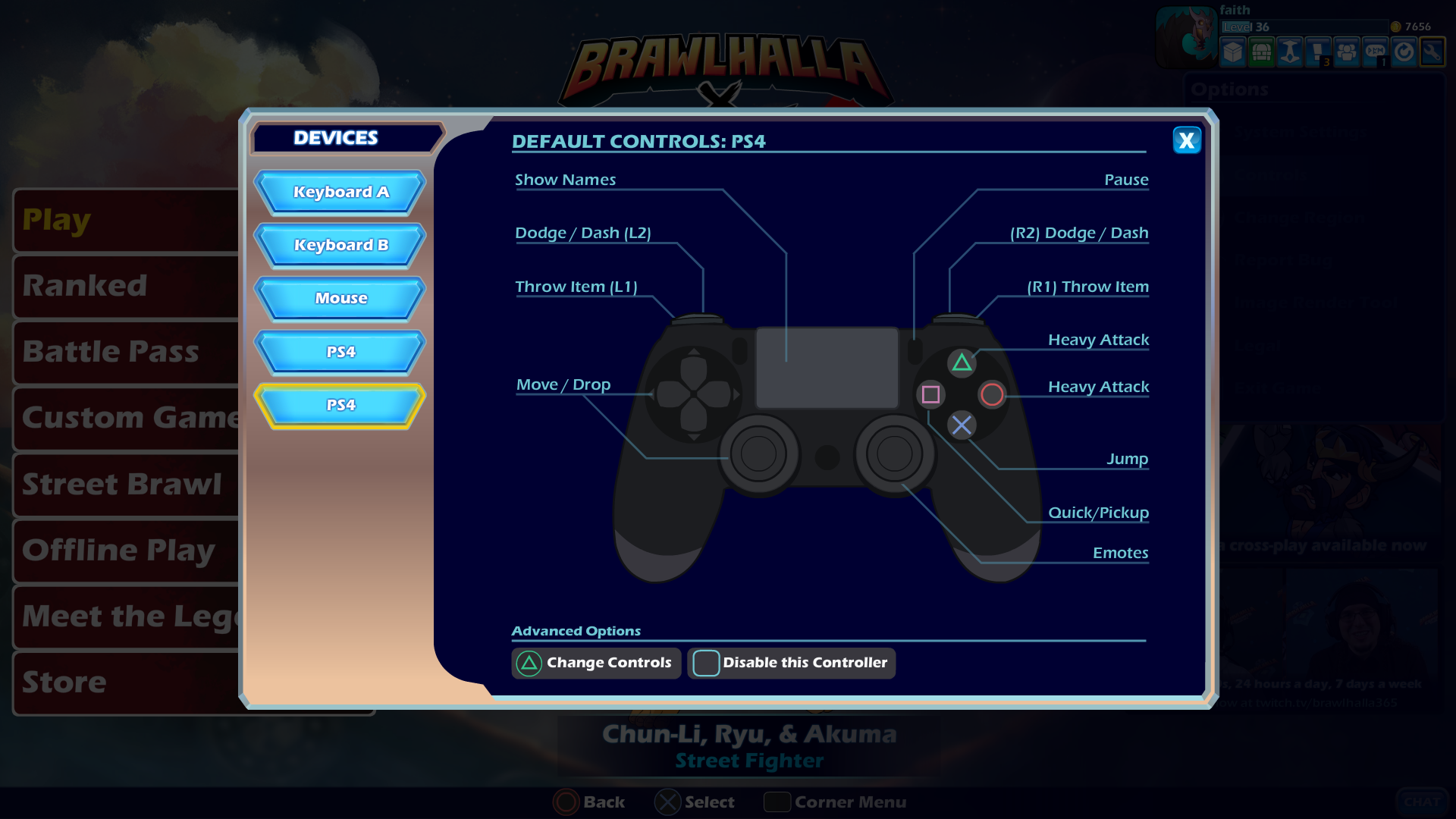
System information: https://gist.github.com/valters-tomsons/2d3fb4baa28505db719149116b609031
Log: steam-291550.log
Edit: Seems like a game bug, also happens on Windows 11.
Brawlhalla not starting. Blackscreen on startup, crashes after ~10 seconds.
Issue transferred from https://github.com/ValveSoftware/Proton/issues/5418.
@ArcSpammer posted on 2021-12-17T22:20:12:
I tried a couple different fixes/workarounds such as:
- adding -noeac in the launch options, this did give me an application window, which I did not receive prior to this.
- temporarily disabling some drivers so that the vulkan loader could only pick up my
nvidia drivers. - Tried to use a lot of different proton versions, including ProtonGE.
- I reinstalled the game once more. this time also used -windowed in the launch options
Error I got on proton log (on the last line):
"pid 18728 != 18727, skipping destrruction (fork without exec?)"
System information:
- Archlinux
- KDE plasma
- hp pavilion 15 laptop
- 2 graphic chips: Nvidia GTX 1050 (Mobile), Intel(R) HD Graphics 630
- Intel core i5-7300HQ
Using proton with steam (native), I don't know what else to try. I am an archlinux noob btw.

this issue is also affecting brawhalla
glibc 2.36-2 solved this problem on arch linux.
Replying to kisak-valve's comment [(which was transferred from #5418)]5418
I've had exactly the same issue, and actually have fairly similar specifications (running an Acer Nitro 5 AN515-52 laptop, with GTX 1050 and Intel UHD Graphics 630), though besides the desktop environment and other differences.
Allow me to explain myself how I found out the solution and what's about it:
Anyways, while I was looking for solutions (incl. that I found myself trying all solutions of yours), seeing that in ProtonDB – most people were reporting the game ran rather flawlessly, I tried to run other games, and I found out that Proton wasn't using the NVIDIA GPU (at least in Bloons TD 6).
I found one comment in Reddit that implied that the cause may have been the fact that because gaming laptops currently use NVIDIA Optimus (in ArchWiki) to use both the discrete and integrated GPUs on a laptop, the way to switch to NVIDIA only is through PRIME offloading (id.), which is actually the preferred/official way to do so (see id.).
Now, here's the actual solution — at least for me though:
As I am using NVIDIA's proprietary drivers (since they're actually faster than like nouveau), the solution takes place by using prime-run, which can be downloaded from the nvidia-prime package (see).
In a nutshell:
You may need to run prime-run steam or set prime run %command% globally inside Steam settings if you want every game to just use the NVIDIA GPU; otherwise, you can set prime-run per game (see this also) — only if you have the propietary drivers (i.e. the nvidia package).
This is because PRIME isn't enabled automatically (see), even though some games/programs or Proton itself may enable the use of the GPU readily (also this comment).
This solution worked at least for me; I cannot guarantee it does for you (or any other with the same issue), but I am hopeful it does ~(if it does for anyone)~
Anyways, it's rather weird that it doesn't launch correctly without the GPU enabled, and it does when PRIME is; I would rather let this issue as "Here be dragons", even though I tried to debug it and actually just found the logs (i.e. unknown exception) I was looking into was likely a Windows-native bug (which I could report to Wine directly, but will see) — in any case, I will still leave the logs of the game loaded both with/without EAC enabled, just in case someone is curious.
Here the logs, and how they were logged:
PROTON_LOG=1 WINEDEBUG="+timestamp,+pid,+tid,+seh,+debugstr,+module,+relay" %command% -noeac:
(WINEDEBUG based on this, and this) Google Drive
(this file is monstrous, 900k lines, and weighs about 80MB, beware!) ~(plus I hate Google, and I found no other "easy" way)~.
PROTON_LOG=1: Gist
By the way, similar issues have been reported for other games, such as for PICO Park, and maybe others (~which I cannot find and lost links of~); though the causes and solutions were fairly different.
System Information
- OS: Arch Linux x86_64
- Model: Acer Nitro 5 AN515-52
- Kernel: 5.19.8-zen1-1-zen
- Window Manager: Hyprland (uses Wayland)
- CPU: Intel i5-8300H
- Integrated GPU: Intel CoffeeLake-H GT2 [UHD Graphics 630]
- Discrete GPU: NVIDIA GeForce GTX 1050 Mobile
Just in case anyone is curious, if you look the logs or some.
this issue is also affecting brawhalla
glibc 2.36-2 solved this problem on arch linux.
how do you solve it on fedora???
this issue is also affecting brawhalla
glibc 2.36-2 solved this problem on arch linux.
how do you solve it on fedora???
@Radical4ever i don't use fedora, the only thing i found out about on how to solve this on fedora was this post on reddit
this issue is also affecting brawhalla
glibc 2.36-2 solved this problem on arch linux.
how do you solve it on fedora???
@Radical4ever i don't use fedora, the only thing i found out about on how to solve this on fedora was this post on reddit
is not going to work its using an old version of glibc and the author of the patched app put it as deprecated
Hello, in my brothers PC (Artix Linux) Proton suddenly doesn't work.
On launching the game without -noeac no window appears and game simply closes, with -noeac option it just shows a black window then closes.
I tried GE Proton, changing amdvlk to vulkan-radeon, deleting compatdata folder, verifying game, and updating system
Edit: It was lib32-amdvlk and amdvlk fault, changed to vulkan-radeon and works
BrawlHalla : Doesn't lauch / Was working yesterday
Issue transferred from https://github.com/ValveSoftware/Proton/issues/6257.
@feydreva posted on 2022-10-22T10:57:30:
Compatibility Report
- Name of the game with compatibility issues: BrawlHalla
- Steam AppID of the game: 291550
System Information
- GPU: AMD Radeaon RX 6600 XT
- Driver/LLVM version: Mesa 22.2.1
- Kernel version: 6.02-zbe1-1-zen (64-bit)
- Link to full system information report as Gist: https://gist.github.com/feydreva/c6196266fa1f80dd4684ce7f4093187a
- Proton version: Experimental
I confirm:
- [X] that I haven't found an existing compatibility report for this game.
- [X] that I have checked whether there are updates for my system available.
Symptoms
Game doesnt lauch
Game worked OK yesterday, but not today.
After system upgrade, same issue
Ran steam-runtime reset : same issue
steam-291550.log
tested proton experimental and proton 7.0, same issue
Reproduction
Run game, happens every time
I have the same issue and if I add PROTON_USE_WINED3D=1, it launches. I never played Brawhalla before, but from the reports, I shouldn't have to add the option.
Hello @feydreva, @Skiski, are both of you using Steam's client beta? If you are, does opting out of Steam's client beta back to the general release have any effect on the game's behavior?
I am using Steam's beta client.
After opting out of beta, and then using regular steam, Brawlhalla works correctly.
I can confirm that opting out of the beta solved the problem.
@feydreva @Skiski Thank you for reporting! This should be fixed with the next Steam beta client update. Please let me know if it isn't fixed after the next update comes out (I'm not sure exactly when it will be released).
Whenever I Alt+Tab out of the game in Wayland (game running in XWayland), after 5 or so seconds, it disconnects and pushes me back to home asking to rejoin match when refocused. Is it just me experiencing this in Wayland? (Works as expected in X11 sessions).
There are confirmed with Steam Deck various controllers issues that I am able to replicate.
- https://www.reddit.com/r/SteamDeck/comments/yww5z6/controller_issues_with_brawlhalla_while_steam/
- https://www.reddit.com/r/SteamDeck/comments/124pd7o/brawlhalla_on_steam_deck/
- https://www.reddit.com/r/SteamDeck/comments/ye05cs/brawlhalla_issue_with_using_an_additional/
- https://www.reddit.com/r/SteamDeck/comments/z9ww97/brawlhalla_not_working_with_steam_deck_controls/
My cases, Steam Deck on dock station with a Xbox360 controller wired. I am able to move in the menu and interact with it (everyone with the same issue can just do that) but when you play a match the only buttons working are the start menu.
Changing during the game in the steam overlay the primary controller seems fixing the issue but it isn't so much a long term workaround if you want to play with 4 people and everyone with their own controller.
@Mte90 As far as I can tell, this is how the game is supposed to work. By default, the Steam Deck built-in controller is the primary controller. So when you are playing as a single player, once you get into a match the game would see any other peripheral controllers as not "primary" and thus would ignore them when controlling your player (because as you mentioned, other players could be using them). As you noted, you can change the controller order to make the external controller the "primary" controller via the Steam ... button -> Settings -> "Rearrange Controller Order".
I tested playing local multi-player, and the game correctly sees other controllers for the other players. So if you are playing with 4 players that each have a controller, you can just switch the built-in steam deck controller to the lowest # in the Controller Order (in this case #5), and that will allow all 4 players to use peripheral controllers :)
This can make sense, the problem is that usually games use the external controller (when is attached) and there is only one player.
I mean as example Castle Crashers that is an old game compared to this already does.
In that situation is quite clear that the player want to use the external controller and not the default one.
@Mte90 Yep - unfortunately different games have a wide variety of different ways that they decide which controller to default to... This is why the feature to change the controller order exists - it allows us to give each game the input it needs to select the correct controller. Castle Crashers has a different system for controller ordering and selection than Brawlhalla. As far as I can tell, Brawlhalla tries to be "smart" and seems to determine the primary controller before any user input, whereas Castle Crashers just grabs the first input that the game receives as the primary controller (at least in my memory). Since this isn't technically a bug with this game, I'd better stop or risk being tagged as off-topic ... I do appreciate the feedback though - it is always helpful to hear :)
So it is meanly an issue with that game and the devs should do it in a different way how to handle that kind of inputs.
Interesting problem I have is that Brawlhalla doesn't go over 165 fps (my monitors refresh rate) even though I'm using -setfps 600 and -unlockfps
Other games under proton aren't fps locked
My launch options
PROTON_NO_ESYNC=1 mangohud gamemoderun %command% -framefix -setfps 600 -unlockfps -nonetworknext
@markisha64 Looks like you are running into windows behavior :) https://brawlhalla.fandom.com/wiki/Launch_options What you described is exactly what is described as the behavior for -setfps. There is a new launch option -framefixunbounded but it only works with the tech-test branch right now. With -unlockfps -framefixunbounded -setfps 600 on the tech-test branch of the game, you should be able to get whatever fps you set.
@alasky17 Wow, that is embarrassing, I was searching for days how to remove the "phantom Wayland fps cap" and now I find out -framefix != -framefixunbounded. Thanks tho
Hi, i have a asus chromebook flip c214m which im trying to run brawlhalla on. I installed steam through the linux development enviroment, installed brawlhalla and tried running it using different proton versions, with proton 4.2 it doesnt even run and when i press play it says "launching" for a few seconds before going back to play. proton 5.0 has the same result, i havent tried proton 6.3, proton 7.0 runs the game but with terrible framerate and proton 8.0 has a tiny bit better framerate but nowhere near 30fps. Also, when launching the game EAC shows up like its loading and then says "unexpected error (#1), this has happened across all the proton versions i have tried, so i just "-noeac" in the launch options to deal with it for now. I have this game on a lenovo chromebook 11e with GalliumOS dual-booted and it runs just fine with no problems using proton 7.0, so i dont think its a hardware requirement problem.
Doesn't run after update to Fedora 39
Issue transferred from https://github.com/ValveSoftware/Proton/issues/7254.
@SolidCapo posted on 2023-11-11T23:53:30:
Compatibility Report
- Name of the game with compatibility issues: Brawlhalla
- Steam AppID of the game: https://store.steampowered.com/app/291550/Brawlhalla/
System Information
Detalles del informe del sistema
Detalles del informe
- Fecha generada: 2023-11-11 17:51:14
Hardware Information:
- Modelo de hardware: Gigabyte Technology Co., Ltd. H110M-S2PH
- Memoria: 16.0 GiB
- Procesador: Intel® Core™ i7-7700 × 8
- Gráficos: NVIDIA GeForce GTX 1060 6GB
- Capacidad del disco: 3.2 TB
Software Information:
-
Versión de firmware: F22
-
Nombre del SO: Fedora Linux 39 (Workstation Edition)
-
Construcción de SO: (null)
-
Tipo de SO: 64 bits
-
Versión de GNOME: 45.1
-
Sistema de ventanas: Wayland
-
Versión del núcleo: Linux 6.5.10-300.fc39.x86_64
-
Proton version: Experimental
I confirm:
- [ x] that I haven't found an existing compatibility report for this game.
- [ x] that I have checked whether there are updates for my system available.
Symptoms
It runs, shows the splash, and then steam says it's running, but the game doesn't show or appears.
Reproduction
Execute the game
Hello @SolidCapo, please add PROTON_LOG=1 %command% to the game's launch options and attach the generated $HOME/steam-$APPID.log to this issue report as a file. (Proton logs compress well if needed.) Also, please copy the contents of Steam Runtime Diagnostics from Steam (Steam -> Help -> Steam Runtime Diagnostics) and put it in a gist, then include a link to the gist in this issue report.
Ok, here is the Brawlhalla .log file attached and also the link for the gist with the runtime diagnostics, thanks.
steam-291550.log
https://gist.github.com/SolidCapo/a2d2dd0ee0ba4413c8e696f85d6f25e0
Thanks, warn:seh:handle_syscall_fault backtrace: --- Exception 0xc0000005 at 0x75d3acbd: /usr/lib/pressure-vessel/overrides/lib/i386-linux-gnu/libnvidia-glcore.so.535.129.03 + 0x173acbd. in your Proton log hints that there's a video driver issue of some kind.
Skimming over your system information, it tells us that the NVIDIA EGL render paths (https://gist.github.com/SolidCapo/a2d2dd0ee0ba4413c8e696f85d6f25e0#file-gistfile1-txt-L139-L184) is broken and llvmpipe is being used as a CPU based fallback, but I don't know off hand if that's an important detail.
You should report the video driver issue to your distro's package maintainer for the NVIDIA driver or maybe the video driver vendor.
This window appears every time I launch Brawlhalla.
edit: ~~Don't know why github can't show the image here is link to imgur https://imgur.com/a/eLUY58W~~
This window appears every time I launch Brawlhalla.
edit: Don't know why github can't show the image here is link to imgur https://imgur.com/a/eLUY58W

I've the same issue, don't know why, it begun with the lasts updates :/
This is my computer:
Operating System: EndeavourOS
KDE Plasma Version: 5.27.10
KDE Frameworks Version: 5.113.0
Qt Version: 5.15.11
Kernel Version: 6.6.8-arch1-1 (64-bit)
Graphics Platform: X11
Processors: 8 × Intel® Core™ i7-7700 CPU @ 3.60GHz
Memory: 15.6 GiB of RAM
Graphics Processor: NVIDIA GeForce GTX 1060 6GB/PCIe/SSE2
Manufacturer: Gigabyte Technology Co., Ltd.
Product Name: H110M-S2PH
This window appears every time I launch Brawlhalla.
edit: ~Don't know why github can't show the image here is link to imgur https://imgur.com/a/eLUY58W~

This also affects me. Should I click Yes or No?
This window appears every time I launch Brawlhalla.
edit: ~Don't know why github can't show the image here is link to imgur https://imgur.com/a/eLUY58W~

had the same warning about the certificate,i just updated and now the game doesnt start. it says failed to load anti-sheat module. i already tried reinstalling, changing my compatibility tool, using osme launch options and nothing works, does anyone know whats happening???????????
OS: arch linux
kernel: 6.7.3-arch1-1
CPU: Intel i5-1035G1 (8) @ 3.600GHz
GPU: Intel Iris Plus Graphics G1
RAM: 20GB
@griznuuuuu1 it's possibly related to a recent glibc update on arch. The flatpak version of steam should work if that's the case.
I have manually compiled glibc 2.39-1 with 3 commits reverted (83899c6, 60319e9, ebd007c), and eac successfully loaded.
Install devtools package, clone glibc repo, git revert those 3 commits, then compile.
sudo pacman -S devtools
pkgctl repo clone --protocol=https glibc
cd glibc
git revert --no-commit 83899c6 60319e9 ebd007c
makepkg -si
bro you actually solved this omg thanks alot :DDDD
The EAC issue seems to have been resolved by the devs updating EAC back in March.
https://github.com/ValveSoftware/Proton/issues/6051#issuecomment-2313146745
Proton versions
proton 6.3x2 2023-07proton 7.0x2 2023-07proton 4.2x1 2023-07proton 5.0x1 2023-07proton 8.0x1 2023-07proton experimentalx3 2022-10proton 6.3-7x2 2021-11proton 6.3-6x1 2021-09proton 6.3-2x3 2021-04proton 5.0-3x1 2020-02proton 4.2-7x1 2019-06proton 4.2-4x1 2019-05
Launch options
PROTON_LOG=1x3 2023-11PROTON_NO_ESYNC=1x1 2023-06PROTON_USE_WINED3D=1`,x1 2022-10PROTON_LOG=1`:x1 2022-09WINEDEBUGx1 2022-09WINEDEBUG="+timestamp,+pid,+tid,+seh,+debugstr,+module,+relay"x1 2022-09WINEDEBUG=+pid,+tid,+dinput,+hid,+plugplayx1 2021-11PROTON_USE_WINED3D=1`x1 2021-02
Launch lines
Upstream links
- ValveSoftware/Proton/issues/6051x6 2024-08
- ValveSoftware/Proton/issues/7254x1 2023-11
- ValveSoftware/Proton/issues/6257x1 2022-10
- ValveSoftware/Proton/issues/5418x2 2022-09
- doitsujin/dxvk/issues/2363x1 2022-09
- ValveSoftware/steam-for-linux/issues/7919x1 2021-11
- ValveSoftware/Proton/issues/5286x1 2021-11
- ValveSoftware/Proton/issues/4758x1 2021-04
- ValveSoftware/Proton/issues/4629x1 2021-02
- ValveSoftware/Proton/issues/4630x1 2021-02
- ValveSoftware/Proton/issues/470x1 2018-08
Error codes
0xc0000005x1 2023-11
Tried to run brawlhalla, altough it runs, it doesn't have the steam overlay neither the fps counter, it also has overall bad perfomance compared to the esync build of Lutris.
OS: Arch Linux rolling
DE: KDE
CPU: Intel Core i3-2100 (Sandy Bridge)
GPU: Intel HD Graphics 2000
Driver Version: Mesa 18.1.6
Steam Runtime disabled