Project Cars 2
Hello @leillo1975, please add PROTON_LOG=1 %command% to the game's launch options and drag and drop the generated $HOME/steam-$APPID.log into the comment box.
Today, I started again the game with Proton 3.7.6Beta and now it works in menus, but when I try to start a a race it crashes during loading. This is my last log:
The problem is the same with 3.7.3
The loading crash is in the process of being fixed, follow https://github.com/doitsujin/dxvk/issues/641 for details. Runs perfectly now for me, hopefully everything will be out in the near future.
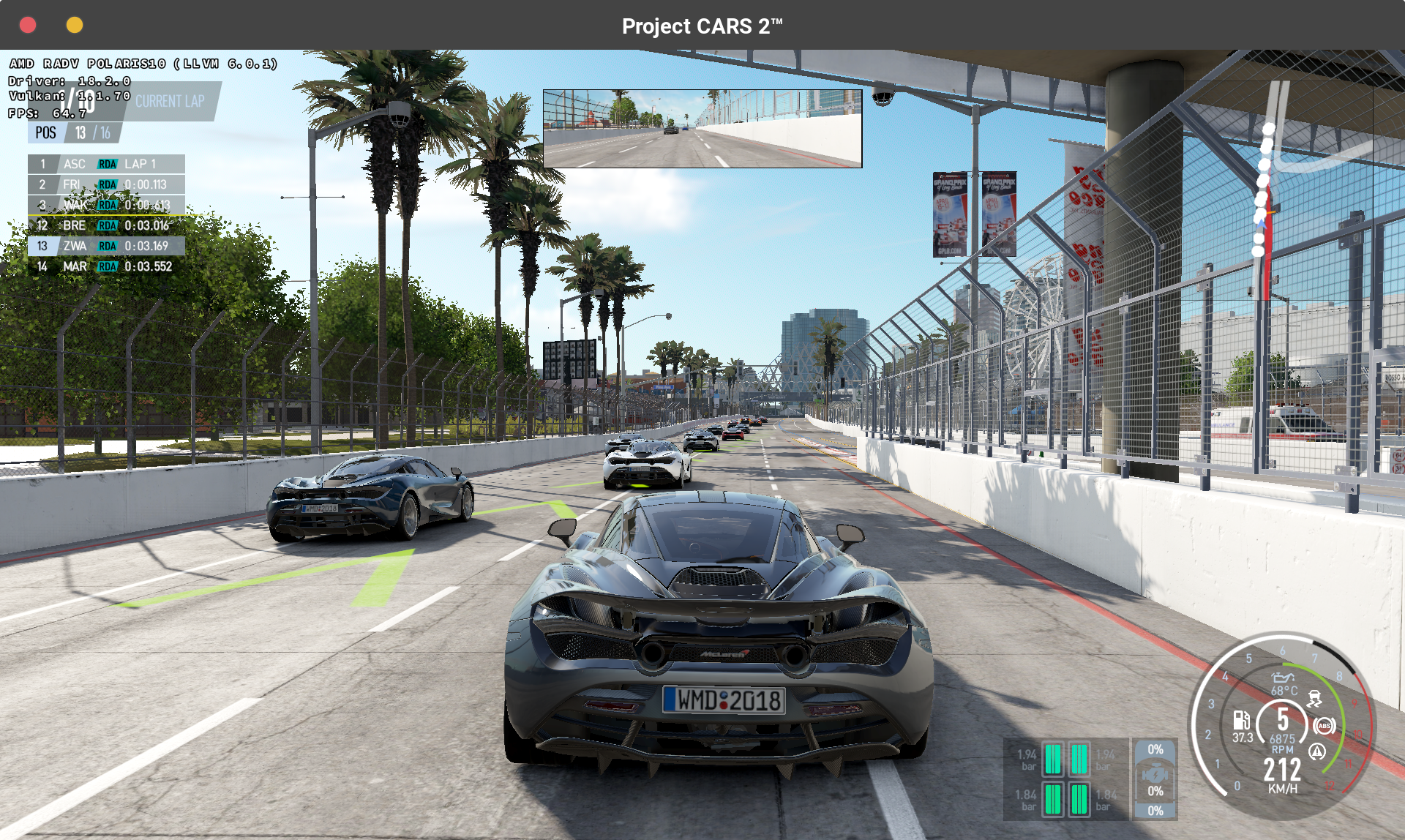
Thanks a lot, @ah- it's very complicated for me compiling, but I see that @doitsujin will take care of this problem. Can you share the file that you compiled to replace PCars2.exe? Perhaps in a close future we can enjoy this fantastic game on Linux without this fixes.
Only one thing, I see that you are quite adept at fixing problems. You I don't have idea if you own Project Cars 1. It works perfect with proton, even with Force Feedback in my G27, but I have an notice when the game try to save the profile and the progress.
I opened an issue about this P.Cars 1 problem:
https://github.com/ValveSoftware/Proton/issues/244
Haha, if you can't wait then place the two dlls in the attachment in $HOME/.steam/steam/steamapps/common/Proton 3.7/dist/lib64/wine/dxvk and it should run.
Sorry, don't have Project Cars 1, and not quite enough time to go and debug that. Just really wanted to get Project Cars 2 working :)
@ah- You are my man!!! It works. Thanks a lot
The game is playable now!
There are a problem, it has nothing to do with this, it's a proton problem. I can use my Logitech G27 wheel, calibrate it (pedals included), but the force feedback don't work (in PCars1 works)
You can use WINEDEBUG with +dinput to log what FF effects the game is trying to use. On my system I get a lot of
"Effect gain requested but no effect gain functionality present." and
"Sample period requested but no sample period functionality present." and none of those effects are implemented in the driver. I sadly think the lack of force feedback in the game is just incomplete drivers.
It's a pity. There are a lot of games I suspect that have the same problem... Great games like rfactor2 or Automobilista. At least Assetto Corsa, and AC Competizione works well
I don't have idea of developing, debuggin and this kind of things, but Maybe this project has something to do with the subject ....
https://steamcommunity.com/groups/linuxff/discussions/0/405692224235574471/
I think that Valve could take a look of this problems with wheels on Linux. A lot of racing games could be benefit by a more complete drivers
Whitelist Request
- Name of the game to be whitelisted: Project Cars 2 Demo
- Steam AppID of the game: 737770
System Information
- GPU: GTX 970
- Driver/LLVM version: NVIDIA 396.54
- Kernel version: 4.4.0-135-generic
- Link to full system information report as Gist
- Proton version: 3.7-6 Beta
I confirm:
- [x] that pressing the
Playbutton in the Steam client is sufficient. - [ ] that runtime config options
are necessary to run the game. - [x] that no workarounds other than the mentioned ones are necessary:
- General: Minimum requirement DXVK 0.80 (doitsujin/dxvk@19408f0ebede526a1aad2a594b3b25619d1737e5)
Issues
- [x] I haven't experienced any issues.
- [ ] There are no issues left open for this game.
- [ ] Although I consider the gaming experience equal to Windows there are
remaining issues.
Hello @mimattr, the request to switch this to a white list request is denied because a demo counts as an independent test case for Proton and is not a reliable indicator of compatibility with the full game version.
Additionally, the tested Proton version must be an unmodified version from Steam.
Appreciate the explanation @kisak-valve and apologies for any confusion, a separate ticket has now been created (#1603)
As an aside it's great to see a title with planned native SteamOS support finally working on Linux! :wink:
Please Valve, fix feedback in wheels
FIXED!!!!!!!!!!!!!!!!!!!!
It works perfect, with Force Feedback in my G27 Wheel! Thanks a lot, Valve! :)))
@leillo1975 That's very interesting! The demo (at least for me) still doesn't work with FF. Was it a game update or Proton update that fixed it? If possible, could you try the demo as well?
There is an beta update of proton (3.7.7 Beta). With this version the game now runs without fixes and with Force Feedback. Play Online make the game crash.
About F.Feedback: if you make an Alt-Tab, this feature get lost
One question, two days ago the game was updated, and now I don't have force feedback. Can you say me if yoy have the same issue?
Thanks
I'm experiencing the same "Missing Force Feedback" issue after the game update, it worked before the update.
Still works for me, I do have working FF via https://github.com/atar-axis/xpadneo.
@ah- what controller you use?
It's a recent Xbox controller, not quite sure what the exact model is.
Our problem is with Logitech Wheels.
Do anyone else also get stuck at 75% loading when trying to get into a race with AI ?
After the last Proton beta (3.16-4Beta) PCars2 works online and don't crash to desktop. Unfortunately, after game's update one month ago , Force Feedback stills missing. Please Valve, take a look on this. It's a great game
Project CARS 2 (378860)
Issue transferred from https://github.com/ValveSoftware/Proton/issues/1889.
@GottaSlay posted on 2018-11-02T17:36:21:
Compatibility Report
- Name of the game with compatibility issues: Project CARS 2
- Steam AppID of the game: 378860
System Information
- GPU: RX580
- Driver/LLVM version: Driver Version: 4.4 (Compatibility Profile) Mesa 18.2.3 - padoka PPA
- Kernel version: 4.19
- Link to full system information report as [Gist] https://gist.github.com/GottaSlay/66874aaaf2ecfc3d5d0e56cbb1e481e4
- Proton version: 3.16-4 Beta
I confirm:
- [x] that I haven't found an existing compatibility report for this game.
- [ x] that I have checked whether there are updates for my system available.
Symptoms:
Game crashes on launch.
Reproduction:
Just try to launch the game.
Do anyone else also get stuck at 75% loading when trying to get into a race with AI ?
@madbad
Yes in Fedora 29, it worked applying this option to true:
PROTON_NO_ESYNC=1
For me Logitech G27 not works the pedals right, only the wheel and without FF.
For me Logitech G27 not works the pedals right, only the wheel and without FF.
What distro and Proton version you are using?
I would like to post here a link to a thread in the Project Cars 2 official Forums if you want to participate:
http://forum.projectcarsgame.com/showthread.php?65098-Multiplayer-with-Linux-Steam-Play-Proton
For me Logitech G27 not works the pedals right, only the wheel and without FF.
What distro and Proton version you are using?
Sorry, worked after I have configured manually all the triggers in the game. Fedora 29, 3.16.
One question, two days ago the game was updated, and now I don't have force feedback. Can you say me if yoy have the same issue?
Thanks
you can download the previous version of project cars 2 (in which the FFB was working) using this trick:
https://www.reddit.com/r/Steam/comments/611h5e/guide_how_to_download_older_versions_of_a_game_on/
I am really curious if is a game fault or a proton fault, let me know if that works for you
EDIT: in this case the download command should be:
download_depot 378860 378861 4000032546361002812
this should download the september 10 version of the game
One question, two days ago the game was updated, and now I don't have force feedback. Can you say me if yoy have the same issue?
Thanksyou can download the previous version of project cars 2 (in which the FFB was working) using this trick:
https://www.reddit.com/r/Steam/comments/611h5e/guide_how_to_download_older_versions_of_a_game_on/
I am really curious if is a game fault or a proton fault, let me know if that works for you
EDIT: in this case the download command should be:
download_depot 378860 378861 4000032546361002812this should download the september 10 version of the game
I try to download it, but In don't have enought space in my home directory. I don't know If I could download it to another location (my games are in another disk)
One question, two days ago the game was updated, and now I don't have force feedback. Can you say me if yoy have the same issue?
Thanksyou can download the previous version of project cars 2 (in which the FFB was working) using this trick:
https://www.reddit.com/r/Steam/comments/611h5e/guide_how_to_download_older_versions_of_a_game_on/
I am really curious if is a game fault or a proton fault, let me know if that works for you
EDIT: in this case the download command should be:
download_depot 378860 378861 4000032546361002812
this should download the september 10 version of the gameI try to download it, but In don't have enought space in my home directory. I don't know If I could download it to another location (my games are in another disk)
hhhmmm... maybe creating a symbolic link in the place where steam is downloading the content to a folder in your other disk???
One question, two days ago the game was updated, and now I don't have force feedback. Can you say me if yoy have the same issue?
Thanksyou can download the previous version of project cars 2 (in which the FFB was working) using this trick:
https://www.reddit.com/r/Steam/comments/611h5e/guide_how_to_download_older_versions_of_a_game_on/
I am really curious if is a game fault or a proton fault, let me know if that works for you
EDIT: in this case the download command should be:
download_depot 378860 378861 4000032546361002812this should download the september 10 version of the game
IT WORKS!!!!!
With the previus version Force Feedback works fine. I think that Linux users should pressure PCars2 developers to make the game work again with a new patch. I made a thread on P.Cars forum to ask for this. Please show your support:
http://forum.projectcarsgame.com/showthread.php?65547-Broken-compatibility-with-F-Feedback-in-Steam-Play-Proton-(Linux)-with-latest-patch&p=1550570#post1550570
One question, two days ago the game was updated, and now I don't have force feedback. Can you say me if yoy have the same issue?
Thanksyou can download the previous version of project cars 2 (in which the FFB was working) using this trick:
https://www.reddit.com/r/Steam/comments/611h5e/guide_how_to_download_older_versions_of_a_game_on/
I am really curious if is a game fault or a proton fault, let me know if that works for you
EDIT: in this case the download command should be:
download_depot 378860 378861 4000032546361002812
this should download the september 10 version of the gameIT WORKS!!!!!
With the previus version Force Feedback works fine. I think that Linux users should pressure PCars2 developers to make the game work again with a new patch. I made a thread on P.Cars forum to ask for this. Please show your support:
http://forum.projectcarsgame.com/showthread.php?65547-Broken-compatibility-with-F-Feedback-in-Steam-Play-Proton-(Linux)-with-latest-patch&p=1550570#post1550570
NICE !!!
Anyway I think valve can solve the issue through proton, the developers of PC2 are not going to make changes in the game because of a linux issue...
Do anyone else also get stuck at 75% loading when trying to get into a race with AI ?
I had this problem with the demo version, and even some crashes, I fixed all these issues rising the FD limit:
https://forum.manjaro.org/t/increase-fd-limits-to-let-steam-play-works-reliably/56270
Do anyone else also get stuck at 75% loading when trying to get into a race with AI ?
I had this problem with the demo version, and even some crashes, I fixed all these issues rising the FD limit:
https://forum.manjaro.org/t/increase-fd-limits-to-let-steam-play-works-reliably/56270
Great, this solved the problem for me.
Now the only issue remaining is the missing ForceFeedback (I will give a try on downloading the old pCars2 version since it was working with that).
I can confirm it after buy the full game:
ForceFeedback working on Project cars 2 - 1.7.0.0
ForceFeedback NOT working on Project cars 2 - 1.7.1.0
Same issue here. FFB doesn't work
log reveals that:
107214.718:002f:006d:err:dinput:effect_Download SDL_HapticNewEffect failed (Effect type 128): Haptic: Effect not supported by haptic device.
107214.734:002f:006d:err:dinput:effect_Download SDL_HapticNewEffect failed (Effect type 128): Haptic: Effect not supported by haptic device.
i tried to search what this effect type 128 is, but didnt find anything. I guess i have to downgrade to older version also. The Game works superbly other than that. Just need my FFB
edit: ok managed to downgrade to 2 months old version. FFB works great. What an enjoyable experience.
However like mentioned already, alt+tab will kill FFB again, have to restart the game.
the same Haptic Effect type 128 errors are still on the log, so that doesnt break the FFB on the newer version i guess, theres something else.
There's a huge difference between playing with and without Force Feedback, for me is a mandatory feature...
I found this (related with dirt 4, but also with FFB): https://github.com/ValveSoftware/Proton/issues/992#issuecomment-441951034
Apparently in wine 3.20 it works, but it doesn't explain why is working with the previous version of PC2 and not with the latest... maybe is working with a specific implementation of FFB??? really weird...
Apparently in wine 3.20 it works, but it doesn't explain why is working with the previous version of PC2 and not with the latest... maybe is working with a specific implementation of FFB??? really weird...
We'll have to wait for Proton to upgrade to version 3.20.
I can confirm it after buy the full game:
ForceFeedback working on Project cars 2 - 1.7.0.0
ForceFeedback NOT working on Project cars 2 - 1.7.1.0
Came here to second this. On the other hand, online works with 1.7.1.0 and breaks with 1.7.0.0. I'd rather have FFB, so I'm keeping the game downgraded, but it sucks having to choose. Moreover, 1.7.0.0 crahes sometimes, either before the start screen or when starting an event. I am using Ubuntu 18.04, Nvidia GTX 650 Ti BOOST with proprietary drivers and a Logitech Driving Force GT wheel.
Project Cars 2 photo mode not working
Issue transferred from https://github.com/ValveSoftware/Proton/issues/2217.
@wleoncio posted on 2019-01-14T16:43:15:
Compatibility Report
- Name of the game with compatibility issues: Project Cars 2
- Steam AppID of the game: 378860
System Information
- GPU: Nvidia GTX 650 Ti Boost
- Driver/LLVM version: nvidia 396.54
- Kernel version: 4.15.0-43-generic
- Proton version: 3.16-6 Beta
- System information gist: https://gist.github.com/wleoncio/39f777969041c7ee5cb2075e2294d683
I confirm:
- [X] that I haven't found an existing compatibility report for this game.
- [X] that I have checked whether there are updates for my system available.
Proton log gist: https://gist.github.com/wleoncio/41ad3c33d0459d54a95cbe312028ecbe
Symptoms
Photo mode does not work
Reproduction
- Start the game and get on track (game mode doesn't matter)
- Pause the game and choose "photo mode"
- Try to take a photo by pressing "take photo" or pressing the left mouse button
(alternatively)
- Start the game and go to "private testing", then "vehicle select"
- Choose "Showroom" and "Photo mode"
- Try to take a photo by pressing "take photo" or pressing the left mouse button
Instead of taking the photo, the game temporarily freezes, with the shutter sound repeating indefinitely. Pressing "Esc" goes back to "photo mode" and game can be played normally. Photo is not taken, as it won't show up in "My Profile / Images" and the "Snap snap snap" achievement for taking a photo doesn't pop up.
steam-378860.log
@wleoncio commented on 2019-01-14T17:05:15
I've also tried with nvidia driver 415.25 and game version 1.7.1 (OP using 1.7.0) with same results.
I haven't been able to launch the game recently, possibly due to a game update, though not sure of the cause. I'm running Ubuntu, Radeon VII GPU, and Padoka Stable Mesa. I've been able to run this game before on my setup.
Force Feedback stills not working with the last version of Proton (4.2)
Yeah, confirming, no go with 4.2 for me either and no go with custom proton-tkg 4.4.r8 either. Something with native steam client killing the FFB? as the FFB works fine with regular wine 4.1 to 4.4
edit: Whoops wrong post. I was thinking its Dirt Rally 2.0 issue. Don't mind me. But probably both have similar issue anyway.
Yeah, confirming, no go with 4.2 for me either and no go with custom proton-tkg 4.4.r8 either. Something with native steam client killing the FFB? as the FFB works fine with regular wine 4.1 to 4.4
edit: Whoops wrong post. I was thinking its Dirt Rally 2.0 issue. Don't mind me. But probably both have similar issue anyway.
@xpander69 , you have Force Feedback with Wine in this game?
Yeah, confirming, no go with 4.2 for me either and no go with custom proton-tkg 4.4.r8 either. Something with native steam client killing the FFB? as the FFB works fine with regular wine 4.1 to 4.4
edit: Whoops wrong post. I was thinking its Dirt Rally 2.0 issue. Don't mind me. But probably both have similar issue anyway.@xpander69 , you have Force Feedback with Wine in this game?
yes i had (with wine-staging 4.2). but i haven't tested now, i was posting in the wrong place, thinking it was Dirt Rally 2.0
Same here, still no FFB with proton 4.2 on the latest version of the game.
Still works on the old version of the game.
I get the following error in when trying to run Project Cars 2:
>0 0x00007fe21036615b SDL_GL_UnloadLibrary+0xa9eb() in libsdl2-2.0.so.0 (0x00007fe21069e624)
0x00007fe21036615b SDL_GL_UnloadLibrary+0xa9eb in libsdl2-2.0.so.0: movzwl	0x0000000000000002(%rsi),%eax
The game runs fine when I run it with wine steam via Lutris.
I just got PCars2 and can confirm that my Logitech G29 works with FFB in PCars1, but PCars2 it is broken. Though I have not noticed any other issues in the short time I've played.
I tried to use the steam console (by typing steam://open/console/ into my web browser) and downloading the older version, but it just says that it is downloading the package without queuing an actual download. Am I maybe doing something wrong?
I tried to use the steam console (by typing steam://open/console/ into my web browser) and downloading the older version, but it just says that it is downloading the package without queuing an actual download. Am I maybe doing something wrong?
According to the previously-mentioned source as well as my own experience, "[y]ou won't see any indication of [download] progress, but you can tell it's downloading by looking at the network usage on your downloads page". Do you see any download activity? Other than that and the occasional console message, you won't see any other indication that the game is downloading. There's no population of a download queue, but the download should be triggered.
I've just looked in the game's files, and noticed dlls relating to Easy Anti-Cheat. Is there any risk of being banned in this game if I try to join an online lobby and the anti-cheat flips out? I've heard that EAC behaves very badly with WINE/Proton and would rather work on the safe side of things.
The force feedback issue persists. I'm downgrading now to an old version to see if that works as well. Confirmed that Project Cars 1 force feedback works fine.
Using G920.
Update: Downgrade to recommended version of Project Cars 2 does return force feedback. Unfortunately, it's still really light even on maximum settings. In Project Cars 1 it is far more pronounced.
@kisak-valve Here's a crash log for Project Cars 2. This game used to run with Proton, I don't know what happened.
steam-378860.log
Still runs fine for me @viggy96
Same. Runs fine for me as well @viggy96 . Maybe try re-downloading or making sure your system is up to date (and rebooting)?
@ah- @pipnina @kisak-valve Reinstalling the game has no effect. However, I can run the game with wine steam via Lutris. The error appears to be something to do with the version of libsdl2 that Steam is loading.
Same issue when using Proton 4.2-3. I've tried installing a backport libSDL2, version 2.0.9, from ppa:cybermax-dexter/sdl2-backport, but it didn't help.
Ferrari FGT 3in1 not working in Project cars 2 (378860)
Issue transferred from https://github.com/ValveSoftware/Proton/issues/2560.
@s7relok posted on 2019-04-19T18:36:14:
Compatibility Report
- Name of the game with compatibility issues: Project Cars 2
- Steam AppID of the game: 378860
System Information
- GPU: 1070TI
- Driver/LLVM version: Proprietary Nvidia 418
- Kernel version: 4.18 ubuntu hwe
- Link to full system information report as Gist: (not at home, can complete later, basically, up to date KDE neon 18.04 (ubuntu 18.04 with UTD KDE packages) with HWE stack installed, 8700k, 32GB RAM, 1070Ti with 418 proprietary driver, / installed on RAID 0 NVME SSDs and /home installed on a raid 0 SATA SSDs, linux kernel 4.18)
- Proton version: 3.16
I confirm:
- [X ] that I haven't found an existing compatibility report for this game. (not for this problem)
(game is working, and keyboard controls works well, not tested with controllers like xbox controller bc I don't have one) - [X] that I have checked whether there are updates for my system available.
Symptoms
Thrustmaster Ferrari FGT 3in1 is not recognized correctly
Reproduction
Plug the wheel, start the game, start a race. Depending of the controller options in steam, the wheel, pedal or both are not working. The wheel works well in native game like F1 2017 and perfectly recognized by the system (all axis and buttons working in the KDE controller test). Already tried calibration and controller management options in steam. No option gives acceptable behaviour (pedals, wheel or both have no action in game)
@kisak-valve I think I've figured it out another bit of the issue I'm having. My Corsair mouse is being recognised by Steam as some sort of controller, you can see in the terminal output:
Local Device Found
  type: 1b1c 1b2e
  path: sdl://1
  serial_number:  - 0
  Manufacturer:
  Product:      ckb1: Corsair Gaming M65 Pro RGB Mouse vKB
  Release:      306
  Interface:    -1

Local Device Found
  type: 1b1c 1b2e
  path: sdl://2
  serial_number:  - 0
  Manufacturer:
  Product:      ckb1: Corsair Gaming M65 Pro RGB Mouse vM
  Release:      306
  Interface:    -1
When I don't have my Corsair gaming mouse plugged in, and just use a regular mouse, this game runs fine. It appears that we may need to blacklist some devices from being detected as "controllers" and being passed to the game as such.
I can confirm that the FFB issue with latest version of Proton available in Steam and latest version of Project Cars 2 as of writing.
I've tried downgrading the game, however unfortunately that results in either the game hanging forever when loading a stage, or crashing to desktop entirely, both without any messages or log information to speak of, that differ from that of playing the latest version of the game without FFB.
This is with a Logitech G29 on Ubuntu 18.10.
The game refuses to lauch for me, even when disabeling esync. Log:
steam-378860.log
Hello @APersonH, please copy your system information from Steam (Steam -> Help -> System Information) and put it in a gist, then include a link to the gist in this issue report.
Does any vulkan application like vulkaninfo work? Your log hints that there is a video driver issue.
Xlib:  extension "NV-GLX" missing on display ":0".
err:vulkan:wine_vk_instance_load_physical_devices Failed to enumerate physical devices, res=-3
err:vulkan:wine_vkCreateInstance Failed to load physical devices, res=-3
Gist: https://gist.github.com/APersonH/3eb9c00209eba1d0a066a27baed98803
vulkaninfo returns this:
andreas@Bob:~$ vulkaninfo
Xlib:  extension "NV-GLX" missing on display ":0".
"==========
VULKANINFO
"==========

Vulkan Instance Version: 1.1.101

/build/vulkan-tools-_xrZWD/vulkan-tools-1.1.101.0+dfsg1/vulkaninfo/vulkaninfo.c:5028: failed with VK_ERROR_INITIALIZATION_FAILED
It's strange to see the xlib line, but in any case, please check that the mesa-vulkan-drivers and mesa-vulkan-drivers:i386 packages are installed with something like apt policy mesa-vulkan-drivers mesa-vulkan-drivers:i386 and install them with sudo apt install mesa-vulkan-drivers mesa-vulkan-drivers:i386 if they are not installed.
Thank you, this seems to have worked! :-)
with Proton 4.11-1 the FFB problem persists.
I installed the demo last night with Proton 4.2-9, driving with a Logitech G920. I was getting spring centering in the menus, but no FFB during play. Checked out the hid debugging info from the kernel driver, and noticed that it was sending good force data, but the direction parameter was causing it to zero out. I hacked out the angle calc in the driver, and FFB worked fine after that. Tried the full game, and it's been working great(after setting nofile limit super high to get rid of hangs)
@leillo1975, is it recognizing your wheel at all? I wasn't able to get a reliable steam-*.log when I was initially looking at this because of the eventfd issue and my nofile limit set too low, but when I was trying to get ACC to work, it had a lot more wheel info in the log than I see in yours.
The drivers for these wheels do seem rather poor, at least for the G920. It looks like there was a fair bit of work recently on the hid-logitech-hidpp module, but it breaks FFB entirely on my wheel after kernel 5.2, not recognizing it as an HID++ device at all anymore.
@petersmi how did you change the angle calculation in the driver?
in the hidpp_ff_upload_effect function in drivers/hid/hid-logitech-hidpp.c
under the FF_CONSTANT case
I commented out the line:
force = (effect->u.constant.level * fixp_sin16((effect->direction * 360) >> 16)) >> 15;
and replaced it with
force = force = effect->u.constant.level;
The direction value I get from PC2 was getting zero'd out by the sine. Dividing direction by 2 works as well, but then other games would get reduced force.
I'm not sure where the real 'bug' is in the chain until it gets to this point. My assumption is the windows drivers don't care about the angle for these wheels, and the games don't have to pass good values, but that's just a wild guess. So for this driver, maybe there should be a HIDPP_QUIRK_CLASS_G920 test for this angle calc like there is in a few other places in the module.
I've been meaning to check out what this guy has been working on:
https://steamcommunity.com/groups/linuxff/discussions/0/405692224235574471
since my wheel is completely borked with kernel >=5.2.0, but haven't gotten around to it yet.
Compatibility Report
System Information
- GPU: RTX 2060
- Driver/LLVM version: NVIDIA 430.40
- Kernel version: 5.0.0-25-generic
- Link to full system information report as Gist
- Proton version: 4.11-3
- SteamVR version: 1.7.12
I confirm:
- [x] that I have checked whether there are updates for my system available.
steam-378860.log (dropped frames, application exit)
steam-378860.log.zip (dropped frames, application freeze)
vrcompositor.txt
Symptoms
Consistent visual stuttering/dropped frames followed by application freeze at race start using SteamVR, unless manually exited within a few seconds (tested with Valve Index Headset)

Note the incorrect frame times, perhaps this is related to @Zamundaaa's report?
Reproduction
- Select the title within your
Libraryusing the Steam client and press thePlaybutton Launch Project CARS 2 in Steam VR mode- Select
QUICK PLAY>CUSTOM RACE>STARTfrom the title screen and wait for the race to start
Compatibility Report
System Information
- GPU: RTX 2060
- Driver/LLVM version: NVIDIA 430.40
- Kernel version: 5.0.0-25-generic
- Link to full system information report as Gist
- Proton version: 4.11-3
- SteamVR version: 1.7.12
I confirm:
- [x] that I have checked whether there are updates for my system available.
steam-378860.log (dropped frames, application exit)
steam-378860.log.zip (dropped frames, application freeze)
vrcompositor.txtSymptoms
Consistent visual stuttering/dropped frames followed by application freeze at race start using SteamVR, unless manually exited within a few seconds (tested with Valve Index Headset)
Note the incorrect frame times, perhaps this is related to @Zamundaaa's report?
Reproduction
- Select the title within your
Libraryusing the Steam client and press thePlaybuttonLaunch Project CARS 2 in Steam VR mode- Select
QUICK PLAY>CUSTOM RACE>STARTfrom the title screen and wait for the race to start
VR doesn't crash for me but it's so slow that its unplayable on an AMD rx 580 with the latest valve mesa aco installed on Ubuntu 19.04 proton version 4.11-3 and the latest steam vr beta. The rest of the game works fine.
i'm noticing that the steam client closes when exiting PC2 since the last two or three steam beta-updates. Haven't noticed it on other games. Can anybody confirm?
Force feedback is still broken on Arch with latest proton (4.11-7 ?).
VR with index works fine. Sometimes it has unusable stuttering, but after restarting Steam and the game it is fine again.
Force feedback is still broken on Arch with latest proton (4.11-7 ?).
VR with index works fine. Sometimes it has unusable stuttering, but after restarting Steam and the game it is fine again.
Still broken for me too. What's your wheel model?
Since a few days there are a new project to collect ffb data from the wheels and games. It's a @berarma project, like Oversteer, and it's called Ffbtools. You can find it here:
https://github.com/berarma/ffbtools
Its use is very easy, in the launch preferences of the Steam game you only have to write something like this:
/home/user/ffbtools/bin/FfbLogIoCalls.sh /dev/input/eventX /home/user/FFBLog -- %command%
I have a Logitech Driving Force GT.
Thank you for the hint with ffbtools, I found it after writing my comment. I will test it tonight or tomorrow. As the fix in ffbtools already was reported to help in Dirt 2.0 I have hopes that it helps in my case too. I will report back here.
I have tested Project Cars 2 + ffbtools + G29 today and it does not help.
Log from FfbLogIoCalls.sh (1 min car drive, standard FFB settings):
000000000000: > IOCTL: Query force feedback features.
000000000037: 16, < Constant Gain Autocenter
000000111991: > IOCTL: Query force feedback features.
000000112002: 16, < Constant Gain Autocenter
000000112129: > IOCTL: Query force feedback features.
000000112135: 16, < Constant Gain Autocenter
000000112153: > IOCTL: Query force feedback features.
000000112155: 16, < Constant Gain Autocenter
000000112164: > IOCTL: Query force feedback features.
000000112167: 16, < Constant Gain Autocenter
000000112170: > IOCTL: Get maximum number of simultaneous effects in memory.
000000112173: < 0, effects: 16
000000113773: > WRITE: Set autocenter strength (0).
000000113793: < 24
000000113824: > WRITE: Set autocenter strength (0).
000000113830: < 24
000000365049: > WRITE: Set autocenter strength (0).
000000365065: < 24
000000365092: > WRITE: Set autocenter strength (0).
000000365100: < 24
I think I found a regression (@kisak-valve ) on the last version of Proton (4.11-7) with the force feedback feature. Today I downgrade Project Cars 2 (https://github.com/ValveSoftware/Proton/issues/908#issuecomment-480472147) to the previous version before the October 2018 update.
With the last version, the ffb don't work, but downgrading to 4.2-9, 3.16-9 or 3.7.8 the feedback is back again. This problem is not only related to this game because I found that:
- Project Cars 1 ( https://github.com/ValveSoftware/Proton/issues/244 ) has the same problem, and the ffb of this game was working in previous versions.
- Wreckfest ( https://github.com/ValveSoftware/Proton/issues/758 ) lost ffb and has problems with calibration. With 4.2-9 everything runs great.
- GT Legends ( https://github.com/ValveSoftware/Proton/issues/2728 ) only has ffb when you crash your car, but with 4.11-7 this effect is lost
- RACE 07 ( https://github.com/ValveSoftware/Proton/issues/1212 ) has the same problem that GT Legends (same developer)
Please, take a look on this
Here is a Log of Project Cars 2 (downgraded) working with Force Feedback in proton 4.2-9:
000000000000: > IOCTL: Query force feedback features.
000000000065: 16, < Constant Gain Autocenter
000000087932: > IOCTL: Query force feedback features.
000000087951: 16, < Constant Gain Autocenter
000000088166: > IOCTL: Query force feedback features.
000000088177: 16, < Constant Gain Autocenter
000000088182: > IOCTL: Query force feedback features.
000000088188: 16, < Constant Gain Autocenter
000000088209: > IOCTL: Query force feedback features.
000000088215: 16, < Constant Gain Autocenter
000000088220: > IOCTL: Get maximum number of simultaneous effects in memory.
000000088226: < 0, effects: 16
000000120424: > IOCTL: Query force feedback features.
000000120453: 16, < Constant Gain Autocenter
000000120480: > IOCTL: Query force feedback features.
000000120485: 16, < Constant Gain Autocenter
000000120496: > IOCTL: Query force feedback features.
000000120501: 16, < Constant Gain Autocenter
000000120504: > IOCTL: Get maximum number of simultaneous effects in memory.
000000120508: < 0, effects: 16
000000120624: > WRITE: Set autocenter strength (0).
000000120646: < 24
000000120696: > WRITE: Set autocenter strength (0).
000000120714: < 24
000000415225: > IOCTL: Query force feedback features.
000000415245: 16, < Constant Gain Autocenter
000000415272: > IOCTL: Query force feedback features.
000000415276: 16, < Constant Gain Autocenter
000000415287: > IOCTL: Query force feedback features.
000000415291: 16, < Constant Gain Autocenter
000000415295: > IOCTL: Get maximum number of simultaneous effects in memory.
000000415299: < 0, effects: 16
000000415382: > WRITE: Set autocenter strength (0).
000000415397: < 24
000000415457: > WRITE: Set autocenter strength (0).
000000415468: < 24
000034371281: > IOCTL: Upload effect to device id: -1 dir: 90 type: FF_CONSTANT, trigger(button:302, interval:32767), replay(length:0, delay:0), params: { level:0, attack_length:0, attack_level:0, fade_length:0, fade_level:0 }
000034371302: < 0, id: 0
000034375572: > WRITE: Play effect (Id: 0,  2147483647)
000034375624: < 24
000037812777: > IOCTL: Upload effect to device id: -1 dir: 90 type: FF_CONSTANT, trigger(button:302, interval:32767), replay(length:0, delay:0), params: { level:0, attack_length:0, attack_level:0, fade_length:0, fade_level:0 }
000037812797: < 0, id: 0
000037819380: > WRITE: Play effect (Id: 0,  2147483647)
000037819449: < 24
000042553391: > IOCTL: Upload effect to device id: 0 dir: 90 type: FF_CONSTANT, trigger(button:302, interval:32767), replay(length:0, delay:0), params: { level:2536, attack_length:0, attack_level:0, fade_length:0, fade_level:0 }
000042553435: < 0, id: 0
000042557657: > IOCTL: Upload effect to device id: 0 dir: 90 type: FF_CONSTANT, trigger(button:302, interval:32767), replay(length:0, delay:0), params: { level:-8736, attack_length:0, attack_level:0, fade_length:0, fade_level:0 }
000042557821: < 0, id: 0
000042562054: > IOCTL: Upload effect to device id: 0 dir: 90 type: FF_CONSTANT, trigger(button:302, interval:32767), replay(length:0, delay:0), params: { level:-7900, attack_length:0, attack_level:0, fade_length:0, fade_level:0 }
000042562079: < 0, id: 0
000042566488: > IOCTL: Upload effect to device id: 0 dir: 90 type: FF_CONSTANT, trigger(button:302, interval:32767), replay(length:0, delay:0), params: { level:-7271, attack_length:0, attack_level:0, fade_length:0, fade_level:0 }
000042566517: < 0, id: 0
000042570943: > IOCTL: Upload effect to device id: 0 dir: 90 type: FF_CONSTANT, trigger(button:302, interval:32767), replay(length:0, delay:0), params: { level:-5898, attack_length:0, attack_level:0, fade_length:0, fade_level:0 }
000042570970: < 0, id: 0
000042575276: > IOCTL: Upload effect to device id: 0 dir: 90 type: FF_CONSTANT, trigger(button:302, interval:32767), replay(length:0, delay:0), params: { level:-4741, attack_length:0, attack_level:0, fade_length:0, fade_level:0 }
000042575304: < 0, id: 0
000042579613: > IOCTL: Upload effect to device id: 0 dir: 90 type: FF_CONSTANT, trigger(button:302, interval:32767), replay(length:0, delay:0), params: { level:-3988, attack_length:0, attack_level:0, fade_length:0, fade_level:0 }
000042579650: < 0, id: 0
000042583827: > IOCTL: Upload effect to device id: 0 dir: 90 type: FF_CONSTANT, trigger(button:302, interval:32767), replay(length:0, delay:0), params: { level:-3133, attack_length:0, attack_level:0, fade_length:0, fade_level:0 }
000042583864: < 0, id: 0
000042588709: > IOCTL: Upload effect to device id: 0 dir: 90 type: FF_CONSTANT, trigger(button:302, interval:32767), replay(length:0, delay:0), params: { level:-501, attack_length:0, attack_level:0, fade_length:0, fade_level:0 }
000042588736: < 0, id: 0
.
.
.......
[FFBLogPC2-4.2-9.log](https://github.com/ValveSoftware/Proton/files/3736103/FFBLogPC2-4.2-9.log)
Here is my log output of Project Cars 2 with Proton 4.11-7
000000188520: > IOCTL: Get maximum number of simultaneous effects in memory.
000000188522: < 0, effects: 16
000000189498: > WRITE: Set autocenter strength (0).
000000189508: < 24
000000189534: > WRITE: Set autocenter strength (0).
000000189537: < 24
000000440264: > WRITE: Set autocenter strength (0).
000000440280: < 24
000000440301: > WRITE: Set autocenter strength (0).
000000440304: < 24
Force feedback is still disabled when using the fix script.
Switching to Proton 4.2-9 does not help.
Ffb only works on the downgraded version of Pcars2
I confirm what @leillo1975 discovered. Downgrade of Project Cars 2 (steam console: download_depot 378860 378861 4000032546361002812) + downgrade of Proton to version 4.2-9 fixes/enables FFB on G29.
I've found what the problem is with the latest versions of the game. The FFB effects sent have a direction vector. The Logitech driver scales the level of the effect using the horizontal component of that vector and ignoring the vertical component. The latest versions of the game send effects with a vector pointing down (180º), thus with a null horizontal component. This cancels the effect.
I'm not sure where the problem is. It seems like the direction vector was originally implemented with joysticks in mind, and it has been implemented for wheels in a way that Proton or maybe the games were not expecting. We should maybe look at what Proton is doing, or maybe review what this direction vector should be doing. There's no API documentation that I know of explaining how this direction vector should work for wheels.
I've implemented a workaround to show how FFB starts working when the direction vector is changed from 180º to 90º. You can find it at https://gihub.com/berarma/ffbtools. The command to launch the game should be (changing the device path if needed):
ffbwrap --direction-fix /dev/input/by-id/usb-Logitech_G29_Driving_Force_Racing_Wheel-event-joystick -- %command%
This is not a proper fix. We need to understand what's wrong and fix it either in Proton or the kernel driver.
I can confirm that last version of Project Cars 2 with Proton 4.2-9 works with the @berarma fix, and is really great. Now is not needed to downgrade the game. Thanks a lot again. You fixed Dirt Rally 2 some days ago, and now this game.
@petersmi I just read your comment. We've reached the same conclusion and implemented a similar workaround. There seems to be no one that is aware of these problems. Someone will have to step forward and do the work to document the API and fix bugs. You can join us if you want to. See my comment above.
Yep, downgrade, proton 4.2-9, and the FfbFixUpdate.sh are required to get consistent force feedback.
I updated PC 2 to newest version and tried to use @berarma ffbwrap to fix FFB (still using Proton 4.2-9), does not work for me.
Code location:
/home/mkasprza/Projects/ffbtools/
Build cmd:
~/Projects/ffbtools$ make -j6
My "SET LAUNCH OPTIONS...": /home/mkasprza/Projects/ffbtools/bin/ffbwrap --direction-fix /dev/input/by-id/usb-Logitech_G29_Driving_Force_Racing_Wheel-event-joystick -- %command%
I'm missing something ?
I don't see nothing strange. I suppose that your wheel is a G29...
What's the terminal output when you compile ffbtools?
I was missing gcc-multilib and libffbwrapper-i386.so failed to build. Everything works now :D
ffbtools makes force feedback work on pc2 here too (with proton 4.2-9).
New version of Proton (4.11-8) stills breaking Force Feedback in a lot of racing games. With ffbtools don't work.
Other games like:
-Project Cars 1
-RACE 07
-GT Legends
I can also confirm that compiling @berarma's fix and setting ffbwrap --direction-fix /dev/input/by-id/usb-Logitech_G29_Driving_Force_Racing_Wheel-event-joystick -- %command% in the launch options made it work for me.
@berarma Thank you, thank you, and once again thanks! :) I can confirm, that your fix is working with Project Cars 2 on Ubuntu 18.04 with Proton 4.11.9. I am using Logitech_Driving_Force_Pro :+1:
I have a problem with my G29 using Proton 4.11.9 and the @berarma's fix.
The force feedback works good, but the "rev lights" on the steering wheel don't work.
I can turn on the lights using echo 1 > /sys/bus/hid/drivers/logitech/<id>/leds/<id>::RPM<number 1-5>/brightness, but when I play the lights don't work.
@SilverLuke There's no way to make the leds work. It's not implemented in Wine nor Proton.
With the last version of proton (4.11-10), the game has a good Force Feedback. Good Work!
Now you just have to fix it when you do Alt-Tab and go back to the game. It hangs and the screen remains black.
With the last version of proton (4.11-10), the game has a good Force Feedback. Good Work!
Wait, does this mean FFB works out-of-the-box, now? No need to keep PC2 downgraded?
Worked for me.
With the last version of proton (4.11-10), the game has a good Force Feedback. Good Work!
Wait, does this mean FFB works out-of-the-box, now? No need to keep PC2 downgraded?
Yes, absolutely (thanks @berarma )
Works fine for me with 4.11-10, the latest version of PC2, a DF-GT wheel, and the modified logitech kernel driver (from ... berama?). Did not test it with the vanilla kernel driver.
Works fine for me with 4.11-10, the latest version of PC2, a DF-GT wheel, and the modified logitech kernel driver (from ... berama?). Did not test it with the vanilla kernel driver.
I think you don't need to install the @berarma driver module for kernel for this game, but if you want to play games like rFactor2, Automobilista or RACE 07 (and more), you must use it to get Force Feedback, because this driver activates a lot of effects that are used by this games.
PC2 has working force feedback without ffbtools or any extra kernel modules (for me at least). Running Ubuntu 18.04 (with padoka PPA).
When I said "thanks @berarma", on this occasion it was not for creating the new driver, but because he was involved in the resolution of this and another FFB issues.
I don't know if in other message of this thread this problem was posted, but if you do an Alt-Tab, the game hangs in a Black Screen.
@leillo1975: %command% -windowed -borderless
Unfortunately VR is broken for me with proton-4.11-11, it hangs /crashes when entering the car when the track is loaded.
Anybody else experienced this problem?
It worked with 4.11-10. Unfortunately I do not have this version at hands to double check, but it still works with 4.2.9. The GE builds usually fail to initialize the graphics device when selecting VR upon game start. So I am a bit lost here at the moment.
Hello @StefanTT, please add PROTON_LOG=1 %command% to the game's launch options, reproduce the crash, and drag and drop the generated $HOME/steam-$APPID.log into the comment box.
steam-378860.log
I have added lines where the race track is being loaded and where I killed the program.
What I noticed is that SteamVR sometimes shows a popup that it has crashed. Only sometimes because most of the desktop hangs at this moment and I have to start my magic kill script to fix it.
System is 5.4.5-arch1-1, nvidia 440.44-4, SteamVR beta 1.9.15.
Edit: using the non-beta branch of SteamVR (which is also 1.9.15) does not make a difference
Edit 2: using the linux_temp branch of SteamVR (1.8.21) also does not help
Good work on getting this included to the official supported branch!
I've swapped the proton to 4.11-11 and removed all the FFBWRAP commands and it's working almost perfect.
"Almost" due to one issue I'm experiencing, maybe there's a way that can be fixed or worked around.
I run PCARS2 with "borderless" option (simulating full screen) as it helps with OBS performance, but I found that every time I Alt-TAB out of the game, when I come back, FFB stops working.
Any suggestions for me to try to workaround this issue?
thanks!
Quick note: VR is still broken with proton-4.11-12 and SteamVR beta 10.10.2
(see my messages above for details)
VR is still broken with proton-4.11-12 and SteamVR beta 10.10.2
@StefanTT Also experiencing VR issues, reported on the DXVK tracker
[BUG] Project Cars 2 freezes loading into a race
Issue transferred from https://github.com/ValveSoftware/SteamVR-for-Linux/issues/325.
@kalrach posted on 2020-04-05T03:35:06:
Description:
When attempting to load into a custom race, Project Cars 2 will load into the cockpit but then freeze unable to take any additional input. The only way to exit is to hit [Alt]-[F4] or kill the application. In some instances the game causes SteamVR itself to crash with a prompt saying that the minimum SteamVR version required is SteamVR version 1.10.1.
To Reproduce:
Attempt to load any custom race in Project Cars 2 in VR mode. Once loaded in the game will render the initial cockpit view and then freeze, not being able to take any further inputs requiring user intervention to kill the application or for the game to crash and take SteamVR with it.
System Information:
- uname -a Output: Linux helius 5.5.13-1-MANJARO #1 SMP PREEMPT Wed Mar 25 17:14:28 UTC 2020 x86_64 GNU/Linux
- Distribution: Manjaro
- SteamVR version: 1.10.32
- Steam client version: steam-runtime_0.20200318.2
- Opted into Steam client beta?: No
- CPU: Intel Core i9-9900K
- GPU: NVIDIA RTX2080
- Ram: 16GB
- Graphics driver version: NVIDIA 440.64
- Gist for SteamVR System Information: https://gist.github.com/kalrach/2d2c5e3a17b69f926ef252a024ffb25a
Additional Notes:
The game menu only shows up on the flat monitor and requires the user to control the game from the flat monitor. Attempts to control the game from SteamVR desktop view also causes the game to freeze and crash.
It works for me when I use Proton 4.2.9. However, this version requires an older version of Project Cars 2. See above in this thread for how to downgrade the game.
SteamVR desktop view does not work anywhere / anytime, AFAIK. At least for me.
It works for me when I use Proton 4.2.9. However, this version requires an older version of Project Cars 2. See above in this thread for how to downgrade the game.
I can't say nothing about VR, because I don't own a headset, but sometime ago is not needed to downgrade the game, and since Proton 4.11-10 FFB is fixed.
4.2.9 needs the downgrade, from 4.11 on you do not need it. Unfortunately pcars2 VR is broken for me too since 4.11.
When attempting to load into a custom race, Project Cars 2 will load into the cockpit but then freeze unable to take any additional input. The only way to exit is to hit [Alt]-[F4] or kill the application.
Confirmed, this behaviour is also consistent with Automobilista 2 #3748 (both using MADNESS Engine)
The game menu only shows up on the flat monitor and requires the user to control the game from the flat monitor.
Confirmed, as above and also reported on the DXVK issue tracker
Hopefully @aeikum can shed some light on this long-standing issue?
System Information
- GPU: RTX 2060
- Driver/LLVM version: NVIDIA 440.82
- Kernel version: 5.3.0-46-generic
- Link to full system information report as Gist
- Proton version: 5.0-6 RC3
- SteamVR version: 1.11.7
I confirm:
- [x] that I have checked whether there are updates for my system available.
- steam-378860.ubuntu1910_steamvr.log (SteamVR issue)
- steam-378860.ubuntu1910.log (works as expected)
Reproduction
- Select the title within your
Libraryusing the Steam client and press thePlaybutton Launch Project CARS 2 in Steam VR mode- Select
QUICK PLAY>CUSTOM RACE>STARTfrom the title screen and wait for the race to start
Compatibility Report
- Name of the game with compatibility issues: Project CARS 2
- Steam AppID of the game: 378860
System Information
- GPU: RX 570
- Driver/LLVM version: 4.6 (Compatibility Profile) Mesa 20.0.4
- Kernel version: 5.4.0-33-generic
- Link to full system information report as Gist:https://gist.github.com/meta-level/0ad564020e65750c34ae5fa2c653cda9
- Proton version: Proton-5.0-7
I confirm:
- [x] that I haven't found an existing compatibility report for this game.
- [x] that I have checked whether there are updates for my system available.
steam-378860.log
Symptoms
Game doesn't start at all.
Reproduction
- Go to the Library
- Click the Play button
- Select 'Play Project CARS 2'
for some reason I don't have FFB in this game with new-lg4ff, same thing with automobilista 2, wine control show the effects but in the games there is nothing :x
in GRID and F1 2010 it working no problem
Which Proton version are you using? You should try with the latest.
@kisak-valve is there any chance to get a Proton 4.11-10 version from somewhere?
Because this is the last version where the game worked in VR (without downgrading the game)
Downgrading Proton with steamcmd does not work, it reports the manifests as not available.
It is still one of the best racing games in VR. I have to play the old version which tends to crash regularily between races. I would really appreciate the help (and others probably too).
@kisak-valve is there any chance to get a Proton 4.11-10 version from somewhere?
You can get the source code here; it contains a README file with building instructions. I'll try that myself ASAP, can barely wait to test PC2 with opentrack! :crossed_fingers:
Thanks @wleoncio. I already tried it. Unfortunately it did not work. Building the current 5.0.x version works fine but I did not get 4.11-10 to build. Please report back - or contact me directly - if you succeed in building it.
For those who is coming here to download the old version of pcars2 to get VR running: the version is no longer available for download - this does not work anymore: download_depot 378860 378861 4000032546361002812
@wleoncio did you succeed in compiling 4.11-10 ?
@wleoncio did you succeed in compiling 4.11-10 ?
Sorry, no news on my side. I didn't try compiling yet, but I did find time to try a couple of builds from https://github.com/GloriousEggroll/proton-ge-custom. No dice.
@kalrach @StefanTT Can also confirm this application still fails to launch successfully and now crashes SteamVR during the initial "Namco Bandai" loading/startup screen and requires a Force Quit (Alt + F4)
System Information
- GPU: RTX 2060
- Driver/LLVM version: NVIDIA 455.38
- Kernel version: 5.4.0-53-generic
- Link to full system information report as Gist
- Proton version: 5.13-2 RC3
- SteamVR version: 1.15.7
I confirm:
- [x] that I have checked whether there are updates for my system available.
Reproduction
- Select the title within your
Libraryusing the Steam client and press thePlaybutton Launch Project CARS 2 in Steam VR mode
Pacing issue with Project Cars 2 (id 378860)
Issue transferred from https://github.com/ValveSoftware/Proton/issues/4537.
@RalfVB posted on 2021-01-11T15:28:08:
CPU: i7
RAM: 16Gb
GPU: GTX1050ti (driver version 460.32.03)
Proton: 5.13-4
I've never been able to get the game running smoothly. I set all the graphics options to the lowest possible and disabled all post processing effects. I also tried using libstrangle to enforce 60fps, with didn't help.
What happens is that, every 10 seconds or so, the game goes into 'slow motion' for a couple of seconds, and then 'catches up' by going very fast briefly, making the game very difficult to play.
The game has a platinum rating on ProtonDB, and a friend (with comparable specs) is able to run the game just fine as well.
Perhaps anyone else is experiencing the same issue?
For me the game works perfect. I only have to say that with the 460.32.03 driver, I have problems with rFactor 2, giving me very low framerates. Changing to 450, everything works as usual.
Do you had the same problem with other nvidia driver versions?
Yes, I've had the game for a while now and upgraded my drivers several times since then.
In the meantime I found this - it describes the exact same problem on near-exact same specs, and proposes a solution. I'll try this and let you know if this solved it.
So the solution proposed is to use the -fpscap command line option. I've tried several values. Using -fpscap 30 with the lowest possible graphics settings, the problem appears to be entirely gone, but it doesn't make for a very nice experience, obviously.
Increasing the graphics quality moderately reintroduces the problem, so there's not much left for me to do except conclude that the game just doesn't like my particular hardware configuration. Oh well.
So the solution proposed is to use the -fpscap command line option. I've tried several values. Using -fpscap 30 with the lowest possible graphics settings, the problem appears to be entirely gone, but it doesn't make for a very nice experience, obviously.
Increasing the graphics quality moderately reintroduces the problem, so there's not much left for me to do except conclude that the game just doesn't like my particular hardware configuration. Oh well.
Do you have vSync enabled? If so, try disabling it and run it without -fpscap
I am finding that Project Cars 2 is completely stuck at the Bandai Namco loading screen in SteamVR mode (with Valve Index) with NVIDIA RTX 3090. On the other hand it worked fine a few weeks ago in VR with AMD Radeon RX 6800 (see: my protondb review). It also seems to work without VR, at least loading into the main menus without problems (I haven't tried a race yet). It seems the regression is either due to nvidia drivers or, less likely, a change in the proton version used.
Relevant hardware info (as you can see I am on Arch Linux with the latest nvidia drivers 465.27):
Processor Information:
    CPU Vendor:  AuthenticAMD
    CPU Brand:  AMD Ryzen 9 3900X 12-Core Processor
[... skipped ...]
Operating System Version:
    "Arch Linux" (64 bit)
    Kernel Name:  Linux
    Kernel Version:  5.12.1-arch1-1
    X Server Vendor:  The X.Org Foundation
    X Server Release:  12011000
    X Window Manager:  i3
    Steam Runtime Version:  steam-runtime_0.20210317.0

Video Card:
    Driver:  NVIDIA Corporation NVIDIA GeForce RTX 3090/PCIe/SSE2
    Driver Version:  4.6.0 NVIDIA 465.27
    OpenGL Version: 4.6
    Desktop Color Depth: 24 bits per pixel
    Monitor Refresh Rate: 59 Hz
    VendorID:  0x10de
    DeviceID:  0x2204
    Revision Not Detected
    Number of Monitors:  1
    Number of Logical Video Cards:  1
    Primary Display Resolution:  3840 x 2160
    Desktop Resolution: 3840 x 2160
    Primary Display Size: 23.62" x 13.39" (27.13" diag)
                                            60.0cm x 34.0cm (68.9cm diag)
    Primary Bus: PCI Express 16x
    Primary VRAM: 24576 MB
    Supported MSAA Modes:  2x 4x 8x 16x
I have verified the integrity of all game files. If someone can help me out that would be greatly appreciated.
I am finding that Project Cars 2 is completely stuck at the Bandai Namco loading screen in SteamVR mode
@dllu Can you launch the game using PROTON_LOG=1 %command% and provide the generated $HOME/steam-378860.log file to help diagnose the issue?
Thanks
Here is the error log: steam-378860.log
This time it was displaying Slightly Mad Studios when it hung.
Project Cars 2, Steam says running but game does not launch.
Issue transferred from https://github.com/ValveSoftware/Proton/issues/5038.
@azsxwazsx posted on 2021-08-01T09:14:43:
Compatibility Report
- Name of the game with compatibility issues: Project Cars 2
- Steam AppID of the game: 378860
System Information
- GPU: AMD RX 580
- Driver/LLVM version: 4.6 (Compatibility Profile) Mesa 21.1.5, amdgpu
- Kernel version: 5.10.53-1
- Link to full system information report:
https://gist.github.com/azsxwazsx/43c2d12de121c14a4e58dc151994727c - Proton version: proton 6.3-5, proton 5.13-6
I confirm:
- [x] that I haven't found an existing compatibility report for this game.
- [x] that I have checked whether there are updates for my system available.
Symptoms
After pressing the start/launch, steam shows the game launched and running, but actually the game did not launch at all.
No crash, no error,no window, no nothing. Only steam says the game is running.
Here is the log:
steam-378860.log
Reproduction
Install the game and launch.
Everyone says the game works out of the box and I cannot find related discussion my problem.
In the last Proton Experimental, there are a fix for Alt-Tab issue for Project Cars 3. This game uses the same engine (Madness) that Automobilista 2 and this game
Using Proton Experimental, and a Logitech G29 with new-lg4ff, after doing Alt-Tab, the game reacts to the wheel, but it looses a lot of effects, and seems there are not FFB (if you move the wheel quckly you feel the counter-steer). Same problem in Automobilista 2.
@aeikum
In the last Proton Experimental, there are a fix for Alt-Tab issue for Project Cars 3. This game uses the same engine (Madness) that Automobilista 2 and this game
Using Proton Experimental, and a Logitech G29 with new-lg4ff, after doing Alt-Tab, the game reacts to the wheel, but it looses a lot of effects, and seems there are not FFB (if you move the wheel quckly you feel the counter-steer). Same problem in Automobilista 2. @aeikum
I think there's something wonky with FFB in general with this game and Proton. I tried Proton Experimental today with my G920 and the FFB didn't feel right at all, felt like it was randomly pulling to one side or the other. I stopped my car with the brake and clutch in and the wheel started spinning all the way one way, then all the way the other and keep repeating that pattern indefinitely. Game is pretty much unplayable because of this.
Project Cars 2 no FFB Logitech G27
Issue transferred from https://github.com/ValveSoftware/Proton/issues/10101.
@ricktimmis posted on 2026-08-28T16:44:54:
Compatibility Report
- Project Cars 2
- Steam AppID of the game: 378860
System Information
- Steam Machine - SteamOS 3.8.16 Build: 20260716.1
- Video driver version:
- Kernel version: 6.16.12-valve24.5-1-neptune-616-gb2f7cfe85e45 (64bit~)
- Proton version: Stock version with the machine, I think it's 11.02
I confirm:
- [x] that I haven't found an existing compatibility report for this game.
- [x] that I have checked whether there are updates for my system available.
Symptoms
No Force Feedback at all.
hardware: Logitech G27 plus separate pedals, wheel works in American Truck Simulator.
Two, the smoking-gun log lines:
- HID joystick device usage FB not implemented, and the repeating fixme:dinput:dinput_device_Escape ... stub!
Already tried: Proton versions 7.0-4, 8.0, 9.0, Hot Fix, Experimental.
PROTON_DISABLE_HIDRAW=1, in-game Legacy mode, recalibration. Input works, FFB does not.
I checked lsmod and lg4ff is not loaded, but hid_logitech plus ff_memless are.
Reproduction
New Steam Machine, Logitech G27 and Project Cars 2 - The same is true for Project Cars as well
Proton versions
proton experimentalx2 2021-10proton 5.13-6x1 2021-08proton 6.3-5x1 2021-08proton 4.11-10x3 2020-09proton 5.0-7x1 2020-06proton 4.2x3 2020-04proton 4.11-12x2 2020-01proton 4.11-11x1 2019-12proton 4.11x2 2019-12proton 4.2-9x7 2019-10proton 4.11-7x1 2019-10proton 4.11-1x1 2019-07proton 4.2-3x1 2019-04proton 3.7x2 2018-09
Launch options
PROTON_DISABLE_HIDRAW=1,x1 2026-08PROTON_LOG=1x3 2021-05SDL_GL_Ux1 2019-04SDL_Hx1 2018-12PROTON_NO_ESYNC=1x1 2018-11WINEDEBUGx1 2018-09
Launch lines
%command% -windowed -borderlessx1 2019-12
Upstream links
- ValveSoftware/Proton/issues/10101x1 2026-08
- ValveSoftware/Proton/issues/3748x2 2021-10
- ValveSoftware/Proton/issues/4888x2 2021-10
- ValveSoftware/Proton/issues/5038x1 2021-08
- ValveSoftware/Proton/issues/245x2 2021-01
- ValveSoftware/Proton/issues/4537x1 2021-01
- doitsujin/dxvk/issues/1333x2 2020-04
- ValveSoftware/wine/pull/70x2 2019-12
- ValveSoftware/Proton/issues/1212x3 2019-12
- ValveSoftware/Proton/issues/3194x2 2019-12
- ValveSoftware/Proton/issues/246x1 2019-12
- ValveSoftware/Proton/issues/244x3 2019-11
- ValveSoftware/Proton/issues/2728x2 2019-11
- ValveSoftware/Proton/issues/758x1 2019-10
- ValveSoftware/Proton/issues/2560x1 2019-04
It installs prerequisites and it executes showing the first screens and then it get blocked.
With wine the game runs in menus, but fails when load a race.
https://gist.github.com/leillo1975/93f3b9ee02cb2b47e8de00dfe40f6957
EDIT: The game crash to desktop when try to get a online list of games