F.E.A.R 3
steam-21100.log
w/ Proton 3.7-5 Beta
F.E.A.R 3 (21100)
Issue transferred from https://github.com/ValveSoftware/Proton/issues/1575.
@vikeyev posted on 2018-09-24T03:40:30:
Compatibility Report
- Name of the game with compatibility issues: F.E.A.R 3
- Steam AppID of the game: 21100
System Information
- GPU: GTX 1060 (6gb)
- Driver/LLVM version: Nvidia 396.54
- Kernel version: Kernel version: 4.15.0-34
- My System Info
- Proton version: 3.7-6
I confirm:
- [X] that I haven't found an existing compatibility report for this game.
- [X] that I have checked whether there are updates for my system available.
Symptoms
Game never launchers. When you press play, steam says you are playing the game, 60 seconds later it will go back to online.
https://gist.github.com/lucifertdark/584c14275612e8e3c4a8070d428d8a02
steam-21100.log
Proton 4.2-2 still no luck.
Distro: Linux Mint 19.1 Tessa (64 bit)
GPU: Vega 56
Driver/LLVM version: Mesa 19.1.0-devel/9.0.0
Kernel version: 5.0.7-050007-generic
Proton version: 4.2-3
Game won't start, nothing happens Steam just says running for a while.
It's a DRM issue which is not supported by Proton.
It works with a cracked exe.
Any idea what DRM the game uses? I've tried searching but the only thing I can find is Steams DRM.
Looks like CEG (#753). There's a potential workaround by grabbing the game with Steam-for-Windows in wine and copying F.E.A.R. 3.exe over to the Steam-for-Linux install.
@kisak-valve Yes, it's CEG. It's in the nfo from the crack (Skidrow).
Looks like CEG (#753). There's a potential workaround by grabbing the game with Steam-for-Windows in wine and copying
F.E.A.R. 3.exeover to the Steam-for-Linux install.
Is it possible for Valve to include that particular exe for Downloading the game with Steam-for-Linux? Why is that particular exe different in the first place, the game has no Linux version, shouldn't it be downloading the exact same files?
@KorinFlakes as far as I understand, the CEG DRM modifies the executable when launching the game, so it becomes unique to your system. So the problem is not that Steam downloads the wrong executable, it is the correct executable but the DRM is just not functioning correctly under Proton.
I'm halfway through the game, but now when I want to launch the game it crashes instantly.
Adding -d3d9 as a parameter fixes this issue.
F.E.A.R. 3 (21100) - Does Not Start
Issue transferred from https://github.com/ValveSoftware/Proton/issues/2808.
@alligatorshoes posted on 2019-06-14T16:12:40:
Compatibility Report
- Name of the game with compatibility issues: F.E.A.R. 3
- Steam AppID of the game: 21100
System Information
- GPU: GTX 1070
- Driver/LLVM version: nvidia 430.14
- Kernel version: 5.1.8-1
- Link to full system information report as Gist: https://gist.github.com/alligatorshoes/3442d61b0f448b90987a245b1a441caa
- Proton version: 4.2-7
I confirm:
- [X] that I haven't found an existing compatibility report for this game.
- [X] that I have checked whether there are updates for my system available.
Proton log file: steam-21100.log
Symptoms
Clicking "Play" shows the game as "Running" but nothing appears on the desktop. Eventually, after a little time, the game no longer shows as "Running".
Reproduction
Start the game.
This game does not work.
I'm using Ubuntu 20.04 Proton 5.0-9
Using a CEG-less version of the game and winetricks xact vcrun2008 mfc90 is necessary for the game to run (for some reason, mfc90 is not included when running vcrun2008).
Builtin xaudio2_7 currently causes the game to crash (https://github.com/FNA-XNA/FAudio/issues/242). This appears to be due to some kind of memory issue. Running it with SDL_AUDIODRIVER=alsa fixes the problem.
F.E.A.R. 3 (21100) not using cloud saves
Issue transferred from https://github.com/ValveSoftware/steam-for-linux/issues/7941.
@FurtadoPires posted on 2021-07-26T19:42:21:
- Steam client version: v020
- Distribution: Manjaro
- Opted into Steam client beta?: No
- Have you checked for system updates?: Yes
First of all, I'm sorry for opening this issue here. I'm aware this isn't directly related to steam-for-linux but I don't know where I could properly open this issue since this game isn't supported by the original developers anymore. Feel free to just close this issue if that's a unsolvable problem.
The problem is for some reason the game is not using the available cloud space to store the save files, which are the ones in:
Linux: /steamapps/compatdata/21100/pfx/
Windows: \userdata\\21100\local\

While the progress with the achievements are being saved the same doesn't happens with the game progress, being erased in case of a new install without manual backup.
Since the official developers won't fix it anymore, I would like to know if something could be done so that the game can sync these files to the cloud without the intervention of the original developers.
@kisak-valve this issue also affects the Windows version, hence why I've opened as a steam client issue because If there's a solution it may depends of a internal tweak (I don't know how cloud savings files are configured between developers and the client)
If (any) Windows game was never configured to use Steam Cloud properly, that's an issue for the game's devs to resolve. Hypothetically, you could try using Steam Support as an alternative method to give feedback for this game running on a Windows system. It's out-of-scope feedback for the Steam-for-Linux client and mildly less out-of-scope here.
If (any) Windows game was never configured to use Steam Cloud properly, that's an issue for the game's devs to resolve. Hypothetically, you could try using Steam Support as an alternative method to give feedback for this game running on a Windows system. It's out-of-scope feedback for the Steam-for-Linux client and mildly less out-of-scope here.
I'm aware of it, and steam support only redirects to the original developer contact (which doesn't exists anymore). Anyway thank you for the feedback.
Compatibility Report
- Name of the game with compatibility issues: F.E.A.R 3
- Steam AppID of the game: 21100
System Information
- GPU: AMD Radeon RX 5700
- Driver/LLVM version: Mesa 21.2.4 - kisak-mesa PPA
- Kernel version: 5.11.0-38-generic
- Proton version: proton experimental-6.3-20211027
Symptoms
Game does not launch, launching the game there is a black window for a few seconds that closes and nothing more happens.
- Name of the game with compatibility issues: F.E.A.R 3
- Steam AppID of the game: 21100
System Information
- GPU: GTX 1080 Ti
- Driver/LLVM version: 495.29.05
- Kernel version: 5.14-pds
- Proton version: proton experimental-6.3-20211027
Symptoms
Launches until splash screen. Sits there quite a long time, executable will show up in the processes eventually and then quits. No window is created.
Tried without esync, fsync, with wined3d, without hiding nvidia gpu etc. no dice.
edit: Tried installing xact into the prefix also as i see Xaudio2 label here, but still no dice
I was able to get this to launch with only minor issues, detailed below, I will list the steps to prepare as if you already have the (nonworking) game installed:
- Go to the tools section of steam, locate proton experimental, right click > properties > betas > bleeding-edge
- Right click on Fear 3 > properties > Compatibility > force > proton experimental
- Right click on Fear 3 > properties > local files >verify integrity of game files (It should say it needs to redownload some)
- After download completes, play the game
Doing these steps I was able to launch and play the game. My first launch the game launched under my menu bar and file explorer, but this might be because I accidentally clicked away from the splash window while it was loading (shows a black rectangle for about 45 seconds before changing to a fear3 logo and launching fullscreen) Consecutive launches did not have this issue.
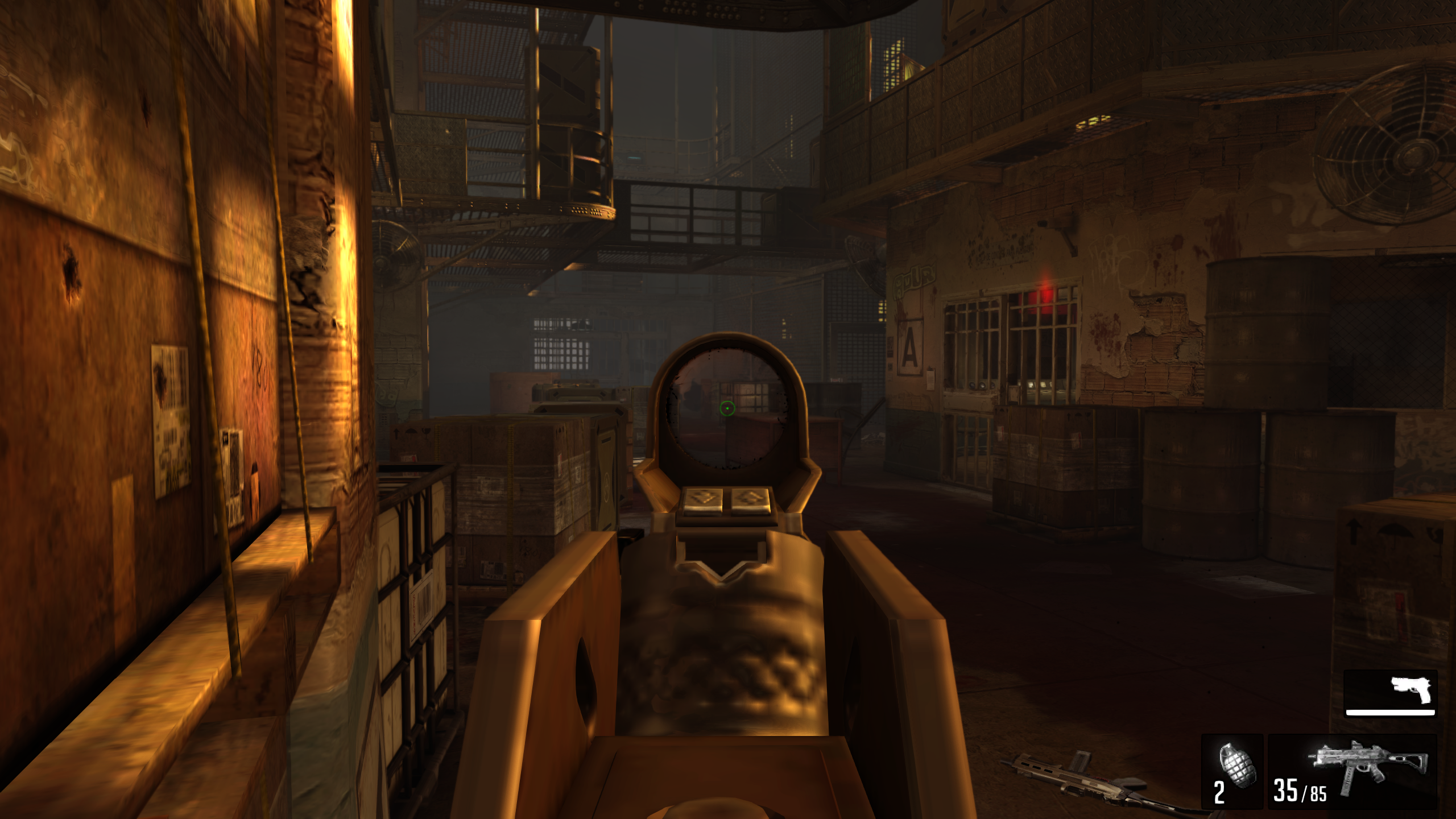
✅ - Game Launches Fullscreen
✅ - Video cutscenes play with no issues
✅ - Game is able to take input from controller and keyboard and lets you swap between
✅ - Rumble feature works on controller
✅ - No visible graphical issues, played for about an hour with no crashing or bugs
❌ - Was only able to display Keyboard + Mouse Glyphs, couldn't determine a way to show Controller Glyphs, either live-switching, only using controller after booting the game, or checking settings, was unable to determine if they were even available.
❌ - Can't remap buttons for controller, can only select between predetermined controller layouts.
Works with proton-experimental bleeding edge branch.
Consumes all the CPU when FSYNC is enabled. disabling it with PROTON_NO_FSYNC=1 fixes it, but the wineserver is still using quite a bit of CPU.
Seems to run pretty good.
https://www.youtube.com/watch?v=tqef0UFNrfI
Proton versions
proton experimentalx4 2021-11proton 5.0-9x1 2020-09proton 4.2-2x1 2019-04proton 3.7-5x1 2018-08
Launch options
PROTON_NO_FSYNC=1x1 2021-11SDL_AUDIODRIVER=alsa`x1 2021-03
Upstream links
- ValveSoftware/steam-for-linux/issues/7941x1 2021-07
- ValveSoftware/Proton/issues/2808x1 2019-06
- ValveSoftware/Proton/issues/1575x1 2018-09
https://gist.github.com/daasuharo/cb605b8cd50227982a9bfa4dfcb1f635