I managed to get a system report: https://gist.github.com/leinardi/cdfea3af86839debe69f9f914701e757
I'm having identical symptoms to this on Arch. I had a Twitch video up as a test and the playback continued fine, audio was going the entire time but the display (including mouse) were completely frozen, coming to life for split seconds at a time. After a while it seems SteamVR gave up on rebooting and the system returned to stability and the headset was in sleep mode.
I'm using Nvidia 396.54 on a GTX 1080, but I've also had this over this year dating at least back to the Nvidia 390 drivers, the last time I actually had this working was last year with 387 drivers.
Can you check your journalctl to see if you're also getting errors like this?
kernel: nvidia-modeset: ERROR: GPU:0: Idling display engine timed out: 0x0000927c:1:0
SteamVR-2018-09-01-PM_05_28_22.txt
System report for mine.
I'm using Nvidia 396.54 on a GTX 1080, but I've also had this over this year dating at least back to the Nvidia 390 drivers [...]
Same here.
Can you check your journalctl to see if you're also getting errors like this?
kernel: nvidia-modeset: ERROR: GPU:0: Idling display engine timed out: 0x0000927c:1:0
After starting SteamVR I see this inside my journalctl:
set 02 11:57:18 x87-deluxe /usr/lib/gdm3/gdm-x-session[3041]: (--) NVIDIA(GPU-0): DFP-0: disconnected
set 02 11:57:18 x87-deluxe /usr/lib/gdm3/gdm-x-session[3041]: (--) NVIDIA(GPU-0): DFP-0: Internal TMDS
set 02 11:57:18 x87-deluxe /usr/lib/gdm3/gdm-x-session[3041]: (--) NVIDIA(GPU-0): DFP-0: 330.0 MHz maximum pixel clock
set 02 11:57:18 x87-deluxe /usr/lib/gdm3/gdm-x-session[3041]: (--) NVIDIA(GPU-0):
set 02 11:57:18 x87-deluxe /usr/lib/gdm3/gdm-x-session[3041]: (--) NVIDIA(GPU-0): DFP-1: disconnected
set 02 11:57:18 x87-deluxe /usr/lib/gdm3/gdm-x-session[3041]: (--) NVIDIA(GPU-0): DFP-1: Internal TMDS
set 02 11:57:18 x87-deluxe /usr/lib/gdm3/gdm-x-session[3041]: (--) NVIDIA(GPU-0): DFP-1: 165.0 MHz maximum pixel clock
set 02 11:57:18 x87-deluxe /usr/lib/gdm3/gdm-x-session[3041]: (--) NVIDIA(GPU-0):
set 02 11:57:18 x87-deluxe /usr/lib/gdm3/gdm-x-session[3041]: (--) NVIDIA(GPU-0): DFP-2: disconnected
set 02 11:57:18 x87-deluxe /usr/lib/gdm3/gdm-x-session[3041]: (--) NVIDIA(GPU-0): DFP-2: Internal TMDS
set 02 11:57:18 x87-deluxe /usr/lib/gdm3/gdm-x-session[3041]: (--) NVIDIA(GPU-0): DFP-2: 600.0 MHz maximum pixel clock
set 02 11:57:18 x87-deluxe /usr/lib/gdm3/gdm-x-session[3041]: (--) NVIDIA(GPU-0):
set 02 11:57:18 x87-deluxe /usr/lib/gdm3/gdm-x-session[3041]: (--) NVIDIA(GPU-0): DFP-3: disconnected
set 02 11:57:18 x87-deluxe /usr/lib/gdm3/gdm-x-session[3041]: (--) NVIDIA(GPU-0): DFP-3: Internal DisplayPort
set 02 11:57:18 x87-deluxe /usr/lib/gdm3/gdm-x-session[3041]: (--) NVIDIA(GPU-0): DFP-3: 1440.0 MHz maximum pixel clock
set 02 11:57:18 x87-deluxe /usr/lib/gdm3/gdm-x-session[3041]: (--) NVIDIA(GPU-0):
set 02 11:57:18 x87-deluxe /usr/lib/gdm3/gdm-x-session[3041]: (--) NVIDIA(GPU-0): DFP-4: disconnected
set 02 11:57:18 x87-deluxe /usr/lib/gdm3/gdm-x-session[3041]: (--) NVIDIA(GPU-0): DFP-4: Internal TMDS
set 02 11:57:18 x87-deluxe /usr/lib/gdm3/gdm-x-session[3041]: (--) NVIDIA(GPU-0): DFP-4: 165.0 MHz maximum pixel clock
set 02 11:57:18 x87-deluxe /usr/lib/gdm3/gdm-x-session[3041]: (--) NVIDIA(GPU-0):
set 02 11:57:18 x87-deluxe /usr/lib/gdm3/gdm-x-session[3041]: (--) NVIDIA(GPU-0): Dell AW3418DW (DFP-5): connected
set 02 11:57:18 x87-deluxe /usr/lib/gdm3/gdm-x-session[3041]: (--) NVIDIA(GPU-0): Dell AW3418DW (DFP-5): Internal DisplayPort
set 02 11:57:18 x87-deluxe /usr/lib/gdm3/gdm-x-session[3041]: (--) NVIDIA(GPU-0): Dell AW3418DW (DFP-5): 1440.0 MHz maximum pixel clock
set 02 11:57:18 x87-deluxe /usr/lib/gdm3/gdm-x-session[3041]: (--) NVIDIA(GPU-0):
set 02 11:57:18 x87-deluxe /usr/lib/gdm3/gdm-x-session[3041]: (--) NVIDIA(GPU-0): DFP-6: disconnected
set 02 11:57:18 x87-deluxe /usr/lib/gdm3/gdm-x-session[3041]: (--) NVIDIA(GPU-0): DFP-6: Internal TMDS
set 02 11:57:18 x87-deluxe /usr/lib/gdm3/gdm-x-session[3041]: (--) NVIDIA(GPU-0): DFP-6: 165.0 MHz maximum pixel clock
set 02 11:57:18 x87-deluxe /usr/lib/gdm3/gdm-x-session[3041]: (--) NVIDIA(GPU-0):
set 02 11:57:23 x87-deluxe /usr/lib/gdm3/gdm-x-session[3041]: (--) NVIDIA(GPU-0): DFP-0: disconnected
set 02 11:57:23 x87-deluxe /usr/lib/gdm3/gdm-x-session[3041]: (--) NVIDIA(GPU-0): DFP-0: Internal TMDS
set 02 11:57:23 x87-deluxe /usr/lib/gdm3/gdm-x-session[3041]: (--) NVIDIA(GPU-0): DFP-0: 330.0 MHz maximum pixel clock
set 02 11:57:23 x87-deluxe /usr/lib/gdm3/gdm-x-session[3041]: (--) NVIDIA(GPU-0):
set 02 11:57:23 x87-deluxe /usr/lib/gdm3/gdm-x-session[3041]: (--) NVIDIA(GPU-0): DFP-1: disconnected
set 02 11:57:23 x87-deluxe /usr/lib/gdm3/gdm-x-session[3041]: (--) NVIDIA(GPU-0): DFP-1: Internal TMDS
set 02 11:57:23 x87-deluxe /usr/lib/gdm3/gdm-x-session[3041]: (--) NVIDIA(GPU-0): DFP-1: 165.0 MHz maximum pixel clock
set 02 11:57:23 x87-deluxe /usr/lib/gdm3/gdm-x-session[3041]: (--) NVIDIA(GPU-0):
set 02 11:57:23 x87-deluxe /usr/lib/gdm3/gdm-x-session[3041]: (--) NVIDIA(GPU-0): DFP-2: disconnected
set 02 11:57:23 x87-deluxe /usr/lib/gdm3/gdm-x-session[3041]: (--) NVIDIA(GPU-0): DFP-2: Internal TMDS
set 02 11:57:23 x87-deluxe /usr/lib/gdm3/gdm-x-session[3041]: (--) NVIDIA(GPU-0): DFP-2: 600.0 MHz maximum pixel clock
set 02 11:57:23 x87-deluxe /usr/lib/gdm3/gdm-x-session[3041]: (--) NVIDIA(GPU-0):
set 02 11:57:23 x87-deluxe /usr/lib/gdm3/gdm-x-session[3041]: (--) NVIDIA(GPU-0): DFP-3: disconnected
set 02 11:57:23 x87-deluxe /usr/lib/gdm3/gdm-x-session[3041]: (--) NVIDIA(GPU-0): DFP-3: Internal DisplayPort
set 02 11:57:23 x87-deluxe /usr/lib/gdm3/gdm-x-session[3041]: (--) NVIDIA(GPU-0): DFP-3: 1440.0 MHz maximum pixel clock
set 02 11:57:23 x87-deluxe /usr/lib/gdm3/gdm-x-session[3041]: (--) NVIDIA(GPU-0):
set 02 11:57:23 x87-deluxe /usr/lib/gdm3/gdm-x-session[3041]: (--) NVIDIA(GPU-0): DFP-4: disconnected
set 02 11:57:23 x87-deluxe /usr/lib/gdm3/gdm-x-session[3041]: (--) NVIDIA(GPU-0): DFP-4: Internal TMDS
set 02 11:57:23 x87-deluxe /usr/lib/gdm3/gdm-x-session[3041]: (--) NVIDIA(GPU-0): DFP-4: 165.0 MHz maximum pixel clock
set 02 11:57:23 x87-deluxe /usr/lib/gdm3/gdm-x-session[3041]: (--) NVIDIA(GPU-0):
set 02 11:57:23 x87-deluxe /usr/lib/gdm3/gdm-x-session[3041]: (--) NVIDIA(GPU-0): Dell AW3418DW (DFP-5): connected
set 02 11:57:23 x87-deluxe /usr/lib/gdm3/gdm-x-session[3041]: (--) NVIDIA(GPU-0): Dell AW3418DW (DFP-5): Internal DisplayPort
set 02 11:57:23 x87-deluxe /usr/lib/gdm3/gdm-x-session[3041]: (--) NVIDIA(GPU-0): Dell AW3418DW (DFP-5): 1440.0 MHz maximum pixel clock
set 02 11:57:23 x87-deluxe /usr/lib/gdm3/gdm-x-session[3041]: (--) NVIDIA(GPU-0):
set 02 11:57:23 x87-deluxe /usr/lib/gdm3/gdm-x-session[3041]: (--) NVIDIA(GPU-0): DFP-6: disconnected
set 02 11:57:23 x87-deluxe /usr/lib/gdm3/gdm-x-session[3041]: (--) NVIDIA(GPU-0): DFP-6: Internal TMDS
set 02 11:57:23 x87-deluxe /usr/lib/gdm3/gdm-x-session[3041]: (--) NVIDIA(GPU-0): DFP-6: 165.0 MHz maximum pixel clock
set 02 11:57:23 x87-deluxe /usr/lib/gdm3/gdm-x-session[3041]: (--) NVIDIA(GPU-0):
set 02 11:57:52 x87-deluxe /usr/lib/gdm3/gdm-x-session[3041]: (--) NVIDIA(GPU-0): DFP-0: disconnected
set 02 11:57:52 x87-deluxe /usr/lib/gdm3/gdm-x-session[3041]: (--) NVIDIA(GPU-0): DFP-0: Internal TMDS
set 02 11:57:52 x87-deluxe /usr/lib/gdm3/gdm-x-session[3041]: (--) NVIDIA(GPU-0): DFP-0: 330.0 MHz maximum pixel clock
set 02 11:57:52 x87-deluxe /usr/lib/gdm3/gdm-x-session[3041]: (--) NVIDIA(GPU-0):
set 02 11:57:52 x87-deluxe /usr/lib/gdm3/gdm-x-session[3041]: (--) NVIDIA(GPU-0): DFP-1: disconnected
set 02 11:57:52 x87-deluxe /usr/lib/gdm3/gdm-x-session[3041]: (--) NVIDIA(GPU-0): DFP-1: Internal TMDS
set 02 11:57:52 x87-deluxe /usr/lib/gdm3/gdm-x-session[3041]: (--) NVIDIA(GPU-0): DFP-1: 165.0 MHz maximum pixel clock
set 02 11:57:52 x87-deluxe /usr/lib/gdm3/gdm-x-session[3041]: (--) NVIDIA(GPU-0):
set 02 11:57:52 x87-deluxe /usr/lib/gdm3/gdm-x-session[3041]: (--) NVIDIA(GPU-0): DFP-2: disconnected
set 02 11:57:52 x87-deluxe /usr/lib/gdm3/gdm-x-session[3041]: (--) NVIDIA(GPU-0): DFP-2: Internal TMDS
set 02 11:57:52 x87-deluxe /usr/lib/gdm3/gdm-x-session[3041]: (--) NVIDIA(GPU-0): DFP-2: 600.0 MHz maximum pixel clock
set 02 11:57:52 x87-deluxe /usr/lib/gdm3/gdm-x-session[3041]: (--) NVIDIA(GPU-0):
set 02 11:57:52 x87-deluxe /usr/lib/gdm3/gdm-x-session[3041]: (--) NVIDIA(GPU-0): DFP-3: disconnected
set 02 11:57:52 x87-deluxe /usr/lib/gdm3/gdm-x-session[3041]: (--) NVIDIA(GPU-0): DFP-3: Internal DisplayPort
set 02 11:57:52 x87-deluxe /usr/lib/gdm3/gdm-x-session[3041]: (--) NVIDIA(GPU-0): DFP-3: 1440.0 MHz maximum pixel clock
set 02 11:57:52 x87-deluxe /usr/lib/gdm3/gdm-x-session[3041]: (--) NVIDIA(GPU-0):
set 02 11:57:52 x87-deluxe /usr/lib/gdm3/gdm-x-session[3041]: (--) NVIDIA(GPU-0): DFP-4: disconnected
set 02 11:57:52 x87-deluxe /usr/lib/gdm3/gdm-x-session[3041]: (--) NVIDIA(GPU-0): DFP-4: Internal TMDS
set 02 11:57:52 x87-deluxe /usr/lib/gdm3/gdm-x-session[3041]: (--) NVIDIA(GPU-0): DFP-4: 165.0 MHz maximum pixel clock
set 02 11:57:52 x87-deluxe /usr/lib/gdm3/gdm-x-session[3041]: (--) NVIDIA(GPU-0):
set 02 11:57:52 x87-deluxe /usr/lib/gdm3/gdm-x-session[3041]: (--) NVIDIA(GPU-0): Dell AW3418DW (DFP-5): connected
set 02 11:57:52 x87-deluxe /usr/lib/gdm3/gdm-x-session[3041]: (--) NVIDIA(GPU-0): Dell AW3418DW (DFP-5): Internal DisplayPort
set 02 11:57:52 x87-deluxe /usr/lib/gdm3/gdm-x-session[3041]: (--) NVIDIA(GPU-0): Dell AW3418DW (DFP-5): 1440.0 MHz maximum pixel clock
set 02 11:57:52 x87-deluxe /usr/lib/gdm3/gdm-x-session[3041]: (--) NVIDIA(GPU-0):
set 02 11:57:52 x87-deluxe /usr/lib/gdm3/gdm-x-session[3041]: (--) NVIDIA(GPU-0): DFP-6: disconnected
set 02 11:57:52 x87-deluxe /usr/lib/gdm3/gdm-x-session[3041]: (--) NVIDIA(GPU-0): DFP-6: Internal TMDS
set 02 11:57:52 x87-deluxe /usr/lib/gdm3/gdm-x-session[3041]: (--) NVIDIA(GPU-0): DFP-6: 165.0 MHz maximum pixel clock
set 02 11:57:52 x87-deluxe /usr/lib/gdm3/gdm-x-session[3041]: (--) NVIDIA(GPU-0):
set 02 11:57:56 x87-deluxe kernel: nvidia-modeset: ERROR: GPU:0: Idling display engine timed out: 0x0000927c:1:0
set 02 11:57:58 x87-deluxe kernel: nvidia-modeset: ERROR: GPU:0: Idling display engine timed out: 0x0000927c:1:0
set 02 11:58:01 x87-deluxe kernel: nvidia-modeset: ERROR: GPU:0: Idling display engine timed out: 0x0000927c:1:0
set 02 11:58:03 x87-deluxe kernel: nvidia-modeset: ERROR: GPU:0: Idling display engine timed out: 0x0000927c:1:0
set 02 11:58:07 x87-deluxe kernel: nvidia-modeset: ERROR: GPU:0: Idling display engine timed out: 0x0000927c:1:0
set 02 11:58:09 x87-deluxe kernel: nvidia-modeset: ERROR: GPU:0: Idling display engine timed out: 0x0000927c:1:0
set 02 11:58:15 x87-deluxe kernel: nvidia-modeset: ERROR: GPU:0: Idling display engine timed out: 0x0000927c:1:0
set 02 11:58:17 x87-deluxe kernel: nvidia-modeset: ERROR: GPU:0: Idling display engine timed out: 0x0000927c:1:0
set 02 11:59:02 x87-deluxe kernel: nvidia-modeset: ERROR: GPU:0: Idling display engine timed out: 0x0000927c:1:0
set 02 11:59:04 x87-deluxe kernel: nvidia-modeset: ERROR: GPU:0: Idling display engine timed out: 0x0000927c:1:0
I think you are into something with this "Idling display engine timed out".
Same issue on AMD RX Vega on Ubuntu 18.04 with 4.18.4-steamvr-generic kernel, not certain on message output, will try to get journalctl using another machine over ssh later.
Display completely freezes, aside from the mouse cursor. It happens even faster on the SteamVR beta than normal SteamVR
Interesting, if this is happening on Radeon that rules out driver issues. I wonder if this is something to do with X11 or kernel updates?
Display completely freezes, aside from the mouse cursor
@Pyrarrows is your mouse moving normally or, like for me and @Vash63, is just coming to life for split seconds at a time?
The mouse cursor moves smoothly, I have noticed no jerkeyness.
Here's my journalctl when I run SteamVR
Sep 04 18:03:55 Pyra-BigBoss-Linux kernel: amdgpu 0000:0a:00.0: [gfxhub] VMC page fault (src_id:0 ring:174 vmid:5 pasid:32786)

Sep 04 18:03:55 Pyra-BigBoss-Linux kernel: amdgpu 0000:0a:00.0:   at page 0x00008001c1350000 from 27

Sep 04 18:03:55 Pyra-BigBoss-Linux kernel: amdgpu 0000:0a:00.0: VM_L2_PROTECTION_FAULT_STATUS:0x00540D5D

Sep 04 18:03:55 Pyra-BigBoss-Linux kernel: amdgpu 0000:0a:00.0: [gfxhub] VMC page fault (src_id:0 ring:174 vmid:5 pasid:32786)

Sep 04 18:03:55 Pyra-BigBoss-Linux kernel: amdgpu 0000:0a:00.0:   at page 0x00008001c133d000 from 27

Sep 04 18:03:55 Pyra-BigBoss-Linux kernel: amdgpu 0000:0a:00.0: VM_L2_PROTECTION_FAULT_STATUS:0x0054115D

Sep 04 18:03:55 Pyra-BigBoss-Linux kernel: amdgpu 0000:0a:00.0: [gfxhub] VMC page fault (src_id:0 ring:174 vmid:5 pasid:32786)

Sep 04 18:03:55 Pyra-BigBoss-Linux kernel: amdgpu 0000:0a:00.0:   at page 0x00008001c133e000 from 27

Sep 04 18:03:55 Pyra-BigBoss-Linux kernel: amdgpu 0000:0a:00.0: VM_L2_PROTECTION_FAULT_STATUS:0x00000000

Sep 04 18:03:55 Pyra-BigBoss-Linux kernel: amdgpu 0000:0a:00.0: [gfxhub] VMC page fault (src_id:0 ring:174 vmid:5 pasid:32786)

Sep 04 18:03:55 Pyra-BigBoss-Linux kernel: amdgpu 0000:0a:00.0:   at page 0x00008001c133f000 from 27

Sep 04 18:03:55 Pyra-BigBoss-Linux kernel: amdgpu 0000:0a:00.0: VM_L2_PROTECTION_FAULT_STATUS:0x00000000

Sep 04 18:03:55 Pyra-BigBoss-Linux kernel: amdgpu 0000:0a:00.0: [gfxhub] VMC page fault (src_id:0 ring:174 vmid:5 pasid:32786)

Sep 04 18:03:55 Pyra-BigBoss-Linux kernel: amdgpu 0000:0a:00.0:   at page 0x00008001c1334000 from 27

Sep 04 18:03:55 Pyra-BigBoss-Linux kernel: amdgpu 0000:0a:00.0: VM_L2_PROTECTION_FAULT_STATUS:0x00000000

Sep 04 18:03:55 Pyra-BigBoss-Linux kernel: amdgpu 0000:0a:00.0: [gfxhub] VMC page fault (src_id:0 ring:174 vmid:5 pasid:32786)

Sep 04 18:03:55 Pyra-BigBoss-Linux kernel: amdgpu 0000:0a:00.0:   at page 0x00008001c134d000 from 27

Sep 04 18:03:55 Pyra-BigBoss-Linux kernel: amdgpu 0000:0a:00.0: VM_L2_PROTECTION_FAULT_STATUS:0x00000000

Sep 04 18:03:55 Pyra-BigBoss-Linux kernel: amdgpu 0000:0a:00.0: [gfxhub] VMC page fault (src_id:0 ring:174 vmid:5 pasid:32786)

Sep 04 18:03:55 Pyra-BigBoss-Linux kernel: amdgpu 0000:0a:00.0:   at page 0x00008001c1336000 from 27

Sep 04 18:03:55 Pyra-BigBoss-Linux kernel: amdgpu 0000:0a:00.0: VM_L2_PROTECTION_FAULT_STATUS:0x00000000

Sep 04 18:03:55 Pyra-BigBoss-Linux kernel: amdgpu 0000:0a:00.0: [gfxhub] VMC page fault (src_id:0 ring:174 vmid:5 pasid:32786)

Sep 04 18:03:55 Pyra-BigBoss-Linux kernel: amdgpu 0000:0a:00.0:   at page 0x00008001c1344000 from 27

Sep 04 18:03:55 Pyra-BigBoss-Linux kernel: amdgpu 0000:0a:00.0: VM_L2_PROTECTION_FAULT_STATUS:0x00000000

Sep 04 18:03:55 Pyra-BigBoss-Linux kernel: amdgpu 0000:0a:00.0: [gfxhub] VMC page fault (src_id:0 ring:174 vmid:5 pasid:32786)

Sep 04 18:03:55 Pyra-BigBoss-Linux kernel: amdgpu 0000:0a:00.0:   at page 0x00008001c1337000 from 27

Sep 04 18:03:55 Pyra-BigBoss-Linux kernel: amdgpu 0000:0a:00.0: VM_L2_PROTECTION_FAULT_STATUS:0x00000000

Sep 04 18:03:55 Pyra-BigBoss-Linux kernel: amdgpu 0000:0a:00.0: [gfxhub] VMC page fault (src_id:0 ring:174 vmid:5 pasid:32786)

Sep 04 18:03:55 Pyra-BigBoss-Linux kernel: amdgpu 0000:0a:00.0:   at page 0x00008001c134e000 from 27

Sep 04 18:03:55 Pyra-BigBoss-Linux kernel: amdgpu 0000:0a:00.0: VM_L2_PROTECTION_FAULT_STATUS:0x00000000

Sep 04 18:04:05 Pyra-BigBoss-Linux kernel: [drm:amdgpu_job_timedout [amdgpu]] *ERROR* ring gfx timeout, last signaled seq=7249931, last emitted seq=7249933

Sep 04 18:04:05 Pyra-BigBoss-Linux kernel: [drm] GPU recovery disabled.
@Pyrarrows Sounds like possibly a different issue, although that 'ring gfx timeout' at the end does seem like quite the coincidence for two different driver stacks to both be crashing and timing out. Maybe with the radeonsi drivers it's still able to update the mouse position even during the timeout?
Anyway enough speculation on my part, I really don't know anything about the drivers or SteamVR stack outside of an administrator perspective. I'm glad it's happening on Ubuntu also though and not just an Arch problem.
Just upgraded to an RTX 2080 and I can no longer reproduce this. Can any Nvidia users having this issue try again on the new 410 series Nvidia drivers? Wondering if this was fixed for everyone or just some hardware quirk.
@leinardi I cannot reproduce this. Try installing 396.54.06 or newer.
@ryao SteamVR crashes my computer every time I launch it as well. Here is my post on the issue (Using ubuntu 18.04) https://github.com/ValveSoftware/SteamVR-for-Linux/issues/146
Update: I got SteamVR working again by going back to original BIOS settings, but now am getting a 306 error
@ryao sorry for the delay but the updated nvidia drivers were pushed only some days ago on the official graphics driver PPA.
I can confirm that on 410.57 I don't have the issue anymore. I still have to try on 396.54.06.
If it's fixed with newer Nvidia drivers you should probably close this bug. At very least that confirms it is not a SteamVR issue.
I have amd gpu @Vash63
On Mon, Nov 26, 2018 at 8:13 AM Vash63 [email protected] wrote:
If it's fixed with newer Nvidia drivers you should probably close this
bug. At very least that confirms it is not a SteamVR issue.—
You are receiving this because you commented.
Reply to this email directly, view it on GitHub
https://github.com/ValveSoftware/SteamVR-for-Linux/issues/123#issuecomment-441652391,
or mute the thread
https://github.com/notifications/unsubscribe-auth/AkUvrdzCdXW_P2Z8CW63BKP-yr3AtqH6ks5uy_cigaJpZM4WIMlY
.
running steam beta with steamvr beta here on an up2date 5.2.9-arch1-1-fsync arch system with a RTX 2080 and i7-8700 and a htc vice and since some days I have the exact same freezes on my machine. everything else works as it did before.
the crash is good to trigger with:
I also reverted steam and streamvr back to stable, which didn't fix the issue.
hmm, just have seen my own reference from https://github.com/ValveSoftware/SteamVR-for-Linux/issues/163
maybe this is (again?) xfce4 related? afaik it got several updates recently
if so, I'll report back. ForceFullCompositionPipeline is still disabled here btw
I was able to start steamvr with and without pre-powered-on lighthouses on lxqt and mate.
but it froze when I enabled steamvr-home, which I disabled during tests. so not unlikely that steamvr home freezes the system an not the DE
One thing to confirm when you get a system "freeze" is the extent. Audio still playing for example would be different from a kernel panic. You can likely recover from a stall by either waiting ~5 minutes for the GPU to reset and hope everything recovers or kill off GPU processes.
There many bugs across different projects all exhibiting the same kinds of stalls. A lot of times it's a browser or window manager that never fully recover. Steam has a fairly short fuse once the GPU resets. Almost too short.
I was having this same issue, until I turned off "Force Full Composition Pipeline" in nvidia settings. #210
It hasn't crashed since this change.
I had this issue with and without SteamVR beta. It worked the first time after installing steamvr i could play and everything but not after that.
But I run a 3 monitor setup with 2 1080p and one 1440p monitor. I disabled all but the main monitor and SteamVR has worked since then.
Hope this can help in any way.
Nothing extracted yet.
Your system information
Steam client version (build number or date):
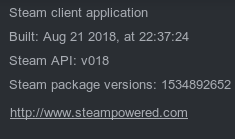
Distribution (e.g. Ubuntu): Ubuntu 18.04
Graphics driver version (run nvidia-settings): 396.51
Gist for SteamVR System Information: https://gist.github.com/leinardi/1f2a996f024ecb98e7db555ec51739a0
Opted into Steam client beta?: Yes
Opted into SteamVR beta?: Yes
Have you checked for system updates?: Yes
Please describe your issue in as much detail as possible:
Starting SteamVR makes my PC completely unresponsive. I can hear the audio in background but the video is almost completely frozen with the mouse cursor skipping position every couple of seconds.
I tried to completely uninstall SteamVR (I have also deleted the local folder). It happens with both beta and stable branch.
On this same hardware I was able to run SteamVR some time ago.
Steps for reproducing this issue: