mesa 18 steam link color problem
Hello @guustflater, this looks like other 30 bit color regressions seen with that feature enablement in mesa.
See if adding <option name="allow_rgb10_configs" value="false" /> to the device section in /etc/drirc and relogging / restarting X makes a difference.
Wow, this is amazing!!! It works perfectly!!!!!! Thank you so much!!!!
If you don't want to disable rgb10 globally, you can wrap the option in an application tag:
<application name="Steam" executable="steam">
    <option name="allow_rgb10_configs" value="false" />
</application>
I seem to have the same or a similar problem streaming from a Windows host to a Kubuntu client.
The colors look almost inverted and very dark, it's hard to even recognize what is on the screen.
So far whether disabliing rgb10 nor switching the output device from IGP to dedicated grapics card did help.
Here's Flatout 2 for example:
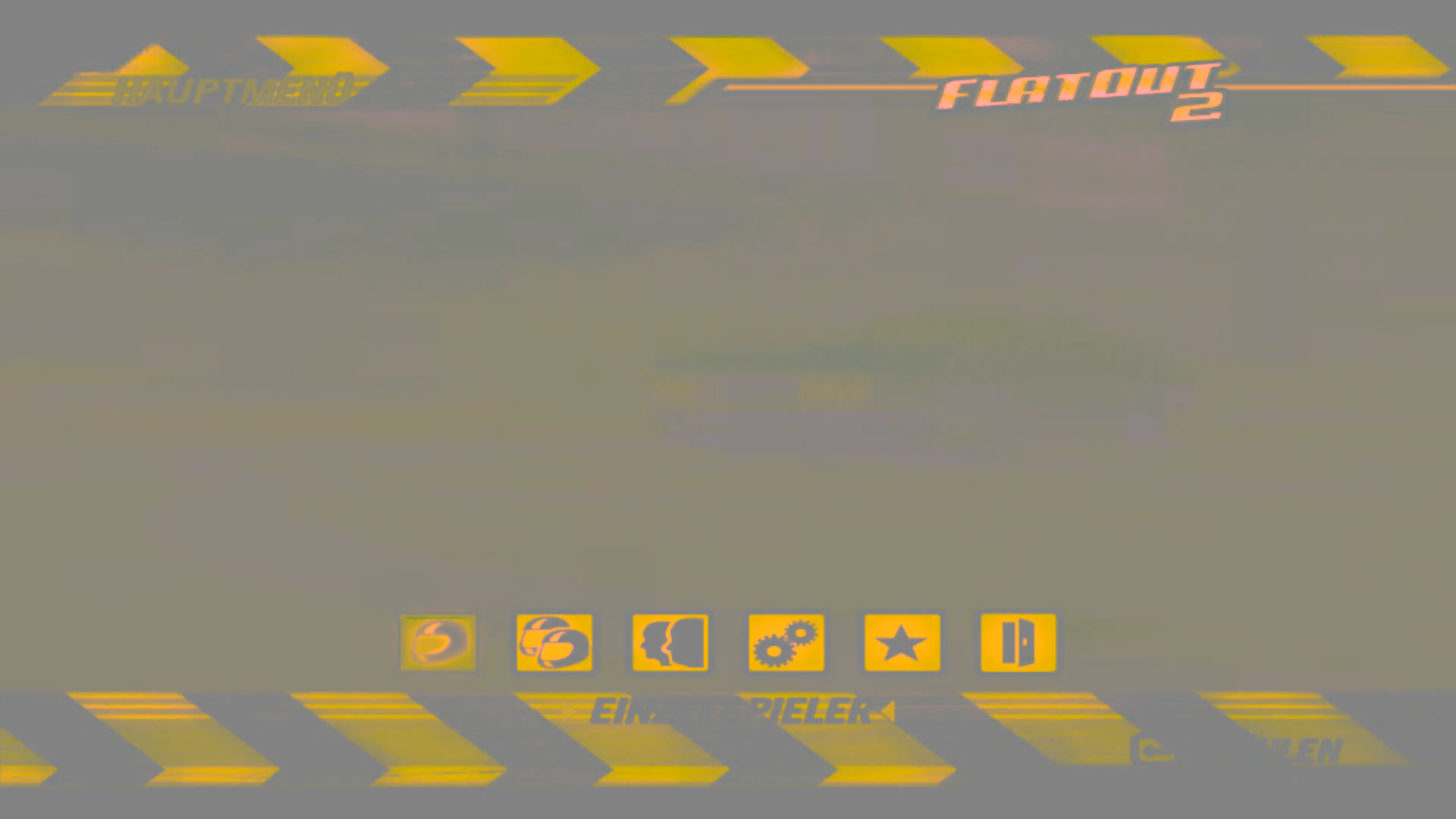

$ lspci -vnn -s 01:00.0
01:00.0 Display controller [0380]: Advanced Micro Devices, Inc. [AMD/ATI] Sun XT [Radeon HD 8670A/8670M/8690M / R5 M330 / M430] [1002:6660] (rev ff) (prog-if ff)
        !!! Unknown header type 7f
        Kernel driver in use: radeon
        Kernel modules: radeon, amdgpu
Computer Information:
    Manufacturer:  Unknown
    Model:  Unknown
    Form Factor: Laptop
    No Touch Input Detected

Processor Information:
    CPU Vendor:  GenuineIntel
    CPU Brand:         Intel(R) Core(TM) i5-3337U CPU @ 1.80GHz
    CPU Family:  0x6
    CPU Model:  0x3a
    CPU Stepping:  0x9
    CPU Type:  0x0
    Speed:  2700 Mhz
    4 logical processors
    2 physical processors
    HyperThreading:  Supported
    FCMOV:  Supported
    SSE2:  Supported
    SSE3:  Supported
    SSSE3:  Supported
    SSE4a:  Unsupported
    SSE41:  Supported
    SSE42:  Supported
    AES:  Supported
    AVX:  Supported
    CMPXCHG16B:  Supported
    LAHF/SAHF:  Supported
    PrefetchW:  Unsupported

Operating System Version:
    Ubuntu 18.04.1 LTS (64 bit)
    Kernel Name:  Linux
    Kernel Version:  4.15.0-43-generic
    X Server Vendor:  The X.Org Foundation
    X Server Release:  11906000
    X Window Manager:  KWin
    Steam Runtime Version:  steam-runtime-beta-release_2019-01-10

Video Card:
    Driver:  Intel Open Source Technology Center Mesa DRI Intel(R) Ivybridge Mobile x86/MMX/SSE2
    Driver Version:  3.0 Mesa 18.0.5
    OpenGL Version: 3.0
    Desktop Color Depth: 24 bits per pixel
    Monitor Refresh Rate: 120 Hz
    VendorID:  0x8086
    DeviceID:  0x166
    Revision Not Detected
    Number of Monitors:  1
    Number of Logical Video Cards:  1
    Primary Display Resolution:  1920 x 1080
    Desktop Resolution: 1920 x 1080
    Primary Display Size: 13.54" x 7.60" (15.51" diag)
                                            34.4cm x 19.3cm (39.4cm diag)
    Primary VRAM Not Detected

Sound card:
    Audio device: Realtek ALC269VC

Memory:
    RAM:  5799 Mb

Miscellaneous:
    UI Language:  English
    LANG:  de_DE.UTF-8
    Total Hard Disk Space Available:  466232 Mb
    Largest Free Hard Disk Block:  360759 Mb
    VR Headset: None detected

Recent Failure Reports:
It should be noted that this has been working before. The only somewhat major change to the system that comes to my mind is a BIOS update (client device is a Thinkpad S531 20B00050GE).
Please let me know if I can provide more information to help identify/resolve this issue.
I'm getting exactly the same corruption as the poster before me. I'm running Crouton on an Acer Chromebook 14, and it's worked perfectly before, but now I'm getting the same issue. Sorry if my description isn't very useful, I'm happy to add more information if needed.
Hello @mdPlusPlus, @TSDAdam, unless the driconf workaround above has an effect, you're seeing #6066, not the issue tracked here.
The beta fixed this for me. Hope the release can be expected soon: Imgur
Experienced this from Linux to Linux and Windows to Linux.
Hi @kisak-valve steam won´t run for me when using 10 bit per color on the nvidia proprietary drivers should I open a bug report?
Hello @monterrr, that issue is being tracked at https://github.com/ValveSoftware/steam-for-linux/issues/4399.
Related threads
- Steam fails to start with 30-bit colour depth displaysteamopen same upstream bug
Your system information
Steam client version (build number or date): Apr 2 2018 (just updated)
Distribution Ubuntu 17.10
CPU: AMD Ryzen 5 1600
GPU: Gigabyte RX580 8GB
MEM: 16GB (3000mhz)
glxinfo | grep "OpenGL core" OpenGL core profile version string: 4.5 (Core Profile) Mesa 18.0.0 - padoka PPA
Opted into Steam client beta?: No
Have you checked for system updates?: Yes
Please describe your issue in as much detail as possible:
Run system updates from Padoka PPA (stable) to mesa 18 stable and now the colors from the steam link are messed up
https://photos.google.com/share/AF1QipOucOr2fKO1zgaZ71r9r14ZvnzZ_0RFRFYr4fIbyeTk6DOOv8jvN8Kyw0Kpm-BVWQ/photo/AF1QipOo6gur82wXVifZuLqrnLKsZjivk_jvxRzz25x3?key=TWx1UlVld2tpdm4wTk5TRFhsQnRhMGE4RnVRQnln
Steps for reproducing this issue: