Hello @OneAdder, please copy your system information from Steam (Steam -> Help -> System Information) and put it in a gist, then include a link to the gist in this issue report.
You should be able to completely close steam, then run GDK_SCALE=2 steam from a terminal to override Steam's HiDPI logic.
Hello, I am sorry, I suddenly faced a lot more severe issue on my desktop PC. I will try it as soon as possible and describe the result.
Here are the details of a similar system (Kubuntu 20.04) on which this is reproduced.
about.txt
I experience this issue as well, which makes it difficult for me to use the Steam Client on my 1440p monitor. Applying GDK_SCALE=2 makes the UI too large to be usable.
This worked for me, I'm not sure if it will for you;
https://github.com/ValveSoftware/steam-for-linux/issues/5908#issuecomment-1171285228
System information
Description:
Steam interface looks tiny. Despite the fact that I choose the option (screenshot) about enlarging the UI size for the monitor size.
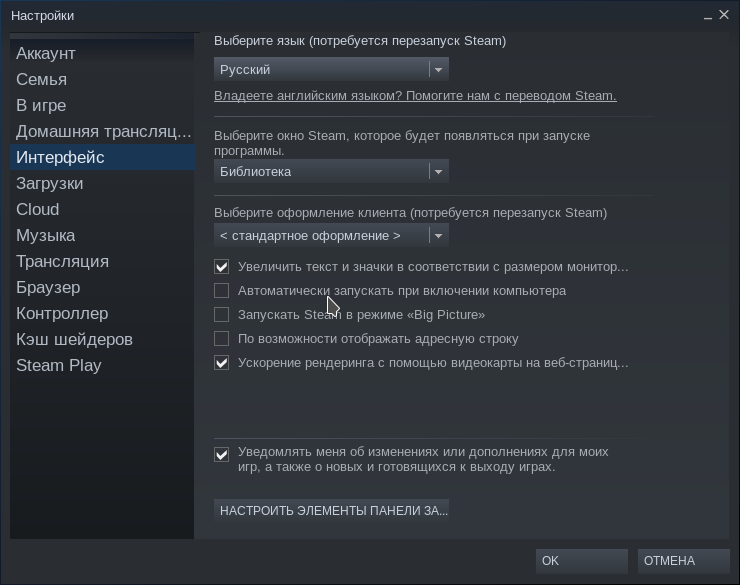
I cannot find any solution. The optimal DPI for my monitor is around 150. Is there a way to set the value?
Additional info
I use KDE Plasma 5.