Window's content is black when launching Steam
Your system information:
- Steam client version (build number or date): Newly updated to May, 14 2021 (Can't check what it was before since I already updated)
- Distribution (e.g. Ubuntu): Arch Linux
- Opted into Steam client beta?: No
- Have you checked for system updates?: Yes
- Kernel: Linux 5.11.18-152-tkg-upds
- CPU: Ryzen 3700X
- Nvidia GPU and Driver: RTX 2080 Ti with driver version 465.27
Please describe your issue in as much detail as possible:
I also have this "black update info" issue and have personally seen it in Fedora in the past as well; I'm not sure what causes this exactly but it's an issue that's been around for a long time: at least since late 2019.
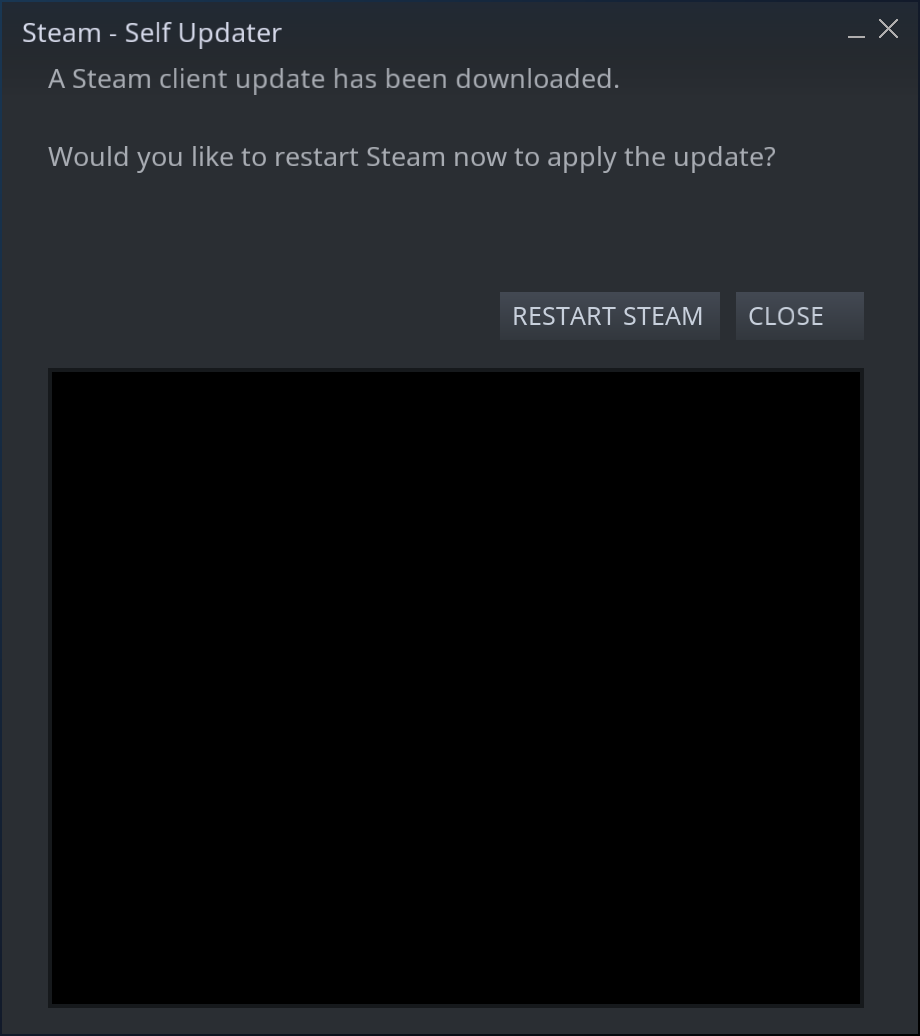
Just for clarification, I'm not talking about the update window but the whole Steam client one. I.e. when I launch Steam since friday (never happened before), I get this for a while: https://imgur.com/a/cW5Shnq
Ah, okay, I see what you mean.
I've had that happen occasionally as well but I noticed it only really happens to me if I navigate too fast before Steam is really able to keep up when it first launches
What do you mean by navigate? in Steam, like changing to the store or such? If so, I don't, I just open Steam, the content is immediately black without doing anything and then it finally loads after a random duration that goes from ~30 seconds to several minutes.
I assume that's related to the the various X authentification errors I see in the terminal output but I'm not sure why these happen, especially as it started without changes to the system or configuration AFAIK.
That's really weird
But yeah, I meant that I usually have it open the Store by default and it normally happens to me if I switch to the library too fast before the Store is fully loaded, forcing me to reload Steam and be more patient
Hello @ThisNekoGuy, your issue is being tracked at #6451.
@terzag I've seen that authentication error with Steam on some of my test boxes, while they are otherwise working as expected. It might be a red herring which is more visible due to libcef repeatedly being restarted until it gets lucky and fully initializes.
What is libcef exactly? Is it provided by Steam? I have no package installed that matches that name and can't find anything in the repos, even with older Ubuntu versions.
Chromium Embedded Framework is the web component used inside of Steam. It's a bundled library and not provided by a system package.
Ok.
I forgot to mention it in the initial post but from what I could tell, the only packages updated before Steam stopped working properly were distro-info and ubuntu-advantage-tools. I doubt they're related to the issue. I've tried to downgrade distro-info-data to 0.46 instead of 0.46ubuntu2 but it didn't change anything (distro-info itself has no older version in the repos).
Same problem (Ubuntu 20.04).
Driver: Nvidia 470.57.02
Here is the console log
STEAM_RUNTIME is enabled automatically
Steam runtime environment up-to-date!
Steam client's requirements are satisfied
WARNING: Using default/fallback debugger launch
/home/user/.local/share/Steam/ubuntu12_32/steam
[2021-08-04 09:40:48] Startup - updater built Jul 20 2021 22:25:51
Installing breakpad exception handler for appid(steam)/version(1626824053)
[2021-08-04 09:40:48] Loading cached metrics from disk (/home/user/.local/share/Steam/package/steam_client_metrics.bin)
[2021-08-04 09:40:48] Using the following download hosts for Public, Realm steamglobal
[2021-08-04 09:40:48] 1. https://cdn.cloudflare.steamstatic.com, /client/, Realm 'steamglobal', weight was 100, source = 'update_hosts_cached.vdf'
[2021-08-04 09:40:48] 2. https://cdn.akamai.steamstatic.com, /client/, Realm 'steamglobal', weight was 100, source = 'update_hosts_cached.vdf'
[2021-08-04 09:40:48] 3. http://media.steampowered.com, /client/, Realm 'steamglobal', weight was 1, source = 'baked in'
Installing breakpad exception handler for appid(steam)/version(1626824053)
[2021-08-04 09:40:48] Verifying installation...
[2021-08-04 09:40:48] Verification complete
Loaded SDL version 2.0.15-6655637
Gtk-Message: 09:40:49.014: Failed to load module "gail"
Gtk-Message: 09:40:49.014: Failed to load module "atk-bridge"

(steam:9966): Gtk-WARNING **: 09:40:49.022: Unable to locate theme engine in module_path: "adwaita",
/usr/share/themes/Yaru-dark/gtk-2.0/main.rc:775: error: unexpected identifier 'direction', expected character '}'

(steam:9966): Gtk-WARNING **: 09:40:49.026: Unable to locate theme engine in module_path: "adwaita",
/usr/share/themes/Yaru-dark/gtk-2.0/hacks.rc:28: error: invalid string constant "normal_entry", expected valid string constant
Steam: An X Error occurred
X Error of failed request:  BadAtom (invalid Atom parameter)
Major opcode of failed request:  20 (X_GetProperty)
Atom id in failed request:  0x0
Serial number of failed request:  12
xerror_handler: X failed, continuing
Steam: An X Error occurred
X Error of failed request:  BadAtom (invalid Atom parameter)
Major opcode of failed request:  20 (X_GetProperty)
Atom id in failed request:  0x0
Serial number of failed request:  13
xerror_handler: X failed, continuing
Steam: An X Error occurred
X Error of failed request:  BadAtom (invalid Atom parameter)
Major opcode of failed request:  20 (X_GetProperty)
Atom id in failed request:  0x0
Serial number of failed request:  14
xerror_handler: X failed, continuing
Installing breakpad exception handler for appid(steam)/version(1626824053)
STEAM_RUNTIME_HEAVY: ./steam-runtime-heavy
Could not connect to X session manager: None of the authentication protocols specified are supported
libGL error: No matching fbConfigs or visuals found
libGL error: failed to load driver: swrast
X Error of failed request:  BadValue (integer parameter out of range for operation)
  Major opcode of failed request:  151 (GLX)
  Minor opcode of failed request:  3 (X_GLXCreateContext)
  Value in failed request:  0x0
  Serial number of failed request:  111
  Current serial number in output stream:  112
Installing breakpad exception handler for appid(steam)/version(1626824053)
Installing breakpad exception handler for appid(steam)/version(1626824053)
Installing breakpad exception handler for appid(steam)/version(1626824053)
Installing breakpad exception handler for appid(steam)/version(1626824053)
Installing breakpad exception handler for appid(steam)/version(1626824053)
CApplicationManagerPopulateThread took 0 milliseconds to initialize (will have waited on CAppInfoCacheReadFromDiskThread)
Installing breakpad exception handler for appid(steam)/version(1626824053)
Installing breakpad exception handler for appid(steam)/version(1626824053)
Installing breakpad exception handler for appid(steam)/version(1626824053)
Installing breakpad exception handler for appid(steam)/version(1626824053)
Installing breakpad exception handler for appid(steam)/version(1626824053)
CAppInfoCacheReadFromDiskThread took 29 milliseconds to initialize
Installing breakpad exception handler for appid(steam)/version(1626824053)
Installing breakpad exception handler for appid(steam)/version(1626824053)
libGL error: No matching fbConfigs or visuals found
libGL error: failed to load driver: swrast
X Error of failed request:  BadValue (integer parameter out of range for operation)
  Major opcode of failed request:  151 (GLX)
  Minor opcode of failed request:  3 (X_GLXCreateContext)
  Value in failed request:  0x0
  Serial number of failed request:  110
  Current serial number in output stream:  111
Installing breakpad exception handler for appid(steam)/version(1626824053)
Proceed to auto login
Could not connect to X session manager: None of the authentication protocols specified are supported
Installing breakpad exception handler for appid(steam)/version(1626824053)
Could not connect to X session manager: None of the authentication protocols specified are supported
Opted-in Controller Mask for AppId 0: 0
Installing breakpad exception handler for appid(steam)/version(1626824053)

(steam:9966): Gtk-WARNING **: 09:40:50.125: gtk_disable_setlocale() must be called before gtk_init()
Installing breakpad exception handler for appid(steam)/version(1626824053)
Local Device Found
  type: 17ef 6099
  path: sdl://0
  serial_number:  - 0
  Manufacturer:
  Product:      LiteOn Lenovo Traditional USB Keyboard Consumer Control
  Release:      111
  Interface:    -1

Installing breakpad exception handler for appid(steam)/version(1626824053)
Installing breakpad exception handler for appid(steam)/version(1626824053)
roaming config store loaded successfully - 237 bytes.
migrating temporary roaming config store
BRefreshApplicationsInLibrary 1: 2ms
WARNING: lavapipe is not a conformant vulkan implementation, testing use only.
Could not connect to X session manager: None of the authentication protocols specified are supported
Could not connect to X session manager: None of the authentication protocols specified are supported
Could not connect to X session manager: None of the authentication protocols specified are supported
Could not connect to X session manager: None of the authentication protocols specified are supported
Could not connect to X session manager: None of the authentication protocols specified are supported
Could not connect to X session manager: None of the authentication protocols specified are supported
Could not connect to X session manager: None of the authentication protocols specified are supported
Could not connect to X session manager: None of the authentication protocols specified are supported
Could not connect to X session manager: None of the authentication protocols specified are supported
Could not connect to X session manager: None of the authentication protocols specified are supported
Could not connect to X session manager: None of the authentication protocols specified are supported
Could not connect to X session manager: None of the authentication protocols specified are supported
Could not connect to X session manager: None of the authentication protocols specified are supported
Could not connect to X session manager: None of the authentication protocols specified are supported
Local Device Found
  type: 17ef 6099
  path: sdl://0
  serial_number:  - 0
  Manufacturer:
  Product:      LiteOn Lenovo Traditional USB Keyboard Consumer Control
  Release:      111
  Interface:    -1

Installing breakpad exception handler for appid(steam)/version(1626824053)
Could not connect to X session manager: None of the authentication protocols specified are supported
Could not connect to X session manager: None of the authentication protocols specified are supported
Could not connect to X session manager: None of the authentication protocols specified are supported
Could not connect to X session manager: None of the authentication protocols specified are supported
Could not connect to X session manager: None of the authentication protocols specified are supported
Could not connect to X session manager: None of the authentication protocols specified are supported
Could not connect to X session manager: None of the authentication protocols specified are supported
Could not connect to X session manager: None of the authentication protocols specified are supported
Could not connect to X session manager: None of the authentication protocols specified are supported
Could not connect to X session manager: None of the authentication protocols specified are supported
Could not connect to X session manager: None of the authentication protocols specified are supported
Could not connect to X session manager: None of the authentication protocols specified are supported
Failed to init SteamVR because it isn't installed
WARNING: lavapipe is not a conformant vulkan implementation, testing use only.
Could not connect to X session manager: None of the authentication protocols specified are supported
Could not connect to X session manager: None of the authentication protocols specified are supported
Could not connect to X session manager: None of the authentication protocols specified are supported
Could not connect to X session manager: None of the authentication protocols specified are supported
Could not connect to X session manager: None of the authentication protocols specified are supported
Could not connect to X session manager: None of the authentication protocols specified are supported
Could not connect to X session manager: None of the authentication protocols specified are supported
Could not connect to X session manager: None of the authentication protocols specified are supported
Could not connect to X session manager: None of the authentication protocols specified are supported
Could not connect to X session manager: None of the authentication protocols specified are supported
Could not connect to X session manager: None of the authentication protocols specified are supported
Could not connect to X session manager: None of the authentication protocols specified are supported
Could not connect to X session manager: None of the authentication protocols specified are supported
Could not connect to X session manager: None of the authentication protocols specified are supported
Could not connect to X session manager: None of the authentication protocols specified are supported
Could not connect to X session manager: None of the authentication protocols specified are supported
Could not connect to X session manager: None of the authentication protocols specified are supported
Could not connect to X session manager: None of the authentication protocols specified are supported
Could not connect to X session manager: None of the authentication protocols specified are supported
Could not connect to X session manager: None of the authentication protocols specified are supported
Could not connect to X session manager: None of the authentication protocols specified are supported
Could not connect to X session manager: None of the authentication protocols specified are supported
ExecCommandLine: "'/home/user/.local/share/Steam/ubuntu12_32/steam'"
System startup time: 3.03 seconds
STEAM_RUNTIME_HEAVY: ./steam-runtime-heavy
libGL error: No matching fbConfigs or visuals found
libGL error: failed to load driver: swrast
X Error of failed request:  BadValue (integer parameter out of range for operation)
  Major opcode of failed request:  151 (GLX)
  Minor opcode of failed request:  3 (X_GLXCreateContext)
  Value in failed request:  0x0
  Serial number of failed request:  111
  Current serial number in output stream:  112
STEAM_RUNTIME_HEAVY: ./steam-runtime-heavy
libGL error: No matching fbConfigs or visuals found
libGL error: failed to load driver: swrast
X Error of failed request:  BadValue (integer parameter out of range for operation)
  Major opcode of failed request:  151 (GLX)
  Minor opcode of failed request:  3 (X_GLXCreateContext)
  Value in failed request:  0x0
  Serial number of failed request:  111
  Current serial number in output stream:  112
Installing breakpad exception handler for appid(steam)/version(1626824053)
Installing breakpad exception handler for appid(steam)/version(1626824053)
STEAM_RUNTIME_HEAVY: ./steam-runtime-heavy
libGL error: No matching fbConfigs or visuals found
libGL error: failed to load driver: swrast
X Error of failed request:  BadValue (integer parameter out of range for operation)
  Major opcode of failed request:  151 (GLX)
  Minor opcode of failed request:  3 (X_GLXCreateContext)
  Value in failed request:  0x0
  Serial number of failed request:  111
  Current serial number in output stream:  112
STEAM_RUNTIME_HEAVY: ./steam-runtime-heavy
libGL error: No matching fbConfigs or visuals found
libGL error: failed to load driver: swrast
X Error of failed request:  BadValue (integer parameter out of range for operation)
  Major opcode of failed request:  151 (GLX)
  Minor opcode of failed request:  3 (X_GLXCreateContext)
  Value in failed request:  0x0
  Serial number of failed request:  111
  Current serial number in output stream:  112
STEAM_RUNTIME_HEAVY: ./steam-runtime-heavy
libGL error: No matching fbConfigs or visuals found
libGL error: failed to load driver: swrast
X Error of failed request:  BadValue (integer parameter out of range for operation)
  Major opcode of failed request:  151 (GLX)
  Minor opcode of failed request:  3 (X_GLXCreateContext)
  Value in failed request:  0x0
  Serial number of failed request:  111
  Current serial number in output stream:  112
STEAM_RUNTIME_HEAVY: ./steam-runtime-heavy
libGL error: No matching fbConfigs or visuals found
libGL error: failed to load driver: swrast
X Error of failed request:  BadValue (integer parameter out of range for operation)
  Major opcode of failed request:  151 (GLX)
  Minor opcode of failed request:  3 (X_GLXCreateContext)
  Value in failed request:  0x0
  Serial number of failed request:  111
  Current serial number in output stream:  112
^CCould not connect to X session manager: None of the authentication protocols specified are supported
Could not connect to X session manager: None of the authentication protocols specified are supported
Exiting workitem thread

(steam:9966): GLib-GObject-CRITICAL **: 09:42:02.413: g_object_unref: assertion 'G_IS_OBJECT (object)' failed

(steam:9966): GLib-GObject-WARNING **: 09:42:02.413: invalid (NULL) pointer instance

(steam:9966): GLib-GObject-CRITICAL **: 09:42:02.413: g_signal_handlers_disconnect_matched: assertion 'G_TYPE_CHECK_INSTANCE (instance)' failed

(steam:9966): GLib-GObject-CRITICAL **: 09:42:02.413: g_object_unref: assertion 'G_IS_OBJECT (object)' failed
[2021-08-04 09:42:02] Shutdown
This is a workaround for launching games:
steam -no-browser steam://open/minigameslist
Hello @mrwunderbar666, it's unlikely you're seeing the same issue as reported here. In your log, Steam is trying to use swrast and swrast is mesa's slower software renderer. The fact that Steam is trying to use it hints that you're using nVidia's proprietary driver, but don't have the driver's 32 bit userspace support installed. The nVidia proprietary driver requires that the running kernel module, 64 bit userspace, and 32 bit userspace versions are installed and have exactly the same version to work properly.
You can check the userspace libraries with something like apt policy libnvidia-gl-470 libnvidia-gl-470:i386, then run something like sudo apt install libnvidia-gl-470:i386 (replacing 470 with the driver series you're using) to install the missing userspace support.
@kisak-valve
thanks for the swift reply. Maybe the cause for my problem is different, but the effect is the same. The steam browser cannot render the content.
I already did the steps you mentioned before, otherwise my steam client wouldn't launch at all. But knowing, that it is still related to my nvidia driver, I guess it is a packaging issue again caused by nvidias cuda repository.
After upgrading to Xubuntu 21.10, the issue seems to be gone. I'll probably never know why it happened in the first place.
Glad to hear it started behaving. Unfortunately, it also means we no longer have a test case to ponder.
If anyone else encounters a similar issue, the symptoms are too vague to match to this issue report and that should be discussed elsewhere.
I had just experienced it yesterday (again) so I wouldn't call this solved exactly :/
It happens to fix itself if I change windows for a bit and re-focus it later though
Nothing extracted yet.
Your system information
Please describe your issue in as much detail as possible:
I upgraded to Xubuntu 21.04 from 20.10 last thursday. Steam, installed from the Ubuntu repos, was working properly afterwards, as well as on friday. On saturday, I started experiencing a weird issue: when I start Steam, the interface displays properly (menus and status at the bottom) but the whole content is black. It takes from ~30 seconds to several minutes to start displaying the library instead of that black screen. Once it's loaded, games launch fine.
I've tried the flatpak version from FlatHub, it loads perfectly fine, the issue happens only with the deb version from the repos.
If I run steam from the command line, I get a load of weird errors that I don't think happened before (they seem related to X, at least partly). See there: https://gist.github.com/terzag/35eca7190e8cc79d7c6fb46b8ce402db
Xubuntu 21.04 64 bit
Kernel 5.11.0-17, Mesa 21.0.1 (Ubuntu repos, no PPA) with an AMD Radeon RX 560 GPU.