A Hat in Time Freezing Issue at 1080p
Works fine here... I'm assuming your native resolution is 1080p?
Yup.
Can you try with RADV?
RADV?
Are you on Windows or Linux?
Im also using Windows 10, which I didnt mention. (if that makes any difference)
Are you playing full screen?
Well, the game forces Borderless Window whenever I try to use 1920x1080. Windowed, Borderless Window work at 1600x900. Fullscreen 1600x900 has the Freezing problem, and since 1920x1080 forces Fullscreen or Borderless Windowed, the Freezing problems appear there.
I can't repro the issue at 1920x1080 or at my native res (3840x2160)...
I'm using whatever the "Catalyst 2020" driver is.
Well, recently my AMD Driver had that massive overhaul. Like, a completely new revision of it. Its the Radeon 19.12.2 Driver
Yeah we are using the same driver. No idea then...
Thats... very weird.
Are you using a Windows Insider build? There was a DWM regression that could cause this there fairly recently...
Nope. I just looked at the Windows Inside Program in my Settings and it tells me "First Steps" so I guess I dont?
Does this happen to you in other games with DXVK or Vulkan titles?
Uhhh.... I havent tested it on any other game so far, since only A Hat in Time gives me problems.
Also not sure which other game I could try it on lol

Yeah, I've tried every possible setting at different values and can't reproduce it at all.
The only thing I can think of is... can you try master? https://git.froggi.es/doitsujin/dxvk/-/jobs
Downloaded the newest master, #1054, and still the same Issue. Tried a restart but nope. Maybe its that weird Game Feature from the new AMD Driver?
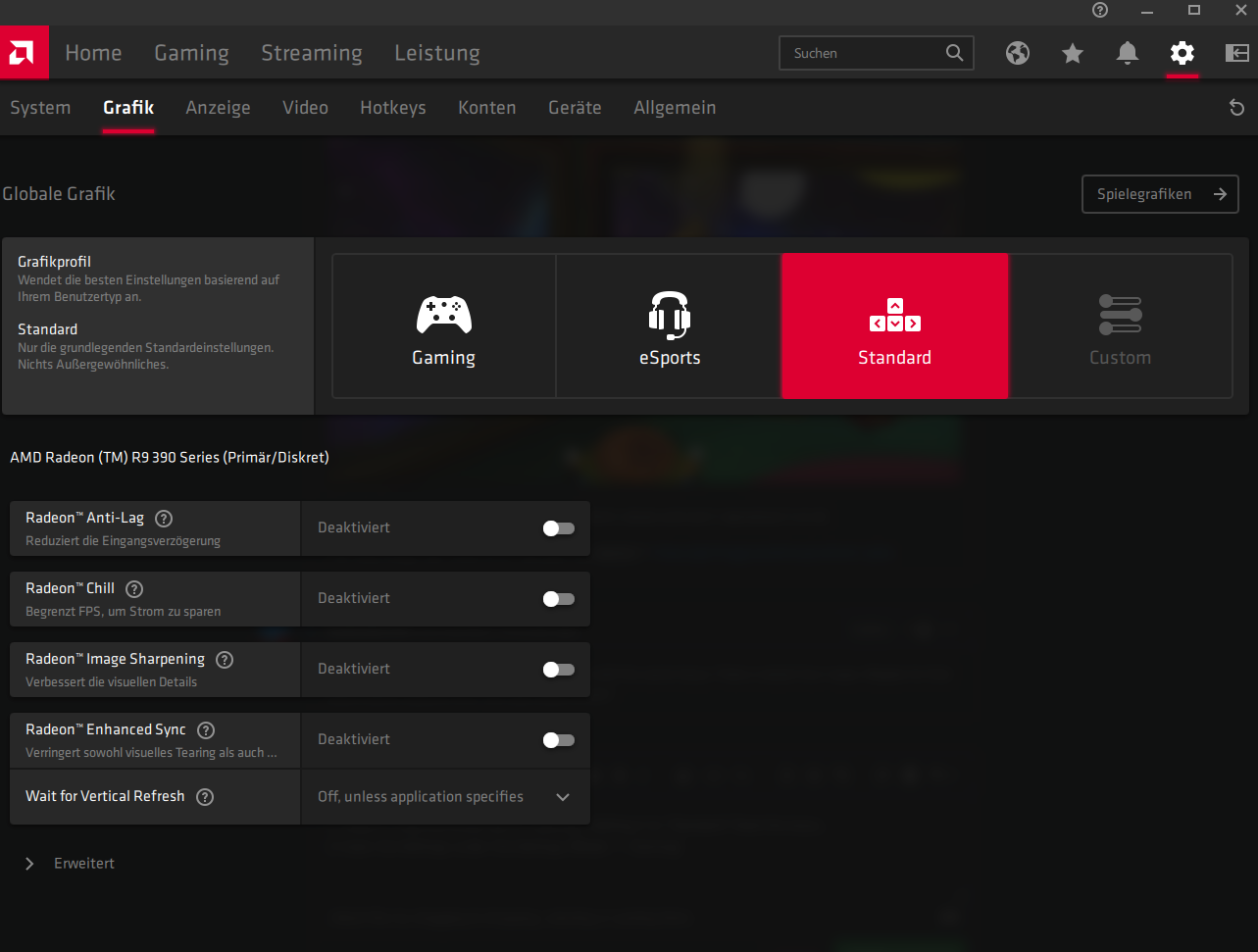
I... fixed it. I had the Driver set to "Gaming". Setting it to "Standard" fixed the issue...
(I mean the Settings under the Settings-Wheel -> Graphic)
Nothing extracted yet.
When I try to play A Hat in Time and run at 1080p (my Monitor is 1080p) the games freezes after 2 seconds. The game still works, the display is just frozen. Tabbing out of the game "updates" it, but it freezes after 2 seconds again. This problem doesnt happen at 1600x900
Software information
A Hat in Time, 1920x1080, max Settings.
System information
Apitrace file(s)
Log files