Bioshock crashes at loading screen in DX9 mode, low resolution textures in DX10
Can you please test with master / 1.6.1? Reporting bugs with an old DXVK version is a bit annoying because these problems might have been fixed already.
The textures look fine but i can reproduce the crash.
Windows:
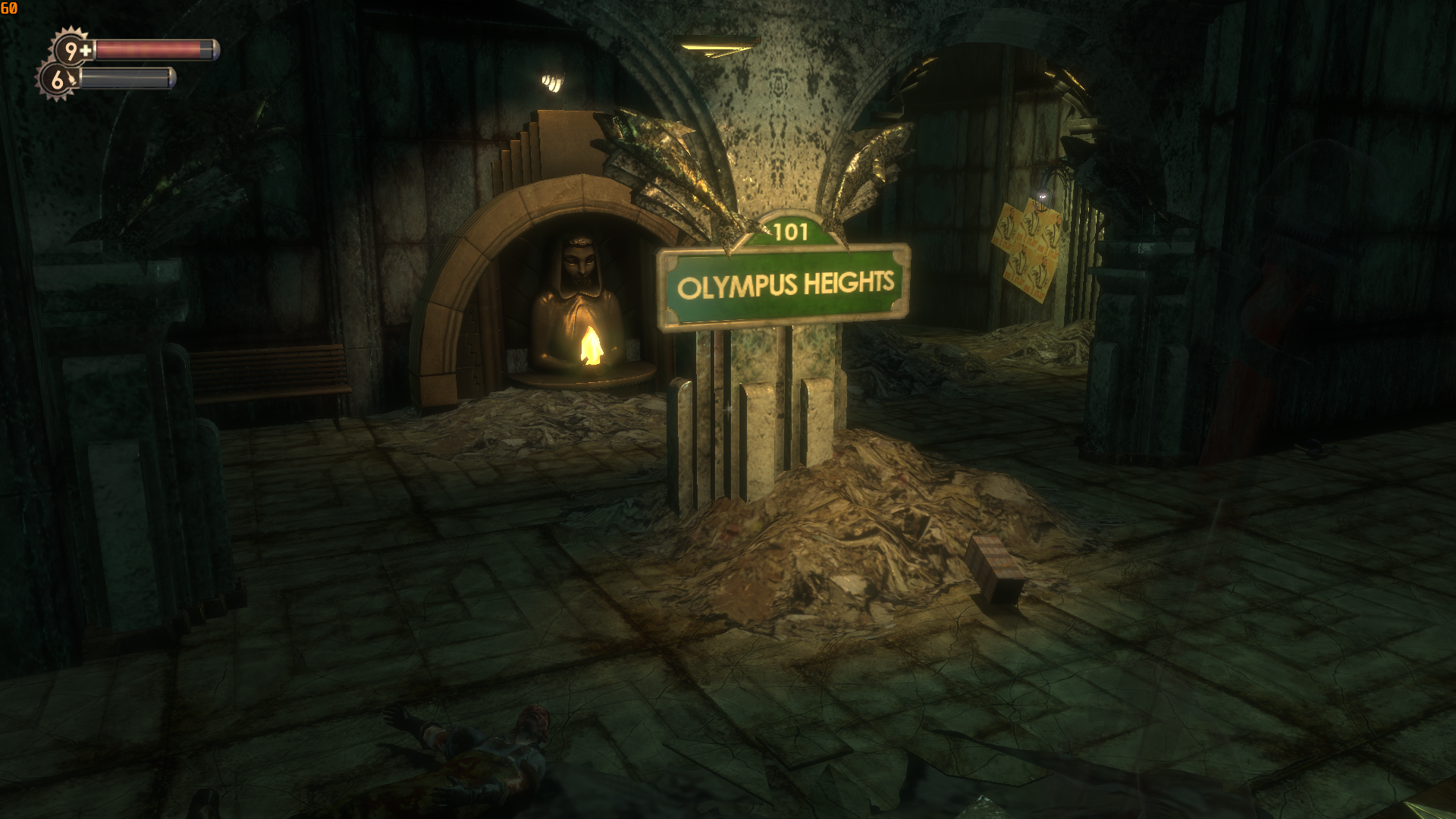
DXVK D3D10:

The game ships d3dx10_33.dll and d3dx9_33.dll. Make sure the Wine overrides for those are set to native so it can actually use them instead of Wines problematic implementations.
I figured out how to install the latest DXVK versions into Proton, at least on Arch. Using the "dxvk-bin" package in the Arch AUR, I extracted the .dll files into the following directories.
32bit: /home/$USER/.local/share/Steam/steamapps/common/Proton 5.0/dist/lib/wine/dxvk
64bit: /home/$USER/.local/share/Steam/steamapps/common/Proton 5.0/dist/lib64/wine/dxvk
Anyway, here are the logs using DXVK v1.6.1 with the crash still present.
- Proton: steam-7670.log
- d3d9.log: Bioshock_d3d9.log
@K0bin
I'm almost for certain, Proton by default will use installed versions of DirectX if present.
Even so, if I use the "WINEDLLOVERRIDES=d3dx10_33=n" launch option, I still have low resolution textures unless I disable ESync and FSync.
What version of Wine are you using? I'm on Proton 5.0-6+DXVK 1.6.1
I'm not using Wine. I've tried it with DXVK on Windows.
The low resolution textures are an issue with Wine itself, as @doitsujin pointed out. Thank you for clarifying and testing though.
The D3D9 crash might be another case of #1318. Try running it with the evictManaged option.
Proton defaults to use “PROTON_FORCE_LARGE_ADDRESS_AWARE=1”, so that can’t be it.
PROTON_FORCE_LARGE_ADDRESS_AWARE=1 extends the address space of 32bit processes from 2GB to 3GB. DXVK can still easily exceed that.
It works fine for me with the config option.
I’m saying that Proton already enables that option by default, so it’s not that.
I should also mention that the game launches successfully in DX9 mode when using the “PROTON_USE_WINED3D=1” option. So this is a DXVK issue directly.
PROTON_FORCE_LARGE_ADDRESS_AWARE=1 is not enough to fix the problem and Proton does not turn on d3d9.evictManagedOnUnlock by default. So please just try that.
I enabled d3d9.evictManagedOnUnlock in my dxvk.conf and put it in the directory with Bioshock.exe (/home/$USER/.local/share/Steam/steamapps/common/Bioshock/Builds/Release). I still crash at the loading screen after selecting a save file or starting a new game.
If you are still around then try K0bin's new PR https://github.com/doitsujin/dxvk/pull/2663
Link to latest version as of this moment: https://github.com/doitsujin/dxvk/actions/runs/2570371500
Edit: Updated. K0bin has further improved it and fixed some crash issues introduced in the branch
The low resolution textures with D3D10 are not a DXVK bug and the D3D9 crash should be fixed now.
Related threads
- Bioshock black squares on vending machine in DX10dxvkclosed same game
- Medal of Honor Airborne wont start using DXVK, works with wined3d.dxvkclosed same game
- Witcher graphic artifactsdxvkclosed same game
- Squadprotonopen same upstream bug
- BioShock Remasteredprotonopen same upstream bug
- [d3d9] OMSI stops loading tiles during night or raindxvkopen same upstream bug
- Bully scholarship edition Crash while loading the gamedxvkclosed same upstream bug
- Crash in The witcher game (in prolog)dxvkclosed same upstream bug
- D3D9 - Everquest Crashes with DXVK 1.9 on Windowsdxvkclosed same upstream bug
- Battlefield 2 (Forgotten Hope 2) freezes randomly while playingdxvkclosed same upstream bug
Proton versions
proton 5.0-6x2 2020-04proton 5.0x1 2020-04
Launch options
PROTON_FORCE_LARGE_ADDRESS_AWARE=1x2 2020-04PROTON_USE_WINED3D=1”x1 2020-04PROTON_FORCE_LARGE_ADDRESS_AWARE=1”x1 2020-04WINEDLLOVERRIDES=d3dx10_33=n"x1 2020-04PROTON_NO_ESYNC=1x1 2020-04PROTON_NO_FSYNC=1)x1 2020-04
Upstream links
- doitsujin/dxvk/pull/2663x1 2022-06
- ValveSoftware/Proton/issues/388x1 2020-04
DLLs
d3dx10_33.dllx1 2020-04d3dx9_33.dllx1 2020-04
Software information
Bioshock (2007), high settings
System information
Log files
d3d9.log (no esync and fsync): Bioshock_d3d9no9.log
d3d9.log (with esync and fsync): Bioshock_d3d9yes9.log
d3d11.log (no esync and fsync): Bioshock_d3d11no10.log
d3d11.log: (with esync and fsync): Bioshock_d3d11yes10.log
Proton DX9 (no esync and fsync): steam-7670no9.log
Proton DX9 (with esync and fsync): steam-7670yes9.log
Proton DX10 (no esync and fsync): steam-7670no10.log
Proton DX10 (with esync and fsync): steam-7670yes10.log
The original Bioshock will crash at the loading screen after starting a new game or loading a save game in DX9 mode, no matter what FSync and ESync is set to. DX10 mode runs, but it still requires that FSync and ESync be disabled in Wine / Proton to fix low resolution textures. (PROTON_NO_ESYNC=1 and PROTON_NO_FSYNC=1).
https://github.com/ValveSoftware/Proton/issues/388