Squad
Looks like this game has an unused linux depot.
There are a few steam games that have non-functional or otherwise useless Linux ports, the ability to install the Windows version of a game that has a native Linux version would be incredibly useful.
@exezin
I agree completely with this.
Battleblock theater's Linux port only works on Ubuntu 14.04.x, however the Linux version works 100% on wine.
Would be great if on the game properties there was a way to override the Linux version and use the windows one.
Unofficial workaround here: https://www.reddit.com/r/SteamPlay/comments/9cuigr/downloadrun_windows_versions_using_proton/
Got as far as near native FPS, funky sound on the shooting range.
Multiplayer is kaput as AntiCheat appears broken, bug report at wine: https://bugs.winehq.org/show_bug.cgi?id=44235
Agree with exezin: a dropdown box or radio buttons to switch between Windows and Linux build of a game in Steam would be awesome
Am happy to report that Squad multiplayer now works out of the box as per Proton 3.16-6 Beta
Reddit discussion: https://old.reddit.com/r/joinsquad/comments/ao8dyl/heads_up_squad_now_runs_perfectly_under_linux_via/
Edit: EAC broke the next day :( http://i.imgur.com/3NnZwYF.png
Edit2: Appears to be working again as per: https://old.reddit.com/r/joinsquad/comments/ao8dyl/heads_up_squad_now_runs_perfectly_under_linux_via/egd5805/

It's free weekend but launching it with 4.2-9 fails with the fact it cannot find /squad_launcher.exe error since it didn't download it. Checking files won't help.
It fails using Native2Proton (also it still runs on 3.16 beta instead of 4.2-9)
[1] Use winetricks on prefix
[2] Install Non-Steam App [Experimental]
[3] Recreate config
[4] Quit
What would you like to do? 0
Please enter the Steam app ID: 393380
Got: Squad
Please enter your Steam username: xxx
Redirecting stderr to '/home/xxx/.steam/steam/logs/stderr.txt'
[  0%] Checking for available updates...
[----] Verifying installation...
Steam Console Client (c) Valve Corporation
-- type 'quit' to exit --
Loading Steam API...OK.
"@sSteamCmdForcePlatformType" = "windows"
Logging in user 'xxx' to Steam Public ...
Logged in OK
Waiting for user info...OK
 Update state (0x3) reconfiguring, progress: 0.00 (0 / 0)
Error! App '393380' state is 0x212 after update job.
Please select the game executable by number:```
Squad (sudden fps drops)
Issue transferred from https://github.com/ValveSoftware/Proton/issues/3071.
@aly199 posted on 2019-09-19T23:29:24:
Latest Proton (4.11-5) has Squad dropping fps, from 60-90fps, down to 15fps. It happens sort of every 20-30s, drops for about 5-10s, then gets back to normal, cycling like this through the entire game.
Reverting back to Proton 4.2-9, the issue disappears.
Proton 4.11-5
Linux Mint 19.1 (Tessa)
NVIDIA Driver 430.4
Kernel 4.15.0-55-generic
Hello @aly199, please add PROTON_LOG=1 %command% to the game's launch options and drag and drop the generated $HOME/steam-$APPID.log into the comment box.
Counter point to the above, I put in a few hours in the game today on the latest Proton (4.11-5) and it runs flawlessly, multiplayer works perfectly as well and I had no issues with the anticheat (this used to play up with Proton)
I do use these launch commands, not sure if they'll make a difference for @aly199
__GL_THREADED_OPTIMIZATIONS=1 PROTON_NO_ESYNC=1 gamemoderun %command%
@kisak-valve, I've played for some 5 minutes or so, and the generated log file is 1.8GB in size!
I mean, I'm willing to upload it through whatever means, but github accepts 10MB maximum.
Ouch, Proton logs compress well, but even in an archive there's a good chance it'll be larger than github is happy with.
Yep. 113MB was the best gzip could do.
I've uploaded the compressed file to pcloud.
Here's the link.
Not that it helps with diagnosing the perf issue, but debugstr is very active with lines like
4460.245:0033:0034:warn:debugstr:OutputDebugStringA "[2019.09.20-22.02.28:146][ 0]LogPackageLocalizationCache: Warning: Skipping the cache update for the package asset groups due to a cache request from a non-game thread. Some localized packages may be missed for this query.\r\n"
4460.246:0033:0034:warn:debugstr:OutputDebugStringA "[2019.09.20-22.02.28:147][ 0]LogPackageLocalizationCache: Warning: Skipping the cache update for 3 pending package path(s) due to a cache request from a non-game thread. Some localized packages may be missed for this query.\r\n"
grep "Warning: Skipping the cache update" steam-393380.log | wc -l
90520
This along with the seh lines that fire off with it makes up the majority of the log.
Oh, I had to do some other stuff here, and forgot to mention: I'm running Steam on a firejail, with an overlay-fs. Don't know if it has something to do with anything, but thought I should mention it.
It probably doesn't matter, since the game ran on Proton 4.2-9 without any hiccups, under the same circunstances.
I'm unable to run Squad suddenly due to EAC. No one else is having this issue that I can see. Running on the latest Proton 4.11-7 on Ubuntu 19.10. When I launch the game, it tells me that EAC could not initialize a game client and subsequently, I could not join any online servers.
I'm unable to run Squad suddenly due to EAC. No one else is having this issue that I can see. Running on the latest Proton 4.11-7 on Ubuntu 19.10. When I launch the game, it tells me that EAC could not initialize a game client and subsequently, I could not join any online servers.
Working for me on 1570630972 proton-4.11-7, using Ubuntu 18.04.
There was a Steam outage yesterday, maybe it was related? https://twitter.com/SteamStatus/status/1188893289409400832
I'm unable to run Squad suddenly due to EAC. No one else is having this issue that I can see. Running on the latest Proton 4.11-7 on Ubuntu 19.10. When I launch the game, it tells me that EAC could not initialize a game client and subsequently, I could not join any online servers.
Working for me on 1570630972 proton-4.11-7, using Ubuntu 18.04.
There was a Steam outage yesterday, maybe it was related? https://twitter.com/SteamStatus/status/1188893289409400832
Still not working. It worked before I reinstalled Ubuntu on this new disk (but with no other hardware changes) and I know others still have it working. I'm tempted to spin up the debugging and see what's wrong.
Wanted to play again since the last time two weeks ago. Same problem. Game runs fine but shows a little popup with: EasyAntiCheat Error: Failed to create IGameClient instance!
The game has not updated in these two weeks and as far as I can see only proton updated in that time (I saw it shortly in my download list downloading 4.11 (or an update for it?)). Anyway, its practically borked now, cause without EAC you can not play on any of the public servers.
Update: I nearly forgot to mention, that I ran WINEPREFIX=~/SteamLibrary/steamapps/compatdata/393380/pfx/ ./EasyAntiCheat_Setup.exe which surprisingly worked and I could select "repair". Though sadly without any success.
Fresh install by Steam (without Proton) still with the empty repo.
With Proton 4.11-9 it works perfectly fine after deleting the Movies folder (Proton does not have the needed codec), except for the Easy Anti Cheat/EAC which intermitently stopped working since Alpha 16 was launched.
EasyAntiCheat Error: Failed to create IGameClient instance!
Current version is 17.
Hello guys.
I'm playing >20 hours online with zero configuration. I'm kinda lucky.
Current version: Beta v18.0.5
Proton: 4.11-11
Distro: Linux Mint 19.2 Tina
Kernel: 5.3.0-24-generic
RAM: 16 GB
GPU Driver: NVIDIA 440.44
GPU: NVIDIA GeForce GTX 1070
CPU: Intel Core i7-6700K @ 4.00GHz
This game is still laggy however.
Beta v18.0.5 has EAC working back, finally. But you have to run it multiple times until it does not show the EAC error.
I can sadly not confirm @BRMateus2's results. I verified my game data, deleted the prefix to have a fresh start and I still get the EAC GameClient error even after starting it 10 times in a row. I'm open to suggestions for what else I could try...
Current version: Beta v18.0.5
Proton: 4.11-11
Distro: Manjaro Linux x86_64
Kernel: 5.4.6-2-MANJARO
RAM: 16 GB
GPU Driver: X.Org Radeon RX Vega (VEGA10, DRM 3.35.0, 5.4.6-2-MANJARO, LLVM 9.0.0)
Driver Version: 4.5 (Compatibility Profile) Mesa 19.3.1
GPU: AMD ATI Radeon RX Vega 64
CPU: Intel(R) Core(TM) i7-2600 CPU @ 3.40GHz
@Byter09 What DE are you using? lxde on arch gave me a startup error but switching to lightdm got rid of the startup error.
@greymood09 I'm using KDE. Does something like this really have that much impact? Wow.
Since I use Mesa 19.3 I have randome crashes.
My System:
System:
Host: stumpftopf-pc Kernel: 4.19.92-1-MANJARO x86_64 bits: 64
Desktop: Xfce 4.14.1 Distro: Manjaro Linux
CPU:
8-Core: AMD Ryzen 7 2700X type: MT MCP speed: 1884 MHz
min/max: 2200/3700 MHz
Graphics:
Device-1: AMD Ellesmere [Radeon RX 470/480/570/570X/580/580X/590]
driver: amdgpu v: kernel
Display: x11 server: X.Org 1.20.6 driver: amdgpu
resolution: 1920x1080~60Hz
OpenGL: renderer: Radeon RX 590 Series (POLARIS10 DRM 3.27.0
4.19.92-1-MANJARO LLVM 9.0.0)
v: 4.5 Mesa 19.3.1
Drives:
Local Storage: total: 1.59 TiB used: 822.63 GiB (50.5%)
Info:
Processes: 317 Uptime: 29m Memory: 15.66 GiB used: 2.76 GiB (17.6%)
Shell: zsh inxi: 3.0.37
Proton-Log:
Unhandled exception: page fault on write access to 0x7f7d303f0000 in 64-bit code (0x00007f7d08ec06bd).
00cd:fixme:dbghelp:elf_search_auxv can't find symbol in module
Register dump:
 rip:00007f7d08ec06bd rsp:000000001463f890 rbp:00000000fffffffc eflags:00010283 (  R- --  I S - - -C)
 rax:00007f7d303cd000 rbx:0000000000000009 rcx:00007f7cf011047c rdx:0000000000023000
 rsi:00000003fffffff0 rdi:00007f7d303cd001  r8:00007f7cf001dfb0  r9:0000000000000001 r10:0000000000000009
 r11:0000000000000000 r12:00007f7cf01121c0 r13:00007f7cf0110458 r14:00007f7cf0110458 r15:0000000000000001
Stack dump:
0x000000001463f890:  0000000000000001 000000001463f950
0x000000001463f8a0:  0000000000000000 00007f7d00000000
0x000000001463f8b0:  00000002001d6000 0000000000014000
0x000000001463f8c0:  00007f7cf001dfb0 93c825bd001f3b00
0x000000001463f8d0:  0000000000000000 000000006a59e380
0x000000001463f8e0:  000000006a59f4f0 00007f7cf010eea8
0x000000001463f8f0:  00007f7c8c2030a8 00007f7b76d4b3d8
0x000000001463f900:  00007f7cf01116a8 00007f7d08e39d5a
0x000000001463f910:  0000000000000000 00007f7cf010eea8
0x000000001463f920:  00007f7cf010eea8 000000001463fa30
0x000000001463f930:  00007f7cf01116a8 00007f7c8c2030a8
0x000000001463f940:  00007f7c94243198 00007f7d08cd3041
Backtrace:
=>0 0x00007f7d08ec06bd vkCreateInstance+0xffffffffffffffff() in amdvlk64.so (0x00000000fffffffc)
0x00007f7d08ec06bd vkCreateInstance+0xffffffffffffffff in amdvlk64.so: movups   %xmm0,(%rax,%rdx,1)
Hello @Stumpftopf, a crash in amdvlk64.so sounds like a video driver issue in AMDVLK instead of mesa.
@kisak-valve Yes you are right. It was AMDVLK.
Seams to be fixed after i installed some extra Packages:
sudo pacman -S vulkan-icd-loader lib32-vulkan-icd-loader sudo pacman -S vulkan-radeon lib32-vulkan-radeon
I am not sure now if i realy used amdvlk before and not the amdgpu vulkan implementation.
Getting the IGameClient error from EAC. Nothing seems to help.
I found a janky fix to the EAC IGameClient instantiation error:
- Delete the Squad wineprefix;
- switch Squad to use Proton 4.11;
- start Squad to recreate the wineprefix (this also installs EAC);
- exit Squad;
- switch Squad back to using Proton 5.0;
- start Squad again to upgrade the wineprefix to 5.0 - EAC should now work normally.
@Byter09 can you try this?
Heads up, Valve, there might be a regression in 5.0.
@imaami Followed your instructions:
- deleted pre-existing prefix
- Switch to 4.11-13
- start
- get error, continue loading
- exit in main menu
- (fun part, squad doesnt close itself, at least steam still marks it as running so I have to go ahead and use htop to kill everything that has squad in its name)
- turn off
Force the use of a specific Steam Play compatibility tool - start again
- get error again.
So... no idea what I'm doing wrong :(
Also another quick note: I have reinstalled my setup since then and yeah the error is still there. Just thought this could help reduce the search area for the bug.
@Byter09 You need to first delete the wineprefix dir. Depending on where you've installed Squad it could be $HOME/.steam/steam/steamapps/compatdata/393380. In my case it's /opt/steam/steamapps/compatdata/393380, but you get the idea. Delete the dir called 393380, that's the wineprefix.
After you've done that switch to the older version. Start and exit Squad. Switch to the new Proton version, start again.
Deleting the wineprefix is a key part of this because otherwise EAC won't be reinstalled. You need to start from scratch when you do the first run with 4.11-13.
@imaami Tried your instructions exactly also, no luck.
Operating System: Manjaro Linux
KDE Plasma Version: 5.18.3
KDE Frameworks Version: 5.68.0
Qt Version: 5.14.1
Kernel Version: 5.5.11-1-MANJARO
@imaami Sorry I forgot to mention it. I of course did that.
I updated the original comment to reflect that.
@imaami Sorry I forgot to mention it. I of course did that.
I updated the original comment to reflect that.
Could you try with these additions/changes:
- In the beginning, after deleting the old prefix but before doing anything else, delete all directories called
EasyAntiCheatin the actual game files, then run the "verify local files" thing in Steam to force a redownload. - Instead of using the upstream 4.11-13 version for round 1, use this unofficial 4.14: https://github.com/imaami/Proton/releases/download/proton-i-4.13-3/Proton-i-4.13-3.tar.xz
- When switching to newer Proton, instead of switching off "force specific compatibility tool", keep it on but just change the forced version.
- For the newer version use 5.4-GE-3 instead of upstream 5.0-5b: https://github.com/GloriousEggroll/proton-ge-custom/releases/download/5.4-GE-3/Proton-5.4-GE-3.tar.gz
The above should pretty much 100% replicate my first successful trick yesterday.
@ryangodfrey Could you try those as well?
PS: I've heard back from one person on Reddit who was able to fix his EAC with my instructions yesterday, so I don't know how arbitrary it might be to be lucky. I'm sure this thing will get solved eventually, now we at least have some clue for where to hunt for the bug.
Alright.
I'm writing this comment as I go to not forget anything and give you as much information as I can on this.
- I download both archives and put each of them with their respective folder into
/home/btr/.steam/root/compatibilitytools.d/ - I delete the prefix.
- I delete the
EasyAntiCheatfolder in the Squad directory. - I additionally search for more
EasyAntiCheatfiles and directories and delete them, too. - I verify the integrity of game files: 59 files (1.8 MB) need to be reacquired.
- I set Squad to use a forced compatibility tool:
Proton-i 4.13-3 - I start Squad.
- Steam is performing a first time setup.
- Squad starts:
EasyAntiCheat Error: Failed to create IGameClient - I press OK, wait for the main menu to load and quit Squad.
- Squad closes and is no longer visible but Steam still shows it as running.
- I kill everything related to Squad using htop. (2 x
squad_launcher.exe) - I set Squad to use a forced compatibility tool:
Proton-5.4-GE-3 - I start Squad.
- Squad starts:
EasyAntiCheat Error: Failed to create IGameClient - I press OK, wait for the main menu to load.
- I try to join a server anyway just to make sure. It doesn't work.
- I close Squad.
- Squad closes and is no longer visible but Steam still shows it as running.
- I kill everything related to Squad using htop. (2 x
squad_launcher.exe)
I was really hoping this would work. :sob:
Game starts on first attempt, but with EAC error, but works after switching Steam Play compatibility tool version to previous version and back to newest as suggested here.
Game runs at about 80-90 FPS, but drops after a few minutes to about 5-30 FPS and stays there, but with the PROTON_NO_ESYNC=1 this was only periodic (tested in one match)
Game is not playable !
Proton: 5.0-6
OS: Linux Mint 19.3 Tricia
KERNEL: 5.6.7-050607-generic
CPU: Intel Core i7-7700K @ 4.20GHz
GPU: AMD NAVI10
GPU DRIVER: 4.6 Mesa 20.0.5 - kisak-mesa PPA
RAM: 32 GB
I actually found the culprit - EAC is actively trying to detect Wine and there is a possibility the Squad devs are building against Wine, as there are some past builds that worked without any single problem versus the Windows counterpart, it might be an "tick Wine detection or not".
I have another game that runs with EAC that works flawless, its EAC dlls don't have any Wine function using the strings command, but Squad has the well known (#1, #2) little problem.
LogEasyAntiCheatServer: Warning: Failed to locate EasyAntiCheat server library eac_server64.dll
LogEasyAntiCheatClient: Error: Failed to create IGameClient instance!
strings EasyAntiCheat_x64.dll | grep wine
wine32
wine64
wine_get_version
wine_x86
wine_x64
It might not be a regression in Proton as older Protons don't even run the game anymore. I tried the steps below and strangely there are some (interface? hardware?) combinations that seems to work (do they break the EAC check?), but I could not get Squad to run with EAC at all with my Fedora 31 KDE, DXVK and Mesa.
Delete Squad (393380) Wine Prefix:
rm -r "$HOME/.steam/steam/steamapps/compatdata/393380"
Switch Proton to use Proton-i-4.13-3.
Move the Movies folder so it does not crash the game (by not having codecs):
mv "$HOME/.local/share/Steam/steamapps/common/Squad/SquadGame/Content/Movies" "$HOME/.local/share/Steam/steamapps/common/Squad/SquadGame/Content/Movies.backup"
Run the game until menu, then exit and kill all Squad instances (killall --signal SIGHUP "squad_launcher.exe" "SquadGame.exe").
Switch Proton to use Proton-5.4-GE-3 and run the game until menu.
Good news - things for me have changed from not playable to playable with issues.
I have actually being playing Squad for a couple of hours now, two days in a row - still no EAC issues what so ever, and that's very positive - thanks to the people who made that possible !
I think I have gotten the general stuttering under control by installing the XanMod Linux kernel which includes the fsync patch - getting around 80-95 FPS.
But sometimes the FPS still drops to 5-10 and stays there only to return to normal a little later.
I noticed while that is going on, my video cards VRAM is nearly maxed out and and I verified that the Full Texture Loading option was not actually turned on.
Here is a screenshot of "radeontop" while Squad is running and the frame dropping issue is going on:

The video card model is a GIGABYTE Radeon RX 5700 XT GAMING OC 8GB
I have also had weird AMDGPU graphics driver crashes - I have experienced everything from complete system lock ups, to screens turning off or and then turning on, but only displaying green, and one time Squad crashed and my screens turned off and on again, and when the desktop environment restarted/recovered from that event, there were strange artifacts/colored pixels all over the screens.
Here is a log of one of those events (when that event occured I was running 5.6.7 Ubuntu mainline Linux kernel)
Used @imaami's instructions and had the game working yesterday without issues, not even lag. However, today I began to experience intermittent crashing(via freeze), and tried to work the issue out. This ended in seemingly having EAC re-install itself via steam and breaking the anti-cheat.
Replicating the steps I did the first time, attempting to install EAC in 4.11.13 has had no luck in getting the anti-cheat to run, though the crashing seems to be gone in training. I've also attempted using a newer version of GE's proton instead of the GE 5.6 I was using previously to no avail, as well as imaami's build of proton 4 posted above. I have not, as of yet, successfully gotten the anti-cheat to run again. Notably, between each failed attempt, I have deleted the compatdata directory for Squad, prefix included.
OS: Arch Linux x86_64
Kernel: 5.6.13-arch1-1
CPU: Intel i7-8700K (12) @ 4.700GHz
GPU: NVIDIA GeForce GTX 1080
Memory: 4112MiB / 32057MiB
I have tried everything to make this work. I hope someone will find a fix for this soon! <3 It is probably the latest Squad Patch.
I've been trying for several days to get this working, following all the steps detailed here and no luck, same popup every time. It's a shame as Squad was running flawlessly until about 8 days ago.
New patch out today. Something about EAC Index. Crossing my fingers.
New patch out today. Something about EAC Index. Crossing my fingers.
Please report back because I even uninstalled.
I removed the prefix and tested again with B19.4.2. Same error message.
:disappointed:
Have just tried again, after a 55MB update and still the same EAC error, unable to play online.
Please add a report at https://www.protondb.com/app/393380
Yeah I did, I said about the IGameClient error, Jensen's works (which is Local I presume) but any EAC protected Servers tell me that I need to activate the Anti-Cheat
@imaami Is the game/your workaround still working for you?
@imaami Is the game/your workaround still working for you?
Yes, the game is still working. I haven't had to wipe the prefix or game files in a while because I haven't had problems. I don't know what would happen if I wiped them and reinstalled, and I'm not going to risk it if I don't absolutely have to. :)
I did get the error message once when I launched Squad, but I closed & restarted the game and it worked again. The only difference at that time was that I accidentally switched to another workspace soon after pressing "Start" in Steam. I wonder if the launcher gets confused in some situations where the game client and the EAC launcher window are not on the same workspace (virtual desktop).
My current graphics fullscreen setting is borderless fullscreen window, btw, not the "real" fullscreen mode. Maybe that can have some effect.
My window manager is i3, and I have the Steam client bound to workspace 3. Whenever I launch Squad I make sure I don't switch between workspaces until the game is fully loaded. I don't know if this is just a ritual based on coincidental experiences, but I've gotten the impression that things get weird if Squad or EAC (or Proton) aren't focused 100 % during launch. Could it maybe be related to the alt-tabbing bug where mouse events aren't captured after returning focus to the game window?
Just thinking out loud here. I suggest sacrificing a chicken just in case, we all know that the EAC gods who live in volcanoes are fickle and demanding.
I'd caught a reddit thread a few weeks ago that claimed uninstalling EAC through wine uninstaller and reinstalling it had a chance to make it work. I didn't bother to mention it here because the claim was never really substantiated.
It may truly just be a matter of playing the odds and hoping you get a lucky draw.
I'd caught a reddit thread a few weeks ago that claimed uninstalling EAC through wine uninstaller and reinstalling it had a chance to make it work. I didn't bother to mention it here because the claim was never really substantiated.
It may truly just be a matter of playing the odds and hoping you get a lucky draw.
I already tried this 2 days ago, I did it individually, I tried it by adding it as "Non-Steam Game", I even copied the EAC Folders (the one from master folder and the other from Binaries) from my Windows PC and is still not working.
I also did an Clear Cache, Verify Integrity, Reinstall EAC. Nothing works
Looks like using "hidewineexports=enable %command%" in startup parameters with staging wine (in my case it is Proton-5.9-GE-MF-2) works. This method doesn't modify any files, as other methods from internet suggests, but i still can't say if this will lead to a ban.
Looks like using "hidewineexports=enable %command%" in startup parameters with staging wine (in my case it is Proton-5.9-GE-MF-2) works. This method doesn't modify any files, as other methods from internet suggests, but i still can't say if this will lead to a ban.
Sorry to ask but how do I do this, I tried in Set Launch Options thing, even with + and - before, and still not working, it tells me to activate EAC when I join a server
Tested Squad with "hidewineexports=enable %command%" with Proton-5.9-GE-MF-2, all cases ended in the game failing to create the EAC interface.
Things tried:
- Running the game using an existing non-working pfx with the environment var in 5.9-GE-MF-2.
- Deleting the pfx and reinstalling it with 5.9-GE-MF-2
- Deleting the pfx, installing it with Proton 4.11-13 as above, then running 5.9-GE-MF-2
- Deleting the entire compatdata for Squad, installing with 4.11-13, then running 5.9-GE-MF-2
- Deleting the entire compatdata for Squad, installing with 5.9-GE-MF-2, and running with it.
One theory I have could be to get a working prefix from someone whose game is functional, and put that into the compatdata of someone whose game is not functional. It might make a non-functioning game work. However, one should be careful if they try to package up compatdata, in case the prefix happens to contain any sensitive information from the game or user.
I knew i was doing something stupid yesterday. "hidewineexports=enable %command%" should do nothing. What you realy should do is set hidewineexports=enable in winetricks. i do this with protontricks
protontricks 393380 hidewineexports=enable
After that you should get a fail to start both EAC and game on first run (not just fail to start igameclient), but on second start it should work. After that i got it to start from time to time but maximum on third try. It should not show you a fail to start igameclient, it should be eather fail to start a game at all because of EAC or a good start of game. If it still a fail to start igameclient then there is something more than i could tell.
I don't really know how to investigate this so any help is appreciated:
I wanted to try the above with the latest proton available in Steam and deleted the prefix so its a clean setup. I of course needed to start the game once to let that happen. I verified the game files, booted it up and right after clicking on the IGameClient message my system does a hard reset. Same thing happens when I exit out of the game (using the close button on the windowed game) before the message pops up.
Essentially, I now can't even boot it up anymore. Meaning I also couldn't test the protontricks command :(
Is this just a weird quirk of my system setup or is there more going on? How would I find out what happens when it kills my system?
I don't really know how to investigate this so any help is appreciated:
I wanted to try the above with the latest proton available in Steam and deleted the prefix so its a clean setup. I of course needed to start the game once to let that happen. I verified the game files, booted it up and right after clicking on the
IGameClientmessage my system does a hard reset. Same thing happens when I exit out of the game (using the close button on the windowed game) before the message pops up.Essentially, I now can't even boot it up anymore. Meaning I also couldn't test the protontricks command :(
Is this just a weird quirk of my system setup or is there more going on? How would I find out what happens when it kills my system?
Is it now noticeably hotter indoors than a few weeks/months ago? Have you checked what the CPU and GPU temps are after you start the game?
That's just the first thing that came to mind that could cause a hard reboot. Also if your PSU or mobo has blown a capacitor from the high temps, that could be a cause.
Basically a fault in power delivery, or over-temperature protection, those will reset your computer. Other than that I have no ideas.
Edit: if you see this on your mobo or PSU, or any other component, you're gonna have problems that look a lot like random mysterious reboots and crashes. That happens when a capacitor boils. Literally boils, not a figure of speech. Being close to hot components for extended periods of time increases the likelihood that caps will boil.
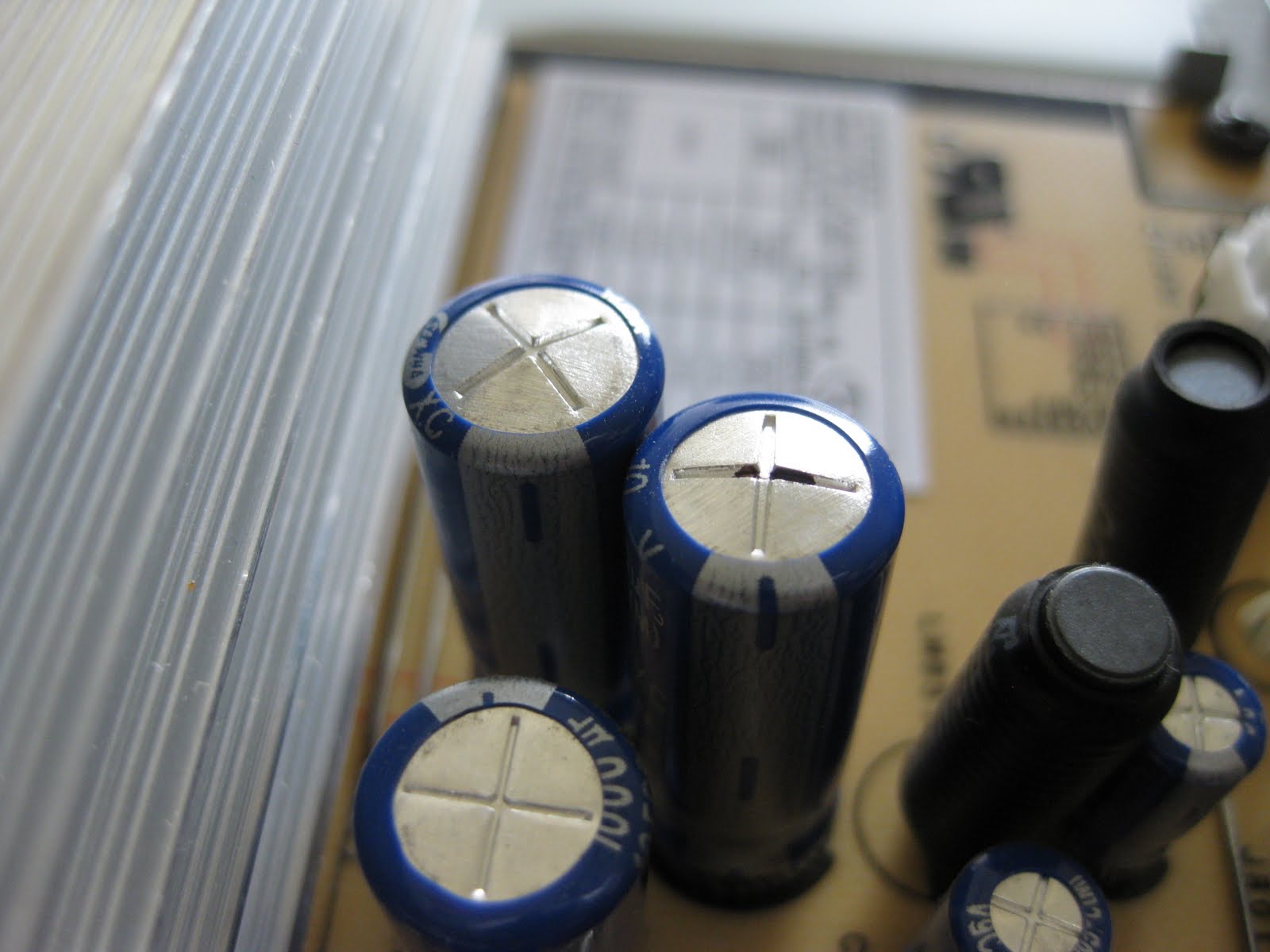
@imaami Thanks for the concern but its definitely nothing like that. I can play other demanding games too no problem. And if it were a temp thing, I don't think "clicking the X to close the game causing a immediate reset" would work every time. But it does. I tested it 3 times. It has to be the game causing a panic or something.
@imaami Thanks for the concern but its definitely nothing like that. I can play other demanding games too no problem. And if it were a temp thing, I don't think "clicking the X to close the game causing a immediate reset" would work every time. But it does. I tested it 3 times. It has to be the game causing a panic or something.
Yeah, definitely sounds like something specific to Squad with that additional info. Squad is generally weird when being closed, whatever it does it often causes a short freeze of 10-20 seconds during which everything pauses.
What CPU, GPU, etc. do you have?
@imaami
CPU: Intel i7-2600 (8) @ 3.800GHz
GPU: Radeon RX Vega (VEGA10, DRM 3.36.0, 5.6.16-1-MANJARO, LLVM 10.0.0)
RAM: 16 GB
MB: P67A-D3-B3
KRNL: 5.6.16-1-MANJARO
Hope that helps. And just to give you a perspective about the demanding game thing: I can play X4, which is a Linux native game, perfectly fine. It heats my room pretty quickly, but so does Squad. And I'm pretty sure I posted my system info further up in this issue already, nothing much has changed in between except maybe some package upgrades and a new kernel.
EDIT: Found it: https://github.com/ValveSoftware/Proton/issues/938#issuecomment-570157290
Proton 5.9 with hidewineexports enabled.
GameID: 55 (32bit) Windows Version: 10.0 (Build 17134) Error Code: 30005 Process Exit Code: 0h UUID: 74f2ef78-445f-aa07-a79c-f79eb3c1fa01 Processes list: explorer.exe plugplay.exe services.exe squad_launcher.exe steam.exe winedevice.exe
I guess EAC doesn't like winedevice.exe
I forgot to post an update, but all tests I performed resulted in the same issue as @aCeTotal posted.
I get about the same error as @aCeTotal.
It's weird that it calls my Windows version 6.1
This was after clearing prefix,
making prefix with proton 4.11
enabling hidewineexports
running with Proton-5.9-GE-1-MF
Then this error is returned from some kind of EAC frontend.
GameID: 55 (32bit)
Windows Version: 6.1 (Build 7601)
Error Code: 30005
Process Exit Code: 0h
UUID: 1898b708-c9e3-bb00-7471-bae27b36a354
Processes list:
explorer.exe
plugplay.exe
services.exe
squad_launcher.exe
steam.exe
winedevice.exe
And it didn't work on the second run either like @MAD-BUG reported.
Anyway, is there ANYONE playing this game on Linux as of right now?
Edit: Switched back to Proton-5.0-9
Now I am back to getting the IGameClient error. (prob because hidewineexports got disabled again?).
Edit: Started all over again,
I tried following this comment by @imaami as close as possible:
https://github.com/ValveSoftware/Proton/issues/938#issuecomment-606813813
Deleted existing pfx (rm -r .local/share/Steam/steamapps/compatdata/393380/)
Removed folders called EasyAntiCheat from game files (one in root, one in Binaries folder), and had Steam reinstall them.
I ran the game with Proton-i-4.13-3 from imaami's fork. (IGameClient error)
I then ran the game with Proton-5.4-GE-3. (IGameClient error still)
I am still getting the IGameClient error...
@imaami if you'd send your wineprefix we could try to launch our game with your wineprefix.
@imaami if you'd send your wineprefix we could try to launch our game with your wineprefix.
I was unable to bypass the IGameClient error when I installed Squad's public testing client yesterday. My normal Squad game still continues to work. So I compared the hash sums of some of the EAC files between normal and public testing Squad prefix, and I noticed that the public testing prefix was missing these two entirely:
pfx/drive_c/users/steamuser/Application Data/EasyAntiCheat/55/easyanticheat_wine_x64.eac
pfx/drive_c/users/steamuser/Application Data/EasyAntiCheat/55/easyanticheat_wine_x64.eac.metadata
I have a recollection from earlier that EAC seems to download these during install and/or startup. So I thought maybe if I just copy these over to the public testing prefix and see what happens... it worked. EAC starts up again.
I'm attaching a tarball that contains these two files (with the full path as above). Maybe it works in other Squad prefixes too.
@imaami if you'd send your wineprefix we could try to launch our game with your wineprefix.
I was unable to bypass the IGameClient error when I installed Squad's public testing client yesterday. My normal Squad game still continues to work. So I compared the hash sums of some of the EAC files between normal and public testing Squad prefix, and I noticed that the public testing prefix was missing these two entirely:
pfx/drive_c/users/steamuser/Application Data/EasyAntiCheat/55/easyanticheat_wine_x64.eac
pfx/drive_c/users/steamuser/Application Data/EasyAntiCheat/55/easyanticheat_wine_x64.eac.metadata
I have a recollection from earlier that EAC seems to download these during install and/or startup. So I thought maybe if I just copy these over to the public testing prefix and see what happens... it worked. EAC starts up again.
I'm attaching a tarball that contains these two files (with the full path as above). Maybe it works in other Squad prefixes too.
Placing these files in the directory specified didn't change anything for my client. However, they did cause me to stumble upon the loader.log file in the same directory, which may provide a clue as to why my client in particular may be failing to load. Here is a uniq'd version of my loader.log, with the uuids in the URLs clipped out since I don't know anything about their use.
[2020.06.27-00.37.23] Loader initialized.
[2020.06.27-00.37.23] [Connection] Connecting to URL: https://download.eac-cdn.com/api/v1/games/55/client/wine64/download/?uuid=(uuidhere)
[2020.06.27-00.37.23] Download Progress: 0%.
[2020.06.27-00.37.23] [Connection] Connect result: No error (0) Response Code: 200 Destination IP: 13.226.205.101
[2020.06.27-00.37.23] [HTTP Error Response] HTTP Response Code: 200 Curl Code: 0.
[2020.06.27-00.37.23] Falling back to a secondary CDN path.
[2020.06.27-00.37.23] [Connection] Connecting to URL: https://download-alt.easyanticheat.net/api/v1/games/55/client/wine64/download/?uuid=(uuidhere)
[2020.06.27-00.37.23] Download Progress: 0%.
[2020.06.27-00.37.23] [Connection] Connect result: SSL connect error (35) Response Code: 0 Destination IP: 172.67.156.223
[2020.06.27-00.37.23] Connection to the Content Distribution Network failed! Curl Code: 35.
[2020.06.27-00.37.23] [EAC Callback] Code 914. Message: ''.
EAC is attempting to download something from their CDN, getting a 200 response, but then failing anyway. Then falling back to the alternative CDN, but failing due to an SSL error. Replicating the exact URL call in my terminal doesn't provide me with any downloaded data, but connects successfully without errors. I'd be interested in seeing if your loader.log provides different output given its success.
This leads me to potentially believe that installed packages could influence whether the game works or not? Alternatively, maybe EAC attempts to use a different SSL certificate/method than a traditional request that causes it to fail more frequently? I honestly can't really tell, but I think this could possibly be a hint to solving the issue.
@NGGJamie, yesterday I noticed that same file. There's actually a similar log file somewhere near that location, which shows the same curl 35 error as well. It means the SSL handshake wasn't successful. I didn't report it here yet because I first wanted to check if @imaami had the same logs in his prefix.
I loaded those files into my prefix and they immediately got deleted.
The other log file I mentioned is
pfx/drive_c/users/steamuser/Application\ Data/EasyAntiCheat/gamelauncher.log.
Although this time that log did not show any errors, which could be a clue. The other loader.log file however did show logs.
When I restarted the game gamelauncher.log reported
[Info] [LauncherFinished] EACAsyncResult: 3 Message: 'Connection to the Content Distribution Network failed! Curl Code: 35.'.
[Err!] [Network Error] CDN connection failed!
again.
I did another check just to be sure, and again when using @imaami's files, the gamerlauncher.log showed:
[Info] [LauncherFinished] EACAsyncResult: 0 Message: 'Easy Anti-Cheat successfully loaded in-game'.
[Info] Unloading the EasyAntiCheat library.
Hypothesis:
EAC tries to download some binary file, the HTTP request is successful but closes without single a single bit of data send. So it assumes the request failed, logs it as an error and uses the fallback CDN, which frankly just doesn't work.
The CDN returns content-type: application/octet-stream but content-length: 0
The alternative CDN behaves the same for me.
I am curious what the purpose of the UUID is and how it is defined. It seems to work fine without but maybe that's the issue.
Edit: I think I might be onto something. I read a couple of threads about this endpoint, and how it has caused the exact same issue in multiple games. Replacing wine64 with win64 makes the config download correctly. @imaami probably already has that config downloaded correctly. And somebody already mentioned that the game become unplayable around at the time when wine related strings started appearing in the EAC dll.
OK, this is such a weird mess. I have the exact same errors in my loader.log. Both normal Squad and public testing version have the same. Full log from last night with UUIDs and repeating lines removed:
[2020.06.27-02.23.54] Loader initialized.
[2020.06.27-02.23.54] [Connection] Connecting to URL: https://download.eac-cdn.com/api/v1/games/55/client/wine64/download/?uuid=(...)
[2020.06.27-02.23.54] Download Progress: 0%.
(...)
[2020.06.27-02.23.54] Download Progress: 0%.
[2020.06.27-02.23.54] [Connection] Connect result: No error (0) Response Code: 200 Destination IP: 13.33.242.102
[2020.06.27-02.23.54] [HTTP Error Response] HTTP Response Code: 200 Curl Code: 0.
[2020.06.27-02.23.54] Falling back to a secondary CDN path.
[2020.06.27-02.23.54] [Connection] Connecting to URL: https://download-alt.easyanticheat.net/api/v1/games/55/client/wine64/download/?uuid=(...)
[2020.06.27-02.23.54] Download Progress: 0%.
(...)
[2020.06.27-02.23.54] Download Progress: 0%.
[2020.06.27-02.23.54] [Connection] Connect result: SSL connect error (35) Response Code: 0 Destination IP: 104.28.3.249
[2020.06.27-02.23.54] Connection to the Content Distribution Network failed! Curl Code: 35.
[2020.06.27-02.23.54] [EAC Callback] Code 914. Message: ''.
Yet I still have the easyanticheat_wine_x64.eac and easyanticheat_wine_x64.eac.metadata files, and the game works.
@imaami could you download https://download.eac-cdn.com/api/v1/games/55/client/win64/download (win64 instead of wine64) and check if a file with the same md5sum is in your prefix?
Edit: I think I might be onto something. I read a couple of threads about this endpoint, and how it has caused the exact same issue in multiple games. Replacing
wine64withwin64makes the config download correctly. @imaami probably already has that config downloaded correctly. And somebody already mentioned that the game become unplayable around at the time when wine related strings started appearing in the EAC dll.
I read about this as well, and I also tried downloading manually from the different types of URLs (win{,e}{32,64}). With a normal command line curl or wget the wine{32,64} downloads succeed, but the file length is 0. With win{32,64} the downloads succeed, and the files are 2-3 megabytes of data.
The strange thing here is that the file I have (and have had since March) - easyanticheat_wine_x64.eac - is a different size than either of the win{32,64} files. It's clearly an actual Wine-enabled client file. And I do remember that I've downloaded it manually before when looking into EAC. But at least right now the EAC server returns an empty file.
Also, you said that the files got deleted when you put them there manually. My files seem to have their modify date updated on every launch, but they're not deleted, and they also don't seem to get re-downloaded (?) because I also get the SSL error in loader.log.
Anyway, I think I need to run some tests to verify that my observations are correct.
@imaami I am heading off right now, but I recommend trying to use a proxy (burp, zap) to change the outgoing request, or redirect their domain (/etc/hosts) to a server of your own where you host the win64 version.
No, the win64 download isn't the same file. It's got a different size and hash sum (of course).
I haven't tried it yet, but I think the win64 download is not going to work here. It's likely the normal, non-wine-enabled client file, and will fail because of the whole kernel driver mess.
Here's a short script I wrote for downloading all 4 permutations of win{,e}{32,64} and showing the results:
#!/bin/bash

urlbase='https://download.eac-cdn.com/api/v1/games/55/client'

tmpuuid="$(uuidgen)" || exit $?

rm -vf sha1sums win{,e}{32,64}.{log,out} >&2

for w in win{,e}{32,64}; do
  url="$urlbase/$w/download/?uuid=$tmpuuid"
  echo "fetching $url" >&2
  curl -v -o "$w.out" "$url" > "$w.log" 2>&1
  echo " ==== return value: $? ====" >> "$w.log"
done

ls -l win{,e}{32,64}.out >&2
sha1sum win{,e}{32,64}.out | tee sha1sums >&2
Output from one run:
fetching https://download.eac-cdn.com/api/v1/games/55/client/win32/download/?uuid=df7b8f11-9228-4a95-b8f1-dca8ceb64eba
fetching https://download.eac-cdn.com/api/v1/games/55/client/win64/download/?uuid=df7b8f11-9228-4a95-b8f1-dca8ceb64eba
fetching https://download.eac-cdn.com/api/v1/games/55/client/wine32/download/?uuid=df7b8f11-9228-4a95-b8f1-dca8ceb64eba
fetching https://download.eac-cdn.com/api/v1/games/55/client/wine64/download/?uuid=df7b8f11-9228-4a95-b8f1-dca8ceb64eba
-rw-r--r-- 1 imaami imaami 1552496 Jun 27 14:52 win32.out
-rw-r--r-- 1 imaami imaami 2732656 Jun 27 14:52 win64.out
-rw-r--r-- 1 imaami imaami       0 Jun 27 14:52 wine32.out
-rw-r--r-- 1 imaami imaami       0 Jun 27 14:52 wine64.out
02d91b86d6c29197361236b2b7275ebd1c0c82be  win32.out
24df1e2853b8908692504b87d7f1fd9124a7bd62  win64.out
da39a3ee5e6b4b0d3255bfef95601890afd80709  wine32.out
da39a3ee5e6b4b0d3255bfef95601890afd80709  wine64.out
@imaami I am heading off right now, but I recommend trying to use a proxy (burp, zap) to change the outgoing request, or redirect their domain (/etc/hosts) to a server of your own where you host the win64 version.
Like I said I don't think forcing EAC to download the actual win64 binary (instead of the wine64 one) would work. It probably just means you'd be in the same situation as all the games that don't even use a Wine-enabled EAC build. It would try to load the Windows kernel driver and fail.
The wine64 files I have in my prefix aren't the same files as the win64 or win32 ones, they're clearly meant for Wine.
Also, I'm pretty sure trying to man-in-the-middle the EAC server would also fail due to SSL certificate error.
@imaami, you're right. So really our goal should be to obtain the wine64 download. Can't you send that file? I am curious if the uuid means that it will only work for 1 client. Can you check if the md5sum is different when you change the uuid it's requested with?
@imaami, you're right. So really our goal should be to obtain the wine64 download. Can't you send that file? I am curious if the uuid means that it will only work for 1 client. Can you check if the md5sum is different when you change the uuid it's requested with?
I did already send it, it's the tarball I attached earlier: https://github.com/ValveSoftware/Proton/files/4839724/easyanticheat_wine_x64.tar.gz
The UUID doesn't seem to matter, it's always the same file.
To be absolutely clear: this file:
pfx/drive_c/users/steamuser/Application Data/EasyAntiCheat/55/easyanticheat_wine_x64.eac
is downloaded from
https://download.eac-cdn.com/api/v1/games/55/client/wine64/download/?uuid=... when things work. I don't know why downloading from that URL now gives a zero-length file.
I get about the same error as @aCeTotal.
It's weird that it calls my Windows version 6.1GameID: 55 (32bit) Windows Version: 6.1 (Build 7601)
"Windows" (NT) 6.1 is the internal Windows family version, equivalent to "Win 7", which means Wine is running with Win 7 specifications.
NT 6.2 is Win 8, NT 6.3 is Win 8.1 and NT 10 is Win 10. NT means "New technology" which maybe is valid lol.
I ran a little test. I moved these files out of the prefix (took a backup of them and deleted the originals):
pfx/drive_c/users/steamuser/Application Data/EasyAntiCheat/55/easyanticheat_wine_x64.eac pfx/drive_c/users/steamuser/Application Data/EasyAntiCheat/55/easyanticheat_wine_x64.eac.metadata
Then I launched Squad. I got the IGameClient error.
I closed the game and confirmed that there were no new files in pfx/drive_c/users/steamuser/Application Data/EasyAntiCheat/55/. There was only the loader.log there as I expected. The logfile has the SSL handshake error, just like before.
Then I copied the files back to the original location inside the prefix and launched the game. No IGameClient error, Squad started normally.
After this second launch the loader.log still looks exactly the same - same SSL errors, and the download attempt seems to fail. easyanticheat_wine_x64.eac and easyanticheat_wine_x64.eac.metadata were still in place after the second launch, so they were not deleted. Their hash sums were identical to before, so their content is not modified, either.
I can only conclude that easyanticheat_wine_x64.eac and easyanticheat_wine_x64.eac.metadata are necessary for EAC to launch, and if they're missing you'll get the IGameClient error.
For some reason EAC has successfully downloaded these files before when launched with Proton 4.11 (or my Proton-i 4.13 build). That's why I have them in my prefix. Maybe the reason why the download fails for everyone now is that EAC have simply removed the file from the download location.
Maybe the EAC server has some short-lived UUID whitelist system, and it will actually send the correct file if it's given an UUID parameter that it's expecting to see within some short time window. Then again why would the server happily send out the file through the win64 URL even if the UUID is empty, but the wine64 URL behaves differently? God damn this freaking mess.
I know this is useless and I'm not expecting a response, but: https://twitter.com/JuusoAlasuutari/status/1276939752328040450
@imaami I didn't realize that the downloaded file was the .eac file from ealier.
Is it normal for my prefix to be win7?
Anyway I'll do some more testing.
Can someone get on PoP! Os? I know someone who can run the game with no issues, through Proton, maybe we can figure it out, if you can't , I can install it on an external HDD in a week, but idk what to test and share with you so I need your help.
This also might be interesting, after running protontricks-flat 393380 hidewineexports=enable the download path changes from https://download.eac-cdn.com/api/v1/games/55/client/wine64/download/?uuid= to https://download.eac-cdn.com/api/v1/games/55/client/wow64_win64/download/?uuid=
Also the download runs to 100% and then fails
[2020.06.27-19.15.00] Loader initialized.
[2020.06.27-19.15.00] [Connection] Connecting to URL: https://download.eac-cdn.com/api/v1/games/55/client/wow64_win64/download/?uuid=xxxxxxx
[2020.06.27-19.15.00] Download Progress: 0%.
... (Removed around 700 Lines of Download Progress)
[2020.06.27-19.15.00] Download Progress: 100%.
[2020.06.27-19.15.00] [Connection] Connect result: No error (0) Response Code: 200 Destination IP: 13.224.198.70
[2020.06.27-19.15.00] Download Progress: 100%.
@Inexorabilis that's super interesting, what was your total behavior? Did you get the IGameClient issue? Or did you get the same issue me as and aCeTotal, where the EAC launcher itself returned an error? Did the easyanticheat_*_x64.eac file download?
Starting Squad with those settings, you see the EAC Splash including the loading bar. After running through, a bug report window will open, stating "Errorcode: 30005 (StartService failed with 1053)
More details is showing the following
GameID: 55 (32bit)
Windows Version: 10.0 (Build 17134)
Error Code: 30005
Process Exit Code: 0h
UUID:xxxxxxxxxxxxxx
Processes list:
explorer.exe
plugplay.exe
services.exe
squad_launcher.exe
steam.exe
winedevice.exe
If you click on check for solutions online, you'll get directed to https://www.easy.ac/en-us/support/game/issues/errors/
That matches the previous errors we had with hidewineexports. What's in your pfx/drive_c/users/steamuser/Application Data/EasyAntiCheat/55 folder?
Sadly nothing more than the loader.log
I tested it myself with @imaami's .eac files in the prefix. launcher.log showed no errors
[2020.06.27-20.34.31] [Connection] Connect result: No error (0) Response Code: 200 Destination IP: 99.86.109.7
[2020.06.27-20.34.31] Download Progress: 100%.
The downloaded(?) files I found were not different from the ones I already had there.
@imaami If you'd shoot an email you'd have more chance.
Edit: so yes with hidewinexports enabled I just don't see any downloaded files.
Maybe the reason why the download fails for everyone now is that EAC have simply removed the file from the download location.
All of these files are game specific, so for some reason the wine enable download for Squad got removed. It's possible that this is by the choice developers, I'll shoot them an email.
I think this is a pretty interesting post:
https://reddit.com/r/linux_gaming/comments/ao3au6/some_interesting_notes_about_eac_error_in_apex/
It covers the same issue but with Apex. They looked into trying to run the game with a wine64 download from different games.
A lot of people from a bunch of forums I've been reading on think that developers simply have the possibility to support wine, and that squad just toggled if off at some point. If this is true, I am curious how many popular EAC games can't be played on Linux simply because the developers don't allow it. Though I doubt it's that easy.
@imaami Are you comfortable with sharing your whole wineprefix? I am wondering how it's possible for the old binaries to work on your machine but not on mine.
@imaami Are you comfortable with sharing your whole wineprefix? I am wondering how it's possible for the old binaries to work on your machine but not on mine.
I'll try to look into it tomorrow, I'll probably need to prune something out before sharing. From the registry or something.
That reminds me: taking a closer look at the registry might reveal something new about this issue generally.
@imaami Are you comfortable with sharing your whole wineprefix? I am wondering how it's possible for the old binaries to work on your machine but not on mine.
I'll try to look into it tomorrow, I'll probably need to prune something out before sharing. From the registry or something.
That reminds me: taking a closer look at the registry might reveal something new about this issue generally.
Feel free to send the prefix to me in private first, no point in risking leaking sensitive information for a solution that might not work.
I could take a look at the registry but I am not sure what I'd be looking for.
Edit: I made this reddit post yesterday: https://www.reddit.com/r/joinsquad/comments/hgzgnb/squad_via_wineproton_why_did_it_stop_working_will/
Hoping we could maybe get a statement from a developer. But I think the dev which used to respond to these kinds of threads doesn't work at the company anymore.
Posting a script I wrote for scraping EAC downloads. It tries the download URLs of game IDs in sequence to see which IDs have a wine64 binary available. It prints out and logs the results, and also saves every successful download larger than 0 bytes.
Game IDs that return "Access Denied" are not printed; game IDs with a zero-length download are printed but the download is not saved (of course because they would be 0 bytes every time). It's interesting that "Access Denied" and zero-length download are distinct categories of results; I guess access denied means the game ID doesn't exist or is not in use at all, and the zero-length ones are valid game IDs without Wine support.
There are still game IDs which return a valid binary download. Interestingly only very few have a binary that is larger than some hundreds of kilobytes.
The first and last game ID are set to 1 and 500, respectively; you can change them by modifying the from_id and upto_id vars.
#!/bin/bash
from_id=1
upto_id=500
urlhead='https://download.eac-cdn.com/api/v1/games'
urltail="client/wine64/download/?uuid=$(uuidgen)" || exit $?
# printf format specifier for zero-padding game id
id_fmt0="%0${#upto_id}d"
logfile=$(printf "eac-games-$id_fmt0-to-$id_fmt0.log" "$from_id" "$upto_id")
tmpfile='/dev/shm/eac.bin'
rm -f "$tmpfile"
{
echo -e ' game id\t dl size\tsaved as'
echo -e ' -------\t -------\t--------'
for ((i = from_id; i <= upto_id; i++)); do
url="$urlhead/$i/$urltail"
if curl -o "$tmpfile" "$url" 2>/dev/null &&
len=$(stat -c %s "$tmpfile"); then
if (( len > 0 )); then
[[ "$(head -c5 "$tmpfile")" == '<?xml' ]] \
&& grep -i -q 'Access Denied' "$tmpfile" \
&& {
rm -f "$tmpfile"
continue
}
dst=$(printf "eac-game-$id_fmt0.bin" "$i")
mv "$tmpfile" "$dst"
dst=$'\t'"$dst"
else
dst=''
fi
printf "%8d\t%8d$dst\n" "$i" "$len"
fi
rm -f "$tmpfile"
done;
} | tee "$logfile"
@imaami I think you might've over-engineered your script a little. You could've just used the HEAD method, to check the content-length and the content-type variable.
Anyway what were the results? And did you already try altering the dll to use a different url?
@imaami I think you might've over-engineered your script a little. You could've just used the HEAD method, to check the
content-lengthand thecontent-typevariable.
Sure, but the point is to also download the file, so an extra curl command just to check the size would add complexity.
Anyway what were the results?
I summarized the results already, I don't understand the question.
I can post the output later today, but you can run the script yourself too. It doesn't take long to check all 500 game IDs.
And did you already try altering the dll to use a different url?
I already know that would accomplish nothing. At best it would download the normal Windows EAC binary, and it wouldn't work. Worst case scenario is I would get flagged by a hash check and autobanned.
The EAC server doesn't serve a binary to wine64 clients, we can't change that. We can try to figure out why your prefix doesn't work even with the binary from my prefix.
I made a ticket at Offworld Industries, and I got this reply:
Hello Rein,
Thank you for the info, I forwarded it onto our contact at EAC.
Please keep in mind Squad does not support Linux and we do not advertise that we support it.
Squad also does not develop Easy Anti Cheat, we merely license it.
I have sent this off to EAC, this would be something on their end to look into.
Beta 20 start working again with Proton 5.9 GE and hidewineexports for me. But there still no files in Application Data. And there are log errors for anticheat:
[Info] [LauncherFinished] EACAsyncResult: 3 Message: 'Connection to the Content Distribution Network failed! Curl Code: 35.'. [Err!] [Network Error] CDN connection failed! [Info] [LauncherFinished] EACAsyncResult: 0 Message: '
But i don't get an iclient error and can join official servers.
I wonder if there is a failsafe mechanism that will allow to play in such state for a limited time.
@MAD-BUG It didn't work for me, I didn't try hidewineexports however. I did try a new prefix.
Anyway I'll do some testing, glad to see I wasn't the only one that immediately started trying to run it again with the new update.
The game worked!
My launcher.log also still showed exactly the same errors, which is as expected because I checked the wine64 endpoint before and it was still showing the content-length as 0. I also don't have the .eac files.
Maybe we were wrong about thinking that was the origin of the issue??
Anyway I am soooo happy to finally be able to play this game, and wanted this game for ages and when it finally got another sale I was quite disappointed with it not working.
Massive thanks @MAD-BUG @imaami
Edit: I did notice that the whole game freezes in the tutorial as soon as you get to the kit role station.
Edit 2: I have also been having some major performance issues, sometimes it works flawlessly, sometimes I can't get over 20 fps
Edit 3: I just had a game where I barely had 50 fps on low settings, I switched to medium to see what would happen, I got 8 fps, then I switched back to low, and I got no more than 20 fps again. Than an A10 flew over and my game just crashed and closed.
Edit: I did notice that the whole game freezes in the tutorial as soon as you get to the kit role station.
Edit 2: I have also been having some major performance issues, sometimes it works flawlessly, sometimes I can't get over 20 fps
My game worked previously prior to stopping, so I will note that the game freezing during kit role selection on the tutorial happened previously, as well. Or at least, it did for me. So this is likely not a new issue.
My internet is horrible and hence I'm still downloading the update, but I'll report back on if I get performance issues when I have that data.
Guys, I haven't played Squad for quite some time now and I forgot to mention some of my research, hope it helps you.
- So, the FPS drop problem appears after loading second map per launch, it seems like the first map is remaining in the memory. It's easy to fix by restarting the game.
- This game crashes because something is wrong audio (see FAudio). I've contacted devs and they saw audio crash in my logs, they never met this kind of issue.
- EAC is inconsistent, I tried to install Squad on different distros, and even tried Linux Mint back again, no luck.
All problems are Linux-only, I tested this.
https://flightlessmango.com/games/20398/logs/512
The game is very playable on my machine, graphics are completely maxed out aside from Supersampling. There are moments where it dipped below 50FPS, but they weren't noticeable. This particular benchmark was taken almost entirely during combat, and I also did some shenanigans like spamming the (command) map up and down while spinning to stress the graphics.
@LevitatingBusinessMan Good to hear! I hope we can play a match or two together. Friend me on Steam if you want.
I have to exit and restart Squad after every map, fps goes to 10 otherwise. And changing gfx settings during gameplay does the same... Apart from these it's all good.
No change for me with Proton 5.0-9 or Proton-5.11-GE-2-MF with B20.
Squad starts, shows EAC error, on game exit squad_launcher process remains until killed.

@zaggynl, try deleting the prefix and starting with proton 4.11, then close the game and try it with proton 5 two or three times. There are more detailed instructions somewhere higher in the thread.
Steps taken and result:
- rm -r ~/.steam/steam/steamapps/compatdata/393380
- changed squad compatibility tool to proton 4.1-13
- start squad
- above eac error shows
- exit squad
- pkill squad_launcher. (steam shows squad still running)
- changed squad compatibility tool to proton 5.0-9
- above eac error shows
- exit squad
- pkill squad_launcher.
- start squad (eac load screen flashes by very quickly)
- above eac error shows
- exit squad
- pkill squad_launcher.
- start squad (eac load screen flashes by very quickly)
- above eac error shows
- exit squad
- pkill squad_launcher.
cat ~/.local/share/Steam/steamapps/compatdata/393380/pfx/drive_c/users/steamuser/Application\ Data/EasyAntiCheat/55/loader.log:
[2020.06.30-14.11.50] Loader initialized.
[2020.06.30-14.11.50] [Connection] Connecting to URL: https://download.eac-cdn.com/api/v1/games/55/client/wine64/download/?uuid=72252b78-00bf-047b-5abd-ee6d89c3a553
[2020.06.30-14.11.50] Download Progress: 0%.
[2020.06.30-14.11.50] Download Progress: 0%.
[2020.06.30-14.11.50] Download Progress: 0%.
[2020.06.30-14.11.50] Download Progress: 0%.
[2020.06.30-14.11.50] Download Progress: 0%.
[2020.06.30-14.11.50] Download Progress: 0%.
[2020.06.30-14.11.50] Download Progress: 0%.
[2020.06.30-14.11.50] Download Progress: 0%.
[2020.06.30-14.11.50] Download Progress: 0%.
[2020.06.30-14.11.50] Download Progress: 0%.
[2020.06.30-14.11.50] Download Progress: 0%.
[2020.06.30-14.11.50] Download Progress: 0%.
[2020.06.30-14.11.50] Download Progress: 0%.
[2020.06.30-14.11.50] Download Progress: 0%.
[2020.06.30-14.11.50] Download Progress: 0%.
[2020.06.30-14.11.50] Download Progress: 0%.
[2020.06.30-14.11.50] Download Progress: 0%.
[2020.06.30-14.11.50] Download Progress: 0%.
[2020.06.30-14.11.50] Download Progress: 0%.
[2020.06.30-14.11.50] Download Progress: 0%.
[2020.06.30-14.11.50] Download Progress: 0%.
[2020.06.30-14.11.50] Download Progress: 0%.
[2020.06.30-14.11.50] Download Progress: 0%.
[2020.06.30-14.11.50] Download Progress: 0%.
[2020.06.30-14.11.50] Download Progress: 0%.
[2020.06.30-14.11.51] Download Progress: 0%.
[2020.06.30-14.11.51] Download Progress: 0%.
[2020.06.30-14.11.51] Download Progress: 0%.
[2020.06.30-14.11.51] Download Progress: 0%.
[2020.06.30-14.11.51] Download Progress: 0%.
[2020.06.30-14.11.51] Download Progress: 0%.
[2020.06.30-14.11.51] Download Progress: 0%.
[2020.06.30-14.11.51] Download Progress: 0%.
[2020.06.30-14.11.51] Download Progress: 0%.
[2020.06.30-14.11.51] Download Progress: 0%.
[2020.06.30-14.11.51] Download Progress: 0%.
[2020.06.30-14.11.51] Download Progress: 0%.
[2020.06.30-14.11.51] [Connection] Connect result: No error (0) Response Code: 200 Destination IP: 13.33.235.29
[2020.06.30-14.11.51] [HTTP Error Response] HTTP Response Code: 200 Curl Code: 0.
[2020.06.30-14.11.51] Falling back to a secondary CDN path.
[2020.06.30-14.11.51] [Connection] Connecting to URL: https://download-alt.easyanticheat.net/api/v1/games/55/client/wine64/download/?uuid=209d72f2-e540-7bfd-2f05-ef412af91aa2
[2020.06.30-14.11.51] Download Progress: 0%.
[2020.06.30-14.11.51] Download Progress: 0%.
[2020.06.30-14.11.51] Download Progress: 0%.
[2020.06.30-14.11.51] Download Progress: 0%.
[2020.06.30-14.11.51] Download Progress: 0%.
[2020.06.30-14.11.51] Download Progress: 0%.
[2020.06.30-14.11.51] Download Progress: 0%.
[2020.06.30-14.11.51] Download Progress: 0%.
[2020.06.30-14.11.51] Download Progress: 0%.
[2020.06.30-14.11.51] Download Progress: 0%.
[2020.06.30-14.11.51] Download Progress: 0%.
[2020.06.30-14.11.51] Download Progress: 0%.
[2020.06.30-14.11.51] Download Progress: 0%.
[2020.06.30-14.11.51] Download Progress: 0%.
[2020.06.30-14.11.51] Download Progress: 0%.
[2020.06.30-14.11.51] Download Progress: 0%.
[2020.06.30-14.11.51] Download Progress: 0%.
[2020.06.30-14.11.51] Download Progress: 0%.
[2020.06.30-14.11.51] Download Progress: 0%.
[2020.06.30-14.11.51] Download Progress: 0%.
[2020.06.30-14.11.51] Download Progress: 0%.
[2020.06.30-14.11.51] Download Progress: 0%.
[2020.06.30-14.11.51] Download Progress: 0%.
[2020.06.30-14.11.51] Download Progress: 0%.
[2020.06.30-14.11.51] Download Progress: 0%.
[2020.06.30-14.11.51] Download Progress: 0%.
[2020.06.30-14.11.51] Download Progress: 0%.
[2020.06.30-14.11.51] [Connection] Connect result: SSL connect error (35) Response Code: 0 Destination IP: 104.28.3.249
[2020.06.30-14.11.51] Connection to the Content Distribution Network failed! Curl Code: 35.
[2020.06.30-14.11.51] [EAC Callback] Code 901. Message: 'Connection to the Content Distribution Network failed! Curl Code: 35.'.
Attempting to download the mentioned file by hand results in a 0 byte file.
@zaggynl Try this version of Proton: https://github.com/GloriousEggroll/proton-ge-custom/releases/tag/5.9-GE-2-MF. Version 5.11 didn't work for me either.
@zaggynl Try this version of Proton: https://github.com/GloriousEggroll/proton-ge-custom/releases/tag/5.9-GE-2-MF. Version 5.11 didn't work for me either.
- rm -r ~/.steam/steam/steamapps/compatdata/393380
- downloaded, extracted Proton-5.9-GE-2-MF.tar.gz to ~/.steam/root/compatibilitytools.d/
- restarted steam
- changed squad compatibility tool to proton 5.9-GE-2-MF
- started squad
- eac error
@zaggynl Oh, I forgot to mention, run this too: WINEPREFIX=$HOME/.steam/root/steamapps/compatdata/393380/pfx winetricks hidewineexports=enable.
You'll have to install winetricks via your package manager if not already installed. Best of luck.
WINEPREFIX=$HOME/.steam/root/steamapps/compatdata/393380/pfx winetricks hidewineexports=enable
Seems to have done the trick! Trying a couple games now.
Edit, played one game without issue, FPS seems to be stuck at 60, dips to 30 at times. 3900x/5700xt/nvme/16gbram, 3440x1440
Instructions in full:
- rm -r ~/.steam/steam/steamapps/compatdata/393380
- mkdir -p ~/.steam/root/compatibilitytools.d/
- download, extract Proton-5.9-GE-2-MF.tar.gz to ~/.steam/root/compatibilitytools.d/
- restart steam
- change squad compatibility tool to proton 5.9-GE-2-MF
- run: WINEPREFIX=$HOME/.steam/root/steamapps/compatdata/393380/pfx winetricks hidewineexports=enable (may have to install winetricks through package manager or otherwise)
- start squad (my launch options have this: hidewineexports=enable %command%)
edit2: game is unstable, crashed halfway a game when trying to respawn
Awesome to see some progress! It looks like we may have finally found the exact color of chicken to sacrifice for success.
@zaggynl I've been reading your additions to your comment. I'm glad that we resolved the issue of EAC. As far as overall game stability goes, we may want to examine as a completely separate issue. I recommend looking into game logs to see if there is any common ground for your crashes. I can tell you that the game has had issues in the past with AMD hardware especially in regards to sound. That may not be the issue here but it's something to keep in mind. Keep this thread updated with any progress and I'll try to pitch in when I can.
@KallanX I will add that I am on a Ryzen cpu, with an nvidia card.
@imaami What is your platform?
I'm running an i7-9700, RTX 2060 Super, 32gb RAM. Arch with kernel 5.7.6.
@KallanX Are you facing any stability issues? Can you list them?
Ones I discovered:
- Sometimes cursor doesn't reach everywhere in the menu, I have to switch between windowing methods to fix it. I am using I3.
- When I switch graphics settings during a match fps drops below 20.
- Fps drops below 20 after a map switch.
- I have had a bunch of crashes but they were probably due to the same performance bug with switching graphics settings.
- The tutorial crashes when I get close to the Kit Role Station in the tutorial.
@imaami How can I find you on steam?
@KallanX I will add that I am on a Ryzen cpu, with an nvidia card.
@imaami What is your platform?
Ryzen 3950X, Nvidia RTX 2080, Debian Sid.
Pretty much my only issue with Squad is that the fps takes a nosedive after playing one map, so I restart the game on every map change. But that's not just me, I've gotten the impression that everyone who runs Squad in Proton suffers from the same bug.
Edit: Additional info: My window manager is i3. My kernel is a patch set I maintain myself and is based mostly on -ck, but it has an assortment of other patches thrown in the mix. I haven't bumped to 5.7 yet so right now it's at 5.6.19; if you're interested have a look at https://github.com/imaami/linux/tree/linux-5.6.y-i-ck
@imaami How can I find you on steam?
@LevitatingBusinessMan steamcommunity dot com /id/imaami
My game failed working again, without hidewinexports I get the IGameClient error.
And with it enabled EAC throws this error:
GameID: 55 (32bit)
Windows Version: 6.1 (Build 7601)
Error Code: 30005
Process Exit Code: 0h
UUID: 31950fdf-9ec7-c65e-c025-3416d4b2130a
Process list:
explorer.exe
plugplay.exe
services.exe
squad_launcher.exe
steam.exe
winedevice.exe
Edit: This behavior reminds of Apex Legends, where the game is only playable just after a new patch gets released.
My game failed working again, without
hidewinexportsI get the IGameClient error.
Just to be sure: extract the .eac files I uploaded into the prefix, and try running without hidewineexports.
I am not sure if I believe this myself, but I think it worked?
wget https://github.com/ValveSoftware/Proton/files/4839724/easyanticheat_wine_x64.tar.gz
tar -xvf easyanticheat_wine_x64.tar.gz
mv pfx/drive_c/users/steamuser/Application\ Data/EasyAntiCheat/55/easyanticheat_wine_x64{.eac,.eac.metadata} /home/rein/.steam/steam/steamapps/compatdata/393380/pfx/drive_c/users/steamuser/Application\ Data/EasyAntiCheat/55/
So I guess when you get the game working once, something in the prefix gets set-up so you can get it too work with a previous .eac file. And because after the patch the hidewineexports method worked for a while, I was able to get it working once via that method, and then use the method of using older .eac downloads to get it running now. It worked with hidewineexports after the patch, prob because EAC was temporarily turned off, Apex players have reported similar behavior in the past. Apex also has the same issue where the .eac download suddenly stopped working, so our findings might help them and similar games as well.
Edit: It'd be a good idea to try and clean our prefixes so others can try getting their game to work with them.
@LevitatingBusinessMan Well damn, I hope it actually keeps working for you now! EAC is a real drama queen with this constant up 'n down plot line...
Can confirm I've also gotten into a non-working state similar to how it was previously. Using the .eac and .eac.metadata file hasn't changed the situation in my instance.
Stopped working for me as well, new error screen:

Error Code: 30005 (StartService failed with 1053.)
'Show details' button brings up a window with:
GameID: 55 (32bit)
Windows Version: 10.0 (Build 17134)
Error Code: 30005
Process Exit Code: 0h
UUID: 53393436-5878-7746-abec-fd78d6ffdc6b
Process list:
explorer.exe
plugplay.exe
services.exe
squad_launcher.exe
steam.exe
winedevice.exe
Application\ Data/EasyAntiCheat folder seems to have gone missing
No change with creating the folder and putting the eac files in place.
squad_launcher. process does appear to exit gracefully now?
Tried an eac repair by:
cd "~/.steam/steam/steamapps/common/Squad/EasyAntiCheat/"
WINEPREFIX=$HOME/.steam/root/steamapps/compatdata/393380/pfx wine EasyAntiCheat_Setup.exe
which shows the installer and allowed me to uninstall/install/repair but made no difference for the error.
Edit:
Tried the following:
-
rm -r ~/.steam/steam/steamapps/compatdata/393380
-
removed all launch options
-
mkdir -p ~/.steam/steam/steamapps/compatdata/393380/pfx/drive_c/users/steamuser/Application\ Data/EasyAntiCheat/55/
-
wget https://github.com/ValveSoftware/Proton/files/4839724/easyanticheat_wine_x64.tar.gz
-
tar -xvf easyanticheat_wine_x64.tar.gz
-
mv pfx/drive_c/users/steamuser/Application\ Data/EasyAntiCheat/55/easyanticheat_wine_x64{.eac,.eac.metadata} ~/.steam/steam/steamapps/compatdata/393380/pfx/drive_c/users/steamuser/Application\ Data/EasyAntiCheat/55/
-
start squad
eac window flashes by quickly, squad appears to exit
launcher appears to crash? output when running steam from terminal:
http://paste.debian.net/plain/1154608
@zaggynl @NGGJamie, did you disable hidewineexports?
That crash is certainly new.
@zaggynl @NGGJamie, did you disable hidewineexports?
That crash is certainly new.
I think so? I removed the wineprefix and the launch option, let me know if there is anything else.
Differences I notice with and without:
with: I get the new error
without: eac flashes by and per steam squad exits, see my edit.
@zaggynl did you read the last few comments in this thread at all? Removing the wineprefix is exactly what you shouldn't have done. You also never had to a set a launch option you can enable/disable hidewineexports via protontricks.
Edit: @NGGJamie did you actually get it working in the short time after the patch?
Yes I messed up there, what does hidewineexports do?
@zaggynl, it hides that the game is being run via wine.
Sadly is also broken on my side again. I've gotten Squad to run without the IGamClient Error short after the Patchrelease, however I've never actually joined a Server. Now I've tried to switch hidewineexports off and place the .eac* files in the directory, but again the IGameClient Error comes up.
So it may is related to if you actually joined a Server and played a bit?
I've also tried it with other versions and new prefixes. The only "new" thing that happened was that when starting Squad with Proton-5.11-GE-2-MF and enabled hidewineexports the EAC Startup Error doesn't come up anymore.
After poking around a little bit i found out that i can make new prefix working by using eac files and pasting user.reg from working prefix
@MAD-BUG That's a crazy find. What's in that file?
After poking around a little bit i found out that i can make new prefix working by using eac files and pasting user.reg from working prefix
Buy this man all the beers!
I just spent my last money on Squad and an SSD to put it on, I can hardly buy myself a tonic water.
But @MAD-BUG earns my eternal respect.
OK some bull**** here.
After changing name in paths of "TEMP" and "TMP" under "[Environment]" block from "steamuser" to "vagrant" and using eac files game just starts without errors. I will point out that has not yet playtested it.
[Environment] *** #time=*** "TEMP"="C:\\users\\vagrant\\Temp" "TMP"="C:\\users\\vagrant\\Temp"
You just keep on giving
Okay has been tested with Proton-5.11-GE-2-MF and hidewineexports disabled.
The eac files has been put in /COMPATDIR/393380/pfx/drive_c/users/steamuser/Application Data/EasyAntiCheat/55/
I was able to join an empty server, choose a Kit and run around. No kick from EAC so far.
This could be the solution to this issue.
Edit: Seems to work with hidewineexports enabled as well
However @Inexorabilis it is likely only a solution for people that already have started and played the game once with EAC working, for which there seems to be a small window just after patches.
@LevitatingBusinessMan I've deleted my one time working prefix, since it wasn't working anymore. The prefix I'm using is a completely new one. The .eac files are those posted from imaami earlier.
The only possible issue I see at this point, which could cross this solution, is that the .eac files are somehow tied to imaami's Installation (launching without them won't work).
Edit: To be clear I've edited the user.reg as MAD-BUG suggested.
@Inexorabilis in that case it can't be a failproof solution, because we tried to get it to work multiple times before and it didn't work, however it's possible that the fact that the files from imaami worked on me is not because I played it before but because of the same reason it worked on you suddenly. Maybe something just got changed after the patch. However MAD-BUG said he only got it too work when pasting user.reg to the new prefix.
I got it working on a new prefix with eac files and enviroment changes in user reg
To be clear I've edited the user.reg as proposed by @MAD-BUG and changed
[Environment] *****
#time=*****
"TEMP"="C:\users\steamuser\Temp"
"TMP"="C:\users\steamuser\Temp"
to
[Environment] *****
#time=*****
"TEMP"="C:\users\vagrant\Temp"
"TMP"="C:\users\vagrant\Temp"
Then placed the .eac files from @imaami to /COMPATDIR/393380/pfx/drive_c/users/steamuser/Application Data/EasyAntiCheat/55/
This all happened in a brand new prefix running on Proton-5.11-GE-2-MF. It is regardless if you enable hidewineexports.
Sorry for not being this clear at first
Edit: Works on Proton 5.0.9 as well with, again a newly created prefix. We now can reproducible create working prefixes. I think we really need to buy MAD-BUG all them beers :)
It is still a janky solution because each separate individual depends on those eac files and change in register just suggests that we are either forcing EAC to skip some check or to use a fallback method.
I can speculate that eac file is just some code that process handling of enviroment for main anticheat executable (after putting it into decompiler) and it will not stop working in mean time if it will not be blocked specificaly.
But the work is not yet done and we really need to find a way to get those files by other metod rather than this discussion. For ease of use and capability to share some method for a more broad public without a fear of some sort of ban or anything for any of us.
You guys are awesome, it works for me too (with normal Proton 5.0.9), but I also share @MAD-BUG's concerns.
I cooked up some generic commands that downloads and extracts the EAC files and patches the user.reg file:
- Find the path to your steam library:
GAME_LIBRARY_PATH=$HOME/.local/share/Steam # /path/to/your/steam/library/that/contains/squad
- Remove the old prefix (if any):
rm -r $GAME_LIBRARY_PATH/steamapps/compatdata/393380
- Start the game, so the prefix gets (re)created (EAC predictable fails here, ignore that), exit the game when it's started:
steam steam://rungameid/393380
- Download some magic EAC files and extract them into the game's Proton prefix:
wget -qO- https://github.com/ValveSoftware/Proton/files/4839724/easyanticheat_wine_x64.tar.gz | tar xvfz - -C $GAME_LIBRARY_PATH/steamapps/compatdata/393380
- Patch some stuff for what ever reason:
sed -i 's/\"TEMP\"=\"C:\\\\users\\\\steamuser\\\\Temp\"/\"TEMP\"=\"C:\\\\users\\\\vagrant\\\\Temp\"/g' $GAME_LIBRARY_PATH/steamapps/compatdata/393380/pfx/user.reg
sed -i 's/\"TMP\"=\"C:\\\\users\\\\steamuser\\\\Temp\"/\"TMP\"=\"C:\\\\users\\\\vagrant\\\\Temp\"/g' $GAME_LIBRARY_PATH/steamapps/compatdata/393380/pfx/user.reg
- Start the game and cross your fingers:
steam steam://rungameid/393380
This has been a genuine team effort, a huge thank you to everyone! I don't think any of us could've gathered all the puzzle pieces alone. It feels really appropriate that we're focused on Squad specifically, because teamwork and cooperation are what makes it a great game. Without teamwork it would be just another shooter among dozens.
Hey Epic and makers of EAC, if you happen to read this: it should be pretty obvious we don't want to break, hack, or bypass anything that combats cheating. I personally have a hard time believing that anyone who's active in this thread would think cheating in online cooperative multiplayer games is OK. Basically we all want EAC to work. If you have any suggestions or requests how we can make EAC work better (so that it actually does prevent cheating as much as possible without discriminating against Proton users), then at least I'm all ears.
@MAD-BUG any specific reason for using the user vagrant?
Because I got it too work just buy pointing TMP and TEMP to any non-existing directory just now.
Edit: And I found that my own prefix that worked previously actually had the values to "C:\\users\\steamuser\\Temp" like normal
Edit: I did some extra tests, here are my findings.
- New prefix, just
.eacfiles does not work. - New prefix,
.eacfiles and registry edit does work. - Old prefix, with just the
.eacfiles but default value in registry does also work.
@LevitatingBusinessMan How about new prefix, just .eac files, and touch compatdata/393380/pfx/user.reg?
@LevitatingBusinessMan How about new prefix, just
.eacfiles, andtouch compatdata/393380/pfx/user.reg?
That did not work
@LevitatingBusinessMan How about new prefix, just
.eacfiles, andtouch compatdata/393380/pfx/user.reg?That did not work
OK, so at least some minimal change is needed. I'm just wondering if the TEMP and TMP path settings are actually relevant, or if there's some general file-is-modified check or something. But just thinking out loud.
@LevitatingBusinessMan No specific reason, 123 also works. I just compared two reg files and in the working one was written vagrant so for the first test i used it.
@MAD-BUG @LevitatingBusinessMan
So how about new prefix, .eac files, edit TMP and TEMP in the registry, and also create the renamed temp dir? That might tell us whether TEMP being a non-existent path is crucial.
@imaami the directory has to be non-existent.
@kisak-valve Here is a log file regarding the sudden FPS drop issue.
I played for a while before FPS dropped, if there's anything in the log it's probably near the end
https://easyupload.io/kd3tdn (link is active for 30 days)
@ipimpat when did your FPS drop?
I have encountered FPS drops when changing graphics settings mid-game, and when loading a new map. Although the latter stopped happening a while ago and I have not had a single performance issue since.
@LevitatingBusinessMan mid-game while playing.
It happens quite frequently to me, this time I had logging enabled tho.
I wanted to try out the above instructions to see if I can get Squad working again.
I have a new SSD, have not copied my home directory or anything. Completely new and clean Manjaro installation. System still crashes as soon I click OK on the error and let it load. Same thing when I kill the process. So I can't even complete step 3.
I don't want to interrupt the progress in here with my problem though, so I'll continue to lurk. You guys rock.
@Byter09 try to add PROTON_LOG=1 %command% to the game's launch options in Steam, and then check the log file created in your home directory, to see if there is any obvious reason why the game won't start at all.
@Byter09, right, you said "when I click OK on the error", I assume you are talking about a popup from EAC? Is there also a "show more details" button you can click? You didn't mess with protontricks or winetricks right? What step are you referring to as step 3?
Steps for me to reproduce this issue:
- Start the game. Proton version does not seem to matter.
- Click on
OKin the IClientGame error - See the keyboard layout and the loading icon in the lower right (for like 2 seconds)
- system crash
Works as well:
- Start the game. Proton version does not seem to matter.
- do not click
OKin the error popup - close the game using the X of the window
- system crash
Haven't tested what happens when I kill the process manually, as I don't really like to torture my system like this. If it gives helpful insight, I can do it however.
Haven't looked at it because I really don't understand most of the stuff in there. (EDIT: Just had a look at the end. No, the file is not cut off. That's just my system dying while writing the file.)
@LevitatingBusinessMan There is no "Show more details" button.
And that is a fresh prefix so no proton- or winetricks.
Tested out the instructions by @ipimpat above, but no luck -- getting the EAC initialization error (Failed to initialize IGameClient something something). Never ran or installed the game before on Linux, using Fedora 32 and Proton 5.0-9.
I followed the instructions to a T, but noticed that after step 3 the game didn't close properly, a squad_l.exe (or something along those lines) process lingered. I only noticed this after I did the rest of the steps, so that could have messed the voodoo up. Starting from scratch by deleting the prefix and re-following the instructions didn't help either though.
@brndd The squad_launcher.exe seems to hang, it shouldn't affect anything. It's weird that some of you guys are still having issues.
@brndd just to be clear, what exactly happens, the second time you start Squad, EAC error ?
And can you also upload a log file (see: https://github.com/ValveSoftware/Proton/issues/938#issuecomment-653909978)
@ipimpat
@brndd just to be clear, what exactly happens, the second time you start Squad, EAC error ?
Yeah, the "Failed to create IGameClient instance" error, coupled with EAC not working.
Here's a logfile (and be cautioned, this decompresses into a 153 MiB file): steam-393380.log.zip
I found some logs in the EAC directory within the prefix and they had something about trying to download a file off an EAC CDN and the download timing out. Not sure if that's supposed to happen or not; I saw some discussion above where the download was apparently successful.
OK, I figured it out. The EAC files linked by @imaami were getting deleted somehow, perhaps by EAC. chmod a-w easyanticheat_wine_x64.eac* did the trick. The game is now launching without the error and I could join EAC-enabled servers fine. Tested it twice to confirm (and I can also confirm the weird user.reg patching is necessary).
Might want to add that to the instructions up there.
The curl error is the same issue affecting paladins:
https://github.com/ValveSoftware/Proton/issues/1787#issuecomment-655289213
Basically, Proton has a patch for compatibility with Sword Art Online Fatal Bullet that renders EAC unable to communicate with its CDN. Reverting the patch fixes it, but fails to make squad work because there are no files on the CDN.
Figured i would put this out there, i have gotten into a few servers fine, steam is suggesting i have 90 fps, but i'm stuttering really badly, and i cannot hear anyone on voip, while all other audio is working fine.
EDIT: also getting a error about corrupt files, i tried verifying files but all it did was reset the EAC fixes.
Guys, currently I have Windows with GPU passthrough installed, let me know if you need help by the end of the week.
OK, I figured it out. The EAC files linked by @imaami were getting deleted somehow, perhaps by EAC.
chmod a-w easyanticheat_wine_x64.eac*did the trick. The game is now launching without the error and I could join EAC-enabled servers fine. Tested it twice to confirm (and I can also confirm the weird user.reg patching is necessary).Might want to add that to the instructions up there.
Good find!
Current instructions copied for reference:
Copied from: https://github.com/ValveSoftware/Proton/issues/938#issuecomment-652620750 and https://github.com/ValveSoftware/Proton/issues/938#issuecomment-655251523
Assuming Squad already installed.
Disclaimer: this may or may not get you EAC kicked/banned, use at your own risk!
- kill any remaining Squad processes (pkill squad_launcher. or use your favorite task manager equivalent)
- GAME_LIBRARY_PATH=$HOME/.local/share/Steam (Find the path to your steam library and set it)
- rm -r $GAME_LIBRARY_PATH/steamapps/compatdata/393380 (Remove the old prefix if any)
- start Squad from steam
- press OK on EAC error
- exit Squad and kill any remaining squad processes (pkill squad_launcher. or use your favorite task manager equivalent)
Download some magic EAC files and extract them into the game's Proton prefix:
- wget -qO- https://github.com/ValveSoftware/Proton/files/4839724/easyanticheat_wine_x64.tar.gz | tar xvfz - -C $GAME_LIBRARY_PATH/steamapps/compatdata/393380
More EAC trickery
- sed -i 's/"TEMP"="C:\\users\\steamuser\\Temp"/"TEMP"="C:\\users\\vagrant\\Temp"/g' $GAME_LIBRARY_PATH/steamapps/compatdata/393380/pfx/user.reg (change temp path to none existing folder)
- sed -i 's/"TMP"="C:\\users\\steamuser\\Temp"/"TMP"="C:\\users\\vagrant\\Temp"/g' $GAME_LIBRARY_PATH/steamapps/compatdata/393380/pfx/user.reg (change tmp path to none existing folder)
- chmod a-w "$GAME_LIBRARY_PATH/steamapps/compatdata/393380/pfx/drive_c/users/steamuser/Application Data/EasyAntiCheat/55/"* (Make the EAC files read only so they won't get removed)
I gave this a test run and Squad is working, have played one round without issues, can anyone else try to confirm?
The curl error is the same issue affecting paladins:
[#1787 (comment)](https://github.com/ValveSoftware/Proton/issues/1787#issuecomment-655289213)
Basically, Proton has a patch for compatibility with Sword Art Online Fatal Bullet that renders EAC unable to communicate with its CDN. Reverting the patch fixes it, but fails to make squad work because there are no files on the CDN.
Adding details that me and @ryao just discussed on Discord: reverting the patch does not make EAC work in Paladins, it merely allows Paladins to launch, but multiplayer will still fail from EAC not working. Paladins doesn't appear to ship a Wine-enabled EAC build at all, so it's not comparable to Squad in that respect.
@zaggynl as i posted previously, yes, it runs and i can join servers, but they have issues; Really bad stuttering on the map I played on, and after that round i'm getting a error about corrupt files, i tried verifying files but all it did was reset the EAC fixes.
@ShaunTheQuietGamer if you're having stuttering issues despite nominally good FPS, make sure your desktop compositing is disabled. On KDE the default hotkey to toggle this is Alt+Shift+F12. If you're using some other DE, Google will no doubt help you.
@zaggynl as i posted previously, yes, it runs and i can join servers, but they have issues; Really bad stuttering on the map I played on, and after that round i'm getting a error about corrupt files, i tried verifying files but all it did was reset the EAC fixes.
Haven't seen that before, sounds like a dying disk? Obviously tried lowering settings?
What does the error message look like?
@ShaunTheQuietGamer things to watch out for: changing graphics settings can while inside a server can ruin performance till you restart the game. After a map change the game can show similar performance issues, so when a server changes map you may need to restart the game also.
Can you show us that error about the certain files getting corrupted? Next time when you get corrupted files and have steam fix it, run a tool that can check what files changed.
I will screenshot it the next time i get it; its somewhat unpredictable, My current thought is that it may be an issue with that specific layer. When steam verified the files, it said that everything was fine, (granted, it did change the eac files, so i'll check next time.) the error looked similar to the EAC error; just a generic Unreal Engine error. (separate note, disabling compositing seemed to help with the stuttering.)
Edit: testing some more right now, my fps drops to 20 when sighting in on rifles with 4x zoom, but not binoculars.
OK, I figured it out. The EAC files linked by @imaami were getting deleted somehow, perhaps by EAC.
chmod a-w easyanticheat_wine_x64.eac*did the trick. The game is now launching without the error and I could join EAC-enabled servers fine. Tested it twice to confirm (and I can also confirm the weird user.reg patching is necessary).
Might want to add that to the instructions up there.Good find!
Current instructions copied for reference:
Copied from: [#938 (comment)](https://github.com/ValveSoftware/Proton/issues/938#issuecomment-652620750) and [#938 (comment)](https://github.com/ValveSoftware/Proton/issues/938#issuecomment-655251523)
Assuming Squad already installed.
Disclaimer: this may or may not get you EAC kicked/banned, use at your own risk!* kill any remaining Squad processes (pkill squad_launcher. or use your favorite task manager equivalent) * GAME_LIBRARY_PATH=$HOME/.local/share/Steam (Find the path to your steam library and set it) * rm -r $GAME_LIBRARY_PATH/steamapps/compatdata/393380 (Remove the old prefix if any) * start Squad from steam * press OK on EAC error * exit Squad and kill any remaining squad processes (pkill squad_launcher. or use your favorite task manager equivalent)Download some magic EAC files and extract them into the game's Proton prefix:
* wget -qO- https://github.com/ValveSoftware/Proton/files/4839724/easyanticheat_wine_x64.tar.gz | tar xvfz - -C $GAME_LIBRARY_PATH/steamapps/compatdata/393380More EAC trickery
* sed -i 's/"TEMP"="C:\\users\\steamuser\\Temp"/"TEMP"="C:\\users\\vagrant\\Temp"/g' $GAME_LIBRARY_PATH/steamapps/compatdata/393380/pfx/user.reg (change temp path to none existing folder)

* sed -i 's/"TMP"="C:\\users\\steamuser\\Temp"/"TMP"="C:\\users\\vagrant\\Temp"/g' $GAME_LIBRARY_PATH/steamapps/compatdata/393380/pfx/user.reg (change tmp path to none existing folder)

* chmod a-w "$GAME_LIBRARY_PATH/steamapps/compatdata/393380/pfx/drive_c/users/steamuser/Application Data/EasyAntiCheat/55/"* (Make the EAC files read only so they won't get removed)
I gave this a test run and Squad is working, have played one round without issues, can anyone else try to confirm?
LogEasyAntiCheatServer: Warning: Failed to locate EasyAntiCheat server library eac_server64.dll
LogEasyAntiCheatClient: Error: Failed to create IGameClient instance!
Does someone have this file so i can try copying it into my prefix to fix this?
@Izaic I'm pretty sure that eac_server64.dll warning is supposed to be there. I don't have that DLL either and was getting that error as well. It's probably only needed for hosting servers.
Make sure you did all the steps correctly and that the easyanticheat_wine_x64.eac and easyanticheat_wine_x64.eac.metadata files are still where they should be in your prefix and are readable but not writable.
I couldn't get the workaround to run at first.
For some reason the sed commands did not actually change the paths in user.reg.
So if this isn't working for somebody, try changing the paths by in user.reg by hand.
There is no actual need in modifying reg file. You can just delete Temp folder of steamuser. In the end it only contains log files and deleting folder is more fail proof method rather than changing path by using sed in file that can drastically change from time to time.
@MAD-BUG that requires that the Temp folder doesn't get created again at some point.
There's no way that the sed command can fail, as long as you just find the line starting with Temp= (or Tmp=), and replace it with Temp=/whatever
Perhaps removing read and write permissions from the temp folder would be better than messing with the .reg file.
Can confirm the workaround.
I did simple version of the workaround:
- Download EAC files, put them in the folder, chmod 444 on them.
- chmod a-rw on Temp folder in .../steamuser/Temp
Works fine, currently in a server playing.
OK, I figured it out. The EAC files linked by @imaami were getting deleted somehow, perhaps by EAC.
chmod a-w easyanticheat_wine_x64.eac*did the trick. The game is now launching without the error and I could join EAC-enabled servers fine. Tested it twice to confirm (and I can also confirm the weird user.reg patching is necessary).
Might want to add that to the instructions up there.Good find!
Current instructions copied for reference:
Copied from: [#938 (comment)](https://github.com/ValveSoftware/Proton/issues/938#issuecomment-652620750) and [#938 (comment)](https://github.com/ValveSoftware/Proton/issues/938#issuecomment-655251523)
Assuming Squad already installed.
Disclaimer: this may or may not get you EAC kicked/banned, use at your own risk!
- kill any remaining Squad processes (pkill squad_launcher. or use your favorite task manager equivalent)
- GAME_LIBRARY_PATH=$HOME/.local/share/Steam (Find the path to your steam library and set it)
- rm -r $GAME_LIBRARY_PATH/steamapps/compatdata/393380 (Remove the old prefix if any)
- start Squad from steam
- press OK on EAC error
- exit Squad and kill any remaining squad processes (pkill squad_launcher. or use your favorite task manager equivalent)
Download some magic EAC files and extract them into the game's Proton prefix:
- wget -qO- https://github.com/ValveSoftware/Proton/files/4839724/easyanticheat_wine_x64.tar.gz | tar xvfz - -C $GAME_LIBRARY_PATH/steamapps/compatdata/393380
More EAC trickery
- sed -i 's/"TEMP"="C:\users\steamuser\Temp"/"TEMP"="C:\users\vagrant\Temp"/g' $GAME_LIBRARY_PATH/steamapps/compatdata/393380/pfx/user.reg (change temp path to none existing folder)
- sed -i 's/"TMP"="C:\users\steamuser\Temp"/"TMP"="C:\users\vagrant\Temp"/g' $GAME_LIBRARY_PATH/steamapps/compatdata/393380/pfx/user.reg (change tmp path to none existing folder)
- chmod a-w "$GAME_LIBRARY_PATH/steamapps/compatdata/393380/pfx/drive_c/users/steamuser/Application Data/EasyAntiCheat/55/"* (Make the EAC files read only so they won't get removed)
I gave this a test run and Squad is working, have played one round without issues, can anyone else try to confirm?
Would any of this be useful in games that use EAC that are not Squad? IE New World?
I'd hate to get my ass banned from a game in its pre-release =)
I've tried to apply this fix on Post Scriptum, but to do this we need the appropriate .eac files. So if anyone has Post Scriptum running if would be good if we can get the .eac files. I've already posted this in the Post Scriptum Issue here on git but got no reply.
I can confirm this "frame drop" issues also can happen in the middle of game.
I do restart the whole game after every match, but sometimes, the frame dropping issue still happens !
Anyone have any idea what might be causing it ?
Seems like it works out of the box again with 3.16-9 but not 4.11-13 or 5.0-9.
On 4.11-13 and 5.0-9, Steam still thinks the game is running after it exits because squad_launcher.exe never closes for some reason. I have to do a pkill squad_launcher to get Steam back to normal state. Maybe this is related to the need for the workaround above if that squad_launcher freezes before finishing whatever it needs to do? Wonder what changed in newer Proton versions versus 3.16 to cause it to freeze 🤔
I think we've all experienced similar issues with the launcher process not exiting on it's own. Can you confirm again that the game works out of the box with 3? So with a deleted prefix the game works with proton 3, but when you delete the prefix the game won't work correctly with proton 4 or 5.
Can you confirm again that the game works out of the box with 3? So with a deleted prefix the game works with proton 3, but when you delete the prefix the game won't work correctly with proton 4 or 5.
Correct. With 3 everything looks good, no error popups and no squad_launcher hang. With 4 I get the EasyAntiCheat Error: Failed to create IGameClient instance! popup, squad_launcher hangs and has to be killed. With 5 I get the curl issue mentioned above, no error popup but still squad_launcher hang.
Can you confirm again that the game works out of the box with 3? So with a deleted prefix the game works with proton 3, but when you delete the prefix the game won't work correctly with proton 4 or 5.
Correct. With 3 everything looks good, no error popups and no squad_launcher hang. With 4 I get the
EasyAntiCheat Error: Failed to create IGameClient instance!popup, squad_launcher hangs and has to be killed. With 5 I get the curl issue mentioned above, no error popup but still squad_launcher hang.
Wait a minute, if you delete the prefix and start from scratch with Proton 3.16-9, does EAC work (so you can play on servers)? Does the .eac file get downloaded as well?
Someone in the squad discord channel says that “Squad” is working again after the last update of the game. Can anyone check this?
Someone in the squad discord channel says that “Squad” is working again after the last update of the game. Can anyone check this?
Holy carp, it's true! There's a new wine64 EAC binary blob for Squad on the CDN!
$ /git/eac-tools/download.sh --from-id=55 --to-id=55
 game id         dl size        last modified (UTC)     download saved as
 -------         -------        -------------------     -----------------
      55         4168192        2020-08-04 07:20:02     eac-game-55-wine64.bin
$ ls -l eac-game-55-wine64.bin
-rw-r--r-- 1 imaami imaami 4168192 Aug  4 10:20 eac-game-55-wine64.bin
$ sha1sum eac-game-55-wine64.bin
d15d758603955ef224620d977684a0aae33fe193  eac-game-55-wine64.bin
Have tried it for myself as well. I've created a new Prefix using Proton-5.9-GE-4-ST.
During Startup the old IGameClient Error came up, as well on the second start. However the .eac files have been downloaded.
After changing the Temp Path in user.reg I was successfully able to start and play Squad online.
However we should monitor this for a few days. After the last update, Squad was working as well for a few days.
Can you upload the newest dated files below?
"~/.steam/steam/steamapps/compatdata/393380/pfx/drive_c/users/steamuser/Application Data/EasyAntiCheat/55/easyanticheat_wine_x64.eac"
"~/.steam/steam/steamapps/compatdata/393380/pfx/drive_c/users/steamuser/Application Data/EasyAntiCheat/55/easyanticheat_wine_x64.eac.metadata"
Please, and many thanks.
I am asking because the old .eac files could be invalidated in the next days, or the server can stop providing those files again.
Here are your files, its working for me as well, strangely, i had to manually edit the user.reg file, sed wasn't working. Still getting lag after playing more than one round. Not sure if i misunderstood what you wanted for the file upload, if so, explain what you wanted.
The EAC servers could stop uploading those .eac files, as those are supposedly newer version than the older .zip in this issue.
After every big update in Squad the EAC devs seems to test build for Linux, but after some time they simply remove the files (from the curl link).
Also, as it is possible they updated the .eac binary source code, the newer build might have newer features which will be imposed in the future, that's why we have to keep .eac files updated.
Thats what i figured, i wasn't sure if I uploaded it how you were wanting it.
Finally.
I started Squad and got an EAC error.
I set "read only" to "steamapps/compatdata/393380/pfx/drive_c/users/steamuser/Temp" then the game works fine.
What's wrong with "Temp"?
@imaami is it possible to watch the Temp folder for attempted reads and writes?
Also, can someone run a diff on the hexdump of both EAC files?
Also, can someone run a diff on the hexdump of both EAC files?
3977216 ./squadeacfiles-202007080000/easyanticheat_wine_x64.eac
4168192 ./squadeacfiles-202008040720/easyanticheat_wine_x64.eac
diff -u -E -Z -b -B -w --color -i ./easyanticheat_wine_x64.eac.hexdump.20200708.txt ./easyanticheat_wine_x64.eac.hexdump.20200804.txt >diff.txt
--- ./easyanticheat_wine_x64.eac.hexdump.20200708.txt 2020-08-07 09:49:41.164676257 -0300
+++ ./easyanticheat_wine_x64.eac.hexdump.20200804.txt 2020-08-07 09:50:10.294316927 -0300
The hexdumps alone are 11.931.656B for the older and 12.504.584B for the newer, the diff output has 23,8MB. Those files are way different, but both work for Squad Beta 21.0.1.49 - I think they have such a difference because of code obscuration and randomization.
Maybe they are encoded differently. @imaami would have to check.
@imaami is it possible to watch the Temp folder for attempted reads and writes?
Sure. You could use the inotify API to write a program that catches most filesystem events in a directory (but it won't be able to identify which processes are responsible for them). You could try to use strace to monitor syscalls relevant to filesystem accesses, and filter out the uninteresting ones with grep. And then there's the option of enabling every WINEDEBUG flag and becoming the first person ever to literally drown in logspam.
This was all from the top of my head; if anyone can correct me with something or add details then please do.
Also, can someone run a diff on the hexdump of both EAC files?
3977216 ./squadeacfiles-202007080000/easyanticheat_wine_x64.eac
4168192 ./squadeacfiles-202008040720/easyanticheat_wine_x64.eac
diff -u -E -Z -b -B -w --color -i ./easyanticheat_wine_x64.eac.hexdump.20200708.txt ./easyanticheat_wine_x64.eac.hexdump.20200804.txt >diff.txt--- ./easyanticheat_wine_x64.eac.hexdump.20200708.txt 2020-08-07 09:49:41.164676257 -0300
+++ ./easyanticheat_wine_x64.eac.hexdump.20200804.txt 2020-08-07 09:50:10.294316927 -0300The hexdumps alone are 11.931.656B for the older and 12.504.584B for the newer, the diff output has 23,8MB. Those files are way different, but both work for Squad Beta 21.0.1.49 - I think they have such a difference because of code obscuration and randomization.
How did you create the hexdumps? If you use plain hd it's not going to represent the amount of changed bytes because any small change in offsets will change every line.
Old and new binary blobs:
$ ls -rl {old,new}/easyanticheat_wine_x64.eac
-rw-r--r-- 1 imaami imaami 3977216 Aug  7 18:41 old/easyanticheat_wine_x64.eac
-rw-r--r-- 1 imaami imaami 4168192 Aug  7 18:41 new/easyanticheat_wine_x64.eac
$ sha1sum {old,new}/easyanticheat_wine_x64.eac
a2aaa53b77d5152dfe3d204323ba7bbbfd82265f  old/easyanticheat_wine_x64.eac
d15d758603955ef224620d977684a0aae33fe193  new/easyanticheat_wine_x64.eac
Generating one-byte-per-line hexdumps for easier diffing:
$ od -An -tx1 -v -w1 old/easyanticheat_wine_x64.eac > old/easyanticheat_wine_x64.eac.hexdump
$ od -An -tx1 -v -w1 new/easyanticheat_wine_x64.eac > new/easyanticheat_wine_x64.eac.hexdump
Verifying that the hexdump line counts match the original binaries' byte sizes:
$ wc -l {old,new}/easyanticheat_wine_x64.eac.hexdump
 3977216 old/easyanticheat_wine_x64.eac.hexdump
 4168192 new/easyanticheat_wine_x64.eac.hexdump
 8145408 total
Aaaaand finally,
$ git diff --no-index --stat {old,new}/easyanticheat_wine_x64.eac.hexdump
 {old => new}/easyanticheat_wine_x64.eac.hexdump | 7209762 +++++++++++++++++++++++++++++++++++++++++++++++++++++++++++++++++++++++++++++++++++++++++++++++++++++++++++++++++++++++++------------------------------------------------------------------------------------------------------------------
 1 file changed, 3700369 insertions(+), 3509393 deletions(-)
Yep, at least a naïve test like this says they're almost completely different.
Alright. Not sure if anyone cares but I tried B21 today using various versions of proton and it still hard resets my system every single time I start squad. I posted the log once, it still looks like that. Just cuts off at the end because it can't finish writing to the file because of the crash. No idea what is going on. If anyone knows of a discord where people might help me instead of my annoying report in here now and then, that'd be great.
Hope you guys are having fun in Squad though! :D
Alright. Not sure if anyone cares but I tried B21 today using various versions of proton and it still hard resets my system every single time I start squad. I posted the log once, it still looks like that. Just cuts off at the end because it can't finish writing to the file because of the crash. No idea what is going on. If anyone knows of a discord where people might help me instead of my annoying report in here now and then, that'd be great.
Hope you guys are having fun in Squad though! :D
You used to be able to run it without hard reset, what changed on your hardware between end of 2019 and now? Have you tried formatation?
@BRMateus2 Nothing has changed since then. My SSD died a few weeks ago, so this is even a fresh install.
I thought maybe my last journal entries might help:
boot.txt
I got these with journalctl --boot=-1 > boot.txt.
I don't see anything obvious in there. I really have no idea what causes this crash.
Edit: I also tried disabling the Steam Overlay, just in case. Same result.
I see you have a i7 2600 and a AMD GPU of some kind with 8GB VRAM, but could not identify anything for Squad - I have no idea what could be, you have to create a new issue and specific logs for this repo. Never had a hard reset from Squad, it crashes to desktop when it happens.
total  access  modify  close_write  close_nowrite  open  create  delete  filename
46     10      2       1            15             16    1       1       393380/pfx/drive_c/users/steamuser/Temp/
I always get this output when usiung inotifywatch on the Temp folder, then launching squad.
I haven't figured out a way yet to show what files are being accessed exactly or what gets written
total  access  modify  close_write  close_nowrite  open  create  delete  filename
46     10      2       1            15             16    1       1       393380/pfx/drive_c/users/steamuser/Temp/
I always get this output when usiung inotifywatch on the Temp folder, then launching squad.
I haven't figured out a way yet to show what files are being accessed exactly or what gets written
How about trying with inotify-hookable?
# (D="/opt/steam/steamapps/compatdata/393380/pfx/drive_c/users/steamuser/Temp"; rm -f /tmp/tempdir.log; inotify-hookable --watch-directories "$D" --on-modify-command "ls -alrt '$D/' >> /tmp/tempdir.log")
@imaami I don't have inotify-hookable installed, the arch inotify-tools package only comes with inotifywait and inotifywatch
@imaami I don't have
inotify-hookableinstalled, the archinotify-toolspackage only comes withinotifywaitandinotifywatch
It's a different package, don't know if Arch has it. But I couldn't catch any files with it when I tried.
I enabled an insane WINEDEBUG setting and grepped for steamuser/Temp/, and it seems Squad is doing something with a dir called steamuser/Temp/UnrealShaderWorkingDir.
Exciting news about EAC working officially(er)!
Unfortunately, just running it doesn't seem to work and I haven't been keeping track of this issues so I'm not sure if I'm missing some crucial step here.
users/steamuser/Application Data/EasyAntiCheat/55 ♦ ➔ ls
easyanticheat_wine_x64.eac  easyanticheat_wine_x64.eac.metadata  loader.log
These files are present in the EAC folder, which I suppose means that I don't have to download any new EAC files, is that right?
There was also mention of modifying the user.reg file. I did the following
Steam/steamapps/compatdata/393380/pfx ♦ ➔ sed -i 's/"TEMP"="C:\\users\\steamuser\\Temp"/"TEMP"="C:\\users\\vagrant\\Temp"/g' user.reg
Steam/steamapps/compatdata/393380/pfx ♦ ➔ sed -i 's/"TMP"="C:\\users\\steamuser\\Temp"/"TMP"="C:\\users\\vagrant\\Temp"/g' user.reg
But the game still fails to start

Am I missing something here?
There was also mention of modifying the user.reg file. I did the following
Steam/steamapps/compatdata/393380/pfx ♦ ➔ sed -i 's/"TEMP"="C:\\users\\steamuser\\Temp"/"TEMP"="C:\\users\\vagrant\\Temp"/g' user.reg
Steam/steamapps/compatdata/393380/pfx ♦ ➔ sed -i 's/"TMP"="C:\\users\\steamuser\\Temp"/"TMP"="C:\\users\\vagrant\\Temp"/g' user.reg
But the game still fails to start
Am I missing something here?
Yeah, the number of backslashes in your sed command is wrong. You're trying to replace C:\users\steamuser\Temp, but the relevant lines in user.reg entries actually have two backslashes as path separators:
$ grep -E 'TE?MP' user.reg
"TEMP"="C:\\users\\steamuser\\Temp"
"TMP"="C:\\users\\steamuser\\Temp"
So what you need is four backslashes in your sed command.
The following oneliner should work for replacing both TEMP and TMP, and it's fairly short because it makes use of extended regexp backreferences:
sed -E -i 's/("TE?MP"="C:\\\\users\\\\)ste(amuser\\\\Temp")/\1\2/' user.reg
Alternatively you don't need to edit user.reg at all, just make the tempdir impossible for normal users to read from or write to:
chmod a-rw drive_c/users/steamuser/Temp
@TheZoq2 open the user.reg file and check if sed actually replaced the TMP and TEMP variables.
It didn't for me and I too could not launch without the EAC error. Still not sure why the sed command would not work though.
It didn't for me and I too could not launch without the EAC error. Still not sure why the sed command would not work though.
Wrong number of backslashes.
Alright. Not sure if anyone cares but I tried B21 today using various versions of proton and it still hard resets my system every single time I start squad. I posted the log once, it still looks like that. Just cuts off at the end because it can't finish writing to the file because of the crash. No idea what is going on. If anyone knows of a discord where people might help me instead of my annoying report in here now and then, that'd be great.
Hope you guys are having fun in Squad though! :D
I have hard resets too, never on launch, usually seemingly random times while in a server.
i7, RX580, 16GB Kingston DDR3, Samsung 850 SSD
Have yet to check any logs, on an unfamiliar distro (ubuntu).
Long shot, but I had similar issues with DCS world a while back (whole computer froze and reset, or sometimes just the GPU). The fix was to upgrade mesa and llvm
@TheZoq2
$  yay -Qs mesa
local/glu 9.0.1-2
    Mesa OpenGL Utility library
local/lib32-mesa 20.1.3-1
    An open-source implementation of the OpenGL specification (32-bit)
local/lib32-mesa-vdpau 20.1.3-1
    Mesa VDPAU drivers (32-bit)
local/lib32-vulkan-intel 20.1.3-1
    Intel's Vulkan mesa driver (32-bit)
local/lib32-vulkan-radeon 20.1.3-1
    Radeon's Vulkan mesa driver (32-bit)
local/libva-mesa-driver 20.1.3-1
    VA-API implementation for gallium
local/mesa 20.1.3-1
    An open-source implementation of the OpenGL specification
local/mesa-demos 8.4.0-4
    Mesa demos and tools incl. glxinfo + glxgears
local/mesa-vdpau 20.1.3-1
    Mesa VDPAU drivers
local/vulkan-intel 20.1.3-1
    Intel's Vulkan mesa driver
local/vulkan-radeon 20.1.3-1
    Radeon's Vulkan mesa driver
$  yay -Qs llvm
local/lib32-llvm-libs 10.0.0-1
    Low Level Virtual Machine (runtime library)(32-bit)
local/llvm-libs 10.0.0-2
    LLVM runtime libraries
I'm using Manjaro so I can't really be far behind the latest release I suppose. Thanks for the hint though, I'll keep digging.
I'm on arch, and the latest mesa still has the same issue in DCS (but not in squad). My fix was to install aur/mesa-git
@TheZoq2 I replaced mesa with mesa-git and it still crashes. Reverting that one. Thanks for trying though. I really appreciate the help.
Below you'll find my proton log. It's still cutting off at the end because my system crashes while writing the file. I still have no idea what its listing in there. Looks like its unwinding a panic of some sort. May result in a kernel panic? I have no idea how to debug this further.
EDIT:
Thanks to @999eagle, we got the log cleaned up, this is a more recent run (today) with its output containing no trace messages. So yeah, it crashes exactly when it tries to asynchronously load maps.
steam-393380.log
steam-393380-notrace.log
And to maybe help relate this with my system output, here's the corresponding journal output again:
boot.txt
EDIT2 (20-09-09):
Same issue with Kernel 5.8 and Mesa 20.1.7... No hardware changes.
Seems like 1.0 is out, and with that there's probably a new EAC version (didn't even try with the old one though...)
As usual I couldn't download it using the client as it just kept getting instantly deleted after the download, but it was available on the EAC CDN from where I downloaded it using @imaami's script. Put it in the usual folder and chmod a-w it and things seem to work as usual.
@brndd You are saying that the EAC client doesn't download it, but using imaami's script you can download it?
The EAC client seems to download it, at least according to its log file, but the file isn't present in the directory because something is deleting it. I've always had this problem, and I don't know why some people don't have it. It's why I need to chmod a-w the EAC files, but that obviously doesn't work when the files don't exist yet and I haven't figured out a way to allow the EAC client to write them but then not delete them.
Seems like 1.0 is out, and with that there's probably a new EAC version (didn't even try with the old one though...)
As usual I couldn't download it using the client as it just kept getting instantly deleted after the download, but it was available on the EAC CDN from where I downloaded it using @imaami's script. Put it in the usual folder and
chmod a-wit and things seem to work as usual.
Have you done the tempdir trick already?
Seems like 1.0 is out, and with that there's probably a new EAC version (didn't even try with the old one though...)
As usual I couldn't download it using the client as it just kept getting instantly deleted after the download, but it was available on the EAC CDN from where I downloaded it using @imaami's script. Put it in the usual folder and
chmod a-wit and things seem to work as usual.
It doesn't seem to be working for me, i don't get the error on startup, but after a while in the server, i get a EAC timeout error.
is the easyanticheat_wine_x64.eac.metadata file not needed?
@ShaunTheQuietGamer it worked for me as well, you can check the md1sum inside the easyanticheat_wine_x64.eac.metadata, which was created by Squad itself if it compares with the sum of easyanticheat_wine_x64.eac
@imaami
Yeah, I tried following the steps in your post earlier in this thread about switching to Proton 4.11 and then launching the game once. No matter what I do I don't seem to be getting those two necessary files, the folder only contains a launcher.log which states that the download progressed to 100% without an error. Changing the write permissions on the Temp directory didn't seem to change this.
@ShaunTheQuietGamer the metadata file is not needed in my experience. I haven't had the time to play a full game, but I've sat in a server for about 15 minutes with this fix and haven't gotten kicked.
Yeah, I deleted the prefix and started over, now its working. I also noticed something that might interest you guys. Squad is using all 8 GB of my vram. (it actually says its using more vram than i have.) Could a vram leak be causing the fps drops everyone is seeing?
Yeah, I deleted the prefix and started over, now its working. I also noticed something that might interest you guys. Squad is using all 8 GB of my vram. (it actually says its using more vram than i have.) Could a vram leak be causing the fps drops everyone is seeing?
Ye I can confirm this. First match was using 7Gb of vram. Second match, vram went to 8GB and it become unplayable.
Also to make EAC work I had to go to permissions on "steamapps/compatdata/393380/pfx/drive_c/users/steamuser/Temp" folder and put everything only "Access only".
Yeah, I deleted the prefix and started over, now its working. I also noticed something that might interest you guys. Squad is using all 8 GB of my vram. (it actually says its using more vram than i have.) Could a vram leak be causing the fps drops everyone is seeing?
Definitely has something to do with VRAM filling up. It's always teetering on the edge of breaching the 8 GiB barrier, after which it becomes unplayable. It can happen during a match as well as more assets are loaded into VRAM when you visit different areas.
A larger player count also makes it worse, because that seems to increase VRAM allocations (more things to render, more stuff happening, more particles on screen, etc.
I have to say that right now would be the perfect time for Valve or Nvidia to gift me an RTX3090 for research purposes. ;)
I have to say that right now would be the perfect time for Valve or Nvidia to gift me an RTX3090 for research purposes. ;)
Lol.
Does the stuttering occur on both Nvidia and AMD cards or only one or the other? I've got an Nvidia card and am getting it, any AMD users able to report?
Does the stuttering occur on both Nvidia and AMD cards or only one or the other? I've got an Nvidia card and am getting it, any AMD users able to report?
Yeah, i'm on a 5700 XT, i used to have a 1660 TI and they both do/did it.
I've been theorizing, and figure i'd say something here, does anyone know if wine/proton supports pagefiles? I'm thinking it could be whats causing the fps drops; according to their support pages, -- https://offworldindustries.zendesk.com/hc/en-us/articles/360042382054-Memory-Pagefile-Issues -- not having one has caused similar issues of not having enough Vram on windows.
I picked this up tonight having noticed it finally released out of early access and seeing some successful reports on ProtonDB. Out of the box, I got the typical EAC error, but was able to get everything working, albeit with unplayable performance.
- First I tried the EAC files posted earlier (easyanticheat_wine_x64.eac.zip) with removing the write access bit from 'all', but that didn't seem to change anything.
- Next I removed read-write permissions from the steamapps/compatdata/393380/pfx/drive_c/users/steamuser/Temp directory. This resolved the EAC error, but then game would crash when loading a map with the infamous
eventfd: Too many open fileserror. - I added PROTON_NO_ESYNC=1 to the launch options to work around the too many files error and maps started loading properly.
I was able to play the tutorial and the last 5 minutes or so of a multiplayer game (until the match ended). I didn't check any FPS numbers, but performance seemed ok but not great in the tutorial and was straight awful (perhaps 10 FPS if I had to guess--it was basically a slide show) in multiplayer with ~85 players.
Gentoo, 5.8.11 kernel, nvidia-drivers 455.23.04
Proton 5.0-9
980 Ti, i7 6700, 32GB RAM
3440x1440, medium settings, all special features off/unchecked (bloom, AA, etc)
I'm curious if this game just performs poorly in Linux. While the 980 Ti is hardly cutting edge these days, I'd think it could do medium with everything else turned off. I do have a working Windows install on another SSD so I can compare later...until I manage to get a 3080 anyway.
Also, exiting the game from within its own UI doesn't seem to fully stop the game. Steam still thinks it is running and I can see a bunch of processes still running. Using the Stop button from the Library screen in Steam fully stops the game after exiting from within the game's UI though.
sean@drudenhaus ~ $ ps -ef | grep -i squad
sean      6452  6451  0 03:14 pts/6    00:00:00 /usr/lib/python-exec/python3.8/python3 /home/sean/.local/share/Steam/steamapps/common/Proton 5.0/proton waitforexitandrun /home/sean/.local/share/Steam/steamapps/common/Squad/squad_launcher.exe
sean      6455  6452  0 03:14 pts/6    00:00:00 steam /home/sean/.local/share/Steam/steamapps/common/Squad/squad_launcher.exe
sean      6497  6451  0 03:14 pts/6    00:00:02 Z:\home\sean\.local\share\Steam\steamapps\common\Squad\squad_launcher.exe
For some the game drops to sub-20 fps when a new map is loaded. I think
this applies to playing the tutorial, and then loading a normal game.
Everytime you switch server or load a new round on a new map, restart the
game.
On Mon, Sep 28, 2020, 11:28 Sean Poynter [email protected] wrote:
I picked this up tonight having noticed it finally released out of early
access and seeing some successful reports on ProtonDB. Out of the box, I
got the typical EAC error, but was able to get everything work, albeit with
unplayable performance.
- First I tried the EAC files posted earlier
(easyanticheat_wine_x64.eac.zip) with removing the write access bit from
'all', but that didn't seem to change anything.- Next I removed read-write permissions from the
steamapps/compatdata/393380/pfx/drive_c/users/steamuser/Temp directory.
This resolved the EAC error, but then game would crash when loading a map
with the infamous eventfd: Too many open files error.- I added PROTON_NO_ESYNC=1 to the launch options to work around the
too many files error and maps started loading properly.I was able to play the tutorial and the last 5 minutes or so of a
multiplayer game (when the match ended). I didn't check any FPS numbers,
but performance seemed ok but not great in the tutorial and was straight
awful (perhaps 10 FPS if I had to guess--it was basically a slide show) in
multiplayer with ~85 players.Gentoo, 5.8.11 kernel, nvidia-drivers 455.23.04
Proton 5.0-9
980 Ti, i7 6700, 32GB RAM
3440x1440, medium settings, all special features off/unchecked (bloom, AA,
etc)I'm curious if this game just performs poorly in Linux. While the 980 Ti
is hardly cutting edge these days, I'd think it could do medium with
everything else turned off. I do have a working Windows install on another
SSD so I can compare later...until I manage to get a 3080 anyway.Also, exiting the game from within its own UI doesn't seem to fully stop
the game. Steam still thinks it is running and I can see a bunch of
processes still running. Using the Stop button from the Library screen in
Steam fully stops the game after exiting from within the game's UI though.sean@drudenhaus ~ $ ps -ef | grep -i squad
sean 6452 6451 0 03:14 pts/6 00:00:00 /usr/lib/python-exec/python3.8/python3 /home/sean/.local/share/Steam/steamapps/common/Proton 5.0/proton waitforexitandrun /home/sean/.local/share/Steam/steamapps/common/Squad/squad_launcher.exe
sean 6455 6452 0 03:14 pts/6 00:00:00 steam /home/sean/.local/share/Steam/steamapps/common/Squad/squad_launcher.exe
sean 6497 6451 0 03:14 pts/6 00:00:02 Z:\home\sean.local\share\Steam\steamapps\common\Squad\squad_launcher.exe—
You are receiving this because you were mentioned.
Reply to this email directly, view it on GitHub
https://github.com/ValveSoftware/Proton/issues/938#issuecomment-699892614,
or unsubscribe
https://github.com/notifications/unsubscribe-auth/AGTIIMQQLSBM6OSW3HNCQ2TSIBJLRANCNFSM4FSJAK6Q
.
Here's a new version of the binary blob downloader script for anyone who might be interested.
I've been theorizing, and figure i'd say something here, does anyone know if wine/proton supports pagefiles?
Yes and no. It's an operating system-level feature that also exists in Linux under a different name. In Linux it's called a swap partition or just swap for short.
The basic idea is the same in both OS's: if running programs want to allocate and access more RAM than you have physically available, then instead of replying "fuck you we're sold out" and calling for security the OS will fulfil the requests by redirecting accesses that exceed the RAM's physical limit to a chunk of hard disk space.
Performance-wise the speed of hard disk access is ridiculously slow compared to RAM. The only time you'd want that to happen is when the alternative is something very important and memory-hungry crashing.
I'm thinking it could be whats causing the fps drops; according to their support pages, -- https://offworldindustries.zendesk.com/hc/en-us/articles/360042382054-Memory-Pagefile-Issues -- not having one has caused similar issues of not having enough Vram on windows.
I don't know what on earth Windows and/or EAC does that causes that sort of logic to apply. Maybe an integrated GPU with a really small sliver of RAM for VRAM might lead to swap space being counted as more VRAM?
I picked this up tonight having noticed it finally released out of early access and seeing some successful reports on ProtonDB. Out of the box, I got the typical EAC error, but was able to get everything working, albeit with unplayable performance.
- First I tried the EAC files posted earlier (easyanticheat_wine_x64.eac.zip) with removing the write access bit from 'all', but that didn't seem to change anything.
- Next I removed read-write permissions from the steamapps/compatdata/393380/pfx/drive_c/users/steamuser/Temp directory. This resolved the EAC error, but then game would crash when loading a map with the infamous
eventfd: Too many open fileserror.- I added PROTON_NO_ESYNC=1 to the launch options to work around the too many files error and maps started loading properly.
I was able to play the tutorial and the last 5 minutes or so of a multiplayer game (until the match ended). I didn't check any FPS numbers, but performance seemed ok but not great in the tutorial and was straight awful (perhaps 10 FPS if I had to guess--it was basically a slide show) in multiplayer with ~85 players.
Gentoo, 5.8.11 kernel, nvidia-drivers 455.23.04
Proton 5.0-9
980 Ti, i7 6700, 32GB RAM
3440x1440, medium settings, all special features off/unchecked (bloom, AA, etc)I'm curious if this game just performs poorly in Linux. While the 980 Ti is hardly cutting edge these days, I'd think it could do medium with everything else turned off. I do have a working Windows install on another SSD so I can compare later...until I manage to get a 3080 anyway.
Also, exiting the game from within its own UI doesn't seem to fully stop the game. Steam still thinks it is running and I can see a bunch of processes still running. Using the Stop button from the Library screen in Steam fully stops the game after exiting from within the game's UI though.
sean@drudenhaus ~ $ ps -ef | grep -i squad
sean      6452  6451  0 03:14 pts/6    00:00:00 /usr/lib/python-exec/python3.8/python3 /home/sean/.local/share/Steam/steamapps/common/Proton 5.0/proton waitforexitandrun /home/sean/.local/share/Steam/steamapps/common/Squad/squad_launcher.exe
sean      6455  6452  0 03:14 pts/6    00:00:00 steam /home/sean/.local/share/Steam/steamapps/common/Squad/squad_launcher.exe
sean      6497  6451  0 03:14 pts/6    00:00:02 Z:\home\sean\.local\share\Steam\steamapps\common\Squad\squad_launcher.exe
3700x paired with a 1070ti. I'm rocking 70 to 100 fps in game. Only needed to do your second step.
I've been theorizing, and figure i'd say something here, does anyone know if wine/proton supports pagefiles? I'm thinking it could be whats causing the fps drops; according to their support pages, -- https://offworldindustries.zendesk.com/hc/en-us/articles/360042382054-Memory-Pagefile-Issues -- not having one has caused similar issues of not having enough Vram on windows.
Continuing from my previous reply:
When physical GPU VRAM runs out up under Proton/DXVK, the first thing that happens is that the driver and/or DXVK (I'm unsure what exactly) starts moving data back and forth between the GPU and system RAM. This is exactly the same basic mechanism that a Windows pagefile or Linux swap partition implements, but in this case we're not using the hard disk as a (crappy) RAM extension, we're using RAM as a crappy VRAM extension.
When Squad takes a dive down to 5-10 fps, what's happening is that the GPU is having to wait for transfers between VRAM and RAM. Even though RAM is blazingly fast compared to even the best NVMe SSD, from the GPU's point of view the latency of RAM access via PCIe is atrocious compared to the memory chips sitting right next to the GPU core.
I am now annoyed because I can't think of a way to rationalize how begging for an RTX3090 would help solve this problem. If anything I'd just not care about VRAM filling up ever again.
I picked this up tonight having noticed it finally released out of early access and seeing some successful reports on ProtonDB. Out of the box, I got the typical EAC error, but was able to get everything working, albeit with unplayable performance.
- First I tried the EAC files posted earlier (easyanticheat_wine_x64.eac.zip) with removing the write access bit from 'all', but that didn't seem to change anything.
- Next I removed read-write permissions from the steamapps/compatdata/393380/pfx/drive_c/users/steamuser/Temp directory. This resolved the EAC error, but then game would crash when loading a map with the infamous
eventfd: Too many open fileserror.- I added PROTON_NO_ESYNC=1 to the launch options to work around the too many files error and maps started loading properly.
Point 3 here might be one of the primary bottlenecks in your case. You're disabling an optimization that actually has a large impact on performance.
First of all don't disable esync. Fix the error by increasing your system limit on open file descriptors instead. I don't know how you do it in Gentoo and/or your system, you'll need to google it.
I was able to play the tutorial and the last 5 minutes or so of a multiplayer game (until the match ended). I didn't check any FPS numbers, but performance seemed ok but not great in the tutorial and was straight awful (perhaps 10 FPS if I had to guess--it was basically a slide show) in multiplayer with ~85 players.
Gentoo, 5.8.11 kernel, nvidia-drivers 455.23.04
Make sure you're running a kernel that has the fsync patch set enabled, then Proton will use fsync instead of esync if it's available, and you need kernel-level support for that. (Also make sure you don't set any of the "disable fsync/esync" varibles.)
I'm sure there's a TkG-PDS kernel for Gentoo out there somewhere, go find it.
Proton 5.0-9
You could try Proton-GE instead of the vanilla upstream Proton. But this likely won't do much unless you're running on an fsync-enabled kernel with a more suitable CPU scheduler (like undead-PDS or MuQSS+ck).
980 Ti, i7 6700, 32GB RAM
3440x1440, medium settings, all special features off/unchecked (bloom, AA, etc)
Holy crap, 3440x1440? I can't do the math off the cuff but I'm pretty sure that's at least 100 pixels if not more! It's possible that the resolution plays a part here as well. Squad isn't the most optimized game out there.
Replying to the comment just before this one.
Any lead in how to fix this? Would like to test stuff?
Replying to the comment just before this one.
Any lead in how to fix this? Would like to test stuff?
I'm afraid I'm not sure what you mean. Fix what specifically?
Replying to the comment just before this one.
Any lead in how to fix this? Would like to test stuff?
I'm afraid I'm not sure what you mean. Fix what specifically?
I 'm thinking the issue is that its not clearing out the vram every time a new map loads, so, based on what you said, its then loading everything from ram so its lagging a lot. (that my theory anyways.)
Point 3 here might be one of the primary bottlenecks in your case. You're disabling an optimization that actually has a large impact on performance.
First of all don't disable esync. Fix the error by increasing your system limit on open file descriptors instead. I don't know how you do it in Gentoo and/or your system, you'll need to google it.
I did not realize it's actually an optimization. I set the limit to 65536 and removed the launch option; the game seems to load maps just fine.
Make sure you're running a kernel that has the fsync patch set enabled, then Proton will use fsync instead of esync if it's available, and you need kernel-level support for that. (Also make sure you don't set any of the "disable fsync/esync" varibles.)
I'm sure there's a TkG-PDS kernel for Gentoo out there somewhere, go find it.
You could try Proton-GE instead of the vanilla upstream Proton. But this likely won't do much unless you're running on an fsync-enabled kernel with a more suitable CPU scheduler (like undead-PDS or MuQSS+ck).
Thanks for the suggestions. I'll take a look into them.
(Note: I think that the topic you're referring to here isn't actually discussed in the message you quoted, so I'm removing the quoted part to make it less confusing.)
I 'm thinking the issue is that its not clearing out the vram every time a new map loads, so, based on what you said, its then loading everything from ram so its lagging a lot. (that my theory anyways.)
I agree. Based on the numbers DXVK reports it's obvious that the 2nd map gets loaded with almost all of the VRAM already allocated. Either Squad (UE 4.23) or DXVK or something is holding onto that memory in a way which differs from how things happen on Windows. I haven't come across any reports of this bug happening to any native Windows users, and there are a lot of people playing Squad who have 8 GiB or less VRAM.
The way DXVK deals with VRAM is most likely the core issue here. Quoting the author:
DXVK does not free once allocated memory blocks by design since doing so would require defragmentation, and is generally not very useful if the game needs more VRAM once again.
(Source: https://github.com/doitsujin/dxvk/issues/958)
It's all down to fragmentation, then.
It seems reasonable to assume that as Squad (or UE 4.23) runs it continuously allocates and frees small-ish chunks of memory, leaving behind "holes" which are available for new allocations but, due to the fact that they are sandwiched between two used address ranges, cannot be used for large allocations. As time progresses the total amount of unused VRAM stays the same but gets divided into smaller and smaller little "islands" in-between used memory chunks. Eventually it becomes impossible to find even a moderately long stretch of contiguous VRAM to give to the client, and the only option is to swap out to RAM.
If DXVK had a defrag feature that could either be manually triggered, or would be very, very smart in deciding when to activate, then maybe it would be possible to run a defrag pass at the right time when a map has been unloaded in Squad, and the next map load would behave as if the game had just been started.
I'm not saying I know what I'm talking about wrt. DXVK, because I sure as hell don't.
'm thinking the issue is that its not clearing out the vram every time a new map loads
It's not only when a new map loads.
It can happen on first run too.
For me, the new Fullujah map is unplayable, because after 10-15 min, that frame dropping starts.
'm thinking the issue is that its not clearing out the vram every time a new map loads
It's not only when a new map loads.
It can happen on first run too.
For me, the new Fullujah map is unplayable, because after 10-15 min, that frame dropping starts.
Yep same here. At some point on many maps - and especially when using one of the good rifle scopes - it's just all garbage. As time progresses and the game allocates and frees VRAM, the VRAM managed by DXVK gets fragmented and can't provide large enough contiguous address ranges on request.
I'll add I haven't had performance issues that couldn't be resolved with a
restart and some tinkering in the settings. I use a GTX 1050ti, I think
that's 4gb of vram.
On Tue, Sep 29, 2020, 09:08 Juuso Alasuutari [email protected]
wrote:
'm thinking the issue is that its not clearing out the vram every time a
new map loadsIt's not only when a new map loads.
It can happen on first run too.
For me, the new Fullujah map is unplayable, because after 10-15 min, that
frame dropping starts.Yep same here. At some point on many maps - and especially when using one
of the good rifle scopes - it's just all garbage. As time progresses and
the game allocates and frees VRAM, the VRAM managed by DXVK gets fragmented
and can't provide large enough contiguous address ranges on request.—
You are receiving this because you were mentioned.
Reply to this email directly, view it on GitHub
https://github.com/ValveSoftware/Proton/issues/938#issuecomment-700496708,
or unsubscribe
https://github.com/notifications/unsubscribe-auth/AGTIIMSWL3OFJQMYSN4KZUDSIGBWNANCNFSM4FSJAK6Q
.
I have not experienced these issues with squad, but I have seen the exact same FPS drops in DCS world, typically after doing something that causes large textures to load, and usually after my pc has been running for a while. Game runs fine, then drops to <5 FPS until restart. When I check, the VRAM usage is at 100% in all those instances, though it also generally hovers around 90-99%.
https://github.com/doitsujin/dxvk/issues/958 this seems like a good explanation
Have you guys tried the "Fully load textures" option in the graphics settings? After turning that option on (I used to have it off for some reason) I was able to join six or seven different servers running different maps consecutively without restarting the game, and the performance did not degrade. I only joined empty servers or ones with few players on them and don't have time to test if a map ending and a new one starting still causes lag, though.
For context, I have an Nvidia 980 Ti with 6 GB video memory (iirc) playing at a 1080p resolution with graphics settings at Medium (except High view distance). I'm using Proton-5.9-GE-3-ST from here (the only reason it's not the latest version is that I've been too lazy to update).
Have you guys tried the "Fully load textures" option in the graphics settings? After turning that option on (I used to have it off for some reason) I was able to join six or seven different servers running different maps consecutively without restarting the game, and the performance did not degrade. I only joined empty servers or ones with few players on them and don't have time to test if a map ending and a new one starting still causes lag, though.
For context, I have an Nvidia 980 Ti with 6 GB video memory (iirc) playing at a 1080p resolution with graphics settings at Medium (except High view distance). I'm using Proton-5.9-GE-3-ST from here (the only reason it's not the latest version is that I've been too lazy to update).
I have turned "Fully load textures" ON and lowered textures to Low. I still get vram full in the second match and low fps.
Nvidia 1070ti 8GB
3700X
SSD
I have turned "Fully load textures" ON and lowered textures to Low. I still get vram full in the second match and low fps.
Well, it seems to be working on my end. Just finished a match properly on a full 100 player server, loaded into the next map and performance is as expected (about 90-100fps).
EDIT: played through the second map and into a third one, still no performance drop -- FPS remained >100 at the beginning of the third map (and then I quit because I need to sleep). It seems at least on my system this option fixes the issue. I can even change graphics settings mid-game without ruining performance. Fingers crossed this lasts and works for others too.
I should say I used to have the performance problem until I turned this setting on, and last experienced it two days ago while playing. I don't want to try turning the setting back off to see if it still happens without it though, just to make sure I don't ruin any voodoo that might be happening :-).
Here are my exact graphics settings:

And system specs for good measure, let me know if there's something more specific you need to know:
- Nvidia GTX 980 Ti w/ 6 GB VRAM running driver version 450.66
- 32 GB RAM
- AMD Ryzen 3700X
- Fedora 32 with KDE
- Proton-5.9-GE-6-ST
I played some more games today, and here's some more things I noticed:
-
The performance/memory leak bug can still occur, but very rarely and definitely not every map change like it used to. I had it occur twice today. The first time it happened on the first map I loaded after launching the game. I suspect it must've had something to do with switching to another virtual desktop during the loading screen, because that's what I had done. The second time I triggered it was by changing graphics settings mid-game on Fallujah (which seems to be by far the most demanding map on my system), but changing graphics settings doesn't always seem to cause it for me anymore; maybe it's just some settings like textures.
-
Unlike before, when it does occur the performance degradation goes away just by disconnecting from a server and then reconnecting, or by joining another server without disconnecting first. It used to linger until the game was restarted for me, but now going through a loading screen seems to be enough.
-
I went through like 6 or 7 consecutive map changes on the same 100 player server without reconnecting and had zero performance issues. I used to have to restart after every single map change without fail because of the performance issue, but this is most certainly not the case anymore.
Anyway, I went back and turned the "Fully load textures" setting back off... and I could still go through multiple map loading screens (by joining different servers repeatedly) without restarting the game and didn't get the performance degradation I used to! So I guess me changing that setting was just pure coincidence, and something else must've happened that made the issue go away.
Was there a Squad update? According to SteamDB, no. I haven't updated my system in the past week either. I wonder what's different. Is everybody else still seeing the performance issue occur as usual?
edit: random thought, are you guys playing on Fullscreen or Borderless? In some recent games that seems to make a difference, even though Linux treats both the same (but presumably DirectX doesn't). nope, went back and tested that too and doesn't seem to be about that either.
Performance issue aside, there appears to now be an intermittent crash bug. It's probably related to graphics drivers, going by this line in the system journal:
kernel: NVRM: Xid (PCI:0000:09:00): 31, pid=968265, Ch 0000004e, intr 10000000. MMU Fault: ENGINE GRAPHICS GPCCLIENT_T1_3 faulted @ 0x0_00000000. Fault is of type FAULT_PDE ACCESS_TYPE_READ
Since this is error message seems to be related to Nvidia drivers, this could be an Nvidia-specific issue. I'm reporting it on dxvk's bug tracker because that's where similar issues appear to have lived in the past.
I have not experienced these issues with squad, but I have seen the exact same FPS drops in DCS world, typically after doing something that causes large textures to load, and usually after my pc has been running for a while. Game runs fine, then drops to <5 FPS until restart. When I check, the VRAM usage is at 100% in all those instances, though it also generally hovers around 90-99%.
doitsujin/dxvk#958 this seems like a good explanation
is anyone here using the AMDVLK driver: https://github.com/doitsujin/dxvk/issues/1103#issuecomment-595302287 ?
Performance issue aside, there appears to now be an intermittent crash bug. It's probably related to graphics drivers, going by this line in the system journal:
kernel: NVRM: Xid (PCI:0000:09:00): 31, pid=968265, Ch 0000004e, intr 10000000. MMU Fault: ENGINE GRAPHICS GPCCLIENT_T1_3 faulted @ 0x0_00000000. Fault is of type FAULT_PDE ACCESS_TYPE_READSince this is error message seems to be related to Nvidia drivers, this could be an Nvidia-specific issue. I'm reporting it on dxvk's bug tracker because that's where similar issues appear to have lived in the past.
Just to go on this, I had the same issue after around 20-30 minutes of playing in-game. It just froze and locked up.
@reaply try setting Squad's launch parameters (right click > Properties in Steam) to DXVK_LOG_LEVEL=info %command%. Then when it crashes look for the dxvk logfile in the same directory as the game executable /steamapps/common/Squad/ and either post it here or even better make a bugreport on https://github.com/doitsujin/dxvk/issues/
I haven't gotten around to doing this myself yet, haven't had the time to play the game in the past week to actually reproduce the crash (doesn't help that it seems to be completely random...), and it could very well just be a bug with Nvidia drivers (though I doubt it, since AMD users apparently also have crashes occasionally), but similar issues have been reported on dxvk's bugtracker in the past and they'll probably know better than anyone here anyway.
There was a new version of the Nvidia drivers released recently and it's possible that might help with this crash too. It hasn't landed in the RPMFusion repos where I get my drivers from yet; I'm waiting on them to update before trying it myself.
I've found a possible workaround for the performance degradation problem. If you get bad framerate after loading into a map or changing graphics settings, try opening the console and typing in HighResShot 4. This command takes screenshots at a high resolution, which apparently causes some sort of a soft graphical reload that can solve the performance issue. I don't know if it matters what resolution you take the screenshot at, but going all the way to 8 just crashed the game for me.
Based on my sample size of two games it doesn't work every time, but you can just keep retrying until it does. It's possible the game has to run for a while (with garbage FPS) before this trick starts working, I dunno. Some abnormal stuttering can also remain even after this fix, but it's better than nothing.
Note that this creates big PNG files under your wineprefix, so unless you want to keep the screenshots, you might want to do the following:
-
Go to
/steamapps/compatdata/393380/pfx/drive_c/users/steamuser/Local Settings/Application Data/SquadGame/Saved/Screenshots/ -
chmod a-w WindowsNoEditorto remove write permissions from the folder the screenshots go in. Create the folder if it doesn't exist (ie. you didn't take any screenshots yet).
This seems to cause the command to still run and soft-reload the graphics but the big screenshot files don't actually get written to disk anymore.
@brndd and @reaply, what driver version were you on when you got that Xid 31 error?
@imaami 450. I updated to 455 a couple of days ago, but haven't had time to play the game enough to conclusively say whether or not there was any change wrt. the crashing.
I'm currently having an issue with my microphone not appearing in game. My OS (Pop!_OS 20.04 LTS) detects it, but the game does not. Any idea of what kind of troubleshooting steps I could try?
I set proton to log, and got this massive log file (1gb uncompressed, had to truncate to the first 100k lines). Most of it was the same exception repeated over and over again. There were enough errors happening that had to be logged that the game slowed down and I wasn't able to play the game.
steam-393380_shorter.zip
I was able to get the mic working with protontricks. I had to run protontricks 393380 sound=alsa. This was described here: https://www.reddit.com/r/SteamPlay/comments/hf9fn3/microphone_voice_chat_as_a_blocker/
I made a little writeup on the squad subreddit on how I got it working: https://www.reddit.com/r/joinsquad/comments/jxl1kh/how_i_got_my_mic_working_while_running_on_linux/
Now we just need to figure out the massive performance issues (10-20 fps with a 2070).
Now we just need to figure out the massive performance issues (10-20 fps with a 2070).
@marthinwurer try the HighResShot trick I described here: https://github.com/ValveSoftware/Proton/issues/938#issuecomment-710699647 I haven't played the game at all for over a month now so I can't confirm whether it still works, though I don't see why it wouldn't. It's not perfect, but probably better than restarting the game until the performance isn't ass.
The bigger issue is the crash bug, which is quite likely to be driver-related. If you end up getting it and want something to be done about it, you need to run an apitrace of the game and post a bug report on Nvidia's forums. I haven't actually played the game enough recently to get the crash, so for all I know it may or may not still happen.
EDIT: also, I know this is massively unhelpful but I had to do absolutely no fiddling to get my mic working. It works just fine as a Pulseaudio source.
I have quite nasty graphical gliches, I do not know if any other of you are getting those
https://www.youtube.com/watch?v=tyNrpGMAGFs
Manjaro linux
driverID = DRIVER_ID_MESA_RADV
driverName = radv
driverInfo = Mesa 20.2.3 (ACO)
Latest Proton(but really issue exists with all Proton versions)
Hello @mikk150, please copy your system information from Steam (Steam -> Help -> System Information) and put it in a gist, then include a link to the gist in this issue report.
Could someone take me through the current process for getting it
working? I'm still getting EAC could not create errors on start up.
It's been about 9 months since I've been able to play and desperate to
get back in on the action.
On Tue, 8 Dec 2020 at 19:57, Mikk Tendermann [email protected] wrote:
System info:
https://gist.github.com/mikk150/3ce0028bcb62fae1dcf0755d06b5a67a—
You are receiving this because you commented.
Reply to this email directly, view it on GitHub, or unsubscribe.
Could someone take me through the current process for getting it working? I'm still getting EAC could not create errors on start up. It's been about 9 months since I've been able to play and desperate to get back in on the action.
…
On Tue, 8 Dec 2020 at 19:57, Mikk Tendermann @.***> wrote: System info: https://gist.github.com/mikk150/3ce0028bcb62fae1dcf0755d06b5a67a — You are receiving this because you commented. Reply to this email directly, view it on GitHub, or unsubscribe.
take a look at Protondb there are multiple ways to do it:
Simple term is to prevent EAC to write to Temp folder by removing write permission from it or changing where it is...
@kisak-valve
I have the same glitches too.
Here is my system information: https://gist.github.com/ipimpat/76425b11c6d6f0cac2b0e43217944dac
So, it is RADV issue, as I do not have this issue on AMDVLK. although AMDVLK performance near those places is atrocious(I am talking 20FPS, whereas with RADV I had 100FPS)
Overall AMDVLK is more laggier(I am not talking about FPS(which is also lower) but on shader compile picture freezes for about ~1 second), so Well done Valve for making ACO
System Information
- GPU: RX 570 8GB
- Driver/LLVM version: Mesa-tkg-git from chaotic aur version 21
- Kernel version: 5.9.14-99-tkg-pds
- Proton version: Tried with both 5.13-4 and Experimental, as well as ge-custom and tkg
Symptoms
The game starts and you can see the loading animation in the bottom right corner. But after a few seconds the game crashes, and "Wait or Kill" pop up appears. The loading animation still goes on, and after a few seconds i click wait the game closes itself, even if steam says it's running
Reproduction
Start Squad
Wait for the crash.
LOGS:
Experimental.log
Hello @FabioSedia, these look like a couple lines of interest from your log:
LogLinker: Warning: The file '../../../SquadGame/Content/Blueprints/Items/Melee/BP_GenericMelee.uasset' contains unrecognizable data, check that it is of the expected type.
575.481:00f0:0224:warn:seh:OutputDebugStringA "Assertion failed: !GEventDrivenLoaderEnabled || LoadPhase > ELoadPhase::WaitingForHeader [File:C:/BuildAgent/work/Squad/UnrealEngine/Engine/Source/Runtime/CoreUObject/Private/Serialization/AsyncLoading.cpp] [Line: 7804] \n\n"
Later in the log it gets called out as a critical error. Please verify the integrity of the game's files.
Hello @FabioSedia, these look like a couple lines of interest from your log:
LogLinker: Warning: The file '../../../SquadGame/Content/Blueprints/Items/Melee/BP_GenericMelee.uasset' contains unrecognizable data, check that it is of the expected type.
575.481:00f0:0224:warn:seh:OutputDebugStringA "Assertion failed: !GEventDrivenLoaderEnabled || LoadPhase > ELoadPhase::WaitingForHeader [File:C:/BuildAgent/work/Squad/UnrealEngine/Engine/Source/Runtime/CoreUObject/Private/Serialization/AsyncLoading.cpp] [Line: 7804] \n\n"
Later in the log it gets called out as a critical error. Please verify the integrity of the game's files.
Hope this solves the issue, downloading 5.8 GB after files verification. Thanks for the fast answer
I can confirm the vertex explosion with RADV, will investigate.
I think https://gitlab.freedesktop.org/mesa/mesa/-/merge_requests/8694 should fix the vertex explosion on RADV, can someone confirm?
The mentioned merge request has landed in mesa git master, please retest with mesa https://gitlab.freedesktop.org/mesa/mesa/-/commit/bb8f87088cb2868d267f83c537b33c9f3e0ed36e or newer.
Great news, no vertex explosions any more
	driverName         = radv
	driverInfo         = Mesa 21.1.0-devel (git-4099cdc97f) (ACO)
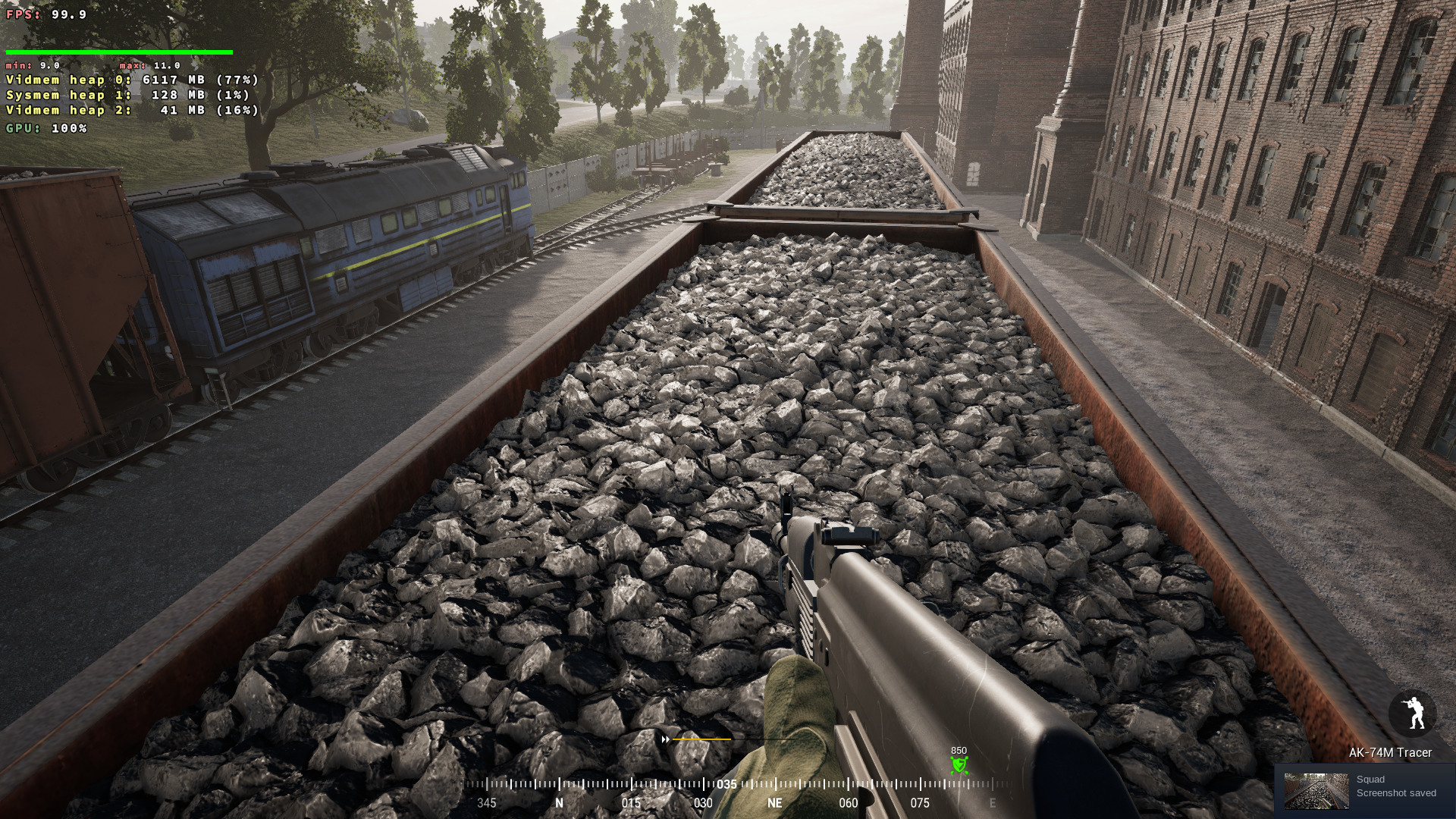
Operating System: Arch Linux
KDE Plasma Version: 5.21.0
Kernel Version: 5.10.16-arch1-1
Graphics Processor: AMD Radeon ™ RX 480 Graphics
Have marked Temp folder as read-only after running the game once. Game launches and runs ok in 'Training'.
However I can't join any servers - does anyone receive the Steam is Currently Offline in the bottom left of the main menu?
SquadGame.log excerpt;
[2021.02.23-09.30.25:302][  1]LogOnline: OSS: Creating online subsystem instance for: Steam
[2021.02.23-09.30.25:315][  1]LogOnline: Warning: STEAM: Steamworks: SteamUtils() failed!
[2021.02.23-09.30.25:315][  1]LogOnline: Warning: STEAM: Steamworks: SteamUser() failed!
[2021.02.23-09.30.25:315][  1]LogOnline: Warning: STEAM: Steamworks: SteamFriends() failed!
[2021.02.23-09.30.25:315][  1]LogOnline: Warning: STEAM: Steamworks: SteamRemoteStorage() failed!
[2021.02.23-09.30.25:315][  1]LogOnline: Warning: STEAM: Steamworks: SteamUserStats() failed!
[2021.02.23-09.30.25:315][  1]LogOnline: Warning: STEAM: Steamworks: SteamMatchmakingServers() failed!
[2021.02.23-09.30.25:315][  1]LogOnline: Warning: STEAM: Steamworks: SteamApps() failed!
[2021.02.23-09.30.25:316][  1]LogOnline: Warning: STEAM: Steamworks: SteamNetworking() failed!
[2021.02.23-09.30.25:316][  1]LogOnline: Warning: STEAM: Steamworks: SteamMatchmaking() failed!
[2021.02.23-09.30.25:316][  1]LogOnline: Warning: STEAM: Steamworks: SteamInventory() failed!
[2021.02.23-09.30.25:316][  1]LogOnline: STEAM: [AppId: 0] Client API initialized 0
[2021.02.23-09.30.25:316][  1]LogOnline: Display: STEAM: OnlineSubsystemSteam::Shutdown()
[2021.02.23-09.30.25:316][  1]LogOnline: Warning: STEAM: Steam API failed to initialize!
[2021.02.23-09.30.25:316][  1]LogOnline: Display: STEAM: OnlineSubsystemSteam::Shutdown()
I'm using Proton Exp and Manjaro. Squad v2 is working, but laggy. ALT+TAB out and in to the game gives me 2 sec of smoothness.
- Same on LOW and ULTRA.
- Same with fullscreen, borderless or Windowed.
- No diff with Lower resolution.
Any fix for this?
Steam is Currently Offlinein the bottom left of the main menu?
Fixed my issue by deleted entire steam folder and starting from scratch (with moving squad folder back into steamapps post setup)
Hey, I was the guy who's computer completely went offline the moment a map loaded. At least that was the assumption, as to pre-2.0 times it was loading a level that's the background of the main menu. Apparently that changed and I can boot up the game successfully into the main menu now. Was pretty happy. I configured settings to medium and wanted to run the benchmark. As soon as I clicked on the benchmark button my screen went black and my PC was restarting. Same symptoms as before.
I can now confirm though, as my issue persists, that this is definitely triggered by a level-load. Same issue as before. System crashes before an error can even be written to a log file. Hard reboot.
Guess I'll try Squad again when I get new hardware in a year or so :disappointed:
Replying to https://github.com/ValveSoftware/Proton/issues/938#issuecomment-786664448
@Byter09 Are you still rocking Vega 64 and that i7-2600?
Have you watched what your VRAM does? maybe it get's full.
What is your PSU, because maybe you are running out of PSU? (remember, Vega is hungry for power, and i7-2600 is pretty demanding chip as well).
I would check it by setting Vegas DPM performace level to low(for it to not get to higher power states) and runnig the game
echo "low" | sudo tee /sys/class/drm/card0/device/power_dpm_force_performance_level
Do not use Squad's Benchmark.. it literally does nothing As far as I can tell
I am running Manjaro as well on Vega-64(Tho on mesa-git, to fix those amazing graphical glitches) on R7-3600. I have experienced couple of crashes during gameplay(like once per month)
I was suspecting my PSU already. It's a LC6600GP2 v2.3. I upgraded to the Vega without really checking if I need to upgrade the PSU as well, as I was expecting to upgrade the motherboard, CPU and case to upgrade soon after too, but life happened and that's not gonna happen for like a year now.
Given that that thing has only 600W, and I didn't even check till now, that sound's like it's the culprit...
Wow. Apart from the classic anti-cheat error at the start (for which there is a fix apparently) I can now load the range...
https://cdn.discordapp.com/attachments/724685783503470634/814868390266011728/unknown.png

Feeling kinda dumb right now. So apparently when my issue begin, they must've added something to the game that brought my PSU just over the limit apparently...
@Byter09 Do you happen to have a switch on your Vega for performance and quiet modes? maybe if you flip that, you can enjoy Squad? I know I have that switch, and it is on Quiet mode(because my Vega64 is very unstable at Performance mode(Not because of power, I have that, but just I did not win silicon lottery at all))
You can possibly even lower power requirements using Radeon Overdrive(however that works in linux)
But yes, your PSU produces 500W on 12V rail only, GPU + CPU is 400W already.. plus other things you might have.. you are definitely on the edge here
Nah, I'll just buy a new 800-1000W PSU that's overkill for my current system and then it'll be fine for when the time comes for the next big upgrade. As you can see, that PSU I got is very old, so I don't think I'll have to upgrade that too often with the next one. In the meantime I got RimWorld to kill some time! :D
Thank you so much for that neat little performance level setting. I never would've figured that out. Always just saw the system crashing, not even producing a log or anything and thought "damn :(" and moved on. But now that I know what it is I can finally play Squad again (hopefully if I can also fix the damn anti-cheat error message).
Thank you!
Built everything together, also bought a new case, marked Temp read-only and voilá. I can play on the highest graphic settings with 30fps minimum (which means I'll have to tweak that to medium probably). Am so happy. :partying_face:
After the last update my performance issues have become worse it seems.
I decided to watch my GPU's (1050 TI) memory with nvidia-smi.
As soon as the game launched Squad hogged pretty much all of my ram leaving prob around 20mb. But in windowed mode fps was above 60.
Then when I loaded into a server I still had 2mb of vram left. Squad used 4034Mb of ram before I had even deployed. FPS dropped to below 10.
I am using the nvidia 460.39 drivers.
My microphone doesn't show up in game so I can't actually take advantage of the in game squad callouts. Is there a fix for this?
@Tastyled I can't see my microphone in that selection box in the audio settings either but it still works.
Did you try it out and people still didn't hear you? :/
@Byter09 i tried it briefly but I may have just not gotten a response from anyone. I’ll try it again though, thanks.
Having the same issues as a few people above. The game runs quite horribly most times. Every now and then the game will run smoothly on epic settings, but typically the framerate is too low to play on any settings quality.
I've likewise tried on Fullscreen, Bordered, and Windowed mode with no improvement.
Try the HighResShot 4 trick from above and see if it helps. The issue seems to be some kind of a VRAM leak and this command forced the game to do some kind of an internal reload which could help a little.
Ultimately it's probably something the Squad developers would have to fix, which seems quite unlikely but who knows. They have at least enabled the Linux binaries for EAC.
HighResShot 4 did not help.
I noticed that the CPU load increases when I get low FPS. Can have a few seconds at 90-100FPS and get down to 10-20FPS. Those who find a solution to this get a kiss :dancers:

https://images2.imagebam.com/11/8e/aa/26cafa1372448001.png

I did try Proton 5.13-6. No change. Does everyone have performance issues?
Could everyone with performance issues monitor their GPU's VRAM and describe its behavior?
Here are some shots. Empty multiplayer server.
-
First, crappy 40-50% LOAD the first 5-10 minutes, then 5 minutes with 100% LOAD: https://images2.imagebam.com/4b/7e/93/e66fd71372529210.png
-
Then back to crappy 40-50% LOAD: https://images2.imagebam.com/b7/1f/20/0ace601372529208.png
-
Unstable Load: https://images2.imagebam.com/12/e4/3a/a0919e1372529203.png


Just joined a server: GPU USAGE -> https://images2.imagebam.com/bc/a5/da/b1cf1c1372788529.png

OS: Ubuntu 20.04.2 LTS x86_64
Kernel: 5.11.6-051106-generic
Uptime: 9 mins
Resolution: 1920x1080, 2560x1440
DE: Plasma
WM: KWin
CPU: AMD Ryzen 7 3700X (16) @ 4.050GHz
GPU: AMD ATI Radeon 5700 XT // Mesa 21.0.0 - kisak-mesa
Memory: 4578MiB / 15975MiB
I cant get past tutorial. The green line is GPU usage. The yellow line is GPU memory usage.
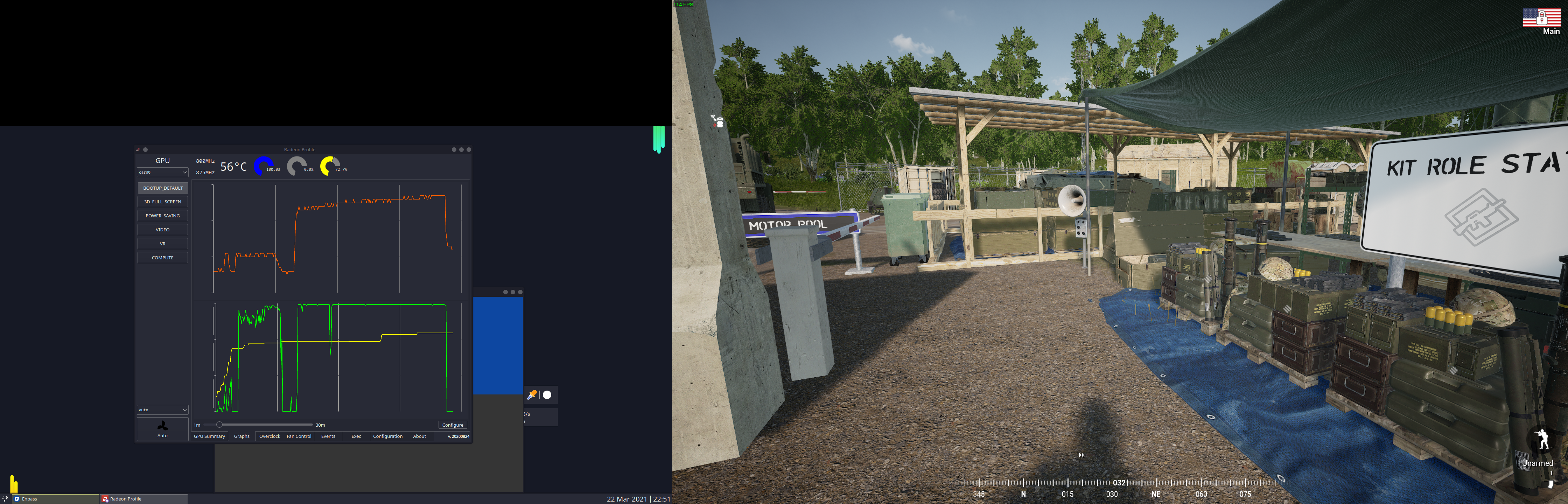
The game crashes a few minutes.
I am using Proton Experimental.
I'm not sure if its new, but under texture settings, there is a Texture Pool VRAM Usage slider. Tool tip says "the amount of VRAM used for the Texture Pool VS how Much VRAM available from GPU." @imaami, do you think this might help us with VRAM filling up?
EDIT: Not actually a slider, it changes when you change the texture quality.

After playing for a few days, the game is running great, 75 FPS 1440P on a 5700XT, however after a few rounds, my GPU driver hard crashes and requires a full system restart. I've been having crashing issues unrelated to squad, but the only time it crashes with squad is right before loading a new map, and it isn't every time a map is loaded.
Hello @ShaunTheQuietGamer, please add PROTON_LOG=1 %command% to the game's launch options, reproduce the crash, and attach the generated $HOME/steam-$APPID.log to this issue report as a file. (Proton logs compress well if needed.) Also, please copy your system information from Steam (Steam -> Help -> System Information) and put it in a gist, then include a link to the gist in this issue report.
Wish the same trick could be figured out with SCUM. I tried the methods here but without much luck.
EDIT: I made some progress and now get a HTTP response code error from EAC log but since this is a SCUM issue and not squad issue I can't talk about it here.
I'm not sure if its new, but under texture settings, there is a Texture Pool VRAM Usage slider
That's not new. And you probably won't run into vram issues with 8gb of vram.
For me the game has been turned absolutely unplayable since the last few updates. I can play with 60fps with resolution scaling down to 50%, even then I only have megabytes of vram left. I have a 1050TI with 4gb of vram. Regardless of video settings squad maxes my vram out, it takes everything available. It can easily use 3500MiB when I am in a server.
Regardless of my vram being capped at 50% resolution scaling I can get 60fps. If I turn that to 100% I get less than 20.

But from searching around it seems like others are running out of vram on windows as well. Squad just uses a lot of vram and that's possibly worsened by drivers on linux.
@LevitatingBusinessMan or maybe it's an issue specific to Nvidia, I'm using the AMDGPU driver with a 5700XT.
Things has improved a lot for me over time, I have none of the stuttering issues anymore.
Doesn't that card have 8GB of vram though? I think the game simply uses close to 4Gb so it will always max out my card.
For what it's worth the game also runs out of VRAM on my 980Ti with 6GB of VRAM. Not sure if it's just that it uses an assload of VRAM or if there's a leak somewhere or both. Maybe one of them 12GB cards would be enough? :-)
I'm not sure if its new, but under texture settings, there is a Texture Pool VRAM Usage slider
That's not new. And you probably won't run into vram issues with 8gb of vram.
3070 here, and my vram is also filled after two or three matches. However, the issue never happens on old maps like Yehorivka.
I'm not sure if its new, but under texture settings, there is a Texture Pool VRAM Usage slider. Tool tip says "the amount of VRAM used for the Texture Pool VS how Much VRAM available from GPU." @imaami, do you think this might help us with VRAM filling up?
Also, the VRAM slide on the settings menu reports something like 3500MB while nvidia-smi show the Squad app using 7000MiB.
I'm not sure if its new, but under texture settings, there is a Texture Pool VRAM Usage slider
That's not new. And you probably won't run into vram issues with 8gb of vram.
Nope, It runs out of memory for my card, which you would have known if you read any of the rest of this issue, as half of the people here before you have stated that they are having issues on other cards with even more than 8GB of VRAM.
If you run Goverlay tool and monitor your VRAM usage real time, does the vram usage gobble up during gameplay or does it gobble up more memory each time a new mission is loaded (not fully releasing previous missions memory pool).
This is working for me with only setting the mentioned Temp folder to read only does this work on any other EAC games even if requiring slight tweaks?
Edit: does anyone know why this works anyway?
Works on Mortal Online 2, just copy the EAC files over from windows since Wine fails to download them itself for whatever reason. Last time I tested I didn't next to tamper with the temp folder but that could be related to having a new proton-GE or something.
BTW the reason why this works is because the DEV's have ticked the Wine64 box over at EAC server support. Other games could easily do the same but it seems the devs have little interest overall, even if it only took them 1minute to do. Quite sad really.
I've never heard of a case of someone cheating or hacking a online game on Linux, yet we are treated like we're all hackers and cheaters!
BTW the reason why this works is because the DEV's have ticked the Wine64 box over at EAC server support. Other games could easily do the same but it seems the devs have little interest overall, even if it only took them 1minute to do. Quite sad really.
Where does this information actually come from ?
I've never heard of a case of someone cheating or hacking a online game on Linux, yet we are treated like we're all hackers and cheaters!
That's probably because games that actually has working multiplayer on Linux are so far and few between, so it does not make sense to develop them.
Plenty of native Linux games with multiplayer.
This is working for me with only setting the mentioned Temp folder
Same. Nowadays whenever I need to clear the prefix I just do:
- start game (EAC fails), quit game
chmod 111 393380/.../Temp(can't remember exact path)- start game
Edit: does anyone know why this works anyway?
No idea.
I upgraded my GPU recently, doubling my VRAM from 6 GiB to 12 GiB (and went from Nvidia to AMD), so I gave Squad a try again.
Played a few maps today, and the VRAM usage peaked at 11.1 GiB! This game eats VRAM like a hobbit. After a few map changes, I got the performance degradation issue again, though this time it resulted in the game running at exactly 30FPS and the VRAM usage did not budge from 11.1 GiB (even though I had nearly a full gibibyte of VRAM left) so I can't be 100% sure it's the same thing I was having before.
Anyway, the HighResShot 4 trick fixed it, and seemed to work even better this time than on my old GPU, though I'm going to need more playtime to say for sure. At 1440p these screenshots are nice 100 MiB PNGs, so you'll probably want to chmod 555 compatdata/393380/pfx/drive_c/users/steamuser/AppData/Local/SquadGame/Saved/Screenshots to stop the game from actually writing them.
I'm sure it's an issue related to memory management, but I have no idea where to begin with debugging it further than that -- and it may not even be something that can feasibly be fixed by Proton/Wine/DXVK.
I am affected by the VRAM related framerate-degradation as well. Usually game runs in the 30-60 FPS range, but sometimes after a mapchange frames drop to 1-2 FPS permanently. Changing map again, or doing the "highresshot" trick mentioned by others does not resolve that issue, I have to restart the game. I am using an NVIDIA GTX 1060, but according to protondb all sorts of hardware seems to be affected.
I tried brute-forcing all known UnrealEngine config values over the course of months and found nothing that helps. the issue exists for years now, no driver update, proton-update (including GE-Builds) or Squad update ever fixed it. A few things I can note with 660 hours of playtime:
- The chance of the bug occuring is depenent on the map being played.
- As a rule of thumb: the newer a map, the more likely it is to fail
- fallujah is terrible, anvil so far doesnt work either, yehorivka works almost every time, goosebay is 50/50
- Narva used to never work for me, now it works 90% of the time. It seems that certain performance optimizations from the devs done at a later stage reduce the issue.
- I have noticed a possibly related issue recently on some newer maps, where my frames drop to near-zero depending on a specific direction I look in, or helicopters being nearby. But unlike the original issue it recovers when looking elsewhere. Also the original issue starts at a precise moment at the end of the map loading process (varies slightly per map).
- Windows users are collectively unaffected, so windows must do something different that makes it immune to these specific mem-leaks. Most reports are from NVIDIA users, but I saw a few other GPU users mention framerate-issues. If anyone can confirm that, we could exclude a driver problem.
I tried looking at all sorts of logfiles (dmesg, journalctl and UE4-logs) and found absolutely nothing that would inform about the issue occuring (except some symptomatic frametime-warnings). I feel like we'd need the help of the game-devs here but if anyone got Ideas what else I could check, I can get you data...
Maybe the way EAC is working itself under Proton/Wine here is causing infinite looping memory issues?
I believe there are tools to inspect this sort of thing but are quite advanced. Also perhaps the developer can help resolve this issue since allot of other UE4 games don't experience the same problem.
If there is a Linux server without EAC installed, perhaps uninstall EAC entirely (new prefix and remove EAC files) and play on that non EAC server might yield some useful results.
I think this was discussed in this thread before, and IIRC the cause is known: DXVK never frees allocated VRAM, so if you play 3 maps, each taking 1 gig, after the 3 maps on windows, it would have unloaded all the resources, but with proton, it would keep all 3 in memory. Eventually, that will overflow the VRAM, and things like textures have to be swapped from normal RAM which is very slow
There is unfortunately no good solution to this, as it would require a big rewrite of DXVK
Maybe the way EAC is working itself under Proton/Wine here is causing infinite looping memory issues?
I believe there are tools to inspect this sort of thing but are quite advanced. Also perhaps the developer can help resolve this issue since allot of other UE4 games don't experience the same problem.If there is a Linux server without EAC installed, perhaps uninstall EAC entirely (new prefix and remove EAC files) and play on that non EAC server might yield some useful results.
The VRAM/framerate problem and EAC are entirely unrelated things.
Replying to https://github.com/ValveSoftware/Proton/issues/938#issuecomment-904856550
I don't want to say I don't see this issue as I haven't been testing for it but I've played through multiple games/maps in one session and not noticed any detriment to my experience. RX 580 8GB
I think this was discussed in this thread before, and IIRC the cause is known: DXVK never frees allocated VRAM, so if you play 3 maps, each taking 1 gig, after the 3 maps on windows, it would have unloaded all the resources, but with proton, it would keep all 3 in memory. Eventually, that will overflow the VRAM, and things like textures have to be swapped from normal RAM which is very slow
I have seen the issue occur on the very first layer loaded (my usual way to reproduce is loading fallujah and if it still works load it again), and I have had sessions with 5+ map-changes not triggering the bug. Also weather or not the bug occurs is determined at a map-specific point in the loading process. Some kind of race-condition must be given.
If it would "just" be DXVK being unable to clear VRAM by design (any DXVK dev reading that must feel insulted) I could reliably trigger the issue by simply doing a specific mapchange sequence, which is not the case.
The important thing first: The command "HighResShot 320x200" recovers the game for me every time. The recommended "HighResShot 3/4" usually has to be executed multiple times (if it works at all) and also takes quite some time to save the screenshot.
Also, just a different point of view here. I don't believe that this is a VRAM issue. While VRAM usage increases to a point until all VRAM is filled up, I can still play with good performance. I can also see that tiny amounts of VRAM are being relased every now and then (50-100ish MB), before VRAM fills up again.
However, sometimes when a new map loads, the GPU LOAD goes from 60% on average to 100% and then the bad performance stutters begin. With these stutters my system drops from 80 fps to 30 fps (but i've also seen it go down to 3 fps). As mentioned above, I can recover the game by using the command "HighResShot 320x200". Then fps go back up to 80 fps (and GPU LOAD goes back down to 60%).
During all this time VRAM usage stays the same.
Can someone else monitor their GPU LOAD during these stutters? Would be interesting to know if this happens on other machines as well. To replicate the stuttering, change maps with the commands below a few times until you experience fps drops and then check your GPU LOAD (and if "HighResShot 320x200" brings the GPU LOAD back down):
adminchangelayer fallujah_raas_v2
adminchangelayer anvil_aas_v2
(or type adminchangelayer in console and select any other map)
You can use GWE (Green With Envy) to monitor NVidia stats: https://gitlab.com/leinardi/gwe
Not sure how to check stats with an AMD GPU though. I am using an NVidia 2080 GPU with 8GB on Manjaro.
Lastly, my Squad graphic settings are set to either "off" or "low" (and I unchecked everything there is to uncheck, like far shadows), which helps to reduce the occurence of this issue. I am also capping menu and in-game fps at 80.
Taken on manjaro with 16GiB with gtx1070 with 8GiB, using nvtop and ksysguard
settings on high apart from texture resolution which is at low.
Statistics before starting the game are.
vram 1.075GiB
sram 4.4 GiB
swap 0.98 Gib this is because of a previous attempt and i didn't clear the swap
Taken unpon the splash screen displaying.
vram 1.709 GiB
sram 6.1 GiB
swap 0.93 GiB
vram and sram steadily climb only after splash screen when the loading icon appears
These were taken when exiting the menu before loading the shooting range.
vram 4.293
sram 9.5
swap 0.93
Immediately frees 29Mib. minimal change of vram and sram until spawn screen whenre it rises during the -loading- screen. ran around a bit and added about 300MiB to vram
Changing map freed 700MiB of sram an 200MiB of vram. some vram is taken but less than the freed memory, sram however gains 1.4 GiB. 300MiB is swapped. sram is at 12.3GiB
Again both vram and sram are allocated while the vram is now at 7.844GiB of 7.926GiB framerate holds at 60
map change again frees a few hundred MiB of vram and sram but is quickly reallocated sram gains about 2GiB from 12.0 to 14.1GiB however 40Mib of vram is freed during -loading- and isn't reallocated. now running at 4FPS. highresshot 320x200 works but has massive stuttering (note it seemed to work fine on the previous attempt) running highresshot 3 caused swap to raise by 1.7GiB and sram to drop by 1.8GiB while all 12cpus are pinned at almost 100% (likely thrashing) this persists until about 50 seconds after the game "exits", when the window closes however the process remains during this time. I did catch it in "disk sleep".
I did a little more testing and found that some graphic settings like AA can cause the described fps drops which cannot be recovered with HighResShot 320x200. I'd suggest to avoid the following graphic settings in Squad:
Avoid:
- Resolution Scale: any setting over 100 (100 is fine)
- AA Quality: not good at all on any setting, therefore turn off (if you need AA, you can disable AA when the new map shows and fps drop and then enabled it again and then run HighResShot 320x200, which also gets rid of the fps drop and let's you play the round with AA)
- Shadow quality: Medium - Epic (Low works fine)
With the settings below you can still experience fps drops when a new map loads, but HighResShot 320x200 resolves the issue (might have to be executed twice to fully recover fps).
OK to use:
- Shadows: Low
- Far Shadows, Close Shadows: On (big performance hit if enabled though)
- AO: Low - Epic
- Texture Quality: Low - Epic
- Anisotropic Filtering: 2-16
- Particle Quality: Low - Epic
As mentioned above, even though VRAM fills up completely this appears to be an issue with GPU LOAD, which goes up to 100% during these fps drops and goes back down to 60% after executing HighResShot 320x200.
Have anyone contacted the Squad devs regarding this issue, and was there any reply ?
Also out of sheer curiosity how come is @kisak-valve silent regard this issue, but usually active, when graphical glitches gets reported ?
Posted on OWI's Squad forum a while ago, but haven't gotten a response.
https://forums.joinsquad.com/discussion/135/bug-frame-drop-after-round-ends-and-new-game-is-about-to-start#latest
Hello @ipimpat, friendly reminder that I'm a Valve-affiliated moderator for Valve's issue trackers on Github and not a Valve developer myself. I generally do not have access to private discussions with game developers.
Posted on OWI's Squad forum a while ago, but haven't gotten a response.
https://forums.joinsquad.com/discussion/135/bug-frame-drop-after-round-ends-and-new-game-is-about-to-start#latest
I've submitted a request through their support platform, while I do not expect it to make any difference, but what the heck, it can not hurt.
Hello @ipimpat, friendly reminder that I'm a Valve-affiliated moderator for Valve's issue trackers on Github and not a Valve developer myself. I generally do not have access to private discussions with game developers.
@kisak-valve first or all, thank you a lot for all the effort and things you do - I was just curios, it wasn't criticism.
But since you are Valve affiliated is there really not any channel that you (through Valve) can use, to help escalate this specific issue to the right people/person ?
As mentioned above, even though VRAM fills up completely this appears to be an issue with GPU LOAD, which goes up to 100% during these fps drops and goes back down to 60% after executing HighResShot 320x200.
The GPU usage could be because its waiting for memory in an "IOWait" state and to reported as in use.
I've submitted a request through their support platform, while I do not expect it to make any difference, but what the heck, it can not hurt.
This was the reply:
Thanks for info!
I have forwarded this to our QA and Dev team.
At least it's "something" :-)
The new Nvidia driver (470.63.01) creates lag and gpu does not perform 100%. Previous driver ran the game at 100% non-stop with good performance :)
EDIT: After I enabled Feral GameMode, the performance is back and better than ever! Everyone should Install and use Feral Gamemode and use "gamemoderun %command%" in the Launch Options! 80-120 FPS Smooth Gameplay. NO LAG and GPU LOAD at 100
Quick performance test with the new Nvidia driver: https://youtu.be/2rEydLA03Dg
A HUGE number of people who get massive performance problems with Proton are often experiencing iGPU conflicts. A common problem for Linux gaming unfortunately even thought there are fixes, most are not configured by default on distro's.
With these steps, I get top performance. 100+ FPS Local and 80-100+ FPS in Multiplayer:
-
Enable Shader Pre-Caching & Allow background processing (Steam Settings)
-
Install Gamemode 1.6.1-1 (Feral Gamemode) and Set "gamemoderun %command%" as Squad Startup Option to fix any system related slowdowns.
-
Set GPU Max Performance with: nvidia-settings -a '[gpu:0]/GPUPowerMizerMode=1'
With these steps, I get top performance. 100+ FPS Local and 80-100+ FPS in Multiplayer:
Not talking about the classical performance problem here, we are talking random (though non-laplacian) performance breakdown to near zero at very specific points of the loading process (or changing graphic options ingame) even though performance usually is adequate.
* Install Gamemode 1.6.1-1 (Feral Gamemode) and Set "gamemoderun %command%" as Squad Startup Option to fix any system related slowdowns.
That was one I havent tried so far, I just did and the issue of performance breakdown still occurs for me
However if you are able to consistently do AdminChangeLayer fallujah_raas_v2 in the console and wait for the map to load a number of times (lets say 5-10 times) without ever experiencing the bug, then It would be very interesting to hear what kind of setup you have (especially GPU, driver and OS) because then we'd finally have a documented negative. (Not sure yet, but it may only affect NVIDIA.)
However if you are able to consistently do
AdminChangeLayer fallujah_raas_v2in the console and wait for the map to load a number of times (lets say 5-10 times) without ever experiencing the bug, then It would be very interesting to hear what kind of setup you have (especially GPU, driver and OS) because then we'd finally have a documented negative. (Not sure yet, but it may only affect NVIDIA.)
Well, you're probably right that those problems still exist. I'm not trying to look for bugs that way. The game gives me good performance, without problems in the 3-4 hours I usually play a couple of times a week. It is quite possible I will have problems if I play more than 3 rounds, but so far it works pretty perfectly for me.
It can of course turn around quickly (new update ect) and I hope we finally find a solution to video Ram flush and other challenges by playing Windows games on Linux.
I hope Steam/Valve continues to push developers to spend time on native Linux versions and to use Vulkan. Give them a big discount, and it will solve all problems.
Btw,
Distro: Manjaro Linux
Kernel: 5.13.13-1-MANJARO
RAM: 32 GB
GPU Driver: NVIDIA 470.63.01
GPU: NVIDIA NVIDIA GeForce RTX 2080 Ti
CPU: Intel Core i7-7700K @ 4.20GHz
Feral Gamemode does indeed improve performance significantly for me and also it helps with the issues on map load (the frame drops still occur, but it seems they're less frequent and they can be recovered now with HighResShot 320x200 with all graphic options enabled (except for resolution scale which still has to be set to 100)). Prior to using Feral Gamemode even using AA caused fps drops on map load which could only be resolved by turning AA off and then on again and then running HighResShot 320x200. Now AA can be on High (16) and HighResShot 320x200 brings fps back to normal every time without having to turn AA off and then on again. Good stuff, Acetotal.
It seems they've misplaced the EAC blob again. 🙄
$ eac-tools/download.sh --os-type=wine64 --id=55
 game id         dl size        last modified (UTC)     download saved as
 -------         -------        -------------------     -----------------
      55               0        2021-10-08 03:37:14
Meanwhile, in Windows wonderland:
$ for x in win64 win32 wow64; do eac-tools/download.sh --os-type="$x" --id=55; done | cut -d$'\n' -f1-3,6,9
 game id         dl size        last modified (UTC)     download saved as
 -------         -------        -------------------     -----------------
      55         6619112        2021-10-09 10:43:08     eac-game-55-win64.bin
      55         3347432        2021-10-09 10:43:09     eac-game-55-win32.bin
      55         5489640        2021-10-09 10:43:09     eac-game-55-wow64.bin
I've already brought this up on discord and filed a ticket on zendesk, let's see what happens. In the meantime I'll attach the previous wine64 blob here, as Squad still seems to work if the blob exists locally.
easyanticheat_wine_x64.tar.gz
Hello, I just downloaded Squad to my Linux machine, attempting to run it starts the launch, and Steam reports the game is running but nothing happens. I've tried setting it to user various proton versions but to avail. Verifying game files did nothing either.
Any ideas?
I'm new to Linux btw. Using POP OS
You probably need to put those wine64 eac files in the correct location of the steam proton prefix container. EAC can stop games from launching correctly.
@imaami Thanks for this. EAC blob fixed "EasyAntiCheat Error: Failed to create Game Client instance!" error.
OWI responded that they have no control over the blob's availability, and that I should contact EAC. Well I just sent a support request to EAC, I'm sure they'll get back to me soon. <skeleton_and_cobwebs.png>
Technically the server that hosts all the game blobs is EAC's, but I mean really, what in Train Jesus's name is going on? Did the wine64 blob just materialize out of thin air one day, and no one actually keeps track of it, or what?
I assume there must be some checkbox somewhere that causes EAC's wine64 support to activate. It would make sense to assume that the box at least has been ticked before.
It's possible there was a miscommunication when I asked about this from OWI, I'll send them a follow up question.
Btw: some have reported that the blob gets deleted on game startup. Doing chmod 444 on the blob should fix that.
I am surprised nobody mentioned this:
https://dev.epicgames.com/en-US/news/epic-online-services-launches-anti-cheat-support-for-linux-mac-and-steam-deck
So according to that announcement, it is up to the game devs to enable support for proton.
To make it easy for developers to ship their games across PC platforms, support for the Wine and Proton compatibility layers on Linux is included. Starting with the latest SDK release, developers can activate anti-cheat support for Linux via Wine or Proton with just a few clicks in the Epic Online Services Developer Portal.
It has been known for a little while now. Still no developers yet have enabled such support (except for Squad I guess).
There has been allot of asking on dev and steam forums for BE/EAC Proton support; some developers have spoken out and basically said its too much work atm to do... Still a bumpy road ahead of us under Linux for these AC games...
https://www.reddit.com/r/linux_gaming/comments/q7ds6s/psa_regarding_eac_false_positives/
It seems this blob issue is not exclusive to Squad.
It appears that the EAC CDN is currently not serving wine64 blobs for any game up and down the list, including ones with whitelisted native Linux builds (7 Days to Die, Squad). Supplying a proper UUID and any game ID to the endpoint returns null data even for games that usually return native blobs, whereas the win64 (Windows) blobs at the same repository exist as expected.
FWIW, I posted an EAC question to October's Squad Developer Q&A.
https://forums.joinsquad.com/discussion/comment/1533/#Comment_1533
The answer part will happen on Tuesday, 26th of October 2021. They're only going to accept 15 questions, so keep your thumbs up that the EAC one gets through.
Hello, I just downloaded Squad to my Linux machine, attempting to run it starts the launch, and Steam reports the game is running but nothing happens. I've tried setting it to user various proton versions but to avail. Verifying game files did nothing either. Any ideas? I'm new to Linux btw. Using POP OS
I have the same issue, I launch the game, EAC window pops up, disappears, steam reports it as running, nothing happens.
@staccato @Smarty13 - You can find step-by-step installation instructions for Squad on Linux here: https://squadfm.org/#installation
@staccato @Smarty13 - You can find step-by-step installation instructions for Squad on Linux here: https://squadfm.org/#installation
The game does not even appear after launching for me, before and after these steps.
@staccato @Smarty13 - You can find step-by-step installation instructions for Squad on Linux here: https://squadfm.org/#installation
This does not work for me either, i still get the EAC pop up.
But my path is also different from the guide, mine is : /home/suspend/.steam/debian-installation/steamapps/compatdata/393380/pfx/drive_c/users/steamuser/Application Data/EasyAntiCheat
Im using Pop os with Nvidia drivers
Replying to https://github.com/ValveSoftware/Proton/issues/938#issuecomment-950627460
Same issue on NixOS 21.11 with the proprietary nvidia driver. For some reason the EAC pop up wasnt showing in the previous video. https://streamable.com/gyqibb
Anyone know how to fix?
It is only the files without folders that must be inside the 55-folder. If you want to extract the archive directly, do it here: /home/username/.local/share/Steam/steamapps/compatdata/393380/ and make sure .eac and .metadata is inside the 55 when done. This should work.
I'm curious about something - has anyone confirmed yet what exactly the common map-roll performance drop is caused by? I've seen a lot of speculation as to what it could be and partial workarounds for it, but as far as I know no one has said with 100% certainty where it lies. Is it dxvk/wine translating something in a way that results in the drop, or maybe Squad using something that only works with Windows and isn't present in Linux, or some entirely unrelated issue?
After trying a bunch of combinations with graphics options, editing config files, launch options, and distros with no luck, I've been tempted to set up a dual-boot/vm since I figured I could try to eliminate one of the above theories by recreating the issue on Windows (apparently dxvk can also be used on Windows, but possibly scuffed - worth a try, though?), but also because this is literally one of the only games I play, and it's barely on the edge of working on Linux :(
I thought it was a NVIDIA driver bug which got fixed not long ago!?
I use AMDGPU so not sure if its a thing for AMD.
I use AMDGPU so not sure if its a thing for AMD.
I'm using AMD and it hits me too:
libva info: VA-API version 1.7.0
libva info: Trying to open /usr/lib/x86_64-linux-gnu/dri/radeonsi_drv_video.so
libva info: Found init function __vaDriverInit_1_7
libva info: va_openDriver() returns 0
vainfo: VA-API version: 1.7 (libva 2.6.0)
vainfo: Driver version: Mesa Gallium driver 21.1.8 - kisak-mesa PPA for AMD Radeon RX 5700 XT (NAVI10, DRM 3.40.0, 5.11.0-38-generic, LLVM 12.0.1)
I'm curious about something - has anyone confirmed yet what exactly the common map-roll performance drop is caused by?
I spent ages trying to figure that out but there is only things I can rule out. My suspicion it might be NVIDIA related has been made unlikely by AMD users reporting similar issues.
By long term observation I am certain it is somehow map related and that later optimizations on a map somehow reduce the chance of the bug. I cannot provide proof, you have to take my word for it.
I had tried various UE4 Settings in the config file to no avail. Maybe they can help you reproduce the issue on windows. Is anyone aware of other UE4 games with severe performance degradation after map/level change?
Hope you figure it out, whoever does will be my personal hero of the decade :superhero:
By long term observation I am certain it is somehow map related and that later optimizations on a map somehow reduce the chance of the bug. I cannot provide proof, you have to take my word for it.
I spent a lot of time rolling maps in the offline range and restarting my game to apply a bunch of tweaks to no avail, and I think I can confirm this to some extent as well.
It seemed like it was less chance though and more having to do with how active you were on the map for. Force-changing maps right after it loaded without spawning in often delayed the issue until my 4th or 5th roll, while spawning in and sitting/looking around for a minute would almost guarantee that the next roll would drop to essentially unplayable framerates.
Another thing to mention is that it doesn't seem necessarily restrictive to map rolls either. I was flying a helicopter around the range at one point (because bored) and eventually noticed that my fps was degrading over the course of the flight.
I'm guessing it has something to do with assets loading in and possibly not unloading, which would explain why some maps (usually the ones with a lot more assets like Fallujah) more easily trigger the issue, but whether it's some engine bug or otherwise is something I'm scratching my head on.
Hopefully something can yielded from experimenting with this on Windows; I'll see to trying it sometime this or next weekend. Fingers crossed...
I think I've mentioned this before, and I still think this might be caused by VRAM running out. Have any of you taken a look at VRAM usage before and after the FPS drop? For AMD cards, you can do so with radeontop. There is a way to do it for nvidia cards as well, but I don't remember
There is a way to do it for nvidia cards as well, but I don't remember
its nvidia-smi
This is the output for Squad running as intended on Talil
Fri Nov  5 13:34:43 2021
+-----------------------------------------------------------------------------+
| NVIDIA-SMI 470.63.01    Driver Version: 470.63.01    CUDA Version: 11.4     |
|-------------------------------+----------------------+----------------------+
| GPU  Name        Persistence-M| Bus-Id        Disp.A | Volatile Uncorr. ECC |
| Fan  Temp  Perf  Pwr:Usage/Cap|         Memory-Usage | GPU-Util  Compute M. |
|                               |                      |               MIG M. |
|===============================+======================+======================|
|   0  NVIDIA GeForce ...  Off  | 00000000:08:00.0  On |                  N/A |
| 39%   54C    P0    61W / 120W |   6016MiB /  6075MiB |     71%      Default |
|                               |                      |                  N/A |
+-------------------------------+----------------------+----------------------+

+-----------------------------------------------------------------------------+
| Processes:                                                                  |
|  GPU   GI   CI        PID   Type   Process name                  GPU Memory |
|        ID   ID                                                   Usage      |
|=============================================================================|
|    0   N/A  N/A      1367      G   /usr/lib/Xorg                     351MiB |
|    0   N/A  N/A      1438      G   /usr/bin/gnome-shell               83MiB |
|    0   N/A  N/A      1699      G   /usr/bin/nextcloud                  6MiB |
|    0   N/A  N/A     18456      G   ...e/Steam/ubuntu12_32/steam       16MiB |
|    0   N/A  N/A     18460      G   ./steamwebhelper                    1MiB |
|    0   N/A  N/A     18691      G   ...ef_log.txt --shared-files      115MiB |
|    0   N/A  N/A     42380    C+G   ...aries\Win64\SquadGame.exe     5389MiB |
+-----------------------------------------------------------------------------+
After triggering the framerate issue by switching to Fallujah it looks like this:
Fri Nov  5 13:38:16 2021
+-----------------------------------------------------------------------------+
| NVIDIA-SMI 470.63.01    Driver Version: 470.63.01    CUDA Version: 11.4     |
|-------------------------------+----------------------+----------------------+
| GPU  Name        Persistence-M| Bus-Id        Disp.A | Volatile Uncorr. ECC |
| Fan  Temp  Perf  Pwr:Usage/Cap|         Memory-Usage | GPU-Util  Compute M. |
|                               |                      |               MIG M. |
|===============================+======================+======================|
|   0  NVIDIA GeForce ...  Off  | 00000000:08:00.0  On |                  N/A |
| 34%   49C    P0    41W / 120W |   6073MiB /  6075MiB |    100%      Default |
|                               |                      |                  N/A |
+-------------------------------+----------------------+----------------------+

+-----------------------------------------------------------------------------+
| Processes:                                                                  |
|  GPU   GI   CI        PID   Type   Process name                  GPU Memory |
|        ID   ID                                                   Usage      |
|=============================================================================|
|    0   N/A  N/A      1367      G   /usr/lib/Xorg                     359MiB |
|    0   N/A  N/A      1438      G   /usr/bin/gnome-shell               70MiB |
|    0   N/A  N/A      1699      G   /usr/bin/nextcloud                  6MiB |
|    0   N/A  N/A     18456      G   ...e/Steam/ubuntu12_32/steam       18MiB |
|    0   N/A  N/A     18460      G   ./steamwebhelper                    1MiB |
|    0   N/A  N/A     18691      G   ...ef_log.txt --shared-files      115MiB |
|    0   N/A  N/A     42380    C+G   ...aries\Win64\SquadGame.exe     5447MiB |
+-----------------------------------------------------------------------------+
Hello @Konfuz, it may be worthwhile to keep an eye on PCIe bandwidth utilization in nVidia's X Settings utility. If part of the render hot path gets pushed to system ram, you should see a corresponding sustained increase in percentage compared to when the game runs smoothly.
@kisak-valve I checked it. Actually it uses less bandwidth during the issue:
Good Framerate:
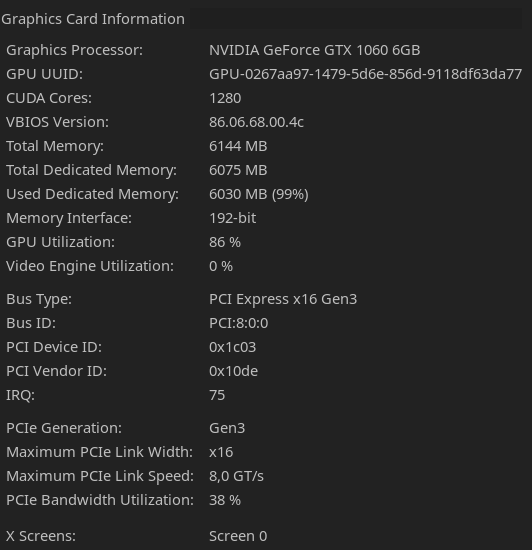
During Frame-Slideshow:
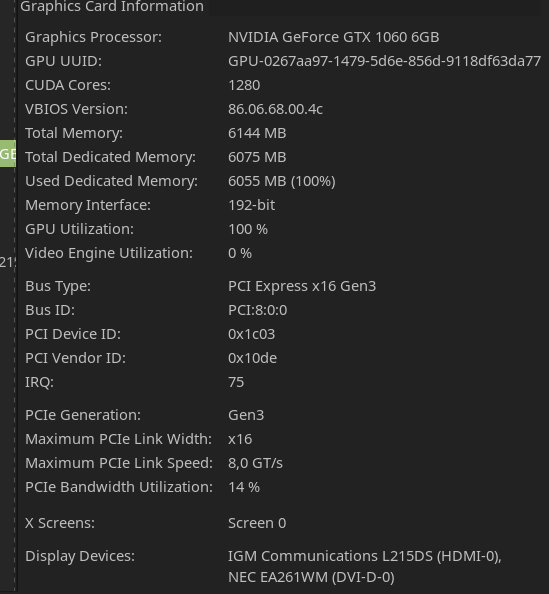
I have an update on my experiment with testing DXVK on Windows!
After setting it up and confirming that Vulkan was running via MSI Afterburner, I found that the exact same issue happens on map rolls.
Fps sat a bit lower than normally (~80 fps avg on first boot to range with Windows Vulkan vs ~90 fps on both Windows and Linux Proton) which I don't have an exact explanation for, but after rolling to other maps, I noticed the same degradation issues and fps tanking seen on Linux with Proton.
Does this narrow down the root cause of the issue by any chance?
To clarify for anyone that wants to try reproducing this, the steps I followed to get these results are:
- Download the latest tarball release for DXVK
- Extract the tar.gz and put all of the files in the x64 directory to path/to/Squad/SquadGame/Binaries/Win64
- Install Visual C++ Redistributable Runtimes All-in-One July 2021 - I think this can be omitted, but try this if it still doesn't work
RemoveMove path/to/Squad/EasyAntiCheat/Certificates somewhere else so you can add it back later (didn't test playing on multiplayer with Vulkan, no idea if EAC would be okay with this)- Run the game - it might give you an error box, but it should launch regardless.
I have an update on my experiment with testing DXVK on Windows!
After setting it up and confirming that Vulkan was running via MSI Afterburner, I found that the exact same issue happens on map rolls.
@aurtzy That is huge news, because that narrows it down to Vulkan / DXVK since proton/wine was not used on windows (you just copyied the dll's right?) Could you report your findings on the DXVK Tracker and reference this thread? I feel we are getting closer...
@aurtzy That is huge news, because that narrows it down to Vulkan / DXVK
Sad news, this already seems to be a known issue, and a won't fix:
https://github.com/doitsujin/dxvk/issues/1984#issuecomment-818081517
https://github.com/doitsujin/dxvk/issues/1984#issuecomment-819520239
Sad news, this already seems to be a known issue, and a won't fix
Ohh.... that's a huge bummer. I guess I'll just poke around the issue once in a while for the time being on the off-chance something else can resolve this.
I may be too stupid to understand this, but if it indeed is an VRAM issue as the DXVK ticket reports, why dont I see my PCI Bandwith getting affected as kisak suspected? It even got better. The GPU on the other hand became 100% busy - while power consumption and Temperature decreased (indicating its spending its time waiting on something). System RAM didnt seem to get affected noticeably as well.
Also why does it affect some games, but not all UE4 games in general? If it is the fault of the Squad devs (as DXVK developters seem to think) they might be convinced to include a fix if we can tell them what exactly the issue is.
Edit: Squad and Outward don't even use the same engine. Outward uses Unity.
I may be too stupid to understand this, but if it indeed is an VRAM issue as the DXVK ticket reports, why dont I see my PCI Bandwith getting affected as kisak suspected? It even got better. The GPU on the other hand became 100% busy - while power consumption and Temperature decreased (indicating its spending its time waiting on something). System RAM didnt seem to get affected noticeably as well.
I keep coming back to this question too. It just feels like there's something else going on. I've also wondered many times about how there's no runaway heating up of all the things, no screaming GPU fans, nothing that would make you go, "obvious busy loop right there, better hard reset all the things before they catch fire".
What if: lock contention?
The GPU on the other hand became 100% busy - while power consumption and Temperature decreased (indicating its spending its time waiting on something). System RAM didnt seem to get affected noticeably as well.
Hmm that's weird. The out of VRAM scenario I've seen in DCS has the opposite effect. VRAM utilisation goes to 101% or something, then GPU usage drops to like 30%.
I'm not sure exactly how GPUs work, but this is what I'd expect from a GPU waiting on stuff from memory. Busy looping a GPU sounds like an awful idea since you can probably just... not run things on it.
Also why does it affect some games, but not all UE4 games in general? If it is the fault of the Squad devs (as DXVK developters seem to think) they might be convinced to include a fix if we can tell them what exactly the issue is.
My guess is it's related to how much VRAM the game uses and how and when it decides to load resources. DCS (which is a custom engine) and squad might be pre-loading as much as possible beforehand. You probably wouldn't want to wait for parts of the world to load in while playing for example
Could someone profile lock contention during the frame drop?
Could someone profile lock contention during the frame drop?
Im having a hard time reading up on the topic, got any pointers for me how to do that properly?
@Konfuz I’m equally green here, but from what I’ve read, it looks like your options are valgrind’s drd, mutrace, LTT (unsure what trace points/syscalls/events/whatever to filter here, but I’m sure it’s achievable), perf-lock, or enabling basic lockstat collection and subsequently finding the right tool for analysis of results.
Hi, I am the original author of the DXVK bug report for Outward. In my opinion, the issue stems from nvidia gpu unable to free memory and new texture is then loaded to system RAM instead of VRAM. The fps then degrade because all gpu operation then have to wait for the streamed data from the system.
Could someone profile lock contention during the frame drop?
Im having a hard time reading up on the topic, got any pointers for me how to do that properly?
You can start with running perf top as root in a console window after launching Squad. Look at the output during normal gameplay, and then again after the stutter begins. See if there's something that rises to the top of the list once you hit the bug.
Hi, I am the original author of the DXVK bug report for Outward. In my opinion, the issue stems from nvidia gpu unable to free memory and new texture is then loaded to system RAM instead of VRAM. The fps then degrade because all gpu operation then have to wait for the streamed data from the system.
Have you tested this hypothesis somehow?
Have you tested this hypothesis somehow?
The only evidence I have is circumstantial. As shown on the original dxvk bug report, entering and exiting a location increases the vram usage to near maximum capacity of the gpu. This is supported by measuring it with nvidia-smi and mangohud despite dxvk_hud does not report any significant increase of vram usage. Also, using any vram before launching the game e.g. by loading machine learning model (not using any computation power, just doing sleep(100000)) also significantly worsen the performance hit, leading me to believe that the performance hit comes from the gpu essentially using system memory as "swap memory"
I have an AMD GPU and I've had no problems with huge FPS drops since switching. I had an RTX 2070, now I have a 6700. I spent some time this morning swapping between anvil and falluja with adminchangelayer and haven't had any issues after 10+ swaps.
Just did some testing with perf top.
This is what the terminal looked like on first boot to the training range:
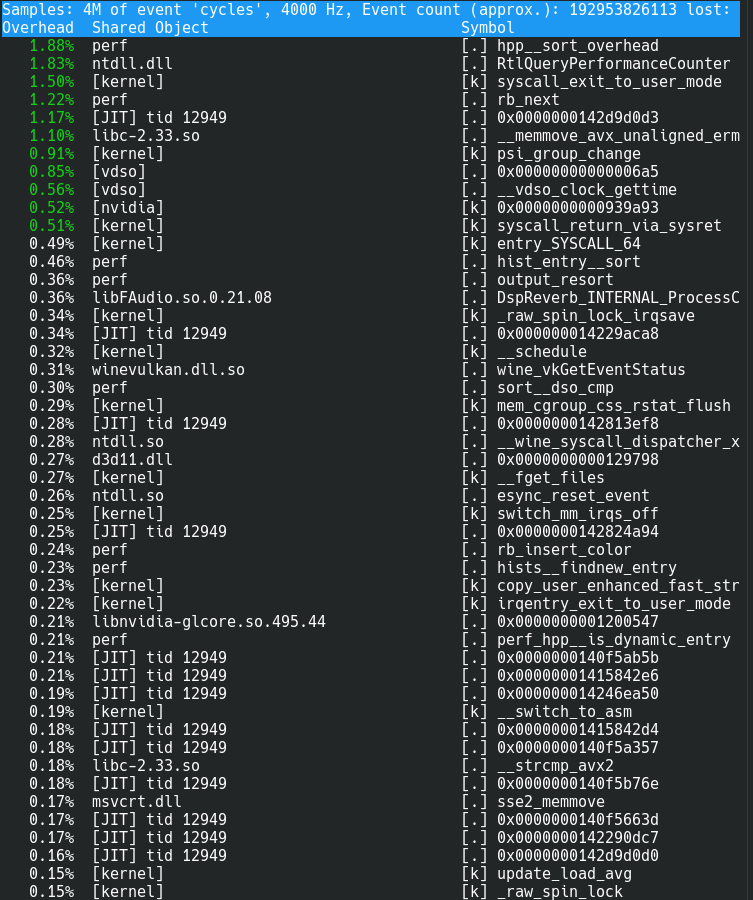
After a map roll, with the issue showing up:
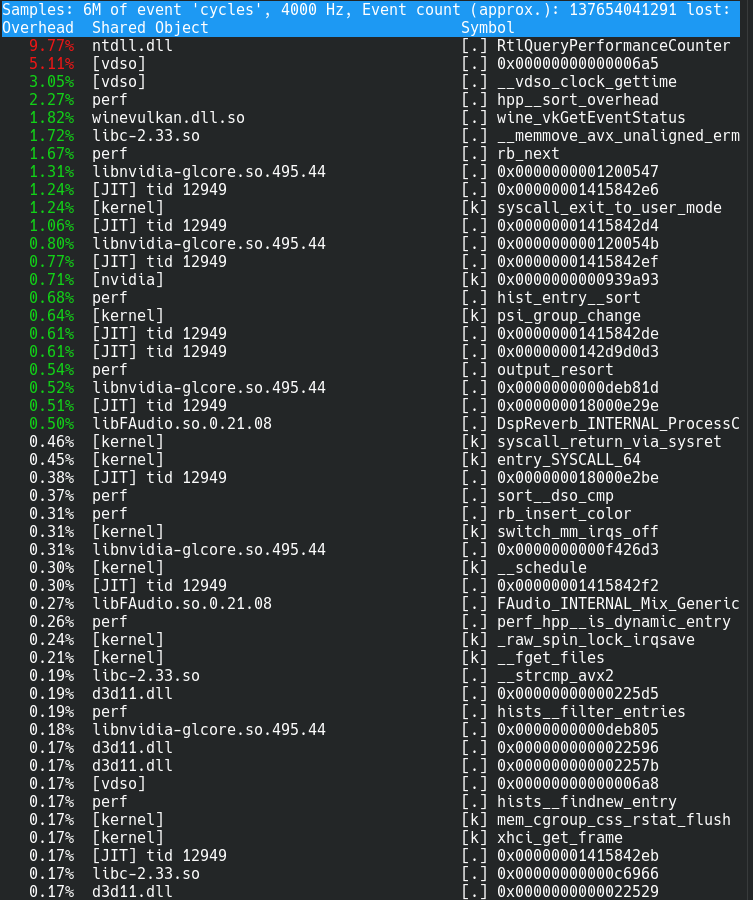
And some additional tests I thought might yield some extra information (without restarting the game):
After another maproll to see if any issues were magnified: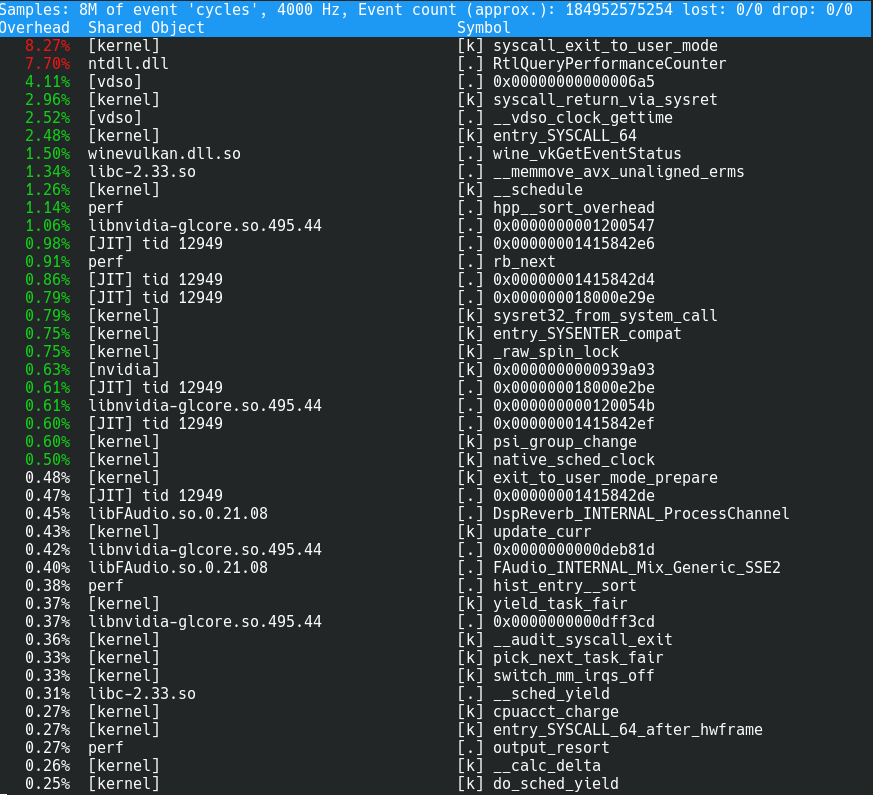
After idling for ~2 minutes:
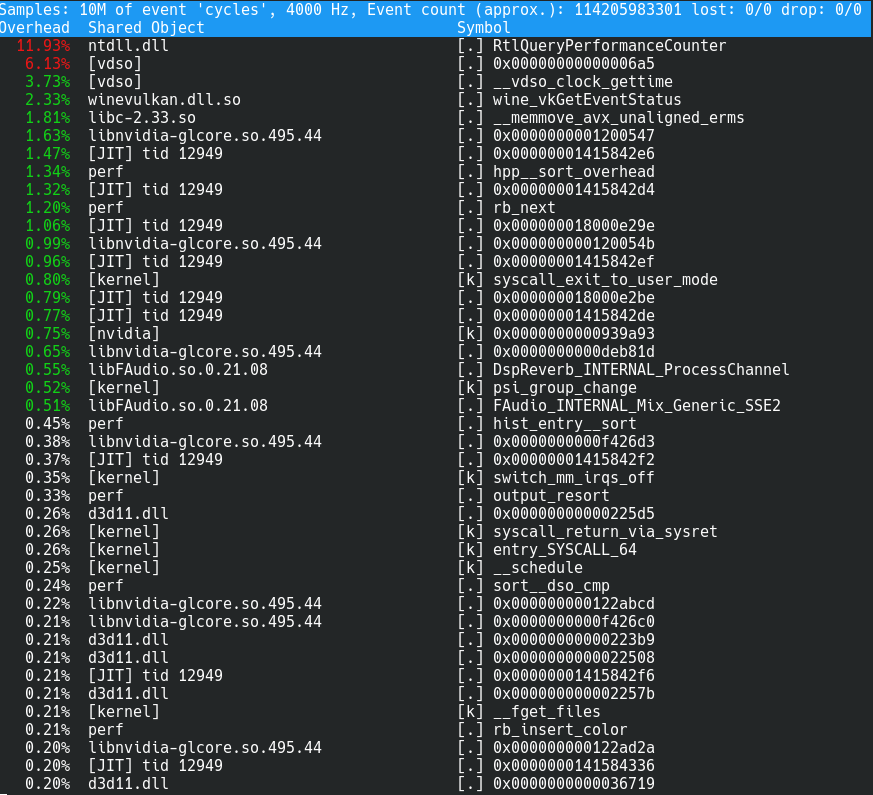
I'm not quite sure how to make sense of this information right now. @imaami, is this useful at all?
I'm not quite sure how to make sense of this information right now. @imaami, is this useful at all?
It does look interesting, although I can't say if it's abnormal yet. Something seems to really like querying the timer. How long did you let the game run normally before you took that first screenshot? Did you let it warm up a bit by walking around or shooting? Perf top doesn't show changes instantly, the percentages take some time to stabilize.
Perf top doesn't show changes instantly, the percentages take some time to stabilize.
Ah, I see - the first screenshot was taken immediately after jumping in. I'll see to redoing my tests this weekend if someone else doesn't beat me to it by then.
@aurtzy what Proton version were you running for those screenshots btw?
@imaami I'm fairly certain I was running it on Proton Experimental - although I'll check again when I get back this weekend and update if I was wrong. Would you like me to some tests on different versions as well?
I reinstalled Squad to exclude issues by my many mitigation attempts. I see similar results with perf top than @aurtzy
Loading Fallujah from the main menu right after startup - Issue occuring
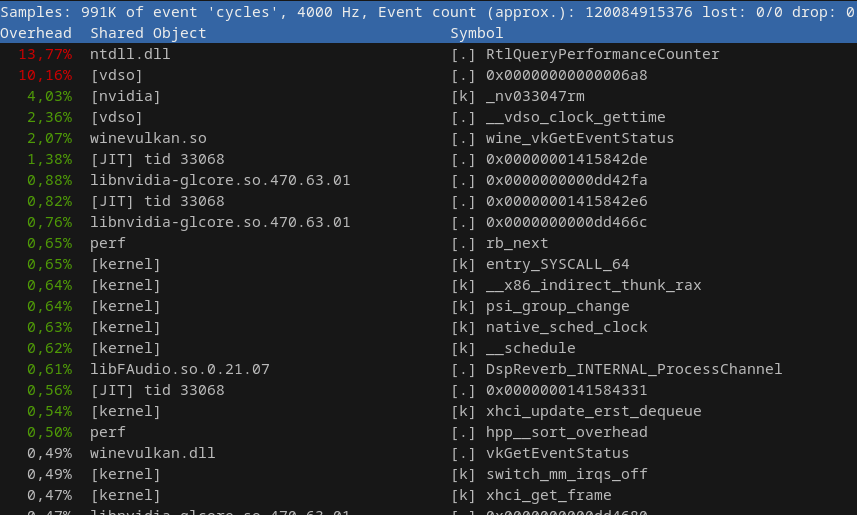
Loading Yehorivka from the main menu right after startup - Issue absent
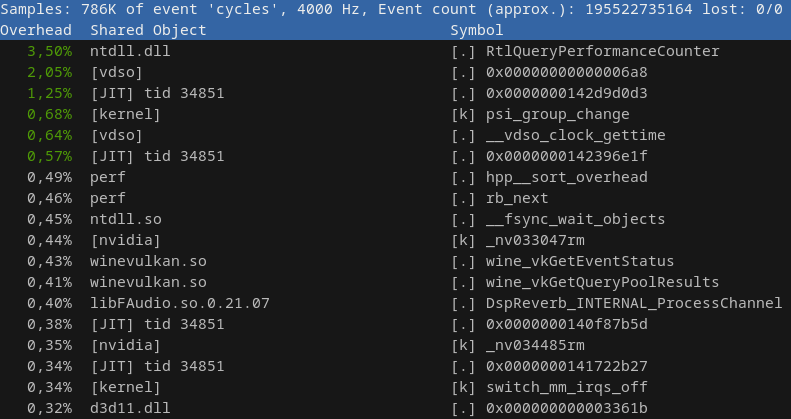
In both cases I remained in the team-selection menu and took no actions since the issue was already apparent at that stage.
So it appears to me something is querying the system to death asking for the time at an annoying frequency - like a dementia patient at the train platform. Can I figure out if DXVK is to blame for the RtlQueryPerformanceCounter spam?
Another potential idea to throw out there - has anyone else experimented with and gotten Squad working using DX12/VKD3D? I was wondering if the fps dropping issue could be worked around this way since afaik DXVK and VKD3D are differently implemented technologies.
I've tried multiple times to run Squad with the -dx12 launch parameter on Proton, but have been met each time with a "dx12 is not supported on your system" error even though it runs perfectly fine on Windows.
I've tried multiple times to run Squad with the -dx12 launch parameter on Proton, but have been met each time with a "dx12 is not supported on your system" error even though it runs perfectly fine on Windows.
I spent some time digging into that today, and it seems that the game thinks it's running on windows 8, even after setting the wineprefix version to windows 10:
LogInit: Build: ++UE4+Release-4.23-CL-0
LogInit: Engine Version: 4.23.1-0+++UE4+Release-4.23
LogInit: Compatible Engine Version: 4.23.0-0+++UE4+Release-4.23
LogInit: Net CL: 0
LogInit: OS: Windows 8 (), CPU: AMD Ryzen 9 3950X 16-Core Processor            , GPU: AMD RADV POLARIS10
LogInit: Compiled (64-bit): Aug 10 2021 11:34:23
LogInit: Compiled with Visual C++: 19.16.27045.00
LogInit: Build Configuration: Shipping
LogInit: Branch Name: ++UE4+Release-4.23
LogInit: Command Line:  -d3d12 -eac-nop-loaded
LogInit: Base Directory: Z:/home/pngu/.local/share/Steam/steamapps/common/Squad/SquadGame/Binaries/Win64/
LogInit: Installed Engine Build: 1
The call stack leading to the error message (need access to the UE repo) is pretty much this:
- https://github.com/EpicGames/UnrealEngine/blob/release/Engine/Source/Runtime/RHI/Private/Windows/WindowsDynamicRHI.cpp#L292
- https://github.com/EpicGames/UnrealEngine/blob/release/Engine/Source/Runtime/D3D12RHI/Private/Windows/WindowsD3D12Device.cpp#L279
- https://github.com/EpicGames/UnrealEngine/blob/release/Engine/Source/Runtime/Core/Private/Windows/WindowsPlatformMisc.cpp#L1621
I might toy around with actual debug traces sometime this week to figure out what's going on unless somebody else has some spare time on their hands :P
So this didn't give me any rest... the good news: DX12 works and after 2 evenings of digging through logs and sources the fix ended up being comically simple:
The bad news is that it requires patching wine. It's a pretty brainless hackjob and I haven't tested playing online yet, so this is for the adventurous:
diff --git a/dlls/kernelbase/version.c b/dlls/kernelbase/version.c
index d670df27690..bff7a11e378 100644
--- a/dlls/kernelbase/version.c
+++ b/dlls/kernelbase/version.c
@@ -127,10 +127,10 @@ typedef struct


 /***********************************************************************
- * Win8 info, reported if the app doesn't provide compat GUID in the manifest and
+ * Win10 info, reported if the app doesn't provide compat GUID in the manifest and
  * doesn't have higher OS version in PE header.
  */
-static const struct version_info windows8_version_info = { 6, 2, 0x23f0 };
+static const struct version_info windows10_version_info = { 10, 0, 0x42ee };

 /***********************************************************************
  * Win8.1 info, reported if the app doesn't provide compat GUID in the manifest and
@@ -197,7 +197,7 @@ static BOOL CALLBACK init_current_version(PINIT_ONCE init_once, PVOID parameter,
             break;

     if (idx < 0) return TRUE;
-    ver = &windows8_version_info;
+    ver = &windows10_version_info;

     if (RtlQueryInformationActivationContext(0, NtCurrentTeb()->Peb->ActivationContextData, NULL,
             CompatibilityInformationInActivationContext, NULL, 0, &req) != STATUS_BUFFER_TOO_SMALL
Included that as "kernelbase-return-windows-10-for-apps-without-compat-manifest.mypatch" in a build of proton-tkg off wine 6.22 (ideally somebody would test this with the officially supported proton repository). Basically that throws the compatibility layer the wine folks built into GetVersionW overboard and might have unintended side effects, no idea. https://github.com/wine-mirror/wine/commit/6719bf2e037b95b8338fae9e660c43e8fadafc7a
Launch options: gamemoderun mangohud %command% -d3d12
Startup logs:
Log file open, 11/23/21 23:04:16
LogConsoleResponse: Display: Failed to find resolution value strings in scalability ini. Falling back to default.
LogPakFile: Display: Found Pak file ../../../SquadGame/Content/Paks/pakchunk6000-WindowsNoEditor.pak attempting to mount.
LogPakFile: Display: Mounting pak file ../../../SquadGame/Content/Paks/pakchunk6000-WindowsNoEditor.pak.
LogPakFile: Display: Found Pak file ../../../SquadGame/Content/Paks/pakchunk5900-WindowsNoEditor.pak attempting to mount.
LogPakFile: Display: Mounting pak file ../../../SquadGame/Content/Paks/pakchunk5900-WindowsNoEditor.pak.
LogPakFile: Display: Found Pak file ../../../SquadGame/Content/Paks/pakchunk5800-WindowsNoEditor.pak attempting to mount.
LogPakFile: Display: Mounting pak file ../../../SquadGame/Content/Paks/pakchunk5800-WindowsNoEditor.pak.
LogPakFile: Display: Found Pak file ../../../SquadGame/Content/Paks/pakchunk5700-WindowsNoEditor.pak attempting to mount.
LogPakFile: Display: Mounting pak file ../../../SquadGame/Content/Paks/pakchunk5700-WindowsNoEditor.pak.
LogPakFile: Display: Found Pak file ../../../SquadGame/Content/Paks/pakchunk5600-WindowsNoEditor.pak attempting to mount.
LogPakFile: Display: Mounting pak file ../../../SquadGame/Content/Paks/pakchunk5600-WindowsNoEditor.pak.
LogPakFile: Display: Found Pak file ../../../SquadGame/Content/Paks/pakchunk5500-WindowsNoEditor.pak attempting to mount.
LogPakFile: Display: Mounting pak file ../../../SquadGame/Content/Paks/pakchunk5500-WindowsNoEditor.pak.
LogPakFile: Display: Found Pak file ../../../SquadGame/Content/Paks/pakchunk5400-WindowsNoEditor.pak attempting to mount.
LogPakFile: Display: Mounting pak file ../../../SquadGame/Content/Paks/pakchunk5400-WindowsNoEditor.pak.
LogPakFile: Display: Found Pak file ../../../SquadGame/Content/Paks/pakchunk5300-WindowsNoEditor.pak attempting to mount.
LogPakFile: Display: Mounting pak file ../../../SquadGame/Content/Paks/pakchunk5300-WindowsNoEditor.pak.
LogPakFile: Display: Found Pak file ../../../SquadGame/Content/Paks/pakchunk5200-WindowsNoEditor.pak attempting to mount.
LogPakFile: Display: Mounting pak file ../../../SquadGame/Content/Paks/pakchunk5200-WindowsNoEditor.pak.
LogPakFile: Display: Found Pak file ../../../SquadGame/Content/Paks/pakchunk5100-WindowsNoEditor.pak attempting to mount.
LogPakFile: Display: Mounting pak file ../../../SquadGame/Content/Paks/pakchunk5100-WindowsNoEditor.pak.
LogPakFile: Display: Found Pak file ../../../SquadGame/Content/Paks/pakchunk5000-WindowsNoEditor.pak attempting to mount.
LogPakFile: Display: Mounting pak file ../../../SquadGame/Content/Paks/pakchunk5000-WindowsNoEditor.pak.
LogPakFile: Display: Found Pak file ../../../SquadGame/Content/Paks/pakchunk4900-WindowsNoEditor.pak attempting to mount.
LogPakFile: Display: Mounting pak file ../../../SquadGame/Content/Paks/pakchunk4900-WindowsNoEditor.pak.
LogPakFile: Display: Found Pak file ../../../SquadGame/Content/Paks/pakchunk4800-WindowsNoEditor.pak attempting to mount.
LogPakFile: Display: Mounting pak file ../../../SquadGame/Content/Paks/pakchunk4800-WindowsNoEditor.pak.
LogPakFile: Display: Found Pak file ../../../SquadGame/Content/Paks/pakchunk4700-WindowsNoEditor.pak attempting to mount.
LogPakFile: Display: Mounting pak file ../../../SquadGame/Content/Paks/pakchunk4700-WindowsNoEditor.pak.
LogPakFile: Display: Found Pak file ../../../SquadGame/Content/Paks/pakchunk4600optional-WindowsNoEditor.pak attempting to mount.
LogPakFile: Display: Mounting pak file ../../../SquadGame/Content/Paks/pakchunk4600optional-WindowsNoEditor.pak.
LogPakFile: Display: Found Pak file ../../../SquadGame/Content/Paks/pakchunk4600-WindowsNoEditor.pak attempting to mount.
LogPakFile: Display: Mounting pak file ../../../SquadGame/Content/Paks/pakchunk4600-WindowsNoEditor.pak.
LogPakFile: Display: Found Pak file ../../../SquadGame/Content/Paks/pakchunk4500-WindowsNoEditor.pak attempting to mount.
LogPakFile: Display: Mounting pak file ../../../SquadGame/Content/Paks/pakchunk4500-WindowsNoEditor.pak.
LogPakFile: Display: Found Pak file ../../../SquadGame/Content/Paks/pakchunk4400-WindowsNoEditor.pak attempting to mount.
LogPakFile: Display: Mounting pak file ../../../SquadGame/Content/Paks/pakchunk4400-WindowsNoEditor.pak.
LogPakFile: Display: Found Pak file ../../../SquadGame/Content/Paks/pakchunk4300-WindowsNoEditor.pak attempting to mount.
LogPakFile: Display: Mounting pak file ../../../SquadGame/Content/Paks/pakchunk4300-WindowsNoEditor.pak.
LogPakFile: Display: Found Pak file ../../../SquadGame/Content/Paks/pakchunk4200-WindowsNoEditor.pak attempting to mount.
LogPakFile: Display: Mounting pak file ../../../SquadGame/Content/Paks/pakchunk4200-WindowsNoEditor.pak.
LogPakFile: Display: Found Pak file ../../../SquadGame/Content/Paks/pakchunk4100-WindowsNoEditor.pak attempting to mount.
LogPakFile: Display: Mounting pak file ../../../SquadGame/Content/Paks/pakchunk4100-WindowsNoEditor.pak.
LogPakFile: Display: Found Pak file ../../../SquadGame/Content/Paks/pakchunk306-WindowsNoEditor.pak attempting to mount.
LogPakFile: Display: Mounting pak file ../../../SquadGame/Content/Paks/pakchunk306-WindowsNoEditor.pak.
LogPakFile: Display: Found Pak file ../../../SquadGame/Content/Paks/pakchunk305-WindowsNoEditor.pak attempting to mount.
LogPakFile: Display: Mounting pak file ../../../SquadGame/Content/Paks/pakchunk305-WindowsNoEditor.pak.
LogPakFile: Display: Found Pak file ../../../SquadGame/Content/Paks/pakchunk304-WindowsNoEditor.pak attempting to mount.
LogPakFile: Display: Mounting pak file ../../../SquadGame/Content/Paks/pakchunk304-WindowsNoEditor.pak.
LogPakFile: Display: Found Pak file ../../../SquadGame/Content/Paks/pakchunk303-WindowsNoEditor.pak attempting to mount.
LogPakFile: Display: Mounting pak file ../../../SquadGame/Content/Paks/pakchunk303-WindowsNoEditor.pak.
LogPakFile: Display: Found Pak file ../../../SquadGame/Content/Paks/pakchunk302-WindowsNoEditor.pak attempting to mount.
LogPakFile: Display: Mounting pak file ../../../SquadGame/Content/Paks/pakchunk302-WindowsNoEditor.pak.
LogPakFile: Display: Found Pak file ../../../SquadGame/Content/Paks/pakchunk300-WindowsNoEditor.pak attempting to mount.
LogPakFile: Display: Mounting pak file ../../../SquadGame/Content/Paks/pakchunk300-WindowsNoEditor.pak.
LogPakFile: Display: Found Pak file ../../../SquadGame/Content/Paks/pakchunk22-WindowsNoEditor.pak attempting to mount.
LogPakFile: Display: Mounting pak file ../../../SquadGame/Content/Paks/pakchunk22-WindowsNoEditor.pak.
LogPakFile: Display: Found Pak file ../../../SquadGame/Content/Paks/pakchunk0-WindowsNoEditor.pak attempting to mount.
LogPakFile: Display: Mounting pak file ../../../SquadGame/Content/Paks/pakchunk0-WindowsNoEditor.pak.
LogPlatformFile: Not using cached read wrapper
LogTaskGraph: Started task graph with 4 named threads and 82 total threads with 3 sets of task threads.
LogD3D12RHI: Aftermath initialized
LogD3D11RHI: Loaded GFSDK_Aftermath_Lib.x64.dll
LogICUInternationalization: ICU TimeZone Detection - Raw Offset: +0:00, Platform Override: ''
LogPluginManager: Mounting plugin Squad
LogPluginManager: Mounting plugin PhysXVehicles
LogPluginManager: Mounting plugin RCONServer
LogPluginManager: Mounting plugin StaticCableComponent
LogPluginManager: Mounting plugin CableComponent
LogPluginManager: Mounting plugin OnlineSubsystem
LogPluginManager: Mounting plugin OnlineSubsystemUtils
LogPluginManager: Mounting plugin EasyAntiCheat
LogPluginManager: Mounting plugin Modding
LogPluginManager: Mounting plugin OnlineSubsystemSteam
LogPluginManager: Mounting plugin PluginBrowser
LogPluginManager: Mounting plugin DiscordRPC
LogPluginManager: Mounting plugin Spectral
LogPluginManager: Mounting plugin SteelSeriesGameSense
LogPluginManager: Mounting plugin ReplicationGraph
LogPluginManager: Mounting plugin PlayFab
LogPluginManager: Mounting plugin BlueprintStats
LogPluginManager: Mounting plugin OnlineFramework
LogPluginManager: Mounting plugin EditorScriptingUtilities
LogPluginManager: Mounting plugin JoystickPlugin
LogPluginManager: Mounting plugin PrefabTool
LogPluginManager: Mounting plugin QuickHistory
LogPluginManager: Mounting plugin AssetsCleaner
LogPluginManager: Mounting plugin AssetManagerEditor
LogPluginManager: Mounting plugin MultiPacker
LogPluginManager: Mounting plugin NVIDIAGfeSDK
LogPluginManager: Mounting plugin Viewster
LogPluginManager: Mounting plugin BlackCoast
LogPluginManager: Mounting plugin Harju
LogPluginManager: Mounting plugin Haiyan
LogPluginManager: Mounting plugin EastAsia
LogPluginManager: Mounting plugin SanxianIslands
LogPluginManager: Mounting plugin CanadianArmedForces
LogPluginManager: Mounting plugin OWI_EditorEnhancements
LogPluginManager: Mounting plugin DataValidation
LogPluginManager: Mounting plugin ImpostorBaker
LogPluginManager: Mounting plugin BlueprintMaterialTextureNodes
LogPluginManager: Mounting plugin AISupport
LogPluginManager: Mounting plugin LightPropagationVolume
LogPluginManager: Mounting plugin AnimationSharing
LogPluginManager: Mounting plugin SignificanceManager
LogPluginManager: Mounting plugin CryptoKeys
LogPluginManager: Mounting plugin CurveEditorTools
LogPluginManager: Mounting plugin FacialAnimation
LogPluginManager: Mounting plugin DatasmithContent
LogPluginManager: Mounting plugin VariantManagerContent
LogPluginManager: Mounting plugin AlembicImporter
LogPluginManager: Mounting plugin GeometryCache
LogPluginManager: Mounting plugin AutomationUtils
LogPluginManager: Mounting plugin ScreenshotTools
LogPluginManager: Mounting plugin BackChannel
LogPluginManager: Mounting plugin CharacterAI
LogPluginManager: Mounting plugin PlatformCrypto
LogPluginManager: Mounting plugin AvfMedia
LogPluginManager: Mounting plugin ImgMedia
LogPluginManager: Mounting plugin MediaCompositing
LogPluginManager: Mounting plugin WmfMedia
LogPluginManager: Mounting plugin TcpMessaging
LogPluginManager: Mounting plugin UdpMessaging
LogPluginManager: Mounting plugin ActorSequence
LogPluginManager: Mounting plugin NetcodeUnitTest
LogPluginManager: Mounting plugin OnlineSubsystemNull
LogPluginManager: Mounting plugin LauncherChunkInstaller
LogPluginManager: Mounting plugin AppleImageUtils
LogPluginManager: Mounting plugin ArchVisCharacter
LogPluginManager: Mounting plugin AudioCapture
LogPluginManager: Mounting plugin CustomMeshComponent
LogPluginManager: Mounting plugin EditableMesh
LogPluginManager: Mounting plugin ExampleDeviceProfileSelector
LogPluginManager: Mounting plugin ProceduralMeshComponent
LogPluginManager: Mounting plugin RuntimePhysXCooking
LogPluginManager: Mounting plugin WebMMoviePlayer
LogPluginManager: Mounting plugin WebMMedia
LogPluginManager: Mounting plugin WindowsMoviePlayer
LogInit: Using libcurl 7.55.1-DEV
LogInit:  - built for x86_64-pc-win32
LogInit:  - supports SSL with OpenSSL/1.1.1
LogInit:  - supports HTTP deflate (compression) using libz 1.2.8
LogInit:  - other features:
LogInit:      CURL_VERSION_SSL
LogInit:      CURL_VERSION_LIBZ
LogInit:      CURL_VERSION_IPV6
LogInit:      CURL_VERSION_ASYNCHDNS
LogInit:      CURL_VERSION_LARGEFILE
LogInit:      CURL_VERSION_IDN
LogInit:  CurlRequestOptions (configurable via config and command line):
LogInit:  - bVerifyPeer = true  - Libcurl will verify peer certificate
LogInit:  - bUseHttpProxy = false  - Libcurl will NOT use HTTP proxy
LogInit:  - bDontReuseConnections = false  - Libcurl will reuse connections
LogInit:  - MaxHostConnections = 16  - Libcurl will limit the number of connections to a host
LogInit:  - LocalHostAddr = Default
LogInit:  - BufferSize = 65536
LogOnline: Display: STEAM: Loading Steam SDK 1.42
LogOnline: OSS: Creating online subsystem instance for: Steam
LogSquadVoiceInputWASAPI: Warning: Stream Latency 200000 (1440)
LogOnline: STEAM: Steam User is subscribed 1
LogOnline: STEAM: [AppId: 393380] Client API initialized 1
LogOnline: STEAM: [AppId: 393380] Game Server API initialized 1
LogOnline: STEAM: Missing P2PCleanupTimeout key in OnlineSubsystemSteam of DefaultEngine.ini, using default
LogInit: WinSock: version 1.1 (2.2), MaxSocks=128, MaxUdp=1024
LogOnline: STEAM: AUTH: Steam Auth Enabled
LogTemp: Using NVIDIAGfeSDKPlugin version 1.0.0
LogWmfMedia: Failed to load mfplay.dll
LogWmfMedia: Failed to load required Windows Media Foundation libraries
LogInit: Build: ++UE4+Release-4.23-CL-0
LogInit: Engine Version: 4.23.1-0+++UE4+Release-4.23
LogInit: Compatible Engine Version: 4.23.0-0+++UE4+Release-4.23
LogInit: Net CL: 0
LogInit: OS: Windows 10 (Release 1909) (), CPU: AMD Ryzen 9 3950X 16-Core Processor            , GPU: AMD RADV POLARIS10
LogInit: Compiled (64-bit): Mar 30 2021 02:24:49
LogInit: Compiled with Visual C++: 19.16.27045.00
LogInit: Build Configuration: Shipping
LogInit: Branch Name: ++UE4+Release-4.23
LogInit: Command Line:  -d3d12 -eac-nop-loaded
LogInit: Base Directory: Z:/home/pngu/.local/share/Steam/steamapps/common/Squad/SquadGame/Binaries/Win64/
LogInit: Installed Engine Build: 1
LogInit: Presizing for max 2097152 objects, including 1 objects not considered by GC, pre-allocating 0 bytes for permanent pool.
LogStreaming: Display: Async Loading initialized: Event Driven Loader: true, Async Loading Thread: true, Async Post Load: true
LogInit: Object subsystem initialized
LogConfig: Setting CVar [[r.DBuffer:1]]
LogConfig: Setting CVar [[net.UseAdaptiveNetUpdateFrequency:1]]
LogConfig: Setting CVar [[net.ForceUpdateOnClientSaturation:0]]
LogConfig: Setting CVar [[net.AllowEncryption:0]]
LogConfig: Setting CVar [[r.FinishCurrentFrame:0]]
LogConfig: Setting CVar [[net.LimitRelativeNetUpdateFrequencyEvaluation:1]]
LogConfig: Setting CVar [[net.UseRelativeNetUpdateFrequency:1]]
LogConfig: Setting CVar [[net.relativeupdaterates.soldier.self:15]]
LogConfig: Setting CVar [[net.relativeupdaterates.soldier.0_meters:15]]
LogConfig: Setting CVar [[net.relativeupdaterates.soldier.25_meters:12]]
LogConfig: Setting CVar [[net.relativeupdaterates.soldier.50_meters:10]]
LogConfig: Setting CVar [[net.relativeupdaterates.soldier.100_meters:8]]
LogConfig: Setting CVar [[net.relativeupdaterates.soldier.250_meters:5]]
LogConfig: Setting CVar [[net.relativeupdaterates.soldier.500_meters:3]]
LogConfig: Setting CVar [[net.relativeupdaterates.vehicle.self:20]]
LogConfig: Setting CVar [[net.relativeupdaterates.vehicle.0_meters:17]]
LogConfig: Setting CVar [[net.relativeupdaterates.vehicle.25_meters:12]]
LogConfig: Setting CVar [[net.relativeupdaterates.vehicle.50_meters:9]]
LogConfig: Setting CVar [[net.relativeupdaterates.vehicle.100_meters:7]]
LogConfig: Setting CVar [[net.relativeupdaterates.vehicle.250_meters:4]]
LogConfig: Setting CVar [[net.relativeupdaterates.vehicle.500_meters:2]]
LogConfig: Setting CVar [[net.relativeupdaterates.vehicle.1000_meters:1]]
LogConfig: Setting CVar [[net.relativeupdaterates.vehicleseat.self:20]]
LogConfig: Setting CVar [[net.relativeupdaterates.vehicleseat.0_meters:10]]
LogConfig: Setting CVar [[net.relativeupdaterates.vehicleseat.25_meters:7]]
LogConfig: Setting CVar [[net.relativeupdaterates.vehicleseat.50_meters:5]]
LogConfig: Setting CVar [[net.relativeupdaterates.vehicleseat.100_meters:3]]
LogConfig: Setting CVar [[net.relativeupdaterates.vehicleseat.250_meters:2]]
LogConfig: Setting CVar [[net.relativeupdaterates.vehicleseat.500_meters:1]]
LogConfig: Setting CVar [[net.relativeupdaterates.weapon.self:15]]
LogConfig: Setting CVar [[net.relativeupdaterates.weapon.0_meters:10]]
LogConfig: Setting CVar [[net.relativeupdaterates.weapon.25_meters:5]]
LogConfig: Setting CVar [[net.relativeupdaterates.weapon.50_meters:2]]
LogConfig: Setting CVar [[au.ForceRealtimeDecompression:1]]
LogConfig: Setting CVar [[r.setres:1280x720]]
[2021.11.23-23.04.19:674][  0]LogConfig: Setting CVar [[r.DBuffer:1]]
[2021.11.23-23.04.19:674][  0]LogConfig: Setting CVar [[net.UseAdaptiveNetUpdateFrequency:1]]
[2021.11.23-23.04.19:675][  0]LogConfig: Setting CVar [[net.ForceUpdateOnClientSaturation:0]]
[2021.11.23-23.04.19:675][  0]LogConfig: Setting CVar [[net.AllowEncryption:0]]
[2021.11.23-23.04.19:675][  0]LogConfig: Setting CVar [[r.FinishCurrentFrame:0]]
[2021.11.23-23.04.19:676][  0]LogConfig: Setting CVar [[net.LimitRelativeNetUpdateFrequencyEvaluation:1]]
[2021.11.23-23.04.19:676][  0]LogConfig: Setting CVar [[net.UseRelativeNetUpdateFrequency:1]]
[2021.11.23-23.04.19:676][  0]LogConfig: Setting CVar [[net.relativeupdaterates.soldier.self:15]]
[2021.11.23-23.04.19:676][  0]LogConfig: Setting CVar [[net.relativeupdaterates.soldier.0_meters:15]]
[2021.11.23-23.04.19:677][  0]LogConfig: Setting CVar [[net.relativeupdaterates.soldier.25_meters:12]]
[2021.11.23-23.04.19:677][  0]LogConfig: Setting CVar [[net.relativeupdaterates.soldier.50_meters:10]]
[2021.11.23-23.04.19:677][  0]LogConfig: Setting CVar [[net.relativeupdaterates.soldier.100_meters:8]]
[2021.11.23-23.04.19:677][  0]LogConfig: Setting CVar [[net.relativeupdaterates.soldier.250_meters:5]]
[2021.11.23-23.04.19:677][  0]LogConfig: Setting CVar [[net.relativeupdaterates.soldier.500_meters:3]]
[2021.11.23-23.04.19:678][  0]LogConfig: Setting CVar [[net.relativeupdaterates.vehicle.self:20]]
[2021.11.23-23.04.19:678][  0]LogConfig: Setting CVar [[net.relativeupdaterates.vehicle.0_meters:17]]
[2021.11.23-23.04.19:678][  0]LogConfig: Setting CVar [[net.relativeupdaterates.vehicle.25_meters:12]]
[2021.11.23-23.04.19:678][  0]LogConfig: Setting CVar [[net.relativeupdaterates.vehicle.50_meters:9]]
[2021.11.23-23.04.19:679][  0]LogConfig: Setting CVar [[net.relativeupdaterates.vehicle.100_meters:7]]
[2021.11.23-23.04.19:679][  0]LogConfig: Setting CVar [[net.relativeupdaterates.vehicle.250_meters:4]]
[2021.11.23-23.04.19:679][  0]LogConfig: Setting CVar [[net.relativeupdaterates.vehicle.500_meters:2]]
[2021.11.23-23.04.19:679][  0]LogConfig: Setting CVar [[net.relativeupdaterates.vehicle.1000_meters:1]]
[2021.11.23-23.04.19:679][  0]LogConfig: Setting CVar [[net.relativeupdaterates.vehicleseat.self:20]]
[2021.11.23-23.04.19:680][  0]LogConfig: Setting CVar [[net.relativeupdaterates.vehicleseat.0_meters:10]]
[2021.11.23-23.04.19:680][  0]LogConfig: Setting CVar [[net.relativeupdaterates.vehicleseat.25_meters:7]]
[2021.11.23-23.04.19:680][  0]LogConfig: Setting CVar [[net.relativeupdaterates.vehicleseat.50_meters:5]]
[2021.11.23-23.04.19:680][  0]LogConfig: Setting CVar [[net.relativeupdaterates.vehicleseat.100_meters:3]]
[2021.11.23-23.04.19:681][  0]LogConfig: Setting CVar [[net.relativeupdaterates.vehicleseat.250_meters:2]]
[2021.11.23-23.04.19:681][  0]LogConfig: Setting CVar [[net.relativeupdaterates.vehicleseat.500_meters:1]]
[2021.11.23-23.04.19:681][  0]LogConfig: Setting CVar [[net.relativeupdaterates.weapon.self:15]]
[2021.11.23-23.04.19:681][  0]LogConfig: Setting CVar [[net.relativeupdaterates.weapon.0_meters:10]]
[2021.11.23-23.04.19:682][  0]LogConfig: Setting CVar [[net.relativeupdaterates.weapon.25_meters:5]]
[2021.11.23-23.04.19:682][  0]LogConfig: Setting CVar [[net.relativeupdaterates.weapon.50_meters:2]]
[2021.11.23-23.04.19:682][  0]LogConfig: Setting CVar [[au.ForceRealtimeDecompression:1]]
[2021.11.23-23.04.19:682][  0]LogConfig: Setting CVar [[r.setres:1280x720]]
[2021.11.23-23.04.19:683][  0]LogConfig: Applying CVar settings from Section [/Script/Engine.RendererSettings] File [C:/users/steamuser/AppData/Local/SquadGame/Saved/Config/WindowsNoEditor/Engine.ini]
[2021.11.23-23.04.19:683][  0]LogConfig: Setting CVar [[r.GPUCrashDebugging:0]]
[2021.11.23-23.04.19:683][  0]LogConfig: Setting CVar [[r.AllowVolumeTextureAssetCreation:1]]
[2021.11.23-23.04.19:683][  0]LogConfig: Setting CVar [[r.HZBOcclusion:0]]
[2021.11.23-23.04.19:684][  0]LogConfig: Setting CVar [[r.MobileHDR:1]]
[2021.11.23-23.04.19:684][  0]LogConfig: Setting CVar [[r.MobileNumDynamicPointLights:1]]
[2021.11.23-23.04.19:684][  0]LogConfig: Setting CVar [[r.MobileDynamicPointLightsUseStaticBranch:1]]
[2021.11.23-23.04.19:685][  0]LogConfig: Setting CVar [[r.Mobile.EnableStaticAndCSMShadowReceivers:0]]
[2021.11.23-23.04.19:685][  0]LogConfig: Setting CVar [[r.DiscardUnusedQuality:0]]
[2021.11.23-23.04.19:685][  0]LogConfig: Setting CVar [[r.MinScreenRadiusForLights:0.200000]]
[2021.11.23-23.04.19:685][  0]LogConfig: Setting CVar [[r.MinScreenRadiusForDepthPrepass:0.200000]]
[2021.11.23-23.04.19:685][  0]LogConfig: Setting CVar [[r.MinScreenRadiusForCSMDepth:0.200000]]
[2021.11.23-23.04.19:686][  0]LogConfig: Setting CVar [[r.PrecomputedVisibilityWarning:0]]
[2021.11.23-23.04.19:686][  0]LogConfig: Setting CVar [[Compat.UseDXT5NormalMaps:0]]
[2021.11.23-23.04.19:686][  0]LogConfig: Setting CVar [[r.ClearCoatNormal:0]]
[2021.11.23-23.04.19:686][  0]LogConfig: Setting CVar [[r.ReflectionCaptureResolution:128]]
[2021.11.23-23.04.19:687][  0]LogConfig: Setting CVar [[r.ForwardShading:0]]
[2021.11.23-23.04.19:687][  0]LogConfig: Setting CVar [[r.AllowStaticLighting:0]]
[2021.11.23-23.04.19:687][  0]LogConfig: Setting CVar [[r.NormalMapsForStaticLighting:0]]
[2021.11.23-23.04.19:687][  0]LogConfig: Setting CVar [[r.GenerateMeshDistanceFields:1]]
[2021.11.23-23.04.19:688][  0]LogConfig: Setting CVar [[r.GenerateLandscapeGIData:0]]
[2021.11.23-23.04.19:688][  0]LogConfig: Setting CVar [[r.TessellationAdaptivePixelsPerTriangle:48.000000]]
[2021.11.23-23.04.19:688][  0]LogConfig: Setting CVar [[r.SeparateTranslucency:0]]
[2021.11.23-23.04.19:688][  0]LogConfig: Setting CVar [[r.TranslucentSortPolicy:0]]
[2021.11.23-23.04.19:688][  0]LogConfig: Setting CVar [[r.CustomDepth:3]]
[2021.11.23-23.04.19:689][  0]LogConfig: Setting CVar [[r.DefaultFeature.Bloom:1]]
[2021.11.23-23.04.19:689][  0]LogConfig: Setting CVar [[r.DefaultFeature.AmbientOcclusion:1]]
[2021.11.23-23.04.19:689][  0]LogConfig: Setting CVar [[r.DefaultFeature.AmbientOcclusionStaticFraction:0]]
[2021.11.23-23.04.19:689][  0]LogConfig: Setting CVar [[r.DefaultFeature.AutoExposure:1]]
[2021.11.23-23.04.19:689][  0]LogConfig: Setting CVar [[r.DefaultFeature.AutoExposure.Method:1]]
[2021.11.23-23.04.19:690][  0]LogConfig: Setting CVar [[r.DefaultFeature.MotionBlur:0]]
[2021.11.23-23.04.19:690][  0]LogConfig: Setting CVar [[r.DefaultFeature.LensFlare:0]]
[2021.11.23-23.04.19:690][  0]LogConfig: Setting CVar [[r.DefaultFeature.AntiAliasing:2]]
[2021.11.23-23.04.19:690][  0]LogConfig: Setting CVar [[r.StencilForLODDither:0]]
[2021.11.23-23.04.19:691][  0]LogConfig: Setting CVar [[r.EarlyZPass:2]]
[2021.11.23-23.04.19:691][  0]LogConfig: Setting CVar [[r.AllowOcclusionQueries:1]]
[2021.11.23-23.04.19:691][  0]LogConfig: Setting CVar [[r.DBuffer:1]]
[2021.11.23-23.04.19:691][  0]LogConfig: Setting CVar [[r.ClearSceneMethod:1]]
[2021.11.23-23.04.19:692][  0]LogConfig: Setting CVar [[r.BasePassOutputsVelocity:1]]
[2021.11.23-23.04.19:692][  0]LogConfig: Setting CVar [[r.SelectiveBasePassOutputs:1]]
[2021.11.23-23.04.19:692][  0]LogConfig: Setting CVar [[r.AllowGlobalClipPlane:0]]
[2021.11.23-23.04.19:692][  0]LogConfig: Setting CVar [[r.GBufferFormat:0]]
[2021.11.23-23.04.19:693][  0]LogConfig: Setting CVar [[r.MorphTarget.Mode:0]]
[2021.11.23-23.04.19:693][  0]LogConfig: Setting CVar [[vr.InstancedStereo:0]]
[2021.11.23-23.04.19:693][  0]LogConfig: Setting CVar [[vr.MultiView:0]]
[2021.11.23-23.04.19:693][  0]LogConfig: Setting CVar [[r.WireframeCullThreshold:5.000000]]
[2021.11.23-23.04.19:694][  0]LogConfig: Setting CVar [[r.SupportStationarySkylight:1]]
[2021.11.23-23.04.19:694][  0]LogConfig: Setting CVar [[r.SupportLowQualityLightmaps:1]]
[2021.11.23-23.04.19:694][  0]LogConfig: Setting CVar [[r.SupportPointLightWholeSceneShadows:1]]
[2021.11.23-23.04.19:694][  0]LogConfig: Setting CVar [[r.SupportAtmosphericFog:1]]
[2021.11.23-23.04.19:695][  0]LogConfig: Setting CVar [[r.TonemapperFilm:1]]
[2021.11.23-23.04.19:695][  0]LogConfig: Setting CVar [[r.DistanceFieldBuild.Compress:0]]
[2021.11.23-23.04.19:695][  0]LogConfig: Setting CVar [[r.SSS.Checkerboard:1]]
[2021.11.23-23.04.19:695][  0]LogConfig: Setting CVar [[r.Streaming.LimitPoolSizeToVRAM:1]]
[2021.11.23-23.04.19:696][  0]LogConfig: Setting CVar [[r.Streaming.MaxTempMemoryAllowed:125]]
[2021.11.23-23.04.19:696][  0]LogConfig: Setting CVar [[r.CreateShadersOnLoad:1]]
[2021.11.23-23.04.19:696][  0]LogConfig: Setting CVar [[r.EarlyZPassOnlyMaterialMasking:1]]
[2021.11.23-23.04.19:696][  0]LogConfig: Setting CVar [[r.TemporalAACurrentFrameWeight:0.25]]
[2021.11.23-23.04.19:696][  0]LogConfig: Setting CVar [[r.TemporalAASamples:4]]
[2021.11.23-23.04.19:697][  0]LogConfig: Setting CVar [[r.TemporalAAFilterSize:0.2]]
[2021.11.23-23.04.19:697][  0]LogConfig: Setting CVar [[r.TemporalAA.Upsampling:1]]
[2021.11.23-23.04.19:697][  0]LogConfig: Setting CVar [[r.Tonemapper.Sharpen:0]]
[2021.11.23-23.04.19:698][  0]LogConfig: Setting CVar [[fx.PSCMan.Enable:0]]
[2021.11.23-23.04.19:698][  0]LogConfig: Setting CVar [[r.DFShadowScatterTileCulling:0]]
[2021.11.23-23.04.19:698][  0]LogConfig: Setting CVar [[r.VirtualTextures:1]]
[2021.11.23-23.04.19:698][  0]LogConfig: Applying CVar settings from Section [/Script/Engine.RendererOverrideSettings] File [C:/users/steamuser/AppData/Local/SquadGame/Saved/Config/WindowsNoEditor/Engine.ini]
[2021.11.23-23.04.19:698][  0]LogConfig: Applying CVar settings from Section [/Script/Engine.StreamingSettings] File [C:/users/steamuser/AppData/Local/SquadGame/Saved/Config/WindowsNoEditor/Engine.ini]
[2021.11.23-23.04.19:699][  0]LogConfig: Setting CVar [[s.MinBulkDataSizeForAsyncLoading:131072]]
[2021.11.23-23.04.19:699][  0]LogConfig: Setting CVar [[s.AsyncLoadingThreadEnabled:1]]
[2021.11.23-23.04.19:699][  0]LogConfig: Setting CVar [[s.EventDrivenLoaderEnabled:1]]
[2021.11.23-23.04.19:699][  0]LogConfig: Setting CVar [[s.WarnIfTimeLimitExceeded:0]]
[2021.11.23-23.04.19:699][  0]LogConfig: Setting CVar [[s.TimeLimitExceededMultiplier:1.5]]
[2021.11.23-23.04.19:700][  0]LogConfig: Setting CVar [[s.TimeLimitExceededMinTime:0.005]]
[2021.11.23-23.04.19:700][  0]LogConfig: Setting CVar [[s.UseBackgroundLevelStreaming:1]]
[2021.11.23-23.04.19:700][  0]LogConfig: Setting CVar [[s.PriorityAsyncLoadingExtraTime:15.0]]
[2021.11.23-23.04.19:700][  0]LogConfig: Setting CVar [[s.LevelStreamingActorsUpdateTimeLimit:5.0]]
[2021.11.23-23.04.19:701][  0]LogConfig: Setting CVar [[s.PriorityLevelStreamingActorsUpdateExtraTime:5.0]]
[2021.11.23-23.04.19:701][  0]LogConfig: Setting CVar [[s.LevelStreamingComponentsRegistrationGranularity:10]]
[2021.11.23-23.04.19:701][  0]LogConfig: Setting CVar [[s.UnregisterComponentsTimeLimit:1.0]]
[2021.11.23-23.04.19:701][  0]LogConfig: Setting CVar [[s.LevelStreamingComponentsUnregistrationGranularity:5]]
[2021.11.23-23.04.19:702][  0]LogConfig: Applying CVar settings from Section [/Script/Engine.GarbageCollectionSettings] File [C:/users/steamuser/AppData/Local/SquadGame/Saved/Config/WindowsNoEditor/Engine.ini]
[2021.11.23-23.04.19:702][  0]LogConfig: Setting CVar [[gc.MaxObjectsNotConsideredByGC:1]]
[2021.11.23-23.04.19:702][  0]LogConfig: Setting CVar [[gc.SizeOfPermanentObjectPool:0]]
[2021.11.23-23.04.19:702][  0]LogConfig: Setting CVar [[gc.FlushStreamingOnGC:0]]
[2021.11.23-23.04.19:702][  0]LogConfig: Setting CVar [[gc.NumRetriesBeforeForcingGC:10]]
[2021.11.23-23.04.19:703][  0]LogConfig: Setting CVar [[gc.AllowParallelGC:1]]
[2021.11.23-23.04.19:703][  0]LogConfig: Setting CVar [[gc.TimeBetweenPurgingPendingKillObjects:61.1]]
[2021.11.23-23.04.19:703][  0]LogConfig: Setting CVar [[gc.MaxObjectsInEditor:16777216]]
[2021.11.23-23.04.19:703][  0]LogConfig: Setting CVar [[gc.IncrementalBeginDestroyEnabled:1]]
[2021.11.23-23.04.19:704][  0]LogConfig: Setting CVar [[gc.CreateGCClusters:0]]
[2021.11.23-23.04.19:704][  0]LogConfig: Setting CVar [[gc.MinGCClusterSize:5]]
[2021.11.23-23.04.19:704][  0]LogConfig: Setting CVar [[gc.ActorClusteringEnabled:0]]
[2021.11.23-23.04.19:704][  0]LogConfig: Setting CVar [[gc.BlueprintClusteringEnabled:0]]
[2021.11.23-23.04.19:705][  0]LogConfig: Setting CVar [[gc.UseDisregardForGCOnDedicatedServers:0]]
[2021.11.23-23.04.19:705][  0]LogConfig: Applying CVar settings from Section [/Script/Engine.NetworkSettings] File [C:/users/steamuser/AppData/Local/SquadGame/Saved/Config/WindowsNoEditor/Engine.ini]
[2021.11.23-23.04.19:705][  0]LogConfig: Setting CVar [[p.EnableMultiplayerWorldOriginRebasing:1]]
[2021.11.23-23.04.19:724][  0]LogConfig: Applying CVar settings from Section [ViewDistanceQuality@3] File [C:/users/steamuser/AppData/Local/SquadGame/Saved/Config/WindowsNoEditor/Scalability.ini]
[2021.11.23-23.04.19:724][  0]LogConfig: Setting CVar [[r.SkeletalMeshLODBias:-1]]
[2021.11.23-23.04.19:724][  0]LogConfig: Setting CVar [[r.ViewDistanceScale:1.0]]
[2021.11.23-23.04.19:725][  0]LogConfig: Setting CVar [[r.MipMapLODBias:0]]
[2021.11.23-23.04.19:725][  0]LogConfig: Applying CVar settings from Section [AntiAliasingQuality@3] File [C:/users/steamuser/AppData/Local/SquadGame/Saved/Config/WindowsNoEditor/Scalability.ini]
[2021.11.23-23.04.19:725][  0]LogConfig: Setting CVar [[r.PostProcessAAQuality:6]]
[2021.11.23-23.04.19:725][  0]LogConfig: Applying CVar settings from Section [ShadowQuality@3] File [C:/users/steamuser/AppData/Local/SquadGame/Saved/Config/WindowsNoEditor/Scalability.ini]
[2021.11.23-23.04.19:726][  0]LogConfig: Setting CVar [[r.LightFunctionQuality:1]]
[2021.11.23-23.04.19:726][  0]LogConfig: Setting CVar [[r.ShadowQuality:5]]
[2021.11.23-23.04.19:726][  0]LogConfig: Setting CVar [[r.Shadow.CSM.MaxCascades:4]]
[2021.11.23-23.04.19:726][  0]LogConfig: Setting CVar [[r.Shadow.RadiusThreshold:0.03]]
[2021.11.23-23.04.19:727][  0]LogConfig: Setting CVar [[r.DistanceFields.ParallelAtlasUpdate:1]]
[2021.11.23-23.04.19:727][  0]LogConfig: Setting CVar [[r.DistanceFields.ThrottleCopyToAtlasInBytes:1]]
[2021.11.23-23.04.19:727][  0]LogConfig: Setting CVar [[r.Shadow.MaxResolution:2048]]
[2021.11.23-23.04.19:727][  0]LogConfig: Setting CVar [[r.Shadow.DistanceScale:1]]
[2021.11.23-23.04.19:728][  0]LogConfig: Setting CVar [[r.Shadow.CSM.TransitionScale:1]]
[2021.11.23-23.04.19:728][  0]LogConfig: Applying CVar settings from Section [PostProcessQuality@3] File [C:/users/steamuser/AppData/Local/SquadGame/Saved/Config/WindowsNoEditor/Scalability.ini]
[2021.11.23-23.04.19:728][  0]LogConfig: Setting CVar [[r.MotionBlurQuality:4]]
[2021.11.23-23.04.19:728][  0]LogConfig: Setting CVar [[r.DepthOfFieldQuality:2]]
[2021.11.23-23.04.19:729][  0]LogConfig: Setting CVar [[r.SceneColorFringeQuality:1]]
[2021.11.23-23.04.19:729][  0]LogConfig: Setting CVar [[r.EyeAdaptationQuality:2]]
[2021.11.23-23.04.19:729][  0]LogConfig: Setting CVar [[r.BloomQuality:5]]
[2021.11.23-23.04.19:729][  0]LogConfig: Setting CVar [[r.FastBlurThreshold:3]]
[2021.11.23-23.04.19:729][  0]LogConfig: Setting CVar [[r.Upscale.Quality:3]]
[2021.11.23-23.04.19:730][  0]LogConfig: Setting CVar [[r.Tonemapper.GrainQuantization:1]]
[2021.11.23-23.04.19:730][  0]LogConfig: Setting CVar [[r.LightShaftQuality:1]]
[2021.11.23-23.04.19:730][  0]LogConfig: Setting CVar [[r.Tonemapper.Quality:3]]
[2021.11.23-23.04.19:730][  0]LogConfig: Setting CVar [[r.SSR.Quality:3]]
[2021.11.23-23.04.19:731][  0]LogConfig: Setting CVar [[r.SSR.MaxRoughness:.8]]
[2021.11.23-23.04.19:731][  0]LogConfig: Setting CVar [[r.SSS.Scale:1]]
[2021.11.23-23.04.19:731][  0]LogConfig: Setting CVar [[r.SSS.SampleSet:2]]
[2021.11.23-23.04.19:731][  0]LogConfig: Applying CVar settings from Section [TextureQuality@3] File [C:/users/steamuser/AppData/Local/SquadGame/Saved/Config/WindowsNoEditor/Scalability.ini]
[2021.11.23-23.04.19:732][  0]LogConfig: Setting CVar [[r.Streaming.MipBias:0]]
[2021.11.23-23.04.19:732][  0]LogConfig: Setting CVar [[r.Streaming.LimitPoolSizeToVRAM:1]]
[2021.11.23-23.04.19:732][  0]LogConsoleManager: Warning: Setting the console variable 'r.Streaming.LimitPoolSizeToVRAM' with 'SetByScalability' was ignored as it is lower priority than the previous 'SetByProjectSetting'. Value remains '1'
[2021.11.23-23.04.19:732][  0]LogConfig: Setting CVar [[r.Streaming.PoolSize:3000]]
[2021.11.23-23.04.19:733][  0]LogConfig: Applying CVar settings from Section [EffectsQuality@3] File [C:/users/steamuser/AppData/Local/SquadGame/Saved/Config/WindowsNoEditor/Scalability.ini]
[2021.11.23-23.04.19:733][  0]LogConfig: Setting CVar [[r.TranslucencyLightingVolumeDim:48]]
[2021.11.23-23.04.19:733][  0]LogConfig: Setting CVar [[r.RefractionQuality:1]]
[2021.11.23-23.04.19:733][  0]LogConfig: Setting CVar [[r.SceneColorFormat:4]]
[2021.11.23-23.04.19:734][  0]LogConfig: Setting CVar [[r.TranslucencyVolumeBlur:1]]
[2021.11.23-23.04.19:734][  0]LogConfig: Setting CVar [[r.EmitterSpawnRateScale:0.8]]
[2021.11.23-23.04.19:734][  0]LogConfig: Setting CVar [[r.ParticleMinTimeBetweenTicks:16]]
[2021.11.23-23.04.19:735][  0]LogConfig: Applying CVar settings from Section [FoliageQuality@3] File [C:/users/steamuser/AppData/Local/SquadGame/Saved/Config/WindowsNoEditor/Scalability.ini]
[2021.11.23-23.04.19:735][  0]LogConfig: Setting CVar [[r.AmbientOcclusionMaxQuality:100]]
[2021.11.23-23.04.19:735][  0]LogConfig: Setting CVar [[r.AmbientOcclusionLevels:3]]
[2021.11.23-23.04.19:735][  0]LogConfig: Setting CVar [[r.AmbientOcclusion.Compute:0]]
[2021.11.23-23.04.19:736][  0]LogConfig: Setting CVar [[r.AOQuality:3]]
[2021.11.23-23.04.19:736][  0]LogConfig: Setting CVar [[r.AmbientOcclusionRadiusScale:1]]
[2021.11.23-23.04.19:736][  0]LogConfig: Setting CVar [[r.AOSpecularOcclusionMode:0]]
[2021.11.23-23.04.19:736][  0]LogInit: Selected Device Profile: [WindowsNoEditor]
[2021.11.23-23.04.19:737][  0]LogInit: Applying CVar settings loaded from the selected device profile: [WindowsNoEditor]
[2021.11.23-23.04.19:953][  0]LogHAL: Display: Platform has ~ 40 GB [42186616832 / 68719476736 / 40], which maps to Largest [LargestMinGB=32, LargerMinGB=12, DefaultMinGB=8, SmallerMinGB=6, SmallestMinGB=0)
[2021.11.23-23.04.19:953][  0]LogInit: Going up to parent DeviceProfile [Windows]
[2021.11.23-23.04.19:954][  0]LogInit: Going up to parent DeviceProfile []
[2021.11.23-23.04.19:955][  0]LogConfig: Applying CVar settings from Section [ViewDistanceQuality@3] File [C:/users/steamuser/AppData/Local/SquadGame/Saved/Config/WindowsNoEditor/Scalability.ini]
[2021.11.23-23.04.19:955][  0]LogConfig: Setting CVar [[r.SkeletalMeshLODBias:-1]]
[2021.11.23-23.04.19:955][  0]LogConfig: Setting CVar [[r.ViewDistanceScale:1.0]]
[2021.11.23-23.04.19:956][  0]LogConfig: Setting CVar [[r.MipMapLODBias:0]]
[2021.11.23-23.04.19:956][  0]LogConfig: Applying CVar settings from Section [AntiAliasingQuality@3] File [C:/users/steamuser/AppData/Local/SquadGame/Saved/Config/WindowsNoEditor/Scalability.ini]
[2021.11.23-23.04.19:957][  0]LogConfig: Setting CVar [[r.PostProcessAAQuality:6]]
[2021.11.23-23.04.19:957][  0]LogConfig: Applying CVar settings from Section [ShadowQuality@3] File [C:/users/steamuser/AppData/Local/SquadGame/Saved/Config/WindowsNoEditor/Scalability.ini]
[2021.11.23-23.04.19:957][  0]LogConfig: Setting CVar [[r.LightFunctionQuality:1]]
[2021.11.23-23.04.19:958][  0]LogConfig: Setting CVar [[r.ShadowQuality:5]]
[2021.11.23-23.04.19:958][  0]LogConfig: Setting CVar [[r.Shadow.CSM.MaxCascades:4]]
[2021.11.23-23.04.19:958][  0]LogConfig: Setting CVar [[r.Shadow.RadiusThreshold:0.03]]
[2021.11.23-23.04.19:959][  0]LogConfig: Setting CVar [[r.DistanceFields.ParallelAtlasUpdate:1]]
[2021.11.23-23.04.19:959][  0]LogConfig: Setting CVar [[r.DistanceFields.ThrottleCopyToAtlasInBytes:1]]
[2021.11.23-23.04.19:959][  0]LogConfig: Setting CVar [[r.Shadow.MaxResolution:2048]]
[2021.11.23-23.04.19:960][  0]LogConfig: Setting CVar [[r.Shadow.DistanceScale:1]]
[2021.11.23-23.04.19:960][  0]LogConfig: Setting CVar [[r.Shadow.CSM.TransitionScale:1]]
[2021.11.23-23.04.19:961][  0]LogConfig: Applying CVar settings from Section [PostProcessQuality@3] File [C:/users/steamuser/AppData/Local/SquadGame/Saved/Config/WindowsNoEditor/Scalability.ini]
[2021.11.23-23.04.19:961][  0]LogConfig: Setting CVar [[r.MotionBlurQuality:4]]
[2021.11.23-23.04.19:961][  0]LogConfig: Setting CVar [[r.DepthOfFieldQuality:2]]
[2021.11.23-23.04.19:962][  0]LogConfig: Setting CVar [[r.SceneColorFringeQuality:1]]
[2021.11.23-23.04.19:962][  0]LogConfig: Setting CVar [[r.EyeAdaptationQuality:2]]
[2021.11.23-23.04.19:962][  0]LogConfig: Setting CVar [[r.BloomQuality:5]]
[2021.11.23-23.04.19:963][  0]LogConfig: Setting CVar [[r.FastBlurThreshold:3]]
[2021.11.23-23.04.19:963][  0]LogConfig: Setting CVar [[r.Upscale.Quality:3]]
[2021.11.23-23.04.19:963][  0]LogConfig: Setting CVar [[r.Tonemapper.GrainQuantization:1]]
[2021.11.23-23.04.19:964][  0]LogConfig: Setting CVar [[r.LightShaftQuality:1]]
[2021.11.23-23.04.19:964][  0]LogConfig: Setting CVar [[r.Tonemapper.Quality:3]]
[2021.11.23-23.04.19:965][  0]LogConfig: Setting CVar [[r.SSR.Quality:3]]
[2021.11.23-23.04.19:965][  0]LogConfig: Setting CVar [[r.SSR.MaxRoughness:.8]]
[2021.11.23-23.04.19:965][  0]LogConfig: Setting CVar [[r.SSS.Scale:1]]
[2021.11.23-23.04.19:966][  0]LogConfig: Setting CVar [[r.SSS.SampleSet:2]]
[2021.11.23-23.04.19:966][  0]LogConfig: Applying CVar settings from Section [TextureQuality@3] File [C:/users/steamuser/AppData/Local/SquadGame/Saved/Config/WindowsNoEditor/Scalability.ini]
[2021.11.23-23.04.19:967][  0]LogConfig: Setting CVar [[r.Streaming.MipBias:0]]
[2021.11.23-23.04.19:967][  0]LogConfig: Setting CVar [[r.Streaming.LimitPoolSizeToVRAM:1]]
[2021.11.23-23.04.19:967][  0]LogConsoleManager: Warning: Setting the console variable 'r.Streaming.LimitPoolSizeToVRAM' with 'SetByScalability' was ignored as it is lower priority than the previous 'SetByProjectSetting'. Value remains '1'
[2021.11.23-23.04.19:968][  0]LogConfig: Setting CVar [[r.Streaming.PoolSize:3000]]
[2021.11.23-23.04.19:968][  0]LogConfig: Applying CVar settings from Section [EffectsQuality@3] File [C:/users/steamuser/AppData/Local/SquadGame/Saved/Config/WindowsNoEditor/Scalability.ini]
[2021.11.23-23.04.19:968][  0]LogConfig: Setting CVar [[r.TranslucencyLightingVolumeDim:48]]
[2021.11.23-23.04.19:969][  0]LogConfig: Setting CVar [[r.RefractionQuality:1]]
[2021.11.23-23.04.19:969][  0]LogConfig: Setting CVar [[r.SceneColorFormat:4]]
[2021.11.23-23.04.19:970][  0]LogConfig: Setting CVar [[r.TranslucencyVolumeBlur:1]]
[2021.11.23-23.04.19:970][  0]LogConfig: Setting CVar [[r.EmitterSpawnRateScale:0.8]]
[2021.11.23-23.04.19:970][  0]LogConfig: Setting CVar [[r.ParticleMinTimeBetweenTicks:16]]
[2021.11.23-23.04.19:971][  0]LogConfig: Applying CVar settings from Section [FoliageQuality@3] File [C:/users/steamuser/AppData/Local/SquadGame/Saved/Config/WindowsNoEditor/Scalability.ini]
[2021.11.23-23.04.19:971][  0]LogConfig: Setting CVar [[r.AmbientOcclusionMaxQuality:100]]
[2021.11.23-23.04.19:971][  0]LogConfig: Setting CVar [[r.AmbientOcclusionLevels:3]]
[2021.11.23-23.04.19:972][  0]LogConfig: Setting CVar [[r.AmbientOcclusion.Compute:0]]
[2021.11.23-23.04.19:972][  0]LogConfig: Setting CVar [[r.AOQuality:3]]
[2021.11.23-23.04.19:973][  0]LogConfig: Setting CVar [[r.AmbientOcclusionRadiusScale:1]]
[2021.11.23-23.04.19:973][  0]LogConfig: Setting CVar [[r.AOSpecularOcclusionMode:0]]
[2021.11.23-23.04.19:973][  0]LogConfig: Applying CVar settings from Section [ConsoleVariables] File [C:/users/steamuser/AppData/Local/SquadGame/Saved/Config/WindowsNoEditor/Engine.ini]
[2021.11.23-23.04.19:974][  0]LogInit: Computer: DESK
[2021.11.23-23.04.19:974][  0]LogInit: User: steamuser
[2021.11.23-23.04.19:974][  0]LogInit: CPU Page size=4096, Cores=16
[2021.11.23-23.04.19:975][  0]LogInit: High frequency timer resolution =10.000000 MHz
[2021.11.23-23.04.19:975][  0]LogMemory: Memory total: Physical=39.3GB (40GB approx)
[2021.11.23-23.04.19:976][  0]LogMemory: Platform Memory Stats for WindowsNoEditor
[2021.11.23-23.04.19:976][  0]LogMemory: Process Physical Memory: 374.64 MB used, 374.64 MB peak
[2021.11.23-23.04.19:976][  0]LogMemory: Process Virtual Memory: 299.14 MB used, 299.14 MB peak
[2021.11.23-23.04.19:977][  0]LogMemory: Physical Memory: 12949.43 MB used,  27282.86 MB free, 40232.29 MB total
[2021.11.23-23.04.19:977][  0]LogMemory: Virtual Memory: 0.06 MB used,  134217728.00 MB free, 134217728.00 MB total
[2021.11.23-23.04.19:980][  0]LogWindows: WindowsPlatformFeatures enabled
[2021.11.23-23.04.20:021][  0]LogInit: Overriding language with engine culture configuration option (en-US).
[2021.11.23-23.04.20:022][  0]LogInit: Overriding locale with engine culture configuration option (en-US).
[2021.11.23-23.04.20:039][  0]LogTextLocalizationResource: LocRes '../../../Engine/Content/Localization/Engine/en-US/Engine.locres' could not be opened for reading!
[2021.11.23-23.04.20:047][  0]LogTextLocalizationResource: LocRes '../../../Engine/Plugins/Online/OnlineSubsystem/Content/Localization/OnlineSubsystem/en-US/OnlineSubsystem.locres' could not be opened for reading!
[2021.11.23-23.04.20:047][  0]LogTextLocalizationResource: LocRes '../../../Engine/Plugins/Online/OnlineSubsystemUtils/Content/Localization/OnlineSubsystemUtils/en-US/OnlineSubsystemUtils.locres' could not be opened for reading!
[2021.11.23-23.04.20:048][  0]LogTextLocalizationResource: LocRes '../../../Engine/Plugins/Online/OnlineSubsystemSteam/Content/Localization/OnlineSubsystemSteam/en-US/OnlineSubsystemSteam.locres' could not be opened for reading!
[2021.11.23-23.04.20:049][  0]LogTextLocalizationResource: LocRes '../../../Engine/Plugins/Online/OnlineFramework/Content/Localization/OnlineFramework/en-US/OnlineFramework.locres' could not be opened for reading!
[2021.11.23-23.04.20:056][  0]LogTextLocalizationResource: LocRes '../../../SquadGame/Content/Localization/Squad/en/Squad.locres' could not be opened for reading!
[2021.11.23-23.04.22:439][  0]LogSlate: New Slate User Created.  User Index 0, Is Virtual User: 0
[2021.11.23-23.04.22:439][  0]LogSlate: Slate User Registered.  User Index 0, Is Virtual User: 0
[2021.11.23-23.04.23:235][  0]LogD3D12RHI: Found D3D12 adapter 0: AMD RADV POLARIS10 (Max supported Feature Level 12_1)
[2021.11.23-23.04.23:235][  0]LogD3D12RHI: Adapter has 8192MB of dedicated video memory, 0MB of dedicated system memory, and 8192MB of shared system memory, 3 output[s]
[2021.11.23-23.04.23:235][  0]LogD3D12RHI: Chosen D3D12 Adapter Id = 0
[2021.11.23-23.04.23:853][  0]LogD3D12RHI: The system supports ID3D12Device1.
[2021.11.23-23.04.23:853][  0]LogD3D12RHI: The system supports ID3D12Device2.
[2021.11.23-23.04.24:217][  0]LogD3D12RHI: Display: Not using pipeline state disk cache per r.D3D12.PSO.DiskCache=0
[2021.11.23-23.04.24:217][  0]LogD3D12RHI: Display: Not using driver-optimized pipeline state disk cache per r.D3D12.PSO.DriverOptimizedDiskCache=0
[2021.11.23-23.04.24:218][  0]LogD3D12RHI:     GPU DeviceId: 0x67df (for the marketing name, search the web for "GPU Device Id")
[2021.11.23-23.04.24:218][  0]LogWindows: EnumDisplayDevices:
[2021.11.23-23.04.24:218][  0]LogWindows:    0. 'AMD RADV POLARIS10' (P:1 D:1)
[2021.11.23-23.04.24:220][  0]LogWindows:    1. 'AMD RADV POLARIS10' (P:0 D:1)
[2021.11.23-23.04.24:224][  0]LogWindows:    2. 'AMD RADV POLARIS10' (P:0 D:1)
[2021.11.23-23.04.24:228][  0]LogWindows: DebugString: GetVideoDriverDetailsInvalid GetVideoDriverDetailsInvalid GetVideoDriverDetailsInvalid FoundDriverCount:3
[2021.11.23-23.04.24:228][  0]LogD3D12RHI:     Adapter Name: AMD RADV POLARIS10
[2021.11.23-23.04.24:229][  0]LogD3D12RHI:   Driver Version:  (internal:, unified:)
[2021.11.23-23.04.24:229][  0]LogD3D12RHI:      Driver Date:
[2021.11.23-23.04.24:230][  0]LogRHI: Texture pool is 4788 MB (70% of 6840 MB)
[2021.11.23-23.04.24:230][  0]LogD3D12RHI: Async texture creation enabled
[2021.11.23-23.04.24:275][  0]LogShaderLibrary: Display: Using ../../../SquadGame/Content/ShaderArchive-Global-PCD3D_SM5.ushaderbytecode for material shader code. Total 1494 unique shaders.
[2021.11.23-23.04.24:276][  0]LogShaderLibrary: Display: Cooked Context: Using Shared Shader Library Global
[2021.11.23-23.04.24:277][  0]LogShaderLibrary: Display: Cooked Context: No Shared Shader Library for: Squad and native library not supported.
[2021.11.23-23.04.24:279][  0]LogShaderLibrary: Display: Cooked Context: No Shared Shader Library for: Squad_SC and native library not supported.
[2021.11.23-23.04.24:280][  0]LogShaderLibrary: Display: Cooked Context: No Shared Shader Library for: Squad and native library not supported.
[2021.11.23-23.04.24:281][  0]LogShaderLibrary: Display: Cooked Context: No Shared Shader Library for: Squad_SC and native library not supported.
[2021.11.23-23.04.24:282][  0]LogShaderLibrary: Display: Cooked Context: No Shared Shader Library for: Modding and native library not supported.
[2021.11.23-23.04.24:283][  0]LogShaderLibrary: Display: Cooked Context: No Shared Shader Library for: Modding_SC and native library not supported.
[2021.11.23-23.04.24:284][  0]LogShaderLibrary: Display: Cooked Context: No Shared Shader Library for: Modding and native library not supported.
[2021.11.23-23.04.24:285][  0]LogShaderLibrary: Display: Cooked Context: No Shared Shader Library for: Modding_SC and native library not supported.
[2021.11.23-23.04.24:286][  0]LogShaderLibrary: Display: Cooked Context: No Shared Shader Library for: DiscordRPC and native library not supported.
[2021.11.23-23.04.24:287][  0]LogShaderLibrary: Display: Cooked Context: No Shared Shader Library for: DiscordRPC_SC and native library not supported.
[2021.11.23-23.04.24:289][  0]LogShaderLibrary: Display: Cooked Context: No Shared Shader Library for: DiscordRPC and native library not supported.
[2021.11.23-23.04.24:290][  0]LogShaderLibrary: Display: Cooked Context: No Shared Shader Library for: DiscordRPC_SC and native library not supported.
[2021.11.23-23.04.24:291][  0]LogShaderLibrary: Display: Cooked Context: No Shared Shader Library for: SteelSeriesGameSense and native library not supported.
[2021.11.23-23.04.24:292][  0]LogShaderLibrary: Display: Cooked Context: No Shared Shader Library for: SteelSeriesGameSense_SC and native library not supported.
[2021.11.23-23.04.24:293][  0]LogShaderLibrary: Display: Cooked Context: No Shared Shader Library for: SteelSeriesGameSense and native library not supported.
[2021.11.23-23.04.24:294][  0]LogShaderLibrary: Display: Cooked Context: No Shared Shader Library for: SteelSeriesGameSense_SC and native library not supported.
[2021.11.23-23.04.24:295][  0]LogShaderLibrary: Display: Cooked Context: No Shared Shader Library for: PrefabTool and native library not supported.
[2021.11.23-23.04.24:296][  0]LogShaderLibrary: Display: Cooked Context: No Shared Shader Library for: PrefabTool_SC and native library not supported.
[2021.11.23-23.04.24:297][  0]LogShaderLibrary: Display: Cooked Context: No Shared Shader Library for: PrefabTool and native library not supported.
[2021.11.23-23.04.24:298][  0]LogShaderLibrary: Display: Cooked Context: No Shared Shader Library for: PrefabTool_SC and native library not supported.
[2021.11.23-23.04.24:299][  0]LogShaderLibrary: Display: Cooked Context: No Shared Shader Library for: AssetsCleaner and native library not supported.
[2021.11.23-23.04.24:300][  0]LogShaderLibrary: Display: Cooked Context: No Shared Shader Library for: AssetsCleaner_SC and native library not supported.
[2021.11.23-23.04.24:301][  0]LogShaderLibrary: Display: Cooked Context: No Shared Shader Library for: AssetsCleaner and native library not supported.
[2021.11.23-23.04.24:302][  0]LogShaderLibrary: Display: Cooked Context: No Shared Shader Library for: AssetsCleaner_SC and native library not supported.
[2021.11.23-23.04.24:303][  0]LogShaderLibrary: Display: Cooked Context: No Shared Shader Library for: MultiPacker and native library not supported.
[2021.11.23-23.04.24:304][  0]LogShaderLibrary: Display: Cooked Context: No Shared Shader Library for: MultiPacker_SC and native library not supported.
[2021.11.23-23.04.24:305][  0]LogShaderLibrary: Display: Cooked Context: No Shared Shader Library for: MultiPacker and native library not supported.
[2021.11.23-23.04.24:306][  0]LogShaderLibrary: Display: Cooked Context: No Shared Shader Library for: MultiPacker_SC and native library not supported.
[2021.11.23-23.04.24:307][  0]LogShaderLibrary: Display: Cooked Context: No Shared Shader Library for: Viewster and native library not supported.
[2021.11.23-23.04.24:308][  0]LogShaderLibrary: Display: Cooked Context: No Shared Shader Library for: Viewster_SC and native library not supported.
[2021.11.23-23.04.24:309][  0]LogShaderLibrary: Display: Cooked Context: No Shared Shader Library for: Viewster and native library not supported.
[2021.11.23-23.04.24:310][  0]LogShaderLibrary: Display: Cooked Context: No Shared Shader Library for: Viewster_SC and native library not supported.
[2021.11.23-23.04.24:311][  0]LogShaderLibrary: Display: Cooked Context: No Shared Shader Library for: BlackCoast and native library not supported.
[2021.11.23-23.04.24:311][  0]LogShaderLibrary: Display: Cooked Context: No Shared Shader Library for: BlackCoast_SC and native library not supported.
[2021.11.23-23.04.24:312][  0]LogShaderLibrary: Display: Cooked Context: No Shared Shader Library for: BlackCoast and native library not supported.
[2021.11.23-23.04.24:313][  0]LogShaderLibrary: Display: Cooked Context: No Shared Shader Library for: BlackCoast_SC and native library not supported.
[2021.11.23-23.04.24:314][  0]LogShaderLibrary: Display: Cooked Context: No Shared Shader Library for: Harju and native library not supported.
[2021.11.23-23.04.24:315][  0]LogShaderLibrary: Display: Cooked Context: No Shared Shader Library for: Harju_SC and native library not supported.
[2021.11.23-23.04.24:316][  0]LogShaderLibrary: Display: Cooked Context: No Shared Shader Library for: Harju and native library not supported.
[2021.11.23-23.04.24:317][  0]LogShaderLibrary: Display: Cooked Context: No Shared Shader Library for: Harju_SC and native library not supported.
[2021.11.23-23.04.24:318][  0]LogShaderLibrary: Display: Cooked Context: No Shared Shader Library for: Haiyan and native library not supported.
[2021.11.23-23.04.24:319][  0]LogShaderLibrary: Display: Cooked Context: No Shared Shader Library for: Haiyan_SC and native library not supported.
[2021.11.23-23.04.24:320][  0]LogShaderLibrary: Display: Cooked Context: No Shared Shader Library for: Haiyan and native library not supported.
[2021.11.23-23.04.24:321][  0]LogShaderLibrary: Display: Cooked Context: No Shared Shader Library for: Haiyan_SC and native library not supported.
[2021.11.23-23.04.24:322][  0]LogShaderLibrary: Display: Cooked Context: No Shared Shader Library for: EastAsia and native library not supported.
[2021.11.23-23.04.24:323][  0]LogShaderLibrary: Display: Cooked Context: No Shared Shader Library for: EastAsia_SC and native library not supported.
[2021.11.23-23.04.24:324][  0]LogShaderLibrary: Display: Cooked Context: No Shared Shader Library for: EastAsia and native library not supported.
[2021.11.23-23.04.24:325][  0]LogShaderLibrary: Display: Cooked Context: No Shared Shader Library for: EastAsia_SC and native library not supported.
[2021.11.23-23.04.24:326][  0]LogShaderLibrary: Display: Cooked Context: No Shared Shader Library for: SanxianIslands and native library not supported.
[2021.11.23-23.04.24:327][  0]LogShaderLibrary: Display: Cooked Context: No Shared Shader Library for: SanxianIslands_SC and native library not supported.
[2021.11.23-23.04.24:328][  0]LogShaderLibrary: Display: Cooked Context: No Shared Shader Library for: SanxianIslands and native library not supported.
[2021.11.23-23.04.24:329][  0]LogShaderLibrary: Display: Cooked Context: No Shared Shader Library for: SanxianIslands_SC and native library not supported.
[2021.11.23-23.04.24:330][  0]LogShaderLibrary: Display: Cooked Context: No Shared Shader Library for: CanadianArmedForces and native library not supported.
[2021.11.23-23.04.24:331][  0]LogShaderLibrary: Display: Cooked Context: No Shared Shader Library for: CanadianArmedForces_SC and native library not supported.
[2021.11.23-23.04.24:333][  0]LogShaderLibrary: Display: Using ../../../SquadGame/Plugins/Mods/CanadianArmedForces/Content/ShaderArchive-CanadianArmedForces-PCD3D_SM5.ushaderbytecode for material shader code. Total 2174 unique shaders.
[2021.11.23-23.04.24:333][  0]LogShaderLibrary: Display: Cooked Context: Using Shared Shader Library CanadianArmedForces
[2021.11.23-23.04.24:334][  0]LogShaderLibrary: Display: Cooked Context: No Shared Shader Library for: CanadianArmedForces_SC and native library not supported.
[2021.11.23-23.04.24:335][  0]LogShaderLibrary: Display: Cooked Context: No Shared Shader Library for: ImpostorBaker and native library not supported.
[2021.11.23-23.04.24:336][  0]LogShaderLibrary: Display: Cooked Context: No Shared Shader Library for: ImpostorBaker_SC and native library not supported.
[2021.11.23-23.04.24:337][  0]LogShaderLibrary: Display: Cooked Context: No Shared Shader Library for: ImpostorBaker and native library not supported.
[2021.11.23-23.04.24:338][  0]LogShaderLibrary: Display: Cooked Context: No Shared Shader Library for: ImpostorBaker_SC and native library not supported.
[2021.11.23-23.04.24:339][  0]LogShaderLibrary: Display: Cooked Context: No Shared Shader Library for: BlueprintMaterialTextureNodes and native library not supported.
[2021.11.23-23.04.24:340][  0]LogShaderLibrary: Display: Cooked Context: No Shared Shader Library for: BlueprintMaterialTextureNodes_SC and native library not supported.
[2021.11.23-23.04.24:341][  0]LogShaderLibrary: Display: Cooked Context: No Shared Shader Library for: BlueprintMaterialTextureNodes and native library not supported.
[2021.11.23-23.04.24:342][  0]LogShaderLibrary: Display: Cooked Context: No Shared Shader Library for: BlueprintMaterialTextureNodes_SC and native library not supported.
[2021.11.23-23.04.24:342][  0]LogShaderLibrary: Display: Cooked Context: No Shared Shader Library for: AnimationSharing and native library not supported.
[2021.11.23-23.04.24:343][  0]LogShaderLibrary: Display: Cooked Context: No Shared Shader Library for: AnimationSharing_SC and native library not supported.
[2021.11.23-23.04.24:344][  0]LogShaderLibrary: Display: Cooked Context: No Shared Shader Library for: AnimationSharing and native library not supported.
[2021.11.23-23.04.24:344][  0]LogShaderLibrary: Display: Cooked Context: No Shared Shader Library for: AnimationSharing_SC and native library not supported.
[2021.11.23-23.04.24:345][  0]LogShaderLibrary: Display: Cooked Context: No Shared Shader Library for: CryptoKeys and native library not supported.
[2021.11.23-23.04.24:346][  0]LogShaderLibrary: Display: Cooked Context: No Shared Shader Library for: CryptoKeys_SC and native library not supported.
[2021.11.23-23.04.24:346][  0]LogShaderLibrary: Display: Cooked Context: No Shared Shader Library for: CryptoKeys and native library not supported.
[2021.11.23-23.04.24:347][  0]LogShaderLibrary: Display: Cooked Context: No Shared Shader Library for: CryptoKeys_SC and native library not supported.
[2021.11.23-23.04.24:348][  0]LogShaderLibrary: Display: Cooked Context: No Shared Shader Library for: CurveEditorTools and native library not supported.
[2021.11.23-23.04.24:348][  0]LogShaderLibrary: Display: Cooked Context: No Shared Shader Library for: CurveEditorTools_SC and native library not supported.
[2021.11.23-23.04.24:349][  0]LogShaderLibrary: Display: Cooked Context: No Shared Shader Library for: CurveEditorTools and native library not supported.
[2021.11.23-23.04.24:350][  0]LogShaderLibrary: Display: Cooked Context: No Shared Shader Library for: CurveEditorTools_SC and native library not supported.
[2021.11.23-23.04.24:350][  0]LogShaderLibrary: Display: Cooked Context: No Shared Shader Library for: DatasmithContent and native library not supported.
[2021.11.23-23.04.24:351][  0]LogShaderLibrary: Display: Cooked Context: No Shared Shader Library for: DatasmithContent_SC and native library not supported.
[2021.11.23-23.04.24:352][  0]LogShaderLibrary: Display: Cooked Context: No Shared Shader Library for: DatasmithContent and native library not supported.
[2021.11.23-23.04.24:352][  0]LogShaderLibrary: Display: Cooked Context: No Shared Shader Library for: DatasmithContent_SC and native library not supported.
[2021.11.23-23.04.24:353][  0]LogShaderLibrary: Display: Cooked Context: No Shared Shader Library for: AutomationUtils and native library not supported.
[2021.11.23-23.04.24:354][  0]LogShaderLibrary: Display: Cooked Context: No Shared Shader Library for: AutomationUtils_SC and native library not supported.
[2021.11.23-23.04.24:355][  0]LogShaderLibrary: Display: Cooked Context: No Shared Shader Library for: AutomationUtils and native library not supported.
[2021.11.23-23.04.24:355][  0]LogShaderLibrary: Display: Cooked Context: No Shared Shader Library for: AutomationUtils_SC and native library not supported.
[2021.11.23-23.04.24:356][  0]LogShaderLibrary: Display: Cooked Context: No Shared Shader Library for: MediaCompositing and native library not supported.
[2021.11.23-23.04.24:356][  0]LogShaderLibrary: Display: Cooked Context: No Shared Shader Library for: MediaCompositing_SC and native library not supported.
[2021.11.23-23.04.24:357][  0]LogShaderLibrary: Display: Cooked Context: No Shared Shader Library for: MediaCompositing and native library not supported.
[2021.11.23-23.04.24:358][  0]LogShaderLibrary: Display: Cooked Context: No Shared Shader Library for: MediaCompositing_SC and native library not supported.
[2021.11.23-23.04.24:361][  0]LogPakFile: New pak file ../../../SquadGame/Content/Paks/pakchunk0-WindowsNoEditor.pak added to pak precacher.
[2021.11.23-23.04.24:587][  0]LogMaterial: Verifying Global Shaders for PCD3D_SM5
[2021.11.23-23.04.24:698][  0]LogSlate: Using FreeType 2.6.0
[2021.11.23-23.04.24:707][  0]LogSlate: SlateFontServices - WITH_FREETYPE: 1, WITH_HARFBUZZ: 1
[2021.11.23-23.04.24:777][  0]LogMoviePlayer: Initializing movie player
[2021.11.23-23.04.24:829][  0]LogWindows: Warning: Register touch input failed!
[2021.11.23-23.04.24:896][  0]LogShaderLibrary: Display: Using ../../../SquadGame/Content/ShaderArchive-SquadGame-PCD3D_SM5.ushaderbytecode for material shader code. Total 22161 unique shaders.
[2021.11.23-23.04.24:896][  0]LogShaderLibrary: Display: Cooked Context: Using Shared Shader Library SquadGame
[2021.11.23-23.04.24:897][  0]LogShaderLibrary: Display: Cooked Context: No Shared Shader Library for: SquadGame_SC and native library not supported.
[2021.11.23-23.04.24:898][  0]LogRHI: Display: Opened pipeline cache after state change and enqueued 0 of 0 tasks for precompile.
[2021.11.23-23.04.24:899][  0]LogShaderLibrary: Display: Cooked Context: No Shared Shader Library for: SquadGame and native library not supported.
[2021.11.23-23.04.24:900][  0]LogShaderLibrary: Display: Cooked Context: No Shared Shader Library for: SquadGame_SC and native library not supported.
[2021.11.23-23.04.24:900][  0]LogRHI: Display: Opened pipeline cache after state change and enqueued 0 of 0 tasks for precompile.
[2021.11.23-23.04.24:901][  0]LogRHI: Display: Failed to open default shader pipeline cache for SquadGame using shader platform 0.
[2021.11.23-23.04.24:901][  0]LogInit: Overriding language with engine culture configuration option (en-US).
[2021.11.23-23.04.24:902][  0]LogInit: Overriding locale with engine culture configuration option (en-US).
[2021.11.23-23.04.24:915][  0]LogTextLocalizationResource: LocRes '../../../SquadGame/Content/Localization/Squad/en/Squad.locres' could not be opened for reading!
[2021.11.23-23.04.24:916][  0]LogTextLocalizationManager: Compacting localization data took   0.54ms
[2021.11.23-23.04.31:751][  0]LogAssetRegistry: FAssetRegistry took 6.8228 seconds to start up
[2021.11.23-23.04.33:520][  0]LogStreaming: Display: Flushing async loaders.
[2021.11.23-23.04.33:522][  0]LogPackageLocalizationCache: Processed 24 localized package path(s) for 2 prioritized culture(s) in 0.001795 seconds
[2021.11.23-23.04.33:661][  0]LogInit: Selected Device Profile: [WindowsNoEditor]
[2021.11.23-23.04.34:152][  0]LogNetVersion: SquadGame 1.0.0, NetCL: 0, EngineNetVer: 11, GameNetVer: 0 (Checksum: 3592731505)
[2021.11.23-23.04.34:486][  0]LogPakFile: New pak file ../../../SquadGame/Plugins/Mods/CanadianArmedForces/Content/Paks/WindowsNoEditor/CanadianArmedForcespakchunk0-WindowsNoEditor.pak added to pak precacher.
:call_me_hand:
@itspngu So I tried running with dx12, but after the loading screen finished loading I got a popup error which read:
Out of video memory trying to allocate a rendering source. Make sure your video card has the minimum required memory, try lowering the resolution and/or closing the applications that are running. Exiting...
So in my case, definitely no improvement.
I have a 1050ti with 4gb of vram. It used to be barely enough to run the game, but after some updates it's now barely not enough.
i ve built Proton with DX12 flag fix.
Not impressed at all as FPS and lag are unplayable on my GTX 1080.
Same behaviour with Insurgency: Sandstorm (which working flawless at all!) when -dx12 flag is tripped.
For me it's not a solution.
Had a go at trying Squad with wine patched, and unfortunately from what I've observed so far - VKD3D seems to have the same fps tanking issue after three map rolls with sub-10 fps, not to mention the other oddities that also occur in Windows when running with dx12. Bummer.
Finally got around to testing myself and yeah, DX12/VKD3D performs a lot worse than DX11/DXVK. Bummer. I guess a game needs to be written with DX12 in mind to really profit off it.
I would love to try but I get some terrible compilation errors - I am using the AUR @LevitatingBusinessMan graciously provided.
Compile Errors
/home/konfu/Projekte/proton/src/build/src-wine/dlls/winevulkan/vulkan.c:4715:22: error: ‘our_presentInfo’ undeclared here (not in a function)
 4715 |     arr = heap_alloc(our_presentInfo.swapchainCount * sizeof(VkSwapchainKHR));
      |                      ^~~~~~~~~~~~~~~
/home/konfu/Projekte/proton/src/build/src-wine/dlls/winevulkan/vulkan.c:4716:5: error: expected identifier or ‘(’ before ‘if’
 4716 |     if(!arr){
      |     ^~
/home/konfu/Projekte/proton/src/build/src-wine/dlls/winevulkan/vulkan.c:4721:5: error: expected identifier or ‘(’ before ‘for’
 4721 |     for(i = 0; i < our_presentInfo.swapchainCount; ++i)
      |     ^~~
/home/konfu/Projekte/proton/src/build/src-wine/dlls/winevulkan/vulkan.c:4721:18: error: expected ‘=’, ‘,’, ‘;’, ‘asm’ or ‘__attribute__’ before ‘<’ token
 4721 |     for(i = 0; i < our_presentInfo.swapchainCount; ++i)
      |                  ^
/home/konfu/Projekte/proton/src/build/src-wine/dlls/winevulkan/vulkan.c:4721:52: error: expected identifier or ‘(’ before ‘++’ token
 4721 |     for(i = 0; i < our_presentInfo.swapchainCount; ++i)
      |                                                    ^~
/home/konfu/Projekte/proton/src/build/src-wine/dlls/winevulkan/vulkan.c:4724:20: error: expected ‘=’, ‘,’, ‘;’, ‘asm’ or ‘__attribute__’ before ‘.’ token
 4724 |     our_presentInfo.pSwapchains = arr;
      |                    ^
/home/konfu/Projekte/proton/src/build/src-wine/dlls/winevulkan/vulkan.c:4726:5: warning: data definition has no type or storage class
 4726 |     res = queue->device->funcs.p_vkQueuePresentKHR(queue->queue, &our_presentInfo);
      |     ^~~
/home/konfu/Projekte/proton/src/build/src-wine/dlls/winevulkan/vulkan.c:4726:5: warning: type defaults to ‘int’ in declaration of ‘res’ [-Wimplicit-int]
i686-pc-linux-gnu-gcc -m32 -c -o dlls/winex11.drv/graphics.o /home/konfu/Projekte/proton/src/build/src-wine/dlls/winex11.drv/graphics.c \
  -Idlls/winex11.drv -I/home/konfu/Projekte/proton/src/build/src-wine/dlls/winex11.drv -Iinclude \
  -I/home/konfu/Projekte/proton/src/build/src-wine/include -D__WINESRC__ -D_REENTRANT -fno-PIC \
  -fasynchronous-unwind-tables -Wall -pipe -fcf-protection=none -fno-stack-protector \
  -fno-strict-aliasing -Wdeclaration-after-statement -Wempty-body -Wignored-qualifiers \
  -Wno-packed-not-aligned -Wshift-overflow=2 -Wstrict-prototypes -Wtype-limits \
  -Wunused-but-set-parameter -Wvla -Wwrite-strings -Wpointer-arith -Wlogical-op \
  -fno-omit-frame-pointer -I/home/konfu/Projekte/proton/src/build/dst-gst_orc32/include \
  -I/home/konfu/Projekte/proton/src/build/dst-gstreamer32/include \
  -I/home/konfu/Projekte/proton/src/build/dst-gst_base32/include \
  -I/home/konfu/Projekte/proton/src/build/dst-faudio32/include \
  -I/home/konfu/Projekte/proton/src/build/dst-jxrlib32/include/jxrlib -gdwarf-2 -gstrict-dwarf -O3 \
  -march=nocona -mtune=core-avx2 -pipe -mno-avx -mno-avx2 -mfpmath=sse -fwrapv -fno-strict-aliasing \
  -ffile-prefix-map=/home/konfu/Projekte/proton/src/build/src-wine=. -mstackrealign -I/home/konfu/Projekte/proton/src/build/dst-gst_orc32/include -I/home/konfu/Projekte/proton/src/build/dst-gstreamer32/include -I/home/konfu/Projekte/proton/src/build/dst-gst_base32/include -I/home/konfu/Projekte/proton/src/build/dst-faudio32/include -I/home/konfu/Projekte/proton/src/build/dst-jxrlib32/include/jxrlib -fno-builtin-sin -fno-builtin-sinf -fno-builtin-cos -fno-builtin-cosf -gdwarf-2 -gstrict-dwarf -O3 -march=nocona -mtune=core-avx2 -pipe -mno-avx -mno-avx2 -mfpmath=sse -fwrapv -fno-strict-aliasing -ffile-prefix-map=/home/konfu/Projekte/proton/src/build/src-wine=. -mstackrealign
/home/konfu/Projekte/proton/src/build/src-wine/dlls/winevulkan/vulkan.c:4726:11: error: ‘queue’ undeclared here (not in a function); did you mean ‘VkQueue’?
 4726 |     res = queue->device->funcs.p_vkQueuePresentKHR(queue->queue, &our_presentInfo);
      |           ^~~~~
      |           VkQueue
/home/konfu/Projekte/proton/src/build/src-wine/dlls/winevulkan/vulkan.c:4728:5: warning: data definition has no type or storage class
 4728 |     heap_free(arr);
      |     ^~~~~~~~~
/home/konfu/Projekte/proton/src/build/src-wine/dlls/winevulkan/vulkan.c:4728:5: warning: type defaults to ‘int’ in declaration of ‘heap_free’ [-Wimplicit-int]
/home/konfu/Projekte/proton/src/build/src-wine/dlls/winevulkan/vulkan.c:4728:5: warning: parameter names (without types) in function declaration
/home/konfu/Projekte/proton/src/build/src-wine/dlls/winevulkan/vulkan.c:4728:5: error: conflicting types for ‘heap_free’; have ‘int()’
In file included from /home/konfu/Projekte/proton/src/build/src-wine/dlls/winevulkan/vulkan_private.h:29,
                 from /home/konfu/Projekte/proton/src/build/src-wine/dlls/winevulkan/vulkan.c:34:
/home/konfu/Projekte/proton/src/build/src-wine/include/wine/heap.h:44:20: note: previous definition of ‘heap_free’ with type ‘void(void *)’
   44 | static inline void heap_free(void *mem)
      |                    ^~~~~~~~~
/home/konfu/Projekte/proton/src/build/src-wine/dlls/winevulkan/vulkan.c:4730:5: error: expected identifier or ‘(’ before ‘return’
 4730 |     return res;
      |     ^~~~~~
/home/konfu/Projekte/proton/src/build/src-wine/dlls/winevulkan/vulkan.c:4732:1: error: expected identifier or ‘(’ before ‘}’ token
 4732 | }
      | ^
/home/konfu/Projekte/proton/src/build/src-wine/dlls/winevulkan/vulkan.c: In function ‘wine_vkQueuePresentKHR’:
/home/konfu/Projekte/proton/src/build/src-wine/dlls/winevulkan/vulkan.c:4638:5: warning: control reaches end of non-void function [-Wreturn-type]
 4638 |     }
      |     ^
At top level:
/home/konfu/Projekte/proton/src/build/src-wine/dlls/winevulkan/vulkan.c:2973:13: warning: ‘is_srgb’ defined but not used [-Wunused-function]
 2973 | static BOOL is_srgb(VkFormat format)
      |             ^~~~~~~
make[3]: *** [Makefile:396499: dlls/winevulkan/vulkan.o] Error 1
make[3]: *** Waiting for unfinished jobs....
make[3]: Leaving directory '/home/konfu/Projekte/proton/src/build/obj-wine32'
make[2]: *** [../proton/build/makefile_base.mak:711: /home/konfu/Projekte/proton/src/build/.wine-build32] Error 2
make[2]: Leaving directory '/home/konfu/Projekte/proton/src/build'
make[1]: *** [../proton/build/makefile_base.mak:116: container-build] Error 2
rm obj-fonts/LiberationMono-Regular.sfd obj-fonts/LiberationSerif-Regular.sfd obj-fonts/LiberationSans-Bold.sfd obj-fonts/LiberationSans-Regular.sfd obj-fonts/LiberationMono-Bold.sfd
make[1]: Leaving directory '/home/konfu/Projekte/proton/src/build'
make: *** [../proton/build/makefile_base.mak:32: nested_make] Error 2
==> ERROR: A failure occurred in build().
    Aborting...
@Konfuz I can send you the compiled package when I get home, but we already discovered there's no benefit to dx12 so there's not really a point.
Yes... lets summarize:
- framerate-drop to basically nothing at a very specific point during mapload.
- random, but not laplace-distributed. Dependent on map
** some annecdotal evidence about certain unoptimized assets making issues more likely, trees definetly are not a problem - All NVIDIA users seem to be affected, AMD users unclear (bug may be confused with more general FPS issues)
- Does not appear to be a MEM-Leak (despite many allegations)
- lots of calls to
RtlQueryPerformanceCounterduring the issue - occurs on windows without wine when using DXVK
- occurs using both DX11 and DX12 with the according compability-tool translating to vulkan
So is this a bug in Squad that is somehow mitigated by native DX11 and DX12?
or is it a bug in vulkan itself? Or is it a driver issue with NVIDA that is only exposed by vulkan?
I am at a loss...
Hello, I was following this discussion since I am interested if the solution to this problem will also fix performance issue with Outward doitsujin/dxvk#1984. In the case of Outward, PCIe bandwidth indeed increase drastically when the performance problem happen. Hope it can help with the discussion.
All NVIDIA users seem to be affected, AMD users unclear (bug may be confused with more general FPS issues)
I don't know why this keeps coming up - it affects both Nvidia and AMD users.
I'm an AMD user.
I don't know why this keeps coming up - it affects both Nvidia and AMD users.
@ipimpat
Apparently it does not affect all AMD users, i am not aware of any negative observation with NVIDIA
https://github.com/ValveSoftware/Proton/issues/938#issuecomment-968365029
@HenryJk
in the case of Outward, PCIe bandwidth indeed increase drastically when the performance problem happen. Hope it can help with the discussion.
You could try monitoring the output of perf top to see if you get similar results as we did - I suspect the two issues are not related.
Hello @HenryJk, please use #2506 to discuss Outward and focus on Squad in this compatibility report.
Just as a note, the framerate drop doesn't seem to occur while playing the MEE mod.
Playtested V2.12 today. The map cycle bug is still present, but also still resolved with HighResShot. Can't really tell if performance got better or worse because they changed quite a bit regarding the way the graphics settings work, I'd say the ratio of visual fidelity to FPS has slightly improved for me, but that might just be placebo.
I brought some pics. :)
Just as a note, the framerate drop doesn't seem to occur while playing the MEE mod.
Connot confirm. Tried one of the MEE_Fallujah maps and immediately got the issue.
I've been playing with a patched DXVK the past few days, using both the async patch as well as as patch generated from this unmerged PR optimizing SPIRV shader compilation times and have neither been kicked by EAC nor banned or the like. I can't really tell if they help Squad specifically because I constantly tinker with all sorts of stuff, but maybe somebody here is inclined to try those in isolation and report back.
@itspngu What Graphics Card do you have and did you experience occasional framerate degradation to nothing on mapload? (repeatedly use AdminChangeLayer to one of the Fallujah maps to test) . I'd be very interested in anything that resolves the framerate issue which is slowly degrading my mental health.
For EAC issues there already exists a known workaround (look at https://www.protondb.com/app/393380 to see the most recent / common workarounds) and I never heard of anyone being banned by EAC due to using DXVK or otherwise. There is rare EAC-Errors on joining a server that also affect my friends on windows - restarting the game helps there.
As of today I'm running into the mapload degradation and HighResShot 4 doesn't fix it, only a game restart does. Rolling back to a DXVK build off a commit 5 days ago to see if the issue is there or in a game update, as I built it off the git head earlier today. How's 2.13 treating everyone else?
Edit: Rolling back DXVK didn't help, and I am now able to provoke an FPS drop by issuing the HighResShot command - but only on a live server, locally it doesn't do anything. What the hell?
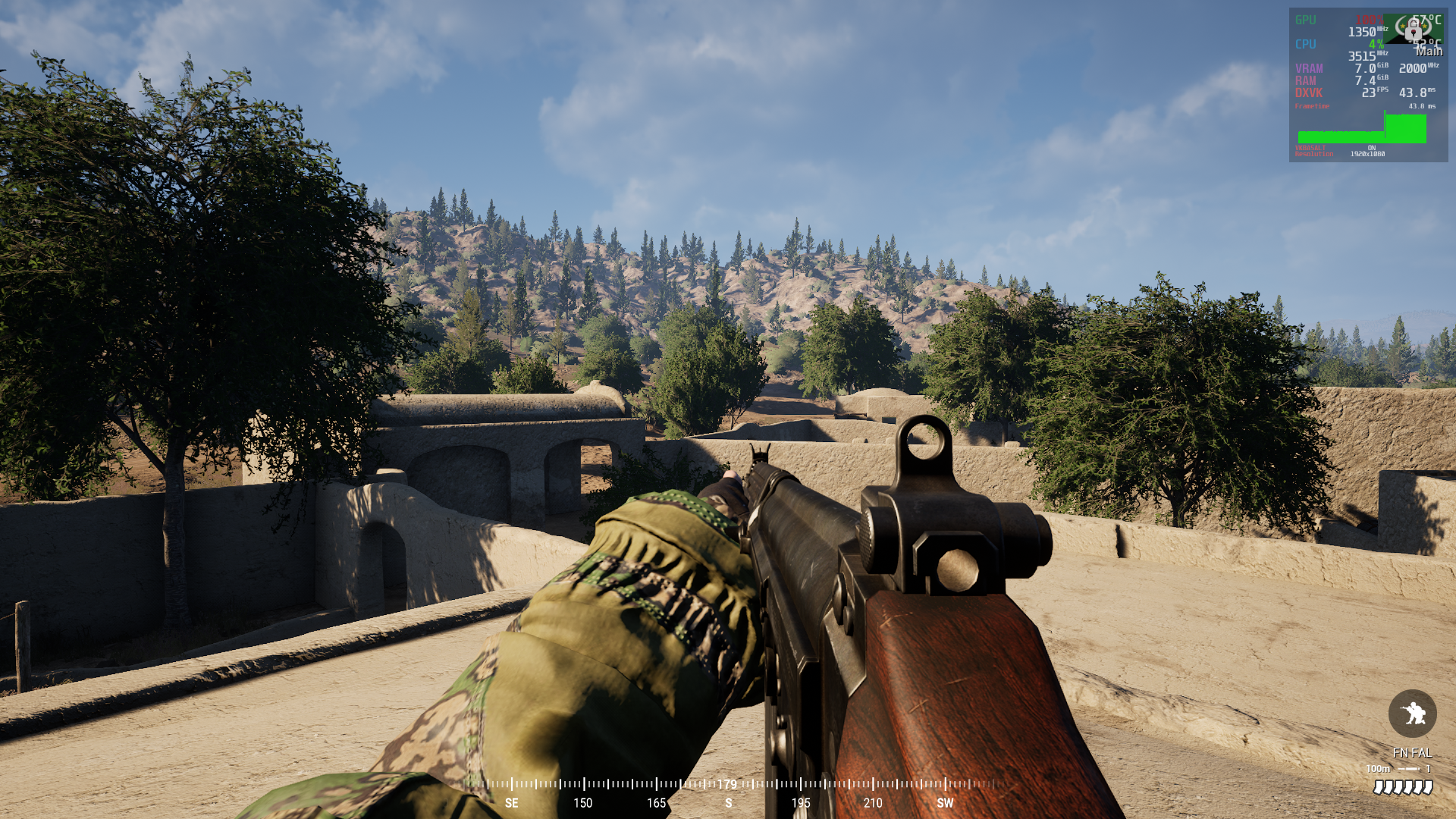
HighResShot 4
for me HighResShot trick never actually helps, FPS drops are still unplayable and far from first load before any map changes
I am now able to provoke an FPS drop by issuing the
HighResShotcommand - but only on a live server, locally it doesn't do anything. What the hell?
After doing a complete reinstall of the game, including a fresh wine prefix and turning the shader precaching option off and on again, I can not reproduce this anymore. Will have to see if the map cycle regression on live servers persists later today.
I know this isn't much help but just giving a +1 to some fairly major and seemingly unique to squad performance issues, it's pretty noticeably worse than most proton-running games, weirdly in some dense areas my fps is fine, it seems to be wide open and long sight lines (especially with distant foliage) that cause pretty massive fps drops (from around 70fps to 20-30fps, much, much lower performance than on windows - these drops don't happen for me on windows)
other than that it actually runs great for me, if whatever causes the dips has a work around it'd be great
OS: Arch Linux
KERNEL: 5.17.0-247-tkg-pds
CPU: AMD Ryzen 5 3600 6-Core
GPU: AMD Radeon RX 570 (POLARIS10, DRM 3.44.0, 5.17.0-247-tkg-pds, LLVM 13.0.1)
GPU DRIVER: 4.6 Mesa 21.3.7
RAM: 16 GB
this is on latest experimental proton, full steam hardware/specs: https://gist.github.com/smt923/a6399c9a383089039f83e4307b95c56a
Idk if this is much help either but I play on Fedora Silverblue with a Ryzen 7 5800X and a RX 580 with no issues and recently just upgraded to a 6700XT and still no issues so idk why I don't seem to have any of the performance issues mentioned here even playing back to back maps.
How do you get EAC working?
None of the solutions works for me anymore
How do you get EAC working?
None of the solutions works for me anymore
what worked for me is the steps here: https://squadfm.org/#installation-linux-only (download valve's EAC wine files, copy it to the folder, set read only permissions) something worth noting that I ran into is if you're running squad off a NTFS drive this won't really work, maybe there's a clever way to fudge permissions like that on NTFS but I had a lot more success just moving it to a more native file system where a chmod -w just works (just removing write seems to work, leaving both read and execute on):

what worked for me is the steps here: https://squadfm.org/#installation-linux-only
It does not work for me.
@ipimpat They don't post pics, Here is a pic of my working config:
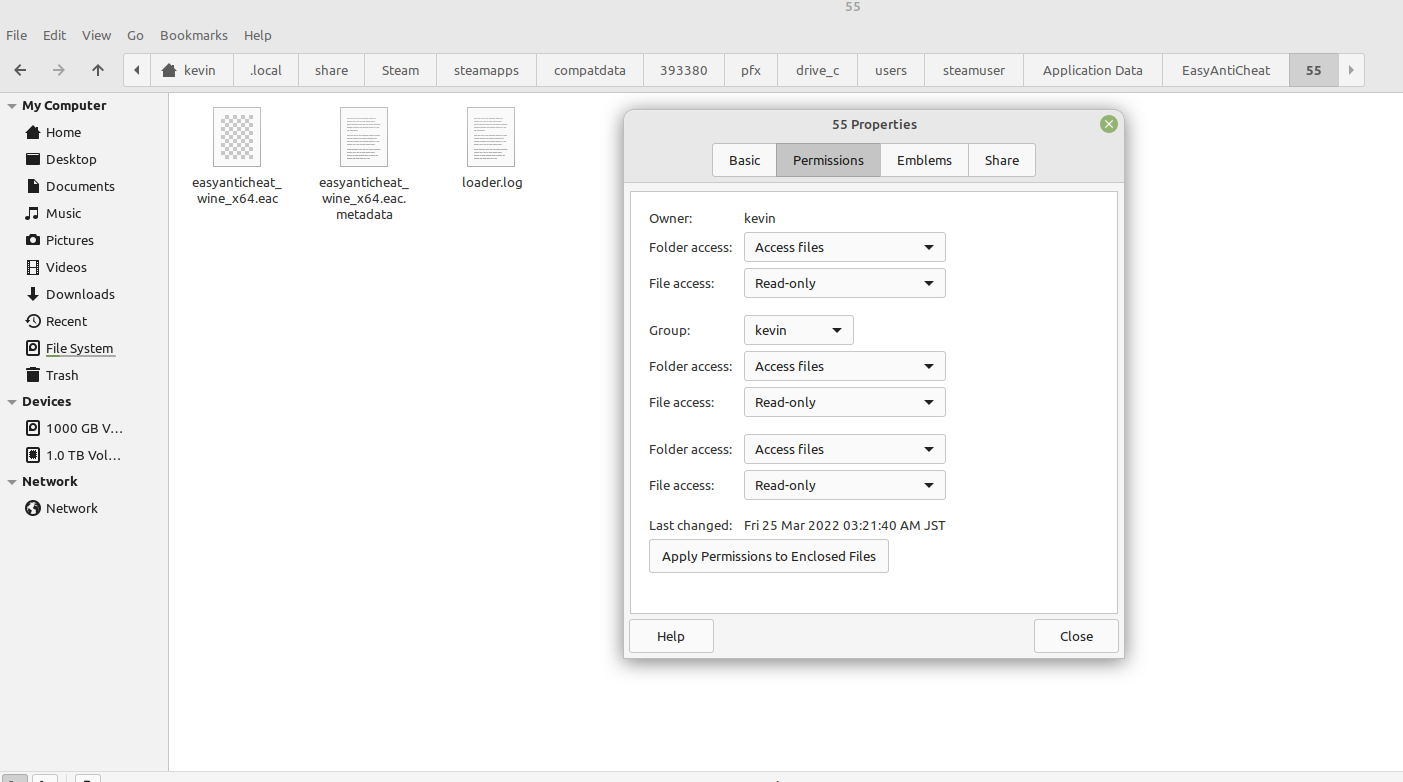
And don't forget to do the same for your temp directory!
what worked for me is the steps here: https://squadfm.org/#installation-linux-only
It does not work me.
I'm pretty sure you need to start the game at least once before applying the EAC workaround. I stuffed some of the tasks I found myself repeating too often into a (rather messy) shell script that you can find here if you're interested: https://gist.github.com/itspngu/496d51663a5e0a39b8f630db77fdb4e8
I'm pretty sure you need to start the game at least once before applying the EAC workaround.
Thanks for the reply, I'm already aware about what's required - I was participating in the discussions here when the EAC issue was worked out a long time ago, I posted some commands my self, back then: https://github.com/ValveSoftware/Proton/issues/938#issuecomment-652620750 which is referenced in your script too ;-)
I have tried all the variants of all suggested solutions, but I will try your script.
Basically the trick is:
- Start the game and let it fail.
- Add EAC files posted here.
- Prevent it from writing to temp dir.
- Start the game.
Oh, that's weird. The script doesn't do anything special so there's probably little point in trying. Just posted it I thought you were new to running Squad on Linux and perhaps got a path wrong or something. So you place the EAC blob and all that, start the game, and still get the warning? Or does it appear to work but you're kicked off live servers?
OT: The link to your post in my botchjob is a nice "full circle" moment I guess :joy:
Just to put this on the record since I've seen no mention of it in the thread: I was curious and tested Post Scriptum to see if it experienced the same fps-dropping issue as it's based on Squad's core engine or at least a fork of it, and this does seem to be the case after a couple of map switches from the shooting range causing the exact same problem.
How likely is it to be a hardware problem? Reports here consist of people with all sorts of CPU and GPU configurations, and unless there's some other part of the system causing such a massive bottleneck or there are specific chips that just don't have the issue, this does seem to point to a software issue if I'm reading this correctly.
Clearly there exists people that are able to play without issues, so it doesn't seem like it strictly stems from implementation of DXVK or the game, either. Since this issue can still occur when using DXVK on Windows, it might be an interesting experiment for someone who runs Squad without issues on Linux to see if the same applies on Windows.
OS: EndeavourOS
KERNEL: 5.16.16-arch1-1
CPU: Intel Core i3-8100 @ 3.60GHz
GPU: NVIDIA GeForce GTX 1660 Ti
GPU DRIVER: NVIDIA 510.54
RAM: 16 GB
After my last post I think I realized I was actually on GE Proton, on regular proton experimental the game does seem to run a bit more "consistently" (still at relatively lower fps than I'd expect compared to windows and other games via proton), the terrain dipping so dramatically isn't as pronounced but what I am noticing is pretty massive FPS loss when using magnified optics like the ACOGs, something that isn't present in iron sights or even the 1x sights like red dots, what's incredibly strange is this seems to be based purely on how 'far' the magnified optic is looking (looking down the ACOG at a rock is no fps drop, looking through an ACOG down a hill and into the distance is massive fps loss)
the fps loss when looking through magnified optics cuts me down from around 40-60 normally to about 15fps which is borderline unplayable for a game like squad imo
edit: after some testing, the same overall behaviour is present on windows, it's just much less impactful, probably a lot to do with overall performance being better on windows (70-80fps which drops to 65-70fps at worst, vs 40-60 which drops to 15-20 on linux pretty consistently), I don't expect perfect linux performance on proton games but squad does seem to run a bit worse and less consistent than other proton games
I've tried all a few different permission sets based on the recommendations, tried various version of proton included ge, eac popup still warning. Unsure how to proceed. I;ve gone up and tried a few methods and still hitting a dead end.
Kernel: 5.15.28-1-MANJARO
Hey @bitbucket90
This is what I did to get my game running:
# Launch the game, let it give you the error, close the game.

# Note, these files are provided by imaami, I repackaged them to not include the directories and set read-only permissions
# Original source: https://github.com/ValveSoftware/Proton/files/4839724/easyanticheat_wine_x64.tar.gz
curl -L 'https://github.com/ValveSoftware/Proton/files/8481394/eac_wine_x64.tar.gz' -o /tmp/eac_wine_x64.tar.gz

# Your directories may differ, do not proceed if you're not in this directory unless you know what you're doing
cd "/home/$USER/.steam/steam/steamapps/compatdata/393380/pfx/drive_c/users/steamuser"

# Extract the EAC files to the correct folder preserving read-only permissions
tar xvf '/tmp/eac_wine_x64.tar.gz' -C "$PWD/Application Data/EasyAntiCheat/55/" -p

# Set the steamuser Temp directory read-only
chmod a-rwx "$PWD/Temp"

# Launch the game
Additional note, I've used this, if the above still doesn't work try running this (mind the path):
WINEPREFIX=$HOME/.steam/root/steamapps/compatdata/393380/pfx winetricks hidewineexports=enable.
NB! Make sure you have installed winetricks with your package manager.
@observinglynx
Additional note, I've used this, if it still doesn't work try running this (mind the path):
WINEPREFIX=$HOME/.steam/root/steamapps/compatdata/393380/pfx winetricks hidewineexports=enable.
Just want to say this worked, thank you.
Hi All!
I have a really odd problem with Squad running on Linux mint.
I am getting this error randomly:
[2022.04.15-15.40.15:047][ 0]LogWindows: Error: Assertion failed: Client->QueryInterface( __uuidof( IDebugControl4 ), ( void** )&Control ) == ((HRESULT)0L) [File:C:/buildWork/482dc7ffae9b9a8a/UnrealEngine/Engine/Source/Developer/CrashDebugHelper/Private/Windows/WindowsPlatformStackWalkExt.cpp] [Line: 48]
It seems like every few reboots, the game will run, but probably 9/10 times, it crashes at the startup loading screen with this error produced in the "CrashReportClient.log" file.
Replying to https://github.com/ValveSoftware/Proton/issues/938#issuecomment-1098006496
This worked for me and I no longer get the message. I was doing this on a different mnt, and somewhere some path just was not working, then I ended up corrupting squad so I reinstalled onto default sys drive. Good to go.
For anyone with FPS drops or random rate drops - all the fixes have not helped me, other then going to the performance fix branch, which has zero servers on it. Thus we are in a holding game going to report to devs. Unless they ware watching here.
For anyone with FPS drops or random rate drops - all the fixes have not helped me, other then going to the performance fix branch, which has zero servers on it. Thus we are in a holding game going to report to devs. Unless they ware watching here.
It's important to note that frame drops in very busy situations, such as an air strike on a HAB with deployables getting blown up, are endemic to the game and not any better or worse on linux compared to the game's performance on windows. The linux-specific performance problem that's been discussed a lot here is that some people's FPS tank massively when loading into a new map, which (for some) can be fixed by running the HighResShot command; that one doesn't happen on windows.
This is the massive spike in talking about - mine happens regardless when and where. And the command console fox does not help me. The only fix I noted without testing online was the branch fix. This is not the same as my fps drops do to action (I see this even in my windows boot with the 3080).
On Sun, Apr 17, 2022 at 9:49 AM, Thorben @.***> wrote:
For anyone with FPS drops or random rate drops - all the fixes have not helped me, other then going to the performance fix branch, which has zero servers on it. Thus we are in a holding game going to report to devs. Unless they ware watching here.
It's important to note that frame drops in very busy situations, such as an air strike on a HAB with deployables getting blown up, are endemic to the game and not any better or worse on linux compared to the game's performance on windows. The linux-specific performance problem that's been discussed a lot here is that some people's FPS tank massively when loading into a new map, which (for some) can be fixed by running the HighResShot command; that one doesn't happen on windows.
—
Reply to this email directly, view it on GitHub, or unsubscribe.
You are receiving this because you were mentioned.Message ID: @.***>
I did play three maps in a row without FPS drop. Only luck I guess.
Same happens to me, nvidia 2060 GPU, tried different proton versions, different graphical settings in-game, after every map change fps drops to < 10, sometimes HighResShot 4 fixes it but on maps with Australian helicopters I cannot look at them from ~ 30 meters away or I get 1-2 fps, same while attempting to fly. Only way to fly with those helicopters is in the landing camera and that is not ideal. No problems with other helicopters.
still having EAC issues... tried all the fixes in the thread and probably reinstalled 20 times. tried various directories, .local, .steam all that nothings worked. just gonna wait for an update.
just gonna wait for an update.
You will probably have to wait for a long time. This game does not official support Proton and no one seems to be working on it.
@observinglynx
Additional note, I've used this, if the above still doesn't work try running this (mind the path):
WINEPREFIX=$HOME/.steam/root/steamapps/compatdata/393380/pfx winetricks hidewineexports=enable.
NB! Make sure you have installed winetricks with your package manager.
So I had to delete my prefix and try this again but its not working now, you just replaced the $HOME with your file path to the pfx folder correct?
@Ichironi
So I had to delete my prefix and try this again but its not working now, you just replaced the $HOME with your file path to the pfx folder correct?
$HOME -> /home/$USER -> /home/johnsmith
On debian, steam directories get installed to /home/johnsmith/.steam.
The command without special variables on debian would be:
WINEPREFIX=/home/johnsmith/.steam/root/steamapps/compatdata/393380/pfx winetricks hidewineexports=enable
To be clear, replace johnsmith with your real account name.
Before launching, verify:
- easyanticheat_wine_x64.eac and easyanticheat_wine_x64.eac.metadata are in this directory:
{...}/steam/steamapps/compatdata/393380/pfx/drive_c/users/steamuser/Application Data/EasyAntiCheat/55/ - easyanticheat_wine_x64.eac and easyanticheat_wine_x64.eac.metadata have read-only permissions.
{...}/steam/steamapps/compatdata/393380/pfx/drive_c/users/steamuser/Tempdirectory is read-only.
If you are still running into issues, please provide the output of ls -al on:
{...}/steam/steamapps/compatdata/393380/pfx/drive_c/users/steamuser/Application Data/EasyAntiCheat/55/{...}/steam/steamapps/compatdata/393380/pfx/drive_c/users/steamuser/Temp
Edit:
@hogcycle same suggestions and request to you as well.
@observinglynx I do the above, I get EAC pop-up prompting for me to "install EAC". If I do so, it exits after saying it was successfully installed, if I do not, it will fail and exit and I will be in a loop of that behavior if I always say no.
When I re-launch the game after successfully installing, I get this error:
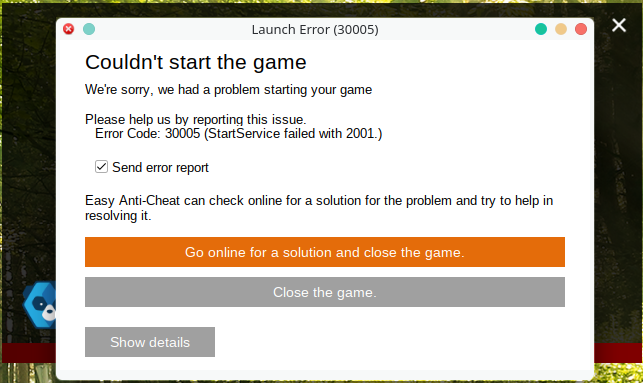
Temp ls -al
dr--r--r-- 1 lagomankor users  1248 May 22 08:37 .
drwxr-x--- 1 lagomankor users   276 May 22 08:32 ..
-rwxr-xr-x 1 lagomankor users 33045 May 22 08:32 dd_vcredist_amd64_20220522083225_0_vcRuntimeMinimum_x64.log
-rwxr-xr-x 1 lagomankor users 36101 May 22 08:32 dd_vcredist_amd64_20220522083225_1_vcRuntimeAdditional_x64.log
-rwxr-xr-x 1 lagomankor users  9141 May 22 08:32 dd_vcredist_amd64_20220522083225.log
-rwxr-xr-x 1 lagomankor users 35955 May 22 08:32 dd_vcredist_amd64_20220522083227_000_vcRuntimeMinimum_x64.log
-rwxr-xr-x 1 lagomankor users 31023 May 22 08:32 dd_vcredist_amd64_20220522083227_001_vcRuntimeAdditional_x64.log
-rwxr-xr-x 1 lagomankor users 16544 May 22 08:32 dd_vcredist_amd64_20220522083227.log
-rwxr-xr-x 1 lagomankor users 32859 May 22 08:32 dd_vcredist_x86_20220522083224_0_vcRuntimeMinimum_x86.log
-rwxr-xr-x 1 lagomankor users 35819 May 22 08:32 dd_vcredist_x86_20220522083224_1_vcRuntimeAdditional_x86.log
-rwxr-xr-x 1 lagomankor users  9042 May 22 08:32 dd_vcredist_x86_20220522083224.log
-rwxr-xr-x 1 lagomankor users 33533 May 22 08:32 dd_vcredist_x86_20220522083226_000_vcRuntimeMinimum_x86.log
-rwxr-xr-x 1 lagomankor users 28839 May 22 08:32 dd_vcredist_x86_20220522083226_001_vcRuntimeAdditional_x86.log
-rwxr-xr-x 1 lagomankor users 16384 May 22 08:32 dd_vcredist_x86_20220522083226.log
55 directory:
drwxr-xr-x 1 lagomankor users     142 May 22 08:46 .
drwxr-x--- 1 lagomankor users      36 May 22 08:32 ..
-r--r--r-- 1 lagomankor users 3977216 May 22 08:35 easyanticheat_wine_x64.eac
-r--r--r-- 1 lagomankor users 3977216 May 22 08:35 easyanticheat_wine_x64.eac.metadata
-rw-r----- 1 lagomankor users  156076 May 22 08:45 loader.log
Proof that my winetricks installed:
Executing mkdir -p /media/data_lin/SteamLibrary/steamapps/compatdata/393380
------------------------------------------------------
warning: You are using a 64-bit WINEPREFIX. Note that many verbs only install 32-bit versions of packages. If you encounter problems, please retest in a clean 32-bit WINEPREFIX before reporting a bug.
------------------------------------------------------
Using winetricks 20220411 - sha256sum: 69856050cfe9d97902dfd68c1ad42a10a4be0fe76660744126d7e3ed75610495 with wine-7.7 (Staging) and WINEARCH=win64
Executing w_do_call hidewineexports=enable
Executing mkdir -p /media/data_lin/SteamLibrary/steamapps/compatdata/393380
------------------------------------------------------
warning: You are using a 64-bit WINEPREFIX. Note that many verbs only install 32-bit versions of packages. If you encounter problems, please retest in a clean 32-bit WINEPREFIX before reporting a bug.
------------------------------------------------------
Executing load_hidewineexports enable
Executing wine regedit /media/data_lin/SteamLibrary/steamapps/compatdata/393380/pfx/dosdevices/c:/windows/temp/set-wineexports.reg
Executing wine64 regedit /media/data_lin/SteamLibrary/steamapps/compatdata/393380/pfx/dosdevices/c:/windows/temp/set-wineexports.reg
@bpgerber
Show me your sha256sum output for the .eac* files.
user /tmp$ sha256sum easy*
ebaea91fe1c4917c157a6d5e5fd6e16423561d43ca80c2ec337b37a13da85318  easyanticheat_wine_x64.eac
f2fe947767a32ce9fed1c7ad24ce5d250a2ad73dae23e17c07d22ab9c97c0dbc  easyanticheat_wine_x64.eac.metadata
-r--r--r--  1 user user 3977216 Jun 26  2020 easyanticheat_wine_x64.eac
-r--r--r--  1 user user      88 Jun 26  2020 easyanticheat_wine_x64.eac.metadata
It looks to me that you've overwritten the *.eac.metadata file content at some point.
@observinglynx
you are right, I did overwrite them at some point. I just nuked the prefix and re-installed it with the winetricks fix, new temp directory read-only, new *.eac files, etc..
Exact same behavior:
sha256 easy*
ebaea91fe1c4917c157a6d5e5fd6e16423561d43ca80c2ec337b37a13da85318  easyanticheat_wine_x64.eac
f2fe947767a32ce9fed1c7ad24ce5d250a2ad73dae23e17c07d22ab9c97c0dbc  easyanticheat_wine_x64.eac.metadata
ls -al of 55/
drwxr-x--- 1 lagomankor users     142 May 29 14:01 .
drwxr-x--- 1 lagomankor users      36 May 29 13:54 ..
-r--r--r-- 1 lagomankor users 3977216 May 29 13:57 easyanticheat_wine_x64.eac
-r--r--r-- 1 lagomankor users      88 May 29 13:57 easyanticheat_wine_x64.eac.metadata
-rw-r----- 1 lagomankor users  182421 May 29 14:00 loader.log
loader.log
[2022.05.29-14.00.52] Loader initialized.
[2022.05.29-14.00.52] [Connection] Connecting to URL: https://download.eac-cdn.com/api/v1/games/55/client/wow64_win64/download/?uuid=b966c2f4-7cef-a71d-c6b7-09d2636413c3
[2022.05.29-14.00.52] Download Progress: 0%.
... (got rid of progress for length)
[2022.05.29-14.00.53] Download Progress: 99%.
[2022.05.29-14.00.53] Download Progress: 99%.
[2022.05.29-14.00.53] Download Progress: 100%.
[2022.05.29-14.00.53] Download Progress: 100%.
[2022.05.29-14.00.53] Download Progress: 100%.
[2022.05.29-14.00.53] Download Progress: 100%.
[2022.05.29-14.00.53] [Connection] Connect result: No error (0) Response Code: 200 Destination IP: 13.225.18.96
[2022.05.29-14.00.53] Download Progress: 100%.
sudo ls -al Temp/
dr--r--r-- 1 lagomankor users  1248 May 29 13:55 .
drwxr-x--- 1 lagomankor users   276 May 29 13:53 ..
-rw-r----- 1 lagomankor users 33045 May 29 13:53 dd_vcredist_amd64_20220529135358_0_vcRuntimeMinimum_x64.log
-rw-r----- 1 lagomankor users 36101 May 29 13:53 dd_vcredist_amd64_20220529135358_1_vcRuntimeAdditional_x64.log
-rw-r----- 1 lagomankor users  9141 May 29 13:53 dd_vcredist_amd64_20220529135358.log
-rw-r----- 1 lagomankor users 35955 May 29 13:54 dd_vcredist_amd64_20220529135400_000_vcRuntimeMinimum_x64.log
-rw-r----- 1 lagomankor users 31023 May 29 13:54 dd_vcredist_amd64_20220529135400_001_vcRuntimeAdditional_x64.log
-rw-r----- 1 lagomankor users 16544 May 29 13:54 dd_vcredist_amd64_20220529135400.log
-rw-r----- 1 lagomankor users 32859 May 29 13:53 dd_vcredist_x86_20220529135357_0_vcRuntimeMinimum_x86.log
-rw-r----- 1 lagomankor users 35819 May 29 13:53 dd_vcredist_x86_20220529135357_1_vcRuntimeAdditional_x86.log
-rw-r----- 1 lagomankor users  9042 May 29 13:53 dd_vcredist_x86_20220529135357.log
-rw-r----- 1 lagomankor users 33533 May 29 13:54 dd_vcredist_x86_20220529135359_000_vcRuntimeMinimum_x86.log
-rw-r----- 1 lagomankor users 28839 May 29 13:54 dd_vcredist_x86_20220529135359_001_vcRuntimeAdditional_x86.log
-rw-r----- 1 lagomankor users 16384 May 29 13:54 dd_vcredist_x86_20220529135359.log
Anyone fix the 1fps drops and the like on like every multiplayer map? 3080, can't seem to do anything have to close out, does not matter graphical settings, mango shows 100% on gpu, and dxvk at like 700ms latency.
+1 with regards to the fps hit. I have a fairly powerful pc, but sometimes the game randomly drops to 12 fps and I have no option other than to restart the application to get reasonable framerates again.
Intrestingly, I had this issue. Since I have upgraded my GPU, I really haven't seen this issue, tho I can see that Squad takes ~10GB of VRAM, which is quite a lot.
I am also using GloriousEggRoll's proton with async shaders
Doesn't look like there's any improvement to the fps issue with v3 - still getting it.
Also am curious, has anyone been able to get Squad running on Wayland without crashes? It runs as it would on X until a little while after booting the game (usually ~5-10 minutes), where Steam will crash in the background, and then Squad if I try to interact with the menu.
has anyone been able to get Squad running on Wayland
I've never run it on anything else - as far as DE/WM is concerned (sway user). Games themselves are run in XWayland unless you use some Wine patches that are rather experimental and not really compatible with anything else. In fact I'm not even sure if you could build Proton with them.
PSA, somebody wrote a "protonfix" for the EAC workaround and it's shipped with Proton-GE as of version 7-21.
https://github.com/GloriousEggroll/protonfixes/pull/76
https://github.com/GloriousEggroll/proton-ge-custom/releases/tag/GE-Proton7-21
PSA, somebody wrote a "protonfix" for the EAC workaround and it's shipped with Proton-GE as of version 7-21.
GloriousEggroll/protonfixes#76 https://github.com/GloriousEggroll/proton-ge-custom/releases/tag/GE-Proton7-21
Tested & confirmed, GE-Proton7-21 runs Squad out of the box!
One thing would be nice though: I took a look at what the protonfix downloads, and it's not the last EAC blob before it was pulled but the one before that. I'll attach the most recent one.
easyanticheat_wine_x64-2020-08-04.tar.gz
Replying to https://github.com/ValveSoftware/Proton/issues/938#issuecomment-1166574236
Does that have any implications?
PSA, somebody wrote a "protonfix" for the EAC workaround and it's shipped with Proton-GE as of version 7-21.
GloriousEggroll/protonfixes#76 https://github.com/GloriousEggroll/proton-ge-custom/releases/tag/GE-Proton7-21
Great! I am still getting terrible fps though ( peformance is fine for a second and then terrible for the rest of the tutorial ). What is the fix with that proton version?
Could it be compiling shaders?
@GunpowderGuy With other versions of Proton, users normally have to manually set up EAC so they can play on multiplayer for Squad. This version of Proton that GE rolled out does it automatically so it can run multiplayer without any tinkering, which fixes an issue unrelated to performance.
Replying to [#938 (comment)](https://github.com/ValveSoftware/Proton/issues/938#issuecomment-1166574236)
Does that have any implications?
I have no idea as the EAC blob is very much a black box. I assume that the most recent blob is preferable to the second most recent; maybe it has fixes or improvements in it, or maybe it's different because the same module was simply recompiled at some point, who knows.
PSA, somebody wrote a "protonfix" for the EAC workaround and it's shipped with Proton-GE as of version 7-21.
GloriousEggroll/protonfixes#76 https://github.com/GloriousEggroll/proton-ge-custom/releases/tag/GE-Proton7-21Great! I am still getting terrible fps though ( peformance is fine for a second and then terrible for the rest of the tutorial ). What is the fix with that proton version?
Considering, that Squad takes ~9GB of VRAM, you need GPUI with 16GB of VRAM to run it. Since I upgraded my GPU, I haven't experienced low FPS for quite some time(Actually I did experience low FPS yesterday, it was for about 5 seconds, so I do not think it was because of that issue, especially when everyone complained about it)
GPU usage itself is actually quite low(60%) so there is some kind of CPU bottleneck going on here, but FPS is high enough that I do not actually care(~70-80 FPS)
Hopefully there will come a time when Squad uses less VRAM through Proton, since most modern GPUs only have 8GB (if that), and VRAM usage isn't nearly as high on Windows.
Squad has -dx12 switch, that launches squad in DirectX 12 mode(Default is DirectX 11). I have tried it, but so far it tells me that I do not have DirectX 12 supported. I presume that VKD3D just does not work for some reason.
Squad has
-dx12switch, that launches squad in DirectX 12 mode(Default is DirectX 11). I have tried it, but so far it tells me that I do not have DirectX 12 supported. I presume that VKD3D just does not work for some reason.
needs a wine patch (and didn't seem worthwhile when I tried it): https://github.com/ValveSoftware/Proton/issues/938#issuecomment-977282442
Should try building it - as maybe - JUST MAYBE it uses less VRAM in DX12 mode, and can fix low FPS issues on GPU s with less than 10GB of ram
Should try building it - as maybe - JUST MAYBE it uses less VRAM in DX12 mode, and can fix low FPS issues on GPU s with less than 10GB of ram
already tried it, on 1080 it was unplayable performance. I doubt it will be better on my RTX 3080 right now, but it's not only me who tried that so please view the whole issue thread and you will find why (and how) this solution is not the solution
Should try building it - as maybe - JUST MAYBE it uses less VRAM in DX12 mode, and can fix low FPS issues on GPU s with less than 10GB of ram
already tried it, on 1080 it was unplayable performance. I doubt it will be better on my RTX 3080 right now, but it's not only me who tried that so please view the whole issue thread and you will find why (and how) this solution is not the solution
So, I tried it - performance was as good as DX11 mode with no jitter(Last time I tried it I remember I had bad jitter), I did not see more than 7GB of VRAM usage... I still doubt that it can help for horrible performance tho
So, I tried it - performance was as good as DX11 mode with no jitter(Last time I tried it I remember I had bad jitter), I did not see more than 7GB of VRAM usage... I still doubt that it can help for horrible performance tho
okay, i ll try it again soon on new 3080/10G, maybe it will be any better.
any VRAM leaks on maps change? what GPU do you have?
for some reason i never saw "DX12" any good on Proton even when same GPU was okay on Win10.
So, I tried it - performance was as good as DX11 mode with no jitter(Last time I tried it I remember I had bad jitter), I did not see more than 7GB of VRAM usage... I still doubt that it can help for horrible performance tho
okay, i ll try it again soon on new 3080/10G, maybe it will be any better. any VRAM leaks on maps change? what GPU do you have? for some reason i never saw "DX12" any good on Proton even when same GPU was okay on Win10.
So, I do see telltale VRAM leaks, and I see 11GB of VRAM usage on Fallujah, so I do not think you will have great experience on your 3080.
I have RX6900XT with 16GB of VRAM and I have not experienced these performace issues ever since I upgraded from Vega64 with 8GB of VRAM.
When I had Vega64 and I had these issues, I could see that VRAM usage was pretty much 100%, so I am really certain, it is VRAM usage issue
We can hope this ongoing work will solve the VRAM issue: https://github.com/doitsujin/dxvk/pull/2663
We can hope this ongoing work will solve the VRAM issue: doitsujin/dxvk#2663
all seems to be D3D9 related, squad is D3D11
The PR is about regular system memory for d3d9 32bit games ye. Doesn't touch vram.
I also have a 3080 and see the vram leaks. Going to put a higher vram card in and test this out now that gpu prices have come down.
The performance is killed after map change and after respawn (Sometimes). Highresshot may work one time, but thats it :/ I really hope this will be fixed.
Ok can confirm I have ZERO issues on the 3090 with 24gb of vram just on my 3080.
on 3080 \ 10G i dont have issues for few map changes, but more changes and/or graphical settings change doing same problem. I doubt this problem will be ever fixed, just forgotten after new cards arrived.
@bitbucket90 how much vRAM is in use on the 3090?
5gb in Menu
9.5gb when loading a map
12.1g first joining menu screen to pick teams = around 12.1-12.5 when not much is going on, havent seen it go beyond, someone kicked me for my mic not working lol but thats the numbers I got.
I saw zero fps drops, other then normal, seemed less choppy then windows after first minute of loading in. Map switch was fine, graphics on epic was fine around 60 fps.
The performance is killed after map change and after respawn (Sometimes). Highresshot may work one time, but thats it :/ I really hope this will be fixed.
Same here, there are even specific maps where it happens more often. Also the FPS starts at about 40 and with time it goes down to 25, where I usually restart the game. Usually on Goose Bay, and Black Coast; although it can happen on other maps those are the two maps I've had issues with most often.
Do we need to open another issue thread or is this the thread for all the issues in Squad?
Hello @Coder-DG, the latter, this is the right place for all feedback related to running Squad with Proton.
For me it happens with most maps now, after a short time, and most servers have very long queues, so you won't be able to get back into the same match, when you restart the game.
And some maps are completely unplayable, the stuttering begins immediately.
Damn I wish this would be resolved soon, so you don't need a $1500 graphics card to play Squad on Linux :-(
I can confirm the same issue, plays fine (even better than Windows?) on the first map, but after a map switch it just grinds to a halt. I have a 3070 RTX. Tried both proton 7.0-4 and experimental.
So the vram issues aside (12gb+ seems to work fine), new regression on Anti Cheat, joined a server, was waiting, got a time out error on anti-cheat.
And I just re added the easyanticheat file from repo and all good.
I reinstalled, then followed the steps and it worked for me. Had to WIPE it off fully however.
3060ti here, terrible performance at very conservative settings. ~30 FPS on latest 510 drivers
Tried reinstalling the thing from scratch as suggested, but as usual with a 1660ti I get the first round with decent fps and the second grinds to 3 fps. I've noticed a huge FPS degradation even when just loading maps with USMC forces in it
I think the only thing we can do is wait for the developers. They don't seem to care however.
Aaand EAC is broken again...
Aaand EAC is broken again...
Sure is. :( I noticed that Squad now has a new EAC installer, the filename reveals they've updated to the EOS version of EAC.
Getting EAC errors in game
[EOS] Reason: Null Client | Details: Antcheat client protection not active (NullClient)
And:
[EOS] Reason: Authentication Faiiled | Details: Authentication timed out (1/2)
- Current Valve EAC fix doesn't work
- Validating game files doesn't work
- Reinstalling and putting Valve EAC fix in the new EAC folder (
EasyAntiCheat/55c7dc1d520f4cba8ff261b85059f963/5dee4062a90b42cd98fcad618b6636c2/) - Proton version nor GE doesn't seem to make a difference
Loader log looks like:
[2022.11.10-17.12.35] Loader initializing with bootstrapper version 1.3.1.
[2022.11.10-17.12.35] Loader initialized.
[2022.11.10-17.12.35] [Connection] Connecting to URL: https://modules-cdn.eac-prod.on.epicgames.com/modules/55c7dc1d520f4cba8ff261b85059f963/5dee4062a90b42cd98fcad618b6636c2/linux32_64
[2022.11.10-17.12.35] Download Progress: 0    <repeats loads>
[2022.11.10-17.12.36] Download Progress: 0
[2022.11.10-17.12.36] [Connection] Connect result: No error (0) Response Code: 403 Destination IP: 13.227.219.27
[2022.11.10-17.12.36] HTTP Response Code: 403 Curl Code: 403
[2022.11.10-17.12.36] [EAC Callback] Code: 506. Message: 'HTTP Response Code: 403 Curl Code: 403'.
Please help.
I am having the same issue as well.
It seems to be fixed now. I deleted the EasyAntiCheat directory located in SteamLibrary/steamapps/compatdata/393380/pfx/drive_c/users/steamuser/Application Data and started the game again. It downloaded the correct EAC version and I was able to play. Probably a permission issue on the EAC server side that got corrected.
Confirm @FaulTTY solution.
I am guessing that the previous workaround of limiting read-write permissions to the EAC directory needs to be undone to get it to work. It seems to work now.
Confirm @FaulTTY solution.
I am guessing that the previous workaround of limiting read-write permissions to the EAC directory needs to be undone to get it to work. It seems to work now.
AFAIK only GE-Proton7 has the Squad protonfix that downloads an EAC blob and modifies directory permissions. Which version did you test with?
Confirm @FaulTTY solution.
I am guessing that the previous workaround of limiting read-write permissions to the EAC directory needs to be undone to get it to work. It seems to work now.AFAIK only GE-Proton7 has the Squad protonfix that downloads an EAC blob and modifies directory permissions. Which version did you test with?
So now it works if you use proton experimental when launching it after you reinstall it. No idea how but I was able to play for 3 hours last night without getting kicked.
You're right, I thought I was using Experimental, but I have been using GE-Proton7-41, which sets the directory permissions as follows:
dr-xr-xr-x - user 12 Nov 09:36 55
drwxr-xr-x - user 12 Nov 09:36 55c7dc1d520f4cba8ff261b85059f963
.rw-r--r-- 260k user 12 Nov 09:36 anticheatlauncher.log
drwxr-xr-x - user 12 Nov 09:36 GameLauncher
I bought a new GPU recently so I thought I'd give Squad another try.
Anyway I got an RX 6600 (8GB). Now my game freezes after the initial loading screen. I can't close it and it keeps producing the audio of what sounds like a beach???
Alt tab, go to terminal, type in top, wait for the squad process, ctrl + c
out of top and type kill (insert pid number) to kill the squad game and
then reattempt launching.
On Tue, Dec 6, 2022, 16:45 Rein F @.***> wrote:
I bought a new GPU recently so I thought I'd give Squad another try.
Anyway I got an RX 6600 (8GB). Now my game freezes after the initial
loading screen. I can't close it and it keeps producing the audio of what
sounds like a beach???VRAM is measured at 6359M, on the frozen loading screen....
—
Reply to this email directly, view it on GitHub
https://github.com/ValveSoftware/Proton/issues/938#issuecomment-1340112343,
or unsubscribe
https://github.com/notifications/unsubscribe-auth/AUL6JIJ63ATCY7NWKKE3ATTWL66XBANCNFSM4FSJAK6Q
.
You are receiving this because you commented.Message ID:
@.***>
Reinstalled, now getting nulldevice anticheat warnings when joining. Tried a vew versions of ProtonGE and Proton to no avail. Have both dirs (55 and Temp) as readonly only after first trying to join, seeing the error, then adding the new EAC files and then setting dirs to read only.
Is it borked now? Can anyone else confirm. Seems like an update just pushed recently.
Reinstalled, now getting nulldevice anticheat warnings when joining. Tried a vew versions of ProtonGE and Proton to no avail. Have both dirs (55 and Temp) as readonly only after first trying to join, seeing the error, then adding the new EAC files and then setting dirs to read only.
Is it borked now? Can anyone else confirm. Seems like an update just pushed recently.
As far as I know (not sure tough) you have to undo all the aec file permission stuff. Like a fresh install. I've read it's not necessary anymore.
So with the Chinese update it's now platinum. Meaning that if you use
proton experimental there is no need to transfer files over. It works
straight out of the box. My best recommendation is to uninstall and
reinstall the game and boot it up using proton ge experimental.
On Thu, Jan 12, 2023, 15:35 Brandon Pendleton @.***>
wrote:
Reinstalled, now getting nulldevice anticheat warnings when joining. Tried
a vew versions of ProtonGE and Proton to no avail. Have both dirs (55 and
Temp) as readonly only after first trying to join, seeing the error, then
adding the new EAC files and then setting dirs to read only.Is it borked now? Can anyone else confirm. Seems like an update just
pushed recently.—
Reply to this email directly, view it on GitHub
https://github.com/ValveSoftware/Proton/issues/938#issuecomment-1381020006,
or unsubscribe
https://github.com/notifications/unsubscribe-auth/AUL6JIPBNAZYZGGZGUPWKODWSB2LRANCNFSM4FSJAK6Q
.
You are receiving this because you commented.Message ID:
@.***>
Thank you both, saw the notification hit my phone and have it reinstalling now. God I need to get 10gbe in here! Will report back. Thank you again, been a few months since i've been able to play so had some dust collecting should have checked gh first.
Running experimental im seeing
Fossilize INFO: Overriding serialization path: "/mnt/9e402c0d-92c9-44c1-b17e-c3099ed10f03/SteamLibrary/steamapps/shadercache/393380/fozpipelinesv6/steamapprun_pipeline_cache".
warn:  DXVK: No state cache file found
info:  DXVK: Graphics pipeline libraries not supported
info:  D3D9DeviceEx::ResetSwapChain:
info:    Requested Presentation Parameters
info:      - Width:              1
info:      - Height:             1
info:      - Format:             D3D9Format::Unknown
info:      - Auto Depth Stencil: false
info:                  ^ Format: D3D9Format::Unknown
info:      - Windowed:           true
info:  Presenter: Actual swap chain properties:
info:    Format:       VK_FORMAT_B8G8R8A8_UNORM
info:    Present mode: VK_PRESENT_MODE_IMMEDIATE_KHR
info:    Buffer size:  1x1
info:    Image count:  3
info:    Exclusive FS: 0
XIO:  fatal IO error 25 (Inappropriate ioctl for device) on X server ":1"
      after 229 requests (229 known processed) with 1 events remaining.
pid 635247 != 635246, skipping destruction (fork without exec?)
I've not seen this error before, I assume related to DXVK, but have not made changes there (this was after fresh install and using experimental. Im on Manjaro. Using a 3090. Im on the 470x drivers.
Ah. I personally run mint with an AMD 6600XT. Could be a driver issue?
On Thu, Jan 12, 2023, 16:50 Brandon Pendleton @.***>
wrote:
Running experimental im seeing
Fossilize INFO: Overriding serialization path:
"/mnt/9e402c0d-92c9-44c1-b17e-c3099ed10f03/SteamLibrary/steamapps/shadercache/393380/fozpipelinesv6/steamapprun_pipeline_cache".
warn: DXVK: No state cache file found info: DXVK: Graphics pipeline
libraries not supported info: D3D9DeviceEx::ResetSwapChain: info: Requested
Presentation Parameters info: - Width: 1 info: - Height: 1 info: - Format:
D3D9Format::Unknown info: - Auto Depth Stencil: false info: ^ Format:
D3D9Format::Unknown info: - Windowed: true info: Presenter: Actual swap
chain properties: info: Format: VK_FORMAT_B8G8R8A8_UNORM info: Present
mode: VK_PRESENT_MODE_IMMEDIATE_KHR info: Buffer size: 1x1 info: Image
count: 3 info: Exclusive FS: 0 XIO: fatal IO error 25 (Inappropriate ioctl
for device) on X server ":1" after 229 requests (229 known processed) with
1 events remaining. pid 635247 != 635246, skipping destruction (fork
without exec?)I've not seen this error before, I assume related to DXVK, but have not
made changes there (this was after fresh install and using experimental. Im
on Manjaro. Using a 3090. Im on the 470x drivers.—
Reply to this email directly, view it on GitHub
https://github.com/ValveSoftware/Proton/issues/938#issuecomment-1381080017,
or unsubscribe
https://github.com/notifications/unsubscribe-auth/AUL6JIOHHWIZOFYTXJHOOIDWSCDEHANCNFSM4FSJAK6Q
.
You are receiving this because you commented.Message ID:
@.***>
Went down a rabbit hole. My issues were IBT related (im on an 11th gen intel), so I ripped out Manjaro and went Arch. Setup the new drivers with new kernel, just finished installing squad, removed some amdvlk packages and it is working agian (with just installing).
My issue has not been resolved.
Yesterday I played Squad public testing (774941), and everything was fine, no EAC issues, and it was using VKD3D, so DX12. FSR also worked(Tho, I did not observe any performance benefit)
I just did a fresh install and as others have reported, everything just worked like on Windows.
But is there a way to get an performance overlay? Mangohud does not work for me, but it works fine with other games.
Squad won't launch, it seems to get stuck in a loop at the logo screen.
Pop!_OS 22.04 LTS x86_64
Kernel: 6.0.12-76060006-generic
CPU: AMD Ryzen 5 5600X (12) @ 3.700GH
GPU: NVIDIA GeForce RTX 3060
Tried a bit of everything, reinstalling steam and game, deleting compat data, different GPU drivers, different versions of proton. All have the same issue. This same set of hardware worked a week ago when I was just using ubuntu.
I'm interested in troubleshooting myself, but am not sure where to go from here. Any advice or things to investigate would be greatly appreciated. If someone tells me which logs (and where they are) to post, I'll do so.
Yeah it's a bug. I just type top in the terminal. Look for the squad
game.exe and the pid number and then kill it. Relaunch squad and it works.
Sometimes 2 times other times it's 4.
On Fri, Jan 13, 2023, 17:47 Free-Will @.***> wrote:
Squad won't launch, it seems to get stuck in a loop at the logo screen.
Pop!_OS 22.04 LTS x86_64
Kernel: 6.0.12-76060006-generic
CPU: AMD Ryzen 5 5600X (12) @ 3.700GH
GPU: NVIDIA GeForce RTX 3060Tried a bit of everything, reinstalling steam and game, deleting compat
data, different GPU drivers, different versions of proton. All have the
same issue. This same set of hardware worked a week ago when I was just
using ubuntu.I'm interested in troubleshooting myself, but am not sure where to go from
here. Any advice or things to investigate would be greatly appreciated. If
someone tells me which logs (and where they are) to post, I'll do so.—
Reply to this email directly, view it on GitHub
https://github.com/ValveSoftware/Proton/issues/938#issuecomment-1382589301,
or unsubscribe
https://github.com/notifications/unsubscribe-auth/AUL6JIJM74XAQNBM7B23HNTWSHSPLANCNFSM4FSJAK6Q
.
You are receiving this because you commented.Message ID:
@.***>
Somehow the FPS drop to single digit after a map change seems to have disappeared as I have tried in a single session to change maps and servers and had no degradation. Despite everything though, with my GTX1660Ti, I had to turn all settings to minimum in order to play without stuttering compared to several updates ago where I could play with medium/highish settings at decent fps rate, but my guess is that I would have the same issue under Windows. It works on most maps except the ones that came out with USMC which seem to always lag as soon as I enter the server
Replying to https://github.com/ValveSoftware/Proton/issues/938#issuecomment-1382589301
In reference to my earlier post, I seem to have much better luck getting Squad to launch right after a reboot. Hopefully this means something to someone else
Yesterday I played Squad public testing (774941), and everything was fine, no EAC issues, and it was using VKD3D, so DX12. FSR also worked(Tho, I did not observe any performance benefit)
Hey, can you please share the steps you made to make it work? Im currently experiencing horrendous performance with both dx11 and dx12, VRAM is completely used up and I have no idea what to do. Thank you
Yesterday I played Squad public testing (774941), and everything was fine, no EAC issues, and it was using VKD3D, so DX12. FSR also worked(Tho, I did not observe any performance benefit)
Hey, can you please share the steps you made to make it work? Im currently experiencing horrendous performance with both dx11 and dx12, VRAM is completely used up and I have no idea what to do. Thank you
Unfortunately Squad pretty much requires more than 12GB Vram, so not even 3080 will get bad performance. So 16GB or more is required for good FPS
Can confirm, seeing 13 - 14GB of vRAM usage regularly after playing for a while.
I do not know if the latest 4.2 update changes anything as according to the release notes, it does include an upgrade to the underlying Unreal Engine 4 see
https://store.steampowered.com/news/app/393380/view/3635003259789145349
It's also a very poorly optimized game. So there is that as well.
On Sat, Feb 11, 2023, 08:20 zocker-160 @.***> wrote:
Can confirm, seeing 13 - 14GB of vRAM usage regularly after playing for a
while.I do not know if the latest 4.2 update changes anything as according to
the release notes, it does include an upgrade to the underlying Unreal
Engine seehttps://store.steampowered.com/news/app/393380/view/3635003259789145349
—
Reply to this email directly, view it on GitHub
https://github.com/ValveSoftware/Proton/issues/938#issuecomment-1426781317,
or unsubscribe
https://github.com/notifications/unsubscribe-auth/AUL6JINU33EMIFZXHTKZZDLWW6NZ5ANCNFSM4FSJAK6Q
.
You are receiving this because you commented.Message ID:
@.***>
Shit I have an issue with easy cheat not
Being unable to start instance
I used to be able to run squad on my 1050Ti (4gb ram) just fine. After some updates I haven't been able to play it for years.
I recently bought an RX 6600 with 8gb of ram hoping it would suffice.
I am barely getting 30 fps.
I can play squad lead but the performance just isn't enough to get into any action.
Change it from dx 12 to dx 11 and set graphics to medium. I have a 6600xt
and that's what I do. Works like a charm.
On Tue, Mar 28, 2023, 21:58 Rein Fernhout @.***> wrote:
I used to be able to run squad on my 1050Ti (4gb ram) just fine. After
some updates I haven't been able to play it for years.I recently bought an RX 6600 with 8gb of ram hoping it would suffice.
I am barely getting 30 fps.
I can play squad lead but the performance just isn't enough to get into
any action.—
Reply to this email directly, view it on GitHub
https://github.com/ValveSoftware/Proton/issues/938#issuecomment-1487876938,
or unsubscribe
https://github.com/notifications/unsubscribe-auth/AUL6JIPYJ6XG3KRGJIPRMNTW6OQMTANCNFSM4FSJAK6Q
.
You are receiving this because you commented.Message ID:
@.***>
Replying to https://github.com/ValveSoftware/Proton/issues/938#issuecomment-1487885735
Thanks, that helped a lot. I can get 60 fps now if I tweak the settings. Sadly FSR2 is now disabled.
Edit: Still 30 on some maps.
Unplayable for me no matter what, ran out of options. After launching the game, any first attempt to connect to a server will get me kicked for EAC not being launched (null client error). Any other attempt will let me play some amount of time between one and five minutes, and then I'll be kicked for EAC not responding (authentication timed out).
And here's what EAC log file says:
~/.local/share/Steam/steamapps/compatdata/393380/pfx/drive_c/users/steamuser/Application Data/EasyAntiCheat/55c7dc1d520f4cba8ff261b85059f963/5dee4062a90b42cd98fcad618b6636c2/loader.log:

[2023.04.04-10.30.39] Loader initializing with bootstrapper version 1.3.1.
[2023.04.04-10.30.39] Loader initialized.
[2023.04.04-10.30.39] [Connection] Connecting to URL: https://modules-cdn.eac-prod.on.epicgames.com/modules/55c7dc1d520f4cba8ff261b85059f963/5dee4062a90b42cd98fcad618b6636c2/linux32_64
[2023.04.04-10.30.39] Download Progress: 0
[2023.04.04-10.30.39] Download Progress: 0
[2023.04.04-10.30.39] [Connection] Connect result: Couldn't resolve host name (6) Response Code: 0 Destination IP: Unavailable
[2023.04.04-10.30.39] DNS resolve to the Content Distribution Network failed!
[2023.04.04-10.30.39] [EAC Callback] Code: 505. Message: 'DNS resolve to the Content Distribution Network failed!
I tried to open the link from the log in my browser and it works - linux32_64 file downloads, though I've no idea what I can do with it. Placing it in the same directory doesn't change anything, including logs.
What I have tried so far:
- Reinstalling the game completely multiple times
- Using Proton Experimental and the bleeding-edge branch of it
- Using latest Proton-GE versions (7.53 and 7.54)
- Tried to switch Proton EasyAntiCheat Runtime to testing branch
- Tried many different servers, getting identical results everywhere
- Tried the old fix with "55" directory and making it read only (seems completely obsolete now), as well as making the whole EAC directory read only (seems wrong to me anyway)
After every change in Proton versions or EAC runtime I deleted the prefix directory before running the game again.
My launch options of Squad consist only of "gamemoderun %command%"
Using Void Linux with 6.2.8 kernel and glibc 2.36
Oh yeah I had that happen. If you followed the Linux fix you don't need to
do that anymore. Id recommend uninstalling it, reinstalling it under proton
and just launch. During one of the updates they fixed Linux compatibility
to where it works out of the box. No need to copy files over or anything.
No need to make permissions on folders. It just works.
On Tue, Apr 4, 2023, 00:45 Ivan Sivkov @.***> wrote:
Unplayable to me no matter what, ran out of options. After launching the
game, any first attempt to connect to a server will get me kicked for EAC
not being launched. Any other attempt will let me play some amount of time
between one and five minutes, and then I'll be kicked for EAC not
responding.
And here's what EAC log file says:~/.local/share/Steam/steamapps/compatdata/393380/pfx/drive_c/users/steamuser/Application Data/EasyAntiCheat/55c7dc1d520f4cba8ff261b85059f963/5dee4062a90b42cd98fcad618b6636c2/loader.log:
[2023.04.04-10.30.39] Loader initializing with bootstrapper version 1.3.1.
[2023.04.04-10.30.39] Loader initialized.
[2023.04.04-10.30.39] [Connection] Connecting to URL: https://modules-cdn.eac-prod.on.epicgames.com/modules/55c7dc1d520f4cba8ff261b85059f963/5dee4062a90b42cd98fcad618b6636c2/linux32_64
[2023.04.04-10.30.39] Download Progress: 0
[2023.04.04-10.30.39] Download Progress: 0
[2023.04.04-10.30.39] [Connection] Connect result: Couldn't resolve host name (6) Response Code: 0 Destination IP: Unavailable
[2023.04.04-10.30.39] DNS resolve to the Content Distribution Network failed!
[2023.04.04-10.30.39] [EAC Callback] Code: 505. Message: 'DNS resolve to the Content Distribution Network failed!I tried to open the link from the log in my browser and it works -
linux32_64 file downloads, though I've no idea what I can do with it.
What I have tried so far:
- Reinstalling the game completely multiple times
- Using Proton Experimental and the bleeding-edge branch of it
- Using latest Proton-GE versions (7.53 and 7.54)
- Tried to switch Proton EasyAntiCheat Runtime to testing branch
- Tried many different servers, getting identical results everywhere
- Tried the old fix with "55" directory and making it read only (seems
completely obsolete now), as well as making the whole EAC directory read
only (seems wrong to me anyway)After every change in Proton versions or EAC runtime I deleted the prefix
directory before running the game again.—
Reply to this email directly, view it on GitHub
https://github.com/ValveSoftware/Proton/issues/938#issuecomment-1495379932,
or unsubscribe
https://github.com/notifications/unsubscribe-auth/AUL6JIIMALLCCNYZH6XAAKLW7OYPJANCNFSM4FSJAK6Q
.
You are receiving this because you commented.Message ID:
@.***>
Oh yeah I had that happen. If you followed the Linux fix you don't need to do that anymore. Id recommend uninstalling it, reinstalling it under proton and just launch. During one of the updates they fixed Linux compatibility to where it works out of the box. No need to copy files over or anything. No need to make permissions on folders. It just works.
The old Linux fix with is something I tried to do as a last resort. Please read my post again, EAC doesn't work for me out of the box. I'm trying to pinpoint the problem for the last three days, EAC just errors with "Couldn't resolve host name".
What's the IP of the DNS server that you are using?
On Tue, Apr 4, 2023, 10:33 Ivan Sivkov @.***> wrote:
Oh yeah I had that happen. If you followed the Linux fix you don't need to
do that anymore. Id recommend uninstalling it, reinstalling it under proton
and just launch. During one of the updates they fixed Linux compatibility
to where it works out of the box. No need to copy files over or anything.
No need to make permissions on folders. It just works.
… <#m_7528090387447021807_>
On Tue, Apr 4, 2023, 00:45 Ivan Sivkov @.*> wrote: Unplayable to me no
matter what, ran out of options. After launching the game, any first
attempt to connect to a server will get me kicked for EAC not being
launched. Any other attempt will let me play some amount of time between
one and five minutes, and then I'll be kicked for EAC not responding. And
here's what EAC log file says:
~/.local/share/Steam/steamapps/compatdata/393380/pfx/drive_c/users/steamuser/Application
Data/EasyAntiCheat/55c7dc1d520f4cba8ff261b85059f963/5dee4062a90b42cd98fcad618b6636c2/loader.log:
[2023.04.04-10.30.39] Loader initializing with bootstrapper version 1.3.1.
[2023.04.04-10.30.39] Loader initialized. [2023.04.04-10.30.39]
[Connection] Connecting to URL:
https://modules-cdn.eac-prod.on.epicgames.com/modules/55c7dc1d520f4cba8ff261b85059f963/5dee4062a90b42cd98fcad618b6636c2/linux32_64
https://modules-cdn.eac-prod.on.epicgames.com/modules/55c7dc1d520f4cba8ff261b85059f963/5dee4062a90b42cd98fcad618b6636c2/linux32_64
[2023.04.04-10.30.39] Download Progress: 0 [2023.04.04-10.30.39] Download
Progress: 0 [2023.04.04-10.30.39] [Connection] Connect result: Couldn't
resolve host name (6) Response Code: 0 Destination IP: Unavailable
[2023.04.04-10.30.39] DNS resolve to the Content Distribution Network
failed! [2023.04.04-10.30.39] [EAC Callback] Code: 505. Message: 'DNS
resolve to the Content Distribution Network failed! I tried to open the
link from the log in my browser and it works - linux32_64 file downloads,
though I've no idea what I can do with it. What I have tried so far: -
Reinstalling the game completely multiple times - Using Proton Experimental
and the bleeding-edge branch of it - Using latest Proton-GE versions (7.53
and 7.54) - Tried to switch Proton EasyAntiCheat Runtime to testing branch
- Tried many different servers, getting identical results everywhere -
Tried the old fix with "55" directory and making it read only (seems
completely obsolete now), as well as making the whole EAC directory read
only (seems wrong to me anyway) After every change in Proton versions or
EAC runtime I deleted the prefix directory before running the game again. —
Reply to this email directly, view it on GitHub <#938 (comment)
https://github.com/ValveSoftware/Proton/issues/938#issuecomment-1495379932>,
or unsubscribe
https://github.com/notifications/unsubscribe-auth/AUL6JIIMALLCCNYZH6XAAKLW7OYPJANCNFSM4FSJAK6Q
https://github.com/notifications/unsubscribe-auth/AUL6JIIMALLCCNYZH6XAAKLW7OYPJANCNFSM4FSJAK6Q
. You are receiving this because you commented.Message ID: @.*>Old Linux fix with is something I tried to do as a last resort. Please
read my post again, EAC doesn't work for me out of the box. I'm trying to
pinpoint the problem for the last three days, EAC just errors with
"Couldn't resolve host name".—
Reply to this email directly, view it on GitHub
https://github.com/ValveSoftware/Proton/issues/938#issuecomment-1496190950,
or unsubscribe
https://github.com/notifications/unsubscribe-auth/AUL6JIJNP6ESOHU5UE3X6WLW7Q5N5ANCNFSM4FSJAK6Q
.
You are receiving this because you commented.Message ID:
@.***>
What's the IP of the DNS server that you are using?
It's my provider's DNS-servers, though I tried to use google's 8.8.8.8 and 8.8.4.4 as well, didn't make any difference.
The link opens just fine in any browser and I can ping modules-cdn.eac-prod.on.epicgames.com from the terminal without any VPN. Enabling system-wide VPN also didn't help in-game, still kicks me out of game, same error in log.
I find it very odd, that only EAC can't resolve a domain name, but literally everything else on my system can.
I'm experiencing a regression with this game.
- Proton 7.0-6: Works fine
- Proton 8.0-2: Never ending black screen after the two loading banners have closed.
- Proton experimental: Nothing happens after the first loading banner has closed. Steam shows the game as running. Possibly an Easy Anti-Cheat issue?
A few notes on my setup:
- Zorin OS 16.2 (based on Ubuntu 20.04 LTS)
- NVIDIA GeForce RTX 3070 Ti with the proprietary NVIDIA 525.105.17 driver
Let me know if I can be of assistance with more system details etc.
Hello @Zero3, with Proton Experimental, please add PROTON_LOG=1 %command% to the game's launch options and attach the generated $HOME/steam-$APPID.log to this issue report as a file. (Proton logs compress well if needed.)
Hi @kisak-valve!
As requested, here is the log file: steam-393380.log
I also noticed that SquadGame.exe eats up a lot of CPU for a long time while nothing is shown on the screen, while reading 70+ GB data off the disk (all the game files I guess?):

Proton runs one or twice, then fails with low FPS
Issue transferred from https://github.com/ValveSoftware/Proton/issues/6807.
@CSV-12 posted on 2023-05-29T06:51:01:
Compatibility Report
- Name of the game with compatibility issues:
- Steam AppID of the game: 393380/Squad/
System Information
- GPU: NVIDIA GeForce RTX 3070 Ti/PCIe/SSE2
- Driver/LLVM version: 4.6.0 NVIDIA 530.41.03
- Kernel version: 5.15.0-72-generic x86_64
- Link to full systm information report as: https://gist.github.com/CSV-12/3ad7badeb6683dc8caa0090348b5c5ba
- Proton version: 8.02 , 7.06, Hotfix etc
I confirm:
- [x ] that I haven't found an existing compatibility report for this game.
- [x ] that I have checked whether there are updates for my system available.
Symptoms
Several Proton versions runs GREAT (45-65fps), one or two map sessions, typ 37% - 50% kernel load, max graphics settings , then slows down to 5-10fps and kernel load drops to 6-10%, after a map change.
Logfile:
https://drive.google.com/file/d/1I4Wgc4buGZ2EUtdtENa1SHpfRwHNW7xV/view?usp=sharing
Reproduction
Just run the game a few times.
@CSV-12 commented on 2023-05-29T06:52:46:
https://drive.google.com/file/d/1I4Wgc4buGZ2EUtdtENa1SHpfRwHNW7xV/view
Basically Proton works great, except when a new map is loaded. The kernel load drops down to next to nothing, no "Fossilize" 100% kernel load or anything.
I honestly cannot understand why Valve isn't working directly with Offworld Industries to get this game running better on Linux/Proton.
Squad is one of the few FPS multiplayer games that has EAC for Linux/Proton enabled.
I've managed to reduce 4fps hell 99% with this launch option:
PROTON_HIDE_NVIDIA_GPU=0 PROTON_ENABLE_NVAPI=1 DXVK_ENABLE_NVAPI=1 gamemoderun %command% -dx11
Has been working fine since 4.5 with dx11, still goes to fps hell if dx12. I'm wielding 3060 Ti
I've managed to reduce 4fps hell 99% with this launch option:
PROTON_HIDE_NVIDIA_GPU=0 PROTON_ENABLE_NVAPI=1 DXVK_ENABLE_NVAPI=1 gamemoderun %command% -dx11Has been working fine since 4.5 with dx11, still goes to fps hell if dx12. I'm wielding 3060 Ti
Which version of Proton do you use? I use "Hotfix" works great until it does not, even with the above fix.
I've managed to reduce 4fps hell 99% with this launch option:
PROTON_HIDE_NVIDIA_GPU=0 PROTON_ENABLE_NVAPI=1 DXVK_ENABLE_NVAPI=1 gamemoderun %command% -dx11Has been working fine since 4.5 with dx11, still goes to fps hell if dx12. I'm wielding 3060 Ti
Which version of Proton do you use? I use "Hotfix" works great until it does not, even with the above fix.
Which version of Proton do you use?
GE-Proton8-3
PROTON_HIDE_NVIDIA_GPU=0 PROTON_ENABLE_NVAPI=1 DXVK_ENABLE_NVAPI=1 gamemoderun %command% -dx11
I'm using the same with GE-Proton8.6. Works much better than Proton Experimental, which gives me a full fps drop when I leave/changes squad and when the server switches map. Nvidia 2080 Ti @ NixOS with Hyprland
I tried the suggested proton versions and flags (PopOS, 3060ti, 525 driver) and while it did stop the low fps on death it comes back if you look around or move the mouse at all. What a shame, this game is great and 90% of the way there but theres a few things that just cripple it for us Linux users. OffWorld could iron some of these out pretty quick i'd say but it doesn't seem like theres enough interest.
I have played with Proton Experimental the last week, the only flag -dx11. Remember to select Proton Experimental Bleeding Edge! High stable fps, 4 maps in a row! No problems!
If nothing else works for you, you can test my Arch Linux system. Arch Linux + Hyprland, configured for best possible Nvidia performance. Script = Work in progress, but works. https://github.com/aCeTotal/hypr-arch.git
Replying to https://github.com/ValveSoftware/Proton/issues/938#issuecomment-1495379932
Did you ever get it to work since you wrote this? I'm in the same boat.
Really want to get back into the game with the ICO patch.
Edit: I rejoined a server and was able to play for about 2-3 minutes before I was kicked out again with an "EOS authentication timeout" error
Last few weeks I have been having a blast. Though it would've have been possible without upgrading my graphics card to 8gb vram, even that seems barely enough to maintain 40 fps.
I don't use any flags but I configured the game to use dx11.
@AquaDuck97 What proton version are you on? Have you tried experimental and the latest Glorious Eggroll?
@LevitatingBusinessMan I get the most consistent results with Proton-GE 8-17 but have tried Proton 7, 8, experimental (BE) and GE 8-15.
With the other Protons the game may fail to launch and either gets stuck on "installing vc redist" or it "launches" but nothing happens and the Proton log file is almost completely empty (just has the "header" info in it).
Things I have tried:
- Different Protons
- Validating integrity
- Removing EAC files (EAC folders in the game root files, squadgame folder, and Proton prefix)
- Followed the repair guide from OWI using Proton Tricks and WINE CMD
- Tried the outdated workaround from last year
I'm on Arch Linux with 6.5.7 kernel.
I have no issues with other EAC games (Halo MCC and Star Citizen. SC also uses EOS, same method as Squad)
As for variables, I have these set in my .bash_profile:
## PROTON ##
export DXVK_FILTER_DEVICE_NAME="NVIDIA GeForce RTX 3080"
export PROTON_HIDE_NVIDIA_GPU=0
export VKD3D_CONFIG=dxr11
export VKD3D_FEATURE_LEVEL=12_1
export PROTON_ENABLE_NVAPI=1
And for game-specific I just have: PROTON_LOG=1 mangohud %command%
I have tried to disable all options (runs on my worse GPU) but no effect other than unplayable performance.
I didn't, but I haven't tried much since, and as of now I don't have
any hardware capable of running Squad
2023-10-16 22:02 GMT+02:00, AquaDuck97 @.***>:
Unplayable for me no matter what, ran out of options. After launching the
game, any first attempt to connect to a server will get me kicked for EAC
not being launched (null client error). Any other attempt will let me play
some amount of time between one and five minutes, and then I'll be kicked
for EAC not responding (authentication timed out). And here's what EAC log
file says:~/.local/share/Steam/steamapps/compatdata/393380/pfx/drive_c/users/steamuser/Application Data/EasyAntiCheat/55c7dc1d520f4cba8ff261b85059f963/5dee4062a90b42cd98fcad618b6636c2/loader.log: [2023.04.04-10.30.39] Loader initializing with bootstrapper version 1.3.1. [2023.04.04-10.30.39] Loader initialized. [2023.04.04-10.30.39] [Connection] Connecting to URL: https://modules-cdn.eac-prod.on.epicgames.com/modules/55c7dc1d520f4cba8ff261b85059f963/5dee4062a90b42cd98fcad618b6636c2/linux32_64 [2023.04.04-10.30.39] Download Progress: 0 [2023.04.04-10.30.39] Download Progress: 0 [2023.04.04-10.30.39] [Connection] Connect result: Couldn't resolve host name (6) Response Code: 0 Destination IP: Unavailable [2023.04.04-10.30.39] DNS resolve to the Content Distribution Network failed! [2023.04.04-10.30.39] [EAC Callback] Code: 505. Message: 'DNS resolve to the Content Distribution Network failed!I tried to open the link from the log in my browser and it works -
linux32_64 file downloads, though I've no idea what I can do with it.
Placing it in the same directory doesn't change anything, including logs.What I have tried so far:
* Reinstalling the game completely multiple times

* Using Proton Experimental and the bleeding-edge branch of it

* Using latest Proton-GE versions (7.53 and 7.54)

* Tried to switch Proton EasyAntiCheat Runtime to testing branch

* Tried many different servers, getting identical results everywhere

* Tried the old fix with "55" directory and making it read only (seems
completely obsolete now), as well as making the whole EAC directory read
only (seems wrong to me anyway)After every change in Proton versions or EAC runtime I deleted the prefix
directory before running the game again. My launch options of Squad
consist only of "gamemoderun %command%" Using Void Linux with 6.2.8 kernel
and glibc 2.36Did you ever get it to work since you wrote this? I'm in the same boat.
Really want to get back into the game with the ICO patch.--
Reply to this email directly or view it on GitHub:
https://github.com/ValveSoftware/Proton/issues/938#issuecomment-1765185050
You are receiving this because you commented.Message ID: @.***>
@AquaDuck97 And with you it's also a DNS error? Can you resolve modules-cdn.eac-prod.on.epicgames.com yourself?
@LevitatingBusinessMan That one is routed to localhost in my /etc/hosts as part of the Star Citizen work around, completely forgot about that. I will comment it out and try without it after work.
Yep, that was it.
The performance is absolutely atrocious though, 9.6GB VRAM on low settings is absurd.
Yep, that was it. The performance is absolutely atrocious though, 9.6GB VRAM on low settings is absurd.
Make sure to use DX11. I run in a plain WM without any running browsers/discord windows to maximize resources. Some maps are better than others, but the game is definitely playable for me.
I get random system freezes with all the logs ending in
warn:threadname:NtSetInformationThread Thread renamed to L"wine_threadpool_worker"
Any what this could be?
Is the warning actually created when the game freezes? Does the game freeze or the system? Does journalctl provide more information? Are there any actual errors in the log, or other info leading up to the freeze?
The system freezes for a few minutes and when it has recovered the game is freezed while using 100% of only one CPU core. There are no errors leading up to this crash and the warning is the last line in the log with pid 25080 != 25079, skipping destruction (fork without exec?)
I'm not sure what to look for in journalctl.
I have the exact same issue in other games too, so probably some messed up config.
I think I've seen that before, but not with Squad. I don't remember what the cause was.
Do you roughly know what it was about? I don't really find anything with warn:threadname:NtSetInformationThread Thread renamed to L"wine_threadpool_worker"
It probably has nothing to do with that warning.
What do you suspect?
FOUND IT! My games crashed duo to running low on memory. I have 16gb of ram, but apparently that's not enough for most proton games. Apparently, 11Gb of Vram aren't enough for squad too...
Ah, I now remember when I experienced this issue myself. It was when one of my ram sticks broke and I had to game on 8 gigs.
16 gigs is plenty in my experience if you don't use a desktop environment.
To Fix out of VRAM error just clear shadercache. steamapps/shadercache/393380
That didn't work, still using all vram.
Brosky do you have that pcap texture unlimited box checked in game? If so
that's probably what's doing it.
On Wed, Dec 20, 2023, 09:45 Rein Fernhout @.***> wrote:
That didn't work, still using all vram.
—
Reply to this email directly, view it on GitHub
https://github.com/ValveSoftware/Proton/issues/938#issuecomment-1864598224,
or unsubscribe
https://github.com/notifications/unsubscribe-auth/AUL6JIO7NFNG6FO3YFZ5EGDYKL22NAVCNFSM4FSJAK62U5DIOJSWCZC7NNSXTN2JONZXKZKDN5WW2ZLOOQ5TCOBWGQ2TSOBSGI2A
.
You are receiving this because you commented.Message ID:
@.***>
Squad on Proton really needs 16GB card. not even 12GB card is not enough
Ye I have 8gb, the game used to run on 4gb. But that was a long time ago.
The game does not launch for me, I don't even get the EAC pop-up.
Part of Steam logs
x86_64-linux-gnu-capsule-capture-libs: warning: Dependencies of libnvidia-pkcs11.so.545.29.06 not found, ignoring: Missing dependencies: Could not find "libcrypto.so.1.1" in LD_LIBRARY_PATH "/usr/lib/libfakeroot:/usr/lib32:/usr/lib:/home/SteamLibrary/steamapps/common/Squad", ld.so.cache, DT_RUNPATH or fallback /lib:/usr/lib
ProtonFixes[11595] INFO: Running protonfixes
ProtonFixes[11595] INFO: Running checks
ProtonFixes[11595] INFO: All checks successful
ProtonFixes[11595] INFO: Using global defaults for "Squad" (393380)
ProtonFixes[11595] INFO: No protonfix found for "Squad" (393380)
fsync: up and running.
wine: RLIMIT_NICE is <= 20, unable to use setpriority safely
Setting breakpad minidump AppID = 393380
Steam_SetMinidumpSteamID:  Caching Steam ID:  76561198113482586 [API loaded no]
terminate called after throwing an instance of 'dxvk::DxvkError'
pid 11158 != 11157, skipping destruction (fork without exec?)
Game 393380 created interface STEAMAPPLIST_INTERFACE_VERSION001 / AppList
Proton logs are attached
steam-393380.log
Steam Runtmie Diagnostics here
Hello @mostafatouny, please copy the contents of Steam Runtime Diagnostics from Steam (Steam -> Help -> Steam Runtime Diagnostics) and put it in a gist, then include a link to the gist in this issue report.
Hello @mostafatouny, please copy the contents of Steam Runtime Diagnostics from Steam (
Steam->Help->Steam Runtime Diagnostics) and put it in a gist, then include a link to the gist in this issue report.
@kisak-valve, My comment is updated with the gist link. Looking forward to the wonderful community. Thanks in advance.
Looking at your runtime diagnostic info, you're using the NVIDIA proprietary driver, but do not have the video driver's 32 bit userspace libraries installed. Add the lib32-nvidia-utils system package.
Looking at your runtime diagnostic info, you're using the NVIDIA proprietary driver, but do not have the video driver's 32 bit userspace libraries installed. Add the
lib32-nvidia-utilssystem package.
The game works now! Thank you so much.
~By the way, I had to drop graphics to "LOW" and use 1600x900 resolution to avoid the FPS Drops/Stuttering. Do you recommend anything beyond this guide?~
UPDATE. I use DirectX 11 and the performance is nearly the same as Windows. stable 60+ FPS, 1080P, High Graphics.
I am unable to get any microphone working using the latest version of Proton (8.0-4). Same issue with the latest version of Proton-GE-25. The game says 'No input device' when I try to use VOIP. If I disable forcing a specific version, the microphone works. I checked the Proton logs and it seems it uses Proton Experimental when a version is not specified.
Proton logs (version 8.0-4) attached below, I had to split it in half due to file-size.
I fixed it by uninstalling and reinstalling the game. Also proton
experimental is what I'm rocking and it worked after that fix.
On Fri, Dec 29, 2023, 11:38 Mostafa Touny @.***> wrote:
The game does not launch for me.
Steam logs
x86_64-linux-gnu-capsule-capture-libs: warning: Dependencies of libnvidia-pkcs11.so.545.29.06 not found, ignoring: Missing dependencies: Could not find "libcrypto.so.1.1" in LD_LIBRARY_PATH "/usr/lib/libfakeroot:/usr/lib32:/usr/lib:/home/SteamLibrary/steamapps/common/Squad", ld.so.cache, DT_RUNPATH or fallback /lib:/usr/lib
ProtonFixes[11595] INFO: Running protonfixes
ProtonFixes[11595] INFO: Running checks
ProtonFixes[11595] INFO: All checks successful
ProtonFixes[11595] INFO: Using global defaults for "Squad" (393380)
ProtonFixes[11595] INFO: No protonfix found for "Squad" (393380)
Game 393380 created interface STEAMAPPLIST_INTERFACE_VERSION001 / AppListProton logs are attached
steam-393380.log
https://github.com/ValveSoftware/Proton/files/13795225/steam-393380.log—
Reply to this email directly, view it on GitHub
https://github.com/ValveSoftware/Proton/issues/938#issuecomment-1872238595,
or unsubscribe
https://github.com/notifications/unsubscribe-auth/AUL6JILUXXXB2XPWOIG5APTYL35XRAVCNFSM4FSJAK62U5DIOJSWCZC7NNSXTN2JONZXKZKDN5WW2ZLOOQ5TCOBXGIZDGOBVHE2Q
.
You are receiving this because you commented.Message ID:
@.***>
EAC error on Pop OS. Also microphone not found.
After the last patch, I struggle with blurry mouse movements. No settings make any difference and I have the problem in both NixOS and Arch with the same hardware. Hyprland + Nvidia 2080Ti. Cache is cleared.
EAC error on load. Seems they decided to disable Linux support in EAC settings.
AntiCheat/Multiplayer does work on Arch and NixOS, but I have extremely pulsating∕shaking artifacts on all Objects/Mesh with Nvidia and Wayland. Both Arch and NixOS with fresh install, regardless of settings. Not only associated with the mouse as I wrote earlier, but the mouse amplifies the problem extremely with every little movement. Even the Team selection page does have this problem.
All other games I have play like butter.
I have some weird artifacts and horrendous performance but it's completely playable for me. That's on radeon
It seems, that some particularly glibc developers decided to break backwards compatibility by removing a random flag from glibc, Arch Linux maintained a patch to revert that change, but recent update removed it.
https://github.com/ValveSoftware/Proton/issues/6051#issuecomment-1931039917
Solution to fix EAC splash screen problem is
- Use Flatpak
- Use patched version of glibc (https://github.com/ValveSoftware/Proton/issues/6051#issuecomment-1931039917)
Replying to https://github.com/ValveSoftware/Proton/issues/938#issuecomment-1935013215
I can confirm this, it turned out to be a glibc issue on Void Linux, Flatpak version of Steam solved that problem. I'm on Gentoo now, Squad works out of the box here.
edit:nvm installed 32bit too and it works now.
yay -S lib32-glibc-eac glibc-eac
Hello Inline,
I brought this to the Dev team and was told that we are currently updatate as we can be on our end, we are on the latest version of the EOS SDK which EAC comes with. The issue may need to be fixed by Epic / EAC on their end.
Also as a reminder we do not natively support Proton or Linux so there will be no ETA for a hotfix on our end.
It seems, if somebody can pinpoint what OWI needs to update, they will update it. That was a message from email support thread.
@kisak-valve What is exactly required to change on the games end to support EAC without DT_HASH?
I got a response from @kisak-valve here. I will try to message OWI support to move issue forward
https://github.com/ValveSoftware/Proton/issues/7619#issuecomment-2028719657
The glibc issue is still present after a decent amount of patches on the dev's end, the mic issue also still affects proton versions past 8.0-ish.
@cncz42 Does the mic work on Proton Experimental? According to the report from @matthewthomasoc it sounds like the mic was broken on Proton 8.0-x but working on experimental? We do have some patches that were not safe enough for Proton 8.0-x or 9.0-x and live only in experimental right now.
If the mic is still broken on experimental, could you describe specifically which Proton versions are working vs failing?
IIRC it works flawlessy with Proton-GE. Try it.
Il Lun 20 Mag 2024, 16:36 alasky17 @.***> ha scritto:
@cncz42 https://github.com/cncz42 Does the mic work on Proton
Experimental? According to the report from @matthewthomasoc
https://github.com/matthewthomasoc it sounds like the mic was broken on
Proton 8.0-x but working on experimental? We do have some patches that were
not safe enough for Proton 8.0-x or 9.0-x and live only in experimental
right now.If the mic is still broken on experimental, could you describe
specifically which Proton versions are working vs failing?—
Reply to this email directly, view it on GitHub
https://github.com/ValveSoftware/Proton/issues/938#issuecomment-2120591768,
or unsubscribe
https://github.com/notifications/unsubscribe-auth/AY6VYSY2HFNF72F2AOQFRWTZDIC63AVCNFSM4FSJAK62U5DIOJSWCZC7NNSXTN2JONZXKZKDN5WW2ZLOOQ5TEMJSGA2TSMJXGY4A
.
You are receiving this because you commented.Message ID:
@.***>
@Nukola16
Which version of proton-ge? I tried the latest 9.5 and the mic is still broken, have to go back to 7-55 for it to work
I don't remember really. It had a 6 in it. Maybe 5.6 or 3.6. I don't think
it matters really though, just get the latest version. I also think that I
had to do some tweaks with Pop-OS!, but I can't remember at the moment.
There's a guide somewhere on the internet. Google "squad mic not working on
Linux". Remember to do a TimeShift image before tweaking. I'd help you more
and even play with you but EAC has problems on Arch right now. Good luck.
Il Lun 20 Mag 2024, 20:37 cncz42 @.***> ha scritto:
@Nukola16 https://github.com/Nukola16
Which version of proton-ge? I tried the latest 9.5 and the mic is still
broken, have to go back to 7-55 for it to work—
Reply to this email directly, view it on GitHub
https://github.com/ValveSoftware/Proton/issues/938#issuecomment-2120994388,
or unsubscribe
https://github.com/notifications/unsubscribe-auth/AY6VYS7JW52NN7FO2B7ZYKDZDI7G7AVCNFSM4FSJAK62U5DIOJSWCZC7NNSXTN2JONZXKZKDN5WW2ZLOOQ5TEMJSGA4TSNBTHA4A
.
You are receiving this because you were mentioned.Message ID:
@.***>
Latest update appears to have updated EAC, fixing the glibc crash. Newest proton ge also fixed the mic. All is well!
Squadgame crash
Issue transferred from https://github.com/ValveSoftware/Proton/issues/8139.
@fzdas212 posted on 2024-10-05T03:05:54:
Compatibility Report
- Name of the game with compatibility issues:squad
- Steam AppID of the game:393380
System Information
- GPU: RTX4090
- Video driver version: nvidia 550.120.
- Kernel version: 6.8.0-45-generic
- Link to full system information report as Gist](https://gist.github.com/fzdas212/e854672c36e8f51ae7cbd7881f9c407e)
- Proton version:9.0-3
I confirm:
- [✔] that I haven't found an existing compatibility report for this game.
- [✔] that I have checked whether there are updates for my system available.
(https://github.com/user-attachments/assets/ee4bfe02-6784-4448-97c8-e88d40446dad)
The game crashes approximately every half hour.
@fzdas212 commented on 2024-10-05T03:10:52:
I still have this issue on my other computer as well.
Just wanted to report that I'm experiencing an issue with the in-game server browser, all servers are reported with a ping of 9999. Consequently, no servers are displayed unless I adjust the "Maximum Ping" setting to "Unlimited" by moving the slider all the way to the right in the filter search preferences
That sounds similar to an issue with battlefield 4. I think in that particular case it could be fixed by enabling some raw socket capability on the binary.
Anyway the proton log could be helpful.
On December 28, 2024 9:23:27 PM GMT+01:00, kimse @.***> wrote:
Just wanted to report that I'm experiencing an issue with the in-game server browser, all servers are reported with a ping of 9999. Consequently, no servers are displayed unless I adjust the "Maximum Ping" setting to "Unlimited" by moving the slider all the way to the right in the filter search preferences
--
Reply to this email directly or view it on GitHub:
https://github.com/ValveSoftware/Proton/issues/938#issuecomment-2564428776
You are receiving this because you were mentioned.Message ID: @.***>
Replying to https://github.com/ValveSoftware/Proton/issues/938#issuecomment-2564428776
I am having this same issue, it makes it very difficult to find servers with a reasonable ping.
Here is a Proton log where I simply started the game, went to the server browser, waited for it to load the servers, then exit the game:
https://gist.github.com/matthewthomasoc/a43adc124459a0be838c2337111cb994
Here is some relevant snippets with the probable issue:
LogSquadOnlineServices: Icmp ping failed, FIcmpEchoResult: 4, Reported Ping: -1.000000
273390.301:0188:018c:warn:seh:OutputDebugStringA "[2025.01.16-22.42.09:354][418]LogSquad: Warning: SQFindSessionsCallbackProxy: Failed to ping {7th} 7th Rangers - Operation Quicksilver, defaulting to MAX_QUERY_PING\r\n"
273390.301:0188:018c:trace:seh:dispatch_exception code=40010006 flags=0 addr=00006FFFFFC1CF07 ip=6fffffc1cf07
273390.301:0188:018c:trace:seh:dispatch_exception  info[0]=00000000000000a7
273390.301:0188:018c:trace:seh:dispatch_exception  info[1]=000000002f55e2a0
273390.301:0188:018c:warn:seh:dispatch_exception "[2025.01.16-22.42.09:354][418]LogSquad: Warning: SQFindSessionsCallbackProxy: Failed to ping {7th} 7th Rangers - Operation Quicksilver, defaulting to MAX_QUERY_PING\r\n"
Are you both on debian or debian derivatives?
I am not sure if this bug is the same one, but Battlefield 4 has a similar issue:
https://github.com/ValveSoftware/Proton/issues/3994#issuecomment-1671322761
For what it's worth, I have no issues playing Squad with standard "Proton Experimental" (not GE) on Fedora 41
Hi,
i have huge stutterings ingame, from 80fps, down to 1fps. I have attached a mangohud csv recording during the stutterings. The stutterings are happening on big maps with a lot of players connected. During seeding (less players connected) i don't have that frame drops and stable fps.
Here my system specs:
- CPU: AMD Ryzen 3700X
- GPU: NVIDIA RTX 3080
- RAM: 32GB DDR4
- ResizeBar in BIOS is activated
- Driver: NVIDIA-SMI 570.144
- Proton: GE-proton-9-27
- OS: Linux Mint
- Launch Options:
mangohud %command%
SquadGame_2025-04-27_21-19-01.csv
EDIT: Maybe it's worth mentioning: yesterday i recognized that the stuttering is depending on my vram. Squad is sucking vram and about at 8GB consumption the stuttering begins
Replying to https://github.com/ValveSoftware/Proton/issues/938#issuecomment-2833604607
Thank you for this, I had tried to mess with Linux firewall to solve this issue, didn't work. Hope it can be fixed, the issue isn't present on my Windows dual boot
UPD2: Developers updated anticheat module as of right now (01:26 EEST), and issue is fixed, i am able to connect to servers and play the game.
Outdated info
After 9.0 update game can't connect to servers, throwing error message "Error initializing network layer"
Although server browser works, i can browse servers and choose one of them, issue only when connecting to one of them
That was also the issue in playtests, but there was no resolution from game devs / proton team
In AppData/Local/SquadGame/Saved/Logs/SquadGame.log there is line
[2025.09.03-19.07.47:696][836]LogRedpointEOSNetworking: Verbose: Assigning network driver implementation to new URedpointEOSNetDriver instance.
[2025.09.03-19.07.47:696][836]LogRedpointEOSAntiCheat: Verbose: Game Anti-Cheat: 000000002B314610: CreateSession(bIsServer: false, HostUserId: 0002bbf45f04424cbb2c1ce156c3f3a0, bIsDedicatedServerSession: true, ListenServerUserId: (none), ServerConnectionUrlOnClient: 84.200.135.9:7787): Called
[2025.09.03-19.07.47:696][836]LogRedpointEOSAntiCheat: Error: Game Anti-Cheat: 000000002B314610: CreateSession(bIsServer: false, HostUserId: 0002bbf45f04424cbb2c1ce156c3f3a0, bIsDedicatedServerSession: true, ListenServerUserId: (none), ServerConnectionUrlOnClient: 84.200.135.9:7787): Unable to begin game session (got result EOS_NoConnection).
[2025.09.03-19.07.47:696][836]LogRedpointEOSNetworking: Error: Net driver failed to set up Anti-Cheat session.
[2025.09.03-19.07.47:696][836]LogNet: Warning: error initializing the network stack
[2025.09.03-19.07.47:696][836]LogNet: DestroyNamedNetDriver RedpointEOSNetDriver_2147455466 [PendingNetDriver]
So it seems this error caused by EOS anticheat
UPD:
Found this line in log
4437.994:019c:01a0:warn:seh:OutputDebugStringW L"LogRedpointEOS: Error: [LogEOSAntiCheat] [AntiCheatClient] Anti-cheat client not available. Result code 21 (EOS_VersionMismatch). This version of the EOS SDK requires a newer anti-cheat client module version. Check the EOS Developer Portal for updates.\r\n"
Replying to https://github.com/ValveSoftware/Proton/issues/938#issuecomment-2564428776
I found a solution to this that someone posted on protondb, simply use this command:
sudo sysctl net.ipv4.ping_group_range='1000 1000'
Squad is crashing quite often for me on Fedora. Could anybody see the reason?
CPU: AMD Ryzen 5800X3D
GPU: Radeon 7800XT
RAM: 32GB DDR4
ResizeBar in BIOS is activated
Proton: Experimental
OS: Fedora
[2026.01.21-21.08.29:592][556]LogD3D12RHI: Error: GPU crash detected:
	- Device 0 Removed: DXGI_ERROR_DEVICE_REMOVED

[2026.01.21-21.08.29:592][556]LogD3D12RHI: Error: Shader diagnostic messages and asserts:

	Device: 0, Queue 3D:
		No shader diagnostics found for this queue.

	Device: 0, Queue Copy:
		No shader diagnostics found for this queue.

	Device: 0, Queue Compute:
		No shader diagnostics found for this queue.

[2026.01.21-21.08.29:592][556]LogD3D12RHI: Error: DRED: could not find DRED data (might not be enabled or available). Run with -dred or -gpucrashdebugging to enable dred if available.
[2026.01.21-21.08.29:592][556]LogD3D12RHI: Error: Video Memory Stats from frame ID 234051:
[2026.01.21-21.08.29:592][556]LogD3D12RHI: Error: 	Local Budget:	15377.31 MB
[2026.01.21-21.08.29:592][556]LogD3D12RHI: Error: 	System Budget:	15321.18 MB
[2026.01.21-21.08.29:592][556]LogD3D12RHI: Error: 	System Used:	  23.96 MB
[2026.01.21-21.08.29:592][556]LogD3D12RHI: Error: 	Local Used:	8559.80 MB
[2026.01.21-21.08.29:602][556]LogD3D12RHI: Error: GPU Crashed or D3D Device Removed.
Mouse is very sluggish on the latests update.
EAC cannot launch game with Chinese
Issue transferred from https://github.com/ValveSoftware/Proton/issues/9934.
@Huayuluoshi posted on 2026-07-01T17:31:48:
Compatibility Report
- Name of the game with compatibility issues: Squad
- Steam AppID of the game:393380
System Information
- GPU: Intel® Arc™ Graphics (MTL)
- Video driver version: mesa-vulkan-drivers/noble-updates,noble-security,now 25.2.8-0ubuntu0.24.04.2
- Kernel version: 6.17.0-35-generic
- Link to full system information report as system information:
- Proton version: experimental
I confirm:
- [x] that I haven't found an existing compatibility report for this game.
- [x] that I have checked whether there are updates for my system available.
Symptoms
EAC cannot launch game with Chinese.
Reproduction
Download Squad from steam,and install EAC runtime.Then choose Chinese to launch.EAC tells :
Squad Texture issue
Issue transferred from https://github.com/ValveSoftware/Proton/issues/10102.
@Skibidisdasd posted on 2026-08-29T16:40:07:
Compatibility Report
- Name of the game with compatibility issues: Squad
- Steam AppID of the game: 393380
System Information
- GPU: RTX 3060 mobile
- Video driver version: nvidia-driver-595-open
- Kernel version: 7.0.0-28-generic
- Link to full system information report as Gist:
- Proton version: GE-Proton9-14, Proton 9.0-2, Proton 8.0-5, Proton Experimental
I confirm:
- [x] that I haven't found an existing compatibility report for this game.
- [x] that I have checked whether there are updates for my system available.
Symptoms
Textures and ground models just don't stream in. Most of the time when I spawn, I'm stuck looking at a completely grey void with just my HUD and player tags visible, like the map terrain never loaded.
Vehicle scopes are broken the exact same way. If I get into an APC or tank and look through the gunner sight, the whole screen inside the optic is just a solid grey box.
Reproduction
- Launch Squad on Linux Mint (Cinnamon) using an NVIDIA RTX 3060 Mobile GPU.
- Join any server or local training map.
- Spawn as infantry: ground meshes won't load and you end up staring into a grey skybox/void.
- Get in a vehicle optic (like the M2A3 Bradley sight): the PIP scope display turns solid grey.
(had to upload as tar.gz couse it failed to upload and i switched it to .txt still no so i chose tar.gz thats why its .txt also)
steam-393380.txt.tar.gz
Hi, is anyone else having this issue with this game? I encountered this problem on Fedora and am seeing it now on NixOS; I assume we have to wait for a hotfix to patch the game?
Replying to https://github.com/ValveSoftware/Proton/issues/938#issuecomment-6115299188
Have you try to install proton tool called Easy Anti Cheat? Search EAC in your library then click install. Try it again.
31. > Replying to [#938 (comment)](https://github.com/ValveSoftware/Proton/issues/938#issuecomment-6115299188)
Have you try to install proton tool called Easy Anti Cheat? Search EAC in your library then click install. Try it again.
Proton EasyAntiCheat Runtime? Yes, it has always been installed; I’ve known about that thing for a long time. Am I right in understanding that this component works with all games that use EAC?
Related threads
- Dishonored 2 - LOD Texture issuedxvkclosed same upstream bug
- Squad - Public Testing: Error initializing network layerprotonclosed same upstream bug
- Dragonball fighterzprotonopen same error
- Cyberpunk 2077protonopen same error
- Halo: The Master Chief Collectionprotonopen same error
- Forza Horizon 5protonopen same error
- The Witcher 3: Wild Hunt — Remasteredprotonopen same error
- Age of Empires IV: Anniversary Editionprotonopen same error
- Hunt: Showdown 1896protonopen same error
- Deep Rock Galacticprotonopen same error
Proton versions
proton experimentalx17 2026-08ge-proton9-14x1 2026-08proton 8.0-5x1 2026-08proton 9.0-2x1 2026-08proton 8.0x2 2024-05proton 8.6x1 2023-07ge-proton8-3x1 2023-06proton 7.0-6x1 2023-05proton 8.0-2x1 2023-05ge-proton7-41x1 2022-11proton 7.0-4x1 2022-08ge-proton7-21x4 2022-06proton 5.13-6x1 2021-03proton 5.9-ge-6x1 2020-09proton 5.9-ge-3x2 2020-09
Launch options
PROTON_ENABLE_NVAPI=1x5 2023-10PROTON_HIDE_NVIDIA_GPU=0x5 2023-10PROTON_LOG=1x5 2023-10DXVK_FILTER_DEVICE_NAME="NVIDIA GeForce RTX 3080"x1 2023-10VKD3D_CONFIG=dxr11x1 2023-10VKD3D_FEATURE_LEVEL=12_1x1 2023-10DXVK_ENABLE_NVAPI=1x4 2023-07WINEARCH=win64x1 2022-05WINEPREFIXx1 2022-05WINEPREFIX=/home/johnsmith/.steam/root/steamapps/compatdata/393380/pfxx1 2022-05WINEPREFIX=$HOME/.steam/root/steamapps/compatdata/393380/pfxx6 2022-05DXVK_LOG_LEVEL=infox1 2020-10PROTON_NO_ESYNC=1x6 2020-09WINEDEBUGx2 2020-08WINEPREFIX=~/SteamLibrary/steamapps/compatdata/393380/pfx/x1 2019-11
Launch lines
mangohud %command%x1 2025-04gamemoderun %command%x5 2023-10PROTON_HIDE_NVIDIA_GPU=0 PROTON_ENABLE_NVAPI=1 DXVK_ENABLE_NVAPI=1 gamemoderun %command% -dx11x4 2023-07gamemoderun mangohud %command% -d3d12x1 2021-11DXVK_LOG_LEVEL=info %command%x1 2020-10hidewineexports=enable %command%x5 2020-06__GL_THREADED_OPTIMIZATIONS=1 PROTON_NO_ESYNC=1 gamemoderun %command%x1 2019-09
Upstream links
- ValveSoftware/Proton/issues/10102x1 2026-08
- ValveSoftware/Proton/issues/9934x1 2026-07
- ValveSoftware/Proton/issues/8783x1 2025-09
- ValveSoftware/Proton/issues/3994x1 2025-01
- ValveSoftware/Proton/issues/8139x1 2024-10
- ValveSoftware/Proton/issues/7619x1 2024-03
- ValveSoftware/Proton/issues/6051x1 2024-02
- ValveSoftware/Proton/issues/6807x1 2023-05
- doitsujin/dxvk/pull/2663x2 2022-07
- doitsujin/dxvk/pull/1582x1 2021-12
- doitsujin/dxvk/issues/1984x1 2021-11
- doitsujin/dxvk/issues/958x3 2020-10
- doitsujin/dxvk/issues/1103x1 2020-10
- ValveSoftware/Proton/issues/1787x2 2020-07
- ValveSoftware/Proton/issues/3071x1 2019-09
DLLs
mfplay.dllx1 2021-11x64.dllx1 2021-11eac_server64.dllx3 2020-07easyanticheat_x64.dllx1 2020-04
When downloading the game ¨Squad¨ from Steam it directly finishes and trying to start the game causes en error:
¨An error occurred while updating Squad (missing executable)
{some very long path here}/squad_launcher.exe¨
When I use the inspect game folder option I can see that the folder is completely empty.
https://store.steampowered.com/app/393380/Squad/