Medieval II: Total War with it's retail release on DVD has black lines on the campaign map. I have tested battles and haven't seen this issue. This also doesn't happen with WineD3D.
I have been using Lutris, as it really made installing a DVD game with Wine a lot easier. I hope that won't cause any problems for tackling this issue.
DXVK:
WineD3D (How it should look):
Software information
Medieval II: Total War (Tested both the main game and the expansion, I have logs for the expansion.)
Highest graphic settings, 1920x1080
System information
GPU: Nvidia GeForce GTX 1050Ti
Driver: 460.67
Wine version: lutris-5.7-11-x86_64 (The game needs .NET which can't be installed on newer Wine versions.)
DXVK version: v1.7.3L-03f11ba on Lutris, tried with other, older versions and had no luck.
Apitrace file(s)
I haven't had the chance to create apitrace files as of now, but I'll make sure to add them soon.
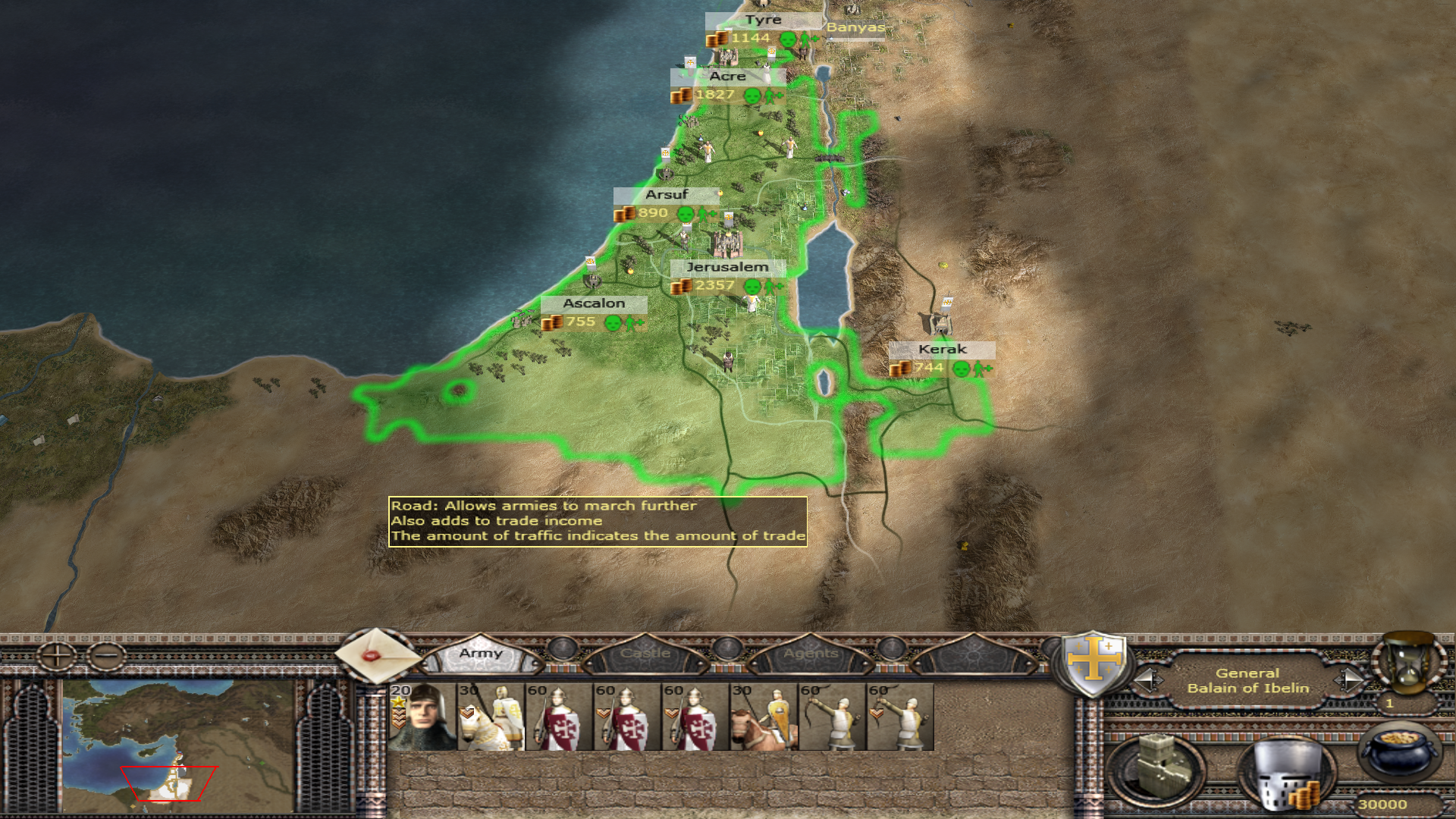
Medieval II: Total War with it's retail release on DVD has black lines on the campaign map. I have tested battles and haven't seen this issue. This also doesn't happen with WineD3D.
I have been using Lutris, as it really made installing a DVD game with Wine a lot easier. I hope that won't cause any problems for tackling this issue.
DXVK:

WineD3D (How it should look):
Software information
Medieval II: Total War (Tested both the main game and the expansion, I have logs for the expansion.)
Highest graphic settings, 1920x1080
System information
Apitrace file(s)
I haven't had the chance to create apitrace files as of now, but I'll make sure to add them soon.
Log files
The dxgi.log is empty.